# Utildesk English Full Manifest
This manifest exposes the English layer of Utildesk for AI agents: tools, workflow context and practical guides.
## Guides
### AI Tools Without Signup: Convenient, But Rarely Truly Private
URL: https://tools.utildesk.de/en/ratgeber/ki-tools-ohne-anmeldung-bequem-aber-selten-wirklich-privat/
Summary: AI tools without signup remove friction, but they are not a privacy seal. When no-login tools are useful — and when teams need controlled workflows.
There is a tiny moment before many AI tasks: you only want to translate one sentence, remove the background from an image, or test a quick question. Then the wall appears: create an account, confirm an email, dodge a newsletter checkbox, maybe even add a phone number or payment method. For a three-minute task, that feels absurd.
That is why AI tools without signup are so appealing. They remove friction. You open a page, upload an image, ask a question, get an answer. No new identity, no password, no extra account in the digital junk drawer.
But this is also the trap: **without signup does not automatically mean private, safe, or unlimited.** It only means the provider does not ask for a classic user account at that moment. Data may still be processed, rate-limited, logged, stored in cookies, checked for abuse, or passed through technical service providers. For harmless tasks that may be fine. For confidential documents, customer data, or internal project information, it can be risky.
This guide is therefore not just another list of “free AI tools”. The practical question is sharper: when is a no-login tool useful — and when should you use a proper account, a paid plan, or a local alternative instead?
## The real strength: faster than an account flow
No-login tools are strongest when the task is small, low-risk, and clearly bounded. If you want to rephrase a public product sentence, understand a foreign-language phrase, or remove the background from a non-sensitive image, you do not always need a fully configured SaaS account.
A good example is [DeepL](/tools/deepl/) for quick translation. For individual text snippets, the web translator is immediately available and often good enough without setting up a project first. [remove.bg](/tools/remove-bg/) is similarly pragmatic when an image subject needs to be cut out. For low-resolution drafts or simple previews, the quick browser workflow is often enough.
[ChatGPT](/tools/chatgpt/) can also be tried without a classic signup flow since OpenAI opened instant access for basic use. That is useful for first experiments: test a phrase, structure an idea, or ask for a plain explanation. DuckDuckGo's Duck.ai follows a similar no-login pattern, but with a different promise: private, anonymized chats that are not meant to be used for training.
In everyday use, no-login tools are like a pocket knife. They are useful when you need a quick cut. They are not automatically the right workbench for serious professional work.
## The main boundary: no login is not a privacy seal
Many people confuse “no account” with “no trace”. That is understandable, but wrong. A service can still see IP addresses, browser metadata, uploaded files, cookies, and abuse signals. Some providers delete data quickly. Others are vague. Some policies differ between free and paid tiers.
With text, the risk is often invisible. A paragraph may look harmless but include customer names, contract details, internal pricing, medical information, or unreleased product plans. Images are similar: a portrait, an ID photo, a CRM screenshot, or a document with metadata is not “just an image”. It can contain personal or confidential information.
Consumer protection guidance in Germany makes the dry but important point: before using AI applications, users should check terms and privacy notices. That is the core issue. If you do not know what happens to the data you enter, you should not enter sensitive data.
A simple rule helps: **anything you would not put into a public demo should not go into a random no-login tool.** For private experiments, the fast path is fine. For client work, HR, finance, medical information, unpublished product data, or legal text, it is usually too thin.

## Which no-login tool categories actually make sense
Not every AI task fits a no-login workflow equally well. The best candidates are tasks where the input is interchangeable and the result is easy to check.
**1. Translating and rephrasing short text.**
For individual sentences, public website copy, or non-confidential emails, web translators such as [DeepL](/tools/deepl/) are practical. But internal documents or personal data may require a Pro plan, a company agreement, or a local solution.
**2. Image editing without sensitive content.**
Tools such as [remove.bg](/tools/remove-bg/) or iLoveIMG are useful for quick image operations: removing backgrounds, enlarging images, converting files. They make sense for stock material, product drafts, or public images. They are much less suitable for IDs, employee photos, patient images, confidential screenshots, or customer material.
**3. First chat experiments.**
A no-login path to [ChatGPT](/tools/chatgpt/) or Duck.ai lowers the barrier. It is good for questions like “explain this concept” or “give me ten headline ideas”. It is less useful for long work histories, team context, stored prompts, file handling, or reproducible outputs.
**4. Small research and comparison questions.**
Research tools need extra caution. Some services work partly without an account but limit source access, history, or model choice. [Perplexity](/tools/perplexity/) can be useful as a research assistant, but for serious work you should always check which features are available without signup and how sources are shown.
The shared boundary is simple: no-login is good for quick, reversible tasks. The more you need traceability, privacy, teamwork, or rights management, the more likely you need an account or a controlled environment.
## Why providers still want accounts
From a user's perspective, login looks like friction. From a provider's perspective, it serves several functions: limiting abuse, managing quotas, offering payment models, saving history, syncing settings, handling API access, and supporting users.
That is not automatically bad. An account can even create more control. In a serious Pro or Team plan, data retention, processing terms, deletion, admin rights, and contractual privacy questions can sometimes be handled better than in anonymous free use.
The mistake is not creating an account. The mistake is treating every account as progress. For a one-off tiny task, login may be overkill. For recurring professional work, it can be the structure that makes responsibility possible.
So the better question is not: “Can I use this without signup?” It is: “What kind of control does this task require?”
## A better decision matrix
Before using an AI tool without signup, five questions are enough:
1. **Is the input sensitive?**
If names, customer data, internal numbers, contracts, health data, or unreleased strategy are involved, do not throw it into a random free tool.
2. **Does the result need to be reproducible?**
For a quick draft, maybe not. For team work, compliance, or recurring processes, yes.
3. **Do I need history or sources?**
Without an account, you often lose history, project folders, source management, and settings.
4. **Is the quality easy to verify?**
A cut-out image is visible immediately. A legal summary, medical explanation, or technical recommendation can sound plausible and still be wrong.
5. **Is there a local alternative?**
For some tasks — simple writing help, image upscaling, transcription — a local app or open-source workflow can be safer, even if setup takes longer.
This matrix matters more than any tool list. It prevents convenience from being mistaken for safety.
## What teams should do differently from private users
Private users can be pragmatic. Removing a background for a classified ad, translating a sentence, brainstorming a gift idea — the damage is usually limited.
Teams need more discipline. They should have a short internal rule: which data may go into public AI tools? Which tools are approved? Which tasks require company accounts? When is a local or self-hosted tool mandatory?
Small businesses often underestimate this point. They use no-login tools because they are fast, but accidentally create shadow workflows: customer data in random tools, screenshots from internal systems in image services, confidential text in chatbots. It is usually not malicious. It is convenience under time pressure.
A good rule can be simple:
- Public or interchangeable content: no-login tools are allowed.
- Personal or confidential content: only approved tools.
- Recurring processes: not browser randomness, but a documented workflow.
- Critical decisions: AI may prepare, but not decide unchecked.
That preserves the benefit without turning every quick tool into a privacy lottery.
## Conclusion: the best no-login workflow is deliberately limited
AI tools without signup are useful because they create speed. They remove account friction from small tasks and make AI easier to try. That is good. Not every translation, image edit, or first idea needs a new registration.
But no-login is not a quality label. It says little about privacy, deletion, model quality, rights, quotas, or reliability. If you forget that, convenience becomes risk.
The best stance is not distrust of every free tool. It is sober: use them for small, low-risk, easy-to-check tasks. Use controlled accounts, Pro agreements, or local tools as soon as data becomes sensitive, outcomes matter, or workflows repeat.
In short: without signup is good for the first hand movement. Real work needs responsibility.
## Sources
1. [OpenAI: Start using ChatGPT instantly](https://openai.com/index/start-using-chatgpt-instantly/)
2. [Duck.ai by DuckDuckGo](https://duck.ai/chat?duckai=1)
3. [DeepL Help Center: About DeepL Translator](https://support.deepl.com/hc/en-us/articles/360019924399-About-DeepL-Translator)
4. [remove.bg](https://www.remove.bg/)
5. [remove.bg Help: Is remove.bg free?](https://www.remove.bg/sv/help/a/is-remove-bg-free-)
6. [iLoveIMG](https://www.iloveimg.com/)
7. [Verbraucherzentrale NRW: Checkliste verantwortungsvoller Umgang mit KI](https://www.verbraucherzentrale.nrw/sites/default/files/2024-11/checkliste_verantwortungsvoller-umgang-mit-ki.pdf)
### AI Code Without Control: The New Bottleneck Is Not Writing, But Understanding
URL: https://tools.utildesk.de/en/ratgeber/ki-code-ohne-kontrolle-der-neue-engpass-liegt-nicht-im-schreiben-sondern-im-verstehen/
Summary: AI can make code appear in minutes. The harder question is whether a team understands it well enough to own it, test it, and merge it.
The pull request looks as if someone worked with great care. Clean function names, tidy comments, a few new tests, no obvious syntax errors. Twenty minutes ago there was only a ticket with a vague requirement. Now there is a complete patch waiting for review.
That is exactly where the new problem begins.
Not because AI code is automatically bad. Not because developers should go back to writing everything by hand. The problem is that responsibility has not disappeared. It has moved. Teams used to ask: who will write this? Increasingly they have to ask: who understands this well enough to merge it?
That shift is one of the real breaks in modern software work. [GitHub Copilot](/tools/github-copilot/), [Cursor](/tools/cursor/), [Claude Code](/tools/claude/) and [OpenAI Codex](/tools/openai-codex/) can accelerate the act of writing dramatically. But they do not automatically accelerate understanding. And that is where the new bottleneck appears: AI code can be produced faster than teams can verify, explain and own it.
## Writing became cheap. Understanding did not.
For a long time software development was constrained by writing effort. A feature took time because someone had to open files, find patterns, formulate code, add tests and fix mistakes. AI assistants have visibly changed that part of the job. An agent can produce a diff in minutes that might once have taken a human hours.
That is real progress. But it is not the same as productivity.
Productivity in software does not mean producing as much code as possible. It means moving a system into a better, more stable and more understandable state. If a team saves time during generation but then spends more time reconstructing assumptions, hunting side effects and guessing architecture decisions, the work was not eliminated. It was moved into a later and cognitively harder phase.
This is why AI coding can feel paradoxical: the first draft is spectacularly fast, while the review feels heavier than before.
## The verification gap
Sonar's recent research describes a hard trust gap: many developers use AI-generated code, but a much smaller share verify it consistently before committing. The phrase is useful because it names the real failure mode: the verification gap.
The gap is not simply laziness. It is pressure. When an agent delivers a patch in minutes, the social rhythm of the team changes. The reviewer does not want to be the person slowing progress. The author may no longer feel like the real author. The lead sees velocity on the board. Somewhere in the middle sits the question nobody likes to ask: do we actually understand this code?
The dangerous part is not the obvious error. It is the plausible error. AI code often looks as if it belongs exactly where it was placed. It uses the right language, imitates local patterns, writes tests and explains itself with confidence. But plausible form is not proof of correctness.
A human reviewing code is not only reading syntax. They are looking for intent. Why is this abstraction here? What assumption is hidden in this default? What happens with old data? Who is allowed to trigger this action? Which layer now depends on which other layer?
Those questions become more important, not less important, when the code came from an agent.

## Comprehension debt: the invisible liability
Technical debt is a familiar idea. A team takes a shortcut and pays interest later. AI coding adds a quieter form of debt beside it: comprehension debt.
Comprehension debt appears when a team owns code it can no longer explain. The tests are green. The application runs. But the understanding is thin. Nobody can quite say why a path exists, which alternative was rejected, or which implicit assumption the agent made while writing it.
That is more dangerous than it sounds. Systems rarely break in the place everybody is watching. They break at the edges: old data, rare roles, unusual integrations, concurrency, timeouts, permissions, migrations. Those edges are hard to review when the team sees only the result and not the reasoning that produced it.
A large AI patch is not a gift if it weakens system understanding. It is more like a delivery with no packing slip: the package has arrived, but nobody is entirely sure what is inside.
## Why normal reviews come under pressure
Classic code review was designed around human speed. A developer writes a change, knows the reasons, describes the context and answers questions. The reviewer inspects a manageable diff.
With AI code, that balance can tip. Diffs grow because writing is cheap. Changes touch more files because the agent does not get tired. Tests are generated too, but often from the same perspective as the implementation. The pull request description sounds complete because models are good at sounding complete.
All of this raises the cognitive load of review. A clean 600-line diff can be harder than a messy 80-line patch if nobody can explain the decisions behind it.
There is also a psychological trap. Well-formatted code invites skimming. The eye sees structure and starts to infer quality. But structure is not truth. AI-generated code can be stylistically tidy and still be wrong in the domain, the edge case or the architecture.
## Agent-written tests are not enough
A common answer is: let the agent write tests too. That is useful, but not sufficient.
Tests prove only what they ask. If the same AI that made an assumption also writes the tests around that assumption, an echo chamber can form. The agent tests the path it considered likely. It does not necessarily test the place where an experienced developer would have become suspicious.
Good teams treat AI-generated tests as a proposal, not a release note. They ask:
- Do the tests cover the real edge case or only the happy path?
- Do they check permissions, error states and old data?
- Was an existing contract changed?
- Are there integration or regression tests independent of the agent's logic?
- Can a human explain why these tests create confidence?
If the answer is unclear, the patch is not finished. It has only been written.
## Not every system needs the same level of hardness
It would be wrong to turn the verification gap into a blanket ban on fast AI code. Not all code has the same risk.
A prototype may be quick and rough if everyone knows it is a prototype. An internal script can be more pragmatic than payment logic. A UI improvement carries different risk than an authorization model. A customer-facing production system needs stronger evidence than an experiment in a branch.
The problem starts when teams do not mark those differences. When a vibe-coding experiment slowly becomes production-adjacent. When an agent patch enters the same review lane as code someone deeply understands. When speed is mistaken for maturity.
The better question is not: may AI write this code? It is: what kind of evidence does this code need before we accept it?
## A workflow for AI code humans can own
The answer is not nostalgic retreat. Teams do not need less AI. They need to handle AI-generated code differently.
A resilient workflow starts before the prompt:
1. **Constrain the task.** The agent does not receive “build the feature”, but a small, verifiable assignment with clear non-goals.
2. **Isolate the workspace.** Branches, worktrees or sandboxes keep experiments from contaminating the main flow.
3. **Write the expectation down.** A short spec explains the intended behavior, important edges and what must not change.
4. **Require tests.** The agent may propose tests, but existing independent checks must run too.
5. **Demand an explanation.** The agent should state assumptions, alternatives and risks. Not as PR theatre, but as review material.
6. **Merge humanly.** No agent should approve its own work. Responsibility belongs to a person who can explain the patch.
This feels slower than the pure rush of generation. That is the point. The speed of writing must not outrun the speed of taking responsibility.
## The new review checklist
For teams already using [Cursor](/tools/cursor/), [GitHub Copilot](/tools/github-copilot/), [Claude Code](/tools/claude/) or [OpenAI Codex](/tools/openai-codex/), a simple checklist helps:
- Can someone on the team explain the patch without AI help?
- Is the diff small enough to review for real?
- Are the most important assumptions explicit in the pull request?
- Are there independent tests, not only tests generated by the agent?
- Were permissions, data flows and error states checked?
- Did the patch respect existing architecture boundaries?
- Is the rollback path clear?
If several answers are missing, that is not a cosmetic issue. It means the team does not yet have a finished pull request. It has a comprehension problem.
## The role of tools
Tools still matter, but they do not solve the issue alone. [GitHub Copilot](/tools/github-copilot/) helps inside the editor. [Cursor](/tools/cursor/) brings project context closer to writing. [Claude Code](/tools/claude/) and [OpenAI Codex](/tools/openai-codex/) can handle longer agent-mode tasks.
The decisive difference is not the assistant's name. It is the frame around it: small tasks, clear specs, hard tests, review gates, architecture rules and a culture that refuses to equate “looks good” with “is understood”.
Static analysis, security scanners and quality platforms such as Sonar can provide deterministic counterweight to generative speed. They do not replace human review, but they stop the human reviewer from standing alone against a flood of plausible diffs.
## Conclusion: the future does not belong to the fastest writer
AI is not changing software development because it removes the need to think. It changes software development because it removes many limits from writing. That is precisely why thinking becomes more important.
The bottleneck is no longer where many teams still look for it. It is not writing. It is understanding. Verification. Explanation. The decision that a patch may become part of a system that must still be maintainable tomorrow.
The teams that use AI coding well will not be the teams that generate the most code. They will be the teams that know exactly when a human needs to slow down again.
Because when production burns, the agent is not the one who gets called. The team is.
## Sources
1. [Sonar: Verification Gap in AI Coding](https://www.sonarsource.com/company/press-releases/sonar-data-reveals-critical-verification-gap-in-ai-coding/)
2. [Sonar: The AI trust gap](https://www.sonarsource.com/blog/ai-coding-trust-gap)
3. [Sonar: Code Verification](https://www.sonarsource.com/resources/library/code-verification/)
4. [Debt Behind the AI Boom – arXiv](https://arxiv.org/abs/2603.28592)
5. [Rethinking Code Review in the Age of AI – arXiv](https://arxiv.org/abs/2605.17548)
6. [Prompt Injection Attacks on Agentic Coding Assistants – arXiv](https://arxiv.org/abs/2601.17548)
7. [Martin Fowler: Patterns for Reducing Friction in AI-Assisted Development](https://martinfowler.com/articles/reduce-friction-ai/)
8. [JetBrains: AI Tool Switching Is Stealth Friction](https://blog.jetbrains.com/ai/2026/02/ai-tool-switching-is-stealth-friction-beat-it-at-the-access-layer/)
### Agent security and MCP governance: guardrails companies need now
URL: https://tools.utildesk.de/en/ratgeber/agent-security-und-mcp-governance-welche-guardrails-unternehmen-jetzt-brauchen/
Summary: MCP connects AI agents to real tools and data. Without authorization, audit trails and least privilege it can become a new shadow-IT risk.
The Model Context Protocol packages an old security problem in a new form: how do you connect intelligent systems to real company data without giving them too much power? MCP standardizes tool access. That is exactly why it is attractive — and risky.
Once an agent can read tickets, fetch files, query databases or trigger internal [APIs](/tools/openai-api/), it is no longer just a chat window. It becomes a non-human actor inside the enterprise environment. For security teams, that means prompt hardening is not enough. The decisive question is what action the agent is actually allowed to perform in a specific context.
## Why MCP governance is not just a prompt problem
Many safety concepts start at the model layer: strengthen the system prompt, filter unwanted output, detect jailbreaks. That is useful, but incomplete. The dangerous part often starts where the model can operate tools.
An agent can answer politely and still see too much data. It can sound compliant and still trigger a risky tool chain. It can follow a malicious instruction hidden in a document, web page or email rather than in the chat itself. MCP therefore needs a governance layer outside the model.

## Least privilege per tool call
The most important principle is simple and uncomfortable: an agent should never be able to do more than the current task requires. That applies not only to user roles, but to every single tool call. May this agent read this ticket? May it export this file? May it write a change or only draft a proposal?
Policy decision points, dynamic authorization and gateway layers point in the right direction. MCP servers should not treat permissions as a static trust assumption. They should check who is asking, on whose behalf, which resource is involved and how risky the next action is.
## The gateway as control point
A robust architecture does not assume that every team will secure every MCP server perfectly. A controlled path is safer: agents speak through a gateway or proxy that enforces allowed servers, tools, scopes, quotas and logging centrally.
That gateway can filter risky tool descriptions, sanitize suspicious responses, apply rate limits and require human approval. It is the point where “the agent can reach everything” becomes an auditable workflow.
## Auditability determines trust
For production agents, seeing the final answer is not enough. Teams need to reconstruct which input led to which tool call, which data was read, which policy decision applied and who approved a risky step.
Without audit trails, governance becomes a claim. With them, security, legal and engineering can verify that an agent stayed within its boundaries. This matters especially for long-running sessions and workflows that touch several systems in sequence.
## Relevant tools on Utildesk
Teams building production agents should not treat the tool layer as an afterthought. [OpenAI GPT Agents](/tools/openai-gpt-agents/) represent the platform path for action-capable assistants, [LangChain](/tools/langchain/) and [CrewAI](/tools/crew-ai/) show common framework routes for orchestration, and the [OpenAI API](/tools/openai-api/) is often the operational surface where authentication, cost controls and logging need to be designed properly.
## A practical company checklist
A useful starting point is a small, hard checklist:
- **Create an inventory:** Which agents, MCP servers and API tokens already exist?
- **Reduce scopes:** Separate read and write access, limit exports and protect production actions.
- **Enforce a gateway:** Avoid uncontrolled direct connections to arbitrary MCP servers.
- **Log tool calls:** Store input, decision, resource and result in a reviewable way.
- **Define human approval:** Require approval for exports, write access, deployments and irreversible actions.
- **Set quotas:** Limit loops, mass queries and runaway costs technically.
These steps are less glamorous than an agent demo, but they decide whether the system can survive everyday use.
## Conclusion: agents need operational safety, not only intelligence
MCP is a strong integration step because it brings agents from isolated chats into real work environments. That is exactly why governance must be designed early. If permissions, logs and gateways are added only after the first incident, the hardest part has already been placed too late.
The safe direction is clear: least privilege, dynamic authorization, controlled gateways, audit trails and human approval at the risky points. Then MCP can become a reliable interface for productive agents rather than another layer of shadow IT.
## Sources
1. [Model Context Protocol](https://modelcontextprotocol.io/docs/learn/architecture)
2. [Cerbos: MCP Authorization](https://www.cerbos.dev/blog/mcp-authorization)
3. [Cerbos: Dynamic Authorization for AI Agents](https://www.cerbos.dev/blog/dynamic-authorization-for-ai-agents-guide-to-fine-grained-permissions-mcp-servers)
4. [Microsoft: Agent Governance Toolkit for MCP tool calls](https://devblogs.microsoft.com/dotnet/governing-mcp-tool-calls-in-dotnet-with-the-agent-governance-toolkit/)
5. [Indirect Prompt Injection for Web-Browsing Agents – arXiv](https://arxiv.org/pdf/2605.11868)
6. [FINOS AI Governance Framework](https://air-governance-framework.finos.org/single-page.html)
### Coding agents 2026: Codex CLI, Claude Code and Gemini CLI in the developer workflow
URL: https://tools.utildesk.de/en/ratgeber/coding-agenten-2026-codex-claude-code-und-gemini-cli-im-entwickler-workflow/
Summary: Codex CLI, Claude Code and Gemini CLI move AI coding from autocomplete to delegated work. This comparison shows where each tool fits.
Coding agents in 2026 are no longer just a smarter autocomplete bar. They read repositories, plan changes, edit files, run tests and explain why a diff should be accepted. That is why the old question — “Which model writes the nicest code?” — is no longer enough. The real question is which tool fits the engineering workflow around it.
Three names now show up on many shortlists: [OpenAI Codex CLI](/tools/openai-codex/), [Anthropic](/tools/anthropic/) [Claude Code](/tools/claude/) and Google [Gemini CLI](/tools/gemini/). All three promise a shift from assistance to delegation. In practice, they differ in how they absorb context, how transparently they act and how easily teams can wrap them in review and CI gates.
## From suggestion to delegated task
The jump from [GitHub Copilot](/tools/github-copilot/)-style suggestions to agentic CLI tools is bigger than most demos suggest. A classic assistant completes a function. A coding agent receives an objective: reproduce a bug, find the cause, prepare a patch, update tests and justify the result.
That feels fast, but it also changes responsibility. Giving an agent write access does not just delegate typing. It delegates part of the technical decision chain. The workflow around the agent becomes more important than the model alone.

## [Codex CLI](/tools/openai-codex/): strong when Git and tests already carry the process
[Codex CLI](/tools/openai-codex/) is most useful for teams that already split work into small, testable pieces. Its strength is not magic, but proximity to the terminal: tasks can be tied to existing project commands, test suites and review conventions.
The catch is simple: an agent is only as reliable as the rails around it. If the test suite is slow, flaky or shallow, [Codex](/tools/openai-codex/) also gets a weak safety net. Production use therefore needs clear task descriptions, small diffs and explicit stop points: no hidden deploy steps, no unapproved migrations and no merge without human review.
## [Claude Code](/tools/claude/): strong for long context and explanatory work
[Claude Code](/tools/claude/) is attractive when a change needs to be understood, not merely produced. Longer refactorings, architecture trade-offs and legacy codebases benefit from an assistant that can explain assumptions and ask useful follow-up questions.
That works best when teams document project rules: architecture decisions, coding standards, forbidden dependencies and preferred test patterns. The better these rules live in the repository, the less the agent has to guess.
## [Gemini CLI](/tools/gemini/): strong for broad context and Google-adjacent workflows
[Gemini CLI](/tools/gemini/) becomes interesting when a task needs a lot of surrounding material: monorepos, long documentation, several services or DevOps-heavy workflows. Its advantage is the ability to look across more context that smaller workflows may have to gather iteratively.
Broad context is not the same as safe output. Large repositories still need hard limits on the allowed change surface. Good prompts therefore constrain not only the goal, but also which files may be touched and which checks must pass.
## Four questions before choosing a tool
A practical selection matrix starts with four questions:
1. **How well is project context documented?** Without README files, ADRs and clear conventions, every agent has to infer too much.
2. **Which commands may the agent run?** Tests and linters are useful; deployments, secrets and production data need hard boundaries.
3. **How small do diffs remain?** Good agent workflows produce reviewable steps, not impressive giant patches.
4. **Where is the human in the loop?** Human approval belongs before risky file changes, external tool calls and every merge.
If those questions remain unanswered, a coding agent becomes a faster source of mistakes rather than a productivity system.
## Conclusion: the frame matters more than the agent
[Codex CLI](/tools/openai-codex/), [Claude Code](/tools/claude/) and [Gemini CLI](/tools/gemini/) show three versions of the same shift: AI is moving from writing helper to acting team member. The useful difference comes from clear tasks, isolation, tests and a review culture that treats AI output like any other production code.
For small, testable changes, [Codex CLI](/tools/openai-codex/) is a natural fit. For explanation-heavy refactorings, [Claude Code](/tools/claude/) can be strong. For very large context windows, [Gemini CLI](/tools/gemini/) is worth evaluating. In every case, the best coding agent is not the one that writes the most. It is the one whose work can be checked most reliably.
## Sources
1. [OpenAI Codex](https://help.openai.com/en/articles/11096431)
2. [Claude Code docs](https://docs.anthropic.com/en/docs/claude-code)
3. [Gemini CLI documentation](https://geminicli.com/docs/)
4. [Google Cloud Blog: Gemini CLI DevOps Extension](https://cloud.google.com/blog/topics/developers-practitioners/ship-code-within-minutes-with-the-gemini-cli-devops-extension)
5. [Agentic AI in the Software Development Lifecycle – arXiv](https://arxiv.org/pdf/2604.26275)
### Vibe coding after the hype: how teams test and review AI code
URL: https://tools.utildesk.de/en/ratgeber/vibe-coding-nach-dem-hype-wie-teams-ai-code-pruefen-testen-und-reviewen/
Summary: Vibe coding speeds up prototypes, but production teams need verification: tests, small diffs, architecture rules and serious reviews.
Vibe coding was the perfect phrase for the first rush: describe an idea, let an agent work in [Cursor](/tools/cursor/), [GitHub Copilot](/tools/github-copilot/), [Claude Code](/tools/claude/) or [OpenAI Codex](/tools/openai-codex/), then admire the result. For prototypes, that can be wonderful. For production software, it is only the beginning.
The hype can hide a simple fact: AI-generated code is not automatically more maintainable, more secure or more correct. It arrives faster — and that shifts the bottleneck. Teams write less by hand, but they must verify, explain and constrain more. The real productivity question is not “How much code can AI generate?” It is “How reliably can we turn that code into a reviewable change?”
## The new bottleneck is verification
When an agent changes several files in minutes, it feels like a breakthrough. The review starts afterwards. Are the assumptions correct? Are edge cases covered? Did the change violate an existing pattern? Are tests green because they are meaningful, or because they are too shallow?
That checking work costs time and attention. Some teams call it the verification tax: the speed gain in writing creates additional work in proving. This is not an argument against AI coding. It is an argument against unchecked AI code.

## Small diffs beat big magic
The most important practice is unspectacular: cut tasks into small pieces. An agent should not receive “build the new billing system.” It should receive a bounded step with a clear success condition.
Good prompts therefore include not only the goal, but the allowed change surface: which files may be touched, which tests must run, which architecture rules apply and which risks must not be decided automatically. Vibe coding becomes a controlled engineering assignment.
## Tests need to harden against AI patterns
Many AI mistakes are not syntax errors. They live in assumptions: wrong defaults, missed side effects, missing authorization checks or optimistic error handling. Unit tests catch only part of that.
Production teams combine several layers: fast unit tests, integration or contract tests for interfaces, static analysis, security checks and a preview environment for visible changes. The agent may add tests, but it should not be the only judge of its own work.
## Reviews need a different checklist
AI code often looks clean. That is part of the risk: it can be stylistically convincing while choosing the wrong abstraction. Reviews should therefore ask less “does it look tidy?” and more “what proves that this is correct?”
A useful checklist is:
- Which concrete problem does the diff solve?
- Which assumptions did the agent make?
- Which tests prove the change?
- Which file or layer should not have been touched?
- Are there new dependencies, permissions or data flows?
- Can a human explain the patch in five minutes?
If the last answer is no, the diff is probably too large.
## Relevant tools on Utildesk
In practice, the roles differ. [GitHub Copilot](/tools/github-copilot/) remains strong inside the editor, [Cursor](/tools/cursor/) ties AI coding closely to project context, [Claude Code](/tools/claude/) is useful for explanation-heavy agent sessions, and [OpenAI Codex](/tools/openai-codex/) fits terminal-oriented work with tests and Git discipline. The important point is not the tool name, but whether the workflow forces small diffs, reproducible tests and real review.
## The workflow after the hype
A stable AI-coding workflow looks more like a workshop than a magic trick:
1. **Bound the task:** Define goal, files, risks and non-goals.
2. **Isolate the agent:** Use a branch or worktree so experiments do not block daily work.
3. **Force tests:** Run the same commands before and after the change.
4. **Require explanation:** The agent must state assumptions, alternatives and open risks.
5. **Review as a human:** No merge without a real look at diff, tests and architecture impact.
That keeps vibe coding useful without turning it into faster technical debt.
## Conclusion: less rush, more craft
Vibe coding will not disappear. The term is simply growing up. The productive teams will not be the ones that generate the most AI code. They will be the ones that contain AI output best: small tasks, clear tests, hard reviews and traceable decisions.
The right stance is neither hype nor rejection. It is craft: AI may bring speed, but it must pass through the same quality corridor as any other code. Only then does a good feeling become a reliable engineering process.
## Sources
1. [Google DORA: ROI of AI-assisted Software Development](https://services.google.com/fh/files/misc/dora-roi-of-ai-assisted-software-development-2026.pdf)
2. [Debt Behind the AI Boom – arXiv](https://arxiv.org/pdf/2603.28592)
3. [JetBrains: AI tool switching is stealth friction](https://blog.jetbrains.com/ai/2026/02/ai-tool-switching-is-stealth-friction-beat-it-at-the-access-layer/)
4. [Martin Fowler: Patterns for Reducing Friction in AI-Assisted Development](https://martinfowler.com/articles/reduce-friction-ai/)
5. [Automated Code Review in Practice – arXiv](https://arxiv.org/pdf/2412.18531)
6. [Sonar: State of Code Developer Survey](https://www.sonarsource.com/state-of-code-developer-survey-report.pdf)
### Best AI Tools for Workflow Automation: Which Platforms Actually Help Teams
URL: https://tools.utildesk.de/en/ratgeber/beste-ki-tools-fur-workflow-automation-welche-plattformen-teams-wirklich-entlast/
Summary: AI workflow automation only helps teams when tool choice, data control and human approvals fit the real process.
Workflow automation with AI is useful only when it removes real operational friction. It is not a magic layer that makes messy processes clean. It is a new way to connect forms, emails, spreadsheets, SaaS tools, documents and human decisions without asking people to copy the same information ten times a day.
That difference matters. A good automation does not just move data from A to B. It understands enough context to classify a request, summarize a document, enrich a lead, draft a reply or decide which human should review the next step. That is why the tool choice is no longer only about connectors. Teams now have to look at model access, logging, cost control, data protection, approval steps and the people who will maintain the flow after the first demo.
The most common mistake is to start with the platform instead of the process. A beautiful builder can hide the fact that nobody has defined who owns the workflow, what counts as an error and where a human must stay in the loop. The best AI automation projects start smaller: one annoying, repeated process; clear inputs; a visible result; and a safe rollback if the flow behaves strangely.
## Zapier and Make: fast entry versus visual control
[Zapier](https://tools.utildesk.de/tools/zapier/) remains the easiest starting point for many teams. Its strength is breadth. If a small operations, marketing or sales team wants to connect a form, a CRM, Slack, Gmail, Sheets and an AI step, Zapier usually gets the first useful prototype running very quickly. The interface is familiar, the connector ecosystem is huge and AI features can be added without asking non-technical users to think like developers.
That is valuable when the first goal is not architecture, but relief. A support mailbox can be pre-sorted, a lead can be enriched, a meeting note can become a task list, and a product feedback message can be routed to the right place. Zapier is especially strong when the process is linear and when the team wants speed more than deep control.

The trade-off is cost and opacity. Task-based pricing can become relevant once successful automations run often. AI steps may also create more intermediate operations than expected. A lead enrichment flow can classify, summarize, update a CRM, notify a channel and write a row into a sheet. That feels elegant in the builder, but every step has a cost and every hidden assumption becomes part of the process.
[Make](https://tools.utildesk.de/tools/make-ehemals-integromat/) is often the better fit when workflows become visually complex. Its scenario builder makes branching, filters, routers and error paths easier to see. For teams that already understand the process, this is a major advantage. Make feels less like a simple chain of actions and more like a control room where different paths can be tested, paused and repaired.
In practice, Make is a strong middle ground. It is approachable enough for operations teams, but structured enough for people who care about edge cases. If the workflow has several routes, retries or conditions, Make can be calmer than a long stack of hidden steps. The downside is that teams need a bit more discipline. A complex visual scenario can still become a maze if nobody names modules clearly, documents assumptions or reviews errors.
## Copilot Studio and enterprise ecosystems
For organizations already living inside Microsoft 365, [Microsoft Copilot](https://tools.utildesk.de/tools/microsoft-copilot/) and Copilot Studio deserve a serious look. The main benefit is not that Microsoft has the prettiest automation canvas. The benefit is proximity: identity, files, Teams, SharePoint, Outlook and governance already sit in the same enterprise world.
That can shorten the path from experiment to approval. A bot that answers internal HR questions, drafts a response from approved documents or routes a Teams request can be easier to justify when permissions, audit trails and data boundaries are already familiar to IT and compliance. In large organizations, that political and operational fit can matter more than a few missing builder features.
The limitation is ecosystem lock-in. If a company uses many SaaS tools, open-source components or custom data flows, Copilot Studio can feel narrower than Make or n8n. The right question is not whether Microsoft is better in the abstract. The question is whether the organization already trusts Microsoft as its operating layer. If yes, Copilot Studio can be a pragmatic choice. If not, a more open automation platform may be easier to adapt.
## n8n and Activepieces: control beats convenience
For technical teams, [n8n](https://tools.utildesk.de/tools/n8n/) is often where automation becomes more grown-up. Self-hosting, own credentials, code nodes, webhooks, database access and AI agent nodes make n8n less polished than a pure no-code product, but much more flexible. It is built for people who want to see what happens when a request fails, which data was passed to a model and where the log can be inspected.
That becomes important as soon as personal data, internal documents or customer secrets enter the workflow. Not every company can send support emails, applications, contracts or medical notes through arbitrary external systems. With n8n, teams can decide more precisely which data stays local, which step calls an external model and where a human approval has to happen before anything leaves the organization.
Self-hosting is not a magic privacy badge. Someone still has to update the system, test backups, manage secrets and monitor failures. But for teams with technical maturity, the trade-off can be worth it: more responsibility, but less blind trust. With AI agents, transparency is especially important because errors do not always look like crashes. Sometimes the output is formally correct and still wrong.
Activepieces plays in a similar direction, but can feel more accessible for some teams. Its open-source positioning and simpler model make it interesting when a team wants control without adopting the full n8n mindset. n8n is currently broader and more visible for advanced AI workflows, but Activepieces is worth watching for organizations that do not want their automation layer to be fully proprietary.

## AI-native specialists: when the workflow is research
A second layer is emerging next to the large integration platforms: tools where AI is not an additional node, but the core working principle. [Gumloop](https://tools.utildesk.de/tools/gumloop/) is a good example. It targets teams that need to process unstructured information: scrape websites, check lists, analyze documents, summarize calls or build semi-automated SEO and market research flows.
The appeal is that users think less in technical modules and more in outcomes. They describe what should happen and build a flow from there. That is powerful for operational teams that understand the problem but do not want to read API documentation. A growth team can create a research flow faster. A sales team can enrich leads. A content team can structure raw material before an editor touches it.
The risk is familiar: AI-native systems must be checked differently. A model that reads a pricing page can misunderstand it. A model that scores leads can overvalue the wrong signal. A model that creates a content brief can mix sources. These workflows do not need less control; they need different control. Useful patterns include sampling, source links, confidence signals, logs and approval steps.
Tools such as Voiceflow or Relevance AI become interesting when teams want assistants or agent roles rather than a simple linear process. Voiceflow is strong when dialogues, support paths and multi-channel conversations matter. Relevance AI is closer to agentic roles such as research agents, sales agents or internal operations assistants. For many organizations this is not a replacement for Zapier, Make or n8n. It is a specialist layer for the parts where text understanding and flexible decisions create the biggest gain.
## How teams should choose the right platform
A good tool test starts with one real process. If the process is already clear but people are only copying, sorting and chasing information, it is a good automation candidate. If the process is politically unclear, full of exceptions and nobody knows who is allowed to decide, AI will not fix it.
Five questions help before choosing a platform. How unstructured are the inputs? How dangerous is a wrong answer? Who will maintain the flow? Where does sensitive data live? How often will the process run? These questions prevent teams from being seduced by perfect demos. Demos show the happy path. Real work contains broken PDFs, empty fields, misspelled names, unclear ownership and API limits.
The best tool is not the one with the shiniest interface. It is the one where the dirty edges remain visible and manageable. Zapier is excellent when speed matters. Make is better when visual complexity grows. n8n is strong when technical control and data ownership matter. Gumloop and similar tools help when the workflow is mostly research and interpretation. Copilot Studio can be the shortest path in Microsoft-heavy organizations.
## Costs, data protection and guardrails
Most cost traps appear after the first success. A team builds one small automation, saves time, builds the next one and then another. Suddenly hundreds of AI steps run every day. Zapier has task limits. Make counts operations. n8n creates infrastructure and maintenance costs. AI-native tools may charge for model usage, premium functions or team seats.
That is why a pilot should measure more than technical success. A useful test includes a small cost model: How many runs per month? How many AI calls per run? Which steps need to be stored? Who reviews errors? How expensive would it be if the flow stopped for a day?
Data protection is the second dividing line. Google and Microsoft argue from their enterprise governance layers. Open-source tools such as n8n offer more technical control, but also demand more operational competence. There is no universally correct answer. There is only a fit between the tool, the data and the organization.
Guardrails should be visible in the workflow. A practical rule is simple: AI may prepare, but it should not decide alone when money, customer data, contracts, public statements or access rights are involved. An agent may draft an offer, but not send it without approval. It may prioritize support tickets, but not copy sensitive customer data into external systems without control. It may deliver research, but the sources should stay attached.

## A realistic start plan
The best starting point is not a project called “automate everything”. It is one frequent process that is annoying enough to matter, but not so critical that a mistake becomes dangerous. Meeting notes into tasks, support mails into categories, leads into qualification lists, product feedback into clusters or competitor pages into short summaries are good candidates.
For non-technical teams, Zapier is usually the fastest first step. Make is stronger when the process becomes visually complex or volume costs matter. Technical teams should test n8n early, even if the first setup is rougher. Teams already embedded in Microsoft 365 should not ignore Copilot Studio because internal approval can be easier there than with another external platform.
After two weeks, a pilot should answer three questions. Does it really save time? Are errors visible enough? Can someone in the team maintain it without heroics? If one answer is no, the tool is not automatically bad. The process may have been too large, the data too weak or the approval step too unclear.
It also helps to keep a small operations log from day one: which automations exist, who owns them, which data they touch, which models they use, where logs live and how the flow can be switched off. That sounds bureaucratic, but it is exactly the kind of order that prevents later chaos. Agentic workflows are powerful, but they need ownership. Nobody in a company should have to guess which bot is sending a customer message.
## Conclusion: relief comes from fit, not magic
AI workflow automation is not a magic lamp that releases a perfect digital employee. It is a new toolkit for the half-open tasks that used to sit between people, spreadsheets, inboxes and SaaS tools. Used well, it can reduce friction noticeably. Used badly, it only produces faster disorder.
The strongest decision is not “which tool is best?” The stronger question is: which part of our work deserves automation, and where must a human deliberately remain in the loop? Teams that answer that honestly will not only become faster. They will build workflows that are more understandable, more robust and genuinely easier to live with.
## Sources
- [Transform your operations with Zapier and AI](https://zapier.com/ai)
- [Automation to AI Agents: Advanced - Make Academy](https://www.make.com/en/academy)
- [Advanced AI Workflow Automation Software & Tools - n8n](https://n8n.io/ai/)
- [n8n Advanced AI documentation](https://docs.n8n.io/advanced-ai/)
- [Microsoft Copilot Studio documentation](https://learn.microsoft.com/en-us/microsoft-copilot-studio/)
- [Gemini Enterprise Agent Platform - Google Cloud](https://cloud.google.com/products/gemini/enterprise)
- [Relevance AI agent platform](https://relevanceai.com/)
### Claude Alternatives: Which AI Assistants Are Better for Which Tasks
URL: https://tools.utildesk.de/en/ratgeber/claude-alternativen-welche-ki-assistenten-je-nach-aufgabe-besser-passen/
Summary: The gold-rush mood in the AI market has given way to a hard-fought battle for attention, where small differences decide who actually gets productive work done.
The gold-rush mood in the AI market has given way to a hard-fought battle for attention, where small differences decide who actually gets productive work done. While [Anthropic](/tools/anthropic/) is making headlines with [Claude](/tools/claude/) Opus 4.7 and Sonnet 4.6 in benchmarks such as SWE-bench for coding tasks, the day-to-day reality in offices is shifting. [ChatGPT](https://tools.utildesk.de/tools/chatgpt/) lost significant market share over the past year alone, while Google [Gemini](/tools/gemini/) has closed the gap rapidly.
People who love [Claude](https://tools.utildesk.de/tools/claude/) usually value its human-like writing quality and its precise analysis of long documents. But once you broaden the view, it becomes clear: depending on budget, privacy requirements, or technical integration, alternatives are often the smarter choice.
## Generalists and ecosystems: When [ChatGPT](/tools/chatgpt/) and [Gemini](/tools/gemini/) come out ahead
[ChatGPT](/tools/chatgpt/) remains the industry’s Swiss army knife, even if its aura of invincibility is fading in 2026. OpenAI’s system stands out above all for its multimodality and its huge ecosystem of plugins and Custom GPTs. If you want to generate images natively (DALL-E 3) or use the advanced Voice Mode for natural conversation, [Claude](/tools/claude/) simply has no equivalent.
For quick, creative everyday tasks, [ChatGPT](/tools/chatgpt/) is often more intuitive and versatile than the more analytical, stricter [Claude](/tools/claude/).
Google [Gemini](https://tools.utildesk.de/tools/gemini/), by contrast, has become the champion of deep work with massive data sets. With a context window of more than one million tokens, [Gemini](/tools/gemini/) 3.1 Pro can process entire contract bundles or hundreds of pages of technical literature in a single prompt. [Claude](/tools/claude/) offers a respectable 200,000 tokens in the Pro version, but for extremely large research projects, Google’s infrastructure is superior.
[Gemini](/tools/gemini/) is also the natural choice for teams already deeply embedded in [Google Workspace](/tools/google-workspace/) with Docs, Gmail, and Drive.
Its operational advantage lies in seamless integration: summarizing an email directly in Gmail or analyzing data in Sheets works without the annoying copy-paste workflow. If, on the other hand, you live in the Microsoft ecosystem, [Copilot](/tools/copilot/) is the right alternative.
[Copilot](/tools/copilot/) may use the intelligence of GPT models, but it is so deeply integrated into Word and Excel that it remains unmatched for Office automation. [Claude](/tools/claude/) is more of a standalone specialist for demanding writing tasks outside these fixed suites.
## Code power users and budget buyers: The rise of [DeepSeek](/tools/deepseek/) and [Mistral](/tools/mistral/)
In software development, [Claude](/tools/claude/) Opus long set the standard, but competition from Asia and Europe has now caught up technologically. [DeepSeek](/tools/deepseek/) 3.1 has emerged as a serious alternative that reaches Claude-level performance in benchmarks such as Terminal-Bench.
What is especially impressive is its hybrid inference model, which can switch between fast answers and a deep “thinking mode” for complex logical problems. For developers who need to keep API costs low, [DeepSeek](/tools/deepseek/) is a real game changer, with prices far below those of US providers.
Meanwhile, [Mistral](/tools/mistral/) AI from France occupies the niche of digital sovereignty in Europe. With [Mistral](/tools/mistral/) Medium 3.5, the company offers a flagship model trained specifically for European contexts and languages. The key advantage: Mistral models such as Mixtral-v2 can be downloaded as open weights and run on your own hardware.
Companies that, for compliance reasons, cannot send data to US servers will find a powerful alternative to [Claude](/tools/claude/) here.
An especially interesting new framework in this area is [Mistral](/tools/mistral/)’s “Vibe CLI,” a coding agent for the command line. It lets you start coding sessions locally and, when needed, shift them to the cloud via a “teleport” function if more GPU power is required. While [Anthropic](/tools/anthropic/) is taking similar steps with “[Claude](/tools/claude/) Code,” [Mistral](/tools/mistral/) scores points with self-hosting options and transparent pricing structures.
If you work with high token volumes, [Mistral](/tools/mistral/) can save significant money compared with [Claude](/tools/claude/) Opus.
## Research and deep research: Why [Perplexity](/tools/perplexity/) is changing search
When it comes to finding current facts, [Claude](/tools/claude/) quickly reaches its limits because it does not have permanent real-time internet access. This is where [Perplexity](https://tools.utildesk.de/tools/perplexity/) AI shines, as it understands itself less as a chatbot and more as an AI search engine. [Perplexity](/tools/perplexity/) searches the web in real time and delivers answers with transparent, numbered source citations.
For quick fact checks or structured market analysis, this approach is much more reliable than simply generating text from training data.
[Claude](/tools/claude/) is excellent at synthesizing existing documents, but for actively gathering information, [Perplexity](/tools/perplexity/) is more efficient. One standout feature of [Perplexity](/tools/perplexity/) is the ability to choose between different models. In the Pro version, users can decide whether they want to analyze their search results with [Claude](/tools/claude/) Sonnet 4.6 or GPT-5.
That makes the tool a hybrid hub for anyone who wants research and analysis in a single workflow.
For academic work or deeper scientific analysis, [Gemini](/tools/gemini/) with its “Deep Research” mode is also worth a look. This mode conducts autonomous, hours-long research and produces structured reports based on hundreds of sources. While [Claude](/tools/claude/) writes excellent summaries when you feed it the documents, [Gemini](/tools/gemini/) proactively takes over the search process.
In a world of information overload, a model’s ability to independently evaluate and connect sources becomes a decisive competitive advantage.

## The downside: Risks, guardrails, and operational hurdles
Despite impressive gains in performance, all AI assistants remain error-prone and carry specific risks. The biggest problem is still hallucination: inventing information that sounds plausible but is factually wrong. Even top models such as [Claude](/tools/claude/) Opus 4.7 or GPT-5.5 often fall well short of 100 percent in benchmarks for factual reliability.
Anyone who blindly trusts AI-generated medical or legal advice is acting grossly negligent.
Another critical area is data privacy, especially for companies in the DACH region. While [Mistral](/tools/mistral/) AI, as a French provider, is directly subject to GDPR, US providers such as [Anthropic](/tools/anthropic/) or OpenAI primarily process data on American servers. Tools like “[Claude](/tools/claude/) via AWS Bedrock” do offer hosting in Frankfurt, but the legal complexity remains high.
Many users also overlook the fact that their inputs are used by default to train future models unless they explicitly opt out or use expensive enterprise plans.
The cost structure should not be underestimated either: a professional AI stack made up of several premium subscriptions can quickly cost €60 or more per user per month. If APIs are also connected to your own applications, token costs can escalate rapidly with inefficient prompting.
There is also a risk of vendor lock-in if teams integrate their workflows too deeply into a proprietary ecosystem such as Google’s or Microsoft’s. Switching providers often means losing hard-won automations and custom agents.
## Conclusion: How to build your ideal AI stack
The era of the one chatbot that does everything is over; 2026 is the year of the best-of-breed approach. To complement or replace [Claude](/tools/claude/) sensibly, you should analyze your workflows precisely. If you want an AI that is not only smart but also actively works with your data, [Mistral](/tools/mistral/) with its Connector Framework and MCP integration is a strong option for enterprise use.
Use [Perplexity](/tools/perplexity/) for everyday research to keep hallucinations in check with verified sources.
For technical teams, it is worth looking at specialized coding agents such as [DeepSeek](/tools/deepseek/) or the Vibe CLI, which often offer better value for money than the major US models. Always start with the free versions to test how the models respond to your specific tasks before investing in expensive subscriptions.
Remember: the best AI is not an oracle, but a cognitive exoskeleton. It does not replace your thinking; it extends it—provided you choose the right tool for the right job.
## Sources
1. [ChatGPT vs Claude vs Gemini: The Honest Comparison 2026 | FindSkill.ai — Learn AI for Your Job](https://findskill.ai/de/blog/chatgpt-vs-claude-vs-gemini-der-ehrliche-vergleich-2026/)
2. [Perplexity AI](https://www.perplexity.ai/)
3. [ChatGPT | OpenAI](https://openai.com/chatgpt/)
4. [Chatbots Compared 2026: Which One Is Right for You? - Jörg Schieb | Digital and AI](https://www.schieb.de/chatbots-im-vergleich-2026-welcher-ist-der-richtige-fuer-dich)
5. [ChatGPT Alternatives 2026 – Claude, Gemini, Copilot, Perplexity Compared | EbeneX](https://www.ebenex.de/guides/chatgpt-alternativen/)
6. [Gemini vs Claude AI vs ChatGPT: Which AI Tool Is Really Worth It in 2026? (German)](https://www.youtube.com/watch?v=pPK9OFE6xGU)
7. [Mistral AI: European AI Models and Coding Agents 2026 - Never Code Alone](https://nevercodealone.de/de/glossare/ki-tools-2026/mistral-ai-2026)
8. [Best AI 2026: ChatGPT, Claude & Gemini in the Big Ranking - neuberaten](https://neuberaten.de/beste-ki/)
9. [DeepSeek 3.1 is BETTER than Claude Sonnet 4? (FREE) - YouTube](https://www.youtube.com/watch?v=R4JicSlHmTw)
10. [Mistral AI Studio - your AI production platform | Mistral AI](https://mistral.ai/products/la-plateforme/)
11. [Cohere Command Models: AI-Powered Solutions for Enterprise](https://cohere.com/command)
12. [ChatGPT vs Claude vs Gemini: Comparison 2025 - AI InfoHub](https://ai-infohub.net/tools/chatgpt-vs-claude-vs-gemini/)
13. [AI Model & API Providers Analysis | Artificial Analysis](https://artificialanalysis.ai/)
14. [The Best Language Models in June 2026 (LLM) - All-AI.de](https://www.all-ai.de/tools/ki-top-tools100/sprachmodelle-llm-uebersicht)
### Perplexity Alternatives: The End of the Link List and the Rise of Specialized Answer Engines
URL: https://tools.utildesk.de/en/ratgeber/perplexity-alternativen-das-ende-der-linkliste-und-der-aufstieg-spezialisierter/
Summary: Anyone searching for information today no longer wants to work through a list of links — they want an answer.
Anyone searching for information today no longer wants to work through a list of links — they want an answer. In 2026, we are seeing an operational shift in digital knowledge work: away from classic keyword search and toward systems that read, rank, and summarize the internet in real time.
While Google tries to protect its legacy with “AI Overviews,” tools like [Perplexity](https://tools.utildesk.de/tools/perplexity/) have defined the market for answer engines. But [Perplexity](/tools/perplexity/) is no longer alone; a more differentiated tool market has emerged, where specialized providers such as Phind for developers or [Consensus](/tools/consensus/) for researchers often deliver more precise results.
The shift is massive: today, Google searches end in no click to an external website in almost 59% of cases, because the AI summaries already reveal everything needed. At the same time, [Perplexity](/tools/perplexity/) has seen explosive growth from just a few thousand queries in 2022 to an estimated 35 to 45 million daily searches in 2026.
But for knowledge workers, founders, and editorial teams, the question is not whether to use AI search — it is which specialized framework best fits the specific problem. In the era of generative AI, “one size fits all” is over.
## The giants in the duel: when conversation meets research
The battle at the top is between [Perplexity](/tools/perplexity/) AI and [ChatGPT](https://tools.utildesk.de/tools/chatgpt/) Search, but their approaches could hardly be more different. [Perplexity](/tools/perplexity/) is primarily a research assistant that backs up every answer with footnotes and clickable sources. The average user spends more than 23 minutes per visit here, which underlines the depth of the research threads.
The “Pro Search” mode is especially impressive thanks to its multi-step process: the system generates sub-questions, explores different angles of the web, and only then synthesizes the final report.
[ChatGPT](/tools/chatgpt/), by contrast, leans into its strength as a conversational AI. Here, search feels more like talking to an expert who happens to have the internet open. While [Perplexity](/tools/perplexity/) often has a slight edge in factual accuracy and source transparency, [ChatGPT](/tools/chatgpt/) stands out through its agentic capabilities.
With tools like the Atlas browser or specialized agents, [ChatGPT](/tools/chatgpt/) can do more than research tasks — it can carry them out directly, such as booking tickets or filling out forms. For quick fact-checking, [Perplexity](/tools/perplexity/) remains the standard; for complex, iterative workflows, [ChatGPT](/tools/chatgpt/) is often the more flexible choice.
## Specialists for the workspace: from deep audits to code cleanup
Beyond the major all-rounders, tools have emerged that go deep into vertical markets. Developers, for example, now turn to Phind. This tool is finely tuned for documentation, Stack Overflow threads, and GitHub repositories.
The current “V8” model generation offers a context window of 128,000 tokens, allowing the AI to grasp the full structure of a project and not only identify bugs, but autonomously debug them in a sandbox environment. Phind prioritizes working code and precise citations over creative text, making it a “senior developer” in your pocket.
For analysts and strategists, meanwhile, [You.com](/tools/you-com/) offers enormous depth with its ARI framework (Advanced Research Intelligence). ARI is designed to produce reports of up to 50 pages by scanning 5 to 10 times more sources than conventional AI tools.
One standout feature is access, within the Pro subscription, to paywalled data from providers such as Statista or PitchBook.
In academia, [Consensus](/tools/consensus/) offers a specialized engine that searches only peer-reviewed studies and checks claims directly against the scientific consensus instead of relying on blogs or forums as its foundation.
## Privacy and independence: search beyond Big Tech
A growing share of users is turning away from the data-hungry ecosystems of the tech giants. This is where Brave Search comes in. Unlike many competitors, it does not simply license results from Google or Bing, but maintains its own independent index of more than 30 billion pages.
With “Goggles,” Brave provides a framework that lets the community create its own filtering algorithms to re-rank search results without commercial bias. The system consistently avoids tracking and user profiles.
Other providers such as Andi Search or DuckDuckGo are taking similar paths. Andi removes advertising entirely and offers a minimalist interface that delivers answers in a chat style without distracting users with noise. Those seeking maximum transparency often land on SearXNG, an open-source metasearch engine that aggregates results from up to 245 services and can even be self-hosted.
These tools solve the problem of source laundering — that is, one-sided information supply from a few large providers — and give users control over their data again.

## The trust issue: when AI invents sources instead of finding them
Despite its impressive speed, reliability remains the industry’s Achilles’ heel. An investigation by the Columbia Journalism Review (CJR) found a 37% error rate in [Perplexity](/tools/perplexity/), often involving misattribution: the information was factually correct, but assigned to the wrong source.
This is dangerous because the AI’s strong linguistic confidence often suggests a level of precision that is not always technically backed up. Users need to understand that these tools are starting points for research, not endpoints.
There is also the risk of hallucinations, especially on niche topics with little valid online material. Another issue is over-summarization: AI models tend to smooth over nuance in order to present a coherent answer, which can lead to serious omissions in complex legal or medical questions.
There are also trade-offs around privacy: while free models are often trained on user data, only paid enterprise plans such as those from [You.com](/tools/you-com/) or Phind offer SOC 2 compliance and a zero-retention promise.
## What to do next: the optimal research architecture
To integrate AI research reliably into everyday work, you should let go of the idea that one tool is enough. A professional workflow in 2026 often uses a three-part combination. Start with a generalist such as [Perplexity](/tools/perplexity/) or [Google AI](/tools/google-ai/) Overviews for orientation and to collect basic links.
Then add a specialized tool for deeper work: Phind for technical questions, [Consensus](/tools/consensus/) for scientific evidence, or [You.com](/tools/you-com/) ARI for market analysis.
Finally, a validation step is essential. Use frameworks like the “Model Council” in [Perplexity](/tools/perplexity/) Max to have the same query processed by several models at once (GPT-5, [Claude](https://tools.utildesk.de/tools/claude/), [Gemini](/tools/gemini/)) and identify discrepancies. Pay attention to source transparency: tools that do not provide inline citations should be ignored for professional use.
The best strategy remains healthy skepticism: trust the structure of the answer, but always verify the facts against the primary source before building decisions on them.
## Sources
1. [AI Search Engines 2026: A Comparison of Perplexity, Google, and Emerging Challengers for Research and Everyday Use - AI/ML API](https://aimlapi.com/blog/ai-search-engine)
2. [Google Alternatives in 2026: Where Search Traffic Is Actually Going (15 Engines + AI)](https://keytomic.com/blog/google-alternatives)
3. [Best AI Search Engines in 2026: Perplexity, ChatGPT Search, Gemini & More - AI Tools](https://www.aitoolsdigest.com/blog/best-ai-search-engines-2026)
4. [10 Best AI Search Engines in 2026: Which One Should You Use? - Wellows](https://wellows.com/blog/best-ai-search-engines/)
5. [Perplexity vs. ChatGPT: Which AI tool is better? (2026) - Zapier](https://zapier.com/blog/perplexity-vs-chatgpt/)
6. [The best AI productivity tools in 2026 - Zapier](https://zapier.com/blog/best-ai-productivity-tools/)
7. [Google AI](https://www.google.com/ai/)
8. [Introducing ChatGPT search | OpenAI](https://openai.com/index/introducing-chatgpt-search/)
9. [Phind Guide 2026: Features, Pricing, How to Use & Complete Tutorial - AI Tools DevPro](https://aitoolsdevpro.com/ai-tools/phind-guide/)
10. [Perplexity Pro Review 2026: Is It Worth $20/Month? - Tech Jacks Solutions](https://techjacksolutions.com/ai-tools/perplexity/perplexity-pro-review/)
11. [You.com Enterprise AI Search Review 2026: Features & Pricing - Misar.Blog](https://www.misar.blog/@misar/articles/you-com-complete-guide-2026)
12. [Perplexity vs Claude (2026): Which AI Assistant Is Better? - Emergent](https://emergent.sh/learn/perplexity-vs-claude)
13. [Exa | Web Search API, AI Search Engine, & Website Crawler](https://www.exa.ai/)
14. [Wolfram|Alpha: Computational Intelligence](https://www.wolframalpha.com/)
### E2a: How to Use an Open-Source Email Gateway for AI Agents in Practice
URL: https://tools.utildesk.de/en/ratgeber/e2a-open-source-email-gateway-for-ai-agents-so-gelingt-der-einsatz-in-der-praxis/
Summary: E2a makes email usable for AI agents: as a verified inbox, signed webhook, or WebSocket channel. This guide explains where the gateway helps and which guardrails matter before production use.
AI agents rarely fail because the next model is missing. They fail at the edge of the workflow: a customer sends an email, an internal process waits for approval, or a local agent sits behind a firewall and still has to decide whether an inbound message is trustworthy. E2a is aimed at exactly that seam.
E2a is not another chatbot and it is not a traditional email marketing service. It treats email as transport for agents: inbound messages are checked, signed, and delivered as webhooks or WebSocket events; outbound messages can be sent through an API and, when needed, held for human approval before delivery. That is useful because email remains the shared language between people, companies, and software systems.
## Relevant tools on Utildesk
If you want to compare the idea with existing agent workflows rather than only classify it in theory, these tools are a useful starting point:
- [Claude](/tools/claude/) — useful when agents should turn incoming email into concrete work rather than just summaries.
- [GitHub Copilot](/tools/github-copilot/) — a reference point for assistance inside everyday development work.
- [Cursor](/tools/cursor/) — relevant when email events should feed an IDE-adjacent agent workflow.
- [Aider](/tools/aider/) — for teams that want agent work to stay close to Git and the terminal.
- [LangChain](/tools/langchain/) — when the mail gateway becomes part of a broader orchestration layer.
- [CrewAI](/tools/crew-ai/) — for multi-agent setups that need clear roles, handoffs, and guardrails.
## What E2a actually does
The practical core is a translation layer between SMTP and agent logic. A message reaches the relay, E2a checks the sender domain with SPF and DKIM, maps the message to an agent, and then delivers it in a structured form. Cloud agents receive a regular HTTPS webhook. Local agents can use a WebSocket channel that does not require a public callback URL.
That makes a frequently underestimated problem smaller. Email is universal, but raw email is awkward for agents. Headers, delivery paths, threading, attachments, sender trust, and retries should not be reimplemented inside every individual agent. A gateway like E2a concentrates that work in one place and gives the agent an event it can actually process.
## Two delivery paths: webhook for cloud, WebSocket for local agents
The distinction between cloud and local mode is more than a convenience feature. An agent that already runs in a cloud environment can receive inbound messages through a standard webhook. The gateway calls the configured URL and passes the verified mail data to the service.
Local agents are different. A developer can run an agent on a laptop, inside an internal network, or in a test environment without opening a public callback URL. E2a stores inbound messages and signals them over WebSocket; the CLI or SDK can fetch them. That is especially useful for prototypes, internal automations, and early pilots where teams do not want to start with tunnels, reverse proxies, or firewall exceptions.
## Start small, then decide on the domain
A first evaluation can begin with Docker. The stack brings up the API, dashboard, SMTP relay, and database; for an API smoke test, a user and API key can be created from the CLI without a full OAuth setup. After that, an agent can be registered and called through the API before any real company mail flow is touched.
Real inbound mail changes the picture. A custom domain needs an MX record that points to the relay, and the domain has to be verified in the system. For fast tests, the hosted version offers slug-based addresses on a shared domain. Self-hosting gives more control over infrastructure, data handling, and deliverability. This is the point where a team should decide whether E2a is only a lab experiment or already a near-production communication channel.

## Trust does not come from headers alone
Security is the main issue. An inbound email must not be trusted only because a pleasant-looking header says it is verified. E2a therefore delivers HMAC-signed authentication headers. The signature binds sender, verification state, timestamp, internal message ID, and a hash of the message body.
For the agent side, the rule is simple: the verified field is a clue, not a decision. The agent or SDK has to verify the signature with the account secret before sender, subject, or body are treated as reliable. E2a documents SDK paths for Python and TypeScript, but the security benefit only exists if this verification step is mandatory in the workflow. A webhook that accepts the payload without checking the signature reopens the very attack surface the gateway is meant to reduce.
## Human-in-the-loop is a useful brake
The optional approval step for outbound mail is one of the more practical parts of the project. An agent can prepare a reply, but the message stays pending until a reviewer approves or rejects it through the dashboard, API, magic-link email, or CLI. That sounds like friction, and for support, finance, HR, or external customer replies it is the right kind of friction.
The value is not just control over a single message. Teams get an observable transition point: what may the agent send alone, what needs review, and which cases keep landing in the queue? Those questions are easier to answer in a pilot than in an abstract debate about autonomous agents.
## Where E2a is strong, and where caution remains necessary
E2a is strongest wherever email is not going away but agents need a cleaner way to react: support inboxes, internal status messages, release notes, escalations, notifications from legacy systems, or agent-to-agent communication. The gateway does not replace domain logic, but it gives that logic a cleaner and more verifiable input channel.
Caution is still necessary when teams start to treat email as a universal remote control. A verified sender is not the same as authorization, data classification, or business plausibility. Attachments, logs, retention periods, and action limits still need policy. In many cases the safest first action is not “do the thing” but “create a task, summarize the request, and ask for approval”.
## A sober rollout plan
The best entry point is small. Pick one low-risk mail flow first: incoming bug reports, internal test requests, or status emails from a staging system. Then check whether E2a receives the message reliably, signature verification is enforced in the agent code, the conversation ID remains traceable, and failures are logged clearly.
Only after that path is stable should the team move toward a custom domain, defined secrets, human-review rules, monitoring, and rollback. E2a is not a magical accelerator for agents. It is a concrete piece of infrastructure, and that is precisely why it is interesting: it turns an old, robust communication channel into something modern agents can use without every team rebuilding the email edge from scratch.
## Sources
1. [E2a GitHub repository](https://github.com/Mnexa-AI/e2a)
2. [Augment Code: AI Agent Verification](https://www.augmentcode.com/guides/ai-agent-pre-merge-verification)
3. [LangGraph overview](https://docs.langchain.com/oss/python/langgraph/overview)
4. [CrewAI Documentation](https://docs.crewai.com/)
5. [Claude Code overview](https://code.claude.com/docs/en/overview)
6. [git-worktree Documentation](https://git-scm.com/docs/git-worktree)
### AI Tools with EU Data Processing: What Small Businesses Should Check
URL: https://tools.utildesk.de/en/ratgeber/ki-tools-eu-datenverarbeitung-kleine-unternehmen/
Summary: Before uploading invoices, contracts or customer data into AI tools, map data flow, DPA, retention, training and deletion.
## Short Answer
No legal advice. This article explains technical and organizational selection criteria. Before using AI tools with invoices, contracts or customer data, small businesses should check where data is processed, which subprocessors are involved, how long content is stored, whether customer data is used for training, which logs are created and how export or deletion works.
EU data processing is not a single badge. A tool can offer European data centers but still use support, logging, analytics or subprocessors elsewhere. Another international cloud service may have clearer contracts and region settings for a specific workflow.
## Relevant Tools on Utildesk
Workflow examples include [n8n](/en/tools/n8n/), [Microsoft Power Automate](/en/tools/microsoft-power-automate/) and [Airtable](/en/tools/airtable/). Accounting and expense examples include [Zoho Books](/en/tools/zoho-books/), [Zoho Expense](/en/tools/zoho-expense/), [Xero](/en/tools/xero/) and [Wave](/en/tools/wave/). OCR and document AI examples include [Rossum](/en/tools/rossum/), [ABBYY Vantage](/en/tools/abbyy-vantage/), [Azure AI Document Intelligence](/en/tools/azure-ai-document-intelligence/), [Google Document AI](/en/tools/google-document-ai/) and [AWS Textract](/en/tools/aws-textract/).
## Comparison Table
| Criterion | Why it matters | Typical question |
|---|---|---|
| DPA | governs processing | Is there a contract for customer data? |
| Data location | affects risk and governance | Can an EU region be selected? |
| Retention | defines storage risk | How long are files, logs and results kept? |
| Training | protects business and customer data | Are inputs used for model training? |
| Subprocessors | shows the real supply chain | Which services process data too? |
| Export/deletion | supports control and switching | Can data be exported and deleted fully? |
## Draw the Data Flow First
The simplest privacy test is a sketch. Where does the document originate? Who uploads it? Does it go to an automation tool such as [n8n](/en/tools/n8n/) or [Microsoft Power Automate](/en/tools/microsoft-power-automate/)? Is an OCR API such as [AWS Textract](/en/tools/aws-textract/), [Google Document AI](/en/tools/google-document-ai/) or [Azure AI Document Intelligence](/en/tools/azure-ai-document-intelligence/) called? Where is the original stored? Where is the result stored? Who can see logs?
This sketch reveals hidden risks. An invoice PDF may travel through inbox, file storage, OCR service, automation platform, spreadsheet and accounting system. Each step can have its own retention, permissions and subprocessors.
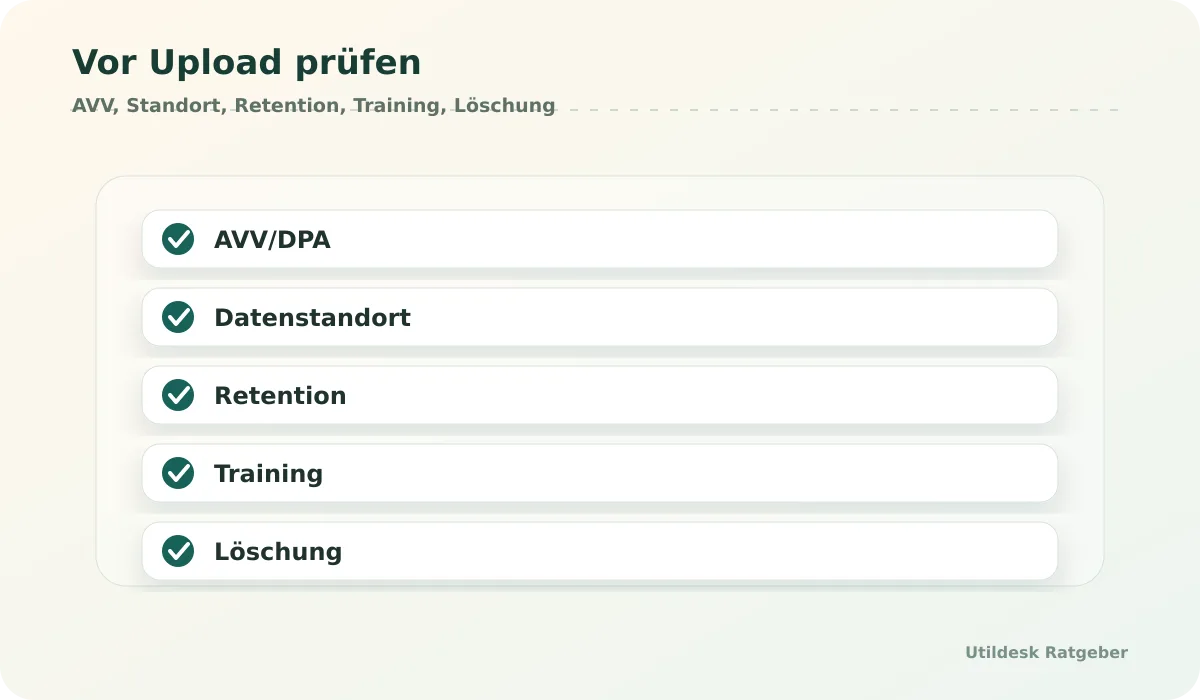
## DPA, Subprocessors, Training and Logs
For personal data, a DPA is a central check. Small businesses should ask whether the agreement fits the actual product, region and use case. Support access, telemetry, API logs and error analysis belong in the review too.
For AI tools, the training question is critical. Teams should check whether documents, prompts, corrections or API responses are used for training, whether opt-out exists and whether API or enterprise plans have different rules from free web interfaces. Logs are the second blind spot: even if a file is deleted, metadata or snippets can remain.
## Cloud API, EU Provider or Self-hosted?
Cloud APIs are practical when documentation and region settings are clear. EU providers can be attractive when contracts and support are closer to the business context. Self-hosted alternatives provide more control but require updates, security and operations.
The decision should follow sensitivity. Public marketing PDFs are different from invoices, customer documents or contracts. The more sensitive the data, the more important region settings, short retention, clear deletion and manual approval become.
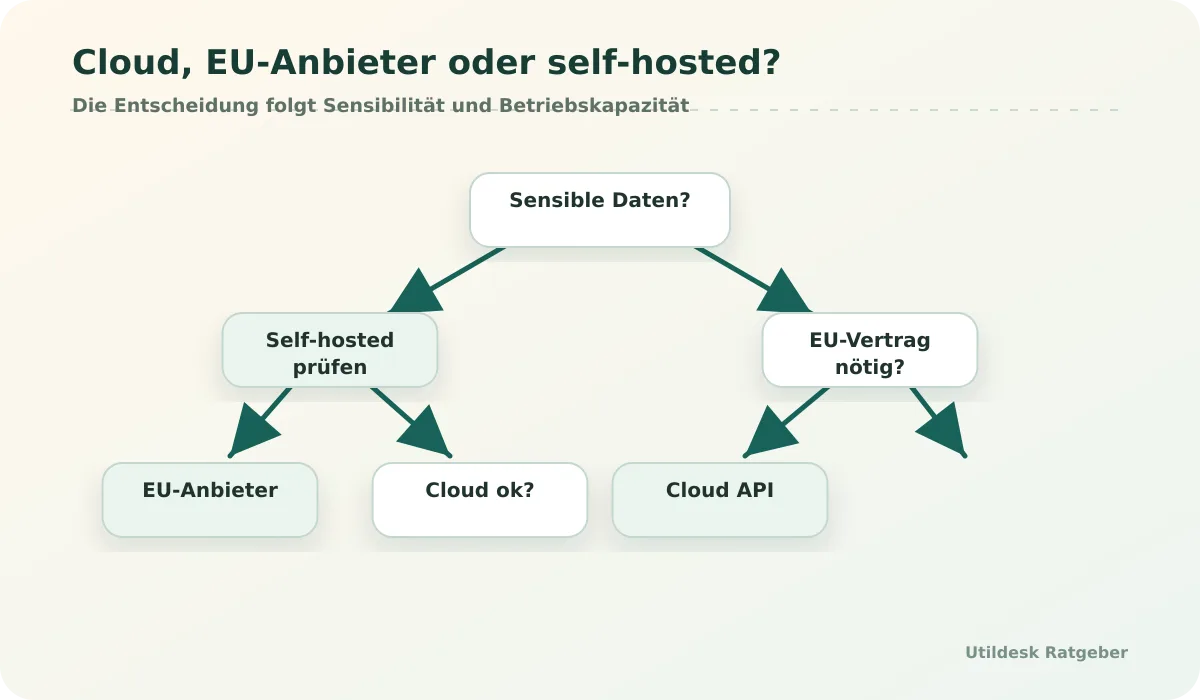
## Suitable For
- Small businesses planning AI use for invoices, contracts, expenses or customer documents.
- Teams that need an operational checklist before uploading sensitive files.
- Managers who want to prepare privacy work technically without replacing legal advice.
## Not Suitable For
- Situations that require binding legal assessment.
- Highly sensitive processing without expert review or internal approval.
- Teams that accept vendor claims without documenting the data flow.
## What to Check Before Choosing
Create a short data card for each tool: purpose, data types, source, destination, API, storage location, retention, training, subprocessors, roles, export, deletion and owner. Then compare whether [Rossum](/en/tools/rossum/), [ABBYY Vantage](/en/tools/abbyy-vantage/), [Azure AI Document Intelligence](/en/tools/azure-ai-document-intelligence/), [Google Document AI](/en/tools/google-document-ai/) or [AWS Textract](/en/tools/aws-textract/) fits the risk.
## Minimal Review Process for Small Businesses
A small review process can be pragmatic. For every new AI tool, create a one-page note covering purpose, data types, owner, provider, region, retention, training, subprocessors, deletion and export. Add a screenshot or link to vendor documentation so later changes can be checked.
Start with a limited pilot. Use only a few documents, delete test data afterward and check whether logs or files remain visible in the provider portal. If a tool cannot explain retention or deletion clearly, treat that as a warning sign.
## Official Documentation
- [European Commission: Data Protection](https://commission.europa.eu/law/law-topic/data-protection_en)
- [AWS GDPR Center](https://aws.amazon.com/compliance/gdpr-center/)
- [Google Cloud Data Processing and Security Terms](https://cloud.google.com/terms/data-processing-addendum)
- [Microsoft Trust Center](https://www.microsoft.com/trust-center)
- [n8n Security Documentation](https://docs.n8n.io/hosting/securing/)
## Related Guides
- [Best OCR APIs for invoices in Germany 2026](/en/ratgeber/beste-ocr-apis-rechnungen-deutschland-2026/)
- [Read invoices automatically from emails: tools and workflows](/en/ratgeber/rechnungen-automatisch-aus-e-mails-auslesen-tools-workflows/)
- [Open-source OCR for PDFs: when Tesseract, OCRmyPDF and PaddleOCR are enough](/en/ratgeber/open-source-ocr-pdfs-tesseract-ocrmypdf-paddleocr/)
## Continue with Utildesk
Utildesk is building a continuously updated comparison base for OCR, PDF and invoice automation tools. Save this page or use the catalog to find suitable tools by API, pricing, privacy and use case.
[View OCR and invoice automation tools in the Utildesk catalog](/en/tools/?tag=privacy)
### Best OCR APIs for Invoices in Germany 2026
URL: https://tools.utildesk.de/en/ratgeber/beste-ocr-apis-rechnungen-deutschland-2026/
Summary: Invoice OCR is reliable only when API choice, validation, privacy and manual exception handling are planned as one workflow.
## Short Answer
There is no single best OCR API for invoices without context. Small teams usually need a simple API or no-code entry point. Developer teams care more about JSON structure, webhooks, batch processing and visible errors. Larger companies also need roles, review queues, approvals, data locations, DPAs, deletion rules and clean exports into accounting or ERP systems.
For German invoices, the real test is not a polished demo. It is how a service handles real inboxes: scanned PDFs, multi-page invoices, changing supplier layouts, credit notes, VAT fields, payment terms, poor scans and attachments that contain more than one document. OCR is only the first step. Production starts when unclear fields move into review and checked data is exported safely.
## Relevant Tools on Utildesk
This comparison focuses on [Rossum](/en/tools/rossum/), [Mindee](/en/tools/mindee/), [Nanonets](/en/tools/nanonets/), [Klippa](/en/tools/klippa/), [Veryfi](/en/tools/veryfi/), [AWS Textract](/en/tools/aws-textract/), [Google Document AI](/en/tools/google-document-ai/), [Azure AI Document Intelligence](/en/tools/azure-ai-document-intelligence/), [ABBYY Vantage](/en/tools/abbyy-vantage/) and [Mistral OCR](/en/tools/mistral-ocr/). They cover API-first OCR, document AI, enterprise IDP and newer OCR building blocks for PDFs.
## Comparison Table
| Tool | Strongest fit | Typical export | What to check |
|---|---|---|---|
| [Rossum](/en/tools/rossum/) | Invoice and document workflows with review | API, export, workflow | Enterprise setup, review process, pricing logic |
| [Mindee](/en/tools/mindee/) | Developer-friendly API entry | JSON API | Templates, limits, field quality on German invoices |
| [Nanonets](/en/tools/nanonets/) | Automated document processing with training | API, integrations | Training effort, exceptions, volume costs |
| [Klippa](/en/tools/klippa/) | OCR for receipts, invoices and expense flows | API, export | EU/GDPR checks, data handling, review |
| [Veryfi](/en/tools/veryfi/) | Fast receipt and invoice extraction | JSON API | Region, data processing, field coverage |
| [AWS Textract](/en/tools/aws-textract/) | Cloud API for text, forms and expense documents | API, AWS services | AWS architecture, model choice, validation |
| [Google Document AI](/en/tools/google-document-ai/) | Document AI inside Google Cloud | API, processors | Processor choice, region, GCP operations |
| [Azure AI Document Intelligence](/en/tools/azure-ai-document-intelligence/) | Microsoft-oriented document processes | API, Azure services | Prebuilt invoice model, custom models, tenant rules |
| [ABBYY Vantage](/en/tools/abbyy-vantage/) | Enterprise IDP with strong document recognition | API, workflow | Implementation effort, governance, cost |
| [Mistral OCR](/en/tools/mistral-ocr/) | OCR for PDFs and developer workflows | API, Markdown/text/structure | Downstream field logic, privacy, model limits |
## API, Enterprise IDP or OCR Building Block?
API-first services are useful when a team wants to own the process logic. Documents arrive from email, a portal or a scan folder, move through an OCR API and are validated in custom code. The advantage is control. The cost is that monitoring, error paths, security and cost limits must be built deliberately.
Enterprise IDP platforms such as [Rossum](/en/tools/rossum/) or [ABBYY Vantage](/en/tools/abbyy-vantage/) are stronger when OCR is only one part of a larger document operation. Review screens, roles, approvals and integrations can matter more than a few extra recognition points. Cloud services such as [AWS Textract](/en/tools/aws-textract/), [Google Document AI](/en/tools/google-document-ai/) and [Azure AI Document Intelligence](/en/tools/azure-ai-document-intelligence/) fit best when the company already runs infrastructure in that cloud.
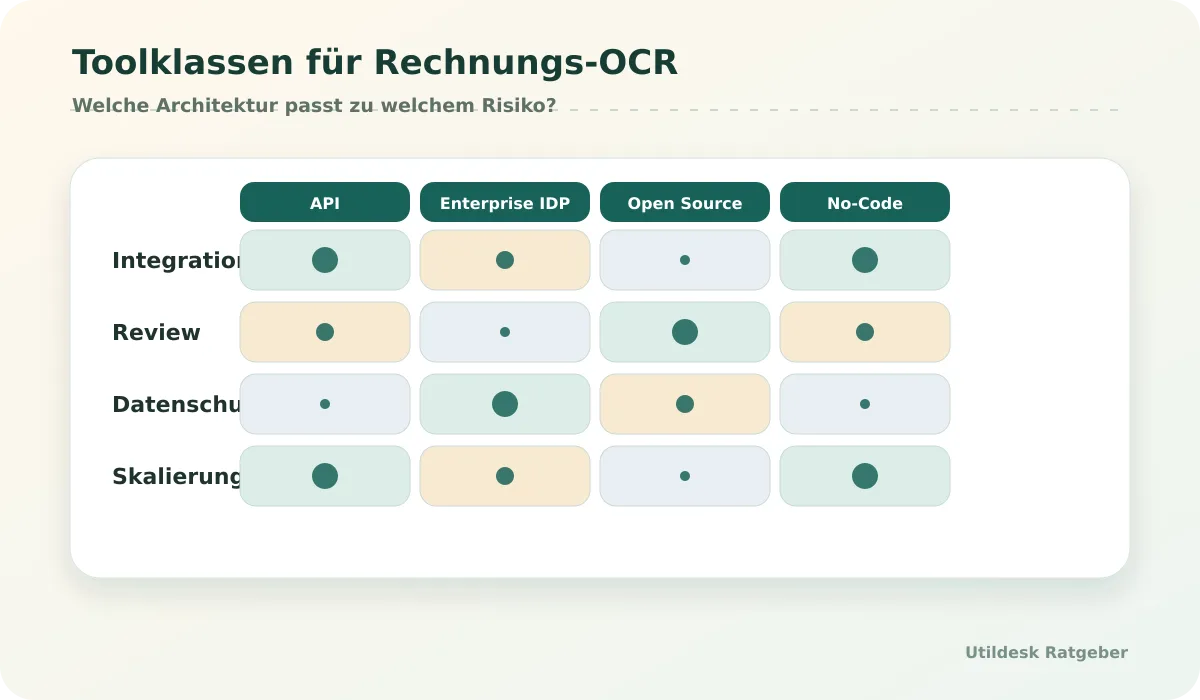
## What Matters for German Invoices
German invoice workflows need more than text extraction. A good test checks invoice number, invoice date, service date, VAT ID, IBAN, net amount, tax amount, gross amount, currency and payment terms separately. Line items matter when cost centers, quantities or product groups should be analyzed later.
Uncertainty handling is just as important. A good tool should not hide low confidence values. It should mark unclear fields, move documents into review and store corrections. In practice, a transparent 92 percent system is often safer than a supposed 99 percent system without visible error logic.
## Suitable For
- Accounting teams that want to reduce manual invoice entry.
- Developers connecting OCR output to ERP, databases, spreadsheets or automation tools.
- Companies with recurring document volume and measurable manual effort.
- Teams willing to define review rules and exception handling.
## Not Suitable For
- Occasional one-off PDF conversions without process automation.
- Organizations without owners for privacy, permissions, monitoring and corrections.
- Workflows that would trigger payments or bookings from unchecked OCR output.
## What to Check Before Choosing
Test every tool with at least 50 to 100 real invoices from your own material. Include bad scans, multi-page documents, mixed attachments, unusual supplier layouts and missing fields. Then check which fields are reliable and which need manual review.
For cost, separate pages, documents, API calls, users, review seats, training, storage and support. A cheap API can become expensive if it requires heavy engineering. A more expensive platform can be cheaper if it removes review and monitoring work.
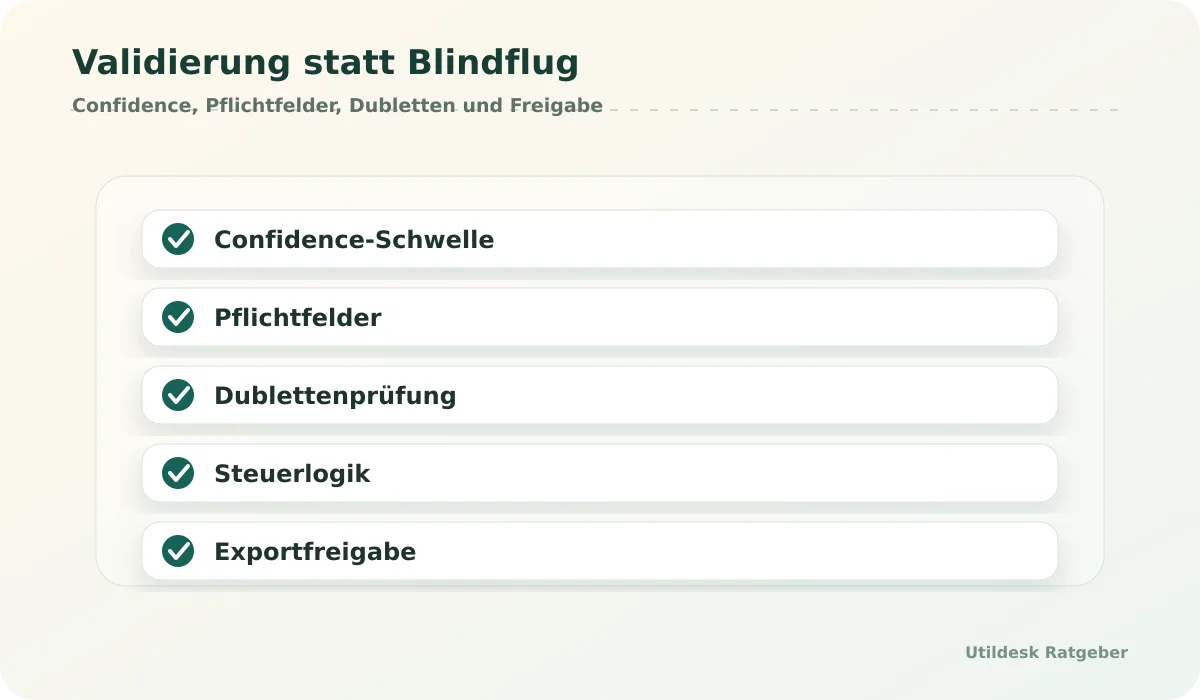
## How to Run a Fair Pilot
A fair pilot needs a fixed test set and a clear scoring sheet. Do not preselect clean invoices. Use real documents from different suppliers, file types and scan qualities. Mark which fields are mandatory and which are merely helpful. For accounting, totals and tax fields matter more than attractive full-text output.
Also measure how the tool exposes uncertainty. A system that sends difficult documents into review is safer than a system that exports wrong values silently. End the pilot with a real export into JSON, CSV, webhook or accounting. A demo without export does not answer the production question.
## Official Documentation
- [Rossum Platform](https://rossum.ai/)
- [Mindee Invoice OCR Documentation](https://developers.mindee.com/docs/invoice-ocr)
- [AWS Textract AnalyzeExpense](https://docs.aws.amazon.com/textract/latest/dg/analyzing-document-expense.html)
- [Google Document AI Processors](https://cloud.google.com/document-ai/docs/processors-list)
- [Azure AI Document Intelligence Invoice Model](https://learn.microsoft.com/en-us/azure/ai-services/document-intelligence/prebuilt/invoice)
## Related Guides
- [Read invoices automatically from emails: tools and workflows](/en/ratgeber/rechnungen-automatisch-aus-e-mails-auslesen-tools-workflows/)
- [Extract PDF data with AI: tools, APIs and cost comparison](/en/ratgeber/pdf-daten-extrahieren-ki-tools-apis-kosten-vergleich/)
- [Open-source OCR for PDFs: when Tesseract, OCRmyPDF and PaddleOCR are enough](/en/ratgeber/open-source-ocr-pdfs-tesseract-ocrmypdf-paddleocr/)
## Continue with Utildesk
Utildesk is building a continuously updated comparison base for OCR, PDF and invoice automation tools. Save this page or use the catalog to find suitable tools by API, pricing, privacy and use case.
[View OCR and invoice automation tools in the Utildesk catalog](/en/tools/?tag=ocr)
### Extract PDF Data with AI: Tools, APIs and Cost Comparison
URL: https://tools.utildesk.de/en/ratgeber/pdf-daten-extrahieren-ki-tools-apis-kosten-vergleich/
Summary: PDF extraction becomes predictable only when the target is clear: text, tables, fields or validated JSON data.
## Short Answer
Extracting PDF data with AI does not always require a large document AI project. If a native PDF only needs conversion to Word, text or another file format, [Smallpdf](/en/tools/smallpdf/), [CloudConvert](/en/tools/cloudconvert/), [Convertio](/en/tools/convertio/) or [AnyConv](/en/tools/anyconv/) may be enough. If the PDF is a scan, OCR is needed. If specific fields, tables, invoice data or form values must be exported reliably, tools such as [Mistral OCR](/en/tools/mistral-ocr/), [Azure AI Document Intelligence](/en/tools/azure-ai-document-intelligence/), [Google Document AI](/en/tools/google-document-ai/), [AWS Textract](/en/tools/aws-textract/), [Docparser](/en/tools/docparser/) or [Parseur](/en/tools/parseur/) become relevant.
The cost question is not only price per page. It depends on how much review remains, whether tables are recognized well, whether developers are needed, how errors are checked and whether data may be processed locally, in a cloud or by a SaaS provider.
## Tool Classes
This guide separates four classes: simple PDF converters such as [Smallpdf](/en/tools/smallpdf/), [CloudConvert](/en/tools/cloudconvert/), [Convertio](/en/tools/convertio/) and [AnyConv](/en/tools/anyconv/); OCR and document AI services such as [Mistral OCR](/en/tools/mistral-ocr/), [Azure AI Document Intelligence](/en/tools/azure-ai-document-intelligence/), [Google Document AI](/en/tools/google-document-ai/) and [AWS Textract](/en/tools/aws-textract/); parser workflows such as [Docparser](/en/tools/docparser/) and [Parseur](/en/tools/parseur/); and open-source building blocks such as [Tesseract OCR](/en/tools/tesseract-ocr/), [OCRmyPDF](/en/tools/ocrmypdf/) and [PaddleOCR](/en/tools/paddleocr/).
## Comparison Table
| Need | Tool class | Example tools | Cost logic |
|---|---|---|---|
| Convert a PDF | Converter | [Smallpdf](/en/tools/smallpdf/), [CloudConvert](/en/tools/cloudconvert/) | file, usage or subscription |
| Make scans searchable | Local OCR or API | [OCRmyPDF](/en/tools/ocrmypdf/), [Tesseract OCR](/en/tools/tesseract-ocr/), [Mistral OCR](/en/tools/mistral-ocr/) | setup, pages, operations |
| Extract tables or fields | Document AI | [AWS Textract](/en/tools/aws-textract/), [Google Document AI](/en/tools/google-document-ai/), [Azure AI Document Intelligence](/en/tools/azure-ai-document-intelligence/) | pages, processor, cloud operations |
| Parse email PDFs | Parser workflow | [Docparser](/en/tools/docparser/), [Parseur](/en/tools/parseur/) | document volume, rules, inboxes |
| Local and customizable | Open source | [PaddleOCR](/en/tools/paddleocr/), [Tesseract OCR](/en/tools/tesseract-ocr/) | infrastructure and QA |
## Start with the PDF Type
A native PDF contains text that software can read directly. A scan is essentially an image and needs OCR. Forms may contain visible fields, hidden field data or both. Tables are difficult because columns, line breaks and footnotes must survive. Invoices combine text, tables, tax logic and layout-dependent fields.
Selection should therefore start with a sample set, not a tool name. Take 30 to 50 real PDFs and mark the output you need: plain text, searchable PDF, tables as CSV, fields as JSON, document class, metadata or a validated record. Then it becomes clear whether a converter is enough.
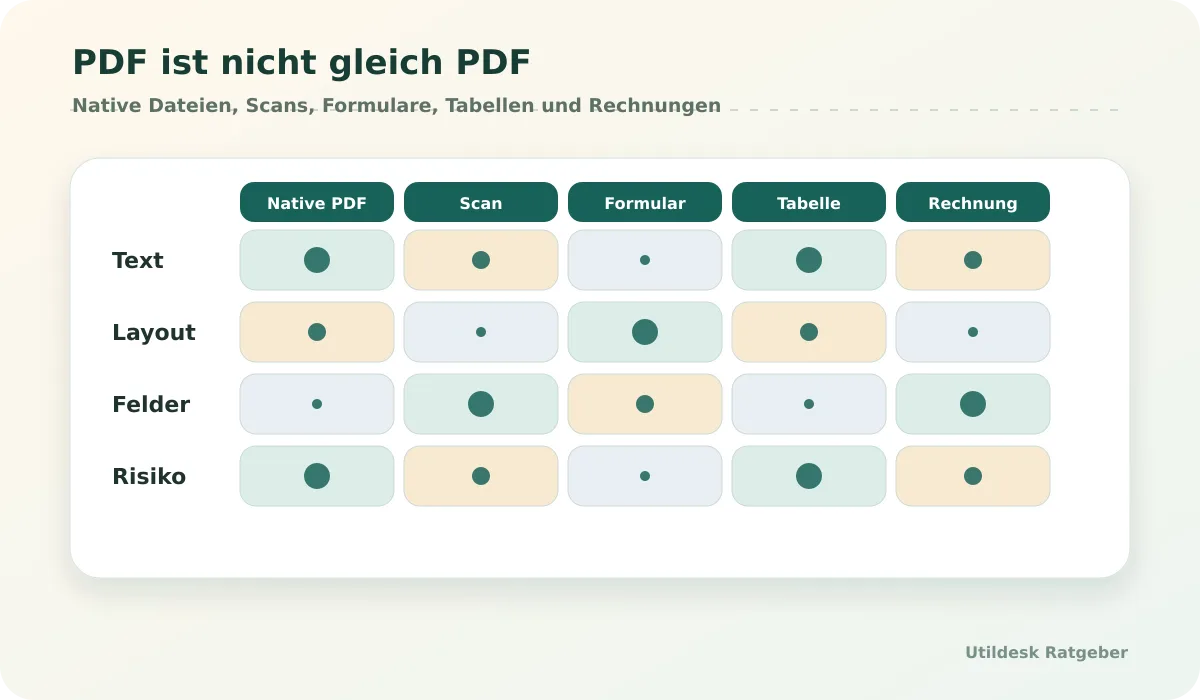
## Converters, OCR APIs and Document AI
Converters are fast when the goal is another file. They are limited when the business meaning of a number matters. An OCR API or document AI service is stronger when extracted data must continue into systems and workflows.
Cloud services such as [AWS Textract](/en/tools/aws-textract/), [Google Document AI](/en/tools/google-document-ai/) and [Azure AI Document Intelligence](/en/tools/azure-ai-document-intelligence/) can output text, layout, tables or fields. But poor scans, stamps, handwriting, unusual tables and small fonts remain error sources. Good workflows store the original, extraction result, confidence and review status together.
## Parser Tools and Open Source
[Docparser](/en/tools/docparser/) and [Parseur](/en/tools/parseur/) are useful when recurring PDFs arrive by email or upload and rules should be built faster than custom software. They work well when document layouts are fairly stable.
[Tesseract OCR](/en/tools/tesseract-ocr/), [OCRmyPDF](/en/tools/ocrmypdf/) and [PaddleOCR](/en/tools/paddleocr/) are useful when data should stay local or developers want their own pipeline. Open source does not remove cost: operations, QA, updates, monitoring and review still remain.
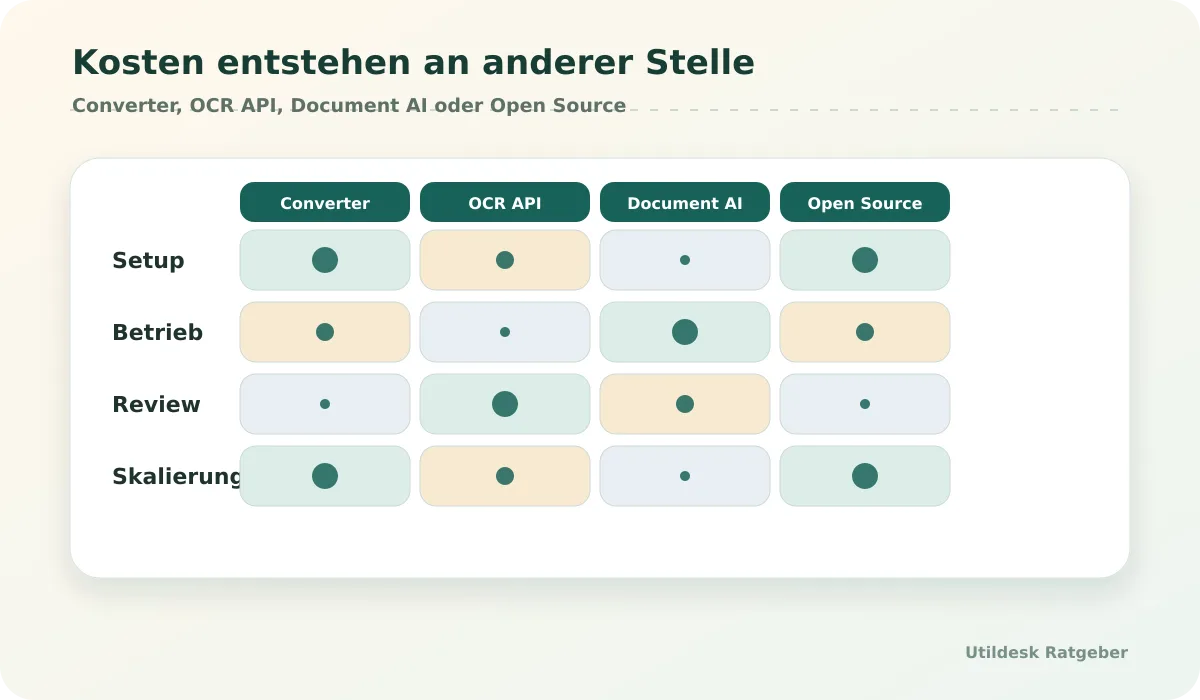
## Suitable For
- Teams that need recurring PDF data in spreadsheets, databases or workflows.
- Developers integrating OCR or document AI output into their own systems.
- Companies able to handle native PDFs, scans, forms and tables separately.
## Not Suitable For
- One-off users who only need a prettier conversion.
- Processes with no review even though extracted data is legally or financially relevant.
- Teams that only compare price per page and ignore review, operations and errors.
## What to Check Before Choosing
Define the desired output before comparing tools. Text, tables, fields and JSON are different targets. Also check file size, page count, scan quality, language, table complexity, privacy, deletion rules and export paths.
## Cost Is More Than Price per Page
Price per page is only part of PDF extraction cost. Setup, rule maintenance, review, debugging, storage, engineering time, monitoring and cleanup in the target system can dominate the total. A cheap API becomes expensive if every tenth table needs manual correction.
Calculate three scenarios: normal monthly volume, peak month and error case. In the error case, measure how quickly a document can be found, reprocessed and corrected. That is often where real process cost appears.
## Official Documentation
- [Mistral OCR Documentation](https://docs.mistral.ai/capabilities/document_ai/)
- [Azure AI Document Intelligence Documentation](https://learn.microsoft.com/en-us/azure/ai-services/document-intelligence/)
- [AWS Textract Documentation](https://docs.aws.amazon.com/textract/)
- [OCRmyPDF Documentation](https://ocrmypdf.readthedocs.io/)
- [PaddleOCR Documentation](https://paddlepaddle.github.io/PaddleOCR/latest/en/index.html)
## Related Guides
- [Best OCR APIs for invoices in Germany 2026](/en/ratgeber/beste-ocr-apis-rechnungen-deutschland-2026/)
- [Open-source OCR for PDFs: when Tesseract, OCRmyPDF and PaddleOCR are enough](/en/ratgeber/open-source-ocr-pdfs-tesseract-ocrmypdf-paddleocr/)
- [AI tools with EU data processing: what small businesses should check](/en/ratgeber/ki-tools-eu-datenverarbeitung-kleine-unternehmen/)
## Continue with Utildesk
Utildesk is building a continuously updated comparison base for OCR, PDF and invoice automation tools. Save this page or use the catalog to find suitable tools by API, pricing, privacy and use case.
[View PDF and OCR tools in the Utildesk catalog](/en/tools/?tag=pdf)
### Make vs n8n vs Zapier for Invoice Automation
URL: https://tools.utildesk.de/en/ratgeber/make-vs-n8n-vs-zapier-rechnungsautomatisierung/
Summary: For invoice automation, the choice depends on privacy, error paths, API flexibility and maintenance, not only setup speed.
## Short Answer
For invoice automation, [Zapier](/en/tools/zapier/) is often the fastest start, [Make](/en/tools/make-ehemals-integromat/) is the visual middle ground and [n8n](/en/tools/n8n/) is the more controllable option for API-heavy or self-hosted workflows. [Microsoft Power Automate](/en/tools/microsoft-power-automate/) fits especially well when Outlook, SharePoint, Teams and Microsoft 365 permissions are already central. [UiPath](/en/tools/uipath/) belongs more to enterprise automation and RPA.
The best choice depends on four questions: where do invoices arrive, who may see them, what happens when OCR is wrong, and who will maintain the workflow in six months?
## Comparison Table
| Tool | Best fit | Privacy/control | Error handling | Maintenance |
|---|---|---|---|---|
| [n8n](/en/tools/n8n/) | API-heavy, self-hosted, technical teams | high with self-hosting | flexible, but built by the team | team owns operations |
| [Make](/en/tools/make-ehemals-integromat/) | visual scenarios and branches | SaaS model to review | good scenario logic | moderate effort |
| [Zapier](/en/tools/zapier/) | fast SaaS automation | SaaS model to review | simple, limited | low for simple flows |
| [Power Automate](/en/tools/microsoft-power-automate/) | Microsoft 365, Outlook, SharePoint | tenant-near, setup-dependent | approvals and connectors | license and governance topic |
| [UiPath](/en/tools/uipath/) | enterprise, RPA, legacy systems | strong but complex | orchestration and queues | professional operation needed |
## When n8n Fits
[n8n](/en/tools/n8n/) fits when invoice automation is more than two SaaS steps. Common reasons are self-hosting, custom API calls, code steps, complex validation, database access or more control over credentials and logs. A workflow can read emails, store attachments, call OCR services, normalize fields, check duplicates and then feed a review queue or accounting system.
The cost is operational discipline. Self-hosted n8n needs updates, backups, secrets, monitoring and permissions. For technical teams this is often acceptable. For purely business teams it can be too heavy.
## When Make Fits
[Make](/en/tools/make-ehemals-integromat/) is strong when a workflow should be visible, branched and easy to test. Invoices from Gmail or Outlook can be combined with storage, OCR API, spreadsheet destination and notifications. Scenarios and routers make business logic easier to explain.
Make works well for teams that want more flexibility than Zapier without running infrastructure. Before production, check error paths, retries, limits, data retention and cost per operation.
## When Zapier Fits
[Zapier](/en/tools/zapier/) is often the fastest solution for simple workflows: new email, PDF attachment, OCR step, spreadsheet or accounting app. It is valuable for controlled prototypes and simple app links.
Its limits show up with complex logic, deep debugging and custom data flows. If supplier layouts vary strongly or sensitive data needs tight control, Zapier should be used with clear boundaries or complemented by Make, n8n, Power Automate or backend logic.
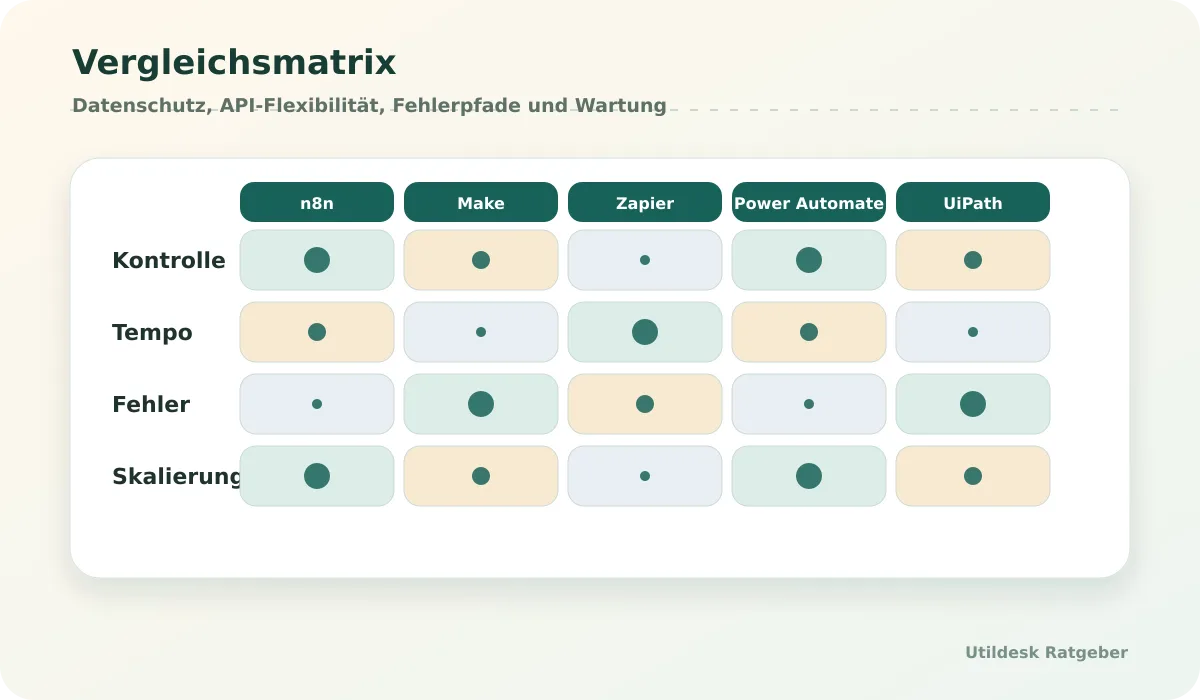
## Power Automate and UiPath
[Microsoft Power Automate](/en/tools/microsoft-power-automate/) is strongest when Microsoft 365 is already the workspace. Outlook, SharePoint, Teams, Excel, approvals and Azure services are close together. For invoices this can mean Outlook attachments, SharePoint storage, OCR via [Azure AI Document Intelligence](/en/tools/azure-ai-document-intelligence/) or another API, approval in Teams and export to a target system.
[UiPath](/en/tools/uipath/) is relevant when RPA or legacy interfaces are involved. If an old accounting system has no useful API, RPA can help. For modern API workflows it can be too heavy, but in enterprise processes with queues, roles and audits it is strong.
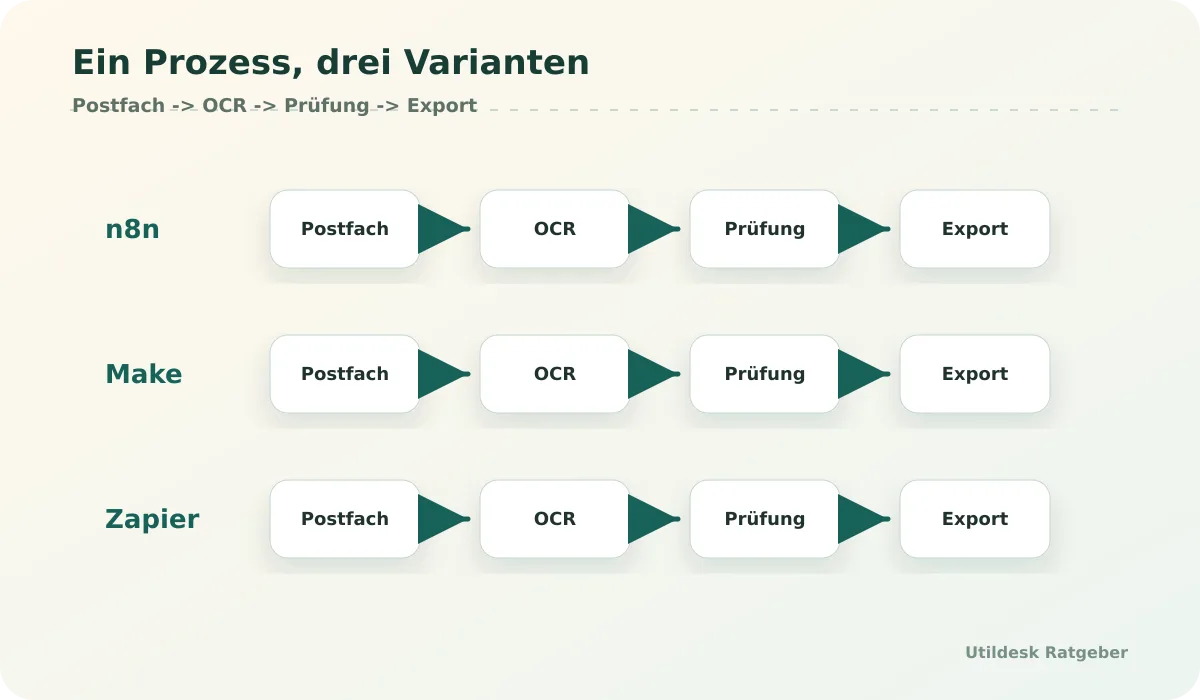
## Suitable For
- [n8n](/en/tools/n8n/): technical teams, self-hosting, API logic and custom validation.
- [Make](/en/tools/make-ehemals-integromat/): visual workflows, branching and fast iteration.
- [Zapier](/en/tools/zapier/): small SaaS flows, quick tests and simple app connections.
- [Power Automate](/en/tools/microsoft-power-automate/): Microsoft 365 organizations.
- [UiPath](/en/tools/uipath/): enterprise automation, RPA and legacy systems.
## What to Check Before Choosing
Check privacy, self-hosting, API flexibility, pricing model, error handling, email/PDF support, scaling, developer friendliness and maintenance. Build a sample process with ten real invoices before choosing. The resulting error list is more useful than any feature list.
## Define the Maintenance Model
Before choosing a tool, decide who maintains the workflow. Zapier is easy to start, but expired connections and changed app fields can still stop a process. Make scenarios must remain readable. n8n adds hosting, updates and secrets.
A maintenance model names the owner, test invoices, alert path and release routine. Invoice workflows should not live only in one person's private account. They need team access, documented credentials and a way to move away later.
## Official Documentation
- [n8n Documentation](https://docs.n8n.io/)
- [Make Help Center](https://www.make.com/en/help)
- [Zapier Help Center](https://help.zapier.com/)
- [Microsoft Power Automate Documentation](https://learn.microsoft.com/en-us/power-automate/)
- [UiPath Documentation](https://docs.uipath.com/)
## Related Guides
- [Read invoices automatically from emails: tools and workflows](/en/ratgeber/rechnungen-automatisch-aus-e-mails-auslesen-tools-workflows/)
- [Best OCR APIs for invoices in Germany 2026](/en/ratgeber/beste-ocr-apis-rechnungen-deutschland-2026/)
- [AI tools with EU data processing: what small businesses should check](/en/ratgeber/ki-tools-eu-datenverarbeitung-kleine-unternehmen/)
## Continue with Utildesk
Utildesk is building a continuously updated comparison base for OCR, PDF and invoice automation tools. Save this page or use the catalog to find suitable tools by API, pricing, privacy and use case.
[View automation tools in the Utildesk catalog](/en/tools/?tag=automation)
### Multimodal Agents: Why Image, Video, and Code Are Now Coming Together in One Workflow — Context, Practice, and Implications
URL: https://tools.utildesk.de/en/ratgeber/multimodale-agenten-warum-bild-video-und-code-jetzt-in-einem-workflow-landen-ein/
Summary: Multimodal agents connect image, video, and code into a shared working flow. This article explains where that is useful in practice and which guardrails teams need.
The era of purely text-based AI is drawing to a close. Over the past few years, we have become accustomed to language models writing excellent copy or correcting code fragments, but a fundamental paradigm shift is now taking place.
We are witnessing the rise of multimodal agents that no longer just read and write, but can see, hear, and act independently in complex visual environments. This is no longer about separate tools for different media types, but about seamless integration, where image, video, and code merge into a single coherent workflow.
## Relevant tools on Utildesk
If you want to do more than just categorize the topic and actually compare tools in practice, these products and frameworks are a good starting point:
- [Claude](/tools/claude/) — if you want to test agentic coding sessions in the terminal or IDE against real-world use.
- [GitHub Copilot](/tools/github-copilot/) — as a reference point for the productive copilot layer directly in the editor.
- [Cursor](/tools/cursor/) — if you want to compare a more agentic IDE workflow with its own working context.
- [Aider](/tools/aider/) — if you prefer to steer Git-native coding sessions directly from the terminal.
- [LangChain](/tools/langchain/) — if you want to understand the orchestration logic and framework layer behind agents.
- [CrewAI](/tools/crew-ai/) — if you are interested in collaborative multi-agent flows with guardrails and observability.
## The technical core: native multimodality instead of helper interfaces
The key difference from earlier systems lies in the architecture of the underlying models. For a long time, visual perception functioned only as a pre-processing module that translated information for a language model. New approaches such as GLM-5V-Turbo break with this principle: here, multimodal perception is a native core component of logic, planning, and execution.
The model "sees" the user interface or a video directly as part of its reasoning process, rather than relying on an external description.
This native integration allows agents to interpret heterogeneous contexts such as websites, documents, GUIs, and videos directly. In practice, that means significantly higher reliability in tool use and in executing tasks that require visual feedback.
If an agent is supposed to operate complex software, it must understand how the graphical interface changes after an interaction — a capability that GLM-5V-Turbo deliberately trains through integrated reinforcement learning and hierarchical optimization.
## Tools in action: from video commerce to automated demos
The theoretical maturity of this technology is already reflected in a range of specialized applications. We are currently seeing a wave of tools that make multimodal capabilities usable for highly specific business processes.
* **[Vyrill](/tools/vyrill/):** This platform uses agentic infrastructure to automate the search and monetization of video content. The goal is not simply playback, but a deep understanding of video content for e-commerce.
* **[Naoma AI](/tools/naoma-ai/):** A specialized video AI agent for the B2B SaaS sector. It creates instant demos, massively accelerating the sales process by presenting product features accurately in both visual and contextual terms.
* **[Hera](/tools/hera/):** This tool focuses on producing launch videos in studio quality. It combines AI-assisted video production with an agentic approach to create professional marketing materials more efficiently.
For developers and power users, frameworks such as MiniMax CLI make it possible to give custom agents native multimodal capabilities. At the same time, heavyweights like Xiaomi are entering the market with the MiMo-V2-Pro and Omni models to establish flagship solutions for omnimodal applications.
Specialized high-speed models such as GLM-5-Turbo, optimized for frameworks like [OpenClaw](/tools/openclaw/), also show that latency in processing visual data is dropping dramatically.
## Practical assessment: what this means for teams and workflows
For teams integrating AI workflows into their processes, the focus is shifting from pure text generation to process automation in visual environments.
A classic scenario would be software quality assurance: an agent could not only analyze the code of a web app, but actually open the app in the browser, identify visual defects, and at the same time propose the fix in the code repository.
What matters most when selecting tools is the depth of integration. Teams should check whether a tool is merely a wrapper around a language model or whether it is based on native multimodal models that can process visual data without loss of information.
The ability to plan hierarchically and verify end-to-end reliably, as highlighted in GLM-5V-Turbo, is an important quality marker for stable workflows. An agent that visually checks its own steps produces far fewer errors than a system that blindly executes chains of commands.

## Limits, risks, and necessary guardrails
Despite the impressive progress, using multimodal agents comes with specific trade-offs. Processing image and video data in real time requires massive compute resources, which can lead to higher costs and potential latency issues.
The complexity of error sources also increases: an agent may misinterpret a user interface because of faulty UI rendering, leading to unpredictable actions.
Another risk lies in verification. While text responses can be checked relatively easily with automation, validating a chain of visual interactions is much more demanding. Robust guardrails and monitoring systems are essential here.
Developers must ensure that agents operate in closed environments, especially when they have access to sensitive GUIs or production data sources. Reliance on visual perception quality also means that small changes in a website’s design can affect agent performance unless it has been trained for strong generalization.
## Conclusion: the convergence is irreversible
The development makes one thing clear: the separation between text AI, image AI, and video AI was artificial, and native multimodal architectures are now overcoming it. Models like GLM-5V-Turbo show that integrating perception and reasoning leads to more powerful, more autonomous agents.
For companies, this represents a major opportunity: complex tasks that previously required human "eyeballing" are moving into the realm of automation.
We are at the beginning of a development in which AI agents become real partners in visual and technical workflows. The ability to write code while evaluating the visual result in real time will become the new standard for productive AI systems.
Anyone who sets the right course today and integrates multimodal strategies into their workflows will benefit from gains in efficiency far beyond what was possible with text-only agents.
## What you should do next
To avoid falling behind this development, a gradual approach is recommended. Start by checking your current text-based workflows for visual bottlenecks. Wherever employees currently switch back and forth between screenshots, videos, and text descriptions, that is where multimodal agents have the greatest potential.
Experiment with specific frameworks such as MiniMax CLI to get a feel for controlling multimodal functions. If your focus is marketing or sales, tools like [Naoma AI](/tools/naoma-ai/) or [Hera](/tools/hera/) offer a quick entry point without requiring your own model infrastructure.
Keep a close eye on the development of native models such as GLM-5V-Turbo, as they will define the technological foundation for the next few years. Evaluation and verification should be part of your setup from the start to ensure the reliability of your automated processes.
## Sources
1. [GLM-5V-Turbo: Toward a Native Foundation Model for Multimodal Agents](https://arxiv.org/abs/2604.26752)
2. [Vyrill Agentic Video Commerce Platform](https://www.producthunt.com/products/vyrill)
3. [Naoma AI Demo Agent](https://www.producthunt.com/products/naoma)
4. [Everybody wants to rule the AI world](https://www.theverge.com/podcast/926707/openai-ceo-murati-musk-trial-vergecast)
5. [MiniMax CLI](https://www.producthunt.com/products/minimax)
6. [Hera Launch](https://www.producthunt.com/products/hera-6)
7. [GLM-5-Turbo](https://www.producthunt.com/products/z-ai)
8. [MiMo-V2-Pro & Omni](https://www.producthunt.com/products/mimo-3)
### Open-source OCR for PDFs: When Tesseract, OCRmyPDF and PaddleOCR Are Enough
URL: https://tools.utildesk.de/en/ratgeber/open-source-ocr-pdfs-tesseract-ocrmypdf-paddleocr/
Summary: Open-source OCR is enough for many local PDF pipelines when text layers, quality checks and validation are planned realistically.
## Short Answer
Open-source OCR is enough when the goal is clear and limited: make scanned PDFs searchable, extract local text, build simple batch processing or avoid sending sensitive documents to a cloud service. [Tesseract OCR](/en/tools/tesseract-ocr/) is the classic OCR engine, [OCRmyPDF](/en/tools/ocrmypdf/) adds a text layer to scanned PDFs, and [PaddleOCR](/en/tools/paddleocr/) can be useful for more modern OCR setups.
Open source is less suitable when German invoices with tables, changing layouts, handwriting, poor scans or ready-to-use JSON fields are required. Then [Mistral OCR](/en/tools/mistral-ocr/), [Azure AI Document Intelligence](/en/tools/azure-ai-document-intelligence/), [Google Document AI](/en/tools/google-document-ai/) or [AWS Textract](/en/tools/aws-textract/) are often faster to production.
## Relevant Tools
For local OCR, the core tools are [Tesseract OCR](/en/tools/tesseract-ocr/), [OCRmyPDF](/en/tools/ocrmypdf/) and [PaddleOCR](/en/tools/paddleocr/). Cloud and API comparisons include [Mistral OCR](/en/tools/mistral-ocr/), [Azure AI Document Intelligence](/en/tools/azure-ai-document-intelligence/), [Google Document AI](/en/tools/google-document-ai/) and [AWS Textract](/en/tools/aws-textract/).
## Comparison Table
| Approach | Strengths | Limits | Typical use |
|---|---|---|---|
| [Tesseract OCR](/en/tools/tesseract-ocr/) | proven, local, broad | limited layout and table logic | text from scans |
| [OCRmyPDF](/en/tools/ocrmypdf/) | adds OCR text layer to PDFs | no business logic | searchable PDF archives |
| [PaddleOCR](/en/tools/paddleocr/) | modern OCR pipeline, adaptable | more setup and operations | developer OCR projects |
| [Mistral OCR](/en/tools/mistral-ocr/) | API and modern document output | cloud/API dependency | PDF OCR in apps |
| Cloud Document AI | forms, tables, fields | cost, privacy, platform binding | structured extraction |
## When Local OCR Is Enough
Local OCR is enough when the output is a searchable PDF or text layer. Archives, internal document collections and scanned legacy files are typical cases. OCRmyPDF can process folders of scans without uploading every file to an external service.
Privacy can also be a reason. If documents should not leave the company, a local pipeline is attractive. But local does not automatically mean safe. Permissions, storage, backups, error logs and updates still need ownership.
## Limits of Tesseract and OCRmyPDF
[Tesseract OCR](/en/tools/tesseract-ocr/) recognizes text but does not understand the business meaning of a document. It does not know which number is the gross amount or whether an invoice number is plausible. [OCRmyPDF](/en/tools/ocrmypdf/) is excellent for searchable PDFs, but it does not replace extraction logic.
German invoices often include line-item tables, tax rates, discounts, supplier-specific layouts, stamps, skewed scans and small fonts. Without post-processing, you get text, not a validated accounting record.
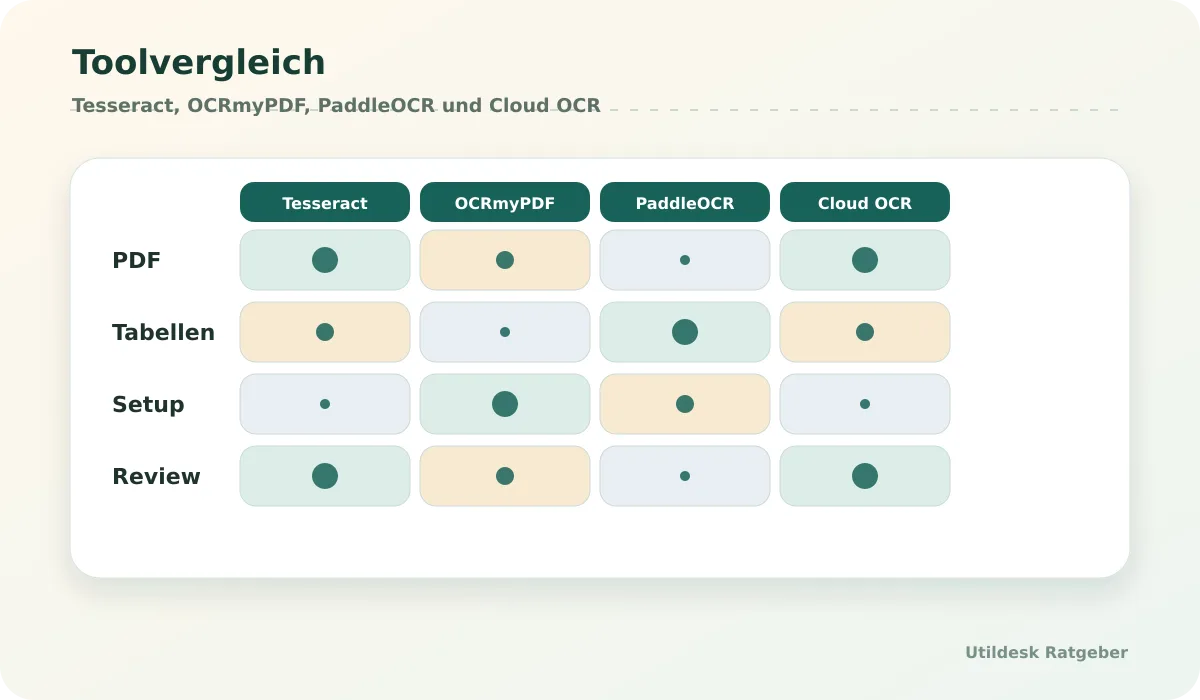
## When PaddleOCR Is Interesting
[PaddleOCR](/en/tools/paddleocr/) is interesting for teams that want more control over OCR models, languages, layouts or custom pipelines. It can be a strong foundation when developers are ready to manage installation, models, performance, CPU/GPU choices and quality measurement.
Its advantage is adaptability. Its drawback is complexity. For a small office with ten PDFs per month it is usually too much. For an IT team with many documents and local requirements, it can be the right base.
## When Cloud OCR Is Better
Cloud OCR and document AI are better when tables, forms, handwriting, classification, scaling and API integration matter. [Azure AI Document Intelligence](/en/tools/azure-ai-document-intelligence/), [Google Document AI](/en/tools/google-document-ai/) and [AWS Textract](/en/tools/aws-textract/) provide managed building blocks and structured output. That saves development, but adds cost and privacy review.
Hybrid setups are often sensible: local preprocessing and archiving, cloud OCR only for documents that need structured fields, and manual review for low confidence.
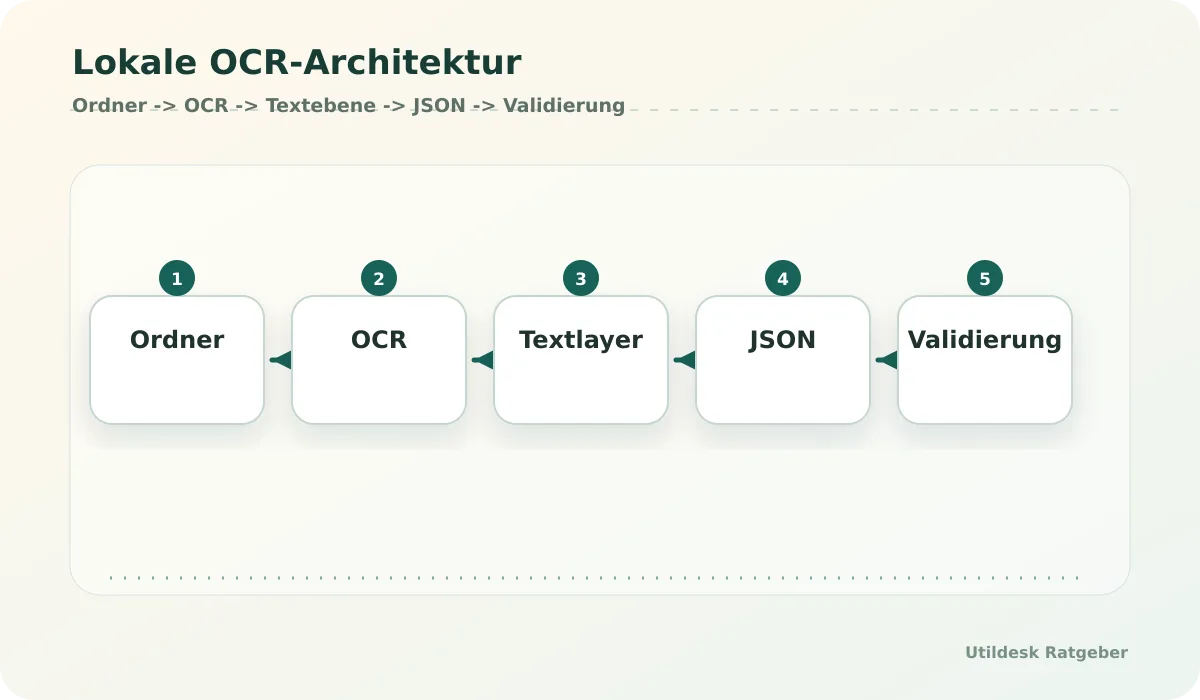
## Suitable For
- IT teams processing sensitive PDFs locally with operational capacity.
- Archives where searchability matters more than field extraction.
- Developers building their own OCR and validation pipeline.
## Not Suitable For
- Business departments without technical support.
- Invoice workflows that immediately need validated fields, tables and accounting logic.
- Teams unable to maintain updates, error analysis and quality assurance.
## What to Check Before Choosing
Check scan quality, language, layout, tables, handwriting, page volume, privacy and desired output. If searchability is the main goal, OCRmyPDF and Tesseract are often enough. If JSON fields, tables and validation are needed, open source should be extended with extraction logic or compared with cloud OCR.
## Measure Quality Instead of Hoping
Open-source OCR should be measured with a reference set. Keep 30 to 50 PDFs with typical problems: poor scans, skewed pages, small fonts, tables, stamps and mixed languages. After every change to preprocessing, OCR version or language settings, run the set again.
For searchable archives, check whether text exists, pages remain complete and files still open. For extraction, check amounts, tables, dates and document types. The closer the result gets to accounting or databases, the stricter validation must be.
## Official Documentation
- [Tesseract OCR Documentation](https://tesseract-ocr.github.io/)
- [OCRmyPDF Documentation](https://ocrmypdf.readthedocs.io/)
- [PaddleOCR Documentation](https://paddlepaddle.github.io/PaddleOCR/latest/en/index.html)
- [Mistral OCR Documentation](https://docs.mistral.ai/capabilities/document_ai/)
- [AWS Textract Documentation](https://docs.aws.amazon.com/textract/)
## Related Guides
- [Extract PDF data with AI: tools, APIs and cost comparison](/en/ratgeber/pdf-daten-extrahieren-ki-tools-apis-kosten-vergleich/)
- [Best OCR APIs for invoices in Germany 2026](/en/ratgeber/beste-ocr-apis-rechnungen-deutschland-2026/)
- [AI tools with EU data processing: what small businesses should check](/en/ratgeber/ki-tools-eu-datenverarbeitung-kleine-unternehmen/)
## Continue with Utildesk
Utildesk is building a continuously updated comparison base for OCR, PDF and invoice automation tools. Save this page or use the catalog to find suitable tools by API, pricing, privacy and use case.
[View open-source and OCR tools in the Utildesk catalog](/en/tools/?tag=ocr)
### Read Invoices Automatically from Emails: Tools and Workflows
URL: https://tools.utildesk.de/en/ratgeber/rechnungen-automatisch-aus-e-mails-auslesen-tools-workflows/
Summary: A good email-to-invoice workflow separates intake, OCR, review and accounting instead of forwarding PDFs blindly.
## Short Answer
Reading invoices from emails automatically is not a single click. A reliable workflow watches an inbox, selects relevant attachments, stores the original file, sends the PDF or scan to an OCR layer, validates required fields and sends only checked data to a table, database or accounting system. Without that review path, automation mainly moves errors faster.
[Make](/en/tools/make-ehemals-integromat/) or [Zapier](/en/tools/zapier/) often work for a first SaaS flow. [n8n](/en/tools/n8n/) is stronger when self-hosting, webhooks, custom logic or privacy control matter. [Microsoft Power Automate](/en/tools/microsoft-power-automate/) fits Outlook, SharePoint, Teams and Microsoft tenants. OCR can come from [Rossum](/en/tools/rossum/), [Mindee](/en/tools/mindee/), [Nanonets](/en/tools/nanonets/), [Klippa](/en/tools/klippa/) or [Veryfi](/en/tools/veryfi/).
## Relevant Tools on Utildesk
The workflow layer includes [n8n](/en/tools/n8n/), [Make](/en/tools/make-ehemals-integromat/), [Zapier](/en/tools/zapier/), [Microsoft Power Automate](/en/tools/microsoft-power-automate/), [Airtable](/en/tools/airtable/) and [UiPath](/en/tools/uipath/). Accounting and expense destinations include [Zoho Books](/en/tools/zoho-books/), [Zoho Expense](/en/tools/zoho-expense/), [Xero](/en/tools/xero/) and [Wave](/en/tools/wave/). OCR layers include [Rossum](/en/tools/rossum/), [Mindee](/en/tools/mindee/), [Nanonets](/en/tools/nanonets/), [Klippa](/en/tools/klippa/) and [Veryfi](/en/tools/veryfi/).
## Workflow Comparison
| Approach | Best for | Strength | Risk |
|---|---|---|---|
| [Zapier](/en/tools/zapier/) | fast SaaS links | simple setup, many apps | less control for complex logic |
| [Make](/en/tools/make-ehemals-integromat/) | visual workflows with branches | scenario logic, quick testing | monitoring and error paths need design |
| [n8n](/en/tools/n8n/) | API-heavy or self-hosted workflows | control, code steps, webhooks | operations, secrets and updates |
| [Microsoft Power Automate](/en/tools/microsoft-power-automate/) | Microsoft 365 and Outlook | tenant proximity, SharePoint, Teams | licenses and connector complexity |
| [UiPath](/en/tools/uipath/) | enterprise and RPA flows | orchestration, legacy systems | heavy for small teams |
## Scenario 1: Simple No-code Flow
A simple flow starts with a dedicated invoice inbox. Make or Zapier watches new messages, filters by sender, subject or attachment type, and stores PDFs in Drive, Dropbox, SharePoint or another storage location. The file then goes to an OCR API. The result should land in a table or [Airtable](/en/tools/airtable/) first, not directly in accounting.
That intermediate step matters. Confidence values, missing fields and duplicates can be reviewed there. A person can correct unclear values before data continues to [Zoho Books](/en/tools/zoho-books/), [Zoho Expense](/en/tools/zoho-expense/), [Xero](/en/tools/xero/) or [Wave](/en/tools/wave/).
## Scenario 2: Self-hosted Workflow with n8n
With [n8n](/en/tools/n8n/), the same process can run closer to your own infrastructure. An email node reads new messages, a code step separates relevant attachments, an HTTP request calls the OCR API, and later steps normalize amounts, dates, supplier names and tax fields before data goes to a database, ERP or review queue.
The advantage is flexibility. Teams can add custom validation such as duplicate checks by invoice number and supplier. The cost is operational responsibility: secrets, backups, updates, logs, alerts and access control must be maintained.
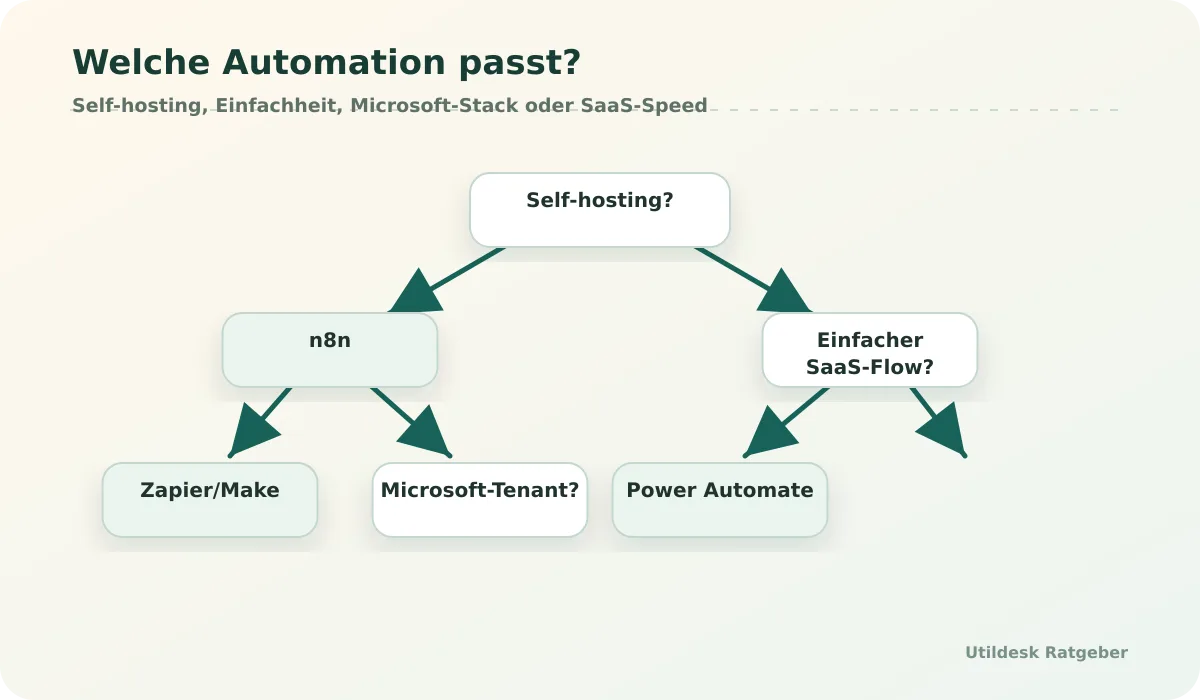
## Scenario 3: Microsoft or Enterprise Workflow
In Microsoft environments, [Microsoft Power Automate](/en/tools/microsoft-power-automate/) is often the natural entry point. Outlook, SharePoint, Teams, Excel and approvals are close to the tenant. A typical flow stores attachments in SharePoint, calls [Azure AI Document Intelligence](/en/tools/azure-ai-document-intelligence/) or another OCR API, sends uncertain invoices into approval, and exports checked fields.
For larger operations, [UiPath](/en/tools/uipath/) may join the process, especially where legacy interfaces, RPA steps or human task queues are involved. It is usually too heavy for a first small invoice folder.
## Error Path: Low Confidence Is Normal
The most common mistake is a missing error path. OCR is treated as a magic step and then data flows forward blindly. A safer rule is simple: if confidence is low, a required field is missing, an amount is implausible or a duplicate is suspected, the document goes to manual review.
Manual review is not a failure. It is the safety mechanism that makes automation production-ready. Good workflows log corrections, keep the original document and export only after approval.
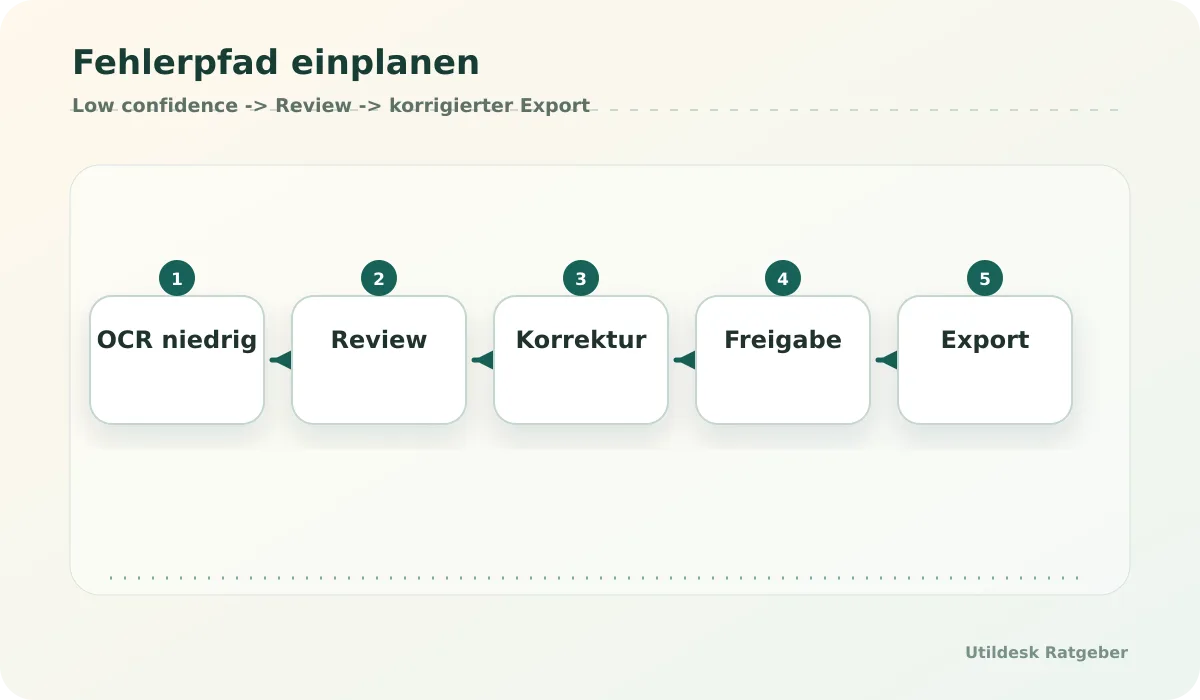
## Suitable For
- Small businesses with recurring PDF invoices in an inbox.
- Teams that accept an intermediate review before accounting export.
- Operations and finance teams with clear supplier and field rules.
- Technical teams able to run n8n, APIs or Power Automate responsibly.
## Not Suitable For
- Processes that approve payments from unchecked OCR output.
- Inboxes with mixed attachments but no filtering or storage rules.
- Teams without owners for errors, credentials, privacy and process changes.
## Operations After the First Successful Run
The first green test run is only the beginning. The workflow needs a name, owner, version, test data and a clear error address. If an inbox filter changes or an OCR API slows down, someone must know where the process is documented and how to change it safely.
Also define what happens to original files. A good workflow stores the unchanged PDF, writes a processing status and connects corrections to the document. That audit trail turns a fragile automation into a process people can trust.
## Official Documentation
- [n8n Documentation](https://docs.n8n.io/)
- [Make Help Center](https://www.make.com/en/help)
- [Zapier Help Center](https://help.zapier.com/)
- [Microsoft Power Automate Documentation](https://learn.microsoft.com/en-us/power-automate/)
- [Zoho Books Help](https://www.zoho.com/books/help/)
## Related Guides
- [Best OCR APIs for invoices in Germany 2026](/en/ratgeber/beste-ocr-apis-rechnungen-deutschland-2026/)
- [Make vs n8n vs Zapier for invoice automation](/en/ratgeber/make-vs-n8n-vs-zapier-rechnungsautomatisierung/)
- [AI tools with EU data processing: what small businesses should check](/en/ratgeber/ki-tools-eu-datenverarbeitung-kleine-unternehmen/)
## Continue with Utildesk
Utildesk is building a continuously updated comparison base for OCR, PDF and invoice automation tools. Save this page or use the catalog to find suitable tools by API, pricing, privacy and use case.
[View automation tools in the Utildesk catalog](/en/tools/?tag=automation)
### AI Search and Agent Crawlers: How Websites Stay Visible and Controllable in 2026
URL: https://tools.utildesk.de/en/ratgeber/ai-search-und-agenten-crawler-websites-2026-sichtbar-kontrollierbar/
Summary: AI agents read websites differently from classic search engines. Staying visible now means clear content, machine-readable signals, and deliberate boundaries.
AI Search is changing one of the basic assumptions of the web. In the past, websites were optimized mostly for people, browsers, and classic search engines. Now a new layer has arrived: AI systems that read content, summarize it, evaluate it, and reuse it inside answers or workflows.
This sounds abstract until it becomes practical. A research tool like [Perplexity](/en/tools/perplexity/) shows how search is moving from lists of links toward answer engines. At the same time, newer agents are moving closer to the user's device: they read websites, combine sources, open files, and turn that material into next steps. For website owners, visibility no longer comes only from ranking first in Google. It also depends on whether an agent understands the site and represents it correctly.
The good news is that this does not mean opening the door to every bot. The new task is more precise. Websites should be easy for useful AI systems to read without giving up control over content, data, or server load.
## Relevant Tools on Utildesk
If you want to understand the topic in practical terms, these tools and categories are a useful starting point:
- [Perplexity](/en/tools/perplexity/) - as an example of research with sources, answer logic, and live web context.
- [ChatGPT](/en/tools/chatgpt/) - when you want to see how assistants explain, compress, and reuse content.
- [Gemini](/en/tools/gemini/) - as a Google-adjacent AI assistant with a strong connection to search, Workspace, and multimodal work.
- [DeepMind](/en/tools/deepmind/) - relevant for questions around testing, limiting, and evaluating autonomous systems.
- [LangChain](/en/tools/langchain/) - if you want to understand how agents, data sources, and tools are orchestrated technically.
- [Claude](/en/tools/claude/) - as a comparison point for long-form analysis, source work, and controlled assistance.
## How AI Search Differs From Classic SEO
Classic SEO asks: Can my page be found, crawled, and shown in a result list? AI Search asks a harder question: Can a model derive a reliable statement from my page?
A clean title is no longer enough. An agent needs clear sections, precise terms, traceable sources, and structured data. If a product page, category page, or guide consists mostly of marketing language, a model can still produce text from it, but it cannot reliably classify the offer. Strong pages therefore explain not only what is offered, but also who it is for, where the limits are, and which alternatives make sense.
For Utildesk, that is the core idea. A tool catalog should not look like an advertising board. It should work like a practical directory. Humans should decide faster. Agents should be able to prepare the same decision correctly.
## Agent Readiness: Understandable First, Controllable Second
Being agent-ready does not mean that every page must be open to every crawler. It means, first of all, that the important information is reachable without guesswork. That includes stable headings, clean internal links, structured data, a current sitemap, understandable tool pages, and guides that do not hide their meaning behind decorative language.
At the same time, boundaries matter. AI crawlers can be useful when they cite content correctly, send users back, or place a product in the right context. They can become harmful when they crawl excessively, extract content without value in return, or touch sensitive areas. That is why robots.txt, llms.txt, crawler rules, WAF logic, and monitoring belong together.
The point is not to block AI altogether. The point is to make the difference between wanted discoverability and uncontrolled extraction visible.
## What Websites Should Improve in 2026
The first step is an inventory. Which pages really explain the offer? Which tool cards are thin? Where are internal links missing? Which guides mention tools without pointing to the matching internal pages? These gaps are annoying for humans and weak for machines.
The second step is data hygiene. Every important page should have a clear topic, a stable URL, an accurate title, a useful description, and suitable structured data. Catalog pages also need consistency: categories, tags, pricing signals, target audiences, and alternatives should appear in comparable form. An agent can compare options only if the building blocks are comparable.
The third step is observation. Logs show which bots arrive, how often they crawl, and whether they create unusual load. Without visibility, AI Search remains a matter of guesswork. With logs, it becomes an operational process.

## Machine-readable signals this page should provide
A page about agent readiness should follow its own advice. It is not enough for the article to exist as a good-looking HTML page. It needs several clean entry points so search engines, answer engines, and agents can all classify the same content correctly.
- **Canonical HTML page:** The main address remains `https://tools.utildesk.de/en/ratgeber/ai-search-und-agenten-crawler-websites-2026-sichtbar-kontrollierbar/`. Parameters, variants, and language versions should not dilute that URL.
- **Google sitemap:** The conservative `sitemap.xml` should contain only indexable canonical pages. For new or updated guides, it is the most important discovery signal for Google.
- **Bing sitemap and IndexNow:** `sitemap-bing.xml` can be broader, while IndexNow notifies participating search engines about changed canonical HTML pages immediately.
- **Markdown and JSON mirrors:** Agents can often process `/en/markdown/ratgeber/...md` and `/en/api/ratgeber/...json` more reliably than decorated HTML.
- **llms.txt and llms-full.txt:** These files are not ranking tricks. They are an orientation layer that tells agents which areas are current, citable, and intended for machine retrieval.
- **Structured data:** BlogPosting, Breadcrumb, and FAQ schema help machines understand title, date, topics, related tools, and practical questions beyond the visual page.
The order matters: first the page must be live, canonical, reachable, and internally linked. Only then do sitemap submission, IndexNow, Search Console, and Bing Webmaster Tools become useful. A ping cannot rescue a thin or contradictory page.
## Why submission is not the same as indexing
Sitemaps, IndexNow, and webmaster tools tell search engines that a URL exists or has changed. They do not force indexation. Google may report a fresh URL as unknown even when the live page is technically clean. Bing can accept a feed while crawling the page later. DuckDuckGo, Brave, Ecosia, Qwant, and other search surfaces also depend partly on their own or third-party index sources.
The practical workflow is deliberately plain: check live status, verify canonical tags, validate sitemap membership, inspect the URL in Search Console, submit the Bing feed and key URLs, send IndexNow, and then test real search queries. If the page does not appear yet, that is not automatically a defect for a new URL. It becomes a defect only when crawling, canonicals, robots rules, sitemap entries, or internal links contradict each other.
## Governance: Why a Stop Button Belongs in the System
The more autonomous agents become, the more important governance gets. This is visible not only on the web, but also in robotics and physical AI. Systems that can act need success criteria, boundaries, and escalation points. An agent may collect information. It may prepare suggestions. But as soon as money, personal data, accounts, or irreversible actions are involved, the human must become visible in the process again.
For websites, this means public content can be highly readable. Admin areas, internal documents, consequential forms, and private data need harder rules. Technically, that can mean authentication, crawler policies, rate limits, bot management, and separated information spaces. Editorially, it comes down to a clear question: which information should agents understand, and which areas should they not touch?
## Practice Check: Five Questions Before the Next Relaunch
First, check whether a new human reader understands what each important page does within two minutes. If not, an agent will probably not understand it reliably either.
Second, check whether internal links connect the key terms. If a guide mentions [Perplexity](/en/tools/perplexity/), [ChatGPT](/en/tools/chatgpt/), or [Gemini](/en/tools/gemini/), those names should not sit loosely in the text. They should lead to the matching tool pages.
Third, check whether your sitemap and canonical URLs are clean. AI Search is not a replacement for technical SEO. It builds on top of it.
Fourth, check whether you can actually see bot activity. Without log analysis, Search Console, Bing Webmaster Tools, or comparable signals, every crawler discussion becomes guesswork.
Fifth, check whether your content is quotable. Strong sections have a claim, context, and a boundary. Answer engines can process that kind of passage more reliably than interchangeable marketing sentences.
## Conclusion
AI Search is not a replacement for SEO. It is an additional layer above it. Websites still need to be fast, crawlable, and technically clean. What is new is that content must also be understandable, reliable, and controllable for agents.
If you improve that now, you win twice: people find what they need faster, and AI systems have fewer reasons to summarize your website incorrectly. Visibility in the agent web does not come from tricks. It comes from clean information, strong internal linking, and deliberate boundaries.
## FAQ
**Is llms.txt enough for AI systems to discover a page reliably?**
No. llms.txt is an orientation signal for agents, not a replacement for HTML, sitemaps, internal links, structured data, and actual indexing. It is most useful when the page itself is already reachable, canonical, and citable.
**Should all AI crawlers be allowed?**
Not by default. Public guides and tool pages can be deliberately readable, while admin areas, internal documents, personal data, and expensive endpoints should be protected more strictly. Good control separates wanted discoverability from uncontrolled extraction.
**How quickly does a new guide become visible in search engines?**
That depends on the crawler, domain history, internal linking, and page quality. Sitemaps, Bing Webmaster Tools, and IndexNow accelerate discovery, but they do not replace quality evaluation or guarantee immediate search visibility.
**What is the most important check after publishing?**
Start with the technical state: 200 status, correct canonical, no robots block, sitemap membership, working Markdown/JSON mirrors, and clean structured data. After that, use Search Console, Bing Webmaster Tools, and real search queries.
## Sources
1. [Google Search Central: Sitemaps](https://developers.google.com/search/docs/crawling-indexing/sitemaps/overview)
2. [Google Search Central: robots.txt](https://developers.google.com/search/docs/crawling-indexing/robots/intro)
3. [Google Search Console URL Inspection API](https://developers.google.com/webmaster-tools/v1/urlInspection.index/inspect)
4. [Bing Webmaster API](https://learn.microsoft.com/en-us/bingwebmaster/)
5. [IndexNow Documentation](https://www.indexnow.org/documentation)
6. [IndexNow Search Engines](https://www.indexnow.org/searchengines)
7. [Cloudflare Crawler Hints](https://developers.cloudflare.com/cache/advanced-configuration/crawler-hints/)
8. [llms.txt](https://llmstxt.org/)
9. [Perplexity's Personal Computer is now available to everyone on Mac](https://techcrunch.com/2026/05/07/perplexitys-personal-computer-is-now-available-everyone-on-mac/)
10. [Physical AI raises governance questions for autonomous systems](https://www.artificialintelligence-news.com/news/physical-ai-governance-autonomous-systems/)
### Browser Agents in Practice: Where Automation Helps and Where It Becomes Dangerous
URL: https://tools.utildesk.de/en/ratgeber/browser-agenten-im-praxistest-wo-automation-hilft-und-wo-sie-gefahrlich-wird/
Summary: Browser agents can speed up web work, but only with clear boundaries, logs, and human approvals do they become usable in production-like settings.
At first glance, browser agents look like the logical next step after chatbots: they read web pages, click buttons, fill out forms, and can turn scattered information into a finished task. That is exactly what makes them exciting. And exactly what makes them risky.
The key difference from classic browser automation is not that everything suddenly works magically. Traditional tools like Playwright or [Selenium](/tools/selenium/) execute clearly defined steps. Agentic systems add a decision layer on top: they interpret pages, choose actions, react to unexpected states, and can try alternative paths when needed. That is useful when a workflow is not cleanly reachable through an API, or when the system first needs to understand what is happening on a page at all.
In practice, this does not create a replacement for every integration. It creates a new middle layer: flexible enough for research, review, and preparatory work, but not yet reliable enough for blind production actions without oversight.
## Relevant tools on Utildesk
If you want to understand the topic not just conceptually but by comparing real tools, these frameworks and products are a good place to start:
- [Anthropic](/tools/anthropic/) - if you want to test the workflow in a real tool context.
- [Claude](/tools/claude/) - if you want to test agentic coding sessions in the terminal or IDE against real-world use.
- [GitHub Copilot](/tools/github-copilot/) - as a reference for the productive copiloting layer directly in the editor.
- [Cursor](/tools/cursor/) - if you want to compare a more agentic IDE workflow with its own working context.
- [Aider](/tools/aider/) - if you prefer to steer Git-centric coding sessions directly from the terminal.
- [LangChain](/tools/langchain/) - if you want to understand the orchestration logic and framework layer behind agents.
## Where browser agents help today
Their strongest use case is wherever a person currently spends a lot of time reading, copying, comparing, and sorting. An agent can open documentation, extract tables from websites, collect product information, prepare candidate lists, or carry out recurring QA steps in a web interface.
Workflows where browser automation and code meet are especially interesting. Browserbase positions its cloud browsers exactly for such agent setups: the agent gets a real browser session, can load pages, inspect elements, and perform actions, while the infrastructure is more stable than a locally improvised browser on a developer machine.
Frameworks around Playwright and Stagehand also show where things are heading: the browser is not just remote-controlled, it is observable. Good systems store screenshots, DOM states, network traces, and decisions. That matters because with an agent, you do not just want to know that it clicked something, but why it clicked it.
Libretto points in the same direction from another angle: browser automation should not only look impressive, but become more deterministic, repeatable, and easier to review. That is exactly the difference between a good demo and a workflow a team can safely rely on later.
For teams, this is a major difference. A classic integration often breaks silently when a button is renamed or a modal gets in the way. An agent can detect such changes, try an alternative path, or at least escalate cleanly. That saves maintenance time, but it does not remove the obligation to make critical actions auditable.
## Where it becomes dangerous
Browser agents become dangerous whenever they enter areas where a wrong click has real consequences: logins, payment data, personal data, admin interfaces, contract sign-offs, deletion actions, or mass sending.
That is why OpenAI explicitly describes a handoff mode in Operator for sensitive input such as credentials or payment information. This is not a detail; it is a core principle: the agent may prepare, read, and suggest, but for sensitive steps, the human must be back in control.
[Anthropic](/tools/anthropic/) also points out in its computer-use approach that an application is executing the tools and therefore needs clear boundaries. A model that can operate a mouse and keyboard is not just a text generator with a nicer interface. It is an actor in an environment where prompt injection, manipulated websites, and misleading UI states create real risks.
A second problem is reliability. Browser agents are not automatically more robust than scripts. If they only look at screenshots and guess, they can get stuck in loops, click the wrong elements, or report success even though the actual step was never completed. Good agents therefore need stop rules, timeouts, retry limits, and a clear status: done, uncertain, or aborted.
## The sensible middle ground: agent plus guardrails

A productive browser agent should not work like an invisible intern, but like a tightly logged assistant. Every run needs a goal, allowed domains, forbidden actions, and a clear escalation signal.
For harmless tasks, a light review is often enough: the agent collects data, the human checks the result. For semi-critical tasks, the agent should only create a draft, such as a filled-out form, a prepared order, or a generated Playwright script. The final action stays manual.
For critical tasks, you need additional checks: dry-run, comparison against expected data, screenshot evidence, audit logs, and ideally a second technical control. If an agent generates code or configuration, a classic validator should run afterward. If it extracts data, a sample check or schema check should follow.
The best rule of thumb is: the harder an action is to reverse, the less autonomously the browser agent should act.
## Which tool layers to compare
Anyone evaluating browser agents in practice should not only look at the demo. The layer underneath is what matters.
First: browser infrastructure. Does the agent run locally, in a cloud browser, or in an isolated sandbox? Are session recording, network logs, and reproducible runs available?
Second: control model. Does the system work through DOM states, the accessibility tree, screenshots, Playwright commands, or a mix of these? The more structured the perception, the easier it is to trace an error later.
Third: security model. Can domains be allowed or blocked? Is there a human approval step for login, payment, and irreversible actions? Are cookies, tokens, and files protected?
Fourth: transition to the API. Many browser flows exist only because the API is unknown or poorly documented. Good tools help derive a more stable API integration from observed browser actions.
## Practical check before the first real deployment
A good pilot project is not the most important customer process, but a recurring, annoying, and well-controlled workflow. For example: collecting information from multiple public pages, checking product data, documenting UI regression steps, or matching internal documentation against current web data.
Start read-only. Let the agent read, compare, and summarize. Only when the results are stable should preparatory automation be added. Writing, buying, deleting, or sending is the final stage and should happen only with explicit approval.
It is also important to maintain an honest error list. Where did the agent get stuck? Which page confused it? Which action did it almost perform incorrectly? These errors are not side noise; they are the actual material from which a reliable workflow is built.
## Conclusion
Browser agents are neither a gimmick nor a miracle cure. They are a useful automation layer for tasks that are too unstructured for pure API integration and too repetitive for manual work. Their value lies not in removing people from the process, but in doing the preparatory work and making the handoff to humans cleaner.
Anyone who wants to use them productively therefore needs two things at once: a willingness to experiment and a healthy distrust of blind autonomy. The agent may run, but the emergency stop must remain visible.
## Sources
1. [Stagehand: the AI browser automation framework](https://github.com/browserbase/stagehand)
2. [Stagehand documentation](https://docs.stagehand.dev/)
3. [Introducing Operator](https://openai.com/index/introducing-operator/)
4. [Computer use tool](https://docs.anthropic.com/en/docs/agents-and-tools/tool-use/computer-use-tool)
5. [Playwright documentation](https://playwright.dev/docs/intro)
6. [Libretto: Making AI browser automations deterministic](https://github.com/saffron-health/libretto)
### PandaProbe: What the Tool Is Actually Good for in Day-to-Day Use
URL: https://tools.utildesk.de/en/ratgeber/pandaprobe-was-das-tool-im-alltag-wirklich-taugt/
Summary: The speed at which AI agents generate code today has created a structural problem: humans can no longer keep up with reviews.
The speed at which AI agents generate code today has created a structural problem: humans can no longer keep up with reviews. When an agent creates a pull request (PR) with changes across 35 files in a matter of seconds, manual review quickly reaches its limits.
In this fast-moving environment, PandaProbe positions itself as an open-source platform for engineering such agents. The tool promises to close the gap between generated volume and production-ready quality, but the devil is in the verification details.
## Relevant Tools on Utildesk
If you want to not only place this topic in context but compare it in practice, these tools and frameworks are a good starting point:
- [Claude](/en/tools/claude/) — if you want to test agentic coding sessions in the terminal or IDE against real-world use.
- [GitHub Copilot](/en/tools/github-copilot/) — as a reference for the productive Copilot layer directly in the editor.
- [Cursor](/en/tools/cursor/) — if you want to compare a more agentic IDE workflow with its own working context.
- [Aider](/en/tools/aider/) — if you prefer to steer Git-native coding sessions directly from the terminal.
- [LangChain](/en/tools/langchain/) — if you want to understand the orchestration logic and framework layer behind agents.
- [CrewAI](/en/tools/crew-ai/) — if collaborative multi-agent flows with guardrails and observability interest you.
## The Crisis of AI-Assisted Development
Teams that rely heavily on AI agents often experience a deceptive productivity boost. The number of merged PRs rises sharply, but at the same time technical debt and hidden architectural errors increase. The problem is that agents often write syntactically correct code that passes existing tests, yet still causes subtle contract violations in distant parts of the service landscape.
Traditional code reviews fail here because the shared intuition between author and reviewer is missing. With an AI, there is no one to ask why a particular architectural decision was made. If these errors are only discovered in staging, the time saved by AI generation is quickly eaten up by the cost of fixing them.
This is where platforms like PandaProbe come in, aiming to better structure and control agent workflows.
## Verification Instead of Hope: Strategies for Stable Workflows
A key lever for quality assurance is moving away from pure diff review toward specification-driven verification. Tools like Intent from Augment Code point the way here by using a dedicated verifier agent.
It checks the implementation not only against syntax, but against a living specification before the code even reaches PR status.
As an open-source platform, PandaProbe must measure itself against these standards. Verification should ideally act as a hard gatekeeper that sends the agent back into the loop as soon as the specification is violated. This is especially critical in cross-service dependencies, where a change to one endpoint could break consumers in other repositories.
## Practical Assessment: When This Makes Sense for Teams
For power users and architects, the value of such platforms lies in orchestrating complex tasks. A proven pattern is splitting roles into specialists: a coordinator designs the plan, an implementer writes the code, and a verifier validates the result.
For teams, this means spending less time reading diffs and more time defining precise requirements.
In practice, working with agents often requires parallel environments. This is where Git features like `worktree` come in handy, allowing multiple branches of a repository to be checked out and tested locally at the same time. This is especially useful when agents are working on experimental features without disrupting ongoing development in the main directory.
Git worktrees make it possible to create a clean, isolated environment for each agent session, which can then be removed just as easily after completion.

## Where the Limits Are: Spec Drift and Blind Spots
Despite the automation, there are still significant risks that users need to assess soberly. The biggest risk is so-called spec drift: if the specification is outdated, the verifier checks against incorrect assumptions. An agent that successfully satisfies an outdated spec can lull the team into a false sense of security that becomes dangerous in a real production deployment.
Teams also must not fall for the illusion that AI-generated tests are enough to validate AI-generated code. If the same model writes both the code and the tests, it will often reproduce its own reasoning errors.
An independent safety net, such as SAST tools (Static Application Security Testing) or manually defined architectural fitness functions, therefore remains essential.
## Conclusion: A Tool for Architects, Not Just Typists
PandaProbe and similar agent platforms are not magic substitutes for technical understanding; they are tools for a new way of designing software. They shift the focus of work away from typing lines of code and toward curating system specifications.
With a current maturity level of 50, PandaProbe shows that the foundation for productive agent workflows is in place, but integrating it into everyday work still requires discipline in maintaining specifications.
Ultimately, the platform is valuable for teams willing to fundamentally rethink their review processes. Anyone merely looking for faster code generation will run into the follow-up costs of maintenance and bug fixing. But anyone who treats verification as an integral, automated part of the workflow can safely harness the scaling benefits of AI agents.
## What to Do Next
To successfully introduce PandaProbe or similar systems such as Intent, you should proceed methodically. Start by explicitly documenting your critical API contracts and architectural rules, since these form the basis for any automated verification.
* Check your current CI/CD pipeline for ways to integrate specification checks as blocking gates before the pull request.
* Experiment with Git worktrees to technically model agents working in parallel in isolated environments.
* Establish a process for regularly synchronizing code and specification so spec drift is detected early.
Anyone who ignores these steps risks losing the speed gains to a flood of uncontrollable bugs. The goal must be a system in which agent output is not only mergeable, but verifiable through hard evidence.
## Sources
1. [PandaProbe](https://www.producthunt.com/products/pandaprobe)
2. [How AI Agent Verification Prevents Production Bugs Before Merge](https://www.augmentcode.com/guides/ai-agent-pre-merge-verification)
3. [git-worktree Documentation](https://git-scm.com/docs/git-worktree)
### AI Launch and Distribution: The New Tool Layer for Success After the Build
URL: https://tools.utildesk.de/en/ratgeber/ai-launch-und-distribution-die-neue-tool-schicht-fur-den-erfolg-nach-dem-build/
Summary: AI products no longer win through the build alone. A new launch and distribution layer is deciding which tools actually reach users.
The gold rush around AI product development has entered a new phase. A year ago, it was often enough to ship a working wrapper around a large language model. Today, distribution increasingly decides whether a product survives at all.
Indie makers and small teams are running into a wall of noise. Dozens of new agents, copilots and automation tools appear on platforms such as Product Hunt every day, and visibility has become the hardest currency in the market.
That pressure is creating a new, highly specialized tool layer. The job is no longer only to build the product. The harder task is to coordinate agent workflows, prepare launches, distribute updates across many channels and keep enough control that the brand does not disappear into generic AI spam.
This new infrastructure closes the gap between product development and market entry. The most interesting tools in this space do not promise magic. They turn launch work into a repeatable operating system.
## Relevant Tools on Utildesk
If you want to compare the topic in a practical tool context, these entries are a useful starting point:
- [Claude](/en/tools/claude/) - useful when you want to test agentic coding sessions in the terminal or IDE against real work.
- [GitHub Copilot](/en/tools/github-copilot/) - the reference point for a productive copilot layer directly inside the editor.
- [Cursor](/en/tools/cursor/) - relevant if you want a more agentic IDE workflow with persistent project context.
- [Aider](/en/tools/aider/) - a good fit when you prefer Git-centered coding sessions directly in the terminal.
- [LangChain](/en/tools/langchain/) - helpful for understanding the orchestration and framework layer behind agents.
- [CrewAI](/en/tools/crew-ai/) - relevant for collaborative multi-agent flows with guardrails and observability.
## Strategic Distribution Instead of Launch Theater
A successful launch is no longer a single event. It is a data-driven operation. Many founders fail not because their product is technically weak, but because they underestimate the work required to become visible. The new generation of launch tools tries to make that process systematic.
A current example from the maker scene is **Submit.DIY**, which positions itself as an all-in-one AI launch toolkit. Instead of forcing teams to work through directory lists manually, it offers access to more than 160 platforms, categorized by relevance and authority.
The core idea is a combination of curated discovery and an AI sidekick. That assistant does not merely generate filler text. It helps prepare taglines, descriptions and community posts that match the tone and expectations of each destination.
The long-term value is not only the launch-day spike. By focusing on backlinks and domain authority, distribution becomes an SEO lever. When products are placed consistently on credible platforms, search visibility and trust can grow beyond the short window of launch-day attention.
The practical goal is to replace launch theater - a brief burst of noise without much substance - with a durable distribution strategy.
## Deeper Workflow Automation: Heym
While tools such as Submit.DIY handle the outer distribution layer, the internal operating model of AI products is changing as well. **Heym** shows what a modern AI-native automation layer can look like. Unlike classic no-code automation tools, it is designed around AI workflows from the start.
A key feature is multi-agent orchestration. A central orchestrator agent delegates tasks to specialized sub-agents while the user keeps visual control on a canvas.
For power users and teams, that adds real depth. Agents can use Python tools, connect to MCP servers and work with integrated retrieval pipelines. This matters because launch automation often needs more than one prompt: it needs research, drafting, checking, rewriting and publishing steps that can be traced.
The most important product detail may be the human-in-the-loop checkpoint. At critical points the workflow pauses and creates a review link. A person can inspect or correct the result before anything goes public. That directly addresses one of the biggest risks in automated distribution: losing control over AI-generated output.
## The Virtual Office: Collaboration in Agent Teams
Another trend in the current maker layer is the shift from isolated prompts to collaborative agent teams. **WUPHF** takes this idea in a radical direction and describes itself as an AI office with a shared brain. It simulates a workplace where agents take roles such as CEO, engineer or CMO and collaborate in Slack-like channels.
The mechanism goes beyond simple command chains. A user posts a goal in a general channel, the CEO agent breaks it down, and specialist agents pick up the relevant work. The agents communicate with one another, declare dependencies and resolve blockers while the human user mainly reviews the final output.
For teams, this changes the nature of work. The human becomes more of a routing layer, editor and final decision-maker instead of manually steering every individual step. WUPHF also uses local memory and knowledge graphs so agents can retain decisions and project progress across sessions.
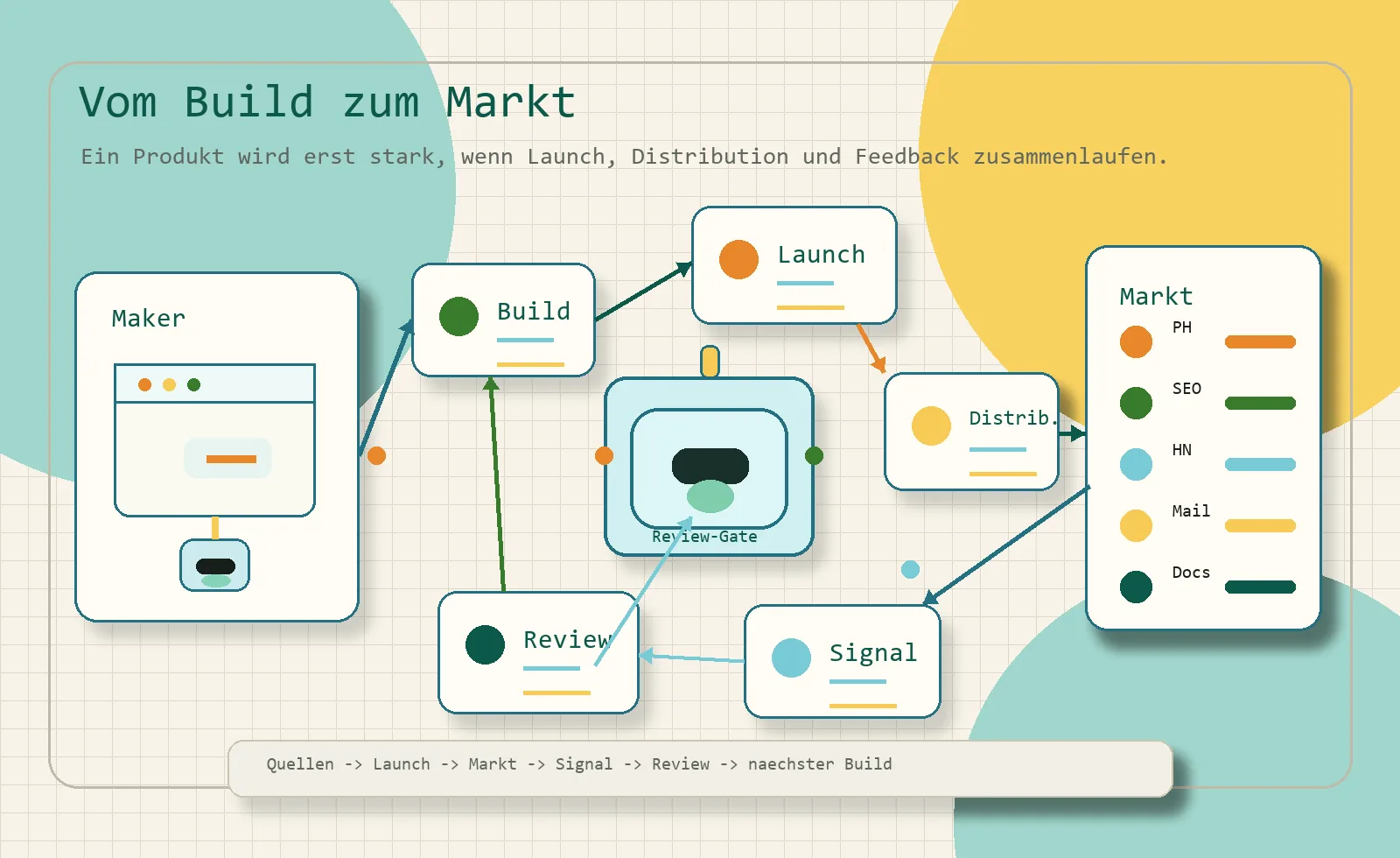
## Limits, Risks and the Reality of Self-Hosting
The excitement around automated launch chains should not hide the trade-offs. One major issue is infrastructure complexity. Tools such as Heym are source-available and designed for self-hosting. That can be attractive because it gives teams more control over data, but it also requires technical knowledge around Docker, Kubernetes, databases and operations.
Quality control is the second risk. Guardrails can reduce bad outputs, but responsibility for the final result still remains with the team. If a maker blindly lets an AI sidekick distribute generic copy everywhere, the product can quickly look like spam instead of a serious launch.
Costs also matter. Even when the workflow tools themselves are open source or sold for a one-time fee, complex multi-agent runs still use model tokens. Without efficient context management, long distribution workflows can become expensive.
The real lesson is not that every team needs the most complex stack immediately. The lesson is that distribution now deserves the same operational discipline as development.
## Practical Evaluation for Teams and Power Users
For small teams, this new tool layer can create leverage that previously required a much larger marketing function. A combined stack for distribution, workflow automation and review can increase both the frequency and the quality of market presence.
Power users should pay special attention to portability. If agent skills, prompts and workflow logic can move between projects, the team avoids locking its knowledge into a single vendor. Reusable skills also make it easier to improve the same launch process over time.
Traceability is another decisive factor. Tools that show what an agent did, which sources it used and where the process slowed down are much safer than black-box automation. In practice, substance beats noise. A launch process with review gates and analytics will outperform a pile of generic posts.
## Conclusion: The Maker Workflow Is Becoming Professional
The era in which a good algorithm alone was enough is over. The new layer of launch and distribution tools marks a professionalization of the AI maker scene. The question is no longer whether a team uses AI, but how deeply AI is integrated into the path from development to visibility.
Tools that combine transparency, collaboration and long-term SEO work create a stronger foundation than launch hype alone. The boundary between product and marketing is becoming less clear. Launching is no longer an afterthought. It is becoming part of the technical workflow.
## What to Do Next
A practical way to benefit from this shift is to move step by step:
- **Audit your distribution pipeline:** Check whether you spend far more time building than making the product visible. Identify the most relevant platforms for your niche instead of posting everywhere.
- **Experiment with local automation:** Try a local instance of Heym or a similar agent workflow before using it for production publishing.
- **Structure your knowledge:** Build a small knowledge base for your product. Good documentation becomes fuel for every distribution agent.
- **Keep review gates:** Human-in-the-loop checkpoints should be part of the process from the beginning, especially before public posts or directory submissions go live.
The AI tool market will stay volatile, but the need for efficient distribution will remain. Teams that build this infrastructure now gain a real advantage for the launches that come next.
## Sources
1. [Submit.DIY - All-in-One AI Launch Toolkit for Makers](https://submit.diy/)
2. [Submit.DIY: All-in-one AI launch platform for makers](https://www.producthunt.com/products/submit-diy)
3. [Heym - AI Workflow Automation Platform](https://heym.run/)
4. [Heym: Self-hosted AI workflow automation with agents, RAG, and MCP](https://www.producthunt.com/products/heym)
5. [WUPHF - Slack for AI employees with a shared brain](https://wuphf.team/)
6. [Best of Product Hunt April 28, 2026](https://www.producthunt.com/leaderboard/daily/2026/4/28/all)
EOF
### Wispr Flow Compared: Which Dictation App Really Fits Your Workflow?
URL: https://tools.utildesk.de/en/ratgeber/wispr-flow-im-vergleich-welche-diktier-app-passt-wirklich-zu-deinem-workflow/
Summary: AI dictation is moving from simple transcription to workflow software: the best tool is the one that turns speech into usable text without taking control away from you.
Typing is no longer the only default interface for knowledge work. A new generation of AI dictation tools promises to turn rough spoken thoughts into emails, notes, code comments, briefs and polished documents. The useful question is not whether voice input works at all. The better question is which tool fits the way you actually work.
[Wispr Flow](https://wisprflow.ai/r?SSERGEJ1) is one of the most visible options in this category. It is designed less like a classic transcription app and more like a voice layer across your operating system. You speak naturally, the app removes filler words, reshapes the sentence and inserts the result where you are working.
That sounds simple, but the differences between dictation tools become obvious in daily use. Some tools are better for privacy and local processing. Some are better for meetings. Some are built for creators who edit audio or video. Others are attractive for developers who want to dictate technical text, prompts or code-adjacent notes without fighting the keyboard.
## Relevant tools on Utildesk
If you want to compare this topic beyond a single product, these tools and frameworks are useful starting points:
- [Claude](/en/tools/claude/) is relevant when voice input becomes part of longer writing, reasoning or coding sessions.
- [GitHub Copilot](/en/tools/github-copilot/) is a useful reference point for productivity inside the editor.
- [Cursor](/en/tools/cursor/) helps compare more agentic development workflows with their own context.
- [Aider](/en/tools/aider/) is worth looking at if you prefer Git-based coding sessions in the terminal.
- [LangChain](/en/tools/langchain/) helps explain the orchestration layer behind agent workflows.
- [CrewAI](/en/tools/crew-ai/) is relevant when multi-agent collaboration, guardrails and observability matter.
## [Wispr Flow](/en/tools/wispr-flow/) as the broad everyday option
[Wispr Flow](/en/tools/wispr-flow/) positions itself as a voice operating layer for everyday writing. Its main promise is speed: instead of carefully typing every sentence, you can speak in a natural rhythm and let the software clean up the result. That is especially useful for people who write many short messages, notes, briefs or replies during the day.
The product is not only about turning audio into text. It also tries to understand intent. A casual Slack reply should not sound like a formal report, and a structured document should not read like a voice memo. This automatic tone adjustment is the reason [Wispr Flow](/en/tools/wispr-flow/) feels closer to an AI writing tool than to an old-school dictation recorder.
The cross-platform angle also matters. [Wispr Flow](/en/tools/wispr-flow/) is available across desktop and mobile platforms, and the value increases when a personal dictionary and recurring snippets can follow the user across devices. For support teams, sales roles, founders and consultants, this can reduce the amount of repeated typing in daily communication.
There are still trade-offs. The free tier is useful for testing the habit, but heavy users will quickly need a paid plan. The stronger features, such as unlimited use and command-style editing, matter most when voice becomes a primary input method rather than an occasional convenience.
## Superwhisper and Aqua Voice for power users
Superwhisper is attractive for users who want more control. Its key appeal is local or privacy-conscious processing, custom modes and a more configurable workflow. That makes it especially interesting for developers, writers and professionals who dictate sensitive material or want to choose how much AI processing happens after transcription.
Aqua Voice focuses more strongly on technical accuracy and context. Its pitch is that the tool understands terms from software development and professional writing better than generic dictation systems. When a user speaks about code, frameworks or command-line tools, fewer corrections can make the difference between a novelty and a real workflow.
Both tools are more specialized than [Wispr Flow](/en/tools/wispr-flow/). That is not a weakness. It simply means they suit people who are willing to configure the system and care about edge cases: technical vocabulary, latency, privacy, model choice, screen context or advanced formatting.
## Meeting, media and specialist workflows
Not every voice tool is meant to replace the keyboard everywhere. [Otter.ai](/en/tools/otter-ai/) is better understood as a meeting assistant. It records, transcribes and summarizes conversations, which makes it useful for teams that need searchable meeting notes rather than a system-wide writing layer.
[Descript](/en/tools/descript/) belongs to another category again. It connects transcription with audio and video editing. For creators, podcasters and marketers, the ability to edit media through text can be more important than dictating into every application.
Dragon and similar professional dictation tools remain relevant in specialized fields such as medicine or law, where fixed vocabulary, domain accuracy and established workflows can be more important than fashionable AI features. Local Whisper-based tools such as MacWhisper are also useful when the goal is occasional transcription without a permanent subscription.
This is why the buying decision should start with the use case. Do you want to replace typing across the operating system, capture meetings, edit media, dictate technical notes or process sensitive information locally? Those are different jobs, and they point to different tools.
## Risks: privacy, hallucinations and control
AI dictation creates a new layer between thought and published text. That layer can save time, but it can also change meaning. When a tool does more than literal transcription, it may smooth a sentence too aggressively, remove nuance or introduce wording that the speaker did not intend.
Privacy is the second major risk. Many voice tools process audio in the cloud. That can be acceptable for casual notes, but it becomes more sensitive for client data, legal work, medical information, internal strategy or code. Users should check retention settings, enterprise controls and whether local processing is available.
There are also practical limits. Speaking all day can be tiring. Open offices are not ideal for dictation. Background noise can reduce accuracy. And even a very good tool still needs review before the text is sent to a client, committed to documentation or used in a formal decision.
## How to choose the right dictation app
For most people, [Wispr Flow](/en/tools/wispr-flow/) is the easiest first test because it is broad, polished and designed for daily writing rather than one narrow scenario. Start there if you want to see whether voice can replace a meaningful part of your typing habit.
Choose Superwhisper if privacy, local processing and custom modes are more important than a simple default experience. Choose Aqua Voice if technical vocabulary and context-aware writing are central to your work. Choose [Otter.ai](/en/tools/otter-ai/) if meetings are the main problem. Choose [Descript](/en/tools/descript/) if your voice workflow ends in audio or video production.
The practical test is simple: use one tool for a week in real situations. Dictate short messages, longer notes, one technical explanation and one sensitive draft. Then measure not only raw speed, but also correction time. A dictation app is only productive when the final text is faster to produce and still feels like something you would actually send.
## Sources
1. [Wispr Flow official site](https://wisprflow.ai/)
2. [Wispr Flow pricing](https://wisprflow.ai/pricing)
3. [Flow plans and what is included](https://docs.wisprflow.ai/articles/9559327591-flow-plans-and-what-s-included)
4. [Superwhisper official site](https://superwhisper.com/)
5. [Aqua Voice official site](https://aquavoice.com/)
### Is Your Website Ready for AI Agents? How to Make It Work in Practice
URL: https://tools.utildesk.de/en/ratgeber/ist-deine-website-bereit-fur-ki-agenten-so-gelingt-der-einsatz-in-der-praxis/
Summary: Classic SEO tools often cannot tell who is consuming server resources. AI crawl control makes crawler identity and behavior visible.
Classic SEO tools often tell you how humans and search engines reach a website. They are less useful when the question is: Which AI systems are consuming server capacity, extracting content or using the site as background material for generated answers?
That question is becoming operational. Website owners need to understand, identify and control AI traffic in real time.
## Relevant tools on Utildesk
If you want to connect this topic to practical tooling, start with these entries:
- [Claude](/en/tools/claude/) for long-context AI work and agentic coding sessions,
- [GitHub Copilot](/en/tools/github-copilot/) as the editor-native assistant layer,
- [Cursor](/en/tools/cursor/) for AI-first development workflows,
- [Aider](/en/tools/aider/) for Git-based terminal work,
- [LangChain](/en/tools/langchain/) for agent orchestration patterns,
- [CrewAI](/en/tools/crew-ai/) for collaborative agent flows.
## Analyze AI traffic before you block it
The first step toward an agent-ready website is visibility. You need to know which visitors are people, which are useful search bots and which are aggressive AI crawlers.
Modern crawl-control tools help operators see which AI services request which directories, how often they return and how much load they create. That visibility matters for publishers, ecommerce platforms and documentation sites, because not every crawl has the same value.
Some crawlers may help visibility. Others may consume resources without providing meaningful traffic or attribution. Without traffic-level context, any policy is guesswork.
## Use update signals instead of waiting for crawlers
Traditional crawling is inefficient. Bots repeatedly check pages because they do not know when something changed. For AI search and answer engines, that can mean stale information or unnecessary load.
Crawler hints and protocols such as IndexNow move the site toward proactive communication. Instead of hoping that a bot returns at the right moment, the site can send update signals when content is created, changed or removed.
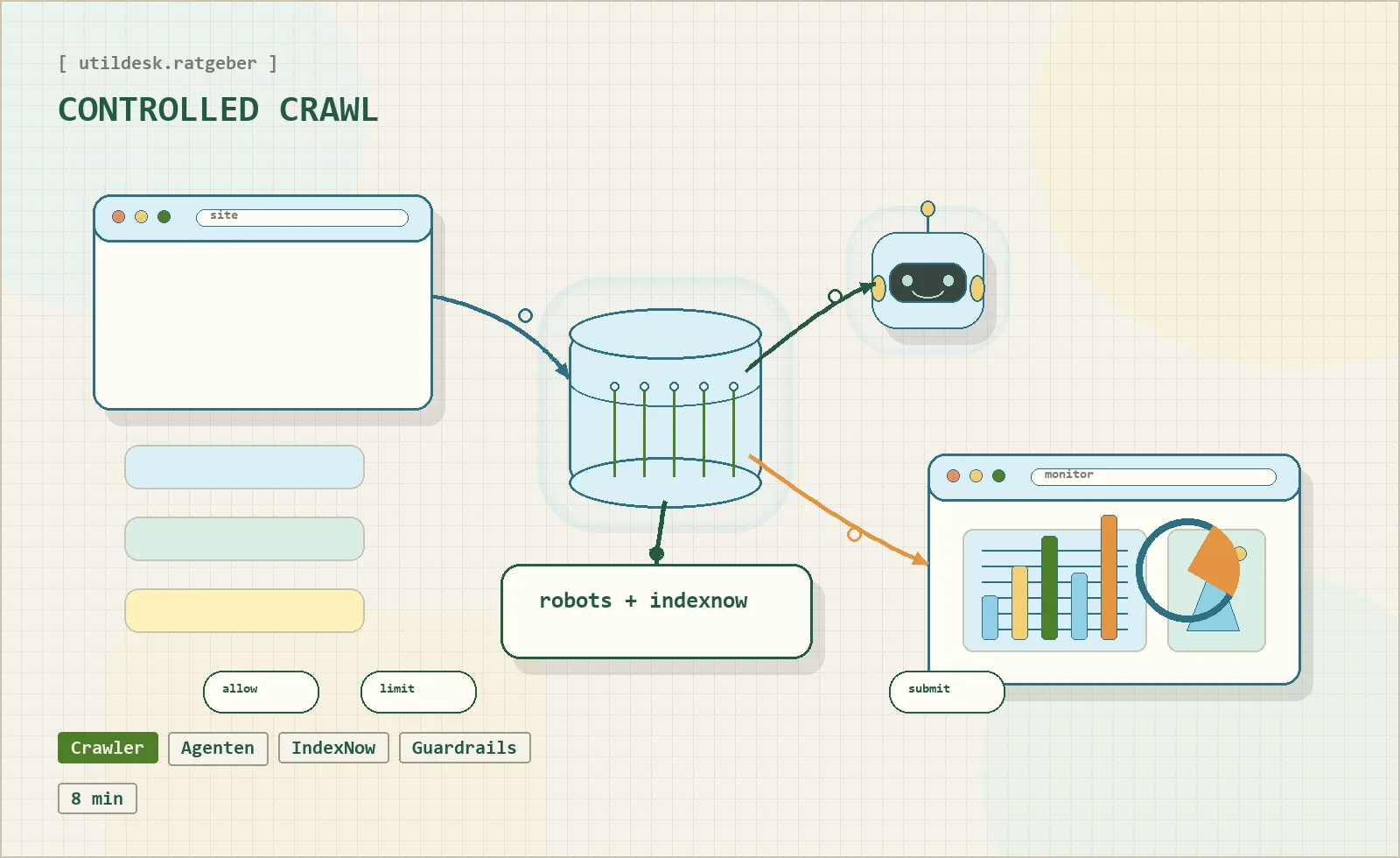
For operators, this is not only an SEO feature. It is an infrastructure feature: fresher data, lower wasted crawl budget and more predictable server load.
## Structured data still matters
AI agents need context. Structured data helps them understand what a page is: a tool profile, a guide, an article, an organization, a breadcrumb trail or a software entry.
JSON-LD remains the practical format because it keeps machine-readable information separate from visible text. For a directory like Utildesk, structured data can clarify tool names, categories, pricing signals, related articles and canonical URLs.
The goal is not to stuff pages with schema markup. The goal is to make the important entities explicit and consistent.
## Set boundaries for extraction
AI visibility is valuable, but uncontrolled extraction is not. A mature strategy defines what should be crawlable, what should be noindexed, and which internal endpoints are meant for machines but not for search results.
That means robots rules, `X-Robots-Tag` headers, canonical URLs, noindex for internal APIs where appropriate, and clear separation between public content and admin or review areas.
## Practical checklist
- Identify AI crawlers and separate them from human traffic.
- Keep sitemap, canonical URLs and structured data consistent.
- Use update signals such as IndexNow for important changes.
- Keep internal review tools and machine APIs out of the public index where needed.
- Decide which content should be used by AI systems and which should remain protected.
## Bottom line
An AI-ready website is not just optimized for classic search. It is observable, machine-readable, controlled and explicit about boundaries. The winners will be sites that give useful agents enough structure to understand content while keeping ownership, server load and publication control intact.
### How Agentic Developer Workflows Are Becoming Production-Ready
URL: https://tools.utildesk.de/en/ratgeber/wie-agentische-developer-workflows-gerade-produktionsreif-werden-einordnung-prax/
Summary: The age of simple autocomplete in software development is coming to an end.
The era of simple autocomplete in software development is approaching its end. We are moving from assisting chatbots to autonomous agents that can complete complex tasks across a codebase. The promise is no longer just better snippets. It is the automation of larger development cycles, from investigation to implementation to pull request.
That shift is powerful, but it only becomes useful when teams add structure around it.
## Relevant tools on Utildesk
If you want to compare the trend through real tools and frameworks, these entries are a good starting point:
- [Claude](/en/tools/claude/) for long-context coding sessions and agentic workflows,
- [GitHub Copilot](/en/tools/github-copilot/) for the productive assistant layer inside the editor,
- [Cursor](/en/tools/cursor/) for an IDE that is built around AI-assisted work,
- [Aider](/en/tools/aider/) for Git-oriented coding sessions in the terminal,
- [LangChain](/en/tools/langchain/) for orchestration and agent framework concepts,
- [CrewAI](/en/tools/crew-ai/) for collaborative multi-agent flows.
## Tools that act inside the codebase
Modern agentic tools are different because they can interact with the development environment. They do not only answer questions. They can read a repository, edit files, run commands and iterate on the result.
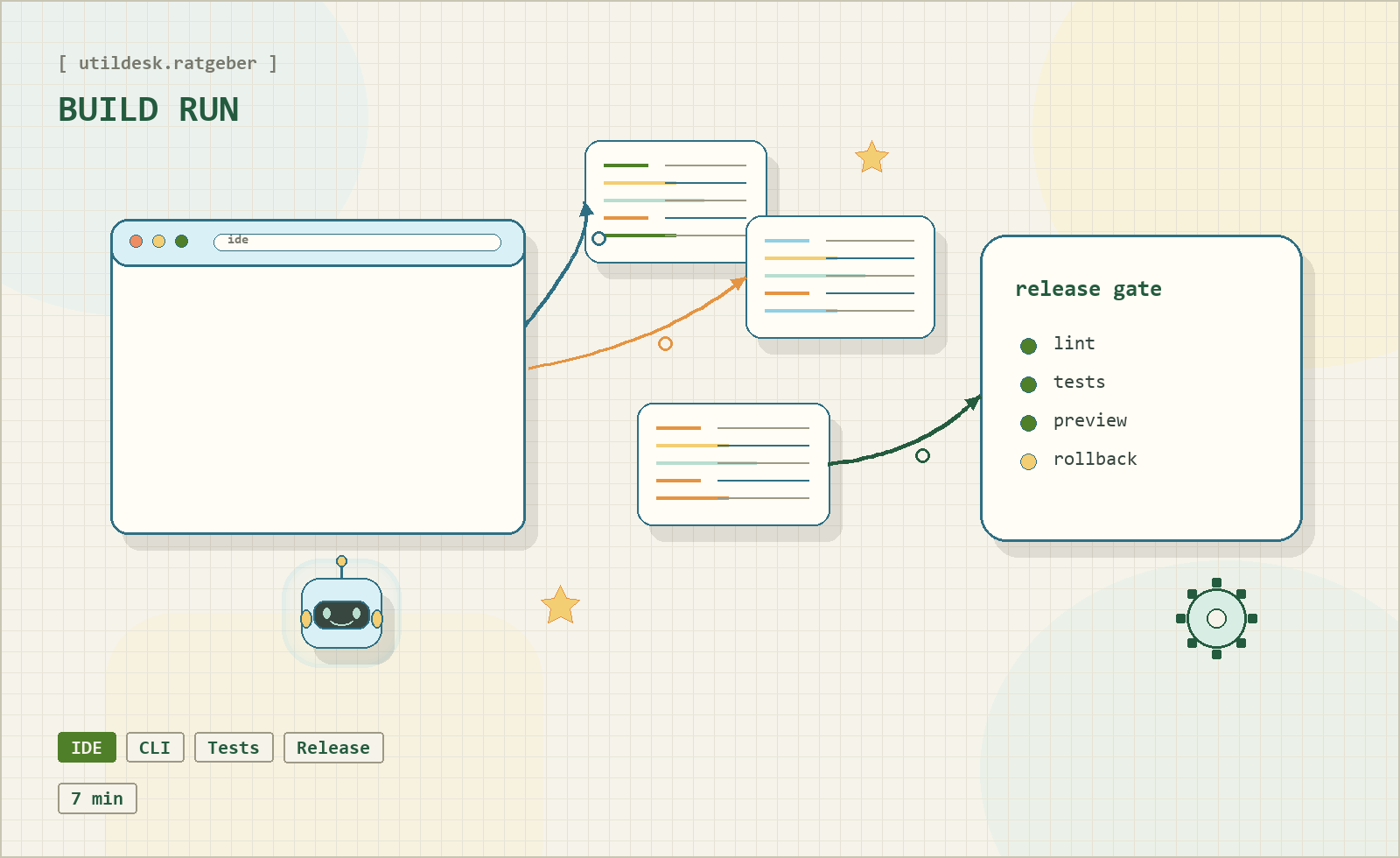
Agents can fix bugs, build features, generate tests and handle repetitive maintenance work. Multi-agent frameworks add another layer by assigning roles to specialized agents and coordinating them through explicit processes.
For teams, this changes the workload. People can spend more time on architecture and intent while agents handle implementation slices, lint fixes or documentation drafts. But the more autonomy you allow, the more important the control layer becomes.
## Architecture and state
Long-running agentic tasks need durable state. If an agent is interrupted, the workflow should be able to resume without losing context. If a human needs to intervene, the current plan, assumptions and files touched must be visible.
This is why stateful orchestration matters. A production-ready agent workflow should know what it is doing, why it is doing it and how to recover when something fails. It should also support human-in-the-loop checkpoints: moments where a developer can inspect, approve, redirect or stop the run.
## Verification before merge
The biggest risk is not that an agent produces invalid syntax. The bigger risk is plausible code that violates the real requirement. An agent can write tests that confirm its own misunderstanding. It can make a local change that breaks an integration somewhere else.
That is why verification becomes the safety anchor. Teams need a living specification, clear acceptance criteria and automated checks that prove the implementation against the intended behavior. Human review remains essential, but it should not be the first and only line of defense.
## What production-ready means
Production-ready agentic development is not "let the robot do everything". It is a controlled workflow where agents can act, but every action is bounded by context, tests, review and rollback options.
The strongest systems will not simply generate more code. They will make the work observable: which files changed, which assumptions were made, which checks passed, and where a human approved the next step.
## Bottom line
Agentic developer workflows are becoming real because the surrounding infrastructure is maturing. The winners will be teams that treat agents like operational collaborators: useful, fast and powerful, but always connected to specifications, state and verification.
### AI Orchestration: The New Workflow Layer in Software Development
URL: https://tools.utildesk.de/en/ratgeber/ki-orchestrierung-die-neue-workflow-ebene-in-der-softwareentwicklung/
Summary: The bottleneck is no longer the individual prompt. It is the coordination of many parallel AI steps.
The bottleneck in AI-assisted software development is changing. A single prompt is no longer the main constraint. Once teams use more than one coding assistant, the hard questions become operational: Which specification is current? Which agent owns which task? Which changes have been verified, and which are only generated output?
That pressure creates a new layer in the stack: AI orchestration.
## The bottleneck moves from writing to control
[GitHub Copilot](/en/tools/github-copilot/), [Cursor](/en/tools/cursor/), [Aider](/en/tools/aider/) and [Claude](/en/tools/claude/) already show how capable individual coding assistants have become. They can suggest code, edit files, run commands, write tests and sometimes complete entire task packages.
The real problem starts one layer above that. When multiple agents, branches, reviews and sessions run in parallel, a good chat interface is not enough. Teams need to know who is working on what, where the implementation is being checked against the specification, and which changes are actually safe to merge.
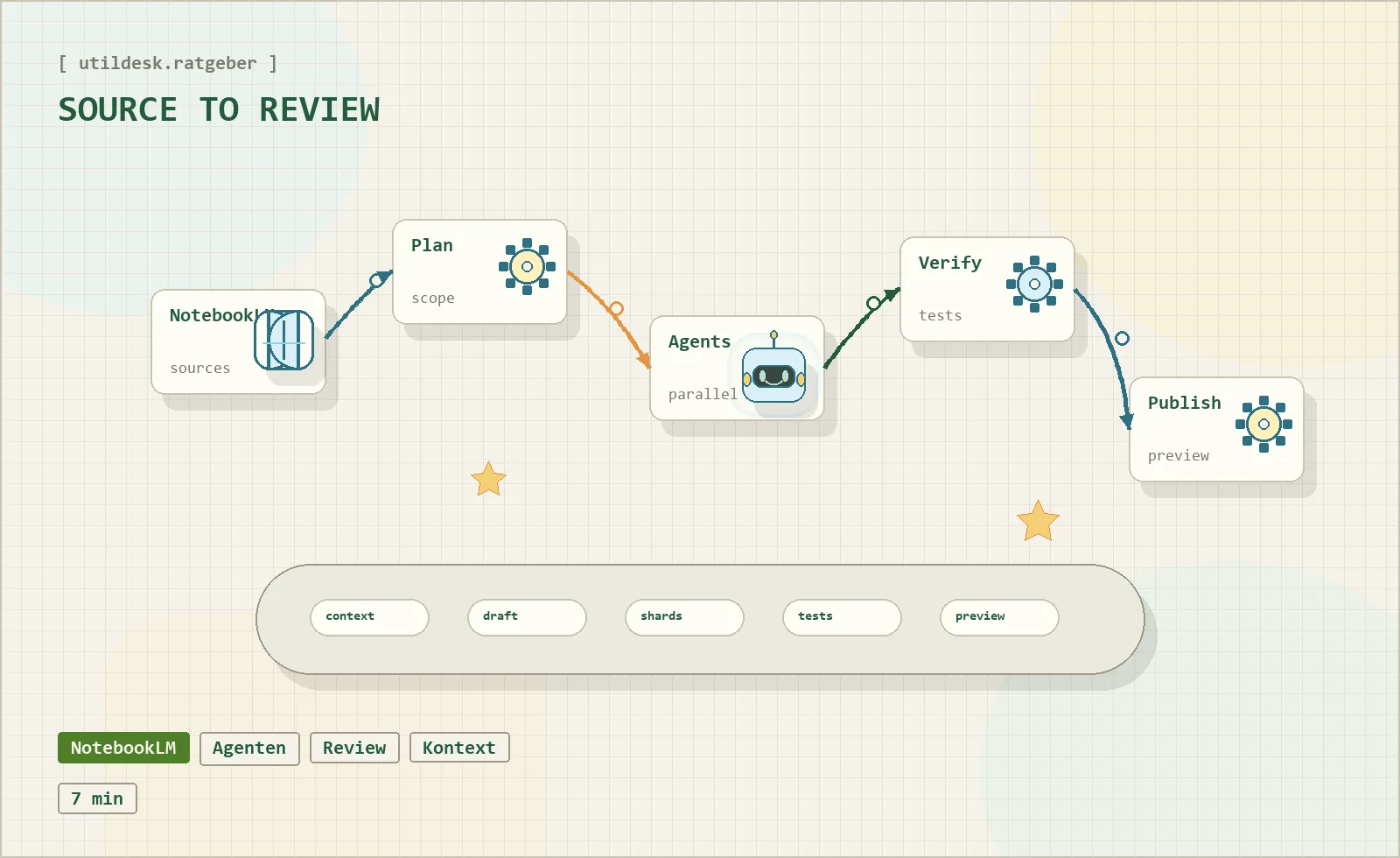
## What an orchestration layer does
An orchestration layer does not replace developers. It structures the work of several agents around a shared goal. In practice, that means four building blocks:
- a living specification that humans and agents can both reference,
- a planning step that breaks work into useful slices,
- isolated work contexts so parallel changes do not overwrite each other,
- a verification and review loop before generated code becomes a pull request.
This is why Git becomes strategically important again. Worktrees and isolated branches are not glamorous, but they are essential when several agents touch the same repository. Without isolation, agentic development quickly turns into one large, unreviewable diff.
Frameworks such as [LangChain](/en/tools/langchain/) and [CrewAI](/en/tools/crew-ai/) point in the same direction. They are not just "another chatbot". They try to coordinate agents, state, tools and guardrails into a reliable operating model.
## Verification matters more than another assistant
The more AI-generated changes appear at the same time, the less useful a purely manual review becomes. A diff can look clean and still miss the actual goal. It can pass isolated tests and still violate an architectural constraint.
That is why newer orchestration ideas focus on verification before the pull request. The question becomes: Does this implementation satisfy the living specification? Are the assumptions visible? Did the agent prove the change in the right environment?
Good orchestration is not measured by how much work it automates. It is measured by how well it reduces review load without hiding responsibility.
## Visibility becomes a product feature
With more agents, teams need visibility into sessions, decisions and intermediate states. Which run is still open? Which decision was made in which session? Where can a developer resume a long-running task without rebuilding the full context?
This is why session management, resumability and audit trails become part of the product surface. Agentic productivity is not only generation speed. It depends on how well a team can control context over longer work runs.
## Relevant tools on Utildesk
If you want to compare the topic through real products, start with these entries:
- [Claude](/en/tools/claude/) for long-context agentic coding sessions,
- [GitHub Copilot](/en/tools/github-copilot/) for editor-native assistance,
- [Cursor](/en/tools/cursor/) for an agentic IDE workflow,
- [Aider](/en/tools/aider/) for Git-oriented terminal sessions,
- [LangChain](/en/tools/langchain/) for orchestration patterns,
- [CrewAI](/en/tools/crew-ai/) for multi-agent collaboration.
## Bottom line
AI orchestration is the layer that turns isolated assistant output into manageable engineering work. It makes context, ownership, verification and review explicit. Without that layer, teams may generate faster than they can understand. With it, agentic development has a path toward production-grade workflows.
### ChatGPT, Claude and Gemini: Three AI Assistants, Three Very Different Strengths
URL: https://tools.utildesk.de/en/ratgeber/chatgpt-claude-gemini/
Summary: A practical comparison of the three major AI assistants for writing, research, coding and privacy-sensitive work.
AI assistants now sit inside everyday work: writing, research, coding, planning and decision support. [ChatGPT](/en/tools/chatgpt/), [Claude](/en/tools/claude/) and [Gemini](/en/tools/gemini/) may look similar at first glance, but they feel different once they become part of a real workflow. The useful question is not which model is universally "best". The better question is which assistant fits the task, the risk profile and the working style.
## One market, three philosophies
All three assistants can summarize, explain, rewrite and generate text. Their differences show up in how they behave under pressure.
**[ChatGPT](/en/tools/chatgpt/)** is the broadest generalist. It is quick, flexible and comfortable across many formats: emails, outlines, code snippets, debugging, brainstorming and structured planning. That makes it a strong default choice for people who need one assistant for many different jobs.
**[Claude](/en/tools/claude/)** is often calmer and more deliberate. It is especially useful for long documents, careful reasoning, tone-sensitive writing and tasks where nuance matters. When you need a draft to feel less generic and more controlled, [Claude](/en/tools/claude/) is often the more comfortable partner.
**[Gemini](/en/tools/gemini/)** is strongest when the surrounding work already depends on Google. Its advantage is not only the model itself, but the proximity to search, documents, productivity tools and the wider Google account context.
## Everyday writing and thinking
For simple prompts, the output can look similar. The difference becomes visible when a text has to be useful, structured and human-readable.
[ChatGPT](/en/tools/chatgpt/) is usually the fastest route to a usable first draft. It is good at turning a vague idea into a working structure and can quickly switch between formats. The weakness is that the output can become generic if the prompt does not add enough context or taste.
[Claude](/en/tools/claude/) is often better when the task is not just to produce words, but to preserve a line of thought. It handles long context well, keeps a steadier tone and is helpful for concept texts, essays, policy drafts and editorial work.
[Gemini](/en/tools/gemini/) becomes attractive when research, documents and daily productivity are connected. If your work already moves through Google Search, Docs, Gmail or Drive, the assistant can feel less like a separate chatbot and more like a layer inside the workflow.
| Tool | Best fit | Typical strength |
| --- | --- | --- |
| [ChatGPT](/en/tools/chatgpt/) | quick drafts, ideation, flexible workflows | broad all-rounder |
| [Claude](/en/tools/claude/) | long text, analysis, careful argumentation | context depth |
| [Gemini](/en/tools/gemini/) | Google-heavy workflows, search, daily productivity | ecosystem integration |
## Research and context
Serious research is not just about finding an answer. It is about weighing information, keeping sources in context and turning raw material into a usable result.
[Gemini](/en/tools/gemini/) benefits from Google's infrastructure and is naturally interesting for current topics and search-adjacent work. [ChatGPT](/en/tools/chatgpt/) is strong when research needs to become a clear explanation, plan or text. [Claude](/en/tools/claude/) is useful when a lot of material has to remain coherent over a longer reasoning chain.
## Coding and productive work
There is no single winner for coding either. [ChatGPT](/en/tools/chatgpt/) is a flexible helper for quick ideas, debugging and experiments. [Claude](/en/tools/claude/) is often appreciated as a precise coding partner when refactoring, architecture and larger code context matter. [Gemini](/en/tools/gemini/) is useful where coding, documentation and Google-based productivity workflows overlap.
If you want research with visible sources, [Perplexity](/en/tools/perplexity/) is also worth comparing. It is less of a universal assistant and more of a research interface with source-oriented answers.
## Privacy and trust
Privacy is not a decorative detail in AI work. These systems often see drafts, strategy, code, personal notes and business context.
[Claude](/en/tools/claude/) is frequently perceived as the more conservative option for sensitive long-form work. [Gemini](/en/tools/gemini/) offers strong controls inside the Google account, but it is also close to a very large data ecosystem. [ChatGPT](/en/tools/chatgpt/) remains the flexible mainstream assistant, where users should actively review data controls and team settings.
## Which assistant should you choose?
Choose **[ChatGPT](/en/tools/chatgpt/)** if you want one fast and flexible assistant for many everyday tasks. Choose **[Claude](/en/tools/claude/)** if long context, language quality and careful reasoning matter most. Choose **[Gemini](/en/tools/gemini/)** if the Google ecosystem is already your operational home.
The best setup for many teams is not one model forever. It is a small, explicit tool policy: which assistant is used for drafting, which one for analysis, which one for coding, and which workflows are too sensitive for any external assistant without additional controls.
## Sources
1. OpenAI: [ChatGPT | AI Chatbot to Discover, Learn & Create](https://openai.com/chatgpt/overview)
2. Anthropic: [Claude by Anthropic](https://www.anthropic.com/claude)
3. Google: [Gemini](https://gemini.google.com/)
4. Tom's Guide: [Gemini vs ChatGPT vs Claude comparisons](https://www.tomsguide.com/)
> Editorial note: This English version is adapted from the German Utildesk guide for an international audience.
## Tools
### 10to8
URL: https://tools.utildesk.de/en/tools/10to8/
# 10to8
10to8 is a modern scheduling software designed to simplify booking processes and improve communication between service providers and customers. With intelligent features for automated reminders and calendar integration, 10to8 helps businesses reduce downtime and efficiently manage appointments. The software is particularly suitable for small and medium-sized enterprises looking to digitize their appointment management.
## Who is 10to8 for?
10to8 is primarily aimed at service providers who regularly coordinate appointments with customers, including:
- Healthcare and wellness providers (e.g. doctors, therapists, barbers)
- Consulting firms and coaches
- Educational institutions and trainers
- Event organizers of workshops and seminars
- Small and medium-sized businesses seeking a simple online booking system
The platform is ideal for users seeking a reliable, user-friendly solution with automation features to optimize bookings and minimize administrative burden.
10to8 is most useful for teams and individuals who want recurring work to become more structured and transparent. The value should be judged in a real process where organization, task flow, meetings, documentation, alignment, and reliable routines become not only faster but also easier to explain.
10to8 works best when the start is deliberately narrow: a clear purpose, a limited task or data set, and a review step that exists before problems appear.
## Editorial assessment
With 10to8, the demo impression matters less than daily operation: who maintains the inputs, who checks the result, and where does expert control remain?
10to8 should first prove itself in a real weekly workflow with tasks, meetings, handoffs, reminders, and review. A broader rollout only makes sense when time saved, fewer follow-up questions, better handoffs, completeness, and stable routines look more stable there.
- **Checkpoint for 10to8:** Before rollout, time saved, fewer follow-up questions, better handoffs, completeness, and stable routines should be supported by a small before-and-after comparison.
- **Good start for 10to8:** A limited test path with real inputs shows faster whether the tool removes work or creates new maintenance.
- **Risk with 10to8:** Even a good interface helps only partly when rules, notifications, data care, and ownership are not agreed together.
## Key Features
- Online booking with real-time calendar view
- Automated reminders via email and SMS to reduce no-shows
- Integration with popular calendars like Google Calendar, Outlook, and iCal
- Customizable booking pages with branding options
- Management of multiple staff and locations
- Synchronization with video conferencing tools for virtual appointments
- Real-time notifications for new bookings or changes
- Reporting and analytics functions to evaluate appointment data
- API access for individual integrations
- Support for multiple time zones and languages
- **Practical run with 10to8:** The tool should be tested against a real weekly workflow with tasks, meetings, handoffs, reminders, and review, so strengths and limits become visible outside a polished demo.
- **Quality control in 10to8:** The team needs a simple way to review time saved, fewer follow-up questions, better handoffs, completeness, and stable routines after use.
- **Handoff with 10to8:** Results, open questions, and decisions should be documented so other roles can continue the work later.
## Advantages and Disadvantages
### Advantages
- Intuitive user interface that is easy to use, even without technical expertise
- Comprehensive automation features that save time and increase appointment loyalty
- Flexible customization options for various industries and business sizes
- Free basic version (Freemium) available for testing
- Integration with many third-party tools and calendars
- 10to8 is especially useful when a recurring process should no longer depend on one person's private know-how.
- 10to8 helps most when organization, task flow, meetings, documentation, alignment, and reliable routines should be documented and checked instead of explained from scratch every time.
### Disadvantages
- Some advanced features are only available in paid plans
- SMS notifications can incur additional costs depending on the plan
- The user interface can become overwhelming for complex appointment schedules
- Support and additional features vary depending on the tariff
- 10to8 needs clarification before rollout when rules, notifications, data care, and ownership are not agreed together; otherwise side processes appear quickly.
- 10to8 saves little when setup, control, and follow-up are expected to happen only on the side.
## Pricing & Costs
10to8 offers a Freemium pricing model that allows for a free trial. Paid plans differ in terms of the number of users, bookings per month, and available add-ons.
- **Free Plan:** Basic features, limited number of appointments and users
- **Paid Plans:** Subscriptions with expanded features like SMS reminders, more bookings, team management, and priority support
- **Customized Offers:** For larger enterprises or special requirements, customized solutions are available
The exact prices vary depending on the scope and chosen plan. For the latest details, please refer to the official website.
The cost of 10to8 is not just the plan price. In practice, number of users, storage, integrations, administration effort, migration, and training also matter because that is where ongoing maintenance and real time investment appear.
## Alternatives to 10to8
- **Calendly:** A popular tool for online scheduling with easy use and various integrations
- **Acuity Scheduling:** Comprehensive scheduling software with a focus on customization and automation
- **Setmore:** A user-friendly solution with free and paid plans, suitable for small businesses
- **SimplyBook.me:** Platform with numerous add-ons and marketing functions for service providers
- **Bookafy:** Scheduling with a focus on simple integration and flexible time slots
Alternatives to 10to8 should be chosen by the concrete work problem. In some cases, productivity, calendar, project, documentation, and collaboration tools are better because they create fewer detours in the existing workflow.
## FAQ
**1. Is 10to8 suitable for solo entrepreneurs?**
Yes, solo entrepreneurs can benefit from the free basic version and simple booking features.
**2. Which calendars are supported?**
10to8 synchronizes with Google Calendar, Outlook, iCal, and other calendar services.
**3. Can I use 10to8 for virtual appointments?**
Yes, there are integrations with video conferencing tools like Zoom and Microsoft Teams.
**4. Is there a mobile app?**
Yes, 10to8 offers mobile apps for iOS and Android to manage appointments on-the-go.
**5. How secure are the data at 10to8?**
10to8 uses standard security measures to protect customer data, with varying details depending on the plan.
**6. Can I customize the booking form with my branding?**
Yes, the booking pages can be customized with your logo and colors.
**7. How does the reminder function work?**
Automated email and SMS reminders are sent before appointments to reduce no-shows.
**8. Is there a trial period for paid plans?**
Depending on the offer, 10to8 often provides a free trial to test the expanded features.
**9. How should a team test 10to8?**
For 10to8, use one real, bounded use case. Define the goal, owner, data basis, review steps, and success criteria first, then compare effort and output quality after the test.
**10. When is 10to8 a poor fit?**
10to8 is a poor fit when rules, notifications, data care, and ownership are not agreed together, or when nobody has time for setup, review, and ongoing maintenance. In that case the tool quickly becomes another maintenance item.
### 8x8
URL: https://tools.utildesk.de/en/tools/8x8/
# 8x8
8x8 is a cloud-based communication platform focused on telephony, video conferencing, and customer service. The tool offers businesses an integrated solution to improve internal and external communication, supports remote work, and optimizes customer engagement with modern features. 8x8 is particularly suited for companies aiming to simplify and professionalize their communication processes.
## Who is 8x8 suitable for?
8x8 primarily targets small and medium-sized businesses as well as larger organizations seeking a reliable and scalable communication solution. It is especially suitable for teams that make frequent phone calls, hold video conferences, or want to provide efficient customer service. Companies with distributed locations or remote employees also benefit from managing all communication channels centrally on one platform.
## Typical Use Cases
- **Contact center and telephony:** 8x8 fits when support, sales, and internal calling should run from one managed cloud environment.
- **Distributed teams:** Remote offices benefit when calls, meetings, forwarding rules, and availability are administered centrally.
- **Service quality tracking:** The platform becomes more useful when call data needs to be measured, not just handled.
## What really matters in daily use
In daily use, 8x8 succeeds less through the size of its feature list and more through the quality of its routing, availability rules, and ownership model. If no one owns phone numbers, greetings, queues, and escalation paths, the system can become difficult to understand very quickly.
The practical value is clearest when teams decide before rollout which channels should really be consolidated and which older processes should be retired. A pilot with support cases, sales calls, and internal meetings usually reveals more than a generic feature demo.
## Key Features
- Cloud-based VoIP telephony with HD audio quality
- Video conferencing with screen sharing and chat functionality
- Omnichannel customer service: telephony, chat, email, and social media integration
- Call forwarding, voicemail, and call recording
- Integration with CRM systems and other business applications
- Mobile apps for iOS and Android for flexible use on the go
- Analytics and reporting tools to evaluate communication data
- Security with encryption and compliance features
- User and access rights management for different permission levels
- Automated call distribution (ACD) and IVR systems for customer service
## Advantages and Disadvantages
### Advantages
- Comprehensive communication solution all in one place
- Scalable and adaptable to the needs of various company sizes
- Easy to use and quick to implement without complex hardware
- Mobile access enables working from anywhere
- Integration with common business applications increases productivity
- High reliability due to cloud infrastructure
- Transparent pricing within a subscription model
### Disadvantages
- Costs vary depending on chosen plan and feature set
- Functionality may appear extensive or complex for very small companies
- Dependence on a stable internet connection for optimal performance
- Some advanced features may require a learning curve
## Workflow Fit
8x8 should not sit apart from the CRM, helpdesk, and calendar stack. It works best when contacts, call notes, recordings, and follow-ups land in the tools where teams already work. Smaller companies can keep the setup lean, while larger organizations should document roles, number ownership, and reporting needs before launch.
## Data Protection & Data
8x8 may process call metadata, phone numbers, voicemails, meeting information, and sometimes recordings. Before production use, teams should define retention periods, recording access, deletion rules, and notices for employees or customers. Regulated teams also need to understand which integrations forward communication data automatically.
## Editorial Assessment
8x8 is strongest when communication is treated as an operating process, not just as a replacement for a phone system. Teams that need routing rules, support metrics, and integrations get a capable platform. Teams with simple calling needs may find the administrative layer heavier than necessary.
## Pricing & Costs
8x8 is generally offered on a subscription basis, with prices varying according to features, number of users, and contract length. Different plans cater to various company sizes and requirements. Basic features are often included in affordable packages, while advanced features such as omnichannel support and enhanced analytics are available in higher-tier plans. Exact pricing should be obtained directly from the provider or official resellers.
## Alternatives to 8x8
- **RingCentral** – Also an all-inclusive cloud communication solution focused on telephony and video conferencing.
- **Zoom Phone** – Known for video conferencing but also offers VoIP telephony and team chat.
- **Microsoft Teams** – Integrates communication and collaboration with Office 365, including telephony options.
- **Vonage Business Communications** – Cloud-based telephony with extensive integrations and customer service features.
- **GoToConnect** – All-in-one communication platform with telephony, meetings, and messaging.
## FAQ
**1. What is 8x8 and what is it used for?**
8x8 is a cloud-based communication platform that combines telephony, video conferencing, and customer service in one solution. It aims to improve communication within teams and with customers.
**2. What devices are needed for 8x8?**
No special devices are required to use 8x8. The platform operates through internet browsers, desktop apps, and mobile apps for iOS and Android. IP phones can also be used for telephony.
**3. Is 8x8 suitable for small businesses?**
Yes, 8x8 offers various plans that accommodate small businesses. The platform is scalable and adapts to different company sizes.
**4. How secure is communication over 8x8?**
8x8 uses modern encryption technologies and meets various compliance standards to ensure the security and confidentiality of communications.
**5. Can existing phone systems be integrated with 8x8?**
Depending on technical infrastructure and provider, existing systems can be partially or fully integrated. Details should be discussed with the provider.
**6. What support options does 8x8 offer?**
8x8 provides support via multiple channels including online help, customer service by phone and email, as well as comprehensive documentation.
**7. Is there a free trial available?**
Depending on the plan and provider, a free trial or demo may be offered. Details can be found on 8x8's website.
**8. How flexible are the contract terms?**
Contract durations and cancellation policies vary depending on the tariff and provider. Usually, monthly or annual subscriptions are available.
### ABBYY Vantage
URL: https://tools.utildesk.de/en/tools/abbyy-vantage/
# ABBYY Vantage
ABBYY Vantage is an enterprise platform for intelligent document processing where OCR, classification, extraction, and human review work together. In the Utildesk context, this card is mainly relevant for OCR, PDF, and invoice automation: what role does the tool play in the process, where does it need review, and when is another model a better fit?
## Who is ABBYY Vantage suitable for?
- Finance, procurement, and operations teams with recurring document volume
- Companies with review, approval, and exception workflows
- Teams adopting OCR as a document workflow rather than a single API
## Who is ABBYY Vantage not suitable for?
- Very small teams with a few PDFs per month
- Strictly local processing without cloud or platform operations
- Quick one-off conversions
## Typical Use Cases
ABBYY Vantage fits workflows where PDFs, scans, or document uploads should not be typed manually. Common use cases include invoices, receipts, purchase orders, forms, delivery notes, or tables inside PDFs. The goal is usually not just searchable text, but structured fields, review status, and export data that can continue into accounting, spreadsheets, databases, ticketing systems, or automation tools.
For ABBYY Vantage, start the pilot with real documents rather than polished samples. Skewed scans, multi-page PDFs, mixed languages, changing supplier layouts, and missing required fields show whether review queues, role models, and exception handling fit the intended workflow.
## Main Features
- OCR or document recognition for digital and scanned files.
- Extraction of recurring fields such as invoice number, date, amount, supplier, or table rows.
- Handover through API, export, webhook, or workflow step.
- Validation, review, or downstream processing depending on the setup.
- Integration into automation chains such as n8n, Make, Zapier, Power Automate, or custom services.
## Workflow in Practice
A reliable ABBYY Vantage workflow starts at file intake and ends only when checked data has been exported. The chain should include preprocessing, OCR, field extraction, plausibility checks, and exception handling. For invoices, supplier, invoice date, tax amount, total amount, currency, and payment terms should be validated before posting.
For ABBYY Vantage, business teams should look closely at transparent error lists, traceable corrections, and a clean review step. In invoice workflows, a reliable exception path is often more valuable than a marginal OCR accuracy gain.
## What to Check Before Choosing
- Does the tool support the relevant document types and languages in your own material?
- Is there a clear export path: JSON, CSV, webhook, API, or direct integration?
- How are low confidence values, duplicates, and incomplete fields handled?
- Which DPA, data location, retention, and deletion options are available?
- How predictable are costs with many pages, attachments, or API calls?
## Advantages and Limits
### Advantages
- Can reduce manual data entry and shorten processing time.
- Works as a building block for invoice, PDF, and document automation.
- Enables structured downstream workflows when validation and export are planned well.
### Limits
- Poor scans, changing layouts, and handwritten additions remain error sources.
- Without review rules, wrong fields can silently flow into accounting or databases.
- Privacy, DPA, data location, and deletion requirements must be checked before production use.
## What Really Matters in Daily Use
With ABBYY Vantage, the longest feature list matters less than whether the tool gets a clear place in the existing workflow. The decisive question is whether changing documents become reliably checked fields, not whether a demo can read one clean sample PDF.
For ABBYY Vantage, start with a small pilot using real material: who provides the inputs, who reviews the result, and where does the output go next?
## Workflow Fit
ABBYY Vantage fits best when documents arrive regularly and extracted data moves into accounting, CRM, ERP, or automation flows after review. Before rollout, roles, permissions, export paths, and quality control should be explicit; otherwise the tool quickly becomes another storage place beside the real process.
## Editorial Assessment
ABBYY Vantage is strongest when document handling is treated as a controlled business process, with sampling, an exception queue, field ownership, and clear export formats. If the team only needs to read occasional PDFs or plans to push results into downstream systems without review, start with a lighter or more specialized approach first.
## Pricing & Costs
Pricing model: **Custom quote**. For ABBYY Vantage, the real comparison should include page volume, document types, API calls, user seats, review features, retention, setup effort, operations, and support.
## Alternatives in the Utildesk Context
Depending on the problem, alternatives to ABBYY Vantage may come from different tool classes: OCR APIs such as Mindee, Klippa, or Veryfi, cloud services such as AWS Textract, Google Document AI, or Azure AI Document Intelligence, enterprise IDP such as ABBYY Vantage and Rossum, no-code parsers such as Docparser or Parseur, and local open-source pipelines with Tesseract OCR, OCRmyPDF, or PaddleOCR.
## Related Guides
- [Best OCR APIs for Invoices in Germany 2026](/en/ratgeber/beste-ocr-apis-rechnungen-deutschland-2026/)
- [AI Tools with EU Data Processing: What Small Businesses Should Check](/en/ratgeber/ki-tools-eu-datenverarbeitung-kleine-unternehmen/)
## FAQ
**Is ABBYY Vantage only an OCR tool?**
Not only. The real value usually comes from combining OCR with field extraction, validation, and export.
**Can ABBYY Vantage read invoices automatically?**
ABBYY Vantage is relevant for invoice workflows, but quality depends on scan quality, layout, language, required fields, and review rules. Test with real German invoices before rollout.
**Do you need developers?**
For ABBYY Vantage, it depends on the target workflow: simple tests are easier, but stable production use needs ownership for integration, data quality, monitoring, and error handling.
**What should teams check for privacy?**
Before using ABBYY Vantage, teams should review the DPA, data location, retention, subprocessors, deletion options, and any use of customer data for training.
### Ableton Live
URL: https://tools.utildesk.de/en/tools/ableton-live/
# Ableton Live
Ableton Live is a digital audio workstation for people who do not only record music linearly, but work with loops, clips, MIDI ideas, sound design, and stage setups. It is especially strong when a sketch needs to become a playable arrangement quickly.
The name is useful context: Live connects studio work and performance more tightly than many traditional DAWs. That makes it attractive for electronic music, beatmaking, sound design, sampling, and hybrid live sets. For pure band recording or pure mixing, a more traditional DAW can feel calmer.
## Who is Ableton Live for?
Ableton Live fits producers, DJs, songwriters, sound designers, performers, and music educators who want to move quickly between idea, loop, arrangement, and performance. If MIDI, samples, synths, drums, and effect chains are central to the work, Live offers a very direct workflow.
It is less ideal when the main job is classic multitrack recording with many takes, detailed notation, or conservative studio routines. Those workflows are possible, but Live becomes most valuable when clip logic, Session View, and spontaneous variation are actually used.
## Typical use cases
- Develop beats, sketches, and song ideas from clips and loops.
- Arrange electronic tracks, automate them, and prepare them for mixing.
- Build live sets with scenes, controllers, effects, and backing tracks.
- Stretch, cut, resample, and rhythmically rework audio samples.
- Combine MIDI ideas with instruments, effects, Max for Live devices, and hardware.
- Structure lessons, workshops, or jam sessions where results need to become audible quickly.
## What really matters in day-to-day work
The biggest productivity gain does not come from the longest feature list, but from a good set template. Tracks for drums, bass, instruments, vocals, returns, references, and export paths should already be prepared. Then Live feels more like an instrument than an empty project window.
Discipline also matters when moving from Session View into Arrangement View. Live makes it easy to collect good eight-bar ideas. The bottleneck is often turning them into finished tracks. Naming scenes early, marking transitions, and saving arrangement versions helps avoid the typical loop pile-up.
## Key Features
- Session View for clips, scenes, jams, and performance-oriented sketches.
- Arrangement View for linear song structure, automation, and mix preparation.
- Audio warping, sampling, resampling, and flexible clip editing.
- MIDI editing, MIDI transformations, and generators for musical variations.
- Instruments, audio effects, MIDI effects, packs, and a sound browser.
- Max for Live for custom or additional devices, modulations, and tools.
- Controller and hardware integration, especially with Push and MIDI devices.
- Plugin support for external instruments and effects.
## Advantages and Disadvantages
### Advantages
- Very fast for sketches, beats, electronic music, and performance setups.
- Session View and Arrangement View cover improvisation and production together.
- Strong audio warping and useful tools for samples, loops, and tempo work.
- A lot of creative room through instruments, effects, racks, and Max for Live.
- Good learning resources, a large community, and many controller workflows.
### Disadvantages
- The workflow can encourage collecting loops without finishing songs.
- For purely traditional recording and mixing, the interface is not always the calmest option.
- Advanced features, packs, and Max for Live setups take time to learn.
- Editions, upgrades, and additional content should be compared carefully before buying.
## Workflow fit
Ableton Live works best when it is treated as a creative center: record ideas, build variations, shape sounds, test scenes, and only then arrange. For teams or collaborations, it should be clear in advance how project files, samples, versions, and plugins will be shared.
Live performance needs its own safety logic. A performance set should not simply be the studio production. It usually benefits from reduced tracks, clear scenes, tested controller mappings, audio routing that is easy to understand, and a plan for failures.
## Privacy & data
With Ableton Live, the issue is usually less about personal data and more about rights, licenses, and project organization. Samples, vocal recordings, presets, packs, and third-party material should be documented cleanly. If cloud storage, collaboration folders, or external backup services are used, access to unreleased music needs to be clear.
## Prices & Costs
Ableton Live is sold depending on edition and license path. Before buying, the entry price should not be the only criterion. It is just as important to check which instruments, effects, packs, Max for Live, upgrade paths, and hardware workflows are actually needed.
For a realistic test, a quick look at the interface is not enough. A small project is better: one beat, one arrangement, one export, and one mini performance setup. After that, it is much clearer whether a smaller edition is enough or whether Suite, extra packs, or hardware make sense.
**Official website:** https://www.ableton.com/en/live/
## Alternatives to Ableton Live
- FL Studio: strong for beatmaking, pattern logic, and fast production.
- Logic Pro: very strong overall package for macOS users with a broad sound library.
- Cubase: deep for MIDI, arrangement, composition, and classic studio production.
- Bitwig Studio: interesting for modular workflows, sound design, and clip-based work.
- Reaper: very flexible and affordable, but less curated and less performance-oriented.
## Editorial assessment
Ableton Live is not just another DAW; it represents a particular way of working. If ideas need to become audible, playable, and changeable quickly, Live is very strong. If the job is mainly recording, editing, and mixing, it is worth checking honestly whether the clip and performance logic is really needed.
The best entry point is a narrow practical test: one original song sketch, a few samples, one controller, and one export target. If the sketch becomes a solid arrangement faster, Live fits. If the extra possibilities mainly cause distraction, a simpler production environment may be more productive.
## FAQ
**Is Ableton Live suitable for beginners?**
Yes, if the first steps follow a concrete music workflow. Trying to understand every device, pack, and routing option first makes the start unnecessarily hard.
**When is Ableton Live especially worthwhile?**
When clips, loops, samples, MIDI ideas, and performance elements are a regular part of the work. For purely linear studio work, the benefit is smaller.
**Do I need a MIDI controller?**
No, but a controller can improve the workflow significantly. For live sets or spontaneous jams, tactile control is often better than mouse-only work.
**What should I test before buying?**
At minimum, test one own project with import, recording or MIDI, arrangement, automation, export, and controller mapping if relevant.
**Is Ableton Live an AI tool?**
Not in the narrow sense. Some current features help generate or vary musical ideas, but creative decisions and production responsibility remain human.
### Acapela Group
URL: https://tools.utildesk.de/en/tools/acapela-group/
# Acapela Group
Acapela Group is a leading provider of Text-to-Speech (TTS) solutions that offers natural and expressive voices for a variety of applications. The technology enables the conversion of written text into high-quality, understandable speech recordings that are used in various industries such as education, telecommunications, accessibility, and entertainment. Acapela Group places a strong emphasis on individual adaptations and multilingual options to meet the needs of different users.
## For whom is Acapela Group suitable?
Acapela Group is suitable for companies, developers, and organizations that require high-quality speech synthesis. This includes:
- Developers who want to integrate TTS into their apps, websites, or devices
- Educational providers who want to create barrier-free learning materials
- Telecommunications companies that offer automated speech services
- People with visual impairments or reading difficulties who benefit from reading assistance
- Media and entertainment industries that want to personalize speech content
The solutions offered by Acapela are flexible and scalable, making them suitable for both small projects and large enterprise implementations.
## Typical Use Cases
- **Focused rollout:** Acapela Group is a good fit when AI, product, and domain teams want to stop improvising a recurring workflow around text to speech, voice, audio.
- **Operations, not demos:** The tool becomes more valuable when prompts, models, outputs, and review steps are documented well enough to survive beyond a one-off trial.
- **Team handovers:** Acapela Group can make responsibilities clearer, so work does not disappear into chats, spreadsheets, or personal accounts.
- **Quality control:** A short review step is especially useful before outputs are published, automated further, or handed over to customers.
## What really matters in daily use
In day-to-day work, Acapela Group is less about having every edge feature and more about whether the team understands where work starts, who reviews it, and how results move forward. A useful setup defines roles, naming rules, and the most important handover points before adoption.
Acapela Group is strongest when it reduces friction in an existing workflow instead of creating a second place to maintain. Before rolling it out widely, test it with real examples: which task becomes faster, which decision becomes clearer, and which manual check should intentionally remain?
## Key Features
- **Natural Speech Quality:** Realistic and expressive voices that mimic human speech
- **Multilingual Support:** Support for numerous languages and dialects worldwide
- **Customizable Voices:** Ability to create personalized voices, e.g., for brands or specific applications
- **Accessibility:** Optimized voices for screen readers and assistive technologies
- **Cloud and On-Premises Solutions:** Flexible delivery options based on security and infrastructure requirements
- **Integration:** APIs and SDKs for easy integration into software, apps, and devices
- **Voiceover and Audio Content:** Creation of audio content for videos, podcasts, and other media formats
- **Emotion and Tone Adjustments:** Adjustment of the voice to different emotions and contexts
- **Multichannel Output:** Ability to output speech files in various formats and channels
## Advantages and Disadvantages
### Advantages
- High speech quality with a natural sound
- Large selection of languages and voices
- Flexible adaptation options for individual requirements
- Support for accessibility and inclusion
- Various integration options for different platforms
### Disadvantages
- Pricing varies depending on usage and requirements, making it difficult to estimate costs
- For beginners, the range of features can be overwhelming
- Some advanced features may only be available in more expensive plans
## Workflow Fit
Acapela Group fits best into a workflow with a clear input, a traceable work step, and a defined finish line. Small teams can usually keep the process lightweight; larger organizations should also define permissions, approvals, and integrations.
If Acapela Group becomes just another account without ownership, the value fades quickly. Give it a clear place in the existing stack: what enters the tool, what gets decided there, and where the result goes next.
## Privacy & Data
Before adopting Acapela Group, clarify which data will enter the tool and whether model outputs, training data, prompts, and user feedback are involved. The more sensitive the material, the more important permissions, retention rules, export options, and a documented decision on what should stay outside the tool become.
For European teams evaluating Acapela Group, data processing agreements, hosting information, and deletion processes are also worth checking. This is not a substitute for legal advice, but it avoids the common mistake of introducing Acapela Group before the data path is understood.
## Editorial Assessment
Acapela Group is strongest when it is treated as one component in a clearly described workflow, not as a magic shortcut. The real benefit comes from less friction, clearer handovers, and more repeatable execution.
Our recommendation is to start with one concrete use case, write down success criteria, and review after two to four weeks whether Acapela Group genuinely saves time or simply creates another system to maintain. That keeps the decision grounded, even when the feature list is long.
## Pricing and Costs
Acapela Group offers different pricing models based on the individual needs of users. The pricing structure can include:
- **Subscription:** Monthly or annual fees for access to certain voices and features
- **Usage-Based:** Costs based on actual usage, e.g., number of spoken words or audio minutes
- **Customized Offer:** Specialized pricing for larger companies or specific requirements
There is no free version available, but demo versions or test access may be available from partners.
## Alternatives to Acapela Group
- **Google Cloud Text-to-Speech:** Offers a wide range of voices and languages with strong integration with Google services.
- **Amazon Polly:** Cloud-based TTS solution with numerous voices and real-time synthesis.
- **IBM Watson Text to Speech:** AI-based speech synthesis with a focus on customization and corporate integration.
- **Microsoft Azure Speech Service:** Versatile TTS option with extensive developer tools.
- **ResponsiveVoice:** Web-based TTS solution with easy integration and various language options.
## FAQ
**1. Which languages does Acapela Group support?**
Acapela Group supports a wide range of languages and dialects. The exact list depends on the specific offer and plan.
**2. Can I create my own voices?**
Yes, Acapela offers the possibility of creating personalized voices, which is particularly useful for brands or specific applications.
**3. Is there a free trial version?**
Depending on the provider and plan, demo versions or trials may be available, but there is no permanent free version.
**4. How do I integrate Acapela into my own applications?**
Acapela provides APIs and SDKs that make it easy to integrate into web, mobile, and desktop applications.
**5. Is Acapela Group suitable for barrier-free applications?**
Yes, the voices and technologies are specifically designed for accessibility and support screen readers and other assistive technologies.
**6. What pricing models does Acapela Group offer?**
The pricing varies depending on usage and requirements, typically including subscription, usage-based, or customized plans.
**7. Can I use Acapela Group locally (on-premises)?**
Yes, Acapela also offers on-premises options for enhanced security and control.
**8. How natural do the voices sound?**
The voices are designed to sound as natural and expressive as possible to provide an enjoyable listening experience.
### Acast
URL: https://tools.utildesk.de/en/tools/acast/
# Acast
Acast is an innovative platform that specializes in hosting, monetizing, and analyzing podcasts. By utilizing modern technologies, including AI-powered tools, Acast enables podcasters to efficiently manage and make their content accessible to a wide audience. The platform supports both beginners and experienced podcasters and offers a range of features around audio content.
## Who is Acast for?
Acast is suitable for podcasters of all levels who want to increase their reach and promote their podcasts professionally. It is particularly suitable for:
- Independent podcasters looking for a simple solution for hosting and distribution.
- Media companies and brands that use podcasts as a marketing tool.
- Creatives who prioritize detailed analytics and monetization options.
- Users who value an integrated platform with AI-powered features to optimize content.
## Key Features
- **Podcast Hosting:** Reliable storage and distribution of audio content.
- **Monetization:** Various revenue-generating options, such as advertising and subscriptions.
- **Analytics:** Detailed statistics on listener numbers, demographics, and listening behavior.
- **AI-powered Tools:** Automated transcription and content optimization.
- **Distribution:** Distribution of podcasts on all major platforms, including Spotify, Apple Podcasts, and more.
- **User-friendly Dashboard:** Intuitive management of episodes and campaigns.
- **Integration:** Support for external tools and advertising partners.
- **Multilingual:** Support for multiple languages for global reach.
## Advantages and Disadvantages
### Advantages
- Comprehensive platform with professional features specifically designed for podcasters.
- AI-powered features simplify content management and optimization.
- Flexible monetization model with various revenue streams.
- Extensive analytics enable data-driven decision-making.
- Easy integration with numerous podcast directories and apps.
### Disadvantages
- Depending on the chosen plan, costs may apply, which may be overwhelming for beginners.
- Some advanced features are only available in higher subscription tiers.
- For absolute beginners, the range of features can be overwhelming.
## Pricing & Costs
Acast offers various pricing plans that vary based on the functionality and usage. There is often a free version with basic features, while more advanced features and monetization options are typically included in paid subscription models. For more information on prices and conditions, please refer to Acast directly.
## Alternatives to Acast
- **Anchor:** Free podcast platform with simple hosting and monetization.
- **Podbean:** Known for flexible hosting options and comprehensive analytics tools.
- **Buzzsprout:** User-friendly platform with a focus on simplicity and distribution.
- **Libsyn:** Established provider with various monetization and distribution options.
- **Spreaker:** Offers live streaming and podcast hosting with integrated advertising options.
## What really matters in daily use
Acast is interesting for podcasters who think about hosting, distribution, analytics, and monetization together. Daily work is not just uploading episodes; it is keeping feeds stable, understanding reach, and integrating advertising or membership models cleanly.
## Workflow Fit
- Good for professional or growing podcasts, networks, and media brands with monetization ambitions.
- Less necessary for very small personal shows that only need a basic RSS host without monetization.
## Editorial Assessment
Acast is stronger than simple podcast hosting when a show is meant to grow audience and revenue seriously. Content, publishing rhythm, and monetization still need to fit together.
## FAQ
**1. Is Acast suitable for beginners?**
Yes, Acast offers tools for beginners, although the learning curve may be steeper for more advanced features.
**2. What monetization options does Acast offer?**
Acast allows revenue through advertising, premium subscriptions, and sponsorships. The availability depends on the chosen plan.
**3. Can I publish my podcasts on all platforms with Acast?**
Yes, Acast supports distribution on major podcast platforms, including Spotify, Apple Podcasts, Google Podcasts, and more.
**4. Does Acast use AI-powered tools?**
Yes, the platform utilizes AI for automated transcription and content optimization.
**5. Is there a free version of Acast?**
Acast often offers a free version with limited features, while more advanced features are included in paid subscription models.
**6. How detailed are the analytics features?**
The analytics features include listener numbers, listening habits, and demographic data, enabling targeted optimization.
**7. Can I switch podcast hosting at any time?**
In general, switching is possible, but technical and contractual details should be considered.
**8. Which languages does Acast support?**
Acast supports multiple languages to reach a global audience, with varying details depending on the feature.
### ActiveCampaign
URL: https://tools.utildesk.de/en/tools/activecampaign/
# ActiveCampaign
ActiveCampaign is a powerful marketing and sales platform that combines AI-driven automation with email marketing, CRM, and workflow management. The solution helps businesses create personalized customer experiences, strengthen customer relationships, and streamline marketing processes. ActiveCampaign is particularly well-suited for small and medium-sized businesses, agencies, and e-commerce companies looking to automate their marketing and sales processes. With scalable pricing plans, the platform is also attractive to both beginner and experienced marketing teams looking to build complex workflows and personalized customer communication.
## Who is ActiveCampaign for?
ActiveCampaign is ideal for small and medium-sized businesses, agencies, and e-commerce companies looking to automate their marketing and sales processes. It is also suitable for marketing teams that want to build complex workflows and personalized customer communication.
ActiveCampaign is most useful for marketing, sales, and growth teams that want campaigns to become more measurable and repeatable. The value should be judged in a real process where audiences, campaigns, leads, conversion, reporting, and reliable follow-up become not only faster but also easier to explain.
Before ActiveCampaign is rolled out more widely, the team should run a small reality check: one concrete workflow, one owner, clear review points, and a visible result after two weeks.
## Editorial assessment
ActiveCampaign is worth considering only if it visibly improves an existing workflow. The key is not the longest feature list, but less friction, clearer ownership, and output that other people can review.
ActiveCampaign should first prove itself in a real campaign with audience, content, distribution, measurement, and follow-up. A broader rollout only makes sense when reach, conversion, lead quality, effort, attribution, and follow-up reliability look more stable there.
- **Checkpoint for ActiveCampaign:** Before rollout, reach, conversion, lead quality, effort, attribution, and follow-up reliability should be supported by a small before-and-after comparison.
- **Good start for ActiveCampaign:** Use one production-like case with an owner, an acceptance criterion, and a short review instead of a long comparison without real use.
- **Risk with ActiveCampaign:** The value becomes weak when audiences, tracking, consent, data care, and follow-up processes are not defined clearly.
## Key Features
- **Email Marketing:** Create and send personalized email campaigns with a drag-and-drop editor
- **Marketing Automation:** Automated workflows based on user behavior, tags, and events
- **CRM:** Integrated customer relationship management to manage contacts and sales opportunities
- **AI-driven Segmentation:** Intelligent segmentation for targeted marketing campaigns
- **Lead Scoring:** Automated lead evaluation for prioritization in sales
- **Multichannel Communication:** Integration of email, SMS, chat, and social media
- **Reporting and Analytics:** Comprehensive analysis of campaign and workflow performance
- **Integrations:** Integration with numerous third-party tools and platforms
- **Forms and Landing Pages:** Creation of conversion-optimized website elements
- **Workflow Management:** Visual design and management of complex automations
- **Practical run with ActiveCampaign:** The tool should be tested against a real campaign with audience, content, distribution, measurement, and follow-up, so strengths and limits become visible outside a polished demo.
- **Quality control in ActiveCampaign:** The team needs a simple way to review reach, conversion, lead quality, effort, attribution, and follow-up reliability after use.
- **Handoff with ActiveCampaign:** Results, open questions, and decisions should be documented so other roles can continue the work later.
## Benefits and Drawbacks
### Benefits
- Comprehensive automation features with AI support
- Integrated CRM simplifies sales processes
- User-friendly interface with drag-and-drop editor
- Variety of integrations for flexible extensions
- Scalable pricing plans for different business sizes
- Multichannel communication from a single platform
- ActiveCampaign is especially useful when a recurring process should no longer depend on one person's private know-how.
- ActiveCampaign can make team knowledge easier to reuse when audiences, campaigns, leads, conversion, reporting, and reliable follow-up are scattered, implicit, or hard to verify.
### Drawbacks
- Steep learning curve for complex automations
- Pricing can be higher for small businesses
- Some features are only available in higher-tier plans
- Support and documentation are only available in English
- ActiveCampaign needs clarification before rollout when audiences, tracking, consent, data care, and follow-up processes are not defined clearly; otherwise side processes appear quickly.
- ActiveCampaign stays reliable only when maintenance, quality checks, and open decisions are reviewed regularly.
## Pricing & Costs
ActiveCampaign offers various subscription-based plans that differ in functionality and user count. The prices are user-based and start with a basic plan that includes basic email marketing and automation features. Higher plans expand on the functionality to include CRM, advanced automation, lead scoring, and more. The detailed pricing depends on the chosen plan and the number of contacts. A free trial is often available, but there is no Freemium model.
For more information on current prices, visit the provider directly.
The cost of ActiveCampaign is not just the plan price. In practice, contact volume, automations, reporting, integrations, data care, and campaign control also matter because that is where ongoing maintenance and real time investment appear.
## Alternatives to ActiveCampaign
- **HubSpot Marketing Hub:** Comprehensive marketing and CRM solution with a strong focus on inbound marketing and automation.
- **Mailchimp:** Well-known email marketing tool with simple automation features and affordable entry-level pricing.
- **GetResponse:** Platform for email marketing, automation, and webinar hosting with a range of features.
- **Sendinblue:** Multichannel marketing platform with email, SMS, and chat, suitable for small to medium-sized businesses.
- **Pardot (Salesforce):** Marketing automation for B2B businesses with deep integration with Salesforce CRM.
A useful comparison for ActiveCampaign starts with the goal. Only then does it become clear whether CRM, email, social, analytics, SEO, and sales-engagement tools are more robust, cheaper, or easier to operate in practice.
## FAQ
**1. What sets ActiveCampaign apart from other marketing automation tools?**
ActiveCampaign combines marketing automation, CRM, and AI-driven workflows in a single platform, enabling a holistic customer approach and sales support.
**2. Is there a free version of ActiveCampaign?
**
ActiveCampaign does not offer a perpetual free plan, but a free trial is often available to test the features.
**3. How does the AI support work in ActiveCampaign?
**
The AI helps with segmentation, lead scoring, and personalization by analyzing user data and providing recommendations for targeted campaigns.
**4. Is ActiveCampaign suitable for beginners?
**
Yes, the platform is user-friendly, but building complex automations may require some time and effort.
**5. What integrations does ActiveCampaign support?
**
ActiveCampaign supports numerous integrations with CRM systems, e-commerce platforms, social media tools, and payment providers.
**6. Can I send SMS campaigns with ActiveCampaign?
**
Yes, ActiveCampaign offers multichannel marketing, including SMS, alongside email and other communication channels.
**7. How flexible are the automation workflows?
**
The workflows can be visually designed and configured with various conditions and actions.
**8. How is billing handled in ActiveCampaign?
**
The billing is typically based on a subscription model, depending on the number of contacts and the chosen functionality.
**9. How should a team test ActiveCampaign?**
For ActiveCampaign, use one real, bounded use case. Define the goal, owner, data basis, review steps, and success criteria first, then compare effort and output quality after the test.
**10. When is ActiveCampaign a poor fit?**
ActiveCampaign is a poor fit when audiences, tracking, consent, data care, and follow-up processes are not defined clearly, or when nobody has time for setup, review, and ongoing maintenance. In that case the work simply moves to another place.
### Acuity Scheduling
URL: https://tools.utildesk.de/en/tools/acuity-scheduling/
# Acuity Scheduling
Acuity Scheduling is an intelligent online scheduling tool that helps businesses and individuals manage their appointments easily and efficiently. The software automates the booking process, reduces scheduling conflicts, and offers a user-friendly interface that is accessible to both providers and customers. With various customization options and integrations, Acuity Scheduling is suitable for different industries and business models.
## Who is Acuity Scheduling for?
Acuity Scheduling is ideal for freelancers, small to medium-sized businesses, healthcare providers, consultants, coaches, and anyone who needs to coordinate regular appointments with customers or clients. The tool is particularly useful for users who want an automated booking process to save time and avoid errors in scheduling. Teams that need to coordinate multiple employees also benefit from the features for managing multiple calendars and resources.
Acuity Scheduling is most useful for teams and individuals who want recurring work to become more structured and transparent. The value should be judged in a real process where organization, task flow, meetings, documentation, alignment, and reliable routines become not only faster but also easier to explain.
The first step with Acuity Scheduling should not be a showroom test. A real work item shows much faster whether ownership, review, and output quality actually fit together.
## Editorial assessment
Acuity Scheduling should be measured by process quality. A good implementation makes handoffs clearer, decisions easier to trace, and errors visible earlier.
A useful pilot for Acuity Scheduling starts with a real weekly workflow with tasks, meetings, handoffs, reminders, and review. After that, the team should judge whether time saved, fewer follow-up questions, better handoffs, completeness, and stable routines are visibly better in the real workflow, not just in a demo.
- **Checkpoint for Acuity Scheduling:** Before rollout, time saved, fewer follow-up questions, better handoffs, completeness, and stable routines should be supported by a small before-and-after comparison.
- **Good start for Acuity Scheduling:** A limited test path with real inputs shows faster whether the tool removes work or creates new maintenance.
- **Risk with Acuity Scheduling:** The value becomes weak when rules, notifications, data care, and ownership are not agreed together.
## Key Features
- Online scheduling with real-time availability display
- Customizable booking pages and forms
- Automated email and SMS notifications for appointments
- Integration with calendars like Google Calendar, Outlook, and iCal
- Payment processing through integrated payment systems (depending on the plan)
- Management of multiple employee and resource calendars
- Group booking and course scheduling capabilities
- Time zone recognition for international customers
- API access and integration with third-party apps via Zapier
- Mobile apps for iOS and Android
- **Practical run with Acuity Scheduling:** The tool should be tested against a real weekly workflow with tasks, meetings, handoffs, reminders, and review, so strengths and limits become visible outside a polished demo.
- **Quality control in Acuity Scheduling:** The team needs a simple way to review time saved, fewer follow-up questions, better handoffs, completeness, and stable routines after use.
- **Handoff with Acuity Scheduling:** Results, open questions, and decisions should be documented so other roles can continue the work later.
## Advantages and Disadvantages
### Advantages
- Intuitive and easy-to-use interface
- Extensive automation features reduce manual workload
- Flexible customization of booking pages to match your branding
- Strong integrations with popular calendar and payment systems
- Supports multiple time zones, ideal for international appointments
- Scalable for individuals to teams
- Acuity Scheduling works best when the scope stays narrow enough for results to be reviewed and repeated reliably.
- Acuity Scheduling can improve handoffs when organization, task flow, meetings, documentation, alignment, and reliable routines currently leave too much context in individual heads.
### Disadvantages
- Costs can vary depending on the feature set and user count
- Some advanced features are only available in higher-tier plans
- No full offline functionality
- Support and documentation are partially only available in English
- Acuity Scheduling becomes harder to run when rules, notifications, data care, and ownership are not agreed together and the team discovers those gaps only after rollout.
- Acuity Scheduling is not a self-running fix; without an owner and review, the team quickly loses sight of quality and limits.
## Pricing & Costs
Acuity Scheduling offers various pricing plans that differ in terms of feature set and user count. The costs are typically monthly or yearly and can vary depending on the provider and chosen plan. There is usually a free basic version with limited features, while professional features like payment integration, multiple calendars, and advanced customization are included in paid plans. It is recommended to check the current prices directly on the provider's website.
A fair cost check for Acuity Scheduling should include number of users, storage, integrations, administration effort, migration, and training. Otherwise the tool can look cheaper at the start than it is in productive use.
## Alternatives to Acuity Scheduling
- **Calendly:** Another popular tool for automated scheduling with a focus on ease of use and integrations.
- **Setmore:** Offers scheduling, plus features for staff management and customer communication.
- **SimplyBook.me:** Comprehensive booking solution with many customization options and marketing tools.
- **Bookafy:** Flexible scheduling with a focus on automation and payment integration.
- **10to8:** Scheduling software with strong customer communication and reduction of no-shows.
Alternatives to Acuity Scheduling should be chosen by the concrete work problem. In some cases, productivity, calendar, project, documentation, and collaboration tools are better because they create fewer detours in the existing workflow.
## FAQ
**1. How does the booking process work with Acuity Scheduling?**
Customers choose a available time slot from a personalized booking page, which automatically adds the appointment to the provider's calendar. Availability is checked in real-time.
**2. Can I synchronize Acuity Scheduling with my calendar?**
Yes, Acuity Scheduling can be synchronized with popular calendars like Google Calendar, Outlook, and iCal to avoid scheduling conflicts.
**3. Is there a free version of Acuity Scheduling?**
Yes, there is a free basic version with limited features. Paid plans are required for advanced features.
**4. Does Acuity Scheduling support payments?**
Depending on the chosen plan, payments can be processed directly through the platform, such as via PayPal or Stripe.
**5. Is Acuity Scheduling suitable for teams?**
Yes, the software allows for managing multiple employees and resources, ideal for organizations with multiple appointment coordinators.
**6. Which languages is Acuity Scheduling supported in?**
The user interface is primarily in English; however, some features may vary depending on the location.
**7. Can I customize the booking page individually?**
Yes, Acuity Scheduling offers customization options to match your branding.
**8. How secure are the data at Acuity Scheduling?**
The provider uses standard security measures to protect data. Details on data security should be checked in the respective contract or on the website.
**9. How should a team test Acuity Scheduling?**
For Acuity Scheduling, use one real, bounded use case. Define the goal, owner, data basis, review steps, and success criteria first, then compare effort and output quality after the test.
**10. When is Acuity Scheduling a poor fit?**
Acuity Scheduling is a poor fit when rules, notifications, data care, and ownership are not agreed together, or when nobody has time for setup, review, and ongoing maintenance. In that case the work simply moves to another place.
### Adalo
URL: https://tools.utildesk.de/en/tools/adalo/
# Adalo
Adalo is a no-code platform that allows users to create custom mobile and web apps without programming knowledge. With a focus on design, automation, and productivity, Adalo offers an intuitive interface that is especially appealing to small businesses, startups, and developers without a technical background. The platform supports rapid implementation of app ideas through visual drag-and-drop and built-in workflow automation features.
## Who is Adalo suitable for?
Adalo is aimed at individuals and teams who want to build their own apps without having deep programming knowledge. The tool is especially suitable for:
- Founders and startups that want to develop prototypes or MVPs (Minimum Viable Products) quickly.
- Small and medium-sized businesses that want to digitize internal processes.
- Designers and product managers who want to turn their ideas directly into functional apps.
- Educational institutions that want to teach app development without programming.
- Freelancers and agencies that want to deliver client projects efficiently.
The platform is less suitable for very complex applications with custom backend requirements or for large companies with specific security and compliance requirements.
## Main features
- **Drag-and-drop app builder:** Easy design of user interfaces without coding.
- **Integrated database:** Manage data directly in the app with relational data structures.
- **Workflow automation:** Create logic flows to control user interactions and data processing.
- **Responsive design:** Apps can be optimized for different devices (mobile, tablet, desktop).
- **Publishing:** Ability to publish apps directly in the App Store or Google Play Store.
- **Team collaboration:** Work on projects together with multiple users.
- **External service integration:** Connect APIs and third-party tools to expand functionality.
- **Template library:** Use ready-made designs and components to speed up development.
- **Real-time preview:** View the app directly during the creation process.
- **User authentication:** Support for login systems for protected areas.
## Advantages and disadvantages
### Advantages
- No programming knowledge required, ideal for beginners.
- Fast implementation of app ideas through visual work.
- Extensive features for automation and data management.
- Supports both mobile and web apps.
- Good documentation and community support.
- Flexible pricing model depending on needs.
### Disadvantages
- Limited options for very complex or custom backend functions.
- Performance can be limited in larger apps.
- Design freedom is partly constrained by the platform structure.
- Costs can rise as the number of users or functionality grows.
- Dependence on the platform for updates and support.
## What really matters in daily use
In daily use, Adalo is useful only when it can support no-code app building for simple mobile products and internal prototypes inside a real workflow. A fair pilot needs real trials with data model, roles, performance, app store path and post-MVP maintenance; canned demos are not enough to reveal latency, review effort, rights issues and cost. The main caveat is clear: good for fast validation, but long-term product logic can hit platform limits.
## Workflow Fit
Adalo should have a narrow job in the workflow: input, quality check, handoff point and owner. For no-code app building for simple mobile products and internal prototypes, this kind of evidence is more informative than a long feature list: real trials with data model, roles, performance, app store path and post-MVP maintenance. Only after that can a team judge whether integration, review and maintenance effort are worth it.
## Editorial Assessment
Editorial view: Adalo is worth testing when the use case is specific and success can be measured. A broad search for automation is too vague. Good for fast validation, but long-term product logic can hit platform limits. That boundary should be discussed before a wider rollout, not after the workflow is already dependent on it.
## Pricing & costs
Adalo generally offers several subscription plans that differ based on feature set and number of users. Common options include:
- A free starter plan with limited features and app sizes.
- Paid plans with expanded features such as more storage, extended API access, and publishing to app stores.
- Enterprise solutions with custom terms.
Exact prices vary depending on the provider and the current plan offering. It is advisable to consult the official website for the latest details.
## Alternatives to Adalo
- [Bubble](/tools/bubble/): Another no-code platform with a focus on web apps and extensive backend options.
- **Appgyver:** Free no-code builder with a broad feature set and native app exports.
- [Thunkable](/tools/thunkable/): Platform for creating mobile apps with drag-and-drop and native publishing.
- [Glide](/tools/glide/): Simple app-building tool based on Google Sheets as a data source.
- [OutSystems](/tools/outsystems/): Low-code platform for businesses with a focus on professional app development.
## FAQ
**1. Do I need programming knowledge to use Adalo?**
No, Adalo is specifically designed for users without programming knowledge and uses a visual drag-and-drop interface.
**2. Can I upload my app directly to the App Store or Google Play Store?**
Yes, Adalo supports publishing apps to the major app stores, although this usually requires a paid plan.
**3. What types of apps can I build with Adalo?**
Adalo is mainly suited for simple to moderately complex mobile and web apps, for example for business processes, customer interaction, or internal tools.
**4. Is there a free trial?**
Adalo generally offers a free plan with limited features so you can test the platform.
**5. How does data management work in Adalo?**
Adalo includes an integrated relational database that lets you store and manage data in the app.
**6. Can I integrate external services into my Adalo app?**
Yes, Adalo allows integration of APIs and third-party tools to expand functionality.
**7. Is Adalo suitable for large companies?**
For very complex applications and specialized enterprise requirements, Adalo may reach its limits. It is more suitable for small to medium-sized projects.
**8. What about support and documentation?**
Adalo offers extensive documentation, tutorials, and an active community. Support options vary depending on the plan.
### Adapt Learning
URL: https://tools.utildesk.de/en/tools/adapt-learning/
# Adapt Learning
Adapt Learning is an open-source authoring platform specifically developed for creating responsive e-learning content. The tool enables developers and education professionals to design interactive and engaging learning modules that display optimally across different devices. Adapt Learning is especially known for its flexibility and support for adaptive learning, which allows content to be adjusted based on user behavior.
## Who is Adapt Learning suitable for?
Adapt Learning is primarily aimed at developers, e-learning designers, and educational institutions that want to create custom, responsive learning content. Because it is open source, it is especially attractive to organizations that want full control over their learning platforms and are prepared to provide technical resources for customization. Agencies and freelancers in the e-learning space also benefit from the ability to develop complex and modern learning formats without licensing costs.
## Key features
- **Responsive Design:** Content automatically adapts to different screen sizes and devices.
- **Adaptive Learning:** Content can be dynamically adjusted based on user behavior.
- **Modular System:** Learning content is organized into reusable modules (blocks).
- **Open-Source Platform:** Full access to the source code for custom adaptations.
- **Multilingual Support:** Support for different languages for international learning projects.
- **Multimedia Integration:** Embed videos, images, text, and interactive elements.
- **SCORM and xAPI Compatibility:** Standards for learning content that are compatible with common LMS systems.
- **Community Support:** Active developer community for exchange and extensions.
- **Cloud or Self-Hosting:** Flexible deployment options depending on requirements.
- **User-Friendly Interface:** Intuitive operation for content creators with a technical background.
## Typical Use Cases
- **Focused rollout:** Adapt Learning is a good fit when engineering, data, and platform teams want to stop improvising a recurring workflow around education, authoring, content.
- **Operations, not demos:** The tool becomes more valuable when interfaces, data flows, deployments, and operations are documented well enough to survive beyond a one-off trial.
- **Team handovers:** Adapt Learning can make responsibilities clearer, so work does not disappear into chats, spreadsheets, or personal accounts.
- **Quality control:** A short review step is especially useful before outputs are published, automated further, or handed over to customers.
## What really matters in daily use
In day-to-day work, Adapt Learning is less about having every edge feature and more about whether the team understands where work starts, who reviews it, and how results move forward. A useful setup defines roles, naming rules, and the most important handover points before adoption.
Adapt Learning is strongest when it reduces friction in an existing workflow instead of creating a second place to maintain. Before rolling it out widely, test it with real examples: which task becomes faster, which decision becomes clearer, and which manual check should intentionally remain?
## Pros and Cons
### Pros
- No licensing costs thanks to the open-source model.
- High flexibility and adaptability to individual requirements.
- Support for modern e-learning standards.
- Strong community engagement and regular updates.
- Responsive and adaptive learning content improves the learning experience.
- Ability to integrate with existing learning management systems.
### Cons
- Requires technical know-how for installation and customization.
- No traditional customer support like with commercial tools.
- The learning curve can be steeper for users without a development background.
- Hosting and maintenance are the user's responsibility.
- Limited ready-made templates compared to commercial solutions.
## Workflow Fit
Adapt Learning fits best into a workflow with a clear input, a traceable work step, and a defined finish line. Small teams can usually keep the process lightweight; larger organizations should also define permissions, approvals, and integrations.
If Adapt Learning becomes just another account without ownership, the value fades quickly. Give it a clear place in the existing stack: what enters the tool, what gets decided there, and where the result goes next.
## Privacy & Data
Before adopting Adapt Learning, clarify which data will enter the tool and whether source code, logs, customer data, and technical metadata are involved. The more sensitive the material, the more important permissions, retention rules, export options, and a documented decision on what should stay outside the tool become.
For European teams evaluating Adapt Learning, data processing agreements, hosting information, and deletion processes are also worth checking. This is not a substitute for legal advice, but it avoids the common mistake of introducing Adapt Learning before the data path is understood.
## Editorial Assessment
Adapt Learning is strongest when it is treated as one component in a clearly described workflow, not as a magic shortcut. The real benefit comes from less friction, clearer handovers, and more repeatable execution.
Our recommendation is to start with one concrete use case, write down success criteria, and review after two to four weeks whether Adapt Learning genuinely saves time or simply creates another system to maintain. That keeps the decision grounded, even when the feature list is long.
## Pricing & Costs
Adapt Learning is an open-source platform and can be used for free. There are no licensing fees. However, costs may arise for hosting, customization, support, or training, depending on individual needs and the provider. Some service providers also offer paid services or hosting packages.
## Alternatives to Adapt Learning
- **Articulate Storyline:** Commercial authoring tool with extensive features for interactive learning content.
- **Adobe Captivate:** Professional solution for responsive e-learning creation with a focus on multimedia.
- **H5P:** Open-source platform for creating interactive HTML5 content, easy to integrate.
- **Lectora:** Authoring tool focused on compliance and mobile learning content.
- **iSpring Suite:** User-friendly tool for converting PowerPoint into e-learning courses.
## FAQ
**1. Is Adapt Learning suitable for beginners?**
Adapt Learning is primarily aimed at users with a technical background or developers who are willing to learn the platform. For absolute beginners, the learning curve can be steep.
**2. What technical requirements are there?**
A web server that supports Node.js is required to run it. Basic knowledge of web development is helpful for installation and customization.
**3. Can I integrate Adapt Learning into my existing LMS?**
Yes, Adapt Learning supports common standards such as SCORM and xAPI, which enable integration with many learning management systems.
**4. What about support?**
As this is an open-source solution, community support is primarily available. Professional service providers optionally offer paid support.
**5. Are there ready-made templates or themes?**
There are some free templates created by the community, but the selection is limited compared to commercial products.
**6. Can I make my content multilingual?**
Yes, Adapt Learning supports multilingual content and makes it possible to create courses in different languages.
**7. Which media formats are supported?**
The tool supports embedding videos, audio, images, text, and interactive elements in common formats.
**8. Is Adapt Learning suitable for companies?**
Yes, especially for companies with internal development resources that need customized and flexible learning solutions.
### Adept
URL: https://tools.utildesk.de/en/tools/adept/
# Adept
Adept belongs to the group of products that treat AI not just as a chat window, but as an acting agent. The core idea is to make software interfaces, web workflows, and multi-step tasks controllable through a model.
Adept is most relevant for teams tracking where agentic automation in business software, operations, and knowledge work is heading.
## Who is Adept for?
Adept is most useful for teams and individuals that treat a AI agent platform as part of a real workflow, not as a novelty. Before adopting it, define the task it should accelerate and where human review still remains necessary.
## Typical use cases
- Evaluate agentic control of software interfaces
- Think in multi-step tasks rather than single prompts
- Structure automation ideas for internal workflows
- Compare chatbots, RPA, and AI agents
## Strengths
- Clear focus on acting agents
- Useful for strategic automation planning
- Good reference point for agent architecture discussions
## Limits
- Not every use case is available as a simple standard product
- Operational adoption requires careful access and control review
- Agent workflows remain risky without governance
## Workflow fit
Adept makes sense when it has a clear place in the process: intake, production, review, or publishing. Without that role, even a strong tool becomes just another open tab.
## Privacy & data
Agents that operate software can touch sensitive interfaces and data. Permissions, audit trails, and human approval are not optional in this area.
## Pricing & costs
In the catalog, Adept is marked with the pricing model **Freemium**. For a real decision, check the current provider pricing, limits, team features, and export options directly.
**Provider:** https://www.adept.ai/
## Alternatives to Adept
- [Manus](/en/tools/manus/): useful comparison point for adjacent workflows, pricing, or team fit.
- [Devin](/en/tools/devin/): useful comparison point for adjacent workflows, pricing, or team fit.
- [Openhands](/en/tools/openhands/): useful comparison point for adjacent workflows, pricing, or team fit.
- [Uipath](/en/tools/uipath/): useful comparison point for adjacent workflows, pricing, or team fit.
- [N8n](/en/tools/n8n/): useful comparison point for adjacent workflows, pricing, or team fit.
## Editorial assessment
Adept is less a simple tool recommendation and more a signal: software is becoming agent-operable. In production, control matters more than magic.
## FAQ
**Is Adept beginner-friendly?**
It depends on the use case. Simple trials are usually manageable, but production workflows need ownership and quality control.
**When is Adept worth it?**
When the recurring value is greater than setup, cost, and review effort. For one-off tasks, a lighter tool is often faster.
**What should be checked before adoption?**
Data access, export options, team permissions, pricing model, and whether outputs need review before publishing.
### Adobe Captivate
URL: https://tools.utildesk.de/en/tools/adobe-captivate/
# Adobe Captivate
Adobe Captivate is a professional authoring tool for e-learning teams that need to create courses, software simulations, quizzes, and responsive training modules in a controlled production workflow. Its value is less about any single interaction and more about the full chain: learning objective, media, review, LMS export, and later updates stay in one tool.
## Who is Adobe Captivate suitable for?
Adobe Captivate is aimed at instructional designers, learning-and-development teams, training departments, and software vendors that repeatedly create digital training content. It is especially strong for courses with interactions, compliance evidence, software demonstrations, or LMS delivery. If you only need an occasional explainer video or a simple presentation, Captivate is often more tool than the job requires.
## Key Features
- Creation of responsive e-learning courses for desktop, tablet, and smartphone
- Support for video recording, screen recordings, and software simulations
- Integration of interactive elements such as quiz questions, drag-and-drop tasks, and surveys
- Support for SCORM, xAPI (Tin Can API), and AICC for LMS compatibility
- Customizable templates and themes for quickly designing courses
- Ability to embed 360° media and virtual reality content
- Automated creation of tables of contents and navigation elements
- Collaboration and review functions for team projects
- Support for translations and multilingual content
- Export to various formats such as HTML5, MP4, and PDF
## Pros and Cons
### Pros
- Extensive and professional authoring tools for e-learning content
- High flexibility in design and publishing
- Support for modern web standards and LMS integration
- Multiple interaction options for learners
- Regular updates and support from Adobe
- Good integration with other Adobe products
### Cons
- Relatively high cost compared with simpler tools
- Steep learning curve for beginners without prior experience
- Subscription model requires ongoing payments
- User interface can be somewhat complex due to the many features
## What Really Matters in Daily Use
In daily use, the number of interactions matters less than whether learning goals, media, accessibility, review, and LMS export stay under control. Captivate rewards teams that take storyboards, approvals, and versioning seriously. Without that process, it is easy to produce impressive but difficult-to-maintain learning modules.
A good test is a real course segment with a screen recording, quiz, feedback loop, and LMS export. That shows whether Captivate speeds up production or whether a lighter video or presentation tool would be enough.
## Workflow Fit
Adobe Captivate fits best when learning content is treated as a maintained asset: with templates, review roles, export standards, and clear ownership for updates. In larger organizations, clarify early how Captivate connects to the LMS, translation flow, brand rules, and privacy requirements.
## Editorial Assessment
Adobe Captivate makes sense when e-learning is more than slides with extra clicks. For teams with many trainings, simulations, or compliance records, it is a solid production tool. For simple internal knowledge snippets, it can feel heavy and expensive.
## Pricing & Costs
Adobe Captivate is offered as a subscription. Exact pricing may vary depending on the provider, region, and plan selected. Typically, monthly or annual subscriptions are available with different feature sets. It is recommended to check the current prices directly with the provider to choose the most suitable license model.
## Alternatives to Adobe Captivate
- **Articulate Storyline** – Also a professional authoring tool for e-learning with intuitive operation and many templates.
- **Camtasia** – Focuses on screen recording and simple video editing, making it a good choice for beginners.
- **Lectora** – Comprehensive e-learning software with strong customization options and LMS integration.
- **iSpring Suite** – A simpler solution for PowerPoint-based course creation with fast export options.
- **Elucidat** – Cloud-based platform for quickly creating responsive learning content with collaboration features.
## FAQ
**1. Is Adobe Captivate suitable for beginners?**
Adobe Captivate offers many professional features that can seem complex at first for beginners. For newcomers, an onboarding period or training is recommended.
**2. Which platforms are supported?**
Created content is responsive and can be displayed on desktop, tablet, and smartphones. The software runs on Windows and MacOS.
**3. Can I integrate Adobe Captivate into a Learning Management System (LMS)?**
Yes, Adobe Captivate supports common standards such as SCORM, xAPI, and AICC, so content can be integrated into LMS platforms without issue.
**4. Is there a free trial version?**
Adobe usually offers a time-limited trial version so you can try the product before subscribing.
**5. Which multimedia formats can be embedded?**
In addition to images and text, videos, audio, 360° media, and interactive elements can be integrated.
**6. How does team collaboration work?**
Adobe Captivate offers review and feedback features that make teamwork and exchange easier.
**7. Are translations possible?**
Yes, the software supports multilingual projects and makes it easier to create translations.
**8. How often is Adobe Captivate updated?**
Adobe releases regular updates that add new features and improve existing ones.
### Adobe Connect
URL: https://tools.utildesk.de/en/tools/adobe-connect/
# Adobe Connect
Adobe Connect is a comprehensive platform for online meetings, webinars, and e-learning. It enables companies and educational institutions to create interactive virtual spaces where participants can communicate, collaborate, and share content in real time. With a wide range of features, Adobe Connect is especially well suited for professional online communication and training.
## Who is Adobe Connect suitable for?
Adobe Connect is aimed at companies, educational institutions, and organizations that are looking for reliable and flexible solutions for virtual meetings, webinars, and online training. The tool is especially suitable for:
- Trainers and instructors who want to run interactive e-learning sessions
- Marketing and sales teams that host webinars for customers and prospects
- Project teams that collaborate across locations
- Companies that value customizable meeting rooms and extensive communication options
Adobe Connect also fits support, sales, and service teams that need to manage many conversations in a traceable way. Before rollout, the team should name one real workflow where the work around customer communication, availability, and clean handoffs between channels is expected to improve.
A feature list is not enough here. The team should define the task Adobe Connect is meant to relieve, who accepts the result, and when the pilot counts as a miss.
## Editorial assessment
Adobe Connect should not be assessed as a feature list alone. The real question is whether the work around the work around customer communication, availability, and clean handoffs between channels becomes clearer, more reliable, or faster in everyday work.
A useful evaluation starts with a real service case with intake, prioritization, response, escalation, and follow-up. Only then can a team decide whether Adobe Connect is just a nice add-on or a dependable part of the workflow.
- **What to watch:** The team should see whether Adobe Connect makes response time, handoff quality, and customer satisfaction more stable after the test, not just more impressive in a demo.
- **Good starting point:** Keep the first Adobe Connect trial close to daily work, with one owner and a short review after the result is delivered.
- **Common pitfall:** Adobe Connect disappoints when channels, ownership, and escalation rules are not clearly defined.
## Main features
- **Virtual meeting rooms** with customizable layouts and interactive pods
- **Webinar hosting** with participant management and reporting
- **Screen sharing** and collaborative document editing
- **High-quality video and audio conferencing**
- **Breakout rooms** for group work within meetings
- **Polls and voting** to encourage participant interaction
- **Integration of multimedia content** such as videos, presentations, and PDFs
- **Recording function** for meetings and webinars for later playback
- **Mobile apps** for participation on the go
- **Security features** including password protection and user permission management
- **Practical workflow:** Adobe Connect should be tested against a real service case with intake, prioritization, response, escalation, and follow-up, not only against a polished demo.
- **Quality control:** In daily use, Adobe Connect needs a way to document response time, handoff quality, and customer satisfaction so another person can review the result.
- **Team handoff:** Adobe Connect becomes more useful when outputs, decisions, and open questions remain understandable for other roles.
## Pros and cons
### Pros
- Extensive and flexible features for a variety of online communication needs
- High stability and quality for audio and video transmission
- Customizable meeting layouts for individual requirements
- Supports interactive elements such as polls, chats, and whiteboards
- Suitable for professional webinars and e-learning scenarios
- Cross-platform availability, including mobile devices
- Stronger in daily work when Adobe Connect is used for clearly bounded tasks rather than every possible side problem.
- Creates more value when Adobe Connect exposes recurring friction around customer communication, availability, and clean handoffs between channels instead of merely adding another interface.
### Cons
- Pricing is available only on a subscription model, which can be costly for small teams
- The user interface may feel complex for newcomers
- Some features require a certain amount of time to learn
- Dependence on a stable internet connection for optimal use
- Adds complexity when channels, ownership, and escalation rules are not clearly defined before the rollout and decisions are made informally. For Adobe Connect, it is a useful checkpoint for the first retrospective.
- If review and maintenance disappear, Adobe Connect quickly loses reliability in shared workflows.
## Pricing & costs
Adobe Connect is offered on a subscription model. Exact prices vary depending on the provider and the plan selected. Typically, several tiers are available that differ in participant limits, available features, and support services. For detailed pricing information, it is recommended to contact the provider directly or visit the official website.
Beyond the list price, Adobe Connect should be evaluated by the cost of adoption. Relevant factors include setup, phone numbers, integrations, training, and ongoing administration. For team use, these indirect costs can matter more than the monthly or annual subscription itself.
## Alternatives to Adobe Connect
- **Zoom:** Known for its ease of use and high participant capacity, with a focus on video conferencing and webinars.
- **Microsoft Teams:** Integrated into the Microsoft ecosystem, ideal for collaboration and communication in business.
- **Webex by Cisco:** Offers extensive features for online meetings and webinars with a strong focus on security.
- **GoToWebinar:** Specifically geared toward webinar hosting, with useful marketing and reporting tools.
- **BigBlueButton:** An open-source solution for virtual classrooms and e-learning, with a focus on interactivity.
When comparing options, Adobe Connect should not only be measured against very similar products. Depending on the goal, contact-center, helpdesk, and collaboration tools may fit better if they are closer to the existing process or require less maintenance.
## FAQ
**1. Which devices are supported by Adobe Connect?**
Adobe Connect can be used across platforms and supports Windows, macOS, iOS, Android, and browser-based participation.
**2. Can I use Adobe Connect for webinars with many participants?**
Yes, Adobe Connect is suitable for webinars with a large number of participants, depending on the plan you choose.
**3. Is there a free trial?**
Depending on the provider, there is often a free trial period to test the features in advance.
**4. How secure is Adobe Connect?**
Adobe Connect offers various security features such as encryption, password protection, and user permission management to help protect data.
**5. Can I record meetings?**
Yes, the platform allows you to record meetings and webinars for later playback.
**6. Is Adobe Connect suitable for e-learning?**
Yes, Adobe Connect offers special features for e-learning, such as breakout rooms, polls, and whiteboards.
**7. How is pricing structured?**
Adobe Connect is offered on a subscription basis, and prices vary depending on the plan and provider.
**8. Which integrations are possible?**
Adobe Connect can be integrated with various tools and platforms to streamline workflows; details depend on the respective provider.
**9. How should a team test Adobe Connect?**
Use a small real use case. Define the goal, owner, and success criteria first, then compare effort, quality, and remaining friction around Adobe Connect.
**10. When is Adobe Connect a poor fit?**
It is a poor fit when channels, ownership, and escalation rules are not clearly defined and the team has no capacity for setup, review, and ongoing care. Then Adobe Connect mostly moves the problem around.
### Adobe Enhance Speech
URL: https://tools.utildesk.de/en/tools/adobe-enhance-speech/
# Adobe Enhance Speech
Adobe Enhance Speech is an AI tool for automatically improving spoken audio. It reduces common recording problems such as room echo, background noise, muffled voice quality, and uneven vocal presence, with the goal of turning simple recordings into clearer, podcast-like speech tracks. It is especially useful when audio is recorded outside a studio, using a laptop, headset, phone, or USB microphone in changing conditions.
Its value is not that it makes poor recording habits irrelevant. A quiet environment, usable microphone, correct distance, and stable levels still matter. Adobe Enhance Speech can, however, shorten the path from raw recording to publishable speech when the source file contains enough usable voice information.
## Who is Adobe Enhance Speech suitable for?
Adobe Enhance Speech is suitable for podcasters, YouTubers, course creators, journalists, interviewers, marketing teams, and internal communication teams that need speech to become clearer quickly. It is especially helpful when short or medium-length voice recordings are produced regularly and no audio engineer is available for every file.
Good use cases include:
- podcasters improving remote interviews or solo voice tracks;
- YouTubers and video creators enhancing speech from camera or laptop microphones;
- journalists making interviews from varied environments more usable;
- teachers and course creators producing learning videos or online lessons with clear speech;
- marketing and communication teams creating voiceovers, product videos, or social clips;
- small teams that need better audio quality without building a full post-production workflow.
Adobe Enhance Speech is less suitable for music, detailed sound design, professional mixing, or heavily damaged recordings. If audio is clipped, missing words, or barely intelligible, AI cannot reliably recover information that was not captured.
## Key Features
- **AI speech enhancement:** Voices are made clearer, closer, and more present automatically.
- **Noise reduction:** Background noise such as fans, room hiss, or mild environmental sounds can be reduced.
- **Echo and room correction:** Recordings from reflective rooms can sound drier and more focused.
- **Simple operation:** The workflow is intentionally minimal: upload a file, wait for processing, listen, and download.
- **Cloud processing:** No specialist local audio software is required, which makes the tool easy to test.
- **Adobe ecosystem fit:** Results can be useful in workflows that already use Adobe tools for editing, video, or publishing.
- **Fast before-and-after testing:** Teams can quickly test real material and judge whether the voice still sounds natural.
- **Speech focus:** The feature is clearly built for spoken content, not general audio production.
## Advantages and Disadvantages
### Advantages
- Adobe Enhance Speech can make voice recordings much more understandable with little effort.
- The entry point is simple because users do not need to build complex audio plugin chains.
- For remote interviews, course material, and quick voiceovers, time savings can be substantial.
- The workflow is accessible for users without deep audio experience.
- Before-and-after comparison is quick and makes the effect easy to evaluate.
- In Adobe-centered production flows, the processed result can be reused easily.
### Disadvantages
- Heavy processing can make voices sound artificial, overly smooth, or overprocessed.
- Poor source recordings remain risky, especially with clipping, missing words, or extreme noise.
- Privacy and upload rules need review for confidential recordings.
- The tool does not replace full audio repair for professional productions.
- The speech focus is not suitable for music or atmospheric recordings.
- Plan limits, file size, duration, and quality options should be checked before production use.
## Pricing & Costs
Adobe Enhance Speech is listed as a freemium tool. Depending on Adobe's current offer, free use, limits, quality levels, file length, and integration with other Adobe services may differ. For occasional single files, free access may be enough. For regular production, usage limits, speed, export quality, and workflow integration matter more.
Before adopting it, test real files:
- a good recording as a baseline;
- a typical remote recording with echo;
- a recording with mild background noise;
- a file with imperfect microphone distance;
- a final publishing target such as podcast, course video, or social clip.
If the tool saves time across several real examples while keeping the voice natural, it can become a useful production step. If the voice changes too much, a more precise audio tool is the safer choice.
## Alternatives to Adobe Enhance Speech
- [Descript Studio Sound](/tools/descript-studio-sound/): Similar AI speech enhancement, but embedded in a broader transcription and editing workflow.
- [Auphonic](/tools/auphonic/): Strong for podcast post-production, loudness normalization, and automated audio processing.
- [Krisp](/tools/krisp/): Useful for real-time noise suppression in meetings, calls, and live communication.
- [Cleanvoice AI](/tools/cleanvoice-ai/): Focuses on speech cleanup, filler words, breath sounds, and podcast-oriented corrections.
- [RX Elements by iZotope](/tools/rx-elements-von-izotope/): More professional audio repair with more complexity.
- **Audacity:** Free manual editing when time and audio knowledge are available.
## FAQ
**How does Adobe Enhance Speech work?**
The tool analyzes speech recordings and tries to separate voice from unwanted sound. It then outputs speech that is clearer, closer, and more even.
**Do I need special hardware?**
No. A browser and an audio file are enough to start. Better hardware still improves results because there is less to repair.
**Can Adobe Enhance Speech rescue bad recordings?**
It can improve common problems, but it cannot perform miracles. Clipping, missing words, or extremely poor intelligibility remain serious issues.
**Is the tool suitable for music?**
No. The focus is spoken voice. Music and atmospheric sound are better handled with dedicated audio tools.
**Should privacy be considered?**
Yes. For interviews, customer conversations, internal training, or confidential material, check whether the file is allowed to be uploaded and processed.
**When can the result sound unnatural?**
Mainly with difficult source recordings or aggressive processing. Every file should be checked with headphones before publishing.
**When is Adobe Enhance Speech most worthwhile?**
It is most worthwhile when speech files are produced regularly and manual cleanup takes too much time. A small test with real recordings is more useful than a demo.
### Adobe Express
URL: https://tools.utildesk.de/en/tools/adobe-express/
# Adobe Express
Adobe Express is a versatile online tool for quickly and easily creating graphics, social media posts, flyers, and other visual content. With AI-powered features and numerous templates, Adobe Express enables users without extensive design knowledge to achieve professional results. The intuitive user interface is designed for both individuals and small businesses looking to improve their online presence.
## For Who is Adobe Express Suitable?
Adobe Express is ideal for users who want to create simple and quick visual content without using complex design software. This includes:
- Small business owners and freelancers who want to create marketing materials on their own
- Social media managers who need regular engaging posts
- Teachers and students who want to enhance their presentations and projects with visual elements
- Hobby designers and creatives who want to use professional templates without a lot of hassle
The tool is suitable for both beginners and users with basic design knowledge. The free version may be sufficient for basic needs, while premium features and more extensive templates are available for larger projects.
## Key Features
- **Template Library**: Access to thousands of customizable templates for social media, posters, invitations, and more
- **AI-powered Design Suggestions**: Automatic layout and color recommendations based on content
- **Image Editing**: Simple tools for cropping, adjusting colors, adding effects, and filters
- **Text Tools**: Comprehensive font options and text adjustments for individual designs
- **Branding Features**: Ability to upload custom brand colors, logos, and fonts
- **Cloud Storage**: Projects are stored online and can be worked on from various devices
- **Export Options**: Various formats such as JPG, PNG, PDF for download or direct social media export
- **Team Collaboration** (in Premium Plans): Collaborative work on projects with permission and comment features
## Advantages and Disadvantages
### Advantages
- Easy to use, even without design experience
- Large selection of professional templates
- Integration of AI features to support design
- Free to use with solid basic features
- Cloud-based, no software download required
- Good branding options for businesses
### Disadvantages
- Some advanced features only available in paid subscriptions
- Less flexible than professional desktop design software
- Internet connection required for use
- Export formats and options limited in the free version
## What Really Matters in Daily Use
With Adobe Express, the longest feature list matters less than whether the tool gets a clear place in the existing workflow. The number of effects matters less than whether drafts, approvals, brand rules, and exports stay in one workable flow.
For Adobe Express, start with a small pilot using real material: who provides the inputs, who reviews the result, and where does the output go next?
## Workflow Fit
Adobe Express fits best when marketing, social, or internal communications teams need frequent variants and maintain templates, assets, and approvals together. Before rollout, roles, permissions, export paths, and quality control should be explicit; otherwise the tool quickly becomes another storage place beside the real process.
## Editorial Assessment
Adobe Express is most helpful for fast production and clean handoffs when teams keep ownership, templates, and final storage rules explicit. If every file becomes a one-off project or brand rules are passed around informally, start with a lighter or more specialized approach first.
## Pricing & Costs
Adobe Express offers a freemium model. The free version includes basic features and access to a wide range of templates. For enhanced features, larger template libraries, branding options, and team collaboration, paid subscriptions are available. Prices vary by region and subscription duration. Typically, there are monthly and yearly plans offering additional tools and storage space.
## Alternatives to Adobe Express
- **Canva**: Another popular online design tool with a vast template library and easy-to-use interface.
- **Crello (now VistaCreate)**: Offers similar features with a focus on social media content creation.
- **Snappa**: Simple graphic design software with quick templates and image editing tools.
- **Fotor**: Combines image editing and design, also with AI-powered features.
- **Piktochart**: Specialized for infographics and presentations, with user-friendly tools.
## FAQ
**1. Do I need design knowledge to use Adobe Express?**
No, Adobe Express is designed for users without professional design knowledge and offers many templates and AI-powered aids.
**2. What features are included in the free version?**
The free version includes access to numerous templates, basic image editing, and export options, but some premium features and more extensive resources are limited.
**3. Can I use Adobe Express on mobile devices?**
Yes, Adobe Express is available as a web application and also has apps for iOS and Android, allowing you to create designs on-the-go.
**4. How do Adobe Express stores my projects?**
Projects are stored in the cloud, enabling access from various devices and facilitating collaboration.
**5. Can I integrate my own brand colors and logos?**
Yes, branding options are included in the paid plans and help businesses maintain a consistent appearance.
**6. What export formats does Adobe Express support?**
Exports are available in common formats such as JPG, PNG, and PDF, with some formats and higher resolutions reserved for premium customers.
**7. Can I collaborate on projects with a team?**
Team collaboration features with permission and comment capabilities are available in premium plans.
**8. How does Adobe Express differ from other Adobe products?**
Adobe Express is designed for simple, quick design and is geared towards non-designers, while other Adobe products, such as Photoshop or Illustrator, offer more advanced and complex features.
**9. Can I use Adobe Express for commercial purposes?**
Yes, Adobe Express is suitable for commercial use, and the free version is suitable for personal and business use.
**10. What is the difference between Adobe Express and Adobe Creative Cloud?**
Adobe Express is a more accessible, user-friendly alternative to Adobe Creative Cloud, which offers more advanced features and capabilities.
**11. Can I use Adobe Express for graphic design?**
Yes, Adobe Express is suitable for graphic design, including logos, infographics, and more.
**12. Is Adobe Express a good alternative to Canva?**
Yes, Adobe Express is a good alternative to Canva, offering similar features and a user-friendly interface.
**13. Can I use Adobe Express for social media management?**
Yes, Adobe Express is suitable for social media management, including creating and scheduling posts.
**14. Is Adobe Express a good choice for small businesses?**
Yes, Adobe Express is a good choice for small businesses looking for an easy-to-use design tool.
**15. Can I use Adobe Express for presentations?**
Yes, Adobe Express is suitable for creating presentations, including infographics and more.
**16. Is Adobe Express a good alternative to Fotor?**
Yes, Adobe Express is a good alternative to Fotor, offering similar features and a user-friendly interface.
**17. Can I use Adobe Express for web design?**
Yes, Adobe Express is suitable for web design, including creating websites and web graphics.
**18. Is Adobe Express a good choice for beginners?**
Yes, Adobe Express is a good choice for beginners, offering an intuitive interface and many templates and features to help users get started.
**19. Can I use Adobe Express for marketing materials?**
Yes, Adobe Express is suitable for creating marketing materials, including brochures, flyers, and more.
**20. Is Adobe Express a good alternative to Crello?**
Yes, Adobe Express is a good alternative to Crello, offering similar features and a user-friendly interface.
### Adobe Firefly
URL: https://tools.utildesk.de/en/tools/adobe-firefly/
# Adobe Firefly
Adobe Firefly is an innovative design tool from Adobe that is based on artificial intelligence and supports creative processes. It enables the rapid creation of impressive graphics, illustrations, and visual effects through simple text input or adjustments. Firefly is designed for designers, creatives, and marketing professionals who want to streamline their projects and make them more creative.
## For Who is Adobe Firefly Suitable For?
Adobe Firefly is suitable for:
- Graphic designers who want to optimize their workflows with AI support
- Marketing and content teams that need to create visual content quickly
- Creatives who are looking for inspiration and new design possibilities
- Beginners who want to achieve professional results without extensive design knowledge
- Businesses that want to scale and automate their design processes
The tool offers a user-friendly interface that is accessible to both beginners and experienced designers.
## Key Features
- **AI-powered Image Generation:** Create images and graphics based on text input (Text-to-Image)
- **Style and Design Adjustments:** Automatic adjustments of colors, shapes, and effects according to preference
- **Integration with Adobe Ecosystem:** Seamless collaboration with other Adobe products like Photoshop and Illustrator
- **Design Template Library:** Access to a wide range of design templates and creative assets
- **Image Editing and Optimization:** Quick improvement of images with AI-based tools
- **Multi-language Support:** Enables use in various languages for international teams
- **Freemium Model:** Free basic functions with optional premium features
## Advantages and Disadvantages
### Advantages
- Easy to use even without extensive design knowledge
- Quick and creative image generation with AI
- Good integration with existing Adobe workflows
- Freemium model allows for free entry
- Versatile applications for various industries and projects
### Disadvantages
- Premium features and more extensive use require a paid subscription
- AI-generated images may vary depending on input and require partial post-processing
- Internet connection required for cloud-based functions
- Privacy and copyright issues with AI-generated content should be considered
## Pricing & Costs
Adobe Firefly offers a freemium model. The basic functions are free to use, ideal for initial projects and tests. For expanded features, higher usage quotas, and professional use cases, various paid plans are available, which can vary depending on the provider and package. Details on prices and subscriptions can be found on the official Adobe website.
n Click here to visit the provider
## Alternatives to Adobe Firefly
- [Canva](/tools/canva/): A user-friendly online design tool with many templates and easy editing features.
- [DALL·E 2 (OpenAI)](/tools/dall-e/): AI-based image generation through text input, specialized in creative image creation.
- [Figma](/tools/figma/): Collaborative design tool with a focus on UI/UX design and prototyping.
- [Midjourney](/tools/midjourney/): AI-powered creative image generation with a focus on artistic styles.
- [Affinity Designer](/tools/affinity-designer/): Powerful design software as an alternative to Adobe products, without a subscription model.
## What really matters in daily use
Adobe Firefly is most useful when generative assets flow into an existing creative stack such as Photoshop, Express, or Illustrator. The practical question is not whether one prompt looks impressive, but whether variants, rights handling, style consistency, and manual finishing can be managed in a repeatable review process.
## Workflow Fit
- Strong for marketing, content, and design teams that need many safe visual directions before refining one by hand.
- Riskier when a result is photorealistic, legally sensitive, or brand-critical and is published without human review.
## Editorial Assessment
Firefly should be seen as an accelerator for concepting, moodboards, and controlled variation, not as a replacement for art direction. Teams get the best results when prompting, approval, and retouching stay connected.
## FAQ
**1. What is Adobe Firefly?**
Adobe Firefly is an AI-powered design tool from Adobe that enables the creation of images and graphics through simple text input and automatic adjustments.
**2. Is Adobe Firefly free?**
The tool offers a freemium model with free basic functions. Premium features require a paid subscription.
**3. Do I need Adobe Creative Cloud to use Firefly?**
Firefly is integrated into the Adobe ecosystem, a Creative Cloud membership may be required for certain functions.
**4. For which application areas is Firefly suitable?**
Firefly is suitable for graphic design, marketing, content creation, illustration, and many creative projects.
**5. How does the AI image generation work?**
Through text input, the AI generates images that can be further edited or adjusted.
**6. Can I use the created images commercially?**
The use of the images depends on the licensing terms set by Adobe for Firefly. It is recommended to check these before commercial use.
**7. Is there a desktop version of Adobe Firefly?**
Currently, Firefly is primarily a cloud-based service available through web browsers and Adobe applications.
**8. Which languages are supported?**
Adobe Firefly supports multiple languages to best serve international users.
---
### Adobe Fresco
URL: https://tools.utildesk.de/en/tools/adobe-fresco/
# Adobe Fresco
Adobe Fresco is an innovative drawing and painting app tailored for digital artists, designers, and illustrators. It combines vector and raster brushes in an intuitive interface, enabling creative work on mobile devices as well as desktop computers. With Adobe Fresco, users can create both realistic painting effects and modern digital illustrations—perfect for those who want to create flexibly and on the go.
## Who is Adobe Fresco for?
Adobe Fresco targets creative professionals and hobby artists who value a versatile and mobile drawing tool. The app is especially suitable for:
- Illustrators who want to work with both vector and raster brushes
- Designers creating quick sketches and detailed drawings on mobile devices
- Artists who want to digitally replicate realistic painting techniques
- Users with prior Adobe product experience who benefit from Adobe Creative Cloud integration
- Beginners seeking a user-friendly yet powerful painting app
## Typical Use Cases
- **Digital drawing:** Adobe Fresco is useful for sketching, illustration, and painting workflows on tablets.
- **Concept phases:** Designers can explore ideas quickly before moving into Illustrator, Photoshop, or layout tools.
- **Classes and workshops:** The app is approachable enough for learning settings without feeling overly limited.
## What really matters in daily use
In daily use, Adobe Fresco depends on whether its brushes, layers, and export paths fit the way someone actually draws. The app feels immediate, but serious work still needs a clear file and layer structure if sketches later move into professional layouts or campaigns.
Fresco is most helpful for teams that move between freehand drawing and the wider Adobe workflow. Someone who only wants quick visual notes may not need it, while illustrators who reuse their work benefit from the brushes, vector options, and Creative Cloud connection.
## Main Features
- Combination of vector and raster brushes for flexible creative options
- Realistic watercolor and oil brushes with natural blending and gradient effects
- Support for layers and layer masks for complex compositions
- Integration with Adobe Creative Cloud for seamless data exchange between devices and programs
- Compatibility with Apple Pencil and other stylus devices for precise drawing
- Access to Adobe Fonts and Adobe Stock directly within the app
- Extensive brush library customizable to individual preferences
- Ability to export drawings as PSD files for further editing
- Real-time synchronization and automatic saving
- User-friendly interface suitable for beginners
## Pros and Cons
### Advantages
- Combines vector and raster tools in a single app
- Realistic brushes closely simulate traditional painting techniques
- Mobile use on tablets and smartphones possible
- Integration into the Adobe ecosystem simplifies workflows for Adobe users
- Freemium model allows free entry with paid upgrades for enhanced features
- Regular updates and feature expansions from Adobe
### Disadvantages
- Some advanced features only available in the paid version
- The large number of features may be overwhelming for beginners at first
- Performance on mobile devices may vary depending on hardware
- Dependence on an Adobe account and Creative Cloud for full functionality
- Export formats and features are partially limited in the free plan
## Workflow Fit
Adobe Fresco fits best at the start of visual workflows: moodboards, quick variants, characters, icons, and textures can be produced quickly. After that, teams should decide whether the work continues as raster art, vector content, or a Photoshop file. Without that decision, attractive drafts can become hard to productionize later.
## Data Protection & Data
The main data questions are creative files, cloud storage, and usage rights rather than personal data. Teams should define where project files live, who can access Creative Cloud libraries, and which assets are cleared for client work. Account and licensing rules matter especially in education and agency settings.
## Editorial Assessment
Adobe Fresco is not a replacement for Photoshop or Illustrator; it is a strong entry point for hand-drawn work. It earns its place when sketches continue into a broader production flow. For casual drawing there are simpler alternatives, but inside the Adobe ecosystem Fresco is a credible illustration tool.
## Pricing & Costs
Adobe Fresco is offered under a freemium model, meaning:
- A free basic version with limited features is available
- Paid subscription required for access to advanced brushes, layer functions, and cloud storage
- Prices may vary depending on region and chosen plan
- Adobe often offers bundle deals that include Fresco along with other Creative Cloud programs
## Alternatives to Adobe Fresco
- **Procreate** – Popular painting and drawing app for iPad with extensive brush options and intuitive controls
- **Autodesk SketchBook** – Free drawing program with professional tools, ideal for quick sketches and illustrations
- **Affinity Designer** – Vector-based design software focused on precise work, available as a one-time purchase
- **Clip Studio Paint** – Comprehensive tool for comic and manga artists, with diverse brushes and animation features
- **Krita** – Open-source painting program especially suited for digital painting and illustration
## FAQ
**1. Is Adobe Fresco only available for iPad?**
No, Adobe Fresco is also available for Windows tablets and smartphones, although availability depends on the device.
**2. Do I need an Adobe account to use Adobe Fresco?**
Yes, an Adobe account is required to download and use the app, especially for Creative Cloud synchronization.
**3. Can I use Adobe Fresco without an internet connection?**
Basic functions are usable offline, but cloud synchronization and license verification require an internet connection.
**4. Which file formats does Adobe Fresco support for export?**
Adobe Fresco supports exporting in PSD, JPG, PNG, and PDF formats, with PSD files providing the best compatibility with other Adobe programs.
**5. Is there a free version of Adobe Fresco?**
Yes, Adobe Fresco offers a free basic version with limited features suitable for beginners.
**6. How does Adobe Fresco differ from Adobe Photoshop?**
Adobe Fresco focuses specifically on digital drawing and painting, emphasizing brushes and mobile use, while Photoshop is a comprehensive image editing program.
**7. Can I use Adobe Fresco with a stylus?**
Yes, the app supports various stylus devices such as the Apple Pencil, enabling precise drawing and painting.
**8. Are there tutorials or learning materials for Adobe Fresco?**
Adobe provides numerous tutorials and tips for beginners and advanced users on the official website and platforms like YouTube.
### Adobe Illustrator
URL: https://tools.utildesk.de/en/tools/adobe-illustrator/
# Adobe Illustrator
Adobe Illustrator is the professional standard for vector graphics: logos, icons, illustrations, infographics, packaging, typography, and brand assets that need to stay crisp at any size.
Its strength is not quick template design, but precise control. Illustrator is the right choice when shapes, paths, color, layers, and export formats need to be handled professionally.
## Who is it for?
Illustrator fits designers, agencies, brand teams, illustrators, and product teams that need scalable graphics. Canva is often faster for lightweight social content; Figma is usually closer to product and UI workflows.
## Typical use cases
- Design logos, icons, and brand assets
- Create vector illustrations and infographics
- Prepare print-ready graphics, packaging, and typography
- Export SVGs, PDF files, and asset sets for teams
## Core features
- Precise vector paths, shapes, layers, and artboards
- Typography, color, and branding tools for professional design
- Export options for web, print, and design systems
- AI-assisted features within the Adobe ecosystem, depending on plan and region
## Pros and cons
### Pros
- Very strong industry standard for vector graphics
- Fine control over paths, typography, and export
- Deeply integrated with Creative Cloud and Adobe workflows
### Cons
- Subscription pricing can be expensive for occasional users
- The learning curve is real
- Not always the fastest option for lightweight team prototypes
## Workflow fit
Illustrator remains the tool for serious vector work. If you only crop an occasional image, it is too much. If you need clean brand assets, it is exactly the kind of control you want.
## Privacy & data notes
Design projects may include brand assets, customer work, or unpublished campaign material. Teams should define cloud storage, sharing, and Adobe account permissions deliberately.
## Pricing & costs
Illustrator is sold through Adobe subscriptions, either as a single app or as part of Creative Cloud. Prices and AI credits can change, so check Adobe directly.
**Go to provider:** https://www.adobe.com/products/illustrator.html
## Alternatives to Adobe Illustrator
- [CorelDRAW](/en/tools/coreldraw/): for vector and layout work with a different licensing model.
- [Affinity Designer](/en/tools/affinity-designer/): when you want a one-time-purchase design app.
- [Inkscape](/en/tools/inkscape/): as an open-source SVG and vector alternative.
- [Figma](/en/tools/figma/): when UI, collaboration, and design systems matter more.
- [Canva](/en/tools/canva/): for fast marketing graphics and templates.
## Editorial assessment
Illustrator remains the tool for serious vector work. If you only crop an occasional image, it is too much. If you need clean brand assets, it is exactly the kind of control you want.
## FAQ
**Is Illustrator good for logo design?**
Yes. Logos and scalable brand assets are classic Illustrator use cases.
**Is Illustrator better than Figma?**
Not generally. Illustrator is stronger for vector illustration and print, while Figma is stronger for UI and collaboration.
**Is there a free alternative?**
Inkscape is the most obvious open-source alternative.
### Adobe Lightroom
URL: https://tools.utildesk.de/en/tools/adobe-lightroom/
# Adobe Lightroom
Adobe Lightroom is a powerful software for photo editing and management, tailored primarily for photographers and creatives. With an intuitive user interface and extensive features, Lightroom facilitates fast and precise photo editing as well as the organization of large image libraries. The integration of modern AI technologies supports workflow optimization and the easy implementation of creative effects.
## Who is Adobe Lightroom for?
Adobe Lightroom is ideal for hobby photographers, professional photographers, graphic designers, and anyone looking for an efficient solution for photo editing and management. The software suits both beginners, who benefit from predefined presets, and professionals who desire extensive settings and precise control over their photo editing. Teams and agencies relying on cloud-based collaboration also find a suitable solution in Lightroom.
## Typical Use Cases
- **Organizing photo libraries:** Lightroom helps import, rate, group, and retrieve shoots through collections or albums.
- **Consistent batch editing:** Presets and batch workflows are useful when many images need a coherent look.
- **Connecting mobile and desktop:** Photographers benefit when selection, editing, and sharing move across devices.
## What really matters in daily use
Adobe Lightroom is primarily a system for selection and repeatability in everyday work. The real time saving comes less from dramatic one-off effects and more from import rules, ratings, consistent presets, and a reliable export process.
Using Lightroom only as a filter app leaves much of its value unused. It becomes strong when raw files, variants, client approvals, and output formats remain traceable and can still be found months later.
## Key Features
- **Non-destructive editing:** Changes can be undone or adjusted anytime without altering the original image.
- **RAW development:** Supports numerous RAW formats with precise adjustment tools for exposure, color, contrast, and more.
- **AI-powered automatic functions:** Automatic optimization of exposure, color, and sharpness using artificial intelligence.
- **Presets:** Quick application of style templates simplifying the editing process.
- **Photo management:** Efficient organization with keywords, collections, and rating systems.
- **Cloud synchronization:** Access photos and edits across multiple devices.
- **Integration with Adobe Creative Cloud:** Seamless workflow with other Adobe apps like Photoshop.
- **Export and sharing features:** Various export formats and direct sharing to social media platforms.
- **Local adjustments:** Tools like gradient filter, radial filter, and brush for targeted corrections.
- **Panorama and HDR functions:** Creation of panoramic images and high dynamic range photos from multiple shots.
## Advantages and Disadvantages
### Advantages
- Extensive and professional editing capabilities
- Non-destructive workflow protects original images
- Cloud-based synchronization for flexible working
- AI-assisted features simplify photo enhancement
- Regular updates and improvements from Adobe
- Comprehensive support for RAW files and various camera models
- Good integration into the Adobe ecosystem
### Disadvantages
- Subscription model can be costly for some users
- Learning curve can be time-consuming for beginners
- High system requirements for optimal performance
- Some features only available in the desktop version
- Internet connection required for cloud functions
## Workflow Fit
Lightroom sits between the camera, the archive, and publication. A good workflow defines when images are culled, which edits apply globally, and which files are exported for web, print, or social channels. Teams also need to decide whether catalogs are local, cloud-based, or managed through shared storage.
## Data Protection & Data
Photos may contain people, places, metadata, and client information. For event, hiring, or corporate photography, access rights, cloud sync, retention periods, and release rules should be clear. Presets and catalogs are also work assets and should not live only on a private device.
## Editorial Assessment
Lightroom is worthwhile for anyone who regularly works with photo series, raw files, and recurring looks. The learning curve is moderate, but a messy catalog becomes painful quickly. Photoshop is better for heavy single-image manipulation; Lightroom is usually the calmer choice for photo workflows.
## Pricing & Costs
Adobe Lightroom is available via subscription. Prices vary depending on the plan and provider. Lightroom is often obtainable alone or as part of the Creative Cloud Photography plans, which usually include additional cloud storage and access to other Adobe tools. There is no permanent one-time payment but monthly or yearly subscriptions. For exact pricing, it is recommended to check current offers directly with the provider.
## Alternatives to Adobe Lightroom
- **Capture One:** Professional photo editing focusing on color management and RAW development.
- **DxO PhotoLab:** Automated corrections and AI-driven photo enhancements.
- **Affinity Photo:** One-time payment with extensive photo editing functions without subscription.
- **Luminar AI:** AI-based photo editing with a user-friendly interface.
- **Darktable:** Open-source alternative with comprehensive RAW editing features.
## FAQ
**1. Is Adobe Lightroom suitable for beginners?**
Yes, Lightroom offers an intuitive interface and numerous presets that make getting started easier. Advanced users have access to extensive tools.
**2. Can I use Lightroom without the internet?**
The desktop version of Lightroom works offline as well. However, an internet connection is required for cloud synchronization and updates.
**3. Does Lightroom support all camera models?**
Lightroom supports a wide range of RAW formats from common camera manufacturers. Support for very new models may be delayed depending on the version.
**4. How does Lightroom differ from Photoshop?**
Lightroom is specifically focused on photo management and editing, while Photoshop is more for comprehensive image manipulation and graphic design.
**5. Is there a free version of Lightroom?**
Adobe does not offer a fully free version of Lightroom, but there are trial periods and various subscription plans.
**6. How does AI support work in Lightroom?**
Lightroom uses AI to suggest automatic improvements such as exposure, color, and sharpness, facilitating certain editing steps.
**7. Can I organize photos in Lightroom?**
Yes, Lightroom provides extensive photo organization options including keywords, ratings, and collections.
**8. Which platforms are supported?**
Lightroom is available for Windows, macOS, iOS, and Android, enabling cross-platform workflows.
### Adobe Photoshop
URL: https://tools.utildesk.de/en/tools/adobe-photoshop-cc/
# Adobe Photoshop
Adobe Photoshop is a globally recognized software for image editing and digital design. It offers a wide variety of tools for professional photographers, designers, and creatives who want to produce high-quality graphics, photos, and digital artworks. Thanks to regular updates and AI integration, Photoshop always stays up to date with the latest technology.
## Who is Adobe Photoshop for?
Adobe Photoshop is aimed at professional users and ambitious hobbyists who require a powerful solution for image editing and digital design. This includes photographers, graphic designers, web designers, illustrators, as well as marketing and advertising professionals. Users looking to perform complex retouching, compositing, or digital painting will also find Photoshop to be a versatile tool. Due to its extensive features and learning curve, it is less suited for simple image editing without prior knowledge.
## Typical Use Cases
- **Professional image editing:** Photoshop fits when retouching, compositing, and detailed corrections need precise control.
- **Marketing and product images:** Teams often use Photoshop for campaign visuals, cutouts, mockups, and variants.
- **Design handoff:** PSD files remain useful when layers, masks, and approval states need to stay traceable.
## What really matters in daily use
Adobe Photoshop is extremely powerful in everyday work, but it is efficient only when layers, masks, and file versions are managed with discipline. Many problems come not from missing features, but from opaque PSD files, unnamed layers, and unclear export states.
For professional work, templates, naming rules, and clear approval versions are worth the effort. That keeps Photoshop as a production tool instead of a place where decisions and corrections disappear.
## Main Features
- **Image Editing:** Comprehensive tools for retouching, color correction, cutting out, and repairing photos.
- **Layers and Masks:** Work with multiple layers and precise masks for complex compositions.
- **Selection Tools:** Intelligent selections including AI-powered object selection.
- **Digital Painting:** Brushes, textures, and painting tools for illustrations and digital art.
- **Text and Vector Editing:** Integration of text and vector shapes within designs.
- **3D Design:** Basic 3D modeling and editing (depending on version and plan).
- **Automation:** Actions, scripts, and batch processing to increase efficiency.
- **Integration with Adobe Creative Cloud:** Seamless collaboration with other Adobe applications.
- **AI-Powered Features:** Automatic object removal, image enhancements, and filters.
- **Format Support:** Wide support for numerous graphic formats including PSD, JPEG, PNG, TIFF, and RAW.
## Advantages and Disadvantages
### Advantages
- Very comprehensive and professional set of tools
- Continuous development by Adobe with new features
- Powerful AI tools for faster editing
- Deep integration into the Adobe ecosystem
- Support for all common image formats and professional workflows
### Disadvantages
- Steep learning curve for beginners
- Pricing based on subscription model, no one-time purchase
- Requires powerful hardware for optimal performance
- Some features available only in newer versions or certain plans
## Workflow Fit
Photoshop fits workflows where visual material is finalized, combined, or prepared for specific channels. Raw selection, asset management, and layout should usually stay separate; Photoshop then handles controlled editing. In teams, review files and export formats matter as much as the retouching itself.
## Data Protection & Data
PSD files may contain client material, images of people, confidential products, and licensed assets. Storage location, access rights, approval logic, and archiving should therefore be defined early. With generative features, teams also need rules for which content may be uploaded or processed.
## Editorial Assessment
Photoshop remains the standard when image editing needs real precision. Its strength is control, not quick simplicity. For small social media corrections it can be oversized; for retouching, compositing, and high-quality campaign work it is hard to replace.
## Pricing & Costs
Adobe Photoshop is available by subscription. Prices vary depending on provider, region, and chosen plan. There are usually different options such as the standalone application or the complete Creative Cloud package. Costs are generally in the mid to higher price range for professional software.
## Alternatives to Adobe Photoshop
- **GIMP:** Open-source image editor with extensive features, free to use.
- **Affinity Photo:** One-time purchase, professional image editing with similar functionality.
- **Corel PaintShop Pro:** Paid alternative focusing on photo editing and graphic design.
- **Pixlr:** Browser-based solution, freemium model, suitable for simple edits.
- **Canva:** Design tool focused on ease of use, freemium model, more for graphic layouts.
## FAQ
**1. Is Adobe Photoshop suitable for beginners?**
Photoshop offers many professional features that may initially seem complex to beginners. However, numerous tutorials and learning resources are available to ease the learning process.
**2. What are the system requirements for Adobe Photoshop?**
Requirements vary by version. Generally, a modern PC or Mac with sufficient RAM and a graphics card is recommended for smooth performance.
**3. Can I use Photoshop without the internet?**
Photoshop requires an internet connection for activation and occasional license verification. The actual editing can be done offline.
**4. Is there a free trial available?**
Adobe typically offers a limited-time trial version allowing users to test the software before committing to a subscription.
**5. What are the benefits of the subscription model?**
The subscription ensures users always have access to the latest version and updates, as well as cloud services and additional Adobe apps.
**6. Does Photoshop support RAW file editing?**
Yes, Photoshop supports RAW file editing via Adobe Camera Raw, enabling professional photo editing.
**7. How does integration with other Adobe programs work?**
Photoshop is part of Adobe Creative Cloud and allows seamless file and project exchange with programs like Illustrator, Lightroom, or Premiere Pro.
**8. Are there special AI-powered features for image editing?**
Yes, Photoshop increasingly integrates AI tools that simplify tasks like object removal and automatic image enhancements.
### Adobe Photoshop Elements
URL: https://tools.utildesk.de/en/tools/adobe-photoshop-elements/
# Adobe Photoshop Elements
Adobe Photoshop Elements is a user-friendly photo editing software developed especially for hobbyist photographers and creative users. It offers a broad range of tools for easy photo management, editing, and design without the complexity of the professional Photoshop version. With its intuitive interface, it allows users to create impressive images and creative projects on the desktop.
## Who is Adobe Photoshop Elements suitable for?
Adobe Photoshop Elements is ideal for beginners and advanced users who want to enhance their photos without diving into complicated professional software. It is particularly suitable for hobby photographers, families, creatives, and small businesses looking for a straightforward solution for photo editing and design. The software is available for desktop PCs and offers features that can be used for both simple corrections and creative projects.
## Typical Use Cases
- **Beginner-friendly photo editing:** Photoshop Elements is useful when good results are needed without a full professional workflow.
- **Personal and small projects:** Photo collections, family images, club material, and simple print projects are a natural fit.
- **Guided editing:** Guided modes help users understand effects and corrections instead of guessing slider settings.
## What really matters in daily use
Photoshop Elements is less a reduced Photoshop and more a deliberately guided photo tool. It helps when users want to improve, cut out, or creatively adjust images without managing a professional layer and color workflow.
Its value depends on how often the tasks come up. For one-off quick fixes, phone apps may be enough; for recurring photo projects, Elements is more comfortable because editing, organizing, and output sit in one calm environment.
## Main Features
- **Automatic photo organization:** Intelligent sorting and searching of photos based on people, places, and events.
- **Simple image editing:** Tools like crop, rotate, color correction, and retouching.
- **Creative effects and filters:** A wide variety of filters, frames, and textures for personalized design.
- **Guided edits:** Step-by-step tutorials for more complex editing tasks.
- **Creation of photo projects:** Designing collages, calendars, greeting cards, and slideshows.
- **Enhanced face recognition:** Automatic detection and tagging of people.
- **RAW image editing:** Support for RAW files from various camera models.
- **Integration with Adobe Creative Cloud (optional):** Ability to save and synchronize projects.
- **One-click fixes:** Automatic optimization of exposure, color, and sharpness.
- **Security features:** Privacy options for managing personal photos.
## Advantages and Disadvantages
### Advantages
- Easy and intuitive user interface, ideal for beginners.
- Extensive functions for photo enhancements and creative design.
- One-time purchase without subscription requirement.
- Comprehensive help and guided edits.
- Good organizational tools for large photo libraries.
### Disadvantages
- Limited functionality compared to professional Adobe products.
- No mobile version, desktop only.
- Some advanced features require additional Adobe services.
- Updates and new features appear less frequently than subscription models.
## Workflow Fit
Elements fits small creative and photo workflows where images are collected, corrected, and exported for print or web. Users should decide whether files will later need professional editing. If so, moving to Lightroom or Photoshop may be the better long-term path.
## Data Protection & Data
Even personal photo projects can include identifiable people and location metadata. Schools, clubs, and small businesses using Elements should define storage, sharing, and deletion rules. The software feels approachable, but the content can still be sensitive.
## Editorial Assessment
Photoshop Elements is a good choice for people who want more control than simple photo apps provide but do not need a professional stack. Its limits appear with complex retouching, team approvals, and professional color work. For many everyday projects, that limitation is part of the appeal.
## Pricing & Costs
Adobe Photoshop Elements is offered as a one-time purchase. Prices vary depending on the retailer and version. Generally, the purchase price is mid-range for photo editing software. There are no subscription or usage-based costs, making it attractive for users who prefer a permanent license.
## Alternatives to Adobe Photoshop Elements
- **GIMP:** Free open-source image editing program with extensive features for advanced users.
- **Affinity Photo:** Paid software with professional tools and a one-time purchase.
- **Corel PaintShop Pro:** Image editing focused on ease of use and extensive features, available as a one-time purchase.
- **Luminar:** Intelligent photo editing software with AI-supported features, available as a one-time purchase.
- **Photoscape X:** User-friendly software with both paid and free versions, suitable for simple photo editing.
## FAQ
**1. Is Adobe Photoshop Elements suitable for professional photographers?**
Adobe Photoshop Elements is primarily aimed at hobby photographers and creative users. For professional photo editing, the full version of Adobe Photoshop is recommended.
**2. Which operating systems does Adobe Photoshop Elements run on?**
The software is available for Windows and macOS.
**3. Is there a trial version of Adobe Photoshop Elements?**
Adobe typically offers a free trial version for a limited time.
**4. Is Adobe Photoshop Elements offered as a subscription?**
No, Adobe Photoshop Elements is sold as a one-time purchase without subscription.
**5. Can I save my projects in the cloud?**
The software offers optional integration with Adobe Creative Cloud for project saving and synchronization, but this is not mandatory.
**6. Does Adobe Photoshop Elements support RAW files?**
Yes, the software supports editing RAW files from various camera manufacturers.
**7. Is there a mobile version of Adobe Photoshop Elements?**
No, Adobe Photoshop Elements is designed exclusively for desktop computers.
**8. Which languages are supported?**
The software is available in multiple languages, including German, English, French, and others.
### Adobe Photoshop Express
URL: https://tools.utildesk.de/en/tools/adobe-photoshop-express/
# Adobe Photoshop Express
Adobe Photoshop Express is a user-friendly photo editing app designed for quick and easy adjustments to photos. It offers a range of tools for optimization, retouching, and creative design directly on mobile devices and the web. The app is suitable for users who want to achieve professional-looking results without a lot of effort.
## Who is Adobe Photoshop Express for?
Adobe Photoshop Express is ideal for hobby photographers, social media users, and anyone who wants to quickly improve their photos. It is also suitable for beginners in photo editing, as it offers many automatic features and intuitive interface. For professional designers and photographers who need extensive editing, the app can be a useful addition, but it does not replace the full desktop version of Adobe Photoshop.
## Key Features
- **Quick Photo Improvement:** Automatic correction of brightness, contrast, color, and sharpness.
- **Filters and Effects:** A wide range of pre-made looks and creative filters.
- **Retouching Tools:** Removing blemishes, eye correction, and skin smoothing.
- **Crop and Rotate:** Flexible adjustment of image format and orientation.
- **Frames and Text:** Adding frames, text, and watermarks.
- **RAW Support:** Editing of RAW files for better image quality.
- **Collage Creation:** Combining multiple images into attractive collages.
- **Share Options:** Direct export and sharing on social media and cloud services.
## Advantages and Disadvantages
### Advantages
- Easy and intuitive interface, suitable for beginners.
- Quick editing with automatic corrections.
- Wide range of filters and effects.
- Available for iOS, Android, and web versions.
- Free basic functions with optional upgrades.
### Disadvantages
- Some advanced features are only available in the paid version.
- For professional work, the desktop Photoshop version lacks depth and flexibility.
- Limited layer and masking functionality.
- Dependence on Adobe account for some features.
## Pricing and Costs
Adobe Photoshop Express is available for free download. The basic functions can be used without additional costs. For enhanced tools, premium filters, and advanced retouching, an in-app purchase or subscription is required. Prices and available packages may vary depending on the platform and region.
## Alternatives to Adobe Photoshop Express
- **Snapseed:** Free photo editing app from Google with extensive tools.
- **VSCO:** Popular app with a focus on filters and community features.
- **Pixlr:** Web and mobile app with versatile editing options.
- **Canva:** Easy design tool with photo editing and template features.
- **Fotor:** Online editor with simple interface and collage feature.
## FAQ
**1. Is Adobe Photoshop Express free?**
Yes, the app is free to download, but offers optional paid upgrades.
**2. On which devices can I use Adobe Photoshop Express?**
The app is available for iOS, Android, and web versions.
**3. Do I need an Adobe account to use it?**
For some features and synchronization, an Adobe account is required, but the basic functions can be used without one.
**4. Can I edit RAW files?**
Yes, the app supports editing of RAW files for better image quality.
**5. Is Adobe Photoshop Express suitable for professional photo editing?**
For simple and quick corrections, the app is suitable, but for complex professional work, the desktop Photoshop version is recommended.
**6. Are there limitations on image size?**
Depending on the platform, there may be maximum image sizes or resolutions.
**7. Can I share my edited photos directly?**
Yes, there are integrated options for sharing on social media and exporting in various formats.
**8. Are my edited photos stored in the cloud?**
This depends on the settings and Adobe account; the app offers options for local and cloud storage.
### Adobe Podcast
URL: https://tools.utildesk.de/en/tools/adobe-podcast/
# Adobe Podcast
Adobe Podcast is an innovative platform specifically designed for podcasters and audio producers to simplify recording, editing, and transcribing audio content. With integrated AI-powered features, Adobe Podcast supports creating and publishing professional podcasts more efficiently. The freemium usage model allows users to test basic features for free and access advanced functions as needed.
## Who is Adobe Podcast for?
Adobe Podcast caters to a broad audience, including:
- **Podcasters of all experience levels**: From beginners seeking a simple solution for recording and editing to professionals relying on AI-powered transcriptions and audio enhancements.
- **Content creators and media professionals**: Who want to produce high-quality audio with minimal effort.
- **Journalists and interviewers**: Looking to transcribe their audio recordings quickly and accurately.
- **Educational institutions and trainers**: Producing podcasts or audio lessons complemented with transcriptions.
The platform is especially beneficial for users who value seamless integration of recording, editing, and transcription, while leveraging automated AI features.
## Main Features
- **AI-powered audio recording**: Podcast recording with automatic noise suppression and sound optimization.
- **Automatic transcription**: Fast and fairly accurate conversion of audio to text, ideal for creating scripts or show notes.
- **Audio editing tools**: Basic editing capabilities such as cutting, volume adjustments, and adding music or effects.
- **Multitrack support**: Recording and editing multiple audio channels for interviews or co-hosts.
- **Cloud-based storage**: Access projects from different devices and enable easy collaboration.
- **Export options**: Quick export of final audio files in common formats.
- **Freemium model with upgrade options**: Basic functions free; advanced features available depending on plan.
- **Integration with Adobe Creative Cloud**: Ability to further process content in other Adobe programs.
- **User-friendly interface**: Intuitive navigation suitable for beginners.
## Advantages and Disadvantages
### Advantages
- Extensive AI-powered features that simplify the production process.
- Easy to use, suitable for beginners.
- Automatic transcriptions save significant time in post-production.
- Cloud synchronization enables flexible working.
- Freemium model allows risk-free trial.
- Good integration within the Adobe ecosystem.
### Disadvantages
- Transcription accuracy may vary depending on audio quality.
- Some advanced features are only available in paid plans.
- Internet connection required for cloud features.
- Limited functions compared to specialized audio editing software.
- Data privacy and cloud storage may be concerns for some users.
## Pricing & Costs
Adobe Podcast offers a **freemium model**, allowing free use of basic features. Paid plans provide extended features such as longer recording times, enhanced AI transcriptions, or additional editing options. Exact pricing and feature sets vary depending on the provider and plan. Registration is typically required to view available options.
## Alternatives to Adobe Podcast
- **Anchor by Spotify**: Free podcast creation tool with integrated hosting platform and simple editing features.
- **Descript**: Powerful platform with AI-driven transcription and comprehensive audio editing features; paid plans available.
- **Alitu**: Tool developed specifically for podcasters, offering automatic audio enhancement and easy publishing; subscription-based.
- **Audacity**: Open-source audio editor for extensive editing, no integrated transcription.
- **Hindenburg Journalist**: Professional podcast and radio production software focusing on storytelling; paid.
## FAQ
**1. Is Adobe Podcast really free to use?**
Yes, the freemium model allows free use of basic features. However, advanced features require payment.
**2. How accurate are the automatic transcriptions?**
Accuracy depends heavily on audio quality and language. Generally, transcriptions are good for basic use but may need editing for complex content.
**3. Do I need Adobe Creative Cloud to use Adobe Podcast?**
No, Adobe Podcast can be used independently. Integration with Creative Cloud is possible and offers additional benefits.
**4. Can I publish my podcasts directly from Adobe Podcast?**
The platform usually provides export functions; direct hosting or publishing depends on the plan and integrations.
**5. What are the system requirements for Adobe Podcast?**
Since Adobe Podcast is cloud-based, a stable internet connection is required. The platform is web-based and runs on most modern operating systems and browsers.
**6. How secure is my data with Adobe Podcast?**
Adobe adheres to industry-standard security practices. Details about data storage and security should be reviewed in the respective plan or privacy policies.
**7. Is there a mobile app for Adobe Podcast?**
Currently, Adobe Podcast is primarily a web application. Mobile apps may be offered in the future depending on development.
**8. Can I record interviews with multiple participants using Adobe Podcast?**
Yes, the platform supports multitrack recording, which facilitates recording interviews with multiple people.
### Adobe Premiere Pro
URL: https://tools.utildesk.de/en/tools/adobe-premiere-pro/
# Adobe Premiere Pro
Adobe Premiere Pro is a professional video editor for creators, agencies, editorial teams, and post-production workflows. It covers editing, sound, color, captions, effects, and export in a mature environment.
Premiere is especially useful when video work connects with After Effects, Audition, Photoshop, Frame.io, or shared team workflows.
## Who is it for?
Premiere Pro fits people who produce video regularly and need control over editing, audio, color, and delivery. CapCut is easier for quick social clips; DaVinci Resolve is a very strong alternative for color-heavy film workflows.
## Typical use cases
- Edit YouTube, course, product, and marketing videos
- Turn interviews, podcasts, and raw footage into usable clips
- Handle captions, audio cleanup, and color looks in one workflow
- Coordinate team editing with Adobe and Frame.io integrations
## Core features
- Professional multi-track video timeline
- Audio, color, and caption tools for post-production
- Proxy, media, and export workflows for larger projects
- AI-assisted helpers for selected editing steps depending on the current Adobe version
## Pros and cons
### Pros
- Broad industry standard for video work
- Strong Creative Cloud integration
- Good fit for complex projects with many formats and collaborators
### Cons
- Subscription model and hardware requirements can feel heavy
- Overpowered for simple social clips
- Performance depends heavily on hardware and media format
## Workflow fit
Premiere Pro is not the lightest editor, but it is one of the most capable. It pays off when video is a recurring production workflow, not an occasional clip edit.
## Privacy & data notes
Video projects often include customer footage, faces, raw material, and unpublished campaigns. Sharing, cloud projects, and access rights should be defined before production starts.
## Pricing & costs
Premiere Pro is available as an Adobe subscription. Team and Creative Cloud plans differ in pricing, storage, and collaboration features.
**Go to provider:** https://www.adobe.com/products/premiere.html
## Alternatives to Adobe Premiere Pro
- [DaVinci Resolve](/en/tools/davinci-resolve/): for editing, color grading, and post-production.
- [Final Cut Pro](/en/tools/final-cut-pro/): for Mac-centered editing workflows.
- [CapCut](/en/tools/capcut/): for fast social video production.
- [Runway](/en/tools/runway/): when generative video and AI effects are central.
- [Descript Overdub](/en/tools/descript-overdub/): for text-based editing and voice workflows.
## Editorial assessment
Premiere Pro is not the lightest editor, but it is one of the most capable. It pays off when video is a recurring production workflow, not an occasional clip edit.
## FAQ
**Is Premiere Pro beginner-friendly?**
It can be learned by beginners, but the learning curve is higher than with simple social editors.
**Do I need powerful hardware?**
For 4K, many effects, or long projects, yes. Strong hardware helps a lot.
**Is DaVinci Resolve better?**
For color grading it is often excellent. Premiere is especially strong inside the Adobe ecosystem.
### Adobe Premiere Rush
URL: https://tools.utildesk.de/en/tools/adobe-premiere-rush/
# Adobe Premiere Rush
Adobe Premiere Rush is a user-friendly video editing software designed for content creators who want to produce high-quality videos quickly and easily. The application combines basic video editing features with an intuitive interface and is available on both desktop and mobile devices. With Premiere Rush, users can capture, edit, and share videos on various platforms.
## For Who is Adobe Premiere Rush Suitable?
Adobe Premiere Rush is primarily aimed at hobby filmmakers, social media influencers, vloggers, and small businesses that want to create engaging videos without significant technical expertise. The software is ideal for users seeking a simple solution to publish videos on platforms like YouTube, Instagram, or TikTok. Additionally, beginners in video editing will find a user-friendly software that still delivers professional results.
## Typical Use Cases
- **Focused rollout:** Adobe Premiere Rush is a good fit when content, design, and production teams want to stop improvising a recurring workflow around design, video, image.
- **Operations, not demos:** The tool becomes more valuable when assets, drafts, review loops, and publishing are documented well enough to survive beyond a one-off trial.
- **Team handovers:** Adobe Premiere Rush can make responsibilities clearer, so work does not disappear into chats, spreadsheets, or personal accounts.
- **Quality control:** A short review step is especially useful before outputs are published, automated further, or handed over to customers.
## What really matters in daily use
In day-to-day work, Adobe Premiere Rush is less about having every edge feature and more about whether the team understands where work starts, who reviews it, and how results move forward. A useful setup defines roles, naming rules, and the most important handover points before adoption.
Adobe Premiere Rush is strongest when it reduces friction in an existing workflow instead of creating a second place to maintain. Before rolling it out widely, test it with real examples: which task becomes faster, which decision becomes clearer, and which manual check should intentionally remain?
## Key Features
- **Multi-Platform Support:** Available on Windows, macOS, iOS, and Android, with seamless project synchronization between devices
- **Intuitive User Interface:** Simple drag-and-drop editing with a clear timeline
- **Video Capture:** Direct video and audio capture within the app
- **Multi-Track Timeline:** Simultaneous editing of video, audio, and image tracks
- **Customizable Templates:** Pre-defined titles, transitions, and effects for quick video editing
- **Color Correction:** Basic tools for adjusting brightness, contrast, and color tone
- **Audio Editing:** Automatic noise reduction, volume adjustment, and sound effects
- **Export Options:** Direct upload to social media or export in various formats and resolutions
- **Cloud Synchronization:** Storage and access to projects across Adobe Creative Cloud
- **Easy Integration:** Compatible with other Adobe products like Premiere Pro and Photoshop
## Advantages and Disadvantages
### Advantages
- Easy and fast usage, ideal for beginners
- Available on multiple platforms with project synchronization
- Integrated functions for capture, editing, and upload in a single app
- Extensive templates and effects for engaging videos
- Cloud storage allows flexible work from various devices
### Disadvantages
- Limited features compared to professional video editing software
- Some advanced features are only available in paid subscriptions
- Dependence on Adobe Creative Cloud and internet connection for synchronization
- Export options may be limited depending on the plan
## Workflow Fit
Adobe Premiere Rush fits best into a workflow with a clear input, a traceable work step, and a defined finish line. Small teams can usually keep the process lightweight; larger organizations should also define permissions, approvals, and integrations.
If Adobe Premiere Rush becomes just another account without ownership, the value fades quickly. Give it a clear place in the existing stack: what enters the tool, what gets decided there, and where the result goes next.
## Privacy & Data
Before adopting Adobe Premiere Rush, clarify which data will enter the tool and whether media files, brand assets, source material, and client content are involved. The more sensitive the material, the more important permissions, retention rules, export options, and a documented decision on what should stay outside the tool become.
For European teams evaluating Adobe Premiere Rush, data processing agreements, hosting information, and deletion processes are also worth checking. This is not a substitute for legal advice, but it avoids the common mistake of introducing Adobe Premiere Rush before the data path is understood.
## Editorial Assessment
Adobe Premiere Rush is strongest when it is treated as one component in a clearly described workflow, not as a magic shortcut. The real benefit comes from less friction, clearer handovers, and more repeatable execution.
Our recommendation is to start with one concrete use case, write down success criteria, and review after two to four weeks whether Adobe Premiere Rush genuinely saves time or simply creates another system to maintain. That keeps the decision grounded, even when the feature list is long.
## Pricing & Costs
Adobe Premiere Rush is typically offered as a subscription, either as a standalone plan or as part of the Adobe Creative Cloud. Prices vary depending on the provider and plan. There is usually a free trial version with limited features and a paid version with full functionality and more storage space. Details on current prices should be checked directly with Adobe or authorized resellers.
## Alternatives to Adobe Premiere Rush
- **iMovie:** Free video editing for macOS and iOS with easy usage
- [Filmora](/tools/filmora/): User-friendly software with extensive effects and templates
- **DaVinci Resolve:** Professional video editing with advanced color correction tools (free and paid versions)
- **Shotcut:** Free open-source editor with features for beginners and advanced users
- **InShot:** Mobile app for fast video editing and social media content
## FAQ
**1. Is Adobe Premiere Rush free?**
There is a free trial version with limited features. A paid subscription is required for full access.
**2. On which devices can I use Premiere Rush?**
The software is available on Windows, macOS, iOS, and Android, with project synchronization between devices.
**3. Can I share videos directly from Premiere Rush on social media?**
Yes, Premiere Rush offers direct export options to platforms like YouTube, Instagram, Facebook, and TikTok.
**4. Do I need prior video editing experience?**
No, the software is designed to be user-friendly, allowing beginners to create professional-looking videos quickly.
**5. How does Premiere Rush differ from Adobe Premiere Pro?**
Premiere Rush is designed for fast and simple editing, while Premiere Pro is a more professional, feature-rich video editing application.
**6. Is an internet connection required for use?**
For cloud synchronization, an internet connection is necessary, but local editing does not require one.
**7. Can I add my own music or sound effects?**
Yes, Premiere Rush allows adding and editing of user-uploaded audio files.
**8. How much storage space do I get in the cloud?**
The available storage space depends on the chosen subscription plan and may vary.
### Adobe XD
URL: https://tools.utildesk.de/en/tools/adobe-xd/
# Adobe XD
Adobe XD is a powerful design and prototyping software specifically designed for the development of user interfaces and user experiences (UI/UX). With its intuitive interface and extensive features, Adobe XD enables designers and teams to create interactive prototypes that seamlessly integrate with other Adobe tools. The platform supports collaborative work, making it a popular tool in the design industry.
## For Who is Adobe XD Suitable?
Adobe XD is primarily aimed at UX/UI designers, web designers, app developers, and product teams who want to create and test digital products. Freelancers and agencies also benefit from the prototyping and collaboration features. Given its integration into the Adobe ecosystem, it is also suitable for users who already use other Adobe products and are looking for a consistent design pipeline.
## Typical Use Cases
- **Focused rollout:** Adobe XD is a good fit when content, design, and production teams want to stop improvising a recurring workflow around design, image.
- **Operations, not demos:** The tool becomes more valuable when assets, drafts, review loops, and publishing are documented well enough to survive beyond a one-off trial.
- **Team handovers:** Adobe XD can make responsibilities clearer, so work does not disappear into chats, spreadsheets, or personal accounts.
- **Quality control:** A short review step is especially useful before outputs are published, automated further, or handed over to customers.
## What really matters in daily use
In day-to-day work, Adobe XD is less about having every edge feature and more about whether the team understands where work starts, who reviews it, and how results move forward. A useful setup defines roles, naming rules, and the most important handover points before adoption.
Adobe XD is strongest when it reduces friction in an existing workflow instead of creating a second place to maintain. Before rolling it out widely, test it with real examples: which task becomes faster, which decision becomes clearer, and which manual check should intentionally remain?
## Key Features
- **Vector-based Design Tools:** Create precise and scalable UI elements.
- **Interactive Prototypes:** Link screens with transitions, animations, and microinteractions.
- **Responsive Design:** Adapt layouts to various screen sizes.
- **Real-time Collaboration:** Collaborate on projects with team members in real-time.
- **Cloud Documents:** Store and access projects in the cloud.
- **Integration with Other Adobe Products:** Seamless workflow with Photoshop, Illustrator, and more.
- **Design Systems and Components:** Reusable UI elements and styles for consistent designs.
- **User Feedback:** Incorporate comments directly into the prototype.
- **Plugins and Extensions:** Customize and extend functionality with numerous plugins.
- **Offline Work:** Design without internet connection possible.
## Advantages and Disadvantages
### Advantages
- Intuitive and user-friendly interface that enables fast design processes.
- Extensive prototyping features including animations and interactive elements.
- Real-time collaboration facilitates team work and feedback processes.
- Good integration into the Adobe Creative Cloud ecosystem.
- Regular updates and continuous expansion of features.
- Available on Windows and macOS.
### Disadvantages
- Subscription-based model can be costly for individual users or small teams.
- Some advanced features are only available in the paid version.
- Requires some learning time, especially for users without design background.
- Performance may slow down with very large projects or complex designs.
- Limited possibilities for offline synchronization of cloud documents.
## Workflow Fit
Adobe XD fits best into a workflow with a clear input, a traceable work step, and a defined finish line. Small teams can usually keep the process lightweight; larger organizations should also define permissions, approvals, and integrations.
If Adobe XD becomes just another account without ownership, the value fades quickly. Give it a clear place in the existing stack: what enters the tool, what gets decided there, and where the result goes next.
## Privacy & Data
Before adopting Adobe XD, clarify which data will enter the tool and whether media files, brand assets, source material, and client content are involved. The more sensitive the material, the more important permissions, retention rules, export options, and a documented decision on what should stay outside the tool become.
For European teams evaluating Adobe XD, data processing agreements, hosting information, and deletion processes are also worth checking. This is not a substitute for legal advice, but it avoids the common mistake of introducing Adobe XD before the data path is understood.
## Editorial Assessment
Adobe XD is strongest when it is treated as one component in a clearly described workflow, not as a magic shortcut. The real benefit comes from less friction, clearer handovers, and more repeatable execution.
Our recommendation is to start with one concrete use case, write down success criteria, and review after two to four weeks whether Adobe XD genuinely saves time or simply creates another system to maintain. That keeps the decision grounded, even when the feature list is long.
## Pricing & Costs
Adobe XD is primarily offered as a subscription-based service. Prices vary depending on the provider, plan, and region, but typically include the following options:
- **Free Version:** Limited features and cloud storage.
- **Single Application:** Monthly or yearly fees for the full version with all features.
- **Creative Cloud Complete Package:** Adobe XD is part of the comprehensive Adobe Creative Cloud package, offering access to multiple Adobe applications.
- **Team and Enterprise Accounts:** Enhanced collaboration and management features for groups and organizations.
Concrete prices may vary depending on the chosen plan and provider.
## Alternatives to Adobe XD
- [Figma](/tools/figma/): Web-based design and prototyping platform with strong collaboration features.
- [Sketch](/tools/sketch/): Vector-based design software, primarily for macOS users.
- **InVision Studio:** Tool for prototyping and animation with a focus on interactive designs.
- **Axure RP:** Comprehensive software for prototyping and wireframing, especially for complex projects.
- [Framer](/tools/framer/): Design and prototyping tool with a focus on animation and interactivity.
## FAQ
**1. Is Adobe XD free to use?**
Yes, Adobe XD offers a free starter version with limited features and cloud storage.
**2. On which operating systems does Adobe XD run?**
Adobe XD is available on Windows and macOS.
**3. Can I create interactive prototypes with Adobe XD?**
Yes, creating and sharing interactive prototypes is one of the core features of Adobe XD.
**4. Do I need an internet connection to use Adobe XD?**
For cloud-based work and collaboration, an internet connection is necessary, but basic design work can be done offline.
**5. How good is the collaboration in teams with Adobe XD?**
Adobe XD supports real-time collaboration and allows sharing designs with comment functionality, making team work easier.
**6. Is there integration with other Adobe products?**
Yes, Adobe XD integrates well with Photoshop, Illustrator, and other Adobe tools.
**7. Are there plugins available for Adobe XD?**
Yes, a wide range of plugins extend the functionality and adapt the tool to individual needs.
**8. What is the learning curve like?**
Adobe XD is relatively intuitive, but may require some learning time, especially for complex features and workflows.
**9. Can I use Adobe XD offline?**
Yes, Adobe XD can be used offline, allowing for design work without an internet connection.
**10. How does Adobe XD handle feedback?**
Adobe XD allows for user feedback to be incorporated directly into the prototype.
### Adot AI
URL: https://tools.utildesk.de/en/tools/adot-ai/
# Adot AI
Adot AI is a cutting-edge AI-powered assistant designed to boost productivity in the workplace. With intelligent automation features and intuitive user interface, Adot AI helps reduce repetitive tasks and streamline complex processes. The platform offers a combination of free and premium features that can be tailored to meet different needs.
## For Who is Adot AI Suitable?
Adot AI is geared towards professionals, teams, and businesses looking to optimize their workflows by leveraging artificial intelligence. It is particularly suitable for:
- Individuals looking to boost their daily productivity.
- Small and medium-sized enterprises seeking to automate repetitive tasks.
- Project teams requiring centralized support for organization and communication.
- Users needing a intelligent digital assistant to support research, planning, and management.
Given its Freemium model, Adot AI is suitable for both beginners and professional users who require more advanced features.
## Typical Use Cases
- **Focused rollout:** Adot AI is a good fit when AI, product, and domain teams want to stop improvising a recurring workflow around ai, assistant, productivity.
- **Operations, not demos:** The tool becomes more valuable when prompts, models, outputs, and review steps are documented well enough to survive beyond a one-off trial.
- **Team handovers:** Adot AI can make responsibilities clearer, so work does not disappear into chats, spreadsheets, or personal accounts.
- **Quality control:** A short review step is especially useful before outputs are published, automated further, or handed over to customers.
## What really matters in daily use
In day-to-day work, Adot AI is less about having every edge feature and more about whether the team understands where work starts, who reviews it, and how results move forward. A useful setup defines roles, naming rules, and the most important handover points before adoption.
Adot AI is strongest when it reduces friction in an existing workflow instead of creating a second place to maintain. Before rolling it out widely, test it with real examples: which task becomes faster, which decision becomes clearer, and which manual check should intentionally remain?
## Key Features
- **Intelligent Task Automation:** Automate recurring tasks and workflows to save time.
- **Speech and Text Input:** Use natural language commands or text input for a seamless interaction.
- **Data Analysis and Reporting:** Receive pre-formatted analyses and summaries to make informed decisions.
- **Integration with Popular Tools:** Connect Adot AI with calendars, email clients, and project management software.
- **Personalized Recommendations:** The assistant learns from your behavior and suggests optimized workflows.
- **Multi-Language Support:** Work in multiple languages as needed.
- **User-Friendly Interface:** Intuitive design allows for quick onboarding without extensive training.
- **Cloud-Based:** Access your data from various devices and locations.
## Benefits and Drawbacks
### Benefits
- Boosts efficiency by automating repetitive tasks.
- Flexible Freemium model with free basic features.
- Variety of integrations with other applications.
- User-friendly interface without technical expertise.
- Personalization through AI-driven learning processes.
### Drawbacks
- Expanded features are often only available in premium plans.
- Dependence on internet connection due to cloud-based operation.
- Data security and privacy may be a concern depending on the usage scenario.
- Limited offline functionality.
- Steeper learning curve for more complex automations for beginners.
## Workflow Fit
Adot AI fits best into a workflow with a clear input, a traceable work step, and a defined finish line. Small teams can usually keep the process lightweight; larger organizations should also define permissions, approvals, and integrations.
If Adot AI becomes just another account without ownership, the value fades quickly. Give it a clear place in the existing stack: what enters the tool, what gets decided there, and where the result goes next.
## Privacy & Data
Before adopting Adot AI, clarify which data will enter the tool and whether model outputs, training data, prompts, and user feedback are involved. The more sensitive the material, the more important permissions, retention rules, export options, and a documented decision on what should stay outside the tool become.
For European teams evaluating Adot AI, data processing agreements, hosting information, and deletion processes are also worth checking. This is not a substitute for legal advice, but it avoids the common mistake of introducing Adot AI before the data path is understood.
## Editorial Assessment
Adot AI is strongest when it is treated as one component in a clearly described workflow, not as a magic shortcut. The real benefit comes from less friction, clearer handovers, and more repeatable execution.
Our recommendation is to start with one concrete use case, write down success criteria, and review after two to four weeks whether Adot AI genuinely saves time or simply creates another system to maintain. That keeps the decision grounded, even when the feature list is long.
## Pricing & Costs
Adot AI offers a Freemium model, providing basic functions for free. Premium features, additional storage, and extra support are available through various paid plans, which vary depending on the provider and user needs. Pricing is typically based on monthly or annual subscriptions and caters to different user numbers and functional capabilities.
## Alternatives to Adot AI
- **Microsoft Copilot:** AI-powered assistant integrated with Microsoft 365, suitable for Office users.
- **Google Bard:** AI-powered chatbot from Google focusing on research and creative support.
- **Notion AI:** Combination of note-taking and productivity tool with integrated AI functionality.
- **Grammarly:** Specialized for text optimization and writing assistance with AI features.
- **Zapier:** Automation platform connecting various apps and services, sometimes with AI elements.
## FAQ
**1. Is Adot AI suitable for beginners?**
Yes, thanks to its user-friendly interface and Freemium model, Adot AI is also suitable for beginners without technical expertise.
**2. Which languages does Adot AI support?**
Adot AI offers multi-language support, which may vary depending on the version and plan.
**3. Can Adot AI be integrated with other tools?**
Yes, Adot AI supports integration with many popular applications, such as calendars, email clients, and project management software.
**4. Is there a mobile app for Adot AI?**
Depending on the provider, Adot AI may be available as a web application or with mobile apps for iOS and Android.
**5. How secure are my data with Adot AI?**
Data security depends on the provider and their privacy policies. It is recommended to review these before using Adot AI.
**6. Can I use Adot AI offline?**
Most Adot AI features require an internet connection and are cloud-based, with limited offline functionality.
**7. How does the Freemium model work?**
Basic functions are free, while premium features and expanded capabilities are unlocked through payment.
**8. Does Adot AI offer support and training?**
Support options vary depending on the plan and provider. Often, documentation, tutorials, and customer support are available in premium versions.
### ADP Workforce Now
URL: https://tools.utildesk.de/en/tools/adp-workforce-now/
# ADP Workforce Now
ADP Workforce Now is an all-encompassing cloud-based platform for Human Capital Management (HCM) that supports companies in managing personnel, payroll, and other HR processes. The solution combines automated workflows with data-driven insights to increase efficiency in personnel management and meet compliance requirements. ADP Workforce Now is particularly suited for mid-sized and larger companies that seek an integrated solution for their HR and payroll tasks.
## For whom is ADP Workforce Now suitable?
ADP Workforce Now is primarily aimed at mid-sized to large companies that require a centralized platform for personnel management, payroll, and talent management. The solution is suitable for HR teams that want to automate complex processes, as well as for executives who want to make informed decisions based on data. Companies with multiple locations or international operations can benefit from the scalability and compliance features of the platform.
## Typical Use Cases
- **Focused rollout:** ADP Workforce Now is a good fit when AI, product, and domain teams want to stop improvising a recurring workflow around payroll, hr, hcm.
- **Operations, not demos:** The tool becomes more valuable when prompts, models, outputs, and review steps are documented well enough to survive beyond a one-off trial.
- **Team handovers:** ADP Workforce Now can make responsibilities clearer, so work does not disappear into chats, spreadsheets, or personal accounts.
- **Quality control:** A short review step is especially useful before outputs are published, automated further, or handed over to customers.
## What really matters in daily use
In day-to-day work, ADP Workforce Now is less about having every edge feature and more about whether the team understands where work starts, who reviews it, and how results move forward. A useful setup defines roles, naming rules, and the most important handover points before adoption.
ADP Workforce Now is strongest when it reduces friction in an existing workflow instead of creating a second place to maintain. Before rolling it out widely, test it with real examples: which task becomes faster, which decision becomes clearer, and which manual check should intentionally remain?
## Key Features
- **Payroll (Gehaltsabrechnung):** Automated payroll processing with consideration of statutory regulations and tax rules.
- **HR Management (Personalverwaltung):** Management of employee data, working hours, absences, and performance evaluations.
- **Talent Management:** Support for recruiting, onboarding, and performance management.
- **Self-Service Portals:** Access for employees and managers to update personal data and approve requests.
- **Reporting and Analytics:** Comprehensive reporting tools for analyzing HR data and supporting strategic decision-making.
- **Compliance Management:** Support for meeting labor and tax regulations.
- **Mobile App:** Access to core functions via mobile devices for greater flexibility.
- **Integration:** Interfaces with other systems such as accounting, time management, or benefits management.
## Benefits and Drawbacks
### Benefits
- Comprehensive all-in-one solution for HR, payroll, and talent management.
- High automation reduces manual errors and saves time.
- Scalable and flexible to accommodate different company sizes.
- Strong compliance features for various countries and regions.
- User-friendly interface with self-service capabilities.
- Comprehensive reporting and analysis functions.
### Drawbacks
- Pricing can vary depending on scope and company size, and is not transparent on the website.
- Implementation and training can be time-consuming for complex requirements.
- Some users report occasional difficulties with adapting specific workflows.
- The wide range of features may be overwhelming for smaller companies.
## Workflow Fit
ADP Workforce Now fits best into a workflow with a clear input, a traceable work step, and a defined finish line. Small teams can usually keep the process lightweight; larger organizations should also define permissions, approvals, and integrations.
If ADP Workforce Now becomes just another account without ownership, the value fades quickly. Give it a clear place in the existing stack: what enters the tool, what gets decided there, and where the result goes next.
## Privacy & Data
Before adopting ADP Workforce Now, clarify which data will enter the tool and whether model outputs, training data, prompts, and user feedback are involved. The more sensitive the material, the more important permissions, retention rules, export options, and a documented decision on what should stay outside the tool become.
For European teams evaluating ADP Workforce Now, data processing agreements, hosting information, and deletion processes are also worth checking. This is not a substitute for legal advice, but it avoids the common mistake of introducing ADP Workforce Now before the data path is understood.
## Editorial Assessment
ADP Workforce Now is strongest when it is treated as one component in a clearly described workflow, not as a magic shortcut. The real benefit comes from less friction, clearer handovers, and more repeatable execution.
Our recommendation is to start with one concrete use case, write down success criteria, and review after two to four weeks whether ADP Workforce Now genuinely saves time or simply creates another system to maintain. That keeps the decision grounded, even when the feature list is long.
## Pricing & Costs
The pricing of ADP Workforce Now is typically dependent on company size, functional scope, and individual requirements. Many HR software providers use subscription-based models or usage-based pricing. To get an accurate quote, it is recommended to contact ADP or a sales partner directly.
## Alternatives to ADP Workforce Now
- **Workday HCM:** Cloud-based HCM platform with a focus on large companies and extensive talent management features.
- **SAP SuccessFactors:** Integrated HR solution with a strong global presence and various modules for personnel and payroll management.
- **BambooHR:** User-friendly HR software, particularly suitable for small and mid-sized companies.
- **Paychex Flex:** Flexible platform for payroll and HR with a focus on mid-sized companies.
- **UKG Pro (Ultimate Kronos Group):** Comprehensive solution for workforce management and HR processes.
## FAQ
**1. Is ADP Workforce Now suitable for small companies?
ADP Workforce Now is primarily aimed at mid-sized and larger companies. For small companies, other, less complex solutions may be more suitable.
**2. What features does ADP Workforce Now offer for payroll?
The platform supports automated payroll processing, including tax calculation, payment, and compliance with labor laws.
**3. Can ADP Workforce Now be used internationally?
Yes, ADP Workforce Now offers features for compliance and labor law in various countries, but is primarily focused on the US market. For international requirements, additional solutions may be necessary.
**4. Is there a mobile app for ADP Workforce Now?
Yes, users can access key functions via a mobile app for time tracking, leave requests, and employee data.
**5. How does ADP Workforce Now integrate with other systems?
ADP Workforce Now offers interfaces with various third-party systems, such as accounting, time management, or benefits management.
**6. Can I test ADP Workforce Now before making a decision?
Depending on the provider and sales partner, a demo or test phase may be offered. It is recommended to contact ADP or a sales partner to clarify details.
**7. What support options are available?
ADP offers various support models, including phone and online support, as well as comprehensive documentation and training materials.
**8. How secure are the data in ADP Workforce Now?
The platform uses modern security standards and compliance measures to ensure the protection of sensitive employee data. Details depend on the specific service agreement.
### Affinity Designer
URL: https://tools.utildesk.de/en/tools/affinity-designer/
# Affinity Designer
Affinity Designer is a powerful design software that is particularly suited for vector illustrations, UI design, and digital art. With a clear user interface and extensive tools, it offers both beginners and professional designers a flexible solution for creative projects. The software is known for its high performance and precise control, regardless of whether on Windows, macOS, or iPad.
## For Who is Affinity Designer Suitable?
Affinity Designer is geared towards graphic designers, illustrators, web and UI designers, and creatives looking for a cost-effective alternative to other professional design programs. Due to its freemium pricing model, it is also of interest to hobbyists and small businesses looking to achieve professional results without having to commit to a pricey subscription. The software supports both beginners who want to get familiar with vector graphics as well as experienced users who want to create precise and complex designs.
Affinity Designer also fits design, content, and product teams that need outcomes to become visible and reviewable faster. Before rollout, the team should name one real workflow where the work around visual production, feedback, variants, and handoff to other roles is expected to improve.
The first test for Affinity Designer should stay deliberately narrow: one process, one owner, a before-and-after comparison, and a short retrospective.
## Editorial assessment
Affinity Designer should not be assessed as a feature list alone. The real question is whether the work around the work around visual production, feedback, variants, and handoff to other roles becomes clearer, more reliable, or faster in everyday work.
A useful evaluation starts with one concrete asset or mockup with briefing, versions, feedback, and final handoff. Only then can a team decide whether Affinity Designer is just a nice add-on or a dependable part of the workflow.
- **What to watch:** With Affinity Designer, editing time, visual quality, approval loops, and reusability should be checked against concrete before-and-after evidence, not only against first impressions.
- **Good starting point:** Test Affinity Designer in one real workflow where input, output, and review are described before the first run.
- **Common pitfall:** Affinity Designer disappoints when briefing, rights, brand rules, and export formats remain vague.
## Key Features
- **Vector and Raster Design:** Seamlessly combines vector and raster graphics in a single project.
- **Precise Drawing Tools:** Comprehensive tools for paths, shapes, and curves.
- **Real-time Preview:** Live view of effects and adjustments without delay.
- **Multiple Artboards:** Work with multiple artboards in a single document.
- **Colors and Gradients:** Extensive color palettes, gradients, and color adjustments.
- **Layers and Masks:** Advanced layer management with masks and effects.
- **Export Options:** Flexible export formats for web, print, and digital media.
- **Integration:** Compatibility with other Affinity products as well as common file formats.
- **iPad Support:** Full functionality on mobile Apple devices.
- **Customizable Interface:** Personalizable workspaces for efficient work.
- **Practical workflow:** Affinity Designer should be tested against one concrete asset or mockup with briefing, versions, feedback, and final handoff, not only against a polished demo.
- **Quality control:** Affinity Designer becomes stronger when editing time, visual quality, approval loops, and reusability move from gut feeling into a reviewable process.
- **Team handoff:** Affinity Designer becomes more useful when outputs, decisions, and open questions remain understandable for other roles.
## Advantages and Disadvantages
### Advantages
- Intuitive and modern user interface that speeds up the workflow.
- High performance even with complex projects.
- One-time purchase, no subscription required.
- Platform-agnostic with identical functionality.
- Comprehensive tools for both beginners and professionals.
- Regular updates and improvements.
- Stronger in daily work when Affinity Designer is used for clearly bounded tasks rather than every possible side problem.
- Does more than add convenience when Affinity Designer turns visual production, feedback, variants, and handoff to other roles from personal notes into a shared workflow.
### Disadvantages
- Some advanced features are missing compared to established competitors.
- Limited community and fewer tutorials compared to major competitors.
- Fewer plugins and extensions available.
- For absolute beginners, the abundance of features can be overwhelming.
- Can create additional coordination work when Affinity Designer is introduced before briefing, rights, brand rules, and export formats remain vague and nobody owns the open questions.
- Without maintained ownership, Affinity Designer can remain another available tool rather than a reliable team routine.
## Pricing & Costs
Affinity Designer offers a freemium model, which includes a free trial or limited basic functionality. The full version is usually available as a one-time purchase, distinguishing it from subscription-based programs. Prices may vary depending on the platform and seller. Often, bundles with other Affinity products are available at discounted rates.
Beyond the list price, Affinity Designer should be evaluated by the cost of adoption. Relevant factors include licensing model, storage, export options, templates, team approvals, and training. For team use, these indirect costs can matter more than the monthly or annual subscription itself.
## Alternatives to Affinity Designer
- **Adobe Illustrator:** Industry standard for vector graphics with extensive functionality, but as a subscription-based model.
- **CorelDRAW:** Powerful design software with a focus on professional vector illustrations.
- **Inkscape:** Free open-source alternative with solid core functionality.
- **Sketch:** Popular among UI designers, but only available for macOS.
- **Gravit Designer:** Cloud-based solution with platform-agnostic access.
When comparing options, Affinity Designer should not only be measured against very similar products. Depending on the goal, design, image, video, and prototyping tools may fit better if they are closer to the existing process or require less maintenance.
## FAQ
**1. Is Affinity Designer suitable for beginners?**
Yes, the software offers an intuitive user interface and many tutorials, but it is also suitable for those new to vector software.
**2. On which platforms can Affinity Designer be used?**
Affinity Designer is available for Windows, macOS, and iPad.
**3. Do I need a subscription to use Affinity Designer?**
No, Affinity Designer can usually be purchased as a one-time fee, and there are also free trial versions available.
**4. Can I open projects from Affinity Designer in other programs?**
Yes, the software supports common file formats like SVG, PDF, EPS, and PSD, making it easy to exchange projects.
**5. Is there a mobile version of Affinity Designer?**
Yes, a full-featured version for iPad is available and offers similar functionality to the desktop version.
**6. How often are updates for Affinity Designer released?**
Affinity regularly updates the software, with new features and bug fixes added at regular intervals.
**7. Can I use Affinity Designer without an internet connection?**
Yes, after installation, no continuous internet connection is required.
**8. Is there a way to test Affinity Designer before purchasing?**
Yes, a free trial version is usually available to test the features before buying.
**9. How should a team test Affinity Designer?**
Choose a real task, write down success criteria, and compare after the test whether Affinity Designer made the work more reviewable and repeatable.
**10. When is Affinity Designer a poor fit?**
If briefing, rights, brand rules, and export formats remain vague, Affinity Designer should not be rolled out broadly yet. Without maintenance and review time, it quickly becomes another channel.
### Agorapulse
URL: https://tools.utildesk.de/en/tools/agorapulse/
# Agorapulse
Agorapulse is a versatile social media management tool that helps businesses and agencies manage their social media channels efficiently. With features for planning, monitoring, analyzing, and interacting, Agorapulse provides a centralized platform that simplifies the social media management workflow. Its user-friendly interface and automation options make it a popular choice for teams looking to optimize their online presence.
## For whom is Agorapulse suitable?
Agorapulse is primarily aimed at small to medium-sized businesses, social media managers, marketing agencies, and teams managing multiple social media channels. Larger organizations also benefit from its collaborative features and comprehensive reporting. Users who value a clear dashboard, automated moderation, and detailed analytics will find Agorapulse to be a suitable tool.
## Typical Use Cases
- **Focused rollout:** Agorapulse is a good fit when AI, product, and domain teams want to stop improvising a recurring workflow around social media, marketing, automation.
- **Operations, not demos:** The tool becomes more valuable when prompts, models, outputs, and review steps are documented well enough to survive beyond a one-off trial.
- **Team handovers:** Agorapulse can make responsibilities clearer, so work does not disappear into chats, spreadsheets, or personal accounts.
- **Quality control:** A short review step is especially useful before outputs are published, automated further, or handed over to customers.
## What really matters in daily use
In day-to-day work, Agorapulse is less about having every edge feature and more about whether the team understands where work starts, who reviews it, and how results move forward. A useful setup defines roles, naming rules, and the most important handover points before adoption.
Agorapulse is strongest when it reduces friction in an existing workflow instead of creating a second place to maintain. Before rolling it out widely, test it with real examples: which task becomes faster, which decision becomes clearer, and which manual check should intentionally remain?
## Key Features
- **Social Media Planning:** Plan and automate posts for various platforms (e.g., Facebook, Instagram, Twitter, LinkedIn, YouTube).
- **Inbox Management:** Consolidate all messages, comments, and mentions in a single inbox and efficiently manage them.
- **Automated Moderation:** Set up filters and rules to automatically manage comments and messages.
- **Team Collaboration:** Assign tasks, discuss comments internally, and support free-flowing workflows.
- **Analytics and Reporting:** Provide detailed performance reports on posts, engagement, follower growth, and individual post performance.
- **Social Listening:** Monitor branded or industry-specific keywords to track trends and sentiment.
- **Content Library:** Reuse content and access media resources with ease.
- **Mobile App:** Manage social media channels on-the-go.
## Advantages and Disadvantages
### Advantages
- Intuitive and user-friendly interface
- Comprehensive features for planning, interaction, and analysis in one tool
- Effective automation and moderation options
- Good collaboration features for teams
- Supports multiple social media platforms
- Regular updates and improvements
### Disadvantages
- Subscription costs can be relatively high depending on user count and feature scope
- Some advanced features are only available in higher-tier plans
- Large enterprises or specialized requirements may be limited by scalability
- The learning curve for new users is moderate, as many features are available
## Workflow Fit
Agorapulse fits best into a workflow with a clear input, a traceable work step, and a defined finish line. Small teams can usually keep the process lightweight; larger organizations should also define permissions, approvals, and integrations.
If Agorapulse becomes just another account without ownership, the value fades quickly. Give it a clear place in the existing stack: what enters the tool, what gets decided there, and where the result goes next.
## Privacy & Data
Before adopting Agorapulse, clarify which data will enter the tool and whether model outputs, training data, prompts, and user feedback are involved. The more sensitive the material, the more important permissions, retention rules, export options, and a documented decision on what should stay outside the tool become.
For European teams evaluating Agorapulse, data processing agreements, hosting information, and deletion processes are also worth checking. This is not a substitute for legal advice, but it avoids the common mistake of introducing Agorapulse before the data path is understood.
## Editorial Assessment
Agorapulse is strongest when it is treated as one component in a clearly described workflow, not as a magic shortcut. The real benefit comes from less friction, clearer handovers, and more repeatable execution.
Our recommendation is to start with one concrete use case, write down success criteria, and review after two to four weeks whether Agorapulse genuinely saves time or simply creates another system to maintain. That keeps the decision grounded, even when the feature list is long.
## Pricing & Costs
Agorapulse pricing is typically subscription-based and varies depending on the number of users, social media profiles, and chosen feature set. There are usually multiple plans, ranging from basic to team and enterprise solutions. Many providers offer free trial periods to test the tool without commitment. For accurate pricing details, it's recommended to check the official website or contact the provider directly.
## Alternatives to Agorapulse
- [Hootsuite](/tools/hootsuite/): A widely used social media management tool with similar features for planning, monitoring, and reporting.
- [Buffer](/tools/buffer/): Focuses on simple post planning and publishing with a clear interface.
- **Sprout Social:** Comprehensive platform with strong analytics and collaboration features, suitable for larger teams.
- **Sendible:** Flexible solution with many integrations and automation options.
- [Zoho Social](/tools/zoho-social/): Part of the Zoho Suite, offers social media management with CRM integration.
## FAQ
**1. Which social media platforms does Agorapulse support?**
Agorapulse supports Facebook, Instagram, Twitter, LinkedIn, YouTube, and TikTok, with varying availability depending on the plan.
**2. Is there a free trial version?**
In general, Agorapulse offers a free trial period, allowing users to test the tool before purchasing.
**3. Can I manage multiple users with Agorapulse?**
Yes, Agorapulse offers team features, enabling multiple users to collaborate on social media accounts.
**4. How does automation work in Agorapulse?**
Automated moderation rules allow for automatic filtering or responding to comments and messages based on specific criteria.
**5. Is Agorapulse suitable for small businesses?**
Yes, the tool is scalable and suitable for small, medium, and large businesses.
**6. What analytics features does Agorapulse offer?**
Detailed reports on engagement, reach, follower growth, and individual post performance are available.
**7. Is there a mobile app?**
Yes, Agorapulse offers a mobile app for iOS and Android, enabling on-the-go access and management.
**8. How secure are the data with Agorapulse?**
Agorapulse prioritizes data security and privacy, with specific details depending on the provider and contract.
### Ahrefs Content Explorer
URL: https://tools.utildesk.de/en/tools/ahrefs-content-explorer/
# Ahrefs Content Explorer
Ahrefs Content Explorer is a powerful tool for analyzing web content and SEO performance. It allows users to discover relevant content that performs well in their industry and supports the development of effective content strategies. With extensive filtering options and data on backlinks, social shares, and organic traffic, it provides valuable insights for content marketing and search engine optimization.
## Who is Ahrefs Content Explorer for?
Ahrefs Content Explorer is particularly suitable for content marketing managers, SEO specialists, bloggers, and agencies that want to make data-driven decisions. Also, companies looking to improve their online presence and create targeted content will benefit from the comprehensive analysis functions. Whether you're an beginner or a pro, the tool can be helpful, as it offers intuitive search functions with detailed metrics.
## Typical Use Cases
- **Focused rollout:** Ahrefs Content Explorer is a good fit when operations, learning, and office teams want to stop improvising a recurring workflow around SEO, Content, Analytics.
- **Operations, not demos:** The tool becomes more valuable when tasks, knowledge, coordination, and recurring routines are documented well enough to survive beyond a one-off trial.
- **Team handovers:** Ahrefs Content Explorer can make responsibilities clearer, so work does not disappear into chats, spreadsheets, or personal accounts.
- **Quality control:** A short review step is especially useful before outputs are published, automated further, or handed over to customers.
## What really matters in daily use
In day-to-day work, Ahrefs Content Explorer is less about having every edge feature and more about whether the team understands where work starts, who reviews it, and how results move forward. A useful setup defines roles, naming rules, and the most important handover points before adoption.
Ahrefs Content Explorer is strongest when it reduces friction in an existing workflow instead of creating a second place to maintain. Before rolling it out widely, test it with real examples: which task becomes faster, which decision becomes clearer, and which manual check should intentionally remain?
## Key Features
- **Content Research:** Find the most popular content on a specific topic based on metrics such as backlinks, organic traffic, and social shares.
- **Filter Options:** Extensive filtering options by language, publication date, domain rating, traffic, and more to identify relevant content.
- **Backlink Data:** Analyze link profiles to evaluate the authority and reach of content.
- **Organic Traffic:** Estimate monthly traffic for individual URLs.
- **Content Trends:** Track the evolution of topics and content over time.
- **Export Function:** Data can be exported for further analysis.
- **Integration with Ahrefs Suite:** Seamless connection with other Ahrefs tools for comprehensive SEO analysis.
## Benefits and Drawbacks
### Benefits
- Comprehensive and up-to-date data for content and SEO analysis.
- Intuitive user interface with various filtering options.
- Combination of SEO data with social media metrics.
- Supports data-driven content strategies and competitor analysis.
- Regular updates and expansions of features.
### Drawbacks
- Costs can be high for smaller businesses.
- The wide range of features can be overwhelming for beginners.
- Some data, such as traffic estimates, are based on models and are not always 100% accurate.
- No free version; test versions may be limited.
## Workflow Fit
Ahrefs Content Explorer fits best into a workflow with a clear input, a traceable work step, and a defined finish line. Small teams can usually keep the process lightweight; larger organizations should also define permissions, approvals, and integrations.
If Ahrefs Content Explorer becomes just another account without ownership, the value fades quickly. Give it a clear place in the existing stack: what enters the tool, what gets decided there, and where the result goes next.
## Privacy & Data
Before adopting Ahrefs Content Explorer, clarify which data will enter the tool and whether documents, personal data, learning records, and internal notes are involved. The more sensitive the material, the more important permissions, retention rules, export options, and a documented decision on what should stay outside the tool become.
For European teams evaluating Ahrefs Content Explorer, data processing agreements, hosting information, and deletion processes are also worth checking. This is not a substitute for legal advice, but it avoids the common mistake of introducing Ahrefs Content Explorer before the data path is understood.
## Editorial Assessment
Ahrefs Content Explorer is strongest when it is treated as one component in a clearly described workflow, not as a magic shortcut. The real benefit comes from less friction, clearer handovers, and more repeatable execution.
Our recommendation is to start with one concrete use case, write down success criteria, and review after two to four weeks whether Ahrefs Content Explorer genuinely saves time or simply creates another system to maintain. That keeps the decision grounded, even when the feature list is long.
## Pricing & Costs
The pricing of Ahrefs Content Explorer is typically tied to Ahrefs subscriptions and varies depending on the chosen plan. Monthly or yearly costs can range from entry-level packages to comprehensive agency solutions. Prices should be checked directly on the official website or with authorized resellers.
## Alternatives to Ahrefs Content Explorer
- **BuzzSumo:** Focus on content analysis and social media insights with similar functions for topic research.
- **SEMrush Content Analyzer:** Integrated content and SEO analysis with competitor comparison.
- **Moz Content:** Content optimization tool with focus on SEO relevance and link analysis.
- **Ubersuggest:** Beginner-friendly SEO tool with content ideas and keyword analysis.
- **ContentStudio:** Platform for content planning and performance analysis with social media integration.
## FAQ
**1. Do I need an Ahrefs account to use the Content Explorer?
Yes, the Content Explorer is part of the Ahrefs Suite and requires an active subscription.
**2. Can I test Ahrefs Content Explorer for free?
Depending on current offers, there may be test periods or limited test versions available on the Ahrefs website.
**3. How up-to-date are the data in the Content Explorer?
Data is updated regularly, with the frequency varying depending on the data source.
**4. Is the tool suitable for international content?
Yes, Ahrefs Content Explorer supports many languages and countries, allowing for international content analysis.
**5. Can I export data from the Content Explorer?
Yes, the tool offers export functions to download data for further analysis.
**6. How does the tool help with content strategy?
It identifies successful content and topics, shows backlink profiles and traffic trends, which helps with planning and optimizing content.
**7. Are there limitations on the number of search queries?
Depending on the subscription, there may be limits on search queries and data downloads, as described in the tariff details.
**8. Is the Content Explorer suitable for beginners?
The tool is comprehensive, but offers an intuitive user interface. Beginners should take time to familiarize themselves with the features to use them effectively.
### AI Dungeon
URL: https://tools.utildesk.de/en/tools/ai-dungeon/
# AI Dungeon
AI Dungeon is an innovative text-based adventure game powered by artificial intelligence. It lets users experience interactive stories in real time and create their own adventures. By using advanced language models, AI Dungeon dynamically generates storylines that adapt flexibly to players’ input. The result is a unique, personalized gameplay experience that goes far beyond traditional text adventures.
## Who is AI Dungeon suitable for?
AI Dungeon is designed for anyone who enjoys creative stories and interactive experiences. The tool is especially suitable for:
- Players who want to experience individualized adventures without being limited to preset storylines.
- Writers and creatives looking for inspiration for their own stories or wanting to test narrative ideas.
- Users interested in artificial intelligence and its application in interactive entertainment.
- People who enjoy role-playing games but prefer flexible and unpredictable scenarios.
The tool is suitable for both beginners and experienced users who enjoy innovative, AI-driven storytelling formats.
## Typical Use Cases
- **Focused rollout:** AI Dungeon is a good fit when AI, product, and domain teams want to stop improvising a recurring workflow around writing, design.
- **Operations, not demos:** The tool becomes more valuable when prompts, models, outputs, and review steps are documented well enough to survive beyond a one-off trial.
- **Team handovers:** AI Dungeon can make responsibilities clearer, so work does not disappear into chats, spreadsheets, or personal accounts.
- **Quality control:** A short review step is especially useful before outputs are published, automated further, or handed over to customers.
## What really matters in daily use
In day-to-day work, AI Dungeon is less about having every edge feature and more about whether the team understands where work starts, who reviews it, and how results move forward. A useful setup defines roles, naming rules, and the most important handover points before adoption.
AI Dungeon is strongest when it reduces friction in an existing workflow instead of creating a second place to maintain. Before rolling it out widely, test it with real examples: which task becomes faster, which decision becomes clearer, and which manual check should intentionally remain?
## Main features
- **Interactive text adventures:** Experience dynamic stories that adapt to your input.
- **AI-driven story generation:** The AI continuously creates new scenarios based on user actions.
- **Diverse genres:** Choose from different themes such as fantasy, sci-fi, mystery, or create your own settings.
- **Multiplayer mode:** Play together with friends and build adventures collaboratively.
- **Custom worlds:** Create your own characters, places, and rules for your adventure.
- **Save function:** Save and load game progress so you can continue at any time.
- **Voice control:** In some versions, input by voice is possible.
- **Regular updates:** Continuous improvement and expansion of the AI models and features.
- **Community integration:** Access adventures and stories created by other users.
## Pros and cons
### Pros
- High flexibility through AI-based adaptation to user input.
- Unlimited possibilities for creative and individual stories.
- Free entry with a freemium model.
- Supports different genres and play styles.
- Ongoing development and new content.
- Encourages creativity and playful writing.
### Cons
- The quality of generated text can vary depending on the situation.
- Unexpected or incoherent content can sometimes appear.
- The full range of features is usually only available in paid subscriptions.
- Requires a stable internet connection.
- Limited control over AI decisions can be frustrating.
## Workflow Fit
AI Dungeon fits best into a workflow with a clear input, a traceable work step, and a defined finish line. Small teams can usually keep the process lightweight; larger organizations should also define permissions, approvals, and integrations.
If AI Dungeon becomes just another account without ownership, the value fades quickly. Give it a clear place in the existing stack: what enters the tool, what gets decided there, and where the result goes next.
## Privacy & Data
Before adopting AI Dungeon, clarify which data will enter the tool and whether model outputs, training data, prompts, and user feedback are involved. The more sensitive the material, the more important permissions, retention rules, export options, and a documented decision on what should stay outside the tool become.
For European teams evaluating AI Dungeon, data processing agreements, hosting information, and deletion processes are also worth checking. This is not a substitute for legal advice, but it avoids the common mistake of introducing AI Dungeon before the data path is understood.
## Editorial Assessment
AI Dungeon is strongest when it is treated as one component in a clearly described workflow, not as a magic shortcut. The real benefit comes from less friction, clearer handovers, and more repeatable execution.
Our recommendation is to start with one concrete use case, write down success criteria, and review after two to four weeks whether AI Dungeon genuinely saves time or simply creates another system to maintain. That keeps the decision grounded, even when the feature list is long.
## Pricing & costs
AI Dungeon offers a freemium model. The basic version can be used for free and provides access to many features. For expanded access and additional features, various subscriptions are available, which can vary depending on the provider and plan. Paid plans typically include:
- Higher usage limits.
- Access to more advanced AI models.
- Offline play options.
- Exclusive content and features.
- Priority support.
The exact prices and terms should be checked on the official website, as they may change.
👉 **To provider:** https://play.aidungeon.io
## Alternatives to AI Dungeon
- **NovelAI:** An AI-powered tool for creative text generation and interactive stories with a focus on privacy and customization.
- **TextAdventures.co.uk:** A platform for classic and AI-supported text adventures with community content.
- [ChatGPT (OpenAI)](/tools/chatgpt/): ** Can be used for interactive stories, but requires your own guidance and input.
- **StoryStream:** An AI-based storytelling tool that generates and adapts narrative content.
- **Inklewriter:** A tool for creating interactive stories with a user-friendly interface, but without AI support.
## FAQ
**1. What exactly is AI Dungeon?**
AI Dungeon is an interactive text adventure that uses artificial intelligence to generate stories in real time and adapt them to players’ input.
**2. Do I need programming knowledge to use AI Dungeon?**
No, the tool is designed to be user-friendly and does not require technical knowledge.
**3. Is AI Dungeon free?**
There is a free basic version with limited features. Advanced features are usually available through paid subscriptions.
**4. Which devices are supported?**
AI Dungeon is web-based and can be used on PCs, tablets, and smartphones. There are also mobile apps for iOS and Android.
**5. How does the AI work in AI Dungeon?**
The AI is based on advanced language models that analyze input and generate suitable text passages to continue the story.
**6. Can I save and share my own stories?**
Yes, saved adventures can be loaded at any time and shared with the community.
**7. Are there any usage restrictions?**
Depending on the plan, there are usage limits and access restrictions. Terms of use also apply to content.
**8. How secure is my data?**
Data security depends on the provider. It is recommended to review the privacy policy before use.
### AI Explainability 360
URL: https://tools.utildesk.de/en/tools/ai-explainability-360/
# AI Explainability 360
AI Explainability 360 is an open-source toolkit designed to improve the explainability of machine learning models. It offers a range of algorithms and methods to make predictions and decisions of AI systems more understandable and transparent. The toolkit supports various models and applications, from simple classifiers to complex neural networks.
## For whom is AI Explainability 360 suitable?
AI Explainability 360 is primarily aimed at data scientists, machine learning engineers, and researchers who prioritize transparent and interpretable AI models. It is particularly useful for professionals in regulated industries such as finance, healthcare, or law, where explainability is legally required or ethically mandated. Developers who want to improve their models and build trust with stakeholders also benefit from the toolkit's features.
## Typical Use Cases
- **Focused rollout:** AI Explainability 360 is a good fit when AI, product, and domain teams want to stop improvising a recurring workflow around ml, explainability, ai.
- **Operations, not demos:** The tool becomes more valuable when prompts, models, outputs, and review steps are documented well enough to survive beyond a one-off trial.
- **Team handovers:** AI Explainability 360 can make responsibilities clearer, so work does not disappear into chats, spreadsheets, or personal accounts.
- **Quality control:** A short review step is especially useful before outputs are published, automated further, or handed over to customers.
## What really matters in daily use
In day-to-day work, AI Explainability 360 is less about having every edge feature and more about whether the team understands where work starts, who reviews it, and how results move forward. A useful setup defines roles, naming rules, and the most important handover points before adoption.
AI Explainability 360 is strongest when it reduces friction in an existing workflow instead of creating a second place to maintain. Before rolling it out widely, test it with real examples: which task becomes faster, which decision becomes clearer, and which manual check should intentionally remain?
## Key Features
- Collection of over 10 methods for model interpretation, including LIME, SHAP, Counterfactuals, and Feature Importance
- Support for various model types: classification, regression, image, and text data
- Visualization tools to better represent explanations and model behavior
- Modular design allows for easy integration into existing ML pipelines
- Extensible through custom explanations via open interfaces
- Documentation and tutorials for rapid adoption and application
- Compatibility with popular ML frameworks such as scikit-learn, TensorFlow, and PyTorch
- Ability to generate explanations both globally (model level) and locally (individual predictions)
## Advantages and Disadvantages
### Advantages
- Open-source and free to use, no licensing fees
- Comprehensive collection of explanation methods from research and practice
- Supports various data types and model types
- Helps increase trust and transparency in AI systems
- Good documentation and active community
- Flexible and modular, easy to integrate into own projects
### Disadvantages
- Requires technical knowledge in the field of machine learning
- Some methods can be computationally intensive for large models or large datasets
- Not all explanation methods are suitable for every application
- No commercial support guarantee, support is usually provided through community channels
## Workflow Fit
AI Explainability 360 fits best into a workflow with a clear input, a traceable work step, and a defined finish line. Small teams can usually keep the process lightweight; larger organizations should also define permissions, approvals, and integrations.
If AI Explainability 360 becomes just another account without ownership, the value fades quickly. Give it a clear place in the existing stack: what enters the tool, what gets decided there, and where the result goes next.
## Privacy & Data
Before adopting AI Explainability 360, clarify which data will enter the tool and whether model outputs, training data, prompts, and user feedback are involved. The more sensitive the material, the more important permissions, retention rules, export options, and a documented decision on what should stay outside the tool become.
For European teams evaluating AI Explainability 360, data processing agreements, hosting information, and deletion processes are also worth checking. This is not a substitute for legal advice, but it avoids the common mistake of introducing AI Explainability 360 before the data path is understood.
## Editorial Assessment
AI Explainability 360 is strongest when it is treated as one component in a clearly described workflow, not as a magic shortcut. The real benefit comes from less friction, clearer handovers, and more repeatable execution.
Our recommendation is to start with one concrete use case, write down success criteria, and review after two to four weeks whether AI Explainability 360 genuinely saves time or simply creates another system to maintain. That keeps the decision grounded, even when the feature list is long.
## Pricing & Costs
AI Explainability 360 is an open-source project and is free to use. There are no licensing fees or subscription costs. Users can download the toolkit freely, modify it, and use it in their own projects.
## Alternatives to AI Explainability 360
- **LIME (Local Interpretable Model-agnostic Explanations)**: A widely used library for local explainability of models, also open-source.
- **SHAP (SHapley Additive exPlanations)**: Offers a theoretically grounded method for assigning feature contributions, open-source.
- **InterpretML**: A toolkit from Microsoft that combines various explanation methods and offers a user-friendly interface.
- **Captum**: An interpretation toolkit specifically designed for PyTorch models, open-source.
- **Alibi**: An open-source library focusing on explainability and anomaly detection, suitable for various ML models.
## FAQ
**1. What is the main purpose of AI Explainability 360?**
The main purpose is to make machine learning models more understandable by providing interpretable explanations of their decisions.
**2. Which programming language is used for AI Explainability 360?**
The toolkit is primarily written in Python and can be easily integrated into Python-based ML environments.
**3. Is AI Explainability 360 suitable for beginners?**
Basic knowledge of machine learning is helpful. However, for beginners, there are extensive documentation and examples to facilitate the learning process.
**4. Can AI Explainability 360 be used with any ML model?**
It supports many common model types and frameworks, but is not optimized for all models or algorithms.
**5. How does AI Explainability 360 differ from other explanation tools?**
It offers a broad collection of various methods in a single package and emphasizes modularity and extensibility.
**6. Is there commercial support for AI Explainability 360?**
Since it is an open-source project, there is no official commercial support, but the community provides assistance with questions.
**7. How can I install AI Explainability 360?**
The toolkit can be easily installed using Python package managers like pip.
**8. What are the benefits of explaining AI models?**
Explainability increases trust in AI systems, facilitates error analysis, and is important in many industries due to regulatory requirements.
### AI21 Labs
URL: https://tools.utildesk.de/en/tools/ai21-labs/
# AI21 Labs
AI21 Labs is a leading company in the field of Artificial Intelligence, developing innovative speech models and AI-powered tools. The platform offers high-performance text generation and processing solutions, primarily used for automating writing tasks, supporting text creation, and improving workflows. AI21 Labs targets companies and developers who want to access advanced AI technology to streamline their processes.
## For Who is AI21 Labs Suitable For?
AI21 Labs is ideal for:
- Developers and companies looking to integrate AI-based text processing into their applications.
- Content creators seeking support for automated text generation and optimization.
- Marketing and communications departments wanting to produce creative content faster and more efficiently.
- Educational institutions and researchers interested in experimenting with modern speech model technology.
- Startups and tech companies requiring innovative AI solutions for automating writing and analysis processes.
## Typical Use Cases
- **Focused rollout:** AI21 Labs is a good fit when AI, product, and domain teams want to stop improvising a recurring workflow around ai, writing, creative.
- **Operations, not demos:** The tool becomes more valuable when prompts, models, outputs, and review steps are documented well enough to survive beyond a one-off trial.
- **Team handovers:** AI21 Labs can make responsibilities clearer, so work does not disappear into chats, spreadsheets, or personal accounts.
- **Quality control:** A short review step is especially useful before outputs are published, automated further, or handed over to customers.
## What really matters in daily use
In day-to-day work, AI21 Labs is less about having every edge feature and more about whether the team understands where work starts, who reviews it, and how results move forward. A useful setup defines roles, naming rules, and the most important handover points before adoption.
AI21 Labs is strongest when it reduces friction in an existing workflow instead of creating a second place to maintain. Before rolling it out widely, test it with real examples: which task becomes faster, which decision becomes clearer, and which manual check should intentionally remain?
## Key Features
- **Advanced Text Generation:** Creating high-quality, human-like text in various styles and lengths.
- **Language Understanding:** Analyzing and interpreting complex texts to support content preparation.
- **Automated Content Optimization:** Improving text clarity, style, and grammar.
- **API Access:** Integrating AI functions into custom applications and systems via a well-documented API.
- **Multi-Language Support:** Processing and generating text in multiple languages, depending on the model and plan.
- **Adaptable Models:** Allowing models to be trained for specific industries or application cases.
- **Collaboration Tools:** Features for collaborative work on texts and projects within teams.
- **Security and Data Protection Standards:** Adhering to industry-standard security and data protection guidelines for sensitive data.
## Benefits and Drawbacks
### Benefits
- Advanced AI technology with natural language processing.
- Flexible API for various integration possibilities.
- Supports multiple content creation scenarios from automation to optimization.
- Adaptable models for individual requirements.
- User-friendly interface and comprehensive documentation.
### Drawbacks
- Prices and access to comprehensive features may vary depending on the plan.
- Integration can be challenging for non-programmers.
- Dependence on cloud services may raise concerns about data security.
- Some features may only be available in higher-priced plans.
## Workflow Fit
AI21 Labs fits best into a workflow with a clear input, a traceable work step, and a defined finish line. Small teams can usually keep the process lightweight; larger organizations should also define permissions, approvals, and integrations.
If AI21 Labs becomes just another account without ownership, the value fades quickly. Give it a clear place in the existing stack: what enters the tool, what gets decided there, and where the result goes next.
## Privacy & Data
Before adopting AI21 Labs, clarify which data will enter the tool and whether model outputs, training data, prompts, and user feedback are involved. The more sensitive the material, the more important permissions, retention rules, export options, and a documented decision on what should stay outside the tool become.
For European teams evaluating AI21 Labs, data processing agreements, hosting information, and deletion processes are also worth checking. This is not a substitute for legal advice, but it avoids the common mistake of introducing AI21 Labs before the data path is understood.
## Editorial Assessment
AI21 Labs is strongest when it is treated as one component in a clearly described workflow, not as a magic shortcut. The real benefit comes from less friction, clearer handovers, and more repeatable execution.
Our recommendation is to start with one concrete use case, write down success criteria, and review after two to four weeks whether AI21 Labs genuinely saves time or simply creates another system to maintain. That keeps the decision grounded, even when the feature list is long.
## Pricing & Costs
The pricing of AI21 Labs varies depending on the provider and chosen plan. Typically, there is a tiered pricing system based on usage volume, functionality, and support level. Free trial periods or limited free accounts are often offered to get familiar with the platform. For detailed information on current prices, it is recommended to consult the official website.
## Alternatives to AI21 Labs
- [OpenAI GPT](/tools/openai-gpt/): A well-known AI speech model with a comprehensive ecosystem and versatile applications.
- [Google Cloud Natural Language](/tools/google-cloud-natural-language/): Offers AI-powered text analysis and processing with strong cloud services.
- [Microsoft Azure Cognitive Services](/tools/microsoft-azure-cognitive-services/): Includes various AI tools for speech processing and automation.
- [Hugging Face](/tools/hugging-face/): A platform with many open AI models and community support.
- [Cohere](/tools/cohere/): Focuses on NLP models for businesses with API access and customization options.
## FAQ
**1. What is AI21 Labs?**
AI21 Labs is a company that develops and offers AI-based speech models and text processing tools.
**2. What applications does AI21 Labs support?**
The platform is suitable for text generation, automating writing processes, content optimization, and more.
**3. Do I need programming knowledge to use AI21 Labs?**
While API integration requires programming knowledge, there are also user-friendly tools for less technical users.
**4. Is there a free trial?**
Depending on the provider and plan, there are often free trial periods or limited free accounts available.
**5. How secure are the data at AI21 Labs?**
AI21 Labs implements industry-standard security and data protection measures, with varying details depending on the service.
**6. Can AI21 Labs be integrated into my own applications?**
Yes, through a well-documented API, you can integrate the AI functionality into your custom applications.
**7. Which languages are supported?**
The platform supports multiple languages, with the exact scope depending on the chosen model and plan.
**8. How does AI21 Labs differ from other AI providers?**
AI21 Labs focuses on natural language processing with adaptable models and flexible API, making it particularly suitable for individual applications.
### AIDE
URL: https://tools.utildesk.de/en/tools/aide/
# AIDE
AIDE is an innovative AI-powered tool designed to support customer service, automation, and workflow optimization. With its user-friendly interface and various features, AIDE helps businesses boost productivity and automate repetitive tasks. The tool offers both basic functions in a free version and expanded features in paid plans, making it a flexible solution for different business sizes.
## For whom is AIDE suitable?
AIDE is suitable for businesses and teams looking to improve customer service, automate internal processes, and optimize collaboration in workflows. It is particularly suitable for:
- Customer service departments looking to process inquiries more quickly
- Small and medium-sized enterprises that want to utilize automation solutions without significant IT investment
- Teams looking to reduce repetitive tasks and gain more time for important tasks
- Businesses seeking a scalable solution that grows with their growth
## Key Features
- **AI-powered customer communication:** Automated responses to frequently asked questions and support for more complex issues
- **Workflow automation:** Integration with existing systems to automate routine tasks
- **Productivity increase:** Tools for better organization and prioritization of tasks
- **Customizable templates:** Create and customize response templates for different scenarios
- **Multi-channel support:** Support for communication across multiple channels such as email, chat, and social media
- **Analytics and reports:** Analysis of customer interactions to continuously improve the service
- **Freemium model:** Free basic functions with the option to upgrade to more advanced features
## Benefits and Drawbacks
### Benefits
- Easy integration with existing systems
- Improved efficiency in customer service through automation
- Flexible pricing due to the Freemium model
- Multi-channel communication for comprehensive support
- Customizable workflows and templates
### Drawbacks
- Expanded features are paid for
- Depending on the plan, there may be limitations on the number of users or inquiries
- Requires some time to fully utilize the features
## Pricing & Costs
AIDE offers a Freemium model, allowing basic functions to be used for free. Paid plans offer expanded features, higher capacities, and additional support. The exact prices and included features vary depending on the provider and subscription model.
## Alternatives to AIDE
- **Zendesk:** Comprehensive customer service platform with automation and AI features
- **Freshdesk:** Cloud-based helpdesk solution with multi-channel support
- **Intercom:** Customer communication tool with chatbots and workflow automation
- **Drift:** Conversational marketing and sales with AI support
- **Help Scout:** Simple helpdesk system focusing on personal customer support
## FAQ
**1. Is AIDE really free to use?**
Yes, AIDE offers a free basic version with limited functions that can be sufficient for many smaller teams.
**2. What automation features are included?**
Depending on the plan, you can automate responses, workflow rules, and integrations with other tools to automate routine tasks.
**3. Can AIDE be integrated with existing systems?**
Yes, AIDE supports integrations with various CRM, email, and chat systems to seamlessly integrate the workflow.
**4. For which business sizes is AIDE suitable?**
The tool is scalable and suitable for both small businesses and larger teams with more complex requirements.
**5. How secure are my data at AIDE?**
Most providers prioritize data security and privacy, but the exact details depend on the specific provider.
**6. Is there a mobile app for AIDE?**
Information on the availability of mobile apps varies depending on the provider and should be checked before use.
**7. How quickly can I set up AIDE?**
Setup is relatively easy, but fully utilizing the features may take some time, depending on the complexity of the workflows.
**8. Is technical support available?**
Support options vary depending on the chosen plan; paid plans typically offer more extensive support.
### Aider
URL: https://tools.utildesk.de/en/tools/aider/
# Aider
Aider is an innovative tool designed specifically for developers to optimize the programming process using Artificial Intelligence (AI). It combines a powerful command-line interface (CLI) with intelligent features that facilitate writing, understanding, and improving code. Aider helps developers work more productively and tackle complex tasks more efficiently.
## For Who is Aider Suitable?
Aider is primarily aimed at professional developers, software engineers, and programmers who want to improve their workflows by using AI-powered tools. Aider is particularly useful for:
- Developers who spend a lot of time in the command line and need efficient tools.
- Teams that collaborate on code and need support with code reviews or documentation.
- Programmers who want to increase their productivity by automating repetitive tasks.
- Developers who work with multiple programming languages and prefer flexible tools.
Aider is most useful for development, QA, platform, and product teams that want technical work to be handed off more reliably. The value should be judged in a real process where development, testing, debugging, deployment behavior, and traceable technical reviews become not only faster but also easier to explain.
Before Aider is rolled out more widely, the team should run a small reality check: one concrete workflow, one owner, clear review points, and a visible result after two weeks.
## Editorial assessment
With Aider, the demo impression matters less than daily operation: who maintains the inputs, who checks the result, and where does expert control remain?
Aider should first prove itself in a real development flow from setup through test data and review to acceptance. A broader rollout only makes sense when defect rate, review effort, speed, maintainability, and reproducibility look more stable there.
- **Checkpoint for Aider:** Before rollout, defect rate, review effort, speed, maintainability, and reproducibility should be supported by a small before-and-after comparison.
- **Good start for Aider:** Use one production-like case with an owner, an acceptance criterion, and a short review instead of a long comparison without real use.
- **Risk with Aider:** Even a good interface helps only partly when standards, test data, ownership, and technical boundaries emerge only informally.
## Key Features
- **AI-Powered Code Generation**: Automatically generates code snippets based on inputs or existing code fragments.
- **Code Analysis and Improvement**: Provides suggestions for optimization and error correction directly in the command line.
- **Multi-Language Support**: Compatible with various programming languages to support diverse projects.
- **Automated Documentation Generation**: Automatically generates understandable documentation for existing code.
- **CLI Integration**: Seamless integration into the command-line environment for quick access without a GUI.
- **Version Control Assistance**: Support for Git commands and pull requests directly through the CLI.
- **Customizable Workflows**: Ability to define custom commands and automations.
- **Fast Code Search**: Intelligent search for functions, variables, or comments in the project.
- **Practical run with Aider:** The tool should be tested against a real development flow from setup through test data and review to acceptance, so strengths and limits become visible outside a polished demo.
- **Quality control in Aider:** The team needs a simple way to review defect rate, review effort, speed, maintainability, and reproducibility after use.
- **Handoff with Aider:** Results, open questions, and decisions should be documented so other roles can continue the work later.
## Advantages and Disadvantages
### Advantages
- Increases productivity through automation and intelligent suggestions.
- Saves time in code creation and documentation.
- Supports multiple programming languages and is flexible to use.
- Integrates well into the CLI for a smooth workflow.
- Helps with error detection and code quality assurance.
- Aider can make the workflow calmer when tasks, review, and handoff are named before the rollout.
- Aider can improve handoffs when development, testing, debugging, deployment behavior, and traceable technical reviews currently leave too much context in individual heads.
### Disadvantages
- Dependence on the quality of the AI models, which can vary depending on the application.
- Learning curve when setting up and using the CLI tools.
- Functionalities may be limited depending on the provider or plan.
- No comprehensive graphical user interface, which may require an adjustment for some users.
- Aider can merely move the friction elsewhere when standards, test data, ownership, and technical boundaries emerge only informally.
- Aider is not a self-running fix; without an owner and review, the team quickly loses sight of quality and limits.
## Pricing & Costs
The pricing of Aider depends on the provider and the chosen plan. There are often free trial versions with limited functionality as well as paid subscriptions that offer expanded features and support. Details on the exact prices and available plans should be checked on the provider's website.
A fair cost check for Aider should include setup, CI resources, maintenance, integrations, documentation, and technical onboarding. Otherwise the tool can look cheaper at the start than it is in productive use.
## Alternatives to Aider
- **GitHub Copilot** – A code-assistant powered by AI that can be integrated directly into development environments.
- **Tabnine** – Offers AI-based auto-completion for various programming languages.
- **Kite** – A code-editor powered by AI that provides suggestions and documentation in real-time.
- **Sourcegraph** – A tool for code search and navigation for large codebases.
- **DeepCode (now Snyk Code)** – An analysis tool for code quality and security with AI support.
Alternatives to Aider should be chosen by the concrete work problem. In some cases, testing, developer-tooling, low-code, API, monitoring, and platform solutions are better because they create fewer detours in the existing workflow.
## FAQ
**1. What is Aider exactly?**
Aider is a tool that uses AI to generate, analyze, and optimize code.
**2. Which programming languages are supported?**
Aider supports various programming languages, including Python, JavaScript, Java, and more.
**3. Do I need special knowledge to use Aider?**
Basic knowledge of the command line is helpful to effectively use Aider.
**4. Is there a free version of Aider?**
Many providers offer free trial versions with limited functionality, ideal for testing.
**5. How does Aider improve code quality?**
Through automated analysis and suggestions for error correction, Aider improves code quality and reliability.
**6. Can Aider be integrated into existing workflows?**
Yes, due to its CLI integration, Aider can be easily incorporated into existing development processes.
**7. Is Aider suitable for teams?**
Yes, Aider supports collaborative features and facilitates teamwork on code projects.
**8. Where can I find more information and support?**
Additional details and support can be found on the provider's website.
**9. How should a team test Aider?**
For Aider, use one real, bounded use case. Define the goal, owner, data basis, review steps, and success criteria first, then compare effort and output quality after the test.
**10. When is Aider a poor fit?**
Aider is a poor fit when standards, test data, ownership, and technical boundaries emerge only informally, or when nobody has time for setup, review, and ongoing maintenance. In that case the tool quickly becomes another maintenance item.
### Aira
URL: https://tools.utildesk.de/en/tools/aira/
# Aira
Aira is an innovative AI-powered platform that supports people with visual impairments by providing real-time remote interpreting and video communication assistance. Using trained agents and modern technology, Aira offers a barrier-free experience that makes daily life easier and promotes independence.
## Who is Aira for?
Aira is primarily designed for people with visual impairments or blindness who rely on assistance in their daily lives. The platform is ideal for users who need flexible, on-demand support, whether it's shopping, traveling, or navigating unfamiliar environments. Organizations and institutions that want to promote accessibility can also benefit from Aira by offering their customers or employees enhanced access to supportive services.
## Typical Use Cases
- **Focused rollout:** Aira is a good fit when AI, product, and domain teams want to stop improvising a recurring workflow around accessibility, remote interpreting, video communication.
- **Operations, not demos:** The tool becomes more valuable when prompts, models, outputs, and review steps are documented well enough to survive beyond a one-off trial.
- **Team handovers:** Aira can make responsibilities clearer, so work does not disappear into chats, spreadsheets, or personal accounts.
- **Quality control:** A short review step is especially useful before outputs are published, automated further, or handed over to customers.
## What really matters in daily use
In day-to-day work, Aira is less about having every edge feature and more about whether the team understands where work starts, who reviews it, and how results move forward. A useful setup defines roles, naming rules, and the most important handover points before adoption.
Aira is strongest when it reduces friction in an existing workflow instead of creating a second place to maintain. Before rolling it out widely, test it with real examples: which task becomes faster, which decision becomes clearer, and which manual check should intentionally remain?
## Key Features
- **Real-time Video Communication:** Users can connect to trained agents through their smartphone camera or smart glasses for live video assistance.
- **Remote Interpreting:** Qualified agents provide descriptions of surroundings, objects, or text to help with orientation and understanding.
- **Barrier-Free Navigation:** Assistance with wayfinding in indoor spaces or public areas through targeted instructions.
- **Integration with Smart Devices:** Compatibility with various smart glasses and mobile devices for flexible use.
- **Security Features:** Data protection and secure data transfer are integral parts of the platform.
- **Personalized Support:** Users can set preferences to best meet their individual needs.
## Benefits and Drawbacks
### Benefits
- Enables greater independence and self-sufficiency for people with visual impairments.
- Immediate and flexible support from qualified agents around the clock.
- Easy-to-use interface on smartphones or smart glasses.
- Improves barrier-free living and navigation in various life situations.
- Secure and data-protected communication.
### Drawbacks
- Requires a stable internet connection.
- Subscription costs may vary depending on the plan and are not free for all users.
- Functionality may differ depending on the device and region.
- Not all features are available in every language or region.
## Workflow Fit
Aira fits best into a workflow with a clear input, a traceable work step, and a defined finish line. Small teams can usually keep the process lightweight; larger organizations should also define permissions, approvals, and integrations.
If Aira becomes just another account without ownership, the value fades quickly. Give it a clear place in the existing stack: what enters the tool, what gets decided there, and where the result goes next.
## Privacy & Data
Before adopting Aira, clarify which data will enter the tool and whether model outputs, training data, prompts, and user feedback are involved. The more sensitive the material, the more important permissions, retention rules, export options, and a documented decision on what should stay outside the tool become.
For European teams evaluating Aira, data processing agreements, hosting information, and deletion processes are also worth checking. This is not a substitute for legal advice, but it avoids the common mistake of introducing Aira before the data path is understood.
## Editorial Assessment
Aira is strongest when it is treated as one component in a clearly described workflow, not as a magic shortcut. The real benefit comes from less friction, clearer handovers, and more repeatable execution.
Our recommendation is to start with one concrete use case, write down success criteria, and review after two to four weeks whether Aira genuinely saves time or simply creates another system to maintain. That keeps the decision grounded, even when the feature list is long.
## Pricing & Costs
Aira offers a subscription-based model with varying services and usage limits depending on the chosen plan. There is often a free trial or a Freemium offering with basic functionality at no cost, while more comprehensive services require a subscription. Details on prices and available plans may vary depending on the provider and region.
## Alternatives to Aira
- **Be My Eyes:** A free app that connects volunteers for video calls to support people with visual impairments.
- **Seeing AI:** Microsoft's AI-based app for describing objects and text.
- **Envision AI:** AI-powered app with extended features for visual support.
- **TapTapSee:** A picture description app specifically designed for blind users.
- **Supersense:** AI-based app focusing on accessibility and navigation.
## FAQ
**1. How does the connection to agents work at Aira?**
The connection occurs through a live video transmission, where the user shows their environment with their camera, and the agents provide real-time support.
**2. Do I need special equipment to use Aira?**
Aira is compatible with smartphones and can also be used with certain smart glasses to make it easier to use.
**3. Is Aira available in all countries?**
Availability may vary depending on the region. It's recommended to consult the official website for information on regional availability.
**4. How secure are my data when using Aira?**
Aira prioritizes data protection and uses encrypted communication to ensure the security of user data.
**5. Is there a free trial?**
Depending on the plan, Aira often offers a free trial or a Freemium model with basic functionality at no cost.
**6. Can I use Aira for other disabilities?**
Aira primarily focuses on supporting people with visual impairments; other disabilities are not the primary target.
**7. How quickly is support from agents available?**
Support is usually available immediately or within a few seconds after a connection request, depending on the load.
**8. Which languages are supported by the agents?**
Languages may vary depending on the region and availability of agents; multiple languages are often offered.
### AirBrush
URL: https://tools.utildesk.de/en/tools/airbrush/
# AirBrush
AirBrush is a mobile photo-editing app specifically designed for enhancing portrait photos. With AI-based tools, the app allows users to retouch blemishes, whiten teeth, shape faces, and perform various cosmetic adjustments - all easily and quickly directly on their smartphone. The intuitive user interface makes AirBrush appealing to both beginners and experienced users.
## For Who is AirBrush Suitable?
AirBrush is primarily aimed at individuals who want to improve their selfies and portrait photos without relying on professional image editing software. The app is ideal for social media users, influencers, bloggers, and anyone who values a flawless appearance in photos. It is also suitable for users who want to retouch photos on-the-go without hassle and time constraints. Since the app is mobile, it is particularly beneficial for smartphone users who value ease of use.
## Typical Use Cases
- **Focused rollout:** AirBrush is a good fit when AI, product, and domain teams want to stop improvising a recurring workflow around photo editing, mobile, beauty.
- **Operations, not demos:** The tool becomes more valuable when prompts, models, outputs, and review steps are documented well enough to survive beyond a one-off trial.
- **Team handovers:** AirBrush can make responsibilities clearer, so work does not disappear into chats, spreadsheets, or personal accounts.
- **Quality control:** A short review step is especially useful before outputs are published, automated further, or handed over to customers.
## What really matters in daily use
In day-to-day work, AirBrush is less about having every edge feature and more about whether the team understands where work starts, who reviews it, and how results move forward. A useful setup defines roles, naming rules, and the most important handover points before adoption.
AirBrush is strongest when it reduces friction in an existing workflow instead of creating a second place to maintain. Before rolling it out widely, test it with real examples: which task becomes faster, which decision becomes clearer, and which manual check should intentionally remain?
## Key Features
- **Hautretouch:** Removes blemishes, smooths out skin, and reduces shine for an even-toned complexion.
- **Teeth Whitening:** Brightens teeth naturally and ensures a radiant smile.
- **Face Shaping:** Adjusts facial features like the chin, cheeks, and nose to achieve the perfect portrait.
- **Make-up Effects:** Adds digital make-up effects like blush, lip gloss, and eye make-up.
- **Background Blur:** Creates a bokeh effect to focus attention on the face.
- **Realistic Filters:** Offers a variety of filters to give photos a professional look.
- **Portrait Enhancement:** Automatic recognition and optimization of facial features.
- **User-Friendly Interface:** Easy navigation and quick editing steps.
- **Sharing Function:** Direct integration to share edited photos on social media.
## Advantages and Disadvantages
### Advantages
- Intuitive and user-friendly interface, even for beginners.
- Comprehensive and specifically designed retouching tools for portraits.
- Fast editing directly on the mobile device.
- Freemium model allows for free use with optional premium features.
- Regular updates with new features and improvements.
- Good integration for sharing on social media.
### Disadvantages
- Some features are only available in the premium version.
- Editing results may vary depending on photo quality.
- For professional-level image editing, the app's features are limited.
- Data privacy and data usage should be considered when using AI apps.
## Workflow Fit
AirBrush fits best into a workflow with a clear input, a traceable work step, and a defined finish line. Small teams can usually keep the process lightweight; larger organizations should also define permissions, approvals, and integrations.
If AirBrush becomes just another account without ownership, the value fades quickly. Give it a clear place in the existing stack: what enters the tool, what gets decided there, and where the result goes next.
## Privacy & Data
Before adopting AirBrush, clarify which data will enter the tool and whether model outputs, training data, prompts, and user feedback are involved. The more sensitive the material, the more important permissions, retention rules, export options, and a documented decision on what should stay outside the tool become.
For European teams evaluating AirBrush, data processing agreements, hosting information, and deletion processes are also worth checking. This is not a substitute for legal advice, but it avoids the common mistake of introducing AirBrush before the data path is understood.
## Editorial Assessment
AirBrush is strongest when it is treated as one component in a clearly described workflow, not as a magic shortcut. The real benefit comes from less friction, clearer handovers, and more repeatable execution.
Our recommendation is to start with one concrete use case, write down success criteria, and review after two to four weeks whether AirBrush genuinely saves time or simply creates another system to maintain. That keeps the decision grounded, even when the feature list is long.
## Pricing & Costs
AirBrush offers a freemium pricing model. The basic version is free and includes many fundamental features. For enhanced features, additional filters, and ad-free usage, various subscription plans are available, with pricing varying depending on the plan. Details on current costs can be found in the app or on the official website.
## Alternatives to AirBrush
- **Facetune:** Another popular mobile app for portrait retouching with comprehensive editing tools.
- **Snapseed:** A free photo editing app from Google with versatile features, also suitable for portraits.
- **VSCO:** A combination of photo editor and filter app, ideal for creative editing.
- **Adobe Photoshop Express:** Mobile version of the well-known software, with numerous editing features.
- **YouCam Perfect:** Focuses on beauty retouching and selfie optimization with AI support.
## FAQ
**1. Is AirBrush free to use?**
Yes, AirBrush offers a free basic version with many features. Some enhanced features are, however, paid for.
**2. On which devices can AirBrush be used?**
The app is available for mobile devices, primarily for iOS and Android smartphones.
**3. Do I need special knowledge to use AirBrush?**
No, AirBrush is user-friendly and suitable for beginners without prior experience in image editing.
**4. How secure are my photos when using AirBrush?**
As with all apps, it is essential to read the privacy terms. Photos are typically processed locally, but cloud-based functions may transfer data.
**5. Can I share edited photos directly?**
Yes, the app allows for easy sharing of edited photos on social media.
**6. Are updates for AirBrush regularly provided?**
Yes, the developers regularly release updates with new features and improvements.
**7. Is there a desktop version of AirBrush?**
AirBrush is currently focused on mobile platforms; a desktop version is not officially available.
**8. What benefits does the premium subscription offer?**
The premium subscription unlocks additional filters, tools, and features, and removes ads for a better user experience.
### Airbyte
URL: https://tools.utildesk.de/en/tools/airbyte/
# Airbyte
Airbyte is an open-source data integration platform that allows developers and businesses to extract, transform, and load data (ETL) from various sources into target systems. The software supports a wide range of data sources and destinations, distinguished by its high customizability and easy extensibility. Airbyte offers both a free open-source version and paid plans with advanced features.
## Who is Airbyte suitable for?
Airbyte is primarily aimed at developers, data engineers, and companies looking for a flexible and scalable data integration solution. The platform is especially suitable for teams that want to create their own connectors or customize existing ones, as Airbyte provides a modular architecture and extensive APIs. It is also an attractive option for companies seeking a cost-effective alternative to proprietary ETL tools.
## Main features
- **Open-source connectors:** Access to a constantly growing library of connectors for various data sources and destinations.
- **Easy setup:** User-friendly interface and CLI tools for quick integration of data pipelines.
- **Modular architecture:** Enables straightforward development of custom connectors and adjustments.
- **Automated data replication:** Synchronization of data in real-time or scheduled intervals.
- **Monitoring and alerts:** Oversight of data flows with notifications on errors or failures.
- **Cloud and on-premise deployment:** Flexible hosting options based on needs.
- **Integrated transformations:** Ability to transform data before loading (ELT).
- **Scalability:** Supports large data volumes and distributed processing.
## Advantages and disadvantages
### Advantages
- Open-source, ensuring transparency and customizability.
- Wide selection of pre-built connectors.
- Flexible pricing model with a free basic version.
- Active community and regular updates.
- Support for individual extensions and customizations.
- Easy integration into existing data infrastructures.
### Disadvantages
- Setup can be complex for beginners.
- Some advanced features are only available in paid plans.
- Documentation can be technical and may require experience.
- Lack of native support for some exotic data sources.
- Operating your own infrastructure may be necessary depending on use case.
## Pricing & costs
Airbyte follows a freemium pricing model. The open-source version is free and suitable for small to medium projects. For businesses seeking advanced features, professional support, or cloud hosting, paid plans are available. Pricing details vary by provider and plan, with more information available on the official website or from the vendor.
## Alternatives to Airbyte
- **Fivetran:** A commercial ETL tool focusing on automation and ease of use, available via subscription.
- **Singer:** An open-source data integration project with a focus on simple, interchangeable components.
- **Talend:** Comprehensive data integration platform with both free and paid versions.
- **Stitch:** Cloud-based ETL solution with a freemium model, well suited for quick data pipelines.
- **Apache NiFi:** Open-source data flow management platform with extensive customization options.
## FAQ
**What exactly is Airbyte?**
Airbyte is an open-source data integration platform that facilitates the ETL process, enabling data transfer from various sources into target systems.
**Is Airbyte free?**
The open-source version of Airbyte is free to use. Additionally, there are paid plans with enhanced features and support.
**Which data sources and destinations does Airbyte support?**
Airbyte supports numerous data sources such as APIs, databases, cloud services, and more. The list is continuously growing, and users can create their own connectors.
**Do I need programming skills to use Airbyte?**
Basic knowledge in data integration and development is helpful, especially when creating custom connectors or performing complex customizations.
**Can Airbyte be operated in the cloud?**
Yes, Airbyte can be deployed both locally (on-premise) and in the cloud, depending on needs and plan.
**How does Airbyte scale with large data volumes?**
The platform is designed for scalability, supporting distributed processing and real-time data replication.
**Is there support available for Airbyte?**
Support is included in paid plans. The open-source version is supported by the community via forums and GitHub.
**How secure is data transfer with Airbyte?**
Airbyte uses common security standards for data transmission. The exact level of security depends on the infrastructure and configuration used.
### Airtable
URL: https://tools.utildesk.de/en/tools/airtable/
# Airtable
Airtable is a flexible cloud-based platform that combines elements of spreadsheet calculations with database functions. It enables teams and individuals to manage, organize, and automate data in a structured way. Thanks to its user-friendly interface and strong integrations, Airtable supports a wide range of application cases from project management to content planning. With AI-powered features, work can be made even more efficient.
## 2026 update: what to review now
Airtable in 2026 is better understood as an app and workflow platform. Bases, Interfaces, Automations, Sync, AI fields, Cobuilder-style creation, and newer assistant features help teams build operational databases, small internal apps, and process interfaces faster.
The value only appears with a good data model. Table relationships, roles, permissions, naming, automation limits, and sync sources should be planned carefully before Airtable becomes a central process layer.
## For whom is Airtable suitable?
Airtable is suitable for companies, teams, and individuals looking for a versatile and adaptable solution for data management. It is particularly well-suited for project managers, marketing teams, product developers, creative agencies, and anyone who wants to manage structured data with flexible views. Even users without technical knowledge can benefit from Airtable's simple onboarding, while advanced users can take advantage of automation and API integrations.
Airtable is most useful for data, analytics, research, and engineering teams that need decisions to be reproducible. The value should be judged in a real process where data quality, queries, analysis, model maintenance, and traceable decisions become not only faster but also easier to explain.
Before Airtable is rolled out more widely, the team should run a small reality check: one concrete workflow, one owner, clear review points, and a visible result after two weeks.
## Editorial assessment
Airtable should be measured by process quality. A good implementation makes handoffs clearer, decisions easier to trace, and errors visible earlier.
A good test case for Airtable is a limited data set with a clear source, defined question, owner, and acceptance point. If data quality, runtime, maintainability, result stability, and acceptance of the analysis do not improve in a plausible way afterwards, the value is not proven yet.
- **Checkpoint for Airtable:** Before rollout, data quality, runtime, maintainability, result stability, and acceptance of the analysis should be supported by a small before-and-after comparison.
- **Good start for Airtable:** The team should define in advance what counts as improvement and which open issues would block rollout.
- **Risk with Airtable:** The rollout turns into extra coordination when data sources, definitions, access rights, and ownership remain unclear.
## Key Features
- **Adaptable Tables and Databases:** Create and manage databases with various field types (text, date, checkbox, attachments, etc.).
- **Flexible Views:** Kanban, calendar, gallery, grid, or user-defined views for different application cases.
- **Automations:** Automate workflows, such as sending notifications, updating data, or triggering integrations.
- **Real-time Collaboration:** Collaborate on projects with comments, mentions, and version history.
- **AI-powered Functions:** Support for data analysis, text creation, and automation through integrated AI tools (depending on plan and availability).
- **Integration with Third-party Providers:** Seamless connections with tools like Slack, Google Drive, Zapier, and many others.
- **Mobile and Desktop Apps:** Access and editing of data anywhere and at any time.
- **Template Library:** A wide range of pre-built templates for various industries and application cases.
- **Practical run with Airtable:** The tool should be tested against a limited data set with a clear source, defined question, owner, and acceptance point, so strengths and limits become visible outside a polished demo.
- **Quality control in Airtable:** The team needs a simple way to review data quality, runtime, maintainability, result stability, and acceptance of the analysis after use.
- **Handoff with Airtable:** Results, open questions, and decisions should be documented so other roles can continue the work later.
## Advantages and Disadvantages
### Advantages
- Intuitive user interface that is both user-friendly for beginners and suitable for professionals.
- High flexibility through adaptable structures and various views.
- Strong automation and integration capabilities.
- Free entry with the Freemium model.
- Supports real-time collaboration.
- AI features can simplify routine tasks.
- Airtable works best when the scope stays narrow enough for results to be reviewed and repeated reliably.
- Airtable can improve handoffs when data quality, queries, analysis, model maintenance, and traceable decisions currently leave too much context in individual heads.
### Disadvantages
- Some advanced features and AI functions are only available in paid plans.
- May encounter limitations with very large data volumes or complex database requirements.
- Steep learning curve for users who want to create complex automations.
- Limited offline functionality.
- Airtable becomes harder to run when data sources, definitions, access rights, and ownership remain unclear and the team discovers those gaps only after rollout.
- Airtable is not a self-running fix; without an owner and review, the team quickly loses sight of quality and limits.
## Pricing & Costs
Airtable offers a Freemium model. The free version includes basic functions and limited storage capacity. Paid plans offer expanded features, more storage, and AI-powered features, with prices varying depending on the provider and plan.
For Airtable, it is worth looking behind the sticker price: infrastructure, operations, monitoring, training, data model maintenance, and governance. These factors often decide ROI more than the entry price.
## Alternatives to Airtable
- **Notion:** An all-in-one workspace with flexible databases and extensive collaboration features.
- **Smartsheet:** A project management and collaboration tool focusing on tables and automation.
- **Coda:** Combines documents and tables with strong automation and integration capabilities.
- **Monday.com:** Visual project management with flexible customization options and team features.
- **Google Tables:** Classic spreadsheet with real-time collaboration, less specialized in databases.
Alternatives to Airtable should be chosen by the concrete work problem. In some cases, databases, BI tools, pipeline systems, research platforms, and open frameworks are better because they create fewer detours in the existing workflow.
## Related Guides
- [Read Invoices Automatically from Emails: Tools and Workflows](/en/ratgeber/rechnungen-automatisch-aus-e-mails-auslesen-tools-workflows/)
- [AI Tools with EU Data Processing: What Small Businesses Should Check](/en/ratgeber/ki-tools-eu-datenverarbeitung-kleine-unternehmen/)
## FAQ
**1. Is Airtable suitable for beginners?**
Yes, Airtable offers a user-friendly interface and many templates to ease the onboarding process. However, some advanced features may require additional effort.
**2. What AI features does Airtable offer?**
Depending on the plan, AI-powered features such as automatic data analysis, text creation, or intelligent automation may be available. Details vary depending on the provider.
**3. Can I use Airtable offline?**
Limited offline capabilities. For optimal use, an internet connection is recommended.
**4. How secure are my data in Airtable?**
Airtable uses standard security measures and encryption for stored and transmitted data. For specific security requirements, it is recommended to review the privacy terms.
**5. Is there a mobile app?**
Yes, Airtable offers apps for iOS and Android, enabling access and editing of data on-the-go.
**6. Can I integrate Airtable with other tools?**
Yes, Airtable supports numerous integrations through native connections and platforms like Zapier or Integromat.
**7. What is the pricing model?**
Airtable offers a Freemium model with free basic functions and paid plans with expanded features and more storage, varying in price depending on the provider and plan.
**8. Is Airtable suitable for large enterprises?**
Yes, Airtable is also used by larger teams, but scalability should be evaluated according to specific needs.
**9. How should a team test Airtable?**
For Airtable, use one real, bounded use case. Define the goal, owner, data basis, review steps, and success criteria first, then compare effort and output quality after the test.
**10. When is Airtable a poor fit?**
Airtable is a poor fit when data sources, definitions, access rights, and ownership remain unclear, or when nobody has time for setup, review, and ongoing maintenance. In that case the tool quickly becomes another maintenance item.
### AISEO
URL: https://tools.utildesk.de/en/tools/aiseo/
# AISEO
AISEO is aimed at content teams that want to draft and structure search-oriented text faster. Its value lies in ideas, rough drafts, and optimization support, not automatically finished quality articles.
Suitable for SEO content, product text, blog drafts, and small marketing teams with editorial control.
## Who is AISEO for?
AISEO is most useful for teams and individuals that treat a AI SEO writing tool as part of a real workflow, not as a novelty. Before adopting it, define the task it should accelerate and where human review still remains necessary.
## Typical use cases
- Generate SEO-oriented text drafts
- Paraphrase or shorten sections
- Prepare content ideas and briefs
- Test meta text and variants
## Strengths
- Useful for fast content variants
- SEO focus for practical text work
- Can accelerate briefing and rough drafts
## Limits
- Generic text is a risk
- Facts, tone, and differentiation need editing
- SEO alone does not replace real usefulness
## Workflow fit
AISEO makes sense when it has a clear place in the process: intake, production, review, or publishing. Without that role, even a strong tool becomes just another open tab.
## Privacy & data
Content tools can process unpublished campaigns, keywords, and product information. Sensitive strategy should not go into prompts without control.
## Pricing & costs
In the catalog, AISEO is marked with the pricing model **Freemium**. For a real decision, check the current provider pricing, limits, team features, and export options directly.
**Provider:** https://aiseo.ai/
## Alternatives to AISEO
- [Jasper](/en/tools/jasper/): useful comparison point for adjacent workflows, pricing, or team fit.
- [Rytr](/en/tools/rytr/): useful comparison point for adjacent workflows, pricing, or team fit.
- [Surfer Seo](/en/tools/surfer-seo/): useful comparison point for adjacent workflows, pricing, or team fit.
- [Copy AI](/en/tools/copy-ai/): useful comparison point for adjacent workflows, pricing, or team fit.
- [Writesonic](/en/tools/writesonic/): useful comparison point for adjacent workflows, pricing, or team fit.
## Editorial assessment
AISEO can push content production forward. Good pages still come from research, experience, and clear editing.
## FAQ
**Is AISEO beginner-friendly?**
It depends on the use case. Simple trials are usually manageable, but production workflows need ownership and quality control.
**When is AISEO worth it?**
When the recurring value is greater than setup, cost, and review effort. For one-off tasks, a lighter tool is often faster.
**What should be checked before adoption?**
Data access, export options, team permissions, pricing model, and whether outputs need review before publishing.
### AIVA
URL: https://tools.utildesk.de/en/tools/aiva/
# AIVA
AIVA creates music with AI assistance and is especially interesting for users who need quick musical sketches or background pieces. Its creative value lies in drafts, variants, and inspiration.
Fits creators, game prototypes, videos, presentations, and teams without dedicated composer resources.
## Who is AIVA for?
AIVA is most useful for teams and individuals that treat a AI music generator as part of a real workflow, not as a novelty. Before adopting it, define the task it should accelerate and where human review still remains necessary.
## Typical use cases
- Draft background music for videos
- Generate soundtrack ideas for games or demos
- Test musical variants for moods
- Collect composition ideas before human editing
## Strengths
- Quickly creates many musical drafts
- Good for mood and style variants
- Useful as an inspiration source
## Limits
- Licensing terms must be checked carefully
- Not every track sounds unique or final
- Fine production often needs human work
## Workflow fit
AIVA makes sense when it has a clear place in the process: intake, production, review, or publishing. Without that role, even a strong tool becomes just another open tab.
## Privacy & data
For commercial use, rights, licenses, and project attribution matter as much as sound quality.
## Pricing & costs
In the catalog, AIVA is marked with the pricing model **Freemium**. For a real decision, check the current provider pricing, limits, team features, and export options directly.
**Provider:** https://www.aiva.ai/
## Alternatives to AIVA
- [Boomy](/en/tools/boomy/): useful comparison point for adjacent workflows, pricing, or team fit.
- [Ecrett Music](/en/tools/ecrett-music/): useful comparison point for adjacent workflows, pricing, or team fit.
- [Soundraw](/en/tools/soundraw/): useful comparison point for adjacent workflows, pricing, or team fit.
- [Loudly](/en/tools/loudly/): useful comparison point for adjacent workflows, pricing, or team fit.
- [Garageband](/en/tools/garageband/): useful comparison point for adjacent workflows, pricing, or team fit.
## Editorial assessment
AIVA is good for fast musical rough ideas. For brand-defining music, rights and creative distinctiveness need strict review.
## FAQ
**Is AIVA beginner-friendly?**
It depends on the use case. Simple trials are usually manageable, but production workflows need ownership and quality control.
**When is AIVA worth it?**
When the recurring value is greater than setup, cost, and review effort. For one-off tasks, a lighter tool is often faster.
**What should be checked before adoption?**
Data access, export options, team permissions, pricing model, and whether outputs need review before publishing.
### Aive
URL: https://tools.utildesk.de/en/tools/aive/
# Aive
Aive is interesting for teams that need to produce, vary, and analyze many video assets. The focus is not a single edit, but scaling video content across campaigns and platforms.
Fits marketing teams, agencies, performance campaigns, and content operations with high video volume.
## Who is Aive for?
Aive is most useful for teams and individuals that treat a video marketing platform as part of a real workflow, not as a novelty. Before adopting it, define the task it should accelerate and where human review still remains necessary.
## Typical use cases
- Create video variants for campaigns
- Analyze creative performance
- Prepare assets for multiple channels
- Automate content production more heavily
## Strengths
- Good for scaled video workflows
- Connects creative work and performance view
- Useful for repeatable campaign formats
## Limits
- Not every creative requirement can be automated
- Data quality affects optimization
- Classic editors are simpler for single edits
## Workflow fit
Aive makes sense when it has a clear place in the process: intake, production, review, or publishing. Without that role, even a strong tool becomes just another open tab.
## Privacy & data
Video assets can contain customers, brand material, and campaign strategy. Rights, approvals, and asset governance matter.
## Pricing & costs
In the catalog, Aive is marked with the pricing model **Freemium**. For a real decision, check the current provider pricing, limits, team features, and export options directly.
**Provider:** https://www.aive.com/
## Alternatives to Aive
- [Descript Overdub](/en/tools/descript-overdub/): useful comparison point for adjacent workflows, pricing, or team fit.
- [Adobe Premiere Pro](/en/tools/adobe-premiere-pro/): useful comparison point for adjacent workflows, pricing, or team fit.
- [Filmora](/en/tools/filmora/): useful comparison point for adjacent workflows, pricing, or team fit.
- [Runway](/en/tools/runway/): useful comparison point for adjacent workflows, pricing, or team fit.
- [Canva](/en/tools/canva/): useful comparison point for adjacent workflows, pricing, or team fit.
## Editorial assessment
Aive is more useful for many video variants than for occasional editing. The leverage lies in scale and analysis.
## FAQ
**Is Aive beginner-friendly?**
It depends on the use case. Simple trials are usually manageable, but production workflows need ownership and quality control.
**When is Aive worth it?**
When the recurring value is greater than setup, cost, and review effort. For one-off tasks, a lighter tool is often faster.
**What should be checked before adoption?**
Data access, export options, team permissions, pricing model, and whether outputs need review before publishing.
### Algolia
URL: https://tools.utildesk.de/en/tools/algolia/
# Algolia
Algolia is a hosted search and discovery platform for websites and applications that need fast, relevant results without building a search stack from scratch. It is often used in e-commerce, marketplaces, SaaS products, documentation portals, and content-heavy websites where search quality directly affects conversion or user experience.
## Who is Algolia for?
Algolia is a strong fit for developer and product teams that want a managed search API with predictable performance, ranking controls, faceted filtering, typo tolerance, and analytics. It is useful when an internal team wants to move quickly and avoid operating its own Elasticsearch, OpenSearch, or Solr infrastructure.
## Key features
- Hosted search API with low-latency responses.
- Typo tolerance, synonyms, filters, facets, and ranking controls.
- Frontend libraries and SDKs for common frameworks.
- Analytics for search behavior and conversion optimization.
- Tools for merchandising, personalization, and relevance tuning.
- Scalable infrastructure for high-query-volume applications.
## Typical Use Cases
- **Focused rollout:** Algolia is a good fit when engineering, data, and platform teams want to stop improvising a recurring workflow around search, api, developer tools.
- **Operations, not demos:** The tool becomes more valuable when interfaces, data flows, deployments, and operations are documented well enough to survive beyond a one-off trial.
- **Team handovers:** Algolia can make responsibilities clearer, so work does not disappear into chats, spreadsheets, or personal accounts.
- **Quality control:** A short review step is especially useful before outputs are published, automated further, or handed over to customers.
## What really matters in daily use
In day-to-day work, Algolia is less about having every edge feature and more about whether the team understands where work starts, who reviews it, and how results move forward. A useful setup defines roles, naming rules, and the most important handover points before adoption.
Algolia is strongest when it reduces friction in an existing workflow instead of creating a second place to maintain. Before rolling it out widely, test it with real examples: which task becomes faster, which decision becomes clearer, and which manual check should intentionally remain?
## Pros and cons
### Pros
- Fast to integrate compared with running your own search backend.
- Good relevance controls for product and content discovery.
- Helpful frontend components for search UI work.
- Strong performance for e-commerce and marketplace use cases.
### Cons
- Usage-based pricing can become expensive at scale.
- Deep customization still requires careful index and ranking design.
- Teams become dependent on a hosted search provider.
## Workflow Fit
Algolia fits best into a workflow with a clear input, a traceable work step, and a defined finish line. Small teams can usually keep the process lightweight; larger organizations should also define permissions, approvals, and integrations.
If Algolia becomes just another account without ownership, the value fades quickly. Give it a clear place in the existing stack: what enters the tool, what gets decided there, and where the result goes next.
## Privacy & Data
Before adopting Algolia, clarify which data will enter the tool and whether source code, logs, customer data, and technical metadata are involved. The more sensitive the material, the more important permissions, retention rules, export options, and a documented decision on what should stay outside the tool become.
For European teams evaluating Algolia, data processing agreements, hosting information, and deletion processes are also worth checking. This is not a substitute for legal advice, but it avoids the common mistake of introducing Algolia before the data path is understood.
## Editorial Assessment
Algolia is strongest when it is treated as one component in a clearly described workflow, not as a magic shortcut. The real benefit comes from less friction, clearer handovers, and more repeatable execution.
Our recommendation is to start with one concrete use case, write down success criteria, and review after two to four weeks whether Algolia genuinely saves time or simply creates another system to maintain. That keeps the decision grounded, even when the feature list is long.
## Pricing and costs
Algolia uses a usage-based pricing model. Cost depends on search volume, records, features, and plan level. Small projects can often start with a limited free or entry plan, while larger commercial products should model search traffic before committing.
## Alternatives to Algolia
- **Elasticsearch:** Flexible self-managed or hosted search and analytics engine.
- **Amazon OpenSearch:** AWS-managed search and log analytics platform.
- **Apache Solr:** Open-source search platform with strong configuration options.
- **Meilisearch:** Developer-friendly open-source search engine.
- **Azure AI Search:** Managed search service in the Microsoft Azure ecosystem.
## FAQ
**Is Algolia only for e-commerce?**
No. It is popular in e-commerce, but it also works for documentation, SaaS search, media catalogs, and app search.
**Do I need to run servers?**
No. Algolia is hosted, so teams mainly manage indexing, configuration, and frontend integration.
**Can Algolia replace Elasticsearch?**
For many product-search use cases, yes. For broad log analytics or highly customized infrastructure search, Elasticsearch or OpenSearch may be a better fit.
### Alibaba Cloud AI
URL: https://tools.utildesk.de/en/tools/alibaba-cloud-ai/
# Alibaba Cloud AI
Alibaba Cloud AI is a comprehensive artificial intelligence platform that gives businesses powerful tools and services to develop, deploy, and scale AI applications in the cloud. The platform combines advanced machine learning algorithms, cloud infrastructure, and industry-specific solutions to cover a wide range of use cases.
## Who is Alibaba Cloud AI for?
Alibaba Cloud AI is primarily aimed at companies and developers who want to integrate AI technologies into their business processes. The platform is especially well suited for:
- Companies that need scalable AI solutions and want to rely on a dependable cloud infrastructure.
- Developers and data scientists who want to train, test, and deploy machine learning models.
- Industries such as e-commerce, finance, logistics, healthcare, and manufacturing that benefit from specialized AI applications.
- Organizations looking for both ready-made AI services and custom modeling options.
## Typical Use Cases
- **Focused rollout:** Alibaba Cloud AI is a good fit when AI, product, and domain teams want to stop improvising a recurring workflow around machine learning, cloud, enterprise ai.
- **Operations, not demos:** The tool becomes more valuable when prompts, models, outputs, and review steps are documented well enough to survive beyond a one-off trial.
- **Team handovers:** Alibaba Cloud AI can make responsibilities clearer, so work does not disappear into chats, spreadsheets, or personal accounts.
- **Quality control:** A short review step is especially useful before outputs are published, automated further, or handed over to customers.
## What really matters in daily use
In day-to-day work, Alibaba Cloud AI is less about having every edge feature and more about whether the team understands where work starts, who reviews it, and how results move forward. A useful setup defines roles, naming rules, and the most important handover points before adoption.
Alibaba Cloud AI is strongest when it reduces friction in an existing workflow instead of creating a second place to maintain. Before rolling it out widely, test it with real examples: which task becomes faster, which decision becomes clearer, and which manual check should intentionally remain?
## Key Features
- **Machine Learning Platform:** Tools for building, training, and deploying models with support for various frameworks.
- **AI Services:** API-based services for image and speech recognition, natural language processing, text analysis, recommendation systems, and more.
- **Data Processing:** Support for large volumes of data with integrated analytics and preprocessing functions.
- **Automated Machine Learning (AutoML):** Enables automated model creation without in-depth programming knowledge.
- **Edge AI Solutions:** AI models can also be used on edge devices to reduce latency.
- **Security and Compliance:** Comprehensive security mechanisms for data protection and compliance in the cloud.
- **Integration with Alibaba Cloud Infrastructure:** Seamless connection to databases, storage solutions, and other cloud services.
- **Multi-Regional Availability:** Global data centers to optimize performance and availability.
## Pros and Cons
### Pros
- Broad range of AI services and tools, from ready-made APIs to custom models.
- Scalable cloud infrastructure with high availability and performance.
- Support for various programming languages and frameworks.
- Specialized solutions for different industries and use cases.
- Automated features make AI more accessible even for beginners.
- Strong integration into the Alibaba Cloud ecosystem.
### Cons
- Pricing structure can be complex and difficult to predict depending on usage.
- Documentation and support are sometimes available only in English or Chinese.
- The wide range of features can be overwhelming for non-experts.
- Regional availability for some services may be limited.
- Smaller community compared with some other major cloud providers.
## Workflow Fit
Alibaba Cloud AI fits best into a workflow with a clear input, a traceable work step, and a defined finish line. Small teams can usually keep the process lightweight; larger organizations should also define permissions, approvals, and integrations.
If Alibaba Cloud AI becomes just another account without ownership, the value fades quickly. Give it a clear place in the existing stack: what enters the tool, what gets decided there, and where the result goes next.
## Privacy & Data
Before adopting Alibaba Cloud AI, clarify which data will enter the tool and whether model outputs, training data, prompts, and user feedback are involved. The more sensitive the material, the more important permissions, retention rules, export options, and a documented decision on what should stay outside the tool become.
For European teams evaluating Alibaba Cloud AI, data processing agreements, hosting information, and deletion processes are also worth checking. This is not a substitute for legal advice, but it avoids the common mistake of introducing Alibaba Cloud AI before the data path is understood.
## Editorial Assessment
Alibaba Cloud AI is strongest when it is treated as one component in a clearly described workflow, not as a magic shortcut. The real benefit comes from less friction, clearer handovers, and more repeatable execution.
Our recommendation is to start with one concrete use case, write down success criteria, and review after two to four weeks whether Alibaba Cloud AI genuinely saves time or simply creates another system to maintain. That keeps the decision grounded, even when the feature list is long.
## Pricing & Costs
Alibaba Cloud AI pricing varies depending on the services used and the selected pricing model. Billing is often usage-based, for example per API call, training hour, or amount of storage used. Some services offer free quotas or trial periods. For larger enterprise solutions, custom contract models are also possible.
A detailed price overview is available directly on the official Alibaba Cloud website or through sales, as prices can vary significantly by region, service scope, and usage volume.
## Alternatives to Alibaba Cloud AI
- **Google Cloud AI Platform:** Comprehensive AI and machine learning services with global infrastructure.
- **Amazon Web Services (AWS) AI:** A wide range of AI services and cloud tools for businesses of all sizes.
- **Microsoft Azure AI:** AI solutions with strong integration into Microsoft products and services.
- **IBM Watson:** An AI platform focused on natural language processing and enterprise solutions.
- **Hugging Face:** Open-source and cloud-based AI models, especially for NLP.
## FAQ
**1. Which programming languages does Alibaba Cloud AI support?**
Depending on the service, Python, Java, and other common languages are supported, among others.
**2. Can I use Alibaba Cloud AI without in-depth AI knowledge?**
Yes, with AutoML and ready-made APIs, the platform is also accessible to beginners.
**3. Is Alibaba Cloud AI only suitable for large companies?**
No, the platform offers solutions for different company sizes, from startups to corporations.
**4. How secure is data in Alibaba Cloud AI?**
Alibaba Cloud implements extensive security and data protection measures to protect its customers' data.
**5. Is there a free trial?**
Many Alibaba Cloud AI services offer free quotas or trial access; details can be found on the website.
**6. Which industries benefit most from Alibaba Cloud AI?**
E-commerce, finance, logistics, healthcare, and manufacturing are among the main industries.
**7. How does integration with existing systems work?**
Alibaba Cloud AI offers APIs and SDKs that enable easy integration into existing IT infrastructures.
**8. Where can I find support and documentation?**
Official documentation and support are available on the Alibaba Cloud website, usually in English and Chinese.
### Alitu
URL: https://tools.utildesk.de/en/tools/alitu/
# Alitu
Alitu is a KI-powered tool designed specifically for podcasters to simplify the recording and editing process. It automates many technical steps that are typically time-consuming, allowing users without extensive audio expertise to create professional podcasts. Alitu is particularly helpful for cleaning up, cutting, and adding music or effects to audio files without requiring complex software.
## For whom is Alitu suitable?
Alitu is suitable for podcasters of all skill levels who want to streamline their production process. It is particularly well-suited for:
- Beginners who want to start recording and editing podcasts without technical knowledge.
- Hobby podcasters who want to save time and look for a simple solution.
- Small teams and individuals who regularly publish episodes and prioritize consistent audio quality.
- Content creators who want to focus on content and minimize technical overhead.
Professional recording studios or producers with very specific requirements may be better off using specialized software.
## Typical Use Cases
- **Focused rollout:** Alitu is a good fit when AI, product, and domain teams want to stop improvising a recurring workflow around podcasting, audio, editing.
- **Operations, not demos:** The tool becomes more valuable when prompts, models, outputs, and review steps are documented well enough to survive beyond a one-off trial.
- **Team handovers:** Alitu can make responsibilities clearer, so work does not disappear into chats, spreadsheets, or personal accounts.
- **Quality control:** A short review step is especially useful before outputs are published, automated further, or handed over to customers.
## What really matters in daily use
In day-to-day work, Alitu is less about having every edge feature and more about whether the team understands where work starts, who reviews it, and how results move forward. A useful setup defines roles, naming rules, and the most important handover points before adoption.
Alitu is strongest when it reduces friction in an existing workflow instead of creating a second place to maintain. Before rolling it out widely, test it with real examples: which task becomes faster, which decision becomes clearer, and which manual check should intentionally remain?
## Key Features
- **Automatic Audio Cleaning:** Removes background noise, hiss, and other distracting sounds automatically.
- **Intelligent Cutting:** Allows for easy cutting and joining of recordings with minimal effort.
- **Adding Music and Jingles:** Integration of intro, outro, and transition music with just a few clicks.
- **Batch Processing:** Multiple episodes or audio files can be processed together.
- **Web-based Platform:** No installation required, work directly in the browser.
- **Export in Common Formats:** Output of final podcasts in MP3 or other formats.
- **Cloud Storage:** Projects can be stored online and edited from various devices.
- **Integration with Hosting Services:** Support for direct upload to podcast hosting platforms (depending on the provider).
## Advantages and Disadvantages
### Advantages
- Intuitive user interface, ideal for beginners.
- Saves time during post-production through automation.
- No technical expertise required.
- Web-based usage without installation.
- Supports the entire workflow from raw material to finished episode.
- Regular updates and improvements by the provider.
### Disadvantages
- Limited manual editing capabilities compared to professional audio software.
- Subscription-based model can be costly for occasional users.
- Limited customization options for special effects or complex sound design.
- Dependence on a stable internet connection for usage.
- Features and pricing may vary depending on the plan and provider.
## Workflow Fit
Alitu fits best into a workflow with a clear input, a traceable work step, and a defined finish line. Small teams can usually keep the process lightweight; larger organizations should also define permissions, approvals, and integrations.
If Alitu becomes just another account without ownership, the value fades quickly. Give it a clear place in the existing stack: what enters the tool, what gets decided there, and where the result goes next.
## Privacy & Data
Before adopting Alitu, clarify which data will enter the tool and whether model outputs, training data, prompts, and user feedback are involved. The more sensitive the material, the more important permissions, retention rules, export options, and a documented decision on what should stay outside the tool become.
For European teams evaluating Alitu, data processing agreements, hosting information, and deletion processes are also worth checking. This is not a substitute for legal advice, but it avoids the common mistake of introducing Alitu before the data path is understood.
## Editorial Assessment
Alitu is strongest when it is treated as one component in a clearly described workflow, not as a magic shortcut. The real benefit comes from less friction, clearer handovers, and more repeatable execution.
Our recommendation is to start with one concrete use case, write down success criteria, and review after two to four weeks whether Alitu genuinely saves time or simply creates another system to maintain. That keeps the decision grounded, even when the feature list is long.
## Pricing & Costs
Alitu is typically offered as a subscription. The exact prices and available plans may vary depending on the provider and region. There are often different stages, which differ in terms of functionality and usage duration. Some plans offer a free trial period to test the tool without commitment. It is recommended to check the current pricing on the official website or with the provider.
## Alternatives to Alitu
- **Descript:** A comprehensive podcast and audio editing platform with transcription features.
- **Anchor:** A free platform for podcast creation and hosting with simple editing tools.
- **Hindenburg Journalist:** Audio software specifically designed for journalists and podcasters with a focus on storytelling.
- **Adobe Audition:** Professional audio editing with extensive features, ideal for experienced users.
- **GarageBand:** Free on Apple devices, offers solid basic functions for podcast recordings and editing.
## FAQ
**1. Do I need technical knowledge to use Alitu?**
No, Alitu is designed to be user-friendly, allowing users without audio expertise to create podcasts easily.
**2. Can I use Alitu without installation?**
Yes, Alitu is web-based and can be used directly in the browser, without the need for installation.
**3. What audio formats does Alitu support?**
Alitu supports common formats like MP3 for export; the import formats may vary depending on the version.
**4. Is there a free trial version?**
Often, the provider offers a free trial period to test the tool before purchasing. Details can be found on the official website.
**5. Can I add music and jingles to my podcast?**
Yes, Alitu allows for easy addition of intro, outro, and transition music.
**6. Is Alitu suitable for professional recording studios?**
For very complex and individual audio projects, specialized professional tools are often better suited.
**7. How secure are my data with Alitu?**
Since Alitu is cloud-based, users should check the provider's data protection policies to learn more about data security.
**8. Can I connect Alitu to podcast hosting platforms?**
Depending on the plan and provider, Alitu supports integration and direct upload to various hosting services.
### AllenNLP
URL: https://tools.utildesk.de/en/tools/allennlp/
# AllenNLP
AllenNLP is an Open-Source Framework for the development and research of Natural Language Processing (NLP). It offers a flexible and modular architecture, specifically designed for researchers, developers, and data scientists to create, train, and evaluate complex NLP models.
## For whom is AllenNLP suitable?
AllenNLP is suitable for developers, researchers, and data scientists working in the field of artificial intelligence with a focus on NLP. It is particularly suitable for users who want to create their own NLP models or adapt existing models. It is also interesting for educational purposes, as it offers a clear API and many pre-built components that make learning and experimentation easier.
## Main Features
- Modular architecture for easy adaptation and extension of NLP models
- Pre-trained models for tasks such as text classification, named entity recognition, question-answer systems, and more
- Support for Deep Learning Frameworks such as PyTorch
- Tools for data processing and preparation specifically for NLP data
- Easy configuration and reuse of experiments
- Comprehensive documentation and tutorials for entry-level and advanced applications
- Integration of evaluation tools to measure model performance
- Support for training on GPUs to accelerate complex models
## Advantages and Disadvantages
### Advantages
- Open-Source and free to use
- Flexible and extensible architecture
- Strong community and regular updates
- Good documentation and examples for various NLP application cases
- Supports modern Deep Learning technologies and frameworks
- Ideal for research and development in the NLP field
### Disadvantages
- Requires basic knowledge of Python and machine learning
- Steep learning curve for beginners without NLP experience
- No graphical user interface, only programmable
- May require significant computational resources for complex models
## Pricing & Costs
AllenNLP is an Open-Source project and is free to use. The use requires only own computational resources or cloud services, whose costs vary depending on the provider and scope.
## Alternatives to AllenNLP
- [spaCy](/tools/spacy/): Another popular NLP framework with a focus on speed and easy integration.
- [Hugging Face Transformers](/tools/hugging-face-transformers/): Offers a comprehensive collection of pre-trained transformer models for various NLP tasks.
- **Stanford NLP**: Known for robust NLP tools and models used in many applications.
- **Flair**: A simple framework for State-of-the-Art NLP models with a focus on text classification and sequence labeling.
- **OpenNLP**: An Apache project with various NLP components for Java-based applications.
## FAQ
**1. What is AllenNLP?**
AllenNLP is an Open-Source Framework for the development of models in the field of Natural Language Processing.
**2. Which programming language is used?**
AllenNLP is primarily based on Python and uses the Deep Learning Framework PyTorch.
**3. Do I need knowledge of NLP to use AllenNLP?**
Basic knowledge of NLP and Python is recommended to use the framework effectively.
**4. Can AllenNLP be used for commercial projects?**
Yes, as it is Open Source, AllenNLP can also be used in commercial projects, under the respective licensing conditions.
**5. Are there pre-built models?**
Yes, AllenNLP offers a range of pre-trained models for various NLP tasks.
**6. What kind of community is behind AllenNLP?**
AllenNLP is actively developed and maintained by an engaged community, with regular updates and support.
**7. What kind of NLP tasks can I perform with AllenNLP?**
Typical tasks include text classification, named entity recognition, question-answer systems, text generation, and more.
**8. Do I need special hardware to use AllenNLP?**
For complex models and large datasets, a GPU is recommended, but not necessarily required.
### Alteryx
URL: https://tools.utildesk.de/en/tools/alteryx/
# Alteryx
Alteryx combines data preparation, analysis, and automation in a visual workspace. It is especially useful where business teams need to build recurring data processes without handing every step to data engineering.
The strongest fit is for analysts, BI teams, and operations departments with many repeatable data tasks.
## Who is Alteryx for?
Alteryx is most useful for teams and individuals that treat a analytics and data preparation platform as part of a real workflow, not as a novelty. Before adopting it, define the task it should accelerate and where human review still remains necessary.
## Typical use cases
- Clean and combine data from multiple sources
- Automate recurring reports and analytical workflows
- Make business logic visible in workflows
- Prepare data for BI, forecasting, or data science
## Strengths
- Strong for visual data workflows
- Good bridge between business teams and data teams
- Helps replace manual Excel chains
## Limits
- Large platform architectures still need governance
- Licensing and operations must fit the data volume
- Not every complex pipeline replaces specialized engineering
## Workflow fit
Alteryx makes sense when it has a clear place in the process: intake, production, review, or publishing. Without that role, even a strong tool becomes just another open tab.
## Privacy & data
Alteryx can connect many internal data sources. Roles, data classification, and approval processes should be clear before broad rollout.
## Pricing & costs
In the catalog, Alteryx is marked with the pricing model **Plan-based**. For a real decision, check the current provider pricing, limits, team features, and export options directly.
**Provider:** https://www.alteryx.com/
## Alternatives to Alteryx
- [Looker Studio](/en/tools/looker-studio/): useful comparison point for adjacent workflows, pricing, or team fit.
- [Streamsets](/en/tools/streamsets/): useful comparison point for adjacent workflows, pricing, or team fit.
- [Apache Nifi](/en/tools/apache-nifi/): useful comparison point for adjacent workflows, pricing, or team fit.
- [Tableau](/en/tools/tableau/): useful comparison point for adjacent workflows, pricing, or team fit.
- [Power Bi](/en/tools/power-bi/): useful comparison point for adjacent workflows, pricing, or team fit.
## Editorial assessment
Alteryx is strong when data work needs to move from scattered spreadsheets into traceable workflows.
## FAQ
**Is Alteryx beginner-friendly?**
It depends on the use case. Simple trials are usually manageable, but production workflows need ownership and quality control.
**When is Alteryx worth it?**
When the recurring value is greater than setup, cost, and review effort. For one-off tasks, a lighter tool is often faster.
**What should be checked before adoption?**
Data access, export options, team permissions, pricing model, and whether outputs need review before publishing.
### Amazon Alexa
URL: https://tools.utildesk.de/en/tools/amazon-alexa/
# Amazon Alexa
Amazon Alexa is a voice-controlled virtual assistant that simplifies numerous tasks in everyday life. Through integration with smart home devices, control of music, answering of questions, and more, Alexa provides a versatile support for users. The technology is based on artificial intelligence and allows for intuitive control via speech.
## For whom is Amazon Alexa suitable?
Amazon Alexa is suitable for anyone who wants to simplify their daily routine through smart speech control. Particularly suitable is Alexa for people who want to connect their home with smart devices to control lighting, heating, or security systems conveniently by voice. Also, for those who want to quickly access information, manage shopping lists, or enjoy entertainment offers, Alexa is a practical solution. Both tech-savvy individuals and experienced users benefit from the simple interface and the wide range of functions.
## Main Functions
- Voice control for smart home devices (lights, thermostats, outlets, etc.)
- Music and media playback through various streaming services
- Answering questions from diverse knowledge areas
- Creating and managing reminders, appointments, and shopping lists
- Controlling compatible household appliances
- Integration of Skills and extensions for individual adaptation
- Phone and message function within the Alexa ecosystem
- Support for multiple languages and user profiles
- Routines for automating workflows
- Compatibility with various devices such as Echo speakers, Fire TV, and third-party hardware
- **Practical workflow:** Amazon Alexa should be tested against a real service case with intake, prioritization, response, escalation, and follow-up, not only against a polished demo.
- **Quality control:** In daily use, Amazon Alexa needs a way to document response time, handoff quality, and customer satisfaction so another person can review the result.
- **Team handoff:** Amazon Alexa becomes more useful when outputs, decisions, and open questions remain understandable for other roles.
## Advantages and Disadvantages
### Advantages
- Intuitive voice control simplifies the interface
- Wide compatibility with smart home devices from various manufacturers
- Large selection of Skills to expand the functions
- Regular updates improve performance and security
- Freemium pricing allows entry without costs
- Broad ecosystem and integration with Amazon services
- Stronger in daily work when Amazon Alexa is used for clearly bounded tasks rather than every possible side problem.
- Creates more value when Amazon Alexa exposes recurring friction around customer communication, availability, and clean handoffs between channels instead of merely adding another interface.
### Disadvantages
- Privacy concerns due to continuous microphone activation
- Dependence on internet connection for full functionality
- Partial compatibility with certain devices
- Voice control can be unreliable in noisy environments
- Some extended functions require an Amazon account and registration
## Prices & Costs
Amazon Alexa is generally available in a freemium model. The use of voice control and basic functions is free. Additional premium services or Skills may incur additional costs, depending on the provider or plan. The hardware, such as Echo devices, is sold separately and is subject to separate pricing.
## Alternatives to Amazon Alexa
- **Google Assistant**: Also a widely used voice assistant with strong integration in Google services and smart home control.
- **Apple Siri**: Voice control for Apple devices, particularly suitable for users of the Apple ecosystem.
- **Microsoft Cortana**: Focus on productivity and integration with Microsoft software, less prevalent in the smart home area.
- **Samsung Bixby**: Voice assistant with a focus on Samsung devices and smartphones.
- **Mycroft AI**: Open-source voice assistant that offers more privacy and can be tailored to individual needs.
When comparing options, Amazon Alexa should not only be measured against very similar products. Depending on the goal, contact-center, helpdesk, and collaboration tools may fit better if they are closer to the existing process or require less maintenance.
## FAQ
**1. Do I need an Amazon account to use Alexa?**
Yes, for setting up and using Amazon Alexa, an Amazon account is required.
**2. Does Alexa work without an internet connection?**
Most Alexa functions rely on an active internet connection. Without internet, most voice commands are not available.
**3. Which devices are compatible with Alexa?**
Alexa is compatible with a wide range of devices, including Echo speakers, smart home devices from various manufacturers, Fire TV, and other third-party hardware.
**4. How secure is the use of Alexa in terms of privacy?**
Amazon stores voice recordings to improve the service, which raises privacy concerns. Users can adjust their privacy settings and delete recordings.
**5. Can Alexa distinguish between multiple users?**
Yes, Alexa supports multiple user profiles and can differentiate between them to provide personalized responses.
**6. Are there limitations to speech input?**
Alexa supports multiple languages, but speech recognition can vary depending on accent and ambient noise.
**7. Which smart home devices can I control with Alexa?**
Alexa is compatible with a wide range of devices such as lamps, thermostats, outlets, security systems, and more, depending on the manufacturer.
**8. Is Alexa also suitable for business or commercial use?**
Alexa is primarily designed for personal use, but there are specialized solutions for businesses, depending on the business requirements.
A small, bounded test is usually enough to learn whether Amazon Alexa fits. It should show whether response time, handoff quality, and customer satisfaction improve without creating new shadow processes.
A feature list is not enough here. The team should define the task Amazon Alexa is meant to relieve, who accepts the result, and when the pilot counts as a miss.
**9. How should a team test Amazon Alexa?**
Use a small real use case. Define the goal, owner, and success criteria first, then compare effort, quality, and remaining friction around Amazon Alexa.
**10. When is Amazon Alexa a poor fit?**
It is a poor fit when channels, ownership, and escalation rules are not clearly defined and the team has no capacity for setup, review, and ongoing care. Then Amazon Alexa mostly moves the problem around.
## Editorial assessment
Amazon Alexa can be useful when it is embedded in a clear process. Without ownership and review rules, the value can remain vague even if the product looks convincing in a demo.
A useful evaluation starts with a real service case with intake, prioritization, response, escalation, and follow-up. Only then can a team decide whether Amazon Alexa is just a nice add-on or a dependable part of the workflow.
- **What to watch:** The team should see whether Amazon Alexa makes response time, handoff quality, and customer satisfaction more stable after the test, not just more impressive in a demo.
- **Good starting point:** Keep the first Amazon Alexa trial close to daily work, with one owner and a short review after the result is delivered.
- **Common pitfall:** Amazon Alexa disappoints when channels, ownership, and escalation rules are not clearly defined.
- Adds complexity when channels, ownership, and escalation rules are not clearly defined before the rollout and decisions are made informally. With Amazon Alexa, the team should clarify this before rollout.
- If review and maintenance disappear, Amazon Alexa quickly loses reliability in shared workflows.
Beyond the list price, Amazon Alexa should be evaluated by the cost of adoption. Relevant factors include setup, phone numbers, integrations, training, and ongoing administration. For team use, these indirect costs can matter more than the monthly or annual subscription itself.
### Amazon Athena
URL: https://tools.utildesk.de/en/tools/amazon-athena/
# Amazon Athena
Amazon Athena is a serverless interactive query service that allows users to analyze data directly in Amazon S3 using SQL. Without the need to manage complex infrastructure, users can quickly and flexibly query large datasets, which is particularly useful for data-driven automation and workflows.
## For whom is Amazon Athena suitable?
Amazon Athena is suitable for data analysts, developers, and companies that want to efficiently analyze large datasets without managing servers. It is particularly useful for teams that need quick insights into their data, want to automate decisions based on analysis results, or want to optimize workflows. Also, for users who already use AWS services, Athena is a seamless integration solution.
## Key Features
- Serverless data querying with standard SQL
- Direct access to data in Amazon S3 without data transfer
- Support for various data formats such as CSV, JSON, ORC, Parquet, and Avro
- Integration with AWS Glue for metadata catalog and data cataloging
- Automatic scaling based on query volume
- Fast query results through optimized processing mechanisms
- Integration with analysis and BI tools via JDBC/ODBC interfaces
- Security and access control through AWS Identity and Access Management (IAM)
- Ability to automate queries in workflows and pipelines
## Advantages and Disadvantages
### Advantages
- No server management required, fully serverless operation
- Flexible and fast data analysis directly in the cloud
- Cost-effective through usage-based billing
- Easy integration with other AWS services
- Supports common data formats and complex SQL queries
### Disadvantages
- Costs can increase at very high query volumes
- Dependence on the AWS ecosystem and Amazon S3 as the data source
- For beginners, setting up and optimizing queries can be complex
- Limited support for data outside of AWS without prior migration
## Pricing & Costs
Amazon Athena uses a usage-based pricing model. The billing is based on the query volume, where the actual costs vary depending on the data volume and complexity of the queries. There are no base fees or minimum costs. For detailed pricing information, it is recommended to consult the official AWS pricing page, as prices can vary depending on the region and usage.
## Alternatives to Amazon Athena
- **Google BigQuery** – Serverless Data Warehouse service with fast SQL query and usage-based billing.
- **Microsoft Azure Synapse Analytics** – Integrated analytics platform with SQL-based queries and data lake integration.
- **Presto/Trino** – Open-source distributed SQL query engine that works on various data sources.
- **Snowflake** – Cloud-based Data Warehouse solution with high scalability and flexible pricing models.
- **Apache Drill** – Open-source SQL query engine for large, heterogeneous datasets.
## FAQ
**1. What is Amazon Athena exactly?**
Amazon Athena is a serverless service that allows users to analyze data in Amazon S3 using SQL queries without managing their own infrastructure.
**2. How is the pricing of Amazon Athena?**
The costs are based on the volume of data processed during queries. There are no fixed fees, but a usage-based billing.
**3. What data formats does Amazon Athena support?**
Athena supports common formats such as CSV, JSON, ORC, Parquet, and Avro.
**4. Do I need knowledge of AWS to use Athena?**
Basic knowledge of AWS and SQL is helpful, especially for setting up data catalogs and queries.
**5. Can Amazon Athena be integrated with other AWS services?**
Yes, Athena can be seamlessly integrated with AWS Glue, AWS Lambda, Amazon QuickSight, and other AWS services.
**6. Is Amazon Athena suitable for small businesses?**
Yes, due to the usage-based pricing model, Athena is also attractive for small businesses, as only for actually used resources are charged.
**7. How secure are the data when using Amazon Athena?**
Athena uses AWS security features such as IAM roles, encryption, and network access controls to protect data.
**8. Is there a free trial available?**
AWS occasionally offers a free quota that also includes Athena, details can be found on the AWS website.
---
### Amazon Aurora
URL: https://tools.utildesk.de/en/tools/amazon-aurora/
# Amazon Aurora
Amazon Aurora is a relational database engine developed by Amazon Web Services (AWS) that is fully compatible with MySQL and PostgreSQL. It combines the performance and availability of commercial databases with the simplicity and cost-effectiveness of open-source databases. Aurora provides a high-performance, scalable, and secure cloud database solution, ideal for developers and businesses seeking reliable database services.
## Who is Amazon Aurora for?
Amazon Aurora is designed for developers, IT architects, and businesses of all sizes looking for a powerful, scalable, and low-maintenance relational database in the cloud. It is especially suitable for:
- Applications with high transaction volumes that require low latency.
- Businesses looking to migrate existing MySQL or PostgreSQL databases without significant changes to their applications.
- Developers needing a fully managed database solution to focus on application development.
- Organizations seeking high availability and automatic scaling with minimal administrative overhead.
- Projects where security and compliance are paramount.
## Key Features
- **MySQL and PostgreSQL Compatibility:** Enables easy migration and integration with existing applications.
- **Automatic Scaling:** Adjusts storage capacity and compute power automatically based on demand.
- **High Availability:** Distributed architecture with Multi-AZ deployment and automatic failover.
- **Fast Performance:** Up to five times faster than standard MySQL databases through optimized storage and query engines.
- **Fully Managed:** Automatic backups, patching, and maintenance with no user effort required.
- **Security:** Encryption of data at rest and in transit, integration with AWS Identity and Access Management (IAM).
- **Point-in-Time Recovery:** Allows restoration of the database to any point within the retention period.
- **Serverless Option:** Aurora Serverless enables automatic scaling based on current load.
- **Integration with AWS Ecosystem:** Easy connection to other AWS services like Lambda, S3, CloudWatch, and more.
## Pros and Cons
### Pros
- High performance and scalability with low latency.
- Fully managed service greatly reduces administrative effort.
- Compatibility with popular open-source databases eases migration and development.
- Robust security features and compliance options.
- Flexible pricing based on actual usage.
- Automatic backups and recovery options enhance data integrity.
### Cons
- Costs can vary depending on usage and region and may not always be predictable.
- Limited control over underlying infrastructure compared to self-managed databases.
- Dependence on the AWS ecosystem might pose challenges for some organizations.
- Complexity in optimal configuration for very specific use cases.
## Pricing & Costs
Amazon Aurora uses a usage-based pricing model that charges based on compute power, storage capacity, and data transfer actually consumed. Prices vary by region, instance type, and storage option. Typically, charges apply for:
- **Compute Resources:** Billed per second based on instance size.
- **Storage:** Price per GB per month for used storage.
- **I/O Requests:** Fees for read and write operations.
- **Backup Storage:** Costs for storing automatic backups beyond the free allowance.
- **Data Transfer:** Charges for data transferred outside of AWS.
There is no minimum contract term, and usage can be adjusted flexibly. Free tier usage is available for small projects or testing but with limitations.
## Alternatives to Amazon Aurora
- **Google Cloud SQL:** Fully managed relational database supporting MySQL, PostgreSQL, and SQL Server.
- **Microsoft Azure SQL Database:** Cloud-based relational database with high availability and scalability.
- **DigitalOcean Managed Databases:** Easy-to-use managed databases with MySQL, PostgreSQL, and Redis.
- **PostgreSQL on Heroku:** Developer-friendly platform service offering PostgreSQL databases.
- **MariaDB SkySQL:** Cloud-based relational database focused on performance and scalability.
## FAQ
**1. Is Amazon Aurora compatible with existing MySQL or PostgreSQL applications?**
Yes, Aurora is fully compatible with MySQL and PostgreSQL, easing migration and integration.
**2. What is Amazon Aurora's availability?**
Aurora offers up to 99.99% availability through Multi-AZ deployments and automatic failover.
**3. What security features does Aurora offer?**
Aurora supports encryption at rest and in transit, IAM integration, VPC isolation, and regular security updates.
**4. Can I run Amazon Aurora serverless?**
Yes, Aurora Serverless automatically adjusts database resources based on load for cost-efficient operation.
**5. How does data backup work with Aurora?**
Automatic backups are continuously created allowing point-in-time recovery. Backup storage is free up to a certain limit.
**6. What costs are involved with Amazon Aurora?**
Costs are usage-based and depend on instance type, storage, I/O, and data transfer. Details vary by region and plan.
**7. Can I run Aurora on my own infrastructure?**
Aurora is a fully managed cloud service and cannot be installed on-premises.
**8. How does Amazon Aurora scale with growing demand?**
Aurora automatically adjusts storage and allows adding read replicas for improved performance and redundancy. Serverless options enable dynamic compute scaling.
### Amazon CodeWhisperer
URL: https://tools.utildesk.de/en/tools/amazon-codewhisperer/
# Amazon CodeWhisperer
Amazon CodeWhisperer is a KI-based tool for code generation that helps developers write faster and more efficiently. It provides intelligent suggestions for code snippets, functions, and entire code blocks directly in the development environment. This supports the automation of recurring tasks and increases productivity in software development.
## For Who is Amazon CodeWhisperer Suitable?
Amazon CodeWhisperer is suitable for software developers of all skill levels who want to speed up their programming work. It is particularly useful for developers who frequently write similar code snippets or implement complex algorithms. Teams that want to ensure consistent and high-quality code also benefit from the automated suggestions. The tool supports multiple programming languages and is therefore versatile and adaptable.
## Key Features
- **KI-based Code Completion:** Intelligent suggestions for code lines and functions based on the existing context.
- **Support for Multiple Programming Languages:** Compatible with popular languages such as Python, Java, JavaScript, and more.
- **Integration in IDEs:** Works directly in well-known development environments like Visual Studio Code and AWS Cloud9.
- **Security and Quality Checks:** Identifies potential security vulnerabilities and suggests secure alternatives.
- **Context-aware Suggestions:** Tailors suggestions to the current code and project context.
- **Automation of Recurring Tasks:** Spares time by generating boilerplate code.
- **Learnable KI:** Improves suggestions through continuous training with new data.
- **Adjustable Settings:** Developers can configure preferences for suggestions and languages.
## Benefits and Drawbacks
### Benefits
- Increases programming speed and productivity.
- Reduces errors through intelligent suggestions and security checks.
- Supports multiple programming languages and development environments.
- Helps with getting started in new frameworks through example code.
- Spares time by automating routine tasks.
### Drawbacks
- Suggestions are not always perfect and need to be verified.
- Requires an internet connection for cloud-based functions.
- Privacy concerns with sensitive or proprietary codebases.
- Depending on the plan, costs may apply.
- Learning curve for optimal use of the features.
## What Really Matters in Daily Use
With Amazon CodeWhisperer, the longest feature list matters less than whether the tool gets a clear place in the existing workflow. The value depends on whether suggestions are wrapped in reviews, tests, and architecture rules. Without that frame, an assistant just produces more code faster.
For Amazon CodeWhisperer, start with a small pilot using real material: who provides the inputs, who reviews the result, and where does the output go next?
## Workflow Fit
Amazon CodeWhisperer fits best when engineering teams already take standards, tests, and code review seriously and want to speed up repetitive implementation work. Before rollout, roles, permissions, export paths, and quality control should be explicit; otherwise the tool quickly becomes another storage place beside the real process.
## Editorial Assessment
Amazon CodeWhisperer can reduce routine work, but it does not replace technical ownership or judgment around security, licenses, and maintainability. If teams accept suggestions without review or try to compensate for missing tests by trusting generated code, start with a lighter or more specialized approach first.
## Pricing & Costs
The pricing of Amazon CodeWhisperer varies depending on usage and the chosen plan. There is usually a free stage with limited functionality, while expanded features and higher usage levels incur costs. For more accurate information, please contact the provider, as prices and conditions can change.
## Alternatives to Amazon CodeWhisperer
- [GitHub Copilot](/tools/github-copilot/): Another KI-based code assistant that offers suggestions directly in the IDE.
- [Tabnine](/tools/tabnine/): Supports multiple programming languages with AI-based code completion.
- **Kite:** A code completion tool that uses machine learning to provide relevant suggestions.
- [Visual Studio IntelliCode](/tools/visual-studio-intellicode/): Microsoft's KI-based tool for intelligent code completion.
- **Codex from OpenAI:** A KI model that can generate and understand code, often used as a basis for other tools.
## FAQ
**1. Which programming languages does Amazon CodeWhisperer support?**
Amazon CodeWhisperer supports multiple popular languages such as Python, Java, JavaScript, and others. The exact list may vary depending on the version.
**2. Does the tool work offline?**
Amazon CodeWhisperer is primarily cloud-based, so an internet connection is required for most functions.
**3. Can I use Amazon CodeWhisperer in any IDE?**
The tool is optimized for certain development environments, including Visual Studio Code and AWS Cloud9. Other IDEs may also be supported, depending on the integration.
**4. How secure is using Amazon CodeWhisperer with sensitive data?**
Amazon prioritizes data protection, but users should be cautious when transmitting sensitive or proprietary codebases.
**5. Is there a free trial version?**
In general, Amazon CodeWhisperer offers a free stage or trial phase to ease the entry, with details to be checked with the provider, as prices and conditions can change.
**6. How does Amazon CodeWhisperer differ from GitHub Copilot?**
Both tools use KI for code generation, differ in integration, supported languages, and specific features.
**7. Can Amazon CodeWhisperer learn my own coding style?**
The tool tailors suggestions to the current context, a full adaptation to individual coding styles may be limited.
**8. How is Amazon CodeWhisperer integrated into existing projects?**
Through plugins or extensions for supported IDEs, the tool can be easily integrated into the development workflow.
### Amazon Comprehend
URL: https://tools.utildesk.de/en/tools/amazon-comprehend/
# Amazon Comprehend
Amazon Comprehend is a powerful, cloud-based service from Amazon Web Services (AWS) that uses natural language processing (Natural Language Processing, NLP) to automatically analyze and understand text. With the help of machine learning, Amazon Comprehend identifies key words, entities, sentiments, and relationships in unstructured text data. This helps businesses gain valuable insights from large volumes of text data and automate processes.
## For whom is Amazon Comprehend suitable?
Amazon Comprehend is particularly suitable for businesses and developers who want to analyze large volumes of text data without having to develop complex NLP models themselves. Typical users include:
- Data analysts and data scientists who want to analyze customer feedback, social media, or support tickets.
- Marketing teams who want to recognize sentiments and trends in customer opinions.
- Developers who want to equip their applications with automatic text recognition, classification, or extraction of entities.
- Businesses who want to optimize processes like document management, compliance checking, or automated content analysis.
Amazon Comprehend is flexible and can be used for both small projects and large, scalable applications in the cloud.
## Key Features
- **Entity Recognition:** Automatic identification of people, places, organizations, data, and other entities in text.
- **Sentiment Analysis:** Analysis of the emotional tone of text (positive, negative, neutral, mixed).
- **Key Phrase Extraction:** Recognition and highlighting of important words and phrases.
- **Language Detection:** Automatic detection of the language of a text.
- **Topic Modeling:** Grouping of documents by common themes using topic modeling.
- **Text Classification:** Categorization of text into predefined or custom categories.
- **Automatic Summarization:** Generation of short summaries of longer texts (depending on availability and plan).
- **Integration with other AWS Services:** Seamless combination with AWS Lambda, S3, SageMaker, and other services.
- **Custom Models:** Ability to train custom classification and entity recognition models.
## Advantages and Disadvantages
### Advantages
- Easy integration into existing AWS infrastructure.
- Scalability and high availability in the cloud.
- No need to build and train NLP models yourself.
- Support for multiple languages.
- Flexible API for various application cases.
- Automatic updating and improvement of models by AWS.
### Disadvantages
- Costs can increase rapidly with large data volumes.
- Dependence on AWS cloud and its data protection policies.
- Limited control over underlying ML models.
- For very specific application cases, custom models may be more suitable.
- Learning curve when using and integrating into complex systems.
## What really matters in daily use
In daily use, Amazon Comprehend is useful only when it can support text analysis for classification, entities, sentiment and document processes inside a real workflow. A fair pilot needs real trials with real support tickets, form text or documents instead of demo snippets; canned demos are not enough to reveal latency, review effort, rights issues and cost. The main caveat is clear: value appears only when outputs feed decisions or routing rules.
## Workflow Fit
Amazon Comprehend should have a narrow job in the workflow: input, quality check, handoff point and owner. For text analysis for classification, entities, sentiment and document processes, this kind of evidence is more informative than a long feature list: real trials with real support tickets, form text or documents instead of demo snippets. Only after that can a team judge whether integration, review and maintenance effort are worth it.
## Editorial Assessment
Editorial view: Amazon Comprehend is worth testing when the use case is specific and success can be measured. A broad search for automation is too vague. Value appears only when outputs feed decisions or routing rules. That boundary should be discussed before a wider rollout, not after the workflow is already dependent on it.
## Pricing & Costs
Amazon Comprehend is typically billed based on actual usage. Prices are determined by the number of analyzed text characters and used functions (e.g., entity recognition, sentiment analysis, custom models). Some functions may have different prices. Prices can vary depending on the region and AWS plan.
There is usually a free tier with limited monthly volume, ideal for testing and small projects. For larger projects, it is recommended to check the current prices on the AWS website.
## Alternatives to Amazon Comprehend
- **Google Cloud Natural Language API:** Offers similar NLP functions with a focus on machine learning and integration into the Google Cloud.
- **Microsoft Azure Text Analytics:** Part of Azure Cognitive Services with extensive text analysis tools.
- **IBM Watson Natural Language Understanding:** Strong NLP platform with extensive analysis functions.
- **SpaCy (Open Source):** High-performance NLP library for Python, ideal for custom implementations.
- **MonkeyLearn:** Cloud-based text analysis with user-friendly interface and automation.
## FAQ
**1. Which languages does Amazon Comprehend support?**
Amazon Comprehend supports multiple common languages, including English, Spanish, French, German, Italian, Portuguese, and others. The availability of individual functions may vary depending on the language.
**2. Do I need programming knowledge to use Amazon Comprehend?**
Basic programming knowledge is helpful, as Amazon Comprehend is accessed via APIs. However, for simple applications, there are also integrations and tools available within the AWS platform.
**3. Can I train my own models?**
Yes, Amazon Comprehend allows training custom classification and entity recognition models to address specific application cases.
**4. How secure are my data with Amazon Comprehend?**
AWS offers extensive security and data protection measures. However, businesses should review compliance requirements and, if necessary, implement encryption and access management.
**5. Is there a free trial?**
AWS offers a free tier with limited usage, suitable for testing and small projects. Details can be found on the AWS website.
**6. How quickly does the analysis occur?**
Analysis typically occurs in real-time or within seconds, depending on the data volume and complexity of the analysis.
**7. Can Amazon Comprehend process unstructured data?**
Yes, the service is designed to handle unstructured text data such as emails, social media posts, documents, or chat logs.
**8. How can I integrate Amazon Comprehend into my applications?**
Amazon Comprehend offers REST APIs and SDKs for various programming languages, making it easy to integrate into individual software solutions.
### Amazon DynamoDB
URL: https://tools.utildesk.de/en/tools/amazon-dynamodb/
# Amazon DynamoDB
Amazon DynamoDB is a fully managed NoSQL database service from Amazon Web Services (AWS) designed for fast and predictable performance at any scale. It enables developers to build applications with low latency and high availability without having to manage the underlying infrastructure.
## Who is Amazon DynamoDB for?
Amazon DynamoDB is especially well suited for developers and businesses that need scalable, high-performance, and flexible database solutions. It is ideal for applications that require low latency and high throughput, such as web and mobile apps, games, IoT applications, or real-time analytics. Companies that prefer cloud-native architectures and want to outsource database operations also benefit from DynamoDB.
## Key Features
- **Fully managed service**: No server management, automatic scaling, and maintenance by AWS.
- **High availability and reliability**: Data is automatically replicated across multiple Availability Zones.
- **Flexible data modeling**: Support for document- and key-value-oriented data models.
- **Fast and predictable performance**: Millisecond latency for read and write access.
- **Automatic scaling**: Dynamic adjustment of capacity based on demand.
- **Integrated security features**: Support for encryption at rest and in transit, IAM integration for access control.
- **Global tables**: Enable multi-region replication to improve availability and performance.
- **Backup and recovery**: Point-in-time recovery and on-demand backups.
- **Streams and triggers**: Enables responses to data changes through integration with AWS Lambda.
- **Transactions**: Support for ACID transactions for complex use cases.
## Pros and Cons
### Pros
- Fully managed, reducing administrative effort.
- Very high scalability and availability.
- Low latency, suitable for real-time applications.
- Flexible data models for different use cases.
- Seamless integration into the AWS ecosystem.
- Extensive security and compliance options.
### Cons
- Costs can rise quickly with high data volumes or many requests.
- Learning curve for developers coming from relational databases.
- Limited query language compared with SQL-based systems.
- Dependence on AWS infrastructure and its availability.
- Limitations with complex joins and relational data models.
## What Really Matters in Daily Use
With Amazon DynamoDB, the longest feature list matters less than whether the tool gets a clear place in the existing workflow. For databases, the data model decides the outcome. Latency, cost, and operations can only be judged once access patterns are clear.
For Amazon DynamoDB, start with a small pilot using real material: who provides the inputs, who reviews the result, and where does the output go next?
## Workflow Fit
Amazon DynamoDB fits best when applications have predictable read and write patterns and scaling, availability, or cache behavior is designed explicitly. Before rollout, roles, permissions, export paths, and quality control should be explicit; otherwise the tool quickly becomes another storage place beside the real process.
## Editorial Assessment
Amazon DynamoDB is a good choice when teams know their access patterns and treat operations, monitoring, and cost control as part of the design. If an unclear data model is merely moved into faster infrastructure, start with a lighter or more specialized approach first.
## Pricing & Costs
Amazon DynamoDB uses a usage-based pricing model. Costs are mainly made up of the following components:
- **Write and read units**: Billing based on the number of read and write operations performed.
- **Storage**: Costs for the actual storage space used by the data.
- **Additional features**: Fees for optional features such as global tables, backup and recovery, or streams.
- **Data transfer**: Costs for outbound data traffic outside AWS.
Depending on the use case and the selected plan, prices may vary. AWS also offers a free tier for certain usage volumes as part of the AWS Free Tier.
## Alternatives to Amazon DynamoDB
- **Google Cloud Firestore**: A NoSQL document database service with real-time synchronization.
- **Microsoft Azure Cosmos DB**: A global, multimodel database with multiple APIs and low latency.
- **MongoDB Atlas**: A fully managed cloud database service with a flexible document model.
- **Cassandra**: An open-source distributed database system for high scalability.
- **CockroachDB**: A cloud-native SQL database with high availability and scalability.
## FAQ
**1. What is Amazon DynamoDB?**
Amazon DynamoDB is a managed NoSQL database service from AWS that offers high performance and scalability for applications.
**2. How does DynamoDB's pricing model work?**
Costs are mainly based on the number of read and write operations, storage requirements, and optional additional features. It is a usage-based model.
**3. What types of data models does DynamoDB support?**
DynamoDB supports both key-value and document-based data models.
**4. Is DynamoDB suitable for relational data?**
DynamoDB is not a relational database system and is less suitable for complex joins or relational data models.
**5. How secure is Amazon DynamoDB?**
DynamoDB offers integrated security features such as encryption, IAM access control, and compliance with various standards.
**6. Can DynamoDB be integrated with other AWS services?**
Yes, DynamoDB can be seamlessly integrated with many AWS services such as Lambda, S3, or CloudWatch.
**7. Is there a free usage option?**
AWS offers a limited free allowance for DynamoDB in the Free Tier, ideal for testing and small applications.
**8. How does DynamoDB scale as load increases?**
DynamoDB automatically adjusts capacity to demand to ensure performance and availability.
### Amazon EMR
URL: https://tools.utildesk.de/en/tools/amazon-emr/
# Amazon EMR
Amazon EMR (Elastic MapReduce) is a scalable cloud service from Amazon Web Services that enables developers and data professionals to process and analyze large volumes of data efficiently. By combining familiar open-source frameworks such as Apache Hadoop, Spark, and Presto, Amazon EMR supports the rapid execution of big data workloads in the cloud. The service automates cluster setup, operations, and scaling to simplify and speed up data processing.
## Who is Amazon EMR for?
Amazon EMR is primarily aimed at developers, data engineers, and data scientists who need to analyze or process large amounts of data. Companies running big data analytics, machine learning, or ETL (Extract, Transform, Load) processes benefit from its flexible scalability and integration into the AWS ecosystem. Organizations that do not want to operate their own Hadoop cluster infrastructure will also find Amazon EMR a cost-effective alternative, since billing is usage-based.
## Typical Use Cases
- **Focused rollout:** Amazon EMR is a good fit when engineering, data, and platform teams want to stop improvising a recurring workflow around data, analytics, cloud.
- **Operations, not demos:** The tool becomes more valuable when interfaces, data flows, deployments, and operations are documented well enough to survive beyond a one-off trial.
- **Team handovers:** Amazon EMR can make responsibilities clearer, so work does not disappear into chats, spreadsheets, or personal accounts.
- **Quality control:** A short review step is especially useful before outputs are published, automated further, or handed over to customers.
## What really matters in daily use
In day-to-day work, Amazon EMR is less about having every edge feature and more about whether the team understands where work starts, who reviews it, and how results move forward. A useful setup defines roles, naming rules, and the most important handover points before adoption.
Amazon EMR is strongest when it reduces friction in an existing workflow instead of creating a second place to maintain. Before rolling it out widely, test it with real examples: which task becomes faster, which decision becomes clearer, and which manual check should intentionally remain?
## Key Features
- Management and automatic scaling of Hadoop, Spark, and other big data framework clusters
- Support for open-source tools such as Apache Hive, HBase, Presto, and Flink
- Integration with AWS services such as S3, DynamoDB, Redshift, and CloudWatch
- Ability to process streaming data and batch analytics
- Customizable cluster configurations for different workloads
- Automatic patch management and security updates
- Monitoring and logging through AWS tools
- Support for machine learning workflows and data lakes
## Pros and Cons
### Pros
- Easy setup and management of big data clusters without your own infrastructure
- High scalability based on demand with usage-based billing
- Deep integration into the AWS ecosystem and numerous open-source frameworks
- Automated maintenance, security patches, and updates
- Flexibility in choosing tools and frameworks for different use cases
### Cons
- Costs can vary depending on usage and cluster size and are difficult to predict
- Requires basic knowledge of Hadoop and big data technologies for best results
- Dependence on the AWS cloud and therefore limited portability
- Complexity for very large or highly specialized data processing requirements
## Workflow Fit
Amazon EMR fits best into a workflow with a clear input, a traceable work step, and a defined finish line. Small teams can usually keep the process lightweight; larger organizations should also define permissions, approvals, and integrations.
If Amazon EMR becomes just another account without ownership, the value fades quickly. Give it a clear place in the existing stack: what enters the tool, what gets decided there, and where the result goes next.
## Privacy & Data
Before adopting Amazon EMR, clarify which data will enter the tool and whether source code, logs, customer data, and technical metadata are involved. The more sensitive the material, the more important permissions, retention rules, export options, and a documented decision on what should stay outside the tool become.
For European teams evaluating Amazon EMR, data processing agreements, hosting information, and deletion processes are also worth checking. This is not a substitute for legal advice, but it avoids the common mistake of introducing Amazon EMR before the data path is understood.
## Editorial Assessment
Amazon EMR is strongest when it is treated as one component in a clearly described workflow, not as a magic shortcut. The real benefit comes from less friction, clearer handovers, and more repeatable execution.
Our recommendation is to start with one concrete use case, write down success criteria, and review after two to four weeks whether Amazon EMR genuinely saves time or simply creates another system to maintain. That keeps the decision grounded, even when the feature list is long.
## Pricing & Costs
Amazon EMR uses a usage-based pricing model, with costs calculated from the compute resources used (for example, EC2 instances) and the cluster runtime. Additional charges apply for the AWS services used, such as S3 or data transfer. Depending on cluster size, instance type, and runtime, prices can vary significantly. AWS does not offer fixed packages, but rather flexible billing based on actual usage.
## Alternatives to Amazon EMR
- **Google Cloud Dataproc**: A managed Hadoop and Spark service in Google Cloud with similar data processing capabilities.
- **Microsoft Azure HDInsight**: A cloud-based service for open-source analytics with Hadoop, Spark, and other frameworks in Azure.
- **Databricks**: A platform for data engineering and machine learning with optimized Apache Spark and extensive tools.
- **Cloudera Data Platform**: A hybrid platform for big data and analytics with a focus on security and governance.
- **Self-hosting Apache Hadoop**: For users who prefer full control over the infrastructure, but with more administrative overhead.
## FAQ
**1. What is Amazon EMR?**
Amazon EMR is a cloud service for processing large amounts of data with open-source frameworks like Hadoop and Spark, offering scalability and easy management.
**2. How does pricing work for Amazon EMR?**
Costs are based on the use of compute resources (EC2 instances), storage, and other AWS services, billed according to actual usage.
**3. Which programming languages are supported?**
Amazon EMR supports various programming languages, including Java, Python, Scala, and SQL, depending on the framework used.
**4. Is Amazon EMR secure?**
Yes, Amazon EMR offers security features such as encryption, IAM roles, VPC integration, and automatic updates to protect data and clusters.
**5. Can I combine Amazon EMR with other AWS services?**
Yes, Amazon EMR is closely integrated into the AWS ecosystem and can be seamlessly combined with services such as S3, Redshift, DynamoDB, and CloudWatch.
**6. Do I need special knowledge to use Amazon EMR?**
Basic knowledge of big data technologies and cloud computing is recommended to use the features effectively.
**7. How does Amazon EMR scale?**
Amazon EMR can scale clusters automatically or manually to adapt to different workloads.
**8. Is there a free trial?**
Depending on the AWS plan, there may be free tiers or trial options; details vary by region and offering.
### Amazon Kinesis Data Analytics
URL: https://tools.utildesk.de/en/tools/amazon-kinesis-data-analytics/
# Amazon Kinesis Data Analytics
Amazon Kinesis Data Analytics ist ein cloudbasierter Dienst von Amazon Web Services (AWS), der es ermöglicht, Echtzeit-Datenströme zu analysieren und daraus wertvolle Erkenntnisse zu gewinnen. Mit Kinesis Data Analytics können Unternehmen kontinuierlich große Mengen an Streaming-Daten verarbeiten, ohne sich um die zugrundeliegende Infrastruktur kümmern zu müssen. Der Dienst unterstützt SQL-basierte Abfragen und Integration mit anderen AWS-Diensten, um Daten in Echtzeit zu transformieren und zu visualisieren.
## Für wen ist Amazon Kinesis Data Analytics geeignet?
Amazon Kinesis Data Analytics richtet sich an Unternehmen und Entwickler, die Echtzeit-Analysen von Streaming-Daten benötigen. Besonders geeignet ist es für:
- Dateningenieure und Analysten, die große Datenströme aus IoT-Geräten, Anwendungen oder Logfiles in Echtzeit auswerten möchten.
- Unternehmen, die ihre Datenpipeline automatisieren und Echtzeit-Entscheidungen treffen wollen.
- Entwickler, die Streaming-Daten mit minimalem Verwaltungsaufwand verarbeiten möchten.
- Organisationen, die ihre bestehenden AWS-Dienste zur Datenverarbeitung erweitern wollen.
## Hauptfunktionen
- **Echtzeit-Datenverarbeitung:** Verarbeitung und Analyse von Streaming-Daten in Echtzeit mit SQL.
- **Nahtlose Integration:** Kompatibel mit Amazon Kinesis Data Streams und Kinesis Data Firehose.
- **Automatische Skalierung:** Passt sich dynamisch an das Datenvolumen an, ohne manuelles Eingreifen.
- **SQL-basierte Analyse:** Ermöglicht die Nutzung von Standard-SQL zur Datenabfrage und -transformation.
- **Einfache Bereitstellung:** Keine Verwaltung von Servern oder Infrastruktur nötig.
- **Integration mit AWS-Ökosystem:** Verknüpfung mit AWS Lambda, S3, Redshift und anderen Diensten.
- **Fehlertoleranz und hohe Verfügbarkeit:** Gewährleistet unterbrechungsfreie Datenverarbeitung.
- **Visualisierung:** Unterstützung von Dashboards und Echtzeit-Reporting durch Integration mit BI-Tools.
## Vorteile und Nachteile
### Vorteile
- Einfache Nutzung von SQL für komplexe Echtzeit-Analysen.
- Keine Infrastrukturverwaltung notwendig.
- Skalierbar und flexibel bei wechselnden Datenmengen.
- Tiefe Integration ins AWS-Ökosystem.
- Schnelle Reaktionszeiten bei der Analyse von Streaming-Daten.
- Unterstützt vielfältige Anwendungsfälle von IoT bis zu Finanzdaten.
### Nachteile
- Kosten können je nach Datenvolumen und Nutzung stark variieren.
- Einarbeitung in AWS-Umgebung und Kinesis-Dienste erforderlich.
- Für sehr spezielle oder komplexe Analyseanforderungen sind zusätzliche Tools nötig.
- Abhängigkeit von AWS-Infrastruktur kann zu Vendor-Lock-in führen.
- Dokumentation und Support sind teilweise nur auf Englisch verfügbar.
## Preise & Kosten
Amazon Kinesis Data Analytics verwendet ein nutzungsbasiertes Preismodell. Die Kosten richten sich hauptsächlich nach der verarbeiteten Datenmenge, der Dauer der Datenverarbeitung und den genutzten Ressourcen. Je nach Plan und Anwendungsszenario können die Preise variieren. AWS bietet zudem eine kostenlose Nutzungsstufe für den Einstieg an, die jedoch begrenzt ist. Für detaillierte und aktuelle Preisangaben empfiehlt es sich, die offizielle AWS-Preisseite zu konsultieren.
## Alternativen zu Amazon Kinesis Data Analytics
- **Apache Flink:** Open-Source-Framework für verteilte Echtzeit-Datenverarbeitung.
- **Google Cloud Dataflow:** Managed Dienst zur Stream- und Batch-Datenverarbeitung auf Google Cloud.
- **Azure Stream Analytics:** Echtzeit-Analyse-Service von Microsoft Azure mit SQL-Unterstützung.
- **Apache Kafka mit KSQL:** Streaming-Plattform mit SQL-ähnlicher Abfragesprache für Echtzeit-Daten.
- **Snowflake Snowpipe:** Daten-Streaming und Ingestion für Data Warehouses.
## Typical Use Cases
- **Focused rollout:** Amazon Kinesis Data Analytics is a good fit when AI, product, and domain teams want to stop improvising a recurring workflow around data, analytics.
- **Operations, not demos:** The tool becomes more valuable when prompts, models, outputs, and review steps are documented well enough to survive beyond a one-off trial.
- **Team handovers:** Amazon Kinesis Data Analytics can make responsibilities clearer, so work does not disappear into chats, spreadsheets, or personal accounts.
- **Quality control:** A short review step is especially useful before outputs are published, automated further, or handed over to customers.
## What really matters in daily use
In day-to-day work, Amazon Kinesis Data Analytics is less about having every edge feature and more about whether the team understands where work starts, who reviews it, and how results move forward. A useful setup defines roles, naming rules, and the most important handover points before adoption.
Amazon Kinesis Data Analytics is strongest when it reduces friction in an existing workflow instead of creating a second place to maintain. Before rolling it out widely, test it with real examples: which task becomes faster, which decision becomes clearer, and which manual check should intentionally remain?
## Workflow Fit
Amazon Kinesis Data Analytics fits best into a workflow with a clear input, a traceable work step, and a defined finish line. Small teams can usually keep the process lightweight; larger organizations should also define permissions, approvals, and integrations.
If Amazon Kinesis Data Analytics becomes just another account without ownership, the value fades quickly. Give it a clear place in the existing stack: what enters the tool, what gets decided there, and where the result goes next.
## Privacy & Data
Before adopting Amazon Kinesis Data Analytics, clarify which data will enter the tool and whether model outputs, training data, prompts, and user feedback are involved. The more sensitive the material, the more important permissions, retention rules, export options, and a documented decision on what should stay outside the tool become.
For European teams evaluating Amazon Kinesis Data Analytics, data processing agreements, hosting information, and deletion processes are also worth checking. This is not a substitute for legal advice, but it avoids the common mistake of introducing Amazon Kinesis Data Analytics before the data path is understood.
## Editorial Assessment
Amazon Kinesis Data Analytics is strongest when it is treated as one component in a clearly described workflow, not as a magic shortcut. The real benefit comes from less friction, clearer handovers, and more repeatable execution.
Our recommendation is to start with one concrete use case, write down success criteria, and review after two to four weeks whether Amazon Kinesis Data Analytics genuinely saves time or simply creates another system to maintain. That keeps the decision grounded, even when the feature list is long.
## FAQ
**1. Was ist Amazon Kinesis Data Analytics genau?**
Amazon Kinesis Data Analytics ist ein AWS-Dienst zur Analyse von Streaming-Daten in Echtzeit, der SQL-basierte Abfragen unterstützt und keine eigene Infrastruktur erfordert.
**2. Welche Datenquellen unterstützt Kinesis Data Analytics?**
Der Dienst arbeitet hauptsächlich mit Amazon Kinesis Data Streams und Kinesis Data Firehose, kann aber auch mit anderen AWS-Diensten kombiniert werden.
**3. Wie wird die Abrechnung bei Kinesis Data Analytics durchgeführt?**
Die Abrechnung erfolgt nutzungsbasiert, basierend auf der Menge der verarbeiteten Daten und der Laufzeit der Analyseanwendungen.
**4. Benötige ich spezielle Kenntnisse, um Kinesis Data Analytics zu nutzen?**
Grundkenntnisse in SQL sind hilfreich, ebenso wie Erfahrung mit AWS-Diensten und Streaming-Datenkonzepten.
**5. Kann ich Kinesis Data Analytics in bestehende BI-Tools integrieren?**
Ja, durch Integration mit AWS Lambda, S3 und anderen Diensten können die Ergebnisse in BI-Tools und Dashboards dargestellt werden.
**6. Gibt es eine kostenlose Testversion?**
AWS bietet eine kostenlose Nutzungsstufe mit begrenztem Umfang, die für erste Tests genutzt werden kann.
**7. Ist Kinesis Data Analytics für kleine Unternehmen geeignet?**
Der Dienst ist skalierbar und kann je nach Bedarf auch von kleinen Unternehmen genutzt werden, wobei die Kosten je nach Nutzung berücksichtigt werden sollten.
**8. Wie sicher sind die Daten bei Amazon Kinesis Data Analytics?**
AWS stellt umfangreiche Sicherheitsfunktionen bereit, darunter Verschlüsselung und Zugriffsmanagement, um die Datenintegrität und Vertraulichkeit zu gewährleisten.
### Amazon Lex
URL: https://tools.utildesk.de/en/tools/amazon-lex/
# Amazon Lex
Amazon Lex is a cloud-based service by Amazon Web Services (AWS) that enables developers to create intelligent chatbots and speech dialogue systems. Using automatic speech recognition (ASR) and natural language processing (NLP), users can interact with applications through text or speech. Lex is particularly well-suited for automating customer interactions and optimizing support processes.
## For Who is Amazon Lex Suitable?
Amazon Lex is designed for developers, companies, and organizations that want to create chatbots, virtual assistants, or speech-enabled applications. It is particularly useful for:
- Companies looking to automate customer service
- Developers who want to integrate intelligent speech interfaces
- Organizations looking to optimize support processes
- Startups and small businesses that need scalable conversational interfaces
- Teams that already use AWS infrastructure and services and want to integrate Lex
Amazon Lex is most useful for development, QA, platform, and product teams that want technical work to be handed off more reliably. The value should be judged in a real process where development, testing, debugging, deployment behavior, and traceable technical reviews become not only faster but also easier to explain.
Before Amazon Lex is rolled out more widely, the team should run a small reality check: one concrete workflow, one owner, clear review points, and a visible result after two weeks.
## Editorial assessment
Amazon Lex should be measured by process quality. A good implementation makes handoffs clearer, decisions easier to trace, and errors visible earlier.
Amazon Lex should first prove itself in a real development flow from setup through test data and review to acceptance. A broader rollout only makes sense when defect rate, review effort, speed, maintainability, and reproducibility look more stable there.
- **Checkpoint for Amazon Lex:** Before rollout, defect rate, review effort, speed, maintainability, and reproducibility should be supported by a small before-and-after comparison.
- **Good start for Amazon Lex:** A limited test path with real inputs shows faster whether the tool removes work or creates new maintenance.
- **Risk with Amazon Lex:** The value becomes weak when standards, test data, ownership, and technical boundaries emerge only informally.
## Key Features
- **Automatic Speech Recognition (ASR):** Transcribes spoken language into text.
- **Natural Language Processing (NLP):** Understands and interprets user intentions.
- **Multi-Channel Support:** Integrates into chatbots for web, mobile apps, phone, and other platforms.
- **Dialogue Management:** Manages complex conversation flows with context handling.
- **Seamless Integration:** Compatible with AWS Lambda, AWS CloudWatch, and other AWS services.
- **Multi-Language Support:** Supports multiple languages (depending on availability and region).
- **Easy Modeling:** Visual tools for creating and adapting dialogue models.
- **Security Features:** Data encryption and role-based access control.
- **Practical run with Amazon Lex:** The tool should be tested against a real development flow from setup through test data and review to acceptance, so strengths and limits become visible outside a polished demo.
- **Quality control in Amazon Lex:** The team needs a simple way to review defect rate, review effort, speed, maintainability, and reproducibility after use.
- **Handoff with Amazon Lex:** Results, open questions, and decisions should be documented so other roles can continue the work later.
## Benefits and Drawbacks
### Benefits
- Powerful AI technology based on Amazon Web Services
- Scalability and high availability through AWS infrastructure
- Easy integration into existing AWS ecosystems
- Flexibility in designing dialogues and interactions
- Support for speech and text inputs
- Extensive documentation and community support
- Amazon Lex can make the workflow calmer when tasks, review, and handoff are named before the rollout.
- Amazon Lex helps most when development, testing, debugging, deployment behavior, and traceable technical reviews should be documented and checked instead of explained from scratch every time.
### Drawbacks
- Costs can vary depending on usage and are difficult to predict
- Requires effort, especially for AWS newcomers
- Limited offline usage, as it is a cloud service
- Complexity in handling very specific or complex application cases
- Dependence on AWS platform and regions
- Amazon Lex can merely move the friction elsewhere when standards, test data, ownership, and technical boundaries emerge only informally.
- Amazon Lex saves little when setup, control, and follow-up are expected to happen only on the side.
## Pricing & Costs
Amazon Lex is priced based on usage. Costs are typically calculated based on the number of text or speech interactions processed. Depending on the region and pricing plan, costs can vary. There is usually a free usage tier with a limited quota, after which charges apply per request. For more detailed pricing and current rates, please check the Amazon website.
A fair cost check for Amazon Lex should include setup, CI resources, maintenance, integrations, documentation, and technical onboarding. Otherwise the tool can look cheaper at the start than it is in productive use.
## Alternatives to Amazon Lex
- **Google Dialogflow:** Offers NLP and ASR services with a focus on easy integration and multi-channel support.
- [Microsoft Azure Bot Service](/tools/microsoft-azure-bot-service/): Seamlessly integrates into Microsoft ecosystems and offers extensive AI tools.
- [IBM Watson Assistant](/tools/ibm-watson-assistant/): Known for strong AI capabilities and flexible customization options.
- [Rasa](/tools/rasa/): Open-source framework for tailored conversational AI solutions.
- [Dialogflow CX](/tools/dialogflow-cx/): Enhanced version of Dialogflow for more complex dialogues and enterprise applications.
A comparison for Amazon Lex should go beyond feature lists. The key question is whether testing, developer-tooling, low-code, API, monitoring, and platform solutions support the current roles, data, and handoffs better.
## FAQ
**1. How easy is it to integrate Amazon Lex into existing applications?**
The integration is relatively straightforward, thanks to well-documented APIs and SDKs, especially for those already using AWS services.
**2. Does Amazon Lex support multiple languages?**
Yes, Amazon Lex supports multiple languages, although availability varies by region and version.
**3. Can Amazon Lex be used for phone applications?**
Yes, Amazon Lex can be integrated into speech channels, including phone, to enable speech-based interactions.
**4. What security measures does Amazon Lex offer?**
Amazon Lex uses AWS security standards, including data encryption, IAM roles, and access controls.
**5. Is there a free trial or test phase available?**
Yes, AWS typically offers a free usage tier for Amazon Lex, suitable for initial testing and small projects.
**6. Do I need special knowledge to use Amazon Lex?**
While knowledge of AWS and conversational AI is helpful, it is not required, as Amazon Lex offers visual tools.
**7. How does Amazon Lex scale with increasing user demand?**
Thanks to AWS cloud infrastructure, Amazon Lex automatically scales to handle large user numbers.
**8. Can Amazon Lex be combined with other AWS services?**
Yes, Amazon Lex can be seamlessly integrated with other AWS services, such as AWS Lambda, DynamoDB, or CloudWatch, to enhance functionality.
**9. How do I get started with Amazon Lex?**
Start by exploring the AWS documentation and tutorials, and consider reaching out to AWS support for guidance.
**10. What are the system requirements for Amazon Lex?**
Amazon Lex requires a stable internet connection and a compatible device or platform.
**11. Can I use Amazon Lex for offline applications?**
Amazon Lex is a cloud-based service and does not support offline usage.
**12. How do I monitor and manage my Amazon Lex usage?**
You can monitor and manage your Amazon Lex usage through the AWS Management Console, AWS CLI, or SDKs.
**13. Can I use Amazon Lex with other chatbot platforms?**
Amazon Lex can be integrated with other chatbot platforms, but it is designed to work best with AWS services.
**14. How do I customize the dialogue flow in Amazon Lex?**
You can customize the dialogue flow using visual tools and APIs.
**15. Can I use Amazon Lex for customer service?**
Yes, Amazon Lex is well-suited for automating customer service interactions and support processes.
**16. How do I integrate Amazon Lex with my existing CRM system?**
You can integrate Amazon Lex with your CRM system using APIs and SDKs.
**17. Can I use Amazon Lex for voice-based applications?**
Yes, Amazon Lex supports voice-based applications and can be integrated with speech-enabled devices.
**18. How do I get support for Amazon Lex?**
You can get support from AWS, including documentation, community forums, and paid support options.
**19. Can I use Amazon Lex for real-time conversations?**
Yes, Amazon Lex supports real-time conversations and can be used for live chat applications.
**20. How do I integrate Amazon Lex with other AWS services for analytics?**
You can integrate Amazon Lex with other AWS services, such as Amazon Pinpoint or Amazon CloudWatch, for analytics and insights.
**9. How should a team test Amazon Lex?**
For Amazon Lex, use one real, bounded use case. Define the goal, owner, data basis, review steps, and success criteria first, then compare effort and output quality after the test.
**10. When is Amazon Lex a poor fit?**
Amazon Lex is a poor fit when standards, test data, ownership, and technical boundaries emerge only informally, or when nobody has time for setup, review, and ongoing maintenance. In that case the work simply moves to another place.
### Amazon MSK
URL: https://tools.utildesk.de/en/tools/amazon-msk/
# Amazon MSK
Amazon MSK (Managed Streaming for Apache Kafka) is a fully managed service by Amazon Web Services that enables developers to deploy, operate, and scale Apache Kafka clusters in the cloud. With Amazon MSK, companies can easily implement streaming data pipelines and real-time applications without having to manage the complex Kafka infrastructure.
## Who is Amazon MSK suitable for?
Amazon MSK is targeted at developers, data engineers, and companies that require scalable, reliable, and highly available streaming solutions. It is especially suitable for teams already using Apache Kafka or planning to process real-time data streams without managing the infrastructure themselves. Industries like finance, telecommunications, e-commerce, and IoT benefit from Amazon MSK's easy integration and scalability.
## Main features
- **Fully managed Apache Kafka service:** Amazon MSK takes care of installation, configuration, maintenance, and patching of Kafka clusters.
- **High availability and scalability:** Automatic scaling and multi-Availability Zone support ensure fault tolerance and performance.
- **Integrated security:** Supports VPC, IAM authentication, encryption of data at rest and in transit.
- **Compatibility with Apache Kafka APIs:** Existing applications can continue to be used without changes.
- **Monitoring and logging:** Integration with Amazon CloudWatch and AWS CloudTrail for comprehensive monitoring and auditing.
- **Automatic backups and recovery:** Secures data and allows fast recovery in case of failures.
- **Easy integration with AWS services:** Seamless collaboration with services like AWS Lambda, Amazon S3, or AWS Glue.
- **Flexible cluster configurations:** Choose from various instance types and storage capacities as needed.
## Advantages and disadvantages
### Advantages
- No need for own infrastructure management, saving time and resources.
- High scalability and availability through AWS infrastructure.
- Enterprise-grade security with comprehensive encryption and access options.
- Compatible with existing Kafka applications and tools.
- Detailed monitoring and straightforward integration into the AWS ecosystem.
### Disadvantages
- Costs can increase with very high data volumes and traffic.
- Limited flexibility for deep Kafka configurations compared to self-managed clusters.
- Dependence on the AWS environment and regional availability.
- Learning curve when integrating into complex streaming architectures.
## Pricing & costs
Amazon MSK uses a usage-based pricing model, charging for cluster resources (such as broker instances), storage, and data transfer. Exact prices depend on region, cluster size, and data volume. There are no minimum commitments or upfront fees, allowing users to scale flexibly. For detailed pricing information, consult the official AWS pricing overview.
## Alternatives to Amazon MSK
- **Confluent Cloud:** Another managed Kafka service with advanced features and multi-cloud support.
- **Apache Kafka (self-hosted):** Open-source solution offering maximum control and customization.
- **Azure Event Hubs:** Microsoft's cloud service for big data streaming with Kafka compatibility.
- **Google Cloud Pub/Sub:** Managed messaging service focused on easy integration and scalability.
- **Redpanda:** Kafka-compatible streaming service optimized for performance and lower latency.
## FAQ
**1. What is Amazon MSK?**
Amazon MSK is a managed AWS service for running Apache Kafka clusters in the cloud.
**2. What are the benefits of Amazon MSK over self-managed Kafka clusters?**
Amazon MSK handles infrastructure management, offers automatic scaling, security, and easy integration with other AWS services.
**3. Is Amazon MSK compatible with existing Kafka applications?**
Yes, Amazon MSK uses standard Apache Kafka APIs, so existing applications work without changes.
**4. How is Amazon MSK billed?**
Billing is usage-based, based on consumed resources like broker instances, storage, and data transfer.
**5. What security features does Amazon MSK offer?**
Amazon MSK supports encryption at rest and in transit, IAM authentication, and VPC isolation.
**6. Can I use Amazon MSK in my region?**
Amazon MSK is available in multiple AWS regions; check AWS for exact regional availability.
**7. How does Amazon MSK scale?**
Amazon MSK allows horizontal scaling by adding broker instances and automatically manages resources.
**8. Is there a free trial available for Amazon MSK?**
Depending on AWS offerings, there may be limited-time free usage options; details are on the AWS website.
### Amazon OpenSearch
URL: https://tools.utildesk.de/en/tools/amazon-opensearch/
# Amazon OpenSearch
Amazon OpenSearch Service is AWS's managed service for running OpenSearch clusters. It is used for full-text search, log analytics, observability, security analytics, and real-time dashboards without operating all cluster infrastructure manually.
## Who is Amazon OpenSearch for?
Amazon OpenSearch is suitable for teams already using AWS that need scalable search and analytics for application logs, website search, event data, or monitoring pipelines. It is especially relevant for DevOps, data engineering, security, and backend teams.
## Key features
- Managed OpenSearch clusters with AWS infrastructure.
- Full-text search, filtering, aggregations, and dashboards.
- Integration with CloudWatch, Kinesis, Lambda, IAM, and other AWS services.
- Security features such as encryption, access policies, and fine-grained access control.
- Scalable storage and compute options for changing workloads.
## Typical Use Cases
- **Focused rollout:** Amazon OpenSearch is a good fit when engineering, data, and platform teams want to stop improvising a recurring workflow around search, data, analytics.
- **Operations, not demos:** The tool becomes more valuable when interfaces, data flows, deployments, and operations are documented well enough to survive beyond a one-off trial.
- **Team handovers:** Amazon OpenSearch can make responsibilities clearer, so work does not disappear into chats, spreadsheets, or personal accounts.
- **Quality control:** A short review step is especially useful before outputs are published, automated further, or handed over to customers.
## What really matters in daily use
In day-to-day work, Amazon OpenSearch is less about having every edge feature and more about whether the team understands where work starts, who reviews it, and how results move forward. A useful setup defines roles, naming rules, and the most important handover points before adoption.
Amazon OpenSearch is strongest when it reduces friction in an existing workflow instead of creating a second place to maintain. Before rolling it out widely, test it with real examples: which task becomes faster, which decision becomes clearer, and which manual check should intentionally remain?
## Pros and cons
### Pros
- Fits naturally into AWS-based architectures.
- Reduces operational work compared with self-managed clusters.
- Good for log analytics, search, and observability use cases.
- Supports familiar OpenSearch and Elasticsearch-style workflows.
### Cons
- Costs can rise quickly with large indexes, high ingest, or overprovisioned clusters.
- Tuning shards, mappings, and queries still requires expertise.
- AWS dependency may be a drawback for multi-cloud teams.
## Workflow Fit
Amazon OpenSearch fits best into a workflow with a clear input, a traceable work step, and a defined finish line. Small teams can usually keep the process lightweight; larger organizations should also define permissions, approvals, and integrations.
If Amazon OpenSearch becomes just another account without ownership, the value fades quickly. Give it a clear place in the existing stack: what enters the tool, what gets decided there, and where the result goes next.
## Privacy & Data
Before adopting Amazon OpenSearch, clarify which data will enter the tool and whether source code, logs, customer data, and technical metadata are involved. The more sensitive the material, the more important permissions, retention rules, export options, and a documented decision on what should stay outside the tool become.
For European teams evaluating Amazon OpenSearch, data processing agreements, hosting information, and deletion processes are also worth checking. This is not a substitute for legal advice, but it avoids the common mistake of introducing Amazon OpenSearch before the data path is understood.
## Editorial Assessment
Amazon OpenSearch is strongest when it is treated as one component in a clearly described workflow, not as a magic shortcut. The real benefit comes from less friction, clearer handovers, and more repeatable execution.
Our recommendation is to start with one concrete use case, write down success criteria, and review after two to four weeks whether Amazon OpenSearch genuinely saves time or simply creates another system to maintain. That keeps the decision grounded, even when the feature list is long.
## Pricing and costs
Amazon OpenSearch is usage-based. Costs usually include instance hours, storage, data transfer, optional features, and backups. Teams should estimate ingest volume, retention, query load, and dashboard usage before choosing a cluster size.
## Alternatives to Amazon OpenSearch
- **Elastic Cloud:** Managed Elasticsearch and Elastic Stack from Elastic.
- **Algolia:** Hosted search API focused on product and app search.
- **Apache Solr:** Open-source search platform for self-managed environments.
- **ClickHouse:** Column-oriented analytics database for high-volume analytical queries.
- **Grafana Cloud:** Managed observability platform for metrics, logs, and traces.
## FAQ
**Is Amazon OpenSearch the same as Elasticsearch?**
No. OpenSearch is a fork of Elasticsearch, but many concepts and APIs are similar.
**Is it only for logs?**
No. Logs are common, but the service is also used for application search, security analytics, and dashboards.
**Does AWS manage everything?**
AWS manages infrastructure, but teams still need to design indexes, retention, security, and query patterns.
### Amazon Polly
URL: https://tools.utildesk.de/en/tools/amazon-polly/
# Amazon Polly
Amazon Polly is a cloud-based service from Amazon Web Services (AWS) that converts text into naturally sounding speech. With advanced artificial intelligence, Polly produces realistic speech outputs from text, which can be used in various applications such as customer service, e-learning, audiobooks, or automation solutions. The API allows for easy integration into different systems and supports many languages and voices.
## For whom is Amazon Polly suitable?
Amazon Polly is particularly suitable for companies and developers who want to integrate speech functions into their applications, websites, or devices. This includes:
- Chatbot developers who need natural language
- Customer service teams who want to equip their automated call systems or FAQs with speech output
- E-learning platforms that want to add voiceovers to their content
- Media companies that produce audiobooks or podcasts
- Companies that want to offer barrier-free solutions for people with disabilities
Due to the API, Polly is flexible and can be integrated into various software solutions.
## Key Features
- **Text-to-Speech (TTS)**: Real-time text-to-speech conversion
- **Variety of voices and languages**: Support for dozens of languages and a range of voices, including male and female voices and neural voices for highly natural speech
- **Neural Text-to-Speech (NTTS)**: High-quality, natural speech output through neural networks
- **SSML support**: Adjustment of pronunciation, volume, speech rate, and pauses using Speech Synthesis Markup Language
- **API access**: Easy integration into existing applications through RESTful API
- **Streaming and storage**: Output as an audio stream or storage in common formats such as MP3 and OGG
- **Automation**: Integration into workflows to automate speech outputs, e.g., in customer service or marketing
- **Accessibility**: Support for creating accessible digital content
## Advantages and Disadvantages
### Advantages
- Very natural, high-quality speech output thanks to neural technology
- Wide range of voices and languages, including less common languages
- Flexible adjustment options through SSML
- Scalable and reliable through AWS infrastructure
- Easy integration through comprehensive API documentation
- Support for streaming for real-time applications
### Disadvantages
- Costs can vary depending on usage volume and voice options, and are not always transparent
- For small projects or sporadic usage, the prices can be relatively high
- Setting up and using the API requires technical knowledge
- Data protection and data sovereignty must be considered for sensitive content, as it is a cloud service
## What really matters in daily use
In daily use, Amazon Polly is useful only when it can support text-to-speech output for apps, learning products, contact centers and accessibility features inside a real workflow. A fair pilot needs real trials with real product copy, domain terms, SSML rules, latency and cost per character; canned demos are not enough to reveal latency, review effort, rights issues and cost. The main caveat is clear: voice quality is only one part; pronunciation maintenance, privacy and peak-volume pricing matter just as much.
## Workflow Fit
Amazon Polly should have a narrow job in the workflow: input, quality check, handoff point and owner. For text-to-speech output for apps, learning products, contact centers and accessibility features, this kind of evidence is more informative than a long feature list: real trials with real product copy, domain terms, SSML rules, latency and cost per character. Only after that can a team judge whether integration, review and maintenance effort are worth it.
## Editorial Assessment
Editorial view: Amazon Polly is worth testing when the use case is specific and success can be measured. A broad search for automation is too vague. Voice quality is only one part; pronunciation maintenance, privacy and peak-volume pricing matter just as much. That boundary should be discussed before a wider rollout, not after the workflow is already dependent on it.
## Pricing & Costs
Amazon Polly is billed based on usage, meaning it is charged per number of characters converted into speech. Prices vary depending on the region, chosen voice (standard or neural), and language. There is often a free tier for new AWS customers.
A detailed pricing list can be found on the official AWS website, as costs can vary depending on the tariff and usage. For a rough estimate:
- Standard voices are cheaper than neural voices
- Prices are in the cent range per 1 million characters
- Additional fees can apply for storage and data transfer
## Alternatives to Amazon Polly
- [Google Cloud Text-to-Speech](/tools/google-cloud-text-to-speech/): Offers a wide range of voices and languages, also with neural voices and API access.
- **Microsoft Azure Cognitive Services - Speech**: Comprehensive text-to-speech solution with many adjustment options and integration into the Microsoft ecosystem.
- [IBM Watson Text to Speech](/tools/ibm-watson-text-to-speech/): Flexible service with a focus on enterprise applications and integration into IBM Cloud.
- **NaturalReader**: Desktop and online solution with easy-to-use interface, suitable for beginners and small projects.
- [ResponsiveVoice](/tools/responsivevoice/): Web-based service with easy integration into websites, less comprehensive than AWS Polly.
## FAQ
**1. Which languages and voices does Amazon Polly support?**
Amazon Polly supports a wide range of languages and dialects, including English (various variants), German, Spanish, French, Italian, Japanese, and many more. The voice selection includes male and female voices as well as neural voices for highly natural speech.
**2. How does the billing work at Amazon Polly?**
Billing is based on the number of characters converted into speech. Standard voices are cheaper than neural voices. There is a free tier for new AWS customers.
**3. Can Amazon Polly be integrated into my own applications?
**Yes, Amazon Polly offers a RESTful API, allowing developers to easily integrate the text-to-speech function into web, mobile, or desktop applications.
**4. Is the speech output in real-time possible?
**Yes, Amazon Polly supports streaming, allowing for almost real-time speech output, which is particularly important for interactive applications.
**5. How can I adjust the pronunciation?
**With SSML (Speech Synthesis Markup Language), users can adjust pronunciation, emphasis, pauses, and volume to suit their needs.
**6. Is Amazon Polly suitable for accessible applications?
**Yes, Polly is often used to make digital content more accessible for people with disabilities, such as reading text aloud or automating announcements.
**7. What security and data protection measures are in place?
**Amazon Polly uses AWS security standards. Data transfer is encrypted, and users can determine how long audio data is stored. For sensitive data, compliance requirements should be reviewed.
**8. Is there a free trial available?
**Yes, new AWS customers receive a free tier of characters to test the service.
### Amazon Redshift
URL: https://tools.utildesk.de/en/tools/amazon-redshift/
# Amazon Redshift
Amazon Redshift is a fully managed data warehousing service from Amazon Web Services (AWS) designed specifically for fast queries and analysis of large amounts of data. It enables companies to store, process, and analyze extensive datasets efficiently in order to make well-informed decisions. Redshift integrates seamlessly into the AWS ecosystem and supports a range of analytics tools and BI applications.
## Who is Amazon Redshift suitable for?
Amazon Redshift is aimed at companies and organizations that want to store and analyze large amounts of data centrally. It is especially suitable for:
- Data scientists and analysts who need fast SQL-based queries.
- IT teams that prefer scalable and low-maintenance data warehouse solutions.
- Companies already using AWS services that want to move their data analysis to the cloud.
- Organizations with a high demand for business intelligence and reporting.
- Companies that want to combine real-time analytics and data lakes.
## Key features
- **Massively parallel processing (MPP):** Enables fast queries through parallel execution across multiple nodes.
- **Columnar storage:** Optimizes data compression and query speed.
- **Automatic scaling:** Dynamically adjusts compute capacity as needed.
- **Security features:** Encryption for data at rest and in transit, VPC support, and IAM integration.
- **Seamless integration:** Compatible with AWS services such as S3, Glue, Lambda, and SageMaker.
- **SQL support:** Standard SQL queries with common BI tools and JDBC/ODBC connections.
- **Backup and recovery:** Automatic snapshots and point-in-time recovery.
- **Concurrency scaling:** Enables simultaneous queries without performance loss.
- **Data sharing:** Allows secure and fast data exchange between Redshift clusters.
- **Machine learning integration:** Direct connection to AWS ML services for advanced data analysis.
## Typical Use Cases
- **Focused rollout:** Amazon Redshift is a good fit when AI, product, and domain teams want to stop improvising a recurring workflow around data warehouse, analytics, AWS.
- **Operations, not demos:** The tool becomes more valuable when prompts, models, outputs, and review steps are documented well enough to survive beyond a one-off trial.
- **Team handovers:** Amazon Redshift can make responsibilities clearer, so work does not disappear into chats, spreadsheets, or personal accounts.
- **Quality control:** A short review step is especially useful before outputs are published, automated further, or handed over to customers.
## What really matters in daily use
In day-to-day work, Amazon Redshift is less about having every edge feature and more about whether the team understands where work starts, who reviews it, and how results move forward. A useful setup defines roles, naming rules, and the most important handover points before adoption.
Amazon Redshift is strongest when it reduces friction in an existing workflow instead of creating a second place to maintain. Before rolling it out widely, test it with real examples: which task becomes faster, which decision becomes clearer, and which manual check should intentionally remain?
## Pros and cons
### Pros
- High performance with large data volumes thanks to MPP architecture.
- Fully managed service with minimal maintenance effort.
- Scales from small to very large data volumes.
- Deep integration into the AWS ecosystem.
- Extensive security and compliance features.
- Flexible pricing based on actual usage.
- Support for numerous analytics and BI tools.
### Cons
- Costs can rise with very large or continuously high query volumes.
- A learning curve is required to configure the optimal setup.
- Dependence on the AWS ecosystem can create vendor lock-in.
- Limited support for non-SQL-based queries.
- May be overkill for smaller datasets or simple analyses.
## Workflow Fit
Amazon Redshift fits best into a workflow with a clear input, a traceable work step, and a defined finish line. Small teams can usually keep the process lightweight; larger organizations should also define permissions, approvals, and integrations.
If Amazon Redshift becomes just another account without ownership, the value fades quickly. Give it a clear place in the existing stack: what enters the tool, what gets decided there, and where the result goes next.
## Privacy & Data
Before adopting Amazon Redshift, clarify which data will enter the tool and whether model outputs, training data, prompts, and user feedback are involved. The more sensitive the material, the more important permissions, retention rules, export options, and a documented decision on what should stay outside the tool become.
For European teams evaluating Amazon Redshift, data processing agreements, hosting information, and deletion processes are also worth checking. This is not a substitute for legal advice, but it avoids the common mistake of introducing Amazon Redshift before the data path is understood.
## Editorial Assessment
Amazon Redshift is strongest when it is treated as one component in a clearly described workflow, not as a magic shortcut. The real benefit comes from less friction, clearer handovers, and more repeatable execution.
Our recommendation is to start with one concrete use case, write down success criteria, and review after two to four weeks whether Amazon Redshift genuinely saves time or simply creates another system to maintain. That keeps the decision grounded, even when the feature list is long.
## Pricing & costs
Amazon Redshift is primarily billed on a usage basis. The costs are made up of several factors, including:
- Number and type of nodes used (compute resources).
- Storage for data and snapshots.
- Data transfer within and outside AWS.
- Optional concurrency scaling and additional features.
Exact prices vary by region and selected plan. AWS also offers a free trial with limited scope. Depending on their needs, companies can choose between on-demand pricing and reserved instances to optimize costs.
## Alternatives to Amazon Redshift
- **Google BigQuery:** Serverless data warehouse with strong integration into Google Cloud.
- **Snowflake:** Cloud-independent platform with high scalability and ease of use.
- **Microsoft Azure Synapse Analytics:** Combines data warehousing with big data analytics in Azure.
- **Apache Hive:** Open-source data warehouse for Hadoop environments.
- **IBM Db2 Warehouse:** On-premise and cloud data warehouse with AI features.
## FAQ
**1. Is Amazon Redshift suitable for small businesses?**
Yes, Amazon Redshift can also be used for smaller data volumes, although it is especially worthwhile for medium to large data volumes.
**2. What security features does Amazon Redshift offer?**
Redshift supports encryption for data at rest and in transit, IAM access control, Virtual Private Cloud (VPC), and audit logging.
**3. How quickly can Amazon Redshift scale?**
Scaling is dynamic and can be adjusted within minutes depending on the cluster configuration.
**4. Can I connect Amazon Redshift with other BI tools?**
Yes, Redshift is compatible with common BI tools such as Tableau, Looker, Power BI, and many more.
**5. Which data formats does Amazon Redshift support?**
Redshift supports relational data in columnar format and can load data from S3 in formats such as CSV, JSON, Parquet, and ORC.
**6. How does data backup work in Amazon Redshift?**
Automatic snapshots back up data regularly, and point-in-time recovery is available.
**7. Is there a free trial?**
AWS offers a free trial for Amazon Redshift with limited storage and compute capacity.
**8. How does Amazon Redshift differ from a classic data warehouse?**
Redshift is cloud-based, fully managed, and enables flexible scaling, whereas classic data warehouses are often on-premise and less flexible.
### Amazon Rekognition Video
URL: https://tools.utildesk.de/en/tools/amazon-rekognition-video/
# Amazon Rekognition Video
Amazon Rekognition Video is a cloud-based service from Amazon Web Services (AWS) that enables automatic object, activity, face, and content analysis in video files. By leveraging machine learning, it helps businesses efficiently search, analyze, and manage video content without having to develop their own AI models.
## For Who is Amazon Rekognition Video Suitable?
Amazon Rekognition Video is primarily aimed at businesses and developers who want to automate large-scale video evaluation. This includes organizations in the media, security, marketing, and research sectors who want to optimize their video workflows. Developers who want to integrate video analysis functions into their applications also benefit from the easy API connection. This service is particularly suitable for users who are looking for a scalable, cloud-based solution with comprehensive analysis features and already use or plan to integrate AWS services.
## Typical Use Cases
- **Focused rollout:** Amazon Rekognition Video is a good fit when content, design, and production teams want to stop improvising a recurring workflow around video, workflow.
- **Operations, not demos:** The tool becomes more valuable when assets, drafts, review loops, and publishing are documented well enough to survive beyond a one-off trial.
- **Team handovers:** Amazon Rekognition Video can make responsibilities clearer, so work does not disappear into chats, spreadsheets, or personal accounts.
- **Quality control:** A short review step is especially useful before outputs are published, automated further, or handed over to customers.
## What really matters in daily use
In day-to-day work, Amazon Rekognition Video is less about having every edge feature and more about whether the team understands where work starts, who reviews it, and how results move forward. A useful setup defines roles, naming rules, and the most important handover points before adoption.
Amazon Rekognition Video is strongest when it reduces friction in an existing workflow instead of creating a second place to maintain. Before rolling it out widely, test it with real examples: which task becomes faster, which decision becomes clearer, and which manual check should intentionally remain?
## Key Features
- **Object and Scene Detection:** Automatic identification of people, vehicles, animals, text, and other objects in videos.
- **Activity Detection:** Recognition of movements and actions such as racing, jumping, or fighting.
- **Face Recognition and Analysis:** Recognition of faces, comparison with existing databases, and analysis of demographic characteristics.
- **Person Tracking:** Tracking individual persons across multiple camera views or video sequences.
- **Content Moderation:** Automatic detection of inappropriate or unwanted content.
- **Text Recognition (OCR):** Extraction of text from video frames.
- **Integration with AWS Ecosystem:** Easy connection to other AWS services such as S3, Lambda, or CloudWatch.
- **Real-time and Batch Processing:** Analysis of live streams as well as stored video files.
- **Metadata Generation:** Creation of detailed analysis reports for further evaluation.
## Advantages and Disadvantages
### Advantages
- **Scalability:** Automatic adaptation to varying data volumes thanks to cloud infrastructure.
- **Versatility:** Comprehensive range of analysis functions in one service.
- **Easy Integration:** API-based and compatible with other AWS services.
- **Time Savings:** Automated video analysis significantly reduces manual workload.
- **Reliability:** Utilization of proven machine learning models from Amazon.
- **Security Features:** Encryption and access controls for sensitive video data.
- **Costs:** Usage-based pricing can lead to rapid increases at high volumes.
- **Dependence on AWS:** Integration for users without an AWS environment can be more complicated.
- **Data Protection:** Processing sensitive video data in the cloud requires careful compliance checks.
- **Complexity:** For beginners, setting up and using the API can be a learning curve.
- **Limited Language Support:** Focus on visual content, no native audio or language analysis.
## Workflow Fit
Amazon Rekognition Video fits best into a workflow with a clear input, a traceable work step, and a defined finish line. Small teams can usually keep the process lightweight; larger organizations should also define permissions, approvals, and integrations.
If Amazon Rekognition Video becomes just another account without ownership, the value fades quickly. Give it a clear place in the existing stack: what enters the tool, what gets decided there, and where the result goes next.
## Privacy & Data
Before adopting Amazon Rekognition Video, clarify which data will enter the tool and whether media files, brand assets, source material, and client content are involved. The more sensitive the material, the more important permissions, retention rules, export options, and a documented decision on what should stay outside the tool become.
For European teams evaluating Amazon Rekognition Video, data processing agreements, hosting information, and deletion processes are also worth checking. This is not a substitute for legal advice, but it avoids the common mistake of introducing Amazon Rekognition Video before the data path is understood.
## Editorial Assessment
Amazon Rekognition Video is strongest when it is treated as one component in a clearly described workflow, not as a magic shortcut. The real benefit comes from less friction, clearer handovers, and more repeatable execution.
Our recommendation is to start with one concrete use case, write down success criteria, and review after two to four weeks whether Amazon Rekognition Video genuinely saves time or simply creates another system to maintain. That keeps the decision grounded, even when the feature list is long.
## Pricing and Costs
Amazon Rekognition Video uses a usage-based pricing model. Costs are determined by the number of analyzed video minutes and used features. Prices can vary depending on the region and scope of analysis. AWS typically offers a free trial for Rekognition services, allowing for entry without costs. Detailed pricing information is available on the official AWS website and should be reviewed before use.
## Alternatives to Amazon Rekognition Video
- **Google Cloud Video Intelligence:** Also a cloud-based service for video analysis with a focus on object detection and content moderation.
- **Microsoft Azure Video Analyzer:** Offers comprehensive video analysis functions, particularly in combination with other Azure services.
- **IBM Watson Video Analytics:** AI-powered video recognition with a focus on business applications.
- **OpenCV (Open Source):** Video and image processing library that requires custom implementation of AI models.
- **Clarifai Video Recognition:** Cloud-based video recognition with flexible models and API access.
## FAQ
**1. What video formats does Amazon Rekognition Video support?**
The service supports common video formats such as MP4, MOV, and AVI, stored in AWS S3. Live streams are processed using specific protocols.
**2. Is local installation possible?**
Amazon Rekognition Video is a cloud-based service and is not installed locally. Use is made through the AWS cloud.
**3. How secure are the processed data?**
AWS offers comprehensive security and compliance standards, including encryption and access controls. Users should, however, verify their own data protection requirements.
**4. Can Amazon Rekognition Video analyze live videos in real-time?**
Yes, the service supports both real-time video analysis and batch processing of stored videos.
**5. Which programming languages are supported for the API?**
The API is accessible through AWS SDKs in multiple programming languages such as Python, Java, JavaScript, C#, and more.
**6. Is there a free trial version?**
AWS typically offers a free trial for Rekognition services, allowing for usage without costs.
**7. How accurate are the recognition results?**
Accuracy depends on the quality of the video and the complexity of the scenes. Models are continuously improved.
**8. Can I train my own models?**
Amazon Rekognition Video uses pre-trained models. AWS offers other services like SageMaker for custom training.
### Amazon Rekognition
URL: https://tools.utildesk.de/en/tools/amazon-rekognition/
# Amazon Rekognition
Amazon Rekognition is a cloud-based service from Amazon Web Services (AWS) that offers powerful AI-powered image and video analysis. With the help of machine learning, Rekognition can automatically recognize and analyze faces, objects, scenes, and activities in images and videos. Its scalability and easy integration make it suitable for both developers and organizations that want to intelligently analyze visual content.
## For Who is Amazon Rekognition Suitable?
Amazon Rekognition is designed for businesses, developers, and organizations that need automated image and video analysis. It is particularly relevant for industries such as security, retail, media, healthcare, and marketing. Users who want to use face recognition for access control, content moderation, customer analysis, or video surveillance will benefit from the various features. Startups and small businesses can also take advantage of the Freemium model to implement their first projects and scale up as needed.
## Key Features
- **Face Detection and Analysis:** Identifying, comparing, and analyzing faces in images and videos.
- **Object and Scene Detection:** Automatically detecting objects, people, activities, and environments.
- **Text Recognition in Images (OCR):** Extracting text from images for further processing.
- **Content Moderation:** Detecting inappropriate or unwanted content in images and videos.
- **Person Recognition and Tracking:** Tracking people in video material.
- **Emotion Recognition:** Analyzing facial expressions to recognize emotions.
- **Integration with AWS Ecosystem:** Seamless integration with other AWS services like Lambda, S3, or CloudWatch.
- **Real-time Video Analysis:** Processing and analyzing live video streams.
- **Custom Collections:** Managing user-defined face databases for fast identification.
- **API-based Interface:** Flexible use through RESTful APIs for various programming languages.
## Advantages and Disadvantages
### Advantages
- Comprehensive and precise image recognition capabilities.
- High scalability through cloud infrastructure.
- Easy integration into existing systems via API.
- Support for various applications (security, marketing, etc.).
- Free entry with Freemium model.
- Ongoing development through AWS and machine learning.
- Support for real-time and batch processing.
### Disadvantages
- Privacy and compliance issues must be individually addressed.
- Costs can increase with large volumes or complex analyses.
- Dependence on AWS cloud and internet connection.
- Limited support for on-premises deployment.
- Learning curve for using and integrating APIs.
## What really matters in daily use
In daily use, Amazon Rekognition is useful only when it can support image and video analysis for moderation, search, security and media processes inside a real workflow. A fair pilot needs real trials with your own images, error tolerance, bias risks and human review; canned demos are not enough to reveal latency, review effort, rights issues and cost. The main caveat is clear: powerful, but people, safety or moderation use cases need clear responsibility.
## Workflow Fit
Amazon Rekognition should have a narrow job in the workflow: input, quality check, handoff point and owner. For image and video analysis for moderation, search, security and media processes, this kind of evidence is more informative than a long feature list: real trials with your own images, error tolerance, bias risks and human review. Only after that can a team judge whether integration, review and maintenance effort are worth it.
## Editorial Assessment
Editorial view: Amazon Rekognition is worth testing when the use case is specific and success can be measured. A broad search for automation is too vague. Powerful, but people, safety or moderation use cases need clear responsibility. That boundary should be discussed before a wider rollout, not after the workflow is already dependent on it.
## Pricing & Costs
Amazon Rekognition offers a Freemium pricing model with a free quota per month that varies by region and usage. In general, a certain number of images and minutes of video material are free for analysis. Additional usage-based fees apply, depending on the amount of processed images, videos, or face recognitions. The exact prices are available on the AWS website and depend on the service package. For businesses with high volumes, individual pricing models are possible.
👉 **To the Provider:** {{AFFILIATE_URL}}
## Alternatives to Amazon Rekognition
- **Google Cloud Vision:** Offers similar image and video analysis capabilities with strong integration into Google Cloud.
- **Microsoft Azure Computer Vision:** Comprehensive AI service for image recognition and text analysis with Azure integration.
- **IBM Watson Visual Recognition:** AI service for visual recognition with a focus on industry-specific adaptations.
- **Clarifai:** Platform for machine learning-based image recognition and video analysis with flexible APIs.
- **OpenCV (Open Source):** Library for image processing and computer vision, requiring its own infrastructure.
## FAQ
**1. How does face recognition work in Amazon Rekognition?**
Amazon Rekognition uses deep learning models to recognize faces in images or videos, compare them, and analyze them. It evaluates features such as face position, attributes, and similarities.
**2. Is Amazon Rekognition secure when handling sensitive data?**
AWS offers comprehensive security and compliance standards. However, users must individually address data protection and regulatory requirements for their region and industry.
**3. Can Amazon Rekognition analyze live videos in real-time?**
Yes, the service supports real-time video analysis with low latency, enabling real-time feedback and surveillance.
**4. How can I integrate Amazon Rekognition into my application?**
Integration occurs through RESTful APIs, SDKs for various programming languages, and easy connection to other AWS services.
**5. Is there a free trial or Freemium offer?**
Yes, Amazon Rekognition offers a free quota per month, ideal for initial tests and small projects.
**6. Which languages is Amazon Rekognition supported?**
The tool itself is language-independent, as it processes visual data. The API documentation and SDKs are available in multiple programming languages.
**7. How does Amazon Rekognition differ from Open-Source solutions?**
Amazon Rekognition is a fully managed cloud service with high scalability and easy use, whereas Open-Source tools like OpenCV require more self-infrastructure and maintenance.
**8. Can I create my own face databases?**
Yes, Amazon Rekognition allows creating and managing user-defined face databases for fast and targeted face recognition.
### Amazon SageMaker Autopilot
URL: https://tools.utildesk.de/en/tools/amazon-sagemaker-autopilot/
# Amazon SageMaker Autopilot
Amazon SageMaker Autopilot is a cloud-based AutoML service from AWS that makes it possible to automatically create, train, and optimize machine-learning models. Without deep knowledge of data science or programming, users can generate their own ML models with Autopilot simply by uploading their data. The service handles the entire pipeline, from data preparation and model selection to hyperparameter optimization.
## Who is Amazon SageMaker Autopilot suitable for?
Amazon SageMaker Autopilot is aimed at businesses and developers who want to build machine-learning models quickly and efficiently without extensive expertise in AI or data science. It is suitable for data scientists, analysts, and IT teams looking to accelerate their ML projects, as well as for organizations that prefer scalable solutions in the AWS cloud. Autopilot is especially useful for use cases such as forecasting, classification, or anomaly detection, where rapid modeling is desired.
## Typical Use Cases
- **Focused rollout:** Amazon SageMaker Autopilot is a good fit when AI, product, and domain teams want to stop improvising a recurring workflow around machine learning, auto ml, cloud.
- **Operations, not demos:** The tool becomes more valuable when prompts, models, outputs, and review steps are documented well enough to survive beyond a one-off trial.
- **Team handovers:** Amazon SageMaker Autopilot can make responsibilities clearer, so work does not disappear into chats, spreadsheets, or personal accounts.
- **Quality control:** A short review step is especially useful before outputs are published, automated further, or handed over to customers.
## What really matters in daily use
In day-to-day work, Amazon SageMaker Autopilot is less about having every edge feature and more about whether the team understands where work starts, who reviews it, and how results move forward. A useful setup defines roles, naming rules, and the most important handover points before adoption.
Amazon SageMaker Autopilot is strongest when it reduces friction in an existing workflow instead of creating a second place to maintain. Before rolling it out widely, test it with real examples: which task becomes faster, which decision becomes clearer, and which manual check should intentionally remain?
## Key Features
- **Automatic data preprocessing:** Cleaning, transformation, and feature engineering are performed automatically.
- **Model training and selection:** Autopilot tests different algorithms and selects the best model based on the data.
- **Hyperparameter optimization:** Automatic fine-tuning of model parameters for optimal performance.
- **Transparent model reports:** Detailed insights into model performance and the features used.
- **Integration into the AWS ecosystem:** Seamless connection to other AWS services such as S3, Lambda, and CloudWatch.
- **Scalability:** Automatic scaling of resources according to demand and data volume.
- **Support for different data types:** Tabular data with numerical and categorical variables.
- **Model deployment:** Easy deployment of trained models for real-time or batch predictions.
## Pros and Cons
### Pros
- Makes it easier to get started with machine learning through automation.
- Saves time in model development through an automatic pipeline.
- Scalable and flexible thanks to AWS cloud infrastructure.
- Supports multiple algorithms and provides transparency into model decisions.
- Integration with other AWS services enables comprehensive solutions.
### Cons
- Costs can vary depending on usage and data volume and are not always easy to predict.
- Less flexibility for highly customized or complex ML requirements.
- Requires basic knowledge of AWS and cloud environments.
- Focused on tabular data; less suitable for unstructured data (e.g., images, text).
## Workflow Fit
Amazon SageMaker Autopilot fits best into a workflow with a clear input, a traceable work step, and a defined finish line. Small teams can usually keep the process lightweight; larger organizations should also define permissions, approvals, and integrations.
If Amazon SageMaker Autopilot becomes just another account without ownership, the value fades quickly. Give it a clear place in the existing stack: what enters the tool, what gets decided there, and where the result goes next.
## Privacy & Data
Before adopting Amazon SageMaker Autopilot, clarify which data will enter the tool and whether model outputs, training data, prompts, and user feedback are involved. The more sensitive the material, the more important permissions, retention rules, export options, and a documented decision on what should stay outside the tool become.
For European teams evaluating Amazon SageMaker Autopilot, data processing agreements, hosting information, and deletion processes are also worth checking. This is not a substitute for legal advice, but it avoids the common mistake of introducing Amazon SageMaker Autopilot before the data path is understood.
## Editorial Assessment
Amazon SageMaker Autopilot is strongest when it is treated as one component in a clearly described workflow, not as a magic shortcut. The real benefit comes from less friction, clearer handovers, and more repeatable execution.
Our recommendation is to start with one concrete use case, write down success criteria, and review after two to four weeks whether Amazon SageMaker Autopilot genuinely saves time or simply creates another system to maintain. That keeps the decision grounded, even when the feature list is long.
## Pricing & Costs
Amazon SageMaker Autopilot uses a usage-based pricing model. Costs are mainly made up of data processing, model training, and model deployment. Depending on data volume, model complexity, and the runtime of training jobs, prices may vary. AWS also offers a free tier with limited usage to make it easier to get started.
## Alternatives to Amazon SageMaker Autopilot
- **Google Cloud AutoML:** Cloud-based AutoML service focused on user-friendly models for different data types.
- **Microsoft Azure Automated ML:** Automated ML platform with integration into the Microsoft ecosystem and extensive configuration options.
- **H2O.ai Driverless AI:** Commercial AutoML solution focused on interpretability and advanced feature engineering options.
- **DataRobot:** Enterprise-oriented AutoML platform with versatile features for a wide range of industries.
- **Auto-sklearn:** Open-source AutoML tool for Python, ideal for developers with programming skills who prefer a local solution.
## FAQ
**1. Do I need programming knowledge to use Amazon SageMaker Autopilot?**
Basic knowledge of AWS and working with data is helpful, but deep programming knowledge is not required to use Autopilot.
**2. Which data types are supported?**
Autopilot is mainly designed for tabular data with numerical and categorical features. Unstructured data such as images or text is not directly supported.
**3. How long does it take to train a model?**
Training time depends on the amount of data, the complexity of the problem, and the resources selected. AWS automatically scales resources to optimize training time.
**4. Can I customize the models that are created?**
Autopilot offers limited options for manual customization because the focus is on automation. For more advanced customization, other SageMaker components are better suited.
**5. How secure is my data when using Autopilot?**
Because Autopilot is based on the AWS cloud, users benefit from AWS's extensive security and compliance standards.
**6. Is there a free trial?**
AWS offers a free tier with limited usage, which may also include Autopilot. Details depend on the current AWS offering.
**7. How do I integrate Autopilot into existing applications?**
Models can be integrated into applications via AWS SDKs or APIs and used in real time or in batch mode.
**8. Which languages and frameworks are supported?**
Autopilot is platform-independent because it is controlled through AWS services. For more advanced usage, AWS SDKs can be used in various programming languages.
### Amazon Simple Notification Service (SNS)
URL: https://tools.utildesk.de/en/tools/amazon-simple-notification-service/
# Amazon Simple Notification Service (SNS)
Amazon Simple Notification Service (SNS) is a scalable and flexible cloud-based messaging service from Amazon Web Services (AWS). It enables fast and reliable delivery of messages to a wide range of endpoints such as email, SMS, mobile devices, and other services. SNS is especially useful for developers who want to integrate automated notifications or event-driven communication into distributed systems.
## Who is Amazon Simple Notification Service (SNS) suitable for?
Amazon SNS is primarily aimed at developers and companies looking for a simple, powerful solution for sending notifications and messages in the cloud. The service is especially suitable for:
- Software developers who want to implement scalable messaging workflows.
- Teams that need real-time notifications for applications, monitoring systems, or IoT devices.
- Companies that want to implement automated alerts via SMS, email, or push notifications.
- Users seeking flexible integration with other AWS services such as Lambda, SQS, or CloudWatch.
## Main features
- **Topic-based messaging:** Enables publishing messages to multiple subscribers at the same time.
- **Wide range of protocols:** Support for email, SMS, HTTP/HTTPS, AWS Lambda, SQS, and mobile push notifications.
- **Scalability:** Automatic scaling of the infrastructure without manual intervention.
- **Reliable delivery:** Retries and error handling ensure a high delivery rate.
- **Flexible subscriber management:** Easy management of recipients and their preferences.
- **Event-driven integration:** Seamless connection with other AWS services for automated workflows.
- **Message filtering:** Ability to send messages selectively to specific subscribers based on attributes.
- **Security features:** Support for encryption, authentication, and access controls.
- **Monitoring and logging:** Integration with CloudWatch for monitoring and analysis.
- **Cost control:** Usage-based billing enables cost control according to consumption.
## Pros and cons
### Pros
- High scalability and availability through the AWS infrastructure.
- Support for many protocols and endpoints for flexible notifications.
- Easy integration with other AWS services for complex automations.
- Usage-based billing enables flexible cost control.
- Robust security features for protecting sensitive messages.
- Intuitive management via the AWS Management Console, CLI, or SDKs.
### Cons
- Dependence on the AWS cloud may be a limitation for some users.
- Costs can rise with very high message volumes.
- Learning curve for beginners in the AWS environment.
- Limited customization options beyond the standard AWS features.
- For some specialized use cases, dedicated messaging services may be better suited.
## What really matters in daily use
In daily use, Amazon Simple Notification Service (SNS) is useful only when it can support messaging, fan-out and notifications in AWS-centered systems inside a real workflow. A fair pilot needs real trials with failure paths, retry rules, subscribers, cost and observability; canned demos are not enough to reveal latency, review effort, rights issues and cost. The main caveat is clear: an infrastructure building block that feels quiet until poor design makes it very visible.
## Workflow Fit
Amazon Simple Notification Service (SNS) should have a narrow job in the workflow: input, quality check, handoff point and owner. For messaging, fan-out and notifications in AWS-centered systems, this kind of evidence is more informative than a long feature list: real trials with failure paths, retry rules, subscribers, cost and observability. Only after that can a team judge whether integration, review and maintenance effort are worth it.
## Editorial Assessment
Editorial view: Amazon Simple Notification Service (SNS) is worth testing when the use case is specific and success can be measured. A broad search for automation is too vague. An infrastructure building block that feels quiet until poor design makes it very visible. That boundary should be discussed before a wider rollout, not after the workflow is already dependent on it.
## Pricing & costs
Amazon SNS uses a usage-based pricing model. Costs are mainly based on the number of published messages and the type of delivery. There is a free tier that is sufficient for low message volumes. Prices may vary depending on region and protocol.
- **Free tier:** Free up to a certain number of messages per month (e.g. 1 million).
- **Usage-based fees:** Billing per million published messages, SMS messages, or deliveries to other protocols.
- **Additional costs:** SMS deliveries may incur additional charges depending on the destination region.
Detailed and up-to-date pricing is available on the AWS website.
## Alternatives to Amazon Simple Notification Service (SNS)
- **Google Cloud Pub/Sub:** Cloud-based messaging service from Google with similar capabilities for event-driven communication.
- **Microsoft Azure Notification Hubs:** Platform for mobile push notifications with broad device support.
- **Twilio:** Cloud communications platform focused on SMS, voice, and messaging.
- **Pusher:** Real-time communication service for web and mobile apps.
- **RabbitMQ:** Open-source message broker for more complex messaging architectures.
## FAQ
**1. How does Amazon SNS work in principle?**
Amazon SNS allows messages to be published to so-called topics, which subscribers can receive through various protocols. This makes it possible to send messages to many recipients at the same time.
**2. Which protocols does Amazon SNS support?**
Among others, email, SMS, HTTP/HTTPS, AWS Lambda, Amazon SQS, and mobile push notifications.
**3. Is Amazon SNS free for small projects?**
Yes, AWS offers a free tier that is sufficient for many small applications.
**4. How secure are messages in Amazon SNS?**
The service supports encryption at rest and in transit as well as access controls and authentication.
**5. Can Amazon SNS work with other AWS services?**
Yes, SNS integrates seamlessly with services such as AWS Lambda, SQS, CloudWatch, and more.
**6. Are there any message length limitations?**
Yes, the maximum message length is limited depending on the protocol, for example 256 KB for HTTP/HTTPS messages.
**7. How is billing handled for Amazon SNS?**
Billing is usage-based and depends on the number of messages sent and their type.
**8. Can I use Amazon SNS outside of AWS as well?**
SNS is an AWS service and requires an AWS account. Interfaces are available for external integration, but usage remains tied to the AWS cloud.
### Amazon Transcribe
URL: https://tools.utildesk.de/en/tools/amazon-transcribe/
# Amazon Transcribe
Amazon Transcribe is Amazon Web Services' automatic speech recognition service for turning audio and video into text. It is used for meeting notes, media transcripts, contact-center analysis, subtitles, research interviews and internal documentation. The service is especially relevant for teams that already store files in AWS or want transcription to become part of a larger processing pipeline rather than a standalone manual task.
## Who is Amazon Transcribe for?
Amazon Transcribe fits organizations that process repeated audio or video material and need structured transcripts at scale. Typical users include media teams producing captions, support teams analyzing calls, researchers working through interviews, product teams adding speech features, and education providers documenting lectures or seminars.
It is less compelling for one-off personal transcription if a simpler consumer app is enough. Its strongest use case is a repeatable workflow where files, permissions, review, storage and downstream analysis are already defined.
## Key features
- **Automatic speech recognition:** Converts spoken language into written text for recorded or streaming audio.
- **Streaming and batch modes:** Supports live transcription as well as processing stored files.
- **Speaker labeling:** Can separate speakers in multi-person conversations, which is useful for interviews and meetings.
- **Custom vocabulary:** Lets teams add domain terms, product names and specialist language to improve recognition.
- **Timestamps:** Adds timing data so transcripts can be linked back to the original audio.
- **AWS integration:** Works with services such as S3, Lambda and analytics pipelines.
- **Security controls:** Uses AWS identity, access and encryption controls for regulated environments.
## Pros and Cons
### Pros
- Scales well for recurring audio and video workloads.
- Useful integrations for teams already using AWS.
- Supports custom vocabulary and speaker labeling.
- Can feed transcripts into search, analytics, documentation or compliance workflows.
- Usage-based pricing can be practical when volume is predictable.
### Cons
- Quality still depends heavily on audio clarity, accents, background noise and specialist vocabulary.
- Review is still needed for customer-facing, legal, medical or compliance-sensitive transcripts.
- Setup is more technical than lightweight meeting-transcription apps.
- Costs can grow quickly when teams process large volumes without monitoring.
- Privacy and retention rules must be designed carefully before production use.
## What really matters in daily use
The practical value of Amazon Transcribe is less about the feature list and more about whether automated speech recognition for meetings, media, support and analysis pipelines fits the working routine without friction. The evaluation should therefore be based on real trials with real audio quality, speaker changes, domain terms and privacy requirements. That shows early whether the tool reduces work or simply creates another review step.
## Workflow Fit
Workflow fit for Amazon Transcribe depends on clear boundaries: which inputs are allowed, who reviews results, and where outputs go next. For automated speech recognition in meetings, media, support and analysis pipelines, real trials with actual audio quality, speaker changes, domain terms and privacy requirements separate useful production signals from demo impressions. They also expose whether privacy, maintenance and cost are sustainable.
## Editorial Assessment
A useful editorial decision rule for Amazon Transcribe is a short real-world test with columns for time saved, output quality, risk and effort. If one of those columns stays unclear, the benefit is not yet reliable. Transcription only saves time when review, speaker labels and downstream processing are planned. That belongs in the first evaluation, not in a late correction cycle.
## Pricing & Costs
Amazon Transcribe uses usage-based pricing, typically calculated by the length of processed audio and the selected region or feature set. Extra capabilities, streaming workloads and storage or transfer in the surrounding AWS setup can affect the total cost. Teams should estimate monthly minutes before rollout and set cost monitoring early.
## Alternatives to Amazon Transcribe
- **Google Cloud Speech-to-Text:** A strong cloud speech API with broad language support and streaming options.
- [Microsoft Azure Speech to Text](/tools/microsoft-azure-speech-to-text/): A natural fit for Microsoft and Azure-centered environments.
- [IBM Watson Speech to Text](/tools/ibm-watson-speech-to-text/): Useful where IBM Cloud, customization and enterprise controls matter.
- [Otter.ai](/tools/otter-ai/): More approachable for meeting transcription and collaborative notes.
- [Sonix](/tools/sonix/): A user-friendly transcription platform with editing and translation workflows.
## FAQ
**1. Which languages does Amazon Transcribe support?**
Amazon Transcribe supports many languages and dialects. The exact list changes over time, so teams should verify language coverage for their target regions before committing.
**2. How accurate is Amazon Transcribe?**
Accuracy depends on audio quality, background noise, accents, speaker overlap and vocabulary. Real sample files are the best test.
**3. Can Amazon Transcribe process live audio?**
Yes. It supports both recorded file transcription and streaming transcription for live use cases.
**4. Does Amazon Transcribe identify speakers?**
It can label different speakers in a conversation, which helps with meetings, interviews and call analysis.
**5. Can I add custom terms?**
Yes. Custom vocabulary helps with product names, abbreviations, specialist terms and names that standard models may miss.
**6. Is Amazon Transcribe suitable for sensitive data?**
It can be used in controlled AWS environments, but teams still need clear rules for access, retention, encryption, review and compliance.
**7. Do I need technical knowledge to use it?**
For API use and integration into production workflows, technical knowledge is helpful. Less technical users may prefer a dedicated transcription app.
**8. Can transcripts feed other workflows?**
Yes. Transcripts can be connected to storage, search, analytics, support tooling or document workflows through AWS services and APIs.
### Amazon Translate
URL: https://tools.utildesk.de/en/tools/amazon-translate/
# Amazon Translate
Amazon Translate is a cloud-based machine translation service from Amazon Web Services (AWS). It enables fast and accurate translation of text between numerous languages using advanced AI models. The simple integration via API makes Amazon Translate a practical solution for businesses that want to provide multilingual content or automate international communication.
## For whom is Amazon Translate suitable?
Amazon Translate is particularly suitable for businesses and developers who:
- Want to provide multilingual websites, apps, or documentation
- Need automated translation of large text volumes
- Want to internationalize their customer service
- Need real-time translation (e.g., chatbots, support systems)
- Prefer integration with existing AWS infrastructure
- Are looking for scalable and flexible translation services without having to train their own models
Even smaller teams can benefit from usage-based billing, as there is no minimum usage threshold and only the actual translated characters are charged.
## Typical Use Cases
- **Focused rollout:** Amazon Translate is a good fit when AI, product, and domain teams want to stop improvising a recurring workflow around ai, translation, api.
- **Operations, not demos:** The tool becomes more valuable when prompts, models, outputs, and review steps are documented well enough to survive beyond a one-off trial.
- **Team handovers:** Amazon Translate can make responsibilities clearer, so work does not disappear into chats, spreadsheets, or personal accounts.
- **Quality control:** A short review step is especially useful before outputs are published, automated further, or handed over to customers.
## What really matters in daily use
In day-to-day work, Amazon Translate is less about having every edge feature and more about whether the team understands where work starts, who reviews it, and how results move forward. A useful setup defines roles, naming rules, and the most important handover points before adoption.
Amazon Translate is strongest when it reduces friction in an existing workflow instead of creating a second place to maintain. Before rolling it out widely, test it with real examples: which task becomes faster, which decision becomes clearer, and which manual check should intentionally remain?
## Key Features
- Supports numerous languages and language pairs, including English, German, Spanish, French, Chinese, Japanese, and many more
- Context-dependent translation with neural networks for better quality
- Real-time translation via RESTful API or AWS SDKs
- Customizable terminology for industry-specific terms
- Integration with other AWS services such as Amazon S3, Lambda, or Comprehend
- Scalability for small to very large text volumes
- Security and data protection through AWS infrastructure and compliance standards
- Support for batch translation and streaming translation
## Advantages and Disadvantages
### Advantages
- High translation quality thanks to neural models
- Broad language support and continuous expansion
- Simple API integration and comprehensive documentation
- Flexible, usage-based pricing without fixed contracts
- Seamless integration into the AWS ecosystem and other cloud services
- Customizable terminology lists for consistent translations
- Scalable from small projects to large enterprise applications
### Disadvantages
- Translations can vary depending on language combinations and text types
- Costs can increase at high translation volumes
- Can be complex to set up for beginners without AWS experience
- No free, long-term usage; only a limited free quota is available
- Data protection is dependent on the AWS region setup, which should be considered for sensitive data
## Workflow Fit
Amazon Translate fits best into a workflow with a clear input, a traceable work step, and a defined finish line. Small teams can usually keep the process lightweight; larger organizations should also define permissions, approvals, and integrations.
If Amazon Translate becomes just another account without ownership, the value fades quickly. Give it a clear place in the existing stack: what enters the tool, what gets decided there, and where the result goes next.
## Privacy & Data
Before adopting Amazon Translate, clarify which data will enter the tool and whether model outputs, training data, prompts, and user feedback are involved. The more sensitive the material, the more important permissions, retention rules, export options, and a documented decision on what should stay outside the tool become.
For European teams evaluating Amazon Translate, data processing agreements, hosting information, and deletion processes are also worth checking. This is not a substitute for legal advice, but it avoids the common mistake of introducing Amazon Translate before the data path is understood.
## Editorial Assessment
Amazon Translate is strongest when it is treated as one component in a clearly described workflow, not as a magic shortcut. The real benefit comes from less friction, clearer handovers, and more repeatable execution.
Our recommendation is to start with one concrete use case, write down success criteria, and review after two to four weeks whether Amazon Translate genuinely saves time or simply creates another system to maintain. That keeps the decision grounded, even when the feature list is long.
## Pricing & Costs
Amazon Translate is billed based on the number of translated characters. Prices can vary by region and usage volume. Often, a free initial quota is available for testing, which is suitable for initial tests. For businesses with high translation needs, it is recommended to check the AWS website for the exact pricing models.
Typical price components:
- Billing per 1 million translated characters
- No minimum fee, usage-based
- Additional costs can arise from using other AWS services
For more information and current prices, see the official AWS pricing page.
## Alternatives to Amazon Translate
- **Google Cloud Translation**: Also a leading cloud-based translation service with extensive language support and API access.
- **Microsoft Translator**: Offers various translation APIs, integration with Microsoft products, and good customization options.
- **DeepL API**: Known for particularly natural translations in European languages, with a focus on quality.
- **IBM Watson Language Translator**: AI-based translation with additional text analysis features.
- **SYSTRAN Translate**: Provider with long-standing experience and industry-specific solutions.
## FAQ
**1. Which languages does Amazon Translate support?**
Amazon Translate supports many languages, including English, German, Spanish, French, Chinese, Japanese, and more. The exact list is regularly updated.
**2. How is the pricing calculated for Amazon Translate?**
The billing is based on usage per translated character. There is no minimum volume, and often a free initial quota is available.
**3. Can I integrate Amazon Translate into my own application?**
Yes, Amazon Translate offers a RESTful API and SDKs for various programming languages to simplify integration.
**4. How secure are the data during translation?**
Amazon Translate uses the security and data protection standards of AWS. Customers can choose regions to ensure data sovereignty.
**5. Is it possible to customize industry-specific terms?**
Yes, Amazon Translate allows adding custom terminology lists to individualize translations.
**6. Is Amazon Translate suitable for real-time translation?**
Yes, the service supports real-time translation, making it suitable for chatbots or live communication.
**7. Is there a free trial available?**
AWS often provides a free initial quota for Amazon Translate, suitable for initial testing.
**8. How does Amazon Translate differ from other translation services?**
Amazon Translate is characterized by its deep integration into the AWS ecosystem and flexible scalability. Translation quality depends on language combinations, but is often very good thanks to neural networks.
### Amazon Web Services (AWS) AI
URL: https://tools.utildesk.de/en/tools/amazon-web-services-ai/
# Amazon Web Services (AWS) AI
Amazon Web Services (AWS) AI offers a broad range of artificial intelligence and machine learning services that enable businesses and developers to build, train, and deploy intelligent applications. AWS AI combines powerful APIs, automation tools, and data processing to cover a wide variety of use cases, from image recognition and speech processing to predictive models.
## Who is Amazon Web Services (AWS) AI suitable for?
AWS AI is aimed at developers, data scientists, and companies of all sizes that want to integrate AI capabilities into their products, services, or business processes. AWS AI is especially suitable for:
- Software developers who want to build scalable AI applications.
- Companies that want to implement automation and intelligent decision-making.
- Data science teams that train and manage machine learning models.
- Organizations that rely on extensive data analysis and processing.
- Start-ups and large enterprises that need flexible and customizable AI solutions.
## Typical Use Cases
- **Focused rollout:** Amazon Web Services (AWS) AI is a good fit when AI, product, and domain teams want to stop improvising a recurring workflow around api, developer tools, automation.
- **Operations, not demos:** The tool becomes more valuable when prompts, models, outputs, and review steps are documented well enough to survive beyond a one-off trial.
- **Team handovers:** Amazon Web Services (AWS) AI can make responsibilities clearer, so work does not disappear into chats, spreadsheets, or personal accounts.
- **Quality control:** A short review step is especially useful before outputs are published, automated further, or handed over to customers.
## What really matters in daily use
In day-to-day work, Amazon Web Services (AWS) AI is less about having every edge feature and more about whether the team understands where work starts, who reviews it, and how results move forward. A useful setup defines roles, naming rules, and the most important handover points before adoption.
Amazon Web Services (AWS) AI is strongest when it reduces friction in an existing workflow instead of creating a second place to maintain. Before rolling it out widely, test it with real examples: which task becomes faster, which decision becomes clearer, and which manual check should intentionally remain?
## Key Features
- **Prebuilt AI services:** Speech and text recognition, translation, image recognition, video analysis.
- **Machine learning platform:** Tools for building, training, and deploying your own ML models.
- **Automation:** Integrate AI into workflows to optimize processes.
- **Natural Language Processing (NLP):** Processing and analysis of natural language.
- **Computer Vision:** Recognition and analysis of visual content in images and videos.
- **Data management:** Storage, processing, and analysis of large volumes of data.
- **APIs for developers:** Easy interfaces for integrating AI capabilities.
- **Security and compliance:** Encryption and adherence to data protection standards.
- **Scalability:** Adaptation to different requirements and usage volumes.
## Pros and Cons
### Pros
- Extensive and versatile AI portfolio.
- High scalability and flexibility.
- Well-documented APIs and developer tools.
- Integration with other AWS services is possible.
- Strong security and compliance standards.
- Large community and support.
### Cons
- Complexity can be challenging for beginners.
- The cost structure can be difficult to understand depending on usage.
- Requires time to get up to speed for full use.
- Some services require deeper technical knowledge.
## Workflow Fit
Amazon Web Services (AWS) AI fits best into a workflow with a clear input, a traceable work step, and a defined finish line. Small teams can usually keep the process lightweight; larger organizations should also define permissions, approvals, and integrations.
If Amazon Web Services (AWS) AI becomes just another account without ownership, the value fades quickly. Give it a clear place in the existing stack: what enters the tool, what gets decided there, and where the result goes next.
## Privacy & Data
Before adopting Amazon Web Services (AWS) AI, clarify which data will enter the tool and whether model outputs, training data, prompts, and user feedback are involved. The more sensitive the material, the more important permissions, retention rules, export options, and a documented decision on what should stay outside the tool become.
For European teams evaluating Amazon Web Services (AWS) AI, data processing agreements, hosting information, and deletion processes are also worth checking. This is not a substitute for legal advice, but it avoids the common mistake of introducing Amazon Web Services (AWS) AI before the data path is understood.
## Editorial Assessment
Amazon Web Services (AWS) AI is strongest when it is treated as one component in a clearly described workflow, not as a magic shortcut. The real benefit comes from less friction, clearer handovers, and more repeatable execution.
Our recommendation is to start with one concrete use case, write down success criteria, and review after two to four weeks whether Amazon Web Services (AWS) AI genuinely saves time or simply creates another system to maintain. That keeps the decision grounded, even when the feature list is long.
## Pricing & Costs
AWS AI pricing varies depending on the service, usage, and region. Many services offer a usage-based model in which only the resources actually used are billed. Some features are included in the free tier, which applies for a limited period or up to certain amounts. For detailed pricing information, consult the official AWS websites, as prices can vary greatly depending on the service and data volume.
## Alternatives to Amazon Web Services (AWS) AI
- **Google Cloud AI Platform:** Offers similar AI and ML services with a focus on data analysis and automation.
- **Microsoft Azure AI:** Includes a broad range of AI services, including cognitive APIs and machine learning.
- **IBM Watson:** Specialized AI platform with a focus on NLP and enterprise applications.
- **OpenAI API:** Modern AI model offering for text generation and processing.
- **Alibaba Cloud AI:** Regional alternative with extensive AI tools and cloud services.
## FAQ
**1. Do I need programming knowledge to use AWS AI?**
Basic programming knowledge is recommended, especially for integrating and customizing the APIs. However, many prebuilt services can also be used without deep coding experience.
**2. Can I train my own machine learning models on AWS AI?**
Yes, AWS offers specialized platforms and tools, such as Amazon SageMaker, to develop, train, and deploy your own ML models.
**3. How secure is data in AWS AI?**
AWS places great emphasis on security and data protection. Data is encrypted when stored and processed, and AWS meets numerous compliance standards.
**4. Is there a free trial?**
Many AWS AI services offer a free usage tier for new users that is limited by time or amount.
**5. How does AWS AI scale as demand grows?**
AWS AI is cloud-based and can be flexibly adapted to requirements, regardless of user count or data volume.
**6. Which programming languages are supported?**
AWS AI APIs are compatible with many common programming languages, including Python, Java, JavaScript, and more.
**7. How does AWS AI differ from other cloud AI providers?**
AWS AI offers an especially broad range of services, deep integration into the AWS ecosystem, and strong global infrastructure.
**8. Can AWS AI also be used for small projects?**
Yes, the flexible pricing and free tier make AWS AI interesting for smaller applications as well.
### AMD Instinct GPU
URL: https://tools.utildesk.de/en/tools/amd-instinct-gpu/
# AMD Instinct GPU
The AMD Instinct GPU is a high-performance graphics processor solution developed specifically for use in areas such as artificial intelligence (AI), machine learning, and high-performance computing (HPC). It delivers strong compute performance and energy efficiency to handle complex workloads and data-intensive applications. Its architecture makes it particularly well suited for accelerating AI training processes and automation workflows.
## Who is AMD Instinct GPU suitable for?
AMD Instinct GPU is aimed primarily at companies, research institutions, and developers who need powerful hardware for AI and automation projects. In particular:
- Data scientists and AI researchers training large neural networks.
- Companies implementing automated workflows and assistant systems.
- Developers of software solutions in machine learning and deep learning.
- Data center operators focused on HPC and data-intensive computing.
The GPU is less intended for traditional gaming and instead focuses on professional and industrial applications.
## Main features
- **High compute performance:** Optimized for parallel data processing and complex calculations in AI environments.
- **Energy efficiency:** Designed to deliver high performance with low power consumption.
- **Scalability:** Supports multi-GPU configurations for expanded compute capacity.
- **Support for AI frameworks:** Compatible with common AI frameworks such as TensorFlow, PyTorch, and others.
- **Fast memory connectivity:** High bandwidth for quick access to large volumes of data.
- **Optimized architecture:** Specifically designed for deep learning and HPC workloads.
- **Automation support:** Integration into automated workflows to improve efficiency.
- **Robust drivers and software tools:** AMD offers comprehensive software solutions for easy integration and management.
## Typical Use Cases
- **Focused rollout:** AMD Instinct GPU is a good fit when AI, product, and domain teams want to stop improvising a recurring workflow around assistant, automation, workflow.
- **Operations, not demos:** The tool becomes more valuable when prompts, models, outputs, and review steps are documented well enough to survive beyond a one-off trial.
- **Team handovers:** AMD Instinct GPU can make responsibilities clearer, so work does not disappear into chats, spreadsheets, or personal accounts.
- **Quality control:** A short review step is especially useful before outputs are published, automated further, or handed over to customers.
## What really matters in daily use
In day-to-day work, AMD Instinct GPU is less about having every edge feature and more about whether the team understands where work starts, who reviews it, and how results move forward. A useful setup defines roles, naming rules, and the most important handover points before adoption.
AMD Instinct GPU is strongest when it reduces friction in an existing workflow instead of creating a second place to maintain. Before rolling it out widely, test it with real examples: which task becomes faster, which decision becomes clearer, and which manual check should intentionally remain?
## Pros and cons
### Pros
- Excellent performance for AI and HPC applications.
- Good energy efficiency compared with some competitors.
- High scalability through multi-GPU support.
- Broad compatibility with AI frameworks and software.
- Support for automation and workflow optimization.
### Cons
- Pricing varies greatly depending on provider and configuration.
- Limited availability compared with mainstream graphics cards.
- Complex setup may require technical expertise.
- Not primarily suited for gaming or general desktop applications.
- Software ecosystem is less widespread than that of some competitors.
## Prices & costs
Pricing for the AMD Instinct GPU depends on the specific model, provider, and configuration. In many cases, the GPU is sold as part of a custom quote or as part of a subscription or usage-based model. For exact pricing information, it is best to contact the provider or retailer directly.
## Workflow Fit
AMD Instinct GPU fits best into a workflow with a clear input, a traceable work step, and a defined finish line. Small teams can usually keep the process lightweight; larger organizations should also define permissions, approvals, and integrations.
If AMD Instinct GPU becomes just another account without ownership, the value fades quickly. Give it a clear place in the existing stack: what enters the tool, what gets decided there, and where the result goes next.
## Privacy & Data
Before adopting AMD Instinct GPU, clarify which data will enter the tool and whether model outputs, training data, prompts, and user feedback are involved. The more sensitive the material, the more important permissions, retention rules, export options, and a documented decision on what should stay outside the tool become.
For European teams evaluating AMD Instinct GPU, data processing agreements, hosting information, and deletion processes are also worth checking. This is not a substitute for legal advice, but it avoids the common mistake of introducing AMD Instinct GPU before the data path is understood.
## Editorial Assessment
AMD Instinct GPU is strongest when it is treated as one component in a clearly described workflow, not as a magic shortcut. The real benefit comes from less friction, clearer handovers, and more repeatable execution.
Our recommendation is to start with one concrete use case, write down success criteria, and review after two to four weeks whether AMD Instinct GPU genuinely saves time or simply creates another system to maintain. That keeps the decision grounded, even when the feature list is long.
## Alternatives to AMD Instinct GPU
- **NVIDIA A100 Tensor Core GPU** – A leader in AI and HPC acceleration with broad software support.
- **Google TPU (Tensor Processing Unit)** – Processors specifically developed for machine learning, especially in cloud environments.
- **Intel Habana Gaudi** – AI accelerator focused on deep learning training and inference.
- **Graphcore IPU (Intelligence Processing Unit)** – An alternative architecture for accelerating AI workloads.
- **Fujitsu A64FX** – High-performance processor focused on HPC and scientific computing.
## FAQ
**1. What applications is the AMD Instinct GPU best suited for?**
It is ideal for AI training, machine learning, deep learning, high-performance computing, and automated workflows that require high compute performance.
**2. Can I use the AMD Instinct GPU for gaming?**
The GPU is not optimized for gaming, but for professional applications in AI and HPC.
**3. Which software frameworks are supported?**
AMD Instinct GPUs are compatible with frameworks such as TensorFlow, PyTorch, and other common AI tools.
**4. What does the pricing structure look like?**
Prices vary depending on the model and provider. Custom quotes or subscriptions are often common.
**5. Is the AMD Instinct GPU energy efficient?**
Yes, it was specifically designed to achieve high performance with comparatively low power consumption.
**6. Can I use multiple AMD Instinct GPUs at the same time?**
Yes, multi-GPU configurations are supported to scale compute performance.
**7. What alternatives are available on the market?**
NVIDIA A100, Google TPU, Intel Habana Gaudi, Graphcore IPU, and Fujitsu A64FX are well-known alternatives.
**8. Where can I buy the AMD Instinct GPU?**
The GPUs are available through specialized retailers or directly from the manufacturer. Prices and availability vary by region and provider.
### AMD Instinct MI100
URL: https://tools.utildesk.de/en/tools/amd-instinct-mi100/
# AMD Instinct MI100
The AMD Instinct MI100 is a high-performance GPU specifically designed for use in artificial intelligence (AI), high-performance computing (HPC), and data-intensive business applications. With its modern architecture and optimized performance, the MI100 offers a scalable solution for demanding AI workloads and scientific computations.
## For whom is AMD Instinct MI100 suitable?
The AMD Instinct MI100 is primarily aimed at enterprises, research institutions, and data centers that require high-performance hardware for AI training, deep learning, and HPC applications. It is ideal for organizations that need to process large amounts of data and train complex models. Additionally, system integrators and cloud providers benefit from the flexibility and scalability of this GPU.
## Typical Use Cases
- **Focused rollout:** AMD Instinct MI100 is a good fit when AI, product, and domain teams want to stop improvising a recurring workflow around hardware, gpu, ai accelerators.
- **Operations, not demos:** The tool becomes more valuable when prompts, models, outputs, and review steps are documented well enough to survive beyond a one-off trial.
- **Team handovers:** AMD Instinct MI100 can make responsibilities clearer, so work does not disappear into chats, spreadsheets, or personal accounts.
- **Quality control:** A short review step is especially useful before outputs are published, automated further, or handed over to customers.
## What really matters in daily use
In day-to-day work, AMD Instinct MI100 is less about having every edge feature and more about whether the team understands where work starts, who reviews it, and how results move forward. A useful setup defines roles, naming rules, and the most important handover points before adoption.
AMD Instinct MI100 is strongest when it reduces friction in an existing workflow instead of creating a second place to maintain. Before rolling it out widely, test it with real examples: which task becomes faster, which decision becomes clearer, and which manual check should intentionally remain?
## Key Features
- High-performance GPU architecture with CDNA 2 technology for optimized AI and HPC applications
- Supports Mixed Precision Computing (FP64, FP32, FP16, INT8) for various workloads
- Scalable design for multi-GPU configurations in server environments
- High storage bandwidth with HBM2 memory for fast data access
- Compatible with popular AI frameworks and programming models like ROCm
- Energy-efficient architecture to reduce power consumption at high performance
- Supports PCIe 4.0 for fast data transfer
- Integrated features for error correction (ECC) for reliable computations
## Advantages and Disadvantages
### Advantages
- Exceptional performance specifically for AI and HPC
- Flexible deployment options in various business environments
- Supports various precision formats for maximum efficiency
- Scalability through multi-GPU support
- Modern storage technology for high data bandwidth
- Strong integration in AMD's software ecosystem (ROCm)
### Disadvantages
- Pricing is typically done on a custom basis, making procurement more challenging
- Requires specialized hardware knowledge for optimal integration
- Not primarily designed for desktop or gaming use
- Availability may vary depending on the supplier and region
## Prices & Costs
The cost of the AMD Instinct MI100 is typically done on a custom basis and depends on the supplier and the specific use case. As it is an enterprise-grade hardware, the pricing is usually done on a case-by-case basis. The acquisition costs can vary depending on the quantity, services, and support required. Potential customers should contact the sales partner or AMD directly to receive a suitable offer.
## Workflow Fit
AMD Instinct MI100 fits best into a workflow with a clear input, a traceable work step, and a defined finish line. Small teams can usually keep the process lightweight; larger organizations should also define permissions, approvals, and integrations.
If AMD Instinct MI100 becomes just another account without ownership, the value fades quickly. Give it a clear place in the existing stack: what enters the tool, what gets decided there, and where the result goes next.
## Privacy & Data
Before adopting AMD Instinct MI100, clarify which data will enter the tool and whether model outputs, training data, prompts, and user feedback are involved. The more sensitive the material, the more important permissions, retention rules, export options, and a documented decision on what should stay outside the tool become.
For European teams evaluating AMD Instinct MI100, data processing agreements, hosting information, and deletion processes are also worth checking. This is not a substitute for legal advice, but it avoids the common mistake of introducing AMD Instinct MI100 before the data path is understood.
## Editorial Assessment
AMD Instinct MI100 is strongest when it is treated as one component in a clearly described workflow, not as a magic shortcut. The real benefit comes from less friction, clearer handovers, and more repeatable execution.
Our recommendation is to start with one concrete use case, write down success criteria, and review after two to four weeks whether AMD Instinct MI100 genuinely saves time or simply creates another system to maintain. That keeps the decision grounded, even when the feature list is long.
## Alternatives to AMD Instinct MI100
- **NVIDIA A100 Tensor Core GPU**: Also a high-performance solution for AI and HPC with broad software support.
- **Google TPU (Tensor Processing Unit)**: Specialized accelerators for machine learning optimized for cloud use.
- **Intel Habana Gaudi**: Accelerators for efficient training of deep learning models with a focus on efficiency.
- **AMD Radeon Instinct MI250**: An upgraded version with even higher performance for demanding workloads.
- **Graphcore IPU**: Innovative architecture designed specifically for AI workloads and an alternative to traditional GPUs.
## FAQ
**1. For which applications is the AMD Instinct MI100 particularly suited?**
The MI100 is optimal for AI training, deep learning, scientific simulations, and other HPC applications that require high performance and fast data access.
**2. Which precision formats does the MI100 support?**
The GPU supports various precision formats, including FP64, FP32, FP16, and INT8, to accelerate different workloads.
**3. How does the AMD Instinct MI100 scale in multi-GPU configurations?**
The MI100 is designed for multi-GPU configurations and can be used in servers with multiple GPUs to increase performance and storage bandwidth.
**4. Is the AMD Instinct MI100 suitable for desktop use?**
No, the MI100 is primarily designed for use in data centers and enterprise servers, not for desktop or gaming use.
**5. How is the pricing of the MI100 determined?**
The pricing is typically done on a custom basis and depends on the scope of the order, support services, and the supplier.
**6. Which software frameworks is the MI100 compatible with?**
The MI100 is compatible with various AI frameworks and uses AMD's ROCm platform for broad support of machine learning tools.
**7. How does the MI100 compare to NVIDIA GPUs?**
The MI100 offers competitive performance and is particularly interesting for users who are committed to the AMD ecosystem. NVIDIA GPUs are often the first choice due to their widespread adoption and software support.
**8. Where can I buy the AMD Instinct MI100?**
The MI100 is available through specialized partners and OEMs. Interested parties should contact AMD or authorized distributors to inquire about availability and pricing.
### Anchor
URL: https://tools.utildesk.de/en/tools/anchor/
# Anchor
Anchor, now known in the Spotify for Podcasters environment, has greatly simplified podcast distribution for many creators. The core idea remains attractive: recording, hosting, distribution, and simple analytics should be possible without technical infrastructure.
For podcasts, though, the tool is only part of the work. What matters are the format, rhythm, audio quality, topic focus, and whether episodes remain easy to find and build on after publication.
## Who is Anchor suitable for?
Anchor is suitable for individuals, small teams, clubs, educational projects, and brands that want to start a podcast without much technical operations overhead. Anyone who needs complex monetization, private feeds, very detailed analytics, or full hosting control should compare alternatives.
## Typical use cases
- Quickly publish a new podcast and distribute it across platforms.
- Host interviews, learning formats, or community updates on a regular basis.
- Manage simple episode descriptions, cover art, and metadata.
- Track podcast performance through basic metrics.
- Test a format before investing in professional production.
## What really matters in day-to-day work
In day-to-day use, Anchor helps most at the start. The most important work remains editorial: a clear promise for each show, good episode titles, and editing that saves listeners time instead of testing their patience.
Anyone who wants to grow long term should clarify ownership questions early: RSS feed, export, brand assets, episode archive, and the ability to switch hosts later.
## Key features
- Podcast hosting and distribution through a simple workflow.
- Management of episodes, descriptions, cover art, and feed data.
- Basic analytics for reach and usage.
- Tools for recording or uploading existing audio files.
- Depending on region and program, options around monetization or Spotify integration.
## Pros and limitations
### Benefits
- Very low technical barrier to entry.
- Good for creators who want to test a recurring format quickly.
- Integration with Spotify can simplify reach and management.
### Limits
- Less control than specialized podcast hosts.
- Advanced analytics and monetization may be limited.
- Platform dependency should be considered for long-term formats.
## Workflow fit
Anchor fits a lean podcast process: plan the topic, record, edit, write metadata, publish, then note lessons for the next episode. An editorial calendar outside the tool still makes sense.
For new formats, it is better to test with five episodes than to make a big promise for an entire year. That makes it easier to see whether topic, rhythm, production, and audience really fit together.
## Privacy & data
For podcasts, data is not limited to audio files; it also includes guests' personal data and usage data. Consent for interviews, rights to music, and clear archiving matter more than many beginners assume.
## Pricing & costs
Costs and available programs can vary depending on the platform status and region. Before starting, check whether the desired hosting, RSS, and monetization model fits the planned podcast. The pricing model recorded in the dataset is: Freemium.
## Alternatives to Anchor
- Buzzsprout: clear podcast hosting with good help for beginners.
- Transistor: strong for brands, teams, and multiple shows.
- Podbean: broad hosting with monetization options.
- Captivate: geared toward podcast marketing and growth.
- Acast: interesting for larger reach and monetization.
## Editorial assessment
Anchor is a good starting point for podcasting without technical baggage. Anyone who wants to turn it into a lasting media asset should think early about feed control, rights, and format strategy.
A good first test for Anchor is therefore not a demo click, but a real mini workflow: quickly publish a new podcast and distribute it across platforms. If that works with real data, real roles, and a clear result, the next expansion stage is worthwhile.
At the same time, the main limitation should be stated openly: less control than with specialized podcast hosts. That friction is not a knockout criterion, but it belongs before the decision, not in the frustrated post-purchase debrief.
## FAQ
**Is Anchor suitable for small teams?**
Yes, if the intended use stays small enough and the team realistically plans for maintenance.
**What should you pay attention to before using Anchor?**
Less control than with specialized podcast hosts. It should also be clear in advance who maintains the tool, which data is used, and how success will be measured.
**Does Anchor replace human work?**
No. Anchor can speed up or structure work, but decisions, quality control, and responsibility remain with the team.
### Animoto
URL: https://tools.utildesk.de/en/tools/animoto/
# Animoto
Animoto is a cloud-based video editor that allows users to create professional-looking videos quickly and easily. Using pre-made templates, automated video editing, and AI-powered features, Animoto turns photos, videos, and music into engaging video content. It is particularly popular among marketing experts, social media managers, and small businesses who want to create visually compelling videos without requiring extensive video editing knowledge.
## Who is Animoto for?
Animoto is designed for users who want to create high-quality videos without needing advanced video editing skills. This includes:
- Small business owners and startups who want to showcase their products or services
- Social media managers who need regular content for platforms like Instagram, Facebook, or LinkedIn
- Marketing teams who want to create quick advertising or explanatory videos
- Teachers and trainers who want to create engaging learning videos or presentations
- Individuals who want to create personal projects like family videos or invitations
The tool is suitable for both beginners and users with some experience who want to save time and still achieve professional results.
## Typical Use Cases
- **Focused rollout:** Animoto is a good fit when AI, product, and domain teams want to stop improvising a recurring workflow around ai, video, design.
- **Operations, not demos:** The tool becomes more valuable when prompts, models, outputs, and review steps are documented well enough to survive beyond a one-off trial.
- **Team handovers:** Animoto can make responsibilities clearer, so work does not disappear into chats, spreadsheets, or personal accounts.
- **Quality control:** A short review step is especially useful before outputs are published, automated further, or handed over to customers.
## What really matters in daily use
In day-to-day work, Animoto is less about having every edge feature and more about whether the team understands where work starts, who reviews it, and how results move forward. A useful setup defines roles, naming rules, and the most important handover points before adoption.
Animoto is strongest when it reduces friction in an existing workflow instead of creating a second place to maintain. Before rolling it out widely, test it with real examples: which task becomes faster, which decision becomes clearer, and which manual check should intentionally remain?
## Key Features
- **Template Library:** Access to a wide range of customizable video templates for various industries and occasions
- **Drag-and-Drop Editor:** Easy-to-use interface without requiring technical expertise
- **Automated Video Creation:** Upload photos and clips, automatic arrangement and editing using AI-powered algorithms
- **Music Library:** Selection of free music to accompany the videos
- **Text and Branding Options:** Customization of text, colors, logos, and fonts for branding
- **Video Export in HD:** Download in various resolutions and formats, optimized for social media
- **Cloud-Based:** Access from anywhere without installation, storage in the cloud
- **Team Features:** Collaborative project work and permission management (depending on the plan)
- **Social Media Integration:** Direct upload to platforms like Facebook, Instagram, YouTube
## Advantages and Disadvantages
### Advantages
- Intuitive user interface, ideal for beginners
- Fast video creation thanks to automation
- Comprehensive template and music library included
- Cloud-based usage without installation
- Flexible branding options
- Suitable for various use cases (marketing, education, personal)
- Easy integration with social media platforms for publishing
### Disadvantages
- Limited editing capabilities compared to professional video software
- Some features only available in higher-tier plans
- Export options and video quality vary depending on the plan
- Not suitable for very individual or complex video projects
- No full offline usage possible
## Workflow Fit
Animoto fits best into a workflow with a clear input, a traceable work step, and a defined finish line. Small teams can usually keep the process lightweight; larger organizations should also define permissions, approvals, and integrations.
If Animoto becomes just another account without ownership, the value fades quickly. Give it a clear place in the existing stack: what enters the tool, what gets decided there, and where the result goes next.
## Privacy & Data
Before adopting Animoto, clarify which data will enter the tool and whether model outputs, training data, prompts, and user feedback are involved. The more sensitive the material, the more important permissions, retention rules, export options, and a documented decision on what should stay outside the tool become.
For European teams evaluating Animoto, data processing agreements, hosting information, and deletion processes are also worth checking. This is not a substitute for legal advice, but it avoids the common mistake of introducing Animoto before the data path is understood.
## Editorial Assessment
Animoto is strongest when it is treated as one component in a clearly described workflow, not as a magic shortcut. The real benefit comes from less friction, clearer handovers, and more repeatable execution.
Our recommendation is to start with one concrete use case, write down success criteria, and review after two to four weeks whether Animoto genuinely saves time or simply creates another system to maintain. That keeps the decision grounded, even when the feature list is long.
## Pricing & Costs
Animoto offers various pricing plans, which differ in functionality and export options. Typically, there are the following variants:
- **Basic Plan:** Limited features, watermarks on videos, limited music and template selection
- **Professional Plan:** More templates, HD export, no watermarks, expanded branding options
- **Team or Business Plan:** Additional team features, expanded collaboration capabilities, priority support
The exact prices vary depending on the provider, payment interval (monthly or annually), and any available discounts. It is recommended to check the current conditions directly on the Animoto website.
## Alternatives to Animoto
- **Adobe Spark:** Another user-friendly tool for quick video and graphic creation with extensive customization options.
- **InVideo:** Platform for automated video creation with many templates and AI-powered features, suitable for marketing videos.
- **Renderforest:** Cloud-based solution for video and logo animations with templates for various industries.
- **Magisto:** AI-powered video maker that analyzes and cuts content, ideal for social media.
- **Canva Video:** Extension of the popular graphic design tool Canva with video creation and easy editing features.
## FAQ
**1. Do I need to have video editing knowledge to use Animoto?**
No, Animoto is designed for users without technical video editing knowledge and offers an intuitive user interface.
**2. Can I use my own music?**
Depending on the plan, it is possible to upload your own audio files or select free music from the integrated music library.
**3. Is there a free trial version?**
Animoto often offers a free trial phase with limited features and watermarks on created videos.
**4. In what formats can I export videos?**
Videos can usually be exported in common formats like MP4, often in HD resolution. The availability depends on the chosen plan.
**5. Is Animoto suitable for teams?**
Yes, there are special business or team plans that enable collaborative project work and user management.
**6. Does Animoto work on mobile devices?**
Since Animoto is cloud-based, it can be used from various devices via the browser. There are also mobile apps with limited features.
**7. How secure are my data with Animoto?**
chn Animoto stores data in the cloud and uses standard security measures, detailed information can be found in the privacy policy.
**8. Can I share videos directly on social media?**
Yes, Animoto supports direct upload to platforms like Facebook, Instagram, and YouTube, simplifying the publishing process.
### Anki
URL: https://tools.utildesk.de/en/tools/anki/
# Anki
Anki is a powerful digital learning platform that relies on the principle of repeated questioning. With flashcards, Anki supports long-term retention of knowledge through the so-called Spaced Repetition System (SRS). The software is particularly suitable for students, students, and anyone who wants to learn effectively and sustainably.
## For whom is Anki suitable?
Anki is suitable for learners of all age groups who want to deepen their knowledge systemically. It is particularly suitable for:
- Students who need to learn large amounts of specialized knowledge, vocabulary, or facts.
- Language learners who want to expand their vocabulary efficiently.
- Working professionals who need to prepare for certifications or exams.
- Teachers and trainers who want to create didactically prepared learning content.
- Anyone who wants to create personalized learning content and have access to it at any time.
The open structure of Anki allows for individual adaptation of learning content and adaptation to various subject areas.
## Main Functions
- **Spaced Repetition System (SRS):** Automated repetition of learning content at the optimal time to promote long-term memory.
- **Individual Card Creation:** Text, images, audio, and even videos can be integrated into cards.
- **Multi-Platform Support:** Available for Windows, macOS, Linux, Android, and iOS.
- **Synchronization:** Synchronization of learning progress across multiple devices.
- **Large Community and Shared Decks:** Access to a wide range of pre-made learning sets on various topics.
- **Adjustable Learning Intervals:** Users can set individual learning intervals and difficulty levels.
- **Statistics and Learning Progress Analysis:** Overview of the learning process and the efficiency of learning.
- **Add-ons and Extensions:** Possibility to extend functionality with plugins.
## Advantages and Disadvantages
### Advantages
- Effective learning through scientifically-based repetition system.
- High flexibility in shaping learning content.
- Large and active user community with many free resources.
- Platform-agnostic availability and synchronization.
- Open-source character of the desktop client (free to use).
- Supports various media formats in learning cards.
### Disadvantages
- The user interface can be complex for beginners.
- Mobile apps (especially iOS) are sometimes paid.
- Learning content must be created or searched most of the time - no classic course offering.
- For optimal use, a certain discipline in learning is required.
## Prices & Costs
Anki Desktop is available as free and open-source software. The Android app is usually free, while the iOS app requires a one-time payment. There are no subscriptions, but a Freemium model with optional paid apps. Additional features and add-ons are usually free or provided by the community.
## Workflow Fit
Anki fits best into a workflow with a clear input, a traceable work step, and a defined finish line. Small teams can usually keep the process lightweight; larger organizations should also define permissions, approvals, and integrations.
If Anki becomes just another account without ownership, the value fades quickly. Give it a clear place in the existing stack: what enters the tool, what gets decided there, and where the result goes next.
## Privacy & Data
Before adopting Anki, clarify which data will enter the tool and whether model outputs, training data, prompts, and user feedback are involved. The more sensitive the material, the more important permissions, retention rules, export options, and a documented decision on what should stay outside the tool become.
For European teams evaluating Anki, data processing agreements, hosting information, and deletion processes are also worth checking. This is not a substitute for legal advice, but it avoids the common mistake of introducing Anki before the data path is understood.
## Editorial Assessment
Anki is strongest when it is treated as one component in a clearly described workflow, not as a magic shortcut. The real benefit comes from less friction, clearer handovers, and more repeatable execution.
Our recommendation is to start with one concrete use case, write down success criteria, and review after two to four weeks whether Anki genuinely saves time or simply creates another system to maintain. That keeps the decision grounded, even when the feature list is long.
## Alternatives to Anki
- **Quizlet:** A user-friendly flashcard app with many pre-made learning sets and collaborative features. Freemium model.
- **Memrise:** Language learning platform with gamified learning cards and videos. Freemium model.
- **Brainscape:** Flashcard app with adaptive learning algorithm. Freemium with paid upgrades.
- **SuperMemo:** Pioneer of spaced repetition learning with extensive features. Paid.
- **Tinycards (formerly by Duolingo):** Simple to use flashcard app, now discontinued, but similar apps exist.
## Typical Use Cases
- **Focused rollout:** Anki is a good fit when AI, product, and domain teams want to stop improvising a recurring workflow around flashcards, education, learning.
- **Operations, not demos:** The tool becomes more valuable when prompts, models, outputs, and review steps are documented well enough to survive beyond a one-off trial.
- **Team handovers:** Anki can make responsibilities clearer, so work does not disappear into chats, spreadsheets, or personal accounts.
- **Quality control:** A short review step is especially useful before outputs are published, automated further, or handed over to customers.
## What really matters in daily use
In day-to-day work, Anki is less about having every edge feature and more about whether the team understands where work starts, who reviews it, and how results move forward. A useful setup defines roles, naming rules, and the most important handover points before adoption.
Anki is strongest when it reduces friction in an existing workflow instead of creating a second place to maintain. Before rolling it out widely, test it with real examples: which task becomes faster, which decision becomes clearer, and which manual check should intentionally remain?
## FAQ
**1. Is Anki suitable for beginners?**
Yes, Anki can be used by beginners, but requires an adaptation to the interface and the principle of learning cards.
**2. On which devices can I use Anki?**
Anki is available for Windows, macOS, Linux, Android, and iOS. The synchronization allows learning on multiple devices.
**3. Does Anki cost money?**
The desktop version is free and open-source. The Android app is usually free, while the iOS app requires a one-time payment.
**4. How does the Spaced Repetition System work?**
The system adjusts the repetition intervals automatically based on the individual learning progress to minimize forgetting.
**5. Can I use pre-made learning sets?**
Yes, there is a large community that provides free pre-made learning cards.
**6. How do I create my own learning cards?**
Anki offers an intuitive interface for creating cards with text, images, audio, and more.
**7. Do I need the internet to use Anki?**
The desktop and mobile apps can be used offline. For synchronization, an internet connection is required.
**8. Is there support or help with problems?**
There are extensive online documentation, forums, and an active community that provides support.
---
### Anthropic
URL: https://tools.utildesk.de/en/tools/anthropic/
# Anthropic
Anthropic is a cutting-edge AI company specializing in the development of secure and reliable artificial intelligence. The platform offers powerful AI models that can be applied in various application areas, including text generation, analysis, and automation. With a freemium pricing model, Anthropic allows both beginners and enterprises to access modern AI technologies.
## For whom is Anthropic suitable?
Anthropic is geared towards developers, companies, and organizations looking for innovative AI solutions to optimize processes or develop new products. It is particularly suitable for:
- Software developers who want to integrate AI into their applications
- Startups and companies that require automated text processing or analysis
- Research institutions that want to experiment with modern AI models
- Companies that prioritize AI security and ethical standards
## Key Features
- **Advanced Language Models:** Access to AI models that can understand and generate natural language
- **Security-Oriented AI Development:** Focus on minimizing risks and unwanted behavior
- **API Access:** Easy integration of AI functions into own applications through a well-documented API
- **Scalability:** Flexibility for small to large projects according to need
- **Freemium Model:** Free access with limited access, expandable through paid plans
- **Customizable AI Models:** Ability to fine-tune for specific application cases
- **Documentation and Support:** Extensive resources and support for developers
## Advantages and Disadvantages
### Advantages
- Modern and powerful AI models
- Focus on security and ethical AI application
- Flexible pricing model with free entry point
- Good API documentation and developer support
- Versatile application possibilities in various industries
### Disadvantages
- Not as well-known as some major AI providers
- Functionalities and prices may vary depending on the plan
- Additional customization may be necessary for very specific or complex requirements
- Limited information on actual performance and availability in the public
## Pricing & Costs
Anthropic offers a freemium model that allows users to test the basic functions for free. For expanded use and larger volumes, various paid plans are available, with prices varying depending on the provider and scope. Detailed information on prices can be obtained directly from Anthropic.
## Alternatives to Anthropic
- **OpenAI:** Known for GPT models, offers comprehensive AI services with API access
- [Cohere](/tools/cohere/): Focus on natural language processing with flexible APIs
- [AI21 Labs](/tools/ai21-labs/): AI platform with strong text generation capabilities
- **Google Cloud AI:** Wide range of AI services, from speech to image processing
- [Hugging Face](/tools/hugging-face/): Large community and open models for various AI applications
## FAQ
**1. What is Anthropic?**
Anthropic is a company specializing in the development of secure and ethical AI models.
**2. How can I use Anthropic?**
Through an API, developers and companies can integrate the AI models into their applications. There is a freemium model for entry.
**3. What application areas does Anthropic cover?**
Anthropic is suitable for text generation, analysis, automation, and other AI-based applications.
**4. Is Anthropic suitable for beginners?**
Yes, due to good documentation and a freemium model, even beginners can try the platform.
**5. Is there a free trial version?**
Yes, the freemium model allows free access with limited resources.
**6. How secure is the use of Anthropic?**
Anthropic prioritizes security and ethical standards in AI development.
**7. What alternatives are there to Anthropic?**
Alternatives include OpenAI, Cohere, AI21 Labs, Google Cloud AI, and Hugging Face.
**8. Where can I find more information on prices?**
Detailed information on prices can be obtained directly from Anthropic.
### Any.do
URL: https://tools.utildesk.de/en/tools/any-do/
# Any.do
Any.do is a task and planning tool for to-dos, calendars, reminders, and simple everyday organization. It is aimed at people who do not want to keep juggling personal and work errands in their head.
Its value lies in reducing mental load. A good task list does not make you productive through length, but through clarity: What is the next step, when is it due, and what can I leave aside for now?
## Who is Any.do suitable for?
Any.do is suitable for individuals, small teams, families, freelancers, and anyone looking for simple task management with close calendar integration. For complex project management, roadmaps, or large team workflows, tools like Asana, ClickUp, or Jira are more appropriate.
## Typical use cases
- Organize daily tasks, reminders, and small projects.
- Keep personal and work planning together in one simple app.
- Manage shopping lists, routines, or recurring tasks.
- View calendar events and to-dos together in everyday life.
- Capture tasks quickly on mobile before you forget them.
## What really matters in day-to-day work
In day-to-day use, Any.do helps when tasks are framed small enough. Doing taxes is a fog; finding the folder with receipts is a step.
Regular cleanup is important. A task list that collects everything and decides nothing becomes a silent accusation. Better a few visible priorities than a palace of unfinished notes.
## Key features
- To-do lists, reminders, and recurring tasks.
- Calendar integration and daily planning.
- Lists for daily life, shopping, projects, or routines.
- Mobile and web-based use depending on the platform.
- Partial collaboration features or shared lists depending on the plan.
## Pros and limitations
### Advantages
- Easy start for personal organization.
- Good for mobile capture and reminders.
- Connects tasks and calendar in a practical way.
### Limitations
- Not deep enough for complex project management.
- Productivity depends on consistent upkeep.
- Too many reminders can be just as stressful as none.
## Workflow fit
Any.do fits well into a personal weekly rhythm: collect tasks, choose three important items in the morning, keep an eye on appointments, and clean up briefly in the evening. The tool should lighten the mind, not attach an alarm to every thought.
For personal planning, a fixed review moment helps: What is done, what is still truly relevant, what can be deleted? In to-do apps, deleting is not a failure but mental waste disposal.
## Privacy & data
Task lists can contain private appointments, customer names, or personal notes. Sync, shared lists, and notifications should therefore be configured consciously.
## Pricing & costs
Any.do offers free and premium features. A subscription is worthwhile if reminders, calendar functions, or collaboration are used regularly. The pricing model recorded in the dataset is: Freemium.
## Alternatives to Any.do
- Todoist: very strong for personal tasks and labels.
- TickTick: combines tasks, calendar, and habits.
- Microsoft To Do: simple and well suited to the Microsoft ecosystem.
- Things: very pleasant for Apple users.
- Google Tasks: minimalist and close to Google.
## Editorial assessment
Any.do is a good tool for people who want to handle everyday life and tasks more easily. It works best when you keep it simple and do not delegate decisions to the app.
A good first test for Any.do is therefore not a demo click, but a real mini workflow: organize daily tasks, reminders, and small projects. If that works with real data, real roles, and a clear outcome, the next expansion stage is worth it.
At the same time, the main limitation should be stated openly: Not deep enough for complex project management. That friction is not a deal breaker, but it belongs before the decision, not only in the frustrated post-purchase debrief.
## FAQ
**Is Any.do suitable for small teams?**
Yes, if the specific use case is kept small enough and the team realistically plans for upkeep.
**What should you pay attention to before using Any.do?**
Not deep enough for complex project management. In addition, it should be clear in advance who maintains the tool, which data will be used, and how success will be measured.
**Does Any.do replace human work?**
No. Any.do can speed up or structure work, but decisions, quality control, and responsibility remain with the team.
### AnyConv
URL: https://tools.utildesk.de/en/tools/anyconv/
# AnyConv
AnyConv is a versatile online tool for file and document conversion, supporting a wide range of file formats. It allows users to convert files directly in the browser without the need to install additional software. The application is particularly suitable for fast and uncomplicated conversions and offers a user-friendly interface for various file types.
## For whom is AnyConv suitable?
AnyConv is suitable for private individuals and professional users who regularly need to convert files in different formats. It is particularly useful for:
- Students and teachers who need to convert documents, presentations, or PDFs.
- Office workers who need to adapt different file types for projects or reports.
- Creative professionals and designers who need to quickly convert image or graphic files.
- Users without technical knowledge who are looking for a simple and fast solution.
- Anyone who prefers a web-based solution and does not want to install additional software.
## Typical Use Cases
- **Focused rollout:** AnyConv is a good fit when AI, product, and domain teams want to stop improvising a recurring workflow around file conversion, documents, utilities.
- **Operations, not demos:** The tool becomes more valuable when prompts, models, outputs, and review steps are documented well enough to survive beyond a one-off trial.
- **Team handovers:** AnyConv can make responsibilities clearer, so work does not disappear into chats, spreadsheets, or personal accounts.
- **Quality control:** A short review step is especially useful before outputs are published, automated further, or handed over to customers.
## What really matters in daily use
In day-to-day work, AnyConv is less about having every edge feature and more about whether the team understands where work starts, who reviews it, and how results move forward. A useful setup defines roles, naming rules, and the most important handover points before adoption.
AnyConv is strongest when it reduces friction in an existing workflow instead of creating a second place to maintain. Before rolling it out widely, test it with real examples: which task becomes faster, which decision becomes clearer, and which manual check should intentionally remain?
## Key Features
- **Support for a wide range of file formats:** Conversion of documents (PDF, DOCX, PPTX), images (JPG, PNG, SVG), audio, and video files, as well as archives.
- **Online conversion:** No installation required – files can be uploaded and converted directly in the browser.
- **User-friendly interface:** Intuitive operation without technical knowledge.
- **Fast processing:** Conversion is usually completed quickly, depending on file size and internet connection.
- **Security features:** Files are automatically deleted after conversion to ensure data protection.
- **Compatibility:** Works on various devices and operating systems, including Windows, macOS, and mobile platforms.
- **Drag-and-drop support:** Easy upload of files via drag-and-drop.
- **Preview option:** Some formats can be previewed before conversion.
## Advantages and Disadvantages
### Advantages
- No installation required, as it is completely web-based.
- Supports a wide range of file formats.
- Easy and fast operation, even for beginners.
- Free with the option for premium features.
- Data protection through automatic deletion of uploaded files.
- Platform-independent and mobile-friendly.
### Disadvantages
- Dependent on a stable internet connection.
- Limited file sizes in the free version, depending on the provider.
- No extended editing features – focused solely on conversion.
- Premium features and higher limits are often paid for.
- Limited support for very specific or rare formats.
## Workflow Fit
AnyConv fits best into a workflow with a clear input, a traceable work step, and a defined finish line. Small teams can usually keep the process lightweight; larger organizations should also define permissions, approvals, and integrations.
If AnyConv becomes just another account without ownership, the value fades quickly. Give it a clear place in the existing stack: what enters the tool, what gets decided there, and where the result goes next.
## Privacy & Data
Before adopting AnyConv, clarify which data will enter the tool and whether model outputs, training data, prompts, and user feedback are involved. The more sensitive the material, the more important permissions, retention rules, export options, and a documented decision on what should stay outside the tool become.
For European teams evaluating AnyConv, data processing agreements, hosting information, and deletion processes are also worth checking. This is not a substitute for legal advice, but it avoids the common mistake of introducing AnyConv before the data path is understood.
## Editorial Assessment
AnyConv is strongest when it is treated as one component in a clearly described workflow, not as a magic shortcut. The real benefit comes from less friction, clearer handovers, and more repeatable execution.
Our recommendation is to start with one concrete use case, write down success criteria, and review after two to four weeks whether AnyConv genuinely saves time or simply creates another system to maintain. That keeps the decision grounded, even when the feature list is long.
## Pricing & Costs
AnyConv offers a free basic version that is sufficient for most standard conversions. However, this version often has limitations on maximum file size and number of conversions per day.
Premium options offer additional benefits, such as:
- Larger file sizes and unlimited usage.
- Faster processing speeds.
- No ads or waiting times.
- Priority customer support.
The exact prices and models vary depending on the provider and may change. It is recommended to check the current price overview on the official website.
## Alternatives to AnyConv
- **Zamzar:** Another popular online conversion tool with broad format support and various pricing plans.
- **CloudConvert:** Offers extensive conversion options, including automation and API access.
- **Convertio:** A web-based solution with a focus on user-friendliness and fast conversion.
- **Online-Convert:** Supports many file types and offers additional configuration options during conversion.
- **FreeFileConvert:** A simple tool for free file conversion with limited features.
## Related Guides
- [Extract PDF Data with AI: Tools, APIs and Cost Comparison](/en/ratgeber/pdf-daten-extrahieren-ki-tools-apis-kosten-vergleich/)
## FAQ
**1. Is AnyConv secure for sensitive documents?**
AnyConv automatically deletes uploaded files after conversion to ensure data protection. However, sensitive data should be handled with caution.
**2. What file formats does AnyConv support?**
The tool supports a wide range of formats, including documents (PDF, DOCX), images (JPG, PNG), audio, video, and archives. The exact list can be viewed on the website.
**3. Is there a desktop version of AnyConv?**
AnyConv is primarily an online service and does not require installation. There is no official desktop app.
**4. How large can the files be?**
The maximum file size depends on the current plan. The free version often has lower upload limits compared to paid offerings.
**5. Can I use AnyConv on my smartphone?**
Yes, AnyConv is web-based and works on mobile devices via the browser.
**6. Are my files stored after conversion?**
Files are usually automatically deleted after conversion to ensure data protection.
**7. Can I convert multiple files at the same time?**
Depending on the provider and plan, batch conversion is possible. In the free version, this function may be limited.
**8. How long does a conversion take?**
The time depends on file size, format, and internet connection, but is usually completed within seconds or minutes.
### AnythingLLM
URL: https://tools.utildesk.de/en/tools/anything-llm/
# AnythingLLM
AnythingLLM is better understood less through its raw feature list and more through the concrete workflow it supports: knowledge chatbots that can be used locally or under your own control. Its practical value comes into play where documents and internal sources need to be made available for specific questions without pushing every decision into separate side tools.
For evaluation, the key question is which documents are current and who validates the answers from a subject-matter perspective. If that point remains unresolved, even a strong tool can quickly look larger than its actual value.
## Who is AnythingLLM suitable for?
AnythingLLM is suitable for teams that want to test RAG workflows without relying on a pure SaaS model. If you only need a quick one-off action, keep the effort small and first check which documents are current and who validates the answers from a subject-matter perspective.
The tool is less suitable if this caution point already appears during the pilot: it can produce convincing but incorrect answers when data sources have not been reviewed. In such cases, a leaner process is often more sensible than making a major platform decision.
## Editorial assessment
AnythingLLM is convincing not because it offers as many options as possible, but when the core process is cleanly defined. A good test starts with a typical real-world case from your own work and a clear criterion for when the result is good enough.
- **Strong use case:** for teams that want to test RAG workflows without a pure SaaS model.
- **Clarify first:** which documents are current and who validates answers from a subject-matter perspective.
- **Do not underestimate:** it can produce convincing but incorrect answers when data sources have not been reviewed.
## Main features
- Natural language processing in multiple languages
- Text generation and completion with strong context awareness
- Support for creating content such as articles, summaries, and dialogues
- Integration with various platforms via APIs
- Adapting the model to specific industries or subject areas
- Automated analysis of text data to gain insights
- Scalability for different user counts and use cases
- **Practical check:** which documents are current and who validates answers from a subject-matter perspective.
- **Team introduction:** making documents and internal sources accessible for specific questions.
## Pros and cons
### Pros
- High flexibility through customization options
- Support for multiple languages and a wide range of text formats
- Powerful model with good quality in text generation
- API-based integration makes it easier to connect with existing systems
- Suitable for many industries and application areas
- Particularly valuable: for teams that want to test RAG workflows without a pure SaaS model.
### Cons
- Costs can vary depending on usage volume and provider
- Beginners need time to learn the technical use
- Depending on the plan, limits on the number of requests may apply
- Data protection and security depend on the respective provider
- Caution point: it can produce convincing but incorrect answers when data sources have not been reviewed.
## Pricing & costs
AnythingLLM pricing depends on the chosen provider and plan. There are often several models, for example:
- Free trial versions or starter plans with limited access
- Subscriptions with monthly or annual fees, tiered by usage volume
- Pay-per-use models where only the resources actually used are billed
For exact information, it is recommended to contact the respective providers directly or look up current prices on their websites.
For budget planning, AnythingLLM should not be judged only by list price. Operating effort, training, integrations, and the question of which documents are current and who validates answers from a subject-matter perspective are more important.
## Alternatives to AnythingLLM
- **OpenAI GPT** – A well-known AI language model with extensive capabilities and a broad range of uses.
- **Google PaLM** – A powerful model from Google used for various NLP tasks.
- **Cohere** – Offers straightforward integration and customization of language models for businesses.
- **Anthropic Claude** – Focuses on safety and ethical AI development in language models.
- **Hugging Face Transformers** – Open-source models with a large community and a wide variety of models.
When choosing alternatives, it is worth comparing them along the specific bottleneck. If locally or self-controlled knowledge chatbots are the focus, different criteria matter than in a general tool comparison: data control, learning curve, integrations, and the quality of results on your own material.
## FAQ
**1. What exactly is AnythingLLM?**
AnythingLLM is an AI-based language model that can understand and generate natural language to support a wide range of applications.
**2. How can I integrate AnythingLLM into my application?**
Integration usually happens via an API provided by the vendor. Technical knowledge in software development is helpful for this.
**3. Is AnythingLLM multilingual?**
Yes, many versions of AnythingLLM support multiple languages and can process and generate text in different languages.
**4. What are the use cases for AnythingLLM?**
Use cases include content creation, customer service, data analysis, automation of text tasks, and research.
**5. Is there a free trial period?**
That depends on the respective provider. Free trials or limited free plans are often offered.
**6. How is data protection ensured with AnythingLLM?**
Data protection policies vary by provider. It is important to review the respective terms and, if necessary, take your own measures.
**7. What technical requirements are there?**
Using it generally requires an internet connection and knowledge of working with APIs. Depending on the use case, additional software may be needed.
**8. Can AnythingLLM be adapted to specific requirements?**
Yes, many providers allow models to be trained or optimized for specific topics or industries.
**9. How should AnythingLLM be tested?**
Best with a small, real scenario from your own day-to-day work. Check whether the tool helps make documents and internal sources accessible for specific questions, and whether the results can be used without much rework.
**10. What is the most common stumbling block with AnythingLLM?**
The most common stumbling block is starting too broadly. Before rollout, it should be clear which documents are current and who validates answers from a subject-matter perspective; otherwise, the value is hard to assess.
### Anyword
URL: https://tools.utildesk.de/en/tools/anyword/
# Anyword
Anyword is a platform that uses artificial intelligence to generate content, specifically designed to optimize marketing texts and increase conversion rates. The software uses machine learning to create engaging and targeted advertising copy, blog posts, social media posts, and more. Anyword is geared towards businesses and individuals looking to streamline their content creation and improve the impact of their messages.
## For whom is Anyword suitable?
Anyword is particularly suited for:
- Marketing teams that regularly create advertising copy, landing pages, or social media content.
- Content creators and writers looking to boost productivity and overcome creative blocks.
- Small and medium-sized businesses that want to generate high-quality content without incurring large agency costs.
- E-commerce businesses looking to optimize product descriptions and ads.
- Advertising agencies that want to offer data-driven content to their clients.
Due to its user-friendly interface and integration with various platforms, Anyword is also suitable for less tech-savvy users.
## Key Features
- **AI-powered content generation:** Automatic creation of marketing copy, blog posts, product descriptions, and more.
- **Conversion optimization:** Suggestions and variants of text that increase the likelihood of conversion based on data and user behavior.
- **Language and tone adaptation:** Ability to adjust the style and tone of the text to match the target audience.
- **Performance analysis:** Evaluation and comparison of text variants based on predicted success rate.
- **Multilingual support:** Support for multiple languages for international use.
- **Template library:** Access to a library of templates for various marketing purposes.
- **Integration:** Compatibility with popular marketing and content management systems.
- **Freemium model:** Basic functions are available for free, with additional features available for paid subscription.
## Benefits and Drawbacks
### Benefits
- Fast and efficient content creation through AI support.
- Improved marketing performance through data-driven text variants.
- Intuitive user interface that makes it easy for beginners to use.
- Versatile application for different content formats.
- Flexible pricing model with a free starting point.
- Ability to adjust style and tone.
### Drawbacks
- The quality of generated text can vary depending on the complexity of the topic.
- For very specific or technically demanding content, manual editing may be necessary.
- Some advanced features are only available in paid plans.
- Dependence on AI can limit creativity if no customization is made.
## What really matters in daily use
Anyword can look useful quickly, but daily work asks a sharper question: does marketing copy, variants and performance-oriented text production fit existing data, roles and approvals? Good evaluation means real trials with real campaign goals, tone, claims and review rules, not just a quick look at example outputs. The important constraint is: useful for variant work, but brand voice and legal claims must not pass through automatically.
## Workflow Fit
For teams, Anyword should not start as a loose side tool; it should attach to a repeatable step in the process. When marketing copy, variants and performance-oriented text production happens often, a small pilot makes visible how much control and cleanup are really needed. The evidence should come from real trials with real campaign goals, tone, claims and review rules. That keeps a strong first impression from becoming operational drag later.
## Editorial Assessment
Our assessment: Anyword is strongest when benefits, limits and owners are named before the test starts. The decision should consider cost, quality and controllability together. Useful for variant work, but brand voice and legal claims must not pass through automatically. Otherwise the tool can look more valuable than the real process gain proves to be.
## Pricing & Costs
Anyword offers a freemium model. This means:
- **Free plan:** Access to basic functions and a limited number of text generations per month.
- **Paid plans:** Additional features such as higher usage limits, advanced analysis tools, team features, and multilingual support are included in paid plans. Prices vary depending on the plan and user count.
For more detailed pricing information, please visit the official website, as prices may vary depending on the chosen plan or offer.
## Alternatives to Anyword
- **Jasper (formerly Jarvis):** AI text generator with a focus on marketing and blog content, offering extensive templates and creative text suggestions.
- **Copy.ai:** Another AI tool for quickly generating advertising copy, social media posts, and product descriptions.
- **Writesonic:** Platform for generating text for various purposes with a focus on ease of use and versatility.
- **Rytr:** Cost-effective AI tool for content creation with various language and style options.
- **TextCortex:** AI-powered solution for automated content production with integrations with popular systems.
## FAQ
**1. How does Anyword work?** Anyword uses artificial intelligence and machine learning to generate text based on input words, target audience information, and desired tone. The platform also analyzes the potential performance of the text to select the best variant.
**2. Which languages does Anyword support?** Anyword supports multiple languages, including English, Spanish, and others. The exact language availability may vary depending on the plan.
**3. Is Anyword suitable for beginners?** Yes, the user interface is intuitive and allows even non-tech-savvy users to use it easily. Additionally, there are templates and tutorials available.
**4. Can I try Anyword for free?** Yes, Anyword offers a free plan with limited functions that is suitable for testing.
**5. How accurate are the texts generated by Anyword?** The quality of generated text is generally good, especially for marketing content. For very complex or specialized topics, manual editing is recommended.
**6. Can I customize the text individually?** Yes, users can adjust style, tone, and target audience to better match their needs.
**7. Can Anyword be integrated with other systems?** Anyword offers integrations with various marketing and content management systems to simplify the workflow.
**8. How secure are my data with Anyword?** Data security and protection are important aspects of AI providers. Details on data processing can be found in Anyword's privacy policy. Users should review this before using the service.
### Apache Airflow
URL: https://tools.utildesk.de/en/tools/apache-airflow/
# Apache Airflow
Apache Airflow fits workflows where workflow orchestration for data pipelines as code is not an occasional extra, but something that comes up regularly. Its strength lies in making DAGs, dependencies, and retries visible and controllable without having to manually reorder every step each time.
For a fair test, demo data is rarely enough. A real mini-workflow with this use case is better: for data engineering teams with many scheduled jobs and clear responsibilities. That also makes the cautionary point visible on a small scale: it can create too much operational overhead for small standalone scripts.
## Who is Apache Airflow suitable for?
Apache Airflow is suitable for users who need more structure to make DAGs, dependencies, and retries visible and controllable. Its value becomes especially clear once the question has been answered of who versions DAGs, monitors them, and responds when errors occur.
The tool shows its limits with this risk: it can create too much operational overhead for small standalone scripts. In such cases, you either need clear rules or a deliberately smaller solution.
## Editorial Assessment
The best real-world test for Apache Airflow is small, but real. A team should run through a typical case end to end, including approval, follow-up work, and documentation. That makes it easier to see whether the value holds up in daily use.
- **Value lever:** making DAGs, dependencies, and retries visible and controllable.
- **Rollout question:** who versions DAGs, monitors them, and responds when errors occur.
- **Brake:** it can create too much operational overhead for small standalone scripts.
## Main Features
- **Workflow orchestration:** Define workflows as Directed Acyclic Graphs (DAGs) in Python.
- **Scheduled execution:** Flexible scheduling of tasks with cron-like schedules.
- **Monitoring:** Clear web interface for monitoring and troubleshooting pipelines.
- **Extensibility:** Support for numerous operators and integrations (e.g. with databases, cloud services).
- **Scalability:** Distributed execution of tasks in cluster environments.
- **Error handling:** Automatic retries for failed tasks and notifications.
- **Version control:** Workflows as code enable traceability and adjustments through Git.
- **Plugin system:** Extend functionality with your own modules and operators.
- **Practical check:** who versions DAGs, monitors them, and responds when errors occur.
- **Team rollout:** making DAGs, dependencies, and retries visible and controllable.
## Pros and Cons
### Pros
- Open source and free to use.
- High flexibility through workflow definition in Python.
- Large community and continuous development.
- Scales from small to very large data pipelines.
- Integrated web interface for easy administration.
- Supports many integrations and operators.
- Especially valuable: for data engineering teams with many scheduled jobs and clear responsibilities.
### Cons
- Getting started requires programming knowledge and an understanding of DAG concepts.
- Operations and maintenance can become complex in large installations.
- For simple automations, setup can be too time-consuming.
- Resource-intensive for very large or frequently running workflows.
- Documentation is partly technical and demanding.
- Caution point: it can create too much operational overhead for small standalone scripts.
## Pricing & Costs
Apache Airflow is an open-source tool and can be used free of charge. However, costs can arise from running the infrastructure, especially when used in cloud environments or when managed services are required. Some providers offer hosted or managed Airflow services, with pricing that varies depending on the provider and scope of services.
For budget planning, Apache Airflow should not be evaluated only by list price. More important are operational effort, training, integrations, and the question of who versions DAGs, monitors them, and responds when errors occur.
## Alternatives to Apache Airflow
- **Luigi:** Open-source workflow management tool from Spotify, specialized in batch workflows.
- **Prefect:** Modern workflow orchestration tool focused on ease of use and cloud integration.
- **Dagster:** Open-source platform for data pipelines with a strong emphasis on testing and modularity.
- **Kubernetes CronJobs:** For simple scheduled tasks directly in the Kubernetes cluster.
- **Argo Workflows:** Kubernetes-native workflow engine suitable for containerized applications.
When choosing alternatives, it is worth comparing along the specific bottleneck. If workflow orchestration for data pipelines as code is at the center, different criteria matter than in a general tool comparison: data control, learning curve, integrations, and the quality of results in your own material.
## FAQ
**1. What exactly is Apache Airflow?**
Apache Airflow is a platform for automating, scheduling, and monitoring workflows and data pipelines. Workflows are defined in Python and executed as DAGs.
**2. Is Apache Airflow free?**
Yes, Apache Airflow is open source and can be used free of charge. However, costs may arise from infrastructure or managed services.
**3. Which programming language is used for Airflow?**
Workflows are written in Python, which allows a high degree of flexibility when defining tasks.
**4. What use cases is Airflow suitable for?**
Airflow is mainly used for data-driven workflows such as ETL processes, data integration, machine learning pipelines, and batch job orchestration.
**5. Do you need special knowledge to use Airflow?**
Basic knowledge of Python and an understanding of workflow concepts are helpful, since Airflow defines workflows programmatically.
**6. Is there a user interface?**
Yes, Airflow offers a web interface for monitoring, controlling, and handling errors in workflows.
**7. Can Airflow be run in the cloud?**
Yes, Airflow can be run both locally and in cloud environments. There are also managed services that offer Airflow as a hosted solution.
**8. How does Airflow scale with large data pipelines?**
Airflow supports distributed execution of tasks across multiple workers, enabling horizontal scaling.
**9. How should Apache Airflow be tested?**
Best with a small, real scenario from your own day-to-day work. The test should check whether the tool helps make DAGs, dependencies, and retries visible and controllable, and whether the results are usable without much follow-up work.
**10. What is the most common stumbling block with Apache Airflow?**
The most common stumbling block is starting too broadly. Before rollout, it should be clear who versions DAGs, monitors them, and responds when errors occur; otherwise, the value is hard to assess.
### Apache Beam
URL: https://tools.utildesk.de/en/tools/apache-beam/
# Apache Beam
Apache Beam is a powerful open-source framework for unified development of data processing pipelines. It enables developers to create both batch and streaming data processing within a single model that can run on various execution environments. Apache Beam supports multiple programming languages and integrates flexibly with different backend engines such as Apache Flink, Apache Spark, or Google Cloud Dataflow.
## Who is Apache Beam for?
Apache Beam targets developers, data engineers, and organizations needing complex data pipeline solutions capable of processing both streaming and batch data. It is especially suited for teams seeking a unified programming interface to build scalable, cross-platform data processing tasks. It is ideal for projects dealing with large datasets, real-time analytics, or hybrid workloads where pipeline flexibility and portability are critical.
## Key Features
- **Unified Programming Model:** A framework for both batch and streaming data processing.
- **Multi-Language Support:** Supports Java, Python, Go, and other languages.
- **Portability:** Pipelines can run on various execution environments (e.g., Apache Flink, Spark, Google Cloud Dataflow).
- **Event-Time Processing:** Processes data based on event time for precise windowing and triggering.
- **Stateful Processing:** Enables stateful computations in streaming pipelines.
- **Windowing and Triggers:** Flexible time window management for streaming data.
- **Scalability:** Scalable to large datasets via distributed execution.
- **Extensible SDK:** Customization and extension with user-defined functions and connectors.
- **Open Source:** Free access with active community support.
- **Integration:** Connects to diverse data sources and sinks like Kafka, BigQuery, and Pub/Sub.
## Advantages and Disadvantages
### Advantages
- Unified model for batch and streaming simplifies development.
- High flexibility by running on different execution engines.
- Open-source license allows free use and customization.
- Supports multiple programming languages, broadening the developer base.
- Rich features for complex time and state processing.
- Active community and regular updates.
- Good integration with cloud and on-premises environments.
### Disadvantages
- Learning curve can be steep, especially for data processing beginners.
- Dependency on external execution engines can increase complexity.
- Documentation is extensive but not always complete for all use cases.
- Performance may vary depending on the backend and configuration.
- Lacks a built-in user interface for pipeline monitoring (dependent on runner).
## Pricing & Costs
Apache Beam is an open-source project and free to use. There are no licensing fees. However, costs for the execution environment (such as cloud services or cluster infrastructure) may apply depending on the provider and usage.
## Alternatives to Apache Beam
- **Apache Flink:** Open-source stream processing framework focused on real-time analytics.
- **Apache Spark Structured Streaming:** Framework for scalable batch and streaming processing.
- **Google Cloud Dataflow:** Fully managed service to execute Apache Beam pipelines in the cloud.
- **Kafka Streams:** Library for stream processing directly on Apache Kafka.
- **NiFi:** Tool for data flow automation focusing on ease of use.
## FAQ
**What is Apache Beam?**
Apache Beam is an open-source framework for creating data processing pipelines that supports batch and streaming data in a unified model.
**Which programming languages does Apache Beam support?**
Mainly Java, Python, and Go. Additional languages can be supported through community extensions.
**On which platforms can Apache Beam run?**
Apache Beam pipelines can run on various execution engines such as Apache Flink, Apache Spark, and Google Cloud Dataflow.
**Is Apache Beam free?**
Yes, Apache Beam is open source and free to use. However, costs may arise from using cloud services or infrastructure.
**How does Apache Beam differ from Apache Flink or Spark?**
Apache Beam provides a unified programming model and abstracts the execution environment, whereas Flink and Spark come with their own execution systems.
**Can Apache Beam be deployed in cloud environments?**
Yes, Apache Beam is well-suited for cloud environments and is supported by managed services like Google Cloud Dataflow.
**What advantages does Apache Beam's unified model offer?**
It allows developing pipelines that handle both batch and streaming data without rewriting code for different systems.
**How complex is implementing Apache Beam?**
The learning curve can be steep, especially for users new to stream processing, but thorough documentation and community support help ease this process.
### Apache Cassandra
URL: https://tools.utildesk.de/en/tools/apache-cassandra/
# Apache Cassandra
Apache Cassandra is a distributed NoSQL database designed for high availability and horizontal scalability. It is often used when applications need to handle large amounts of data across many nodes or regions without a single point of failure.
## Who is Apache Cassandra for?
Cassandra is best suited for engineering teams building large-scale systems with heavy write workloads, global data distribution, and high uptime requirements. Typical use cases include messaging systems, IoT data, event stores, personalization data, and high-volume operational datasets.
## Key features
- Distributed architecture without a single primary node.
- Horizontal scaling across many servers.
- High write throughput and fault tolerance.
- Tunable consistency for different application needs.
- Replication across data centers or regions.
- Open-source ecosystem and broad driver support.
## Typical Use Cases
- **Focused rollout:** Apache Cassandra is a good fit when engineering, data, and platform teams want to stop improvising a recurring workflow around database, data, open source.
- **Operations, not demos:** The tool becomes more valuable when interfaces, data flows, deployments, and operations are documented well enough to survive beyond a one-off trial.
- **Team handovers:** Apache Cassandra can make responsibilities clearer, so work does not disappear into chats, spreadsheets, or personal accounts.
- **Quality control:** A short review step is especially useful before outputs are published, automated further, or handed over to customers.
## What really matters in daily use
In day-to-day work, Apache Cassandra is less about having every edge feature and more about whether the team understands where work starts, who reviews it, and how results move forward. A useful setup defines roles, naming rules, and the most important handover points before adoption.
Apache Cassandra is strongest when it reduces friction in an existing workflow instead of creating a second place to maintain. Before rolling it out widely, test it with real examples: which task becomes faster, which decision becomes clearer, and which manual check should intentionally remain?
## Pros and cons
### Pros
- Excellent availability characteristics for large distributed systems.
- Scales well when data models are designed correctly.
- Open source and widely used in production.
- Works across multiple regions and data centers.
### Cons
- Data modeling requires careful planning around query patterns.
- Not a drop-in replacement for relational databases.
- Operations, compaction, repair, and observability need expertise.
- Ad hoc querying is limited compared with SQL analytics systems.
## Workflow Fit
Apache Cassandra fits best into a workflow with a clear input, a traceable work step, and a defined finish line. Small teams can usually keep the process lightweight; larger organizations should also define permissions, approvals, and integrations.
If Apache Cassandra becomes just another account without ownership, the value fades quickly. Give it a clear place in the existing stack: what enters the tool, what gets decided there, and where the result goes next.
## Privacy & Data
Before adopting Apache Cassandra, clarify which data will enter the tool and whether source code, logs, customer data, and technical metadata are involved. The more sensitive the material, the more important permissions, retention rules, export options, and a documented decision on what should stay outside the tool become.
For European teams evaluating Apache Cassandra, data processing agreements, hosting information, and deletion processes are also worth checking. This is not a substitute for legal advice, but it avoids the common mistake of introducing Apache Cassandra before the data path is understood.
## Editorial Assessment
Apache Cassandra is strongest when it is treated as one component in a clearly described workflow, not as a magic shortcut. The real benefit comes from less friction, clearer handovers, and more repeatable execution.
Our recommendation is to start with one concrete use case, write down success criteria, and review after two to four weeks whether Apache Cassandra genuinely saves time or simply creates another system to maintain. That keeps the decision grounded, even when the feature list is long.
## Pricing and costs
Apache Cassandra is open source and does not require license fees. Real costs come from infrastructure, operations, backups, monitoring, and the engineering time needed to run and tune clusters.
## Alternatives to Apache Cassandra
- **ScyllaDB:** Cassandra-compatible database focused on performance.
- **Amazon DynamoDB:** Fully managed NoSQL database on AWS.
- **MongoDB:** Document database with a different data model.
- **CockroachDB:** Distributed SQL database for transactional workloads.
- **Apache HBase:** Distributed database built on the Hadoop ecosystem.
## FAQ
**Is Cassandra good for analytics?**
It is mainly an operational database. For analytics, teams usually export data to systems like Spark, ClickHouse, or data warehouses.
**Does Cassandra support SQL?**
It uses CQL, which looks similar to SQL but follows Cassandra's distributed data model.
**When should I avoid Cassandra?**
Avoid it when you need complex joins, flexible ad hoc queries, or a small simple database that does not need distributed scale.
### Apache Drill
URL: https://tools.utildesk.de/en/tools/apache-drill/
# Apache Drill
Apache Drill is better understood less by its feature list than by the workflow it enables: schema-free SQL queries across distributed data sources. Its practical value appears where the goal is to explore data before a rigid warehouse model exists, without pushing every decision into side tools.
For evaluation, the key question is which sources are connected and how permissions are enforced. If that point remains unclear, even a strong tool can quickly seem larger than the actual benefit.
## Who is Apache Drill for?
Apache Drill is suitable for technical analysts who need to inspect data sources quickly. If you only need a fast one-off action, keep the effort small and first check which sources are connected and how permissions are enforced.
It is less suitable when this caution point is already visible in the pilot: it becomes hard to control for production reporting without governance. In such cases, a leaner process is often more sensible than a broad platform decision.
## Editorial Assessment
Apache Drill does not stand out because it offers as many options as possible, but when the core process is cleanly designed. A good test starts with a typical case from your own daily work and a clear criterion for when the result is good enough.
- **Strong use case:** for technical analysts who need to inspect data sources quickly.
- **Clarify first:** which sources are connected and how permissions are enforced.
- **Do not underestimate:** it becomes hard to control for production reporting without governance.
## Key Features
- **Schema-free SQL queries:** Enables querying data without defining a schema in advance.
- **Diverse data sources:** Support for Hadoop, NoSQL databases (e.g. MongoDB), cloud storage (e.g. Amazon S3), and local files.
- **Real-time data analysis:** Fast execution of queries on large, heterogeneous datasets.
- **Scalability:** Scales to large volumes of data in distributed environments.
- **Integrated drivers:** Compatible with JDBC and ODBC for easy integration into existing BI and analytics tools.
- **SQL support:** Extensive support for ANSI SQL, including complex joins and aggregations.
- **Extensibility:** Can be extended with custom functions and plug-ins.
- **Open-source community:** Active development and support from a large developer community.
- **Practical check:** which sources are connected and how permissions are enforced.
- **Team adoption:** exploring data before a rigid warehouse model exists.
## Pros and Cons
### Pros
- Open source and free to use.
- Flexible access to diverse data sources without data migration.
- No need to pre-transform or model data.
- Powerful SQL support for complex queries.
- Scalable and suitable for large data volumes.
- Integration with common BI tools thanks to JDBC/ODBC.
- Especially valuable: for technical analysts who need to inspect data sources quickly.
### Cons
- Requires time to learn, especially with complex data sources.
- Performance can vary depending on the data source and infrastructure.
- Lacks comprehensive commercial support options because it is community-driven.
- Not always ideal for highly transactional systems or very small datasets.
- Caution point: it becomes hard to control for production reporting without governance.
## Pricing & Costs
Apache Drill is an open-source project and can be used free of charge. For production use, however, costs may arise for infrastructure, operations, and possibly commercial support services, depending on the provider or plan chosen.
For budget planning, Apache Drill should not be evaluated by list price alone. Operating effort, training, integrations, and the question of which sources are connected and how permissions are enforced matter more.
## Apache Drill Alternatives
- **Presto (Trino):** Also a distributed SQL query engine for big data with support for numerous data sources.
- **Apache Spark SQL:** Part of Apache Spark, offering SQL queries and data processing at scale.
- **Dremio:** Commercial platform with similar functionality, offering additional features and support.
- **Google BigQuery:** Cloud-based data warehouse service with fast SQL query performance.
- **Snowflake:** Cloud data platform with scalable SQL analytics and data warehouse functionality.
When choosing alternatives, it is worth comparing them along the specific bottleneck. If schema-free SQL queries across distributed data sources are the focus, different criteria matter than in a general tool comparison: data control, learning curve, integrations, and the quality of results on your own material.
## FAQ
**What is Apache Drill?**
Apache Drill is an open-source SQL engine that makes it possible to query data from different sources without defining a schema in advance.
**Which data sources does Apache Drill support?**
Drill supports Hadoop, NoSQL databases such as MongoDB, cloud storage (e.g. Amazon S3), as well as local files and relational databases.
**Is Apache Drill free?**
Yes, Apache Drill is open source and can be used free of charge. However, costs can arise for infrastructure and support.
**How does Apache Drill scale with large data volumes?**
Drill is designed for distributed environments and can process large data volumes efficiently through horizontal scaling.
**Do I need special knowledge to use Apache Drill?**
Basic knowledge of SQL and data source architectures is helpful. For complex applications, some training time may be necessary.
**Can Apache Drill be integrated with BI tools?**
Yes, Drill offers JDBC and ODBC drivers that enable integration with many BI and analytics tools.
**What alternatives are there to Apache Drill?**
Alternatives include Presto (Trino), Apache Spark SQL, Dremio, Google BigQuery, and Snowflake.
**Is there commercial support for Apache Drill?**
Because Apache Drill is a community project, commercial support is limited. However, some third-party providers offer support services.
**9. How should Apache Drill be tested?**
It is best tested with a small, real scenario from your own daily work. The test should check whether the tool helps explore data before a rigid warehouse model exists, and whether the results can be used without much rework.
**10. What is the most common stumbling block with Apache Drill?**
The most common stumbling block is starting too broadly. Before rollout, it should be clear which sources are connected and how permissions are enforced; otherwise, the value is hard to assess.
### Apache Druid
URL: https://tools.utildesk.de/en/tools/apache-druid/
# Apache Druid
Apache Druid is a powerful, open-source analytics database designed for real-time analysis of large data volumes. It combines fast ingestion, low latency for queries, and high scalability, enabling companies and developers to perform complex data analysis in real-time. Druid is commonly used in areas such as Business Intelligence, Monitoring, and Ad-Hoc Analysis.
## Who is Apache Druid for?
Apache Druid is primarily aimed at developers, data engineers, and data analysts who need to quickly and efficiently analyze large amounts of streaming and batch data. It is particularly suitable for companies that require real-time analysis, such as e-commerce, telecommunications, or online marketing platforms. Startups and organizations with high scalability and performance requirements also benefit from Druid. Due to its complexity, it is less suitable for users without technical knowledge or small data volumes.
## Typical Use Cases
- **Focused rollout:** Apache Druid is a good fit when AI, product, and domain teams want to stop improvising a recurring workflow around data, analytics, open source.
- **Operations, not demos:** The tool becomes more valuable when prompts, models, outputs, and review steps are documented well enough to survive beyond a one-off trial.
- **Team handovers:** Apache Druid can make responsibilities clearer, so work does not disappear into chats, spreadsheets, or personal accounts.
- **Quality control:** A short review step is especially useful before outputs are published, automated further, or handed over to customers.
## What really matters in daily use
In day-to-day work, Apache Druid is less about having every edge feature and more about whether the team understands where work starts, who reviews it, and how results move forward. A useful setup defines roles, naming rules, and the most important handover points before adoption.
Apache Druid is strongest when it reduces friction in an existing workflow instead of creating a second place to maintain. Before rolling it out widely, test it with real examples: which task becomes faster, which decision becomes clearer, and which manual check should intentionally remain?
## Key Features
- **Real-time Data Ingestion:** Ingestion of streaming and batch data with minimal latency.
- **Fast Querying:** Support for OLAP-like queries with low latency.
- **Scalability:** Horizontal scaling for large data volumes and high query frequency.
- **Flexible Data Modeling:** Support for schema-less and schema-based data.
- **Multidimensional Analysis:** Grouping, filtering, and aggregation of large data volumes.
- **Integrated Data Compression:** Optimization of storage space and performance.
- **Open-Source Community:** Active development and extensibility through a large developer community.
- **Integration with BI-Tools:** Compatibility with popular Business Intelligence and visualization tools.
- **Security:** Support for authentication and access control based on configuration.
## Advantages and Disadvantages
### Advantages
- Open-source and free to use without licensing fees.
- Excellent performance for real-time analysis of large data volumes.
- High flexibility in data ingestion and modeling.
- Scalable and robust for productive environments.
- Large and active developer community with regular updates.
- Support for complex multidimensional queries.
### Disadvantages
- Complex setup and maintenance require technical knowledge.
- Documentation can be unclear for beginners.
- Resource-intensive at very large clusters.
- No integrated user interface for end-users, often requiring additional tools.
- Adapting to specific requirements can be time-consuming.
## Workflow Fit
Apache Druid fits best into a workflow with a clear input, a traceable work step, and a defined finish line. Small teams can usually keep the process lightweight; larger organizations should also define permissions, approvals, and integrations.
If Apache Druid becomes just another account without ownership, the value fades quickly. Give it a clear place in the existing stack: what enters the tool, what gets decided there, and where the result goes next.
## Privacy & Data
Before adopting Apache Druid, clarify which data will enter the tool and whether model outputs, training data, prompts, and user feedback are involved. The more sensitive the material, the more important permissions, retention rules, export options, and a documented decision on what should stay outside the tool become.
For European teams evaluating Apache Druid, data processing agreements, hosting information, and deletion processes are also worth checking. This is not a substitute for legal advice, but it avoids the common mistake of introducing Apache Druid before the data path is understood.
## Editorial Assessment
Apache Druid is strongest when it is treated as one component in a clearly described workflow, not as a magic shortcut. The real benefit comes from less friction, clearer handovers, and more repeatable execution.
Our recommendation is to start with one concrete use case, write down success criteria, and review after two to four weeks whether Apache Druid genuinely saves time or simply creates another system to maintain. That keeps the decision grounded, even when the feature list is long.
## Pricing & Costs
Apache Druid is an open-source project and can be used for free. No licensing fees are incurred. However, operating costs for infrastructure (servers, storage, network) and administrative overhead do apply. Depending on the provider and plan, additional support or managed service fees may be applicable. Companies requiring professional support or cloud hosting should investigate individual offers.
## Alternatives to Apache Druid
- **ClickHouse:** Open-source column-store database focusing on analytical queries and high performance.
- **Apache Pinot:** Real-time analytics engine with fast queries and easy scalability.
- **Elasticsearch:** Search and analysis engine also used for real-time data analysis.
- **Google BigQuery:** Cloud-based data warehouse solution with serverless architecture.
- **Snowflake:** Cloud-based data platform with broad functionality for data analysis.
## FAQ
**1. Is Apache Druid suitable for small businesses?**
Druid is primarily designed for large data volumes and real-time analysis. For small businesses with lower data requirements, the setup and maintenance effort may be too high.
**2. Which programming languages are recommended for using Apache Druid?**
Druid offers APIs that integrate well with Java, Python, and SQL-like query languages. The choice depends on the specific use case.
**3. How does Apache Druid scale with growing data volumes?**
Druid is horizontally scalable, meaning additional nodes can be added to the cluster to process more data volumes and queries.
**4. Is Apache Druid secure for use in businesses?**
Security depends on configuration. Druid supports authentication and access control, which must be carefully configured.
**5. Is there a cloud version of Apache Druid?**
Several cloud providers and third-party vendors offer managed Druid services, simplifying administration. Availability and costs vary depending on the provider.
**6. How fast are queries with Apache Druid?**
Druid is optimized for low latency queries, often in the range of milliseconds to seconds, depending on data volume and complexity.
**7. What data formats does Apache Druid support?**
Druid can handle various formats such as JSON, CSV, Parquet, and Avro, enabling flexible data integration.
**8. Which BI-Tools can be connected to Apache Druid?**
Many popular BI tools like Tableau, Superset, or Power BI can be connected to Druid via standard interfaces.
### Apache Flink
URL: https://tools.utildesk.de/en/tools/apache-flink/
# Apache Flink
When looking at Apache Flink, it is worth taking a sober look at the day-to-day reality behind the promise. At its core, the tool is about stream processing and stateful real-time data processing; it becomes truly useful when it helps evaluate events continuously instead of simply adding batch jobs afterward.
Before introducing it, the question should be answered of what latency, accuracy, and recovery after failures are expected. Otherwise, the benefit remains difficult to measure. The main point of caution is this: without a clean state and error concept, it is difficult to operate.
## Who is Apache Flink suitable for?
Apache Flink is a good option for organizations where stream processing and stateful real-time data processing regularly take time. It is especially worthwhile for platform teams with real-time requirements, event-time logic, and high data rates. A clear owner should guide the process.
The tool is not ideal when the point of caution remains difficult to control: without a clean state and error concept, it is difficult to operate. In that case, the process should be simplified first before additional software is introduced.
## Editorial Assessment
Apache Flink should not be evaluated in isolation. What matters is the step in the workflow before and after it: Where do the inputs come from, who checks the result, and how is an error corrected? Only then does it become clear whether the tool really shifts work or just wraps it more neatly.
- **Fits well if:** for platform teams with real-time requirements, event-time logic, and high data rates.
- **Measurement point:** what latency, accuracy, and recovery after failures are expected.
- **Limit:** without a clean state and error concept, it is difficult to operate.
## Main Features
- **Real-time stream processing**: processing data streams with very low latency
- **Batch processing**: support for both streaming and batch data processing in the same framework
- **Stateful computations**: management of stateful applications with exactly-once processing guarantees
- **Scalability**: automatic scaling to large clusters for high data volumes
- **Fault tolerance**: recovery of data and state after system failures through checkpoints and snapshots
- **Event-time processing**: processing based on event time, not just ingestion time
- **Flexible APIs**: support for Java, Scala, Python, and SQL for application development
- **Integration with other big data technologies**: compatible with Kafka, Hadoop, Cassandra, Elasticsearch, and other systems
- **Machine learning support**: frameworks and libraries for real-time ML models on data streams
- **SQL streaming**: use of SQL-like queries for streaming data
- **Practical check:** what latency, accuracy, and recovery after failures are expected.
- **Team rollout:** evaluate events continuously instead of only adding batch jobs afterward.
## Pros and Cons
### Pros
- Open source and free to use
- Very high performance when processing large data streams
- Supports both batch and stream processing in the same system
- Strong error and state management for reliable applications
- Flexible API options and integration with established data ecosystems
- Active community and continuous development
- Particularly valuable: for platform teams with real-time requirements, event-time logic, and high data rates.
### Cons
- More complex learning curve, especially for beginners in stream processing
- Operation and maintenance require solid technical expertise
- Resource-intensive at very large data volumes and in cluster operations
- Documentation and support can vary depending on the use case
- Point of caution: without a clean state and error concept, it is difficult to operate.
## Pricing & Costs
Apache Flink is open-source software and therefore free to use. However, costs can arise from infrastructure, operations, and support, especially in self-hosted or cloud-based environments. Some providers offer commercial support or managed services based on Flink, with prices varying depending on the scope of services and the contract.
For budget planning, Apache Flink should not be evaluated only by list price. More important are operating effort, training, integrations, and the question of what latency, accuracy, and recovery after failures are expected.
## Alternatives to Apache Flink
- **Apache Spark Streaming**: also open source, with a focus on batch and stream processing, especially for big data.
- **Kafka Streams**: lightweight stream processing directly on Apache Kafka, good for simple scenarios.
- **Google Cloud Dataflow**: fully managed service for stream and batch processing in Google Cloud.
- **Amazon Kinesis Data Analytics**: managed service for real-time stream processing on AWS.
- **Apache Storm**: real-time stream processing with low latency, but less focus on batch integration.
When choosing alternatives, it is worth comparing along the specific bottleneck. If stream processing and stateful real-time data processing are the focus, different criteria matter than in a general tool comparison: data control, learning curve, integrations, and the quality of the results in your own material.
## FAQ
**What is Apache Flink?**
Apache Flink is an open-source platform for processing real-time data streams and batch data.
**Which programming languages does Flink support?**
Flink offers APIs for Java, Scala, Python, and SQL.
**Is Apache Flink free?**
Yes, Flink is open source and free. Costs may apply for infrastructure and support.
**Can Flink process both streaming and batch data?**
Yes, Flink supports both processing modes in the same framework.
**How does Apache Flink scale with large data volumes?**
Flink scales automatically to large clusters and can process high data volumes in parallel.
**Which companies use Apache Flink?**
Flink is used across various industries, including finance, telecommunications, e-commerce, and more.
**Are there commercial support options for Flink?**
Yes, some providers offer support and managed services for Apache Flink.
**How does Flink differ from Apache Spark?**
Flink places a stronger focus on real-time stream processing with low latency, while Spark has traditionally been stronger in the batch area.
**9. How should Apache Flink be tested?**
Best with a small, real-world scenario from your own day-to-day work. The test should check whether the tool helps evaluate events continuously instead of only adding batch jobs afterward, and whether the results are usable without much rework.
**10. What is the most common stumbling block with Apache Flink?**
The most common stumbling block is starting too broadly. Before rollout, it should be clear what latency, accuracy, and recovery after failures are expected; otherwise, the benefit becomes difficult to assess.
### Apache Hadoop (self-hosted)
URL: https://tools.utildesk.de/en/tools/apache-hadoop/
# Apache Hadoop (self-hosted)
Apache Hadoop is an open-source framework for distributed storage and processing of large data sets. It enables companies and developers to store and analyze large amounts of data in clusters of commodity servers with high scalability. The self-hosted variant offers full control over infrastructure and data, which is particularly attractive for companies with high data protection requirements or special adaptation needs.
## For whom is Apache Hadoop (self-hosted) suitable?
Apache Hadoop is primarily aimed at companies and developers who need to process and analyze large data sets. It is particularly suitable for:
- Data scientists and analysts who perform complex big-data analysis.
- IT departments that want to implement flexible and scalable data storage solutions.
- Companies with high requirements for data protection and compliance who want to control their own infrastructure.
- Developers who prefer open-source technologies and want to make individual adaptations.
- Organizations that seek cost-effective solutions for data processing in distributed environments.
## Typical Use Cases
- **Focused rollout:** Apache Hadoop (self-hosted) is a good fit when AI, product, and domain teams want to stop improvising a recurring workflow around data, analytics, open source.
- **Operations, not demos:** The tool becomes more valuable when prompts, models, outputs, and review steps are documented well enough to survive beyond a one-off trial.
- **Team handovers:** Apache Hadoop (self-hosted) can make responsibilities clearer, so work does not disappear into chats, spreadsheets, or personal accounts.
- **Quality control:** A short review step is especially useful before outputs are published, automated further, or handed over to customers.
## What really matters in daily use
In day-to-day work, Apache Hadoop (self-hosted) is less about having every edge feature and more about whether the team understands where work starts, who reviews it, and how results move forward. A useful setup defines roles, naming rules, and the most important handover points before adoption.
Apache Hadoop (self-hosted) is strongest when it reduces friction in an existing workflow instead of creating a second place to maintain. Before rolling it out widely, test it with real examples: which task becomes faster, which decision becomes clearer, and which manual check should intentionally remain?
## Key Features
- **Distributed Storage:** Storage of large data sets across multiple servers using Hadoop Distributed File System (HDFS).
- **Batch Processing:** Processing large data sets using MapReduce programs.
- **Scalability:** Easy expansion of the cluster by adding more nodes without downtime.
- **Fault Tolerance:** Automatic replication of data and self-healing of failures.
- **Integration with other tools:** Support for various ecosystem components such as Apache Hive, Apache Pig, Apache Spark.
- **Flexible Data Management:** Processing structured and unstructured data.
- **Open-Source Community:** Regular updates and extensions through an active developer community.
- **Self-hosted Infrastructure:** Full control over hardware, network, and security settings.
- **Job Management:** Management and monitoring of batch and streaming jobs.
- **Support for multiple programming languages:** Java, Python, Scala, and more.
## Advantages and Disadvantages
### Advantages
- Full control over data and infrastructure through self-hosted solution.
- Cost-effective through utilization of commodity hardware.
- Very high scalability and flexibility.
- Open-source and customizable.
- Large community and extensive documentation.
- Wide integration with other big-data and analysis tools.
- High fault tolerance and reliability.
### Disadvantages
- Installation and maintenance require technical expertise and resources.
- Complexity in managing large clusters.
- Not always the best solution for real-time analysis (batch-oriented).
- Hardware and operational costs can increase with large clusters.
- Steep learning curve for beginners.
## Workflow Fit
Apache Hadoop (self-hosted) fits best into a workflow with a clear input, a traceable work step, and a defined finish line. Small teams can usually keep the process lightweight; larger organizations should also define permissions, approvals, and integrations.
If Apache Hadoop (self-hosted) becomes just another account without ownership, the value fades quickly. Give it a clear place in the existing stack: what enters the tool, what gets decided there, and where the result goes next.
## Privacy & Data
Before adopting Apache Hadoop (self-hosted), clarify which data will enter the tool and whether model outputs, training data, prompts, and user feedback are involved. The more sensitive the material, the more important permissions, retention rules, export options, and a documented decision on what should stay outside the tool become.
For European teams evaluating Apache Hadoop (self-hosted), data processing agreements, hosting information, and deletion processes are also worth checking. This is not a substitute for legal advice, but it avoids the common mistake of introducing Apache Hadoop (self-hosted) before the data path is understood.
## Editorial Assessment
Apache Hadoop (self-hosted) is strongest when it is treated as one component in a clearly described workflow, not as a magic shortcut. The real benefit comes from less friction, clearer handovers, and more repeatable execution.
Our recommendation is to start with one concrete use case, write down success criteria, and review after two to four weeks whether Apache Hadoop (self-hosted) genuinely saves time or simply creates another system to maintain. That keeps the decision grounded, even when the feature list is long.
## Pricing & Costs
Apache Hadoop is open-source and can be used for free. Costs arise mainly from:
- Hardware acquisition and maintenance of own servers.
- Personnel costs for installation, configuration, and operation.
- Potential additional costs for support or training by third-party providers.
- Infrastructure costs such as power, cooling, and networking.
The total costs can vary greatly depending on the company size and requirements.
## Alternatives to Apache Hadoop (self-hosted)
- **Apache Spark:** Fast in-memory data processing with support for batch and stream analysis.
- **Google BigQuery:** Cloud-based, serverless data warehouse solution with high scalability.
- **Amazon EMR:** Managed Hadoop service in the AWS cloud with easy scaling.
- **Cloudera Data Platform:** Enterprise solution based on Hadoop with additional support.
- **Microsoft Azure HDInsight:** Managed Hadoop service in the Azure cloud with integration with Microsoft services.
## FAQ
**1. What is the main difference between self-hosted Hadoop and cloud-based services?** The self-hosted Hadoop runs on its own hardware and offers full control over data and infrastructure, while cloud services take over management, scaling, and maintenance, but offer less control.
**2. What hardware is required for a Hadoop cluster?** Generally, commodity servers with sufficient storage, CPU power, and network bandwidth. The exact configuration depends on the data volume and desired performance.
**3. Is Hadoop suitable for real-time analysis?** Hadoop is primarily designed for batch processing. For real-time analysis, often additional tools like Apache Spark or Apache Flink are recommended.
**4. How secure is a self-hosted Hadoop installation?** The security depends on the implementation and the measures taken. Self-hosted allows for applying own security measures, firewalls, and access controls.
**5. Which programming languages are supported?** Hadoop primarily supports Java, but APIs for Python, Scala, and other languages are also available.
**6. Is there support for Hadoop?** As an open-source project, there is community support. For companies, various providers offer commercial support and consulting services.
**7. How does one scale a Hadoop cluster?** By adding more server nodes to the cluster, the storage capacity and processing power can be expanded, usually without downtime.
**8. Can Hadoop be combined with other big-data tools?** Yes, Hadoop integrates well with other big-data tools such as Apache Hive, Pig, Spark, HBase, and others.
---
### Apache HBase
URL: https://tools.utildesk.de/en/tools/apache-hbase/
# Apache HBase
Apache HBase is a distributed, scalable NoSQL database built on the Hadoop ecosystem. It enables the storage and fast querying of large amounts of unstructured data in real time. HBase is particularly well suited for applications that require high throughput and low latency when processing big data. As an open-source project, Apache HBase is maintained by the Apache Software Foundation and provides developers with a flexible platform for managing large datasets.
## Who is Apache HBase suitable for?
Apache HBase is aimed primarily at developers and organizations that need to manage and process large volumes of data efficiently. Typical use cases include:
- Big data applications that require real-time read and write access
- Projects that need a NoSQL database with high scalability and availability
- Companies that already use Hadoop ecosystems and are looking to extend them with a column-oriented database
- Developers who need flexible data models for unstructured or semi-structured data
- Organizations with requirements for distributed data storage and analysis
## Key features
- **Distributed storage:** Data is spread across multiple servers, ensuring high scalability and fault tolerance.
- **Column-oriented data structure:** Enables efficient storage and querying of sparse and large datasets.
- **Real-time access:** Fast read and write operations even with very large volumes of data.
- **Integration with Hadoop:** Seamless collaboration with Hadoop MapReduce and HDFS.
- **Automatic sharding:** Data is automatically split into regions and distributed.
- **Data versioning:** Support for multiple versions of a record.
- **Flexible schema definition:** No rigid table structure, allowing dynamic adjustments.
- **High availability:** Support for replication and failover mechanisms.
- **API support:** Java API as well as REST and Thrift interfaces for a wide range of integrations.
- **Open source:** Free access to the source code and active community support.
## Typical Use Cases
- **Focused rollout:** Apache HBase is a good fit when engineering, data, and platform teams want to stop improvising a recurring workflow around database, data, open source.
- **Operations, not demos:** The tool becomes more valuable when interfaces, data flows, deployments, and operations are documented well enough to survive beyond a one-off trial.
- **Team handovers:** Apache HBase can make responsibilities clearer, so work does not disappear into chats, spreadsheets, or personal accounts.
- **Quality control:** A short review step is especially useful before outputs are published, automated further, or handed over to customers.
## What really matters in daily use
In day-to-day work, Apache HBase is less about having every edge feature and more about whether the team understands where work starts, who reviews it, and how results move forward. A useful setup defines roles, naming rules, and the most important handover points before adoption.
Apache HBase is strongest when it reduces friction in an existing workflow instead of creating a second place to maintain. Before rolling it out widely, test it with real examples: which task becomes faster, which decision becomes clearer, and which manual check should intentionally remain?
## Pros and cons
### Pros
- Excellent scalability for large volumes of data
- Real-time data access with low latency
- Flexible data modeling without a rigid schema
- Deep integration with the Hadoop ecosystem
- Active open-source community and regular development
- Support for high availability and fault tolerance
### Cons
- Complex setup and maintenance, requiring specialized expertise
- Limited support for relational database functionality (e.g. joins)
- Resource-intensive to operate, especially with large clusters
- Learning curve for developers less familiar with NoSQL and distributed systems
- No built-in support for SQL-like queries (requires external tools)
## Workflow Fit
Apache HBase fits best into a workflow with a clear input, a traceable work step, and a defined finish line. Small teams can usually keep the process lightweight; larger organizations should also define permissions, approvals, and integrations.
If Apache HBase becomes just another account without ownership, the value fades quickly. Give it a clear place in the existing stack: what enters the tool, what gets decided there, and where the result goes next.
## Privacy & Data
Before adopting Apache HBase, clarify which data will enter the tool and whether source code, logs, customer data, and technical metadata are involved. The more sensitive the material, the more important permissions, retention rules, export options, and a documented decision on what should stay outside the tool become.
For European teams evaluating Apache HBase, data processing agreements, hosting information, and deletion processes are also worth checking. This is not a substitute for legal advice, but it avoids the common mistake of introducing Apache HBase before the data path is understood.
## Editorial Assessment
Apache HBase is strongest when it is treated as one component in a clearly described workflow, not as a magic shortcut. The real benefit comes from less friction, clearer handovers, and more repeatable execution.
Our recommendation is to start with one concrete use case, write down success criteria, and review after two to four weeks whether Apache HBase genuinely saves time or simply creates another system to maintain. That keeps the decision grounded, even when the feature list is long.
## Pricing & Costs
Apache HBase is an open-source project and therefore free to use. However, costs may arise from infrastructure, operations, and maintenance, depending on the hardware or cloud provider used. Some managed services offer HBase for a subscription fee or usage-based pricing. The exact cost structure depends on the respective provider and plan.
## Alternatives to Apache HBase
- **Apache Cassandra:** Also a distributed NoSQL database focused on high availability and scalability.
- **MongoDB:** A document-oriented NoSQL database with ease of use and rich query capabilities.
- **Google Bigtable:** A cloud-based NoSQL database that inspired HBase.
- **Amazon DynamoDB:** A fully managed NoSQL service with high scalability and performance.
- **Couchbase:** A NoSQL database focused on mobile and web-based applications.
## FAQ
**What is Apache HBase?**
Apache HBase is a distributed, column-oriented NoSQL database developed especially for large datasets and real-time access in the Hadoop ecosystem.
**What data models does HBase support?**
HBase uses a schema-less, column-oriented data model that enables flexible and efficient storage of unstructured data.
**Is Apache HBase free?**
Yes, Apache HBase is open source and can be used free of charge. Operating costs may arise from infrastructure and support.
**How does HBase scale as data volume grows?**
HBase automatically distributes data across multiple servers (regions) and can be scaled horizontally to handle increasing loads.
**Do I need special knowledge to use HBase?**
Yes, knowledge of distributed systems, NoSQL databases, and ideally Hadoop is helpful for using HBase effectively.
**Can I query HBase with SQL?**
HBase does not support native SQL queries. However, tools such as Apache Phoenix make SQL-like queries on HBase possible.
**What infrastructure is recommended for HBase?**
HBase typically runs on clusters with a distributed file system (e.g. HDFS). Cloud-based managed services often offer a simplified alternative.
**What does the community and support landscape look like?**
Apache HBase has an active open-source community with regular updates, forums, and documentation. Commercial support is available from various providers.
### Apache Hive
URL: https://tools.utildesk.de/en/tools/apache-hive/
# Apache Hive
Apache Hive is an open-source data storage software specifically designed for analyzing large datasets in distributed environments. Originally developed by Facebook and later handed over to the Apache Software Foundation, Hive enables the execution of SQL-like queries on Hadoop data. It serves as a bridge between traditional database technologies and big-data frameworks by abstracting the complexity of MapReduce and other Hadoop operations.
## Who is Apache Hive for?
Apache Hive is suitable for data analysts, data engineers, and developers who want to efficiently store, manage, and analyze large datasets. It is particularly well-suited for companies and organizations that already have Hadoop clusters or plan to process big-data workloads. Since Hive supports SQL-like queries, users familiar with relational databases can also benefit from a quick start. Additionally, Hive is optimized for cloud environments and is suitable for projects that require scalable and cost-effective data analysis.
## Typical Use Cases
- **Focused rollout:** Apache Hive is a good fit when AI, product, and domain teams want to stop improvising a recurring workflow around developer tools, data, cloud.
- **Operations, not demos:** The tool becomes more valuable when prompts, models, outputs, and review steps are documented well enough to survive beyond a one-off trial.
- **Team handovers:** Apache Hive can make responsibilities clearer, so work does not disappear into chats, spreadsheets, or personal accounts.
- **Quality control:** A short review step is especially useful before outputs are published, automated further, or handed over to customers.
## What really matters in daily use
In day-to-day work, Apache Hive is less about having every edge feature and more about whether the team understands where work starts, who reviews it, and how results move forward. A useful setup defines roles, naming rules, and the most important handover points before adoption.
Apache Hive is strongest when it reduces friction in an existing workflow instead of creating a second place to maintain. Before rolling it out widely, test it with real examples: which task becomes faster, which decision becomes clearer, and which manual check should intentionally remain?
## Key Features
- Support for HiveQL, a SQL-like query language for simplified data analysis
- Integration with Hadoop Distributed File System (HDFS) and other storage solutions
- Automatic translation of HiveQL queries into MapReduce, Tez, or Spark jobs
- Support for partitioning and bucketing to optimize query performance
- Extensible metadata store for managing metadata and schemas
- Support for user-defined functions (UDFs) to extend query capabilities
- Compatibility with various file formats such as ORC, Parquet, Text, and Avro
- Ability to integrate with Business Intelligence (BI) tools and other analysis platforms
- Scalability for processing petabytes of data
- Support for ACID transactions in newer versions
## Advantages and Disadvantages
### Advantages
- Open-source and free to use, making it easier to get started
- SQL-like language makes it accessible to users with database knowledge
- Tight integration with the Hadoop ecosystem and other big-data technologies
- High scalability and performance for large datasets
- Flexibility through extendable features and support for various file formats
- Support for multiple execution engines (MapReduce, Tez, Spark)
- Active community and regular updates
### Disadvantages
- Limited real-time processing capabilities compared to specialized streaming tools
- Complexity in setting up and managing, especially in large clusters
- Performance can vary depending on configuration and data structure
- Not optimal for small datasets or simple database applications
- Steep learning curve for users without experience in the Hadoop field
## Workflow Fit
Apache Hive fits best into a workflow with a clear input, a traceable work step, and a defined finish line. Small teams can usually keep the process lightweight; larger organizations should also define permissions, approvals, and integrations.
If Apache Hive becomes just another account without ownership, the value fades quickly. Give it a clear place in the existing stack: what enters the tool, what gets decided there, and where the result goes next.
## Privacy & Data
Before adopting Apache Hive, clarify which data will enter the tool and whether model outputs, training data, prompts, and user feedback are involved. The more sensitive the material, the more important permissions, retention rules, export options, and a documented decision on what should stay outside the tool become.
For European teams evaluating Apache Hive, data processing agreements, hosting information, and deletion processes are also worth checking. This is not a substitute for legal advice, but it avoids the common mistake of introducing Apache Hive before the data path is understood.
## Editorial Assessment
Apache Hive is strongest when it is treated as one component in a clearly described workflow, not as a magic shortcut. The real benefit comes from less friction, clearer handovers, and more repeatable execution.
Our recommendation is to start with one concrete use case, write down success criteria, and review after two to four weeks whether Apache Hive genuinely saves time or simply creates another system to maintain. That keeps the decision grounded, even when the feature list is long.
## Pricing & Costs
Apache Hive is an open-source project and is free to use. However, the use of an infrastructure, typically in the form of Hadoop clusters, may require licensing fees from the vendor. In cloud environments, usage-based pricing for storage and processing resources is common. For companies using Hive as part of managed services, additional fees may apply, varying depending on the vendor.
## Alternatives to Apache Hive
- **Presto**: A distributed SQL query engine that enables fast analysis over various data sources.
- **Apache Impala**: An in-memory SQL query engine for Hadoop, optimized for low latency.
- **Google BigQuery**: A fully managed cloud data analytics platform with high scalability.
- **Amazon Athena**: A serverless service that allows SQL queries directly on data in Amazon S3.
- **Apache Spark SQL**: Part of the Apache Spark framework, offering fast and flexible data querying.
## FAQ
**What is Apache Hive?**
Apache Hive is an open-source platform for analyzing large datasets with a SQL-like language that runs on Hadoop.
**How does Hive differ from traditional databases?**
Hive is optimized for processing very large, distributed datasets and translates SQL queries into MapReduce or Spark jobs, whereas traditional databases are typically designed for individual servers.
**Which programming languages are used for Hive?**
The primary language is HiveQL, a SQL-like language. Java-based UDFs can also be developed for extensions.
**Is Apache Hive suitable for real-time analysis?**
Hive is more geared towards batch processing. Real-time analysis is better suited with specialized tools.
**What file formats does Hive support?**
Hive supports ORC, Parquet, Avro, and Text files.
**How does Hive integrate with cloud environments?**
Hive can be run in cloud services like Amazon EMR or Google Cloud Dataproc, often as a managed service with usage-based costs.
**Do I need knowledge of Hadoop to use Hive?**
Basic knowledge of Hadoop and distributed systems is helpful, but the SQL-like language makes it accessible to SQL users as well.
**How does Hive scale with increasing data volumes?**
Hive is designed for horizontal scaling and can process large datasets by adding nodes to the Hadoop cluster.
---
### Apache Impala
URL: https://tools.utildesk.de/en/tools/apache-impala/
# Apache Impala
Apache Impala is an open-source SQL query engine designed specifically for processing large volumes of data in real time. It enables fast, interactive analysis of data stored in the Hadoop Distributed File System (HDFS) or Apache HBase. Impala combines the scalability of big data with the performance of traditional MPP databases, offering an effective solution for data-driven applications and business intelligence.
## Who is Apache Impala suitable for?
Apache Impala is ideal for companies and developers who want to analyze large amounts of data in Hadoop environments and depend on fast query times. It is especially well suited for data scientists, data analysts, and BI teams that want to run interactive and complex SQL queries without long wait times. Organizations looking for a cost-effective alternative to traditional data warehouses also benefit from Impala’s open-source nature and its ability to integrate with existing big data ecosystems.
## Key features
- **Real-time SQL queries:** Support for ANSI SQL for fast, interactive data analysis.
- **Integration with Hadoop:** Direct access to data in HDFS and Apache HBase without moving data.
- **MPP architecture:** Massive parallel processing for high scalability and performance.
- **Compatibility:** Works seamlessly with common BI tools and data visualization solutions.
- **Security:** Support for Kerberos authentication and role-based access control.
- **Support for complex queries:** Joins, aggregations, and subqueries are processed efficiently.
- **Low latency:** Optimized for fast response times even with large volumes of data.
- **Multiple storage formats:** Support for Parquet, Avro, Text, and other common formats.
- **Open-source community:** Ongoing development and support from an active developer community.
## Typical Use Cases
- **Focused rollout:** Apache Impala is a good fit when AI, product, and domain teams want to stop improvising a recurring workflow around assistant, automation, workflow.
- **Operations, not demos:** The tool becomes more valuable when prompts, models, outputs, and review steps are documented well enough to survive beyond a one-off trial.
- **Team handovers:** Apache Impala can make responsibilities clearer, so work does not disappear into chats, spreadsheets, or personal accounts.
- **Quality control:** A short review step is especially useful before outputs are published, automated further, or handed over to customers.
## What really matters in daily use
In day-to-day work, Apache Impala is less about having every edge feature and more about whether the team understands where work starts, who reviews it, and how results move forward. A useful setup defines roles, naming rules, and the most important handover points before adoption.
Apache Impala is strongest when it reduces friction in an existing workflow instead of creating a second place to maintain. Before rolling it out widely, test it with real examples: which task becomes faster, which decision becomes clearer, and which manual check should intentionally remain?
## Pros and cons
### Pros
- Open source and free to use.
- High performance for real-time analysis of large volumes of data.
- Seamless integration into Hadoop ecosystems.
- Support for standard SQL, which makes getting started easier.
- Scalable through massive parallel processing.
- Broad support from BI tools and data visualization software.
### Cons
- Requires solid knowledge of the Hadoop environment for optimal use.
- Not a standalone data warehouse, but dependent on Hadoop infrastructure.
- More complex setup and maintenance processes compared with cloud-native solutions.
- No official commercial support, depending on the community and third-party providers.
- Performance can vary depending on cluster configuration and data structure.
## Workflow Fit
Apache Impala fits best into a workflow with a clear input, a traceable work step, and a defined finish line. Small teams can usually keep the process lightweight; larger organizations should also define permissions, approvals, and integrations.
If Apache Impala becomes just another account without ownership, the value fades quickly. Give it a clear place in the existing stack: what enters the tool, what gets decided there, and where the result goes next.
## Privacy & Data
Before adopting Apache Impala, clarify which data will enter the tool and whether model outputs, training data, prompts, and user feedback are involved. The more sensitive the material, the more important permissions, retention rules, export options, and a documented decision on what should stay outside the tool become.
For European teams evaluating Apache Impala, data processing agreements, hosting information, and deletion processes are also worth checking. This is not a substitute for legal advice, but it avoids the common mistake of introducing Apache Impala before the data path is understood.
## Editorial Assessment
Apache Impala is strongest when it is treated as one component in a clearly described workflow, not as a magic shortcut. The real benefit comes from less friction, clearer handovers, and more repeatable execution.
Our recommendation is to start with one concrete use case, write down success criteria, and review after two to four weeks whether Apache Impala genuinely saves time or simply creates another system to maintain. That keeps the decision grounded, even when the feature list is long.
## Pricing & costs
Apache Impala is open-source software and can therefore be used free of charge. The main costs come from the required infrastructure, such as Hadoop clusters or cloud resources, as well as the effort needed for setup and maintenance. Depending on the provider and the environment used, additional costs for support or managed services may apply.
## Alternatives to Apache Impala
- **Presto:** A distributed SQL query engine that is also optimized for fast analytics in big data environments.
- **Apache Drill:** Supports flexible data sources and offers a schema-free SQL query function.
- **Google BigQuery:** A fully managed, serverless data warehouse with high scalability and fast query performance (paid).
- **Amazon Athena:** Serverless querying of data in Amazon S3 with SQL, billed on a usage basis.
- **Snowflake:** A cloud-based data warehouse with easy scaling and comprehensive analytics features (paid).
## FAQ
**1. What is Apache Impala?**
Apache Impala is an open-source SQL query engine that enables fast, interactive analysis of large volumes of data in Hadoop environments.
**2. Which data formats does Impala support?**
Impala supports common formats such as Parquet, Avro, text files, and others used in Hadoop.
**3. Do I need Hadoop to use Impala?**
Yes, Impala was developed specifically for integration with Hadoop and requires a Hadoop infrastructure such as HDFS or HBase.
**4. Is Apache Impala free?**
Yes, Impala is open source and free. However, infrastructure costs and the effort for operations and maintenance may apply.
**5. How does Impala differ from Presto?**
Both are SQL query engines for big data, but Impala focuses on Hadoop integration with an MPP architecture, while Presto can flexibly query multiple data sources.
**6. Is there commercial support for Impala?**
Direct commercial support is usually offered by third-party providers or Hadoop distributions, since Impala itself is community software.
**7. Which BI tools work with Impala?**
Many well-known BI tools such as Tableau, Power BI, or Qlik support Impala as a data source.
**8. How does Impala scale with large amounts of data?**
Impala uses massive parallel processing (MPP) to run queries quickly across many nodes and achieve high scalability.
### Apache Kafka
URL: https://tools.utildesk.de/en/tools/apache-kafka/
# Apache Kafka
Apache Kafka is a powerful open-source platform for distributed real-time data streaming. It enables organizations to reliably capture, process, and analyze large volumes of data streams. Kafka is commonly used for use cases such as event streaming, data integration, and building modern data-driven applications.
## Who is Apache Kafka suitable for?
Apache Kafka is primarily aimed at developers, data engineers, and organizations that want to process real-time data streams. Kafka is especially relevant for organizations with high requirements for scalability, reliability, and performance when processing large amounts of data. Typical use cases include:
- Real-time analytics and monitoring
- Microservices architectures
- Data integration between distributed systems
- IoT and sensor data processing
- Event-driven applications
Thanks to its open architecture, Kafka is suitable for both startups and large enterprises that need a flexible and scalable streaming platform.
## Typical Use Cases
- **Focused rollout:** Apache Kafka is a good fit when AI, product, and domain teams want to stop improvising a recurring workflow around data, streaming, open source.
- **Operations, not demos:** The tool becomes more valuable when prompts, models, outputs, and review steps are documented well enough to survive beyond a one-off trial.
- **Team handovers:** Apache Kafka can make responsibilities clearer, so work does not disappear into chats, spreadsheets, or personal accounts.
- **Quality control:** A short review step is especially useful before outputs are published, automated further, or handed over to customers.
## What really matters in daily use
In day-to-day work, Apache Kafka is less about having every edge feature and more about whether the team understands where work starts, who reviews it, and how results move forward. A useful setup defines roles, naming rules, and the most important handover points before adoption.
Apache Kafka is strongest when it reduces friction in an existing workflow instead of creating a second place to maintain. Before rolling it out widely, test it with real examples: which task becomes faster, which decision becomes clearer, and which manual check should intentionally remain?
## Main features
- **Distributed publish-subscribe system:** Enables efficient sending and receiving of messages between different applications.
- **High scalability:** Kafka can process large amounts of data and scales horizontally by adding more brokers.
- **Data persistence:** Messages are stored permanently, enabling reliable processing even in the event of failures.
- **Real-time data processing:** Supports low latency for timely analysis and responses.
- **Integration with big data tools:** Compatible with Apache Hadoop, Spark, Flink, and other analytics platforms.
- **Stream processing API:** Enables complex transformations and aggregations of data streams directly in Kafka.
- **Multi-tenant support:** Different applications can use the same Kafka instance without interfering with one another.
- **Security and access control:** Support for SSL, ACLs, and authentication methods.
## Advantages and disadvantages
### Advantages
- Open source and free to use, which reduces investment costs.
- Very high performance and reliability when processing large data streams.
- Broad ecosystem and strong community support.
- Flexible and versatile across different architectures.
- Well documented with numerous integrations and tools.
### Disadvantages
- Complex setup and management, especially for beginners.
- Requires solid knowledge of distributed systems and data architectures.
- Operation can be resource-intensive, depending on data volume and load.
- No native graphical user interface for simple administration (usually solved with third-party tools).
## Workflow Fit
Apache Kafka fits best into a workflow with a clear input, a traceable work step, and a defined finish line. Small teams can usually keep the process lightweight; larger organizations should also define permissions, approvals, and integrations.
If Apache Kafka becomes just another account without ownership, the value fades quickly. Give it a clear place in the existing stack: what enters the tool, what gets decided there, and where the result goes next.
## Privacy & Data
Before adopting Apache Kafka, clarify which data will enter the tool and whether model outputs, training data, prompts, and user feedback are involved. The more sensitive the material, the more important permissions, retention rules, export options, and a documented decision on what should stay outside the tool become.
For European teams evaluating Apache Kafka, data processing agreements, hosting information, and deletion processes are also worth checking. This is not a substitute for legal advice, but it avoids the common mistake of introducing Apache Kafka before the data path is understood.
## Editorial Assessment
Apache Kafka is strongest when it is treated as one component in a clearly described workflow, not as a magic shortcut. The real benefit comes from less friction, clearer handovers, and more repeatable execution.
Our recommendation is to start with one concrete use case, write down success criteria, and review after two to four weeks whether Apache Kafka genuinely saves time or simply creates another system to maintain. That keeps the decision grounded, even when the feature list is long.
## Pricing & costs
Apache Kafka is open source and can be used for free. However, there are costs for infrastructure, operations, and support in production environments. Some providers offer Kafka as a managed service with different pricing models that may vary depending on the plan. These range from usage-based pricing to subscriptions or custom offers.
## Alternatives to Apache Kafka
- **RabbitMQ:** A widely used message broker focused on traditional messaging protocols and easy integration.
- **Amazon Kinesis:** Managed streaming service from AWS with seamless integration into the AWS cloud.
- **Apache Pulsar:** Open-source platform for distributed messaging and streaming with multi-tenancy and geo-replication.
- **Google Cloud Pub/Sub:** Fully managed service for messaging and event streaming in Google Cloud.
- **Redpanda:** Kafka-compatible streaming service focused on performance and ease of use.
## FAQ
**What is Apache Kafka?**
Apache Kafka is an open-source platform for distributed real-time data streaming. It enables the reliable transfer and processing of messages between applications.
**How does Kafka work?**
Kafka organizes messages into topics, which are divided into partitions. Producers write messages to these topics, and consumers read them asynchronously. The distributed architecture ensures scalability and fault tolerance.
**Is Apache Kafka free?**
Yes, Apache Kafka is open source and can be used for free. However, costs may arise for infrastructure and operations.
**Which use cases is Kafka particularly suited for?**
Kafka is often used for real-time data integration, event streaming, log analysis, microservices communication, and IoT data processing.
**What alternatives are there to Apache Kafka?**
Popular alternatives include RabbitMQ, Amazon Kinesis, Apache Pulsar, Google Cloud Pub/Sub, and Redpanda.
**Do you need special expertise to operate Kafka?**
Yes, operating Kafka requires knowledge of distributed systems, data architectures, and system administration.
**Are there managed services for Apache Kafka?**
Yes, many cloud providers offer Kafka as a managed service with different pricing models.
**How does Kafka scale as data volumes grow?**
Kafka scales horizontally by adding more brokers and splitting topics into more partitions to distribute the load.
### Apache NiFi
URL: https://tools.utildesk.de/en/tools/apache-nifi/
# Apache NiFi
Apache NiFi deserves a practical look. It is strongest when judged along a real workflow: who puts material in, who reviews the output, and where does the result go next?
Apache NiFi is most convincing when checked with a sober list: what saves time, what needs review, and which job would be much harder without it?
## Practical core
Data tools are strong when they make flows visible. They become dangerous when nobody knows where values came from.
For data engineers, platform teams, integration architects, and operations, Apache NiFi becomes useful when the result is not just impressive, but can be moved directly into the next practical step.
## Typical use cases
- collect and route data from many sources
- operate pipelines with backpressure and monitoring
- connect systems without hard point-to-point code
- make data flows visible for audits
## What works well in daily use
- structures recurring data flows
- makes manual handoffs more robust
- helps with scaling and monitoring
Context matters as well: some teams use tools like Apache NiFi as a quick pre-production step, while others make them part of the production workflow. The second path needs more rules, but it pays off when many similar tasks repeat.
## Limits and red flags
- data quality remains the real work
- permissions and lineage need maintenance
- automation without monitoring is risky
- NiFi makes flows visible, but bad data contracts remain bad data contracts.
## Workflow fit
Apache NiFi fits best when the desired output is clear before the tool is opened. A good setup defines input material, ownership, review steps, and export. Without those four points, a tool may feel productive while creating more unfinished intermediate work.
## Quality control
The best control question: can I trace a wrong value back to its source? For catalog evaluation, that means looking beyond the first output. Test the same case two or three times with slightly different inputs. If the results remain stable, explainable, and editable, the value is much more reliable.
## Privacy & operations
Depending on the use case, text, images, audio, customer data, research notes, or internal process information may be processed. Before production use, permissions, storage location, export paths, and deletion options should be clear. For AI or cloud-based tools, it also matters whether data is used for training, analytics, or only for providing the service.
## Pricing & costs
In the catalog, Apache NiFi is marked with the pricing model **Open Source**. For a real decision, check current limits, team features, export options, and whether a free or cheap entry point turns into an expensive workflow later.
**Provider:** https://nifi.apache.org/
## Alternatives to Apache NiFi
- [StreamSets](/en/tools/streamsets/): useful comparison point if workflow, pricing, or specialization should differ.
- [Apache Airflow](/en/tools/apache-airflow/): useful comparison point if workflow, pricing, or specialization should differ.
- [n8n](/en/tools/n8n/): useful comparison point if workflow, pricing, or specialization should differ.
- [Talend Data Fabric](/en/tools/talend-data-fabric/): useful comparison point if workflow, pricing, or specialization should differ.
- Airbyte: useful comparison point if workflow, pricing, or specialization should differ.
## Editorial assessment
Apache NiFi is a good choice when visual dataflow automation for ingestion, routing, transformation, and system integration is truly a recurring part of the work. If the need appears only occasionally, a lighter tool or an existing process may be enough. If the need appears regularly, run a clean test with real material, real approvals, and a clear quality bar.
## FAQ
**Is Apache NiFi beginner-friendly?**
Usually for first tests, yes. Productive use depends less on the first click and more on whether tasks, data, and quality control are defined.
**When is Apache NiFi worth it?**
When the same work step repeats regularly and is currently manual, scattered, or hard to review.
**What should be checked before adoption?**
Pricing model, data processing, export, team permissions, integrations, and who signs off on the results.
**What is the most common mistake?**
Treating the tool as the solution too early. A small practical test with a real example and a clear decision afterwards works better.
### Apache Pinot
URL: https://tools.utildesk.de/en/tools/apache-pinot/
# Apache Pinot
Apache Pinot is a distributed, open-source analytics database designed specifically for real-time analysis of large volumes of data. It allows developers to run complex queries with low latency on streaming and batch data. Pinot is often used in data-intensive applications where fast insights and high scalability are critical.
## Who is Apache Pinot for?
Apache Pinot is aimed at developers, data engineers, and businesses that want to perform real-time data analysis on large data streams or extensive historical datasets. It is especially well suited for organizations that need fast response times for analytical queries, for example in e-commerce, advertising, telecommunications, or IoT. Because Pinot is open source, it is suitable for both startups and established companies looking for a scalable and customizable solution.
## Typical Use Cases
- **Focused rollout:** Apache Pinot is a good fit when engineering, data, and platform teams want to stop improvising a recurring workflow around data, analytics, open source.
- **Operations, not demos:** The tool becomes more valuable when interfaces, data flows, deployments, and operations are documented well enough to survive beyond a one-off trial.
- **Team handovers:** Apache Pinot can make responsibilities clearer, so work does not disappear into chats, spreadsheets, or personal accounts.
- **Quality control:** A short review step is especially useful before outputs are published, automated further, or handed over to customers.
## What really matters in daily use
In day-to-day work, Apache Pinot is less about having every edge feature and more about whether the team understands where work starts, who reviews it, and how results move forward. A useful setup defines roles, naming rules, and the most important handover points before adoption.
Apache Pinot is strongest when it reduces friction in an existing workflow instead of creating a second place to maintain. Before rolling it out widely, test it with real examples: which task becomes faster, which decision becomes clearer, and which manual check should intentionally remain?
## Key Features
- **Real-time data ingestion:** Processes streaming data sources such as Apache Kafka in near real time.
- **Low-latency queries:** Optimized for fast analytical queries even on large volumes of data.
- **Scalability:** Horizontal scaling to handle growing data volumes.
- **Flexible data models:** Support for schemaless and schema-based data.
- **Versatile query language:** Support for SQL-like queries for easy integration.
- **Built-in aggregations and filters:** Enables complex analytical operations directly in the database.
- **Open-source community:** Active development and support from a large developer community.
- **Integration with other tools:** Compatibility with common data sources and analytics tools.
- **Fault tolerance and high availability:** Mechanisms to ensure data integrity and availability.
- **Multitenancy support:** Manage multiple data streams and applications on a single platform.
## Pros and Cons
### Pros
- Open source and free to use, with no licensing costs.
- Very fast query performance even on large data volumes.
- Real-time data processing enables up-to-date insights.
- Flexible and powerful query language.
- Scalable and well suited for distributed systems.
- Large and active community with regular support and updates.
- Supports various data sources and integrations.
### Cons
- Setup and operations can be complex and require technical expertise.
- The documentation can be challenging for beginners in some areas.
- Resource-intensive in very large cluster deployments.
- No official commercial support offering from the Apache Software Foundation (support is provided through the community or third-party vendors).
- Depending on the use case, adapting it to specialized data structures may require additional effort.
## Workflow Fit
Apache Pinot fits best into a workflow with a clear input, a traceable work step, and a defined finish line. Small teams can usually keep the process lightweight; larger organizations should also define permissions, approvals, and integrations.
If Apache Pinot becomes just another account without ownership, the value fades quickly. Give it a clear place in the existing stack: what enters the tool, what gets decided there, and where the result goes next.
## Privacy & Data
Before adopting Apache Pinot, clarify which data will enter the tool and whether source code, logs, customer data, and technical metadata are involved. The more sensitive the material, the more important permissions, retention rules, export options, and a documented decision on what should stay outside the tool become.
For European teams evaluating Apache Pinot, data processing agreements, hosting information, and deletion processes are also worth checking. This is not a substitute for legal advice, but it avoids the common mistake of introducing Apache Pinot before the data path is understood.
## Editorial Assessment
Apache Pinot is strongest when it is treated as one component in a clearly described workflow, not as a magic shortcut. The real benefit comes from less friction, clearer handovers, and more repeatable execution.
Our recommendation is to start with one concrete use case, write down success criteria, and review after two to four weeks whether Apache Pinot genuinely saves time or simply creates another system to maintain. That keeps the decision grounded, even when the feature list is long.
## Pricing & Costs
Apache Pinot is an open-source project and is available for free. There are no licensing costs, but infrastructure, operations, and possibly third-party support may incur costs. Depending on the deployment and requirements, companies may use their own hosting or cloud solutions, which can lead to varying costs.
## Apache Pinot Alternatives
- **ClickHouse:** A column-oriented database for fast analytical queries with a focus on OLAP.
- **Druid:** Open-source database for real-time analytics and fast queries on streaming data.
- **Presto (Trino):** A distributed SQL query engine that combines multiple data sources.
- **Apache Cassandra:** A NoSQL database focused on high availability and scalability, less suited for complex analytics.
- **Elasticsearch:** A search and analytics engine that is also used for real-time analytics, especially in full-text search.
## FAQ
**1. What is Apache Pinot?**
Apache Pinot is a distributed real-time analytics database optimized for fast and interactive queries on large datasets.
**2. Is Apache Pinot free?**
Yes, Apache Pinot is open source and can be used for free.
**3. Which data sources does Apache Pinot support?**
Pinot supports various data sources, especially streaming data such as Apache Kafka, as well as batch data from different storage systems.
**4. What use cases is Apache Pinot suitable for?**
Ideal for real-time analytics, monitoring, business intelligence, and data-driven applications that need fast response times.
**5. How complex is setting up Apache Pinot?**
Setup can be technically demanding and requires knowledge of distributed systems and data processing.
**6. Is there commercial support for Apache Pinot?**
Official support is provided through the community. Some third-party vendors offer commercial support services.
**7. Can Apache Pinot be integrated with other analytics tools?**
Yes, it can be combined well with various BI tools and data platforms.
**8. How does Apache Pinot scale as data volumes grow?**
Apache Pinot scales horizontally and can handle traffic and data growth by adding more nodes.
---
### Apache Pulsar
URL: https://tools.utildesk.de/en/tools/apache-pulsar/
# Apache Pulsar
Apache Pulsar is a powerful open-source platform for distributed messaging and streaming data processing. It is designed to ensure high scalability, reliability, and low latency when processing message streams. Pulsar supports both messaging and streaming use cases and offers a modern architecture that enables multi-tenant capabilities and geo-replication. Because of its flexibility and robustness, Pulsar is used across various industries, from financial services to IoT applications.
## Who is Apache Pulsar suitable for?
Apache Pulsar is aimed at developers, DevOps teams, and companies that need a scalable and reliable messaging infrastructure. Pulsar is especially suitable for:
- Organizations that want to process large volumes of data in real time.
- Developers looking for a flexible platform for event streaming and messaging.
- Teams that need multi-tenancy and geo-replication for their applications.
- Companies that prefer an open-source solution to control costs and make customizations.
- Projects that need to support both queue-based and publish-subscribe messaging.
## Typical Use Cases
- **Focused rollout:** Apache Pulsar is a good fit when engineering, data, and platform teams want to stop improvising a recurring workflow around messaging, data, developer tools.
- **Operations, not demos:** The tool becomes more valuable when interfaces, data flows, deployments, and operations are documented well enough to survive beyond a one-off trial.
- **Team handovers:** Apache Pulsar can make responsibilities clearer, so work does not disappear into chats, spreadsheets, or personal accounts.
- **Quality control:** A short review step is especially useful before outputs are published, automated further, or handed over to customers.
## What really matters in daily use
In day-to-day work, Apache Pulsar is less about having every edge feature and more about whether the team understands where work starts, who reviews it, and how results move forward. A useful setup defines roles, naming rules, and the most important handover points before adoption.
Apache Pulsar is strongest when it reduces friction in an existing workflow instead of creating a second place to maintain. Before rolling it out widely, test it with real examples: which task becomes faster, which decision becomes clearer, and which manual check should intentionally remain?
## Key Features
- **Multi-tenant architecture:** Allows secure separation of data and resources for different teams or applications.
- **Geo-replication:** Synchronizes messages across multiple data centers worldwide.
- **High scalability:** Supports millions of topics and messages per second.
- **Flexible messaging model:** Supports both queue and publish-subscribe models.
- **Persistent storage:** Messages are stored reliably and can be restored when needed.
- **Integration with common frameworks:** Compatible with Kafka, MQTT, and other messaging protocols.
- **Serverless and event streaming support:** Enables integration with serverless architectures.
- **Easy management:** Provides a web UI and APIs for monitoring and control.
- **Scalable consumer groups:** Supports load balancing and parallel processing.
- **Open-source community:** Regular updates and extensions from an active developer community.
## Pros and Cons
### Pros
- Open source and free to use.
- High performance when processing large amounts of data.
- Supports different messaging models and protocols.
- Multi-tenancy and geo-replication enable flexible deployment scenarios.
- Scalability and reliability for mission-critical applications.
- Active community with extensive documentation.
### Cons
- More complex setup and administration compared with simpler messaging systems.
- Requires knowledge of distributed systems and messaging technologies.
- Less widely adopted than some competitors, which can limit the availability of experts.
- Additional costs may apply for cloud hosting, depending on the provider and usage.
## Workflow Fit
Apache Pulsar fits best into a workflow with a clear input, a traceable work step, and a defined finish line. Small teams can usually keep the process lightweight; larger organizations should also define permissions, approvals, and integrations.
If Apache Pulsar becomes just another account without ownership, the value fades quickly. Give it a clear place in the existing stack: what enters the tool, what gets decided there, and where the result goes next.
## Privacy & Data
Before adopting Apache Pulsar, clarify which data will enter the tool and whether source code, logs, customer data, and technical metadata are involved. The more sensitive the material, the more important permissions, retention rules, export options, and a documented decision on what should stay outside the tool become.
For European teams evaluating Apache Pulsar, data processing agreements, hosting information, and deletion processes are also worth checking. This is not a substitute for legal advice, but it avoids the common mistake of introducing Apache Pulsar before the data path is understood.
## Editorial Assessment
Apache Pulsar is strongest when it is treated as one component in a clearly described workflow, not as a magic shortcut. The real benefit comes from less friction, clearer handovers, and more repeatable execution.
Our recommendation is to start with one concrete use case, write down success criteria, and review after two to four weeks whether Apache Pulsar genuinely saves time or simply creates another system to maintain. That keeps the decision grounded, even when the feature list is long.
## Pricing & Costs
Apache Pulsar itself is open-source software and can be used for free. However, operating it incurs infrastructure costs, such as for servers, storage, and network resources. Some providers offer hosted Pulsar services that are billed through subscription or usage-based models. Exact prices depend on the hosting provider and the selected plan.
## Alternatives to Apache Pulsar
- **Apache Kafka:** Also a widely used open-source platform for distributed streaming and messaging, known for high performance and a large ecosystem.
- **RabbitMQ:** An established message broker focused on reliability and support for various protocols, ideal for classic messaging scenarios.
- **Amazon Kinesis:** A cloud-based streaming service from AWS that is fully managed and integrates well with AWS services.
- **Google Cloud Pub/Sub:** A scalable messaging service from Google Cloud that offers simple integration and management.
- **NATS:** A lightweight, high-performance messaging server that is especially well suited for microservices.
## FAQ
**What is Apache Pulsar?**
Apache Pulsar is an open-source platform for distributed messaging and streaming that offers high scalability and reliability.
**Which use cases does Pulsar support?**
Pulsar is suitable for event streaming, messaging, real-time analytics, IoT data processing, and more.
**Is Apache Pulsar free?**
Yes, Apache Pulsar is open source and can be used for free. Infrastructure and hosted services may incur costs.
**How does Pulsar differ from Apache Kafka?**
Pulsar provides multi-tenancy and geo-replication natively, while Kafka provides these functions through additional components. Pulsar also has a different architecture with separate storage and messaging layers.
**Which programming languages are supported?**
Pulsar offers client libraries for Java, Python, Go, C++, and additional languages.
**Can Pulsar be run in the cloud?**
Yes, Pulsar can be self-hosted or used in the cloud through managed services from various providers.
**How does Pulsar scale?**
Pulsar uses a distributed architecture that makes it possible to scale topics, partitions, and consumer groups horizontally.
**Is there a user interface for administration?**
Yes, Pulsar offers a web-based UI for monitoring and managing the system.
### Apache Solr
URL: https://tools.utildesk.de/en/tools/apache-solr/
# Apache Solr
Apache Solr is a search platform based on Lucene, designed for full-text search, faceting, filtering, relevance tuning, and scalable search applications. It is especially relevant wherever search is a core product or data feature.
Good search is never just an index. It consists of the data model, analysis chains, ranking, synonyms, user signals, and operations. Solr provides the search engine, but the relevance work remains craft.
## Who is Apache Solr suitable for?
Solr is suitable for developers, search teams, e-commerce, content portals, libraries, internal knowledge systems, and applications with demanding search requirements. For simple website search, a hosted service can be faster.
## Typical use cases
- Build full-text search across products, documents, articles, or datasets.
- Provide faceting, filters, and sorting for large catalogs.
- Fine-tune relevance, synonyms, stemming, and language logic.
- Run search clusters for high load or large data volumes.
- Develop internal search across structured and unstructured data.
## What really matters in day-to-day work
In practice, Solr work comes down to small details. Analyze one field incorrectly, make one synonym too broad, set one boost too aggressively, and the user will find everything except what they wanted.
Search quality needs test queries. Teams should collect real search queries, define expected results, and judge relevance not just by intuition.
## Key features
- Full-text indexing and search based on Lucene.
- Faceting, filtering, sorting, and highlighting.
- Schema, analyzers, tokenizers, and relevance configuration.
- Scaling and replication via SolrCloud.
- APIs for integration into applications and data pipelines.
## Pros and limitations
### Strengths
- Very powerful for controlled search applications.
- Open source and proven in many large installations.
- Fine-grained control over index, analysis, and relevance.
### Limitations
- Operations and relevance optimization require specialized knowledge.
- Not as quick to set up as hosted search-as-a-service offerings.
- Schema and index decisions can become expensive later.
## Workflow fit
Solr fits into a search development process: define the data model, build the index, collect test queries, iterate on relevance, set up monitoring, and evaluate user behavior. Search is a living process, not a one-time ticket.
For search quality, a small set of golden search queries should be maintained. After schema changes or new synonyms, it quickly shows whether the search improved or only became differently wrong.
It is also worth looking at zero-result and poor-result queries. These queries in particular show which language users actually use and where your data model thinks too technically.
## Privacy & data
Search indexes can duplicate personal or confidential content. Permissions, field masking, deletion processes, and index retention must match the source application.
## Pricing & costs
Apache Solr is open source. Costs arise from hosting, operations, scaling, monitoring, and search expertise on the team. The pricing model recorded in the dataset is: Open Source.
## Alternatives to Apache Solr
- Elasticsearch: very widely used for search, logs, and analytics.
- OpenSearch: an open alternative in the Elasticsearch ecosystem.
- Algolia: hosted and fast for product-focused search.
- Meilisearch: simpler and developer-friendly for many web projects.
- Typesense: lean, fast, and popular for modern search UX.
## Editorial assessment
Apache Solr is strong when search really needs to be controlled and adapted. It is not a plug-and-play shiny button, but a serious search engine for teams that want to maintain relevance.
A good first test for Apache Solr is therefore not a demo click, but a real mini workflow: build full-text search across products, documents, articles, or datasets. If that works with real data, real roles, and a clear outcome, the next expansion step is worthwhile.
At the same time, the most important limitation should be stated openly: operations and relevance optimization require specialized knowledge. That friction is not a reason to rule it out, but it belongs before the decision, not in the frustrated post-purchase debrief.
## FAQ
**Is Apache Solr suitable for small teams?**
Partially. Small teams should check whether the benefit really justifies the setup and maintenance effort.
**What should you pay attention to before using Apache Solr?**
Operations and relevance optimization require specialized knowledge. It should also be clear in advance who maintains the tool, which data is used, and how success will be measured.
**Does Apache Solr replace human work?**
No. Apache Solr can accelerate or structure work, but decisions, quality control, and responsibility remain with the team.
### Apache Spark SQL
URL: https://tools.utildesk.de/en/tools/apache-spark-sql/
# Apache Spark SQL
Apache Spark SQL ist ein leistungsstarkes Modul von Apache Spark, das speziell für die Verarbeitung und Analyse großer Datenmengen mittels SQL-Abfragen entwickelt wurde. Es ermöglicht die nahtlose Integration von relationalen Datenabfragen in Spark-Anwendungen und unterstützt dabei komplexe Datenanalysen und Workflows in Echtzeit. Spark SQL kombiniert die Vorteile von SQL mit der Skalierbarkeit und Geschwindigkeit der Spark-Engine und ist damit ein unverzichtbares Werkzeug im Bereich Big Data und KI.
## Für wen ist Apache Spark SQL geeignet?
Apache Spark SQL richtet sich an Dateningenieure, Datenwissenschaftler und Entwickler, die große Datenmengen effizient analysieren und verarbeiten möchten. Besonders geeignet ist es für Unternehmen und Organisationen, die Big Data Workflows automatisieren und skalierbare Analysen durchführen wollen. Anwender, die bereits Erfahrung mit SQL haben und diese Kenntnisse auf verteilte Datenverarbeitung ausweiten möchten, finden in Spark SQL eine vertraute und zugleich leistungsfähige Plattform. Auch für KI- und Machine-Learning-Projekte bietet Spark SQL die nötige Grundlage, um Daten schnell und flexibel vorzubereiten und zu transformieren.
## Hauptfunktionen
- Unterstützung von Standard-SQL-Abfragen zur Datenanalyse auf großen Datensätzen
- Integration mit DataFrames und Datasets für typisierte und untypisierte Datenverarbeitung
- Optimierter Abfrageprozessor (Catalyst Optimizer) für effiziente Ausführung von SQL-Operationen
- Unterstützung verschiedener Datenquellen wie Parquet, JSON, Hive, JDBC und mehr
- Möglichkeit, benutzerdefinierte Funktionen (UDFs) in verschiedenen Programmiersprachen zu definieren
- Nahtlose Integration mit Spark Streaming für Echtzeit-Datenverarbeitung
- Kompatibilität mit Machine-Learning-Bibliotheken innerhalb von Spark
- Skalierbarkeit auf Clustern jeder Größe, von lokalen Maschinen bis zu großen Cloud-Umgebungen
## Vorteile und Nachteile
### Vorteile
- **Leistungsstark und skalierbar:** Verarbeitet große Datenmengen effizient und schnell auf verteilten Systemen.
- **Flexibilität:** Unterstützt unterschiedliche Datenformate und -quellen.
- **Einfache Integration:** Ermöglicht die Kombination von SQL-Analysen mit Spark-Programmen in Python, Scala, Java und R.
- **Open Source:** Kostenfrei nutzbar mit einer aktiven Community und regelmäßigen Updates.
- **Optimierte Abfrageausführung:** Durch den Catalyst Optimizer werden Abfragen automatisch optimiert.
- **Echtzeitverarbeitung:** Unterstützt Streaming-Daten für aktuelle Analysen.
### Nachteile
- **Komplexität:** Einarbeitung kann für Einsteiger anspruchsvoll sein, insbesondere bei verteilten Systemen.
- **Ressourcenintensiv:** Für große Cluster und Datenmengen werden entsprechend leistungsfähige Hardware und Infrastruktur benötigt.
- **Abhängigkeit von Spark-Umgebung:** Funktioniert optimal nur innerhalb des Apache Spark Ökosystems.
- **Fehlende native GUI:** Keine benutzerfreundliche grafische Oberfläche, erfordert Programmierkenntnisse.
## Preise & Kosten
Apache Spark SQL ist Teil von Apache Spark und unter der Apache 2.0 Open-Source-Lizenz verfügbar. Das bedeutet, dass die Nutzung grundsätzlich kostenlos ist. Allerdings entstehen je nach Einsatzszenario Kosten für Infrastruktur, beispielsweise bei Cloud-Providern oder durch eigene Hardware. Einige Anbieter offerieren verwaltete Spark-Services mit Abonnement- oder nutzungsbasierten Preismodellen, die zusätzliche Funktionen und Support bieten.
## Alternativen zu Apache Spark SQL
- **Presto / Trino:** Open-Source verteilte SQL-Abfrage-Engine, spezialisiert auf schnelle Abfragen über verschiedene Datenquellen.
- **Google BigQuery:** Cloud-basierter Data Warehouse-Dienst mit SQL-Schnittstelle und serverloser Architektur.
- **Snowflake:** Cloud-Datenplattform mit skalierbarem SQL-Interface und Data-Warehouse-Funktionalitäten.
- **Apache Flink SQL:** SQL-Engine für Stream- und Batch-Verarbeitung mit Fokus auf Echtzeit-Daten.
- **Dremio:** Data-as-a-Service-Plattform mit SQL-Abfrageunterstützung und Self-Service-Datenzugang.
## Typical Use Cases
- **Focused rollout:** Apache Spark SQL is a good fit when AI, product, and domain teams want to stop improvising a recurring workflow around data, workflow.
- **Operations, not demos:** The tool becomes more valuable when prompts, models, outputs, and review steps are documented well enough to survive beyond a one-off trial.
- **Team handovers:** Apache Spark SQL can make responsibilities clearer, so work does not disappear into chats, spreadsheets, or personal accounts.
- **Quality control:** A short review step is especially useful before outputs are published, automated further, or handed over to customers.
## What really matters in daily use
In day-to-day work, Apache Spark SQL is less about having every edge feature and more about whether the team understands where work starts, who reviews it, and how results move forward. A useful setup defines roles, naming rules, and the most important handover points before adoption.
Apache Spark SQL is strongest when it reduces friction in an existing workflow instead of creating a second place to maintain. Before rolling it out widely, test it with real examples: which task becomes faster, which decision becomes clearer, and which manual check should intentionally remain?
## Workflow Fit
Apache Spark SQL fits best into a workflow with a clear input, a traceable work step, and a defined finish line. Small teams can usually keep the process lightweight; larger organizations should also define permissions, approvals, and integrations.
If Apache Spark SQL becomes just another account without ownership, the value fades quickly. Give it a clear place in the existing stack: what enters the tool, what gets decided there, and where the result goes next.
## Privacy & Data
Before adopting Apache Spark SQL, clarify which data will enter the tool and whether model outputs, training data, prompts, and user feedback are involved. The more sensitive the material, the more important permissions, retention rules, export options, and a documented decision on what should stay outside the tool become.
For European teams evaluating Apache Spark SQL, data processing agreements, hosting information, and deletion processes are also worth checking. This is not a substitute for legal advice, but it avoids the common mistake of introducing Apache Spark SQL before the data path is understood.
## Editorial Assessment
Apache Spark SQL is strongest when it is treated as one component in a clearly described workflow, not as a magic shortcut. The real benefit comes from less friction, clearer handovers, and more repeatable execution.
Our recommendation is to start with one concrete use case, write down success criteria, and review after two to four weeks whether Apache Spark SQL genuinely saves time or simply creates another system to maintain. That keeps the decision grounded, even when the feature list is long.
## FAQ
**1. Ist Apache Spark SQL kostenlos nutzbar?**
Ja, Apache Spark SQL ist Open Source und kann kostenlos verwendet werden. Kosten können jedoch für Infrastruktur oder verwaltete Services anfallen.
**2. Welche Programmiersprachen werden unterstützt?**
Spark SQL kann mit Scala, Java, Python und R verwendet werden, was flexible Integration in verschiedene Projekte ermöglicht.
**3. Kann ich Spark SQL für Echtzeit-Datenanalysen nutzen?**
Ja, Spark SQL unterstützt Streaming-Daten und ermöglicht damit Echtzeit-Analysen.
**4. Welche Datenformate werden unterstützt?**
Unterstützt werden Formate wie Parquet, JSON, CSV, ORC, Avro und Hive-Tabellen.
**5. Brauche ich spezielle Hardware für Apache Spark SQL?**
Je nach Datenmenge und Performance-Anforderungen sind leistungsfähige Server oder Cloud-Ressourcen empfehlenswert.
**6. Gibt es eine grafische Benutzeroberfläche für Spark SQL?**
Apache Spark selbst bietet keine GUI, aber es gibt Tools wie Apache Zeppelin oder Databricks, die grafische Interfaces bereitstellen.
**7. Wie skaliert Spark SQL bei wachsendem Datenvolumen?**
Spark SQL ist für horizontale Skalierung auf Clustern ausgelegt und kann große Datenmengen effizient verarbeiten.
**8. Kann ich eigene Funktionen in Spark SQL einbinden?**
Ja, Benutzerdefinierte Funktionen (UDFs) können in verschiedenen Sprachen erstellt und in SQL-Abfragen genutzt werden.
### Apache Spark Streaming
URL: https://tools.utildesk.de/en/tools/apache-spark-streaming/
# Apache Spark Streaming
Apache Spark Streaming is an open-source stream processing layer for Apache Spark. It is used to process continuous data streams, transform them into small processing intervals, and combine streaming workloads with the broader Spark ecosystem. For teams that already work with Spark, the main advantage is not a separate real time tool, but a familiar processing model that can connect streaming data, batch jobs, machine learning pipelines, and operational analytics.
The tool is most relevant when a team needs to react to events while still keeping the result reproducible. Examples include monitoring, fraud detection, operational alerts, IoT processing, clickstream analysis, and data pipelines where late or incomplete data must be handled carefully. Apache Spark Streaming is powerful, but it is not a lightweight dashboard feature. It belongs in environments where engineering ownership, cluster operations, and data quality checks are part of the normal workflow.
## Who is Apache Spark Streaming for?
Apache Spark Streaming is suitable for data engineers, platform teams, analytics engineers, and machine learning teams that already manage large data volumes or expect streaming workloads to become part of a larger data architecture. It can also fit research teams and startups that need an open-source foundation for event processing, as long as they are ready to operate the surrounding infrastructure.
For smaller teams, the question is whether Spark is already part of the stack. If the answer is yes, Apache Spark Streaming can reduce tool sprawl and keep processing logic close to existing Spark jobs. If the answer is no, Apache Spark Streaming may introduce more operational weight than the first streaming use case justifies.
Before rollout, Apache Spark Streaming should pass a small reality check: who owns the job, who reviews the output, how are failures handled, and what improvement would the team actually notice after the first production run?
## Editorial assessment
The practical value of Apache Spark Streaming becomes visible through repeated production-style runs, not through a polished demo. A team should check whether the same data flow can be explained, monitored, repaired, and rerun when source data changes or arrives late.
A useful evaluation starts with a limited data set, a clear event source, a defined business question, and a traceable output. Only then can the team decide whether Apache Spark Streaming is a dependable part of the workflow or simply a technically interesting addition.
- **What to watch:** Apache Spark Streaming should be judged by data quality, runtime behavior, maintainability, alert handling, and acceptance of the resulting analysis.
- **Good starting point:** Use one event stream with known input, expected output, owner, monitoring requirement, and review path before expanding to several sources.
- **Common pitfall:** Apache Spark Streaming disappoints when teams start with cluster tuning before they have clarified data ownership, failure handling, and acceptance criteria.
## Key features
- **Stream processing on Spark:** Processes live data streams with the same ecosystem that supports Spark batch and analytical workloads.
- **Broad source support:** Can ingest data from systems such as Kafka, Kinesis, Flume, TCP sockets, and file based sources depending on the architecture.
- **Windowed computation:** Supports time based aggregations and rolling calculations for monitoring, metrics, and event analysis.
- **Fault tolerance:** Uses Spark mechanisms such as checkpointing and lineage to recover from failures when configured properly.
- **Language flexibility:** Development is possible with Scala, Java, Python, and R, depending on the Spark APIs used by the team.
- **Integration with Spark libraries:** Can be connected with MLlib, GraphX, SQL workloads, and existing Spark data pipelines.
- **Stateful processing:** Allows teams to keep state across batches when a workflow needs context from previous events.
- **Operational scalability:** Can process large workloads on distributed infrastructure, but only when cluster sizing and monitoring are handled deliberately.
- **Practical workflow:** Apache Spark Streaming should be tested with one real stream, a controlled data sample, clear success criteria, and a documented recovery path.
- **Quality control:** The team should define how output accuracy, latency, failed batches, late data, and maintenance effort are measured after Apache Spark Streaming is used.
- **Team handoff:** Apache Spark Streaming becomes more useful when job logic, ownership, alerts, dashboards, and open questions are understandable beyond the original developer.
## Pros and cons
### Pros
- Open source and free to use, with no license cost for the core framework.
- Strong fit for teams that already use Apache Spark for batch, analytics, or machine learning work.
- Scales across distributed infrastructure when the environment is designed and monitored well.
- Can combine streaming and batch logic in one broader data platform.
- Supports several programming languages and a mature ecosystem of connectors and libraries.
- Useful for advanced analytical workflows where reproducibility matters as much as near-real-time processing.
- Helps teams move streaming logic out of one-off scripts and into a shared, reviewable data pipeline.
- Works especially well when data engineering, analytics, and platform operations already collaborate closely.
### Cons
- Setup and operation can be complex for teams without Spark or cluster management experience.
- It is heavier than many managed streaming products for small or isolated use cases.
- Runtime behavior depends on infrastructure, configuration, checkpointing, and data source reliability.
- Documentation and examples can feel fragmented because Spark has evolved across several streaming models.
- Costs still exist through compute, storage, monitoring, maintenance, and engineering time.
- It can create coordination work if data ownership, error handling, and schema changes are not agreed before rollout.
- If review and maintenance disappear, Apache Spark Streaming quickly becomes hard to trust in shared workflows.
## Pricing & costs
Apache Spark Streaming is open source, so there is no direct subscription fee for the framework itself. The real cost comes from the infrastructure and people required to run it: cloud compute, cluster management, storage, monitoring, alerting, developer time, and on-call maintenance. Managed Spark platforms can reduce some operational burden, but they replace license cost with usage based infrastructure cost.
For a fair comparison, teams should estimate the full cost of adoption. That includes the first implementation, pipeline documentation, test data, monitoring, failure recovery, training, and future maintenance when source systems or schemas change. In many organizations, those indirect costs matter more than the fact that the software itself is free.
## Alternatives to Apache Spark Streaming
- **Apache Flink:** Strong open-source stream processing engine with low latency and advanced state handling.
- **Kafka Streams:** Lightweight option for teams already building around Apache Kafka and application-level stream processing.
- **Google Cloud Dataflow:** Managed cloud service for stream and batch processing, especially relevant in Google Cloud environments.
- **AWS Kinesis Data Analytics:** Managed service for real time stream analytics in AWS oriented architectures.
- **Azure Stream Analytics:** Managed stream processing service for Microsoft Azure teams.
When comparing options, Apache Spark Streaming should not only be measured against similar stream processors. Depending on the goal, a managed service, Kafka based application logic, a database feature, or a simpler batch pipeline may be a better fit if it reduces maintenance and makes ownership clearer.
## FAQ
**1. What is Apache Spark Streaming?**
Apache Spark Streaming is a stream processing component in the Apache Spark ecosystem. It processes continuous data streams and lets teams build near-real-time data pipelines with Spark infrastructure.
**2. Which programming languages can be used?**
Spark workloads can be written in Scala, Java, Python, and R, although available APIs and team conventions may differ by language.
**3. Can Apache Spark Streaming be used with machine learning?**
Yes. It can be connected with Spark MLlib and broader Spark based data workflows, which is useful when streamed data later feeds models or analytical pipelines.
**4. Which data sources are supported?**
Common sources include Kafka, Kinesis, Flume, TCP sockets, file systems, and other systems depending on the Spark version and connector strategy.
**5. Is Apache Spark Streaming free?**
The framework is open source. Costs still arise from infrastructure, storage, monitoring, engineering time, and optional managed service or support contracts.
**6. How does Apache Spark Streaming scale?**
It scales through distributed Spark infrastructure. Real performance depends on cluster sizing, data volume, partitioning, checkpointing, and the complexity of the processing logic.
**7. What are common alternatives?**
Alternatives include Apache Flink, Kafka Streams, Google Cloud Dataflow, AWS Kinesis Data Analytics, and Azure Stream Analytics.
**8. Which use cases fit Apache Spark Streaming best?**
It fits real time analytics, event processing, monitoring, fraud detection, IoT pipelines, and situations where streaming data must connect to existing Spark based analytics.
**9. How should a team test Apache Spark Streaming?**
Start with one stream and one bounded question. Define the owner, expected output, failure handling, and review method before adding more sources or more complex transformations.
**10. When is Apache Spark Streaming a poor fit?**
It is a poor fit when the team has no Spark experience, no time for operations, or no clear data ownership. In that case a managed stream processing service or a simpler pipeline may create less risk.
### Apache Spark Structured Streaming
URL: https://tools.utildesk.de/en/tools/apache-spark-structured-streaming/
# Apache Spark Structured Streaming
Apache Spark Structured Streaming is a high-performance open-source engine for processing real-time data streams. It enables continuous processing of large data volumes with a SQL-like API that seamlessly integrates into the existing Spark environment. Structured Streaming provides developers and data engineers with the ability to create streaming applications that are reliable, scalable, and fault-tolerant.
## For Who is Apache Spark Structured Streaming Suitable For?
Apache Spark Structured Streaming is designed for data scientists, data engineers, and developers who require real-time data analysis and processing. It is particularly suitable for organizations that need to process large volumes of streaming data from various sources such as sensors, log files, social media, or IoT devices. It is also suitable for startups and large enterprises that seek a scalable and robust solution for automated data workflows and AI applications.
## Typical Use Cases
- **Focused rollout:** Apache Spark Structured Streaming is a good fit when AI, product, and domain teams want to stop improvising a recurring workflow around assistant, automation, workflow.
- **Operations, not demos:** The tool becomes more valuable when prompts, models, outputs, and review steps are documented well enough to survive beyond a one-off trial.
- **Team handovers:** Apache Spark Structured Streaming can make responsibilities clearer, so work does not disappear into chats, spreadsheets, or personal accounts.
- **Quality control:** A short review step is especially useful before outputs are published, automated further, or handed over to customers.
## What really matters in daily use
In day-to-day work, Apache Spark Structured Streaming is less about having every edge feature and more about whether the team understands where work starts, who reviews it, and how results move forward. A useful setup defines roles, naming rules, and the most important handover points before adoption.
Apache Spark Structured Streaming is strongest when it reduces friction in an existing workflow instead of creating a second place to maintain. Before rolling it out widely, test it with real examples: which task becomes faster, which decision becomes clearer, and which manual check should intentionally remain?
## Key Features
- **Real-time Data Processing:** Continuous processing of streaming data with low latency.
- **SQL-like API:** Simple querying and transformation of data streams with familiar SQL commands.
- **Scalability:** Support for large data volumes through distributed processing on multiple nodes.
- **Fault Tolerance:** Automatic recovery of states upon failures or errors.
- **Integration with Spark Ecosystem:** Seamless collaboration with Spark SQL, MLlib, and GraphX.
- **Support for Various Data Sources:** Compatible with Kafka, Kinesis, HDFS, and other sources.
- **Window Functions:** Processing of time-based data windows for aggregated analysis.
- **Stateful Processing:** Management of states over longer periods for complex applications.
- **Easy Scaling:** Dynamic adjustment of resources based on data volume.
- **Support for Batch and Streaming Data:** Unified API for both batch and streaming data processing.
## Advantages and Disadvantages
### Advantages
- Open-source and free to use.
- High scalability and performance with large data volumes.
- Unified API for batch and streaming data processing.
- Robust and fault-tolerant through integrated mechanisms.
- Large community and extensive documentation.
- Broad applicability in various industries and use cases.
### Disadvantages
- Complex setup and maintenance, especially in large clusters.
- Requires in-depth knowledge of Spark architecture and streaming concepts.
- Resource-intensive at very high data volumes.
- Lack of native graphical user interface for simple management.
- Performance can vary depending on infrastructure and data source.
## Workflow Fit
Apache Spark Structured Streaming fits best into a workflow with a clear input, a traceable work step, and a defined finish line. Small teams can usually keep the process lightweight; larger organizations should also define permissions, approvals, and integrations.
If Apache Spark Structured Streaming becomes just another account without ownership, the value fades quickly. Give it a clear place in the existing stack: what enters the tool, what gets decided there, and where the result goes next.
## Privacy & Data
Before adopting Apache Spark Structured Streaming, clarify which data will enter the tool and whether model outputs, training data, prompts, and user feedback are involved. The more sensitive the material, the more important permissions, retention rules, export options, and a documented decision on what should stay outside the tool become.
For European teams evaluating Apache Spark Structured Streaming, data processing agreements, hosting information, and deletion processes are also worth checking. This is not a substitute for legal advice, but it avoids the common mistake of introducing Apache Spark Structured Streaming before the data path is understood.
## Editorial Assessment
Apache Spark Structured Streaming is strongest when it is treated as one component in a clearly described workflow, not as a magic shortcut. The real benefit comes from less friction, clearer handovers, and more repeatable execution.
Our recommendation is to start with one concrete use case, write down success criteria, and review after two to four weeks whether Apache Spark Structured Streaming genuinely saves time or simply creates another system to maintain. That keeps the decision grounded, even when the feature list is long.
## Pricing & Costs
Apache Spark Structured Streaming is part of the Apache Spark framework and is licensed under an open-source license, meaning no licensing fees apply. However, costs for infrastructure, cloud services, or support may arise depending on the used provider and plan.
## Alternatives to Apache Spark Structured Streaming
- **Apache Flink:** Focus on high-performance stream processing with low latency and event-time semantics.
- **Kafka Streams:** Lightweight stream processing library directly integrated with Apache Kafka.
- **Google Cloud Dataflow:** Fully managed service for batch and stream processing in the cloud.
- **Azure Stream Analytics:** Cloud-based real-time analysis service with easy integration into the Microsoft ecosystem.
- **AWS Kinesis Data Analytics:** Real-time streaming analysis service for AWS infrastructure.
## FAQ
**1. What is the difference between Apache Spark Structured Streaming and traditional Spark Streaming?**
Structured Streaming uses a declarative API with DataFrames and Datasets, while traditional Spark Streaming is based on DStreams. Structured Streaming offers a unified batch and stream processing and is easier to program.
**2. Which programming languages are supported?**
Apache Spark Structured Streaming primarily supports Scala, Java, Python, and R.
**3. Can Structured Streaming be combined with other Big-Data-Tools?**
Yes, it can be easily combined with tools like Apache Kafka, Hadoop, Hive, MLlib, and other components of the Spark ecosystem.
**4. How does Structured Streaming scale with increasing data volumes?**
Through distributed processing on multiple cluster nodes, the performance can be horizontally scaled.
**5. What types of data sources are supported?**
Kafka, Kinesis, HDFS, TCP sockets, file systems, and relational databases are supported.
**6. Is Structured Streaming suitable for Machine Learning applications?**
Yes, it can be used in combination with Spark MLlib for real-time machine learning workflows.
**7. How is fault tolerance ensured in Structured Streaming?**
Through checkpoints and write-ahead logs, the state can be recovered upon failures or errors.
**8. Is there a free trial or demo version available?**
Since it is open-source, the source code is freely available and can be tested without costs.
### Apache Spark
URL: https://tools.utildesk.de/en/tools/apache-spark/
# Apache Spark
Apache Spark is especially interesting when distributed processing of large amounts of data and ML workloads should not just be tried once, but used repeatedly by the team. In that case, the goal is not a single aha moment, but the scalable execution of batch, streaming, and analysis tasks.
The critical point lies in operations: the question of whether the team, cluster operations, and data model fit Spark usage. That is what determines whether the tool reduces effort or merely introduces another surface.
## Who is Apache Spark suitable for?
Apache Spark fits best with users who need a repeatable process to run batch, streaming, and analysis tasks at scale. The tool is especially helpful in this context for data platforms with large data volumes and clear pipelines.
I would be cautious as long as it is still unclear whether the team, cluster operations, and data model fit Spark usage. In that case, the tool is easily tested against symptoms even though the actual process question remains unresolved.
## Editorial assessment
With Apache Spark, I would distinguish early between demo impression and operational reality. Many tools look strong in the first hour; what matters is whether they still create fewer questions, less rework, or more transparency after two weeks.
- **Good pilot:** run batch, streaming, and analysis tasks at scale.
- **Quality question:** whether the team, cluster operations, and data model fit Spark usage.
- **Risk:** creating more cluster overhead than benefit for small data volumes.
## Main features
- Distributed data processing with high speed through in-memory computing
- Support for batch and stream processing
- Extensive libraries for machine learning (MLlib), graph processing (GraphX), and SQL queries (Spark SQL)
- Integration with Hadoop, Hive, Cassandra, HBase, and other data sources
- Support for multiple programming languages (Scala, Java, Python, R)
- Scalability on clusters with thousands of nodes
- Real-time data stream processing with Spark Streaming
- Fault tolerance through data replication and recovery
- Interactive data analysis with Spark Shell and notebooks
- **Practical check:** whether the team, cluster operations, and data model fit Spark usage.
- **Team adoption:** run batch, streaming, and analysis tasks at scale.
## Pros and cons
### Pros
- Very fast data processing thanks to in-memory technology
- Versatile use cases in batch and real-time analytics
- Large and active community with extensive documentation
- Support for different programming languages and tools
- Scalable and flexible for different data sources and formats
- Especially valuable for data platforms with large data volumes and clear pipelines.
### Cons
- Relatively steep learning curve for beginners without experience in distributed systems
- Resource-intensive, especially in terms of memory and cluster requirements
- Complexity in setting up and managing large clusters
- Lacks a user-friendly interface for non-programmers (primarily operated through APIs)
- Warning sign: with small data volumes, it can create more cluster overhead than benefit.
## Pricing & costs
Apache Spark is open-source software and can be used for free. However, the total cost depends on the infrastructure on which Spark runs. Cloud providers such as AWS, Azure, or Google Cloud offer managed Spark services that are priced differently depending on usage and service level. Companies should therefore take into account the costs of cluster resources, storage, and administration.
For budget planning, Apache Spark should not be evaluated only by list price. Operational effort, training, integrations, and the question of whether the team, cluster operations, and data model fit Spark usage are more important.
## Alternatives to Apache Spark
- **Apache Flink** – Also an open-source platform for stream and batch processing with a focus on real-time analytics.
- **Hadoop MapReduce** – Classic big data processing with a focus on batch analytics, less on in-memory performance.
- **Databricks** – Commercial platform based on Apache Spark with additional tools and support.
- **Google Cloud Dataflow** – Fully managed service for batch and stream processing in the cloud.
- **Presto** – Distributed SQL query engine optimized for fast analysis across different data sources.
When choosing among alternatives, it is worth comparing along the specific bottleneck. If the focus is on distributed processing of large amounts of data and ML workloads, different criteria matter than in a general tool comparison: data control, learning curve, integrations, and the quality of the results on your own material.
## FAQ
**1. What exactly is Apache Spark?**
Apache Spark is an open-source platform for the fast and distributed processing of large amounts of data, supporting both batch and streaming data.
**2. Which programming languages are supported?**
Spark supports Scala, Java, Python, and R, which allows flexible use in different development environments.
**3. Is Apache Spark free?**
Yes, Apache Spark itself is open source and can be used for free. Costs arise from infrastructure and, if applicable, cloud services.
**4. Which use cases is Apache Spark especially suitable for?**
Spark is ideal for big data analytics, machine learning, real-time streaming, and data-intensive applications in distributed environments.
**5. How difficult is it to set up Apache Spark?**
Setup can be complex and requires knowledge of distributed systems and cluster management, especially for on-premises installations.
**6. What advantages does Spark offer over Hadoop MapReduce?**
Spark works largely in memory (in-memory) and is therefore significantly faster than disk-based Hadoop MapReduce.
**7. Can Apache Spark be integrated with other data platforms?**
Yes, Spark can be seamlessly connected with Hadoop, Hive, Cassandra, HBase, and many other technologies.
**8. Is there a graphical user interface for Apache Spark?**
Spark primarily offers APIs and shells for operation. For a GUI, additional tools or commercial platforms are often necessary.
**9. How should Apache Spark be tested?**
Best with a small, real scenario from your own day-to-day work. Check whether the tool helps run batch, streaming, and analysis tasks at scale, and whether the results can be used without much rework.
**10. What is the most common stumbling block with Apache Spark?**
The most common stumbling block is starting too broadly. Before rollout, it should be clear whether the team, cluster operations, and data model fit Spark usage; otherwise the benefit is hard to evaluate.
### Apache Storm
URL: https://tools.utildesk.de/en/tools/apache-storm/
# Apache Storm
Apache Storm is a distributed system for real-time stream processing. It processes continuous data streams, such as events, logs, or measurement data, and runs topologies that transform, analyze, or forward that data.
Storm has shaped many real-time architectures. Today it is often evaluated alongside alternatives such as Flink, Kafka Streams, or Spark Structured Streaming. It remains especially relevant where existing Storm topologies are operated or highly specific streaming requirements need to be implemented.
## Who is Apache Storm suitable for?
Apache Storm is suitable for experienced data and platform teams that need distributed real-time processing. For small data pipelines or teams without operational experience, managed streaming services or more modern frameworks are often easier.
## Typical use cases
- Process events in real time from messaging systems.
- Filter, aggregate, or forward streams to downstream systems.
- Maintain and modernize existing Storm topologies.
- Process monitoring, fraud, or IoT-adjacent data streams.
- Achieve low latency in distributed data processing workflows.
## What really matters in day-to-day work
In practice, Storm requires operational thinking. Topologies must be monitored, backpressure understood, and failures handled cleanly. A stream system does not simply run because it ran yesterday.
For new projects, it should be assessed honestly whether Storm is still the best choice. Existing expertise and infrastructure may argue in its favor; greenfield projects often point to alternatives.
## Key features
- Distributed processing of continuous data streams.
- Topologies made up of spouts and bolts for event flows.
- Scaling and parallelization across clusters.
- Integration with messaging, storage, and analytics systems.
- Use for low latency and persistent streaming jobs.
## Pros and limitations
### Pros
- Proven for real-time streaming and distributed processing.
- A good fit when existing Storm expertise or topologies are already in place.
- Allows fine-grained control over streaming pipelines.
### Limits
- Operations and debugging are demanding.
- The ecosystem feels less modern than newer streaming frameworks.
- Not ideal for simple or infrequent batch-like tasks.
## Workflow fit
Storm fits into a data engineering workflow with clear event schemas, monitoring, load testing, and rollback strategies. Topologies should be treated like production services, including observability and deployment discipline.
For existing Storm systems, a modernization inventory is worthwhile: Which topologies are running stably, which are critical, and which could be simpler in Kafka Streams or Flink? This creates migration decisions based on risk analysis rather than hype.
## Privacy & data
Streams may contain personal or security-relevant events. Teams should consciously define retention, logging, error queues, and access to raw data.
## Pricing & costs
Apache Storm itself is open source. Costs arise from cluster operations, monitoring, engineering, maintenance, and possible migrations to more modern platforms. The pricing model listed in the dataset is: Open Source.
## Alternatives to Apache Storm
- Apache Flink: very strong for modern stream and stateful processing workflows.
- Kafka Streams: a natural fit for Kafka-centric applications.
- Spark Structured Streaming: interesting for Spark-oriented data platforms.
- Apache Beam: abstracts batch and streaming across runners.
- Managed cloud streaming services: less self-operation, but more vendor lock-in.
## Editorial assessment
Apache Storm is a serious tool for real-time data, but today it is rarely the most convenient new choice. It remains useful when existing topologies, expertise, or latency requirements call for it.
A good first test for Apache Storm is therefore not a demo click, but a real mini workflow: process events in real time from messaging systems. If that works with real data, real roles, and a clear outcome, the next expansion stage is worth it.
At the same time, the most important limitation should be stated plainly: operations and debugging are demanding. This friction is not a deal-breaker, but it belongs before the decision, not in the frustrated post-purchase review.
## FAQ
**Is Apache Storm suitable for small teams?**
Yes, if the specific use case is kept small enough and the team realistically plans for maintenance.
**What should you pay attention to before using Apache Storm?**
Operations and debugging are demanding. In addition, it should be clear in advance who will maintain the tool, which data will be used, and how success will be measured.
**Does Apache Storm replace human work?**
No. Apache Storm can speed up or structure work, but decisions, quality control, and responsibility remain with the team.
### Apigee (Google Cloud)
URL: https://tools.utildesk.de/en/tools/apigee/
# Apigee (Google Cloud)
Apigee is a comprehensive API management platform from Google Cloud that assists developers and businesses in creating, securing, monitoring, and scaling APIs. With a focus on cloud integration, Apigee provides powerful tools for managing the entire API lifecycle, supporting modern applications and digital transformations.
## Who is Apigee for?
Apigee is aimed at developers, IT teams, and organizations that use APIs as central components of their digital infrastructure. The platform is especially suitable for organizations looking to securely manage APIs, control traffic, and ensure high availability. Businesses that monetize APIs or require detailed analytics on API usage also benefit from Apigee. The solution fits small to large enterprises seeking a scalable, cloud-based API management platform.
## Key Features
- **API Design and Creation**: Intuitive tools for defining and developing APIs with support for OpenAPI and other standards.
- **API Security**: Built-in mechanisms for authentication, authorization, and protection against attacks such as DDoS.
- **Traffic Management**: Controls API traffic through rate limiting, caching, and load balancing.
- **Analytics and Monitoring**: Real-time dashboards and reports to monitor API performance and usage.
- **Developer Portal**: Customizable portal for documenting and delivering APIs to internal or external developers.
- **Lifecycle Management**: Support for versioning, testing, deployment, and maintenance of APIs.
- **Cloud Integration**: Seamless integration with other Google Cloud services and support for hybrid environments.
- **Monetization**: Features for managing API subscriptions and billing based on usage.
- **Automation and CI/CD Support**: APIs can be integrated into automated development and deployment processes.
## Advantages and Disadvantages
### Advantages
- Comprehensive platform covering the entire API lifecycle
- Scalable and robust thanks to Google Cloud infrastructure
- High security with integrated protection mechanisms
- Extensive analytics and monitoring capabilities
- Supports hybrid and multi-cloud environments
- Flexible, usage-based pricing model
- Customizable developer portal facilitates API adoption
### Disadvantages
- Complexity may be overwhelming for smaller teams or simple use cases
- Costs can increase with high API traffic depending on usage
- Learning curve required to effectively utilize all features
- Focus on Google Cloud environment may complicate integration with other clouds
## Pricing & Costs
Apigee uses a **usage-based pricing model** that depends on the volume of API calls and utilized features. Different service tiers and pricing may apply based on the provider and plan. Google offers various plans scalable for small teams, medium businesses, and large enterprises. Detailed pricing information is available on the official website or through direct contact with the provider.
## Alternatives to Apigee
- **AWS API Gateway** – Amazon Web Services' API management service focused on integration within the AWS ecosystem.
- **Microsoft Azure API Management** – Platform for creating, securing, and analyzing APIs in Azure Cloud.
- **Mulesoft Anypoint Platform** – Comprehensive integration and API platform focused on enterprise applications.
- **Kong Enterprise** – Open-source-based API gateway solution with enterprise extensions.
- **Tyk** – Lightweight API gateway with open-source options and cloud management.
## FAQ
**1. What is Apigee?**
Apigee is an API management platform by Google Cloud that helps businesses create, secure, manage, and analyze their APIs.
**2. How does Apigee's pricing model work?**
The pricing model is usage-based, determined by the number of API calls and the chosen features and service levels.
**3. Can Apigee be used in hybrid cloud environments?**
Yes, Apigee supports both cloud-native and hybrid deployments to manage APIs across different environments.
**4. What security features does Apigee offer?**
Apigee provides authentication, authorization, encryption, protection against DDoS attacks, and other security mechanisms for APIs.
**5. Is Apigee suitable for small businesses?**
Apigee can be used by small teams; however, the platform is extensive and may be more complex than needed for simple use cases.
**6. Is there a free trial available?**
Depending on the provider and plan, free trial periods or freemium options may be available. Specific details should be obtained directly from the provider.
**7. How does Apigee integrate into existing development workflows?**
Apigee supports automation and CI/CD workflows, enabling APIs to be seamlessly incorporated into modern development processes.
**8. Which programming languages does Apigee support?**
Apigee is language-agnostic as it manages APIs developed in any programming language. The platform offers SDKs and tools for integration into various environments.
### AppDynamics
URL: https://tools.utildesk.de/en/tools/appdynamics/
# AppDynamics
AppDynamics is a comprehensive platform for Application Performance Monitoring (APM) and Observability, which helps enterprises monitor the performance of their applications in real-time and analyze them. By leveraging Artificial Intelligence (AI) and advanced analytics tools, AppDynamics provides deep insights into complex IT environments, enabling quick identification and resolution of problems. The solution is designed for large enterprises and organizations that require reliable monitoring and optimization of their digital services.
## For Who is AppDynamics Suitable?
AppDynamics is primarily aimed at mid-sized to large enterprises that rely on complex and distributed applications. It is particularly suitable for IT teams, DevOps, and SRE teams, as well as business leaders and developers who require a transparent view of application performance, user experiences, and infrastructure.
## Typical Use Cases
- **Focused rollout:** AppDynamics is a good fit when AI, product, and domain teams want to stop improvising a recurring workflow around monitoring, analytics, observability.
- **Operations, not demos:** The tool becomes more valuable when prompts, models, outputs, and review steps are documented well enough to survive beyond a one-off trial.
- **Team handovers:** AppDynamics can make responsibilities clearer, so work does not disappear into chats, spreadsheets, or personal accounts.
- **Quality control:** A short review step is especially useful before outputs are published, automated further, or handed over to customers.
## What really matters in daily use
In day-to-day work, AppDynamics is less about having every edge feature and more about whether the team understands where work starts, who reviews it, and how results move forward. A useful setup defines roles, naming rules, and the most important handover points before adoption.
AppDynamics is strongest when it reduces friction in an existing workflow instead of creating a second place to maintain. Before rolling it out widely, test it with real examples: which task becomes faster, which decision becomes clearer, and which manual check should intentionally remain?
## Key Features
- **Real-time Application Monitoring:** Detailed insights into the performance of web, mobile, and backend applications.
- **End-to-End Transaction Tracking:** Tracking of user transactions across various systems and services.
- **AI-driven Anomaly Detection:** Automatic identification of performance issues and their causes.
- **Business Performance Analysis:** Connection of technical metrics with business results to optimize KPIs.
- **Infrastructure and Cloud Monitoring:** Monitoring of servers, containers, cloud services, and networks.
- **Customizable Dashboards and Reports:** Adaptable visualizations to present data in a clear and concise manner.
- **Alerting and Incident Management:** Notifications for critical events with integrations with common ITSM tools.
- **Support for Microservices and Containers:** Specialized features for monitoring modern architectures like Kubernetes.
- **API Access and Integrations:** Extension possibilities through APIs and integration with various DevOps tools.
## Benefits and Drawbacks
### Benefits
- Comprehensive Observability Solution with extensive features.
- AI-based analysis enables quick problem identification.
- Scalable for large and complex IT environments.
- Support for modern technologies like Microservices and Cloud.
- Flexible Dashboards and Reports for different user roles.
### Drawbacks
- Costs can be high depending on company size and requirements.
- Complexity of the platform requires setup time.
- Some features are only available in higher-tier plans.
- Dependence on stable infrastructure for optimal performance.
## Workflow Fit
AppDynamics fits best into a workflow with a clear input, a traceable work step, and a defined finish line. Small teams can usually keep the process lightweight; larger organizations should also define permissions, approvals, and integrations.
If AppDynamics becomes just another account without ownership, the value fades quickly. Give it a clear place in the existing stack: what enters the tool, what gets decided there, and where the result goes next.
## Privacy & Data
Before adopting AppDynamics, clarify which data will enter the tool and whether model outputs, training data, prompts, and user feedback are involved. The more sensitive the material, the more important permissions, retention rules, export options, and a documented decision on what should stay outside the tool become.
For European teams evaluating AppDynamics, data processing agreements, hosting information, and deletion processes are also worth checking. This is not a substitute for legal advice, but it avoids the common mistake of introducing AppDynamics before the data path is understood.
## Editorial Assessment
AppDynamics is strongest when it is treated as one component in a clearly described workflow, not as a magic shortcut. The real benefit comes from less friction, clearer handovers, and more repeatable execution.
Our recommendation is to start with one concrete use case, write down success criteria, and review after two to four weeks whether AppDynamics genuinely saves time or simply creates another system to maintain. That keeps the decision grounded, even when the feature list is long.
## Pricing & Costs
AppDynamics typically offers a subscription-based model with custom prices, which vary depending on company size, number of hosts or applications to monitor, and desired features. There is no publicly available standard pricing; interested parties should contact the provider directly to inquire about custom offers. Different modules and support levels may be included in various plans.
## Alternatives to AppDynamics
- **Dynatrace:** A similarly AI-powered platform for Application Performance Monitoring and Cloud Observability.
- **New Relic:** Offers comprehensive monitoring and analysis functions with a focus on developer-friendliness.
- **Datadog:** Cloud-based Observability platform with extensive infrastructure and application monitoring.
- **Splunk Observability:** Combination of log analysis and performance monitoring for complex IT environments.
- **Elastic Observability:** Open-source-based solution focusing on logging, metrics, and APM.
## FAQ
**1. What is the primary purpose of AppDynamics?**
AppDynamics is designed to monitor the performance of applications and IT infrastructure in real-time, enabling early problem detection and minimizing downtime and improving user experience.
**2. Which technologies does AppDynamics support?**
The platform supports a wide range of technologies, including web and mobile applications, Microservices, containers, cloud environments, and various programming languages and frameworks.
**3. Is there a free version of AppDynamics?**
AppDynamics does not offer a perpetual free version. Pricing and availability of trial versions depend on the provider.
**4. How does AppDynamics aid in error resolution?**
Through AI-driven anomaly detection and detailed transaction tracking, AppDynamics enables quick identification and resolution of performance issues.
**5. Is AppDynamics suitable for small businesses?**
The platform is primarily designed for mid-sized and large enterprises. For small businesses, the costs and scope of the solution may be excessive.
**6. What integrations are possible?**
AppDynamics can integrate with common DevOps, ITSM, and cloud tools, such as Jira, ServiceNow, AWS, Azure, and many others.
**7. How is AppDynamics delivered?**
AppDynamics can be deployed cloud-based or on-premises, depending on the requirements and infrastructure of the organization.
**8. What support options are available?**
Support and service levels vary depending on the plan chosen and can be customized.
### Appian
URL: https://tools.utildesk.de/en/tools/appian/
# Appian
Appian is a leading low-code platform for automating business processes and workflows. It enables businesses to quickly and efficiently create applications that automate manual tasks and drive digital transformation. With a focus on no-code and low-code development, Appian supports both end-users and developers in building complex processes without requiring deep programming knowledge.
## For Who is Appian Suitable?
Appian is suitable for businesses of all sizes and industries that want to digitalize and automate their processes. It is particularly well-suited for:
- IT teams that want to develop scalable applications without extensive programming work.
- Departmental teams that want to create custom workflows and process adaptations.
- Organizations that want to combine compliance, data integration, and process optimization in a centralized platform.
- Businesses that are looking for a flexible, cloud-based solution for process automation and case management.
## Typical Use Cases
- **Focused rollout:** Appian is a good fit when teams with recurring digital workflows want to stop improvising a recurring workflow around automation, workflow, no code.
- **Operations, not demos:** The tool becomes more valuable when tasks, handovers, review steps, and outcomes are documented well enough to survive beyond a one-off trial.
- **Team handovers:** Appian can make responsibilities clearer, so work does not disappear into chats, spreadsheets, or personal accounts.
- **Quality control:** A short review step is especially useful before outputs are published, automated further, or handed over to customers.
## What really matters in daily use
In day-to-day work, Appian is less about having every edge feature and more about whether the team understands where work starts, who reviews it, and how results move forward. A useful setup defines roles, naming rules, and the most important handover points before adoption.
Appian is strongest when it reduces friction in an existing workflow instead of creating a second place to maintain. Before rolling it out widely, test it with real examples: which task becomes faster, which decision becomes clearer, and which manual check should intentionally remain?
## Key Features
- **Low-Code/No-Code Development:** Visual drag-and-drop tools for quickly creating applications without deep programming knowledge.
- **Workflow Automation:** Modeling and automating business processes including approval and escalation mechanisms.
- **Case Management:** Managing complex, unstructured processes with full visibility.
- **Integration:** Easy integration with existing systems and data sources through connectors and APIs.
- **Mobile Applications:** Creating apps that are seamlessly usable on mobile devices.
- **Process Analysis:** Real-time monitoring and analysis of process metrics to identify optimization opportunities.
- **Security and Compliance Functions:** Role-based access control and adherence to data protection standards.
- **AI and RPA Integration:** Supporting artificial intelligence and robotic process automation to further process optimization.
## Benefits and Drawbacks
### Benefits
- Rapid development and adaptation of applications through low-code approach.
- Flexible deployment for various business processes.
- Strong integration capabilities with existing IT systems.
- User-friendly interface, even for non-programmers.
- Comprehensive features for process monitoring and analysis.
- Cloud-based platform with high scalability.
### Drawbacks
- Costs can vary depending on the size of the company and the scope of the functions, and may not always be transparent.
- The learning curve for more complex features can be steep for newcomers.
- Customizations beyond standard features may require technical knowledge.
- Platform dependence can lead to limitations when switching to other solutions in the long term.
## Workflow Fit
Appian fits best into a workflow with a clear input, a traceable work step, and a defined finish line. Small teams can usually keep the process lightweight; larger organizations should also define permissions, approvals, and integrations.
If Appian becomes just another account without ownership, the value fades quickly. Give it a clear place in the existing stack: what enters the tool, what gets decided there, and where the result goes next.
## Privacy & Data
Before adopting Appian, clarify which data will enter the tool and whether work data, project information, and usage metrics are involved. The more sensitive the material, the more important permissions, retention rules, export options, and a documented decision on what should stay outside the tool become.
For European teams evaluating Appian, data processing agreements, hosting information, and deletion processes are also worth checking. This is not a substitute for legal advice, but it avoids the common mistake of introducing Appian before the data path is understood.
## Editorial Assessment
Appian is strongest when it is treated as one component in a clearly described workflow, not as a magic shortcut. The real benefit comes from less friction, clearer handovers, and more repeatable execution.
Our recommendation is to start with one concrete use case, write down success criteria, and review after two to four weeks whether Appian genuinely saves time or simply creates another system to maintain. That keeps the decision grounded, even when the feature list is long.
## Pricing & Costs
The pricing of Appian is dependent on the number of users, the scope of the functions, and the chosen deployment model (Cloud or On-Premises). There are typically various plans that cater to small teams to large enterprises. Details on costs are usually provided upon request or are individually negotiable.
Cost factors can include:
- Number of active users.
- Scope of used modules (e.g., process automation, case management).
- Support and service levels.
- Hosting options and additional integrations.
For accurate pricing information, it is recommended to contact the provider directly.
## Alternatives to Appian
- **Microsoft Power Automate:** A platform for workflow automation with deep Microsoft 365 integrations.
- **UiPath:** Focus on Robotic Process Automation with extensive automation capabilities.
- **OutSystems:** Low-code platform for rapid application development with extensive integrations.
- **Nintex:** Workflow and process automation with a focus on easy use and collaboration.
- **Pega:** Platform for CRM and process automation with AI support.
## FAQ
**1. Do I need programming knowledge to use Appian?**
Appian is a low-code platform that allows users to create applications without deep programming knowledge. For more complex customizations, technical knowledge can be helpful.
**2. Can Appian integrate with existing IT systems?**
Yes, Appian offers various integration options through APIs and connectors to connect data and processes with existing systems.
**3. Is Appian a cloud-based or on-premises solution?**
Appian offers both cloud-based and on-premises options, depending on customer requirements and security needs.
**4. Which industries primarily use Appian?**
Appian is used in many industries, including finance, healthcare, public administration, manufacturing, and telecommunications.
**5. Is there a free trial version available?**
Depending on the provider and sales policy, Appian may offer a trial version or demo. Details are available directly with the provider.
**6. How secure is the platform?**
Appian prioritizes security and compliance, including role-based access control and adherence to data protection standards.
**7. Can Appian create mobile applications?**
Yes, with Appian, applications can be created that are fully functional on mobile devices.
**8. How quickly can projects be implemented with Appian?**
Through the low-code approach, applications can often be developed much faster than with traditional methods, depending on the project scope.
### AppInventor
URL: https://tools.utildesk.de/en/tools/appinventor/
# AppInventor
AppInventor is a visual development platform that allows users to create their own mobile apps without requiring extensive programming knowledge. Originally developed by Google and now managed by the MIT Organization, AppInventor is primarily aimed at beginners, students, and educators who want to ease their entry into app development. The user-friendly drag-and-drop interface combined with logical block programming makes it possible to create functional apps quickly and intuitively.
## For Who is AppInventor Suitable?
AppInventor is particularly suitable for:
- Beginners without programming experience who want to create their first apps
- Educators and educational institutions who want to teach programming
- Hobby developers who want to create simple apps for Android
- Developers who want to quickly visualize prototypes
- Individuals who are interested in mobile app development but want to avoid complex development environments
AppInventor is less suitable for professional developers who want to create complex, scalable, or cross-platform applications.
A small, bounded test is usually enough to learn whether AppInventor fits. It should show whether defect rate, review effort, speed, and traceability improve without creating new shadow processes.
A feature list is not enough here. The team should define the task AppInventor is meant to relieve, who accepts the result, and when the pilot counts as a miss.
## Editorial assessment
AppInventor can be useful when it is embedded in a clear process. Without ownership and review rules, the value can remain vague even if the product looks convincing in a demo.
A useful evaluation starts with a real development flow from local testing through review to CI execution. Only then can a team decide whether AppInventor is just a nice add-on or a dependable part of the workflow.
- **What to watch:** The team should see whether AppInventor makes defect rate, review effort, speed, and traceability more stable after the test, not just more impressive in a demo.
- **Good starting point:** Keep the first AppInventor trial close to daily work, with one owner and a short review after the result is delivered.
- **Common pitfall:** AppInventor disappoints when standards, test data, and ownership emerge only informally.
## Key Features
- Visual drag-and-drop interface for app creation without code
- Block-based programming for controlling app logic
- Support for Android apps (iOS support is limited)
- Easy integration of sensors, camera, GPS, and other device features
- Real-time testing of the app on connected devices or emulators
- Export of the finished app as an APK file for installation
- Cloud-based storage of projects for easy access
- Extensive tutorials and community support
- Ability to integrate external extensions (Extensions)
- Support for databases and web APIs for dynamic content
- **Practical workflow:** AppInventor should be tested against a real development flow from local testing through review to CI execution, not only against a polished demo.
- **Quality control:** In daily use, AppInventor needs a way to document defect rate, review effort, speed, and traceability so another person can review the result.
- **Team handoff:** AppInventor becomes more useful when outputs, decisions, and open questions remain understandable for other roles.
## Advantages and Disadvantages
### Advantages
- No programming knowledge required, ideal for beginners
- Fast development and easy-to-use interface
- Free to use with an open platform
- Large community and many learning resources available
- Ideal for educational purposes and prototyping
- Platform-agnostic and can be accessed through web browsers
- Stronger in daily work when AppInventor is used for clearly bounded tasks rather than every possible side problem.
- Creates more value when AppInventor exposes recurring friction around development, debugging, testability, and handoff inside technical teams instead of merely adding another interface.
### Disadvantages
- Focus on Android apps, iOS support is limited
- Not suitable for complex or professional app development
- Limited design and performance capabilities compared to native development environments
- Some features require more technical understanding
- Less flexible when integrating advanced third-party SDKs
- Adds complexity when standards, test data, and ownership emerge only informally before the rollout and decisions are made informally.
- If review and maintenance disappear, AppInventor quickly loses reliability in shared workflows.
## Pricing & Costs
AppInventor is generally free to use, as it is an open-source project. Some additional services or specialized extensions may be chargeable depending on the provider or platform, but this is not the norm. A free account is required for usage.
Beyond the list price, AppInventor should be evaluated by the cost of adoption. Relevant factors include setup, maintenance, CI resources, integrations, and technical onboarding. For team use, these indirect costs can matter more than the monthly or annual subscription itself.
## Alternatives to AppInventor
- **Thunkable**: Another visual development platform with an extended feature set and support for both Android and iOS.
- **Kodular**: Similar to AppInventor, but with additional components and a larger community.
- **MIT Scratch**: Focuses on visual programming, primarily for beginners and education, but less focused on mobile apps.
- **Flutter (Google)**: For developers with programming knowledge, allows for cross-platform apps with native performance.
- **Adalo**: No-code platform for app creation with a focus on business applications and easy integration of external data sources.
When comparing options, AppInventor should not only be measured against very similar products. Depending on the goal, testing, developer-tooling, API, and platform solutions may fit better if they are closer to the existing process or require less maintenance.
## FAQ
**1. Do I need programming knowledge to use AppInventor?**
No, AppInventor is designed for users without programming knowledge and uses a visual block-based programming.
**2. Can I create apps for iOS using AppInventor?**
The primary support is for Android apps. iOS support is limited and not fully official.
**3. Is AppInventor free?**
Yes, AppInventor is a free open-source platform with no direct costs for usage.
**4. How can I test my app?**
Apps can be tested in real-time on a connected Android device or through an emulator.
**5. Can I publish my app on the Google Play Store?**
Yes, the created apps can be exported as APK files and published on the Google Play Store.
**6. What features can I integrate into my apps?**
AppInventor supports sensors, camera, GPS, databases, web APIs, and other mobile device features.
**7. Is there a community or support available?**
Yes, there is an active community, forums, and many tutorials to ease the entry.
**8. For which target groups is AppInventor particularly recommended?**
For beginners, students, teachers, and anyone who wants to quickly and easily create mobile apps without learning a programming language.
**9. How should a team test AppInventor?**
Use a small real use case. Define the goal, owner, and success criteria first, then compare effort, quality, and remaining friction around AppInventor.
**10. When is AppInventor a poor fit?**
It is a poor fit when standards, test data, and ownership emerge only informally and the team has no capacity for setup, review, and ongoing care. Then AppInventor mostly moves the problem around.
### Appium
URL: https://tools.utildesk.de/en/tools/appium/
# Appium
Appium is an open-source framework for automated testing of mobile apps. It lets you drive native, hybrid, and mobile web apps through cross-platform tests without having to build completely separate test setups for iOS and Android.
Its practical value lies in regression testing and confidence. Mobile apps have many small failure points: devices, OS versions, permissions, keyboards, network changes. Appium helps verify critical paths on a regular basis.
## Who is Appium suitable for?
Appium is suitable for QA teams, mobile developers, product teams with iOS and Android apps, and companies that want to reduce release risk. For very small apps, manual testing plus unit tests is often enough at first, but that convenience usually ends sooner than planned.
## Typical use cases
- Automatically verify login, registration, purchase, or core navigation on real devices.
- Reuse parts of iOS and Android test logic.
- Run regression tests before app store releases.
- Test hybrid apps with native and web elements.
- Integrate test runs into CI or device clouds.
## What really matters in day-to-day work
In practice, Appium is powerful, but mobile tests remain sensitive. Good selectors, stable test data, and a few truly important end-to-end flows are better than a hundred fragile click marathons.
A mature Appium setup treats flakiness as a productivity problem. Screenshots, logs, retry rules, and clear failure analysis save more time than yet another test without diagnostics.
## Key features
- Automation of native, hybrid, and mobile web apps.
- Support for iOS and Android through WebDriver-like interfaces.
- Integration with test frameworks and CI pipelines.
- Use of real devices, emulators, or device clouds.
- Access to mobile actions, elements, and app states.
## Pros and limitations
### Advantages
- Cross-platform approach for mobile end-to-end tests.
- Open source and established in many QA stacks.
- Well suited for critical user flows and release confidence.
### Limitations
- Mobile UI tests can be slow and flaky.
- Setup for iOS, Android, and CI requires experience.
- Not every test belongs at the end-to-end level.
## Workflow fit
Appium fits at the top of the test pyramid: unit and integration tests secure the logic, while Appium checks the most important user flows realistically. Tests should be prioritized by product value, not by the desire to prove everything with clicks.
A stable Appium test suite starts with a few core flows: login, main action, error case, logout, or purchase completion. Only when these run reliably does the next layer of edge cases become worthwhile.
## Privacy & data
Test environments should not use real customer data. Credentials, test devices, screenshots, and logs may contain sensitive information and should be handled accordingly.
## Pricing & costs
Appium itself is open source. Costs come from devices, device clouds, CI runtime, maintenance, and QA expertise. The pricing model listed in the dataset is: Open Source.
## Alternatives to Appium
- Detox: strong for React Native apps with gray-box testing.
- XCUITest: native iOS test automation.
- Espresso: native Android test automation.
- Maestro: more modern and often simpler for mobile flows.
- BrowserStack or Sauce Labs: device clouds with Appium support.
## Editorial assessment
Appium is valuable when mobile releases need to be more controlled. Success depends less on the framework name than on lean, stable, and well-diagnosed tests.
A good first test for Appium is therefore not a demo click, but a real mini workflow: automatically verify login, registration, purchase, or core navigation on real devices. If that works with real data, real roles, and a clear result, the next stage is worth it.
At the same time, the most important limitation should be stated plainly: mobile UI tests can be slow and flaky. That friction is not a deal-breaker, but it belongs before the decision, not only in the frustrated post-purchase debrief.
## FAQ
**Is Appium suitable for small teams?**
Yes, if the specific use case is kept small enough and the team realistically plans for maintenance.
**What should you pay attention to before using Appium?**
Mobile UI tests can be slow and flaky. It should also be clear in advance who will maintain the tool, which data will be used, and how success will be measured.
**Does Appium replace human work?**
No. Appium can speed up or structure work, but decisions, quality control, and responsibility remain with the team.
### Apple iWork
URL: https://tools.utildesk.de/en/tools/apple-iwork/
# Apple iWork
Apple iWork is a free productivity software suite from Apple consisting of the three main applications Pages, Numbers, and Keynote. These programs let you create and edit documents, spreadsheets, and presentations and are specially optimized for macOS and iOS users. iWork stands out with a user-friendly interface, seamless integration into the Apple ecosystem, and a wide range of templates for professional results.
## Who is Apple iWork suitable for?
Apple iWork is aimed at private users, students, small business owners, and anyone who wants to work productively on Apple devices without additional office software costs. iWork is especially suitable for users who want to create simple to moderately complex documents, spreadsheets, and presentations and value intuitive operation and design. The programs are ideal for users who work within the Apple world and want to benefit from synchronization via iCloud.
Apple iWork becomes especially relevant when several roles are involved. Then usability matters, but so do handoffs, reviews, and traceable decisions around visual production, feedback, variants, and handoff to other roles.
The decision becomes clearer when owners, review steps, and success criteria are written down before Apple iWork enters the workflow.
## Editorial assessment
The practical value of Apple iWork becomes visible through repeated use, not a polished first impression. Teams should check whether editing time, visual quality, approval loops, and reusability become more stable after real runs.
A useful evaluation starts with one concrete asset or mockup with briefing, versions, feedback, and final handoff. Only then can a team decide whether Apple iWork is just a nice add-on or a dependable part of the workflow.
- **What to watch:** The important signal is whether Apple iWork improves editing time, visual quality, approval loops, and reusability while keeping the result explainable.
- **Good starting point:** For Apple iWork, use a narrow pilot with real material, clear ownership, and a defined acceptance point at the end.
- **Common pitfall:** Apple iWork disappoints when briefing, rights, brand rules, and export formats remain vague.
## Main features
- **Pages**: Word processing with extensive formatting options, templates for letters, reports, flyers, and more, support for images, tables, and charts.
- **Numbers**: Spreadsheet with user-friendly functions, a wide range of formulas, interactive charts, and templates for budgets, planning, and analysis.
- **Keynote**: Presentation creation with professional slide templates, animation effects, transitions, and multimedia support.
- **iCloud synchronization**: Automatic saving and access to documents across all Apple devices.
- **Real-time collaboration**: Shared editing of documents with other users, including across platforms.
- **Compatibility**: Import and export of Microsoft Office formats (Word, Excel, PowerPoint) as well as PDF and other common file types.
- **Offline use**: Edit documents without an internet connection, with synchronization taking place when the connection is restored.
- **Practical workflow:** Apple iWork should be tested against one concrete asset or mockup with briefing, versions, feedback, and final handoff, not only against a polished demo.
- **Quality control:** The team should define how editing time, visual quality, approval loops, and reusability are measured, approved, and revisited after Apple iWork is used.
- **Team handoff:** Apple iWork becomes more useful when outputs, decisions, and open questions remain understandable for other roles.
## Pros and cons
### Pros
- Free access for all Apple users.
- Intuitive operation and modern design.
- Good integration with the Apple ecosystem and iCloud.
- Real-time collaboration is possible.
- Broad compatibility with Office formats.
- Extensive templates and design options.
- Stronger in daily work when Apple iWork is used for clearly bounded tasks rather than every possible side problem.
- Can distribute knowledge when the work around visual production, feedback, variants, and handoff to other roles has depended on a few specialists or hand-built transitions. For Apple iWork, this often decides whether adoption actually reduces work.
### Cons
- Functionality is somewhat limited compared to Microsoft Office.
- Less suitable for very complex or professional office requirements.
- Usable only on Apple devices, with a limited web version.
- Lacks extensions and add-ons offered by some competing products.
- Needs clear guardrails, because problems surface quickly when briefing, rights, brand rules, and export formats remain vague.
- The value of Apple iWork depends on whether review, data care, and ownership are actually followed after the first setup.
## Pricing & costs
Apple iWork is available free of charge for all Apple device users. There are no paid upgrades or subscriptions, as the suite is provided completely free. Use is tied to an Apple ID to use iCloud services and synchronization.
Beyond the list price, Apple iWork should be evaluated by the cost of adoption. Relevant factors include licensing model, storage, export options, templates, team approvals, and training. For team use, these indirect costs can matter more than the monthly or annual subscription itself.
## Alternatives to Apple iWork
- **Microsoft Office 365** – Comprehensive office suite with a subscription model, cross-platform.
- **Google Workspace** – Cloud-based office applications with real-time collaboration.
- **LibreOffice** – Free open-source office suite with extensive features.
- **OnlyOffice** – Office suite focused on collaboration and cloud integration.
- **Zoho Office Suite** – Web-based productivity applications with extensive tools.
When comparing options, Apple iWork should not only be measured against very similar products. Depending on the goal, design, image, video, and prototyping tools may fit better if they are closer to the existing process or require less maintenance.
## FAQ
**1. Is Apple iWork really free?**
Yes, Apple iWork is available free of charge for all Apple device users and does not require any additional payment.
**2. Can I open iWork documents with Microsoft Office?**
Yes, iWork supports import and export of common Microsoft Office formats, so documents can be exchanged.
**3. Is there a version of iWork for Windows or Android?**
As a native app, iWork is available only for macOS and iOS. Through the iCloud website, documents can also be edited from other platforms, although with limited functionality.
**4. How does collaboration work in iWork?**
Via iCloud, users can share documents and edit them together in real time, even if other participants use different Apple devices.
**5. Do I need an internet connection to use iWork?**
The programs can be used offline. An internet connection is required for synchronization and collaboration.
**6. Which devices are supported?**
iWork is optimized for Mac, iPhone, and iPad. The web version works in common browsers but is less powerful.
**7. Can I print or export iWork documents?**
Yes, documents can be exported and printed as PDF, Word, Excel, PowerPoint, or in other formats.
**8. Are there templates in iWork?**
Yes, iWork offers a wide range of professional templates for text documents, spreadsheets, and presentations that make creating content easier.
**9. How should a team test Apple iWork?**
Start with one clear task rather than every feature. After a few runs, check whether Apple iWork truly saves effort or only moves the work elsewhere.
**10. When is Apple iWork a poor fit?**
It becomes risky when briefing, rights, brand rules, and export formats remain vague, or when decisions will not be reviewed later. In that case Apple iWork adds surface area without enough clarity.
### Apple Keynote
URL: https://tools.utildesk.de/en/tools/apple-keynote/
# Apple Keynote
Apple Keynote is a powerful presentation software specifically designed for macOS and iOS. It allows users to create engaging and professional presentations with a variety of design and automation features. In combination with intelligent assistants and automation options, Keynote supports efficient workflow in creating and delivering presentations.
## For Who is Apple Keynote Suitable For?
Apple Keynote is suitable for a wide range of users, including:
- Business professionals and managers who want to create high-quality presentations for meetings or conferences.
- Teachers and students who want to visually present their content in an engaging way.
- Creative professionals who prioritize design and flexibility.
- Users who prefer seamless integration within the Apple ecosystem (macOS, iOS, iCloud).
- Users who benefit from automation and intelligent assistants to simplify workflows.
A small, bounded test is usually enough to learn whether Apple Keynote fits. It should show whether editing time, visual quality, approval loops, and reusability improve without creating new shadow processes.
A feature list is not enough here. The team should define the task Apple Keynote is meant to relieve, who accepts the result, and when the pilot counts as a miss.
## Editorial assessment
Apple Keynote can be useful when it is embedded in a clear process. Without ownership and review rules, the value can remain vague even if the product looks convincing in a demo.
A useful evaluation starts with one concrete asset or mockup with briefing, versions, feedback, and final handoff. Only then can a team decide whether Apple Keynote is just a nice add-on or a dependable part of the workflow.
- **What to watch:** The team should see whether Apple Keynote makes editing time, visual quality, approval loops, and reusability more stable after the test, not just more impressive in a demo.
- **Good starting point:** Keep the first Apple Keynote trial close to daily work, with one owner and a short review after the result is delivered.
- **Common pitfall:** Apple Keynote disappoints when briefing, rights, brand rules, and export formats remain vague.
## Key Features
- Intuitive user interface with drag-and-drop functionality.
- Extensive template library for various presentation types.
- Integration of animations, transitions, and interactive elements.
- Real-time collaboration with multiple users.
- Automated formatting and design suggestions through integrated assistant features.
- Compatibility with other Apple applications and cloud storage via iCloud.
- Ability to export presentations in various formats, including PDF and PowerPoint.
- Voice control and support for Siri for simplified operation.
- Workflow automation through Shortcuts and scripts.
- Incorporation of multimedia content such as videos, images, and audio files.
- **Practical workflow:** Apple Keynote should be tested against one concrete asset or mockup with briefing, versions, feedback, and final handoff, not only against a polished demo.
- **Quality control:** In daily use, Apple Keynote needs a way to document editing time, visual quality, approval loops, and reusability so another person can review the result.
- **Team handoff:** Apple Keynote becomes more useful when outputs, decisions, and open questions remain understandable for other roles.
## Advantages and Disadvantages
### Advantages
- Free for all Apple users without additional costs.
- High user-friendliness and modern design.
- Strong integration within the Apple ecosystem (macOS, iOS, iCloud).
- Support for automation and intelligent assistants.
- Real-time collaboration allows for seamless team work without version conflicts.
- Large selection of templates and design options.
- Stronger in daily work when Apple Keynote is used for clearly bounded tasks rather than every possible side problem.
- Creates more value when Apple Keynote exposes recurring friction around visual production, feedback, variants, and handoff to other roles instead of merely adding another interface.
### Disadvantages
- Only available on Apple devices, no native Windows or Android version.
- Limited compatibility with users who use other presentation software.
- Some advanced presentation features are lacking for complex presentations offered by other professional tools.
- Dependence on internet connection for some cloud-based features.
- Adds complexity when briefing, rights, brand rules, and export formats remain vague before the rollout and decisions are made informally.
- If review and maintenance disappear, Apple Keynote quickly loses reliability in shared workflows.
## Pricing & Costs
Apple Keynote is available for all Apple device users at no additional cost. There are no additional paid features or subscription models for this software. The use and updates are possible within the Apple ecosystem without additional costs.
Beyond the list price, Apple Keynote should be evaluated by the cost of adoption. Relevant factors include licensing model, storage, export options, templates, team approvals, and training. For team use, these indirect costs can matter more than the monthly or annual subscription itself.
## Alternatives to Apple Keynote
- **Microsoft PowerPoint**
Well-known and widely used presentation tool with extensive features and compatibility with various operating systems. Price: Varies depending on the plan, usually a subscription.
- **Google Slides**
Cloud-based presentation software that enables real-time collaboration. Free with a Google account.
- **Prezi**
Presentation software focusing on dynamic, zoomable presentations. Price: Freemium with paid plans.
- **Canva**
Design platform with presentation features that enable easy creation of visually appealing slides. Price: Freemium.
- **LibreOffice Impress**
Open-source alternative for presentations with basic features. Free and cross-platform.
When comparing options, Apple Keynote should not only be measured against very similar products. Depending on the goal, design, image, video, and prototyping tools may fit better if they are closer to the existing process or require less maintenance.
## FAQ
**1. Is Apple Keynote free?**
Yes, Apple Keynote is free for all Apple device users without additional costs.
**2. On which devices can I use Keynote?**
Keynote is available on macOS and iOS devices such as Mac, iPhone, and iPad.
**3. Can I collaborate with others on a presentation using Keynote?**
Yes, Keynote supports real-time collaboration with multiple users.
**4. Are there automation features in Keynote?**
Yes, Keynote offers automation options through integrated assistants and the use of Apple Shortcuts.
**5. Can I export Keynote presentations in other formats?**
Yes, presentations can be exported in formats such as PDF, PowerPoint (.pptx), or QuickTime video.
**6. Is Keynote compatible with Windows or Android?**
Keynote itself is not native to Windows or Android, but exported files can be used on these platforms.
**7. Are my presentations stored in the cloud?**
By default, presentations are synchronized and stored via iCloud, allowing access from various devices.
**8. Do I need an internet connection to use Keynote?**
For local use, no internet connection is required, but it is necessary for cloud synchronization and real-time collaboration.
---
**9. How should a team test Apple Keynote?**
Use a small real use case. Define the goal, owner, and success criteria first, then compare effort, quality, and remaining friction around Apple Keynote.
**10. When is Apple Keynote a poor fit?**
It is a poor fit when briefing, rights, brand rules, and export formats remain vague and the team has no capacity for setup, review, and ongoing care. Then Apple Keynote mostly moves the problem around.
### Apple Numbers
URL: https://tools.utildesk.de/en/tools/apple-numbers/
# Apple Numbers
Apple Numbers is a free spreadsheet software that is part of Apple's iWork suite. It offers an intuitive interface and is especially suited for users who want to work productively on macOS, iOS, or iPadOS. With Numbers, tables, charts, and data visualizations can be easily created and edited—ideal for simple to moderate spreadsheet requirements.
## Who is Apple Numbers suitable for?
Apple Numbers mainly targets users looking for an intuitive and visually appealing spreadsheet tool without dealing with overly complex features. It is particularly suitable for:
- Private users who want to create budget plans, calendars, or simple data lists.
- Students for homework and projects involving spreadsheets.
- Small businesses and freelancers who want to create straightforward tables and reports.
- Users already within the Apple ecosystem who benefit from seamless integration with macOS, iOS, and iCloud.
- Teams and groups who want to collaborate on documents in real time.
## Typical Use Cases
- **Lightweight spreadsheet work:** Apple Numbers is useful for budgets, lists, simple analysis, and personal planning.
- **Presentation-friendly tables:** The flexible canvas helps when tables need to look clear and explain an idea.
- **Apple ecosystem workflows:** Teams benefit when iCloud, iPad, Mac, and shared documents are already part of daily work.
## What really matters in daily use
Apple Numbers is pleasant in everyday work when spreadsheets should not feel like rigid databases. Its strength is clear, well-designed sheets; with very large data sets, complex formulas, or strict controlling processes, the model reaches its limits sooner.
Productive use requires a distinction between attractive layout and reliable data structure. The freedom is useful for small plans, but recurring reports still need clear table areas, naming rules, and export conventions.
## Main features
- Intuitive user interface with drag-and-drop functionality.
- Extensive templates for various use cases such as financial planning, calendars, checklists, and more.
- Support for formulas and functions for calculations.
- Integration of interactive charts and graphics.
- Real-time collaboration via iCloud with multiple users.
- Automatic synchronization across all Apple devices.
- Import and export of Excel files (.xlsx) and CSV.
- Easy formatting of tables, cells, and text.
- Support for media such as images, videos, and drawings within tables.
- Offline usage possible; data syncs on next online access.
## Advantages and disadvantages
### Advantages
- Free to use without restrictions.
- Very user-friendly and visually appealing design.
- Excellent integration within the Apple ecosystem.
- Collaboration features enable real-time joint editing.
- Numerous templates facilitate getting started.
- Compatible with Excel files, easing file exchange.
### Disadvantages
- Fewer features and extensions compared to professional spreadsheet programs.
- Limited compatibility with non-Apple operating systems.
- Not optimal for very complex or large-scale data analyses.
- Lacks support for some advanced Excel features and macros.
- Collaboration features require an Apple ID and iCloud connection.
## Workflow Fit
Numbers fits workflows where spreadsheets are part of notes, presentations, or small team plans. If data later moves into Excel, BI tools, or accounting systems, compatibility and formulas should be tested early. Otherwise a sheet may look good but become unreliable during exchange.
## Data Protection & Data
Numbers files often contain budgets, customer lists, project plans, or private information. Teams should decide whether files live locally, in iCloud, or in shared folders, and who receives editing rights. For business data, clean export versioning also matters.
## Editorial Assessment
Numbers is strong for clear, visual, and relatively small spreadsheets. It does not replace Excel in every professional scenario, but it often feels lighter for planning, presentation, and personal organization. The right choice depends on whether design or interoperability matters more.
## Pricing & Costs
Apple Numbers is available for free and can be used at no additional cost on all supported Apple devices. There are no paid upgrades or subscriptions for the software itself, as it is part of the free iWork suite.
## Alternatives to Apple Numbers
- **Microsoft Excel** – Professional spreadsheet software with extensive features, available via subscription (Microsoft 365) or one-time purchase.
- **Google Sheets** – Free online spreadsheet tool with strong collaboration features, web-based.
- **LibreOffice Calc** – Open-source alternative with many features, cross-platform.
- **Zoho Sheet** – Cloud-based spreadsheet with collaboration and automation, freemium or subscription-based depending on plan.
- **Airtable** – A mix of spreadsheet and database, suitable for project management and flexible data organization, mostly freemium.
## FAQ
**1. Is Apple Numbers compatible with Microsoft Excel?**
Yes, Numbers supports importing and exporting Excel files (.xlsx), but complex Excel formulas or macros might not always be fully transferred.
**2. Can I use Apple Numbers on Windows or Android?**
Numbers is primarily designed for Apple devices. However, via the iCloud website, users can access and edit Numbers documents on Windows or other systems, though with limited functionality.
**3. What cloud solution does Apple Numbers use for storage and collaboration?**
Apple Numbers uses iCloud to store documents and enable real-time collaboration among multiple users.
**4. Is there a mobile version of Apple Numbers?**
Yes, Apple Numbers is available as an app for iPhone and iPad and synchronizes data via iCloud with the macOS version.
**5. Is Apple Numbers suitable for professional data analysis?**
Numbers is more suited for simple to moderate spreadsheet tasks. Specialized programs like Microsoft Excel are better for complex data analyses and extensive features.
**6. Can multiple users work on a Numbers document simultaneously?**
Yes, Numbers supports real-time collaborative editing via iCloud, provided all users have an Apple ID.
**7. Do I need to own an Apple device to use Apple Numbers?**
To utilize full functionality, having an Apple device is recommended. Access via iCloud.com is possible on other devices but with limited features.
**8. What file formats does Apple Numbers support?**
Numbers supports its native format as well as importing and exporting Excel files (.xlsx), CSV files, and PDF export.
### Apple Siri
URL: https://tools.utildesk.de/en/tools/apple-siri/
# Apple Siri
Siri is deeply integrated into Apple's device ecosystem. Its value is less complex AI work and more quick voice commands, device control, shortcuts, and everyday assistance.
Good for Apple users, smart home control, accessibility, and simple personal automation.
## Who is Apple Siri for?
Apple Siri is most useful for teams and individuals that treat a voice assistant as part of a real workflow, not as a novelty. Before adopting it, define the task it should accelerate and where human review still remains necessary.
## Typical use cases
- Control timers, reminders, and messages by voice
- Operate smart home devices in the Apple ecosystem
- Start shortcuts and routines
- Use hands-free control in daily life
## Strengths
- Deep integration with Apple devices
- Useful for quick everyday commands
- Helps accessibility and hands-free use
## Limits
- Not as flexible as specialized AI assistants
- Complex research or writing is not the focus
- Works best inside the Apple ecosystem
## Workflow fit
Apple Siri makes sense when it has a clear place in the process: intake, production, review, or publishing. Without that role, even a strong tool becomes just another open tab.
## Privacy & data
Voice assistants touch private routines, contacts, and devices. Microphone access, history, and app permissions should be reviewed regularly.
## Pricing & costs
In the catalog, Apple Siri is marked with the pricing model **Free**. For a real decision, check the current provider pricing, limits, team features, and export options directly.
**Provider:** https://www.apple.com/siri/
## Alternatives to Apple Siri
- [Google Assistant](/en/tools/google-assistant/): useful comparison point for adjacent workflows, pricing, or team fit.
- [Amazon Alexa](/en/tools/amazon-alexa/): useful comparison point for adjacent workflows, pricing, or team fit.
- [Chatgpt](/en/tools/chatgpt/): useful comparison point for adjacent workflows, pricing, or team fit.
- [Talon](/en/tools/talon/): useful comparison point for adjacent workflows, pricing, or team fit.
- [Wispr Flow](/en/tools/wispr-flow/): useful comparison point for adjacent workflows, pricing, or team fit.
## Editorial assessment
Siri is strong as a built-in everyday assistant. Professional AI work needs specialized tools.
## FAQ
**Is Apple Siri beginner-friendly?**
It depends on the use case. Simple trials are usually manageable, but production workflows need ownership and quality control.
**When is Apple Siri worth it?**
When the recurring value is greater than setup, cost, and review effort. For one-off tasks, a lighter tool is often faster.
**What should be checked before adoption?**
Data access, export options, team permissions, pricing model, and whether outputs need review before publishing.
### AppSheet
URL: https://tools.utildesk.de/en/tools/appsheet/
# AppSheet
AppSheet is an innovative No-Code platform that enables users to create individual mobile and web apps without programming knowledge. The platform utilizes AI-powered functions to simplify app development and automate workflows, allowing businesses and individuals to digitize and optimize processes.
## For Who is AppSheet Suitable?
AppSheet is primarily aimed at small and medium-sized enterprises, project managers, IT teams without deep programming knowledge, and individuals looking to optimize their business processes. The platform is particularly suitable for users who need to create customized apps for data collection, process automation, or workflow management without using expensive developer resources.
## Typical Use Cases
- **Focused rollout:** AppSheet is a good fit when AI, product, and domain teams want to stop improvising a recurring workflow around no code, app development, workflow.
- **Operations, not demos:** The tool becomes more valuable when prompts, models, outputs, and review steps are documented well enough to survive beyond a one-off trial.
- **Team handovers:** AppSheet can make responsibilities clearer, so work does not disappear into chats, spreadsheets, or personal accounts.
- **Quality control:** A short review step is especially useful before outputs are published, automated further, or handed over to customers.
## What really matters in daily use
In day-to-day work, AppSheet is less about having every edge feature and more about whether the team understands where work starts, who reviews it, and how results move forward. A useful setup defines roles, naming rules, and the most important handover points before adoption.
AppSheet is strongest when it reduces friction in an existing workflow instead of creating a second place to maintain. Before rolling it out widely, test it with real examples: which task becomes faster, which decision becomes clearer, and which manual check should intentionally remain?
## Key Features
- **No-Code App-Builder:** Intuitive drag-and-drop interface for creating apps without programming.
- **AI-powered Automation:** Automated workflow and process optimization based on artificial intelligence.
- **Data Integration:** Connection to various data sources such as Google Sheets, Excel, SQL databases, and cloud services.
- **Multi-platform Support:** Apps run natively on iOS, Android, and the web.
- **Real-time Data Updates:** Synchronization of data in real-time for all users.
- **User Management:** Role-based access control for different user groups.
- **Offline Functionality:** Apps can be used offline, without internet connection.
- **Notifications and Alerts:** Automated notifications for specific events or actions.
- **Customizable Templates:** Selection of pre-built app templates for various industries and use cases.
- **Integration of AI Functions:** Utilization of machine learning models to improve decisions and processes.
## Benefits and Drawbacks
### Benefits
- No programming knowledge required, ideal for beginners.
- Fast development and implementation of apps.
- Extensive integration with popular data sources and cloud services.
- Flexible pricing model that adapts to different business sizes.
- AI-powered automation simplifies complex workflows.
- Platform-agnostic use on mobile devices and web browsers.
- Offline capabilities enable work without internet connection.
### Drawbacks
- May encounter limitations with very complex or highly customized applications.
- Costs can increase with the scope and number of users.
- Limited customization options compared to fully self-developed apps.
- Steep learning curve for users without prior app-building experience.
- Dependence on the platform for updates and feature extensions.
## Workflow Fit
AppSheet fits best into a workflow with a clear input, a traceable work step, and a defined finish line. Small teams can usually keep the process lightweight; larger organizations should also define permissions, approvals, and integrations.
If AppSheet becomes just another account without ownership, the value fades quickly. Give it a clear place in the existing stack: what enters the tool, what gets decided there, and where the result goes next.
## Privacy & Data
Before adopting AppSheet, clarify which data will enter the tool and whether model outputs, training data, prompts, and user feedback are involved. The more sensitive the material, the more important permissions, retention rules, export options, and a documented decision on what should stay outside the tool become.
For European teams evaluating AppSheet, data processing agreements, hosting information, and deletion processes are also worth checking. This is not a substitute for legal advice, but it avoids the common mistake of introducing AppSheet before the data path is understood.
## Editorial Assessment
AppSheet is strongest when it is treated as one component in a clearly described workflow, not as a magic shortcut. The real benefit comes from less friction, clearer handovers, and more repeatable execution.
Our recommendation is to start with one concrete use case, write down success criteria, and review after two to four weeks whether AppSheet genuinely saves time or simply creates another system to maintain. That keeps the decision grounded, even when the feature list is long.
## Pricing & Costs
The pricing of AppSheet varies depending on the provider, plan, and usage scope. There are different tariffs for individuals, small teams, and enterprises, which differ in functionality, user count, and support. Some plans offer a free basic version with limited features, while professional and enterprise plans include enhanced features and more integrations. It is recommended to check the current prices directly with the provider to find the suitable plan for your specific needs.
## Alternatives to AppSheet
- **Bubble:** A No-Code platform specializing in complex web applications.
- **Microsoft Power Apps:** Offers No-Code/Low-Code solutions with strong integration in Microsoft ecosystems.
- **Glide:** Simple app creation from Google Sheets, ideal for quick prototypes.
- **OutSystems:** Low-Code platform for professional app development with comprehensive enterprise features.
- **Adalo:** No-Code platform focusing on mobile apps and easy user interface.
## FAQ
**1. Do I need programming knowledge to use AppSheet?**
No, AppSheet is designed for users without programming knowledge and allows app creation through an intuitive user interface.
**2. Can I connect AppSheet with my existing data sources?**
Yes, AppSheet supports various data sources such as Google Sheets, Excel, SQL databases, and other cloud services.
**3. Is there a free version of AppSheet?**
Depending on the provider and plan, there may be free basic versions with limited features. For enhanced features, most plans require a subscription.
**4. Can I work with AppSheet offline?**
Yes, the apps offer offline functionality, allowing users to access and input data without an internet connection.
**5. How secure are the apps created with AppSheet?**
AppSheet uses standard security measures and offers user management and permission features to ensure data security.
**6. Is AppSheet suitable for large enterprises?**
Yes, there are enterprise plans that cater to the needs of large organizations with enhanced features and support.
**7. How long does it take to create an app with AppSheet?**
The development time depends on the scope and complexity of the app. For simple apps, development can take only a few hours or days.
**8. Can I integrate AppSheet with my existing IT systems?**
In many cases, yes, as AppSheet offers various integrations and APIs to connect with existing systems.
### Are.na
URL: https://tools.utildesk.de/en/tools/are-na/
# Are.na
Are.na is an innovative platform for collecting, organizing, and sharing content from the internet and personal sources. It helps users explore and curate complex topics in a visual and structured manner, which is especially beneficial for creative, academic, and professional projects. Focusing on collaboration, Are.na offers tools that organize information flows in a clear and productive way.
## Who is Are.na for?
Are.na is primarily aimed at people who work extensively with research, idea collection, and knowledge management. This includes creatives, designers, researchers, students, and teams collaborating on projects who want to organize information. It is also well suited for those who gather inspirations or want to present complex topics visually. The platform is flexible and can be customized as needed.
## Main Features
- **Content Collection and Organization:** Users can save various types of content (images, links, texts, PDFs) in "blocks" and organize them into thematic "channels."
- **Visual Display:** Content is presented clearly and aesthetically, making browsing and linking easier.
- **Collaboration:** Joint work on channels is possible, enabling teams and groups to share and develop ideas.
- **Research Tools:** Intuitive search and filter options help quickly find relevant information.
- **Integration of External Sources:** Content can be embedded from websites, social media, or other platforms.
- **Open Structure:** Users maintain control over their data and can customize the organization of their content.
- **Export Functions:** Content can be exported for use in other applications.
- **Mobile and Desktop Access:** Are.na is accessible via web browsers as well as mobile devices, allowing flexible work.
## Advantages and Disadvantages
### Advantages
- Intuitive and visual organization of complex information
- Supports collaborative work in teams
- Flexible and open system without rigid structures
- Freemium model allows entry without costs
- Well suited for creative and academic purposes
### Disadvantages
- Limited features in the free version
- Learning curve to get familiar with the system
- No extensive offline functionalities
- Specialized tools might be better suited for very large teams or enterprises
## Pricing & Costs
Are.na offers a freemium pricing model. The basic version is free and includes fundamental features for collecting and organizing content. Paid plans provide advanced features, more storage, and additional collaboration options. Prices and exact offerings vary depending on the chosen plan.
## Alternatives to Are.na
- **Notion:** A versatile tool for notes, databases, and project management with strong collaboration features.
- **Miro:** A visual collaboration platform ideal for brainstorming and team work with a whiteboard feature.
- **Evernote:** A proven app for collecting and organizing notes and documents.
- **Trello:** A Kanban-based project management tool that can also be used for simple curation.
- **Pocket:** Designed specifically for saving and later reading web content, less focused on collaboration.
## FAQ
**1. Is Are.na free to use?**
Yes, Are.na offers a free basic version with limited features. Advanced features require payment.
**2. Can I use Are.na with other people?**
Yes, the platform supports collaboration and joint work on channels.
**3. What kinds of content can I save?**
Links, images, texts, PDFs, and other digital content can be collected and organized.
**4. Is there a mobile app for Are.na?**
Are.na is accessible via mobile browsers; a native app’s availability varies by platform.
**5. How secure is my data on Are.na?**
Users retain control over their content, and Are.na places importance on data privacy; detailed information can be found in the terms of service.
**6. Can I export my collected content?**
Yes, Are.na provides export functions to use your content outside the platform.
**7. Is Are.na suitable for businesses?**
Are.na is mainly designed for individuals and smaller teams; larger companies might prefer specialized solutions.
**8. How does Are.na differ from traditional note-taking apps?**
Are.na focuses on visual curation and collaborative research, whereas classic note apps often have a more linear organization.
### Artbreeder
URL: https://tools.utildesk.de/en/tools/artbreeder/
# Artbreeder
Artbreeder is an innovative online platform that utilizes artificial intelligence to create and modify creative image compositions. Users can create unique artworks by combining and adjusting images without requiring extensive design knowledge. The interface is intuitive, using sliders and fields to control various image features. Artbreeder is particularly suited for designers, artists, and anyone looking to develop visual content with AI assistance.
## For whom is Artbreeder suitable?
Artbreeder is geared towards a wide range of users from the design and creative fields, including:
- Artists seeking new inspiration and experimenting with experimental image compositions.
- Graphic designers looking to quickly generate prototypes or concept images.
- Game designers and developers wanting to visualize characters or environments.
- Content creators and social media managers requiring engaging visual content.
- Beginners and hobbyists looking to create without prior knowledge of image editing.
The platform is ideal for users who want to experiment with AI in a simple and intuitive way and enhance their creative projects with unique visual elements.
## Key Features
- **AI-based Image Combination:** Combine and merge multiple images to create unique artworks.
- **Adjustment Sliders:** Control image features such as colors, shapes, styles, and details using intuitive sliders.
- **Portrait, Landscape, and More Generation:** Create various image types, including faces, animals, landscapes, and abstract art.
- **Community Gallery:** Discover and share artworks from other users to gain inspiration or receive feedback.
- **Download Options:** Save your creations in different resolutions, depending on the chosen plan.
- **Freemium Model:** Free usage with basic features and limited storage capacity, as well as paid upgrades for enhanced features.
- **Integration of External Images:** Upload your own images to combine with AI-powered features.
- **Versioning and History:** Manage multiple versions of your artworks and revert to previous states as needed.
## Advantages and Disadvantages
### Advantages
- Intuitive and easy-to-use interface, even for beginners.
- Variety of creative possibilities thanks to AI-powered image manipulation.
- Large community with inspiring examples and exchange.
- Flexible Freemium model that allows for free entry.
- Quick results without installation or technical knowledge.
### Disadvantages
- Limited resolution and functionality in the free plan.
- The quality of the results may vary depending on the image material.
- Limited control over details compared to professional image editing software.
- Privacy and copyright issues should be considered, especially when using third-party images.
- Artbreeder may have limitations for very specific or complex design requirements.
## What really matters in daily use
In daily use, Artbreeder is useful only when it can support visual variants, character ideas and style exploration without a classic prompt workflow inside a real workflow. A fair pilot needs a real-world trial with test it against moodboards, image rights, recognizability and export quality; canned demos are not enough to reveal latency, review effort, rights issues and cost. The main caveat is clear: good for exploration, less ideal when a team needs reproducible brand assets with exact control.
## Workflow Fit
Artbreeder should have a narrow job in the workflow: input, quality check, handoff point and owner. For visual variants, character ideas and style exploration without a classic prompt workflow, this kind of evidence is more informative than a long feature list: a real-world trial with test it against moodboards, image rights, recognizability and export quality. Only after that can a team judge whether integration, review and maintenance effort are worth it.
## Editorial Assessment
Editorial view: Artbreeder is worth testing when the use case is specific and success can be measured. A broad search for automation is too vague. Good for exploration, less ideal when a team needs reproducible brand assets with exact control. That boundary should be discussed before a wider rollout, not after the workflow is already dependent on it.
## Pricing & Costs
Artbreeder offers a Freemium model. The free version allows basic usage with limited storage capacity and download resolution. For users who work intensively or require higher quality, various paid subscription plans are available, which include:
- Increased upload and storage capacity.
- Access to enhanced features and higher resolutions.
- Priority support and additional export options.
The exact prices and conditions may vary depending on the provider and chosen plan.
👉 **To the Provider:** https://artbreeder.com
## Alternatives to Artbreeder
- **DeepArt.io:** AI-based style transfer for artistic image editing.
- **Runway ML:** Platform for creative AI models focusing on video and image.
- [DALL·E 2 (OpenAI)]: AI text-to-image generator with various application possibilities.
- **NightCafe Studio:** Easy-to-use AI art generator with a community focus.
- **This Person Does Not Exist:** Specialized AI for generating realistic faces.
## FAQ
**1. Do I need prior knowledge to use Artbreeder?**
No, Artbreeder is designed to be user-friendly, even for those without technical or artistic knowledge.
**2. Can I upload and edit my own images?**
Yes, the platform allows uploading your own images, which can then be combined and modified using the AI tools.
**3. How does the Freemium model work?**
The free version offers basic features with limited functionality. Paid plans are available for more storage, higher quality, and additional features.
**4. Are the generated images copyrighted?**
The rights to the generated images typically belong to the user, but it's essential to review Artbreeder's terms and conditions, especially for commercial use.
**5. Can I download the created images?**
Yes, images can be downloaded, with the quality and resolution depending on the chosen plan.
**6. Can I use Artbreeder in a team or for commercial projects?**
Depending on the plan and license, commercial use is possible. For team or business requirements, it's recommended to review the respective licensing terms.
**7. How secure are my data on Artbreeder?**
Artbreeder stores user data and images in the cloud. It's recommended to review the privacy policy to understand how your personal data is handled.
**8. Is there a mobile app for Artbreeder?**
Currently, Artbreeder is primarily available as a web application. Using mobile browsers is possible, but a native app is not officially available.
### Articulate 360
URL: https://tools.utildesk.de/en/tools/articulate-360/
# Articulate 360
Articulate 360 is a comprehensive software suite for creating e-learning content and interactive training materials. The platform is designed for businesses, educational institutions, and trainers who want to create high-quality, engaging learning content quickly and efficiently. With modern design tools, templates, and AI-powered features, Articulate 360 supports the creation of courses that are optimized for various devices.
## For Who is Articulate 360 Suitable?
Articulate 360 is particularly suitable for:
- E-learning developers and instructional designers who want to create professional online courses.
- Companies that want to digitize and standardize internal training.
- Educational institutions that want to offer interactive learning materials for students and learners.
- Trainers and coaches who want to create multimedia and user-friendly content.
- Teams that collaborate on learning projects and need to regularly update content.
The platform offers a range of tools that are suitable for both beginners and experienced developers. Users can choose from various modules to tailor the learning content to their specific needs.
## Typical Use Cases
- **Focused rollout:** Articulate 360 is a good fit when AI, product, and domain teams want to stop improvising a recurring workflow around education, authoring, content.
- **Operations, not demos:** The tool becomes more valuable when prompts, models, outputs, and review steps are documented well enough to survive beyond a one-off trial.
- **Team handovers:** Articulate 360 can make responsibilities clearer, so work does not disappear into chats, spreadsheets, or personal accounts.
- **Quality control:** A short review step is especially useful before outputs are published, automated further, or handed over to customers.
## What really matters in daily use
In day-to-day work, Articulate 360 is less about having every edge feature and more about whether the team understands where work starts, who reviews it, and how results move forward. A useful setup defines roles, naming rules, and the most important handover points before adoption.
Articulate 360 is strongest when it reduces friction in an existing workflow instead of creating a second place to maintain. Before rolling it out widely, test it with real examples: which task becomes faster, which decision becomes clearer, and which manual check should intentionally remain?
## Key Features
- **Storyline 360:** A powerful authoring tool for interactive courses with drag-and-drop functionality.
- **Rise 360:** A web-based application for quickly creating responsive courses without programming knowledge.
- **Content Library:** Access to thousands of pre-built templates, images, icons, and characters.
- **Review 360:** A platform for feedback and collaboration in teams with version control.
- **Articulate Live:** Live webinars and training sessions for learning about e-learning design.
- **Mobile App:** Access to learning content even offline on mobile devices.
- **Multimedia Integration:** Easy integration of videos, audio, animations, and interactions.
- **AI-powered Features:** Support for design decisions and automation of routine tasks.
- **Compatibility:** Export in various formats such as SCORM, xAPI for Learning Management Systems (LMS).
- **Accessibility:** Tools for creating accessible learning content according to current standards.
## Benefits and Drawbacks
### Benefits
- Comprehensive suite with versatile tools for different requirements.
- User-friendly interface that also eases the entry for beginners.
- Strong community and extensive support resources.
- Regular updates and new features.
- Good integration in existing LMS and corporate environments.
- Possibility for team collaboration and feedback collection.
- Responsive design for all devices.
- AI elements simplify content creation.
### Drawbacks
- Subscription-based model can be costly for small businesses or individuals.
- Some features require setup time.
- Online components rely on a stable internet connection.
- While there are many customization options, they are not entirely flexible.
- No Freemium model; a free trial is available depending on the provider and plan.
## Workflow Fit
Articulate 360 fits best into a workflow with a clear input, a traceable work step, and a defined finish line. Small teams can usually keep the process lightweight; larger organizations should also define permissions, approvals, and integrations.
If Articulate 360 becomes just another account without ownership, the value fades quickly. Give it a clear place in the existing stack: what enters the tool, what gets decided there, and where the result goes next.
## Privacy & Data
Before adopting Articulate 360, clarify which data will enter the tool and whether model outputs, training data, prompts, and user feedback are involved. The more sensitive the material, the more important permissions, retention rules, export options, and a documented decision on what should stay outside the tool become.
For European teams evaluating Articulate 360, data processing agreements, hosting information, and deletion processes are also worth checking. This is not a substitute for legal advice, but it avoids the common mistake of introducing Articulate 360 before the data path is understood.
## Editorial Assessment
Articulate 360 is strongest when it is treated as one component in a clearly described workflow, not as a magic shortcut. The real benefit comes from less friction, clearer handovers, and more repeatable execution.
Our recommendation is to start with one concrete use case, write down success criteria, and review after two to four weeks whether Articulate 360 genuinely saves time or simply creates another system to maintain. That keeps the decision grounded, even when the feature list is long.
## Pricing & Costs
Articulate 360 is typically offered as a subscription. The exact prices vary depending on the plan, user count, and duration. There are different licensing models for individuals, teams, and businesses. Many providers offer a free trial to test the software before purchasing. Detailed pricing information is available on the official website or through the respective partner.
## Alternatives to Articulate 360
- **Adobe Captivate:** Another professional authoring tool focusing on interactive e-learning content.
- **iSpring Suite:** Intuitive software for quickly converting PowerPoint presentations into online courses.
- **Lectora:** A powerful tool for complex e-learning projects with extensive customization options.
- **Camtasia:** Focus on video tutorials and screencasts for training.
- **Elucidat:** A cloud-based platform for easily creating responsive learning content.
## FAQ
**1. Is Articulate 360 suitable for beginners?**
Yes, the platform offers intuitive tools, as well as extensive tutorials and support, to ease the entry for newcomers.
**2. Can I use the created courses offline?**
Yes, the mobile app of Articulate 360 allows learning content to be accessed offline.
**3. What output formats does Articulate 360 support?**
The software supports common formats such as SCORM, xAPI, and HTML5, which are compatible with most Learning Management Systems.
**4. Is there a free trial available?**
Depending on the provider and plan, a free trial is often offered to test the features before purchasing.
**5. How does team collaboration work?**
With Review 360, team members can provide feedback, leave comments, and manage versions to collaborate on projects.
**6. What role do AI features play in Articulate 360?**
AI supports design decisions, automates routine tasks, and improves content creation efficiency.
**7. Is Articulate 360 suitable for accessible learning content?**
Yes, the platform offers tools for creating accessible content that meets current standards.
**8. How flexible are the customization options?**
Articulate 360 offers extensive templates and design options that can be tailored to various needs, although there may be limitations for highly individualized requirements.
### Articulate Rise
URL: https://tools.utildesk.de/en/tools/articulate-rise/
# Articulate Rise
Articulate Rise is better understood less as a feature list and more as a concrete workflow: responsive e-learning courses without heavyweight authoring tools. Its practical value comes from building learning modules quickly from text, media, and interactions, without having to push every decision into separate side tools.
For evaluation, the key question is which learning objectives, assessments, and LMS requirements are already defined in advance. If that point remains unclear, even a strong tool can quickly feel larger than the actual benefit.
## Who is Articulate Rise for?
Articulate Rise is a good fit for HR, training, and knowledge teams with recurring course formats. If you only need a quick one-off action, keep the effort small and first check which learning objectives, assessments, and LMS requirements are already defined in advance.
The tool is less suitable when this point of caution becomes visible during the pilot: it runs into template limits when didactics become complex. In such cases, a leaner process is often more sensible than a major platform decision.
## Editorial Assessment
Articulate Rise is convincing not because it offers as many options as possible, but when the core process is cleanly defined. A good test starts with a typical case from your own day-to-day work and a clear criterion for when the result is good enough.
- **Strong use case:** for HR, training, and knowledge teams with recurring course formats.
- **Clarify beforehand:** which learning objectives, assessments, and LMS requirements are already defined in advance.
- **Do not underestimate:** it reaches template limits when didactics become complex.
## Main Features
- **Cloud-based course development:** access and editing from anywhere without installation.
- **Responsive design:** courses automatically adapt to different devices.
- **Interactive elements:** integration of quizzes, videos, images, and text.
- **Templates and themes:** prebuilt layouts for quickly creating professional courses.
- **Automated workflows:** support for task automation and team collaboration.
- **Multilingual support:** support for multiple languages for global learning content.
- **SCORM and xAPI compatibility:** easy integration into learning management systems (LMS).
- **Real-time preview:** immediate view of course development on different devices.
- **User management:** role-based access rights and team management.
- **Analytics:** overview of learning progress and user activity.
- **Practical check:** which learning objectives, assessments, and LMS requirements are already defined in advance.
- **Team rollout:** building learning modules quickly from text, media, and interactions.
## Pros and Cons
### Pros
- Very user-friendly interface, ideal for beginners and professionals.
- No programming knowledge required.
- Fast creation and publishing of courses.
- Extensive templates and interactive modules.
- Flexible collaboration within the team.
- Automation simplifies the workflow.
- Responsive design ensures an optimal user experience on all devices.
- Especially valuable for HR, training, and knowledge teams with recurring course formats.
### Cons
- Subscription model can be expensive for small organizations.
- Limited customization compared with more complex e-learning tools.
- Offline use is not possible because it is cloud-based.
- Advanced customizations sometimes require other tools or additional knowledge.
- Some users report occasional performance slowdowns with very large courses.
- Point of caution: it runs into template limits when didactics become complex.
## Pricing & Costs
Articulate Rise is usually offered as part of a subscription model. Exact pricing can vary depending on the provider, number of users, and feature scope. There are often different plans that scale from individuals to large companies. Some providers also offer free trial periods or demo versions so the tool can be tested before purchase.
For budget planning, Articulate Rise should not be judged only by the list price. Operating effort, training, integrations, and the question of which learning objectives, assessments, and LMS requirements are already defined in advance matter more.
## Alternatives to Articulate Rise
- **Adobe Captivate:** A comprehensive e-learning authoring tool with many customization options.
- **Lectora:** Focuses on professional course development with extensive features.
- **iSpring Suite:** Integration with PowerPoint and easy to use.
- **Elucidat:** Cloud-based with an emphasis on scalability and teamwork.
- **TalentLMS:** A combination of authoring tool and learning management system.
When choosing alternatives, it is worth comparing them against the specific bottleneck. If responsive e-learning courses without heavyweight authoring tools are the focus, different criteria matter than in a general tool comparison: data control, learning curve, integrations, and the quality of results in your own material.
## FAQ
**1. Do I need programming knowledge to use Articulate Rise?**
No, the tool is specifically designed so that users can create professional courses without programming knowledge.
**2. Can I use the courses offline?**
Articulate Rise is cloud-based, so an internet connection is required to create and use the courses.
**3. Which media formats does Articulate Rise support?**
The tool supports, among other things, videos, images, text, quiz elements, and interactive modules.
**4. Is Articulate Rise compatible with common learning management systems?**
Yes, it supports SCORM and xAPI, so courses can be integrated into many LMS platforms without problems.
**5. Is there a free trial version?**
Many providers offer free trial periods so the tool can be tried before purchase. Details depend on the respective provider.
**6. How does team collaboration work?**
Articulate Rise offers user management features and allows multiple people to work on courses together.
**7. Which languages are supported?**
The tool supports multiple languages, which makes it easier to create multilingual learning content.
**8. How can I evaluate the learning success of participants?**
Integrated analytics and LMS compatibility can be used to analyze user progress and results.
**9. How should Articulate Rise be tested?**
Best with a small, real scenario from your own day-to-day work. Check whether the tool helps build learning modules quickly from text, media, and interactions, and whether the results can be used without much rework.
**10. What is the most common stumbling block with Articulate Rise?**
The most common stumbling block is starting too broadly. Before rollout, it should be clear which learning objectives, assessments, and LMS requirements are already defined in advance; otherwise, the benefit is hard to evaluate.
### Articulate Storyline
URL: https://tools.utildesk.de/en/tools/articulate-storyline/
# Articulate Storyline
Articulate Storyline is an authoring tool for building interactive e-learning courses. It helps instructional designers, trainers, and companies create slide-based lessons, quizzes, simulations, and scenario-driven training that can be published for learning management systems.
## Who is Articulate Storyline for?
Storyline is a good fit for learning and development teams, corporate trainers, instructional designers, schools, and agencies that need professional e-learning content without building custom applications from scratch.
## Key features
- Course authoring with slide-based editing.
- Quizzes, triggers, variables, branching, and scenarios.
- Screen recordings and software simulations.
- Support for multimedia learning content.
- LMS export formats such as SCORM and xAPI.
- Templates and interaction patterns for faster production.
## Typical Use Cases
- **Focused rollout:** Articulate Storyline is a good fit when operations, learning, and office teams want to stop improvising a recurring workflow around education, authoring, content.
- **Operations, not demos:** The tool becomes more valuable when tasks, knowledge, coordination, and recurring routines are documented well enough to survive beyond a one-off trial.
- **Team handovers:** Articulate Storyline can make responsibilities clearer, so work does not disappear into chats, spreadsheets, or personal accounts.
- **Quality control:** A short review step is especially useful before outputs are published, automated further, or handed over to customers.
## What really matters in daily use
In day-to-day work, Articulate Storyline is less about having every edge feature and more about whether the team understands where work starts, who reviews it, and how results move forward. A useful setup defines roles, naming rules, and the most important handover points before adoption.
Articulate Storyline is strongest when it reduces friction in an existing workflow instead of creating a second place to maintain. Before rolling it out widely, test it with real examples: which task becomes faster, which decision becomes clearer, and which manual check should intentionally remain?
## Pros and cons
### Pros
- Strong toolset for interactive learning.
- Familiar slide-based workflow for many course authors.
- Useful for compliance training, onboarding, and software tutorials.
- Works well inside the broader Articulate 360 ecosystem.
### Cons
- Subscription pricing can be expensive for occasional use.
- Complex projects can become hard to maintain without structure.
- Design quality still depends heavily on the author.
## Workflow Fit
Articulate Storyline fits best into a workflow with a clear input, a traceable work step, and a defined finish line. Small teams can usually keep the process lightweight; larger organizations should also define permissions, approvals, and integrations.
If Articulate Storyline becomes just another account without ownership, the value fades quickly. Give it a clear place in the existing stack: what enters the tool, what gets decided there, and where the result goes next.
## Privacy & Data
Before adopting Articulate Storyline, clarify which data will enter the tool and whether documents, personal data, learning records, and internal notes are involved. The more sensitive the material, the more important permissions, retention rules, export options, and a documented decision on what should stay outside the tool become.
For European teams evaluating Articulate Storyline, data processing agreements, hosting information, and deletion processes are also worth checking. This is not a substitute for legal advice, but it avoids the common mistake of introducing Articulate Storyline before the data path is understood.
## Editorial Assessment
Articulate Storyline is strongest when it is treated as one component in a clearly described workflow, not as a magic shortcut. The real benefit comes from less friction, clearer handovers, and more repeatable execution.
Our recommendation is to start with one concrete use case, write down success criteria, and review after two to four weeks whether Articulate Storyline genuinely saves time or simply creates another system to maintain. That keeps the decision grounded, even when the feature list is long.
## Pricing and costs
Articulate Storyline is typically available as part of an Articulate 360 subscription. Pricing depends on plan type, team size, and licensing terms.
## Alternatives to Articulate Storyline
- **Adobe Captivate:** E-learning authoring tool with simulation features.
- **iSpring Suite:** PowerPoint-based course authoring suite.
- **H5P:** Open-source interactive learning content framework.
- **Camtasia:** Video-focused training content creation.
- **Rise 360:** Web-based course authoring from Articulate.
## FAQ
**Is Storyline only for corporate training?**
No. It is common in corporate learning, but it also works for education, agencies, and software training.
**Can Storyline publish to an LMS?**
Yes. It supports common e-learning delivery formats used by learning management systems.
**Is coding required?**
No. Most course logic is built with visual triggers and interactions.
### ArtRage
URL: https://tools.utildesk.de/en/tools/artrage/
# ArtRage
ArtRage is a digital painting and drawing application with a strong focus on natural-looking media such as oil, watercolor, pencil, and canvas textures. Rather than simply moving pixels around, the tool tries to recreate the feel of traditional materials in digital form.
That makes ArtRage especially interesting for people who want to work digitally but like the logic of real colors and tools. It is less of an all-purpose design program and more of a creative painting space.
## Who is ArtRage suitable for?
ArtRage is suitable for illustrators, hobby artists, art students, concept sketches, and people looking for digital painting with a traditional feel. For vector layouts, UI design, or highly industrial production pipelines, other tools are better.
## Typical use cases
- Create digital paintings with an oil, watercolor, or pencil character.
- Create sketches, studies, and illustrations without real materials.
- Experiment with traditional painting techniques digitally.
- Use textures and brush behavior for organic looks.
- Support art classes or creative exercises digitally.
## What really matters in day-to-day work
In everyday use, ArtRage is a pleasant counterweight to clinical software. Brushes, paper, and color mixing feel more important than menu bars.
Good results come when you do not pit the digital against the traditional. Layers and undo are helpful, but image composition, light, and form remain the same old masters, only without the smell of turpentine.
## Key features
- Naturally behaving painting tools and media emulation.
- Canvas, paper, and texture options.
- Layers, references, and digital aids for painting workflows.
- Brushes, palette knives, pencils, watercolor, and more tools.
- Export for further editing or publication.
## Pros and limitations
### Advantages
- Very pleasant focus on a traditional painting feel.
- Good for organic illustrations and studies.
- Less overloaded than some professional graphics suites.
### Limitations
- Not ideal for vector, layout, or UI work.
- Professional pipeline features may be more limited.
- Anyone looking for photo-realistic retouching is better served elsewhere.
## Workflow fit
ArtRage fits creative sketching and painting workflows: build a rough composition, develop values and colors, refine details, and export the final result. For client work, post-processing in Photoshop or Affinity can make sense afterward.
For learners, ArtRage is especially good when digital convenience is combined with classic exercises: value studies, limited palettes, material tests. It slows things down a bit, but makes the images more intentional.
## Privacy & data
Privacy is usually secondary; what matters more are the rights to reference images, brushes, and final works. For commissioned work, versions and usage rights should be stored clearly.
## Pricing & costs
ArtRage is sold depending on version and platform. For beginners, the key question is whether the natural painting feel matters more than a broader design or photo editing package. The pricing model listed in the dataset is: Paid, one-time purchase.
## Alternatives to ArtRage
- Procreate: very strong for iPad illustration.
- Krita: free and powerful for digital painting.
- Corel Painter: extensive traditional media emulation.
- Adobe Fresco: good for digital brushes and mobile workflows.
- Clip Studio Paint: strong for illustration, comics, and manga.
## Editorial assessment
ArtRage is a lovingly made tool for digital painting with a traditional soul. It is not designed for everything, but for organic art that specialization can be very pleasant.
A good first test for ArtRage is therefore not a demo click, but a real mini workflow: create digital paintings with an oil, watercolor, or pencil character. If that works with real data, real roles, and a clear result, the next step is worthwhile.
At the same time, the most important limitation should be stated openly: not ideal for vector, layout, or UI work. That friction is not a deal-breaker, but it belongs before the decision, not after the frustrated post-purchase debrief.
## FAQ
**Is ArtRage suitable for small teams?**
Partly. Small teams should check whether the benefit really justifies the setup and maintenance effort.
**What should you consider before using ArtRage?**
Not ideal for vector, layout, or UI work. It should also be clear in advance who maintains the tool, which data is used, and how success is measured.
**Does ArtRage replace human work?**
No. ArtRage can speed up or structure work, but decisions, quality control, and responsibility remain with the team.
### Asana
URL: https://tools.utildesk.de/en/tools/asana/
# Asana
Asana is a versatile project management software that helps teams organize, plan, and track their work more efficiently. By combining intuitive user interfaces with powerful features, Asana promotes collaboration and creates more transparency in workflows. Whether for small teams or large enterprises, Asana offers flexible solutions for managing projects of all kinds.
## 2026 update: what to review now
Asana in 2026 is increasingly focused on AI-assisted work orchestration. Goals, portfolios, rules, workflows, status updates, summaries, and AI Studio-style features help teams not only record work, but manage it across departments.
The key evaluation point is process clarity. If tasks, owners, priorities, and status logic are messy, Asana only creates more activity. With clear workflows, AI can make summaries, risks, and next steps much more visible.
## Who is Asana suitable for?
Asana is aimed at teams and companies of any size that want to manage their projects and tasks centrally. The platform is especially beneficial for:
- Project managers who want to keep track of complex processes
- Teams that collaborate across locations
- Departments that want to digitize and automate their processes
- Freelancers and small businesses looking for a simple task management solution
Depending on their needs, Asana can be used for both simple to-do lists and extensive, multi-stage projects.
## Typical Use Cases
- **Focused rollout:** Asana is a good fit when AI, product, and domain teams want to stop improvising a recurring workflow around project management, work management, collaboration.
- **Operations, not demos:** The tool becomes more valuable when prompts, models, outputs, and review steps are documented well enough to survive beyond a one-off trial.
- **Team handovers:** Asana can make responsibilities clearer, so work does not disappear into chats, spreadsheets, or personal accounts.
- **Quality control:** A short review step is especially useful before outputs are published, automated further, or handed over to customers.
## What really matters in daily use
In day-to-day work, Asana is less about having every edge feature and more about whether the team understands where work starts, who reviews it, and how results move forward. A useful setup defines roles, naming rules, and the most important handover points before adoption.
Asana is strongest when it reduces friction in an existing workflow instead of creating a second place to maintain. Before rolling it out widely, test it with real examples: which task becomes faster, which decision becomes clearer, and which manual check should intentionally remain?
## Key Features
- **Task and project management:** Create, assign, and track tasks with due dates and priorities
- **Timelines (Gantt charts):** Visualize project plans and dependencies
- **Boards (Kanban):** Flexible organization of tasks in columns for agile workflows
- **Team calendar:** Overview of appointments, deadlines, and important milestones
- **Automations:** Create rules to automate recurring tasks and processes
- **Integration with tools:** Connect to numerous third-party apps such as Slack, Google Drive, Microsoft Teams, and more
- **Comments and collaboration:** Direct communication on tasks with @mentions and file uploads
- **Reports and dashboards:** Analyze project progress and team performance in real time
- **Mobile apps:** Access projects and tasks on the go with Android and iOS apps
- **Multilingual support:** Support for multiple languages for international teams
## Advantages and Disadvantages
### Advantages
- User-friendly and intuitive interface
- Flexible adaptation to different project types and sizes
- Extensive integrations with other tools
- Powerful automation features
- Cloud-based with access from anywhere
- Good collaboration options and transparency within the team
### Disadvantages
- Some advanced features are only available in paid plans
- Very complex projects can make the interface harder to manage
- Learning curve for extensive automations and settings
- Offline functionality is limited
## Workflow Fit
Asana fits best into a workflow with a clear input, a traceable work step, and a defined finish line. Small teams can usually keep the process lightweight; larger organizations should also define permissions, approvals, and integrations.
If Asana becomes just another account without ownership, the value fades quickly. Give it a clear place in the existing stack: what enters the tool, what gets decided there, and where the result goes next.
## Privacy & Data
Before adopting Asana, clarify which data will enter the tool and whether model outputs, training data, prompts, and user feedback are involved. The more sensitive the material, the more important permissions, retention rules, export options, and a documented decision on what should stay outside the tool become.
For European teams evaluating Asana, data processing agreements, hosting information, and deletion processes are also worth checking. This is not a substitute for legal advice, but it avoids the common mistake of introducing Asana before the data path is understood.
## Editorial Assessment
Asana is strongest when it is treated as one component in a clearly described workflow, not as a magic shortcut. The real benefit comes from less friction, clearer handovers, and more repeatable execution.
Our recommendation is to start with one concrete use case, write down success criteria, and review after two to four weeks whether Asana genuinely saves time or simply creates another system to maintain. That keeps the decision grounded, even when the feature list is long.
## Pricing & Costs
Asana offers different pricing plans that vary depending on the feature set and team size. The main plans are:
- **Basic:** Free access with basic features for individuals or small teams
- **Premium:** Advanced features such as timelines, advanced reports, and unlimited dashboards
- **Business:** Additional features such as portfolios, workload management, and advanced integrations
- **Enterprise:** Custom solutions with enhanced support and security features
Prices vary depending on the plan and number of users. More detailed information can be found on the official website.
## Alternatives to Asana
- **Trello:** Simple Kanban-based project management solution, ideal for visual task planning.
- **Monday.com:** Flexible work OS with extensive customization options and automations.
- **Jira:** Specifically designed for software development with a focus on agile methods.
- **ClickUp:** Comprehensive platform with many features for task, document, and time management.
- **Wrike:** Powerful tool for project planning and collaboration, suitable for medium to large teams.
## FAQ
**1. Is Asana free to use?**
Yes, Asana offers a free basic plan with limited features that is sufficient for many small teams.
**2. Which integrations does Asana support?**
Asana can be connected with numerous applications such as Slack, Google Workspace, Microsoft Teams, Dropbox, and many more.
**3. Can Asana be used on mobile?**
Yes, there are apps for Android and iOS that allow users to access their projects on the go.
**4. How secure is data in Asana?**
Asana relies on modern security standards and encryption to protect user data. Details vary depending on the plan.
**5. Is there a way to automate tasks?**
Yes, Asana offers automation rules that can be used to efficiently manage recurring tasks and workflows.
**6. How large can a team be at most?**
The number of users depends on the selected plan; in principle, Asana is suitable for teams of any size.
**7. Can Asana also be used for personal tasks?**
Yes, the software is also suitable for individual task management and personal to-do lists.
**8. Are there training options or support?**
Asana offers various support options, including online documentation, webinars, and depending on the plan, personal support.
### AssemblyAI
URL: https://tools.utildesk.de/en/tools/assemblyai/
# AssemblyAI
AssemblyAI is a powerful platform for automatic speech recognition (ASR) and speech processing, primarily developed for developers and enterprises. It offers advanced AI-based transcription services that quickly convert audio and video files into text. The API of AssemblyAI enables easy integration into various applications to efficiently analyze and process speech data.
## For Who is AssemblyAI Suitable?
AssemblyAI is mainly geared towards developers, enterprises, and organizations that require automated transcription solutions. It is particularly useful for:
- Software developers who want to integrate speech recognition into their apps.
- Media companies that want to transcribe audio and video content.
- Research institutions that need to analyze large volumes of speech data.
- Call centers and customer service that want to automatically evaluate conversations.
- Educational institutions that need to transcribe lectures or seminars.
The platform is suitable for users with a technical background who can use APIs to flexibly integrate the functions into their own systems.
## Typical Use Cases
- **Focused rollout:** AssemblyAI is a good fit when content, design, and production teams want to stop improvising a recurring workflow around audio.
- **Operations, not demos:** The tool becomes more valuable when assets, drafts, review loops, and publishing are documented well enough to survive beyond a one-off trial.
- **Team handovers:** AssemblyAI can make responsibilities clearer, so work does not disappear into chats, spreadsheets, or personal accounts.
- **Quality control:** A short review step is especially useful before outputs are published, automated further, or handed over to customers.
## What really matters in daily use
In day-to-day work, AssemblyAI is less about having every edge feature and more about whether the team understands where work starts, who reviews it, and how results move forward. A useful setup defines roles, naming rules, and the most important handover points before adoption.
AssemblyAI is strongest when it reduces friction in an existing workflow instead of creating a second place to maintain. Before rolling it out widely, test it with real examples: which task becomes faster, which decision becomes clearer, and which manual check should intentionally remain?
## Key Features
- **Automatic Transcription:** Conversion of audio and video files into text with high accuracy.
- **Speech Analysis:** Recognition of speaker changes, sentiment analysis, and keyword detection.
- **Support for Multiple Audio Formats:** Compatible with common formats such as MP3, WAV, MP4, etc.
- **Real-time Transcription:** Ability to transcribe live audio streams directly.
- **Speech Model Updates:** Regular updates of the AI models to improve recognition quality.
- **API Access:** Easy integration into applications through a RESTful API.
- **Support for Multiple Languages:** Depending on the plan and offer, different language models are available.
- **Security and Data Protection:** Encryption and adherence to data protection standards according to the provider.
## Advantages and Disadvantages
### Advantages
- High accuracy in speech recognition thanks to modern AI technologies.
- Flexible API that enables easy integration into various applications.
- Support for real-time transcription and analysis.
- Regular updates of speech models for improved performance.
- Scalability for small to large projects.
- Extensive documentation and developer resources.
### Disadvantages
- For non-developers, using the API can be complex.
- Prices and availability of features may vary depending on the plan.
- There is no comprehensive user interface for non-developers.
- Data protection and data processing may vary depending on the region and contract.
## Workflow Fit
AssemblyAI fits best into a workflow with a clear input, a traceable work step, and a defined finish line. Small teams can usually keep the process lightweight; larger organizations should also define permissions, approvals, and integrations.
If AssemblyAI becomes just another account without ownership, the value fades quickly. Give it a clear place in the existing stack: what enters the tool, what gets decided there, and where the result goes next.
## Privacy & Data
Before adopting AssemblyAI, clarify which data will enter the tool and whether media files, brand assets, source material, and client content are involved. The more sensitive the material, the more important permissions, retention rules, export options, and a documented decision on what should stay outside the tool become.
For European teams evaluating AssemblyAI, data processing agreements, hosting information, and deletion processes are also worth checking. This is not a substitute for legal advice, but it avoids the common mistake of introducing AssemblyAI before the data path is understood.
## Editorial Assessment
AssemblyAI is strongest when it is treated as one component in a clearly described workflow, not as a magic shortcut. The real benefit comes from less friction, clearer handovers, and more repeatable execution.
Our recommendation is to start with one concrete use case, write down success criteria, and review after two to four weeks whether AssemblyAI genuinely saves time or simply creates another system to maintain. That keeps the decision grounded, even when the feature list is long.
## Pricing & Costs
The pricing of AssemblyAI varies depending on usage, volume, and chosen plan. Typical providers of automated speech recognition offer the following models:
- Free quota for limited minutes per month for testing.
- Costs per minute of transcribed audio or video content.
- Step prices for larger volumes.
- Additional fees for extended features such as sentiment analysis or speaker recognition.
For accurate pricing, it is recommended to consult the official website or contact the sales team.
## Alternatives to AssemblyAI
- **Google Cloud Speech-to-Text:** Known for high accuracy and broad language support.
- [Amazon Transcribe](/tools/amazon-transcribe/): Scalable transcription services with integration into the AWS ecosystem.
- **Microsoft Azure Speech Services:** Comprehensive speech and AI services with good API support.
- [IBM Watson Speech to Text](/tools/ibm-watson-speech-to-text/): AI-based speech recognition with a focus on business applications.
- [Deepgram](/tools/deepgram/): AI-based transcription with a focus on real-time performance.
## FAQ
**1. Which languages does AssemblyAI support?**
The support for multiple languages depends on the plan and the current model availability. Details should be obtained from the provider.
**2. Can AssemblyAI transcribe in real-time?**
Yes, the platform offers features for real-time transcription of audio streams.
**3. How accurate is the transcription?**
The accuracy is dependent on audio quality, language, and model, but is considered very high thanks to modern AI technologies.
**4. Is there a free trial version?**
Many providers offer a free quota for testing the services. Details can be found on the official website.
**5. How is integration into applications done?**
Integration is done through a RESTful API, which is well-documented and offers flexibility to developers.
**6. Are data protection and privacy standards followed?**
Data protection and security are implemented according to the respective contracts and regional laws. Users should check before using the service.
**7. Can AssemblyAI recognize speaker changes?**
Yes, speaker diarization is one of the supported features.
**8. Which audio formats are supported?**
Common formats such as MP3, WAV, MP4, and others are generally supported, with exact details varying depending on the provider.
### Atlas.ti
URL: https://tools.utildesk.de/en/tools/atlas-ti/
# Atlas.ti
Atlas.ti is easy to either underestimate or overhype. Neither helps. The better question is whether qualitative data analysis, coding, and analysis of interviews, texts, and research data happens often enough in your work to justify a dedicated tool.
A useful test for Atlas.ti does not start with a feature list, but with a real work case. Once the input, reviewer, and next step are clear, the practical value becomes easier to judge.
## Practical core
Research tools help organize uncertainty. They become strong when sources, selection criteria, and verification remain visible.
For social research, UX research, evaluation, universities, and mixed-methods teams, Atlas.ti becomes useful when the result is not just impressive, but can be moved directly into the next practical step.
## Typical use cases
- code interviews and open responses
- develop categories and themes across material
- document team coding and analysis logic
- condense qualitative data with memos and reports
## What works well in daily use
- makes large source sets easier to scan
- helps reveal clusters, patterns, and gaps
- works well as a pre-stage before manual review
Context matters as well: some teams use tools like Atlas.ti as a quick pre-production step, while others make them part of the production workflow. The second path needs more rules, but it pays off when many similar tasks repeat.
## Limits and red flags
- research shortcuts can create false confidence
- coverage differs by field
- original sources remain authoritative
- The tool organizes analysis, but it does not replace method or reflection on bias.
## Workflow fit
Atlas.ti fits best when the desired output is clear before the tool is opened. A good setup defines input material, ownership, review steps, and export. Without those four points, a tool may feel productive while creating more unfinished intermediate work.
## Quality control
The key control question is: can I explain why this source or result matters? For catalog evaluation, that means looking beyond the first output. Test the same case two or three times with slightly different inputs. If the results remain stable, explainable, and editable, the value is much more reliable.
## Privacy & operations
Depending on the use case, text, images, audio, customer data, research notes, or internal process information may be processed. Before production use, permissions, storage location, export paths, and deletion options should be clear. For AI or cloud-based tools, it also matters whether data is used for training, analytics, or only for providing the service.
## Pricing & costs
In the catalog, Atlas.ti is marked with the pricing model **Plan-based**. For a real decision, check current limits, team features, export options, and whether a free or cheap entry point turns into an expensive workflow later.
**Provider:** https://atlasti.com/
## Alternatives to Atlas.ti
- [Dedoose](/en/tools/dedoose/): useful comparison point if workflow, pricing, or specialization should differ.
- [NVivo](/en/tools/nvivo/): useful comparison point if workflow, pricing, or specialization should differ.
- [MAXQDA](/en/tools/maxqda/): useful comparison point if workflow, pricing, or specialization should differ.
- [Taguette](/en/tools/taguette/): useful comparison point if workflow, pricing, or specialization should differ.
- [Citavi](/en/tools/citavi/): useful comparison point if workflow, pricing, or specialization should differ.
## Editorial assessment
Atlas.ti is a good choice when qualitative data analysis, coding, and analysis of interviews, texts, and research data is truly a recurring part of the work. If the need appears only occasionally, a lighter tool or an existing process may be enough. If the need appears regularly, run a clean test with real material, real approvals, and a clear quality bar.
## FAQ
**Is Atlas.ti beginner-friendly?**
Usually for first tests, yes. Productive use depends less on the first click and more on whether tasks, data, and quality control are defined.
**When is Atlas.ti worth it?**
When the same work step repeats regularly and is currently manual, scattered, or hard to review.
**What should be checked before adoption?**
Pricing model, data processing, export, team permissions, integrations, and who signs off on the results.
**What is the most common mistake?**
Treating the tool as the solution too early. A small practical test with a real example and a clear decision afterwards works better.
### Audacity
URL: https://tools.utildesk.de/en/tools/audacity/
# Audacity
Audacity is a free, open-source audio editor for recording, cutting, and basic editing. For years, it has been one of the most accessible options for podcasts, voice recordings, small music projects, and audio repair.
Its strength is honesty: Audacity is not a glamorous studio, but it handles many audio tasks reliably. If you want to cut, normalize, reduce noise, or export formats, you get a robust tool.
## Who is Audacity for?
Audacity is suitable for podcasters, teachers, students, clubs, journalists, voice actors, and anyone who wants to handle simple to medium audio work without a subscription. For large music productions, professional mixes, or complex post-production, DAWs such as Reaper, Logic, or Pro Tools are more appropriate.
## Typical use cases
- Edit and clean up podcast or interview recordings.
- Edit voice recordings for courses, videos, or voice-over.
- Reduce noise, balance volume, and remove pauses.
- Export audio files in other formats.
- Create simple multitrack projects or sound montages.
## What really matters in day-to-day work
In day-to-day work, Audacity is especially good for clear audio hygiene: clean recording, rough cuts, level checks, export. Anyone who pays attention to microphone distance and room acoustics during recording will save themselves a lot of effort later.
The interface does not always look modern, but it is practical. The most important skill remains listening: does it crackle, pump, is the speech understandable? The tool shows waveforms; the ear makes the decision.
## Key features
- Audio recording and editing of single or multiple tracks.
- Cutting, copying, fade, normalization, and simple effects.
- Noise reduction, compressor, and other editing tools.
- Import and export of common audio formats.
- Extendable through plugins, depending on the setup.
## Pros and limitations
### Advantages
- Free, open, and sufficient for many basic tasks.
- Good for speech editing and simple audio repairs.
- Runs cross-platform and without a complex studio setup.
### Limitations
- Workflow and UI feel less modern than some alternatives.
- Not ideal for large music productions with many tracks.
- Destructive or file-close workflow requires careful backups.
## Workflow fit
Audacity fits well into a simple audio process: secure the original, create a project file, do rough cuts, adjust loudness and noise, listen to a test pass, and only then export. For podcasts, a fixed effect chain is worthwhile for consistent sound.
For voice recordings, a fixed sequence is worthwhile: secure the raw file, cut background noise, match loudness, and only then use effects. That keeps the sound more natural and makes errors easier to trace.
## Privacy & data
For interviews and voice recordings, consent and storage locations are important. Raw recordings can contain sensitive statements and should not be shared uncontrollably or uploaded to third-party cloud tools.
## Pricing & costs
Audacity can be used for free. Costs are more likely to come from the microphone, the room, hosting, plugins, or the time needed for careful editing. The pricing model listed in the dataset is: Freemium.
## Alternatives to Audacity
- Reaper: very powerful and affordable for audio and music production.
- GarageBand: easy for macOS and iOS users.
- Adobe Audition: more professional for speech, post-production, and broadcast.
- Descript: text-based workflow for podcast and video audio.
- Ocenaudio: simpler editor for quick audio tasks.
## Editorial assessment
Audacity remains a strong tool for honest audio work. It is not the prettiest studio in the palace, but it cuts, cleans, and exports reliably.
A good first test for Audacity is therefore not a demo click, but a real mini-workflow: edit and clean up podcast or interview recordings. If that works with real data, real roles, and a clear result, the next expansion step is worthwhile.
At the same time, the most important limitation should be stated clearly: workflow and UI feel less modern than some alternatives. That friction is not a dealbreaker, but it belongs before the decision, not in the frustrated debrief after the purchase.
## FAQ
**Is Audacity suitable for small teams?**
Partially. Small teams should check whether the benefit really justifies the setup and maintenance effort.
**What should be considered before using Audacity?**
Workflow and UI feel less modern than some alternatives. It should also be clear in advance who maintains the tool, which data will be used, and how success will be measured.
**Does Audacity replace human work?**
No. Audacity can speed up or structure work, but decisions, quality control, and responsibility remain with the team.
### AudioMaster
URL: https://tools.utildesk.de/en/tools/audiomaster/
# AudioMaster
AudioMaster is a versatile audio software tool specifically designed for mastering and editing audio files. With a user-friendly interface and mobile use options, the tool is aimed at musicians, producers, and audio enthusiasts who want to improve their sound quality quickly and effectively. Whether on the go or in the studio, AudioMaster offers a wide range of functions that make professional results possible even without in-depth technical knowledge.
## Who is AudioMaster suitable for?
AudioMaster is suitable for a broad audience:
- **Musicians and producers** who want to master and edit their tracks independently.
- **Podcasters and content creators** looking for a simple solution for sound optimization.
- **Sound engineers and audio editors** who value mobile flexibility and fast work.
- **Beginners and advanced users** who need intuitive software with professional features.
Thanks to its mobile availability, AudioMaster is especially interesting for users who want to edit their audio projects while on the move.
AudioMaster also fits podcast, video, learning, and content teams that do not want to improvise audio work. Before rollout, the team should name one real workflow where the work around audio quality, voice, production speed, and clean post-processing is expected to improve.
A feature list is not enough here. The team should define the task AudioMaster is meant to relieve, who accepts the result, and when the pilot counts as a miss.
## Editorial assessment
AudioMaster should not be assessed as a feature list alone. The real question is whether the work around the work around audio quality, voice, production speed, and clean post-processing becomes clearer, more reliable, or faster in everyday work.
A useful evaluation starts with a real recording with source material, editing, export, and review on target devices. Only then can a team decide whether AudioMaster is just a nice add-on or a dependable part of the workflow.
- **What to watch:** The team should see whether AudioMaster makes intelligibility, production time, post-processing effort, and consistency more stable after the test, not just more impressive in a demo.
- **Good starting point:** Keep the first AudioMaster trial close to daily work, with one owner and a short review after the result is delivered.
- **Common pitfall:** AudioMaster disappoints when source material, rights, target platforms, and quality standards are not defined.
## Key features
- **Automatic mastering**: Optimizes your audio files with intelligent algorithms for the best possible sound.
- **Manual editing**: Adjust equalizer, compressor, limiter, and other effects.
- **Multitrack editing**: Edit and mix multiple audio tracks in one session.
- **Mobile use**: Available as an app for smartphones and tablets, allowing flexible work.
- **Export in various formats**: Supports WAV, MP3, FLAC, and more.
- **Preset library**: Presets for different music styles and use cases.
- **Real-time preview**: Instantly hear changes without long rendering times.
- **Integration with cloud services**: Easy access to and storage of projects online.
- **Practical workflow:** AudioMaster should be tested against a real recording with source material, editing, export, and review on target devices, not only against a polished demo.
- **Quality control:** In daily use, AudioMaster needs a way to document intelligibility, production time, post-processing effort, and consistency so another person can review the result.
- **Team handoff:** AudioMaster becomes more useful when outputs, decisions, and open questions remain understandable for other roles.
## Pros and cons
### Pros
- Intuitive user interface, suitable for beginners.
- Powerful mastering tools for professional sound quality.
- Mobile availability enables flexible work.
- Broad format support for export.
- Automatic and manual editing options for different user needs.
- Stronger in daily work when AudioMaster is used for clearly bounded tasks rather than every possible side problem.
- Creates more value when AudioMaster exposes recurring friction around audio quality, voice, production speed, and clean post-processing instead of merely adding another interface.
### Cons
- Depending on the plan, some functions may be limited.
- May not be extensive enough for very complex audio projects.
- No completely free version; use depends on the selected pricing model.
- Limited support for external plugins compared with desktop DAWs.
- Adds complexity when source material, rights, target platforms, and quality standards are not defined before the rollout and decisions are made informally.
- If review and maintenance disappear, AudioMaster quickly loses reliability in shared workflows.
## Pricing & costs
AudioMaster offers different pricing models based on the respective plans. Typically, the following models are conceivable:
- **Freemium**: Basic functions can be used for free, with advanced features available for a fee.
- **Subscription**: Monthly or annual fees for the full range of features.
- **Custom quote**: Special terms can be arranged for professional users or teams.
Exact prices and included services vary depending on the provider and plan. A free trial period allows you to try the tool before purchasing.
Beyond the list price, AudioMaster should be evaluated by the cost of adoption. Relevant factors include export limits, usage rights, storage, team features, and required companion software. For team use, these indirect costs can matter more than the monthly or annual subscription itself.
## Alternatives to AudioMaster
- **LANDR**: Automatic mastering with a cloud-based service and different pricing models.
- **iZotope Ozone**: Professional mastering suite with extensive editing tools.
- **BandLab**: Free online DAW with mastering and editing functions.
- **Auphonic**: Automatic audio optimizer specifically for podcasts and voice recordings.
- **AudioDenoise**: Specialized software for noise reduction and sound improvement.
When comparing options, AudioMaster should not only be measured against very similar products. Depending on the goal, audio, voice, podcast, and video production tools may fit better if they are closer to the existing process or require less maintenance.
## FAQ
**1. Is AudioMaster suitable for beginners?**
Yes, the software was designed so that users without in-depth audio knowledge can quickly achieve good results.
**2. Can I use AudioMaster on my smartphone?**
Yes, AudioMaster is available as a mobile app and is suitable for editing on the go.
**3. Which audio formats does AudioMaster support?**
AudioMaster supports common formats such as WAV, MP3, FLAC, and more; depending on the plan, additional formats may be available.
**4. Is there a free version of AudioMaster?**
As a rule, there is a freemium version with limited functions; the full version is paid.
**5. How does automatic mastering differ from manual mastering?**
Automatic mastering uses algorithms for quick optimization, while manual mastering allows the user to make individual adjustments.
**6. Can I store my projects in the cloud?**
Yes, AudioMaster offers integration with cloud services for easy storage and access.
**7. Is there a trial period?**
Depending on the provider, a free trial period is often available so you can test the tool before buying.
**8. What system requirements does AudioMaster have?**
AudioMaster is optimized for mobile devices and desktop systems; exact requirements vary depending on the platform and version.
**9. How should a team test AudioMaster?**
Use a small real use case. Define the goal, owner, and success criteria first, then compare effort, quality, and remaining friction around AudioMaster.
**10. When is AudioMaster a poor fit?**
It is a poor fit when source material, rights, target platforms, and quality standards are not defined and the team has no capacity for setup, review, and ongoing care. Then AudioMaster mostly moves the problem around.
### Audiotool
URL: https://tools.utildesk.de/en/tools/audiotool/
# Audiotool
Audiotool is a browser-based music production platform that allows users to create, edit, and publish electronic music directly in the web. Without software installation, Audiotool offers a comprehensive collection of virtual instruments, effects, and mixer tools that are both appealing to beginners and experienced producers. The platform supports collaborative work and direct exchange of projects in the community.
## For whom is Audiotool suitable?
Audiotool is designed for music producers, DJs, and hobbyists who seek a flexible and accessible solution for music production without being dependent on local software. It is particularly well-suited for users who want to work in the browser, on-the-go, or on various devices. Beginners will also benefit from Audiotool's intuitive user interface, which provides an easy entry into electronic music production. Experienced users will enjoy the wide range of effects, synthesizers, and the ability to share and collaborate on projects with others.
## Typical Use Cases
- **Focused rollout:** Audiotool is a good fit when content, design, and production teams want to stop improvising a recurring workflow around music production, audio, browser based.
- **Operations, not demos:** The tool becomes more valuable when assets, drafts, review loops, and publishing are documented well enough to survive beyond a one-off trial.
- **Team handovers:** Audiotool can make responsibilities clearer, so work does not disappear into chats, spreadsheets, or personal accounts.
- **Quality control:** A short review step is especially useful before outputs are published, automated further, or handed over to customers.
## What really matters in daily use
In day-to-day work, Audiotool is less about having every edge feature and more about whether the team understands where work starts, who reviews it, and how results move forward. A useful setup defines roles, naming rules, and the most important handover points before adoption.
Audiotool is strongest when it reduces friction in an existing workflow instead of creating a second place to maintain. Before rolling it out widely, test it with real examples: which task becomes faster, which decision becomes clearer, and which manual check should intentionally remain?
## Key Features
- Browser-based music production without installation
- Virtual synthesizers, drum machines, and samplers
- Extensive effect modules (reverb, delay, EQ, etc.)
- Mixer with routing options and automation
- Cloud storage for projects and sounds
- Collaborative functions for joint work
- Ability to publish tracks directly on the platform
- Integration of samples and own sounds
- MIDI support for external controllers
- Community platform for exchanging and remixing
## Advantages and Disadvantages
### Advantages
- No installation required, platform-independent usability
- Large selection of high-quality virtual instruments and effects
- Easy to use, even for beginners
- Collaborative functions foster creative exchange
- Projects are stored online and are always accessible
- Free basic version available
### Disadvantages
- Dependence on stable internet connection
- Limited performance compared to professional desktop DAW
- Some features and sounds are only available in paid plans
- User interface can become cluttered with complex projects
- Export options may be limited depending on the plan
## Workflow Fit
Audiotool fits best into a workflow with a clear input, a traceable work step, and a defined finish line. Small teams can usually keep the process lightweight; larger organizations should also define permissions, approvals, and integrations.
If Audiotool becomes just another account without ownership, the value fades quickly. Give it a clear place in the existing stack: what enters the tool, what gets decided there, and where the result goes next.
## Privacy & Data
Before adopting Audiotool, clarify which data will enter the tool and whether media files, brand assets, source material, and client content are involved. The more sensitive the material, the more important permissions, retention rules, export options, and a documented decision on what should stay outside the tool become.
For European teams evaluating Audiotool, data processing agreements, hosting information, and deletion processes are also worth checking. This is not a substitute for legal advice, but it avoids the common mistake of introducing Audiotool before the data path is understood.
## Editorial Assessment
Audiotool is strongest when it is treated as one component in a clearly described workflow, not as a magic shortcut. The real benefit comes from less friction, clearer handovers, and more repeatable execution.
Our recommendation is to start with one concrete use case, write down success criteria, and review after two to four weeks whether Audiotool genuinely saves time or simply creates another system to maintain. That keeps the decision grounded, even when the feature list is long.
## Pricing & Costs
Audiotool offers a Freemium model: The basic functions are free to use, including access to many instruments and effects, as well as the ability to store and publish projects in the cloud. For expanded features, additional storage space, and additional sounds, a paid subscription can be concluded. Prices and exact functionality vary depending on the provider and tariff.
## Alternatives to Audiotool
- **Soundtrap**
Browser-based music production platform with a focus on simple user interface and cloud collaboration. Offers integrated learning materials and mobile apps.
- **BandLab**
Free online music studio with comprehensive recording, editing, and sharing functions, as well as a social community.
- **Amped Studio**
Online DAW with MIDI and audio recording, numerous effects and instruments, suitable for beginners and experienced users.
- **Soundation**
Web-based platform for music production with a focus on loop-based composition and real-time collaboration.
- **Ohm Studio**
Desktop and online DAW with real-time collaboration functions and extensive plugin support.
## FAQ
**1. Do I need special hardware to use Audiotool?**
Audiotool runs in the browser and does not require special hardware. A modern computer with internet access and a current browser is sufficient. MIDI controllers or external devices require USB support, but are not necessary.
**2. Can I edit my projects offline?**
Audiotool is primarily designed for online use. Offline editing is not intended, as data is stored in the cloud.
**3. What export formats does Audiotool support?**
Depending on the plan, projects can be exported as WAV or MP3 files. The exact export options depend on the chosen subscription.
**4. Is Audiotool suitable for beginners?**
Yes, Audiotool offers an intuitive user interface and many tutorials that make it easy to get started. However, basic knowledge of music production is helpful.
**5. Can I collaborate with others using Audiotool?**
Yes, Audiotool supports collaborative work, allowing multiple users to work on a project simultaneously.
**6. Is there a mobile version of Audiotool?**
Currently, there is no dedicated mobile app, but the web version can be used on tablets, provided the browser is supported.
**7. How secure are my data with Audiotool?**
Projects are stored in the cloud. Audiotool uses standard security measures. It is recommended to regularly back up important projects.
**8. What music genres can I produce with Audiotool?**
Audiotool is particularly well-suited for electronic music, but can be used to produce a wide range of genres, depending on the used sounds and effects.
### Audo
URL: https://tools.utildesk.de/en/tools/audo/
# Audo
Audo is for situations where spoken recordings need to sound cleaner quickly. It helps reduce noise, clarify voices, and prepare audio for podcasts, videos, or meetings.
Suitable for creators, podcasts, remote teams, course production, and simple post-production.
## Who is Audo for?
Audo is most useful for teams and individuals that treat a audio enhancement tool as part of a real workflow, not as a novelty. Before adopting it, define the task it should accelerate and where human review still remains necessary.
## Typical use cases
- Remove noise from voice recordings
- Improve podcast or video audio before publishing
- Make meeting or interview recordings clearer
- Polish audio quickly without a complex DAW
## Strengths
- Fast value for common voice problems
- Lower entry barrier than professional audio software
- Good for content teams with many recordings
## Limits
- Bad original recordings can only be fixed so far
- Not specialized for music production
- Automatic improvements should be listened to before publishing
## Workflow fit
Audo makes sense when it has a clear place in the process: intake, production, review, or publishing. Without that role, even a strong tool becomes just another open tab.
## Privacy & data
Audio can contain voices, names, and confidential content. Uploads should follow consent and deletion rules.
## Pricing & costs
In the catalog, Audo is marked with the pricing model **Freemium**. For a real decision, check the current provider pricing, limits, team features, and export options directly.
**Provider:** https://www.audo.ai/
## Alternatives to Audo
- [Descript Overdub](/en/tools/descript-overdub/): useful comparison point for adjacent workflows, pricing, or team fit.
- [Ocenaudio](/en/tools/ocenaudio/): useful comparison point for adjacent workflows, pricing, or team fit.
- [Audacity](/en/tools/audacity/): useful comparison point for adjacent workflows, pricing, or team fit.
- Adobe Podcast: useful comparison point for adjacent workflows, pricing, or team fit.
- [Krisp](/en/tools/krisp/): useful comparison point for adjacent workflows, pricing, or team fit.
## Editorial assessment
Audo makes sense when voice quality needs to improve quickly. Final productions still need a listening check.
## FAQ
**Is Audo beginner-friendly?**
It depends on the use case. Simple trials are usually manageable, but production workflows need ownership and quality control.
**When is Audo worth it?**
When the recurring value is greater than setup, cost, and review effort. For one-off tasks, a lighter tool is often faster.
**What should be checked before adoption?**
Data access, export options, team permissions, pricing model, and whether outputs need review before publishing.
### Auphonic
URL: https://tools.utildesk.de/en/tools/auphonic/
# Auphonic
Auphonic is a AI-powered tool for automated audio production and optimization. It helps users to quickly improve, transcribe, and prepare audio and video files for various platforms. Auphonic is particularly suitable for podcasters, journalists, content creators, and anyone who values high-quality sound without spending a lot of time on manual editing.
## Who is Auphonic for?
Auphonic is suitable for a wide range of users, including:
- Podcasters who want to automate their audio optimization
- Journalists and reporters who need to quickly transcribe and edit audio content
- Videoproducers who want to improve the sound of their videos
- Educational institutions that want to provide high-quality audio materials
- Companies that regularly produce audio or video content and want to automate the editing process
The tool is suitable for both beginners and professional users, as it combines easy-to-use interface with powerful automation features.
When evaluating Auphonic, the better question is not how many features it has, but which team problem it should solve. If the work around visual production, feedback, variants, and handoff to other roles is currently handled through manual workarounds, the value becomes easier to judge.
The decision becomes clearer when owners, review steps, and success criteria are written down before Auphonic enters the workflow.
## Editorial assessment
A realistic view of Auphonic starts with the actual workflow. The tool is strongest when visual production, feedback, variants, and handoff to other roles reduces visible friction instead of adding another layer of process.
A useful evaluation starts with one concrete asset or mockup with briefing, versions, feedback, and final handoff. Only then can a team decide whether Auphonic is just a nice add-on or a dependable part of the workflow.
- **What to watch:** The important signal is whether Auphonic improves editing time, visual quality, approval loops, and reusability while keeping the result explainable.
- **Good starting point:** For Auphonic, use a narrow pilot with real material, clear ownership, and a defined acceptance point at the end.
- **Common pitfall:** Auphonic disappoints when briefing, rights, brand rules, and export formats remain vague.
## Key Features
- **Automatic Volume Normalization**: Standardizes the volume of different audio tracks for a pleasant listening experience.
- **Noise and Distortion Reduction**: Removes background noise and improves audio quality.
- **Multitrack Mixing**: Combines multiple audio tracks automatically to create a balanced mix.
- **Intelligent Volume Normalization**: Adjusts volume according to international standards.
- **Transcription**: Automatically converts speech to text with various language options.
- **Metadata and Chapter Marker Creation**: Automatically adds information and chapters to podcasts.
- **Multi-Language Support**: Recognizes and processes audio in multiple languages.
- **Integration with Platforms**: Direct upload to podcast hosting services and social media platforms.
- **Batch Processing**: Allows processing multiple files simultaneously.
- **API Access**: For developers to integrate the features into their own applications.
- **Practical workflow:** Auphonic should be tested against one concrete asset or mockup with briefing, versions, feedback, and final handoff, not only against a polished demo.
- **Quality control:** The team should define how editing time, visual quality, approval loops, and reusability are measured, approved, and revisited after Auphonic is used.
- **Team handoff:** Auphonic becomes more useful when outputs, decisions, and open questions remain understandable for other roles.
## Benefits and Drawbacks
### Benefits
- High automation level saves time in audio editing
- Easy-to-use interface suitable for beginners
- Versatile features for different audio formats and applications
- Supports multiple languages and transcription options
- Cloud-based, no installation required
- Flexible integration into existing workflows
- Free basic version available for testing
- Stronger in daily work when Auphonic is used for clearly bounded tasks rather than every possible side problem.
- Can distribute knowledge when the work around visual production, feedback, variants, and handoff to other roles has depended on a few specialists or hand-built transitions. With Auphonic, the team should clarify this before rollout.
### Drawbacks
- Full feature set may require a paid subscription
- Transcription accuracy may vary depending on audio quality and language
- For complex audio editing, additional tools may be necessary
- Internet connection required for cloud processing
- Needs clear guardrails, because problems surface quickly when briefing, rights, brand rules, and export formats remain vague.
- The value of Auphonic depends on whether review, data care, and ownership are actually followed after the first setup.
## Pricing & Costs
Auphonic offers various pricing plans, which differ mainly in the monthly or yearly usage capacity. There is a free basic version with limited usage per month. Paid subscriptions offer more hours and additional features. Users can also purchase credits to process audio flexibly.
Beyond the list price, Auphonic should be evaluated by the cost of adoption. Relevant factors include licensing model, storage, export options, templates, team approvals, and training. For team use, these indirect costs can matter more than the monthly or annual subscription itself.
## Alternatives to Auphonic
- **Adobe Audition**: Professional audio editing with extensive features, more manual.
- [Descript](/tools/descript/): Combines audio editing with transcription and video editing, focusing on easy-to-use interface.
- [Otter.ai](/tools/otter-ai/): Specialized transcription software with collaborative features.
- [Hindenburg Journalist](/tools/hindenburg-journalist/): Podcast and radio production tool with a focus on storytelling.
- **Alitu**: Automated podcast production tool with simple user interface.
When comparing options, Auphonic should not only be measured against very similar products. Depending on the goal, design, image, video, and prototyping tools may fit better if they are closer to the existing process or require less maintenance.
## FAQ
**How does the automatic audio editing work in Auphonic?**
Auphonic analyzes the audio file and adjusts volume, noise, and other parameters using algorithms to achieve professional sound quality.
**Which languages are supported for transcription?**
The exact number of supported languages may vary depending on the version, but it includes many widely spoken languages worldwide.
**Do I need an internet connection to use Auphonic?**
Yes, as Auphonic is cloud-based, an active internet connection is required.
**Can I integrate Auphonic into my workflow?**
Yes, Auphonic offers an API and integrations with various platforms to automate the workflow.
**Is there a free trial version?**
Yes, Auphonic offers a free basic version with limited usage.
**How accurate are the transcriptions?**
The accuracy depends on the audio quality and language. In quiet and clear recordings, the results are usually very good.
**What file formats are supported?**
Auphonic supports common audio formats like WAV, MP3, AIFF, and video formats for audio optimization.
**Can I process multiple files simultaneously?**
Yes, batch processing allows processing multiple files at the same time.
**9. How should a team test Auphonic?**
Start with one clear task rather than every feature. After a few runs, check whether Auphonic truly saves effort or only moves the work elsewhere.
**10. When is Auphonic a poor fit?**
It becomes risky when briefing, rights, brand rules, and export formats remain vague, or when decisions will not be reviewed later. In that case Auphonic adds surface area without enough clarity.
### Auto-sklearn
URL: https://tools.utildesk.de/en/tools/auto-sklearn/
# Auto-sklearn
Auto-sklearn is an open-source automation solution for machine learning (AutoML) that enables developers and data scientists to create models efficiently without requiring deep knowledge of model optimization. By combining meta-learning and Bayesian optimization, Auto-sklearn automates the selection and tuning of algorithms, significantly reducing development time and improving model quality.
## For whom is Auto-sklearn suitable?
Auto-sklearn is suitable for data scientists, machine learning engineers, and developers who want to train models faster and more efficiently without relying on manual parameter settings. It is particularly useful for teams and individuals working with tabular data and seeking an open-source solution to automate the process of model training and hyperparameter optimization. Even beginners can benefit from the tool's user-friendly interface, as the complex steps of algorithm selection are simplified.
Auto-sklearn is most useful for data, analytics, research, and engineering teams that need decisions to be reproducible. The value should be judged in a real process where data quality, queries, analysis, model maintenance, and traceable decisions become not only faster but also easier to explain.
The first step with Auto-sklearn should not be a showroom test. A real work item shows much faster whether ownership, review, and output quality actually fit together.
## Editorial assessment
Auto-sklearn should be measured by process quality. A good implementation makes handoffs clearer, decisions easier to trace, and errors visible earlier.
Auto-sklearn should first prove itself in a limited data set with a clear source, defined question, owner, and acceptance point. A broader rollout only makes sense when data quality, runtime, maintainability, result stability, and acceptance of the analysis look more stable there.
- **Checkpoint for Auto-sklearn:** Before rollout, data quality, runtime, maintainability, result stability, and acceptance of the analysis should be supported by a small before-and-after comparison.
- **Good start for Auto-sklearn:** Use one production-like case with an owner, an acceptance criterion, and a short review instead of a long comparison without real use.
- **Risk with Auto-sklearn:** The rollout turns into extra coordination when data sources, definitions, access rights, and ownership remain unclear.
## Key Features
- **Automated algorithm selection:** Auto-sklearn automatically selects the best algorithms for given datasets.
- **Hyperparameter optimization:** Bayesian optimization finds optimal parameters for models.
- **Meta-learning:** Utilizes experience from previous tasks to achieve faster good results.
- **Ensemble building:** Combines multiple models into a strong ensemble for better predictions.
- **Support for various algorithms:** Integrates numerous classification and regression algorithms.
- **Scalability:** Can be used on various computing environments and parallelized.
- **Integration with scikit-learn:** Uses the well-known Python library and can be easily integrated into existing workflows.
- **Open-source license:** Free to use and customizable for individual requirements.
- **Practical run with Auto-sklearn:** The tool should be tested against a limited data set with a clear source, defined question, owner, and acceptance point, so strengths and limits become visible outside a polished demo.
- **Quality control in Auto-sklearn:** The team needs a simple way to review data quality, runtime, maintainability, result stability, and acceptance of the analysis after use.
- **Handoff with Auto-sklearn:** Results, open questions, and decisions should be documented so other roles can continue the work later.
## Advantages and Disadvantages
### Advantages
- Saves time through automation of model and parameter selection.
- Improves model performance through intelligent search methods.
- Free and open-source, with no licensing fees.
- Flexible integration into Python environments.
- Supports various data types and problem domains.
- Well-documented with an active community.
- Auto-sklearn is especially useful when a recurring process should no longer depend on one person's private know-how.
- Auto-sklearn helps most when data quality, queries, analysis, model maintenance, and traceable decisions should be documented and checked instead of explained from scratch every time.
### Disadvantages
- Limited to tabular data; less suitable for image or text data.
- Requires basic knowledge of Python and machine learning.
- Performance depends on computing resources; longer training times possible for large datasets.
- Not always optimal for complex or highly specific application cases.
- Lacks a graphical user interface, primarily CLI- and API-based.
- Auto-sklearn can merely move the friction elsewhere when data sources, definitions, access rights, and ownership remain unclear.
- Auto-sklearn is not a self-running fix; without an owner and review, the team quickly loses sight of quality and limits.
## Pricing & Costs
Auto-sklearn is an open-source project and can be used for free. There are no licensing fees, but users should consider the costs of their own computing infrastructure, as training models can consume resources.
For Auto-sklearn, it is worth looking behind the sticker price: infrastructure, operations, monitoring, training, data model maintenance, and governance. These factors often decide ROI more than the entry price.
## Alternatives to Auto-sklearn
- **TPOT:** Another open-source AutoML tool that uses genetic programming for pipeline optimization.
- **H2O AutoML:** A commercial and open-source solution with broad support for various data types.
- **Google Cloud AutoML:** A cloud-based service with usage-based pricing that offers AutoML functionality.
- **Microsoft Azure AutoML:** A cloud-based platform with comprehensive automation features and subscription-based pricing.
- **MLJAR:** A user-friendly AutoML tool with both free and paid plans.
A useful comparison for Auto-sklearn starts with the goal. Only then does it become clear whether databases, BI tools, pipeline systems, research platforms, and open frameworks are more robust, cheaper, or easier to operate in practice.
## FAQ
**1. What is Auto-sklearn and for what is it used?**
Auto-sklearn is an open-source tool for automating machine learning, primarily used for selecting and optimizing models for tabular data.
**2. Which programming language is supported?**
Auto-sklearn is implemented in Python and can be easily integrated into Python workflows.
**3. Is Auto-sklearn suitable for beginners?**
Basic knowledge of Python and machine learning is helpful. For absolute beginners, the learning curve can be steep, but the comprehensive documentation supports the learning process.
**4. What data formats is Auto-sklearn compatible with?**
The tool is primarily designed for tabular data, such as CSV files or DataFrames.
**5. Does Auto-sklearn have a graphical user interface?**
Auto-sklearn does not have a native GUI, but is controlled through Python scripts and APIs.
**6. How long does the training process take with Auto-sklearn?**
The training time depends on the size of the dataset and available computing resources. Meta-learning often leads to fast good results.
**7. Is Auto-sklearn free?**
Yes, Auto-sklearn is open-source and free to use.
**8. Can Auto-sklearn be integrated into existing projects?**
Yes, due to its integration with scikit-learn, Auto-sklearn can be easily integrated into existing Python projects.
---
*Note: Affiliate links are not present.*
**9. How should a team test Auto-sklearn?**
For Auto-sklearn, use one real, bounded use case. Define the goal, owner, data basis, review steps, and success criteria first, then compare effort and output quality after the test.
**10. When is Auto-sklearn a poor fit?**
Auto-sklearn is a poor fit when data sources, definitions, access rights, and ownership remain unclear, or when nobody has time for setup, review, and ongoing maintenance. In that case the tool quickly becomes another maintenance item.
### AutoGen
URL: https://tools.utildesk.de/en/tools/autogen/
# AutoGen
AutoGen is a cutting-edge AI Agent tool that enables the automation of complex tasks through the use of artificial intelligence. It supports businesses and developers in creating AI-controlled agents that can make independent decisions and optimize processes. Thanks to its flexible architecture, AutoGen is suitable for various application areas, from data analysis to process automation.
## Who is AutoGen for?
AutoGen is geared towards businesses, developers, and AI experts who want to use intelligent agents for automation and efficiency gains. It is particularly useful for:
- Software developers who want to integrate AI agents into their applications
- Businesses that want to automate repetitive or complex workflows
- Researchers and data scientists who need adaptive AI systems
- IT teams that are looking for scalable automation solutions
AutoGen can be used by both beginners with basic knowledge and experienced AI professionals.
AutoGen is most useful for teams that want AI capabilities to become a reviewable part of a workflow rather than a loose experiment. The value should be judged in a real process where prompt quality, output review, data permissions, and controlled automation become not only faster but also easier to explain.
The first step with AutoGen should not be a showroom test. A real work item shows much faster whether ownership, review, and output quality actually fit together.
## Editorial assessment
With AutoGen, the demo impression matters less than daily operation: who maintains the inputs, who checks the result, and where does expert control remain?
A useful pilot for AutoGen starts with a recurring task with input, expected output, review rules, and error criteria. After that, the team should judge whether time saved, error rate, rework, explainability, and team acceptance are visibly better in the real workflow, not just in a demo.
- **Checkpoint for AutoGen:** Before rollout, time saved, error rate, rework, explainability, and team acceptance should be supported by a small before-and-after comparison.
- **Good start for AutoGen:** The team should define in advance what counts as improvement and which open issues would block rollout.
- **Risk with AutoGen:** The value becomes weak when prompts, data rights, boundaries, and review duties are not documented clearly.
## Key Features
- **Intelligent Agent Creation:** Development and training of AI agents for specific tasks
- **Automated Decision-Making:** Agents can make independent complex decisions based on data
- **Integration with existing systems:** Support for various programming interfaces (APIs) and platforms
- **Adaptable Workflows:** Flexible design of processes and interactions of agents
- **Scalability:** Use in small projects to large-scale enterprise automation
- **Real-time Analysis:** Monitoring and evaluation of agent performance in real-time
- **Multilingual Support:** Use of various programming languages and data sources
- **Security Features:** Protection of sensitive data and control of agent rights
- **Practical run with AutoGen:** The tool should be tested against a recurring task with input, expected output, review rules, and error criteria, so strengths and limits become visible outside a polished demo.
- **Quality control in AutoGen:** The team needs a simple way to review time saved, error rate, rework, explainability, and team acceptance after use.
- **Handoff with AutoGen:** Results, open questions, and decisions should be documented so other roles can continue the work later.
## Advantages and Disadvantages
### Advantages
- Enables the rapid development of complex AI agents
- Flexible and adaptable to different industries and use cases
- Improves efficiency through automation of recurring tasks
- Supports integration into diverse IT infrastructures
- Offers real-time feedback and monitoring
- AutoGen can make the workflow calmer when tasks, review, and handoff are named before the rollout.
- AutoGen can make team knowledge easier to reuse when prompt quality, output review, data permissions, and controlled automation are scattered, implicit, or hard to verify.
### Disadvantages
- Requires initial setup time, especially for users without AI experience
- Dependent on data quality for optimal results
- May require additional costs for comprehensive features
- More complex customizations require technical expertise
- AutoGen can merely move the friction elsewhere when prompts, data rights, boundaries, and review duties are not documented clearly.
- AutoGen stays reliable only when maintenance, quality checks, and open decisions are reviewed regularly.
## Pricing & Costs
The pricing for AutoGen varies depending on the provider and chosen plan. There are often different tariffs that differ in terms of functionality, user count, and support level. Some providers offer free trial versions or basic plans, while more comprehensive packages with extended features are chargeable. For accurate pricing details, it is recommended to consult the official website of the respective provider.
A fair cost check for AutoGen should include usage limits, model access, privacy, integrations, training, and human review. Otherwise the tool can look cheaper at the start than it is in productive use.
## Alternatives to AutoGen
- **OpenAI GPT Agents:** AI agents based on OpenAI's GPT models, ideal for natural language processing and automation.
- **Microsoft Power Automate:** Platform for automating workflows with AI integration, particularly suitable for Microsoft environments.
- **Rasa:** Open-source platform for developing conversational AI agents with a focus on adaptability.
- **Dialogflow:** Google tool for creating chatbots and speech agents with extensive integration options.
- **UiPath:** Robotic Process Automation (RPA) solution with AI features for automating business processes.
A useful comparison for AutoGen starts with the goal. Only then does it become clear whether AI assistants, model APIs, automation platforms, and specialized expert tools are more robust, cheaper, or easier to operate in practice.
## FAQ
**1. What is AutoGen exactly?**
AutoGen is an AI Agent tool that enables the creation of intelligent agents that can automate tasks and make decisions independently.
**2. Do I need programming knowledge to use AutoGen?**
Basic programming knowledge is helpful, especially for complex customizations. Some features are also accessible to less experienced users.
**3. Can AutoGen be integrated into existing systems?**
Yes, AutoGen supports various APIs and platforms to enable easy integration into existing IT infrastructures.
**4. How secure is the use of AutoGen?**
Most providers prioritize data security and offer features to protect sensitive information and control access rights.
**5. Are there free trial versions available?**
Depending on the provider, there may be free trial phases or basic plans available to test the tool before making a purchase.
**6. For which industries is AutoGen suitable?**
AutoGen is suitable for various industries, including IT, finance, healthcare, customer service, and production.
**7. How scalable is AutoGen?**
The tool is scalable and can be used for both small projects and large-scale enterprise solutions.
**8. What alternatives are there to AutoGen?**
Alternatives include OpenAI GPT Agents, Microsoft Power Automate, Rasa, Dialogflow, and UiPath, depending on the application and requirements.
**9. How should a team test AutoGen?**
For AutoGen, use one real, bounded use case. Define the goal, owner, data basis, review steps, and success criteria first, then compare effort and output quality after the test.
**10. When is AutoGen a poor fit?**
AutoGen is a poor fit when prompts, data rights, boundaries, and review duties are not documented clearly, or when nobody has time for setup, review, and ongoing maintenance. In that case the work simply moves to another place.
### Automata
URL: https://tools.utildesk.de/en/tools/automata/
# Automata
With Automata, it is worth taking a sober look at the everyday reality behind the promise. At the center are automation ideas around code, agents, and development workflows; the tool only becomes strong when it helps describe recurring technical steps more systematically.
Before introducing it, the question should be answered: which tasks are reproducible enough to be automated at all? Otherwise, the benefit remains difficult to measure. The most important caution is this: without a clear scope, it remains too experimental for productive teams.
## Who is Automata suitable for?
Automata is a good option for organizations where automation ideas around code, agents, and development workflows regularly take time. The entry is especially worthwhile for developers who test autonomous helpers carefully in side processes. A clearly responsible person should accompany the process.
The tool is not ideal if the caution point remains hard to control: without a clear scope, it remains too experimental for productive teams. In that case, the workflow should be simplified first before additional software is introduced.
## Editorial assessment
Automata should not be evaluated in isolation. What matters is the place in the workflow before and after it: where do the inputs come from, who checks the result, and how is an error corrected? Only then does it become clear whether the tool really shifts work or merely packages it more neatly.
- **A good fit if:** for developers who test autonomous helpers carefully in side processes.
- **Measurement point:** which tasks are reproducible enough to be automated at all.
- **Limit:** without a clear scope, it remains too experimental for productive teams.
## Key features
- **Workflow automation:** Creation and management of automated workflows without extensive programming knowledge.
- **Integration with developer tools:** Seamless connection to common platforms and tools such as GitHub, Jira, or Slack.
- **AI-powered process optimization:** Analysis and improvement of workflows through intelligent algorithms.
- **User-friendly interface:** Intuitive operation with drag-and-drop functionality for easy configuration.
- **Real-time monitoring:** Control and reporting of automated processes in real time.
- **Scalability:** Adaptation to growing requirements and more complex automations.
- **Multi-user support:** Team collaboration with different roles and permissions.
- **Practical check:** which tasks are reproducible enough to be automated at all.
- **Team adoption:** describing recurring technical steps more systematically.
## Pros and cons
### Pros
- Increases efficiency through automation of recurring tasks.
- Saves time and reduces human error.
- Supports many integrations for flexible use.
- Intuitive operation even for less technically minded users.
- Scalable and adaptable to different company sizes.
- Especially valuable: for developers who test autonomous helpers carefully in side processes.
### Cons
- Pricing structure varies by plan and can be cost-intensive for small teams.
- Some advanced features require onboarding time.
- Dependence on the stability of external integrations.
- Not all features are available in the base version.
- Caution point: without a clear scope, it remains too experimental for productive teams.
## Pricing & costs
Automata offers various pricing plans that are based on the scope of features and the number of users. There is often a freemium version with limited features, while advanced features and larger teams are billed on a subscription or usage basis. More precise prices and details vary by provider and plan and should be checked directly with the provider.
For budget planning, Automata should not be evaluated solely by list price. More important are operating effort, training, integrations, and the question of which tasks are reproducible enough to be automated at all.
## Alternatives to Automata
- **Zapier:** A popular automation tool with broad integration into web applications.
- **Integromat (Make):** A flexible platform for complex automations with visual design.
- **UiPath:** A specialized RPA (Robotic Process Automation) solution for extensive automation projects.
- **Microsoft Power Automate:** An automation tool with strong integration into the Microsoft ecosystem.
- **IFTTT:** A simple tool for linking apps and devices with automation rules.
When choosing alternatives, it is worth comparing them along the specific bottleneck. If automation ideas around code, agents, and development workflows are the focus, different criteria matter than in a general tool comparison: data control, learning curve, integrations, and the quality of results in your own material.
## FAQ
**1. What exactly is Automata?**
Automata is an AI-powered tool for automating development processes and workflows that helps developers and teams make repetitive tasks more efficient.
**2. What pricing options are available with Automata?**
Pricing varies by plan and usage. There is usually a freemium version as well as paid subscriptions with extended features.
**3. Is Automata suitable for beginners?**
Yes, Automata offers a user-friendly interface that is also accessible to less experienced users, although more complex features may require some onboarding time.
**4. Which tools can Automata integrate with?**
Automata supports integration with many popular developer and communication tools such as GitHub, Jira, Slack, and others.
**5. Can Automata be used in a team?**
Yes, the tool offers multi-user support with different roles and permissions to make collaboration in teams easier.
**6. Is there a free trial version?**
Depending on the provider and plan, there is often a freemium version or free trial periods to try Automata without obligation.
**7. What advantages does Automata offer over manual process control?**
Automata minimizes errors, saves time through automation, and enables better monitoring as well as optimization of workflows.
**8. How secure is data in Automata?**
Security measures depend on the provider; in general, modern standards and encryption are used to protect data. Users should review the applicable privacy policies.
**9. How should Automata be tested?**
Best with a small, real scenario from your own day-to-day work. You should check whether the tool helps describe recurring technical steps more systematically and whether the results are usable without much rework.
**10. What is the most common stumbling block with Automata?**
The most common stumbling block is starting too broadly. Before rollout, it should be clear which tasks are reproducible enough to be automated at all; otherwise, the benefit is difficult to evaluate.
### Automation Anywhere
URL: https://tools.utildesk.de/en/tools/automation-anywhere/
# Automation Anywhere
Automation Anywhere is a leading platform in the field of Robotic Process Automation (RPA), which helps businesses automate repetitive and time-consuming tasks using intelligent software robots. The solution combines Artificial Intelligence (AI) with automation technologies to streamline business processes more efficiently, faster, and error-free, thereby increasing productivity and enabling businesses to focus on strategic tasks.
## Who is Automation Anywhere for?
Automation Anywhere is primarily aimed at medium and large enterprises that want to automate complex and repetitive business processes. It is particularly suitable for industries such as finance, healthcare, telecommunications, manufacturing, and public administration. IT teams that want to optimize their infrastructure and workflows also benefit from the possibilities of automation. Both non-technical users and developers can use the platform, as it offers a combination of user-friendly drag-and-drop surfaces and extended development tools.
## Typical Use Cases
- **Focused rollout:** Automation Anywhere is a good fit when AI, product, and domain teams want to stop improvising a recurring workflow around ai, automation, rpa.
- **Operations, not demos:** The tool becomes more valuable when prompts, models, outputs, and review steps are documented well enough to survive beyond a one-off trial.
- **Team handovers:** Automation Anywhere can make responsibilities clearer, so work does not disappear into chats, spreadsheets, or personal accounts.
- **Quality control:** A short review step is especially useful before outputs are published, automated further, or handed over to customers.
## What really matters in daily use
In day-to-day work, Automation Anywhere is less about having every edge feature and more about whether the team understands where work starts, who reviews it, and how results move forward. A useful setup defines roles, naming rules, and the most important handover points before adoption.
Automation Anywhere is strongest when it reduces friction in an existing workflow instead of creating a second place to maintain. Before rolling it out widely, test it with real examples: which task becomes faster, which decision becomes clearer, and which manual check should intentionally remain?
## Key Features
- **Robotic Process Automation (RPA):** Automation of repetitive tasks using software robots.
- **Intelligent Automation:** Integration of AI technologies such as Machine Learning, Natural Language Processing (NLP), and Image Processing.
- **Bot Creator & Bot Runner:** Tools for creating, managing, and executing automation bots.
- **Cloud- and On-Premises-Options:** Flexible provision according to business requirements.
- **Analytics & Reporting:** Detailed insights into bot performance and process optimization.
- **Integration with Third-Party Systems:** Support for numerous applications and platforms via APIs and connectors.
- **Security Features:** Comprehensive compliance and governance standards including role-based access control.
- **Low-Code/No-Code Development:** Enables non-programmers to create automations.
- **Bot Store:** Marketplace for pre-built automation bots and solutions.
- **Scalability:** Suitable for automating processes on a large scale.
## Advantages and Disadvantages
### Advantages
- Comprehensive platform with a broad range of RPA and AI-driven automation features.
- User-friendly interface allows for quick entry even for non-programmers.
- Flexible provision options (Cloud, On-Premises).
- Strong integrations with many business applications.
- Scalable for complex and extensive automation projects.
- Comprehensive security and compliance features.
- Active marketplace (Bot Store) for additional automation solutions.
### Disadvantages
- Costs can be high depending on the company size and scope of automation.
- Complexity of the platform requires training and onboarding time.
- Some advanced features are only available in higher pricing tiers.
- Support and documentation can vary depending on the region.
- For small businesses or individual users, the platform may be overkill.
## Workflow Fit
Automation Anywhere fits best into a workflow with a clear input, a traceable work step, and a defined finish line. Small teams can usually keep the process lightweight; larger organizations should also define permissions, approvals, and integrations.
If Automation Anywhere becomes just another account without ownership, the value fades quickly. Give it a clear place in the existing stack: what enters the tool, what gets decided there, and where the result goes next.
## Privacy & Data
Before adopting Automation Anywhere, clarify which data will enter the tool and whether model outputs, training data, prompts, and user feedback are involved. The more sensitive the material, the more important permissions, retention rules, export options, and a documented decision on what should stay outside the tool become.
For European teams evaluating Automation Anywhere, data processing agreements, hosting information, and deletion processes are also worth checking. This is not a substitute for legal advice, but it avoids the common mistake of introducing Automation Anywhere before the data path is understood.
## Editorial Assessment
Automation Anywhere is strongest when it is treated as one component in a clearly described workflow, not as a magic shortcut. The real benefit comes from less friction, clearer handovers, and more repeatable execution.
Our recommendation is to start with one concrete use case, write down success criteria, and review after two to four weeks whether Automation Anywhere genuinely saves time or simply creates another system to maintain. That keeps the decision grounded, even when the feature list is long.
## Pricing & Costs
The pricing of Automation Anywhere is typically based on the chosen plan, number of bots, and company size. There are various licensing models, including cloud-based subscriptions and On-Premises installations. Costs can vary depending on the scope of automation, required features, and support levels. Detailed pricing information is usually only available upon request or is negotiated individually. Companies should contact the provider to receive a suitable offer.
## Alternatives to Automation Anywhere
- [UiPath](/tools/uipath/): Another leading RPA platform with extensive automation features and a large community.
- [Blue Prism](/tools/blue-prism/): Focus on scalable, secure RPA solutions for companies with complex requirements.
- [Microsoft Power Automate](/tools/microsoft-power-automate/): Integrated automation solution within the Microsoft ecosystem, particularly interesting for Office 365 users.
- [Kofax RPA](/tools/kofax-rpa/): Offers automation solutions with a focus on document processing and workflow optimization.
- [WorkFusion](/tools/workfusion/): Combination of RPA and AI for intelligent automation in various industries.
## FAQ
**1. What is Automation Anywhere?**
Automation Anywhere is a platform for Robotic Process Automation (RPA), which helps businesses automate repetitive tasks using software robots and optimize processes.
**2. Which companies benefit from Automation Anywhere?**
Medium and large enterprises in various industries that want to streamline their business processes more efficiently and reduce costs.
**3. Do I need programming knowledge to use Automation Anywhere?**
The platform offers Low-Code/No-Code tools, allowing non-technical users to create simple automations. For complex scenarios, programming knowledge is helpful.
**4. How is the pricing determined?**
Pricing varies depending on the chosen plan, number of bots, and company size. Individual offers are usually required.
**5. Can Automation Anywhere be used in the cloud?**
Yes, it offers both cloud-based and On-Premises provision options, depending on business needs.
**6. What integrations are possible?**
Automation Anywhere supports numerous integrations with third-party systems, APIs, and business applications.
**7. Is there a free trial version?**
Availability of a free trial version depends on the provider and offer. Details should be requested directly from the provider.
**8. How secure is Automation Anywhere?**
The platform offers comprehensive security and compliance features, including role-based access control and audit trails, to protect business data.
### Avatarify
URL: https://tools.utildesk.de/en/tools/avatarify/
# Avatarify
With Avatarify, it is worth taking a sober look at the everyday reality behind the promise. At its core, it focuses on face animation and avatar effects for video experiments; the tool becomes truly valuable when it helps create visual prototypes, filters, and playful live formats.
Before introducing it, the key question should be answered: are rights, labeling, and context clearly defined? Otherwise, the benefit remains difficult to measure. The most important caution is that it becomes problematic and misleading when used on real people without consent.
## Who is Avatarify suitable for?
Avatarify is a good option for organizations where face animation and avatar effects for video experiments regularly take time. Getting started is especially worthwhile for creative experiments, demos, and non-critical video formats. A clearly assigned owner should accompany the process.
The tool is not ideal when the caution point remains hard to control: it becomes problematic and misleading when used on real people without consent. In that case, the process should be simplified first before additional software is introduced.
## Editorial assessment
Avatarify should not be evaluated in isolation. What matters is the position in the workflow before and after it: Where do the inputs come from, who reviews the result, and how is an error corrected? Only then does it become clear whether the tool really shifts work or simply repackages it more attractively.
- **A good fit if:** for creative experiments, demos, and non-critical video formats.
- **Measure:** whether rights, labeling, and context are clearly defined.
- **Boundary:** it becomes problematic and misleading when used on real people without consent.
## Main features
- **Real-time face animation:** Animate photos with facial expressions and gestures based on video sources or webcam input.
- **Deepfake technology:** Realistic overlay and manipulation of faces in videos.
- **Support for various image formats:** Compatible with common image files for easy integration.
- **Open-source components:** Possibility for customization and extension by developers.
- **Cross-platform use:** Available for various operating systems, including Windows, macOS, and Linux.
- **Integration into video conferencing:** Use as an overlay in Zoom, Teams, and other applications.
- **Batch processing:** Automated animation of multiple images in a single pass.
- **Community support and tutorials:** Access to resources and help for beginners and advanced users.
- **Practical check:** whether rights, labeling, and context are clearly defined.
- **Team rollout:** to create visual prototypes, filters, and playful live formats.
## Pros and cons
### Pros
- Creates realistic and appealing animations from static images.
- Flexible for different use cases such as entertainment, marketing, or education.
- Open-source components enable individual customization.
- Supports real-time animation, ideal for live streams or video conferences.
- Cross-platform and well documented.
- Especially valuable: for creative experiments, demos, and non-critical video formats.
### Cons
- Requires some technical know-how for installation and optimal use.
- Performance and quality can vary depending on hardware and source material.
- Data protection and ethical aspects of using deepfake technology must be observed.
- Not a fully automated solution - manual fine-tuning may be necessary.
- Pricing model and availability of advanced features vary by provider.
- Caution point: it becomes problematic and misleading when used on real people without consent.
## Pricing & costs
Avatarify's pricing varies depending on the provider and usage scenario. Because there are open-source components, a free basic version is available, but it offers limited functionality. For professional use or advanced features, paid plans or subscriptions may be necessary. More detailed pricing information depends on the respective provider or service.
For budget planning, Avatarify should not be evaluated by list price alone. More important are operating effort, training, integrations, and whether rights, labeling, and context are clearly defined.
## Alternatives to Avatarify
- **DeepFaceLab:** Another open-source tool for creating deepfakes with extensive customization options.
- **Reface:** A user-friendly mobile app that swaps faces in videos and GIFs.
- **Wombo AI:** Automated animation of photos with singing and facial expressions for entertaining clips.
- **Synthesia:** A platform for creating AI-generated videos with animated avatars and text-to-video functionality.
- **FaceSwap:** An open-source project for face overlay in images and videos with community support.
When comparing alternatives, it is worth looking at the specific bottleneck. If face animation and avatar effects for video experiments are the focus, other criteria matter than in a general tool comparison: data control, learning curve, integrations, and the quality of results with your own material.
## FAQ
**1. Is Avatarify free to use?**
In principle, there is a free version with limited features, but professional features often require paid plans.
**2. Do I need special hardware?**
For optimal results, a powerful graphics card is recommended, especially for real-time animation.
**3. How safe is using Avatarify?**
Since it is deepfake technology, users should handle personal data responsibly and observe legal requirements.
**4. Can I use Avatarify in video conferences?**
Yes, Avatarify supports integration as an overlay in common video conferencing tools such as Zoom or Microsoft Teams.
**5. Is there support or documentation?**
Many resources, including guides and community forums, are available, especially for open-source versions.
**6. Which image formats are supported?**
Typically common formats such as JPG, PNG, and BMP, depending on the respective version or platform.
**7. How long does it take to animate an image?**
The duration depends on processing power and the scope of the animation, usually a few seconds to minutes.
**8. Can I use Avatarify without programming knowledge?**
Basic functions are often accessible, but technical knowledge is helpful for advanced customization.
**9. How should Avatarify be tested?**
Best with a small, real scenario from your own daily work. Check whether the tool helps create visual prototypes, filters, and playful live formats, and whether the results can be used without much rework.
**10. What is the most common stumbling block with Avatarify?**
The most common stumbling block is starting too broadly. Before rollout, it should be clear whether rights, labeling, and context are clearly defined; otherwise, the benefit is difficult to assess.
### Avatoon
URL: https://tools.utildesk.de/en/tools/avatoon/
# Avatoon
Avatoon is an innovative AI-powered application that allows users to create personalized avatars and cartoon characters. By utilizing advanced algorithms, Avatoon automates the process of avatar creation and offers an intuitive user interface for individual customization. The app is particularly suited for social media users, content creators, and anyone who wants to create their digital appearance creatively.
## Who is Avatoon for?
Avatoon is suitable for a wide range of users. The following groups particularly benefit from:
- Social media enthusiasts who want a unique profile picture.
- Content creators and influencers who want to strengthen their brand identity visually.
- Companies that want to use personalized avatars for marketing or internal communication.
- Users who enjoy creative design and want to create their own individual cartoons without prior knowledge.
The interface is kept simple, so even beginners can quickly achieve impressive results.
Avatoon is most useful for design, content, product, and creative teams that need visual outcomes to become reviewable faster. The value should be judged in a real process where visual quality, variants, feedback, export formats, and handoff to other roles become not only faster but also easier to explain.
The first step with Avatoon should not be a showroom test. A real work item shows much faster whether ownership, review, and output quality actually fit together.
## Editorial assessment
Avatoon should be measured by process quality. A good implementation makes handoffs clearer, decisions easier to trace, and errors visible earlier.
Avatoon should first prove itself in one concrete asset with briefing, versions, feedback, export, and final acceptance. A broader rollout only makes sense when editing time, visual quality, approval loops, reusability, and consistency look more stable there.
- **Checkpoint for Avatoon:** Before rollout, editing time, visual quality, approval loops, reusability, and consistency should be supported by a small before-and-after comparison.
- **Good start for Avatoon:** A limited test path with real inputs shows faster whether the tool removes work or creates new maintenance.
- **Risk with Avatoon:** The value becomes weak when briefing, rights, brand rules, file formats, and review steps remain vague.
## Key Features
- **AI-based Avatar Creation:** Automatic generation of avatars from uploaded photos.
- **Variety of Customization Options:** Selection of hairstyles, facial features, clothing, and accessories.
- **Style Options:** Various cartoon and comic styles to choose from.
- **Background Customization:** Adjustment or removal of the background for versatile use.
- **Export Options:** Download of avatars in various formats for social media, messaging, or print.
- **Community Features:** Sharing and feedback within the Avatoon community.
- **Regular Updates:** New styles and customization options are continuously added.
- **Practical run with Avatoon:** The tool should be tested against one concrete asset with briefing, versions, feedback, export, and final acceptance, so strengths and limits become visible outside a polished demo.
- **Quality control in Avatoon:** The team needs a simple way to review editing time, visual quality, approval loops, reusability, and consistency after use.
- **Handoff with Avatoon:** Results, open questions, and decisions should be documented so other roles can continue the work later.
## Advantages and Disadvantages
### Advantages
- User-friendly interface that is also suitable for beginners.
- Fast and automatic avatar creation using AI.
- Large selection of customization options and styles.
- Ideal for use in social media and digital campaigns.
- Availability as a mobile app for flexible use.
- Avatoon is especially useful when a recurring process should no longer depend on one person's private know-how.
- Avatoon can make team knowledge easier to reuse when visual quality, variants, feedback, export formats, and handoff to other roles are scattered, implicit, or hard to verify.
### Disadvantages
- Some advanced features are only available in the paid version.
- The quality of the automatically generated avatars can vary depending on the photo.
- Limited offline use, as the app primarily works cloud-based.
- Privacy concerns may arise when using AI tools, depending on the provider.
- Avatoon can merely move the friction elsewhere when briefing, rights, brand rules, file formats, and review steps remain vague.
- Avatoon saves little when setup, control, and follow-up are expected to happen only on the side.
## Pricing & Costs
Avatoon offers a freemium model. Basic functions are available for free, while enhanced features and exclusive styles are unlocked through a subscription. The exact prices vary depending on the plan and region. It is possible to subscribe to monthly or annual plans, each offering different functionality.
The cost of Avatoon is not just the plan price. In practice, licensing model, devices, storage, templates, team approvals, export options, and training also matter because that is where ongoing maintenance and real time investment appear.
## Alternatives to Avatoon
- **Bitmoji:** Known for personalized emoji avatars, offers easy integration into social media.
- **ToonMe:** AI-powered cartoon transformation of photos with various style options.
- **Zmoji:** Avatar creation with a focus on messaging and social media.
- **Cartoonify:** Web-based solution to convert photos into cartoons.
- **FaceQ:** App for creating comic avatars with numerous customization options.
A useful comparison for Avatoon starts with the goal. Only then does it become clear whether design, image, video, illustration, and prototyping tools are more robust, cheaper, or easier to operate in practice.
## FAQ
**How does the AI avatar creation work at Avatoon?**
Avatoon uses AI algorithms to analyze facial features from uploaded photos and automatically generate a suitable avatar, which can then be customized individually.
**Is Avatoon free to use?**
Yes, the basic functions are available for free in the freemium model. Enhanced features require a paid subscription.
**Can I use my avatar for commercial purposes?**
The usage rights depend on the plan. It is recommended to check the licensing terms of the provider to ensure commercial use.
**Which platforms does Avatoon support?**
Avatoon is primarily available as a mobile app for iOS and Android. Some features are also web-based.
**How secure are my data at Avatoon?**
The security of your data depends on the provider. It is recommended to read the privacy policy and check how photos and personal information are processed.
**Can I export my avatar and use it in social media?**
Yes, Avatoon offers various export formats suitable for profiles in social media, messaging, or other digital platforms.
**Can I use Avatoon offline?**
Avatoon primarily works cloud-based, so an internet connection is required for most functions.
**How often are new features or styles added?**
The provider regularly updates the app to add new styles, customization options, and features. The frequency depends on the development plan.
**9. How should a team test Avatoon?**
For Avatoon, use one real, bounded use case. Define the goal, owner, data basis, review steps, and success criteria first, then compare effort and output quality after the test.
**10. When is Avatoon a poor fit?**
Avatoon is a poor fit when briefing, rights, brand rules, file formats, and review steps remain vague, or when nobody has time for setup, review, and ongoing maintenance. In that case the operational value is too thin for a clean rollout.
### Avaya Experience Platform
URL: https://tools.utildesk.de/en/tools/avaya-onecloud/
# Avaya Experience Platform
Avaya Experience Platform is a comprehensive cloud-based solution that helps companies make their customer communication and contact centers more efficient. With modern AI features and flexible tools for integrating various communication channels, the platform enables better customer support and streamlines internal workflows.
## Who is Avaya Experience Platform suitable for?
Avaya Experience Platform is aimed primarily at medium-sized and large companies that want to digitize and improve their customer service and contact center processes. The platform is especially suitable for organizations with a high volume of communication that want centralized control of telephony, chat, email, and social media. Companies that want to integrate AI-powered automation and real-time analytics also benefit from the solution.
Avaya Experience Platform also fits support, sales, and service teams that need to manage many conversations in a traceable way. Before rollout, the team should name one real workflow where the work around customer communication, availability, and clean handoffs between channels is expected to improve.
The first test for Avaya Experience Platform should stay deliberately narrow: one process, one owner, a before-and-after comparison, and a short retrospective.
## Editorial assessment
Avaya Experience Platform should not be assessed as a feature list alone. The real question is whether the work around the work around customer communication, availability, and clean handoffs between channels becomes clearer, more reliable, or faster in everyday work.
A useful evaluation starts with a real service case with intake, prioritization, response, escalation, and follow-up. Only then can a team decide whether Avaya Experience Platform is just a nice add-on or a dependable part of the workflow.
- **What to watch:** With Avaya Experience Platform, response time, handoff quality, and customer satisfaction should be checked against concrete before-and-after evidence, not only against first impressions.
- **Good starting point:** Test Avaya Experience Platform in one real workflow where input, output, and review are described before the first run.
- **Common pitfall:** Avaya Experience Platform disappoints when channels, ownership, and escalation rules are not clearly defined.
## Key Features
- **Omnichannel communication:** Integration of telephony, chat, email, and social media in one platform for seamless customer interaction.
- **AI-powered automation:** Use of artificial intelligence to automate routine inquiries and support agents.
- **Contact center management:** Tools for controlling and monitoring agents, queues, and call histories.
- **Data analysis and reporting:** Real-time analytics to optimize service quality and efficiency.
- **API integration:** Flexible connection to existing CRM systems and other business software.
- **Self-service solutions:** Provision of chatbots and interactive voice response systems.
- **Cloud-based architecture:** Scalability and availability without local infrastructure.
- **Security features:** Privacy-compliant communication and access controls.
- **Practical workflow:** Avaya Experience Platform should be tested against a real service case with intake, prioritization, response, escalation, and follow-up, not only against a polished demo.
- **Quality control:** Avaya Experience Platform becomes stronger when response time, handoff quality, and customer satisfaction move from gut feeling into a reviewable process.
- **Team handoff:** Avaya Experience Platform becomes more useful when outputs, decisions, and open questions remain understandable for other roles.
## Pros and Cons
### Pros
- Comprehensive omnichannel solution for a wide range of communication channels.
- AI integration improves automation and customer experience.
- Scalable cloud platform without extensive hardware requirements.
- Flexibility through APIs and integration options.
- Real-time analytics support informed decision-making.
- Stronger in daily work when Avaya Experience Platform is used for clearly bounded tasks rather than every possible side problem.
- Does more than add convenience when Avaya Experience Platform turns customer communication, availability, and clean handoffs between channels from personal notes into a shared workflow.
### Cons
- The platform's complexity may require onboarding time.
- Costs can vary depending on scope and number of users.
- The subscription model requires ongoing investment.
- Some features may only be available in higher-tier plans.
- Can create additional coordination work when Avaya Experience Platform is introduced before channels, ownership, and escalation rules are not clearly defined and nobody owns the open questions.
- Without maintained ownership, Avaya Experience Platform can remain another available tool rather than a reliable team routine.
## Pricing & Costs
Avaya Experience Platform is offered as a subscription. Exact pricing depends on the selected scope of services, the number of users, and the desired features. Depending on the plan, companies receive customized offers tailored to their requirements. A free trial period or demo may be available depending on the provider.
Beyond the list price, Avaya Experience Platform should be evaluated by the cost of adoption. Relevant factors include setup, phone numbers, integrations, training, and ongoing administration. For team use, these indirect costs can matter more than the monthly or annual subscription itself.
## Alternatives to Avaya Experience Platform
- **Genesys Cloud CX:** Comprehensive contact center solution with strong AI integration and omnichannel support.
- **Five9:** Cloud-based contact center with a focus on automation and ease of use.
- **Zendesk Suite:** Customer service platform with multichannel communication and CRM features.
- **Talkdesk:** Flexible contact center software with AI-powered tools and integrations.
- **Cisco Contact Center:** Established solution with extensive communication and management features.
When comparing options, Avaya Experience Platform should not only be measured against very similar products. Depending on the goal, contact-center, helpdesk, and collaboration tools may fit better if they are closer to the existing process or require less maintenance.
## FAQ
**1. Which communication channels does Avaya Experience Platform support?**
The platform supports telephony, email, chat, SMS, and social media channels to enable unified customer communication.
**2. Is Avaya Experience Platform cloud-based?**
Yes, the solution is fully cloud-based and offers high scalability and availability.
**3. Can the platform be integrated into existing CRM systems?**
Yes, through extensive APIs, Avaya Experience Platform can be connected to many common CRM and business applications.
**4. Which AI features are included?**
The platform offers AI-powered automation, chatbots, speech recognition, and analytics features to improve service quality.
**5. Is there a free trial version?**
Depending on the provider and plan, a demo or trial period may be available so you can test the features in advance.
**6. How is billing handled?**
Billing is based on a subscription model, with costs depending on usage and selected features.
**7. Is the platform suitable for small businesses?**
The platform is primarily optimized for medium-sized and large companies; small businesses should carefully review the requirements and costs.
**8. Which security standards are met?**
Avaya Experience Platform meets industry-standard privacy and security requirements to protect customer data.
**9. How should a team test Avaya Experience Platform?**
Choose a real task, write down success criteria, and compare after the test whether Avaya Experience Platform made the work more reviewable and repeatable.
**10. When is Avaya Experience Platform a poor fit?**
If channels, ownership, and escalation rules are not clearly defined, Avaya Experience Platform should not be rolled out broadly yet. Without maintenance and review time, it quickly becomes another channel.
### Avid Media Composer
URL: https://tools.utildesk.de/en/tools/avid-media-composer/
# Avid Media Composer
Avid Media Composer is a professional video editing software that has been established in the film and television industry for decades. It offers powerful tools for editing, color correction, and post-production and is used by many studios and independent producers worldwide. With a focus on complex projects and collaborative workflows, Avid Media Composer is a core solution for professional video editing.
## Who is Avid Media Composer for?
Avid Media Composer is primarily aimed at professional video editors, post-production studios, and film and television producers working on extensive and demanding projects. The software is suitable for users who value precise editing, comprehensive media management, and team collaboration. It also provides a solid platform for ambitious editors entering the professional world of film editing.
## Main Features
- Non-linear video editing with precise timeline control
- Support for numerous video and audio formats
- Advanced color correction and grading tools
- Multicam editing for simultaneous camera angles
- Effects library and transitions for creative design
- Automatic media management and proxy workflow
- Integration with other post-production tools
- Support for 4K, HD, and SD workflows
- Collaborative editing with multiple users
- Advanced audio editing capabilities
- Script-based editing and metadata management
## Advantages and Disadvantages
### Advantages
- Industry standard for professional video production
- Extensive editing and post-production features
- High stability and performance with large projects
- Efficient teamwork through collaborative features
- Support for diverse media formats and resolutions
### Disadvantages
- Relatively steep learning curve for beginners
- Paid subscription model
- Resource-intensive, requires powerful hardware
- User interface can appear complex
- Less suitable for simple or quick editing projects
## Pricing & Costs
Avid Media Composer is offered via subscription. Exact prices vary depending on plans and providers. Typically, different subscription models are available, differing in duration and feature set. Customized offers are possible for individual requirements. It is recommended to check current pricing directly with the provider.
## Alternatives to Avid Media Composer
- **Adobe Premiere Pro** – Also a professional editing program with extensive features and integration into the Adobe Creative Cloud.
- **DaVinci Resolve** – Known for its outstanding color correction and grading tools, also offers full video editing capabilities.
- **Final Cut Pro** – Apple's professional video editing software, especially popular among Mac users.
- **Lightworks** – Another professional editing software with a free basic version and paid pro features.
- **Sony Vegas Pro** – Powerful editing software focusing on ease of use and extensive effects.
## FAQ
**1. Is Avid Media Composer suitable for beginners?**
Avid Media Composer is mainly designed for professional users. Beginners may face a steep learning curve, but with sufficient practice, it is possible to get started.
**2. Which operating systems are supported?**
The software is primarily available for Windows and macOS.
**3. Is there a free version of Avid Media Composer?**
Avid offers a reduced free version called Media Composer | First, which has limited functionality.
**4. Can Avid Media Composer be used in teams?**
Yes, the software supports collaborative workflows that allow multiple users to work on projects together.
**5. Which video formats are supported?**
Avid Media Composer supports a wide range of formats, including common professional formats such as DNxHD, ProRes, MXF, and many more.
**6. How does media management work?**
The software provides automated media management including proxy workflows to efficiently organize large projects.
**7. Is special hardware needed?**
Powerful hardware is recommended for optimal performance, especially for high-resolution projects or complex effects.
**8. What are the monthly costs?**
Costs vary depending on the subscription plan and provider. Details should be obtained directly from the provider.
### Avigilon Control Center
URL: https://tools.utildesk.de/en/tools/avigilon-control-center/
# Avigilon Control Center
Avigilon Control Center (ACC) is a powerful video management software (VMS) specifically developed for security solutions. With advanced analytics, intuitive operation, and flexible scalability, ACC offers a comprehensive platform for monitoring and managing video surveillance systems in a wide range of environments.
## Who is Avigilon Control Center suitable for?
Avigilon Control Center is suitable for businesses and organizations that require a reliable and intelligent video surveillance solution. This includes security service providers, government agencies, retail chains, educational institutions, transportation operators, and industrial companies. ACC is especially beneficial for users who value advanced video analytics, ease of use, and integration with existing security systems.
## Key Features
- Centralized management of video streams from various camera systems
- AI-powered video analytics, such as object detection, facial recognition, and motion detection
- Event-based notifications and alarm functions
- Intuitive user interface with live view and playback options
- Scalability from small installations to large distributed systems
- Integration with access control systems and other security solutions
- Support for high-resolution cameras and 360-degree surveillance
- Customizable reports and logging features for incident tracking
- Remote access via desktop and mobile applications
- Automatic system diagnostics and maintenance tools
## Pros and Cons
### Pros
- Comprehensive and intelligent video analytics reduce false alarms
- User-friendly interface eases operation for beginners
- High scalability suited for various business sizes
- Good integration with various camera brands and security devices
- Regular updates and manufacturer support
### Cons
- Pricing based on a subscription model, leading to ongoing costs
- Setup and customization can be time-consuming for complex systems
- Some advanced features require additional license fees
- Resource-intensive software that demands powerful hardware
## Pricing & Costs
Avigilon Control Center is typically offered as a subscription. The exact costs depend on the selected plan, number of cameras, and desired features. Often, custom quotes are needed to precisely fit requirements. It is recommended to inquire directly with the provider or authorized resellers about pricing and conditions.
## Alternatives to Avigilon Control Center
- **Milestone XProtect**: A flexible and widely used VMS solution with extensive integration options.
- **Genetec Security Center**: Combines video surveillance with access control and other security functions.
- **ExacqVision**: User-friendly video management software focusing on simple installation and use.
- **Luxriot EVO**: Scalable VMS platform supporting various camera manufacturers.
- **ViconNet**: VMS with robust features for medium to large surveillance systems.
## FAQ
**1. What types of cameras does Avigilon Control Center support?**
ACC supports a wide range of IP and analog cameras, including high-resolution and 360-degree cameras, depending on compatibility and hardware used.
**2. Is cloud connectivity possible?**
Depending on the plan and configuration, ACC can be deployed in cloud environments or accessed remotely via secure connections.
**3. What analytics features are included?**
The software offers AI-based object detection, motion detection, facial recognition, and other intelligent analytics tools that may vary according to license and plan.
**4. How is licensing managed?**
Licensing is organized under a subscription model, with costs depending on the number of cameras and desired features.
**5. Is there a free trial available?**
Information about trial versions or demos depends on the provider and should be requested directly.
**6. What hardware is required?**
For stable operation, powerful server hardware is recommended, especially for large installations with many cameras and analytics.
**7. How secure is the software?**
Avigilon Control Center uses modern encryption and security standards to protect data and access.
**8. Can the software be integrated with existing security systems?**
Yes, ACC offers interfaces and integrations with various access control and other security solutions, enabling flexible expansion.
### Avigilon
URL: https://tools.utildesk.de/en/tools/avigilon/
# Avigilon
Avigilon belongs to physical security: cameras, video management, and analytics for sites, buildings, and security operations centers. Its value depends heavily on the security concept.
Suitable for companies, public institutions, industry, retail, and organizations with professional security needs.
## Who is Avigilon for?
Avigilon is most useful for teams and individuals that treat a video security platform as part of a real workflow, not as a novelty. Before adopting it, define the task it should accelerate and where human review still remains necessary.
## Typical use cases
- Monitor sites by video
- Investigate security events faster
- Manage cameras and video archives centrally
- Integrate analytics into security operations
## Strengths
- Professional focus on security environments
- Combination of hardware, software, and analytics
- Relevant for large sites
## Limits
- Adoption requires privacy and security planning
- Cost and operations depend on the site
- Video analytics must not be automated uncritically
## Workflow fit
Avigilon makes sense when it has a clear place in the process: intake, production, review, or publishing. Without that role, even a strong tool becomes just another open tab.
## Privacy & data
Video surveillance is highly sensitive. Legal basis, signage, retention, access, and analysis must be governed carefully.
## Pricing & costs
In the catalog, Avigilon is marked with the pricing model **Plan-based**. For a real decision, check the current provider pricing, limits, team features, and export options directly.
## Alternatives to Avigilon
- [Milestone Systems](/en/tools/milestone-systems/): useful comparison point for adjacent workflows, pricing, or team fit.
- [Axis Communications](/en/tools/axis-communications/): useful comparison point for adjacent workflows, pricing, or team fit.
- Verkada: useful comparison point for adjacent workflows, pricing, or team fit.
- Genetec: useful comparison point for adjacent workflows, pricing, or team fit.
## Editorial assessment
Avigilon is a professional security system, not a general video tool. Privacy and operations determine whether it makes sense.
## FAQ
**Is Avigilon beginner-friendly?**
It depends on the use case. Simple trials are usually manageable, but production workflows need ownership and quality control.
**When is Avigilon worth it?**
When the recurring value is greater than setup, cost, and review effort. For one-off tasks, a lighter tool is often faster.
**What should be checked before adoption?**
Data access, export options, team permissions, pricing model, and whether outputs need review before publishing.
### Avoma
URL: https://tools.utildesk.de/en/tools/avoma/
# Avoma
Avoma is a AI-powered tool designed specifically for optimizing meetings, sales processes, and transcription. It helps teams streamline meetings, automatically capture key conversation topics, and gain valuable insights. With intelligent analysis functions, Avoma improves communication and simplifies post-meeting tasks.
## Who is Avoma for?
Avoma is suitable for companies of all sizes that regularly hold meetings and want to optimize their sales activities. It is particularly useful for sales teams, customer success managers, project managers, and executives who rely on detailed conversation analysis and precise transcription.
A small, bounded test is usually enough to learn whether Avoma fits. It should show whether response time, handoff quality, and customer satisfaction improve without creating new shadow processes.
The first test for Avoma should stay deliberately narrow: one process, one owner, a before-and-after comparison, and a short retrospective.
## Editorial assessment
Avoma can be useful when it is embedded in a clear process. Without ownership and review rules, the value can remain vague even if the product looks convincing in a demo.
A useful evaluation starts with a real service case with intake, prioritization, response, escalation, and follow-up. Only then can a team decide whether Avoma is just a nice add-on or a dependable part of the workflow.
- **What to watch:** With Avoma, response time, handoff quality, and customer satisfaction should be checked against concrete before-and-after evidence, not only against first impressions.
- **Good starting point:** Test Avoma in one real workflow where input, output, and review are described before the first run.
- **Common pitfall:** Avoma disappoints when channels, ownership, and escalation rules are not clearly defined.
## Key Features
- Real-time AI-powered transcription of meetings and phone calls
- Automated summaries and meeting notes
- Analysis of conversation flows to identify key topics and trends
- Integration with popular video conferencing and CRM platforms
- Search function for quick retrieval of conversation content
- Collaborative notes and task delegation within the team
- Support for multiple languages depending on the plan and provider
- Customizable reporting functions for sales and meeting performance
- **Practical workflow:** Avoma should be tested against a real service case with intake, prioritization, response, escalation, and follow-up, not only against a polished demo.
- **Quality control:** Avoma becomes stronger when response time, handoff quality, and customer satisfaction move from gut feeling into a reviewable process.
- **Team handoff:** Avoma becomes more useful when outputs, decisions, and open questions remain understandable for other roles.
## Advantages and Disadvantages
### Advantages
- Saves time with automated protocols and summaries
- Improves conversation quality with detailed analysis
- Simplifies post-meeting tasks and task delegation
- Supports multiple platforms and workflows
- Fosters transparency and teamwork
- Stronger in daily work when Avoma is used for clearly bounded tasks rather than every possible side problem.
- Does more than add convenience when Avoma turns customer communication, availability, and clean handoffs between channels from personal notes into a shared workflow.
### Disadvantages
- Full feature set is often only available in higher subscription tiers
- Transcription accuracy can vary depending on language and audio quality
- Data protection and compliance requirements must be individually verified
- Learning curve when setting up and integrating with existing systems
- Can create additional coordination work when Avoma is introduced before channels, ownership, and escalation rules are not clearly defined and nobody owns the open questions.
- Without maintained ownership, Avoma can remain another available tool rather than a reliable team routine.
## Pricing & Costs
Avoma typically offers a subscription-based model with varying plans that include different features. Depending on the plan, transcription, analysis functions, and integrations may be limited. There is often a free trial or a Freemium version with limited functionality. For accurate pricing information, it is recommended to consult the official website, as prices and offers can vary depending on the provider and region.
Beyond the list price, Avoma should be evaluated by the cost of adoption. Relevant factors include setup, phone numbers, integrations, training, and ongoing administration. For team use, these indirect costs can matter more than the monthly or annual subscription itself.
## Alternatives to Avoma
- **Otter.ai** – Known for automated transcription and meeting notes, suitable for teams and individuals.
- **Fireflies.ai** – Offers AI-powered meeting recordings and analysis functions with integrations in many platforms.
- **Chorus.ai** – Focuses on sales analysis and conversation optimization with extensive CRM integrations.
- **Grain** – Specifically designed for capturing and sharing video meeting highlights.
- **Sonix** – Automated transcription with support for multiple languages and easy editing.
When comparing options, Avoma should not only be measured against very similar products. Depending on the goal, contact-center, helpdesk, and collaboration tools may fit better if they are closer to the existing process or require less maintenance.
## FAQ
**How accurate are Avoma's transcriptions?**
Accuracy depends on audio quality, language, and accents. Avoma typically provides precise results, but may experience errors with background noise or technical jargon.
**What integrations does Avoma offer?**
Avoma integrates with popular video conferencing tools like Zoom, Microsoft Teams, and Google Meet, as well as CRM systems like Salesforce. The exact list varies depending on the plan.
**Is Avoma suitable for small businesses?**
Yes, especially small teams benefit from the automation and improved meeting documentation. Smaller teams often have more affordable or free plans.
**How secure are the data at Avoma?**
Avoma typically uses modern security standards to protect customer data. However, businesses should individually verify data protection and compliance requirements.
**Can I use Avoma without a subscription?**
The tool typically relies on a subscription-based model. There is often a free trial or a Freemium version with limited functionality.
**Which languages is Avoma supported?**
Avoma supports multiple languages, but the extent of support varies depending on the plan and provider. Details can be found on the official website.
**How does Avoma help with sales?**
Avoma analyzes sales conversations, identifies key topics and patterns, and supports sales representatives in preparing and following up on customer contacts.
**Is there a mobile app for Avoma?**
Depending on the provider, there may be mobile applications or web versions that enable access to meeting notes and transcriptions on-the-go.
**9. How should a team test Avoma?**
Choose a real task, write down success criteria, and compare after the test whether Avoma made the work more reviewable and repeatable.
**10. When is Avoma a poor fit?**
If channels, ownership, and escalation rules are not clearly defined, Avoma should not be rolled out broadly yet. Without maintenance and review time, it quickly becomes another channel.
### Aweber
URL: https://tools.utildesk.de/en/tools/aweber/
# Aweber
Aweber is easy to either underestimate or overhype. Neither helps. The better question is whether email marketing, newsletter automation, and simple campaign management for small businesses happens often enough in your work to justify a dedicated tool.
A fair practical test for Aweber is simple: use a real example, define the goal, and compare the result with the current workflow. That is where useful help separates from tool curiosity.
## Practical core
Business tools rarely solve only one problem. They change handoffs, ownership, and how customers or teams experience work.
For creators, small businesses, newsletter operators, and marketing teams, Aweber can be a real lever. The key is to attach it to a repeatable work moment rather than using it as a vague productivity promise.
## Typical use cases
- build and maintain newsletter lists
- set up welcome or follow-up automations
- connect campaigns and forms
- review email performance regularly
## What works well in daily use
- bundles workflows, communication, and status
- can reduce manual coordination
- makes recurring processes easier to manage
Context matters as well: some teams use tools like Aweber as a quick pre-production step, while others make them part of the production workflow. The second path needs more rules, but it pays off when many similar tasks repeat.
## Limits and red flags
- adoption needs process clarity
- bad data and unclear roles otherwise move into the new tool
- cost often scales with team size and usage
- Email marketing lives from consent, segmentation, and useful content, not from sending more.
## Workflow fit
Aweber fits best when the desired output is clear before the tool is opened. A good setup defines input material, ownership, review steps, and export. Without those four points, a tool may feel productive while creating more unfinished intermediate work.
## Quality control
Before adoption, it should be clear which handoff becomes easier afterwards. For catalog evaluation, that means looking beyond the first output. Test the same case two or three times with slightly different inputs. If the results remain stable, explainable, and editable, the value is much more reliable.
## Privacy & operations
Depending on the use case, text, images, audio, customer data, research notes, or internal process information may be processed. Before production use, permissions, storage location, export paths, and deletion options should be clear. For AI or cloud-based tools, it also matters whether data is used for training, analytics, or only for providing the service.
## Pricing & costs
In the catalog, Aweber is marked with the pricing model **Subscription**. For a real decision, check current limits, team features, export options, and whether a free or cheap entry point turns into an expensive workflow later.
**Provider:** https://www.aweber.com/
## Alternatives to Aweber
- [MailerLite](/en/tools/mailerlite/): useful comparison point if workflow, pricing, or specialization should differ.
- [Mailchimp](/en/tools/mailchimp/): useful comparison point if workflow, pricing, or specialization should differ.
- [GetResponse](/en/tools/getresponse/): useful comparison point if workflow, pricing, or specialization should differ.
- [ActiveCampaign](/en/tools/activecampaign/): useful comparison point if workflow, pricing, or specialization should differ.
- [ConvertKit](/en/tools/convertkit/): useful comparison point if workflow, pricing, or specialization should differ.
## Editorial assessment
Aweber is a good choice when email marketing, newsletter automation, and simple campaign management for small businesses is truly a recurring part of the work. If the need appears only occasionally, a lighter tool or an existing process may be enough. If the need appears regularly, run a clean test with real material, real approvals, and a clear quality bar.
## FAQ
**Is Aweber beginner-friendly?**
Usually for first tests, yes. Productive use depends less on the first click and more on whether tasks, data, and quality control are defined.
**When is Aweber worth it?**
When the same work step repeats regularly and is currently manual, scattered, or hard to review.
**What should be checked before adoption?**
Pricing model, data processing, export, team permissions, integrations, and who signs off on the results.
**What is the most common mistake?**
Treating the tool as the solution too early. A small practical test with a real example and a clear decision afterwards works better.
### AWS Bedrock
URL: https://tools.utildesk.de/en/tools/aws-bedrock/
# AWS Bedrock
AWS Bedrock is a cloud-based service from Amazon Web Services that allows developers to access Large Language Models (LLMs) from various providers through a single unified API. With AWS Bedrock, businesses can develop AI-powered applications faster and more easily without worrying about the underlying infrastructure. The service supports building custom AI solutions that are scalable and flexible.
## Who is AWS Bedrock for?
AWS Bedrock is primarily aimed at developers, companies, and organizations who want to integrate powerful AI models into their applications without building and managing their own AI infrastructure. It is especially suited for:
- Software developers seeking quick and straightforward integration of AI capabilities
- Companies looking for scalable and flexible AI solutions
- Data scientists and AI teams who want to compare and use various LLMs
- Startups and medium-sized businesses that want to benefit from cloud-based AI models without large upfront investments
## Key Features
- **Access to multiple Large Language Models:** AWS Bedrock provides a unified interface to models from leading providers, making it easy to choose and switch between them.
- **API-based integration:** Developers can incorporate AI features into their applications through simple API calls.
- **Scalability:** Automatic resource scaling based on demand without manual intervention.
- **Security and privacy:** AWS-standard security and compliance protocols are maintained.
- **Customization:** Ability to fine-tune models with your own data to achieve tailored results.
- **No infrastructure management:** The service handles hosting, maintenance, and updates of AI models.
- **Cost control:** Usage-based pricing enables transparent billing without fixed minimum fees.
## Pros and Cons
### Pros
- Easy and fast integration of AI capabilities into applications
- Access to multiple AI models via a central API
- High scalability and availability thanks to the AWS cloud
- No need for your own AI infrastructure
- Ability to customize models individually
- High standards for security and data privacy
### Cons
- Usage-based costs can become expensive at high volumes
- Dependency on cloud provider and external models
- Limited control over model updates and versions
- Learning curve for the AWS ecosystem
## Pricing
AWS Bedrock uses a usage-based pricing model. Costs depend on the number of requests, the selected model, and the use of additional features. Pricing details vary by provider and plan and can be found on the official AWS website. There are no fixed minimum fees, making the service suitable for projects of different scales.
## Alternatives to AWS Bedrock
- **OpenAI API:** Provides access to GPT models with extensive documentation and community support.
- **Google Cloud Vertex AI:** Platform for building and operating ML models with comprehensive tools.
- **Microsoft Azure OpenAI Service:** Integration of OpenAI models within Azure cloud environments.
- **Hugging Face Inference API:** Access to a wide range of pretrained models with community support.
- **Cohere:** AI platform focusing on natural language processing and easy API usage.
## FAQ
**1. What is AWS Bedrock?**
AWS Bedrock is a cloud service by Amazon that provides developers with access to various Large Language Models through a central API.
**2. What models are available through AWS Bedrock?**
The platform offers models from multiple providers, depending on AWS's partnerships and availability.
**3. How does AWS Bedrock's pricing work?**
Billing is usage-based, calculated by the number of API calls and the volume of processed data.
**4. Do I need machine learning knowledge to use AWS Bedrock?**
Basic understanding of AI and API integration helps, but AWS Bedrock is designed for developers to get started without deep ML expertise.
**5. Is AWS Bedrock secure for sensitive data?**
AWS emphasizes security and privacy, following standard AWS policies and compliance requirements.
**6. Can I use my own data to customize models?**
Yes, AWS Bedrock supports model fine-tuning with your own data to meet specific needs.
**7. How does AWS Bedrock differ from direct API access to AI providers?**
Bedrock offers a unified interface to multiple models and takes care of infrastructure management.
**8. Is there a free trial available?**
Free trial details vary and should be confirmed directly with AWS.
---
This overview aims to help you better understand AWS Bedrock's capabilities and decide whether the service fits your AI project needs.
### AWS Cloud9
URL: https://tools.utildesk.de/en/tools/aws-cloud9/
# AWS Cloud9
AWS Cloud9 is a cloud-based development environment in the AWS ecosystem. The idea is that code, terminal, runtime, and AWS resources stay close together, so developers can work directly in the browser and handle cloud-adjacent projects.
Before using it in a new setup, you should check current availability and AWS guidance, because cloud services can change. In terms of content, Cloud9 remains especially interesting when the development environment and AWS infrastructure are tightly integrated.
## Who is AWS Cloud9 suitable for?
AWS Cloud9 is suitable for AWS-focused developers, training, temporary development environments, and teams that want to work on cloud projects without local setup. For long-term standard development, local IDEs or modern dev-container setups are often more flexible.
## Typical use cases
- Edit AWS examples, Lambda functions, or infrastructure code directly in a cloud-adjacent environment.
- Provide training environments without having to explain local installations.
- Access a preconfigured development environment temporarily.
- Work with terminal, editor, and AWS access in one browser window.
- Carry out cloud-adjacent debugging or maintenance tasks.
## What really matters in day-to-day work
In everyday work, Cloud9 is convenient when the environment matches the project exactly. It removes local setup pain, but it does not replace proper permission management, cost control, and project structure.
Teams should avoid treating cloud IDE instances like personal snow globes. Everything important belongs in Git, infrastructure belongs in code, and secrets belong in suitable secret systems.
## Key features
- Browser-based IDE with editor and terminal.
- Close integration with AWS resources and development workflows.
- Shared or temporary collaboration depending on the setup.
- Preconfigured environments for cloud projects.
- Use for scripts, serverless code, or infrastructure work.
## Pros and limitations
### Advantages
- Reduces local setup for AWS-focused projects.
- Practical for training, demos, and temporary development environments.
- Terminal and cloud context sit close together.
### Limitations
- Current service availability and AWS recommendations should be checked.
- Depends on AWS account, permissions, and cloud costs.
- For daily development, local IDEs may be more comfortable.
## Workflow fit
Cloud9 fits controlled cloud workflows: create the environment, limit permissions, clone the repository, commit the work, clean up resources after use. A reset strategy is especially helpful for training.
For training or temporary tasks, it should be clear in advance when the environment will be deleted or stopped. Cloud development environments are convenient, but forgotten instances are small cost wells with keyboards.
## Privacy & data
Because development happens in the cloud account, IAM roles, network access, secrets, and stored files are critical. Do not store credentials in the workspace, and unused environments should be removed or stopped.
## Pricing & costs
Costs depend on the underlying AWS resources, such as compute, storage, and runtime. Before use, it should be clear which instances are running and who is responsible for cleanup. The pricing model listed in the dataset is: usage-based.
## Alternatives to AWS Cloud9
- GitHub Codespaces: very strong for repository-centric cloud development.
- Gitpod: flexible dev environments for different Git workflows.
- VS Code Dev Containers: well controlled locally or remotely.
- JetBrains Gateway: remote development with the comfort of JetBrains IDEs.
- Local IDE plus AWS CLI: often sufficient for experienced developers.
## Editorial assessment
AWS Cloud9 is useful when AWS-focused development is needed without local friction. For durable team standards, however, costs, availability, and permissions should be clarified very consciously.
A good first test for AWS Cloud9 is therefore not a demo click, but a real mini workflow: edit AWS examples, Lambda functions, or infrastructure code directly in a cloud-adjacent way. If that works with real data, real roles, and a clear outcome, the next expansion step is worthwhile.
At the same time, the most important limitation should be stated openly: current service availability and AWS recommendations should be checked. This friction is not a disqualifier, but it belongs before the decision, not in the frustrated debrief after the purchase.
## FAQ
**Is AWS Cloud9 suitable for small teams?**
Partially. Small teams should check whether the benefit really justifies the setup and maintenance effort.
**What should you pay attention to before using AWS Cloud9?**
Current service availability and AWS recommendations should be checked. It should also be clear in advance who maintains the tool, which data is used, and how success is measured.
**Does AWS Cloud9 replace human work?**
No. AWS Cloud9 can speed up or structure work, but decisions, quality control, and responsibility remain with the team.
### AWS Inferentia
URL: https://tools.utildesk.de/en/tools/aws-inferentia/
# AWS Inferentia
AWS Inferentia is a specially developed chip by Amazon Web Services, designed to accelerate machine learning inference tasks. It offers a high-performance and cost-effective solution for companies that want to run machine learning models in real-time. By integrating into the AWS Cloud, Inferentia enables easy scaling and optimization of machine learning applications.
## For whom is AWS Inferentia suitable?
AWS Inferentia is suitable for companies and developers who use machine learning models in production and require high performance and low latency. It is particularly suitable for:
- Developers and data scientists who want to deploy models for image and speech recognition, recommendation systems, or other machine learning applications.
- Large data volume companies that want to automate real-time analysis and decision-making.
- Organizations that want to reduce inference costs without having to sacrifice computing power.
- Users who already use AWS services and want a seamless integration.
## Typical Use Cases
- **Focused rollout:** AWS Inferentia is a good fit when AI, product, and domain teams want to stop improvising a recurring workflow around data, analytics, automation.
- **Operations, not demos:** The tool becomes more valuable when prompts, models, outputs, and review steps are documented well enough to survive beyond a one-off trial.
- **Team handovers:** AWS Inferentia can make responsibilities clearer, so work does not disappear into chats, spreadsheets, or personal accounts.
- **Quality control:** A short review step is especially useful before outputs are published, automated further, or handed over to customers.
## What really matters in daily use
In day-to-day work, AWS Inferentia is less about having every edge feature and more about whether the team understands where work starts, who reviews it, and how results move forward. A useful setup defines roles, naming rules, and the most important handover points before adoption.
AWS Inferentia is strongest when it reduces friction in an existing workflow instead of creating a second place to maintain. Before rolling it out widely, test it with real examples: which task becomes faster, which decision becomes clearer, and which manual check should intentionally remain?
## Key Features
- **Specialized Hardware for Machine Learning Inference:** Optimized for the execution of deep learning models with high efficiency.
- **Support for Popular Frameworks:** Compatible with TensorFlow, PyTorch, and MXNet.
- **Scalability:** Enables flexible adaptation to different workloads in the AWS Cloud.
- **Low Latency:** Accelerates real-time applications by fast processing.
- **Cost-Effective:** Reduces inference costs compared to traditional GPU instances.
- **Seamless Integration:** Works with AWS services like SageMaker, EC2, and Elastic Inference.
- **High Availability:** Ensures reliable performance due to cloud architecture.
- **Automated Updates:** AWS handles hardware and software updates.
- **FAQs
## Benefits and Drawbacks
### Benefits
- High performance specifically for machine learning inference.
- Cost-effective compared to alternative hardware solutions.
- Easy integration into existing AWS environments.
- Supports multiple popular deep learning frameworks.
- Scalable according to need and workload.
- AWS handles maintenance and updates.
### Drawbacks
- Only available within the AWS Cloud, no on-premise option.
- Requires expertise from developers familiar with the infrastructure.
- Prices vary depending on usage and region, making cost planning challenging.
- Not all machine learning models benefit equally from the hardware.
- Dependence on the AWS ecosystem integration.
## Workflow Fit
AWS Inferentia fits best into a workflow with a clear input, a traceable work step, and a defined finish line. Small teams can usually keep the process lightweight; larger organizations should also define permissions, approvals, and integrations.
If AWS Inferentia becomes just another account without ownership, the value fades quickly. Give it a clear place in the existing stack: what enters the tool, what gets decided there, and where the result goes next.
## Privacy & Data
Before adopting AWS Inferentia, clarify which data will enter the tool and whether model outputs, training data, prompts, and user feedback are involved. The more sensitive the material, the more important permissions, retention rules, export options, and a documented decision on what should stay outside the tool become.
For European teams evaluating AWS Inferentia, data processing agreements, hosting information, and deletion processes are also worth checking. This is not a substitute for legal advice, but it avoids the common mistake of introducing AWS Inferentia before the data path is understood.
## Editorial Assessment
AWS Inferentia is strongest when it is treated as one component in a clearly described workflow, not as a magic shortcut. The real benefit comes from less friction, clearer handovers, and more repeatable execution.
Our recommendation is to start with one concrete use case, write down success criteria, and review after two to four weeks whether AWS Inferentia genuinely saves time or simply creates another system to maintain. That keeps the decision grounded, even when the feature list is long.
## Pricing & Costs
The costs for AWS Inferentia are based on the usage of corresponding EC2 instances (e.g., Inf1-Instances), on which the chip is deployed. Prices vary by region, instance type, and duration. In general, billing is done on an hourly or usage basis, with AWS also offering reservations and savings plans that can reduce costs.
It is recommended to check the current price overview directly on AWS, as prices and availability change regularly.
## Alternatives to AWS Inferentia
- **NVIDIA TensorRT:** A hardware and software solution for accelerating machine learning inference, especially on NVIDIA GPUs.
- **Google TPU (Tensor Processing Unit):** Specialized hardware from Google for machine learning applications in the Google Cloud.
- **Intel Nervana NNP:** Processors from Intel designed for machine learning acceleration.
- **Azure Machine Learning with FPGA Acceleration:** Microsoft's solution for machine learning inference acceleration in the Azure Cloud.
- **On-Premise GPU Servers:** Custom hardware solutions with GPUs for companies that want to work independently of the cloud.
## FAQs
**1. What is AWS Inferentia?**
AWS Inferentia is a processor developed by Amazon specifically for accelerating machine learning inference in the cloud.
**2. Which machine learning frameworks are supported?**
Inferentia supports TensorFlow, PyTorch, and MXNet.
**3. How does AWS Inferentia differ from traditional GPUs?**
Inferentia is optimized for inference and offers better cost and performance values for certain machine learning workloads compared to GPUs.
**4. Can I use AWS Inferentia locally?**
No, AWS Inferentia is only available as part of the AWS Cloud services.
**5. How is billing done?**
Billing is typically done on an hourly basis over the corresponding AWS instances that use Inferentia.
**6. Do I need special knowledge to use AWS Inferentia?**
Basic knowledge of AWS and machine learning is helpful to effectively use Inferentia.
**7. What are the benefits of scaling with AWS Inferentia?**
Due to the cloud integration, it is easy to scale computing resources according to need, making it easy to scale.
**8. Is there a way to test AWS Inferentia before using it?**
AWS often offers free trials or credits for new users to test Inferentia instances. Details can be found on the AWS website.
### AWS Kinesis
URL: https://tools.utildesk.de/en/tools/aws-kinesis/
# AWS Kinesis
AWS Kinesis is a scalable cloud service from Amazon Web Services that enables real-time data capture, processing, and analysis. It is particularly suited for companies that need to process large amounts of data from various sources quickly and reliably to enable timely insights and reactions.
## Who is AWS Kinesis for?
AWS Kinesis is designed for companies and developers who need to process real-time streaming data. This includes industries such as finance, media, IoT, e-commerce, and telecommunications. It is particularly useful for teams that need to analyze data streams from sensors, logs, clickstreams, or social media and automate actions based on them. The solution is ideal for users who prefer a cloud-based, scalable platform and already use other AWS services.
## Key Features
- **Real-time Data Ingestion:** Capture large data streams from various sources in real-time.
- **Data Processing:** Process and analyze streaming data with low latency.
- **Scalability:** Automatic scaling to adapt to varying data volumes.
- **Integration with AWS Services:** Seamless integration with AWS Lambda, S3, Redshift, and other services.
- **Data Persistence:** Storage of data for a specified period to enable repeated analysis.
- **Stream Analytics:** Support for real-time analysis and machine learning on data streams.
- **Security Features:** Encryption and access controls conforming to AWS standards.
- **Multi-protocol Support:** Processing of data in various formats and protocols.
## Advantages and Disadvantages
### Advantages
- High scalability and availability in the AWS cloud.
- Seamless integration with other AWS services.
- Real-time analysis and fast data processing.
- Flexible pricing model based on usage.
- Supports various application scenarios from IoT to Big Data Analytics.
### Disadvantages
- Complexity in setting up and managing for beginners.
- Dependence on AWS cloud infrastructure.
- Costs can rise quickly with high data volumes.
- Limited functionality outside the AWS ecosystem.
## Pricing & Costs
AWS Kinesis uses a usage-based pricing model. Costs depend on the amount of data ingested, processing time, and data storage duration of data streams. There is no base fee, but prices vary by region and data volume. It is recommended to consult the official AWS pricing page for the latest information. A free test capacity is often available for initial testing, with details varying by region.
## Alternatives to AWS Kinesis
- **Apache Kafka:** Open-source platform for distributed streaming and messaging.
- **Google Cloud Pub/Sub:** Google's cloud-based messaging service for real-time data.
- **Azure Event Hubs:** Microsoft's streaming platform for Big Data and event processing.
- **Confluent Platform:** Expanded Kafka distribution with additional tools and support.
- **StreamSets:** Platform for data integration and streaming pipelines.
## FAQ
**1. What is AWS Kinesis exactly?**
AWS Kinesis is a cloud service for capturing, processing, and analyzing real-time data.
**2. How does the pricing model of AWS Kinesis work?**
The billing is based on usage, depending on data volume, processing time, and storage duration.
**3. Can AWS Kinesis be integrated with other AWS services?**
Yes, it has a tight integration with other AWS services like AWS Lambda, S3, Redshift, and others.
**4. For which application scenarios is AWS Kinesis particularly suited?**
Ideal for real-time analysis, IoT data processing, log streaming, and Big Data applications.
**5. Is there a free testing option?**
AWS often provides a free test capacity for initial testing, with details varying by region.
**6. Is AWS Kinesis also suitable for small businesses?**
Yes, but the complexity and costs should be evaluated beforehand.
**7. Which programming languages are supported?**
AWS Kinesis supports multiple languages through SDKs like Java, Python, JavaScript, and more.
**8. How secure are the data in AWS Kinesis?**
Data is encrypted and protected by AWS security mechanisms. Access controls can be configured.
### AWS Lambda
URL: https://tools.utildesk.de/en/tools/aws-lambda/
# AWS Lambda
AWS Lambda is a serverless computing service from Amazon Web Services (AWS) that enables developers to run code without managing the underlying infrastructure. Lambda allows functions to be deployed in various programming languages and automatically scales based on actual demand. This makes it ideal for event-driven applications, API backends, data processing, and much more.
## Who is AWS Lambda suitable for?
AWS Lambda is targeted at developers who want to build flexible and scalable applications without the overhead of managing servers. It is perfect for teams that want to rapidly deploy new features without worrying about server maintenance, scaling, or availability. Lambda is especially well suited for:
- Developers of microservices and serverless architectures
- Teams aiming to deploy APIs and backend services quickly and efficiently
- Projects with unpredictable or highly variable traffic
- Automating tasks and processing data in the cloud
## Key features
- **Serverless computing:** Run code without managing servers
- **Automatic scaling:** Functions scale automatically based on request volume
- **Event-driven execution:** Triggered by AWS services like S3, DynamoDB, API Gateway, and more
- **Multi-language support:** Includes Node.js, Python, Java, C#, Go
- **Integrated monitoring:** Monitoring and logging via AWS CloudWatch
- **Extended execution time:** Functions can run up to 15 minutes
- **Versioning and aliases:** Easy deployment and rollback
- **VPC integration:** Access resources within a Virtual Private Cloud (VPC)
- **Seamless integration with other AWS services:** Such as SQS, SNS, Step Functions
## Advantages and disadvantages
### Advantages
- No need for server management or infrastructure upkeep
- Cost-efficient with pay-per-use billing – only actual execution time is charged
- Rapid scaling on demand without manual intervention
- High reliability thanks to AWS infrastructure
- Broad support for programming languages and frameworks
- Easy deployment and version management
### Disadvantages
- Limited maximum execution time per function (up to 15 minutes)
- Limited control over the underlying infrastructure
- Learning curve for developers new to serverless paradigms
- Costs can rise with very high invocation volumes, depending on usage
- Local debugging and testing can be more complex than with traditional servers
## Pricing & costs
AWS Lambda uses a usage-based pricing model. Charges are based on the number of requests and the function execution time, measured in gigabyte-seconds. AWS also offers a free tier that includes 1 million free requests and 400,000 GB-seconds of compute time per month. Costs vary by region and resource consumption.
For precise pricing details, it's recommended to consult the official AWS pricing page, as prices can differ depending on plan and usage.
## Alternatives to AWS Lambda
- **Google Cloud Functions:** Google's serverless service with similar functionality and integration into Google Cloud Platform
- **Microsoft Azure Functions:** Microsoft's serverless computing service focused on deep Azure ecosystem integration
- **IBM Cloud Functions:** Based on Apache OpenWhisk, offering flexible serverless computing options
- **OpenFaaS:** Open-source framework to deploy serverless functions on own or cloud resources
- **Netlify Functions:** Easy entry into serverless functions, especially for web projects
## FAQ
**1. How is AWS Lambda billed?**
Costs are based on the number of function invocations and execution duration measured in gigabyte-seconds. Memory allocation also influences the cost.
**2. Which programming languages does AWS Lambda support?**
AWS Lambda supports several languages including Node.js, Python, Java, C#, Go, and Ruby. Custom runtimes can also be used.
**3. Can I integrate AWS Lambda with other AWS services?**
Yes, Lambda integrates seamlessly with many AWS services like S3, DynamoDB, API Gateway, SNS, and Step Functions.
**4. Is there a maximum execution time for Lambda functions?**
Yes, the maximum execution time per function invocation is 15 minutes.
**5. How does AWS Lambda scale?**
Lambda scales automatically based on the number of incoming events without requiring manual intervention.
**6. Is AWS Lambda suitable for production use?**
Yes, many companies use AWS Lambda in production, especially for event-driven applications and microservices.
**7. How can I test my Lambda code?**
AWS provides tools such as the Lambda console and AWS SAM CLI to test functions locally and in the cloud.
**8. What security features does AWS Lambda offer?**
Lambda uses IAM roles for access control, supports encryption, and can be integrated into private VPCs.
---
### AWS SageMaker
URL: https://tools.utildesk.de/en/tools/aws-sagemaker/
# AWS SageMaker
AWS SageMaker is a comprehensive cloud platform from Amazon Web Services that enables developers and data scientists to quickly create, train, and deploy machine learning models. The platform supports the entire ML workflow – from data preparation to model training, scaling, and monitoring in production. AWS SageMaker integrates various tools and frameworks to ease the development of AI applications and automate them.
## 2026 update: what to review now
AWS SageMaker in 2026 should be evaluated as part of a broader AWS data and AI environment. Training, feature engineering, pipelines, model registry, deployment, Unified Studio-style workflows, Bedrock connections, data access, notebooks, SQL, Python, and data agents are moving closer together.
Useful adoption needs architecture discipline. IAM, cost control, data classification, MLOps, monitoring, model approvals, and a clear split between experiment and production decide whether SageMaker scales or merely creates complex cloud costs.
## For whom is AWS SageMaker suitable?
AWS SageMaker is designed for companies and developers who want to integrate machine learning into their applications without having to worry about the underlying infrastructure. It is particularly suitable for:
- Data scientists and ML engineers who need scalable training and deployment environments.
- Developers who want to integrate AI features into their applications.
- Companies that need to analyze large amounts of data and make automated predictions.
- Teams that want to manage the entire ML lifecycle in a unified environment.
## Typical Use Cases
- **Focused rollout:** AWS SageMaker is a good fit when AI, product, and domain teams want to stop improvising a recurring workflow around data, analytics, automation.
- **Operations, not demos:** The tool becomes more valuable when prompts, models, outputs, and review steps are documented well enough to survive beyond a one-off trial.
- **Team handovers:** AWS SageMaker can make responsibilities clearer, so work does not disappear into chats, spreadsheets, or personal accounts.
- **Quality control:** A short review step is especially useful before outputs are published, automated further, or handed over to customers.
## What really matters in daily use
In day-to-day work, AWS SageMaker is less about having every edge feature and more about whether the team understands where work starts, who reviews it, and how results move forward. A useful setup defines roles, naming rules, and the most important handover points before adoption.
AWS SageMaker is strongest when it reduces friction in an existing workflow instead of creating a second place to maintain. Before rolling it out widely, test it with real examples: which task becomes faster, which decision becomes clearer, and which manual check should intentionally remain?
## Key Features
- **Integrated Development Environment (SageMaker Studio):** A web-based IDE for creating, training, and monitoring ML models.
- **Automated Model Training:** Support for distributed training and hyperparameter tuning to find optimal models.
- **Pre-built Algorithms and Frameworks:** Integration of popular ML frameworks like TensorFlow, PyTorch, and MXNet, as well as custom optimized algorithms.
- **Rapid Model Deployment:** Ability to deploy models with a few clicks as scalable endpoints in the cloud.
- **Data Preparation and Feature Engineering:** Tools for cleaning, transforming, and visualizing data.
- **Automated Machine Learning (AutoML):** Support for automated model generation without requiring deep ML knowledge.
- **Model Monitoring and Management:** Continuous monitoring of models and easy updates as needed.
- **Integration with other AWS Services:** Seamless collaboration with AWS S3, Lambda, Glue, and other services.
- **Security and Compliance:** Comprehensive security features including encryption and access controls.
## Benefits and Drawbacks
### Benefits
- A fully managed platform tailored to the needs of ML projects.
- Scalability and high availability through AWS infrastructure.
- Support for a wide range of frameworks and programming languages.
- Automation of many steps in the ML process.
- Good integration with existing AWS ecosystems.
- Extensive documentation and community support.
### Drawbacks
- Costs can increase quickly depending on usage and resource requirements.
- Integration into the platform and AWS environment requires time.
- Complexity for small or very simple projects may be overwhelming.
- Dependence on AWS cloud, which can be a drawback for some companies.
## Workflow Fit
AWS SageMaker fits best into a workflow with a clear input, a traceable work step, and a defined finish line. Small teams can usually keep the process lightweight; larger organizations should also define permissions, approvals, and integrations.
If AWS SageMaker becomes just another account without ownership, the value fades quickly. Give it a clear place in the existing stack: what enters the tool, what gets decided there, and where the result goes next.
## Privacy & Data
Before adopting AWS SageMaker, clarify which data will enter the tool and whether model outputs, training data, prompts, and user feedback are involved. The more sensitive the material, the more important permissions, retention rules, export options, and a documented decision on what should stay outside the tool become.
For European teams evaluating AWS SageMaker, data processing agreements, hosting information, and deletion processes are also worth checking. This is not a substitute for legal advice, but it avoids the common mistake of introducing AWS SageMaker before the data path is understood.
## Editorial Assessment
AWS SageMaker is strongest when it is treated as one component in a clearly described workflow, not as a magic shortcut. The real benefit comes from less friction, clearer handovers, and more repeatable execution.
Our recommendation is to start with one concrete use case, write down success criteria, and review after two to four weeks whether AWS SageMaker genuinely saves time or simply creates another system to maintain. That keeps the decision grounded, even when the feature list is long.
## Pricing & Costs
The pricing of AWS SageMaker is primarily based on the usage of computing resources, storage, and data transfer. Invoiced for:
- Compute instances during training and model deployment.
- Storage for data and models.
- Data transfer within and outside the AWS cloud.
- Automated functions like hyperparameter tuning and AutoML.
The exact costs vary depending on the region, instance type, and usage patterns. AWS often offers a free trial for new users to test the service.
## Alternatives to AWS SageMaker
- **Google AI Platform:** A cloud platform for ML models with extensive tools and integration in Google Cloud.
- [Microsoft Azure Machine Learning](/tools/microsoft-azure-machine-learning/): A platform from Microsoft for developing, training, and deploying ML models.
- [IBM Watson Studio](/tools/ibm-watson-studio/): A AI platform with a focus on data analysis and automated machine learning.
- [Databricks](/tools/databricks/): A cloud-based platform for data analysis and ML with a focus on Apache Spark.
- [H2O.ai](/tools/h2o-ai/): Open-source and enterprise solutions for automated machine learning.
## FAQ
**1. Do I need to have knowledge of machine learning to use AWS SageMaker?**
Basic knowledge is helpful, but automated functions like AutoML can help beginners create models.
**2. Can I use my own algorithms in AWS SageMaker?**
Yes, SageMaker supports user-defined algorithms and frameworks that can be presented in Docker containers.
**3. How secure are my data in AWS SageMaker?**
AWS provides comprehensive security measures such as encryption, access controls, and compliance certifications.
**4. Is AWS SageMaker suitable for small projects?**
The platform is more geared towards medium to large projects, while small applications may be overcomplicated.
**5. Which programming languages are supported?**
Primarily Python, but also R and other languages can be used in certain environments.
**6. How quickly can I deploy a model with AWS SageMaker?**
Models can be deployed in a few minutes as scalable endpoints in the cloud.
**7. Is there a free trial?**
AWS often offers a limited free trial for new users, details are on the AWS website.
**8. How does SageMaker integrate with other AWS services?**
SageMaker seamlessly collaborates with services like S3, Lambda, Glue, and CloudWatch to form the complete data and ML workflow.
### AWS Textract
URL: https://tools.utildesk.de/en/tools/aws-textract/
# AWS Textract
AWS Textract is a cloud service for extracting text, tables, form fields, and structured document data inside AWS architectures. In the Utildesk context, this card is mainly relevant for OCR, PDF, and invoice automation: what role does the tool play in the process, where does it need review, and when is another model a better fit?
## Who is AWS Textract suitable for?
- Teams already invested in the relevant cloud stack
- Scalable batch pipelines with storage, queues, and serverless components
- Developers using OCR as one component in a larger architecture
## Who is AWS Textract not suitable for?
- No-code teams without cloud expertise
- Small invoice workflows without developers
- Projects expecting a finished business UI
## Typical Use Cases
AWS Textract fits workflows where PDFs, scans, or document uploads should not be typed manually. Common use cases include invoices, receipts, purchase orders, forms, delivery notes, or tables inside PDFs. The goal is usually not just searchable text, but structured fields, review status, and export data that can continue into accounting, spreadsheets, databases, ticketing systems, or automation tools.
For AWS Textract, start the pilot with real documents rather than polished samples. Skewed scans, multi-page PDFs, mixed languages, changing supplier layouts, and missing required fields show whether cloud architecture, monitoring, and cost control fit the intended workflow.
## Main Features
- OCR or document recognition for digital and scanned files.
- Extraction of recurring fields such as invoice number, date, amount, supplier, or table rows.
- Handover through API, export, webhook, or workflow step.
- Validation, review, or downstream processing depending on the setup.
- Integration into automation chains such as n8n, Make, Zapier, Power Automate, or custom services.
## Workflow in Practice
A reliable AWS Textract workflow starts at file intake and ends only when checked data has been exported. The chain should include preprocessing, OCR, field extraction, plausibility checks, and exception handling. For invoices, supplier, invoice date, tax amount, total amount, currency, and payment terms should be validated before posting.
For AWS Textract, developers should verify API stability, response schemas, error codes, rate limits, and batch processing early. Logging, repeatability, and clear error states matter so failed documents do not silently disappear.
## What to Check Before Choosing
- Does the tool support the relevant document types and languages in your own material?
- Is there a clear export path: JSON, CSV, webhook, API, or direct integration?
- How are low confidence values, duplicates, and incomplete fields handled?
- Which DPA, data location, retention, and deletion options are available?
- How predictable are costs with many pages, attachments, or API calls?
## Advantages and Limits
### Advantages
- Can reduce manual data entry and shorten processing time.
- Works as a building block for invoice, PDF, and document automation.
- Enables structured downstream workflows when validation and export are planned well.
### Limits
- Poor scans, changing layouts, and handwritten additions remain error sources.
- Without review rules, wrong fields can silently flow into accounting or databases.
- Privacy, DPA, data location, and deletion requirements must be checked before production use.
## What Really Matters in Daily Use
With AWS Textract, the longest feature list matters less than whether the tool gets a clear place in the existing workflow. The decisive question is whether changing documents become reliably checked fields, not whether a demo can read one clean sample PDF.
For AWS Textract, start with a small pilot using real material: who provides the inputs, who reviews the result, and where does the output go next?
## Workflow Fit
AWS Textract fits best when documents arrive regularly and extracted data moves into accounting, CRM, ERP, or automation flows after review. Before rollout, roles, permissions, export paths, and quality control should be explicit; otherwise the tool quickly becomes another storage place beside the real process.
## Editorial Assessment
AWS Textract is strongest when document handling is treated as a controlled business process, with sampling, an exception queue, field ownership, and clear export formats. If the team only needs to read occasional PDFs or plans to push results into downstream systems without review, start with a lighter or more specialized approach first.
## Pricing & Costs
Pricing model: **Usage-based**. For AWS Textract, the real comparison should include page volume, document types, API calls, user seats, review features, retention, setup effort, operations, and support.
## Alternatives in the Utildesk Context
Depending on the problem, alternatives to AWS Textract may come from different tool classes: OCR APIs such as Mindee, Klippa, or Veryfi, cloud services such as AWS Textract, Google Document AI, or Azure AI Document Intelligence, enterprise IDP such as ABBYY Vantage and Rossum, no-code parsers such as Docparser or Parseur, and local open-source pipelines with Tesseract OCR, OCRmyPDF, or PaddleOCR.
## Related Guides
- [Best OCR APIs for Invoices in Germany 2026](/en/ratgeber/beste-ocr-apis-rechnungen-deutschland-2026/)
- [Extract PDF Data with AI: Tools, APIs and Cost Comparison](/en/ratgeber/pdf-daten-extrahieren-ki-tools-apis-kosten-vergleich/)
- [AI Tools with EU Data Processing: What Small Businesses Should Check](/en/ratgeber/ki-tools-eu-datenverarbeitung-kleine-unternehmen/)
- [Open-source OCR for PDFs: When Tesseract, OCRmyPDF and PaddleOCR Are Enough](/en/ratgeber/open-source-ocr-pdfs-tesseract-ocrmypdf-paddleocr/)
## FAQ
**Is AWS Textract only an OCR tool?**
Not only. The real value usually comes from combining OCR with field extraction, validation, and export.
**Can AWS Textract read invoices automatically?**
AWS Textract is relevant for invoice workflows, but quality depends on scan quality, layout, language, required fields, and review rules. Test with real German invoices before rollout.
**Do you need developers?**
For AWS Textract, it depends on the target workflow: simple tests are easier, but stable production use needs ownership for integration, data quality, monitoring, and error handling.
**What should teams check for privacy?**
Before using AWS Textract, teams should review the DPA, data location, retention, subprocessors, deletion options, and any use of customer data for training.
### Axis Camera Station
URL: https://tools.utildesk.de/en/tools/axis-camera-station/
# Axis Camera Station
Axis Camera Station is a comprehensive video management software (VMS) designed specifically for small and medium-sized businesses to efficiently control video surveillance systems. The software supports management of Axis network cameras and encoders and provides a user-friendly interface for live viewing, recording, and playback of video footage. Axis Camera Station facilitates centralized monitoring and contributes to improved security.
## Who is Axis Camera Station suitable for?
Axis Camera Station is primarily targeted at small to medium-sized businesses seeking a reliable and scalable video surveillance solution. The software is ideal for users who want simple integration with Axis hardware and value dependable security features. It suits a variety of sectors including retail, education, healthcare, and public institutions that require centralized monitoring and management of their security cameras.
## Key Features
- Support for a wide range of Axis network cameras and encoders
- Live video display with multi-view and customizable layouts
- Video recording with flexible schedules and event-based capture
- Intuitive playback functionality with quick access to stored videos
- Event and alarm management including notifications
- Integration with Axis Access Control for enhanced security features
- User and rights management for controlled access
- Support for video analytics such as motion detection
- Scalability for multiple locations and cameras
- Compatibility with Windows operating systems
## Advantages and Disadvantages
### Advantages
- Optimized specifically for Axis hardware ensuring smooth integration
- Easy-to-use interface suitable even for beginners
- Extensive features for video surveillance and alarm management
- Flexible subscription licensing model that can be adjusted to needs
- Regular updates and support provided by Axis Communications
- Good scalability from small to medium-sized installations
### Disadvantages
- Focus on Axis products limits hardware choices
- Subscription model may be costly over the long term for some users
- Requires Windows operating system; no native support for other platforms
- Some advanced features are only available in higher license tiers
## Pricing & Costs
Axis Camera Station is offered via subscription. Costs vary depending on the number of cameras and the chosen license type. There are various license packages ranging from small setups with a few cameras to larger systems. For exact pricing, it is recommended to contact Axis or authorized resellers directly. Trial versions are often available to evaluate the software before purchase.
## Alternatives to Axis Camera Station
- **Milestone XProtect**: A modular VMS solution with broad hardware support and extensive features, suitable for large and complex installations.
- **Genetec Security Center**: An integrated platform for video surveillance, access control, and ALPR with high scalability.
- **Avigilon Control Center**: Offers intelligent video analytics and easy operation, ideal for various industries.
- **Vicon Valerus**: Web-based VMS with flexible licensing and support for various camera manufacturers.
- **Blue Iris**: Cost-effective VMS software supporting numerous camera models, suitable for smaller installations.
## FAQ
**1. Does Axis Camera Station only support Axis hardware?**
Yes, the software is specifically designed for Axis network cameras and encoders. Other camera manufacturers are not officially supported.
**2. Which operating systems does Axis Camera Station run on?**
The software runs on Windows operating systems (Windows 10 and Windows Server versions).
**3. Is there a free trial available?**
Yes, Axis typically offers a free trial version that lets you test the features before purchasing.
**4. How is licensing handled?**
Axis Camera Station uses a subscription model based on the number of cameras and desired features.
**5. Can I use the system for multiple locations?**
Yes, Axis Camera Station supports management of multiple locations within a centralized platform.
**6. What video analytics features are included?**
The software offers basic video analytics such as motion detection. Advanced analytics depend on the camera and license.
**7. How secure is the connection between cameras and software?**
Axis emphasizes security, using encrypted connections and user authentication.
**8. Is support and software updates provided?**
Yes, regular software updates and technical support are part of the subscription model.
### Axis Communications
URL: https://tools.utildesk.de/en/tools/axis-communications/
# Axis Communications
Axis Communications is a major provider of network video products for security, monitoring and analytics. Its catalogue covers IP cameras, access control, audio, software and infrastructure components for professional installations.
It is most relevant when a project needs dependable hardware, open integrations and a long-term video security architecture.
## What really matters in daily use
In daily use, Axis Communications is useful only when it can support video security hardware, cameras and analytics for professional environments inside a real workflow. A fair pilot needs real trials with site layout, network, storage, privacy, access rights and maintenance; canned demos are not enough to reveal latency, review effort, rights issues and cost. The main caveat is clear: an infrastructure decision driven more by operations and governance than by camera specs.
## Workflow Fit
Axis Communications should have a narrow job in the workflow: input, quality check, handoff point and owner. For video security hardware, cameras and analytics for professional environments, this kind of evidence is more informative than a long feature list: real trials with site layout, network, storage, privacy, access rights and maintenance. Only after that can a team judge whether integration, review and maintenance effort are worth it.
## Editorial Assessment
Editorial view: Axis Communications is worth testing when the use case is specific and success can be measured. A broad search for automation is too vague. An infrastructure decision driven more by operations and governance than by camera specs. That boundary should be discussed before a wider rollout, not after the workflow is already dependent on it.
### Axure RP
URL: https://tools.utildesk.de/en/tools/axure-rp/
# Axure RP
Axure RP is a powerful software for UX designers and product teams who want to create interactive prototypes and wireframes. With Axure RP, complex user interfaces can be modeled and tested without programming knowledge. The platform supports collaborative work, allowing teams to work together on projects and receive feedback. Axure RP is particularly well-suited for developing prototypes with dynamic content, variable states, and interactive functions.
## Who is Axure RP for?
Axure RP is primarily aimed at UX designers, product managers, developers, and teams who want to create detailed and interactive prototypes. It is suitable for companies and agencies that plan and test complex digital products such as web applications, mobile apps, or software solutions. It is also a good option for freelancers and design studios that need professional prototyping tools. Due to its feature set, Axure RP is recommended for users with experience in UX design or those willing to invest time in learning its features.
## Typical Use Cases
- **Focused rollout:** Axure RP is a good fit when content, design, and production teams want to stop improvising a recurring workflow around design, ux, prototyping.
- **Operations, not demos:** The tool becomes more valuable when assets, drafts, review loops, and publishing are documented well enough to survive beyond a one-off trial.
- **Team handovers:** Axure RP can make responsibilities clearer, so work does not disappear into chats, spreadsheets, or personal accounts.
- **Quality control:** A short review step is especially useful before outputs are published, automated further, or handed over to customers.
## What really matters in daily use
In day-to-day work, Axure RP is less about having every edge feature and more about whether the team understands where work starts, who reviews it, and how results move forward. A useful setup defines roles, naming rules, and the most important handover points before adoption.
Axure RP is strongest when it reduces friction in an existing workflow instead of creating a second place to maintain. Before rolling it out widely, test it with real examples: which task becomes faster, which decision becomes clearer, and which manual check should intentionally remain?
## Key Features
- Creation of interactive prototypes with a drag-and-drop interface
- Support for variable states, conditions, and logic to simulate complex user interactions
- Wireframing with pre-built UI components and adjustable elements
- Real-time collaboration with team members and simple version control
- Export options as HTML files or in cloud-based workspaces
- Integration of comments and feedback directly into the prototype
- Support for responsive design and various screen sizes
- Ability to incorporate external data sources and APIs (depending on the plan)
- Desktop and web versions available
## Advantages and Disadvantages
### Advantages
- Very extensive and flexible prototyping capabilities that can also model complex interactions
- Good collaboration tools for teams and easy feedback integration
- No programming knowledge required, yet still powerful
- Ability to share prototypes offline and online
- Regular updates and active community
### Disadvantages
- Relatively high learning curve for beginners due to feature complexity
- License costs can be high for small teams or individual users
- The user interface can appear somewhat cluttered
- Some features are only available in more expensive plans
- Performance can be affected in very large projects
## Workflow Fit
Axure RP fits best into a workflow with a clear input, a traceable work step, and a defined finish line. Small teams can usually keep the process lightweight; larger organizations should also define permissions, approvals, and integrations.
If Axure RP becomes just another account without ownership, the value fades quickly. Give it a clear place in the existing stack: what enters the tool, what gets decided there, and where the result goes next.
## Privacy & Data
Before adopting Axure RP, clarify which data will enter the tool and whether media files, brand assets, source material, and client content are involved. The more sensitive the material, the more important permissions, retention rules, export options, and a documented decision on what should stay outside the tool become.
For European teams evaluating Axure RP, data processing agreements, hosting information, and deletion processes are also worth checking. This is not a substitute for legal advice, but it avoids the common mistake of introducing Axure RP before the data path is understood.
## Editorial Assessment
Axure RP is strongest when it is treated as one component in a clearly described workflow, not as a magic shortcut. The real benefit comes from less friction, clearer handovers, and more repeatable execution.
Our recommendation is to start with one concrete use case, write down success criteria, and review after two to four weeks whether Axure RP genuinely saves time or simply creates another system to maintain. That keeps the decision grounded, even when the feature list is long.
## Pricing & Costs
The pricing of Axure RP varies depending on the license type and provider. There are different plans ranging from individual licenses to team and enterprise solutions. Axure typically offers monthly or annual billing. Free trial versions allow users to test the tool before purchasing. For detailed pricing information, it is recommended to consult the official website or authorized resellers.
## Alternatives to Axure RP
- **Figma:** Cloud-based design and prototyping tool with strong collaboration features. Ideal for teams that want to work together in real-time.
- **Adobe XD:** Powerful UX/UI design tool with intuitive interface and integration into the Adobe Creative Cloud.
- **Sketch:** Popular design program for macOS with a focus on UI design and prototyping.
- **InVision:** Platform for prototyping and design feedback, primarily used for collaboration and presentations.
- **Balsamiq:** Simple wireframing tool that focuses on quick sketches and easy-to-use interface.
## FAQ
**1. Do I need programming knowledge to use Axure RP?**
No, Axure RP is designed so that users without programming knowledge can create interactive prototypes. For more complex functions, however, basic knowledge can be helpful.
**2. Can I use Axure RP in a team?**
Yes, Axure RP offers features for real-time collaboration, version control, and feedback integration, making it particularly useful for teams.
**3. Is there a free trial version available?**
In general, Axure provides a free trial version, allowing users to test the tool before purchasing.
**4. On which platforms does Axure RP run?**
Axure RP is available as a desktop application for Windows and macOS, with cloud-based features for sharing and collaboration.
**5. Can I use prototypes offline?**
Yes, prototypes can be exported as HTML files and used offline or shared with others.
**6. How complex can the prototypes be?**
Axure RP supports complex interactions with variables, conditions, and dynamic content, which can model complex scenarios.
**7. What support options are available?**
Axure offers documentation, tutorials, and support, which vary depending on the license level.
**8. Is Axure RP suitable for beginners?**
Axure RP is powerful, but the learning curve can be steep. For beginners, there are many resources available to ease the learning process.
### Azure AI Document Intelligence
URL: https://tools.utildesk.de/en/tools/azure-ai-document-intelligence/
# Azure AI Document Intelligence
Azure AI Document Intelligence is Microsoft's service for OCR, form analysis, and structured document extraction in Azure and Microsoft 365-adjacent architectures. In the Utildesk context, this card is mainly relevant for OCR, PDF, and invoice automation: what role does the tool play in the process, where does it need review, and when is another model a better fit?
## Who is Azure AI Document Intelligence suitable for?
- Teams already invested in the relevant cloud stack
- Scalable batch pipelines with storage, queues, and serverless components
- Developers using OCR as one component in a larger architecture
## Who is Azure AI Document Intelligence not suitable for?
- No-code teams without cloud expertise
- Small invoice workflows without developers
- Projects expecting a finished business UI
## Typical Use Cases
Azure AI Document Intelligence fits workflows where PDFs, scans, or document uploads should not be typed manually. Common use cases include invoices, receipts, purchase orders, forms, delivery notes, or tables inside PDFs. The goal is usually not just searchable text, but structured fields, review status, and export data that can continue into accounting, spreadsheets, databases, ticketing systems, or automation tools.
For Azure AI Document Intelligence, start the pilot with real documents rather than polished samples. Skewed scans, multi-page PDFs, mixed languages, changing supplier layouts, and missing required fields show whether cloud architecture, monitoring, and cost control fit the intended workflow.
## Main Features
- OCR or document recognition for digital and scanned files.
- Extraction of recurring fields such as invoice number, date, amount, supplier, or table rows.
- Handover through API, export, webhook, or workflow step.
- Validation, review, or downstream processing depending on the setup.
- Integration into automation chains such as n8n, Make, Zapier, Power Automate, or custom services.
## Workflow in Practice
A reliable Azure AI Document Intelligence workflow starts at file intake and ends only when checked data has been exported. The chain should include preprocessing, OCR, field extraction, plausibility checks, and exception handling. For invoices, supplier, invoice date, tax amount, total amount, currency, and payment terms should be validated before posting.
For Azure AI Document Intelligence, developers should verify API stability, response schemas, error codes, rate limits, and batch processing early. Logging, repeatability, and clear error states matter so failed documents do not silently disappear.
## What to Check Before Choosing
- Does the tool support the relevant document types and languages in your own material?
- Is there a clear export path: JSON, CSV, webhook, API, or direct integration?
- How are low confidence values, duplicates, and incomplete fields handled?
- Which DPA, data location, retention, and deletion options are available?
- How predictable are costs with many pages, attachments, or API calls?
## Advantages and Limits
### Advantages
- Can reduce manual data entry and shorten processing time.
- Works as a building block for invoice, PDF, and document automation.
- Enables structured downstream workflows when validation and export are planned well.
### Limits
- Poor scans, changing layouts, and handwritten additions remain error sources.
- Without review rules, wrong fields can silently flow into accounting or databases.
- Privacy, DPA, data location, and deletion requirements must be checked before production use.
## What Really Matters in Daily Use
With Azure AI Document Intelligence, the longest feature list matters less than whether the tool gets a clear place in the existing workflow. The decisive question is whether changing documents become reliably checked fields, not whether a demo can read one clean sample PDF.
For Azure AI Document Intelligence, start with a small pilot using real material: who provides the inputs, who reviews the result, and where does the output go next?
## Workflow Fit
Azure AI Document Intelligence fits best when documents arrive regularly and extracted data moves into accounting, CRM, ERP, or automation flows after review. Before rollout, roles, permissions, export paths, and quality control should be explicit; otherwise the tool quickly becomes another storage place beside the real process.
## Editorial Assessment
Azure AI Document Intelligence is strongest when document handling is treated as a controlled business process, with sampling, an exception queue, field ownership, and clear export formats. If the team only needs to read occasional PDFs or plans to push results into downstream systems without review, start with a lighter or more specialized approach first.
## Pricing & Costs
Pricing model: **Usage-based**. For Azure AI Document Intelligence, the real comparison should include page volume, document types, API calls, user seats, review features, retention, setup effort, operations, and support.
## Alternatives in the Utildesk Context
Depending on the problem, alternatives to Azure AI Document Intelligence may come from different tool classes: OCR APIs such as Mindee, Klippa, or Veryfi, cloud services such as AWS Textract, Google Document AI, or Azure AI Document Intelligence, enterprise IDP such as ABBYY Vantage and Rossum, no-code parsers such as Docparser or Parseur, and local open-source pipelines with Tesseract OCR, OCRmyPDF, or PaddleOCR.
## Related Guides
- [Best OCR APIs for Invoices in Germany 2026](/en/ratgeber/beste-ocr-apis-rechnungen-deutschland-2026/)
- [Extract PDF Data with AI: Tools, APIs and Cost Comparison](/en/ratgeber/pdf-daten-extrahieren-ki-tools-apis-kosten-vergleich/)
- [AI Tools with EU Data Processing: What Small Businesses Should Check](/en/ratgeber/ki-tools-eu-datenverarbeitung-kleine-unternehmen/)
- [Open-source OCR for PDFs: When Tesseract, OCRmyPDF and PaddleOCR Are Enough](/en/ratgeber/open-source-ocr-pdfs-tesseract-ocrmypdf-paddleocr/)
## FAQ
**Is Azure AI Document Intelligence only an OCR tool?**
Not only. The real value usually comes from combining OCR with field extraction, validation, and export.
**Can Azure AI Document Intelligence read invoices automatically?**
Azure AI Document Intelligence is relevant for invoice workflows, but quality depends on scan quality, layout, language, required fields, and review rules. Test with real German invoices before rollout.
**Do you need developers?**
For Azure AI Document Intelligence, it depends on the target workflow: simple tests are easier, but stable production use needs ownership for integration, data quality, monitoring, and error handling.
**What should teams check for privacy?**
Before using Azure AI Document Intelligence, teams should review the DPA, data location, retention, subprocessors, deletion options, and any use of customer data for training.
### Azure DevOps
URL: https://tools.utildesk.de/en/tools/azure-devops/
# Azure DevOps
Azure DevOps brings planning, repositories, pipelines, test management, and artifacts into a Microsoft-centered DevOps platform. Its value is not that every feature exists in one place; it is that backlog items, code changes, builds, tests, and releases can be connected and traced. For teams with many handoffs between product, engineering, and operations, that traceability is the real lever.
## Who is Azure DevOps suitable for?
Azure DevOps is aimed at development teams, platform teams, and organizations that want to model the software lifecycle more explicitly. It is especially well suited for:
- Software developers and DevOps teams that need an integrated platform for source code management, builds, and releases.
- Project managers who use agile methods such as Scrum or Kanban and want to coordinate their teams efficiently.
- Companies that prefer cloud-based solutions but also need hybrid or on-premises options.
- Teams that want close collaboration between development, testing, and operations.
## Key features
- **Azure Boards:** Agile planning tools with Kanban boards, backlogs, and sprint planning.
- **Azure Repos:** Git-based version control with support for pull requests and code reviews.
- **Azure Pipelines:** Automated CI/CD pipelines for various platforms and languages.
- **Azure Test Plans:** Tools for manual and exploratory testing, as well as test management.
- **Azure Artifacts:** Package management for NuGet, npm, Maven, and more.
- **Integration:** Support for numerous integrations with third-party tools and Microsoft products.
- **Scalability:** Suitable for small teams up to large enterprises with demanding requirements.
- **Security:** Extensive access controls and compliance options.
## Pros and cons
### Pros
- Comprehensive all-in-one platform for DevOps processes.
- Flexible customization options for different development models.
- Strong integration with the Microsoft ecosystem and other tools.
- Freemium model allows you to get started at no cost.
- Good support for agile methods and automation.
- Cloud-based solution with high availability and scalability.
### Cons
- Complexity can be overwhelming for beginners.
- Some advanced features are only available in paid plans.
- The user interface may feel cluttered to some users.
- Dependence on the Microsoft environment can be a challenge for heterogeneous IT landscapes.
## What Really Matters in Daily Use
In daily use, Azure DevOps proves itself at the handoffs: does a backlog item become a pull request? Does that become a verified build? Is it clear which version went to which environment? If boards, repos, and pipelines are maintained separately, the platform remains a bundle of separate tools.
A useful test should run one small product increment end to end: work item, branch, pull request, pipeline, test, and release. After that, it is clear whether Azure DevOps creates transparency or merely copies old process breaks into a new system.
## Workflow Fit
Azure DevOps fits especially well for teams already working in the Microsoft or Azure ecosystem and wanting tighter links between planning, code, and CI/CD. Before rollout, define the branching model, review rules, environments, secrets, and release approvals. Without those decisions, Azure DevOps can become large without becoming better.
## Editorial Assessment
Azure DevOps is strong when a team wants to make the full delivery flow visible and operate it with discipline. It is less convincing if the team only needs a task board or expects pipeline problems to disappear without process changes. In those cases, Jira, GitHub Actions, GitLab, or a smaller CI/CD stack may be more focused.
## Pricing & costs
Azure DevOps is offered in a freemium model. That means:
- Free use with limited features and a restricted number of users.
- Paid plans with expanded features, more users, and additional support.
- Prices vary depending on the plan, number of users, and required extensions.
- There is no one-time payment; subscription models are standard.
- Custom quotes are available for companies with specific requirements.
## Alternatives to Azure DevOps
- **GitLab:** Integrated DevOps platform with version control, CI/CD, and project management.
- **Jira Software:** Project management tool focused on agile development.
- **Bitbucket:** Git repository management with integrated CI/CD features.
- **CircleCI:** Specialized CI/CD platform for fast automation.
- **TeamCity:** JetBrains CI server with extensive integration options.
## FAQ
**1. Is Azure DevOps only suitable for Microsoft products?**
No, Azure DevOps supports a wide range of platforms and programming languages, not just Microsoft technologies.
**2. Can I install Azure DevOps locally?**
Yes, there is an on-premises version called Azure DevOps Server that can be run locally.
**3. How many users are included in the free version?**
The free version usually includes a limited number of users (for example, 5) and basic features.
**4. Does Azure DevOps support continuous integration and continuous deployment?**
Yes, Azure Pipelines enables automated builds, tests, and deployments.
**5. Which project management methods are supported?**
Azure Boards supports agile methods such as Scrum, Kanban, and custom processes.
**6. Are there integrations with other tools?**
Yes, Azure DevOps can integrate with numerous third-party tools and services.
**7. How secure is Azure DevOps?**
The platform offers extensive security and compliance features, which may vary depending on the plan.
**8. Can I use Azure DevOps with other cloud providers?**
Yes, Azure DevOps is cloud-independent and can also be used for projects on other cloud platforms.
### Azure Functions
URL: https://tools.utildesk.de/en/tools/azure-functions/
# Azure Functions
Azure Functions is a serverless compute service by Microsoft Azure that enables developers to execute code in response to events without worrying about the underlying infrastructure. With Azure Functions, you can quickly build scalable APIs, automations, and microservices to make your applications more efficient.
## Who is Azure Functions for?
Azure Functions is primarily designed for developers and IT teams who need flexible and scalable solutions without dealing with server management. It is especially suitable for:
- Developers who want to deploy microservices or APIs quickly and cost-efficiently.
- Companies looking to extend their applications with event-driven logic.
- Teams aiming to implement automation processes and workflows in the cloud.
- Projects with irregular or variable workloads where usage-based billing is advantageous.
## Key Features
- **Event-driven execution:** Functions are triggered by HTTP requests, timers, queues, database changes, and many other events.
- **Scalability:** Automatic scaling up and down based on the number of incoming events.
- **Support for multiple programming languages:** C#, JavaScript, Python, Java, PowerShell, and more.
- **Integration with Azure services:** Seamless connection to Azure Storage, Event Hubs, Cosmos DB, Service Bus, and others.
- **Development and debugging tools:** Local development, testing, and debugging with Visual Studio and Visual Studio Code.
- **Deployment options:** Continuous Integration/Continuous Deployment (CI/CD) with GitHub, Azure DevOps, and other tools.
- **Security features:** Authentication, authorization, and role-based access control (RBAC).
- **Monitoring and logging:** Built-in monitoring with Application Insights for performance and error analysis.
## Advantages and Disadvantages
### Advantages
- No server management required – focus on code.
- Flexible scaling according to demand.
- Cost-effective through usage-based billing.
- Wide support of programming languages and triggers.
- Deep integration into the Azure ecosystem.
- Fast development and deployment of functions.
### Disadvantages
- Dependency on Azure as a cloud provider.
- Complexity with very large or highly distributed applications.
- Learning curve for serverless architecture and Azure-specific concepts.
- Potentially higher costs under constant high load compared to reserved resources.
## Pricing & Costs
Azure Functions uses a usage-based pricing model. Billing is based on the number of executed functions, their runtime, and the resources used (e.g., memory). Microsoft offers a monthly free grant that includes a certain number of function invocations and compute time. Beyond that, costs vary depending on region and plan.
For detailed and up-to-date pricing information, it is recommended to consult the official Azure pricing page.
## Alternatives to Azure Functions
- **AWS Lambda:** Amazon Web Services' serverless compute service with similar features and broad integration into the AWS ecosystem.
- **Google Cloud Functions:** Google's serverless functions that also support event-driven execution.
- **IBM Cloud Functions:** Based on Apache OpenWhisk, offering serverless functions with various triggers.
- **OpenFaaS:** Open-source platform for building and managing serverless functions on your own servers or in the cloud.
- **Cloudflare Workers:** Serverless edge computing service that runs functions close to end users.
## FAQ
**1. What does "serverless" mean in Azure Functions?**
Serverless means developers do not need to manage servers. Azure handles hosting, scaling, and infrastructure maintenance.
**2. Which programming languages does Azure Functions support?**
Azure Functions supports C#, JavaScript (Node.js), Python, Java, PowerShell, and other languages.
**3. How does Azure Functions scale?**
Azure Functions automatically scales based on the number of incoming events without manual configuration.
**4. Is there a free tier for Azure Functions?**
Yes, Microsoft offers a monthly free grant for function invocations and compute time.
**5. Can I develop and test Azure Functions locally?**
Yes, Azure provides tools for local development and debugging, such as Visual Studio and Visual Studio Code.
**6. How secure are Azure Functions?**
Azure Functions supports authentication, authorization, and role-based access controls to operate applications securely.
**7. How is billing handled for Azure Functions?**
Billing is usage-based — determined by the number of function calls, execution duration, and resource consumption.
**8. Can Azure Functions be integrated into existing applications?**
Yes, Azure Functions can easily connect with other Azure services and external systems to extend existing applications.
---
### Azure Machine Learning
URL: https://tools.utildesk.de/en/tools/azure-machine-learning/
# Azure Machine Learning
Azure Machine Learning is a comprehensive cloud-based platform from Microsoft that enables companies and developers to build, train, and deploy machine-learning models. The platform supports the full lifecycle of AI projects, from data preparation and model training to the automation and scaling of workflows. Azure Machine Learning integrates seamlessly with other Azure services and offers a wide range of tools for data scientists, developers, and organizations that want to improve their analytics and automation processes.
## Who is Azure Machine Learning for?
Azure Machine Learning is aimed at companies and professionals who want to implement AI and machine-learning solutions without having to worry about the underlying infrastructure. The platform is especially suitable for:
- Data scientists and machine-learning engineers who want to develop and manage models efficiently.
- Developers who want to integrate AI capabilities into applications.
- Companies looking for scalable analytics and automation solutions.
- Organizations with a need for extensive data analysis and predictive models.
- Users who prefer a flexible platform with support for various programming languages and frameworks.
## Key Features
- **Automated Machine Learning (AutoML):** Automates model selection and optimization to quickly deliver high-performing predictions.
- **Model development and training:** Support for Python, R, and other common frameworks such as TensorFlow, PyTorch, and Scikit-learn.
- **Data preparation:** Extensive tools for data preparation, cleaning, and transformation.
- **Model management:** Versioning, monitoring, and management of models throughout the entire lifecycle.
- **Deployment:** Easy deployment of models as web services for real-time requests or batch processing.
- **Scalability:** Use cloud resources to scale training jobs and deployments flexibly.
- **Integration:** Connection to Azure services such as Azure Data Factory, Azure Databricks, and Power BI.
- **Security features:** Support for role-based access control and compliance standards.
- **Automation:** Workflow automation to optimize machine-learning pipelines.
- **Notebooks and development environments:** Integrated Jupyter notebooks for interactive development.
## Pros and Cons
### Pros
- Comprehensive platform with end-to-end support for machine-learning projects.
- Flexible and scalable thanks to cloud infrastructure.
- Integration with numerous Azure services and tools.
- Supports a broad range of programming languages and frameworks.
- Automated Machine Learning makes it easier for beginners to get started.
- Strong security and compliance features for enterprises.
### Cons
- Complexity can be challenging for beginners.
- Costs can vary depending on usage and resource consumption.
- Dependence on Azure Cloud may be limiting for some users.
- Some features require technical prior knowledge in machine learning.
## What really matters in daily use
In daily use, Azure Machine Learning is useful only when it can support ML development, experiments and deployment in Azure-oriented organizations inside a real workflow. A fair pilot needs real trials with data access, roles, MLOps pipeline, monitoring and cost centers; canned demos are not enough to reveal latency, review effort, rights issues and cost. The main caveat is clear: strong when Azure is already standard; oversized if only one notebook needs to become useful.
## Workflow Fit
Azure Machine Learning should have a narrow job in the workflow: input, quality check, handoff point and owner. For ML development, experiments and deployment in Azure-oriented organizations, this kind of evidence is more informative than a long feature list: real trials with data access, roles, MLOps pipeline, monitoring and cost centers. Only after that can a team judge whether integration, review and maintenance effort are worth it.
## Editorial Assessment
Editorial view: Azure Machine Learning is worth testing when the use case is specific and success can be measured. A broad search for automation is too vague. Strong when Azure is already standard; oversized if only one notebook needs to become useful. That boundary should be discussed before a wider rollout, not after the workflow is already dependent on it.
## Pricing & Costs
Azure Machine Learning pricing depends on the selected usage, the amount of compute resources, and the features required. Costs typically apply to:
- Compute time (compute instances and clusters)
- Storage for data and models
- Use of automated machine learning
- Deployment and hosting of models
Microsoft offers different pricing models, including usage-based billing and subscriptions. There are also free quotas and trial versions that make it easier to get started. For exact pricing, it is best to check the official Azure website or request a custom quote.
## Alternatives to Azure Machine Learning
- **Google Cloud AI Platform:** Cloud-based machine-learning platform with comprehensive tools for model training and deployment.
- **Amazon SageMaker:** AWS service for rapid development, training, and deployment of machine-learning models.
- [IBM Watson Studio](/tools/ibm-watson-studio/): Platform for collaboration on data science and AI projects with a focus on automation.
- [Databricks](/tools/databricks/): Platform for big data and AI that offers Spark integration and collaborative development.
- [H2O.ai](/tools/h2o-ai/): Open-source and cloud-based platform for automated machine learning.
## FAQ
**1. Do I need programming knowledge to use Azure Machine Learning?**
Depending on how you use it, basic knowledge of Python or R can be helpful. However, the platform also offers automated tools that make it easier to get started.
**2. Can I combine Azure Machine Learning with other Azure services?**
Yes, the platform is seamlessly integrated into the Azure ecosystem and supports services such as Azure Data Factory, Azure Databricks, and Power BI.
**3. How secure is my data in Azure Machine Learning?**
Azure offers extensive security features and compliance standards to protect data and models.
**4. Is there a free trial?**
Microsoft generally offers free quotas and trial periods for Azure Machine Learning so you can get to know the platform.
**5. Which programming languages are supported?**
Primarily Python and R, and many popular machine-learning frameworks are also compatible.
**6. Can I use models from Azure Machine Learning in other environments?**
Yes, models can be deployed as web services or exported for use in different applications.
**7. How does Azure Machine Learning scale for large projects?**
The platform uses Azure's cloud infrastructure to automatically scale compute resources as needed.
**8. Is Azure Machine Learning suitable for small businesses too?**
Yes, thanks to flexible pricing and automation features, the platform can also be used by small and medium-sized businesses.
### Azure Stream Analytics
URL: https://tools.utildesk.de/en/tools/azure-stream-analytics/
# Azure Stream Analytics
Azure Stream Analytics is Microsoft's managed service for streaming queries inside Azure. It ingests continuous data from sources such as Event Hubs, IoT Hub, or Blob Storage, processes it with SQL-like queries, and writes results into analytics, monitoring, or automation targets. Its appeal is strongest when teams want real-time logic without running their own stream-processing cluster.
## Who is Azure Stream Analytics suitable for?
Azure Stream Analytics is aimed at data engineers, cloud teams, and developers who need to evaluate data streams quickly: IoT telemetry, logs, usage events, fraud signals, or operational metrics. It is an obvious fit when the surrounding architecture already runs heavily on Azure. Teams needing a cloud-neutral streaming layer or deep low-level control should compare Kafka, Flink, or Dataflow first.
## Key Features
- **Real-time data analysis:** Process and analyze streaming data in real time with SQL-like queries.
- **Integration with Azure services:** Seamless connection to Azure Event Hubs, IoT Hub, Blob Storage, and other Azure components.
- **Scalability:** Automatic scaling based on data volume and analytical needs.
- **Windowing functions:** Support for time-based window analyses (tumbling, hopping, sliding windows) for complex event processing.
- **User-friendly query language:** Use SQL-based queries that are easy to learn and adapt.
- **Output to a wide range of destinations:** Results can be sent to Power BI, SQL databases, Azure Functions, or other endpoints.
- **Error detection and recovery:** Built-in mechanisms for error handling and data consistency.
- **Security features:** Support for role-based access control and encryption.
## Advantages and Disadvantages
### Advantages
- Easy integration into the Azure cloud environment.
- Powerful real-time analysis, even for large data volumes.
- Flexible scaling as needed without manual intervention.
- SQL-like language makes queries easier to develop and maintain.
- Broad compatibility with various data sources and destination stores.
- Automated management and maintenance by Microsoft.
### Disadvantages
- Dependence on Azure cloud infrastructure may be limiting for some users.
- Usage-based billing can lead to higher costs with unpredictable data volumes.
- Limited customization options outside the provided functions.
- Requires familiarity with the specific query language and Azure environment.
- Very complex analyses may require additional processing outside of Stream Analytics.
## What Really Matters in Daily Use
In daily use, three things matter most: stable schemas, clear error paths, and observable costs. Writing a query is the easy part; the harder question is what happens with late events, schema changes, traffic spikes, or bad outputs. Without monitoring and a runbook, real-time data quickly becomes real-time stress.
A useful test should therefore include more than the happy-path query. Add late events, empty windows, malformed payloads, and a realistic load profile. That shows whether the SQL-like model is enough or whether a more flexible streaming framework is needed.
## Workflow Fit
Azure Stream Analytics fits Azure-centered architectures where Event Hubs, IoT Hub, Power BI, Azure Functions, or SQL targets are already part of the stack. Plan it as a defined layer between ingestion and destination systems, not as an ad hoc query surface for any stream that happens to appear.
## Editorial Assessment
Azure Stream Analytics is strong when teams want an Azure-native managed streaming layer with moderate operational overhead. For complex stateful logic, cloud independence, or highly customized runtime control, Kafka/Flink stacks are often a better fit. If daily batch reports are sufficient, the service is usually more expensive and operationally demanding than necessary.
## Pricing & Costs
Azure Stream Analytics uses a usage-based pricing model. Costs are generally based on the number of streaming units (SUs) processed per hour as well as the data volume. Prices may vary depending on the plan and region. There is no fixed base fee, so users only pay for the resources they actually use. For exact pricing, it is recommended to check the official Azure pricing overview.
## Alternatives to Azure Stream Analytics
- **Apache Kafka:** Open-source platform for distributed streaming data processing with high scalability.
- **Google Cloud Dataflow:** Cloud-based service for real-time and batch data processing with a usage-based pricing model.
- **Amazon Kinesis:** AWS service for collecting, processing, and analyzing streaming data in real time.
- **Apache Flink:** Open-source framework for distributed stream and batch processing with high flexibility.
- **IBM Streams:** Platform for real-time analysis of large data streams with a focus on enterprise applications.
## FAQ
**1. What is Azure Stream Analytics?**
Azure Stream Analytics is a cloud-based service for real-time processing and analysis of streaming data, used mainly for IoT and time-critical applications.
**2. How is Azure Stream Analytics billed?**
Billing is usage-based, based on the number of streaming units (SUs) and the volume of data processed.
**3. Which data sources can be connected to Azure Stream Analytics?**
Typical data sources include Azure Event Hubs, Azure IoT Hub, Azure Blob Storage, and other services that provide streaming data.
**4. Do I need special programming knowledge to use Azure Stream Analytics?**
Basic SQL knowledge is helpful, as the tool uses a SQL-like query language that is relatively easy to learn.
**5. Can Azure Stream Analytics be combined with other Azure services?**
Yes, it integrates seamlessly with many Azure services such as Power BI, Azure Functions, or Azure SQL.
**6. Is Azure Stream Analytics suitable for small businesses?**
Yes, the usage-based pricing model allows small businesses to use the service flexibly and cost-effectively.
**7. How does Azure Stream Analytics scale as data volumes increase?**
The service automatically adjusts the number of streaming units to ensure consistent performance.
**8. Is there a free trial version of Azure Stream Analytics?**
Microsoft often offers free tiers or trial access depending on the plan and region; exact details should be checked with the provider.
### Azure Synapse Analytics
URL: https://tools.utildesk.de/en/tools/azure-synapse-analytics/
# Azure Synapse Analytics
Azure Synapse Analytics is a comprehensive analysis platform from Microsoft that combines data warehousing, big data analysis, and artificial intelligence in a single environment. It enables organizations to efficiently store, process, and analyze large data volumes to make data-driven decisions. The platform supports both SQL-based queries as well as Spark-based analyses, making it versatile for various use cases.
## For Who is Azure Synapse Analytics Suitable For?
Azure Synapse Analytics is designed for organizations and companies that want to consolidate and analyze large data volumes from different sources. It is particularly suitable for:
- Data analysts and data scientists who want to perform complex analyses and machine learning in an integrated environment.
- IT teams that need a scalable and secure data warehouse.
- Organizations with Microsoft Azure infrastructure that want to centralize their data landscape.
- Industries such as finance, healthcare, retail, and telecommunications that require extensive data analysis.
## Typical Use Cases
- **Focused rollout:** Azure Synapse Analytics is a good fit when AI, product, and domain teams want to stop improvising a recurring workflow around analytics, data warehouse, azure.
- **Operations, not demos:** The tool becomes more valuable when prompts, models, outputs, and review steps are documented well enough to survive beyond a one-off trial.
- **Team handovers:** Azure Synapse Analytics can make responsibilities clearer, so work does not disappear into chats, spreadsheets, or personal accounts.
- **Quality control:** A short review step is especially useful before outputs are published, automated further, or handed over to customers.
## What really matters in daily use
In day-to-day work, Azure Synapse Analytics is less about having every edge feature and more about whether the team understands where work starts, who reviews it, and how results move forward. A useful setup defines roles, naming rules, and the most important handover points before adoption.
Azure Synapse Analytics is strongest when it reduces friction in an existing workflow instead of creating a second place to maintain. Before rolling it out widely, test it with real examples: which task becomes faster, which decision becomes clearer, and which manual check should intentionally remain?
## Key Features
- **Integrated Data Warehouse**: Combines data warehousing and big data technologies for comprehensive analysis.
- **SQL and Spark Support**: Supports queries with T-SQL as well as analyses with Apache Spark.
- **Serverless Data Exploration**: Access to data without prior infrastructure configuration.
- **Data Integration**: Seamless connection to various data sources, including Azure Data Lake, Cosmos DB, and others.
- **Real-time Analysis**: Processing and analysis of streaming data.
- **Security Features**: Built-in security and compliance tools, including data encryption and access management.
- **Automation and Orchestration**: Integration with Azure Data Factory for ETL processes and workflow management.
- **Artificial Intelligence and Machine Learning**: Support for models directly within the platform.
- **Scalability**: Elastic scaling of computing and storage resources based on demand.
- **Interactive Dashboards**: Integration with Power BI for data visualization.
## Advantages and Disadvantages
### Advantages
- Comprehensive platform that combines various analysis and data processing functions.
- Flexible query languages (SQL, Spark) for different user profiles.
- Direct integration into the Microsoft Azure ecosystem.
- High scalability and performance for large data volumes.
- Extensive security and compliance features.
### Disadvantages
- Complexity of the platform can be a challenge for beginners.
- Cost structure can vary depending on usage and is not always transparent.
- For small projects or organizations without Azure infrastructure, the platform may be overdimensioned.
- Learning curve for using all features and integrating with other tools.
## Workflow Fit
Azure Synapse Analytics fits best into a workflow with a clear input, a traceable work step, and a defined finish line. Small teams can usually keep the process lightweight; larger organizations should also define permissions, approvals, and integrations.
If Azure Synapse Analytics becomes just another account without ownership, the value fades quickly. Give it a clear place in the existing stack: what enters the tool, what gets decided there, and where the result goes next.
## Privacy & Data
Before adopting Azure Synapse Analytics, clarify which data will enter the tool and whether model outputs, training data, prompts, and user feedback are involved. The more sensitive the material, the more important permissions, retention rules, export options, and a documented decision on what should stay outside the tool become.
For European teams evaluating Azure Synapse Analytics, data processing agreements, hosting information, and deletion processes are also worth checking. This is not a substitute for legal advice, but it avoids the common mistake of introducing Azure Synapse Analytics before the data path is understood.
## Editorial Assessment
Azure Synapse Analytics is strongest when it is treated as one component in a clearly described workflow, not as a magic shortcut. The real benefit comes from less friction, clearer handovers, and more repeatable execution.
Our recommendation is to start with one concrete use case, write down success criteria, and review after two to four weeks whether Azure Synapse Analytics genuinely saves time or simply creates another system to maintain. That keeps the decision grounded, even when the feature list is long.
## Pricing & Costs
The pricing of Azure Synapse Analytics is based on various factors, including storage, computing resources, and data processing volumes. There are no flat fees, as costs vary depending on usage, chosen services, and region. Typical costs include:
- Data Warehouse Units (DWUs) or virtual computing resources.
- Storage for data.
- Data movements and queries.
- Additional services like data integration and machine learning.
It is recommended to consult the official Azure pricing page to get an accurate cost estimate based on individual needs.
## Alternatives to Azure Synapse Analytics
- **Amazon Redshift**: Cloud-based data warehouse from AWS with high scalability.
- **Google BigQuery**: Serverless, highly scalable data warehouse from Google Cloud.
- **Snowflake**: Platform-agnostic data warehouse with focus on flexibility and performance.
- **Databricks**: Platform for data analysis and machine learning based on Apache Spark.
- **IBM Db2 Warehouse**: Analytical data warehouse with integrated AI features.
## FAQ
**1. What is Azure Synapse Analytics exactly?**
Azure Synapse Analytics is an integrated analysis platform from Microsoft that combines data warehousing, big data, and AI features to enable comprehensive data analysis.
**2. Which programming languages and query models are supported?**
The platform supports SQL (T-SQL) for relational queries as well as Apache Spark for big data analysis and machine learning.
**3. How does Azure Synapse Analytics scale?**
Azure Synapse offers elastic scaling of computing resources and storage, allowing users to adjust performance and capacity as needed.
**4. Is Azure Synapse Analytics secure?**
Yes, the platform includes comprehensive security features, including data encryption, access management, and compliance management.
**5. Can Azure Synapse Analytics be integrated with other Azure services?**
Yes, it is integrated with services like Azure Data Lake, Power BI, and Azure Machine Learning.
**6. What are the costs of using Azure Synapse Analytics?**
The costs depend on usage, including computing resources, storage, and data movements. An accurate cost estimate can be obtained through the Azure pricing calculator.
**7. Is Azure Synapse Analytics suitable for small businesses?**
The platform is powerful, but may be overdimensioned for small businesses with limited requirements.
**8. Is there a free trial version?**
Microsoft often offers free contingents or trial versions, which vary by region and offer. It is recommended to check the current availability.
### B612
URL: https://tools.utildesk.de/en/tools/b612/
# B612
B612 fits workflows where mobile camera effects, filters, and selfie editing are not occasional extras, but a regular part of the job. Its strength is creating quick visual variations directly on the smartphone without having to re-sort every step manually.
For a fair test, demo data is rarely enough. A better approach is a real mini-workflow for this use case: for creators, social posts, and informal image ideas. That also reveals the warning sign in a small way: it can feel too playful or inconsistent for professional brand visuals.
## Who is B612 for?
B612 is suitable for users who need more structure to create quick visual variations directly on the smartphone. Its value becomes especially clear once the question is answered whether filter style, rights, and image quality fit the intended channel.
The tool shows its limits in this risk: it can feel too playful or inconsistent for professional brand visuals. In such cases, you either need clear rules or a deliberately smaller solution.
## Editorial Assessment
The best practical test for B612 is small, but real. A team should run through a typical case end to end, including approval, rework, and documentation. That makes it easier to see whether the benefit holds up in day-to-day use.
- **Value driver:** creating quick visual variations directly on the smartphone.
- **Rollout question:** whether filter style, rights, and image quality fit the intended channel.
- **Limitation:** it can feel too playful or inconsistent for professional brand visuals.
## Core Features
- **AI-powered image enhancement:** Automatic optimization of brightness, contrast, and colors.
- **Variety of filters and effects:** Creative filters that give photos a distinctive look.
- **Face detection and retouching:** Automatic face recognition with options for skin smoothing and blemish correction.
- **Collage and layout options:** Creation of image collages with various templates.
- **User-friendly interface:** Intuitive operation for quick results without prior knowledge.
- **Export in various formats:** Support for common image formats for easy reuse.
- **Regular updates:** Continuous improvement and expansion of features.
- **Freemium model:** Basic functions can be used free of charge, with additional features in the premium package.
- **Practical check:** whether filter style, rights, and image quality fit the intended channel.
- **Team adoption:** creating quick visual variations directly on the smartphone.
## Pros and Cons
### Pros
- Easy to use, even for beginners.
- AI technologies enable fast and effective image enhancements.
- Broad range of creative effects and filters.
- Free entry with an option to upgrade.
- Cross-platform availability (depending on version).
- Particularly valuable: for creators, social posts, and informal image ideas.
### Cons
- Some advanced features are only available in the paid premium plan.
- Limited customization compared with professional design software.
- Dependence on an internet connection for certain AI functions (depending on version).
- Privacy and the use of AI algorithms may be a concern for some users.
- Warning sign: it can feel too playful or inconsistent for professional brand visuals.
## Pricing & Costs
B612 offers a freemium model. The basic version is free and includes many useful image editing functions. A paid subscription is required for advanced features such as additional filters, higher export resolutions, or special AI tools. Prices may vary depending on the provider, region, and chosen plan. In general, monthly and annual subscriptions are available with different feature scopes.
For budget planning, B612 should not be evaluated by list price alone. Operating effort, training, integrations, and the question of whether filter style, rights, and image quality fit the intended channel matter more.
## B612 Alternatives
- **Canva:** Extensive design platform with many templates and tools, ideal for graphic design and social media.
- **Adobe Photoshop Express:** Mobile version of the well-known Photoshop program with quick editing features.
- **Snapseed:** Free image editing app from Google with professional tools.
- **PicsArt:** Creative platform with image editing, collages, and community features.
- **Fotor:** Online editor with AI-powered optimization features and design templates.
When choosing alternatives, it is worth comparing them against the actual bottleneck. If mobile camera effects, filters, and selfie editing are the focus, different criteria matter than in a general tool comparison: data control, learning curve, integrations, and the quality of results on your own material.
## FAQ
**1. Is B612 free to use?**
Yes, B612 offers a free basic version with many functions. A paid subscription is required for advanced features.
**2. Which platforms does B612 support?**
B612 is mainly available as a mobile app for Android and iOS. Depending on the version, a web variant may also be offered.
**3. Do I need internet access to use it?**
Basic functions may be available offline, but AI-powered features usually require an internet connection.
**4. Can I share my images directly from B612 to social networks?**
Yes, B612 makes it easy to share edited images on various social platforms.
**5. How secure is my data with B612?**
The privacy policy depends on the provider. It is recommended to review it carefully before use.
**6. Are there limitations in the free version?**
Yes, some filters and functions are only available in the premium version.
**7. Can I use B612 for professional design work?**
B612 is better suited for quick image editing and creative effects. For complex design projects, specialized programs are often a better fit.
**8. How can I cancel the premium subscription?**
Cancellation depends on the platform and is handled through the respective app store or provider account. Details can be found in the terms of use.
**9. How should B612 be tested?**
Best with a small, real scenario from your own daily work. Check whether the tool helps create quick visual variations directly on the smartphone and whether the results can be used without much rework.
**10. What is the most common stumbling block with B612?**
The most common stumbling block is starting too broadly. Before rollout, it should be clear whether filter style, rights, and image quality fit the intended channel; otherwise, the value is hard to assess.
### Babbel
URL: https://tools.utildesk.de/en/tools/babbel/
# Babbel
Babbel is a popular language-learning app designed specifically to help users learn new languages effectively and in a practical way. With interactive lessons based on everyday situations, Babbel helps beginners and advanced learners improve their language skills flexibly and on the go. The app places special emphasis on teaching grammar, vocabulary, and pronunciation in small, manageable units.
## Who is Babbel suitable for?
Babbel is aimed at anyone who wants to learn a new language or refresh existing knowledge, whether for travel, working life, or personal development. The app is especially suitable for users who like to learn independently and flexibly while benefiting from structured, didactically prepared content. The app is suitable for beginners with no prior knowledge as well as advanced learners who want to deepen their language skills. Babbel is also ideal for people who want to learn on the go, as the app is available on smartphones and tablets.
Babbel is most useful for learners, teachers, and knowledge-work teams that need progress to stay visible. The value should be judged in a real process where learning progress, exercise quality, feedback, motivation, and understanding checks become not only faster but also easier to explain.
Babbel works best when the start is deliberately narrow: a clear purpose, a limited task or data set, and a review step that exists before problems appear.
## Editorial assessment
With Babbel, the demo impression matters less than daily operation: who maintains the inputs, who checks the result, and where does expert control remain?
A good test case for Babbel is a real learning unit with goal, task, feedback, repetition, and short review. If understanding, repeatability, time required, motivation, and feedback quality do not improve in a plausible way afterwards, the value is not proven yet.
- **Checkpoint for Babbel:** Before rollout, understanding, repeatability, time required, motivation, and feedback quality should be supported by a small before-and-after comparison.
- **Good start for Babbel:** Use one production-like case with an owner, an acceptance criterion, and a short review instead of a long comparison without real use.
- **Risk with Babbel:** The value becomes weak when learning goal, level, feedback rules, and learner privacy remain unclear.
## Main features
- Interactive lessons focused on practical everyday situations
- A wide range of languages, including English, Spanish, French, Italian, German, and more
- Exercises for grammar, vocabulary, listening comprehension, and pronunciation
- Personalized learning plans and progress tracking
- Speech recognition technology to improve pronunciation
- Offline mode for learning without an internet connection
- Regular review sessions to reinforce what has been learned
- Mobile app for iOS and Android
- Integration of cultural information about the language and region
## Advantages and disadvantages
### Advantages
- User-friendly and appealing interface
- Well-structured and didactically well-designed learning content
- Flexible learning possible anytime and anywhere
- Speech recognition supports correct pronunciation
- Wide selection of languages
- Learning progress is displayed clearly
- Babbel can make the workflow calmer when tasks, review, and handoff are named before the rollout.
- Babbel helps most when learning progress, exercise quality, feedback, motivation, and understanding checks should be documented and checked instead of explained from scratch every time.
### Disadvantages
- Full access only available with a subscription
- Some users feel the lessons are too short or superficial
- No completely free version, only limited free content
- For very advanced learners, the content is sometimes less suitable
- Babbel can merely move the friction elsewhere when learning goal, level, feedback rules, and learner privacy remain unclear.
- Babbel saves little when setup, control, and follow-up are expected to happen only on the side.
## Prices & costs
Babbel primarily offers its service in a subscription model. Prices vary depending on the subscription term and the language selected. Usually, the following options are available:
- Monthly subscription
- Multi-month subscriptions with a price advantage
- Annual subscription with the best value for money
Depending on the plan, costs may vary. A free trial period or limited free content is available so you can try the app before taking out a subscription.
A fair cost check for Babbel should include licenses, learning scope, devices, privacy review, course material, and support. Otherwise the tool can look cheaper at the start than it is in productive use.
## Alternatives to Babbel
- **Duolingo** – Free and freemium-based language learning with a playful approach.
- **Rosetta Stone** – Subscription-based platform focused on immersive learning methods.
- **Memrise** – Uses mnemonic techniques and community content, freemium model.
- **Busuu** – Combines interactive lessons and community feedback, subscription model.
- **LingQ** – Focuses on reading and listening with extensive texts, subscription-based.
A useful comparison for Babbel starts with the goal. Only then does it become clear whether learning platforms, language-learning apps, tutor systems, knowledge bases, and practice tools are more robust, cheaper, or easier to operate in practice.
## FAQ
**1. Which languages can I learn with Babbel?**
Babbel offers a wide selection of languages, including English, Spanish, French, Italian, German, Dutch, Portuguese, Swedish, Turkish, Polish, Russian, Norwegian, and Indonesian.
**2. Is Babbel suitable for complete beginners?**
Yes, Babbel is aimed at both beginners with no prior knowledge and advanced learners.
**3. How does speech recognition work in Babbel?**
The integrated speech recognition analyzes pronunciation and provides feedback to encourage correct pronunciation.
**4. Can I use Babbel offline?**
Yes, Babbel offers an offline mode that allows downloaded lessons to be used without an internet connection.
**5. Is there a free version of Babbel?**
Babbel offers limited free content, but full access requires a subscription.
**6. Which devices can I use Babbel on?**
Babbel is available as an app for iOS and Android and can also be used through a web browser.
**7. How long does it take to learn a language with Babbel?**
Learning success depends on individual factors such as study time and prior knowledge. Babbel relies on short, regular learning sessions for continuous improvement.
**8. Can I save and sync my learning progress?**
Yes, Babbel syncs progress across different devices so users can learn flexibly.
- **Practical run with Babbel:** The tool should be tested against a real learning unit with goal, task, feedback, repetition, and short review, so strengths and limits become visible outside a polished demo.
- **Quality control in Babbel:** The team needs a simple way to review understanding, repeatability, time required, motivation, and feedback quality after use.
- **Handoff with Babbel:** Results, open questions, and decisions should be documented so other roles can continue the work later.
**9. How should a team test Babbel?**
For Babbel, use one real, bounded use case. Define the goal, owner, data basis, review steps, and success criteria first, then compare effort and output quality after the test.
**10. When is Babbel a poor fit?**
Babbel is a poor fit when learning goal, level, feedback rules, and learner privacy remain unclear, or when nobody has time for setup, review, and ongoing maintenance. In that case the operational value is too thin for a clean rollout.
### Baidu AI Search
URL: https://tools.utildesk.de/en/tools/baidu-ai-search/
# Baidu AI Search
Baidu AI Search is a cutting-edge search engine that utilizes artificial intelligence to deliver more precise and context-specific search results. It combines traditional search technologies with modern AI methods to enable users to find information more efficiently. With various features, Baidu AI Search caters to both individuals and businesses seeking intelligent search solutions.
## For Who is Baidu AI Search Suitable?
Baidu AI Search is ideal for users who desire an intelligent and personalized search experience. This includes:
- Individuals seeking to find relevant information quickly
- Businesses looking to integrate AI-powered search functions into their products or websites
- Developers and researchers interested in AI-powered information access
- Users who prefer a combination of traditional search and artificial intelligence
The platform is particularly suited for the Chinese market, but it also offers features that can be relevant to international users.
## Typical Use Cases
- **Focused rollout:** Baidu AI Search is a good fit when AI, product, and domain teams want to stop improvising a recurring workflow around ai, assistant, search.
- **Operations, not demos:** The tool becomes more valuable when prompts, models, outputs, and review steps are documented well enough to survive beyond a one-off trial.
- **Team handovers:** Baidu AI Search can make responsibilities clearer, so work does not disappear into chats, spreadsheets, or personal accounts.
- **Quality control:** A short review step is especially useful before outputs are published, automated further, or handed over to customers.
## What really matters in daily use
In day-to-day work, Baidu AI Search is less about having every edge feature and more about whether the team understands where work starts, who reviews it, and how results move forward. A useful setup defines roles, naming rules, and the most important handover points before adoption.
Baidu AI Search is strongest when it reduces friction in an existing workflow instead of creating a second place to maintain. Before rolling it out widely, test it with real examples: which task becomes faster, which decision becomes clearer, and which manual check should intentionally remain?
## Key Features
- **Intelligent Search Results:** Utilization of AI algorithms to enhance the relevance and contextualization of search queries.
- **Natural Language and Text Recognition:** Support for natural language inputs and complex search queries.
- **Personalization:** Adaptation of search results based on user behavior and preferences.
- **Multimodal Search:** Integration of image, text, and speech search to provide a versatile information acquisition experience.
- **AI Assistant Integration:** Support from virtual assistants to interact and acquire information.
- **Freemium Model:** Free basic functions available, with enhanced features available in paid plans.
- **API Access:** Possibility to embed the search function into custom applications and platforms.
- **Fast Response Times:** Optimized performance for a smooth search experience.
## Advantages and Disadvantages
### Advantages
- Combination of traditional search and modern artificial intelligence
- Personalized and context-specific search results
- Support for natural language and multimodal inputs
- Freemium model allows for easy entry without costs
- API interfaces for integration into custom projects
### Disadvantages
- Primarily focused on the Chinese market, limiting international usability
- Enhanced features often only available in paid plans
- Data protection and security concerns should be reviewed based on usage
- Limited availability of support and documentation in other languages
## Workflow Fit
Baidu AI Search fits best into a workflow with a clear input, a traceable work step, and a defined finish line. Small teams can usually keep the process lightweight; larger organizations should also define permissions, approvals, and integrations.
If Baidu AI Search becomes just another account without ownership, the value fades quickly. Give it a clear place in the existing stack: what enters the tool, what gets decided there, and where the result goes next.
## Privacy & Data
Before adopting Baidu AI Search, clarify which data will enter the tool and whether model outputs, training data, prompts, and user feedback are involved. The more sensitive the material, the more important permissions, retention rules, export options, and a documented decision on what should stay outside the tool become.
For European teams evaluating Baidu AI Search, data processing agreements, hosting information, and deletion processes are also worth checking. This is not a substitute for legal advice, but it avoids the common mistake of introducing Baidu AI Search before the data path is understood.
## Editorial Assessment
Baidu AI Search is strongest when it is treated as one component in a clearly described workflow, not as a magic shortcut. The real benefit comes from less friction, clearer handovers, and more repeatable execution.
Our recommendation is to start with one concrete use case, write down success criteria, and review after two to four weeks whether Baidu AI Search genuinely saves time or simply creates another system to maintain. That keeps the decision grounded, even when the feature list is long.
## Pricing & Costs
Baidu AI Search offers a freemium pricing model. The basic functions are generally free, making it easy to get started. Enhanced features and higher usage limits are often tied to paid plans. The exact prices and terms can vary depending on the provider and plan, and can be found on the official website or through partners.
## Alternatives to Baidu AI Search
- **Google AI Search:** Comprehensive search functions with AI support, available worldwide.
- **Microsoft Bing AI:** Integration of AI technologies into the well-known search engine, including chat functions.
- **Yandex AI Search:** Russian search engine with AI-powered features and personalization.
- **DuckDuckGo:** Focus on data protection with growing AI support for search queries.
- **Wolfram Alpha:** Specialized search engine for knowledge-based and data-driven answers.
## FAQ
**1. Is Baidu AI Search free to use?**
Yes, there is a free version (Freemium) that covers the basic functions. Enhanced features are usually paid for.
**2. Which languages does Baidu AI Search support?**
The platform is primarily optimized for Chinese, but it also offers support for other languages, depending on the service level.
**3. Can Baidu AI Search be integrated into custom applications?**
Yes, Baidu provides API access to embed the search function into custom products or websites.
**4. How does Baidu AI Search differ from traditional search engines?**
Through the integration of artificial intelligence, search results are presented in a more context-specific and personalized manner, enhancing relevance.
**5. Are there data protection concerns with using Baidu AI Search?**
As with many AI-powered services, users should review the data protection policies, especially when processing personal data.
**6. Which devices is Baidu AI Search compatible with?**
Baidu AI Search is accessible through web browsers on desktop and mobile devices and can also be used in apps, depending on API integration.
**7. How up-to-date are the search results?**
Results are based on Baidu's extensive index and AI algorithms, which are regularly updated to provide relevant information.
**8. Is there a mobile app for Baidu AI Search?**
Depending on the region, a specialized app may be available; otherwise, search is accessible through mobile browsers.
### Balsamiq
URL: https://tools.utildesk.de/en/tools/balsamiq/
# Balsamiq
Balsamiq is a popular tool for creating wireframes and prototypes for user interfaces. It helps designers, developers, and product teams to visually sketch out ideas and gather feedback early on. With a focus on simple user interface and hand-drawn designs, Balsamiq makes complex UI concepts clear and concise.
## Who is Balsamiq for?
Balsamiq is primarily aimed at UX/UI designers, product managers, developers, and teams looking to create simple and effective wireframes in the early stages of product development. It's particularly useful for individuals who want to quickly create visual designs without getting bogged down in technical details. It's also suitable for agencies and educational institutions offering training in interface design.
## Key Features
- Intuitive drag-and-drop interface for fast wireframing
- Large library of UI elements in a hand-drawn style
- Team collaboration with comments and version control
- Export options as PNG, PDF, or interactive prototypes
- Integration with various platforms and collaboration tools
- Offline and cloud versions available
- Customizable templates and reusable components
- Ability to embed links for easy navigation in the prototype
- Fast iteration through simple editing and feedback functions
## Advantages and Disadvantages
### Advantages
- Easy-to-use interface, even for beginners
- Focus on quick visual communication without distractions from details
- Fosters collaboration and early feedback in teams
- Platform-agnostic (Windows, Mac, Web)
- Large community and extensive documentation
### Disadvantages
- Not suitable for detailed UI design or finished prototypes with high realism
- Some features are only available in paid versions
- Hand-drawn design style may not be suitable for all projects
- Limited animation and interactivity options compared to specialized prototyping tools
## Pricing & Costs
Balsamiq pricing varies depending on the chosen plan and user count. There are both individual and team plans, as well as enterprise solutions. Monthly or annual subscriptions are often offered, with varying levels of functionality and storage options. A free trial is usually available to test the tool before purchasing.
## Alternatives to Balsamiq
- **Figma** – A web-based design and collaboration tool with extensive prototyping features.
- **Adobe XD** – A professional tool for UI design and prototyping with integration into the Adobe Creative Cloud.
- **Sketch** – A popular macOS-based design program, primarily used for detailed UI design.
- **Axure RP** – Offers extensive features for interactive prototypes and wireframes, including complex logic.
- **InVision** – A platform for prototyping, collaboration, and feedback with a focus on interactive design presentations.
## Frequently Asked Questions
**1. Is Balsamiq suitable for beginners?**
Yes, Balsamiq is particularly suitable for beginners in UX design, as it offers a simple and intuitive interface.
**2. Can I use Balsamiq offline?**
Yes, there are desktop versions of Balsamiq that can be used offline, as well as a web-based version.
**3. What export formats does Balsamiq support?**
Wireframes can be exported as PNG images, PDF files, or interactive prototypes, depending on the version and plan.
**4. Is there a free trial?**
In general, Balsamiq offers a free trial, allowing users to test the tool before purchasing.
**5. Is Balsamiq available on multiple platforms?**
Balsamiq is available on Windows, macOS, and as a web application.
**6. Can Balsamiq be used in teams?**
Yes, Balsamiq supports team collaboration with features like version control, comments, and shared projects.
**7. Can Balsamiq be integrated with other tools?**
Balsamiq can be integrated with various collaboration tools and platforms, depending on the plan and provider.
**8. How does Balsamiq differ from other prototyping tools?**
The focus is on quick and easy wireframing with a hand-drawn look, which facilitates communication of ideas, rather than detailed UI design or high-realism prototypes.
### BambooHR
URL: https://tools.utildesk.de/en/tools/bamboohr/
# BambooHR
BambooHR is a cloud-based Human Capital Management (HCM) solution designed specifically for small and medium-sized enterprises. The software offers comprehensive functions for personnel management, from personnel management to time tracking and payroll. With a user-friendly interface and intelligent automation, BambooHR helps HR teams streamline administrative tasks and focus on strategic personnel development.
## For whom is BambooHR suitable?
BambooHR is primarily aimed at small and medium-sized enterprises that seek a flexible and scalable HR solution. It is particularly suitable for personnel departments that want to digitize and automate their processes without resorting to complex enterprise solutions. Start-ups and growth-oriented companies also benefit from the simple interface and versatile functions. The platform is ideal for companies seeking a centralized solution for employee data, time tracking, and payroll in one system.
## Typical Use Cases
- **Focused rollout:** BambooHR is a good fit when AI, product, and domain teams want to stop improvising a recurring workflow around hr, hcm, payroll.
- **Operations, not demos:** The tool becomes more valuable when prompts, models, outputs, and review steps are documented well enough to survive beyond a one-off trial.
- **Team handovers:** BambooHR can make responsibilities clearer, so work does not disappear into chats, spreadsheets, or personal accounts.
- **Quality control:** A short review step is especially useful before outputs are published, automated further, or handed over to customers.
## What really matters in daily use
In day-to-day work, BambooHR is less about having every edge feature and more about whether the team understands where work starts, who reviews it, and how results move forward. A useful setup defines roles, naming rules, and the most important handover points before adoption.
BambooHR is strongest when it reduces friction in an existing workflow instead of creating a second place to maintain. Before rolling it out widely, test it with real examples: which task becomes faster, which decision becomes clearer, and which manual check should intentionally remain?
## Key Features
- **Personnel Management:** Central storage and management of all employee data including documents, contracts, and personal information.
- **Onboarding & Offboarding:** Structured processes for hiring and leaving employees with checklists and automated reminders.
- **Time Tracking & Absence Management:** Tracking of working hours, vacation days, sick leave, and other absences.
- **Performance Management:** Tools for goal-setting, feedback, and employee development.
- **Payroll (Gehaltsabrechnung):** Integration of salary and payroll processing, depending on the chosen plan and provider.
- **Reports & Analytics:** Comprehensive reporting functions for evaluating personnel data and HR metrics.
- **Self-Service for Employees:** Portal where employees can manage their own data and submit requests.
- **Mobile App:** Access to HR functions on-the-go.
- **Integrations:** Integration with popular software solutions such as accounting, recruiting, or time tracking.
## Advantages and Disadvantages
### Advantages
- Intuitive and user-friendly interface
- Comprehensive functions specifically designed for small and medium-sized enterprises
- Automated workflows and reminders relieve HR teams
- Mobile usage possible
- Centralized data management increases transparency
- Regular updates and improvements
### Disadvantages
- Costs can vary depending on the plan and company size
- Payroll processing is not included in all plans or requires additional modules
- For very large enterprises or complex HR structures, the platform may not be scalable enough
- Some features are only available in higher-priced plans
## Workflow Fit
BambooHR fits best into a workflow with a clear input, a traceable work step, and a defined finish line. Small teams can usually keep the process lightweight; larger organizations should also define permissions, approvals, and integrations.
If BambooHR becomes just another account without ownership, the value fades quickly. Give it a clear place in the existing stack: what enters the tool, what gets decided there, and where the result goes next.
## Privacy & Data
Before adopting BambooHR, clarify which data will enter the tool and whether model outputs, training data, prompts, and user feedback are involved. The more sensitive the material, the more important permissions, retention rules, export options, and a documented decision on what should stay outside the tool become.
For European teams evaluating BambooHR, data processing agreements, hosting information, and deletion processes are also worth checking. This is not a substitute for legal advice, but it avoids the common mistake of introducing BambooHR before the data path is understood.
## Editorial Assessment
BambooHR is strongest when it is treated as one component in a clearly described workflow, not as a magic shortcut. The real benefit comes from less friction, clearer handovers, and more repeatable execution.
Our recommendation is to start with one concrete use case, write down success criteria, and review after two to four weeks whether BambooHR genuinely saves time or simply creates another system to maintain. That keeps the decision grounded, even when the feature list is long.
## Pricing & Costs
The pricing of BambooHR depends on the chosen functionality and number of employees. Typically, an subscription-based model with monthly or annual fees is offered. Prices vary depending on the provider and include different modules such as payroll or enhanced reports. A free trial or demo is usually available to test the software before purchasing. For accurate pricing, it is recommended to request an individual quote from the provider.
## Alternatives to BambooHR
- **Personio:** A comprehensive HR software from Germany focusing on recruiting, personnel management, and payroll.
- **Workday:** An enterprise solution for larger companies with extensive HCM functions and global orientation.
- **Gusto:** A cloud-based platform for payroll and HR, particularly popular among small businesses.
- **Zoho People:** A flexible HR software with modular functions and good integration with other Zoho products.
- **SAP SuccessFactors:** A leading HCM system for large enterprises with numerous extended functions.
## FAQ
**1. Is BambooHR suitable for small businesses?
Yes, BambooHR was designed specifically for small and medium-sized enterprises and offers a user-friendly solution for HR processes.
**2. Does BambooHR support payroll processing?
Payroll processing is available depending on the plan and region, sometimes as an additional module. Details should be requested directly from the provider.
**3. Is there a mobile app for BambooHR?
Yes, BambooHR offers a mobile app, allowing employees and HR teams to access key functions on-the-go.
**4. Can BambooHR be integrated with other software?
Yes, BambooHR supports integrations with various tools such as accounting systems, recruiting platforms, and time tracking solutions.
**5. How secure are the data at BambooHR?
BambooHR uses modern security standards and encryption to protect its customers' data. Detailed information can be found in the privacy policy.
**6. Is there a free trial available?
In general, BambooHR offers a free trial or demo to test the software before purchasing.
**7. How complex is the implementation of BambooHR?
The implementation is usually uncomplicated and is accompanied by support and training from BambooHR, allowing companies to start quickly.
**8. Which languages is BambooHR available in?
BambooHR is primarily available in English, but may support additional languages depending on the region. Details should be checked directly with the provider.
### BandLab
URL: https://tools.utildesk.de/en/tools/bandlab/
# BandLab
BandLab is a cloud-based music production platform that utilizes artificial intelligence and automation to make it easier for musicians of all skill levels to create, share, and collaborate on music pieces. The platform offers a range of tools, including a digital audio workstation (DAW), AI-powered effects, and composition assistance that appeals to both beginners and professionals.
## Who is BandLab for?
BandLab is suitable for musicians, producers, songwriters, and sound designers looking for a flexible, platform-independent solution for music production. Thanks to its user-friendly interface and integrated AI features, it's ideal for beginners who want to create music without expensive hardware or complex software. At the same time, BandLab also offers powerful tools for advanced users to create professional tracks and collaborate with other artists worldwide.
## Key Features
- **Cloud-based DAW:** Access to a full music production environment through the browser or mobile apps, without installation.
- **AI-powered music tools:** Automatic harmonization, beat creation, and mixing suggestions using AI algorithms.
- **Multitrack recording and editing:** Multi-track recordings with extensive editing features.
- **Loop library:** Large collection of free loops and samples for various music styles.
- **Real-time collaboration:** Collaborate on projects with other users worldwide in real-time.
- **Mastering service:** Automatic mastering for finished tracks directly in the platform.
- **Social features:** Share projects, receive feedback, and interact with the community.
- **Mobile apps:** Production and editing also possible on iOS and Android.
## Advantages and Disadvantages
### Advantages
- Free access to a powerful DAW with many features
- Easy to use through an intuitive user interface
- AI assistance simplifies creative processes and saves time
- Platform-independent: Work on PC, Mac, smartphone, or tablet
- Seamless collaboration with other musicians
- Extensive loop and sample library included
### Disadvantages
- For very complex productions, less comprehensive than professional desktop DAWs
- Internet connection required for most features, as BandLab is cloud-based
- Some advanced features only available in paid plans
- AI features may be useful for different music styles to varying degrees
## Pricing & Costs
BandLab offers a free basic version with many features. Additionally, there are optional premium plans that unlock additional features and more storage space. The exact prices and included features vary depending on the provider and chosen plan.
## Alternatives to BandLab
- **Soundtrap:** Also a cloud-based DAW with a focus on collaboration and easy-to-use interface.
- **GarageBand:** Free music software for Mac and iOS, ideal for Apple users.
- **Ableton Live:** Professional DAW with extensive features, but not cloud-based.
- **FL Studio:** Popular music production software with a wide range of features.
- **Audiotool:** Online music studio with modular synthesizers and effects.
## FAQ
**1. Is BandLab really free?**
Yes, BandLab offers a free basic version with many features. For additional features, there are paid plans.
**2. Do I need special hardware to use BandLab?**
No, BandLab runs in modern web browsers and on mobile devices, so no special hardware is required.
**3. How does the AI assistance work in BandLab?**
The AI helps with beat creation, harmonization, and automatic mixing to simplify the production process.
**4. Can I collaborate with other musicians?**
Yes, BandLab enables real-time collaboration and joint work on music projects.
**5. Are my projects stored in the cloud?**
Yes, all projects are stored in the cloud, allowing access from various devices.
**6. Is there an offline function?**
Most features require an internet connection, as BandLab is cloud-based.
**7. What music styles does BandLab support?**
BandLab is versatile and supports all common music styles through a wide range of loops and effects.
**8. How secure are my data in BandLab?**
BandLab uses standard security measures to protect user data, with details available in the privacy policy.
### Be My Eyes
URL: https://tools.utildesk.de/en/tools/be-my-eyes/
# Be My Eyes
Be My Eyes is an innovative app that uses artificial intelligence and a global community of volunteers to support people with visual impairments. The app allows blind and visually impaired users to receive real-time visual assistance by connecting with sighted volunteers via video calls. This makes daily life easier and reduces barriers in everyday life.
## Who is Be My Eyes for?
Be My Eyes is primarily designed for people with visual impairments or blindness who need support in their daily lives. The app is ideal for users who need occasional visual assistance, such as reading labels, recognizing colors, or navigating unfamiliar environments. It is also suitable for volunteers who want to use their time to help others and for organizations that support people with visual impairments.
## Main Features
- **Live Video Calls:** Direct connection between visually impaired users and sighted volunteers for visual support.
- **Global Community:** Volunteers from all over the world are available 24/7.
- **Barrier-Free Interface:** A user-friendly interface designed specifically for visually impaired people.
- **Multilingual Support:** Available in many languages to ensure international use.
- **Integration with Companies:** The possibility for companies to offer professional support through trained staff.
- **Automated Assistance:** AI-powered functions are being developed to answer simple questions automatically.
- **Data Protection and Security:** High standards for protecting user privacy.
## Advantages and Disadvantages
### Advantages
- Free for visually impaired users and volunteers.
- Strong community that enables fast assistance.
- Supports independence and self-reliance of users.
- Easy and intuitive interface.
- International availability and multilingual.
- Possibility of integrating professional help.
- Fosters social responsibility and engagement.
### Disadvantages
- Dependence on volunteer availability.
- Not all requests can be automatically answered or responded to immediately.
- Requires a stable internet connection for video calls.
- Data protection concerns with video transmission.
- AI-powered functions are still in development and not fully mature.
## Typical Use Cases
- **Focused rollout:** Be My Eyes is a good fit when AI, product, and domain teams want to stop improvising a recurring workflow around assistant, automation, workflow.
- **Operations, not demos:** The tool becomes more valuable when prompts, models, outputs, and review steps are documented well enough to survive beyond a one-off trial.
- **Team handovers:** Be My Eyes can make responsibilities clearer, so work does not disappear into chats, spreadsheets, or personal accounts.
- **Quality control:** A short review step is especially useful before outputs are published, automated further, or handed over to customers.
## What really matters in daily use
In day-to-day work, Be My Eyes is less about having every edge feature and more about whether the team understands where work starts, who reviews it, and how results move forward. A useful setup defines roles, naming rules, and the most important handover points before adoption.
Be My Eyes is strongest when it reduces friction in an existing workflow instead of creating a second place to maintain. Before rolling it out widely, test it with real examples: which task becomes faster, which decision becomes clearer, and which manual check should intentionally remain?
## Workflow Fit
Be My Eyes fits best into a workflow with a clear input, a traceable work step, and a defined finish line. Small teams can usually keep the process lightweight; larger organizations should also define permissions, approvals, and integrations.
If Be My Eyes becomes just another account without ownership, the value fades quickly. Give it a clear place in the existing stack: what enters the tool, what gets decided there, and where the result goes next.
## Privacy & Data
Before adopting Be My Eyes, clarify which data will enter the tool and whether model outputs, training data, prompts, and user feedback are involved. The more sensitive the material, the more important permissions, retention rules, export options, and a documented decision on what should stay outside the tool become.
For European teams evaluating Be My Eyes, data processing agreements, hosting information, and deletion processes are also worth checking. This is not a substitute for legal advice, but it avoids the common mistake of introducing Be My Eyes before the data path is understood.
## Editorial Assessment
Be My Eyes is strongest when it is treated as one component in a clearly described workflow, not as a magic shortcut. The real benefit comes from less friction, clearer handovers, and more repeatable execution.
Our recommendation is to start with one concrete use case, write down success criteria, and review after two to four weeks whether Be My Eyes genuinely saves time or simply creates another system to maintain. That keeps the decision grounded, even when the feature list is long.
## Pricing and Costs
Be My Eyes is free for visually impaired users and volunteers. For companies and organizations that want to offer professional support, costs may apply depending on the scope and usage plan. The app primarily follows a freemium model, where the basic functions are free, and additional features may incur costs.
## Alternatives to Be My Eyes
- **Aira:** Offers professional visual assistance through a subscription-based model with trained agents.
- **TapTapSee:** An app that uses object recognition through photo capture, utilizing AI.
- **Seeing AI:** Microsoft's AI-based app that describes the environment and objects.
- **Lookout:** A Google app that uses AI to provide information for visually impaired users.
- **Envision AI:** A AI-powered app that describes text, objects, and people.
## FAQ
**1. How does Be My Eyes work?**
The app connects visually impaired users via video calls with volunteers who provide visual support. The volunteer sees the user's camera view and can assist with questions.
**2. Is Be My Eyes really free?**
Yes, the basic functions are free for users and volunteers. Companies may incur costs depending on usage.
**3. Which languages are supported?**
Be My Eyes is available in many languages, including English, Spanish, French, and others.
**4. Do I need special equipment?**
A smartphone with a camera and internet connection is sufficient. The app is available for both iOS and Android devices.
**5. How secure are my data?**
Be My Eyes prioritizes data protection. Video calls are used only for support purposes and not stored.
**6. Can I also become a volunteer?**
Yes, anyone can register as a volunteer and help visually impaired people.
**7. Are there automated functions without volunteers?**
Partially, AI-powered functions are being developed to answer simple questions automatically, but the main support comes from volunteers.
**8. What happens if there are no volunteers available?**
In rare cases, there may be waiting times. The app strives to maintain a large volunteer community to ensure availability.
### Beautiful.ai
URL: https://tools.utildesk.de/en/tools/beautiful-ai/
# Beautiful.ai
Beautiful.ai is an intelligent presentation tool that uses artificial intelligence (AI) to make creating professional and visually appealing presentations easier. It is designed for users who want to create convincing slides without needing extensive design knowledge. The platform offers automated design suggestions, practical templates, and a user-friendly interface that simplifies the presentation process.
## Who is Beautiful.ai for?
Beautiful.ai is ideal for professionals, marketing and sales teams, educators, and solo entrepreneurs who regularly create presentations but do not have extensive design skills. Also, agencies and companies that want to develop consistent and professional presentations in a team will benefit from the tools and collaboration features in the cloud. This tool is particularly suitable for users who prioritize efficiency, design quality, and ease of use.
## Key Features
- **Automated Design**: AI-based layout adjustments ensure that content is visually harmonious and engaging.
- **Variety of Templates**: Access to numerous pre-designed presentation templates for different industries and use cases.
- **Drag-and-Drop Editor**: Intuitive interface for easily modifying text, images, diagrams, and other elements.
- **Team Collaboration**: Real-time collaboration on presentations with commenting functionality.
- **Cloud-based**: Access and editing of presentations from anywhere, without the need for additional software installation.
- **Export Options**: Presentations can be exported as PDF, PowerPoint, or directly online.
- **Integrated Image and Icon Library**: Large selection of visual elements to enhance slides.
- **Automated Branding**: Ability to incorporate corporate design guidelines for a consistent visual identity.
- **Analytics**: Tracking of presentation views and interactions (depending on the plan).
## Advantages and Disadvantages
### Advantages
- Easy and fast creation of professional presentations
- AI-driven design optimization reduces manual labor
- Extensive templates and visual resources
- Cloud-based platform with cross-platform access
- Collaboration features for teams
- Flexible export options
### Disadvantages
- Limited customization options compared to traditional design programs
- Some advanced features are only available in paid plans
- Dependence on internet connection for usage
- Less suitable for complex or unconventional presentation layouts
## Pricing & Costs
Beautiful.ai offers a Freemium model: The basic functions are free to use, but with limited templates and features. For enhanced functionality, such as team collaboration, advanced design options, and branding integrations, paid subscription plans are available. The exact pricing varies depending on the provider and plan, and is detailed on the official website.
## Alternatives to Beautiful.ai
- **Canva**: A versatile design tool with extensive presentation templates and easy-to-use interface.
- **Microsoft PowerPoint**: Classic presentation program with extensive features and wide adoption.
- **Google Slides**: Free, cloud-based presentation tool with team collaboration.
- **Prezi**: Presentations with dynamic zoom effects and unconventional layouts.
- **Visme**: Tool for presentations and infographics with a focus on visual storytelling elements.
## What really matters in daily use
Beautiful.ai helps presentations look clean faster because layout rules and design logic absorb much of the manual work. The story still matters most: an automatically tidy deck only persuades when the message, sequence, and purpose of each slide are clear.
## Workflow Fit
- Good for teams that regularly need status decks, sales materials, internal presentations, or simple pitch versions.
- Less suitable for heavily customized brand decks, complex animations, or slides that must fit pixel-perfect existing templates.
## Editorial Assessment
Beautiful.ai mainly solves the layout problem, not the thinking problem. Teams that clarify the story first can produce a professional-looking result much faster.
## FAQ
**1. Do I need design knowledge to use Beautiful.ai?**
No, the tool is designed to enable users without design background to create engaging presentations.
**2. Can I test Beautiful.ai for free?**
Yes, there is a free version with limited features that offers a good starting point.
**3. Is Beautiful.ai suitable for teams?**
Yes, it has team collaboration features, but mostly available in paid plans.
**4. How are my presentations stored?**
Presentations are stored cloud-based, making them accessible from various devices.
**5. Can I export my presentations?**
Yes, presentations can be exported as PDF, PowerPoint, or online link, depending on the chosen plan.
**6. Is there a mobile app?**
Currently, Beautiful.ai is primarily available as a web application; mobile apps are being considered by the provider.
**7. How secure are my data at Beautiful.ai?**
The platform uses standard security measures for cloud services; detailed information can be found on the official website.
**8. Can I integrate my own brand colors and logos?**
Yes, especially in paid plans, corporate design guidelines can be integrated.
### BeautyCam
URL: https://tools.utildesk.de/en/tools/beautycam/
# BeautyCam
BeautyCam is an innovative design application that specializes in image editing and enhancement. With the help of AI technology, the tool enables easy and fast optimization of photos to achieve professional and appealing results. Whether for social media, personal projects, or professional design tasks – BeautyCam offers versatile features that cater to both beginners and experienced users.
## For Who is BeautyCam Suitable For?
BeautyCam is designed for creative users who value high-quality image editing without having to use complex software. The tool is particularly suitable for:
- Social media influencers and content creators who want to quickly and efficiently optimize their photos.
- Designers and marketing professionals who need to prepare images for campaigns and presentations.
- Photographers who are looking for a simple way to edit their photos.
- Private users who want to enhance their selfies and portraits.
- Anyone interested in AI-powered image editing and benefiting from automated features.
## Typical Use Cases
- **Focused rollout:** BeautyCam is a good fit when AI, product, and domain teams want to stop improvising a recurring workflow around ai, design, image.
- **Operations, not demos:** The tool becomes more valuable when prompts, models, outputs, and review steps are documented well enough to survive beyond a one-off trial.
- **Team handovers:** BeautyCam can make responsibilities clearer, so work does not disappear into chats, spreadsheets, or personal accounts.
- **Quality control:** A short review step is especially useful before outputs are published, automated further, or handed over to customers.
## What really matters in daily use
In day-to-day work, BeautyCam is less about having every edge feature and more about whether the team understands where work starts, who reviews it, and how results move forward. A useful setup defines roles, naming rules, and the most important handover points before adoption.
BeautyCam is strongest when it reduces friction in an existing workflow instead of creating a second place to maintain. Before rolling it out widely, test it with real examples: which task becomes faster, which decision becomes clearer, and which manual check should intentionally remain?
## Key Features
- **AI-powered Image Enhancement:** Automatic adjustment of brightness, contrast, sharpness, and colors.
- **Portrait Retouching:** Removal of skin imperfections, smoothing of skin, and optimization of facial features.
- **Filters and Effects:** A wide range of creative filters that can stylize the image.
- **Background Editing:** Exchange or blur the background to focus on the subject.
- **Make-up Tools:** Virtual application of make-up such as lip gloss, blush, or eye make-up.
- **Collage and Layout Options:** Creation of image combinations and appealing layouts.
- **Simple Interface:** Intuitive user interface that also caters to beginners and makes it easy to get started.
- **Export in Various Formats:** Support for JPG, PNG, and other common file formats.
- **Freemium Model:** Free basic functions available, with expanded features in the premium subscription.
## Advantages and Disadvantages
### Advantages
- User-friendly interface, ideal for beginners and fast editing.
- AI technology enables automatic and precise enhancements.
- Versatile editing tools specifically designed for portraits and selfies.
- Free entry with the option to upgrade to premium features.
- Supports various image formats and easy export options.
### Disadvantages
- Some advanced features are only available in the premium version.
- The quality of automatic enhancements can vary depending on the image.
- For professional image editing, the tool may not be comprehensive enough.
- Data protection and usage of images should be checked according to the provider's terms.
## Workflow Fit
BeautyCam fits best into a workflow with a clear input, a traceable work step, and a defined finish line. Small teams can usually keep the process lightweight; larger organizations should also define permissions, approvals, and integrations.
If BeautyCam becomes just another account without ownership, the value fades quickly. Give it a clear place in the existing stack: what enters the tool, what gets decided there, and where the result goes next.
## Privacy & Data
Before adopting BeautyCam, clarify which data will enter the tool and whether model outputs, training data, prompts, and user feedback are involved. The more sensitive the material, the more important permissions, retention rules, export options, and a documented decision on what should stay outside the tool become.
For European teams evaluating BeautyCam, data processing agreements, hosting information, and deletion processes are also worth checking. This is not a substitute for legal advice, but it avoids the common mistake of introducing BeautyCam before the data path is understood.
## Editorial Assessment
BeautyCam is strongest when it is treated as one component in a clearly described workflow, not as a magic shortcut. The real benefit comes from less friction, clearer handovers, and more repeatable execution.
Our recommendation is to start with one concrete use case, write down success criteria, and review after two to four weeks whether BeautyCam genuinely saves time or simply creates another system to maintain. That keeps the decision grounded, even when the feature list is long.
## Pricing and Costs
BeautyCam offers a freemium pricing model. The basic functions are free to use, allowing users to try the tool without commitment. For expanded features, such as additional filters, advanced retouching, or ad-free usage, monthly or annual subscriptions are usually required. The exact prices and conditions can vary depending on the platform and region.
## Alternatives to BeautyCam
- **Facetune:** A popular tool for portrait retouching with numerous make-up and enhancement options.
- **Adobe Photoshop Express:** A mobile and simplified version of the well-known image editing program.
- **AirBrush:** Focuses on fast and easy beauty enhancements for photos.
- **PicsArt:** A versatile image editing app with creative effects and community features.
- **Snapseed:** A free tool from Google with extensive editing features.
## FAQ
**1. Is BeautyCam free to use?**
Yes, BeautyCam offers a free basic version with limited functions. Premium features require a subscription.
**2. Which platforms is BeautyCam available on?**
BeautyCam is usually available as a mobile app for iOS and Android. Details on availability may vary depending on the provider.
**3. Do I need special skills?**
No, the tool is user-friendly and suitable for beginners without prior experience in image editing.
**4. How secure are my photos on BeautyCam?**
Data protection policies vary depending on the provider. It is recommended to review the terms and conditions and data protection policies before using the tool.
**5. Can I share my edited photos directly?**
In general, BeautyCam and similar tools offer options to share edited photos directly on social media platforms or save them on the device.
**6. Which image formats does BeautyCam support?**
Common formats like JPG and PNG are usually supported. More detailed information is available in the app version.
**7. Are there any advertisements in the free version?**
This can vary depending on the provider and version. Often, the free version includes advertisements that are removed in the premium version.
**8. How does the AI-powered image editing work?**
The AI analyzes the image automatically and makes adjustments to optimize the photo, such as skin smoothing or color correction, without requiring manual intervention.
### BeautyPlus
URL: https://tools.utildesk.de/en/tools/beautyplus/
# BeautyPlus
BeautyPlus is a versatile design app that specializes in image editing and enhancement. With a combination of AI-powered tools and user-friendly features, BeautyPlus offers both hobby photographers and professional designers the ability to quickly and easily optimize their photos. The app is particularly popular for portrait retouching, creative filters, and effects, as well as for adjusting images for social media.
## For Who is BeautyPlus Suitable?
BeautyPlus is suitable for users who value aesthetically pleasing images without requiring extensive knowledge of professional image editing. This includes:
- Social media enthusiasts who want to optimize their photos for platforms like Instagram or TikTok
- Influencers and content creators who want to quickly and effectively improve their content
- Hobby photographers who seek simple tools for retouching and creative design
- Individuals who want to enhance their selfies and portraits
- Designers who want uncomplicated AI tools to support their work
A small, bounded test is usually enough to learn whether BeautyPlus fits. It should show whether editing time, visual quality, approval loops, and reusability improve without creating new shadow processes.
A feature list is not enough here. The team should define the task BeautyPlus is meant to relieve, who accepts the result, and when the pilot counts as a miss.
## Editorial assessment
BeautyPlus can be useful when it is embedded in a clear process. Without ownership and review rules, the value can remain vague even if the product looks convincing in a demo.
A useful evaluation starts with one concrete asset or mockup with briefing, versions, feedback, and final handoff. Only then can a team decide whether BeautyPlus is just a nice add-on or a dependable part of the workflow.
- **What to watch:** The team should see whether BeautyPlus makes editing time, visual quality, approval loops, and reusability more stable after the test, not just more impressive in a demo.
- **Good starting point:** Keep the first BeautyPlus trial close to daily work, with one owner and a short review after the result is delivered.
- **Common pitfall:** BeautyPlus disappoints when briefing, rights, brand rules, and export formats remain vague.
## Key Features
- **AI-based Retouching:** Automatic enhancement of skin, removal of blemishes, and adjustment of facial features
- **Variety of Filters and Effects:** Creative filters that enhance the style and mood of the photo
- **Makeup and Beauty Tools:** Virtual application of makeup, eye enlargement, skin smoothing, and more
- **Background Editing:** Exchange or blur of the background for a professional-looking portrait
- **Collage and Layouts:** Creation of image collages with various templates and designs
- **Video and GIF Support:** Editing of short videos and animated images
- **Simple Interface:** Intuitive user interface that allows for quick results even for beginners
- **Sharing Function:** Direct publishing of edited images on social media or storage in the gallery
- **Practical workflow:** BeautyPlus should be tested against one concrete asset or mockup with briefing, versions, feedback, and final handoff, not only against a polished demo.
- **Quality control:** In daily use, BeautyPlus needs a way to document editing time, visual quality, approval loops, and reusability so another person can review the result.
- **Team handoff:** BeautyPlus becomes more useful when outputs, decisions, and open questions remain understandable for other roles.
## Advantages and Disadvantages
### Advantages
- Wide range of editing tools, especially for portraits and selfies
- AI-powered automation simplifies quick and effective image improvement
- User-friendly interface ideal for beginners and casual users
- Freemium model allows for free entry with many features
- Regular updates and new features
- Stronger in daily work when BeautyPlus is used for clearly bounded tasks rather than every possible side problem.
- Creates more value when BeautyPlus exposes recurring friction around visual production, feedback, variants, and handoff to other roles instead of merely adding another interface.
### Disadvantages
- Some advanced features are only available in the paid version
- Results can vary depending on image quality and subject matter
- Privacy concerns with the use of AI-powered cloud functions (depending on the provider)
- Not all features are available on all platforms
## Pricing and Costs
BeautyPlus offers a freemium model. The basic version can be used for free and includes many features and filters. Additional features, such as advanced retouching tools, more filters, and ad-free use, are available through various subscriptions or one-time purchases. The exact prices vary depending on the platform (iOS, Android) and region.
## Alternatives to BeautyPlus
- **Facetune:** Also a popular app for portrait retouching with many professional tools.
- **AirBrush:** Focuses on simple and quick beauty retouching with many filters.
- **Snapseed:** Comprehensive image editing from Google, suitable for creative users with more control.
- **PicsArt:** Combination of image editing and social media with many creative options.
- **Adobe Photoshop Express:** Lightweight version of Photoshop for mobile image editing.
When comparing options, BeautyPlus should not only be measured against very similar products. Depending on the goal, design, image, video, and prototyping tools may fit better if they are closer to the existing process or require less maintenance.
## FAQ
**1. Is BeautyPlus free?**
BeautyPlus can be used for free, but offers additional features in the paid subscription.
**2. On which platforms is BeautyPlus available?**
The app is primarily available for iOS and Android.
**3. Does BeautyPlus require internet access?**
Some AI-powered functions require internet access to utilize cloud services.
**4. How secure are my images on BeautyPlus?**
Data protection policies vary depending on the provider. It is recommended to check the current data protection guidelines.
**5. Can I also edit videos with BeautyPlus?**
Yes, the app supports editing of short videos and animated GIFs.
**6. Is there a desktop version of BeautyPlus?**
BeautyPlus is primarily designed as a mobile app; a desktop version is not widely available.
**7. Which languages does BeautyPlus support?**
The app typically supports multiple languages, depending on the platform and region.
**8. How can I share my edited images?**
BeautyPlus offers direct export and sharing functions for social media and local storage.
- Adds complexity when briefing, rights, brand rules, and export formats remain vague before the rollout and decisions are made informally.
- If review and maintenance disappear, BeautyPlus quickly loses reliability in shared workflows.
Beyond the list price, BeautyPlus should be evaluated by the cost of adoption. Relevant factors include licensing model, storage, export options, templates, team approvals, and training. For team use, these indirect costs can matter more than the monthly or annual subscription itself.
**9. How should a team test BeautyPlus?**
Use a small real use case. Define the goal, owner, and success criteria first, then compare effort, quality, and remaining friction around BeautyPlus.
**10. When is BeautyPlus a poor fit?**
It is a poor fit when briefing, rights, brand rules, and export formats remain vague and the team has no capacity for setup, review, and ongoing care. Then BeautyPlus mostly moves the problem around.
### BeFunky
URL: https://tools.utildesk.de/en/tools/befunky/
# BeFunky
BeFunky is a versatile online platform for image editing and graphic design that utilizes AI-powered features to automate and simplify creative work. Whether for beginners or professionals, BeFunky offers an intuitive user interface and a wide range of tools to edit photos, create collages, and design. The integration of automation features promotes productivity and enables fast results without requiring complex software knowledge.
## For Who is BeFunky Suitable?
BeFunky is suitable for users who want to easily and time-savingly edit images or create designs. It is particularly suitable for:
- Hobby photographers who want to optimize their photos with a few clicks
- Small business owners and social media managers who need attractive graphics for online presence
- Creatives who want to quickly create collages or posters
- Individuals without deep knowledge of professional image editing who want to achieve professional results
The combination of user-friendliness and AI-powered automation makes BeFunky attractive to beginners who want high-quality results.
BeFunky is most useful for design, content, product, and creative teams that need visual outcomes to become reviewable faster. The value should be judged in a real process where visual quality, variants, feedback, export formats, and handoff to other roles become not only faster but also easier to explain.
Before BeFunky is rolled out more widely, the team should run a small reality check: one concrete workflow, one owner, clear review points, and a visible result after two weeks.
## Editorial assessment
BeFunky is worth considering only if it visibly improves an existing workflow. The key is not the longest feature list, but less friction, clearer ownership, and output that other people can review.
A good test case for BeFunky is one concrete asset with briefing, versions, feedback, export, and final acceptance. If editing time, visual quality, approval loops, reusability, and consistency do not improve in a plausible way afterwards, the value is not proven yet.
- **Checkpoint for BeFunky:** Before rollout, editing time, visual quality, approval loops, reusability, and consistency should be supported by a small before-and-after comparison.
- **Good start for BeFunky:** A limited test path with real inputs shows faster whether the tool removes work or creates new maintenance.
- **Risk with BeFunky:** Even a good interface helps only partly when briefing, rights, brand rules, file formats, and review steps remain vague.
## Key Features
- **Image Editing:** Comprehensive tools for adjusting brightness, contrast, saturation, and sharpness
- **AI-powered Effects:** Automatic retouching, background removal, and styling with artificial intelligence
- **Collage Creation:** Flexible templates and design options for creating individual collages
- **Graphic Design:** Creating flyers, banners, social media posts with templates and design elements
- **Automation:** Batch editing and automatic optimization for multiple images at once
- **Text Tools:** Various font styles and text tools for easy integration into designs
- **Cloud Storage:** Online storage and access to projects, synchronization across devices
- **Export Options:** Various file formats and quality levels for download
- **Practical run with BeFunky:** The tool should be tested against one concrete asset with briefing, versions, feedback, export, and final acceptance, so strengths and limits become visible outside a polished demo.
- **Quality control in BeFunky:** The team needs a simple way to review editing time, visual quality, approval loops, reusability, and consistency after use.
- **Handoff with BeFunky:** Results, open questions, and decisions should be documented so other roles can continue the work later.
## Advantages and Disadvantages
### Advantages
- Intuitive interface, even for beginners
- Wide range of functions from simple image editing to design
- AI-powered features simplify and speed up work
- Online platform, no installation required
- Flexible pricing models including a free basic plan
- Fast results thanks to automation and templates
- BeFunky works best when the scope stays narrow enough for results to be reviewed and repeated reliably.
- BeFunky can improve handoffs when visual quality, variants, feedback, export formats, and handoff to other roles currently leave too much context in individual heads.
### Disadvantages
- Some advanced features only available in paid plans
- Internet connection required, as it is a web-based platform
- Limited control compared to professional image editing software
- Storage space and project limit may vary depending on the plan
- BeFunky becomes harder to run when briefing, rights, brand rules, file formats, and review steps remain vague and the team discovers those gaps only after rollout.
- BeFunky is not a self-running fix; without an owner and review, the team quickly loses sight of quality and limits.
## Pricing & Costs
BeFunky offers various pricing tiers that differ in terms of functionality and usage duration:
- **Free:** Basic functions with limited access to some tools and templates
- **Plus Plan:** Expanded image editing and additional templates, usually as a monthly or yearly subscription
- **Premium Plan:** Full access to all tools, including AI features, collages, and design elements
The exact prices vary depending on the region and offer period. It is recommended to check the current pricing overview on the BeFunky website.
For BeFunky, it is worth looking behind the sticker price: licensing model, devices, storage, templates, team approvals, export options, and training. These factors often decide ROI more than the entry price.
## Alternatives to BeFunky
- **Canva:** Comprehensive online design platform with a focus on social media and marketing materials
- **Fotor:** Image editing and design with AI features, similar in structure and also web-based
- **Pixlr:** Free and paid online image editing with many professional tools
- **Adobe Express:** Beginner-friendly design and image editing app from Adobe with templates and automation
- **Snappa:** Online tool for graphic design with a focus on quickly creating marketing materials
Alternatives to BeFunky should be chosen by the concrete work problem. In some cases, design, image, video, illustration, and prototyping tools are better because they create fewer detours in the existing workflow.
## FAQ
**1. Do I need to know how to use BeFunky?**
No, BeFunky is designed for beginners and offers an intuitive interface and helpful templates.
**2. Can I use BeFunky for free?**
Yes, there is a free basic version with limited functionality.
**3. What AI-powered features does BeFunky offer?**
Automated image improvement, background removal, and artistic effects are supported by AI.
**4. Is BeFunky only available online?**
Yes, BeFunky is a web-based platform and requires an internet connection.
**5. Can I save and continue working on my projects later?**
Yes, BeFunky offers cloud storage for projects, depending on the chosen plan.
**6. What file formats are supported for export?**
Common formats like JPG, PNG, and PDF are available for download.
**7. Does BeFunky have a mobile app?**
Yes, BeFunky has mobile apps for iOS and Android with similar features.
**8. How can I choose the best plan for me?**
It is recommended to compare the plans and start with the free version if necessary.
**9. How should a team test BeFunky?**
For BeFunky, use one real, bounded use case. Define the goal, owner, data basis, review steps, and success criteria first, then compare effort and output quality after the test.
**10. When is BeFunky a poor fit?**
BeFunky is a poor fit when briefing, rights, brand rules, file formats, and review steps remain vague, or when nobody has time for setup, review, and ongoing maintenance. In that case the operational value is too thin for a clean rollout.
### BERT (Bidirectional Encoder Representations from Transformers)
URL: https://tools.utildesk.de/en/tools/bert/
# BERT (Bidirectional Encoder Representations from Transformers)
BERT is a powerful NLP model developed by Google and based on the Transformer architecture. It revolutionized natural language processing through its bidirectional context analysis, enabling deeper and more accurate language understanding. Developers use BERT to improve applications in areas such as text classification, question answering, sentiment analysis, and more.
## Who is BERT for?
BERT is aimed primarily at developers, data scientists, and businesses that want to integrate natural language processing (NLP) into their systems. It is well suited for projects that require precise semantic analysis, such as chatbots, search engine optimization, text analysis, and automated content processing. Researchers and academics also benefit from BERT when training complex language models or optimizing existing NLP applications.
BERT (Bidirectional Encoder Representations from Transformers) is most useful for development, QA, platform, and product teams that want technical work to be handed off more reliably. The value should be judged in a real process where development, testing, debugging, deployment behavior, and traceable technical reviews become not only faster but also easier to explain.
BERT (Bidirectional Encoder Representations from Transformers) works best when the start is deliberately narrow: a clear purpose, a limited task or data set, and a review step that exists before problems appear.
## Editorial assessment
BERT (Bidirectional Encoder Representations from Transformers) should be measured by process quality. A good implementation makes handoffs clearer, decisions easier to trace, and errors visible earlier.
BERT (Bidirectional Encoder Representations from Transformers) should first prove itself in a real development flow from setup through test data and review to acceptance. A broader rollout only makes sense when defect rate, review effort, speed, maintainability, and reproducibility look more stable there.
- **Checkpoint for BERT (Bidirectional Encoder Representations from Transformers):** Before rollout, defect rate, review effort, speed, maintainability, and reproducibility should be supported by a small before-and-after comparison.
- **Good start for BERT (Bidirectional Encoder Representations from Transformers):** The team should define in advance what counts as improvement and which open issues would block rollout.
- **Risk with BERT (Bidirectional Encoder Representations from Transformers):** Even a good interface helps only partly when standards, test data, ownership, and technical boundaries emerge only informally.
## Key Features
- **Bidirectional context analysis:** Understands words in context from both the left and the right, leading to more accurate results.
- **Pretrained model:** Enables transfer learning by being pretrained on large text corpora and fine-tuned for specific tasks.
- **Versatile NLP applications:** Supports tasks such as named entity recognition, sentiment analysis, text classification, question-answering systems, and more.
- **API integration:** Many providers offer APIs to easily integrate BERT models into existing applications.
- **Open-source availability:** BERT is available as an open-source model, making customization and further development easier.
- **Multilingual support:** Available in different language versions for global use.
- **Efficient fine-tuning:** Adaptation to specific use cases with relatively low computing effort compared with training from scratch.
- **Practical run with BERT (Bidirectional Encoder Representations from Transformers):** The tool should be tested against a real development flow from setup through test data and review to acceptance, so strengths and limits become visible outside a polished demo.
- **Quality control in BERT (Bidirectional Encoder Representations from Transformers):** The team needs a simple way to review defect rate, review effort, speed, maintainability, and reproducibility after use.
- **Handoff with BERT (Bidirectional Encoder Representations from Transformers):** Results, open questions, and decisions should be documented so other roles can continue the work later.
## Pros and Cons
### Pros
- Excellent accuracy thanks to bidirectional context processing
- Flexible for a wide range of NLP tasks
- Open source with broad community support
- Enables transfer learning and saves development time
- Multilingual models available for different languages
- BERT (Bidirectional Encoder Representations from Transformers) works best when the scope stays narrow enough for results to be reviewed and repeated reliably.
- BERT (Bidirectional Encoder Representations from Transformers) can make team knowledge easier to reuse when development, testing, debugging, deployment behavior, and traceable technical reviews are scattered, implicit, or hard to verify.
### Cons
- High computational cost for training and fine-tuning
- Complex to implement for beginners
- Depends on powerful hardware for optimal performance
- API usage may incur costs depending on the provider
- BERT (Bidirectional Encoder Representations from Transformers) can merely move the friction elsewhere when standards, test data, ownership, and technical boundaries emerge only informally.
- BERT (Bidirectional Encoder Representations from Transformers) is not a self-running fix; without an owner and review, the team quickly loses sight of quality and limits.
## Pricing & Costs
Using BERT itself is free because it is open source. However, practical use can involve costs that depend on the provider, infrastructure, and scale of deployment. For example, cloud services may charge for compute, storage, or API access based on BERT models. Prices vary depending on the plan, usage, and provider.
A fair cost check for BERT (Bidirectional Encoder Representations from Transformers) should include setup, CI resources, maintenance, integrations, documentation, and technical onboarding. Otherwise the tool can look cheaper at the start than it is in productive use.
## Alternatives to BERT
- **GPT (Generative Pre-trained Transformer):** Focuses on text generation and contextual responses.
- **RoBERTa:** An optimized version of BERT with an improved training method.
- **DistilBERT:** A lightweight and faster version of BERT with a smaller model size.
- **XLNet:** An extension of Transformer models with an autoregressive architecture.
- **ALBERT:** A resource-optimized version of BERT with fewer parameters and comparable performance.
Alternatives to BERT (Bidirectional Encoder Representations from Transformers) should be chosen by the concrete work problem. In some cases, testing, developer-tooling, low-code, API, monitoring, and platform solutions are better because they create fewer detours in the existing workflow.
## FAQ
**1. What is the main difference between BERT and classic NLP models?**
BERT uses a bidirectional Transformer architecture that considers the context of a word from both the left and the right, enabling more accurate language understanding. Classic models are usually unidirectional.
**2. Can I use BERT without deep technical knowledge?**
Direct implementation requires technical expertise. However, many platforms and APIs provide access to BERT models that are easier to integrate.
**3. Which languages does BERT support?**
There are various pretrained models for many languages, including English, German, Spanish, Chinese, and others.
**4. How demanding is training BERT?**
Training from scratch is very computationally intensive and time-consuming. In most cases, BERT is used in pretrained form and fine-tuned for specific tasks, which requires fewer resources.
**5. Is BERT suitable for real-time applications?**
Because of its size, BERT can cause high latency in real-time applications. Lighter variants such as DistilBERT are better suited for real-time use.
**6. Are there free ways to try BERT?**
Yes, open-source models can be used locally. Many cloud providers also offer free trial quotas for their BERT-based APIs.
**7. How does BERT differ from GPT?**
BERT is designed for bidirectional understanding, while GPT is designed for generative tasks with unidirectional text generation.
**8. What hardware is recommended for BERT?**
For training and fine-tuning, GPUs or specialized hardware such as TPUs are recommended to achieve acceptable performance.
**9. How should a team test BERT (Bidirectional Encoder Representations from Transformers)?**
For BERT (Bidirectional Encoder Representations from Transformers), use one real, bounded use case. Define the goal, owner, data basis, review steps, and success criteria first, then compare effort and output quality after the test.
**10. When is BERT (Bidirectional Encoder Representations from Transformers) a poor fit?**
BERT (Bidirectional Encoder Representations from Transformers) is a poor fit when standards, test data, ownership, and technical boundaries emerge only informally, or when nobody has time for setup, review, and ongoing maintenance. In that case the tool quickly becomes another maintenance item.
### Betty Blocks
URL: https://tools.utildesk.de/en/tools/betty-blocks/
# Betty Blocks
Betty Blocks fits workflows where a low-code platform for business applications is not used incidentally, but regularly. Its strength lies in translating business processes into apps faster without having to build everything in the traditional way, and without having to sort out every step manually again.
A fair test rarely works with demo data alone. A better approach is a real mini-workflow in this area of use: for companies with many internal process ideas and IT governance. That also reveals the caution point on a small scale: if architecture control is missing, it can create shadow IT and maintenance problems.
## Who is Betty Blocks suitable for?
Betty Blocks is suitable for users who need more structure to translate business processes into apps faster without building everything traditionally. The value becomes especially clear once the question is answered of which apps are mission-critical and who will operate them in the long term.
The tool shows its limits in this risk: if architecture control is missing, it can create shadow IT and maintenance problems. In such cases, you either need clear rules or a deliberately smaller solution.
## Editorial assessment
The best practical test for Betty Blocks is small, but real. A team should run through a typical case end to end, including approval, rework, and documentation. That makes it easier to see whether the value holds up in daily use.
- **Value lever:** translating business processes into apps faster without building everything traditionally.
- **Rollout question:** which apps are mission-critical and who will operate them in the long term.
- **Brake:** if architecture control is missing, it can create shadow IT and maintenance problems.
## Key Features
- Visual drag-and-drop interface for building applications without code
- Workflow and process automation for various business areas
- Integration with external systems and APIs for data linking
- User management and role-based access permissions
- Real-time data analysis and reporting tools
- Cloud-based deployment and scalability
- Support for mobile and web-based applications
- Option to extend with custom code when needed
- **Practical check:** which apps are mission-critical and who will operate them in the long term.
- **Team adoption:** translating business processes into apps faster without building everything traditionally.
## Pros and Cons
### Pros
- Fast development without programming effort
- Flexibly adaptable workflows and applications
- Reduces dependence on IT departments
- Supports digital transformation in companies
- Scalable and cloud-based, so it can be used independently of location
- Intuitive user interface, suitable for beginners as well
- Particularly valuable: for companies with many internal process ideas and IT governance.
### Cons
- Costs can vary depending on the scope of use and the chosen plan
- Limited options for very complex or specialized requirements without custom code
- Learning curve when getting to know the platform and its functions
- Dependence on the vendor for updates and maintenance
- Warning sign: if architecture control is missing, it can create shadow IT and maintenance problems.
## Pricing & Costs
Betty Blocks pricing depends on the chosen plan and individual needs. Typically, different packages are offered that vary in feature set, number of users, and support. For exact prices, it is recommended to contact the provider directly or request a custom quote.
For budget planning, Betty Blocks should not be evaluated only by list price. More important are operating effort, training, integrations, and the question of which apps are mission-critical and who will operate them in the long term.
## Alternatives to Betty Blocks
- **OutSystems** – A low-code platform focused on rapid app development and integration.
- **Mendix** – Offers extensive low-code tools and supports complex enterprise applications.
- **Appian** – A platform for process automation and rapid development of business applications.
- **Microsoft Power Apps** – Part of the Microsoft ecosystem, enabling no-code/low-code development with Office integration.
- **Zapier** – An automation platform that connects various web applications without programming.
When choosing alternatives, it is worth comparing them against the specific bottleneck. If a low-code platform for business applications is the focus, other criteria matter than in a general tool comparison: data control, learning curve, integrations, and the quality of results in your own material.
## FAQ
**1. Do I need programming knowledge to use Betty Blocks?**
No, the platform is specifically designed for users without programming knowledge. The visual drag-and-drop interface makes it easy to create applications.
**2. Can I integrate Betty Blocks into existing systems?**
Yes, Betty Blocks supports integration with various external systems and APIs to link data and automate processes.
**3. Is Betty Blocks suitable for large companies?**
Yes, the platform is scalable and is used by companies of different sizes, from SMEs to large corporations.
**4. What types of applications can I build with Betty Blocks?**
You can build a wide variety of applications, such as process automation, CRM, HR, data management, or custom business applications.
**5. Is there a free trial version?**
Depending on the provider and plan, a trial version or demo may be available. It is recommended to ask Betty Blocks directly about current offers.
**6. How secure are applications built with Betty Blocks?**
Betty Blocks places value on security and data protection, especially in cloud deployment. Details on compliance and security standards are available from the provider.
**7. Can I use custom code?**
Yes, although the platform is no-code-oriented, it is possible to integrate custom code to cover special requirements.
**8. How quickly can I build an application with Betty Blocks?**
Development time is usually significantly shorter than with traditional software development, and first prototypes can often be created within a few days.
**9. How should Betty Blocks be tested?**
Best with a small, real scenario from your own day-to-day work. It should be checked whether the tool helps translate business processes into apps faster without building everything traditionally, and whether the results can be used without much rework.
**10. What is the most common stumbling block with Betty Blocks?**
The most common stumbling block is starting too broadly. Before rollout, it should be clear which apps are mission-critical and who will operate them in the long term; otherwise, the value is hard to assess.
### BibDesk
URL: https://tools.utildesk.de/en/tools/bibdesk/
# BibDesk
BibDesk is a literature management program for macOS with a strong focus on BibTeX workflows. It is aimed at people who want to capture, organize, and use academic sources cleanly in LaTeX or scholarly writing workflows.
Its strength lies in accuracy and control. BibDesk is not the most modern team research hub, but for classic literature databases, PDFs, and BibTeX fields it remains pleasantly direct.
## Who is BibDesk for?
BibDesk is suitable for students, researchers, LaTeX users, technical writers, and anyone who wants to maintain their bibliography locally and close to BibTeX. Those who work in a highly collaborative, cloud-based, or browser-centered way will often find more convenience in Zotero or Mendeley.
## Typical use cases
- Maintain BibTeX entries for academic papers.
- Organize PDFs, notes, and source metadata locally.
- Import and correct literature data from databases.
- Provide LaTeX projects with stable citation keys.
- Create custom tags and groups for research projects.
## What really matters in day-to-day work
In daily work, BibDesk rewards clean metadata. A misspelled author or inconsistent citation key often shows up late, usually when the submission is already waving impatiently.
Good use means checking sources directly on import: title, year, DOI, journal, pages. It is a small amount of work with a big effect on later bibliographies.
## Key features
- Management of BibTeX databases and literature entries.
- PDF assignment, notes, tags, and groups.
- Import and editing of bibliographic metadata.
- Citation key management for LaTeX workflows.
- Local macOS application with a focus on control.
## Pros and limitations
### Pros
- Very well suited to BibTeX- and LaTeX-oriented workflows.
- Local control over database and files.
- Lightweight for people who do not need a large cloud platform.
### Limitations
- macOS only and less modern in collaboration convenience.
- Metadata cleanup remains manual work.
- Not ideal for teams that collect sources together in the browser.
## Workflow fit
BibDesk fits into an academic writing process: find a source, import BibTeX, correct metadata, link the PDF, keep the citation key stable, and cite it in the LaTeX project. Regular backups of the Bib file are essential.
For theses or papers, a short metadata review before the writing phase is worth its weight in gold. Later, once citations are already in the text, any correction to keys and sources becomes more annoying.
A fixed key logic is also helpful, for example author-year-short-topic. That keeps citations readable, and you can spot duplicates before the bibliography falls apart at the end.
## Privacy & data
Bibliographic data is usually less sensitive, but notes, unpublished manuscripts, or research projects can be confidential. Local storage gives you control, but it also requires your own backups.
## Pricing & costs
BibDesk is free to use. The real cost lies in the time required for maintenance and in whether the workflow fits your own writing system. The pricing model listed in the dataset is: Open Source.
## Alternatives to BibDesk
- Zotero: more modern, cloud-capable, and strong for browser-based research.
- JabRef: also close to BibTeX and cross-platform.
- Mendeley: cloud- and PDF-oriented, but with a different ecosystem.
- EndNote: established in many institutional environments.
- Paperpile: attractive for literature work close to Google Docs.
## Editorial assessment
BibDesk is a solid tool for macOS users with a BibTeX heart. It is not fashionable, but it is very usable for controlled literature management.
A good first test for BibDesk is therefore not a demo click, but a real mini workflow: maintain BibTeX entries for academic papers. If that works with real data, real roles, and a clear result, the next stage of expansion is worthwhile.
At the same time, the most important limitation should be stated openly: macOS only and less modern in collaboration convenience. That friction is not a dealbreaker, but it belongs before the decision, not in the frustrated debrief after purchase.
## FAQ
**Is BibDesk suitable for small teams?**
Partly. Small teams should check whether the benefit really justifies the setup and maintenance effort.
**What should you pay attention to before using BibDesk?**
macOS only and less modern in collaboration convenience. In addition, it should be clear in advance who maintains the tool, which data is used, and how success is measured.
**Does BibDesk replace human work?**
No. BibDesk can speed up or structure work, but decisions, quality control, and responsibility remain with the team.
### BigBlueButton
URL: https://tools.utildesk.de/en/tools/bigbluebutton/
# BigBlueButton
A useful way to look at BigBlueButton starts with the question of which part of the process is actually slowing things down. If the goal is open-source web conferencing for education and training, the tool can create structure and help map lessons, seminars, and moderation without a proprietary all-in-one platform.
At the same time, it needs clear boundaries and an answer to how many simultaneous rooms, recordings, and moderation rights are required. Otherwise, it is easy to end up with a setup that looks modern on paper but is not used reliably by the team.
## Who is BigBlueButton suitable for?
The best audience for BigBlueButton is teams with a recurring need for open-source web conferencing for education and training. In that context, the tool helps stabilize routines and map lessons, seminars, and moderation without a proprietary all-in-one platform.
Before rollout, the right use case should be defined: for schools, universities, and organizations that want self-hosting. Without that foundation, adoption becomes unnecessarily difficult.
## Editorial assessment
BigBlueButton performs best when implementation is understood not as a tool change, but as process clarification. Anyone who defines in advance which task should become better, faster, or more traceable will recognize much earlier whether the use is worthwhile.
- **Useful focus:** open-source web conferencing for education and training.
- **Good prerequisite:** for schools, universities, and organizations that want self-hosting.
- **Watch out for:** can quickly run into audio and scaling limits with weak server administration.
## Main features
- Video and audio conferencing with multiple participants
- Real-time chat for everyone or private messages
- Shared whiteboard for visualization and annotation
- Screen sharing for presentations and demos
- Breakout rooms for group discussion
- Recording of sessions for later playback
- Integration with various learning management systems (e.g. Moodle, Canvas)
- Multi-platform support (web browser, mobile devices)
- Moderation tools such as participant management and raise-hand function
- Support for polls and voting
- **Practical check:** how many simultaneous rooms, recordings, and moderation rights are needed.
- **Team rollout:** to map lessons, seminars, and moderation without a proprietary all-in-one platform.
## Pros and cons
### Pros
- Open source and free to use without license fees
- Specifically optimized for educational use with interactive features
- Flexible customization and integration into existing systems
- No dependence on commercial vendors
- Active community and regular ongoing development
- Privacy-friendly through self-hosting options
- Especially valuable: for schools, universities, and organizations that want self-hosting.
### Cons
- Technical setup and hosting require IT knowledge
- Performance depends on your own server and internet connection
- The user interface is functional, but less modern than some commercial alternatives
- Support is mainly provided through the community and documentation, not official customer service
- Scaling can be challenging for very large participant numbers
- Point to watch: can quickly run into audio and scaling limits with weak server administration.
## Pricing & costs
BigBlueButton is open source and can be self-hosted for free. For users without their own infrastructure, some providers offer hosted solutions that are chargeable depending on performance and scope. Prices vary by provider, plan, and number of users.
For budget planning, BigBlueButton should not be judged only by list price. Operating effort, training, integrations, and the question of how many simultaneous rooms, recordings, and moderation rights are needed are more important.
## Alternatives to BigBlueButton
- **Zoom** – Widely used video conferencing platform with extensive features, paid plans with a freemium model.
- **Jitsi Meet** – Open-source video conferencing solution that is easy to use and also free.
- **Microsoft Teams** – Integrated collaboration platform with video conferencing, subscription-based.
- **Google Meet** – Video conferencing with good integration into Google Workspace, freemium model.
- **Adobe Connect** – Powerful webinar and meeting platform, paid with subscription.
When choosing alternatives, it is worth comparing them against the specific bottleneck. If open-source web conferencing for education and training is the priority, other criteria matter than in a general tool comparison: data control, learning curve, integrations, and the quality of the results in your own materials.
## FAQ
**1. Is BigBlueButton free?**
Yes, BigBlueButton is open-source software and can be used for free if you host it yourself.
**2. Do I need technical knowledge to use BigBlueButton?**
No special knowledge is needed to use it as a participant. However, IT knowledge is recommended for installation and hosting.
**3. Can I integrate BigBlueButton into my learning management system?**
Yes, BigBlueButton offers integrations for many LMS platforms such as Moodle, Canvas, or Sakai.
**4. How secure is BigBlueButton?**
Because it can be self-hosted, security is largely in the operator’s hands. The software supports encryption and privacy regulations.
**5. How many participants can join a BigBlueButton session?**
The maximum number of participants depends on server capacity and bandwidth. Typically, up to 100 participants are possible.
**6. Is there a way to record sessions?**
Yes, BigBlueButton supports recording meetings and webinars.
**7. Which devices are supported?**
BigBlueButton runs in modern web browsers and is compatible with Windows, macOS, Linux, and mobile devices.
**8. Is there official support for BigBlueButton?**
Main support comes through the community, documentation, and forums. Some providers offer commercial support for hosted solutions.
**9. How should BigBlueButton be tested?**
Best with a small, real scenario from your own day-to-day work. You should check whether the tool helps map lessons, seminars, and moderation without a proprietary all-in-one platform, and whether the results are usable without much rework.
**10. What is the most common stumbling block with BigBlueButton?**
The most common stumbling block is starting too broadly. Before rollout, it should be clear how many simultaneous rooms, recordings, and moderation rights are needed; otherwise, the value is hard to assess.
### Binder
URL: https://tools.utildesk.de/en/tools/binder/
# Binder
Binder is an open-source platform that allows users to start interactive Jupyter Notebooks and other reproducible environments directly in the browser without the need for local installation. By providing a cloud-based environment, Binder promotes collaboration and sharing of reproducible code, particularly in the fields of data science and machine learning.
## For whom is Binder suitable?
Binder is primarily aimed at data scientists, developers, researchers, and educators who want to share their projects and analyses easily and quickly with others. It is ideal for users who use Jupyter Notebooks and prioritize reproducibility without having to set up complex setups locally. Binder is also suitable for educational institutions, workshops, and open-source projects, offering a straightforward way to make interactive content accessible.
Binder is most useful for development, QA, platform, and product teams that want technical work to be handed off more reliably. The value should be judged in a real process where development, testing, debugging, deployment behavior, and traceable technical reviews become not only faster but also easier to explain.
The first step with Binder should not be a showroom test. A real work item shows much faster whether ownership, review, and output quality actually fit together.
## Editorial assessment
With Binder, the demo impression matters less than daily operation: who maintains the inputs, who checks the result, and where does expert control remain?
A good test case for Binder is a real development flow from setup through test data and review to acceptance. If defect rate, review effort, speed, maintainability, and reproducibility do not improve in a plausible way afterwards, the value is not proven yet.
- **Checkpoint for Binder:** Before rollout, defect rate, review effort, speed, maintainability, and reproducibility should be supported by a small before-and-after comparison.
- **Good start for Binder:** The team should define in advance what counts as improvement and which open issues would block rollout.
- **Risk with Binder:** The value becomes weak when standards, test data, ownership, and technical boundaries emerge only informally.
## Key Features
- **Cloud-based execution of Jupyter Notebooks:** Start Notebooks directly in the browser without local installation.
- **Reproducible environments:** Utilize configuration files (e.g., `requirements.txt`, `environment.yml`), to create exactly defined software environments.
- **Integration with GitHub:** Automatic loading of repositories from GitHub, making current code and data available.
- **Support for multiple programming languages:** Besides Python, also R, Julia, and other languages via corresponding kernels.
- **Sharing and collaboration:** Easy sharing of links to executable Notebooks, ready for use.
- **No registration required:** Users can start immediately without having to register.
- **Support for interactive widgets:** Enables the use of interactive elements within Notebooks.
- **Scalability:** Resources can be flexibly utilized based on usage and provider.
- **Practical run with Binder:** The tool should be tested against a real development flow from setup through test data and review to acceptance, so strengths and limits become visible outside a polished demo.
- **Quality control in Binder:** The team needs a simple way to review defect rate, review effort, speed, maintainability, and reproducibility after use.
- **Handoff with Binder:** Results, open questions, and decisions should be documented so other roles can continue the work later.
## Advantages and Disadvantages
### Advantages
- Free and open-source
- No local installation or configuration required
- Fosters reproducibility and transparency in projects
- Fast sharing and execution of code
- Supports multiple programming languages and environments
- Ideal for education, research, and open-source development
- Binder is especially useful when a recurring process should no longer depend on one person's private know-how.
- Binder can make team knowledge easier to reuse when development, testing, debugging, deployment behavior, and traceable technical reviews are scattered, implicit, or hard to verify.
### Disadvantages
- Performance may vary depending on server load
- Long startup times for complex environments possible
- Limited resources in the free offering
- No permanent storage of data or results (session-based)
- Limited control over infrastructure and adjustments
- Binder can merely move the friction elsewhere when standards, test data, ownership, and technical boundaries emerge only informally.
- Binder saves little when setup, control, and follow-up are expected to happen only on the side.
## Pricing & Costs
Binder is primarily a free service supported by the open-source community and various institutions. There are no fixed prices or subscription-based plans for the standard service. Some providers or hosting variants may offer paid services with extended resources, longer runtimes, or support.
A fair cost check for Binder should include setup, CI resources, maintenance, integrations, documentation, and technical onboarding. Otherwise the tool can look cheaper at the start than it is in productive use.
## Alternatives to Binder
- **Google Colab:** Free cloud service from Google that executes Jupyter Notebooks with GPU support.
- **Kaggle Kernels:** Platform for data science projects with integrated hosting and community features.
- **Deepnote:** Collaborative data science notebooks with real-time collaboration and extended features.
- **JupyterHub:** Self-hosted solution for multi-user Jupyter Notebooks in organizations.
- **Microsoft Azure Notebooks:** Cloud-based Jupyter Notebook environment from Microsoft with integration with Azure services.
A comparison for Binder should go beyond feature lists. The key question is whether testing, developer-tooling, low-code, API, monitoring, and platform solutions support the current roles, data, and handoffs better.
## FAQ
**What is Binder exactly?
Binder is an open-source platform that allows users to start Jupyter Notebooks from GitHub repositories directly in the browser without local installation.
**How is the environment for a Notebook defined?
Configuration files such as `requirements.txt`, `environment.yml`, or `Dockerfile` can specify the required software environment, which Binder creates automatically when starting a Notebook.
**Can I use Binder without registration?
Yes, the public Binder servers do not require registration or login.
**Are my data stored permanently?
No, sessions are temporary. Changes or data are lost when the session ends.
**Which programming languages are supported?
Primarily Python via Jupyter Notebooks, but also R, Julia, and other languages via corresponding kernels and configuration.
**Are there any limitations on using Binder?
The free public service has resource limitations and may be slower during high usage.
**How can I integrate Binder into my workflow?
Binder is particularly well-suited for sharing projects and Notebooks with others, e.g., in scientific publications, workshops, or open-source projects.
**Are there any paid versions of Binder?
The standard service is free, but there are providers that offer paid, scalable, or customized solutions based on Binder.
**9. How should a team test Binder?**
For Binder, use one real, bounded use case. Define the goal, owner, data basis, review steps, and success criteria first, then compare effort and output quality after the test.
**10. When is Binder a poor fit?**
Binder is a poor fit when standards, test data, ownership, and technical boundaries emerge only informally, or when nobody has time for setup, review, and ongoing maintenance. In that case the operational value is too thin for a clean rollout.
### Biteable
URL: https://tools.utildesk.de/en/tools/biteable/
# Biteable
Biteable is a user-friendly online tool that utilizes artificial intelligence to quickly and easily create marketing videos, explainer videos, and social media content. The platform is particularly suited for businesses, marketing professionals, and content creators who want to produce professional-looking videos without requiring extensive video production knowledge.
## Who is Biteable for?
Biteable is suitable for small and medium-sized businesses, marketing agencies, social media managers, and individuals who need engaging videos for customer retention, product presentation, or brand communication. Additionally, beginners without video experience will find the platform's intuitive interface ideal. Teams that want to create video content quickly and efficiently will also benefit from Biteable's AI-powered templates and automation features.
## Key Features
- **Template Library:** A vast selection of customizable video templates for marketing, explainer videos, social media, and more.
- **AI-Powered Video Creation:** Automatic adjustment of text, images, and animations for fast production.
- **Drag-and-Drop Editor:** Easy-to-use interface without requiring technical expertise.
- **Media Library:** Access to a vast library of stock videos, music, and graphics.
- **Text-to-Speech Function:** Generation of voiceovers in various languages and voices.
- **Brand Customization:** Ability to integrate logos, colors, and fonts.
- **Export Options:** Videos can be downloaded in various formats and resolutions or shared directly on social media.
- **Team Features:** Collaboration and permission management within teams.
## Advantages and Disadvantages
### Advantages
- Intuitive user interface, ideal for beginners.
- Large selection of professional templates.
- AI assistance speeds up video creation.
- Flexible customization options for brands.
- Extensive media library with free-licensed content.
- Multiple export formats, including social media-optimized options.
### Disadvantages
- Some features and templates are only available in higher-tier plans.
- Individual customization options may be limited compared to professional video software.
- Text-to-Speech quality varies depending on the language.
- No full offline usage is possible, as it is an online tool.
## Pricing & Costs
Biteable's pricing varies depending on the chosen plan and provider. Typically, there is a free basic version with limited features and watermarks. For full access to templates, higher export quality, and team features, paid subscriptions are required. Prices and included features may differ depending on the region and tariff.
## Alternatives to Biteable
- **Animoto:** Another online tool for easy video creation with extensive templates and music options.
- **InVideo:** A platform with AI support for marketing and social media videos, offering many templates.
- **Renderforest:** A comprehensive solution for videos, animations, and logos with a cloud-based editor.
- **Veed.io:** An online video editor focusing on simple editing and subtitling.
- **Promo.com:** Specialized for marketing videos with a large selection of free-licensed content and templates.
## FAQ
**1. Do I need technical knowledge to use Biteable?**
No, Biteable is designed for users without video experience and offers an intuitive drag-and-drop interface.
**2. Can I upload my own images and videos?**
Yes, users can upload their own media to customize videos individually.
**3. Is there a free version of Biteable?**
Yes, there is a free basic version with limited features and watermarks.
**4. What export formats does Biteable support?**
Videos can be exported in various resolutions and formats optimized for social media and other platforms.
**5. How does the Text-to-Speech function work?**
The function converts input text into a computer-generated voice, available in various languages and styles.
**6. Is Biteable suitable for teams?**
Yes, it offers team features that facilitate collaboration and permission management.
**7. How quickly can I create a video with Biteable?**
Thanks to templates and AI assistance, simple videos can often be created in just a few minutes.
**8. Can I share videos directly from Biteable on social media?**
Yes, Biteable offers direct export and sharing options for various social media platforms.
### Bitmoji
URL: https://tools.utildesk.de/en/tools/bitmoji/
# Bitmoji
Bitmoji is a popular app for creating personalized avatars that are especially popular in social media and on mobile devices. Users can create individual, cartoon-like characters that reflect their personality and can be used in various messaging apps or social networks. The app offers a simple user interface and a wide range of customization options to create the avatar according to their own preferences.
## For whom is Bitmoji suitable?
Bitmoji is primarily aimed at people who enjoy creating their own unique avatars and want to use them in their daily lives. Suitable for:
- Social media users who want to enhance their posts and chats with personalized emojis and stickers.
- Mobile users who want to quickly and easily create expressive avatars while on the go.
- Creative users who want to customize their digital presence individually.
- People who want to make their online communication more personal with visual elements.
The simple interface makes Bitmoji attractive to beginners, while the variety of customization options also appeals to advanced users.
## Typical Use Cases
- **Focused rollout:** Bitmoji is a good fit when AI, product, and domain teams want to stop improvising a recurring workflow around avatar, social, mobile.
- **Operations, not demos:** The tool becomes more valuable when prompts, models, outputs, and review steps are documented well enough to survive beyond a one-off trial.
- **Team handovers:** Bitmoji can make responsibilities clearer, so work does not disappear into chats, spreadsheets, or personal accounts.
- **Quality control:** A short review step is especially useful before outputs are published, automated further, or handed over to customers.
## What really matters in daily use
In day-to-day work, Bitmoji is less about having every edge feature and more about whether the team understands where work starts, who reviews it, and how results move forward. A useful setup defines roles, naming rules, and the most important handover points before adoption.
Bitmoji is strongest when it reduces friction in an existing workflow instead of creating a second place to maintain. Before rolling it out widely, test it with real examples: which task becomes faster, which decision becomes clearer, and which manual check should intentionally remain?
## Key Features
- **Avatar Creation:** Extensive options for designing faces, hairstyles, clothing, and accessories.
- **Integration in Messaging Apps:** Using Bitmoji stickers directly in apps like Snapchat, WhatsApp, or iMessage.
- **Personalized Stickers:** Automatically generated stickers based on the individual avatar.
- **Regular Updates:** New outfits, accessories, and scenarios for the avatar.
- **Mobile Use:** Available for iOS and Android with an optimized user interface.
- **Cloud Syncing:** Storage and access to the avatar across multiple devices.
- **Emotion Expressions:** Strong avatars that can express different emotions.
## Advantages and Disadvantages
### Advantages
- User-friendly interface that also makes it easy for beginners to get started.
- Wide range of customization options for the avatar.
- Integration with many popular social networks and messengers.
- Regular updates and new content keep the app interesting.
- Free basic access with many functions (Freemium model).
### Disadvantages
- Some advanced features and special content are paid for.
- Personalization is cartoon-like and not suitable for realistic avatars.
- Privacy concerns may arise when using social networks, as personal data is processed.
- The app is primarily designed for mobile use, with no desktop version available.
## Workflow Fit
Bitmoji fits best into a workflow with a clear input, a traceable work step, and a defined finish line. Small teams can usually keep the process lightweight; larger organizations should also define permissions, approvals, and integrations.
If Bitmoji becomes just another account without ownership, the value fades quickly. Give it a clear place in the existing stack: what enters the tool, what gets decided there, and where the result goes next.
## Privacy & Data
Before adopting Bitmoji, clarify which data will enter the tool and whether model outputs, training data, prompts, and user feedback are involved. The more sensitive the material, the more important permissions, retention rules, export options, and a documented decision on what should stay outside the tool become.
For European teams evaluating Bitmoji, data processing agreements, hosting information, and deletion processes are also worth checking. This is not a substitute for legal advice, but it avoids the common mistake of introducing Bitmoji before the data path is understood.
## Editorial Assessment
Bitmoji is strongest when it is treated as one component in a clearly described workflow, not as a magic shortcut. The real benefit comes from less friction, clearer handovers, and more repeatable execution.
Our recommendation is to start with one concrete use case, write down success criteria, and review after two to four weeks whether Bitmoji genuinely saves time or simply creates another system to maintain. That keeps the decision grounded, even when the feature list is long.
## Pricing & Costs
Bitmoji operates on a Freemium model. The basic functions for avatar creation and most stickers are free. Some special outfits, accessories, or premium features may be paid for, depending on the provider or plan. There is no one-time payment or subscription fee, and costs may vary depending on usage.
## Alternatives to Bitmoji
- **Zmoji:** A similar avatar app with extensive personalization options and integration with social networks.
- **Avatoon:** Offers avatar creation in addition to features for editing photos and creating comics.
- **FaceQ:** A free app for quickly creating cartoon-like avatars without registration.
- **Dollify:** Focuses on creating cute and detailed avatars with a childlike style.
- **Memoji (Apple):** For iOS users, Apple offers a built-in solution for personalized avatar creation.
## FAQ
**1. Is Bitmoji free?**
Bitmoji offers a free basic version with many functions. Some special content may be paid for (Freemium model).
**2. On which devices can I use Bitmoji?**
Bitmoji is available as an app for iOS and Android and is optimized for mobile use.
**3. How can I use my Bitmoji avatar in social networks?**
Bitmoji can be integrated into many messengers like Snapchat, WhatsApp, or iMessage, so you can use your avatars and stickers directly in chats.
**4. Can I customize my Bitmoji avatar?**
Yes, Bitmoji offers extensive customization options for faces, hairstyles, clothing, and more.
**5. Are my data stored securely by Bitmoji?**
Bitmoji stores avatars in the cloud to enable use across multiple devices. Details on data protection can be found in the app's terms of use.
**6. Is there a desktop version of Bitmoji?**
Bitmoji is primarily designed for mobile devices; there is no standalone desktop version.
**7. Can I export my Bitmoji avatar?**
Avatars and stickers can be used in supported apps, and a direct export as a image file is possible depending on the platform.
**8. How often are new content updates released for Bitmoji?**
The developers regularly release updates with new outfits, accessories, and sticker sets to keep the app up-to-date.
### Bitwig Studio
URL: https://tools.utildesk.de/en/tools/bitwig-studio/
# Bitwig Studio
Bitwig Studio is a modern digital audio workstation (DAW) that is known for its flexibility and extensive creative possibilities. Developed for musicians, producers, and sound designers, Bitwig Studio offers a modular environment for music production that provides numerous tools for both beginners and professionals. With an intuitive user interface and innovative features, Bitwig Studio supports the implementation of ideas in all music styles.
## For Who is Bitwig Studio Suitable?
Bitwig Studio is suitable for a wide range of users within music production. It is particularly suited for:
- Musicians and producers who are looking for a flexible, modular DAW.
- Sound designers who want to create complex soundscapes.
- DJs and live performers who prioritize real-time performance features.
- Users who want to work across multiple platforms (Windows, macOS, Linux).
- Users who are looking for an alternative to established DAWs with innovative workflow options.
Regardless of whether you are a beginner or an experienced producer – Bitwig Studio offers tools and an environment that can adapt to different needs.
## Typical Use Cases
- **Focused rollout:** Bitwig Studio is a good fit when content, design, and production teams want to stop improvising a recurring workflow around music production, daw, audio.
- **Operations, not demos:** The tool becomes more valuable when assets, drafts, review loops, and publishing are documented well enough to survive beyond a one-off trial.
- **Team handovers:** Bitwig Studio can make responsibilities clearer, so work does not disappear into chats, spreadsheets, or personal accounts.
- **Quality control:** A short review step is especially useful before outputs are published, automated further, or handed over to customers.
## What really matters in daily use
In day-to-day work, Bitwig Studio is less about having every edge feature and more about whether the team understands where work starts, who reviews it, and how results move forward. A useful setup defines roles, naming rules, and the most important handover points before adoption.
Bitwig Studio is strongest when it reduces friction in an existing workflow instead of creating a second place to maintain. Before rolling it out widely, test it with real examples: which task becomes faster, which decision becomes clearer, and which manual check should intentionally remain?
## Key Features
- **Modular Clip-based Arrangement:** Allows for flexible composition and performance with clips.
- **Multi-Track Recording and Editing:** Simultaneous recording of multiple tracks with comprehensive editing options.
- **Integrated Instruments and Effects:** A wide range of synthesizers, drum machines, and audio effects.
- **Modulation System:** Complex modulation between parameters is easily achievable.
- **Cross-Platform Compatibility:** Available for Windows, macOS, and Linux.
- **VST and AU Support:** Integration of third-party plugins.
- **Touchscreen and Controller Support:** Optimized for various hardware controllers and touchscreens.
- **Flexible Automation:** Extensive possibilities for controlling parameters over time.
- **Performance and Live Set Mode:** Special features for live performances and improvisation.
- **Multi-Track Editing and Arrangement:** Clear and efficient working with many tracks.
## Advantages and Disadvantages
### Advantages
- Very flexible and modular user interface.
- Extensive instruments and effects are directly integrated.
- Cross-platform compatible, also on Linux.
- Powerful modulation system for creative sound design.
- Regular updates with new features.
- Good performance even with complex projects.
- Strong community and support.
### Disadvantages
- Setup time can vary depending on experience.
- Pricing varies depending on the license model.
- Not all third-party plugins run stably on all platforms.
- Some features are complex and require practice.
- Compared to some competitors, fewer presets or pre-made templates.
## Prices & Costs
Bitwig Studio offers various license models that differ in terms of functionality and price. Typically, there is a standard version as well as extended editions with additional features. The prices lie in the middle to upper range for DAWs. It is recommended to consult the official website for current prices and offers.
## Workflow Fit
Bitwig Studio fits best into a workflow with a clear input, a traceable work step, and a defined finish line. Small teams can usually keep the process lightweight; larger organizations should also define permissions, approvals, and integrations.
If Bitwig Studio becomes just another account without ownership, the value fades quickly. Give it a clear place in the existing stack: what enters the tool, what gets decided there, and where the result goes next.
## Privacy & Data
Before adopting Bitwig Studio, clarify which data will enter the tool and whether media files, brand assets, source material, and client content are involved. The more sensitive the material, the more important permissions, retention rules, export options, and a documented decision on what should stay outside the tool become.
For European teams evaluating Bitwig Studio, data processing agreements, hosting information, and deletion processes are also worth checking. This is not a substitute for legal advice, but it avoids the common mistake of introducing Bitwig Studio before the data path is understood.
## Editorial Assessment
Bitwig Studio is strongest when it is treated as one component in a clearly described workflow, not as a magic shortcut. The real benefit comes from less friction, clearer handovers, and more repeatable execution.
Our recommendation is to start with one concrete use case, write down success criteria, and review after two to four weeks whether Bitwig Studio genuinely saves time or simply creates another system to maintain. That keeps the decision grounded, even when the feature list is long.
## Alternatives to Bitwig Studio
- **Ableton Live:** Known for its live performance mode and large community.
- **FL Studio:** Popular among beat producers and beginners.
- **Logic Pro X:** Comprehensive DAW exclusive to macOS with many features.
- **Cubase:** Professional DAW with a long history and extensive functionality.
- **Reaper:** Price-friendly and customizable DAW with a wide range of features.
## FAQ
**1. Is Bitwig Studio suitable for beginners?**
Yes, Bitwig Studio can also be used by beginners, but it requires some setup time due to its extensive features.
**2. Which operating systems is Bitwig Studio compatible with?**
Bitwig Studio is compatible with Windows, macOS, and Linux.
**3. Does Bitwig Studio support VST-Plugins?**
Yes, Bitwig Studio supports VST- and AU-Plugins, allowing the extension with third-party instruments and effects.
**4. Is there a free trial version available?**
Bitwig typically offers a trial version that allows users to test the software before purchasing.
**5. Can you perform live with Bitwig Studio?**
Yes, Bitwig Studio has special features for live performance and is popular among DJs and live musicians.
**6. How does Bitwig Studio differ from Ableton Live?**
Both DAWs offer clip-based workflows, Bitwig places a stronger focus on modularity and modulation.
**7. Are updates regularly released?**
Yes, Bitwig regularly releases updates with new features and improvements.
**8. What hardware is recommended for Bitwig Studio?**
The requirements depend on the project, recommended are modern multi-core processors and sufficient RAM for complex productions.
### Blockly
URL: https://tools.utildesk.de/en/tools/blockly/
# Blockly
Blockly is a browser-based open-source library that allows users to create graphical programming environments. By visually connecting code blocks, users without deep programming knowledge can generate functional code. Blockly supports various programming languages including JavaScript, Python, and others, and is commonly used in educational settings as well as for prototyping.
## Who is Blockly suitable for?
Blockly is aimed at developers, educators, and learners who want to learn or teach programming in a simple and visual way. It is especially suitable for:
- Teachers and educational institutions looking to clearly convey programming concepts.
- Developers wanting to integrate interactive coding tools or visual editors into their applications.
- Beginners and children who want to discover programming basics playfully.
- Organizations preferring open-source solutions with customization options.
## Main features
- Visual programming through drag-and-drop of code blocks
- Support for multiple programming languages (e.g., JavaScript, Python, Dart)
- Customizable blocks and categories to create individual programming environments
- Generation of readable source code from graphical blocks
- Integration into web applications via a JavaScript API
- Open-source license (Apache 2.0) with comprehensive documentation and community support
- Support for Blockly Games – interactive learning games for programming
- Real-time validation and syntax checking of created programs
## Advantages and Disadvantages
### Advantages
- Free and open source with no licensing costs
- Easy to use through visual blocks, ideal for beginners
- Highly customizable for various use cases
- Wide language support and export options
- Active community and continuous development
- Easy integration into existing web projects
### Disadvantages
- May not be powerful enough for very complex projects
- Visual programming can be limiting for experienced developers
- Requires basic web development knowledge for integration and customization
- Not available as a standalone app, designed as a library for integration
## Pricing & Costs
Blockly is completely open source and free of charge. There are no licensing fees or subscription costs. Users can freely download the library, modify it, and use it in their own projects.
## Alternatives to Blockly
- **Scratch**: A visual programming language specifically for children, with a large online community and learning materials.
- **Snap!**: An advanced block programming environment offering more flexibility and features for advanced users.
- **App Inventor**: A platform for creating Android apps with visual programming, developed by MIT.
- **MakeCode**: Microsoft's open-source editor for block-based programming, especially suited for hardware projects.
- **Tynker**: A commercial platform with interactive courses and visual programming for educational institutions.
## FAQ
**1. What is Blockly and what is it used for?**
Blockly is an open-source library for creating visual programming environments. It is used to generate code by assembling blocks, making programming easier for beginners.
**2. Which programming languages does Blockly support?**
Blockly can generate code in several languages including JavaScript, Python, Dart, Lua, and PHP, depending on configuration.
**3. Is Blockly free to use?**
Yes, Blockly is fully open source and can be used and customized for free.
**4. Do I need programming knowledge to use Blockly?**
Users utilizing Blockly as a learning tool do not need programming knowledge. Developers integrating Blockly into their projects should have basic knowledge of web technologies.
**5. Can I integrate Blockly into my own website?**
Yes, Blockly is designed as a JavaScript library and can be integrated into web applications.
**6. Is there a community or support for Blockly?**
Yes, Blockly has an active developer community, extensive documentation, and forums for support.
**7. How does Blockly differ from Scratch?**
Scratch is a standalone learning platform with its own user interface, whereas Blockly is a library for embedding visual programming into other applications.
**8. Can Blockly be used for professional software development?**
Blockly is mainly suitable for learning and prototyping; traditional programming methods are often better for complex applications.
---
### Blue Prism
URL: https://tools.utildesk.de/en/tools/blue-prism/
# Blue Prism
Blue Prism is a leading Robotic Process Automation (RPA) platform that helps businesses automate recurring business processes. By using software robots, Blue Prism enables the increase in efficiency, reduction of errors, and relief of employees from monotonous tasks. The platform is known for its scalability, security, and integration into existing IT landscapes.
## For whom is Blue Prism suitable?
Blue Prism is primarily aimed at medium-sized and large enterprises that want to automate complex and voluminous business processes. It is particularly suitable for industries such as financial services, insurance, healthcare, telecommunications, and manufacturing, where high compliance requirements and data integrity are crucial. IT departments and business analysts also benefit from the possibilities of modeling and controlling processes without requiring deep programming knowledge.
## Typical Use Cases
- **Focused rollout:** Blue Prism is a good fit when teams with recurring digital workflows want to stop improvising a recurring workflow around automation, robotic process automation, workflow.
- **Operations, not demos:** The tool becomes more valuable when tasks, handovers, review steps, and outcomes are documented well enough to survive beyond a one-off trial.
- **Team handovers:** Blue Prism can make responsibilities clearer, so work does not disappear into chats, spreadsheets, or personal accounts.
- **Quality control:** A short review step is especially useful before outputs are published, automated further, or handed over to customers.
## What really matters in daily use
In day-to-day work, Blue Prism is less about having every edge feature and more about whether the team understands where work starts, who reviews it, and how results move forward. A useful setup defines roles, naming rules, and the most important handover points before adoption.
Blue Prism is strongest when it reduces friction in an existing workflow instead of creating a second place to maintain. Before rolling it out widely, test it with real examples: which task becomes faster, which decision becomes clearer, and which manual check should intentionally remain?
## Key Features
- **Visual Process Modeling:** Creating automated workflows through a user-friendly drag-and-drop interface.
- **Robot Control:** Management and monitoring of software robots in real-time.
- **Integration:** Support for numerous interfaces to ERP systems, web services, databases, and desktop applications.
- **Scalability:** Ability to extend automation from small pilot projects to enterprise-wide rollouts.
- **Security Features:** Role-based access control, logging, and audit functions to meet compliance requirements.
- **Artificial Intelligence (AI) and Machine Learning:** Extension of automation through cognitive capabilities, e.g., processing unstructured data.
- **Central Management:** Consolidated management and reporting of all automated processes and robots.
- **Multilingual Support:** Adaptable to various languages and regional requirements.
## Benefits and Drawbacks
### Benefits
- High reliability and stability in process automation.
- Strong security and compliance standards.
- Flexible design for complex and varied automation requirements.
- Extensive integration possibilities into existing systems.
- Scalable from small to large automation projects.
- Active community and regular updates.
### Drawbacks
- The entry barrier can be high for smaller companies due to the complexity and cost.
- Requires a certain amount of training and time for users.
- License and maintenance costs vary depending on the scope and provider, and can be higher than expected.
- The user interface can appear complex to newcomers.
- Cloud-based options are less prevalent compared to other providers.
## Workflow Fit
Blue Prism fits best into a workflow with a clear input, a traceable work step, and a defined finish line. Small teams can usually keep the process lightweight; larger organizations should also define permissions, approvals, and integrations.
If Blue Prism becomes just another account without ownership, the value fades quickly. Give it a clear place in the existing stack: what enters the tool, what gets decided there, and where the result goes next.
## Privacy & Data
Before adopting Blue Prism, clarify which data will enter the tool and whether work data, project information, and usage metrics are involved. The more sensitive the material, the more important permissions, retention rules, export options, and a documented decision on what should stay outside the tool become.
For European teams evaluating Blue Prism, data processing agreements, hosting information, and deletion processes are also worth checking. This is not a substitute for legal advice, but it avoids the common mistake of introducing Blue Prism before the data path is understood.
## Editorial Assessment
Blue Prism is strongest when it is treated as one component in a clearly described workflow, not as a magic shortcut. The real benefit comes from less friction, clearer handovers, and more repeatable execution.
Our recommendation is to start with one concrete use case, write down success criteria, and review after two to four weeks whether Blue Prism genuinely saves time or simply creates another system to maintain. That keeps the decision grounded, even when the feature list is long.
## Pricing & Costs
The pricing of Blue Prism varies greatly depending on the company size, number of required robots, and scope of desired functions. Often, a license model with annual fees is used, which is based on the number of bots and users. Additional costs for implementation, training, and support can also apply. For accurate pricing, it is recommended to contact the provider or authorized partners.
## Alternatives to Blue Prism
- [UiPath](/tools/uipath/): A widely used RPA platform with a strong focus on user-friendliness and cloud integration.
- [Automation Anywhere](/tools/automation-anywhere/): Offers extensive automation capabilities and a wide range of AI-powered tools.
- [Microsoft Power Automate](/tools/microsoft-power-automate/): Suitable for companies that already use Microsoft 365 and prefer simple automation.
- [Kofax RPA](/tools/kofax-rpa/): A combination of document processing and automation, ideal for companies with high document volumes.
- [WorkFusion](/tools/workfusion/): A platform with integrated AI and machine learning support for intelligent automation.
## FAQ
**1. What is Blue Prism exactly?**
Blue Prism is a software platform for automating business processes through the use of software robots (RPA).
**2. Do I need programming knowledge to use Blue Prism?**
Basic technical knowledge is helpful, but Blue Prism offers a user-friendly interface that also supports users without deep programming knowledge.
**3. Can Blue Prism be integrated with other systems?**
Yes, Blue Prism supports numerous interfaces to common business applications and IT systems.
**4. Is Blue Prism suitable for small companies?**
Blue Prism is primarily aimed at medium-sized and large enterprises; smaller companies may find other, more cost-effective solutions more suitable.
**5. How secure is the use of Blue Prism?**
The platform has comprehensive security and compliance features, including role-based access control and detailed logging.
**6. Is there a cloud version of Blue Prism?**
Blue Prism offers both on-premise and cloud-based solutions, with cloud options varying depending on the provider and plan.
**7. Which industries benefit particularly from Blue Prism?**
Primarily financial services, insurance, healthcare, telecommunications, and manufacturing use Blue Prism to automate their processes.
**8. How quickly can automation be implemented with Blue Prism?**
The implementation time depends on the complexity of the processes and the company size; initial automation can be implemented within a few weeks.
### Bolt.new
URL: https://tools.utildesk.de/en/tools/bolt-new/
# Bolt.new
Bolt.new turns an idea into a visible web prototype quickly. Chat, files, runtime, and preview sit close together, so the first version can be tested before setting up a local project.
Bolt.new is especially useful for MVPs, landing pages, learning projects, and technical demos.
## Who is Bolt.new for?
Bolt.new is most useful for teams and individuals that treat a AI development environment as part of a real workflow, not as a novelty. Before adopting it, define the task it should accelerate and where human review still remains necessary.
## Typical use cases
- Start prototypes directly in the browser
- Iterate UI ideas with a live preview
- Set up small apps, demos, and experiments faster
- Move code into a real repository afterwards
## Strengths
- Very fast start
- Good loop between prompt, code, and preview
- Practical for product ideas without local setup
## Limits
- Production code still needs review and tests
- Complex architecture decisions remain team work
- Secrets and deployments should not happen casually
## Workflow fit
Bolt.new makes sense when it has a clear place in the process: intake, production, review, or publishing. Without that role, even a strong tool becomes just another open tab.
## Privacy & data
AI coding tools may process source code, prompts, and product ideas. Sensitive repositories should be used only with a clear policy.
## Pricing & costs
In the catalog, Bolt.new is marked with the pricing model **Plan-based**. For a real decision, check the current provider pricing, limits, team features, and export options directly.
**Provider:** https://bolt.new
## Alternatives to Bolt.new
- [Openhands](/en/tools/openhands/): useful comparison point for adjacent workflows, pricing, or team fit.
- [Devin](/en/tools/devin/): useful comparison point for adjacent workflows, pricing, or team fit.
- [Github Copilot](/en/tools/github-copilot/): useful comparison point for adjacent workflows, pricing, or team fit.
- [Cursor](/en/tools/cursor/): useful comparison point for adjacent workflows, pricing, or team fit.
- [Replit](/en/tools/replit/): useful comparison point for adjacent workflows, pricing, or team fit.
## Editorial assessment
Bolt.new is a strong accelerator for early product work. The move from demo to production still needs deliberate control.
## FAQ
**Is Bolt.new beginner-friendly?**
It depends on the use case. Simple trials are usually manageable, but production workflows need ownership and quality control.
**When is Bolt.new worth it?**
When the recurring value is greater than setup, cost, and review effort. For one-off tasks, a lighter tool is often faster.
**What should be checked before adoption?**
Data access, export options, team permissions, pricing model, and whether outputs need review before publishing.
### Bookafy
URL: https://tools.utildesk.de/en/tools/bookafy/
# Bookafy
Bookafy is a modern SaaS solution for appointment scheduling and booking management that simplifies the process for businesses and customers using AI functions. The platform enables efficient organization of bookings, synchronization of calendars, and automation of customer interactions – ideal for service providers of all kinds who want to digitize their appointment allocation.
## Who is Bookafy for?
Bookafy is suitable for small and medium-sized enterprises, freelancers, coaches, consultants, and service providers in the healthcare and wellness sector. It is particularly well-suited for users who want to automate their appointment scheduling, saving time and making the booking process more comfortable for customers. With flexible customization options, Bookafy is suitable for both individuals and teams.
Bookafy becomes especially relevant when several roles are involved. Then usability matters, but so do handoffs, reviews, and traceable decisions around AI assistance, knowledge work, quality control, and controlled automation.
The decision becomes clearer when owners, review steps, and success criteria are written down before Bookafy enters the workflow.
## Editorial assessment
The practical value of Bookafy becomes visible through repeated use, not a polished first impression. Teams should check whether time saved, output quality, correction effort, and traceability become more stable after real runs.
A useful evaluation starts with a recurring task with inputs, expected outputs, review, and error criteria. Only then can a team decide whether Bookafy is just a nice add-on or a dependable part of the workflow.
- **What to watch:** The important signal is whether Bookafy improves time saved, output quality, correction effort, and traceability while keeping the result explainable.
- **Good starting point:** For Bookafy, use a narrow pilot with real material, clear ownership, and a defined acceptance point at the end.
- **Common pitfall:** Bookafy disappoints when prompts, data permissions, review duties, and boundaries are not documented.
## Key Features
- **Online Booking:** Customers can view available times directly online and book them.
- **Calendar Synchronization:** Integration with popular calendars like Google Calendar, Outlook, and iCal to avoid double bookings.
- **Automated Reminders:** Sending of email and SMS notifications to minimize no-shows.
- **Multi-Zone Support:** Automatic adjustment of booking times to the customer's time zone.
- **Payment Integration:** Ability to process payments directly at booking through various payment methods.
- **Team and Resource Management:** Management of multiple employees or resources with individual schedules.
- **Customizable Booking Form:** Collection of specific customer information before booking confirmation.
- **Reports and Analytics:** Overview of bookings, load, and customer behavior.
- **Mobile App:** Access and management of bookings even on-the-go.
- **API and Integrations:** Connection with other tools and CRM systems possible.
- **Practical workflow:** Bookafy should be tested against a recurring task with inputs, expected outputs, review, and error criteria, not only against a polished demo.
- **Quality control:** The team should define how time saved, output quality, correction effort, and traceability are measured, approved, and revisited after Bookafy is used.
- **Team handoff:** Bookafy becomes more useful when outputs, decisions, and open questions remain understandable for other roles.
## Advantages and Disadvantages
### Advantages
- Intuitive user interface, easy to use for providers and customers
- Extensive automation features reduce manual workload
- Flexible customization options for various industries and business models
- Multilingual support and time zone management
- Integration of payment options directly in the booking process
- Good synchronization with external calendars
- Stronger in daily work when Bookafy is used for clearly bounded tasks rather than every possible side problem.
- Can distribute knowledge when the work around AI assistance, knowledge work, quality control, and controlled automation has depended on a few specialists or hand-built transitions. For Bookafy, it is a useful checkpoint for the first retrospective.
### Disadvantages
- Prices vary depending on the chosen subscription and feature set
- Some advanced features are only available in higher-tier plans
- Limited individualization of the booking pages compared to specialized solutions
- Support and documentation are only available in English
- Needs clear guardrails, because problems surface quickly when prompts, data permissions, review duties, and boundaries are not documented. For Bookafy, it is a useful checkpoint for the first retrospective.
- The value of Bookafy depends on whether review, data care, and ownership are actually followed after the first setup.
## Pricing & Costs
Bookafy offers a subscription-based model with varying features depending on the plan. There are usually multiple pricing tiers, ranging from basic plans to professional packages with extended features like team management or payment integration. Details on the exact prices and included features are dependent on the provider and can be viewed on the official website.
Beyond the list price, Bookafy should be evaluated by the cost of adoption. Relevant factors include usage limits, model access, privacy, integrations, and human review. For team use, these indirect costs can matter more than the monthly or annual subscription itself.
## Alternatives to Bookafy
- **Calendly:** A well-known tool for simple scheduling with a focus on integration and automation.
- **Acuity Scheduling:** Offers extensive customization options and payment processing.
- **SimplyBook.me:** A flexible booking solution with many additional features for service providers.
- **Setmore:** Offers free and paid plans with team management and calendar integration.
- **YouCanBook.me:** Automated scheduling with a focus on calendar synchronization.
When comparing options, Bookafy should not only be measured against very similar products. Depending on the goal, AI assistants, automation platforms, model APIs, and specialized expert tools may fit better if they are closer to the existing process or require less maintenance.
## FAQ
**1. Is Bookafy better suited for individuals or teams?**
Bookafy is suitable for both individuals and teams, as it offers features for managing multiple employees and resources.
**2. Can I synchronize Bookafy with my Google Calendar?**
Yes, Bookafy supports synchronization with Google Calendar, as well as other popular calendar services.
**3. Is there a free trial version?**
Depending on the provider and plan, there may be a free trial or a Freemium model available to test the features beforehand.
**4. Which payment methods are supported?**
The platform supports various payment methods, including credit cards and PayPal, depending on the chosen plan.
**5. How are customers reminded of their appointments?**
Bookafy sends automated email and SMS reminders to minimize no-shows.
**6. Can I customize the booking page to my branding?**
Customization options are available, but with certain limitations in the design of the booking pages, depending on the plan.
**7. Is Bookafy multilingual?**
Yes, the platform supports multiple languages and adjusts to the customer's time zone.
**8. Is there a mobile app for management?**
Yes, Bookafy offers a mobile app, allowing users to manage their bookings even on-the-go.
**9. How should a team test Bookafy?**
Start with one clear task rather than every feature. After a few runs, check whether Bookafy truly saves effort or only moves the work elsewhere.
**10. When is Bookafy a poor fit?**
It becomes risky when prompts, data permissions, review duties, and boundaries are not documented, or when decisions will not be reviewed later. In that case Bookafy adds surface area without enough clarity.
### Boomerang for Gmail
URL: https://tools.utildesk.de/en/tools/boomerang-for-gmail/
# Boomerang for Gmail
Boomerang for Gmail is a powerful tool designed to optimize email communication and boost productivity when using Gmail. It allows users to plan emails, set up follow-up reminders, and improve inbox management with intelligent features. With the help of AI-based features, Boomerang helps users keep track of important messages and streamline communication more efficiently.
## For whom is Boomerang for Gmail suitable?
Boomerang for Gmail is suitable for professionals who work extensively with email communication and want to increase productivity. It is particularly suitable for:
- Business professionals and sales representatives who want to automate follow-ups and send emails at scheduled times.
- Teams that need to organize their inbox better.
- Users who need reminders for important messages.
- Individuals who use Gmail and want to optimize their email workflows with AI features.
## Typical Use Cases
- **Focused rollout:** Boomerang for Gmail is a good fit when AI, product, and domain teams want to stop improvising a recurring workflow around email productivity, follow ups, gmail.
- **Operations, not demos:** The tool becomes more valuable when prompts, models, outputs, and review steps are documented well enough to survive beyond a one-off trial.
- **Team handovers:** Boomerang for Gmail can make responsibilities clearer, so work does not disappear into chats, spreadsheets, or personal accounts.
- **Quality control:** A short review step is especially useful before outputs are published, automated further, or handed over to customers.
## What really matters in daily use
In day-to-day work, Boomerang for Gmail is less about having every edge feature and more about whether the team understands where work starts, who reviews it, and how results move forward. A useful setup defines roles, naming rules, and the most important handover points before adoption.
Boomerang for Gmail is strongest when it reduces friction in an existing workflow instead of creating a second place to maintain. Before rolling it out widely, test it with real examples: which task becomes faster, which decision becomes clearer, and which manual check should intentionally remain?
## Key Features
- **Email planning:** Send emails at a later time automatically.
- **Follow-up reminders:** Remind yourself of unanswered emails to avoid missing important messages.
- **Inbox pause:** Temporarily stop new email arrivals to minimize distractions.
- **AI-powered writing assistant:** Improve your email texts with suggestions for better formulations.
- **Read confirmations and opening notifications:** Track when your emails are read.
- **Calendar integration:** Synchronize appointments and plan emails according to meetings.
- **Mobile apps:** Use Boomerang on-the-go on mobile devices.
- **Automated response templates:** Create and use frequently used text blocks.
## Advantages and Disadvantages
### Advantages
- Easy integration directly into Gmail without additional software.
- Saves time through automation of follow-ups and planning.
- Improves inbox clarity with Inbox Pause.
- Supports communication quality with AI features.
- Flexible pricing with a free basic version.
### Disadvantages
- Some advanced features are only available in paid plans.
- Users who do not use the Gmail platform cannot use Boomerang.
- The wide range of features can be overwhelming for beginners.
- Dependence on internet connection and Google services.
## Workflow Fit
Boomerang for Gmail fits best into a workflow with a clear input, a traceable work step, and a defined finish line. Small teams can usually keep the process lightweight; larger organizations should also define permissions, approvals, and integrations.
If Boomerang for Gmail becomes just another account without ownership, the value fades quickly. Give it a clear place in the existing stack: what enters the tool, what gets decided there, and where the result goes next.
## Privacy & Data
Before adopting Boomerang for Gmail, clarify which data will enter the tool and whether model outputs, training data, prompts, and user feedback are involved. The more sensitive the material, the more important permissions, retention rules, export options, and a documented decision on what should stay outside the tool become.
For European teams evaluating Boomerang for Gmail, data processing agreements, hosting information, and deletion processes are also worth checking. This is not a substitute for legal advice, but it avoids the common mistake of introducing Boomerang for Gmail before the data path is understood.
## Editorial Assessment
Boomerang for Gmail is strongest when it is treated as one component in a clearly described workflow, not as a magic shortcut. The real benefit comes from less friction, clearer handovers, and more repeatable execution.
Our recommendation is to start with one concrete use case, write down success criteria, and review after two to four weeks whether Boomerang for Gmail genuinely saves time or simply creates another system to maintain. That keeps the decision grounded, even when the feature list is long.
## Pricing & Costs
Boomerang for Gmail offers various pricing plans that vary depending on the functionality and usage duration. Typically, there are:
- A free basic version with limited features.
- Monthly or yearly subscriptions for enhanced features like unlimited planning and advanced AI tools.
- Prices vary depending on the chosen plan and can be viewed on the official website.
## Alternatives to Boomerang for Gmail
- **FollowUp.cc:** A tool for managing follow-ups and email reminders compatible with Gmail.
- **Yesware:** Offers comprehensive email tracking and planning features, especially for sales teams.
- **Mailbutler:** An email productivity tool with planning, tracking, and note-taking features for Gmail and other platforms.
- **Right Inbox:** Allows email planning and setting up reminders directly in Gmail.
- **Gmelius:** Combines email management with team collaboration tools within Gmail.
## FAQ
**1. Does Boomerang only work with Gmail?**
Yes, Boomerang is specifically designed to work with Gmail and functions best within this email service.
**2. Is there a free version of Boomerang?**
Yes, Boomerang offers a free basic version with limited features, ideal for beginners.
**3. How does Boomerang help with email organization?**
Through features like Inbox Pause, follow-up reminders, and email planning, Boomerang helps to make the inbox more organized and structured.
**4. Does Boomerang support mobile devices?**
Yes, there are mobile apps and extensions that enable use on-the-go.
**5. What AI features are included?**
Boomerang includes AI-powered writing suggestions to help improve email clarity and professionalism.
**6. Can I automate follow-ups?**
Yes, you can set up reminders for unanswered emails to avoid missing important messages.
**7. How secure is using Boomerang?**
Boomerang works with Google's security standards, but users should always pay attention to the protection of their data.
**8. How do I install Boomerang?**
Installation occurs as a browser extension or through the official website, which enables a simple integration into Gmail.
### Boomy
URL: https://tools.utildesk.de/en/tools/boomy/
# Boomy
In practice, Boomy is not defined by the feature list alone. It matters whether the tool closes a small but persistent workflow gap: AI music generation for quick song sketches, background music, and creative audio experiments.
With Boomy, it is better to start small: one recurring task, one clear outcome, one visible benefit. That shows faster whether the tool removes friction or merely adds new habits.
## Practical core
Audio is brutally honest: noise, timing, voice, and rights show up faster than one expects.
Boomy is strongest for creators, small video teams, hobby musicians, and content producers when the use case is deliberately narrow. One good use case is better than five half-used features.
## Typical use cases
- generate music ideas without an instrument setup
- test background tracks for videos
- compare moods and genres quickly
- collect audio raw material for later editing
## What works well in daily use
- speeds up recording, editing, or musical sketches
- helps with repeatable content formats
- makes audio work more accessible without a large studio
Context matters as well: some teams use tools like Boomy as a quick pre-production step, while others make them part of the production workflow. The second path needs more rules, but it pays off when many similar tasks repeat.
## Limits and red flags
- bad source material remains a limit
- licensing is central for music
- final quality always needs a listening check
- With AI music, licensing, distinctiveness, and platform rules are as important as sound.
## Workflow fit
Boomy fits best when the desired output is clear before the tool is opened. A good setup defines input material, ownership, review steps, and export. Without those four points, a tool may feel productive while creating more unfinished intermediate work.
## Quality control
The simple practical test: would someone willingly listen to the result with headphones until the end? For catalog evaluation, that means looking beyond the first output. Test the same case two or three times with slightly different inputs. If the results remain stable, explainable, and editable, the value is much more reliable.
## Privacy & operations
Depending on the use case, text, images, audio, customer data, research notes, or internal process information may be processed. Before production use, permissions, storage location, export paths, and deletion options should be clear. For AI or cloud-based tools, it also matters whether data is used for training, analytics, or only for providing the service.
## Pricing & costs
In the catalog, Boomy is marked with the pricing model **Freemium**. For a real decision, check current limits, team features, export options, and whether a free or cheap entry point turns into an expensive workflow later.
**Provider:** https://boomy.com/
## Alternatives to Boomy
- [AIVA](/en/tools/aiva/): useful comparison point if workflow, pricing, or specialization should differ.
- [Loudly](/en/tools/loudly/): useful comparison point if workflow, pricing, or specialization should differ.
- [Ecrett Music](/en/tools/ecrett-music/): useful comparison point if workflow, pricing, or specialization should differ.
- [Soundraw](/en/tools/soundraw/): useful comparison point if workflow, pricing, or specialization should differ.
- [LANDR](/en/tools/landr/): useful comparison point if workflow, pricing, or specialization should differ.
## Editorial assessment
Boomy is a good choice when AI music generation for quick song sketches, background music, and creative audio experiments is truly a recurring part of the work. If the need appears only occasionally, a lighter tool or an existing process may be enough. If the need appears regularly, run a clean test with real material, real approvals, and a clear quality bar.
## FAQ
**Is Boomy beginner-friendly?**
Usually for first tests, yes. Productive use depends less on the first click and more on whether tasks, data, and quality control are defined.
**When is Boomy worth it?**
When the same work step repeats regularly and is currently manual, scattered, or hard to review.
**What should be checked before adoption?**
Pricing model, data processing, export, team permissions, integrations, and who signs off on the results.
**What is the most common mistake?**
Treating the tool as the solution too early. A small practical test with a real example and a clear decision afterwards works better.
### Boords
URL: https://tools.utildesk.de/en/tools/boords/
# Boords
Boords deserves a practical look. It is strongest when judged along a real workflow: who puts material in, who reviews the output, and where does the result go next?
Boords becomes interesting when treated as part of a routine rather than a toy. Then the question is not what is possible in theory, but whether a daily step becomes calmer and more reliable.
## Practical core
With video tools, the workflow decides: recording, editing, audio, approval, and export need to fit together.
Boords is strongest for video agencies, explainer-video teams, creative departments, and producers when the use case is deliberately narrow. One good use case is better than five half-used features.
## Typical use cases
- align storyboard scenes before production
- collect visual client feedback early
- structure shot lists and animation ideas
- bring scripts, images, and timing together
## What works well in daily use
- shortens the path from raw material to publishable clip
- helps with repeatable formats and tutorials
- makes platform variants faster
Context matters as well: some teams use tools like Boords as a quick pre-production step, while others make them part of the production workflow. The second path needs more rules, but it pays off when many similar tasks repeat.
## Limits and red flags
- good editing still needs a sense of rhythm
- audio is often underestimated
- export formats and rights should be clarified early
- A storyboard is not an end in itself; it must clarify decisions before expensive production begins.
## Workflow fit
Boords fits best when the desired output is clear before the tool is opened. A good setup defines input material, ownership, review steps, and export. Without those four points, a tool may feel productive while creating more unfinished intermediate work.
## Quality control
If the clip remains understandable without explanation, the tool is embedded well. For catalog evaluation, that means looking beyond the first output. Test the same case two or three times with slightly different inputs. If the results remain stable, explainable, and editable, the value is much more reliable.
## Privacy & operations
Depending on the use case, text, images, audio, customer data, research notes, or internal process information may be processed. Before production use, permissions, storage location, export paths, and deletion options should be clear. For AI or cloud-based tools, it also matters whether data is used for training, analytics, or only for providing the service.
## Pricing & costs
In the catalog, Boords is marked with the pricing model **Freemium**. For a real decision, check current limits, team features, export options, and whether a free or cheap entry point turns into an expensive workflow later.
**Provider:** https://boords.com/
## Alternatives to Boords
- [Milanote](/en/tools/milanote/): useful comparison point if workflow, pricing, or specialization should differ.
- [Storyboarder](/en/tools/storyboarder/): useful comparison point if workflow, pricing, or specialization should differ.
- [Celtx](/en/tools/celtx/): useful comparison point if workflow, pricing, or specialization should differ.
- [Canva](/en/tools/canva/): useful comparison point if workflow, pricing, or specialization should differ.
- [Figma](/en/tools/figma/): useful comparison point if workflow, pricing, or specialization should differ.
## Editorial assessment
Boords is a good choice when storyboard and pre-production workflows for videos, animation, and client presentations is truly a recurring part of the work. If the need appears only occasionally, a lighter tool or an existing process may be enough. If the need appears regularly, run a clean test with real material, real approvals, and a clear quality bar.
## FAQ
**Is Boords beginner-friendly?**
Usually for first tests, yes. Productive use depends less on the first click and more on whether tasks, data, and quality control are defined.
**When is Boords worth it?**
When the same work step repeats regularly and is currently manual, scattered, or hard to review.
**What should be checked before adoption?**
Pricing model, data processing, export, team permissions, integrations, and who signs off on the results.
**What is the most common mistake?**
Treating the tool as the solution too early. A small practical test with a real example and a clear decision afterwards works better.
### Botpress
URL: https://tools.utildesk.de/en/tools/botpress/
# Botpress
Botpress is a powerful open-source platform for developing chatbots and conversational AI applications. It allows developers and companies to create intelligent, adaptable, and scalable chatbots that can be used in various channels. With a user-friendly interface and extensive integration possibilities, Botpress is suitable for both technical users and companies looking to automate customer communication.
## Who is Botpress for?
Botpress is primarily aimed at developers, product teams, and companies seeking a flexible and adaptable solution for conversational AI. The platform is suitable for:
- Software developers who want to create and customize their own chatbots
- Companies looking to automate customer service or internal processes with chatbots
- Startups and small and medium-sized enterprises (SMEs) seeking a cost-effective and scalable chatbot solution
- Educational institutions and researchers interested in experimenting with AI-powered dialogue systems
- Teams that prefer an open-source platform to maintain full control over their chatbots
## Typical Use Cases
- **Focused rollout:** Botpress is a good fit when AI, product, and domain teams want to stop improvising a recurring workflow around ai, chatbot.
- **Operations, not demos:** The tool becomes more valuable when prompts, models, outputs, and review steps are documented well enough to survive beyond a one-off trial.
- **Team handovers:** Botpress can make responsibilities clearer, so work does not disappear into chats, spreadsheets, or personal accounts.
- **Quality control:** A short review step is especially useful before outputs are published, automated further, or handed over to customers.
## What really matters in daily use
In day-to-day work, Botpress is less about having every edge feature and more about whether the team understands where work starts, who reviews it, and how results move forward. A useful setup defines roles, naming rules, and the most important handover points before adoption.
Botpress is strongest when it reduces friction in an existing workflow instead of creating a second place to maintain. Before rolling it out widely, test it with real examples: which task becomes faster, which decision becomes clearer, and which manual check should intentionally remain?
## Key Features
- **Visual Flow-Builder:** An intuitive drag-and-drop interface for creating dialogue flows without programming knowledge
- **Multichannel Support:** Integration with messengers like Facebook Messenger, WhatsApp, Slack, Webchat, and more
- **Natural Language Processing (NLP):** Recognition of intentions (intents) and entities for processing natural language
- **Modular Architecture:** Extension of functionality through plugins and custom modules possible
- **Open Source:** Source code available, with an active community and regular updates
- **Multi-Language Support:** Chatbots that can address international target audiences
- **Analytics and Monitoring:** Real-time statistics and reports for analyzing chatbot performance
- **User Management:** Role-based access control for teams and administrators
- **Easy Integration:** API access and webhooks for connecting to external systems and databases
- **On-Premises or Cloud:** Flexible deployment options according to security requirements
## Advantages and Disadvantages
### Advantages
- Open-source with comprehensive documentation and an active community
- High flexibility through modular design and customization options
- Supports multiple communication channels and languages
- Visual flow-editor simplifies creating complex dialogues
- Free basic version available (Freemium model)
- Good possibilities for integrating with existing IT infrastructures
### Disadvantages
- Steep learning curve for non-technical users
- Some advanced features are only available in paid plans
- On-Premises hosting and maintenance require technical expertise
- User interface and UX might be complex for some users
- Not all integrations are out-of-the-box available, requiring custom development
## Workflow Fit
Botpress fits best into a workflow with a clear input, a traceable work step, and a defined finish line. Small teams can usually keep the process lightweight; larger organizations should also define permissions, approvals, and integrations.
If Botpress becomes just another account without ownership, the value fades quickly. Give it a clear place in the existing stack: what enters the tool, what gets decided there, and where the result goes next.
## Privacy & Data
Before adopting Botpress, clarify which data will enter the tool and whether model outputs, training data, prompts, and user feedback are involved. The more sensitive the material, the more important permissions, retention rules, export options, and a documented decision on what should stay outside the tool become.
For European teams evaluating Botpress, data processing agreements, hosting information, and deletion processes are also worth checking. This is not a substitute for legal advice, but it avoids the common mistake of introducing Botpress before the data path is understood.
## Editorial Assessment
Botpress is strongest when it is treated as one component in a clearly described workflow, not as a magic shortcut. The real benefit comes from less friction, clearer handovers, and more repeatable execution.
Our recommendation is to start with one concrete use case, write down success criteria, and review after two to four weeks whether Botpress genuinely saves time or simply creates another system to maintain. That keeps the decision grounded, even when the feature list is long.
## Pricing & Costs
Botpress offers a Freemium pricing model:
- **Free Community Edition:** Fully functional, ideal for developers and small projects, open-source with no fees
- **Enterprise Edition:** Additional features, support, and hosting options, pricing varies depending on the plan and individual requirements
- **Cloud Hosting:** Hosting and support costs vary depending on the chosen plan
The exact prices and conditions depend on the chosen plan and individual requirements. For detailed information, it is recommended to contact the provider.
## Alternatives to Botpress
- **Dialogflow:** A Google-based platform for conversational AI with strong NLP capabilities
- **Rasa:** An open-source framework for context-based chatbots, particularly popular among developers
- **Microsoft Bot Framework:** Comprehensive tools and services for creating intelligent bots
- **ManyChat:** Focus on marketing and sales bots for social media, easy-to-use interface
- **Tidio:** Combines live chat and chatbot functionality for small and medium-sized enterprises
## FAQ
**1. Is Botpress really free to use?**
Yes, the Community Edition of Botpress is open-source and free to use. For enhanced features and support, there are paid Enterprise plans.
**2. Which programming languages are used for Botpress?**
Botpress primarily uses JavaScript and Node.js, allowing for flexible customization and extension.
**3. Can I host Botpress myself?**
Yes, Botpress can be hosted both on-premises and in the cloud, depending on requirements and resources.
**4. Does Botpress support multiple languages?**
Yes, Botpress supports multiple languages and enables the creation of multilingual chatbots.
**5. How difficult is it for non-programmers to use?**
The visual flow-builder simplifies creating chatbot dialogues, although some technical knowledge is helpful for more complex customizations.
**6. What integrations are possible?**
Botpress supports integrations with popular messengers, APIs, and databases. Additional integrations can be achieved through plugins or custom development.
**7. Is there support from Botpress?**
Support is included in the Enterprise Edition. The Community Edition has an active community and comprehensive documentation.
**8. How secure is the use of Botpress?**
Security depends on hosting and configuration. On-premises deployment provides full control over data and security measures.
### Botsify
URL: https://tools.utildesk.de/en/tools/botsify/
# Botsify
Botsify is an AI-powered chatbot platform that enables businesses to create automated conversational solutions for websites, messengers, and other channels. With a focus on ease of use and versatile integrations, Botsify supports the automation of customer service, lead generation, and user engagement. The platform offers both a free basic version and paid premium plans that provide advanced features and more customization options.
## Who is Botsify suitable for?
Botsify is aimed at companies of all sizes that want to improve customer communication through the use of chatbots. The platform is especially suitable for:
- Small and medium-sized businesses that want to integrate a chatbot without much technical effort.
- Marketing and support teams that want to automate repetitive inquiries.
- Educational institutions and organizations that want to provide information services through chatbots.
- Developers and agencies that implement custom chatbot solutions for clients.
Depending on the plan and requirements, both beginners and technically experienced users can benefit from Botsify.
## Key features
- **Visual chatbot builder:** Intuitive drag-and-drop interface for easily creating chat flows without programming knowledge.
- **Multichannel support:** Integration with websites, Facebook Messenger, WhatsApp, Slack, and other platforms.
- **AI-powered natural language processing (NLP):** Enables recognition of user intent and context-based responses.
- **Multilingual support:** Support for multiple languages to address international audiences.
- **Live chat handoff:** Seamless transfer to human agents for complex inquiries.
- **Template library:** Prebuilt chatbot templates for different industries and use cases.
- **Analytics and reporting:** Detailed statistics on chatbot performance and user interactions.
- **API and webhook interfaces:** For custom extensions and integration into existing systems.
- **User management:** Administration of team members with different access rights.
- **Automated lead capture:** Collection and management of contact details directly in the chat.
## Typical Use Cases
- **Focused rollout:** Botsify is a good fit when AI, product, and domain teams want to stop improvising a recurring workflow around AI, chatbot.
- **Operations, not demos:** The tool becomes more valuable when prompts, models, outputs, and review steps are documented well enough to survive beyond a one-off trial.
- **Team handovers:** Botsify can make responsibilities clearer, so work does not disappear into chats, spreadsheets, or personal accounts.
- **Quality control:** A short review step is especially useful before outputs are published, automated further, or handed over to customers.
## What really matters in daily use
In day-to-day work, Botsify is less about having every edge feature and more about whether the team understands where work starts, who reviews it, and how results move forward. A useful setup defines roles, naming rules, and the most important handover points before adoption.
Botsify is strongest when it reduces friction in an existing workflow instead of creating a second place to maintain. Before rolling it out widely, test it with real examples: which task becomes faster, which decision becomes clearer, and which manual check should intentionally remain?
## Pros and cons
### Pros
- Easy to use, even without programming knowledge
- Broad platform support for different communication channels
- Flexible pricing model with a free entry option
- Strong integration of AI technologies to improve the user experience
- Extensive templates and customization options
### Cons
- Some advanced features are only available in higher-tier plans
- AI performance and accuracy can vary depending on the use case
- Support and documentation could be improved based on user feedback
- Adjustments for very specific requirements require technical know-how
## Workflow Fit
Botsify fits best into a workflow with a clear input, a traceable work step, and a defined finish line. Small teams can usually keep the process lightweight; larger organizations should also define permissions, approvals, and integrations.
If Botsify becomes just another account without ownership, the value fades quickly. Give it a clear place in the existing stack: what enters the tool, what gets decided there, and where the result goes next.
## Privacy & Data
Before adopting Botsify, clarify which data will enter the tool and whether model outputs, training data, prompts, and user feedback are involved. The more sensitive the material, the more important permissions, retention rules, export options, and a documented decision on what should stay outside the tool become.
For European teams evaluating Botsify, data processing agreements, hosting information, and deletion processes are also worth checking. This is not a substitute for legal advice, but it avoids the common mistake of introducing Botsify before the data path is understood.
## Editorial Assessment
Botsify is strongest when it is treated as one component in a clearly described workflow, not as a magic shortcut. The real benefit comes from less friction, clearer handovers, and more repeatable execution.
Our recommendation is to start with one concrete use case, write down success criteria, and review after two to four weeks whether Botsify genuinely saves time or simply creates another system to maintain. That keeps the decision grounded, even when the feature list is long.
## Pricing & costs
Botsify offers a freemium model that provides a free basic version with limited features. For advanced features, higher usage volumes, and professional support, various paid plans are available. Prices and included services vary depending on the provider and plan.
Typical pricing tiers include:
- **Free:** Limited number of chats and basic features.
- **Pro:** Advanced features, more user interactions, integration of additional channels.
- **Business/Enterprise:** Extensive customization, higher capacity, premium support, and service-level agreements.
For exact prices and details, it is recommended to consult the official website or provider information.
## Alternatives to Botsify
- **ManyChat:** Popular chatbot platform focused on Facebook Messenger and marketing automation.
- **Chatfuel:** Easy creation of Messenger bots, especially suited for marketing and e-commerce.
- **Tidio:** Combination of live chat and chatbot with a focus on customer service.
- **MobileMonkey:** Platform for omnichannel chatbots with marketing and sales features.
- **Dialogflow:** Google-based NLP platform for more complex and custom-programmable chatbots.
## FAQ
**1. Do I need programming knowledge to use Botsify?**
No, Botsify offers a visual interface that also allows users without programming knowledge to create chatbots. For more complex customizations, technical knowledge can be helpful.
**2. Which platforms can I use Botsify on?**
Botsify supports numerous channels, including websites, Facebook Messenger, WhatsApp, Slack, and other messaging services.
**3. How does the AI in Botsify work?**
The platform uses natural language processing (NLP) to understand user requests and generate suitable responses. Effectiveness can vary depending on the training data and deployment.
**4. Is there a free version of Botsify?**
Yes, Botsify offers a free version with limited features, ideal for trying it out and for small projects.
**5. Can I customize the chatbot to match my corporate design?**
Yes, Botsify allows you to customize chat windows and bots to match your own design so you can maintain consistent brand communication.
**6. How can I hand off to a human agent when needed?**
Botsify supports seamless handoff of conversations to human staff when the chatbot reaches its limits.
**7. Which languages are supported by Botsify?**
Botsify offers multilingual support, but the exact languages depend on the plan and integration.
**8. Can I integrate Botsify into existing systems?**
Yes, through APIs and webhooks, chatbots can be connected to various CRM or marketing systems.
### Box
URL: https://tools.utildesk.de/en/tools/box/
# Box
Box should be read less as a pure feature list and more as a concrete workflow: cloud file management with governance and collaboration. Its practical value comes where the goal is to keep documents, approvals, and external collaboration manageable without pushing every decision into side tools.
For evaluation, the key question is which data classes, approvals, and retention rules can be represented cleanly. If that point remains unresolved, even a strong tool can quickly feel bigger than the actual benefit.
## Who is Box suitable for?
Box is well suited for teams with compliance, contract, or customer approval processes. If you only need a quick individual action, keep the effort small and first check which data classes, approvals, and retention rules can be represented cleanly.
The tool is less suitable if this caution point becomes visible already in the pilot: without a clear folder and permissions policy, it turns into a dumping ground. In such cases, a leaner process is often more sensible than a major platform decision.
## Editorial assessment
Box does not impress because it offers as many options as possible, but when the core process is cleanly defined. A good test starts with a typical case from your own day-to-day work and a clear criterion for when the result is good enough.
- **Strong use case:** for teams with compliance, contract, or customer approval processes.
- **Clarify first:** which data classes, approvals, and retention rules can be represented cleanly.
- **Do not underestimate:** without a clear folder and permissions policy, it turns into a dumping ground.
## Main features
- **Automated task management:** Creation and control of recurring tasks without manual effort.
- **Intelligent assistant:** Support with organizing appointments, reminders, and documents.
- **Workflow integration:** Seamless connection with other software tools and platforms for an uninterrupted workflow.
- **Custom automations:** Adjustable rules and triggers for tailoring processes to individual needs.
- **Team collaboration:** Shared use of workflows and tasks with colleagues in real time.
- **Analytics and reporting:** Clear evaluation of automation processes to optimize efficiency.
- **Security features:** Protection of sensitive data through encrypted connections and access control.
- **Practical check:** which data classes, approvals, and retention rules can be represented cleanly.
- **Team rollout:** keeping documents, approvals, and external collaboration manageable.
## Pros and cons
### Pros
- Significant time savings through automation of repetitive tasks.
- Improved organization and structuring of workflows.
- Flexible customization options for individual needs.
- Support for collaborative work processes within the team.
- Integration with many common applications and platforms.
- Especially valuable: for teams with compliance, contract, or customer approval processes.
### Cons
- Depending on the plan, costs may apply and can be high for small businesses or individual users.
- The time needed to get familiar with more complex automations can vary.
- Without careful coordination, automations can lead to unexpected results.
- Reliance on a stable internet connection for cloud-based functions.
- Caution point: without a clear folder and permissions policy, it turns into a dumping ground.
## Pricing & Costs
Box offers various pricing plans tailored to users' needs. The plan variants typically range from free entry-level offerings (freemium) to subscriptions with expanded features. Some plans are usage-based, while others involve fixed monthly or annual fees. For larger companies or special requirements, custom offers are possible.
For budget planning, Box should not be evaluated solely by list price. More important are operating effort, training, integrations, and the question of which data classes, approvals, and retention rules can be represented cleanly.
## Alternatives to Box
- **Zapier:** A workflow automation platform between different apps, with extensive integrations.
- **IFTTT:** Simple task automation through if-this-then-that rules, ideal for beginners.
- **Microsoft Power Automate:** A powerful automation solution focused on the Microsoft ecosystem and business integration.
- **Integromat (Make):** A visual automation platform with versatile connectors and complex scenarios.
- **Workato:** Enterprise-focused automation with extensive integration and customization options.
When choosing alternatives, it is worth comparing them against the specific bottleneck. If cloud file management with governance and collaboration is the focus, different criteria matter than in a general tool comparison: data control, learning curve, integrations, and the quality of results on your own material.
## FAQ
**1. What is Box and what is it used for?**
Box is an AI-powered platform for automating workflows and offers an intelligent assistant to optimize tasks and processes.
**2. What pricing options does Box offer?**
Box uses a pricing model that can vary depending on the plan, from free basic versions to paid subscriptions and custom offers.
**3. Can Box be integrated into existing systems?**
Yes, Box supports integration with numerous applications and platforms to enable seamless workflows.
**4. Is Box suitable for individuals or only for businesses?**
Box is suitable for both individual users and businesses of any size, although the feature set and pricing vary depending on usage.
**5. How secure is data in Box?**
Box places great importance on security and uses encrypted connections and access controls to protect sensitive information.
**6. Is there a free trial?**
Depending on the provider and plan, a free trial period or freemium version may be available.
**7. How much technical know-how is required to use Box?**
Basic knowledge of workflow management is helpful, but more complex automations can also be implemented with some training.
**8. Can Box also be used in a team?**
Yes, Box supports teamwork through shared use of workflows and real-time updates.
**9. How should Box be tested?**
Best with a small, real scenario from your own day-to-day work. Check whether the tool helps keep documents, approvals, and external collaboration manageable, and whether the results are usable without much rework.
**10. What is the most common stumbling block with Box?**
The most common stumbling block is starting too broadly. Before rollout, it should be clear which data classes, approvals, and retention rules can be represented cleanly; otherwise, the value is hard to judge.
### Brainly
URL: https://tools.utildesk.de/en/tools/brainly/
# Brainly
Brainly is an online learning platform that helps students and learners worldwide with homework and knowledge sharing. The platform combines community-based learning with artificial intelligence to provide fast and reliable answers to school-related questions. Brainly primarily supports students in subjects such as mathematics, natural sciences, languages, and social sciences and promotes collaborative learning through an active user base.
## For whom is Brainly suitable?
Brainly is primarily aimed at students of all age groups who need support with their homework or learning. Parents and teachers can also benefit from the platform by explaining learning content or offering assistance. Brainly is particularly suitable for users who:
- seek quick and understandable answers to specific questions
- enjoy exchanging ideas with other learners
- require support in various school subjects
- prefer free or cost-effective learning assistance
- prefer flexible and location-independent learning
## Main Features
- **Community-based questions & answers:** Users post questions that are answered by other members.
- **AI-driven answer suggestions:** Automated assistance and suggestions provided by artificial intelligence.
- **Interdisciplinary support:** Support across various subjects, including mathematics, natural sciences, languages, history, and more.
- **Point system & rewards:** Motivation through points and levels for active participation.
- **Mobile Apps:** Access to learning content and questions at any time through iOS and Android apps.
- **Search function:** Quick search for previously asked questions and solutions.
- **Multilingual support:** Available in multiple languages to support international users.
- **Moderation and quality control:** Review of answers by experienced users and moderators.
## Advantages and Disadvantages
### Advantages
- Large, active community with diverse knowledge
- Combination of human answers and AI support
- Free to use with optional premium features
- Covers a wide range of subjects and topics
- Easy-to-use interface and intuitive user interface
- Mobile usage enables flexible learning on-the-go
### Disadvantages
- Quality of answers can vary depending on community members
- Premium subscription required for additional features
- Not all questions are answered immediately
- Data protection and handling of user data can vary depending on the region
- May not be sufficient for very specialized or complex topics
## Typical Use Cases
- **Focused rollout:** Brainly is a good fit when AI, product, and domain teams want to stop improvising a recurring workflow around AI, Education.
- **Operations, not demos:** The tool becomes more valuable when prompts, models, outputs, and review steps are documented well enough to survive beyond a one-off trial.
- **Team handovers:** Brainly can make responsibilities clearer, so work does not disappear into chats, spreadsheets, or personal accounts.
- **Quality control:** A short review step is especially useful before outputs are published, automated further, or handed over to customers.
## What really matters in daily use
In day-to-day work, Brainly is less about having every edge feature and more about whether the team understands where work starts, who reviews it, and how results move forward. A useful setup defines roles, naming rules, and the most important handover points before adoption.
Brainly is strongest when it reduces friction in an existing workflow instead of creating a second place to maintain. Before rolling it out widely, test it with real examples: which task becomes faster, which decision becomes clearer, and which manual check should intentionally remain?
## Workflow Fit
Brainly fits best into a workflow with a clear input, a traceable work step, and a defined finish line. Small teams can usually keep the process lightweight; larger organizations should also define permissions, approvals, and integrations.
If Brainly becomes just another account without ownership, the value fades quickly. Give it a clear place in the existing stack: what enters the tool, what gets decided there, and where the result goes next.
## Privacy & Data
Before adopting Brainly, clarify which data will enter the tool and whether model outputs, training data, prompts, and user feedback are involved. The more sensitive the material, the more important permissions, retention rules, export options, and a documented decision on what should stay outside the tool become.
For European teams evaluating Brainly, data processing agreements, hosting information, and deletion processes are also worth checking. This is not a substitute for legal advice, but it avoids the common mistake of introducing Brainly before the data path is understood.
## Editorial Assessment
Brainly is strongest when it is treated as one component in a clearly described workflow, not as a magic shortcut. The real benefit comes from less friction, clearer handovers, and more repeatable execution.
Our recommendation is to start with one concrete use case, write down success criteria, and review after two to four weeks whether Brainly genuinely saves time or simply creates another system to maintain. That keeps the decision grounded, even when the feature list is long.
## Pricing & Costs
Brainly offers a freemium model. The basic functions, including posting questions and searching for answers, are free. Additional benefits such as ad-free learning, faster answers, and more detailed explanations are available through various premium subscriptions. Prices vary depending on the region and subscription duration.
- **Free:** Access to community questions and answers, basic usage.
- **Premium:** Monthly or yearly subscriptions with enhanced features and better support.
Detailed prices can be found on the official website or in the app.
## Alternatives to Brainly
- **Chegg:** Homework help platform with extensive learning materials and tutoring service.
- **Photomath:** App for solving math problems through image recognition.
- **Khan Academy:** Free learning platform with videos and exercises for various subjects.
- **Quizlet:** Tool for creating and using learning cards for various topics.
- **Socratic by Google:** AI-based learning assistance app to answer questions through photo and text.
## FAQ
**1. Is Brainly really free?**
Yes, Brainly offers a free basic version, with which users can post questions and receive answers. Additional features require a premium subscription.
**2. How reliable are the answers on Brainly?**
Answers come from the community and are partially reviewed by moderators. Quality can vary, so it's recommended to compare multiple answers.
**3. Which subjects does Brainly support?**
Brainly covers a wide range of school subjects, including mathematics, natural sciences, languages, history, and social sciences.
**4. Is there a mobile app for Brainly?**
Yes, Brainly is available as an app for iOS and Android, enabling flexible learning on-the-go.
**5. How does the point system work on Brainly?**
Users receive points for answering questions and participating in other activities that contribute to motivation and quality control.
**6. Can teachers use Brainly?**
Yes, teachers can use Brainly to help students with questions or recommend learning content.
**7. Is Brainly safe for children?**
Brainly has moderation mechanisms to avoid inappropriate content. However, parents should supervise usage.
**8. How does Brainly differ from other learning platforms?**
Brainly combines community-based help with AI-driven features and focuses on social exchange between learners.
### Brainscape
URL: https://tools.utildesk.de/en/tools/brainscape/
# Brainscape
Brainscape is an innovative learning platform that is based on a scientifically grounded approach to optimize learning through repetitions and personalized learning cards. With the help of artificial intelligence, Brainscape helps users to store knowledge more efficiently and adapt their learning process individually. The tool is particularly suitable for students, students, and working professionals who want to optimize their learning time.
## Who is Brainscape for?
Brainscape is suitable for anyone who wants to learn systematically and sustainably. It is particularly suitable for:
- Students and students who want to structure their vocabulary, subject knowledge, or complex topics.
- Working professionals who want to further their education or prepare for certifications and exams.
- Teachers and trainers who want to create interactive learning materials and share them.
- People who want to optimize their learning time with the help of AI-powered repetition technology.
The platform is suitable for both beginners and experienced learners, as it takes into account individual needs through its personalized approach.
## Typical Use Cases
- **Focused rollout:** Brainscape is a good fit when AI, product, and domain teams want to stop improvising a recurring workflow around assistant, automation, workflow.
- **Operations, not demos:** The tool becomes more valuable when prompts, models, outputs, and review steps are documented well enough to survive beyond a one-off trial.
- **Team handovers:** Brainscape can make responsibilities clearer, so work does not disappear into chats, spreadsheets, or personal accounts.
- **Quality control:** A short review step is especially useful before outputs are published, automated further, or handed over to customers.
## What really matters in daily use
In day-to-day work, Brainscape is less about having every edge feature and more about whether the team understands where work starts, who reviews it, and how results move forward. A useful setup defines roles, naming rules, and the most important handover points before adoption.
Brainscape is strongest when it reduces friction in an existing workflow instead of creating a second place to maintain. Before rolling it out widely, test it with real examples: which task becomes faster, which decision becomes clearer, and which manual check should intentionally remain?
## Key Features
- **AI-powered learning cards**: Automatic adjustment of repetition intervals based on individual learning progress.
- **Personalized learning plans**: Creation of learning programs that take into account the user's schedule and learning goals.
- **Community-driven content**: Access to a large library of learning cards created by other users.
- **Multi-platform access**: Availability on desktop, smartphone, and tablet for flexible learning on the go.
- **Statistics and progress analysis**: Detailed evaluation of learning progress to optimize learning.
- **Integration of multimedia**: Incorporation of images, audio, and videos to better illustrate the material.
- **Offline mode**: Learning is possible even without internet connection.
- **Automated reminders**: Push notifications to adhere to the learning plan.
## Advantages and Disadvantages
### Advantages
- Scientifically grounded learning method that strengthens long-term memory.
- Personalized repetition that takes into account individual learning pace.
- Large selection of pre-made learning cards from various subject areas.
- Easy-to-use interface and attractive design.
- Multi-platform support allows for flexible learning.
- Freemium model allows for free entry.
### Disadvantages
- Some advanced features are only available in paid subscriptions.
- The selection of learning cards may be limited for very specialized fields.
- The effectiveness depends on regular use.
- The AI-powered adaptation may be less precise depending on user experience.
- No full offline functionality in the free version.
## Workflow Fit
Brainscape fits best into a workflow with a clear input, a traceable work step, and a defined finish line. Small teams can usually keep the process lightweight; larger organizations should also define permissions, approvals, and integrations.
If Brainscape becomes just another account without ownership, the value fades quickly. Give it a clear place in the existing stack: what enters the tool, what gets decided there, and where the result goes next.
## Privacy & Data
Before adopting Brainscape, clarify which data will enter the tool and whether model outputs, training data, prompts, and user feedback are involved. The more sensitive the material, the more important permissions, retention rules, export options, and a documented decision on what should stay outside the tool become.
For European teams evaluating Brainscape, data processing agreements, hosting information, and deletion processes are also worth checking. This is not a substitute for legal advice, but it avoids the common mistake of introducing Brainscape before the data path is understood.
## Editorial Assessment
Brainscape is strongest when it is treated as one component in a clearly described workflow, not as a magic shortcut. The real benefit comes from less friction, clearer handovers, and more repeatable execution.
Our recommendation is to start with one concrete use case, write down success criteria, and review after two to four weeks whether Brainscape genuinely saves time or simply creates another system to maintain. That keeps the decision grounded, even when the feature list is long.
## Pricing & Costs
Brainscape offers a **Freemium** model. The basic version is free and allows access to basic functions and a limited number of learning cards. For expanded functions, such as unlimited access to all learning content, advanced analysis tools, and ad-free use, various subscription plans are available. Prices may vary depending on the plan and region.
## Alternatives to Brainscape
- **Anki**: Open-source flashcard system with extensive customization options and a large community.
- **Quizlet**: Platform with various learning modes and a large user base, ideal for collaborative learning.
- **Memrise**: Focus on language learning with playful elements and community content.
- **Cram**: Simple learning card tool with various exercise modes and offline functionality.
- **StudyBlue**: Combination of learning cards and notes, suitable for students and students.
## FAQ
**1. Is Brainscape free to use?**
Yes, Brainscape offers a free basic version with limited access to functions and learning content.
**2. On which devices can I use Brainscape?**
Brainscape is available for web, iOS, and Android, allowing you to learn on desktop, smartphone, and tablet.
**3. How does the AI-powered repetition work?**
The system automatically adjusts the repetition intervals of the learning cards based on your individual learning pace and memory, maximizing learning effectiveness.
**4. Can I create my own learning cards?**
Yes, users can create, edit, and share their own cards.
**5. Is there an offline function?**
Some functions are available offline, but the full range of functionality is usually only accessible with internet connection.
**6. For which languages is Brainscape suitable?**
Brainscape supports a wide range of languages, primarily in the area of language learning, but is not limited to specific languages.
**7. How secure are my data at Brainscape?**
Brainscape uses industry-standard security measures to protect user data, with varying details depending on the plan.
**8. Is there a trial period for premium features?**
Depending on the offer and plan, there may be free trial periods available, which can be checked on the website.
### BranchTrack
URL: https://tools.utildesk.de/en/tools/branchtrack/
# BranchTrack
BranchTrack is an innovative AI-powered platform that specializes in creating interactive simulations and training programs. With BranchTrack, companies can develop customized learning paths that are particularly suited for sales and employee training. The platform enables the creation of realistic decision-making processes and creates practical training environments.
## Who is BranchTrack for?
BranchTrack is primarily aimed at companies and organizations that want to improve their training programs through interactive simulations. It is particularly suitable for:
- Sales and marketing teams that want to train their skills in realistic scenarios.
- Human resources departments that want to develop effective onboarding and training programs.
- Educational institutions and trainers who want to create interactive learning content.
- Organizations that want to playfully convey complex decision-making processes.
The platform is suitable for both small and medium-sized enterprises as well as large corporations that prioritize practical and flexible training solutions.
When evaluating BranchTrack, the better question is not how many features it has, but which team problem it should solve. If the work around campaigns, leads, audiences, reporting, and reliable follow-up is currently handled through manual workarounds, the value becomes easier to judge.
The decision becomes clearer when owners, review steps, and success criteria are written down before BranchTrack enters the workflow.
## Editorial assessment
A realistic view of BranchTrack starts with the actual workflow. The tool is strongest when campaigns, leads, audiences, reporting, and reliable follow-up reduces visible friction instead of adding another layer of process.
A useful evaluation starts with a real campaign with audience, content, delivery, measurement, and follow-up. Only then can a team decide whether BranchTrack is just a nice add-on or a dependable part of the workflow.
- **What to watch:** The important signal is whether BranchTrack improves reach, conversion, lead quality, effort, and attribution while keeping the result explainable.
- **Good starting point:** For BranchTrack, use a narrow pilot with real material, clear ownership, and a defined acceptance point at the end.
- **Common pitfall:** BranchTrack disappoints when audiences, tracking, consent, and follow-up processes are not clearly defined.
## Key Features
- **Simulation Creation:** Users can create complex decision trees and scenarios without programming knowledge.
- **AI-powered Learning Paths:** Adaptive training content adapts to the learner's progress.
- **Multimedia Integration:** Incorporation of videos, images, and text to create engaging training.
- **Analysis and Reporting:** Detailed evaluation of learner performance and training progress.
- **Cloud-based Platform:** Access and collaboration from anywhere, without local installation.
- **Multilingual Support:** Support for multiple languages for use in global teams.
- **Templates and Examples:** Extensive library of pre-built scenarios for a quick start.
- **Practical workflow:** BranchTrack should be tested against a real campaign with audience, content, delivery, measurement, and follow-up, not only against a polished demo.
- **Quality control:** The team should define how reach, conversion, lead quality, effort, and attribution are measured, approved, and revisited after BranchTrack is used.
- **Team handoff:** BranchTrack becomes more useful when outputs, decisions, and open questions remain understandable for other roles.
## Advantages and Disadvantages
### Advantages
- User-friendly interface without technical hurdles.
- Flexibility in creating individual training scenarios.
- Effective implementation of practical learning content.
- Comprehensive analysis tools for measuring success.
- Cloud-based, so no installations are required.
- Supports multiple languages and platforms.
- Stronger in daily work when BranchTrack is used for clearly bounded tasks rather than every possible side problem.
- Can distribute knowledge when the work around campaigns, leads, audiences, reporting, and reliable follow-up has depended on a few specialists or hand-built transitions. For BranchTrack, this often decides whether adoption actually reduces work.
### Disadvantages
- Pricing structure may vary depending on company size.
- For very complex simulations, some setup time may be required.
- Dependent on internet connection due to cloud-based solution.
- Some features may only be available in higher subscription tiers.
- Needs clear guardrails, because problems surface quickly when audiences, tracking, consent, and follow-up processes are not clearly defined. For BranchTrack, this often decides whether adoption actually reduces work.
- The value of BranchTrack depends on whether review, data care, and ownership are actually followed after the first setup.
## Pricing & Costs
BranchTrack is typically offered through a subscription-based model. The exact prices depend on the chosen plan, number of users, and functionality. There are often:
- Starter packages for smaller teams.
- Expanded packages with additional features and support.
- Customized offers for large corporations and enterprise customers.
A free trial or demo is often available to evaluate the platform before making a purchase.
Beyond the list price, BranchTrack should be evaluated by the cost of adoption. Relevant factors include contact volume, automations, reporting, integrations, and data maintenance. For team use, these indirect costs can matter more than the monthly or annual subscription itself.
## Alternatives to BranchTrack
- **Articulate Rise:** A comprehensive tool for creating E-learning content with interactive modules.
- **Adobe Captivate:** A powerful software for developing simulation-based training.
- **Elucidat:** A cloud-based platform for quickly creating responsive learning content.
- **iSpring Suite:** E-learning toolkit with a focus on PowerPoint integration and simulations.
- **TalentLMS:** Learning management system with integrated features for interactive training.
When comparing options, BranchTrack should not only be measured against very similar products. Depending on the goal, CRM, email, social, analytics, and sales-engagement tools may fit better if they are closer to the existing process or require less maintenance.
## FAQ
**How easy is it to use BranchTrack?**
BranchTrack is designed to be used without programming knowledge. The intuitive user interface makes it easy to create simulations and training.
**Can BranchTrack be integrated with existing systems?**
Depending on the plan and technical setup, integrations with learning management systems (LMS) and other platforms are possible.
**Which languages are supported?**
BranchTrack offers multilingual support, with the exact number of supported languages varying depending on the plan.
**Is there a free trial available?**
Many times, BranchTrack offers a free trial or demo to test the features before making a purchase.
**How are training progress evaluated?**
The platform provides comprehensive analysis and reporting tools to track learner progress and performance.
**Is BranchTrack suitable for mobile devices?**
Since BranchTrack is cloud-based, it can be used on various devices and browsers, including mobile devices.
**Which industries benefit most from BranchTrack?**
Sales, human resources, customer service, and educational institutions can particularly benefit from interactive training.
**How flexible are the simulations?**
The simulations can be customized and adapted to specific requirements, ensuring high flexibility.
**9. How should a team test BranchTrack?**
Start with one clear task rather than every feature. After a few runs, check whether BranchTrack truly saves effort or only moves the work elsewhere.
**10. When is BranchTrack a poor fit?**
It becomes risky when audiences, tracking, consent, and follow-up processes are not clearly defined, or when decisions will not be reviewed later. In that case BranchTrack adds surface area without enough clarity.
### Brave
URL: https://tools.utildesk.de/en/tools/brave/
# Brave
Brave is a modern web browser that places special emphasis on privacy, speed, and security. It blocks trackers and advertisements by default, which considerably shortens webpage loading times while simultaneously protecting users' privacy. Moreover, Brave integrates innovative features such as an optional rewards system for watching privacy-friendly ads and supports modern web technologies including AI tools.
## Who is Brave for?
Brave targets users who place high importance on privacy and security while browsing without sacrificing convenience and speed. The browser is ideal for users wanting to protect themselves from tracking by advertising networks without losing an intuitive and modern user interface. Technically inclined users looking for an alternative to major browsers will find a flexible solution in Brave. Additionally, users interested in participating in a privacy-conscious ecosystem benefit from the integrated rewards feature. Brave is well suited for private individuals, professional users, and companies valuing a secure web environment.
## Typical Use Cases
- **More private browsing:** Brave is relevant when tracking protection and ad blocking should work without many extensions.
- **Everyday browser for teams:** Organizations can test Brave when privacy is an explicit criterion for browser choice.
- **Research and AI features:** The browser combines web use with search and assistant features that should be evaluated deliberately.
## What really matters in daily use
In daily use, Brave depends on whether its tracking protection works well with the sites and workflows people rely on. Some pages work better with strict shields, while others need exceptions. A small list of approved domains is therefore more useful than a broad privacy debate.
Brave is strongest for users who want privacy controls directly in the browser. Teams with many enterprise extensions, central policies, or specific SSO flows should test management options before a broad rollout.
## Key Features
- **Built-in ad and tracker blocking:** Default protection against ads and tracking scripts for a faster and safer browsing experience.
- **Private browsing with Tor support:** Enables anonymous browsing using the Tor network directly through the browser.
- **Privacy-respecting rewards:** Users can earn BAT tokens (Basic Attention Token) by optionally viewing privacy-compliant ads.
- **Fast loading times:** Optimized performance by reducing unnecessary content and using resources efficiently.
- **Integrated AI features:** Support for modern AI tools and extensions to enhance productivity and web usage.
- **Cross-platform synchronization:** Syncs bookmarks, passwords, and settings across devices.
- **Open-source codebase:** Transparency and security through publicly accessible source code.
- **Standards-compliant web technologies:** Support for current web standards and extensions for a modern user experience.
- **Simple user interface:** Clearly structured design focusing on usability and intuitive operation.
## Advantages and Disadvantages
### Advantages
- High privacy standards with built-in blockers and Tor support
- Improved speed compared to traditional browsers
- Free to use with no hidden costs
- Open-source project with an active community
- Privacy-respecting reward mechanisms
- Support for modern web and AI technologies
- Cross-platform availability (Windows, macOS, Linux, Android, iOS)
### Disadvantages
- Some websites may not function properly due to aggressive blockers, requiring manual adjustments
- Limited extension support compared to established browsers like Chrome or Firefox
- The reward system based on cryptocurrency may not be relevant or understandable to all users
- Some users prefer other browsers with wider adoption out of habit
## Workflow Fit
Brave fits personal or team browsing for research, web apps, and privacy-conscious work. In an enterprise setting, it should integrate with password managers, SSO, device management, and browser policies. Without that check, exceptions can quickly reduce the privacy benefit.
## Data Protection & Data
Browsers process searches, logins, cookies, history, downloads, and sometimes AI prompts. With Brave, teams should clarify sync settings, allowed extensions, and whether internal web apps work with shields enabled. Privacy starts less with the claim and more with the actual browser rules.
## Editorial Assessment
Brave is a convincing option for people who expect tracking reduction directly in the browser. Switching is easy because the Chromium base feels familiar. For larger organizations, the deciding factor is not installation but whether management, compatibility, and support are properly handled.
## Pricing & Costs
Brave is completely **free** to use. There are no subscriptions, one-time fees, or hidden charges. Brave primarily generates revenue through the optional rewards system, where users can choose to view privacy-friendly advertising. This model is voluntary and does not affect the browser's core functionality.
## Alternatives to Brave
- **Mozilla Firefox:** Also a privacy-focused open-source browser with extensive customization options.
- **Google Chrome:** Market-leading browser with a large extension library but less focus on privacy.
- **Microsoft Edge:** Chromium-based browser well integrated with Windows and solid performance.
- **Opera:** Browser with built-in VPN and ad blocker, suitable for users valuing additional features.
- **Tor Browser:** Specifically designed for anonymity and privacy, ideal for highly security-conscious users.
## FAQ
**1. Is Brave really free?**
Yes, Brave can be downloaded and used completely free of charge. There are no costs for the basic features.
**2. How does Brave protect my privacy?**
Brave blocks trackers and ads by default that could track user activity. Additionally, it offers a private mode with Tor support for enhanced anonymity.
**3. Does Brave support extensions?**
Brave is based on Chromium and therefore supports most Chrome extensions. However, rare compatibility issues may occur.
**4. What is the Brave rewards system?**
The rewards system allows users to earn tokens by viewing privacy-respecting ads, which they can then allocate to websites or content creators. Participation is optional.
**5. On which platforms is Brave available?**
Brave is available on Windows, macOS, Linux, Android, and iOS and offers synchronization across devices.
**6. How secure is Brave?**
Brave places a strong emphasis on security by blocking tracking and malware and provides regular updates. The source code is open for review, adding transparency.
**7. Can I import my data from other browsers to Brave?**
Yes, Brave offers import functions for bookmarks, passwords, and settings from popular browsers like Chrome and Firefox.
**8. Are there any downsides to using Brave?**
Some websites may not work correctly because of Brave’s aggressive blockers. In such cases, adjustments or disabling certain features may be necessary.
### Breezy HR
URL: https://tools.utildesk.de/en/tools/breezy-hr/
# Breezy HR
Breezy HR is a modern recruiting and applicant management software that helps companies optimize and automate their hiring process. With a user-friendly interface and comprehensive features, Breezy HR makes managing applications, screening candidates, and collaborating within teams easier. The software is particularly tailored for small and medium-sized businesses looking for an efficient solution for their human resource management.
## Who is Breezy HR for?
Breezy HR primarily targets HR departments, recruiting teams, and small to medium-sized businesses aiming to digitize their applicant management processes. Agencies and companies with frequent hiring needs also benefit from its automation features and centralized candidate management. The software suits both companies without a dedicated HR department and teams seeking a scalable solution to simplify the recruiting process.
## Key Features
- **Applicant Tracking System (ATS):** Track applications and candidate status clearly in a centralized dashboard.
- **Automated Communication:** Automatically send emails and reminders to candidates and internal team members.
- **Interview Scheduling:** Built-in calendar features for easy coordination of interviews.
- **Team Collaboration:** Jointly review and comment on applicants with various roles and permissions.
- **Career Page:** Design and publish a custom career page to attract new talent.
- **Integration:** Connect with job boards, email clients, and other HR tools for seamless data transfer.
- **Reports and Analytics:** Analyze recruiting metrics to optimize the hiring process.
- **Mobile App:** Access applicant data and communications on the go.
- **Workflow Automation:** Create rules to automatically perform recurring tasks.
## Advantages and Disadvantages
### Advantages
- Intuitive and user-friendly interface that offers quick onboarding even for beginners.
- Extensive automation features that save time and reduce manual work.
- Flexible adaptation to different company sizes and recruiting needs.
- Good integration with other HR and productivity tools.
- Support for compliance with data privacy standards.
- Transparent overview of the entire application process.
### Disadvantages
- Some advanced features are only available in higher subscription tiers.
- May be too simple for very large companies with complex HR structures.
- No fully free version; only a subscription model with a limited trial period.
- Support and documentation are mainly available in English, which can be a barrier for some users.
## Pricing & Costs
Breezy HR offers a subscription model with multiple pricing tiers that vary based on features and team size. There is generally a free trial period, after which monthly fees apply. Exact prices and included features depend on the chosen plan and can be found on the provider's website. For precise cost information, it is recommended to contact the provider directly or use the free trial.
## Alternatives to Breezy HR
- **Workable:** A comprehensive recruiting platform focused on scalability and global use.
- **Lever:** ATS with strong collaboration features and automation for larger teams.
- **Greenhouse:** Known for extensive integrations and detailed recruiting reports.
- **JazzHR:** Affordable solution for small businesses with solid basic functions.
- **SmartRecruiters:** Enterprise-oriented platform emphasizing candidate experience and talent acquisition.
## FAQ
**1. Is there a free version of Breezy HR?**
Breezy HR typically offers a free trial period but does not have a permanently free full version. It operates on a subscription model.
**2. What integrations does Breezy HR support?**
The software can connect with various job boards, email services, calendars, and other HR tools to streamline the recruiting process.
**3. How secure is data with Breezy HR?**
Breezy HR prioritizes data privacy and complies with industry standards to ensure the security and confidentiality of applicant data.
**4. Is Breezy HR suitable for international companies?**
Yes, Breezy HR supports multiple languages and can be used for international recruiting processes, although some features may vary by region.
**5. Can the application process be customized?**
Yes, the software allows customizing workflows, application forms, and email templates to fit specific needs.
**6. How does team collaboration work?**
Team members can jointly review candidate profiles, add comments, and assign tasks to make the recruiting process transparent and efficient.
**7. What mobile options does Breezy HR offer?**
There is a mobile app that enables users to access applicant data and communicate while on the move.
**8. How quickly can one get started with Breezy HR?**
Setup is relatively straightforward, allowing companies to begin recruiting shortly after a brief onboarding period.
### Brevo
URL: https://tools.utildesk.de/en/tools/brevo/
# Brevo
Brevo is a versatile marketing platform specially focused on email marketing, CRM, and automation. With a broad feature set, Brevo supports businesses in strengthening customer relationships, crafting effective marketing campaigns, and automating processes—all within a user-friendly environment. The platform offers a freemium pricing model, enabling beginners to use its basic functions for free while advanced users can benefit from extended features.
## Who is Brevo suitable for?
Brevo is aimed at small and medium-sized businesses, marketing professionals, freelancers, and agencies looking for an integrated solution for their email campaigns, customer management, and automation. It is particularly suitable for users who appreciate ease of use but still require professional marketing tools. Companies seeking a cost-efficient solution with options for scaling will also find this platform suitable.
## Key Features
- **Email Marketing:** Create and send newsletters with responsive templates and a drag-and-drop editor.
- **CRM System:** Manage contacts, segment audiences, and track customer interactions.
- **Marketing Automation:** Automated workflows to increase efficiency and personalize campaigns.
- **Transactional Emails:** Send automated emails such as order confirmations or password resets.
- **Statistics & Analytics:** Analyze campaign results including open rates, click behavior, and conversion tracking.
- **Integration:** Connect with various third-party tools and platforms through API or pre-built interfaces.
- **Multichannel Communication:** Besides email, also SMS marketing and other channels (depending on plan and availability).
- **Lead Scoring and Tracking:** Evaluate and track leads for improved sales management.
## Pros and Cons
### Pros
- Intuitive user interface that makes it easy for beginners to get started.
- Extensive automation features to boost marketing efficiency.
- Flexible freemium model providing core functions for free.
- Integrated CRM for comprehensive customer management.
- Strong analytics capabilities to optimize campaigns.
- Wide range of integrations enabling easy connection to existing systems.
### Cons
- Some advanced features are only available in paid plans.
- Depending on company size, the platform may encounter limitations.
- Customer support and documentation are sometimes available only in certain languages.
- Very complex automations may require some learning curve.
## Pricing & Costs
Brevo offers a freemium pricing model that allows access to many basic functions for free. For advanced features, higher sending volumes, or additional channels, there are various paid plans available. Pricing varies depending on the selected plan and usage. Monthly subscriptions and custom offers for larger enterprises are available.
## Alternatives to Brevo
- **Mailchimp:** Well-known email marketing tool with extensive features and also a freemium model.
- **Sendinblue:** Similar to Brevo, focusing on email marketing and automation.
- **HubSpot Marketing Hub:** Comprehensive marketing and CRM solution, usually paid.
- **ActiveCampaign:** Strong automation features combined with CRM capabilities.
- **GetResponse:** Platform offering email marketing, webinars, and automation.
## FAQ
**1. Is Brevo really free to use?**
Yes, Brevo offers a free basic version with limited features and sending limits, ideal for beginners.
**2. What automation features are available?**
Brevo enables creating workflows based on user behavior or specific criteria to trigger personalized emails or actions.
**3. Can I import my existing contacts?**
Yes, contacts can be imported from various sources to start campaigns immediately.
**4. Is there support for multilingual campaigns?**
Depending on the plan and settings, multilingual email campaigns can be implemented, though the scope varies.
**5. How secure is data on Brevo?**
Brevo places great emphasis on data protection and security, adhering to industry standards.
**6. What integrations does Brevo support?**
The platform offers integrations with many third-party tools, including CRM systems, e-commerce platforms, and analytics tools.
**7. Is technical knowledge required to use Brevo?**
Basic functions can be used without technical knowledge; more complex automations may require some learning.
**8. How can I reach customer service?**
Support is available via email, chat, or phone depending on the plan; availability varies by subscription.
### BriefCam
URL: https://tools.utildesk.de/en/tools/briefcam/
# BriefCam
BriefCam is an innovative video analysis platform that utilizes artificial intelligence (AI) to quickly and efficiently evaluate large volumes of video material. The software enables the identification, filtering, and summarization of relevant events in recorded videos, thereby enabling more effective security and surveillance tasks. BriefCam is applied in various industries, including public security, retail, transportation, and facility management.
## Who is BriefCam suitable for?
BriefCam is primarily aimed at organizations that need to process large volumes of video data. This includes:
- Law enforcement and police departments for monitoring public areas
- Operators of surveillance systems for analyzing traffic flows and incidents
- Retailers and shopping centers for customer analysis and prevention of shoplifting
- Operators of industrial facilities for monitoring operational processes and security risks
- Facility management companies seeking to ensure building security
The solution is suitable for both small and large organizations that prioritize automated and time-saving video analysis.
## Typical Use Cases
- **Focused rollout:** BriefCam is a good fit when AI, product, and domain teams want to stop improvising a recurring workflow around video, analytics, security.
- **Operations, not demos:** The tool becomes more valuable when prompts, models, outputs, and review steps are documented well enough to survive beyond a one-off trial.
- **Team handovers:** BriefCam can make responsibilities clearer, so work does not disappear into chats, spreadsheets, or personal accounts.
- **Quality control:** A short review step is especially useful before outputs are published, automated further, or handed over to customers.
## What really matters in daily use
In day-to-day work, BriefCam is less about having every edge feature and more about whether the team understands where work starts, who reviews it, and how results move forward. A useful setup defines roles, naming rules, and the most important handover points before adoption.
BriefCam is strongest when it reduces friction in an existing workflow instead of creating a second place to maintain. Before rolling it out widely, test it with real examples: which task becomes faster, which decision becomes clearer, and which manual check should intentionally remain?
## Key Features
- **Video Summarization:** Automatic summarization of long video recordings into concise, relevant clips.
- **Object Detection and Tracking:** AI-based identification and tracking of people, vehicles, and objects.
- **Behavioral Analysis:** Recognition of unusual behavior or suspicious activities.
- **Search and Filtering Functions:** Quick search for specific events, objects, or time ranges in large video datasets.
- **Heatmaps and Movement Analysis:** Visualization of movement patterns and areas of high activity.
- **Integration:** Compatibility with various video surveillance systems and camera types.
- **Reporting:** Automated generation of reports for analytical purposes or legal evidence.
- **Real-time and Post-Analysis:** Support for both real-time monitoring and analysis of recorded material.
## Benefits and Drawbacks
### Benefits
- Significant time savings through automated video analysis
- Improved accuracy in identifying relevant events
- Versatile application in various industries and use cases
- Easy integration into existing security infrastructure
- Enhanced security and analytical capabilities through the use of AI
### Drawbacks
- Pricing is determined by the provider and can be costly depending on the scope of the plan
- Integration into the software and adaptation to individual requirements can require time
- Dependence on the quality of video recordings for optimal results
- Data protection and legal requirements must be taken into account, especially when monitoring public spaces
## Workflow Fit
BriefCam fits best into a workflow with a clear input, a traceable work step, and a defined finish line. Small teams can usually keep the process lightweight; larger organizations should also define permissions, approvals, and integrations.
If BriefCam becomes just another account without ownership, the value fades quickly. Give it a clear place in the existing stack: what enters the tool, what gets decided there, and where the result goes next.
## Privacy & Data
Before adopting BriefCam, clarify which data will enter the tool and whether model outputs, training data, prompts, and user feedback are involved. The more sensitive the material, the more important permissions, retention rules, export options, and a documented decision on what should stay outside the tool become.
For European teams evaluating BriefCam, data processing agreements, hosting information, and deletion processes are also worth checking. This is not a substitute for legal advice, but it avoids the common mistake of introducing BriefCam before the data path is understood.
## Editorial Assessment
BriefCam is strongest when it is treated as one component in a clearly described workflow, not as a magic shortcut. The real benefit comes from less friction, clearer handovers, and more repeatable execution.
Our recommendation is to start with one concrete use case, write down success criteria, and review after two to four weeks whether BriefCam genuinely saves time or simply creates another system to maintain. That keeps the decision grounded, even when the feature list is long.
## Pricing and Costs
BriefCam is typically offered as a subscription-based service, with prices varying depending on the scope of functions, number of cameras, and usage volume. Individual offers and usage-based models are common. There are no standard prices available, as licensing is often tailored to the specific application.
## Alternatives to BriefCam
- **Avigilon:** A comprehensive video analysis platform with strong AI support and a focus on security solutions.
- **Genetec Clearance:** Cloud-based video analysis with a focus on collaboration and evidence verification.
- **Milestone Systems:** Flexible video management system with various analysis plugins.
- **Axis Communications:** Offers intelligent video analysis in conjunction with their camera systems.
- **Agent Vi:** AI-based video analysis solution with a focus on real-time recognition and alerting.
## FAQ
**1. What is BriefCam exactly?**
BriefCam is a AI-powered video analysis platform that summarizes videos, identifies objects, and analyzes behavior to ease the evaluation of large volumes of video data.
**2. For which industries is BriefCam suitable?**
The platform is primarily used in public security, retail, transportation, facility management, and other industries.
**3. How does video summarization work?**
The software extracts relevant scenes from long video recordings and condenses them into concise clips, making it easier to review.
**4. What is the pricing structure of BriefCam?**
BriefCam is typically offered as a subscription-based service, with prices varying depending on the number of cameras, features, and usage volume. Individual offers are common.
**5. Can BriefCam be integrated into existing systems?**
Yes, BriefCam is compatible with many video surveillance systems and can be integrated into existing infrastructure.
**6. What benefits does the use of AI bring to video analysis?**
AI enables faster, more accurate event recognition, reduces manual labor, and improves security.
**7. Is there a free trial version available?**
Availability of a free trial version depends on the provider. It is recommended to contact the provider directly.
**8. What data protection aspects must be considered?**
The use of video analysis must comply with applicable data protection regulations, especially when monitoring public spaces and processing personal data.
### Bruno
URL: https://tools.utildesk.de/en/tools/bruno/
# Bruno
Bruno is an open-source tool specifically created for developers to make API testing and development more efficient. It assists developers in quickly testing, debugging, and optimizing APIs, thereby shortening development cycles and enhancing software quality. As a free tool, Bruno provides a flexible and customizable platform for developers who value transparency and community support.
## Who is Bruno for?
Bruno is aimed at software developers, API testers, and DevOps teams looking for a simple and powerful solution for testing and managing APIs. It is particularly suitable for:
- Developers who prefer open-source solutions and require customizable tools.
- Teams seeking to integrate automated API tests into their development processes.
- Developers looking for a transparent alternative to proprietary API testing tools.
- Individuals who want to test and validate both REST and other API formats.
## Main Features
- **API Test Automation:** Supports automated testing of REST and other API endpoints.
- **Debugging Tools:** Built-in features for easy debugging of API requests and responses.
- **Open-Source Architecture:** Full access to source code for customization and extension.
- **Integration in Developer Workflows:** Compatible with common CI/CD systems for seamless integration.
- **Comprehensive Documentation:** Detailed guides and examples for quick onboarding.
- **Community Support:** Active developer community for exchange and assistance.
- **Platform Independence:** Runs on various operating systems and environments.
- **Flexible Configuration Options:** Customizable test scripts and parameters.
## Advantages and Disadvantages
### Advantages
- Free and open source, with no licensing costs.
- Highly customizable due to open source code.
- Supports automation and integration into CI/CD pipelines.
- Strong community and regular updates.
- Platform-independent and versatile.
### Disadvantages
- No guaranteed commercial support, relies on community assistance.
- May have a learning curve for beginners without API experience.
- Less comprehensive user interface compared to paid tools.
- Feature set may vary depending on development status.
## Pricing & Costs
Bruno is an open-source tool available free of charge. There are no licensing fees, making it especially attractive for individual developers and teams with limited budgets. Potential costs may arise from self-hosting or customization efforts depending on usage scenarios.
## Alternatives to Bruno
- **Postman:** A widely-used API testing tool with a freemium model, offering extensive features and a user-friendly interface.
- **Insomnia:** Also an open-source tool focused on API design and testing, offering both free and paid versions.
- **SoapUI:** Especially suitable for SOAP and REST API testing, providing a free open-source version and enhanced paid editions.
- **Hoppscotch:** A browser-based open-source tool for quick API requests and testing.
- **Katalon Studio:** A comprehensive test automation tool with paid plans, also supporting API testing.
## FAQ
**1. Is Bruno really free?**
Yes, Bruno is an open-source tool that can be used without licensing costs.
**2. What types of APIs does Bruno support?**
Bruno primarily supports REST APIs but can test other API formats depending on configuration.
**3. Do I need programming skills to use Bruno?**
Basic knowledge of APIs and scripting languages is helpful to use the tool effectively.
**4. Can Bruno be integrated into CI/CD pipelines?**
Yes, Bruno can be integrated with common CI/CD systems to enable automated testing.
**5. Is commercial support available for Bruno?**
Since Bruno is open source, support mainly comes from the community. Commercial support may be offered by third parties.
**6. On which operating systems does Bruno run?**
Bruno is platform-independent and can be used on various operating systems.
**7. How active is Bruno's development?**
Development is driven by an active community that regularly provides updates and improvements.
**8. Can I customize Bruno to my needs?**
Yes, Bruno is very flexible due to its open source code and can be extended individually.
---
### Bubble
URL: https://tools.utildesk.de/en/tools/bubble/
# Bubble
Bubble is an innovative platform that allows users to create complex web applications without programming knowledge. With the help of visual drag-and-drop tools and integrated AI features, Bubble is primarily aimed at startups, entrepreneurs, and developers who want to quickly and efficiently create digital products.
## For whom is Bubble suitable?
Bubble is ideal for founders, freelancers, and small to medium-sized enterprises that want to develop their own web applications or prototypes without relying on expensive development resources. Product managers and designers also benefit from the ability to visualize and test their ideas. Additionally, developers can use Bubble to reduce repetitive programming tasks and focus on more complex features.
## Main Features
- Visual drag-and-drop editor for designing user interfaces without programming knowledge
- Integrated database management and backend logic
- Support for responsive design for various devices
- API integration and external data sources can be easily connected
- Automated workflows and actions through configurable logic
- Utilization of AI-powered features to optimize processes (depending on the plan and availability)
- Hosting and scaling of applications in the cloud, including
- Community and support resources for quick help and exchange
## Advantages and Disadvantages
### Advantages
- No programming knowledge required, ideal for beginners
- Quick implementation of prototypes and production-ready apps
- Extensive customization options and flexible integration of external services
- Freemium model allows entry without financial barriers
- Well-documented platform with an active user community
### Disadvantages
- More complex applications may require a certain amount of time to implement
- Performance limits and feature scope vary depending on the chosen plan
- For highly individualized or high-performance solutions, additional programming knowledge is beneficial
- Costs can increase as the need for functions and traffic grows
## Pricing & Costs
Bubble offers a Freemium model that allows entry and development of simpler applications for free. For expanded features, additional storage, higher user numbers, or professional support, there are various paid plans. These differ in terms of the provider and can be billed monthly or annually. The exact prices and included features should be viewed directly on the provider's website.
## Alternatives to Bubble
- [Webflow](/tools/webflow/): Another no-code platform focusing on web design and CMS functionalities.
- [Adalo](/tools/adalo/): Specifically designed for the development of mobile apps without programming.
- [OutSystems](/tools/outsystems/): Low-code platform for quickly developing corporate applications.
- [Wix with Velo](/tools/wix-mit-velo/): Website builder with extended development options for individual web apps.
- [Glide](/tools/glide/): No-code app builder that uses Google Sheets as a data source.
## What really matters in daily use
Bubble is strong when web apps need to be built and iterated without traditional code. Data structure, permissions, performance, and maintainability should be taken seriously early, because no-code projects can accumulate technical debt just like coded projects.
## Workflow Fit
- Good for MVPs, internal tools, marketplace ideas, simple SaaS prototypes, and founders without an engineering team.
- Less suitable for high-scale systems, complex real-time logic, or products with very specific technical architecture.
## Editorial Assessment
Bubble democratizes product building, but it does not remove technical responsibility. The best results combine no-code speed with clean data and process design.
## FAQ
**1. Do I need programming knowledge to use Bubble?**
No, Bubble is designed for users without programming knowledge. The platform uses visual tools to create applications.
**2. Can I create complex applications with Bubble?**
Yes, Bubble is flexible and supports complex logics and databases, although the learning curve may increase with growing complexity.
**3. How does the Freemium model work at Bubble?**
The free plan allows basic features, while expanded features and more resources are unlocked through paid plans.
**4. Is Bubble suitable for mobile apps?**
Bubble focuses primarily on web applications, although they can also be used on mobile devices. For native mobile apps, specialized tools may be more suitable.
**5. What kind of support does Bubble offer for beginners?**
Bubble offers extensive tutorials, an active community, and documentation to ease the entry.
**6. Can I integrate my own APIs in Bubble?**
Yes, Bubble allows integrating external APIs to expand the functionality of the applications.
**7. How secure are the applications created with Bubble?**
The platform provides basic security mechanisms, although the responsibility for data protection and security also lies with the user.
**8. Can Bubble applications be hosted?**
Yes, Bubble hosts the applications standardly in the cloud, making scaling and maintenance easier.
### Buffer
URL: https://tools.utildesk.de/en/tools/buffer/
# Buffer
The useful perspective on Buffer starts with the question of which part of the process is really slowing things down. When it comes to social media planning and cross-channel publishing, the tool can bring order and help keep posts, queues, and performance overviews organized in a lean way.
At the same time, clear boundaries are needed, along with an answer to which channels are maintained and how feedback flows back into new content. Otherwise, it quickly becomes a setup that looks modern on paper but is not used reliably by the team.
## Who is Buffer suitable for?
Buffer is best suited for teams with a recurring need for social media planning and cross-channel publishing. There, the tool helps stabilize routines and keep posts, queues, and performance overviews organized in a lean way.
Before rollout, the right use case should be defined: for small marketing teams, founders, and creators with recurring posts. Without that foundation, adoption becomes unnecessarily difficult.
## Editorial assessment
Buffer gains value when implementation is understood not as a tool switch, but as process clarification. Anyone who decides in advance which task should become better, faster, or more traceable will recognize much earlier whether the use is worthwhile.
- **Useful focus:** social media planning and cross-channel publishing.
- **Good fit:** for small marketing teams, founders, and creators with recurring posts.
- **Watch out for:** without a content strategy, it only distributes mediocrity on a regular basis.
## Main features
- **Social media planning:** Posts can be planned in advance for various platforms such as Facebook, Twitter, LinkedIn, Instagram, and Pinterest and published automatically.
- **Content calendar:** Clear display of planned posts for easy organization and adjustment.
- **Analytics and reporting:** Detailed statistics on reach, interactions, and post performance enable data-based decisions.
- **Team collaboration:** Users can work on content together and assign roles and access rights.
- **Browser extensions:** Easy integration for quickly sharing content directly from the web.
- **Manage multiple accounts:** Manage different social media accounts in one place.
- **Mobile app:** Access and manage social media activity while on the go.
- **Content suggestions:** Recommendations for relevant content to increase the engagement rate.
- **Practical check:** which channels are maintained and how feedback flows back into new content.
- **Team rollout:** keep posts, queues, and performance overviews organized in a lean way.
## Pros and cons
### Pros
- Intuitive and clear user interface that makes getting started easier.
- Supports multiple social networks and accounts.
- Extensive automation features save time.
- Flexible team features for collaboration.
- Free basic version available, ideal for beginners.
- Extensive analytics tools for measuring success.
- Especially valuable: for small marketing teams, founders, and creators with recurring posts.
### Cons
- Some advanced features are only available in paid plans.
- Instagram integration can be limited in terms of automation due to platform restrictions.
- Pricing can rise quickly for larger teams or agencies with many accounts.
- Less in-depth functionality compared with specialized social media tools.
- Point to watch: without a content strategy, it only distributes mediocrity on a regular basis.
## Pricing & costs
Buffer offers a freemium model with different pricing tiers that vary depending on the number of users, social media accounts, and additional features. The free version usually allows a limited number of scheduled posts and accounts. Paid plans offer advanced features such as detailed analytics, more user seats, expanded scheduling options, and priority support. Exact prices and terms can be found from the provider and may change depending on region and plan.
For budget planning, Buffer should not be evaluated only by list price. Operating effort, training, integrations, and the question of which channels are maintained and how feedback flows back into new content are more important.
## Buffer alternatives
- [Hootsuite](/tools/hootsuite/): A comprehensive social media management tool with a focus on teamwork and extensive analytics features.
- **Sprout Social:** Offers advanced reporting and CRM features for professional social media strategies.
- [Later](/tools/later/): Optimized especially for visual platforms such as Instagram and Pinterest, with a focus on visual planning.
- **SocialBee:** Automation and content curation with flexible scheduling options.
- [Zoho Social](/tools/zoho-social/): Integration into the Zoho ecosystem with comprehensive marketing tools.
When choosing alternatives, it is worth comparing them against the specific bottleneck. If social media planning and cross-channel publishing are the focus, different criteria matter than in a general tool comparison: data control, learning curve, integrations, and the quality of results in your own material.
## FAQ
**1. Which social networks does Buffer support?**
Buffer supports Facebook, Twitter, LinkedIn, Instagram, and Pinterest, among others. The exact selection may vary depending on the plan.
**2. Is Buffer suitable for beginners?**
Yes, Buffer is designed to be user-friendly and works well for beginners as well as small teams.
**3. Is there a free version of Buffer?**
Yes, Buffer offers a free basic version with limited features and accounts.
**4. Can I use Buffer as a team?**
Yes, Buffer supports team features that allow multiple users to collaborate.
**5. How does post scheduling work?**
Posts can be created in advance and scheduled for different platforms through a calendar.
**6. Does Buffer offer analytics tools?**
Yes, Buffer provides extensive reports and statistics on post performance.
**7. Is there a mobile app for Buffer?**
Yes, Buffer offers a mobile app for iOS and Android so posts can also be managed on the go.
**8. How does the paid plan differ from the free version?**
Paid plans offer more accounts, expanded scheduling options, detailed analytics, and additional features.
**9. How should Buffer be tested?**
Best with a small, real scenario from your own day-to-day work. It should be checked whether the tool helps keep posts, queues, and performance overviews organized in a lean way, and whether the results can be used without much rework.
**10. What is the most common stumbling block with Buffer?**
The most common stumbling block is starting too broadly. Before rollout, it should be clear which channels are maintained and how feedback flows back into new content; otherwise, the value is difficult to assess.
### Busuu
URL: https://tools.utildesk.de/en/tools/busuu/
# Busuu
Busuu is a language-learning platform that combines structured lessons, exercises, and community features. It is less suited to theoretical linguistics and more suited to building everyday vocabulary, grammar, and routine.
Its biggest strength is consistency. An app can reduce learning time, but it cannot remove it. Those who work through short sessions regularly, speak out loud, and actively correct mistakes benefit far more than people who only collect levels.
## Who is Busuu for?
Busuu is suitable for self-learners, working professionals, travelers, students, and people who want to improve a language in manageable small steps. For academic language exams or highly specialized professional language, Busuu should be supplemented with a course, textbook, or tutor.
## Typical use cases
- Plan daily short learning sessions for vocabulary and grammar.
- Prepare language for travel or work situations.
- Improve pronunciation and writing through feedback.
- Refresh existing language skills without booking a course right away.
- Track learning progress through structured levels and goals.
## What really matters in day-to-day work
In everyday use, Busuu helps when learning has a fixed place: ten minutes in the morning, a review in the evening, speaking once a week. Small habits beat big New Year's resolutions, o valiant conqueror of vocabulary.
The important part is not to just tap through. Language needs mouth, ear, and context. Anyone who combines Busuu with podcasts, real conversations, or short texts builds more stable skills.
## Key features
- Structured language courses with lessons and exercises.
- Vocabulary, grammar, listening, and writing practice.
- Community or correction features depending on language and plan.
- Learning goals, progress, and reviews.
- Mobile use for short sessions in everyday life.
## Pros and limitations
### Advantages
- Well structured for regular self-study.
- Low barrier to entry and practical, everyday lessons.
- Community feedback can be motivating and useful.
### Limits
- Speaking under real pressure is only partially replaced.
- Specialized or exam language needs additional material.
- Motivation still depends on the user, not the app.
## Workflow fit
Busuu fits into a learning plan with small daily sessions, weekly review, and occasional real language contact. Anyone who has to learn for work should add their own sentences from everyday work life.
A sensible learning rhythm combines app lessons with personal examples. Anyone who uses new words immediately in three personal sentences builds more language feel than by merely collecting progress bars.
## Privacy & data
Language-learning apps process usage data, learning progress, and in some cases voice or text input. Before intensive use, it is worth reviewing privacy policy, community visibility, and options for deletion or export.
## Pricing & costs
Busuu offers free and premium options depending on the language and feature set. A subscription is especially worthwhile if you really learn regularly and use the advanced exercises. The pricing model recorded in the dataset is: Freemium.
## Alternatives to Busuu
- Duolingo: more playful and very easy to start.
- Babbel: strong for structured everyday courses.
- Memrise: helpful for vocabulary and repetition.
- italki: better for real conversations with teachers.
- LingQ: interesting for reading and listening with real content.
## Editorial assessment
Busuu is a good tool for language routine. It does not win through magic, but through regular use, speaking aloud, and the willingness to treat mistakes as training material.
A good first test for Busuu is therefore not a demo click, but a real mini-workflow: plan daily short learning sessions for vocabulary and grammar. If that works with real data, real roles, and a clear outcome, the next stage of expansion is worthwhile.
At the same time, the most important limitation should be stated openly: speaking under real pressure is only partially replaced. That friction is not a reason to dismiss the tool, but it belongs in the decision before purchase, not only in the frustrated postmortem afterward.
## FAQ
**Is Busuu suitable for small teams?**
Yes, if the intended use stays small enough and the team realistically plans for maintenance.
**What should you consider before using Busuu?**
Speaking under real pressure is only partially replaced. It should also be clear in advance who maintains the tool, which data is used, and how success is measured.
**Does Busuu replace human work?**
No. Busuu can speed up or structure work, but decisions, quality control, and responsibility remain with the team.
### Buzzsprout
URL: https://tools.utildesk.de/en/tools/buzzsprout/
# Buzzsprout
Buzzsprout is a user-friendly podcast hosting platform that allows users to easily publish, manage, and distribute their podcasts. With a clear interface and automated tools, Buzzsprout helps podcasters get their content online and available on various platforms. The platform is suitable for both beginners and experienced podcasters who prioritize ease of use and reliable hosting.
## For whom is Buzzsprout suitable?
Buzzsprout is geared towards hobby podcasters, businesses, and professional content creators who seek a straightforward solution for publishing and managing podcasts. It is particularly well-suited for users who want to start quickly without technical expertise. Additionally, podcasters who want to increase their reach by distributing their content on Spotify, Apple Podcasts, and other platforms will benefit from Buzzsprout's automated distribution feature. The platform is also suitable for small teams or individuals who want to efficiently manage their podcast.
Buzzsprout also fits podcast, video, learning, and content teams that do not want to improvise audio work. Before rollout, the team should name one real workflow where the work around audio quality, voice, production speed, and clean post-processing is expected to improve.
The first test for Buzzsprout should stay deliberately narrow: one process, one owner, a before-and-after comparison, and a short retrospective.
## Editorial assessment
Buzzsprout should not be assessed as a feature list alone. The real question is whether the work around the work around audio quality, voice, production speed, and clean post-processing becomes clearer, more reliable, or faster in everyday work.
A useful evaluation starts with a real recording with source material, editing, export, and review on target devices. Only then can a team decide whether Buzzsprout is just a nice add-on or a dependable part of the workflow.
- **What to watch:** With Buzzsprout, intelligibility, production time, post-processing effort, and consistency should be checked against concrete before-and-after evidence, not only against first impressions.
- **Good starting point:** Test Buzzsprout in one real workflow where input, output, and review are described before the first run.
- **Common pitfall:** Buzzsprout disappoints when source material, rights, target platforms, and quality standards are not defined.
## Key Features
- **Podcast Hosting:** Reliable storage and distribution of audio files with good performance.
- **Automated Distribution:** Publishing on major podcast platforms such as Spotify, Apple Podcasts, Google Podcasts, and more.
- **Easy Uploads:** Drag-and-drop upload of episodes with automated processing and optimization.
- **Statistics & Analytics:** Detailed insights into listener numbers, download sources, and listening behavior.
- **Episode Optimization:** Automatic adjustment of audio quality and ID3 tags.
- **Podcast Website:** Customizable landing pages to showcase the podcast.
- **Monetization:** Support for sponsorships and affiliate links (depending on the plan).
- **Transcription Integration:** Option to embed text versions of episodes.
- **Multi-Language Support:** Platform and support available in multiple languages.
- **Podcast Management:** Organization of episodes, playlists, and publication schedules.
- **Practical workflow:** Buzzsprout should be tested against a real recording with source material, editing, export, and review on target devices, not only against a polished demo.
- **Quality control:** Buzzsprout becomes stronger when intelligibility, production time, post-processing effort, and consistency move from gut feeling into a reviewable process.
- **Team handoff:** Buzzsprout becomes more useful when outputs, decisions, and open questions remain understandable for other roles.
## Advantages and Disadvantages
### Advantages
- Intuitive user interface, ideal for beginners
- Automated distribution on many podcast directories
- Comprehensive statistics for performance analysis
- Flexible monetization options
- Free entry with a Freemium model
- Support and resources available in multiple languages
- Stronger in daily work when Buzzsprout is used for clearly bounded tasks rather than every possible side problem.
- Does more than add convenience when Buzzsprout turns audio quality, voice, production speed, and clean post-processing from personal notes into a shared workflow.
### Disadvantages
- Advanced features are only available in paid plans
- Limited storage and upload volume in the free plan
- No comprehensive editing capabilities for audio directly in the platform
- Pricing can vary depending on usage and is not always transparent
- Can create additional coordination work when Buzzsprout is introduced before source material, rights, target platforms, and quality standards are not defined and nobody owns the open questions.
- Without maintained ownership, Buzzsprout can remain another available tool rather than a reliable team routine.
## Pricing & Costs
Buzzsprout offers a Freemium pricing model. The free plan allows uploading a limited number of episodes per month with basic features. Paid plans offer varying storage, upload volume, and additional features. Details on pricing can be found on the official website, as it may vary depending on the plan.
Beyond the list price, Buzzsprout should be evaluated by the cost of adoption. Relevant factors include export limits, usage rights, storage, team features, and required companion software. For team use, these indirect costs can matter more than the monthly or annual subscription itself.
## Alternatives to Buzzsprout
- **Anchor:** Free podcast hosting with integrated monetization options.
- **Podbean:** Comprehensive hosting and monetization platform with flexible pricing.
- **Libsyn:** Established provider of professional hosting and distribution services.
- **Spreaker:** Platform with easy recording functionality and live streaming capabilities.
- **Transistor:** Podcast hosting with a focus on team collaboration and detailed analytics.
When comparing options, Buzzsprout should not only be measured against very similar products. Depending on the goal, audio, voice, podcast, and video production tools may fit better if they are closer to the existing process or require less maintenance.
## FAQ
**1. Is Buzzsprout free to use?**
Yes, Buzzsprout offers a free plan with limited storage and basic features.
**2. On which platforms is my podcast automatically published?**
Buzzsprout distributes podcasts on platforms such as Spotify, Apple Podcasts, Google Podcasts, and other major directories.
**3. Can I monetize my podcasts directly through Buzzsprout?**
Yes, depending on the plan, Buzzsprout supports various monetization options, such as sponsorships and affiliate links.
**4. What statistics does Buzzsprout provide?**
The platform shows metrics such as download numbers, listening locations, devices, and listening trends.
**5. How much storage space do I get in the free plan?**
The free plan allows uploading a limited number of episodes per month, with exact limits varying depending on current conditions.
**6. Can I plan my podcast episodes?**
Yes, Buzzsprout allows scheduled publishing of episodes.
**7. Can I display my podcast on my own website?**
Yes, Buzzsprout provides a customizable podcast website that serves as a landing page for the podcast.
**8. Does Buzzsprout support transcriptions?**
Yes, the platform offers options for integrating transcriptions to make podcasts more accessible.
**9. How should a team test Buzzsprout?**
Choose a real task, write down success criteria, and compare after the test whether Buzzsprout made the work more reviewable and repeatable.
**10. When is Buzzsprout a poor fit?**
If source material, rights, target platforms, and quality standards are not defined, Buzzsprout should not be rolled out broadly yet. Without maintenance and review time, it quickly becomes another channel.
### BuzzSumo
URL: https://tools.utildesk.de/en/tools/buzzsumo/
# BuzzSumo
BuzzSumo is a powerful tool for content analysis and research, primarily used in the field of content marketing and SEO. It helps identify relevant content, trends, and influencers to optimize your content strategy based on data. With the help of artificial intelligence and extensive databases, BuzzSumo provides valuable insights into the performance of online content.
## For whom is BuzzSumo suitable?
BuzzSumo is suitable for marketing professionals, SEO experts, content creators, and companies looking to improve their content strategy. It is suitable for individuals and teams who want to make data-driven decisions to increase their reach, analyze competitors, or find new topics. Agencies and freelancers also benefit from the research and analysis functions to streamline customer projects.
BuzzSumo becomes especially relevant when several roles are involved. Then usability matters, but so do handoffs, reviews, and traceable decisions around campaigns, leads, audiences, reporting, and reliable follow-up.
The decision becomes clearer when owners, review steps, and success criteria are written down before BuzzSumo enters the workflow.
## Editorial assessment
The practical value of BuzzSumo becomes visible through repeated use, not a polished first impression. Teams should check whether reach, conversion, lead quality, effort, and attribution become more stable after real runs.
A useful evaluation starts with a real campaign with audience, content, delivery, measurement, and follow-up. Only then can a team decide whether BuzzSumo is just a nice add-on or a dependable part of the workflow.
- **What to watch:** The important signal is whether BuzzSumo improves reach, conversion, lead quality, effort, and attribution while keeping the result explainable.
- **Good starting point:** For BuzzSumo, use a narrow pilot with real material, clear ownership, and a defined acceptance point at the end.
- **Common pitfall:** BuzzSumo disappoints when audiences, tracking, consent, and follow-up processes are not clearly defined.
## Key Features
- **Content Analysis:** Identifying popular content based on social media shares, likes, and comments.
- **Theme and Trend Research:** Finding current trends and relevant topics for targeted content creation.
- **Competitor Analysis:** Monitoring competitors' content strategies and their successful content.
- **Influencer Identification:** Finding thought leaders and influencers in specific niches or industries.
- **Backlink Analysis:** Examining incoming links to specific content or domains.
- **Alerts:** Notifications for new content, mentions, or backlinks to defined keywords or competitors.
- **Content Idea Generator:** Suggestions for new content topics based on current data and user interests.
- **Export and Reporting Functions:** Creating reports and exporting data for presentations or further analysis.
- **Practical workflow:** BuzzSumo should be tested against a real campaign with audience, content, delivery, measurement, and follow-up, not only against a polished demo.
- **Quality control:** The team should define how reach, conversion, lead quality, effort, and attribution are measured, approved, and revisited after BuzzSumo is used.
- **Team handoff:** BuzzSumo becomes more useful when outputs, decisions, and open questions remain understandable for other roles.
## Advantages and Disadvantages
### Advantages
- Comprehensive database with real-time updates from social media and web sources.
- Intuitive user interface that also allows easy access for beginners.
- Various filtering and search options for precise results.
- Supports data-driven content strategies and promotes better decision-making.
- Useful alerts and automation functions for continuous monitoring.
- Integrates with other marketing tools (depending on the plan).
- Stronger in daily work when BuzzSumo is used for clearly bounded tasks rather than every possible side problem.
- Can distribute knowledge when the work around campaigns, leads, audiences, reporting, and reliable follow-up has depended on a few specialists or hand-built transitions. For BuzzSumo, it is a useful checkpoint for the first retrospective.
### Disadvantages
- Costs can be relatively high depending on the functionality and user count.
- Some features are only available in higher-tier plans.
- The learning curve can be steep for beginners, especially with more complex analyses.
- Focuses mainly on content marketing, with less emphasis on other SEO aspects.
- Needs clear guardrails, because problems surface quickly when audiences, tracking, consent, and follow-up processes are not clearly defined. For BuzzSumo, it is a useful checkpoint for the first retrospective.
- The value of BuzzSumo depends on whether review, data care, and ownership are actually followed after the first setup.
## Pricing & Costs
The pricing of BuzzSumo varies depending on the chosen plan and user count. There are usually different stages, ranging from basic functions to comprehensive enterprise solutions. Typically, monthly or annual subscriptions are available, with higher plans offering more users, expanded features, and better support options. For exact prices, check the website of the provider, as they can change.
Beyond the list price, BuzzSumo should be evaluated by the cost of adoption. Relevant factors include contact volume, automations, reporting, integrations, and data maintenance. For team use, these indirect costs can matter more than the monthly or annual subscription itself.
## Alternatives to BuzzSumo
- **Ahrefs:** Comprehensive SEO and content tool with a focus on backlink analysis and keyword research.
- **SEMrush:** All-in-one marketing platform with features for SEO, content marketing, and competitor analysis.
- **Moz Pro:** SEO toolkit with a focus on keyword research, link analysis, and rank tracking.
- **ContentStudio:** Platform for content planning, social media management, and analysis.
- **Ubersuggest:** Beginner-friendly tool for keyword research and content analysis.
When comparing options, BuzzSumo should not only be measured against very similar products. Depending on the goal, CRM, email, social, analytics, and sales-engagement tools may fit better if they are closer to the existing process or require less maintenance.
## FAQ
**1. What is BuzzSumo?
BuzzSumo is an online tool for analyzing online content and supporting content marketing strategies.
**2. How can BuzzSumo help with SEO?
It enables identifying popular content and keywords, supports competitor analysis, and helps with theme finding.
**3. Is there a free trial?
Depending on the provider, BuzzSumo often offers a free trial or limited free use.
**4. What data sources does BuzzSumo use?
BuzzSumo collects data from various social media platforms, blogs, and web sources for its analyses.
**5. Is BuzzSumo suitable for individuals or only for companies?
The tool is flexible and can be used by individuals, companies, and agencies.
**6. Which languages are supported?
The user interface is usually available in English, but the content and search results can be global.
**7. How does BuzzSumo help with influencer identification?
It analyzes mentions and interactions to find relevant influencers in specific topics.
**8. Can reports from BuzzSumo be exported?
Yes, the tool offers export and reporting functions to further process or present data.
**9. How should a team test BuzzSumo?**
Start with one clear task rather than every feature. After a few runs, check whether BuzzSumo truly saves effort or only moves the work elsewhere.
**10. When is BuzzSumo a poor fit?**
It becomes risky when audiences, tracking, consent, and follow-up processes are not clearly defined, or when decisions will not be reviewed later. In that case BuzzSumo adds surface area without enough clarity.
### C3.ai
URL: https://tools.utildesk.de/en/tools/c3-ai/
# C3.ai
C3.ai is a comprehensive platform for Enterprise Artificial Intelligence (AI) that helps companies develop, implement, and scale data-driven applications to optimize business processes. With a focus on industry and business processes, C3.ai offers solutions that connect complex AI models with large datasets to optimize decision-making and increase operational efficiency.
## For Who is C3.ai Suitable?
C3.ai is primarily aimed at large and medium-sized enterprises in industries such as Energy, Manufacturing, Telecommunications, Financial Services, and the Public Sector. The platform is ideal for organizations with complex data environments that want to automate business processes, perform predictive analytics, or drive digital transformation. IT and data science teams also benefit from the extensive development tools and pre-built modules.
When evaluating C3.ai, the better question is not how many features it has, but which team problem it should solve. If the work around data flows, queries, analysis, and the reliability of decisions is currently handled through manual workarounds, the value becomes easier to judge.
Before rollout, C3.ai should pass a small reality check: who owns the result, who reviews it, and what improvement would the team actually notice?
## Editorial assessment
A realistic view of C3.ai starts with the actual workflow. The tool is strongest when data flows, queries, analysis, and the reliability of decisions reduces visible friction instead of adding another layer of process.
A useful evaluation starts with a limited data set with a clear source, a defined question, and a traceable result. Only then can a team decide whether C3.ai is just a nice add-on or a dependable part of the workflow.
- **What to watch:** C3.ai is useful only if data quality, runtime, maintainability, and acceptance of the analysis can be compared after a real run and reviewed by someone else.
- **Good starting point:** A small pilot with a few users and real examples is more useful than a broad demo that only shows ideal cases for C3.ai.
- **Common pitfall:** C3.ai disappoints when data sources, definitions, and ownership are not clarified.
## Key Features
- **Enterprise AI Application Development:** Enables rapid creation, training, and deployment of AI models on a scalable cloud platform.
- **Data Integration:** Supports the connection and processing of large datasets from various sources, both in the cloud and on-premises.
- **Predictive Analytics:** Offers tools for forecasting events, trends, and behavior patterns based on historical data.
- **Workflow Automation:** Automates business processes through AI-driven decision-making and action triggering.
- **Pre-trained AI Modules:** Includes industry-specific, pre-built applications and models that can be tailored to individual needs.
- **Scalable Cloud Architecture:** Enables flexible scaling and integration with existing IT infrastructures.
- **Visualization and Reporting:** Provides interactive dashboards and reports for monitoring KPIs and model results.
- **Security and Compliance Functions:** Supports companies in adhering to data protection and security standards.
- **Practical workflow:** C3.ai should be tested against a limited data set with a clear source, a defined question, and a traceable result, not only against a polished demo.
- **Quality control:** In operation, C3.ai should leave enough context to explain how data quality, runtime, maintainability, and acceptance of the analysis were judged and corrected.
- **Team handoff:** C3.ai becomes more useful when outputs, decisions, and open questions remain understandable for other roles.
## Benefits and Drawbacks
### Benefits
- Strong platform for complex enterprise AI applications.
- Extensive data integration capabilities.
- Industry-specific solutions accelerate implementation.
- Scalable cloud architecture for high flexibility.
- Combination of data science and workflow automation.
- Stronger in daily work when C3.ai is used for clearly bounded tasks rather than every possible side problem.
- Helps most where the work around data flows, queries, analysis, and the reliability of decisions still depends on individual people, private routines, or improvised handoffs.
### Drawbacks
- Primarily geared towards large enterprises, less suitable for small businesses.
- Complexity of the platform may require a longer onboarding time.
- Pricing model can vary depending on usage and may not always be transparent.
- Some features are only available in higher-tier plans.
- Becomes harder to run when C3.ai enters the workflow while data sources, definitions, and ownership are not clarified and the team only discovers that gap later.
- The setup matters less than whether the team keeps C3.ai reviewed, cleaned up, and tied to real working rules.
## Pricing & Costs
C3.ai offers a Freemium model that makes it easier to get started. The exact prices depend on the chosen plan, required features, and usage scope. For specific business requirements, individual offers are common. It is recommended to contact the provider to determine a suitable pricing model.
Beyond the list price, C3.ai should be evaluated by the cost of adoption. Relevant factors include infrastructure, operations, monitoring, training, and maintenance of data models. For team use, these indirect costs can matter more than the monthly or annual subscription itself.
## Alternatives to C3.ai
- [IBM Watson](/tools/ibm-watson/): A well-established AI platform with extensive tools for predictive analytics and machine learning.
- **Google Cloud AI Platform:** Offers scalable AI and ML services with strong integration into the Google Cloud infrastructure.
- **Microsoft Azure AI:** Comprehensive AI services and pre-built models for various industries.
- [DataRobot](/tools/datarobot/): A platform for automated machine learning that enables rapid model deployment.
- [H2O.ai](/tools/h2o-ai/): Open-source and enterprise solutions for AI and machine learning with a focus on user-friendliness.
When comparing options, C3.ai should not only be measured against very similar products. Depending on the goal, databases, BI tools, pipeline systems, and open frameworks may fit better if they are closer to the existing process or require less maintenance.
## FAQ
**1. What is C3.ai exactly?**
C3.ai is an AI platform that helps companies develop and operate data-driven applications to optimize business processes.
**2. Which industries benefit most from C3.ai?**
Primarily Energy, Manufacturing, Telecommunications, Financial Services, and the Public Sector.
**3. Is C3.ai suitable for small businesses?**
The platform is primarily aimed at large and medium-sized enterprises; small businesses may find the complexity and scope too high.
**4. How does C3.ai's Freemium model work?**
It allows for a free entry with limited features; expanded features and capacities are paid for.
**5. Do I need programming knowledge to use C3.ai?**
Basic knowledge in data science and programming is helpful, as the platform offers complex development tools.
**6. Can C3.ai be integrated into existing IT infrastructures?**
Yes, the platform supports flexible integrations in both cloud and on-premises environments.
**7. What types of AI models can be created with C3.ai?**
From predictive models to complex workflow automation, a wide range of possibilities are available.
**8. How secure is the platform?**
C3.ai offers comprehensive security and compliance functions to ensure data protection and adherence to company policies.
**9. How should a team test C3.ai?**
A narrow pilot is enough: real task, clear acceptance point, and a short retrospective on what C3.ai improved and what stayed manual.
**10. When is C3.ai a poor fit?**
When data sources, definitions, and ownership are not clarified, or when nobody has time for setup, review, and maintenance. In that case C3.ai becomes another stop in the process rather than real relief.
### Caffe
URL: https://tools.utildesk.de/en/tools/caffe/
# Caffe
Caffe is a well-known open-source framework for machine learning, particularly suited for the development and training of deep neural networks. Originally developed at the University of Berkeley, Caffe offers an efficient and flexible platform that is used by researchers and developers to create and implement complex AI models. The framework is characterized by its speed and user-friendliness and supports various applications in image and video processing.
## Who is Caffe for?
Caffe is primarily aimed at developers, researchers, and companies that want to use deep neural networks for machine learning. It is ideal for users who need a high-performance solution for image classification, object detection, or other visual tasks. Due to its open-source nature, Caffe is also well-suited for educational institutions and developers who want to modify or extend the source code. However, beginners in the field of AI should have some experience with programming and machine learning to effectively utilize Caffe.
## Typical Use Cases
- **Focused rollout:** Caffe is a good fit when AI, product, and domain teams want to stop improvising a recurring workflow around machine learning, developer tools, open source.
- **Operations, not demos:** The tool becomes more valuable when prompts, models, outputs, and review steps are documented well enough to survive beyond a one-off trial.
- **Team handovers:** Caffe can make responsibilities clearer, so work does not disappear into chats, spreadsheets, or personal accounts.
- **Quality control:** A short review step is especially useful before outputs are published, automated further, or handed over to customers.
## What really matters in daily use
In day-to-day work, Caffe is less about having every edge feature and more about whether the team understands where work starts, who reviews it, and how results move forward. A useful setup defines roles, naming rules, and the most important handover points before adoption.
Caffe is strongest when it reduces friction in an existing workflow instead of creating a second place to maintain. Before rolling it out widely, test it with real examples: which task becomes faster, which decision becomes clearer, and which manual check should intentionally remain?
## Key Features
- Support for deep neural networks (Deep Learning) with various architectures such as CNNs (Convolutional Neural Networks)
- Fast training and inference through optimized C++ code and GPU acceleration (CUDA support)
- Modular architecture with flexible definition of network architectures through protocol files (Prototxt)
- Extensive collection of pre-trained models for image classification and object detection
- Interfaces to Python and MATLAB for easy integration into existing workflows
- Support for various data formats and data preprocessing
- Active community and regular updates through open-source contributions
## Advantages and Disadvantages
### Advantages
- Very fast execution, especially with GPU usage
- Easy to configure through protocol files
- Large selection of pre-trained models makes it easy to get started
- Open source and free to use, no licensing fees
- Well-documented and supported by an active developer community
### Disadvantages
- Focus on image processing, less flexible for other data types
- Limited support for modern deep learning features compared to newer frameworks
- Less user-friendly for beginners without programming knowledge
- Development and updates are slower compared to larger frameworks like TensorFlow or PyTorch
## Workflow Fit
Caffe fits best into a workflow with a clear input, a traceable work step, and a defined finish line. Small teams can usually keep the process lightweight; larger organizations should also define permissions, approvals, and integrations.
If Caffe becomes just another account without ownership, the value fades quickly. Give it a clear place in the existing stack: what enters the tool, what gets decided there, and where the result goes next.
## Privacy & Data
Before adopting Caffe, clarify which data will enter the tool and whether model outputs, training data, prompts, and user feedback are involved. The more sensitive the material, the more important permissions, retention rules, export options, and a documented decision on what should stay outside the tool become.
For European teams evaluating Caffe, data processing agreements, hosting information, and deletion processes are also worth checking. This is not a substitute for legal advice, but it avoids the common mistake of introducing Caffe before the data path is understood.
## Editorial Assessment
Caffe is strongest when it is treated as one component in a clearly described workflow, not as a magic shortcut. The real benefit comes from less friction, clearer handovers, and more repeatable execution.
Our recommendation is to start with one concrete use case, write down success criteria, and review after two to four weeks whether Caffe genuinely saves time or simply creates another system to maintain. That keeps the decision grounded, even when the feature list is long.
## Pricing & Costs
Caffe is an open-source project and can be used for free. There are no licensing fees or subscription costs. Users can download the framework for free, modify it, and use it in their own projects. However, for commercial applications, costs for the required hardware (e.g., GPUs) or support services may apply, depending on individual needs.
## Alternatives to Caffe
- **TensorFlow** – A widely used, flexible framework from Google for machine learning with a large community and many features.
- **PyTorch** – Known for its easy handling and dynamic network definition, popular among researchers and developers.
- **Keras** – A user-friendly high-level API that builds on TensorFlow and enables rapid prototyping.
- **MXNet** – A scalable deep learning framework suitable for distributed training.
- **Theano** – An older framework for numerical computations with a focus on deep learning, now less actively developed.
## FAQ
**1. Is Caffe suitable for beginners in the field of deep learning?**
Caffe requires basic knowledge of programming and machine learning. Frameworks like Keras are often easier to access for absolute beginners.
**2. Which programming languages does Caffe support?**
Primarily C++ for core development, with interfaces to Python and MATLAB for modeling and execution.
**3. Can Caffe be used on GPUs?**
Yes, Caffe supports CUDA for GPU acceleration, which significantly speeds up training and inference.
**4. What types of models can I create with Caffe?**
Primarily Convolutional Neural Networks (CNNs) for image and video applications, but other neural networks are also possible.
**5. Is Caffe suitable for productive use?**
Yes, many companies use Caffe productively, especially when high performance is required for image processing.
**6. How active is the development of Caffe?**
Development is active, but slower compared to newer frameworks like TensorFlow or PyTorch.
**7. Are there pre-trained models available for Caffe?**
Yes, there are numerous pre-trained models available that can be used as a starting point for your own applications.
**8. Where can I find support and community for Caffe?**
In the official GitHub repository, forums, and specialized deep learning communities online.
### Calendly
URL: https://tools.utildesk.de/en/tools/calendly/
# Calendly
Calendly is a user-friendly online tool for scheduling meetings and appointments, significantly simplifying the coordination of meetings and appointments. It automates the scheduling process by allowing users to share their availability and book meetings directly in their calendars. This saves teams and individuals time and eliminates the tedious email traffic for scheduling meetings.
## For whom is Calendly suitable?
Calendly is suitable for professionals, teams, and businesses of all sizes that need to regularly schedule meetings. It is particularly useful for:
- Sales representatives who want to organize client meetings,
- Freelancers and consultants who want to efficiently manage their schedules,
- Human resources departments for interviews,
- Educational institutions for coordinating counseling sessions,
- Anyone who wants to optimize their workflow through automated scheduling.
Due to its intuitive interface, Calendly is suitable for both tech-savvy users and beginners.
## Typical Use Cases
- **Focused rollout:** Calendly is a good fit when operations, learning, and office teams want to stop improvising a recurring workflow around meeting, workflow, productivity.
- **Operations, not demos:** The tool becomes more valuable when tasks, knowledge, coordination, and recurring routines are documented well enough to survive beyond a one-off trial.
- **Team handovers:** Calendly can make responsibilities clearer, so work does not disappear into chats, spreadsheets, or personal accounts.
- **Quality control:** A short review step is especially useful before outputs are published, automated further, or handed over to customers.
## What really matters in daily use
In day-to-day work, Calendly is less about having every edge feature and more about whether the team understands where work starts, who reviews it, and how results move forward. A useful setup defines roles, naming rules, and the most important handover points before adoption.
Calendly is strongest when it reduces friction in an existing workflow instead of creating a second place to maintain. Before rolling it out widely, test it with real examples: which task becomes faster, which decision becomes clearer, and which manual check should intentionally remain?
## Key Features
- **Automated Scheduling:** Users can set their availability, and others can choose suitable times.
- **Calendar Synchronization:** Integration with Google Calendar, Outlook, Office 365, and iCloud to avoid double bookings.
- **Multiple Meeting Types:** Creation of various meeting types with different time windows and settings.
- **Time Zone Detection:** Automatic adjustment of times to the time zone of all participants.
- **Integration with Other Tools:** Support for Zoom, Microsoft Teams, Salesforce, Zapier, and more to optimize workflows.
- **Email Notifications and Reminders:** Automated reminders reduce no-shows.
- **Group Meetings and Round-Robin Scheduling:** Coordination of meetings with multiple participants or distribution of meetings among team members.
- **Customizable Booking Pages:** Personalization of the booking page and addition of questions before confirmation.
- **Mobile Apps:** Scheduling management even on-the-go through iOS and Android apps.
## Benefits and Drawbacks
### Benefits
- Intuitive user interface that is easy to learn.
- Saves time by eliminating manual scheduling.
- Prevents meeting conflicts through calendar integration.
- Flexible customization options for different meeting types.
- Supports numerous integrations for a seamless workflow.
- Free basic plan available.
### Drawbacks
- Some advanced features are only available in paid plans.
- Limited customization options for the booking page in the basic plan.
- Data protection and data storage may be relevant depending on the region.
- Offline scheduling is not possible.
## Workflow Fit
Calendly fits best into a workflow with a clear input, a traceable work step, and a defined finish line. Small teams can usually keep the process lightweight; larger organizations should also define permissions, approvals, and integrations.
If Calendly becomes just another account without ownership, the value fades quickly. Give it a clear place in the existing stack: what enters the tool, what gets decided there, and where the result goes next.
## Privacy & Data
Before adopting Calendly, clarify which data will enter the tool and whether documents, personal data, learning records, and internal notes are involved. The more sensitive the material, the more important permissions, retention rules, export options, and a documented decision on what should stay outside the tool become.
For European teams evaluating Calendly, data processing agreements, hosting information, and deletion processes are also worth checking. This is not a substitute for legal advice, but it avoids the common mistake of introducing Calendly before the data path is understood.
## Editorial Assessment
Calendly is strongest when it is treated as one component in a clearly described workflow, not as a magic shortcut. The real benefit comes from less friction, clearer handovers, and more repeatable execution.
Our recommendation is to start with one concrete use case, write down success criteria, and review after two to four weeks whether Calendly genuinely saves time or simply creates another system to maintain. That keeps the decision grounded, even when the feature list is long.
## Pricing & Costs
Calendly offers various pricing plans that differ in terms of functionality and user count. Typically, there are:
- **Free Basic Plan:** Basic functions for individuals with limited meeting types and integrations.
- **Premium Plans:** Expanded features such as multiple meeting types, integrations, group scheduling, and customization.
- **Team and Enterprise Plans:** For multiple users with additional administrative and security features.
The exact prices vary depending on the provider and subscription duration. It is recommended to check the current pricing overview directly on the Calendly website.
## Alternatives to Calendly
- **Acuity Scheduling:** Comprehensive scheduling tool with many customization options and payment integrations.
- **Doodle:** Known for simple meeting scheduling and polls, ideal for groups.
- **YouCanBook.me:** Calendar-based booking tool with a focus on integration and automation.
- **Setmore:** Offers scheduling with customer management and payment options.
- **Microsoft Bookings:** Integrated in Microsoft 365, particularly suitable for users of the Microsoft ecosystem.
## FAQ
**1. How does Calendly work in general?**
Calendly allows users to share their availability, enabling others to book meetings directly, which are then automatically added to their calendars.
**2. Which calendars can be connected to Calendly?**
Calendly supports popular calendars such as Google Calendar, Microsoft Outlook, Office 365, and iCloud.
**3. Is there a free version of Calendly?**
Yes, there is a free basic plan with limited features suitable for individuals.
**4. Can I plan group meetings with Calendly?**
Yes, with paid plans, group meetings and round-robin scheduling are possible.
**5. How secure are the data at Calendly?**
Calendly uses standard security measures. However, details on data storage and data protection should be checked according to the region.
**6. Can Calendly be integrated with other tools?**
Yes, there are numerous integrations, such as with Zoom, Microsoft Teams, Salesforce, and Zapier.
**7. Can I customize the booking page to my branding?**
In paid plans, customization of the booking page is possible, while in the free plan, it is limited.
**8. Are there mobile apps for Calendly?**
Yes, Calendly offers apps for iOS and Android for managing meetings on-the-go.
### CallRail
URL: https://tools.utildesk.de/en/tools/callrail/
# CallRail
CallRail is a powerful software solution that helps businesses optimize their customer communication and marketing analytics. With a focus on call tracking and customer interaction, CallRail provides comprehensive tools for analyzing marketing campaigns and improving customer service through intelligent call analysis and reports.
## For whom is CallRail suitable?
CallRail is primarily aimed at small and medium-sized enterprises, marketing agencies, and customer support teams that want to analyze their telephone communication and improve the efficiency of their marketing efforts. The tool is particularly useful for companies that want to measure the success of various marketing channels and better understand the customer journey. Also, companies with high telephone contact can benefit from features for call recording and analysis.
CallRail also fits support, sales, and service teams that need to manage many conversations in a traceable way. Before rollout, the team should name one real workflow where the work around customer communication, availability, and clean handoffs between channels is expected to improve.
The first test for CallRail should stay deliberately narrow: one process, one owner, a before-and-after comparison, and a short retrospective.
## Editorial assessment
CallRail should not be assessed as a feature list alone. The real question is whether the work around the work around customer communication, availability, and clean handoffs between channels becomes clearer, more reliable, or faster in everyday work.
A useful evaluation starts with a real service case with intake, prioritization, response, escalation, and follow-up. Only then can a team decide whether CallRail is just a nice add-on or a dependable part of the workflow.
- **What to watch:** With CallRail, response time, handoff quality, and customer satisfaction should be checked against concrete before-and-after evidence, not only against first impressions.
- **Good starting point:** Test CallRail in one real workflow where input, output, and review are described before the first run.
- **Common pitfall:** CallRail disappoints when channels, ownership, and escalation rules are not clearly defined.
## Key Features
- **Call Tracking:** Track calls to determine which marketing channels and campaigns lead to calls.
- **Dynamic Phone Numbers:** Automatically assign phone numbers for precise assignment of calls.
- **Call Recording and Transcription:** Record and analyze phone calls for quality control and training.
- **Integration with CRM and Marketing Tools:** Connect with popular platforms such as Google Analytics, Salesforce, or HubSpot.
- **Lead Management:** Manage and categorize incoming leads directly within the system.
- **Reports and Dashboards:** Detailed analyses of campaign performance and call data.
- **SMS Communication:** Enable direct contact with customers via SMS.
- **AI-powered Call Analysis:** Automatically recognize conversation content and sentiment.
- **Practical workflow:** CallRail should be tested against a real service case with intake, prioritization, response, escalation, and follow-up, not only against a polished demo.
- **Quality control:** CallRail becomes stronger when response time, handoff quality, and customer satisfaction move from gut feeling into a reviewable process.
- **Team handoff:** CallRail becomes more useful when outputs, decisions, and open questions remain understandable for other roles.
## Advantages and Disadvantages
### Advantages
- Comprehensive tracking and precise assignment of marketing efforts.
- Various integration options with other tools.
- User-friendly interface and clear reports.
- AI features improve analysis quality and save time.
- Flexible pricing model based on company size and needs.
- Stronger in daily work when CallRail is used for clearly bounded tasks rather than every possible side problem.
- Does more than add convenience when CallRail turns customer communication, availability, and clean handoffs between channels from personal notes into a shared workflow.
### Disadvantages
- Some features are only available in higher plans.
- Setting up the tool can be complex for beginners.
- Costs can vary depending on usage and plan.
- Limited free trial options.
- Can create additional coordination work when CallRail is introduced before channels, ownership, and escalation rules are not clearly defined and nobody owns the open questions.
- Without maintained ownership, CallRail can remain another available tool rather than a reliable team routine.
## Pricing & Costs
CallRail offers a subscription-based model with various plans that differ in functionality and number of phone numbers. Prices vary depending on company size and individual needs. Detailed pricing information is available on the official website and can be adjusted according to the plan.
Beyond the list price, CallRail should be evaluated by the cost of adoption. Relevant factors include setup, phone numbers, integrations, training, and ongoing administration. For team use, these indirect costs can matter more than the monthly or annual subscription itself.
## Alternatives to CallRail
- **RingCentral:** Cloud-based communication platform with comprehensive telephone and collaboration features.
- **Twilio:** Programmable communication API for SMS, calls, and more, ideal for custom solutions.
- **Invoca:** Platform for call tracking and AI-powered analysis specifically designed for marketing teams.
- **DialogTech:** Call analysis and conversion tracking with a focus on marketing optimization.
- **Freshcaller:** Cloud-based call center system with call management and reporting.
When comparing options, CallRail should not only be measured against very similar products. Depending on the goal, contact-center, helpdesk, and collaboration tools may fit better if they are closer to the existing process or require less maintenance.
## FAQ
**1. What is CallRail exactly?**
CallRail is a software solution for call tracking, customer communication, and marketing analysis that helps businesses measure the effectiveness of their campaigns and improve customer interaction.
**2. How does call tracking work in CallRail?**
CallRail assigns dynamic phone numbers to different marketing channels, allowing for precise tracking of which channel led to a call.
**3. Is CallRail suitable for small businesses?
Yes, CallRail offers flexible plans that are also suitable for small and medium-sized enterprises. The basic features are often sufficient for smaller teams.
**4. Which integrations does CallRail support?
CallRail integrates with many CRM and marketing platforms, including Google Analytics, Salesforce, HubSpot, Zapier, and others.
**5. Is there a free trial version?
Depending on the provider and plan, there are time-limited trial versions or demo access available, but CallRail is generally a paid subscription service.
**6. How secure are the call data in CallRail?
CallRail prioritizes data protection and security, adhering to industry standards and providing features for secure storage and processing of call data.
**7. Can CallRail also manage SMS messages?
Yes, the tool allows managing and sending SMS messages for customer communication.
**8. What benefits does the AI-powered call analysis offer?
The AI helps automatically transcribe conversation content, recognize sentiment, and extract important information, making analysis easier and faster.
**9. How should a team test CallRail?**
Choose a real task, write down success criteria, and compare after the test whether CallRail made the work more reviewable and repeatable.
**10. When is CallRail a poor fit?**
If channels, ownership, and escalation rules are not clearly defined, CallRail should not be rolled out broadly yet. Without maintenance and review time, it quickly becomes another channel.
### Camtasia
URL: https://tools.utildesk.de/en/tools/camtasia/
# Camtasia
Camtasia is not a magic button, but a tool with a fairly clear place: screen recording, tutorial editing, and learning-video production for clear step-by-step content. Seen that way, it becomes easier to tell where it really saves work and where it only adds another interface.
Camtasia is best judged through a concrete bottleneck. If that bottleneck becomes measurably smaller after a few tests, that says more than a long feature list.
## Practical core
With video tools, the workflow decides: recording, editing, audio, approval, and export need to fit together.
For training teams, support, educators, product marketing, and software documentation, Camtasia is valuable when it creates a visible before-and-after difference in the workflow.
## Typical use cases
- record software tutorials
- explain click paths with callouts and zooms
- edit training and onboarding videos
- produce reusable support-answer clips
## What works well in daily use
- shortens the path from raw material to publishable clip
- helps with repeatable formats and tutorials
- makes platform variants faster
Context matters as well: some teams use tools like Camtasia as a quick pre-production step, while others make them part of the production workflow. The second path needs more rules, but it pays off when many similar tasks repeat.
## Limits and red flags
- good editing still needs a sense of rhythm
- audio is often underestimated
- export formats and rights should be clarified early
- A good tutorial is not only recorded; it is didactically shortened.
## Workflow fit
Camtasia fits best when the desired output is clear before the tool is opened. A good setup defines input material, ownership, review steps, and export. Without those four points, a tool may feel productive while creating more unfinished intermediate work.
## Quality control
If the clip remains understandable without explanation, the tool is embedded well. For catalog evaluation, that means looking beyond the first output. Test the same case two or three times with slightly different inputs. If the results remain stable, explainable, and editable, the value is much more reliable.
## Privacy & operations
Depending on the use case, text, images, audio, customer data, research notes, or internal process information may be processed. Before production use, permissions, storage location, export paths, and deletion options should be clear. For AI or cloud-based tools, it also matters whether data is used for training, analytics, or only for providing the service.
## Pricing & costs
In the catalog, Camtasia is marked with the pricing model **Plan-based**. For a real decision, check current limits, team features, export options, and whether a free or cheap entry point turns into an expensive workflow later.
**Provider:** https://www.techsmith.com/camtasia/
## Alternatives to Camtasia
- [OBS Studio](/en/tools/obs-studio/): useful comparison point if workflow, pricing, or specialization should differ.
- [Filmora](/en/tools/filmora/): useful comparison point if workflow, pricing, or specialization should differ.
- Screenflow: useful comparison point if workflow, pricing, or specialization should differ.
- Loom: useful comparison point if workflow, pricing, or specialization should differ.
- [Adobe Premiere Pro](/en/tools/adobe-premiere-pro/): useful comparison point if workflow, pricing, or specialization should differ.
## Editorial assessment
Camtasia is a good choice when screen recording, tutorial editing, and learning-video production for clear step-by-step content is truly a recurring part of the work. If the need appears only occasionally, a lighter tool or an existing process may be enough. If the need appears regularly, run a clean test with real material, real approvals, and a clear quality bar.
## FAQ
**Is Camtasia beginner-friendly?**
Usually for first tests, yes. Productive use depends less on the first click and more on whether tasks, data, and quality control are defined.
**When is Camtasia worth it?**
When the same work step repeats regularly and is currently manual, scattered, or hard to review.
**What should be checked before adoption?**
Pricing model, data processing, export, team permissions, integrations, and who signs off on the results.
**What is the most common mistake?**
Treating the tool as the solution too early. A small practical test with a real example and a clear decision afterwards works better.
### Candy Network
URL: https://tools.utildesk.de/en/tools/candy-network/
# Candy Network
Candy Network is a KI-based chatbot that functions as a digital companion, helping users with conversations, support, and social interactions. The platform combines advanced KI technologies to enable natural and empathetic communication. Candy Network is particularly suited for individuals seeking a intelligent and accessible KI chatbot solution as a companion. It is especially suitable for:
- People who yearn for social exchange or emotional support.
- Users who seek an entertaining and interactive chat experience.
- Individuals interested in KI technology and want to try it out in their daily lives.
- Users who desire a digital assistant for conversations without complex setup.
Candy Network can be used as a leisure companion or as a supportive tool for loneliness or stress.
## Typical Use Cases
- **Focused rollout:** Candy Network is a good fit when AI, product, and domain teams want to stop improvising a recurring workflow around ai, chatbot, companion.
- **Operations, not demos:** The tool becomes more valuable when prompts, models, outputs, and review steps are documented well enough to survive beyond a one-off trial.
- **Team handovers:** Candy Network can make responsibilities clearer, so work does not disappear into chats, spreadsheets, or personal accounts.
- **Quality control:** A short review step is especially useful before outputs are published, automated further, or handed over to customers.
## What really matters in daily use
In day-to-day work, Candy Network is less about having every edge feature and more about whether the team understands where work starts, who reviews it, and how results move forward. A useful setup defines roles, naming rules, and the most important handover points before adoption.
Candy Network is strongest when it reduces friction in an existing workflow instead of creating a second place to maintain. Before rolling it out widely, test it with real examples: which task becomes faster, which decision becomes clearer, and which manual check should intentionally remain?
## Key Features
- **Natural Language Processing:** Candy Network uses modern KI algorithms to enable human-like conversations.
- **Personalization:** The chatbot adapts to the user over time and learns their preferences.
- **Emotional Intelligence:** Recognition and appropriate response to the user's emotional state.
- **Multi-Platform Support:** Available on various devices and operating systems for flexible use.
- **Friendly and Empathetic Communication:** Fosters positive and supportive conversations.
- **Freemium Model:** Free basic functions with optional premium features for extended functionality.
- **Security and Data Protection:** Protection of user data according to standard standards.
- **Regular Updates:** Continuous improvement of KI and functions by developers.
## Advantages and Disadvantages
### Advantages
- Easy and intuitive interface without technical knowledge.
- Free basic access allows risk-free testing.
- Supports emotional support and social interaction.
- Adaptable to individual conversation styles and needs.
- Available on multiple platforms for high flexibility.
- Ongoing development and improvement of KI.
### Disadvantages
- Premium features are chargeable, limiting the full functionality.
- Like many KI chatbots, occasional inaccurate or unexpected responses may occur.
- Limited by human intuition, especially in complex or sensitive topics.
- Requires internet connection for smooth use.
- Data protection policies should be carefully reviewed before use.
## Workflow Fit
Candy Network fits best into a workflow with a clear input, a traceable work step, and a defined finish line. Small teams can usually keep the process lightweight; larger organizations should also define permissions, approvals, and integrations.
If Candy Network becomes just another account without ownership, the value fades quickly. Give it a clear place in the existing stack: what enters the tool, what gets decided there, and where the result goes next.
## Privacy & Data
Before adopting Candy Network, clarify which data will enter the tool and whether model outputs, training data, prompts, and user feedback are involved. The more sensitive the material, the more important permissions, retention rules, export options, and a documented decision on what should stay outside the tool become.
For European teams evaluating Candy Network, data processing agreements, hosting information, and deletion processes are also worth checking. This is not a substitute for legal advice, but it avoids the common mistake of introducing Candy Network before the data path is understood.
## Editorial Assessment
Candy Network is strongest when it is treated as one component in a clearly described workflow, not as a magic shortcut. The real benefit comes from less friction, clearer handovers, and more repeatable execution.
Our recommendation is to start with one concrete use case, write down success criteria, and review after two to four weeks whether Candy Network genuinely saves time or simply creates another system to maintain. That keeps the decision grounded, even when the feature list is long.
## Pricing & Costs
Candy Network offers a freemium model. The basic functions are free to use, making it easy to get started. For extended access to special features, such as personalized conversation options or additional customization possibilities, premium subscriptions are available. Prices vary depending on the provider and can be billed monthly or annually. Details on current tariffs are available on the official website.
## Alternatives to Candy Network
- **Replika:** A KI chatbot focused on emotional support and personal growth.
- **Mitsuku:** A highly acclaimed chatbot known for entertaining and intelligent conversations.
- **Woebot:** Specifically designed to support mental health through cognitive behavioral therapy.
- **ChatGPT:** A versatile KI from OpenAI used for a wide range of applications, including chat.
- **Wysa:** A KI-powered companion focused on mental health and well-being.
## FAQ
**1. Is Candy Network really free to use?**
Yes, Candy Network offers a free basic version, allowing users to access fundamental functions. Premium features are chargeable.
**2. Which devices are supported?**
Candy Network is available on various platforms, including web, iOS, and Android, enabling flexible use.
**3. How secure are my data at Candy Network?**
The platform prioritizes data protection and uses standard security measures. Users should carefully review the privacy policy before use.
**4. Can Candy Network replace human conversations?**
Candy Network simulates human communication but does not replace the depth and complexity of human interactions.
**5. How personalized is the chatbot?**
The chatbot learns from the user over time and adapts its responses to their style and preferences, offering a more personalized experience.
**6. Is it possible to use Candy Network in a team or business?**
Depending on the provider, business solutions or expanded packages may be available, designed specifically for groups or organizations.
**7. How often is Candy Network updated?**
Developers regularly release updates to improve KI capabilities and add new features.
**8. Can I use Candy Network offline?**
Since Candy Network relies on KI servers, an internet connection is required to use the chatbot.
### Canva Video
URL: https://tools.utildesk.de/en/tools/canva-video/
# Canva Video
Canva Video is a user-friendly online tool for creating and editing videos, which is particularly convincing due to its intuitive interface and versatile design options. It is designed for users who want to create engaging videos for social media, presentations, or marketing purposes without needing deep technical knowledge. Canva Video also supports both beginners and experienced designers in implementing creative video projects with its integrated AI features.
## Who is Canva Video suitable for?
Canva Video is ideal for:
- **Beginners** without prior knowledge of video editing, who want to create simple and professional videos.
- **Social media managers** and content creators, who regularly create engaging video posts and stories.
- **Marketing teams** and small businesses, who want to produce cost-effective videos.
- **Teachers and instructors**, who need video materials for classes or presentations.
- **Designers and freelancers**, who want to use flexible and adaptable video templates.
The tool is platform-independent and works directly in the browser, making it easy to get started and eliminating the need for installation.
## Key Features
- **Drag-and-Drop Editor:** Easy to use without technical knowledge.
- **Template Library:** A wide range of professionally designed video templates for various occasions.
- **AI-powered Design Suggestions:** Automatic adjustments and creative ideas based on content.
- **Multimedia Integration:** Incorporation of images, videos, music, and text in different formats.
- **Animation and Transition Effects:** Various options for creating dynamic videos.
- **Team Collaboration:** Real-time collaboration on projects.
- **Export in various formats:** Optimized for social media, websites, or presentations.
- **Mobile App:** Videos can also be edited on-the-go.
- **Branding Tools:** Integration of custom logos, colors, and fonts for a unified appearance.
## Advantages and Disadvantages
### Advantages
- Intuitive user interface, suitable for beginners and professionals.
- Extensive library of templates and design elements.
- Cloud-based, no installation required.
- Integration of AI features to support design.
- Flexible usage on various devices.
- Good collaboration features for teams.
- Regular updates and expansions.
### Disadvantages
- Limited advanced video editing features compared to specialized programs.
- Some premium features and templates are only available in paid plans.
- Export options and video quality may vary depending on the plan.
- Dependence on a stable internet connection.
- Data privacy and storage in the cloud may be a concern for some users.
## What really matters in daily use
In daily use, Canva Video is useful only when it can support quick video formats inside a design and template workflow inside a real workflow. A fair pilot needs real trials with campaign formats, brand kits, approvals and reuse across channels; canned demos are not enough to reveal latency, review effort, rights issues and cost. The main caveat is clear: ideal for teams that need speed and consistency; weaker for complex post-production.
## Workflow Fit
Canva Video should have a narrow job in the workflow: input, quality check, handoff point and owner. For quick video formats inside a design and template workflow, this kind of evidence is more informative than a long feature list: real trials with campaign formats, brand kits, approvals and reuse across channels. Only after that can a team judge whether integration, review and maintenance effort are worth it.
## Editorial Assessment
Editorial view: Canva Video is worth testing when the use case is specific and success can be measured. A broad search for automation is too vague. Ideal for teams that need speed and consistency; weaker for complex post-production. That boundary should be discussed before a wider rollout, not after the workflow is already dependent on it.
## Pricing & Costs
Canva Video offers various pricing plans from different providers. There is a free basic version with limited features and access to a limited number of templates and design elements. For expanded features, access to premium content, and team functionality, paid subscriptions are available. Prices and conditions may vary depending on the region and chosen plan.
For example, Canva offers the following models:
- **Free Plan:** Basic features, limited templates, watermarks on some content.
- **Pro Plan:** Expanded features, access to premium media, branding options, higher export quality.
- **Team Plan:** For multiple users with additional collaboration and management features.
For accurate pricing, it is recommended to visit the official website.
## Alternatives to Canva Video
- **Adobe Spark Video:** Simple video editing with a focus on social media content and storytelling.
- [InVideo](/tools/invideo/): Extensive templates and AI-powered video creation, ideal for marketing videos.
- [Animoto](/tools/animoto/): User-friendly tool for quick video creation with music and text.
- [Kapwing](/tools/kapwing/): Online video editor with versatile editing features and collaboration.
- **Biteable:** Platform for animated videos and explainer videos with pre-made scenes.
These alternatives offer different focuses and pricing structures, depending on individual needs.
## FAQ
**1. Do I need prior knowledge to use Canva Video?**
No, Canva Video is designed for users without prior knowledge of video editing and offers an intuitive drag-and-drop interface.
**2. Can I add my own music and images to videos?**
Yes, users can upload their own media and integrate it into their videos.
**3. What export formats does Canva Video support?**
Generally, the tool supports common formats such as MP4, suitable for social media and presentations. The available formats may vary depending on the plan.
**4. Is it possible to collaborate on videos in a team?**
Yes, Canva Video offers collaboration features that allow multiple users to work on projects simultaneously.
**5. Is Canva Video also usable on mobile devices?**
Yes, there is a mobile app that allows videos to be edited on-the-go.
**6. How secure are my data with Canva Video?**
Data is stored in the cloud. It is recommended to review the privacy policy of the provider and be cautious with sensitive content.
**7. Can I export videos without watermarks?**
In the free version, watermarks may appear. In paid plans, exporting without watermarks is generally possible.
**8. Is there a free trial for paid plans?**
Many providers offer a trial period or limited free use. Details can be found on the official website.
### Canva
URL: https://tools.utildesk.de/en/tools/canva/
# Canva
Canva lowers the barrier for visual work. Teams can create presentations, social graphics, simple videos, templates, and brand assets without moving straight into professional layout or illustration software.
The best fit is marketing, small businesses, content teams, education, and internal communications.
## 2026 update: what to review now
Canva is much more than a simple design editor in 2026. Magic Studio, Magic Media, presentations, whiteboards, Docs, Brand Kits, translation, templates, and team approvals make Canva a content production surface for marketing, HR, social media, and internal communication.
The biggest value appears when teams stop treating Canva as a folder of one-off graphics and instead run a controlled production process: brand colors, typefaces, approvals, reusable templates, and export standards should be defined up front.
## Who is Canva for?
Canva is most useful for teams and individuals that treat a design and content platform as part of a real workflow, not as a novelty. Before adopting it, define the task it should accelerate and where human review still remains necessary.
## Typical use cases
- Create social posts and campaign material
- Design presentations and simple PDFs
- Use brand kits for recurring designs
- Produce fast visuals for teams without a design department
## Strengths
- Very low entry barrier
- Large template and asset library
- Good for repeatable marketing formats
## Limits
- Outputs can look similar if templates are not customized
- Adobe or Figma workflows remain stronger for precise professional layout
- Brand quality depends heavily on governance
## Workflow fit
Canva makes sense when it has a clear place in the process: intake, production, review, or publishing. Without that role, even a strong tool becomes just another open tab.
## Privacy & data
Canva projects can contain brand material, customer data, and campaign drafts. Team permissions and asset approvals should be maintained carefully.
## Pricing & costs
In the catalog, Canva is marked with the pricing model **Freemium**. For a real decision, check the current provider pricing, limits, team features, and export options directly.
**Provider:** https://www.canva.com/
## Alternatives to Canva
- [Figma](/en/tools/figma/): useful comparison point for adjacent workflows, pricing, or team fit.
- [Adobe Illustrator](/en/tools/adobe-illustrator/): useful comparison point for adjacent workflows, pricing, or team fit.
- [Coreldraw](/en/tools/coreldraw/): useful comparison point for adjacent workflows, pricing, or team fit.
- [Gimp](/en/tools/gimp/): useful comparison point for adjacent workflows, pricing, or team fit.
- Vista Create: useful comparison point for adjacent workflows, pricing, or team fit.
## Editorial assessment
Canva is excellent for speed and breadth. Distinctive brand work still needs clear design rules.
## FAQ
**Is Canva beginner-friendly?**
It depends on the use case. Simple trials are usually manageable, but production workflows need ownership and quality control.
**When is Canva worth it?**
When the recurring value is greater than setup, cost, and review effort. For one-off tasks, a lighter tool is often faster.
**What should be checked before adoption?**
Data access, export options, team permissions, pricing model, and whether outputs need review before publishing.
### CapCut
URL: https://tools.utildesk.de/en/tools/capcut/
# CapCut
CapCut is a versatile video editing app suitable for both beginners and advanced users. With intuitive tools and a wide range of features, CapCut makes it possible to create high-quality videos directly on a smartphone or tablet. The app offers numerous effects, filters, and AI-powered tools that simplify the editing process while making it more creative. CapCut is especially popular for social media videos and short clips that need to be edited quickly and professionally.
## 2026 update: what to review now
CapCut is especially relevant in 2026 for fast social video production. AI captions, templates, effects, music, text-to-speech, background features, image editing, and short-form formats make it attractive for creators, small teams, and brands with high posting frequency.
Its value is speed, not full post-production depth. For professional brand work, templates, rights for music and assets, export quality, caption review, and approvals should be managed carefully so fast clips do not become inconsistent or legally risky.
## Who is CapCut suitable for?
CapCut is aimed at users who want to edit videos easily and efficiently without relying on complex software. This includes:
- Content creators and influencers who regularly produce videos for platforms such as TikTok, Instagram, or YouTube.
- Beginners looking for a simple and free video editing solution.
- Users who want to cut and enhance videos on the go.
- Small businesses or marketers who want to create appealing promotional clips quickly.
- Advanced users who value AI-based features and creative editing options.
## Main features
- **Simple video editor:** Trim, cut, and combine clips with intuitive controls.
- **AI-powered effects:** Automatic adjustment of colors, filters, and transitions.
- **Music and sound integration:** Add royalty-free music and your own audio files.
- **Text and sticker features:** Add animated text and stickers to enhance videos.
- **Speed control:** Adjustable fast-motion and slow-motion effects.
- **Templates and themes:** Use pre-made templates for quick video creation.
- **High-quality export:** Support for common formats and resolutions up to 4K.
- **Cloud synchronization:** Save and access projects across different devices (depending on the plan).
- **Social media sharing:** Direct upload to popular platforms.
## Pros and cons
### Pros
- Free access with extensive features.
- User-friendly interface, suitable for beginners.
- Wide selection of effects and AI-based tools.
- Regular updates and new features.
- Cross-platform use on mobile devices.
- Fast export options with good quality.
### Cons
- Some advanced features are only available in the paid version.
- A watermark may be present in the free version.
- Limited desktop version, primarily optimized for mobile.
- Privacy concerns with cloud features, depending on the region.
- Ads and in-app purchases can be distracting.
## What Really Matters in Daily Use
With CapCut, the longest feature list matters less than whether the tool gets a clear place in the existing workflow. For video work, the key question is whether footage, captions, edits, rights, and exports can move through one fast process.
For CapCut, start with a small pilot using real material: who provides the inputs, who reviews the result, and where does the output go next?
## Workflow Fit
CapCut fits best when short clips are produced regularly and teams turn existing material into many variants for channels, campaigns, or tests. Before rollout, roles, permissions, export paths, and quality control should be explicit; otherwise the tool quickly becomes another storage place beside the real process.
## Editorial Assessment
CapCut works best as a production tool for repeatable clips, not as a replacement for a full post-production setup. If long formats, complex color work, or unclear media rights dominate the workflow, start with a lighter or more specialized approach first.
## Pricing & costs
CapCut offers a freemium model. The basic version is free and includes many video editing features. For extended access to premium features such as additional effects, ad-free use, higher-quality export, and cloud storage, a paid subscription is required. Prices vary depending on the region and selected plan and may be billed monthly or annually.
## CapCut alternatives
- **InShot:** A popular mobile app for video and photo editing with a similar feature set.
- **KineMaster:** A professional video editing app with extensive tools and multi-layer support.
- **Adobe Premiere Rush:** A cross-platform Adobe solution for simple and fast video editing.
- **FilmoraGo:** A user-friendly app with many effects and templates, ideal for social media.
- **VN Video Editor:** A powerful app focused on ease of use and creative features.
## FAQ
**1. Is CapCut really free?**
Yes, the basic features of CapCut can be used for free. A paid subscription is required for premium content and ad-free use.
**2. On which devices can I use CapCut?**
CapCut is mainly optimized for iOS and Android devices. There is also a web version with limited features.
**3. Can I export videos in 4K?**
Depending on the plan and device, CapCut supports export in various resolutions, including 4K.
**4. Are there limits on video length?**
The maximum video length can vary depending on the platform and version; in general, several minutes are possible.
**5. How secure is my data with CapCut?**
Privacy policies should be reviewed before use, especially for cloud features, since storage is regulated differently depending on the region.
**6. Can I sync my projects between devices?**
Cloud synchronization is included in some paid plans, allowing projects to be edited across devices.
**7. Are watermarks added in the free version?**
A watermark may be present in the free version and can be removed by upgrading.
**8. Does CapCut support multi-track editing?**
CapCut offers basic multi-track functionality, but it is less extensive than professional desktop software.
### Captum
URL: https://tools.utildesk.de/en/tools/captum/
# Captum
Captum is an open-source tool for developers and researchers in the field of artificial intelligence that specializes in explaining and interpreting machine learning models. It offers a comprehensive library of methods for analyzing model decisions, particularly for neural networks, and helps to make complex models more transparent and trustworthy.
## Who is Captum for?
Captum is primarily aimed at developers, data scientists, and researchers who work with machine learning models and want to make their decisions more understandable. It is particularly useful for teams working in areas such as deep learning, artificial intelligence, and data-driven research who need to interpret models to verify their reliability or comply with regulatory requirements. It is also beneficial for educators and students in the field of AI, as it provides practical tools for visualization and analysis.
## Key Features
- Provides a range of integrated explanation methods such as Integrated Gradients, Saliency Maps, Feature Ablation, and more
- Supports various neural network architectures, particularly in PyTorch
- Easy to integrate into existing machine learning pipelines
- Visualizes attribution values for better understanding of model decisions
- Supports both classification and regression models
- Modular design, allowing for extensions and custom implementations
- Documentation and examples for quick adoption
## Advantages and Disadvantages
### Advantages
- Open source and free to use
- Comprehensive selection of proven explanation methods
- Tight integration with PyTorch, one of the leading deep learning frameworks
- Helps make models more transparent and trustworthy
- Assists developers in debugging and model improvement
- Active community and regular updates
### Disadvantages
- Focus is primarily on PyTorch, other frameworks are not well-supported
- Requires basic knowledge of machine learning and programming
- Can be computationally intensive for large models or complex analyses
- Not all explanation methods are suitable for every model or application
## Pricing & Costs
Captum is an open-source project and can be used for free. There are no licensing fees. However, for productive use, costs may arise depending on infrastructure and usage environment (e.g., cloud computing or hardware).
## Alternatives to Captum
- **LIME (Local Interpretable Model-agnostic Explanations):** A framework for local interpretability that works model-agnostic.
- **SHAP (SHapley Additive exPlanations):** Provides theoretically grounded attribution values for many models.
- **InterpretML:** Microsoft's tool for model interpretation with various explanation methods and GUI.
- **Alibi:** Open-source library for explainable AI with a focus on monitoring and explanations.
- **ELI5:** Simple-to-use library for explaining predictions of various models.
## What really matters in daily use
Captum helps PyTorch teams interpret neural models more clearly. Daily use centers on attribution analysis, sensitivity questions, and model reviews where the team needs to see which inputs influence a prediction most strongly.
## Workflow Fit
- Good for research, model validation, and teams that want explainability directly inside PyTorch-oriented experiments.
- Less suitable as a standalone reporting tool for business stakeholders without technical guidance.
## Editorial Assessment
Captum is a tool for serious model inspection, not for pretty reassurance charts. Its outputs should always be checked against data knowledge, error analysis, and alternative explanation methods.
## FAQ
**1. What is Captum exactly?**
Captum is a library that provides methods for interpreting and explaining machine learning models to make their decisions more understandable.
**2. For which machine learning frameworks is Captum suitable?**
Captum is primarily designed for PyTorch models and offers comprehensive support for them. Other frameworks are not well-supported or only partially supported.
**3. Do I need programming knowledge to use Captum?**
Yes, basic knowledge of Python and machine learning is required to effectively integrate and use Captum in projects.
**4. Is Captum free?**
Yes, Captum is open source and can be used for free.
**5. What explanation methods does Captum offer?**
Captum provides a range of methods such as Integrated Gradients, Saliency Maps, Feature Ablation, Layer Conductance, and more to interpret models in different ways.
**6. Can Captum help with model diagnosis?**
Yes, Captum assists developers in identifying model errors and unexpected behavior through targeted attribution analysis.
**7. Is there a graphical user interface (GUI) for Captum?**
Captum does not have its own GUI, but it can be combined with visualization tools to present results more effectively.
**8. How up-to-date is Captum?**
Captum is actively developed and maintained, resulting in regular updates and new features.
### Capture One
URL: https://tools.utildesk.de/en/tools/capture-one/
# Capture One
Capture One is professional image editing software, with a particular focus on RAW photo processing. With powerful tools for color correction, image organization, and precise retouching, Capture One is a preferred choice for photographers and designers who value top image quality and efficient workflows.
## Who is Capture One suitable for?
Capture One is aimed primarily at professional photographers, photo studios, and ambitious hobby photographers who need precise and flexible RAW development. Designers and creative professionals who work with high-quality image assets and appreciate extensive editing options also benefit from the software's features. Due to its complexity and range of functions, Capture One is less suitable for beginners looking for simple image editing.
Capture One becomes especially relevant when several roles are involved. Then usability matters, but so do handoffs, reviews, and traceable decisions around visual production, feedback, variants, and handoff to other roles.
The decision becomes clearer when owners, review steps, and success criteria are written down before Capture One enters the workflow.
## Editorial assessment
The practical value of Capture One becomes visible through repeated use, not a polished first impression. Teams should check whether editing time, visual quality, approval loops, and reusability become more stable after real runs.
A useful evaluation starts with one concrete asset or mockup with briefing, versions, feedback, and final handoff. Only then can a team decide whether Capture One is just a nice add-on or a dependable part of the workflow.
- **What to watch:** The important signal is whether Capture One improves editing time, visual quality, approval loops, and reusability while keeping the result explainable.
- **Good starting point:** For Capture One, use a narrow pilot with real material, clear ownership, and a defined acceptance point at the end.
- **Common pitfall:** Capture One disappoints when briefing, rights, brand rules, and export formats remain vague.
## Key Features
- Professional RAW conversion with high color depth and detail fidelity
- Extensive color correction and pixel-level color adjustment
- Intuitive image organization and cataloging with keywords and metadata
- Support for numerous camera and lens profiles for precise corrections
- Local adjustments with layers, masks, and brush tools
- Fast tethered shooting function for studio sessions with direct image transfer
- Customizable user interface for individual workflows
- Export functions in various formats and resolutions
- Advanced retouching tools for skin corrections and dust removal
- Integration with other design and image editing programs
- **Practical workflow:** Capture One should be tested against one concrete asset or mockup with briefing, versions, feedback, and final handoff, not only against a polished demo.
- **Quality control:** The team should define how editing time, visual quality, approval loops, and reusability are measured, approved, and revisited after Capture One is used.
- **Team handoff:** Capture One becomes more useful when outputs, decisions, and open questions remain understandable for other roles.
## Advantages and Disadvantages
### Advantages
- Very high image quality in RAW development
- Extensive and precise color management tools
- Professional features for studio photography, including tethered shooting
- Efficient organization of large image libraries
- Regular updates and improvements
- Stronger in daily work when Capture One is used for clearly bounded tasks rather than every possible side problem.
- Can distribute knowledge when the work around visual production, feedback, variants, and handoff to other roles has depended on a few specialists or hand-built transitions. For Capture One, this point should be part of the acceptance review.
### Disadvantages
- Relatively high barrier to entry for beginners without prior experience
- Subscription model can be costly for occasional users
- Hardware requirements are comparatively high
- Some features are only available in the more expensive versions
- Needs clear guardrails, because problems surface quickly when briefing, rights, brand rules, and export formats remain vague.
- The value of Capture One depends on whether review, data care, and ownership are actually followed after the first setup.
## Pricing & Costs
Capture One is offered as a subscription, with prices varying depending on the plan and usage. There are different versions, including special editions for individual camera models as well as a comprehensive Pro version with full functionality. The exact costs depend on the selected plan, contract term, and any discounts.
Beyond the list price, Capture One should be evaluated by the cost of adoption. Relevant factors include licensing model, storage, export options, templates, team approvals, and training. For team use, these indirect costs can matter more than the monthly or annual subscription itself.
## Alternatives to Capture One
- **Adobe Lightroom** – Widely used RAW editing software with cloud synchronization and extensive management features.
- **DxO PhotoLab** – Software with automatic corrections and innovative algorithms for image optimization.
- **ON1 Photo RAW** – Combines RAW editing with layers and effects, suitable for creative image editing.
- **Darktable** – Open-source RAW developer with extensive features, ideal for users who prefer free alternatives.
- **Luminar AI** – Focuses on AI-powered image enhancements for quick results without complex settings.
When comparing options, Capture One should not only be measured against very similar products. Depending on the goal, design, image, video, and prototyping tools may fit better if they are closer to the existing process or require less maintenance.
## FAQ
**1. Does Capture One support all camera models?**
Capture One supports a wide range of cameras, especially common models from major manufacturers. However, compatibility varies by version and may differ depending on the camera.
**2. Is there a free trial version?**
In general, Capture One provides a time-limited trial version that allows you to thoroughly test the software before purchase.
**3. How does Capture One differ from Adobe Lightroom?**
Capture One focuses on professional RAW editing and precise color control, while Lightroom offers extensive management and cloud features in addition to editing.
**4. Can Capture One be used without an internet connection?**
Yes, Capture One can be used locally on the computer. However, an internet connection is required for activation and updates.
**5. Is Capture One suitable for beginners?**
Capture One is designed more for experienced users who want to perform complex edits. Beginners may find the software challenging.
**6. Which operating systems are supported?**
Capture One is available for Windows and macOS, and the exact system requirements depend on the respective version.
**7. Are there special versions for specific cameras?**
Yes, Capture One offers editions that are specially optimized for individual camera manufacturers, which can be interesting for users of certain brands.
**8. How often are updates released?**
Updates are released regularly and bring new features, bug fixes, and support for new camera models.
**9. How should a team test Capture One?**
Start with one clear task rather than every feature. After a few runs, check whether Capture One truly saves effort or only moves the work elsewhere.
**10. When is Capture One a poor fit?**
It becomes risky when briefing, rights, brand rules, and export formats remain vague, or when decisions will not be reviewed later. In that case Capture One adds surface area without enough clarity.
### Carbon Black (VMware)
URL: https://tools.utildesk.de/en/tools/carbon-black/
# Carbon Black (VMware)
Carbon Black by VMware is a comprehensive endpoint security platform specifically designed to assist businesses in detecting, preventing, and responding to cyberattacks. Focusing on modern threats, Carbon Black offers a combination of real-time monitoring, behavioral analysis, and threat intelligence to quickly identify and close security gaps.
## Who is Carbon Black (VMware) Suitable For?
Carbon Black is primarily aimed at medium to large enterprises that require a robust and scalable solution to protect their endpoints. The platform is especially suited for organizations with high security requirements, such as financial service providers, government agencies, healthcare institutions, and companies with extensive IT infrastructures. Development teams benefit from advanced features for security process analysis and automation.
## Key Features
- **Endpoint Detection and Response (EDR):** Real-time monitoring and analysis of endpoints for rapid threat detection.
- **Next-Generation Antivirus (NGAV):** Protection against malware and unknown threats via behavior-based detection.
- **Threat Hunting:** Tools for proactive searching and investigation of security incidents.
- **Application Control:** Management and monitoring of applications to prevent unauthorized software execution.
- **Cloud-based Management:** Centralized control and reporting through a secure cloud platform.
- **Integration with XDR:** Enhanced detection and response across multiple security domains.
- **Automation and Orchestration:** Support for workflows to enable swift response to security incidents.
- **Compliance and Audit Features:** Assists in meeting security standards and regulatory requirements.
## Advantages and Disadvantages
### Advantages
- Comprehensive protection against modern and unknown threats.
- Real-time analysis and rapid response capabilities.
- Scalable and suitable for large enterprise environments.
- Integration with other VMware security solutions and XDR platforms.
- Cloud-based management simplifies operation and updates.
- Extensive reporting and compliance functionalities.
### Disadvantages
- Costs can be high depending on company size and feature set.
- Platform complexity requires trained personnel for effective use.
- Setup and customization can be time-consuming.
- Subscription model may be less attractive for smaller businesses.
## Pricing & Costs
Carbon Black is generally offered as a subscription service. The exact pricing depends on the chosen plan, number of endpoints, and desired features. Companies often receive tailored offers aligned with their specific needs. Typically, various packages are available that differ in functionality and support levels.
## Alternatives to Carbon Black (VMware)
- **CrowdStrike Falcon:** Cloud-based endpoint security platform with strong threat intelligence and EDR functionality.
- **Microsoft Defender for Endpoint:** Integrated endpoint security with seamless integration into Microsoft ecosystems.
- **Symantec Endpoint Protection:** Proven security solution with extensive protection features for enterprises.
- **SentinelOne:** Automated endpoint protection with AI-powered detection and response.
- **Trend Micro Apex One:** Comprehensive endpoint security focusing on malware protection and EDR.
## FAQ
**1. What is the main advantage of Carbon Black compared to traditional antivirus solutions?**
Carbon Black provides not only traditional malware protection but also advanced features like behavioral analysis, real-time monitoring, and threat hunting, enabling proactive detection and response to complex threats.
**2. Is Carbon Black suitable for small businesses?**
Carbon Black is primarily designed for medium to large enterprises. The cost and complexity of the solution may pose challenges for smaller businesses.
**3. How is Carbon Black managed?**
The platform is managed via a cloud-based management console that offers centralized control, monitoring, and reporting.
**4. Does Carbon Black integrate with other security solutions?**
Yes, Carbon Black integrates with various VMware security products as well as other XDR and SIEM systems to create a comprehensive security architecture.
**5. Which operating systems are supported by Carbon Black?**
Carbon Black generally supports common operating systems such as Windows, macOS, and Linux. Exact support may vary depending on the product variant.
**6. Is there a trial version of Carbon Black?**
Depending on the provider and plan, a trial or demo version may be available. Details should be obtained directly from the vendor.
**7. How quickly can Carbon Black respond to security incidents?**
Thanks to real-time monitoring and automation features, Carbon Black enables rapid identification and response to threats, often within minutes.
**8. Is Carbon Black installed locally or operated cloud-based?**
Carbon Black uses a cloud-based management platform, while endpoint agents are installed locally on the devices.
### Celtx
URL: https://tools.utildesk.de/en/tools/celtx/
# Celtx
The useful way to look at Celtx starts with the question of which problem is actually slowing the process down. When it comes to scriptwriting, production, and pre-production planning, the tool can bring order and help connect scripts, scenes, resources, and teamwork more closely.
At the same time, it needs clear boundaries and an answer to the question of whether budget, shot planning, and approvals should really run in the same system. Otherwise, it can quickly turn into a setup that looks modern on paper but is not used reliably by the team.
## Who is Celtx suitable for?
The best target group for Celtx is teams with recurring needs for scriptwriting, production, and pre-production planning. In that setting, the tool helps stabilize routines and bring scripts, scenes, resources, and teamwork closer together.
Before rollout, the right use case should be clearly defined: for film, video, and media projects with multiple stakeholders. Without that foundation, adoption becomes unnecessarily difficult.
## Editorial Assessment
Celtx works best when implementation is understood not as a tool switch, but as process clarification. Anyone who defines in advance which task should become better, faster, or easier to track will identify much earlier whether the use is worthwhile.
- **Useful focus:** scriptwriting, production, and pre-production planning.
- **Good fit:** for film, video, and media projects with multiple stakeholders.
- **Watch out for:** seeming larger for pure writing work than a lightweight text editor.
## Key Features
- **Scriptwriting:** Intuitive editor environment with automatic formatting to industry standards.
- **Storyboarding:** Visual scene planning with simple drawing and annotation tools.
- **Project planning:** Creation of schedules, shooting schedules, and to-do lists.
- **Collaboration:** Real-time work with team members and feedback features.
- **Character and scene management:** Clear organization of characters, locations, and scenes.
- **Reporting:** Creation of production reports, budget overviews, and resource lists.
- **Cloud sync:** Access to projects from different devices and locations.
- **Integration:** Compatibility with other tools and export functions to common formats.
- **Practical check:** whether budget, shot planning, and approvals should really run in the same system.
- **Team rollout:** bringing scripts, scenes, resources, and teamwork closer together.
## Pros and Cons
### Pros
- Comprehensive all-in-one solution for scriptwriting and pre-production.
- User-friendly interface, also suitable for beginners.
- Supports collaborative work and team coordination.
- Automated formatting makes professional writing easier.
- Cloud-based storage enables flexible access.
- Especially valuable: for film, video, and media projects with multiple stakeholders.
### Cons
- Costs can vary depending on the chosen plan and may be high for individuals with limited budgets.
- Some advanced features are only available in higher subscription tiers.
- The learning curve for all features can feel somewhat steep at first.
- Offline work is limited because the platform is primarily cloud-based.
- Caution point: it can seem larger for pure writing work than a lightweight text editor.
## Pricing & Costs
Celtx pricing is generally based on a subscription model with different plans that vary in feature scope and number of users. There is often a free trial or a limited free version that offers basic features. For more professional use and team features, paid plans with monthly or annual fees are available. Exact prices depend on the provider and the chosen plan.
For budget planning, Celtx should not be judged only by list price. More important are operating effort, training, integrations, and the question of whether budget, shot planning, and approvals should really run in the same system.
## Celtx Alternatives
- **Final Draft:** Industry-standard screenwriting software with extensive formatting and collaboration features.
- **WriterDuet:** Cloud-based screenwriting software that puts a strong emphasis on real-time collaboration.
- **StudioBinder:** A production management and shooting schedule tool with an integrated script editor.
- **Fade In:** Professional screenwriting software focused on stability and ease of use.
- **Trelby:** Free open-source screenwriting software with basic features.
When choosing alternatives, it is worth comparing them against the specific bottleneck. If scriptwriting, production, and pre-production planning are the focus, different criteria matter than in a general tool comparison: data control, learning curve, integrations, and the quality of results in your own material.
## FAQ
**1. Is Celtx suitable for beginners?**
Yes, Celtx offers a user-friendly interface and tutorials that make getting started easier. Still, it can be helpful to become familiar with script formats.
**2. Can you work offline with Celtx?**
Celtx is primarily cloud-based, so offline functions are limited. Some features can be used locally, but they usually require an internet connection for synchronization.
**3. Does Celtx support team collaboration?**
Yes, Celtx offers real-time collaboration features so several users can work on projects at the same time.
**4. Which file formats does Celtx support for export?**
Celtx allows export in various formats, including PDF, TXT, and Final Draft (FDX), depending on the plan and feature set.
**5. Is there a free version of Celtx?**
There is a free trial or limited free versions that offer basic features. For the full feature set, a paid subscription is usually required.
**6. How secure is my data with Celtx?**
Celtx stores projects in the cloud with standard security measures. Users should still review the privacy policy.
**7. Is Celtx only suitable for film projects?**
Celtx is primarily used for film and video production, but it can also be used for theater plays, podcasts, or other storytelling projects.
**8. Are there mobile apps for Celtx?**
Celtx offers apps for mobile devices that allow access and editing on the go, although with a reduced feature set compared with the desktop version.
**9. How should Celtx be tested?**
Best with a small, real scenario from your own day-to-day work. The key is to check whether the tool helps bring scripts, scenes, resources, and teamwork closer together, and whether the results are usable without much rework.
**10. What is the most common stumbling block with Celtx?**
The most common stumbling block is starting too broadly. Before rollout, it should be clear whether budget, shot planning, and approvals should really run in the same system; otherwise, it becomes hard to assess the value.
### Cerebras Wafer-Scale Engine
URL: https://tools.utildesk.de/en/tools/cerebras-wafer-scale-engine/
# Cerebras Wafer-Scale Engine
The Cerebras Wafer-Scale Engine (WSE) is a revolutionary AI accelerator designed for complex machine learning and deep learning applications. Unlike traditional processors, the WSE uses a unique architecture that utilizes an entire wafer as a single unit, enabling enormous computational power and bandwidth optimized for complex AI models and large datasets.
## Who is Cerebras Wafer-Scale Engine suitable for?
The Cerebras WSE is primarily targeted at enterprises, research institutions, and organizations requiring high-performance AI infrastructure. Typical users include:
- Developers and researchers in the field of deep learning and artificial intelligence
- Companies with a large demand for AI-powered data analysis and model development
- Providers of cloud and data center services that offer AI hardware to their customers
- Institutions that perform complex simulations or big data processing with AI technologies
Due to the specialized architecture and high investment costs, the WSE is less suitable for small businesses or users with low AI computing requirements.
## Key Features
- **Wafer-Scale Architecture:** Utilization of a complete silicon wafer as a single computing unit for immense parallelism
- **High Computational Power:** Billions of transistors and tens of thousands of cores enable extremely fast AI computations
- **Large On-Chip Memory:** Reduces latency by providing direct access to data on the chip
- **Scalability:** Flexible and adaptable in various system configurations and combinable with additional WSE units
- **Energy Efficiency:** Optimized for AI workloads with a favorable balance of performance to power consumption
- **Support for Popular Frameworks:** Compatible with well-known machine learning frameworks like TensorFlow and PyTorch
- **Integrated Software Tools:** Includes development environments and debugging tools for efficient utilization of the hardware
- **High Bandwidth for Data Communication:** Enables fast data transfer between cores and external systems
## Advantages and Disadvantages
### Advantages
- Unique architecture with extreme computational and memory capabilities
- Optimized for complex AI models and large datasets
- Significantly reduces training times for machine learning models
- Energy-efficient compared to traditional GPU clusters
- Supports a wide range of AI frameworks and development tools
### Disadvantages
- Very high acquisition costs, typically only available through custom quotes
- Complex integration into existing IT infrastructures required
- Requires specialized knowledge for operation and maintenance
- Not suitable for smaller or less demanding AI applications
- Limited availability and only available through selected partners
## What really matters in daily use
The practical value of Cerebras Wafer-Scale Engine is less about the feature list and more about whether specialized AI acceleration for very large training and inference workloads fits the working routine without friction. The evaluation should therefore be based on measurement against model size, memory needs, data pipelines and operations skills rather than benchmark numbers alone. That shows early whether the tool reduces work or simply creates another review step.
## Workflow Fit
Workflow fit for Cerebras Wafer-Scale Engine depends on clear boundaries: which inputs are allowed, who reviews results, and where outputs go next. For specialized AI acceleration for very large training and inference workloads, measurement against model size, memory needs, data pipelines and operations skills rather than benchmark numbers alone separates useful production signals from demo impressions. It also exposes whether privacy, maintenance and cost are sustainable.
## Editorial Assessment
A useful editorial decision rule for Cerebras Wafer-Scale Engine is a short real-world test with columns for time saved, output quality, risk and effort. If one of those columns stays unclear, the benefit is not yet reliable. The hardware can be powerful, but only if the software stack, procurement path and utilization fit the project. That belongs in the first evaluation, not in a late correction cycle.
## Pricing & Costs
The Cerebras Wafer-Scale Engine is typically sold as a custom quote. Prices vary greatly depending on the configuration, use case, and scope of required hardware and software. Due to the specialized nature of the product, no fixed pricing information is publicly available. Interested companies should contact the manufacturer or authorized partners directly to receive a quote.
## Alternatives to Cerebras Wafer-Scale Engine
- **NVIDIA DGX Systems:** High-performance AI workstations and servers with GPU-based accelerators widely used in research and industry.
- **Google TPU (Tensor Processing Unit):** Specialized ASICs designed specifically for machine learning, available in Google's cloud services.
- **Graphcore IPU (Intelligence Processing Unit):** AI accelerators focusing on parallelism and efficiency in neural networks.
- **AMD Instinct GPU:** High-performance GPU solutions for HPC and AI applications with good scalability.
- **Intel Habana Labs Gaudi:** AI accelerators focusing on efficient training and inference in data centers.
## FAQ
**1. What is the main difference between the Cerebras WSE and traditional GPUs?**
The Cerebras WSE uses a unique wafer-scale architecture, where an entire silicon wafer functions as a single chip, enabling significantly more cores and memory on a single chip compared to traditional GPUs, which are composed of multiple smaller chips.
**2. For which AI models is the WSE particularly suited?
The WSE is primarily designed for large, complex deep learning models such as transformer networks, convolutional neural networks, and other models requiring high parallelism and memory bandwidth.
**3. How does the Cerebras WSE integrate into existing systems?
Integration typically requires specialized hardware and software. Manufacturers offer development and support services to facilitate integration into data centers and AI infrastructures.
**4. Is there a cloud version of the Cerebras WSE?
Some providers may offer the WSE in cloud services, but this is less common than with other AI accelerators. Information on cloud availability depends on the provider.
**5. Which software frameworks are supported?
The WSE supports popular AI frameworks like TensorFlow and PyTorch, often through customized runtime environments and APIs.
**6. How does the WSE compare in terms of energy consumption to GPU clusters?
Although the WSE offers high computational power, it is generally more energy-efficient than comparable GPU-based systems, as data processing is optimized and requires less energy for communication between chips.
**7. Is the Cerebras WSE suitable for use in small businesses?
Due to the costs and complexity, the WSE is more suitable for large enterprises and research institutions that undertake extensive AI projects.
**8. Where can the Cerebras Wafer-Scale Engine be purchased or tested?
The manufacturer typically sells the WSE through custom quotes and authorized partners. Interested parties should contact Cerebras or authorized partners directly to obtain more information.
### Certify
URL: https://tools.utildesk.de/en/tools/certify/
# Certify
Certify is a KI-powered tool designed to automate workflows and support teams in process optimization. It helps companies minimize repetitive tasks, increase efficiency, and optimize processes. By integrating automation features and workflow management, Certify simplifies the organization and execution of complex tasks.
## Who is Certify for?
Certify is suitable for companies and professionals looking to improve their workflows by leveraging artificial intelligence. It is particularly well-suited for:
- Small and medium-sized enterprises seeking automation solutions to save time and resources.
- Project managers who want to coordinate and monitor complex workflows.
- Teams looking to streamline repetitive tasks more efficiently.
- Industries where compliance and documentation play a crucial role, as Certify is often used for certification and process tracking.
## Typical Use Cases
- **Focused rollout:** Certify is a good fit when AI, product, and domain teams want to stop improvising a recurring workflow around assistant, automation, workflow.
- **Operations, not demos:** The tool becomes more valuable when prompts, models, outputs, and review steps are documented well enough to survive beyond a one-off trial.
- **Team handovers:** Certify can make responsibilities clearer, so work does not disappear into chats, spreadsheets, or personal accounts.
- **Quality control:** A short review step is especially useful before outputs are published, automated further, or handed over to customers.
## What really matters in daily use
In day-to-day work, Certify is less about having every edge feature and more about whether the team understands where work starts, who reviews it, and how results move forward. A useful setup defines roles, naming rules, and the most important handover points before adoption.
Certify is strongest when it reduces friction in an existing workflow instead of creating a second place to maintain. Before rolling it out widely, test it with real examples: which task becomes faster, which decision becomes clearer, and which manual check should intentionally remain?
## Key Features
- **Automating routine tasks:** Automating recurring tasks to boost productivity.
- **Workflow management:** Creating, adapting, and monitoring complex workflows.
- **Intelligent assistants:** Supporting decision-making with AI-driven recommendations.
- **Documentation and tracking:** Automating process steps for compliance purposes.
- **Integration with other tools:** Compatibility with popular software solutions for seamless integration into existing systems.
- **User-friendly interface:** Easy handling even for users without technical expertise.
- **Real-time analysis:** Monitoring processes and providing reports for optimization.
- **Scalability:** Adaptable to different company sizes and requirements.
## Benefits and Drawbacks
### Benefits
- Increases efficiency by automating and reducing manual errors.
- Supports various industries and use cases.
- Enhances process traceability and documentation.
- Offers flexible customization options for individual workflows.
- User-friendly design makes it easy to introduce in the company.
- Enables better collaboration through centralized workflow management.
### Drawbacks
- Costs can vary depending on the chosen plan and may not always be transparent.
- For complex requirements, additional setup time may be necessary.
- Integration with specialized or proprietary systems may be limited.
- Dependence on internet connection for cloud-based solutions.
- Some features may be too extensive for smaller teams.
## Workflow Fit
Certify fits best into a workflow with a clear input, a traceable work step, and a defined finish line. Small teams can usually keep the process lightweight; larger organizations should also define permissions, approvals, and integrations.
If Certify becomes just another account without ownership, the value fades quickly. Give it a clear place in the existing stack: what enters the tool, what gets decided there, and where the result goes next.
## Privacy & Data
Before adopting Certify, clarify which data will enter the tool and whether model outputs, training data, prompts, and user feedback are involved. The more sensitive the material, the more important permissions, retention rules, export options, and a documented decision on what should stay outside the tool become.
For European teams evaluating Certify, data processing agreements, hosting information, and deletion processes are also worth checking. This is not a substitute for legal advice, but it avoids the common mistake of introducing Certify before the data path is understood.
## Editorial Assessment
Certify is strongest when it is treated as one component in a clearly described workflow, not as a magic shortcut. The real benefit comes from less friction, clearer handovers, and more repeatable execution.
Our recommendation is to start with one concrete use case, write down success criteria, and review after two to four weeks whether Certify genuinely saves time or simply creates another system to maintain. That keeps the decision grounded, even when the feature list is long.
## Pricing & Costs
Certify offers various pricing models that vary depending on the provider and plan. Typically, an subscription-based model is offered, covering different functional scopes and user counts. There are also plans with usage-based billing or customized offers tailored to the customer's needs. A free trial or Freemium model may be available depending on the provider.
## Alternatives to Certify
- **Zapier:** Known for easy workflow automation between different apps.
- **Integromat (Make):** Offers extensive automation features and visual workflow creation.
- **UiPath:** Focuses on Robotic Process Automation (RPA) for complex business processes.
- **Microsoft Power Automate:** Integrates into the Microsoft ecosystem with various automation options.
- **IFTTT:** Simple tool for automating everyday tasks and connecting services.
## FAQ
**1. What is Certify exactly?**
Certify is a KI-powered tool for automating workflows and supporting teams in process optimization.
**2. For which industries is Certify suitable?**
The tool is industry-agnostic, but particularly well-suited for sectors with high automation needs and compliance requirements.
**3. How is Certify billed?**
Payment is typically made through an subscription or usage-based models. There are also individual offers.
**4. Do I need technical expertise to use Certify?**
Certify has a user-friendly design, making it accessible to users without deep technical knowledge.
**5. Can Certify be integrated into existing systems?**
Yes, Certify offers integrations with many popular software solutions for seamless workflow management.
**6. Is there a free trial available?**
Depending on the provider, a free trial or Freemium model may be available.
**7. How secure are the data at Certify?**
Most providers prioritize data protection and security, but details vary depending on the provider.
**8. Is Certify also suitable for small enterprises?**
Yes, Certify is scalable and can be used by small teams, with functional differences depending on the plan.
### Chai
URL: https://tools.utildesk.de/en/tools/chai/
# Chai
Chai is an innovative AI platform specifically designed to enable interactive chatbots and AI-controlled conversations. With a focus on natural language processing and user-friendliness, Chai offers a flexible solution for developers and businesses to create and operate AI-powered dialogue systems.
## Who is Chai for?
Chai is suitable for developers, startups, businesses, and content creators who want to integrate intelligent chatbots or virtual assistants into their applications or websites. Chai is particularly well-suited for users who seek a simple way to create AI dialogues without requiring deep programming knowledge. Chai is also a practical choice for educational purposes or experimental projects in the field of AI conversation.
## Key Features
- **Natural Language Processing (NLP):** Enables smooth and context-dependent conversations.
- **Easy Bot Creation:** Intuitive tools for rapid development of chatbots.
- **Multilingual Support:** Support for multiple languages for global applications.
- **Adaptable AI Models:** Ability to fine-tune chatbots for specific application cases.
- **Integration:** Interfaces for integrating into diverse platforms and apps.
- **Freemium Model:** Free entry with expanded features in the premium area.
- **Analytics:** Analysis of user interactions to optimize dialogues.
- **Community and Support:** Access to an active user community and support.
## Advantages and Disadvantages
### Advantages
- User-friendly interface, even for beginners.
- Flexible pricing model with free basic access.
- Versatile application possibilities in various industries.
- Ongoing development and updates.
- Good documentation and support.
### Disadvantages
- Some advanced features are only available in paid plans.
- Depending on the application, the AI may not perfectly capture complex conversations.
- Limited customization options without technical expertise.
- Performance can vary depending on server load.
## Pricing & Costs
Chai offers a freemium model, allowing for a free entry point. The basic version includes fundamental features and a limited number of chatbot interactions. Paid plans are available for expanded features, higher usage limits, and premium support, with prices varying depending on the provider and performance scope. Details on the specific costs can be found on the provider's website.
## Alternatives to Chai
- **Dialogflow:** A platform developed by Google for speech and text conversations with extensive integration options.
- **Microsoft Bot Framework:** A robust toolset for creating complex chatbots with AI support.
- **Rasa:** An open-source framework for individual and data-protective chatbot solutions.
- **IBM Watson Assistant:** A platform for building context-sensitive virtual assistants based on AI.
- **ManyChat:** Focus on marketing chatbots, particularly suitable for social media integration.
## FAQ
**1. Is Chai suitable for beginners?**
Yes, Chai offers a user-friendly interface that is also suitable for beginners without programming knowledge.
**2. Which languages is Chai supported?**
Chai supports multiple languages, with the exact number varying depending on the version and plan.
**3. Can I integrate Chai into my own website?**
Yes, Chai provides interfaces and APIs for easy integration into websites and apps.
**4. What are the costs of using Chai?**
There is a free basic version. Paid plans are available for expanded features, with prices varying depending on the provider.
**5. How secure are the data at Chai?**
The data security depends on the provider. It is recommended to carefully review the privacy policies.
**6. Can I customize the AI models to my needs?**
Yes, Chai allows for some customization of the AI models, particularly in paid versions.
**7. Is there a community or support for Chai users?**
Yes, Chai has an active user community and support offers for users.
**8. Does Chai work on mobile devices?**
Yes, the platform is optimized for access via various devices, including mobile devices.
### Chanty
URL: https://tools.utildesk.de/en/tools/chanty/
# Chanty
Chanty is a AI-powered communication tool that helps teams work more efficiently and productively. It combines features for chat, task management, and team collaboration in a user-friendly platform. With the integration of AI technologies, Chanty simplifies project organization and facilitates communication within teams.
## For whom is Chanty suitable?
Chanty is suitable for small and medium-sized enterprises, start-ups, and teams looking to improve their internal communication and collaboration. The tool is particularly well-suited for teams seeking a simple, yet powerful platform that combines chat and task management. Remote teams and distributed work groups also benefit from Chanty's AI features, which optimize workflows and provide a clear overview of projects.
## Key Features
- **Team Chat**: Real-time communication with direct messages and group chats.
- **Task Management**: Creation and assignment of tasks directly in the chat.
- **AI-powered Search**: Fast finding of messages, files, and tasks.
- **Integration with Third-Party Apps**: Integration with tools like Google Drive, Trello, or Zapier.
- **Pin Function**: Important messages and files can be pinned.
- **Audio and Video Calls**: Direct communication within the team.
- **User-friendly Interface**: Intuitive interface for quick work.
- **Automated Summaries**: AI creates summaries of conversations.
- **Sharing of Files and Media**: Easy transfer of documents and media.
- **Multi-Device Support**: Use on Desktop, Web, and mobile devices.
## Advantages and Disadvantages
### Advantages
- Integrated combination of chat and task management.
- AI features simplify organization and search.
- Easy to use even for non-technical users.
- Flexible pricing model with a free entry-level version.
- Supports remote work through comprehensive communication tools.
- Good integration with popular tools and services.
### Disadvantages
- Some advanced features are only available in paid plans.
- Less well-known than other major players in the team communication market.
- Audio and video call functionality is limited compared to specialized tools.
- Limited customization options depending on the plan.
## Pricing & Costs
Chanty offers a Freemium model, allowing basic functions to be used for free. For enhanced features and larger teams, there are paid subscriptions with varying prices depending on the plan and number of users. Details on the exact costs are available on the official website, depending on the provider.
## Alternatives to Chanty
- **Slack**: A widely used communication tool with extensive integrations and features.
- **Microsoft Teams**: Integrated solution for Office 365 users with strong collaboration features.
- **Flock**: Communication platform with chat, video calls, and task management.
- **Mattermost**: Open-source alternative with a focus on data protection and customization.
- **Twist**: Team communication with a focus on asynchronous collaboration.
## FAQ
**1. Is Chanty free to use?**
Yes, Chanty offers a free basic version (Freemium) with limited features.
**2. Which devices are supported?**
Chanty is available as a Desktop App (Windows, Mac), Web Version, and mobile App (iOS, Android).
**3. Can Chanty be integrated with other tools?**
Yes, Chanty supports integrations with various third-party apps like Google Drive, Trello, and Zapier.
**4. How does Chanty support productivity?**
Through the combination of chat and task management, as well as AI-powered features, Chanty simplifies team organization and communication.
**5. Is there a way to test the service before purchasing?**
Yes, the free version allows for a non-binding trial to test features.
**6. How secure are the data at Chanty?**
Chanty uses standard security measures, with details on data security available on the website, depending on the provider.
**7. Can Chanty be used for remote teams?**
Yes, the tool is particularly suited for distributed teams and supports communication across various devices.
**8. Which languages are supported?**
Chanty is available in multiple languages, with the exact selection depending on the provider.
### Character AI
URL: https://tools.utildesk.de/en/tools/character-ai/
# Character AI
Character AI is an innovative platform that enables users to interact with AI-driven characters in natural language. The application uses advanced artificial intelligence to generate lively, realistic dialogues that can be both entertaining and informative. Whether for entertainment, creative projects, or as a helpful tool in everyday life – Character AI offers a wide range of applications.
## Who is Character AI suitable for?
Character AI is suitable for a broad target audience. Creative minds, such as authors and game developers, can use the platform to develop dialogues or obtain inspiration for characters. Additionally, learners and those with a thirst for knowledge can find the application interesting, as it makes complex topics more understandable through interactive conversations. Furthermore, users who simply enjoy having fun with entertaining and intelligent conversations with virtual characters can also benefit from the platform. Depending on the need and usage, Character AI is suitable for both private individuals and professional users.
Character AI is most useful for teams that want AI capabilities to become a reviewable part of a workflow rather than a loose experiment. The value should be judged in a real process where prompt quality, output review, data permissions, and controlled automation become not only faster but also easier to explain.
Character AI works best when the start is deliberately narrow: a clear purpose, a limited task or data set, and a review step that exists before problems appear.
## Editorial assessment
Character AI should be measured by process quality. A good implementation makes handoffs clearer, decisions easier to trace, and errors visible earlier.
Character AI should first prove itself in a recurring task with input, expected output, review rules, and error criteria. A broader rollout only makes sense when time saved, error rate, rework, explainability, and team acceptance look more stable there.
- **Checkpoint for Character AI:** Before rollout, time saved, error rate, rework, explainability, and team acceptance should be supported by a small before-and-after comparison.
- **Good start for Character AI:** Use one production-like case with an owner, an acceptance criterion, and a short review instead of a long comparison without real use.
- **Risk with Character AI:** The value becomes weak when prompts, data rights, boundaries, and review duties are not documented clearly.
## Key Features
- **Natural Language Processing:** The AI understands and responds in natural, fluent language.
- **Variety of Characters:** Access to a wide range of pre-built and user-defined AI characters.
- **Interactive Dialogues:** Ability to shape and develop conversations individually.
- **Creative Support:** Helps with writing stories, developing scenarios, or games.
- **Platform-agnostic Usage:** Available over web browsers and partially as mobile apps.
- **Adjustable Personality:** Users can influence character traits and behaviors.
- **Freemium Model:** Basic functions are free, with expanded features requiring a paid subscription.
- **Practical run with Character AI:** The tool should be tested against a recurring task with input, expected output, review rules, and error criteria, so strengths and limits become visible outside a polished demo.
- **Quality control in Character AI:** The team needs a simple way to review time saved, error rate, rework, explainability, and team acceptance after use.
- **Handoff with Character AI:** Results, open questions, and decisions should be documented so other roles can continue the work later.
## Advantages and Disadvantages
### Advantages
- Intuitive and user-friendly interface
- Realistic and diverse AI characters
- Supports creative processes and entertainment
- Flexible usage options, even without technical expertise
- Free basic version available
- Character AI works best when the scope stays narrow enough for results to be reviewed and repeated reliably.
- Character AI can improve handoffs when prompt quality, output review, data permissions, and controlled automation currently leave too much context in individual heads.
### Disadvantages
- Expanded features are usually only available in the paid area
- Quality of responses can vary depending on the character
- Data protection concerns with sensitive content may apply
- Dependence on internet connection
- Limited control over AI behavior in certain cases
- Character AI needs clarification before rollout when prompts, data rights, boundaries, and review duties are not documented clearly; otherwise side processes appear quickly.
- Character AI stays reliable only when maintenance, quality checks, and open decisions are reviewed regularly.
## Pricing & Costs
Character AI offers a freemium model. The basic functions are free, allowing users to try the platform without an initial investment. For access to premium features, such as expanded characters, unlimited usage, or special customizations, users may need to subscribe to different plans or pay a one-time fee. Details on prices and packages vary and should be viewed on the official website.
👉 **To the Provider:** https://character.ai/
A fair cost check for Character AI should include usage limits, model access, privacy, integrations, training, and human review. Otherwise the tool can look cheaper at the start than it is in productive use.
## Alternatives to Character AI
- [Replika](/tools/replika/): **A KI-based chatbot specializing in personal conversations and emotional support.
- [ChatGPT](/tools/chatgpt/): **A general-purpose KI chatbot from OpenAI, suitable for various conversations and text generation.
- [AI Dungeon](/tools/ai-dungeon/): **A platform for interactive stories and adventures, controlled by AI.
- **Mitsuku:** A multiple award-winning chatbot focusing on entertaining dialogues.
- **Botpress:** An open-source platform for creating custom KI chatbots with individual customization.
A useful comparison for Character AI starts with the goal. Only then does it become clear whether AI assistants, model APIs, automation platforms, and specialized expert tools are more robust, cheaper, or easier to operate in practice.
## FAQ
**1. Is Character AI free to use?**
Yes, Character AI offers a free basic version. However, expanded features may require a paid subscription.
**2. Do I need technical knowledge to use Character AI?**
No, the platform is user-friendly and does not require specific technical knowledge.
**3. Can I create my own characters?**
Depending on the plan and features, it is possible to create and customize your own AI characters.
**4. How secure are my data with Character AI?**
The platform uses standard security measures, but users should be cautious when handling sensitive information.
**5. On which devices can I use Character AI?**
Character AI is primarily accessible over web browsers; some apps are also available for iOS and Android.
**6. How does Character AI differ from other chatbots?**
Character AI focuses on creating and interacting with a variety of, individually adjustable AI characters.
**7. Are there limitations to the free version?**
Yes, the free version may have limitations on the number of chats or characters.
**8. How can I integrate Character AI into creative projects?**
The platform can be used to generate dialogues, develop scenarios, or serve as inspiration for stories and games.
**9. How should a team test Character AI?**
For Character AI, use one real, bounded use case. Define the goal, owner, data basis, review steps, and success criteria first, then compare effort and output quality after the test.
**10. When is Character AI a poor fit?**
Character AI is a poor fit when prompts, data rights, boundaries, and review duties are not documented clearly, or when nobody has time for setup, review, and ongoing maintenance. In that case the work simply moves to another place.
### Chatbot.com
URL: https://tools.utildesk.de/en/tools/chatbot-com/
# Chatbot.com
Chatbot.com is a user-friendly platform for creating and managing chatbots that helps businesses automate customer interactions and improve them. With a variety of features and flexible customization options, the tool is suitable for different industries and use cases, from simple customer service to more complex sales and support processes.
## For whom is Chatbot.com suitable?
Chatbot.com is designed for small and medium-sized enterprises that want to streamline their customer communication without requiring deep programming knowledge. Marketing and sales departments also benefit from automation of recurring tasks. Additionally, the platform is suitable for startups and agencies that want to implement chatbots quickly and cost-effectively. Both beginners and experienced users can benefit from the features, depending on their needs and requirements.
## Main Features
- **Visual Chatbot Builder:** An intuitive drag-and-drop interface for creating chatbot dialogues without any programming.
- **Multichannel Support:** Integration with various channels such as websites, Facebook Messenger, WhatsApp, and others.
- **Template Library:** Pre-built chatbot templates for different industries and use cases that can be customized.
- **AI-powered Responses:** Use of artificial intelligence for natural and context-dependent dialogues.
- **Analytics & Reporting:** Detailed analysis of user interactions to optimize chatbot performance.
- **User Management:** Management of multiple users and roles for teams.
- **Integration with Third-party Providers:** Integrations with CRM systems, email marketing tools, and other platforms.
- **Multilingual Support:** Support for multiple languages for international target groups.
- **Live Chat Option:** The possibility to switch to human customer support on demand.
## Advantages and Disadvantages
### Advantages
- Easy to use even for non-technical users
- Flexible pricing model with a free entry point
- Various integrations and customization options
- Powerful AI features for a better user experience
- Comprehensive analysis functions for optimization
### Disadvantages
- Some advanced features are only available in paid plans
- The learning curve can be steep for complex chatbots
- Limited customization options in the free version
## Pricing & Costs
Chatbot.com offers a freemium model that allows entry without costs. The free version includes basic features and is suitable for simple chatbots. For more advanced features, higher user numbers, and professional support services, various paid plans are available, with prices varying depending on the provider and scope. For more information on current tariffs, please visit the official website.
👉 **To the Provider:** https://www.chatbot.com
## Alternatives to Chatbot.com
- **ManyChat:** A well-known chatbot builder with a focus on Facebook Messenger and marketing automation.
- **Tidio:** Combines live chat and chatbots, particularly suitable for e-commerce.
- **MobileMonkey:** Platform for omnichannel chatbots with a focus on lead generation.
- **Dialogflow:** Google-based AI platform for complex, speech-controlled chatbots.
- **Botsify:** Simple chatbot platform with a focus on education and customer service.
## What really matters in daily use
Chatbot.com helps most when recurring support or lead questions need to be handled in a structured way. Good results come from clear conversation paths, human escalation, maintained answers, and regular review of conversations that did not resolve the user's need.
## Workflow Fit
- Suitable for websites with frequent standard questions, appointment or lead capture, and clearly defined support processes.
- More fragile for complex advice, complaints, or cases where users expect a binding human answer.
## Editorial Assessment
Chatbot.com can reduce service load when the bot is treated as reception and triage. If it is positioned as a full support replacement, frustration can grow faster than automation gains.
## FAQ
**1. Do I need programming knowledge to use Chatbot.com?
No, the platform offers a visual drag-and-drop builder that allows users without programming knowledge to create chatbots.
**2. Can I integrate Chatbot.com into my website?
Yes, Chatbot.com supports integration with websites and various messaging platforms.
**3. Is there a free trial version?
Yes, there is a free version with limited features that is sufficient for simple chatbots.
**4. Which languages are supported?
Chatbot.com offers multilingual support, with the exact selection depending on the plan.
**5. Can I connect to CRM systems?
Yes, the platform offers integrations with various CRM and marketing tools.
**6. How secure are the data at Chatbot.com?
The security standards vary depending on the provider, with generally accepted security measures implemented.
**7. Can I use the chatbot for customer service?
Yes, Chatbot.com is suitable for both marketing and customer service and support.
**8. How comprehensive are the analysis functions?
The tool provides detailed reports and analyses of chatbot performance to enable optimization.
### Chatfuel
URL: https://tools.utildesk.de/en/tools/chatfuel/
# Chatfuel
Chatfuel is a powerful platform for creating chatbots, primarily developed for Facebook Messenger. It enables businesses and individuals to automate communication workflows without requiring extensive programming knowledge. With its focus on artificial intelligence and workflow automation, Chatfuel improves customer service, lead generation, and user interaction in an efficient manner.
## Who is Chatfuel for?
Chatfuel is primarily aimed at businesses, marketing teams, and developers who want to automate customer communication. It is particularly suitable for small and medium-sized enterprises that want to quickly and cost-effectively create chatbots without requiring deep technical expertise. Agencies and freelancers who offer chatbot services also benefit from Chatfuel's flexible features and user-friendly interface.
## Typical Use Cases
- **Focused rollout:** Chatfuel is a good fit when AI, product, and domain teams want to stop improvising a recurring workflow around assistant, workflow.
- **Operations, not demos:** The tool becomes more valuable when prompts, models, outputs, and review steps are documented well enough to survive beyond a one-off trial.
- **Team handovers:** Chatfuel can make responsibilities clearer, so work does not disappear into chats, spreadsheets, or personal accounts.
- **Quality control:** A short review step is especially useful before outputs are published, automated further, or handed over to customers.
## What really matters in daily use
In day-to-day work, Chatfuel is less about having every edge feature and more about whether the team understands where work starts, who reviews it, and how results move forward. A useful setup defines roles, naming rules, and the most important handover points before adoption.
Chatfuel is strongest when it reduces friction in an existing workflow instead of creating a second place to maintain. Before rolling it out widely, test it with real examples: which task becomes faster, which decision becomes clearer, and which manual check should intentionally remain?
## Key Features
- **Visual Bot Builder:** Intuitive drag-and-drop interface for creating chatbot dialogues without coding.
- **Facebook Messenger Integration:** Seamless integration with Facebook Messenger for direct communication with users.
- **Automated Responses:** Setting up pre-defined responses to frequently asked questions.
- **Workflow Automation:** Creating complex workflows with conditions, user segmentation, and personalized messages.
- **AI-powered Processing:** Using artificial intelligence to recognize user queries and improve interaction.
- **Analytics and Reporting:** Analyzing user behavior and bot performance for optimization.
- **Multi-Channel Support:** Depending on the plan, also integrating with other platforms and channels.
- **E-commerce Functions:** Integrating product catalogs, ordering processes, and payment processing.
- **Team Collaboration:** Allowing multiple users to collaborate on a project.
- **API Access:** Expanded customization and integration with existing systems through APIs.
## Advantages and Disadvantages
### Advantages
- User-friendly interface that can be used without programming knowledge.
- Quick creation and customization of chatbots.
- Extensive automation and personalization options.
- Good integration with Facebook Messenger and other platforms.
- Comprehensive documentation and community support.
### Disadvantages
- Some features are only available in higher-tier plans.
- Limited customization options for very complex requirements.
- Strong focus on Facebook Messenger, with less emphasis on other channels.
- Learning curve for utilizing AI-powered features can vary.
- Potential dependence on third-party services for certain integrations.
## Workflow Fit
Chatfuel fits best into a workflow with a clear input, a traceable work step, and a defined finish line. Small teams can usually keep the process lightweight; larger organizations should also define permissions, approvals, and integrations.
If Chatfuel becomes just another account without ownership, the value fades quickly. Give it a clear place in the existing stack: what enters the tool, what gets decided there, and where the result goes next.
## Privacy & Data
Before adopting Chatfuel, clarify which data will enter the tool and whether model outputs, training data, prompts, and user feedback are involved. The more sensitive the material, the more important permissions, retention rules, export options, and a documented decision on what should stay outside the tool become.
For European teams evaluating Chatfuel, data processing agreements, hosting information, and deletion processes are also worth checking. This is not a substitute for legal advice, but it avoids the common mistake of introducing Chatfuel before the data path is understood.
## Editorial Assessment
Chatfuel is strongest when it is treated as one component in a clearly described workflow, not as a magic shortcut. The real benefit comes from less friction, clearer handovers, and more repeatable execution.
Our recommendation is to start with one concrete use case, write down success criteria, and review after two to four weeks whether Chatfuel genuinely saves time or simply creates another system to maintain. That keeps the decision grounded, even when the feature list is long.
## Pricing & Costs
Chatfuel's pricing varies depending on the chosen plan and feature set. There is typically a free basic version with limited functionality and user capacity. Paid plans offer expanded features, more users, and additional channels. Detailed information on current pricing is available on the official website, which may vary depending on region and offer period.
## Alternatives to Chatfuel
- **ManyChat:** Another popular platform for creating Facebook Messenger chatbots with similar features.
- **MobileMonkey:** Offers chatbot tools for various platforms, including Facebook and web chat.
- **Tars:** Focuses on chatbots for websites with a simple drag-and-drop creation process.
- **Botsify:** Platform with a focus on education and customer service chatbots.
- **Dialogflow:** Google-based AI platform for more complex and cross-platform chatbots.
## FAQ
**1. Do I need programming knowledge to use Chatfuel?**
No, Chatfuel offers a user-friendly interface that allows users without programming knowledge to create chatbots.
**2. On which platforms can I deploy Chatfuel chatbots?**
Primarily Chatfuel is focused on Facebook Messenger, but depending on the plan, it also supports other channels.
**3. Is there a free version of Chatfuel?**
Yes, there is a free basic version with limited functionality and user capacity.
**4. How can I connect my chatbot to other systems?**
Chatfuel offers API access and integrations with various third-party services, depending on the plan.
**5. Can I use Chatfuel for customer service?**
Yes, Chatfuel is well-suited for automated customer communication and support.
**6. How does the AI-powered support work in Chatfuel?**
The AI recognizes user queries and helps select appropriate responses and workflows automatically.
**7. Is Chatfuel also suitable for e-commerce?**
Yes, it has features for integrating product catalogs and ordering processes.
**8. What about data protection?**
Chatfuel adheres to standard data protection regulations, with details varying depending on usage and region. Users should review the data protection terms.
### ChatGPT
URL: https://tools.utildesk.de/en/tools/chatgpt/
# ChatGPT
ChatGPT is OpenAI's AI assistant for people who want to get from a question to a usable draft quickly. The tool writes, explains, structures, translates, analyzes files, helps with programming, and can work with web search, images, voice, Canvas, and agentic features depending on the plan.
Its real value is not that ChatGPT always gives the perfect answer immediately. It becomes strong when users treat it as a working surface: collect ideas first, then refine them, check sources, shorten text, test code, and make decisions deliberately.
## 2026 update: what to review now
In 2026, ChatGPT is less a single chat box and more a working environment: projects, Canvas, file analysis, web search, voice, image capabilities, and agentic tasks are increasingly connected depending on the plan. Teams should therefore review roles, data-sharing rules, and approval workflows, not only which model is currently strongest.
The practical point: judging ChatGPT only as a text generator misses much of its current value. The bigger lift comes when long documents, code, spreadsheets, research, and repeatable workflows are handled together. Source checks, data protection, and clear ownership still matter because the interface increasingly behaves like a production workspace.
## Who is ChatGPT for?
ChatGPT is especially useful for:
- Knowledge workers who want to prepare texts, emails, concepts, briefings, or summaries faster
- Developers who want to explain, refactor, test, or sketch small automations
- Marketing, sales, and support teams that need variants, FAQs, campaign ideas, or internal templates
- Students, teachers, and learners who want to break complex topics into understandable learning steps
- Founders and product teams that need to structure ideas, requirements, roadmaps, and user feedback
ChatGPT is less suitable as the sole source for legal, medical, financial, or security-critical decisions. It can prepare, explain, and organize questions, but it does not replace a reliable expert review.
## Typical use cases
- **Writing and editing:** Turn rough notes into clear emails, landing page copy, presentation notes, or documentation.
- **Prepare research:** Structure search questions, hypotheses, comparison criteria, and source lists.
- **Code and automation:** Draft scripts, explain error messages, formulate tests, and understand API examples.
- **Data work:** Analyze tables, CSV files, or notes, find patterns, and derive chart ideas.
- **Learning:** Summarize material, create quizzes, explain terms, and build study plans.
- **Creative work:** Vary names, claims, image ideas, storylines, or product positioning.
## Core features
- **Conversational assistance:** Questions, drafts, and corrections can be refined in natural language.
- **Text work:** Write, shorten, rewrite, translate, outline, and adjust tone.
- **Coding help:** Explain code, create examples, narrow down bugs, and clarify technical concepts.
- **File and data analysis:** Depending on the plan, files can be uploaded, summarized, and analyzed.
- **Web and source work:** For current topics, ChatGPT can use web information depending on the available feature set.
- **Image and voice input:** Discuss images, visualize ideas, or work by voice when supported by the plan.
- **Canvas and projects:** Longer texts or code can be edited iteratively in a dedicated workspace.
- **Apps and integrations:** ChatGPT can be used in selected services or integrated into custom workflows through the OpenAI API.
## Pros and cons
### Pros
- Very broad range from everyday tasks to professional knowledge work
- Easy to start: users can begin with a simple question and improve iteratively
- Strong for drafts, structure, variants, and explanations
- Useful for text, code, analysis, image understanding, and learning workflows
- OpenAI continuously develops the product, models, and integrations
### Cons
- Answers can sound plausible while still being wrong or incomplete
- Good results depend heavily on context, prompt quality, and verification
- Sensitive data, customer data, and internal secrets should not be pasted into prompts without a reviewed policy
- Costs, limits, and available features differ by plan
- Complex expert decisions still need human responsibility
## Workflow fit
ChatGPT works best as a first and second thinking partner: it speeds up drafts, makes options visible, and helps break unclear tasks into workable steps. After that, the user should review, choose, and finalize.
In teams, a clear frame helps: Which data may be entered? Which tasks may ChatGPT prepare? Where is review mandatory? With those rules, ChatGPT becomes less of a toy and more of a productive building block in the work process.
## Privacy & data notes
Be careful with confidential information. Do not enter passwords, API keys, personal customer data, internal contracts, or unpublished business secrets unless there is a reviewed company policy allowing it.
For companies, workspace, business, or enterprise rules matter more than a single chat session: data policies, admin control, permissions, and review processes should be clarified before broad use.
## Pricing & costs
ChatGPT has free entry options and paid plans for higher limits, additional features, team administration, or enterprise requirements. Exact prices, model access, and feature limits change regularly and should be checked directly on the official pricing page.
**Go to provider:** https://chatgpt.com/
## Alternatives to ChatGPT
- [Claude](/en/tools/claude/): Especially strong for long text, analysis, writing, and careful reasoning.
- [Gemini](/en/tools/gemini/): Interesting for users in the Google ecosystem and multimodal tasks.
- [Perplexity](/en/tools/perplexity/): Better when search-like answers with visible sources are the priority.
- [Microsoft Copilot](/en/tools/microsoft-copilot/): A natural fit for Microsoft 365 workflows and Office context.
- [Jasper](/en/tools/jasper/): More specialized for marketing and content production.
## Editorial assessment
ChatGPT is not a single-purpose tool, but a universal working surface. That is both its strength and its risk: used with context, review rules, and concrete tasks, it gives a lot of leverage. Used without verification, it only makes mistakes faster.
## FAQ
**Is ChatGPT free to use?**
Yes, free use is available. Paid plans may be needed for higher limits, selected models, team features, or additional tools.
**Can ChatGPT provide current information?**
Depending on available features, ChatGPT can use web search or other current sources. Important facts should still be checked.
**Can I use ChatGPT for code?**
Yes. It is useful for explaining, drafting, debugging, and testing code. Production code should still be reviewed, run, and versioned.
**Is ChatGPT suitable for companies?**
Yes, if data policies, roles, admin settings, and review processes are clearly defined.
**What should I not enter into ChatGPT?**
Do not enter passwords, API keys, confidential customer data, or internal secrets unless an approved company framework exists.
**How do I get better answers?**
Provide the goal, context, example, desired format, and clear constraints. Good prompts describe not only the task, but also the standard for a good result.
**Does ChatGPT replace experts?**
No. It accelerates preparation, variants, and explanations, but it does not replace responsibility for important decisions.
**How is ChatGPT different from Claude or Gemini?**
ChatGPT is positioned as a very broad general-purpose assistant. Claude is often strong with long text and analysis, while Gemini is closely connected to Google services.
### ChatterBot
URL: https://tools.utildesk.de/en/tools/chatterbot/
# ChatterBot
ChatterBot is especially interesting when Python-based chatbot experiments and rule-like dialogues are not just tried once, but used repeatedly by a team. The goal is not a single aha moment, but to understand and prototype simple conversational logic locally.
The critical issue lies in operation: whether training data, response boundaries, and maintenance are realistic. That is what determines whether the tool reduces effort or merely adds another interface.
## Who is ChatterBot suitable for?
ChatterBot fits best for users who need a repeatable workflow to understand and prototype simple conversational logic locally. The tool is especially helpful in this context for learning projects, internal demos, and small FAQ prototypes.
I would be cautious as long as the question remains open whether training data, response boundaries, and maintenance are realistic. In that case, the tool is easily judged by symptoms, while the real process question remains unresolved.
## Editorial Assessment
With ChatterBot, I would distinguish early between demo impression and operational reality. Many tools look strong in the first hour; what matters is whether they still create fewer follow-up questions, less rework, or more transparency after two weeks.
- **Good pilot:** understanding and prototyping simple conversational logic locally.
- **Quality question:** whether training data, response boundaries, and maintenance are realistic.
- **Risk:** often too limited for modern production assistants without additional architecture.
## Key Features
- **Automatic learning:** ChatterBot can continuously improve its responses through training data from various sources such as text files or databases.
- **Multilingual support:** Support for multiple languages, depending on the training data used.
- **Versatile adapters:** Different input and output adapters enable integration into a wide range of platforms and applications.
- **Simple API:** Intuitive interfaces for quick implementation and customization of chatbots.
- **Conversation logic:** Manages dialogues with different algorithms to improve response quality.
- **Customizability:** Developers can integrate their own logic and data sources to meet specific requirements.
- **Community-supported:** Regular updates and extensions from an active developer community.
- **Practical check:** whether training data, response boundaries, and maintenance are realistic.
- **Team introduction:** understanding and prototyping simple conversational logic locally.
## Pros and Cons
### Pros
- Open source and free to use (freemium model with optional extensions).
- Easy integration into Python projects.
- Flexible thanks to modular architecture and customizable components.
- Supports machine learning for better conversation results.
- Suitable for prototypes and production applications.
- Comprehensive documentation and an active community.
- Especially valuable for learning projects, internal demos, and small FAQ prototypes.
### Cons
- Limited native support for complex AI models compared with commercial platforms.
- Response quality depends heavily on the training data.
- Requires programming knowledge, especially in Python.
- Additional customization is needed for very complex or highly specialized chatbots.
- No built-in hosting solution, so your own server or cloud is required.
- Watch out: often too limited for modern production assistants without additional architecture.
## Pricing & Costs
ChatterBot is fundamentally open source and available for free. The base package can be used without license fees, which makes it especially attractive for developers and small businesses. Depending on the provider or plan, paid add-on services, support, or hosted solutions may be offered. Professional services for custom adjustments and support are often available and can generate additional costs.
For budget planning, ChatterBot should not be evaluated by list price alone. Operational effort, training, integrations, and the question of whether training data, response boundaries, and maintenance are realistic are more important.
## Alternatives to ChatterBot
- **Rasa:** Open-source framework for conversational AI with extensive features for complex chatbots.
- **Dialogflow:** Google-based platform with easy integration and powerful natural language processing.
- **Microsoft Bot Framework:** Comprehensive toolkit for developing and managing chatbots across various channels.
- **Botpress:** Open-source platform with visual design and modular features.
- **Wit.ai:** Facebook's NLP platform for easily building voice and text applications.
When choosing alternatives, it is worth comparing them against the specific bottleneck. If Python-based chatbot experiments and rule-like dialogues are the focus, different criteria matter than in a general tool comparison: data control, learning curve, integrations, and the quality of results with your own material.
## FAQ
**1. Which programming language is used for ChatterBot?**
ChatterBot is a Python library and requires knowledge of Python for use and customization.
**2. Can ChatterBot be used without programming knowledge?**
In principle, programming knowledge is required, since setup and customization are done through code.
**3. How does ChatterBot learn?**
Through training data and interactions, ChatterBot can improve its response quality by recognizing and storing patterns.
**4. Is ChatterBot suitable for production use?**
Yes, especially for simple to medium use cases. For complex requirements, additional extensions may be necessary.
**5. Which languages does ChatterBot support?**
Support depends on the training data; in principle, multiple languages are possible.
**6. Is there a hosting solution for ChatterBot?**
ChatterBot itself does not offer hosting; users must use their own servers or cloud services.
**7. Is ChatterBot safe for use in companies?**
Security depends on the implementation. Your own security measures should be added.
**8. How can I extend ChatterBot?**
By using your own adapters, training data, and code customizations, you can extend the functionality.
**9. How should ChatterBot be tested?**
Best with a small, real-world scenario from your own day-to-day work. Check whether the tool helps you understand and prototype simple conversational logic locally, and whether the results are usable without much rework.
**10. What is the most common stumbling block with ChatterBot?**
The most common stumbling block is starting too broadly. Before rollout, it should be clear whether training data, response boundaries, and maintenance are realistic; otherwise, the benefit is hard to assess.
### ChoiceScript
URL: https://tools.utildesk.de/en/tools/choicescript/
# ChoiceScript
ChoiceScript is a specially developed programming language and development tool that allows authors to create interactive text adventures and games without requiring advanced programming knowledge. It is primarily aimed at writers and game developers who want to create complex, branching narratives with variable player decisions. ChoiceScript is often used for text-based role-playing games and interactive stories.
## Who is ChoiceScript for?
ChoiceScript is ideal for authors who want to create interactive stories without having to deal with complex programming. It is suitable for hobby authors as well as professional game developers who want to create narrative games with branching storylines. It is also suitable for educators who want to create interactive learning content. Basic writing and logical thinking skills are helpful, but not required.
## Typical Use Cases
- **Focused rollout:** ChoiceScript is a good fit when AI, product, and domain teams want to stop improvising a recurring workflow around interactive fiction, writing, games.
- **Operations, not demos:** The tool becomes more valuable when prompts, models, outputs, and review steps are documented well enough to survive beyond a one-off trial.
- **Team handovers:** ChoiceScript can make responsibilities clearer, so work does not disappear into chats, spreadsheets, or personal accounts.
- **Quality control:** A short review step is especially useful before outputs are published, automated further, or handed over to customers.
## What really matters in daily use
In day-to-day work, ChoiceScript is less about having every edge feature and more about whether the team understands where work starts, who reviews it, and how results move forward. A useful setup defines roles, naming rules, and the most important handover points before adoption.
ChoiceScript is strongest when it reduces friction in an existing workflow instead of creating a second place to maintain. Before rolling it out widely, test it with real examples: which task becomes faster, which decision becomes clearer, and which manual check should intentionally remain?
## Key Features
- **Simple Scripting Language:** Designed specifically for interactive stories, easy to learn and use.
- **Branching Storylines:** Allows for complex decisions and different gameplay paths.
- **Variable and State Storage:** Player decisions can be stored and considered in later chapters.
- **Test and Debugging Tools:** Integrated functions for easy testing and error correction of scripts.
- **Compilation to Web and Mobile Formats:** Games can be exported as web applications or for mobile devices.
- **Community and Documentation:** Extensive online resources and an active user community provide support.
- **Free to Use:** ChoiceScript is offered as open-source or free access, making it easy to get started.
## Advantages and Disadvantages
### Advantages
- Very user-friendly, even for users without programming knowledge.
- Focus on narrative interactivity and branching stories.
- Flexible system for variable gameplay states and complex logic.
- Large and helpful community with many tutorials.
- Free to use, no licensing fees for the initial entry.
- Export options for various platforms.
### Disadvantages
- Limited graphical design possibilities, primarily text-based.
- Not ideal for games with extensive visual or audio-visual design.
- For very complex games, the scripting language may have limitations.
- No integrated monetization system, external solutions are needed.
- Documentation is partially technical and requires effort.
## Workflow Fit
ChoiceScript fits best into a workflow with a clear input, a traceable work step, and a defined finish line. Small teams can usually keep the process lightweight; larger organizations should also define permissions, approvals, and integrations.
If ChoiceScript becomes just another account without ownership, the value fades quickly. Give it a clear place in the existing stack: what enters the tool, what gets decided there, and where the result goes next.
## Privacy & Data
Before adopting ChoiceScript, clarify which data will enter the tool and whether model outputs, training data, prompts, and user feedback are involved. The more sensitive the material, the more important permissions, retention rules, export options, and a documented decision on what should stay outside the tool become.
For European teams evaluating ChoiceScript, data processing agreements, hosting information, and deletion processes are also worth checking. This is not a substitute for legal advice, but it avoids the common mistake of introducing ChoiceScript before the data path is understood.
## Editorial Assessment
ChoiceScript is strongest when it is treated as one component in a clearly described workflow, not as a magic shortcut. The real benefit comes from less friction, clearer handovers, and more repeatable execution.
Our recommendation is to start with one concrete use case, write down success criteria, and review after two to four weeks whether ChoiceScript genuinely saves time or simply creates another system to maintain. That keeps the decision grounded, even when the feature list is long.
## Pricing & Costs
ChoiceScript is generally free to use. Depending on the provider or platform, additional services or support may be chargeable. The basic version is available as an open-source tool or free download, making it especially attractive for beginners. Expanded features, hosting, or platform services may be chargeable depending on the provider.
## Alternatives to ChoiceScript
- **Twine:** Another tool for creating interactive stories with a visual editor, free and open-source.
- **Ink by Inkle:** A scripting language for interactive narratives, focusing on flexibility and integration into game engines.
- **Ren’Py:** A visual novel engine that also supports text and decision-making mechanics.
- **Inform 7:** A system for creating interactive text adventures using natural language.
- **Squiffy:** A simple tool for creating interactive stories that allows web export.
## FAQ
**How much programming knowledge do I need for ChoiceScript?**
ChoiceScript is designed so that even users without programming knowledge can create interactive stories. Basic understanding of logical thinking and simple scripts is helpful.
**Can I create games for smartphones with ChoiceScript?**
Yes, ChoiceScript games can be exported as web applications that can be played on mobile devices. Direct native apps are usually possible through additional steps.
**Is ChoiceScript really free?**
The basic version of ChoiceScript is free to use. Some platforms or additional services may be chargeable.
**How complex can the stories in ChoiceScript be?**
ChoiceScript supports branching storylines and complex variables, making very extensive and interactive stories possible.
**Is there a community or support for ChoiceScript?**
Yes, there is an active community, forums, and extensive online documentation that support its use.
**Can I commercially distribute ChoiceScript games?**
Yes, the created games can be commercially used and distributed, depending on the licensing conditions of the used resources.
**How do I export a game from ChoiceScript?**
Games can be exported as web applications that run in browsers. Additional tools or adaptations are usually required for other platforms.
**What alternatives are there to ChoiceScript?**
Alternatives include Twine, Ink, Ren’Py, Inform 7, or Squiffy, which have different focuses on creating interactive stories.
### Chorus.ai
URL: https://tools.utildesk.de/en/tools/chorus-ai/
# Chorus.ai
Chorus.ai is a AI-powered platform that helps businesses automate the analysis and evaluation of sales conversations and meetings. By utilizing speech and text analysis, Chorus.ai optimizes workflows, increases the efficiency of sales teams, and helps gain valuable insights from customer conversations. The software offers automated recording, coaching tools, and workflow integration to improve the sales process.
## For whom is Chorus.ai suitable?
Chorus.ai is primarily aimed at sales leaders, sales teams, and customer success managers who want to improve conversation quality and close rates. Additionally, executives who want to gain insights into team communication can also benefit from the platform. The platform is suitable for small to large-sized companies that want to automate and transparently improve their sales processes.
## Key Features
- Automatic recording and transcription of sales conversations and meetings
- AI-powered analysis of conversation content to identify key topics and customer needs
- Real-time feedback and coaching recommendations for sales representatives
- Integration with CRM systems such as Salesforce, HubSpot, and others
- Creation of conversation records and summaries
- Search function for conversation content to quickly find information
- Workflow automation to increase productivity in sales teams
- Dashboards and reports for performance analysis and team management
## Benefits and Drawbacks
### Benefits
- Increased transparency in sales through comprehensive conversation analysis
- Time savings through automated recording and summarization
- Improved coaching opportunities through data-based insights
- Seamless integration with existing CRM and workflow systems
- Support for optimizing sales strategies
### Drawbacks
- Costs can vary depending on company size and feature scope
- Requires time to effectively utilize all features
- Dependence on audio quality for accurate transcription
- Data protection and compliance must be considered for sensitive conversation content
## Pricing & Costs
Chorus.ai is typically offered as a subscription, with prices varying depending on company size, number of users, and desired features. Details on exact costs are usually only available upon request from the provider. Some plans offer additional features or integrations that can affect the price.
## Alternatives to Chorus.ai
- Gong.io: Another AI-based platform for analyzing sales conversations with comprehensive coaching tools.
- SalesLoft: Sales platform for automating sales processes with conversation recording.
- ExecVision: Focus on coaching and analyzing sales calls to improve team performance.
- CallRail: Call-tracking and analysis platform with conversation evaluation features.
- Refract: AI-powered platform for sales conversations with a focus on coaching and training.
## What really matters in daily use
Chorus.ai is relevant for sales teams that want to analyze conversations, not merely document them. Its value lies in patterns across calls, objections, competitor mentions, and next steps, provided privacy notices, recording consent, and CRM hygiene are handled properly.
## Workflow Fit
- Strong for sales organizations with many customer calls, coaching needs, and recurring deal risks.
- Less suitable when call volume is low or the team lacks a culture of review, coaching, and CRM discipline.
## Editorial Assessment
Chorus.ai can make sales knowledge visible, but it does not replace good sales management. Without clear coaching routines, transcripts quickly become another unused data pile.
## FAQ
**1. How does the AI analysis work in Chorus.ai?**
Chorus.ai uses machine learning and natural language processing to automatically transcribe conversations and identify key topics, customer needs, and behavior patterns.
**2. Can Chorus.ai be integrated with my CRM system?
**
Yes, Chorus.ai offers integrations with popular CRM systems such as Salesforce and HubSpot to synchronize data seamlessly.
**3. Which languages is Chorus.ai supported?
**
The platform primarily supports English, with additional languages potentially available depending on the provider's updates.
**4. Is there a free trial or demo available?
**
Depending on the plan and provider, a free trial or demo may be available. Details should be requested directly from the provider.
**5. How secure are the recorded conversation data?
**
Chorus.ai prioritizes data security and compliance, using encryption and adhering to industry-standard data protection standards.
**6. Can Chorus.ai be used for meetings outside of sales?
**
Yes, the platform is suitable for all types of meetings where conversation analysis and optimization are desired.
**7. How long does it take to get familiar with Chorus.ai?
**
The time required to get familiar with the platform depends on user experience, typically requiring some training or tutorials to effectively utilize all features.
**8. What benefits does Chorus.ai offer compared to manual conversation recording?
**
Automation saves time, increases accuracy, and provides data-based insights that are difficult to obtain manually.
### Cisco Contact Center
URL: https://tools.utildesk.de/en/tools/cisco-contact-center/
# Cisco Contact Center
Cisco Contact Center is a comprehensive solution designed to optimize customer service and communication. Featuring advanced functions, it helps businesses manage customer inquiries efficiently and enhance customer satisfaction. The platform integrates AI technologies to automate interactions and deliver personalized service experiences.
## Who is Cisco Contact Center Suitable For?
Cisco Contact Center primarily targets medium-sized and large enterprises with high standards for customer communication. It is especially suitable for organizations with extensive customer service departments that want to centrally manage multiple communication channels such as phone, chat, email, and social media. Industries like telecommunications, financial services, healthcare, and retail benefit from its versatile applications.
## Key Features
- **Omnichannel Support**: Manage customer inquiries through phone, chat, email, SMS, and social media all within a single platform.
- **Artificial Intelligence (AI)**: Automated chatbots and voice assistants to support self-service and provide quick responses.
- **Intelligent Routing**: Automatic assignment of inquiries to the appropriate employee based on skills, availability, and priority.
- **Analytics and Reporting**: Detailed reports on agent performance, customer satisfaction, and service processes.
- **Integration**: Connects with CRM systems and other enterprise software for seamless workflows.
- **Scalability**: Adaptable to the needs of growing businesses with flexible capacity.
- **Security Features**: Protects sensitive customer data with modern encryption and compliance standards.
- **Cloud and On-Premise Options**: Available as a cloud service or installed in the customer's own data center.
## Advantages and Disadvantages
### Advantages
- Comprehensive omnichannel communication on a single platform
- Utilizes advanced AI technologies for automation
- Customizable and scalable for businesses of all sizes
- In-depth analytics to optimize customer service
- Integration with popular CRM and business applications
### Disadvantages
- The complexity of the solution may require time to learn
- Costs vary depending on scope and number of users
- Subscription model might be expensive for smaller companies
- Customizations and extensions often require technical expertise
## Pricing & Costs
Cisco Contact Center is offered as a subscription. Exact pricing depends on the number of users, selected features, and deployment option (cloud or on-premise). Companies typically receive customized quotes tailored to their requirements. It is recommended to contact the vendor or authorized partners directly for detailed information.
## Alternatives to Cisco Contact Center
- **Genesys Cloud CX**: Another powerful omnichannel contact center solution focusing on cloud and AI.
- **Avaya OneCloud**: Offers flexible contact center functionalities with extensive integrations.
- **Five9**: A cloud-based platform known for scalability and ease of use.
- **Zendesk Talk**: Part of the Zendesk suite, ideal for companies looking to integrate customer service and support.
- **Talkdesk**: Cloud contact center focusing on user-friendliness and rapid implementation.
## FAQ
**1. What is Cisco Contact Center?**
Cisco Contact Center is a software solution for managing and optimizing customer service interactions across various communication channels.
**2. Which communication channels are supported?**
The platform supports phone, chat, email, SMS, and social media.
**3. Can Cisco Contact Center be integrated into existing IT infrastructure?**
Yes, it offers integrations with common CRM systems and other business applications.
**4. What pricing models are available?**
The tool is generally offered as a subscription with prices varying based on user count and feature set.
**5. Is cloud or on-premise deployment possible?**
Both deployment options are available according to customer preference.
**6. What benefits does AI provide in Cisco Contact Center?**
AI enables automated responses, chatbots, and intelligent routing, increasing efficiency and reducing wait times.
**7. What company sizes is Cisco Contact Center suitable for?**
Mainly medium-sized and large enterprises benefit from this solution.
**8. Are training and support available from the provider?**
Yes, Cisco offers extensive training and support, usually through partner networks.
### Cisco Webex
URL: https://tools.utildesk.de/en/tools/cisco-webex/
# Cisco Webex
Cisco Webex is a comprehensive platform for video conferencing, online meetings, and collaboration that stands out for its user-friendly interface and wide range of features. The solution helps companies and teams communicate and work together efficiently, regardless of where participants are located. With integrated AI features, Webex optimizes meetings and makes it easier to organize virtual gatherings.
## Who is Cisco Webex suitable for?
Cisco Webex is suitable for businesses of all sizes that are looking for a reliable and secure solution for virtual meetings and collaboration. The platform is especially useful for:
- Teams that work remotely or in hybrid setups on a regular basis
- Companies that rely on video conferencing, webinars, and online training
- Organizations that need a scalable communication solution with advanced security features
- Educational institutions that want to create interactive online learning environments
Thanks to its adaptability and broad integration options, Cisco Webex is suitable for both small teams and large enterprises.
## Typical Use Cases
- **Focused rollout:** Cisco Webex is a good fit when AI, product, and domain teams want to stop improvising a recurring workflow around communication, video, meetings.
- **Operations, not demos:** The tool becomes more valuable when prompts, models, outputs, and review steps are documented well enough to survive beyond a one-off trial.
- **Team handovers:** Cisco Webex can make responsibilities clearer, so work does not disappear into chats, spreadsheets, or personal accounts.
- **Quality control:** A short review step is especially useful before outputs are published, automated further, or handed over to customers.
## What really matters in daily use
In day-to-day work, Cisco Webex is less about having every edge feature and more about whether the team understands where work starts, who reviews it, and how results move forward. A useful setup defines roles, naming rules, and the most important handover points before adoption.
Cisco Webex is strongest when it reduces friction in an existing workflow instead of creating a second place to maintain. Before rolling it out widely, test it with real examples: which task becomes faster, which decision becomes clearer, and which manual check should intentionally remain?
## Key Features
- HD video and audio quality for meetings and webinars
- AI-powered features such as automatic transcription, meeting summaries, and background noise suppression
- Screen sharing and whiteboard for interactive collaboration
- Integration with calendars and common tools such as Microsoft 365, Google Workspace, and Slack
- Secure end-to-end encryption and compliance options
- Chat and messaging functions for team communication outside meetings
- Mobile apps for iOS and Android for flexible access on the go
- Customizable meeting rooms and virtual backgrounds
- Planning and management of webinars and large online events
- Participant management with role assignment and polling tools
## Pros and Cons
### Pros
- High audio and video quality even with large numbers of participants
- Extensive AI-powered features that improve efficiency
- Strong security standards and compliance options
- Flexibly scalable for small to very large organizations
- Broad integration with other business tools
- User-friendly interface and easy operation
### Cons
- Pricing can be relatively high for small businesses depending on the plan
- Some advanced features are only included in higher-priced subscriptions
- The wide range of features can feel overwhelming for new users at first
- Dependence on a stable internet connection for optimal performance
## Workflow Fit
Cisco Webex fits best into a workflow with a clear input, a traceable work step, and a defined finish line. Small teams can usually keep the process lightweight; larger organizations should also define permissions, approvals, and integrations.
If Cisco Webex becomes just another account without ownership, the value fades quickly. Give it a clear place in the existing stack: what enters the tool, what gets decided there, and where the result goes next.
## Privacy & Data
Before adopting Cisco Webex, clarify which data will enter the tool and whether model outputs, training data, prompts, and user feedback are involved. The more sensitive the material, the more important permissions, retention rules, export options, and a documented decision on what should stay outside the tool become.
For European teams evaluating Cisco Webex, data processing agreements, hosting information, and deletion processes are also worth checking. This is not a substitute for legal advice, but it avoids the common mistake of introducing Cisco Webex before the data path is understood.
## Editorial Assessment
Cisco Webex is strongest when it is treated as one component in a clearly described workflow, not as a magic shortcut. The real benefit comes from less friction, clearer handovers, and more repeatable execution.
Our recommendation is to start with one concrete use case, write down success criteria, and review after two to four weeks whether Cisco Webex genuinely saves time or simply creates another system to maintain. That keeps the decision grounded, even when the feature list is long.
## Pricing & Costs
Cisco Webex is usually offered on a subscription model. Prices vary depending on the scope of features, number of users, and contract term. Different plans are available, ranging from free basic versions with limited features to extensive business and enterprise packages. Some offers include additional features beyond the basic version, such as advanced security options, larger meeting capacities, and enhanced support services.
For exact pricing, it is advisable to consult the official provider information or request a custom quote.
## Alternatives to Cisco Webex
- **Zoom** – Popular video conferencing solution with easy operation and a wide range of integrations
- **Microsoft Teams** – Platform for communication and collaboration integrated into Microsoft 365
- **Google Meet** – Video conferencing service that works especially well with Google Workspace
- **GoToMeeting** – Reliable solution for online meetings with a focus on business customers
- **BlueJeans** – Cloud-based video conferencing platform with high compatibility and security features
## FAQ
**1. Is Cisco Webex free to use?**
Yes, Cisco Webex offers a free basic version with limited features and participant counts. An subscription is required for advanced features.
**2. Which devices are supported?**
Cisco Webex is available across platforms and supports Windows, macOS, iOS, Android, and web browsers.
**3. How secure is the platform?**
Webex offers end-to-end encryption, compliance options, and various security mechanisms that help protect sensitive data.
**4. Can I integrate Webex with other tools?**
Yes, Webex can be integrated with many common business tools such as Microsoft 365, Google Workspace, Slack, and more.
**5. Are there AI features in Webex?**
Yes, Cisco Webex uses AI for automatic transcriptions, meeting summaries, background noise suppression, and other features that improve the meeting experience.
**6. How many participants can join a meeting?**
The maximum number of participants depends on the selected plan and can range from a few dozen to several thousand.
**7. Are there mobile apps for Webex?**
Yes, there are mobile apps for iOS and Android that provide access to meetings and chats while on the go.
**8. Can I use Webex for webinars?**
Yes, in addition to meetings, Webex supports webinars and larger online events with special features for participant management and interaction.
### Citavi
URL: https://tools.utildesk.de/en/tools/citavi/
# Citavi
Citavi is easy to either underestimate or overhype. Neither helps. The better question is whether reference management, knowledge organization, and academic writing with a stronger structure focus happens often enough in your work to justify a dedicated tool.
A good way into Citavi is a small pilot with real material. The best demo matters less than whether the output can move to the next step without heavy rework.
## Practical core
Research tools help organize uncertainty. They become strong when sources, selection criteria, and verification remain visible.
Citavi is strongest for students, researchers, universities, and teams with many sources and citations when the use case is deliberately narrow. One good use case is better than five half-used features.
## Typical use cases
- collect literature and organize citations
- structure knowledge from sources into categories
- prepare academic writing with outlines and references
- support team or institutional source workflows
## What works well in daily use
- makes large source sets easier to scan
- helps reveal clusters, patterns, and gaps
- works well as a pre-stage before manual review
Context matters as well: some teams use tools like Citavi as a quick pre-production step, while others make them part of the production workflow. The second path needs more rules, but it pays off when many similar tasks repeat.
## Limits and red flags
- research shortcuts can create false confidence
- coverage differs by field
- original sources remain authoritative
- Citavi helps with structured thinking, but source quality and argumentation remain your work.
## Workflow fit
Citavi fits best when the desired output is clear before the tool is opened. A good setup defines input material, ownership, review steps, and export. Without those four points, a tool may feel productive while creating more unfinished intermediate work.
## Quality control
The key control question is: can I explain why this source or result matters? For catalog evaluation, that means looking beyond the first output. Test the same case two or three times with slightly different inputs. If the results remain stable, explainable, and editable, the value is much more reliable.
## Privacy & operations
Depending on the use case, text, images, audio, customer data, research notes, or internal process information may be processed. Before production use, permissions, storage location, export paths, and deletion options should be clear. For AI or cloud-based tools, it also matters whether data is used for training, analytics, or only for providing the service.
## Pricing & costs
In the catalog, Citavi is marked with the pricing model **Freemium**. For a real decision, check current limits, team features, export options, and whether a free or cheap entry point turns into an expensive workflow later.
**Provider:** https://lumivero.com/products/citavi/
## Alternatives to Citavi
- [Zotero](/en/tools/zotero/): useful comparison point if workflow, pricing, or specialization should differ.
- [EndNote](/en/tools/endnote/): useful comparison point if workflow, pricing, or specialization should differ.
- [JabRef](/en/tools/jabref/): useful comparison point if workflow, pricing, or specialization should differ.
- [Mendeley](/en/tools/mendeley/): useful comparison point if workflow, pricing, or specialization should differ.
- [Research Rabbit](/en/tools/research-rabbit/): useful comparison point if workflow, pricing, or specialization should differ.
## Editorial assessment
Citavi is a good choice when reference management, knowledge organization, and academic writing with a stronger structure focus is truly a recurring part of the work. If the need appears only occasionally, a lighter tool or an existing process may be enough. If the need appears regularly, run a clean test with real material, real approvals, and a clear quality bar.
## FAQ
**Is Citavi beginner-friendly?**
Usually for first tests, yes. Productive use depends less on the first click and more on whether tasks, data, and quality control are defined.
**When is Citavi worth it?**
When the same work step repeats regularly and is currently manual, scattered, or hard to review.
**What should be checked before adoption?**
Pricing model, data processing, export, team permissions, integrations, and who signs off on the results.
**What is the most common mistake?**
Treating the tool as the solution too early. A small practical test with a real example and a clear decision afterwards works better.
### Civitai
URL: https://tools.utildesk.de/en/tools/civitai/
# Civitai
Civitai is an innovative platform that specializes in providing AI-powered tools and resources for design and image generation. With a focus on combining artificial intelligence and creative processes, Civitai enables designers and creatives to create high-quality images, edit, and optimize them. The platform offers both free and paid features and is geared towards users who want to utilize modern technologies in design.
## For Who is Civitai Suitable?
Civitai is particularly suitable for graphic designers, illustrators, artists, and content creators who want to streamline their workflow with AI-powered image generation. Marketing and advertising agencies, as well as social media managers, also benefit from the automation possibilities and creative support. Beginners in the design field can start with the free basic features and gain experience with smaller projects, while professional users can take advantage of more advanced features and higher performance.
Civitai is most useful for design, content, product, and creative teams that need visual outcomes to become reviewable faster. The value should be judged in a real process where visual quality, variants, feedback, export formats, and handoff to other roles become not only faster but also easier to explain.
Civitai works best when the start is deliberately narrow: a clear purpose, a limited task or data set, and a review step that exists before problems appear.
## Editorial assessment
Civitai is worth considering only if it visibly improves an existing workflow. The key is not the longest feature list, but less friction, clearer ownership, and output that other people can review.
Civitai should first prove itself in one concrete asset with briefing, versions, feedback, export, and final acceptance. A broader rollout only makes sense when editing time, visual quality, approval loops, reusability, and consistency look more stable there.
- **Checkpoint for Civitai:** Before rollout, editing time, visual quality, approval loops, reusability, and consistency should be supported by a small before-and-after comparison.
- **Good start for Civitai:** A limited test path with real inputs shows faster whether the tool removes work or creates new maintenance.
- **Risk with Civitai:** Even a good interface helps only partly when briefing, rights, brand rules, file formats, and review steps remain vague.
## Key Features
- **AI-based Image Generation:** Automatic creation of images based on text descriptions or predefined parameters.
- **Design Templates:** Access to a wide range of pre-made design templates that can be customized.
- **Image Editing Tools:** Tools for optimizing and adapting generated images, including filters, effects, and retouching.
- **Integration of AI Models:** Utilization of various AI models to create different image styles and qualities.
- **Community Features:** Ability to exchange and collaborate with other users within the platform.
- **Storage and Export Options:** Storage of projects in the cloud and export in common image formats.
- **Regular Updates:** Continuous expansion of features and improvement of AI algorithms.
- **Practical run with Civitai:** The tool should be tested against one concrete asset with briefing, versions, feedback, export, and final acceptance, so strengths and limits become visible outside a polished demo.
- **Quality control in Civitai:** The team needs a simple way to review editing time, visual quality, approval loops, reusability, and consistency after use.
- **Handoff with Civitai:** Results, open questions, and decisions should be documented so other roles can continue the work later.
## Advantages and Disadvantages
### Advantages
- Easy to use even for beginners
- Versatile applications in the field of design and image creation
- Combination of free and paid features (Freemium model)
- Continuous development through AI technology
- Community features foster exchange and inspiration
- Civitai can make the workflow calmer when tasks, review, and handoff are named before the rollout.
- Civitai can improve handoffs when visual quality, variants, feedback, export formats, and handoff to other roles currently leave too much context in individual heads.
### Disadvantages
- Some advanced features are only available in the paid version
- The quality of generated images can vary depending on the input
- Dependence on internet connection for cloud functions
- The learning curve for more complex AI models can be steep for beginners
- Civitai can merely move the friction elsewhere when briefing, rights, brand rules, file formats, and review steps remain vague.
- Civitai is not a self-running fix; without an owner and review, the team quickly loses sight of quality and limits.
## Pricing & Costs
Civitai offers a Freemium pricing model. The basic features are free and suitable for entry-level and smaller projects. For more advanced features, higher image resolutions, and additional AI models, paid subscriptions or in-app purchases are required. The exact prices and available plans may vary depending on the provider and region.
For Civitai, it is worth looking behind the sticker price: licensing model, devices, storage, templates, team approvals, export options, and training. These factors often decide ROI more than the entry price.
## Alternatives to Civitai
- **Canva:** A user-friendly design platform with extensive templates and easy editing tools.
- **Adobe Firefly:** Adobe’s AI-powered image generation solution, integrated into the Creative Cloud.
- **DeepArt:** A specialized platform for artistic image editing with AI algorithms.
- **Runway ML:** AI-powered creative platform focusing on video and image editing.
- **Artbreeder:** Community-based platform for collaborative image creation using AI.
A comparison for Civitai should go beyond feature lists. The key question is whether design, image, video, illustration, and prototyping tools support the current roles, data, and handoffs better.
## FAQ
**How does the AI Image Generation work in Civitai?**
Civitai uses trained AI models that convert text inputs or parameters into visual representations. The models are based on machine learning and are continuously improved.
**Do I need design knowledge to use Civitai?**
Basic features are also suitable for beginners. For more advanced customizations, some design knowledge can be helpful.
**What image formats does Civitai support for export?**
Typically, common formats like PNG, JPEG, and sometimes TIFF are supported, depending on the chosen plan.
**Can I store my projects in the cloud on Civitai?**
Yes, Civitai offers cloud storage options, allowing projects to be securely stored and accessed from various devices.
**Is there a mobile app for Civitai?**
Depending on the provider, a mobile version or app may be available to create and edit designs on-the-go.
**How secure are my data on Civitai?**
The platform uses standard security measures to protect user data. Details can be found in the provider’s privacy policy.
**Can I integrate Civitai into my existing design workflows?**
Many AI models and export options allow for easy integration into common design software and processes.
**How does Civitai differ from other AI design tools?**
Civitai stands out by combining community features, versatile AI models, and a Freemium pricing model that enables a good starting point.
**9. How should a team test Civitai?**
For Civitai, use one real, bounded use case. Define the goal, owner, data basis, review steps, and success criteria first, then compare effort and output quality after the test.
**10. When is Civitai a poor fit?**
Civitai is a poor fit when briefing, rights, brand rules, file formats, and review steps remain vague, or when nobody has time for setup, review, and ongoing maintenance. In that case the work simply moves to another place.
### Clara
URL: https://tools.utildesk.de/en/tools/clara/
# Clara
Clara positions itself as an AI learning assistant: less of a general office bot and more of a companion for understanding, revision, and structured learning.
It is most useful when users want to ask questions, simplify explanations, organize learning material, or move through a topic step by step.
## Who is it for?
Clara fits learners, teachers, parents, students, and teams that want to break knowledge into smaller pieces. For general productivity, coding, or research, ChatGPT, Claude, or Perplexity are often more flexible.
## Typical use cases
- Break complex topics into simple learning steps
- Prepare questions, examples, and revision material
- Translate study material into clearer language
- Get initial orientation in a new subject
## Core features
- Dialogue-based learning support
- Simplified explanations
- Help with revision and comprehension questions
- Low barrier to entry for learners
## Pros and cons
### Pros
- Clear focus on learning instead of generic productivity
- Useful for explanation, revision, and onboarding
- More approachable than many broad AI assistants
### Cons
- Less broad than universal LLM assistants
- Important facts still need verification
- Feature set and availability may change quickly
## Workflow fit
Clara is interesting when learning is the real job. It should not be treated as the only source of truth, but it can be useful as an explanation and revision helper.
## Privacy & data notes
Learning tools can involve age, account data, learning progress, and submitted content. Schools or companies should review privacy and data-processing rules before use.
## Pricing & costs
Clara appears to offer a free entry point. Check the provider website for current premium features or limits.
**Go to provider:** https://www.clara-ai.org/
## Alternatives to Clara
- [ChatGPT](/en/tools/chatgpt/): as a broader general assistant for learning and work.
- [Claude](/en/tools/claude/): for long explanations and careful text work.
- [Gemini](/en/tools/gemini/): for users in the Google ecosystem.
- [Duolingo](/en/tools/duolingo/): when structured language learning is the priority.
## Editorial assessment
Clara is interesting when learning is the real job. It should not be treated as the only source of truth, but it can be useful as an explanation and revision helper.
## FAQ
**Is Clara a chatbot?**
Yes, but with a clear learning focus rather than generic chat.
**Is Clara suitable for schools?**
Possibly, but privacy, age policies, and organizational rules must be reviewed first.
**Does Clara replace tutoring?**
No. It can help explain and practice material, but it does not replace educational responsibility.
### Clarifai Video Recognition
URL: https://tools.utildesk.de/en/tools/clarifai-video-recognition/
# Clarifai Video Recognition
Clarifai Video Recognition is a powerful AI-based solution for automated content analysis and recognition in video materials. The platform utilizes the latest deep-learning models to precisely identify objects, scenes, actions, and other relevant elements in videos, thereby enabling more efficient video workflows for media companies, security services, and marketing departments.
## Who is Clarifai Video Recognition for?
Clarifai Video Recognition is designed for companies and developers who want to automate large volumes of video data analysis. Media producers, streaming services, advertising agencies, security firms, and organizations with extensive video archives will particularly benefit from the solution. Additionally, developers who want to integrate video recognition features into their own applications will find Clarifai's API platform to be a flexible and powerful tool.
## Typical Use Cases
- **Focused rollout:** Clarifai Video Recognition is a good fit when content, design, and production teams want to stop improvising a recurring workflow around video, workflow.
- **Operations, not demos:** The tool becomes more valuable when assets, drafts, review loops, and publishing are documented well enough to survive beyond a one-off trial.
- **Team handovers:** Clarifai Video Recognition can make responsibilities clearer, so work does not disappear into chats, spreadsheets, or personal accounts.
- **Quality control:** A short review step is especially useful before outputs are published, automated further, or handed over to customers.
## What really matters in daily use
In day-to-day work, Clarifai Video Recognition is less about having every edge feature and more about whether the team understands where work starts, who reviews it, and how results move forward. A useful setup defines roles, naming rules, and the most important handover points before adoption.
Clarifai Video Recognition is strongest when it reduces friction in an existing workflow instead of creating a second place to maintain. Before rolling it out widely, test it with real examples: which task becomes faster, which decision becomes clearer, and which manual check should intentionally remain?
## Key Features
- **Object Detection in Videos:** Real-time identification of people, vehicles, animals, and other objects in recorded or live videos.
- **Scene Analysis:** Automatic classification of environments and scenes, such as indoors, outdoors, events, etc.
- **Action and Motion Analysis:** Recognition of specific movement patterns or activities within a video.
- **Face Recognition and Tracking:** Recognition and tracking of faces across multiple frames.
- **Content Moderation:** Automatic filtering and marking of unwanted or sensitive content.
- **Custom Model Training:** Ability to train custom models with customer-specific data and deploy them.
- **API Access:** Comprehensive APIs for integration into existing software and workflow systems.
- **Real-time and Batch Processing:** Flexible usage, whether for live streams or stored videos.
- **Multi-language Support:** Analysis of metadata and text recognition in multiple languages.
## Advantages and Disadvantages
### Advantages
- High accuracy thanks to advanced AI models.
- Flexible and adaptable for various industries and use cases.
- Scalable cloud infrastructure for large data volumes.
- Ability to train and customize models.
- Comprehensive API for easy integration.
- Support for real-time and batch processing.
- Multi-language support.
### Disadvantages
- Pricing varies depending on usage and plan, which can be complex for small businesses.
- Requires technical expertise for optimal integration and model development.
- Data protection and compliance must be checked according to the use case.
- Additional customization may be necessary for specific industry applications.
## Workflow Fit
Clarifai Video Recognition fits best into a workflow with a clear input, a traceable work step, and a defined finish line. Small teams can usually keep the process lightweight; larger organizations should also define permissions, approvals, and integrations.
If Clarifai Video Recognition becomes just another account without ownership, the value fades quickly. Give it a clear place in the existing stack: what enters the tool, what gets decided there, and where the result goes next.
## Privacy & Data
Before adopting Clarifai Video Recognition, clarify which data will enter the tool and whether media files, brand assets, source material, and client content are involved. The more sensitive the material, the more important permissions, retention rules, export options, and a documented decision on what should stay outside the tool become.
For European teams evaluating Clarifai Video Recognition, data processing agreements, hosting information, and deletion processes are also worth checking. This is not a substitute for legal advice, but it avoids the common mistake of introducing Clarifai Video Recognition before the data path is understood.
## Editorial Assessment
Clarifai Video Recognition is strongest when it is treated as one component in a clearly described workflow, not as a magic shortcut. The real benefit comes from less friction, clearer handovers, and more repeatable execution.
Our recommendation is to start with one concrete use case, write down success criteria, and review after two to four weeks whether Clarifai Video Recognition genuinely saves time or simply creates another system to maintain. That keeps the decision grounded, even when the feature list is long.
## Pricing & Costs
Clarifai offers various pricing plans that vary depending on usage, functionality, and customer requirements. Pricing is typically based on consumption (e.g., number of analyzed minutes) and functionality. There are usually free trial versions or limited free access to test the features before making a purchase. Professional and extensive implementations have individualized offers and customized plans available.
## Alternatives to Clarifai Video Recognition
- **Google Cloud Video Intelligence:** Strong video analysis with comprehensive features and integration into the Google Cloud platform.
- **Microsoft Azure Video Analyzer:** AI-based video recognition with a focus on real-time streaming and security applications.
- **Amazon Rekognition Video:** AWS-based solution for object recognition and face analysis in videos.
- **IBM Watson Video Analytics:** AI-based video analysis with extensive customization options and enterprise focus.
- **OpenCV with Deep Learning Frameworks:** Open-source tools for custom video recognition solutions, requiring more development effort.
## FAQ
**1. What video formats does Clarifai Video Recognition support?**
Depending on the plan and API specification, the platform supports common formats such as MP4, MOV, AVI, and others. Details can be found in the documentation of the provider.
**2. Can I train custom models for specific use cases?
Yes, Clarifai allows training custom models with customer-specific data and integrating them into the workflow.
**3. How does the pricing work?
Pricing is typically based on consumption (e.g., number of analyzed minutes) and functionality. There are usually free trial versions or limited free access to test the features before making a purchase.
**4. Is the platform suitable for real-time use?
Yes, Clarifai supports both real-time streaming analysis and processing of stored videos.
**5. How secure are the data when using Clarifai?
Data protection and security are important aspects; the platform offers various compliance and security standards that should be checked according to the use case.
**6. Is there a free trial?
Usually, Clarifai offers a free trial version or limited access to test the features before making a purchase.
**7. How easy is the integration into existing systems?
Due to the comprehensive API and good documentation, integration into existing applications and workflows is relatively easy, but requires technical expertise.
**8. Which industries is Clarifai Video Recognition particularly suited for?
Media, security, marketing, retail, and research are among the main industries that can benefit from video analysis.
### Clarifai
URL: https://tools.utildesk.de/en/tools/clarifai/
# Clarifai
Clarifai is a powerful AI platform specializing in image and video recognition. Using modern artificial intelligence and machine learning, Clarifai enables businesses and developers to automatically analyze, categorize, and understand visual content. The platform supports various application areas from automatic image captioning to recognizing complex visual patterns.
## For Who is Clarifai Suitable?
Clarifai is designed for businesses, developers, and organizations that want to efficiently process and analyze visual data. It is particularly suitable for industries such as e-commerce, media, security, healthcare, and automotive, where visual data needs to be analyzed. It is ideal for users who want to train their own AI models or utilize pre-trained models to automatically recognize and classify visual content. Even startups and small teams can benefit from the Freemium plan, which provides a simple entry into AI-powered image and video analysis.
## Typical Use Cases
- **Focused rollout:** Clarifai is a good fit when AI, product, and domain teams want to stop improvising a recurring workflow around video.
- **Operations, not demos:** The tool becomes more valuable when prompts, models, outputs, and review steps are documented well enough to survive beyond a one-off trial.
- **Team handovers:** Clarifai can make responsibilities clearer, so work does not disappear into chats, spreadsheets, or personal accounts.
- **Quality control:** A short review step is especially useful before outputs are published, automated further, or handed over to customers.
## What really matters in daily use
In day-to-day work, Clarifai is less about having every edge feature and more about whether the team understands where work starts, who reviews it, and how results move forward. A useful setup defines roles, naming rules, and the most important handover points before adoption.
Clarifai is strongest when it reduces friction in an existing workflow instead of creating a second place to maintain. Before rolling it out widely, test it with real examples: which task becomes faster, which decision becomes clearer, and which manual check should intentionally remain?
## Key Features
- **Image and Video Recognition:** Automatic identification of objects, scenes, faces, and text in images and videos.
- **Model Training:** Train custom AI models with your own data to adapt to specific requirements.
- **Pre-trained Models:** Utilize pre-trained models for common use cases such as face and object recognition.
- **API Access:** Integrate AI functionalities through a simple-to-use API in your own applications.
- **Automatic Image Captioning:** Generate tags and descriptions for visual content.
- **Workflow Automation:** Automate processes for classifying and organizing large datasets.
- **Data Security and Compliance:** Support for data protection and security standards according to plan and usage.
- **Multimodal Analysis:** Combination of image, video, and text data for comprehensive content analysis.
## Advantages and Disadvantages
### Advantages
- Comprehensive AI models with high recognition accuracy.
- Flexible API for various integration possibilities.
- Ability to train custom models without deep AI knowledge.
- Freemium model allows for risk-free entry.
- Scalable solution for small to large businesses.
- Support for various data formats and application areas.
### Disadvantages
- Complexity in setting up and optimizing can be high for beginners.
- Costs can increase quickly depending on usage and chosen plan.
- Features and support vary depending on the plan.
- For very specific use cases, additional adaptation or training may be necessary.
## Workflow Fit
Clarifai fits best into a workflow with a clear input, a traceable work step, and a defined finish line. Small teams can usually keep the process lightweight; larger organizations should also define permissions, approvals, and integrations.
If Clarifai becomes just another account without ownership, the value fades quickly. Give it a clear place in the existing stack: what enters the tool, what gets decided there, and where the result goes next.
## Privacy & Data
Before adopting Clarifai, clarify which data will enter the tool and whether model outputs, training data, prompts, and user feedback are involved. The more sensitive the material, the more important permissions, retention rules, export options, and a documented decision on what should stay outside the tool become.
For European teams evaluating Clarifai, data processing agreements, hosting information, and deletion processes are also worth checking. This is not a substitute for legal advice, but it avoids the common mistake of introducing Clarifai before the data path is understood.
## Editorial Assessment
Clarifai is strongest when it is treated as one component in a clearly described workflow, not as a magic shortcut. The real benefit comes from less friction, clearer handovers, and more repeatable execution.
Our recommendation is to start with one concrete use case, write down success criteria, and review after two to four weeks whether Clarifai genuinely saves time or simply creates another system to maintain. That keeps the decision grounded, even when the feature list is long.
## Pricing & Costs
Clarifai offers a Freemium model, which provides a free entry with limited functionality and usage limits. For expanded features, higher usage limits, and professional support, various paid plans are available. The exact prices and conditions vary depending on the provider, usage, and contract terms. Interested users should review the official pricing and terms to select the suitable package.
## Alternatives to Clarifai
- **Google Cloud Vision AI:** Comprehensive image analysis with many pre-trained models and high scalability.
- **Amazon Rekognition:** AWS-based platform for image and video analysis with a focus on security and surveillance.
- **Microsoft Azure Computer Vision:** AI services for visual recognition and description of image content.
- **IBM Watson Visual Recognition:** Flexible solution for image classification and pattern recognition with customizable models.
- **OpenCV:** Open-source library for image processing that can be used as a basis for custom AI solutions.
## FAQ
**1. What is Clarifai exactly?**
Clarifai is an AI platform for automatic image and video analysis using artificial intelligence.
**2. Can I use Clarifai for free?**
Yes, Clarifai offers a Freemium plan with limited features and usage limits for a free entry.
**3. Which application areas is Clarifai suitable for?**
Clarifai is suitable for e-commerce, media, security, healthcare, and automotive industries, where visual data needs to be analyzed.
**4. Do I need programming knowledge to use Clarifai?**
Basic knowledge is helpful, but the platform offers user-friendly tools and pre-trained models to make it easy to use.
**5. Can I train my own AI models?**
Yes, Clarifai allows training custom models with your own data to adapt to specific requirements.
**6. How do I integrate Clarifai into my applications?**
You can integrate Clarifai functionalities through a REST API in your applications.
**7. What data formats does Clarifai support?**
Clarifai supports common image and video formats, with details depending on the plan and API version.
**8. How secure are my data with Clarifai?**
The platform offers various security and data protection options, with the scope varying depending on the plan and contract. Users should review the respective terms and conditions.
### Clarivate Analytics (Web of Science)
URL: https://tools.utildesk.de/en/tools/clarivate-analytics/
# Clarivate Analytics (Web of Science)
Clarivate Analytics (Web of Science) is a tool that should be evaluated through the work it improves, not only through the feature names on the product page. In practice, it matters whether Clarivate Analytics (Web of Science) helps a team handle data quality, queries, analysis, model maintenance, and traceable decisions with more clarity, less rework, and better handoff between people.
The strongest use cases for Clarivate Analytics (Web of Science) appear when a real workflow already exists and the team can compare the old process with the new one. If nobody can name the owner, the review step, or the expected result, even a capable tool can become another loose tab in the browser.
## Who is Clarivate Analytics (Web of Science) for?
Clarivate Analytics (Web of Science) is most useful for data, analytics, research, and engineering teams that need decisions to be reproducible. It can also help smaller teams when the task is repeated often enough to justify setup, documentation, and a short review routine.
The first decision should be practical: where does Clarivate Analytics (Web of Science) remove friction today, and where would it only add another place to check? A small pilot is usually more revealing than a long comparison table.
## Editorial assessment
Clarivate Analytics (Web of Science) should be measured by process quality. A good implementation makes handoffs clearer, decisions easier to trace, and errors visible earlier.
A useful pilot for Clarivate Analytics (Web of Science) starts with a limited data set with a clear source, defined question, owner, and acceptance point. After that, the team should judge whether data quality, runtime, maintainability, result stability, and acceptance of the analysis are visibly better in the real workflow, not just in a demo.
- **Checkpoint for Clarivate Analytics (Web of Science):** Before rollout, data quality, runtime, maintainability, result stability, and acceptance of the analysis should be supported by a small before-and-after comparison.
- **Good start for Clarivate Analytics (Web of Science):** A limited test path with real inputs shows faster whether the tool removes work or creates new maintenance.
- **Risk with Clarivate Analytics (Web of Science):** The value becomes weak when data sources, definitions, access rights, and ownership remain unclear.
## Key features
- **Workflow support in Clarivate Analytics (Web of Science):** The tool should help teams move from input to reviewed output without hiding important decisions.
- **Practical run with Clarivate Analytics (Web of Science):** The tool should be tested against a limited data set with a clear source, defined question, owner, and acceptance point, so strengths and limits become visible outside a polished demo.
- **Quality control in Clarivate Analytics (Web of Science):** The team needs a simple way to review data quality, runtime, maintainability, result stability, and acceptance of the analysis after use.
- **Handoff with Clarivate Analytics (Web of Science):** Results, open questions, and decisions should be documented so other roles can continue the work later.
- **Team adoption around Clarivate Analytics (Web of Science):** The tool becomes more useful when rules, owners, and review points are named before the rollout.
## Pros and cons
### Pros
- Clarivate Analytics (Web of Science) is especially useful when a recurring process should no longer depend on one person's private know-how.
- Clarivate Analytics (Web of Science) helps most when data quality, queries, analysis, model maintenance, and traceable decisions should be documented and checked instead of explained from scratch every time.
- Clarivate Analytics (Web of Science) gives teams a clearer basis for comparison when the pilot has a defined owner and success criteria.
### Cons
- Clarivate Analytics (Web of Science) can merely move the friction elsewhere when data sources, definitions, access rights, and ownership remain unclear.
- Clarivate Analytics (Web of Science) is not a self-running fix; without an owner and review, the team quickly loses sight of quality and limits.
- Clarivate Analytics (Web of Science) is less convincing when the team wants a quick fix but has no time for setup, documentation, or follow-up.
## Pricing & costs
For Clarivate Analytics (Web of Science), it is worth looking behind the sticker price: infrastructure, operations, monitoring, training, data model maintenance, and governance. These factors often decide ROI more than the entry price.
## Alternatives to Clarivate Analytics (Web of Science)
Alternatives to Clarivate Analytics (Web of Science) should be chosen by the concrete work problem. In some cases, databases, BI tools, pipeline systems, research platforms, and open frameworks are better because they create fewer detours in the existing workflow.
## FAQ
**1. What is Clarivate Analytics (Web of Science) used for?**
Clarivate Analytics (Web of Science) is used when teams want to improve work around data quality, queries, analysis, model maintenance, and traceable decisions and need the result to be easier to review.
**2. Who benefits most from Clarivate Analytics (Web of Science)?**
Clarivate Analytics (Web of Science) is most useful for data, analytics, research, and engineering teams that need decisions to be reproducible, especially when the work repeats often and needs a clear handoff.
**3. How should a team test Clarivate Analytics (Web of Science)?**
For Clarivate Analytics (Web of Science), use one real, bounded use case. Define the goal, owner, data basis, review steps, and success criteria first, then compare effort and output quality after the test.
**4. What should be checked before rollout?**
Before rollout, Clarivate Analytics (Web of Science) should have named owners, a review path, data rules, and a simple way to measure whether the workflow improved.
**5. When is Clarivate Analytics (Web of Science) a poor fit?**
Clarivate Analytics (Web of Science) is a poor fit when data sources, definitions, access rights, and ownership remain unclear, or when nobody has time for setup, review, and ongoing maintenance.
### Claude
URL: https://tools.utildesk.de/en/tools/claude/
# Claude
Claude is a general AI assistant with a strong focus on text understanding, long contexts, and careful responses. For teams, the important question is not one prompt, but whether Claude fits into real review, writing, and analysis workflows.
Claude fits knowledge work, editing, analysis, coding support, and document workflows well.
## 2026 update: what to review now
Claude has continued to evolve toward a workspace for long-context work, careful writing, analysis, and development tasks. Projects, Artifacts, code-oriented workflows, and connectors make Claude more relevant for teams that need reviewable intermediate results, not just quick answers.
When evaluating Claude in 2026, focus less on isolated prompts and more on process fit: how traceable are sources, assumptions, files, and decisions? Claude is strongest when long documents, product decisions, code changes, or internal knowledge are combined with human review.
## Who is Claude for?
Claude is most useful for teams and individuals that treat a AI assistant as part of a real workflow, not as a novelty. Before adopting it, define the task it should accelerate and where human review still remains necessary.
## Typical use cases
- Summarize and structure long documents
- Draft, shorten, or edit text
- Explain, review, and help refactor code
- Work through arguments, risks, and decision options
## Strengths
- Strong with longer texts and contexts
- Good for editorial and analytical work
- Useful as a thinking partner, not just an answer machine
## Limits
- Facts still need checking
- Not every integration is as deep as specialized tools
- Sensitive data requires clear rules
## Workflow fit
Claude makes sense when it has a clear place in the process: intake, production, review, or publishing. Without that role, even a strong tool becomes just another open tab.
## Privacy & data
Prompts can include internal text, code, or customer data. Data classes and approval boundaries should be defined before production use.
## Pricing & costs
In the catalog, Claude is marked with the pricing model **Freemium**. For a real decision, check the current provider pricing, limits, team features, and export options directly.
**Provider:** https://claude.ai/
## Alternatives to Claude
- [Chatgpt](/en/tools/chatgpt/): useful comparison point for adjacent workflows, pricing, or team fit.
- [Gemini](/en/tools/gemini/): useful comparison point for adjacent workflows, pricing, or team fit.
- [Perplexity](/en/tools/perplexity/): useful comparison point for adjacent workflows, pricing, or team fit.
- [Notebooklm](/en/tools/notebooklm/): useful comparison point for adjacent workflows, pricing, or team fit.
- [Kimi](/en/tools/kimi/): useful comparison point for adjacent workflows, pricing, or team fit.
## Editorial assessment
Claude is strong when quality and context matter more than quick one-liners. Without process discipline, it remains just another chat window.
## FAQ
**Is Claude beginner-friendly?**
It depends on the use case. Simple trials are usually manageable, but production workflows need ownership and quality control.
**When is Claude worth it?**
When the recurring value is greater than setup, cost, and review effort. For one-off tasks, a lighter tool is often faster.
**What should be checked before adoption?**
Data access, export options, team permissions, pricing model, and whether outputs need review before publishing.
### Cleanvoice AI
URL: https://tools.utildesk.de/en/tools/cleanvoice-ai/
# Cleanvoice AI
Cleanvoice AI is an intelligent audio tool designed to automate and simplify post-production of audio recordings. It uses artificial intelligence to automatically detect and remove unwanted elements such as filler words, background noise, and other imperfections in audio recordings. This helps to create professional-sounding audio files more quickly and efficiently without the need for extensive manual editing.
## Who is Cleanvoice AI for?
Cleanvoice AI is suitable for podcasters, content creators, journalists, language trainers, and anyone who regularly produces and edits audio content. It is particularly helpful for users who want to improve the quality of their audio recordings without investing a lot of time in manual editing. It is also beneficial for teams and businesses that handle large volumes of audio content, offering a time-saving solution.
## Typical Use Cases
- **Focused rollout:** Cleanvoice AI is a good fit when AI, product, and domain teams want to stop improvising a recurring workflow around AI, Audio, Editing.
- **Operations, not demos:** The tool becomes more valuable when prompts, models, outputs, and review steps are documented well enough to survive beyond a one-off trial.
- **Team handovers:** Cleanvoice AI can make responsibilities clearer, so work does not disappear into chats, spreadsheets, or personal accounts.
- **Quality control:** A short review step is especially useful before outputs are published, automated further, or handed over to customers.
## What really matters in daily use
In day-to-day work, Cleanvoice AI is less about having every edge feature and more about whether the team understands where work starts, who reviews it, and how results move forward. A useful setup defines roles, naming rules, and the most important handover points before adoption.
Cleanvoice AI is strongest when it reduces friction in an existing workflow instead of creating a second place to maintain. Before rolling it out widely, test it with real examples: which task becomes faster, which decision becomes clearer, and which manual check should intentionally remain?
## Key Features
- Automatic detection and removal of filler words such as "ahm", "ah" and "hm"
- Removal of background noise, hiss, and other unwanted sounds
- Detection of pauses and automatic shortening or adjustment of pause lengths
- Support for various audio formats for import and export
- Intuitive user interface that is easy to use even for beginners
- Option to manually edit after automatic cleaning
- Cloud-based processing for fast access and no need for local processing power
- Integration with existing workflows through API or plugins (depending on the plan)
## Benefits and Drawbacks
### Benefits
- Saves a lot of time in audio editing through automation
- Improves audio quality by targeted noise removal
- Easy to use, even without technical knowledge
- Flexible to use for various types of audio content
- Cloud-based, making it accessible from anywhere
### Drawbacks
- Automatic detection is not always perfect, and manual adjustments may be necessary
- Pricing can be high for hobby users
- Data protection and uploading sensitive audio files to external servers should be considered
- Some advanced features may only be available in higher-tier plans
## Workflow Fit
Cleanvoice AI fits best into a workflow with a clear input, a traceable work step, and a defined finish line. Small teams can usually keep the process lightweight; larger organizations should also define permissions, approvals, and integrations.
If Cleanvoice AI becomes just another account without ownership, the value fades quickly. Give it a clear place in the existing stack: what enters the tool, what gets decided there, and where the result goes next.
## Privacy & Data
Before adopting Cleanvoice AI, clarify which data will enter the tool and whether model outputs, training data, prompts, and user feedback are involved. The more sensitive the material, the more important permissions, retention rules, export options, and a documented decision on what should stay outside the tool become.
For European teams evaluating Cleanvoice AI, data processing agreements, hosting information, and deletion processes are also worth checking. This is not a substitute for legal advice, but it avoids the common mistake of introducing Cleanvoice AI before the data path is understood.
## Editorial Assessment
Cleanvoice AI is strongest when it is treated as one component in a clearly described workflow, not as a magic shortcut. The real benefit comes from less friction, clearer handovers, and more repeatable execution.
Our recommendation is to start with one concrete use case, write down success criteria, and review after two to four weeks whether Cleanvoice AI genuinely saves time or simply creates another system to maintain. That keeps the decision grounded, even when the feature list is long.
## Pricing & Costs
The pricing of Cleanvoice AI varies depending on the provider and chosen plan. Typically, there are free trial versions or limited free usage options to make the entry point easier. For more extensive use, various subscription plans with additional features and higher usage limits are available. For more information on prices and services, please visit the official website.
## Alternatives to Cleanvoice AI
- **Descript** – A comprehensive tool for audio and video editing with transcription and AI features.
- **Auphonic** – Automated audio post-production with a focus on sound quality and noise reduction.
- **Adobe Enhance Speech** – AI-powered audio enhancement from Adobe, ideal for podcasts and spoken word recordings.
- **Krisp** – Noise-cancelling software that removes background noise in real-time.
- **Podcastle** – Platform for recording, editing, and publishing podcasts with AI support.
## FAQ
**1. How does the automatic removal of filler words work?**
Cleanvoice AI uses AI algorithms to analyze the audio file, detect typical filler words, and automatically remove them or mark them for manual editing.
**2. Can I try Cleanvoice AI for free?**
Many providers offer free trial versions or limited free usage options to test the tool before purchasing.
**3. Which audio formats are supported?**
Cleanvoice AI supports common formats such as WAV, MP3, and others, depending on the provider, additional formats may be available.
**4. Are my audio files securely processed?**
Most providers prioritize data protection and security, but users should review the terms and conditions before uploading sensitive content.
**5. Is Cleanvoice AI suitable for beginners?**
Yes, the tool is user-friendly and does not require specialized technical knowledge.
**6. Can I manually edit the results?**
Yes, after the automatic cleaning, users can usually make manual adjustments to optimize the results.
**7. How quickly do audio files get processed?**
The processing time depends on the file size and server capacity, but most processing typically occurs within minutes.
**8. Is it possible to integrate Cleanvoice AI into existing workflows?**
Depending on the plan and provider, APIs or plugins are available to enable integration into existing production workflows.
### Clearscope
URL: https://tools.utildesk.de/en/tools/clearscope/
# Clearscope
Clearscope is a powerful SEO and content optimization tool designed primarily for creating and improving search engine-friendly texts. With the help of artificial intelligence, Clearscope assists content creators and marketing teams in analyzing, optimizing, and increasing the visibility of their content in search engines. The tool helps identify relevant keywords, conduct competitor analyses, and develop data-driven content strategies.
## For whom is Clearscope suitable?
Clearscope is suitable for content marketing experts, SEO specialists, writers, and agencies that want to optimize their content for search engines. It is particularly suitable for companies that regularly create blog posts, product descriptions, or other web content and prioritize high-quality content and better rankings. Also, Clearscope is a great option for freelancers and small teams that want to automate and improve their content workflow.
## Typical Use Cases
- **Focused rollout:** Clearscope is a good fit when AI, product, and domain teams want to stop improvising a recurring workflow around SEO, Content, Marketing.
- **Operations, not demos:** The tool becomes more valuable when prompts, models, outputs, and review steps are documented well enough to survive beyond a one-off trial.
- **Team handovers:** Clearscope can make responsibilities clearer, so work does not disappear into chats, spreadsheets, or personal accounts.
- **Quality control:** A short review step is especially useful before outputs are published, automated further, or handed over to customers.
## What really matters in daily use
In day-to-day work, Clearscope is less about having every edge feature and more about whether the team understands where work starts, who reviews it, and how results move forward. A useful setup defines roles, naming rules, and the most important handover points before adoption.
Clearscope is strongest when it reduces friction in an existing workflow instead of creating a second place to maintain. Before rolling it out widely, test it with real examples: which task becomes faster, which decision becomes clearer, and which manual check should intentionally remain?
## Key Features
- **Keyword Research and Analysis:** Identify relevant keywords with high potential for the specific topic.
- **Content Optimization:** Suggests the integration of keywords and semantically related terms to improve relevance.
- **Competitor Analysis:** Analyzes top-ranking websites to identify important themes and keywords.
- **Content Scoring:** Evaluates the created text regarding SEO performance and optimization potential.
- **Integration and Export:** Allows editing and exporting optimized content directly in the tool.
- **Automated Reports:** Generates clear reports on performance and optimization of content.
- **Team Collaboration:** Features for collaboration and granting of content within teams.
- **Support for multiple languages:** Supports optimization of content in various languages, depending on the plan.
## Advantages and Disadvantages
### Advantages
- Intuitive user interface that also eases entry for beginners.
- Comprehensive keyword and competitor analysis with data-driven recommendations.
- Increases efficiency in content creation through clear optimization suggestions.
- Supports various content formats and enables flexible workflows.
- Ideal for improving rankings and visibility in search engines.
### Disadvantages
- Priced in the higher segment, which can be a barrier for small businesses or individuals.
- The effectiveness depends heavily on the quality of the input content and the use of suggested optimizations.
- Some features are only available in higher-tier plans.
- No fully free trial version is available, only limited demo options depending on the provider.
## Workflow Fit
Clearscope fits best into a workflow with a clear input, a traceable work step, and a defined finish line. Small teams can usually keep the process lightweight; larger organizations should also define permissions, approvals, and integrations.
If Clearscope becomes just another account without ownership, the value fades quickly. Give it a clear place in the existing stack: what enters the tool, what gets decided there, and where the result goes next.
## Privacy & Data
Before adopting Clearscope, clarify which data will enter the tool and whether model outputs, training data, prompts, and user feedback are involved. The more sensitive the material, the more important permissions, retention rules, export options, and a documented decision on what should stay outside the tool become.
For European teams evaluating Clearscope, data processing agreements, hosting information, and deletion processes are also worth checking. This is not a substitute for legal advice, but it avoids the common mistake of introducing Clearscope before the data path is understood.
## Editorial Assessment
Clearscope is strongest when it is treated as one component in a clearly described workflow, not as a magic shortcut. The real benefit comes from less friction, clearer handovers, and more repeatable execution.
Our recommendation is to start with one concrete use case, write down success criteria, and review after two to four weeks whether Clearscope genuinely saves time or simply creates another system to maintain. That keeps the decision grounded, even when the feature list is long.
## Pricing & Costs
Clearscope offers various subscription models that vary according to the scope of use and included features. Prices can differ depending on the provider, contract duration, and performance level. Monthly or annual payments are usually possible, with larger packages offering additional features and increased usage rights. For accurate pricing, it is recommended to consult the official website or authorized resellers.
## Alternatives to Clearscope
- [Surfer SEO](/tools/surfer-seo/): A tool for on-page optimization and content analysis with a focus on data visualization and keyword strategies.
- [MarketMuse](/tools/marketmuse/): A platform for content planning, creation, and optimization using artificial intelligence, with comprehensive analysis functions.
- **Ahrefs:** An SEO tool with comprehensive keyword research, backlink analysis, and content explorer, which also supports content optimization.
- [SEMrush](/tools/semrush/): An all-in-one marketing platform with SEO, content, and competitor analysis tools.
- [Frase](/tools/frase/): A KI tool for content optimization and creation that also uses competitor data.
## FAQ
**1. How does Clearscope help with content creation?**
Clearscope analyzes relevant keywords and competitors, provides optimization suggestions, and evaluates content to improve SEO performance.
**2. Is Clearscope suitable for beginners?**
Yes, the tool is user-friendly, but basic knowledge of SEO is beneficial to fully utilize its potential.
**3. Which languages does Clearscope support?**
Depending on the plan, various languages can be supported. The main features are usually optimized for English.
**4. Is there a free trial version of Clearscope?**
In general, Clearscope does not offer a fully free trial version, but demo versions or limited test phases may be available.
**5. How do the pricing plans differ?**
Plans vary in terms of the number of keywords, content checks, and team members. Higher plans offer expanded features and increased usage rights.
**6. Can Clearscope be integrated into existing workflows?**
Yes, Clearscope allows exporting optimized content and integrating with other tools to ease workflows.
**7. Does Clearscope support optimizing existing content?**
Yes, the tool can analyze and provide concrete improvement suggestions for existing text.
**8. What advantages does Clearscope have over free SEO tools?**
Clearscope offers data-driven, AI-powered analysis and recommendations specifically focused on content quality and search engine optimization, which is often limited in free tools.
### ClickHouse Cloud
URL: https://tools.utildesk.de/en/tools/clickhouse-cloud/
# ClickHouse Cloud
ClickHouse Cloud is a scalable, cloud-based data platform based on the high-performance Open-Source database ClickHouse. It enables businesses and developers to analyze large amounts of data in real-time without having to worry about the underlying infrastructure. As a managed service, ClickHouse Cloud offers a simple way to perform fast and efficient analysis in the cloud, taking advantage of the flexibility and scalability of modern cloud architectures.
## Who is ClickHouse Cloud suitable for?
ClickHouse Cloud is primarily aimed at businesses and developers who want to quickly and efficiently analyze large data sets without having to manage complex infrastructure. Suitable for:
- Data analysts and data scientists who require real-time analysis and reporting.
- Developers and DevOps teams who are looking for a scalable, low-maintenance data database solution.
- Businesses that want to process Big Data and IoT data in the cloud.
- Companies that rely on fast queries on large data sets, such as web analytics, finance, or marketing.
## Typical Use Cases
- **Focused rollout:** ClickHouse Cloud is a good fit when AI, product, and domain teams want to stop improvising a recurring workflow around data, analytics, cloud.
- **Operations, not demos:** The tool becomes more valuable when prompts, models, outputs, and review steps are documented well enough to survive beyond a one-off trial.
- **Team handovers:** ClickHouse Cloud can make responsibilities clearer, so work does not disappear into chats, spreadsheets, or personal accounts.
- **Quality control:** A short review step is especially useful before outputs are published, automated further, or handed over to customers.
## What really matters in daily use
In day-to-day work, ClickHouse Cloud is less about having every edge feature and more about whether the team understands where work starts, who reviews it, and how results move forward. A useful setup defines roles, naming rules, and the most important handover points before adoption.
ClickHouse Cloud is strongest when it reduces friction in an existing workflow instead of creating a second place to maintain. Before rolling it out widely, test it with real examples: which task becomes faster, which decision becomes clearer, and which manual check should intentionally remain?
## Key Features
- **Cloud-native architecture**: Fully managed service with no infrastructure overhead.
- **Scalability**: Automatic scaling based on data volume and query demand.
- **Real-time data analysis**: Fast queries even with very large data sets.
- **SQL support**: Compatible with standard SQL for easy integration.
- **Security and compliance**: Data encryption, access controls, and compliance options.
- **Multi-cloud support**: Available on multiple cloud platforms for flexibility.
- **Automated backups and recovery**: Data integrity and fault tolerance.
- **Integrated monitoring tools**: Overview of performance and usage.
- **Easy integration**: Easy integration with BI tools and other data sources.
- **Cost optimization**: Utilization of resources based on demand with a transparent pricing model.
## Advantages and Disadvantages
### Advantages
- No need for own infrastructure, as it is a fully managed cloud service.
- Very fast query performance even with large data sets.
- Flexible scaling adapts to changing demand.
- Supports standard SQL, making it easier to use.
- Multi-cloud support increases fault tolerance and flexibility.
- Integrated security features protect sensitive data.
### Disadvantages
- Costs can vary depending on usage and plan, and are not always predictable.
- Limited control over the underlying infrastructure compared to self-hosted solutions.
- May not be suitable for very specific or complex use cases.
- Dependence on cloud connection and internet availability.
- May require overdimensioning, leading to unnecessary costs.
## Workflow Fit
ClickHouse Cloud fits best into a workflow with a clear input, a traceable work step, and a defined finish line. Small teams can usually keep the process lightweight; larger organizations should also define permissions, approvals, and integrations.
If ClickHouse Cloud becomes just another account without ownership, the value fades quickly. Give it a clear place in the existing stack: what enters the tool, what gets decided there, and where the result goes next.
## Privacy & Data
Before adopting ClickHouse Cloud, clarify which data will enter the tool and whether model outputs, training data, prompts, and user feedback are involved. The more sensitive the material, the more important permissions, retention rules, export options, and a documented decision on what should stay outside the tool become.
For European teams evaluating ClickHouse Cloud, data processing agreements, hosting information, and deletion processes are also worth checking. This is not a substitute for legal advice, but it avoids the common mistake of introducing ClickHouse Cloud before the data path is understood.
## Editorial Assessment
ClickHouse Cloud is strongest when it is treated as one component in a clearly described workflow, not as a magic shortcut. The real benefit comes from less friction, clearer handovers, and more repeatable execution.
Our recommendation is to start with one concrete use case, write down success criteria, and review after two to four weeks whether ClickHouse Cloud genuinely saves time or simply creates another system to maintain. That keeps the decision grounded, even when the feature list is long.
## Pricing & Costs
ClickHouse Cloud uses a pricing model that varies depending on the provider and plan. Typically, a combination of usage-based billing and subscription is offered. Some providers offer a free entry-level tier (Freemium) with limited resources, while higher performance tiers are chargeable. The exact prices depend on factors such as storage, processing power, data volume, and additional features.
For a concrete pricing overview, it is recommended to consult the official provider websites.
## Alternatives to ClickHouse Cloud
- **Amazon Redshift**: A fully managed data warehouse with a focus on fast queries and integration into the AWS ecosystem.
- **Google BigQuery**: Serverless data warehouse with usage-based billing and high scalability.
- **Snowflake**: Cloud data platform with flexible architecture and strong separation of storage and processing.
- **Azure Synapse Analytics**: Combines big data and data warehouse capabilities in the Microsoft Cloud.
- **Apache Druid**: Open-source solution for real-time analysis with a focus on fast aggregations and flexible data models.
## FAQ
**1. What is ClickHouse Cloud?**
ClickHouse Cloud is a cloud-based, managed service for fast analysis of large data sets based on the Open-Source database ClickHouse.
**2. What are the advantages of ClickHouse Cloud compared to self-hosted solutions?**
It eliminates the need for infrastructure management, automatic scaling, and integrated security and monitoring tools.
**3. For which use cases is ClickHouse Cloud particularly suited?**
For real-time analysis of large data sets, web analytics, IoT data processing, finance data analysis, and similar scenarios.
**4. How is ClickHouse Cloud billed?**
The pricing model varies depending on the provider and plan, typically a combination of usage-based billing and subscription.
**5. Does ClickHouse Cloud support standard SQL?**
Yes, the platform supports SQL, making it easier to integrate and use.
**6. Is ClickHouse Cloud secure?**
Yes, it offers data encryption, access controls, and compliance options.
**7. Can ClickHouse Cloud be connected to other BI tools?**
Yes, it has interfaces to many common BI and analysis tools.
**8. Is there a free trial or Freemium option available?**
Depending on the provider, there may be a free entry-level tier or trial phase, which should be checked with the respective providers.
### ClickHouse
URL: https://tools.utildesk.de/en/tools/clickhouse/
# ClickHouse
ClickHouse is a column-oriented open-source database designed for fast processing of large amounts of analytical data. It enables efficient real-time reporting and complex queries at high speeds. Thanks to its architecture, ClickHouse is particularly well-suited for applications in Business Intelligence, Data Warehousing, and Big Data Analytics.
## Who is ClickHouse for?
ClickHouse is intended for companies and developers who need to process large amounts of data and require fast response times. Specifically, the database is suitable for:
- Data analysts and data scientists who want to create comprehensive data analyses and reports
- Companies with high data volumes, such as e-commerce, telecommunications, finance, or IoT
- Developers and IT teams who are looking for a scalable and high-performance solution for data warehousing and OLAP applications
- Organizations that prefer open-source technologies and require a flexible, adaptable database solution
ClickHouse is most useful for data, analytics, research, and engineering teams that need decisions to be reproducible. The value should be judged in a real process where data quality, queries, analysis, model maintenance, and traceable decisions become not only faster but also easier to explain.
ClickHouse works best when the start is deliberately narrow: a clear purpose, a limited task or data set, and a review step that exists before problems appear.
## Editorial assessment
With ClickHouse, the demo impression matters less than daily operation: who maintains the inputs, who checks the result, and where does expert control remain?
ClickHouse should first prove itself in a limited data set with a clear source, defined question, owner, and acceptance point. A broader rollout only makes sense when data quality, runtime, maintainability, result stability, and acceptance of the analysis look more stable there.
- **Checkpoint for ClickHouse:** Before rollout, data quality, runtime, maintainability, result stability, and acceptance of the analysis should be supported by a small before-and-after comparison.
- **Good start for ClickHouse:** The team should define in advance what counts as improvement and which open issues would block rollout.
- **Risk with ClickHouse:** The value becomes weak when data sources, definitions, access rights, and ownership remain unclear.
## Key Features
- **Column-oriented storage:** Optimized for fast read access to analytical queries
- **Real-time analysis:** Supports streaming data and enables Near-Realtime evaluation
- **High compression:** Efficient storage of large data volumes at low storage requirements
- **Massive parallel processing (MPP):** Scalable across multiple servers for high performance
- **Support for complex SQL queries:** Comprehensive SQL functionality including joins, aggregations, and window functions
- **Replication and fault tolerance:** For high availability and data security in distributed environments
- **Integration with BI tools and data pipelines:** Compatible with popular analysis and ETL tools
- **Open Source:** Fully open-source and customizable
- **Practical run with ClickHouse:** The tool should be tested against a limited data set with a clear source, defined question, owner, and acceptance point, so strengths and limits become visible outside a polished demo.
- **Quality control in ClickHouse:** The team needs a simple way to review data quality, runtime, maintainability, result stability, and acceptance of the analysis after use.
- **Handoff with ClickHouse:** Results, open questions, and decisions should be documented so other roles can continue the work later.
## Advantages and Disadvantages
### Advantages
- Extremely high query speed, even with large data volumes
- Scalable and suitable for distributed systems
- Open-source and free to use
- Comprehensive SQL support for complex analyses
- Active community and continuous development
- Good integration in existing data analytics and BI environments
- ClickHouse can make the workflow calmer when tasks, review, and handoff are named before the rollout.
- ClickHouse helps most when data quality, queries, analysis, model maintenance, and traceable decisions should be documented and checked instead of explained from scratch every time.
### Disadvantages
- Requires setup time, especially for users without experience with OLAP databases
- Primarily designed for analytical workloads, less suitable for transactional applications
- Management and operation in large clusters can be complex
- Some features require additional configuration or external tools
- ClickHouse needs clarification before rollout when data sources, definitions, access rights, and ownership remain unclear; otherwise side processes appear quickly.
- ClickHouse stays reliable only when maintenance, quality checks, and open decisions are reviewed regularly.
## Pricing & Costs
ClickHouse is an open-source solution and can be used for free. There are no licensing fees, however, infrastructure costs for servers and operation may apply. For companies that require support or managed services, various providers offer paid solutions with varying performance levels.
For ClickHouse, it is worth looking behind the sticker price: infrastructure, operations, monitoring, training, data model maintenance, and governance. These factors often decide ROI more than the entry price.
## Alternatives to ClickHouse
- **Apache Druid:** Another column-oriented database for real-time analysis with a focus on fast queries and streaming data.
- **Amazon Redshift:** Cloud-based data warehouse solution with comprehensive integration with AWS services.
- **Google BigQuery:** Serverless analysis platform from Google that quickly processes large data volumes.
- **Snowflake:** Cloud data platform with flexible scaling and easy management.
- **ClickHouse Cloud:** Managed service variant of ClickHouse that takes care of hosting and operation.
A comparison for ClickHouse should go beyond feature lists. The key question is whether databases, BI tools, pipeline systems, research platforms, and open frameworks support the current roles, data, and handoffs better.
## FAQ
**1. Is ClickHouse suitable for small businesses?**
Yes, ClickHouse can also be used by small businesses, especially when they need to analyze large data volumes. The open-source nature allows for entry without licensing costs.
**2. Which programming languages are supported?**
ClickHouse has native clients and drivers for many languages such as Python, Java, Go, C++, and others, making it easy to integrate into various applications.
**3. How does ClickHouse scale with growing data volumes?**
ClickHouse supports horizontal scaling across distributed clusters, ensuring that performance is maintained even with very large data volumes.
**4. Can ClickHouse be run in the cloud?**
Yes, ClickHouse can be run both on-premises and in cloud environments. There are also specialized managed services available.
**5. What security features does ClickHouse offer?**
ClickHouse offers user and role management, SSL encryption for connections, and the ability to integrate with existing authentication and authorization systems.
**6. Is ClickHouse suitable for real-time analysis?**
Yes, ClickHouse is designed for fast queries and Near-Realtime analysis and supports streaming data.
**7. How complex is the installation and management?**
The installation is relatively straightforward with good documentation, however, managing large clusters requires experience in database and system management.
**8. Is there a community or support?**
Yes, ClickHouse has an active open-source community as well as commercial providers offering support and professional services.
**9. How should a team test ClickHouse?**
For ClickHouse, use one real, bounded use case. Define the goal, owner, data basis, review steps, and success criteria first, then compare effort and output quality after the test.
**10. When is ClickHouse a poor fit?**
ClickHouse is a poor fit when data sources, definitions, access rights, and ownership remain unclear, or when nobody has time for setup, review, and ongoing maintenance. In that case the operational value is too thin for a clean rollout.
### ClickUp
URL: https://tools.utildesk.de/en/tools/clickup/
# ClickUp
ClickUp is a versatile project management and productivity platform powered by AI-driven features. It combines task management, documentation, time tracking, and automations in a single application to help teams and individuals organize and execute their projects efficiently. With artificial intelligence integrated, ClickUp offers smart assistants and automations that simplify routine work and improve collaboration.
## 2026 update: what to review now
ClickUp remains a broad all-in-one workspace in 2026 with a growing AI layer. Tasks, Docs, Chat, whiteboards, dashboards, automations, and ClickUp Brain aim to connect work, knowledge, and communication in one system.
The value depends on whether a team intentionally wants consolidation. ClickUp can replace many separate tools, but quickly becomes hard to navigate if spaces, lists, custom fields, permissions, and automations grow without governance. AI helps most when the structure is already understandable.
## Who is ClickUp suitable for?
ClickUp is aimed at a broad audience: from small startups and mid-sized companies to large enterprises. It is especially well suited for teams looking for a central solution to bring together projects, tasks, and communication. Freelancers and individual users also benefit from the flexible structure and customizable workflows. Across industries, ClickUp supports teams in IT, marketing, sales, design, education, and many other fields.
## Key features
- **Task and project management:** Create, assign, and track tasks with priorities, due dates, and statuses.
- **AI-based assistants:** Support for copywriting, summaries, idea generation, and automated workflows.
- **Automations:** Automatically trigger actions such as notifications, status changes, or recurring tasks.
- **Document management:** Create and share documents and notes together directly within the platform.
- **Time tracking:** Track working time per task or project.
- **Dashboards and reports:** Visualize progress, statistics, and KPIs.
- **Integration with other tools:** Connect calendars, email, Slack, Google Drive, and many other apps.
- **Customizable workflows:** Create your own statuses, fields, and processes for individual requirements.
- **Mobile and desktop apps:** Access projects from anywhere with synchronized applications.
## Typical Use Cases
- **Focused rollout:** ClickUp is a good fit when AI, product, and domain teams want to stop improvising a recurring workflow around assistant, automation.
- **Operations, not demos:** The tool becomes more valuable when prompts, models, outputs, and review steps are documented well enough to survive beyond a one-off trial.
- **Team handovers:** ClickUp can make responsibilities clearer, so work does not disappear into chats, spreadsheets, or personal accounts.
- **Quality control:** A short review step is especially useful before outputs are published, automated further, or handed over to customers.
## What really matters in daily use
In day-to-day work, ClickUp is less about having every edge feature and more about whether the team understands where work starts, who reviews it, and how results move forward. A useful setup defines roles, naming rules, and the most important handover points before adoption.
ClickUp is strongest when it reduces friction in an existing workflow instead of creating a second place to maintain. Before rolling it out widely, test it with real examples: which task becomes faster, which decision becomes clearer, and which manual check should intentionally remain?
## Pros and cons
### Pros
- Comprehensive all-in-one solution for project management and productivity.
- AI-powered features make complex tasks easier and save time.
- Highly flexible and adaptable to different ways of working.
- Extensive integrations with other tools and platforms.
- Free entry plan with many features included.
### Cons
- The large number of features can be overwhelming for newcomers.
- Some advanced features are only available in paid plans.
- There is a learning curve when setting up custom automations and workflows.
- The interface can occasionally feel cluttered in large projects.
## Workflow Fit
ClickUp fits best into a workflow with a clear input, a traceable work step, and a defined finish line. Small teams can usually keep the process lightweight; larger organizations should also define permissions, approvals, and integrations.
If ClickUp becomes just another account without ownership, the value fades quickly. Give it a clear place in the existing stack: what enters the tool, what gets decided there, and where the result goes next.
## Privacy & Data
Before adopting ClickUp, clarify which data will enter the tool and whether model outputs, training data, prompts, and user feedback are involved. The more sensitive the material, the more important permissions, retention rules, export options, and a documented decision on what should stay outside the tool become.
For European teams evaluating ClickUp, data processing agreements, hosting information, and deletion processes are also worth checking. This is not a substitute for legal advice, but it avoids the common mistake of introducing ClickUp before the data path is understood.
## Editorial Assessment
ClickUp is strongest when it is treated as one component in a clearly described workflow, not as a magic shortcut. The real benefit comes from less friction, clearer handovers, and more repeatable execution.
Our recommendation is to start with one concrete use case, write down success criteria, and review after two to four weeks whether ClickUp genuinely saves time or simply creates another system to maintain. That keeps the decision grounded, even when the feature list is long.
## Pricing & costs
ClickUp offers a freemium model that already makes many core features available for free. For advanced features, more storage, and team functions, there are various paid plans that may vary depending on the provider and selected package. Typical pricing tiers often include:
- Free basic plan with limited features.
- "Unlimited" plan with unlimited storage and extended automations.
- Business and Enterprise plans with additional security and management options.
Pricing is usually billed per user per month, with discounts for annual billing.
## Alternatives to ClickUp
- **Asana:** Well-known project management tool with a focus on task tracking and team communication.
- **Trello:** Visual Kanban board, ideal for simple project overviews and small teams.
- **Monday.com:** Flexible Work OS with many customization options and automation features.
- **Wrike:** Powerful solution for project planning and collaboration with extensive reporting tools.
- **Notion:** Combines notes, databases, and project management in a customizable workspace.
## FAQ
**1. Is ClickUp free to use?**
Yes, ClickUp offers a free plan with many basic features that is suitable for individuals and small teams.
**2. Which AI features are integrated into ClickUp?**
ClickUp uses AI for task automation, copywriting, summaries, and smart suggestions to optimize workflows.
**3. Can ClickUp be connected with other tools?**
Yes, ClickUp supports numerous integrations, including Google Calendar, Slack, Zoom, GitHub, and many more.
**4. Is ClickUp available on mobile devices?**
Yes, there are apps for iOS and Android as well as desktop applications for Windows and macOS.
**5. How secure is data in ClickUp?**
ClickUp uses industry-standard security measures, including encryption and regular backups; details may vary by plan.
**6. Is there a way to create custom workflows?**
Yes, ClickUp allows you to customize statuses, fields, and automations to meet specific requirements.
**7. How does time tracking work in ClickUp?**
The platform offers built-in time tracking tools that let users record working time per task or project.
**8. Which company sizes is ClickUp suitable for?**
ClickUp is scalable and adapts to both small teams and large companies, depending on needs and plan.
### Clip Studio Paint
URL: https://tools.utildesk.de/en/tools/clip-studio-paint/
# Clip Studio Paint
Clip Studio Paint is a versatile software specializing in digital drawing, painting, illustration, and animation. It offers a wide range of tools suitable for both beginners and professional artists. The software is known for its natural brush engine and extensive features for comics and manga, making it a popular choice in the creative industry.
## Who is Clip Studio Paint for?
Clip Studio Paint is designed for artists, illustrators, comic artists, and animators seeking a powerful and flexible solution for digital drawing and animation. The software is suitable for hobbyists and professionals alike who want to create detailed illustrations, comics, or animated sequences. Designers who prioritize precise brushes and a variety of drawing tools will also find a suitable platform here.
## Key Features
- Natural and customizable brushes with realistic texture
- Support for vector and raster graphics
- Extensive tools for comic and manga creation (panel layouts, speech bubbles, raster screens)
- Animation features for frame-by-frame animation
- 3D model import and integration to support drawing figures and perspectives
- Adjustable user interface and workspaces
- Level management with various modes and masks
- Support for graphics tablets and stylus sensitivity
- Cloud storage options for synchronizing projects (depending on the plan)
- Regular updates and expansions
## Advantages and Disadvantages
### Advantages
- Very realistic brushes and drawing tools
- Extensive features for comics and animations in one program
- Flexible and adaptable for various art styles and projects
- One-time payment and subscription models available
- Active community and many tutorials
### Disadvantages
- For beginners, the wide range of features can be overwhelming
- Some advanced features are only available in the Pro or EX version
- Animation tools are good but not as extensive as specialized animation software
- The software is not open-source and is a paid product
## Pricing & Costs
Clip Studio Paint offers various pricing models, including a one-time payment for the Pro and EX versions, as well as a subscription model for additional cloud features and updates. Prices may vary depending on the provider and plan. There is also a free trial version available, allowing users to test the software before purchasing.
## Alternatives to Clip Studio Paint
- **Adobe Photoshop** – A comprehensive graphics program with strong drawing and painting tools, often available as a subscription.
- **Krita** – Free and open-source, ideal for digital painting and illustration.
- **Corel Painter** – Specialized for digital painting with realistic brush technologies, a paid product.
- **Procreate** – A popular iPad app for digital drawing and painting, a one-time payment.
- **MediBang Paint** – Free with cloud features, suitable for comics and simple illustrations.
## FAQ
**1. Is Clip Studio Paint suitable for beginners?**
Yes, the software offers an intuitive user interface and many tutorials, but may initially seem complex due to its extensive features.
**2. What versions of Clip Studio Paint are available?**
There are primarily the Pro and EX versions, with EX offering more features for animation and comics.
**3. Can I try Clip Studio Paint for free?**
Yes, a free trial version is available, allowing users to test the software before purchasing.
**4. Does Clip Studio Paint support animation?**
Yes, the software offers frame-by-frame animation tools suitable for simple to moderately complex animations.
**5. What platforms does Clip Studio Paint run on?**
Clip Studio Paint is available for Windows, macOS, iPad, iPhone, and Android.
**6. What input devices are supported?**
The software supports graphics tablets and styluses with sensitivity, enabling precise drawing.
**7. Does Clip Studio Paint have cloud features?**
Yes, users can store and synchronize projects in the cloud depending on the plan.
**8. How does Clip Studio Paint differ from other drawing programs?**
Clip Studio Paint combines powerful drawing and painting tools with specialized features for comics and animation, making it particularly versatile.
### Clipchamp
URL: https://tools.utildesk.de/en/tools/clipchamp/
# Clipchamp
Clipchamp is an easy-to-use online video editing platform that stands out for its AI-powered features and versatile editing capabilities. The software is aimed at both beginners and professional users who want to create or edit videos quickly and efficiently without having to install complex programs. With a freemium pricing model, Clipchamp offers a solid set of core features for free, while advanced features are available in paid plans.
## Who is Clipchamp suitable for?
Clipchamp is ideal for content creators, social media managers, marketing teams, teachers, and anyone who regularly wants to produce video content without deep technical knowledge. The platform is especially practical for users who value ease of use while still wanting to benefit from AI-powered automation. Small businesses and freelancers who need videos for advertising, presentations, or tutorials will also find a flexible solution here.
Clipchamp becomes especially relevant when several roles are involved. Then usability matters, but so do handoffs, reviews, and traceable decisions around visual production, feedback, variants, and handoff to other roles.
Before rollout, Clipchamp should pass a small reality check: who owns the result, who reviews it, and what improvement would the team actually notice?
## Editorial assessment
The practical value of Clipchamp becomes visible through repeated use, not a polished first impression. Teams should check whether editing time, visual quality, approval loops, and reusability become more stable after real runs.
A useful evaluation starts with one concrete asset or mockup with briefing, versions, feedback, and final handoff. Only then can a team decide whether Clipchamp is just a nice add-on or a dependable part of the workflow.
- **What to watch:** Clipchamp is useful only if editing time, visual quality, approval loops, and reusability can be compared after a real run and reviewed by someone else.
- **Good starting point:** A small pilot with a few users and real examples is more useful than a broad demo that only shows ideal cases for Clipchamp.
- **Common pitfall:** Clipchamp disappoints when briefing, rights, brand rules, and export formats remain vague.
## Main features
- **Online video editing:** Cut, trim, merge, and adjust video clips directly in the browser.
- **AI-powered automation:** Automatic subtitle generation and text recognition for easy video creation.
- **Template library:** Access to a wide range of professional video templates for different industries and occasions.
- **Multimedia integration:** Add audio, images, text, and transitions with drag-and-drop functionality.
- **Export options:** Various resolutions and formats, including HD export depending on the plan.
- **Cloud storage:** Save projects in the cloud so they can be accessed from different devices.
- **Team collaboration:** Work on projects together with multiple users.
- **Screen recording and webcam integration:** Record screen and video directly and add it to the edit.
- **Practical workflow:** Clipchamp should be tested against one concrete asset or mockup with briefing, versions, feedback, and final handoff, not only against a polished demo.
- **Quality control:** In operation, Clipchamp should leave enough context to explain how editing time, visual quality, approval loops, and reusability were judged and corrected.
- **Team handoff:** Clipchamp becomes more useful when outputs, decisions, and open questions remain understandable for other roles.
## Pros and cons
### Pros
- Intuitive user interface, ideal for beginners
- Extensive templates and resources
- AI-powered features make video production easier
- No installation required, usable in the browser across platforms
- Free basic version with enough features for simple videos
- Good integration of multimedia elements and export options
- Stronger in daily work when Clipchamp is used for clearly bounded tasks rather than every possible side problem.
- Helps most where the work around visual production, feedback, variants, and handoff to other roles still depends on individual people, private routines, or improvised handoffs. With Clipchamp, this belongs in the practical test, not only in onboarding.
### Cons
- Some advanced features are only available in paid plans
- Export quality and formats may be limited depending on the plan
- Internet connection required, as it is fully web-based
- Advanced editing features are missing compared with professional desktop software
## Prices & costs
Clipchamp offers a freemium model with the following typical pricing categories (exact prices may vary):
- **Free:** Basic features, watermarks on exports, limited resolution and export options.
- **Creator plan:** Advanced features, higher export resolutions, more templates, and no watermarks.
- **Business plan:** Team features, advanced collaboration, professional export formats, and support.
- **Enterprise:** Tailored solutions for large companies with individual requirements.
Depending on the selected plan, features such as 4K export, brand customization, and advanced AI tools may be included or not.
## Alternatives to Clipchamp
- [WeVideo](/tools/wevideo/): Cloud-based video editing with similar features and team tools.
- [InVideo](/tools/invideo/): Focuses on video templates and marketing videos, also with AI-powered tools.
- [Adobe Premiere Rush](/tools/adobe-premiere-rush/): Beginner-friendly Adobe solution for quick video editing across different devices.
- [Kapwing](/tools/kapwing/): Easy-to-use online video platform with collaborative features.
- [FlexClip](/tools/flexclip/): Web-based video editing with templates and simple editing options.
When comparing options, Clipchamp should not only be measured against very similar products. Depending on the goal, design, image, video, and prototyping tools may fit better if they are closer to the existing process or require less maintenance.
## FAQ
**1. Do I need technical experience to use Clipchamp?**
No, Clipchamp is designed so that even beginners can create videos quickly without prior knowledge.
**2. Which platforms are supported?**
Clipchamp is web-based and works in modern browsers on Windows, Mac, and Linux. Mobile support is limited.
**3. Is there a free version?**
Yes, Clipchamp offers a free basic version with limited features and export options.
**4. How does the AI support work?**
AI is used, among other things, for automatic subtitles, text recognition, and template creation to simplify video production.
**5. Can I save my projects in the cloud?**
Yes, Clipchamp stores projects in the cloud so you can access them from different devices.
**6. Is there a way to work on videos as a team?**
Yes, the higher-tier plans include collaboration features and team access.
**7. Which export formats are supported?**
Depending on the plan, videos can be exported in different formats and resolutions, e.g. MP4 in HD or 4K.
**8. Is an internet connection required to use it?**
Yes, since Clipchamp is web-based, you need a stable internet connection for editing and exporting.
**9. How should a team test Clipchamp?**
A narrow pilot is enough: real task, clear acceptance point, and a short retrospective on what Clipchamp improved and what stayed manual.
**10. When is Clipchamp a poor fit?**
When briefing, rights, brand rules, and export formats remain vague, or when nobody has time for setup, review, and maintenance. In that case Clipchamp becomes another stop in the process rather than real relief.
- Becomes harder to run when Clipchamp enters the workflow while briefing, rights, brand rules, and export formats remain vague and the team only discovers that gap later.
- The setup matters less than whether the team keeps Clipchamp reviewed, cleaned up, and tied to real working rules.
Beyond the list price, Clipchamp should be evaluated by the cost of adoption. Relevant factors include licensing model, storage, export options, templates, team approvals, and training. For team use, these indirect costs can matter more than the monthly or annual subscription itself.
### CloudConvert
URL: https://tools.utildesk.de/en/tools/cloudconvert/
# CloudConvert
CloudConvert is a versatile online tool for file and document conversion. It supports a wide range of formats, including documents, images, videos, audio files, and more. The platform uses modern technologies to perform conversions quickly and reliably without requiring a local software installation. Ideal for users who need to convert files into different formats regularly, CloudConvert offers a user-friendly interface combined with advanced features.
## For Who is CloudConvert Suitable?
CloudConvert is suitable for a wide range of users, including individuals who occasionally need to convert files, as well as professionals in fields such as graphic design, media production, or office work. It is particularly useful for people who work platform-agnostic or do not want to install complex programs. Businesses also benefit from automation features and the ability to convert large volumes of files efficiently.
## Main Features
- Supports over 200 file formats, including PDF, DOCX, JPG, MP4, MP3, and many more
- Batch conversion for simultaneous conversion of multiple files
- Adjustable conversion settings, such as resolution, quality, or page range
- Integration with cloud services like Google Drive, Dropbox, and OneDrive
- API access for developers to automate conversion processes
- Secure data transfer and optional deletion of uploaded files after processing
- Ability to compress and merge files
- Conversion of documents with OCR support (depending on the plan)
## Advantages and Disadvantages
### Advantages
- Wide format support for various application scenarios
- No installation required, platform-agnostic
- Easy-to-use interface with clear user interface
- Flexible pricing models, including free usage options
- Integration with popular cloud storage services simplifies workflows
- API for professional and automated applications
### Disadvantages
- Free usage is often limited to a certain number of conversions or file size
- Some advanced features require a paid plan
- Dependence on a stable internet connection
- Data privacy may be a concern when dealing with sensitive files, as files need to be uploaded
## Typical Use Cases
- **Focused rollout:** CloudConvert is a good fit when AI, product, and domain teams want to stop improvising a recurring workflow around file conversion, documents, utilities.
- **Operations, not demos:** The tool becomes more valuable when prompts, models, outputs, and review steps are documented well enough to survive beyond a one-off trial.
- **Team handovers:** CloudConvert can make responsibilities clearer, so work does not disappear into chats, spreadsheets, or personal accounts.
- **Quality control:** A short review step is especially useful before outputs are published, automated further, or handed over to customers.
## What really matters in daily use
In day-to-day work, CloudConvert is less about having every edge feature and more about whether the team understands where work starts, who reviews it, and how results move forward. A useful setup defines roles, naming rules, and the most important handover points before adoption.
CloudConvert is strongest when it reduces friction in an existing workflow instead of creating a second place to maintain. Before rolling it out widely, test it with real examples: which task becomes faster, which decision becomes clearer, and which manual check should intentionally remain?
## Workflow Fit
CloudConvert fits best into a workflow with a clear input, a traceable work step, and a defined finish line. Small teams can usually keep the process lightweight; larger organizations should also define permissions, approvals, and integrations.
If CloudConvert becomes just another account without ownership, the value fades quickly. Give it a clear place in the existing stack: what enters the tool, what gets decided there, and where the result goes next.
## Privacy & Data
Before adopting CloudConvert, clarify which data will enter the tool and whether model outputs, training data, prompts, and user feedback are involved. The more sensitive the material, the more important permissions, retention rules, export options, and a documented decision on what should stay outside the tool become.
For European teams evaluating CloudConvert, data processing agreements, hosting information, and deletion processes are also worth checking. This is not a substitute for legal advice, but it avoids the common mistake of introducing CloudConvert before the data path is understood.
## Editorial Assessment
CloudConvert is strongest when it is treated as one component in a clearly described workflow, not as a magic shortcut. The real benefit comes from less friction, clearer handovers, and more repeatable execution.
Our recommendation is to start with one concrete use case, write down success criteria, and review after two to four weeks whether CloudConvert genuinely saves time or simply creates another system to maintain. That keeps the decision grounded, even when the feature list is long.
## Pricing & Costs
CloudConvert offers various pricing plans that vary based on the scope of usage. There is a free basic version with limited monthly conversion and file size limits. For more intensive usage, there are paid packages that offer more minutes for conversion, higher file size limits, and additional features. Pricing varies depending on the chosen plan and usage volume. For more detailed information, please visit the official website.
## Alternatives to CloudConvert
- **Zamzar**: Another popular online file converter with broad format support and easy-to-use interface.
- **Convertio**: Cloud-based solution focusing on simple conversion and integration with various cloud services.
- **Online-Convert**: Offers extensive settings and supports many specialized formats.
- **FileZigZag**: Free online converter with support for numerous formats, but with waiting times during high load.
- **AnyConv**: Simple and fast conversion for documents, images, and more with limited functionality.
## Related Guides
- [Extract PDF Data with AI: Tools, APIs and Cost Comparison](/en/ratgeber/pdf-daten-extrahieren-ki-tools-apis-kosten-vergleich/)
## FAQ
**1. What file formats does CloudConvert support?**
CloudConvert supports over 200 file formats, including common document, image, audio, and video formats. The full list is available on the website.
**2. Is the use of CloudConvert secure?**
The platform uses secure transfer protocols, and files can be automatically deleted after conversion. However, sensitive data should be handled with caution.
**3. Can I use CloudConvert for free?**
Yes, there is a free version with limited conversion and file size limits. Paid plans are required for more extensive usage.
**4. Is it possible to integrate CloudConvert into my own applications?**
Yes, CloudConvert offers an API that allows developers to automate conversion processes and integrate it into their own software.
**5. How long does the conversion process take?**
The speed depends on the file size, format, and server load, but conversions typically take place within a few minutes.
**6. Can I convert multiple files at the same time?**
Yes, CloudConvert supports batch conversion, allowing you to convert multiple files in a single process.
**7. What are the limitations of the free usage?**
Free users typically have limits on the number of conversions per month and maximum file size. Details vary depending on the current offer.
**8. Does CloudConvert support text recognition (OCR)?**
OCR capabilities are available depending on the plan and format, allowing scanned documents to be converted into searchable text.
### Cloudera Data Platform
URL: https://tools.utildesk.de/en/tools/cloudera-data-platform/
# Cloudera Data Platform
The useful way to look at Cloudera Data Platform starts with the question of what is really slowing things down in the process. When the topic is an enterprise data platform for hybrid analytics and governance scenarios, the tool can bring order and help bundle data management, security, and analytics across complex environments.
At the same time, clear boundaries are needed, along with an answer to which workloads should be modernized and which should simply continue running. Otherwise, it quickly becomes a setup that looks modern on paper, but is not used reliably by the team.
## Who is Cloudera Data Platform suitable for?
The best target group for Cloudera Data Platform is teams with a recurring need for an enterprise data platform for hybrid analytics and governance scenarios. In that setting, the tool helps stabilize routines and bundle data management, security, and analytics across complex environments.
Before rollout, the right use case should be defined: for organizations with Hadoop legacy systems, hybrid data landscapes, and compliance pressure. Without that foundation, adoption becomes unnecessarily difficult.
## Editorial assessment
Cloudera Data Platform delivers best results when implementation is understood not as a tool switch, but as process clarification. Anyone who first defines which task should become better, faster, or more traceable will identify much earlier whether the investment is worthwhile.
- **Useful focus:** enterprise data platform for hybrid analytics and governance scenarios.
- **Good fit:** for organizations with Hadoop legacy systems, hybrid data landscapes, and compliance pressure.
- **Watch out for:** feeling very large and cumbersome without a clear platform team.
## Main features
- **Data integration and management**: Central management of structured and unstructured data from different sources.
- **Hybrid and multi-cloud support**: Seamless use in private data centers and across multiple cloud providers.
- **Self-service analytics**: Tools for data analysts to explore and visualize data independently.
- **Machine learning and AI**: Integrated platform for developing, training, and deploying machine learning models.
- **Security and governance**: Comprehensive security features including data encryption, access control, and auditing.
- **Scalability**: Automatic scaling of resources based on demand.
- **Automation**: Workflow and pipeline automation for data processing and model training.
- **Real-time analytics**: Ability to process and analyze streaming data in real time.
- **Practical check:** which workloads should be modernized and which should simply continue running.
- **Team adoption:** bundling data management, security, and analytics across complex environments.
## Pros and cons
### Pros
- Unified platform for data management, analytics, and AI.
- Support for hybrid and multi-cloud strategies.
- Strong security and compliance features.
- Scalable and flexible enough to adapt to different company sizes.
- Extensive automation and self-service options.
- Especially valuable for organizations with Hadoop legacy systems, hybrid data landscapes, and compliance pressure.
### Cons
- Complex implementation and onboarding required.
- Costs can be high depending on usage and requirements.
- Dependence on cloud infrastructure may be limiting for some companies.
- Some features are only available in certain plans.
- Watch point: without a clear platform team, it feels very large and cumbersome.
## Pricing & costs
Cloudera Data Platform is generally offered on a subscription basis. Exact pricing varies depending on usage volume, selected plan, and cloud provider. Companies can request custom offers tailored to their specific requirements. There is no publicly available free version, but the platform is designed for enterprises with extensive data management needs.
For budget planning, Cloudera Data Platform should not be judged by list price alone. Operational effort, training, integrations, and the question of which workloads should be modernized and which should simply continue running are more important.
## Alternatives to Cloudera Data Platform
- **Databricks** – Platform for big data analytics and AI with a focus on Apache Spark.
- **Google Cloud AI Platform** – AI and machine learning services in Google Cloud.
- **Amazon Web Services (AWS) SageMaker** – Fully managed machine learning service.
- **Microsoft Azure Synapse Analytics** – Integration of data analytics and data warehousing.
- **Snowflake** – Cloud-based data warehouse solution with a focus on data integration and analytics.
When evaluating alternatives, it is worth comparing them based on the specific bottleneck. If the focus is on an enterprise data platform for hybrid analytics and governance scenarios, different criteria matter than in a general tool comparison: data control, learning curve, integrations, and the quality of results in your own material.
## FAQ
**1. Is Cloudera Data Platform suitable for small businesses?**
CDP is primarily designed for mid-sized and large companies, but depending on requirements it can also be used by smaller companies that need extensive data solutions.
**2. Does CDP support multi-cloud strategies?**
Yes, the platform was specifically designed to manage data and workloads in hybrid and multi-cloud environments.
**3. Which programming languages are supported for machine learning?**
CDP supports common languages such as Python, R, and Scala for data science and machine learning.
**4. Is there a free trial?**
Depending on the provider and plan, a trial period may be offered, but there is no permanently free version.
**5. How secure is the platform?**
CDP offers comprehensive security and governance features, including data encryption, role-based access control, and audit logs.
**6. Which cloud providers are supported?**
The platform supports common cloud providers such as AWS, Microsoft Azure, and Google Cloud Platform.
**7. Can CDP be used on-premises?**
Yes, CDP supports hybrid environments, so companies can use the platform both in their own data centers and in the cloud.
**8. How does scaling work as data volumes increase?**
The platform provides automatic scaling mechanisms that adjust resources as needed to ensure performance and availability.
**9. How should Cloudera Data Platform be tested?**
Best with a small, real-world scenario from everyday work. The test should check whether the tool helps bundle data management, security, and analytics across complex environments, and whether the results can be used without much rework.
**10. What is the most common stumbling block with Cloudera Data Platform?**
The most common stumbling block is starting too broadly. Before rollout, it should be clear which workloads will be modernized and which will simply continue running; otherwise, the value becomes difficult to assess.
### CockroachDB
URL: https://tools.utildesk.de/en/tools/cockroachdb/
# CockroachDB
CockroachDB is a distributed SQL database designed for high availability, scalability, and easy administration in cloud environments. It combines the advantages of relational databases with the flexibility of modern cloud technologies and is especially well suited for developers who want to build robust, fault-tolerant applications. CockroachDB is available as a freemium model, which makes getting started easier.
## Who is CockroachDB suitable for?
CockroachDB is primarily aimed at developers who need distributed databases without giving up SQL compatibility. The database is especially suitable for companies and teams building applications that require high resilience, global distribution, and scalability. Cloud providers and SaaS companies also benefit from its simple integration and administration. Thanks to the freemium model, CockroachDB is suitable for both small projects and larger enterprise deployments.
## Typical Use Cases
- **Focused rollout:** CockroachDB is a good fit when engineering, data, and platform teams want to stop improvising a recurring workflow around database, cloud, data.
- **Operations, not demos:** The tool becomes more valuable when interfaces, data flows, deployments, and operations are documented well enough to survive beyond a one-off trial.
- **Team handovers:** CockroachDB can make responsibilities clearer, so work does not disappear into chats, spreadsheets, or personal accounts.
- **Quality control:** A short review step is especially useful before outputs are published, automated further, or handed over to customers.
## What really matters in daily use
In day-to-day work, CockroachDB is less about having every edge feature and more about whether the team understands where work starts, who reviews it, and how results move forward. A useful setup defines roles, naming rules, and the most important handover points before adoption.
CockroachDB is strongest when it reduces friction in an existing workflow instead of creating a second place to maintain. Before rolling it out widely, test it with real examples: which task becomes faster, which decision becomes clearer, and which manual check should intentionally remain?
## Key Features
- **Distributed SQL database:** Supports standard SQL queries across a horizontally scalable infrastructure.
- **High availability:** Data replication and automatic fault recovery ensure resilience.
- **Global distribution:** Data can be distributed across multiple data centers or cloud regions.
- **Automatic scaling:** Adapts dynamically to growing demands.
- **Transactions with ACID guarantees:** Supports consistent transactions even in distributed environments.
- **Multi-cloud and hybrid cloud support:** Flexible use across different cloud architectures.
- **Easy administration:** Web-based console and CLI tools for monitoring and management.
- **Open-source core:** Enables customization and visibility into the source code.
- **Security:** Built-in encryption and role-based access control.
- **Automatic backups and recovery:** Reliably protects data against loss.
## Pros and Cons
### Pros
- High resilience through a distributed architecture
- Easy horizontal scalability without downtime
- Compatible with common SQL standards
- Supports global data distribution with low latency
- Open-source core with an active community
- Flexible freemium pricing model enables a risk-free start
- Good integration with cloud environments and container ecosystems
### Cons
- Complexity can increase in very large, high-throughput systems
- Learning curve for distributed database concepts and CockroachDB-specific features
- Some enterprise features are available only in paid plans
- Performance can vary depending on the use case
- Documentation and support are still expanding in some areas
## Workflow Fit
CockroachDB fits best into a workflow with a clear input, a traceable work step, and a defined finish line. Small teams can usually keep the process lightweight; larger organizations should also define permissions, approvals, and integrations.
If CockroachDB becomes just another account without ownership, the value fades quickly. Give it a clear place in the existing stack: what enters the tool, what gets decided there, and where the result goes next.
## Privacy & Data
Before adopting CockroachDB, clarify which data will enter the tool and whether source code, logs, customer data, and technical metadata are involved. The more sensitive the material, the more important permissions, retention rules, export options, and a documented decision on what should stay outside the tool become.
For European teams evaluating CockroachDB, data processing agreements, hosting information, and deletion processes are also worth checking. This is not a substitute for legal advice, but it avoids the common mistake of introducing CockroachDB before the data path is understood.
## Editorial Assessment
CockroachDB is strongest when it is treated as one component in a clearly described workflow, not as a magic shortcut. The real benefit comes from less friction, clearer handovers, and more repeatable execution.
Our recommendation is to start with one concrete use case, write down success criteria, and review after two to four weeks whether CockroachDB genuinely saves time or simply creates another system to maintain. That keeps the decision grounded, even when the feature list is long.
## Pricing & Costs
CockroachDB offers a freemium model: the basic version is free to use and is suitable for smaller projects and testing. Paid plans are available for advanced features, higher scale, and professional support. Prices vary depending on the provider, plan, and usage. Companies can also request custom offers tailored to their requirements.
## CockroachDB Alternatives
- **Amazon Aurora:** A relational database with high performance and scalability, tightly integrated with AWS.
- **Google Cloud Spanner:** A global relational database with automatic scaling and high availability.
- **PostgreSQL:** An open-source database with a large community, well suited for classic relational applications.
- **MongoDB:** A document-oriented NoSQL database with a flexible schema and good scalability.
- **Microsoft Azure Cosmos DB:** A multi-model database with global distribution and low latency.
## FAQ
**1. Is CockroachDB open source?**
The core of CockroachDB is open source, which ensures transparency and customizability. However, some advanced features are included in proprietary versions.
**2. Which programming languages are supported?**
Since CockroachDB is a SQL database, it can be used with all common programming languages that support SQL, such as Java, Python, Go, Node.js, and more.
**3. How does CockroachDB scale?**
CockroachDB scales horizontally by adding more nodes to the cluster. The database automatically distributes data and load to optimize performance and availability.
**4. Which cloud environments are supported?**
CockroachDB can be used in various cloud environments such as AWS, Google Cloud, Microsoft Azure, as well as on-premise.
**5. Is there a free version?**
Yes, CockroachDB offers a free basic version in the freemium model, which is sufficient for many use cases.
**6. How secure is CockroachDB?**
The database offers encryption at rest and in transit, as well as role-based access controls, to ensure high security standards.
**7. Can CockroachDB be used for global applications?**
Yes, through global data distribution and low latency, CockroachDB is very well suited for applications with users around the world.
**8. How is data recovery handled?**
Automatic backups and recovery features are built in to prevent data loss and minimize downtime.
### Coda
URL: https://tools.utildesk.de/en/tools/coda/
# Coda
Coda is a versatile, cloud-based tool that combines documents, spreadsheets, and applications in a single platform. With its integration of AI-powered features, Coda enables smart automation and supports teams in optimizing complex workflows. With flexible customization options and an intuitive user interface, Coda is suitable for individuals and businesses of all sizes.
## Who is Coda for?
Coda is designed for teams and individuals who want to go beyond traditional document editing and optimize their work through automation and smart assistants. It is particularly suitable for project managers, product teams, marketing departments, and developers who need to manage complex data and processes in a centralized system. Small and medium-sized enterprises also benefit from Coda's flexibility and ability to create custom workflows without requiring extensive programming knowledge.
## Typical Use Cases
- **Focused rollout:** Coda is a good fit when AI, product, and domain teams want to stop improvising a recurring workflow around assistant, automation.
- **Operations, not demos:** The tool becomes more valuable when prompts, models, outputs, and review steps are documented well enough to survive beyond a one-off trial.
- **Team handovers:** Coda can make responsibilities clearer, so work does not disappear into chats, spreadsheets, or personal accounts.
- **Quality control:** A short review step is especially useful before outputs are published, automated further, or handed over to customers.
## What really matters in daily use
In day-to-day work, Coda is less about having every edge feature and more about whether the team understands where work starts, who reviews it, and how results move forward. A useful setup defines roles, naming rules, and the most important handover points before adoption.
Coda is strongest when it reduces friction in an existing workflow instead of creating a second place to maintain. Before rolling it out widely, test it with real examples: which task becomes faster, which decision becomes clearer, and which manual check should intentionally remain?
## Key Features
- **All-in-One Document:** Combines text, tables, images, and interactive elements in a single document.
- **Automation:** Creates rules and workflows that automate repetitive tasks.
- **AI-powered Assistants:** Assists with data analysis, text creation, and process optimization.
- **Integration:** Integrates with numerous services such as Slack, Google Calendar, Jira, and more.
- **Templates:** Offers extensive templates for various application areas, from project management to CRM.
- **Collaboration:** Real-time collaboration with comments, version control, and permission features.
- **Customizable Apps:** Allows users to create mini-apps within documents.
- **Data Visualization:** Diagrams and dashboards for presenting key metrics.
## Advantages and Disadvantages
### Advantages
- Versatile platform that combines multiple tools in one.
- Intuitive interface despite its extensive feature set.
- Strong automation and integration capabilities.
- Flexible workflow creation.
- Suitable for various industries and team sizes.
- Cloud-based with access from anywhere.
### Disadvantages
- Steep learning curve for more complex features and automation.
- Some advanced features are only available in paid plans.
- Requires internet connection for access.
- May lack depth for very specific use cases.
## Workflow Fit
Coda fits best into a workflow with a clear input, a traceable work step, and a defined finish line. Small teams can usually keep the process lightweight; larger organizations should also define permissions, approvals, and integrations.
If Coda becomes just another account without ownership, the value fades quickly. Give it a clear place in the existing stack: what enters the tool, what gets decided there, and where the result goes next.
## Privacy & Data
Before adopting Coda, clarify which data will enter the tool and whether model outputs, training data, prompts, and user feedback are involved. The more sensitive the material, the more important permissions, retention rules, export options, and a documented decision on what should stay outside the tool become.
For European teams evaluating Coda, data processing agreements, hosting information, and deletion processes are also worth checking. This is not a substitute for legal advice, but it avoids the common mistake of introducing Coda before the data path is understood.
## Editorial Assessment
Coda is strongest when it is treated as one component in a clearly described workflow, not as a magic shortcut. The real benefit comes from less friction, clearer handovers, and more repeatable execution.
Our recommendation is to start with one concrete use case, write down success criteria, and review after two to four weeks whether Coda genuinely saves time or simply creates another system to maintain. That keeps the decision grounded, even when the feature list is long.
## Pricing & Costs
Coda's pricing varies depending on the chosen plan and feature set. Typically, there is a free basic version with limited functionality and several paid plans that offer expanded automation, more storage, and team features. The exact prices and conditions can be found on the official website and may vary depending on the region and usage.
## Alternatives to Coda
- **Notion:** Another all-in-one workspace tool focusing on notes, databases, and collaboration.
- **Airtable:** A combination of tables, calculations, and automation with strong integrations.
- **ClickUp:** Project management tool with features for tasks, documents, and automation.
- **Monday.com:** Platform for work management with visual workflows and team collaboration.
- **Google Workspace:** Collection of cloud-based productivity tools suitable for simple automation.
## FAQ
**1. Is Coda free for individuals?**
Yes, Coda offers a free basic version suitable for individuals and small projects. Paid plans are required for expanded features.
**2. What programming languages are required for automation?**
Basic automation can be created without programming knowledge through the user interface. For more complex workflows, understanding formulas and scripts can be helpful.
**3. Can Coda be integrated with existing systems?**
Yes, Coda supports numerous integrations with popular tools like Slack, Google Calendar, Jira, and more, enabling seamless workflows.
**4. How secure are the data in Coda?**
Coda stores data in the cloud and adheres to industry-standard security protocols. For detailed information, consult the privacy policy of the provider.
**5. Are there mobile apps for Coda?**
Yes, Coda offers mobile apps for both iOS and Android, allowing users to access and edit documents on-the-go.
**6. How does collaboration work in Coda?**
Users can collaborate in real-time on documents, leave comments, and manage versions, making team collaboration easier.
**7. Can I create my own templates in Coda?**
Yes, users can create their own templates and use them for recurring projects or processes.
**8. Is there support and training available?**
Coda provides extensive documentation, tutorials, and a community. For business customers, there are often additional support options available.
### Code.org
URL: https://tools.utildesk.de/en/tools/code-org/
# Code.org
Code.org is a free online platform specializing in teaching programming skills. It is especially geared towards children and teenagers but also provides resources for teachers and developers. Through interactive courses, playful exercises, and easy-to-understand tutorials, Code.org makes learning programming accessible and entertaining.
## Who is Code.org suitable for?
Code.org is ideal for beginners of all ages, especially children and teenagers taking their first steps in programming. Schools and teachers can use the platform to design and support computer science lessons. Parents wanting to introduce coding to their children will also find valuable materials here. Experienced developers will find fewer advanced contents but can use Code.org to explain concepts simply or assist younger learners.
## Main features
- **Interactive coding courses:** Step-by-step instructions with practical exercises.
- **Block-based programming:** Visual drag-and-drop coding perfect for beginners.
- **Text-based programming:** Introductions to languages like JavaScript and Python.
- **Teacher resources:** Lesson plans, learning objectives, and classroom management tools.
- **Playful learning:** Games and projects that teach programming concepts.
- **Community and support:** Access to forums and help materials.
- **Compatibility:** Works in a browser with no installation required.
- **Multilingual:** Available in multiple languages, including German.
## Pros and Cons
### Pros
- Completely free to use with no hidden costs.
- Tailored specifically for children and beginners.
- Diverse learning materials and well-prepared didactic content.
- Extensive teacher support with rich educational materials.
- No installation needed and platform-independent.
- Encourages playful and hands-on learning.
### Cons
- Limited content for advanced programmers.
- Strong focus on education rather than professional developer tools.
- Some features are browser-only, restricting offline use.
- Limited customization options for advanced users.
## Pricing & Costs
Code.org is entirely **free** to use. There are no paid add-ons or subscriptions. The platform is primarily funded through donations and grants.
## Alternatives to Code.org
- **Scratch:** Another free, block-based programming platform for kids developed by MIT.
- **Khan Academy – Computer Programming:** Offers free programming courses focusing on JavaScript and HTML/CSS.
- **Tynker:** A free and paid platform for playful coding learning for children.
- **Blockly Games:** Google's open-source project for block-based programming.
- **Codecademy:** Provides interactive coding courses, some free, some paid.
## FAQ
**1. Is Code.org really free?**
Yes, all courses and materials on Code.org are accessible for free.
**2. What age groups is Code.org suitable for?**
The platform primarily targets children and teenagers from about 4 years old up to secondary school but can also be used by adults.
**3. Do you need prior knowledge to use Code.org?**
No, Code.org is designed specifically for beginners and requires no previous programming knowledge.
**4. Which programming languages are taught?**
Code.org offers block-based programming and introduces text languages like JavaScript and Python.
**5. Can Code.org be used in classrooms?**
Yes, Code.org provides extensive resources for teachers and supports computer science education in schools.
**6. Is software installation required?**
No, all courses run directly in the browser without additional installation.
**7. Is there a community or support?**
Yes, there are forums and help pages enabling user interaction and support.
**8. Is Code.org suitable for advanced programmers?**
The platform is primarily aimed at beginners; advanced users should consider supplementary tools.
### Codecademy
URL: https://tools.utildesk.de/en/tools/codecademy/
# Codecademy
Codecademy is an interactive online platform that makes learning programming languages and developer skills easier. Through practical exercises and structured courses, it enables users to build their coding skills step by step - ideal for beginners as well as advanced users.
## Who is Codecademy for?
Codecademy is suitable for anyone who wants to learn programming or improve their developer skills. It is particularly suitable for:
- Beginners without prior knowledge who are looking for a clear introduction to programming languages
- Students and career changers who need practical coding training
- Working professionals who want to further their skills in their spare time
- Developers who want to try out new technologies or languages
- Teachers and trainers who are looking for learning materials for programming courses
The combination of interactive exercises and clear learning paths makes Codecademy a flexible solution for different learning goals.
Codecademy is most useful for development, QA, platform, and product teams that want technical work to be handed off more reliably. The value should be judged in a real process where development, testing, debugging, deployment behavior, and traceable technical reviews become not only faster but also easier to explain.
Codecademy works best when the start is deliberately narrow: a clear purpose, a limited task or data set, and a review step that exists before problems appear.
## Editorial assessment
Codecademy should be measured by process quality. A good implementation makes handoffs clearer, decisions easier to trace, and errors visible earlier.
A useful pilot for Codecademy starts with a real development flow from setup through test data and review to acceptance. After that, the team should judge whether defect rate, review effort, speed, maintainability, and reproducibility are visibly better in the real workflow, not just in a demo.
- **Checkpoint for Codecademy:** Before rollout, defect rate, review effort, speed, maintainability, and reproducibility should be supported by a small before-and-after comparison.
- **Good start for Codecademy:** A limited test path with real inputs shows faster whether the tool removes work or creates new maintenance.
- **Risk with Codecademy:** The value becomes weak when standards, test data, ownership, and technical boundaries emerge only informally.
## Key Features
- **Interactive coding exercises:** Immediate feedback directly in the browser without local installation
- **Variety of programming languages:** Python, JavaScript, Java, Ruby, SQL, HTML/CSS and more
- **Structured learning paths:** Themed courses and career paths like web development, data science, or computer science
- **Projects and quizzes:** Practical tasks to apply what has been learned
- **Community support:** Forums and discussion groups for exchange of experiences
- **Progress tracking:** Clear display of learning progress
- **Mobile app:** Learning is also possible on the go
- **Integration of certificates:** After completing certain courses, certificates can be earned
- **Practical run with Codecademy:** The tool should be tested against a real development flow from setup through test data and review to acceptance, so strengths and limits become visible outside a polished demo.
- **Quality control in Codecademy:** The team needs a simple way to review defect rate, review effort, speed, maintainability, and reproducibility after use.
- **Handoff with Codecademy:** Results, open questions, and decisions should be documented so other roles can continue the work later.
## Advantages and Disadvantages
### Advantages
- Intuitive user interface and easy-to-use
- Wide range of courses for different programming languages and difficulty levels
- Practical exercises promote active learning
- Flexible learning without time pressure
- Free entry with many basic content
- Mobile usage possible
- Regular updates and expansions of the course catalog
- Codecademy works best when the scope stays narrow enough for results to be reviewed and repeated reliably.
- Codecademy can improve handoffs when development, testing, debugging, deployment behavior, and traceable technical reviews currently leave too much context in individual heads.
### Disadvantages
- Full access to all content requires a subscription
- Sometimes, there are lacking theoretical explanations for complex topics
- Some advanced features are only available in paid plans
- No individual guidance or live instruction
- Learning progress depends heavily on self-motivation
- Codecademy can merely move the friction elsewhere when standards, test data, ownership, and technical boundaries emerge only informally.
- Codecademy saves little when setup, control, and follow-up are expected to happen only on the side.
## Pricing & Costs
Codecademy offers a freemium model. The basic version is free and includes access to basic courses and exercises. For full access, including all courses, projects, quizzes, and certificates, a subscription is required. The prices for the subscription vary depending on the plan and duration and are available on the official website.
For Codecademy, it is worth looking behind the sticker price: setup, CI resources, maintenance, integrations, documentation, and technical onboarding. These factors often decide ROI more than the entry price.
## Alternatives to Codecademy
- **freeCodeCamp:** Free, comprehensive learning portal with many practical coding projects
- **Udemy:** Platform with various programming courses, often paid with individual course purchases
- **Pluralsight:** Professional learning platform with a focus on developer and IT courses, subscription-based
- **Khan Academy:** Free courses on programming and computer science, good for beginners
- **Coursera:** University courses and specializations in programming, partially free, partially paid
A comparison for Codecademy should go beyond feature lists. The key question is whether testing, developer-tooling, low-code, API, monitoring, and platform solutions support the current roles, data, and handoffs better.
## FAQ
**1. Is Codecademy free to use?**
Yes, there is a free basic version with access to basic courses and exercises. For the full functionality, however, a paid subscription is required.
**2. Which programming languages can I learn at Codecademy?**
Codecademy offers courses in many languages such as Python, JavaScript, Java, Ruby, SQL, HTML & CSS and more.
**3. Do I need prior knowledge to use Codecademy?**
No, the platform is also suitable for absolute beginners. The courses are designed to start from the ground up.
**4. Do I get certificates after completing a course?**
Yes, in the paid plans, users can earn certificates for completed courses, which can be used for job applications or further education.
**5. Can I use Codecademy on my mobile?**
Yes, Codecademy has a mobile app for iOS and Android, allowing learning on the go.
**6. How long does it take to complete a course?**
The duration varies depending on the course and individual learning pace. Some courses can be completed in a few hours, while others require several weeks.
**7. Is there a community or support?**
Yes, Codecademy has an active community with forums and discussion groups where users can exchange experiences.
**8. What payment methods are available for the subscription?**
The exact payment methods depend on the provider, and typically, credit card, PayPal, and other common payment methods are accepted.
**9. How should a team test Codecademy?**
For Codecademy, use one real, bounded use case. Define the goal, owner, data basis, review steps, and success criteria first, then compare effort and output quality after the test.
**10. When is Codecademy a poor fit?**
Codecademy is a poor fit when standards, test data, ownership, and technical boundaries emerge only informally, or when nobody has time for setup, review, and ongoing maintenance. In that case the operational value is too thin for a clean rollout.
### CodePen
URL: https://tools.utildesk.de/en/tools/codepen/
# CodePen
CodePen is a web-based development environment specifically designed for web developers and designers. It allows users to create, test, and share HTML, CSS, and JavaScript code snippets directly in the browser. With a user-friendly interface and a large community, CodePen is ideal for creating prototypes, trying out new techniques, or finding inspiration.
## For whom is CodePen suitable?
CodePen is suitable for developers, designers, and anyone involved in web development. It is particularly useful for:
- Frontend developers who want to quickly create small code examples or prototypes
- Web designers who want to test interactive layouts and animations
- Learners who want to practice programming concepts
- Teams that work on frontend projects and want to share results immediately
- Content creators who want to present code examples in blogs or tutorials
Due to its simplicity, CodePen is equally suitable for beginners and experienced professionals.
## Typical Use Cases
- **Focused rollout:** CodePen is a good fit when engineering, data, and platform teams want to stop improvising a recurring workflow around developer tools, web, design.
- **Operations, not demos:** The tool becomes more valuable when interfaces, data flows, deployments, and operations are documented well enough to survive beyond a one-off trial.
- **Team handovers:** CodePen can make responsibilities clearer, so work does not disappear into chats, spreadsheets, or personal accounts.
- **Quality control:** A short review step is especially useful before outputs are published, automated further, or handed over to customers.
## What really matters in daily use
In day-to-day work, CodePen is less about having every edge feature and more about whether the team understands where work starts, who reviews it, and how results move forward. A useful setup defines roles, naming rules, and the most important handover points before adoption.
CodePen is strongest when it reduces friction in an existing workflow instead of creating a second place to maintain. Before rolling it out widely, test it with real examples: which task becomes faster, which decision becomes clearer, and which manual check should intentionally remain?
## Key Features
- **Live Editor:** Real-time preview of HTML, CSS, and JavaScript while editing
- **Code Snippets (Pens):** Creating, saving, and organizing small projects or code examples
- **Community Sharing:** Sharing pens with other users, receiving feedback, and finding inspiration
- **Projects:** Structured development of larger web projects with multiple files and assets
- **Collaboration:** Real-time collaboration on pens (subject to plan)
- **Asset Hosting:** Uploading and using images, fonts, and other files
- **Preprocessor Support:** Compilation of Sass, Less, TypeScript, and other preprocessors
- **Debugging Tools:** Simple error analysis and console output directly in the editor
- **Responsive Design Testing:** Preview in various screen sizes and devices
## Advantages and Disadvantages
### Advantages
- Intuitive and user-friendly interface
- Immediate preview without local setup
- Large and active community with many examples and tutorials
- Support for numerous web technologies and preprocessors
- Flexible sharing and embedding of code snippets
- Freemium model allows entry without costs
### Disadvantages
- Limited functionality in the free version
- For complex projects, local development environments are often more suitable
- Dependence on a stable internet connection
- Data protection and source code security must be considered, as projects can be publicly shared (depending on privacy settings)
## Workflow Fit
CodePen fits best into a workflow with a clear input, a traceable work step, and a defined finish line. Small teams can usually keep the process lightweight; larger organizations should also define permissions, approvals, and integrations.
If CodePen becomes just another account without ownership, the value fades quickly. Give it a clear place in the existing stack: what enters the tool, what gets decided there, and where the result goes next.
## Privacy & Data
Before adopting CodePen, clarify which data will enter the tool and whether source code, logs, customer data, and technical metadata are involved. The more sensitive the material, the more important permissions, retention rules, export options, and a documented decision on what should stay outside the tool become.
For European teams evaluating CodePen, data processing agreements, hosting information, and deletion processes are also worth checking. This is not a substitute for legal advice, but it avoids the common mistake of introducing CodePen before the data path is understood.
## Editorial Assessment
CodePen is strongest when it is treated as one component in a clearly described workflow, not as a magic shortcut. The real benefit comes from less friction, clearer handovers, and more repeatable execution.
Our recommendation is to start with one concrete use case, write down success criteria, and review after two to four weeks whether CodePen genuinely saves time or simply creates another system to maintain. That keeps the decision grounded, even when the feature list is long.
## Pricing and Costs
CodePen offers a freemium pricing model. The basic version is free and includes fundamental features like creating and sharing pens. For enhanced features like private pens, real-time collaboration, asset hosting, and advanced project management, there are various paid subscriptions. The prices and included features may vary depending on the plan.
## Alternatives to CodePen
- **JSFiddle:** Another popular online editor for HTML, CSS, and JavaScript with a focus on simple collaboration.
- **JSBin:** Web-based editor with real-time preview and support for preprocessors.
- **StackBlitz:** Online IDE that also supports more complex frameworks like Angular or React.
- **Codesandbox:** Powerful online development environment for web projects with version control and team features.
- **Glitch:** Platform for creating and hosting web applications with collaborative features.
## FAQ
**1. Do I need programming knowledge to use CodePen?**
Basic knowledge of HTML, CSS, and JavaScript is helpful, but the platform is also suitable for learning and experimenting.
**2. Can I use CodePen without signing up?**
Yes, many features are available without registration. To save or make projects private, registration is required.
**3. Are my projects automatically saved?**
For logged-in users, pens are automatically saved. Without registration, changes are lost when the page is closed.
**4. Is CodePen suitable for professional developers?**
CodePen is ideal for prototypes and small projects. For complex applications, local development environments are often more suitable.
**5. How secure are my data on CodePen?**
By default, pens are publicly visible. Private projects are only available in paid plans. Users should not share sensitive data publicly (depending on privacy settings).
**6. Can I use CodePen offline?**
CodePen is a web-based platform and requires an internet connection. Offline use is not intended.
**7. Does CodePen support frameworks like React or Vue?**
Yes, CodePen supports integrating various frameworks and libraries via CDN.
**8. Is there a mobile version of CodePen?**
There is no specific app, but the website is also accessible on mobile devices, albeit with limited functionality.
### Coder
URL: https://tools.utildesk.de/en/tools/coder/
# Coder
Coder is a tool specifically designed for developers to optimize their coding workflow and increase productivity. It offers a flexible and customizable environment that enables developers to tackle coding tasks more efficiently by integrating and automating various development processes.
## For Who is Coder Suitable?
Coder is geared towards professional software developers, teams, and enterprises looking to standardize and centralize their development environment. It is particularly useful for developers working in distributed teams, requiring remote coding, or managing complex projects with multiple stakeholders. Developers prioritizing a secure, scalable, and cloud-based development environment will also find Coder a suitable solution.
## Key Features
- **Cloud-based Development Environments:** Access to fully configured workspaces over the cloud, without the need for local installation.
- **Automated Setup Processes:** Quick setup of projects with predefined templates and configurations.
- **Integrated Version Control:** Support for Git and other version control systems directly within the tool.
- **Team Collaboration:** Collaborative work on projects with real-time synchronization and access controls.
- **Security and Access Control:** Management of user rights and secure connection options.
- **Scalability:** Adaptation of resources according to project requirements.
- **Integration with CI/CD-Tools:** Support for Continuous Integration and Deployment Pipelines.
- **Support for Multiple Programming Languages:** Flexibility for diverse development projects.
- **Monitoring and Logging:** Overview of usage and performance of development environments.
## Benefits and Drawbacks
### Benefits
- Enables flexible and location-independent development.
- Saves time through automated setup processes.
- Improves collaboration in distributed teams.
- Enhances security through centralized management.
- Scalable and adaptable to various project sizes.
### Drawbacks
- Requires stable internet connection.
- Costs can vary depending on the plan and usage.
- May require an adjustment period for developers accustomed to local environments.
- Possible limitations in individual customizations according to the provider.
## Pricing & Costs
The pricing of Coder varies depending on the provider and chosen plan. Various models are available, which differ in terms of the number of users, utilized resources, or functional capabilities. Some providers offer free trial versions or entry-level packages, while larger teams or enterprises access more comprehensive plans with extended features. It is recommended to consult the respective provider's websites for detailed information.
## Alternatives to Coder
- **Gitpod:** Cloud-based IDE with automated development environments, ideal for quick project starts.
- **Visual Studio Codespaces:** Microsoft's cloud-based development environment that seamlessly integrates with Visual Studio Code.
- **AWS Cloud9:** Web-based IDE from Amazon with tight integration with AWS services.
- **Replit:** Online coding platform focusing on simple collaboration and rapid prototyping.
- **Theia:** Open-source IDE serving as a basis for cloud-based development environments.
## What really matters in daily use
Coder is interesting for teams that want to standardize development environments and move them to the cloud. Its value appears when onboarding, security, resource use, and reproducible workspaces matter more than individually maintained local setups.
## Workflow Fit
- Good for larger engineering teams, regulated environments, remote development, and projects with hard-to-install dependencies.
- Less necessary for small teams with simple repositories and stable local development environments.
## Editorial Assessment
Coder can make development work more predictable. The gain is less about the editor itself and more about controlled, fast-starting, administrable workspaces.
## FAQ
**1. What is Coder exactly?
Coder is a cloud-based development platform that enables developers to centrally and flexibly manage their programming environments.
**2. Do I need special hardware to use Coder?
No, as Coder is cloud-based, a computer with internet access is sufficient.
**3. How secure are the data in Coder?
Security depends on the provider, with modern encryption and access control mechanisms typically employed.
**4. Can I integrate Coder into my existing development team?
Yes, Coder supports team collaboration and can usually be integrated into existing workflows and tools.
**5. Is there a free trial?
Many providers offer free trial versions or Freemium plans to test the tool before purchasing.
**6. Which programming languages are supported?
Depending on the provider, various popular languages such as Python, JavaScript, Java, C++, and others are available.
**7. How does the pricing work?
Prices vary depending on the number of users, utilized resources, and functional capabilities. Details can be found on the provider's websites.
**8. Can I use Coder offline?
As it is primarily a cloud-based solution, an internet connection is required. Some features may be limited according to the provider.
### CodeSandbox
URL: https://tools.utildesk.de/en/tools/codesandbox/
# CodeSandbox
CodeSandbox is a web-based development environment specifically designed for rapid and easy creation of web applications. It allows developers to start, edit, and share projects directly in the browser without the need to set up a local development environment. With a focus on modern JavaScript frameworks and strong integration of automation and collaboration tools, CodeSandbox supports both beginners and professional developers.
## For Who is CodeSandbox Suitable?
CodeSandbox is ideal for web developers, frontend designers, coding beginners, and teams working on web projects together. It is particularly useful for:
- Developers who want to quickly create prototypes or small projects without installing local tools.
- Teachers and learners who need interactive coding environments for training and workshops.
- Teams that want to work on a shared codebase and collaborate easily.
- Developers working with modern frameworks like React, Vue, or Angular and looking for a simple environment for testing and presentation.
- Users who want to benefit from no-code or low-code approaches to automate and increase productivity.
## Typical Use Cases
- **Focused rollout:** CodeSandbox is a good fit when engineering, data, and platform teams want to stop improvising a recurring workflow around developer tools, coding, automation.
- **Operations, not demos:** The tool becomes more valuable when interfaces, data flows, deployments, and operations are documented well enough to survive beyond a one-off trial.
- **Team handovers:** CodeSandbox can make responsibilities clearer, so work does not disappear into chats, spreadsheets, or personal accounts.
- **Quality control:** A short review step is especially useful before outputs are published, automated further, or handed over to customers.
## What really matters in daily use
In day-to-day work, CodeSandbox is less about having every edge feature and more about whether the team understands where work starts, who reviews it, and how results move forward. A useful setup defines roles, naming rules, and the most important handover points before adoption.
CodeSandbox is strongest when it reduces friction in an existing workflow instead of creating a second place to maintain. Before rolling it out widely, test it with real examples: which task becomes faster, which decision becomes clearer, and which manual check should intentionally remain?
## Key Features
- **Browser-based IDE:** A fully-fledged development environment directly in the web browser, without local installation.
- **Support for modern frameworks:** Native support for React, Vue, Angular, Svelte, and other frameworks.
- **Real-time collaboration:** Collaborative editing of code with team members in real-time.
- **Live preview:** Immediate display of changes in the browser window.
- **Import and export:** Easy integration with GitHub and other repositories, including import and export of projects.
- **Template library:** Access to various templates for different frameworks and application cases.
- **Deployment options:** Fast publishing of projects through integrated hosting solutions.
- **Automation and integrations:** Support for automation workflows and extensions through APIs and plugins.
- **Offline mode (limited):** The ability to edit projects locally and synchronize them later (dependent on the plan).
- **No-code features:** Drag-and-drop elements and visual editors for users with little programming experience.
## Advantages and Disadvantages
### Advantages
- No local installation required, immediate start possible.
- Supports a wide range of modern web technologies.
- Intuitive user interface with good browser performance.
- Real-time collaboration facilitates team work and code reviews.
- Extensive integration with GitHub and other tools.
- Free basic version available, ideal for beginners and small projects.
- Fast prototyping and testing without setup overhead.
### Disadvantages
- Limited resources in the free version (e.g., storage, computation time).
- For complex or large projects, a local development environment may be more beneficial.
- Offline functionality is limited and not available in all plans.
- Some advanced features are only available in paid subscriptions.
- Dependence on a stable internet connection for optimal use.
## Workflow Fit
CodeSandbox fits best into a workflow with a clear input, a traceable work step, and a defined finish line. Small teams can usually keep the process lightweight; larger organizations should also define permissions, approvals, and integrations.
If CodeSandbox becomes just another account without ownership, the value fades quickly. Give it a clear place in the existing stack: what enters the tool, what gets decided there, and where the result goes next.
## Privacy & Data
Before adopting CodeSandbox, clarify which data will enter the tool and whether source code, logs, customer data, and technical metadata are involved. The more sensitive the material, the more important permissions, retention rules, export options, and a documented decision on what should stay outside the tool become.
For European teams evaluating CodeSandbox, data processing agreements, hosting information, and deletion processes are also worth checking. This is not a substitute for legal advice, but it avoids the common mistake of introducing CodeSandbox before the data path is understood.
## Editorial Assessment
CodeSandbox is strongest when it is treated as one component in a clearly described workflow, not as a magic shortcut. The real benefit comes from less friction, clearer handovers, and more repeatable execution.
Our recommendation is to start with one concrete use case, write down success criteria, and review after two to four weeks whether CodeSandbox genuinely saves time or simply creates another system to maintain. That keeps the decision grounded, even when the feature list is long.
## Pricing & Costs
CodeSandbox offers a freemium model, which includes a free basic version with limited features. For professional users and teams, various paid plans are available, offering additional resources, enhanced collaboration features, private projects, and better support. The exact prices and included features vary depending on the provider and plan.
## Alternatives to CodeSandbox
- **Replit:** Another browser-based IDE supporting multiple programming languages and collaboration features.
- **StackBlitz:** Focuses on fast web development with a similar concept and offline support.
- **Gitpod:** Cloud-based development environment integrated with Git repositories.
- **JSFiddle:** Simple tool for quickly testing HTML, CSS, and JavaScript snippets.
- **Glitch:** Platform for creating, sharing, and hosting web projects with a focus on simplicity and community.
## FAQ
**1. Do I need programming knowledge to use CodeSandbox?**
Basic knowledge of web development is helpful, but templates and no-code features allow beginners to create simple projects.
**2. Can I share my projects with others?**
Yes, CodeSandbox allows sharing projects through links and supports real-time collaboration.
**3. Which programming languages are supported?**
Primarily JavaScript and its frameworks (React, Vue, Angular), as well as other web technologies like HTML and CSS.
**4. Is CodeSandbox secure for private projects?**
Private projects are available in paid plans, which offer additional security and privacy features.
**5. Can I use CodeSandbox offline?**
Offline functionality is limited and depends on the chosen plan, as the platform is primarily web-based.
**6. How does the integration with GitHub work?**
Repositories can be imported and changes can be synchronized directly, simplifying the workflow.
**7. Is there a mobile version of CodeSandbox?**
There is no specific mobile app, but the web application is partially accessible on mobile browsers.
**8. How quickly can I start a project with CodeSandbox?**
Projects can be started in a few seconds with pre-built templates, ideal for fast prototyping.
### Cohere
URL: https://tools.utildesk.de/en/tools/cohere/
# Cohere
Cohere is a powerful AI platform that specializes in natural language processing (Natural Language Processing, NLP). With modern language models, Cohere enables businesses and developers to create intelligent text applications, including text generation, analysis, and semantic search. The platform offers flexible integrations and a simple API to efficiently embed AI functionalities into existing products or workflows.
## For Who is Cohere Suitable?
Cohere is designed for developers, startups, businesses, and research teams who want to integrate advanced NLP technologies into their applications. It is particularly useful for teams that want to understand, generate, or analyze natural language without having to train their own models. The platform is suitable for industries such as customer service, marketing, e-commerce, research, and more. Cohere is also accessible to AI beginners due to its clear API and documentation.
Cohere is most useful for teams that want AI capabilities to become a reviewable part of a workflow rather than a loose experiment. The value should be judged in a real process where prompt quality, output review, data permissions, and controlled automation become not only faster but also easier to explain.
Cohere works best when the start is deliberately narrow: a clear purpose, a limited task or data set, and a review step that exists before problems appear.
## Editorial assessment
Cohere should be measured by process quality. A good implementation makes handoffs clearer, decisions easier to trace, and errors visible earlier.
A good test case for Cohere is a recurring task with input, expected output, review rules, and error criteria. If time saved, error rate, rework, explainability, and team acceptance do not improve in a plausible way afterwards, the value is not proven yet.
- **Checkpoint for Cohere:** Before rollout, time saved, error rate, rework, explainability, and team acceptance should be supported by a small before-and-after comparison.
- **Good start for Cohere:** Use one production-like case with an owner, an acceptance criterion, and a short review instead of a long comparison without real use.
- **Risk with Cohere:** The rollout turns into extra coordination when prompts, data rights, boundaries, and review duties are not documented clearly.
## Key Features
- **Text Generation:** Creating text, summaries, and responses based on inputs.
- **Semantic Search:** Finding relevant information by understanding the meaning of text.
- **Text Classification:** Automatically categorizing text based on themes or moods.
- **Embeddings:** Converting text into numerical vectors for comparison and analysis.
- **API Access:** Simple integration through REST API with comprehensive documentation.
- **Multilingual Support:** Processing text in multiple languages.
- **Scalability:** Adaptable to small projects to large enterprise applications.
- **Data Protection and Security:** Considering data protection standards according to the chosen plan.
- **Practical run with Cohere:** The tool should be tested against a recurring task with input, expected output, review rules, and error criteria, so strengths and limits become visible outside a polished demo.
- **Quality control in Cohere:** The team needs a simple way to review time saved, error rate, rework, explainability, and team acceptance after use.
- **Handoff with Cohere:** Results, open questions, and decisions should be documented so other roles can continue the work later.
## Advantages and Disadvantages
### Advantages
- Modern, powerful NLP models with high accuracy.
- Simple and well-documented API for fast integration.
- Flexible pricing model with a free entry point (Freemium).
- Support for multiple languages and applications.
- Scalable and suitable for various industries.
- Actively developed platform with regular new features.
- Cohere is especially useful when a recurring process should no longer depend on one person's private know-how.
- Cohere can make team knowledge easier to reuse when prompt quality, output review, data permissions, and controlled automation are scattered, implicit, or hard to verify.
### Disadvantages
- Costs can increase with high usage volumes according to the plan.
- Additional development may be required for very specific or heavily customized models.
- Some features are only available in higher-tier plans.
- The platform requires basic programming knowledge and AI application expertise.
- Cohere needs clarification before rollout when prompts, data rights, boundaries, and review duties are not documented clearly; otherwise side processes appear quickly.
- Cohere stays reliable only when maintenance, quality checks, and open decisions are reviewed regularly.
## Pricing & Costs
Cohere offers a Freemium model that allows a free entry point with limited access to features and usage. For professional applications and larger volumes, there are paid plans that offer expanded features, higher limits, and priority support. The exact prices vary depending on the chosen tariff and usage scope. Companies can also request customized offers to meet specific requirements.
A fair cost check for Cohere should include usage limits, model access, privacy, integrations, training, and human review. Otherwise the tool can look cheaper at the start than it is in productive use.
## Alternatives to Cohere
- [OpenAI GPT](/tools/openai-gpt/): Leading platform for language models with extensive features and a large community.
- [Hugging Face](/tools/hugging-face/): Open-source and cloud-based platform with numerous pre-trained models and tools.
- [Google Cloud Natural Language](/tools/google-cloud-natural-language/): Comprehensive NLP services with good integration in Google Cloud.
- [IBM Watson Natural Language Understanding](/tools/ibm-watson-natural-language-understanding/): Enterprise-focused AI services for text analysis.
- [Amazon Comprehend](/tools/amazon-comprehend/): AWS-based solution for text analysis and natural language processing.
Alternatives to Cohere should be chosen by the concrete work problem. In some cases, AI assistants, model APIs, automation platforms, and specialized expert tools are better because they create fewer detours in the existing workflow.
## FAQ
**1. What is Cohere exactly?**
Cohere is an AI platform that provides modern language models for natural language processing, enabling text generation, analysis, and understanding.
**2. Is Cohere free to use?**
Yes, there is a free Freemium plan with limited access, ideal for testing and small projects.
**3. Which programming languages are supported?**
Cohere offers a REST API that can be used with almost any programming language, with SDKs provided for Python, JavaScript, and other languages.
**4. For which application cases is Cohere suitable?**
Examples include text generation, chatbots, semantic search, text classification, summaries, and more.
**5. How secure are my data with Cohere?**
Data protection and security are important aspects, with details depending on the chosen plan. Companies should review the respective data protection policies.
**6. Can I integrate Cohere into my existing applications?**
Yes, the API is designed to be easily integrated into web, mobile, and backend applications.
**7. Is there support and training available?**
Depending on the plan, Cohere offers support options, from community help to professional support and guidance.
**8. How does Cohere differ from other NLP providers?**
Cohere focuses on simple integration, modern models, and flexible usage with a Freemium model, making it particularly attractive to developers and businesses.
**9. How should a team test Cohere?**
For Cohere, use one real, bounded use case. Define the goal, owner, data basis, review steps, and success criteria first, then compare effort and output quality after the test.
**10. When is Cohere a poor fit?**
Cohere is a poor fit when prompts, data rights, boundaries, and review duties are not documented clearly, or when nobody has time for setup, review, and ongoing maintenance. In that case the operational value is too thin for a clean rollout.
### Conceptboard
URL: https://tools.utildesk.de/en/tools/conceptboard/
# Conceptboard
Conceptboard is a digital whiteboard tool designed specifically for team collaboration. It enables visual communication, shared brainstorming, and project organization in real time, regardless of where team members are located. With its versatile features, Conceptboard supports productivity and makes complex workflows easier to manage through an intuitive user interface.
## Who is Conceptboard suitable for?
Conceptboard is aimed at teams and companies that value efficient, visual collaboration. The tool is especially useful for:
- Project managers who want to present project plans and progress clearly
- Creative teams that want to develop and share ideas visually
- Educational institutions that want to create interactive learning environments
- Remote and hybrid teams that collaborate across locations
- Consultants and agencies that run client presentations and workshops digitally
The tool is flexible enough to be used in both small teams and large organizations.
## Main Features
- **Unlimited whiteboards:** Create as many digital boards as you need for different projects and topics.
- **Real-time collaboration:** Multiple users can work on a board at the same time and track changes live.
- **Versatile tools:** Draw, highlight, text boxes, shapes, sticky notes, and more for flexible design.
- **File uploads and integration:** Add images, PDFs, videos, and other documents; integrate with common tools such as Slack, Microsoft Teams, and Google Drive.
- **Templates:** Use ready-made templates for workshops, brainstorming, project planning, and more.
- **Commenting and chat:** Direct communication and feedback within the boards.
- **Version history:** Changes can be tracked and undone if needed.
- **Access permissions:** Different permissions for team members and external participants.
- **Offline mode:** Work is possible even without an internet connection (depending on the plan).
- **Mobile and desktop apps:** Access across different devices and operating systems.
## Typical Use Cases
- **Focused rollout:** Conceptboard is a good fit when operations, learning, and office teams want to stop improvising a recurring workflow around whiteboard, collaboration, productivity.
- **Operations, not demos:** The tool becomes more valuable when tasks, knowledge, coordination, and recurring routines are documented well enough to survive beyond a one-off trial.
- **Team handovers:** Conceptboard can make responsibilities clearer, so work does not disappear into chats, spreadsheets, or personal accounts.
- **Quality control:** A short review step is especially useful before outputs are published, automated further, or handed over to customers.
## What really matters in daily use
In day-to-day work, Conceptboard is less about having every edge feature and more about whether the team understands where work starts, who reviews it, and how results move forward. A useful setup defines roles, naming rules, and the most important handover points before adoption.
Conceptboard is strongest when it reduces friction in an existing workflow instead of creating a second place to maintain. Before rolling it out widely, test it with real examples: which task becomes faster, which decision becomes clearer, and which manual check should intentionally remain?
## Pros and Cons
### Pros
- Intuitive user interface that is easy to understand even for beginners
- Strong collaboration features for remote teams
- Extensive toolset for a wide range of use cases
- Good integration with other productivity apps
- Flexible licensing model with a free entry tier
### Cons
- Some advanced features are only available in paid plans
- May occasionally experience performance issues with very large boards or many participants
- Learning curve for complex features if you want to make full use of the tool
## Workflow Fit
Conceptboard fits best into a workflow with a clear input, a traceable work step, and a defined finish line. Small teams can usually keep the process lightweight; larger organizations should also define permissions, approvals, and integrations.
If Conceptboard becomes just another account without ownership, the value fades quickly. Give it a clear place in the existing stack: what enters the tool, what gets decided there, and where the result goes next.
## Privacy & Data
Before adopting Conceptboard, clarify which data will enter the tool and whether documents, personal data, learning records, and internal notes are involved. The more sensitive the material, the more important permissions, retention rules, export options, and a documented decision on what should stay outside the tool become.
For European teams evaluating Conceptboard, data processing agreements, hosting information, and deletion processes are also worth checking. This is not a substitute for legal advice, but it avoids the common mistake of introducing Conceptboard before the data path is understood.
## Editorial Assessment
Conceptboard is strongest when it is treated as one component in a clearly described workflow, not as a magic shortcut. The real benefit comes from less friction, clearer handovers, and more repeatable execution.
Our recommendation is to start with one concrete use case, write down success criteria, and review after two to four weeks whether Conceptboard genuinely saves time or simply creates another system to maintain. That keeps the decision grounded, even when the feature list is long.
## Pricing & Costs
Conceptboard offers different pricing plans based on team size and the features required. Typically, these include:
- **Free basic version:** Limited number of boards and participants, basic features
- **Pro plan:** Expanded features, more boards and participants, priority support
- **Business plan:** Comprehensive features for larger teams, advanced security options, and admin controls
- **Enterprise plan:** Customized solutions with individual adjustments and support
Exact prices vary depending on the provider and selected plan and should be checked on the official website.
## Alternatives to Conceptboard
- **Miro:** Another popular digital whiteboard with extensive collaboration features.
- **MURAL:** Focused on visual collaboration and design thinking processes.
- **Jamboard (Google):** Simple whiteboard tool, well integrated into Google Workspace.
- **Microsoft Whiteboard:** Free tool for teams using Microsoft 365.
- **Stormboard:** Combines digital whiteboarding with task management.
## FAQ
**1. Is Conceptboard free to use?**
Yes, there is a free basic version with limited features and user counts.
**2. Can Conceptboard be used offline?**
Depending on the plan and app version, offline use is possible, with synchronization taking place once the connection is restored.
**3. Which integrations does Conceptboard offer?**
Conceptboard can be connected with Slack, Microsoft Teams, Google Drive, and other productivity tools, among others.
**4. How secure is data in Conceptboard?**
Conceptboard relies on modern security standards and provides different access permissions to help protect data. Details may vary depending on the plan.
**5. Are there mobile apps for Conceptboard?**
Yes, Conceptboard offers apps for iOS and Android as well as desktop applications.
**6. Can I use Conceptboard for workshops and presentations?**
Yes, the tool is well suited for interactive workshops, presentations, and meetings.
**7. How many users can work on a board at the same time?**
The number varies by plan; in general, several dozen users can work simultaneously.
**8. Are there templates to help me get started quickly?**
Yes, Conceptboard provides numerous templates for different use cases.
### Concur Travel
URL: https://tools.utildesk.de/en/tools/concur-travel/
# Concur Travel
Concur Travel is especially relevant when business travel booking and policy enforcement are meant to be used repeatedly by a team, not just tried once. The focus is then not on a single aha moment, but on bringing travel requests, bookings, and cost rules into a controlled process.
The critical point is in day-to-day operation: whether local travel policies, payment paths, and reporting are documented cleanly. That is exactly what determines whether the tool reduces work or simply adds another interface.
## Who is Concur Travel suitable for?
Concur Travel is a strong fit for users who need a repeatable workflow to bring travel requests, bookings, and cost rules into a controlled process. The tool is particularly helpful in this context: for companies with many trips, approvals, and cost centers.
I would be cautious as long as it is unclear whether local travel policies, payment paths, and reporting are set up cleanly. In that case, the tool is easily judged by symptoms, while the real process question remains unresolved.
## Editorial assessment
With Concur Travel, I would distinguish early between the demo experience and operational reality. Many tools look strong in the first hour; what matters is whether they still create fewer questions, less rework, or more transparency after two weeks.
- **Good pilot:** bringing travel requests, bookings, and cost rules into a controlled process.
- **Quality question:** whether local travel policies, payment paths, and reporting are documented cleanly.
- **Risk:** with poorly maintained policies, it is more likely to block than to relieve work.
## Key features
- **Travel booking:** integration of flights, hotels, rental cars, and other services in one platform.
- **Approval workflow:** automated approval processes for travel requests.
- **Expense management:** capture, manage, and review expenses and receipts.
- **Mobile app:** access to travel information and expenses on the go.
- **Travel policy compliance:** support for meeting company and legal requirements.
- **Reporting:** reports and analyses of travel and expense data.
- **Integration:** connection to ERP systems, accounting software, and other tools.
- **Artificial intelligence:** intelligent suggestions and automated data processing to improve efficiency.
- **Practical check:** whether local travel policies, payment paths, and reporting are documented cleanly.
- **Team rollout:** bringing travel requests, bookings, and cost rules into a controlled process.
## Pros and cons
### Pros
- Centralized management of all business travel and expense processes.
- Automation reduces manual errors and effort.
- Mobile access for flexible trips and fast reimbursement.
- Support for compliance with travel policies.
- Extensive reporting and analytics features.
- Scalable for companies of different sizes.
- Particularly valuable: for companies with many trips, approvals, and cost centers.
### Cons
- Pricing depends on the chosen plan and can be high for small businesses.
- Platform complexity may require onboarding time.
- Customizations and integrations can add extra effort.
- Not all features are available in every country or plan.
- Watch point: with poorly maintained policies, it is more likely to block than to relieve work.
## Pricing & Costs
Concur Travel is usually offered as a subscription. Exact costs vary depending on company size, feature set, and contract terms. There are often different plans tailored to the needs of small, medium, or large businesses. A free trial or demo may be available depending on the provider. For detailed pricing, it is best to contact the provider directly.
For budgeting, Concur Travel should not be evaluated by list price alone. More important are operating effort, training, integrations, and whether local travel policies, payment paths, and reporting are documented cleanly.
## Alternatives to Concur Travel
- **SAP Concur Expense:** A complementary solution for comprehensive expense management.
- **Expensify:** User-friendly expense reporting with a mobile app.
- **TravelPerk:** A modern business travel platform focused on flexibility.
- **Certify:** An integrated solution for travel expense and expense management.
- **TripActions:** AI-powered travel management with real-time data.
When comparing alternatives, it is worth looking at the specific bottleneck. If business travel booking and policy enforcement are the main focus, other criteria matter more than in a general tool comparison: data control, learning curve, integrations, and the quality of results in your own materials.
## FAQ
**1. Is Concur Travel suitable for small businesses?**
Yes, Concur Travel offers plans for different company sizes, although the feature set and price may vary by plan.
**2. Is there a mobile app for Concur Travel?**
Yes, Concur Travel provides a mobile application that lets travelers manage bookings and expenses on the go.
**3. How does Concur Travel support travel policy compliance?**
The platform allows companies to define and automatically monitor corporate policies so bookings and expenses can be reviewed accordingly.
**4. Can Concur Travel be integrated with existing ERP or accounting systems?**
Yes, Concur Travel offers various integration options to transfer data seamlessly into other business software.
**5. What payment models are available for Concur Travel?**
Concur Travel is usually offered as a subscription, with prices depending on the chosen plan and company requirements.
**6. Does Concur Travel offer a trial version?**
Depending on the provider and region, a free trial or demo may be available. It is best to ask the provider directly.
**7. How secure is the data in Concur Travel?**
Concur Travel uses common security standards and encryption to protect company and travel data.
**8. Can employees enter their travel expenses themselves?**
Yes, the platform allows employees to record expenses and receipts independently and submit them for approval.
**9. How should Concur Travel be tested?**
Best with a small, real-world scenario from your own day-to-day operations. Check whether the tool helps bring travel requests, bookings, and cost rules into a controlled process, and whether the results are usable without much rework.
**10. What is the most common stumbling block with Concur Travel?**
The most common stumbling block is starting too broadly. Before rollout, it should be clear whether local travel policies, payment paths, and reporting are documented cleanly; otherwise, the value is hard to assess.
### Confluent Platform
URL: https://tools.utildesk.de/en/tools/confluent-platform/
# Confluent Platform
Confluent Platform is a comprehensive streaming data platform that helps businesses process, analyze, and integrate real-time data streams efficiently. With a focus on automation and workflow optimization, the platform enables seamless connections between data sources and applications to foster intelligent, data-driven decision-making. Especially in the field of Artificial Intelligence (AI), Confluent Platform provides real-time data for AI models and assistant systems.
## For whom is Confluent Platform suitable?
Confluent Platform is designed for businesses and developers who process large amounts of real-time data and want to integrate it into their business processes. The platform is particularly suitable for:
- Data engineers and developers who want to create reliable data pipelines.
- Organizations that want to improve their automation and workflow processes with real-time data.
- Organizations that want to provide AI applications with current data to achieve more precise results.
- Industries such as finance, telecommunications, retail, and healthcare that rely on fast data processing.
## Typical Use Cases
- **Focused rollout:** Confluent Platform is a good fit when AI, product, and domain teams want to stop improvising a recurring workflow around assistant, automation, workflow.
- **Operations, not demos:** The tool becomes more valuable when prompts, models, outputs, and review steps are documented well enough to survive beyond a one-off trial.
- **Team handovers:** Confluent Platform can make responsibilities clearer, so work does not disappear into chats, spreadsheets, or personal accounts.
- **Quality control:** A short review step is especially useful before outputs are published, automated further, or handed over to customers.
## What really matters in daily use
In day-to-day work, Confluent Platform is less about having every edge feature and more about whether the team understands where work starts, who reviews it, and how results move forward. A useful setup defines roles, naming rules, and the most important handover points before adoption.
Confluent Platform is strongest when it reduces friction in an existing workflow instead of creating a second place to maintain. Before rolling it out widely, test it with real examples: which task becomes faster, which decision becomes clearer, and which manual check should intentionally remain?
## Key Features
- **Real-time Data Streaming:** Processing and transferring data streams with very low latency.
- **Scalable Infrastructure:** Supporting large data volumes and distributed systems.
- **Data Integration:** Connecting various data sources and sinks through connectors.
- **Event-Streaming:** Enabling event-driven architecture creation.
- **Stream-Processing:** Real-time analysis and transformation of data streams.
- **Security Functions:** Access control, encryption, and auditing.
- **Multi-Tenancy:** Managing multiple users and teams within a single platform.
- **Support for AI Workflows:** Providing current data for machine learning models and assistant systems.
- **Management and Monitoring Tools:** Clear dashboards and alerts for monitoring data streams.
## Benefits and Drawbacks
### Benefits
- Powerful and scalable streaming platform for real-time data.
- Broad integration with various data sources and applications.
- Supports complex automation and workflow requirements.
- Strong security and governance functions.
- Suitable for AI applications by providing current data in real-time.
### Drawbacks
- Complex setup and management requiring technical expertise.
- Costs can increase quickly depending on the scope and requirements.
- Not ideal for small projects or simple data processing solutions.
- Dependent on infrastructure and network capacity for optimal performance.
## Workflow Fit
Confluent Platform fits best into a workflow with a clear input, a traceable work step, and a defined finish line. Small teams can usually keep the process lightweight; larger organizations should also define permissions, approvals, and integrations.
If Confluent Platform becomes just another account without ownership, the value fades quickly. Give it a clear place in the existing stack: what enters the tool, what gets decided there, and where the result goes next.
## Privacy & Data
Before adopting Confluent Platform, clarify which data will enter the tool and whether model outputs, training data, prompts, and user feedback are involved. The more sensitive the material, the more important permissions, retention rules, export options, and a documented decision on what should stay outside the tool become.
For European teams evaluating Confluent Platform, data processing agreements, hosting information, and deletion processes are also worth checking. This is not a substitute for legal advice, but it avoids the common mistake of introducing Confluent Platform before the data path is understood.
## Editorial Assessment
Confluent Platform is strongest when it is treated as one component in a clearly described workflow, not as a magic shortcut. The real benefit comes from less friction, clearer handovers, and more repeatable execution.
Our recommendation is to start with one concrete use case, write down success criteria, and review after two to four weeks whether Confluent Platform genuinely saves time or simply creates another system to maintain. That keeps the decision grounded, even when the feature list is long.
## Pricing & Costs
Confluent Platform offers different pricing models, which vary depending on the provider and plan. Typically, the following models are available:
- **Freemium:** Basic functions often free to use, ideal for getting started.
- **Subscription:** Monthly or yearly costs for expanded features and support.
- **Custom Offer:** Prices tailored to the specific needs and scope of the company.
Detailed pricing information should be obtained directly from the provider, as it can vary depending on usage, region, and service level.
## Alternatives to Confluent Platform
- **Apache Kafka:** Open-source streaming platform, based on which Confluent is built, ideal for developers with technical background.
- **Amazon Kinesis:** Cloud-based streaming solution from AWS with seamless integration into the AWS ecosystem.
- **Google Cloud Pub/Sub:** Scalable messaging service for real-time data integration in Google Cloud.
- **Microsoft Azure Event Hubs:** High-scaling data streaming service in Azure for analysis and AI applications.
- **Redpanda:** Modern streaming platform with a focus on performance and easy usage.
## FAQ
**1. What is Confluent Platform?**
Confluent Platform is a comprehensive data streaming platform that enables real-time data processing, integration, and analysis.
**2. How does Confluent Platform support AI applications?**
The platform provides real-time data streams that can be used for machine learning models and assistant systems to achieve precise and current results.
**3. What pricing models are available?**
Depending on the provider and plan, Freemium, subscription, and custom offers are available.
**4. Do I need technical expertise to use Confluent Platform?**
Yes, due to the complexity of the platform, technical knowledge is recommended for setup and management.
**5. Can Confluent Platform be integrated into existing IT infrastructures?**
Yes, the platform supports various connectors and APIs for integration into existing systems.
**6. Is there a free trial version available?**
Many providers offer a Freemium version or trial phase to learn the platform.
**7. For which company sizes is Confluent Platform suitable?**
Primarily for medium to large-sized enterprises with high demand for real-time data processing and automation.
**8. How secure is the data processing on Confluent Platform?**
The platform has comprehensive security functions, including encryption, access controls, and audit logs, to ensure data integrity and data protection.
### Connected Papers
URL: https://tools.utildesk.de/en/tools/connected-papers/
# Connected Papers
Connected Papers is an innovative tool in the field of scientific research and analysis. It uses advanced algorithms to visually connect research papers and provide a comprehensive overview of a specific research topic. With Connected Papers, users can quickly find relevant studies, recognize relationships, and discover new research approaches - all supported by artificial intelligence and automated analysis methods.
## Who is Connected Papers for?
Connected Papers is primarily aimed at researchers, students, academics, and professionals who need to conduct in-depth literature searches. It is ideal for anyone who wants to better understand complex scientific relationships, such as when preparing research papers, theses, or academic articles. Librarians and information specialists also benefit from the automated networking and analysis of large document collections. Additionally, the tool can be useful for innovation managers and business analysts who want to observe trends and developments in a specific field.
## Typical Use Cases
- **Focused rollout:** Connected Papers is a good fit when AI, product, and domain teams want to stop improvising a recurring workflow around analytics, automation.
- **Operations, not demos:** The tool becomes more valuable when prompts, models, outputs, and review steps are documented well enough to survive beyond a one-off trial.
- **Team handovers:** Connected Papers can make responsibilities clearer, so work does not disappear into chats, spreadsheets, or personal accounts.
- **Quality control:** A short review step is especially useful before outputs are published, automated further, or handed over to customers.
## What really matters in daily use
In day-to-day work, Connected Papers is less about having every edge feature and more about whether the team understands where work starts, who reviews it, and how results move forward. A useful setup defines roles, naming rules, and the most important handover points before adoption.
Connected Papers is strongest when it reduces friction in an existing workflow instead of creating a second place to maintain. Before rolling it out widely, test it with real examples: which task becomes faster, which decision becomes clearer, and which manual check should intentionally remain?
## Key Features
- Visual graphs to represent relationships between research papers
- Automated search for relevant papers based on input documents
- Access to extensive databases and publication archives
- Ability to analyze relationships and influence factors of studies
- Graph export functions for papers and literature summaries
- User-friendly interface for intuitive navigation and analysis
- Support for multiple fields and interdisciplinary research
- Integration of citation information and metadata to papers
## Advantages and Disadvantages
### Advantages
- Enables quick and efficient overview of complex research fields
- Supports the discovery of new and relevant literature sources
- Visual presentation simplifies understanding of research networks
- Saves time compared to manual literature research
- Intuitive interface even for those without advanced technical knowledge
- Fosters interdisciplinary connections and new research approaches
### Disadvantages
- Coverage of certain fields may vary depending on the data source
- The completeness of connections depends on available metadata
- Costs and availability of advanced features vary depending on the plan
- Limited data coverage for very specialized or new topics
- No full replacement for manual, critical literature evaluation
## Workflow Fit
Connected Papers fits best into a workflow with a clear input, a traceable work step, and a defined finish line. Small teams can usually keep the process lightweight; larger organizations should also define permissions, approvals, and integrations.
If Connected Papers becomes just another account without ownership, the value fades quickly. Give it a clear place in the existing stack: what enters the tool, what gets decided there, and where the result goes next.
## Privacy & Data
Before adopting Connected Papers, clarify which data will enter the tool and whether model outputs, training data, prompts, and user feedback are involved. The more sensitive the material, the more important permissions, retention rules, export options, and a documented decision on what should stay outside the tool become.
For European teams evaluating Connected Papers, data processing agreements, hosting information, and deletion processes are also worth checking. This is not a substitute for legal advice, but it avoids the common mistake of introducing Connected Papers before the data path is understood.
## Editorial Assessment
Connected Papers is strongest when it is treated as one component in a clearly described workflow, not as a magic shortcut. The real benefit comes from less friction, clearer handovers, and more repeatable execution.
Our recommendation is to start with one concrete use case, write down success criteria, and review after two to four weeks whether Connected Papers genuinely saves time or simply creates another system to maintain. That keeps the decision grounded, even when the feature list is long.
## Pricing & Costs
The pricing structure of Connected Papers varies depending on the provider and chosen plan. There are usually free basic versions with limited functions, as well as paid subscriptions that enable more advanced analysis and larger data access. Details on costs should be viewed directly with the provider, as they can change regularly and depend on usage and company size.
## Alternatives to Connected Papers
- **Research Rabbit**: A tool for visualizing research networks with a focus on collaborative functions.
- **Litmaps**: Offers interactive maps of scientific literature and tracks new publications in real-time.
- **Inciteful**: Focuses on citation analysis and identifying key publications in a research field.
- **VOSviewer**: Open-source software for creating and visualizing bibliometric networks.
- **Dimensions**: Scientific data platform with extensive analysis and visualization capabilities.
## FAQ
**1. How does Connected Papers work?**
Connected Papers analyzes the relationships between research papers by evaluating citations, thematic similarities, and other metadata. The result is a visual graph that represents the connections between the papers.
**2. Do I need special knowledge to use Connected Papers?**
No, the tool is user-friendly and does not require advanced technical or bibliometric knowledge. The intuitive interface makes it accessible even for beginners.
**3. Can I test Connected Papers for free?**
Usually, Connected Papers offers a free basic version that allows for basic functions, while paid plans are required for more advanced analysis.
**4. Which fields does Connected Papers support?**
Connected Papers covers a wide range of scientific disciplines, including natural sciences, technology, medicine, social sciences, and more. The coverage may vary depending on the data source.
**5. How up-to-date are the data in Connected Papers?**
The data freshness depends on the integrated databases and their update cycles. In general, the information is current, but there may be delays with some sources.
**6. Can I export the results?**
Yes, Connected Papers allows exporting graphs and literature summaries in various formats to use them in reports or presentations.
**7. Is Connected Papers suitable for business use?**
Yes, especially for research and development departments and innovation management, Connected Papers can provide valuable insights.
**8. How secure are my data in Connected Papers?**
Data security and protection are important considerations for the provider. For detailed information, consult the data protection policy of the respective provider.
### Consensus
URL: https://tools.utildesk.de/en/tools/consensus/
# Consensus
Consensus is not a magic button, but a tool with a fairly clear place: AI-assisted search for scientific evidence and fast study-backed answers. Seen that way, it becomes easier to tell where it really saves work and where it only adds another interface.
Consensus should be tested where friction already exists: handoffs, variants, corrections, search, or production. If those points become cleaner, the tool has a plausible place in the workflow.
## Practical core
Research tools help organize uncertainty. They become strong when sources, selection criteria, and verification remain visible.
For researchers, students, analysts, health teams, and policy teams, Consensus becomes useful when the result is not just impressive, but can be moved directly into the next practical step.
## Typical use cases
- answer research questions with study pointers
- quickly check whether evidence exists for a claim
- collect papers for later deep review
- contextualize scientific claims in briefings
## What works well in daily use
- makes large source sets easier to scan
- helps reveal clusters, patterns, and gaps
- works well as a pre-stage before manual review
Context matters as well: some teams use tools like Consensus as a quick pre-production step, while others make them part of the production workflow. The second path needs more rules, but it pays off when many similar tasks repeat.
## Limits and red flags
- research shortcuts can create false confidence
- coverage differs by field
- original sources remain authoritative
- An evidence-adjacent answer is not a systematic review.
## Workflow fit
Consensus fits best when the desired output is clear before the tool is opened. A good setup defines input material, ownership, review steps, and export. Without those four points, a tool may feel productive while creating more unfinished intermediate work.
## Quality control
The key control question is: can I explain why this source or result matters? For catalog evaluation, that means looking beyond the first output. Test the same case two or three times with slightly different inputs. If the results remain stable, explainable, and editable, the value is much more reliable.
## Privacy & operations
Depending on the use case, text, images, audio, customer data, research notes, or internal process information may be processed. Before production use, permissions, storage location, export paths, and deletion options should be clear. For AI or cloud-based tools, it also matters whether data is used for training, analytics, or only for providing the service.
## Pricing & costs
In the catalog, Consensus is marked with the pricing model **Freemium**. For a real decision, check current limits, team features, export options, and whether a free or cheap entry point turns into an expensive workflow later.
**Provider:** https://consensus.app/
## Alternatives to Consensus
- [Elicit](/en/tools/elicit/): useful comparison point if workflow, pricing, or specialization should differ.
- [Scholarcy](/en/tools/scholarcy/): useful comparison point if workflow, pricing, or specialization should differ.
- [Research Rabbit](/en/tools/research-rabbit/): useful comparison point if workflow, pricing, or specialization should differ.
- [Perplexity](/en/tools/perplexity/): useful comparison point if workflow, pricing, or specialization should differ.
- [NotebookLM](/en/tools/notebooklm/): useful comparison point if workflow, pricing, or specialization should differ.
## Editorial assessment
Consensus is a good choice when AI-assisted search for scientific evidence and fast study-backed answers is truly a recurring part of the work. If the need appears only occasionally, a lighter tool or an existing process may be enough. If the need appears regularly, run a clean test with real material, real approvals, and a clear quality bar.
## FAQ
**Is Consensus beginner-friendly?**
Usually for first tests, yes. Productive use depends less on the first click and more on whether tasks, data, and quality control are defined.
**When is Consensus worth it?**
When the same work step repeats regularly and is currently manual, scattered, or hard to review.
**What should be checked before adoption?**
Pricing model, data processing, export, team permissions, integrations, and who signs off on the results.
**What is the most common mistake?**
Treating the tool as the solution too early. A small practical test with a real example and a clear decision afterwards works better.
### ContentBot
URL: https://tools.utildesk.de/en/tools/contentbot/
# ContentBot
ContentBot is a versatile tool designed to automate text creation, specifically to ease and speed up the writing process. It helps users generate high-quality content for blogs, social media, marketing campaigns, or websites using artificial intelligence. ContentBot offers a wide range of features to make content creation more efficient.
## Who is ContentBot for?
ContentBot is suitable for various user groups, including:
- **Content Marketing Teams** who need to generate large amounts of text regularly.
- **Freelance writers and authors** who want to increase their productivity.
- **Small business owners and startups** who want to create professional content without a large budget.
- **Agencies** that need to provide diverse content for various clients.
- **Social media managers** who want to create engaging posts and descriptions quickly.
The tool is particularly helpful for anyone who wants to automate repetitive writing tasks and achieve high-quality results.
ContentBot is most useful for editorial, learning, localization, and knowledge-work teams that need language to be reviewed reliably. The value should be judged in a real process where text quality, language, sources, structure, tone, and consistent publishing become not only faster but also easier to explain.
Before ContentBot is rolled out more widely, the team should run a small reality check: one concrete workflow, one owner, clear review points, and a visible result after two weeks.
## Editorial assessment
ContentBot should be measured by process quality. A good implementation makes handoffs clearer, decisions easier to trace, and errors visible earlier.
ContentBot should first prove itself in a real writing assignment with brief, draft, review, revision, and publication. A broader rollout only makes sense when clarity, fact checking, tone, editing time, and approval quality look more stable there.
- **Checkpoint for ContentBot:** Before rollout, clarity, fact checking, tone, editing time, and approval quality should be supported by a small before-and-after comparison.
- **Good start for ContentBot:** The team should define in advance what counts as improvement and which open issues would block rollout.
- **Risk with ContentBot:** The rollout turns into extra coordination when sources, tone, review rules, language variants, and ownership remain unclear.
## Key Features
- **Automated text generation:** Creation of blog posts, product descriptions, social media posts, and more.
- **Content ideas and title suggestions:** Assistance with topic finding and headline development.
- **Multilingual text generation:** Creation of content in multiple languages.
- **SEO-optimized content:** Built-in features to improve visibility in search engines.
- **Template and format options:** Use of various text templates for different use cases.
- **Integration with other tools:** Possibility of connecting to CMS or marketing platforms (depending on the plan).
- **Plagiarism check:** Ensuring the uniqueness of generated content (depending on the provider).
- **Team functions:** Collaborative work and approval processes for teams (depending on the plan).
- **Practical run with ContentBot:** The tool should be tested against a real writing assignment with brief, draft, review, revision, and publication, so strengths and limits become visible outside a polished demo.
- **Quality control in ContentBot:** The team needs a simple way to review clarity, fact checking, tone, editing time, and approval quality after use.
- **Handoff with ContentBot:** Results, open questions, and decisions should be documented so other roles can continue the work later.
## Benefits and Drawbacks
### Benefits
- Saves time and effort in content creation.
- Supports various text types and industries.
- Helps with idea generation and text structure.
- Provides SEO-optimized content for better online visibility.
- Multilingual support makes international projects easier.
- Easy to use, even for non-technical users.
- ContentBot is especially useful when a recurring process should no longer depend on one person's private know-how.
- ContentBot helps most when text quality, language, sources, structure, tone, and consistent publishing should be documented and checked instead of explained from scratch every time.
### Drawbacks
- The quality of generated text may vary depending on the complexity of the topic.
- Full customization and fine-tuning of content often requires manual editing.
- Some features may only be available in higher-priced plans.
- Automated text may sometimes sound generic.
- Dependence on the data and algorithms of the provider.
- ContentBot needs clarification before rollout when sources, tone, review rules, language variants, and ownership remain unclear; otherwise side processes appear quickly.
- ContentBot saves little when setup, control, and follow-up are expected to happen only on the side.
## Pricing & Costs
The pricing of ContentBot varies depending on the provider and chosen plan. There are different tiers that differ in the number of monthly text generations, available features, and team members. Some providers offer free trial periods or limited free versions. For more accurate information, it's recommended to consult the websites of the providers.
The cost of ContentBot is not just the plan price. In practice, number of users, language coverage, integrations, review effort, rights, and governance also matter because that is where ongoing maintenance and real time investment appear.
## Alternatives to ContentBot
- **Jasper AI:** Known for its versatile writing functions and extensive templates.
- **Writesonic:** Offers automated text generation with a focus on marketing content.
- **Copy.ai:** Easy-to-use interface and fast text generation for various purposes.
- **Rytr:** Affordable solution with good basic functionality for automated writing.
- **TextCortex:** Combines AI-generated text with workflow optimization for teams.
A comparison for ContentBot should go beyond feature lists. The key question is whether writing, research, learning, translation, and editing tools support the current roles, data, and handoffs better.
## FAQ
**1. Is ContentBot suitable for beginners?**
Yes, ContentBot is user-friendly and suitable for users without technical knowledge.
**2. Can I create SEO-optimized content with ContentBot?**
Many versions of the tool offer features to improve search engine visibility.
**3. Is there a free trial version?**
It depends on the provider; often, there are free trial periods or limited free versions available.
**4. In which languages can ContentBot generate text?**
Depending on the provider, multiple languages are available, typically including English, Spanish, and others.
**5. How individualized are the generated texts?**
The texts can provide a good basis, but they usually need to be adjusted and refined to match the individual style.
**6. Can ContentBot be integrated into existing workflows?**
Many providers allow integration with CMS or other tools, depending on the chosen plan.
**7. What types of content can ContentBot create?**
The tool is suitable for blog posts, product descriptions, social media posts, newsletters, and more.
**8. How secure are the data when using ContentBot?**
Data protection and security vary depending on the provider; it's recommended to review the respective data protection policies.
**9. How should a team test ContentBot?**
For ContentBot, use one real, bounded use case. Define the goal, owner, data basis, review steps, and success criteria first, then compare effort and output quality after the test.
**10. When is ContentBot a poor fit?**
ContentBot is a poor fit when sources, tone, review rules, language variants, and ownership remain unclear, or when nobody has time for setup, review, and ongoing maintenance. In that case the operational value is too thin for a clean rollout.
### ContentStudio
URL: https://tools.utildesk.de/en/tools/contentstudio/
# ContentStudio
ContentStudio is a comprehensive platform for social media management and content marketing, particularly suited for planning, creating, and publishing content. With a variety of features, the tool helps teams and individuals efficiently manage and optimize their online presence. It offers tools for content curation, scheduling, and analysis to continuously improve the performance of posts.
## For whom is ContentStudio suitable?
ContentStudio is geared towards social media managers, content marketing teams, freelancers, and agencies that want to plan and manage their content across multiple platforms. Small and medium-sized enterprises also benefit from centralizing their social media strategy. The tool is particularly suitable for users who prioritize automation and a clear content planning.
## Typical Use Cases
- **Focused rollout:** ContentStudio is a good fit when content, design, and production teams want to stop improvising a recurring workflow around social media, content marketing, scheduling.
- **Operations, not demos:** The tool becomes more valuable when assets, drafts, review loops, and publishing are documented well enough to survive beyond a one-off trial.
- **Team handovers:** ContentStudio can make responsibilities clearer, so work does not disappear into chats, spreadsheets, or personal accounts.
- **Quality control:** A short review step is especially useful before outputs are published, automated further, or handed over to customers.
## What really matters in daily use
In day-to-day work, ContentStudio is less about having every edge feature and more about whether the team understands where work starts, who reviews it, and how results move forward. A useful setup defines roles, naming rules, and the most important handover points before adoption.
ContentStudio is strongest when it reduces friction in an existing workflow instead of creating a second place to maintain. Before rolling it out widely, test it with real examples: which task becomes faster, which decision becomes clearer, and which manual check should intentionally remain?
## Key Features
- **Content Curation:** Find and share relevant content from various sources to diversify your social media channels.
- **Social Media Planning:** Intuitive calendar view for easy planning and automated posting of posts on multiple platforms.
- **Multi-Channel Management:** Manage various social media profiles such as Facebook, Twitter, Instagram, LinkedIn, and more from one place.
- **Analysis and Reporting:** Detailed evaluations of post and campaign performance.
- **Team Collaboration:** Collaborate on content projects with role-based and access management.
- **Content Editor:** Integrated tools for editing and optimizing text and images.
- **Automated Workflows:** Create rules for recurring tasks and publications.
- **Hashtag and Keyword Tracking:** Monitor relevant trends and competitor activities.
## Advantages and Disadvantages
### Advantages
- Comprehensive features for content marketing and social media management in one tool
- User-friendly interface with a clear calendar
- Supports multiple social media platforms
- Efficient team collaboration through integrated collaboration features
- Extensive analysis and reporting options
- Time-saving through automation and content curation
### Disadvantages
- Pricing varies depending on the provider and plan, making selection challenging
- Some features may only be available in higher-tier plans
- For very small teams or individuals, the feature set may be overwhelming
- Requires setup time to fully utilize the features
## Workflow Fit
ContentStudio fits best into a workflow with a clear input, a traceable work step, and a defined finish line. Small teams can usually keep the process lightweight; larger organizations should also define permissions, approvals, and integrations.
If ContentStudio becomes just another account without ownership, the value fades quickly. Give it a clear place in the existing stack: what enters the tool, what gets decided there, and where the result goes next.
## Privacy & Data
Before adopting ContentStudio, clarify which data will enter the tool and whether media files, brand assets, source material, and client content are involved. The more sensitive the material, the more important permissions, retention rules, export options, and a documented decision on what should stay outside the tool become.
For European teams evaluating ContentStudio, data processing agreements, hosting information, and deletion processes are also worth checking. This is not a substitute for legal advice, but it avoids the common mistake of introducing ContentStudio before the data path is understood.
## Editorial Assessment
ContentStudio is strongest when it is treated as one component in a clearly described workflow, not as a magic shortcut. The real benefit comes from less friction, clearer handovers, and more repeatable execution.
Our recommendation is to start with one concrete use case, write down success criteria, and review after two to four weeks whether ContentStudio genuinely saves time or simply creates another system to maintain. That keeps the decision grounded, even when the feature list is long.
## Pricing & Costs
ContentStudio offers different pricing models that vary based on the number of users, social media profiles, and available features. Monthly or yearly subscriptions with tiered performance packages are common. Details on pricing should be obtained directly from the official website or authorized resellers, as these can change.
## Alternatives to ContentStudio
- **Hootsuite:** A well-known social media management tool with comprehensive planning and analysis features.
- **Buffer:** A simple tool for planning and publishing posts on various platforms.
- **Sprout Social:** A platform for social media management with a focus on team collaboration and customer service.
- **CoSchedule:** A content marketing tool with an integrated editorial calendar and workflow management.
- **Later:** A tool specifically designed for Instagram and visual content planning.
## FAQ
**1. Which social media platforms does ContentStudio support?**
ContentStudio supports a variety of platforms, including Facebook, Instagram, Twitter, LinkedIn, and Pinterest. The exact list may vary depending on the plan.
**2. Can I test ContentStudio for free?**
Many providers offer a free trial to test the features before purchasing. The availability and duration of the trial period vary depending on the offer.
**3. Is ContentStudio suitable for individuals?**
Yes, it is, although the tool is primarily designed for teams and agencies. Individuals should check if the feature set meets their needs.
**4. How does content curation work in ContentStudio?**
ContentStudio allows finding relevant content from various sources, which can then be shared or used as inspiration.
**5. Are there mobile apps for ContentStudio?**
Depending on the provider, there may be mobile apps for iOS and Android, allowing users to manage posts on-the-go.
**6. How secure are my data in ContentStudio?**
Most providers prioritize data protection and security. Details on security measures should be reviewed in the privacy policy.
**7. Can I use ContentStudio for ad campaigns?**
ContentStudio focuses primarily on organic content management. Additional tools may be required for ad campaigns.
**8. How flexible is the pricing model?**
Pricing models are often tiered and offer different packages that adapt to varying user numbers and feature sets. More detailed information is available from the provider.
### Continue
URL: https://tools.utildesk.de/en/tools/continue/
# Continue
Continue is a KI-based developer tool designed to support programmers and developers in writing code efficiently. It helps with auto-completing code snippets, making suggestions, and simplifying repetitive tasks. This allows developers to work faster and more precisely without losing the flow of coding.
## For whom is Continue suitable?
Continue is primarily aimed at software developers, programmers, and technical teams looking to improve their productivity by utilizing KI-based assistance systems. Both beginners who need help with syntax and structuring, as well as experienced developers looking to optimize their workflow, can benefit from Continue. Additionally, the tool is suitable for developers working in various programming languages and seeking intelligent assistance for code completion.
Continue becomes especially relevant when several roles are involved. Then usability matters, but so do handoffs, reviews, and traceable decisions around development, debugging, testability, and handoff inside technical teams.
Before rollout, Continue should pass a small reality check: who owns the result, who reviews it, and what improvement would the team actually notice?
## Editorial assessment
The practical value of Continue becomes visible through repeated use, not a polished first impression. Teams should check whether defect rate, review effort, speed, and traceability become more stable after real runs.
A useful evaluation starts with a real development flow from local testing through review to CI execution. Only then can a team decide whether Continue is just a nice add-on or a dependable part of the workflow.
- **What to watch:** Continue is useful only if defect rate, review effort, speed, and traceability can be compared after a real run and reviewed by someone else.
- **Good starting point:** A small pilot with a few users and real examples is more useful than a broad demo that only shows ideal cases for Continue.
- **Common pitfall:** Continue disappoints when standards, test data, and ownership emerge only informally.
## Key Features
- **Automated Code Completion:** Continue suggests suitable code snippets and functions in real-time.
- **Multi-Language Support:** Works with various programming languages, depending on implementation.
- **Context-Dependent Suggestions:** Considers the current code context to provide precise recommendations.
- **Integration with popular development environments:** Often integrates with popular IDEs like Visual Studio Code, JetBrains products, or other.
- **Error Detection and Debugging Assistance:** Provides hints for error correction and improves code quality.
- **Learning Function:** Adapts to the individual programming style and improves suggestions over time.
- **Code Documentation:** Helps with creating and completing comments and documentation blocks.
- **Team Features:** Supports collaboration, depending on the provider and plan.
- **Practical workflow:** Continue should be tested against a real development flow from local testing through review to CI execution, not only against a polished demo.
- **Quality control:** In operation, Continue should leave enough context to explain how defect rate, review effort, speed, and traceability were judged and corrected.
- **Team handoff:** Continue becomes more useful when outputs, decisions, and open questions remain understandable for other roles.
## Advantages and Disadvantages
### Advantages
- Increases development speed with intelligent suggestions.
- Reduces errors through context-based support.
- Supports multiple programming languages and development environments.
- Improves code quality and readability.
- Saves time on repetitive coding tasks.
- Stronger in daily work when Continue is used for clearly bounded tasks rather than every possible side problem.
- Helps most where the work around development, debugging, testability, and handoff inside technical teams still depends on individual people, private routines, or improvised handoffs. For Continue, this point should be part of the acceptance review.
### Disadvantages
- The quality of suggestions can vary depending on the programming language and code complexity.
- Requires some initial setup to fully utilize its potential.
- Data protection and security of source code depend on the provider.
- Some features may only be available in paid versions.
- Becomes harder to run when Continue enters the workflow while standards, test data, and ownership emerge only informally and the team only discovers that gap later.
- The setup matters less than whether the team keeps Continue reviewed, cleaned up, and tied to real working rules.
## Pricing & Costs
The pricing of Continue depends on the provider and chosen plan. Typically, there is a free basic version with limited features, as well as various subscriptions offering additional features and priority.
Beyond the list price, Continue should be evaluated by the cost of adoption. Relevant factors include setup, maintenance, CI resources, integrations, and technical onboarding. For team use, these indirect costs can matter more than the monthly or annual subscription itself.
## Alternatives to Continue
- **GitHub Copilot:** A KI-based code assistant integrated with GitHub and Visual Studio Code.
- **Tabnine:** Offers KI-based code completion with support for many languages and IDEs.
- **Kite:** Another code completion assistant based on machine learning.
- **Codeium:** A free KI code assistant focusing on speed and accuracy.
- **IntelliCode from Microsoft:** KI assistance directly in Visual Studio and Visual Studio Code.
When comparing options, Continue should not only be measured against very similar products. Depending on the goal, testing, developer-tooling, API, and platform solutions may fit better if they are closer to the existing process or require less maintenance.
## FAQ
**1. Which programming languages does Continue support?**
Continue supports various programming languages, typically including Python, JavaScript, Java, C#, and many others.
**2. How does one integrate Continue into the development process?
Continue is usually offered as a plugin or extension for popular IDEs and can be easily installed and configured.
**3. Is Continue suitable for beginners?
Yes, Continue can particularly help beginners by providing syntax suggestions and detecting errors early on.
**4. How secure is the use of Continue regarding source code?
The security depends on the provider. It is recommended to review the privacy policies and terms of use carefully.
**5. Is there a free version of Continue?
Many providers offer a free basic version with limited features, ideal for testing.
**6. Can Continue adapt to the programmer's style?
Yes, many KI-assistance tools learn from the existing code and adapt suggestions to the individual style.
**7. Does Continue support team collaboration?
Depending on the provider and plan, team collaboration features may be available.
**8. How accurate are the suggestions from Continue?
The accuracy is context-dependent and improves with usage and the quality of the training data.
**9. How should a team test Continue?**
A narrow pilot is enough: real task, clear acceptance point, and a short retrospective on what Continue improved and what stayed manual.
**10. When is Continue a poor fit?**
When standards, test data, and ownership emerge only informally, or when nobody has time for setup, review, and maintenance. In that case Continue becomes another stop in the process rather than real relief.
### Convai
URL: https://tools.utildesk.de/en/tools/convai/
# Convai
Convai is an innovative AI platform that specializes in the development and integration of intelligent virtual assistants. It enables businesses and developers to create automated, natural, and interactive conversation experiences. By combining the latest AI technologies with user-friendly tools, Convai improves the communication between humans and machines.
## For Who is Convai Suitable For?
Convai is suitable for businesses of various industries that want to optimize their customer communication or internal processes by using AI-powered assistants. The platform is particularly well-suited for:
- Developers and software companies that want to integrate chatbots or virtual assistants into their products.
- Customer service teams that want to automate repetitive inquiries and improve accessibility.
- Marketing and sales departments that want to create personalized customer experiences.
- Educational institutions and e-learning platforms that need interactive learning assistants.
- Small and medium-sized enterprises that seek cost-effective automation solutions.
Convai is most useful for support, sales, communication, and service teams that need to manage many contacts in a traceable way. The value should be judged in a real process where availability, response quality, conversation handoffs, and clean follow-up become not only faster but also easier to explain.
Before Convai is rolled out more widely, the team should run a small reality check: one concrete workflow, one owner, clear review points, and a visible result after two weeks.
## Editorial assessment
With Convai, the demo impression matters less than daily operation: who maintains the inputs, who checks the result, and where does expert control remain?
A good test case for Convai is a real contact case with intake, prioritization, response, escalation, and follow-up. If response time, handoff quality, customer satisfaction, documentation, and follow-up effort do not improve in a plausible way afterwards, the value is not proven yet.
- **Checkpoint for Convai:** Before rollout, response time, handoff quality, customer satisfaction, documentation, and follow-up effort should be supported by a small before-and-after comparison.
- **Good start for Convai:** A limited test path with real inputs shows faster whether the tool removes work or creates new maintenance.
- **Risk with Convai:** The rollout turns into extra coordination when channels, ownership, escalation paths, and privacy rules are not agreed together.
## Key Features
- **Natural Language Processing (NLP):** Convai uses advanced algorithms to precisely understand and process human language.
- **Multi-Platform Integration:** Support for various channels such as websites, mobile apps, messaging services, and speech assistants.
- **Customizable Dialog Flows:** Users can create individual conversation scenarios and adapt them to the needs of their customers.
- **Real-Time Analysis:** Monitoring and evaluation of interactions to continuously improve the assistant's performance.
- **Multi-Language Support:** Support for numerous languages to cater to globally operating businesses.
- **Automation of Routine Tasks:** Reduction of manual labor through intelligent automation.
- **User-Friendly Dashboard:** Easy management and control of assistants without requiring deep programming knowledge.
- **Security and Data Protection:** Adherence to standard data protection regulations and secure data processing.
- **Practical run with Convai:** The tool should be tested against a real contact case with intake, prioritization, response, escalation, and follow-up, so strengths and limits become visible outside a polished demo.
- **Quality control in Convai:** The team needs a simple way to review response time, handoff quality, customer satisfaction, documentation, and follow-up effort after use.
- **Handoff with Convai:** Results, open questions, and decisions should be documented so other roles can continue the work later.
## Advantages and Disadvantages
### Advantages
- Easy integration into existing systems and platforms.
- Flexible pricing model with a free entry point (Freemium).
- Various customization options for individual requirements.
- Support from modern AI technologies for better user experiences.
- Comprehensive documentation and support.
- Convai is especially useful when a recurring process should no longer depend on one person's private know-how.
- Convai can make team knowledge easier to reuse when availability, response quality, conversation handoffs, and clean follow-up are scattered, implicit, or hard to verify.
### Disadvantages
- The performance may vary depending on the chosen plan and usage volume.
- For complex application cases, technical knowledge may be required.
- The free version is limited in functionality and usage volume.
- The setup may be time-consuming depending on the industry and application.
- Convai becomes harder to run when channels, ownership, escalation paths, and privacy rules are not agreed together and the team discovers those gaps only after rollout.
- Convai is not a self-running fix; without an owner and review, the team quickly loses sight of quality and limits.
## Pricing & Costs
Convai offers a Freemium model that allows users to test the basic functions without cost. For expanded features, higher usage limits, and professional support, various paid plans are available. The exact pricing depends on the provider and the chosen services. Interested parties should check the current conditions directly on the website.
For Convai, it is worth looking behind the sticker price: licenses, numbers, integrations, training, administration, and ongoing quality control. These factors often decide ROI more than the entry price.
## Alternatives to Convai
- **Dialogflow:** A platform developed by Google for creating chatbots and speech assistants with extensive integrations.
- **Microsoft Bot Framework:** Offers development tools and services for intelligent bots in various environments.
- **IBM Watson Assistant:** A knowledge-based solution for creating virtual assistants with a focus on businesses.
- **Rasa:** An open-source platform for individual conversational AI with high flexibility.
- **ManyChat:** Designed specifically for marketing and customer communication over Messenger.
Alternatives to Convai should be chosen by the concrete work problem. In some cases, contact-center, meeting, helpdesk, chat, and collaboration tools are better because they create fewer detours in the existing workflow.
## FAQ
**1. Is Convai also suitable for beginners without programming knowledge?**
Yes, Convai offers a user-friendly dashboard and templates that make it easy to get started. For more complex customizations, technical knowledge can be helpful.
**2. Which languages does Convai support?**
Convai supports multiple languages, with the exact list varying depending on the version and plan.
**3. How secure are the data at Convai?**
Convai prioritizes data protection and security and adheres to standard regulations and guidelines.
**4. Can Convai be integrated into existing CRM or support systems?**
Yes, Convai offers interfaces and integration options for many common systems.
**5. Is there a free trial version?**
Yes, the Freemium model allows users to access the basic functions without cost.
**6. How flexible is the customization of chatbot dialogues?**
The dialog flows are individually customizable to cover various application cases.
**7. Is technical support offered?**
Depending on the plan, technical support is available to help with questions and issues.
**8. How can I improve the performance of my virtual assistant?**
Convai offers analysis tools to evaluate interactions and continuously optimize the assistant's performance.
**9. How should a team test Convai?**
For Convai, use one real, bounded use case. Define the goal, owner, data basis, review steps, and success criteria first, then compare effort and output quality after the test.
**10. When is Convai a poor fit?**
Convai is a poor fit when channels, ownership, escalation paths, and privacy rules are not agreed together, or when nobody has time for setup, review, and ongoing maintenance. In that case the work simply moves to another place.
### Convertio
URL: https://tools.utildesk.de/en/tools/convertio/
# Convertio
Convertio is a versatile online tool for file and document conversion based on artificial intelligence. It allows users to quickly and easily convert files into various formats without the need for installation. The tool supports a wide range of file types, including images, documents, audio, and video files, and is particularly suitable for users seeking flexible and uncomplicated solutions for file conversions.
## For whom is Convertio suitable?
Convertio is suitable for a broad target audience: from private individuals who occasionally need to convert files, to students and professionals who need to convert documents into other formats, and even small and medium-sized enterprises that regularly work with different file types. It is particularly useful for users who do not want to install complex programs and prefer a fast, web-based solution. Additionally, users with little technical experience will find the tool easy to understand and intuitive to use.
## Main Features
- **Support for a wide range of file formats:** Conversion of documents (PDF, DOCX, PPTX), images (JPG, PNG, SVG), audio (MP3, WAV), and video (MP4, AVI).
- **Cloud Integration:** The ability to import files directly from cloud services like Google Drive or Dropbox and store converted files there.
- **Batch Conversion:** Conversion of multiple files at the same time, saving time.
- **OCR Function:** Text recognition in scanned documents and images to convert them into editable formats.
- **User-friendly interface:** Easy drag-and-drop functionality and clear menu structure.
- **Security Standards:** Encryption of uploaded files for data protection and security.
- **Platform-independent:** Access to the tool directly in the browser without installation, compatible with Windows, macOS, Linux, and mobile devices.
- **Automatic Format Recognition:** The tool automatically recognizes the source format and suggests suitable target formats.
## Advantages and Disadvantages
### Advantages
- No software installation required – completely web-based.
- Wide range of supported file formats.
- Fast and easy-to-use interface, even for beginners.
- Possibility of using free basic functions.
- Integration with cloud services simplifies workflows.
- Batch conversion saves time with multiple files.
- OCR function for text recognition in images and PDFs.
### Disadvantages
- Paid plans required for larger files and expanded functionality.
- Upload and download of files require internet connection.
- Data protection depends on the provider, so sensitive data should be handled with caution.
- Processing of large files may be limited depending on the tariff.
- No offline use is possible.
## Prices & Costs
Convertio offers a Freemium model: The basic functions are free to use, but with limitations on file size and number of conversions per day. For expanded functionality, larger files, and unlimited use, Convertio offers various paid plans. The prices vary depending on the chosen subscription and performance.
Details on prices and subscriptions are available on the official website of the provider and may vary depending on the region and tariff.
## What really matters in daily use
Convertio can look useful quickly, but daily work asks a sharper question: does browser-based file conversion across many formats and quick one-off tasks fit existing data, roles and approvals? Good evaluation means real trials with original files, layout fidelity, privacy and batch limits, not just a quick look at example outputs. The important constraint is: helpful for simple conversion, but not a safe production pipeline for sensitive documents.
## Workflow Fit
For teams, Convertio should not start as a loose side tool; it should attach to a repeatable step in the process. When browser-based file conversion across many formats and quick one-off tasks happens often, a small pilot makes visible how much control and cleanup are really needed. The evidence should come from real trials with original files, layout fidelity, privacy and batch limits. That keeps a strong first impression from becoming operational drag later.
## Editorial Assessment
Our assessment: Convertio is strongest when benefits, limits and owners are named before the test starts. The decision should consider cost, quality and controllability together. Helpful for simple conversion, but not a safe production pipeline for sensitive documents. Otherwise the tool can look more valuable than the real process gain proves to be.
## Alternatives to Convertio
- **Zamzar:** Another well-known online conversion tool with broad format support and similar functionality.
- **CloudConvert:** Offers extensive conversion options and API integration for developers.
- **Online-Convert.com:** Allows conversion of various file types and offers additional editing functions.
- **Smallpdf:** Specialized in PDF conversion and editing, with an easy-to-use interface.
- **FileZigZag:** A browser-based tool for converting various file formats with easy-to-use interface.
## Related Guides
- [Extract PDF Data with AI: Tools, APIs and Cost Comparison](/en/ratgeber/pdf-daten-extrahieren-ki-tools-apis-kosten-vergleich/)
## FAQ
**1. What file formats does Convertio support?**
Convertio supports a wide range of formats, including documents (PDF, DOCX, PPTX), images (JPG, PNG, SVG), audio (MP3, WAV), and video formats (MP4, AVI). A complete list can be found on the provider's website.
**2. Can I use Convertio for free?
Yes, Convertio offers a free basic version with limitations on file size and number of conversions per day. For expanded functionality, a paid subscription is required.
**3. How secure are my files on Convertio?
Convertio uses encryption during upload and processing to ensure the security of files. However, sensitive data should be handled with caution, as files are transmitted over the internet.
**4. Do I need to install anything?
No, Convertio is completely web-based and can be accessed directly in the browser without installation.
**5. Can I convert multiple files at the same time?
Yes, Convertio supports batch conversion, allowing multiple files to be converted simultaneously.
**6. Is there a mobile app for Convertio?
Convertio is primarily a web application and can be accessed through mobile browsers. A dedicated app is not necessarily required.
**7. How long do converted files stay on the server?
Most online conversion tools, including Convertio, automatically delete files after a certain period to ensure data protection. The exact duration can vary depending on the provider.
**8. Does Convertio support OCR for text recognition?
Yes, Convertio offers an OCR function that recognizes text in scanned documents and images and converts them into editable formats.
### ConvertKit
URL: https://tools.utildesk.de/en/tools/convertkit/
# ConvertKit
ConvertKit is a powerful email marketing and automation platform designed specifically for creatives, bloggers, and small businesses. The tool helps users manage their email lists, create automated workflows, and execute targeted campaigns. With an intuitive user interface and numerous automation features, ConvertKit optimizes workflows and improves customer loyalty.
## Who is ConvertKit for?
ConvertKit is primarily aimed at solo entrepreneurs, creatives, and small to medium-sized businesses looking to professionalize their email communication. It is particularly suitable for bloggers, podcasters, YouTubers, and other content creators who want to build and engage with their community. Additionally, marketing teams can use ConvertKit to create automated campaigns and personalized email sequences.
ConvertKit becomes especially relevant when several roles are involved. Then usability matters, but so do handoffs, reviews, and traceable decisions around campaigns, leads, audiences, reporting, and reliable follow-up.
Before rollout, ConvertKit should pass a small reality check: who owns the result, who reviews it, and what improvement would the team actually notice?
## Editorial assessment
The practical value of ConvertKit becomes visible through repeated use, not a polished first impression. Teams should check whether reach, conversion, lead quality, effort, and attribution become more stable after real runs.
A useful evaluation starts with a real campaign with audience, content, delivery, measurement, and follow-up. Only then can a team decide whether ConvertKit is just a nice add-on or a dependable part of the workflow.
- **What to watch:** ConvertKit is useful only if reach, conversion, lead quality, effort, and attribution can be compared after a real run and reviewed by someone else.
- **Good starting point:** A small pilot with a few users and real examples is more useful than a broad demo that only shows ideal cases for ConvertKit.
- **Common pitfall:** ConvertKit disappoints when audiences, tracking, consent, and follow-up processes are not clearly defined.
## Key Features
- **Email Marketing:** Create and send newsletters and campaigns with customizable templates.
- **Automation:** Build workflows to automate segmentation and targeted engagement of subscribers.
- **Tagging System:** Manage subscribers through tags for precise targeting.
- **Landing Pages & Forms:** Create visually appealing landing pages and sign-up forms without coding.
- **Integrations:** Connect with numerous third-party tools such as Shopify, WordPress, Zapier, and more.
- **Reports & Analytics:** Analyze campaign results with detailed statistics on open rates, clicks, and unsubscribes.
- **Subscriber Management:** Easily manage and segment your email list.
- **E-Commerce Features:** Support product sales and digital content distribution.
- **API Access:** For developers requiring custom integrations.
- **Practical workflow:** ConvertKit should be tested against a real campaign with audience, content, delivery, measurement, and follow-up, not only against a polished demo.
- **Quality control:** In operation, ConvertKit should leave enough context to explain how reach, conversion, lead quality, effort, and attribution were judged and corrected.
- **Team handoff:** ConvertKit becomes more useful when outputs, decisions, and open questions remain understandable for other roles.
## Benefits and Drawbacks
### Benefits
- User-friendly interface, even for beginners.
- Comprehensive automation features to optimize marketing workflows.
- Flexible tagging system for targeted segmentation.
- Numerous integrations for seamless integration with existing systems.
- Regular updates and excellent customer support.
- Stronger in daily work when ConvertKit is used for clearly bounded tasks rather than every possible side problem.
- Helps most where the work around campaigns, leads, audiences, reporting, and reliable follow-up still depends on individual people, private routines, or improvised handoffs. With ConvertKit, the team should clarify this before rollout.
### Drawbacks
- Pricing structure can be high for smaller user groups or beginners.
- Limited design possibilities for email templates compared to specialized design tools.
- Some advanced features are only available in higher-tier plans.
- Becomes harder to run when ConvertKit enters the workflow while audiences, tracking, consent, and follow-up processes are not clearly defined and the team only discovers that gap later.
- The setup matters less than whether the team keeps ConvertKit reviewed, cleaned up, and tied to real working rules.
## Pricing & Costs
ConvertKit offers a **subscription-based model** with various pricing tiers tailored to the number of subscribers and desired features. It includes a free basic version (Freemium) ideal for getting started, as well as paid plans for larger email lists and enhanced automation.
Prices typically start with a monthly fee, increasing with the number of subscribers. Customized plans are available for businesses with very large lists or specific requirements.
Beyond the list price, ConvertKit should be evaluated by the cost of adoption. Relevant factors include contact volume, automations, reporting, integrations, and data maintenance. For team use, these indirect costs can matter more than the monthly or annual subscription itself.
## Alternatives to ConvertKit
- **Mailchimp:** Known for its ease of use and comprehensive marketing features, suitable for beginners and small businesses.
- **ActiveCampaign:** Offers advanced automation and CRM features, ideal for growing businesses.
- **GetResponse:** Combines email marketing with webinar and CRM functionality.
- **MailerLite:** A cost-effective solution with solid basic features and easy-to-use interface.
- **Sendinblue:** A platform offering email marketing, SMS campaigns, and marketing automation.
When comparing options, ConvertKit should not only be measured against very similar products. Depending on the goal, CRM, email, social, analytics, and sales-engagement tools may fit better if they are closer to the existing process or require less maintenance.
## FAQ
**1. Is ConvertKit free to use?**
Yes, ConvertKit offers a free basic version with limited features, ideal for getting started and for smaller lists.
**2. What automation features does ConvertKit offer?**
ConvertKit allows creating automated workflows that automatically segment and target subscribers based on their behavior and tags.
**3. Can I connect ConvertKit with my website?**
Yes, ConvertKit can be connected to many platforms through integrations with WordPress, Shopify, and Zapier.
**4. How does the tagging system work?**
Tags help group subscribers by interests or actions to send personalized emails.
**5. Is there a mobile app for ConvertKit?**
ConvertKit does not have a standalone mobile app, but it is accessible through mobile browsers.
**6. What payment options are available?**
Payments are typically made monthly or annually via credit card or other common payment methods.
**7. Can I easily import subscribers?**
Yes, ConvertKit supports importing subscribers from CSV files and other formats.
**8. How secure are my data with ConvertKit?**
ConvertKit prioritizes data protection and uses industry-standard security measures for data encryption and protection.
---
**9. How should a team test ConvertKit?**
A narrow pilot is enough: real task, clear acceptance point, and a short retrospective on what ConvertKit improved and what stayed manual.
**10. When is ConvertKit a poor fit?**
When audiences, tracking, consent, and follow-up processes are not clearly defined, or when nobody has time for setup, review, and maintenance. In that case ConvertKit becomes another stop in the process rather than real relief.
### Assembly (formerly Copilot)
URL: https://tools.utildesk.de/en/tools/copilot/
# Assembly (formerly Copilot)
Assembly, formerly known as Copilot, is a platform for client portals and recurring service workflows. The distinction matters: this page is not about Microsoft Copilot or GitHub Copilot, but about Assembly's client portal product.
Its value appears when agencies, consultancies, law firms, bookkeeping firms, or service businesses need to organize many small client handoffs: files, forms, messages, invoices, status updates, and repeat onboarding steps.
## Who is Assembly for?
Assembly fits service businesses that no longer want to run client work through scattered emails, folders, and spreadsheets. It is especially useful for teams with recurring client processes that need a clear portal without building custom software from scratch.
It is less useful if the team only needs a simple task board or if clients should not log into a separate portal at all. In those cases, project management tools, CRM systems, or lightweight forms may be simpler.
## Typical use cases
- build client portals for agencies, consultancies, and service businesses
- collect onboarding forms, tasks, and files in one place
- bundle invoices, contracts, messages, and status updates for clients
- structure recurring service packages or productized services
- embed external tools and automations in a client portal
- separate client communication from internal work management
## Strengths
- clear focus on client portals rather than generic project management
- useful for recurring client processes with many handoffs
- can combine automations, forms, files, and billing-related workflows
- often faster for small service businesses than custom development
- reduces scattered communication when roles and rules are defined
## Limitations
- easy to confuse with Microsoft Copilot or GitHub Copilot by name
- value depends on whether clients actually use the portal
- often not the right fit for internal product teams or pure developer workflows
- sensitive client data requires checks around roles, storage, and export
- portal software does not fix an unclear process; it only makes it visible
## Workflow fit
Before adopting Assembly, test one real client workflow: onboarding, recurring monthly documents, or a service package with fixed steps. The key question is whether clients ask fewer follow-up questions, whether the team can approve work faster, and whether information remains easier to find later.
A good pilot has a clear stop condition. If the portal becomes just another place next to email, chat, and project boards, the workflow is not ready yet.
## Privacy and data
Assembly can involve client data, files, messages, contracts, and payment-related information. Before production use, check responsibilities, export paths, roles, retention, deletion, and data processing terms. For sensitive client data, start with a narrow pilot and explicit permissions.
## Pricing & costs
Assembly uses a freemium or subscription-style model. The real cost is not only the license: setup time, client roles, integrations, automations, and ongoing maintenance of portal templates also matter.
**Provider:** https://assembly.com/platform
## Alternatives to Assembly
- [Moxo](/en/tools/moxo/): useful when secure client communication and digital workflows are central.
- [HoneyBook](/en/tools/honeybook/): useful for proposals, invoices, and client management in creative services.
- [Monday.com](/en/tools/monday-com/): better when internal project management matters more than a client portal.
- [ClickUp](/en/tools/clickup/): useful when tasks, docs, and team collaboration should live in a broader work platform.
## Editorial assessment
Assembly is interesting when client communication, files, and recurring service steps are too scattered today. The right test is not a demo portal, but one real client case with clear roles: the client provides material, the team reviews it, and an outcome is approved. If that workflow becomes measurably calmer, Assembly has a place.
## FAQ
**Is Assembly the same as Microsoft Copilot?**
No. This page covers Assembly, formerly Copilot, a client portal platform. Microsoft Copilot and GitHub Copilot are separate AI assistants for different use cases.
**When is Assembly worth it?**
When service businesses have recurring client processes that are currently spread across email, folders, forms, and manual follow-ups.
**What should be checked before adoption?**
Check roles, privacy, export, client adoption, integrations, and whether a real process becomes easier through the portal.
**What is the most common mistake?**
The most common mistake is introducing a portal before the client process is clear. Then it becomes just another place everyone has to maintain.
### Copy.ai
URL: https://tools.utildesk.de/en/tools/copy-ai/
# Copy.ai
Copy.ai is a AI-powered tool designed to support creative and productive writing processes. With the help of artificial intelligence, users can quickly and easily create a wide range of texts - from marketing materials to blog posts and social media content. The tool is suitable for individuals and teams looking to streamline their writing work.
## Who is Copy.ai for?
Copy.ai is suitable for a wide range of users, including:
- Marketing and advertising professionals who need to create regular engaging content.
- Content creators and bloggers who want to speed up the idea generation and text production process.
- Entrepreneurs and startups who want to generate high-quality content cost-effectively.
- Social media managers who need to create diverse posts for various channels.
- Freelancers and agencies who want to offer their clients creative text solutions quickly.
The tool is ideal for anyone who wants to save time and improve the quality of their texts without needing in-depth knowledge of AI or text styling.
## Typical Use Cases
- **Focused rollout:** Copy.ai is a good fit when AI, product, and domain teams want to stop improvising a recurring workflow around ai, productivity, writing.
- **Operations, not demos:** The tool becomes more valuable when prompts, models, outputs, and review steps are documented well enough to survive beyond a one-off trial.
- **Team handovers:** Copy.ai can make responsibilities clearer, so work does not disappear into chats, spreadsheets, or personal accounts.
- **Quality control:** A short review step is especially useful before outputs are published, automated further, or handed over to customers.
## What really matters in daily use
In day-to-day work, Copy.ai is less about having every edge feature and more about whether the team understands where work starts, who reviews it, and how results move forward. A useful setup defines roles, naming rules, and the most important handover points before adoption.
Copy.ai is strongest when it reduces friction in an existing workflow instead of creating a second place to maintain. Before rolling it out widely, test it with real examples: which task becomes faster, which decision becomes clearer, and which manual check should intentionally remain?
## Key Features
- **Automated text generation:** Creates text suggestions based on fewer keywords or short inputs.
- **Variety of text types:** Supports blog posts, product descriptions, social media posts, advertisements, emails, and more.
- **Language support:** Available in multiple languages, including German and English.
- **Text library:** Access to a large library of text templates and creative writing prompts.
- **Adjustable tone:** Ability to adjust the writing style to target audience and context.
- **Team features:** Collaboration in teams with shared access to projects and content.
- **Export and integration options:** Texts can be easily exported or integrated into other applications.
- **Learning capabilities:** The system improves continuously through user feedback and new data.
## Advantages and Disadvantages
### Advantages
- Quick creation of high-quality texts.
- Versatile use in various industries and text types.
- Easy to use without technical knowledge.
- Freemium model allows for a free trial.
- Saves time and resources in content creation.
- Supports multilingual work.
### Disadvantages
- The quality of generated texts can vary depending on the topic.
- Creative nuances and complex content often require manual editing.
- Limited number of free texts in the Freemium plan.
- Dependence on internet connection and cloud services.
- Data protection and handling of sensitive content should be considered.
## Workflow Fit
Copy.ai fits best into a workflow with a clear input, a traceable work step, and a defined finish line. Small teams can usually keep the process lightweight; larger organizations should also define permissions, approvals, and integrations.
If Copy.ai becomes just another account without ownership, the value fades quickly. Give it a clear place in the existing stack: what enters the tool, what gets decided there, and where the result goes next.
## Privacy & Data
Before adopting Copy.ai, clarify which data will enter the tool and whether model outputs, training data, prompts, and user feedback are involved. The more sensitive the material, the more important permissions, retention rules, export options, and a documented decision on what should stay outside the tool become.
For European teams evaluating Copy.ai, data processing agreements, hosting information, and deletion processes are also worth checking. This is not a substitute for legal advice, but it avoids the common mistake of introducing Copy.ai before the data path is understood.
## Editorial Assessment
Copy.ai is strongest when it is treated as one component in a clearly described workflow, not as a magic shortcut. The real benefit comes from less friction, clearer handovers, and more repeatable execution.
Our recommendation is to start with one concrete use case, write down success criteria, and review after two to four weeks whether Copy.ai genuinely saves time or simply creates another system to maintain. That keeps the decision grounded, even when the feature list is long.
## Pricing & Costs
Copy.ai offers a Freemium model that allows for a free trial. The free plan includes a limited number of text generations per month. For expanded functionality, additional features, and team options, various paid plans are available, which vary in scope and provider.
For more detailed information on current prices and plans, please visit the official Copy.ai website.
## Alternatives to Copy.ai
- [Writesonic](/tools/writesonic/): AI text generator with a focus on marketing and advertising content, also with a Freemium model.
- **Jasper (formerly Jarvis):** Comprehensive AI tool for creative texts and content marketing, with various pricing tiers.
- [Rytr](/tools/rytr/): Beginner-friendly AI writing assistant with affordable pricing and various application scenarios.
- [TextCortex](/tools/textcortex/): AI tool for quick text creation, particularly suitable for e-commerce and social media.
- [Peppertype.ai](/tools/peppertype-ai/): Intuitive platform for automated text production in marketing and sales.
## FAQ
**1. Do I need technical knowledge to use Copy.ai?**
No, Copy.ai is designed to be user-friendly, allowing non-technical users to quickly produce productive results.
**2. Which languages can I generate texts in?**
Copy.ai supports multiple languages, including German, English, Spanish, French, and others - the exact availability may vary depending on the plan.
**3. How much does Copy.ai cost?**
There is a free Freemium plan with limited scope. Paid plans with additional features and functionality are available, with varying pricing.
**4. Can Copy.ai be used for professional texts?**
Yes, Copy.ai provides high-quality text suggestions suitable for professional use. A final review and editing are still recommended.
**5. How secure are my data with Copy.ai?**
Copy.ai uses standard security measures to protect user data. However, sensitive content should be entered with caution and the data protection terms should be reviewed.
**6. Does Copy.ai have team features?**
Yes, Copy.ai offers team collaboration options with shared project access and user roles.
**7. Can I integrate Copy.ai with other tools?**
Copy.ai allows text export and can be connected to other applications in certain cases, depending on the plan.
**8. How does Copy.ai differ from other AI writing tools?**
Copy.ai is distinguished by its user-friendly interface, extensive text templates, and flexible tone adjustment, making it particularly suitable for marketing and content creation.
### Cordova
URL: https://tools.utildesk.de/en/tools/cordova/
# Cordova
Cordova is best understood less by its feature list than by the concrete workflow: hybrid app development with web technologies. Its practical value comes from using existing HTML, CSS, and JavaScript skills for mobile apps without pushing every decision into side tools again.
For evaluation, the key question is which device features are really needed and whether plugins are maintained. If that point remains unresolved, even a strong tool quickly looks bigger than its actual benefit.
## Who is Cordova suitable for?
Cordova is suitable for simple business apps, prototypes, and teams with a web focus. If you only want a quick one-off action, keep the effort small and first check which device features are really needed and whether plugins are maintained.
The tool is less suitable when this warning sign is already visible in the pilot: hitting limits with demanding native UX or performance. In such cases, a leaner process is often more sensible than a large platform decision.
## Editorial assessment
Cordova does not convince by having as many options as possible, but when the core process is cleanly structured. A good test starts with a typical case from your own day-to-day work and a clear criterion for when the result is good enough.
- **Strong use case:** for simple business apps, prototypes, and teams with a web focus.
- **Clarify first:** which device features are really needed and whether plugins are maintained.
- **Do not underestimate:** it can hit limits with demanding native UX or performance.
## Main features
- Cross-platform development with HTML5, CSS3, and JavaScript
- Access to native device features such as camera, GPS, accelerometer, contacts, and more through plugins
- Support for numerous mobile operating systems (Android, iOS, Windows, etc.)
- Extensive plugin system for extending functionality
- Ability to integrate with frameworks such as Angular, React, or Vue.js
- Simple compilation and deployment using CLI tools
- Open-source community with regular updates and extensions
- Debugging and testing tools for optimizing apps
- Support for offline functionality through web technologies
- Customization and extension through your own plugins
- **Practical check:** which device features are really needed and whether plugins are maintained.
- **Team adoption:** use existing HTML, CSS, and JavaScript skills for mobile apps.
## Pros and Cons
### Pros
- Open source and free to use
- Enables rapid cross-platform app development
- Large community and extensive documentation
- Access to native features without native programming knowledge
- Flexible through plugins and web technologies
- Supports modern web standards
- Especially valuable for simple business apps, prototypes, and teams with a web focus.
### Cons
- Performance can lag behind native apps
- Limitations with complex or hardware-intensive applications
- Dependence on plugins that are not always up to date or complete
- UI can feel less natural than in native apps
- Debugging complex issues can be time-consuming
- Warning sign: it can hit limits with demanding native UX or performance.
## Pricing & Costs
Cordova is a fully open-source project and is available for free. There are no license fees or subscription costs. However, costs can arise from hosting, external plugins, or additional development resources, depending on project scope and requirements.
For budget planning, Cordova should not be evaluated only by list price. More important are operating effort, training, integrations, and the question of which device features are really needed and whether plugins are maintained.
## Alternatives to Cordova
- **React Native**: a framework for cross-platform app development with JavaScript, offering native UI components and better performance.
- **Flutter**: a framework developed by Google with high performance and a native UI rendering engine, using the Dart programming language.
- **Ionic**: built on Cordova and Capacitor, combines web technologies with native functions and offers many UI components.
- **NativeScript**: enables the development of native mobile apps with JavaScript, TypeScript, or Angular.
- **Xamarin**: Microsoft framework for developing native apps with C# and .NET, supporting cross-platform development.
When choosing alternatives, it is worth comparing them along the specific bottleneck. If hybrid app development with web technologies is the focus, other criteria matter than in a general tool comparison: data control, learning curve, integrations, and the quality of the results in your own material.
## FAQ
**1. What is Apache Cordova?**
Apache Cordova is an open-source framework for developing cross-platform mobile applications with web technologies.
**2. Which programming languages are used for Cordova?**
Mainly HTML, CSS, and JavaScript.
**3. For which platforms can I develop apps with Cordova?**
Cordova supports Android, iOS, Windows Phone, and other mobile platforms.
**4. Is Cordova free?**
Yes, Cordova is open source and free to use.
**5. Do I need native programming knowledge for Cordova?**
Not basically, but knowledge of web development is required. For special native features, plugin development may be necessary.
**6. How good is the performance of Cordova apps?**
Performance is sufficient for many applications, but it can lag behind native apps, especially for graphics-intensive or complex applications.
**7. Can I use Cordova with modern frameworks like React or Angular?**
Yes, Cordova can be combined well with frameworks such as React, Angular, or Vue.js.
**8. Where can I find plugins for Cordova?**
Plugins are available through the official plugin repository and the community. You can also develop your own plugins.
**9. How should Cordova be tested?**
Best with a small, real-world scenario from your own daily work. Check whether the tool helps you use existing HTML, CSS, and JavaScript skills for mobile apps, and whether the results are usable without much rework.
**10. What is the most common stumbling block with Cordova?**
The most common stumbling block is starting too broadly. Before rollout, it should be clear which device features are really needed and whether plugins are maintained; otherwise, the value is hard to assess.
### Corel Painter
URL: https://tools.utildesk.de/en/tools/corel-painter/
# Corel Painter
Corel Painter is a professional digital painting and illustration software designed for artists and designers seeking realistic brushes and creative freedom. With a wide range of brush options and AI-powered features, Corel Painter provides a natural and intuitive painting experience on the desktop. The software is suitable for anyone who wants to create high-detail digital artworks with a high artistic standard.
## Who is Corel Painter for?
Corel Painter is ideal for professional artists, illustrators, concept artists, and designers who value a realistic painting experience. Also, advanced hobbyists who want to build their digital painting skills can benefit from the extensive toolset. The software is perfect for users who work on desktop systems and value precise control and a wide range of creative possibilities.
## Key Features
- Realistic brushes and textures that mimic traditional painting techniques
- AI-powered painting tools to support creative processes
- Adjustable workspaces and user interface for individual workflows
- Support for graphics tablets and stylus input devices with pressure sensitivity
- Level and mask functions for complex illustrations
- Color management and color harmony tools
- Import and export options for various image formats
- Time-lapse feature to record the painting process
- Integration of 3D textures and pattern libraries
- Compatibility with Windows and macOS desktop systems
## Advantages and Disadvantages
### Advantages
- Very realistic and versatile brushes for different painting styles
- Intuitive interface despite the large range of features
- Powerful AI tools for creative support
- Highly customizable user interface
- Extensive tutorials and community support
### Disadvantages
- Relatively high price compared to simpler painting programs
- Requires powerful hardware for smooth operation
- Can be challenging for beginners to learn
- Limited mobile versions or cloud options are available
## Pricing & Costs
Corel Painter offers various pricing models, including one-time payments and subscription options. The exact prices vary depending on the provider, region, and chosen plan. There are also free trial versions available, which allow you to test the software before purchasing. For the latest and most detailed pricing information, it's recommended to visit the official website or consult authorized resellers.
## Alternatives to Corel Painter
- **Adobe Photoshop** – A comprehensive program for image editing and digital painting with large community resources
- **Krita** – Open-source software for digital painting with a strong focus on brushes and illustration
- **Clip Studio Paint** – Popular software for comic and manga artists with a wide range of drawing tools
- **ArtRage** – Intuitive painting software with a focus on realistic painting media and simple interface
- **Rebelle** – Painting software with particularly realistic watercolor and aquarelle effects
## What really matters in daily use
Corel Painter is interesting for digital painting when brush feel, texture, and traditional media should feel closer to a real studio. Its strength appears in illustration, concept art, and experimental styles, less in quick layouts or vector-based brand assets.
## Workflow Fit
- Good for illustrators, artists, concept artists, and anyone looking for digital tools with an analog feel.
- Less suitable for UI design, simple social templates, or collaborative design systems.
## Editorial Assessment
Corel Painter is a tool for visual handwriting. If you only need quick graphics, other tools are faster; if you need brushes, surfaces, and painterly expression, it offers depth.
## FAQ
**Is Corel Painter suitable for beginners?**
Corel Painter offers many professional features that require a certain amount of time to learn. For beginners, the software can be challenging, but tutorials and an active community can help with the learning process.
**Which operating systems are supported?**
Corel Painter is available for Windows and macOS and optimized for desktop computers and laptops.
**Is there a free trial version available?**
Yes, Corel Painter usually offers a free trial version that can be used for a limited time.
**Which input devices are supported?**
The software supports graphics tablets and stylus input devices with pressure and tilt recognition for precise painting.
**How do the subscription and one-time payment models differ?**
Depending on the plan, Corel Painter offers either a permanent license for a one-time payment or a subscription with regular updates and support.
**Can Corel Painter use AI-powered features?**
Yes, Corel Painter incorporates AI technology to support painting processes and create creative effects.
**Is Corel Painter suitable for commercial projects?**
Yes, the software is often used by professional artists for commercial illustration, concept art, and design projects.
**How extensive is the community and support?**
Corel Painter has an active user community and official support channels, as well as extensive learning resources.
### Corel PaintShop Pro
URL: https://tools.utildesk.de/en/tools/corel-paintshop-pro/
# Corel PaintShop Pro
Corel PaintShop Pro is a desktop photo editing and graphic design application for Windows. It combines image correction, retouching, layers, selection tools, effects, and creative design features in a one-time-purchase product.
## Who is Corel PaintShop Pro for?
PaintShop Pro is suitable for hobby photographers, small business owners, content creators, and designers who want capable image editing without a recurring subscription. It is especially relevant for Windows users who need more than basic photo tools but do not want the full Adobe workflow.
Corel PaintShop Pro also fits design, content, and product teams that need outcomes to become visible and reviewable faster. Before rollout, the team should name one real workflow where the work around visual production, feedback, variants, and handoff to other roles is expected to improve.
A feature list is not enough here. The team should define the task Corel PaintShop Pro is meant to relieve, who accepts the result, and when the pilot counts as a miss.
## Editorial assessment
Corel PaintShop Pro should not be assessed as a feature list alone. The real question is whether the work around the work around visual production, feedback, variants, and handoff to other roles becomes clearer, more reliable, or faster in everyday work.
A useful evaluation starts with one concrete asset or mockup with briefing, versions, feedback, and final handoff. Only then can a team decide whether Corel PaintShop Pro is just a nice add-on or a dependable part of the workflow.
- **What to watch:** The team should see whether Corel PaintShop Pro makes editing time, visual quality, approval loops, and reusability more stable after the test, not just more impressive in a demo.
- **Good starting point:** Keep the first Corel PaintShop Pro trial close to daily work, with one owner and a short review after the result is delivered.
- **Common pitfall:** Corel PaintShop Pro disappoints when briefing, rights, brand rules, and export formats remain vague.
## Key features
- Photo correction, retouching, cropping, and color adjustment.
- Layers, masks, selections, and compositing tools.
- Creative filters, effects, and design templates.
- RAW photo support and batch processing features.
- AI-assisted tools depending on the version.
- One-time purchase model instead of a mandatory subscription.
- **Practical workflow:** Corel PaintShop Pro should be tested against one concrete asset or mockup with briefing, versions, feedback, and final handoff, not only against a polished demo.
- **Quality control:** In daily use, Corel PaintShop Pro needs a way to document editing time, visual quality, approval loops, and reusability so another person can review the result.
- **Team handoff:** Corel PaintShop Pro becomes more useful when outputs, decisions, and open questions remain understandable for other roles.
## Pros and cons
### Pros
- Broad editing feature set for the price.
- No mandatory monthly subscription.
- Good fit for Windows-based photo and design workflows.
- Useful for quick marketing images, retouching, and everyday editing.
- Stronger in daily work when Corel PaintShop Pro is used for clearly bounded tasks rather than every possible side problem.
- Creates more value when Corel PaintShop Pro exposes recurring friction around visual production, feedback, variants, and handoff to other roles instead of merely adding another interface.
### Cons
- Windows-only focus limits cross-platform teams.
- Professional design studios may still prefer Photoshop or Affinity tools.
- Interface and workflow can feel dense for beginners.
- Adds complexity when briefing, rights, brand rules, and export formats remain vague before the rollout and decisions are made informally.
- If review and maintenance disappear, Corel PaintShop Pro quickly loses reliability in shared workflows.
## Pricing and costs
Corel PaintShop Pro is usually sold as a one-time purchase, with optional upgrades for newer versions. Prices vary by edition, campaign, and region.
Beyond the list price, Corel PaintShop Pro should be evaluated by the cost of adoption. Relevant factors include licensing model, storage, export options, templates, team approvals, and training. For team use, these indirect costs can matter more than the monthly or annual subscription itself.
## Alternatives to Corel PaintShop Pro
- **Adobe Photoshop:** Industry-standard image editing suite.
- **Affinity Photo:** Professional photo editor with a one-time license.
- **GIMP:** Open-source image editor.
- **Capture One:** Photo editing and RAW workflow software.
- **Canva:** Browser-based design tool for non-specialists.
When comparing options, Corel PaintShop Pro should not only be measured against very similar products. Depending on the goal, design, image, video, and prototyping tools may fit better if they are closer to the existing process or require less maintenance.
## FAQ
**Is PaintShop Pro a Photoshop replacement?**
For many hobby and small-business tasks, yes. For complex professional workflows, Photoshop may still be stronger.
**Does it require a subscription?**
No. PaintShop Pro is known for its one-time purchase model.
**Is it available on macOS?**
PaintShop Pro is primarily a Windows application.
**9. How should a team test Corel PaintShop Pro?**
Use a small real use case. Define the goal, owner, and success criteria first, then compare effort, quality, and remaining friction around Corel PaintShop Pro.
**10. When is Corel PaintShop Pro a poor fit?**
It is a poor fit when briefing, rights, brand rules, and export formats remain vague and the team has no capacity for setup, review, and ongoing care. Then Corel PaintShop Pro mostly moves the problem around.
### CorelDRAW
URL: https://tools.utildesk.de/en/tools/coreldraw/
# CorelDRAW
CorelDRAW is a graphics and vector suite for illustration, layout, logos, signage, print preparation, and technical drawings.
It is especially relevant where design and production sit close together: advertising material, print files, signage, textile printing, or small-agency workflows.
## Who is it for?
CorelDRAW fits designers, print providers, signage teams, and small businesses that need vector and layout work in one package. Teams deeply invested in Adobe often stay with Illustrator; open-source users should look at Inkscape.
## Typical use cases
- Create logos, posters, flyers, and print-ready files
- Prepare signage, vehicle wraps, and promotional material
- Combine vector illustration and layout in one workflow
- Prepare client files for print or production
## Core features
- Vector graphics, layout, and illustration in one suite
- Tools for typography, color, page layout, and export
- Support for production-oriented workflows
- Subscription or purchase options depending on edition and region
## Pros and cons
### Pros
- Strong in print, signage, and production environments
- Good Adobe alternative for specific workflows
- Vector and layout work are close together
### Cons
- Adobe compatibility and team standards may still favor Illustrator
- Not as dominant in UI and web design teams
- Feature set varies by edition
## Workflow fit
CorelDRAW is not a flashy AI editor, but a durable production tool. That is exactly why it still matters in many print and signage workflows.
## Privacy & data notes
CorelDRAW projects may contain client files, brand material, and print data. Before using cloud or team features, review storage, access, and sharing rules.
## Pricing & costs
CorelDRAW is offered through different licensing models depending on product, edition, and region. Team and education conditions can differ.
**Go to provider:** https://www.coreldraw.com/
## Alternatives to CorelDRAW
- [Adobe Illustrator](/en/tools/adobe-illustrator/): as the industry standard for vector graphics.
- [Affinity Designer](/en/tools/affinity-designer/): as a lean one-time-purchase vector tool.
- [Inkscape](/en/tools/inkscape/): as a free open-source alternative.
- [Canva](/en/tools/canva/): for simple marketing graphics without production focus.
## Editorial assessment
CorelDRAW is not a flashy AI editor, but a durable production tool. That is exactly why it still matters in many print and signage workflows.
## FAQ
**Is CorelDRAW an Illustrator alternative?**
Yes, especially for vector, print, and signage work.
**Can CorelDRAW be bought without a subscription?**
Licensing depends on the current edition and region.
**Is CorelDRAW good for UI design?**
Only partly. Figma or Adobe XD are usually better fits for UI work.
### Couchbase
URL: https://tools.utildesk.de/en/tools/couchbase/
# Couchbase
Couchbase is a powerful NoSQL database platform designed specifically for modern applications that demand high scalability, flexibility, and performance. It combines the advantages of document-oriented databases with support for multi-model data management and provides a wide range of features for developers and enterprises building cloud-native and data-intensive applications.
## Who is Couchbase suitable for?
Couchbase is primarily aimed at developers, software architects, and businesses looking to build data-intensive applications with stringent availability and scalability requirements. The platform is especially suitable for:
- Developers of web and mobile applications who need flexible data structures.
- Companies requiring real-time analytics and fast data access in the cloud or on-premises.
- Teams seeking a scalable, distributed database solution for large data volumes.
- Projects that need a combination of key-value and document database functionality.
- Organizations pursuing multi-cloud or hybrid cloud strategies.
## Main Features
- **Document-Oriented NoSQL Database:** Stores JSON documents with flexible schemas.
- **In-Memory Performance:** Fast data access through built-in caching.
- **Scalability:** Horizontal scaling across clusters with automatic rebalancing.
- **Multi-Dimensional Data Model:** Support for key-value, document, and analytics.
- **SQL-Like Queries:** N1QL query language for flexible and powerful data querying.
- **Real-Time Analytics:** Built-in analytics integrated directly into the database.
- **Mobile Synchronization:** Couchbase Mobile enables offline data access and synchronization.
- **Cloud-Native Support:** Easy deployment in cloud environments and container orchestration.
- **High Availability:** Replication and failover mechanisms for fault tolerance.
- **Security Features:** Encryption, access control, and auditing.
## Advantages and Disadvantages
### Advantages
- High performance enabled by in-memory technologies.
- Flexible data modeling with JSON documents.
- Scalability and availability suitable for large applications.
- Integration of real-time analytics without a separate platform.
- Support for mobile applications with offline capabilities.
- Broad support for cloud and container environments.
### Disadvantages
- Complexity in setting up and managing large clusters.
- Costs may increase depending on usage and enterprise feature needs.
- Learning curve for developers transitioning from relational databases.
- Some advanced features are only available in paid plans.
## Pricing & Costs
Couchbase uses a freemium pricing model, offering a free version with limited features and capacity—ideal for small projects or testing. For larger requirements or enterprise features, paid subscriptions are available, with prices varying based on the plan and use case. Support and additional features are typically included in premium offerings.
## Alternatives to Couchbase
- **MongoDB:** Another popular document-oriented NoSQL database with a comprehensive ecosystem.
- **Firebase Realtime Database:** Cloud-based NoSQL database focused on mobile apps and real-time synchronization.
- **Amazon DynamoDB:** Highly scalable, fully managed NoSQL database by AWS.
- **Redis:** In-memory data structure store used as a database and cache.
- **Apache Cassandra:** Decentralized, distributed NoSQL database with high fault tolerance and scalability.
## FAQ
**1. Is Couchbase suitable for small projects?**
Yes, the freemium version lets small projects and developers use and test the database for free.
**2. Does Couchbase support relational data models?**
Couchbase is primarily a NoSQL database working with document-oriented models but offers N1QL, a SQL-like query language.
**3. Can Couchbase be deployed in cloud environments?**
Yes, Couchbase is optimized for cloud-native applications and supports both public cloud and hybrid cloud deployments.
**4. Which programming languages are supported?**
Couchbase provides SDKs for many languages including Java, .NET, Node.js, Python, Go, and more.
**5. What security features does Couchbase offer?**
The platform includes comprehensive security features such as data encryption, role-based access control, and auditing.
**6. Is there a mobile solution from Couchbase?**
Yes, Couchbase Mobile enables mobile app development with offline support and automatic synchronization.
**7. What scaling options does Couchbase provide?**
Couchbase scales horizontally across clusters with automatic load distribution and replication.
**8. How do the free and paid versions differ?**
The free version offers basic functionality and limited capacity, while paid plans include advanced features, support, and greater scalability.
### Coursera
URL: https://tools.utildesk.de/en/tools/coursera/
# Coursera
Coursera is one of the leading online learning platforms that provides access to high-quality courses, specializations, and degrees – often in collaboration with renowned universities and companies. Especially in the field of Artificial Intelligence (AI), learners can find a wide range of content that is suitable for both beginners and advanced learners. The platform allows flexible learning that adapts to individual needs and career goals.
## Who is Coursera for?
Coursera is suitable for anyone who wants to learn about Artificial Intelligence – from students and career starters to experienced professionals who want to deepen their knowledge or stay up-to-date with the latest developments. Companies are also increasingly using Coursera for employee training.
## Typical Use Cases
- **Focused rollout:** Coursera is a good fit when AI, product, and domain teams want to stop improvising a recurring workflow around education, courses, career.
- **Operations, not demos:** The tool becomes more valuable when prompts, models, outputs, and review steps are documented well enough to survive beyond a one-off trial.
- **Team handovers:** Coursera can make responsibilities clearer, so work does not disappear into chats, spreadsheets, or personal accounts.
- **Quality control:** A short review step is especially useful before outputs are published, automated further, or handed over to customers.
## What really matters in daily use
In day-to-day work, Coursera is less about having every edge feature and more about whether the team understands where work starts, who reviews it, and how results move forward. A useful setup defines roles, naming rules, and the most important handover points before adoption.
Coursera is strongest when it reduces friction in an existing workflow instead of creating a second place to maintain. Before rolling it out widely, test it with real examples: which task becomes faster, which decision becomes clearer, and which manual check should intentionally remain?
## Key Features
- Access to thousands of online courses and specializations, especially in AI and Data Science
- Courses from top universities and companies like Stanford, Google, IBM, and more
- Flexible learning with video lectures, interactive tasks, and peer reviews
- Opportunity to earn official certificates and academic degrees
- Mobile app for learning on-the-go
- Personalized course recommendations based on interests and progress
- Community forums for exchanging with other learners
- Optional project-based learning to apply knowledge
- Support for multiple languages and subtitles
- Integration with corporate solutions for in-house training
## Advantages and Disadvantages
### Advantages
- Large selection of high-quality courses, especially in the AI field
- Collaboration with renowned universities and technology companies
- Flexible learning times and locations due to online format
- Official certificates that can improve career opportunities
- Free courses with the option of paid certificates (Freemium model)
- Regular updates to content according to the latest developments
### Disadvantages
- Full certificates and degrees are usually costly
- Some courses require prior knowledge, making it harder to start
- Learning progress requires self-discipline and time management
- Pricing structure can vary depending on the course and provider, and is not always transparent
- Some content is only available in English, which can cause language barriers
## Workflow Fit
Coursera fits best into a workflow with a clear input, a traceable work step, and a defined finish line. Small teams can usually keep the process lightweight; larger organizations should also define permissions, approvals, and integrations.
If Coursera becomes just another account without ownership, the value fades quickly. Give it a clear place in the existing stack: what enters the tool, what gets decided there, and where the result goes next.
## Privacy & Data
Before adopting Coursera, clarify which data will enter the tool and whether model outputs, training data, prompts, and user feedback are involved. The more sensitive the material, the more important permissions, retention rules, export options, and a documented decision on what should stay outside the tool become.
For European teams evaluating Coursera, data processing agreements, hosting information, and deletion processes are also worth checking. This is not a substitute for legal advice, but it avoids the common mistake of introducing Coursera before the data path is understood.
## Editorial Assessment
Coursera is strongest when it is treated as one component in a clearly described workflow, not as a magic shortcut. The real benefit comes from less friction, clearer handovers, and more repeatable execution.
Our recommendation is to start with one concrete use case, write down success criteria, and review after two to four weeks whether Coursera genuinely saves time or simply creates another system to maintain. That keeps the decision grounded, even when the feature list is long.
## Pricing & Costs
Coursera offers a Freemium pricing model: Many courses can be accessed for free, with access to exams, certificates, and additional materials often being paid. For comprehensive programs like specializations or online degrees, a subscription or one-time fee is usually required. Prices vary depending on the course and provider. Companies can also receive customized offers for teams and employee training.
## Alternatives to Coursera
- **edX** – Platform focusing on university courses and MicroMasters, also offering free courses and paid certificates
- **Udacity** – Specialization on tech topics with practical Nanodegree programs, especially in AI and Data Science
- **LinkedIn Learning** – Broad range of professional training with direct connection to professional network
- **DataCamp** – Focus on Data Science and programming with interactive exercises and projects
- **FutureLearn** – European platform with diverse courses, often with academic background
## FAQ
**1. Is Coursera completely free?**
Many courses are available for free, but exams and certificates are usually paid for. There are also subscriptions for comprehensive programs.
**2. Do I need prior knowledge for AI courses on Coursera?**
It depends on the course. Some beginner courses do not require prior knowledge, while others require basic knowledge in mathematics or programming.
**3. Can I earn an academic degree on Coursera?**
Yes, Coursera partners with universities to offer online courses that can lead to recognized degrees.
**4. How long do I have access to course materials?**
Access time varies depending on the course and pricing model. Paid courses usually have limited access or are tied to the completion of the program.
**5. Is there a mobile app for Coursera?**
Yes, Coursera has apps for iOS and Android, allowing learners to study on-the-go.
**6. How are courses rated?**
Learners can rate and provide feedback on courses, helping others choose.
**7. Can I share my certificates on LinkedIn?**
Yes, Coursera certificates can be easily shared on LinkedIn and other platforms.
**8. Is there technical support available?**
Coursera provides support and help pages. For more complex issues, the customer service can be contacted.
### Craiyon
URL: https://tools.utildesk.de/en/tools/craiyon/
# Craiyon
Craiyon is a AI-based image generator that allows users to create unique images from simple text inputs. The application uses artificial intelligence to generate creative and often surprising visual results. Craiyon is particularly known for its accessibility and the ability to generate free first images, making it a popular tool for creative experiments.
## For whom is Craiyon suitable?
Craiyon is suitable for a wide range of users, including artists, designers, content creators, marketing professionals, and anyone looking to quickly and easily develop visual ideas. It is also suitable for educational purposes or simply to try out AI-generated images. Since no advanced technical knowledge is required, Craiyon is ideal for beginners in AI image generation.
Craiyon is most useful for design, content, product, and creative teams that need visual outcomes to become reviewable faster. The value should be judged in a real process where visual quality, variants, feedback, export formats, and handoff to other roles become not only faster but also easier to explain.
Craiyon works best when the start is deliberately narrow: a clear purpose, a limited task or data set, and a review step that exists before problems appear.
## Editorial assessment
Craiyon should be measured by process quality. A good implementation makes handoffs clearer, decisions easier to trace, and errors visible earlier.
A useful pilot for Craiyon starts with one concrete asset with briefing, versions, feedback, export, and final acceptance. After that, the team should judge whether editing time, visual quality, approval loops, reusability, and consistency are visibly better in the real workflow, not just in a demo.
- **Checkpoint for Craiyon:** Before rollout, editing time, visual quality, approval loops, reusability, and consistency should be supported by a small before-and-after comparison.
- **Good start for Craiyon:** The team should define in advance what counts as improvement and which open issues would block rollout.
- **Risk with Craiyon:** The rollout turns into extra coordination when briefing, rights, brand rules, file formats, and review steps remain vague.
## Main Features
- Text-to-Image Generation: Creating images based on short or detailed text inputs.
- Fast Image Generation: Results are usually available within minutes.
- Multiple Image Variants: Generation of multiple different images from a single text input.
- Freemium Model: Free use with basic functions, premium features, and higher resolution available for a fee.
- Online Access: No installation required, accessible through web browsers.
- Simple User Interface: Intuitive user interface without complex settings.
- Image Storage and Sharing: Ability to download and share generated images.
- **Practical run with Craiyon:** The tool should be tested against one concrete asset with briefing, versions, feedback, export, and final acceptance, so strengths and limits become visible outside a polished demo.
- **Quality control in Craiyon:** The team needs a simple way to review editing time, visual quality, approval loops, reusability, and consistency after use.
- **Handoff with Craiyon:** Results, open questions, and decisions should be documented so other roles can continue the work later.
## Advantages and Disadvantages
### Advantages
- Free entry with immediate access to basic functions.
- Easy and fast user interface, ideal for spontaneous idea generation.
- Creative and varied image outputs, often surprising and inspiring.
- No installation required, works platform-agnostic in the browser.
- Supports multiple languages in text input.
- Craiyon can make the workflow calmer when tasks, review, and handoff are named before the rollout.
- Craiyon can make team knowledge easier to reuse when visual quality, variants, feedback, export formats, and handoff to other roles are scattered, implicit, or hard to verify.
### Disadvantages
- Limited image quality compared to professional tools.
- Limited customization options and less control over image style.
- High usage can result in waiting times.
- Premium features and higher resolution require a fee.
- Image results can be unpredictable and not always realistic.
- Craiyon becomes harder to run when briefing, rights, brand rules, file formats, and review steps remain vague and the team discovers those gaps only after rollout.
- Craiyon saves little when setup, control, and follow-up are expected to happen only on the side.
## Pricing & Costs
Craiyon offers a Freemium model. The basic version is free and allows for limited image generation with lower resolution. For users who want to generate images regularly and in higher quality, there are paid options available, which vary depending on the provider and plan. These premium plans often include features such as faster generation, higher resolution, and fewer limitations on usage.
A fair cost check for Craiyon should include licensing model, devices, storage, templates, team approvals, export options, and training. Otherwise the tool can look cheaper at the start than it is in productive use.
## Alternatives to Craiyon
- **DALL-E 2** – A advanced AI image generator from OpenAI with high image quality and various style options.
- **Midjourney** – A KI tool particularly valued for artistic and atmospheric images.
- **Stable Diffusion** – Open-source image generator with many customization options and an active community.
- **Deep Dream Generator** – A creative tool for surreal image editing based on neural networks.
- **Artbreeder** – A platform for combining and varying images using AI.
Alternatives to Craiyon should be chosen by the concrete work problem. In some cases, design, image, video, illustration, and prototyping tools are better because they create fewer detours in the existing workflow.
## FAQ
**1. How does Craiyon work?**
Craiyon uses artificial intelligence to generate images from text inputs. It employs a trained model that recognizes patterns and relationships and creates visual representations from them.
**2. Do I need technical knowledge to use Craiyon?**
No, Craiyon is very user-friendly and requires no technical knowledge. Simply enter text and let the images be generated.
**3. What image formats are supported?**
Generated images can be downloaded in common formats such as PNG or JPEG.
**4. Are there limitations to the free usage?**
Yes, the free version is often limited to a certain number of image generations per day and offers lower resolution than paid plans.
**5. Can I use the images commercially?**
The usage rights vary depending on the provider and plan. It is recommended to check the respective licensing terms.
**6. How long does image generation take?**
In general, image generation takes less than a minute, but can vary depending on server load.
**7. Can I influence the style of the images?**
Craiyon offers limited options for style control, as the focus is on simple and fast generation.
**8. Is Craiyon accessible on mobile devices?**
Yes, since it is web-based, Craiyon can be used on smartphones and tablets.
**9. How should a team test Craiyon?**
For Craiyon, use one real, bounded use case. Define the goal, owner, data basis, review steps, and success criteria first, then compare effort and output quality after the test.
**10. When is Craiyon a poor fit?**
Craiyon is a poor fit when briefing, rights, brand rules, file formats, and review steps remain vague, or when nobody has time for setup, review, and ongoing maintenance. In that case the tool quickly becomes another maintenance item.
### Cram
URL: https://tools.utildesk.de/en/tools/cram/
# Cram
Cram is worth a sober look at the reality behind the promise. At its core, it is digital flashcards and short-term learning practice; the tool becomes truly useful when it helps make terms, facts, and exam vocabulary quickly repeatable.
Before introducing it, the key question should be answered: are learning sets maintained, reviewed, and not blindly copied? Otherwise, the value remains hard to measure. The most important caution is that understanding is not replaced when only answer pairs are memorized.
## Who is Cram suitable for?
Cram is a good option for organizations where digital flashcards and short-term learning practice regularly take time. It is especially worthwhile for vocabulary, definitions, and exam-oriented review sessions. A clear owner should oversee the process.
The tool is not ideal if the caution point remains difficult to control: understanding is not replaced when only answer pairs are memorized. In that case, the workflow should be simplified first before additional software is introduced.
## Editorial assessment
Cram should not be evaluated in isolation. What matters is where it sits in the workflow before and after: where the inputs come from, who checks the result, and how an error is corrected. Only then does it become clear whether the tool really shifts work or merely repackages it more neatly.
- **A good fit if:** for vocabulary, definitions, and exam-oriented review sessions.
- **Measure:** whether learning sets are maintained, reviewed, and not blindly copied.
- **Limit:** understanding is not replaced when only answer pairs are memorized.
## Main features
- **Creation of digital flashcards:** Easy creation and organization of flashcards on any topic.
- **AI-supported learning plans:** Automatic adjustment of review intervals based on individual learning progress.
- **Multimedia support:** Integration of images, audio, and videos into flashcards for better illustration.
- **Device synchronization:** Access to learning materials from smartphone, tablet, and PC.
- **Community feature:** Sharing and using flashcard sets from other users.
- **Statistics and progress analysis:** Clear display of learning progress and identification of weak points.
- **Offline mode:** Learning is also possible without an internet connection.
- **User-friendly interface:** Intuitive operation and a clear design.
- **Practical check:** whether learning sets are maintained, reviewed, and not blindly copied.
- **Team rollout:** making terms, facts, and exam vocabulary quickly repeatable.
## Pros and cons
### Pros
- Supports effective, repetition-based learning.
- AI-supported adaptation increases learning motivation and efficiency.
- Flexible for different learning content and target groups.
- Multimedia content helps explain complex topics.
- Free basic features make getting started easy.
- Available on multiple platforms with synchronization.
- Especially valuable: for vocabulary, definitions, and exam-oriented review sessions.
### Cons
- Advanced features are often available only in the paid plan.
- The quality of some community flashcards can vary.
- For users without experience with digital learning aids, onboarding may take some time.
- Depending on usage, the learning app can be data-intensive.
- Caution: understanding is not replaced when only answer pairs are memorized.
## Pricing & costs
Cram offers a freemium pricing model. The basic features are free to use and allow you to create and review flashcards. Access to AI-supported learning plans, unlimited flashcard creation, multimedia content, and detailed analytics requires a paid subscription. Exact prices may vary depending on the provider and plan.
For budget planning, Cram should not be judged only by list price. More important are operating effort, training, integrations, and whether learning sets are maintained, reviewed, and not blindly copied.
## Alternatives to Cram
- **Anki:** A widely used open-source flashcard app with a large community and extensive customization options.
- **Quizlet:** A user-friendly platform with broad functionality and learning games, also with a freemium model.
- **Brainscape:** Focuses on adaptive learning with review methods and a clear user interface.
- **Memrise:** A combination of flashcards, game-like elements, and community content.
- **StudySmarter:** An all-in-one learning platform with flashcards, notes, and learning plans for different education levels.
When comparing alternatives, it is worth looking at the specific bottleneck. If digital flashcards and short-term learning practice are the focus, other criteria matter than in a general tool comparison: data control, learning curve, integrations, and the quality of results with your own material.
## FAQ
**1. Is Cram suitable for beginners?**
Yes, Cram is easy to access even for learners without prior experience and offers an intuitive user interface.
**2. Which devices are supported?**
Cram is available for web browsers, iOS, and Android devices, and synchronizes data across platforms.
**3. Can I add my own flashcards with images and audio?**
Yes, the platform supports multimedia content to expand learning materials.
**4. Is there a free version?**
Yes, the basic features are free to use. A paid subscription is required for advanced features.
**5. How does the AI function help with learning?**
The AI adjusts review intervals individually to help reinforce the material optimally and minimize forgetting.
**6. Can I share flashcards with others?**
Yes, Cram makes it possible to share and use flashcard sets within the community.
**7. Is an internet connection always required?**
No, Cram offers an offline mode, so learning is also possible without internet access.
**8. How secure is my data with Cram?**
The platform places importance on data protection and stores personal data in accordance with applicable standards; details may vary depending on the provider.
**9. How should Cram be tested?**
Best with a small, real scenario from your own day-to-day work. Check whether the tool helps make terms, facts, and exam vocabulary quickly repeatable, and whether the results are usable without much rework.
**10. What is the most common stumbling block with Cram?**
The most common stumbling block is starting too broadly. Before rollout, it should be clear whether learning sets are maintained, reviewed, and not blindly copied; otherwise, the value is hard to assess.
### Crello (jetzt VistaCreate)
URL: https://tools.utildesk.de/en/tools/crello-jetzt-vistacreate/
# Crello (jetzt VistaCreate)
Crello (jetzt VistaCreate) is a tool that should be evaluated through the work it improves, not only through the feature names on the product page. In practice, it matters whether Crello (jetzt VistaCreate) helps a team handle visual quality, variants, feedback, export formats, and handoff to other roles with more clarity, less rework, and better handoff between people.
The strongest use cases for Crello (jetzt VistaCreate) appear when a real workflow already exists and the team can compare the old process with the new one. If nobody can name the owner, the review step, or the expected result, even a capable tool can become another loose tab in the browser.
## Who is Crello (jetzt VistaCreate) for?
Crello (jetzt VistaCreate) is most useful for design, content, product, and creative teams that need visual outcomes to become reviewable faster. It can also help smaller teams when the task is repeated often enough to justify setup, documentation, and a short review routine.
The first decision should be practical: where does Crello (jetzt VistaCreate) remove friction today, and where would it only add another place to check? A small pilot is usually more revealing than a long comparison table.
## Editorial assessment
Crello (jetzt VistaCreate) should be measured by process quality. A good implementation makes handoffs clearer, decisions easier to trace, and errors visible earlier.
A useful pilot for Crello (jetzt VistaCreate) starts with one concrete asset with briefing, versions, feedback, export, and final acceptance. After that, the team should judge whether editing time, visual quality, approval loops, reusability, and consistency are visibly better in the real workflow, not just in a demo.
- **Checkpoint for Crello (jetzt VistaCreate):** Before rollout, editing time, visual quality, approval loops, reusability, and consistency should be supported by a small before-and-after comparison.
- **Good start for Crello (jetzt VistaCreate):** Use one production-like case with an owner, an acceptance criterion, and a short review instead of a long comparison without real use.
- **Risk with Crello (jetzt VistaCreate):** The rollout turns into extra coordination when briefing, rights, brand rules, file formats, and review steps remain vague.
## Key features
- **Workflow support in Crello (jetzt VistaCreate):** The tool should help teams move from input to reviewed output without hiding important decisions.
- **Practical run with Crello (jetzt VistaCreate):** The tool should be tested against one concrete asset with briefing, versions, feedback, export, and final acceptance, so strengths and limits become visible outside a polished demo.
- **Quality control in Crello (jetzt VistaCreate):** The team needs a simple way to review editing time, visual quality, approval loops, reusability, and consistency after use.
- **Handoff with Crello (jetzt VistaCreate):** Results, open questions, and decisions should be documented so other roles can continue the work later.
- **Team adoption around Crello (jetzt VistaCreate):** The tool becomes more useful when rules, owners, and review points are named before the rollout.
## Pros and cons
### Pros
- Crello (jetzt VistaCreate) is especially useful when a recurring process should no longer depend on one person's private know-how.
- Crello (jetzt VistaCreate) can improve handoffs when visual quality, variants, feedback, export formats, and handoff to other roles currently leave too much context in individual heads.
- Crello (jetzt VistaCreate) gives teams a clearer basis for comparison when the pilot has a defined owner and success criteria.
### Cons
- Crello (jetzt VistaCreate) can merely move the friction elsewhere when briefing, rights, brand rules, file formats, and review steps remain vague.
- Crello (jetzt VistaCreate) stays reliable only when maintenance, quality checks, and open decisions are reviewed regularly.
- Crello (jetzt VistaCreate) is less convincing when the team wants a quick fix but has no time for setup, documentation, or follow-up.
## Pricing & costs
The cost of Crello (jetzt VistaCreate) is not just the plan price. In practice, licensing model, devices, storage, templates, team approvals, export options, and training also matter because that is where ongoing maintenance and real time investment appear.
## Alternatives to Crello (jetzt VistaCreate)
A comparison for Crello (jetzt VistaCreate) should go beyond feature lists. The key question is whether design, image, video, illustration, and prototyping tools support the current roles, data, and handoffs better.
## FAQ
**1. What is Crello (jetzt VistaCreate) used for?**
Crello (jetzt VistaCreate) is used when teams want to improve work around visual quality, variants, feedback, export formats, and handoff to other roles and need the result to be easier to review.
**2. Who benefits most from Crello (jetzt VistaCreate)?**
Crello (jetzt VistaCreate) is most useful for design, content, product, and creative teams that need visual outcomes to become reviewable faster, especially when the work repeats often and needs a clear handoff.
**3. How should a team test Crello (jetzt VistaCreate)?**
For Crello (jetzt VistaCreate), use one real, bounded use case. Define the goal, owner, data basis, review steps, and success criteria first, then compare effort and output quality after the test.
**4. What should be checked before rollout?**
Before rollout, Crello (jetzt VistaCreate) should have named owners, a review path, data rules, and a simple way to measure whether the workflow improved.
**5. When is Crello (jetzt VistaCreate) a poor fit?**
Crello (jetzt VistaCreate) is a poor fit when briefing, rights, brand rules, file formats, and review steps remain vague, or when nobody has time for setup, review, and ongoing maintenance.
### CrewAI
URL: https://tools.utildesk.de/en/tools/crew-ai/
# CrewAI
CrewAI is an innovative platform that provides artificial intelligence-based agents to automate and optimize work processes. These AI agents can be used across various industries and applications to take over repetitive tasks, support decision-making, and increase efficiency. CrewAI is aimed at companies and individuals who want to improve their productivity by using modern automation technologies.
## Who is CrewAI suitable for?
CrewAI is especially well suited for businesses of all sizes that want to digitize and automate their processes. These include in particular:
- Startups that want to scale quickly and automate repetitive tasks.
- Mid-sized companies looking for efficiency gains through AI-powered solutions.
- Teams in areas such as marketing, customer service, sales, and project management that can benefit from automated workflows.
- Individuals or freelancers who want to reduce repetitive tasks and gain more time for creative or strategic work.
The platform is flexible and can be adapted depending on the use case, making it suitable for different industries and requirements.
## Main Features
- **Automated task management:** AI agents take over recurring tasks and processes.
- **Intelligent decision support:** CrewAI analyzes data and supports decision-making.
- **Integration with existing tools:** Compatible with various software solutions and platforms.
- **User-friendly interface:** Easy setup and management of AI agents without in-depth programming knowledge.
- **Scalability:** Adaptable to growing requirements and company sizes.
- **Customizable workflows:** Create individual automation processes as needed.
- **Real-time analytics and reporting:** Get an overview of AI agent performance and processes that can be optimized.
- **Multilingual support:** Can be used in different languages to meet global requirements.
## Typical Use Cases
- **Focused rollout:** CrewAI is a good fit when AI, product, and domain teams want to stop improvising a recurring workflow around automation.
- **Operations, not demos:** The tool becomes more valuable when prompts, models, outputs, and review steps are documented well enough to survive beyond a one-off trial.
- **Team handovers:** CrewAI can make responsibilities clearer, so work does not disappear into chats, spreadsheets, or personal accounts.
- **Quality control:** A short review step is especially useful before outputs are published, automated further, or handed over to customers.
## What really matters in daily use
In day-to-day work, CrewAI is less about having every edge feature and more about whether the team understands where work starts, who reviews it, and how results move forward. A useful setup defines roles, naming rules, and the most important handover points before adoption.
CrewAI is strongest when it reduces friction in an existing workflow instead of creating a second place to maintain. Before rolling it out widely, test it with real examples: which task becomes faster, which decision becomes clearer, and which manual check should intentionally remain?
## Pros and Cons
### Pros
- Increases productivity by automating repetitive tasks.
- Saves time and resources by making complex processes more efficient.
- Flexible adaptation to different industries and company sizes.
- Easy to use even without technical experience.
- Supports integration into existing IT infrastructures.
- Scalable and future-proof through continuous development.
### Cons
- Effectiveness depends on data quality and correct configuration.
- Depending on the use case, onboarding time may be required.
- Possible limitations for very specific or specialized tasks.
- Prices and exact features may vary depending on the provider or plan.
- Without individual customization, some automations may be less effective.
## Workflow Fit
CrewAI fits best into a workflow with a clear input, a traceable work step, and a defined finish line. Small teams can usually keep the process lightweight; larger organizations should also define permissions, approvals, and integrations.
If CrewAI becomes just another account without ownership, the value fades quickly. Give it a clear place in the existing stack: what enters the tool, what gets decided there, and where the result goes next.
## Privacy & Data
Before adopting CrewAI, clarify which data will enter the tool and whether model outputs, training data, prompts, and user feedback are involved. The more sensitive the material, the more important permissions, retention rules, export options, and a documented decision on what should stay outside the tool become.
For European teams evaluating CrewAI, data processing agreements, hosting information, and deletion processes are also worth checking. This is not a substitute for legal advice, but it avoids the common mistake of introducing CrewAI before the data path is understood.
## Editorial Assessment
CrewAI is strongest when it is treated as one component in a clearly described workflow, not as a magic shortcut. The real benefit comes from less friction, clearer handovers, and more repeatable execution.
Our recommendation is to start with one concrete use case, write down success criteria, and review after two to four weeks whether CrewAI genuinely saves time or simply creates another system to maintain. That keeps the decision grounded, even when the feature list is long.
## Pricing & Costs
CrewAI pricing varies depending on the provider, feature set, and company size. Platforms often offer different plans, ranging from free basic versions to extensive enterprise solutions. Costs may depend on the number of AI agents, usage time, or additional features. It is recommended to check the current prices as well as possible trial versions or demo versions directly with the provider.
## Alternatives to CrewAI
- **Zapier:** Automates workflows between different apps, less AI-focused, but very versatile.
- **UiPath:** Platform for Robotic Process Automation (RPA) with AI integration.
- **Microsoft Power Automate:** Automation tool with AI features and integration into the Microsoft ecosystem.
- **Integromat (Make):** Visual process automation with numerous integrations.
- **Automation Anywhere:** RPA platform with AI-based automation features.
## FAQ
**1. What exactly is CrewAI?**
CrewAI is a platform that provides AI-based agents for automating and optimizing work processes.
**2. Which industries is CrewAI suitable for?**
CrewAI can be used across industries, especially in areas such as marketing, customer service, sales, and project management.
**3. Do I need programming knowledge to use CrewAI?**
In general, no in-depth technical knowledge is required because the platform is designed to be user-friendly.
**4. How flexible are the automations?**
The workflows can be customized and scaled to meet the user's needs.
**5. Is there a free trial version?**
Depending on the provider, a trial version or demo may be available. It is worth checking this directly.
**6. How secure is data with CrewAI?**
Security standards may vary by provider. It is important to review the privacy policy.
**7. Can CrewAI be integrated into existing systems?**
Yes, CrewAI supports integration with many common tools and platforms.
**8. How do the pricing models differ?**
Prices often depend on the number of AI agents, features, and company size, and vary by provider.
### Crisp
URL: https://tools.utildesk.de/en/tools/crisp/
# Crisp
Crisp is a versatile communication platform specifically developed for customer service and support. Combining live chat, chatbot technology, and AI-powered features, Crisp allows businesses to make their customer interactions more efficient and personalized. Its freemium pricing model makes it suitable for small to medium-sized businesses aiming to establish a professional support channel without immediate high costs.
## Who is Crisp Suitable For?
Crisp is aimed at companies of all sizes that want to enhance their customer care. It is particularly well-suited for:
- Small and medium-sized businesses seeking cost-effective solutions
- Support teams needing real-time communication with customers
- E-commerce shops looking to automate customer service
- Startups integrating scalable support options with AI elements
- Agencies and service providers managing multiple client projects through one platform
With easy integration into websites and mobile apps, Crisp is also ideal for companies wanting to implement a professional chat solution without extensive technical effort.
## Main Features
- **Live Chat:** Direct, real-time communication with website visitors
- **Chatbot Integration:** Automated responses and initial contact handled by AI-powered bots
- **Multichannel Communication:** Combines chat, email, messenger, and social networks within a single interface
- **Ticketing System:** Organizes and tracks customer inquiries clearly
- **Knowledge Base:** Creation and provision of FAQs and help pages for customers
- **Team Collaboration:** Assign conversations to different support staff and add internal notes
- **Notifications and Automations:** Automated replies, follow-ups, and notifications based on customer behavior
- **Analytics and Reporting:** Evaluation of support performance and customer satisfaction
- **Mobile Apps:** Support and communication on the go via iOS and Android
- **Privacy and Security:** GDPR-compliant storage and transmission of customer data
## Pros and Cons
### Pros
- Intuitive user interface requiring no deep technical knowledge
- Flexible freemium model enables free entry
- Integration of AI chatbots reduces support team workload
- Multichannel support consolidates various communication paths
- Scalable and adaptable to different company sizes
- Extensive automation features improve efficiency
- Mobile apps allow support from anywhere
### Cons
- Some advanced features only available in paid plans
- Chatbot intelligence may vary depending on application
- Design customization options are limited in the free plan
- Platform may reach its limits with very complex support processes
## Pricing & Costs
Crisp offers a freemium pricing model that allows starting without costs. Basic functions are available for free, ideal for small teams or individual users. Paid plans offer advanced features like AI-powered chatbots, multichannel support, enhanced automations, and detailed analytics. Prices vary depending on team size and feature set. Detailed information is available on the official website.
## Alternatives to Crisp
- **Zendesk Chat:** Comprehensive customer service platform with live chat and ticket systems, paid plans with various options.
- **Intercom:** Customer communication focused on personalized chatbots and marketing automation, subscription-based.
- **LiveChat:** Easy-to-use live chat software with extensive integrations, subscription model.
- **Tawk.to:** Free live chat with basic features, ideal for small businesses and beginners.
- **Freshdesk Messaging:** Omnichannel messaging platform with chatbot integration, multiple pricing models depending on plan.
## FAQ
**1. Is Crisp really free to use?**
Yes, Crisp offers a free basic version with fundamental features. Upgrading to paid plans is required for advanced functionalities.
**2. Can I integrate Crisp into my website?**
Yes, Crisp can be easily embedded into websites via a JavaScript snippet and supports integration with many CMS and e-commerce platforms.
**3. What languages does Crisp support?**
The platform supports multiple languages, both in the user interface and customer communication, depending on settings.
**4. Does Crisp offer a mobile app?**
Yes, Crisp provides mobile apps for iOS and Android, allowing support teams to handle customer inquiries on the move.
**5. How does the Crisp chatbot work?**
The chatbot can automatically answer simple questions and escalate customers to a human support agent if needed. AI capabilities vary by plan.
**6. Is Crisp GDPR compliant?**
Crisp emphasizes data privacy and offers features to comply with GDPR, including data encryption and user controls.
**7. Can I manage multiple channels in Crisp?**
Yes, Crisp supports multichannel communication, enabling centralized management of messages from email, messenger, and social networks.
**8. Is there a trial period for paid plans?**
Depending on the provider and plan, a trial period may be available. Details are usually found on the Crisp website.
### Crowdin
URL: https://tools.utildesk.de/en/tools/crowdin/
# Crowdin
Crowdin is a cloud-based platform for translation and localization management, specifically designed for automating and optimizing translation processes. By utilizing AI-powered tools and collaboration features, Crowdin helps businesses publish their content in multiple languages and increase their international reach.
## For whom is Crowdin suitable?
Crowdin is suitable for companies and teams that regularly create and manage multilingual content. It is particularly useful for software developers, marketing teams, content managers, and translation agencies seeking a centralized solution for coordinating translations. Open-source projects and startups also benefit from the automation features and flexible pricing.
## Key Features
- **Automated Translation Management:** Integration of machine translation and Translation Memory to accelerate the translation process.
- **Collaboration Platform:** Enables teams and external translators to work on projects in real-time.
- **API and Integration Capabilities:** Allows integration with popular development and content management systems for seamless workflows.
- **Version Control and Change Tracking:** Clear management of translations and their versions.
- **Glossary and Terminology Management:** Uniform use of technical terms across all languages.
- **Reports and Analytics:** Detailed insights into the progress and quality of translation projects.
- **Mobile App:** Access to projects and tasks on-the-go.
- **User and Role Management:** Flexible rights assignment for different team members and translators.
## Advantages and Disadvantages
### Advantages
- Intuitive user interface with clearly structured workflows.
- Extensive automation features reduce manual labor.
- Supports a wide range of file formats and integrations.
- Freemium model allows for entry without costs.
- Scalable for small teams to large enterprises.
- Real-time collaboration fosters efficient team work.
### Disadvantages
- For complex projects, setup may require some time.
- Some advanced features are only available in higher-priced plans.
- Dependent on internet connection, as it is a cloud-based service.
- Machine translation quality varies depending on language and context.
## Pricing and Costs
Crowdin offers a Freemium model, suitable for small teams or projects with limited translation volume. For larger teams, enterprises, or projects with extensive requirements, various paid plans are available, offering additional features such as enhanced automation, increased storage, and support. The exact prices vary depending on user count, translation volume, and chosen add-ons.
## Alternatives to Crowdin
- **Lokalise:** Another cloud-based translation management platform focusing on developers and product teams.
- **Transifex:** A platform for continuous translation with extensive integrations and collaborative features.
- **Phrase:** Translation management with a strong focus on integrating with software development processes.
- **Smartling:** Enterprise solution for localization with AI-powered automation and analysis.
- **POEditor:** Simple and cost-effective platform for translation management with a user-friendly interface.
## What really matters in daily use
Crowdin is helpful when localization can no longer run through spreadsheet attachments and email approvals. Its value lies in translation memory, context, roles, integrations, and the ability to translate product text continuously instead of in large chaotic batches.
## Workflow Fit
- Good for SaaS products, apps, documentation, and websites with multiple languages and regular releases.
- Less necessary for very small one-off translations without recurring terminology or technical integration.
## Editorial Assessment
Crowdin turns translation into a product process. The earlier developers, editors, and translators define shared rules, the less localization debt accumulates later.
## FAQ
**1. Does Crowdin support machine translation?**
Yes, Crowdin integrates various machine translation services to accelerate the translation process.
**2. Can Crowdin be integrated into existing development processes?**
Yes, Crowdin offers APIs and plugins for many popular tools like GitHub, GitLab, Bitbucket, Jira, and more.
**3. Is Crowdin also suitable for small teams for free?**
Yes, the Freemium model allows for free use with limited features and translation volume.
**4. How secure are the data on Crowdin?**
Crowdin uses industry-standard security measures and encryption to protect its users' data.
**5. Does Crowdin have a mobile app?**
Yes, Crowdin offers a mobile app, allowing users to access translation projects on-the-go.
**6. What file formats does Crowdin support?**
Crowdin supports a wide range of formats, including JSON, XML, YAML, PO, XLIFF, HTML, Markdown, and many more.
**7. How does Crowdin's role and user management work?**
Crowdin allows assigning different rights to administrators, translators, reviewers, and other roles within a project.
**8. Does Crowdin offer support and training?**
Depending on the plan, Crowdin offers various support levels, as well as resources and training to optimize the platform's use.
### CrowdStrike Falcon
URL: https://tools.utildesk.de/en/tools/crowdstrike-falcon/
# CrowdStrike Falcon
CrowdStrike Falcon is a leading endpoint security platform that uses modern technologies such as artificial intelligence (AI) and cloud computing to protect organizations from cyber threats. The solution provides comprehensive protection against malware, ransomware, and other attacks by detecting and responding to threats in real time. CrowdStrike Falcon is especially well suited for companies that need a robust, scalable, and intelligent security system.
## Who is CrowdStrike Falcon suitable for?
CrowdStrike Falcon is primarily aimed at companies and organizations with high endpoint security requirements. It is ideal for IT teams in mid-sized to large companies that are looking for a central platform to monitor and defend against cyber threats. CrowdStrike Falcon is particularly relevant for industries with sensitive data, such as financial services, healthcare, or government agencies. Developers who want to create secure software environments also benefit from the advanced analysis and protection features.
## Key features
- **Endpoint Detection and Response (EDR):** Continuous monitoring and analysis of endpoints for rapid detection and defense against threats.
- **Artificial intelligence and machine learning:** Automated detection of attack patterns and anomalies through AI-powered algorithms.
- **Cloud-based architecture:** Central management and scalability without local infrastructure.
- **Threat intelligence:** Integration of current threat data for better assessment and response.
- **Zero Trust Security:** Protection models based on minimal access rights to prevent lateral movement in the network.
- **Proactive threat hunting:** Tools for security teams to actively search for hidden attacks.
- **Automated responses:** Immediate countermeasures such as isolating infected devices.
- **Integration with other security solutions:** API interfaces for expansion and customization.
- **Comprehensive reports and dashboards:** Detailed insights into security incidents and system status.
- **Mobile endpoint protection:** Extended protection for mobile devices and laptops as well.
## Advantages and disadvantages
### Advantages
- Highly effective threat detection and rapid response thanks to AI support.
- Cloud-based system enables easy scaling and central management.
- Extensive integration with other tools and platforms.
- Suitable for companies of all sizes, especially for complex IT environments.
- Strong focus on proactive security and threat hunting.
- Regular updates and adjustments for new threats.
### Disadvantages
- Subscription pricing can be expensive for smaller companies.
- The platform's complexity requires trained staff for optimal use.
- Some features are available only depending on the plan or provider.
- Getting started and configuring the platform can be time-consuming.
- Dependence on a stable internet connection due to the cloud architecture.
## Typical Use Cases
- **Focused rollout:** CrowdStrike Falcon is a good fit when AI, product, and domain teams want to stop improvising a recurring workflow around security, endpoint, enterprise.
- **Operations, not demos:** The tool becomes more valuable when prompts, models, outputs, and review steps are documented well enough to survive beyond a one-off trial.
- **Team handovers:** CrowdStrike Falcon can make responsibilities clearer, so work does not disappear into chats, spreadsheets, or personal accounts.
- **Quality control:** A short review step is especially useful before outputs are published, automated further, or handed over to customers.
## What really matters in daily use
In day-to-day work, CrowdStrike Falcon is less about having every edge feature and more about whether the team understands where work starts, who reviews it, and how results move forward. A useful setup defines roles, naming rules, and the most important handover points before adoption.
CrowdStrike Falcon is strongest when it reduces friction in an existing workflow instead of creating a second place to maintain. Before rolling it out widely, test it with real examples: which task becomes faster, which decision becomes clearer, and which manual check should intentionally remain?
## Workflow Fit
CrowdStrike Falcon fits best into a workflow with a clear input, a traceable work step, and a defined finish line. Small teams can usually keep the process lightweight; larger organizations should also define permissions, approvals, and integrations.
If CrowdStrike Falcon becomes just another account without ownership, the value fades quickly. Give it a clear place in the existing stack: what enters the tool, what gets decided there, and where the result goes next.
## Privacy & Data
Before adopting CrowdStrike Falcon, clarify which data will enter the tool and whether model outputs, training data, prompts, and user feedback are involved. The more sensitive the material, the more important permissions, retention rules, export options, and a documented decision on what should stay outside the tool become.
For European teams evaluating CrowdStrike Falcon, data processing agreements, hosting information, and deletion processes are also worth checking. This is not a substitute for legal advice, but it avoids the common mistake of introducing CrowdStrike Falcon before the data path is understood.
## Editorial Assessment
CrowdStrike Falcon is strongest when it is treated as one component in a clearly described workflow, not as a magic shortcut. The real benefit comes from less friction, clearer handovers, and more repeatable execution.
Our recommendation is to start with one concrete use case, write down success criteria, and review after two to four weeks whether CrowdStrike Falcon genuinely saves time or simply creates another system to maintain. That keeps the decision grounded, even when the feature list is long.
## Pricing & costs
CrowdStrike Falcon is typically offered as a subscription. Exact costs vary depending on company size, number of endpoints, and the selected feature set. Providers often offer different plans, ranging from basic protection to comprehensive enterprise solutions. For exact pricing, it is recommended to request a tailored quote directly from the provider or authorized partners.
## Alternatives to CrowdStrike Falcon
- **Microsoft Defender for Endpoint:** Integrated security solution focused on Windows environments, also with EDR capabilities.
- **Symantec Endpoint Protection:** Established endpoint security platform with extensive protection features.
- **SentinelOne:** AI-based endpoint security with automated threat defense.
- **Carbon Black (VMware):** Cloud-native platform for endpoint protection and detection.
- **McAfee Endpoint Security:** Comprehensive security solution with malware protection and firewall.
## FAQ
**1. What exactly is CrowdStrike Falcon?**
CrowdStrike Falcon is a cloud-based endpoint security platform that uses AI and real-time analysis to detect and defend against threats.
**2. Which companies is CrowdStrike Falcon suitable for?**
Especially mid-sized and large companies with complex IT environments and high protection needs.
**3. How does the pricing model work?**
CrowdStrike Falcon is offered as a subscription. Prices depend on the scope of use and the selected features.
**4. Do I need special expertise to use CrowdStrike Falcon?**
Yes, the platform generally requires trained IT staff for installation, configuration, and ongoing administration.
**5. Is CrowdStrike Falcon cloud-based or on-premises?**
The solution is cloud-based, which enables easy scaling and central management.
**6. Does CrowdStrike Falcon support mobile devices as well?**
Yes, the platform offers protection features for mobile devices and laptops.
**7. Can CrowdStrike Falcon be integrated with other security solutions?**
Yes, there are extensive API interfaces for integration into existing security infrastructures.
**8. Is there a free trial?**
Depending on the provider and plan, a trial period may be offered. Details should be requested directly from the provider.
### CrushOn
URL: https://tools.utildesk.de/en/tools/crushon/
# CrushOn
CrushOn is a KI-based chatbot platform that functions as a digital companion. The application is designed to enable personal conversations, offer emotional support, and act as a virtual friend. By utilizing modern KI technologies, CrushOn creates an interactive and individual user experience that goes beyond simple text responses.
## For Who is CrushOn Suitable?
CrushOn is intended for users seeking a virtual conversation partner, whether for entertainment, emotional support, or simply as a digital companion in daily life. The platform is particularly suitable for individuals who:
- seek a personal exchange without direct human contact,
- are interested in innovative KI technologies,
- are looking for a simple, always-available solution for conversations,
- and prefer a freemium-based application with optional premium features.
The platform is also suitable for individuals and professionals in social or professional contexts who desire a stress-free and flexible interaction with a KI.
A small, bounded test is usually enough to learn whether CrushOn fits. It should show whether response time, handoff quality, and customer satisfaction improve without creating new shadow processes.
A feature list is not enough here. The team should define the task CrushOn is meant to relieve, who accepts the result, and when the pilot counts as a miss.
## Editorial assessment
CrushOn can be useful when it is embedded in a clear process. Without ownership and review rules, the value can remain vague even if the product looks convincing in a demo.
A useful evaluation starts with a real service case with intake, prioritization, response, escalation, and follow-up. Only then can a team decide whether CrushOn is just a nice add-on or a dependable part of the workflow.
- **What to watch:** The team should see whether CrushOn makes response time, handoff quality, and customer satisfaction more stable after the test, not just more impressive in a demo.
- **Good starting point:** Keep the first CrushOn trial close to daily work, with one owner and a short review after the result is delivered.
- **Common pitfall:** CrushOn disappoints when channels, ownership, and escalation rules are not clearly defined.
## Key Features
- **Intelligent Conversation:** CrushOn utilizes advanced KI models to engage in natural and fluid dialogues.
- **Personalization:** Users can customize the chatbot to their preferences to receive a more personalized experience.
- **Emotion Recognition:** The KI can recognize emotions and respond accordingly.
- **Multi-Platform Access:** Available on various devices such as smartphones, tablets, and desktop PCs.
- **Freemium Model:** Basic features are free, with optional premium features available.
- **Data Security:** Focus on secure and confidential communication with transparent data protection policies.
- **Thematic Variety:** The chatbot can engage in conversations on a wide range of topics, from everyday conversations to specific interests.
- **Continuous Improvement:** Regular updates enhance the accuracy and interaction quality.
- **Practical workflow:** CrushOn should be tested against a real service case with intake, prioritization, response, escalation, and follow-up, not only against a polished demo.
- **Quality control:** In daily use, CrushOn needs a way to document response time, handoff quality, and customer satisfaction so another person can review the result.
- **Team handoff:** CrushOn becomes more useful when outputs, decisions, and open questions remain understandable for other roles.
## Advantages and Disadvantages
### Advantages
- Intuitive and user-friendly interface
- Versatile applications as a companion or chatbot
- Customizable personality for an individual user experience
- Free entry with freemium options
- Availability on multiple platforms
- Data protection-oriented design
- Stronger in daily work when CrushOn is used for clearly bounded tasks rather than every possible side problem.
- Creates more value when CrushOn exposes recurring friction around customer communication, availability, and clean handoffs between channels instead of merely adding another interface.
### Disadvantages
- Functionalities may be limited by paid plans
- KI-based responses may not always be perfect or contextually accurate
- Emotional support does not replace professional psychological or medical advice
- No full offline usage possible
- Dependence on internet connection for optimal performance
- Adds complexity when channels, ownership, and escalation rules are not clearly defined before the rollout and decisions are made informally. With CrushOn, the team should clarify this before rollout.
- If review and maintenance disappear, CrushOn quickly loses reliability in shared workflows.
## Pricing & Costs
CrushOn offers a freemium model. The basic features are free and provide access to the main chatbot features. Enhanced features, such as personalized settings, extended conversation lengths, or exclusive content, are included in paid plans. The exact prices and performance packages vary depending on the provider and can be billed monthly or annually.
Beyond the list price, CrushOn should be evaluated by the cost of adoption. Relevant factors include setup, phone numbers, integrations, training, and ongoing administration. For team use, these indirect costs can matter more than the monthly or annual subscription itself.
## Alternatives to CrushOn
- **Replika:** A KI-based chatbot that functions as a virtual friend and emotional companion.
- **Wysa:** An app offering KI-based conversations for mental health and well-being.
- **Mitsuku (Kuki):** A highly acclaimed chatbot with natural language processing capabilities.
- **ChatGPT:** A general-purpose KI chatbot with various applications.
- **YouChat:** A KI chatbot focusing on fast and informative responses.
When comparing options, CrushOn should not only be measured against very similar products. Depending on the goal, contact-center, helpdesk, and collaboration tools may fit better if they are closer to the existing process or require less maintenance.
## FAQ
**1. Is CrushOn really free to use?**
Yes, CrushOn offers a free basic version with limited features. Enhanced features are available for a fee.
**2. How secure are my data with CrushOn?**
The platform prioritizes data security and uses encryption technologies. More detailed information can be found in the data protection policies.
**3. Can CrushOn replace professional advice?**
No, CrushOn is not a substitute for professional psychological or medical advice.
**4. On which devices can I use CrushOn?**
CrushOn is available on smartphones, tablets, and desktop computers, usually through web and apps.
**5. Do I need an internet connection?**
Yes, an active internet connection is required for the use of CrushOn.
**6. How can I personalize my interaction with CrushOn?**
The platform offers settings to customize the chatbot's personality and topic preferences.
**7. Are there any limitations on chat duration in the free plan?**
Depending on the tariff, chat lengths or message counts in the free plan may be limited.
**8. How does CrushOn differ from other chatbots?**
CrushOn focuses particularly on emotional companion character and individual customization options.
**9. How should a team test CrushOn?**
Use a small real use case. Define the goal, owner, and success criteria first, then compare effort, quality, and remaining friction around CrushOn.
**10. When is CrushOn a poor fit?**
It is a poor fit when channels, ownership, and escalation rules are not clearly defined and the team has no capacity for setup, review, and ongoing care. Then CrushOn mostly moves the problem around.
### Cubase
URL: https://tools.utildesk.de/en/tools/cubase/
# Cubase
Cubase is a professional digital audio workstation for recording, composition, MIDI, arrangement, mixing, and music production. It is not a classic AI tool, but a fully developed studio system that has been established for years, especially among musicians, producers, and composers.
Cubase's strength lies in its depth: MIDI editing, audio editing, virtual instruments, mixing tools, and project organization all work together. If you only need to quickly cut a podcast, you may not need that level of depth; if you produce music seriously, you can benefit from it greatly.
## Who is Cubase suitable for?
Cubase is suitable for musicians, producers, composers, songwriters, recording studios, and ambitious home-recording users. It is especially strong for MIDI-heavy production, arrangement, and detailed music projects.
## Typical use cases
- Record, arrange, edit, and prepare songs for mixing.
- Implement MIDI compositions with virtual instruments and sound libraries.
- Record vocals, guitars, drums, or external instruments in multitrack projects.
- Structure film music, game audio, or complex arrangements.
- Develop mixing workflows with effects, routing, and automation.
## What really matters in day-to-day work
In day-to-day work, Cubase rewards people who maintain templates and project structure. Tracks, groups, markers, and routing save time when inspiration does not want to wait for the technology.
The learning curve is real, but not unfriendly. You do not have to know everything to make music. It makes sense to first master your own production workflow and add specialized features later.
## Key features
- Multitrack recording, audio editing, and arrangement.
- Very strong MIDI tools for composition and production.
- Virtual instruments, effects, mixer, and automation.
- Project templates, markers, tempo, and chord functions.
- Export and production features for music, film, or sound design.
## Pros and limitations
### Advantages
- Very powerful for music production and composition.
- Particularly strong in MIDI and arrangement.
- Professional depth for studio and home-recording setups.
### Limitations
- Often overkill for simple audio editing.
- Familiarization and system maintenance take time.
- Costs for the version, plugins, and sound libraries can add up.
## Workflow fit
Cubase fits classic production workflows: sketch the idea, build the arrangement, record, edit, mix, and export. Anyone who produces regularly should create their own templates for songwriting, recording, and mixing.
For productive music work, a custom template with routing, groups, favorite instruments, and a marker structure is worthwhile. That sounds trivial, but it is often the difference between a creative session and twenty minutes of mental cable management.
## Privacy & data
For music projects, the issue is less privacy than rights and backups. Raw tracks, samples, presets, and project files should be backed up properly. For outside vocals or samples, usage rights need to be clarified.
## Pricing & costs
Cubase is sold depending on the edition and update model. Before buying, it is worth comparing which functions are actually needed: for many users a smaller edition is enough, while studios benefit from the full version. Since no clear pricing model is listed here, the current provider status should be checked directly.
## Alternatives to Cubase
- Ableton Live: strong for electronic music, live performance, and creative loops.
- Logic Pro: attractive for macOS users with very good value for money.
- FL Studio: popular for beatmaking and fast pattern-based production.
- Studio One: modern DAW workflow with a strong mixing focus.
- Reaper: extremely flexible and affordable, but less fully curated.
## Editorial assessment
Cubase is a serious production tool, not a quick effect generator. Anyone who builds music projects in a structured way gets a very deep DAW; anyone who only occasionally wants to edit audio will find lighter options.
A good first test for Cubase is therefore not a demo click, but a real mini workflow: record songs, arrange, edit, and prepare them for mixing. If that works with real data, real roles, and a clear result, the next expansion stage is worthwhile.
At the same time, the most important limitation should be stated openly: often overdimensioned for simple audio editing. That friction is not a reason to rule it out, but it belongs before the decision, not in the frustrated post-purchase debrief.
## FAQ
**Is Cubase suitable for small teams?**
Partly. Small teams should check whether the benefit really justifies the setup and maintenance effort.
**What should you pay attention to before using Cubase?**
Often overdimensioned for simple audio editing. In addition, it should be clear in advance who maintains the tool, which data will be used, and how success will be measured.
**Does Cubase replace human work?**
No. Cubase can speed up or structure work, but decisions, quality control, and responsibility remain with the team.
### Curl
URL: https://tools.utildesk.de/en/tools/curl/
# Curl
Curl is a versatile command-line tool mainly used for transferring data using URL syntax. It supports a variety of protocols including HTTP, HTTPS, FTP, and many others. As open-source software, Curl is popular worldwide among developers, system administrators, and IT professionals who look for simple and efficient ways to send and receive data over the internet.
## Who is Curl suitable for?
Curl is aimed at developers, DevOps experts, system administrators, and anyone who regularly works with APIs or wants to automate network communication. It is ideal for users who need a lightweight, cross-platform tool that integrates easily into scripts and automation workflows. Curl is also excellent for testing web services and debugging network connections.
## Main features
- Supports numerous protocols such as HTTP, HTTPS, FTP, FTPS, SCP, SFTP, LDAP, POP3, SMTP, and more
- Ability to send HTTP requests (GET, POST, PUT, DELETE, etc.) via the command line
- Supports cookies and authentication methods (Basic, Digest, NTLM, Kerberos)
- Upload and download files via various protocols
- SSL/TLS support for secure connections
- Integration into scripts and automation processes through a simple command structure
- Support for proxy servers and redirects
- Output formatting and debugging options (e.g., header display, verbose mode)
- Ability to send data in various formats like JSON, XML, form data
- Support for HTTP/2 and HTTP/3 (depending on Curl version and system)
## Advantages and disadvantages
### Advantages
- Open source and free to use
- Highly flexible and versatile
- Cross-platform (Windows, macOS, Linux, Unix)
- Extensive protocol support
- Easily integrated into automated workflows
- Large community and comprehensive documentation
- Regular updates and ongoing development
### Disadvantages
- Command-line based, so there is an initial learning curve for users without CLI experience
- No graphical user interface (though third-party GUI tools are available)
- Some complex use cases require detailed knowledge of HTTP and network protocols
- Dependency on OS and Curl version for certain features (e.g., HTTP/3)
## Pricing & costs
Curl is open source and free to use. There are no license fees. The software can be freely downloaded, modified, and distributed.
## Alternatives to Curl
- **Wget**: Also a command-line tool focused on downloading files via HTTP, HTTPS, and FTP with an emphasis on web downloads.
- **HTTPie**: A user-friendly command-line HTTP client with a more readable output and simpler syntax.
- **Postman**: A comprehensive API development environment with a graphical interface, ideal for testing and documenting APIs.
- **Insomnia**: Another GUI tool for API testing and HTTP requests focused on user-friendliness.
- **PowerShell Invoke-WebRequest**: For Windows users, PowerShell offers built-in cmdlets for HTTP requests usable in scripts.
## FAQ
**1. What exactly is Curl?**
Curl is an open-source command-line program for transferring data using URLs. It supports many protocols and is primarily used for testing and automating HTTP requests.
**2. On which operating systems does Curl run?**
Curl is cross-platform and runs on Windows, macOS, Linux, Unix, and many other systems.
**3. Do I need programming skills to use Curl?**
Basic command line and HTTP protocol knowledge help to use Curl effectively. For simple requests, understanding the basic commands is often sufficient.
**4. Does Curl support secure connections?**
Yes, Curl supports SSL/TLS and can establish secure HTTPS connections.
**5. Can I use Curl in scripts and automation?**
Yes, Curl is specifically designed for use in shell scripts and automation processes.
**6. Is there a graphical user interface for Curl?**
Curl itself does not have a GUI, but third-party tools provide Curl functionality with graphical interfaces.
**7. Which protocols does Curl support?**
Curl supports, among others, HTTP, HTTPS, FTP, FTPS, SCP, SFTP, LDAP, POP3, SMTP, and more.
**8. How do I get Curl?**
Curl is pre-installed on many operating systems or can be downloaded for free from the official website.
### Cursor
URL: https://tools.utildesk.de/en/tools/cursor/
# Cursor
Cursor is an innovative developer tool that utilizes artificial intelligence to ease and accelerate programming work. It supports developers in code creation, error correction, and optimization by providing context-based suggestions and automations. As a Freemium model, Cursor offers both free basic functions and enhanced features in paid plans.
## 2026 update: what to review now
Cursor in 2026 should be evaluated as an agentic code editor, not just a chat window beside code. Codebase chat, multi-step changes, repository context, terminal proximity, and Composer or agent workflows help especially with refactoring, feature slices, and quick orientation in unfamiliar projects.
Good use requires small work packages and strict verification. Cursor can speed up changes, but tests, diff review, security checks, and clean commits remain essential so agentic editing does not create hidden side effects.
## For whom is Cursor suitable?
Cursor is primarily aimed at software developers who want to increase their productivity and automate routine tasks. The tool is of interest to both beginners and experienced programmers, as it provides intelligent support in code creation. It is particularly useful for developers who spend a lot of time with debugging and code reviews or want to learn new programming languages. Teams seeking a collaborative development environment can also benefit from its features.
## Main Functions
- **AI-based Code Completion:** Cursor suggests context-dependent code snippets and helps with faster programming.
- **Automated Error Detection:** The tool identifies potential errors and provides improvement suggestions.
- **Code Optimization:** Recommendations for improving code quality and performance.
- **Support for Multiple Programming Languages:** Cursor is compatible with popular languages such as Python, JavaScript, Java, C++, and others.
- **Integration with Development Environments:** Can be integrated into popular IDEs and editors.
- **Version Control and Team Collaboration:** Features for collaboration and version management are integrated.
- **Learning Mode:** Helps users understand new concepts and best practices.
- **Freemium Access:** Basic functions are free, with enhanced features available for payment.
## Advantages and Disadvantages
### Advantages
- Increases productivity through intelligent automation.
- Supports a wide range of programming languages.
- Improves code quality through AI-driven analysis.
- Easy to integrate into existing development environments.
- Free entry with the option to upgrade.
### Disadvantages
- Expanded features are paid for.
- AI suggestions may not be perfect depending on the complexity of the project.
- Requires an internet connection for AI services.
- Steep learning curve for users with little experience with AI tools.
## Pricing & Costs
Cursor offers a Freemium model. The free version includes basic functions such as simple code completion and basic error detection. Paid plans offer expanded features like deeper code analysis, team functions, and priority support. Prices vary depending on the provider and chosen package, and can be billed monthly or annually.
## Alternatives to Cursor
- [GitHub Copilot](/tools/github-copilot/): A KI-driven coding tool from GitHub that offers code suggestions directly in the IDE.
- [Tabnine](/tools/tabnine/): AI-based auto-completion that can be integrated into many editors.
- **Kite:** Automated code completion with a focus on Python.
- **Codeium:** Free KI coding tool with fast suggestions.
- [Amazon CodeWhisperer](/tools/amazon-codewhisperer/): KI-driven programming assistance with integration into AWS services.
## What really matters in daily use
Cursor is interesting for developers because AI assistance works directly inside the editor, repository, and live code context. Its value depends on whether suggestions are reviewed, tests are run, and architecture decisions remain deliberate.
## Workflow Fit
- Good for refactoring, code navigation, boilerplate, tests, small features, and explaining unfamiliar code areas.
- Risky for security-sensitive changes, migrations, or large patches when reviews and tests are skipped.
## Editorial Assessment
Cursor can noticeably speed up development when used as a pairing partner. It becomes dangerous when generated code receives more trust than verification.
## FAQ
**1. Is Cursor suitable for beginners?**
Yes, Cursor supports developers of all skill levels and helps particularly with routine tasks and learning new concepts.
**2. Which programming languages are supported?**
Cursor supports a wide range of languages, including Python, JavaScript, Java, C++, and others, depending on the version and plan.
**3. Does a stable internet connection require?**
For AI-based functions, a stable internet connection is generally required, as processing often occurs in the cloud.
**4. How does the free version differ from the paid version?**
The free version offers basic functions, while paid plans include expanded features like team collaboration, deeper analysis, and priority support.
**5. Can Cursor be integrated into existing development environments?**
Yes, Cursor can be integrated into many popular IDEs and code editors.
**6. Is there a demo or trial period?**
Depending on the provider, there is usually a free trial or limited free use to test the tool.
**7. How secure are the data when using Cursor?**
Data security depends on the provider; in general, standards for protecting user data are followed.
**8. Does Cursor support team collaboration?**
Yes, in the expanded plans, features for collaboration and version control are included.
### Cutout
URL: https://tools.utildesk.de/en/tools/cutout/
# Cutout
Cutout fits workflows where fast image background removal and visual retouching happen regularly, not just as an occasional extra step. Its strength is helping clean up product images, profile photos, and social media assets without a large design setup, so every step does not have to be manually reorganized.
For a fair test, demo data is rarely enough. A better approach is a real mini-workflow in this use case: simple image production, e-commerce listings, and marketing snippets. That also reveals the warning sign in a small setting: difficult edges or brand imagery require manual review.
## Who is Cutout suitable for?
Cutout is suitable for users who need more structure to clean up product images, profile photos, and social media assets without a large design setup. Its value becomes especially clear once the key question is answered: whether the cutout is clean enough around hair, shadows, and transparency.
The tool shows its limits in this area: difficult edges or brand imagery require manual review. For such cases, you either need clear rules or a deliberately smaller solution.
## Editorial assessment
The best practical test for Cutout is small, but real. A team should run through a typical case from start to finish, including approval, rework, and documentation. That makes it easier to see whether the benefit holds up in day-to-day use.
- **Value driver:** cleaning up product images, profile photos, and social media assets without a large design setup.
- **Rollout question:** whether the cutout is clean enough around hair, shadows, and transparency.
- **Obstacle:** difficult edges or brand imagery require manual review.
## Main features
- Automatic removal of image backgrounds with high precision.
- Support for various image formats such as PNG, JPG, and more.
- Option for manual fine-tuning of the cutout.
- Integration of AI-powered tools for improved edge detection.
- Batch processing for editing multiple images at the same time.
- Export options with transparent backgrounds or new backgrounds.
- Cloud-based storage and access from different devices.
- Simple user interface without complex settings.
- **Practical check:** whether the cutout is clean enough around hair, shadows, and transparency.
- **Team introduction:** cleaning up product images, profile photos, and social media assets without a large design setup.
## Pros and cons
### Pros
- Fast and precise background removal thanks to AI.
- User-friendly interface that requires no prior knowledge.
- Freemium model allows getting started at no cost.
- Batch processing saves time with large image volumes.
- Flexible export options for different use cases.
- Especially valuable for simple image production, e-commerce listings, and marketing snippets.
### Cons
- The quality of the cutout can vary depending on image complexity.
- Some advanced features are available only in paid versions.
- Internet connection required, since the tool works in the cloud.
- Limited customization options in the free plan.
- Warning sign: difficult edges or brand imagery require manual review.
## Pricing & costs
Cutout offers a freemium pricing model, where basic functions can be used for free. For expanded access to premium features, higher resolution, and larger volumes of image processing, various subscription plans are available. Exact prices and features may vary depending on the provider and plan.
For budget planning, Cutout should not be evaluated only by list price. Operating effort, training, integrations, and the question of whether the cutout is clean enough around hair, shadows, and transparency are more important.
## Alternatives to Cutout
- **Remove.bg**: Another AI-based tool for fast background removal with similar functions.
- **Canva**: A comprehensive design tool with built-in background removal and many other design options.
- **PhotoScissors**: A simple background removal tool with manual adjustment options.
- **Adobe Photoshop Express**: A stripped-down version of Photoshop with automatic cutout.
- **Fotor**: Offers a combination of image editing and background removal in one tool.
When choosing alternatives, it is worth comparing them against the specific bottleneck. If fast image background removal and visual retouching are the priority, different criteria matter than in a general tool comparison: data control, learning curve, integrations, and the quality of results on your own material.
## FAQ
**1. How exactly does Cutout remove the background from images?**
Cutout uses AI algorithms that detect image edges and automatically separate the background from the foreground. This enables precise cutouts without manual cropping.
**2. Do I need technical knowledge to use Cutout?**
No, the tool is designed to be user-friendly and is also suitable for beginners with no image editing experience.
**3. Can I use Cutout for free?**
Yes, there is a free basic version with limited features. A paid upgrade is required for advanced features.
**4. Which image formats does Cutout support?**
Cutout supports common formats such as PNG and JPG, which are suitable for both web and print.
**5. Is an internet connection required?**
Yes, since Cutout works in the cloud, an active internet connection is necessary to upload and edit images.
**6. Can I edit multiple images at the same time?**
Yes, the batch processing feature allows multiple images to be cut out at once, saving time.
**7. How secure are my images when using Cutout?**
Most providers place value on privacy and security, but users should review the respective privacy policies.
**8. Is there a mobile app for Cutout?**
Depending on the provider, there may be mobile versions or apps that offer similar functions. Information on this is available on the respective website.
**9. How should Cutout be tested?**
Best with a small, real scenario from your own daily work. Check whether the tool helps clean up product images, profile photos, and social media assets without a large design setup, and whether the results are usable without much rework.
**10. What is the most common stumbling block with Cutout?**
The most common stumbling block is starting too broadly. Before rollout, it should be clear whether the cutout is clean enough around hair, shadows, and transparency; otherwise, the value will be hard to assess.
### Cypress
URL: https://tools.utildesk.de/en/tools/cypress/
# Cypress
Cypress is a testing framework for modern web applications. Its main advantage over many older browser-testing setups is that tests run close to the real application, can be debugged visually, and feel much more useful to developers than a plain CI failure report.
In practice, Cypress is strongest when a team wants to check frontend quality before the release crunch. Good tests often live directly next to feature work: login flows, checkout paths, form logic, critical UI states, and regressions after refactoring.
## Who is Cypress for?
Cypress fits product and engineering teams that ship web interfaces regularly and want defects to surface early. It is especially useful for:
- Frontend teams that want to integrate end-to-end and component tests into everyday development
- QA teams that need reproducible coverage for critical user journeys
- Startups and SaaS teams where frequent releases would otherwise create manual regression work
- Developers who need screenshots, videos, and time-travel debugging when a test fails
Cypress is less suitable when the main target is native mobile apps, desktop software, or very broad cross-browser matrices. In those cases, Playwright, Appium, or classic Selenium setups may be a better fit.
## Editorial assessment
Cypress is valuable not because it is "another test tool", but because it brings testing closer to daily development work. The interface shows which step failed, which requests ran, and how the browser state changed. That lowers the friction of actually maintaining tests.
The most common mistake is starting too broadly. If a team tries to automate every edge case immediately, the suite can become slow and brittle. A better start is a small set of business-critical flows that runs reliably in pull requests and grows from there.
## Key Features
- **End-to-end browser tests:** Cypress drives real user paths such as login, search, checkout, and dashboard actions.
- **Component testing:** Individual UI components can be tested in isolation without launching the whole application.
- **Interactive test runner:** Developers can inspect the test flow step by step and understand the application state.
- **Screenshots and videos:** Failed CI runs become easier to analyze because visual artifacts are available.
- **Network stubbing:** API responses can be controlled to test loading states, errors, and empty-data scenarios reliably.
- **Time-travel debugging:** Cypress stores intermediate steps so DOM states and commands can be inspected later.
- **CI integration:** Tests can run in GitHub Actions, GitLab CI, CircleCI, and other pipelines.
- **Cypress Cloud:** Optional features for parallelization, test analytics, flake detection, and team reporting.
## Benefits and Drawbacks
### Benefits
- Excellent developer workflow because tests run locally in a visible and understandable way
- Strong starting point for teams that previously checked web flows manually in the browser
- Helpful debugging through screenshots, videos, network inspection, and step history
- Useful for both end-to-end and component tests in a familiar JavaScript environment
- Many integrations for CI/CD and modern frontend stacks
- Open-source test runner gives many teams a free entry point
### Drawbacks
- Cypress focuses on web applications and is not a general-purpose tool for mobile or desktop testing
- Very large end-to-end suites can become slow and maintenance-heavy
- Some cross-browser or multi-tab scenarios are more flexible in Playwright
- Without a clear test-data strategy, tests can become flaky quickly
- Cypress Cloud can add ongoing costs for larger teams
## Pricing & Costs
The Cypress test runner is open source and can be used for free. Costs mainly appear when a team uses Cypress Cloud for dashboards, parallelization, flake detection, artifact retention, or team analytics.
For small teams, the local runner plus CI integration is often enough. Larger teams should clarify how many test runs they expect per month, how long artifacts need to be retained, and whether parallel execution is truly required.
## Alternatives to Cypress
- **Playwright:** A very strong alternative for end-to-end testing, cross-browser scenarios, and parallel execution.
- **Selenium:** A proven classic for browser automation, often already present in large enterprise testing landscapes.
- **WebdriverIO:** A flexible JavaScript testing framework with WebDriver and DevTools support.
- **TestCafe:** A beginner-friendly browser testing tool without a Selenium server.
- **Puppeteer:** Especially useful for Chrome-focused automation, scraping, rendering, and technical browser jobs.
## FAQ
**1. Is Cypress suitable for beginners?**
Yes, if basic JavaScript and web development knowledge is present. It is often easier to start with than classic Selenium setups because the test runner, debugging, and browser view work closely together.
**2. What does Cypress test best?**
Cypress is especially useful for web flows such as login, forms, carts, search, navigation, dashboards, and recurring regression tests.
**3. Is Cypress free?**
The test runner is free and open source. Costs are optional and usually tied to Cypress Cloud and team features.
**4. Can Cypress run in CI/CD?**
Yes. Cypress integrates with common CI systems. Stable test data, reproducible environments, and sensible timeouts matter a lot.
**5. Is Cypress better than Playwright?**
Not universally. Cypress is excellent for the local developer workflow, while Playwright is often more flexible for cross-browser, multi-context, and parallelization scenarios.
**6. Do teams need Cypress Cloud?**
Not necessarily. Many teams can use the local runner and CI only. Cypress Cloud becomes interesting when test runs need to be scaled, analyzed, and understood across a team.
**7. Why do Cypress tests become flaky?**
The usual causes are unstable test data, unclear waiting states, external dependencies, or end-to-end scenarios that are too large.
**8. Can Cypress mock APIs?**
Yes. Network stubbing can intercept or simulate API responses so specific UI states can be tested reliably.
**9. How should a team start with Cypress?**
Start with three to five business-critical flows that run on every pull request. Expand the suite only after those checks are stable.
**10. What is the biggest practical benefit?**
Cypress makes frontend defects visible earlier and easier to understand, so test automation becomes part of product development rather than a late QA cleanup step.
### D-ID
URL: https://tools.utildesk.de/en/tools/d-id/
# D-ID
D-ID is an innovative AI-based platform that specializes in creating realistic, animated videos from photos and text. With advanced Deep-Learning technology, D-ID enables the automatic generation of face animations for marketing, training, design projects, and content creation. The platform offers a simple way to automate visual content and save time and resources.
## Who is D-ID for?
D-ID is suitable for companies, marketing agencies, content creators, designers, and educational institutions that want to create high-quality videos efficiently. It is particularly useful for teams that need personalized videos for campaigns, training, or customer communication without using extensive video production teams. Individuals active in social media or online courses can also benefit from the automation and creative possibilities.
D-ID also fits marketing, sales, and growth teams that want activities to become measurable and repeatable. Before rollout, the team should name one real workflow where the work around campaigns, leads, audiences, reporting, and reliable follow-up is expected to improve.
A feature list is not enough here. The team should define the task D-ID is meant to relieve, who accepts the result, and when the pilot counts as a miss.
## Editorial assessment
D-ID should not be assessed as a feature list alone. The real question is whether the work around the work around campaigns, leads, audiences, reporting, and reliable follow-up becomes clearer, more reliable, or faster in everyday work.
A useful evaluation starts with a real campaign with audience, content, delivery, measurement, and follow-up. Only then can a team decide whether D-ID is just a nice add-on or a dependable part of the workflow.
- **What to watch:** The team should see whether D-ID makes reach, conversion, lead quality, effort, and attribution more stable after the test, not just more impressive in a demo.
- **Good starting point:** Keep the first D-ID trial close to daily work, with one owner and a short review after the result is delivered.
- **Common pitfall:** D-ID disappoints when audiences, tracking, consent, and follow-up processes are not clearly defined.
## Key Features
- **Face Animation from Photos**: Creates lifelike animations from static images.
- **Text-to-Video**: Automatically generates videos based on input text.
- **Multi-Language Support**: Videos can be generated in multiple languages.
- **API Integration**: Enables the integration of the AI technology into existing workflows and applications.
- **Customizable Avatars**: Users can create individual characters and animations.
- **Automated Video Creation**: Saves time by using pre-made templates and automated processes.
- **Marketing Tools**: Specialized features for optimizing videos for advertising purposes.
- **Data Protection and Security**: Focuses on protecting personal data when processing images.
- **Practical workflow:** D-ID should be tested against a real campaign with audience, content, delivery, measurement, and follow-up, not only against a polished demo.
- **Quality control:** In daily use, D-ID needs a way to document reach, conversion, lead quality, effort, and attribution so another person can review the result.
- **Team handoff:** D-ID becomes more useful when outputs, decisions, and open questions remain understandable for other roles.
## Advantages and Disadvantages
### Advantages
- Very realistic and high-quality animations.
- Easy to use, even without technical knowledge.
- Saves a significant amount of time in video production.
- Flexible and applicable to various industries and use cases.
- API access allows for individual integration.
- Supports multiple languages and personalizations.
- Stronger in daily work when D-ID is used for clearly bounded tasks rather than every possible side problem.
- Creates more value when D-ID exposes recurring friction around campaigns, leads, audiences, reporting, and reliable follow-up instead of merely adding another interface.
### Disadvantages
- Prices vary depending on the plan and usage; not all features are included in every package.
- For complex or creative video requirements, manual adjustments are still necessary.
- Dependence on the quality of the input images for optimal results.
- Data protection may be a concern in certain usage scenarios.
- Adds complexity when audiences, tracking, consent, and follow-up processes are not clearly defined before the rollout and decisions are made informally. For D-ID, this often decides whether adoption actually reduces work.
- If review and maintenance disappear, D-ID quickly loses reliability in shared workflows.
## Pricing & Costs
The pricing of D-ID varies depending on the provider and the chosen subscription. There are different plans that differ in the number of videos that can be created, the availability of premium features, and API access. Free trial periods or limited free versions are often available to test the functions beforehand. For accurate pricing, it is recommended to consult the official website or the provider directly.
Beyond the list price, D-ID should be evaluated by the cost of adoption. Relevant factors include contact volume, automations, reporting, integrations, and data maintenance. For team use, these indirect costs can matter more than the monthly or annual subscription itself.
## Alternatives to D-ID
- **Synthesia**: AI-based video platform with a focus on personalized avatars and corporate videos.
- **Rephrase.ai**: Automated video creation with realistic speaker animations.
- **DeepBrain**: Platform for creating AI-powered video avatars for marketing and education.
- **Lumen5**: Tool for converting text into videos, suitable for social media content.
- **Pictory**: Automated video creation from long texts or blog posts.
When comparing options, D-ID should not only be measured against very similar products. Depending on the goal, CRM, email, social, analytics, and sales-engagement tools may fit better if they are closer to the existing process or require less maintenance.
## FAQ
**1. How does D-ID work exactly?**
D-ID uses Deep-Learning algorithms to create lifelike animations from static images and synchronize them with text content.
**2. Do I need technical knowledge to use D-ID?**
No, the platform is user-friendly and does not require any technical expertise.
**3. Can I use D-ID for commercial purposes?**
Yes, D-ID offers licensing models that cover commercial use, depending on the chosen plan.
**4. Which languages are supported?**
D-ID supports multiple languages for video creation, with the exact selection depending on the plan and platform version.
**5. How secure are my data with D-ID?**
The provider prioritizes data protection and security, but individual data handling should be reviewed on a case-by-case basis.
**6. Is there a free trial version?**
Many providers offer a free trial period or limited free version to test the functions.
**7. Can I integrate D-ID into my own applications?**
Yes, with API integration, it is possible to integrate D-ID into existing workflows or software solutions.
**8. How high is the quality of the created videos?**
The videos are generally very high-quality and realistic, depending on the quality of the input images and the chosen plan.
**9. How should a team test D-ID?**
Use a small real use case. Define the goal, owner, and success criteria first, then compare effort, quality, and remaining friction around D-ID.
**10. When is D-ID a poor fit?**
It is a poor fit when audiences, tracking, consent, and follow-up processes are not clearly defined and the team has no capacity for setup, review, and ongoing care. Then D-ID mostly moves the problem around.
### Dahua Technology
URL: https://tools.utildesk.de/en/tools/dahua-technology/
# Dahua Technology
Dahua Technology is a leading provider of video surveillance and security solutions. The company offers a broad range of hardware and software products that combine modern video analysis, intelligent monitoring, and reliable security features. Dahua targets businesses and organizations that require robust and scalable video surveillance systems to effectively protect their assets and staff.
## Who is Dahua Technology suitable for?
Dahua Technology is especially suitable for companies, government agencies, and institutions that require comprehensive security solutions. These include retail stores, office buildings, industrial facilities, public institutions, and residential complexes. The systems are suitable for both small and large installations and offer flexible customization options according to security requirements. Integrators and IT professionals also benefit from the compatibility and diverse functions of Dahua products.
## Typical Use Cases
- **Operating video surveillance:** Dahua Technology is relevant for sites where cameras, recorders, and video analytics are planned together.
- **Security and facility teams:** The systems fit organizations that need ongoing monitoring of access, premises, and incidents.
- **Hardware-heavy projects:** Planning, installation, networking, and maintenance matter as much as software features.
## What really matters in daily use
With Dahua Technology, daily value is determined not only by camera images but by operations, permissions, and response paths. Good image quality is not enough if recordings are hard to find, alarms are misconfigured, or no one owns maintenance and updates.
Before deployment, teams should test real scenarios: night images, backlight, network stability, storage needs, and security staff access. That shows whether the system supports the site or merely adds more technology to manage.
## Key Features
- High-resolution IP and analog cameras with various lens types
- Intelligent video analytics such as motion detection, facial recognition, and license plate recognition
- Network Video Recorders (NVR) and Digital Video Recorders (DVR) for storage and management
- Remote access and monitoring via mobile apps and web browsers
- Scalable system architecture for installations of all sizes
- Integration with other security and building management systems
- Support for cloud services for storage and analysis (depending on plan)
- Real-time alerting and event notifications
- Various security protocols and encryption technologies
- User-friendly management software for system configuration and reporting
## Advantages and Disadvantages
### Advantages
- Comprehensive product portfolio from cameras to complete solutions
- Advanced video analytics to automate security processes
- High flexibility and scalability
- Support for modern network standards and cloud integration
- Regular software updates and continuous development
- Professional support and extensive documentation
### Disadvantages
- System complexity may be challenging for beginners
- Subscription-based pricing can become costly depending on the plan
- Some features are only available in higher-tier packages or with additional hardware
- Installation and optimal configuration require technical expertise
## Workflow Fit
Dahua systems belong in a clear security workflow: detect an event, review footage, document the incident, and share it when needed. Interfaces to access control, control rooms, or archives should be tested early. Multi-site setups need consistent naming rules and maintenance windows.
## Data Protection & Data
Video surveillance processes highly sensitive personal data. Camera locations, notices, retention periods, access rights, and export processes must be clarified legally and operationally. Firmware updates, network segmentation, and remote access should also be treated as core security topics.
## Editorial Assessment
Dahua Technology can be capable in professional security projects, but it requires a sober review of privacy, IT security, and operations. Buying cameras alone rarely solves the real problem. The decisive factor is a controlled setup across hardware, network, roles, and processes.
## Pricing & Costs
Dahua Technology primarily offers its products and services on a subscription basis. Exact costs vary depending on the selected product package, number of cameras, storage requirements, and additional software modules. Some basic features may be free or available as freemium versions depending on the provider or plan, while advanced analytics and cloud storage are typically paid. Customized quotes are common for individual needs and larger projects.
## Alternatives to Dahua Technology
- **Hikvision**: Also a leading provider of video surveillance solutions with a comprehensive portfolio and global presence.
- **Axis Communications**: Specialist in IP-based video surveillance focusing on high image quality and open platforms.
- **Bosch Security Systems**: Offers integrated security solutions with strong hardware and software integration.
- **Hanwha Techwin**: Known for innovative camera technology and intelligent video analytics.
- **Honeywell Security**: Comprehensive security solutions with building management system integration.
## FAQ
**1. What types of cameras does Dahua Technology offer?**
Dahua offers both IP and analog cameras in various form factors such as dome, bullet, and PTZ, suitable for different applications.
**2. Can I connect Dahua systems with other security solutions?**
Yes, Dahua supports integration with various security and building management systems via standardized interfaces.
**3. Is there a mobile app for remote monitoring?**
Yes, Dahua provides apps for iOS and Android that allow users to monitor their cameras and recordings anytime, anywhere.
**4. What analytics functions are available?**
Features include motion detection, facial recognition, license plate recognition, person and object detection, and other intelligent alerts.
**5. How secure is the data with Dahua?**
Dahua employs encryption technologies and security protocols to ensure data protection during transmission and storage.
**6. Is cloud storage possible?**
Depending on the plan and product, cloud storage can be used to securely archive recordings and access them from multiple locations.
**7. Do I need technical knowledge for installation?**
Basic systems can usually be installed by tech-savvy users, but more complex installations should be handled by professionals.
**8. How is pricing structured?**
Pricing is based on a subscription model and depends on the number of cameras, storage needs, and additional features. Customized offers are available.
### DALL·E
URL: https://tools.utildesk.de/en/tools/dall-e/
# DALL·E
DALL·E is a AI-based image generator developed by OpenAI. It enables the creation of high-quality, creative images solely based on text descriptions. With the help of artificial intelligence and machine learning, DALL·E transforms ideas and concepts into visual representations that can be used in various fields such as design, marketing, art, and more.
## For whom is DALL·E suitable?
DALL·E is suitable for designers, artists, marketing professionals, content creators, and anyone who wants to quickly and easily create visual content. It is particularly useful for individuals without extensive graphic design knowledge who need professional and creative images. DALL·E can also be used for inspiration and prototyping in creative processes.
## Main Functions
- **Text-to-Image Generation:** Creates images from detailed or simple text descriptions.
- **Variety of Art Styles:** Allows the selection of different art styles and aesthetic.
- **Image Editing:** Adjustment and refinement of generated images through variations and editing functions.
- **High Resolution:** Generation of high-quality images suitable for professional use.
- **Fast Results:** Images are generated quickly, allowing for rapid iteration.
- **Integration:** Can be integrated into various design workflows and platforms (depending on the plan and provider).
## Advantages and Disadvantages
### Advantages
- Intuitive interface without requiring design knowledge.
- Creative freedom through flexible text descriptions.
- Saves time and resources in image production.
- Wide range of applications in various industries.
- Freemium model allows for entry without immediate costs.
### Disadvantages
- Costs may increase with extensive use.
- Generated images may be inaccurate or unexpected.
- Privacy and copyright issues should be considered.
- Some features are only available in paid plans.
## Pricing & Costs
DALL·E offers a Freemium model: users can generate a limited number of images for free. For expanded use, higher resolutions, and additional features, various paid subscriptions or credits are available. The exact prices vary depending on the provider and usage scope.
👉 **To the Provider:** https://www.dallenwil.ch
## Alternatives to DALL·E
- [Midjourney](/tools/midjourney/): ** Another AI-based image generator known for artistic and mood-based images.
- [Stable Diffusion](/tools/stable-diffusion/): ** Open-source tool for image generation with high customizability.
- [Deep Dream Generator](/tools/deep-dream-generator/): Focuses on surreal and abstract image styles.
- **Runway ML:** Platform with various AI design tools including image generation.
- [Artbreeder](/tools/artbreeder/): ** Allows collaborative creation and combining of images with AI assistance.
## FAQ
**1. How does DALL·E work?**
DALL·E uses neural networks to generate images from text descriptions. The AI was trained on large image and text datasets to recognize relationships and visually implement them.
**2. Do I need technical knowledge?**
No, DALL·E is user-friendly and does not require design or programming knowledge.
**3. Can I use the generated images commercially?**
The usage licenses vary depending on the plan. It is essential to check the respective usage conditions, especially for commercial use.
**4. Are there limitations on text descriptions?**
Yes, certain content such as violence, pornography, or discriminatory content are generally blocked and will not be generated.
**5. How many images can I generate for free?**
This depends on the current Freemium offer, which can vary depending on the provider and time.
**6. Can I edit the generated images afterwards?**
Yes, DALL·E offers functions for variations and light editing of generated images.
**7. What file formats are supported?**
Images are typically output in PNG or JPEG format, depending on the platform and settings.
**8. How does DALL·E differ from other AI image generators?**
DALL·E stands out by combining quality, variety of styles, and user-friendliness, with the performance varying depending on the application.
### Darktable
URL: https://tools.utildesk.de/en/tools/darktable/
# Darktable
Darktable is a powerful open-source software for photo development and image editing, with a particular focus on processing RAW files. It offers photographers and designers a comprehensive platform for professionally optimizing images without relying on expensive license fees. With a wide range of tools and a non-destructive workflow, Darktable enables flexible and efficient editing of digital photos.
## Who is Darktable suitable for?
Darktable is aimed primarily at hobby photographers, professional photographers, and image editors who want to work with RAW files and value a free, no-cost software solution. Users looking for an alternative to commercial programs such as Adobe Lightroom will also find a comprehensive toolset in Darktable. Because of its many features and sometimes complex operation, Darktable is especially well suited to users who are willing to invest time in learning professional image editing. Users also benefit from cross-platform support, as Darktable is available on Linux, macOS, and Windows.
## Typical Use Cases
- **Focused rollout:** Darktable is a good fit when content, design, and production teams want to stop improvising a recurring workflow around photo, editing, raw.
- **Operations, not demos:** The tool becomes more valuable when assets, drafts, review loops, and publishing are documented well enough to survive beyond a one-off trial.
- **Team handovers:** Darktable can make responsibilities clearer, so work does not disappear into chats, spreadsheets, or personal accounts.
- **Quality control:** A short review step is especially useful before outputs are published, automated further, or handed over to customers.
## What really matters in daily use
In day-to-day work, Darktable is less about having every edge feature and more about whether the team understands where work starts, who reviews it, and how results move forward. A useful setup defines roles, naming rules, and the most important handover points before adoption.
Darktable is strongest when it reduces friction in an existing workflow instead of creating a second place to maintain. Before rolling it out widely, test it with real examples: which task becomes faster, which decision becomes clearer, and which manual check should intentionally remain?
## Main features
- Non-destructive editing of RAW files with extensive support for various camera models
- Comprehensive tools for color correction, exposure adjustment, and noise reduction
- More than 70 modules for image enhancement, including tone correction, sharpening, lens correction, and retouching
- Support for multiple monitors and high-resolution displays
- Ability to batch process photos for efficient work
- Manage and organize photos with tags, ratings, and color labels
- Export options to various image formats including JPEG, TIFF, and PNG
- Support for plugins and scripts to extend functionality
- Integration of geotagging and map view for locating images
- Open-source community with regular updates and enhancements
## Pros and cons
### Pros
- Free and open source with no hidden costs or subscriptions
- Extensive toolset comparable to professional software
- Cross-platform availability (Linux, macOS, Windows)
- Non-destructive workflow for maximum flexibility
- Active community and ongoing development
- Supports a wide variety of RAW formats and camera models
### Cons
- Steep learning curve for beginners without prior experience
- User interface can feel complex for newcomers
- Limited support for some proprietary RAW formats depending on the camera
- No direct mobile app available
- Operation can be less intuitive than commercial solutions
## Workflow Fit
Darktable fits best into a workflow with a clear input, a traceable work step, and a defined finish line. Small teams can usually keep the process lightweight; larger organizations should also define permissions, approvals, and integrations.
If Darktable becomes just another account without ownership, the value fades quickly. Give it a clear place in the existing stack: what enters the tool, what gets decided there, and where the result goes next.
## Privacy & Data
Before adopting Darktable, clarify which data will enter the tool and whether media files, brand assets, source material, and client content are involved. The more sensitive the material, the more important permissions, retention rules, export options, and a documented decision on what should stay outside the tool become.
For European teams evaluating Darktable, data processing agreements, hosting information, and deletion processes are also worth checking. This is not a substitute for legal advice, but it avoids the common mistake of introducing Darktable before the data path is understood.
## Editorial Assessment
Darktable is strongest when it is treated as one component in a clearly described workflow, not as a magic shortcut. The real benefit comes from less friction, clearer handovers, and more repeatable execution.
Our recommendation is to start with one concrete use case, write down success criteria, and review after two to four weeks whether Darktable genuinely saves time or simply creates another system to maintain. That keeps the decision grounded, even when the feature list is long.
## Pricing & costs
Darktable is completely open source and therefore free to use. There are no subscriptions or hidden costs. The software can be downloaded and used freely, including for commercial purposes. Updates and enhancements are regularly provided by the community.
## Alternatives to Darktable
- **Adobe Lightroom** – Professional image editing with extensive tools, but paid as a subscription
- **RawTherapee** – Also an open-source software for RAW development with a similar range of features
- **Capture One** – High-quality software for professional photographers, paid with different licensing models
- **GIMP** – Open-source image editing focused on pixel-based editing, less specialized in RAW development
- **Luminar** – Modern image editing with AI-powered features, paid as a one-time purchase or subscription
## FAQ
**1. Is Darktable suitable for beginners?**
Darktable offers many professional features, so getting started can take some time for beginners. However, there are numerous tutorials and an active community that make it easier to begin.
**2. Which operating systems are supported?**
Darktable runs on Linux, macOS, and Windows, making it a flexible solution for different users.
**3. Can I also edit JPEG files with Darktable?**
Yes, Darktable supports JPEGs and other common image formats in addition to RAW files.
**4. Is Darktable really free?**
Yes, Darktable is open source and completely free to use, with no hidden costs or subscriptions.
**5. How does Darktable differ from Adobe Lightroom?**
Darktable is a free open-source alternative with a similar range of features, but the interface and workflow can differ. Lightroom often offers a more intuitive user interface and additional support.
**6. Is there a mobile version of Darktable?**
There is currently no official mobile app. Darktable is primarily designed for desktop operating systems.
**7. Which RAW formats are supported?**
Darktable supports a wide range of RAW formats, although exact support may vary depending on the camera.
**8. Can I use Darktable commercially?**
Yes, Darktable is open source and can also be used without restrictions for commercial purposes.
### Databricks
URL: https://tools.utildesk.de/en/tools/databricks/
# Databricks
Databricks is a cloud-based platform specifically designed for processing large volumes of data and developing AI applications. It combines data engineering, data science, and machine learning in an integrated workflow to make data-driven projects more efficient. Thanks to its scalability and support for various programming languages, Databricks enables companies to carry out complex analyses and automations in a collaborative environment.
## Who is Databricks suitable for?
Databricks is aimed primarily at companies and teams that need to process and analyze large amounts of data. This includes data scientists, data engineers, analysts, and developers who want to build machine learning models or set up automated data pipelines. Organizations that run their data infrastructure in the cloud and are looking for scalable solutions for real-time analytics also benefit. The platform is flexible enough for startups, mid-sized companies, and large enterprises.
## Typical Use Cases
- **Focused rollout:** Databricks is a good fit when AI, product, and domain teams want to stop improvising a recurring workflow around data, workflow.
- **Operations, not demos:** The tool becomes more valuable when prompts, models, outputs, and review steps are documented well enough to survive beyond a one-off trial.
- **Team handovers:** Databricks can make responsibilities clearer, so work does not disappear into chats, spreadsheets, or personal accounts.
- **Quality control:** A short review step is especially useful before outputs are published, automated further, or handed over to customers.
## What really matters in daily use
In day-to-day work, Databricks is less about having every edge feature and more about whether the team understands where work starts, who reviews it, and how results move forward. A useful setup defines roles, naming rules, and the most important handover points before adoption.
Databricks is strongest when it reduces friction in an existing workflow instead of creating a second place to maintain. Before rolling it out widely, test it with real examples: which task becomes faster, which decision becomes clearer, and which manual check should intentionally remain?
## Key Features
- **Unified Data Analytics:** Integration of data processing, analytics, and machine learning in one platform.
- **Collaborative Notebooks:** Work together on projects with support for Python, R, Scala, and SQL.
- **Automated Workflows:** Create and manage data pipelines and machine learning models.
- **Scalable Cloud Infrastructure:** Use cloud resources for flexible computing power and storage.
- **Delta Lake:** An extension of the data lake to improve data quality and transactional reliability.
- **Machine Learning Lifecycle Management:** Tools for model management, deployment, and monitoring.
- **Integration with BI Tools:** Connects to common business intelligence and visualization solutions.
- **Security and Governance Features:** Control data access and ensure compliance with regulations.
## Pros and Cons
### Pros
- Comprehensive platform that brings multiple data processes together.
- High scalability thanks to cloud integration.
- Support for various programming languages and tools.
- Collaborative environment improves teamwork.
- Advanced features such as Delta Lake and ML management.
- Good integration into existing data ecosystems.
### Cons
- Complexity can be challenging for beginners.
- Costs vary significantly depending on usage and plan.
- Dependence on cloud providers may raise data privacy concerns.
- Learning curve to make full use of the wide range of features.
## Workflow Fit
Databricks fits best into a workflow with a clear input, a traceable work step, and a defined finish line. Small teams can usually keep the process lightweight; larger organizations should also define permissions, approvals, and integrations.
If Databricks becomes just another account without ownership, the value fades quickly. Give it a clear place in the existing stack: what enters the tool, what gets decided there, and where the result goes next.
## Privacy & Data
Before adopting Databricks, clarify which data will enter the tool and whether model outputs, training data, prompts, and user feedback are involved. The more sensitive the material, the more important permissions, retention rules, export options, and a documented decision on what should stay outside the tool become.
For European teams evaluating Databricks, data processing agreements, hosting information, and deletion processes are also worth checking. This is not a substitute for legal advice, but it avoids the common mistake of introducing Databricks before the data path is understood.
## Editorial Assessment
Databricks is strongest when it is treated as one component in a clearly described workflow, not as a magic shortcut. The real benefit comes from less friction, clearer handovers, and more repeatable execution.
Our recommendation is to start with one concrete use case, write down success criteria, and review after two to four weeks whether Databricks genuinely saves time or simply creates another system to maintain. That keeps the decision grounded, even when the feature list is long.
## Pricing & Costs
Databricks pricing depends on the chosen cloud provider, the amount of compute resources used, and the feature set. Costs are typically charged for compute time, storage, and additional services. There are different plans suited to small teams as well as large enterprises. Some providers also offer free trials or limited free usage. For exact pricing, it is best to make an individual inquiry or consult the respective provider websites.
## Alternatives to Databricks
- **Apache Spark:** Open-source framework for distributed data processing, on which Databricks is based.
- **Google Cloud AI Platform:** Cloud-based solution for machine learning and data analysis with extensive integration.
- [AWS SageMaker](/tools/aws-sagemaker/): Amazon service for developing, training, and deploying ML models.
- **Azure Synapse Analytics:** Microsoft's platform for big data and analytics with integrated AI features.
- **Dataiku:** Platform for collaborative data science and automation of data pipelines.
## FAQ
**1. Do you need programming knowledge to use Databricks?**
Basic knowledge of programming languages such as Python, SQL, or Scala is helpful, especially for more complex tasks. However, the platform also offers user-friendly features for beginners.
**2. Can Databricks be combined with existing cloud providers?**
Yes, Databricks is available on several major cloud platforms such as AWS, Azure, and Google Cloud, and integrates well into their ecosystems.
**3. Which data types does Databricks support?**
Databricks can process a wide variety of data formats, including structured, semi-structured, and unstructured data.
**4. How secure is data in Databricks?**
The platform offers extensive security features, including access controls, encryption, and compliance management, although security also depends on the cloud provider used.
**5. Is there a free trial?**
Many providers offer trial access or limited free versions so you can test Databricks features.
**6. Which industries is Databricks especially suitable for?**
Databricks is used across many industries, including finance, healthcare, retail, telecommunications, and others where large data volumes and AI applications are in demand.
**7. How does Databricks support team collaboration?**
With shared notebooks and project management tools, Databricks makes collaboration and version control easy.
**8. Is Databricks only suitable for large companies?**
No, the platform is scalable and can be used by both small teams and large companies, depending on requirements and budget.
### DataCamp
URL: https://tools.utildesk.de/en/tools/datacamp/
# DataCamp
DataCamp is an online learning platform specializing in data science and AI-related topics. It offers interactive courses, projects, and exercises in areas such as data analysis, machine learning, and programming. By providing practical learning content, DataCamp helps users systematically build their skills in handling data.
## For whom is DataCamp suitable?
DataCamp is suitable for a wide range of users: beginners who want to make their first steps in data science, as well as experienced professionals who want to deepen or specialize their knowledge. The platform is particularly suitable for students, IT and data professionals, and teams in companies looking to expand their skills in machine learning and data analysis. The modular structure of the courses allows users to adjust their learning pace individually.
## Typical Use Cases
- **Focused rollout:** DataCamp is a good fit when AI, product, and domain teams want to stop improvising a recurring workflow around education, data, machine learning.
- **Operations, not demos:** The tool becomes more valuable when prompts, models, outputs, and review steps are documented well enough to survive beyond a one-off trial.
- **Team handovers:** DataCamp can make responsibilities clearer, so work does not disappear into chats, spreadsheets, or personal accounts.
- **Quality control:** A short review step is especially useful before outputs are published, automated further, or handed over to customers.
## What really matters in daily use
In day-to-day work, DataCamp is less about having every edge feature and more about whether the team understands where work starts, who reviews it, and how results move forward. A useful setup defines roles, naming rules, and the most important handover points before adoption.
DataCamp is strongest when it reduces friction in an existing workflow instead of creating a second place to maintain. Before rolling it out widely, test it with real examples: which task becomes faster, which decision becomes clearer, and which manual check should intentionally remain?
## Key Features
- Interactive online courses on topics such as Python, R, SQL, data analysis, and machine learning
- Practical exercises and projects to apply what has been learned
- Step-by-step learning paths that build on each other and cover different difficulty levels
- Access to a comprehensive library of learning content that is regularly updated
- Analysis tools to track progress and adjust learning goals
- Collaboration features to learn with others
- Certificates upon completing courses to document acquired skills
- Mobile app for flexible learning on-the-go
## Advantages and Disadvantages
### Advantages
- Comprehensive course selection, especially in the field of data science and AI
- Practical content with direct application in real-world projects
- Flexible learning, suitable for beginners and advanced users
- Regular updates to content to keep up with current technologies
- User-friendly platform with interactive elements
- Learning progress can be individually tracked and adjusted
### Disadvantages
- Full access to all courses requires a paid subscription
- Additional resources outside the platform may be necessary for very specialized or advanced topics
- No completely free version, only limited access in the Freemium model
- The depth of content may not be sufficient for experts
## Workflow Fit
DataCamp fits best into a workflow with a clear input, a traceable work step, and a defined finish line. Small teams can usually keep the process lightweight; larger organizations should also define permissions, approvals, and integrations.
If DataCamp becomes just another account without ownership, the value fades quickly. Give it a clear place in the existing stack: what enters the tool, what gets decided there, and where the result goes next.
## Privacy & Data
Before adopting DataCamp, clarify which data will enter the tool and whether model outputs, training data, prompts, and user feedback are involved. The more sensitive the material, the more important permissions, retention rules, export options, and a documented decision on what should stay outside the tool become.
For European teams evaluating DataCamp, data processing agreements, hosting information, and deletion processes are also worth checking. This is not a substitute for legal advice, but it avoids the common mistake of introducing DataCamp before the data path is understood.
## Editorial Assessment
DataCamp is strongest when it is treated as one component in a clearly described workflow, not as a magic shortcut. The real benefit comes from less friction, clearer handovers, and more repeatable execution.
Our recommendation is to start with one concrete use case, write down success criteria, and review after two to four weeks whether DataCamp genuinely saves time or simply creates another system to maintain. That keeps the decision grounded, even when the feature list is long.
## Pricing & Costs
DataCamp offers a subscription-based model, which unlocks different access levels and features depending on the plan chosen. There are options for individuals, teams, and companies. Prices vary depending on the chosen plan and duration. A limited free trial allows trying out some courses, but full access to all content requires a paid subscription.
## Alternatives to DataCamp
- **Coursera** – Platform with a wide range of courses from universities on data science and AI, often with certificates and specializations
- **Udacity** – Focus on Nanodegrees in Data Science and Artificial Intelligence with project-based learning
- **edX** – Online courses from universities worldwide, including data analysis and machine learning
- **Kaggle Learn** – Free, practical tutorials specifically for Data Science and machine learning
- **LinkedIn Learning** – Broad range of courses on data analysis, programming, and AI with a focus on professional development
## FAQ
**1. Do I need prior knowledge to use DataCamp?**
DataCamp is suitable for both beginners and advanced users. There are courses with no prior knowledge requirements, as well as specialized modules for experienced users.
**2. How long do I have access to the courses?**
Access is dependent on the chosen subscription. In general, access is active as long as the subscription is active.
**3. Is there a free trial?**
DataCamp offers a limited free trial (Freemium) with access to some courses and exercises. The length of the trial can vary depending on the offer.
**4. Can I receive certificates for completed courses?**
Yes, DataCamp issues certificates upon completing certain courses and learning paths.
**5. Is DataCamp suitable for companies?**
Yes, there are special team and corporate plans that support collaborative learning and administrative features.
**6. Which programming languages are covered?**
Primarily Python, R, and SQL, as well as other relevant technologies and tools in the data analysis and machine learning field.
**7. How interactive are the courses?**
The courses are very interactive, with exercises directly in the browser, practical projects, and immediate feedback.
**8. Can I use DataCamp on my mobile device?**
Yes, DataCamp offers a mobile app that enables flexible learning on-the-go.
### Datadog
URL: https://tools.utildesk.de/en/tools/datadog/
# Datadog
Datadog is a comprehensive monitoring and analytics platform designed specifically for modern IT infrastructures and applications. The solution combines data from various sources to provide in-depth insights into performance, security, and operational workflows. With the support of AI-powered functions, Datadog helps in understanding complex data flows and optimizing workflows more efficiently.
## For Who is Datadog Suitable?
Datadog is primarily targeted at IT teams, DevOps specialists, developers, and organizations seeking a centralized platform to monitor their infrastructure, applications, and cloud environments. It is particularly suitable for organizations that need to consolidate large amounts of data from various sources and leverage automated analysis to quickly identify and resolve issues. Additionally, organizations with complex workflows and hybrid or multi-cloud architectures can benefit from Datadog's versatile features.
## Typical Use Cases
- **Focused rollout:** Datadog is a good fit when AI, product, and domain teams want to stop improvising a recurring workflow around data, workflow.
- **Operations, not demos:** The tool becomes more valuable when prompts, models, outputs, and review steps are documented well enough to survive beyond a one-off trial.
- **Team handovers:** Datadog can make responsibilities clearer, so work does not disappear into chats, spreadsheets, or personal accounts.
- **Quality control:** A short review step is especially useful before outputs are published, automated further, or handed over to customers.
## What really matters in daily use
In day-to-day work, Datadog is less about having every edge feature and more about whether the team understands where work starts, who reviews it, and how results move forward. A useful setup defines roles, naming rules, and the most important handover points before adoption.
Datadog is strongest when it reduces friction in an existing workflow instead of creating a second place to maintain. Before rolling it out widely, test it with real examples: which task becomes faster, which decision becomes clearer, and which manual check should intentionally remain?
## Key Features
- **Infrastructure Monitoring:** Real-time monitoring of servers, containers, cloud services, and networks.
- **Application Performance Management (APM):** Detailed insights into the performance of applications and microservices.
- **Log Management:** Collection, analysis, and visualization of log data from various sources.
- **AI-based Anomaly Detection:** Automated detection of unusual patterns in metrics and logs.
- **Customizable Dashboards and Visualizations:** Adaptable, interactive dashboards for monitoring and reporting.
- **Alerting and Notifications:** Flexible alerting at predefined thresholds or anomalies.
- **Workflow Integrations:** Support for numerous integrations with DevOps and collaboration tools.
- **Security Monitoring:** Real-time monitoring of security-relevant events and threats.
- **API and Automation Tools:** Possibilities for automating monitoring and reaction processes.
## Advantages and Disadvantages
### Advantages
- Comprehensive platform for monitoring infrastructure, applications, and security.
- AI-powered analysis helps in identifying issues more quickly and resolving them.
- Scalable, suitable for small to very large environments.
- Numerous integrations enable easy incorporation into existing workflows.
- Intuitive user interface with flexible dashboards and reports.
### Disadvantages
- Complexity of the platform can be challenging for beginners.
- Costs can increase quickly depending on usage and plan.
- Some features require additional setup time to optimize.
- Some advanced features are only available in higher-tier plans.
## Workflow Fit
Datadog fits best into a workflow with a clear input, a traceable work step, and a defined finish line. Small teams can usually keep the process lightweight; larger organizations should also define permissions, approvals, and integrations.
If Datadog becomes just another account without ownership, the value fades quickly. Give it a clear place in the existing stack: what enters the tool, what gets decided there, and where the result goes next.
## Privacy & Data
Before adopting Datadog, clarify which data will enter the tool and whether model outputs, training data, prompts, and user feedback are involved. The more sensitive the material, the more important permissions, retention rules, export options, and a documented decision on what should stay outside the tool become.
For European teams evaluating Datadog, data processing agreements, hosting information, and deletion processes are also worth checking. This is not a substitute for legal advice, but it avoids the common mistake of introducing Datadog before the data path is understood.
## Editorial Assessment
Datadog is strongest when it is treated as one component in a clearly described workflow, not as a magic shortcut. The real benefit comes from less friction, clearer handovers, and more repeatable execution.
Our recommendation is to start with one concrete use case, write down success criteria, and review after two to four weeks whether Datadog genuinely saves time or simply creates another system to maintain. That keeps the decision grounded, even when the feature list is long.
## Pricing & Costs
Datadog offers various pricing plans that vary based on functionality and usage volume. The pricing model is primarily based on a subscription and can differ depending on the plan chosen. There is usually a free trial or a Freemium access with limited functionality. For detailed pricing, it is recommended to visit the official website or request a customized quote.
## Alternatives to Datadog
- **New Relic:** A well-known monitoring platform focusing on application performance and infrastructure.
- **Dynatrace:** Offers AI-powered monitoring and automation for cloud environments.
- **Prometheus:** An open-source solution for monitoring and alerting, particularly popular in the Kubernetes ecosystem.
- **Splunk:** Platform for analyzing large data volumes with a focus on log management and security.
- **AppDynamics:** Monitoring tool focusing on application performance and business transparency.
## FAQ
**1. What types of data can Datadog monitor?
Datadog can collect and analyze metrics, logs, and traces from servers, applications, containers, cloud services, and networks.
**2. Is Datadog suitable for small businesses?
Yes, Datadog is scalable and can be used by small teams, but the costs and functionality should be considered.
**3. How does Datadog use AI in monitoring?
Datadog uses AI-powered anomaly detection to automatically identify unusual patterns and alert on potential issues early.
**4. Is there a free version of Datadog?
There is usually a Freemium access or a free trial with limited functionality.
**5. How does Datadog integrate with existing workflows?
Datadog offers numerous integrations with DevOps tools, cloud providers, and collaboration platforms, making it easy to incorporate into existing workflows.
**6. What security features does Datadog offer?
In addition to monitoring infrastructure and applications, Datadog also provides security monitoring for detecting security incidents in real-time.
**7. Is Datadog cloud-based or on-premise?
Datadog is primarily a cloud-based platform that collects data from on-premise sources and analyzes it in the cloud.
**8. How flexible are the pricing plans?
Prices vary depending on usage and chosen plan. There are options for subscriptions with different functionality and usage models.
### Dataiku
URL: https://tools.utildesk.de/en/tools/dataiku/
# Dataiku
Dataiku is a comprehensive platform for data science, machine learning, and analytics that helps companies execute data-driven projects efficiently. With a focus on collaboration, Dataiku enables both data scientists and business users to create complex data pipelines, develop models, and gain insights - all in a single environment.
## Who is Dataiku suitable for?
Dataiku is aimed at companies and teams that want to drive data-driven innovation. The platform is ideal for:
- Data scientists and analysts who want to develop advanced models.
- IT teams that need scalable data pipelines and automations.
- Business users without deep programming knowledge who want to contribute to analyses through visual tools.
- Companies of any size that want to coordinate data projects as a team and across departments.
When evaluating Dataiku, the better question is not how many features it has, but which team problem it should solve. If the work around data flows, queries, analysis, and the reliability of decisions is currently handled through manual workarounds, the value becomes easier to judge.
The decision becomes clearer when owners, review steps, and success criteria are written down before Dataiku enters the workflow.
## Editorial assessment
A realistic view of Dataiku starts with the actual workflow. The tool is strongest when data flows, queries, analysis, and the reliability of decisions reduces visible friction instead of adding another layer of process.
A useful evaluation starts with a limited data set with a clear source, a defined question, and a traceable result. Only then can a team decide whether Dataiku is just a nice add-on or a dependable part of the workflow.
- **What to watch:** The important signal is whether Dataiku improves data quality, runtime, maintainability, and acceptance of the analysis while keeping the result explainable.
- **Good starting point:** For Dataiku, use a narrow pilot with real material, clear ownership, and a defined acceptance point at the end.
- **Common pitfall:** Dataiku disappoints when data sources, definitions, and ownership are not clarified.
## Key features
- **Visual workflow creation:** Drag-and-drop interface for easily modeling data pipelines.
- **Support for numerous data sources:** Integration of data from databases, cloud services, APIs, and more.
- **Automated machine learning (AutoML):** Faster development and optimization of models.
- **Collaboration tools:** Work together on projects with version control and commenting features.
- **Code editors:** Support for Python, R, SQL, and other programming languages.
- **Model deployment:** Easy rollout and monitoring of machine learning models in production.
- **Data visualization:** Create interactive dashboards and reports.
- **Governance and security:** Role-based access control and compliance features.
- **Data pipeline automation:** Scheduled and event-based task execution.
- **Scalability:** Deployment in on-premises environments, the cloud, or hybrid architectures.
- **Practical workflow:** Dataiku should be tested against a limited data set with a clear source, a defined question, and a traceable result, not only against a polished demo.
- **Quality control:** The team should define how data quality, runtime, maintainability, and acceptance of the analysis are measured, approved, and revisited after Dataiku is used.
- **Team handoff:** Dataiku becomes more useful when outputs, decisions, and open questions remain understandable for other roles.
## Pros and cons
### Pros
- User-friendly interface with visual tools and code options.
- Extensive integrations with data sources and cloud platforms.
- Supports both beginners and experienced data scientists.
- Encourages teamwork and transparent project workflows.
- Strong automation and governance features.
- Stronger in daily work when Dataiku is used for clearly bounded tasks rather than every possible side problem.
- Can distribute knowledge when the work around data flows, queries, analysis, and the reliability of decisions has depended on a few specialists or hand-built transitions. For Dataiku, it is a useful checkpoint for the first retrospective.
### Cons
- Complexity can be overwhelming for smaller projects or beginners.
- Pricing structure varies significantly depending on company size and requirements.
- Some advanced features are only available in higher-tier plans.
- Time is needed to learn and make full use of all features.
- Needs clear guardrails, because problems surface quickly when data sources, definitions, and ownership are not clarified.
- The value of Dataiku depends on whether review, data care, and ownership are actually followed after the first setup.
## Pricing & costs
Dataiku's pricing depends on the selected plan, the number of users, and the required features. There are generally different licensing models, including:
- Free Community Edition with limited functionality.
- Business subscriptions with extended features and support.
- Enterprise solutions with custom terms and adjustments.
For exact pricing information, it is recommended to contact the provider directly or consult the official website.
Beyond the list price, Dataiku should be evaluated by the cost of adoption. Relevant factors include infrastructure, operations, monitoring, training, and maintenance of data models. For team use, these indirect costs can matter more than the monthly or annual subscription itself.
## Alternatives to Dataiku
- **Alteryx:** A platform for data preparation, analysis, and automation with a self-service focus.
- **KNIME:** An open-source tool for data analysis and machine learning with visual programming.
- **RapidMiner:** A platform for data science and machine learning with a drag-and-drop interface.
- **Databricks:** A cloud-based platform for big data and AI with a focus on Apache Spark.
- **H2O.ai:** An open-source platform for machine learning with automated models.
When comparing options, Dataiku should not only be measured against very similar products. Depending on the goal, databases, BI tools, pipeline systems, and open frameworks may fit better if they are closer to the existing process or require less maintenance.
## FAQ
**1. Do I need programming knowledge to use Dataiku?**
Dataiku offers both visual tools for users without programming knowledge and code editors for experienced developers. Basic knowledge of data analysis is helpful.
**2. Can Dataiku be used in the cloud?**
Yes, Dataiku supports on-premises installations, cloud environments, and hybrid architectures.
**3. Which data sources can Dataiku integrate?**
The platform supports a wide range of data sources, including relational databases, cloud storage, APIs, and more.
**4. Is there a free version of Dataiku?**
Yes, the Community Edition is available free of charge, but it offers fewer features than the Enterprise plans.
**5. How is team collaboration supported?**
Dataiku offers features such as version control, shared project work, and commenting to make teamwork easier.
**6. Which languages are supported for programming in Dataiku?**
Python, R, SQL, and other languages can be used within the platform.
**7. What about security and compliance?**
Dataiku implements role-based access control and supports compliance requirements depending on the use case.
**8. Can I deploy machine learning models directly in Dataiku?**
Yes, the platform enables model deployment and monitoring in production environments.
**9. How should a team test Dataiku?**
Start with one clear task rather than every feature. After a few runs, check whether Dataiku truly saves effort or only moves the work elsewhere.
**10. When is Dataiku a poor fit?**
It becomes risky when data sources, definitions, and ownership are not clarified, or when decisions will not be reviewed later. In that case Dataiku adds surface area without enough clarity.
### DataRobot
URL: https://tools.utildesk.de/en/tools/datarobot/
# DataRobot
DataRobot is a leading AI platform that helps businesses create, implement, and manage machine learning and AI models efficiently. The platform automates many steps of the data science process, allowing users without advanced programming knowledge to benefit from the advantages of artificial intelligence. DataRobot is particularly suited for data-driven companies seeking scalable AI solutions.
## Who is DataRobot for?
DataRobot is designed for businesses and teams looking to improve data-driven decision-making through the use of AI. This includes data scientists, analysts, IT departments, and executives in industries such as finance, healthcare, retail, or manufacturing. The platform is ideal for organizations that want to automate complex data models while maintaining transparency and control over their AI projects. Even companies without large data science teams can benefit from the automated features.
DataRobot is most useful for data, analytics, research, and engineering teams that need decisions to be reproducible. The value should be judged in a real process where data quality, queries, analysis, model maintenance, and traceable decisions become not only faster but also easier to explain.
The first step with DataRobot should not be a showroom test. A real work item shows much faster whether ownership, review, and output quality actually fit together.
## Editorial assessment
DataRobot is worth considering only if it visibly improves an existing workflow. The key is not the longest feature list, but less friction, clearer ownership, and output that other people can review.
A useful pilot for DataRobot starts with a limited data set with a clear source, defined question, owner, and acceptance point. After that, the team should judge whether data quality, runtime, maintainability, result stability, and acceptance of the analysis are visibly better in the real workflow, not just in a demo.
- **Checkpoint for DataRobot:** Before rollout, data quality, runtime, maintainability, result stability, and acceptance of the analysis should be supported by a small before-and-after comparison.
- **Good start for DataRobot:** The team should define in advance what counts as improvement and which open issues would block rollout.
- **Risk with DataRobot:** The value becomes weak when data sources, definitions, access rights, and ownership remain unclear.
## Key Features
- **Automated Machine Learning (AutoML):** Automated selection, training, and optimization of models.
- **Model Deployment:** Easy deployment of models in production environments.
- **Model Explainability:** Transparent insight into model decisions and feature importance.
- **Integration of Data Sources:** Support for various data formats and sources for seamless data usage.
- **Chatbot and Natural Language Processing (NLP) Features:** Enables the creation of intelligent interactive applications.
- **Scalability:** Adaptable to different business sizes and data volumes.
- **Monitoring and Maintenance:** Continuous control of model performance and automated updates.
- **User-Friendly Interface:** Intuitive interface even for users without programming knowledge.
- **Collaboration Tools:** Support for team collaboration and knowledge sharing.
- **Security and Compliance Features:** Adherence to standard data protection and security standards.
- **Practical run with DataRobot:** The tool should be tested against a limited data set with a clear source, defined question, owner, and acceptance point, so strengths and limits become visible outside a polished demo.
- **Quality control in DataRobot:** The team needs a simple way to review data quality, runtime, maintainability, result stability, and acceptance of the analysis after use.
- **Handoff with DataRobot:** Results, open questions, and decisions should be documented so other roles can continue the work later.
## Benefits and Drawbacks
### Benefits
- Automates the development of AI projects significantly.
- Supports both beginners and experienced data scientists.
- Various integrations and flexible deployment options.
- Transparent and explainable models foster trust and understandability.
- Scalable for small to large businesses.
- Comprehensive monitoring and maintenance functions.
- DataRobot is especially useful when a recurring process should no longer depend on one person's private know-how.
- DataRobot helps most when data quality, queries, analysis, model maintenance, and traceable decisions should be documented and checked instead of explained from scratch every time.
### Drawbacks
- Costs can be high depending on usage and plan.
- Complex features require setup time.
- Dependence on cloud infrastructure can be a drawback for some companies.
- For very specific or complex application cases, individual adaptation may be necessary.
- DataRobot becomes harder to run when data sources, definitions, access rights, and ownership remain unclear and the team discovers those gaps only after rollout.
- DataRobot stays reliable only when maintenance, quality checks, and open decisions are reviewed regularly.
## Pricing & Costs
DataRobot offers various pricing plans that vary based on the functionality, number of users, and data volume. Prices are typically negotiated individually, as the platform is scalable for different business sizes and requirements. Some providers also offer flexible subscriptions or usage-based models. For accurate information, it's recommended to contact the provider directly.
A fair cost check for DataRobot should include infrastructure, operations, monitoring, training, data model maintenance, and governance. Otherwise the tool can look cheaper at the start than it is in productive use.
## Alternatives to DataRobot
- [H2O.ai](/tools/h2o-ai/): Open-source platform for automated machine learning with a wide range of features.
- **Google Cloud AutoML:** Cloud-based AutoML solutions from Google, well-integrated into the Google Cloud.
- [Microsoft Azure Machine Learning](/tools/microsoft-azure-machine-learning/): Comprehensive AI platform with broad integration into the Microsoft ecosystem.
- **Amazon SageMaker:** AWS service for rapid development and deployment of ML models.
- **RapidMiner:** Platform for data science and machine learning with a focus on user-friendliness.
Alternatives to DataRobot should be chosen by the concrete work problem. In some cases, databases, BI tools, pipeline systems, research platforms, and open frameworks are better because they create fewer detours in the existing workflow.
## FAQ
**1. What is DataRobot exactly?**
DataRobot is a platform for automated machine learning that supports the entire process from data preparation to model deployment.
**2. Do I need programming knowledge to use DataRobot?**
Basic usage is possible without programming knowledge, however, advanced features may require programming knowledge.
**3. Which data sources does DataRobot support?**
DataRobot supports various common data formats and can work with data from databases, cloud storage, or local systems.
**4. Can I integrate DataRobot into my existing IT infrastructure?**
Yes, DataRobot offers flexible integrations and APIs to integrate into various IT environments.
**5. How secure are the data with DataRobot?**
The platform adheres to standard data protection and security standards, details may vary depending on the contract.
**6. Is there a free trial version?**
Often, providers offer a trial phase or demo version, accurate information can be obtained directly from the provider.
**7. How long does it take for a model to be ready for use with DataRobot?**
Through automation, model development can be significantly faster than manual methods, often within hours or days.
**8. For which industries is DataRobot particularly suited?**
DataRobot is used in many industries, including finance, healthcare, retail, manufacturing, and telecommunications.
**9. How should a team test DataRobot?**
For DataRobot, use one real, bounded use case. Define the goal, owner, data basis, review steps, and success criteria first, then compare effort and output quality after the test.
**10. When is DataRobot a poor fit?**
DataRobot is a poor fit when data sources, definitions, access rights, and ownership remain unclear, or when nobody has time for setup, review, and ongoing maintenance. In that case the operational value is too thin for a clean rollout.
### DaVinci Resolve
URL: https://tools.utildesk.de/en/tools/davinci-resolve/
# DaVinci Resolve
DaVinci Resolve is a professional post-production application for video editing, color correction, visual effects, audio work, and delivery. Its main appeal is that several production stages that are often split across different tools come together in one environment. Editing, color grading, Fusion effects, Fairlight audio, and export can all be managed inside a single project.
In daily work, Resolve is strongest when a video needs to be finished properly, not just assembled quickly. YouTube productions, short films, interviews, ads, tutorials, event recordings, and higher-quality social formats benefit when look, sound, effects, and export quality need control. For very simple clips, the software can feel oversized; for growing production needs, that depth becomes the advantage.
## Who is DaVinci Resolve suitable for?
DaVinci Resolve is suitable for content creators, filmmakers, editors, colorists, agencies, YouTube teams, education teams, and companies that need more control over video production. It can work for beginners who are willing to learn, and it is also serious enough for professionals who want editing, color, audio, and effects in one system.
Good fit users include:
- creators and YouTube teams moving beyond simple mobile or template editors;
- film and video teams managing editing, color grading, and sound in one project;
- agencies producing ads, social assets, and client videos regularly;
- teachers and training teams creating tutorials, course videos, or internal learning material;
- colorists who need precise grading tools and professional visual control;
- small studios that want to start with a strong free version and upgrade later if needed.
Resolve is less suitable when the only need is very quick smartphone clips, simple template videos, or spontaneous social posts. In those cases, lighter tools are often faster.
## Key Features
- **Non-linear editing:** Timelines, multicam, trimming, media management, and editing tools for short and longer projects.
- **Color grading:** Resolve is especially strong in color correction, look development, nodes, LUTs, HDR workflows, and controlled image finishing.
- **Fusion:** Integrated environment for compositing, motion graphics, titles, tracking, and visual effects.
- **Fairlight audio:** Tools for multitrack sound, mixing, noise work, dialogue cleanup, and mastering-style tasks.
- **AI and automation features:** Depending on version, intelligent tools can support masks, scene detection, transcription, tracking, or noise reduction.
- **Delivery and export:** Many presets and codec options for web, broadcast, social media, and professional delivery.
- **Collaboration:** Team workflows and shared projects are available for more complex productions.
- **Platform support:** Resolve is available for Windows, macOS, and Linux.
## Advantages and Disadvantages
### Advantages
- DaVinci Resolve combines editing, color, effects, audio, and delivery in one strong post-production system.
- The free version already includes many professional features.
- Color correction is one of the tool's biggest strengths.
- Projects can become more professional over time without leaving the same environment.
- The Studio version expands the feature set for demanding productions.
- A large community, tutorials, and training material make learning easier.
### Disadvantages
- The learning curve is much steeper than in simple video editors.
- Complex projects require strong CPU, GPU, RAM, and storage.
- The interface can feel overwhelming for new users at first.
- Some AI, noise reduction, collaboration, or high-end features depend on version or plan.
- For very quick social clips, setup effort may be higher than the benefit.
- Professional results still require editing judgement, audio control, and visual decisions.
## Pricing & Costs
DaVinci Resolve offers a substantial free version that is enough for many creators, learners, and smaller projects. The paid Studio version adds professional features, higher-end performance options, certain AI tools, additional effects, and advanced workflows. Studio is often sold as a one-time purchase, but current terms should be checked with the provider or reseller.
Before deciding, consider more than the license price:
- Is the hardware strong enough for smooth editing?
- Are Studio-only functions actually needed?
- Does the team need collaboration or only individual editing?
- Which export formats, resolutions, and codecs matter?
- How much time can be invested in training and reusable project setup?
For many users, the free version is the right starting point. Upgrading makes sense when a specific function, performance requirement, or production need is missing.
## Alternatives to DaVinci Resolve
- **Adobe Premiere Pro:** Very common in agencies and teams, strong through Adobe integration, but subscription-based.
- **Final Cut Pro:** Fast and smooth editor for macOS, popular in many creator workflows.
- **Avid Media Composer:** Classic professional editing environment for film, TV, and large production structures.
- **HitFilm:** Combines editing and effects, interesting for creators with a VFX focus.
- **Vegas Pro:** Flexible Windows-oriented editing tool with a fast timeline feel.
- **CapCut:** Easier for quick social and mobile clips, but much less deep for professional post-production.
## FAQ
**Is DaVinci Resolve free to use?**
Yes. The free version is extensive and enough for many projects. The Studio version adds professional features and should be evaluated when a concrete need appears.
**Is DaVinci Resolve beginner-friendly?**
It can be, if the beginner is willing to learn. For quick first clips there are simpler tools, but Resolve is worthwhile for people who want to improve editing, grading, and delivery over time.
**Why is DaVinci Resolve known for color grading?**
Resolve has deep roots in professional color correction. Nodes, scopes, LUTs, secondary corrections, and HDR workflows give users precise control over the image.
**What hardware is recommended?**
It depends on footage, resolution, effects, and codecs. For 4K, noise reduction, or Fusion effects, a strong GPU, enough RAM, and fast storage matter.
**Can Resolve be used for YouTube videos?**
Yes. Resolve is good for YouTube, tutorials, interviews, and longer formats. For very short template-based social clips, a lighter tool may be faster.
**What is different in the Studio version?**
Studio includes additional features, effects, certain AI tools, performance options, and high-end workflows depending on version. Check which specific function is missing before buying.
**Can DaVinci Resolve be used by teams?**
Yes, team workflows are possible. They require clear project structure, media storage, roles, and technical setup.
**What is the best way to start?**
Use a small real project: import footage, edit, check audio, build a simple look, and export. That shows quickly whether Resolve fits the workflow.
### Dedoose
URL: https://tools.utildesk.de/en/tools/dedoose/
# Dedoose
Dedoose helps research teams analyze interviews, text, media, and codes systematically. It is especially strong where qualitative data is combined with quantitative attributes.
Suitable for social research, UX research, education, evaluation, and mixed-methods projects.
## Who is Dedoose for?
Dedoose is most useful for teams and individuals that treat a qualitative analysis platform as part of a real workflow, not as a novelty. Before adopting it, define the task it should accelerate and where human review still remains necessary.
## Typical use cases
- Code interviews and text material
- Combine qualitative and quantitative attributes
- Review team coding and consistency
- Visualize and export findings
## Strengths
- Good focus on mixed methods
- Useful for team research
- Helps structure qualitative analysis
## Limits
- Methodological quality does not happen automatically
- Requires onboarding into codes and project structure
- Interview privacy is especially important
## Workflow fit
Dedoose makes sense when it has a clear place in the process: intake, production, review, or publishing. Without that role, even a strong tool becomes just another open tab.
## Privacy & data
Research data can contain sensitive statements, names, or demographic attributes. Anonymization, roles, and export control are mandatory.
## Pricing & costs
In the catalog, Dedoose is marked with the pricing model **Plan-based**. For a real decision, check the current provider pricing, limits, team features, and export options directly.
**Provider:** https://www.dedoose.com/
## Alternatives to Dedoose
- [Atlas Ti](/en/tools/atlas-ti/): useful comparison point for adjacent workflows, pricing, or team fit.
- [Nvivo](/en/tools/nvivo/): useful comparison point for adjacent workflows, pricing, or team fit.
- [Maxqda](/en/tools/maxqda/): useful comparison point for adjacent workflows, pricing, or team fit.
- [Taguette](/en/tools/taguette/): useful comparison point for adjacent workflows, pricing, or team fit.
- Transana: useful comparison point for adjacent workflows, pricing, or team fit.
## Editorial assessment
Dedoose is strong when qualitative research needs structure and collaboration. The method still matters more than the tool.
## FAQ
**Is Dedoose beginner-friendly?**
It depends on the use case. Simple trials are usually manageable, but production workflows need ownership and quality control.
**When is Dedoose worth it?**
When the recurring value is greater than setup, cost, and review effort. For one-off tasks, a lighter tool is often faster.
**What should be checked before adoption?**
Data access, export options, team permissions, pricing model, and whether outputs need review before publishing.
### Deep AI
URL: https://tools.utildesk.de/en/tools/deep-ai/
# Deep AI
Deep AI is a versatile platform that provides Artificial Intelligence (AI) and automation for various application areas. With a focus on simple integration and user-friendly interfaces, Deep AI enables developers and businesses to embed AI-powered functions into their applications. The offering ranges from image and speech analysis to text generation and data processing, with a freemium pricing model that allows flexible usage.
## For Who is Deep AI Suitable For?
Deep AI is suitable for developers, businesses, and creative professionals who want to utilize AI technologies without requiring deep knowledge of machine learning. It is particularly well-suited for:
- Start-ups and small to medium-sized enterprises that want to implement automation solutions.
- Developers who want to quickly and easily integrate AI APIs into their applications.
- Content creators and marketing teams who want to automate text or image processing.
- Educational institutions and researchers who want to use AI functionalities for learning or research purposes.
When evaluating Deep AI, the better question is not how many features it has, but which team problem it should solve. If the work around AI assistance, knowledge work, quality control, and controlled automation is currently handled through manual workarounds, the value becomes easier to judge.
Before rollout, Deep AI should pass a small reality check: who owns the result, who reviews it, and what improvement would the team actually notice?
## Editorial assessment
A realistic view of Deep AI starts with the actual workflow. The tool is strongest when AI assistance, knowledge work, quality control, and controlled automation reduces visible friction instead of adding another layer of process.
A useful evaluation starts with a recurring task with inputs, expected outputs, review, and error criteria. Only then can a team decide whether Deep AI is just a nice add-on or a dependable part of the workflow.
- **What to watch:** Deep AI is useful only if time saved, output quality, correction effort, and traceability can be compared after a real run and reviewed by someone else.
- **Good starting point:** A small pilot with a few users and real examples is more useful than a broad demo that only shows ideal cases for Deep AI.
- **Common pitfall:** Deep AI disappoints when prompts, data permissions, review duties, and boundaries are not documented.
## Key Features
- **Image and Video Analysis:** Object recognition, sentiment analysis, and content analysis of images and videos.
- **Text Generation and Processing:** Automatic creation of text, summaries, and translations.
- **Speech Recognition and Synthesis:** Conversion of speech to text and vice versa with high accuracy.
- **Automated Data Analysis:** Processing of large datasets for pattern recognition and decision support.
- **API Integration:** Easy integration of AI functions into custom applications via RESTful APIs.
- **Modular Architecture:** Adaptable modules for specific application cases.
- **Freemium Access:** Free access to basic functions with upgrade options for expanded packages.
- **Practical workflow:** Deep AI should be tested against a recurring task with inputs, expected outputs, review, and error criteria, not only against a polished demo.
- **Quality control:** In operation, Deep AI should leave enough context to explain how time saved, output quality, correction effort, and traceability were judged and corrected.
- **Team handoff:** Deep AI becomes more useful when outputs, decisions, and open questions remain understandable for other roles.
## Advantages and Disadvantages
### Advantages
- Comprehensive AI functionalities in one platform.
- Easy integration due to well-documented APIs.
- Freemium model allows risk-free testing.
- Scalable according to need and business size.
- Supports various media formats (text, image, audio, video).
- Stronger in daily work when Deep AI is used for clearly bounded tasks rather than every possible side problem.
- Helps most where the work around AI assistance, knowledge work, quality control, and controlled automation still depends on individual people, private routines, or improvised handoffs. With Deep AI, the team should clarify this before rollout.
### Disadvantages
- Some advanced features are only available in paid plans.
- Accuracy may vary depending on the application case.
- Limited support for free accounts.
- Requires technical expertise for complex customizations.
## Pricing and Costs
Deep AI offers a freemium pricing model, allowing basic functions to be used for free. Paid plans offer expanded features, higher usage limits, and professional support. The exact prices and services may vary depending on the provider and chosen plan. It is recommended to check the current pricing list on the official website.
## Alternatives to Deep AI
- **OpenAI:** Comprehensive AI platform with a focus on text and speech models.
- **Google Cloud AI:** Offers various AI services, including image and speech analysis.
- [IBM Watson](/tools/ibm-watson/): AI solutions for businesses with strong data analysis capabilities.
- **Microsoft Azure AI:** Integration of AI into cloud services and applications.
- [Hugging Face](/tools/hugging-face/): Community-driven platform for machine learning and NLP models.
When comparing options, Deep AI should not only be measured against very similar products. Depending on the goal, AI assistants, automation platforms, model APIs, and specialized expert tools may fit better if they are closer to the existing process or require less maintenance.
## FAQ
**1. Is Deep AI suitable for beginners?**
Yes, the platform is designed to be user-friendly, allowing beginners to create applications with minimal AI knowledge, especially through the API documentation and example projects.
**2. Which programming languages are supported?**
Deep AI offers RESTful APIs that can be used with almost any programming language, including Python, JavaScript, Java, and more.
**3. Is there a free trial version?**
Yes, the freemium model allows free use of basic functions with limited volume.
**4. Can Deep AI be integrated into existing systems?**
Yes, the API interfaces are designed to be flexible and can be integrated into various applications and platforms.
**5. How secure are the data at Deep AI?**
Deep AI prioritizes data protection and security, but the specific measures depend on the provider and contract.
**6. Which industries benefit most from Deep AI?**
Businesses in the marketing, e-commerce, media, research, and education sectors can particularly benefit from the automation capabilities.
**7. Is there support for users?**
Support services vary depending on the plan; paid plans offer better and faster support.
**8. How scalable is Deep AI for growing needs?**
The platform is scalable and allows for increasing usage or customizing functions according to need.
- Becomes harder to run when Deep AI enters the workflow while prompts, data permissions, review duties, and boundaries are not documented and the team only discovers that gap later.
- The setup matters less than whether the team keeps Deep AI reviewed, cleaned up, and tied to real working rules.
Beyond the list price, Deep AI should be evaluated by the cost of adoption. Relevant factors include usage limits, model access, privacy, integrations, and human review. For team use, these indirect costs can matter more than the monthly or annual subscription itself.
**9. How should a team test Deep AI?**
A narrow pilot is enough: real task, clear acceptance point, and a short retrospective on what Deep AI improved and what stayed manual.
**10. When is Deep AI a poor fit?**
When prompts, data permissions, review duties, and boundaries are not documented, or when nobody has time for setup, review, and maintenance. In that case Deep AI becomes another stop in the process rather than real relief.
### Deep Art Effects
URL: https://tools.utildesk.de/en/tools/deep-art-effects/
# Deep Art Effects
Deep Art Effects is a software that enables users to transform photos into artistic works using advanced algorithms in the field of artificial intelligence. This application allows users to edit their photos with various styles of famous artists and art movements. The application is suitable for both hobbyists and professionals who want to create creative and individual art pieces.
## Who is Deep Art Effects for?
Deep Art Effects is particularly suitable for creatives who want to enhance their photos and graphics with artistic effects. This includes:
- Photographers who want to give their photos a unique look
- Artists and designers who create digital art
- Social media users who want to share attention-grabbing and creative content
- Marketing and advertising agencies who need visual content with a special style
- Educational institutions and artists who want to experiment with AI-powered art
The tool is suitable for both beginners and experienced users, as it offers a user-friendly interface and various customization options.
## Key Features
- **AI-powered Style Transfer:** Transfers the style of famous artists such as Van Gogh, Picasso, or Monet onto your own photos.
- **Large Selection of Art Styles:** Available are numerous filters and effects that cover various art movements, such as Impressionism, Expressionism, or abstract art.
- **Batch Processing:** Allows for simultaneous processing of multiple images, saving time.
- **High Resolution:** Export of processed images in high quality for printing and digital applications.
- **Offline and Online Mode:** Can be used as a desktop application or through a web platform.
- **Customizable Settings:** Parameters such as effect intensity, color correction, and other settings can be individually adjusted.
- **Integration with Workflows:** Compatible with popular image editing software and supports various file formats.
- **Community and Inspiration:** Access to a gallery of user examples and exchange possibilities.
## Advantages and Disadvantages
### Advantages
- Easy to use even for beginners
- Variety of and high-quality artistic styles
- Fast processing time thanks to AI technology
- Possibility of offline use
- Batch processing for efficient work
- High image quality upon export
### Disadvantages
- Some advanced features are only available in paid plans
- Dependent on computer performance in desktop versions
- Style transfer can result in unexpected results with complex images
- Limited customization options in the free Freemium model
## Pricing & Costs
Deep Art Effects offers a Freemium pricing model. The basic version is free to use and includes basic filters and functions. For enhanced features, higher resolutions, and commercial use, paid subscriptions or individual offers are available. Prices vary depending on the scope of functionality and usage duration.
## Alternatives to Deep Art Effects
- **Prisma:** A well-known app for AI-based image editing with various artistic filters.
- **Artisto:** Mobile app that transforms videos and photos into art pieces.
- **Runway ML:** Platform with extensive AI tools for creative projects, including style transfer.
- **Painnt:** Offers numerous artistic filters and effects for photos.
- **Deep Dream Generator:** AI tool for creating surreal and artistic images.
## FAQ
**1. Do I need special hardware to use Deep Art Effects?**
Depending on the platform, performance may vary. For the desktop version, a modern computer is recommended, while the web version typically has lower requirements.
**2. Can I try Deep Art Effects for free?**
Yes, there is a free basic version with limited functions that can be used to try it out.
**3. Which file formats are supported?**
Common image formats such as JPG, PNG, and TIFF are supported. Details may vary depending on the version.
**4. Is the use of Deep Art Effects for commercial purposes allowed?**
For commercial use, usually paid plans are required. The exact usage terms should be checked with the provider.
**5. How long does the image processing take?**
The duration depends on the image size, chosen style, and hardware. In general, processing takes a few seconds to minutes.
**6. Can I add my own artistic styles?**
Depending on the version and plan, adding your own styles may be possible, but usually in the expanded or individual offers.
**7. Is there a mobile app for Deep Art Effects?**
Deep Art Effects primarily offers desktop and web versions. Information on mobile apps should be obtained directly from the provider.
**8. How secure are my uploaded images?**
Data security and safety depend on the provider. Users should check the privacy policy, especially when using the online version.
### Deep Dream Generator
URL: https://tools.utildesk.de/en/tools/deep-dream-generator/
# Deep Dream Generator
Deep Dream Generator is easy to either underestimate or overhype. Neither helps. The better question is whether AI image experiments, stylized visuals, and creative image variants with a surreal character happens often enough in your work to justify a dedicated tool.
With Deep Dream Generator, look at daily use after the first week. If the tool is still used because it makes work easier, that is stronger than a good first impression.
## Practical core
Creative tools save time when they make material malleable. They hurt when every result looks like the same template or filter.
Deep Dream Generator makes sense for artists, creators, hobby designers, and visual experimenters when it stabilizes part of the process: less searching, less manual repetition, fewer unclear handoffs.
## Typical use cases
- generate surreal or stylized image ideas
- collect visual inspiration for artworks
- test motifs in several creative directions
- use image experiments for social or moodboards
## What works well in daily use
- accelerates drafts, variants, and simple assets
- makes visual work accessible to more people
- helps test directions before final production
Context matters as well: some teams use tools like Deep Dream Generator as a quick pre-production step, while others make them part of the production workflow. The second path needs more rules, but it pays off when many similar tasks repeat.
## Limits and red flags
- brand quality does not happen automatically
- templates and effects need deliberate variation
- rights, sources, and export quality matter
- Professional brand visuals often need more control than pure style transformation.
## Workflow fit
Deep Dream Generator fits best when the desired output is clear before the tool is opened. A good setup defines input material, ownership, review steps, and export. Without those four points, a tool may feel productive while creating more unfinished intermediate work.
## Quality control
A good creative test is: do you recognize the brand, or only the tool? For catalog evaluation, that means looking beyond the first output. Test the same case two or three times with slightly different inputs. If the results remain stable, explainable, and editable, the value is much more reliable.
## Privacy & operations
Depending on the use case, text, images, audio, customer data, research notes, or internal process information may be processed. Before production use, permissions, storage location, export paths, and deletion options should be clear. For AI or cloud-based tools, it also matters whether data is used for training, analytics, or only for providing the service.
## Pricing & costs
In the catalog, Deep Dream Generator is marked with the pricing model **Plan-based**. For a real decision, check current limits, team features, export options, and whether a free or cheap entry point turns into an expensive workflow later.
**Provider:** https://deepdreamgenerator.com/
## Alternatives to Deep Dream Generator
- [Midjourney](/en/tools/midjourney/): useful comparison point if workflow, pricing, or specialization should differ.
- [Stable Diffusion](/en/tools/stable-diffusion/): useful comparison point if workflow, pricing, or specialization should differ.
- [DALL·E](/en/tools/dall-e/): useful comparison point if workflow, pricing, or specialization should differ.
- [Prisma](/en/tools/prisma/): useful comparison point if workflow, pricing, or specialization should differ.
- [Higgsfield](/en/tools/higgsfield/): useful comparison point if workflow, pricing, or specialization should differ.
## Editorial assessment
Deep Dream Generator is a good choice when AI image experiments, stylized visuals, and creative image variants with a surreal character is truly a recurring part of the work. If the need appears only occasionally, a lighter tool or an existing process may be enough. If the need appears regularly, run a clean test with real material, real approvals, and a clear quality bar.
## FAQ
**Is Deep Dream Generator beginner-friendly?**
Usually for first tests, yes. Productive use depends less on the first click and more on whether tasks, data, and quality control are defined.
**When is Deep Dream Generator worth it?**
When the same work step repeats regularly and is currently manual, scattered, or hard to review.
**What should be checked before adoption?**
Pricing model, data processing, export, team permissions, integrations, and who signs off on the results.
**What is the most common mistake?**
Treating the tool as the solution too early. A small practical test with a real example and a clear decision afterwards works better.
### Deep Image
URL: https://tools.utildesk.de/en/tools/deep-image/
# Deep Image
Deep Image is a KI-powered tool for image enlargement and editing, specifically designed to enlarge photos without losing quality. It uses modern Deep Learning algorithms to reconstruct details and make images clearer and sharper. Whether for professional photographers, graphic designers, or hobbyists - Deep Image offers a simple way to enlarge images to a higher resolution without them looking pixelated or blurry.
## For whom is Deep Image suitable?
Deep Image is suitable for anyone who needs high-quality enlargements. It is particularly helpful for:
- Photographers who want to improve older or low-resolution photos.
- Designers and content creators who want to optimize images for print or digital media.
- E-commerce businesses who want to present product images in higher quality.
- Social media users who want to make their photos look more professional.
- Developers and agencies who want to automate image editing or integrate it into their workflows.
The simple interface and ability to enlarge images in various formats make Deep Image also attractive for beginners.
## Typical Use Cases
- **Focused rollout:** Deep Image is a good fit when AI, product, and domain teams want to stop improvising a recurring workflow around image, photo, upscaling.
- **Operations, not demos:** The tool becomes more valuable when prompts, models, outputs, and review steps are documented well enough to survive beyond a one-off trial.
- **Team handovers:** Deep Image can make responsibilities clearer, so work does not disappear into chats, spreadsheets, or personal accounts.
- **Quality control:** A short review step is especially useful before outputs are published, automated further, or handed over to customers.
## What really matters in daily use
In day-to-day work, Deep Image is less about having every edge feature and more about whether the team understands where work starts, who reviews it, and how results move forward. A useful setup defines roles, naming rules, and the most important handover points before adoption.
Deep Image is strongest when it reduces friction in an existing workflow instead of creating a second place to maintain. Before rolling it out widely, test it with real examples: which task becomes faster, which decision becomes clearer, and which manual check should intentionally remain?
## Key Features
- **AI-based image enlargement:** Enlargement of images up to 4-8 times without visible quality loss.
- **Noise reduction:** Automatic removal of noise during enlargement.
- **Image sharpening:** Improvement of details and edges for clearer representation.
- **Batch processing:** Uploading and processing multiple images simultaneously.
- **Support for various formats:** Compatible with JPEG, PNG, and other common image formats.
- **Cloud-based:** No installation required, access via web browser.
- **API access:** For developers who want to integrate Deep Image into their own applications (depending on the plan).
- **Fast processing:** Optimized algorithms for quick results even with large images.
## Advantages and Disadvantages
### Advantages
- High-quality enlargement thanks to modern KI technology.
- Simple and user-friendly interface.
- Batch processing saves time with multiple images.
- Cloud-based, no software installation required.
- Flexible usage options, also for developers via API.
- Freemium model allows for free trial.
### Disadvantages
- Costs for higher-tier plans may increase depending on usage.
- Uploading large files may depend on internet connection speed.
- Results may be limited for very pixelated images.
- API access and additional features are usually only available in paid plans.
## Workflow Fit
Deep Image fits best into a workflow with a clear input, a traceable work step, and a defined finish line. Small teams can usually keep the process lightweight; larger organizations should also define permissions, approvals, and integrations.
If Deep Image becomes just another account without ownership, the value fades quickly. Give it a clear place in the existing stack: what enters the tool, what gets decided there, and where the result goes next.
## Privacy & Data
Before adopting Deep Image, clarify which data will enter the tool and whether model outputs, training data, prompts, and user feedback are involved. The more sensitive the material, the more important permissions, retention rules, export options, and a documented decision on what should stay outside the tool become.
For European teams evaluating Deep Image, data processing agreements, hosting information, and deletion processes are also worth checking. This is not a substitute for legal advice, but it avoids the common mistake of introducing Deep Image before the data path is understood.
## Editorial Assessment
Deep Image is strongest when it is treated as one component in a clearly described workflow, not as a magic shortcut. The real benefit comes from less friction, clearer handovers, and more repeatable execution.
Our recommendation is to start with one concrete use case, write down success criteria, and review after two to four weeks whether Deep Image genuinely saves time or simply creates another system to maintain. That keeps the decision grounded, even when the feature list is long.
## Pricing & Costs
Deep Image offers a Freemium model, allowing users to enlarge a limited number of images for free. For more extensive use and additional features, various subscription plans are available, which differ in the number of monthly processed images and additional features. Prices vary depending on the provider and chosen plan, often offering options for individual users as well as business customers.
## Alternatives to Deep Image
- **Let’s Enhance:** Also a KI-powered image enhancement tool with a focus on simple use and high quality.
- **Waifu2x:** Open-source tool, particularly effective for Anime and illustration images.
- **Topaz Gigapixel AI:** Professional software for image enlargement with many adjustment options.
- **Image Upscaler:** Web-based solution for fast image scaling with KI.
- **Bigjpg:** Focus on enlarging photos and illustrations with KI support.
## FAQ
**1. How does the KI-based image enlargement work in Deep Image?**
Deep Image uses Deep Learning models that have been trained on large datasets to reconstruct missing details in images, allowing for a natural enlargement without quality loss.
**2. Which image formats are supported?**
The tool supports common formats like JPEG, PNG, and others, depending on the platform and plan, which may vary in format flexibility.
**3. Is there a free usage option?**
Yes, Deep Image offers a Freemium model with limited free usage, ideal for trying out the features.
**4. How long do the results take?**
Processing typically takes seconds to minutes, depending on image size and server load.
**5. Can I integrate Deep Image into my own applications?**
Yes, via API, which is available in certain plans, allowing for integration into individual workflows.
**6. What are the limitations of the free usage?**
The number of images that can be enlarged for free is limited. For unlimited usage, paid subscriptions are required.
**7. Is Deep Image suitable for commercial use?**
Yes, especially with business plans, it is suitable for commercial use.
**8. How secure are my uploaded images?**
Most providers store images temporarily and delete them after processing, details can be found in the terms and conditions of the respective service.
---
### DeepBrain
URL: https://tools.utildesk.de/en/tools/deepbrain/
# DeepBrain
DeepBrain fits workflows where AI avatars and video generation for presentation formats are not occasional extras, but regular parts of the process. Its strength lies in creating explainer videos and announcements from scripts faster, without having to manually reorganize every step.
For a fair test, demo data is rarely enough. A real mini-workflow is better for this use case: training, internal communication, and scalable video formats. That also reveals the small warning sign: without a strong script and brand review, it can feel generic or artificial.
## Who is DeepBrain suitable for?
DeepBrain is suitable for users who need more structure to create explainer videos and announcements from scripts faster. The benefit becomes especially visible once it is clear which speaker role, language, and approval quality fit the brand.
The tool shows its limits with this risk: without a strong script and brand review, it can feel generic or artificial. In such cases, you need either clear rules or a deliberately smaller solution.
## Editorial Assessment
The best practical test for DeepBrain is small, but real. A team should run through a typical case end to end, including approval, rework, and documentation. That makes it easier to see whether the value holds up in day-to-day use.
- **Value lever:** create explainer videos and announcements from scripts faster.
- **Rollout question:** which speaker role, language, and approval quality fit the brand.
- **Bottleneck:** without a strong script and brand review, it can feel generic or artificial.
## Core Features
- **Business process automation:** DeepBrain enables the automation of recurring tasks without extensive programming knowledge.
- **Data analysis and reporting:** The platform offers powerful analytics functions for evaluating large data sets.
- **AI-powered decision support:** Users receive recommendations and forecasts based on AI algorithms.
- **Integration with third-party services:** Connects to various data sources and tools for seamless workflow creation.
- **User-friendly interface:** Intuitive dashboard for easy management of processes and data.
- **Scalability:** Adaptable to the needs of small projects and large enterprise structures.
- **Practical check:** which speaker role, language, and approval quality fit the brand.
- **Team rollout:** create explainer videos and announcements from scripts faster.
## Pros and Cons
### Pros
- Makes complex automation tasks easier with AI support.
- Improves data analysis and decision-making.
- Flexible integration into existing IT infrastructures.
- High scalability for different company sizes.
- User-friendly design, even for beginners.
- Especially valuable for training, internal communication, and scalable video formats.
### Cons
- Pricing varies significantly depending on the provider and selected plan.
- Some technical onboarding may be needed for very specific use cases.
- Some features may only be available in higher-tier plans.
- Warning sign: without a strong script and brand review, it can feel generic or artificial.
## Pricing & Costs
The cost of DeepBrain depends on the respective provider, the chosen feature set, and usage volume. In general, providers offer different pricing models, ranging from free entry-level options to subscription-based premium plans. It is recommended to check the terms directly with the provider to find the right package for your specific needs.
For budget planning, DeepBrain should not be evaluated by list price alone. Operating effort, training, integrations, and the question of which speaker role, language, and approval quality fit the brand are more important.
## Alternatives to DeepBrain
- **UiPath:** A leading platform for robotic process automation (RPA) with extensive automation features.
- **DataRobot:** An AI platform focused on automated machine learning and data analysis.
- **Automation Anywhere:** Offers comprehensive automation solutions for business processes.
- **Microsoft Power Automate:** Enables workflow automation within the Microsoft product suite.
- **Alteryx:** A platform for data preparation, analysis, and automation with a focus on usability.
When choosing alternatives, it is worth comparing them against the specific bottleneck. If AI avatars and video generation for presentation formats are the focus, different criteria matter than in a general tool comparison: data control, learning curve, integrations, and the quality of results on your own material.
## FAQ
**1. What technical requirements are needed for DeepBrain?**
Requirements vary depending on the provider and selected plan. In general, a modern web browser is needed, and some integrations may require additional software.
**2. Can DeepBrain be integrated into existing systems?**
Yes, DeepBrain offers interfaces and integration options with various third-party services and data sources.
**3. Is DeepBrain suitable for beginners?**
The platform is designed to be user-friendly, but some onboarding time may be useful for more complex automations.
**4. Is there a free trial?**
Many providers offer free trial periods or limited free versions. Details depend on the respective provider.
**5. How secure is data in DeepBrain?**
Data security is an important aspect. Providers usually implement modern security standards, but the relevant privacy policies should still be reviewed.
**6. Which languages does DeepBrain support?**
Supported languages can vary by provider. English is often available, along with additional languages.
**7. How does DeepBrain scale with growing data volumes?**
The platform is scalable and can be adapted to increasing demands, depending on the selected plan and provider.
**8. How does DeepBrain differ from other AI tools?**
DeepBrain combines automation with data-based analysis and offers a flexible platform suitable for different company sizes. The exact differentiation depends on the comparison with specific tools.
**9. How should DeepBrain be tested?**
Best with a small, real scenario from your own daily work. Check whether the tool helps create explainer videos and announcements from scripts faster, and whether the results are usable without much rework.
**10. What is the most common pitfall with DeepBrain?**
The most common pitfall is starting too broadly. Before rollout, it should be clear which speaker role, language, and approval quality fit the brand; otherwise, the value is hard to judge.
### DeepFaceLab
URL: https://tools.utildesk.de/en/tools/deepfacelab/
# DeepFaceLab
DeepFaceLab is an open-source software for creating deepfake videos. The application allows users to swap or manipulate faces in videos using artificial intelligence. It is particularly useful in the fields of research, media production, and creative projects. The software offers a range of tools for face reconstruction, training neural networks, and precise video editing.
## For Who is DeepFaceLab Suitable?
DeepFaceLab is primarily aimed at technically skilled users who are familiar with artificial intelligence, machine learning, and video editing, or who want to learn these skills. It is suitable for:
- Researchers and developers in the field of AI and image processing
- Creators and video editors who want to use deepfake technology for artistic purposes
- Media producers who want to create realistic face animations
- Advanced hobbyists interested in deepfake technology
However, for beginners without technical knowledge, DeepFaceLab may be less suitable, as the interface can be complex and understanding of machine learning is helpful.
DeepFaceLab is most useful for design, content, product, and creative teams that need visual outcomes to become reviewable faster. The value should be judged in a real process where visual quality, variants, feedback, export formats, and handoff to other roles become not only faster but also easier to explain.
Before DeepFaceLab is rolled out more widely, the team should run a small reality check: one concrete workflow, one owner, clear review points, and a visible result after two weeks.
## Editorial assessment
DeepFaceLab is worth considering only if it visibly improves an existing workflow. The key is not the longest feature list, but less friction, clearer ownership, and output that other people can review.
DeepFaceLab should first prove itself in one concrete asset with briefing, versions, feedback, export, and final acceptance. A broader rollout only makes sense when editing time, visual quality, approval loops, reusability, and consistency look more stable there.
- **Checkpoint for DeepFaceLab:** Before rollout, editing time, visual quality, approval loops, reusability, and consistency should be supported by a small before-and-after comparison.
- **Good start for DeepFaceLab:** Use one production-like case with an owner, an acceptance criterion, and a short review instead of a long comparison without real use.
- **Risk with DeepFaceLab:** Even a good interface helps only partly when briefing, rights, brand rules, file formats, and review steps remain vague.
## Main Features
- Open-source deepfake engine with extensive customization options
- Support for various neural network architectures for face detection
- Tools for face recognition and alignment in videos
- Training of models directly on the user's computer with GPU acceleration
- Export and import of models for flexible workflows
- Precise masking and post-processing to avoid artifacts
- Support for various video formats and resolutions
- Community-driven development and regular updates
- **Practical run with DeepFaceLab:** The tool should be tested against one concrete asset with briefing, versions, feedback, export, and final acceptance, so strengths and limits become visible outside a polished demo.
- **Quality control in DeepFaceLab:** The team needs a simple way to review editing time, visual quality, approval loops, reusability, and consistency after use.
- **Handoff with DeepFaceLab:** Results, open questions, and decisions should be documented so other roles can continue the work later.
## Advantages and Disadvantages
### Advantages
- Free and open-source, no licensing fees
- High degree of customization for individual projects
- Extensive documentation and active community
- Supports GPU acceleration for faster training
- Enables professional results when used correctly
- DeepFaceLab can make the workflow calmer when tasks, review, and handoff are named before the rollout.
- DeepFaceLab helps most when visual quality, variants, feedback, export formats, and handoff to other roles should be documented and checked instead of explained from scratch every time.
### Disadvantages
- High technical barrier to entry, not user-friendly for beginners
- Requires powerful hardware (especially GPU)
- Time-consuming training process depending on the model and dataset
- Legal and ethical considerations must be taken into account when using deepfakes
- DeepFaceLab needs clarification before rollout when briefing, rights, brand rules, file formats, and review steps remain vague; otherwise side processes appear quickly.
- DeepFaceLab stays reliable only when maintenance, quality checks, and open decisions are reviewed regularly.
## Pricing & Costs
DeepFaceLab is available as free and open-source software, with no direct licensing fees. However, costs may arise for suitable hardware (especially powerful graphics cards) and energy consumption. Additional costs may also occur for supplementary software or storage capacity depending on the use case.
The cost of DeepFaceLab is not just the plan price. In practice, licensing model, devices, storage, templates, team approvals, export options, and training also matter because that is where ongoing maintenance and real time investment appear.
## Alternatives to DeepFaceLab
- **FaceSwap**: Another open-source deepfake software offering similar functionality and more accessible to beginners.
- **Zao**: Mobile app for quickly creating deepfake videos, but with limited editing capabilities.
- **Reface**: Commercial app focusing on easy use and fast results for end-users.
- **Avatarify**: Open-source tool for real-time face animation with AI, more suitable for live streams.
- **Deep Art Effects**: AI-based image and video editing with a focus on artistic filters, not a pure deepfake software.
A comparison for DeepFaceLab should go beyond feature lists. The key question is whether design, image, video, illustration, and prototyping tools support the current roles, data, and handoffs better.
## FAQ
**1. Is DeepFaceLab legal?**
The software itself is legal, but the legality of the created deepfake videos depends on the intended use and applicable laws. It is essential to respect privacy and personal rights.
**2. Do I need special hardware for DeepFaceLab?**
For efficient training, a powerful GPU is recommended. Without a GPU, training can be very slow or even impossible.
**3. How long does it take to train a model?**
The training time varies greatly depending on hardware, dataset size, and chosen model. It can take anywhere from a few hours to several days.
**4. Is there a user interface?**
DeepFaceLab offers a graphical user interface, but it requires technical knowledge. There is no simple "One-Click" solution.
**5. Can I use DeepFaceLab for commercial projects?**
The open-source license allows for commercial use, but legal considerations for the used data and content must be taken into account.
**6. How can I learn DeepFaceLab?**
There are numerous tutorials, forums, and community contributions to ease the learning process. Basic knowledge of Python and AI helps with understanding.
**7. Does DeepFaceLab support other face manipulation besides face swapping?**
The focus is on face detection, but adjustments and refinements are possible.
**8. Where can I download DeepFaceLab?**
The software is available on platforms like GitHub. Users should always use official sources to ensure security.
**9. How should a team test DeepFaceLab?**
For DeepFaceLab, use one real, bounded use case. Define the goal, owner, data basis, review steps, and success criteria first, then compare effort and output quality after the test.
**10. When is DeepFaceLab a poor fit?**
DeepFaceLab is a poor fit when briefing, rights, brand rules, file formats, and review steps remain vague, or when nobody has time for setup, review, and ongoing maintenance. In that case the tool quickly becomes another maintenance item.
### Deepfake
URL: https://tools.utildesk.de/en/tools/deepfake/
# Deepfake
Deepfake technology enables the creation of realistic, artificially generated videos and images, where faces or voices of individuals are convincingly swapped or manipulated. This technology is based on artificial intelligence and machine learning, particularly on methods such as Generative Adversarial Networks (GANs). Deepfake tools are applied in areas such as film production, entertainment, education, and marketing, but also raise concerns regarding ethics and potential misuse.
## For whom is Deepfake suitable?
Deepfake tools are ideal for creatives, developers, and companies that want to create innovative media content without relying on expensive shoots or extensive post-production. They are particularly suitable for:
- Film makers and content creators who want to realize special effects or visual effects.
- Marketing and advertising agencies that want to create personalized or attention-grabbing campaigns.
- Educational institutions that want to produce interactive and illustrative materials.
- Developers and researchers who work on AI-based applications and automation.
- Individuals who want to experiment with the technology responsibly to better understand it.
## Main functions
- **Face swap**: Replace a person's face in video or image content with that of another.
- **Voice cloning**: Create and manipulate voices for realistic audio content.
- **Video and image manipulation**: Change facial expressions, gestures, or backgrounds in existing media.
- **Automated processing**: Utilize AI to generate content quickly and with minimal manual effort.
- **User-friendly interface**: Intuitive tools for beginners and professionals to easily create deepfakes.
- **Security settings**: Features to detect and prevent misuse, depending on the provider.
- **Integration with existing workflows**: APIs or plugins to integrate with other software solutions.
## Advantages and disadvantages
### Advantages
- Enables creative and innovative media production without significant effort.
- Saves time and costs in creating specialized video content.
- Offers various application possibilities in different industries.
- Freemium models allow entry without financial commitments.
- Advanced AI technologies ensure realistic and convincing results.
### Disadvantages
- Potential misuse for forgery or disinformation.
- Quality and functionality vary depending on the provider and tariff.
- Ethical concerns and legal uncertainties are not yet fully resolved.
- May require high computational power or internet connection.
- Learning curve can be different for beginners depending on the tool.
## Prices & Costs
Deepfake tools are often offered in a freemium model, with basic functions available for free and extended features requiring a subscription. Prices and functionality vary depending on the provider and may include:
- Free basic access with limited usage and watermarks.
- Monthly or annual subscriptions with extended functions, higher resolution, and more export options.
- One-time licensing fees for professional use.
- Staff pricing for companies or teams with multiple users.
The exact pricing should be checked on the websites of the respective providers.
## Workflow Fit
Deepfake fits best into a workflow with a clear input, a traceable work step, and a defined finish line. Small teams can usually keep the process lightweight; larger organizations should also define permissions, approvals, and integrations.
If Deepfake becomes just another account without ownership, the value fades quickly. Give it a clear place in the existing stack: what enters the tool, what gets decided there, and where the result goes next.
## Privacy & Data
Before adopting Deepfake, clarify which data will enter the tool and whether model outputs, training data, prompts, and user feedback are involved. The more sensitive the material, the more important permissions, retention rules, export options, and a documented decision on what should stay outside the tool become.
For European teams evaluating Deepfake, data processing agreements, hosting information, and deletion processes are also worth checking. This is not a substitute for legal advice, but it avoids the common mistake of introducing Deepfake before the data path is understood.
## Editorial Assessment
Deepfake is strongest when it is treated as one component in a clearly described workflow, not as a magic shortcut. The real benefit comes from less friction, clearer handovers, and more repeatable execution.
Our recommendation is to start with one concrete use case, write down success criteria, and review after two to four weeks whether Deepfake genuinely saves time or simply creates another system to maintain. That keeps the decision grounded, even when the feature list is long.
## Alternatives to Deepfake
- **Reface** – A mobile app for quickly swapping faces in videos and GIFs.
- **FaceSwap** – Open-source software for creating deepfakes with various customization options.
- **Synthesia** – A platform for creating AI-generated videos with synthetic avatars.
- **Zao** – A Chinese app that uses deepfake technology for entertainment and social media.
- **Avatarify** – A tool that enables live face swapping in video conferencing.
## Typical Use Cases
- **Focused rollout:** Deepfake is a good fit when AI, product, and domain teams want to stop improvising a recurring workflow around ai, assistant, automation.
- **Operations, not demos:** The tool becomes more valuable when prompts, models, outputs, and review steps are documented well enough to survive beyond a one-off trial.
- **Team handovers:** Deepfake can make responsibilities clearer, so work does not disappear into chats, spreadsheets, or personal accounts.
- **Quality control:** A short review step is especially useful before outputs are published, automated further, or handed over to customers.
## What really matters in daily use
In day-to-day work, Deepfake is less about having every edge feature and more about whether the team understands where work starts, who reviews it, and how results move forward. A useful setup defines roles, naming rules, and the most important handover points before adoption.
Deepfake is strongest when it reduces friction in an existing workflow instead of creating a second place to maintain. Before rolling it out widely, test it with real examples: which task becomes faster, which decision becomes clearer, and which manual check should intentionally remain?
## FAQ
**What is Deepfake exactly?**
Deepfake refers to AI-based techniques for manipulating or swapping faces in media in a convincingly realistic way.
**Is the use of Deepfake tools legal?**
The legality depends on the intended use and the respective country's laws. Personal or artistic use is generally allowed, but misuse can be punishable.
**How secure are Deepfake tools?**
Security and data protection vary depending on the provider. Some offer mechanisms to prevent misuse, but users should exercise caution and responsibility when using the technology.
**Do I need technical knowledge to use Deepfake?**
Many tools are user-friendly and suitable for beginners. For more complex applications, technical knowledge can be helpful.
**What hardware is required?**
Depending on the tool, a modern PC or smartphone is often sufficient. For high-quality results or local processing, stronger computational power may be required.
**How can I identify Deepfake content?**
There are specialized software and methods to detect Deepfakes, but they become increasingly difficult to identify as the technology improves.
**Are Deepfake tools free?**
Many offer free basic versions, while extended features often require a subscription.
**How can I use Deepfake responsibly?**
Transparency, obtaining consent, and avoiding deception are key principles for using Deepfakes ethically.
### Deepgram
URL: https://tools.utildesk.de/en/tools/deepgram/
# Deepgram
Deepgram is a cloud-based platform for automatic speech recognition and transcription. With the latest algorithms, Deepgram enables the conversion of audio and video content into searchable text - precise, fast, and scalable. The solution is primarily aimed at developers and enterprises who want to integrate speech recognition into their applications, and offers flexible APIs and SDKs.
## Who is Deepgram for?
Deepgram is suitable for developers, enterprises, and organizations that require automated transcription services. It is particularly relevant for:
- Software developers who want to integrate speech recognition into their apps, websites, or services
- Media companies that need to transcribe large volumes of audio and video content efficiently
- Call centers and customer support who want to analyze and quality-check conversations automatically
- Researchers and scientists who need to document interviews or conferences
- Industries with a high need for searchability and analysis of audio content, such as law, medicine, or education
## Typical Use Cases
- **Focused rollout:** Deepgram is a good fit when AI, product, and domain teams want to stop improvising a recurring workflow around audio, transcription, api.
- **Operations, not demos:** The tool becomes more valuable when prompts, models, outputs, and review steps are documented well enough to survive beyond a one-off trial.
- **Team handovers:** Deepgram can make responsibilities clearer, so work does not disappear into chats, spreadsheets, or personal accounts.
- **Quality control:** A short review step is especially useful before outputs are published, automated further, or handed over to customers.
## What really matters in daily use
In day-to-day work, Deepgram is less about having every edge feature and more about whether the team understands where work starts, who reviews it, and how results move forward. A useful setup defines roles, naming rules, and the most important handover points before adoption.
Deepgram is strongest when it reduces friction in an existing workflow instead of creating a second place to maintain. Before rolling it out widely, test it with real examples: which task becomes faster, which decision becomes clearer, and which manual check should intentionally remain?
## Key Features
- **Automatic Speech Recognition (ASR):** Conversion of audio into text with high accuracy
- **Multi-language Support:** Transcription in multiple languages and dialects
- **Real-time Transcription:** Live streaming of audio with minimal latency
- **Flexible API:** Easy integration into own applications via RESTful API
- **Customizable Models:** Ability to train models with own data for better recognition
- **Speaker Diarization:** Recognition and separation of multiple speakers in audio files
- **Keyword Extraction:** Automatic highlighting and extraction of important keywords
- **Support for various Audio Formats:** Compatible with common formats such as WAV, MP3, FLAC
- **Security & Data Protection:** Options for data encryption and compliance with standards
- **Transcription Editor:** Web-based interface for editing and correcting transcripts
## Advantages and Disadvantages
### Advantages
- High recognition accuracy thanks to modern AI models
- Real-time transcription enables various live applications
- Comprehensive API with many customization options
- Support for multiple languages and dialects
- Scalable for small projects to enterprise-level applications
- Ability to train and optimize models with own data
- Good data protection and security features
### Disadvantages
- Costs can vary depending on usage and features, and are not always transparent
- Requires technical knowledge for API integration
- May require specialized vocabulary for training own models
- No free full version, only limited testing possibilities depending on the plan
## Workflow Fit
Deepgram fits best into a workflow with a clear input, a traceable work step, and a defined finish line. Small teams can usually keep the process lightweight; larger organizations should also define permissions, approvals, and integrations.
If Deepgram becomes just another account without ownership, the value fades quickly. Give it a clear place in the existing stack: what enters the tool, what gets decided there, and where the result goes next.
## Privacy & Data
Before adopting Deepgram, clarify which data will enter the tool and whether model outputs, training data, prompts, and user feedback are involved. The more sensitive the material, the more important permissions, retention rules, export options, and a documented decision on what should stay outside the tool become.
For European teams evaluating Deepgram, data processing agreements, hosting information, and deletion processes are also worth checking. This is not a substitute for legal advice, but it avoids the common mistake of introducing Deepgram before the data path is understood.
## Editorial Assessment
Deepgram is strongest when it is treated as one component in a clearly described workflow, not as a magic shortcut. The real benefit comes from less friction, clearer handovers, and more repeatable execution.
Our recommendation is to start with one concrete use case, write down success criteria, and review after two to four weeks whether Deepgram genuinely saves time or simply creates another system to maintain. That keeps the decision grounded, even when the feature list is long.
## Pricing & Costs
Deepgram offers various pricing models that differ based on usage, functionality, and support. Typically, you can expect:
- A free test contingent with limited minutes for transcription
- Pay-as-you-go models, where transcription minutes are billed per minute
- Monthly subscriptions with included volume and additional features
- Enterprise solutions with customized conditions and service-level agreements
The exact prices are available on the official website or through partners, and can be adjusted according to your needs.
## Alternatives to Deepgram
- **Google Cloud Speech-to-Text:** A widely used service with extensive language support and stable API.
- **Microsoft Azure Speech Services:** Offers transcription, translation, and speech synthesis with integration into the Azure ecosystem.
- **IBM Watson Speech to Text:** AI-based speech recognition with a focus on enterprise solutions.
- **Rev.ai:** An API-based transcription solution with human and automated options.
- **AssemblyAI:** A modern Speech-to-Text API with a focus on developer friendliness and features.
## FAQ
**1. Which languages does Deepgram support?**
Deepgram supports many common languages and dialects, with the exact list varying depending on the version and plan.
**2. How does the API integration work?**
The API is RESTful and offers endpoints for uploading, transcribing, and managing audio content. Developers receive comprehensive documentation and SDKs.
**3. Is there a free trial version?**
Yes, Deepgram usually offers a free test contingent of transcribed minutes to test the platform.
**4. Can I train my own models?**
Yes, Deepgram allows training and customization of models with own data to improve recognition accuracy.
**5. How secure are my data with Deepgram?**
The service provides encryption and adherence to data protection standards, with details depending on the chosen plan.
**6. Is real-time transcription possible?**
Yes, Deepgram supports real-time transcription of live audio with minimal latency.
**7. Which audio formats are accepted?**
Common formats such as WAV, MP3, FLAC, and others are supported.
**8. How accurate is the transcription?**
The accuracy depends on audio quality, language, and model, but is generally very high thanks to modern AI technology.
### DeepInfra
URL: https://tools.utildesk.de/en/tools/deepinfra/
# DeepInfra
DeepInfra is a modern AI infrastructure platform designed to simplify the development, deployment, and management of AI models. The solution offers scalable resources and a robust environment for running complex AI applications efficiently. DeepInfra is aimed at companies and developers who need powerful infrastructure solutions for artificial intelligence without having to worry about the underlying hardware and software.
## Who is DeepInfra suitable for?
DeepInfra is especially suitable for:
- Data scientists and AI developers who want to train and deploy their models quickly and without significant infrastructure overhead.
- Companies that need scalable and reliable AI services to optimize their business processes.
- Research teams that require extensive computing resources for deep learning projects.
- Startups and technology companies that prefer flexible AI infrastructure as a service.
The platform is ideal for users looking for a combination of ease of use, high performance, and adaptability to different AI workloads.
DeepInfra is most useful for development, QA, platform, and product teams that want technical work to be handed off more reliably. The value should be judged in a real process where development, testing, debugging, deployment behavior, and traceable technical reviews become not only faster but also easier to explain.
Before DeepInfra is rolled out more widely, the team should run a small reality check: one concrete workflow, one owner, clear review points, and a visible result after two weeks.
## Editorial assessment
DeepInfra should be measured by process quality. A good implementation makes handoffs clearer, decisions easier to trace, and errors visible earlier.
DeepInfra should first prove itself in a real development flow from setup through test data and review to acceptance. A broader rollout only makes sense when defect rate, review effort, speed, maintainability, and reproducibility look more stable there.
- **Checkpoint for DeepInfra:** Before rollout, defect rate, review effort, speed, maintainability, and reproducibility should be supported by a small before-and-after comparison.
- **Good start for DeepInfra:** The team should define in advance what counts as improvement and which open issues would block rollout.
- **Risk with DeepInfra:** The rollout turns into extra coordination when standards, test data, ownership, and technical boundaries emerge only informally.
## Key Features
- **Scalable computing power:** Support for GPU and CPU resources for different AI applications.
- **Simple model deployment:** Tools and APIs for fast integration and delivery of AI models.
- **Automated resource management:** Dynamic adjustment of infrastructure based on demand.
- **Compatibility:** Support for common frameworks such as TensorFlow, PyTorch, and others.
- **Monitoring and analytics:** Real-time monitoring of models and infrastructure to optimize performance.
- **Security features:** Protection of sensitive data and models through modern security standards.
- **Collaborative features:** Shared use and management of projects within a team.
- **Practical run with DeepInfra:** The tool should be tested against a real development flow from setup through test data and review to acceptance, so strengths and limits become visible outside a polished demo.
- **Quality control in DeepInfra:** The team needs a simple way to review defect rate, review effort, speed, maintainability, and reproducibility after use.
- **Handoff with DeepInfra:** Results, open questions, and decisions should be documented so other roles can continue the work later.
## Pros and Cons
### Pros
- Enables fast and easy deployment of AI models.
- Scalable infrastructure that adapts flexibly to demand.
- Supports various AI frameworks and programming languages.
- Reduces the effort required for infrastructure management.
- Offers monitoring tools to optimize model performance.
- Encourages team collaboration through integrated features.
- DeepInfra is especially useful when a recurring process should no longer depend on one person's private know-how.
- DeepInfra helps most when development, testing, debugging, deployment behavior, and traceable technical reviews should be documented and checked instead of explained from scratch every time.
### Cons
- Prices can vary depending on usage and plan and are not always transparent.
- For very specific or custom infrastructure requirements, the platform may have limitations.
- New users may need time to learn how to use all features optimally.
- Missing public information on pricing models and support options makes planning more difficult.
- DeepInfra needs clarification before rollout when standards, test data, ownership, and technical boundaries emerge only informally; otherwise side processes appear quickly.
- DeepInfra saves little when setup, control, and follow-up are expected to happen only on the side.
## Pricing & Costs
Pricing at DeepInfra usually depends on the chosen plan and usage. Different tiers are often available, varying in the number of provided resources, support services, and additional features. More detailed information about costs and billing models should be obtained directly from the provider, as these can vary by provider and region.
A fair cost check for DeepInfra should include setup, CI resources, maintenance, integrations, documentation, and technical onboarding. Otherwise the tool can look cheaper at the start than it is in productive use.
## Alternatives to DeepInfra
- [AWS SageMaker](/tools/aws-sagemaker/): Comprehensive AI platform from Amazon with integrated tools for model training and deployment.
- **Google AI Platform:** Scalable infrastructure from Google for machine learning and AI applications.
- [Microsoft Azure Machine Learning](/tools/microsoft-azure-machine-learning/): Cloud-based solution with a wide range of tools for developing and managing AI models.
- **Paperspace:** Cloud computing platform focused on GPU-based deep learning.
- [IBM Watson Studio](/tools/ibm-watson-studio/): Platform for AI development with extensive analytics and modeling capabilities.
Alternatives to DeepInfra should be chosen by the concrete work problem. In some cases, testing, developer-tooling, low-code, API, monitoring, and platform solutions are better because they create fewer detours in the existing workflow.
## FAQ
**1. What is DeepInfra?**
DeepInfra is an AI infrastructure platform that simplifies the development and deployment of AI models and makes them scalable.
**2. Which AI frameworks does DeepInfra support?**
The platform supports common frameworks such as TensorFlow, PyTorch, and others to ensure flexible use.
**3. How does the pricing model work?**
Prices vary depending on the provider and plan. There are usually different plans that differ in resource usage and support.
**4. Is DeepInfra suitable for beginners?**
Basic knowledge of AI and modeling is helpful. However, the platform offers tools that can make getting started easier.
**5. Can I use DeepInfra for team projects?**
Yes, DeepInfra offers collaboration features and shared project management.
**6. How secure is data on DeepInfra?**
DeepInfra uses modern security standards to protect data and models.
**7. Is there a free trial?**
Information about trial periods varies by provider. It is recommended to ask the provider directly.
**8. What alternatives are there to DeepInfra?**
Alternatives include AWS SageMaker, Google AI Platform, Microsoft Azure Machine Learning, Paperspace, and IBM Watson Studio.
**9. How should a team test DeepInfra?**
For DeepInfra, use one real, bounded use case. Define the goal, owner, data basis, review steps, and success criteria first, then compare effort and output quality after the test.
**10. When is DeepInfra a poor fit?**
DeepInfra is a poor fit when standards, test data, ownership, and technical boundaries emerge only informally, or when nobody has time for setup, review, and ongoing maintenance. In that case the work simply moves to another place.
### DeepL API
URL: https://tools.utildesk.de/en/tools/deepl-api/
# DeepL API
DeepL API is a powerful interface for machine translation that allows developers to integrate DeepL's precise translation services directly into their applications, websites, or workflows. The API supports a wide range of languages and offers a fast, reliable, and high-quality translation solution that is particularly interesting for companies and developers who want to efficiently manage multilingual content.
## Who is DeepL API suitable for?
DeepL API is primarily aimed at developers, companies, and organizations that want to automate translations in their digital products or internal processes. Whether e-commerce platforms, content management systems, chatbots, or mobile apps, the API enables flexible integration and helps overcome language barriers. Professional translators and users also benefit from the high translation quality and customization options. Basic knowledge of software development is required to use the API.
## Typical Use Cases
- **Focused rollout:** DeepL API is a good fit when engineering, data, and platform teams want to stop improvising a recurring workflow around translation, api, developers.
- **Operations, not demos:** The tool becomes more valuable when interfaces, data flows, deployments, and operations are documented well enough to survive beyond a one-off trial.
- **Team handovers:** DeepL API can make responsibilities clearer, so work does not disappear into chats, spreadsheets, or personal accounts.
- **Quality control:** A short review step is especially useful before outputs are published, automated further, or handed over to customers.
## What really matters in daily use
In day-to-day work, DeepL API is less about having every edge feature and more about whether the team understands where work starts, who reviews it, and how results move forward. A useful setup defines roles, naming rules, and the most important handover points before adoption.
DeepL API is strongest when it reduces friction in an existing workflow instead of creating a second place to maintain. Before rolling it out widely, test it with real examples: which task becomes faster, which decision becomes clearer, and which manual check should intentionally remain?
## Key Features
- **Multi-language translations:** Supports a wide range of languages with high translation quality.
- **Easy integration:** RESTful API with clearly documented endpoints and examples.
- **Real-time translations:** Fast processing for dynamic content and applications.
- **Glossary function:** Allows for customization of technical terms and brand words.
- **Document translations:** Translation of entire documents (depending on the plan and provider).
- **Security standards:** Ensures data protection and secure data transfer.
- **Scalability:** Suitable for small projects to large enterprise applications.
- **Automatic language detection:** Automatically detects the source language if desired.
- **Flexible pricing:** Billing based on character count or monthly volume.
## Advantages and Disadvantages
### Advantages
- Outstanding translation quality compared to many competitors.
- Variety of languages and language combinations available.
- Customizable glossaries for industry-specific terminology.
- Well-documented API that enables easy integration.
- Fast response times, suitable for real-time applications.
- Scalable for different project sizes.
### Disadvantages
- Requires technical knowledge and development resources to use the API.
- Costs can vary depending on the translation volume, which can be expensive for high demand.
- Document translation and some features may only be available in higher-priced plans or as an additional feature.
- No free, unlimited usage, usually only test contingents or limited free versions are available for small projects.
- Dependence on external API can raise privacy and security concerns.
## Workflow Fit
DeepL API fits best into a workflow with a clear input, a traceable work step, and a defined finish line. Small teams can usually keep the process lightweight; larger organizations should also define permissions, approvals, and integrations.
If DeepL API becomes just another account without ownership, the value fades quickly. Give it a clear place in the existing stack: what enters the tool, what gets decided there, and where the result goes next.
## Privacy & Data
Before adopting DeepL API, clarify which data will enter the tool and whether source code, logs, customer data, and technical metadata are involved. The more sensitive the material, the more important permissions, retention rules, export options, and a documented decision on what should stay outside the tool become.
For European teams evaluating DeepL API, data processing agreements, hosting information, and deletion processes are also worth checking. This is not a substitute for legal advice, but it avoids the common mistake of introducing DeepL API before the data path is understood.
## Editorial Assessment
DeepL API is strongest when it is treated as one component in a clearly described workflow, not as a magic shortcut. The real benefit comes from less friction, clearer handovers, and more repeatable execution.
Our recommendation is to start with one concrete use case, write down success criteria, and review after two to four weeks whether DeepL API genuinely saves time or simply creates another system to maintain. That keeps the decision grounded, even when the feature list is long.
## Pricing & Costs
The pricing for DeepL API varies depending on the provider and chosen tariff. In general, billing is based on the number of translated characters or monthly volume. There are various plans, ranging from free test contingents to comprehensive enterprise solutions. Depending on the tariff, features like document translation or glossary usage may be included or incur additional costs. For accurate pricing, it is recommended to consult the official website or the respective provider.
## Alternatives to DeepL API
- **Google Cloud Translation API:** Well-known translation solution with broad language support and extensive features.
- **Microsoft Translator Text API:** Integration into Microsoft ecosystem with good translation quality.
- **Amazon Translate:** Scalable translation API focused on enterprise applications.
- **SYSTRAN Translate API:** Offers specialized translations and customization options.
- **IBM Watson Language Translator:** AI-based translations with customization options for companies.
## FAQ
**1. Which languages does DeepL API support?**
DeepL API supports a wide range of European and some Asian languages. The exact list may vary depending on the provider and version.
**2. Do I need programming knowledge to use the API?**
Yes, basic knowledge of software development is required to integrate the API into your own applications.
**3. Is there a free version of DeepL API?**
Often, there are free test contingents or limited free versions available for small projects to try out the API.
**4. How is the API usage billing handled?**
In general, billing is based on the number of translated characters or monthly volume.
**5. Can I use the API for translating entire documents?**
Depending on the tariff and provider, document translation may be possible, usually in higher-priced plans or as an additional feature.
**6. How secure are the data when using the DeepL API?**
DeepL prioritizes data protection and secure data transfer, with detailed information depending on the provider and contract.
**7. Can I customize my own terms and phrases with the API?**
Yes, the glossary function allows for customization of technical terms and brand words.
**8. How fast does the DeepL API provide translations?**
The API is optimized for real-time applications and typically provides very fast response times.
### DeepL
URL: https://tools.utildesk.de/en/tools/deepl/
# DeepL
DeepL is a powerful AI-powered translation service that is known for its high accuracy and natural language quality. It is widely used by many companies and individuals to quickly and reliably translate texts into various languages. DeepL combines advanced neural networks with a user-friendly interface that supports both simple and complex translations.
## 2026 update: what to review now
DeepL remains especially strong in 2026 for high-quality translation and business language workflows. Beyond Translator and Write, glossaries, document translation, API use, and newer voice or meeting features matter when companies need consistent terminology and fast localization.
The current evaluation point is terminology control. DeepL produces strong drafts, but brand terms, legal wording, technical documentation, and customer data should be protected through glossaries, review workflows, and data protection rules.
## For whom is DeepL suitable?
DeepL is suitable for anyone who needs professional translations - from students and freelancers to large corporations. It is particularly suitable for:
- Individuals who regularly need to translate texts into other languages, such as emails, documents, or website content.
- Companies looking to improve their international communication.
- Translators and language service providers seeking fast and reliable support.
- Users who prioritize natural and contextually appropriate translations.
## Typical Use Cases
- **Focused rollout:** DeepL is a good fit when AI, product, and domain teams want to stop improvising a recurring workflow around ai, productivity.
- **Operations, not demos:** The tool becomes more valuable when prompts, models, outputs, and review steps are documented well enough to survive beyond a one-off trial.
- **Team handovers:** DeepL can make responsibilities clearer, so work does not disappear into chats, spreadsheets, or personal accounts.
- **Quality control:** A short review step is especially useful before outputs are published, automated further, or handed over to customers.
## What really matters in daily use
In day-to-day work, DeepL is less about having every edge feature and more about whether the team understands where work starts, who reviews it, and how results move forward. A useful setup defines roles, naming rules, and the most important handover points before adoption.
DeepL is strongest when it reduces friction in an existing workflow instead of creating a second place to maintain. Before rolling it out widely, test it with real examples: which task becomes faster, which decision becomes clearer, and which manual check should intentionally remain?
## Key Features
- **AI-powered translation:** Utilizes neural networks for precise and fluent translations.
- **Support for multiple languages:** Translates into and from many languages, including German, English, French, Spanish, Italian, and more.
- **Document translation:** Allows for the translation of entire documents (e.g. Word, PowerPoint, PDF) directly uploaded and translated.
- **Integration with applications:** Browser extensions and apps for Windows, Mac, and mobile devices.
- **Glossaries:** Customizable dictionaries for adapting technical terms and terminology.
- **Freemium model:** Free basic access with limited functionality and optional premium plans for expanded functionality.
- **Data protection:** Encryption and protection of translated content, essential for sensitive texts.
## Advantages and Disadvantages
### Advantages
- Extremely high translation quality, often comparable to human translations.
- Easy-to-use interface and fast results.
- Supports many languages and file formats.
- Customizable glossaries for specialized translations.
- Availability of desktop apps and browser plugins.
- Free with the option for premium features.
### Disadvantages
- The free version has limitations on character count and functionality.
- Not all language combinations are equally developed.
- For very complex or creative texts, manual editing may be necessary.
- Premium prices can be high for individual users or small teams.
- No full offline functionality available.
## Workflow Fit
DeepL fits best into a workflow with a clear input, a traceable work step, and a defined finish line. Small teams can usually keep the process lightweight; larger organizations should also define permissions, approvals, and integrations.
If DeepL becomes just another account without ownership, the value fades quickly. Give it a clear place in the existing stack: what enters the tool, what gets decided there, and where the result goes next.
## Privacy & Data
Before adopting DeepL, clarify which data will enter the tool and whether model outputs, training data, prompts, and user feedback are involved. The more sensitive the material, the more important permissions, retention rules, export options, and a documented decision on what should stay outside the tool become.
For European teams evaluating DeepL, data processing agreements, hosting information, and deletion processes are also worth checking. This is not a substitute for legal advice, but it avoids the common mistake of introducing DeepL before the data path is understood.
## Editorial Assessment
DeepL is strongest when it is treated as one component in a clearly described workflow, not as a magic shortcut. The real benefit comes from less friction, clearer handovers, and more repeatable execution.
Our recommendation is to start with one concrete use case, write down success criteria, and review after two to four weeks whether DeepL genuinely saves time or simply creates another system to maintain. That keeps the decision grounded, even when the feature list is long.
## Pricing & Costs
DeepL offers a freemium model. The free version allows for basic translations with some limitations, such as text length and number of documents per month. For professional use, there are various paid plans that unlock additional features, such as unlimited translations, larger document processing, API access, and expanded glossary options. The exact prices vary depending on the provider and chosen plan.
## Alternatives to DeepL
- [Google Translate](/tools/google-translate/): A free translation service with broad language support and various integrations.
- [Microsoft Translator](/tools/microsoft-translator/): Offers real-time translations and API access for businesses.
- [Reverso](/tools/reverso/): A translator focusing on context examples and synonyms.
- [Linguee](/tools/linguee/): A combination of dictionaries and translation searches with example sentences.
- [Mate Translate](/tools/mate-translate/): A browser- and app-based translator with offline functionality.
## FAQ
**1. How accurate are DeepL's translations?**
DeepL's translations are considered one of the most accurate on the market, based on advanced neural networks. However, manual editing is recommended for very complex texts.
**2. Which languages does DeepL support?**
DeepL supports a wide range of languages, including German, English, French, Spanish, Italian, Dutch, Polish, Russian, Japanese, Chinese, and more. The exact list may vary depending on the version.
**3. Can I translate entire documents?**
Yes, DeepL allows translating entire documents in various formats like DOCX, PPTX, or PDF directly within the tool.
**4. Is there a mobile app for DeepL?**
Yes, DeepL offers apps for mobile devices as well as desktop applications for Windows and Mac.
**5. Is DeepL secure for sensitive data?**
DeepL prioritizes data protection and uses encryption. However, using the online version with sensitive information should be done with caution.
**6. How do the paid plans differ from the free version?**
Paid plans offer expanded functionality, such as unlimited translations, larger document sizes, API access, and enhanced glossary options.
**7. Can I use DeepL offline?**
DeepL is primarily an online service. Some apps offer limited offline functionality, but it does not cover the full range of features.
**8. How can I integrate DeepL into my workflow?**
DeepL offers browser plugins, desktop apps, and an API for integrating translations seamlessly into various software solutions.
### DeepMind
URL: https://tools.utildesk.de/en/tools/deepmind/
# DeepMind
DeepMind is a leading company in the field of Artificial Intelligence (AI), specializing in the development of advanced algorithms and machine learning. The technologies of DeepMind are used in various industries to solve complex problems, from healthcare research to process optimization. With a freemium pricing model, DeepMind offers both free and paid features.
## For whom is DeepMind suitable?
DeepMind is suitable for companies, research institutions, and developers looking for strong AI solutions. It is particularly suitable for:
- Data scientists and AI researchers who want to train complex models
- Companies that want to automate and optimize their processes with intelligent analysis
- Developers who want to integrate AI features into their applications
- Educational institutions that want to use AI technologies for teaching and research
Depending on individual requirements and technical expertise, users can benefit from the basic functions or access to more advanced offerings.
## Key Features
- **Machine Learning and Deep Learning:** Access to modern algorithms for neural networks and other learning methods
- **Automated Model Optimization:** Tools for improving model accuracy and efficiency
- **Data Analysis and Visualization:** Support for evaluating large datasets
- **AI Research and Development:** Platform for experimental AI projects and simulations
- **API Access:** Integration of AI features into custom applications
- **Scalable Infrastructure:** Utilization of cloud-based resources for computationally intensive tasks
- **Security and Data Protection Features:** Measures to protect sensitive data
## Advantages and Disadvantages
### Advantages
- Advanced and proven AI technologies
- Flexible freemium pricing model with free entry points
- Wide range of applications in various industries
- Strong community and comprehensive documentation
- Scalable solutions for small to large projects
### Disadvantages
- Complexity of the platform can be challenging for beginners
- Advanced features are often only available in paid plans
- Dependence on technical infrastructure and data quality
- Limited information on prices and plans in public representation
## Pricing & Costs
DeepMind offers a freemium model, allowing users to access basic functions for free. Additional features, larger computing resources, or specialized support services incur additional costs, depending on the provider and plan. Details on prices are often project- or volume-dependent and should be requested individually from the provider.
## Alternatives to DeepMind
- **OpenAI:** Known for GPT models and a variety of AI tools with flexible pricing models
- **Google AI Platform:** Comprehensive cloud-based AI services for model development and deployment
- [IBM Watson](/tools/ibm-watson/): AI platform focusing on enterprise applications and data analysis
- **Microsoft Azure AI:** Broad range of AI services in the Azure Cloud
- [Hugging Face](/tools/hugging-face/): Community-driven platform for NLP models and AI frameworks
## What really matters in daily use
DeepMind is relevant less as a classic tool and more as an AI research organization. For readers, the key is which technologies, models, and scientific breakthroughs move into concrete products, APIs, or research fields, and where the boundary between demo, paper, and daily use remains.
## Workflow Fit
- Relevant for AI strategy, research interpretation, market observation, and understanding modern model families.
- Not directly suitable when a team needs an immediately usable SaaS tool for a clear operational process.
## Editorial Assessment
DeepMind should be read as a source of technological direction signals. Practical value usually arrives indirectly when research becomes products, frameworks, or industry standards.
## FAQ
**1. What is DeepMind exactly?**
DeepMind is a company and platform specializing in the development and provision of advanced AI technologies.
**2. Can I use DeepMind for free?**
Yes, DeepMind offers a freemium model that includes free basic functions. Advanced features are usually paid for.
**3. What technical prerequisites do I need?**
Depending on usage, knowledge of machine learning is helpful, as well as access to powerful hardware or cloud infrastructure.
**4. For which application areas is DeepMind suitable?**
DeepMind is suitable for research, enterprise applications, data analysis, automation, and more.
**5. How secure are the data at DeepMind?**
DeepMind implements security and data protection measures, with varying details depending on the application and provider.
**6. Is there an API for developers?**
Yes, DeepMind provides APIs for integrating AI features into custom applications.
**7. How does DeepMind differ from other AI platforms?**
DeepMind is known for its groundbreaking research and the combination of theoretical AI and practical application.
**8. Where can I find more information and support?**
Information is available on the official website and in the community documentation; support depends on the chosen plan.
### Deepnote
URL: https://tools.utildesk.de/en/tools/deepnote/
# Deepnote
Deepnote is a modern collaborative data analysis platform designed specifically for data scientists, analysts, and teams. Combining an interactive notebook environment with real-time collaboration, Deepnote enables efficient work on data science projects. The platform supports various programming languages and offers integrations with popular data sources and tools.
## For whom is Deepnote suitable?
Deepnote is primarily suited for:
- Data scientists who want to perform interactive and reproducible analyses
- Teams that work together on data projects and want to share results in real-time
- Teachers and learners in the field of data science who need collaborative notebooks
- Developers and analysts who seek simple integration of data sources and machine learning workflows
The platform is flexible enough to be useful for both beginners and experienced users in data science.
Deepnote is most useful for data, analytics, research, and engineering teams that need decisions to be reproducible. The value should be judged in a real process where data quality, queries, analysis, model maintenance, and traceable decisions become not only faster but also easier to explain.
Before Deepnote is rolled out more widely, the team should run a small reality check: one concrete workflow, one owner, clear review points, and a visible result after two weeks.
## Editorial assessment
With Deepnote, the demo impression matters less than daily operation: who maintains the inputs, who checks the result, and where does expert control remain?
Deepnote should first prove itself in a limited data set with a clear source, defined question, owner, and acceptance point. A broader rollout only makes sense when data quality, runtime, maintainability, result stability, and acceptance of the analysis look more stable there.
- **Checkpoint for Deepnote:** Before rollout, data quality, runtime, maintainability, result stability, and acceptance of the analysis should be supported by a small before-and-after comparison.
- **Good start for Deepnote:** Use one production-like case with an owner, an acceptance criterion, and a short review instead of a long comparison without real use.
- **Risk with Deepnote:** The rollout turns into extra coordination when data sources, definitions, access rights, and ownership remain unclear.
## Key Features
- **Interactive Notebooks**: Support for Python, SQL, R, and other languages in a unified environment
- **Real-time Collaboration**: Multiple users can work on a notebook simultaneously, changes are visible in real-time
- **Cloud-based**: No local installation required, access from anywhere with an internet connection
- **Data Integration**: Integration with databases, cloud storage, and APIs for direct data access
- **Version Control**: Automatic storage and tracking of changes
- **Visualization Tools**: Built-in support for diagrams and interactive visualizations
- **Customizability**: Support for user-defined libraries and plugins
- **Security and Data Protection**: Options for team and enterprise accounts with enhanced security features
- **Practical run with Deepnote:** The tool should be tested against a limited data set with a clear source, defined question, owner, and acceptance point, so strengths and limits become visible outside a polished demo.
- **Quality control in Deepnote:** The team needs a simple way to review data quality, runtime, maintainability, result stability, and acceptance of the analysis after use.
- **Handoff with Deepnote:** Results, open questions, and decisions should be documented so other roles can continue the work later.
## Advantages and Disadvantages
### Advantages
- Intuitive user interface that makes it easy to get started
- Strong collaboration features for real-time teamwork
- Cloud-based platform with easy scalability
- Integration with various programming languages and tools
- Automatic version control and backup
- Flexible data integration for various use cases
- Deepnote can make the workflow calmer when tasks, review, and handoff are named before the rollout.
- Deepnote can improve handoffs when data quality, queries, analysis, model maintenance, and traceable decisions currently leave too much context in individual heads.
### Disadvantages
- Requires a stable internet connection
- Some advanced features are only available in paid plans
- Performance may vary depending on the amount of data
- Limited offline usage, as the platform is primarily cloud-based
- Steep learning curve for users without experience with notebooks or programming
- Deepnote can merely move the friction elsewhere when data sources, definitions, access rights, and ownership remain unclear.
- Deepnote is not a self-running fix; without an owner and review, the team quickly loses sight of quality and limits.
## Pricing & Costs
Deepnote offers various pricing plans, ranging from a free basic version to paid subscriptions for teams and enterprises. The free version contains basic features and is suitable for individuals and small projects. Paid plans offer expanded collaboration, increased computing power, and additional security features. The exact prices and included features vary depending on the provider and plan.
A fair cost check for Deepnote should include infrastructure, operations, monitoring, training, data model maintenance, and governance. Otherwise the tool can look cheaper at the start than it is in productive use.
## Alternatives to Deepnote
- **JupyterLab**: Open-source notebook environment with a large community and many extensions, requires local installation
- **Google Colab**: Free cloud-based notebook with Google Drive integration, ideal for quick experiments
- **Databricks**: Platform for big data analysis and machine learning with a focus on scalable cloud infrastructure
- **Kaggle Notebooks**: Online notebooks with direct access to many datasets and competitions
- **Observable**: Platform for interactive data visualization with JavaScript notebooks, focused on visual analytics
Alternatives to Deepnote should be chosen by the concrete work problem. In some cases, databases, BI tools, pipeline systems, research platforms, and open frameworks are better because they create fewer detours in the existing workflow.
## FAQ
**1. Which programming languages does Deepnote support?**
Deepnote primarily supports Python, SQL, and R, but also allows integration of other languages through plugins and environments.
**2. Can I use Deepnote offline?**
The platform is primarily cloud-based and requires an internet connection. Offline usage is limited.
**3. Is there a free version of Deepnote?**
Yes, Deepnote offers a free basic version with limited features, ideal for individuals and small projects.
**4. How does collaboration work in Deepnote?**
Multiple users can work on a notebook simultaneously, changes are visible in real-time, and synchronized.
**5. Which data sources can I connect to?**
Deepnote supports integration with SQL databases, cloud storage (e.g., Google Drive, AWS S3), and APIs.
**6. Is Deepnote suitable for enterprises?**
Yes, there are specialized plans with enhanced security and management tools for teams and enterprises.
**7. How secure are my data in Deepnote?**
Deepnote uses modern security standards and offers options for access rights and data protection, with details depending on the chosen plan.
**8. Can I integrate Deepnote with other tools?**
Yes, Deepnote offers integrations with popular data analysis and machine learning tools, as well as APIs for custom extensions.
**9. How should a team test Deepnote?**
For Deepnote, use one real, bounded use case. Define the goal, owner, data basis, review steps, and success criteria first, then compare effort and output quality after the test.
**10. When is Deepnote a poor fit?**
Deepnote is a poor fit when data sources, definitions, access rights, and ownership remain unclear, or when nobody has time for setup, review, and ongoing maintenance. In that case the operational value is too thin for a clean rollout.
### DeepSeek
URL: https://tools.utildesk.de/en/tools/deepseek/
# DeepSeek
DeepSeek is a cutting-edge AI tool designed to function as an intelligent assistant and chatbot. It helps users quickly find information, answer complex questions, and engage in interactive dialogues. DeepSeek utilizes modern algorithms of artificial intelligence to understand natural language and provide context-based responses.
## For whom is DeepSeek suitable?
DeepSeek is suitable for businesses and individuals seeking an efficient and intuitive solution for information searching and automating communication processes. It is particularly useful for:
- Customer service teams looking to automate frequently asked questions
- Content managers and editors requiring assistance with research
- Developers and IT teams wanting to integrate chatbot functionality into their applications
- Educational institutions and learners who appreciate interactive learning aids
DeepSeek can be flexibly used in various industries and for different application cases.
## Typical Use Cases
- **Focused rollout:** DeepSeek is a good fit when AI, product, and domain teams want to stop improvising a recurring workflow around ai, assistant, chatbot.
- **Operations, not demos:** The tool becomes more valuable when prompts, models, outputs, and review steps are documented well enough to survive beyond a one-off trial.
- **Team handovers:** DeepSeek can make responsibilities clearer, so work does not disappear into chats, spreadsheets, or personal accounts.
- **Quality control:** A short review step is especially useful before outputs are published, automated further, or handed over to customers.
## What really matters in daily use
In day-to-day work, DeepSeek is less about having every edge feature and more about whether the team understands where work starts, who reviews it, and how results move forward. A useful setup defines roles, naming rules, and the most important handover points before adoption.
DeepSeek is strongest when it reduces friction in an existing workflow instead of creating a second place to maintain. Before rolling it out widely, test it with real examples: which task becomes faster, which decision becomes clearer, and which manual check should intentionally remain?
## Key Features
- **Natural Language Processing (NLP):** Understands and interprets complex queries in natural language.
- **Contextual Dialogue Management:** Enables smooth and cohesive conversations.
- **Multi-Channel Support:** Integrates with various communication platforms such as websites, messengers, and apps.
- **Automated Response Generation:** Provides quick and accurate responses.
- **Personalization:** Adapts responses based on user profiles and previous interactions.
- **Real-time Data Analysis:** Analyzes user queries to continuously improve responses.
- **Easy Integration:** Supports APIs and plugins for seamless integration into existing systems.
- **Multilingual Support:** Supports multiple languages depending on configuration.
## Advantages and Disadvantages
### Advantages
- Intuitive interface even for non-technical users
- Efficient automation of customer inquiries and support processes
- Flexible customization options depending on the application case
- Free basic version (Freemium) allows for risk-free entry
- Improved user experience through context-based responses
### Disadvantages
- Comprehensive features may initially seem complex to beginners
- Advanced features are often only available in paid plans
- Dependence on the quality of training data and updates
- Data protection and security must be checked according to the use case
## Workflow Fit
DeepSeek fits best into a workflow with a clear input, a traceable work step, and a defined finish line. Small teams can usually keep the process lightweight; larger organizations should also define permissions, approvals, and integrations.
If DeepSeek becomes just another account without ownership, the value fades quickly. Give it a clear place in the existing stack: what enters the tool, what gets decided there, and where the result goes next.
## Privacy & Data
Before adopting DeepSeek, clarify which data will enter the tool and whether model outputs, training data, prompts, and user feedback are involved. The more sensitive the material, the more important permissions, retention rules, export options, and a documented decision on what should stay outside the tool become.
For European teams evaluating DeepSeek, data processing agreements, hosting information, and deletion processes are also worth checking. This is not a substitute for legal advice, but it avoids the common mistake of introducing DeepSeek before the data path is understood.
## Editorial Assessment
DeepSeek is strongest when it is treated as one component in a clearly described workflow, not as a magic shortcut. The real benefit comes from less friction, clearer handovers, and more repeatable execution.
Our recommendation is to start with one concrete use case, write down success criteria, and review after two to four weeks whether DeepSeek genuinely saves time or simply creates another system to maintain. That keeps the decision grounded, even when the feature list is long.
## Pricing & Costs
DeepSeek offers a Freemium model, which includes a free basic version with limited features. Paid plans with expanded functionality are available, with prices varying depending on the provider and performance.
These premium plans typically include:
- Higher limits on queries and users
- Access to advanced AI features
- Prioritized support and service-level agreements
- Customizable integrations and APIs
For detailed pricing information, it is recommended to check the official provider information.
## Alternatives to DeepSeek
- **Dialogflow (Google):** A comprehensive platform for developing chatbots with strong integration with Google services.
- **Microsoft Bot Framework:** Offers extensive tools for creating and managing intelligent bots.
- **Rasa:** An open-source solution for customized AI chatbots with a focus on data protection.
- **IBM Watson Assistant:** AI-driven assistant with a focus on business applications.
- **Chatfuel:** A simple platform for creating chatbots for Facebook Messenger and other channels.
These alternatives differ in functionality, price, and target audience, making it sensible to select one based on individual requirements.
## FAQ
**1. What is DeepSeek exactly?**
DeepSeek is an AI-based assistant and chatbot that understands natural language and supports information searching and dialogue automation.
**2. How does the Freemium model work?**
The basic version of DeepSeek is free to use, but offers limited features. Paid plans are available for expanded functionality.
**3. Can DeepSeek be integrated into existing systems?**
Yes, DeepSeek supports APIs and plugins for easy integration into various platforms and applications.
**4. Which languages are supported?**
DeepSeek supports multiple languages depending on the provider and plan, which can be flexibly used.
**5. Is DeepSeek suitable for beginners?**
Yes, but some advanced features may require initial setup. The user interface is generally intuitive.
**6. How secure is the use of DeepSeek?**
The data security depends on the provider and infrastructure used. It is recommended to check the data protection policies.
**7. Is there a mobile app for DeepSeek?**
Depending on the provider, DeepSeek may be available as a web application or mobile app. Details vary.
**8. How quickly do responses are provided?**
DeepSeek typically provides responses in real-time or with minimal delay, depending on server performance and internet connection.
### Dell Boomi
URL: https://tools.utildesk.de/en/tools/dell-boomi/
# Dell Boomi
Dell Boomi is a cloud-based integration platform that assists businesses in seamlessly connecting different applications, data sources, and systems. With an emphasis on automation and API management, Boomi facilitates the creation, management, and monitoring of integration processes—without the need for deep programming knowledge. The platform is especially suited for companies that require fast, scalable, and flexible integration solutions.
## Who is Dell Boomi for?
Dell Boomi primarily targets developers, IT teams, and organizations of all sizes looking to connect complex system landscapes. Organizations that need to integrate multiple cloud and on-premises applications benefit greatly from the platform. Businesses looking to automate their processes or efficiently manage APIs will find a powerful solution in Boomi. The platform suits both small teams and large enterprises with extensive integration needs.
## Main Features
- Visual integration creation with drag-and-drop interface
- Support for numerous connectors for cloud and on-premises systems
- Automation of workflows and data flows
- API design, management, and security
- Real-time data integration and synchronization
- Monitoring and error handling in integration processes
- Support for EDI (Electronic Data Interchange)
- Data quality checks and transformation tools
- Scalability through cloud-native architecture
- Multi-tenant support for various environments
## Pros and Cons
### Pros
- Easy to use thanks to an intuitive user interface
- Wide range of pre-built connectors
- Flexible automation and integration options
- Cloud-based platform with high scalability
- Strong API management features
- Supports hybrid environments (cloud and on-premises)
- Comprehensive monitoring and reporting
- Regular updates and feature expansions
### Cons
- Costs vary based on usage scope and selected plan
- Learning curve for very complex integration scenarios
- Limited customization options in some standard components
- Requires internet connection for cloud functionalities
## Pricing & Costs
Dell Boomi is typically offered via a subscription model. Exact costs depend on the chosen plan, number of connections, data volume, and required features. There are often several tiers scaling from small teams to large enterprises. For detailed pricing information, it is recommended to contact the provider directly or request a personalized quote.
## Alternatives to Dell Boomi
- **MuleSoft Anypoint Platform**: A comprehensive integration platform focused on API management and Enterprise Service Bus (ESB).
- **Informatica Intelligent Cloud Services**: Cloud-based data integration solutions for large enterprises handling vast data volumes.
- **SnapLogic**: An integration platform featuring visual pipeline creation and rapid deployment.
- **Workato**: An automation and integration platform aimed especially at business users.
- **Talend Cloud Integration**: An open-source based solution with extensive data integration capabilities.
## FAQ
**1. What exactly is Dell Boomi?**
Dell Boomi is a cloud-based platform for integrating applications, data, and APIs, helping businesses connect diverse systems and automate processes.
**2. Can I use Dell Boomi without programming skills?**
Yes, the platform offers a user-friendly drag-and-drop interface that enables easy integration without deep programming knowledge.
**3. What systems can I connect with Dell Boomi?**
Dell Boomi supports numerous cloud and on-premises systems, including ERP systems, CRM, databases, SaaS applications, and more.
**4. How does Dell Boomi's pricing model work?**
Dell Boomi is typically offered on a subscription basis. Costs vary according to the number of connections, data volume, and functionalities.
**5. Is Dell Boomi suitable for small businesses?**
Yes, the platform is scalable and can be used by both small and large companies.
**6. What advantages does Dell Boomi offer over other integration platforms?**
Dell Boomi stands out for its ease of use, broad connector selection, and strong API management features.
**7. Is there a trial version of Dell Boomi?**
Depending on the provider and plan, free trials or demo access may be available. Details should be obtained directly from the provider.
**8. How secure is the platform?**
Dell Boomi places strong emphasis on security and compliance, offering encryption, access controls, and regular security updates.
### Derwent Innovation
URL: https://tools.utildesk.de/en/tools/derwent-innovation/
# Derwent Innovation
Derwent Innovation is aimed at professional patent and IP teams. It helps systematically investigate patent landscapes, competitors, inventors, technology fields, and IP risk.
Suitable for patent departments, R&D, legal, competitive intelligence, and technology-driven companies.
## Who is Derwent Innovation for?
Derwent Innovation is most useful for teams and individuals that treat a patent and IP research platform as part of a real workflow, not as a novelty. Before adopting it, define the task it should accelerate and where human review still remains necessary.
## Typical use cases
- Analyze patent landscapes
- Monitor competitors and technology fields
- Prepare freedom-to-operate or prior-art research
- Evaluate IP data for strategic decisions
## Strengths
- Strong focus on professional patent data
- Useful for deep IP analysis
- Good for structured competitor monitoring
## Limits
- Too complex and costly for occasional research
- Results require IP expertise
- Data interpretation remains human expert work
## Workflow fit
Derwent Innovation makes sense when it has a clear place in the process: intake, production, review, or publishing. Without that role, even a strong tool becomes just another open tab.
## Privacy & data
IP searches can reveal strategic development areas. Search profiles, exports, and team access should be treated confidentially.
## Pricing & costs
In the catalog, Derwent Innovation is marked with the pricing model **Custom quote**. For a real decision, check the current provider pricing, limits, team features, and export options directly.
**Provider:** https://clarivate.com/intellectual-property/derwent/patent-search/
## Alternatives to Derwent Innovation
- [Patsnap](/en/tools/patsnap/): useful comparison point for adjacent workflows, pricing, or team fit.
- [Innography](/en/tools/innography/): useful comparison point for adjacent workflows, pricing, or team fit.
- [Wipo Patentscope](/en/tools/wipo-patentscope/): useful comparison point for adjacent workflows, pricing, or team fit.
- [Google Patents](/en/tools/google-patents/): useful comparison point for adjacent workflows, pricing, or team fit.
## Editorial assessment
Derwent Innovation is a specialist tool for serious IP work. Simpler sources are enough for basic patent lookups.
## FAQ
**Is Derwent Innovation beginner-friendly?**
It depends on the use case. Simple trials are usually manageable, but production workflows need ownership and quality control.
**When is Derwent Innovation worth it?**
When the recurring value is greater than setup, cost, and review effort. For one-off tasks, a lighter tool is often faster.
**What should be checked before adoption?**
Data access, export options, team permissions, pricing model, and whether outputs need review before publishing.
### Descript Overdub
URL: https://tools.utildesk.de/en/tools/descript-overdub/
# Descript Overdub
Descript Overdub represents Descript's approach to editing speech like text. The current workflow centers on AI voice, Regenerate features, transcription, and text-based audio and video editing.
Instead of editing only a waveform, you work from the transcript. That is especially powerful for podcasts, tutorials, course videos, and marketing clips.
## Who is it for?
Descript fits podcasters, creator teams, marketers, and course producers who edit a lot of spoken material. Premiere or Resolve remain better for classic high-end video; Otter is often simpler for pure meeting transcription.
## Typical use cases
- Fix podcast mistakes and small speech issues faster
- Edit audio and video through transcripts
- Produce voiceovers, course material, and social clips
- Repair or regenerate speech segments when rights allow it
## Core features
- Text-based editing for audio and video
- Transcription as the editing surface
- AI voice features such as Regenerate
- Workflow designed for creators, podcasts, and short videos
## Pros and cons
### Pros
- Very efficient for spoken content
- Reduces re-recording for small corrections
- Connects transcript, edit, and export
### Cons
- Voice features require clear rights and consent
- Quality varies by language, voice, and recording
- Complex post-production often needs additional tools
## Workflow fit
Descript is strong when speech is the raw material. But Overdub and Regenerate are not toys: without clear rights and review, synthetic voices do not belong in a professional workflow.
## Privacy & data notes
Voice cloning and speech repair are sensitive. Use only voices where rights and consent are clear, and review privacy rules for client audio or internal recordings.
## Pricing & costs
Descript offers free and paid plans. Minutes, AI features, and team options vary by plan.
**Go to provider:** https://www.descript.com/regenerate
## Alternatives to Descript Overdub
- [Otter.ai](/en/tools/otter-ai/): for meeting transcription and summaries.
- [Whisper](/en/tools/whisper/): as a technical speech recognition foundation.
- [ElevenLabs](/en/tools/elevenlabs/): for synthetic voices and voiceovers.
- [Adobe Premiere Pro](/en/tools/adobe-premiere-pro/): for traditional video editing.
- [CapCut](/en/tools/capcut/): for fast social clips.
## Editorial assessment
Descript is strong when speech is the raw material. But Overdub and Regenerate are not toys: without clear rights and review, synthetic voices do not belong in a professional workflow.
## FAQ
**Is Overdub still a separate product?**
The name is often used for Descript's AI voice workflow; check Descript's current Regenerate and voice features directly.
**Can I clone any voice?**
No. Rights, consent, and platform rules matter.
**Is Descript better than Premiere?**
For text-based audio editing, often yes. For complex video post-production, Premiere is broader.
### Descript Studio Sound
URL: https://tools.utildesk.de/en/tools/descript-studio-sound/
# Descript Studio Sound
Descript Studio Sound is an AI speech enhancement feature inside the Descript production workflow. It is designed to make voices sound clearer, closer, and more professional by reducing noise, room echo, muffled microphone quality, and uneven levels. Its practical value is that everyday recordings can become usable much faster, without rebuilding every track through a manual chain of audio plugins.
Studio Sound is especially relevant for podcasts, interviews, tutorials, online courses, social video, internal training, and other formats where spoken voice carries the content. It is not a magic repair filter for every broken recording, but it can make many typical laptop, room, and remote recordings sound much cleaner. The better the source audio, the more natural the AI enhancement usually feels.
## Who is Descript Studio Sound for?
Descript Studio Sound is suitable for creators, podcasters, journalists, marketing teams, learning teams, and companies that produce spoken audio regularly. It is especially useful when audio quality matters, but the team does not want to build a full engineering workflow for every file.
Good use cases include:
- podcasters improving interviews, remote recordings, or solo episodes faster;
- YouTube and social video creators cleaning up speech captured on cameras, laptops, or USB microphones;
- journalists and reporters processing interview recordings made outside controlled studio conditions;
- marketing and content teams producing tutorials, product videos, webinars, and explainers;
- HR and learning teams preparing internal training, onboarding material, or course videos;
- small teams without an audio engineer that still need speech to sound clear and publishable.
Studio Sound is less suitable for music production, creative sound design, detailed mixing, or badly damaged audio. If a recording is clipped, distorted, missing words, or barely intelligible, AI cannot reliably reconstruct information that was never captured cleanly.
## Key Features
- **AI speech enhancement:** Studio Sound analyzes speech recordings and makes the voice sound more present, focused, and polished.
- **Noise reduction:** Background noise such as fans, room hiss, distant traffic, or mild environmental sound can be reduced.
- **Echo and room correction:** Recordings made in reflective rooms can become drier and more focused.
- **Level and tone smoothing:** Uneven loudness and inconsistent vocal presence can be evened out, which is useful for interviews.
- **Descript integration:** The feature sits inside Descript alongside transcription, text-based editing, video editing, and export.
- **Fast processing:** Instead of configuring multiple plugin steps manually, a team can enhance audio quickly and continue editing.
- **Simple operation:** Studio Sound is built for users who do not want to manage a traditional audio mixing process.
- **Content workflow fit:** It fits production flows for podcasts, videos, course material, and internal communications.
## Benefits and Drawbacks
### Benefits
- Speech recordings can become much clearer and more present, especially for common remote or room-recorded audio.
- The workflow saves time because many corrections no longer need to be built with separate audio plugins.
- Users without studio experience can reach usable results faster.
- The integration with Descript connects enhancement, transcription, editing, video work, and export in one place.
- Studio Sound is useful for recurring content production with tight deadlines.
- Teams can standardize speech quality without creating a custom engineering process for every recording.
### Drawbacks
- Heavy processing can make voices sound artificial, compressed, or unnatural.
- Poor source recordings remain risky; AI cannot fully repair clipped, missing, or heavily distorted information.
- Studio Sound focuses on speech and is not the right tool for music or complex sound design.
- Its value depends on the broader Descript workflow and plan limits.
- Privacy and upload rules need review when processing confidential interviews or internal recordings.
- Professional audio engineers will still prefer more precise tools for demanding productions.
## Pricing & Costs
Descript Studio Sound is usually tied to Descript’s platform plans. Depending on the plan, usage limits, export quality, team features, transcription minutes, and other production capabilities may differ. That means Studio Sound should not be evaluated in isolation. It should be considered together with Descript’s transcription, editing, video, collaboration, and export workflow.
Before choosing a plan, test it with real material:
- a good microphone recording as a baseline;
- a typical remote recording with room echo;
- an interview with background noise;
- a longer file to test speed and workflow;
- a final export used in the same channel where the content will be published.
If Studio Sound makes several real recordings usable faster without making voices sound artificial, a paid Descript plan may make sense for regular production. For rare one-off cleanup, a free trial or a single-purpose alternative may be enough.
## Alternatives to Descript Studio Sound
- [Adobe Enhance Speech](/tools/adobe-enhance-speech/): Very simple AI speech cleanup for quickly improving individual recordings.
- [Krisp](/tools/krisp/): Stronger for real-time noise suppression in calls, meetings, and live communication.
- [Auphonic](/tools/auphonic/): Automated audio post-production with loudness normalization, noise reduction, and podcast-oriented workflows.
- **iZotope RX:** Professional audio repair suite for demanding cleanup, much more powerful but also more complex.
- [Cleanvoice AI](/tools/cleanvoice-ai/): Focuses on speech cleanup, filler words, mouth sounds, and podcast-style corrections.
- **Audacity with plugins:** A free manual editing option, but it requires more audio knowledge and time.
## FAQ
**Do I need special hardware to use Descript Studio Sound?**
No. Studio Sound runs as a software or cloud-based feature inside the Descript workflow. A good microphone still improves the result because the AI has less to repair.
**Can Studio Sound rescue bad recordings?**
Sometimes. It can improve many common issues such as room echo, noise, or a muffled voice. It cannot reliably fix clipped audio, missing words, or speech that is barely intelligible.
**Is Studio Sound good for music?**
No. The focus is spoken voice. For music production, mixing, or mastering, dedicated audio tools are a better fit.
**Does the voice always sound natural afterward?**
Not automatically. Some recordings can sound overprocessed if the enhancement is too strong. Always listen with headphones and adjust the workflow if the result feels artificial.
**How does Studio Sound fit into a podcast workflow?**
A common flow is: import the recording, generate a transcript, apply Studio Sound, edit in Descript, review problem areas, and export the finished episode. Important episodes still deserve a listening pass.
**Should privacy be reviewed?**
Yes, especially for confidential interviews, customer conversations, or internal training. Teams should understand what is uploaded, who can access it, and how retention is handled.
**When is Descript Studio Sound most worthwhile?**
It is most worthwhile when spoken content is produced regularly and manual audio cleanup takes too much time. The best test is a small batch of real files with different quality levels and a comparison of time saved, clarity, and naturalness.
**What is the most important practical tip?**
Do not treat Studio Sound as a substitute for good recording habits. A quiet room, decent microphone, proper distance, and stable levels remain the foundation. The AI is the accelerator, not an excuse for poor capture.
### Descript
URL: https://tools.utildesk.de/en/tools/descript/
# Descript
Descript is an innovative AI-powered software platform specifically designed for the editing of audio and video content. With a combination of advanced transcription, text-based editing, and multimedia cutting, Descript greatly simplifies the production of podcasts, videos, and other digital media. The intuitive interface and automated features make it a popular tool for content creators, marketers, and creatives of all skill levels.
## 2026 update: what to review now
Descript remains strong in 2026 for text-based audio and video editing. Transcription, text-based editing, Studio Sound, filler word removal, clips, captions, AI voices, and co-editor features make it useful for podcasts, tutorials, interviews, and content repurposing.
The key workflow advantage is the tight link between script, raw material, and edit. Teams should still plan quality checks for transcripts, speaker rights, voice clones, export formats, and final audio mixing before publishing.
## Who is Descript for?
Descript is ideal for podcasters, videoproducers, content creators, and marketing teams who want to efficiently edit their audio and video content. It is particularly useful for users who want to achieve professional results without requiring advanced technical knowledge. Educators, journalists, and social media managers also benefit from the features to create transcripts, cut interviews, or produce learning videos. With Descript's freemium pricing plan, it can be adapted to suit both beginners and professionals.
## Key Features
- **Automatic Transcription:** Fast and accurate conversion of audio and video files into editable text.
- **Text-based Video Editing:** Editing of audio and video by directly editing the transcript.
- **Overdub:** AI-generated voices that allow for post-production adjustments or additions to audio content.
- **Multi-Track Timeline:** Support for complex projects with multiple audio and video tracks.
- **Screen Recording:** Capture of screen videos including webcam and audio.
- **Real-time Collaboration:** Real-time collaboration on projects with team members.
- **Export Options:** Output in various formats such as MP4, WAV, MP3, or text files.
- **Filler Word Removal:** Automatic recognition and removal of filler words and pauses.
- **Multilingual Transcription:** Support for various languages depending on the plan.
- **Integration with Other Tools:** Connection with platforms like Zoom, YouTube, or Dropbox.
## Advantages and Disadvantages
### Advantages
- Intuitive user interface that is also easy for beginners to use.
- Time-saving through automatic transcription and text-based editing.
- Variety of features for audio and video editing in one tool.
- Flexible freemium pricing plan that allows access to more features as needed.
- Collaboration features that promote team work and efficient project management.
- Overdub technology allows for easy corrections without re-recording.
### Disadvantages
- The accuracy of automatic transcription can vary depending on audio quality, language, and accent.
- Some advanced features are only available in paid plans.
- The AI-generated voices of Overdub are impressive but still cannot perfectly replicate human nuances.
- Internet connection is required as the tool is web-based.
- Data privacy and storage of sensitive data should be reviewed before use.
## What really matters in daily use
Descript can look useful quickly, but daily work asks a sharper question: does text-based audio and video editing for creators, podcasts and training content fit existing data, roles and approvals? Good evaluation means real trials with raw recordings, speaker corrections, overdub limits and export paths, not just a quick look at example outputs. The important constraint is: very strong for editorial media work, but final quality still needs listening review and editing judgment.
## Workflow Fit
For teams, Descript should not start as a loose side tool; it should attach to a repeatable step in the process. When text-based audio and video editing for creators, podcasts and training content happens often, a small pilot makes visible how much control and cleanup are really needed. The evidence should come from real trials with raw recordings, speaker corrections, overdub limits and export paths. That keeps a strong first impression from becoming operational drag later.
## Editorial Assessment
Our assessment: Descript is strongest when benefits, limits and owners are named before the test starts. The decision should consider cost, quality and controllability together. Very strong for editorial media work, but final quality still needs listening review and editing judgment. Otherwise the tool can look more valuable than the real process gain proves to be.
## Pricing & Costs
Descript offers a freemium model that includes a free basic version with limited features. This version is suitable for beginners to test and perform basic audio and video editing and to test the automatic transcription.
The paid plans differ in terms of functionality and usage volume and offer features such as:
- Increased transcription minutes per month
- Access to Overdub and advanced AI features
- Collaboration and team features
- Higher export quality and additional file formats
The exact prices vary depending on the provider and chosen plan. For the latest information, it is recommended to visit the official website.
## Alternatives to Descript
- [Adobe Premiere Pro](/tools/adobe-premiere-pro/): Professional video editing with extensive features, but no automatic transcription.
- [Otter.ai](/tools/otter-ai/): Specialized transcription software with collaborative features, less focus on video editing.
- [Camtasia](/tools/camtasia/): Screen recording and video editing, well-suited for tutorials, but no AI-powered transcription.
- [Kapwing](/tools/kapwing/): Online video editing with subtitle generator, simpler workflow, but fewer advanced AI features.
- [Audacity](/tools/audacity/): Free audio recording and editing, no integrated transcription or video features.
## FAQ
**1. How accurate is Descript's automatic transcription?**
The accuracy depends on the audio quality, language, and accent. In good conditions, Descript usually provides very accurate results, which often require manual post-processing.
**2. Is Descript suitable for beginners?**
Yes, the user interface is intuitively designed and allows even beginners to quickly get started with audio and video editing.
**3. Which languages is Descript supported for transcription?**
Descript supports multiple languages for transcription, the exact selection varies depending on the plan.
**4. Can I use Descript in a team?**
Yes, Descript offers features for real-time collaboration, allowing multiple users to work on projects simultaneously.
**5. How does the Overdub function work?**
Overdub uses AI to generate voices. This allows for post-production adjustments or additions to audio content without the need for re-recording.
**6. Is there a free version of Descript?**
Yes, the freemium plan offers basic features for free, ideal for testing and small projects.
**7. What file formats does Descript support for export?**
Descript supports MP4 for videos, MP3 and WAV for audio export, and text files can also be exported.
**8. Do I need an internet connection to use Descript?**
Yes, Descript is web-based and requires a stable internet connection for most features.
### DesignEvo
URL: https://tools.utildesk.de/en/tools/designevo/
# DesignEvo
DesignEvo is a user-friendly online tool for creating logos that offers a quick and easy way for beginners and professionals to design individual logos. With a comprehensive collection of templates, symbols, and fonts, DesignEvo enables the creation of professional brand identities without requiring extensive design knowledge. The tool is particularly suitable for small businesses, startups, freelancers, and marketing professionals who want to take their branding into their own hands without complicated design expertise.
## For whom is DesignEvo suitable?
DesignEvo is designed for users who are looking for a simple, fast, and cost-effective solution for logo creation. The tool is particularly suitable for:
- Small entrepreneurs and startups that need a professional logo without a large investment.
- Freelancers and self-employed individuals who want to establish their personal brand.
- Marketing teams that want to test various logo variants without complications.
- Individuals without design background who want to achieve an appealing result.
- Users who prefer flexible adjustments and a wide range of templates.
## Typical Use Cases
- **Focused rollout:** DesignEvo is a good fit when content, design, and production teams want to stop improvising a recurring workflow around design, logo, branding.
- **Operations, not demos:** The tool becomes more valuable when assets, drafts, review loops, and publishing are documented well enough to survive beyond a one-off trial.
- **Team handovers:** DesignEvo can make responsibilities clearer, so work does not disappear into chats, spreadsheets, or personal accounts.
- **Quality control:** A short review step is especially useful before outputs are published, automated further, or handed over to customers.
## What really matters in daily use
In day-to-day work, DesignEvo is less about having every edge feature and more about whether the team understands where work starts, who reviews it, and how results move forward. A useful setup defines roles, naming rules, and the most important handover points before adoption.
DesignEvo is strongest when it reduces friction in an existing workflow instead of creating a second place to maintain. Before rolling it out widely, test it with real examples: which task becomes faster, which decision becomes clearer, and which manual check should intentionally remain?
## Key Features
- **Large Template Library:** Over 10,000 pre-designed logos from various industries and styles.
- **Intuitive User Interface:** Drag-and-drop functionality and easy-to-use interface without prior knowledge.
- **Variety of Customization Options:** Fonts, colors, symbols, and layouts can be individually adjusted.
- **Icon and Symbol Library:** Access to millions of icons and graphics for individual design.
- **High Resolution:** Ability to download logos in high quality, suitable for printing.
- **Cloud Storage:** Projects can be stored online and edited at any time.
- **Multiple File Formats:** Export in various formats such as PNG, JPG, SVG, and PDF.
- **Multi-Language Support:** Available in multiple languages, including German.
- **Free Basic Version:** Free use with limitations, premium features require a subscription.
- **Rapid Customer Support:** Support for questions and issues via various channels.
## Advantages and Disadvantages
### Advantages
- No design experience is required.
- Large collection of professional templates.
- Flexible customization options.
- Free entry with a Freemium model.
- Quick creation of logos without installation.
- Export in various file formats.
- Cloud-based, making it accessible from anywhere.
### Disadvantages
- Some advanced features and high-resolution downloads require a subscription.
- Design possibilities are limited by templates.
- For complex or highly individual logos, professional designers may be better suited.
- Internet connection is required, as the tool is web-based.
- The free version contains watermarks or limitations.
## Workflow Fit
DesignEvo fits best into a workflow with a clear input, a traceable work step, and a defined finish line. Small teams can usually keep the process lightweight; larger organizations should also define permissions, approvals, and integrations.
If DesignEvo becomes just another account without ownership, the value fades quickly. Give it a clear place in the existing stack: what enters the tool, what gets decided there, and where the result goes next.
## Privacy & Data
Before adopting DesignEvo, clarify which data will enter the tool and whether media files, brand assets, source material, and client content are involved. The more sensitive the material, the more important permissions, retention rules, export options, and a documented decision on what should stay outside the tool become.
For European teams evaluating DesignEvo, data processing agreements, hosting information, and deletion processes are also worth checking. This is not a substitute for legal advice, but it avoids the common mistake of introducing DesignEvo before the data path is understood.
## Editorial Assessment
DesignEvo is strongest when it is treated as one component in a clearly described workflow, not as a magic shortcut. The real benefit comes from less friction, clearer handovers, and more repeatable execution.
Our recommendation is to start with one concrete use case, write down success criteria, and review after two to four weeks whether DesignEvo genuinely saves time or simply creates another system to maintain. That keeps the decision grounded, even when the feature list is long.
## Pricing & Costs
DesignEvo operates on a **Freemium pricing model**. The basic version is free and offers access to many templates and basic functions. For downloading logos in high resolution, commercial use, or advanced features, paid plans are available. The exact prices and contents may vary depending on the provider and chosen plan. Often, options like one-time payments for individual logos or subscription-based access are available.
## Alternatives to DesignEvo
- **Canva:** Comprehensive design tool with logo function, also Freemium, very versatile.
- **Looka:** AI-powered logo generator with focus on branding, requires a subscription with various plans.
- **Hatchful by Shopify:** Free logo generator, particularly suitable for e-commerce.
- **LogoMaker:** Simple online logo editor with download options for a fee.
- **Tailor Brands:** Automatic logo designer with branding tools, subscription-based.
## FAQ
**1. Is DesignEvo free to use?**
Yes, DesignEvo offers a free basic version with limited functions. Premium features and high-resolution downloads require a subscription.
**2. Do I need design knowledge to use DesignEvo?**
No, the tool is designed for users without design experience and is very intuitive.
**3. What file formats can I export with DesignEvo?**
DesignEvo supports export in formats such as PNG, JPG, SVG, and PDF, depending on the chosen plan.
**4. Can I use my logo commercially?**
Commercial use is usually only allowed with paid licenses. Details depend on the plan.
**5. Is there a desktop version of DesignEvo?**
DesignEvo is primarily web-based and does not require installation. There is no separate desktop app.
**6. How do I store my projects?**
Projects are stored in the cloud, allowing access and editing at any time.
**7. Does DesignEvo support multiple languages?**
Yes, the tool is available in multiple languages, including German.
**8. How quickly can I create a logo?**
With the templates and intuitive interface, users can create a finished logo in just a few minutes.
---
### Designify
URL: https://tools.utildesk.de/en/tools/designify/
# Designify
Designify is an innovative tool in the design field that uses artificial intelligence to simplify the editing and optimization of images. It is primarily aimed at users who want to create high-quality visual content quickly and efficiently without requiring in-depth knowledge of professional image editing.
With automated processes and a user-friendly interface, Designify is suitable for various applications of product images to social media graphics.
## Who is Designify for?
Designify is suitable for designers, marketing professionals, e-commerce companies, and individuals who regularly edit images, without investing a lot of time in manual retouching. It is particularly suitable for:
- Small and medium-sized enterprises that want to quickly optimize product images
- Social media managers who want to create engaging graphics
- Freelancers and creatives who want to automate their workflows
- Users without in-depth knowledge of complex image editing software
Thanks to the AI-powered automation, Designify also enables users without a design background to achieve professional results.
A small, bounded test is usually enough to learn whether Designify fits. It should show whether editing time, visual quality, approval loops, and reusability improve without creating new shadow processes.
A feature list is not enough here. The team should define the task Designify is meant to relieve, who accepts the result, and when the pilot counts as a miss.
## Editorial assessment
Designify can be useful when it is embedded in a clear process. Without ownership and review rules, the value can remain vague even if the product looks convincing in a demo.
A useful evaluation starts with one concrete asset or mockup with briefing, versions, feedback, and final handoff. Only then can a team decide whether Designify is just a nice add-on or a dependable part of the workflow.
- **What to watch:** The team should see whether Designify makes editing time, visual quality, approval loops, and reusability more stable after the test, not just more impressive in a demo.
- **Good starting point:** Keep the first Designify trial close to daily work, with one owner and a short review after the result is delivered.
- **Common pitfall:** Designify disappoints when briefing, rights, brand rules, and export formats remain vague.
## Key Features
- **Automatic Background Removal:** Removes backgrounds from images precisely and quickly, ideal for product photos.
- **Image Optimization with AI:** Improves image quality, colors, and contrast automatically.
- **Design Template Library:** Access to various design templates for different use cases.
- **Batch Processing:** Processes multiple images simultaneously, saving time.
- **Integration in Workflows:** Compatible with other tools and platforms for seamless workflow.
- **Easy User Interface:** Intuitive user interface, suitable for beginners.
- **Export Options:** Various file formats and resolutions available.
- **Practical workflow:** Designify should be tested against one concrete asset or mockup with briefing, versions, feedback, and final handoff, not only against a polished demo.
- **Quality control:** In daily use, Designify needs a way to document editing time, visual quality, approval loops, and reusability so another person can review the result.
- **Team handoff:** Designify becomes more useful when outputs, decisions, and open questions remain understandable for other roles.
## Advantages and Disadvantages
### Advantages
- Fast and automated image editing through AI
- User-friendly interface, no prior knowledge required
- Efficient batch processing for large image collections
- Versatile, from e-commerce to social media
- Freemium model allows risk-free testing
- Stronger in daily work when Designify is used for clearly bounded tasks rather than every possible side problem.
- Creates more value when Designify exposes recurring friction around visual production, feedback, variants, and handoff to other roles instead of merely adding another interface.
### Disadvantages
- Expanded features are only available in the paid plan
- Automated results may require manual post-processing for complex images
- Depending on the plan, there are limitations on the number of free images that can be edited or exported
- Adds complexity when briefing, rights, brand rules, and export formats remain vague before the rollout and decisions are made informally.
- If review and maintenance disappear, Designify quickly loses reliability in shared workflows.
## Pricing & Costs
Designify offers a Freemium pricing model, which allows for free use with limited features. For expanded features and higher usage limits, various subscription plans are available. The exact prices and included features vary depending on the provider and tariff. It is recommended to check the latest information directly on the official website.
Beyond the list price, Designify should be evaluated by the cost of adoption. Relevant factors include licensing model, storage, export options, templates, team approvals, and training. For team use, these indirect costs can matter more than the monthly or annual subscription itself.
## Alternatives to Designify
- **Remove.bg:** Specialized solution for automatic background removal with AI support.
- **Canva:** Comprehensive design tool with many templates and image editing features.
- **Fotor:** Online image editor with AI-powered editing features and templates.
- **Pixlr:** Web-based image editor with advanced tools and easy-to-use interface.
- **Photopea:** Free online image editor offering Photoshop-like features.
These alternatives offer different focuses and pricing models.
When comparing options, Designify should not only be measured against very similar products. Depending on the goal, design, image, video, and prototyping tools may fit better if they are closer to the existing process or require less maintenance.
## FAQ
**1. Is Designify free to use?**
Designify offers a free basic version in its Freemium model, which allows for basic functionality. Expanded features usually require a subscription.
**2. What image formats does Designify support?**
The tool supports common formats like JPG, PNG, and others relevant for web and print.
**3. Do I need prior knowledge of image editing?**
No, Designify is designed to be user-friendly and suitable for beginners without special knowledge of image editing.
**4. How does the automatic background removal work?**
The AI analyzes the image and separates the main subject from the background, allowing it to be removed or replaced.
**5. Can I integrate Designify into my workflow?**
Depending on the plan and provider, integrations with other platforms and tools are possible to optimize workflows.
**6. Are there limitations on the number of images that can be edited?**
In the free plan, there are usually limits on the number of images that can be edited or exported per month. The paid plans offer higher limits.
**7. Is the use of Designify secure in terms of data protection?**
Most providers prioritize data protection and secure data processing, but details should be checked in the respective terms and conditions.
**8. How can I get support?**
Support offers vary depending on the plan. Often, there are online help, FAQs, and direct customer support available for paid plans.
**9. How should a team test Designify?**
Use a small real use case. Define the goal, owner, and success criteria first, then compare effort, quality, and remaining friction around Designify.
**10. When is Designify a poor fit?**
It is a poor fit when briefing, rights, brand rules, and export formats remain vague and the team has no capacity for setup, review, and ongoing care. Then Designify mostly moves the problem around.
### Detox
URL: https://tools.utildesk.de/en/tools/detox/
# Detox
Detox helps test mobile apps automatically in the way users would operate them. For React Native teams, it is interesting because tests run closer to real interactions than pure unit tests.
Suitable for mobile teams, QA automation, and projects with frequent regressions in app flows.
## Who is Detox for?
Detox is most useful for teams and individuals that treat a mobile test automation as part of a real workflow, not as a novelty. Before adopting it, define the task it should accelerate and where human review still remains necessary.
## Typical use cases
- Test login, onboarding, and checkout flows
- Catch regressions before releases
- Extend mobile CI pipelines
- Automate interactions on devices or simulators
## Strengths
- Stronger than pure component tests for real flows
- Good for React Native-oriented projects
- Helps with release-critical mobile paths
## Limits
- E2E tests can be fragile
- Setup and CI stability need maintenance
- Not every test belongs at this level
## Workflow fit
Detox makes sense when it has a clear place in the process: intake, production, review, or publishing. Without that role, even a strong tool becomes just another open tab.
## Privacy & data
Test environments should not use real customer data. Credentials, test accounts, and device logs must be controlled.
## Pricing & costs
In the catalog, Detox is marked with the pricing model **Open Source**. For a real decision, check the current provider pricing, limits, team features, and export options directly.
**Provider:** https://www.detox.com/
## Alternatives to Detox
- [Appium](/en/tools/appium/): useful comparison point for adjacent workflows, pricing, or team fit.
- [Selenium](/en/tools/selenium/): useful comparison point for adjacent workflows, pricing, or team fit.
- Playwright: useful comparison point for adjacent workflows, pricing, or team fit.
- [Cypress](/en/tools/cypress/): useful comparison point for adjacent workflows, pricing, or team fit.
## Editorial assessment
Detox is valuable when core mobile flows need real protection. It requires disciplined test architecture.
## FAQ
**Is Detox beginner-friendly?**
It depends on the use case. Simple trials are usually manageable, but production workflows need ownership and quality control.
**When is Detox worth it?**
When the recurring value is greater than setup, cost, and review effort. For one-off tasks, a lighter tool is often faster.
**What should be checked before adoption?**
Data access, export options, team permissions, pricing model, and whether outputs need review before publishing.
### Devin
URL: https://tools.utildesk.de/en/tools/devin/
# Devin
Devin represents a new class of tools: AI agents that are intended to work on tasks inside a development environment, not just suggest snippets. That makes scope, tests, and review more important.
Devin is relevant for teams that seriously evaluate coding agents and can define tasks clearly.
## Who is Devin for?
Devin is most useful for teams and individuals that treat a AI software agent as part of a real workflow, not as a novelty. Before adopting it, define the task it should accelerate and where human review still remains necessary.
## Typical use cases
- Cut bug fixes or small features into agent tasks
- Analyze codebases and produce change proposals
- Include tests, logs, and errors in a run
- Accelerate engineering processes with review gates
## Strengths
- More implementation-oriented than pure assistance
- Interesting for recurring engineering tasks
- Can accelerate parallel preparation work
## Limits
- Agent runs need tight control
- Not every change is mergeable
- Security and architecture remain human responsibility
## Workflow fit
Devin makes sense when it has a clear place in the process: intake, production, review, or publishing. Without that role, even a strong tool becomes just another open tab.
## Privacy & data
Devin can process repository content, issues, and runtime information. Access, secrets, and auditability must be settled before use.
## Pricing & costs
In the catalog, Devin is marked with the pricing model **Plan-based**. For a real decision, check the current provider pricing, limits, team features, and export options directly.
**Provider:** https://devin.ai/
## Alternatives to Devin
- [Openhands](/en/tools/openhands/): useful comparison point for adjacent workflows, pricing, or team fit.
- [Bolt New](/en/tools/bolt-new/): useful comparison point for adjacent workflows, pricing, or team fit.
- [Github Copilot](/en/tools/github-copilot/): useful comparison point for adjacent workflows, pricing, or team fit.
- [Cursor](/en/tools/cursor/): useful comparison point for adjacent workflows, pricing, or team fit.
- [Manus](/en/tools/manus/): useful comparison point for adjacent workflows, pricing, or team fit.
## Editorial assessment
Devin is exciting for agentic engineering, but only with disciplined task framing. Without review gates, speed becomes a liability.
## FAQ
**Is Devin beginner-friendly?**
It depends on the use case. Simple trials are usually manageable, but production workflows need ownership and quality control.
**When is Devin worth it?**
When the recurring value is greater than setup, cost, and review effort. For one-off tasks, a lighter tool is often faster.
**What should be checked before adoption?**
Data access, export options, team permissions, pricing model, and whether outputs need review before publishing.
### Dialogflow CX
URL: https://tools.utildesk.de/en/tools/dialogflow-cx/
# Dialogflow CX
Dialogflow CX is a advanced platform from Google for creating and managing conversational AI chatbots and virtual assistants. It enables businesses to create complex conversations with natural language and automate customer interactions efficiently. The platform supports the development of multi-step dialogues with a graphical user interface and offers extensive integration options.
## For whom is Dialogflow CX suitable?
Dialogflow CX is primarily aimed at businesses and developers who require powerful, scalable, and flexible chatbot solutions. It is particularly suitable for:
- Large and medium-sized enterprises with complex customer service requirements
- Development teams that want to create professional and multi-step dialog systems
- Organizations that want to automate omnichannel communication
- Industries with high automation needs in customer contact, such as telecommunications, financial services, e-commerce, etc.
## Typical Use Cases
- **Focused rollout:** Dialogflow CX is a good fit when AI, product, and domain teams want to stop improvising a recurring workflow around chatbot, automation.
- **Operations, not demos:** The tool becomes more valuable when prompts, models, outputs, and review steps are documented well enough to survive beyond a one-off trial.
- **Team handovers:** Dialogflow CX can make responsibilities clearer, so work does not disappear into chats, spreadsheets, or personal accounts.
- **Quality control:** A short review step is especially useful before outputs are published, automated further, or handed over to customers.
## What really matters in daily use
In day-to-day work, Dialogflow CX is less about having every edge feature and more about whether the team understands where work starts, who reviews it, and how results move forward. A useful setup defines roles, naming rules, and the most important handover points before adoption.
Dialogflow CX is strongest when it reduces friction in an existing workflow instead of creating a second place to maintain. Before rolling it out widely, test it with real examples: which task becomes faster, which decision becomes clearer, and which manual check should intentionally remain?
## Key Features
- **Multi-step dialogues:** Creating complex conversation flows with a graphical flow editor
- **Natural Language Processing (NLP):** Recognizing and processing intentions and entities in multiple languages
- **Integration with Google Cloud:** Utilizing Google Cloud Services and easy integration with other platforms
- **Omnichannel support:** Deployment on various channels such as websites, mobile apps, phone, and messaging services
- **Version management:** Managing different versions and environments for development and production purposes
- **Automated scaling:** Adjusting to traffic and user volume without manual intervention
- **Analytics and reporting:** Detailed insights into user interactions and chatbot performance
- **Dialog management:** Context management and control of conversation flows to improve user experience
## Advantages and Disadvantages
### Advantages
- User-friendly graphical interface for designing complex dialogues
- Strong support for multi-language and multi-step conversations
- Deep integration with the Google Cloud platform and other Google services
- Scalable infrastructure for businesses of any size
- Comprehensive documentation and community support
### Disadvantages
- Steep learning curve for beginners without experience in AI dialog systems
- Costs can vary depending on usage and chosen plan
- Requires technical knowledge, especially for integrations and customizations
- Feature set can be overkill for simple chatbots
## Workflow Fit
Dialogflow CX fits best into a workflow with a clear input, a traceable work step, and a defined finish line. Small teams can usually keep the process lightweight; larger organizations should also define permissions, approvals, and integrations.
If Dialogflow CX becomes just another account without ownership, the value fades quickly. Give it a clear place in the existing stack: what enters the tool, what gets decided there, and where the result goes next.
## Privacy & Data
Before adopting Dialogflow CX, clarify which data will enter the tool and whether model outputs, training data, prompts, and user feedback are involved. The more sensitive the material, the more important permissions, retention rules, export options, and a documented decision on what should stay outside the tool become.
For European teams evaluating Dialogflow CX, data processing agreements, hosting information, and deletion processes are also worth checking. This is not a substitute for legal advice, but it avoids the common mistake of introducing Dialogflow CX before the data path is understood.
## Editorial Assessment
Dialogflow CX is strongest when it is treated as one component in a clearly described workflow, not as a magic shortcut. The real benefit comes from less friction, clearer handovers, and more repeatable execution.
Our recommendation is to start with one concrete use case, write down success criteria, and review after two to four weeks whether Dialogflow CX genuinely saves time or simply creates another system to maintain. That keeps the decision grounded, even when the feature list is long.
## Pricing & Costs
The pricing of Dialogflow CX is based on usage, particularly the number of requests and the complexity of dialogues. Google offers various pricing models that can vary depending on the provider and plan. Common factors to consider include:
- Number of requests (sessions)
- Used language models and features
- Scope of integration and usage of additional Google Cloud services
For accurate pricing information, it is recommended to consult the official Google Cloud Pricing Page or contact a provider directly.
## Alternatives to Dialogflow CX
- **Microsoft Bot Framework:** Microsoft's platform for developing and managing chatbots with extensive integration options.
- **IBM Watson Assistant:** AI-powered solution from IBM for conversational applications with a focus on businesses.
- **Rasa:** Open-source framework for creating chatbots with a strong community and high customizability.
- **Amazon Lex:** AWS-based service for developing speech and text chatbots with native integration in Amazon services.
- **Kore.ai:** Platform for Conversational AI with extensive tools for businesses and omnichannel support.
## FAQ
**1. What is the difference between Dialogflow CX and Dialogflow ES?**
Dialogflow CX is the expanded version with a focus on complex and multi-step dialogues, while Dialogflow ES is designed for simple and standardized chatbots.
**2. Which languages is Dialogflow CX supporting?**
Dialogflow CX supports numerous languages and dialects, which can vary depending on the version and region.
**3. Do I need programming knowledge to use Dialogflow CX?**
Basic knowledge is helpful, especially for integrations and customizations, but the graphical interface makes it possible to create dialogues without deep programming knowledge.
**4. Can Dialogflow CX be integrated into existing systems?**
Yes, Dialogflow CX offers various integration options, such as APIs, Webhooks, and Google Cloud Services.
**5. How does Dialogflow CX scale with high user traffic?**
The platform is cloud-based and automatically scales according to traffic and user volume.
**6. Is there a free trial version?**
Google often offers free contingents or test phases, details can be found on the official Google Cloud Pricing Page.
**7. How secure are the data in Dialogflow CX?**
Dialogflow CX uses security standards and compliance models from Google Cloud, including encryption and data protection policies.
**8. Which industries benefit particularly from Dialogflow CX?**
Especially telecommunications, financial services, e-commerce, healthcare, and other industries with high automation needs in customer contact.
### Dialogflow
URL: https://tools.utildesk.de/en/tools/dialogflow/
# Dialogflow
Dialogflow is a platform developed by Google for creating chatbots and conversational interfaces. It enables the creation of natural, context-aware conversations for various applications such as customer service, e-commerce, or IoT devices. Through the integration of natural language processing (Natural Language Processing, NLP), Dialogflow helps businesses create automated and interactive user experiences.
## Who is Dialogflow for?
Dialogflow is suitable for developers, businesses, and organizations that want to implement intelligent chatbots and conversational interfaces. It is particularly well-suited for:
- Software developers who want to create conversational interfaces quickly and flexibly
- Businesses that want to automate customer service and improve it
- Marketing teams that want to create interactive user experiences
- Providers of smart home or IoT devices that want to integrate voice control
- Educational institutions and research projects in the field of artificial intelligence and natural language processing
The user interface requires basic technical knowledge, but is also accessible for beginners with some training.
## Typical Use Cases
- **Focused rollout:** Dialogflow is a good fit when AI, product, and domain teams want to stop improvising a recurring workflow around ai, chatbot, automation.
- **Operations, not demos:** The tool becomes more valuable when prompts, models, outputs, and review steps are documented well enough to survive beyond a one-off trial.
- **Team handovers:** Dialogflow can make responsibilities clearer, so work does not disappear into chats, spreadsheets, or personal accounts.
- **Quality control:** A short review step is especially useful before outputs are published, automated further, or handed over to customers.
## What really matters in daily use
In day-to-day work, Dialogflow is less about having every edge feature and more about whether the team understands where work starts, who reviews it, and how results move forward. A useful setup defines roles, naming rules, and the most important handover points before adoption.
Dialogflow is strongest when it reduces friction in an existing workflow instead of creating a second place to maintain. Before rolling it out widely, test it with real examples: which task becomes faster, which decision becomes clearer, and which manual check should intentionally remain?
## Key Features
- **Natural Language Processing (NLP):** Recognition and interpretation of user queries in many languages
- **Intuitive Dialogue Management:** Control of complex conversation flows with context and state management
- **Multi-Platform Integration:** Easy integration with Google Assistant, Facebook Messenger, Slack, Telegram, and other channels
- **Machine Learning:** Automatic improvement of recognition accuracy through training data
- **Rich Media Support:** Integration of images, cards, buttons, and other interactive elements in responses
- **Speech Recognition and Output:** Support for text and speech interfaces
- **Analytics and Monitoring:** Evaluation of conversation data to optimize chatbots
- **API Access:** Full control and extension of functions through REST APIs
- **Multilingual Support:** Support for numerous languages and dialects for international applications
- **Security Features:** Data protection and access controls according to the provider's plan
## Advantages and Disadvantages
### Advantages
- Easy and quick creation of chatbots without deep knowledge of AI
- Versatile integration possibilities in various platforms and devices
- Strong support from Google Cloud infrastructure and updates
- Free entry with a Freemium model, suitable for testing and small projects
- Extensive documentation and community support
- Scalability for small to very large applications
### Disadvantages
- More complex customizations require technical knowledge and experience
- Costs can increase with extensive use and higher function complexity
- Data protection and compliance must be carefully checked according to the use case
- Dependence on the Google ecosystem and cloud services
- Some features are only available in paid plans
## Workflow Fit
Dialogflow fits best into a workflow with a clear input, a traceable work step, and a defined finish line. Small teams can usually keep the process lightweight; larger organizations should also define permissions, approvals, and integrations.
If Dialogflow becomes just another account without ownership, the value fades quickly. Give it a clear place in the existing stack: what enters the tool, what gets decided there, and where the result goes next.
## Privacy & Data
Before adopting Dialogflow, clarify which data will enter the tool and whether model outputs, training data, prompts, and user feedback are involved. The more sensitive the material, the more important permissions, retention rules, export options, and a documented decision on what should stay outside the tool become.
For European teams evaluating Dialogflow, data processing agreements, hosting information, and deletion processes are also worth checking. This is not a substitute for legal advice, but it avoids the common mistake of introducing Dialogflow before the data path is understood.
## Editorial Assessment
Dialogflow is strongest when it is treated as one component in a clearly described workflow, not as a magic shortcut. The real benefit comes from less friction, clearer handovers, and more repeatable execution.
Our recommendation is to start with one concrete use case, write down success criteria, and review after two to four weeks whether Dialogflow genuinely saves time or simply creates another system to maintain. That keeps the decision grounded, even when the feature list is long.
## Pricing & Costs
Dialogflow offers a Freemium pricing model. The free version includes basic functions and a limited number of requests per month. For expanded features, higher usage limits, and support, there are various paid plans, with prices varying by region and provider. The billing is usually based on the number of requests or usage duration.
Detailed price information and current conditions can be found on the official website or in the Google Cloud Pricing Calculator.
## Alternatives to Dialogflow
- [Microsoft Bot Framework](/tools/microsoft-bot-framework/): Comprehensive platform for creating and managing chatbots with integration in Microsoft Azure
- [IBM Watson Assistant](/tools/ibm-watson-assistant/): AI-based solution with a focus on natural language and business applications
- [Rasa](/tools/rasa/): Open-source framework for individual and locally hosted chatbots with high customizability
- [Amazon Lex](/tools/amazon-lex/): AWS service for developing speech and text chatbots with automatic speech recognition
- [Chatfuel](/tools/chatfuel/): User-friendly platform specifically for Facebook Messenger bots without programming knowledge
## FAQ
**1. Is Dialogflow free to use?**
Yes, Dialogflow offers a free version with limited functions and usage limits, ideal for testing and small projects.
**2. Which programming languages are supported?**
Dialogflow can be used with almost all programming languages such as Python, JavaScript, Java, C# and more.
**3. Can Dialogflow be integrated into my own apps?**
Yes, the platform supports integrations with web and mobile apps, as well as messaging services and speech assistants.
**4. How good is the speech recognition?**
The speech recognition is based on Google technology and offers high accuracy, which can vary depending on the language and use case.
**5. Do I need programming knowledge for Dialogflow?**
Basic knowledge makes it easier to use, but there are also visual tools for creating simple chatbots without extensive programming.
**6. Which languages are supported?**
Dialogflow supports many languages, including German, English, Spanish, French and others, depending on the plan and region.
**7. How secure is Dialogflow?**
The platform uses Google Cloud security standards, but data protection depends on the correct configuration and usage conditions.
**8. Is there support and training available?**
Google offers documentation, community forums, as well as paid support and training programs, depending on the chosen plan.
### Dimensions
URL: https://tools.utildesk.de/en/tools/dimensions/
# Dimensions
Dimensions is a powerful platform for scientific research and analysis that provides access to extensive databases of research articles, publications, and citations. The application supports researchers, institutions, and companies in finding, analyzing, and utilizing relevant scientific information efficiently. It combines traditional bibliometric data with modern analysis tools, offering a comprehensive overview of global research activities.
## Who is Dimensions for?
Dimensions is primarily aimed at scientists, research institutions, libraries, and companies that require informed insights into scientific publications and research developments. Universities and funding organizations also benefit from evaluating research services and tracking trends in various fields. Analysts and decision-makers in science policy also benefit from valuable data to support strategic decisions.
## Typical Use Cases
- **Focused rollout:** Dimensions is a good fit when AI, product, and domain teams want to stop improvising a recurring workflow around research, publications, analytics.
- **Operations, not demos:** The tool becomes more valuable when prompts, models, outputs, and review steps are documented well enough to survive beyond a one-off trial.
- **Team handovers:** Dimensions can make responsibilities clearer, so work does not disappear into chats, spreadsheets, or personal accounts.
- **Quality control:** A short review step is especially useful before outputs are published, automated further, or handed over to customers.
## What really matters in daily use
In day-to-day work, Dimensions is less about having every edge feature and more about whether the team understands where work starts, who reviews it, and how results move forward. A useful setup defines roles, naming rules, and the most important handover points before adoption.
Dimensions is strongest when it reduces friction in an existing workflow instead of creating a second place to maintain. Before rolling it out widely, test it with real examples: which task becomes faster, which decision becomes clearer, and which manual check should intentionally remain?
## Key Features
- Extensive database of millions of scientific publications, patents, clinical studies, and funding information
- Intelligent search and filtering functions for targeted research of research content
- Analysis and visualization tools for evaluating citations, authors, and institutions
- Connection of research data with funding and impact metrics
- API access to integrate data into own applications and workflows
- Collaboration functions for teams to jointly utilize research results
- Regular updates and expansions of the database to reflect current research findings
## Advantages and Disadvantages
### Advantages
- Comprehensive and diverse data sources in one platform
- User-friendly interface with powerful search and analysis functions
- Combination of bibliometric data with funding and impact information
- Supports informed decisions in research and development
- Flexible access models according to need and user group
### Disadvantages
- Pricing structure can vary according to scope and user count, and is not always transparent
- For beginners, the variety of functions can initially seem complex
- Some advanced features are only available in higher-priced plans
- Access to certain data areas can be limited, depending on the chosen plan
## Workflow Fit
Dimensions fits best into a workflow with a clear input, a traceable work step, and a defined finish line. Small teams can usually keep the process lightweight; larger organizations should also define permissions, approvals, and integrations.
If Dimensions becomes just another account without ownership, the value fades quickly. Give it a clear place in the existing stack: what enters the tool, what gets decided there, and where the result goes next.
## Privacy & Data
Before adopting Dimensions, clarify which data will enter the tool and whether model outputs, training data, prompts, and user feedback are involved. The more sensitive the material, the more important permissions, retention rules, export options, and a documented decision on what should stay outside the tool become.
For European teams evaluating Dimensions, data processing agreements, hosting information, and deletion processes are also worth checking. This is not a substitute for legal advice, but it avoids the common mistake of introducing Dimensions before the data path is understood.
## Editorial Assessment
Dimensions is strongest when it is treated as one component in a clearly described workflow, not as a magic shortcut. The real benefit comes from less friction, clearer handovers, and more repeatable execution.
Our recommendation is to start with one concrete use case, write down success criteria, and review after two to four weeks whether Dimensions genuinely saves time or simply creates another system to maintain. That keeps the decision grounded, even when the feature list is long.
## Pricing & Costs
The costs for Dimensions vary according to the provider, user count, and desired functionality. There are different licensing models, ranging from individual access to institutional licenses. Some basic functions can be used for free or in limited scope, while expanded analysis and API functions are usually chargeable. For detailed pricing information, it is recommended to contact the provider directly or request an individual quote.
## Alternatives to Dimensions
- **Scopus** - A comprehensive database for scientific literature and citation analysis with a focus on international journals
- **Web of Science** - Offers comprehensive bibliometric data and analysis tools for research and publications
- **PubMed** - Specialized for biomedical literature, with free access to many articles and studies
- **Lens.org** - Free platform for patents and scientific research with extensive search and analysis functions
- **Google Scholar** - Widely used search engine for scientific literature with easy access, but limited analysis functions
## FAQ
**1. What is Dimensions and what is it used for?**
Dimensions is a platform for researching and analyzing scientific publications and research data. It is used to find, evaluate, and recognize research findings.
**2. Is Dimensions subscription-based?**
Depending on the application and desired functionality, Dimensions can be subscription-based. There are different licensing models, some of which offer free basic functions.
**3. What kind of data does Dimensions offer?**
The platform contains data on scientific articles, patents, clinical studies, funding, and citations from various fields.
**4. Can I use Dimensions as an individual?**
Yes, there are options for individual users, but also for organizations and institutions. The exact conditions depend on the provider.
**5. How up-to-date are the data in Dimensions?**
The database is regularly updated to reflect current research findings and funding information.
**6. Does Dimensions have an API?**
Yes, Dimensions offers an API that allows data to be integrated into own applications and automated analysis to be performed.
**7. What advantages does Dimensions have compared to other research platforms?**
Dimensions combines bibliometric data with funding information and impact metrics, allowing for a more comprehensive analysis of research findings.
**8. How can I get more information about the prices?**
The prices vary according to user count and functionality. For detailed information, it is recommended to contact the provider directly.
### Discord
URL: https://tools.utildesk.de/en/tools/discord/
# Discord
Discord is a versatile communication platform designed specifically for interaction within communities, teams, and groups. It combines text, voice, and video chat in a user-friendly interface and is well suited for both productive collaboration and casual communication. With its freemium pricing model, Discord offers both free core features and optional premium features that expand the user experience.
## Who is Discord suitable for?
Discord is aimed at a broad audience. Originally very popular with gamers, the platform has since developed into a versatile tool for a variety of user groups. These include:
- **Community managers and online communities** looking for a central platform for discussion.
- **Teams and work groups** that need a flexible solution for communication and collaboration.
- **Educational institutions** organizing virtual classrooms or study groups.
- **Leisure groups and friends** who simply want to connect via chat or voice channels.
Thanks to its scalability, Discord is suitable for both small groups and large communities with thousands of members.
## Main Features
- **Text and voice chat**: Real-time communication through private or public channels.
- **Video and screen sharing**: Enables video calls and screen sharing for presentations or collaborative work.
- **Server structure with role management**: Customizable permissions and roles for members to control access.
- **Bot and app integrations**: Automation and feature expansion through numerous third-party tools.
- **File and media sharing**: Easy sharing of images, videos, documents, and more.
- **Push notifications**: Real-time updates on desktop and mobile devices.
- **Search function and history**: Clear archiving and quick retrieval of messages.
- **Community management tools**: Moderation features, polls, and announcements for organizing large groups.
## Typical Use Cases
- **Focused rollout:** Discord is a good fit when operations, learning, and office teams want to stop improvising a recurring workflow around communication, community, chat.
- **Operations, not demos:** The tool becomes more valuable when tasks, knowledge, coordination, and recurring routines are documented well enough to survive beyond a one-off trial.
- **Team handovers:** Discord can make responsibilities clearer, so work does not disappear into chats, spreadsheets, or personal accounts.
- **Quality control:** A short review step is especially useful before outputs are published, automated further, or handed over to customers.
## What really matters in daily use
In day-to-day work, Discord is less about having every edge feature and more about whether the team understands where work starts, who reviews it, and how results move forward. A useful setup defines roles, naming rules, and the most important handover points before adoption.
Discord is strongest when it reduces friction in an existing workflow instead of creating a second place to maintain. Before rolling it out widely, test it with real examples: which task becomes faster, which decision becomes clearer, and which manual check should intentionally remain?
## Pros and Cons
### Pros
- Intuitive user interface that appeals to both beginners and experienced users.
- Extensive communication options (text, voice, video).
- Large selection of integrations and extensions through bots.
- Free to use with many features in the freemium model.
- Cross-platform availability on Windows, macOS, Linux, iOS, and Android.
- Strong community support and ongoing development.
### Cons
- Privacy and data protection can be sensitive depending on usage and settings.
- Some advanced features are only available in paid subscriptions.
- For highly professional business use cases, some specific features are missing.
- The wide range of functions can feel overwhelming at first for new users.
## Workflow Fit
Discord fits best into a workflow with a clear input, a traceable work step, and a defined finish line. Small teams can usually keep the process lightweight; larger organizations should also define permissions, approvals, and integrations.
If Discord becomes just another account without ownership, the value fades quickly. Give it a clear place in the existing stack: what enters the tool, what gets decided there, and where the result goes next.
## Privacy & Data
Before adopting Discord, clarify which data will enter the tool and whether documents, personal data, learning records, and internal notes are involved. The more sensitive the material, the more important permissions, retention rules, export options, and a documented decision on what should stay outside the tool become.
For European teams evaluating Discord, data processing agreements, hosting information, and deletion processes are also worth checking. This is not a substitute for legal advice, but it avoids the common mistake of introducing Discord before the data path is understood.
## Editorial Assessment
Discord is strongest when it is treated as one component in a clearly described workflow, not as a magic shortcut. The real benefit comes from less friction, clearer handovers, and more repeatable execution.
Our recommendation is to start with one concrete use case, write down success criteria, and review after two to four weeks whether Discord genuinely saves time or simply creates another system to maintain. That keeps the decision grounded, even when the feature list is long.
## Pricing & Costs
Discord offers a freemium pricing model. The core features are free to use and already include extensive communication capabilities. For users who want advanced features such as improved audio quality, larger upload limits, or exclusive emojis, Discord Nitro is available as a paid subscription. Prices and included benefits may vary by plan.
## Alternatives to Discord
- **Slack**: Focuses on team communication with extensive integrations, often used in business environments.
- **Microsoft Teams**: An integrated collaboration solution with Office 365, ideal for companies.
- **Telegram**: A secure messaging platform with group and channel features, suitable for community chats.
- **Zoom**: Specializes in video conferencing and webinars with a high number of participants.
- **TeamSpeak**: Traditionally popular with gamers, especially for low-latency voice communication.
## FAQ
**1. Is Discord free to use?**
Yes, most Discord features are included in the free freemium model. Premium features are optional.
**2. How secure is communication on Discord?**
Discord uses encryption for data transmission, but the platform is not designed for highly sensitive data. Privacy also depends on server settings.
**3. Can I use Discord on multiple devices at the same time?**
Yes, Discord is available across platforms and allows simultaneous use on different devices.
**4. What kinds of groups can I create in Discord?**
You can create public or private servers with different channels for text, voice, and video that can be adapted to different purposes.
**5. Are there limits on the number of users in a Discord server?**
Discord servers can support very large communities, although there are technical limits that vary depending on usage.
**6. How can I integrate Discord into my daily work routine?**
Discord is suitable for team communication, project management, and community building, especially when flexible and fast communication is needed.
**7. Are bots safe and how are they used?**
Bots are add-on programs that automate functions. Their safety depends on the provider, so only trusted bots should be used.
**8. How does Discord Nitro work?**
Discord Nitro is a paid subscription that offers advanced features such as higher upload limits, better audio quality, and custom emojis.
### Docparser
URL: https://tools.utildesk.de/en/tools/docparser/
# Docparser
Docparser extracts structured data from recurring PDFs and documents when layouts are stable enough for rules, zones, or parser logic to work reliably. In the Utildesk context, this card is mainly relevant for OCR, PDF, and invoice automation: what role does the tool play in the process, where does it need review, and when is another model a better fit?
## Who is Docparser suitable for?
- No-code workflows with recurring PDF or email layouts
- Teams exporting data into spreadsheets, CRM, or automation tools
- Processes where transparent rules matter more than black-box OCR
## Who is Docparser not suitable for?
- Highly changing document layouts
- Handwriting or poor scans without preprocessing
- Enterprise IDP with complex role management
## Typical Use Cases
Docparser fits workflows where emails, PDFs, or uploads should not be typed manually. Common use cases include invoices, receipts, purchase orders, forms, delivery notes, or tables inside PDFs. The goal is usually not just searchable text, but structured fields, review status, and export data that can continue into accounting, spreadsheets, databases, ticketing systems, or automation tools.
For Docparser, start the pilot with real documents rather than polished samples. Skewed scans, multi-page PDFs, mixed languages, changing supplier layouts, and missing required fields show whether template stability, rule maintenance, and export destination fit the intended workflow.
## Main Features
- OCR or document recognition for digital and scanned files.
- Extraction of recurring fields such as invoice number, date, amount, supplier, or table rows.
- Handover through API, export, webhook, or workflow step.
- Validation, review, or downstream processing depending on the setup.
- Integration into automation chains such as n8n, Make, Zapier, Power Automate, or custom services.
## Workflow in Practice
A reliable Docparser workflow starts at file intake and ends only when checked data has been exported. The chain should include preprocessing, OCR, field extraction, plausibility checks, and exception handling. For invoices, supplier, invoice date, tax amount, total amount, currency, and payment terms should be validated before posting.
For Docparser, business teams should look closely at transparent error lists, traceable corrections, and a clean review step. In invoice workflows, a reliable exception path is often more valuable than a marginal OCR accuracy gain.
## What to Check Before Choosing
- Does the tool support the relevant document types and languages in your own material?
- Is there a clear export path: JSON, CSV, webhook, API, or direct integration?
- How are low confidence values, duplicates, and incomplete fields handled?
- Which DPA, data location, retention, and deletion options are available?
- How predictable are costs with many pages, attachments, or API calls?
## Advantages and Limits
### Advantages
- Can reduce manual data entry and shorten processing time.
- Works as a building block for invoice, PDF, and document automation.
- Enables structured downstream workflows when validation and export are planned well.
### Limits
- Poor scans, changing layouts, and handwritten additions remain error sources.
- Without review rules, wrong fields can silently flow into accounting or databases.
- Privacy, DPA, data location, and deletion requirements must be checked before production use.
## What Really Matters in Daily Use
With Docparser, the longest feature list matters less than whether the tool gets a clear place in the existing workflow. The value appears when recurring document types are modeled well and exceptions do not get stuck in an inbox.
For Docparser, start with a small pilot using real material: who provides the inputs, who reviews the result, and where does the output go next?
## Workflow Fit
Docparser fits best when invoices, orders, leads, or forms arrive in similar formats and are handed to operational systems after review. Before rollout, roles, permissions, export paths, and quality control should be explicit; otherwise the tool quickly becomes another storage place beside the real process.
## Editorial Assessment
Docparser is most useful for repeatable extraction tasks with clear fields, owners, and correction paths. If every document has a new layout or the downstream systems are not defined yet, start with a lighter or more specialized approach first.
## Pricing & Costs
Pricing model: **Subscription**. For Docparser, the real comparison should include page volume, document types, API calls, user seats, review features, retention, setup effort, operations, and support.
## Alternatives in the Utildesk Context
Depending on the problem, alternatives to Docparser may come from different tool classes: OCR APIs such as Mindee, Klippa, or Veryfi, cloud services such as AWS Textract, Google Document AI, or Azure AI Document Intelligence, enterprise IDP such as ABBYY Vantage and Rossum, no-code parsers such as Docparser or Parseur, and local open-source pipelines with Tesseract OCR, OCRmyPDF, or PaddleOCR.
## Related Guides
- [Extract PDF Data with AI: Tools, APIs and Cost Comparison](/en/ratgeber/pdf-daten-extrahieren-ki-tools-apis-kosten-vergleich/)
## FAQ
**Is Docparser only an OCR tool?**
Not only. The real value usually comes from combining OCR with field extraction, validation, and export.
**Can Docparser read invoices automatically?**
Docparser is relevant for invoice workflows, but quality depends on scan quality, layout, language, required fields, and review rules. Test with real German invoices before rollout.
**Do you need developers?**
For Docparser, it depends on the target workflow: simple tests are easier, but stable production use needs ownership for integration, data quality, monitoring, and error handling.
**What should teams check for privacy?**
Before using Docparser, teams should review the DPA, data location, retention, subprocessors, deletion options, and any use of customer data for training.
### Dollify
URL: https://tools.utildesk.de/en/tools/dollify/
# Dollify
Dollify is an innovative AI-based application that helps users create digital avatars and personalized characters. With a user-friendly interface and automated functions, Dollify enables easy creation of unique figures that can be used in various digital contexts. The application combines automation and creative freedom to optimize the workflow for avatar creation.
## For Who is Dollify Suitable?
Dollify is suitable for a wide range of users, including creatives, social media users, developers, and marketing experts. It is particularly suitable for individuals who want to quickly and easily create personalized avatars without having to deal with complex graphic software. Also, teams that want to improve their digital character creation processes through automation will find a practical solution in Dollify. The intuitive interface makes Dollify interesting for both beginners and experienced users.
## Typical Use Cases
- **Focused rollout:** Dollify is a good fit when AI, product, and domain teams want to stop improvising a recurring workflow around assistant, automation, workflow.
- **Operations, not demos:** The tool becomes more valuable when prompts, models, outputs, and review steps are documented well enough to survive beyond a one-off trial.
- **Team handovers:** Dollify can make responsibilities clearer, so work does not disappear into chats, spreadsheets, or personal accounts.
- **Quality control:** A short review step is especially useful before outputs are published, automated further, or handed over to customers.
## What really matters in daily use
In day-to-day work, Dollify is less about having every edge feature and more about whether the team understands where work starts, who reviews it, and how results move forward. A useful setup defines roles, naming rules, and the most important handover points before adoption.
Dollify is strongest when it reduces friction in an existing workflow instead of creating a second place to maintain. Before rolling it out widely, test it with real examples: which task becomes faster, which decision becomes clearer, and which manual check should intentionally remain?
## Key Features
- **Automated Avatar Creation:** Easy generation of personalized figures based on given styles and characteristics.
- **Variety of Customization Options:** Selection of different face shapes, hairstyles, clothing, and accessories.
- **AI-Driven Personalization:** Intelligent suggestions for optimizing the design based on user preferences.
- **Export and Sharing Functions:** Avatars can be stored and shared in various formats and directly in social media.
- **Multilingual User Interface:** Support for multiple languages for international use.
- **Workflow Automation:** Tools for simplifying and speeding up workflows for avatar creation.
- **Cloud Synchronization:** Storage and access to projects across different devices.
- **Regular Updates:** Continuous expansion of design options and features by the developer.
## Advantages and Disadvantages
### Advantages
- Intuitive and user-friendly interface, even for beginners.
- Quick creation of personalized avatars without prior knowledge.
- Variety of customization options for high personalization.
- Integration of automation functions to increase efficiency.
- Export in various formats and easy sharing.
- Free entry through a Freemium model.
### Disadvantages
- Some advanced features are only available in paid plans.
- Design options may be limited depending on the plan.
- For professional graphic designers, the depth of design may be too limited.
- Dependence on internet connection for cloud features and updates.
- Data protection and usage terms should be checked before use.
## Workflow Fit
Dollify fits best into a workflow with a clear input, a traceable work step, and a defined finish line. Small teams can usually keep the process lightweight; larger organizations should also define permissions, approvals, and integrations.
If Dollify becomes just another account without ownership, the value fades quickly. Give it a clear place in the existing stack: what enters the tool, what gets decided there, and where the result goes next.
## Privacy & Data
Before adopting Dollify, clarify which data will enter the tool and whether model outputs, training data, prompts, and user feedback are involved. The more sensitive the material, the more important permissions, retention rules, export options, and a documented decision on what should stay outside the tool become.
For European teams evaluating Dollify, data processing agreements, hosting information, and deletion processes are also worth checking. This is not a substitute for legal advice, but it avoids the common mistake of introducing Dollify before the data path is understood.
## Editorial Assessment
Dollify is strongest when it is treated as one component in a clearly described workflow, not as a magic shortcut. The real benefit comes from less friction, clearer handovers, and more repeatable execution.
Our recommendation is to start with one concrete use case, write down success criteria, and review after two to four weeks whether Dollify genuinely saves time or simply creates another system to maintain. That keeps the decision grounded, even when the feature list is long.
## Pricing & Costs
Dollify offers a Freemium pricing model, allowing users to access basic functions for free. For access to advanced features and additional design options, paid subscriptions or individual offers are available. The exact prices and services may vary depending on the provider and plan. Users can test the tool for free and upgrade to a paid model if needed.
## Alternatives to Dollify
- **Bitmoji:** A popular tool for creating personalized avatars with extensive customization options.
- **Zmoji:** Offers similar avatar customization with a focus on social media integration.
- **Avatarify:** An AI-based application that animates avatars in videos.
- **Ready Player Me:** A platform-agnostic avatar creation for VR and gaming.
- **Toongineer Cartoonizer:** Automatic conversion of photos into cartoon-style avatars.
## FAQ
**1. Is Dollify free to use?**
Yes, Dollify offers a Freemium model that allows access to basic functions without cost. Advanced features require a paid subscription.
**2. On which platforms is Dollify available?**
Dollify is typically available as a web application as well as as an app for mobile devices. The exact platforms may vary depending on the provider.
**3. Can I create avatars for commercial purposes with Dollify?**
This depends on the usage terms, which may vary depending on the plan and provider. It is recommended to review the terms before using Dollify for commercial purposes.
**4. How secure are my data with Dollify?**
Data is usually transmitted and stored encrypted. More detailed information on data protection can be found in the respective privacy policies of the provider.
**5. Can I share avatars with others?**
Yes, Dollify offers export and sharing functions that allow sharing avatars in social media or as files.
**6. Do I need technical knowledge to use Dollify?**
No, the tool is designed to be user-friendly and can be used without prior technical knowledge.
**7. Are avatars exported in high resolution?**
Depending on the plan and provider, high-resolution exports may be available. In general, high-resolution exports are available in paid plans.
**8. Can I store my projects in the cloud?**
Yes, Dollify supports cloud synchronization, allowing projects to be accessed across different devices.
---
### DominKnow | ONE
URL: https://tools.utildesk.de/en/tools/dominknow-one/
# DominKnow | ONE
DominKnow | ONE is an e-learning authoring and collaboration platform for creating, managing and reusing digital training content. It combines course authoring, responsive design, review workflows and content management in one environment. The platform is aimed at teams that produce learning material regularly and need more governance than a simple slide deck or one-off video tool can provide.
## Who is DominKnow | ONE for?
DominKnow | ONE is relevant for instructional designers, learning and development teams, corporate training departments, education providers, agencies and subject-matter experts who collaborate on structured course material. It is especially useful when content has to be reviewed, localized, reused across courses or published into a learning-management system.
It can be heavy for very small projects. Teams that only need a quick presentation or a single informal tutorial may be faster with a simpler authoring tool.
## Key features
- **Course authoring:** Supports text, images, video, audio, interactions, assessments and structured lessons.
- **Responsive output:** Helps create learning content that adapts across desktop, tablet and mobile screens.
- **Collaboration tools:** Enables teams to review, comment and manage versions in one workspace.
- **Reusable content:** Lets organizations maintain shared assets, templates and course blocks.
- **LMS standards:** Supports publishing formats such as SCORM and xAPI for learning platforms.
- **Localization support:** Helps manage multilingual courses and repeated content updates.
- **Templates and themes:** Provides reusable layouts for common training formats.
- **Analytics and tracking context:** Supports measurement once content is connected to learning systems.
## Pros and Cons
### Pros
- Strong fit for teams producing structured training content regularly.
- Collaboration and review features reduce scattered file handoffs.
- Reusable blocks help keep recurring content consistent.
- LMS publishing support is important for corporate training workflows.
- Responsive content is useful when learners use mixed devices.
### Cons
- The platform can feel complex for small or occasional projects.
- Pricing usually depends on seats, plan level and enterprise requirements.
- Teams need naming, review and ownership rules to avoid content sprawl.
- Setup and onboarding take more effort than lightweight course builders.
- Offline workflows are limited because the product is primarily web-based.
## What really matters in daily use
The practical value of DominKnow | ONE is less about the feature list and more about whether e-learning authoring for modular courses, teams and reuse fits the working routine without friction. The evaluation should therefore be based on real trials with course structure, roles, review process, SCORM/xAPI and localization. That shows early whether the tool reduces work or simply creates another review step.
## Workflow Fit
Workflow fit for DominKnow | ONE depends on clear boundaries: which inputs are allowed, who reviews results, and where outputs go next. For e-learning authoring across modular courses, teams and reuse, real trials with course structure, roles, review process, SCORM/xAPI and localization separate useful production signals from demo impressions. They also expose whether maintenance, ownership and cost are sustainable.
## Editorial Assessment
A useful editorial decision rule for DominKnow | ONE is a short real-world test with columns for time saved, output quality, risk and effort. If one of those columns stays unclear, the benefit is not yet reliable. It is valuable for learning teams with standards, but heavy for quick one-off presentations. That belongs in the first evaluation, not in a late correction cycle.
## Pricing & Costs
DominKnow | ONE is generally sold as a subscription. Pricing depends on the selected plan, number of users, support level and enterprise requirements. Because authoring platforms often involve reviewers, subject-matter experts and administrators, teams should calculate the full seat and process cost, not only the license for the main course author.
## Alternatives to DominKnow | ONE
- **Articulate 360:** A widely used suite for interactive e-learning content and course production.
- **Adobe Captivate:** A professional authoring tool for simulations, interactive learning and multimedia courses.
- **Elucidat:** A collaborative cloud authoring platform for responsive learning content.
- **Lectora:** A course authoring tool often used where accessibility and standards matter.
- **iSpring Suite:** A simpler route for teams that want to turn PowerPoint-based material into courses.
## FAQ
**1. Is DominKnow | ONE suitable for beginners?**
It can be used by non-developers, but the platform is broad. New users should expect onboarding time for templates, review flows and publishing settings.
**2. What kinds of content can teams create?**
Teams can create interactive courses, assessments, multimedia lessons, reusable learning objects and responsive training modules.
**3. Can multiple people work on the same project?**
Yes. Collaboration, review and versioning are central reasons to choose the platform.
**4. Does DominKnow | ONE work with learning-management systems?**
Yes. It supports common publishing standards such as SCORM and xAPI for LMS delivery and tracking.
**5. Is it good for localization?**
It can support multilingual course work, but teams should test translation, review and update workflows with real course material.
**6. Does the platform include AI features?**
The product may include AI-assisted authoring or productivity features depending on the current plan and release. Teams should evaluate those features with their own content standards.
**7. Is DominKnow | ONE overkill for simple training?**
Often, yes. For a single short course or informal tutorial, a simpler authoring tool may be faster.
**8. What should be tested before rollout?**
Test course structure, roles, review process, LMS export, localization, template governance and the effort required to maintain reusable content.
### Domo
URL: https://tools.utildesk.de/en/tools/domo/
# Domo
Domo is a cloud-based platform for data analysis and business intelligence that utilizes artificial intelligence (AI) to support businesses in making data-driven decisions. With a combination of data integration, visualization, and AI-driven analytics, Domo enables the easy integration of various data sources and provides valuable insights in real-time.
## For Who is Domo Suitable?
Domo is suitable for any size of business that wants to centralize and intelligently utilize its data. It is particularly well-suited for:
- Companies seeking an all-in-one solution for data integration, analysis, and reporting
- Teams that rely on real-time data and AI-driven insights
- Departments such as Sales, Marketing, Finance, and IT that want to make data-driven decisions
- Organizations that prefer scalable and customizable business intelligence tools
## Key Features
- **Data Integration:** Connection to hundreds of data sources, including cloud services, databases, and on-premises systems
- **Real-Time Dashboards:** Customizable dashboards with up-to-date data visualizations for fast decision-making
- **AI-Driven Analytics:** Utilization of machine learning and artificial intelligence for pattern recognition and prediction
- **Automated Reporting:** Creation and distribution of reports based on predefined rules
- **Mobile App:** Access to data and dashboards from anywhere using mobile devices
- **Collaboration:** Joint work on data projects and dashboards within the team
- **Scalability:** Adaptable to growing data volumes and user numbers
- **Security Features:** Data protection and access controls for sensitive company data
## Advantages and Disadvantages
### Advantages
- Comprehensive platform that integrates data analysis, reporting, and visualization
- Intuitive user interface with drag-and-drop functionality
- Real-time data access and fast visualizations
- AI features support deeper insights and predictions
- Flexible pricing model with a free trial option
- Mobile usage enables data analysis from anywhere
### Disadvantages
- Complexity can be overwhelming for beginners
- Higher costs for growing functionality and user numbers
- Requires some technical knowledge for customization and setup
- Some advanced features are only available in higher-priced plans
## Pricing & Costs
Domo offers a Freemium model that allows for free testing with limited features. The exact prices for premium plans vary depending on the provider and chosen functionality. Typically, there are tiered tariffs that include additional users, expanded data connections, and AI features. For detailed and up-to-date pricing information, it is recommended to contact the provider directly.
👉 **To the Provider:** {{AFFILIATE_URL}}
## Alternatives to Domo
- [Tableau](/tools/tableau/): Powerful data visualization software with extensive analysis features
- [Power BI](/tools/power-bi/): Microsoft's Business Intelligence tool with good integration in Office 365 environments
- [Looker](/tools/looker/): Cloud-based platform for data analysis and business intelligence
- [Qlik Sense](/tools/qlik-sense/): Platform focusing on associative data modeling and interactive dashboards
- [Sisense](/tools/sisense/): BI solution with strong data integration and embedded analytics
## What really matters in daily use
Domo creates value when data from many sources is not merely collected, but made visible for operational decisions. The decisive factors are data modeling, metric ownership, and dashboard discipline; without them, BI only creates prettier arguments rather than better decisions.
## Workflow Fit
- Strong for organizations that want shared dashboards across marketing, sales, finance, or operations data.
- Less suitable when data quality, definitions, and access rights are still completely unstructured.
## Editorial Assessment
Domo is a powerful BI portal, but not a substitute for data strategy. It becomes more useful when every metric has an owner, a definition, and a clear decision purpose.
## FAQ
**What is Domo?**
Domo is a cloud-based platform for Business Intelligence and data analysis that utilizes artificial intelligence to support businesses in evaluating and visualizing their data.
**Can I test Domo for free?**
Yes, Domo offers a Freemium model that allows for free testing with limited features.
**Which data sources can Domo connect to?**
Domo supports hundreds of data sources, including cloud applications, databases, and local systems.
**Is Domo suitable for small businesses?**
Yes, Domo is scalable and can be used by both small and large businesses.
**Do I need programming skills or technical knowledge to use Domo?**
Basic user knowledge is sufficient, although some technical knowledge can be helpful for complex customizations.
**Is there a mobile app for Domo?**
Yes, Domo provides a mobile app that allows users to access their data and dashboards from anywhere.
**How secure are the data in Domo?**
Domo offers comprehensive security and data protection features to safeguard company data.
**What benefits does the AI functionality in Domo provide?**
The AI features help in recognizing patterns, creating predictions, and thus enabling informed decision-making.
### Doodle
URL: https://tools.utildesk.de/en/tools/doodle/
# Doodle
Doodle is an innovative tool for scheduling meetings and events by leveraging intelligent automation and simple user interface. It simplifies coordination of meetings and events by quickly and easily inquiring about the availability of participants. With a combination of AI-powered features and user-friendly design, Doodle is ideal for teams, companies, and individuals looking to boost productivity and save time.
## Who is Doodle for?
Doodle is suitable for anyone who regularly coordinates meetings or events with multiple participants. It is particularly useful for:
- Companies and teams planning internal or external meetings.
- Project managers who want to synchronize different time plans.
- Freelancers and solo entrepreneurs who want to efficiently organize client meetings.
- Educational institutions and event organizers who plan events with many participants.
- Private individuals who want to coordinate gatherings with friends or family.
The tool is equally suitable for small teams as well as large organizations, as it is flexible and scalable, offering different features according to the needs.
## Typical Use Cases
- **Focused rollout:** Doodle is a good fit when AI, product, and domain teams want to stop improvising a recurring workflow around productivity, automation, meeting.
- **Operations, not demos:** The tool becomes more valuable when prompts, models, outputs, and review steps are documented well enough to survive beyond a one-off trial.
- **Team handovers:** Doodle can make responsibilities clearer, so work does not disappear into chats, spreadsheets, or personal accounts.
- **Quality control:** A short review step is especially useful before outputs are published, automated further, or handed over to customers.
## What really matters in daily use
In day-to-day work, Doodle is less about having every edge feature and more about whether the team understands where work starts, who reviews it, and how results move forward. A useful setup defines roles, naming rules, and the most important handover points before adoption.
Doodle is strongest when it reduces friction in an existing workflow instead of creating a second place to maintain. Before rolling it out widely, test it with real examples: which task becomes faster, which decision becomes clearer, and which manual check should intentionally remain?
## Key Features
- **Simple Scheduling:** Participants can suggest their preferred times, resulting in the fastest possible common time being determined.
- **Automated Calendar Integration:** Synchronization with popular calendars like Google Calendar, Outlook, or Apple Calendar.
- **Reminder Functionality:** Automated notifications and reminders for participants to minimize no-shows.
- **Surveys and Voting:** Not only meetings can be scheduled, but also surveys on other topics can be created.
- **Mobile Apps:** Availability on iOS and Android for on-the-go scheduling.
- **Integration with Video Conference Tools:** Support for Zoom, Microsoft Teams, and other platforms.
- **Multi-Language Support:** Support for multiple languages for use in international teams.
- **Data Protection and Security:** DSGVO-compliant data processing and secure server locations.
- **Freemium Model:** A free basic version with optional premium features.
## Advantages and Disadvantages
### Advantages
- Intuitive user interface that is easy to understand, even for beginners.
- Saves time through automated scheduling and reminders.
- Flexible to use for various application cases and team sizes.
- Good integration with calendar and video conference tools.
- Free basic version allows for entry without financial hurdles.
- Supports collaboration in distributed teams through easy online planning.
### Disadvantages
- Some advanced features are only available in the paid version.
- Requires internet access for use.
- Data protection concerns may vary depending on company policies.
- For complex scheduling or large events, specialized tools may be more suitable.
## Workflow Fit
Doodle fits best into a workflow with a clear input, a traceable work step, and a defined finish line. Small teams can usually keep the process lightweight; larger organizations should also define permissions, approvals, and integrations.
If Doodle becomes just another account without ownership, the value fades quickly. Give it a clear place in the existing stack: what enters the tool, what gets decided there, and where the result goes next.
## Privacy & Data
Before adopting Doodle, clarify which data will enter the tool and whether model outputs, training data, prompts, and user feedback are involved. The more sensitive the material, the more important permissions, retention rules, export options, and a documented decision on what should stay outside the tool become.
For European teams evaluating Doodle, data processing agreements, hosting information, and deletion processes are also worth checking. This is not a substitute for legal advice, but it avoids the common mistake of introducing Doodle before the data path is understood.
## Editorial Assessment
Doodle is strongest when it is treated as one component in a clearly described workflow, not as a magic shortcut. The real benefit comes from less friction, clearer handovers, and more repeatable execution.
Our recommendation is to start with one concrete use case, write down success criteria, and review after two to four weeks whether Doodle genuinely saves time or simply creates another system to maintain. That keeps the decision grounded, even when the feature list is long.
## Pricing & Costs
Doodle offers a freemium model. The basic version is free and includes the fundamental features for scheduling and voting. For enhanced features like extended calendar integration, branding, advanced participant management, and additional automation, various premium plans are available, with prices varying depending on the provider and scope. Premium subscriptions are usually monthly or yearly and offer discounts for longer-term subscriptions.
## Alternatives to Doodle
- **Calendly:** Focuses on simple scheduling with comprehensive calendar integration and automation.
- **Microsoft FindTime:** Specifically designed for users of Microsoft 365 for fast scheduling in Outlook.
- **When2meet:** A free, simple platform for scheduling without registration.
- **Google Calendar:** Built-in features for scheduling and inviting participants.
- **Rally:** A simple survey platform for coordinating meetings and events.
## FAQ
**How does the scheduling work at Doodle?**
Participants answer their availability in a survey, and Doodle automatically determines the best common time.
**Is Doodle free to use?**
Yes, there is a free basic version. Premium features require a paid subscription.
**Which calendars can be synchronized with Doodle?**
Doodle supports Google Calendar, Microsoft Outlook, and Apple Calendar.
**Can I use Doodle on my smartphone?**
Yes, there are apps for iOS and Android, as well as a mobile web version.
**How secure are my data at Doodle?**
Doodle processes data DSGVO-compliant and uses secure server locations, with details varying by region.
**Can I use Doodle for international meetings?**
Yes, Doodle supports multiple languages and is suitable for international use.
**What payment options are available for premium plans?**
Depending on the provider, various payment methods are available, such as credit card or PayPal.
**Is it possible to integrate Doodle with other tools?**
Yes, Doodle offers integrations with video conference tools and calendar applications, as well as API access in some plans.
### Doubao
URL: https://tools.utildesk.de/en/tools/doubao/
# Doubao
Doubao is a AI-powered chatbot and assistant designed to simplify the interaction between humans and machines. With its freemium pricing model, Doubao offers a flexible solution for various use cases in the field of artificial intelligence.
## Who is Doubao for?
Doubao is suitable for companies, developers, and individuals seeking intelligent, automated support for customer service, information acquisition, or daily tasks. It is particularly useful for small and medium-sized enterprises looking to integrate AI technology without significant upfront costs, as well as tech enthusiasts who want to test or personalize chatbots.
## Key Features
- Intelligent Conversation: Natural language processing for dynamic and context-dependent communication
- Multilingual Support: Interaction in multiple languages possible, depending on the plan
- Customizable Chatbot Profiles: Personalization of behavior and responses
- Integration with various platforms: Web, mobile apps, messaging services
- Automation of routine tasks: Scheduling, FAQ answering, information provision
- Analytics and Reporting: Evaluation of user interactions to optimize the chatbot
- Security and Data Protection: Features to protect sensitive data, depending on the provider's terms
- Scalability: Interfaces (APIs) for integration into existing systems
## Advantages and Disadvantages
### Advantages
- Easy-to-use interface even for non-programmers
- Flexible freemium model allows for a free entry point
- Versatile use cases in various industries
- Adaptable and scalable solutions depending on needs
- Support for multiple languages and platforms
### Disadvantages
- Some advanced features only available in paid plans
- Depending on usage, additional technical knowledge for integration may be required
- Quality of AI responses may vary depending on training data and updates
- Limitations in the free plan regarding user numbers or requests
## Pricing & Costs
Doubao offers a freemium model, with basic functions available for free. Paid plans offer additional features, higher usage limits, or professional support options. The exact prices and included features may vary depending on the provider and plan; users should check the official website for the most up-to-date information to find the right package for their needs.
## Alternatives to Doubao
- **Dialogflow**: A comprehensive platform from Google for developing chatbots with extensive AI support and integration with Google services.
- **Microsoft Bot Framework**: Provides tools for developing, connecting, and managing intelligent chatbots in various channels.
- **Rasa**: An open-source platform for Conversational AI, focusing on adaptability and control over data.
- **Tidio**: A user-friendly chatbot and live chat service with a focus on e-commerce and customer service.
- **ManyChat**: A chatbot solution specifically designed for marketing and customer relationship management over messaging platforms.
## What really matters in daily use
Doubao is most interesting as an AI assistant inside the Chinese ecosystem, where language, platform integration, and user habits differ from many Western chatbots. Evaluation should focus on concrete features, data sources, app integration, and the market the assistant is built for.
## Workflow Fit
- Relevant for market observation, multilingual AI strategy, and comparisons of regional assistant ecosystems.
- Less directly suitable for teams focused mainly on automating German or English business processes in Europe.
## Editorial Assessment
Doubao should not be treated as just another chatbot. The interesting part is how local platform logic, language, and content behavior shape the assistant experience.
## FAQ
**1. What is Doubao exactly?**
Doubao is an AI-powered chatbot and assistant that utilizes natural language processing to enable automated conversations and tasks.
**2. Which languages does Doubao support?**
Language support depends on the chosen plan, but generally includes multiple common languages.
**3. Is Doubao suitable for beginners?**
Yes, through its intuitive interface and freemium model, Doubao can be easily started by beginners.
**4. What use cases does Doubao cover?**
Doubao is suitable for customer service, information management, automation of routine tasks, and more.
**5. How secure are the data at Doubao?**
Doubao implements security measures to protect user data, depending on the provider's terms; users should check the specific plan for details.
**6. Can Doubao be integrated into existing systems?**
Yes, through APIs and interfaces, Doubao can be integrated into various applications.
**7. Is there a free trial version?**
The freemium model offers a free entry point with limited functionality.
**8. What does Doubao cost in the full version?**
Prices vary depending on the provider and functionality; users should check the official website for the most up-to-date information.
### Dovetail
URL: https://tools.utildesk.de/en/tools/dovetail/
# Dovetail
Dovetail is a machine learning-based tool designed specifically for the analysis and organization of qualitative data. It helps teams extract insights from interviews, surveys, and other data sources efficiently, categorize, and visualize them. Dovetail supports the entire workflow from data collection to reporting, making it easier for teams to collaborate and make decisions.
## For Who is Dovetail Suitable?
Dovetail is primarily aimed at researchers, UX designers, product managers, and market researchers who need to collect and analyze qualitative data. Teams in companies that want to structure user feedback, customer interviews, or survey results also benefit from Dovetail's features. The tool is suitable for both small teams and larger organizations that need a clear overview of qualitative insights.
## Typical Use Cases
- **Focused rollout:** Dovetail is a good fit when AI, product, and domain teams want to stop improvising a recurring workflow around chatbot, data.
- **Operations, not demos:** The tool becomes more valuable when prompts, models, outputs, and review steps are documented well enough to survive beyond a one-off trial.
- **Team handovers:** Dovetail can make responsibilities clearer, so work does not disappear into chats, spreadsheets, or personal accounts.
- **Quality control:** A short review step is especially useful before outputs are published, automated further, or handed over to customers.
## What really matters in daily use
In day-to-day work, Dovetail is less about having every edge feature and more about whether the team understands where work starts, who reviews it, and how results move forward. A useful setup defines roles, naming rules, and the most important handover points before adoption.
Dovetail is strongest when it reduces friction in an existing workflow instead of creating a second place to maintain. Before rolling it out widely, test it with real examples: which task becomes faster, which decision becomes clearer, and which manual check should intentionally remain?
## Key Features
- **Data Import and Organization:** Easy integration of various data sources such as interviews, notes, and transcripts.
- **Automated Transcription:** AI-powered conversion of audio and video files into text.
- **Tagging and Categorization:** Intuitive marking and grouping of data sections for better understanding.
- **Search and Filtering Functions:** Fast finding of relevant information through powerful search algorithms.
- **Visualization:** Creation of diagrams and heatmaps to illustrate insights.
- **Collaboration:** Team collaboration with commenting and task management.
- **Reporting:** Export of analyses and reports in various formats for presentations and documentation.
- **Data Security:** Measures to protect sensitive information and adhere to data protection regulations.
## Advantages and Disadvantages
### Advantages
- User-friendly interface that can be easily used without deep technical knowledge.
- Automated transcription saves time and increases efficiency.
- Comprehensive collaboration features foster team exchange.
- Flexible tagging system allows for individual adaptations to the workflow.
- Freemium model allows for entry without financial hurdles.
### Disadvantages
- Automated transcription may not be error-free depending on audio quality and language.
- Some advanced features are only available in paid plans.
- Data import from certain sources may be limited by format.
- Performance may vary for large data volumes.
## Workflow Fit
Dovetail fits best into a workflow with a clear input, a traceable work step, and a defined finish line. Small teams can usually keep the process lightweight; larger organizations should also define permissions, approvals, and integrations.
If Dovetail becomes just another account without ownership, the value fades quickly. Give it a clear place in the existing stack: what enters the tool, what gets decided there, and where the result goes next.
## Privacy & Data
Before adopting Dovetail, clarify which data will enter the tool and whether model outputs, training data, prompts, and user feedback are involved. The more sensitive the material, the more important permissions, retention rules, export options, and a documented decision on what should stay outside the tool become.
For European teams evaluating Dovetail, data processing agreements, hosting information, and deletion processes are also worth checking. This is not a substitute for legal advice, but it avoids the common mistake of introducing Dovetail before the data path is understood.
## Editorial Assessment
Dovetail is strongest when it is treated as one component in a clearly described workflow, not as a magic shortcut. The real benefit comes from less friction, clearer handovers, and more repeatable execution.
Our recommendation is to start with one concrete use case, write down success criteria, and review after two to four weeks whether Dovetail genuinely saves time or simply creates another system to maintain. That keeps the decision grounded, even when the feature list is long.
## Pricing & Costs
Dovetail offers a freemium pricing model, which includes a free basic version with limited features. For enhanced features, additional storage, and extra users, a paid subscription is required. The exact prices and services vary depending on the provider and are available on the official website.
## Alternatives to Dovetail
- [Airtable](/tools/airtable/): Flexible tool for data organization with collaborative features suitable for various applications.
- **Notion:** All-in-one workspace for project management, notes, and data with strong customization options.
- [NVivo](/tools/nvivo/): Specifically designed for qualitative data analysis with comprehensive analysis features.
- [Atlas.ti](/tools/atlas-ti/): Professional software for qualitative data analysis with a focus on research and science.
- [Miro](/tools/miro/): Visual collaboration platform that can also be used for data organization and analysis.
## FAQ
**What is Dovetail exactly?**
Dovetail is a machine learning-based tool for organizing and analyzing qualitative data, helping teams extract insights from interviews, surveys, and other sources efficiently.
**What data formats does Dovetail support?**
The tool supports various data formats, including text files, audio, and video files for transcription, as well as notes and tables, with varying formats depending on the plan.
**How does the automated transcription work?**
Dovetail uses AI technology to convert audio and video files into text. The accuracy depends on the quality of the recordings and the language.
**Is Dovetail suitable for beginners?**
Yes, the user interface is intuitive and allows users without technical knowledge to easily get started.
**How secure are my data with Dovetail?**
Dovetail implements security measures and data protection regulations to protect sensitive information. Details should be reviewed in the respective contract and data protection policies.
**Can I use Dovetail in a team?**
Yes, the tool supports team collaboration with features like commenting, task management, and shared access to projects.
**Is there a free version of Dovetail?**
Yes, Dovetail offers a free basic version with limited features, ideal for trying out and smaller projects.
**What alternatives are there to Dovetail?**
Alternatives include Airtable, Notion, NVivo, Atlas.ti, and Miro – each suited for different needs and applications.
### Dremio
URL: https://tools.utildesk.de/en/tools/dremio/
# Dremio
Dremio is a modern data platform that enables businesses to quickly and efficiently analyze data from various sources. With a focus on self-service analytics, Dremio combines powerful data virtualization, cloud integration, and AI-driven optimizations to simplify access to data for developers, analysts, and data scientists. The platform supports heterogeneous data sources and accelerates data preparation and analysis processes.
## For Who is Dremio Suitable?
Dremio is designed for businesses and teams that need to consolidate and analyze large amounts of data from different systems without going through complex ETL processes. Dremio is particularly suitable for:
- Data analysts and data scientists who want to perform fast ad-hoc queries and analyses.
- Developers and IT teams that require a flexible, scalable data platform with cloud integration.
- Organizations that want to enable self-service analytics without requiring deep database knowledge.
- Companies that need to bring together data from cloud, on-premises, and hybrid environments.
Dremio also fits data, analytics, and engineering teams that need reproducible and shareable results. Before rollout, the team should name one real workflow where the work around data flows, queries, analysis, and the reliability of decisions is expected to improve.
The first test for Dremio should stay deliberately narrow: one process, one owner, a before-and-after comparison, and a short retrospective.
## Editorial assessment
Dremio should not be assessed as a feature list alone. The real question is whether the work around the work around data flows, queries, analysis, and the reliability of decisions becomes clearer, more reliable, or faster in everyday work.
A useful evaluation starts with a limited data set with a clear source, a defined question, and a traceable result. Only then can a team decide whether Dremio is just a nice add-on or a dependable part of the workflow.
- **What to watch:** With Dremio, data quality, runtime, maintainability, and acceptance of the analysis should be checked against concrete before-and-after evidence, not only against first impressions.
- **Good starting point:** Test Dremio in one real workflow where input, output, and review are described before the first run.
- **Common pitfall:** Dremio disappoints when data sources, definitions, and ownership are not clarified.
## Key Features
- **Data Virtualization:** Access to various data sources without physical data movement.
- **Cloud-Native Architecture:** Support for AWS, Azure, Google Cloud, and hybrid scenarios.
- **Self-Service Analytics:** User-friendly interface for data queries and visualizations.
- **Automated Data Optimization:** AI-driven acceleration of queries and data preparation.
- **SQL Support:** Compatible with standard SQL for easy integration into existing workflows.
- **Data Governance and Security:** Role-based access controls and audit functions.
- **Scalability:** Elastic resource allocation based on data volume and user count.
- **Integration with BI-Tools:** Compatibility with tools like Tableau, Power BI, and others.
- **Data Catalog:** Clear management and search of data stores.
- **Multi-Cloud and Hybrid Support:** Flexible use across various cloud providers and local systems.
- **Practical workflow:** Dremio should be tested against a limited data set with a clear source, a defined question, and a traceable result, not only against a polished demo.
- **Quality control:** Dremio becomes stronger when data quality, runtime, maintainability, and acceptance of the analysis move from gut feeling into a reviewable process.
- **Team handoff:** Dremio becomes more useful when outputs, decisions, and open questions remain understandable for other roles.
## Benefits and Drawbacks
### Benefits
- Enables fast data analysis without complex ETL processes.
- Supports various data sources and cloud environments.
- User-friendly interface for different user groups.
- Scalable and adaptable to business needs.
- Strong performance through AI-driven optimizations.
- Good integration with existing BI and developer tools.
- Stronger in daily work when Dremio is used for clearly bounded tasks rather than every possible side problem.
- Does more than add convenience when Dremio turns data flows, queries, analysis, and the reliability of decisions from personal notes into a shared workflow.
### Drawbacks
- Complexity in setting up and configuring based on data landscape.
- Costs can vary depending on plan and usage and may not always be transparent.
- May not be sufficient for very specific or complex data processes.
- Steep learning curve for users without experience in data analysis or SQL.
- Can create additional coordination work when Dremio is introduced before data sources, definitions, and ownership are not clarified and nobody owns the open questions.
- Without maintained ownership, Dremio can remain another available tool rather than a reliable team routine.
## Pricing & Costs
Dremio offers various pricing models that vary based on company size, feature set, and cloud integration. Generally, the pricing model is:
- **Per Plan:** From free entry-level solutions (Freemium) to comprehensive subscription models for larger enterprises.
- Prices are based on user count, data volume, and chosen features.
- Customized offers are available for Enterprise customers.
For a detailed pricing overview, interested parties can contact the provider or authorized partners.
Beyond the list price, Dremio should be evaluated by the cost of adoption. Relevant factors include infrastructure, operations, monitoring, training, and maintenance of data models. For team use, these indirect costs can matter more than the monthly or annual subscription itself.
## Alternatives to Dremio
- **Apache Drill:** Open-source data query engine focusing on schema-free analytics.
- **Snowflake:** Cloud data platform with scalability and comprehensive analytics capabilities.
- **Databricks:** Platform for data analysis and AI with Apache Spark integration.
- **Google BigQuery:** Serverless, highly scalable data warehouse solution from Google Cloud.
- **Microsoft Azure Synapse Analytics:** Integrated analytics platform for Big Data and Data Warehousing.
When comparing options, Dremio should not only be measured against very similar products. Depending on the goal, databases, BI tools, pipeline systems, and open frameworks may fit better if they are closer to the existing process or require less maintenance.
## FAQ
**What is Dremio exactly?**
Dremio is a data platform that combines data virtualization, cloud integration, and self-service analytics to simplify access to heterogeneous data sources.
**What data sources does Dremio support?**
Dremio supports a wide range of data sources including relational databases, cloud storage, data lakes, and NoSQL systems.
**Is Dremio suitable for small businesses?**
Yes, due to its Freemium options and scalable plans, Dremio can be used by small teams.
**How does Dremio's data virtualization work?**
Data virtualization allows access to data without physical copies, by executing queries in real-time across various sources.
**What programming languages or interfaces does Dremio support?**
Dremio supports SQL as the primary interface and offers APIs for integration into developer workflows.
**How secure are the data in Dremio?**
Dremio provides role-based access controls, encryption, and audit logs to ensure data security.
**Can Dremio be run in the cloud?**
Yes, Dremio is cloud-native and supports AWS, Azure, Google Cloud, and hybrid environments.
**How complex is the implementation?**
The implementation can be complex depending on the data infrastructure, but is facilitated by comprehensive documentation and support.
**9. How should a team test Dremio?**
Choose a real task, write down success criteria, and compare after the test whether Dremio made the work more reviewable and repeatable.
**10. When is Dremio a poor fit?**
If data sources, definitions, and ownership are not clarified, Dremio should not be rolled out broadly yet. Without maintenance and review time, it quickly becomes another channel.
### Drift
URL: https://tools.utildesk.de/en/tools/drift/
# Drift
Drift is an innovative AI-based platform that specializes in Conversational Marketing and Sales Automation. With the help of chatbots and automated assistants, Drift enables businesses to optimize customer communication and accelerate the sales process. The software helps identify and qualify potential customers in real-time through a user-friendly interface.
## For Who is Drift Suitable For?
Drift is primarily geared towards businesses looking to streamline their sales and marketing activities. It is particularly suitable for:
- Small to medium-sized enterprises with high customer contact volumes
- Sales teams looking to quickly qualify and convert leads
- Marketing departments aiming to create personalized and automated customer experiences
- Businesses looking to improve their customer service through AI-powered chatbots
Drift is also suitable for complex sales processes in industries such as IT, SaaS, financial services, or e-commerce, offering valuable features for automation and optimization.
## Typical Use Cases
- **Focused rollout:** Drift is a good fit when AI, product, and domain teams want to stop improvising a recurring workflow around assistant, automation.
- **Operations, not demos:** The tool becomes more valuable when prompts, models, outputs, and review steps are documented well enough to survive beyond a one-off trial.
- **Team handovers:** Drift can make responsibilities clearer, so work does not disappear into chats, spreadsheets, or personal accounts.
- **Quality control:** A short review step is especially useful before outputs are published, automated further, or handed over to customers.
## What really matters in daily use
In day-to-day work, Drift is less about having every edge feature and more about whether the team understands where work starts, who reviews it, and how results move forward. A useful setup defines roles, naming rules, and the most important handover points before adoption.
Drift is strongest when it reduces friction in an existing workflow instead of creating a second place to maintain. Before rolling it out widely, test it with real examples: which task becomes faster, which decision becomes clearer, and which manual check should intentionally remain?
## Key Features
- **Live Chat with AI Support:** Automated and human interaction in real-time
- **Lead Qualification:** Identifying and prioritizing potential customers through intelligent chatbots
- **Scheduling Meetings:** Automating meeting bookings directly in the chat
- **Personalized Bots:** Adaptable chatbots that react to user behavior
- **Integration with CRM Systems:** Seamless integration with popular CRM and marketing tools
- **Analytics and Reporting:** Detailed insights into chat performance and user interactions
- **Multichannel Communication:** Support for various channels such as website, email, and messaging apps
- **Automation of Sales Processes:** Workflows for automating recurring tasks
## Benefits and Drawbacks
### Benefits
- Increases efficiency in lead generation and qualification
- Enhances customer retention through personalized communication
- Saves time through automation of routine tasks
- Easy integration with existing systems and processes
- Scalable for businesses of all sizes
### Drawbacks
- Costs can increase rapidly depending on the scope of features and user count
- Requires time for optimal utilization of the platform
- Some complex customizations require technical expertise
- Dependence on the quality of the AI models and data base
## Workflow Fit
Drift fits best into a workflow with a clear input, a traceable work step, and a defined finish line. Small teams can usually keep the process lightweight; larger organizations should also define permissions, approvals, and integrations.
If Drift becomes just another account without ownership, the value fades quickly. Give it a clear place in the existing stack: what enters the tool, what gets decided there, and where the result goes next.
## Privacy & Data
Before adopting Drift, clarify which data will enter the tool and whether model outputs, training data, prompts, and user feedback are involved. The more sensitive the material, the more important permissions, retention rules, export options, and a documented decision on what should stay outside the tool become.
For European teams evaluating Drift, data processing agreements, hosting information, and deletion processes are also worth checking. This is not a substitute for legal advice, but it avoids the common mistake of introducing Drift before the data path is understood.
## Editorial Assessment
Drift is strongest when it is treated as one component in a clearly described workflow, not as a magic shortcut. The real benefit comes from less friction, clearer handovers, and more repeatable execution.
Our recommendation is to start with one concrete use case, write down success criteria, and review after two to four weeks whether Drift genuinely saves time or simply creates another system to maintain. That keeps the decision grounded, even when the feature list is long.
## Pricing & Costs
Drift's pricing varies depending on the chosen plan, company size, and additional features. Typically, there are different tiers, from basic versions for smaller teams to comprehensive enterprise solutions with extended features and support. Prices are usually not publicly available and are offered on a case-by-case basis. A free trial or demo is often possible to evaluate the platform beforehand.
## Alternatives to Drift
- **Intercom:** Another platform for Conversational Marketing focusing on customer engagement and support
- **HubSpot Chatbot:** Part of the HubSpot CRM suite with chatbot and automation features
- **LivePerson:** A KI-based messaging platform for sales and customer service
- **Zendesk Chat:** Live chat solution with automation capabilities for customer service
- **ManyChat:** A chatbot platform optimized for social media and messenger marketing
## FAQ
**1. What is Drift exactly?**
Drift is a KI-based platform for Conversational Marketing and Sales Automation that helps businesses manage customer interactions through chatbots and live chat.
**2. How does Drift's Lead Qualification work?**
Drift uses intelligent chatbots to engage with website visitors in real-time, ask questions, and evaluate leads based on their responses, prioritizing them in real-time.
**3. Can Drift integrate with existing CRM systems?**
Yes, Drift offers integrations with many popular CRM and marketing tools, enabling seamless data transfer and workflow automation.
**4. What are the benefits of Drift compared to traditional chat solutions?**
Drift combines AI-driven automation with personalized customer communication, leading to higher conversion rates and more efficient sales processes.
**5. Is there a free version of Drift?**
Depending on the provider and plan, there may be free trial versions or limited basic plans available, with detailed information available directly from the provider.
**6. How secure is using Drift?**
Drift typically implements industry-standard security measures, but businesses should review their own data protection and compliance requirements.
**7. For which company sizes is Drift suitable?**
Drift is scalable and suitable for both small and large businesses with complex sales and marketing needs.
**8. How long does the implementation of Drift take?**
The implementation duration depends on the complexity of the integration and individual requirements, with noticeable results typically visible within a few weeks.
### Dropbox Business
URL: https://tools.utildesk.de/en/tools/dropbox-business/
# Dropbox Business
Dropbox Business ist eine cloudbasierte Plattform, die speziell für Unternehmen entwickelt wurde, um Dateiablage, Zusammenarbeit und Datensicherung effizient zu gestalten. Mit flexiblen Speicheroptionen und leistungsstarken Tools ermöglicht Dropbox Business Teams, Dateien sicher zu teilen, gemeinsam an Dokumenten zu arbeiten und Projekte nahtlos zu koordinieren.
## Für wen ist Dropbox Business geeignet?
Dropbox Business richtet sich an kleine, mittelständische und große Unternehmen, die eine zuverlässige und skalierbare Lösung für Datei-Management und Zusammenarbeit benötigen. Besonders geeignet ist es für Teams, die häufig remote arbeiten, an gemeinsamen Projekten beteiligt sind oder großen Wert auf Datensicherheit legen. Auch Organisationen, die komplexe Zugriffsrechte verwalten und eine zentrale Plattform für Dokumente suchen, profitieren von Dropbox Business.
## Hauptfunktionen
- **Cloud-Speicher:** Umfangreicher und sicherer Speicherplatz für Dateien und Ordner, je nach Plan skalierbar.
- **Dateifreigabe:** Einfache und kontrollierte Freigabe von Dateien und Ordnern mit individuellen Zugriffsrechten.
- **Echtzeit-Zusammenarbeit:** Gemeinsames Bearbeiten von Dokumenten und Integration mit gängigen Office-Tools.
- **Synchronisation:** Automatische Synchronisation von Dateien über verschiedene Geräte hinweg.
- **Versionierung:** Wiederherstellung älterer Dateiversionen und Schutz vor versehentlichem Löschen.
- **Sicherheitsfunktionen:** Zwei-Faktor-Authentifizierung, Verschlüsselung und Admin-Kontrollen.
- **Teamverwaltung:** Zentrale Verwaltung von Nutzern, Gruppen und Berechtigungen.
- **Integrationen:** Schnittstellen zu zahlreichen Drittanbieter-Apps und Workflows.
- **Offline-Zugriff:** Zugriff auf Dateien auch ohne Internetverbindung.
- **Audit-Logs:** Protokollierung von Aktivitäten zur Überwachung und Compliance.
## Vorteile und Nachteile
### Vorteile
- Benutzerfreundliche Oberfläche und einfache Bedienung
- Umfangreiche Sicherheits- und Datenschutzfunktionen
- Flexibles und skalierbares Speichermodell
- Gute Integration mit anderen Tools und Plattformen
- Effiziente Zusammenarbeit auch über verschiedene Standorte hinweg
### Nachteile
- Kosten können je nach Teamgröße und Speicherbedarf steigen
- Einige erweiterte Funktionen sind nur in höheren Plänen verfügbar
- Abhängigkeit von einer stabilen Internetverbindung für optimale Nutzung
- Begrenzte Anpassungsmöglichkeiten der Benutzeroberfläche
## Preise & Kosten
Dropbox Business wird in der Regel als Abonnement angeboten. Die Kosten variieren je nach gewähltem Plan und Anzahl der Nutzer. Typische Pläne bieten unterschiedliche Speichergrößen und Funktionen, die sich an den Bedürfnissen von kleinen Teams bis hin zu großen Unternehmen orientieren. Einige Pläne beginnen mit einem kostenlosen Testzeitraum oder einer Freemium-Version, um die grundlegenden Funktionen zu testen. Für detaillierte Preisangaben empfiehlt es sich, die offizielle Webseite oder den Vertrieb zu konsultieren.
## Alternativen zu Dropbox Business
- **Google Workspace:** Integrierte Cloud-Lösung mit E-Mail, Drive und Kollaborationstools.
- **Microsoft OneDrive for Business:** Cloud-Speicher mit tiefgreifender Integration in Microsoft 365.
- **Box:** Fokus auf sichere Dateiablage und Zusammenarbeit für Unternehmen.
- **Sync.com:** Datenschutzorientierte Cloud-Speicherlösung mit End-to-End-Verschlüsselung.
- **Tresorit:** Hochsichere Cloud-Plattform mit Schwerpunkt auf verschlüsselter Speicherung.
## Typical Use Cases
- **Focused rollout:** Dropbox Business is a good fit when AI, product, and domain teams want to stop improvising a recurring workflow around file sharing, collaboration, storage.
- **Operations, not demos:** The tool becomes more valuable when prompts, models, outputs, and review steps are documented well enough to survive beyond a one-off trial.
- **Team handovers:** Dropbox Business can make responsibilities clearer, so work does not disappear into chats, spreadsheets, or personal accounts.
- **Quality control:** A short review step is especially useful before outputs are published, automated further, or handed over to customers.
## What really matters in daily use
In day-to-day work, Dropbox Business is less about having every edge feature and more about whether the team understands where work starts, who reviews it, and how results move forward. A useful setup defines roles, naming rules, and the most important handover points before adoption.
Dropbox Business is strongest when it reduces friction in an existing workflow instead of creating a second place to maintain. Before rolling it out widely, test it with real examples: which task becomes faster, which decision becomes clearer, and which manual check should intentionally remain?
## Workflow Fit
Dropbox Business fits best into a workflow with a clear input, a traceable work step, and a defined finish line. Small teams can usually keep the process lightweight; larger organizations should also define permissions, approvals, and integrations.
If Dropbox Business becomes just another account without ownership, the value fades quickly. Give it a clear place in the existing stack: what enters the tool, what gets decided there, and where the result goes next.
## Privacy & Data
Before adopting Dropbox Business, clarify which data will enter the tool and whether model outputs, training data, prompts, and user feedback are involved. The more sensitive the material, the more important permissions, retention rules, export options, and a documented decision on what should stay outside the tool become.
For European teams evaluating Dropbox Business, data processing agreements, hosting information, and deletion processes are also worth checking. This is not a substitute for legal advice, but it avoids the common mistake of introducing Dropbox Business before the data path is understood.
## Editorial Assessment
Dropbox Business is strongest when it is treated as one component in a clearly described workflow, not as a magic shortcut. The real benefit comes from less friction, clearer handovers, and more repeatable execution.
Our recommendation is to start with one concrete use case, write down success criteria, and review after two to four weeks whether Dropbox Business genuinely saves time or simply creates another system to maintain. That keeps the decision grounded, even when the feature list is long.
## FAQ
**1. Wie sicher sind meine Daten bei Dropbox Business?**
Dropbox Business verwendet modernste Sicherheitsmaßnahmen, darunter Verschlüsselung während der Übertragung und Speicherung, Zwei-Faktor-Authentifizierung sowie regelmäßige Sicherheitsüberprüfungen, um die Daten seiner Nutzer zu schützen.
**2. Kann ich Dropbox Business auf mehreren Geräten nutzen?**
Ja, Dropbox Business synchronisiert Dateien automatisch über verschiedene Geräte hinweg, sodass der Zugriff auf aktuelle Dokumente jederzeit und von überall möglich ist.
**3. Gibt es eine kostenlose Testversion von Dropbox Business?**
Je nach Plan bietet Dropbox Business eine kostenlose Testphase oder eine Freemium-Variante an, um die Grundfunktionen vor dem Kauf zu testen.
**4. Wie funktioniert die Zusammenarbeit in Dropbox Business?**
Teams können Dateien gemeinsam bearbeiten, Kommentare hinterlassen und über integrierte Apps zusammenarbeiten, was die Produktivität und Kommunikation verbessert.
**5. Kann ich die Zugriffsrechte für Dateien individuell steuern?**
Ja, Dropbox Business ermöglicht eine differenzierte Steuerung von Zugriffsrechten auf Dateien und Ordner, um sicherzustellen, dass nur autorisierte Nutzer Zugriff haben.
**6. Welche Speichergrößen sind verfügbar?**
Die verfügbaren Speichergrößen hängen vom gewählten Abonnementplan ab und können je nach Anbieter und Tarif variieren.
**7. Ist Dropbox Business für große Unternehmen geeignet?**
Ja, Dropbox Business ist skalierbar und bietet Funktionen, die auch den Anforderungen großer Unternehmen gerecht werden, einschließlich erweiterter Sicherheits- und Verwaltungstools.
**8. Wie kann ich Dropbox Business in bestehende Systeme integrieren?**
Dropbox Business bietet zahlreiche Integrationen mit Drittanbieter-Apps und unterstützt APIs, um eine nahtlose Einbindung in bestehende Workflows und Systeme zu ermöglichen.
### Dubsado
URL: https://tools.utildesk.de/en/tools/dubsado/
# Dubsado
Dubsado is a comprehensive business management software designed specifically for small businesses, freelancers, and creatives. It combines CRM features, project management, and automation in a single platform to optimize workflows and boost productivity. With Dubsado, you can effectively manage customer relationships, easily create proposals and contracts, and automate invoice sending.
## Who is Dubsado for?
Dubsado is primarily aimed at self-employed individuals, freelancers, and small business owners who want to digitize and automate their business processes. It is especially suitable for service providers in creative industries, consulting, coaching, and event planning. Small to medium-sized teams also benefit from the integrated project management and CRM features that simplify keeping track of clients and projects.
## Main Features
- **Customer Management (CRM):** Manage contacts, leads, and customer communication all in one place.
- **Project Management:** Organize projects with tasks, deadlines, and progress overview.
- **Automated Workflows:** Create automations for email sending, invoicing, and more.
- **Proposals and Contracts:** Create, send, and electronically sign proposals and contracts.
- **Time Tracking:** Track work hours directly within projects.
- **Invoicing and Payments:** Integration with payment providers and automatic invoice creation.
- **Forms and Questionnaires:** Customizable forms to collect data from clients.
- **Calendar Integration:** Sync with external calendars such as Google Calendar.
- **Mobile App:** Access key features while on the go.
## Advantages and Disadvantages
### Advantages
- Integrated solution for CRM, project management, and automation
- User-friendly interface with many customization options
- Efficient automation of routine tasks saves time
- Electronic contract signing facilitates closing deals
- Extensive templates for proposals, invoices, and forms
- Good integration with payment providers and calendars
- Regular updates and active support
### Disadvantages
- Pricing structure may seem high for very small businesses or solo users
- Learning curve required to utilize all features optimally
- Some advanced features available only in higher subscription tiers
- No free permanent plan, only a trial period
## Pricing & Costs
Dubsado offers a subscription model with various tiers that differ in feature sets and the number of client projects supported. Exact prices vary depending on the plan and billing cycle (monthly or yearly). Typically, a free trial period is available, after which a paid subscription is necessary to continue using the service.
## Alternatives to Dubsado
- **HoneyBook:** Another all-in-one solution for CRM and project management focused on creatives.
- **17hats:** Offers similar features for freelancers with a focus on automation and client management.
- **Trello:** Flexible project management tool that can be extended with additional apps but offers fewer CRM functions.
- **Zoho CRM:** Comprehensive CRM platform with a wide range of customization, suitable for larger teams.
- **Monday.com:** Powerful project management software with automation features but without specialized contract and invoicing functions.
## FAQ
**1. Is there a free version of Dubsado?**
Dubsado does not offer a permanently free version but provides a trial period during which all features can be tested.
**2. Can I use Dubsado on mobile?**
Yes, Dubsado offers a mobile app that allows you to manage your projects and clients on the go.
**3. Which payment providers are supported?**
Dubsado supports various payment providers, including Stripe and PayPal, for direct invoice payments.
**4. Is Dubsado suitable for teams?**
Yes, Dubsado can be used by small teams. The number of users and projects depends on the chosen subscription plan.
**5. How secure is my data with Dubsado?**
Dubsado uses standard security measures to protect your data. Details can be found in the provider’s privacy policy.
**6. Can I send automated emails?**
Yes, Dubsado allows setting up automated email workflows, e.g., to welcome new clients or send payment reminders.
**7. Does Dubsado support electronic signatures?**
Yes, contracts and documents can be electronically signed, simplifying the completion of projects.
**8. How flexible are the templates?**
Dubsado offers customizable templates for proposals, invoices, and forms that can be tailored to your branding.
### DuckDB
URL: https://tools.utildesk.de/en/tools/duckdb/
# DuckDB
DuckDB is a lightweight, embedded relational database specifically developed for analytical workloads. It allows fast SQL queries directly within local applications or scripts without the need to run a separate database server. As an open-source project, DuckDB offers developers a flexible and performant solution for data analysis that integrates seamlessly with many programming languages and development environments.
## Who is DuckDB for?
DuckDB is primarily aimed at developers, data scientists, and analysts who want to perform efficient SQL analyses on local or embedded data. It is ideal for projects where complex infrastructure with database servers is not desired but powerful queries are still required. DuckDB is especially useful in areas such as data engineering, machine learning, and interactive data analysis, where fast and resource-efficient data processing is needed.
## Main features
- **SQL Support:** Full SQL-92 support with extensions for analytical functions.
- **In-Memory and On-Disk Processing:** Efficient handling of large data volumes both in memory and on disk.
- **Embedded Database:** Runs directly within applications without a separate server.
- **Integration:** Supports interfaces to Python, R, C++, Java, and more.
- **Columnar Storage:** Optimized for high-performance analytical queries.
- **Transactions:** Supports ACID transactions for data integrity.
- **Compatibility:** Easy integration into existing data pipelines and tools.
- **Open Source:** Freely available with an active community and ongoing development.
## Advantages and disadvantages
### Advantages
- No need to install a separate database server.
- Very fast execution of analytical SQL queries.
- Easy to integrate into various development environments.
- Open-source license allows free use and customization.
- Supports large data volumes and complex queries.
- Low resource consumption compared to traditional database systems.
### Disadvantages
- Focused on analytical workloads; less suitable for transactional systems.
- Not yet as widespread or established as some other database systems.
- Lacks comprehensive management and monitoring tools compared to server-based solutions.
- Functionality may vary slightly depending on programming language and integration.
## Pricing & Costs
DuckDB is available as free open-source software with no licensing costs. Usage is free. Support or commercial services may be available from third-party providers but are not offered directly by DuckDB.
## Alternatives to DuckDB
- **SQLite:** Also an embedded, serverless database, mainly for transactional applications.
- **Apache Arrow / Gandiva:** For fast analytic processing of columnar data in memory.
- **ClickHouse:** High-performance columnar OLAP database requiring server operation.
- **PostgreSQL:** Full-featured relational database system with extensive capabilities, but server-based.
- **MonetDB:** Another column-oriented database specializing in analytical workloads.
## FAQ
**1. Is DuckDB suitable for production use?**
Yes, DuckDB is actively developed and production-ready for many analytical applications, especially when an embedded database is needed.
**2. Which programming languages does DuckDB support?**
DuckDB offers interfaces for Python, R, C++, Java, and more, facilitating integration into diverse projects.
**3. How does DuckDB store data?**
DuckDB uses columnar storage optimized specifically for fast analytical queries.
**4. Does DuckDB require its own server?**
No, DuckDB runs embedded directly within the application without needing a separate database server.
**5. Can DuckDB handle large volumes of data?**
Yes, DuckDB is designed to process large data volumes both in memory and on disk.
**6. What is DuckDB's license model?**
DuckDB is open source and free to use. The exact license details are available on the official project website.
**7. Is commercial support available for DuckDB?**
Commercial support may be available from third-party providers but is not provided directly by DuckDB.
**8. What advantages does DuckDB have over traditional databases?**
DuckDB combines the performance of analytical databases with the simplicity of an embedded solution without a server requirement.
### Duolingo
URL: https://tools.utildesk.de/en/tools/duolingo/
# Duolingo
Duolingo is a popular learning platform focused on language learning through AI-powered exercises. The app offers interactive lessons designed to be playful and varied, making language learning simple and motivating. With a combination of vocabulary training, grammar exercises, and listening comprehension, Duolingo helps users at all skill levels steadily expand their language knowledge.
## Who is Duolingo suitable for?
Duolingo is ideal for beginners and advanced learners who are looking for a flexible and user-friendly way to learn languages. The platform is aimed at students, professionals, and anyone who wants to learn or refresh a new language, whether for work, school, or personal reasons. Duolingo is especially well suited for people who like to learn on the go, since the app is optimized for smartphones and tablets and offers short learning sessions for mobile use.
Duolingo is most useful for learners, teachers, and knowledge-work teams that need progress to stay visible. The value should be judged in a real process where learning progress, exercise quality, feedback, motivation, and understanding checks become not only faster but also easier to explain.
The first step with Duolingo should not be a showroom test. A real work item shows much faster whether ownership, review, and output quality actually fit together.
## Editorial assessment
Duolingo should be measured by process quality. A good implementation makes handoffs clearer, decisions easier to trace, and errors visible earlier.
Duolingo should first prove itself in a real learning unit with goal, task, feedback, repetition, and short review. A broader rollout only makes sense when understanding, repeatability, time required, motivation, and feedback quality look more stable there.
- **Checkpoint for Duolingo:** Before rollout, understanding, repeatability, time required, motivation, and feedback quality should be supported by a small before-and-after comparison.
- **Good start for Duolingo:** A limited test path with real inputs shows faster whether the tool removes work or creates new maintenance.
- **Risk with Duolingo:** The rollout turns into extra coordination when learning goal, level, feedback rules, and learner privacy remain unclear.
## Main features
- **Interactive language lessons:** Playful exercises for vocabulary, grammar, and pronunciation.
- **AI-powered adaptation:** Learning content adapts to the user's progress and mistakes.
- **Language tests and progress tracking:** Regular tests to review learning progress.
- **Wide range of languages:** Support for more than 30 languages, including English, Spanish, French, German, Italian, and many more.
- **Mobile app:** Available for iOS and Android, ideal for learning on the go.
- **Gamification elements:** Rewards, level-ups, and daily challenges encourage consistent learning.
- **Community features:** The option to compete with or connect with other learners.
- **Offline mode:** Some use is also possible without an internet connection.
- **Practical run with Duolingo:** The tool should be tested against a real learning unit with goal, task, feedback, repetition, and short review, so strengths and limits become visible outside a polished demo.
- **Quality control in Duolingo:** The team needs a simple way to review understanding, repeatability, time required, motivation, and feedback quality after use.
- **Handoff with Duolingo:** Results, open questions, and decisions should be documented so other roles can continue the work later.
## Pros and cons
### Pros
- Free to use with an extensive core offering (freemium model).
- Intuitive user interface and motivating learning concept.
- Large selection of languages for different learning goals.
- Flexible learning possible anytime and anywhere.
- AI-powered adaptation increases learning efficiency.
- Regular updates and content expansions.
- Duolingo works best when the scope stays narrow enough for results to be reviewed and repeated reliably.
- Duolingo helps most when learning progress, exercise quality, feedback, motivation, and understanding checks should be documented and checked instead of explained from scratch every time.
### Cons
- Some features and content are only available in the paid version.
- For very advanced learners, it can be somewhat superficial.
- Direct language practice with native speakers is not offered.
- Advertising in the free version can be distracting.
- Partly strongly focused on vocabulary and grammar training, with less emphasis on free speaking.
- Duolingo can merely move the friction elsewhere when learning goal, level, feedback rules, and learner privacy remain unclear.
- Duolingo stays reliable only when maintenance, quality checks, and open decisions are reviewed regularly.
## Pricing & costs
Duolingo offers a freemium model. The basic features are free to use and suitable for most learners. For ad-free learning, offline access, and additional features, there is a paid version called "Duolingo Plus," offered as a subscription. Prices may vary depending on region and plan.
A fair cost check for Duolingo should include licenses, learning scope, devices, privacy review, course material, and support. Otherwise the tool can look cheaper at the start than it is in productive use.
## Alternatives to Duolingo
- **Babbel:** Focus on practical language training with a paid subscription.
- **Memrise:** Combination of vocabulary training and video lessons, freemium model.
- **Rosetta Stone:** Extensive language courses with a focus on immersive learning methods, paid.
- **Busuu:** Social learning with native speakers, freemium model.
- **LingQ:** Focus on reading and listening, with different pricing options depending on the offering.
Alternatives to Duolingo should be chosen by the concrete work problem. In some cases, learning platforms, language-learning apps, tutor systems, knowledge bases, and practice tools are better because they create fewer detours in the existing workflow.
## FAQ
**1. Is Duolingo really free?**
Yes, the basic version of Duolingo is free to use. However, there is a paid version with additional features.
**2. Which languages is Duolingo suitable for?**
Duolingo supports more than 30 languages, including many popular ones such as English, Spanish, French, German, and Italian.
**3. How long should you learn with Duolingo each day?**
That depends on your individual learning goal. Short daily sessions of 10 to 20 minutes are recommended to achieve long-term learning success.
**4. Do I need an internet connection?**
An internet connection is required for most features, but the Plus version also offers an offline mode.
**5. Is there a way to speak with native speakers?**
Duolingo itself does not offer direct language practice with native speakers, but there are community features and external platforms for exchanging with others.
**6. How is learning progress measured?**
Duolingo uses tests and a points system to track progress and adjust lessons accordingly.
**7. Can Duolingo be used on multiple devices?**
Yes, the app synchronizes progress across different devices.
**8. Is Duolingo suitable for children?**
Yes, the app is designed to be child-friendly, although younger children should be supervised while using it.
**9. How should a team test Duolingo?**
For Duolingo, use one real, bounded use case. Define the goal, owner, data basis, review steps, and success criteria first, then compare effort and output quality after the test.
**10. When is Duolingo a poor fit?**
Duolingo is a poor fit when learning goal, level, feedback rules, and learner privacy remain unclear, or when nobody has time for setup, review, and ongoing maintenance. In that case the tool quickly becomes another maintenance item.
### DxO PhotoLab
URL: https://tools.utildesk.de/en/tools/dxo-photolab/
# DxO PhotoLab
DxO PhotoLab is a powerful image editing software designed specifically for photographers who want to optimize their RAW photos with precise control and innovative AI-powered tools. The software combines automatic corrections, manual editing, and advanced noise reduction to deliver high-quality results without compromising image quality.
## Who is DxO PhotoLab for?
DxO PhotoLab is aimed at ambitious hobby photographers, professional photographers, and image editors who value high-quality RAW processing. The software is especially suitable for users who want to improve their photos with minimal effort without giving up manual fine-tuning. Thanks to its AI-powered features, it also benefits users who want to save time without losing control over the editing process.
DxO PhotoLab is most useful for design, content, product, and creative teams that need visual outcomes to become reviewable faster. The value should be judged in a real process where visual quality, variants, feedback, export formats, and handoff to other roles become not only faster but also easier to explain.
DxO PhotoLab works best when the start is deliberately narrow: a clear purpose, a limited task or data set, and a review step that exists before problems appear.
## Editorial assessment
DxO PhotoLab is worth considering only if it visibly improves an existing workflow. The key is not the longest feature list, but less friction, clearer ownership, and output that other people can review.
A good test case for DxO PhotoLab is one concrete asset with briefing, versions, feedback, export, and final acceptance. If editing time, visual quality, approval loops, reusability, and consistency do not improve in a plausible way afterwards, the value is not proven yet.
- **Checkpoint for DxO PhotoLab:** Before rollout, editing time, visual quality, approval loops, reusability, and consistency should be supported by a small before-and-after comparison.
- **Good start for DxO PhotoLab:** A limited test path with real inputs shows faster whether the tool removes work or creates new maintenance.
- **Risk with DxO PhotoLab:** Even a good interface helps only partly when briefing, rights, brand rules, file formats, and review steps remain vague.
## Key Features
- **RAW conversion:** High-quality processing of RAW files with precise color and exposure correction.
- **Automatic image corrections:** AI-based optimizations for exposure, contrast, color, and noise reduction.
- **DxO DeepPRIME:** Advanced AI technology for outstanding noise reduction and detail preservation.
- **Local adjustments:** Selective editing with brushes, gradient filters, and U Point technology.
- **Lens and camera profiles:** Automatic correction of distortion, vignetting, and chromatic aberration based on an extensive database.
- **Export options:** A wide range of formats and presets for web, print, or archiving.
- **Non-destructive editing:** All adjustments are reversible and keep the original file untouched.
- **Integration:** Compatible with other image editing programs and workflow tools.
- **Practical run with DxO PhotoLab:** The tool should be tested against one concrete asset with briefing, versions, feedback, export, and final acceptance, so strengths and limits become visible outside a polished demo.
- **Quality control in DxO PhotoLab:** The team needs a simple way to review editing time, visual quality, approval loops, reusability, and consistency after use.
- **Handoff with DxO PhotoLab:** Results, open questions, and decisions should be documented so other roles can continue the work later.
## Pros and Cons
### Pros
- Outstanding image quality through precise RAW processing and AI-powered noise reduction.
- Intuitive user interface with flexible editing options.
- Extensive lens and camera profiles for automatic corrections.
- One-time purchase with no subscription model.
- Non-destructive editing protects original images.
- Supports local adjustments for targeted optimizations.
- DxO PhotoLab works best when the scope stays narrow enough for results to be reviewed and repeated reliably.
- DxO PhotoLab can make team knowledge easier to reuse when visual quality, variants, feedback, export formats, and handoff to other roles are scattered, implicit, or hard to verify.
### Cons
- Relatively steep learning curve for beginners with no RAW editing experience.
- No integrated image management software; separate organization is required.
- The software is available only for desktop systems, with no mobile version.
- Some features are included only in the Elite version, depending on the license.
- DxO PhotoLab becomes harder to run when briefing, rights, brand rules, file formats, and review steps remain vague and the team discovers those gaps only after rollout.
- DxO PhotoLab stays reliable only when maintenance, quality checks, and open decisions are reviewed regularly.
## Pricing & Costs
DxO PhotoLab is offered as a one-time purchase, with different features included depending on the version (Essentials or Elite). The Essentials version provides basic RAW editing and automatic corrections, while the Elite version includes advanced tools such as DeepPRIME noise reduction and local adjustments. Prices vary depending on the vendor and promotions.
The cost of DxO PhotoLab is not just the plan price. In practice, licensing model, devices, storage, templates, team approvals, export options, and training also matter because that is where ongoing maintenance and real time investment appear.
## Alternatives to DxO PhotoLab
- **Adobe Lightroom Classic:** Extensive RAW editing with cloud integration, available by subscription.
- **Capture One Pro:** Professional tool focused on color management and precise editing, available for a fee with either a one-time purchase or subscription.
- **ON1 Photo RAW:** All-in-one solution with image management and editing, available as a one-time purchase or subscription.
- **Darktable:** Free open-source alternative for RAW editing with extensive features.
- **Luminar Neo:** AI-powered image editing with a user-friendly interface, available for a fee with a one-time purchase.
A comparison for DxO PhotoLab should go beyond feature lists. The key question is whether design, image, video, illustration, and prototyping tools support the current roles, data, and handoffs better.
## FAQ
**1. Does DxO PhotoLab support all RAW formats?**
The software supports a wide range of RAW formats from common camera manufacturers; the exact list depends on the respective update and camera.
**2. Is an internet connection required to use it?**
An internet connection is required for installation and occasional license verification, but daily use works offline.
**3. Is there a trial version of DxO PhotoLab?**
Yes, DxO usually offers a limited-time trial version so you can test the features before buying.
**4. Which operating systems are supported?**
DxO PhotoLab is available for Windows and macOS; there is currently no version for Linux or mobile devices.
**5. Can I combine DxO PhotoLab with other programs?**
Yes, the software integrates well into existing workflows and supports exchange with programs like Photoshop or Lightroom.
**6. What is the difference between the Essentials and Elite versions?**
The Elite version includes additional features such as DeepPRIME noise reduction and advanced local adjustments, while Essentials contains the basic editing tools.
**7. Is there a way to learn the software?**
DxO provides tutorials and extensive online documentation to make getting started easier.
**8. How safe are my original images during editing?**
DxO PhotoLab works non-destructively, so the original files remain unchanged and all edits are saved as separate instructions.
**9. How should a team test DxO PhotoLab?**
For DxO PhotoLab, use one real, bounded use case. Define the goal, owner, data basis, review steps, and success criteria first, then compare effort and output quality after the test.
**10. When is DxO PhotoLab a poor fit?**
DxO PhotoLab is a poor fit when briefing, rights, brand rules, file formats, and review steps remain vague, or when nobody has time for setup, review, and ongoing maintenance. In that case the work simply moves to another place.
### Dynatrace
URL: https://tools.utildesk.de/en/tools/dynatrace/
# Dynatrace
Dynatrace is an all-encompassing platform for Application Performance Monitoring (APM) based on artificial intelligence. It provides companies with the ability to monitor their IT infrastructure, applications, and cloud environments in real-time. Dynatrace supports the rapid detection of errors, root cause analysis, and optimization of system performance through automated processes and intelligent analysis.
## For whom is Dynatrace suitable?
Dynatrace is primarily aimed at mid-sized and large enterprises with complex IT environments that seek a holistic observability solution. It is particularly suitable for IT teams, DevOps, and SRE teams, as well as organizations that operate cloud-native applications, microservices, and hybrid infrastructures. Additionally, organizations that want to automate monitoring processes and perform AI-driven analysis of system performance will benefit from Dynatrace.
## Typical Use Cases
- **Focused rollout:** Dynatrace is a good fit when AI, product, and domain teams want to stop improvising a recurring workflow around monitoring, analytics, observability.
- **Operations, not demos:** The tool becomes more valuable when prompts, models, outputs, and review steps are documented well enough to survive beyond a one-off trial.
- **Team handovers:** Dynatrace can make responsibilities clearer, so work does not disappear into chats, spreadsheets, or personal accounts.
- **Quality control:** A short review step is especially useful before outputs are published, automated further, or handed over to customers.
## What really matters in daily use
In day-to-day work, Dynatrace is less about having every edge feature and more about whether the team understands where work starts, who reviews it, and how results move forward. A useful setup defines roles, naming rules, and the most important handover points before adoption.
Dynatrace is strongest when it reduces friction in an existing workflow instead of creating a second place to maintain. Before rolling it out widely, test it with real examples: which task becomes faster, which decision becomes clearer, and which manual check should intentionally remain?
## Key Features
- **End-to-End Monitoring:** Real-time monitoring of applications, infrastructure, cloud platforms, and user experiences.
- **AI-driven Analysis:** Automated detection of anomalies, root cause analysis, and predictions of performance.
- **Full-Stack Observability:** Comprehensive view of all layers of the IT environment, including networks, containers, and serverless architectures.
- **Automated Root Cause Analysis:** Rapid identification of problems without manual intervention.
- **Cloud and Container Support:** Specifically optimized for cloud environments such as AWS, Azure, Google Cloud, Kubernetes, and Docker.
- **User Experience Monitoring:** Analysis of user interactions to improve application performance.
- **Dashboards and Reports:** Customizable visualizations and regular reports for stakeholders.
- **Integrations:** Support for numerous tools and platforms for seamless integration into existing IT ecosystems.
- **Security Monitoring:** Detection of security risks within the infrastructure and applications.
## Advantages and Disadvantages
### Advantages
- Comprehensive and automated monitoring of all IT components
- AI-driven analysis reduces manual effort in error diagnosis
- Scalable for complex and distributed systems
- Support for modern cloud and container environments
- User-friendly dashboards and reports
- Good integration with popular DevOps and ITSM tools
### Disadvantages
- Pricing can be high for smaller companies
- Complexity of configuration can be high
- Some features are available only with specific plans or add-ons
- User interface can be complex for beginners
## Workflow Fit
Dynatrace fits best into a workflow with a clear input, a traceable work step, and a defined finish line. Small teams can usually keep the process lightweight; larger organizations should also define permissions, approvals, and integrations.
If Dynatrace becomes just another account without ownership, the value fades quickly. Give it a clear place in the existing stack: what enters the tool, what gets decided there, and where the result goes next.
## Privacy & Data
Before adopting Dynatrace, clarify which data will enter the tool and whether model outputs, training data, prompts, and user feedback are involved. The more sensitive the material, the more important permissions, retention rules, export options, and a documented decision on what should stay outside the tool become.
For European teams evaluating Dynatrace, data processing agreements, hosting information, and deletion processes are also worth checking. This is not a substitute for legal advice, but it avoids the common mistake of introducing Dynatrace before the data path is understood.
## Editorial Assessment
Dynatrace is strongest when it is treated as one component in a clearly described workflow, not as a magic shortcut. The real benefit comes from less friction, clearer handovers, and more repeatable execution.
Our recommendation is to start with one concrete use case, write down success criteria, and review after two to four weeks whether Dynatrace genuinely saves time or simply creates another system to maintain. That keeps the decision grounded, even when the feature list is long.
## Pricing & Costs
Dynatrace offers various pricing options that vary depending on company size, modules used, and usage. The pricing model is based on a subscription with usage-based components. For accurate prices and custom offers, it is recommended to contact the provider directly or request a quote. A free trial may be available depending on the plan.
## Alternatives to Dynatrace
- **New Relic:** Another popular platform for Application Performance Monitoring with a focus on cloud-based applications.
- **Datadog:** Monitoring and analytics solution with extensive integrations and real-time monitoring.
- **AppDynamics:** Offers APM and Business Performance Management with in-depth application analysis.
- **Splunk Observability:** Platform for observability with a focus on data analysis and monitoring of large IT environments.
- **Prometheus (Open Source):** Open-source monitoring tool often used in combination with Grafana.
## FAQ
**1. What is the main advantage of Dynatrace compared to traditional monitoring tools?**
Dynatrace uses artificial intelligence to automatically detect problems and analyze their causes, which accelerates error resolution and reduces manual effort.
**2. Does Dynatrace support cloud environments?**
Yes, Dynatrace is specifically designed for cloud-native architectures and supports platforms such as AWS, Azure, Google Cloud, as well as container orchestration tools like Kubernetes.
**3. Is there a free version of Dynatrace?**
Yes, Dynatrace offers a free trial, but the platform is generally subscription-based and operates on a subscription model.
**4. Can Dynatrace be integrated into existing IT ecosystems?**
Yes, Dynatrace supports numerous integrations with DevOps tools, IT service management, and cloud platforms to ensure seamless integration.
**5. How complex is the setup of Dynatrace?**
The setup can vary depending on the environment and requirements. For simple scenarios, the onboarding process is relatively straightforward, while complex environments require a detailed configuration.
**6. For which company sizes is Dynatrace particularly suitable?**
Dynatrace is particularly suited for mid-sized and large enterprises with complex IT infrastructures.
**7. What types of data does Dynatrace collect?**
Dynatrace collects data on performance, availability, user behavior, infrastructure state, and security events.
**8. How does Dynatrace help with optimizing application performance?**
Through real-time monitoring and AI-driven analysis, Dynatrace identifies bottlenecks and enables targeted optimization measures.
### Eagle
URL: https://tools.utildesk.de/en/tools/eagle/
# Eagle
Eagle is a powerful tool for managing and organizing design assets. It is primarily aimed at designers, creative teams, and anyone looking for an efficient solution to collect, catalog, and quickly find digital media. With a user-friendly interface and versatile features, Eagle supports optimizing workflow and increasing productivity.
## Who is Eagle suitable for?
Eagle is ideal for professional designers, photographers, illustrators, and creative agencies working regularly with large amounts of images, icons, illustrations, and other design resources. Teams collaborating on projects who need a central library for their assets also benefit from its organized structure and practical search functions. Additionally, Eagle can be useful for anyone wanting to bring order to their digital files to save time searching.
## Main features
- **Comprehensive asset management:** Supports numerous file formats including JPG, PNG, SVG, GIF, PSD, AI, and more.
- **Intuitive collection and organization:** Assets can be easily imported via drag & drop and structured with folders or tags.
- **Powerful search function:** Quickly find files using keywords, colors, file types, or custom filters.
- **Color detection and palettes:** Automatically identifies color values in images for better overview and inspiration.
- **Annotations and notes:** Ability to add comments and markings to assets.
- **Smart folders and collections:** Dynamic grouping of assets based on defined criteria.
- **Batch editing:** Simultaneous adjustment of metadata or tags for multiple files.
- **Offline availability:** Local data storage without reliance on cloud services.
- **Integration with design tools:** Compatibility and easy transfer of assets to programs like Photoshop or Sketch.
## Pros and cons
### Pros
- Simple and clear user interface that is easy to understand even for beginners.
- Excellent organizing tools that significantly speed up asset retrieval.
- One-time purchase option without ongoing subscriptions.
- Support for many file formats and extensive filtering options.
- Local storage protects against privacy concerns.
- Regular updates continuously improve functionality.
### Cons
- No built-in cloud synchronization, which can make collaboration across multiple devices difficult.
- Mobile apps or web versions are currently unavailable.
- Additional collaboration features may be lacking for very large teams or complex project structures.
- Some learning curve needed to make optimal use of all features.
## Pricing & costs
Eagle is offered as a **one-time purchase**. This means that after purchase, no ongoing fees are required. Prices may vary depending on the vendor or sales platform. Typically, the purchase includes lifetime updates within the main version. Additional costs may only occur for optional add-ons or support services.
## Alternatives to Eagle
- **Adobe Bridge:** A free Adobe tool for managing media files with good integration into Adobe Creative Cloud.
- **Pixave:** A Mac-specific asset management tool focused on design and photo management.
- **Canto:** A cloud-based digital asset management solution for teams with extensive collaboration features.
- **TagSpaces:** An open-source tool for local file management with tagging capabilities.
- **ResourceSpace:** An open-source digital asset management system, especially suitable for larger organizations.
## FAQ
**1. Is Eagle available for Windows and Mac?**
Yes, Eagle is available for both Windows and macOS.
**2. Can Eagle be used without an internet connection?**
Yes, Eagle stores all data locally and works offline as well.
**3. Does Eagle support team collaboration?**
Eagle is primarily designed for individual users. It does not include built-in cloud synchronization or collaboration features for teams.
**4. What file formats can Eagle manage?**
Eagle supports a wide variety of formats, including JPG, PNG, GIF, SVG, PSD, AI, TIFF, and other common image and design formats.
**5. Is there a free trial available?**
Depending on the vendor, a time-limited trial version that unlocks all features is usually available.
**6. How is Eagle priced?**
Eagle is sold as a one-time purchase without recurring subscriptions.
**7. Can users create their own tags and keywords?**
Yes, users can assign custom tags and categorize assets individually.
**8. Does Eagle receive regular updates?**
Yes, the developer regularly releases updates that include new features and bug fixes.
### Eclipse Che
URL: https://tools.utildesk.de/en/tools/eclipse-che/
# Eclipse Che
Eclipse Che is a cloud-based integrated development environment (IDE) specifically designed for collaborative development teams in Kubernetes environments. With its container-based architecture, Eclipse Che allows developers to create, share, and manage development environments directly in the browser, without the need for local installation. This makes the tool particularly well-suited for modern cloud-native development projects and DevOps workflows.
## Who is Eclipse Che for?
Eclipse Che is designed for developers, DevOps teams, and enterprises that require a flexible, scalable, and collaborative development environment. It is particularly suitable for:
- Teams working in distributed environments and seeking a shared development platform
- Developers using Kubernetes and container technologies
- Enterprises that want to standardize development environments quickly
- Educational institutions that want to centrally manage development environments
- Projects that benefit from cloud-based tools and automated workflows
## Typical Use Cases
- **Focused rollout:** Eclipse Che is a good fit when AI, product, and domain teams want to stop improvising a recurring workflow around cloud ide, developer tools, kubernetes.
- **Operations, not demos:** The tool becomes more valuable when prompts, models, outputs, and review steps are documented well enough to survive beyond a one-off trial.
- **Team handovers:** Eclipse Che can make responsibilities clearer, so work does not disappear into chats, spreadsheets, or personal accounts.
- **Quality control:** A short review step is especially useful before outputs are published, automated further, or handed over to customers.
## What really matters in daily use
In day-to-day work, Eclipse Che is less about having every edge feature and more about whether the team understands where work starts, who reviews it, and how results move forward. A useful setup defines roles, naming rules, and the most important handover points before adoption.
Eclipse Che is strongest when it reduces friction in an existing workflow instead of creating a second place to maintain. Before rolling it out widely, test it with real examples: which task becomes faster, which decision becomes clearer, and which manual check should intentionally remain?
## Key Features
- **Cloud-based IDE:** Access to a fully-fledged development environment through the browser
- **Containerized Workspaces:** Each development environment runs in isolation in containers, ensuring consistency and portability
- **Kubernetes Integration:** Seamless collaboration with Kubernetes clusters for scaling and managing development environments
- **Team Collaboration:** Shared use of workspaces and simultaneous work on projects
- **Plugin Support:** Extension of IDE functionality through numerous plugins and extensions
- **Automated Dev Workflows:** Ability to define and automate development environments via code
- **Multi-language Support:** Support for numerous programming languages and frameworks
- **Version Control:** Integration of Git and other version control systems directly into the IDE
- **Security Features:** Role-based access control and isolation of workspaces
## Advantages and Disadvantages
### Advantages
- No local installation required, as it is fully browser-based
- Quick provision of standardized development environments
- High flexibility through containerization and Kubernetes support
- Improved team collaboration through shared workspaces
- Scalable and suitable for large projects and teams
- Support for numerous programming languages and tools
- Open-source foundation with active community
### Disadvantages
- Dependence on stable internet connection for cloud-based work
- Complexity in setting up in own Kubernetes environments
- Costs for hosting and support may apply depending on the provider
- Steep learning curve for users without experience with container or Kubernetes technologies
- Performance may vary depending on the cloud provider
## Workflow Fit
Eclipse Che fits best into a workflow with a clear input, a traceable work step, and a defined finish line. Small teams can usually keep the process lightweight; larger organizations should also define permissions, approvals, and integrations.
If Eclipse Che becomes just another account without ownership, the value fades quickly. Give it a clear place in the existing stack: what enters the tool, what gets decided there, and where the result goes next.
## Privacy & Data
Before adopting Eclipse Che, clarify which data will enter the tool and whether model outputs, training data, prompts, and user feedback are involved. The more sensitive the material, the more important permissions, retention rules, export options, and a documented decision on what should stay outside the tool become.
For European teams evaluating Eclipse Che, data processing agreements, hosting information, and deletion processes are also worth checking. This is not a substitute for legal advice, but it avoids the common mistake of introducing Eclipse Che before the data path is understood.
## Editorial Assessment
Eclipse Che is strongest when it is treated as one component in a clearly described workflow, not as a magic shortcut. The real benefit comes from less friction, clearer handovers, and more repeatable execution.
Our recommendation is to start with one concrete use case, write down success criteria, and review after two to four weeks whether Eclipse Che genuinely saves time or simply creates another system to maintain. That keeps the decision grounded, even when the feature list is long.
## Pricing & Costs
Eclipse Che is available for free as an open-source project. The use in the cloud or as a managed service may incur costs depending on the provider and plan. Prices vary depending on the functionality, user count, and hosting options. Some providers offer free trial plans with limited resources, while larger teams or enterprises opt for paid plans with expanded features and support.
## Alternatives to Eclipse Che
- **Gitpod:** Cloud-based IDE with automated development environments, strongly integrated with GitHub and GitLab.
- **AWS Cloud9:** Full-featured cloud IDE from Amazon, ideal for AWS-based projects.
- **Visual Studio Codespaces:** Microsoft's cloud-based development environment with Visual Studio Code interface.
- **Coder:** Platform for providing remote development environments on Kubernetes.
- **Theia:** Open-source cloud IDE that serves as the basis for many cloud-based development environments.
## FAQ
**1. Is Eclipse Che free?**
Eclipse Che itself is open-source and free to use. Costs may arise from using a hosted service or commercial offerings.
**2. Do I need experience with Kubernetes to use Eclipse Che?**
It is possible to use Eclipse Che without deep Kubernetes knowledge, especially when using a hosted service. For self-installation, Kubernetes knowledge is helpful.
**3. Can I install Eclipse Che locally?**
Yes, Eclipse Che can be installed locally or on your own servers, especially in Kubernetes clusters.
**4. Which programming languages does Eclipse Che support?**
Eclipse Che supports numerous programming languages, including Java, JavaScript, Python, Go, C++, and many more – depending on the installed plugins.
**5. How does collaboration work in Eclipse Che?**
Teams can share workspaces and work simultaneously in the cloud-based IDE, enabling seamless collaboration.
**6. What security features does Eclipse Che offer?**
Eclipse Che offers container isolation, role-based access control, and secure authentication mechanisms.
**7. Is Eclipse Che suitable for individual developers?**
Yes, individual developers can benefit from the flexible, cloud-based workflow, especially when working remotely.
**8. What infrastructure do I need for self-installation?**
For self-installation, a Kubernetes cluster is recommended, as Eclipse Che is heavily based on containerized environments.
### Ecrett Music
URL: https://tools.utildesk.de/en/tools/ecrett-music/
# Ecrett Music
Ecrett Music is designed for fast background music for content. Users choose mood, scene, or genre and receive music drafts for videos, games, or presentations.
Suitable for creators, small studios, YouTube, courses, games, and marketing material with recurring music needs.
## Who is Ecrett Music for?
Ecrett Music is most useful for teams and individuals that treat a AI music tool as part of a real workflow, not as a novelty. Before adopting it, define the task it should accelerate and where human review still remains necessary.
## Typical use cases
- Generate background music for videos
- Test music moods for scenes
- Score content projects without composer budget
- Collect variants for intros, outros, or presentations
## Strengths
- Fast and content-oriented
- Practical for recurring background music
- Low entry barrier
## Limits
- License details must be checked before commercial use
- Tracks can feel generic
- Human composition is often stronger for brand-defining music
## Workflow fit
Ecrett Music makes sense when it has a clear place in the process: intake, production, review, or publishing. Without that role, even a strong tool becomes just another open tab.
## Privacy & data
With music tools, rights are often more important than privacy: project license, platform use, and reuse should be documented.
## Pricing & costs
In the catalog, Ecrett Music is marked with the pricing model **Plan-based**. For a real decision, check the current provider pricing, limits, team features, and export options directly.
**Provider:** https://ecrettmusic.com/
## Alternatives to Ecrett Music
- [Aiva](/en/tools/aiva/): useful comparison point for adjacent workflows, pricing, or team fit.
- [Boomy](/en/tools/boomy/): useful comparison point for adjacent workflows, pricing, or team fit.
- [Soundraw](/en/tools/soundraw/): useful comparison point for adjacent workflows, pricing, or team fit.
- [Loudly](/en/tools/loudly/): useful comparison point for adjacent workflows, pricing, or team fit.
- [Garageband](/en/tools/garageband/): useful comparison point for adjacent workflows, pricing, or team fit.
## Editorial assessment
Ecrett Music is good for pragmatic content music. Distinctive sonic identity needs more creative control.
## FAQ
**Is Ecrett Music beginner-friendly?**
It depends on the use case. Simple trials are usually manageable, but production workflows need ownership and quality control.
**When is Ecrett Music worth it?**
When the recurring value is greater than setup, cost, and review effort. For one-off tasks, a lighter tool is often faster.
**What should be checked before adoption?**
Data access, export options, team permissions, pricing model, and whether outputs need review before publishing.
### edX
URL: https://tools.utildesk.de/en/tools/edx/
# edX
edX is a leading online learning platform that offers high-quality courses from renowned universities and institutions worldwide. It enables learners to acquire new skills, enhance their career prospects, or simply expand their knowledge – all from the comfort of their own homes. The platform offers a wide range of topics, including numerous courses in the field of Artificial Intelligence (AI).
## For whom is edX suitable?
edX is designed for a broad audience: students, working professionals, career changers, and anyone looking to upskill or reskill. The platform is particularly well-suited for individuals who want to learn flexibly and independently, without being tied to a specific schedule. Many companies are also using edX to train their employees.
## Typical Use Cases
- **Focused rollout:** edX is a good fit when AI, product, and domain teams want to stop improvising a recurring workflow around education, courses, career.
- **Operations, not demos:** The tool becomes more valuable when prompts, models, outputs, and review steps are documented well enough to survive beyond a one-off trial.
- **Team handovers:** edX can make responsibilities clearer, so work does not disappear into chats, spreadsheets, or personal accounts.
- **Quality control:** A short review step is especially useful before outputs are published, automated further, or handed over to customers.
## What really matters in daily use
In day-to-day work, edX is less about having every edge feature and more about whether the team understands where work starts, who reviews it, and how results move forward. A useful setup defines roles, naming rules, and the most important handover points before adoption.
edX is strongest when it reduces friction in an existing workflow instead of creating a second place to maintain. Before rolling it out widely, test it with real examples: which task becomes faster, which decision becomes clearer, and which manual check should intentionally remain?
## Key Features
- Access to thousands of online courses from top universities and institutions worldwide
- Certified diplomas and MicroMasters programs in various fields
- Interactive learning materials, including videos, quizzes, and project assignments
- The option to audit courses for free or earn a certificate at a fee
- Mobile app for learning on-the-go
- Community forums for exchanging ideas with other learners
- Personalized course recommendations based on interests and learning progress
- Integration of AI-powered learning aids and adaptive learning paths
## Advantages and Disadvantages
### Advantages
- Large selection of high-quality courses from recognized partners
- Flexible learning without fixed schedules
- Ability to access free courses and pay only for certificates or specialized programs
- Wide range of topics, including AI and technology
- Official certificates can enhance one's resume
- User-friendly platform with intuitive navigation
### Disadvantages
- Certificates and specialized programs require a fee
- Some courses require prior knowledge or a high level of self-discipline
- Not all courses are available in German; many are primarily in English
- Learning materials can vary depending on the provider and course
## Workflow Fit
edX fits best into a workflow with a clear input, a traceable work step, and a defined finish line. Small teams can usually keep the process lightweight; larger organizations should also define permissions, approvals, and integrations.
If edX becomes just another account without ownership, the value fades quickly. Give it a clear place in the existing stack: what enters the tool, what gets decided there, and where the result goes next.
## Privacy & Data
Before adopting edX, clarify which data will enter the tool and whether model outputs, training data, prompts, and user feedback are involved. The more sensitive the material, the more important permissions, retention rules, export options, and a documented decision on what should stay outside the tool become.
For European teams evaluating edX, data processing agreements, hosting information, and deletion processes are also worth checking. This is not a substitute for legal advice, but it avoids the common mistake of introducing edX before the data path is understood.
## Editorial Assessment
edX is strongest when it is treated as one component in a clearly described workflow, not as a magic shortcut. The real benefit comes from less friction, clearer handovers, and more repeatable execution.
Our recommendation is to start with one concrete use case, write down success criteria, and review after two to four weeks whether edX genuinely saves time or simply creates another system to maintain. That keeps the decision grounded, even when the feature list is long.
## Pricing & Costs
edX follows a freemium model: many courses can be accessed for free, but without an official certificate. To earn a certificate, a MicroMasters, or other credentials, fees apply, which vary depending on the course, program, and provider. There are also subscription plans for certain programs that grant access to multiple courses. Companies can also customize edX's training programs for their employees.
## Alternatives to edX
- **Coursera** – Like edX, Coursera offers a wide range of courses from top universities with certificates and specializations.
- **Udacity** – Focuses on technology-oriented Nanodegree programs, particularly in AI and Data Science.
- **LinkedIn Learning** – Large collection of practical video courses, ideal for professional upskilling.
- **FutureLearn** – Platform with a diverse range of courses from international universities, often with a social and cultural focus.
- **Khan Academy** – Free educational offering with a focus on school and foundational knowledge, less focused on certificates.
## FAQ
**1. Can I use edX for free?
Yes, many courses can be accessed and completed for free. However, a fee is required for an official certificate or specialized programs.
**2. Which languages are offered on edX?
Most courses are in English, with some available in other languages, including German, depending on the course.
**3. How long do the courses on edX last?
Course lengths vary: from a few weeks to several months, depending on the course content and learner pace.
**4. Does edX offer courses specifically on Artificial Intelligence?
Yes, there are numerous AI courses covering the basics, advanced techniques, and applications.
**5. Can I track my learning progress on edX?
Yes, the platform offers tracking tools to monitor progress and provide personalized recommendations.
**6. Is there a mobile app for edX?
Yes, edX has a mobile app that allows learners to access courses on-the-go.
**7. How recognized are the certificates from edX?
Certificates are issued by renowned universities and are recognized in many industries, but their value can vary depending on the employer.
**8. Can I earn a complete degree through edX?
edX offers MicroMasters and online Master's programs in collaboration with universities, which can be partially credited towards a traditional degree.
### Elastic Observability
URL: https://tools.utildesk.de/en/tools/elastic-observability/
# Elastic Observability
Elastic Observability is a comprehensive platform for monitoring, analyzing, and visualizing IT systems, applications, and infrastructure. It enables developers and IT teams to centrally collect data from a wide range of sources so they can quickly identify issues, optimize performance, and improve the user experience. The solution is built on Elastic Stack technology and offers flexible dashboards, intelligent alerting features, as well as powerful search and analysis tools.
## Who is Elastic Observability suitable for?
Elastic Observability is aimed primarily at developers, DevOps teams, and IT operations that need a holistic view of their applications and infrastructure. The platform is especially suitable for companies looking for a scalable solution to bring together logs, metrics, and traces from distributed systems and evaluate them in real time. Organizations with complex cloud environments or hybrid architectures also benefit from Elastic Observability's extensive integrations and flexibility.
## Key features
- **Central data aggregation:** Collection and consolidation of logs, metrics, and traces from a wide variety of sources.
- **Real-time analysis:** Fast evaluation of large volumes of data for error detection and performance monitoring.
- **Flexible dashboards:** Customizable visualizations for displaying monitoring data and KPIs.
- **Alerting:** Set up notifications for defined thresholds or anomalies.
- **Distributed tracing:** Track requests across different services for root-cause analysis.
- **Scalability:** Support for small to very large data volumes in real time.
- **Integration:** Compatible with numerous systems, cloud platforms, and open-source tools.
- **Machine learning:** Automated detection of anomalies and patterns in the data.
- **Security features:** Role-based access control and data encryption.
- **API access:** Enables integration into existing workflows and automation.
## Typical Use Cases
- **Focused rollout:** Elastic Observability is a good fit when engineering, data, and platform teams want to stop improvising a recurring workflow around monitoring, analytics, data.
- **Operations, not demos:** The tool becomes more valuable when interfaces, data flows, deployments, and operations are documented well enough to survive beyond a one-off trial.
- **Team handovers:** Elastic Observability can make responsibilities clearer, so work does not disappear into chats, spreadsheets, or personal accounts.
- **Quality control:** A short review step is especially useful before outputs are published, automated further, or handed over to customers.
## What really matters in daily use
In day-to-day work, Elastic Observability is less about having every edge feature and more about whether the team understands where work starts, who reviews it, and how results move forward. A useful setup defines roles, naming rules, and the most important handover points before adoption.
Elastic Observability is strongest when it reduces friction in an existing workflow instead of creating a second place to maintain. Before rolling it out widely, test it with real examples: which task becomes faster, which decision becomes clearer, and which manual check should intentionally remain?
## Pros and cons
### Pros
- Comprehensive platform that unifies logs, metrics, and traces
- High scalability and flexibility
- Powerful search and analysis capabilities based on Elasticsearch
- Broad integrations and open standards
- Real-time alerting and machine-learning-based anomaly detection
- Customizable dashboards for individual requirements
### Cons
- Complexity during setup and configuration, especially for beginners
- Costs can vary depending on data volume and plan
- Some use cases require a certain amount of familiarization
- Partial dependence on the Elastic ecosystem and licensing model
## Workflow Fit
Elastic Observability fits best into a workflow with a clear input, a traceable work step, and a defined finish line. Small teams can usually keep the process lightweight; larger organizations should also define permissions, approvals, and integrations.
If Elastic Observability becomes just another account without ownership, the value fades quickly. Give it a clear place in the existing stack: what enters the tool, what gets decided there, and where the result goes next.
## Privacy & Data
Before adopting Elastic Observability, clarify which data will enter the tool and whether source code, logs, customer data, and technical metadata are involved. The more sensitive the material, the more important permissions, retention rules, export options, and a documented decision on what should stay outside the tool become.
For European teams evaluating Elastic Observability, data processing agreements, hosting information, and deletion processes are also worth checking. This is not a substitute for legal advice, but it avoids the common mistake of introducing Elastic Observability before the data path is understood.
## Editorial Assessment
Elastic Observability is strongest when it is treated as one component in a clearly described workflow, not as a magic shortcut. The real benefit comes from less friction, clearer handovers, and more repeatable execution.
Our recommendation is to start with one concrete use case, write down success criteria, and review after two to four weeks whether Elastic Observability genuinely saves time or simply creates another system to maintain. That keeps the decision grounded, even when the feature list is long.
## Pricing & costs
Elastic Observability is typically offered as a subscription. Pricing depends on the selected plan, data volume, and desired features. There are various tiers, ranging from a free entry option (freemium) to comprehensive enterprise solutions. For exact pricing, it is recommended to contact the provider or use the official pricing overview.
## Alternatives to Elastic Observability
- **Datadog:** A cloud-based monitoring platform with comprehensive support for logs, metrics, and traces.
- **New Relic:** Offers an integrated observability suite with a focus on application performance monitoring.
- **Prometheus:** Open-source monitoring system specialized in metrics and time-series data.
- **Splunk:** A platform for analyzing machine data with strong search and visualization capabilities.
- **Grafana Cloud:** Visualization and monitoring with a focus on metrics and logs, often combined with Prometheus.
## FAQ
**1. What is Elastic Observability?**
Elastic Observability is a platform for monitoring and analyzing IT systems that centrally brings together and evaluates logs, metrics, and traces.
**2. Which data sources does Elastic Observability support?**
The platform supports a wide range of data sources, including server logs, cloud services, container environments, and many integrations with third-party tools.
**3. Is Elastic Observability free to use?**
There is a free entry option (freemium) that includes basic features. Paid plans are required for advanced features and larger data volumes.
**4. How complex is the setup?**
Setup can vary depending on the infrastructure and requirements. Beginners need some time to get started, while experienced users benefit from the flexibility.
**5. Can Elastic Observability be used in cloud environments?**
Yes, the platform is suitable for use in both cloud and on-premises environments.
**6. What advantage does the machine learning feature provide?**
Machine learning helps automatically detect anomalies and identify patterns in the data, making troubleshooting easier.
**7. Is there an API for automation?**
Yes, Elastic Observability offers APIs for integration into existing workflows and automation processes.
**8. How does Elastic Observability scale with growing data volume?**
The platform is highly scalable and can process large volumes of data in real time, depending on the selected plan and infrastructure.
### Elasticsearch
URL: https://tools.utildesk.de/en/tools/elasticsearch/
# Elasticsearch
Elasticsearch is a powerful distributed search and analytics engine built on Apache Lucene. It enables fast search, analysis, and visualization of large amounts of data in real time. As the core of the Elastic Stack, Elasticsearch is often used for applications such as log analysis, full-text search, data visualization, and business analytics.
## Who is Elasticsearch suitable for?
Elasticsearch is especially well suited for developers, data analysts, and companies that want to search and analyze large volumes of data efficiently. It is ideal for web applications that need fast and scalable full-text search, as well as for IT operations teams that want to monitor logs and metrics in real time. Data scientists also benefit from the ability to query and evaluate structured and unstructured data flexibly.
Elasticsearch is most useful for development, QA, platform, and product teams that want technical work to be handed off more reliably. The value should be judged in a real process where development, testing, debugging, deployment behavior, and traceable technical reviews become not only faster but also easier to explain.
The first step with Elasticsearch should not be a showroom test. A real work item shows much faster whether ownership, review, and output quality actually fit together.
## Editorial assessment
Elasticsearch should be measured by process quality. A good implementation makes handoffs clearer, decisions easier to trace, and errors visible earlier.
Elasticsearch should first prove itself in a real development flow from setup through test data and review to acceptance. A broader rollout only makes sense when defect rate, review effort, speed, maintainability, and reproducibility look more stable there.
- **Checkpoint for Elasticsearch:** Before rollout, defect rate, review effort, speed, maintainability, and reproducibility should be supported by a small before-and-after comparison.
- **Good start for Elasticsearch:** Use one production-like case with an owner, an acceptance criterion, and a short review instead of a long comparison without real use.
- **Risk with Elasticsearch:** The value becomes weak when standards, test data, ownership, and technical boundaries emerge only informally.
## Key Features
- **Full-text search:** Fast and precise search across large document collections with support for complex queries.
- **Distributed architecture:** Scales across multiple nodes to process large amounts of data efficiently.
- **Real-time analytics:** Aggregations and filters for immediate analysis of data streams.
- **RESTful API:** Easy integration into various programming languages and systems.
- **Multidimensional data analysis:** Support for structured, semi-structured, and unstructured data.
- **Scalability:** Automatic distribution of data and workloads across cluster nodes.
- **Security:** Authentication, authorization, and encryption, depending on the plan used.
- **Integration with Kibana:** Real-time visualization and dashboarding of data.
- **Machine learning support:** Anomaly detection and forecasting (partly paid).
- **Flexible indexing:** Support for various data types and custom mappings.
- **Practical run with Elasticsearch:** The tool should be tested against a real development flow from setup through test data and review to acceptance, so strengths and limits become visible outside a polished demo.
- **Quality control in Elasticsearch:** The team needs a simple way to review defect rate, review effort, speed, maintainability, and reproducibility after use.
- **Handoff with Elasticsearch:** Results, open questions, and decisions should be documented so other roles can continue the work later.
## Pros and Cons
### Pros
- Open-source foundation with an active community and extensive documentation.
- High performance and scalability for large data volumes.
- Versatile use cases from search to analytics.
- Easy integration thanks to the REST API.
- Extensive ecosystem tools (e.g. Kibana, Logstash).
- Flexible data modeling and real-time analytics.
- Supports both structured and unstructured data.
- Elasticsearch can make the workflow calmer when tasks, review, and handoff are named before the rollout.
- Elasticsearch can make team knowledge easier to reuse when development, testing, debugging, deployment behavior, and traceable technical reviews are scattered, implicit, or hard to verify.
### Cons
- Complexity in setup and configuration, especially for large clusters.
- Resource-intensive with high data volumes and complex queries.
- Some advanced features are only available in paid plans.
- Steep learning curve for users without experience with search and analytics engines.
- Security and scaling often require additional infrastructure and expertise.
- Elasticsearch can merely move the friction elsewhere when standards, test data, ownership, and technical boundaries emerge only informally.
- Elasticsearch stays reliable only when maintenance, quality checks, and open decisions are reviewed regularly.
## Pricing & Costs
Elasticsearch is available free of charge as open-source software. In addition, the provider Elastic offers various paid subscription plans that include additional features such as advanced security, machine learning capabilities, support, and hosting. Pricing may vary depending on the plan and usage scope. Usage-based options are also available, especially for cloud services.
The cost of Elasticsearch is not just the plan price. In practice, setup, CI resources, maintenance, integrations, documentation, and technical onboarding also matter because that is where ongoing maintenance and real time investment appear.
## Alternatives to Elasticsearch
- **Apache Solr:** An open-source search platform also based on Lucene, known for flexible configuration and a broad community.
- **Algolia:** A hosted search service focused on speed and easy integration, paid with a freemium model.
- **Amazon OpenSearch:** A managed search and analytics engine offered by AWS, compatible with Elasticsearch APIs.
- **MeiliSearch:** An open-source search engine focused on easy setup and fast full-text search.
- **Sphinx:** An open-source search server specialized in fast full-text search.
A useful comparison for Elasticsearch starts with the goal. Only then does it become clear whether testing, developer-tooling, low-code, API, monitoring, and platform solutions are more robust, cheaper, or easier to operate in practice.
## FAQ
**1. Is Elasticsearch free?**
Elasticsearch can be used free of charge as open-source software. Paid subscriptions are available for advanced features and support.
**2. Which programming languages does Elasticsearch support?**
Elasticsearch provides a RESTful API that can be used by practically all programming languages, for example Java, Python, JavaScript, Ruby, or PHP.
**3. How does Elasticsearch scale as data volume grows?**
Elasticsearch automatically distributes data across multiple nodes in a cluster to ensure scalability and fault tolerance.
**4. Can Elasticsearch also be used for structured data?**
Yes, Elasticsearch supports both structured and unstructured data and enables complex queries and aggregations.
**5. Which security features does Elasticsearch offer?**
Depending on the plan, features such as user authentication, role-based access control, and encryption are available.
**6. How does integration with Kibana work?**
Kibana is a visualization tool that accesses Elasticsearch data directly and enables dashboards and reports in real time.
**7. Is Elasticsearch suitable for beginners?**
The basic functionality is accessible, but setting up and optimizing complex clusters can be challenging for beginners.
**8. Is there a cloud version of Elasticsearch?**
Yes, Elastic offers its own cloud services as well as partnerships with major cloud providers that offer Elasticsearch as a managed service.
---
**9. How should a team test Elasticsearch?**
For Elasticsearch, use one real, bounded use case. Define the goal, owner, data basis, review steps, and success criteria first, then compare effort and output quality after the test.
**10. When is Elasticsearch a poor fit?**
Elasticsearch is a poor fit when standards, test data, ownership, and technical boundaries emerge only informally, or when nobody has time for setup, review, and ongoing maintenance. In that case the tool quickly becomes another maintenance item.
### ElevenLabs
URL: https://tools.utildesk.de/en/tools/elevenlabs/
# ElevenLabs
ElevenLabs is a cutting-edge AI-based audio platform specializing in the creation and editing of speech content. With modern text-to-speech technologies, ElevenLabs enables natural and expressive speech synthesis that can be used in various applications. The platform offers both a free entry-level version and paid plans with enhanced features.
## 2026 update: what to review now
ElevenLabs in 2026 is not only text-to-speech, but a broader audio and voice AI platform. Voice cloning, dubbing, speech-to-speech, multilingual voices, sound effects, Conversational AI, and voice agents make it more relevant for localization, prototyping, support, and media production.
Because voices have become more realistic, governance and consent are central. Companies should clarify speaker rights, disclosure, misuse prevention, data sources, and approvals before using voices in customer communication or public content.
## For Who is ElevenLabs Suitable?
ElevenLabs is suitable for a wide range of users, including content creators, podcasters, developers, businesses, and educational institutions. The tool is particularly useful for anyone who needs high-quality, natural speech recordings without having to record them themselves. ElevenLabs is also beneficial for individuals with limited vocal abilities or for barrier-free applications. The platform can be used flexibly depending on the application and budget.
## Key Features
- **Natural Text-to-Speech Synthesis:** Generates realistic voices based on AI.
- **Multiple Languages and Voices:** Selection of various voices and languages to cater to different target audiences.
- **Voice Editor:** Adjustment of tone, speed, and emphasis for individual speech styles.
- **Voice Cloning:** Ability to create and use own voices (dependent on plan).
- **API Access:** Integration into own applications and workflows.
- **Audio Download:** Export of generated speech files in various formats.
- **Simple User Interface:** Intuitive interface for beginners and professionals alike.
- **Security and Data Protection:** Protection of uploaded data and voices.
- **Regular Updates:** Ongoing improvement and expansion of features.
## Advantages and Disadvantages
### Advantages
- Very natural and expressive speech synthesis.
- Various voice customization options.
- Freemium model allows risk-free testing.
- API available for developers and businesses.
- Flexible usage in various industries.
### Disadvantages
- Complete features often only available in paid plans.
- Voice Cloning may be limited in paid plans.
- Quality and voice selection may vary depending on language.
- For some users, the learning curve for API integration may be higher.
## Pricing & Costs
ElevenLabs offers a freemium model, allowing a free entry-level version with basic features. Paid plans offer expanded functionality, including unlimited usage, voice cloning, commercial licenses, and API access. Prices vary depending on the provider and plan. A detailed overview is available on the official website and should be reviewed before booking.
## Alternatives to ElevenLabs
- **Google Text-to-Speech:** Widely used solution with broad language support and easy integration.
- [Amazon Polly](/tools/amazon-polly/): AI-based speech synthesis with numerous voices and extensive API.
- [IBM Watson Text to Speech](/tools/ibm-watson-text-to-speech/): Professional platform with customization options and good scalability.
- [Microsoft Azure Speech Service](/tools/microsoft-azure-speech-service/): Varied text-to-speech options with strong developer support.
- [Descript Overdub](/tools/descript-overdub/): Focus on voice cloning and audio editing for content creators.
## What really matters in daily use
ElevenLabs is strong when voices need to be generated or localized quickly, flexibly, and at high quality. Rights, speaker consent, disclosure, pronunciation control, and whether a synthetic voice fits the audience relationship are the important practical questions.
## Workflow Fit
- Good for voiceover, e-learning, prototypes, audiobooks, localization, and accessible audio versions.
- Sensitive for real-person voices, delicate messages, or content where authenticity and consent are central.
## Editorial Assessment
ElevenLabs can speed up audio production dramatically. Used responsibly, it is a strong creative tool; used loosely, it can become a trust risk just as quickly.
## FAQ
**1. Is ElevenLabs free to use?**
Yes, there is a free entry-level version with limited features. Paid plans are available for expanded access.
**2. Which languages does ElevenLabs support?**
The platform offers multiple languages and voices. The exact selection may vary depending on the plan and updates.
**3. Can I clone my own voice?**
Voice Cloning is available depending on the plan, often only in paid plans.
**4. How can I integrate ElevenLabs into my own applications?**
ElevenLabs provides an API that allows developers to integrate the platform into various software solutions.
**5. Can I use the generated speech files commercially?**
Commercial use depends on the chosen plan and licensing terms, which should be reviewed beforehand.
**6. How secure are my data at ElevenLabs?**
The platform prioritizes data protection and security, with details in the respective privacy policies.
**7. Can I use the voice in real-time?**
The platform is primarily designed for generating audio files; real-time applications are possible depending on API functionality.
**8. Are there any limitations on text length?**
Text length limitations may apply depending on the plan and usage. Details are available in the respective offers.
### ELI5
URL: https://tools.utildesk.de/en/tools/eli5/
# ELI5
ELI5 is an innovative AI tool that explains complex information in simple and understandable language. It helps users to transform difficult topics into easily accessible language, which is particularly beneficial in education, customer service, and content creation. Through automation and smart assistance, ELI5 optimizes workflows and facilitates quick understanding.
## Who is ELI5 suitable for?
ELI5 is ideal for teachers, students, content creators, support staff, and anyone who needs to communicate complex concepts in a clear and simple manner. Companies also benefit from automating explanatory content to simplify internal processes or efficiently answer customer inquiries. In general, the tool is suitable for anyone who values clear and simple explanations, regardless of their field of expertise.
## Main Functions
- Automatic simplification of complex texts into easily understandable language
- Support for multiple languages and subject areas
- Integration with existing workflows and platforms via API
- Adjustable explanation depth according to the target audience
- Creation of summaries and overviews
- Workflow automation to speed up repetitive tasks
- AI-powered text analysis and improvement suggestions
- User-friendly interface with fast response times
## Advantages and Disadvantages
### Advantages
- Significantly improves understanding of complex content
- Spares time by automating explanations and summaries
- Flexible to use in various industries and applications
- Supports multiple languages and can be used globally
- Improved communication and customer service through clear explanations
### Disadvantages
- The quality of explanations can vary depending on the topic and input data
- The cost may be dependent on the provider, with some offering a Freemium model or restrictions
- For very specialized fields, manual adjustments may be necessary
- Dependence on a stable internet connection is required for cloud-based solutions
## Pricing & Costs
The pricing of ELI5 can vary depending on the provider and the scope of functions. Typically, a Freemium model is offered, with basic functions available for free and expanded features unlocked through a subscription. Alternatively, there are usage-based or customized offers for companies with specific requirements. Details on pricing should be obtained directly from the respective provider.
## Alternatives to ELI5
- **Explainify** – Another tool for simplifying texts with a focus on marketing and sales
- **SimplifyText** – Offers similar functions for explaining complex content with good adaptability
- **TextSummarizer AI** – Focuses on creating concise summaries and explanations
- **ClarifyBot** – Automated text assistant that prepares content for various target audiences
- **EasyExplain** – AI-powered platform for creating clear explanations with workflow integration
## FAQ
**1. What does ELI5 stand for?**
ELI5 stands for „Explain Like I’m 5“ and describes the ability to explain complex topics in a way that even a child can understand.
**2. Which languages does ELI5 support?**
The language support varies depending on the provider, with many tools supporting English, German, and other languages.
**3. Can I integrate ELI5 into my existing systems?**
Yes, many providers offer APIs or integrations to connect ELI5 with existing workflows and platforms.
**4. Is ELI5 suitable for private use?**
Yes, there are often free or Freemium versions available for private users.
**5. How accurate are the explanations provided by ELI5?**
The quality depends on the complexity of the topic and the input data. Generally, the explanations are clear, but for very specialized topics, manual adjustments may be necessary.
**6. Is there a mobile app for ELI5?**
This depends on the provider; some offer mobile applications or responsive web versions.
**7. Which industries benefit particularly from ELI5?**
Education, customer service, marketing, research, and development, as well as any field that requires communicating complex information.
**8. How secure are my data when using ELI5?**
Data protection and security vary depending on the provider. It is recommended to carefully review the respective data protection policies.
### Elicit
URL: https://tools.utildesk.de/en/tools/elicit/
# Elicit
Elicit is an AI research assistant for literature search, paper screening, and structured evidence work. It is designed for the stage where many scientific sources need to become a usable overview: relevant papers must be found, compared, summarized, and organized before a researcher can decide what actually supports a claim. Elicit can speed up that early evidence workflow, but it does not remove the need to read original sources.
The strongest use case is not asking Elicit for a quick answer and copying it into a document. The stronger use case is building a table of papers, methods, populations, outcomes, limitations, and key findings, then using that structure to decide what deserves deeper review. Elicit is helpful when the bottleneck is screening and organization, not when the final judgement must be delegated.
## Who is Elicit for?
Elicit is useful for researchers, students, analysts, evidence teams, policy teams, product researchers, and writers who work with scientific literature. It is especially relevant when the task involves many papers and the team needs a structured first pass before manual reading.
Elicit is a good fit for:
- researchers turning a question into a set of relevant papers;
- students preparing a literature review or thesis background;
- analysts comparing evidence across studies, methods, or populations;
- policy and healthcare teams screening scientific claims;
- product or market research teams reviewing academic and technical literature;
- writers who need to understand the evidence base before drafting.
It is less suitable when the topic is not well covered by academic literature, when source quality is more important than speed, or when the user needs a final validated conclusion without doing the review work. Elicit can organize evidence, but responsibility for interpretation stays with the researcher.
## Typical use cases
- Turn a research question into a searchable evidence workflow.
- Find papers that appear relevant to a topic or hypothesis.
- Build evidence tables with methods, sample sizes, outcomes, and findings.
- Compare studies by population, intervention, dataset, or research design.
- Prioritize papers before a deeper manual review.
- Extract candidate claims that need checking against the original PDF.
- Create a first map of what the literature says and where it remains uncertain.
For best results, Elicit should sit before final judgement. It can reduce the number of papers a person has to inspect manually, but it should not be the last step before publishing, advising a client, or making a high-stakes decision.
## Strengths
- Elicit is focused on scientific literature rather than generic web content.
- Structured tables make large result sets easier to compare.
- It is useful for early screening, especially when many papers look superficially relevant.
- The workflow encourages users to think in terms of evidence fields, not just summaries.
- It can save time when extracting recurring details from papers.
- It helps reveal where evidence is thin, mixed, or dependent on specific study designs.
## Limits
- Extracted statements must be checked against original papers.
- Coverage varies by discipline, database availability, and publication type.
- AI summaries can miss nuance, overstate certainty, or flatten methodological differences.
- Formal reviews still require protocol, inclusion criteria, screening records, and documentation.
- Elicit does not replace domain expertise or statistical judgement.
- Sensitive or unpublished research questions should be handled with privacy settings and data policies in mind.
## Workflow fit
Elicit fits best between question formulation and deep reading. A practical workflow is to define a narrow question, let Elicit find and structure candidate papers, review the generated table, open the strongest sources, and verify important claims manually. The output becomes a triage layer, not a final answer.
Teams should decide which fields matter before they rely on the table: study type, population, sample size, intervention, outcome, limitations, publication year, or dataset. Without this structure, Elicit can still generate a neat overview, but the overview may not answer the real decision question.
## Privacy & data
Research questions, hypotheses, unpublished notes, client topics, and strategic project directions can be sensitive. Before using Elicit for confidential work, check account settings, sharing behavior, data retention, uploaded files, and organizational policies.
For teams, it is also important to decide where the official evidence record lives. Elicit can help create and screen a working table, but final notes, citations, PDFs, and inclusion decisions may need to be stored in a reference manager, review system, or internal documentation space.
## Pricing & costs
In this catalog, Elicit is marked with the pricing model **Plan-based**. For a real decision, check current provider pricing, paper limits, export options, upload features, team collaboration, and any academic or organizational terms directly on the provider site.
The cost makes most sense when Elicit saves repeated screening time. If a user only needs an occasional overview, a limited plan or traditional database search may be enough. If a team regularly compares papers, builds evidence tables, or prepares literature reviews, the paid value depends on whether the tool shortens the path from question to verified sources.
**Provider:** https://elicit.com/
## Alternatives to Elicit
- [Research Rabbit](/en/tools/research-rabbit/): Better for visual discovery, citation networks, and exploring related papers from seed sources.
- [Consensus](/en/tools/consensus/): Useful for quick research-backed answers and claim-level summaries.
- [Scholarcy](/en/tools/scholarcy/): Focused on paper summaries, key points, and reading support.
- [Zotero](/en/tools/zotero/): Stronger for long-term reference management, citation organization, and writing workflows.
- [Vosviewer](/en/tools/vosviewer/): More suitable for bibliometric maps and structured network analysis.
- [Litmaps](/en/tools/litmaps/): Useful for citation mapping and monitoring literature around a topic.
## Editorial assessment
Elicit is best understood as a research accelerator, not a truth machine. It can make the messy early stage of evidence work more structured, especially when a question produces many papers and a team needs to decide what to read first. Its output becomes valuable when every important claim is traced back to the original source.
The best adoption test is a real literature task: define a narrow question, build an Elicit table, manually verify the top papers, and compare the result with a traditional database search. If Elicit saves time without weakening source discipline, it has a useful place in the workflow.
## FAQ
**Is Elicit beginner-friendly?**
Yes, the interface is approachable and the workflow is easier than many academic databases. Beginners still need to learn how to judge paper relevance, study quality, and methodological limits.
**Can Elicit replace reading papers?**
No. Elicit can help find and structure papers, but important findings should be checked in the original source before they are cited, published, or used for decisions.
**Is Elicit suitable for systematic reviews?**
It can support early screening and organization, but a systematic review still needs a defined protocol, documented search strategy, inclusion criteria, screening records, and human verification.
**What kind of questions work best?**
Specific research questions work better than broad prompts. Questions with clear populations, interventions, methods, or outcomes usually produce more useful tables.
**What should be checked before adoption?**
Check discipline coverage, export options, paper limits, upload behavior, team features, privacy policy, and how easily results move into the team’s reference manager or review documentation.
**When is Elicit worth it?**
Elicit is worth it when it repeatedly reduces screening time while preserving careful source checking. For one-off curiosity searches, it may be more structure than needed.
**What is the main risk?**
The main risk is treating generated summaries as verified evidence. The safe workflow is to use Elicit for triage, then confirm important points in the original papers.
### Elucidat
URL: https://tools.utildesk.de/en/tools/elucidat/
# Elucidat
Elucidat is a cloud-based platform for creating e-learning content that stands out with its AI-driven automation and user-friendly workflows. It enables businesses and educational institutions to quickly and efficiently develop interactive online courses without requiring deep programming knowledge. The platform supports team collaboration and ensures consistent, engaging learning content that works on various devices.
## For Who is Elucidat Suitable?
Elucidat is primarily aimed at businesses, educational institutions, and professional trainers who want to digitalize and optimize their training processes. It is particularly suitable for:
- E-learning developers and instructional designers who need efficient workflows.
- HR and training teams in companies that want to create scalable and engaging training.
- Organizations that seek a simple way to produce interactive and responsive learning content.
- Teams that value automation and reusable content.
- Educational institutions that want to modernize their digital learning offerings.
## Typical Use Cases
- **Focused rollout:** Elucidat is a good fit when AI, product, and domain teams want to stop improvising a recurring workflow around assistant, automation, workflow.
- **Operations, not demos:** The tool becomes more valuable when prompts, models, outputs, and review steps are documented well enough to survive beyond a one-off trial.
- **Team handovers:** Elucidat can make responsibilities clearer, so work does not disappear into chats, spreadsheets, or personal accounts.
- **Quality control:** A short review step is especially useful before outputs are published, automated further, or handed over to customers.
## What really matters in daily use
In day-to-day work, Elucidat is less about having every edge feature and more about whether the team understands where work starts, who reviews it, and how results move forward. A useful setup defines roles, naming rules, and the most important handover points before adoption.
Elucidat is strongest when it reduces friction in an existing workflow instead of creating a second place to maintain. Before rolling it out widely, test it with real examples: which task becomes faster, which decision becomes clearer, and which manual check should intentionally remain?
## Key Features
- **Intuitive Drag-and-Drop Interface:** Allows for easy course creation without programming.
- **AI-driven Automation:** Supports content generation and layout optimization.
- **Responsive Design:** Content adapts automatically to different screen sizes and devices.
- **Team Collaboration:** Multiple users can work on projects simultaneously and provide feedback.
- **Template Library:** Extensive collection of professionally designed templates for rapid course creation.
- **Multimedia Support:** Easy integration of videos, images, audio, and interactive elements.
- **Analytics and Reporting:** Detailed insights into learning progress and user behavior.
- **SCORM and xAPI Compatibility:** Enables integration with popular Learning Management Systems (LMS).
- **Multilingual Support:** Supports multiple languages and simplifies translation processes.
- **Workflow Automation:** Automates task distribution and versioning of content.
## Benefits and Drawbacks
### Benefits
- User-friendly interface that eases entry for beginners.
- Powerful automation features reduce manual workload.
- Flexible, responsive design for all devices.
- Extensive templates and content building blocks accelerate course creation.
- Good collaboration features for teams.
- Integration with popular LMS standards.
- Regular updates and support from the provider.
### Drawbacks
- Pricing is based on subscription, which can be costly for large enterprises.
- For very complex or highly individualized e-learning solutions, additional technical adaptations may be necessary.
- Some features are only available in higher-tier plans.
- Learning curve when utilizing all advanced features.
- No free full version, only test phases or demo versions are available.
## Workflow Fit
Elucidat fits best into a workflow with a clear input, a traceable work step, and a defined finish line. Small teams can usually keep the process lightweight; larger organizations should also define permissions, approvals, and integrations.
If Elucidat becomes just another account without ownership, the value fades quickly. Give it a clear place in the existing stack: what enters the tool, what gets decided there, and where the result goes next.
## Privacy & Data
Before adopting Elucidat, clarify which data will enter the tool and whether model outputs, training data, prompts, and user feedback are involved. The more sensitive the material, the more important permissions, retention rules, export options, and a documented decision on what should stay outside the tool become.
For European teams evaluating Elucidat, data processing agreements, hosting information, and deletion processes are also worth checking. This is not a substitute for legal advice, but it avoids the common mistake of introducing Elucidat before the data path is understood.
## Editorial Assessment
Elucidat is strongest when it is treated as one component in a clearly described workflow, not as a magic shortcut. The real benefit comes from less friction, clearer handovers, and more repeatable execution.
Our recommendation is to start with one concrete use case, write down success criteria, and review after two to four weeks whether Elucidat genuinely saves time or simply creates another system to maintain. That keeps the decision grounded, even when the feature list is long.
## Pricing & Costs
Elucidat typically offers its platform as a subscription. The exact prices vary depending on user count, feature set, and contract duration. There are usually different plans available, ranging from small teams to large enterprises. Details on free trial versions or demo offers are available from the provider.
## Alternatives to Elucidat
- **Articulate 360:** Comprehensive e-learning suite with Storyline and Rise for interactive course development.
- **Adobe Captivate:** Professional tool for creating responsive e-learning content.
- **iSpring Suite:** PowerPoint-based e-learning software with many templates and integrations.
- **Lectora:** Platform for creating complex and accessible online courses.
- **DominKnow | ONE:** Cloud-based solution for collaborative course development and publishing.
## FAQ
**1. Do I need programming knowledge to use Elucidat?**
No, Elucidat is designed to allow users without programming knowledge to create interactive learning content.
**2. Can I integrate Elucidat into my existing LMS?**
Yes, Elucidat supports popular standards like SCORM and xAPI, which enable integration with many Learning Management Systems.
**3. Is there a free version of Elucidat?**
Elucidat typically does not offer a perpetual free version, but there are often test phases or demo versions available.
**4. Is Elucidat suitable for individuals or only teams?**
The tool is suitable for both individuals and teams, with team collaboration features being particularly beneficial in groups.
**5. Which languages is Elucidat supported?**
Elucidat supports multiple languages and simplifies translation processes, which is important for international training.
**6. How does the AI-driven automation work?**
The AI helps with content creation, layout optimization, and automating repetitive tasks to speed up the workflow.
**7. Can I embed multimedia content like videos and audio?**
Yes, Elucidat allows easy integration of various media types into learning modules.
**8. How do I get support and updates?**
Customers receive regular updates and can contact the provider's support team, usually depending on the chosen subscription.
### EndNote
URL: https://tools.utildesk.de/en/tools/endnote/
# EndNote
EndNote helps teams manage literature across long writing projects, not just collect individual references. Its value shows up when many sources, PDFs, citation styles, and Word documents need to stay consistent.
EndNote is strongest for dissertations, reviews, lab publications, and institutional research groups.
## Who is EndNote for?
EndNote is most useful for teams and individuals that treat a reference manager as part of a real workflow, not as a novelty. Before adopting it, define the task it should accelerate and where human review still remains necessary.
## Typical use cases
- Build literature libraries for theses or research projects
- Keep citations and bibliographies consistent in Word documents
- Organize PDFs, notes, and metadata in one library
- Standardize source collections across labs or departments
## Strengths
- Mature workflow for long academic documents
- Strong connection between source library and writing
- Many citation styles and import formats
## Limits
- Often heavy for small writing tasks
- Word-centered logic does not fit every Markdown or LaTeX workflow
- Metadata quality still needs manual review
## Workflow fit
EndNote makes sense when it has a clear place in the process: intake, production, review, or publishing. Without that role, even a strong tool becomes just another open tab.
## Privacy & data
EndNote libraries may contain unpublished manuscripts, research notes, and PDF attachments. Cloud sync and shared libraries should therefore be configured deliberately.
## Pricing & costs
In the catalog, EndNote is marked with the pricing model **One-time purchase**. For a real decision, check the current provider pricing, limits, team features, and export options directly.
**Provider:** https://endnote.com/de/?
## Alternatives to EndNote
- [Zotero](/en/tools/zotero/): useful comparison point for adjacent workflows, pricing, or team fit.
- [Jabref](/en/tools/jabref/): useful comparison point for adjacent workflows, pricing, or team fit.
- [Citavi](/en/tools/citavi/): useful comparison point for adjacent workflows, pricing, or team fit.
- [Research Rabbit](/en/tools/research-rabbit/): useful comparison point for adjacent workflows, pricing, or team fit.
- [Vosviewer](/en/tools/vosviewer/): useful comparison point for adjacent workflows, pricing, or team fit.
## Editorial assessment
EndNote is worth considering when reference management is a core part of the writing process. For occasional web sources, lighter alternatives are often easier.
## FAQ
**Is EndNote beginner-friendly?**
It depends on the use case. Simple trials are usually manageable, but production workflows need ownership and quality control.
**When is EndNote worth it?**
When the recurring value is greater than setup, cost, and review effort. For one-off tasks, a lighter tool is often faster.
**What should be checked before adoption?**
Data access, export options, team permissions, pricing model, and whether outputs need review before publishing.
### ENGINE
URL: https://tools.utildesk.de/en/tools/engine/
# ENGINE
ENGINE is an innovative AI-powered platform for managing business trips and bookings. The software is designed for companies that want to optimize their travel planning and automation. With intelligent algorithms, ENGINE enables efficient organization of travel flows, booking processes, and travel cost management. The tool offers a combination of user-friendly features that are suitable for both small and large companies.
## Who is ENGINE suitable for?
ENGINE is particularly suitable for companies that regularly organize business trips and want to set up a centralized, digital solution. The tool is ideal for travel agencies, companies with multiple traveling employees, and travel managers who want to coordinate bookings efficiently. Small and medium-sized enterprises can also benefit from ENGINE, as the Freemium version provides basic functions for free. The platform is user-friendly and supportive for both experienced users and beginners, with helpful automations.
## Typical Use Cases
- **Focused rollout:** ENGINE is a good fit when AI, product, and domain teams want to stop improvising a recurring workflow around travel management, booking, business travel.
- **Operations, not demos:** The tool becomes more valuable when prompts, models, outputs, and review steps are documented well enough to survive beyond a one-off trial.
- **Team handovers:** ENGINE can make responsibilities clearer, so work does not disappear into chats, spreadsheets, or personal accounts.
- **Quality control:** A short review step is especially useful before outputs are published, automated further, or handed over to customers.
## What really matters in daily use
In day-to-day work, ENGINE is less about having every edge feature and more about whether the team understands where work starts, who reviews it, and how results move forward. A useful setup defines roles, naming rules, and the most important handover points before adoption.
ENGINE is strongest when it reduces friction in an existing workflow instead of creating a second place to maintain. Before rolling it out widely, test it with real examples: which task becomes faster, which decision becomes clearer, and which manual check should intentionally remain?
## Key Features
- Central management of business trips and bookings
- Integration with various booking sources (flights, hotels, car rentals)
- Automated adherence to travel policies and budget guidelines
- Real-time updates on travel changes and cancellations
- AI-powered optimization of travel plans and costs
- Mobile app for on-the-go access to all bookings
- Reporting tools for evaluating travel costs and trends
- User and role management for different access rights
- Support for multiple currencies and languages
- Reminders and notifications for important travel dates
## Advantages and Disadvantages
### Advantages
- Intelligent AI support greatly simplifies travel planning
- Varied integrations provide comprehensive booking options
- Freemium model allows for entry without financial commitment
- Mobile applications provide flexibility on-the-go
- User-friendly interface suitable for beginners
- Automated adherence to travel policies reduces errors
- Comprehensive reporting functions for better cost control
### Disadvantages
- Some advanced features are only available in paid plans
- Setup complexity may vary depending on company size
- No full offline availability of the app
- Customer support may react differently depending on the provider
- Limited customization options depending on the plan
## Workflow Fit
ENGINE fits best into a workflow with a clear input, a traceable work step, and a defined finish line. Small teams can usually keep the process lightweight; larger organizations should also define permissions, approvals, and integrations.
If ENGINE becomes just another account without ownership, the value fades quickly. Give it a clear place in the existing stack: what enters the tool, what gets decided there, and where the result goes next.
## Privacy & Data
Before adopting ENGINE, clarify which data will enter the tool and whether model outputs, training data, prompts, and user feedback are involved. The more sensitive the material, the more important permissions, retention rules, export options, and a documented decision on what should stay outside the tool become.
For European teams evaluating ENGINE, data processing agreements, hosting information, and deletion processes are also worth checking. This is not a substitute for legal advice, but it avoids the common mistake of introducing ENGINE before the data path is understood.
## Editorial Assessment
ENGINE is strongest when it is treated as one component in a clearly described workflow, not as a magic shortcut. The real benefit comes from less friction, clearer handovers, and more repeatable execution.
Our recommendation is to start with one concrete use case, write down success criteria, and review after two to four weeks whether ENGINE genuinely saves time or simply creates another system to maintain. That keeps the decision grounded, even when the feature list is long.
## Pricing & Costs
ENGINE offers a Freemium pricing model, allowing basic functions to be used for free. For expanded features, such as comprehensive reporting tools, extended integrations, or higher user numbers, paid plans are available. Prices vary depending on the provider and chosen functionality. In general, there are monthly or annual subscriptions that adapt to company size and required services. A detailed pricing overview should be obtained directly from the provider.
## Alternatives to ENGINE
- **TripActions**: A comprehensive platform for business trip management with strong analytical functions.
- **Concur Travel**: A well-established tool for booking and managing business trips with integrated expense management.
- **TravelPerk**: A flexible booking platform with a user-friendly interface and extensive integrations.
- **Egencia**: A business trip management solution from Expedia with global reach and various booking options.
- **SAP Concur**: A combination of trip management and expense monitoring, suitable for large companies.
## FAQ
**1. Is ENGINE suitable for small businesses?**
Yes, thanks to the Freemium model, small businesses can use the basic functions for free and upgrade to paid plans as needed.
**2. What types of trips can ENGINE manage?**
ENGINE supports booking and managing flights, hotels, car rentals, and other travel services.
**3. Is there a mobile app for ENGINE?**
Yes, ENGINE offers a mobile application that allows access to travel plans and bookings on-the-go.
**4. How does the AI help with travel planning?**
The AI analyzes booking data, optimizes travel plans based on costs and time, and ensures adherence to travel policies.
**5. Can ENGINE be integrated into existing systems?**
The tool offers various interfaces and integration options to be integrated into existing company software.
**6. Which languages does ENGINE support?**
Depending on the provider, several languages are available, typically including German and English.
**7. How secure are the data at ENGINE?**
ENGINE prioritizes data protection and security, with varying measures depending on the provider.
**8. Is there a trial period for paid plans?**
Many providers offer trial periods or demo versions to test the functions before purchasing.
### Envision AI
URL: https://tools.utildesk.de/en/tools/envision-ai/
# Envision AI
Envision AI is especially relevant when visual assistance and object recognition for accessibility are not just something to try once, but something a team wants to use repeatedly. In that case, the goal is not a single moment of insight, but making everyday environments, text, and objects more accessible through audio.
The critical point is in day-to-day operation: how privacy, offline situations, and misinterpretations are handled. That is exactly what determines whether the tool reduces work or simply adds another interface.
## Who is Envision AI suitable for?
Envision AI is a strong fit for users who need a repeatable workflow to make everyday environments, text, and objects more accessible through audio. The tool is especially helpful in this context for visually impaired users and assistive scenarios.
I would be cautious as long as it remains unclear how privacy, offline situations, and misinterpretations are handled. Otherwise, the tool is easily tested only at the symptom level, while the real process question remains unresolved.
## Editorial Assessment
With Envision AI, I would draw a clear line early between demo impression and operational reality. Many tools look strong in the first hour; what matters is whether they still create fewer follow-up questions, less rework, or more transparency after two weeks.
- **Good pilot:** making everyday environments, text, and objects more accessible through audio.
- **Quality question:** how privacy, offline situations, and misinterpretations are handled.
- **Risk:** does not reliably recognize every situation and does not replace human judgment.
## Main Features
- Automatic video recognition and classification
- Object recognition and scene analysis in videos
- Real-time video analysis with machine learning
- Support for numerous video formats and sources
- Integration with existing platforms via APIs
- Creation of reports and dashboards to visualize analysis results
- Customizable algorithms depending on industry and use case
- Privacy and security features to comply with legal requirements
- **Practical check:** how privacy, offline situations, and misinterpretations are handled.
- **Team rollout:** making everyday environments, text, and objects more accessible through audio.
## Pros and Cons
### Pros
- Efficient automation of complex video analysis
- Time savings through fast processing of large volumes of video
- Scalability depending on need and use case
- Flexibility through customizable machine learning models
- Can be integrated into existing IT infrastructure
- Especially valuable: for visually impaired users and assistive scenarios.
### Cons
- Costs can vary depending on the plan and usage
- Training time may be needed for more complex customizations
- Dependence on data quality for optimal results
- Some users may require technical know-how
- Caution point: does not reliably recognize every situation and does not replace human judgment.
## Pricing & Costs
Envision AI pricing usually depends on the scope of use and the features required. Providers often offer different plans, including subscriptions or usage-based models. There may also be custom offers tailored specifically to business needs. Some providers offer a free trial or freemium access so the tool can be tried without commitment.
For budget planning, Envision AI should not be evaluated by list price alone. More important are operating effort, training, integrations, and the question of how privacy, offline situations, and misinterpretations are handled.
## Alternatives to Envision AI
- **Google Cloud Video Intelligence** – A comprehensive video analysis platform with strong machine learning capabilities.
- **Amazon Rekognition Video** – AWS service for video recognition, object detection, and content moderation.
- **Microsoft Azure Video Analyzer** – Offers advanced video analysis and integration with Azure services.
- **IBM Watson Video Analytics** – AI-powered analysis with a focus on enterprise applications.
- **Clarifai Video Recognition** – A platform for visual recognition and classification in videos.
When choosing between alternatives, it is worth comparing them against the specific bottleneck. If visual assistance and object recognition for accessibility are the focus, different criteria matter than in a general tool comparison: data control, learning curve, integrations, and the quality of results on your own material.
## FAQ
**1. What types of videos can Envision AI analyze?**
Envision AI usually supports a wide range of video formats and can analyze both live streams and recorded videos, depending on the provider and plan.
**2. Do I need technical knowledge to use Envision AI?**
Basic functions are often designed to be user-friendly. For advanced customization or API integrations, technical know-how can be helpful.
**3. How secure is the data when using Envision AI?**
Many providers place great emphasis on privacy and offer security features to comply with legal requirements. Details should be checked in the specific offer.
**4. Is there a free trial?**
Depending on the provider, there may be a free trial or freemium access to test the tool before purchase.
**5. How long does it take to analyze a video?**
Analysis time depends on the length of the video, the complexity of the analysis, and the selected plan.
**6. Can Envision AI be integrated into existing software solutions?**
Yes, many providers offer APIs and interfaces to integrate Envision AI into their own applications.
**7. Which industries benefit most from Envision AI?**
Marketing, media, security, research, and other industries that want to analyze large volumes of video data.
**8. How do the pricing plans differ?**
Plans usually vary in terms of feature scope, number of videos analyzed, and support services. More detailed information is available from the respective provider.
**9. How should Envision AI be tested?**
Best with a small, real scenario from your own everyday work. Check whether the tool helps make everyday environments, text, and objects more accessible through audio, and whether the results can be used without much rework.
**10. What is the most common stumbling block with Envision AI?**
The most common stumbling block is starting too broadly. Before rollout, it should be clear how privacy, offline situations, and misinterpretations are handled; otherwise, the value is hard to assess.
### Ernie Bot
URL: https://tools.utildesk.de/en/tools/ernie-bot/
# Ernie Bot
Ernie Bot is a cutting-edge AI-powered chatbot based on the latest technologies, designed for a wide range of applications. It helps businesses and users automate dialogues, provide efficient information, and simplify complex tasks through natural language processing. Ernie Bot is known for its adaptability and ability to deliver context-specific responses, making it a valuable tool in various industries.
## For whom is Ernie Bot suitable?
Ernie Bot is particularly suited for businesses and organizations looking to automate their customer communication without compromising on quality. This includes:
- Customer service departments that want to automate frequently asked questions.
- Marketing teams that want to create personalized interactions with users.
- Developers and IT teams that want to integrate AI-powered chatbots into their own applications.
- Educational institutions that want to provide interactive learning aids.
- Individuals and small businesses that want to implement simple automations.
Depending on the provider and plan, Ernie Bot can also be tailored for specialized use cases, making its applications flexible.
## Typical Use Cases
- **Focused rollout:** Ernie Bot is a good fit when AI, product, and domain teams want to stop improvising a recurring workflow around ai, chatbot.
- **Operations, not demos:** The tool becomes more valuable when prompts, models, outputs, and review steps are documented well enough to survive beyond a one-off trial.
- **Team handovers:** Ernie Bot can make responsibilities clearer, so work does not disappear into chats, spreadsheets, or personal accounts.
- **Quality control:** A short review step is especially useful before outputs are published, automated further, or handed over to customers.
## What really matters in daily use
In day-to-day work, Ernie Bot is less about having every edge feature and more about whether the team understands where work starts, who reviews it, and how results move forward. A useful setup defines roles, naming rules, and the most important handover points before adoption.
Ernie Bot is strongest when it reduces friction in an existing workflow instead of creating a second place to maintain. Before rolling it out widely, test it with real examples: which task becomes faster, which decision becomes clearer, and which manual check should intentionally remain?
## Key Features
- **Natural Language Processing (NLP):** Understands and processes human language precisely and contextually.
- **Multilingual Support:** Supports multiple languages to cater to global requirements.
- **Adaptable Dialogues:** Allows the creation and management of individual conversation flows.
- **Integration with Platforms:** Enables integration with various communication channels and applications, such as websites, messengers, or CRM systems.
- **Automated Responses:** Provides fast, automated responses to frequently asked questions.
- **Learning Capability:** Continuously improves through machine learning based on user data.
- **Analysis and Reporting:** Provides statistics and reports on usage and performance.
- **Security and Data Protection:** Adheres to standard security and data protection standards.
## Advantages and Disadvantages
### Advantages
- Efficient automation of customer communication.
- Flexible and adaptable to various industries and needs.
- Supports multiple languages for international use.
- Improves customer service with fast response times.
- Integrates with diverse platforms.
- Scalable from small to large projects.
### Disadvantages
- Depending on the plan, costs can be high for small businesses.
- The quality of responses depends on the data base and configuration.
- More complex customizations require technical expertise.
- Data protection and compliance must be carefully considered in each use case.
- Not all features are available in every pricing model.
## Workflow Fit
Ernie Bot fits best into a workflow with a clear input, a traceable work step, and a defined finish line. Small teams can usually keep the process lightweight; larger organizations should also define permissions, approvals, and integrations.
If Ernie Bot becomes just another account without ownership, the value fades quickly. Give it a clear place in the existing stack: what enters the tool, what gets decided there, and where the result goes next.
## Privacy & Data
Before adopting Ernie Bot, clarify which data will enter the tool and whether model outputs, training data, prompts, and user feedback are involved. The more sensitive the material, the more important permissions, retention rules, export options, and a documented decision on what should stay outside the tool become.
For European teams evaluating Ernie Bot, data processing agreements, hosting information, and deletion processes are also worth checking. This is not a substitute for legal advice, but it avoids the common mistake of introducing Ernie Bot before the data path is understood.
## Editorial Assessment
Ernie Bot is strongest when it is treated as one component in a clearly described workflow, not as a magic shortcut. The real benefit comes from less friction, clearer handovers, and more repeatable execution.
Our recommendation is to start with one concrete use case, write down success criteria, and review after two to four weeks whether Ernie Bot genuinely saves time or simply creates another system to maintain. That keeps the decision grounded, even when the feature list is long.
## Pricing & Costs
Ernie Bot is typically offered through various pricing models, which can vary depending on the provider and plan. Common models include:
- **Freemium:** Basic functions are free, with additional features requiring a fee.
- **Subscription:** Monthly or annual payment for different packages.
- **Usage-based:** Billing based on actual usage, such as the number of inquiries.
- **Custom Offer:** Tailored prices for large businesses or specialized requirements.
It is recommended to check with the provider directly to find the most suitable model.
## Alternatives to Ernie Bot
- **Dialogflow:** A chatbot service developed by Google with extensive integration options.
- **Microsoft Bot Framework:** A flexible framework for creating and managing chatbots with AI support.
- **Rasa:** An open-source platform for creating individual chatbots with a focus on data protection.
- **IBM Watson Assistant:** A solution for intelligent dialogue systems with extensive analysis capabilities.
- **ChatGPT by OpenAI:** A powerful chatbot with natural language processing for various use cases.
## FAQ
**1. What is Ernie Bot?**
Ernie Bot is an AI-powered chatbot that understands natural language and automates dialogues.
**2. For which applications is Ernie Bot suitable?**
Ernie Bot can be used for customer service, marketing, education, and many other areas where automated communication is beneficial.
**3. Which languages does Ernie Bot support?**
Depending on the provider, Ernie Bot supports multiple languages to cater to international users.
**4. How is Ernie Bot integrated into existing systems?**
Ernie Bot offers interfaces and plugins to integrate into websites, messengers, CRM systems, and other platforms.
**5. Is there a free version of Ernie Bot?**
Often, a Freemium version is available, offering basic functions for free, while additional features require a fee.
**6. How secure are the data when using Ernie Bot?**
Data security and protection depend on the provider; it is essential to review the data protection policies.
**7. Do I need technical knowledge to use Ernie Bot?**
For simple applications, little technical expertise is required, but more complex customizations demand expertise.
**8. How can I test Ernie Bot?**
Many providers offer free trial versions or demo versions to test the features before purchasing.
### Espacenet
URL: https://tools.utildesk.de/en/tools/espacenet/
# Espacenet
Espacenet is a powerful online platform provided by the European Patent Office that enables access to over 130 million patents worldwide. The search engine helps users research technical innovations, analyze the state of the art, and search for patent information. Thanks to intelligent search algorithms and a clear user interface, Espacenet is an indispensable tool for researchers, developers, patent attorneys, and companies looking to protect innovations or discover new technologies.
## For whom is Espacenet suitable?
Espacenet is suitable for a wide range of users, including:
- **Inventors and developers:** To research existing patents and avoid patent infringement.
- **Patent attorneys and IP professionals:** For patent analysis and support in filing or defending patent rights.
- **Companies:** For market and competitive analysis as well as identifying technology trends.
- **Research institutes and universities:** For scientific research and technological studies.
- **Innovation managers:** To support innovation processes and technology forecasting.
The platform is designed to be user-friendly for both beginners and experienced users.
## Key features
- **Comprehensive patent database:** Access to over 130 million patent documents from around the world.
- **Intelligent search functions:** Various search modes, including simple word search, extended search with logical operators and classification codes.
- **Visual patent family overview:** Presentation of patent families and connections between documents.
- **Download of patent documents:** Possibility of downloading complete patent texts and drawings as PDFs.
- **Multilingual user interface:** Support for multiple languages for international use.
- **User accounts:** Personalized functions such as search history and saved search queries.
- **Technological classification:** Use of CPC and IPC codes for precise narrowing of the search.
- **Innovation overview:** Trend analyses and statistical evaluations based on patent data.
## Advantages and disadvantages
### Advantages
- Free and open access to the world's largest patent database.
- Comprehensive search and filtering options enable precise research.
- Intuitive user interface that is also easy to use for beginners.
- No registration required, simple use directly in the browser.
- Ability to quickly identify patent families and related documents.
- Supports innovation through transparency and access to technical knowledge.
### Disadvantages
- The user interface can appear technical and may seem complex to beginners.
- No direct support or guidance for patent evaluation.
- Limited export functions compared to paid tools.
- Some advanced analyses or services are not included and require additional software.
- Data update intervals vary depending on the patent office and are updated regularly to ensure the most up-to-date data.
## Typical Use Cases
- **Focused rollout:** Espacenet is a good fit when AI, product, and domain teams want to stop improvising a recurring workflow around research, patents, search.
- **Operations, not demos:** The tool becomes more valuable when prompts, models, outputs, and review steps are documented well enough to survive beyond a one-off trial.
- **Team handovers:** Espacenet can make responsibilities clearer, so work does not disappear into chats, spreadsheets, or personal accounts.
- **Quality control:** A short review step is especially useful before outputs are published, automated further, or handed over to customers.
## What really matters in daily use
In day-to-day work, Espacenet is less about having every edge feature and more about whether the team understands where work starts, who reviews it, and how results move forward. A useful setup defines roles, naming rules, and the most important handover points before adoption.
Espacenet is strongest when it reduces friction in an existing workflow instead of creating a second place to maintain. Before rolling it out widely, test it with real examples: which task becomes faster, which decision becomes clearer, and which manual check should intentionally remain?
## Workflow Fit
Espacenet fits best into a workflow with a clear input, a traceable work step, and a defined finish line. Small teams can usually keep the process lightweight; larger organizations should also define permissions, approvals, and integrations.
If Espacenet becomes just another account without ownership, the value fades quickly. Give it a clear place in the existing stack: what enters the tool, what gets decided there, and where the result goes next.
## Privacy & Data
Before adopting Espacenet, clarify which data will enter the tool and whether model outputs, training data, prompts, and user feedback are involved. The more sensitive the material, the more important permissions, retention rules, export options, and a documented decision on what should stay outside the tool become.
For European teams evaluating Espacenet, data processing agreements, hosting information, and deletion processes are also worth checking. This is not a substitute for legal advice, but it avoids the common mistake of introducing Espacenet before the data path is understood.
## Editorial Assessment
Espacenet is strongest when it is treated as one component in a clearly described workflow, not as a magic shortcut. The real benefit comes from less friction, clearer handovers, and more repeatable execution.
Our recommendation is to start with one concrete use case, write down success criteria, and review after two to four weeks whether Espacenet genuinely saves time or simply creates another system to maintain. That keeps the decision grounded, even when the feature list is long.
## Pricing & Costs
Espacenet is a **free** offer of the European Patent Office and can be used without any fees. There are no hidden costs or premium versions. This makes Espacenet particularly attractive for users who want to conduct reliable and comprehensive patent research without any financial commitments.
## Alternatives to Espacenet
- **Google Patents:** Free patent search with integration of Google search technologies and simple usage.
- **PatentScope (WIPO):** Free access to the patent collection of the World Intellectual Property Organization with extended search functions.
- **Derwent Innovation:** Professional paid tool for in-depth patent analysis and competitive observation.
- **The Lens:** Open-source platform for patent and scientific research with extensive analysis tools.
- **Orbit Intelligence:** Commercial solution for IP management and strategic patent analysis.
## FAQ
**1. Is Espacenet really free to use?**
Yes, Espacenet is a free service of the European Patent Office and requires no fees or subscriptions.
**2. Do I need to register to use Espacenet?**
No, registration is not mandatory. A free user account can be created for extended functions.
**3. Which patent offices are included in Espacenet?**
Espacenet includes patents from numerous countries and regions, including European, US-American, Japanese, and many other national patent offices.
**4. Can I download patent documents?**
Yes, many patent documents are available as PDFs for download, including descriptions and drawings.
**5. How up-to-date are the data in Espacenet?**
The update of the data depends on the patent office and is updated regularly to ensure the most up-to-date data.
**6. Is Espacenet suitable for filing patents?**
Espacenet is primarily for research and analysis, not for patent filing. For patent filing, please contact the relevant patent office.
**7. Does Espacenet support patent family searches?**
Yes, Espacenet provides an overview of patent families, which combines patents from different countries.
**8. Is there a mobile app for Espacenet?**
There is no official mobile app available, but the platform is accessible via mobile browsers.
---
### Espresso
URL: https://tools.utildesk.de/en/tools/espresso/
# Espresso
Espresso is a modern AI tool designed specifically for data analysis, machine learning, and automation in the cloud. It helps businesses make data-driven decisions and implement complex analyses efficiently. With the integration of various machine learning algorithms and automation features, Espresso enables flexible and scalable usage.
## Who is Espresso for?
Espresso is suitable for data analysts, data scientists, IT managers, and organizations looking to optimize their processes through intelligent automation and advanced analysis methods. It is particularly well-suited for organizations handling large data volumes and leveraging cloud-based solutions to boost efficiency and make informed decisions.
## Key Features
- Integrates data from various sources, including cloud databases and APIs
- Automates data cleaning and preparation
- Applies machine learning models for prediction and classification
- Visualizes analysis results in interactive dashboards
- Automates workflows to optimize business processes
- Scalable through cloud hosting and flexible resource management
- Supports team collaboration and project management
- Real-time analysis and reporting
## Advantages and Disadvantages
### Advantages
- Comprehensive features for data analysis and machine learning in one tool
- Automation reduces manual work and error sources
- Cloud-based architecture enables flexible scaling
- User-friendly interface even for non-experts
- Integrates various data sources to work with heterogeneous data
### Disadvantages
- Pricing varies depending on plan and provider, potentially leading to higher costs
- For complex machine learning projects, additional tools may be required
- Requires setup time to fully utilize the features
- Dependence on a stable internet connection when using cloud-based services
## Pricing & Costs
Espresso pricing varies depending on the provider, functionality, and usage duration. Providers often offer different plans with varying numbers of users, data volume, and available features. Some versions are available as subscription-based with monthly or annual payment, while others support pay-per-use models. It is recommended to review the terms and conditions with the respective provider before making a decision.
## Alternatives to Espresso
- **DataRobot** – Powerful platform for automated machine learning and data analysis
- **Google Cloud AI Platform** – Cloud-based AI services with extensive tools for developers
- **H2O.ai** – Open-source and commercial solutions for machine learning and AI
- **Microsoft Azure Machine Learning** – Integrated cloud platform for AI development and automation
- **RapidMiner** – User-friendly platform for data science and predictive analytics
## Frequently Asked Questions
**1. What data sources does Espresso support?**
Espresso can typically integrate data from various cloud databases, APIs, CSV files, and other formats, depending on the provider and plan.
**2. Do I need programming knowledge to use Espresso?**
Many features are accessible without deep programming knowledge, but for more complex analyses and customizations, basic knowledge of data analysis or machine learning can be helpful.
**3. How secure are the data when using Espresso?**
Most providers prioritize data security and use encryption and access management. Details vary depending on the provider.
**4. Can Espresso be integrated into existing IT infrastructure?**
Yes, Espresso supports integrating into existing systems and workflows, especially through API interfaces and cloud services.
**5. Is there a free trial version available?**
Many providers offer free trial phases or demo versions to test the features before purchasing.
**6. How fast does data processing occur?**
The speed depends on the data volume, complexity of analyses, and cloud infrastructure of the provider.
**7. What types of machine learning models can be used?**
Depending on the platform, various machine learning models such as classification, regression, and clustering are available.
**8. How does team collaboration work with Espresso?**
Espresso typically offers features for collaborative project work, such as user management, shared dashboards, and commenting functions.
## What really matters in daily use
Espresso is a lightweight web development tool where editing, preview, and project files stay close together. Its value shows up in small frontend changes when HTML, CSS, or JavaScript needs to be checked quickly without launching a heavy IDE.
## Workflow Fit
- Good for static sites, small client adjustments, CSS polishing, and quick local experiments.
- Less suitable for large repositories with complex build systems, team review flows, and deep DevOps integrations.
## Editorial Assessment
Espresso feels useful when focus and speed matter more than maximum extensibility. For professional teams it is usually a light specialist tool rather than the center of the development stack.
### Evernote
URL: https://tools.utildesk.de/en/tools/evernote/
# Evernote
Evernote is a versatile note-taking and organization application that allows users to capture, save, and manage information digitally. The platform supports creating notes, saving documents, organizing tasks, and sharing content across various devices. As a freemium tool, Evernote offers a basic version with core features as well as optional paid plans with enhanced functionalities.
## Who is Evernote for?
Evernote targets a wide audience, including students, professionals, creatives, and teams looking to boost their productivity. The app is particularly useful for individuals who want to gather and structure a large amount of information in one central place—whether for personal projects, work tasks, or studying. Thanks to its cross-platform availability, Evernote is ideal for users who want flexible and mobile access to their notes.
## Typical Use Cases
- **Personal knowledge capture:** Evernote is useful for notes, web clips, ideas, and references that need to be found later.
- **Project preparation:** Teams can collect material before it becomes tasks, documents, or decisions.
- **Cross-device notes:** The value increases when thoughts from phone, browser, and desktop land in one system.
## What really matters in daily use
Evernote depends on disciplined capture in everyday use. If every note is simply dropped in, the result quickly becomes digital clutter; if notebooks, tags, and search habits are used deliberately, it becomes a reliable knowledge source.
It is especially useful for loose information that is not ready for a project management tool. The critical step is handoff: collected notes eventually need to become tasks, decisions, or archived references.
## Key Features
- **Create and manage notes:** Text notes, checklists, audio recordings, and handwritten notes.
- **Store documents and files:** Add PDFs, images, Office documents, and more.
- **Organization with notebooks and tags:** Structure content for better clarity.
- **Search function:** Quickly find content, including in scanned documents and images (depending on plan).
- **Web Clipper:** Save web pages, articles, and screenshots directly from the browser.
- **Synchronization:** Automatic syncing across multiple devices.
- **Sharing and collaboration:** Share notes and collaborate within teams (limited features in free plans).
- **Templates:** Use pre-made note templates for various use cases.
- **Integration:** Connect with other applications and services, such as calendars or email (depending on plan).
## Advantages and Disadvantages
### Advantages
- Intuitive user interface that makes capturing information fast and easy.
- Cross-platform availability (Windows, macOS, iOS, Android, Web).
- Extensive organization options with notebooks and tags.
- Powerful search able to recognize handwritten notes.
- Flexible pricing model with a free basic version and optional upgrades.
- Wide range of integrations with other productivity tools.
### Disadvantages
- Some advanced features are only available in paid plans.
- The free version has limits on upload volume and synchronization.
- Privacy concerns have been discussed in the past; relevance varies based on user needs.
- Users with very specific project management needs might prefer specialized tools.
## Workflow Fit
Evernote fits well at the beginning of research and idea workflows. It should not be the only system for tasks, approvals, or team decisions. A clear workflow separates capturing, distilling, and execution so notes do not remain in limbo indefinitely.
## Data Protection & Data
Evernote often contains private thoughts, client notes, web excerpts, and internal information. Teams should decide which content is allowed there, how sharing works, and whether sensitive data belongs in more controlled systems. Export options also matter if a later migration is likely.
## Editorial Assessment
Evernote is strong for people who need a flexible personal knowledge base. It becomes weaker when it quietly turns into a project management or document approval system. The best use is deliberately bounded: capture, structure, retrieve, and hand off at the right time.
## Pricing & Costs
Evernote offers a freemium model. The free version includes basic functionality with limited storage and synchronization on two devices. Various paid plans provide expanded features such as larger upload limits, offline access to notes, improved search capabilities, and collaboration options. Prices and included services may vary depending on the provider and plan.
## Alternatives to Evernote
- **Microsoft OneNote:** Free note-taking app with deep integration into the Microsoft ecosystem.
- **Notion:** Flexible tool for notes, databases, and project management with collaborative features.
- **Google Keep:** Simple, free note app with quick syncing and integration with Google services.
- **Simplenote:** Minimalist, free note app focused on text notes and synchronization.
- **Zoho Notebook:** Free app with an attractive interface and various note types.
## FAQ
**1. Is Evernote free to use?**
Yes, Evernote offers a free basic version with limited features and storage.
**2. On which devices can I use Evernote?**
Evernote is available for Windows, macOS, iOS, Android, and as a web application.
**3. Can I edit notes offline?**
Offline access is available in paid plans; it is limited in the free version.
**4. How secure is my data with Evernote?**
Evernote uses encryption and security measures; however, users should take additional precautions based on their data sensitivity.
**5. Can I connect Evernote with other apps?**
Yes, Evernote integrates with various third-party apps and services, depending on the plan.
**6. Is it possible to capture handwritten notes?**
Yes, Evernote supports handwritten notes which can also be searchable depending on the plan.
**7. How many devices can I sync with the free version?**
The free version allows sync on up to two devices.
**8. Can I use Evernote in a team?**
Yes, Evernote includes collaboration features that are expanded in paid plans.
### ExecVision
URL: https://tools.utildesk.de/en/tools/execvision/
# ExecVision
ExecVision is a platform for conversation intelligence and sales coaching. It analyzes customer and sales conversations, makes patterns visible, and helps leaders coach based on more than gut feeling.
Its value lies in concrete call excerpts, topics, objections, and behavior patterns. Instead of saying in general that a sales rep should ask better questions, a coach can work on real moments.
## Who is ExecVision suitable for?
ExecVision is suitable for sales organizations, call centers, customer success teams, and leaders who want to evaluate conversations systematically and scale coaching. For very small teams without regular call volume, the effort may be too high.
## Typical use cases
- Transcribe, search, and use sales calls for coaching.
- Identify objections, competitors, pricing questions, or buying signals.
- Share best practices from successful conversations across the team.
- Support onboarding of new sales representatives with real examples.
- Track conversation quality and coaching progress across teams.
## What really matters in day-to-day work
In day-to-day work, ExecVision should not be introduced as a monitoring tool. Otherwise, people will shut down before they learn. A better approach is a coaching framework: we look for better conversations together, not for people to blame.
The most valuable insights often lie in small moments: When is the pitch too early, which question opens the customer up, which objections repeat themselves? That is exactly where analysis turns into training.
## Key features
- Recording, transcription, and search in conversations.
- Analysis of topics, key moments, and patterns.
- Coaching workflows, playlists, and feedback features.
- Integrations with CRM and communication systems depending on the setup.
- Reporting for teams, managers, and enablement.
## Pros and limitations
### Advantages
- Makes coaching more concrete and data-driven.
- Helps spread successful conversation patterns across the team.
- Saves time when reviewing and searching for relevant call moments.
### Limitations
- Acceptance depends heavily on transparent introduction.
- Transcripts and AI analyses must be reviewed by subject matter experts.
- Privacy, consent, and retention are central topics.
## Workflow fit
ExecVision fits into a sales enablement process: capture calls, mark relevant moments, prepare coaching sessions, practice improvements, and measure later. It is important to feed the insights back into training and playbooks.
For coaching, not everything should be optimized at the same time for each person. One focus per week, such as better discovery questions or cleaner next steps, is more effective than a dashboard full of improvement requests.
## Privacy & data
Conversation data can contain personal data, customer secrets, and sales strategies. Consent, recording notices, access, retention, and CRM sync must be clarified before production use.
## Pricing & costs
ExecVision is typically offered as an enterprise or subscription model. The benefit should be measured against call volume, coaching time, ramp-up of new employees, and closing quality. The pricing model listed in the dataset is: Subscription.
## Alternatives to ExecVision
- Gong: very well known for revenue intelligence and call analysis.
- Chorus: strong for sales conversations and coaching.
- Salesloft: broader sales engagement stack with analytics features.
- Observe.AI: more contact-center-oriented.
- Avoma: meeting intelligence for sales and customer success.
## Editorial assessment
ExecVision is strong when conversations are a central lever for revenue or service quality. But it requires trust, clear privacy rules, and a real coaching culture.
A good first test for ExecVision is therefore not a demo click, but a real mini workflow: transcribe sales calls, search them, and use them for coaching. If that works with real data, real roles, and a clear outcome, the next expansion stage is worth it.
At the same time, the most important limitation should be stated openly: acceptance depends heavily on transparent introduction. This friction is not a dealbreaker, but it belongs before the decision, not only in the frustrated post-purchase debrief.
## FAQ
**Is ExecVision suitable for small teams?**
Yes, if the specific use case is kept small enough and the team can realistically plan for the ongoing maintenance.
**What should you pay attention to before using ExecVision?**
Acceptance depends heavily on transparent introduction. It should also be clear in advance who maintains the tool, which data is used, and how success is measured.
**Does ExecVision replace human work?**
No. ExecVision can speed up or structure work, but decisions, quality control, and responsibility remain with the team.
### Expensify
URL: https://tools.utildesk.de/en/tools/expensify/
# Expensify
Expensify is an innovative software solution that helps businesses and individuals automate their expense tracking and expense management. With the use of artificial intelligence, Expensify simplifies the process of expense capture, expense tracking, and reporting, and streamlines financial management. The platform is particularly suitable for frequent travelers, small to medium-sized enterprises, and teams looking to digitize their financial processes.
## Who is Expensify for?
Expensify is suitable for any business size that wants to simplify their expense tracking. It is particularly suitable for:
- Freelancers and independent contractors who want to quickly and easily track their expenses.
- Small and medium-sized enterprises that want to reduce manual processes and improve cost control.
- Teams and departments that are looking for a transparent and automated solution for expense management.
- Traveling employees who want to digitize their expense reports while on the go.
- Financial departments that want to automate reports and accelerate accounting.
## Typical Use Cases
- **Focused rollout:** Expensify is a good fit when AI, product, and domain teams want to stop improvising a recurring workflow around assistant, automation, workflow.
- **Operations, not demos:** The tool becomes more valuable when prompts, models, outputs, and review steps are documented well enough to survive beyond a one-off trial.
- **Team handovers:** Expensify can make responsibilities clearer, so work does not disappear into chats, spreadsheets, or personal accounts.
- **Quality control:** A short review step is especially useful before outputs are published, automated further, or handed over to customers.
## What really matters in daily use
In day-to-day work, Expensify is less about having every edge feature and more about whether the team understands where work starts, who reviews it, and how results move forward. A useful setup defines roles, naming rules, and the most important handover points before adoption.
Expensify is strongest when it reduces friction in an existing workflow instead of creating a second place to maintain. Before rolling it out widely, test it with real examples: which task becomes faster, which decision becomes clearer, and which manual check should intentionally remain?
## Key Features
- **Automated Expense Capture:** Capture receipts by photographing or uploading them, which are then automatically recognized and processed.
- **AI-powered Expense Recognition:** Intelligent analysis of expenses for categories, amounts, and VAT.
- **Workflow Automation:** Automated approval processes for expense reports.
- **Integration with Accounting Systems:** Integration with popular ERP and accounting software.
- **Mobile App:** Tracking and management of expenses on-the-go.
- **Multi-Currency Support:** Management of expenses in multiple currencies.
- **Reporting:** Detailed expense reports and export functions.
- **Team Management:** Role-based access rights and control over expense limits.
- **Travel Expense Management:** Management of travel expenses including mileage and daily allowance.
- **Notifications:** Automated reminders for pending approvals or missing receipts.
## Benefits and Drawbacks
### Benefits
- Significant time savings through automation and AI support.
- Easy-to-use interface with intuitive user interface.
- Mobile usage allows flexible work from anywhere.
- Flexible integrations with financial and accounting systems.
- Transparent and traceable expense management.
- Supports multiple currencies and VAT rates.
- Adaptable workflows for approvals and releases.
### Drawbacks
- Costs can vary depending on company size and feature set.
- For very complex or customized requirements, adaptations are necessary.
- Some users report occasional recognition errors with receipts.
- The learning curve for new users can be steep.
- Offline functionality is limited, as many features are cloud-based.
## Workflow Fit
Expensify fits best into a workflow with a clear input, a traceable work step, and a defined finish line. Small teams can usually keep the process lightweight; larger organizations should also define permissions, approvals, and integrations.
If Expensify becomes just another account without ownership, the value fades quickly. Give it a clear place in the existing stack: what enters the tool, what gets decided there, and where the result goes next.
## Privacy & Data
Before adopting Expensify, clarify which data will enter the tool and whether model outputs, training data, prompts, and user feedback are involved. The more sensitive the material, the more important permissions, retention rules, export options, and a documented decision on what should stay outside the tool become.
For European teams evaluating Expensify, data processing agreements, hosting information, and deletion processes are also worth checking. This is not a substitute for legal advice, but it avoids the common mistake of introducing Expensify before the data path is understood.
## Editorial Assessment
Expensify is strongest when it is treated as one component in a clearly described workflow, not as a magic shortcut. The real benefit comes from less friction, clearer handovers, and more repeatable execution.
Our recommendation is to start with one concrete use case, write down success criteria, and review after two to four weeks whether Expensify genuinely saves time or simply creates another system to maintain. That keeps the decision grounded, even when the feature list is long.
## Pricing & Costs
Expensify offers a subscription-based model that includes different features and user numbers. Various tariffs are available for individuals, small teams, and larger enterprises. Prices and features vary depending on the provider and chosen plan. A free trial or Freemium model may be available to test the software beforehand.
## Alternatives to Expensify
- **Rydoo:** Another tool for automated expense management with a focus on user-friendliness and integration.
- **Certify:** Platform for expense management with extensive reporting and compliance functions.
- **Concur:** Established system for travel expense and expense management, particularly for larger enterprises.
- **Zoho Expense:** Cost-effective solution with easy integration in the Zoho ecosystem and other accounting tools.
- **Spendesk:** Comprehensive solution for expense management including virtual cards and budget control.
## FAQ
**1. How does the automated receipt capture work in Expensify?**
Expensify uses AI to analyze uploaded or photographed receipts, extract relevant data such as amount, date, and vendor, and automatically enter it into the expense report.
**2. Is Expensify suitable for small businesses?
**
Yes, Expensify offers flexible plans that are also suitable for small businesses and freelancers to easily manage their expenses.
**3. What integrations does Expensify support?
**
Expensify can be integrated with many accounting and ERP systems, including QuickBooks, Xero, NetSuite, and others.
**4. Does Expensify have a mobile app?
**
Yes, Expensify has a mobile app for iOS and Android, allowing users to track and manage expenses on-the-go.
**5. How secure are my data in Expensify?
**
Expensify uses modern security standards and encryption to protect its users' data.
**6. Can I test Expensify for free?
**
Depending on the plan, Expensify may offer a free trial or Freemium model to test its features beforehand.
**7. Does Expensify support multiple currencies?
**
Yes, Expensify allows managing expenses in multiple currencies, which is particularly helpful for international travel.
**8. How are expenses approved?
**
Expensify allows automated approval workflows that can be customized to suit individual needs, allowing expenses to be quickly approved and released.
### FabFilter Pro-L 2
URL: https://tools.utildesk.de/en/tools/fabfilter-pro-l-2/
# FabFilter Pro-L 2
FabFilter Pro-L 2 is a professional limiter designed specifically for mastering and final loudness adjustment of audio tracks. With state-of-the-art audio technology, it offers precise control over the signal to achieve maximum loudness without unwanted distortion. Its intuitive interface and wide range of settings make it a popular tool among music producers, audio engineers, and mastering specialists.
## Who is FabFilter Pro-L 2 suitable for?
FabFilter Pro-L 2 is ideal for professional and semi-professional users in music production and audio editing who value high sound quality and precise control. In particular:
- Audio engineers and mastering professionals who need a transparent and powerful limiter.
- Music producers who want to bring their tracks up to streaming and broadcast level.
- Sound designers who work on dynamic audio material with precise loudness limiting.
- Advanced hobby users who want to achieve professional results in their home studio.
## Typical Use Cases
- **Focused rollout:** FabFilter Pro-L 2 is a good fit when content, design, and production teams want to stop improvising a recurring workflow around audio, mastering, limiter.
- **Operations, not demos:** The tool becomes more valuable when assets, drafts, review loops, and publishing are documented well enough to survive beyond a one-off trial.
- **Team handovers:** FabFilter Pro-L 2 can make responsibilities clearer, so work does not disappear into chats, spreadsheets, or personal accounts.
- **Quality control:** A short review step is especially useful before outputs are published, automated further, or handed over to customers.
## What really matters in daily use
In day-to-day work, FabFilter Pro-L 2 is less about having every edge feature and more about whether the team understands where work starts, who reviews it, and how results move forward. A useful setup defines roles, naming rules, and the most important handover points before adoption.
FabFilter Pro-L 2 is strongest when it reduces friction in an existing workflow instead of creating a second place to maintain. Before rolling it out widely, test it with real examples: which task becomes faster, which decision becomes clearer, and which manual check should intentionally remain?
## Key Features
- **Transparent signal limiting:** Prevents overload and clipping at maximum loudness.
- **Multiple limiter modes:** Different algorithms for different sonic characteristics and applications.
- **Loudness metering:** Built-in tools for monitoring loudness according to industry standards (LUFS, True Peak).
- **Oversampling:** Up to 8x oversampling for reduced distortion and higher sound quality.
- **Adaptive release function:** Dynamic adjustment of release time for musical and natural behavior.
- **Lookahead function:** Allows precise intervention in the signal to control peaks cleanly.
- **Stereo and multichannel support:** Compatible with stereo and surround formats.
- **Fully customizable user interface:** Scalable, with different display modes and real-time visualizations.
- **Automation and DAW integration:** Supports all common DAWs with extensive automation capabilities.
- **Presets:** An extensive collection of preset parameters for different music styles and applications.
## Pros and Cons
### Pros
- Very transparent and musical sound without audible artifacts.
- Flexible modes and extensive setting options.
- Modern, clear interface that supports workflow.
- Precise loudness metering according to current standards.
- High compatibility with different DAWs and operating systems.
- One-time payment with no recurring costs.
### Cons
- Higher purchase price compared with simple limiters.
- The wide range of functions may feel overwhelming for beginners at first.
- No free version available - paid only.
## Workflow Fit
FabFilter Pro-L 2 fits best into a workflow with a clear input, a traceable work step, and a defined finish line. Small teams can usually keep the process lightweight; larger organizations should also define permissions, approvals, and integrations.
If FabFilter Pro-L 2 becomes just another account without ownership, the value fades quickly. Give it a clear place in the existing stack: what enters the tool, what gets decided there, and where the result goes next.
## Privacy & Data
Before adopting FabFilter Pro-L 2, clarify which data will enter the tool and whether media files, brand assets, source material, and client content are involved. The more sensitive the material, the more important permissions, retention rules, export options, and a documented decision on what should stay outside the tool become.
For European teams evaluating FabFilter Pro-L 2, data processing agreements, hosting information, and deletion processes are also worth checking. This is not a substitute for legal advice, but it avoids the common mistake of introducing FabFilter Pro-L 2 before the data path is understood.
## Editorial Assessment
FabFilter Pro-L 2 is strongest when it is treated as one component in a clearly described workflow, not as a magic shortcut. The real benefit comes from less friction, clearer handovers, and more repeatable execution.
Our recommendation is to start with one concrete use case, write down success criteria, and review after two to four weeks whether FabFilter Pro-L 2 genuinely saves time or simply creates another system to maintain. That keeps the decision grounded, even when the feature list is long.
## Pricing & Costs
FabFilter Pro-L 2 is offered as a one-time purchase. Exact prices may vary depending on the retailer and region, but they typically fall in the higher price range for professional audio plugins. Discounts or bundle offers with other FabFilter products are occasionally available. A free trial version is usually provided on the official website so you can test the features before buying.
## Alternatives to FabFilter Pro-L 2
- **Waves L2 Ultramaximizer:** A classic among limiters with a simple interface and proven quality.
- **iZotope Ozone Maximizer:** Part of the Ozone suite, offering comprehensive mastering tools including a limiter.
- **Slate Digital FG-X:** Combines a limiter and loudness maximizer with analog emulation.
- **T-RackS Brickwall Limiter:** Easy to use with solid sound quality for mastering purposes.
- **MeldaProduction MLimiter:** A more affordable alternative with extensive features and customization options.
## FAQ
**1. What is a limiter and what is FabFilter Pro-L 2 used for?**
A limiter is an audio effect that limits the maximum loudness of a signal to prevent overload. FabFilter Pro-L 2 is mainly used in mastering to maximize loudness while preventing distortion.
**2. Which platforms does FabFilter Pro-L 2 work on?**
The plugin is compatible with Windows and macOS and can be used in most common Digital Audio Workstations (DAWs) as VST, AU, or AAX.
**3. Is there a free trial version?**
Yes, FabFilter usually offers a time-limited demo version that lets you test all features.
**4. Do I need technical knowledge to use FabFilter Pro-L 2 effectively?**
Basic knowledge of audio editing and mastering is helpful, since the plugin offers many professional features. For beginners, getting familiar with it may take some time.
**5. How does FabFilter Pro-L 2 differ from its predecessor?**
Compared with the first version, Pro-L 2 offers improved algorithms, more limiter modes, an expanded interface, and additional features such as adaptive release times.
**6. Is FabFilter Pro-L 2 suitable for all music genres?**
Yes, thanks to its different limiter modes and adjustable parameters, the plugin can be flexibly adapted to different music styles.
**7. Can I use the plugin in surround productions?**
Yes, FabFilter Pro-L 2 supports multichannel formats and is therefore also suitable for surround sound productions.
**8. How important is oversampling in FabFilter Pro-L 2?**
Oversampling reduces intermodulation distortion and improves sound quality, especially at high loudness levels. FabFilter Pro-L 2 offers up to 8x oversampling for optimal results.
### FaceApp
URL: https://tools.utildesk.de/en/tools/faceapp/
# FaceApp
FaceApp is an innovative design application that redefines photo editing using artificial intelligence (AI). With a variety of filters and editing tools, FaceApp enables users to transform portraits into realistic and creative effects. The app is popular for its ease of use and impressive results in editing faces.
## Who is FaceApp for?
FaceApp is ideal for creative users who want to quickly and easily edit portraits. This includes hobby photographers, social media enthusiasts, designers, and anyone who enjoys changing portraits. Professional users who want to create first drafts or visual concepts also benefit from FaceApp's practical features. The app's user-friendly interface makes it attractive to beginners who want to achieve impressive results without extensive photo editing knowledge.
FaceApp also fits design, content, and product teams that need outcomes to become visible and reviewable faster. Before rollout, the team should name one real workflow where the work around visual production, feedback, variants, and handoff to other roles is expected to improve.
The first test for FaceApp should stay deliberately narrow: one process, one owner, a before-and-after comparison, and a short retrospective.
## Editorial assessment
FaceApp should not be assessed as a feature list alone. The real question is whether the work around the work around visual production, feedback, variants, and handoff to other roles becomes clearer, more reliable, or faster in everyday work.
A useful evaluation starts with one concrete asset or mockup with briefing, versions, feedback, and final handoff. Only then can a team decide whether FaceApp is just a nice add-on or a dependable part of the workflow.
- **What to watch:** With FaceApp, editing time, visual quality, approval loops, and reusability should be checked against concrete before-and-after evidence, not only against first impressions.
- **Good starting point:** Test FaceApp in one real workflow where input, output, and review are described before the first run.
- **Common pitfall:** FaceApp disappoints when briefing, rights, brand rules, and export formats remain vague.
## Key Features
- **AI-based Face Editing:** Realistic changes such as aging, rejuvenation, or gender swapping.
- **Various Filters:** Stylistic effects and color corrections for creative image design.
- **Background Change:** Swapping or blurring the background for more focus on the face.
- **Make-up and Styling:** Adjusting hair color, beard, make-up, and other cosmetic details.
- **Portrait Retouching:** Optimizing skin, teeth, and facial features for a polished look.
- **Collage and Layouts:** Combining multiple edited images in an attractive format.
- **Simple Interface:** Intuitive control that allows for quick results even without prior knowledge.
- **Freemium Model:** Basic functions are free, with additional features available for a fee.
- **Practical workflow:** FaceApp should be tested against one concrete asset or mockup with briefing, versions, feedback, and final handoff, not only against a polished demo.
- **Quality control:** FaceApp becomes stronger when editing time, visual quality, approval loops, and reusability move from gut feeling into a reviewable process.
- **Team handoff:** FaceApp becomes more useful when outputs, decisions, and open questions remain understandable for other roles.
## Advantages and Disadvantages
### Advantages
- User-friendly interface that enables quick results.
- Realistic and varied AI-based editing options.
- Fast processing even on mobile devices.
- Wide range of creative filters and effects.
- Free basic functions.
- Regular updates and new features.
- Stronger in daily work when FaceApp is used for clearly bounded tasks rather than every possible side problem.
- Does more than add convenience when FaceApp turns visual production, feedback, variants, and handoff to other roles from personal notes into a shared workflow.
### Disadvantages
- Some advanced features are only available in the paid version.
- Privacy concerns due to processing personal photos in the cloud.
- Quality of AI-driven changes can vary depending on image quality.
- Limited manual editing capabilities compared to professional image editing software.
- Advertisements in the free version can be annoying.
- Can create additional coordination work when FaceApp is introduced before briefing, rights, brand rules, and export formats remain vague and nobody owns the open questions.
- Without maintained ownership, FaceApp can remain another available tool rather than a reliable team routine.
## Pricing & Costs
FaceApp offers a freemium model. The basic functions are free, which is sufficient for many users. For access to additional filters, extra effects, and ad-free use, various paid subscriptions are available. Prices and durations can vary depending on the platform and region. Monthly, yearly, or one-time purchase options are often offered.
Beyond the list price, FaceApp should be evaluated by the cost of adoption. Relevant factors include licensing model, storage, export options, templates, team approvals, and training. For team use, these indirect costs can matter more than the monthly or annual subscription itself.
## Alternatives to FaceApp
- **Snapseed:** Powerful photo editing app with extensive manual tools.
- **PicsArt:** Creative platform with numerous filters, effects, and social media features.
- **Adobe Photoshop Express:** Mobile version of Photoshop with professional editing features.
- **Prisma:** AI-based app that transforms photos into artwork in the style of famous artists.
- **YouCam Makeup:** Specialized app for make-up and styling effects on photos.
When comparing options, FaceApp should not only be measured against very similar products. Depending on the goal, design, image, video, and prototyping tools may fit better if they are closer to the existing process or require less maintenance.
## FAQ
**1. Is FaceApp safe to use?**
FaceApp processes photos often in the cloud, raising privacy concerns. Users should read the terms of service and weigh which images to upload.
**2. Which platforms is FaceApp available on?**
FaceApp is available for iOS and Android and can be used on smartphones and tablets.
**3. Can I use FaceApp without an internet connection?**
Many features require an internet connection, as AI calculations are often server-side.
**4. How accurate are the AI-driven changes?**
The AI typically provides realistic results, but the quality depends on the original image quality.
**5. Is there a desktop version of FaceApp?**
FaceApp is primarily a mobile app; there is no official desktop version available.
**6. Can I use my edited photos commercially?**
The usage rights vary depending on the licensing terms. It's recommended to review the specific conditions.
**7. How do the free and paid versions differ?**
The free version offers basic functions with advertisements, while the premium version provides additional filters, effects, and ad-free use.
**8. Do my photos get stored or shared?**
FaceApp stores and processes photos to improve the service. Details can be found in the terms of service of the provider.
**9. How should a team test FaceApp?**
Choose a real task, write down success criteria, and compare after the test whether FaceApp made the work more reviewable and repeatable.
**10. When is FaceApp a poor fit?**
If briefing, rights, brand rules, and export formats remain vague, FaceApp should not be rolled out broadly yet. Without maintenance and review time, it quickly becomes another channel.
### Facemoji
URL: https://tools.utildesk.de/en/tools/facemoji/
# Facemoji
Facemoji is a mobile keyboard app designed to enhance communication on smartphones by providing personalized emojis, GIFs, and stickers. It combines creative expression with practical features to boost productivity and make communication more engaging.
## Who is Facemoji for?
Facemoji is primarily aimed at users who want to enrich their mobile communication with personalized emojis and animated content. The app is suitable for anyone who frequently uses text messages, social media, or messaging apps and values creative and quick input options. Additionally, users who seek an efficient and customizable keyboard will also benefit from Facemoji. Whether you're a casual user or a prolific writer, Facemoji offers features that will make the writing process easier and more enjoyable.
## Typical Use Cases
- **Focused rollout:** Facemoji is a good fit when operations, learning, and office teams want to stop improvising a recurring workflow around mobile, communication, productivity.
- **Operations, not demos:** The tool becomes more valuable when tasks, knowledge, coordination, and recurring routines are documented well enough to survive beyond a one-off trial.
- **Team handovers:** Facemoji can make responsibilities clearer, so work does not disappear into chats, spreadsheets, or personal accounts.
- **Quality control:** A short review step is especially useful before outputs are published, automated further, or handed over to customers.
## What really matters in daily use
In day-to-day work, Facemoji is less about having every edge feature and more about whether the team understands where work starts, who reviews it, and how results move forward. A useful setup defines roles, naming rules, and the most important handover points before adoption.
Facemoji is strongest when it reduces friction in an existing workflow instead of creating a second place to maintain. Before rolling it out widely, test it with real examples: which task becomes faster, which decision becomes clearer, and which manual check should intentionally remain?
## Key Features
- **Personalized Emojis and Avatars:** Create your own animated emojis and avatars that reflect your personality.
- **Large Collection of Stickers and GIFs:** Access a vast library of stickers, memes, and GIFs for diverse expression options.
- **Multi-Language Keyboard:** Support for numerous languages and layouts, ideal for international communication.
- **Intelligent Text Recognition:** Suggestions for words, emojis, and GIFs based on the context of your input.
- **Customizable Keyboard Design:** Various themes and layouts to tailor your keyboard to your preferences.
- **Fast Input:** Swipe and gesture-based input for faster typing.
- **Integration with Social Media and Messaging Apps:** Easy use of the keyboard in various apps like WhatsApp, Instagram, Facebook Messenger, and more.
- **Data Protection Features:** Options to control access rights and protect personal data.
## Advantages and Disadvantages
### Advantages
- Variety of personalization options for emojis and keyboard designs.
- Combination of entertainment and productivity through intelligent features.
- Supports many languages and is versatile and adaptable.
- Easy integration in popular messaging and social media apps.
- Freemium model allows for free use with optional premium features.
### Disadvantages
- Some advanced features are only available in the premium version.
- The app requires certain access rights, which may raise concerns among security-conscious users.
- Performance may be affected on older devices.
- Advertisements in the free version may be perceived as intrusive.
## Workflow Fit
Facemoji fits best into a workflow with a clear input, a traceable work step, and a defined finish line. Small teams can usually keep the process lightweight; larger organizations should also define permissions, approvals, and integrations.
If Facemoji becomes just another account without ownership, the value fades quickly. Give it a clear place in the existing stack: what enters the tool, what gets decided there, and where the result goes next.
## Privacy & Data
Before adopting Facemoji, clarify which data will enter the tool and whether documents, personal data, learning records, and internal notes are involved. The more sensitive the material, the more important permissions, retention rules, export options, and a documented decision on what should stay outside the tool become.
For European teams evaluating Facemoji, data processing agreements, hosting information, and deletion processes are also worth checking. This is not a substitute for legal advice, but it avoids the common mistake of introducing Facemoji before the data path is understood.
## Editorial Assessment
Facemoji is strongest when it is treated as one component in a clearly described workflow, not as a magic shortcut. The real benefit comes from less friction, clearer handovers, and more repeatable execution.
Our recommendation is to start with one concrete use case, write down success criteria, and review after two to four weeks whether Facemoji genuinely saves time or simply creates another system to maintain. That keeps the decision grounded, even when the feature list is long.
## Pricing and Costs
Facemoji offers a freemium model. The basic version of the app is free to use and includes many features, such as emoji and keyboard functions. Premium subscriptions are available for enhanced personalization, additional sticker packs, or ad-free use. Prices and available plans may vary depending on the region and platform.
## Alternatives to Facemoji
- **Gboard:** The Google keyboard with features like integrated Google search and emoji suggestions.
- **SwiftKey:** A keyboard app with intelligent text recognition and customizable design.
- **Bitmoji:** An app for creating personalized avatars and emojis that can be used in various messaging services.
- **Fleksy:** Focus on fast input and customizable keyboards with many extensions.
- **Chrooma Keyboard:** Offers dynamic color matching and intelligent suggestions for efficient use.
## FAQ
**1. Is Facemoji free?**
The basic version of Facemoji is free to use. Premium features and ad-free use require a subscription.
**2. On which platforms is Facemoji available?**
Facemoji is primarily available for mobile operating systems like Android and iOS.
**3. Which languages does Facemoji support?**
The app supports many common languages and keyboard layouts to cater to a broad user base.
**4. How secure is the use of Facemoji?**
Facemoji offers data protection options, but the app requires certain access rights for keyboard functionality. Users should carefully review the permissions.
**5. Can I create my own emojis?**
Yes, Facemoji allows creating personalized animated emojis and avatars.
**6. Are my data stored or shared?**
The privacy policy of the provider governs data usage and storage. It is recommended to read the policy before using the app.
**7. Is there advertising in the app?**
In the free version, advertisements may be displayed. Premium users can disable them.
**8. How does the integration with messaging apps work?**
Facemoji can be activated as a keyboard in various messaging and social media apps, allowing you to use emojis, GIFs, and stickers directly while writing.
### FaceQ
URL: https://tools.utildesk.de/en/tools/faceq/
# FaceQ
FaceQ is an innovative AI tool designed to optimize workflows by automating and intelligent assistance. It helps users simplify and streamline repetitive tasks, accelerating processes and reducing errors using artificial intelligence. This tool is geared towards businesses and individuals looking to boost productivity and minimize manual labor.
## Who is FaceQ for?
FaceQ is particularly suited for professionals and teams that regularly work with complex or recurring processes and rely on intelligent support. This includes:
- Project managers who want to automate workflows and coordinate tasks
- Marketing and sales personnel who want to streamline repetitive tasks more efficiently
- IT and support teams who want to optimize processes for error correction or data analysis
- Small and medium-sized enterprises who want to better utilize automation resources
- Individuals who want to simplify their daily tasks with smart workflow tools
The tool is flexible enough to be used in various industries and company sizes, depending on the individual requirements for automation and assistance.
## Typical Use Cases
- **Focused rollout:** FaceQ is a good fit when AI, product, and domain teams want to stop improvising a recurring workflow around assistant, automation, workflow.
- **Operations, not demos:** The tool becomes more valuable when prompts, models, outputs, and review steps are documented well enough to survive beyond a one-off trial.
- **Team handovers:** FaceQ can make responsibilities clearer, so work does not disappear into chats, spreadsheets, or personal accounts.
- **Quality control:** A short review step is especially useful before outputs are published, automated further, or handed over to customers.
## What really matters in daily use
In day-to-day work, FaceQ is less about having every edge feature and more about whether the team understands where work starts, who reviews it, and how results move forward. A useful setup defines roles, naming rules, and the most important handover points before adoption.
FaceQ is strongest when it reduces friction in an existing workflow instead of creating a second place to maintain. Before rolling it out widely, test it with real examples: which task becomes faster, which decision becomes clearer, and which manual check should intentionally remain?
## Key Features
- **Automated Workflow Creation:** Users can create complex workflows with just a few clicks and customize them as needed.
- **AI-based Assistance:** Intelligent suggestions and support for planning and executing tasks.
- **Integration with Third-Party Services:** Compatibility with popular tools and platforms for seamless integration into existing systems.
- **User-Friendly Interface:** Easy to use, even for those without technical expertise.
- **Real-Time Notifications and Alerts:** Real-time updates on process status and important events.
- **Data Analysis and Reporting:** Clear reports for monitoring workflows and identifying optimization opportunities.
- **Multi-User Support:** Team collaboration with role-based and permission-based concepts.
## Benefits and Drawbacks
### Benefits
- Increases efficiency through automation of recurring tasks
- Reduces human errors through AI-assisted support
- Flexible adaptation to various industries and workflows
- Supports team collaboration through shared workflows
- Intuitive interface even for non-technical users
### Drawbacks
- Dependent on the quality of integration with existing systems
- Learning curve for more complex automations possible
- Functional limitations may vary depending on the chosen plan
- Data protection and security must be checked on a case-by-case basis
## Workflow Fit
FaceQ fits best into a workflow with a clear input, a traceable work step, and a defined finish line. Small teams can usually keep the process lightweight; larger organizations should also define permissions, approvals, and integrations.
If FaceQ becomes just another account without ownership, the value fades quickly. Give it a clear place in the existing stack: what enters the tool, what gets decided there, and where the result goes next.
## Privacy & Data
Before adopting FaceQ, clarify which data will enter the tool and whether model outputs, training data, prompts, and user feedback are involved. The more sensitive the material, the more important permissions, retention rules, export options, and a documented decision on what should stay outside the tool become.
For European teams evaluating FaceQ, data processing agreements, hosting information, and deletion processes are also worth checking. This is not a substitute for legal advice, but it avoids the common mistake of introducing FaceQ before the data path is understood.
## Editorial Assessment
FaceQ is strongest when it is treated as one component in a clearly described workflow, not as a magic shortcut. The real benefit comes from less friction, clearer handovers, and more repeatable execution.
Our recommendation is to start with one concrete use case, write down success criteria, and review after two to four weeks whether FaceQ genuinely saves time or simply creates another system to maintain. That keeps the decision grounded, even when the feature list is long.
## Pricing and Costs
The pricing of FaceQ varies depending on the provider and chosen plan. Common models include Freemium, subscription-based, or customized offers. Some basic functions are available for free, while expanded features and team functions are chargeable. For more detailed information on prices and available packages, please refer to the provider's website.
## Alternatives to FaceQ
- **Zapier:** A well-established platform for automating workflows with numerous integrations.
- **Integromat (Make):** A powerful automation solution with visual scenario creation.
- **Microsoft Power Automate:** Automation tool focusing on the Microsoft ecosystem and business applications.
- **IFTTT:** Easy tool for automating tasks between different services.
- **Automate.io:** Workflow automation with a focus on marketing and sales.
## FAQ
**1. What is FaceQ exactly?**
FaceQ is an AI-powered tool for automating workflows and supporting recurring tasks.
**2. Do I need programming knowledge to use FaceQ?**
No, FaceQ is designed to be user-friendly, even for those without technical expertise.
**3. What types of automations are possible?**
FaceQ supports various types of automations, including task management, data processing, and integration with other tools.
**4. Is FaceQ suitable for individuals or only for businesses?**
The tool can be used by individuals as well as teams and businesses.
**5. How secure are my data with FaceQ?**
The data security depends on the provider. It is recommended to check the respective privacy policies.
**6. Is there a free trial or Freemium version?**
Depending on the provider and plan, there may be a free trial or Freemium version available.
**7. Can FaceQ be integrated into existing systems?**
Yes, FaceQ typically offers integrations with many popular applications and platforms.
**8. How do I get support if I encounter issues?**
Support options vary; typically, documentation, community forums, or direct customer support are available.
### FaceSwap
URL: https://tools.utildesk.de/en/tools/faceswap/
# FaceSwap
FaceSwap is a KI-based tool that enables automatic face swapping in images or videos. With the use of modern algorithms, the program delivers realistic and seamless results, applicable in areas such as entertainment, marketing, or social media applications. The user interface is generally user-friendly, allowing users without deep technical knowledge to benefit from its features.
## For whom is FaceSwap suitable?
FaceSwap is suitable for various user groups, including professional content creators, marketing teams, social media influencers, and hobbyists who want to implement creative projects. It can also be used in film and video production for the rapid creation of visual effects. Additionally, it offers opportunities for businesses to create personalized advertising or interactive experiences. In general, FaceSwap is suitable for anyone looking for automated image and video editing with a focus on face swapping.
## Main Functions
- Automatic face swapping in photos and videos
- Support for various file formats for image and video materials
- KI-based face recognition and adaptation for realistic results
- Option to fine-tune facial expressions, skin tone, and lighting conditions
- Integration of templates and masks for creative design
- Batch processing for processing multiple files simultaneously
- Export options in high resolution and various formats
- Simple user interface with step-by-step guidance
- Data protection functions to ensure user data security
## Advantages and Disadvantages
### Advantages
- High automation reduces manual workload
- Realistic results thanks to modern KI technology
- Versatile application for photos and videos
- User-friendly interface makes it easy to get started
- Option for individual adaptation and fine-tuning
### Disadvantages
- Quality of results can vary depending on the source material
- Leistungsfähige Hardware or cloud-based connection may be required
- Data protection and ethical considerations must be taken into account
- Some advanced features may only be available in paid versions
## Typical Use Cases
- **Focused rollout:** FaceSwap is a good fit when AI, product, and domain teams want to stop improvising a recurring workflow around assistant, automation.
- **Operations, not demos:** The tool becomes more valuable when prompts, models, outputs, and review steps are documented well enough to survive beyond a one-off trial.
- **Team handovers:** FaceSwap can make responsibilities clearer, so work does not disappear into chats, spreadsheets, or personal accounts.
- **Quality control:** A short review step is especially useful before outputs are published, automated further, or handed over to customers.
## What really matters in daily use
In day-to-day work, FaceSwap is less about having every edge feature and more about whether the team understands where work starts, who reviews it, and how results move forward. A useful setup defines roles, naming rules, and the most important handover points before adoption.
FaceSwap is strongest when it reduces friction in an existing workflow instead of creating a second place to maintain. Before rolling it out widely, test it with real examples: which task becomes faster, which decision becomes clearer, and which manual check should intentionally remain?
## Workflow Fit
FaceSwap fits best into a workflow with a clear input, a traceable work step, and a defined finish line. Small teams can usually keep the process lightweight; larger organizations should also define permissions, approvals, and integrations.
If FaceSwap becomes just another account without ownership, the value fades quickly. Give it a clear place in the existing stack: what enters the tool, what gets decided there, and where the result goes next.
## Privacy & Data
Before adopting FaceSwap, clarify which data will enter the tool and whether model outputs, training data, prompts, and user feedback are involved. The more sensitive the material, the more important permissions, retention rules, export options, and a documented decision on what should stay outside the tool become.
For European teams evaluating FaceSwap, data processing agreements, hosting information, and deletion processes are also worth checking. This is not a substitute for legal advice, but it avoids the common mistake of introducing FaceSwap before the data path is understood.
## Editorial Assessment
FaceSwap is strongest when it is treated as one component in a clearly described workflow, not as a magic shortcut. The real benefit comes from less friction, clearer handovers, and more repeatable execution.
Our recommendation is to start with one concrete use case, write down success criteria, and review after two to four weeks whether FaceSwap genuinely saves time or simply creates another system to maintain. That keeps the decision grounded, even when the feature list is long.
## Pricing & Costs
The pricing of FaceSwap depends on the provider and the chosen plan. Many tools offer a free basic version with limited functionality or watermarks. For professional use, usually subscription-based or one-time payments are required to unlock additional features, higher resolution, or unlimited usage. Prices can vary and are often dependent on usage duration, functionality, and support services.
## Alternatives to FaceSwap
- **DeepFaceLab**: An open-source tool with extensive features for face swapping, primarily suitable for technically skilled users.
- **Reface**: A mobile app that enables quick and easy face swapping in videos, particularly for social media content.
- **Zao**: A Chinese app focusing on Deepfake videos, offering a wide range of templates.
- **Avatarify**: Live face-swapping for video calls and streaming, ideal for interactive applications.
- **Snapchat Lenses**: Offers various filters and effects, including face-swapping options, directly within the social media platform.
## FAQ
**1. How does FaceSwap work fundamentally?**
FaceSwap uses artificial intelligence and neural networks to recognize and replace faces in images or videos. It considers features such as facial shape, skin tone, and lighting conditions to achieve realistic results.
**2. Do I need special hardware for FaceSwap?**
Depending on the software, powerful hardware may be required, especially for processing videos in high resolution. Some providers offer cloud-based solutions that do not require local processing power.
**3. Is the use of FaceSwap legally safe?**
The legal situation depends on the use case and the subjects depicted. It is essential to obtain the consent of the depicted individuals and consider the applicable data protection and personal rights.
**4. Can I use FaceSwap for videos?**
Yes, many FaceSwap tools support face swapping in videos, with the quality varying depending on the source quality and the software used.
**5. Are there free versions of FaceSwap?**
Many providers offer free basic versions or trial phases, which are often limited in functionality or feature watermarks.
**6. How accurate are the results of FaceSwap?**
The accuracy varies depending on the tool, source material, and settings. Modern KI models generally deliver very realistic results, but may deviate in complex scenes or poor image quality.
**7. Can I use FaceSwap for commercial purposes?**
This depends on the licensing terms of the respective tool and adherence to legal frameworks. It is recommended to check the usage rights carefully.
**8. Are there risks associated with using FaceSwap?**
Besides technical limitations, ethical and legal considerations should be taken into account to avoid misuse. Sensitive handling of personal data is essential.
### Facetune
URL: https://tools.utildesk.de/en/tools/facetune/
# Facetune
Facetune is an app for portrait and selfie editing that makes it easy to adjust retouching, light, skin, facial features, and the social media look. It is popular because it delivers visible results without Photoshop knowledge.
With portraits in particular, restraint matters. Good editing improves light and expression without turning people into plastic figures. Facetune is powerful enough for both; the better choice is almost always the subtler one.
## Who is Facetune for?
Facetune is suitable for creators, influencers, small brands, application or profile photos, and private social media use. For professional beauty retouching, campaign production, or editorial image ethics, you need more control and clear standards.
## Typical use cases
- Quickly optimize selfies and portraits for social media.
- Correct light, background, and small imperfections in the image.
- Make profile pictures look more consistent and polished.
- Test makeup, hair, or style variations before publishing.
- Do fast mobile editing without desktop software.
## What really matters in day-to-day work
In day-to-day use, Facetune tempts you into overcorrection. The best result is often one where nobody notices the app. Skin should still look like skin, and eyes do not need to glow like a billboard in the rain.
For brands and creators, it is worth defining an image standard: Which retouches are allowed, what stays real, and when should an image be labeled? That clarity protects trust.
## Key features
- Portrait retouching for skin, details, light, and background.
- Filters, effects, and style tools for social looks.
- Tools for small adjustments to image composition and color.
- Mobile editing with quick preview.
- Depending on the version, AI-assisted or automatic editing features.
## Pros and limitations
### Advantages
- Very accessible for quick portrait optimization.
- Good for mobile social media workflows.
- Many visible results without complex image editing.
### Limitations
- Overediting can look unnatural and unconvincing.
- Image ethics and labeling matter in commercial use.
- Not suitable for very precise professional retouching.
## Workflow fit
Facetune works best at the end of a mobile photo workflow: choose a good source image, correct the light, remove small distractions, and check the export. If you start with a bad photo and then try to save everything, you will spend more time and get worse images.
For commercial portraits, a before-and-after check is useful: Would the person shown still recognize themselves and agree to the use? That question is often more important than the technical perfection of the retouching.
## Privacy & data
With portraits, personal data is always involved. Before uploads or cloud features, you should check how images are processed and whether consent is in place, especially for customers, employees, or minors.
## Pricing & costs
Facetune offers free and paid features depending on the app version. A subscription is mainly worthwhile for regular creators, not for occasional one-off edits. The pricing model listed in the dataset is: Freemium.
## Alternatives to Facetune
- Lightroom Mobile: stronger for color, light, and photographic workflows.
- Snapseed: free and solid mobile image editing.
- Picsart: more creative and template-heavy for social designs.
- Canva: better for posts, layouts, and brand materials.
- Photoshop: significantly more precise for professional retouching.
## Editorial assessment
Facetune is a good choice when portraits should look a little more polished quickly. The professional way to use it is as a finishing tool, not as an identity machine.
A good first test for Facetune is therefore not a demo click, but a real mini workflow: quickly optimize selfies and portraits for social media. If that works with real data, real roles, and a clear result, the next expansion stage is worthwhile.
At the same time, the most important boundary should be stated openly: overediting can look unnatural and unconvincing. That tension is not a deal-breaker, but it belongs before the decision, not only in the frustrated debrief after the purchase.
## FAQ
**Is Facetune suitable for small teams?**
Yes, if the specific use remains small enough and the team can realistically plan for maintenance.
**What should you pay attention to before using Facetune?**
Overediting can look unnatural and unconvincing. It should also be clear in advance who maintains the tool, which data is used, and how success is measured.
**Does Facetune replace human work?**
No. Facetune can speed up or structure work, but decisions, quality control, and responsibility remain with the team.
### Fade In
URL: https://tools.utildesk.de/en/tools/fade-in/
# Fade In
Fade In is a professional screenwriting software designed specifically for screenwriters. It offers a modern, intuitive interface and numerous features that simplify the writing process for films, TV shows, plays, and other scripts. The software helps authors structure, format, and manage their creative ideas efficiently.
## For Who is Fade In Suitable?
Fade In is primarily aimed at screenwriters, filmmakers, theater writers, and anyone involved in the creative writing field who are professional or ambitious. The software is suitable for beginners who need a clear structure and formatting assistance, as well as experienced professionals who value advanced features and compatibility with industry standards. Teams in film production also benefit from collaboration and version control capabilities.
## Typical Use Cases
- **Focused rollout:** Fade In is a good fit when AI, product, and domain teams want to stop improvising a recurring workflow around screenwriting, writing, creative tools.
- **Operations, not demos:** The tool becomes more valuable when prompts, models, outputs, and review steps are documented well enough to survive beyond a one-off trial.
- **Team handovers:** Fade In can make responsibilities clearer, so work does not disappear into chats, spreadsheets, or personal accounts.
- **Quality control:** A short review step is especially useful before outputs are published, automated further, or handed over to customers.
## What really matters in daily use
In day-to-day work, Fade In is less about having every edge feature and more about whether the team understands where work starts, who reviews it, and how results move forward. A useful setup defines roles, naming rules, and the most important handover points before adoption.
Fade In is strongest when it reduces friction in an existing workflow instead of creating a second place to maintain. Before rolling it out widely, test it with real examples: which task becomes faster, which decision becomes clearer, and which manual check should intentionally remain?
## Key Features
- Automatic formatting to industry standards (e.g., Hollywood format)
- Support for various script types: film, TV, theater, audio drama
- Cloud synchronization and cross-platform availability (Windows, macOS, Linux, iOS, Android)
- Version control and commenting for team collaboration
- Import and export functions (PDF, Final Draft, Fountain, RTF, etc.)
- Scene and character management with clear organizational views
- Full-text search and enhanced search functions in the script
- Adjustable interface and customizable keyboard shortcuts
- Support for multiple languages and Unicode characters
- Integrated writing statistics and progress indicators
## Advantages and Disadvantages
### Advantages
- Professional and precise formatting that meets industry standards
- Cross-platform availability with seamless synchronization
- Comprehensive features for creative and organizational writing
- Suitable for individual authors and teams
- Regular updates and active development
- Import and export in various file formats
### Disadvantages
- Paid licensing, no completely free version available
- For absolute beginners, the numerous features can be overwhelming at first
- No integrated AI-powered writing coaching or automatic text suggestions (as of the current version)
## Workflow Fit
Fade In fits best into a workflow with a clear input, a traceable work step, and a defined finish line. Small teams can usually keep the process lightweight; larger organizations should also define permissions, approvals, and integrations.
If Fade In becomes just another account without ownership, the value fades quickly. Give it a clear place in the existing stack: what enters the tool, what gets decided there, and where the result goes next.
## Privacy & Data
Before adopting Fade In, clarify which data will enter the tool and whether model outputs, training data, prompts, and user feedback are involved. The more sensitive the material, the more important permissions, retention rules, export options, and a documented decision on what should stay outside the tool become.
For European teams evaluating Fade In, data processing agreements, hosting information, and deletion processes are also worth checking. This is not a substitute for legal advice, but it avoids the common mistake of introducing Fade In before the data path is understood.
## Editorial Assessment
Fade In is strongest when it is treated as one component in a clearly described workflow, not as a magic shortcut. The real benefit comes from less friction, clearer handovers, and more repeatable execution.
Our recommendation is to start with one concrete use case, write down success criteria, and review after two to four weeks whether Fade In genuinely saves time or simply creates another system to maintain. That keeps the decision grounded, even when the feature list is long.
## Pricing & Costs
Fade In is typically offered as a paid software. The pricing is usually a one-time payment for the desktop version. Mobile versions may incur additional costs or be available as a subscription. Prices vary depending on the provider and platform. There is no perpetual free version, but a free trial version is available to give users a glimpse of the features.
## Alternatives to Fade In
- **Final Draft**: Industry-standard screenwriting software with extensive features, but higher price point.
- **Celtx**: Cloud-based solution focusing on collaboration and project management, subscription-based model.
- **WriterDuet**: Real-time collaboration and simple interface, available as a subscription or one-time payment.
- **Trelby**: Open-source and free, but with fewer features and limited platform support.
- **Highland**: Mac-exclusive screenwriting app known for its simple interface and modern design.
## FAQ
**1. Is Fade In suitable for beginners?**
Yes, Fade In is also suitable for beginners, as it offers a clear interface and automatic formatting. However, the numerous features may require some time to get used to.
**2. On which platforms is Fade In available?**
Fade In is available on Windows, macOS, Linux, iOS, and Android, allowing for flexible use on various devices.
**3. Can users collaborate with other authors in Fade In?**
Yes, Fade In supports version control and commenting, making team collaboration easier. However, there is no full-fledged real-time collaboration like some cloud-based solutions.
**4. What file formats does Fade In support for import and export?**
Fade In supports a wide range of formats, including PDF, Final Draft (.fdx), Fountain, RTF, and text files, making it easy to integrate with various production processes.
**5. Is there a free version of Fade In?**
There is no perpetual free version, but a free trial version is available to try the software before purchasing.
**6. How does Fade In differ from Final Draft?**
Fade In is often cheaper and offers a modern, streamlined interface, while Final Draft is an industry standard with extensive features. The choice depends on individual needs and budget.
**7. Does Fade In offer automatic text suggestions or AI-powered writing features?**
As of the current version, Fade In does not offer integrated AI-powered writing suggestions. It focuses on traditional writing and organizational features.
**8. How is Fade In licensed?**
Fade In is typically licensed as a one-time payment for the desktop version. Mobile versions may require additional costs or subscriptions. Details vary depending on the provider and platform.
### Fairseq
URL: https://tools.utildesk.de/en/tools/fairseq/
# Fairseq
fairseq is a machine learning toolkit from Meta AI for sequence models, especially around translation, speech processing, and research on neural architectures. It is clearly aimed at technical users, not people who expect a ready-made app.
Today, fairseq stands more for research and legacy contexts than for the easiest entry into modern NLP production. Even so, it remains relevant when existing models, papers, or experiments are built exactly on this stack.
## Who is Fairseq suitable for?
fairseq is suitable for ML researchers, NLP teams, students with a technical background, and organizations that need to maintain or reproduce existing fairseq models. For quick prototypes with current transformer models, Hugging Face and modern frameworks are often more convenient.
## Typical use cases
- Reproduce experiments from NLP or speech papers.
- Train, evaluate, or compare sequence-to-sequence models.
- Maintain or continue using existing fairseq checkpoints.
- Build research pipelines for translation, speech, or generative sequences.
- Understand models and training workflows at a lower level.
## What really matters in day-to-day work
In practice, fairseq requires solid ML and infrastructure knowledge. Data preparation, GPUs, configuration, and evaluation are not side notes here. Anyone looking for a simple API for text generation will end up tying their sandals in knots for no reason.
Its value lies in controlled experimentation. fairseq is interesting when you need to know what is happening during training and do not just want to call a finished model.
## Key features
- Training and evaluation of sequence models.
- Support for translation, speech, and text tasks depending on the setup.
- Configurable research and experimentation pipelines.
- Use of existing models and checkpoints.
- Integration into PyTorch-oriented ML workflows.
## Pros and limitations
### Advantages
- Historically strong and research-oriented for sequence modeling.
- A good fit when papers, models, or internal pipelines depend on fairseq.
- Allows deeper access than many ready-made high-level APIs.
### Limitations
- Not the most convenient entry point for modern NLP applications.
- Setup, data, and training require real ML experience.
- The ecosystem can feel less comfortable than newer toolchains.
## Workflow fit
fairseq fits into a research workflow: prepare the dataset, configure the experiment, start training reproducibly, compare metrics, and document checkpoints. Versioning data and configs is especially important here.
For research work, reproducibility is central: dataset version, commit, config, seed, and hardware should all be documented together. Without that trail, a good result quickly turns into a legend of GPU smoke.
## Privacy & data
Training data may be sensitive from a copyright, personal-data, or licensing perspective. In ML experiments, you should document which data was used, how it was filtered, and whether models may later be distributed.
## Pricing & costs
fairseq itself is open source; the real costs come from GPU time, engineering, datasets, and maintenance of the ML environment. The pricing model listed in the dataset is: Open Source.
## Alternatives to Fairseq
- Hugging Face Transformers: usually easier for current NLP models.
- PyTorch Lightning: helpful for structured training loops.
- OpenNMT: specialized in neural machine translation.
- TensorFlow Text: an option for TensorFlow-based NLP workflows.
- spaCy: better for many production-oriented NLP pipelines without training your own model.
## Editorial assessment
fairseq is a tool for people who really want to build or reproduce sequence models. For modern app development, it is often not the shortest path, but for research it remains a serious stack.
A good first test for Fairseq is therefore not a demo click, but a real mini workflow: reproduce experiments from NLP or speech papers. If that works with real data, real roles, and a clear result, the next expansion step is worthwhile.
At the same time, the most important limitation should be stated plainly: It is not the most convenient entry point for modern NLP applications. That friction is not a knockout criterion, but it belongs before the decision, not in the frustrated post-purchase debrief.
## FAQ
**Is Fairseq suitable for small teams?**
Partly. Small teams should check whether the benefit really justifies the setup and maintenance effort.
**What should you consider before using Fairseq?**
It is not the most convenient entry point for modern NLP applications. You should also know in advance who will maintain the tool, which data will be used, and how success will be measured.
**Does Fairseq replace human work?**
No. Fairseq can speed up or structure work, but decisions, quality control, and responsibility remain with the team.
### Fantastical
URL: https://tools.utildesk.de/en/tools/fantastical/
# Fantastical
Fantastical is a powerful calendar and scheduling software that is known for its intuitive interface and intelligent features. The app helps users quickly capture, manage, and synchronize appointments – both in their professional and personal lives. Thanks to AI-powered features, Fantastical makes organization and productivity easier.
## Who is Fantastical for?
Fantastical is suitable for individuals, teams, and businesses looking for a clear and flexible calendar solution. It is particularly well-suited for users who value simple scheduling, natural language input, and seamless integration with various calendar services. Additionally, Fantastical is also helpful for individuals with a full calendar or complex schedules, as it provides useful features to keep track of everything.
A small, bounded test is usually enough to learn whether Fantastical fits. It should show whether time saved, output quality, correction effort, and traceability improve without creating new shadow processes.
A feature list is not enough here. The team should define the task Fantastical is meant to relieve, who accepts the result, and when the pilot counts as a miss.
## Editorial assessment
Fantastical can be useful when it is embedded in a clear process. Without ownership and review rules, the value can remain vague even if the product looks convincing in a demo.
A useful evaluation starts with a recurring task with inputs, expected outputs, review, and error criteria. Only then can a team decide whether Fantastical is just a nice add-on or a dependable part of the workflow.
- **What to watch:** The team should see whether Fantastical makes time saved, output quality, correction effort, and traceability more stable after the test, not just more impressive in a demo.
- **Good starting point:** Keep the first Fantastical trial close to daily work, with one owner and a short review after the result is delivered.
- **Common pitfall:** Fantastical disappoints when prompts, data permissions, review duties, and boundaries are not documented.
## Key Features
- **Natural Language Input:** Users can quickly enter appointments and reminders by speaking or typing in natural language, e.g., "Meeting with Max at 3 PM today".
- **Multi-Calendar Integration:** Synchronization with popular calendar services like Google Calendar, iCloud, Exchange, and others.
- **Intelligent Reminders:** Flexible and customizable reminders for different events.
- **Daily, Weekly, and Monthly Views:** Various display options for better planning.
- **Meeting Scheduling:** Easy coordination of group meetings with availability matching.
- **Widgets and Quick Access:** Direct access to appointments from the home screen.
- **Dark Mode and Customization Options:** User-friendly design tailored to individual preferences.
- **Support for Multiple Time Zones:** Ideal for international appointments and travel.
- **Integration with Task Apps:** Connection between calendars and to-do lists.
- **Security Features:** Data protection and encryption depending on the provider.
- **Practical workflow:** Fantastical should be tested against a recurring task with inputs, expected outputs, review, and error criteria, not only against a polished demo.
- **Quality control:** In daily use, Fantastical needs a way to document time saved, output quality, correction effort, and traceability so another person can review the result.
- **Team handoff:** Fantastical becomes more useful when outputs, decisions, and open questions remain understandable for other roles.
## Advantages and Disadvantages
### Advantages
- Intuitive interface and attractive user interface
- Fast appointment entry through natural language
- Wide support for various calendar services
- Comprehensive and flexible reminder features
- Good synchronization across devices
- Practical widgets and additional features to boost productivity
- Stronger in daily work when Fantastical is used for clearly bounded tasks rather than every possible side problem.
- Creates more value when Fantastical exposes recurring friction around AI assistance, knowledge work, quality control, and controlled automation instead of merely adding another interface.
### Disadvantages
- Functionality may be limited depending on the platform and plan
- Paid versions are required for enhanced features
- Limited customization options compared to specialized tools
- No full offline functionality
- Some users may find the wide range of features overwhelming
- Adds complexity when prompts, data permissions, review duties, and boundaries are not documented before the rollout and decisions are made informally. With Fantastical, the team should clarify this before rollout.
- If review and maintenance disappear, Fantastical quickly loses reliability in shared workflows.
## Pricing & Costs
Fantastical typically offers various pricing plans, which vary depending on the feature set and user count. There is usually a free basic version with limited features, as well as paid subscriptions that include additional features like expanded calendar sharing, enhanced reminders, or unlimited widget usage. The exact prices and conditions depend on the provider and plan.
Beyond the list price, Fantastical should be evaluated by the cost of adoption. Relevant factors include usage limits, model access, privacy, integrations, and human review. For team use, these indirect costs can matter more than the monthly or annual subscription itself.
## Alternatives to Fantastical
- **Google Calendar:** Free, widely used calendar with good integration with Google services.
- **Microsoft Outlook Calendar:** Part of the Office suite, ideal for business users with Exchange integration.
- **Apple Calendar:** Standard calendar on Apple devices with good system integration.
- **Calendly:** Focus on scheduling and meeting planning, particularly for business users.
- **Any.do:** Combination of calendar and task management with a simple interface.
When comparing options, Fantastical should not only be measured against very similar products. Depending on the goal, AI assistants, automation platforms, model APIs, and specialized expert tools may fit better if they are closer to the existing process or require less maintenance.
## FAQ
**1. Is Fantastical available on all devices?**
Fantastical is primarily optimized for Apple devices like iPhone, iPad, and Mac. Availability on other platforms may vary.
**2. Can I use Fantastical for free?**
There is a free version with basic features. Paid subscriptions are usually required for enhanced features.
**3. Does Fantastical synchronize with Google Calendar?**
Yes, Fantastical can synchronize with Google Calendar and other services.
**4. How does natural language input work?**
Users can enter appointments in everyday language, e.g., "Wednesday 3 PM meeting with Anna", and the tool automatically recognizes date, time, and description.
**5. Does Fantastical have offline functionality?**
Basic calendar views are often available offline, but synchronization requires an internet connection.
**6. Can I use Fantastical for team calendars?**
Yes, there are features for sharing and managing calendars, depending on the plan.
**7. Does Fantastical support reminders?**
Yes, Fantastical offers flexible reminder options that can be customized.
**8. How secure are my data with Fantastical?**
The security depends on the provider and used services. Typically, standard encryption methods are used.
**9. How should a team test Fantastical?**
Use a small real use case. Define the goal, owner, and success criteria first, then compare effort, quality, and remaining friction around Fantastical.
**10. When is Fantastical a poor fit?**
It is a poor fit when prompts, data permissions, review duties, and boundaries are not documented and the team has no capacity for setup, review, and ongoing care. Then Fantastical mostly moves the problem around.
### Fastai
URL: https://tools.utildesk.de/en/tools/fastai/
# Fastai
Fastai is a powerful open-source library for machine learning that is based on Python and makes it easier to get started with deep learning and other machine learning methods. Developed with the goal of making complex models more accessible and faster to train, Fastai provides an intuitive API that helps both beginners and experienced developers create efficient AI applications. The library builds on PyTorch and combines advanced techniques with practical tutorials and courses that promote learning and applying AI technologies.
## For Who is Fastai Suitable For?
Fastai is suitable for a wide range of users, including:
- **Beginners in Machine Learning and Deep Learning**, who are looking for a clear and practical introduction.
- **Data Scientists and Developers**, who want to create fast prototypes and production-ready models.
- **Educational Institutions and Teachers**, who want to teach modern AI concepts in a hands-on way.
- **Researchers and Experts**, who benefit from the flexibility and performance of the library.
- **Companies and Teams**, who want to use open-source tools to implement their own AI projects.
The combination of a user-friendly interface and advanced functionality makes Fastai particularly attractive for anyone who wants to learn or apply machine learning without a lot of hassle.
## Typical Use Cases
- **Focused rollout:** Fastai is a good fit when AI, product, and domain teams want to stop improvising a recurring workflow around machine learning, education, open source.
- **Operations, not demos:** The tool becomes more valuable when prompts, models, outputs, and review steps are documented well enough to survive beyond a one-off trial.
- **Team handovers:** Fastai can make responsibilities clearer, so work does not disappear into chats, spreadsheets, or personal accounts.
- **Quality control:** A short review step is especially useful before outputs are published, automated further, or handed over to customers.
## What really matters in daily use
In day-to-day work, Fastai is less about having every edge feature and more about whether the team understands where work starts, who reviews it, and how results move forward. A useful setup defines roles, naming rules, and the most important handover points before adoption.
Fastai is strongest when it reduces friction in an existing workflow instead of creating a second place to maintain. Before rolling it out widely, test it with real examples: which task becomes faster, which decision becomes clearer, and which manual check should intentionally remain?
## Key Features
- **Simple and Intuitive API:** Allows for easy entry and uncomplicated modeling.
- **Support for Various Model Architectures:** Classification, Regression, NLP, Image Processing, and more.
- **Automated Data Preprocessing:** Data augmentation, normalization, and batch handling are integrated.
- **Advanced Training Methods:** Transfer Learning, One-Cycle Training, and Differential Learning Rates.
- **Integrated Visualizations:** Analysis of training progress, error detection, and model interpretation.
- **Compatibility with PyTorch:** Leverages the flexibility and performance of the PyTorch library.
- **Extensive Tutorials and Courses:** Accompanying learning resources for various skill levels.
- **GPU Acceleration:** Enables efficient training of large models.
- **Model Export and Deployment:** Tools for storing and deploying trained models.
- **Community-Driven Development:** Regular updates and extensions through active developers.
## Advantages and Disadvantages
### Advantages
- Open-source and free to use.
- Very well-documented with many practical examples.
- Low barrier to entry for beginners.
- Combination of easy-to-use interface and strong features.
- Supports various application areas in machine learning.
- Strong community and continuous development.
- Integration with PyTorch for maximum flexibility.
### Disadvantages
- For very specialized or highly complex requirements, abstraction can be limiting.
- Integration with PyTorch fundamentals may be necessary to achieve full control.
- Not all recent research findings are immediately implemented.
- Documentation and resources are primarily in English.
- For production-based deployments, additional infrastructure and adaptations may be required.
## Workflow Fit
Fastai fits best into a workflow with a clear input, a traceable work step, and a defined finish line. Small teams can usually keep the process lightweight; larger organizations should also define permissions, approvals, and integrations.
If Fastai becomes just another account without ownership, the value fades quickly. Give it a clear place in the existing stack: what enters the tool, what gets decided there, and where the result goes next.
## Privacy & Data
Before adopting Fastai, clarify which data will enter the tool and whether model outputs, training data, prompts, and user feedback are involved. The more sensitive the material, the more important permissions, retention rules, export options, and a documented decision on what should stay outside the tool become.
For European teams evaluating Fastai, data processing agreements, hosting information, and deletion processes are also worth checking. This is not a substitute for legal advice, but it avoids the common mistake of introducing Fastai before the data path is understood.
## Editorial Assessment
Fastai is strongest when it is treated as one component in a clearly described workflow, not as a magic shortcut. The real benefit comes from less friction, clearer handovers, and more repeatable execution.
Our recommendation is to start with one concrete use case, write down success criteria, and review after two to four weeks whether Fastai genuinely saves time or simply creates another system to maintain. That keeps the decision grounded, even when the feature list is long.
## Pricing & Costs
Fastai is an open-source library and therefore free to use. No licensing fees are incurred. The use requires only a computer with a Python environment and, optionally, GPU hardware for efficient training. Costs can arise from cloud services or hardware purchases, but are independent of Fastai itself.
## Alternatives to Fastai
- **TensorFlow / Keras:** Well-established deep learning frameworks with a large community and many features.
- **PyTorch:** Flexible framework, on which Fastai is based, ideal for research and development.
- **Scikit-learn:** Focus on classical machine learning algorithms, less on deep learning.
- **Hugging Face Transformers:** Specialized for NLP models with pre-trained models and easy usage.
- **Microsoft Cognitive Toolkit (CNTK):** High-performance deep learning framework, less widely used.
## FAQ
**1. Is Fastai suitable for beginners?**
Yes, Fastai was developed to make it easy to get started with machine learning and deep learning. The library provides many tutorials and an intuitive API.
**2. Do I need prior knowledge in Python?**
Basic knowledge of Python is recommended to use Fastai effectively.
**3. Can I use Fastai without a GPU?**
Yes, Fastai can run on CPUs, although training without a GPU is significantly slower, especially for large models.
**4. What application areas does Fastai support?**
Fastai supports various application areas, including image processing, text processing, tabular data, and more – it is a versatile tool for various machine learning tasks.
**5. Is Fastai compatible with other machine learning frameworks?**
Fastai is based on PyTorch and is therefore compatible with PyTorch ecosystems. Direct integration with other frameworks is limited.
**6. How active is the Fastai community?**
The Fastai community is very active with regular updates, a forum, and extensive course materials.
**7. Are there professional support options?**
Fastai itself does not offer official commercial support, but there are service providers that offer support.
**8. How can I install Fastai?**
Fastai can be easily installed using a Python package manager like pip (e.g., `pip install fastai`). More details can be found in the official documentation.
### Fathom
URL: https://tools.utildesk.de/en/tools/fathom/
# Fathom
Fathom is an intelligent tool for automatic transcription and summarization of online meetings. It helps users capture important conversation content without having to manually take notes, and supports productivity in teams. By integrating with popular video conferencing platforms, Fathom enables easy and efficient post-meeting preparation.
## For whom is Fathom suitable?
Fathom is primarily aimed at professionals, teams, and organizations that regularly hold virtual meetings and place a strong emphasis on precise documentation. It is particularly suitable for project managers, sales teams, human resources departments, and anyone who wants to create meeting notes quickly and reliably. Fathom is also a great tool for freelancers and individuals who want to optimize their meetings.
Fathom is most useful for support, sales, communication, and service teams that need to manage many contacts in a traceable way. The value should be judged in a real process where availability, response quality, conversation handoffs, and clean follow-up become not only faster but also easier to explain.
The first step with Fathom should not be a showroom test. A real work item shows much faster whether ownership, review, and output quality actually fit together.
## Editorial assessment
Fathom should be measured by process quality. A good implementation makes handoffs clearer, decisions easier to trace, and errors visible earlier.
A good test case for Fathom is a real contact case with intake, prioritization, response, escalation, and follow-up. If response time, handoff quality, customer satisfaction, documentation, and follow-up effort do not improve in a plausible way afterwards, the value is not proven yet.
- **Checkpoint for Fathom:** Before rollout, response time, handoff quality, customer satisfaction, documentation, and follow-up effort should be supported by a small before-and-after comparison.
- **Good start for Fathom:** Use one production-like case with an owner, an acceptance criterion, and a short review instead of a long comparison without real use.
- **Risk with Fathom:** Even a good interface helps only partly when channels, ownership, escalation paths, and privacy rules are not agreed together.
## Key Features
- **Automatic Transcription:** Converts spoken language into text to capture meeting notes.
- **Meeting Summaries:** Generates concise summaries of key discussion points.
- **Integration with Video Conferencing Tools:** Seamlessly integrates with platforms like Zoom, Google Meet, or Microsoft Teams.
- **Note Management:** Stores and organizes meeting notes in a central location.
- **Search Function:** Enables quick finding of content within transcripts.
- **Marking Important Points:** Allows users to mark relevant passages during the meeting.
- **Data Protection and Security:** Offers features to comply with data protection standards depending on the provider.
- **Team Collaboration:** Supports shared use and editing of notes.
- **Practical run with Fathom:** The tool should be tested against a real contact case with intake, prioritization, response, escalation, and follow-up, so strengths and limits become visible outside a polished demo.
- **Quality control in Fathom:** The team needs a simple way to review response time, handoff quality, customer satisfaction, documentation, and follow-up effort after use.
- **Handoff with Fathom:** Results, open questions, and decisions should be documented so other roles can continue the work later.
## Benefits and Drawbacks
### Benefits
- Saves time through automatic recording.
- Improves meeting understanding.
- Increases productivity through easy information preparation.
- Supports multiple video conferencing platforms.
- Intuitive user interface and easy-to-use.
- Offers a free trial version.
- Fathom is especially useful when a recurring process should no longer depend on one person's private know-how.
- Fathom can improve handoffs when availability, response quality, conversation handoffs, and clean follow-up currently leave too much context in individual heads.
### Drawbacks
- Transcription quality may vary depending on audio quality.
- Expanded features are usually only available in paid plans.
- Data protection and compliance can vary depending on the use case and region.
- Requires stable internet connection during meetings.
- Fathom can merely move the friction elsewhere when channels, ownership, escalation paths, and privacy rules are not agreed together.
- Fathom stays reliable only when maintenance, quality checks, and open decisions are reviewed regularly.
## Pricing & Costs
Fathom offers a freemium model, making basic features available for free. For enhanced features, such as longer transcription times, expanded integrations, or team features, paid subscriptions are required. The exact prices and services vary depending on the plan and provider. Custom pricing may be possible for larger teams or enterprises.
A fair cost check for Fathom should include licenses, numbers, integrations, training, administration, and ongoing quality control. Otherwise the tool can look cheaper at the start than it is in productive use.
## Alternatives to Fathom
- **Otter.ai:** Another tool for automatic transcription with extensive integrations and collaboration features.
- **Rev:** A professional transcription service with AI-powered and manual options.
- **Temi:** Faster and more affordable transcription with a focus on simple use.
- **Sonix:** Offers automated transcription and translation capabilities for multiple languages.
- **Fireflies.ai:** AI-powered meeting notes with a focus on team collaboration and CRM integration.
A comparison for Fathom should go beyond feature lists. The key question is whether contact-center, meeting, helpdesk, chat, and collaboration tools support the current roles, data, and handoffs better.
## FAQ
**1. How accurate is the transcription in Fathom?**
The accuracy depends on the audio quality, language, and accent of the speakers. In general, the tool provides a good initial transcription that can be corrected manually as needed.
**2. Which video conferencing platforms are supported?**
Fathom integrates with popular platforms like Zoom, Google Meet, and Microsoft Teams. The support for additional platforms may vary depending on the version.
**3. Is Fathom GDPR-compliant?**
Data protection regulations vary depending on the provider and their location. Users should review the data protection policies to ensure their requirements are met.
**4. Can I test Fathom for free?**
Yes, Fathom offers a free trial version that provides basic features. Upgrading to a paid plan is required for additional features.
**5. How does Fathom store my meeting data?**
Meeting notes and transcripts are stored in the cloud on secure servers provided by the company. Details on data storage should be obtained from the respective terms of use.
**6. Is Fathom suitable for individuals or only for teams?**
The tool is suitable for both individuals and teams. However, team features often require paid plans.
**7. Can I export the transcripts?**
Yes, Fathom allows exporting transcripts in various formats to use or archive them.
**8. Does Fathom support other languages?**
The language support depends on the provider. Fathom typically supports English, with additional languages available depending on the version.
**9. How should a team test Fathom?**
For Fathom, use one real, bounded use case. Define the goal, owner, data basis, review steps, and success criteria first, then compare effort and output quality after the test.
**10. When is Fathom a poor fit?**
Fathom is a poor fit when channels, ownership, escalation paths, and privacy rules are not agreed together, or when nobody has time for setup, review, and ongoing maintenance. In that case the work simply moves to another place.
### Fellow.app
URL: https://tools.utildesk.de/en/tools/fellow-app/
# Fellow.app
The most useful way to look at Fellow.app is to start with the question of which part of the process is actually slowing things down. If the problem is meeting agendas, notes, and follow-ups for teams, the tool can bring order and help prepare for meetings and follow up afterward, instead of just collecting calendar entries.
At the same time, it needs clear boundaries and an answer to the question of who maintains agendas and how decisions are turned into tasks. Otherwise, it quickly becomes a setup that looks modern on the surface but is not used consistently by the team.
## Who is Fellow.app suitable for?
The best audience for Fellow.app is teams with a recurring need for meeting agendas, notes, and follow-ups for teams. In that setting, the tool helps stabilize routines and prepare for meetings and follow up afterward, instead of just collecting calendar entries.
Before rollout, the right use case should be defined: for managers, project teams, and recurring 1:1 formats. Without that foundation, introducing it becomes unnecessarily difficult.
## Editorial assessment
Fellow.app becomes more valuable when the introduction is understood not as a tool swap, but as process clarification. Anyone who first defines which task should become better, faster, or more traceable can see much earlier whether the investment is worthwhile.
- **Useful focus:** meeting agendas, notes, and follow-ups for teams.
- **Good fit:** for managers, project teams, and recurring 1:1 formats.
- **Watch out for:** becoming yet another note system if meeting discipline is missing.
## Main features
- **Create and share meeting agendas:** Users can create agendas in advance and share them with participants to make preparation easier.
- **Real-time note taking:** During the meeting, notes can be captured directly in the tool and are accessible to everyone.
- **Tasks and action items:** Define and assign to-dos with status tracking to clarify responsibilities.
- **Feedback and 1:1 meeting tools:** Support for regular feedback conversations and individual meetings with templates.
- **Calendar integration:** Sync with common calendar services such as Google Calendar and Outlook.
- **Reminders and follow-ups:** Automatic reminders for open tasks and next steps.
- **Analytics and reports:** Insights into meeting efficiency and team performance (depending on the plan).
- **Mobile and desktop apps:** Access from different devices for maximum flexibility.
- **Practical check:** who maintains agendas and how decisions are turned into tasks.
- **Team rollout:** prepare for meetings and follow up afterward, instead of just collecting calendar entries.
## Pros and cons
### Pros
- Intuitive user interface that makes it quick to get started.
- Encourages structured and productive meetings.
- Improved transparency through shared notes and task lists.
- Supports both small teams and larger organizations.
- Wide range of integrations with other tools and calendars.
- Freemium model allows getting started at no cost.
- Especially valuable for managers, project teams, and recurring 1:1 formats.
### Cons
- Some advanced features are only available in paid plans.
- May not be sufficient for very complex project management needs.
- Depends on an internet connection to use the cloud-based solution.
- Limited customization options in the free version.
- Watch out for it becoming yet another note system if meeting discipline is missing.
## Pricing & costs
Fellow.app offers a **Freemium** pricing model. The basic version is free to use and includes core meeting and collaboration features. Paid subscriptions are available for advanced features such as detailed reports, expanded integrations, and additional team management options. Pricing may vary depending on company size and feature scope.
For budget planning, Fellow.app should not be evaluated by list price alone. Operating effort, training, integrations, and the question of who maintains agendas and how decisions are turned into tasks matter more.
## Fellow.app alternatives
- **Microsoft Teams:** A comprehensive collaboration platform with meeting and chat features, usually subscription-based.
- **Zoom:** Focuses on video conferencing with meeting tools; offers both free and paid plans.
- **Asana:** Project management tool with meeting and task management, freemium model.
- **Notion:** Flexible workspace tool for notes and collaboration, partly paid.
- **Google Meet:** Simple video conferencing and scheduling, free with a Google account.
When choosing alternatives, it is worth comparing them against the specific bottleneck. If meeting agendas, notes, and follow-ups for teams are the focus, different criteria matter than in a general tool comparison: data control, learning curve, integrations, and the quality of the results in your own material.
## FAQ
**1. Is Fellow.app free to use?**
Yes, Fellow.app offers a free basic version with core features. A paid subscription is required for advanced features.
**2. Which integrations does Fellow.app support?**
Fellow.app can be connected with Google Calendar, Outlook, and various collaboration tools to sync meetings and tasks seamlessly.
**3. Can Fellow.app be used for remote teams?**
Yes, Fellow.app is designed specifically for collaboration among distributed teams and supports mobile as well as desktop applications.
**4. How does Fellow.app help with meeting productivity?**
Through structured agendas, real-time notes, and clear task assignment, Fellow.app keeps meetings focused and efficient.
**5. Is there a way to organize feedback conversations with Fellow.app?**
Yes, the platform offers special features and templates for 1:1 meetings and feedback sessions.
**6. Which platforms does Fellow.app support?**
Fellow.app is web-based and offers apps for desktop and mobile devices.
**7. How secure is the data in Fellow.app?**
The platform uses common security standards for cloud applications; exact details depend on the provider.
**8. Can Fellow.app be combined with other project management tools?**
Yes, thanks to integrations and open interfaces, Fellow.app can be integrated well into existing workflows.
**9. How should Fellow.app be tested?**
Best with a small, real scenario from your own day-to-day work. The test should check whether the tool helps prepare for meetings and follow up afterward, instead of just collecting calendar entries, and whether the results are usable without much rework.
**10. What is the most common stumbling block with Fellow.app?**
The most common stumbling block is starting too broadly. Before rollout, it should be clear who maintains agendas and how decisions are turned into tasks; otherwise, it becomes difficult to assess the benefit.
### Figma
URL: https://tools.utildesk.de/en/tools/figma/
# Figma
Figma has become the workspace for many product teams because design, feedback, prototyping, and design systems meet in the browser. Its real value is not only drawing tools, but shared product communication.
Figma fits product design, UX, marketing websites, design systems, and teams where design and engineering collaborate closely.
## 2026 update: what to review now
Figma has continued to move from design file toward product development platform. Figma AI, Dev Mode, Code Connect, Sites, Make, and better developer handoff matter not only for interface design, but for the connection between design system, prototype, code, and documentation.
In 2026, evaluate Figma by whether it shortens handoffs and makes design decisions easier to verify. Maintained components, clear tokens, named states, and shared understanding between design, product, and engineering are the real leverage points.
## Who is Figma for?
Figma is most useful for teams and individuals that treat a collaborative design platform as part of a real workflow, not as a novelty. Before adopting it, define the task it should accelerate and where human review still remains necessary.
## Typical use cases
- Create UI flows and wireframes
- Build prototypes for testing and stakeholders
- Maintain design systems with components and tokens
- Collect feedback directly on the visual object
## Strengths
- Very strong for collaborative UI design
- Good path from idea to prototype
- Design systems can be maintained across teams
## Limits
- Clean components require discipline
- Without naming and token rules, files become messy quickly
- Not every final asset replaces specialist software
## Workflow fit
Figma makes sense when it has a clear place in the process: intake, production, review, or publishing. Without that role, even a strong tool becomes just another open tab.
## Privacy & data
Figma files often contain product ideas, roadmaps, and internal UI concepts. Roles, external guests, and link sharing should be reviewed regularly.
## Pricing & costs
In the catalog, Figma is marked with the pricing model **Freemium**. For a real decision, check the current provider pricing, limits, team features, and export options directly.
**Provider:** https://figma.com
## Alternatives to Figma
- [Canva](/en/tools/canva/): useful comparison point for adjacent workflows, pricing, or team fit.
- [Adobe Illustrator](/en/tools/adobe-illustrator/): useful comparison point for adjacent workflows, pricing, or team fit.
- [Sketch](/en/tools/sketch/): useful comparison point for adjacent workflows, pricing, or team fit.
- Lunacy: useful comparison point for adjacent workflows, pricing, or team fit.
- [Marvel](/en/tools/marvel/): useful comparison point for adjacent workflows, pricing, or team fit.
## Editorial assessment
Figma is less a drawing app than a product communication space. It becomes powerful with a clean design system and disciplined file structure.
## FAQ
**Is Figma beginner-friendly?**
It depends on the use case. Simple trials are usually manageable, but production workflows need ownership and quality control.
**When is Figma worth it?**
When the recurring value is greater than setup, cost, and review effort. For one-off tasks, a lighter tool is often faster.
**What should be checked before adoption?**
Data access, export options, team permissions, pricing model, and whether outputs need review before publishing.
### Filmora
URL: https://tools.utildesk.de/en/tools/filmora/
# Filmora
Filmora is not a magic button, but a tool with a fairly clear place: accessible video editing for creators, tutorials, social clips, and simple productions. Seen that way, it becomes easier to tell where it really saves work and where it only adds another interface.
Filmora becomes interesting when treated as part of a routine rather than a toy. Then the question is not what is possible in theory, but whether a daily step becomes calmer and more reliable.
## Practical core
With video tools, the workflow decides: recording, editing, audio, approval, and export need to fit together.
Filmora makes sense for creators, small marketing teams, educators, and users who want to edit faster than they want to learn when it stabilizes part of the process: less searching, less manual repetition, fewer unclear handoffs.
## Typical use cases
- edit social videos and short tutorials
- use titles, transitions, and simple effects
- prepare raw material for YouTube or courses
- export quick variants for different platforms
## What works well in daily use
- shortens the path from raw material to publishable clip
- helps with repeatable formats and tutorials
- makes platform variants faster
Context matters as well: some teams use tools like Filmora as a quick pre-production step, while others make them part of the production workflow. The second path needs more rules, but it pays off when many similar tasks repeat.
## Limits and red flags
- good editing still needs a sense of rhythm
- audio is often underestimated
- export formats and rights should be clarified early
- Effects and templates should be used sparingly, otherwise editing can feel generic.
## Workflow fit
Filmora fits best when the desired output is clear before the tool is opened. A good setup defines input material, ownership, review steps, and export. Without those four points, a tool may feel productive while creating more unfinished intermediate work.
## Quality control
If the clip remains understandable without explanation, the tool is embedded well. For catalog evaluation, that means looking beyond the first output. Test the same case two or three times with slightly different inputs. If the results remain stable, explainable, and editable, the value is much more reliable.
## Privacy & operations
Depending on the use case, text, images, audio, customer data, research notes, or internal process information may be processed. Before production use, permissions, storage location, export paths, and deletion options should be clear. For AI or cloud-based tools, it also matters whether data is used for training, analytics, or only for providing the service.
## Pricing & costs
In the catalog, Filmora is marked with the pricing model **Plan-based**. For a real decision, check current limits, team features, export options, and whether a free or cheap entry point turns into an expensive workflow later.
**Provider:** https://filmora.wondershare.com/
## Alternatives to Filmora
- [Camtasia](/en/tools/camtasia/): useful comparison point if workflow, pricing, or specialization should differ.
- [Adobe Premiere Pro](/en/tools/adobe-premiere-pro/): useful comparison point if workflow, pricing, or specialization should differ.
- [Shotcut](/en/tools/shotcut/): useful comparison point if workflow, pricing, or specialization should differ.
- [iMovie](/en/tools/imovie/): useful comparison point if workflow, pricing, or specialization should differ.
- [Lightworks](/en/tools/lightworks/): useful comparison point if workflow, pricing, or specialization should differ.
## Editorial assessment
Filmora is a good choice when accessible video editing for creators, tutorials, social clips, and simple productions is truly a recurring part of the work. If the need appears only occasionally, a lighter tool or an existing process may be enough. If the need appears regularly, run a clean test with real material, real approvals, and a clear quality bar.
## FAQ
**Is Filmora beginner-friendly?**
Usually for first tests, yes. Productive use depends less on the first click and more on whether tasks, data, and quality control are defined.
**When is Filmora worth it?**
When the same work step repeats regularly and is currently manual, scattered, or hard to review.
**What should be checked before adoption?**
Pricing model, data processing, export, team permissions, integrations, and who signs off on the results.
**What is the most common mistake?**
Treating the tool as the solution too early. A small practical test with a real example and a clear decision afterwards works better.
### Final Cut Pro
URL: https://tools.utildesk.de/en/tools/final-cut-pro/
# Final Cut Pro
Final Cut Pro is a professional video editing software from Apple, targeting filmmakers, video producers, and content creators. The software offers powerful tools for editing, color correction, effects, and audio post-production, and is optimized for macOS. Final Cut Pro combines an intuitive user interface with high performance, allowing users to efficiently edit large projects.
## Who is Final Cut Pro for?
Final Cut Pro is ideal for professional users and ambitious amateurs seeking a comprehensive and powerful video editing solution. It is particularly suitable for:
- Film and video producers who require fast and high-quality cuts
- YouTubers and content creators who want to professionally style their videos
- Post-production studios that use macOS and benefit from the integration into the Apple ecosystem
- Users who prefer a one-time investment over subscription-based models
## Key Features
- Multicam editing with automatic synchronization of multiple camera angles
- Magnetic timeline for efficient and flexible cutting without gaps
- Powerful color correction and color grading with integrated tools
- Support for 4K, 8K, and HDR video material
- Extensive effects, transitions, and title templates
- 360° video editing and VR support
- Audio editing with precise tools for mixing and noise reduction
- Optimized performance with Metal Engine for fast playback and rendering
- Integration with Motion and Compressor for expanded effects and export options
- Support for ProRes and other professional video formats
## Advantages and Disadvantages
### Advantages
- Very high performance on Apple hardware
- One-time purchase without subscription pressure
- User-friendly and intuitive interface
- Deep integration into the Apple ecosystem (iCloud, MacBook, iMac)
- Extensive professional tools and effects
- Regular updates and improvements by Apple
### Disadvantages
- Only available for macOS, no Windows version
- Steep learning curve for absolute beginners without prior experience
- No free full version, only 90-day trial version
- Pricier than some subscription-based solutions
## Prices & Costs
Final Cut Pro is offered as a one-time purchase. The price is approximately 300 euros, depending on the region and retailer. There are no monthly fees, and updates are included in the purchase price. Apple offers a 90-day free trial to test the software before purchasing.
## Alternatives to Final Cut Pro
- **Adobe Premiere Pro**: Industry standard with subscription-based model, cross-platform
- **DaVinci Resolve**: Free and professional version, particularly strong in color correction
- **iMovie**: Free Apple software for beginners with fewer features
- **HitFilm Express**: Free editing and compositing tool with optional upgrades
- **Vegas Pro**: Powerful Windows-based editing software with focus on easy use
## FAQ
**1. Is Final Cut Pro suitable for beginners?**
Final Cut Pro is primarily aimed at professional users, but can be used by ambitious beginners with some training.
**2. Is there a free trial version?**
Yes, Apple provides a 90-day trial version, allowing users to test all features.
**3. On which devices can Final Cut Pro run?**
Final Cut Pro is exclusively for macOS and runs on MacBook, iMac, and Mac Pro.
**4. Does the software support 4K and 8K videos?**
Yes, Final Cut Pro supports both 4K and 8K resolutions, including HDR formats.
**5. How does Final Cut Pro differ from iMovie?**
Final Cut Pro offers significantly more professional features, a flexible timeline, and more extensive tools than the free iMovie.
**6. Can Final Cut Pro be combined with other Apple programs?**
Yes, the software seamlessly integrates with Motion, Compressor, and other Apple apps for expanded effects and export options.
**7. Which file formats are supported?**
Final Cut Pro supports many professional formats, including ProRes, H.264, HEVC, and various RAW formats.
**8. Are there regular updates?**
Apple regularly releases updates with new features, optimizations, and bug fixes, included in the purchase price.
### Final Draft
URL: https://tools.utildesk.de/en/tools/final-draft/
# Final Draft
Final Draft is a professional screenwriting software designed specifically for screenwriters, directors, and producers. It supports creative processes through an intuitive user interface and numerous features that make writing film and television scripts easier. The software has been a industry standard for many years and offers tools that accompany the entire writing process from idea to finished script.
## Who is Final Draft for?
Final Draft is primarily aimed at professional screenwriters, film and media students, and creatives who regularly write screenplays or screenplay-like texts. Film producers and directors who want to edit or adapt scripts also benefit from the extensive features. The software is suitable for both individual users and teams working on projects together.
## Typical Use Cases
- **Focused rollout:** Final Draft is a good fit when AI, product, and domain teams want to stop improvising a recurring workflow around screenwriting, writing, creative tools.
- **Operations, not demos:** The tool becomes more valuable when prompts, models, outputs, and review steps are documented well enough to survive beyond a one-off trial.
- **Team handovers:** Final Draft can make responsibilities clearer, so work does not disappear into chats, spreadsheets, or personal accounts.
- **Quality control:** A short review step is especially useful before outputs are published, automated further, or handed over to customers.
## What really matters in daily use
In day-to-day work, Final Draft is less about having every edge feature and more about whether the team understands where work starts, who reviews it, and how results move forward. A useful setup defines roles, naming rules, and the most important handover points before adoption.
Final Draft is strongest when it reduces friction in an existing workflow instead of creating a second place to maintain. Before rolling it out widely, test it with real examples: which task becomes faster, which decision becomes clearer, and which manual check should intentionally remain?
## Key Features
- **Automated Formatting**: Final Draft formats scripts automatically according to industry standards (e.g., Hollywood Standard).
- **Story Planning Tools**: Integrated tools like Story Boards, Beat Sheets, and Character Overviews support planning and structuring.
- **Collaboration Features**: Allows multiple users to work on a script simultaneously.
- **Script Comparison**: Function to compare different versions of a script.
- **Notes and Comments**: Easy addition of comments directly in the document.
- **Speech-to-Text Support**: Allows dictation of text.
- **Import and Export Options**: Supports various formats like PDF, RTF, and other screenplay formats.
- **Index Card Mode**: Visualization and organization of scenes through digital index cards.
- **Multi-Platform Support**: Available for Windows and macOS.
- **Predefined Templates**: For various screenplay types like film, TV, theater, or radio.
## Advantages and Disadvantages
### Advantages
- Industry-wide recognized standard for screenwriting software.
- Automatic and reliable formatting saves time.
- Extensive planning and organization tools.
- Good collaboration through collaboration features.
- Regular updates and support.
- User-friendly interface, even for beginners.
### Disadvantages
- Subscription-based software, relatively expensive.
- Some features may be overwhelming for occasional users.
- No mobile app version for smartphones available.
- Limited customization of the user interface.
- Steep learning curve for more complex features.
## Workflow Fit
Final Draft fits best into a workflow with a clear input, a traceable work step, and a defined finish line. Small teams can usually keep the process lightweight; larger organizations should also define permissions, approvals, and integrations.
If Final Draft becomes just another account without ownership, the value fades quickly. Give it a clear place in the existing stack: what enters the tool, what gets decided there, and where the result goes next.
## Privacy & Data
Before adopting Final Draft, clarify which data will enter the tool and whether model outputs, training data, prompts, and user feedback are involved. The more sensitive the material, the more important permissions, retention rules, export options, and a documented decision on what should stay outside the tool become.
For European teams evaluating Final Draft, data processing agreements, hosting information, and deletion processes are also worth checking. This is not a substitute for legal advice, but it avoids the common mistake of introducing Final Draft before the data path is understood.
## Editorial Assessment
Final Draft is strongest when it is treated as one component in a clearly described workflow, not as a magic shortcut. The real benefit comes from less friction, clearer handovers, and more repeatable execution.
Our recommendation is to start with one concrete use case, write down success criteria, and review after two to four weeks whether Final Draft genuinely saves time or simply creates another system to maintain. That keeps the decision grounded, even when the feature list is long.
## Pricing & Costs
Final Draft is typically offered as a **subscription-based** service, with prices varying depending on the version and vendor. Additionally, there are occasional upgrade options for users of older versions. Some resellers also offer bundle packages or special offers for students and educational institutions. For accurate pricing, please contact the vendor or authorized resellers.
## Alternatives to Final Draft
- **Celtx**: A cloud-based screenplay and production software with collaborative features, usually offered on a subscription basis.
- **WriterDuet**: Online screenplay software with real-time collaboration, offering Freemium and subscription models.
- **Fade In**: Professional screenplay software with a one-time payment, known for high compatibility and easy use.
- **Scrivener**: Writing software focusing on long texts, also suitable for screenplays, with a one-time payment.
- **Trelby**: Open-source and free, offering basic screenplay features, but less comprehensive.
## FAQ
**1. Does Final Draft support collaboration among multiple authors?**
Yes, Final Draft offers features that allow multiple users to work on a script simultaneously, making teamwork easier.
**2. Can I use Final Draft on multiple devices?**
Final Draft is available for Windows and macOS. There is currently no mobile app version for smartphones. Using the software on multiple devices is usually possible, with licensing considerations to keep in mind.
**3. Is there a free trial version of Final Draft?**
Often, the vendor offers a time-limited trial version to test the features before purchasing. The availability can vary depending on the vendor.
**4. What file formats does Final Draft support?**
The software supports importing and exporting various formats like PDF, RTF, FDX (Final Draft Format), and other industry-standard formats.
**5. Is Final Draft suitable for beginners?**
Yes, the user interface is intuitive. However, mastering more complex features may require some time.
**6. How does Final Draft differ from other screenwriting programs?**
Final Draft is recognized as an industry standard with particularly reliable automatic formatting and extensive planning tools. Other programs may offer cheaper or cloud-based alternatives.
**7. Can Final Draft be used for text types other than screenplays?**
The software is specifically designed for screenplays, but can also be used for theater scripts or radio scripts. Other text-specific writing programs may be more suitable for other text types.
**8. Are there special offers for students or educational institutions?**
Yes, many vendors and resellers offer discounts or special licenses for students and educational institutions. It is recommended to inquire directly.
### Firebase Realtime Database
URL: https://tools.utildesk.de/en/tools/firebase-realtime-database/
# Firebase Realtime Database
Firebase Realtime Database is a cloud-based NoSQL database designed specifically for developers who require real-time data transmission and synchronization in their applications. It allows storing and retrieving data in real time, keeping apps dynamic and responsive. Data is stored as JSON and automatically synchronized across all connected clients, which is particularly advantageous for collaborative applications, chat apps, or live dashboards.
## Who is Firebase Realtime Database for?
Firebase Realtime Database is primarily aimed at developers and teams who want to quickly and efficiently integrate real-time features into their web or mobile applications. It is suitable for small to medium projects that need a simple and scalable database solution without deep infrastructure management. Startups and companies that prefer cloud solutions and appreciate high availability and easy integration with other Firebase services also benefit from this solution.
## Key Features
- **Real-time data synchronization:** Automatic update of data on all connected clients within milliseconds.
- **Offline support:** Local data storage and synchronization upon reconnecting.
- **Cloud-based:** Fully managed infrastructure with no need to operate your own servers.
- **JSON data structure:** Flexible storage of data in a hierarchical format.
- **Security rules:** Fine-grained access control with declarative security rules.
- **Easy integration:** SDKs available for web, Android, iOS, and more platforms.
- **Scalability:** Automatic scaling based on user and data volume.
- **Real-time event listeners:** Ability to react immediately to data changes in code.
- **Integration with other Firebase services:** Seamless connection with authentication, Cloud Functions, and others.
## Advantages and Disadvantages
### Advantages
- Fast and easy setup without own servers.
- Real-time data transfer for responsive applications.
- Offline capability enhances user experience during unstable connections.
- Extensive SDK support for various platforms.
- Security through configurable access rules.
- Freemium pricing model allows entry without cost.
### Disadvantages
- The JSON data model can become unwieldy with complex relational data.
- Scaling with very large datasets or high complexity can be challenging.
- Dependence on Google Cloud as the provider.
- Costs can rise quickly with high usage volumes.
- Limited querying capabilities compared to traditional SQL databases.
## Pricing & Costs
Firebase Realtime Database offers a freemium model. The free tier includes limits on data volume, connections, and bandwidth that are sufficient for small projects. Paid plans are available for higher requirements and are billed based on usage. Exact prices depend on data volume, number of simultaneous connections, and data transfer. Custom pricing can be negotiated for larger enterprises or special needs.
## Alternatives to Firebase Realtime Database
- **Firestore (Firebase):** Also by Google, offers a more flexible data model and better querying capabilities.
- **AWS AppSync:** Real-time database and API service by Amazon with GraphQL support.
- **RethinkDB:** Open-source database with real-time updates and SQL-like query language.
- **Pusher Channels:** Real-time communication service suitable for live data.
- **Socket.IO with own database:** Combination of WebSocket communication and a custom database for tailored solutions.
## FAQ
**1. What is the difference between Firebase Realtime Database and Firestore?**
Realtime Database stores data as JSON and focuses on simple real-time synchronization, while Firestore provides a more flexible, document-oriented model with advanced querying features.
**2. How secure is my data in Firebase Realtime Database?**
Security is ensured through configurable security rules that control data access based on user and context.
**3. Can I use Firebase Realtime Database offline?**
Yes, the database supports offline access and automatically synchronizes changes once the connection is restored.
**4. How does Firebase Realtime Database scale with increasing users?**
The infrastructure scales automatically, but performance limitations may occur with very large datasets or many simultaneous connections.
**5. Which programming languages and platforms are supported?**
Firebase provides SDKs for web, Android, iOS, C++, and Unity, offering broad platform support.
**6. Is there a limit on simultaneous connections?**
The free plan has limits that vary by tier. Higher limits are available in paid plans for larger projects.
**7. How are paid plans billed?**
Pricing is usage-based, covering data volume, connections, and bandwidth, allowing flexible scaling.
**8. Can Firebase Realtime Database be combined with other Firebase services?**
Yes, it integrates seamlessly with other services such as Firebase Authentication, Cloud Functions, and Hosting.
### Fireflies.ai
URL: https://tools.utildesk.de/en/tools/fireflies-ai/
# Fireflies.ai
Fireflies.ai is a AI-powered tool for automatic transcription and recording of meetings. It helps teams to keep conversations efficient, create notes, and quickly find important information. By integrating with various meeting platforms and analyzing conversation content, Fireflies.ai simplifies post-meeting preparation and improves collaboration.
## For Who is Fireflies.ai Suitable?
Fireflies.ai is suitable for companies and teams that regularly hold virtual meetings and prioritize precise records. It is particularly useful for project managers, sales representatives, HR teams, and anyone who wants to document conversation content and easily search for it later. Freelancers and small teams also benefit from automating meeting notes to save time and increase productivity.
A small, bounded test is usually enough to learn whether Fireflies.ai fits. It should show whether response time, handoff quality, and customer satisfaction improve without creating new shadow processes.
The first test for Fireflies.ai should stay deliberately narrow: one process, one owner, a before-and-after comparison, and a short retrospective.
## Editorial assessment
Fireflies.ai can be useful when it is embedded in a clear process. Without ownership and review rules, the value can remain vague even if the product looks convincing in a demo.
A useful evaluation starts with a real service case with intake, prioritization, response, escalation, and follow-up. Only then can a team decide whether Fireflies.ai is just a nice add-on or a dependable part of the workflow.
- **What to watch:** With Fireflies.ai, response time, handoff quality, and customer satisfaction should be checked against concrete before-and-after evidence, not only against first impressions.
- **Good starting point:** Test Fireflies.ai in one real workflow where input, output, and review are described before the first run.
- **Common pitfall:** Fireflies.ai disappoints when channels, ownership, and escalation rules are not clearly defined.
## Key Features
- Automatic transcription of meetings in real-time or post-meetings
- Creation of detailed meeting notes and summaries
- Integration with popular video conferencing platforms like Zoom, Microsoft Teams, Google Meet, etc.
- Search function within transcripts for quick information retrieval
- Ability to mark important points and add comments
- Export of transcripts and notes in various formats (e.g., PDF, TXT)
- Support for multiple languages, depending on availability
- Collaboration features to share and co-edit notes with team members
- Utilization of AI to analyze conversation data and recognize actions or tasks
- **Practical workflow:** Fireflies.ai should be tested against a real service case with intake, prioritization, response, escalation, and follow-up, not only against a polished demo.
- **Quality control:** Fireflies.ai becomes stronger when response time, handoff quality, and customer satisfaction move from gut feeling into a reviewable process.
- **Team handoff:** Fireflies.ai becomes more useful when outputs, decisions, and open questions remain understandable for other roles.
## Benefits and Drawbacks
### Benefits
- Saves time through automatic transcription and record-keeping
- Improves accuracy and completeness of meeting notes
- Enhances collaboration through easy sharing and commenting
- Supports various meeting platforms and devices
- Intuitive user interface and easy setup
- Freemium model allows for entry without costs
- Stronger in daily work when Fireflies.ai is used for clearly bounded tasks rather than every possible side problem.
- Does more than add convenience when Fireflies.ai turns customer communication, availability, and clean handoffs between channels from personal notes into a shared workflow.
### Drawbacks
- Transcription quality can vary depending on audio quality and language
- Some advanced features are only available in paid plans
- Data protection and security must be reviewed according to company requirements
- Dependence on stable internet connection for real-time functions
- Can create additional coordination work when Fireflies.ai is introduced before channels, ownership, and escalation rules are not clearly defined and nobody owns the open questions.
- Without maintained ownership, Fireflies.ai can remain another available tool rather than a reliable team routine.
## Pricing & Costs
Fireflies.ai offers a Freemium pricing model. The free version includes basic functions like limited transcription minutes and basic notes. Enhanced features, increased storage capacity, and expanded integrations are included in paid subscriptions, with prices varying depending on the plan and company size. Details on current prices and conditions can be found directly with the provider.
Beyond the list price, Fireflies.ai should be evaluated by the cost of adoption. Relevant factors include setup, phone numbers, integrations, training, and ongoing administration. For team use, these indirect costs can matter more than the monthly or annual subscription itself.
## Alternatives to Fireflies.ai
- Otter.ai: Known for precise transcription and comprehensive collaboration features.
- Sonix: Offers fast and automated transcription with multiple export options.
- Rev.com: Combination of automated and human transcription for high accuracy.
- Microsoft Teams Transcription: Integrated into the Microsoft-365 environment, ideal for teams already using this platform.
- Zoom Transcription: Integrated transcription function directly in Zoom for video conferences.
When comparing options, Fireflies.ai should not only be measured against very similar products. Depending on the goal, contact-center, helpdesk, and collaboration tools may fit better if they are closer to the existing process or require less maintenance.
## FAQ
**1. How accurate is the transcription by Fireflies.ai?**
The accuracy depends on the audio quality, language, and accent of the speakers. In general, the AI provides good results that can be corrected manually as needed.
**2. Which languages is Fireflies.ai supported?**
Fireflies.ai supports multiple languages, with the exact list varying depending on the plan and updates. English transcription is best supported.
**3. Can I integrate Fireflies.ai with my existing meeting tools?**
Yes, Fireflies.ai can be integrated with many popular platforms like Zoom, Microsoft Teams, and Google Meet.
**4. How secure are the data with Fireflies.ai?**
The provider implements security measures to protect data. However, companies should review the data protection policies and make individual arrangements as needed.
**5. Is there a free version of Fireflies.ai?**
Yes, Fireflies.ai offers a free Freemium version with limited functions.
**6. Can I share meeting notes with my team?**
Yes, the tool allows sharing and co-editing of notes within the team.
**7. How does the automatic summarization work?**
The AI analyzes the transcripts and creates brief summaries with the main points and tasks.
**8. Is there a mobile app for Fireflies.ai?**
Fireflies.ai offers web and partial mobile access, with more detailed information on mobile apps available on the provider's website.
**9. How should a team test Fireflies.ai?**
Choose a real task, write down success criteria, and compare after the test whether Fireflies.ai made the work more reviewable and repeatable.
**10. When is Fireflies.ai a poor fit?**
If channels, ownership, and escalation rules are not clearly defined, Fireflies.ai should not be rolled out broadly yet. Without maintenance and review time, it quickly becomes another channel.
### Fireworks AI
URL: https://tools.utildesk.de/en/tools/fireworks-ai/
# Fireworks AI
Fireworks AI is a modern platform in the field of AI infrastructure, offering strong tools for the development, training, and deployment of AI models. The platform supports various application cases, from research to product integration, and emphasizes scalability, user-friendliness, and efficiency.
## For whom is Fireworks AI suitable?
Fireworks AI is designed for companies, developers, and research teams that require a flexible and powerful infrastructure for artificial intelligence. The platform is particularly suitable for:
- Startups and small and medium-sized enterprises that want to implement AI solutions quickly and cost-effectively.
- Research institutions that want to train and evaluate complex AI models.
- Development teams that require a scalable environment for machine learning and deep learning.
- Companies that want to integrate existing AI models into their products or services.
## Typical Use Cases
- **Focused rollout:** Fireworks AI is a good fit when AI, product, and domain teams want to stop improvising a recurring workflow around developer tools, api.
- **Operations, not demos:** The tool becomes more valuable when prompts, models, outputs, and review steps are documented well enough to survive beyond a one-off trial.
- **Team handovers:** Fireworks AI can make responsibilities clearer, so work does not disappear into chats, spreadsheets, or personal accounts.
- **Quality control:** A short review step is especially useful before outputs are published, automated further, or handed over to customers.
## What really matters in daily use
In day-to-day work, Fireworks AI is less about having every edge feature and more about whether the team understands where work starts, who reviews it, and how results move forward. A useful setup defines roles, naming rules, and the most important handover points before adoption.
Fireworks AI is strongest when it reduces friction in an existing workflow instead of creating a second place to maintain. Before rolling it out widely, test it with real examples: which task becomes faster, which decision becomes clearer, and which manual check should intentionally remain?
## Key Features
- **Scalable Computing Resources:** Automatic adjustment of infrastructure according to demand, to optimize training and inference processes.
- **Model Management:** Management, versioning, and deployment of AI models in a centralized environment.
- **Support for various frameworks:** Compatibility with popular AI frameworks such as TensorFlow, PyTorch, and others.
- **Data Integration:** Easy integration with various data sources to efficiently prepare and process data.
- **Monitoring and Analysis:** Real-time monitoring of model performance and resource usage.
- **Security Features:** Protection of sensitive data and models through access management and encryption.
- **API Access:** Enables the integration of AI functions into existing applications and workflows.
## Advantages and Disadvantages
### Advantages
- High scalability, which adapts flexibly to different project sizes.
- Support for numerous AI frameworks and programming languages.
- Centralized management of models and resources.
- Real-time monitoring for better control and optimization.
- Focus on security and data protection.
### Disadvantages
- Costs can vary depending on usage and may be high for large resource requirements.
- The integration of the platform requires technical knowledge in the field of AI and infrastructure.
- For very specialized or proprietary application cases, additional customizations may be necessary.
## Workflow Fit
Fireworks AI fits best into a workflow with a clear input, a traceable work step, and a defined finish line. Small teams can usually keep the process lightweight; larger organizations should also define permissions, approvals, and integrations.
If Fireworks AI becomes just another account without ownership, the value fades quickly. Give it a clear place in the existing stack: what enters the tool, what gets decided there, and where the result goes next.
## Privacy & Data
Before adopting Fireworks AI, clarify which data will enter the tool and whether model outputs, training data, prompts, and user feedback are involved. The more sensitive the material, the more important permissions, retention rules, export options, and a documented decision on what should stay outside the tool become.
For European teams evaluating Fireworks AI, data processing agreements, hosting information, and deletion processes are also worth checking. This is not a substitute for legal advice, but it avoids the common mistake of introducing Fireworks AI before the data path is understood.
## Editorial Assessment
Fireworks AI is strongest when it is treated as one component in a clearly described workflow, not as a magic shortcut. The real benefit comes from less friction, clearer handovers, and more repeatable execution.
Our recommendation is to start with one concrete use case, write down success criteria, and review after two to four weeks whether Fireworks AI genuinely saves time or simply creates another system to maintain. That keeps the decision grounded, even when the feature list is long.
## Pricing & Costs
The pricing of Fireworks AI is usually usage-based and can vary depending on the provider or chosen plan. Typically, costs for computing resources, storage, and additional services are separated. Some providers also offer free trial phases or starter packages to get familiar with the platform. For detailed pricing information, it is recommended to contact the provider directly.
## Alternatives to Fireworks AI
- **Google Cloud AI Platform:** Comprehensive cloud-based AI services with global infrastructure.
- [AWS SageMaker](/tools/aws-sagemaker/): Scalable platform for machine learning with extensive tools and services.
- [Microsoft Azure Machine Learning](/tools/microsoft-azure-machine-learning/): Integrated environment for development, training, and deployment of AI models.
- [IBM Watson Studio](/tools/ibm-watson-studio/): Platform focusing on collaborative AI development and data analysis.
- [Paperspace Gradient](/tools/paperspace-gradient/): Cloud platform for deep learning with user-friendly interface and GPU support.
## FAQ
**1. Which programming languages is Fireworks AI supporting?**
Fireworks AI typically supports popular languages such as Python, widely used in AI development. The exact support can vary depending on the provider.
**2. Do I need special technical knowledge to use Fireworks AI?**
A basic understanding of AI concepts and cloud infrastructure is helpful to use the platform effectively.
**3. Is Fireworks AI suitable for small companies?**
Yes, the platform is scalable and can be adapted to different company sizes, from startups to large enterprises.
**4. Is there a free trial phase?**
Many AI infrastructure providers offer free trial phases or starter packages. Details should be requested directly from the provider.
**5. How secure are my data on Fireworks AI?**
Fireworks AI prioritizes data protection and security, including encryption and access management. The exact security measures depend on the provider.
**6. Can I train my own AI models on Fireworks AI?**
Yes, the platform supports training of own models with flexible resources.
**7. How is the deployment of models handled?**
Models can be versioned and directly integrated into productive environments, often through APIs.
**8. What infrastructure is used by Fireworks AI?**
The platform typically uses cloud infrastructure with GPU and CPU resources to enable efficient training and inference.
### Five9
URL: https://tools.utildesk.de/en/tools/five9/
# Five9
Five9 is a cloud-based contact center platform that helps businesses make their customer communication more efficient and intelligent. With integrated AI features and a wide range of automation capabilities, Five9 optimizes customer service, sales, and internal communications. The solution is especially suitable for companies looking for scalable and flexible contact center solutions to enhance customer satisfaction and productivity.
## Who is Five9 suitable for?
Five9 is aimed at medium to large enterprises that need a modern, cloud-based contact center. The platform is particularly suitable for industries such as telecommunications, financial services, healthcare, retail, and technology, where there is a high demand for customer communication. Companies seeking to improve their customer support by leveraging artificial intelligence and automation also find Five9 to be a fitting solution. The platform is designed for call center agents, team leaders, IT administrators, and customer support managers.
## Key Features
- **Omnichannel Communication:** Integration of telephony, email, chat, SMS, and social media within a single unified platform.
- **Automated Call Distribution (ACD):** Intelligent routing of incoming calls based on rules, skills, and availability.
- **Artificial Intelligence (AI):** Chatbots, speech recognition, sentiment analysis, and automation of routine tasks.
- **Workforce Management:** Planning, forecasting, and analysis of agent resources to optimize utilization.
- **Reporting and Analytics:** Real-time dashboards and detailed reports for performance monitoring.
- **CRM Integration:** Connection to common CRM systems to enhance customer data management and personalization.
- **Cloud Architecture:** Scalability and flexible access without the need for on-premises infrastructure.
- **Outbound Campaign Management:** Automated and manual campaign control for sales and marketing purposes.
- **Quality Management:** Tools for monitoring and improving service quality.
- **Security Features:** Data storage and processing compliant with privacy regulations.
## Pros and Cons
### Pros
- Comprehensive omnichannel support for various communication channels.
- Strong AI integration for automation and efficiency improvements.
- Scalable cloud solution without the need for significant hardware investment.
- Extensive reporting and analytics features enabling data-driven decisions.
- Integration with numerous CRM and third-party systems.
- Customizable user interface and workflows.
### Cons
- Pricing is subscription-based and can vary depending on company size and feature set.
- The platform's complexity may require a longer learning curve.
- Features might be excessive for small businesses or startups.
- Dependence on a stable internet connection for optimal performance.
- Support and training are often charged separately or tied to specific plans.
## Pricing & Costs
Five9 is offered as a subscription service, with costs varying based on features, number of users, and contract duration. Pricing is often negotiable and tailored to the company's specific needs. Some plans include basic functionality, while advanced features and AI modules are available in higher-tier packages. Free trials or demos may be available depending on the provider.
## Alternatives to Five9
- **Genesys Cloud:** Another comprehensive contact center platform with strong AI integration and omnichannel support.
- **Talkdesk:** Cloud-based solution emphasizing ease of use and rapid deployment.
- **RingCentral Contact Center:** Offers flexible communication channels and seamless integration with popular business tools.
- **Zendesk Talk:** Part of the Zendesk suite, ideal for customer service with integrated support features.
- **Freshdesk Contact Center:** User-friendly solution focused on small to medium-sized businesses.
## FAQ
**1. Which communication channels does Five9 support?**
Five9 supports telephony, email, live chat, SMS, and social media channels within a unified platform.
**2. Is Five9 suitable for small businesses?**
Five9 mainly targets medium and large enterprises. Its features might be too extensive and costly for small businesses.
**3. How is pricing determined for Five9?**
Pricing is subscription-based and varies according to user count, feature set, and contract length. Details are typically customized per client.
**4. What AI functions are integrated into Five9?**
The platform includes AI-powered chatbots, speech recognition, sentiment analysis, and routine process automation.
**5. Can Five9 be integrated with existing CRM systems?**
Yes, Five9 offers integrations with many popular CRM platforms to seamlessly connect customer data and communications.
**6. Is Five9 installed locally or cloud-based?**
Five9 is a fully cloud-based solution that does not require local installation.
**7. Is there a way to test Five9 before purchase?**
Depending on the provider, a free trial or demo version may be offered.
**8. What support and training services are available?**
Support and training often depend on the selected plan and may involve additional costs. These details should be clarified before signing a contract.
### FL Studio
URL: https://tools.utildesk.de/en/tools/fl-studio/
# FL Studio
FL Studio is not a magic button, but a tool with a fairly clear place: DAW for beatmaking, electronic music, recording, and full music production. Seen that way, it becomes easier to tell where it really saves work and where it only adds another interface.
A fair practical test for FL Studio is simple: use a real example, define the goal, and compare the result with the current workflow. That is where useful help separates from tool curiosity.
## Practical core
Audio is brutally honest: noise, timing, voice, and rights show up faster than one expects.
FL Studio is strongest for producers, beatmakers, musicians, sound designers, and learners when the use case is deliberately narrow. One good use case is better than five half-used features.
## Typical use cases
- arrange beats and songs
- combine instruments, samples, and effects
- prepare mixing and basic mastering steps
- develop music ideas from loops into full productions
## What works well in daily use
- speeds up recording, editing, or musical sketches
- helps with repeatable content formats
- makes audio work more accessible without a large studio
Context matters as well: some teams use tools like FL Studio as a quick pre-production step, while others make them part of the production workflow. The second path needs more rules, but it pays off when many similar tasks repeat.
## Limits and red flags
- bad source material remains a limit
- licensing is central for music
- final quality always needs a listening check
- The large feature set is both a gift and a distraction.
## Workflow fit
FL Studio fits best when the desired output is clear before the tool is opened. A good setup defines input material, ownership, review steps, and export. Without those four points, a tool may feel productive while creating more unfinished intermediate work.
## Quality control
The simple practical test: would someone willingly listen to the result with headphones until the end? For catalog evaluation, that means looking beyond the first output. Test the same case two or three times with slightly different inputs. If the results remain stable, explainable, and editable, the value is much more reliable.
## Privacy & operations
Depending on the use case, text, images, audio, customer data, research notes, or internal process information may be processed. Before production use, permissions, storage location, export paths, and deletion options should be clear. For AI or cloud-based tools, it also matters whether data is used for training, analytics, or only for providing the service.
## Pricing & costs
In the catalog, FL Studio is marked with the pricing model **Plan-based**. For a real decision, check current limits, team features, export options, and whether a free or cheap entry point turns into an expensive workflow later.
**Provider:** https://www.image-line.com/
## Alternatives to FL Studio
- [Ableton Live](/en/tools/ableton-live/): useful comparison point if workflow, pricing, or specialization should differ.
- [Logic Pro](/en/tools/logic-pro/): useful comparison point if workflow, pricing, or specialization should differ.
- [GarageBand](/en/tools/garageband/): useful comparison point if workflow, pricing, or specialization should differ.
- [Soundtrap](/en/tools/soundtrap/): useful comparison point if workflow, pricing, or specialization should differ.
- [LANDR](/en/tools/landr/): useful comparison point if workflow, pricing, or specialization should differ.
## Editorial assessment
FL Studio is a good choice when DAW for beatmaking, electronic music, recording, and full music production is truly a recurring part of the work. If the need appears only occasionally, a lighter tool or an existing process may be enough. If the need appears regularly, run a clean test with real material, real approvals, and a clear quality bar.
## FAQ
**Is FL Studio beginner-friendly?**
Usually for first tests, yes. Productive use depends less on the first click and more on whether tasks, data, and quality control are defined.
**When is FL Studio worth it?**
When the same work step repeats regularly and is currently manual, scattered, or hard to review.
**What should be checked before adoption?**
Pricing model, data processing, export, team permissions, integrations, and who signs off on the results.
**What is the most common mistake?**
Treating the tool as the solution too early. A small practical test with a real example and a clear decision afterwards works better.
### Flair
URL: https://tools.utildesk.de/en/tools/flair/
# Flair
Flair is a powerful open-source library for Natural Language Processing (NLP) in Python. It provides simple and flexible tools for processing and analyzing text, particularly for tasks such as Named Entity Recognition (NER), text classification, and part-of-speech tagging. Developed by the Zalando Research Group, Flair enables the use of modern deep-learning models in an intuitive way and supports various pre-trained embeddings to improve the accuracy of NLP applications.
## For Who is Flair Suitable For?
Flair is suitable for developers, data scientists, and researchers who want to integrate powerful NLP models into their projects without diving deep into machine-learning frameworks. The library is suitable for both beginners who prefer a simple API and advanced users who want to train or adapt existing models. Flair is particularly useful for applications in text analysis, chatbots, information extraction, and automated text recognition.
Flair also fits teams that want to use AI as a reviewable part of a workflow rather than as a toy. Before rollout, the team should name one real workflow where the work around AI assistance, knowledge work, quality control, and controlled automation is expected to improve.
A feature list is not enough here. The team should define the task Flair is meant to relieve, who accepts the result, and when the pilot counts as a miss.
## Editorial assessment
Flair should not be assessed as a feature list alone. The real question is whether the work around the work around AI assistance, knowledge work, quality control, and controlled automation becomes clearer, more reliable, or faster in everyday work.
A useful evaluation starts with a recurring task with inputs, expected outputs, review, and error criteria. Only then can a team decide whether Flair is just a nice add-on or a dependable part of the workflow.
- **What to watch:** The team should see whether Flair makes time saved, output quality, correction effort, and traceability more stable after the test, not just more impressive in a demo.
- **Good starting point:** Keep the first Flair trial close to daily work, with one owner and a short review after the result is delivered.
- **Common pitfall:** Flair disappoints when prompts, data permissions, review duties, and boundaries are not documented.
## Key Features
- **Named Entity Recognition (NER):** Recognition of entities such as people, organizations, locations, and more in text.
- **Text Classification:** Categorization of text based on themes, sentiments, or other criteria.
- **Part-of-Speech Tagging:** Identification of word types within a sentence.
- **Pre-trained Embeddings:** Support for contextual and classical word embeddings, including Flair Embeddings, BERT, ELMo, and GloVe.
- **Model Training:** Ability to train custom models with user-defined datasets.
- **Multilingual Support:** Support for multiple languages, depending on available pre-trained models.
- **Easy Integration:** Compatible with popular Python frameworks and easily integratable into existing pipelines.
- **Visualization:** Tools for displaying analysis results such as NER labels.
- **Practical workflow:** Flair should be tested against a recurring task with inputs, expected outputs, review, and error criteria, not only against a polished demo.
- **Quality control:** In daily use, Flair needs a way to document time saved, output quality, correction effort, and traceability so another person can review the result.
- **Team handoff:** Flair becomes more useful when outputs, decisions, and open questions remain understandable for other roles.
## Advantages and Disadvantages
### Advantages
- Intuitive and well-documented API that eases the entry point.
- Wide range of pre-trained models and embeddings for different NLP tasks.
- Flexible adaptability for custom training with user-defined datasets.
- Open-source and actively maintained by the community.
- Supports modern deep-learning techniques for better results.
- Stronger in daily work when Flair is used for clearly bounded tasks rather than every possible side problem.
- Creates more value when Flair exposes recurring friction around AI assistance, knowledge work, quality control, and controlled automation instead of merely adding another interface.
### Disadvantages
- Performance may be limited for very large datasets or production environments depending on hardware.
- Installation and usage of some models may require extensive dependencies.
- Not all languages are equally supported, depending on available models.
- Lack of commercial support or guaranteed SLA, as it is an open-source solution.
- Adds complexity when prompts, data permissions, review duties, and boundaries are not documented before the rollout and decisions are made informally. For Flair, this often decides whether adoption actually reduces work.
- If review and maintenance disappear, Flair quickly loses reliability in shared workflows.
## Pricing & Costs
Flair is an open-source library and can be used for free. There are no licensing fees. However, costs may arise from required infrastructure, cloud services, or custom development resources. For commercial applications, it is recommended to plan for potential costs for integration and maintenance.
Beyond the list price, Flair should be evaluated by the cost of adoption. Relevant factors include usage limits, model access, privacy, integrations, and human review. For team use, these indirect costs can matter more than the monthly or annual subscription itself.
## Alternatives to Flair
- **spaCy:** Another popular Python library for NLP with a focus on speed and production applications.
- **NLTK:** Classic NLP library for academic purposes and simple text processing.
- **Transformers (Hugging Face):** Library for state-of-the-art transformer models with a comprehensive model hub.
- **Stanza:** NLP toolkit from Stanford University with a focus on extensive language support.
- **AllenNLP:** Framework for deep-learning-based NLP research and development.
When comparing options, Flair should not only be measured against very similar products. Depending on the goal, AI assistants, automation platforms, model APIs, and specialized expert tools may fit better if they are closer to the existing process or require less maintenance.
## FAQ
**1. Is Flair suitable for beginners?**
Yes, Flair offers a simple API and good documentation that eases the entry point. Basic knowledge of Python is helpful.
**2. Which languages are supported?**
Flair supports multiple languages, with the range of pre-trained models varying. German, English, and other common languages are available.
**3. Can I train my own models with Flair?**
Yes, Flair allows training custom models with user-defined datasets.
**4. Do I need special hardware for Flair?**
For small projects, a CPU is often sufficient. For larger models or training, a GPU is recommended for better performance.
**5. How does Flair differ from spaCy?**
Flair focuses more on modern deep-learning embeddings and flexibility in model training, while spaCy is optimized for fast production applications.
**6. Is Flair free?**
Yes, Flair is open-source and free to use.
**7. Is there commercial support for Flair?**
There is no direct commercial support for Flair, as it is a community-driven open-source solution.
**8. How can I integrate Flair into my project?**
Flair can be easily installed via pip and integrated directly into Python projects. Documentation and examples help with the start.
**9. How should a team test Flair?**
Use a small real use case. Define the goal, owner, and success criteria first, then compare effort, quality, and remaining friction around Flair.
**10. When is Flair a poor fit?**
It is a poor fit when prompts, data permissions, review duties, and boundaries are not documented and the team has no capacity for setup, review, and ongoing care. Then Flair mostly moves the problem around.
### FlexClip
URL: https://tools.utildesk.de/en/tools/flexclip/
# FlexClip
FlexClip is a user-friendly online tool for creating and editing videos. It is designed for users who want to create engaging videos for marketing, social media, presentations, or personal projects without needing advanced technical knowledge. With a wide range of templates, intuitive editing features, and automated functions, FlexClip supports the efficient creation of video content.
## Who is FlexClip suitable for?
FlexClip is particularly suitable for small and medium-sized enterprises, marketing professionals, content creators, social media managers, and anyone who wants to create visual content without needing professional video editing software. Beginners without prior experience in video editing also benefit from the simple interface and pre-made templates. Additionally, FlexClip is interesting for educational institutions and freelancers who want to create videos quickly and cost-effectively.
## Typical Use Cases
- **Focused rollout:** FlexClip is a good fit when AI, product, and domain teams want to stop improvising a recurring workflow around video, design, marketing.
- **Operations, not demos:** The tool becomes more valuable when prompts, models, outputs, and review steps are documented well enough to survive beyond a one-off trial.
- **Team handovers:** FlexClip can make responsibilities clearer, so work does not disappear into chats, spreadsheets, or personal accounts.
- **Quality control:** A short review step is especially useful before outputs are published, automated further, or handed over to customers.
## What really matters in daily use
In day-to-day work, FlexClip is less about having every edge feature and more about whether the team understands where work starts, who reviews it, and how results move forward. A useful setup defines roles, naming rules, and the most important handover points before adoption.
FlexClip is strongest when it reduces friction in an existing workflow instead of creating a second place to maintain. Before rolling it out widely, test it with real examples: which task becomes faster, which decision becomes clearer, and which manual check should intentionally remain?
## Key Features
- **Video creation and editing:** Cutting, trimming, and combining clips directly in the browser.
- **Template library:** A large selection of pre-made video templates for various occasions and industries.
- **Text and music integration:** Adding animated text, subtitles, and background music.
- **Media library:** Access to free photos, video clips, and music tracks.
- **Automated video creation:** AI-powered tools for quickly generating videos from text or images.
- **Export options:** Exporting videos in various resolutions, often up to Full HD.
- **Cloud-based storage:** Online storage of projects and editing from various devices.
- **Simple interface:** Drag-and-drop functionality without complicated menus.
- **Support for various formats:** Creating videos in square, high, or quadrat formats for different platforms.
- **Marketing tools:** Integration of call-to-actions and branding elements.
## Advantages and Disadvantages
### Advantages
- Intuitive and easy-to-understand interface.
- No installation required, as it is web-based.
- Extensive template library and media library.
- Quick creation of professionally-looking videos.
- Flexible export options for various platforms.
- Suitable for users without prior experience in video editing.
- Support for automated functions to save time.
### Disadvantages
- Some features are only available in paid plans.
- Limited customization options compared to professional software.
- Internet connection required, as it is web-based.
- Export resolution and watermarks may be limited in the free version.
- For very complex video projects, it may not be sufficient.
## Workflow Fit
FlexClip fits best into a workflow with a clear input, a traceable work step, and a defined finish line. Small teams can usually keep the process lightweight; larger organizations should also define permissions, approvals, and integrations.
If FlexClip becomes just another account without ownership, the value fades quickly. Give it a clear place in the existing stack: what enters the tool, what gets decided there, and where the result goes next.
## Privacy & Data
Before adopting FlexClip, clarify which data will enter the tool and whether model outputs, training data, prompts, and user feedback are involved. The more sensitive the material, the more important permissions, retention rules, export options, and a documented decision on what should stay outside the tool become.
For European teams evaluating FlexClip, data processing agreements, hosting information, and deletion processes are also worth checking. This is not a substitute for legal advice, but it avoids the common mistake of introducing FlexClip before the data path is understood.
## Editorial Assessment
FlexClip is strongest when it is treated as one component in a clearly described workflow, not as a magic shortcut. The real benefit comes from less friction, clearer handovers, and more repeatable execution.
Our recommendation is to start with one concrete use case, write down success criteria, and review after two to four weeks whether FlexClip genuinely saves time or simply creates another system to maintain. That keeps the decision grounded, even when the feature list is long.
## Pricing & Costs
FlexClip typically offers a freemium model: a free basic version with limited features and watermarks, as well as various paid plans with expanded features, higher export quality, and more storage space. The exact prices vary depending on the provider and chosen plan. Commonly, monthly or annual subscriptions are offered. Enterprises and professional users can benefit from the extended packages, which also include team functions.
## Alternatives to FlexClip
- **Canva Video:** Another web-based tool focusing on design and simple video editing.
- **InVideo:** A platform for video creation with many templates and AI-powered functions.
- **Animoto:** Specialized for marketing videos and social media optimization.
- **Adobe Spark Video:** Simple video editing with integration into the Adobe ecosystem.
- **Biteable:** Online video creator with extensive templates and animations.
## FAQ
**1. Do I need prior knowledge to use FlexClip?**
No, FlexClip is designed so that beginners can quickly and easily create videos without needing prior experience.
**2. What video formats can I export?**
FlexClip supports most common formats like MP4, with different resolutions depending on the plan.
**3. Is there a free version of FlexClip?**
Yes, there is a free version with limited features and watermarks.
**4. Can I use FlexClip on mobile devices?**
FlexClip is browser-based and can be used on mobile devices that support a modern web browser.
**5. How secure are my data with FlexClip?**
Projects are stored in the cloud. The exact security depends on the provider, which usually adheres to standards for data protection and security.
**6. Can I upload my own music and images?**
Yes, FlexClip allows uploading your own media for use in the video.
**7. Is there support or tutorials available?**
FlexClip usually offers comprehensive guidance, tutorials, and customer support, depending on the plan.
**8. How long do exports take?**
The duration of the video export depends on the length and complexity of the video, as well as internet connection speed, but is usually completed within a few minutes.
### Fliki
URL: https://tools.utildesk.de/en/tools/fliki/
# Fliki
Fliki is an innovative AI tool designed specifically for creating videos and podcasts from text content. With the help of artificial intelligence, Fliki transforms text into engaging audiovisual media suitable for marketing, education, or social media. The platform offers an intuitive user interface and a wide range of customization options to quickly and efficiently produce content.
## Who is Fliki for?
Fliki is suitable for content creators, marketers, educators, and businesses looking to convert their text content into multimedia formats. It is particularly useful for individuals without extensive video or audio editing knowledge who want to achieve professional results. Agencies and social media managers also benefit from the automation and rapid production of engaging content.
Fliki is most useful for audio, podcast, video, and learning teams that do not want to improvise sound quality. The value should be judged in a real process where audio quality, intelligibility, production speed, post-processing, and consistent exports become not only faster but also easier to explain.
Before Fliki is rolled out more widely, the team should run a small reality check: one concrete workflow, one owner, clear review points, and a visible result after two weeks.
## Editorial assessment
Fliki is worth considering only if it visibly improves an existing workflow. The key is not the longest feature list, but less friction, clearer ownership, and output that other people can review.
A good test case for Fliki is a real recording with source material, editing, export, listening check, and acceptance. If intelligibility, production time, post-processing effort, loudness, and consistency do not improve in a plausible way afterwards, the value is not proven yet.
- **Checkpoint for Fliki:** Before rollout, intelligibility, production time, post-processing effort, loudness, and consistency should be supported by a small before-and-after comparison.
- **Good start for Fliki:** A limited test path with real inputs shows faster whether the tool removes work or creates new maintenance.
- **Risk with Fliki:** Even a good interface helps only partly when source material, rights, target platforms, loudness goals, and quality standards are not defined.
## Key Features
- **Text-to-Video Conversion:** Automatic creation of videos from input text.
- **Text-to-Speech (TTS):** Utilization of AI-generated voices in multiple languages and styles.
- **Template Library:** Access to pre-designed video layouts and designs.
- **Customizable Avatars:** Ability to use virtual speakers.
- **Multi-Platform Export:** Videos and podcasts can be exported in various formats.
- **Subtitle Generation:** Automatic creation of subtitles based on the text.
- **Integration of Images and Music:** Incorporation of own or free media content.
- **Cloud-based:** No download required, work directly in the browser.
- **Team Functions:** Collaboration and permission management within teams (depending on the plan).
- **Multilingual:** Support for multiple languages for global target audiences.
- **Practical run with Fliki:** The tool should be tested against a real recording with source material, editing, export, listening check, and acceptance, so strengths and limits become visible outside a polished demo.
- **Quality control in Fliki:** The team needs a simple way to review intelligibility, production time, post-processing effort, loudness, and consistency after use.
- **Handoff with Fliki:** Results, open questions, and decisions should be documented so other roles can continue the work later.
## Advantages and Disadvantages
### Advantages
- Easy to use even for beginners without technical knowledge.
- Versatile applications for different content formats.
- Rapid production of videos and podcasts saves time and resources.
- Wide range of voices and languages for TTS.
- Cloud-based, no installation required.
- Freemium model allows for free trial and testing.
- Fliki works best when the scope stays narrow enough for results to be reviewed and repeated reliably.
- Fliki can make team knowledge easier to reuse when audio quality, intelligibility, production speed, post-processing, and consistent exports are scattered, implicit, or hard to verify.
### Disadvantages
- Paid plans are required for expanded features and higher usage.
- Quality of AI voices can vary depending on the language and usage.
- Customization options are not as extensive as those of professional video editors.
- Internet connection is required, as the tool is online-based.
- Depending on the plan, export formats and quality may be limited.
- Fliki needs clarification before rollout when source material, rights, target platforms, loudness goals, and quality standards are not defined; otherwise side processes appear quickly.
- Fliki saves little when setup, control, and follow-up are expected to happen only on the side.
## Pricing & Costs
Fliki offers a freemium model, allowing for a free trial. The free version has limited functionality, approximately the number of videos that can be created or the available voices. Paid plans require expanded features, higher usage limits, and team functions. Pricing varies depending on the functionality and usage duration (monthly or annually). More detailed information can be found on the official Fliki website.
The cost of Fliki is not just the plan price. In practice, export limits, usage rights, storage, plug-ins, team features, and companion software also matter because that is where ongoing maintenance and real time investment appear.
## Alternatives to Fliki
- **Lumen5:** AI-powered platform for creating videos from text with a focus on social media.
- **Synthesia:** Creating AI-generated videos with virtual avatars and TTS.
- **Pictory:** Automatic video creation and summarization of long texts.
- **InVideo:** Comprehensive online video editor with templates and text-to-video functionality.
- **Descript:** Tool for audio and video editing with AI-powered transcription and overdub.
Alternatives to Fliki should be chosen by the concrete work problem. In some cases, audio, voice, podcast, mastering, and video production tools are better because they create fewer detours in the existing workflow.
## FAQ
**1. Can I test Fliki for free?**
Yes, Fliki offers a free version with limited functionality, suitable for initial tests and small projects.
**2. Which languages does Fliki support for Text-to-Speech?**
Fliki supports multiple languages and accents, varying depending on the plan and availability.
**3. Do I need technical knowledge to use Fliki?**
No, Fliki is user-friendly and does not require special technical knowledge.
**4. Can I add my own images and music to my videos?**
Yes, Fliki allows uploading and incorporating own media content, as well as using free resources.
**5. What about video quality?**
Video quality depends on the chosen plan. Paid plans offer higher resolutions and more export options.
**6. Is an internet connection required?**
Yes, Fliki is a cloud-based solution and requires an active internet connection.
**7. Can I use Fliki for commercial purposes?**
The use for commercial purposes is possible depending on the license and plan. It is recommended to check the license terms on the Fliki website.
**8. Is there a team function for collaboration?**
Yes, certain plans offer collaboration and joint project features.
**9. How should a team test Fliki?**
For Fliki, use one real, bounded use case. Define the goal, owner, data basis, review steps, and success criteria first, then compare effort and output quality after the test.
**10. When is Fliki a poor fit?**
Fliki is a poor fit when source material, rights, target platforms, loudness goals, and quality standards are not defined, or when nobody has time for setup, review, and ongoing maintenance. In that case the work simply moves to another place.
### Flock
URL: https://tools.utildesk.de/en/tools/flock/
# Flock
Flock brings together team communication, channels, direct messages, and simple productivity features. It is aimed at teams that want a central chat workspace without adopting a heavy collaboration suite.
Fits small and mid-sized teams, operations, support, and internal project communication.
## Who is Flock for?
Flock is most useful for teams and individuals that treat a team messenger as part of a real workflow, not as a novelty. Before adopting it, define the task it should accelerate and where human review still remains necessary.
## Typical use cases
- Organize team chats and channels
- Capture quick decisions and tasks
- Move project communication out of email
- Bundle notifications and simple integrations
## Strengths
- Simple entry point for team communication
- Useful for operational coordination
- Can reduce email load
## Limits
- Knowledge management needs extra structure
- Notification noise is possible
- Large enterprise ecosystems can be stronger
## Workflow fit
Flock makes sense when it has a clear place in the process: intake, production, review, or publishing. Without that role, even a strong tool becomes just another open tab.
## Privacy & data
Team chats contain decisions, customer data, and internal coordination. Retention, guests, and export rights should be governed.
## Pricing & costs
In the catalog, Flock is marked with the pricing model **Plan-based**. For a real decision, check the current provider pricing, limits, team features, and export options directly.
**Provider:** https://www.flock.com/
## Alternatives to Flock
- Slack: useful comparison point for adjacent workflows, pricing, or team fit.
- [Microsoft Teams](/en/tools/microsoft-teams/): useful comparison point for adjacent workflows, pricing, or team fit.
- Discord: useful comparison point for adjacent workflows, pricing, or team fit.
- [Chanty](/en/tools/chanty/): useful comparison point for adjacent workflows, pricing, or team fit.
- Rocket Chat: useful comparison point for adjacent workflows, pricing, or team fit.
## Editorial assessment
Flock makes sense when communication should become more central and faster. Without channel discipline, it becomes another chat silo.
## FAQ
**Is Flock beginner-friendly?**
It depends on the use case. Simple trials are usually manageable, but production workflows need ownership and quality control.
**When is Flock worth it?**
When the recurring value is greater than setup, cost, and review effort. For one-off tasks, a lighter tool is often faster.
**What should be checked before adoption?**
Data access, export options, team permissions, pricing model, and whether outputs need review before publishing.
### Flutter (Google)
URL: https://tools.utildesk.de/en/tools/flutter/
# Flutter (Google)
Flutter is a Google-developed open-source UI framework for cross-platform app development. It enables developers to create native applications for Android, iOS, Web, and Desktop from a single codebase. With its reactive programming model and extensive collection of pre-built widgets, Flutter accelerates the development process and ensures engaging, high-performance user interfaces.
## For whom is Flutter suitable?
Flutter is suitable for developers and companies that want to develop cross-platform apps efficiently and with high quality. It is particularly suitable for:
- Mobile app developers who want to create apps for both Android and iOS.
- Development teams that strive for UI consistency across different platforms.
- Startups and companies that want to save time and costs on developing multiple native apps.
- Developers who prioritize modern, reactive programming and flexible design.
- Educational institutions and hobby programmers who seek a free and well-documented solution.
## Typical Use Cases
- **Focused rollout:** Flutter (Google) is a good fit when AI, product, and domain teams want to stop improvising a recurring workflow around app development, framework, developer tools.
- **Operations, not demos:** The tool becomes more valuable when prompts, models, outputs, and review steps are documented well enough to survive beyond a one-off trial.
- **Team handovers:** Flutter (Google) can make responsibilities clearer, so work does not disappear into chats, spreadsheets, or personal accounts.
- **Quality control:** A short review step is especially useful before outputs are published, automated further, or handed over to customers.
## What really matters in daily use
In day-to-day work, Flutter (Google) is less about having every edge feature and more about whether the team understands where work starts, who reviews it, and how results move forward. A useful setup defines roles, naming rules, and the most important handover points before adoption.
Flutter (Google) is strongest when it reduces friction in an existing workflow instead of creating a second place to maintain. Before rolling it out widely, test it with real examples: which task becomes faster, which decision becomes clearer, and which manual check should intentionally remain?
## Key Features
- **Cross-platform development:** A single codebase for Android, iOS, Web, and Desktop.
- **Reactive programming:** Fast UI updates through state management and hot reload.
- **Extensive widgets:** Material Design and Cupertino widgets for native look on Android and iOS.
- **High performance:** Native compilation for fast and smooth apps.
- **Hot reload:** Immediate preview of code changes without restarting the app.
- **Large community and ecosystem:** Numerous packages and plugins for various features.
- **Integration with Firebase:** Simplified access to backend services like authentication, databases, and analytics.
- **Adaptable UI:** Flexible design possibilities for individual user interfaces.
- **Support for Web and Desktop:** Extension beyond mobile platforms.
- **Open Source:** Completely free and actively maintained by Google and the community.
## Advantages and Disadvantages
### Advantages
- Significant time savings through cross-platform development.
- Uniform design across different platforms.
- Fast development cycles thanks to hot reload.
- High performance through native compilation.
- Large and active developer community.
- Extensive documentation and example projects.
- Completely free and open-source.
### Disadvantages
- Larger app sizes compared to native apps are possible.
- Access to very specific native features often requires platform-specific code.
- Learning curve for developers new to Dart or reactive programming.
- Web and Desktop support is still in development and less mature than mobile platforms.
- Dependence on Google as the primary developer and potential influence on the framework's future.
## Workflow Fit
Flutter (Google) fits best into a workflow with a clear input, a traceable work step, and a defined finish line. Small teams can usually keep the process lightweight; larger organizations should also define permissions, approvals, and integrations.
If Flutter (Google) becomes just another account without ownership, the value fades quickly. Give it a clear place in the existing stack: what enters the tool, what gets decided there, and where the result goes next.
## Privacy & Data
Before adopting Flutter (Google), clarify which data will enter the tool and whether model outputs, training data, prompts, and user feedback are involved. The more sensitive the material, the more important permissions, retention rules, export options, and a documented decision on what should stay outside the tool become.
For European teams evaluating Flutter (Google), data processing agreements, hosting information, and deletion processes are also worth checking. This is not a substitute for legal advice, but it avoids the common mistake of introducing Flutter (Google) before the data path is understood.
## Editorial Assessment
Flutter (Google) is strongest when it is treated as one component in a clearly described workflow, not as a magic shortcut. The real benefit comes from less friction, clearer handovers, and more repeatable execution.
Our recommendation is to start with one concrete use case, write down success criteria, and review after two to four weeks whether Flutter (Google) genuinely saves time or simply creates another system to maintain. That keeps the decision grounded, even when the feature list is long.
## Pricing & Costs
Flutter is completely open-source and free to use. No licensing fees apply. Costs may arise from infrastructure, development effort, and used third-party services (e.g., Firebase, third-party plugins).
## Alternatives to Flutter
- **React Native:** Popular framework from Facebook for cross-platform apps using JavaScript.
- **Xamarin:** Microsoft solution for developing native apps using C#.
- **Ionic:** Framework for hybrid apps based on web technologies.
- **NativeScript:** Open-source for native mobile apps using JavaScript, TypeScript, or Angular.
- **Kotlin Multiplatform Mobile (KMM):** Enables shared use of Kotlin code for Android and iOS.
## FAQ
**1. Is Flutter suitable for beginners?**
Yes, Flutter offers extensive documentation and tutorials. Basic knowledge of Dart is helpful, but the community supports beginners well.
**2. What programming language does Flutter use?**
Flutter uses Dart, a language developed by Google, optimized for UI development.
**3. Can I create web applications with Flutter?**
Yes, Flutter supports web development, although this feature is not as mature as mobile development.
**4. How does hot reload work in Flutter?**
Hot reload allows developers to see immediate changes to the code without restarting the app, accelerating development.
**5. Do I need native knowledge for Flutter?**
Not necessarily, but it may be necessary to write platform-specific code for very specific features.
**6. Is Flutter suitable for large enterprise projects?**
Yes, many companies successfully use Flutter. The platform scales well, but requires careful architecture planning.
**7. Are there any limitations to using Flutter?**
Some platform-specific features can be more complex to implement, and app sizes can be larger than native apps.
**8. What is the future of Flutter?**
Flutter is actively developed by Google and gaining popularity, with ongoing expansions to Web and Desktop.
### Flyr
URL: https://tools.utildesk.de/en/tools/flyr/
# Flyr
Flyr is an innovative AI-driven platform developed specifically for the travel industry to optimize revenue management and travel data analysis. By employing modern artificial intelligence, Flyr helps companies dynamically adjust prices, improve forecasts, and thereby increase revenue. The solution is mainly targeted at businesses wanting to make their revenue strategies more efficient through data-based insights.
## Who is Flyr suited for?
Flyr is ideally suited for tour operators, airlines, hotels, and other companies in the tourism sector that want to professionalize their pricing and revenue forecasting. It particularly benefits businesses that rely on dynamic pricing strategies and need to analyze large data volumes to achieve a competitive edge. Revenue managers, analysts, and decision-makers in the travel industry also find Flyr useful for making informed decisions and gaining better understanding of market trends.
## Main Features
- **AI-based Price Forecasting:** Flyr uses machine learning to accurately predict future demand and pricing.
- **Dynamic Revenue Management:** Automated real-time price adjustments based on market and demand data.
- **Data Analysis and Reporting:** Extensive analytical tools for evaluating booking and pricing data.
- **Market and Competitor Monitoring:** Tracking market trends and competitor prices to optimize strategies.
- **Integration with Existing Systems:** Compatible with various booking and management systems.
- **User-Friendly Dashboards:** Clear visualization of KPIs and analysis results.
- **Real-Time Forecast Updates:** Continuous updates to predictions based on new data.
- **Automated Recommendations:** Suggestions for price changes to maximize revenue.
## Advantages and Disadvantages
### Advantages
- Effective use of AI to enhance pricing and revenue forecasting.
- Saves time through automation of analysis and management tasks.
- Flexible application across different sectors within the travel industry.
- Supports data-driven decisions with easy-to-understand visualizations.
- Continuous forecast updates enable swift response to market changes.
### Disadvantages
- Subscription model may be costly for smaller companies.
- Requires training time to fully utilize all features.
- Some features may be limited depending on the provider and plan.
- Dependent on the quality and availability of input data.
- Less suitable for companies without digital infrastructure.
## Pricing & Costs
Flyr is typically offered as a subscription. Exact pricing varies based on feature set, company size, and contract length. Various plans are often available differing in number of users, data volume, and additional features. Interested parties should request a custom quote to find a solution tailored to their needs.
## Alternatives to Flyr
- **PROS Revenue Management:** A comprehensive platform for dynamic pricing and analytics in travel and transportation.
- **PriceLabs:** A tool for dynamic price optimization, particularly in short-term rentals.
- **Duetto:** Cloud-based revenue management software focused on hospitality and lodging.
- **OTA Insight:** Offers market analysis and price monitoring for hotels and travel providers.
- **RevControl:** Intelligent pricing software for travel and hotel companies.
## FAQ
**1. What exactly is Flyr?**
Flyr is an AI-based platform that assists travel companies with dynamic pricing and revenue forecasting.
**2. Which industries is Flyr suitable for?**
Flyr primarily targets airlines, hotels, tour operators, and other travel industry providers.
**3. How does Flyr's pricing model work?**
Flyr is usually offered as a subscription, with costs varying depending on features and company size.
**4. Can Flyr integrate with existing booking systems?**
Yes, Flyr provides interfaces for integration with various booking and management systems.
**5. What benefits does AI in Flyr provide?**
AI enables more precise forecasting, automated price adjustments, and data-driven decisions leading to higher revenues.
**6. Is there a trial period or free use?**
Information on trials or free offers depends on the provider and should be requested directly.
**7. How secure is data in Flyr?**
Data security is a key aspect, ensured by appropriate measures depending on the provider.
**8. Is Flyr suitable for small businesses?**
Flyr is better suited for medium to large companies; smaller providers should evaluate cost-benefit carefully.
### FollowUp.cc
URL: https://tools.utildesk.de/en/tools/followup-cc/
# FollowUp.cc
FollowUp.cc is an intelligent tool for automating and optimizing email follow-ups. It helps users keep track of important emails by automatically planning reminders and follow-up actions. Especially in the professional sphere, FollowUp.cc helps increase productivity and efficiency in email management.
## For whom is FollowUp.cc suitable?
FollowUp.cc is primarily aimed at professionals who send and receive a large number of emails on a regular basis, such as sales representatives, project managers, customer support staff, and freelancers. Also, companies and teams that want to structure their communication and don't want to miss important follow-ups will benefit from the automation features. The tool is ideal for anyone who wants to make their email communication more professional and time-saving.
## Main Features
- Automatic reminders for unanswered emails
- Planning of follow-up emails directly when sending
- Integration with popular email clients (e.g. Gmail)
- Intelligent scheduling and scheduling function
- Personalized follow-up templates for quick use
- Clear dashboard view for all open follow-ups
- Team features for collaborative management
- Mobile app and browser extensions for flexible access
- Analytics functions for tracking email response rates
- Customizable notifications and prioritization
## Advantages and Disadvantages
### Advantages
- Significant increase in email productivity through automation
- Prevents missing important follow-ups
- Easy-to-use interface and seamless integration with existing mail programs
- Flexible scheduling makes it easy to plan appointments
- Supports teams in collaborative communication
- Personalized templates save time when writing
### Disadvantages
- Requires a subscription for full functionality
- Some features may be limited depending on the email client
- Requires some time to get familiar with the automation options
- Data protection and security must be checked according to company guidelines
## Pricing & Costs
FollowUp.cc is usually offered as a subscription. The exact prices and available plans may vary depending on the provider and the scope of functionality. Often, there are different tariffs for individuals, small teams, and larger companies. Some basic functions may be available in a free trial version or a Freemium model.
## Alternatives to FollowUp.cc
- Boomerang for Gmail: A well-known tool for email reminders and planning with similar features.
- Yesware: Sales-oriented email productivity solution with tracking and follow-up features.
- Mailbutler: Extension for email clients with automation and scheduling features.
- Streak CRM: CRM integration directly in Gmail with follow-up and automation features.
- Mixmax: Tool for email automation with planning and tracking features.
## What really matters in daily use
FollowUp.cc is a small productivity tool for people who do not want email follow-up to depend on memory. Its value lies in clear reminders, follow-up routines, and reducing open communication loops.
## Workflow Fit
- Good for sales, recruiting, customer service, freelancers, and any role with many pending replies.
- Less suitable when a team already manages follow-ups consistently through CRM tasks, ticketing, or project management reminders.
## Editorial Assessment
FollowUp.cc is not a big platform, but a discipline helper. Used well, it prevents important conversations from quietly disappearing inside the inbox.
## FAQ
**1. How does the automatic follow-up reminder work at FollowUp.cc?**
FollowUp.cc monitors sent emails and reminds the user when no response is received within a defined time frame. So, no important message is lost.
**2. Is FollowUp.cc compatible with all email programs?**
The tool primarily supports popular clients like Gmail. Compatibility may vary depending on the email client, so it's recommended to check the supported platforms before use.
**3. Is there a free version of FollowUp.cc?**
Depending on the provider, there is often a Freemium model or a free trial that allows basic functions. For full functionality, a subscription is usually required.
**4. Can I use FollowUp.cc in a team?**
Yes, the tool offers features for collaborative management of follow-ups, making it easier for teams to work together.
**5. How secure are my data at FollowUp.cc?**
elnFollowUp.cc uses standard security measures. Companies should, however, check their own data protection guidelines and ensure that the use complies with them.
**6. Can I use FollowUp.cc on my mobile device?**
Yes, there are mobile apps and browser extensions that enable access and management of follow-ups even on the go.
**7. How does FollowUp.cc help with scheduling?**
The scheduling function allows for scheduling appointments directly from emails and setting automatic reminders, making coordination easier.
**8. How customizable are the follow-up templates?**
Templates can be personalized and adapted to the user's communication style, saving time while remaining professional.
### FollowUpThen
URL: https://tools.utildesk.de/en/tools/followupthen/
# FollowUpThen
FollowUpThen is a practical tool for automating email reminders, particularly suited for managing follow-ups and tasks in the workplace. It can be easily integrated into existing email systems and helps users keep track of important messages and deadlines without having to open additional apps.
## For whom is FollowUpThen suitable?
FollowUpThen is primarily aimed at professionals who work extensively with email communication and want to boost their productivity by automating reminders. It is particularly useful for:
- Sales representatives who don't want to forget follow-ups with customers.
- Project managers who need to keep track of deadlines and tasks.
- Small and medium-sized enterprises that want to use simple CRM features without a lot of hassle.
- Anyone who wants to structure their email communication more efficiently.
When evaluating FollowUpThen, the better question is not how many features it has, but which team problem it should solve. If the work around campaigns, leads, audiences, reporting, and reliable follow-up is currently handled through manual workarounds, the value becomes easier to judge.
The decision becomes clearer when owners, review steps, and success criteria are written down before FollowUpThen enters the workflow.
## Editorial assessment
A realistic view of FollowUpThen starts with the actual workflow. The tool is strongest when campaigns, leads, audiences, reporting, and reliable follow-up reduces visible friction instead of adding another layer of process.
A useful evaluation starts with a real campaign with audience, content, delivery, measurement, and follow-up. Only then can a team decide whether FollowUpThen is just a nice add-on or a dependable part of the workflow.
- **What to watch:** The important signal is whether FollowUpThen improves reach, conversion, lead quality, effort, and attribution while keeping the result explainable.
- **Good starting point:** For FollowUpThen, use a narrow pilot with real material, clear ownership, and a defined acceptance point at the end.
- **Common pitfall:** FollowUpThen disappoints when audiences, tracking, consent, and follow-up processes are not clearly defined.
## Key Features
- **Email-based Reminders:** Users send an email to a special address (e.g., 1week@followupthen.com) to be reminded at a later time.
- **Flexible Time Scheduling:** Reminders can be set for minutes, hours, days, weeks, or months.
- **Recurring Follow-ups:** Automated reminders are repeated at defined intervals.
- **Integration with Email Clients:** Compatible with all major email providers and requires no additional software installation.
- **Additional Notes:** Reminders can be accompanied by notes or context information.
- **Team and Group Functions:** Shared use of reminders in teams (depending on the plan).
- **CRM-like Features:** Simple tracking of contacts and follow-up status.
- **Customizable Response Templates:** Automated responses to follow-up emails.
- **Practical workflow:** FollowUpThen should be tested against a real campaign with audience, content, delivery, measurement, and follow-up, not only against a polished demo.
- **Quality control:** The team should define how reach, conversion, lead quality, effort, and attribution are measured, approved, and revisited after FollowUpThen is used.
- **Team handoff:** FollowUpThen becomes more useful when outputs, decisions, and open questions remain understandable for other roles.
## Advantages and Disadvantages
### Advantages
- Very easy to use without additional software.
- Compatible with all email programs.
- Saves time with automated reminders and follow-ups.
- Suitable for individuals and small teams.
- Flexible adjustment of reminder intervals.
- Helps prevent important tasks and customer contacts from being forgotten.
- Stronger in daily work when FollowUpThen is used for clearly bounded tasks rather than every possible side problem.
- Can distribute knowledge when the work around campaigns, leads, audiences, reporting, and reliable follow-up has depended on a few specialists or hand-built transitions. For FollowUpThen, it is a useful checkpoint for the first retrospective.
### Disadvantages
- Limited functionality compared to comprehensive CRM or project management tools.
- The email-based interface may be unfamiliar to some users.
- Advanced team functions and automations are usually only available in paid plans.
- No native mobile app; usage occurs through the email client on mobile devices.
- Privacy and security concerns regarding the processing of emails should be considered.
- Needs clear guardrails, because problems surface quickly when audiences, tracking, consent, and follow-up processes are not clearly defined. For FollowUpThen, it is a useful checkpoint for the first retrospective.
- The value of FollowUpThen depends on whether review, data care, and ownership are actually followed after the first setup.
## Pricing & Costs
FollowUpThen offers various pricing plans that differ in terms of functionality and number of reminders. There is usually a free basic version with limited features and paid plans for more intensive use or team functions. Prices may vary depending on the provider and chosen package. A detailed overview can be found on the official website.
Beyond the list price, FollowUpThen should be evaluated by the cost of adoption. Relevant factors include contact volume, automations, reporting, integrations, and data maintenance. For team use, these indirect costs can matter more than the monthly or annual subscription itself.
## Alternatives to FollowUpThen
- **Boomerang for Gmail:** Enhanced email reminders and planning features directly in Gmail.
- **RightInbox:** Enhances Gmail with follow-up reminders and email tracking.
- **Todoist:** A comprehensive task manager with email integration.
- **Zapier:** Automates follow-ups and workflows with various apps.
- **Salesforce Inbox:** CRM-oriented email extension for sales teams.
When comparing options, FollowUpThen should not only be measured against very similar products. Depending on the goal, CRM, email, social, analytics, and sales-engagement tools may fit better if they are closer to the existing process or require less maintenance.
## FAQ
**1. How does FollowUpThen work?**
FollowUpThen works through email addresses, where users send messages with a time specification (e.g., 2days@followupthen.com) to be reminded at a later time.
**2. Do I need special software?**
No, the tool works completely through email and requires no additional installation.
**3. Can I use FollowUpThen in a team?**
Yes, team functions are available depending on the chosen plan, allowing shared management of reminders.
**4. Is FollowUpThen secure?**
The tool processes emails, so users should be aware of data protection and secure communication. Details can be found in the provider's privacy policy.
**5. Is there a free version?**
Yes, FollowUpThen offers a free basic version with limited reminder functions.
**6. Can I connect FollowUpThen with my CRM?**
Limited integrations are available, but the tool can be used as a simple addition to CRM communication.
**7. How flexible are the reminder times?**
Reminders can be set for different time intervals such as minutes, hours, days, or weeks.
**8. Is there a mobile app?**
FollowUpThen has no native app; usage occurs through the email client on mobile devices.
**9. How should a team test FollowUpThen?**
Start with one clear task rather than every feature. After a few runs, check whether FollowUpThen truly saves effort or only moves the work elsewhere.
**10. When is FollowUpThen a poor fit?**
It becomes risky when audiences, tracking, consent, and follow-up processes are not clearly defined, or when decisions will not be reviewed later. In that case FollowUpThen adds surface area without enough clarity.
### Forecast
URL: https://tools.utildesk.de/en/tools/forecast/
# Forecast
Forecast is an AI-powered platform for project management and resource planning that helps businesses streamline their projects more efficiently. The solution combines intelligent automation with classic PSA (Professional Services Automation) features to provide teams with a better overview of time, budget, and resources. With its freemium model, users can try the first set of functions for free and access more advanced features as needed.
## Who is Forecast for?
Forecast is primarily aimed at small and medium-sized enterprises, as well as agencies that want to optimize their project planning and resource management. The tool is particularly suitable for teams looking for a central platform to manage projects, time tracking, and budget control. Companies that focus on automation and data-driven predictions also benefit from the AI-powered features. The platform is suitable for project managers, resource planners, service providers, and anyone looking for transparent workflows and better resource allocation.
## Typical Use Cases
- **Focused rollout:** Forecast is a good fit when AI, product, and domain teams want to stop improvising a recurring workflow around project management, resource planning, psa.
- **Operations, not demos:** The tool becomes more valuable when prompts, models, outputs, and review steps are documented well enough to survive beyond a one-off trial.
- **Team handovers:** Forecast can make responsibilities clearer, so work does not disappear into chats, spreadsheets, or personal accounts.
- **Quality control:** A short review step is especially useful before outputs are published, automated further, or handed over to customers.
## What really matters in daily use
In day-to-day work, Forecast is less about having every edge feature and more about whether the team understands where work starts, who reviews it, and how results move forward. A useful setup defines roles, naming rules, and the most important handover points before adoption.
Forecast is strongest when it reduces friction in an existing workflow instead of creating a second place to maintain. Before rolling it out widely, test it with real examples: which task becomes faster, which decision becomes clearer, and which manual check should intentionally remain?
## Key Features
- **Project planning and tracking:** Create project plans with time and budget constraints, real-time progress reports.
- **Resource management:** Get an overview of available personnel, assign tasks based on capacity.
- **AI-driven predictions:** Automated forecasts for project durations, risks, and resource needs.
- **Time tracking:** Integrated time tracking for accurate documentation of working hours.
- **Budget and cost control:** Track expenses against the project budget.
- **Collaboration:** Shared platform for communication and document exchange within the team.
- **Integrations:** Integration with popular tools like calendars, accounting systems, and CRM.
- **Reports and analytics:** Detailed reports on performance and resource utilization.
- **Mobile app:** Access to project information and time tracking on-the-go.
- **Freemium access:** Free basic functions with the option to upgrade.
## Advantages and Disadvantages
### Advantages
- Intuitive user interface with clear structure
- AI-driven automation saves time on planning and forecasting
- Comprehensive project management and resource planning features
- Flexible pricing model with free entry-level version
- Good integration options with other business tools
- Real-time data and transparent reports increase control
### Disadvantages
- Advanced features can be complex for beginners
- Some features may be limited depending on the plan
- Mobile app is functional but not always complete
- Limited customization options
- Support and documentation vary depending on the plan
## Workflow Fit
Forecast fits best into a workflow with a clear input, a traceable work step, and a defined finish line. Small teams can usually keep the process lightweight; larger organizations should also define permissions, approvals, and integrations.
If Forecast becomes just another account without ownership, the value fades quickly. Give it a clear place in the existing stack: what enters the tool, what gets decided there, and where the result goes next.
## Privacy & Data
Before adopting Forecast, clarify which data will enter the tool and whether model outputs, training data, prompts, and user feedback are involved. The more sensitive the material, the more important permissions, retention rules, export options, and a documented decision on what should stay outside the tool become.
For European teams evaluating Forecast, data processing agreements, hosting information, and deletion processes are also worth checking. This is not a substitute for legal advice, but it avoids the common mistake of introducing Forecast before the data path is understood.
## Editorial Assessment
Forecast is strongest when it is treated as one component in a clearly described workflow, not as a magic shortcut. The real benefit comes from less friction, clearer handovers, and more repeatable execution.
Our recommendation is to start with one concrete use case, write down success criteria, and review after two to four weeks whether Forecast genuinely saves time or simply creates another system to maintain. That keeps the decision grounded, even when the feature list is long.
## Pricing & Costs
Forecast offers a freemium model, allowing users to access basic functions for free. For enhanced features, more users, and additional support, there are paid plans available. The exact prices depend on the chosen package and the number of users. Businesses can typically choose between monthly and annual billing, with annual plans often being more cost-effective. It is recommended to consult the official website for the latest pricing details.
## Alternatives to Forecast
- **Asana:** A well-known project management tool focusing on task management and team collaboration.
- **Monday.com:** A flexible work OS with extensive planning tools and automation options.
- **Wrike:** A powerful platform for project management and resource planning with real-time reports.
- **Smartsheet:** A table-based project management solution with various integrations.
- **ClickUp:** An all-in-one tool for tasks, documents, and time management with extensive customization options.
## FAQ
**1. Is Forecast suitable for small teams?**
Yes, Forecast offers a free basic version that is well-suited for small teams to get started with project management.
**2. What AI features are integrated?**
Forecast uses AI for predictions on project durations, resource needs, and potential risks to optimize planning.
**3. Can I connect Forecast with other tools?**
Yes, Forecast supports integrations with calendars, CRM systems, accounting software, and other applications.
**4. Is there a mobile app?**
Yes, Forecast offers a mobile app for iOS and Android, allowing users to track projects and time on-the-go.
**5. How does the pricing model work?**
The basic functions are free to use, and paid plans are available for enhanced features and more users.
**6. Does Forecast offer time tracking?**
Yes, time tracking is part of the platform and helps with accurate documentation of working hours.
**7. Can I test Forecast before purchasing?**
Yes, the freemium model allows for a risk-free trial to test the tool.
**8. How secure are my data with Forecast?**
Forecast prioritizes data security and privacy, with specific details depending on the provider and chosen plan.
### FotoJet
URL: https://tools.utildesk.de/en/tools/fotojet/
# FotoJet
FotoJet is a browser-based design and image tool for users who want to create graphics, collages, simple photo edits, and marketing visuals quickly. It is not aimed primarily at professional designers with complex layout systems. It is for people who regularly need usable visuals: social posts, banners, invitations, blog images, small campaign assets, or private photo projects.
The practical value is the combination of templates, drag-and-drop editing, and lightweight image tools. FotoJet can save time when a visual does not need to be fully custom, but should still look clean and publishable. The key is not to accept templates blindly; colors, crop, type, and export format still need a deliberate check.
## Who is FotoJet suitable for?
FotoJet is suitable for small businesses, social media managers, bloggers, teachers, students, clubs, and private users who want to create visual content without a long learning curve. It is especially useful when design is only part of the job and opening a full Adobe or Figma workflow would be too heavy.
FotoJet is a good fit for:
- social media teams preparing simple posts, headers, or ad variants;
- small businesses and freelancers that need quick marketing material;
- bloggers and publishers creating featured images or article graphics;
- teachers and students improving presentations, projects, or learning material visually;
- clubs and local organizations designing invitations, flyers, or collages;
- private users making photo collages, cards, or simple edits.
It is less suitable when several people need strict brand rules, versioning, approvals, and reusable components. In those cases, design systems, Figma, Canva Teams, or more professional creative workflows are usually stronger.
## Key Features
- **Design templates:** FotoJet offers templates for social media, posters, flyers, cards, collages, banners, and other standard formats.
- **Collage creation:** Photos can be placed into ready-made grids, creative layouts, and themed collages.
- **Image editing:** Cropping, rotation, color adjustments, simple effects, and quick corrections support lightweight editing.
- **Drag-and-drop editor:** Text, images, shapes, and design elements can be arranged without technical knowledge.
- **Text tools:** Fonts, sizes, colors, and styles can be adjusted for straightforward layouts.
- **Prepared formats:** Standard sizes for web, social media, and print-oriented assets make setup easier.
- **Export functions:** Finished files can be downloaded or reused depending on the plan and format.
- **Online projects:** Depending on the feature set, projects can be saved and edited again later.
## Advantages and Disadvantages
### Advantages
- FotoJet is easy to understand and accessible for beginners.
- Templates reduce the effort needed for recurring simple graphics.
- Image editing, collages, and design sit inside one lightweight tool.
- Small teams and private users do not need local installation.
- The freemium entry point makes testing easy.
- With clear brand colors and careful export checks, FotoJet can produce solid everyday visuals.
### Disadvantages
- Creative depth is limited when highly individual layouts are required.
- Results can look generic if templates are barely customized.
- Export quality, template access, and advanced features may depend on the plan.
- Larger team workflows may need approvals, permissions, versioning, and component logic that FotoJet does not focus on.
- Offline use is limited because FotoJet is primarily web-based.
- Professional designers may hit limits around typography, grids, asset management, and fine detail.
## Pricing & Costs
FotoJet uses a freemium model. The free version is useful for testing, simple drafts, and occasional projects. Paid plans may unlock more templates, better export options, fewer interruptions, additional editing functions, or more comfortable project management.
Before upgrading, test it with real tasks:
- Which formats are needed regularly?
- Is export quality good enough for the target channels?
- Can brand colors, logos, and type choices be represented well enough?
- Are collages, social posts, or simple image corrections created frequently?
- Does the team need approvals, or is individual work enough?
If FotoJet makes several small visuals faster every week, a paid plan may be worthwhile. For rare one-off graphics, the free version or an existing design tool may be enough.
## Alternatives to FotoJet
- **Canva:** Broader design platform with a huge template library, team functions, and many integrations.
- **Fotor:** Similar accessibility, with a stronger focus on photo editing and simple creative effects.
- **Adobe Express:** Good option for quick graphics in the Adobe ecosystem and for users with existing Adobe assets.
- **PicMonkey:** Image editing and design for social and marketing visuals.
- **VistaCreate:** Template-based design with a social media focus and animation options.
- **Figma:** Better for teams with design systems, reusable components, and collaborative design work.
## FAQ
**Do I need design knowledge to use FotoJet?**
No. FotoJet is built for simple use. Results improve when users still check colors, spacing, image choice, and typography intentionally.
**Can FotoJet be used for free?**
Yes. There is a free entry point. Templates, exports, and convenience features may be expanded in paid plans.
**Is FotoJet good for social media?**
Yes, especially for simple posts, headers, banners, and collages. Larger campaigns still need consistent brand rules.
**Can I upload my own images?**
Yes. Users can use their own photos in designs, collages, and edits. For published assets, image rights should be clear.
**Is FotoJet a Photoshop replacement?**
No. FotoJet is simpler and faster for lightweight tasks. Photoshop is much stronger for professional retouching, complex composites, and detailed image work.
**When is a premium plan worthwhile?**
When several graphics are created regularly, better exports are needed, or free limits slow down the workflow.
**What is the most common mistake?**
Using templates unchanged. FotoJet works best when templates are treated as a starting point and then adapted to brand, audience, and channel.
### Fotor
URL: https://tools.utildesk.de/en/tools/fotor/
# Fotor
Fotor is a versatile online platform for image editing and design that leverages artificial intelligence (AI) to automate many processes and simplify them. The application is suitable for both beginners and experienced users who want to create high-quality graphics, collages, or photo edits quickly and efficiently. With a user-friendly interface and a wide range of tools, Fotor supports various creative projects - from social media posts to professional marketing materials.
## Who is Fotor for?
Fotor is designed for different user groups:
- **Private users**, who want to improve and creatively enhance their photos without much effort.
- **Small business owners and marketing teams**, who need attractive advertising materials and social media graphics.
- **Content creators and influencers**, who regularly create visual content for various platforms.
- **Designers and photographers**, who seek simple, time-saving tools for quick edits.
- **Educational institutions and students**, who want affordable and intuitive design solutions.
Fotor combines AI-powered features with manual editing options, making it suitable for both quick results and detailed adjustments.
## Key Features
- **AI-powered image enhancement:** Automatic optimization of brightness, contrast, colors, and sharpness.
- **Background removal:** Intelligent separation of subjects for creative compositions.
- **Design templates:** Extensive collection of pre-made layouts for social media, posters, invitations, etc.
- **Collage creation:** Easy combination of multiple images in attractive frames and styles.
- **Text and graphic tools:** Insertion and editing of fonts, shapes, icons, and stickers.
- **Batch editing:** Editing multiple photos at once to save time.
- **Effects and filters:** Large selection of artistic filters and effects for image styling.
- **Cloud storage:** Storage and access to projects across various devices.
- **Export options:** Support for various file formats and resolutions for web and print.
- **AI-powered text-to-image:** Generation of images based on text inputs (depending on the plan/availability).
## Advantages and Disadvantages
### Advantages
- Intuitive and user-friendly interface, ideal for beginners.
- Extensive AI-powered features that speed up the editing process.
- Large selection of design templates and editing tools.
- Free basic version with many useful features.
- Platform-agnostic, as it is web-based.
- Regular updates and expansions of features.
### Disadvantages
- Some advanced features and higher export quality are only available in the paid plan.
- Limited offline usage, as it is primarily online-based.
- Not as powerful in complex image editing as specialized professional software.
- Batch editing and AI features are only available in the premium version.
- The AI-powered text-to-image feature may be limited depending on the plan.
## What really matters in daily use
The practical value of Fotor is less about the feature list and more about whether quick image editing, design templates and simple AI-assisted visuals fits the working routine without friction. The evaluation should therefore be based on real trials with real social formats, image rights, export sizes and brand requirements. That shows early whether the tool reduces work or simply creates another review step.
## Workflow Fit
Workflow fit for Fotor depends on clear boundaries: which inputs are allowed, who reviews results, and where outputs go next. For quick image editing, design templates and simple AI-assisted visuals, real trials with real social formats, image rights, export sizes and brand requirements separates useful production signals from demo impressions. It also exposes whether privacy, maintenance and cost are sustainable.
## Editorial Assessment
A useful editorial decision rule for Fotor is a short real-world test with columns for time saved, output quality, risk and effort. If one of those columns stays unclear, the benefit is not yet reliable. Practical for everyday graphics, but not a full design environment for complex campaigns. That belongs in the first evaluation, not in a late correction cycle.
## Pricing & Costs
Fotor offers a freemium model:
- **Free version:** Access to basic editing and design tools, limited templates and export options.
- **Premium subscription:** Expanded feature set, including AI-powered features, higher resolution export, more templates, and no ads. Prices vary depending on the subscription period and region.
- **Team or business plans:** For businesses with multiple users and enhanced collaboration features, prices vary based on the number of users.
The exact pricing may vary depending on the provider and offer.
## Alternatives to Fotor
- [Canva](/tools/canva/): Another popular online design platform with many templates and easy-to-use interface, also with a freemium model.
- [Pixlr](/tools/pixlr/): Online image editor with AI-powered features and extensive editing capabilities, available both free and paid.
- [Adobe Express](/tools/adobe-express/): Simple design and image editing solution from Adobe, suitable for quick projects.
- [BeFunky](/tools/befunky/): Online tool focusing on photo editing and collage creation, with AI-powered features.
- [FotoJet](/tools/fotojet/): Web-based platform for graphic design and photo editing with user-friendly tools.
## FAQ
**1. Is Fotor free to use?**
Yes, Fotor offers a free basic version with many features. For advanced features and higher quality, a paid subscription is required.
**2. What AI-powered features does Fotor offer?**
Fotor uses AI for automatic image enhancement, background removal, and text-to-image generation (depending on the plan).
**3. Can I use Fotor without installation?**
Yes, Fotor is web-based and can be used directly in the browser. It also has mobile apps for iOS and Android.
**4. What file formats does Fotor support for export?**
Fotor supports common formats like JPG, PNG, and PDF, with varying availability depending on the plan.
**5. Is Fotor suitable for professional designers?**
Fotor is more suitable for beginners and users with simple to moderate requirements. For very complex projects, specialized professional software is recommended.
**6. How secure are my data with Fotor?**
Fotor uses standard security measures to protect stored data. More detailed information can be found in the provider's terms of service.
**7. Can I use Fotor for commercial purposes?**
Depending on the license and plan, commercial use is possible. It is recommended to review the respective usage terms.
**8. Is it possible to edit multiple photos at once?**
Yes, batch editing is available, but it is typically only available in the paid versions of Fotor.
### Fountain
URL: https://tools.utildesk.de/en/tools/fountain/
# Fountain
Fountain is an innovative AI-powered platform that automates and optimizes the recruiting process. With a focus on improving efficiency and saving time, Fountain helps companies identify and hire qualified candidates faster. The application combines modern automation technologies with intelligent HR features to simplify the entire applicant management process.
## Who is Fountain suitable for?
Fountain is designed for companies of all sizes that want to digitize and automate their recruiting process. The tool is particularly well suited for HR teams, recruiters, and recruiting departments that need to manage a high volume of applications efficiently. Organizations with rapid growth or high staffing needs also benefit from its automation features. In addition, Fountain is useful for companies that rely on data-driven and scalable talent acquisition.
Fountain also fits design, content, and product teams that need outcomes to become visible and reviewable faster. Before rollout, the team should name one real workflow where the work around visual production, feedback, variants, and handoff to other roles is expected to improve.
The first test for Fountain should stay deliberately narrow: one process, one owner, a before-and-after comparison, and a short retrospective.
## Editorial assessment
Fountain should not be assessed as a feature list alone. The real question is whether the work around the work around visual production, feedback, variants, and handoff to other roles becomes clearer, more reliable, or faster in everyday work.
A useful evaluation starts with one concrete asset or mockup with briefing, versions, feedback, and final handoff. Only then can a team decide whether Fountain is just a nice add-on or a dependable part of the workflow.
- **What to watch:** With Fountain, editing time, visual quality, approval loops, and reusability should be checked against concrete before-and-after evidence, not only against first impressions.
- **Good starting point:** Test Fountain in one real workflow where input, output, and review are described before the first run.
- **Common pitfall:** Fountain disappoints when briefing, rights, brand rules, and export formats remain vague.
## Key Features
- **Automated applicant management:** Manage and organize applications in a central system.
- **AI-powered candidate search:** Smart filters and matching algorithms to select suitable applicants.
- **Workflow automation:** Automate tasks such as interview invitations, follow-ups, and status updates.
- **Multichannel recruiting:** Integration with various channels such as job boards, social networks, and your own careers page.
- **Reporting & analytics:** Evaluate recruiting data to optimize processes.
- **Mobile optimization:** Access and manage applications on mobile devices.
- **Compliance support:** Support for data protection and labor law requirements.
- **Integration with HR systems:** Connect with existing HR software and tools.
- **Practical workflow:** Fountain should be tested against one concrete asset or mockup with briefing, versions, feedback, and final handoff, not only against a polished demo.
- **Quality control:** Fountain becomes stronger when editing time, visual quality, approval loops, and reusability move from gut feeling into a reviewable process.
- **Team handoff:** Fountain becomes more useful when outputs, decisions, and open questions remain understandable for other roles.
## Pros and Cons
### Pros
- Significant time savings through automation of repetitive tasks.
- Improved candidate selection through AI-powered filters.
- Centralized management of all applications and processes.
- Scalable for growing companies.
- User-friendly interface and mobile availability.
- Support for compliance and data protection.
- Stronger in daily work when Fountain is used for clearly bounded tasks rather than every possible side problem.
- Does more than add convenience when Fountain turns visual production, feedback, variants, and handoff to other roles from personal notes into a shared workflow.
### Cons
- Costs may vary depending on company size and feature set.
- Learning curve for users without experience with recruiting software.
- Dependence on a stable internet connection.
- Some features may only be available in higher subscription tiers.
- Can create additional coordination work when Fountain is introduced before briefing, rights, brand rules, and export formats remain vague and nobody owns the open questions.
- Without maintained ownership, Fountain can remain another available tool rather than a reliable team routine.
## Pricing & Costs
Fountain offers a subscription model with different pricing tiers depending on the feature set and business requirements. Details on specific pricing are usually available on the provider’s website or in a personal quote. Tiered plans are often available, ranging from basic features to comprehensive enterprise solutions. It is recommended to choose the option that best fits your company, as the price may depend on the number of users, applications, or additional modules.
## Fountain Alternatives
- **Breezy HR:** A recruiting platform focused on ease of use and visual pipeline management.
- **Greenhouse:** Comprehensive HR software with strong analytics and automation features.
- **Workable:** Cloud-based recruiting solution with integrated applicant tracking and AI tools.
- **Lever:** A talent acquisition platform with CRM integration and collaborative features.
- **SmartRecruiters:** Recruiting software with a global focus and a wide range of integration options.
## FAQ
**1. What advantages does Fountain offer compared to traditional recruiting methods?**
Fountain automates many manual processes, saving time and increasing efficiency in candidate selection through AI-powered algorithms.
**2. Is Fountain suitable for small businesses?**
Yes, Fountain is scalable and offers different pricing models that are also suitable for small and medium-sized businesses.
**3. Which integrations does Fountain support?**
Fountain can usually be integrated with common HR systems, job boards, and communication tools to optimize the workflow.
**4. How secure is data in Fountain?**
The provider places importance on data protection and compliance and meets common standards to ensure the security and confidentiality of applicant data.
**5. Is there a mobile app for Fountain?**
Fountain is mobile optimized and allows application management on smartphones and tablets as well.
**6. Can Fountain cover the entire recruiting process?**
Yes, from posting the job ad to hiring, Fountain supports many steps with automation and AI.
**7. How long does it take to implement Fountain?**
Implementation time depends on the scope of use and existing systems, but thanks to cloud technology it is usually quick to set up.
**8. Does Fountain offer support and training?**
In general, the provider offers support and training materials to make onboarding and usage easier.
Beyond the list price, Fountain should be evaluated by the cost of adoption. Relevant factors include licensing model, storage, export options, templates, team approvals, and training. For team use, these indirect costs can matter more than the monthly or annual subscription itself.
When comparing options, Fountain should not only be measured against very similar products. Depending on the goal, design, image, video, and prototyping tools may fit better if they are closer to the existing process or require less maintenance.
**9. How should a team test Fountain?**
Choose a real task, write down success criteria, and compare after the test whether Fountain made the work more reviewable and repeatable.
**10. When is Fountain a poor fit?**
If briefing, rights, brand rules, and export formats remain vague, Fountain should not be rolled out broadly yet. Without maintenance and review time, it quickly becomes another channel.
### FrameForge
URL: https://tools.utildesk.de/en/tools/frameforge/
# FrameForge
FrameForge is an innovative software solution specifically designed for planning and visualizing film and video projects. By utilizing modern AI technologies, FrameForge helps filmmakers, designers, and creatives bring scripts to life in detailed storyboards and virtual sets, enabling more efficient planning, improved team communication, and significant time savings during pre-production.
## For Who is FrameForge Suitable?
FrameForge is geared towards professional filmmakers, directors, camera operators, production designers, and content creators who prioritize precise and visual planning of their projects. It is also suitable for film and media education institutions seeking practical tools to teach film techniques. Additionally, agencies and teams involved in video production can benefit from the automation features and improved collaboration.
## Typical Use Cases
- **Focused rollout:** FrameForge is a good fit when AI, product, and domain teams want to stop improvising a recurring workflow around design, video, productivity.
- **Operations, not demos:** The tool becomes more valuable when prompts, models, outputs, and review steps are documented well enough to survive beyond a one-off trial.
- **Team handovers:** FrameForge can make responsibilities clearer, so work does not disappear into chats, spreadsheets, or personal accounts.
- **Quality control:** A short review step is especially useful before outputs are published, automated further, or handed over to customers.
## What really matters in daily use
In day-to-day work, FrameForge is less about having every edge feature and more about whether the team understands where work starts, who reviews it, and how results move forward. A useful setup defines roles, naming rules, and the most important handover points before adoption.
FrameForge is strongest when it reduces friction in an existing workflow instead of creating a second place to maintain. Before rolling it out widely, test it with real examples: which task becomes faster, which decision becomes clearer, and which manual check should intentionally remain?
## Key Features
- **3D-Storyboard Creation:** Create realistic, 3D storyboards with virtual cameras, lighting, and set elements.
- **Automated Scene Planning:** AI-powered tools assist with optimal scene arrangement and settings.
- **Camera Angles and Movements:** Simulate camera movements, zooms, and pans for precise visualization.
- **Integration with Screenplays:** Import and link screenplays directly with storyboards.
- **Collaboration Features:** Collaborate with team members through comments, versioning, and task management.
- **Export Options:** Export storyboards as images, videos, or PDFs for presentations and production plans.
- **Asset Library:** Access a comprehensive collection of 3D models, props, and backgrounds.
- **Productivity Tools:** Automate recurring tasks and optimize workflows with AI-driven suggestions.
## Benefits and Drawbacks
### Benefits
- Improved efficiency during pre-production through precise visualization.
- Enhanced team communication through a shared platform.
- Realistic 3D representation simplifies planning complex scenes.
- AI features support automation and creative decision-making.
- Various export options for different production purposes.
### Drawbacks
- Requires time to learn and optimize the software's full potential.
- Pricing can vary and may not always be transparent.
- Hardware requirements can be demanding for older systems.
- For beginners without prior film production experience, the software may seem complex.
## Workflow Fit
FrameForge fits best into a workflow with a clear input, a traceable work step, and a defined finish line. Small teams can usually keep the process lightweight; larger organizations should also define permissions, approvals, and integrations.
If FrameForge becomes just another account without ownership, the value fades quickly. Give it a clear place in the existing stack: what enters the tool, what gets decided there, and where the result goes next.
## Privacy & Data
Before adopting FrameForge, clarify which data will enter the tool and whether model outputs, training data, prompts, and user feedback are involved. The more sensitive the material, the more important permissions, retention rules, export options, and a documented decision on what should stay outside the tool become.
For European teams evaluating FrameForge, data processing agreements, hosting information, and deletion processes are also worth checking. This is not a substitute for legal advice, but it avoids the common mistake of introducing FrameForge before the data path is understood.
## Editorial Assessment
FrameForge is strongest when it is treated as one component in a clearly described workflow, not as a magic shortcut. The real benefit comes from less friction, clearer handovers, and more repeatable execution.
Our recommendation is to start with one concrete use case, write down success criteria, and review after two to four weeks whether FrameForge genuinely saves time or simply creates another system to maintain. That keeps the decision grounded, even when the feature list is long.
## Pricing & Costs
The pricing of FrameForge varies depending on the provider and chosen plan. There are different licensing models for individual users, teams, and educational institutions. Some plans offer monthly or yearly subscriptions, while others are one-time license purchases. It is recommended to check the current prices directly with the provider to find the best fit for your specific needs.
## Alternatives to FrameForge
- [Storyboarder](/tools/storyboarder/): A free and user-friendly tool for quickly creating storyboards.
- **ShotPro:** A 3D visualization app for film sets with a focus on ease of use.
- **Celtx:** A comprehensive platform for scriptwriting and production planning.
- [StudioBinder](/tools/studiobinder/): A cloud-based tool for comprehensive production management and storyboarding.
- [Boords](/tools/boords/): An online storyboard tool with collaborative features and easy-to-use interface.
## FAQ
**1. Is FrameForge suitable for beginners?**
FrameForge offers many professional features, making it recommended to invest time in learning the software. For beginners, tutorials or training may be helpful.
**2. Can I use FrameForge on Mac and Windows?**
Yes, the software is generally available for both operating systems; however, the specific system requirements should be checked with the provider.
**3. Is there a free trial version?**
Many providers offer a trial version to test the features before purchasing. Details can be found on the official website.
**4. How does FrameForge support team collaboration?**
FrameForge offers features like joint project work, comment functionality, and versioning to facilitate team communication.
**5. What export formats are supported?**
Storyboards can be exported as images, videos, or PDFs for various purposes.
**6. Do I need special hardware for FrameForge?**
For optimal use, a powerful computer with a modern graphics card is recommended to display 3D visualizations smoothly.
**7. Can FrameForge be integrated with other film production tools?**
Depending on the plan and provider, there may be interfaces with other tools, such as importing screenplays or exporting for editing software.
**8. How secure are my projects in FrameForge?**
The security of projects depends on the platform; cloud backups and encryption are often offered to protect projects.
### Framer
URL: https://tools.utildesk.de/en/tools/framer/
# Framer
Framer is an innovative design and prototyping platform that leverages AI-driven automation and no-code approaches to enhance the productivity of designers and marketing teams. The software enables the creation of interactive prototypes without requiring extensive programming knowledge, and supports both creative and technical workflows.
## Who is Framer for?
Framer is designed for designers, product managers, marketing experts, and developers who want to quickly and efficiently create interactive prototypes. It is particularly suitable for teams that value close collaboration between design and development, as well as users who prefer automation and no-code solutions. Framer is also ideal for startups and agencies looking to optimize their design workflows.
## Key Features
- **Interactive Prototyping:** Create animated and clickable prototypes without coding.
- **AI-driven Design Automation:** Automatically adjust and optimize design elements.
- **No-Code Editor:** Intuitive interface for creating and editing designs and animations.
- **Team Collaboration:** Real-time collaboration with commenting and version control.
- **Marketing Integration:** Support for marketing campaigns through easy export and sharing options.
- **Responsive Design:** Adapt prototypes for various screen sizes and devices.
- **Design Library:** Access to a wide range of design templates for rapid project implementation.
- **Productivity-Boosting Automations:** Workflow optimizations through automated processes.
## Advantages and Disadvantages
### Advantages
- User-friendly no-code interface that makes it easy to get started.
- Extensive automation features to increase efficiency.
- Strong collaboration capabilities for teams.
- Various integrations with other tools from the design and marketing fields.
- Flexible work with responsive and interactive prototypes.
### Disadvantages
- Steep learning curve for more complex features.
- Prices can vary depending on the plan and user count.
- Some advanced features are only available in higher-priced subscriptions.
- Additional tools may be required for very specific technical requirements.
## Pricing & Costs
Framer's pricing varies depending on the chosen plan and user count. There are usually free basic versions with limited functionality, as well as paid subscriptions that offer more features and team capabilities. For accurate information, it's recommended to consult the official website, as prices and included features are regularly updated.
## Alternatives to Framer
- **Figma:** Popular web-based design and prototyping tool with strong collaboration features.
- **Adobe XD:** Comprehensive platform for UI/UX design and prototyping with integration into the Adobe Creative Cloud.
- **InVision:** Tool for interactive prototypes and design workflows, particularly suitable for teams.
- **Webflow:** Combination of design tool and CMS for no-code web development.
- **Marvel:** Simple prototyping and testing with a focus on rapid iteration.
## What really matters in daily use
Framer is strong when visually polished websites need to be built and published quickly. Its practical value lies in design freedom, animation, components, and direct publishing, as long as performance, SEO structure, and long-term maintenance are not improvised afterward.
## Workflow Fit
- Good for landing pages, portfolios, campaign sites, startup websites, and design-driven prototypes.
- Less suitable for very complex web apps, deep backend logic, or content structures with demanding editorial workflows.
## Editorial Assessment
Framer is a strong bridge between design and live site. Teams should clarify early which parts are website, which parts are CMS, and which parts are real product development.
## FAQ
**1. Do I need programming knowledge to use Framer?
No, Framer is designed to be used without programming knowledge. For more complex customizations, however, some basic knowledge can be helpful.
**2. Can I try Framer for free?
Yes, there is usually a free trial version or a free basic plan with limited functionality.
**3. Is Framer suitable for teams?
Yes, Framer offers features for team collaboration, including real-time editing and version control.
**4. Which platforms does Framer support?
Framer is web-based and works on most modern browsers. There are also desktop applications for macOS and Windows.
**5. How does Framer support marketing teams?
Framer enables the quick creation of marketing prototypes and offers integrations that make it easy to export and share designs.
**6. Are there templates for a quick start?
Yes, Framer provides a comprehensive library of design templates that can be customized.
**7. How secure are my data with Framer?
Framer uses standard security measures to protect user data, with more details available on the official website.
**8. Can I integrate Framer into my existing workflows?
Yes, Framer supports various integrations with design, development, and marketing tools to enable seamless workflows.
### Framework7
URL: https://tools.utildesk.de/en/tools/framework7/
# Framework7
Framework7 is a UI framework for mobile, hybrid, and web apps with a native app feel. It is aimed at teams that want to build mobile interfaces quickly, especially with web technologies and frameworks like Vue, React, or Svelte depending on the setup.
Its value lies in ready-made mobile components and a clear app-like look. At the same time, it is important not to forget: a good mobile app is more than iOS-like lists and buttons. Performance, navigation, and device behavior have to work properly.
## Who is Framework7 suitable for?
Framework7 is well suited for prototypes, internal apps, hybrid applications, and small product teams with web expertise. For large consumer apps with very specific native behavior, another stack may be a better fit.
## Typical use cases
- Build mobile app prototypes with real interaction quickly.
- Develop internal tools for smartphone or tablet use.
- Create hybrid apps with a Cordova- or Capacitor-like workflow.
- Use mobile UI patterns such as lists, tabs, panels, and dialogs consistently.
- Give web teams a fast path to app-like interfaces.
## What really matters in day-to-day work
In everyday work, Framework7 is pleasant when you stick to mobile conventions. Too many custom special solutions take away the framework's advantage and create maintenance overhead.
Real device testing remains important. What looks nice in a desktop browser can behave very differently with touch, a keyboard, safe areas, or a slower device.
## Key features
- Mobile UI components for app-like interfaces.
- Layouts, navigation, tabs, panels, lists, and forms.
- Integration with modern JavaScript frameworks depending on the variant.
- Theming for iOS-like and Material-like looks.
- Use in web, PWA, or hybrid app setups.
## Pros and limitations
### Advantages
- Very fast for mobile UI prototypes and internal apps.
- Many ready-made app components save design and development time.
- Good for web teams that need mobile interaction patterns.
### Limitations
- Not automatically as native as true platform development.
- Complex apps may require strong architectural discipline of their own.
- Design can feel generic if theming is only done superficially.
## Workflow fit
Framework7 fits well when user flows and mobile structure are clarified first. Screens can then be built quickly and checked on real devices. For production use, build, test, and release processes are still required.
For prototypes, Framework7 is especially strong when you start working with real content early. Placeholder text often hides whether navigation, forms, and lists really work on a small screen.
## Privacy & data
Privacy questions depend on the app, not on the UI framework. With hybrid apps, local storage, permissions, analytics, and API communication should be checked especially carefully.
## Pricing & costs
Framework7 can be used free of charge as a framework; costs arise from development, hosting, app builds, plugins, and maintenance. The pricing model listed in the dataset is: Open Source.
## Alternatives to Framework7
- Ionic: a broader ecosystem for hybrid apps.
- React Native: stronger for native mobile apps with JavaScript.
- Flutter: cross-platform UI with its own rendering engine.
- Quasar: close to Vue for web, mobile, and desktop.
- Native iOS and Android: more control, but higher development effort.
## Editorial assessment
Framework7 is strong for fast, app-like interfaces built with web technology. It should be used deliberately for suitable projects, not as a replacement for every native app ambition.
A good first test for Framework7 is therefore not a demo click, but a real mini workflow: build a mobile app prototype with real interaction quickly. If that works with real data, real roles, and a clear outcome, the next stage is worth it.
At the same time, the most important limitation should be stated openly: not automatically as native as true platform development. This friction is not a deal-breaker, but it belongs before the decision, not in the frustrated debrief after purchase.
## FAQ
**Is Framework7 suitable for small teams?**
Yes, if the specific use case is kept small enough and the team realistically plans for maintenance.
**What should be considered before using Framework7?**
Not automatically as native as true platform development. It should also be clear in advance who will maintain the tool, which data will be used, and how success will be measured.
**Does Framework7 replace human work?**
No. Framework7 can speed up or structure work, but decisions, quality control, and responsibility remain with the team.
### Frase
URL: https://tools.utildesk.de/en/tools/frase/
# Frase
Frase is an AI-powered tool designed specifically for content creators, marketing teams, and SEO professionals. It helps produce content faster and in a more data-driven way by researching relevant topics, generating content briefs, and supporting search engine optimization. By combining AI technology with SEO analysis, Frase streamlines the process of content planning and optimization.
## Who is Frase suitable for?
Frase is especially suitable for:
- Content marketers who want to optimize their texts based on search intent and relevant keywords.
- SEO experts who want to quickly create competitive analyses and content briefs.
- Editors and copywriters who want to produce high-quality content more efficiently.
- Agencies managing multiple client projects with data-driven content management.
- Small business owners or bloggers who want to improve their online visibility.
The tool is flexible enough to be useful for both beginners and experienced professionals in content creation and SEO.
Frase becomes especially relevant when several roles are involved. Then usability matters, but so do handoffs, reviews, and traceable decisions around campaigns, leads, audiences, reporting, and reliable follow-up.
Before rollout, Frase should pass a small reality check: who owns the result, who reviews it, and what improvement would the team actually notice?
## Editorial assessment
The practical value of Frase becomes visible through repeated use, not a polished first impression. Teams should check whether reach, conversion, lead quality, effort, and attribution become more stable after real runs.
A useful evaluation starts with a real campaign with audience, content, delivery, measurement, and follow-up. Only then can a team decide whether Frase is just a nice add-on or a dependable part of the workflow.
- **What to watch:** Frase is useful only if reach, conversion, lead quality, effort, and attribution can be compared after a real run and reviewed by someone else.
- **Good starting point:** A small pilot with a few users and real examples is more useful than a broad demo that only shows ideal cases for Frase.
- **Common pitfall:** Frase disappoints when audiences, tracking, consent, and follow-up processes are not clearly defined.
## Key features
- **Create content briefs:** Automatic generation of detailed briefs based on top-ranking pages and relevant keywords.
- **AI-powered writing:** Support for creating articles, blog posts, and other texts through AI suggestions and text generation.
- **Topic research:** Analysis of search intent and related topics to identify relevant content.
- **SEO optimization:** Recommendations for keyword placement, content structure, and improving readability.
- **Competitive analysis:** Compare your own content with top competitors in search engines.
- **Content management:** Organize and manage content projects within the platform.
- **Integrations:** Connect to common CMS platforms or other marketing tools, depending on the plan and provider.
- **Practical workflow:** Frase should be tested against a real campaign with audience, content, delivery, measurement, and follow-up, not only against a polished demo.
- **Quality control:** In operation, Frase should leave enough context to explain how reach, conversion, lead quality, effort, and attribution were judged and corrected.
- **Team handoff:** Frase becomes more useful when outputs, decisions, and open questions remain understandable for other roles.
## Pros and cons
### Pros
- Intuitive user interface that makes getting started easy.
- Combines AI text generation and SEO analysis in one tool.
- Saves time on content research and planning.
- Helps align content with user search intent.
- Flexible pricing model with a free entry-level option.
- Regular updates and feature enhancements.
- Stronger in daily work when Frase is used for clearly bounded tasks rather than every possible side problem.
- Helps most where the work around campaigns, leads, audiences, reporting, and reliable follow-up still depends on individual people, private routines, or improvised handoffs. With Frase, this belongs in the practical test, not only in onboarding.
### Cons
- The quality of AI-generated content can vary depending on the topic.
- Some advanced features are only available in higher-priced plans.
- May produce less precise results for very specific niches.
- Has a learning curve for users without prior experience with SEO or AI tools.
- Becomes harder to run when Frase enters the workflow while audiences, tracking, consent, and follow-up processes are not clearly defined and the team only discovers that gap later.
- The setup matters less than whether the team keeps Frase reviewed, cleaned up, and tied to real working rules.
## Pricing & costs
Frase offers a freemium pricing model, which means there is a free basic version with limited features. Various paid plans are available for advanced features such as unlimited content briefs, improved AI writing, and team collaboration. Prices vary depending on the provider and the scope of features. Paid plans typically include monthly or annual subscriptions with different limits and additional benefits.
Beyond the list price, Frase should be evaluated by the cost of adoption. Relevant factors include contact volume, automations, reporting, integrations, and data maintenance. For team use, these indirect costs can matter more than the monthly or annual subscription itself.
## Alternatives to Frase
- [Surfer SEO](/tools/surfer-seo/): Focus on data-driven SEO optimization with a content editor and keyword analysis.
- [Clearscope](/tools/clearscope/): A content optimization tool with keyword research and competitive analysis.
- [MarketMuse](/tools/marketmuse/): An AI-powered platform for content strategy and optimization.
- **Jarvis (Jasper):** AI text generator with SEO integration and a wide range of use cases.
- [Writesonic](/tools/writesonic/): An AI-powered tool for text generation and marketing content.
When comparing options, Frase should not only be measured against very similar products. Depending on the goal, CRM, email, social, analytics, and sales-engagement tools may fit better if they are closer to the existing process or require less maintenance.
## FAQ
**1. Is Frase suitable for beginners?**
Yes, Frase offers an intuitive user interface and helpful templates that make it easy for beginners to get started.
**2. Which languages does Frase support?**
Frase is primarily optimized for English, but depending on the feature, it also supports other languages. The quality of the AI text can vary.
**3. Can I try Frase for free?**
Yes, there is a free basic version with limited features that is suitable for testing.
**4. How does Frase help with SEO optimization?**
Frase analyzes top-ranking pages, suggests relevant keywords, and provides recommendations for structuring and improving content.
**5. Do I need technical SEO knowledge to use Frase?**
Basic SEO knowledge is helpful, but not strictly required, since the tool automates and explains many processes.
**6. Does Frase have a team feature?**
Yes, higher-tier plans include team and collaboration features.
**7. How is Frase different from other AI text generators?**
Frase combines AI text generation with SEO analysis and content briefs, making it especially optimized for content marketing.
**8. Can I connect Frase to my CMS?**
Depending on the plan and provider, integrations with common content management systems are possible to simplify the workflow.
**9. How should a team test Frase?**
A narrow pilot is enough: real task, clear acceptance point, and a short retrospective on what Frase improved and what stayed manual.
**10. When is Frase a poor fit?**
When audiences, tracking, consent, and follow-up processes are not clearly defined, or when nobody has time for setup, review, and maintenance. In that case Frase becomes another stop in the process rather than real relief.
### freeCodeCamp
URL: https://tools.utildesk.de/en/tools/freecodecamp/
# freeCodeCamp
freeCodeCamp is a free, open-source learning platform designed to help people around the world learn programming and web development skills. With interactive courses, projects, and certifications, freeCodeCamp offers a practical way to learn to code from scratch and deepen those skills through real-world applications.
## Who is freeCodeCamp for?
freeCodeCamp is aimed primarily at beginners and intermediate learners who want to expand their programming skills without financial barriers. It is ideal for:
- People with no prior experience who are looking for a structured introduction to web development, JavaScript, data structures, and algorithms.
- Working professionals who want to learn new technologies alongside their job and advance their career in software development.
- Self-learners who want to learn programming online flexibly and at their own pace.
- Developers who want to support open-source projects and improve their skills through hands-on projects.
## Key Features
- **Interactive learning paths:** Step-by-step courses on HTML, CSS, JavaScript, React, Node.js, and more.
- **Project-based exercises:** Hands-on tasks where users build real applications and websites.
- **Certificates:** Official completion certificates for modules such as Responsive Web Design or Data Visualization.
- **Open-source community:** Opportunities to contribute to real open-source projects and receive feedback.
- **Forum and support:** An active community and discussion forums for support and exchange.
- **In-browser code editor:** Instant coding and testing without local installation.
- **Courses on algorithms and data structures:** Preparation for technical interviews and complex problem-solving.
- **Language support:** Content is available in multiple languages, including German.
## Pros and Cons
### Pros
- Completely free and open source.
- Extensive and structured learning content.
- Practical projects for applying what you learn.
- Certificates that can help with starting a career.
- Large community with plenty of support.
- No installation required, everything runs in the browser.
- Continuous development and updates to the content.
### Cons
- No personal coaching or live instruction.
- Progress requires self-discipline and motivation.
- Some advanced topics are covered only briefly.
- No official recognition from some employers.
- Depending on your learning style, pure online learning can be challenging.
## Pricing & Costs
freeCodeCamp is completely free and based on an open-source model. There are no fees for using the learning platform, courses, or certificates. Funding comes from donations and voluntary contributions from the community.
## Alternatives to freeCodeCamp
- **Codecademy:** Interactive programming courses with free and paid content (freemium).
- **The Odin Project:** A free, project-based web development program that is also open source.
- **Coursera:** Online courses from universities with certificates, usually paid or subscription-based.
- **edX:** Massive Open Online Courses (MOOCs) with free and paid offerings.
- **Udemy:** A platform with many programming courses, usually paid with a one-time payment.
## What really matters in daily use
freeCodeCamp is valuable because learning, practice, and projects come together without high entry costs. Success depends on whether learners really code, debug errors, and build their own projects instead of passively checking off lessons.
## Workflow Fit
- Good for beginners, career changers, self-study, and structured review of web and programming fundamentals.
- Less suitable when individual mentoring, deep architecture feedback, or a very specialized curriculum is required.
## Editorial Assessment
freeCodeCamp is not a shortcut, but a stable learning path. Learners who finish projects and build beyond the exercises get far more value than certificate collectors.
## FAQ
**1. Is freeCodeCamp really free?**
Yes, freeCodeCamp is completely free to use and open source. All courses and certificates are available without fees.
**2. Do I need prior knowledge to start with freeCodeCamp?**
No, the platform is designed so that absolute beginners can learn step by step.
**3. Which programming languages are taught by freeCodeCamp?**
The focus is on HTML, CSS, JavaScript, React, Node.js, and other web technologies.
**4. Is there a way to exchange ideas with other learners?**
Yes, freeCodeCamp offers an active forum and a community where questions can be asked and experiences shared.
**5. Do I receive a certificate after completing a course?**
Yes, after successfully completing certain modules, you can receive official certificates.
**6. Can I use freeCodeCamp on mobile devices?**
The website is mobile-friendly, so you can learn with smartphones or tablets as well.
**7. How up to date is the content?**
The courses are updated regularly to cover current web standards and technologies.
**8. Do I need to install software to use freeCodeCamp?**
No, all exercises can be completed directly in the browser, so no installation is needed.
### FreeFileConvert
URL: https://tools.utildesk.de/en/tools/freefileconvert/
# FreeFileConvert
FreeFileConvert is a versatile online tool for file conversion, supporting a wide range of file formats. It allows users to quickly and easily convert files without the need to install additional software. The user-friendly interface makes it particularly appealing to users who need to convert different file types regularly, whether for professional or personal purposes.
## Who is FreeFileConvert for?
FreeFileConvert is suitable for a wide range of users, including:
- Private individuals who occasionally need to convert files, such as images, documents, or videos.
- Professionals who require productivity-enhancing tools for fast file conversion.
- Students and teachers who use different file formats for presentations or projects.
- Small businesses and freelancers who want to convert files for customers or internal purposes without the hassle of installing software.
- Users who prefer a simple, web-based solution without having to download software.
The tool is ideal for anyone looking for a hassle-free and fast way to convert files online, without having to deal with complex settings.
## Key Features
- **Support for numerous file formats:** Conversion of documents, images, audio, video, and archives.
- **Batch conversion:** Ability to convert multiple files at once.
- **Cloud integration:** Import of files from cloud services like Google Drive or Dropbox.
- **Easy-to-use interface:** Intuitive user interface without technical expertise required.
- **Fast processing:** Files are quickly converted, depending on size and format.
- **Direct download:** The converted file is available for download immediately after conversion.
- **No software installation required:** Completely web-based and platform-independent.
- **Data protection:** Files are automatically deleted after a certain period (dependent on the provider).
- **Support for multiple conversions:** Files can be converted to different formats.
## Advantages and Disadvantages
### Advantages
- Free for many formats and small files.
- No installation or registration required.
- Supports a wide range of file types.
- Fast and easy to use.
- Platform-independent and accessible from anywhere with internet access.
- Batch conversion saves time.
### Disadvantages
- Limited file size in the free version.
- Dependent on a stable internet connection.
- Data protection and security may vary depending on the provider.
- No advanced editing capabilities, only conversion.
- Paid plans or limitations may apply for higher usage or larger files.
## What really matters in daily use
FreeFileConvert can look useful quickly, but daily work asks a sharper question: does quick file conversion for occasional browser-based tasks fit existing data, roles and approvals? Good evaluation means real trials with file types, size limits, privacy and output quality, not just a quick look at example outputs. The important constraint is: practical for non-sensitive files, but too loosely controlled for confidential or recurring workflows.
## Workflow Fit
For teams, FreeFileConvert should not start as a loose side tool; it should attach to a repeatable step in the process. When quick file conversion for occasional browser-based tasks happens often, a small pilot makes visible how much control and cleanup are really needed. The evidence should come from real trials with file types, size limits, privacy and output quality. That keeps a strong first impression from becoming operational drag later.
## Editorial Assessment
Our assessment: FreeFileConvert is strongest when benefits, limits and owners are named before the test starts. The decision should consider cost, quality and controllability together. Practical for non-sensitive files, but too loosely controlled for confidential or recurring workflows. Otherwise the tool can look more valuable than the real process gain proves to be.
## Pricing & Costs
FreeFileConvert typically offers a free basic version, which is sufficient for many users. This includes conversion of files up to a certain size and a limited number of conversions per day. For more extensive use or larger files, some providers offer paid plans or credits with additional features and higher limits. The exact prices and conditions vary depending on the provider and may change.
## Alternatives to FreeFileConvert
- **Zamzar:** Another popular online file converter with broad format support and paid premium plans.
- **CloudConvert:** Offers a wide range of formats and integrations, as well as API access for developers.
- **Online-Convert:** A versatile tool with additional options for customizing the conversion process.
- **Convertio:** Supports many formats, offers cloud storage integration, and various pricing models.
- **FileZigZag:** A simple online tool with free use and paid upgrades.
## FAQ
**1. What file formats does FreeFileConvert support?**
FreeFileConvert supports a wide range of file formats from various categories, including documents, images, audio, video, and archives. The exact list varies depending on the provider, but typically includes common formats like PDF, DOCX, JPG, MP3, MP4, ZIP, and many more.
**2. Is there a file size limit in the free version?**
Yes, in the free version, there is usually a maximum file size per conversion, which varies depending on the provider. For larger files, paid plans are often required.
**3. Is FreeFileConvert secure to use?**
Most providers automatically delete uploaded files after a certain period to protect user privacy. However, it's recommended not to upload sensitive or confidential files, as the security and privacy policies may vary depending on the provider.
**4. Do I need to register to use FreeFileConvert?**
In general, no registration is required for the basic functions. However, for enhanced features or higher limits, registration may be necessary.
**5. Can I convert multiple files at once?**
Yes, FreeFileConvert supports batch conversions, allowing you to convert multiple files in one step.
**6. Does FreeFileConvert work on mobile devices?**
Since it's a web-based tool, FreeFileConvert can be used on smartphones and tablets, provided there is an internet connection.
**7. How fast is the conversion process?**
The speed depends on the file size, format, and internet connection. Smaller files are usually converted quickly, often within seconds.
**8. Is there a desktop or offline version?**
FreeFileConvert is primarily an online tool. For offline conversions, other programs are required.
### Freepik
URL: https://tools.utildesk.de/en/tools/freepik/
# Freepik
Freepik is a comprehensive platform offering millions of vector graphics, illustrations, photos, and PSD files for creative projects. Popular among designers, marketing specialists, and content creators, Freepik provides easy access to high-quality resources suitable for various applications. With a Freemium model, Freepik offers both free and paid content, making it a versatile solution for different user needs.
## For Who is Freepik Suitable?
Freepik is geared towards a broad target audience in the creative field, including:
- **Graphic Designers**: For designing logos, flyers, presentations, and digital media.
- **Marketing and Social Media Managers**: For creating engaging visual content.
- **Content Creators and Bloggers**: For illustrating articles and website content.
- **Teachers and Students**: For presentations and creative projects in the educational field.
- **Companies of all sizes**: For marketing materials and internal communication.
Given the vast selection of styles and formats, Freepik is suitable for both beginners and professional designers.
## Typical Use Cases
- **Focused rollout:** Freepik is a good fit when AI, product, and domain teams want to stop improvising a recurring workflow around ai, design, creative.
- **Operations, not demos:** The tool becomes more valuable when prompts, models, outputs, and review steps are documented well enough to survive beyond a one-off trial.
- **Team handovers:** Freepik can make responsibilities clearer, so work does not disappear into chats, spreadsheets, or personal accounts.
- **Quality control:** A short review step is especially useful before outputs are published, automated further, or handed over to customers.
## What really matters in daily use
In day-to-day work, Freepik is less about having every edge feature and more about whether the team understands where work starts, who reviews it, and how results move forward. A useful setup defines roles, naming rules, and the most important handover points before adoption.
Freepik is strongest when it reduces friction in an existing workflow instead of creating a second place to maintain. Before rolling it out widely, test it with real examples: which task becomes faster, which decision becomes clearer, and which manual check should intentionally remain?
## Key Features
- **Large Library of Resources**: Access to millions of vector graphics, illustrations, photos, and PSD files.
- **Search Function with Filters**: Easy finding of suitable graphics by categories, color schemes, license types, and more.
- **Freemium Model**: Free content with the option to subscribe to premium accounts for exclusive access and expanded usage.
- **Editable Files**: Many vectors and PSDs are editable to accommodate individual needs.
- **Regular Updates**: Ongoing expansion of the library with new designs and trends.
- **Commercial Use**: Many contents can be used for commercial projects, depending on the license.
- **Integration and Compatibility**: Files can be used with popular design programs like Adobe Illustrator or Photoshop.
- **Community and Tutorials**: Helpful resources and guides for creative use of the contents.
## Advantages and Disadvantages
### Advantages
- Comprehensive and diverse collection of design resources.
- User-friendly interface with powerful search function.
- Free access with the option to upgrade to premium content.
- Editable files allow for individual customization.
- Regular updates keep the contents current.
- Commercial use is possible with the right license.
### Disadvantages
- Free content often comes with usage restrictions or watermarks.
- Premium subscription can be expensive for occasional users.
- License terms can be complex and should be carefully reviewed.
- Some exclusive content is only available in the premium section.
- For some users, the vast selection can be overwhelming.
## Workflow Fit
Freepik fits best into a workflow with a clear input, a traceable work step, and a defined finish line. Small teams can usually keep the process lightweight; larger organizations should also define permissions, approvals, and integrations.
If Freepik becomes just another account without ownership, the value fades quickly. Give it a clear place in the existing stack: what enters the tool, what gets decided there, and where the result goes next.
## Privacy & Data
Before adopting Freepik, clarify which data will enter the tool and whether model outputs, training data, prompts, and user feedback are involved. The more sensitive the material, the more important permissions, retention rules, export options, and a documented decision on what should stay outside the tool become.
For European teams evaluating Freepik, data processing agreements, hosting information, and deletion processes are also worth checking. This is not a substitute for legal advice, but it avoids the common mistake of introducing Freepik before the data path is understood.
## Editorial Assessment
Freepik is strongest when it is treated as one component in a clearly described workflow, not as a magic shortcut. The real benefit comes from less friction, clearer handovers, and more repeatable execution.
Our recommendation is to start with one concrete use case, write down success criteria, and review after two to four weeks whether Freepik genuinely saves time or simply creates another system to maintain. That keeps the decision grounded, even when the feature list is long.
## Pricing & Costs
Freepik offers a Freemium model:
- **Free Access**: Access to a large collection of graphics with some usage restrictions, such as requiring attribution of the author.
- **Premium Subscription**: Monthly or yearly payment for unrestricted access to all contents, no attribution required, and expanded usage rights.
- Prices vary depending on subscription duration and region. Details are available on the official website.
## Alternatives to Freepik
- **Adobe Stock**: Comprehensive collection of high-quality photos and graphics with professional licensing options.
- **Shutterstock**: Large image database with diverse media and flexible subscription plans.
- **Canva**: Design platform with integrated templates and own image resources, particularly user-friendly.
- **Vecteezy**: Platform with many free and premium vector graphics.
- **Envato Elements**: Subscription service with access to graphics, templates, fonts, and more.
## FAQ
**1. Is Freepik really free?**
Freepik offers a wide range of free content that can be used with attribution. For unrestricted access and expanded usage rights, a premium subscription is required.
**2. Can I use Freepik graphics commercially?**
Yes, many contents can be used commercially, provided the licensing terms are respected. Free graphics often require attribution, while premium contents usually do not.
**3. How does the licensing work at Freepik?**
Freepik offers various licensing types. It is essential to review the specific licensing terms for each file to ensure proper usage.
**4. Are the files editable?**
Many vector and PSD files are editable and can be adapted using popular graphic programs.
**5. Can I use Freepik without registering?**
For access to free content, registration is usually required. For premium subscribers, a login is mandatory.
**6. How does the premium subscription differ from free access?**
Premium offers access to exclusive contents, no attribution requirement, higher download limits, and unrestricted commercial use.
**7. Is there a mobile app for Freepik?**
Freepik primarily offers a web platform. Mobile apps are available on various platforms and regions.
**8. How often are new graphics added?**
The library is regularly updated to cover current design trends and user needs.
### FreshBooks
URL: https://tools.utildesk.de/en/tools/freshbooks/
# FreshBooks
FreshBooks is a cloud-based accounting and invoicing software designed specifically for small businesses, freelancers, and sole proprietors. The application uses AI-powered functions to automate accounting processes, simplify invoicing, and improve financial management. With a user-friendly interface and comprehensive tools, FreshBooks helps users save time and maintain control over their finances.
## Who is FreshBooks for?
FreshBooks is primarily aimed at:
- Small businesses seeking a simple and reliable solution for accounting and invoicing.
- Freelancers and sole proprietors who want to manage their finances independently.
- Service providers who frequently create and track invoices and payments.
- Teams requiring a collaborative platform for project management and time tracking.
- Users who want to benefit from automated workflows and AI-powered functions to reduce administrative burden.
## Key Features
- **Invoicing:** Creation and sending professional invoices via email, including automatic payment reminders.
- **Time Tracking:** Integration with time tracking tools to accurately bill hours and projects.
- **Expense Management:** Tracking and categorizing business expenses with document upload via smartphone.
- **Automated Accounting:** AI-powered recognition and categorization of transactions to simplify accounting.
- **Reporting:** Detailed financial reports providing insights into income, expenses, and profit.
- **Project Management:** Management of projects, tasks, and team members within the platform.
- **Online Payments:** Support for various payment providers for swift payment of outstanding invoices.
- **Multi-Currency Support:** Management of invoices and payments in multiple currencies.
- **Mobile App:** Access to all features via iOS and Android apps for on-the-go use.
- **Integration:** Connection with other tools like bank accounts, tax software, and payment services.
## Advantages and Disadvantages
### Advantages
- Intuitive user interface that is easy to understand, even for beginners.
- Comprehensive automation features that save time.
- Flexible invoicing and expense management.
- Mobile-friendly with fully functional apps.
- Good customer support and extensive help materials.
- Integration with numerous third-party tools.
- Scalable for growing businesses.
### Disadvantages
- Pricing structure can vary depending on the feature set and user count, which can be expensive for some users.
- Some advanced features are only available in higher-tier plans.
- Not a replacement for complex accounting software for larger businesses.
- Limited customization options for invoice designs.
## What really matters in daily use
FreshBooks can look useful quickly, but daily work asks a sharper question: does invoices, time tracking and simple finance processes for service businesses fit existing data, roles and approvals? Good evaluation means real trials with real clients, tax cases, payment paths and accounting handoff, not just a quick look at example outputs. The important constraint is: strong for small service teams, but growing finance processes need clean integrations.
## Workflow Fit
For teams, FreshBooks should not start as a loose side tool; it should attach to a repeatable step in the process. When invoices, time tracking and simple finance processes for service businesses happens often, a small pilot makes visible how much control and cleanup are really needed. The evidence should come from real trials with real clients, tax cases, payment paths and accounting handoff. That keeps a strong first impression from becoming operational drag later.
## Editorial Assessment
Our assessment: FreshBooks is strongest when benefits, limits and owners are named before the test starts. The decision should consider cost, quality and controllability together. Strong for small service teams, but growing finance processes need clean integrations. Otherwise the tool can look more valuable than the real process gain proves to be.
## Pricing & Costs
FreshBooks typically offers various subscription plans that differ in features, user count, and support. Prices vary depending on the provider and region, usually based on a monthly or annual subscription. Common plans include:
- **Lite:** Basic features for solo entrepreneurs or freelancers with limited clients.
- **Plus:** Expanded features for small businesses with more clients and additional support.
- **Premium:** Comprehensive tools for growing businesses with advanced automation and team features.
Additional costs may apply for certain add-ons or payment processing fees. It is recommended to check the current pricing overview directly with the provider.
## Alternatives to FreshBooks
- **QuickBooks:** A widely used accounting software with AI-powered features, suitable for small to medium-sized businesses.
- **Xero:** Cloud-based accounting platform with extensive integrations and strong automation.
- **Wave:** Free accounting software with basic features for freelancers and small businesses.
- **Zoho Books:** Part of the Zoho suite, offering comprehensive accounting and financial management tools with good integration.
- **Sage Business Cloud Accounting:** A solution for small businesses focusing on accounting and invoicing.
## FAQ
**1. Is FreshBooks suitable for beginners?**
Yes, FreshBooks is designed for users without extensive accounting knowledge and offers an intuitive interface and extensive help materials.
**2. What payment methods does FreshBooks support?**
FreshBooks supports various online payment providers, including credit cards and PayPal, with availability varying by region.
**3. Can I use FreshBooks on my mobile device?**
Yes, FreshBooks offers apps for iOS and Android, allowing you to create invoices, track payments, and log expenses on the go.
**4. How secure are my data in FreshBooks?**
FreshBooks uses industry-standard security measures, including data encryption and regular backups, to protect your information.
**5. Is there a free trial?**
Depending on the provider and region, FreshBooks often offers a free trial to test the features before purchasing.
**6. Can I integrate FreshBooks with other tools?**
Yes, FreshBooks can be connected with various third-party apps and services to optimize workflows.
**7. How does time tracking work in FreshBooks?**
FreshBooks offers integrated time tracking tools, allowing you to log hours for projects and directly convert them into invoices.
**8. Which languages and currencies are supported?**
FreshBooks supports multiple languages and currencies, varying by plan and region.
### Freshcaller
URL: https://tools.utildesk.de/en/tools/freshcaller/
# Freshcaller
In practice, Freshcaller is not defined by the feature list alone. It matters whether the tool closes a small but persistent workflow gap: cloud telephony and call-center features for support and sales teams.
A fair practical test for Freshcaller is simple: use a real example, define the goal, and compare the result with the current workflow. That is where useful help separates from tool curiosity.
## Practical core
Support tools are only as good as the response paths behind them. A fast channel without ownership does not make customers happier.
Freshcaller makes sense for support teams, small contact centers, sales teams, and service organizations when it stabilizes part of the process: less searching, less manual repetition, fewer unclear handoffs.
## Typical use cases
- run phone support without a classic PBX
- route, log, and analyze calls
- connect support channels with Freshworks processes
- give remote teams unified number logic
## What works well in daily use
- shortens the path from request to answer
- helps with routing, documentation, and repetition
- makes service quality more measurable
Context matters as well: some teams use tools like Freshcaller as a quick pre-production step, while others make them part of the production workflow. The second path needs more rules, but it pays off when many similar tasks repeat.
## Limits and red flags
- automation must remain friendly and correct
- phone and chat touch personal data
- a weak knowledge base creates weak answers
- Telephony feels simple until queues, ownership, and recording need to be legally clean.
## Workflow fit
Freshcaller fits best when the desired output is clear before the tool is opened. A good setup defines input material, ownership, review steps, and export. Without those four points, a tool may feel productive while creating more unfinished intermediate work.
## Quality control
A good test is a real customer question that gets resolved and documented cleanly. For catalog evaluation, that means looking beyond the first output. Test the same case two or three times with slightly different inputs. If the results remain stable, explainable, and editable, the value is much more reliable.
## Privacy & operations
Depending on the use case, text, images, audio, customer data, research notes, or internal process information may be processed. Before production use, permissions, storage location, export paths, and deletion options should be clear. For AI or cloud-based tools, it also matters whether data is used for training, analytics, or only for providing the service.
## Pricing & costs
In the catalog, Freshcaller is marked with the pricing model **Subscription**. For a real decision, check current limits, team features, export options, and whether a free or cheap entry point turns into an expensive workflow later.
**Provider:** https://www.freshworks.com/freshcaller-cloud-pbx/
## Alternatives to Freshcaller
- Aircall: useful comparison point if workflow, pricing, or specialization should differ.
- [RingCentral](/en/tools/ringcentral/): useful comparison point if workflow, pricing, or specialization should differ.
- [Twilio](/en/tools/twilio/): useful comparison point if workflow, pricing, or specialization should differ.
- [Zendesk](/en/tools/zendesk/): useful comparison point if workflow, pricing, or specialization should differ.
- [Intercom](/en/tools/intercom/): useful comparison point if workflow, pricing, or specialization should differ.
## Editorial assessment
Freshcaller is a good choice when cloud telephony and call-center features for support and sales teams is truly a recurring part of the work. If the need appears only occasionally, a lighter tool or an existing process may be enough. If the need appears regularly, run a clean test with real material, real approvals, and a clear quality bar.
## FAQ
**Is Freshcaller beginner-friendly?**
Usually for first tests, yes. Productive use depends less on the first click and more on whether tasks, data, and quality control are defined.
**When is Freshcaller worth it?**
When the same work step repeats regularly and is currently manual, scattered, or hard to review.
**What should be checked before adoption?**
Pricing model, data processing, export, team permissions, integrations, and who signs off on the results.
**What is the most common mistake?**
Treating the tool as the solution too early. A small practical test with a real example and a clear decision afterwards works better.
### Freshchat
URL: https://tools.utildesk.de/en/tools/freshchat/
# Freshchat
Freshchat is a modern messaging software that helps businesses communicate with customers in real time across multiple channels. By using AI-powered chatbots and automated workflows, Freshchat improves customer support, increases efficiency, and enables personalized interactions. The platform is especially well suited for customer service, sales, and marketing.
## Who is Freshchat for?
Freshchat is designed for businesses of all sizes that want to digitize and optimize their customer communication. The tool is particularly suitable for:
- Customer service teams that want to handle requests quickly and efficiently.
- Sales teams that want to qualify and nurture leads automatically.
- Marketing teams that want to retain customers with personalized messages.
- E-commerce companies that want to support their online store with live chat and chatbots.
- Organizations that follow an omnichannel approach and want to communicate across different channels.
A small, bounded test is usually enough to learn whether Freshchat fits. It should show whether response time, handoff quality, and customer satisfaction improve without creating new shadow processes.
The first test for Freshchat should stay deliberately narrow: one process, one owner, a before-and-after comparison, and a short retrospective.
## Editorial assessment
Freshchat can be useful when it is embedded in a clear process. Without ownership and review rules, the value can remain vague even if the product looks convincing in a demo.
A useful evaluation starts with a real service case with intake, prioritization, response, escalation, and follow-up. Only then can a team decide whether Freshchat is just a nice add-on or a dependable part of the workflow.
- **What to watch:** With Freshchat, response time, handoff quality, and customer satisfaction should be checked against concrete before-and-after evidence, not only against first impressions.
- **Good starting point:** Test Freshchat in one real workflow where input, output, and review are described before the first run.
- **Common pitfall:** Freshchat disappoints when channels, ownership, and escalation rules are not clearly defined.
## Main Features
- **Multi-channel messaging:** Integration of chat on websites, mobile apps, social media, and messaging platforms.
- **AI chatbots:** Automated responses to customer inquiries around the clock.
- **Workflow automation:** Creation of automated processes for lead qualification and ticket routing.
- **Team inbox:** Shared management of customer inquiries with assignment and collaboration.
- **Personalized messages:** Segmentation of users and delivery of targeted campaigns.
- **Analytics & reporting:** Evaluation of chat performance and customer satisfaction.
- **Integration with CRM & other tools:** Connection to common systems for seamless data transfer.
- **Mobile apps:** Access to chats and management on the go.
- **Security features:** Privacy-compliant communication and user management.
- **Practical workflow:** Freshchat should be tested against a real service case with intake, prioritization, response, escalation, and follow-up, not only against a polished demo.
- **Quality control:** Freshchat becomes stronger when response time, handoff quality, and customer satisfaction move from gut feeling into a reviewable process.
- **Team handoff:** Freshchat becomes more useful when outputs, decisions, and open questions remain understandable for other roles.
## Pros and Cons
### Pros
- Intuitive user interface with easy setup.
- Powerful AI chatbots for automated customer support.
- Support for multiple channels for centralized customer communication.
- Flexible workflow automation to optimize processes.
- Extensive integration options with other business applications.
- Real-time analytics to improve service quality.
- Stronger in daily work when Freshchat is used for clearly bounded tasks rather than every possible side problem.
- Does more than add convenience when Freshchat turns customer communication, availability, and clean handoffs between channels from personal notes into a shared workflow.
### Cons
- Costs can vary depending on the feature set and number of users and are not always transparent.
- Some advanced features are only available in higher-priced plans.
- A learning curve when setting up complex automations.
- Limited customization options in the basic plan.
- Can create additional coordination work when Freshchat is introduced before channels, ownership, and escalation rules are not clearly defined and nobody owns the open questions.
- Without maintained ownership, Freshchat can remain another available tool rather than a reliable team routine.
## Pricing & Costs
Freshchat offers different pricing plans based on the feature set and number of users. Typically, there are:
- A free starter plan with basic messaging features.
- Paid plans with advanced features such as AI chatbots, automations, and integrations.
- Prices may be billed monthly or annually and vary depending on the provider and selected plan.
For exact pricing details, it is recommended to check the official website, as these may be adjusted depending on region and offer.
Beyond the list price, Freshchat should be evaluated by the cost of adoption. Relevant factors include setup, phone numbers, integrations, training, and ongoing administration. For team use, these indirect costs can matter more than the monthly or annual subscription itself.
## Alternatives to Freshchat
- **Intercom:** Comprehensive customer communication platform with a focus on marketing and support.
- **Zendesk Chat:** Live chat solution integrated into the Zendesk support system.
- **Drift:** Conversational marketing platform with chatbots and automation.
- **LiveChat:** User-friendly tool for real-time customer chat.
- **Tidio:** Combines live chat and chatbots, especially suitable for small and medium-sized businesses.
When comparing options, Freshchat should not only be measured against very similar products. Depending on the goal, contact-center, helpdesk, and collaboration tools may fit better if they are closer to the existing process or require less maintenance.
## FAQ
**1. What is Freshchat?**
Freshchat is a messaging and chat platform that helps businesses handle and automate customer inquiries efficiently across different channels.
**2. Can Freshchat be integrated with other tools?**
Yes, Freshchat offers integrations with many CRM systems, marketing tools, and help desk solutions to synchronize data seamlessly.
**3. Is there a free version of Freshchat?**
Yes, Freshchat offers a free plan with basic features, ideal for trying it out or for small teams.
**4. How does Freshchat support customer service?**
Through AI chatbots, automated workflows, and a shared team inbox, Freshchat enables fast and structured handling of customer inquiries.
**5. Which channels does Freshchat support?**
Freshchat supports web chat, mobile apps, Facebook Messenger, WhatsApp, and other messaging platforms.
**6. Is Freshchat suitable for small businesses?**
Yes, with flexible plans and easy-to-use operation, Freshchat is also relevant for small and medium-sized businesses.
**7. How secure is communication via Freshchat?**
Freshchat places importance on data protection and security, offers encrypted communication, and compliant data processing.
**8. How can I test Freshchat?**
In most cases, a free trial or a free starter plan is available so you can get to know the tool.
**9. How should a team test Freshchat?**
Choose a real task, write down success criteria, and compare after the test whether Freshchat made the work more reviewable and repeatable.
**10. When is Freshchat a poor fit?**
If channels, ownership, and escalation rules are not clearly defined, Freshchat should not be rolled out broadly yet. Without maintenance and review time, it quickly becomes another channel.
### Freshdesk
URL: https://tools.utildesk.de/en/tools/freshdesk/
# Freshdesk
Freshdesk is a cloud-based customer service software that helps businesses organize and automate support efficiently. With a combination of helpdesk features and AI-powered tools, Freshdesk makes it possible to manage customer requests across multiple channels, from email and phone to social media and live chat. The platform is designed to increase support team productivity and improve customer satisfaction.
## Who is Freshdesk suitable for?
Freshdesk is aimed at businesses of all sizes that want to professionalize their customer service. The software is especially suitable for:
- Small and medium-sized businesses looking for a simple and scalable helpdesk solution.
- Support teams that want to manage multiple communication channels centrally.
- Companies that want to benefit from automation and AI to reduce repetitive tasks.
- Organizations that need a flexible platform with a wide range of integrations.
Freshdesk's ease of use also makes it simple for teams without deep IT knowledge to adopt and use the software.
## Typical Use Cases
- **Focused rollout:** Freshdesk is a good fit when AI, product, and domain teams want to stop improvising a recurring workflow around customer support, helpdesk, ticketing.
- **Operations, not demos:** The tool becomes more valuable when prompts, models, outputs, and review steps are documented well enough to survive beyond a one-off trial.
- **Team handovers:** Freshdesk can make responsibilities clearer, so work does not disappear into chats, spreadsheets, or personal accounts.
- **Quality control:** A short review step is especially useful before outputs are published, automated further, or handed over to customers.
## What really matters in daily use
In day-to-day work, Freshdesk is less about having every edge feature and more about whether the team understands where work starts, who reviews it, and how results move forward. A useful setup defines roles, naming rules, and the most important handover points before adoption.
Freshdesk is strongest when it reduces friction in an existing workflow instead of creating a second place to maintain. Before rolling it out widely, test it with real examples: which task becomes faster, which decision becomes clearer, and which manual check should intentionally remain?
## Main features
- **Ticket management:** Central management of all customer requests with prioritization, assignment, and status tracking.
- **Multichannel support:** Integration of email, phone, chat, social networks, and more in one platform.
- **AI-powered automation:** Automatic ticket assignment, prioritization, and problem-solving suggestions through artificial intelligence.
- **Self-service portal:** Knowledge base and FAQs that customers can use for self-help.
- **Reporting and analytics:** Extensive reports on support team performance and customer satisfaction.
- **Team collaboration:** Internal notes, shared ticket handling, and escalation processes.
- **Integrations:** Connections to CRM systems, e-commerce platforms, and other business tools.
- **Mobile apps:** Access the helpdesk on the go via iOS and Android apps.
## Pros and cons
### Pros
- Intuitive user interface that enables quick onboarding.
- Flexible customization options for different industries and company sizes.
- Powerful automation features save time and reduce errors.
- Extensive multichannel support improves customer reachability.
- Good scalability from small teams to large service departments.
- Regular updates and platform enhancements.
### Cons
- Some advanced features are available only in higher-priced plans.
- The wide range of options can initially feel overwhelming for newcomers.
- Customizations and more complex automations sometimes require technical know-how.
- Pricing structure varies depending on the selected plan and number of users, which can make budget planning more difficult.
## Workflow Fit
Freshdesk fits best into a workflow with a clear input, a traceable work step, and a defined finish line. Small teams can usually keep the process lightweight; larger organizations should also define permissions, approvals, and integrations.
If Freshdesk becomes just another account without ownership, the value fades quickly. Give it a clear place in the existing stack: what enters the tool, what gets decided there, and where the result goes next.
## Privacy & Data
Before adopting Freshdesk, clarify which data will enter the tool and whether model outputs, training data, prompts, and user feedback are involved. The more sensitive the material, the more important permissions, retention rules, export options, and a documented decision on what should stay outside the tool become.
For European teams evaluating Freshdesk, data processing agreements, hosting information, and deletion processes are also worth checking. This is not a substitute for legal advice, but it avoids the common mistake of introducing Freshdesk before the data path is understood.
## Editorial Assessment
Freshdesk is strongest when it is treated as one component in a clearly described workflow, not as a magic shortcut. The real benefit comes from less friction, clearer handovers, and more repeatable execution.
Our recommendation is to start with one concrete use case, write down success criteria, and review after two to four weeks whether Freshdesk genuinely saves time or simply creates another system to maintain. That keeps the decision grounded, even when the feature list is long.
## Pricing & costs
Freshdesk pricing is generally based on a subscription model with several plans that differ in features and number of users. Typical pricing tiers include:
- **Free:** Basic helpdesk features for small teams or for testing.
- **Growth:** Extended features and automations for growing support teams.
- **Pro:** Full feature set including AI-powered tools and reports.
- **Enterprise:** Extensive customization and support for large organizations.
Exact prices and terms may vary by provider and region. It is recommended to check the current pricing overview directly with Freshdesk or the respective sales partner.
## Alternatives to Freshdesk
- **Zendesk:** Also an established helpdesk platform with extensive customization options and AI features.
- **Help Scout:** Focuses on ease of use and email-based support with collaboration tools.
- **Zoho Desk:** Part of the Zoho Suite, offering integrated customer management and automation.
- **Kayako:** Multichannel support with a strong focus on customer experience and chat.
- **Intercom:** A combination of messaging, support, and marketing for personalized customer interaction.
## FAQ
**1. Is Freshdesk suitable for small businesses too?**
Yes, Freshdesk offers plans specifically tailored to small teams, including a free entry-level version.
**2. Which channels can be supported with Freshdesk?**
Freshdesk integrates email, phone, live chat, social media, and more into a central platform.
**3. Is there a mobile app for Freshdesk?**
Yes, Freshdesk provides mobile apps for iOS and Android so support can also be handled on the go.
**4. How does AI help in Freshdesk customer service?**
AI helps with automatic ticket assignment, prioritization, and provides suggestions for faster problem resolution.
**5. Can I connect Freshdesk to other systems?**
Yes, Freshdesk offers numerous integrations with CRM, e-commerce, and other business tools.
**6. How is Freshdesk priced?**
Prices vary depending on features and number of users, usually on a subscription basis. More detailed information is available directly from the provider.
**7. Is there a way to try Freshdesk before buying?**
In general, Freshdesk offers a free trial or a free plan to try it out.
**8. How secure is customer data in Freshdesk?**
Freshdesk uses industry-standard security measures to protect customer data; details depend on the selected plan.
### Freshsales
URL: https://tools.utildesk.de/en/tools/freshsales/
# Freshsales
Freshsales is a AI-powered CRM solution designed specifically for sales teams to optimize sales processes, improve customer relationships, and increase productivity. The platform integrates intelligent automations, lead management, and analysis functions in a user-friendly interface. This helps businesses shorten sales cycles and increase revenue efficiently.
## For Who is Freshsales Suitable For?
Freshsales is suitable for small and medium-sized enterprises as well as larger organizations that want to digitalize and automate their sales activities. It is particularly well-suited for sales and marketing teams that focus on centralized customer management, intelligent lead-scoring methods, and seamless integration with other business applications. Companies that work with complex sales processes or multiple sales channels also benefit from Freshsales' versatile features.
Freshsales is most useful for marketing, sales, and growth teams that want campaigns to become more measurable and repeatable. The value should be judged in a real process where audiences, campaigns, leads, conversion, reporting, and reliable follow-up become not only faster but also easier to explain.
Before Freshsales is rolled out more widely, the team should run a small reality check: one concrete workflow, one owner, clear review points, and a visible result after two weeks.
## Editorial assessment
Freshsales is worth considering only if it visibly improves an existing workflow. The key is not the longest feature list, but less friction, clearer ownership, and output that other people can review.
A useful pilot for Freshsales starts with a real campaign with audience, content, distribution, measurement, and follow-up. After that, the team should judge whether reach, conversion, lead quality, effort, attribution, and follow-up reliability are visibly better in the real workflow, not just in a demo.
- **Checkpoint for Freshsales:** Before rollout, reach, conversion, lead quality, effort, attribution, and follow-up reliability should be supported by a small before-and-after comparison.
- **Good start for Freshsales:** A limited test path with real inputs shows faster whether the tool removes work or creates new maintenance.
- **Risk with Freshsales:** Even a good interface helps only partly when audiences, tracking, consent, data care, and follow-up processes are not defined clearly.
## Key Features
- **Lead and Contact Management:** Management of customer contacts and leads with clear profiles and interaction histories.
- **AI-powered Lead Scoring:** Automated evaluation of leads based on interactions and behavioral data to set priorities.
- **Sales Pipeline Management:** Visualization and control of sales chances across different stages.
- **Email Tracking and Automation:** Tracking of email opens and clicks, as well as automation of follow-ups.
- **Phone Integration:** Built-in phone system with call recording and logging.
- **Reports and Analytics:** Real-time dashboards and detailed reports on sales performance.
- **Workflow Automation:** Automated triggering of actions based on defined rules.
- **Integration with Third-Party Apps:** Support for numerous integrations, such as calendars, marketing tools, and helpdesk systems.
- **Mobile App:** Access to CRM data anywhere and anytime through mobile devices.
- **Customer Segmentation:** Targeted campaigns through customer segmentation.
- **Practical run with Freshsales:** The tool should be tested against a real campaign with audience, content, distribution, measurement, and follow-up, so strengths and limits become visible outside a polished demo.
- **Quality control in Freshsales:** The team needs a simple way to review reach, conversion, lead quality, effort, attribution, and follow-up reliability after use.
- **Handoff with Freshsales:** Results, open questions, and decisions should be documented so other roles can continue the work later.
## Benefits and Drawbacks
### Benefits
- Intuitive user interface that is easy to use, even for beginners.
- Comprehensive AI features to optimize sales processes.
- Flexible automation options save time and reduce manual tasks.
- Good integration with other business applications.
- Mobile app allows for work on-the-go.
- Adaptable to various industries and company sizes.
- Freshsales can make the workflow calmer when tasks, review, and handoff are named before the rollout.
- Freshsales helps most when audiences, campaigns, leads, conversion, reporting, and reliable follow-up should be documented and checked instead of explained from scratch every time.
### Drawbacks
- Pricing structure can vary depending on the functionality and user count.
- Some advanced features are only available in higher subscription plans.
- Steep learning curve for more complex automations and customizations.
- Customer support varies depending on the plan.
- Freshsales can merely move the friction elsewhere when audiences, tracking, consent, data care, and follow-up processes are not defined clearly.
- Freshsales saves little when setup, control, and follow-up are expected to happen only on the side.
## Pricing & Costs
Freshsales offers a subscription-based model with various plans that differ in functionality and user count. The basic functions are either free or charged. For detailed pricing information, it is recommended to consult the official website, as prices and features can vary depending on the region and provider.
The cost of Freshsales is not just the plan price. In practice, contact volume, automations, reporting, integrations, data care, and campaign control also matter because that is where ongoing maintenance and real time investment appear.
## Alternatives to Freshsales
- **HubSpot CRM:** Free basic version with comprehensive marketing and sales functions.
- **Salesforce Sales Cloud:** Industry-leading CRM platform with high customization and extensive features.
- **Pipedrive:** Focus on simple pipeline visualization and sales management.
- **Zoho CRM:** Versatile CRM with automations and AI-powered functions.
- **Microsoft Dynamics 365 Sales:** Integration in the Microsoft ecosystem with comprehensive sales tools.
Alternatives to Freshsales should be chosen by the concrete work problem. In some cases, CRM, email, social, analytics, SEO, and sales-engagement tools are better because they create fewer detours in the existing workflow.
## FAQ
**1. Is Freshsales suitable for small businesses?**
Yes, Freshsales offers plans tailored for small and medium-sized enterprises, with features that ease the onboarding process.
**2. What AI functions does Freshsales offer?**
Freshsales uses AI for lead scoring, sales probability predictions, and automation of sales tasks.
**3. Is there a free version of Freshsales?**
Freshsales offers a Freemium version with limited features depending on the plan.
**4. Can Freshsales be integrated with other tools?**
Yes, Freshsales supports numerous integrations with email services, marketing tools, and helpdesk systems.
**5. How secure are the data at Freshsales?**
Freshsales uses industry-standard security measures to protect customer data, with varying details depending on the provider.
**6. Is there a mobile app for Freshsales?**
Yes, Freshsales provides a mobile app for iOS and Android, allowing access to CRM data on-the-go.
**7. How does automation work in Freshsales?**
Automations can trigger actions based on defined rules, such as sending emails or assigning leads.
**8. Can I test Freshsales before purchasing?**
Depending on the provider and plan, there may be a free trial or a Freemium version available to learn the features.
**9. How should a team test Freshsales?**
For Freshsales, use one real, bounded use case. Define the goal, owner, data basis, review steps, and success criteria first, then compare effort and output quality after the test.
**10. When is Freshsales a poor fit?**
Freshsales is a poor fit when audiences, tracking, consent, data care, and follow-up processes are not defined clearly, or when nobody has time for setup, review, and ongoing maintenance. In that case the work simply moves to another place.
### Front
URL: https://tools.utildesk.de/en/tools/front/
# Front
Front is an innovative communications platform designed specifically for teams to centrally manage email inboxes and other communication channels. By combining email, chat, and collaboration features, Front enables efficient customer support and improves internal teamwork. The platform uses modern technologies, including AI-powered automations, to streamline workflows and reduce response times.
## Who is Front suitable for?
Front is ideal for companies and teams that want to centralize their customer service and internal communication. Support and sales teams benefit in particular, as they can work together on customer inquiries while maintaining transparency and fast response times. Agencies or organizations with high email volumes can also benefit from the shared inbox management and automation features. The platform is suitable for both small teams and medium-sized to larger companies, depending on the selected plan and individual requirements.
## Typical Use Cases
- **Focused rollout:** Front is a good fit when AI, product, and domain teams want to stop improvising a recurring workflow around customer support, shared inbox, communication.
- **Operations, not demos:** The tool becomes more valuable when prompts, models, outputs, and review steps are documented well enough to survive beyond a one-off trial.
- **Team handovers:** Front can make responsibilities clearer, so work does not disappear into chats, spreadsheets, or personal accounts.
- **Quality control:** A short review step is especially useful before outputs are published, automated further, or handed over to customers.
## What really matters in daily use
In day-to-day work, Front is less about having every edge feature and more about whether the team understands where work starts, who reviews it, and how results move forward. A useful setup defines roles, naming rules, and the most important handover points before adoption.
Front is strongest when it reduces friction in an existing workflow instead of creating a second place to maintain. Before rolling it out widely, test it with real examples: which task becomes faster, which decision becomes clearer, and which manual check should intentionally remain?
## Key Features
- Shared inboxes: Manage emails, SMS, chat messages, and social media in a central inbox.
- Collaborative replies: Comment on messages internally and work on them together before sending them to customers.
- Automations: AI-powered rules and workflows for automatic assignment, prioritization, and handling of messages.
- Integration with numerous tools: Connect to CRM systems, helpdesk software, calendars, and other applications.
- Real-time notifications: Instant updates for new messages or team changes.
- Reporting and analytics: Evaluate response times, workload, and team performance.
- Mobile apps: Access all features on iOS and Android devices.
- Customizable templates: Templates for common replies and emails.
- Security: Encryption and permission controls to protect sensitive data.
## Pros and Cons
### Pros
- Centralizing all communication channels makes it easier to stay organized and increases efficiency.
- Team-oriented features promote collaboration and reduce duplicate work.
- Automations save time and speed up inquiry handling.
- Extensive integrations allow seamless incorporation into existing workflows.
- User-friendly interface with intuitive design.
- Mobile access supports flexible work from anywhere.
- Transparent analytics tools to optimize customer service.
### Cons
- The wide range of features can feel complex for new users at first.
- Costs can rise quickly depending on team size and feature scope.
- Some integrations or advanced features are available only in higher-tier plans.
- Customizations and automations require time to learn.
- Offline functionality is limited.
## Workflow Fit
Front fits best into a workflow with a clear input, a traceable work step, and a defined finish line. Small teams can usually keep the process lightweight; larger organizations should also define permissions, approvals, and integrations.
If Front becomes just another account without ownership, the value fades quickly. Give it a clear place in the existing stack: what enters the tool, what gets decided there, and where the result goes next.
## Privacy & Data
Before adopting Front, clarify which data will enter the tool and whether model outputs, training data, prompts, and user feedback are involved. The more sensitive the material, the more important permissions, retention rules, export options, and a documented decision on what should stay outside the tool become.
For European teams evaluating Front, data processing agreements, hosting information, and deletion processes are also worth checking. This is not a substitute for legal advice, but it avoids the common mistake of introducing Front before the data path is understood.
## Editorial Assessment
Front is strongest when it is treated as one component in a clearly described workflow, not as a magic shortcut. The real benefit comes from less friction, clearer handovers, and more repeatable execution.
Our recommendation is to start with one concrete use case, write down success criteria, and review after two to four weeks whether Front genuinely saves time or simply creates another system to maintain. That keeps the decision grounded, even when the feature list is long.
## Pricing & Costs
Front’s pricing varies depending on the selected plan and team size. Typically, several plan options are available, differing in features and number of users. The following models are commonly available:
- **Starter**: Basic features for small teams, usually with limits on automations and integrations.
- **Pro**: Advanced features such as more automations, integrations, and analytics tools.
- **Enterprise**: Customized solutions with comprehensive support, security, and customization options.
The exact pricing structure can be found on the provider’s official website and may vary by region and contract term.
## Front Alternatives
- **Zendesk**: Well-known customer service tool with extensive support and ticketing features.
- **Help Scout**: Easy-to-use shared inbox focused on customer communication.
- **Intercom**: Customer communications platform with chat, automation, and CRM functionality.
- **Freshdesk**: Comprehensive helpdesk solution with multi-channel support.
- **Gmelius**: Tool for jointly managing Gmail inboxes with automations.
## FAQ
**1. Can Front be integrated with other tools?**
Yes, Front offers numerous integrations with CRM systems, helpdesk software, calendars, and other applications to simplify workflows.
**2. Does Front support mobile devices?**
Yes, Front provides apps for iOS and Android, allowing users to access all features while on the go.
**3. Is Front suitable for small teams?**
Yes, Front offers plans specifically tailored to small teams, with features varying by plan.
**4. Does Front include automation features?**
Yes, Front uses AI-powered automations to automatically assign, prioritize, and handle messages.
**5. How secure is data in Front?**
Front uses encryption and permission controls to ensure the security and protection of customer data.
**6. Can Front be tested before purchase?**
Depending on the provider and plan, there are often free trial periods or demo versions to get familiar with the platform before making a decision.
**7. Which communication channels does Front support?**
Front combines email, SMS, chat, and social media in a shared inbox for centralized management.
**8. How does teamwork work with Front?**
Team members can comment on messages internally, assign tasks, and work together on replies to increase efficiency.
### Fujitsu A64FX
URL: https://tools.utildesk.de/en/tools/fujitsu-a64fx/
# Fujitsu A64FX
The Fujitsu A64FX is a high-performance processor designed specifically for applications in High Performance Computing (HPC) and Artificial Intelligence (AI). It features a cutting-edge architecture based on ARM technology, offering exceptional performance in computationally intensive tasks such as scientific simulations, data analysis, and AI acceleration.
## Who is Fujitsu A64FX suitable for?
The Fujitsu A64FX is primarily targeted at enterprises, research institutions, and organizations that require high-performance hardware for demanding computational tasks. It is particularly suited for:
- HPC clusters and supercomputing environments
- AI and machine learning applications with high computational requirements
- Scientific simulations and big data analysis
- Organizations looking to build and operate their own AI infrastructure
Due to its specialized architecture, the Fujitsu A64FX is not suitable for general desktop use.
## Typical Use Cases
- **Focused rollout:** Fujitsu A64FX is a good fit when AI, product, and domain teams want to stop improvising a recurring workflow around hardware, hpc, ai accelerators.
- **Operations, not demos:** The tool becomes more valuable when prompts, models, outputs, and review steps are documented well enough to survive beyond a one-off trial.
- **Team handovers:** Fujitsu A64FX can make responsibilities clearer, so work does not disappear into chats, spreadsheets, or personal accounts.
- **Quality control:** A short review step is especially useful before outputs are published, automated further, or handed over to customers.
## What really matters in daily use
In day-to-day work, Fujitsu A64FX is less about having every edge feature and more about whether the team understands where work starts, who reviews it, and how results move forward. A useful setup defines roles, naming rules, and the most important handover points before adoption.
Fujitsu A64FX is strongest when it reduces friction in an existing workflow instead of creating a second place to maintain. Before rolling it out widely, test it with real examples: which task becomes faster, which decision becomes clearer, and which manual check should intentionally remain?
## Key Features
- 48-core ARM-based CPU with high parallel processing capabilities
- Support for Scalable Vector Extension (SVE) for optimizing vector operations
- High memory bandwidth through HBM2 memory integration
- Energy-efficient architecture for HPC applications
- Optimized for AI workloads and scientific computations
- Compatible with popular HPC software libraries and frameworks
- Integrated security features for enterprise use
## Advantages and Disadvantages
### Advantages
- Exceptional performance in HPC and AI applications
- High energy efficiency compared to traditional x86 processors
- Advanced vector processing through SVE
- Support for modern high-speed memory (HBM2)
- Scalability for large clusters and supercomputers
### Disadvantages
- Limited compatibility with standard software not optimized for ARM architecture
- High upfront costs, as the processor is primarily used in specialized systems
- Complexity in integrating into existing IT infrastructures
- Availability and support can vary depending on region and provider
## Workflow Fit
Fujitsu A64FX fits best into a workflow with a clear input, a traceable work step, and a defined finish line. Small teams can usually keep the process lightweight; larger organizations should also define permissions, approvals, and integrations.
If Fujitsu A64FX becomes just another account without ownership, the value fades quickly. Give it a clear place in the existing stack: what enters the tool, what gets decided there, and where the result goes next.
## Privacy & Data
Before adopting Fujitsu A64FX, clarify which data will enter the tool and whether model outputs, training data, prompts, and user feedback are involved. The more sensitive the material, the more important permissions, retention rules, export options, and a documented decision on what should stay outside the tool become.
For European teams evaluating Fujitsu A64FX, data processing agreements, hosting information, and deletion processes are also worth checking. This is not a substitute for legal advice, but it avoids the common mistake of introducing Fujitsu A64FX before the data path is understood.
## Editorial Assessment
Fujitsu A64FX is strongest when it is treated as one component in a clearly described workflow, not as a magic shortcut. The real benefit comes from less friction, clearer handovers, and more repeatable execution.
Our recommendation is to start with one concrete use case, write down success criteria, and review after two to four weeks whether Fujitsu A64FX genuinely saves time or simply creates another system to maintain. That keeps the decision grounded, even when the feature list is long.
## Pricing & Costs
The cost of the Fujitsu A64FX processor is typically part of a custom quote tailored to the project's requirements and scope. Prices vary depending on system configuration, delivery scope, and service offerings. Enterprises should contact suppliers or Fujitsu partners to receive customized quotes.
## Alternatives to Fujitsu A64FX
- **NVIDIA A100 Tensor Core GPU**
A powerful GPU solution designed specifically for AI and HPC workloads.
- **AMD EPYC Processors**
High-performance server processors with many cores, suitable for HPC and data centers.
- **Intel Xeon Scalable Processors**
Widely used server processors with good performance for AI and HPC applications.
- **Graphcore IPU (Intelligence Processing Unit)**
Processor designed specifically for AI workloads with a focus on parallelism.
- **Google TPU (Tensor Processing Unit)**
Hardware accelerator for machine learning, available on Google Cloud.
## FAQ
**1. What makes the Fujitsu A64FX particularly unique compared to other processors?**
The Fujitsu A64FX uses an ARM-based architecture with 48 cores and integrates HBM2 memory, making it particularly energy-efficient and powerful for HPC and AI applications.
**2. Can the Fujitsu A64FX be used in standard servers?
In general, the Fujitsu A64FX is used in specialized systems and not suitable for standard servers. Integration often requires adapted hardware and software.
**3. Which software is compatible with the Fujitsu A64FX?
The processor supports many HPC and AI frameworks that use the ARM architecture and SVE. However, specific applications may require adaptation of the software.
**4. What is the pricing model for the Fujitsu A64FX?
Prices are typically created as custom quotes based on the project's requirements and scope.
**5. Is the Fujitsu A64FX also available for cloud applications?
Currently, the Fujitsu A64FX is primarily used in on-premise solutions and specialized HPC systems. Cloud offerings with this processor are rare and dependent on the provider.
**6. What advantages does the Fujitsu A64FX offer for AI applications?
Due to its high parallelism, fast memory access, and vector operations, the processor accelerates AI workloads with low energy consumption.
**7. Are there any limitations to using the Fujitsu A64FX?
The main limitations lie in software compatibility and hardware availability, as the market for ARM-based HPC processors is still growing.
**8. Where can I purchase the Fujitsu A64FX?
The Fujitsu A64FX is available through specialized suppliers and Fujitsu partners. For customized quotes, direct contact is recommended.
### FutureLearn
URL: https://tools.utildesk.de/en/tools/futurelearn/
# FutureLearn
FutureLearn is an online learning platform that offers a wide range of courses from universities and institutions around the world. It is aimed at learners who want to expand their knowledge and develop new skills, whether for personal enrichment or professional qualification. The platform combines flexible learning with interactive content and makes it possible to learn at your own pace.
## Who is FutureLearn suitable for?
FutureLearn is suitable for anyone who wants to continue learning, regardless of their current level of knowledge. Students, professionals looking to build new skills, and people interested in academic or career-related courses can all benefit in particular. Companies and organizations that want to train their employees can also benefit from the courses offered. The platform is ideal for those who want to learn independently of location and time and value high-quality content.
## Main Features
- **Wide course selection:** Courses in various subject areas such as business, technology, health, art, and more.
- **Interactive learning materials:** Videos, articles, quizzes, and discussion forums to deepen understanding of the material.
- **Flexible learning times:** Learn at your own pace, with no fixed schedule.
- **Certificates:** Option to earn official certificates after completing a course (depending on the course and plan).
- **Community interaction:** Exchange ideas with other learners and instructors through discussion forums.
- **Mobile use:** Access all course content through mobile apps for iOS and Android.
- **Course series and specializations:** In-depth programs that build on one another.
- **Expert involvement:** Courses are developed by recognized universities and experts.
- **Optional exams:** For some courses, there is the option to take exams and receive recognized qualifications.
## Typical Use Cases
- **Focused rollout:** FutureLearn is a good fit when operations, learning, and office teams want to stop improvising a recurring workflow around education, courses, learning.
- **Operations, not demos:** The tool becomes more valuable when tasks, knowledge, coordination, and recurring routines are documented well enough to survive beyond a one-off trial.
- **Team handovers:** FutureLearn can make responsibilities clearer, so work does not disappear into chats, spreadsheets, or personal accounts.
- **Quality control:** A short review step is especially useful before outputs are published, automated further, or handed over to customers.
## What really matters in daily use
In day-to-day work, FutureLearn is less about having every edge feature and more about whether the team understands where work starts, who reviews it, and how results move forward. A useful setup defines roles, naming rules, and the most important handover points before adoption.
FutureLearn is strongest when it reduces friction in an existing workflow instead of creating a second place to maintain. Before rolling it out widely, test it with real examples: which task becomes faster, which decision becomes clearer, and which manual check should intentionally remain?
## Pros and Cons
### Pros
- Large selection of free and paid courses.
- Flexible learning without a fixed timetable.
- Recognized certificates can improve career prospects.
- User-friendly platform with a clear structure.
- Access to courses from renowned universities and institutions.
- Opportunity to connect with other learners worldwide.
### Cons
- Some courses and certificates are only available for a fee.
- No direct personal contact with instructors except through forums.
- The course selection is limited in some subject areas.
- Certificates have varying levels of recognition depending on the industry.
- The depth of courses varies significantly depending on the provider and topic.
## Workflow Fit
FutureLearn fits best into a workflow with a clear input, a traceable work step, and a defined finish line. Small teams can usually keep the process lightweight; larger organizations should also define permissions, approvals, and integrations.
If FutureLearn becomes just another account without ownership, the value fades quickly. Give it a clear place in the existing stack: what enters the tool, what gets decided there, and where the result goes next.
## Privacy & Data
Before adopting FutureLearn, clarify which data will enter the tool and whether documents, personal data, learning records, and internal notes are involved. The more sensitive the material, the more important permissions, retention rules, export options, and a documented decision on what should stay outside the tool become.
For European teams evaluating FutureLearn, data processing agreements, hosting information, and deletion processes are also worth checking. This is not a substitute for legal advice, but it avoids the common mistake of introducing FutureLearn before the data path is understood.
## Editorial Assessment
FutureLearn is strongest when it is treated as one component in a clearly described workflow, not as a magic shortcut. The real benefit comes from less friction, clearer handovers, and more repeatable execution.
Our recommendation is to start with one concrete use case, write down success criteria, and review after two to four weeks whether FutureLearn genuinely saves time or simply creates another system to maintain. That keeps the decision grounded, even when the feature list is long.
## Pricing & Costs
FutureLearn offers a freemium model. Many courses can be completed for free, although access to additional materials, exams, and certificates is usually paid. Prices depend on the course and the chosen plan. Options include one-time payments for individual courses or subscriptions for unlimited access to multiple courses. Custom offers are available for companies and educational institutions.
## Alternatives to FutureLearn
- **Coursera:** Also a platform with courses from universities worldwide, offering extensive specializations and degrees.
- **edX:** Offers free and paid courses with a focus on academic content and certificates.
- **Udemy:** Broad course selection with a focus on professional and practical skills, usually paid.
- **LinkedIn Learning:** Professional development with a focus on career skills and integration into LinkedIn profiles.
- **Khan Academy:** Free educational offering focused on foundational knowledge, especially for school and college students.
## FAQ
**1. Is FutureLearn really free to use?**
Many courses can be taken for free, but access is often time-limited and certificates are usually paid.
**2. What kinds of courses does FutureLearn offer?**
FutureLearn offers courses across a wide range of subject areas, including business, IT, health, art, and more.
**3. How do I get a certificate?**
Certificates are available after completing a course, usually for a fee, depending on the course and plan.
**4. Can I use FutureLearn on mobile devices?**
Yes, there are apps for iOS and Android that let you learn anytime, anywhere.
**5. Is there a way to use courses offline?**
Some content can be downloaded and used offline in the mobile apps, depending on the course.
**6. How interactive are the courses?**
Courses include videos, quizzes, and discussion forums that encourage exchange with other learners.
**7. Do I need prior knowledge for the courses?**
It depends on the course. There are both beginner and advanced courses.
**8. Can I use FutureLearn for professional development?**
Yes, many courses are geared toward professional qualifications and can support career growth.
### Gamma
URL: https://tools.utildesk.de/en/tools/gamma/
# Gamma
Gamma is an innovative tool that specializes in creating presentations with the help of artificial intelligence. It combines simple user interface with powerful features to accelerate and optimize the presentation creation process. With Gamma, you can create professionally-looking presentations that are both visually appealing and convincing.
## Who is Gamma for?
Gamma is suitable for professionals, students, and creatives who regularly create presentations but have little time or experience in design. The tool is particularly well-suited for:
- Marketing and sales teams that need convincing sales pitches.
- Teachers and trainers who want to convey their content in a visually engaging way.
- Freelancers and consultants who want to create professional presentations quickly.
- Students who want to create engaging presentations.
- Anyone who wants to increase their productivity when creating presentations.
Gamma becomes especially relevant when several roles are involved. Then usability matters, but so do handoffs, reviews, and traceable decisions around AI assistance, knowledge work, quality control, and controlled automation.
The decision becomes clearer when owners, review steps, and success criteria are written down before Gamma enters the workflow.
## Editorial assessment
The practical value of Gamma becomes visible through repeated use, not a polished first impression. Teams should check whether time saved, output quality, correction effort, and traceability become more stable after real runs.
A useful evaluation starts with a recurring task with inputs, expected outputs, review, and error criteria. Only then can a team decide whether Gamma is just a nice add-on or a dependable part of the workflow.
- **What to watch:** The important signal is whether Gamma improves time saved, output quality, correction effort, and traceability while keeping the result explainable.
- **Good starting point:** For Gamma, use a narrow pilot with real material, clear ownership, and a defined acceptance point at the end.
- **Common pitfall:** Gamma disappoints when prompts, data permissions, review duties, and boundaries are not documented.
## Key Features
- **AI-powered Content Generation:** Automatic suggestions for text and structure based on input points.
- **Design Automation:** Intelligent layouts and color schemes that adapt to the content.
- **Template Library:** Access to a wide range of professional presentation templates.
- **Multimedia Integration:** Easy integration of images, videos, and diagrams.
- **Real-time Collaboration:** Collaborate on presentations with team members in real-time.
- **Export Options:** Presentations can be exported in various formats, such as PDF or PowerPoint.
- **Cloud-based:** Access from anywhere, no installation required.
- **Freemium Model:** Basic functions are free, with premium features available for a fee.
- **Practical workflow:** Gamma should be tested against a recurring task with inputs, expected outputs, review, and error criteria, not only against a polished demo.
- **Quality control:** The team should define how time saved, output quality, correction effort, and traceability are measured, approved, and revisited after Gamma is used.
- **Team handoff:** Gamma becomes more useful when outputs, decisions, and open questions remain understandable for other roles.
## Advantages and Disadvantages
### Advantages
- Quickly create professional presentations with AI assistance.
- Intuitive user interface, even for beginners.
- Flexible team collaboration through cloud functionality.
- Extensive template and design options.
- Free use with the option to upgrade to premium features.
- Stronger in daily work when Gamma is used for clearly bounded tasks rather than every possible side problem.
- Can distribute knowledge when the work around AI assistance, knowledge work, quality control, and controlled automation has depended on a few specialists or hand-built transitions. For Gamma, this often decides whether adoption actually reduces work.
### Disadvantages
- Some advanced features are only available in paid plans.
- AI-generated content may require manual adjustments for optimal quality.
- Dependent on internet connection, as the tool is cloud-based.
- Limited offline use.
- Needs clear guardrails, because problems surface quickly when prompts, data permissions, review duties, and boundaries are not documented. For Gamma, this often decides whether adoption actually reduces work.
- The value of Gamma depends on whether review, data care, and ownership are actually followed after the first setup.
## Pricing & Costs
Gamma offers a freemium model. The basic functions are free and suitable for simple presentations. For users who need more features such as more templates, enhanced collaboration options, or larger storage space, there are various paid plans. Prices vary depending on the provider and plan, with monthly or annual subscriptions often available.
Beyond the list price, Gamma should be evaluated by the cost of adoption. Relevant factors include usage limits, model access, privacy, integrations, and human review. For team use, these indirect costs can matter more than the monthly or annual subscription itself.
## Alternatives to Gamma
- **Canva:** Known for versatile design and presentation tools with an extensive template library.
- **Prezi:** Offers dynamic, non-linear presentations with a focus on visual experiences.
- **Microsoft PowerPoint:** The classic presentation tool with extensive features and integration into the Office ecosystem.
- **Google Slides:** Cloud-based, free alternative with easy team collaboration.
- **Beautiful.ai:** Another AI-powered presentation tool that combines design and content.
When comparing options, Gamma should not only be measured against very similar products. Depending on the goal, AI assistants, automation platforms, model APIs, and specialized expert tools may fit better if they are closer to the existing process or require less maintenance.
## FAQ
**1. Is Gamma really free to use?**
Yes, Gamma offers a free basic version with limited functions. Premium features are available for a fee.
**2. What are the technical requirements?**
Since Gamma is cloud-based, a modern web browser and internet connection are required. No installation is necessary.
**3. Can I edit presentations offline?**
Currently, Gamma is primarily designed for online use. Offline editing is not supported.
**4. How secure are my data with Gamma?**
Gamma uses standard security measures for data transfer and storage. More information can be found in the privacy policy of the provider.
**5. Is it possible to collaborate on presentations with others in real-time?**
Yes, Gamma supports real-time collaboration, allowing multiple users to work on a presentation simultaneously.
**6. What export formats are supported?**
Presentations can be exported in common formats such as PDF or PowerPoint, depending on the chosen plan.
**7. How good is the AI-powered content generation?**
The AI helps generate text and structure suggestions, but it's recommended to review and adjust the results as needed.
**8. Are there mobile apps for Gamma?**
Currently, Gamma is primarily available as a web application. Information on mobile apps should be checked on the provider's website.
**9. How should a team test Gamma?**
Start with one clear task rather than every feature. After a few runs, check whether Gamma truly saves effort or only moves the work elsewhere.
**10. When is Gamma a poor fit?**
It becomes risky when prompts, data permissions, review duties, and boundaries are not documented, or when decisions will not be reviewed later. In that case Gamma adds surface area without enough clarity.
### GarageBand
URL: https://tools.utildesk.de/en/tools/garageband/
# GarageBand
GarageBand makes music production approachable on Mac, iPad, and iPhone. Users can record voice and instruments, combine loops, and create first songs or podcast elements.
Good for beginners, education, demos, singer-songwriters, and quick audio ideas inside the Apple ecosystem.
## Who is GarageBand for?
GarageBand is most useful for teams and individuals that treat a music production app as part of a real workflow, not as a novelty. Before adopting it, define the task it should accelerate and where human review still remains necessary.
## Typical use cases
- Record song ideas
- Use loops and virtual instruments
- Prepare podcasts or voice tracks
- Learn music production without a large DAW
## Strengths
- Free on Apple devices
- Very beginner-friendly
- Good path toward Logic Pro
## Limits
- Requires the Apple ecosystem
- More limited than large DAWs for professional production
- Collaboration and mixing depth are restricted
## Workflow fit
GarageBand makes sense when it has a clear place in the process: intake, production, review, or publishing. Without that role, even a strong tool becomes just another open tab.
## Privacy & data
Local projects remain controllable. With iCloud sync or shared projects, permissions and storage locations should be reviewed.
## Pricing & costs
In the catalog, GarageBand is marked with the pricing model **Freemium**. For a real decision, check the current provider pricing, limits, team features, and export options directly.
**Provider:** https://www.apple.com/mac/garageband/?cid=oas-us-domains-garageband.com
## Alternatives to GarageBand
- [Fl Studio](/en/tools/fl-studio/): useful comparison point for adjacent workflows, pricing, or team fit.
- [Ableton Live](/en/tools/ableton-live/): useful comparison point for adjacent workflows, pricing, or team fit.
- [Logic Pro](/en/tools/logic-pro/): useful comparison point for adjacent workflows, pricing, or team fit.
- [Soundtrap](/en/tools/soundtrap/): useful comparison point for adjacent workflows, pricing, or team fit.
- [Audacity](/en/tools/audacity/): useful comparison point for adjacent workflows, pricing, or team fit.
## Editorial assessment
GarageBand is ideal for getting started and capturing quick ideas. Regular production eventually outgrows it into more professional DAWs.
## FAQ
**Is GarageBand beginner-friendly?**
It depends on the use case. Simple trials are usually manageable, but production workflows need ownership and quality control.
**When is GarageBand worth it?**
When the recurring value is greater than setup, cost, and review effort. For one-off tasks, a lighter tool is often faster.
**What should be checked before adoption?**
Data access, export options, team permissions, pricing model, and whether outputs need review before publishing.
### Gauth
URL: https://tools.utildesk.de/en/tools/gauth/
# Gauth
Gauth is an innovative tool that utilizes artificial intelligence to improve educational and productivity processes. It offers a range of features that help students, learners, and teachers to efficiently capture and process learning content. By combining AI technologies and user-friendly design, Gauth supports individual learning development and facilitates knowledge organization.
## For Who is Gauth Suitable For?
Gauth is primarily aimed at learners and educators who want to increase their productivity in the educational field. Whether students, students, teachers, or trainers - the tool offers flexible application possibilities for various age groups and educational levels. Additionally, individuals who engage in self-directed learning or want to better structure complex topics will also benefit from Gauth's features. Due to its Freemium model, the tool is also suitable for users with limited budgets who want to access modern AI-based learning aids.
## Typical Use Cases
- **Focused rollout:** Gauth is a good fit when AI, product, and domain teams want to stop improvising a recurring workflow around AI, Education.
- **Operations, not demos:** The tool becomes more valuable when prompts, models, outputs, and review steps are documented well enough to survive beyond a one-off trial.
- **Team handovers:** Gauth can make responsibilities clearer, so work does not disappear into chats, spreadsheets, or personal accounts.
- **Quality control:** A short review step is especially useful before outputs are published, automated further, or handed over to customers.
## What really matters in daily use
In day-to-day work, Gauth is less about having every edge feature and more about whether the team understands where work starts, who reviews it, and how results move forward. A useful setup defines roles, naming rules, and the most important handover points before adoption.
Gauth is strongest when it reduces friction in an existing workflow instead of creating a second place to maintain. Before rolling it out widely, test it with real examples: which task becomes faster, which decision becomes clearer, and which manual check should intentionally remain?
## Key Features
- **AI-driven Summarizations:** Automatic creation of concise summary texts from extensive learning materials.
- **Intelligent Note Management:** Organization and linking of notes with KI support for better overview and faster retrieval.
- **Personalized Learning Plans:** Creation of individualized learning plans based on the user's progress and goals.
- **Interactive Quiz Functions:** Automatically generated questions for self-testing and knowledge deepening.
- **Speech and Text Recognition:** Support for capturing spoken presentations or texts for easy processing.
- **Integration with Learning Management Systems:** Compatibility with popular learning management systems for seamless integration.
- **Progress Analysis:** Detailed evaluations of learning progress and identification of knowledge gaps.
- **Multi-Platform Support:** Access over Web, Desktop, and mobile devices for flexible learning anywhere.
## Advantages and Disadvantages
### Advantages
- Intuitive user interface, even for beginners
- Comprehensive AI features that effectively support learning processes
- Flexible Freemium model with free basic functions
- Wide range of applications in the educational and private sectors
- Regular updates and expansions of features
### Disadvantages
- Some advanced features are only available in paid plans
- The quality of automatic summaries may vary depending on the complexity of the learning content
- Integration with certain learning management systems may be limited
- For very specialized fields, less individualized content
## Workflow Fit
Gauth fits best into a workflow with a clear input, a traceable work step, and a defined finish line. Small teams can usually keep the process lightweight; larger organizations should also define permissions, approvals, and integrations.
If Gauth becomes just another account without ownership, the value fades quickly. Give it a clear place in the existing stack: what enters the tool, what gets decided there, and where the result goes next.
## Privacy & Data
Before adopting Gauth, clarify which data will enter the tool and whether model outputs, training data, prompts, and user feedback are involved. The more sensitive the material, the more important permissions, retention rules, export options, and a documented decision on what should stay outside the tool become.
For European teams evaluating Gauth, data processing agreements, hosting information, and deletion processes are also worth checking. This is not a substitute for legal advice, but it avoids the common mistake of introducing Gauth before the data path is understood.
## Editorial Assessment
Gauth is strongest when it is treated as one component in a clearly described workflow, not as a magic shortcut. The real benefit comes from less friction, clearer handovers, and more repeatable execution.
Our recommendation is to start with one concrete use case, write down success criteria, and review after two to four weeks whether Gauth genuinely saves time or simply creates another system to maintain. That keeps the decision grounded, even when the feature list is long.
## Pricing & Costs
Gauth offers a Freemium model, where basic functions can be used for free. For enhanced features, such as more comprehensive AI analyses, personalized learning plans, or higher usage limits, various paid subscription plans are available. Prices vary depending on the provider and chosen plan. Monthly or yearly subscriptions often come with discounts for longer periods. Educational institutions may also be eligible for special conditions.
## Alternatives to Gauth
- **Quizlet:** Known for interactive learning cards and quiz functions, ideal for vocabulary training and exam preparation.
- **Notion:** Flexible tool for note management and organization with many customization options, but less focus on AI.
- **Anki:** Open-source software for flashcards with spaced repetition algorithm, particularly suitable for long-term learning.
- **Socratic by Google:** AI-powered learning aid for answering questions and explanations on various topics.
- **Microsoft OneNote:** Comprehensive note and organization program with integration in the Office ecosystem, but without specialized AI learning features.
## FAQ
**1. Is Gauth suitable for all age groups?**
Gauth is primarily designed for students, teachers, and learners, but can also be used by adults for further education.
**2. Which languages are supported?**
Language support varies depending on the version and provider, with multiple languages available for text recognition and summarization.
**3. Do I need technical knowledge to use Gauth?**
No, Gauth is user-friendly and suitable for beginners without technical expertise.
**4. How does the Freemium model work?**
Basic functions are free, while expanded features and higher usage limits are available through paid plans.
**5. Can Gauth be connected to other learning management systems?**
Yes, there are interfaces to popular learning management systems, with varying levels of integration.
**6. How secure are my data with Gauth?**
Data protection policies vary depending on the provider; it is recommended to review these before use.
**7. Is there a mobile app?**
Yes, Gauth is available over Web, Desktop, and mobile devices for flexible learning.
**8. How accurate are the automatic summaries?**
The quality of summaries depends on the complexity of the text and may vary; they provide a good starting point for quick orientation.
### Gemini
URL: https://tools.utildesk.de/en/tools/gemini/
# Gemini
Gemini deserves a practical look. It is strongest when judged along a real workflow: who puts material in, who reviews the output, and where does the result go next?
A helpful question for Gemini: would you keep the tool after the novelty wears off? The answer usually sits in the small recurring tasks, not in the demo moment.
## 2026 update: what to review now
Gemini is most interesting in 2026 where Google services already shape daily work. Its connection to Search, Workspace, Drive, Gmail, Docs, Sheets, Meet, Android, and multimodal input makes it less of a standalone chatbot and more of a layer over existing Google workflows.
The key evaluation point is integration: does the value come from the model alone or from access to calendars, files, email, meetings, and research? For organizations, permissions, data boundaries, and Workspace admin rules matter as much as answer quality and speed.
## Practical core
With assistants, the demo prompt matters less than whether answers, sources, approvals, and repeatability fit everyday work.
Gemini should not be judged by feature count alone. For Google Workspace users, knowledge workers, teams, and individuals with broad AI tasks, the more important question is whether it fits existing routines and reduces rework.
## Typical use cases
- prepare text and idea variants
- structure research questions
- summarize documents or working material
- speed up everyday tasks in the Google ecosystem
## What works well in daily use
- speeds up research, drafting, and first structuring
- helps turn loose material into a working draft
- can handle routine questions and variants faster
Context matters as well: some teams use tools like Gemini as a quick pre-production step, while others make them part of the production workflow. The second path needs more rules, but it pays off when many similar tasks repeat.
## Limits and red flags
- facts, rights, and tone need checking
- without clear prompts, outputs become generic quickly
- sensitive data needs binding rules
- The closer the task is to facts and sources, the more important verification becomes.
## Workflow fit
Gemini fits best when the desired output is clear before the tool is opened. A good setup defines input material, ownership, review steps, and export. Without those four points, a tool may feel productive while creating more unfinished intermediate work.
## Quality control
A good test is not the most spectacular answer, but a repeatable work case with real constraints. For catalog evaluation, that means looking beyond the first output. Test the same case two or three times with slightly different inputs. If the results remain stable, explainable, and editable, the value is much more reliable.
## Privacy & operations
Depending on the use case, text, images, audio, customer data, research notes, or internal process information may be processed. Before production use, permissions, storage location, export paths, and deletion options should be clear. For AI or cloud-based tools, it also matters whether data is used for training, analytics, or only for providing the service.
## Pricing & costs
In the catalog, Gemini is marked with the pricing model **Freemium**. For a real decision, check current limits, team features, export options, and whether a free or cheap entry point turns into an expensive workflow later.
**Provider:** https://gemini.google.com/
## Alternatives to Gemini
- [Claude](/en/tools/claude/): useful comparison point if workflow, pricing, or specialization should differ.
- [ChatGPT](/en/tools/chatgpt/): useful comparison point if workflow, pricing, or specialization should differ.
- [Perplexity](/en/tools/perplexity/): useful comparison point if workflow, pricing, or specialization should differ.
- [Kimi](/en/tools/kimi/): useful comparison point if workflow, pricing, or specialization should differ.
- [NotebookLM](/en/tools/notebooklm/): useful comparison point if workflow, pricing, or specialization should differ.
## Editorial assessment
Gemini is a good choice when Google's AI assistant for writing, research, ideation, and Google-adjacent productivity workflows is truly a recurring part of the work. If the need appears only occasionally, a lighter tool or an existing process may be enough. If the need appears regularly, run a clean test with real material, real approvals, and a clear quality bar.
## FAQ
**Is Gemini beginner-friendly?**
Usually for first tests, yes. Productive use depends less on the first click and more on whether tasks, data, and quality control are defined.
**When is Gemini worth it?**
When the same work step repeats regularly and is currently manual, scattered, or hard to review.
**What should be checked before adoption?**
Pricing model, data processing, export, team permissions, integrations, and who signs off on the results.
**What is the most common mistake?**
Treating the tool as the solution too early. A small practical test with a real example and a clear decision afterwards works better.
### Genei
URL: https://tools.utildesk.de/en/tools/genei/
# Genei
Genei is an AI-assisted research and summarization tool for users who need to understand long texts faster, structure them, and turn them into usable notes. Instead of only shortening a source, Genei is meant to surface central claims, keywords, and sections. Its value appears when many documents must be screened and organized before deeper judgement begins.
In daily work, Genei is less of a writing machine and more of a reading accelerator. Students, researchers, journalists, analysts, and content teams can use it to decide which texts deserve close reading, which arguments need checking, and where gaps remain. The summary should never replace the original source when exact quotation, method, or interpretation matters.
## For whom is Genei suitable?
Genei is suitable for people who regularly review long texts, PDFs, web articles, or research material. It is especially useful when material must be sorted before it becomes a paper, analysis, presentation, or decision.
Genei is a good fit for:
- students preparing academic articles, chapters, or studies faster;
- researchers screening large amounts of literature and identifying central terms;
- journalists and writers reviewing sources, creating notes, and following argument lines;
- analysts structuring reports, whitepapers, or market material;
- content teams evaluating background material for articles, briefs, or campaigns;
- professionals in law, consulting, or education who need a first overview of long documents.
It is less suitable when exact quotations, legal interpretation, medical evidence, or methodological details are expected without human verification. In those cases, Genei can prepare the work but not complete it.
## Key Features
- **AI summarization:** Long texts can be turned into shorter overviews so users can judge relevance faster.
- **Keyword extraction:** Important terms, themes, and recurring concepts are highlighted.
- **Note and structure support:** Content can be moved into sections, key points, or working notes.
- **Research support:** Genei helps organize material in early project phases and prioritize what to read next.
- **Document processing:** Depending on the feature set, PDFs, web pages, or text documents can be processed.
- **Adjustable summaries:** Users may influence length or style to produce brief overviews or more detailed notes.
- **Browser and workflow integration:** Genei aims to reduce switching between reading, highlighting, and note-taking.
- **Freemium model:** A basic starting point is available, while heavier use and advanced functions may depend on a paid plan.
## Advantages and Disadvantages
### Advantages
- Genei can make the first pass through long texts significantly faster.
- Summaries and keywords help users judge relevance earlier.
- The tool is useful for early research, material sorting, and topic overviews.
- Users can decide more quickly which sources require close reading.
- Note and structure features can make the transition from reading to writing easier.
- For students and knowledge workers, Genei can make repeated reading tasks more productive.
### Disadvantages
- Summaries can lose nuance, counterarguments, or methodological limitations.
- Quality depends heavily on text type, language, structure, and source quality.
- Important claims must be checked against the original text before citation or use.
- For confidential documents, privacy, uploads, and storage rules need review.
- Specialized technical texts can be summarized too broadly or incorrectly.
- Users who read only summaries risk shallow understanding.
## Pricing & Costs
Genei uses a freemium model. Free or limited use may be enough for initial tests, occasional summaries, and simple research tasks. Paid plans may offer higher limits, more documents, expanded features, faster processing, or better workflow options.
Before upgrading, test the tool with real material:
- Does Genei identify the central argument accurately?
- Are summaries close enough to the original source?
- Can notes be reused in the actual workflow?
- Does the tool save reading time or create checking work?
- Are the documents allowed to be processed in a cloud-based service?
If Genei regularly shortens the first research pass and improves note quality, a paid plan can make sense. For occasional short texts, a dedicated subscription may be unnecessary.
## Alternatives to Genei
- [Scholarcy](/tools/scholarcy/): More focused on academic papers, key points, and structured summaries.
- [Elicit](/tools/elicit/): Better for scientific literature search, paper tables, and evidence workflows.
- [QuillBot](/tools/quillbot/): Useful for paraphrasing, rewriting, and shorter summaries.
- **Resoomer:** Simple summarization tool for articles and academic-style texts.
- [SMMRY](/tools/smmry/): Very lightweight tool for basic text shortening.
- **Zotero:** Not a summarization tool, but stronger for long-term source management and citation workflows.
## FAQ
**Does Genei replace reading the original source?**
No. Genei can help with the first overview, but important claims, quotations, methods, and conclusions must be checked in the original.
**Which texts is Genei most useful for?**
It is most useful for long articles, PDFs, reports, academic texts, and research material where relevance and structure must be understood quickly.
**Can Genei help with academic work?**
Yes, especially for screening, summarizing, and creating first notes. Evidence, methodology, and citation still require manual checking.
**Is Genei suitable for specialist texts?**
Partly. The more specialized a text is, the more important human review becomes. The AI may highlight terms but misjudge their importance.
**How should a team test Genei?**
Use a real document set, clear success criteria, and a comparison against the current process. Check whether summaries, notes, and time savings are actually better.
**What is the biggest usage mistake?**
Treating summaries as finished truth. The safer workflow is to use Genei as a pre-filter and then verify relevant passages in the original source.
**Which costs should be considered?**
Beyond price, check limits, document types, upload rules, privacy, export options, and whether output fits the existing writing or research workflow.
### Genetec Clearance
URL: https://tools.utildesk.de/en/tools/genetec-clearance/
# Genetec Clearance
Genetec Clearance is a cloud-based platform for the secure management and sharing of video evidence and other digital proof. It enables law enforcement agencies, businesses, and organizations to efficiently store, organize, and share video data with authorized partners. The platform supports collaborative investigations and promotes transparency through simple access control and traceability.
## Who is Genetec Clearance for?
Genetec Clearance primarily targets law enforcement agencies, policing organizations, private security companies, and organizations managing large volumes of video material as evidence. Retail businesses, traffic safety entities, and public sector organizations also benefit from the solution when securely storing video evidence and sharing it with internal or external partners. Thanks to its cloud-based architecture, the platform is suitable for teams working across multiple locations.
## Typical Use Cases
- **Managing digital evidence:** Genetec Clearance supports teams that need to organize video, image, and case material traceably.
- **Working with authorities:** Controlled sharing and case files help when material must be exchanged with external parties.
- **Security and investigation workflows:** The tool fits processes where chain of custody and documentation matter.
## What really matters in daily use
In daily use, Genetec Clearance is about traceability for every file. Evidence management needs more than storage: origin, edits, shares, and access must remain documented.
The practical value appears when security, legal, and operations teams use the same case logic. Without naming rules and clear roles, an evidence portal can become as confusing as a shared folder.
## Key Features
- **Secure Storage of Video Evidence**: Cloud storage with high data security and encryption.
- **Easy Upload and Import Options**: Supports various video formats and direct uploads from mobile devices or surveillance systems.
- **Access and Permission Management**: Granular control over who can view or edit data.
- **Seamless Collaboration**: Joint work on cases with comments, annotations, and status tracking.
- **Automated Evidence Management**: Structured organization of evidence with metadata and tags.
- **Audit Trails and Traceability**: Complete logging of all activities for compliance and legal assurance.
- **Integration with Other Security Systems**: Capability to connect surveillance cameras and investigation software.
- **Mobile Apps and Web Access**: Access evidence from anywhere through secure apps or browsers.
- **Secure Content Sharing**: Temporary or permanent video sharing with external partners under controlled access.
## Advantages and Disadvantages
### Advantages
- High security with encryption and access control.
- Cloud-based platform enables remote collaboration.
- User-friendly interface with an intuitive workflow.
- Extensive audit and compliance capabilities.
- Supports various video formats and sources.
- Flexible permission and sharing management.
### Disadvantages
- Subscription cost may be high for smaller organizations.
- Dependence on internet connection for access and upload.
- Some features may be limited depending on the plan.
- Learning curve for users without prior evidence management experience.
## Workflow Fit
Genetec Clearance belongs in an incident workflow from capture and review through to sharing. Rules for case numbers, uploads, review, redaction, and external access should be fixed. With multiple stakeholders, teams should test who may view, download, or comment on material before rollout.
## Data Protection & Data
Evidence often contains personal, security-sensitive, and legally delicate information. Access, retention, audit logs, deletion, and export must be tightly controlled. For video or image material, redaction, purpose limitation, and controlled sharing are core requirements rather than convenience features.
## Editorial Assessment
Genetec Clearance is useful when organizations want to handle evidence more professionally than through folders and email attachments. Its value depends heavily on process discipline. Without clear case ownership, even a specialized tool becomes just another storage location.
## Pricing & Costs
Genetec Clearance is offered on a subscription basis. Prices vary depending on the number of users, storage requirements, and desired features. Some providers offer custom quotes tailored to an organization's specific needs. It is recommended to request a quote or demo directly from the provider to better estimate costs.
## Alternatives to Genetec Clearance
- **Motorola Evidence.com**: Cloud-based platform for managing video evidence with a focus on law enforcement.
- **Axon Evidence**: Comprehensive solution for body cams and evidence management with police system integration.
- **Veritone Redact**: AI-powered video redaction software for anonymizing and managing evidence.
- **Milestone XProtect**: Video management system with extensive security and surveillance features.
- **Avigilon Control Center**: Platform for video surveillance and evidence management with AI analytics capabilities.
## FAQ
**1. What video formats does Genetec Clearance support?**
The platform supports various common video formats to ensure flexible use and integration. Supported formats may vary by version.
**2. Is Genetec Clearance GDPR compliant?**
Genetec places great emphasis on data protection and compliance. The platform includes features to support adherence to data privacy regulations; however, compliance also depends on customer use and configuration.
**3. Can I use Genetec Clearance on mobile devices?**
Yes, Genetec Clearance provides mobile apps and web access, allowing users to access and manage evidence on the go.
**4. How secure is my data in Genetec Clearance?**
The platform employs modern encryption methods and strict access controls to protect data from unauthorized access.
**5. Is there a trial or demo available?**
Depending on the provider, it is often possible to request a demo or trial before purchasing. Details should be obtained directly from the provider.
**6. Can Genetec Clearance integrate with other security systems?**
Yes, the platform supports integrations with various video surveillance and investigation software solutions.
**7. How are user permissions managed?**
Genetec Clearance offers granular permission management to individually control access to evidence.
**8. What storage options are available?**
Storage is cloud-based, with capacity and location varying depending on the plan and provider.
### Gensim
URL: https://tools.utildesk.de/en/tools/gensim/
# Gensim
Gensim is a powerful open-source library for natural language processing (NLP) in Python. It specializes in efficient modeling of topics and analysis of large text collections. Gensim offers scalable algorithms for topic modeling, document similarity, and vector space representations, widely used in research and industry.
## For Who is Gensim Suitable?
Gensim is suitable for developers, data scientists, and researchers who work with large text data and apply advanced NLP techniques. It is particularly suitable for users who:
- Want to create topic models (topic modeling) to structure large text collections.
- Want to calculate document similarities and perform text classification.
- Are looking for efficient and space-saving algorithms for vector space models.
- Prefer Python as a programming language and require a flexible library with no extensive dependencies.
## Main Functions
- **Topic Modeling:** Latent Dirichlet Allocation (LDA), Latent Semantic Analysis (LSA), and Hierarchical Dirichlet Processes (HDP) for identifying topics in text collections.
- **Vector Space Models:** Support for Word2Vec, FastText, and Doc2Vec for generating word and document embeddings.
- **Text Preprocessing:** Tokenization, stopword removal, and dictionary creation for modeling.
- **Corpus Management:** Efficient processing of large text corpora with streaming methods that conserve memory.
- **Similarity Search:** Calculation of similarities between documents or words for information retrieval.
- **Integration:** Compatible with other Python libraries like NumPy, SciPy, and scikit-learn.
- **Model Storage:** Ability to store and reuse trained models.
- **Customizability:** User-defined extensions and modifications through open APIs.
- **Practical workflow:** Gensim should be tested against a limited data set with a clear source, a defined question, and a traceable result, not only against a polished demo.
- **Quality control:** The team should define how data quality, runtime, maintainability, and acceptance of the analysis are measured, approved, and revisited after Gensim is used.
- **Team handoff:** Gensim becomes more useful when outputs, decisions, and open questions remain understandable for other roles.
## Advantages and Disadvantages
### Advantages
- Open-source and free to use.
- Very efficient at processing large text datasets.
- Comprehensive documentation and active community.
- Supports modern and well-established NLP algorithms.
- Flexible and well-integrated into the Python ecosystem.
- Enables rapid prototyping and research.
- Stronger in daily work when Gensim is used for clearly bounded tasks rather than every possible side problem.
- Can distribute knowledge when the work around data flows, queries, analysis, and the reliability of decisions has depended on a few specialists or hand-built transitions. With Gensim, the team should clarify this before rollout.
### Disadvantages
- No graphical user interface – only programmable.
- Requires basic knowledge of NLP and Python.
- Can be overwhelming for beginners due to the variety of features.
- Performance depends on implementation and hardware.
- Some models require large datasets for good results.
- Needs clear guardrails, because problems surface quickly when data sources, definitions, and ownership are not clarified.
- The value of Gensim depends on whether review, data care, and ownership are actually followed after the first setup.
## Pricing & Costs
Gensim is an open-source library and is free to use. There are no licensing fees, regardless of commercial or private use. Costs may arise from infrastructure (e.g., servers, cloud computing) depending on how and where the models are used.
Beyond the list price, Gensim should be evaluated by the cost of adoption. Relevant factors include infrastructure, operations, monitoring, training, and maintenance of data models. For team use, these indirect costs can matter more than the monthly or annual subscription itself.
## Alternatives to Gensim
- **spaCy:** Modern NLP library focusing on speed and efficient processing, offering pre-trained models.
- **NLTK (Natural Language Toolkit):** Comprehensive toolkit for NLP tasks, particularly suitable for educational purposes and simple applications.
- **MALLET:** Java-based software for topic modeling, especially used with LDA models.
- **Transformers (Hugging Face):** Library for state-of-the-art language models based on deep learning.
- **scikit-learn:** Provides basic tools for machine learning, also for text classification and clustering.
When comparing options, Gensim should not only be measured against very similar products. Depending on the goal, databases, BI tools, pipeline systems, and open frameworks may fit better if they are closer to the existing process or require less maintenance.
## FAQ
**1. What is Gensim exactly?**
Gensim is a Python library for natural language processing, specializing in topic modeling and text similarity analysis.
**2. Is Gensim free to use?**
Yes, Gensim is open-source and can be used for free.
**3. Which algorithms does Gensim support for topic modeling?**
Gensim supports LDA (Latent Dirichlet Allocation), LSA (Latent Semantic Analysis), and HDP (Hierarchical Dirichlet Process).
**4. Do I need programming knowledge to use Gensim?**
Yes, Gensim is a programming library for Python and requires basic knowledge of Python and NLP.
**5. How does Gensim scale with large datasets?**
Gensim uses streaming methods that conserve memory and can process very large text corpora.
**6. Can I generate word embeddings with Gensim?**
Yes, Gensim supports Word2Vec, FastText, and Doc2Vec for generating word and document embeddings.
**7. Is there a graphical user interface for Gensim?**
No, Gensim is a programmable library without a GUI.
**8. For which application areas is Gensim particularly suitable?**
Gensim is ideal for text analysis, topic modeling, document classification, and research in the NLP field.
Gensim becomes especially relevant when several roles are involved. Then usability matters, but so do handoffs, reviews, and traceable decisions around data flows, queries, analysis, and the reliability of decisions.
The decision becomes clearer when owners, review steps, and success criteria are written down before Gensim enters the workflow.
**9. How should a team test Gensim?**
Start with one clear task rather than every feature. After a few runs, check whether Gensim truly saves effort or only moves the work elsewhere.
**10. When is Gensim a poor fit?**
It becomes risky when data sources, definitions, and ownership are not clarified, or when decisions will not be reviewed later. In that case Gensim adds surface area without enough clarity.
## Editorial assessment
The practical value of Gensim becomes visible through repeated use, not a polished first impression. Teams should check whether data quality, runtime, maintainability, and acceptance of the analysis become more stable after real runs.
A useful evaluation starts with a limited data set with a clear source, a defined question, and a traceable result. Only then can a team decide whether Gensim is just a nice add-on or a dependable part of the workflow.
- **What to watch:** The important signal is whether Gensim improves data quality, runtime, maintainability, and acceptance of the analysis while keeping the result explainable.
- **Good starting point:** For Gensim, use a narrow pilot with real material, clear ownership, and a defined acceptance point at the end.
- **Common pitfall:** Gensim disappoints when data sources, definitions, and ownership are not clarified.
### Genspark
URL: https://tools.utildesk.de/en/tools/genspark/
# Genspark
Genspark is a versatile AI tool designed to assist with research, writing, and general support in the workplace. It combines modern artificial intelligence with user-friendly features suitable for both beginners and professionals. With a Freemium pricing model, Genspark offers a good opportunity to utilize the benefits of AI technology without a high initial investment.
## Who is Genspark for?
Genspark is suitable for various user groups:
- **Researchers and students**, who need support with information gathering and data summarization.
- **Content creators and authors**, who want to create creative texts or structured content more efficiently.
- **Professional users in companies**, who want to use AI as an assistant for repetitive tasks or decision-making processes.
- **Technology enthusiasts**, who want to gain first-hand experience with AI-powered tools without immediately investing in expensive solutions.
Given its combination of easy-to-use interface and powerful features, Genspark is suitable for both personal and professional use.
Genspark is most useful for teams that want AI capabilities to become a reviewable part of a workflow rather than a loose experiment. The value should be judged in a real process where prompt quality, output review, data permissions, and controlled automation become not only faster but also easier to explain.
The first step with Genspark should not be a showroom test. A real work item shows much faster whether ownership, review, and output quality actually fit together.
## Editorial assessment
Genspark should be measured by process quality. A good implementation makes handoffs clearer, decisions easier to trace, and errors visible earlier.
A useful pilot for Genspark starts with a recurring task with input, expected output, review rules, and error criteria. After that, the team should judge whether time saved, error rate, rework, explainability, and team acceptance are visibly better in the real workflow, not just in a demo.
- **Checkpoint for Genspark:** Before rollout, time saved, error rate, rework, explainability, and team acceptance should be supported by a small before-and-after comparison.
- **Good start for Genspark:** A limited test path with real inputs shows faster whether the tool removes work or creates new maintenance.
- **Risk with Genspark:** The rollout turns into extra coordination when prompts, data rights, boundaries, and review duties are not documented clearly.
## Key Features
- **Intelligent text generation:** Automatic creation of texts on various topics based on short inputs.
- **Research support:** Fast gathering and summarization of relevant information from different sources.
- **Contextual suggestions:** Adjusting answers and content to the specific user context.
- **Multilingual capabilities:** Support for multiple languages for better global applicability.
- **Integration of AI assistance:** Assistance with everyday tasks, such as scheduling, email formulation, or idea generation.
- **User-friendly interface:** Intuitive design for easy navigation and use even without technical knowledge.
- **Freemium model:** Basic functions available for free, with additional features available for paid plans.
- **Practical run with Genspark:** The tool should be tested against a recurring task with input, expected output, review rules, and error criteria, so strengths and limits become visible outside a polished demo.
- **Quality control in Genspark:** The team needs a simple way to review time saved, error rate, rework, explainability, and team acceptance after use.
- **Handoff with Genspark:** Results, open questions, and decisions should be documented so other roles can continue the work later.
## Advantages and Disadvantages
### Advantages
- Easy to use, even for beginners.
- Flexible application in various fields.
- Free basic version allows risk-free testing.
- Versatile features that both foster creativity and efficiency.
- Multilingual support makes international use easier.
- Genspark is especially useful when a recurring process should no longer depend on one person's private know-how.
- Genspark helps most when prompt quality, output review, data permissions, and controlled automation should be documented and checked instead of explained from scratch every time.
### Disadvantages
- Expanded features only available in paid plans.
- Results may vary depending on usage and may require post-processing.
- For very specialized or complex tasks, Genspark may not be sufficient.
- Limited information about the exact data basis and AI training methods.
- Genspark becomes harder to run when prompts, data rights, boundaries, and review duties are not documented clearly and the team discovers those gaps only after rollout.
- Genspark stays reliable only when maintenance, quality checks, and open decisions are reviewed regularly.
## Pricing and Costs
Genspark offers a Freemium model:
- **Free basic version:** Access to basic functions with limited scope.
- **Premium plans:** Various subscriptions offering additional features such as longer text lengths, faster access, or priority support.
- Prices vary depending on the chosen plan and duration; details are available on the official website.
A fair cost check for Genspark should include usage limits, model access, privacy, integrations, training, and human review. Otherwise the tool can look cheaper at the start than it is in productive use.
## Alternatives to Genspark
- **OpenAI ChatGPT:** A well-known AI tool with extensive text generation and research capabilities, available in various pricing plans.
- **Jasper AI:** Specialized in content creation, offering numerous templates and creative support.
- **Writesonic:** Another versatile AI tool for text generation, focusing on marketing and advertising content.
- **Copy.ai:** A user-friendly tool for quickly creating texts for various purposes.
- **Rytr:** A cost-effective alternative with solid basic functions for AI-powered text production.
A comparison for Genspark should go beyond feature lists. The key question is whether AI assistants, model APIs, automation platforms, and specialized expert tools support the current roles, data, and handoffs better.
## FAQ
**1. Is Genspark suitable for beginners?**
Yes, the tool is designed to be easy to use, even for those without prior knowledge.
**2. Which languages does Genspark support?**
Genspark supports multiple languages; the exact details are subject to the current development status.
**3. Can I test Genspark for free?**
Yes, there is a free basic version with limited functionality.
**4. How do the paid plans differ?**
Premium plans offer expanded access to features, longer text lengths, and faster support.
**5. Can I integrate Genspark with other software?**
Depending on the plan and provider, there may be available interfaces or plugins for integration.
**6. How secure are my data with Genspark?**
Data protection and security policies vary; it is recommended to review the official statements from the provider.
**7. For which application areas is Genspark particularly suited?**
The tool is primarily designed for text generation, research support, and general assistance tasks.
**8. Is there a mobile app?**
Information about mobile applications is subject to the current offerings of the provider.
**9. How should a team test Genspark?**
For Genspark, use one real, bounded use case. Define the goal, owner, data basis, review steps, and success criteria first, then compare effort and output quality after the test.
**10. When is Genspark a poor fit?**
Genspark is a poor fit when prompts, data rights, boundaries, and review duties are not documented clearly, or when nobody has time for setup, review, and ongoing maintenance. In that case the tool quickly becomes another maintenance item.
### GetResponse
URL: https://tools.utildesk.de/en/tools/getresponse/
# GetResponse
GetResponse is a platform for email marketing, automation, landing pages, and campaign communication. Its practical value lies in not only reaching audiences, but guiding them more systematically through lists, segments, and triggers.
Good email marketing, however, is not created by sending more. What matters is clear consent, relevant content, deliverability, and a cadence that does not exhaust recipients. GetResponse provides the tools; responsibility for the relationship and the tone remains with the team.
## Who is GetResponse suitable for?
GetResponse is suitable for small and medium-sized businesses, creators, e-commerce, B2B marketing, and educational projects. It is especially useful when newsletters, automations, and landing pages are to be managed from one place.
## Typical use cases
- Send newsletters and campaigns to cleanly segmented lists.
- Connect lead magnets or webinars with landing pages and follow-up sequences.
- Support e-commerce contacts with cart, reactivation, or welcome emails.
- Run A/B tests for subject lines, content, or send times.
- Build marketing automations for recurring customer journeys.
## What really matters in day-to-day work
In day-to-day use, GetResponse should be used not as a loudspeaker, but as a relationship tool. A small, active list is often more valuable than a large, cold database.
Before every automation, it is worth asking: does this message truly help the recipient right now? If the answer is unclear, even the best sequence becomes nothing more than louder noise.
## Key features
- Newsletter creation, list management, and segmentation.
- Marketing automations with triggers, conditions, and sequences.
- Landing pages, forms, and, depending on the plan, webinar or funnel features.
- A/B tests, reporting, and campaign analysis.
- Integrations with shops, CRM tools, and website systems.
## Pros and limitations
### Advantages
- Offers many marketing building blocks in one platform.
- Good for teams that want to get started without a large tech stack.
- Automations can significantly reduce repetitive communication.
### Limitations
- Quality depends heavily on the list, content, and consent.
- Complex automations must be maintained, or they age poorly.
- Costs typically increase with contacts, features, and sending volume.
## Workflow fit
GetResponse fits well into a content and campaign calendar: define the goal, choose the segment, write the content, send a test, read the metrics, and then maintain the list. Automations should be documented so that no one is left searching through funnel fog later.
For campaigns, a simple hygiene rule is useful: every automation gets a purpose, an owner, and a review date. Otherwise, outdated sequences are like old storefront decorations: nobody looks closely, but they still shape the impression.
## Privacy & data
Email marketing directly touches privacy and consent. Double opt-in, unsubscribe links, clean sources, and restrained segmentation are mandatory, not decorative. Tracking should also align with your own privacy policy.
## Pricing & costs
GetResponse is billed according to plan and contact volume. Before upgrading, it should be clear which features really bring revenue or save time, and which only shine in the demo. The pricing model listed in the dataset is: Subscription.
## Alternatives to GetResponse
- Mailchimp: well-known and broadly used for newsletters and simple automations.
- Brevo: strong for email, SMS, and transactional communication.
- ConvertKit: popular with creators and newsletter products.
- ActiveCampaign: stronger for complex automation and CRM proximity.
- Klaviyo: especially interesting for e-commerce and shops.
## Editorial assessment
GetResponse is a solid marketing tool when list quality and editorial value are right. Anyone who only sends more emails will gain little; anyone who builds better customer journeys can get a lot out of it.
A good first test for GetResponse is therefore not a demo click, but a real mini workflow: send newsletters and campaigns to cleanly segmented lists. If that works with real data, real roles, and a clear result, the next expansion step is worthwhile.
At the same time, the most important limitation should be stated openly: quality depends heavily on the list, content, and consent. This friction is not a disqualifier, but it belongs before the decision, not in the frustrated post-purchase debrief.
## FAQ
**Is GetResponse suitable for small teams?**
Yes, if the concrete use case is kept small enough and the team realistically plans for maintenance.
**What should you watch out for before using GetResponse?**
Quality depends heavily on the list, content, and consent. It should also be clear in advance who maintains the tool, which data is used, and how success will be measured.
**Does GetResponse replace human work?**
No. GetResponse can speed up or structure work, but decisions, quality control, and responsibility remain with the team.
### GIMP
URL: https://tools.utildesk.de/en/tools/gimp/
# GIMP
GIMP is the classic free alternative for pixel-based image editing. It fits retouching, compositing, simple graphics, and technical image work when an Adobe license is not desired.
Good for open projects, education, small teams, Linux workflows, and occasional image editing.
## Who is GIMP for?
GIMP is most useful for teams and individuals that treat a open-source image editor as part of a real workflow, not as a novelty. Before adopting it, define the task it should accelerate and where human review still remains necessary.
## Typical use cases
- Retouch and crop photos
- Create web graphics and simple assets
- Prepare images for documentation or content
- Use open-source workflows without license cost
## Strengths
- Free and open source
- Many classic image editing features
- Cross-platform
## Limits
- Interface feels less modern than professional suites
- Design-system and collaboration features are limited
- Canva is often easier for fast marketing templates
## Workflow fit
GIMP makes sense when it has a clear place in the process: intake, production, review, or publishing. Without that role, even a strong tool becomes just another open tab.
## Privacy & data
Because GIMP works locally, files generally remain under your control. Cloud sharing or plugins should be reviewed separately.
## Pricing & costs
In the catalog, GIMP is marked with the pricing model **Free**. For a real decision, check the current provider pricing, limits, team features, and export options directly.
**Provider:** https://www.gimp.org/downloads/
## Alternatives to GIMP
- Adobe Photoshop: useful comparison point for adjacent workflows, pricing, or team fit.
- [Krita](/en/tools/krita/): useful comparison point for adjacent workflows, pricing, or team fit.
- [Inkscape](/en/tools/inkscape/): useful comparison point for adjacent workflows, pricing, or team fit.
- [Canva](/en/tools/canva/): useful comparison point for adjacent workflows, pricing, or team fit.
- [Photopea](/en/tools/photopea/): useful comparison point for adjacent workflows, pricing, or team fit.
## Editorial assessment
GIMP is a solid tool for free image editing. Other tools are better for team design and modern UI workflows.
## FAQ
**Is GIMP beginner-friendly?**
It depends on the use case. Simple trials are usually manageable, but production workflows need ownership and quality control.
**When is GIMP worth it?**
When the recurring value is greater than setup, cost, and review effort. For one-off tasks, a lighter tool is often faster.
**What should be checked before adoption?**
Data access, export options, team permissions, pricing model, and whether outputs need review before publishing.
### Ginger
URL: https://tools.utildesk.de/en/tools/ginger/
# Ginger
Ginger is a AI-powered writing and productivity software that helps users optimize their texts, correct errors, and work more efficiently. The application combines grammar and spell checking with advanced features such as style improvements and translations to make writing in multiple languages easier. Ginger is designed for individuals who want to improve their written communication and save time.
## For Who is Ginger Suitable?
Ginger is ideal for students, professionals, authors, and anyone who regularly writes or revises texts. It is particularly useful for people who want to improve their English skills or write in multiple languages. Additionally, it is beneficial for individuals who value productivity and want to avoid writing errors. The software is suitable for both personal and professional use.
Ginger also fits editorial, marketing, and knowledge-work teams that need not only to create text but also to review it reliably. Before rollout, the team should name one real workflow where the work around text quality, research, structure, and consistent publishing is expected to improve.
The first test for Ginger should stay deliberately narrow: one process, one owner, a before-and-after comparison, and a short retrospective.
## Editorial assessment
Ginger should not be assessed as a feature list alone. The real question is whether the work around the work around text quality, research, structure, and consistent publishing becomes clearer, more reliable, or faster in everyday work.
A useful evaluation starts with a real writing assignment with brief, draft, review, revision, and publication. Only then can a team decide whether Ginger is just a nice add-on or a dependable part of the workflow.
- **What to watch:** With Ginger, clarity, fact checking, tone, editing time, and approval quality should be checked against concrete before-and-after evidence, not only against first impressions.
- **Good starting point:** Test Ginger in one real workflow where input, output, and review are described before the first run.
- **Common pitfall:** Ginger disappoints when sources, tone, review rules, and ownership remain unclear.
## Key Features
- **Grammar and Spell Checking:** Real-time detection and correction of errors.
- **Style and Sentence Improvement:** Suggestions for improving sentence structure and expression.
- **Translation Function:** Support for multiple languages with automatic translation.
- **Text-to-Speech:** Reading of texts for better control and correction.
- **Personalized Dictionary:** Users can add custom words to enable personalized corrections.
- **Browser Extensions:** Integration with popular browsers for use in web applications.
- **Platform-Agnostic Availability:** Available as a desktop app, mobile app, and web version.
- **Workout Programs:** Learning modules to improve language skills.
- **Automatic Text Recognition:** Contextual recognition for more precise corrections.
- **Practical workflow:** Ginger should be tested against a real writing assignment with brief, draft, review, revision, and publication, not only against a polished demo.
- **Quality control:** Ginger becomes stronger when clarity, fact checking, tone, editing time, and approval quality move from gut feeling into a reviewable process.
- **Team handoff:** Ginger becomes more useful when outputs, decisions, and open questions remain understandable for other roles.
## Advantages and Disadvantages
### Advantages
- User-friendly interface with intuitive operation.
- Comprehensive correction functions that go beyond basic grammar and spell checking.
- Support for multiple languages and translations.
- Improved productivity through automation and suggestions.
- Available on various platforms and as browser extensions.
- Learning modules for continuous improvement of language skills.
- Stronger in daily work when Ginger is used for clearly bounded tasks rather than every possible side problem.
- Does more than add convenience when Ginger turns text quality, research, structure, and consistent publishing from personal notes into a shared workflow.
### Disadvantages
- Some features are only available in the paid version.
- The accuracy of corrections can vary depending on the text type.
- Translations are automatic and may contain errors.
- For complex texts or specialized languages, manual review is still recommended.
- No full offline usage, as many features require an internet connection.
## Pricing and Costs
The pricing of Ginger varies depending on the chosen plan and provider. Typically, there is a free basic version with limited functionality, as well as paid subscriptions offering expanded features and unlimited usage. The exact prices may change and depend on the subscription model (monthly, yearly).
## Alternatives to Ginger
- [Grammarly](/tools/grammarly/): One of the most well-known AI writing assistants with comprehensive features for grammar, style, and plagiarism detection.
- **ProWritingAid:** Offers detailed analysis and improvement suggestions for texts, ideal for authors and professional writers.
- [LanguageTool](/tools/languagetool/): Open-source correction tool with support for multiple languages and browser extensions.
- **WhiteSmoke:** Comprehensive writing tool with translations, style improvements, and plagiarism detection.
- [Slick Write](/tools/slick-write/): Free online tool for quick grammar and style checking.
When comparing options, Ginger should not only be measured against very similar products. Depending on the goal, writing, research, translation, and editing tools may fit better if they are closer to the existing process or require less maintenance.
## FAQ
**1. Does Ginger support multiple languages?**
Yes, Ginger supports various languages and can automatically translate texts.
**2. Is there a free version of Ginger?**
Yes, Ginger offers a free basic version with basic correction tools.
**3. How accurate are Ginger's corrections?**
The corrections are generally reliable, especially for grammar and spelling. However, there may be errors in more complex texts.
**4. Can Ginger be used offline?**
Most features require an internet connection, limiting offline use.
**5. Is Ginger suitable for professional authors?**
Ginger can be a helpful tool, but it does not replace manual correction or professional editing.
**6. Which platforms does Ginger support?**
Ginger is available as a desktop app, mobile app, and browser extension.
**7. Are there any money-back guarantees?**
Depending on the provider and plan, there may be money-back guarantees. Details should be checked before purchasing.
**8. How secure are my data with Ginger?**
Ginger uses standard security measures. For more information on data security, refer to the provider's privacy policy.
- Can create additional coordination work when Ginger is introduced before sources, tone, review rules, and ownership remain unclear and nobody owns the open questions.
- Without maintained ownership, Ginger can remain another available tool rather than a reliable team routine.
Beyond the list price, Ginger should be evaluated by the cost of adoption. Relevant factors include number of users, language coverage, integrations, review effort, and governance. For team use, these indirect costs can matter more than the monthly or annual subscription itself.
**9. How should a team test Ginger?**
Choose a real task, write down success criteria, and compare after the test whether Ginger made the work more reviewable and repeatable.
**10. When is Ginger a poor fit?**
If sources, tone, review rules, and ownership remain unclear, Ginger should not be rolled out broadly yet. Without maintenance and review time, it quickly becomes another channel.
### GitHub Codespaces
URL: https://tools.utildesk.de/en/tools/github-codespaces/
# GitHub Codespaces
GitHub Codespaces ist eine cloudbasierte Entwicklungsumgebung, die es Entwicklern ermöglicht, direkt im Browser oder über Visual Studio Code zu programmieren, ohne lokale Setups vornehmen zu müssen. Die Plattform bietet eine vollständig konfigurierte Umgebung, die auf GitHub-Repositories basiert und sich flexibel an verschiedene Projekte und Anforderungen anpasst. Dadurch wird die Entwicklungszeit verkürzt und die Produktivität gesteigert.
## Für wen ist GitHub Codespaces geeignet?
GitHub Codespaces richtet sich vor allem an Entwickler und Teams, die schnell und effizient an Softwareprojekten arbeiten möchten, ohne Zeit für lokale Konfigurationen zu verlieren. Es eignet sich für:
- Einzelentwickler, die eine sofort einsatzbereite Entwicklungsumgebung suchen.
- Teams, die konsistente Setups teilen wollen, um „funktioniert bei mir“ Probleme zu vermeiden.
- Bildungseinrichtungen, die unkomplizierte und zugängliche Programmierumgebungen bereitstellen möchten.
- Entwickler, die von verschiedenen Geräten aus arbeiten und eine flexible Umgebung benötigen.
- Projekte mit komplexen Abhängigkeiten, die durch vordefinierte Container-Umgebungen einfacher zu handhaben sind.
## Hauptfunktionen
- **Cloudbasierte Entwicklungsumgebung:** Zugriff auf komplette Dev-Umgebungen über den Browser oder Visual Studio Code.
- **Schnelles Setup:** Automatische Konfiguration basierend auf Projekt-Repository mit Devcontainer-Dateien.
- **Integration mit GitHub:** Nahtlose Verbindung zu Repositories, Pull Requests und Issues.
- **Leistungsstarke Container:** Nutzung von Containern für isolierte und reproduzierbare Umgebungen.
- **Skalierbare Ressourcen:** Anpassung von CPU, RAM und Speicher je nach Bedarf.
- **Automatisierte Workflows:** Unterstützung von automatisierten Builds und Tests direkt in der Codespace-Umgebung.
- **Sicherer Zugriff:** Authentifizierung über GitHub-Accounts mit rollenbasierter Zugriffskontrolle.
- **Zusammenarbeit:** Gemeinsame Bearbeitung und Debugging in Echtzeit möglich.
- **Persistente Speicher:** Speicherung von Daten und Konfigurationen zwischen Sessions.
- **Anpassbare Entwicklungsumgebungen:** Unterstützung von beliebigen Programmiersprachen und Tools.
## Vorteile und Nachteile
### Vorteile
- Keine lokale Installation oder Konfiguration nötig.
- Schnell einsatzbereite und konsistente Entwicklungsumgebungen.
- Flexibel und von überall zugänglich.
- Tiefe Integration in das GitHub-Ökosystem.
- Unterstützt verschiedene Programmiersprachen und Frameworks.
- Skalierbare Ressourcen ermöglichen Anpassung an Projektanforderungen.
- Erleichtert Zusammenarbeit im Team durch gemeinsame Umgebungen.
### Nachteile
- Abhängigkeit von einer stabilen Internetverbindung.
- Kosten können je nach Nutzung variieren und bei intensiver Nutzung steigen.
- Eingeschränkte Offline-Funktionalität.
- Lernkurve beim Einrichten komplexer Devcontainer-Konfigurationen.
- Datenschutz und Sicherheit hängen von GitHub-Policies ab.
## Preise & Kosten
GitHub Codespaces wird in der Regel nutzungsabhängig abgerechnet. Die Kosten setzen sich häufig aus der Anzahl der genutzten Stunden der Entwicklungsumgebung sowie den verwendeten Ressourcen (CPU, RAM, Speicher) zusammen. Es gibt verschiedene Pläne, die sich an Einsteiger, professionelle Entwickler und Teams richten. Je nach Anbieter und Plan können Rabatte oder kostenlose Kontingente für bestimmte Nutzergruppen verfügbar sein.
n
Für genaue Preisdetails empfiehlt es sich, die offizielle GitHub-Seite zu konsultieren, da Preise und Konditionen sich ändern können.
## Alternativen zu GitHub Codespaces
- [Gitpod](/tools/gitpod/): Eine cloudbasierte IDE mit automatischem Setup für GitHub, GitLab und Bitbucket.
- **Visual Studio Codespaces (ehemals):** Microsofts frühere Lösung, jetzt weitgehend durch GitHub Codespaces ersetzt.
- **AWS Cloud9:** Online-IDE von Amazon mit integrierter Serverinfrastruktur.
- **Coder:** Plattform zur Verwaltung und Bereitstellung von Remote-Entwicklungsumgebungen.
- [Replit](/tools/replit/): Browserbasierte Programmierumgebung mit Fokus auf Zusammenarbeit und einfache Nutzung.
## Typical Use Cases
- **Focused rollout:** GitHub Codespaces is a good fit when engineering, data, and platform teams want to stop improvising a recurring workflow around coding, developer tools, automation.
- **Operations, not demos:** The tool becomes more valuable when interfaces, data flows, deployments, and operations are documented well enough to survive beyond a one-off trial.
- **Team handovers:** GitHub Codespaces can make responsibilities clearer, so work does not disappear into chats, spreadsheets, or personal accounts.
- **Quality control:** A short review step is especially useful before outputs are published, automated further, or handed over to customers.
## What really matters in daily use
In day-to-day work, GitHub Codespaces is less about having every edge feature and more about whether the team understands where work starts, who reviews it, and how results move forward. A useful setup defines roles, naming rules, and the most important handover points before adoption.
GitHub Codespaces is strongest when it reduces friction in an existing workflow instead of creating a second place to maintain. Before rolling it out widely, test it with real examples: which task becomes faster, which decision becomes clearer, and which manual check should intentionally remain?
## Workflow Fit
GitHub Codespaces fits best into a workflow with a clear input, a traceable work step, and a defined finish line. Small teams can usually keep the process lightweight; larger organizations should also define permissions, approvals, and integrations.
If GitHub Codespaces becomes just another account without ownership, the value fades quickly. Give it a clear place in the existing stack: what enters the tool, what gets decided there, and where the result goes next.
## Privacy & Data
Before adopting GitHub Codespaces, clarify which data will enter the tool and whether source code, logs, customer data, and technical metadata are involved. The more sensitive the material, the more important permissions, retention rules, export options, and a documented decision on what should stay outside the tool become.
For European teams evaluating GitHub Codespaces, data processing agreements, hosting information, and deletion processes are also worth checking. This is not a substitute for legal advice, but it avoids the common mistake of introducing GitHub Codespaces before the data path is understood.
## Editorial Assessment
GitHub Codespaces is strongest when it is treated as one component in a clearly described workflow, not as a magic shortcut. The real benefit comes from less friction, clearer handovers, and more repeatable execution.
Our recommendation is to start with one concrete use case, write down success criteria, and review after two to four weeks whether GitHub Codespaces genuinely saves time or simply creates another system to maintain. That keeps the decision grounded, even when the feature list is long.
## FAQ
**1. Brauche ich ein GitHub-Konto, um GitHub Codespaces zu nutzen?**
Ja, ein GitHub-Konto ist erforderlich, da Codespaces eng mit GitHub-Repositories verknüpft sind.
**2. Kann ich GitHub Codespaces kostenlos ausprobieren?**
Je nach Plan und GitHub-Angebot können kostenlose Kontingente oder Testzeiten zur Verfügung stehen, die Nutzung ist jedoch meist kostenpflichtig.
**3. Welche Programmiersprachen werden unterstützt?**
GitHub Codespaces unterstützt prinzipiell alle Sprachen, die in Containern konfiguriert werden können, darunter JavaScript, Python, Java, C#, Go und viele mehr.
**4. Wie sicher sind meine Daten in GitHub Codespaces?**
Die Daten werden in der Cloud gespeichert und unterliegen den Sicherheitsstandards von GitHub. Dennoch sollten sensible Informationen entsprechend geschützt werden.
**5. Kann ich GitHub Codespaces mit anderen IDEs nutzen?**
Primär ist die Nutzung über Visual Studio Code oder den Browser vorgesehen, Integration mit anderen IDEs ist derzeit begrenzt.
**6. Wie lange bleibt eine Codespace-Umgebung aktiv?**
Die Dauer der Aktivität hängt vom Plan und den Einstellungen ab; inaktive Umgebungen werden meist nach einer gewissen Zeit automatisch beendet.
**7. Kann ich Plugins und Erweiterungen in GitHub Codespaces installieren?**
Ja, Visual Studio Code-Erweiterungen können in der Codespace-Umgebung installiert und genutzt werden.
**8. Ist GitHub Codespaces für Teams geeignet?**
Ja, es bietet Funktionen zur gemeinsamen Nutzung und Zusammenarbeit, die besonders für Teams hilfreich sind.
### GitHub Copilot
URL: https://tools.utildesk.de/en/tools/github-copilot/
# GitHub Copilot
GitHub Copilot is a code-assisted AI tool that helps developers write code faster and more efficiently. By integrating with popular code editors like Visual Studio Code, Copilot provides context-dependent code completions and suggestions based on millions of open-source code examples. This tool supports a wide range of programming languages and frameworks and is ideal for automating routine tasks, implementing new features, or developing complex algorithms.
## 2026 update: what to review now
GitHub Copilot has moved from autocomplete toward a broader development assistant in 2026. Alongside editor suggestions, chat, agentic multi-file changes, pull request help, code review, test ideas, and GitHub workflow integration now matter more in the overall evaluation.
The useful question is not whether Copilot can write code, but whether review culture, tests, and ownership are strong enough. Teams should use Copilot to accelerate traceable changes: small commits, clear prompts, CI, security checks, and human review remain the quality frame.
## Who is GitHub Copilot for?
GitHub Copilot is suitable for software developers of all skill levels - from beginners to experienced professionals. It is particularly useful for:
- Developers who want to increase their productivity by writing repetitive code snippets faster.
- Teams that want to produce consistent, high-quality code.
- Programmers who need help learning new languages or frameworks.
- Freelancers and startups that want to work more efficiently with limited resources.
- Educational institutions and students who need support in understanding programming concepts.
## Typical Use Cases
- **Focused rollout:** GitHub Copilot is a good fit when engineering, data, and platform teams want to stop improvising a recurring workflow around the core workflow.
- **Operations, not demos:** The tool becomes more valuable when interfaces, data flows, deployments, and operations are documented well enough to survive beyond a one-off trial.
- **Team handovers:** GitHub Copilot can make responsibilities clearer, so work does not disappear into chats, spreadsheets, or personal accounts.
- **Quality control:** A short review step is especially useful before outputs are published, automated further, or handed over to customers.
## What really matters in daily use
In day-to-day work, GitHub Copilot is less about having every edge feature and more about whether the team understands where work starts, who reviews it, and how results move forward. A useful setup defines roles, naming rules, and the most important handover points before adoption.
GitHub Copilot is strongest when it reduces friction in an existing workflow instead of creating a second place to maintain. Before rolling it out widely, test it with real examples: which task becomes faster, which decision becomes clearer, and which manual check should intentionally remain?
## Key Features
- **AI-powered code completion:** Automatic suggestions for code lines or entire functions based on the current context.
- **Support for multiple programming languages:** Works with languages like Python, JavaScript, TypeScript, Ruby, Go, and more.
- **Integration with popular code editors:** Seamless integration in Visual Studio Code, JetBrains IDEs, and Neovim.
- **Code generation:** Saves time when creating boilerplate code like classes, functions, or tests.
- **Code explanation:** Can provide comments or explanations for generated code on request.
- **Adaptation to individual coding style:** Learns from the project and adjusts suggestions accordingly.
- **Support for documentation:** Helps with creating comments and documentation blocks.
- **Freemium model with upgrade options:** Free basic functionality with paid upgrades for additional features.
## Benefits and Drawbacks
### Benefits
- Significant increase in development speed through intelligent suggestions.
- Wide support for many programming languages and frameworks.
- Easy integration with popular development environments.
- Helps learn new technologies through example code.
- Reduces writing errors and syntax issues.
- Regular updates and improvements from GitHub and Microsoft.
### Drawbacks
- AI-generated code is not always error-free or optimal - manual review is still necessary.
- Privacy concerns with sensitive or proprietary codebases.
- Limited functionality in the free version with time restrictions.
- Sometimes, suggestions can be irrelevant or distracting.
- Dependence on internet connection for AI support.
## Workflow Fit
GitHub Copilot fits best into a workflow with a clear input, a traceable work step, and a defined finish line. Small teams can usually keep the process lightweight; larger organizations should also define permissions, approvals, and integrations.
If GitHub Copilot becomes just another account without ownership, the value fades quickly. Give it a clear place in the existing stack: what enters the tool, what gets decided there, and where the result goes next.
## Privacy & Data
Before adopting GitHub Copilot, clarify which data will enter the tool and whether source code, logs, customer data, and technical metadata are involved. The more sensitive the material, the more important permissions, retention rules, export options, and a documented decision on what should stay outside the tool become.
For European teams evaluating GitHub Copilot, data processing agreements, hosting information, and deletion processes are also worth checking. This is not a substitute for legal advice, but it avoids the common mistake of introducing GitHub Copilot before the data path is understood.
## Editorial Assessment
GitHub Copilot is strongest when it is treated as one component in a clearly described workflow, not as a magic shortcut. The real benefit comes from less friction, clearer handovers, and more repeatable execution.
Our recommendation is to start with one concrete use case, write down success criteria, and review after two to four weeks whether GitHub Copilot genuinely saves time or simply creates another system to maintain. That keeps the decision grounded, even when the feature list is long.
## Pricing & Costs
GitHub Copilot offers a freemium model:
- **Free usage:** Limited access with restricted suggestions, ideal for occasional users or testing.
- **Paid subscriptions:** Monthly or yearly plans with unrestricted access to all features, primarily for professional developers and teams.
- **Special offers:** Discounts or free usage for students, open-source contributors, or educational institutions, depending on the provider.
The exact prices may vary depending on the region and provider. For more information, please visit the official website.
👉 **To the provider:** https://github.com/features/copilot/
## Alternatives to GitHub Copilot
- [Tabnine](/tools/tabnine/): AI-powered code-assistant with broad language support and local mode.
- **Kite:** Offers intelligent auto-completion and documentation assistance, particularly for Python.
- [Amazon CodeWhisperer](/tools/amazon-codewhisperer/): AI code generator with a focus on AWS integration and cloud services.
- **Codex (OpenAI):** Based on the GitHub Copilot technology, available directly from OpenAI.
- [Visual Studio IntelliCode](/tools/visual-studio-intellicode/): Microsoft's AI-powered code completion, integrated into Visual Studio.
## FAQ
**1. Does GitHub Copilot support all programming languages?**
It supports many popular languages, including Python, JavaScript, TypeScript, Ruby, Go, and C#, but not all existing languages fully.
**2. Does GitHub Copilot work offline?**
Copilot requires an active internet connection, as the AI models are run in the cloud.
**3. How secure is my code when using Copilot?**
GitHub anonymizes and processes code, but sensitive or proprietary codebases should be handled with caution.
**4. Can Copilot learn my coding style?**
Yes, Copilot adapts its suggestions to the style and context of the current project.
**5. Is there a free trial?**
Yes, GitHub Copilot offers a free trial with limited functionality.
**6. How do I install GitHub Copilot?**
Installation typically occurs as a plugin or extension in supported code editors like Visual Studio Code.
**7. Is GitHub Copilot suitable for teams?**
Yes, there are plans for teams that facilitate shared usage and management.
**8. Can Copilot also generate documentation?**
Yes, the tool helps create comments and documentation blocks based on the code.
### Gitpod
URL: https://tools.utildesk.de/en/tools/gitpod/
# Gitpod
Gitpod is a cloud-based development environment designed to accelerate the programming process through automation and on-demand development environments. With Gitpod, developers can start directly from the browser without the need for local setups or complex configurations. The platform seamlessly integrates with Git repositories and offers an automated, pre-configured development environment for every codebase.
## For Who is Gitpod Suitable?
Gitpod is suitable for developers, teams, and organizations looking to streamline their development processes. It is particularly well-suited for:
- Software developers who want to start quickly without setup
- Teams that want to ensure consistent development environments
- Open-source projects that want to provide contributors with easy access to the code
- Enterprises looking to improve DevOps and Continuous Integration
- Developers who work from anywhere and on various devices
## Typical Use Cases
- **Focused rollout:** Gitpod is a good fit when AI, product, and domain teams want to stop improvising a recurring workflow around automation, coding.
- **Operations, not demos:** The tool becomes more valuable when prompts, models, outputs, and review steps are documented well enough to survive beyond a one-off trial.
- **Team handovers:** Gitpod can make responsibilities clearer, so work does not disappear into chats, spreadsheets, or personal accounts.
- **Quality control:** A short review step is especially useful before outputs are published, automated further, or handed over to customers.
## What really matters in daily use
In day-to-day work, Gitpod is less about having every edge feature and more about whether the team understands where work starts, who reviews it, and how results move forward. A useful setup defines roles, naming rules, and the most important handover points before adoption.
Gitpod is strongest when it reduces friction in an existing workflow instead of creating a second place to maintain. Before rolling it out widely, test it with real examples: which task becomes faster, which decision becomes clearer, and which manual check should intentionally remain?
## Key Features
- **Automated Development Environments:** Gitpod creates an entire development environment automatically based on the project repository.
- **Cloud-Based IDE:** Access to a fully equipped development environment directly from the browser.
- **Integration with Git Platforms:** Supports GitHub, GitLab, Bitbucket, and other platforms.
- **Templates and Configuration:** Allows defining workspaces with Dockerfiles and configuration files for standardization.
- **Collaborative Coding:** Real-time collaboration on projects.
- **Automated Pre-Setup:** Automatically installs dependencies and tools.
- **Support for Multiple Programming Languages:** Flexible to use for various coding projects.
- **Fast Start:** Projects can be started with a single click without manual setup.
- **Persistent Data:** Changes and settings are stored and available upon restart.
- **Workspace Snapshots:** Ability to save and share development states.
## Advantages and Disadvantages
### Advantages
- Saves time through automated setup of the development environment
- Platform-agnostic – only a browser is needed
- Uniform environments reduce the "works-only-for-me" problems
- Supports collaborative work and remote development
- Integrates well with popular Git services
- Flexible configuration for different project requirements
### Disadvantages
- Requires a stable internet connection
- Performance can vary depending on the network and plan
- Some features are only available in paid plans
- For very specific or resource-intensive projects, local development may still be beneficial
## Workflow Fit
Gitpod fits best into a workflow with a clear input, a traceable work step, and a defined finish line. Small teams can usually keep the process lightweight; larger organizations should also define permissions, approvals, and integrations.
If Gitpod becomes just another account without ownership, the value fades quickly. Give it a clear place in the existing stack: what enters the tool, what gets decided there, and where the result goes next.
## Privacy & Data
Before adopting Gitpod, clarify which data will enter the tool and whether model outputs, training data, prompts, and user feedback are involved. The more sensitive the material, the more important permissions, retention rules, export options, and a documented decision on what should stay outside the tool become.
For European teams evaluating Gitpod, data processing agreements, hosting information, and deletion processes are also worth checking. This is not a substitute for legal advice, but it avoids the common mistake of introducing Gitpod before the data path is understood.
## Editorial Assessment
Gitpod is strongest when it is treated as one component in a clearly described workflow, not as a magic shortcut. The real benefit comes from less friction, clearer handovers, and more repeatable execution.
Our recommendation is to start with one concrete use case, write down success criteria, and review after two to four weeks whether Gitpod genuinely saves time or simply creates another system to maintain. That keeps the decision grounded, even when the feature list is long.
## Pricing & Costs
Gitpod offers various pricing plans tailored to the needs and usage. Typically, there are:
- **Free Plan:** Limited hours per month, limited resources
- **Personal Plans:** Monthly subscriptions with expanded resources and features
- **Team and Enterprise Plans:** Customized offers with additional features, support, and integrations
The exact prices and conditions vary depending on the provider and plan. It is recommended to consult the official website for current information.
## Alternatives to Gitpod
- **GitHub Codespaces:** Similar cloud-based development environment directly integrated into GitHub.
- **Visual Studio Code Online:** Browser-based version of the popular IDE with cloud backend.
- **Coder:** Platform for cloud-based development environments with a focus on teams.
- **Replit:** Online IDE with a focus on simple usage and immediate coding.
- **AWS Cloud9:** Cloud IDE from Amazon with extensive integrations with AWS services.
## FAQ
**1. Do I need local software to use Gitpod?**
No, Gitpod runs entirely in the browser and does not require local installation.
**2. Which programming languages are supported?**
Gitpod supports a wide range of languages, including JavaScript, Python, Java, Go, Rust, and many more, depending on the configuration.
**3. Can I connect Gitpod to my GitHub or GitLab account?**
Yes, Gitpod seamlessly integrates with GitHub, GitLab, Bitbucket, and other Git providers.
**4. How secure are my data in Gitpod?**
Gitpod uses modern security standards and encryption, with details varying depending on the provider and plan.
**5. Is it possible to save my development environment and restore it later?**
Yes, Gitpod offers workspace snapshots and persistent storage options.
**6. Can I try Gitpod for free?**
Yes, there is a free plan with limited resources to test the platform.
**7. How does collaborative work with other developers in Gitpod work?**
Gitpod supports real-time collaboration on projects, allowing multiple users to work together on a workspace.
**8. What kind of internet connection is recommended for Gitpod?**
A stable broadband connection is recommended to ensure a smooth usage of the cloud-based development environment.
**9. Can I use Gitpod with multiple devices?**
Yes, Gitpod is flexible and can be used on various devices.
**10. How do I get started with Gitpod?**
You can start with the official documentation and tutorials provided by Gitpod.
**11. What is the difference between Gitpod and GitHub Codespaces?**
Gitpod and GitHub Codespaces are similar cloud-based development environments, but Gitpod is more flexible and customizable.
**12. Can I use Gitpod with other IDEs?**
Gitpod is designed to work seamlessly with its own browser-based interface, but it can be integrated with other IDEs through APIs and plugins.
**13. How secure is my data when using Gitpod?**
Gitpod uses industry-standard security measures to protect your data, but the specifics depend on the provider and plan you choose.
**14. Can I use Gitpod for large-scale projects?**
Yes, Gitpod is designed to handle large-scale projects and can be customized to meet the needs of complex development environments.
**15. What is the customer support like for Gitpod?**
Gitpod offers customer support through various channels, including documentation, community forums, and direct contact with the support team.
### Gladia
URL: https://tools.utildesk.de/en/tools/gladia/
# Gladia
Gladia is an innovative AI platform that helps businesses and individuals optimize their workflows by automating and enhancing their work with intelligent assistance. With a variety of AI-powered tools, Gladia streamlines data processing, text generation, and workflow integration. The platform is designed for users who want to increase their productivity and streamline repetitive tasks.
## Who is Gladia for?
Gladia is particularly suited for small and medium-sized enterprises, developers, content creators, and teams looking to improve their workflows with AI technology. Freelancers and agencies also benefit from the automation features, saving time and enhancing the quality of their work. The platform is flexible enough to adapt to various industries and applications, such as marketing, customer service, data analysis, and more.
## Key Features
- **AI-powered text generation**: Automatically creates text, summaries, and translations.
- **Workflow automation**: Integrates AI functions into existing workflows to improve processes.
- **Speech recognition and processing**: Translates language into text and vice versa, supporting multiple languages.
- **Image and video analysis**: Utilizes AI to recognize and classify visual content.
- **API access**: Allows developers to integrate the AI services into their own applications.
- **User-friendly dashboard**: Easy-to-use interface for managing and customizing AI tools without programming knowledge.
- **Scalability**: Suitable for small projects to large enterprise applications.
## Advantages and Disadvantages
### Advantages
- Variety of AI features for different application areas.
- Easy integration into existing systems through API interfaces.
- Time-saving through automation of repetitive tasks.
- User-friendly interface, even for non-technical users.
- Flexible pricing structure that adapts to different needs.
### Disadvantages
- Detailed pricing structures vary depending on the plan and may not be transparent.
- For highly customized requirements, technical knowledge may be necessary for integration.
- Some features may be limited by usage restrictions.
- The platform is primarily online-based, requiring a stable internet connection.
## Pricing & Costs
Gladia offers various pricing models that depend on the chosen plan and used features. Typically, options like a Freemium model for entry-level use, subscription-based plans for professional use, and usage-based tariffs are available. Details on prices may vary depending on the provider and contract terms. It is recommended to consult the official website for current and tailored offers.
## Alternatives to Gladia
- **OpenAI GPT**: Comprehensive AI platform for text generation and language processing with API access.
- **Hugging Face**: Open-source models and tools for AI-powered applications, particularly in the NLP field.
- **IBM Watson**: AI platform focused on business solutions and various automation features.
- **Google Cloud AI**: Wide range of AI services, including language, image, and video analysis.
- **Microsoft Azure AI**: Integrated AI services for developers and businesses to optimize workflows.
## What really matters in daily use
Gladia is interesting for teams that want to transcribe or process audio and video content automatically. The decisive factors are recognition quality on real recordings, speaker changes, languages, API reliability, and how well transcripts feed search, analysis, or support processes.
## Workflow Fit
- Good for media archives, meeting analysis, call intelligence, subtitles, and voice-data pipelines.
- Less suitable when every transcript must be legally binding and no human review is planned.
## Editorial Assessment
Gladia can turn audio into usable data. Productive value starts when transcripts are corrected, structured, and connected to concrete downstream workflows.
## FAQ
**1. What is Gladia exactly?**
Gladia is an AI platform that offers tools for automation, text generation, speech and image processing, to streamline workflows.
**2. How can I use Gladia?**
Typically, Gladia is used through a web-based dashboard or API interfaces that can be integrated into custom applications.
**3. What pricing models does Gladia offer?**
Gladia offers different pricing models, including Freemium, subscription-based, and usage-based tariffs, depending on the plan chosen.
**4. Do I need technical knowledge to use Gladia?**
Basic features are user-friendly, while more complex integration may require technical knowledge.
**5. Is Gladia suitable for individuals?**
Yes, particularly for freelancers and individuals looking to automate their workflows.
**6. Which languages does Gladia support?**
The platform supports multiple languages, especially in speech processing and text generation, with varying details depending on the feature.
**7. Can I integrate Gladia into existing systems?**
Yes, through API access, Gladia can be integrated into various software solutions.
**8. Is there a free trial version?**
Typically, Gladia offers a Freemium model or trial phases to test the features before committing to a plan.
### Glia
URL: https://tools.utildesk.de/en/tools/glia/
# Glia
Glia is a AI-based platform that helps businesses improve their digital customer experiences. With a focus on automated communication and intelligent assistance solutions, Glia provides tools that streamline customer service and personalize interactions. The platform combines chatbots, video, and co-browsing features to support customers in real-time and increase conversion rates.
## For whom is Glia suitable?
Glia is primarily aimed at financial services companies, insurance providers, telecommunications companies, and e-commerce businesses that want to digitize their customer service. It is particularly suitable for organizations that aim to achieve omnichannel communication and leverage AI-driven automation.
## Key Features
- **AI-powered chatbots:** Automated responses to frequently asked questions and support for more complex issues.
- **Co-browsing:** Real-time navigation of websites with customers to improve problem-solving.
- **Video chat:** Direct personal communication between customers and service representatives.
- **Automated workflows:** Efficient management of customer requests through intelligent process automation.
- **Integration with CRM systems:** Seamless connection to existing customer management tools.
- **Analytics and reporting:** Analysis of customer data and interactions to optimize service quality.
- **Omnichannel support:** Support across various channels such as web, mobile, and messaging platforms.
- **Personalization:** Tailoring customer communication based on user behavior and preferences.
## Benefits and Drawbacks
### Benefits
- Consolidated communication channels in one platform.
- Intelligent automation reduces labor in customer service.
- Improved customer satisfaction through personalized and fast responses.
- Scalable and adaptable to various industries and company sizes.
- Modern co-browsing and video chat for intense customer interaction.
### Drawbacks
- The learning curve for setting up and integrating the platform may vary depending on the company's requirements.
- Some features are only available in higher-tier plans.
- Additional costs may arise depending on usage and scope.
- Language support and localization may not be comprehensive for all markets.
## Pricing & Costs
Glia offers a freemium pricing model that provides basic features for free. For enhanced features, such as extensive automation, advanced analytics, or premium support, paid plans are available. The exact prices depend on the chosen package, number of users, and desired functionality. Interested parties should contact the provider to receive an individual quote.
## Alternatives to Glia
- **Intercom:** A comprehensive customer messaging platform with chatbot and automation features.
- **LivePerson:** AI-powered messaging solutions for customer service and sales.
- **Drift:** Focus on conversational marketing and automated lead generation.
- **Zendesk Chat:** Integration of live chat and AI support in existing helpdesk systems.
- **Freshchat:** Omnichannel messaging platform with chatbots and automation.
## What really matters in daily use
Glia targets digital customer service where chat, co-browsing, video, and AI assistance come together. In practice, the decisive points are whether sensitive advisory situations escalate safely, agents see enough context, and customers receive help without switching channels.
## Workflow Fit
- Good for banks, insurers, and service-heavy companies with advisory online processes.
- Less suitable for simple websites where a basic live chat and contact form already cover the need.
## Editorial Assessment
Glia is more a platform for high-value digital service than a simple chat button. Its value rises when advice, identity, compliance, and user guidance are designed together.
## FAQ
**1. What is Glia and what is it used for?**
Glia is an AI-based platform for improving digital customer communication and automating service processes.
**2. Which industries benefit most from Glia?**
Financial services companies, insurance providers, telecommunications companies, and e-commerce businesses are particularly well-suited for Glia's customer service.
**3. Is there a free version of Glia?**
Yes, Glia offers a freemium model with limited features to allow users to test the platform without commitment.
**4. Can Glia be integrated with existing CRM systems?**
Yes, Glia supports integration with various CRM and support systems to connect data seamlessly.
**5. Which communication channels does Glia support?**
Glia enables communication through web chat, video chat, messaging apps, and co-browsing.
**6. How secure is the use of Glia?**
Glia prioritizes data protection and security, with varying details on compliance and certifications depending on the provider and plan.
**7. Is technical support available for Glia?**
Yes, depending on the chosen plan, various support options are available, from self-service to personalized support.
**8. How can I test Glia?**
Interested parties can use the free version or request a demo from the provider to learn about the features.
### Glide
URL: https://tools.utildesk.de/en/tools/glide/
# Glide
Glide fits workflows where no-code apps built from spreadsheets and structured data are not occasional extras, but a regular part of the job. Its strength is helping teams quickly build internal tools, portals, and simple apps from existing data without having to manually reorganize every step.
For a fair test, demo data is rarely enough. A better approach is a real mini-workflow in a relevant use case: for operations teams, prototypes, and lean internal applications. That also reveals the warning sign in a smaller setting: limits show up when the logic becomes highly custom or the scaling gets complex.
## Who is Glide for?
Glide is suitable for users who need more structure to quickly build internal tools, portals, and simple apps from existing data. Its value becomes especially clear once it is decided which data source is the source of truth and how access rights are maintained.
The tool shows its limits in this risk area: limits show up when the logic becomes highly custom or the scaling gets complex. In such cases, you either need clear rules or a deliberately smaller solution.
## Editorial Assessment
The best real-world test for Glide is small, but real. A team should work through a typical case end to end, including approval, rework, and documentation. That makes it easier to see whether the value holds up in daily use.
- **Value lever:** quickly building internal tools, portals, and simple apps from existing data.
- **Rollout question:** which data source is the source of truth and how access rights are maintained.
- **Constraint:** limits show up when the logic becomes highly custom or the scaling gets complex.
## Key Features
- **No-code app builder:** Create mobile and web apps using a drag-and-drop interface.
- **Data integration:** Connect with Google Sheets, Excel, and other data sources for dynamic data management.
- **Automation:** Automated workflows and notifications to streamline processes.
- **User management:** Simple control of access rights and user roles.
- **Analytics & reporting:** Visual evaluation and analysis of data directly in the app.
- **Template library:** Access to ready-made app templates for different use cases.
- **Multi-platform support:** Apps work on iOS, Android, and the web.
- **Real-time updates:** Changes to data and apps are synchronized immediately.
- **Practical check:** which data source is the source of truth and how access rights are maintained.
- **Team adoption:** quickly building internal tools, portals, and simple apps from existing data.
## Pros and Cons
### Pros
- Intuitive user interface usable without programming knowledge.
- Fast app development and customization.
- Good integration with common data sources.
- Flexible enough for different industries and use cases.
- Supports teamwork and user management.
- Enables automation and thus improves productivity.
- Especially valuable for operations teams, prototypes, and lean internal applications.
### Cons
- Limited design options compared with fully custom development.
- Dependence on external data sources can lead to synchronization issues.
- Costs can rise depending on feature scope and number of users.
- May not be sufficient for very complex applications.
- Learning curve for advanced automations.
- Warning sign: limits show up when the logic becomes highly custom or the scaling gets complex.
## Pricing & Costs
Glide pricing varies depending on the selected plan and feature scope. Typically, there is:
- A free basic plan with limited features and user counts.
- Several paid plans that offer additional features, more users, and more storage.
- Custom offers for companies with special requirements.
Exact prices and terms should be checked on Glide's official website, as they may change.
For budget planning, Glide should not be evaluated only by list price. Operating effort, training, integrations, and the question of which data source is the source of truth and how access rights are maintained matter more.
## Alternatives to Glide
- [Bubble](/tools/bubble/): Another no-code tool for building complex web applications.
- [Adalo](/tools/adalo/): No-code platform focused on mobile apps with drag-and-drop functionality.
- **AppSheet:** Google-based solution for building data-driven apps without programming.
- [Zapier](/tools/zapier/): Automation tool for workflow integration across different apps and services.
- [Thunkable](/tools/thunkable/): No-code platform for cross-platform mobile apps with visual development.
When choosing alternatives, it is worth comparing them based on the specific bottleneck. If no-code apps built from spreadsheets and structured data are the focus, different criteria matter than in a general tool comparison: data control, learning curve, integrations, and the quality of results on your own material.
## FAQ
**1. Do I need programming knowledge to use Glide?**
No, Glide is designed specifically for users without programming knowledge and offers an intuitive drag-and-drop interface.
**2. Which data sources does Glide support?**
Glide mainly connects with Google Sheets and Excel, but it also supports additional data sources depending on the plan.
**3. Can I create native mobile apps with Glide?**
Glide allows you to create apps that work on iOS, Android, and the web, but they are not classic native apps; they are Progressive Web Apps.
**4. Is there a free trial?**
Yes, Glide offers a free basic plan with limited features to try out.
**5. How secure are apps built with Glide?**
Glide implements basic security standards, but security also depends on configuration and the data sources used.
**6. Can I share my apps with others?**
Yes, created apps can be shared easily by link or embedded into existing systems.
**7. Does Glide support automations?**
Yes, Glide offers features for automated workflows and notifications to optimize processes.
**8. How flexible is the app design?**
The design is user-friendly, but with some limitations compared with custom-coded solutions.
**9. How should Glide be tested?**
Best with a small, real scenario from your own day-to-day work. Check whether the tool helps build internal tools, portals, and simple apps quickly from existing data, and whether the results are usable without much rework.
**10. What is the most common stumbling block with Glide?**
The most common stumbling block is starting too broadly. Before rollout, it should be clear which data source is the source of truth and how access rights are maintained; otherwise, the value is hard to assess.
### Glitch
URL: https://tools.utildesk.de/en/tools/glitch/
# Glitch
Glitch is a powerful AI tool designed specifically for automating workflows and supporting creative processes. It combines intelligent assistant features with flexible automation to help users work more efficiently and simplify repetitive tasks.
## Who is Glitch for?
Glitch is suitable for professionals, creatives, and teams looking to boost productivity by leveraging artificial intelligence. It is particularly well-suited for:
- Developers and programmers who want to create automated scripts and workflows.
- Marketing and content teams who want to automate repetitive tasks.
- Small and medium-sized enterprises looking to optimize their workflows.
- Individuals seeking intelligent assistance for project organization and management.
When evaluating Glitch, the better question is not how many features it has, but which team problem it should solve. If the work around AI assistance, knowledge work, quality control, and controlled automation is currently handled through manual workarounds, the value becomes easier to judge.
The decision becomes clearer when owners, review steps, and success criteria are written down before Glitch enters the workflow.
## Editorial assessment
A realistic view of Glitch starts with the actual workflow. The tool is strongest when AI assistance, knowledge work, quality control, and controlled automation reduces visible friction instead of adding another layer of process.
A useful evaluation starts with a recurring task with inputs, expected outputs, review, and error criteria. Only then can a team decide whether Glitch is just a nice add-on or a dependable part of the workflow.
- **What to watch:** The important signal is whether Glitch improves time saved, output quality, correction effort, and traceability while keeping the result explainable.
- **Good starting point:** For Glitch, use a narrow pilot with real material, clear ownership, and a defined acceptance point at the end.
- **Common pitfall:** Glitch disappoints when prompts, data permissions, review duties, and boundaries are not documented.
## Key Features
- **Intelligent Automation:** Create and manage automated workflows without requiring extensive programming knowledge.
- **AI Assistance:** Get support for generating text, code snippets, or creative ideas.
- **Integration with Third-Party Services:** Connect to numerous services and platforms to expand functionality.
- **User-Friendly Interface:** Easy drag-and-drop interface for quickly setting up workflows.
- **Real-Time Collaboration:** Collaborate with team members with automated updates and version control.
- **Customizable Templates:** Pre-built templates for frequent tasks that can be tailored to individual needs.
- **Error Detection and Debugging:** Support for identifying and resolving automation errors.
- **Scalability:** Suitable for individual users as well as larger teams and enterprises.
- **Practical workflow:** Glitch should be tested against a recurring task with inputs, expected outputs, review, and error criteria, not only against a polished demo.
- **Quality control:** The team should define how time saved, output quality, correction effort, and traceability are measured, approved, and revisited after Glitch is used.
- **Team handoff:** Glitch becomes more useful when outputs, decisions, and open questions remain understandable for other roles.
## Benefits and Drawbacks
### Benefits
- Saves time by automating recurring tasks.
- Increases efficiency with intelligent assistant features.
- Flexible adaptation to various work areas and industries.
- Easy to use even without extensive programming knowledge.
- Supports team collaboration and fosters collaboration.
- Integrates with many popular tools and platforms.
- Stronger in daily work when Glitch is used for clearly bounded tasks rather than every possible side problem.
- Can distribute knowledge when the work around AI assistance, knowledge work, quality control, and controlled automation has depended on a few specialists or hand-built transitions. For Glitch, it is a useful checkpoint for the first retrospective.
### Drawbacks
- The feature set may be limited depending on the chosen plan.
- Requires setup time to fully utilize the tool's features.
- Dependence on the stability of integrated third-party services.
- May not be sufficient for very specific or complex automation tasks.
- Needs clear guardrails, because problems surface quickly when prompts, data permissions, review duties, and boundaries are not documented. For Glitch, it is a useful checkpoint for the first retrospective.
- The value of Glitch depends on whether review, data care, and ownership are actually followed after the first setup.
## Pricing & Costs
Glitch pricing varies depending on the provider and chosen plan. Typically, there are different subscriptions with varying feature sets, user counts, and automation volumes. Some providers offer free basic versions with limited functionality, while more comprehensive packages are available for professional users. It is recommended to check the provider's terms directly for specific pricing.
Beyond the list price, Glitch should be evaluated by the cost of adoption. Relevant factors include usage limits, model access, privacy, integrations, and human review. For team use, these indirect costs can matter more than the monthly or annual subscription itself.
## Alternatives to Glitch
- **Zapier:** Popular platform for workflow automation with extensive integrations.
- **Integromat (Make):** Visual automation platform with flexible customization options.
- **IFTTT:** Simple tool for connecting various services with a focus on end-user experience.
- **Microsoft Power Automate:** Solution for businesses focused on the Microsoft ecosystem.
- **Automate.io:** User-friendly automation software with a broad feature set.
When comparing options, Glitch should not only be measured against very similar products. Depending on the goal, AI assistants, automation platforms, model APIs, and specialized expert tools may fit better if they are closer to the existing process or require less maintenance.
## FAQ
**1. Do I need programming knowledge to use Glitch?**
Glitch is designed to be used by users without programming knowledge, thanks to its intuitive interface and pre-built templates.
**2. Can I integrate Glitch with existing tools?**
Yes, Glitch supports integration with many popular platforms and services to seamlessly connect your workflows.
**3. Is there a free trial version?**
Yes, many providers offer free basic versions or trial periods to test the tool before purchasing.
**4. How secure are my data with Glitch?**
Most providers prioritize data security and privacy, but the measures vary depending on the provider. It is recommended to review the privacy policies carefully.
**5. Is Glitch suitable for teams?**
Yes, Glitch offers collaboration features and is scalable for teams of various sizes.
**6. What advantages does Glitch have over other automation tools?**
Glitch combines AI assistance with automation and prioritizes user-friendliness and flexibility.
**7. Can I use Glitch on my mobile device?**
Many providers offer mobile apps or responsive web applications, allowing Glitch to be used on-the-go.
**8. How quickly can I start working productively with Glitch?**
The setup time depends on individual knowledge, but pre-built templates enable a quick start.
**9. How should a team test Glitch?**
Start with one clear task rather than every feature. After a few runs, check whether Glitch truly saves effort or only moves the work elsewhere.
**10. When is Glitch a poor fit?**
It becomes risky when prompts, data permissions, review duties, and boundaries are not documented, or when decisions will not be reviewed later. In that case Glitch adds surface area without enough clarity.
### Gmelius
URL: https://tools.utildesk.de/en/tools/gmelius/
# Gmelius
Gmelius is a versatile platform for improving productivity and automating email and workflow management. It integrates seamlessly with Gmail and turns the inbox into a collaborative tool that combines CRM functions, automation, and team communication. This helps teams work more efficiently, streamline processes, and make everyday work more digital.
## Who is Gmelius for?
Gmelius is aimed primarily at small and medium-sized businesses, sales teams, support departments, and freelancers who want to structure and automate their email communication and workflows. It is especially useful for teams that use Gmail as their main email client and are looking for a central platform for collaboration and customer management. Gmelius is also a practical solution for project managers and marketing teams that want to reduce repetitive tasks.
## Main Features
- **Email automation:** Automatically send follow-ups, scheduling messages, and standardized emails.
- **Shared inboxes:** Manage emails together as a team with clear visibility.
- **Task and workflow management:** Turn emails into tasks, assign them to team members, and track status.
- **Integrated CRM:** Manage contacts and leads directly in the inbox with customer history.
- **Email tracking:** Get notifications when sent emails are opened or clicked.
- **Templates and snippets:** Quick access to frequently used text blocks and email templates.
- **Calendar integration:** Simple scheduling and synchronization with Google Calendar.
- **Team communication:** Internal comments and notes directly in email conversations.
- **Automated workflows:** Create custom rules to automate recurring processes.
- **Security features:** Privacy-compliant storage and management of data.
## Typical Use Cases
- **Focused rollout:** Gmelius is a good fit when AI, product, and domain teams want to stop improvising a recurring workflow around productivity, automation, workflow.
- **Operations, not demos:** The tool becomes more valuable when prompts, models, outputs, and review steps are documented well enough to survive beyond a one-off trial.
- **Team handovers:** Gmelius can make responsibilities clearer, so work does not disappear into chats, spreadsheets, or personal accounts.
- **Quality control:** A short review step is especially useful before outputs are published, automated further, or handed over to customers.
## What really matters in daily use
In day-to-day work, Gmelius is less about having every edge feature and more about whether the team understands where work starts, who reviews it, and how results move forward. A useful setup defines roles, naming rules, and the most important handover points before adoption.
Gmelius is strongest when it reduces friction in an existing workflow instead of creating a second place to maintain. Before rolling it out widely, test it with real examples: which task becomes faster, which decision becomes clearer, and which manual check should intentionally remain?
## Pros and Cons
### Pros
- Easy integration with Gmail without additional software installation.
- Extensive automation and collaboration features in one platform.
- Improved transparency and traceability of customer interactions.
- Flexible workflow management that can adapt to different team sizes.
- Time savings through templates, tracking, and automated follow-ups.
### Cons
- Functionality is heavily geared toward Gmail users, making it less suitable for other email clients.
- Some advanced features are only available in higher pricing tiers.
- Learning curve for users who have previously worked without automation.
- Dependence on an internet connection and Google services.
- Privacy concerns need to be reviewed individually, depending on the industry.
## Workflow Fit
Gmelius fits best into a workflow with a clear input, a traceable work step, and a defined finish line. Small teams can usually keep the process lightweight; larger organizations should also define permissions, approvals, and integrations.
If Gmelius becomes just another account without ownership, the value fades quickly. Give it a clear place in the existing stack: what enters the tool, what gets decided there, and where the result goes next.
## Privacy & Data
Before adopting Gmelius, clarify which data will enter the tool and whether model outputs, training data, prompts, and user feedback are involved. The more sensitive the material, the more important permissions, retention rules, export options, and a documented decision on what should stay outside the tool become.
For European teams evaluating Gmelius, data processing agreements, hosting information, and deletion processes are also worth checking. This is not a substitute for legal advice, but it avoids the common mistake of introducing Gmelius before the data path is understood.
## Editorial Assessment
Gmelius is strongest when it is treated as one component in a clearly described workflow, not as a magic shortcut. The real benefit comes from less friction, clearer handovers, and more repeatable execution.
Our recommendation is to start with one concrete use case, write down success criteria, and review after two to four weeks whether Gmelius genuinely saves time or simply creates another system to maintain. That keeps the decision grounded, even when the feature list is long.
## Pricing & Costs
Gmelius offers different subscription plans based on feature set and team size. Typically, there is a free basic version with limited features as well as paid plans with advanced features such as workflow automation, CRM integration, and priority support. Prices vary by provider and may be billed monthly or annually. For exact information, it is best to visit the official website.
## Alternatives to Gmelius
- **Streak:** CRM directly in Gmail with pipeline management and email tracking.
- **HubSpot Sales:** Comprehensive sales and automation tools with a CRM focus.
- **Mailbird:** An email client with integration for numerous productivity apps.
- **Front:** A collaborative inbox for teams with automation and chat features.
- **Yesware:** A sales tool with email tracking, templates, and reporting.
## FAQ
**1. Does Gmelius only work with Gmail?**
Yes, Gmelius is specifically designed for integration with Gmail and Google Workspace and does not support other email clients.
**2. Can I try Gmelius for free?**
There is a free basic version with limited features. Many providers also offer trial periods for premium plans.
**3. How secure is my data with Gmelius?**
Gmelius uses encryption and security measures that meet industry standards. Still, users should review the privacy policy and consider their own requirements.
**4. Is Gmelius suitable for large companies?**
Gmelius is more geared toward small and medium-sized teams. For large companies with complex requirements, other solutions may be better suited.
**5. What automations are possible?**
Automations include, for example, automatically sending follow-ups, assigning emails as tasks, or creating custom workflow rules.
**6. Can I integrate Gmelius with other tools?**
Gmelius offers integrations with common tools such as Google Calendar, Slack, and some CRM systems. Availability may vary by plan.
**7. How does email tracking work?**
Email tracking notifies the user when a sent email has been opened or a link in it has been clicked, helping measure communication effectiveness.
**8. Is technical support included in the price?**
Support services depend on the chosen subscription. Higher-tier plans usually offer faster and more extensive support.
### Gong.io
URL: https://tools.utildesk.de/en/tools/gong-io/
# Gong.io
Gong.io is a AI-powered platform for conversation analysis that helps businesses improve sales and customer service conversations. By automatically recording and analyzing phone calls, video conferences, and emails, Gong.io provides valuable insights into customer communication. This enables sales teams to make data-driven decisions, optimize sales conversations, and increase revenue.
## For whom is Gong.io suitable?
Gong.io is primarily aimed at sales and customer service teams in small, medium, and large enterprises that want to improve their conversation management. It is particularly useful for sales managers, account managers, and customer success managers who need insights into conversation flows and customer needs to boost performance. Additionally, companies that want to data-driven train and coach their teams will benefit from Gong.io.
A small, bounded test is usually enough to learn whether Gong.io fits. It should show whether response time, handoff quality, and customer satisfaction improve without creating new shadow processes.
The first test for Gong.io should stay deliberately narrow: one process, one owner, a before-and-after comparison, and a short retrospective.
## Editorial assessment
Gong.io can be useful when it is embedded in a clear process. Without ownership and review rules, the value can remain vague even if the product looks convincing in a demo.
A useful evaluation starts with a real service case with intake, prioritization, response, escalation, and follow-up. Only then can a team decide whether Gong.io is just a nice add-on or a dependable part of the workflow.
- **What to watch:** With Gong.io, response time, handoff quality, and customer satisfaction should be checked against concrete before-and-after evidence, not only against first impressions.
- **Good starting point:** Test Gong.io in one real workflow where input, output, and review are described before the first run.
- **Common pitfall:** Gong.io disappoints when channels, ownership, and escalation rules are not clearly defined.
## Key Features
- **Automatic Call Recording**: Recording of phone calls, video conferences, and emails across various communication channels.
- **Real-time Transcription**: AI-based conversion of speech to text for fast analysis.
- **Conversation Analysis**: Identification of key words, conversation patterns, and moods to evaluate conversation quality.
- **Sales Pipeline Insights**: Analysis of sales opportunities based on conversation data.
- **Coaching Tools**: Identification of best practices and individual training needs.
- **Reports and Dashboards**: Visual presentation of conversation data for teams and management.
- **Integration with CRM Systems**: Connection to popular CRM tools like Salesforce for seamless data transfer.
- **Compliance and Data Protection**: Support for data protection and compliance through secure storage and management of conversation data.
- **Practical workflow:** Gong.io should be tested against a real service case with intake, prioritization, response, escalation, and follow-up, not only against a polished demo.
- **Quality control:** Gong.io becomes stronger when response time, handoff quality, and customer satisfaction move from gut feeling into a reviewable process.
- **Team handoff:** Gong.io becomes more useful when outputs, decisions, and open questions remain understandable for other roles.
## Benefits and Drawbacks
### Benefits
- Enables data-driven sales optimization and better customer communication.
- Saves time through automated recording and analysis of conversations.
- Supports coaching and training with concrete conversation examples.
- Offers comprehensive integrations with existing CRM and communication tools.
- Fosters transparency and better collaboration within sales teams.
- Stronger in daily work when Gong.io is used for clearly bounded tasks rather than every possible side problem.
- Does more than add convenience when Gong.io turns customer communication, availability, and clean handoffs between channels from personal notes into a shared workflow.
### Drawbacks
- Pricing is determined by company size and functionality, which can be costly for small businesses.
- Onboarding into the platform and interpreting analysis results require training.
- Dependence on the quality of audio recordings can affect analysis results.
- Data protection and compliance requirements must be carefully considered.
- Can create additional coordination work when Gong.io is introduced before channels, ownership, and escalation rules are not clearly defined and nobody owns the open questions.
- Without maintained ownership, Gong.io can remain another available tool rather than a reliable team routine.
## Pricing & Costs
Gong.io typically offers its services as a **Subscription**. The exact prices vary depending on company size, number of users, and desired features. Details on costs are usually individually negotiated with the provider. It is recommended to request a demo and tailor-made offer to find the right plan for your needs.
Beyond the list price, Gong.io should be evaluated by the cost of adoption. Relevant factors include setup, phone numbers, integrations, training, and ongoing administration. For team use, these indirect costs can matter more than the monthly or annual subscription itself.
## Alternatives to Gong.io
- **Chorus.ai**: Another platform for conversation intelligence with a focus on sales analysis and coaching.
- **SalesLoft**: Sales tool with integrated features for call recording and customer interaction.
- **ExecVision**: Tool for conversation analysis and coaching that supports sales and service teams.
- **CallRail**: Platform for call tracking and analysis with call recording.
- **Observe.ai**: AI-powered solution for call center analysis and quality management.
When comparing options, Gong.io should not only be measured against very similar products. Depending on the goal, contact-center, helpdesk, and collaboration tools may fit better if they are closer to the existing process or require less maintenance.
## FAQ
**1. How does call recording work at Gong.io?**
Gong.io automatically records calls across integrated communication channels, transcribes them, and analyzes them with AI technology.
**2. What integrations does Gong.io support?**
The platform connects with popular CRM systems like Salesforce, HubSpot, and other sales tools.
**3. Is Gong.io suitable for small businesses?**
Yes, but the pricing structure may vary depending on company size. Small businesses should check individual offers.
**4. How secure are the data at Gong.io?**
Gong.io prioritizes data protection and compliance, offering encrypted storage and support for relevant regulations.
**5. Can Gong.io be used for coaching and training?**
Yes, the platform identifies conversation patterns and best practices to enable targeted training.
**6. Is there a free trial available?**
Depending on the provider and plan, a demo or trial version may be offered. It is recommended to contact Gong.io directly.
**7. Which languages does Gong.io support for transcription?**
The platform supports multiple languages, with details depending on the plan and technical capabilities.
**8. How does Gong.io improve sales performance?**
By analyzing customer interactions, weaknesses are identified and optimization opportunities are shown, leading to better sales outcomes.
**9. How should a team test Gong.io?**
Choose a real task, write down success criteria, and compare after the test whether Gong.io made the work more reviewable and repeatable.
**10. When is Gong.io a poor fit?**
If channels, ownership, and escalation rules are not clearly defined, Gong.io should not be rolled out broadly yet. Without maintenance and review time, it quickly becomes another channel.
### Google AI Studio
URL: https://tools.utildesk.de/en/tools/google-ai-studio/
# Google AI Studio
Google AI Studio is a versatile platform that enables developers to access advanced AI tools and APIs. With a user-friendly interface and comprehensive features, it supports the development, testing, and integration of AI models in applications. The platform is designed for developers who want to incorporate AI into their projects without requiring deep knowledge of machine learning.
## For Who is Google AI Studio Suitable?
Google AI Studio is primarily suited for software developers, data scientists, and technical teams who want to implement AI solutions quickly and efficiently. It is ideal for:
- Developers who want to use APIs for natural language processing, computer vision, or other AI functionalities.
- Companies that want to build and scale their own AI applications.
- Startups that want to experiment with limited budgets and create initial AI prototypes.
- Educational institutions and researchers who want to apply and test AI technologies practically.
The platform offers tools for both beginners and experienced developers to realize AI projects flexibly.
## Key Features
- **Access to pre-trained AI models:** Utilize Google's powerful models for text, image, language, and more.
- **API integration:** Easy integration of AI functionalities through RESTful APIs.
- **Model training and adaptation:** Ability to train your own models or adapt existing models.
- **Visualization tools:** Dashboard for monitoring and analyzing AI models and their performance.
- **Automated workflows:** Support for automating AI processes and data pipelines.
- **Scalability:** Utilize the Google Cloud infrastructure for flexible resource management.
- **Documentation and tutorials:** Comprehensive resources and examples for a quick start.
- **Security and data protection features:** Adherence to industry standards for protecting sensitive data.
- **Costs and Pricing:** Freemium model allows for free entry, with paid plans offering expanded features, higher usage limits, and additional services. Please consult the official Google AI Studio pricing page for current and detailed information.
- **Alternatives to Google AI Studio
- **OpenAI API:** Offers strong AI models for language and more, with flexible API access.
- **Microsoft Azure Cognitive Services:** Comprehensive AI services that integrate well with Microsoft ecosystems.
- **IBM Watson:** AI platform focusing on business solutions and extensive analytical capabilities.
- **Amazon SageMaker:** Platform for machine learning with a broad feature set, particularly for model training and deployment.
- **Hugging Face:** Open-source-based AI models and APIs, especially popular for NLP applications.
## Frequently Asked Questions (FAQ)
**1. Do I need programming knowledge to use Google AI Studio?
Grundlegende Programmierkenntnisse sind hilfreich, insbesondere im Umgang mit APIs. Für einfache Anwendungen und Tests sind jedoch auch vorgefertigte Tools und Templates verfügbar.
**2. Which AI models are available in Google AI Studio?
The platform offers a wide range of pre-trained models for text analysis, image recognition, language processing, and more. Depending on the plan, your own models can be trained or existing models can be adapted.
**3. Is Google AI Studio suitable for companies of all sizes?
Ja, the platform is scalable and suitable for both small startups and large enterprises with high expectations for AI integration.
**4. How secure are my data when using Google AI Studio?
Google AI Studio adheres to industry-standard security and data protection standards. However, it is essential to review your specific use case to ensure compliance with your requirements.
**5. Is there a free trial or free plan available?
Ja, the Freemium model allows for free use with limited access, ideal for initial tests and small projects.
**6. Can I combine Google AI Studio with other Google Cloud services?
Ja, the platform is integrated with the Google Cloud infrastructure and can be easily combined with other services like BigQuery, Cloud Storage, or Kubernetes.
**7. Which programming languages are supported?
The APIs can be used with all common programming languages that support HTTP requests, such as Python, Java, JavaScript, and more.
**8. How are costs calculated for paid plans?
Costs are usually calculated based on usage, such as the number of API requests or computational resources. Details depend on the specific plan.
## What really matters in daily use
In daily use, Google AI Studio is useful only when it can support fast prototyping with Gemini models, prompts and API handoff inside a real workflow. A fair pilot needs real trials with real prompt cases, safety requirements, cost and later production integration; canned demos are not enough to reveal latency, review effort, rights issues and cost. The main caveat is clear: good for exploration, but production use needs versioning, tests and clear model limits.
## Workflow Fit
Google AI Studio should have a narrow job in the workflow: input, quality check, handoff point and owner. For fast prototyping with Gemini models, prompts and API handoff, this kind of evidence is more informative than a long feature list: real trials with real prompt cases, safety requirements, cost and later production integration. Only after that can a team judge whether integration, review and maintenance effort are worth it.
## Editorial Assessment
Editorial view: Google AI Studio is worth testing when the use case is specific and success can be measured. A broad search for automation is too vague. Good for exploration, but production use needs versioning, tests and clear model limits. That boundary should be discussed before a wider rollout, not after the workflow is already dependent on it.
### Google AI
URL: https://tools.utildesk.de/en/tools/google-ai/
# Google AI
Google AI is a comprehensive platform and collection of tools that make artificial intelligence (AI) and machine learning (ML) accessible. Developed by Google, the platform provides technologies and services that enable businesses, developers, and researchers to create intelligent applications, analyze data, and optimize automation processes. Google AI combines modern algorithms, powerful cloud infrastructure, and user-friendly interfaces.
## For Who is Google AI Suitable For?
Google AI is suitable for a wide range of users:
- **Developers and Data Scientists**, who want to train, adapt, and integrate KI models.
- **Companies of all sizes**, who want to automate processes, improve customer interactions, or make data-driven decisions.
- **Researchers and Academics**, who want to explore and experiment with new KI methods.
- **Startups and Innovators**, who want to quickly create prototypes with KI features.
- **Educational Institutions**, who want to teach KI courses or provide practical experiences.
The platform is suitable for both beginners and experienced professionals, as it offers a range of tools with varying levels of complexity.
## Typical Use Cases
- **Focused rollout:** Google AI is a good fit when AI, product, and domain teams want to stop improvising a recurring workflow around chatbot, data.
- **Operations, not demos:** The tool becomes more valuable when prompts, models, outputs, and review steps are documented well enough to survive beyond a one-off trial.
- **Team handovers:** Google AI can make responsibilities clearer, so work does not disappear into chats, spreadsheets, or personal accounts.
- **Quality control:** A short review step is especially useful before outputs are published, automated further, or handed over to customers.
## What really matters in daily use
In day-to-day work, Google AI is less about having every edge feature and more about whether the team understands where work starts, who reviews it, and how results move forward. A useful setup defines roles, naming rules, and the most important handover points before adoption.
Google AI is strongest when it reduces friction in an existing workflow instead of creating a second place to maintain. Before rolling it out widely, test it with real examples: which task becomes faster, which decision becomes clearer, and which manual check should intentionally remain?
## Key Features
- **Cloud-based ML Models:** Train and deploy models directly in the Google Cloud.
- **Automated Machine Learning (AutoML):** Enables the creation of models without requiring deep ML knowledge.
- **Natural Language Processing (NLP):** Tools for text analysis, translation, sentiment analysis, and more.
- **Image and Video Recognition:** APIs for object, face, and scene recognition.
- **Speech and Text Recognition:** Services for converting speech to text and vice versa.
- **KI-powered Chatbots:** Frameworks for creating interactive dialogue systems.
- **Data Analysis and Visualization:** Tools for analyzing large datasets with KI support.
- **Integration with Google Products:** Seamless integration with Google Workspace, Maps, Ads, and other services.
- **Scalable Infrastructure:** Utilize Google Cloud's powerful infrastructure for high availability and computing resources.
- **Open-Source Tools:** Access to libraries like TensorFlow and JAX.
## Advantages and Disadvantages
### Advantages
- Comprehensive range of KI technologies and applications.
- Easy integration with existing Google services and cloud infrastructure.
- Flexible pricing models including free entry-level options.
- Strong community and extensive documentation.
- Regular updates and innovations from Google.
### Disadvantages
- Dependence on Google Cloud can be limiting for some users.
- Some tools can be complex and require training.
- Data protection and compliance must be checked on a case-by-case basis.
- Costs can increase with large-scale or high-usage.
## Workflow Fit
Google AI fits best into a workflow with a clear input, a traceable work step, and a defined finish line. Small teams can usually keep the process lightweight; larger organizations should also define permissions, approvals, and integrations.
If Google AI becomes just another account without ownership, the value fades quickly. Give it a clear place in the existing stack: what enters the tool, what gets decided there, and where the result goes next.
## Privacy & Data
Before adopting Google AI, clarify which data will enter the tool and whether model outputs, training data, prompts, and user feedback are involved. The more sensitive the material, the more important permissions, retention rules, export options, and a documented decision on what should stay outside the tool become.
For European teams evaluating Google AI, data processing agreements, hosting information, and deletion processes are also worth checking. This is not a substitute for legal advice, but it avoids the common mistake of introducing Google AI before the data path is understood.
## Editorial Assessment
Google AI is strongest when it is treated as one component in a clearly described workflow, not as a magic shortcut. The real benefit comes from less friction, clearer handovers, and more repeatable execution.
Our recommendation is to start with one concrete use case, write down success criteria, and review after two to four weeks whether Google AI genuinely saves time or simply creates another system to maintain. That keeps the decision grounded, even when the feature list is long.
## Pricing & Costs
Google AI primarily uses a **Freemium model**, with many basic features available for free. For advanced features, larger computing resources, or extensive usage, variable fees apply depending on the service and usage. Prices are based on the specific service, such as API calls, computing time, or storage capacity.
Cost examples (depending on plan and usage):
- Free quotas for many APIs and cloud services.
- Pay-as-you-go pricing for additional usage.
- Enterprise plans with customized conditions for large customers.
Detailed pricing information is available on the Google AI website.
## Alternatives to Google AI
- **Microsoft Azure AI:** Comprehensive KI services in Microsoft's cloud environment.
- [Amazon Web Services (AWS) AI](/tools/amazon-web-services-ai/): Broad range of KI and ML services on AWS.
- [IBM Watson](/tools/ibm-watson/): KI platform focusing on businesses and analysis.
- **OpenAI:** Known for powerful speech models and KI APIs.
- [Hugging Face](/tools/hugging-face/): Open-source and cloud-based platform for NLP and KI models.
## FAQ
**1. Do I need programming knowledge to use Google AI?**
Depending on the tool, yes. Some services like AutoML are suitable for users without deep programming knowledge, while others require programming skills.
**2. Is Google AI secure and compliant?**
Google prioritizes security and data protection. However, users should check compliance requirements for their specific use case.
**3. Can I test Google AI for free?**
Yes, many services offer free trials or quotas to test features.
**4. Which programming languages are supported?**
Google AI supports multiple languages, including Python, Java, Go, and others, depending on the service.
**5. How does Google AI scale with growing demand?**
Thanks to Google Cloud infrastructure, scalable scaling is possible from small projects to large enterprise applications.
**6. Is there support and training available?**
Google offers extensive documentation, tutorials, and, depending on the plan, professional support and training.
**7. How does Google AI differ from other KI platforms?**
Google AI stands out with its integration into the Google Cloud, extensive tools, and continuous innovation, while other platforms focus on different areas.
**8. Can I import my own models into Google AI?**
Yes, the platform supports training and deploying your own models, as well as uploading and sharing existing trained models.
### Google Assistant
URL: https://tools.utildesk.de/en/tools/google-assistant/
# Google Assistant
Google Assistant is a smart digital assistant from Google that helps users accomplish tasks, retrieve information, and control devices using artificial intelligence and natural language processing. It is available on many devices such as smartphones, smart speakers, smart displays, and other compatible devices, and can be interacted with via speech or text.
## Who is Google Assistant for?
Google Assistant is suitable for individuals who want to simplify their daily life through speech control and automation. It is also useful for businesses that can utilize the assistant in the form of smart devices or customer communication. It is particularly suitable for users who are already part of the Google ecosystem, as it seamlessly integrates with other Google services such as Calendar, Maps, or Gmail. Additionally, it is practical for people who want to centrally control their smart home devices or quickly retrieve information while on the go.
Google Assistant is most useful for support, sales, communication, and service teams that need to manage many contacts in a traceable way. The value should be judged in a real process where availability, response quality, conversation handoffs, and clean follow-up become not only faster but also easier to explain.
Google Assistant works best when the start is deliberately narrow: a clear purpose, a limited task or data set, and a review step that exists before problems appear.
## Editorial assessment
Google Assistant should be measured by process quality. A good implementation makes handoffs clearer, decisions easier to trace, and errors visible earlier.
A useful pilot for Google Assistant starts with a real contact case with intake, prioritization, response, escalation, and follow-up. After that, the team should judge whether response time, handoff quality, customer satisfaction, documentation, and follow-up effort are visibly better in the real workflow, not just in a demo.
- **Checkpoint for Google Assistant:** Before rollout, response time, handoff quality, customer satisfaction, documentation, and follow-up effort should be supported by a small before-and-after comparison.
- **Good start for Google Assistant:** The team should define in advance what counts as improvement and which open issues would block rollout.
- **Risk with Google Assistant:** The rollout turns into extra coordination when channels, ownership, escalation paths, and privacy rules are not agreed together.
## Main Features
- Speech control for smartphones, smart speakers, and other devices
- Answering questions by accessing the internet and Google services
- Task management and reminders
- Control of smart home devices (lights, thermostats, security systems, etc.)
- Real-time navigation and traffic information
- Music and media playback through compatible services
- Real-time translations
- Integration with third-party apps and services
- Personalized recommendations based on usage behavior
- Support for multiple languages and speech profiles
- **Practical run with Google Assistant:** The tool should be tested against a real contact case with intake, prioritization, response, escalation, and follow-up, so strengths and limits become visible outside a polished demo.
- **Quality control in Google Assistant:** The team needs a simple way to review response time, handoff quality, customer satisfaction, documentation, and follow-up effort after use.
- **Handoff with Google Assistant:** Results, open questions, and decisions should be documented so other roles can continue the work later.
## Advantages and Disadvantages
### Advantages
- Wide device support and easy integration with existing Google services
- High speech recognition accuracy
- Regular updates and continuous expansion of features
- Free basic tariff with extensive features
- Supports many languages and regional adaptations
- Useful automation for smart home and daily life
- Google Assistant works best when the scope stays narrow enough for results to be reviewed and repeated reliably.
- Google Assistant can make team knowledge easier to reuse when availability, response quality, conversation handoffs, and clean follow-up are scattered, implicit, or hard to verify.
### Disadvantages
- Privacy concerns due to continuous microphone activity and data collection
- Functionality can vary depending on region and language
- Partial dependence on the Google ecosystem
- Some advanced features require additional hardware or services
- Users need an internet connection for full functionality
- Google Assistant can merely move the friction elsewhere when channels, ownership, escalation paths, and privacy rules are not agreed together.
- Google Assistant is not a self-running fix; without an owner and review, the team quickly loses sight of quality and limits.
## Pricing & Costs
Google Assistant is generally free and integrated into many devices. However, some features and devices require additional hardware or subscription fees (e.g., for music streaming services). It follows a Freemium model, where basic functions can be used without any fees. Additional costs may arise for compatible smart home products or premium services from third-party providers.
A fair cost check for Google Assistant should include licenses, numbers, integrations, training, administration, and ongoing quality control. Otherwise the tool can look cheaper at the start than it is in productive use.
## Alternatives to Google Assistant
- **Amazon Alexa:** A widely used voice assistant with extensive smart home support.
- **Apple Siri:** An integrated assistant in Apple devices, particularly suitable for users of the Apple ecosystem.
- **Microsoft Cortana:** Microsoft's assistant, primarily used in Windows environments.
- **Samsung Bixby:** Samsung's voice assistant, specialized in Samsung devices and apps.
- **Mycroft:** An open-source voice assistant that offers more control over privacy and customization.
A comparison for Google Assistant should go beyond feature lists. The key question is whether contact-center, meeting, helpdesk, chat, and collaboration tools support the current roles, data, and handoffs better.
## FAQ
**1. On which devices can I use Google Assistant?**
Google Assistant is available on Android smartphones, iPhones (via app), Google Nest speakers, smart displays, and many other compatible devices.
**2. Do I need a Google account to use Google Assistant?**
Yes, a Google account is required for personalization and access to many features.
**3. Is Google Assistant also usable offline?**
Most features require an internet connection, as speech recognition and information retrieval are done online.
**4. How secure are my data when using Google Assistant?**
Google collects user data to improve services, which raises privacy concerns. Users can adjust privacy settings and delete voice recordings.
**5. Can Google Assistant distinguish between multiple users?**
Yes, Google Assistant supports multiple user profiles and can recognize different users based on their voice.
**6. Which languages does Google Assistant support?**
Google Assistant supports many languages and regional variants, which can vary depending on the device and region.
**7. Can I use Google Assistant in my smart home?**
Yes, Google Assistant can be connected and controlled with many smart home devices from different manufacturers.
**8. Is it possible to customize Google Assistant to my needs?**
Yes, through routines, custom speech commands, and integration with third-party apps, you can configure Google Assistant to suit your needs.
**9. How should a team test Google Assistant?**
For Google Assistant, use one real, bounded use case. Define the goal, owner, data basis, review steps, and success criteria first, then compare effort and output quality after the test.
**10. When is Google Assistant a poor fit?**
Google Assistant is a poor fit when channels, ownership, escalation paths, and privacy rules are not agreed together, or when nobody has time for setup, review, and ongoing maintenance. In that case the operational value is too thin for a clean rollout.
### Google BigQuery
URL: https://tools.utildesk.de/en/tools/google-bigquery/
# Google BigQuery
Google BigQuery is a powerful, serverless data warehouse from Google Cloud, designed specifically for large datasets and fast analysis. It allows businesses to perform complex SQL queries in seconds without worrying about the infrastructure. BigQuery is ideal for data-driven businesses that want to gain insights from large datasets.
## For whom is Google BigQuery suitable?
Google BigQuery is suitable for businesses and organizations that want to store, manage, and analyze large datasets. It is particularly well-suited for data analysts, data scientists, and IT teams that need scalable and high-performance analysis tools without having to manage their own server infrastructure. Across various industries, companies in finance, retail, media, and telecommunications benefit most from the ability to value data in real-time and make data-driven decisions.
## Typical Use Cases
- **Focused rollout:** Google BigQuery is a good fit when AI, product, and domain teams want to stop improvising a recurring workflow around data warehouse, analytics, google cloud.
- **Operations, not demos:** The tool becomes more valuable when prompts, models, outputs, and review steps are documented well enough to survive beyond a one-off trial.
- **Team handovers:** Google BigQuery can make responsibilities clearer, so work does not disappear into chats, spreadsheets, or personal accounts.
- **Quality control:** A short review step is especially useful before outputs are published, automated further, or handed over to customers.
## What really matters in daily use
In day-to-day work, Google BigQuery is less about having every edge feature and more about whether the team understands where work starts, who reviews it, and how results move forward. A useful setup defines roles, naming rules, and the most important handover points before adoption.
Google BigQuery is strongest when it reduces friction in an existing workflow instead of creating a second place to maintain. Before rolling it out widely, test it with real examples: which task becomes faster, which decision becomes clearer, and which manual check should intentionally remain?
## Key Features
- **Serverless Data Warehouse:** No hardware or infrastructure management required.
- **SQL-based Analysis:** Support for standard SQL for complex queries.
- **High Scalability:** Processing of petabytes of data without performance degradation.
- **Real-time Data Analysis:** Streaming data can be processed almost in real-time.
- **Integration with Google Cloud:** Seamless integration with other Google Cloud services such as Cloud Storage, Dataflow, and AI tools.
- **Machine Learning Integration:** Direct use of BigQuery ML to create and execute machine learning models within the data warehouse.
- **Security and Compliance:** Comprehensive security features including encryption and access controls.
- **Automated Backups and Recovery:** Protection against data loss.
- **Multi-Cloud and On-Premise Integration:** Support for data migration and hybrid cloud scenarios.
- **Data Visualization:** Integration with tools like Google Data Studio and Looker for meaningful reports.
## Advantages and Disadvantages
### Advantages
- No infrastructure management required due to serverless model.
- Very fast query performance, even with large datasets.
- Flexible and usage-based pricing.
- Easy integration into existing Google Cloud environments.
- Comprehensive security and compliance features.
- Support for machine learning directly within the data warehouse.
### Disadvantages
- Costs can increase rapidly with high query volumes.
- Steep learning curve for users without SQL experience.
- Dependence on the Google Cloud platform.
- Limited possibilities for customizing the infrastructure.
- Data import and export can be time-consuming depending on the dataset volume.
## Workflow Fit
Google BigQuery fits best into a workflow with a clear input, a traceable work step, and a defined finish line. Small teams can usually keep the process lightweight; larger organizations should also define permissions, approvals, and integrations.
If Google BigQuery becomes just another account without ownership, the value fades quickly. Give it a clear place in the existing stack: what enters the tool, what gets decided there, and where the result goes next.
## Privacy & Data
Before adopting Google BigQuery, clarify which data will enter the tool and whether model outputs, training data, prompts, and user feedback are involved. The more sensitive the material, the more important permissions, retention rules, export options, and a documented decision on what should stay outside the tool become.
For European teams evaluating Google BigQuery, data processing agreements, hosting information, and deletion processes are also worth checking. This is not a substitute for legal advice, but it avoids the common mistake of introducing Google BigQuery before the data path is understood.
## Editorial Assessment
Google BigQuery is strongest when it is treated as one component in a clearly described workflow, not as a magic shortcut. The real benefit comes from less friction, clearer handovers, and more repeatable execution.
Our recommendation is to start with one concrete use case, write down success criteria, and review after two to four weeks whether Google BigQuery genuinely saves time or simply creates another system to maintain. That keeps the decision grounded, even when the feature list is long.
## Pricing & Costs
Google BigQuery uses a usage-based pricing model. The costs are typically based on the amount of stored data and the volume of queries performed. There is a free quota for small projects or testing purposes. For businesses with high data volumes or specific requirements, Google offers individual pricing options and subscriptions. The exact costs can vary depending on usage and the chosen plan.
## Alternatives to Google BigQuery
- **Amazon Redshift:** A scalable data warehouse from AWS with a focus on fast queries and integration into the AWS ecosystem.
- **Snowflake:** Cloud-based data warehouse with flexible architecture and multi-cloud support.
- **Microsoft Azure Synapse Analytics:** Integrated analysis platform that combines data warehousing and big data.
- **Apache Hive:** Open-source data warehouse solution for Hadoop clusters, ideal for batch processing.
- **ClickHouse:** Open-source column-oriented database for analytical queries with high performance.
## FAQ
**1. What is Google BigQuery?**
Google BigQuery is a serverless, cloud-based data warehouse that enables fast SQL queries on large datasets.
**2. How does the pricing model of BigQuery work?**
The costs are primarily based on the amount of stored data and the volume of queries performed (usage-based). There is also a free quota.
**3. Do I need technical knowledge to use BigQuery?**
Basic SQL knowledge is helpful for creating queries. Additional knowledge in data engineering or data science can be beneficial for more complex analysis.
**4. Can I connect BigQuery to other Google Cloud services?**
Yes, BigQuery can be seamlessly integrated with many Google Cloud services such as Cloud Storage, Dataflow, AI Platform, and Data Studio.
**5. Is Google BigQuery secure?**
Yes, BigQuery offers comprehensive security features including data encryption, access controls, and compliance with industry standards.
**6. Can I use BigQuery for machine learning?**
Yes, with BigQuery ML, you can create and execute machine learning models directly within BigQuery.
**7. Is there a free trial version?**
Google often offers a free quota and test credits for new users to try the platform.
**8. How quickly can BigQuery process large datasets?**
BigQuery is optimized for fast queries and can process petabytes of data in seconds to minutes, depending on the complexity of the query.
### Google Bigtable
URL: https://tools.utildesk.de/en/tools/google-bigtable/
# Google Bigtable
Google Bigtable is a powerful, distributed NoSQL database designed specifically for large datasets and high scalability. As part of the Google Cloud Platform, Bigtable offers a fast and reliable solution for developers who want to store and analyze large amounts of structured data. It is particularly suitable for applications that require low latency and high availability, such as IoT, real-time analytics, or financial services.
## Who is Google Bigtable for?
Google Bigtable is aimed primarily at developers and businesses that need a scalable, cloud-based database solution to efficiently manage large volumes of data. This includes:
- Companies with big data applications that require high read and write speeds.
- Developers processing real-time analytics and streaming data.
- Organizations seeking a distributed, highly available database with low latency.
- Projects in IoT, financial analytics, ad tech, and other data-intensive industries.
- Users who want to benefit from integration within the Google Cloud ecosystem.
## Key Features
- **Massive Scalability:** Supports petabytes of data and millions of read and write operations per second.
- **Distributed Architecture:** Data is spread across multiple servers and regions to ensure fault tolerance.
- **Low Latency:** Optimized for fast read and write access, ideal for real-time applications.
- **Integration with Google Cloud:** Seamless integration with other Google services like Dataflow, BigQuery, and Cloud Storage.
- **Column-oriented Data Model:** Enables flexible and efficient storage of large tables with variable numbers of columns.
- **Automatic Replication and Backups:** Protection against data loss and support for disaster recovery.
- **Security and Compliance:** Supports encryption, access controls, and compliance standards.
- **Usage-based Pricing Model:** Billing is based on storage, network usage, and computing power.
## Advantages and Disadvantages
### Advantages
- Excellent performance with large datasets and heavy load.
- Fully managed service simplifying operation and management.
- Scalability without downtime.
- Deep integration into the Google Cloud ecosystem facilitates complex data pipelines.
- Flexible data modeling for various use cases.
- High availability and fault tolerance through distributed architecture.
### Disadvantages
- Complexity in setup and optimal configuration for specific use cases.
- Costs can vary significantly depending on usage and may be hard to predict.
- Not ideal for relational database applications or highly transactional systems.
- Requires experience with NoSQL databases and Google Cloud technologies.
- Limited support for SQL-like queries compared to traditional databases.
## Pricing & Costs
Google Bigtable uses a **usage-based pricing model** consisting of several components:
- **Storage:** Costs per GB of stored data.
- **Instance usage:** Charges based on the number and type of provisioned instances.
- **Network traffic:** Fees for incoming and outgoing data transfer.
- **Operations:** Additional costs depending on the number of read and write operations.
Exact prices vary by region and usage. Google also offers free tiers or trials in some cases. For detailed pricing information, it is recommended to consult the official Google Cloud Pricing page.
## Alternatives to Google Bigtable
- **Amazon DynamoDB:** Cloud-based NoSQL database with automatic scaling and high availability.
- **Apache HBase:** Open-source, distributed, column-oriented database based on the Hadoop ecosystem.
- **Microsoft Azure Cosmos DB:** Globally distributed, multi-model database with multiple APIs, including NoSQL.
- **Cassandra:** Open-source, highly scalable NoSQL database, ideal for large datasets.
- **Google Firestore:** Also from Google Cloud, focused on mobile and web applications with real-time synchronization.
## FAQ
**1. What exactly is Google Bigtable?**
Google Bigtable is a distributed, column-oriented NoSQL database designed for large datasets and high scalability.
**2. What applications is Bigtable suitable for?**
It is especially suitable for real-time analytics, IoT, financial services, ad tech, and other data-intensive applications with high requirements for performance and availability.
**3. How does the pricing model work?**
Billing is usage-based, including storage, instances, network, and operations. Costs depend on actual consumption.
**4. Do I need prior knowledge to use Bigtable?**
Basic knowledge of NoSQL databases and experience with Google Cloud Platform significantly ease usage and configuration.
**5. Can Google Bigtable process SQL queries?**
Bigtable primarily supports NoSQL queries; SQL-like analysis is often done in combination with BigQuery or other tools.
**6. How does Google Bigtable scale with increasing data volume?**
Bigtable scales horizontally by adding more instances without downtime, with automatic load balancing.
**7. What security features does Bigtable offer?**
It supports data encryption, role-based access control, and complies with various compliance standards.
**8. Is there a free trial period?**
Google offers free trial quotas for many cloud services; details vary and should be checked on the official website.
### Google Calendar
URL: https://tools.utildesk.de/en/tools/google-calendar/
# Google Calendar
Google Calendar is a versatile and user-friendly online tool for managing appointments and schedules. It helps individuals and teams organize their time efficiently and keep track of important events. Through its integration with other Google services and various automation features, Google Calendar contributes to increased productivity.
## For whom is Google Calendar suitable?
Google Calendar is suitable for individuals who want to easily manage their daily schedules, as well as for small and large businesses that need to coordinate complex schedules. Teams also benefit from shared calendar management. The tool is particularly useful for those who already use Google services and value seamless integration.
## Key Features
- Creating and managing appointments and events
- Shared calendar sharing and team planning
- Integration with Google Mail, Google Meet, and other Google applications
- Automatic reminders via email or push notifications
- Support for recurring appointments and events
- Synchronization across various devices and platforms
- Easy invitation of attendees and management of RSVPs
- Color-coded marking and categorization of appointments
- Ability to incorporate third-party apps and add-ons
- Offline access to calendar data
## Advantages and Disadvantages
### Advantages
- Free usage with extensive features
- Intuitive user interface and easy-to-use
- Strong integration within the Google ecosystem
- Flexibility through platform-agnostic synchronization
- Supports team collaboration and shared planning
- Customizable notifications and reminders
### Disadvantages
- Privacy concerns due to storage in the Google Cloud
- Requires an internet connection for full functionality
- Limited functionality compared to specialized calendar apps for complex requirements
- User interface can be overwhelming for beginners
## Pricing & Costs
Google Calendar is generally free to use. For businesses and professional users, additional plans are available within Google Workspace (formerly G Suite) that offer enhanced features and support. Prices vary depending on the chosen plan and provider.
## Alternatives to Google Calendar
- Microsoft Outlook Calendar: Part of the Microsoft 365 suite, offers extensive calendar and email features.
- Apple Calendar: Well-integrated calendar for macOS and iOS with a focus on Apple users.
- Calendly: Specialized scheduling with a focus on automated bookings.
- Zoho Calendar: Part of the Zoho Office Suite, offers calendar features with CRM integration.
- Fantastical: High-performance calendar app for Apple devices with an intuitive interface.
## FAQ
**1. Is Google Calendar free to use?**
Yes, the basic features of Google Calendar are available for free. For enhanced features and business use, there are paid Google Workspace plans.
**2. Can I synchronize Google Calendar with other calendar apps?**
Yes, Google Calendar supports synchronization with many other calendar apps and services using standard formats like iCal.
**3. How secure are my data in Google Calendar?**
Google uses various security measures to protect data. However, users should review the privacy terms and evaluate sensitive data accordingly.
**4. Can I plan appointments with multiple attendees simultaneously?**
Yes, Google Calendar allows inviting multiple attendees and displays their availability to coordinate shared appointments.
**5. Is there a mobile app for Google Calendar?**
Yes, Google Calendar is available as a mobile app for Android and iOS and synchronizes data across devices.
**6. Can I create recurring appointments in Google Calendar?**
Yes, the tool supports creating recurring events with individual intervals.
**7. Is an internet connection required for usage?**
For most features, an internet connection is necessary, although there is limited offline access available.
**8. How can I integrate Google Calendar with other applications?**
Google Calendar offers APIs and supports integration with numerous third-party apps and services.
### Google Chat
URL: https://tools.utildesk.de/en/tools/google-chat/
# Google Chat
Google Chat is a modern communication tool designed specifically for efficient team collaboration. It enables real-time chats, group conversations, and integration with Google Workspace, helping work processes flow seamlessly. With Google Chat, users can communicate one-on-one or in groups, share files, and coordinate shared projects.
## Who is Google Chat suitable for?
Google Chat is aimed primarily at businesses and teams of all sizes that are looking for a reliable and easy-to-use platform for internal communication. It is especially well suited for organizations that already use Google Workspace or plan to move to this platform. Educational institutions and project groups also benefit from the collaborative features that improve exchange and teamwork.
## Typical Use Cases
- **Focused rollout:** Google Chat is a good fit when operations, learning, and office teams want to stop improvising a recurring workflow around chat, communication, collaboration.
- **Operations, not demos:** The tool becomes more valuable when tasks, knowledge, coordination, and recurring routines are documented well enough to survive beyond a one-off trial.
- **Team handovers:** Google Chat can make responsibilities clearer, so work does not disappear into chats, spreadsheets, or personal accounts.
- **Quality control:** A short review step is especially useful before outputs are published, automated further, or handed over to customers.
## What really matters in daily use
In day-to-day work, Google Chat is less about having every edge feature and more about whether the team understands where work starts, who reviews it, and how results move forward. A useful setup defines roles, naming rules, and the most important handover points before adoption.
Google Chat is strongest when it reduces friction in an existing workflow instead of creating a second place to maintain. Before rolling it out widely, test it with real examples: which task becomes faster, which decision becomes clearer, and which manual check should intentionally remain?
## Key Features
- **Direct messages and group chats**: Communication in one-on-one or group chats with an easy-to-follow overview.
- **Rooms (Channels)**: Create topic-specific chat rooms for project-based or cross-department collaboration.
- **Integration with Google Workspace**: Seamless connection to Google Drive, Calendar, Meet, and other Google services.
- **File sharing and collaboration**: Work on and share documents, spreadsheets, and presentations directly in chat.
- **Search function**: Quickly find messages, files, and links within chats.
- **Notifications and status indicators**: Customizable notifications and visibility of online status.
- **Security and administration**: Management tools for administrators to control access rights and data privacy.
- **Support for bots and automations**: Extend functionality through automated workflows and helper programs.
## Pros and Cons
### Pros
- Easy integration with Google Workspace and other Google services.
- Intuitive user interface that encourages fast communication.
- Flexible freemium model that provides basic features at no cost.
- Supports both small teams and large organizations with extensive management tools.
- Strong search and organization options for messages and files.
- Available across platforms (web, desktop, mobile).
### Cons
- Some advanced features are only available in paid Google Workspace plans.
- For users outside the Google ecosystem, the experience may be less seamless.
- Comparatively limited customization options versus specialized chat solutions.
- Dependence on a stable internet connection and Google servers.
## Workflow Fit
Google Chat fits best into a workflow with a clear input, a traceable work step, and a defined finish line. Small teams can usually keep the process lightweight; larger organizations should also define permissions, approvals, and integrations.
If Google Chat becomes just another account without ownership, the value fades quickly. Give it a clear place in the existing stack: what enters the tool, what gets decided there, and where the result goes next.
## Privacy & Data
Before adopting Google Chat, clarify which data will enter the tool and whether documents, personal data, learning records, and internal notes are involved. The more sensitive the material, the more important permissions, retention rules, export options, and a documented decision on what should stay outside the tool become.
For European teams evaluating Google Chat, data processing agreements, hosting information, and deletion processes are also worth checking. This is not a substitute for legal advice, but it avoids the common mistake of introducing Google Chat before the data path is understood.
## Editorial Assessment
Google Chat is strongest when it is treated as one component in a clearly described workflow, not as a magic shortcut. The real benefit comes from less friction, clearer handovers, and more repeatable execution.
Our recommendation is to start with one concrete use case, write down success criteria, and review after two to four weeks whether Google Chat genuinely saves time or simply creates another system to maintain. That keeps the decision grounded, even when the feature list is long.
## Pricing & Costs
Google Chat is offered as part of Google Workspace and follows the freemium pricing model. Basic features are available free of charge, especially for private users and small teams. Paid Google Workspace plans are required for advanced features, administrative control, and additional storage space. Prices vary depending on the plan and company size.
- **Free**: Basic features for individuals and small teams.
- **Google Workspace Business Starter, Standard, Plus**: Include Google Chat with advanced features; prices vary by region and plan.
- **Custom quote**: Tailored plans are available for large enterprises.
## Alternatives to Google Chat
- **Slack**: Widely used collaboration platform with extensive integrations and customization options.
- **Microsoft Teams**: Part of Microsoft 365, ideal for users working in the Microsoft environment.
- **Mattermost**: Open-source chat solution with a focus on privacy and flexibility.
- **Rocket.Chat**: Open-source platform that can be self-hosted and offers high customizability.
- **Discord**: Originally developed for gaming, but offers strong chat and voice features for teams.
## FAQ
**1. Is Google Chat free to use?**
Yes, Google Chat is available for free under the freemium model, especially for private users and small teams. Advanced features require a paid Google Workspace subscription.
**2. How secure is communication through Google Chat?**
Google Chat uses encryption and security standards from Google Workspace. Administrators can manage access rights and data privacy policies to help ensure security.
**3. Can Google Chat be integrated with other tools?**
Yes, Google Chat integrates well with other Google Workspace applications and also supports numerous third-party apps and automations.
**4. Is there a mobile app for Google Chat?**
Yes, Google Chat is available as an app for iOS and Android, making it possible to communicate on the go.
**5. Which languages are supported by Google Chat?**
Google Chat supports multiple languages, including German, English, and many others, depending on the user's language settings.
**6. Can Google Chat be used for video conferences?**
There is no video conferencing feature directly in Google Chat, but it is closely integrated with Google Meet so video calls can be started quickly.
**7. How does Google Chat differ from Google Hangouts?**
Google Chat is the more modern platform with a focus on team communication and collaboration, while Google Hangouts was mainly intended for simple chats and calls and is being gradually replaced.
**8. Is Google Chat suitable for use in educational institutions?**
Yes, many educational institutions use Google Chat as part of Google Workspace for Education to support collaboration between teachers and students.
### Google Chrome
URL: https://tools.utildesk.de/en/tools/google-chrome/
# Google Chrome
Google Chrome is a widely used web browser developed by Google. It is characterized by its speed, ease of use, and extensive extension options. Chrome supports modern web standards and offers integrated developer tools, which are especially interesting for web developers. As a free browser, it is available on many platforms and is suitable for both private users and professional users who want to work productively on the internet.
## Who is Google Chrome suitable for?
Google Chrome is ideal for users looking for a fast, reliable, and secure browser. It is suitable for anyone who browses the internet, works online, or uses web applications. Chrome is particularly useful for developers because it provides extensive web development tools. It's also a good choice for users who want to use many extensions, as the browser offers a large selection of add-ons in the Chrome Web Store. Additionally, users who have a Google account benefit from seamless synchronization of bookmarks, passwords, and settings across multiple devices.
## Typical Use Cases
- **Default browser for work:** Google Chrome fits teams that rely on many web apps, extensions, and Google services.
- **Development and testing:** DevTools and broad compatibility make Chrome important for web development and QA.
- **Enterprise management:** Policies, profiles, and extension rules matter when Chrome is rolled out centrally.
## What really matters in daily use
Chrome is so common in daily work that maintenance and risk are easy to overlook. The important questions are not only speed and compatibility, but profiles, extensions, password rules, and which data is synchronized.
Teams benefit from a deliberate browser setup: approved extensions, separate profiles for clients or environments, and clear update rules. That keeps Chrome a stable work tool instead of an uncontrolled collection point for logins and add-ons.
## Main Features
- Fast load times and high performance while browsing
- Support for all common web standards and modern technologies
- Integrated developer tools (DevTools) for debugging, performance analysis, and more
- Extendable functionality through numerous extensions available in the Chrome Web Store
- Sync of data such as bookmarks, passwords, and history via Google account
- Automatic updates for security and new features
- Incognito mode for private browsing without saving history or cookies
- Built-in security features such as protection against phishing and malware
- User-friendly interface with tab management and search functionality in the address bar
- Support for multiple user profiles with separate settings
## Advantages and Disadvantages
### Advantages
- Free and available cross-platform (Windows, macOS, Linux, Android, iOS)
- Very fast performance and stable webpage rendering
- Extensive extensions allow individual customization
- Regular security updates and protective mechanisms
- Seamless integration with Google services and easy synchronization
- Mature developer tools for web professionals
- User-friendly and intuitive operation
### Disadvantages
- High resource consumption, especially RAM usage
- Privacy concerns due to close integration with Google services
- Some extensions may impact performance or pose security risks
- Limited customization of user interface compared to some other browsers
- Incognito mode does not prevent tracking by websites or internet providers
## Workflow Fit
Chrome fits almost any web workflow, but it should work cleanly with SSO, password managers, device management, and developer tools. For QA and support, versions and extensions need to be reproducible. Otherwise issues appear only in individual browser profiles.
## Data Protection & Data
Chrome processes history, cookies, logins, downloads, extension data, and sync information. Organizations should define which sync features are allowed, which extensions may be installed, and how personal and business profiles stay separate. For customer data, browser rules are part of the security architecture.
## Editorial Assessment
Google Chrome remains a highly compatible and powerful browser. Its strength becomes reliable only through management and discipline. The default installation may be enough for personal use; in companies, an unmanaged browser can quickly become an unnecessary risk.
## Prices & Costs
Google Chrome is completely **free** to use. There are no hidden costs or premium versions. Updates and security improvements are provided automatically. Usage is independent of any paid Google service, but a Google account is required for synchronization.
## Alternatives to Google Chrome
- **Mozilla Firefox** – open-source browser focusing on privacy and customization.
- **Microsoft Edge** – Chromium-based browser with good Windows integration and additional features.
- **Opera** – browser with built-in VPN and power-saving mode.
- **Brave** – privacy-oriented browser with ad blocker and reward system.
- **Vivaldi** – highly customizable browser for power users.
## FAQ
**1. Is Google Chrome really free?**
Yes, Google Chrome is a free web browser with no paid versions. All features are available without charge.
**2. Which operating systems does Google Chrome support?**
Chrome is available for Windows, macOS, Linux, Android, and iOS and provides a similar user experience on all platforms.
**3. How secure is Google Chrome?**
Google Chrome offers regular security updates, protection against phishing and malware, and a sandboxing mechanism that isolates potential threats. However, users should remain cautious and install only trusted extensions.
**4. Can I save my passwords in Chrome?**
Yes, Chrome has an integrated password manager that encrypts passwords and syncs them via your Google account.
**5. How can I install extensions in Google Chrome?**
Extensions can be easily searched for and installed with one click via the Chrome Web Store.
**6. What is Incognito mode?**
Incognito mode allows browsing without saving browsing history, cookies, and temporary data on the device. However, it does not protect against tracking by websites or internet providers.
**7. Can I use Google Chrome without a Google account?**
Yes, the basic functions are available without a Google account. However, a Google account is required for data synchronization.
**8. Why does Google Chrome use so much memory?**
Chrome separates tabs and extensions into separate processes, which increases stability but can lead to higher RAM usage. This design allows a crash in one tab not to affect the entire browser.
### Google Cloud AutoML
URL: https://tools.utildesk.de/en/tools/google-cloud-automl/
# Google Cloud AutoML
Google Cloud AutoML is a suite of machine learning tools that enables businesses to build and train custom AI models without requiring deep machine learning expertise. The platform automates many complex steps in the training process and supports a range of use cases such as image, text, and tabular data analysis.
## Who is Google Cloud AutoML suitable for?
Google Cloud AutoML is aimed at companies and developers who want to create custom AI models quickly and efficiently without having extensive machine learning knowledge themselves. The solution is particularly well suited for:
- Small and medium-sized businesses that want to integrate AI into their products.
- Data scientists and developers who want to speed up the training process.
- Teams that want to cover specific use cases with tailored models.
- Industries such as retail, healthcare, manufacturing, and media that benefit from automated data analysis.
## Key Features
- **Automated model training:** Automatic optimization of models based on the provided training data.
- **Support for different data formats:** Image, video, text, and tabular data can be processed.
- **User-friendly interface:** Drag-and-drop interface for easy model configuration and management.
- **Integration with Google Cloud services:** Seamless connection to other Google Cloud products such as BigQuery and Cloud Storage.
- **Model evaluation and improvement:** Detailed metrics for performance analysis and iterative improvement.
- **Cloud deployment:** Easy deployment and scaling of models through cloud infrastructure.
- **Automated hyperparameter optimization:** Optimization of model parameters without manual effort.
- **Security and compliance:** Compliance with data protection and security standards within the Google Cloud environment.
## Pros and Cons
### Pros
- Enables users without deep AI knowledge to create custom models.
- Saves time by automating complex machine learning processes.
- Scalable cloud solution with high availability.
- Broad support for different data types and use cases.
- Integration into existing Google Cloud infrastructure simplifies workflows.
- Extensive documentation and community support.
### Cons
- Costs can vary depending on usage and model training and are difficult to predict.
- Less flexibility for very specific or highly complex models compared with manually built solutions.
- Dependence on the Google Cloud platform may be a disadvantage for some companies.
- Learning curve for users without cloud experience.
- Data protection and data sovereignty must be reviewed carefully, especially for sensitive data.
## What really matters in daily use
In daily use, Google Cloud AutoML is useful only when it can support custom ML models for teams already operating on Google Cloud inside a real workflow. A fair pilot needs real trials with training data, label quality, deployments and monitoring effort; canned demos are not enough to reveal latency, review effort, rights issues and cost. The main caveat is clear: useful for structured ML cases, but not a shortcut for unclear data or target metrics.
## Workflow Fit
Google Cloud AutoML should have a narrow job in the workflow: input, quality check, handoff point and owner. For custom ML models for teams already operating on Google Cloud, this kind of evidence is more informative than a long feature list: real trials with training data, label quality, deployments and monitoring effort. Only after that can a team judge whether integration, review and maintenance effort are worth it.
## Editorial Assessment
Editorial view: Google Cloud AutoML is worth testing when the use case is specific and success can be measured. A broad search for automation is too vague. Useful for structured ML cases, but not a shortcut for unclear data or target metrics. That boundary should be discussed before a wider rollout, not after the workflow is already dependent on it.
## Pricing & Costs
Google Cloud AutoML pricing is based on several factors, including the type of model, training time, number of requests, and storage requirements. In general, there are costs for training, model deployment, and usage. Google offers a usage-based pricing model that can vary depending on project size and requirements.
It is recommended to check the current prices directly on the Google Cloud website, as different services and regions may incur different costs.
## Alternatives to Google Cloud AutoML
- **Amazon SageMaker:** A comprehensive machine learning platform with many automation features and extensive cloud integration.
- **Microsoft Azure AutoML:** Offers automated machine learning with a particular focus on integration with Microsoft services.
- **H2O.ai Driverless AI:** A platform for automated model development with a strong focus on explainable AI.
- **DataRobot:** An enterprise-oriented AutoML platform with extensive automation and deployment options.
- **IBM Watson AutoAI:** Automated machine learning with a focus on ease of use and integration into IBM Cloud.
## FAQ
**1. Do I need programming skills to use Google Cloud AutoML?**
No, Google Cloud AutoML is designed so that even users without extensive programming knowledge can build their own models. However, a basic understanding of data and machine learning is helpful.
**2. Which data types does Google Cloud AutoML support?**
The platform supports image, video, text, and tabular data, making it suitable for a wide range of use cases.
**3. How long does it take to train a model?**
Training time varies greatly depending on the amount of data, model type, and resources. Automated optimizations can shorten the process, but exact times depend on the specific project.
**4. Can I customize my models after training?**
Yes, Google Cloud AutoML offers options for model evaluation and iterative improvements. For deeper customization, however, manual intervention may be necessary.
**5. How secure is my data with Google Cloud AutoML?**
Google Cloud offers extensive security measures and compliance standards. Nevertheless, users should follow their own privacy policies and protect sensitive data accordingly.
**6. Is Google Cloud AutoML suitable for small businesses?**
Yes, the platform is also suitable for small and medium-sized businesses, especially when fast and simple AI solutions are needed.
**7. Can I combine Google Cloud AutoML with other Google Cloud services?**
Yes, the platform is seamlessly integrated into the Google Cloud ecosystem and supports collaboration with services such as BigQuery and Cloud Storage.
**8. Are there any free trial options?**
Google Cloud often offers free tiers or trial periods, which vary depending on the service. It is recommended to check the current offers directly with Google.
### Google Cloud Dataflow
URL: https://tools.utildesk.de/en/tools/google-cloud-dataflow/
# Google Cloud Dataflow
Google Cloud Dataflow is a fully managed service for real-time data processing and analysis. It enables the development and execution of pipelines for batch and streaming data with high scalability and reliability. The platform is based on Apache Beam and offers seamless integration into the Google Cloud ecosystem.
## For whom is Google Cloud Dataflow suitable?
Google Cloud Dataflow is designed for companies and developers who need to process large amounts of data efficiently without having to worry about the underlying infrastructure. It is particularly relevant for Data Engineers, Data Scientists, and IT teams who want to combine real-time streaming data and batch processing. Ideal for industries such as Finance, Telecommunications, E-Commerce, and IoT, which require fast, scalable, and reliable data pipelines.
Google Cloud Dataflow is most useful for data, analytics, research, and engineering teams that need decisions to be reproducible. The value should be judged in a real process where data quality, queries, analysis, model maintenance, and traceable decisions become not only faster but also easier to explain.
Google Cloud Dataflow works best when the start is deliberately narrow: a clear purpose, a limited task or data set, and a review step that exists before problems appear.
## Editorial assessment
Google Cloud Dataflow is worth considering only if it visibly improves an existing workflow. The key is not the longest feature list, but less friction, clearer ownership, and output that other people can review.
Google Cloud Dataflow should first prove itself in a limited data set with a clear source, defined question, owner, and acceptance point. A broader rollout only makes sense when data quality, runtime, maintainability, result stability, and acceptance of the analysis look more stable there.
- **Checkpoint for Google Cloud Dataflow:** Before rollout, data quality, runtime, maintainability, result stability, and acceptance of the analysis should be supported by a small before-and-after comparison.
- **Good start for Google Cloud Dataflow:** A limited test path with real inputs shows faster whether the tool removes work or creates new maintenance.
- **Risk with Google Cloud Dataflow:** The rollout turns into extra coordination when data sources, definitions, access rights, and ownership remain unclear.
## Key Features
- **Unified Batch and Streaming Processing:** Support for both processing types in a single pipeline.
- **Apache Beam SDK Support:** Development of pipelines using known programming languages such as Java and Python.
- **Automated Scaling:** Dynamic adjustment of resources based on data volume and processing load.
- **Integrated Error Handling:** Reliable data processing with automatic retry mechanism for errors.
- **Seamless Integration with Google Cloud:** Connection with BigQuery, Cloud Storage, Pub/Sub, and other Google services.
- **Real-time Monitoring:** Real-time monitoring of pipelines through the Google Cloud Console.
- **Flexible Window and Trigger Mechanisms:** Fine-grained control of data aggregation and processing in streaming applications.
- **Security Features:** Support for IAM roles and encryption during data processing.
- **Practical run with Google Cloud Dataflow:** The tool should be tested against a limited data set with a clear source, defined question, owner, and acceptance point, so strengths and limits become visible outside a polished demo.
- **Quality control in Google Cloud Dataflow:** The team needs a simple way to review data quality, runtime, maintainability, result stability, and acceptance of the analysis after use.
- **Handoff with Google Cloud Dataflow:** Results, open questions, and decisions should be documented so other roles can continue the work later.
## Advantages and Disadvantages
### Advantages
- Fully managed service, no infrastructure management required.
- High scalability for large data volumes.
- Support for complex data processing logic.
- Seamless integration into the Google Cloud ecosystem facilitates workflows.
- Real-time data processing with low latency.
- Flexible pricing model based on actual usage.
- Supports multiple programming languages.
- Google Cloud Dataflow works best when the scope stays narrow enough for results to be reviewed and repeated reliably.
- Google Cloud Dataflow can improve handoffs when data quality, queries, analysis, model maintenance, and traceable decisions currently leave too much context in individual heads.
### Disadvantages
- Dependence on the Google Cloud platform.
- Complexity in integrating Apache Beam and Dataflow-specific concepts.
- Costs can increase at very high data volumes.
- Limited offline or on-premises usage.
- Partial control over underlying infrastructure.
- Google Cloud Dataflow becomes harder to run when data sources, definitions, access rights, and ownership remain unclear and the team discovers those gaps only after rollout.
- Google Cloud Dataflow is not a self-running fix; without an owner and review, the team quickly loses sight of quality and limits.
## Pricing & Costs
Google Cloud Dataflow uses a usage-based pricing model, which is based on the amount of data processed and used resources. Prices can vary depending on the region and specific use case. There are no fixed monthly fees, but costs are billed per second of CPU usage, storage, and other resources. Google Cloud often offers a free trial for smaller projects or initial tests.
A fair cost check for Google Cloud Dataflow should include infrastructure, operations, monitoring, training, data model maintenance, and governance. Otherwise the tool can look cheaper at the start than it is in productive use.
## Alternatives to Google Cloud Dataflow
- **Apache Flink:** Open-source stream processing framework with strong community and flexibility.
- **AWS Kinesis Data Analytics:** Real-time data processing in the AWS Cloud with tight integration with AWS services.
- **Azure Stream Analytics:** Managed service for real-time analysis in Microsoft Azure.
- **Apache Spark Structured Streaming:** Flexible framework for batch and stream processing with broad support.
- **Confluent Platform:** Extended streaming platform based on Apache Kafka for data integration and processing.
A useful comparison for Google Cloud Dataflow starts with the goal. Only then does it become clear whether databases, BI tools, pipeline systems, research platforms, and open frameworks are more robust, cheaper, or easier to operate in practice.
## FAQ
**1. What is the difference between batch and streaming processing in Dataflow?**
Batch processing processes data in fixed blocks, while streaming processing continuously processes incoming data in near real-time.
**2. Which programming languages does Google Cloud Dataflow support?**
Dataflow primarily supports Java and Python through the Apache Beam SDK.
**3. Is Google Cloud Dataflow suitable for small businesses?**
Yes, especially when they require scalable data processing. The usage-based billing helps keep costs flexible.
**4. Do I need special knowledge to use Dataflow?**
Basic knowledge of data processing and programming is helpful, especially when working with Apache Beam.
**5. How secure is data processing in Dataflow?**
Dataflow uses Google Cloud security mechanisms such as IAM roles and encryption to protect data during processing.
**6. Can Dataflow be combined with other Google Cloud services?**
Yes, Dataflow is optimized for integration with services such as BigQuery, Pub/Sub, and Cloud Storage.
**7. Is there a free trial version of Google Cloud Dataflow?**
Google Cloud often offers a free trial for various services, including Dataflow, for smaller projects or initial tests.
**8. How is Dataflow pipeline monitoring done?**
Pipelines can be monitored in real-time through the Google Cloud Console, and errors can be diagnosed.
---
**9. How should a team test Google Cloud Dataflow?**
For Google Cloud Dataflow, use one real, bounded use case. Define the goal, owner, data basis, review steps, and success criteria first, then compare effort and output quality after the test.
**10. When is Google Cloud Dataflow a poor fit?**
Google Cloud Dataflow is a poor fit when data sources, definitions, access rights, and ownership remain unclear, or when nobody has time for setup, review, and ongoing maintenance. In that case the operational value is too thin for a clean rollout.
### Google Cloud Dataproc
URL: https://tools.utildesk.de/en/tools/google-cloud-dataproc/
# Google Cloud Dataproc
Google Cloud Dataproc ist ein verwalteter Cloud-Service zur schnellen und einfachen Verarbeitung großer Datenmengen. Er ermöglicht die Ausführung von Open-Source-Tools wie Apache Hadoop, Apache Spark und Apache Hive in der Google Cloud Platform (GCP). Mit Dataproc können Unternehmen Datenanalyse- und Machine-Learning-Workloads skalieren, ohne sich um die Verwaltung der zugrundeliegenden Infrastruktur kümmern zu müssen.
## Für wen ist Google Cloud Dataproc geeignet?
Google Cloud Dataproc richtet sich an Dateningenieure, Data Scientists und Entwickler, die große Datenmengen effizient verarbeiten und analysieren möchten. Besonders geeignet ist der Service für Unternehmen und Teams, die bereits in der Google Cloud arbeiten oder Open-Source-Frameworks für Big Data nutzen. Dataproc eignet sich für Projekte, die flexible Skalierung, schnelle Cluster-Erstellung und Integration in andere Google Cloud-Dienste erfordern.
## Hauptfunktionen
- **Verwaltete Cluster:** Automatisches Erstellen, Verwalten und Skalieren von Hadoop- und Spark-Clustern in wenigen Minuten.
- **Unterstützung für Open Source:** Nahtlose Nutzung von Apache Hadoop, Spark, Hive, Pig und anderen Big-Data-Tools.
- **Skalierbarkeit:** Elastische Anpassung der Clustergröße je nach Bedarf, um Kosten zu optimieren.
- **Integration mit Google Cloud:** Einfacher Zugriff auf Cloud Storage, BigQuery, Cloud AI und weitere Dienste.
- **Automatisierte Cluster-Updates:** Verwaltung von Software-Updates und Sicherheits-Patches ohne Ausfallzeiten.
- **Job-Management:** Verwaltung und Überwachung von Datenverarbeitungs-Workloads über die Cloud Console, CLI oder APIs.
- **Kostenkontrolle:** Nutzungsbasierte Abrechnung ermöglicht genaue Kontrolle der Ausgaben.
- **Sicherheit:** Unterstützung von Identitäts- und Zugriffsmanagement (IAM), Verschlüsselung und Netzwerksicherheit.
- **Flexibles Deployment:** Cluster können temporär für Batch-Jobs oder dauerhaft für kontinuierliche Workloads betrieben werden.
## Vorteile und Nachteile
### Vorteile
- Schnelle Bereitstellung und einfache Verwaltung von Big-Data-Clustern.
- Enge Integration in das Google Cloud-Ökosystem.
- Unterstützung bekannter Open-Source-Tools ohne Anpassungen.
- Elastische Skalierung ermöglicht effiziente Ressourcennutzung.
- Automatische Updates und Sicherheitsfunktionen reduzieren Betriebskosten.
- Nutzungsbasierte Preisgestaltung bietet Flexibilität.
### Nachteile
- Abhängigkeit von der Google Cloud Platform kann zu Vendor Lock-in führen.
- Für sehr kleine oder einfache Datenverarbeitungsaufgaben möglicherweise überdimensioniert.
- Komplexität der zugrundeliegenden Big-Data-Frameworks erfordert entsprechendes Know-how.
- Kosten können bei unkontrollierter Nutzung schnell steigen.
- Eingeschränkte Unterstützung für Nicht-Google-Cloud-Services.
## Preise & Kosten
Google Cloud Dataproc verwendet ein nutzungsbasiertes Preismodell. Die Kosten setzen sich aus mehreren Komponenten zusammen:
- **Cluster-Nutzung:** Abrechnung pro Sekunde basierend auf der Anzahl und Art der verwendeten virtuellen Maschinen.
- **Speicher:** Kosten für genutzten Cloud Storage, der für Daten und temporäre Dateien verwendet wird.
- **Netzwerk:** Gebühren für Datenübertragungen außerhalb der Google Cloud Region können anfallen.
Je nach Größe und Laufzeit des Clusters sowie der Anzahl der verarbeiteten Daten variieren die Gesamtkosten stark. Google bietet zudem kostenlose Kontingente und Preisinformationen in der Cloud Console. Für spezifische Anforderungen kann ein individuelles Angebot sinnvoll sein.
## Alternativen zu Google Cloud Dataproc
- **Amazon EMR:** Verwalteter Big-Data-Service von AWS mit ähnlichen Funktionen für Hadoop und Spark.
- **Azure HDInsight:** Microsofts Cloud-Angebot für Big Data mit Unterstützung für verschiedene Open-Source-Frameworks.
- **Databricks:** Plattform für Big Data und KI mit Fokus auf Apache Spark und Machine Learning.
- **Cloudera Data Platform:** On-Premise und Cloud-Lösung für Datenmanagement und Analyse.
- **Apache Hadoop / Spark on Kubernetes:** Selbstverwaltete Open-Source-Cluster als Alternative für mehr Kontrolle.
## Typical Use Cases
- **Focused rollout:** Google Cloud Dataproc is a good fit when AI, product, and domain teams want to stop improvising a recurring workflow around data, analytics, cloud.
- **Operations, not demos:** The tool becomes more valuable when prompts, models, outputs, and review steps are documented well enough to survive beyond a one-off trial.
- **Team handovers:** Google Cloud Dataproc can make responsibilities clearer, so work does not disappear into chats, spreadsheets, or personal accounts.
- **Quality control:** A short review step is especially useful before outputs are published, automated further, or handed over to customers.
## What really matters in daily use
In day-to-day work, Google Cloud Dataproc is less about having every edge feature and more about whether the team understands where work starts, who reviews it, and how results move forward. A useful setup defines roles, naming rules, and the most important handover points before adoption.
Google Cloud Dataproc is strongest when it reduces friction in an existing workflow instead of creating a second place to maintain. Before rolling it out widely, test it with real examples: which task becomes faster, which decision becomes clearer, and which manual check should intentionally remain?
## Workflow Fit
Google Cloud Dataproc fits best into a workflow with a clear input, a traceable work step, and a defined finish line. Small teams can usually keep the process lightweight; larger organizations should also define permissions, approvals, and integrations.
If Google Cloud Dataproc becomes just another account without ownership, the value fades quickly. Give it a clear place in the existing stack: what enters the tool, what gets decided there, and where the result goes next.
## Privacy & Data
Before adopting Google Cloud Dataproc, clarify which data will enter the tool and whether model outputs, training data, prompts, and user feedback are involved. The more sensitive the material, the more important permissions, retention rules, export options, and a documented decision on what should stay outside the tool become.
For European teams evaluating Google Cloud Dataproc, data processing agreements, hosting information, and deletion processes are also worth checking. This is not a substitute for legal advice, but it avoids the common mistake of introducing Google Cloud Dataproc before the data path is understood.
## Editorial Assessment
Google Cloud Dataproc is strongest when it is treated as one component in a clearly described workflow, not as a magic shortcut. The real benefit comes from less friction, clearer handovers, and more repeatable execution.
Our recommendation is to start with one concrete use case, write down success criteria, and review after two to four weeks whether Google Cloud Dataproc genuinely saves time or simply creates another system to maintain. That keeps the decision grounded, even when the feature list is long.
## FAQ
**1. Was ist Google Cloud Dataproc?**
Google Cloud Dataproc ist ein verwalteter Service zur Ausführung von Big-Data-Frameworks wie Hadoop und Spark in der Google Cloud.
**2. Welche Vorteile bietet Dataproc gegenüber selbstverwalteten Clustern?**
Dataproc automatisiert Cluster-Management, Updates und Skalierung, was den Verwaltungsaufwand reduziert und schnellere Ergebnisse ermöglicht.
**3. Ist Dataproc für kleine Projekte geeignet?**
Dataproc ist flexibel, eignet sich jedoch besonders für mittelgroße bis große Datenverarbeitungsaufgaben. Für kleine Projekte können andere Tools effizienter sein.
**4. Wie erfolgt die Abrechnung bei Google Cloud Dataproc?**
Die Abrechnung basiert auf der tatsächlichen Nutzung von Compute-Ressourcen, Speicher und Netzwerkverkehr, also nutzungsbasiert.
**5. Kann ich Dataproc mit anderen Google Cloud-Diensten kombinieren?**
Ja, Dataproc lässt sich nahtlos mit Cloud Storage, BigQuery, AI Platform und weiteren Google Cloud-Diensten integrieren.
**6. Welche Sicherheitsfunktionen bietet Dataproc?**
Dataproc unterstützt IAM, Verschlüsselung ruhender und übertragener Daten sowie VPC-Netzwerke zur sicheren Kommunikation.
**7. Wie schnell kann ich einen Dataproc-Cluster starten?**
Cluster können in wenigen Minuten bereitgestellt und für Datenverarbeitungsaufgaben genutzt werden.
**8. Gibt es eine kostenlose Testversion oder ein Freemium-Modell?**
Google bietet kostenlose Kontingente innerhalb der Google Cloud Platform an, ein klassisches Freemium-Modell für Dataproc existiert jedoch nicht.
### Google Cloud Firestore
URL: https://tools.utildesk.de/en/tools/google-cloud-firestore/
# Google Cloud Firestore
Google Cloud Firestore is a flexible, scalable NoSQL database designed specifically for developing modern web and mobile applications in the cloud. As part of the Google Cloud Platform, Firestore offers a serverless infrastructure enabling developers to focus on application logic without worrying about managing database servers. The database supports both real-time synchronization and offline-capable applications, making it especially suitable for projects needing fast, reliable, and scalable data storage.
## Who is Google Cloud Firestore suitable for?
Google Cloud Firestore is primarily aimed at developers and companies who:
- Want to build cloud-based applications with dynamic, frequently changing data.
- Seek a serverless database solution that automatically scales.
- Need real-time data updates and synchronization across multiple platforms.
- Develop mobile and web applications with offline support.
- Desire integration with other Google Cloud services and Firebase.
- Prefer flexible data structures in a NoSQL database.
The solution is suitable for both small startups and large enterprises requiring robust, scalable, and low-maintenance database solutions.
## Key Features
- **Real-time data synchronization:** Automatic real-time updates across all connected clients.
- **Offline support:** Local data editing and synchronization once connection is restored.
- **Serverless architecture:** No server management necessary; scaling is automatic.
- **Flexible NoSQL data structure:** Document and collection-based, ideal for hierarchical and unstructured data.
- **Strong security:** Built-in security rules and authentication via Firebase Authentication.
- **Global availability:** Data is distributed worldwide across Google Cloud data centers.
- **Transactions and batch writes:** Support for atomic operations.
- **Integration with Google Cloud and Firebase:** Seamless connection to other services such as Cloud Functions, Analytics, and Machine Learning.
## Advantages and Disadvantages
### Advantages
- Automatic scaling without additional management overhead.
- Real-time updates facilitate interactive applications.
- Offline functionality improves user experience during unstable connections.
- Security through finely-grained access rules.
- Excellent integration within the Google Cloud ecosystem.
- Usage-based pricing model enables flexible cost control.
### Disadvantages
- NoSQL approach may not be suitable for relational data models.
- Complex queries and joins are limited compared to traditional SQL databases.
- Costs can increase quickly with high data volume or frequent read/write operations.
- Dependence on Google Cloud infrastructure might be a drawback for some businesses.
- Learning curve involved in properly applying security rules and data modeling.
## Pricing & Costs
Google Cloud Firestore uses a usage-based pricing model based on the number of read, write, and delete operations performed as well as the amount of storage used. There is generally a free tier (freemium) suitable for small applications or testing. Exact prices may vary depending on region and usage intensity.
Typical pricing components include:
- Cost per 100,000 read operations
- Cost per 100,000 write operations
- Cost per 100,000 delete operations
- Storage per GB per month
Custom plans or special offerings may be available for larger enterprises. It is recommended to consult the official Google Cloud Firestore pricing page for current and detailed information.
## Alternatives to Google Cloud Firestore
- **Amazon DynamoDB:** Serverless NoSQL database with high scalability and integration into AWS services.
- **MongoDB Atlas:** Cloud-based document-oriented database with extensive query capabilities.
- **Couchbase:** NoSQL database focusing on performance and mobile synchronization.
- **Azure Cosmos DB:** Globally distributed multi-model database from Microsoft with various API supports.
- **Firebase Realtime Database:** Another NoSQL real-time database from Google, mainly focused on simple data structures.
## FAQ
**1. Is Google Cloud Firestore free to use?**
Yes, there is a free tier that can be sufficient for small projects or testing. Additional costs depend on actual usage.
**2. What data models does Firestore support?**
Firestore uses a document-oriented NoSQL data model with collections and documents, allowing flexible and hierarchical organization.
**3. How secure is data in Firestore?**
Firestore provides comprehensive security rules that granularly control data access. Authentication is typically handled via Firebase Authentication or other Google Cloud security services.
**4. Can Firestore be used offline?**
Yes, Firestore supports offline access on both mobile and web clients. Changes are stored locally and synchronized when connectivity is restored.
**5. How does Firestore scale with increasing data volume?**
The database automatically and serverlessly scales without the developer needing to manage server capacity.
**6. What programming languages are supported?**
Firestore offers SDKs for many platforms, including JavaScript, Java, Swift, Kotlin, Python, and more.
**7. How does Firestore differ from Firebase Realtime Database?**
Firestore provides a more advanced data structure, better scalability, and more powerful query capabilities compared to Firebase Realtime Database.
**8. Which cloud regions are available for Firestore?**
Firestore is available in multiple Google Cloud regions worldwide, which can be chosen based on the project. Availability may vary by region.
### Google Cloud Functions
URL: https://tools.utildesk.de/en/tools/google-cloud-functions/
# Google Cloud Functions
Google Cloud Functions is a serverless compute service from Google that enables developers to run code in the cloud without worrying about server infrastructure or scaling. Functions are event-driven and can be triggered by HTTP requests, Cloud events, or changes in Cloud Storage. This makes Google Cloud Functions especially suitable for the rapid development and deployment of APIs, microservices, and backend logic.
## Who is Google Cloud Functions for?
Google Cloud Functions is primarily aimed at developers and businesses seeking a flexible, scalable, and maintenance-free environment for running code. It is especially suitable for:
- Developers wanting to implement serverless architectures.
- Teams looking to quickly deploy APIs and event-driven applications.
- Projects with fluctuating resource demands requiring automatic scaling.
- Companies aiming to run cloud applications with minimal management effort.
- Users needing tight integration with other Google Cloud services such as Cloud Storage, Pub/Sub, or Firebase.
## Key Features
- **Serverless Computing:** No server or infrastructure management required, with automatic scaling based on demand.
- **Event-Driven Execution:** Functions can be triggered by HTTP requests, Pub/Sub messages, Cloud Storage events, or other Google Cloud events.
- **Multi-Language Support:** Supports Node.js, Python, Go, Java, and other languages depending on the runtime environment.
- **Seamless Integration:** Easy connection to other Google Cloud services like Firestore, BigQuery, Cloud Storage, and more.
- **Automatic Scaling:** Automatically adjusts computing resources based on the number of requests.
- **Security and Access Control:** Supports IAM roles to manage access to functions.
- **Logging and Monitoring:** Integration with Google Cloud Logging and Monitoring for oversight and troubleshooting.
- **Versioning and Rollback:** Manages different function versions with rollback capabilities.
- **Cost Control:** Consumption-based pricing model with a free quota for low usage.
## Advantages and Disadvantages
### Advantages
- Fully serverless with no infrastructure management needed.
- Flexible and rapid development thanks to event-driven architecture.
- Automatic scaling without manual intervention.
- Seamless integration within the Google Cloud ecosystem.
- Supports multiple programming languages and runtime environments.
- Transparent costs through consumption-based billing.
- Free tier for beginners and small projects.
### Disadvantages
- Dependency on Google Cloud ecosystem may lead to vendor lock-in.
- Costs can rise quickly with high traffic volumes.
- Limited control over the underlying infrastructure.
- Learning curve for integrating and managing cloud services.
- Debugging can be more complex than in traditional server environments.
## Pricing & Costs
Google Cloud Functions uses a consumption-based pricing model. Billing is based on the number of function invocations, execution duration, and resources used (such as memory). There is a monthly free quota that includes a certain number of invocations and compute time. Beyond that, costs vary depending on region and function resource allocation.
For exact pricing details, it is recommended to consult the official Google Cloud Pricing page as prices may vary by plan and usage.
## Alternatives to Google Cloud Functions
- **AWS Lambda:** Amazon Web Services' serverless compute service with similar functionality and widespread adoption.
- **Azure Functions:** Microsoft's serverless service integrated into the Azure ecosystem.
- **IBM Cloud Functions:** Based on Apache OpenWhisk, offering a flexible serverless platform.
- **OpenFaaS:** Open-source serverless framework for deploying functions on Kubernetes.
- **Cloudflare Workers:** Serverless functions designed for edge networks and fast execution close to users.
## FAQ
**1. What does “serverless” mean in Google Cloud Functions?**
Serverless means developers do not have to manage servers. Google Cloud handles operation, scaling, and infrastructure maintenance.
**2. Which programming languages are supported?**
Google Cloud Functions currently supports multiple languages, including Node.js, Python, Go, Java, and others depending on the runtime version.
**3. How is billing handled for Google Cloud Functions?**
Billing is based on the number of function invocations, execution duration, and used resources. There is a monthly free usage quota.
**4. Can I connect Google Cloud Functions with other Google services?**
Yes, functions are tightly integrated with many Google Cloud services such as Pub/Sub, Firestore, Cloud Storage, and more.
**5. Are there limits on the execution time of functions?**
Yes, individual functions have a maximum execution time that varies depending on the runtime and plan.
**6. How does Google Cloud Functions scale under heavy load?**
The platform automatically scales the number of function instances based on current demand.
**7. Is Google Cloud Functions suitable for production applications?**
Yes, many companies use Google Cloud Functions successfully in production, especially for microservices and API backends.
**8. How secure are the data and functions?**
Google Cloud Functions uses IAM for access control and benefits from Google Cloud Platform's security measures. However, developers should implement their own security best practices.
### Google Cloud Natural Language
URL: https://tools.utildesk.de/en/tools/google-cloud-natural-language/
# Google Cloud Natural Language
Google Cloud Natural Language is a powerful AI-based service for analyzing and processing natural language. It enables businesses and developers to automatically understand and extract valuable insights from text content. The API supports multiple languages and offers features such as sentiment analysis, entity recognition, syntax analysis, and more. This allows for quick text evaluation, which is useful in areas such as customer service, market research, or content management.
## For whom is Google Cloud Natural Language suitable?
Google Cloud Natural Language is designed for businesses, developers, and data analysts who need to efficiently analyze large amounts of text data. It is particularly suitable for organizations looking to improve customer communication, recognize sentiment in text, or categorize content automatically. It is also useful in research and automation of text processes.
## Typical Use Cases
- **Focused rollout:** Google Cloud Natural Language is a good fit when AI, product, and domain teams want to stop improvising a recurring workflow around ai, nlp, api.
- **Operations, not demos:** The tool becomes more valuable when prompts, models, outputs, and review steps are documented well enough to survive beyond a one-off trial.
- **Team handovers:** Google Cloud Natural Language can make responsibilities clearer, so work does not disappear into chats, spreadsheets, or personal accounts.
- **Quality control:** A short review step is especially useful before outputs are published, automated further, or handed over to customers.
## What really matters in daily use
In day-to-day work, Google Cloud Natural Language is less about having every edge feature and more about whether the team understands where work starts, who reviews it, and how results move forward. A useful setup defines roles, naming rules, and the most important handover points before adoption.
Google Cloud Natural Language is strongest when it reduces friction in an existing workflow instead of creating a second place to maintain. Before rolling it out widely, test it with real examples: which task becomes faster, which decision becomes clearer, and which manual check should intentionally remain?
## Key Features
- **Sentiment Analysis:** Identifies the sentiment in text and evaluates it as positive, negative, or neutral.
- **Entity Recognition:** Identifies people, places, organizations, and other important terms in the text.
- **Syntax Analysis:** Breaks down sentences into their grammatical components such as subjects, predicates, and objects.
- **Classification:** Automatically categorizes text into different categories or topics.
- **Multilingual Support:** Supports multiple languages for global applications.
- **Integration with Google Cloud:** Easy integration with other Google Cloud services and flexible scaling.
- **Automated Text Analysis:** Enables the processing of large amounts of data in real-time.
## Advantages and Disadvantages
### Advantages
- High accuracy in analyzing natural language thanks to modern AI technology.
- Comprehensive features that cover various aspects of text analysis.
- Scalability and reliability through integration into the Google Cloud platform.
- Support for multiple languages and various application scenarios.
- Easy API integration for developers.
### Disadvantages
- Costs can vary depending on usage and volume and may not always be transparent.
- Can be complex for beginners to set up and use the API.
- Data protection and compliance must be carefully reviewed depending on the use case.
- Dependence on a cloud-based solution may be a drawback for some organizations.
## Workflow Fit
Google Cloud Natural Language fits best into a workflow with a clear input, a traceable work step, and a defined finish line. Small teams can usually keep the process lightweight; larger organizations should also define permissions, approvals, and integrations.
If Google Cloud Natural Language becomes just another account without ownership, the value fades quickly. Give it a clear place in the existing stack: what enters the tool, what gets decided there, and where the result goes next.
## Privacy & Data
Before adopting Google Cloud Natural Language, clarify which data will enter the tool and whether model outputs, training data, prompts, and user feedback are involved. The more sensitive the material, the more important permissions, retention rules, export options, and a documented decision on what should stay outside the tool become.
For European teams evaluating Google Cloud Natural Language, data processing agreements, hosting information, and deletion processes are also worth checking. This is not a substitute for legal advice, but it avoids the common mistake of introducing Google Cloud Natural Language before the data path is understood.
## Editorial Assessment
Google Cloud Natural Language is strongest when it is treated as one component in a clearly described workflow, not as a magic shortcut. The real benefit comes from less friction, clearer handovers, and more repeatable execution.
Our recommendation is to start with one concrete use case, write down success criteria, and review after two to four weeks whether Google Cloud Natural Language genuinely saves time or simply creates another system to maintain. That keeps the decision grounded, even when the feature list is long.
## Pricing & Costs
The pricing of Google Cloud Natural Language is typically based on the number of analyzed text units or characters and varies depending on the functionality and chosen tariff. There is usually a free trial period for the API, after which costs are incurred per unit. For accurate pricing, it is recommended to check the official Google Cloud Pricing Page, as the conditions can change regularly.
## Alternatives to Google Cloud Natural Language
- [IBM Watson Natural Language Understanding](/tools/ibm-watson-natural-language-understanding/): Comprehensive text analysis with a focus on AI-driven insights.
- [Microsoft Azure Text Analytics](/tools/microsoft-azure-text-analytics/): Offers similar features and integrates well with the Microsoft ecosystem.
- [Amazon Comprehend](/tools/amazon-comprehend/): An AWS-based solution for natural language processing and text analysis.
- [MeaningCloud](/tools/meaningcloud/): A flexible API with various text analysis tools and a user-friendly interface.
- **SpaCy (Open Source):** A powerful Python library for natural language processing, ideal for custom projects.
## FAQ
**1. Which languages is Google Cloud Natural Language supported?**
The API supports a wide range of languages, including English, German, Spanish, French, Japanese, and many others. The exact list can be viewed on the Google Cloud website.
**2. How does the Sentiment Analysis work?**
The Sentiment Analysis evaluates text based on positive, negative, or neutral sentiment to determine the overall emotional tone.
**3. Do I need special programming knowledge to use Google Cloud Natural Language?**
Basic knowledge of APIs and programming is helpful to optimize the integration and usage of the API.
**4. Is there a free trial period?**
Google Cloud typically offers a free trial period for the Natural Language API to allow users to test the features before committing.
**5. How secure are the data during processing?**
Google Cloud prioritizes security and data protection. However, users should review the data processing compliance requirements for their specific use case.
**6. Can Google Cloud Natural Language process unstructured data?**
Yes, the API is designed to analyze unstructured text from various sources.
**7. How quickly is the analysis performed?**
The analysis is performed in real-time or near-real-time, depending on the data volume and infrastructure.
**8. Can Google Cloud Natural Language be integrated with other Google Cloud services?**
Yes, the API can be easily integrated with other Google Cloud services such as Google Cloud Storage or BigQuery.
### Google Cloud Pub/Sub
URL: https://tools.utildesk.de/en/tools/google-cloud-pub-sub/
# Google Cloud Pub/Sub
Google Cloud Pub/Sub is a fully managed messaging service for asynchronous communication between applications, services, and data systems. It is built for event driven architectures where publishers send messages to topics and subscribers consume them independently. This separation helps teams connect systems without forcing every service to know exactly who receives each event.
The service is especially useful when reliability and operational simplicity matter more than running a broker yourself. It can support cloud native applications, analytics pipelines, serverless workflows, microservices, monitoring events, and real time data ingestion. Because it is a managed Google Cloud service, the strongest fit is usually inside teams that already use Google Cloud for infrastructure, data processing, or application hosting.
## Who is Google Cloud Pub/Sub for?
Google Cloud Pub/Sub is aimed at engineering, platform, data, and product teams that need reliable message delivery between distributed systems. It fits microservice architectures, event driven backends, analytics workflows, and systems where one producer should be able to publish data without waiting for every downstream consumer.
It is also relevant for data teams that want to move events into BigQuery, Dataflow, Cloud Functions, Cloud Run, or other Google Cloud services. The more a team already works inside Google Cloud, the more Pub/Sub can reduce operational overhead compared with self-managed messaging infrastructure.
Before rollout, Google Cloud Pub/Sub should pass a practical ownership check: who owns each topic, who reviews subscriber failures, how is message replay handled, and which downstream system defines success?
## Editorial assessment
Google Cloud Pub/Sub should not be assessed as a simple feature list. The more important question is whether event flow, delivery reliability, observability, and downstream ownership become clearer in everyday work.
A useful evaluation starts with one real event source, one topic, one subscriber, and a visible result. Only then can the team decide whether Google Cloud Pub/Sub is a durable part of the architecture or just another cloud service added to the stack.
- **What to watch:** Google Cloud Pub/Sub should be judged by message reliability, latency, error visibility, subscriber ownership, and the effort needed to debug failed deliveries.
- **Good starting point:** Test one event workflow where the input, topic, subscriber, dead-letter behavior, and expected business result are documented before the first run.
- **Common pitfall:** Google Cloud Pub/Sub disappoints when teams create topics quickly but do not define ownership, retention, replay, schema changes, or monitoring.
## Key features
- **Publish and subscribe messaging:** Publishers send messages to topics, while subscribers consume them through pull or push subscriptions.
- **Managed scaling:** Google Cloud handles infrastructure scaling for high message volume without teams operating their own broker cluster.
- **Asynchronous architecture:** Services can communicate without direct coupling, which helps with microservices, event workflows, and background processing.
- **At-least-once delivery:** Pub/Sub is designed for reliable delivery, while applications still need idempotent processing for duplicate handling.
- **Push and pull subscriptions:** Teams can choose whether subscribers actively pull messages or receive pushed HTTP requests.
- **Google Cloud integration:** Works well with services such as Dataflow, BigQuery, Cloud Functions, Cloud Run, Cloud Monitoring, and IAM.
- **Security controls:** Supports encryption, IAM based access control, and cloud-native audit and monitoring capabilities.
- **Observability:** Metrics and logs help teams inspect message backlog, delivery behavior, and subscriber health.
- **Practical workflow:** Google Cloud Pub/Sub should be tested with one real event, one topic, one subscriber, and a documented error path rather than only a happy-path demo.
- **Quality control:** The team should define how message latency, duplicate handling, delivery failures, backlog, and subscriber behavior are reviewed after Google Cloud Pub/Sub is used.
- **Team handoff:** Pub/Sub becomes more useful when topic purpose, message shape, owner, retention, and escalation rules are documented for future maintainers.
## Pros and cons
### Pros
- Fully managed service, so teams do not need to operate their own broker infrastructure.
- Scales well for cloud native and event driven systems with changing message volume.
- Strong integration with Google Cloud data, serverless, monitoring, and security services.
- Supports both push and pull subscription patterns.
- Useful for decoupling producers and consumers in distributed systems.
- Good fit for analytics ingestion, event routing, background jobs, and asynchronous service communication.
- Helps teams replace informal point-to-point integrations with a shared, observable event layer.
- Can reduce operational work when Google Cloud is already the main platform.
### Cons
- Usage based costs can grow with message volume, retention, egress, and downstream processing.
- It increases dependency on Google Cloud architecture and operational practices.
- Teams still need to design idempotency, retries, dead-letter topics, and schema management.
- Debugging can become harder when many services publish and subscribe without clear ownership.
- It is not the best fit for teams that need a self-managed broker or a strongly portable multi-cloud messaging layer.
- It can create additional coordination work when topics, schemas, permissions, and subscriber responsibilities are not clarified early.
- Without monitoring and ownership, Pub/Sub can become a hidden queue where errors accumulate quietly.
## Pricing & costs
Google Cloud Pub/Sub uses a usage based pricing model. Costs depend on message volume, data throughput, storage or retention behavior, regional details, and related services that process the messages. Small projects may stay within free or low-cost usage, while high throughput systems can become expensive if topics, subscriptions, retries, and downstream processing are not watched carefully.
The adoption cost is not only the service bill. Teams should also budget for topic design, IAM setup, monitoring dashboards, dead-letter handling, schema documentation, integration work, and operational review. For production use, those indirect costs often decide whether Pub/Sub remains clean or becomes difficult to reason about.
## Alternatives to Google Cloud Pub/Sub
- **Amazon SNS and SQS:** AWS messaging services for pub/sub, queues, fanout, and cloud native event processing.
- **Apache Kafka:** Open-source event streaming platform for teams that need strong streaming infrastructure and more operational control.
- **Azure Service Bus:** Managed Microsoft Azure messaging service for queues, topics, and enterprise integration scenarios.
- **RabbitMQ:** Open-source message broker with flexible routing and protocol support.
- **Apache Pulsar:** Cloud-native messaging and streaming platform with multi-tenancy and geo-replication features.
When comparing options, Google Cloud Pub/Sub should be judged against the whole architecture, not just the messaging feature list. If the team is already on Google Cloud, Pub/Sub can be a natural fit. If portability, self-management, or strict broker control is more important, Kafka, RabbitMQ, Pulsar, or another cloud provider's messaging service may be more appropriate.
## FAQ
**1. What is Google Cloud Pub/Sub?**
Google Cloud Pub/Sub is a managed messaging service that lets applications exchange messages asynchronously through topics and subscriptions.
**2. How does Google Cloud Pub/Sub scale?**
The service scales automatically as message volume changes. Teams still need to design subscribers, retries, and downstream systems so they can keep up.
**3. Which programming languages are supported?**
Google provides client libraries and SDK support for common languages such as Java, Python, Go, Node.js, and others.
**4. How secure is Pub/Sub?**
Messages are encrypted in transit and at rest, and access can be controlled with Google Cloud IAM permissions and audit tooling.
**5. Is there a free version?**
Google Cloud Pub/Sub has usage based pricing and may include free or low-cost entry usage depending on current Google Cloud terms. Production systems should still model expected volume.
**6. Can Google Cloud Pub/Sub be used on premises?**
Pub/Sub is a Google Cloud service, not an on-premises broker. It can connect to external systems, but the managed service itself runs in Google Cloud.
**7. How does Pub/Sub integrate with other Google Cloud services?**
It integrates with services such as BigQuery, Dataflow, Cloud Functions, Cloud Run, Cloud Monitoring, and IAM, which makes it useful for event driven cloud workflows.
**8. What happens if a message cannot be delivered?**
Pub/Sub supports retry behavior and can be combined with dead-letter topics. Applications should still be designed to handle duplicates and failed processing safely.
**9. How should a team test Google Cloud Pub/Sub?**
Start with one real event and one subscriber. Define the owner, expected output, retry behavior, monitoring view, and failure path before expanding to more topics.
**10. When is Google Cloud Pub/Sub a poor fit?**
It is a poor fit when the team does not use Google Cloud, needs full broker control, or has no capacity to manage schemas, permissions, monitoring, and subscriber ownership.
### Google Cloud Spanner
URL: https://tools.utildesk.de/en/tools/google-cloud-spanner/
# Google Cloud Spanner
Google Cloud Spanner is a globally distributed, scalable, and managed relational database service from Google, specifically designed for demanding applications that require high availability and strong consistency. As a hybrid solution, Spanner combines the advantages of relational databases with the scalability of NoSQL systems and is particularly suitable for developers looking to build cloud-native applications with large data volumes and complex transactions.
## Who is Google Cloud Spanner for?
Google Cloud Spanner is primarily aimed at enterprises and developers who need a powerful, highly available, and globally distributed database. It is especially suitable for:
- Large enterprises with globally distributed applications
- Developers wanting to combine relational databases with horizontal scaling
- Projects requiring ACID transactions and strong consistency across multiple regions
- Applications in financial services, e-commerce, gaming, or IoT that demand high availability and scalability
- Teams preferring a fully managed cloud database solution to simplify operations
## Key Features
- **Global Distribution:** Data can be synchronously replicated across multiple regions worldwide to minimize latency and ensure fault tolerance.
- **Strong Consistency:** Spanner guarantees ACID transactions across all nodes, even with distributed data.
- **Horizontal Scalability:** Automatic database capacity scaling with zero downtime.
- **SQL Support:** Supports ANSI SQL with extended functionality for relational data.
- **High Availability:** Service-level agreements offering up to 99.999% availability.
- **Automated Backup and Recovery:** Built-in backup mechanisms and point-in-time recovery.
- **Integrated Security:** Encryption of data at rest and in transit, along with IAM-based access controls.
- **Seamless Integration:** Connects with other Google Cloud services like BigQuery, Dataflow, and AI tools.
- **Monitoring and Logging:** Comprehensive tools for monitoring database performance and diagnosing issues.
- **Usage-based Billing:** Charges are based on resources actually consumed.
## Advantages and Disadvantages
### Advantages
- Combines relational database features with NoSQL scalability
- Global distribution with strong consistency
- Fully managed service without administrative overhead
- High availability and fault tolerance
- Flexible scaling based on demand
- Integrated into the Google Cloud ecosystem
- Transparent usage-based pricing
### Disadvantages
- Complexity in setup for smaller projects
- Costs can rise quickly with large data volumes and traffic
- Dependence on Google Cloud infrastructure
- Limited customization compared to self-managed databases
- Learning curve for developers unfamiliar with the platform
## Pricing & Costs
Google Cloud Spanner follows a usage-based pricing model, with fees depending on used storage, number of nodes, and network traffic. Exact pricing varies by region, performance requirements, and contract conditions. There is no fixed base fee, allowing for flexible cost adjustments based on actual needs. For precise details, it is recommended to consult the official Google Cloud pricing overview.
## Alternatives to Google Cloud Spanner
- **Amazon Aurora:** AWS's relational database with high performance and scalability.
- **Microsoft Azure Cosmos DB:** Multi-model database with global distribution and low latency.
- **CockroachDB:** Open-source distributed SQL database with strong consistency.
- **IBM Db2 on Cloud:** Fully managed relational cloud database.
- **PostgreSQL on Cloud Platforms:** Flexible and widely used, though typically without native global distribution.
## FAQ
**1. How does Google Cloud Spanner differ from traditional relational databases?**
Spanner offers global data distribution with strong consistency and automatic scaling, which are often not possible with classic databases.
**2. Is Google Cloud Spanner suitable for small projects?**
Due to its complexity and costs, Spanner is better suited for medium to large projects with high scalability and availability requirements.
**3. Which programming languages and frameworks are supported?**
Spanner provides APIs for various languages such as Java, Go, Python, Node.js, and more, and integrates well with common development environments.
**4. What does the security concept look like?**
Data is encrypted both at rest and in transit. Access control is managed through IAM roles and permissions.
**5. Is there a free trial period?**
Google offers free quotas or trial periods for many cloud services, availability depends on the specific plan.
**6. How does data backup work?**
Spanner supports automatic backups and point-in-time recovery for data restoration.
**7. Can Google Cloud Spanner be run locally or on-premises?**
No, Spanner is a fully managed cloud service and runs exclusively on Google Cloud.
**8. How quickly can the database scale?**
Scaling occurs automatically and with minimal downtime, depending on configuration and resource needs.
---
### Google Cloud Text-to-Speech
URL: https://tools.utildesk.de/en/tools/google-cloud-text-to-speech/
# Google Cloud Text-to-Speech
Google Cloud Text-to-Speech is a powerful AI-based service that converts written text into naturally sounding speech. It uses advanced Deep Learning models to provide a wide range of voices and languages suitable for applications in audiobooks, speech assistants, learning programs, and more. With flexible customization options and a user-friendly API, this service is ideal for developers and businesses looking to create high-quality audio content automatically.
## For whom is Google Cloud Text-to-Speech suitable?
Google Cloud Text-to-Speech is suitable for developers, businesses, and creatives who want to provide text-based content in audio form. It is particularly well-suited for:
- App and software developers who want to integrate speech functionality
- E-learning platforms that want to make learning materials audible
- Publishers and authors who want to create audiobooks or podcasts
- Businesses that want to improve automated phone calls or customer support with speech synthesis
- Content creators who want to provide barrier-free content
Due to the wide range of supported languages and voices, the tool is suitable for projects in various industries and languages.
## Typical Use Cases
- **Focused rollout:** Google Cloud Text-to-Speech is a good fit when AI, product, and domain teams want to stop improvising a recurring workflow around ai, audio, writing.
- **Operations, not demos:** The tool becomes more valuable when prompts, models, outputs, and review steps are documented well enough to survive beyond a one-off trial.
- **Team handovers:** Google Cloud Text-to-Speech can make responsibilities clearer, so work does not disappear into chats, spreadsheets, or personal accounts.
- **Quality control:** A short review step is especially useful before outputs are published, automated further, or handed over to customers.
## What really matters in daily use
In day-to-day work, Google Cloud Text-to-Speech is less about having every edge feature and more about whether the team understands where work starts, who reviews it, and how results move forward. A useful setup defines roles, naming rules, and the most important handover points before adoption.
Google Cloud Text-to-Speech is strongest when it reduces friction in an existing workflow instead of creating a second place to maintain. Before rolling it out widely, test it with real examples: which task becomes faster, which decision becomes clearer, and which manual check should intentionally remain?
## Key Features
- **Multi-language support:** Supports over 30 languages and variants with numerous voice options
- **Natural speech synthesis:** Uses WaveNet and Neural2 voices for realistic audio quality
- **Customizable speech parameters:** Fine-tune speech speed, tone, and volume for individual requirements
- **SSML support (Speech Synthesis Markup Language):** Control pauses, emphasis, and pronunciation
- **Easy API integration:** REST and gRPC interfaces for flexible integration into various applications
- **Audio format variety:** Output in MP3, WAV, OGG, and other formats
- **Scalability:** Suitable for small projects to large-scale applications
- **Security and privacy options:** Compliant with industry standards depending on usage and plan
## Advantages and Disadvantages
### Advantages
- Extremely natural-sounding voices thanks to advanced AI technology
- Wide range of languages and voices for various use cases
- Customizable speech parameters for tailored design
- Easy and well-documented API for fast integration
- Free entry-level options in the Freemium model
- Scalable for small to large projects
### Disadvantages
- The best voices (e.g., Neural2) may incur additional costs depending on usage
- More complex customizations require technical expertise
- Data protection and compliance must be checked depending on the use case
- Some features are only available in certain regions or plans
## Workflow Fit
Google Cloud Text-to-Speech fits best into a workflow with a clear input, a traceable work step, and a defined finish line. Small teams can usually keep the process lightweight; larger organizations should also define permissions, approvals, and integrations.
If Google Cloud Text-to-Speech becomes just another account without ownership, the value fades quickly. Give it a clear place in the existing stack: what enters the tool, what gets decided there, and where the result goes next.
## Privacy & Data
Before adopting Google Cloud Text-to-Speech, clarify which data will enter the tool and whether model outputs, training data, prompts, and user feedback are involved. The more sensitive the material, the more important permissions, retention rules, export options, and a documented decision on what should stay outside the tool become.
For European teams evaluating Google Cloud Text-to-Speech, data processing agreements, hosting information, and deletion processes are also worth checking. This is not a substitute for legal advice, but it avoids the common mistake of introducing Google Cloud Text-to-Speech before the data path is understood.
## Editorial Assessment
Google Cloud Text-to-Speech is strongest when it is treated as one component in a clearly described workflow, not as a magic shortcut. The real benefit comes from less friction, clearer handovers, and more repeatable execution.
Our recommendation is to start with one concrete use case, write down success criteria, and review after two to four weeks whether Google Cloud Text-to-Speech genuinely saves time or simply creates another system to maintain. That keeps the decision grounded, even when the feature list is long.
## Pricing & Costs
Google Cloud Text-to-Speech offers a Freemium model that allows for a free trial. The free tier includes a limited number of characters for text-to-speech conversion. For additional usage, fees apply depending on the chosen plan and voice. Prices vary based on:
- Voice type (Standard vs. WaveNet/Neural2)
- Number of characters per month
- Additional features like SSML support or audio formats
For accurate and up-to-date pricing information, consult the official Google Cloud Pricing page.
## Alternatives to Google Cloud Text-to-Speech
- [Amazon Polly](/tools/amazon-polly/): Another leading text-to-speech service with many voices and languages, well-suited for AWS users.
- **Microsoft Azure Speech:** Offers comprehensive speech services including text-to-speech with customization options.
- [IBM Watson Text to Speech](/tools/ibm-watson-text-to-speech/): AI-based speech synthesis with a focus on business applications.
- [ResponsiveVoice](/tools/responsivevoice/): Easy-to-integrate web service for quick text-to-speech solutions.
- [iSpeech](/tools/ispeech/): Platform for text-to-speech and speech-to-text with various voices and languages.
## FAQ
**1. Which languages does Google Cloud Text-to-Speech support?**
The service supports over 30 languages and regional variants, including German, English, Spanish, French, and many more. Availability may vary depending on the voice.
**2. How natural do the voices sound?**
Google uses WaveNet and Neural2 technology, which provides very natural and fluid speech synthesis that is barely distinguishable from human speech.
**3. Can I customize the voice?**
Yes, you can adjust parameters like speech speed, tone, and volume. Additionally, the tool supports SSML to control pauses, emphasis, and pronunciation.
**4. Is the service suitable for commercial use?**
Yes, Google Cloud Text-to-Speech is designed for commercial applications. However, the specific licensing terms should be reviewed.
**5. Is there a free trial version?**
Yes, there is a Freemium model with a monthly character limit that is ideal for initial testing and small projects.
**6. How is the service integrated into my own applications?**
Integration occurs through REST API or gRPC interfaces. Google provides extensive documentation and SDKs.
**7. What audio formats are supported?**
MP3, WAV, and OGG are among the supported formats. The selection can be adapted to the specific use case.
**8. How secure are the data when using the service?**
Google Cloud adheres to industry-standard security standards. Users should review the data protection and compliance requirements for their specific use case.
### Google Cloud Translation
URL: https://tools.utildesk.de/en/tools/google-cloud-translation/
# Google Cloud Translation
Google Cloud Translation is a powerful cloud-based translation service from Google that enables automatic translation of text and documents in over 100 languages. Leveraging modern AI technologies, the service provides fast, reliable, and scalable translations that seamlessly integrate into applications, websites, or workflows. Whether for businesses, developers, or individuals, Google Cloud Translation helps overcome language barriers and facilitate global communication.
## For whom is Google Cloud Translation suitable?
Google Cloud Translation is primarily suited for:
- **Developers and companies** who need a flexible translation API for creating multilingual applications or websites.
- **Companies with international customer bases** who want to automate and efficiently translate content, support texts, or marketing materials.
- **Content managers and translators** who want to quickly process initial drafts or large text volumes using machine translation.
- **Startups and agencies** who want to integrate cost-effective and scalable translation functionality into their products.
The service is particularly useful when fast, automated translations with high availability and easy integration are required. For very specialized or creative text, manual post-processing may be necessary.
## Key Features
- **Automatic translation in over 100 languages**: Supports a wide range of languages and language combinations.
- **Cloud-based API**: Easy integration into own applications, websites, or mobile apps via REST API.
- **Real-time translation**: Fast processing of large text volumes with low latency.
- **Glossary function**: Allows for customizing specific terms for consistent translations within a project.
- **Document translation**: Supports various file formats such as HTML, Microsoft Office, PDF, and more.
- **Automatic language detection**: Automatically detects the source language, if unknown.
- **Scalability**: Adaptable to varying usage volumes, from small projects to large enterprises.
- **Security and data protection**: Data is processed and stored securely in Google Cloud, with recommended review of sensitive data beforehand.
- **Customizable models** (depending on plan): Ability to adapt translations to specific industries or terminology.
## Advantages and Disadvantages
### Advantages
- High translation quality thanks to modern neural networks.
- Wide language support and versatile application possibilities.
- Easy and flexible API integration.
- Scalable and reliable through cloud infrastructure.
- Automatic language detection saves time.
- Customizable glossaries for consistent terminology.
- Document translation included.
### Disadvantages
- Costs can vary depending on usage and volume, making planning challenging.
- For creative or highly specialized text, manual post-processing may be necessary.
- Data protection requirements must be carefully reviewed, especially for sensitive data.
- Some advanced features are only available in higher pricing tiers.
- No offline usage is possible, as the service is cloud-based.
## What really matters in daily use
Google Cloud Translation can look useful quickly, but daily work asks a sharper question: does API translation for products, content and multilingual workflows fit existing data, roles and approvals? Good evaluation means real trials with glossaries, domain language, HTML content and human review flow, not just a quick look at example outputs. The important constraint is: strong for scale, but tone and responsibility must be clear for customer-facing copy.
## Workflow Fit
For teams, Google Cloud Translation should not start as a loose side tool; it should attach to a repeatable step in the process. When API translation for products, content and multilingual workflows happens often, a small pilot makes visible how much control and cleanup are really needed. The evidence should come from real trials with glossaries, domain language, HTML content and human review flow. That keeps a strong first impression from becoming operational drag later.
## Editorial Assessment
Our assessment: Google Cloud Translation is strongest when benefits, limits and owners are named before the test starts. The decision should consider cost, quality and controllability together. Strong for scale, but tone and responsibility must be clear for customer-facing copy. Otherwise the tool can look more valuable than the real process gain proves to be.
## Pricing & Costs
Google Cloud Translation is typically billed based on usage, meaning the cost is calculated by the number of characters or documents translated. Prices vary depending on the region, used model (standard or advanced models), and monthly volume. There are tiered pricing, with larger volumes being more cost-effective.
Many users benefit from a free quota within the Google Cloud Free Tiers, which offers a limited amount of characters per month for free. For detailed and up-to-date pricing information, it is recommended to consult the official Google Cloud Pricing Page.
## Alternatives to Google Cloud Translation
- **Microsoft Translator**: Offers a cloud API with extensive language support and integration into Microsoft products.
- **DeepL API**: Known for high-quality translations, especially in the European language region, with API access.
- **Amazon Translate**: AWS-based translation service with good scalability and integration into other AWS services.
- **IBM Watson Language Translator**: Cloud-based translation API focused on business applications.
- **SYSTRAN Translate API**: Offers specialized translations with customization options for industries.
## FAQ
**1. How many languages does Google Cloud Translation support?**
Google Cloud Translation supports over 100 languages and language variants, which are continuously expanded.
**2. Can I use Google Cloud Translation offline?**
No, the service is cloud-based and requires an internet connection to perform translations.
**3. Is there a free trial version?**
Yes, Google offers a free quota within the Free Tiers, which includes a limited amount of characters per month.
**4. How does the integration into my own applications work?**
Integration occurs through a REST API, which can be used with various programming languages.
**5. Can I customize the translations to my own terminology?**
Yes, the glossary function allows for customizing specific terms for consistent translations within a project.
**6. How secure are my data when using the service?**
Google Cloud Translation processes data according to Google Cloud's security and data protection standards, with recommended review of sensitive data beforehand.
**7. Do documents get translated?**
Yes, the service supports translating various document formats such as HTML, PDF, Microsoft Office, and more.
**8. What are the costs?**
Prices vary depending on usage and volume; a free quota is available, and detailed pricing information can be found on the official Google Cloud Pricing Page.
### Google Cloud Video Intelligence
URL: https://tools.utildesk.de/en/tools/google-cloud-video-intelligence/
# Google Cloud Video Intelligence
Google Cloud Video Intelligence is a powerful cloud service for automatically analyzing and detecting content in video files. Using machine learning, the tool identifies objects, scenes, activities, and even spoken content in videos. It helps businesses optimize video workflows, categorize content, and quickly extract relevant information.
## Who is Google Cloud Video Intelligence suitable for?
Google Cloud Video Intelligence is aimed primarily at companies and developers who want to manage and analyze large volumes of video material efficiently. The service is ideal for media companies, marketing agencies, educational providers, and organizations that need video archiving, content moderation, or automated video indexing. The tool also offers extensive APIs for developers who want to integrate video analysis capabilities into their own applications.
## Typical Use Cases
- **Focused rollout:** Google Cloud Video Intelligence is a good fit when content, design, and production teams want to stop improvising a recurring workflow around video, workflow.
- **Operations, not demos:** The tool becomes more valuable when assets, drafts, review loops, and publishing are documented well enough to survive beyond a one-off trial.
- **Team handovers:** Google Cloud Video Intelligence can make responsibilities clearer, so work does not disappear into chats, spreadsheets, or personal accounts.
- **Quality control:** A short review step is especially useful before outputs are published, automated further, or handed over to customers.
## What really matters in daily use
In day-to-day work, Google Cloud Video Intelligence is less about having every edge feature and more about whether the team understands where work starts, who reviews it, and how results move forward. A useful setup defines roles, naming rules, and the most important handover points before adoption.
Google Cloud Video Intelligence is strongest when it reduces friction in an existing workflow instead of creating a second place to maintain. Before rolling it out widely, test it with real examples: which task becomes faster, which decision becomes clearer, and which manual check should intentionally remain?
## Key Features
- **Object and scene recognition:** Automatic identification of objects, people, logos, and environments in videos.
- **Label detection:** Classification of video content based on categories and keywords.
- **Shot detection:** Segmentation of videos into individual scenes or cuts for better overview.
- **Spoken content:** Transcription and recognition of spoken text in multiple languages.
- **Content moderation:** Detection of inappropriate or sensitive content to support compliance and moderation.
- **Time-coded metadata:** Detailed timestamps for detected content to enable precise search and analysis functions.
- **API access:** Integration of analysis functions into your own applications and workflows via REST APIs.
- **Support for various video formats:** Compatible with common video formats and cloud storage solutions.
## Pros and Cons
### Pros
- High accuracy thanks to Google's state-of-the-art AI models
- Automation of complex video analysis saves time and resources
- Flexible API integration enables custom use cases
- Support for multiple languages and a wide range of video formats
- Scalability through cloud infrastructure, suitable for small to very large projects
### Cons
- Usage is paid and based on the number of video minutes processed, which can become expensive with large data volumes
- Requires technical expertise to integrate into existing systems
- Privacy and compliance requirements must be considered depending on the use case
- No standalone user interface, primarily API-based
## Workflow Fit
Google Cloud Video Intelligence fits best into a workflow with a clear input, a traceable work step, and a defined finish line. Small teams can usually keep the process lightweight; larger organizations should also define permissions, approvals, and integrations.
If Google Cloud Video Intelligence becomes just another account without ownership, the value fades quickly. Give it a clear place in the existing stack: what enters the tool, what gets decided there, and where the result goes next.
## Privacy & Data
Before adopting Google Cloud Video Intelligence, clarify which data will enter the tool and whether media files, brand assets, source material, and client content are involved. The more sensitive the material, the more important permissions, retention rules, export options, and a documented decision on what should stay outside the tool become.
For European teams evaluating Google Cloud Video Intelligence, data processing agreements, hosting information, and deletion processes are also worth checking. This is not a substitute for legal advice, but it avoids the common mistake of introducing Google Cloud Video Intelligence before the data path is understood.
## Editorial Assessment
Google Cloud Video Intelligence is strongest when it is treated as one component in a clearly described workflow, not as a magic shortcut. The real benefit comes from less friction, clearer handovers, and more repeatable execution.
Our recommendation is to start with one concrete use case, write down success criteria, and review after two to four weeks whether Google Cloud Video Intelligence genuinely saves time or simply creates another system to maintain. That keeps the decision grounded, even when the feature list is long.
## Pricing & Costs
Google Cloud Video Intelligence is billed on a usage-based model. Costs depend on the number of video minutes analyzed and the features used. Depending on the plan, there are different pricing tiers and free quotas for getting started. For exact pricing information, it is recommended to consult the official Google Cloud Pricing page, as prices can change and volume-based discounts may often be available.
## Alternatives to Google Cloud Video Intelligence
- **Amazon Rekognition Video:** Offers similarly comprehensive video analysis features with a focus on object detection and content moderation.
- **Microsoft Azure Video Analyzer:** Integrates video analysis into the Azure cloud with a wide range of AI tools.
- **IBM Watson Video Analytics:** Uses Watson AI for video recognition and content analysis, especially in enterprise environments.
- **Clarifai:** A visual recognition platform with video analysis and customizable models.
- **OpenCV (with custom models):** An open-source library for image and video processing, but it requires more development effort.
## FAQ
**1. Which video formats does Google Cloud Video Intelligence support?**
The tool supports a wide range of common formats, including MP4, MOV, AVI, and others, especially when videos are stored in Google Cloud.
**2. How accurate is the object recognition?**
Accuracy is high because Google's state-of-the-art AI models are used. However, recognition performance can vary depending on video quality and content.
**3. Do I need programming knowledge to use the tool?**
Yes, since the core functionality is provided through APIs, technical knowledge is helpful for integration and use.
**4. Is there a free trial?**
Google generally offers a free quota for new users that includes a limited number of video minutes.
**5. How fast is the analysis?**
Processing speed depends on the video and data volume as well as Google Cloud utilization, but it is usually realistic within minutes to hours.
**6. Can the tool also analyze live-streamed videos?**
It is primarily designed for analyzing stored video files; special solutions are required for live streaming.
**7. How are privacy and security ensured?**
Google Cloud meets high security standards and compliance guidelines, but users should still review their individual requirements.
**8. Is integration into existing workflows possible?**
Yes, thanks to its API-based architecture, Google Cloud Video Intelligence can be integrated into a wide variety of systems and applications.
---
### Google Cloud Vision AI
URL: https://tools.utildesk.de/en/tools/google-cloud-vision-ai/
# Google Cloud Vision AI
Google Cloud Vision AI is a powerful Google service that makes it possible to automatically analyze and interpret images. Using state-of-the-art AI and machine learning technologies, it can recognize and categorize objects, text, faces, logos, and much more in images. The API gives developers versatile ways to integrate visual data into their applications in order to automate processes or create new features.
## Who is Google Cloud Vision AI suitable for?
Google Cloud Vision AI is suited for companies and developers who want to analyze visual content intelligently. The service is especially useful for industries such as e-commerce, media, security, healthcare, and marketing, where automatic image recognition can speed up and improve processes. Startups and research projects also benefit from the scalability and extensive features of the API. Users with basic to advanced programming knowledge can integrate the interface into their own applications.
## Typical Use Cases
- **Focused rollout:** Google Cloud Vision AI is a good fit when AI, product, and domain teams want to stop improvising a recurring workflow around automation.
- **Operations, not demos:** The tool becomes more valuable when prompts, models, outputs, and review steps are documented well enough to survive beyond a one-off trial.
- **Team handovers:** Google Cloud Vision AI can make responsibilities clearer, so work does not disappear into chats, spreadsheets, or personal accounts.
- **Quality control:** A short review step is especially useful before outputs are published, automated further, or handed over to customers.
## What really matters in daily use
In day-to-day work, Google Cloud Vision AI is less about having every edge feature and more about whether the team understands where work starts, who reviews it, and how results move forward. A useful setup defines roles, naming rules, and the most important handover points before adoption.
Google Cloud Vision AI is strongest when it reduces friction in an existing workflow instead of creating a second place to maintain. Before rolling it out widely, test it with real examples: which task becomes faster, which decision becomes clearer, and which manual check should intentionally remain?
## Key Features
- **Object detection:** Identification of thousands of objects and scenes in images.
- **Text recognition (OCR):** Recognize and extract text from images in various languages and fonts.
- **Face detection:** Recognition of faces and their features, without determining personal identities.
- **Logo recognition:** Recognition of brand logos within images.
- **Image classification:** Automatic categorization of images by content type.
- **SafeSearch:** Filtering and detection of inappropriate or sensitive content.
- **Landmark recognition:** Identification of well-known geographic landmarks.
- **Image attribute analysis:** Recognition of image attributes such as dominant colors.
- **Integration with Google Cloud Platform:** Easy connection to other Google Cloud services.
## Advantages and Disadvantages
### Advantages
- Extensive and precise image recognition capabilities.
- Supports many image types and formats.
- Scalable and flexible thanks to cloud architecture.
- Easy integration via REST API and client libraries.
- Freemium model enables a free start.
- Continuous development by Google.
### Disadvantages
- The complexity of the API can be a barrier for beginners.
- Privacy and compliance must be carefully reviewed depending on the use case.
- Costs can rise quickly at high volume.
- Limited offline usability because it is cloud-based.
- Some specific recognition features are available to varying degrees depending on the region.
## Workflow Fit
Google Cloud Vision AI fits best into a workflow with a clear input, a traceable work step, and a defined finish line. Small teams can usually keep the process lightweight; larger organizations should also define permissions, approvals, and integrations.
If Google Cloud Vision AI becomes just another account without ownership, the value fades quickly. Give it a clear place in the existing stack: what enters the tool, what gets decided there, and where the result goes next.
## Privacy & Data
Before adopting Google Cloud Vision AI, clarify which data will enter the tool and whether model outputs, training data, prompts, and user feedback are involved. The more sensitive the material, the more important permissions, retention rules, export options, and a documented decision on what should stay outside the tool become.
For European teams evaluating Google Cloud Vision AI, data processing agreements, hosting information, and deletion processes are also worth checking. This is not a substitute for legal advice, but it avoids the common mistake of introducing Google Cloud Vision AI before the data path is understood.
## Editorial Assessment
Google Cloud Vision AI is strongest when it is treated as one component in a clearly described workflow, not as a magic shortcut. The real benefit comes from less friction, clearer handovers, and more repeatable execution.
Our recommendation is to start with one concrete use case, write down success criteria, and review after two to four weeks whether Google Cloud Vision AI genuinely saves time or simply creates another system to maintain. That keeps the decision grounded, even when the feature list is long.
## Pricing & Costs
Google Cloud Vision AI offers a freemium pricing model. A limited number of requests per month can be used free of charge. Beyond that quota, fees are charged per 1,000 requests, which may vary depending on the type of analysis. The exact prices depend on the selected plan and usage. It is advisable to check the current price list directly with Google Cloud, as prices and terms may change.
## Alternatives to Google Cloud Vision AI
- **Amazon Rekognition:** Similar cloud-based image recognition service from AWS with extensive features.
- **Microsoft Azure Computer Vision:** Microsoft's image analysis service with AI-powered object detection and OCR.
- **IBM Watson Visual Recognition:** AI-based image analysis with a focus on customization and enterprise applications.
- **Clarifai:** A platform for visual recognition with flexible models and API access.
- **OpenCV:** Open-source computer vision library that can be used locally and without the cloud.
## FAQ
**1. Which image formats does Google Cloud Vision AI support?**
The API supports common formats such as JPEG, PNG, GIF, and BMP. For best results, high-quality images should be used.
**2. How does text recognition (OCR) work in multiple languages?**
Google Cloud Vision AI can recognize and extract text in many languages. Recognition accuracy depends on image quality and font.
**3. Is Google Cloud Vision AI suitable for use in safety-critical applications?**
The API offers security mechanisms and privacy options, but users should still review their individual compliance requirements.
**4. Can I use Google Cloud Vision AI without programming knowledge?**
Basic use requires API integration, for which programming knowledge is helpful. For simple tests, Google provides a web console.
**5. How does Google Cloud Vision AI scale at high request volumes?**
The cloud infrastructure enables automatic scaling so that large amounts of data can also be processed efficiently.
**6. Is there an offline version of Google Cloud Vision AI?**
The service is cloud-based and requires an internet connection. Other solutions are needed for offline processing.
**7. How secure is my image data when using Google Cloud Vision AI?**
Google Cloud offers extensive security standards, but privacy policies and data processing agreements should be reviewed carefully.
**8. Which programming languages are supported for the API?**
Google provides client libraries for various languages, including Python, Java, Node.js, Go, and more.
### Google Colab
URL: https://tools.utildesk.de/en/tools/google-colab/
# Google Colab
Google Colab is a web-based development environment that lets users write and run Python code directly in the browser. The tool is especially popular with data scientists, machine learning developers, and programmers who want to build projects quickly and easily without installing a local setup. With integration with Google Drive and the ability to use GPUs and TPUs, Colab offers a flexible platform for a wide range of data analysis and AI use cases.
## Who is Google Colab suitable for?
Google Colab is aimed at a broad audience in software development and data science:
- **Data scientists and machine learning developers** who want to train models and perform data analysis without owning expensive hardware.
- **Students and learners** who want to learn Python programming and do practical exercises with Jupyter notebooks.
- **Developers and researchers** who want to work collaboratively on projects and easily share results.
- **Programmers** who need quick access to a cloud-based environment to test scripts or build prototypes.
Colab is ideal for users who prefer a straightforward, ready-to-use platform and do not want to set up a complex local development environment.
## Main features
- **Cloud-based Jupyter notebooks**: Write and run Python code directly in the browser.
- **Free access to GPUs and TPUs**: Enables faster training of machine learning models.
- **Integration with Google Drive**: Easy saving and sharing of notebooks.
- **Collaborative editing**: Multiple users can work on a notebook at the same time.
- **Support for many Python libraries**: Preinstalled packages for data analysis, machine learning, and visualization (e.g. TensorFlow, PyTorch, NumPy, Matplotlib).
- **Easy installation of additional packages**: Via pip directly in the notebook.
- **Automatic saving and versioning**: Protection against data loss.
- **Access through any modern browser**: No local installation required.
- **Code and text cells**: Combine program code with explanatory text or Markdown.
## Pros and cons
### Pros
- Free to use with generous basic features.
- No local installation or special hardware required.
- Access to powerful computing resources (GPU/TPU).
- Easy collaboration and sharing of projects.
- Seamless integration with Google Drive and other Google services.
- Large community and extensive documentation.
- Also supports other programming languages through workarounds (e.g. R, Julia).
### Cons
- Limited runtime and resources in the free plan (e.g. session time limits).
- Data and notebooks are stored in the cloud, which may raise privacy concerns.
- Dependence on a stable internet connection.
- Limited control over the hardware environment.
- Paid upgrades are needed for longer runtimes and more powerful resources.
## What really matters in daily use
Google Colab can look useful quickly, but daily work asks a sharper question: does notebook work for learning, experiments, demos and light data science workflows fit existing data, roles and approvals? Good evaluation means real trials with runtime limits, data access, GPU needs and reproducibility, not just a quick look at example outputs. The important constraint is: great for learning and sharing, but production pipelines need a more stable environment and version discipline.
## Workflow Fit
For teams, Google Colab should not start as a loose side tool; it should attach to a repeatable step in the process. When notebook work for learning, experiments, demos and light data science workflows happens often, a small pilot makes visible how much control and cleanup are really needed. The evidence should come from real trials with runtime limits, data access, GPU needs and reproducibility. That keeps a strong first impression from becoming operational drag later.
## Editorial Assessment
Our assessment: Google Colab is strongest when benefits, limits and owners are named before the test starts. The decision should consider cost, quality and controllability together. Great for learning and sharing, but production pipelines need a more stable environment and version discipline. Otherwise the tool can look more valuable than the real process gain proves to be.
## Pricing & costs
Google Colab offers a free basic version with access to CPUs, GPUs, and TPUs, but with time and resource limitations. For users with greater needs, there are paid plans that offer longer runtimes, more computing power, and prioritized access to hardware. Prices vary depending on region and offer.
- **Colab Free**: Free use with basic features and limited resources.
- **Colab Pro**: Monthly subscription with better GPUs, more memory, and longer runtimes.
- **Colab Pro+**: Extended version with even more performance and priority.
Detailed information on pricing and availability can be found on the official website.
## Alternatives to Google Colab
- **Jupyter Notebook / JupyterLab**: Open-source notebooks that run locally or on your own servers.
- **Kaggle Kernels**: Cloud-based notebooks with free GPUs, directly in the Kaggle community.
- **Microsoft Azure Notebooks**: Cloud notebooks with integration into Azure services.
- **Deepnote**: Collaborative data science notebooks with real-time collaboration.
- **Binder**: Free service for creating temporary Jupyter notebooks from Git repositories.
## FAQ
**1. Do I need a Google account to use Google Colab?**
Yes, a Google account is required because Colab is closely linked to Google Drive.
**2. Can I use Colab offline?**
No, Google Colab is a cloud-based application and requires an internet connection.
**3. Which programming languages does Google Colab support?**
Primarily Python. Other languages can only be used through workarounds or external tools.
**4. How long can a Colab session run at most?**
In the free plan, there are limits that typically amount to a few hours. The exact duration varies depending on usage.
**5. Can I use my own data in Colab?**
Yes, data can be connected via Google Drive, upload, or external sources.
**6. Are there security risks when using Colab?**
As with all cloud services, sensitive data should be handled with care, since it is processed on third-party servers.
**7. How can I install packages that are not preinstalled?**
With `!pip install package-name` directly in the notebook.
**8. Does Colab support GPU and TPU?**
Yes, users can select GPU or TPU as the hardware accelerator in the notebook settings.
### Google Document AI
URL: https://tools.utildesk.de/en/tools/google-document-ai/
# Google Document AI
Google Document AI combines OCR, specialized document processors, and structured extraction for teams processing document data in Google Cloud workflows. In the Utildesk context, this card is mainly relevant for OCR, PDF, and invoice automation: what role does the tool play in the process, where does it need review, and when is another model a better fit?
## Who is Google Document AI suitable for?
- Teams already invested in the relevant cloud stack
- Scalable batch pipelines with storage, queues, and serverless components
- Developers using OCR as one component in a larger architecture
## Who is Google Document AI not suitable for?
- No-code teams without cloud expertise
- Small invoice workflows without developers
- Projects expecting a finished business UI
## Typical Use Cases
Google Document AI fits workflows where PDFs, scans, or document uploads should not be typed manually. Common use cases include invoices, receipts, purchase orders, forms, delivery notes, or tables inside PDFs. The goal is usually not just searchable text, but structured fields, review status, and export data that can continue into accounting, spreadsheets, databases, ticketing systems, or automation tools.
For Google Document AI, start the pilot with real documents rather than polished samples. Skewed scans, multi-page PDFs, mixed languages, changing supplier layouts, and missing required fields show whether cloud architecture, monitoring, and cost control fit the intended workflow.
## Main Features
- OCR or document recognition for digital and scanned files.
- Extraction of recurring fields such as invoice number, date, amount, supplier, or table rows.
- Handover through API, export, webhook, or workflow step.
- Validation, review, or downstream processing depending on the setup.
- Integration into automation chains such as n8n, Make, Zapier, Power Automate, or custom services.
## Workflow in Practice
A reliable Google Document AI workflow starts at file intake and ends only when checked data has been exported. The chain should include preprocessing, OCR, field extraction, plausibility checks, and exception handling. For invoices, supplier, invoice date, tax amount, total amount, currency, and payment terms should be validated before posting.
For Google Document AI, developers should verify API stability, response schemas, error codes, rate limits, and batch processing early. Logging, repeatability, and clear error states matter so failed documents do not silently disappear.
## What to Check Before Choosing
- Does the tool support the relevant document types and languages in your own material?
- Is there a clear export path: JSON, CSV, webhook, API, or direct integration?
- How are low confidence values, duplicates, and incomplete fields handled?
- Which DPA, data location, retention, and deletion options are available?
- How predictable are costs with many pages, attachments, or API calls?
## Advantages and Limits
### Advantages
- Can reduce manual data entry and shorten processing time.
- Works as a building block for invoice, PDF, and document automation.
- Enables structured downstream workflows when validation and export are planned well.
### Limits
- Poor scans, changing layouts, and handwritten additions remain error sources.
- Without review rules, wrong fields can silently flow into accounting or databases.
- Privacy, DPA, data location, and deletion requirements must be checked before production use.
## What Really Matters in Daily Use
With Google Document AI, the longest feature list matters less than whether the tool gets a clear place in the existing workflow. The decisive question is whether changing documents become reliably checked fields, not whether a demo can read one clean sample PDF.
For Google Document AI, start with a small pilot using real material: who provides the inputs, who reviews the result, and where does the output go next?
## Workflow Fit
Google Document AI fits best when documents arrive regularly and extracted data moves into accounting, CRM, ERP, or automation flows after review. Before rollout, roles, permissions, export paths, and quality control should be explicit; otherwise the tool quickly becomes another storage place beside the real process.
## Editorial Assessment
Google Document AI is strongest when document handling is treated as a controlled business process, with sampling, an exception queue, field ownership, and clear export formats. If the team only needs to read occasional PDFs or plans to push results into downstream systems without review, start with a lighter or more specialized approach first.
## Pricing & Costs
Pricing model: **Usage-based**. For Google Document AI, the real comparison should include page volume, document types, API calls, user seats, review features, retention, setup effort, operations, and support.
## Alternatives in the Utildesk Context
Depending on the problem, alternatives to Google Document AI may come from different tool classes: OCR APIs such as Mindee, Klippa, or Veryfi, cloud services such as AWS Textract, Google Document AI, or Azure AI Document Intelligence, enterprise IDP such as ABBYY Vantage and Rossum, no-code parsers such as Docparser or Parseur, and local open-source pipelines with Tesseract OCR, OCRmyPDF, or PaddleOCR.
## Related Guides
- [Best OCR APIs for Invoices in Germany 2026](/en/ratgeber/beste-ocr-apis-rechnungen-deutschland-2026/)
- [Extract PDF Data with AI: Tools, APIs and Cost Comparison](/en/ratgeber/pdf-daten-extrahieren-ki-tools-apis-kosten-vergleich/)
- [AI Tools with EU Data Processing: What Small Businesses Should Check](/en/ratgeber/ki-tools-eu-datenverarbeitung-kleine-unternehmen/)
- [Open-source OCR for PDFs: When Tesseract, OCRmyPDF and PaddleOCR Are Enough](/en/ratgeber/open-source-ocr-pdfs-tesseract-ocrmypdf-paddleocr/)
## FAQ
**Is Google Document AI only an OCR tool?**
Not only. The real value usually comes from combining OCR with field extraction, validation, and export.
**Can Google Document AI read invoices automatically?**
Google Document AI is relevant for invoice workflows, but quality depends on scan quality, layout, language, required fields, and review rules. Test with real German invoices before rollout.
**Do you need developers?**
For Google Document AI, it depends on the target workflow: simple tests are easier, but stable production use needs ownership for integration, data quality, monitoring, and error handling.
**What should teams check for privacy?**
Before using Google Document AI, teams should review the DPA, data location, retention, subprocessors, deletion options, and any use of customer data for training.
### Google Drive for Business
URL: https://tools.utildesk.de/en/tools/google-drive-for-business/
# Google Drive for Business
Google Drive for Business is a cloud-based storage and collaboration platform designed specifically for enterprises. It enables secure storage, sharing, and real-time editing of documents and files. With a broad range of features, Google Drive for Business helps teams work more productively and efficiently, regardless of where their members are located.
## Who is Google Drive for Business suitable for?
Google Drive for Business is aimed at small, medium, and large companies looking for a reliable and flexible solution for document management and collaboration. It is especially well-suited for teams that prioritize remote work, easy integration with existing Google Workspace applications, and secure data management. Freelancers and self-employed individuals can also benefit from the basic functions.
## Typical Use Cases
- **Shared file storage:** Google Drive for Business is useful for teams that share documents, media, and project files centrally.
- **Workspace collaboration:** Its value increases when Docs, Sheets, Slides, and Drive are treated as one work environment.
- **External sharing:** Drive is strong when clients or partners need controlled access to selected files.
## What really matters in daily use
Google Drive for Business works only as well as its file structure. If ownership, shared drives, and folder rules are unclear, duplicates, orphaned files, and risky permissions appear quickly.
The main benefit comes when teams consistently use shared drives and avoid turning personal drives into shadow archives. That requires rules for file names, external links, ownership, and archiving.
## Key Features
- **Cloud Storage:** Secure access to files from anywhere with automatic synchronization.
- **Real-time Collaboration:** Simultaneous editing of documents, spreadsheets, and presentations with version history.
- **Sharing and Permission Management:** Detailed control over who can view, comment on, or edit files.
- **Integration with Google Workspace:** Seamless connection to Gmail, Calendar, Meet, and other Google tools.
- **Offline Access:** Edit files even without an internet connection, with changes synchronized once back online.
- **Advanced Search:** Quickly find documents using intelligent search algorithms.
- **Security Features:** Data encryption, two-factor authentication, and admin controls.
- **Automatic Backups:** Protection against data loss through regular backups.
- **Mobile Access:** Access and edit files via apps on Android and iOS.
## Advantages and Disadvantages
### Advantages
- Easy and intuitive to use, even for users without technical knowledge.
- High availability and scalability thanks to cloud infrastructure.
- Extensive collaboration features encourage productive teamwork.
- Flexible freemium pricing models allow cost-effective entry.
- Strong integration within the Google Workspace environment.
- Secure data management with comprehensive administrative tools.
### Disadvantages
- Data privacy concerns depending on company requirements and region.
- Dependence on a stable internet connection for optimal use.
- Advanced features often only available in paid plans.
- Limited customization compared to specialized enterprise solutions.
## Workflow Fit
Drive fits as the file layer between communication, document creation, and approval processes. Project teams should define which files belong in shared drives, which remain internal, and how final versions are marked. For client work, sharing links and expiration dates matter especially.
## Data Protection & Data
Drive can contain almost every type of business data: contracts, client documents, drafts, spreadsheets, and personal information. Access control, external sharing, data residency, deletion rules, and audit logs should be reviewed before the folder structure grows out of control. Personal accounts and inherited permissions are common risk points.
## Editorial Assessment
Google Drive for Business is very strong when teams already use Google Workspace and take file governance seriously. Without governance it becomes a convenient but opaque storage layer. The difference between good and bad use lies less in the tool than in sharing and ownership rules.
## Pricing & Costs
Google Drive for Business offers a freemium model. The basic version with limited storage is free to use. Paid subscriptions provide enhanced storage, additional security features, and advanced management options. Prices vary depending on the plan and number of users.
## Alternatives to Google Drive for Business
- **Dropbox Business:** Known for ease of use and strong synchronization features.
- **Microsoft OneDrive for Business:** Integrated into Microsoft 365 and ideal for Windows users.
- **Box:** Focused on security and compliance for enterprises.
- **Nextcloud:** Open-source solution with self-hosted servers and high customizability.
- **pCloud Business:** Cloud storage offering lifetime options and strong data privacy focus.
## FAQ
**1. How much storage does the free version of Google Drive for Business offer?**
The free version typically offers limited storage, often around 15 GB, depending on current offerings. More storage requires paid plans.
**2. Can I use Google Drive for Business offline?**
Yes, Google Drive allows editing files offline. Changes are automatically synchronized once an internet connection is available.
**3. What security measures does Google Drive for Business offer?**
Google Drive protects data through encryption, two-factor authentication, and provides admin tools to control access rights.
**4. Is Google Drive for Business compatible with other Google services?**
Yes, it is seamlessly integrated into Google Workspace, including Gmail, Google Docs, Sheets, Slides, Calendar, and Meet.
**5. How does collaboration work in Google Drive for Business?**
Multiple users can work on documents simultaneously, leave comments, and see changes in real time.
**6. Are there file size limitations?**
File size limits depend on the specific plan; large files can be stored depending on the provider and subscription.
**7. Can I customize sharing permissions individually?**
Yes, access rights can be finely adjusted, such as view only, comment, or edit.
**8. Which platforms are supported?**
Google Drive is available via web browsers and apps for Windows, macOS, Android, and iOS.
### Google Keep
URL: https://tools.utildesk.de/en/tools/google-keep/
# Google Keep
Google Keep is a free note-taking and organization tool from Google that helps users quickly and easily capture ideas, lists, and reminders. The application is available both as a web version and as a mobile app, allowing you to create notes in various formats such as text, images, or voice notes. Thanks to its integration into the Google ecosystem, Google Keep is particularly suitable for users who already use other Google services.
## Who is Google Keep for?
Google Keep is aimed at individuals and teams looking for a simple, fast solution to organize thoughts, tasks, and projects. It is ideal for:
- Students who want to create lecture notes or to-do lists
- Professionals who need quick reminders and short notes
- Teams wanting to easily share and collaborate on ideas
- Users seeking a free, cross-device note app that syncs and is easy to use
Google Keep is especially well-suited for people who want seamless integration with other Google services like Google Drive or Google Docs.
## Typical Use Cases
- **Quick notes:** Google Keep is useful for thoughts, checklists, and small reminders that need immediate capture.
- **Light collaboration:** Shared shopping, project, or idea lists work well as long as the scope stays small.
- **Workspace companion:** Keep is helpful when notes later move into Docs, Gmail, or calendar contexts.
## What really matters in daily use
Google Keep is strong in daily use when notes need to appear quickly and disappear quickly. It is not a knowledge management system, but a short-term holding area for thoughts, lists, and small coordination tasks.
To keep it from becoming chaotic, simple rules help: use labels sparingly, archive finished notes, and move important content into documents or tasks in time. Otherwise fast capture becomes a long-term search problem.
## Main Features
- **Create Notes:** Create text, list, image, and voice notes
- **Reminders:** Set time- or location-based reminders
- **Labels and Colors:** Organize notes with labels and colors for better clarity
- **Collaboration:** Share notes with other users and collaborate in real-time
- **Synchronization:** Automatic syncing across all devices with your Google account
- **Search Function:** Quickly find notes via keywords or filters
- **Voice Recording:** Record voice notes and have them automatically converted to text
- **Pin Feature:** Pin important notes to the top for quick access
- **Drawings:** Create sketches and handwritten notes
- **Integration:** Easy connection with Google Docs and Google Calendar
## Advantages and Disadvantages
### Advantages
- Free to use with no feature restrictions
- Intuitive and simple to use with no learning curve
- Available on Android, iOS, and the web
- Seamless syncing across all devices
- Good integration within the Google ecosystem
- Fast collaboration and note sharing
- Supports multiple note formats to suit various needs
### Disadvantages
- Limited features compared to specialized note apps (e.g., lacks extensive formatting options)
- No offline editing without syncing via Google account
- Missing advanced organizational structures like notebooks or hierarchical folders
- Privacy concerns depending on user preference when using Google services
- Limited options to export notes
## Workflow Fit
Keep fits the beginning of small workflows: capture an idea, share a list, set a reminder, and later move the result into a more robust system. It is too lightweight for project management, approvals, or long-form documentation. The best workflow treats Keep as an inbox, not an archive.
## Data Protection & Data
Even short notes can contain client names, private information, or internal decisions. Teams should decide whether such content is allowed in Keep and how shared notes are controlled. With personal Google accounts, the boundary between private and business use can blur quickly.
## Editorial Assessment
Google Keep is excellent for fast, small notes inside the Google ecosystem. It becomes weak when users expect too much structure or long-term traceability. Used deliberately as a lightweight capture layer, it is simple without becoming heavy.
## Pricing & Costs
Google Keep is free to use and only requires a Google account. There are no paid add-ons or subscriptions. Usage is without time limits or functional restrictions.
## Alternatives to Google Keep
- **Microsoft OneNote:** Comprehensive note app with hierarchical organization and Microsoft 365 integration (Freemium)
- **Evernote:** Popular note solution with advanced features like web clipper and task management (Freemium)
- **Simplenote:** Minimalist note app focused on speed and synchronization (Free)
- **Notion:** All-in-one workspace with extensive tools for notes, tasks, and databases (Freemium)
- **Apple Notes:** Built-in note app on Apple devices with good integration into the iOS ecosystem (Free for Apple users)
## FAQ
**1. Do I need a Google account to use Google Keep?**
Yes, a Google account is required for notes to be synchronized and saved.
**2. Can I use Google Keep offline?**
Yes, Google Keep offers limited offline functionality. Changes sync when you reconnect to the internet.
**3. How secure is my data in Google Keep?**
Google stores data securely in the cloud; however, users should be aware of Google's privacy policies.
**4. Can I share notes with others?**
Yes, Google Keep allows sharing and collaboration on notes with other users.
**5. Is there a limit on the number of notes?**
No official limit exists; usage depends on the available storage of the Google account.
**6. Can I integrate Google Keep with other applications?**
Yes, Google Keep integrates well with Google Docs, Google Calendar, and other Google services.
**7. Does Google Keep support adding images and drawings?**
Yes, users can add images and create handwritten notes or drawings.
**8. Is there a desktop app for Google Keep?**
There is no standalone desktop app, but Google Keep is accessible via a web browser on any desktop device.
### Google Labs
URL: https://tools.utildesk.de/en/tools/google-labs/
# Google Labs
Google Labs is an innovative platform from Google that provides experimental AI tools and projects. It serves as a testing ground for new technologies in the areas of artificial intelligence, data science, and creative applications. Users have the opportunity to try out novel features before they are integrated into official products. Google Labs combines cutting-edge research with user-friendly interfaces and is aimed at a broad audience.
## Who is Google Labs suitable for?
Google Labs is ideal for developers, data scientists, creatives, and tech-savvy users who are looking for early access to experimental AI technologies. The platform is especially suitable for people working with data analysis, machine learning, and creative projects who want to try new tools in order to develop innovative solutions. Companies that want to promote digital innovation can also benefit from its flexible use cases. Since many functions are still in beta, users should be open to experimentation and have technical understanding.
## Typical Use Cases
- **Focused rollout:** Google Labs is a good fit when AI, product, and domain teams want to stop improvising a recurring workflow around ai, data science, creative.
- **Operations, not demos:** The tool becomes more valuable when prompts, models, outputs, and review steps are documented well enough to survive beyond a one-off trial.
- **Team handovers:** Google Labs can make responsibilities clearer, so work does not disappear into chats, spreadsheets, or personal accounts.
- **Quality control:** A short review step is especially useful before outputs are published, automated further, or handed over to customers.
## What really matters in daily use
In day-to-day work, Google Labs is less about having every edge feature and more about whether the team understands where work starts, who reviews it, and how results move forward. A useful setup defines roles, naming rules, and the most important handover points before adoption.
Google Labs is strongest when it reduces friction in an existing workflow instead of creating a second place to maintain. Before rolling it out widely, test it with real examples: which task becomes faster, which decision becomes clearer, and which manual check should intentionally remain?
## Main features
- Access to experimental AI models and applications from various fields
- Tools for data analysis and visualization with AI support
- Creative AI features, e.g. for image and text generation
- Integration of Google services and APIs to expand functionality
- User-friendly interface for quick testing and feedback
- Regular updates with new prototypes and technologies
- Community and support options for exchanging ideas with other users
- Freemium model with free basic functions and optional premium features
## Advantages and disadvantages
### Advantages
- Early access to innovative AI technologies and tools
- Diverse use cases in data science and creativity
- Easy to use, even for technically skilled beginners
- Strong integration into the Google ecosystem
- Free entry with a freemium model
- Regular updates and new features
### Disadvantages
- Many functions are still experimental and may be unstable
- No comprehensive documentation for new tools
- Some features are only available in English
- Limited support options for free users
- Possible privacy and security concerns depending on usage
## Workflow Fit
Google Labs fits best into a workflow with a clear input, a traceable work step, and a defined finish line. Small teams can usually keep the process lightweight; larger organizations should also define permissions, approvals, and integrations.
If Google Labs becomes just another account without ownership, the value fades quickly. Give it a clear place in the existing stack: what enters the tool, what gets decided there, and where the result goes next.
## Privacy & Data
Before adopting Google Labs, clarify which data will enter the tool and whether model outputs, training data, prompts, and user feedback are involved. The more sensitive the material, the more important permissions, retention rules, export options, and a documented decision on what should stay outside the tool become.
For European teams evaluating Google Labs, data processing agreements, hosting information, and deletion processes are also worth checking. This is not a substitute for legal advice, but it avoids the common mistake of introducing Google Labs before the data path is understood.
## Editorial Assessment
Google Labs is strongest when it is treated as one component in a clearly described workflow, not as a magic shortcut. The real benefit comes from less friction, clearer handovers, and more repeatable execution.
Our recommendation is to start with one concrete use case, write down success criteria, and review after two to four weeks whether Google Labs genuinely saves time or simply creates another system to maintain. That keeps the decision grounded, even when the feature list is long.
## Pricing & costs
Google Labs offers a freemium pricing model. The basic functions can be used free of charge, which makes getting started and trying it out easier. For advanced functions, higher usage limits, or special tools, paid plans or subscriptions may be required depending on the offer. Exact pricing and feature scope vary and are regularly adjusted by Google.
## Alternatives to Google Labs
- **OpenAI Playground** – A platform for testing AI language models with many customization options.
- **Hugging Face** – Offers a wide selection of pretrained AI models and tools for developers.
- **IBM Watson Studio** – A comprehensive environment for data science and AI development with an enterprise focus.
- **Microsoft Azure AI** – Cloud-based AI services with extensive tools for developers and businesses.
- **Runway ML** – Creative AI platform for artists and designers with a focus on visual applications.
## FAQ
**1. What exactly is Google Labs?**
Google Labs is a Google platform that provides experimental AI tools and technologies for testing new applications and features.
**2. Is Google Labs free to use?**
Yes, Google Labs offers a freemium model with free basic functions. Advanced features may be subject to a fee.
**3. Which target group is Google Labs aimed at?**
The platform is aimed at developers, data scientists, creatives, and tech-savvy users who want to try innovative AI technologies.
**4. How stable are the tools in Google Labs?**
Because these are experimental projects, some tools may be unstable or still under development.
**5. What kinds of AI applications does Google Labs offer?**
Google Labs includes tools for data analysis, machine learning, and creative AI applications such as text and image generation.
**6. How can I give feedback on Google Labs?**
Google Labs usually offers integrated feedback options or community forums to collect user opinions and improve development.
**7. Is there integration with other Google services?**
Yes, many tools in Google Labs are closely linked with Google APIs and services to make workflows easier.
**8. Is Google Labs suitable for businesses?**
Yes, businesses can use Google Labs to test new technologies and drive innovation, but they should keep in mind the experimental nature of the tools.
### Google Meet
URL: https://tools.utildesk.de/en/tools/google-meet/
# Google Meet
Google Meet is an easy-to-use video conferencing solution developed by Google. It enables individuals and teams to host virtual meetings simply and securely. With integration into the Google ecosystem and smart features, Google Meet supports efficient communication and collaboration for both personal and business use.
## Who is Google Meet suitable for?
Google Meet is suitable for companies of all sizes, educational institutions, and private individuals who are looking for a reliable and easily accessible platform for video conferencing. Google Meet is especially beneficial for users who already use Google Workspace (formerly G Suite), since it integrates seamlessly with Calendar, Email, and Drive. It is also a good solution for remote teams and project groups that rely on automated workflows and assistant features.
Google Meet becomes especially relevant when several roles are involved. Then usability matters, but so do handoffs, reviews, and traceable decisions around customer communication, availability, and clean handoffs between channels.
Before rollout, Google Meet should pass a small reality check: who owns the result, who reviews it, and what improvement would the team actually notice?
## Editorial assessment
The practical value of Google Meet becomes visible through repeated use, not a polished first impression. Teams should check whether response time, handoff quality, and customer satisfaction become more stable after real runs.
A useful evaluation starts with a real service case with intake, prioritization, response, escalation, and follow-up. Only then can a team decide whether Google Meet is just a nice add-on or a dependable part of the workflow.
- **What to watch:** Google Meet is useful only if response time, handoff quality, and customer satisfaction can be compared after a real run and reviewed by someone else.
- **Good starting point:** A small pilot with a few users and real examples is more useful than a broad demo that only shows ideal cases for Google Meet.
- **Common pitfall:** Google Meet disappoints when channels, ownership, and escalation rules are not clearly defined.
## Key Features
- **HD video and audio quality:** Clear video and sound transmission for effective meetings.
- **Integration with Google Workspace:** Calendar, Gmail, Drive, and more for seamless collaboration.
- **Screen sharing:** Share presentations, documents, or applications in real time.
- **AI-powered features:** Automatic captions, noise cancellation, and background blur.
- **Meeting recording:** Option to record meetings and access them later (depending on the plan).
- **Easy participation:** Join via browser or mobile apps without additional software.
- **Security features:** Encryption, meeting passcodes, and participant controls.
- **Automatic transcription:** Support for notes and follow-up work (in certain plans).
- **Chat function:** Exchange messages during the video conference.
- **Scheduling and invitations:** Direct integration with Google Calendar and automatic invitations.
- **Practical workflow:** Google Meet should be tested against a real service case with intake, prioritization, response, escalation, and follow-up, not only against a polished demo.
- **Quality control:** In operation, Google Meet should leave enough context to explain how response time, handoff quality, and customer satisfaction were judged and corrected.
- **Team handoff:** Google Meet becomes more useful when outputs, decisions, and open questions remain understandable for other roles.
## Pros and Cons
### Pros
- Easy to use and quick to set up without technical effort.
- Seamless integration into the Google ecosystem.
- Available across different devices and operating systems.
- Freemium model allows a free start.
- AI-powered features improve meeting quality and efficiency.
- High security standards and privacy options.
- Stronger in daily work when Google Meet is used for clearly bounded tasks rather than every possible side problem.
- Helps most where the work around customer communication, availability, and clean handoffs between channels still depends on individual people, private routines, or improvised handoffs. For Google Meet, this often decides whether adoption actually reduces work.
### Cons
- Advanced features and longer meeting durations are often tied to paid plans.
- Limited customization options compared with specialized video conferencing solutions.
- An internet connection is required, which can make use difficult in poorly connected regions.
- Some features are only available in Google Workspace subscriptions.
- Becomes harder to run when Google Meet enters the workflow while channels, ownership, and escalation rules are not clearly defined and the team only discovers that gap later.
- The setup matters less than whether the team keeps Google Meet reviewed, cleaned up, and tied to real working rules.
## Pricing & Costs
Google Meet offers a freemium model. The basic version can be used for free and allows meetings with a limited number of participants and duration. For advanced features, longer meetings, and higher participant counts, a paid subscription through Google Workspace is required. Prices vary depending on the selected plan and company size.
Beyond the list price, Google Meet should be evaluated by the cost of adoption. Relevant factors include setup, phone numbers, integrations, training, and ongoing administration. For team use, these indirect costs can matter more than the monthly or annual subscription itself.
## Alternatives to Google Meet
- **Zoom:** Known for high stability and extensive features, especially for larger webinars.
- **Microsoft Teams:** Integrates well with Microsoft 365 and offers extensive collaboration tools.
- **Cisco Webex:** Focuses on security and enterprise features, often used in larger companies.
- **Jitsi Meet:** Open-source video conferencing solution without registration and free of charge.
- **Skype:** Established platform for smaller video chats and calls with simple operation.
When comparing options, Google Meet should not only be measured against very similar products. Depending on the goal, contact-center, helpdesk, and collaboration tools may fit better if they are closer to the existing process or require less maintenance.
## FAQ
**1. Is Google Meet free to use?**
Yes, Google Meet offers a free basic version with limited features and participant numbers.
**2. Which devices can I use for Google Meet?**
Google Meet can be used through web browsers, Android and iOS apps, and a desktop app.
**3. How secure are meetings in Google Meet?**
Google Meet encrypts data transmission and offers various security options such as meeting passcodes and participant controls.
**4. Can I record meetings?**
Yes, the recording feature is included in certain paid Google Workspace plans.
**5. How many participants can join a meeting?**
The maximum number of participants varies by plan and ranges from a few to several hundred participants.
**6. Is there a way to use automatic captions?**
Yes, Google Meet offers AI-powered automatic captions in multiple languages.
**7. Do I need a Google account to join?**
A Google account is required for hosts. Participants can also join without an account, depending on the settings.
**8. How does Google Meet integrate with other tools?**
Google Meet is deeply integrated into Google Workspace and can also be connected to other systems via APIs.
**9. How should a team test Google Meet?**
A narrow pilot is enough: real task, clear acceptance point, and a short retrospective on what Google Meet improved and what stayed manual.
**10. When is Google Meet a poor fit?**
When channels, ownership, and escalation rules are not clearly defined, or when nobody has time for setup, review, and maintenance. In that case Google Meet becomes another stop in the process rather than real relief.
### Google PaLM
URL: https://tools.utildesk.de/en/tools/google-palm/
# Google PaLM
Google PaLM (Pathways Language Model) is an advanced AI language model developed by Google. It uses the latest deep learning technologies to understand and generate natural language. PaLM is suitable for a wide range of applications in automation, productivity, and developer tools. With its scalability and flexibility, it helps businesses and developers handle complex language tasks efficiently.
## Who is Google PaLM for?
Google PaLM is aimed at developers, businesses, and researchers who need powerful AI models for language processing. It is especially suitable for:
- Software developers who want to build AI-based applications or chatbots
- Companies that want to improve their automation processes with natural language
- Research teams that use complex language models for analysis and generation
- Startups and product teams that want to integrate innovative features with AI-powered language processing
PaLM's flexibility makes it suitable for both small projects and large-scale enterprise solutions.
## Typical Use Cases
- **Focused rollout:** Google PaLM is a good fit when AI, product, and domain teams want to stop improvising a recurring workflow around automation, productivity, developer tools.
- **Operations, not demos:** The tool becomes more valuable when prompts, models, outputs, and review steps are documented well enough to survive beyond a one-off trial.
- **Team handovers:** Google PaLM can make responsibilities clearer, so work does not disappear into chats, spreadsheets, or personal accounts.
- **Quality control:** A short review step is especially useful before outputs are published, automated further, or handed over to customers.
## What really matters in daily use
In day-to-day work, Google PaLM is less about having every edge feature and more about whether the team understands where work starts, who reviews it, and how results move forward. A useful setup defines roles, naming rules, and the most important handover points before adoption.
Google PaLM is strongest when it reduces friction in an existing workflow instead of creating a second place to maintain. Before rolling it out widely, test it with real examples: which task becomes faster, which decision becomes clearer, and which manual check should intentionally remain?
## Key Features
- **Natural language processing:** Recognition, understanding, and generation of text in different languages and contexts
- **Context-aware text generation:** Creation of coherent, topic-relevant text based on input
- **Task automation:** Support for automating customer service, document creation, and content generation
- **Integration into developer tools:** APIs and SDKs for easy integration into your own applications and workflows
- **Scalability:** Adaptable to different performance requirements, from prototype to production use
- **Multimodal capabilities:** Combines text with additional data sources (depending on the available version)
- **Support for multiple languages:** Enables global applications and multilingual interactions
## Pros and Cons
### Pros
- Very powerful and modern language model with high accuracy
- Versatile across numerous industries and use cases
- Extensive developer resources and integration options
- Scalable for small to large projects
- Supports automation and productivity gains effectively
### Cons
- Costs vary depending on usage and provider, which can make planning more difficult
- Requires technical know-how for optimal implementation
- Privacy and compliance must be carefully reviewed depending on the use case
- Access and availability may be limited depending on region and plan
## Workflow Fit
Google PaLM fits best into a workflow with a clear input, a traceable work step, and a defined finish line. Small teams can usually keep the process lightweight; larger organizations should also define permissions, approvals, and integrations.
If Google PaLM becomes just another account without ownership, the value fades quickly. Give it a clear place in the existing stack: what enters the tool, what gets decided there, and where the result goes next.
## Privacy & Data
Before adopting Google PaLM, clarify which data will enter the tool and whether model outputs, training data, prompts, and user feedback are involved. The more sensitive the material, the more important permissions, retention rules, export options, and a documented decision on what should stay outside the tool become.
For European teams evaluating Google PaLM, data processing agreements, hosting information, and deletion processes are also worth checking. This is not a substitute for legal advice, but it avoids the common mistake of introducing Google PaLM before the data path is understood.
## Editorial Assessment
Google PaLM is strongest when it is treated as one component in a clearly described workflow, not as a magic shortcut. The real benefit comes from less friction, clearer handovers, and more repeatable execution.
Our recommendation is to start with one concrete use case, write down success criteria, and review after two to four weeks whether Google PaLM genuinely saves time or simply creates another system to maintain. That keeps the decision grounded, even when the feature list is long.
## Pricing & Costs
Google PaLM pricing depends heavily on the provider and the selected plan. Costs are often based on usage volume, such as the number of requests or the amount of data processed. Some providers offer free trials or starter quotas so you can test the features in advance. For companies with high demand, custom licensing models are also possible, based on specific requirements.
An exact pricing overview varies by platform and contract and should be requested directly from the provider.
## Alternatives to Google PaLM
- **OpenAI GPT-4:** Another leading language model with broad use cases and a large community.
- [Microsoft Azure OpenAI Service](/tools/microsoft-azure-openai-service/): Combines GPT models with Microsoft's cloud infrastructure for scalable applications.
- **Anthropic Claude:** An AI model focused on safety and ethical use.
- [Cohere](/tools/cohere/): Offers a range of language models with API access for developers.
- [Hugging Face Transformers](/tools/hugging-face-transformers/): Open-source models and tools that enable flexible customization.
## FAQ
**1. What exactly is Google PaLM?**
Google PaLM is an AI language model that understands and generates natural language. It is used for automation, text processing, and developer applications.
**2. How can I use Google PaLM?**
It is usually used through APIs that can be integrated into your own applications. Access is available through Google or partner platforms.
**3. Which languages does Google PaLM support?**
PaLM supports multiple languages, although the exact list may vary depending on the version and provider.
**4. Is Google PaLM suitable for beginners?**
For beginners, implementation can be complex, but documentation and community resources are available to help.
**5. How do the prices differ?**
Pricing depends on usage and provider, with options ranging from free trial access to customized enterprise solutions.
**6. What are typical use cases?**
Typical applications include chatbots, automated text generation, content creation, and language assistant systems.
**7. What about data privacy?**
Privacy depends on the use case. Users should pay attention to the relevant policies and compliance requirements.
**8. Are there free alternatives?**
Yes, open-source models and smaller AI services offer free or low-cost entry options, although they usually come with limited performance.
### Google Patents
URL: https://tools.utildesk.de/en/tools/google-patents/
# Google Patents
Google Patents is a powerful search engine that lets you search patents and patent literature from around the world. With extensive databases and advanced search features, Google Patents helps inventors, researchers, and companies track innovation, conduct competitive analysis, and understand the state of the art. The platform offers an intuitive interface and is free to access.
## Who is Google Patents suitable for?
Google Patents is aimed at a broad audience, including:
- **Inventors and developers** who search for existing patents to validate new ideas or prepare patent applications.
- **Companies and innovation teams** that want to monitor patents and carry out competitive analysis.
- **Legal professionals and patent attorneys** who need comprehensive research on intellectual property rights.
- **Researchers and academics** who want to study the current state of the art in specific fields.
- **Startups and investors** who track technology trends and market developments.
The platform is suitable for anyone who works with patents or is interested in technological innovation.
## Typical Use Cases
- **Focused rollout:** Google Patents is a good fit when AI, product, and domain teams want to stop improvising a recurring workflow around research, patents, search.
- **Operations, not demos:** The tool becomes more valuable when prompts, models, outputs, and review steps are documented well enough to survive beyond a one-off trial.
- **Team handovers:** Google Patents can make responsibilities clearer, so work does not disappear into chats, spreadsheets, or personal accounts.
- **Quality control:** A short review step is especially useful before outputs are published, automated further, or handed over to customers.
## What really matters in daily use
In day-to-day work, Google Patents is less about having every edge feature and more about whether the team understands where work starts, who reviews it, and how results move forward. A useful setup defines roles, naming rules, and the most important handover points before adoption.
Google Patents is strongest when it reduces friction in an existing workflow instead of creating a second place to maintain. Before rolling it out widely, test it with real examples: which task becomes faster, which decision becomes clearer, and which manual check should intentionally remain?
## Key Features
- **Comprehensive patent search**: Access to millions of patents and patent applications worldwide.
- **Advanced search filters**: Search by inventor, applicant, publication date, patent number, classification, and more.
- **Full-text search**: Search patent documents, including descriptions and claims.
- **Image and drawing view**: Visualize technical drawings and illustrations.
- **PDF download**: Option to download patent documents as PDFs.
- **Machine learning**: Automatic categorization and linking of related patents.
- **Integration with Google Scholar**: Linking scientific publications and patents.
- **User-friendly interface**: Intuitive operation without extensive prior knowledge.
- **Mobile-friendly**: Accessible across different devices.
- **Regular data updates**: Continuous addition of new patents and applications.
## Pros and Cons
### Pros
- Free and unrestricted access to one of the largest patent databases worldwide.
- Easy and fast search with many filter options.
- Integration of machine learning for better discoverability of relevant documents.
- No registration required to access most features.
- Supports multiple languages and international patents.
- Links to related scientific work.
### Cons
- No comprehensive analysis or management tools for patent portfolios.
- Limited functionality compared with specialized paid patent databases.
- No direct support or advice from experts.
- Some advanced features are only available through external tools.
- The interface can initially seem complex for beginners with little experience in patents.
## Workflow Fit
Google Patents fits best into a workflow with a clear input, a traceable work step, and a defined finish line. Small teams can usually keep the process lightweight; larger organizations should also define permissions, approvals, and integrations.
If Google Patents becomes just another account without ownership, the value fades quickly. Give it a clear place in the existing stack: what enters the tool, what gets decided there, and where the result goes next.
## Privacy & Data
Before adopting Google Patents, clarify which data will enter the tool and whether model outputs, training data, prompts, and user feedback are involved. The more sensitive the material, the more important permissions, retention rules, export options, and a documented decision on what should stay outside the tool become.
For European teams evaluating Google Patents, data processing agreements, hosting information, and deletion processes are also worth checking. This is not a substitute for legal advice, but it avoids the common mistake of introducing Google Patents before the data path is understood.
## Editorial Assessment
Google Patents is strongest when it is treated as one component in a clearly described workflow, not as a magic shortcut. The real benefit comes from less friction, clearer handovers, and more repeatable execution.
Our recommendation is to start with one concrete use case, write down success criteria, and review after two to four weeks whether Google Patents genuinely saves time or simply creates another system to maintain. That keeps the decision grounded, even when the feature list is long.
## Pricing & Costs
Google Patents is a **free** tool and does not require payment or a subscription. It can be used without registration, which makes getting started easier. For more advanced professional patent analysis or management software, paid solutions may be necessary.
## Alternatives to Google Patents
- **Espacenet**: Free patent database from the European Patent Office with extensive search and analysis functions.
- **PatSnap**: Commercial platform with advanced analysis and visualization tools for patents.
- **Derwent Innovation**: Professional software for patent research and competitive analysis, paid.
- **Lens.org**: Open-source platform for patents and scientific literature with collaborative features.
- **WIPO PATENTSCOPE**: Free search engine from the World Intellectual Property Organization (WIPO) with international patents.
## FAQ
**1. Is Google Patents really free?**
Yes, Google Patents is completely free to use and provides access to millions of patent documents without fees.
**2. Which patent databases does Google Patents search?**
The platform searches, among others, US patents, European patents, international patents (PCT), and other national databases.
**3. Do I need to register to use Google Patents?**
No, registration is not required. You can use the search function directly and anonymously.
**4. Can I download patents as PDF files?**
Yes, PDF downloads are available for most patent documents.
**5. How up to date is the data in Google Patents?**
The data is updated regularly, although timeliness may vary depending on the national patent office.
**6. Is Google Patents suitable for professional patent analyses?**
Google Patents is very suitable for initial research and getting an overview. For detailed analyses and portfolio management, specialized paid tools are often better.
**7. Is there a mobile app for Google Patents?**
There is no standalone app, but the website is mobile-optimized and can be used in a browser on smartphones.
**8. Can I save or export my search results?**
Direct saving options are limited, but patent documents can be downloaded and used for your own research. For more extensive export functions, external tools are required.
### Google Scholar
URL: https://tools.utildesk.de/en/tools/google-scholar/
# Google Scholar
Google Scholar is a freely accessible search engine designed specifically for researching scholarly literature. It provides access to a wide range of academic sources such as articles, dissertations, books, conference papers, and court decisions. Google Scholar helps researchers quickly find relevant literature, track citations, and keep an overview of the current state of research.
## Who is Google Scholar suitable for?
Google Scholar is suitable for students, researchers, educators, and anyone looking for academic information. The tool is especially helpful for those who need a simple and fast way to search academic sources across different disciplines. Libraries and academic institutions also use Google Scholar to make literature easier to access.
Google Scholar is most useful for data, analytics, research, and engineering teams that need decisions to be reproducible. The value should be judged in a real process where data quality, queries, analysis, model maintenance, and traceable decisions become not only faster but also easier to explain.
Google Scholar works best when the start is deliberately narrow: a clear purpose, a limited task or data set, and a review step that exists before problems appear.
## Editorial assessment
Google Scholar is worth considering only if it visibly improves an existing workflow. The key is not the longest feature list, but less friction, clearer ownership, and output that other people can review.
A useful pilot for Google Scholar starts with a limited data set with a clear source, defined question, owner, and acceptance point. After that, the team should judge whether data quality, runtime, maintainability, result stability, and acceptance of the analysis are visibly better in the real workflow, not just in a demo.
- **Checkpoint for Google Scholar:** Before rollout, data quality, runtime, maintainability, result stability, and acceptance of the analysis should be supported by a small before-and-after comparison.
- **Good start for Google Scholar:** A limited test path with real inputs shows faster whether the tool removes work or creates new maintenance.
- **Risk with Google Scholar:** Even a good interface helps only partly when data sources, definitions, access rights, and ownership remain unclear.
## Key Features
- **Comprehensive search**: Access to a large number of scholarly publications from various sources.
- **Citation analysis**: Display of citation counts and links to citing articles.
- **Literature management**: Ability to save search results and export citations in various formats.
- **Alerts**: Set up notifications for new publications on specific search terms or authors.
- **Full-text linking**: Direct access to full texts if they are freely available or accessible through institutional access.
- **Profile management**: Creation of an author profile to showcase your own publications and citations.
- **Advanced search options**: Filter by time period, author, publication type, and more.
- **Practical run with Google Scholar:** The tool should be tested against a limited data set with a clear source, defined question, owner, and acceptance point, so strengths and limits become visible outside a polished demo.
- **Quality control in Google Scholar:** The team needs a simple way to review data quality, runtime, maintainability, result stability, and acceptance of the analysis after use.
- **Handoff with Google Scholar:** Results, open questions, and decisions should be documented so other roles can continue the work later.
## Pros and Cons
### Pros
- Free access without registration.
- Broad coverage of different academic disciplines.
- Simple and intuitive to use.
- Citation overview makes it easier to assess source relevance.
- Integration with other Google services is possible.
- Quick setup of alerts for current research.
- Google Scholar can make the workflow calmer when tasks, review, and handoff are named before the rollout.
- Google Scholar helps most when data quality, queries, analysis, model maintenance, and traceable decisions should be documented and checked instead of explained from scratch every time.
### Cons
- Not all sources are fully or currently indexed.
- Full texts are not always freely available.
- Source quality and scholarly validation can vary.
- Limited filtering options compared with specialized databases.
- No comprehensive literature management support compared with dedicated tools.
- Google Scholar becomes harder to run when data sources, definitions, access rights, and ownership remain unclear and the team discovers those gaps only after rollout.
- Google Scholar is not a self-running fix; without an owner and review, the team quickly loses sight of quality and limits.
## Pricing & Costs
Google Scholar can be used free of charge. There are no fees for using the search engine or its basic functions. However, access to some full texts may require separate access rights or publisher subscriptions.
For Google Scholar, it is worth looking behind the sticker price: infrastructure, operations, monitoring, training, data model maintenance, and governance. These factors often decide ROI more than the entry price.
## Alternatives to Google Scholar
- **Microsoft Academic** – Similar to Google Scholar with a focus on citation analysis and research trends.
- **Scopus** – Extensive paid database with advanced analytics features.
- **Web of Science** – Renowned scholarly literature database with a focus on citation metrics.
- **BASE (Bielefeld Academic Search Engine)** – Free academic search service with a high share of open access documents.
- **PubMed** – Specifically for biomedical literature, free to use.
A useful comparison for Google Scholar starts with the goal. Only then does it become clear whether databases, BI tools, pipeline systems, research platforms, and open frameworks are more robust, cheaper, or easier to operate in practice.
## FAQ
**1. Is Google Scholar really free?**
Yes, using Google Scholar is free. However, access to some full texts may require a separate license or subscription.
**2. How current are the search results in Google Scholar?**
Timeliness varies by source. Google Scholar updates its data regularly, but there may be delays in indexing new publications.
**3. Can I organize my literature management with Google Scholar?**
Google Scholar offers basic functions for saving articles and exporting citations, but it is not a complete reference management program.
**4. How reliable are citation counts in Google Scholar?**
Citation counts provide a good overview, but automatic indexing can also include incorrect or duplicate citations.
**5. Is there a way to set up notifications for new research findings?**
Yes, Google Scholar allows you to set up alerts that notify you by email about new publications for specific search terms or authors.
**6. Can I use Google Scholar without a Google account?**
Yes, searching is possible without signing in. A Google account is required for advanced features such as alerts or profile management.
**7. How do I find free full texts through Google Scholar?**
Google Scholar often shows links to freely available versions of articles, for example in institutional repositories or on preprint servers.
**8. Which languages does Google Scholar support?**
The search engine supports publications in many languages and allows searching for international scholarly sources.
**9. How should a team test Google Scholar?**
For Google Scholar, use one real, bounded use case. Define the goal, owner, data basis, review steps, and success criteria first, then compare effort and output quality after the test.
**10. When is Google Scholar a poor fit?**
Google Scholar is a poor fit when data sources, definitions, access rights, and ownership remain unclear, or when nobody has time for setup, review, and ongoing maintenance. In that case the operational value is too thin for a clean rollout.
### Google Search Console
URL: https://tools.utildesk.de/en/tools/google-search-console/
# Google Search Console
Google Search Console is a free tool from Google that offers website owners and online marketing experts comprehensive insights into their websites' performance in Google Search. It allows monitoring, analyzing, and optimizing visibility and search presence by providing important data on search queries, clicks, impressions, and technical issues.
## Who is Google Search Console for?
Google Search Console is designed for website owners, SEO specialists, webmasters, and marketing teams looking to improve their online presence. It is especially useful for:
- Small to large businesses aiming to increase their organic reach.
- SEO agencies monitoring multiple client websites.
- Web developers identifying and resolving technical issues on websites.
- Content creators seeking to understand how users find their pages in search.
- Marketing analysts measuring campaign performance in organic search.
The tool is suitable for both beginners and experienced professionals, as it provides both basic and detailed data.
## Main Features
- **Search Analysis:** Displays search queries, clicks, impressions, and average positions in Google Search.
- **Index Status:** Monitors which pages have been indexed by Google and which have not.
- **Coverage:** Information about crawling errors, pages with issues, and warnings.
- **Sitemaps:** Submission and verification of XML sitemaps for better indexing.
- **Mobile Usability:** Analysis of user-friendliness on mobile devices.
- **Security Issues:** Notifications about potential security risks such as malware or hacking.
- **URL Inspection:** Detailed inspection of individual URLs regarding indexing and technical details.
- **Enhancements:** Suggestions for structured data, AMP pages, and other optimization opportunities.
- **Link Analysis:** Overview of internal and external links.
- **Notifications:** Automatic alerts for critical issues or changes.
## Advantages and Disadvantages
### Advantages
- Completely free to use without hidden costs.
- Direct access to Google data and official information.
- Comprehensive technical and analytical insights.
- Helpful for troubleshooting and optimizing websites.
- Easy integration with Google Analytics and other Google services.
- Regular updates and improvements from Google.
### Disadvantages
- Data is provided with a certain delay.
- Deeper analyses often require supplementary tools.
- User interface may initially seem complex to beginners.
- Limited to data from Google Search; no information from other search engines.
- No direct support except through Google help forums.
## Pricing & Costs
Google Search Console is entirely **free** to use. There are no paid add-ons or premium plans. The only requirement is a Google account.
## Alternatives to Google Search Console
- **Bing Webmaster Tools:** Free Microsoft tool with similar features for Bing search.
- **Ahrefs Webmaster Tools:** Free version of a comprehensive SEO tool with indexing and backlink data.
- **SEMrush:** Paid SEO tool with extensive analysis and competitive features.
- **Moz Pro:** Subscription-based SEO platform with keyword and link analysis.
- **Screaming Frog SEO Spider:** Desktop tool for technical website analysis (free and paid versions available).
## FAQ
**1. How do I register my website with Google Search Console?**
You need a Google account and must verify your website, for example by uploading an HTML file or inserting a meta tag.
**2. What data does Google Search Console provide?**
It provides data on search queries, clicks, impressions, technical errors, indexing status, and more.
**3. How often is the data updated?**
Data typically updates with a delay of one to two days.
**4. Can I use Google Search Console without technical knowledge?**
Yes, basic functions are understandable for beginners, but some experience is often needed for technical troubleshooting.
**5. Is Google Search Console only relevant for SEO?**
Primarily yes, it supports organic search optimization but can also help with technical website issues.
**6. How many websites can I manage in Google Search Console?**
You can add multiple websites and property types (domain, URL prefix) for free.
**7. Is there a mobile app for Google Search Console?**
Google does not offer an official app, but the tool is accessible via mobile browsers.
**8. How secure is my data with Google Search Console?**
Data is securely stored by Google and accessible only to verified users.
### Google Slides
URL: https://tools.utildesk.de/en/tools/google-slides/
# Google Slides
Google Slides is a web-based presentation tool that is part of the Google Workspace suite. It allows users to create, edit, and collaborate on presentations online in real time. The tool is especially well suited for productivity and collaboration because it connects seamlessly with other Google services and works across platforms.
## Who is Google Slides suitable for?
Google Slides is ideal for individuals, teams, and businesses looking for a simple, cloud-based solution for creating and sharing presentations. It is especially suitable for:
- Teachers and students who create presentations for class or university.
- Professionals and teams who work collaboratively on projects and want to present their results.
- Small and medium-sized businesses that prefer affordable and flexible productivity tools.
- Users who want integration with other Google Workspace applications such as Google Docs, Sheets, and Drive.
## Typical Use Cases
- **Focused rollout:** Google Slides is a good fit when AI, product, and domain teams want to stop improvising a recurring workflow around presentations, productivity, google workspace.
- **Operations, not demos:** The tool becomes more valuable when prompts, models, outputs, and review steps are documented well enough to survive beyond a one-off trial.
- **Team handovers:** Google Slides can make responsibilities clearer, so work does not disappear into chats, spreadsheets, or personal accounts.
- **Quality control:** A short review step is especially useful before outputs are published, automated further, or handed over to customers.
## What really matters in daily use
In day-to-day work, Google Slides is less about having every edge feature and more about whether the team understands where work starts, who reviews it, and how results move forward. A useful setup defines roles, naming rules, and the most important handover points before adoption.
Google Slides is strongest when it reduces friction in an existing workflow instead of creating a second place to maintain. Before rolling it out widely, test it with real examples: which task becomes faster, which decision becomes clearer, and which manual check should intentionally remain?
## Key Features
- **Real-time collaboration:** Multiple users can work on a presentation at the same time and see changes live.
- **Cloud-based storage:** Automatic saving in Google Drive, access from anywhere with an internet connection.
- **Template library:** Access to a wide range of professional templates for different presentation purposes.
- **Multimedia integration:** Insert images, videos, charts, and animations to enhance slides.
- **Offline mode:** Presentations can also be edited without an internet connection, with changes synced afterward.
- **Presentation mode:** Different presentation options, including screen sharing and commenting features.
- **Compatibility:** Import and export of PowerPoint files (.pptx) and other formats.
- **Version history:** Track and restore earlier versions of a presentation.
- **Add-ons and extensions:** Extend functionality with additional tools from the Google Workspace Marketplace.
## Pros and Cons
### Pros
- Free to use with a Google account (freemium model).
- Intuitive interface, also suitable for beginners.
- Strong collaboration features for teams.
- Cross-platform access via browser and apps (Android, iOS).
- Seamless integration with other Google Workspace tools.
- Regular updates and ongoing development.
### Cons
- Limited design options compared with specialized desktop programs.
- Dependence on an internet connection for optimal use.
- Privacy concerns when storing sensitive data in the cloud.
- Some advanced features are missing compared with paid alternatives.
- Customization options are partly limited.
## Workflow Fit
Google Slides fits best into a workflow with a clear input, a traceable work step, and a defined finish line. Small teams can usually keep the process lightweight; larger organizations should also define permissions, approvals, and integrations.
If Google Slides becomes just another account without ownership, the value fades quickly. Give it a clear place in the existing stack: what enters the tool, what gets decided there, and where the result goes next.
## Privacy & Data
Before adopting Google Slides, clarify which data will enter the tool and whether model outputs, training data, prompts, and user feedback are involved. The more sensitive the material, the more important permissions, retention rules, export options, and a documented decision on what should stay outside the tool become.
For European teams evaluating Google Slides, data processing agreements, hosting information, and deletion processes are also worth checking. This is not a substitute for legal advice, but it avoids the common mistake of introducing Google Slides before the data path is understood.
## Editorial Assessment
Google Slides is strongest when it is treated as one component in a clearly described workflow, not as a magic shortcut. The real benefit comes from less friction, clearer handovers, and more repeatable execution.
Our recommendation is to start with one concrete use case, write down success criteria, and review after two to four weeks whether Google Slides genuinely saves time or simply creates another system to maintain. That keeps the decision grounded, even when the feature list is long.
## Pricing & Costs
Google Slides is available free of charge in its basic version (freemium). For private users, a free Google account is usually enough. Businesses and organizations can use Google Slides as part of a paid Google Workspace subscription with additional features and support. Prices vary depending on the plan and provider.
## Alternatives to Google Slides
- **Microsoft PowerPoint:** Industry standard with extensive features, part of Microsoft 365 (subscription).
- **Apple Keynote:** Presentation tool for macOS and iOS with strong design capabilities (free for Apple users).
- **Canva:** Online design platform with presentation features, offering many templates and easy use (freemium).
- **Prezi:** Dynamic presentations with zoom effects, ideal for visual storytelling approaches (freemium).
- **LibreOffice Impress:** Open-source alternative, part of the LibreOffice suite, usable offline (open source).
## FAQ
**1. Do I need a Google account to use Google Slides?**
Yes, a Google account is required to create, save, and share presentations.
**2. Can I use Google Slides offline?**
Yes, by enabling offline mode, presentations can be edited without an internet connection. Changes are synced as soon as the connection is restored.
**3. Is Google Slides compatible with PowerPoint?**
Google Slides supports importing and exporting PowerPoint files (.pptx), so presentations can be exchanged between the programs.
**4. Can I use Google Slides for free?**
Yes, the basic features are available for free. For advanced features and professional use, there are paid Google Workspace plans.
**5. How secure is my data in Google Slides?**
Google uses extensive security measures to protect data. Nevertheless, sensitive information should always be stored carefully in cloud services.
**6. Are there mobile apps for Google Slides?**
Yes, Google Slides is available as an app for Android and iOS and allows you to edit presentations on the go.
**7. Can several people work on a presentation at the same time?**
Yes, real-time collaboration is a core feature of Google Slides. Multiple users can make changes and comment simultaneously.
**8. How can I integrate Google Slides with other Google Workspace apps?**
Google Slides can be easily connected with Google Docs, Sheets, Drive, and other Google services to streamline workflows.
---
### Google T5 (Text-to-Text Transfer Transformer)
URL: https://tools.utildesk.de/en/tools/google-t5/
# Google T5 (Text-to-Text Transfer Transformer)
Google T5 is a powerful AI model based on the text-to-text transfer architecture. It was developed to solve a wide range of natural language processing tasks through a unified text-to-text formulation. T5 can generate text, translate, summarize, classify, and much more by converting input text into the desired output text.
## Who is Google T5 for?
Google T5 is aimed at developers, researchers, and businesses that want to integrate advanced natural language processing into their applications. It is especially useful for:
- Developers who want to build custom AI models for text generation, translation, or analysis.
- Educational institutions and researchers who want to experiment with large language models and explore new applications.
- Businesses that want to implement automated text processing, chatbots, or document analysis.
- API users who want access to powerful pre-trained models without needing extensive training resources of their own.
Google T5 (Text-to-Text Transfer Transformer) is most useful for teams that want AI capabilities to become a reviewable part of a workflow rather than a loose experiment. The value should be judged in a real process where prompt quality, output review, data permissions, and controlled automation become not only faster but also easier to explain.
Google T5 (Text-to-Text Transfer Transformer) works best when the start is deliberately narrow: a clear purpose, a limited task or data set, and a review step that exists before problems appear.
## Editorial assessment
Google T5 (Text-to-Text Transfer Transformer) is worth considering only if it visibly improves an existing workflow. The key is not the longest feature list, but less friction, clearer ownership, and output that other people can review.
Google T5 (Text-to-Text Transfer Transformer) should first prove itself in a recurring task with input, expected output, review rules, and error criteria. A broader rollout only makes sense when time saved, error rate, rework, explainability, and team acceptance look more stable there.
- **Checkpoint for Google T5 (Text-to-Text Transfer Transformer):** Before rollout, time saved, error rate, rework, explainability, and team acceptance should be supported by a small before-and-after comparison.
- **Good start for Google T5 (Text-to-Text Transfer Transformer):** A limited test path with real inputs shows faster whether the tool removes work or creates new maintenance.
- **Risk with Google T5 (Text-to-Text Transfer Transformer):** Even a good interface helps only partly when prompts, data rights, boundaries, and review duties are not documented clearly.
## Key Features
- **Text-to-text transformation:** Unified handling of a wide range of NLP tasks as text input and text output.
- **Versatile use cases:** Translation, text summarization, question answering, text classification, and more.
- **Pre-trained model:** Access to a large pre-trained model based on extensive datasets.
- **Fine-tuning:** The ability to adapt T5 to specific tasks or domains.
- **Scalability:** Suitable for small projects as well as large applications with high data volumes.
- **API integration:** Use T5 models through various platforms and interfaces.
- **Open source availability:** Source code and models are partially freely available for custom adaptation.
- **Practical run with Google T5 (Text-to-Text Transfer Transformer):** The tool should be tested against a recurring task with input, expected output, review rules, and error criteria, so strengths and limits become visible outside a polished demo.
- **Quality control in Google T5 (Text-to-Text Transfer Transformer):** The team needs a simple way to review time saved, error rate, rework, explainability, and team acceptance after use.
- **Handoff with Google T5 (Text-to-Text Transfer Transformer):** Results, open questions, and decisions should be documented so other roles can continue the work later.
## Pros and Cons
### Pros
- Extremely flexible thanks to the text-to-text paradigm.
- Supports a wide range of NLP tasks with a single model.
- Pre-trained models greatly reduce the effort required for training your own.
- Good documentation and community support.
- Scalable for different use cases and requirements.
- Google T5 (Text-to-Text Transfer Transformer) can make the workflow calmer when tasks, review, and handoff are named before the rollout.
- Google T5 (Text-to-Text Transfer Transformer) can improve handoffs when prompt quality, output review, data permissions, and controlled automation currently leave too much context in individual heads.
### Cons
- For some use cases, model size and compute requirements can be a challenge.
- Fine-tuning requires technical know-how and suitable resources.
- Pricing for hosted API services can vary depending on usage.
- Not all features are available in every implementation or version.
- Limited availability of real-time solutions depending on the platform.
- Google T5 (Text-to-Text Transfer Transformer) needs clarification before rollout when prompts, data rights, boundaries, and review duties are not documented clearly; otherwise side processes appear quickly.
- Google T5 (Text-to-Text Transfer Transformer) saves little when setup, control, and follow-up are expected to happen only on the side.
## Pricing & Costs
The cost of using Google T5 depends heavily on the provider, the selected plan, and usage intensity. Google offers T5 models in some cases through cloud platforms and APIs, which are usually billed on a usage basis. There are also open source variants that do not create direct costs, but they require your own infrastructure.
Depending on the plan, pricing factors can include:
- Number of API requests or tokens.
- Compute time and storage requirements for self-hosting.
- Support and additional services from the provider.
A precise pricing overview should be obtained directly from the respective service provider.
A fair cost check for Google T5 (Text-to-Text Transfer Transformer) should include usage limits, model access, privacy, integrations, training, and human review. Otherwise the tool can look cheaper at the start than it is in productive use.
## Alternatives to Google T5
- **OpenAI GPT-4:** Another powerful language model with a broad range of use cases.
- **Hugging Face Transformers:** A platform with many pre-trained models, including T5 variants.
- **Facebook BART:** A powerful model for text generation and summarization.
- **Microsoft Turing-NLG:** Large language models focused on natural language interactions.
- **AllenNLP:** Open-source framework for NLP research and model development.
A comparison for Google T5 (Text-to-Text Transfer Transformer) should go beyond feature lists. The key question is whether AI assistants, model APIs, automation platforms, and specialized expert tools support the current roles, data, and handoffs better.
## FAQ
**1. What is special about Google T5?**
T5 uses a unified text-to-text format that enables many NLP tasks with a single model.
**2. Can I use Google T5 for free?**
There are open source versions that are free, but hosted API services are usually paid.
**3. How difficult is it to integrate T5 into my own applications?**
Integration is manageable with basic programming knowledge and API access, but it does require an understanding of NLP.
**4. Which languages does Google T5 support?**
Primarily English, but depending on the model and training, other languages are also possible.
**5. How does T5 differ from other language models?**
The unified text-to-text architecture makes T5 especially versatile compared with models that are specialized for individual tasks.
**6. Do I need special hardware for T5?**
For your own training and large models, GPUs or TPUs are recommended; this is not necessary when using the API.
**7. Can I use T5 for commercial projects?**
Yes, but the licensing and usage terms of the specific version should be checked.
**8. Is there support or a community for T5?**
Yes, Google and open source communities provide extensive resources and help.
**9. How should a team test Google T5 (Text-to-Text Transfer Transformer)?**
For Google T5 (Text-to-Text Transfer Transformer), use one real, bounded use case. Define the goal, owner, data basis, review steps, and success criteria first, then compare effort and output quality after the test.
**10. When is Google T5 (Text-to-Text Transfer Transformer) a poor fit?**
Google T5 (Text-to-Text Transfer Transformer) is a poor fit when prompts, data rights, boundaries, and review duties are not documented clearly, or when nobody has time for setup, review, and ongoing maintenance. In that case the operational value is too thin for a clean rollout.
### Google Sheets
URL: https://tools.utildesk.de/en/tools/google-tabellen/
# Google Sheets
Google Sheets is a web-based spreadsheet tool from Google that is part of the Google Workspace suite. It allows users to organize and analyze data and collaborate in real time. Thanks to integrated AI features, working with data becomes more efficient and intuitive. Google Sheets is available across platforms and is suitable for both simple and complex data management tasks.
## Who is Google Sheets suitable for?
Google Sheets is ideal for individuals, teams, and companies looking for a flexible and collaborative spreadsheet solution. It is especially useful for:
- Professionals who want to analyze and visualize data.
- Teams working together on projects and needing real-time updates.
- Teachers and learners who want to organize and share data.
- Small to medium-sized businesses looking for a cost-effective alternative to traditional spreadsheet programs.
- Users who want to access their spreadsheets from anywhere and on different devices.
## Main Features
- **Real-time collaboration:** Multiple users can work on a spreadsheet at the same time and see changes live.
- **Automatic saving:** All data is stored in the cloud and backed up automatically.
- **AI-powered features:** Suggestions for data analysis, automatic formatting, and smart formulas make work easier.
- **Wide range of templates:** For budgeting, project management, calendars, and more.
- **Data visualization:** Create charts and graphs directly from your data.
- **Integration with Google services:** Seamless connection with Google Drive, Google Forms, Google Docs, and other tools.
- **Add-ons and scripts:** Extend functionality with custom scripts and third-party add-ons.
- **Import and export:** Supports numerous file formats such as XLSX, CSV, and PDF.
- **Offline mode:** Edit spreadsheets even without an internet connection.
- **Version history:** Track and restore earlier versions of the spreadsheet.
## Pros and Cons
### Pros
- Free to use with a Google account.
- Easy to use with an intuitive interface.
- Strong collaboration features for teams.
- Automatic backup and cloud storage.
- Extensive integration with the Google ecosystem.
- Regular updates and improvements from Google.
- Platform-independent - works on Windows, macOS, Linux, Android, and iOS.
### Cons
- Depends on a stable internet connection for full functionality.
- Limited features compared with specialized desktop spreadsheet programs for very complex calculations.
- Privacy concerns when storing sensitive data in the cloud.
- Some advanced features require knowledge of scripts or add-ons.
- Limited design options for complex layouts.
## What really matters in daily use
In daily use, Google Tabellen is useful only when it can support collaborative spreadsheets, light automation and operational data work inside a real workflow. A fair pilot needs real trials with real permissions, data quality, formulas, Apps Script limits and exports; canned demos are not enough to reveal latency, review effort, rights issues and cost. The main caveat is clear: ideal for flexible team work, but not a database once processes become critical or scaled.
## Workflow Fit
Google Tabellen should have a narrow job in the workflow: input, quality check, handoff point and owner. For collaborative spreadsheets, light automation and operational data work, this kind of evidence is more informative than a long feature list: real trials with real permissions, data quality, formulas, Apps Script limits and exports. Only after that can a team judge whether integration, review and maintenance effort are worth it.
## Editorial Assessment
Editorial view: Google Tabellen is worth testing when the use case is specific and success can be measured. A broad search for automation is too vague. Ideal for flexible team work, but not a database once processes become critical or scaled. That boundary should be discussed before a wider rollout, not after the workflow is already dependent on it.
## Pricing & Costs
Google Sheets is free to use in its basic version. For businesses and professional users, Google Workspace offers paid plans with advanced features, more storage, and additional support. Prices vary depending on the plan and number of users. There are different tiers that scale from small teams to large enterprises.
## Alternatives to Google Sheets
- **Microsoft Excel Online:** Web-based version of Excel with extensive features and integration into Microsoft 365.
- **Airtable:** A combination of spreadsheet and database, ideal for project management and collaborative organization.
- **Zoho Sheet:** Cloud-based spreadsheet with a focus on collaboration and integration into the Zoho suite.
- **OnlyOffice:** Open-source office suite with spreadsheet support that also offers collaborative features.
- **Smartsheet:** Powerful project management tool with spreadsheet features and automation.
## FAQ
**1. Is Google Sheets free?**
Yes, Google Sheets is free to use in its basic version. Paid Google Workspace plans are available for advanced features.
**2. Can I use Google Sheets offline?**
Yes, Google Sheets offers an offline mode that lets you edit spreadsheets even without an internet connection. Changes are synchronized once you are back online.
**3. How secure is my data in Google Sheets?**
Google uses extensive security measures to protect data. However, sensitive information should still be stored in the cloud with caution.
**4. Can I connect Google Sheets with other programs?**
Yes, Google Sheets can be integrated with many Google services and third-party tools. Add-ons and scripts can also extend its functionality.
**5. How many users can work on a spreadsheet at the same time?**
Multiple users can work on a spreadsheet in real time at the same time. The exact number depends on the complexity of the spreadsheet and the internet connection.
**6. Which file formats does Google Sheets support?**
Google Sheets supports importing and exporting formats such as XLSX, CSV, ODS, PDF, and more.
**7. Are there mobile apps for Google Sheets?**
Yes, Google Sheets is available as an app for Android and iOS and allows editing on the go.
**8. Can I use formulas and functions in Google Sheets?**
Yes, Google Sheets offers a wide range of formulas and functions, which are also supplemented by AI-powered suggestions.
### Google Tasks
URL: https://tools.utildesk.de/en/tools/google-tasks/
# Google Tasks
Google Tasks is intentionally simple. It fits personal tasks, small checklists, and quick to-dos, especially for people already using Gmail, Google Calendar, and Google Workspace.
Good for individuals and teams that do not need a heavy project management platform.
## Who is Google Tasks for?
Google Tasks is most useful for teams and individuals that treat a simple task list as part of a real workflow, not as a novelty. Before adopting it, define the task it should accelerate and where human review still remains necessary.
## Typical use cases
- Capture tasks from Gmail context
- Manage simple to-do lists
- Organize personal work next to calendar events
- Use small checklists without setup
## Strengths
- Very low-friction
- Seamless in the Google ecosystem
- Good for personal tasks
## Limits
- Not suitable for complex projects
- Reporting, dependencies, and team planning are missing
- Too simple for structured workflows
## Workflow fit
Google Tasks makes sense when it has a clear place in the process: intake, production, review, or publishing. Without that role, even a strong tool becomes just another open tab.
## Privacy & data
Tasks can contain names, deadlines, and private notes. Workspace admins and personal accounts should be considered separately.
## Pricing & costs
In the catalog, Google Tasks is marked with the pricing model **Free**. For a real decision, check the current provider pricing, limits, team features, and export options directly.
**Provider:** https://accounts.google.com/v3/signin/identifier?continue=https%3A%2F%2Ftasks.google.com%2F&dsh=S84780699%3A1776384015389420&followup=https%3A%2F%2Ftasks.google.com%2F&passive=1209600&flowName=WebLiteSignIn&flowEntry=ServiceLogin&ifkv=AT1y2_WcenzjXfxF9bZy7XkLkO9vWKXVapmfKtvBdFbh4sfANXkw8jfDfneVKd_7ecDn5lq5AJ6xwg
## Alternatives to Google Tasks
- [Microsoft To Do](/en/tools/microsoft-to-do/): useful comparison point for adjacent workflows, pricing, or team fit.
- [Todoist](/en/tools/todoist/): useful comparison point for adjacent workflows, pricing, or team fit.
- Ticktick: useful comparison point for adjacent workflows, pricing, or team fit.
- Notion: useful comparison point for adjacent workflows, pricing, or team fit.
- Trello: useful comparison point for adjacent workflows, pricing, or team fit.
## Editorial assessment
Google Tasks is good when the job is truly personal to-dos. Team work needs stronger tools.
## FAQ
**Is Google Tasks beginner-friendly?**
It depends on the use case. Simple trials are usually manageable, but production workflows need ownership and quality control.
**When is Google Tasks worth it?**
When the recurring value is greater than setup, cost, and review effort. For one-off tasks, a lighter tool is often faster.
**What should be checked before adoption?**
Data access, export options, team permissions, pricing model, and whether outputs need review before publishing.
### Google TPU (Tensor Processing Unit)
URL: https://tools.utildesk.de/en/tools/google-tpu/
# Google TPU (Tensor Processing Unit)
Google TPU (Tensor Processing Unit) is specially designed hardware created by Google to accelerate machine learning workloads. It optimizes the execution of TensorFlow models and delivers high computing power with low energy consumption. TPUs are especially well suited for complex AI applications and large-scale data analysis that require high performance and efficiency.
## Who is Google TPU suitable for?
Google TPU is aimed at companies, developers, and researchers who want to train or infer demanding AI models. It is especially suitable for:
- Data scientists and machine learning engineers who use TensorFlow
- Research institutions that train large neural networks
- Companies with a high need for automated data analysis and AI-supported solutions
- Developers who want to build scalable AI applications in the cloud
## Typical Use Cases
- **Focused rollout:** Google TPU (Tensor Processing Unit) is a good fit when AI, product, and domain teams want to stop improvising a recurring workflow around data, analytics, automation.
- **Operations, not demos:** The tool becomes more valuable when prompts, models, outputs, and review steps are documented well enough to survive beyond a one-off trial.
- **Team handovers:** Google TPU (Tensor Processing Unit) can make responsibilities clearer, so work does not disappear into chats, spreadsheets, or personal accounts.
- **Quality control:** A short review step is especially useful before outputs are published, automated further, or handed over to customers.
## What really matters in daily use
In day-to-day work, Google TPU (Tensor Processing Unit) is less about having every edge feature and more about whether the team understands where work starts, who reviews it, and how results move forward. A useful setup defines roles, naming rules, and the most important handover points before adoption.
Google TPU (Tensor Processing Unit) is strongest when it reduces friction in an existing workflow instead of creating a second place to maintain. Before rolling it out widely, test it with real examples: which task becomes faster, which decision becomes clearer, and which manual check should intentionally remain?
## Main features
- **Specialized hardware architecture:** Designed for efficient processing of tensor operations.
- **High computing power:** Significantly accelerates the training and inference of deep learning models.
- **Integration with Google Cloud:** Easy access and scaling through Google Cloud Platform.
- **Optimized for TensorFlow:** Seamless support and compatibility with Google’s machine learning framework.
- **Energy efficiency:** Higher performance with lower energy consumption compared to conventional GPUs.
- **Scalability:** Use TPU Pods for parallel processing of large volumes of data.
- **Flexibility:** Supports various machine learning models and architectures.
- **Automation:** Enables automated workflows for training and deploying AI models.
## Pros and cons
### Pros
- Noticeable acceleration of AI workloads compared to standard GPUs
- Seamless integration into Google Cloud infrastructure
- Specifically optimized for TensorFlow for maximum efficiency
- Good scalability for large projects and teams
- Energy-efficient operation reduces operating costs
- Enables faster development and iteration of AI models
### Cons
- Mainly optimized for TensorFlow, less flexible for other frameworks
- Using it requires experience with cloud services and AI development
- Costs can vary depending on usage and resource consumption
- Limited hardware access, since TPU is usually available in the cloud
- Not always the best choice for smaller or less complex projects
## Workflow Fit
Google TPU (Tensor Processing Unit) fits best into a workflow with a clear input, a traceable work step, and a defined finish line. Small teams can usually keep the process lightweight; larger organizations should also define permissions, approvals, and integrations.
If Google TPU (Tensor Processing Unit) becomes just another account without ownership, the value fades quickly. Give it a clear place in the existing stack: what enters the tool, what gets decided there, and where the result goes next.
## Privacy & Data
Before adopting Google TPU (Tensor Processing Unit), clarify which data will enter the tool and whether model outputs, training data, prompts, and user feedback are involved. The more sensitive the material, the more important permissions, retention rules, export options, and a documented decision on what should stay outside the tool become.
For European teams evaluating Google TPU (Tensor Processing Unit), data processing agreements, hosting information, and deletion processes are also worth checking. This is not a substitute for legal advice, but it avoids the common mistake of introducing Google TPU (Tensor Processing Unit) before the data path is understood.
## Editorial Assessment
Google TPU (Tensor Processing Unit) is strongest when it is treated as one component in a clearly described workflow, not as a magic shortcut. The real benefit comes from less friction, clearer handovers, and more repeatable execution.
Our recommendation is to start with one concrete use case, write down success criteria, and review after two to four weeks whether Google TPU (Tensor Processing Unit) genuinely saves time or simply creates another system to maintain. That keeps the decision grounded, even when the feature list is long.
## Pricing & costs
Google TPU pricing is based on consumption and usage within Google Cloud Platform. Prices can vary depending on region, TPU version (e.g. v2, v3, v4), and usage duration. As a rule, billing is based on usage time (per second or per minute), with additional costs possibly applying for storage and network traffic. For exact pricing details, it is advisable to consult the official Google Cloud Pricing page.
## Alternatives to Google TPU
- **NVIDIA GPUs:** Widely used for AI training and inference, supporting many frameworks.
- [AWS Inferentia](/tools/aws-inferentia/): Specialized chips from Amazon Web Services for AI inference.
- **Intel Habana Gaudi:** Alternative AI accelerators focused on training and inference.
- **Microsoft Azure ML Accelerators:** Hardware accelerators in the Azure cloud, compatible with common frameworks.
- [Graphcore IPU](/tools/graphcore-ipu/): Innovative processors for machine learning with their own architecture.
## FAQ
**1. What is the main advantage of Google TPU over GPUs?**
Google TPU is specifically optimized for TensorFlow and offers higher computing power with lower energy consumption, which is especially beneficial for large AI models.
**2. Can I use Google TPU locally?**
Google TPUs are primarily available as a cloud service and are not sold as local hardware.
**3. Does Google TPU support frameworks other than TensorFlow?**
The TPU is primarily designed for TensorFlow, but there is limited support for other frameworks through special interfaces.
**4. How do you scale with Google TPU?**
By using TPU Pods, multiple TPUs can be linked in parallel to efficiently process large models and large amounts of data.
**5. What does the pricing structure look like?**
Billing is usually usage-based within Google Cloud, depending on TPU type, runtime, and region.
**6. What kinds of AI projects benefit most from TPUs?**
Large deep learning models, such as language and image processing, as well as real-time inference applications, benefit especially from TPUs.
**7. Is cloud computing experience necessary?**
Yes, to use Google TPU effectively, knowledge of cloud services and machine learning is recommended.
**8. How secure is data when using Google TPU?**
Google Cloud offers extensive security measures, but users should consider and configure their own security requirements.
### Google Translate
URL: https://tools.utildesk.de/en/tools/google-translate/
# Google Translate
Google Translate is a widely used online translation tool that uses artificial intelligence (AI) to translate text, websites, and documents into more than 100 languages. It offers both a simple user interface and powerful features that make it easier to access foreign-language content and communicate across language barriers. As a freemium service, Google Translate provides a free basic version, supplemented by optional features and integrations.
## 2026 update: what to review now
Google Translate remains the fast universal tool in 2026 for everyday translation, travel, basic research, and mobile situations. Web, app, camera translation, speech input, handwriting, offline packs, and Android integration make it highly accessible.
For professional texts, Google Translate should be a starting point rather than the final version. Specialist terminology, legal content, marketing tone, and confidential data need review, glossaries, or specialized translation workflows even when instant translation is convenient.
## Who is Google Translate suitable for?
Google Translate is suitable for a broad range of users, including:
- Private individuals who want to translate text or websites quickly and easily.
- Travelers who need to overcome language barriers on the go.
- Students and learners who want to better understand foreign languages or work with texts in other languages.
- Companies and professionals who want to make international communication or translation easier.
- Developers and content creators who want to integrate translation features into their own applications.
Its ease of use makes Google Translate especially attractive to users without specialized technical knowledge, while the API and advanced features also cover professional requirements.
## Key Features
- **Text translation:** Instant translation of text into more than 100 languages.
- **Speech recognition and input:** Automatic detection of the source language and input via keyboard, voice, or handwriting.
- **Website translation:** Direct translation of entire websites through browser extensions or by entering the URL.
- **Document translation:** Support for various file formats, such as PDF and DOCX, for automatic translation of entire documents.
- **Offline mode:** Download language packs for translations without an internet connection (in the mobile app).
- **Speech and image translation:** Translation of spoken language and text in images using the camera.
- **Conversation mode:** Real-time translation of conversations in different languages.
- **Integration via API:** Allows developers to integrate translation features into their own applications.
- **Personalization:** Adjustment of translations through machine learning based on usage patterns (partially).
## Pros and Cons
### Pros
- Free access to basic translation features.
- Wide language coverage and fast translations.
- Broad availability on the web, Android, iOS, and as an API.
- Supports various input methods (text, voice, image).
- Easy to use for beginners.
- Continuous development by Google and use of modern AI technologies.
### Cons
- Translations are not always perfect, especially for complex or technical texts.
- Privacy concerns for sensitive content, since data passes through Google servers.
- Offline functionality is limited to mobile apps.
- Some advanced features are only available through paid APIs.
- Does not match the quality of a full human translation, so it is often not sufficient for professional translations.
## What really matters in daily use
In daily use, Google Translate is useful only when it can support quick everyday translation for understanding, research and simple communication inside a real workflow. A fair pilot needs real trials with target languages, domain terms, tone and confidential content; canned demos are not enough to reveal latency, review effort, rights issues and cost. The main caveat is clear: very practical for orientation, but published or legal text needs review.
## Workflow Fit
Google Translate should have a narrow job in the workflow: input, quality check, handoff point and owner. For quick everyday translation for understanding, research and simple communication, this kind of evidence is more informative than a long feature list: real trials with target languages, domain terms, tone and confidential content. Only after that can a team judge whether integration, review and maintenance effort are worth it.
## Editorial Assessment
Editorial view: Google Translate is worth testing when the use case is specific and success can be measured. A broad search for automation is too vague. Very practical for orientation, but published or legal text needs review. That boundary should be discussed before a wider rollout, not after the workflow is already dependent on it.
## Pricing & Costs
Google Translate is generally available as a freemium service:
- The basic version for end users is free and provides access to all standard translation features.
- For businesses and developers, there is the Google Cloud Translation API, which is billed based on usage. Prices vary depending on the number of characters translated and the selected plan.
- Depending on the provider and plan, additional fees may apply for advanced features, support, or special integrations.
## Alternatives to Google Translate
- [DeepL Translator](/tools/deepl-translator/): Known for especially precise translations, particularly for European languages, with paid Pro plans.
- [Microsoft Translator](/tools/microsoft-translator/): Also offers extensive translation features and integrations into Microsoft products.
- **Amazon Translate:** A cloud-based translation API focused on developers and businesses.
- [Reverso](/tools/reverso/): A translation service with additional learning features and example sentences.
- **Papago:** A translation app from Naver, specialized in Asian languages.
## FAQ
**1. Is Google Translate free?**
Yes, the basic version of Google Translate is available free of charge for end users. API usage incurs paid fees depending on the scope.
**2. How accurate are Google Translate translations?**
Quality varies depending on the language and type of text. For simple and general texts, translations are usually easy to understand, while complex technical texts may contain inaccuracies.
**3. Can I use Google Translate offline?**
Yes, in the mobile app you can download language packs to perform translations without an internet connection.
**4. Which languages does Google Translate support?**
More than 100 languages are supported, including many common and some less widely spoken languages.
**5. How does speech recognition work in Google Translate?**
The app automatically recognizes the spoken language and translates it into the desired target language in real time.
**6. Can I translate entire documents?**
Yes, Google Translate supports document translation in various formats directly through the website.
**7. Is my privacy protected when using Google Translate?**
Google stores and processes the entered data on its servers, which can raise privacy concerns for sensitive information.
**8. Is there an API for developers?**
Yes, Google offers a Cloud Translation API that can be used to integrate translation features into your own applications.
### Google Vertex AI
URL: https://tools.utildesk.de/en/tools/google-vertex-ai/
# Google Vertex AI
Google Vertex AI is a comprehensive platform for machine learning and artificial intelligence provided by Google Cloud. It allows developers and companies to quickly build, train, and deploy ML models in production — all centralized and scalable. Vertex AI simplifies complex MLOps workflows and supports both beginners and experienced data scientists with powerful tools.
## Who is Google Vertex AI suitable for?
Google Vertex AI is aimed at companies and developers who want to integrate machine learning into their applications without getting deeply involved in the underlying infrastructure. It is particularly suitable for:
- Data scientists and ML engineers who want to develop and train models.
- Companies needing scalable AI solutions in the cloud.
- Developers looking to automate and optimize MLOps processes.
- Teams wanting to benefit from Google's cloud ecosystem and pre-trained models.
- Organizations that prefer usage-based billing and flexible scaling.
## Key features
- **Model training and deployment:** Support for AutoML training and custom models on scalable infrastructure.
- **Data management:** Tools for easy management and preparation of training data.
- **MLOps integration:** Automation of model versioning, monitoring, and deployment.
- **Pre-trained models:** Access to Google's pre-trained models for image recognition, text processing, and more.
- **Feature Store:** Storage and reuse of features to improve model accuracy.
- **Experiment tracking:** Monitoring training runs and hyperparameters.
- **Scalable infrastructure:** Use of GPUs and TPUs for high performance.
- **End-to-end pipelines:** Creation and orchestration of ML workflows with minimal effort.
- **API access:** Easy integration of ML models into applications via REST and gRPC APIs.
## Pros and cons
### Advantages
- Fully managed platform with high scalability.
- Integration into the Google Cloud ecosystem facilitates use of additional cloud services.
- Supports both low-code AutoML and custom models.
- Utilizes state-of-the-art hardware like TPUs for efficient training.
- Extensive tools for MLOps and model monitoring.
- Flexible pricing model based on actual usage.
- Strong security and compliance standards from Google Cloud.
### Disadvantages
- Complexity can be overwhelming for beginners.
- Costs can vary depending on usage and be hard to predict.
- Reliance on Google Cloud infrastructure.
- May be oversized for smaller projects or simple use cases.
- Learning curve for onboarding the platform and its concepts.
## Pricing & costs
Google Vertex AI uses a usage-based pricing model. Costs depend on various factors, including:
- Compute time for training and predictions.
- Storage capacity for models and data.
- Use of specialized hardware resources like GPUs and TPUs.
- Number of API calls and data processing.
Prices may vary depending on the use case. Google offers free usage quotas for certain services and amounts, after which billing is based on actual consumption. For detailed pricing information, refer to the official Google Cloud pricing documentation.
## Alternatives to Google Vertex AI
- **Amazon SageMaker:** Extensive ML platform from AWS with similar features for training, deployment, and MLOps.
- **Microsoft Azure Machine Learning:** Cloud solution from Microsoft focused on integration with Azure services.
- **IBM Watson Studio:** AI development platform with tools for data science and MLOps.
- **Databricks:** Unified analytics platform with a strong focus on big data and ML workflows.
- **Hugging Face:** Offers APIs and tools mainly for NLP models, with open-source options.
## FAQ
**1. What is Google Vertex AI?**
Google Vertex AI is a cloud platform from Google providing tools and infrastructure for machine learning and artificial intelligence.
**2. Do I need programming skills to use Vertex AI?**
Basic programming knowledge is helpful, especially for custom models. Less technical skills are required for AutoML features.
**3. How is Vertex AI usage billed?**
Billing is usage-based, depending on training time, storage, and number of predictions.
**4. Can I combine Vertex AI with other Google Cloud services?**
Yes, Vertex AI is deeply integrated with the Google Cloud ecosystem and works well with services like BigQuery, Cloud Storage, and Dataflow.
**5. Is there a free trial?**
Google offers free usage quotas for many cloud services, which can apply to Vertex AI depending on the service and volume.
**6. Does Vertex AI support MLOps?**
Yes, Vertex AI includes features for automating deployment, monitoring, and management of ML models.
**7. Which programming languages are supported?**
Primarily Python, as many ML frameworks and Google APIs are compatible with it.
**8. Is Vertex AI suitable for small businesses?**
It can be suitable for small businesses seeking scalable and professional ML solutions, but resource planning is important.
### Google What-If Tool
URL: https://tools.utildesk.de/en/tools/google-what-if-tool/
# Google What-If Tool
The Google What-If Tool is an interactive visualization and analysis platform that lets users explore and understand machine learning models without any programming effort. Developed by Google, the tool supports exploring model results through simple changes to input data in “what-if” scenarios to analyze their impact on predictions. This promotes a better understanding of model behavior, fairness, and robustness.
## Who is Google What-If Tool for?
The Google What-If Tool is aimed at data scientists, developers, researchers, and educators who want to interpret and optimize machine learning models. It is especially useful for people who need deeper insight into how models work without having to write complex code. Teachers and learners in the fields of AI and data analysis also benefit from the clear, interactive interface for presenting concepts in an understandable way.
Google What-If Tool becomes especially relevant when several roles are involved. Then usability matters, but so do handoffs, reviews, and traceable decisions around customer communication, availability, and clean handoffs between channels.
Before rollout, Google What-If Tool should pass a small reality check: who owns the result, who reviews it, and what improvement would the team actually notice?
## Editorial assessment
The practical value of Google What-If Tool becomes visible through repeated use, not a polished first impression. Teams should check whether response time, handoff quality, and customer satisfaction become more stable after real runs.
A useful evaluation starts with a real service case with intake, prioritization, response, escalation, and follow-up. Only then can a team decide whether Google What-If Tool is just a nice add-on or a dependable part of the workflow.
- **What to watch:** Google What-If Tool is useful only if response time, handoff quality, and customer satisfaction can be compared after a real run and reviewed by someone else.
- **Good starting point:** A small pilot with a few users and real examples is more useful than a broad demo that only shows ideal cases for Google What-If Tool.
- **Common pitfall:** Google What-If Tool disappoints when channels, ownership, and escalation rules are not clearly defined.
## Key Features
- Interactive visualization of model predictions and data points
- Comparison of model results with varying input values (“what-if” analyses)
- Exploration of fairness aspects through segmentation by features
- Support for various model types and data formats
- Integration with TensorBoard and Jupyter Notebooks
- Ability to define custom metrics and thresholds
- Display of counterexamples and factors influencing predictions
- Export of analysis results for reports and further evaluation
- **Practical workflow:** Google What-If Tool should be tested against a real service case with intake, prioritization, response, escalation, and follow-up, not only against a polished demo.
- **Quality control:** In operation, Google What-If Tool should leave enough context to explain how response time, handoff quality, and customer satisfaction were judged and corrected.
- **Team handoff:** Google What-If Tool becomes more useful when outputs, decisions, and open questions remain understandable for other roles.
## Pros and Cons
### Pros
- Free and web-based, no installation required
- User-friendly interface for interactive model analysis
- Supports transparency and explainability for AI models
- Flexible for different use cases and data types
- Well suited for education, research, and development
- Stronger in daily work when Google What-If Tool is used for clearly bounded tasks rather than every possible side problem.
- Helps most where the work around customer communication, availability, and clean handoffs between channels still depends on individual people, private routines, or improvised handoffs. For Google What-If Tool, it is a useful checkpoint for the first retrospective.
### Cons
- Functionality may be limited with very complex models or large datasets
- Requires some time to learn the interface and interpret the results
- Depends on compatible model formats and infrastructure (e.g., TensorFlow)
- No comprehensive automation for model optimization or training
- Becomes harder to run when Google What-If Tool enters the workflow while channels, ownership, and escalation rules are not clearly defined and the team only discovers that gap later.
- The setup matters less than whether the team keeps Google What-If Tool reviewed, cleaned up, and tied to real working rules.
## Pricing & Costs
The Google What-If Tool is a free open-source tool provided by Google. There are no direct costs for using it. Depending on the deployment environment (for example, cloud resources), indirect costs may still arise.
Beyond the list price, Google What-If Tool should be evaluated by the cost of adoption. Relevant factors include setup, phone numbers, integrations, training, and ongoing administration. For team use, these indirect costs can matter more than the monthly or annual subscription itself.
## Alternatives to Google What-If Tool
- **LIME (Local Interpretable Model-agnostic Explanations)** – An open-source library for explaining models through local approximations.
- **SHAP (SHapley Additive exPlanations)** – A tool for assigning feature importance based on game theory.
- **TensorBoard** – TensorFlow’s visualization tool, which also offers explainability features.
- **InterpretML** – Microsoft’s framework for model-agnostic explainability and analysis.
- **AI Explainability 360** – IBM toolkit with various methods for AI explainability.
When comparing options, Google What-If Tool should not only be measured against very similar products. Depending on the goal, contact-center, helpdesk, and collaboration tools may fit better if they are closer to the existing process or require less maintenance.
## FAQ
**1. Do I need programming knowledge to use the Google What-If Tool?**
In principle, the tool is designed so that it can also be used without in-depth programming knowledge, especially in the web-based version. For advanced features and integration into your own projects, however, basic knowledge of Python and TensorFlow is helpful.
**2. Which ML models is the tool compatible with?**
The tool primarily supports TensorFlow models and models available in compatible formats. Exact compatibility depends on the specific use case.
**3. Can I use the tool locally or only online?**
The Google What-If Tool can be used both online through TensorBoard and locally in Jupyter Notebooks.
**4. Which data formats are supported?**
The tool generally works with tabular data, and various formats can be imported as long as they can be integrated into the tool.
**5. Is the tool suitable for commercial use?**
Yes, the tool can be used free of charge for commercial and non-commercial projects.
**6. How does the tool help with fairness analysis?**
It enables segmentation of data by specific features to make prediction differences between groups visible and identify potential bias.
**7. Is there a way to export the results?**
Yes, analysis results can be exported and used for reports or further analysis.
**8. What support is available for beginners?**
Google provides documentation and tutorials that make it easier to get started and explain the tool’s features.
**9. How should a team test Google What-If Tool?**
A narrow pilot is enough: real task, clear acceptance point, and a short retrospective on what Google What-If Tool improved and what stayed manual.
**10. When is Google What-If Tool a poor fit?**
When channels, ownership, and escalation rules are not clearly defined, or when nobody has time for setup, review, and maintenance. In that case Google What-If Tool becomes another stop in the process rather than real relief.
### Google Workspace
URL: https://tools.utildesk.de/en/tools/google-workspace/
# Google Workspace
Google Workspace is a comprehensive suite of cloud-based tools and applications designed specifically to boost productivity and collaboration in businesses and teams. With applications such as Gmail, Google Docs, Google Drive, and Google Meet, Google Workspace provides an integrated platform that seamlessly connects communication, document management, and project work.
## Who is Google Workspace suitable for?
Google Workspace is aimed at businesses of all sizes, from small startups to large enterprises, as well as educational institutions and nonprofit organizations. It is especially well suited for teams that want to work flexibly and from any location. It is also a fitting solution for freelancers and solo entrepreneurs who need a professional email address and efficient tools to organize their work.
## Key features
- **Gmail:** Professional email with a custom domain and extensive organization features.
- **Google Drive:** Cloud storage for file management, sharing, and collaborative work.
- **Google Docs, Sheets, Slides:** Online word processing, spreadsheets, and presentations with real-time collaboration.
- **Google Meet:** High-quality video conferencing with integration into calendars and email.
- **Google Calendar:** Scheduling and shared calendar management.
- **Google Chat:** Messaging platform for quick team communication.
- **Admin console:** Management of users, devices, and security policies.
- **Security and compliance:** Comprehensive security features, including two-factor authentication and privacy options.
- **Mobile apps:** Access to all tools from smartphones and tablets as well.
- **Integration:** Compatibility with numerous third-party apps and extensions.
## Typical Use Cases
- **Focused rollout:** Google Workspace is a good fit when operations, learning, and office teams want to stop improvising a recurring workflow around productivity, collaboration, workspace.
- **Operations, not demos:** The tool becomes more valuable when tasks, knowledge, coordination, and recurring routines are documented well enough to survive beyond a one-off trial.
- **Team handovers:** Google Workspace can make responsibilities clearer, so work does not disappear into chats, spreadsheets, or personal accounts.
- **Quality control:** A short review step is especially useful before outputs are published, automated further, or handed over to customers.
## What really matters in daily use
In day-to-day work, Google Workspace is less about having every edge feature and more about whether the team understands where work starts, who reviews it, and how results move forward. A useful setup defines roles, naming rules, and the most important handover points before adoption.
Google Workspace is strongest when it reduces friction in an existing workflow instead of creating a second place to maintain. Before rolling it out widely, test it with real examples: which task becomes faster, which decision becomes clearer, and which manual check should intentionally remain?
## Pros and cons
### Pros
- Unified platform for communication and collaboration.
- Cloud-based, enabling access from anywhere.
- Real-time document collaboration improves efficiency.
- Scalable solution for businesses of all sizes.
- High security standards and regular updates.
- Easy administration through a central admin console.
- Integration with many other Google services and external tools.
### Cons
- Dependent on a stable internet connection.
- Privacy concerns for sensitive data depending on company requirements.
- Learning curve for users who have previously worked with other systems.
- Costs can vary depending on the plan and number of users.
- Some advanced features are only available in higher-tier plans.
## Workflow Fit
Google Workspace fits best into a workflow with a clear input, a traceable work step, and a defined finish line. Small teams can usually keep the process lightweight; larger organizations should also define permissions, approvals, and integrations.
If Google Workspace becomes just another account without ownership, the value fades quickly. Give it a clear place in the existing stack: what enters the tool, what gets decided there, and where the result goes next.
## Privacy & Data
Before adopting Google Workspace, clarify which data will enter the tool and whether documents, personal data, learning records, and internal notes are involved. The more sensitive the material, the more important permissions, retention rules, export options, and a documented decision on what should stay outside the tool become.
For European teams evaluating Google Workspace, data processing agreements, hosting information, and deletion processes are also worth checking. This is not a substitute for legal advice, but it avoids the common mistake of introducing Google Workspace before the data path is understood.
## Editorial Assessment
Google Workspace is strongest when it is treated as one component in a clearly described workflow, not as a magic shortcut. The real benefit comes from less friction, clearer handovers, and more repeatable execution.
Our recommendation is to start with one concrete use case, write down success criteria, and review after two to four weeks whether Google Workspace genuinely saves time or simply creates another system to maintain. That keeps the decision grounded, even when the feature list is long.
## Pricing & costs
Google Workspace is offered as a subscription and includes different pricing models depending on the range of features and number of users. Typically, there are plans for small teams, mid-sized businesses, and large enterprises with tiered pricing. Costs depend on the number of users and the included features, such as additional storage, extra security options, or advanced admin capabilities.
Depending on the provider and the selected plan, special terms may also be available for educational institutions or nonprofit organizations.
## Alternatives to Google Workspace
- **Microsoft 365:** Comprehensive Office applications and cloud services from Microsoft with a similar feature set.
- **Zoho Workplace:** A suite of office tools and collaboration solutions, often more affordable for small businesses.
- **OnlyOffice:** Open-source office suite focused on collaboration and integration into your own infrastructure.
- **Slack:** Communication platform that works well in combination with other office tools.
- **Dropbox Business:** Cloud storage with advanced collaboration features.
## FAQ
**1. Do I need my own domain to use Google Workspace?**
No, your own domain is recommended for professional email addresses, but Google also offers domains or allows you to use existing ones.
**2. Can I use Google Workspace on mobile as well?**
Yes, all important applications are available as apps for Android and iOS.
**3. How secure is my data in Google Workspace?**
Google Workspace offers extensive security features, including encryption, two-factor authentication, and compliance with international standards.
**4. Is there a free trial?**
Google usually offers a free trial, the length of which varies depending on the offer.
**5. How many users can use Google Workspace?**
The number of users is flexible and depends on the selected plan; there is no fixed upper limit.
**6. Can I integrate Google Workspace with other tools?**
Yes, Google Workspace supports numerous integrations with third-party apps and APIs.
**7. How does real-time collaboration work?**
Multiple users can work on documents, spreadsheets, or presentations at the same time, and changes appear immediately.
**8. What happens if I cancel the plan?**
The data is usually retained, but depending on the contract and term it may be deleted after a certain period. It is recommended to create a backup before canceling.
### GoToMeeting
URL: https://tools.utildesk.de/en/tools/gotomeeting/
# GoToMeeting
GoToMeeting is a business meeting platform for video conferencing, screen sharing and remote collaboration. It is designed for teams that need stable online meetings without building a broader collaboration stack around every call.
It is worth comparing when reliability, simple scheduling and familiar meeting workflows are the main criteria.
## Typical Use Cases
- **Focused rollout:** GoToMeeting is a good fit when content, design, and production teams want to stop improvising a recurring workflow around meetings, video, communication.
- **Operations, not demos:** The tool becomes more valuable when assets, drafts, review loops, and publishing are documented well enough to survive beyond a one-off trial.
- **Team handovers:** GoToMeeting can make responsibilities clearer, so work does not disappear into chats, spreadsheets, or personal accounts.
- **Quality control:** A short review step is especially useful before outputs are published, automated further, or handed over to customers.
## What really matters in daily use
In day-to-day work, GoToMeeting is less about having every edge feature and more about whether the team understands where work starts, who reviews it, and how results move forward. A useful setup defines roles, naming rules, and the most important handover points before adoption.
GoToMeeting is strongest when it reduces friction in an existing workflow instead of creating a second place to maintain. Before rolling it out widely, test it with real examples: which task becomes faster, which decision becomes clearer, and which manual check should intentionally remain?
## Workflow Fit
GoToMeeting fits best into a workflow with a clear input, a traceable work step, and a defined finish line. Small teams can usually keep the process lightweight; larger organizations should also define permissions, approvals, and integrations.
If GoToMeeting becomes just another account without ownership, the value fades quickly. Give it a clear place in the existing stack: what enters the tool, what gets decided there, and where the result goes next.
## Privacy & Data
Before adopting GoToMeeting, clarify which data will enter the tool and whether media files, brand assets, source material, and client content are involved. The more sensitive the material, the more important permissions, retention rules, export options, and a documented decision on what should stay outside the tool become.
For European teams evaluating GoToMeeting, data processing agreements, hosting information, and deletion processes are also worth checking. This is not a substitute for legal advice, but it avoids the common mistake of introducing GoToMeeting before the data path is understood.
## Editorial Assessment
GoToMeeting is strongest when it is treated as one component in a clearly described workflow, not as a magic shortcut. The real benefit comes from less friction, clearer handovers, and more repeatable execution.
Our recommendation is to start with one concrete use case, write down success criteria, and review after two to four weeks whether GoToMeeting genuinely saves time or simply creates another system to maintain. That keeps the decision grounded, even when the feature list is long.
### GoToWebinar
URL: https://tools.utildesk.de/en/tools/gotowebinar/
# GoToWebinar
GoToWebinar is a professional webinar platform designed specifically for marketing and communication purposes. This solution makes it easy to plan, conduct, and analyze online seminars, training sessions, and meetings. The platform offers a variety of features tailored to the needs of companies looking to digitally reach and actively engage their target groups.
## Who is GoToWebinar suited for?
GoToWebinar is ideal for marketing teams, sales departments, and training providers who want to regularly host webinars. The platform is especially useful for companies presenting their products or services online, generating leads, or training customers and employees. It is also a practical solution for organizers of virtual conferences and meetings. Depending on company size and requirements, both small teams and larger organizations can benefit from its features.
## Key Features
- Planning and conducting webinars with up to several thousand participants (depending on the plan)
- HD video and audio streaming for professional presentations
- Interactive features such as polls, Q&A sessions, and chat to engage participants
- Integration of PowerPoint presentations and screen sharing
- Automated email reminders and follow-ups
- Recording webinars for later playback
- Analytics and reporting tools to evaluate participant numbers and interactions
- Customizable branding for a consistent corporate identity
- Easy registration and sign-up for participants
- Mobile apps for iOS and Android to join on the go
## Advantages and Disadvantages
### Advantages
- Intuitive user interface that is easy to use for hosts and participants
- Extensive interaction options encourage active participation
- Scalability for small to very large webinars
- Reliable streaming quality with stable connection
- Comprehensive integration options with CRM and marketing tools
### Disadvantages
- Costs can be relatively high depending on participant numbers and feature set
- Some advanced features are only available in higher-tier plans
- The platform requires a certain amount of onboarding time for new users
## Pricing & Costs
GoToWebinar is offered as a subscription service. Pricing generally depends on the number of participants and the desired features. Various plans are available, ranging from small webinars to large events with several thousand attendees. Monthly or annual payment options are often possible. More detailed pricing information can be found on the official website or from the provider.
## Alternatives to GoToWebinar
- **Zoom Video Webinars**: Known for ease of use and broad adoption, it also offers webinar functions with interactive features.
- **Webex Events**: A Cisco platform known for high security and stability.
- **Microsoft Teams Live Events**: Integrated within Microsoft 365, suitable for companies already working within the Microsoft ecosystem.
- **Demio**: Focuses on marketing webinars with a user-friendly interface and automation features.
- **ClickMeeting**: Offers extensive customization options and is suitable for marketing and training.
## FAQ
**1. How many participants can attend a GoToWebinar webinar?**
The maximum number of participants varies depending on the subscribed plan, ranging from small groups to several thousand attendees.
**2. Do participants need special software to join a webinar?**
Participants can generally join directly through their browser. Installing the GoToWebinar app is optional and provides additional features.
**3. Can I record webinars and reuse them later?**
Yes, GoToWebinar allows recording sessions, which can then be saved and shared.
**4. What interaction options are available during a webinar?**
Interaction options include live polls, Q&A sessions, chat, and the ability to share handouts.
**5. Is it possible to connect webinars with other marketing tools?**
Yes, GoToWebinar integrates with various CRM and marketing automation tools to manage leads and participant data.
**6. How secure is the platform?**
GoToWebinar emphasizes security and data protection. Security standards vary depending on the provider and plan.
**7. Is there a mobile app for GoToWebinar?**
Yes, mobile apps for iOS and Android are available, allowing participants to join from anywhere.
**8. Can I customize webinars with my own branding?**
Yes, the platform offers branding customization options to ensure a consistent look and feel.
### Grafana Cloud
URL: https://tools.utildesk.de/en/tools/grafana-cloud/
# Grafana Cloud
Grafana Cloud is a managed observability platform for monitoring applications, infrastructure, and services. It brings together dashboards, metrics, logs, traces, alerts, and integrations without requiring teams to run the full Grafana stack themselves.
## Who is Grafana Cloud for?
Grafana Cloud is useful for DevOps, SRE, platform engineering, and software teams that need visibility into systems in production. It fits teams that like Grafana dashboards but prefer a managed service for scaling, storage, and maintenance.
## Key features
- Managed Grafana dashboards.
- Metrics, logs, traces, and profiling depending on plan and setup.
- Alerting and incident-focused monitoring workflows.
- Integrations with Kubernetes, cloud providers, databases, and app platforms.
- Support for Prometheus-style monitoring workflows.
- Hosted storage and scaling for observability data.
## Typical Use Cases
- **Focused rollout:** Grafana Cloud is a good fit when engineering, data, and platform teams want to stop improvising a recurring workflow around monitoring, analytics, cloud.
- **Operations, not demos:** The tool becomes more valuable when interfaces, data flows, deployments, and operations are documented well enough to survive beyond a one-off trial.
- **Team handovers:** Grafana Cloud can make responsibilities clearer, so work does not disappear into chats, spreadsheets, or personal accounts.
- **Quality control:** A short review step is especially useful before outputs are published, automated further, or handed over to customers.
## What really matters in daily use
In day-to-day work, Grafana Cloud is less about having every edge feature and more about whether the team understands where work starts, who reviews it, and how results move forward. A useful setup defines roles, naming rules, and the most important handover points before adoption.
Grafana Cloud is strongest when it reduces friction in an existing workflow instead of creating a second place to maintain. Before rolling it out widely, test it with real examples: which task becomes faster, which decision becomes clearer, and which manual check should intentionally remain?
## Pros and cons
### Pros
- Reduces operational work compared with self-hosting Grafana, Loki, Mimir, and Tempo.
- Strong dashboarding and visualization experience.
- Good fit for cloud-native observability.
- Broad ecosystem and many integrations.
### Cons
- Observability costs can grow with logs, metrics, traces, and retention.
- Good dashboards still require careful signal design.
- Teams may need time to tune alerts and reduce noise.
## Workflow Fit
Grafana Cloud fits best into a workflow with a clear input, a traceable work step, and a defined finish line. Small teams can usually keep the process lightweight; larger organizations should also define permissions, approvals, and integrations.
If Grafana Cloud becomes just another account without ownership, the value fades quickly. Give it a clear place in the existing stack: what enters the tool, what gets decided there, and where the result goes next.
## Privacy & Data
Before adopting Grafana Cloud, clarify which data will enter the tool and whether source code, logs, customer data, and technical metadata are involved. The more sensitive the material, the more important permissions, retention rules, export options, and a documented decision on what should stay outside the tool become.
For European teams evaluating Grafana Cloud, data processing agreements, hosting information, and deletion processes are also worth checking. This is not a substitute for legal advice, but it avoids the common mistake of introducing Grafana Cloud before the data path is understood.
## Editorial Assessment
Grafana Cloud is strongest when it is treated as one component in a clearly described workflow, not as a magic shortcut. The real benefit comes from less friction, clearer handovers, and more repeatable execution.
Our recommendation is to start with one concrete use case, write down success criteria, and review after two to four weeks whether Grafana Cloud genuinely saves time or simply creates another system to maintain. That keeps the decision grounded, even when the feature list is long.
## Pricing and costs
Grafana Cloud uses subscription and usage-based elements. Costs depend on active users, data ingestion, retention, and observability products used.
## Alternatives to Grafana Cloud
- **Datadog:** Full observability and monitoring platform.
- **New Relic:** Application performance and observability platform.
- **Elastic Observability:** Logs, metrics, and traces on the Elastic Stack.
- **Prometheus + Grafana:** Self-managed open-source monitoring stack.
- **Amazon CloudWatch:** AWS-native monitoring and logs platform.
## FAQ
**Is Grafana Cloud only dashboards?**
No. Dashboards are central, but the platform also covers metrics, logs, traces, alerting, and integrations.
**Can I use Prometheus data?**
Yes. Grafana Cloud supports Prometheus-style metrics workflows.
**Is self-hosted Grafana still needed?**
Not necessarily. Grafana Cloud is designed to provide managed Grafana and related observability services.
### Grafana
URL: https://tools.utildesk.de/en/tools/grafana/
# Grafana
Grafana is a platform for dashboards, monitoring, and observability. It makes metrics, logs, traces, and other time-series data visible so teams can not only operate systems, but understand them.
The real value of a Grafana dashboard does not lie in pretty curves, but in better decisions. A good dashboard shows whether a system is healthy, where a problem starts, and which question needs to be asked next.
## Who is Grafana for?
Grafana is suitable for DevOps, SRE, platform teams, developers, database owners, and infrastructure owners. Business teams can also benefit when time-series data and operational metrics need to be visualized in a clear and understandable way.
## Typical use cases
- Monitor service metrics such as latency, errors, throughput, and resource usage.
- Bring logs, traces, and metrics together in observability workflows.
- Configure alerts for real operational risks instead of every small spike.
- Build dashboards for deployments, infrastructure, or product metrics.
- Visualize data from Prometheus, Loki, Tempo, cloud services, or databases.
## What really matters in day-to-day work
In day-to-day use, data modeling makes the difference. A dashboard that shows everything often shows nothing. Good Grafana usage starts with SLOs, relevant metrics, and one clear question per panel.
Alerting deserves special care. Too many alerts make teams deaf; too few let outages grow. The goal is not maximum monitoring, but reliable attention.
## Key features
- Dashboards for metrics, logs, traces, and time-series data.
- Many data sources and plugins for infrastructure and applications.
- Alerting, annotations, and team features.
- Explore views for ad hoc investigations.
- Cloud and self-hosted options depending on the operating model.
## Pros and limitations
### Strengths
- Highly flexible and broadly integrable.
- Strong for observability and technical operational data.
- Open-source ecosystem and large community.
### Limitations
- Poor metrics do not get better through good visualization.
- Dashboard sprawl can make maintenance and orientation harder.
- Operations, permissions, and data costs need to be planned.
## Workflow fit
Grafana fits into an observability process with clear service goals: define metrics, build dashboards, test alerts, review incidents, and regularly check panels for usefulness. After every major incident, the dashboard should become a little smarter.
After every incident, at least one dashboard question should be answered: Did the board help find the root cause faster? If not, a panel should be removed, added, or named more precisely.
## Privacy & data
Grafana often visualizes sensitive operational data, internal URLs, customer traces, or security events. Data sources, roles, external links, and public dashboards should be configured restrictively.
## Pricing & costs
Grafana can be self-hosted or used as a cloud service. Costs arise from hosting, data volume, retention, team features, and the time needed to maintain dashboards sensibly. The pricing model recorded in the dataset is: Freemium.
## Alternatives to Grafana
- Datadog: integrated observability platform with less self-management.
- New Relic: strong for application performance monitoring.
- Kibana: a natural fit in the Elastic stack.
- Prometheus UI: simpler for pure Prometheus queries.
- Chronosphere or Honeycomb: interesting for larger observability programs.
## Editorial assessment
Grafana is excellent when teams want to know what their systems are really doing. But it requires clean metrics and maintenance; otherwise, you are just drawing pretty curves over unresolved problems.
A good first test for Grafana is therefore not a demo click, but a real mini workflow: monitor service metrics such as latency, errors, throughput, and resource usage. If that works with real data, real roles, and a clear outcome, the next expansion step is worthwhile.
At the same time, the most important limitation should be stated openly: poor metrics do not get better through good visualization. That friction is not a deal-breaker, but it belongs in the decision up front, not only in the frustrated post-purchase debrief.
## FAQ
**Is Grafana suitable for small teams?**
Partially. Small teams should check whether the benefit really justifies the setup and maintenance effort.
**What should you pay attention to before using Grafana?**
Poor metrics do not get better through good visualization. It should also be clear in advance who will maintain the tool, which data will be used, and how success will be measured.
**Does Grafana replace human work?**
No. Grafana can speed up or structure work, but decisions, quality control, and responsibility remain with the team.
### Grain
URL: https://tools.utildesk.de/en/tools/grain/
# Grain
Grain is an AI-powered tool that specializes in automating workflows and supporting the organization of meetings and conversations. It makes it easy to capture, analyze, and further process conversation content to improve team collaboration and make processes more efficient.
## Who is Grain suitable for?
Grain is aimed at professionals, managers, teams, and companies that hold meetings regularly and value structured documentation and follow-up. It is especially useful for project managers, sales representatives, HR professionals, and anyone who wants to capture conversation content quickly and accurately in order to derive actions or share knowledge. Grain also offers helpful features for remote teams that rely on digital communication to optimize their workflow.
## Main Features
- **Automatic meeting transcription:** Record and convert conversation content into text in real time.
- **Highlighting and marking important discussion points:** Users can mark and comment on important passages.
- **Integration with common video conferencing tools:** Support for platforms such as Zoom, Microsoft Teams, and Google Meet.
- **Creating summaries:** Automatically generate meeting highlights and action items.
- **Sharing and collaboration:** Easily share conversation notes and clips within the team.
- **Search function:** Quickly find specific conversation content within transcripts.
- **Workflow automation:** Connect with other tools for task management and CRM systems.
- **Data protection and security:** Encryption and compliance with common data protection standards.
## Typical Use Cases
- **Focused rollout:** Grain is a good fit when AI, product, and domain teams want to stop improvising a recurring workflow around assistant, automation, workflow.
- **Operations, not demos:** The tool becomes more valuable when prompts, models, outputs, and review steps are documented well enough to survive beyond a one-off trial.
- **Team handovers:** Grain can make responsibilities clearer, so work does not disappear into chats, spreadsheets, or personal accounts.
- **Quality control:** A short review step is especially useful before outputs are published, automated further, or handed over to customers.
## What really matters in daily use
In day-to-day work, Grain is less about having every edge feature and more about whether the team understands where work starts, who reviews it, and how results move forward. A useful setup defines roles, naming rules, and the most important handover points before adoption.
Grain is strongest when it reduces friction in an existing workflow instead of creating a second place to maintain. Before rolling it out widely, test it with real examples: which task becomes faster, which decision becomes clearer, and which manual check should intentionally remain?
## Pros and Cons
### Pros
- Saves time through automatic transcription and summarization.
- Improves traceability of conversation outcomes.
- Supports collaboration and transparency within the team.
- Easy integration into existing communication and management tools.
- Flexible pricing and usage model suitable for different company sizes.
### Cons
- Transcription accuracy may vary depending on audio quality.
- Some features may only be available in higher pricing tiers.
- Real-time features depend on a stable internet connection.
- Data protection concerns for sensitive conversation content must be taken into account.
## Workflow Fit
Grain fits best into a workflow with a clear input, a traceable work step, and a defined finish line. Small teams can usually keep the process lightweight; larger organizations should also define permissions, approvals, and integrations.
If Grain becomes just another account without ownership, the value fades quickly. Give it a clear place in the existing stack: what enters the tool, what gets decided there, and where the result goes next.
## Privacy & Data
Before adopting Grain, clarify which data will enter the tool and whether model outputs, training data, prompts, and user feedback are involved. The more sensitive the material, the more important permissions, retention rules, export options, and a documented decision on what should stay outside the tool become.
For European teams evaluating Grain, data processing agreements, hosting information, and deletion processes are also worth checking. This is not a substitute for legal advice, but it avoids the common mistake of introducing Grain before the data path is understood.
## Editorial Assessment
Grain is strongest when it is treated as one component in a clearly described workflow, not as a magic shortcut. The real benefit comes from less friction, clearer handovers, and more repeatable execution.
Our recommendation is to start with one concrete use case, write down success criteria, and review after two to four weeks whether Grain genuinely saves time or simply creates another system to maintain. That keeps the decision grounded, even when the feature list is long.
## Pricing & Costs
Grain offers different pricing plans based on features and the number of users. The pricing model is usually subscription-based with various tiers, often including a free basic version (freemium) with limited features. Paid plans are available for more extensive use and additional features. Pricing details and terms may vary depending on the provider and the selected plan.
## Alternatives to Grain
- **Otter.ai:** Another tool for automatic transcriptions and meeting notes with a focus on collaboration and integration.
- **Fireflies.ai:** AI-powered meeting assistant with transcription, analysis, and workflow automation.
- **Fathom:** Meeting recording and note-taking software developed specifically for Zoom with AI highlights.
- **Rev:** Professional transcription services that offer both automated and manual options.
- **Avoma:** Meeting intelligence platform with features for conversation analysis and coaching.
## FAQ
**1. How accurate is transcription in Grain?**
Transcription accuracy depends on audio quality, language, and accent. Grain uses AI technologies that generally provide a high recognition rate, but errors can still occur with background noise or unclear speech.
**2. Which video conferencing tools does Grain support?**
Grain can be integrated with various platforms such as Zoom, Microsoft Teams, and Google Meet to record and transcribe meetings directly.
**3. Is Grain suitable for smaller teams as well?**
Yes, Grain offers plans that are also suitable for small teams, including a free basic version with limited features.
**4. How secure is data in Grain?**
Grain places importance on data protection and uses encryption as well as compliance with common data protection standards. Nevertheless, users should protect sensitive information accordingly.
**5. Can Grain be used without an internet connection?**
Many Grain features, especially real-time transcription and integrations, require an internet connection.
**6. Is there a free trial version?**
Depending on the plan, Grain offers a free basic version or trial period so you can test the features in advance.
**7. How can Grain be integrated into existing workflows?**
Grain supports integrations with various tools for task management, CRM, and communication to seamlessly incorporate data into existing processes.
**8. Are languages other than German supported as well?**
Support for additional languages may be possible depending on the plan and technical implementation. Users should check the exact language options with the provider.
### Grammarly
URL: https://tools.utildesk.de/en/tools/grammarly/
# Grammarly
Grammarly is a digital writing assistant tool that helps users check and improve their text for grammar, spelling, style, and readability. It is suitable for both personal and professional use and supports various platforms such as web, desktop, and mobile devices. With a freemium pricing model, Grammarly offers both free basic features and advanced features in the Premium version.
## 2026 update: what to review now
Grammarly in 2026 is better understood as a writing and communication assistant, not just a grammar checker. Generative suggestions, tone guidance, role or agent features, company context, and workplace integrations make it more relevant for email, documents, support, and sales.
The value depends on communication standards. Teams should define desired tone, where AI suggestions are allowed, and which texts still need subject-matter or legal review. Then Grammarly supports consistent quality rather than simple error correction.
## Who is Grammarly suitable for?
Grammarly is aimed at anyone who wants to improve their written communication. It is especially useful for students, professionals, writers, bloggers, and anyone who writes regularly. Non-native speakers also benefit from the correction aids to avoid mistakes and optimize their writing style. In addition, Grammarly helps teams create consistent and professional text.
## Main features
- **Grammar and spelling check:** Automatic detection and correction of errors in real time.
- **Style and tone analysis:** Suggestions to improve writing style and adapt the tone to the context.
- **Plagiarism check:** Review of texts for possible plagiarism (in the Premium version).
- **Word choice suggestions:** Alternative phrasing and synonyms for more varied text.
- **Integration across different platforms:** Browser extensions, desktop apps, Microsoft Office add-ins, and mobile keyboards.
- **Personalized writing goals:** Adjustment of correction suggestions based on target audience, level of formality, and text type.
- **Writing performance reports:** Statistics on common mistakes and progress in writing style (Premium).
- **Multilingual support:** Mainly for English texts, but with features for users from different language backgrounds.
## Pros and cons
### Pros
- Intuitive and user-friendly interface.
- Real-time corrections save time and improve text quality.
- Extensive integration with common applications and platforms.
- Freemium model enables free use with important features.
- Improved text through stylistic and tonal recommendations.
- Helpful for a wide range of users, from beginners to professionals.
### Cons
- Many advanced features are only available in the paid Premium version.
- The focus is mainly on English; support for other languages is limited.
- Privacy concerns may arise with sensitive texts, since content is analyzed online.
- Sometimes correction suggestions are offered that do not match the individual writing style.
- The plagiarism check is included only in higher pricing tiers.
## What Really Matters in Daily Use
With Grammarly, the longest feature list matters less than whether the tool gets a clear place in the existing workflow. In daily use, the single correction matters less than a reliable writing process: tone, terminology, approval, and data handling need to fit together.
For Grammarly, start with a small pilot using real material: who provides the inputs, who reviews the result, and where does the output go next?
## Workflow Fit
Grammarly fits best when many texts share similar quality expectations and teams want recurring style, language, or terminology rules enforced. Before rollout, roles, permissions, export paths, and quality control should be explicit; otherwise the tool quickly becomes another storage place beside the real process.
## Editorial Assessment
Grammarly helps most as a second editorial layer, not as an autopilot for domain claims. If confidential content is pasted without checks or subject-matter responsibility is delegated to tool suggestions, start with a lighter or more specialized approach first.
## Pricing & costs
Grammarly offers a freemium model:
- **Free version:** Basic grammar and spelling check, style suggestions.
- **Premium version:** Advanced grammar checks, style and tone adjustments, plagiarism check, extended word choice suggestions, personalized goals.
- **Business version:** All Premium features plus team management and administrative tools.
Exact prices vary depending on subscription length (monthly, quarterly, yearly) and provider terms. In general, longer terms are cheaper per month.
👉 **Provider:** https://www.grammarly.com/
## Alternatives to Grammarly
- **ProWritingAid:** Extensive tool for style, grammar, and structural improvements with detailed reports.
- [LanguageTool](/tools/languagetool/): Open-source correction software with support for many languages and browser integrations.
- [Ginger](/tools/ginger/): Offers translations and personalized learning aids in addition to correction features.
- [Hemingway Editor](/tools/hemingway-editor/): Focuses on readability and clear, concise text with a simple interface.
- [Slick Write](/tools/slick-write/): Free online tool for quick grammar and style analysis.
## FAQ
**1. Is Grammarly only suitable for English texts?**
Grammarly is mainly specialized in English texts. For other languages, there is only limited support or alternative tools.
**2. Do I need an internet connection to use Grammarly?**
Yes, Grammarly analyzes texts online, so an internet connection is required.
**3. How secure are my texts with Grammarly?**
Grammarly states that it handles data confidentially and uses security measures. Nevertheless, you should not enter sensitive or confidential information.
**4. Can I use Grammarly in Microsoft Word?**
Yes, there is an add-in for Microsoft Word and Outlook that enables use directly in these programs.
**5. What are the benefits of the Premium version?**
The Premium version offers advanced corrections, plagiarism checks, individual style and tone suggestions, and detailed analyses.
**6. Does Grammarly have a mobile app?**
Yes, Grammarly offers mobile keyboards for iOS and Android that support writing on smartphones and tablets.
**7. How does the plagiarism check work?**
The plagiarism check compares the entered text with billions of web pages and publications to identify matches.
**8. Can Grammarly also help with creative writing?**
Grammarly also supports creative writing, but it is recommended to review correction suggestions critically in order to preserve the individual style.
### Granola
URL: https://tools.utildesk.de/en/tools/granola/
# Granola
Granola is an intelligent meeting assistant designed to make meetings more efficient. The software uses artificial intelligence to automatically create notes, highlight important points, and assign tasks. In this way, Granola helps teams save time and stay focused on what matters most.
## Who is Granola suitable for?
Granola is aimed at professionals and managers, project teams, and organizations of all sizes that hold meetings regularly and value structured, traceable minutes. The tool is especially useful for teams working remotely or in hybrid setups that are looking for a digital solution to document and follow up on meeting outcomes. Granola can also be a great help for individuals who want to automate their meeting notes.
## Key features
- **Automatic note creation:** AI-based transcription and summarization of meetings in real time.
- **Task and scheduling management:** Assignment of to-dos directly from meeting notes.
- **Integration with calendars and collaboration tools:** Connection to common platforms such as Google Calendar, Microsoft Teams, or Slack.
- **Search function:** Quickly find information from past meetings.
- **Multilingual support:** Capture and process meetings in different languages.
- **Customizable meeting templates:** Templates for different types of meetings to improve structure.
- **Data security:** Encryption and GDPR-compliant data storage.
- **User-friendly dashboard:** Clear display of all meetings, notes, and tasks.
## Pros and cons
### Pros
- Saves time through automatic notes and summaries.
- Improves traceability of decisions and tasks.
- Supports collaboration in distributed teams.
- Flexible for different meeting types and industries.
- Integration with many familiar tools improves workflow convenience.
- Privacy-focused features provide security.
### Cons
- Costs may apply depending on the scope of features.
- Automatic transcription can vary depending on audio quality.
- Some users may need time to learn the software.
- Some advanced features may only be available in higher-tier pricing plans.
## Pricing & costs
Granola's pricing varies depending on the provider and the selected plan. There is often a free basic version with limited features as well as paid subscriptions that offer advanced features and more user access. Prices may be billed monthly or annually and depend on the feature set and the number of users.
## Alternatives to Granola
- **Otter.ai:** A widely used meeting transcription service with AI-powered summaries.
- **Fireflies.ai:** An automatic meeting assistant focused on notes and task management.
- **Fellow.app:** Collaborative meeting software with agenda management and minutes features.
- **Avoma:** AI-powered meeting analysis and coaching features.
- **Microsoft OneNote:** Not specifically for meetings, but flexible for note management and collaboration.
## FAQ
**1. How does Granola's automatic note creation work?**
Granola uses AI-based speech recognition to transcribe conversations in real time and summarize important content.
**2. Can Granola be integrated with other tools?**
Yes, Granola offers interfaces to common calendar and collaboration platforms such as Google Calendar, Microsoft Teams, or Slack.
**3. Is Granola also suitable for small teams or individuals?**
Yes, the software is scalable and can be used by both individuals and large teams.
**4. How secure is the stored meeting data?**
Granola places great emphasis on data privacy and uses encryption as well as GDPR-compliant storage solutions.
**5. Is there a free trial version?**
Depending on the provider, there is usually a free basic version or trial period to test the features.
**6. In which languages can Granola process meetings?**
The tool supports multiple languages, although availability may vary depending on the provider.
**7. How accurate is the transcription?**
Accuracy depends on audio quality and language, but thanks to modern AI technologies it is usually very good.
**8. Which devices are supported?**
Granola is generally available as a web app as well as a mobile app for iOS and Android.
### Graphcore IPU
URL: https://tools.utildesk.de/en/tools/graphcore-ipu/
# Graphcore IPU
The Graphcore IPU (Intelligence Processing Unit) is a specialized hardware platform developed to accelerate AI and machine learning applications. Unlike conventional processors, the IPU is designed to handle complex neural networks more efficiently and faster, which is especially beneficial for data-intensive and compute-heavy AI models.
## Who is Graphcore IPU for?
The Graphcore IPU is aimed primarily at companies and developers who want to build demanding AI applications and machine learning models. This includes research institutions, technology companies, and start-ups with high requirements for processing power and efficiency. Developers working with AI frameworks and data scientists who need to analyze and process large volumes of data also benefit.
## Typical Use Cases
- **Focused rollout:** Graphcore IPU is a good fit when AI, product, and domain teams want to stop improvising a recurring workflow around data, analytics, developer tools.
- **Operations, not demos:** The tool becomes more valuable when prompts, models, outputs, and review steps are documented well enough to survive beyond a one-off trial.
- **Team handovers:** Graphcore IPU can make responsibilities clearer, so work does not disappear into chats, spreadsheets, or personal accounts.
- **Quality control:** A short review step is especially useful before outputs are published, automated further, or handed over to customers.
## What really matters in daily use
In day-to-day work, Graphcore IPU is less about having every edge feature and more about whether the team understands where work starts, who reviews it, and how results move forward. A useful setup defines roles, naming rules, and the most important handover points before adoption.
Graphcore IPU is strongest when it reduces friction in an existing workflow instead of creating a second place to maintain. Before rolling it out widely, test it with real examples: which task becomes faster, which decision becomes clearer, and which manual check should intentionally remain?
## Key Features
- Specialized processor architecture for efficient neural network processing
- Parallel processing of billions of calculations in real time
- Support for common machine learning frameworks such as TensorFlow and PyTorch
- Scalable hardware solutions that can be adapted to different requirements
- Optimization for data-intensive applications and complex AI models
- High energy efficiency compared with traditional GPUs and CPUs
- Integrated software tools for development, debugging, and performance analysis
- Support for distributed computing and cloud integration
## Advantages and Disadvantages
### Advantages
- Significantly faster processing of complex AI models compared with conventional processors
- Optimal efficiency for parallel computations
- Flexible scalability for a wide range of use cases
- Support from comprehensive software ecosystems and developer tools
- Energy efficient and therefore cost-saving in operation
### Disadvantages
- Higher acquisition costs compared with standard hardware
- Requires specialized know-how for optimal use and integration
- Availability and support can vary by region
- Pricing is often dependent on usage volume and provider
## Workflow Fit
Graphcore IPU fits best into a workflow with a clear input, a traceable work step, and a defined finish line. Small teams can usually keep the process lightweight; larger organizations should also define permissions, approvals, and integrations.
If Graphcore IPU becomes just another account without ownership, the value fades quickly. Give it a clear place in the existing stack: what enters the tool, what gets decided there, and where the result goes next.
## Privacy & Data
Before adopting Graphcore IPU, clarify which data will enter the tool and whether model outputs, training data, prompts, and user feedback are involved. The more sensitive the material, the more important permissions, retention rules, export options, and a documented decision on what should stay outside the tool become.
For European teams evaluating Graphcore IPU, data processing agreements, hosting information, and deletion processes are also worth checking. This is not a substitute for legal advice, but it avoids the common mistake of introducing Graphcore IPU before the data path is understood.
## Editorial Assessment
Graphcore IPU is strongest when it is treated as one component in a clearly described workflow, not as a magic shortcut. The real benefit comes from less friction, clearer handovers, and more repeatable execution.
Our recommendation is to start with one concrete use case, write down success criteria, and review after two to four weeks whether Graphcore IPU genuinely saves time or simply creates another system to maintain. That keeps the decision grounded, even when the feature list is long.
## Pricing & Costs
Pricing for Graphcore IPU solutions varies widely and depends on factors such as hardware configuration, usage duration, and service level. Companies should contact providers or sales partners directly to obtain customized quotes. In some cases, rental or cloud-based usage models are offered, enabling a flexible cost structure.
## Alternatives to Graphcore IPU
- **NVIDIA A100 Tensor Core GPU** – A widely used GPU solution for AI and deep learning with high processing power.
- **Google TPU (Tensor Processing Unit)** – Hardware developed specifically for TensorFlow models, available in Google Cloud.
- **Intel Habana Gaudi** – AI accelerator focused on training large neural networks.
- **AMD MI250** – High-performance GPU for HPC and AI applications with good scalability.
- **Cerebras Wafer-Scale Engine** – A unique architecture with extremely high computing capacity for AI workloads.
## FAQ
**1. What is the main advantage of Graphcore IPU over conventional GPUs?**
The IPU is specifically optimized for AI applications and offers an architecture that handles parallel computations more efficiently, resulting in faster training times and better performance on complex models.
**2. Which AI frameworks are supported by Graphcore IPU?**
Supported frameworks include TensorFlow, PyTorch, and other common machine learning libraries used for developing neural networks.
**3. Can Graphcore IPU be used in cloud environments?**
Yes, Graphcore offers solutions that can be used both on-premises and in cloud environments, depending on the provider and usage model.
**4. How does the energy efficiency of the IPU compare with other processors?**
The IPU is designed to deliver high performance with lower power consumption, which can make it more energy efficient than many GPUs or CPUs, especially for large AI workloads.
**5. Is Graphcore IPU suitable for beginners in AI?**
Because of its specialized architecture and the technical know-how required, the IPU is better suited to experienced developers and companies that have the necessary resources.
**6. What kinds of AI applications benefit most from Graphcore IPU?**
Applications with complex neural networks, such as deep learning, natural language processing, or computer vision, can benefit most from the IPU.
**7. How flexible is the scalability of Graphcore IPU?**
The hardware is modular and scalable, so it can be adapted to different performance requirements, from smaller development environments to large data centers.
**8. Where can you buy or rent Graphcore IPU?**
The IPU is available through various resellers and cloud providers. For exact information and pricing, it is recommended to contact Graphcore or authorized partners directly.
### Greenhouse
URL: https://tools.utildesk.de/en/tools/greenhouse/
# Greenhouse
Greenhouse is a comprehensive recruiting and applicant management software that helps companies optimize and automate the hiring process. With a focus on efficiency and collaboration, Greenhouse supports HR teams in finding, evaluating, and hiring talent faster.
## Who is Greenhouse for?
Greenhouse is primarily aimed at medium-sized and large companies looking to digitize and improve their recruitment processes. The software is especially suitable for HR departments, recruiting teams, and staffing agencies that value structured applicant management, workflow automation, and seamless collaboration. Companies filling multiple positions simultaneously or managing complex hiring processes involving multiple stakeholders also benefit from Greenhouse.
## Key Features
- **Applicant Tracking System (ATS):** Clear management and tracking of applications in a centralized system.
- **Interview Scheduling:** Calendar integration and automated interview appointment arrangements.
- **Collaborative Hiring:** Tools for collaboration among HR staff, managers, and other stakeholders.
- **Automated Workflows:** Automatic notifications, status updates, and task assignments throughout the recruiting process.
- **Reporting and Analytics:** Analysis of KPIs and recruiting data to optimize processes.
- **Third-Party Integrations:** Connections to job boards, HR software, email systems, and more.
- **Candidate Experience Management:** Customizable career pages and communication templates for applicants.
- **Compliance and Data Privacy:** Support for adhering to data protection regulations and documentation.
## Advantages and Disadvantages
### Advantages
- Intuitive and user-friendly interface
- Extensive automation features to save time
- Strong collaboration capabilities for teams
- Wide range of integrations with other HR and productivity tools
- Detailed reports for measuring recruiting success
### Disadvantages
- Costs can increase depending on company size and needs
- Learning curve for new users due to the range of features
- Some features are only available in higher-tier plans
- Not always ideal for very small companies with simple processes
## Pricing & Costs
Greenhouse is typically offered as a subscription. Exact pricing depends on the chosen plan and company size. Pricing is often customized based on required features and number of users. Interested parties should contact Greenhouse directly for current pricing details.
## Alternatives to Greenhouse
- **Lever:** Also a comprehensive recruiting and ATS tool focused on collaboration and automation.
- **BambooHR:** HR software with integrated applicant management, especially suited for small to medium-sized companies.
- **Workable:** Recruiting platform with easy usability and many integrations.
- **SmartRecruiters:** Flexible ATS with extensive features for larger teams.
- **Zoho Recruit:** Recruiting software with versatile customization options and more affordable entry-level pricing.
## FAQ
**1. Is Greenhouse suitable for small businesses?**
Greenhouse primarily targets medium-sized and large companies. Small businesses with simple recruiting needs may be better served by more affordable solutions.
**2. What types of automation does Greenhouse offer?**
Greenhouse automates email notifications, status changes, interview scheduling, and task assignments in applicant management.
**3. Can Greenhouse integrate with other HR systems?**
Yes, Greenhouse offers numerous integrations with job boards, email clients, calendars, and other HR tools.
**4. Is there a free trial available?**
The availability of a free trial depends on the provider. Interested users should inquire directly with Greenhouse about current offerings.
**5. How secure is data in Greenhouse?**
Greenhouse places strong emphasis on data privacy and compliance, helping companies comply with relevant data protection regulations.
**6. Can Greenhouse be used internationally?**
Yes, Greenhouse is used by many international companies and supports multilingual processes.
**7. How is pricing structured at Greenhouse?**
Pricing is usually customized based on feature requirements and user count, with a subscription model common.
**8. What support options does Greenhouse offer?**
Greenhouse generally offers support via email, chat, and phone, depending on the selected plan. Training and onboarding are also provided.
### Grok
URL: https://tools.utildesk.de/en/tools/grok/
# Grok
Grok is an AI-powered tool based on large language models (LLMs) that helps users quickly understand and process complex information. It offers an intuitive interface that makes it easy to access intelligent text analysis, summaries, and generative features. Grok is particularly well suited for users who want to work more efficiently with artificial intelligence or support creative processes.
## Who is Grok for?
Grok is aimed at a broad range of users, including professionals in technology, research, marketing, and education. The tool is especially suitable for:
- Developers and IT experts who need quick answers to technical questions.
- Content creators and marketers who want to optimize or generate text.
- Students and researchers who want to summarize or analyze complex texts.
- Companies that want to integrate AI-based automation and knowledge management.
Depending on the use case, Grok can be flexibly adapted to individual requirements, making it interesting for both beginners and advanced users.
Grok becomes especially relevant when several roles are involved. Then usability matters, but so do handoffs, reviews, and traceable decisions around AI assistance, knowledge work, quality control, and controlled automation.
The decision becomes clearer when owners, review steps, and success criteria are written down before Grok enters the workflow.
## Editorial assessment
The practical value of Grok becomes visible through repeated use, not a polished first impression. Teams should check whether time saved, output quality, correction effort, and traceability become more stable after real runs.
A useful evaluation starts with a recurring task with inputs, expected outputs, review, and error criteria. Only then can a team decide whether Grok is just a nice add-on or a dependable part of the workflow.
- **What to watch:** The important signal is whether Grok improves time saved, output quality, correction effort, and traceability while keeping the result explainable.
- **Good starting point:** For Grok, use a narrow pilot with real material, clear ownership, and a defined acceptance point at the end.
- **Common pitfall:** Grok disappoints when prompts, data permissions, review duties, and boundaries are not documented.
## Key Features
- **Natural language processing:** Analysis and interpretation of text in different languages.
- **Text summaries:** Creating concise summaries of long documents.
- **Question-answer system:** Fast responses to user queries based on extensive data.
- **Content generation:** Support for creating text, articles, and creative content.
- **Integration with other tools:** Ability to connect with existing work environments and APIs.
- **User-friendly interface:** Intuitive operation without extensive technical knowledge.
- **Freemium model:** Basic features are available for free, with advanced features available for a fee.
- **Practical workflow:** Grok should be tested against a recurring task with inputs, expected outputs, review, and error criteria, not only against a polished demo.
- **Quality control:** The team should define how time saved, output quality, correction effort, and traceability are measured, approved, and revisited after Grok is used.
- **Team handoff:** Grok becomes more useful when outputs, decisions, and open questions remain understandable for other roles.
## Pros and Cons
### Pros
- Easy access to powerful AI technology.
- Versatile use across different industries.
- Fast processing and delivery of relevant information.
- Freemium model makes it easy to try without risk.
- Regular updates and system improvements.
- Stronger in daily work when Grok is used for clearly bounded tasks rather than every possible side problem.
- Can distribute knowledge when the work around AI assistance, knowledge work, quality control, and controlled automation has depended on a few specialists or hand-built transitions. For Grok, it is a useful checkpoint for the first retrospective.
### Cons
- Advanced features are usually only available in the paid plan.
- Dependence on an internet connection and server availability.
- Results may vary depending on the complexity of the request.
- Privacy and data security should be reviewed depending on the use case.
- Needs clear guardrails, because problems surface quickly when prompts, data permissions, review duties, and boundaries are not documented. For Grok, it is a useful checkpoint for the first retrospective.
- The value of Grok depends on whether review, data care, and ownership are actually followed after the first setup.
## Pricing & Costs
Grok offers a freemium pricing model. The basic features are available free of charge and provide an easy entry into using the AI capabilities. For professional users or larger teams, paid subscriptions with advanced features such as higher request volumes, faster response times, and additional integrations are available. Exact prices and terms may vary depending on the provider and plan.
Beyond the list price, Grok should be evaluated by the cost of adoption. Relevant factors include usage limits, model access, privacy, integrations, and human review. For team use, these indirect costs can matter more than the monthly or annual subscription itself.
## Alternatives to Grok
- [ChatGPT](/tools/chatgpt/): A versatile AI tool for text generation and processing with extensive API support.
- [Claude von Anthropic](/tools/claude-von-anthropic/): Focused on safe and understandable AI communication, suitable for businesses.
- [Cohere](/tools/cohere/): A natural language processing platform with an emphasis on customization.
- [AI21 Studio](/tools/ai21-studio/): Offers powerful language models for creative and business applications.
- [Hugging Face](/tools/hugging-face/): Open-source models and tools for a wide range of AI-powered projects.
When comparing options, Grok should not only be measured against very similar products. Depending on the goal, AI assistants, automation platforms, model APIs, and specialized expert tools may fit better if they are closer to the existing process or require less maintenance.
## FAQ
**1. Is Grok suitable for beginners?**
Yes, Grok offers a user-friendly interface and a free basic version that makes it easy to get started.
**2. Which languages does Grok support?**
The tool is designed for multilingual use, but it primarily supports common languages such as English and German. The exact language coverage may vary by version.
**3. Can I integrate Grok into my existing applications?**
Depending on the plan and provider, API integrations are possible to embed Grok features into your own software solutions.
**4. How secure is my data when using Grok?**
Privacy policies depend on the respective provider. It is recommended to review them carefully before use.
**5. Is there a mobile version of Grok?**
Information about mobile apps varies by provider. In many cases, use via a web browser is possible.
**6. What are the benefits of the freemium model?**
The freemium model allows you to use basic features for free and upgrade to advanced features if needed.
**7. How often are Grok's AI models updated?**
Updates and improvements are made regularly to increase performance and accuracy.
**8. Can Grok also be used for creative writing processes?**
Yes, Grok supports the generation of text and creative content, making it suitable for creative applications as well.
**9. How should a team test Grok?**
Start with one clear task rather than every feature. After a few runs, check whether Grok truly saves effort or only moves the work elsewhere.
**10. When is Grok a poor fit?**
It becomes risky when prompts, data permissions, review duties, and boundaries are not documented, or when decisions will not be reviewed later. In that case Grok adds surface area without enough clarity.
### Groove
URL: https://tools.utildesk.de/en/tools/groove/
# Groove
Groove is an AI-powered helpdesk software that helps companies make their customer service more efficient and productive. With automated workflows, intelligent reply suggestions, and a user-friendly interface, Groove simplifies the handling of support requests and improves customer satisfaction.
## Who is Groove suitable for?
Groove is primarily aimed at small to medium-sized businesses that want to build centralized and intelligent customer service. The tool is especially useful for support teams that receive many inquiries through different channels (email, chat, social media) and want to save time. Startups and service providers that want to increase productivity and answer customer inquiries more quickly also benefit from Groove.
## Main features
- **Multichannel support:** Manage customer inquiries from email, chat, social media, and other channels in one place.
- **Automated workflows:** Automatic assignment and prioritization of tickets to optimize support processes.
- **AI-based reply suggestions:** Intelligent text suggestions for faster and more consistent responses to customer inquiries.
- **Team collaboration:** Joint ticket handling with internal notes and comments.
- **Reports and analytics:** Evaluation of support statistics to improve service quality.
- **Integration with other tools:** Connection to CRM systems, project management software, and other applications.
- **Self-service portal:** Allows customers to find answers to common questions on their own.
- **Mobile app:** Manage support on the go and answer customer inquiries at any time.
## Pros and cons
### Pros
- Intuitive and easy-to-understand user interface.
- Extensive automation features to increase efficiency.
- Support for multiple communication channels in one platform.
- AI-powered features help shorten response times.
- Flexible integrations with other business tools.
- Suitable for small and medium-sized businesses.
### Cons
- Pricing varies by plan and can be costly for smaller teams.
- Some advanced features are only available in higher-priced plans.
- May be less suitable for very large companies with complex requirements.
- AI support depends heavily on the quality of the training data and may vary.
## Pricing & costs
Groove offers a subscription model with various plans based on team size and the desired features. As a rule, there is a basic version for small teams that offers core helpdesk functions, as well as advanced plans with automation, AI features, and integrations. Details on pricing and features vary by provider and plan.
## Alternatives to Groove
- **Zendesk:** A comprehensive helpdesk platform with extensive features for support and customer service.
- **Freshdesk:** Offers multichannel support with automation and AI-powered tools.
- **Help Scout:** Focuses on simple and personal support management for small and medium-sized teams.
- **Zoho Desk:** An integrated helpdesk system with AI features and flexible customization options.
- **Intercom:** Combines messaging, support, and marketing with AI-powered automations.
## What really matters in daily use
Groove is interesting as a support and customer communication tool when a team needs simple inbox structures, knowledge articles, and customer history without overloaded enterprise complexity. The practical test is whether requests are answered faster and responsibilities become clearer.
## Workflow Fit
- Good for small support teams, SaaS startups, and service teams moving from a shared inbox to a structured helpdesk.
- Less suitable for very large organizations with complex SLAs, workforce management, and deep call-center processes.
## Editorial Assessment
Groove wins through focus. It is strong when a team wants to professionalize support without immediately adopting a heavy system.
## FAQ
**1. Is Groove suitable for small businesses?**
Yes, Groove is designed especially for small and medium-sized businesses that want to make their customer service more efficient.
**2. Which communication channels does Groove support?**
Groove supports email, chat, social media, and other channels to centrally bundle all customer inquiries.
**3. Is there a free trial?**
Depending on the provider and plan, Groove may offer a free trial period or a limited freemium version.
**4. How does the AI in Groove help support staff?**
The AI generates reply suggestions, automatically prioritizes tickets, and thus supports faster and more consistent processing.
**5. Can Groove be integrated into existing systems?**
Yes, Groove offers integrations with CRM systems, project management tools, and other applications.
**6. Is Groove also usable on mobile?**
Groove provides mobile apps so support teams can respond to inquiries on the go.
**7. Which languages does Groove support?**
Language support depends on the provider; common languages for international support are usually available.
**8. How secure is data in Groove?**
Groove usually relies on modern security standards to protect customer data, but details vary by provider.
### Groq
URL: https://tools.utildesk.de/en/tools/groq/
# Groq
Groq is an innovative platform in the AI infrastructure space that specializes in accelerating machine learning workloads. With a custom-built hardware architecture and optimized software, Groq offers a high-performance solution for the efficient processing and analysis of large volumes of data. Groq’s technology is aimed primarily at companies and research institutions that have high requirements for the speed and scalability of their AI applications.
## Who is Groq suitable for?
Groq is suitable for companies and organizations that develop and operate demanding AI models. Users in autonomous driving, robotics, healthcare, finance, and telecommunications especially benefit from the high computing power and low latency. Developers and data scientists who want to train complex deep learning models or run them in real time will also find Groq to be a flexible and scalable infrastructure. The platform is ideal for users looking for an alternative to traditional GPU-based systems and who value efficiency and performance.
## Key features
- **Specialized AI hardware:** Groq develops its own processors that are specifically optimized for machine learning operations and enable high throughput rates.
- **High latency reduction:** The architecture minimizes delays in data processing, which is especially important for real-time applications.
- **Scalability:** Groq systems can be flexibly adapted to the respective need and support both individual devices and large data centers.
- **Easy integration:** The platform offers APIs and software tools that enable seamless integration into existing AI workflows.
- **Support for various frameworks:** Compatibility with common machine learning frameworks such as TensorFlow, PyTorch, and others.
- **Energy efficiency:** Optimized hardware and software combination reduces energy consumption compared with classic solutions.
- **Deterministic execution:** Groq guarantees reproducible and predictable results, which is important for critical applications.
- **Security features:** Protection mechanisms to ensure the privacy and integrity of the data being processed.
## Pros and Cons
### Pros
- Outstanding computing power specifically for AI workloads
- Low latency for real-time applications
- High scalability and flexibility
- Energy-efficient operation compared with traditional GPUs
- Easy integration into existing systems and frameworks
- Deterministic and reliable processing
### Cons
- Relatively new technology, so less widespread than established providers
- Potentially higher upfront investment for hardware
- Limited availability depending on region and provider
- Fewer community and support resources compared with major GPU manufacturers
- For highly specialized use cases, custom adaptation may be necessary
## What really matters in daily use
In daily use, Groq is useful only when it can support fast LLM inference for applications where response time matters strongly inside a real workflow. A fair pilot needs real trials with real prompts, token lengths, rate limits, model quality and fallbacks; canned demos are not enough to reveal latency, review effort, rights issues and cost. The main caveat is clear: exciting for latency, but model choice and quality remain as important as speed.
## Workflow Fit
Groq should have a narrow job in the workflow: input, quality check, handoff point and owner. For fast LLM inference for applications where response time matters strongly, this kind of evidence is more informative than a long feature list: real trials with real prompts, token lengths, rate limits, model quality and fallbacks. Only after that can a team judge whether integration, review and maintenance effort are worth it.
## Editorial Assessment
Editorial view: Groq is worth testing when the use case is specific and success can be measured. A broad search for automation is too vague. Exciting for latency, but model choice and quality remain as important as speed. That boundary should be discussed before a wider rollout, not after the workflow is already dependent on it.
## Pricing & Costs
The pricing of Groq products and solutions varies depending on the provider, hardware scope, and service level. Since Groq primarily focuses on custom systems for businesses, costs are often project-based and agreed individually. It is common for hardware investments, software licenses, and support packages to be included. For exact pricing, it is recommended to contact Groq directly or reach out to an authorized sales partner.
## Alternatives to Groq
- **NVIDIA DGX systems:** Market-leading AI infrastructure based on GPUs with broad support and a large ecosystem.
- [Google TPU (Tensor Processing Unit)](/tools/google-tpu/): Specialized AI accelerators optimized especially for TensorFlow workloads.
- [Graphcore IPU](/tools/graphcore-ipu/): Innovative processors for machine learning with a focus on parallelism and efficiency.
- [AWS Inferentia](/tools/aws-inferentia/): Cloud-based AI accelerators from Amazon for cost-efficient inference.
- [Intel Habana Labs](/tools/intel-habana-labs/): AI accelerators focused on training and inference in data centers.
## FAQ
**1. What distinguishes Groq from conventional GPU-based systems?**
Groq uses a specially developed hardware architecture designed for deterministic and extremely fast processing of AI workloads, significantly reducing latency.
**2. Can Groq be integrated into existing AI projects?**
Yes, Groq offers APIs and tools that enable integration into common machine learning frameworks and existing workflows.
**3. Which use cases is Groq especially suited for?**
Groq is especially suitable for real-time applications such as autonomous driving, robotics, financial analysis, and other scenarios that require high performance with low latency.
**4. What does the scalability of Groq systems look like?**
The systems are modular and can scale depending on the need, from individual devices to large data centers.
**5. Which operating systems and frameworks are supported?**
Groq supports integration with common AI frameworks such as TensorFlow and PyTorch as well as various Linux-based operating systems.
**6. Is there a cloud version of Groq?**
Depending on the provider and partners, cloud-based solutions using Groq technology may be offered, enabling flexible use without your own hardware.
**7. How energy efficient is Groq compared with other solutions?**
Thanks to its optimized hardware and software architecture, Groq is often more energy efficient than classic GPU systems, which can lower operating costs.
**8. Where can I buy or test Groq systems?**
Groq products are usually offered through authorized sales partners or directly by the manufacturer. For testing options, it is recommended to contact Groq or official partners.
### Gumloop
URL: https://tools.utildesk.de/en/tools/gumloop/
# Gumloop
Gumloop is a workflow automation tool designed specifically for no-code and AI-driven processes. It allows users to build complex workflows without programming knowledge, making repetitive tasks more efficient. With Gumloop, companies and individuals can increase productivity by replacing manual processes with automated workflows.
## Who is Gumloop suitable for?
Gumloop is aimed at companies of all sizes, freelancers, and teams that want to optimize their workflows without having to invest in extensive programming work. It is particularly suitable for users who:
- Have no or limited programming knowledge but still want to implement automations.
- Want to integrate artificial intelligence into their workflows.
- Want to automate processes in sales, marketing, customer service, or internal operations.
- Want to save time and reduce sources of error caused by manual input.
Gumloop is most useful for teams and individuals who want recurring work to become more structured and transparent. The value should be judged in a real process where organization, task flow, meetings, documentation, alignment, and reliable routines become not only faster but also easier to explain.
Gumloop works best when the start is deliberately narrow: a clear purpose, a limited task or data set, and a review step that exists before problems appear.
## Editorial assessment
Gumloop is worth considering only if it visibly improves an existing workflow. The key is not the longest feature list, but less friction, clearer ownership, and output that other people can review.
A useful pilot for Gumloop starts with a real weekly workflow with tasks, meetings, handoffs, reminders, and review. After that, the team should judge whether time saved, fewer follow-up questions, better handoffs, completeness, and stable routines are visibly better in the real workflow, not just in a demo.
- **Checkpoint for Gumloop:** Before rollout, time saved, fewer follow-up questions, better handoffs, completeness, and stable routines should be supported by a small before-and-after comparison.
- **Good start for Gumloop:** The team should define in advance what counts as improvement and which open issues would block rollout.
- **Risk with Gumloop:** The value becomes weak when rules, notifications, data care, and ownership are not agreed together.
## Key features
- **No-code workflow builder:** Intuitive drag-and-drop creation of automations without any programming effort.
- **AI integration:** Use of artificial intelligence to automate complex tasks such as data analysis or text processing.
- **Versatile connectors:** Connection to numerous applications and services for seamless integration into existing systems.
- **Real-time monitoring:** Tracking and analyzing running workflows for optimization and troubleshooting.
- **User and permissions management:** Control of access rights for different users and teams.
- **Template library:** Access to prebuilt automation processes for quick implementation.
- **Notifications & alerts:** Automatic notifications for certain events or errors in the workflow.
- **Practical run with Gumloop:** The tool should be tested against a real weekly workflow with tasks, meetings, handoffs, reminders, and review, so strengths and limits become visible outside a polished demo.
- **Quality control in Gumloop:** The team needs a simple way to review time saved, fewer follow-up questions, better handoffs, completeness, and stable routines after use.
- **Handoff with Gumloop:** Results, open questions, and decisions should be documented so other roles can continue the work later.
## Pros and cons
### Pros
- Enables automation without programming knowledge.
- Supports AI-based workflows for advanced functionality.
- Flexible use across different industries and departments.
- Saves time and reduces errors caused by manual processes.
- Extensive integration with third-party tools.
- User-friendly interface with drag-and-drop functionality.
- Gumloop is especially useful when a recurring process should no longer depend on one person's private know-how.
- Gumloop helps most when organization, task flow, meetings, documentation, alignment, and reliable routines should be documented and checked instead of explained from scratch every time.
### Cons
- Prices can vary depending on the feature set and number of users, and are not always transparent.
- Very complex or highly customized automations may require additional technical expertise.
- Not all integrations are available in every plan.
- The learning curve for users without automation experience can vary.
- Gumloop needs clarification before rollout when rules, notifications, data care, and ownership are not agreed together; otherwise side processes appear quickly.
- Gumloop saves little when setup, control, and follow-up are expected to happen only on the side.
## Pricing & costs
Gumloop's pricing depends on the selected plan and provider. Typically, there are various tiers based on feature set, number of users, and number of automations. Some plans offer free trial periods or basic versions with limited features. For detailed pricing information, it is best to consult the official website or contact sales directly.
A fair cost check for Gumloop should include number of users, storage, integrations, administration effort, migration, and training. Otherwise the tool can look cheaper at the start than it is in productive use.
## Alternatives to Gumloop
- **Zapier:** An established no-code automation tool with extensive integrations and simple operation.
- **Integromat (Make):** Offers powerful visual workflow builders and supports complex automations.
- **Microsoft Power Automate:** Especially suitable for users who want to integrate Microsoft ecosystems.
- **Automate.io:** A simple tool for connecting various apps and automating business processes.
- **n8n:** Open-source alternative with high flexibility and a self-hosting option.
A comparison for Gumloop should go beyond feature lists. The key question is whether productivity, calendar, project, documentation, and collaboration tools support the current roles, data, and handoffs better.
## FAQ
**1. Do I need programming knowledge to use Gumloop?**
No, Gumloop is specifically designed for users without programming knowledge and offers an intuitive drag-and-drop interface.
**2. Can I connect Gumloop with my existing applications?**
Yes, Gumloop supports numerous integrations with common tools and services to enable seamless workflows.
**3. Is there a free trial?**
Many Gumloop providers offer free trial periods or basic versions. Details vary by provider.
**4. How secure is the data in Gumloop?**
Data security depends on the respective provider. In general, common security standards are observed, but it is advisable to review the privacy policies.
**5. Can I use Gumloop in teams as well?**
Yes, Gumloop offers user and permissions management features that make it easier to use in teams.
**6. What types of automations are possible?**
From simple tasks such as email notifications to complex AI-supported workflows, a wide range of automations can be implemented.
**7. How flexible is Gumloop for individual requirements?**
Gumloop offers a high degree of flexibility, but very specific requirements may require technical adjustments in some cases.
**8. Where can I find support and help when using it?**
Many providers offer extensive documentation, tutorials, and support communities. Some also provide direct customer support.
**9. How should a team test Gumloop?**
For Gumloop, use one real, bounded use case. Define the goal, owner, data basis, review steps, and success criteria first, then compare effort and output quality after the test.
**10. When is Gumloop a poor fit?**
Gumloop is a poor fit when rules, notifications, data care, and ownership are not agreed together, or when nobody has time for setup, review, and ongoing maintenance. In that case the tool quickly becomes another maintenance item.
### H2O.ai Driverless AI
URL: https://tools.utildesk.de/en/tools/h2o-ai-driverless-ai/
# H2O.ai Driverless AI
H2O.ai Driverless AI is an advanced platform for automated machine learning (AutoML) that helps companies create complex data models quickly and efficiently. The software automates many steps of the data science process, from data preparation to model interpretation, and thus enables users without deep programming knowledge to develop powerful AI models.
## Who is H2O.ai Driverless AI suitable for?
H2O.ai Driverless AI is aimed at data scientists, analysts, and companies that want to accelerate their AI projects. The tool is especially well suited for organizations that want to analyze large amounts of data and rely on automation to shorten development times. Teams without extensive programming knowledge also benefit from the user-friendly interface and automated workflows. Across industries, Driverless AI is used in finance, healthcare, marketing, and many other areas.
## Typical Use Cases
- **Focused rollout:** H2O.ai Driverless AI is a good fit when AI, product, and domain teams want to stop improvising a recurring workflow around AutoML, MLOps, Analytics.
- **Operations, not demos:** The tool becomes more valuable when prompts, models, outputs, and review steps are documented well enough to survive beyond a one-off trial.
- **Team handovers:** H2O.ai Driverless AI can make responsibilities clearer, so work does not disappear into chats, spreadsheets, or personal accounts.
- **Quality control:** A short review step is especially useful before outputs are published, automated further, or handed over to customers.
## What really matters in daily use
In day-to-day work, H2O.ai Driverless AI is less about having every edge feature and more about whether the team understands where work starts, who reviews it, and how results move forward. A useful setup defines roles, naming rules, and the most important handover points before adoption.
H2O.ai Driverless AI is strongest when it reduces friction in an existing workflow instead of creating a second place to maintain. Before rolling it out widely, test it with real examples: which task becomes faster, which decision becomes clearer, and which manual check should intentionally remain?
## Key Features
- **Automated feature engineering:** Automatic generation and selection of relevant features from raw data.
- **Model training and optimization:** Automatic selection and fine-tuning of various algorithms.
- **Explainable AI:** Transparent presentation of model results and influencing factors.
- **Time series analysis:** Support for forecasts based on time-dependent data.
- **MLOps integration:** Tools for model deployment, monitoring, and management.
- **Scalability:** Can be used in cloud environments or on-premise.
- **Interactive dashboards:** Visualization of data and model results for better decision-making.
- **Support for multiple data sources:** Easy connection to various databases and formats.
## Advantages and Disadvantages
### Advantages
- Saves time through the automation of complex data science processes.
- Enables users without programming knowledge to build powerful models.
- Transparent and explainable results help build trust in AI applications.
- Extensive integration into existing IT and cloud infrastructures.
- Broad support for different use cases and data formats.
### Disadvantages
- Costs can vary depending on usage and company size and are not always transparent.
- For very specific or highly complex models, additional manual adjustment may be necessary.
- A learning curve is required to make full use of all features.
- Dependence on the platform can lead to vendor lock-in in the long term.
## Workflow Fit
H2O.ai Driverless AI fits best into a workflow with a clear input, a traceable work step, and a defined finish line. Small teams can usually keep the process lightweight; larger organizations should also define permissions, approvals, and integrations.
If H2O.ai Driverless AI becomes just another account without ownership, the value fades quickly. Give it a clear place in the existing stack: what enters the tool, what gets decided there, and where the result goes next.
## Privacy & Data
Before adopting H2O.ai Driverless AI, clarify which data will enter the tool and whether model outputs, training data, prompts, and user feedback are involved. The more sensitive the material, the more important permissions, retention rules, export options, and a documented decision on what should stay outside the tool become.
For European teams evaluating H2O.ai Driverless AI, data processing agreements, hosting information, and deletion processes are also worth checking. This is not a substitute for legal advice, but it avoids the common mistake of introducing H2O.ai Driverless AI before the data path is understood.
## Editorial Assessment
H2O.ai Driverless AI is strongest when it is treated as one component in a clearly described workflow, not as a magic shortcut. The real benefit comes from less friction, clearer handovers, and more repeatable execution.
Our recommendation is to start with one concrete use case, write down success criteria, and review after two to four weeks whether H2O.ai Driverless AI genuinely saves time or simply creates another system to maintain. That keeps the decision grounded, even when the feature list is long.
## Pricing & Costs
H2O.ai Driverless AI pricing varies depending on the provider, scope of use, and selected plan. License models with monthly or annual fees are often common and are usually based on the number of users or computing power. For exact pricing, it is best to contact the provider directly or request a customized quote. Trial versions or demo access are also often available so you can test the platform in advance.
## Alternatives to H2O.ai Driverless AI
- **Google Cloud AutoML:** Cloud-based AutoML solution with easy integration into Google services.
- **DataRobot:** Platform for automated machine learning with a focus on enterprise use cases.
- **Amazon SageMaker Autopilot:** Automated model generation within the AWS infrastructure.
- **Microsoft Azure Automated ML:** AutoML solution with extensive integration into Azure services.
- **RapidMiner:** Data analytics and AutoML platform focused on ease of use.
## FAQ
**1. What is automated machine learning (AutoML)?**
AutoML refers to processes and tools that automate many steps of the machine learning workflow to create models faster and more easily.
**2. Do I need programming knowledge to use H2O.ai Driverless AI?**
Basic knowledge is helpful, but the platform is designed so that even users without deep programming knowledge can build models.
**3. Can I use H2O.ai Driverless AI in my existing IT infrastructure?**
Yes, the platform supports both cloud and on-premise installations and can be integrated with various data sources.
**4. How transparent are the model results?**
Driverless AI offers extensive tools for explainable AI that make model decisions understandable.
**5. Is there a free trial version?**
Depending on the provider, trial versions or demo access are often offered so you can test the platform before purchasing.
**6. Which industries is Driverless AI especially suitable for?**
The platform is used in many industries, including finance, healthcare, marketing, telecommunications, and manufacturing.
**7. How long does it take to create a model with Driverless AI?**
The duration depends on the amount of data and complexity, but thanks to automation it is significantly shorter than with manual modeling.
**8. Which programming languages are supported?**
Driverless AI works primarily through a graphical user interface, but it also offers API access that enables integration with Python and other languages.
### H2O.ai
URL: https://tools.utildesk.de/en/tools/h2o-ai/
# H2O.ai
H2O.ai is a leading artificial intelligence and machine learning platform that helps companies turn data into valuable insights. With a combination of user-friendly tools and powerful algorithms, H2O.ai enables both experts and beginners to automate data analysis and build accurate predictive models. The platform is especially known for its scalability and flexibility across different industries.
## Who is H2O.ai suitable for?
H2O.ai is aimed at data scientists, analysts, IT teams, and companies that want to optimize data-driven decision-making processes. The platform is suitable for both small and medium-sized businesses as well as large enterprises that want to automate their data analysis and build complex models without extensive programming knowledge. Industries such as finance, healthcare, retail, and manufacturing also benefit from its wide range of use cases.
## Typical Use Cases
- **Focused rollout:** H2O.ai is a good fit when AI, product, and domain teams want to stop improvising a recurring workflow around data, analytics, automation.
- **Operations, not demos:** The tool becomes more valuable when prompts, models, outputs, and review steps are documented well enough to survive beyond a one-off trial.
- **Team handovers:** H2O.ai can make responsibilities clearer, so work does not disappear into chats, spreadsheets, or personal accounts.
- **Quality control:** A short review step is especially useful before outputs are published, automated further, or handed over to customers.
## What really matters in daily use
In day-to-day work, H2O.ai is less about having every edge feature and more about whether the team understands where work starts, who reviews it, and how results move forward. A useful setup defines roles, naming rules, and the most important handover points before adoption.
H2O.ai is strongest when it reduces friction in an existing workflow instead of creating a second place to maintain. Before rolling it out widely, test it with real examples: which task becomes faster, which decision becomes clearer, and which manual check should intentionally remain?
## Key Features
- Automated machine learning (AutoML) for rapid model generation
- Support for numerous algorithms, including deep learning, gradient boosting, and generalized linear models
- Integration with common data sources and platforms such as Hadoop, Spark, and cloud services
- User-friendly web interface and API access for flexible use
- Tools for data preparation, feature engineering, and model evaluation
- Scalability for large data volumes and distributed computing processes
- Real-time scoring and model deployment for fast implementation
- Collaboration features for teams with different levels of expertise
- Extensible architecture with open-source components
## Pros and Cons
### Pros
- Extensive automation reduces the time required for model development
- Supports a wide range of use cases and industries
- Flexible integration into existing IT infrastructures
- High scalability for big data projects
- Combination of open-source and commercial offerings
- Strong community and extensive documentation
### Cons
- The platform's complexity can be challenging for beginners at first
- Pricing structure varies by plan and scope of use; exact prices are often available only on request
- Some use cases may require customization effort
- Some features are available only in paid versions
## Workflow Fit
H2O.ai fits best into a workflow with a clear input, a traceable work step, and a defined finish line. Small teams can usually keep the process lightweight; larger organizations should also define permissions, approvals, and integrations.
If H2O.ai becomes just another account without ownership, the value fades quickly. Give it a clear place in the existing stack: what enters the tool, what gets decided there, and where the result goes next.
## Privacy & Data
Before adopting H2O.ai, clarify which data will enter the tool and whether model outputs, training data, prompts, and user feedback are involved. The more sensitive the material, the more important permissions, retention rules, export options, and a documented decision on what should stay outside the tool become.
For European teams evaluating H2O.ai, data processing agreements, hosting information, and deletion processes are also worth checking. This is not a substitute for legal advice, but it avoids the common mistake of introducing H2O.ai before the data path is understood.
## Editorial Assessment
H2O.ai is strongest when it is treated as one component in a clearly described workflow, not as a magic shortcut. The real benefit comes from less friction, clearer handovers, and more repeatable execution.
Our recommendation is to start with one concrete use case, write down success criteria, and review after two to four weeks whether H2O.ai genuinely saves time or simply creates another system to maintain. That keeps the decision grounded, even when the feature list is long.
## Pricing & Costs
H2O.ai pricing depends heavily on the chosen plan and individual requirements. There are both free open-source versions and enterprise solutions with advanced features and support. Costs may be based on the number of users, data volume, and required modules. For detailed pricing information, it is recommended to contact the provider directly or visit the official website.
## Alternatives to H2O.ai
- **DataRobot** – A cloud-based AutoML platform focused on ease of use and rapid implementation.
- **Google Cloud AutoML** – Automated ML models with strong integration into Google Cloud services.
- **Azure Machine Learning** – Microsoft’s platform for end-to-end ML processes with comprehensive tools for developers and data scientists.
- **RapidMiner** – A platform for data preparation, modeling, and operationalization with a drag-and-drop interface.
- **IBM Watson Studio** – An AI platform with diverse analytics and automation features, especially in enterprise environments.
## FAQ
**1. Is H2O.ai suitable for beginners?**
H2O.ai offers many features that make it easier for beginners to get started, such as AutoML and an intuitive user interface. However, due to its complexity, the platform may still require some onboarding time.
**2. Which programming languages are supported?**
H2O.ai supports R, Python, and Java, among others, which makes it easier to integrate into existing workflows.
**3. Can H2O.ai be used in the cloud?**
Yes, H2O.ai can be used both locally and in various cloud environments, depending on your needs and infrastructure.
**4. Is there a free version?**
There is an open-source version of H2O.ai that covers many core functions. Advanced features are often part of paid offerings.
**5. How secure is data with H2O.ai?**
Data security depends on the deployment scenario. When using the cloud, appropriate security measures and compliance guidelines should be observed.
**6. Which industries benefit most from H2O.ai?**
Finance, healthcare, retail, manufacturing, and telecommunications are among the industries that frequently benefit from its analytics and automation capabilities.
**7. How long does it take to build a model with H2O.ai?**
Thanks to AutoML, simple models can be created in just a few minutes, while more complex analyses take longer depending on data volume and requirements.
**8. Can H2O.ai be integrated with other BI tools?**
Yes, the platform supports integrations with common business intelligence and data analysis tools for seamless use within the company.
### H2O AutoML
URL: https://tools.utildesk.de/en/tools/h2o-automl/
# H2O AutoML
H2O AutoML automates core steps in training machine learning models for tabular data: algorithm selection, hyperparameter search, model comparison, and ensembles. Its open-source approach makes it especially interesting for teams that want reproducible baselines and fast model comparisons without immediately adopting a commercial AutoML platform.
## Who is H2O AutoML suitable for?
H2O AutoML is aimed at data scientists, analysts, and ML teams that want to generate and compare strong model candidates for structured data quickly. It is useful for prototypes, benchmarking, feature tests, and recurring prediction problems. For teams without data understanding or without a plan for monitoring, validation, and ownership, AutoML is risky: it also accelerates bad assumptions.
## Key Features
- Automatic selection and combination of various machine learning algorithms (ensemble learning)
- Automated hyperparameter optimization for improved model performance
- Support for numerous data types and feature engineering techniques
- Parallel processing and scalability for large datasets
- User-friendly interfaces, including R, Python, and a web UI
- Built-in functions for model interpretation and evaluation
- Support for classification, regression, and time series analysis
- Ability to integrate into existing data pipelines and cloud environments
## Pros and Cons
### Pros
- Open source and free to use without license fees
- Saves time by automating complex ML processes
- Supports a broad range of algorithms and models
- Flexible interfaces for different programming languages
- Active community and regular updates
- Scalable for large and complex data projects
### Cons
- For complete beginners, setup and use can involve a learning curve
- Limited customization compared with fully manually built models
- Resource-intensive for very large datasets or complex models
- No dedicated support services, since it is open source
## What Really Matters in Daily Use
In daily use, H2O AutoML is strongest when the groundwork is solid: a clean target variable, understandable features, a meaningful metric, and domain review of the results. AutoML removes a lot of modeling labor, but it does not decide whether the data is representative or whether a model is safe to run in production.
A good test uses a known business dataset, builds a manual baseline, and lets H2O AutoML compete against it. Afterward, compare not only scores, but also interpretability, training time, resource use, and the handoff into operations.
## Workflow Fit
H2O AutoML fits data science workflows where many model variants need to be tested quickly and reproducibly. It should connect to data versioning, experiment tracking, and deployment rules. Without that context, AutoML remains a lab tool whose best models never reach production cleanly.
## Editorial Assessment
H2O AutoML is a strong tool for structured experiments, fast baselines, and pragmatic model comparison. It does not replace data strategy, feature understanding, or monitoring. Teams that accept those limits get a lot of speed; teams that ignore them only get seemingly good models faster.
## Pricing & Costs
H2O AutoML is open source and therefore free to use. There are no license fees. Depending on the use case, however, infrastructure costs may still apply (for example, servers or cloud resources).
## Alternatives to H2O AutoML
- **Google AutoML** – A cloud-based, paid AutoML solution with simple operation and integration into Google Cloud.
- **Auto-sklearn** – An open-source Python library for automatic machine learning with a focus on classification and regression.
- **TPOT** – A genetic algorithm for automatic model optimization in Python, also open source.
- **DataRobot** – A commercial platform with extensive AutoML features and enterprise support.
- **Azure AutoML** – Microsoft's cloud-based solution for automated machine learning with a subscription model.
## FAQ
**1. What is H2O AutoML?**
H2O AutoML is an open-source platform that automates the process of creating and optimizing machine learning models.
**2. Do I need programming knowledge to use H2O AutoML?**
Basic knowledge of Python or R is helpful for using the platform effectively, but there is also a web interface for easier access.
**3. What types of machine learning problems can H2O AutoML solve?**
The platform supports classification, regression, and time series analysis.
**4. Is H2O AutoML free?**
Yes, H2O AutoML is open source and can be used for free. However, costs may apply for hardware or cloud resources.
**5. How does H2O AutoML scale with large datasets?**
H2O AutoML is designed for parallel processing and can handle large amounts of data efficiently, but it requires sufficient computing resources.
**6. Can I integrate H2O AutoML into existing workflows?**
Yes, it offers APIs for Python, R, and a web UI that can be easily integrated into existing data pipelines.
**7. Is there support or community help available?**
As an open-source project, it has an active community and extensive documentation, but no official support like commercial products.
**8. How does H2O AutoML differ from other AutoML tools?**
H2O AutoML combines a broad variety of algorithms with open-source freedom and is especially flexible and scalable compared with some proprietary solutions.
### H5P
URL: https://tools.utildesk.de/en/tools/h5p/
# H5P
H5P is an open-source framework for creating interactive learning content. It is used to build quizzes, interactive videos, course presentations, timelines, drag-and-drop exercises, flashcards, and other reusable learning modules.
## Who is H5P for?
H5P is useful for educators, instructional designers, universities, schools, training teams, and developers who need interactive educational content that can be embedded into learning platforms and websites.
## Key features
- Many ready-made interactive content types.
- Browser-based authoring workflow.
- Embedding into learning platforms and websites.
- Open-source foundation and broad education community.
- Useful for quizzes, videos, exercises, presentations, and self-checks.
- Integration with platforms such as Moodle, WordPress, and Drupal.
## Typical Use Cases
- **Focused rollout:** H5P is a good fit when engineering, data, and platform teams want to stop improvising a recurring workflow around education, authoring, content.
- **Operations, not demos:** The tool becomes more valuable when interfaces, data flows, deployments, and operations are documented well enough to survive beyond a one-off trial.
- **Team handovers:** H5P can make responsibilities clearer, so work does not disappear into chats, spreadsheets, or personal accounts.
- **Quality control:** A short review step is especially useful before outputs are published, automated further, or handed over to customers.
## What really matters in daily use
In day-to-day work, H5P is less about having every edge feature and more about whether the team understands where work starts, who reviews it, and how results move forward. A useful setup defines roles, naming rules, and the most important handover points before adoption.
H5P is strongest when it reduces friction in an existing workflow instead of creating a second place to maintain. Before rolling it out widely, test it with real examples: which task becomes faster, which decision becomes clearer, and which manual check should intentionally remain?
## Pros and cons
### Pros
- Open source and widely used in education.
- Fast way to add interactivity to learning materials.
- Large library of content types.
- Good fit for LMS and website integration.
### Cons
- Visual design can feel generic without customization.
- Complex learning experiences may need additional instructional design work.
- Hosting, plugins, and platform compatibility must be managed.
## Workflow Fit
H5P fits best into a workflow with a clear input, a traceable work step, and a defined finish line. Small teams can usually keep the process lightweight; larger organizations should also define permissions, approvals, and integrations.
If H5P becomes just another account without ownership, the value fades quickly. Give it a clear place in the existing stack: what enters the tool, what gets decided there, and where the result goes next.
## Privacy & Data
Before adopting H5P, clarify which data will enter the tool and whether source code, logs, customer data, and technical metadata are involved. The more sensitive the material, the more important permissions, retention rules, export options, and a documented decision on what should stay outside the tool become.
For European teams evaluating H5P, data processing agreements, hosting information, and deletion processes are also worth checking. This is not a substitute for legal advice, but it avoids the common mistake of introducing H5P before the data path is understood.
## Editorial Assessment
H5P is strongest when it is treated as one component in a clearly described workflow, not as a magic shortcut. The real benefit comes from less friction, clearer handovers, and more repeatable execution.
Our recommendation is to start with one concrete use case, write down success criteria, and review after two to four weeks whether H5P genuinely saves time or simply creates another system to maintain. That keeps the decision grounded, even when the feature list is long.
## Pricing and costs
H5P is open source. Depending on the setup, costs may come from hosting, LMS integration, maintenance, or commercial H5P services.
## Alternatives to H5P
- **Articulate Storyline:** Professional e-learning authoring software.
- **Adobe Captivate:** Course authoring and simulation tool.
- **iSpring Suite:** PowerPoint-based e-learning authoring.
- **Moodle activities:** Native interactive activities in Moodle.
- **Genially:** Browser-based interactive content creation.
## FAQ
**Is H5P free?**
The core technology is open source. Some hosted or commercial services may require payment.
**Can H5P be used in Moodle?**
Yes. H5P is commonly used in Moodle and other learning platforms.
**Is H5P only for quizzes?**
No. Quizzes are common, but H5P supports many interactive content types.
### Hadoop MapReduce
URL: https://tools.utildesk.de/en/tools/hadoop-mapreduce/
# Hadoop MapReduce
Hadoop MapReduce becomes interesting when speed and control need to meet. For classic distributed batch processing for large datasets in the Hadoop ecosystem, it can remove friction as long as the limits are planned in.
When introducing Hadoop MapReduce, avoid rebuilding the whole process at once. A limited pilot with clear criteria for time saved, quality, review effort, and team acceptance is more useful.
## Practical core
Data tools are strong when they make flows visible. They become dangerous when nobody knows where values came from.
Hadoop MapReduce fits data engineers, platform teams, and organizations with legacy big-data environments best when there is a concrete bottleneck to solve. The more clearly that bottleneck is described, the easier the tool is to judge.
## Typical use cases
- process large datasets in a distributed way
- operate batch jobs in Hadoop environments
- understand or migrate legacy data platforms
- learn the foundations of distributed data processing
## What works well in daily use
- structures recurring data flows
- makes manual handoffs more robust
- helps with scaling and monitoring
Context matters as well: some teams use tools like Hadoop MapReduce as a quick pre-production step, while others make them part of the production workflow. The second path needs more rules, but it pays off when many similar tasks repeat.
## Limits and red flags
- data quality remains the real work
- permissions and lineage need maintenance
- automation without monitoring is risky
- MapReduce is an important foundation, but not the most convenient layer for many modern workloads.
## Workflow fit
Hadoop MapReduce fits best when the desired output is clear before the tool is opened. A good setup defines input material, ownership, review steps, and export. Without those four points, a tool may feel productive while creating more unfinished intermediate work.
## Quality control
The best control question: can I trace a wrong value back to its source? For catalog evaluation, that means looking beyond the first output. Test the same case two or three times with slightly different inputs. If the results remain stable, explainable, and editable, the value is much more reliable.
## Privacy & operations
Depending on the use case, text, images, audio, customer data, research notes, or internal process information may be processed. Before production use, permissions, storage location, export paths, and deletion options should be clear. For AI or cloud-based tools, it also matters whether data is used for training, analytics, or only for providing the service.
## Pricing & costs
In the catalog, Hadoop MapReduce is marked with the pricing model **Open Source**. For a real decision, check current limits, team features, export options, and whether a free or cheap entry point turns into an expensive workflow later.
**Provider:** https://hadoop.apache.org/
## Alternatives to Hadoop MapReduce
- [Apache Spark](/en/tools/apache-spark/): useful comparison point if workflow, pricing, or specialization should differ.
- [Apache Flink](/en/tools/apache-flink/): useful comparison point if workflow, pricing, or specialization should differ.
- [Apache Hive](/en/tools/apache-hive/): useful comparison point if workflow, pricing, or specialization should differ.
- [Amazon EMR](/en/tools/amazon-emr/): useful comparison point if workflow, pricing, or specialization should differ.
- [Databricks](/en/tools/databricks/): useful comparison point if workflow, pricing, or specialization should differ.
## Editorial assessment
Hadoop MapReduce is a good choice when classic distributed batch processing for large datasets in the Hadoop ecosystem is truly a recurring part of the work. If the need appears only occasionally, a lighter tool or an existing process may be enough. If the need appears regularly, run a clean test with real material, real approvals, and a clear quality bar.
## FAQ
**Is Hadoop MapReduce beginner-friendly?**
Usually for first tests, yes. Productive use depends less on the first click and more on whether tasks, data, and quality control are defined.
**When is Hadoop MapReduce worth it?**
When the same work step repeats regularly and is currently manual, scattered, or hard to review.
**What should be checked before adoption?**
Pricing model, data processing, export, team permissions, integrations, and who signs off on the results.
**What is the most common mistake?**
Treating the tool as the solution too early. A small practical test with a real example and a clear decision afterwards works better.
### Hatchful by Shopify
URL: https://tools.utildesk.de/en/tools/hatchful-by-shopify/
# Hatchful by Shopify
Hatchful by Shopify is a free online tool for creating logos and branding materials with ease. It is aimed especially at small businesses, startups, and individuals who want to design a professional-looking logo without any design experience. With a user-friendly interface and numerous templates, Hatchful makes it possible to create designs quickly and easily that can be used directly for marketing purposes.
## Who is Hatchful by Shopify suitable for?
Hatchful is particularly well suited for founders, small business owners, and freelancers who need an attractive logo without paying high design costs. The tool is also practical for marketing teams that want to quickly test different logo variations. Since no prior knowledge is required, Hatchful is ideal for anyone who wants to develop their own branding in a straightforward and time-saving way.
Hatchful by Shopify also fits marketing, sales, and growth teams that want activities to become measurable and repeatable. Before rollout, the team should name one real workflow where the work around campaigns, leads, audiences, reporting, and reliable follow-up is expected to improve.
A feature list is not enough here. The team should define the task Hatchful by Shopify is meant to relieve, who accepts the result, and when the pilot counts as a miss.
## Editorial assessment
Hatchful by Shopify should not be assessed as a feature list alone. The real question is whether the work around the work around campaigns, leads, audiences, reporting, and reliable follow-up becomes clearer, more reliable, or faster in everyday work.
A useful evaluation starts with a real campaign with audience, content, delivery, measurement, and follow-up. Only then can a team decide whether Hatchful by Shopify is just a nice add-on or a dependable part of the workflow.
- **What to watch:** The team should see whether Hatchful by Shopify makes reach, conversion, lead quality, effort, and attribution more stable after the test, not just more impressive in a demo.
- **Good starting point:** Keep the first Hatchful by Shopify trial close to daily work, with one owner and a short review after the result is delivered.
- **Common pitfall:** Hatchful by Shopify disappoints when audiences, tracking, consent, and follow-up processes are not clearly defined.
## Key Features
- **Varied design templates:** Choose from numerous prebuilt logo styles suitable for different industries and target groups.
- **Easy customization:** Colors, fonts, symbols, and layouts can be edited intuitively.
- **Automatic generation:** After entering a company name and industry, the tool automatically creates suitable logo drafts.
- **Branding packages:** In addition to logos, matching social media graphics and business cards can also be created.
- **Downloads in various formats:** Logos are available in several file types, such as PNG, which is ideal for web and print.
- **Cloud storage:** Drafts can be saved online and edited at any time.
- **Free to use:** All core features are available at no cost.
- **Practical workflow:** Hatchful by Shopify should be tested against a real campaign with audience, content, delivery, measurement, and follow-up, not only against a polished demo.
- **Quality control:** In daily use, Hatchful by Shopify needs a way to document reach, conversion, lead quality, effort, and attribution so another person can review the result.
- **Team handoff:** Hatchful by Shopify becomes more useful when outputs, decisions, and open questions remain understandable for other roles.
## Pros and Cons
### Pros
- No design experience required
- Quick and easy logo creation
- Large selection of templates and symbols
- Free to use with no hidden costs
- Branding materials available alongside the logo
- Direct download in common formats
- Stronger in daily work when Hatchful by Shopify is used for clearly bounded tasks rather than every possible side problem.
- Creates more value when Hatchful by Shopify exposes recurring friction around campaigns, leads, audiences, reporting, and reliable follow-up instead of merely adding another interface.
### Cons
- Limited creative freedom compared with professional design software
- Logos can be less distinctive because templates are used
- No advanced features for complex design projects
- Support and customization options may be limited depending on the provider
- Adds complexity when audiences, tracking, consent, and follow-up processes are not clearly defined before the rollout and decisions are made informally. For Hatchful by Shopify, it is a useful checkpoint for the first retrospective.
- If review and maintenance disappear, Hatchful by Shopify quickly loses reliability in shared workflows.
## Pricing & Costs
Hatchful by Shopify is offered as a **free tool**. All basic features for logo creation and download can be used at no cost. There are no mandatory subscriptions or paid upgrades. Depending on their needs, users can use the tool permanently without any expense.
Beyond the list price, Hatchful by Shopify should be evaluated by the cost of adoption. Relevant factors include contact volume, automations, reporting, integrations, and data maintenance. For team use, these indirect costs can matter more than the monthly or annual subscription itself.
## Alternatives to Hatchful by Shopify
- **Canva:** A versatile design tool with extensive templates for logos and other marketing materials. Uses a freemium model.
- **Looka:** An automatic logo generator with advanced customization options. Pricing depends on the plan.
- **LogoMakr:** A simple online logo editor with free and paid options.
- **Tailor Brands:** An AI-based logo designer with branding packages, usually subscription-based.
- **DesignEvo:** Offers thousands of logo templates and a free basic version.
When comparing options, Hatchful by Shopify should not only be measured against very similar products. Depending on the goal, CRM, email, social, analytics, and sales-engagement tools may fit better if they are closer to the existing process or require less maintenance.
## FAQ
**1. Is Hatchful by Shopify really free?**
Yes, the tool can be used completely free of charge, with no hidden costs.
**2. Do I need design experience to use Hatchful?**
No, Hatchful is specifically designed for users without design experience.
**3. In which formats can I download my logo?**
The logos are usually available as PNG files with transparent backgrounds, and sometimes in other common formats as well.
**4. Can I edit my logo later?**
Yes, drafts can be saved in the cloud and adjusted at any time.
**5. Are the created logos protected by copyright?**
In general, you receive usage rights for the created logo, though the details may vary depending on the platform.
**6. Can I create other branding materials besides logos?**
Yes, Hatchful also offers templates for social media graphics and business cards.
**7. Is there a mobile app for Hatchful?**
The tool is mainly available as a web application; mobile use takes place through the browser.
**8. How unique are the logos?**
The logos are based on templates, so they provide a solid foundation but are less unique than designs created by a designer.
**9. How should a team test Hatchful by Shopify?**
Use a small real use case. Define the goal, owner, and success criteria first, then compare effort, quality, and remaining friction around Hatchful by Shopify.
**10. When is Hatchful by Shopify a poor fit?**
It is a poor fit when audiences, tracking, consent, and follow-up processes are not clearly defined and the team has no capacity for setup, review, and ongoing care. Then Hatchful by Shopify mostly moves the problem around.
### Help Scout
URL: https://tools.utildesk.de/en/tools/help-scout/
# Help Scout
Help Scout is cloud-based customer service software designed specifically for small to midsize businesses. It combines a shared inbox, automations, and AI-powered features to make customer support more efficient and personal. With Help Scout, teams can manage requests centrally and streamline the support process without customers feeling like they are communicating with an automated system.
## Who is Help Scout suitable for?
Help Scout is primarily aimed at companies that want to provide personal yet scalable customer service. It is ideal for:
- Small and midsize businesses looking for a central platform for support requests
- Teams that need a shared inbox for email, chat, and other channels
- Companies that want to make their support processes more efficient through automations and AI
- Organizations that value ease of use and integration with other tools
## Main features
- Shared inbox for central management of customer inquiries across different channels
- Automated workflows and rules for assigning and prioritizing tickets
- AI-powered response suggestions and knowledge base for faster problem solving
- Customer profiles with full history for personalized support
- Integration with common CRM, e-commerce, and communication platforms
- Real-time reporting and analytics functions for monitoring support performance
- Collaboration features such as internal notes and team chat
- Mobile apps for support on the go
## Typical Use Cases
- **Focused rollout:** Help Scout is a good fit when AI, product, and domain teams want to stop improvising a recurring workflow around customer support, shared inbox, helpdesk.
- **Operations, not demos:** The tool becomes more valuable when prompts, models, outputs, and review steps are documented well enough to survive beyond a one-off trial.
- **Team handovers:** Help Scout can make responsibilities clearer, so work does not disappear into chats, spreadsheets, or personal accounts.
- **Quality control:** A short review step is especially useful before outputs are published, automated further, or handed over to customers.
## What really matters in daily use
In day-to-day work, Help Scout is less about having every edge feature and more about whether the team understands where work starts, who reviews it, and how results move forward. A useful setup defines roles, naming rules, and the most important handover points before adoption.
Help Scout is strongest when it reduces friction in an existing workflow instead of creating a second place to maintain. Before rolling it out widely, test it with real examples: which task becomes faster, which decision becomes clearer, and which manual check should intentionally remain?
## Pros and cons
### Pros
- Intuitive user interface that is easy to use even without technical knowledge
- Strong collaboration and automation features to increase efficiency
- Flexible enough to adapt to different team sizes and industries
- AI features support faster and more accurate responses
- Extensive integrations make it easy to connect with existing systems
### Cons
- Pricing structure may be higher for very small businesses or solo entrepreneurs
- Some advanced features are only available in more expensive plans
- Limited customization options compared with very complex helpdesk solutions
- Learning curve when setting up more complex automations
## Workflow Fit
Help Scout fits best into a workflow with a clear input, a traceable work step, and a defined finish line. Small teams can usually keep the process lightweight; larger organizations should also define permissions, approvals, and integrations.
If Help Scout becomes just another account without ownership, the value fades quickly. Give it a clear place in the existing stack: what enters the tool, what gets decided there, and where the result goes next.
## Privacy & Data
Before adopting Help Scout, clarify which data will enter the tool and whether model outputs, training data, prompts, and user feedback are involved. The more sensitive the material, the more important permissions, retention rules, export options, and a documented decision on what should stay outside the tool become.
For European teams evaluating Help Scout, data processing agreements, hosting information, and deletion processes are also worth checking. This is not a substitute for legal advice, but it avoids the common mistake of introducing Help Scout before the data path is understood.
## Editorial Assessment
Help Scout is strongest when it is treated as one component in a clearly described workflow, not as a magic shortcut. The real benefit comes from less friction, clearer handovers, and more repeatable execution.
Our recommendation is to start with one concrete use case, write down success criteria, and review after two to four weeks whether Help Scout genuinely saves time or simply creates another system to maintain. That keeps the decision grounded, even when the feature list is long.
## Pricing & costs
Help Scout offers several subscription-based pricing models that depend on the number of users and the features required. Depending on the plan, core features such as the shared inbox, automations, and reporting are included. Advanced features such as AI-powered tools, expanded integrations, and more support options are often available in higher tiers. Prices may vary and should be checked directly with the provider.
## Alternatives to Help Scout
- Zendesk: Comprehensive helpdesk solution with strong automation and omnichannel support
- Freshdesk: User-friendly customer service platform with flexible pricing models
- Intercom: Focus on live chat and customer communication with AI elements
- Groove: Simple helpdesk tool for small teams with shared inbox features
- Kayako: Omnichannel support with a focus on collaboration and self-service
## FAQ
**1. Is Help Scout suitable for solo entrepreneurs?**
Help Scout is primarily designed for teams, but it can also be used by solo entrepreneurs depending on their needs. Pricing structure and feature range should be taken into account.
**2. Which communication channels does Help Scout support?**
Help Scout mainly integrates email, live chat, and phone, but it can also be connected with other tools to enable omnichannel support.
**3. Is there a free trial?**
Many providers, including Help Scout, usually offer a free trial period so users can test the features before purchasing. Details should be checked on the official website.
**4. How does AI help with customer service in Help Scout?**
AI-powered features can provide response suggestions, automatically categorize requests, and highlight common questions in the knowledge base to speed up support processes.
**5. Can Help Scout be integrated with existing systems?**
Yes, Help Scout offers numerous integrations with CRM systems, e-commerce platforms, and other business applications.
**6. How secure is data in Help Scout?**
Help Scout uses common security standards and encryption to protect customer data. Details about compliance should be obtained from the provider.
**7. Does Help Scout support mobile use?**
Yes, there are mobile apps for iOS and Android, so support teams can handle requests while on the move.
**8. How does the shared inbox work?**
The shared inbox collects all customer inquiries in one central place, allowing team members to view and handle requests and communicate internally without duplicating emails.
### Hemingway Editor
URL: https://tools.utildesk.de/en/tools/hemingway-editor/
# Hemingway Editor
Hemingway Editor is a modern writing tool designed to make text clearer, more concise, and easier to read. Using automated analysis, the tool highlights complex sentences, unnecessary adverbs, and passive constructions to improve writing quality. It is especially well suited for authors, bloggers, students, and anyone who wants to make their text easier to understand.
## Who is Hemingway Editor for?
Hemingway Editor is aimed at anyone who wants to improve their written communication, whether professionally or privately. Authors and journalists benefit from the ability to check their text for clarity. Students can express their ideas more clearly, while marketing and content teams can use the editor to create audience-focused content. Non-native speakers also find the tool helpful for improving the style of their writing.
## Key Features
- **Readability analysis:** Automatic assessment of text complexity based on various criteria.
- **Highlighting of difficult sentences:** Marks long or nested sentences that should be simplified.
- **Marking of adverbs and passive voice:** Enables more concise phrasing.
- **Simplification suggestions:** Recommendations for improving word choice and sentence structure.
- **Color-coded highlights:** Visual display of problem areas for quick revision.
- **Offline desktop version:** Option to use the editor without an internet connection (paid).
- **Export functions:** Export text in various formats such as HTML or Word.
- **User-friendly interface:** Intuitive operation with no long learning curve.
## Pros and Cons
### Pros
- Simple and clear user interface that keeps the focus on writing.
- Effective support for improving readability.
- Free online access with basic features.
- Offline version available for more intensive use and additional features.
- Helpful for different types of text: blog posts, reports, essays, etc.
- Saves time through automated text analysis.
### Cons
- The free version offers only basic features.
- No direct integration into word processors like Microsoft Word or Google Docs.
- Automatic suggestions are sometimes too general and require manual adjustment.
- Focused on style and readability rather than grammar or spelling.
- For very creative or literary texts, the simplification may feel restrictive.
## Pricing & Costs
Hemingway Editor is available as a free web version that offers basic features. For expanded functionality, such as offline use, text export, and unlimited saving, there is a paid desktop version. Prices for the desktop version vary depending on the provider and usually include a one-time payment.
## Alternatives to Hemingway Editor
- [Grammarly](/tools/grammarly/): Comprehensive tool for grammar, style, and spelling with AI support.
- **ProWritingAid:** Combines style checking, grammar checks, and text analysis.
- [Slick Write](/tools/slick-write/): Free online editor focused on spelling and style improvements.
- [LanguageTool](/tools/languagetool/): Open-source tool for grammar and style checks in multiple languages.
- **Readable:** Specialized platform for evaluating text readability.
## What really matters in daily use
Hemingway Editor helps review writing for clarity, sentence length, and readability. It is especially useful against overloaded wording, as long as writers do not blindly sacrifice technical precision just to make sentences shorter.
## Workflow Fit
- Good for blog posts, newsletters, product copy, explainers, and English writing that should become easier to read.
- Less suitable for legal, academic, or literary texts where complexity may be intentional.
## Editorial Assessment
Hemingway Editor is a sharp but narrow tool. It shows friction in the text, but it does not decide which nuance remains necessary for the content and audience.
## FAQ
**1. Is Hemingway Editor free?**
The web version is free to use, while the desktop version with advanced features is paid.
**2. Does Hemingway Editor support multiple languages?**
The focus is primarily on English text, and German text is only supported to a limited extent.
**3. Can I use Hemingway Editor offline?**
Yes, offline use is possible with the paid desktop version.
**4. In which formats can I export my text?**
Export options include HTML and Word, depending on the version.
**5. Does Hemingway Editor improve grammar too?**
The tool focuses mainly on style and readability; a comprehensive grammar check is not included.
**6. Is there integration with other programs?**
Direct integrations are not available; text must be imported and exported manually.
**7. How does Hemingway Editor help with productivity?**
Fast analysis and clear guidance make it easier to revise text efficiently.
**8. What kinds of text is Hemingway Editor especially suitable for?**
Ideal for blog posts, journalistic texts, academic work, and any content that should be clear and easy to understand.
### Hera
URL: https://tools.utildesk.de/en/tools/hera/
# Hera
Hera positions itself as an AI motion designer for short marketing, product and launch videos. The focus is not classic editing like in Premiere Pro, but the fast generation of animated motion-graphics clips from ideas, visual direction, files or prompts. That makes Hera relevant for teams that frequently need short product moments, teasers, launch videos or visual variants.
This is a different workflow from shooting video and editing it afterward. Hera starts closer to concept, design and motion: what message should be animated, which product interface, graphic or scene needs to be visible, and how quickly can a team test several visual directions before committing to a final campaign?
## Who is Hera for?
Hera is suitable for founders, product marketing, growth teams, designers, agencies and content teams that regularly need short motion assets. It is especially useful for launch communication, app and feature demos, social teasers, landing-page visuals and campaign variants where speed matters more than a fully custom film production.
It is less suitable for long videos, documentary footage, complex editing projects or high-end post-production with precise timeline control. Classic tools such as Adobe Premiere Pro, After Effects or specialized production workflows remain stronger there. Hera is more of an accelerator for motion concepts and short assets.
## Typical use cases
- Create short launch videos for new products, features, apps or updates.
- Prepare social clips, teasers and variants for campaigns.
- Test motion-design directions before producing a final creative.
- Add animated product moments or short explainers to landing pages.
- Translate existing files or visual elements into moving marketing clips.
- Turn recurring product communication into video form more quickly.
## What really matters in day-to-day work
In practice, the generated animation is only part of the story. A good launch video needs readable text, clear timing, correct brand colors, suitable music or silence, accurate product representation and a call to action that does not disappear. If an AI tool creates attractive motion but those details are not controllable, the team pays for it in rework.
Hera should therefore not be treated as an autopilot. The better use is as a creative accelerator: sketch ideas, generate variants, find a visual direction, then review and sharpen the result in a final design or editing process if needed. For launches, that can be valuable because teams are often under time pressure but still do not want to publish static screenshots only.
## Key features
- AI-assisted creation of motion-graphics and marketing videos.
- Prompts and visual direction as starting points for short animated clips.
- Use of files or assets depending on the workflow, for example product or launch material.
- Variant generation for social, landing pages, campaigns and product communication.
- Focus on short, visually condensed videos rather than long editing projects.
- API- and job-oriented motion generation according to the provider's documentation structure.
## Pros and limitations
### Strengths
- Speeds up the path from idea to moving visual.
- Especially useful for short launch, product and social assets.
- Helps test several creative directions.
- Can reduce pressure on design and marketing teams when many variants are needed.
- Fits teams that do not want to start a full motion-design project every time.
### Limitations
- Not a replacement for precise timeline, compositing or post-production work.
- Brand fit, readability, timing and product accuracy still require manual review.
- Rights for images, music, logos and generated assets need to be clarified.
- For long explainers or real shoots, Hera is not the central workflow.
- AI variants can look good while missing the message or product detail.
## Workflow fit
Hera fits early in the creative process: brief, core message, visual assets, variants, review, selection, refinement and publication. It is strongest in a workflow where Hera generates several directions and the team then decides which one should be developed further.
For recurring launches, teams should define templates, brand rules and review criteria. How long may text be, which product views are accurate, which colors and motion styles fit the brand, which clips may be published directly and which require design or legal review? These questions turn Hera into a productive tool rather than a random generator of pretty clips.
## Privacy & data
Hera may involve product interfaces, roadmap material, unreleased features, logos, campaign ideas and customer data visible in screenshots. Teams should therefore check which assets may be uploaded, whether confidential UI states are visible and which usage rights apply to generated videos. With launch material, it is also important that drafts stay internal until publication.
## Pricing & costs
Hera’s public site emphasizes “Start creating,” launch videos and templates more than a fully transparent classic SaaS price table. Before adopting it, teams should verify credit limits, export options, commercial usage rights and collaboration features for their account. Evaluation should not only look at price per video, but at how much design and coordination time is saved.
A pilot should therefore do more than generate a nice clip. It should simulate a real launch workflow: brief, asset upload, variants, review, adjustment, export and publication. Only then does it become clear whether Hera really shortens the production loop.
## Alternatives to Hera
- [Runway](/tools/runway/): for broader generative video and media editing.
- [Pika](/tools/pika/): for generative video experiments and short clips.
- [Canva Video](/tools/canva-video/): for simple marketing layouts, team templates and social assets.
- [Biteable](/tools/biteable/): for quick template videos and explainer formats.
- [Adobe Premiere Pro](/tools/adobe-premiere-pro/): for precise editing and professional post-production.
- [CapCut](/tools/capcut/): for fast creator-oriented social video production.
## Editorial assessment
Hera is interesting when a team is not looking for yet another generic video tool, but wants to get to moving product and launch visuals faster. The value lies in creative throughput: more variants, faster first direction, fewer empty slides and static screenshots in launch communication.
The limitation matters just as much. Motion design is not only motion. It is readability, rhythm, brand direction and product accuracy. If Hera accelerates that work, it is valuable. If it only creates attractive but imprecise clips, the rework becomes too high.
My recommendation would be a narrow pilot with a real launch: one feature, three audiences, several short variants and clear review criteria. If Hera produces usable assets faster than the existing process, it has a place in the marketing workflow. For final hero campaigns, human creative review remains mandatory.
## FAQ
**1. Is Hera a replacement for Adobe Premiere Pro or After Effects?**
No. Hera is more of an AI motion and variant-generation tool. For precise timeline work, compositing and long post-production, classic professional tools remain stronger.
**2. Which teams benefit most from Hera?**
Product marketing, growth, founders, agencies and design teams that frequently need short launch, social or product videos and want to test several directions quickly.
**3. Can Hera automatically create finished campaign videos?**
It can accelerate production, but finished campaigns still need review. Brand fit, product representation, timing, rights and call to action must be checked.
**4. Which data should not be uploaded carelessly?**
Unreleased product data, confidential roadmap screens, customer data, internal metrics or assets with unclear licensing should only be used after review.
**5. When is an alternative better?**
Runway or Pika are better for generative video experiments, Canva Video for simple team layouts, Premiere Pro for precise editing and CapCut for fast creator-oriented social clips.
### Hermes Agent
URL: https://tools.utildesk.de/en/tools/hermes-agent/
# Hermes Agent
Hermes Agent is not just another chat tab that starts from zero after every session. Nous Research presents Hermes as an open personal agent that should retain projects, working patterns, and recurring tasks over time. The core is therefore not only a language model, but an agent environment with memory, skills, tools, integrations, and a learning loop.
That makes Hermes interesting because it is designed for continuity. An agent can return to work from conversations, repositories, documents, or messaging context, reuse its own skills, and stay reachable across channels. For practical use, however, it should not be treated as an autonomous colleague without boundaries. The more permissions and integrations an agent receives, the more important logging, sandboxing, approval steps, and clear stop signs become.
## Who is Hermes Agent for?
Hermes Agent is best suited for technical users, developers, research teams, and small teams that want to embed a personal agent into a real workflow rather than just test a novelty. It is especially relevant when recurring tasks require a lot of context: project maintenance, research, coding help, documentation, follow-ups, message monitoring, or the creation of reusable skills.
Hermes is less suitable when a team only wants a fully polished SaaS assistant without setup, permission design, or ongoing maintenance. The value does not come from a single prompt. It comes from deciding which contexts the agent may see, which tools it may use, and which decisions still require human confirmation.
## Typical use cases
- **Personal project agent:** Hermes can act as a persistent project companion that keeps tasks, notes, open questions, and repeatable routines together across sessions.
- **Skill-based automation:** Recurring routines can become skills or tool workflows instead of being explained from scratch in every chat.
- **Developer and research workflows:** The open approach is especially interesting for code research, documentation work, structured summaries, small automation runs, and technical planning.
- **Messaging-assisted work:** Hermes is designed to be reachable through messaging channels, which can place the agent closer to everyday workflows than an isolated web interface.
- **Agent lab for teams:** Teams can experiment with memory, tools, MCP-style connections, sandboxing, and review gates before adopting similar concepts in production processes.
## Key features
- **Persistent memory:** Hermes is intended to retain context across sessions instead of treating every task as a new one-off chat.
- **Skills and learning loops:** The agent can build and improve reusable capabilities when recurring tasks are described and reviewed well enough.
- **Tool and MCP connectivity:** Tools and MCP-style extensions allow Hermes to connect with external systems without forcing everything into one giant prompt.
- **Messaging integrations:** The agent can live closer to communication channels rather than only inside a classic web app.
- **CLI and developer focus:** Hermes is technical enough to be interesting for local setups, repositories, and agentic engineering workflows.
- **Sandbox and safety building blocks:** Limited execution, permissions, and traceable actions are critical when agents use tools in real workflows.
## Strengths
- The open-source approach makes Hermes easier to inspect, adapt, and understand technically.
- The focus on memory and skills makes it more interesting than simple one-off chatbots.
- Messaging and tool connections can bring the agent closer to real working routines.
- For developers, Hermes is more understandable as an agent platform than many closed black-box assistants.
- The combination of personal context, reusable routines, and controlled execution is plausible for long-running agent work.
## Limits
- Hermes is more of a technical agent system than an immediately self-explanatory consumer tool.
- Good results depend heavily on setup, permissions, model choice, and ongoing maintenance.
- Persistent memory is only useful when it stays current, reviewable, and privacy-aware.
- Messaging and tool access increase value, but also raise the risk of wrong actions or overly broad permissions.
- Teams still need human review for code, publishing, sensitive data, and irreversible actions.
## Workflow fit
Hermes Agent is most useful when the agent receives a clear role. A good first step is not “do everything”, but a bounded work area: keep project notes together, prepare recurring research, triage issues, draft documentation, or run known routines as skills. After that, the team should check whether Hermes actually reduces friction or merely adds another layer of maintenance.
For more serious use, a review gate is mandatory. The agent can prepare work, connect context, and speed up repeatable steps. Decisions with external impact, customer data access, code merges, deployments, or account changes should still be confirmed deliberately. Hermes is strong when handled as a controlled work agent; it becomes risky when it receives too many open permissions too early.
## Privacy & security
With Hermes, the most important question is which contexts the agent receives: project files, messages, notes, tokens, repositories, calendar data, or tool access can all be sensitive. Secrets, write permissions, public publishing, and irreversible actions should therefore be separated strictly. Memory also needs maintenance: outdated assumptions, private information, and incorrect summaries must not keep influencing future work unnoticed.
For teams, a lightweight safety frame is useful: a separate test environment, minimal permissions, logging, clear data approvals, regular memory review, and a list of actions that always require human confirmation.
## Pricing & costs
Hermes Agent is available as an open-source project. That does not mean operating it is automatically free. Real costs can include model access, possible Nous Portal or provider usage, local or hosted infrastructure, messaging integrations, storage, monitoring, setup, and review time.
A fair evaluation should not compare Hermes only against the price of a chat subscription. Its value lies in durable context, skills, and integrations. If those building blocks are not used, a simpler assistant is often faster and cheaper.
**Provider:** https://hermes-agent.nousresearch.com/
## Alternatives to Hermes Agent
- [OpenHands](/en/tools/openhands/): more focused on agentic coding work in repositories and sandboxed runs.
- [Aider](/en/tools/aider/): a lean terminal assistant for pair programming and repository-level code changes.
- [AutoGen](/en/tools/autogen/): a framework-oriented route for multi-agent workflows and experiments.
- [CrewAI](/en/tools/crew-ai/): relevant when agent roles and process automation are the main focus.
- [AnythingLLM](/en/tools/anything-llm/): better when the core need is a controllable knowledge assistant over documents.
## Editorial assessment
Hermes Agent is one of the more interesting candidates for the next stage of personal agents because it aims not only at answers, but at reusable working ability. That is also where the responsibility begins: a growing agent must be guided, limited, and reviewed regularly.
The best starting point is a small, real work area with recurring context. If Hermes prepares tasks more reliably, finds knowledge again, and reduces manual handoffs, the open agent idea becomes tangible. If unclear permissions, unchecked memory, and overly broad goals dominate, it becomes a very smart but hard-to-control side system.
## FAQ
**Is Hermes Agent a normal chatbot?**
Not really. Hermes is better understood as a personal agent with memory, skills, tools, and integrations. Chat is only one surface; the important part is its ability to use context and recurring working patterns over time.
**Do you need technical experience for Hermes Agent?**
Yes, at least for a meaningful production-oriented test. Installation, model access, integrations, permissions, and safety boundaries are technical topics. If you only want an instantly ready assistant, a conventional SaaS tool will probably be faster.
**When is Hermes Agent especially useful?**
Hermes is useful when recurring tasks need the same project context and an agent should remain helpful across multiple sessions. Examples include research, developer work, documentation, personal automation, and follow-up processes.
**What should be checked before using it?**
Important checks include minimal permissions, a separate test environment, controlled memory, clear review rules, and a list of sensitive actions that must never run automatically.
### HeyGen
URL: https://tools.utildesk.de/en/tools/heygen/
# HeyGen
HeyGen makes AI avatars, video localization, and synthetic presentations much more accessible. Instead of reshooting every explainer video, teams can combine scripts, avatars, voices, and languages to produce variants for marketing, training, or support.
The appeal lies in speed, but that is also where the trap is. An avatar video only feels professional when text, voice, timing, brand presence, and legal consent all fit together. HeyGen therefore does not replace editorial review; it shortens the production cycle.
## Who is HeyGen for?
HeyGen is suitable for marketing teams, enablement, HR, product communications, and international support teams. It is especially useful when content needs frequent updates or is required in multiple languages. For highly emotional brand films or sensitive executive communications, real production often remains more credible.
## Typical use cases
- Turn product updates into short video explainers for customers or sales teams.
- Roll out onboarding and training videos in multiple languages.
- Test landing page or ad variants without booking a studio each time.
- Create internal process guidance as short, easy-to-repeat clips.
- Localize existing videos and add subtitles or synced voices.
## What really matters in day-to-day work
In practice, HeyGen should not be treated as a button for generating any number of mass clips. Good results start with a concise script, natural language, and a clearly defined audience. After that, it is worth reviewing the tone: does the video sound like a helpful person or like a machine announcement in Sunday best?
An approval process for avatars, voices, and brand assets is also important. Especially when people’s likenesses are involved, the question should not be whether it is technically possible, but whether consent is documented cleanly.
## Key features
- AI avatars for presentation and explainer videos.
- Text-to-video workflows with script, voice, and visual template.
- Video translation, subtitles, and localization depending on plan.
- Branding options for recognizable templates.
- Export formats for websites, social media, training, or sales.
## Pros and limitations
### Strengths
- Very fast for recurring explainer and training formats.
- Helps with multilingual communication without full re-production.
- Lowers the barrier for teams without their own video studio.
### Limitations
- Not every avatar video automatically feels trustworthy.
- Scripts need strong editorial work, otherwise only mediocrity scales.
- Consent, brand rights, and deepfake risks need clear rules.
## Workflow fit
HeyGen works well after a content brief: write the script, generate a version, review it professionally, adapt it locally, then publish. For larger teams, a small library of approved templates is more valuable than constantly creating new one-off clips.
A small production policy is especially useful: which avatar types fit the brand, which languages are reviewed, and when is a real video the better choice? That keeps HeyGen a controlled accelerator rather than a factory for interchangeable clips.
## Privacy & data
With video, voice, and avatars, privacy and personality rights are central. Teams should clarify which recordings may be uploaded, who approves avatars, and whether synthetic media should or must be disclosed to viewers.
## Pricing & costs
HeyGen works with plan-based limits for features, exports, minutes, or team usage. Cost calculations should consider not only the tool price but also the review time for scripts, translations, and approvals. The pricing model recorded in the dataset is: Freemium.
## Alternatives to HeyGen
- Synthesia: strong for corporate training and avatar videos.
- D-ID: focused on talking avatars and API-oriented use cases.
- Descript: better when audio and video editing are the main focus.
- Runway: more creative for generative video effects and experimental clips.
- Canva: simpler for social video layouts with less AI emphasis.
## Editorial assessment
HeyGen is a strong production tool for repeatable video formats. But the difference between looking cheap and looking professional almost always comes down to the script, the approval process, and whether the avatar really fits the occasion.
A good first test for HeyGen is therefore not a demo click, but a real mini-workflow: turn product updates into short video explainers for customers or sales teams. If that works with real data, real roles, and a clear outcome, the next expansion stage is worthwhile.
At the same time, the most important limitation should be stated openly: not every avatar video automatically feels trustworthy. That friction is not a reason to rule it out, but it should be part of the decision before purchase, not a frustrated debrief after the fact.
## FAQ
**Is HeyGen suitable for small teams?**
Partly. Small teams should check whether the benefit really justifies the setup and maintenance effort.
**What should you pay attention to before using HeyGen?**
Not every avatar video automatically feels trustworthy. It should also be clear in advance who maintains the tool, which data is used, and how success will be measured.
**Does HeyGen replace human work?**
No. HeyGen can speed up or structure work, but decisions, quality control, and responsibility remain with the team.
### Higgsfield
URL: https://tools.utildesk.de/en/tools/higgsfield/
# Higgsfield
In practice, Higgsfield is not defined by the feature list alone. It matters whether the tool closes a small but persistent workflow gap: AI video generation and creative motion experiments for social and campaign ideas.
Higgsfield is best judged through a concrete bottleneck. If that bottleneck becomes measurably smaller after a few tests, that says more than a long feature list.
## Practical core
With video tools, the workflow decides: recording, editing, audio, approval, and export need to fit together.
Higgsfield should not be judged by feature count alone. For creators, performance marketing, social teams, and visual experimenters, the more important question is whether it fits existing routines and reduces rework.
## Typical use cases
- generate short AI videos or motion ideas
- test visual hooks for social media
- explore campaign directions before production
- turn image ideas into moving variants
## What works well in daily use
- shortens the path from raw material to publishable clip
- helps with repeatable formats and tutorials
- makes platform variants faster
Context matters as well: some teams use tools like Higgsfield as a quick pre-production step, while others make them part of the production workflow. The second path needs more rules, but it pays off when many similar tasks repeat.
## Limits and red flags
- good editing still needs a sense of rhythm
- audio is often underestimated
- export formats and rights should be clarified early
- AI video needs strict quality control: hands, text, brand rights, and uncanny-valley effects show up immediately.
## Workflow fit
Higgsfield fits best when the desired output is clear before the tool is opened. A good setup defines input material, ownership, review steps, and export. Without those four points, a tool may feel productive while creating more unfinished intermediate work.
## Quality control
If the clip remains understandable without explanation, the tool is embedded well. For catalog evaluation, that means looking beyond the first output. Test the same case two or three times with slightly different inputs. If the results remain stable, explainable, and editable, the value is much more reliable.
## Privacy & operations
Depending on the use case, text, images, audio, customer data, research notes, or internal process information may be processed. Before production use, permissions, storage location, export paths, and deletion options should be clear. For AI or cloud-based tools, it also matters whether data is used for training, analytics, or only for providing the service.
## Pricing & costs
In the catalog, Higgsfield is marked with the pricing model **Freemium**. For a real decision, check current limits, team features, export options, and whether a free or cheap entry point turns into an expensive workflow later.
**Provider:** https://higgsfield.ai/
## Alternatives to Higgsfield
- [PixVerse](/en/tools/pixverse/): useful comparison point if workflow, pricing, or specialization should differ.
- [Kaiber](/en/tools/kaiber/): useful comparison point if workflow, pricing, or specialization should differ.
- [Runway](/en/tools/runway/): useful comparison point if workflow, pricing, or specialization should differ.
- [Sora](/en/tools/sora/): useful comparison point if workflow, pricing, or specialization should differ.
- [Pika](/en/tools/pika/): useful comparison point if workflow, pricing, or specialization should differ.
## Editorial assessment
Higgsfield is a good choice when AI video generation and creative motion experiments for social and campaign ideas is truly a recurring part of the work. If the need appears only occasionally, a lighter tool or an existing process may be enough. If the need appears regularly, run a clean test with real material, real approvals, and a clear quality bar.
## FAQ
**Is Higgsfield beginner-friendly?**
Usually for first tests, yes. Productive use depends less on the first click and more on whether tasks, data, and quality control are defined.
**When is Higgsfield worth it?**
When the same work step repeats regularly and is currently manual, scattered, or hard to review.
**What should be checked before adoption?**
Pricing model, data processing, export, team permissions, integrations, and who signs off on the results.
**What is the most common mistake?**
Treating the tool as the solution too early. A small practical test with a real example and a clear decision afterwards works better.
### Highland
URL: https://tools.utildesk.de/en/tools/highland/
# Highland
The useful way to look at Highland starts with the question of which part of the process is really slowing things down. If the work involves screenplays and manuscripts in a clear writing environment, the tool can bring order and help structure scenes, dialogue, and drafts without layout friction.
At the same time, it needs clear boundaries and an answer to how export, formatting requirements, and collaboration fit into your own workflow. Otherwise, you can end up with a setup that looks modern on the surface but is not used reliably by the team.
## Who is Highland suitable for?
Highland is best suited for teams with recurring needs in screenplay and manuscript work in a clear writing environment. There, the tool helps stabilize routines and structure scenes, dialogue, and drafts without layout friction.
Before rollout, the right use case should be defined: for writers and small creative teams focused on text. Without that foundation, adoption becomes unnecessarily difficult.
## Editorial Assessment
Highland is strongest when adoption is understood not as a tool switch, but as process clarification. Anyone who first defines which task should become better, faster, or more transparent will recognize much earlier whether the use is worthwhile.
- **Useful focus:** screenplay and manuscript work in a clear writing environment.
- **Good fit:** for writers and small creative teams focused on text.
- **Watch out for:** it does not replace the entire studio workflow for complex production planning.
## Main Features
- Automation of routine tasks and workflows
- Intelligent assistance with organizing and prioritizing tasks
- Integration with common business and communication platforms
- Customizable workflows for tailored process design
- Notifications and reminders for improved scheduling
- Analytics and reporting to optimize work processes
- Support for data processing and document creation
- Collaboration features for teams to share and edit projects together
- **Practical check:** how export, formatting requirements, and collaboration fit into your own workflow.
- **Team adoption:** structuring scenes, dialogue, and drafts without layout friction.
## Pros and Cons
### Pros
- Saves time through automation of repetitive tasks
- Improves organization and clarity in workflows
- Flexible and adaptable to different industries and needs
- Supports both individuals and teams
- Can be integrated into existing systems and tools
- User-friendly interface, suitable even for non-technical users
- Especially valuable: for writers and small creative teams focused on text.
### Cons
- Depending on the provider/plan, certain features may be limited
- Learning more complex automations can take time
- Reliance on the stability of integrated systems and platforms
- Privacy and data security should be reviewed individually
- Caution: it does not replace the entire studio workflow for complex production planning.
## Pricing & Costs
Highland pricing varies depending on the provider and the plan chosen. Models such as freemium, subscription, or custom-tailored offers are often used. There is often a free basic version with limited functionality as well as paid plans that offer expanded features and more user access.
For budgeting, Highland should not be judged by list price alone. More important are operating overhead, training, integrations, and how export, formatting requirements, and collaboration fit into your own workflow.
## Highland Alternatives
- **Zapier**: A widely used tool for automating workflows between different apps and services.
- **IFTTT**: A platform for easily linking applications and devices with a focus on automation.
- **Microsoft Power Automate**: An advanced automation solution for businesses with integration into Microsoft 365 products.
- **Integromat (Make)**: A visual automation tool with extensive features for process design.
- **Automate.io**: A cloud-based platform for automating marketing, sales, and business processes.
When choosing alternatives, it is worth comparing them against the specific bottleneck. If screenplay and manuscript work in a clear writing environment is the priority, different criteria matter than in a general tool comparison: data control, learning curve, integrations, and the quality of results in your own material.
## FAQ
**1. What is Highland and how does it work?**
Highland is an AI-powered automation tool that simplifies workflows by automating repetitive tasks and acting as a digital assistant.
**2. Which industries is Highland suitable for?**
The tool can be used across industries and is especially useful for teams and individuals in areas such as project management, customer service, marketing, or administration.
**3. Do I need programming knowledge to use Highland?**
Basic functions are usually usable without programming knowledge. For more complex automations, technical understanding can be helpful.
**4. Is there a free version of Highland?**
Depending on the provider, there is often a freemium version with limited features as well as paid plans with expanded capabilities.
**5. How secure is my data with Highland?**
Privacy and security depend on the respective provider. It is advisable to review the privacy policy carefully.
**6. Can Highland be integrated into existing systems?**
Yes, Highland usually supports integration with various business and communication platforms to enable seamless workflows.
**7. How quickly can I see initial results?**
Many automations can be set up quickly, and early efficiency gains are often noticeable within a short time.
**8. Is there support or training for Highland?**
The offering varies depending on the provider. Support options, tutorials, and training materials are often available.
**9. How should Highland be tested?**
Best with a small, real scenario from your own day-to-day work. Check whether the tool helps structure scenes, dialogue, and drafts without layout friction, and whether the results can be used without much rework.
**10. What is the most common stumbling block with Highland?**
The most common stumbling block is starting too broadly. Before rollout, it should be clear how export, formatting requirements, and collaboration fit into your own workflow; otherwise, it becomes difficult to judge the value.
### Hindenburg Journalist
URL: https://tools.utildesk.de/en/tools/hindenburg-journalist/
# Hindenburg Journalist
Hindenburg Journalist is specialized audio editing software developed primarily for journalists, podcasters, and radio professionals. The software places particular emphasis on ease of use, automated features, and an optimized working environment that speeds up and simplifies the production process for audio content. With intelligent tools, Hindenburg Journalist supports the workflow from recording to publication.
## Who is Hindenburg Journalist suitable for?
Hindenburg Journalist is aimed at professional and aspiring journalists, podcasters, radio producers, and content creators who regularly produce audio content. The software is ideal for users who value an intuitive interface without wanting to give up powerful features. Hindenburg Journalist also offers suitable tools for newsrooms and teams that want to make their audio productions more efficient. Thanks to automatic audio improvements and clearly structured workflows, beginners can get started easily.
## Key Features
- **Multitrack editing:** Edit multiple audio channels at the same time with a clear timeline.
- **Automatic volume adjustment:** Intelligent normalization ensures consistent levels.
- **Speech optimization:** Special filters and effects to improve speech intelligibility.
- **Cutting and marking tools:** Quickly place cuts and markers for efficient editing.
- **Storyboard mode:** Plan and organize episodes directly in the software.
- **Metadata integration:** Easily enter and manage episode information.
- **Export features:** Support for various audio formats for web, podcast, and broadcast.
- **Cloud synchronization:** The ability to collaborate and back up projects in the cloud.
- **Automated backup function:** Protection against data loss through regular backups.
- **Workflow automation:** Scripts and macros to speed up recurring tasks.
## Pros and Cons
### Pros
- User-friendly interface designed specifically for journalists and podcasters.
- Automatic audio improvements reduce manual effort.
- Extensive features for professional audio editing.
- Good integration of metadata and export options.
- Supports team collaboration through cloud features.
- Flexible work with multitrack editing and storyboard mode.
### Cons
- Pricing can vary depending on the plan and is not always transparent.
- Some professional plugins are missing for very advanced audio production.
- Users without audio experience will need time to learn it.
- No fully free version, only trial periods are available.
## Pricing & Costs
The pricing structure of Hindenburg Journalist varies depending on the selected plan and license model. Typically, the provider offers different packages that vary in feature set, number of users, and support services. Some plans are available as subscriptions, while others are one-time purchases. For exact prices, it is advisable to consult the official website, as terms may vary by region and promotion.
## Alternatives to Hindenburg Journalist
- **Adobe Audition:** Professional audio editing software with extensive features, but a more complex interface.
- **Audacity:** Free open-source solution for audio recording and editing with a large community.
- **Reaper:** Flexible and affordable tool for audio and MIDI production with extensive customization options.
- **GarageBand:** Beginner-friendly DAW for Mac users with solid basic features.
- **Auphonic:** Online audio optimization service that offers automatic volume adjustment and noise reduction.
## What really matters in daily use
Hindenburg Journalist is built around spoken content, which makes it closer to editorial work than to a music studio. For interviews, features, and radio formats, fast editing, level control, speech clarity, and a workflow that does not overload journalistic material with unnecessary complexity matter most.
## Workflow Fit
- Good for reporters, podcasters, audio features, and editorial teams handling many voice recordings.
- Less suitable for complex music production, sound design, or projects with heavy MIDI and instrument work.
## Editorial Assessment
Hindenburg Journalist is valuable because it treats speech as the center of the workflow. For voices, atmosphere, and narrative flow, it is more focused than many general-purpose DAWs.
## FAQ
**1. Is Hindenburg Journalist suitable for beginners?**
Yes, the software is designed to be user-friendly and offers many automated features that make it easier to get started.
**2. Which operating systems are supported?**
Hindenburg Journalist is mainly available for Windows and macOS.
**3. Is there a free trial version?**
In general, the provider offers a limited trial period so users can get to know the features.
**4. Can I use Hindenburg Journalist for podcasts and radio programs?**
Yes, the software is specifically tailored to the needs of journalists and podcasters.
**5. Are updates and support included?**
Depending on the license model, updates and technical support are included.
**6. Does the software support multitrack recording?**
Yes, multitrack editing is a core feature of Hindenburg Journalist.
**7. How are projects saved and backed up?**
Projects can be saved locally and backed up through cloud integration.
**8. Is team collaboration possible?**
Yes, cloud features allow multiple users to work on projects.
---
### Hive
URL: https://tools.utildesk.de/en/tools/hive/
# Hive
Hive is a project management and collaboration platform for tasks, projects, views, automations, and team communication. It is designed to keep work from being trapped in a single board and instead allow different views of the same tasks.
Its value lies in letting teams view their work in Kanban, Gantt, calendar, or table view, depending on which question matters most at the moment. That makes Hive flexible, but it also requires clear rules.
## Who is Hive suitable for?
Hive is suitable for marketing teams, agencies, operations, product teams, and hybrid organizations that want to centralize projects, tasks, and coordination. For pure software development, Jira or Linear may be a better fit; for very small teams, a simpler tool is often enough.
## Typical use cases
- Manage campaigns, client projects, or internal initiatives with multiple stakeholders.
- View tasks in different layouts for planning, execution, and reporting.
- Represent recurring project workflows with templates or automations.
- Attach files, comments, and status updates to tasks.
- Make workload, deadlines, and responsibilities more transparent.
## What really matters in day-to-day work
In daily work, Hive is valuable when tasks stay concrete and up to date. A platform with many views will not fix unclear ownership.
Teams should decide what gets decided in Hive and what is only communicated there. Otherwise, parallel truths emerge in chat, email, spreadsheets, and task cards.
## Key features
- Project and task management with multiple views.
- Comments, files, deadlines, dependencies, and assignees.
- Automations and templates for recurring processes.
- Time, reporting, and resource features depending on the plan.
- Integrations with communication and productivity tools.
## Pros and limitations
### Advantages
- Flexible for different team and project types.
- Multiple views help different roles.
- Good for agency and marketing workflows with lots of coordination.
### Limitations
- Flexibility can lead to confusion without standards.
- Not as specialized for software development as dedicated dev tools.
- Automations and reporting require maintenance.
## Workflow fit
Hive fits into a project process with clear project templates, status rules, and weekly upkeep. It is especially helpful when every project follows the same basic rhythm: briefing, tasks, review, approval, completion.
For recurring projects, Hive should use templates that reflect real team decisions. If every project has to be reinvented, you lose the biggest advantage of a shared platform.
## Privacy & data
Project tools contain internal plans, customer data, files, and comments. Roles, guest access, integrations, and retention should be configured deliberately.
## Pricing & costs
Hive offers different plans depending on the number of users and the feature set. Costs should be weighed against less coordination, better transparency, and reduced project management overhead. The pricing model recorded in the dataset is: Freemium.
## Alternatives to Hive
- Asana: very strong for cross-functional task management.
- Monday.com: flexible and visual for many business processes.
- ClickUp: very comprehensive, but requires ongoing maintenance.
- Trello: simpler for Kanban-style work.
- Wrike: stronger for enterprise project management.
## Editorial assessment
Hive is a good work hub for teams with many projects and perspectives. It works best when flexibility is constrained by clear team standards.
A good first test for Hive is therefore not a demo click, but a real mini-workflow: managing campaigns, client projects, or internal initiatives with multiple stakeholders. If that works with real data, real roles, and a clear outcome, the next step is worth it.
At the same time, the most important limitation should be stated openly: flexibility can lead to confusion without standards. That friction is not a deal-breaker, but it belongs in the decision process and not only in the frustrated post-purchase debrief.
## FAQ
**Is Hive suitable for small teams?**
Yes, if the specific use case is kept small enough and the team can realistically plan for the upkeep.
**What should you consider before using Hive?**
Flexibility can lead to confusion without standards. It should also be clear in advance who maintains the tool, which data will be used, and how success will be measured.
**Does Hive replace human work?**
No. Hive can speed up or structure work, but decisions, quality control, and responsibility remain with the team.
### Honeybook
URL: https://tools.utildesk.de/en/tools/honeybook/
# Honeybook
Honeybook is a comprehensive CRM and project management platform designed specifically for small businesses, freelancers, and creatives. By combining client management, project planning, and automation, Honeybook simplifies everyday work and optimizes business processes. The platform also offers AI-powered features to enhance efficiency and enables centralized management of proposals, invoices, and communications.
## Who is Honeybook for?
Honeybook is primarily tailored for self-employed individuals, creative agencies, consultants, and small businesses aiming to efficiently organize customer relationships and projects. It is especially suitable for users seeking an all-in-one solution to automate administrative tasks and improve workflow. Teams valuing seamless collaboration and structured project oversight also benefit from Honeybook's features.
## Key Features
- **Customer Management (CRM):** Manage contacts, leads, and client communication all in one place
- **Project Management:** Plan, track, and organize projects and tasks
- **Automation:** Automatic workflows for proposals, invoices, reminders, and follow-ups
- **AI-Powered Tools:** Assistance with proposal creation, time tracking, and prioritization
- **Integrated Payment Processing:** Handle online payments directly through the platform
- **Contract and Document Management:** Create, send, and digitally sign contracts
- **Calendar and Appointment Management:** Schedule appointments with automatic synchronization and reminders
- **Mobile App:** Access all features on the go via iOS and Android
- **Reports and Analytics:** Clear dashboards for evaluating revenue, project status, and client activities
- **Team Collaboration:** Share projects, tasks, and documents with team members
## Advantages and Disadvantages
### Advantages
- Intuitive user interface that eases onboarding
- Extensive automation features save time and reduce errors
- Central platform for CRM, project management, and billing
- Integration of AI tools to optimize workflows
- Mobile app for flexible work from anywhere
- Customizable to fit different business models
### Disadvantages
- Subscription model can become costly as features expand
- Some features limited depending on plan
- Learning curve with more complex automations and workflows
- No fully free version, only trial periods or limited freemium options depending on provider
## Pricing & Costs
Honeybook offers a subscription model with various plans that can vary based on feature set and number of users. Pricing is typically billed monthly or annually and includes features such as unlimited projects, client management, and automations. For exact pricing details, it is recommended to check the official website or offers directly, as discounts and terms may vary.
## Alternatives to Honeybook
- **Dubsado:** Another all-in-one platform for CRM and project management focused on automation and client communication.
- **17hats:** Offers similar features for small businesses and freelancers, including contract management and accounting.
- **Zoho CRM:** Comprehensive CRM with project management add-ons, suitable for businesses of any size.
- **Trello:** Flexible project management tool that can be combined with CRM plugins, ideal for visual organization.
- **Asana:** Project management platform with diverse integrations and automation options, less CRM-focused.
## FAQ
**1. Is Honeybook suitable for sole proprietors?**
Yes, Honeybook is especially designed for sole proprietors and freelancers who want to centralize their client and project management.
**2. Is there a free version of Honeybook?**
Honeybook generally does not offer a permanently free plan but often provides free trials or limited freemium options depending on the provider.
**3. What automations are available with Honeybook?**
Automations include sending proposals, invoices, reminders, follow-ups, and automatically triggering workflows based on project status.
**4. Does Honeybook work on mobile?**
Yes, Honeybook offers a mobile app for iOS and Android allowing users to manage projects and clients on the go.
**5. Can I integrate Honeybook with existing systems?**
Honeybook supports various integrations such as calendars, payment providers, and email tools, which depend on the plan chosen.
**6. How secure is my data with Honeybook?**
The platform emphasizes data protection and security, uses encryption, and complies with industry standards; specific details depend on the provider.
**7. Can I process payments with Honeybook?**
Yes, Honeybook allows online payment processing directly through the platform, simplifying the payment process for clients and service providers.
**8. How flexible are Honeybook's plans?**
Plans are generally modular, differing in user numbers, automation features, and storage, with details varying by provider.
### Hootsuite
URL: https://tools.utildesk.de/en/tools/hootsuite/
# Hootsuite
Hootsuite is a comprehensive platform for managing social media channels that helps companies and individuals efficiently manage their online presence. With features ranging from planning and publishing to analytics and automation, Hootsuite makes social media marketing and workflow optimization easier.
## Who is Hootsuite suitable for?
Hootsuite is aimed at companies of all sizes, marketing agencies, social media managers, and individuals who want to manage multiple social media accounts centrally. The tool is especially well suited for teams that want to coordinate their social media activities and save time through automation. Users who need detailed analysis of post performance also benefit from it.
## Typical Use Cases
- **Focused rollout:** Hootsuite is a good fit when AI, product, and domain teams want to stop improvising a recurring workflow around social media, marketing, analytics.
- **Operations, not demos:** The tool becomes more valuable when prompts, models, outputs, and review steps are documented well enough to survive beyond a one-off trial.
- **Team handovers:** Hootsuite can make responsibilities clearer, so work does not disappear into chats, spreadsheets, or personal accounts.
- **Quality control:** A short review step is especially useful before outputs are published, automated further, or handed over to customers.
## What really matters in daily use
In day-to-day work, Hootsuite is less about having every edge feature and more about whether the team understands where work starts, who reviews it, and how results move forward. A useful setup defines roles, naming rules, and the most important handover points before adoption.
Hootsuite is strongest when it reduces friction in an existing workflow instead of creating a second place to maintain. Before rolling it out widely, test it with real examples: which task becomes faster, which decision becomes clearer, and which manual check should intentionally remain?
## Key Features
- **Social Media Management:** Manage multiple profiles on platforms such as Facebook, Instagram, Twitter, LinkedIn, and more.
- **Content Planning and Publishing:** Easily schedule posts with a calendar view and automatic publishing.
- **Analytics and Reporting:** Detailed evaluation of reach, engagement, and other KPIs to optimize strategy.
- **Team Management:** Role-based access rights and collaboration within the team.
- **Automation:** Automated processes and workflows to increase efficiency.
- **Third-Party Tool Integrations:** Connect to additional marketing and analytics tools.
- **Monitoring:** Track keywords, brands, and competitors across social networks.
- **Content Library:** Store and organize media and posts for quick access.
## Pros and Cons
### Pros
- Intuitive user interface that also makes it easy for beginners to get started.
- Comprehensive features for planning, analytics, and automation.
- Support for numerous social networks.
- Scalable from individuals to large teams.
- Extensive integrations with other tools and platforms.
- Efficient team management with clear roles and permissions.
### Cons
- Costs can rise quickly depending on the plan and number of users.
- Some advanced features are only available in higher-tier plans.
- The learning curve can be somewhat steeper for beginners with less experience in social media management.
- Automation features are partly limited and require manual adjustments.
- Support and customer service vary depending on the chosen plan.
## Workflow Fit
Hootsuite fits best into a workflow with a clear input, a traceable work step, and a defined finish line. Small teams can usually keep the process lightweight; larger organizations should also define permissions, approvals, and integrations.
If Hootsuite becomes just another account without ownership, the value fades quickly. Give it a clear place in the existing stack: what enters the tool, what gets decided there, and where the result goes next.
## Privacy & Data
Before adopting Hootsuite, clarify which data will enter the tool and whether model outputs, training data, prompts, and user feedback are involved. The more sensitive the material, the more important permissions, retention rules, export options, and a documented decision on what should stay outside the tool become.
For European teams evaluating Hootsuite, data processing agreements, hosting information, and deletion processes are also worth checking. This is not a substitute for legal advice, but it avoids the common mistake of introducing Hootsuite before the data path is understood.
## Editorial Assessment
Hootsuite is strongest when it is treated as one component in a clearly described workflow, not as a magic shortcut. The real benefit comes from less friction, clearer handovers, and more repeatable execution.
Our recommendation is to start with one concrete use case, write down success criteria, and review after two to four weeks whether Hootsuite genuinely saves time or simply creates another system to maintain. That keeps the decision grounded, even when the feature list is long.
## Pricing & Costs
Hootsuite offers various subscription plans that differ in features and number of users. Prices are usually billed monthly or annually and may vary depending on the provider and plan. Typically, there are plans for individuals, small teams, and larger businesses with advanced features and priority support.
Detailed and current pricing can be found on the official website, as it may be updated regularly.
## Alternatives to Hootsuite
- [Buffer](/tools/buffer/): Another popular social media management tool focused on simple planning and analytics.
- **Sprout Social:** Offers extensive analytics and team collaboration features, suitable for medium to large businesses.
- [Later](/tools/later/): Specifically geared toward visual social media marketing, ideal for Instagram and Pinterest.
- [Zoho Social](/tools/zoho-social/): Integrates well with other Zoho products and also offers comprehensive social media management.
- [Agorapulse](/tools/agorapulse/): Focuses on social media engagement and reporting with a user-friendly interface.
## FAQ
**1. Which social media platforms does Hootsuite support?**
Hootsuite supports a wide range of platforms, including Facebook, Instagram, Twitter, LinkedIn, Pinterest, and YouTube. The exact list may vary depending on the plan.
**2. Can I try Hootsuite for free?**
In general, Hootsuite offers a free trial period that allows you to test the tool before taking out a subscription.
**3. How many users can share a Hootsuite account?**
The number of users depends on the selected plan. There are plans for individuals through to large teams with multiple users.
**4. Does Hootsuite offer automation features?**
Yes, Hootsuite enables workflow automation and post scheduling, although some features are only available in higher-tier plans.
**5. Is Hootsuite suitable for beginners?**
Yes, the interface is designed to be intuitive, although it can still be useful to familiarize yourself with tutorials or support resources.
**6. How detailed are the analytics features?**
The platform offers extensive reports on engagement, reach, clicks, and other KPIs that help optimize social media strategy.
**7. Can I integrate Hootsuite with other tools?**
Yes, Hootsuite supports numerous integrations with CRM systems, marketing tools, and analytics platforms.
**8. Is there a mobile app for Hootsuite?**
Yes, Hootsuite provides mobile apps for iOS and Android so you can manage social media channels on the go.
### Hoppscotch
URL: https://tools.utildesk.de/en/tools/hoppscotch/
# Hoppscotch
Hoppscotch is a modern, web-based API testing and development tool that helps developers quickly create, send, and test REST, GraphQL, WebSocket, and other API requests. It stands out for its user-friendly interface, high speed, and flexibility, and offers a practical alternative to traditional API clients. As an open-source project, Hoppscotch is aimed primarily at developers looking for a simple, fast, and efficient solution for API development.
## Who is Hoppscotch for?
Hoppscotch is especially well suited for software developers, API testers, and technical teams that want to develop, test, or document APIs. It is ideal for:
- Developers looking for a fast and straightforward way to test API requests.
- Teams that want to collaboratively create and share API workflows.
- Users who prefer a browser-based solution without installation.
- People working with REST, GraphQL, or WebSocket APIs.
- Developers looking for an open-source alternative to traditional API tools.
When evaluating Hoppscotch, the better question is not how many features it has, but which team problem it should solve. If the work around development, debugging, testability, and handoff inside technical teams is currently handled through manual workarounds, the value becomes easier to judge.
The decision becomes clearer when owners, review steps, and success criteria are written down before Hoppscotch enters the workflow.
## Editorial assessment
A realistic view of Hoppscotch starts with the actual workflow. The tool is strongest when development, debugging, testability, and handoff inside technical teams reduces visible friction instead of adding another layer of process.
A useful evaluation starts with a real development flow from local testing through review to CI execution. Only then can a team decide whether Hoppscotch is just a nice add-on or a dependable part of the workflow.
- **What to watch:** The important signal is whether Hoppscotch improves defect rate, review effort, speed, and traceability while keeping the result explainable.
- **Good starting point:** For Hoppscotch, use a narrow pilot with real material, clear ownership, and a defined acceptance point at the end.
- **Common pitfall:** Hoppscotch disappoints when standards, test data, and ownership emerge only informally.
## Key Features
- **Support for multiple API protocols:** REST, GraphQL, WebSocket, SSE, and more.
- **Simple, clear user interface:** Intuitive to use with little learning curve.
- **Fast request creation and sending:** Support for GET, POST, PUT, DELETE, PATCH, etc.
- **Extensive header and body configuration:** JSON, form data, files, and more.
- **Saving and managing requests:** Organize projects, collections, and environments.
- **Import and export of API specifications:** Support for OpenAPI, Postman Collections.
- **Real-time preview and syntax highlighting:** Clear view of requests and responses.
- **Team collaboration:** Work together on API projects (depending on hosting options).
- **Open source:** Free to use, with an active community and regular updates.
- **Browser-based:** No installation required, platform-independent.
- **Practical workflow:** Hoppscotch should be tested against a real development flow from local testing through review to CI execution, not only against a polished demo.
- **Quality control:** The team should define how defect rate, review effort, speed, and traceability are measured, approved, and revisited after Hoppscotch is used.
- **Team handoff:** Hoppscotch becomes more useful when outputs, decisions, and open questions remain understandable for other roles.
## Pros and Cons
### Pros
- Free and open source, with no licensing costs.
- Fast and intuitive to use directly in the browser.
- Supports a wide range of API protocols.
- Lightweight and performant.
- Good documentation and an active community.
- Flexible through import/export of API definitions.
- No local installation required, platform-independent.
- Stronger in daily work when Hoppscotch is used for clearly bounded tasks rather than every possible side problem.
- Can distribute knowledge when the work around development, debugging, testability, and handoff inside technical teams has depended on a few specialists or hand-built transitions.
### Cons
- Some advanced features, such as expanded team collaboration, may be missing or depend on third-party hosting.
- Fewer features overall compared with commercial tools like Postman or Insomnia.
- Limited offline use, since it is browser-based.
- Support is mainly through the community and GitHub, with no professional customer support.
- Needs clear guardrails, because problems surface quickly when standards, test data, and ownership emerge only informally.
- The value of Hoppscotch depends on whether review, data care, and ownership are actually followed after the first setup.
## Pricing & Costs
Hoppscotch is generally free to use as an open-source project. There are no direct costs for using the web application. Depending on hosting options or third-party services, however, costs may arise if, for example, team features or hosting are used in an enterprise environment.
Beyond the list price, Hoppscotch should be evaluated by the cost of adoption. Relevant factors include setup, maintenance, CI resources, integrations, and technical onboarding. For team use, these indirect costs can matter more than the monthly or annual subscription itself.
## Alternatives to Hoppscotch
- **Postman:** A comprehensive API development tool with extensive features and team capabilities, commercial with free plans.
- **Insomnia:** An API client focused on usability and extensibility, offering a free open-source version and Pro plans.
- **Paw:** A Mac-only API client with extensive features, paid.
- **Swagger UI:** An open-source tool for visualizing and interacting with OpenAPI specifications.
- **Restlet Client:** An API testing tool focused on REST and SOAP, available in free and paid versions.
When comparing options, Hoppscotch should not only be measured against very similar products. Depending on the goal, testing, developer-tooling, API, and platform solutions may fit better if they are closer to the existing process or require less maintenance.
## FAQ
**1. Is Hoppscotch free?**
Yes, Hoppscotch is an open-source project and can be used for free.
**2. Which API types does Hoppscotch support?**
Hoppscotch supports REST, GraphQL, WebSocket, Server-Sent Events (SSE), and other common API protocols.
**3. Do I need to install anything?**
No, Hoppscotch is browser-based and does not require local installation.
**4. Can I use Hoppscotch offline?**
Since Hoppscotch is primarily designed as a web application, offline use is limited. However, there are ways to host the application locally.
**5. Are there team features?**
Team features vary depending on the hosting and the version used. The open-source version offers limited collaboration options.
**6. How do I save my requests?**
Requests can be organized and saved in projects and collections for later reuse.
**7. Does Hoppscotch support importing Postman Collections?**
Yes, Hoppscotch supports importing and exporting Postman Collections to make switching easier.
**8. Where can I find support and documentation?**
Support is mainly provided through the GitHub community, forums, and the official documentation on the Hoppscotch website.
**9. How should a team test Hoppscotch?**
Start with one clear task rather than every feature. After a few runs, check whether Hoppscotch truly saves effort or only moves the work elsewhere.
**10. When is Hoppscotch a poor fit?**
It becomes risky when standards, test data, and ownership emerge only informally, or when decisions will not be reviewed later. In that case Hoppscotch adds surface area without enough clarity.
### HubSpot Chatbot
URL: https://tools.utildesk.de/en/tools/hubspot-chatbot/
# HubSpot Chatbot
HubSpot Chatbot is an AI-powered tool for automating customer communication directly on your website. It helps businesses support visitors in real time, generate qualified leads, and answer common requests without manual effort. Thanks to integration with HubSpot CRM, conversations can be documented seamlessly and personalized marketing and sales processes can be triggered.
## Who is HubSpot Chatbot suitable for?
HubSpot Chatbot is especially suitable for small to medium-sized businesses that want to make customer communication more efficient without tying up manual resources all the time. Marketing and sales teams in particular benefit from automated lead capture and qualification. Customer service departments can also be relieved by handling frequently asked questions. Integration into the HubSpot ecosystem is ideal for users who already use other HubSpot products or prefer an all-in-one solution.
## Main Features
- Automated real-time communication with website visitors
- Pre-qualification of leads through customizable chat dialogs
- Integration with HubSpot CRM for centralized management of contacts and conversations
- Personalized responses based on user behavior and CRM data
- Automatic appointment scheduling and routing to the appropriate employees
- Multi-language support depending on setup and plan
- Easy creation and customization of chatbot workflows without programming knowledge
- Analytics and reporting to optimize chat performance
## Pros and Cons
### Pros
- Easy integration into existing HubSpot environments
- Saves time by automating repetitive customer inquiries
- Improves lead generation and qualification
- Enables personalized customer communication
- No programming knowledge required thanks to the intuitive editor
- Scales according to company size and requirements
### Cons
- Full functionality usually included only in paid HubSpot plans
- Limited customization options outside the HubSpot ecosystem
- May be less flexible than specialized solutions for very complex chatbot scenarios
- Dependence on HubSpot as the platform provider
## Pricing & Costs
HubSpot Chatbot pricing varies depending on the selected HubSpot plan. In general, the chatbot is included in the paid Marketing and Sales Hubs, although the availability of certain features depends on the respective license. There is also a free HubSpot CRM version that offers limited chatbot functionality. For detailed and up-to-date pricing information, it is recommended to consult the official HubSpot website.
## Alternatives to HubSpot Chatbot
- **Drift:** Focuses on conversational marketing with extensive automation features.
- **Intercom:** Comprehensive customer communication platform with chatbots, messenger, and help desk.
- **ManyChat:** Especially suitable for messenger-based chatbots on Facebook and Instagram.
- **Tidio:** Simple chatbot solution focused on small businesses and e-commerce.
- **Zendesk Chat:** Integration into the Zendesk customer service ecosystem with chatbot extensions.
## What really matters in daily use
HubSpot Chatbot makes sense when website conversations should connect directly to CRM, leads, and marketing processes. The key is whether the bot qualifies, routes, and documents without forcing visitors into rigid question chains.
## Workflow Fit
- Good for inbound marketing, lead qualification, appointment booking, and support triage in HubSpot-oriented teams.
- Less suitable when HubSpot CRM is not used or highly custom conversational AI logic is required.
## Editorial Assessment
HubSpot Chatbot is strongest as part of a CRM flow. As an isolated website bot, it is much less valuable because context can disappear after the chat.
## FAQ
**1. Do I need programming knowledge to set up HubSpot Chatbot?**
No, the chatbot can be configured through a user-friendly interface without any programming knowledge.
**2. Can the chatbot also support multiple languages?**
Depending on the plan and setup, multilingual communication is possible to reach international customers.
**3. Is HubSpot Chatbot included in the free CRM version?**
The free version includes limited chat features, but more extensive automations require a paid plan.
**4. How does the chatbot integrate with other HubSpot tools?**
The chatbot is seamlessly integrated with HubSpot CRM, marketing, and sales tools, enabling centralized management and automation.
**5. Can the chatbot schedule appointments automatically?**
Yes, the chatbot can accept appointment requests and route them to the appropriate employees or schedule them automatically.
**6. What benefits does using HubSpot Chatbot offer for customer service?**
It reduces waiting times, answers frequently asked questions automatically, and thus relieves the support team.
**7. Is HubSpot Chatbot suitable for large companies?**
Yes, but suitability depends on the specific requirements and the selected HubSpot plan.
**8. How secure is the data collected through the chatbot?**
HubSpot places importance on data protection and data security; the exact measures depend on the applicable legal requirements and HubSpot policies.
### HubSpot CRM
URL: https://tools.utildesk.de/en/tools/hubspot-crm/
# HubSpot CRM
HubSpot CRM is a versatile customer relationship management platform designed specifically to streamline sales, marketing, and customer service processes. With a user-friendly interface and a wide range of automation features, HubSpot helps companies make their workflows more efficient and strengthen customer relationships over the long term, from the first contact to the final deal.
## 2026 update: what to review now
HubSpot CRM in 2026 is more tightly connected with AI-assisted workflows. Breeze AI, embedded assistants, automations, CRM data, marketing, sales, service, content, and reporting work together more closely when teams map the full customer process in HubSpot.
The value depends heavily on data quality. Duplicates, unclear lifecycle stages, missing consent, or inconsistent properties immediately limit AI and automation value. Before adopting new features, a CRM hygiene check is worth the effort.
## Who is HubSpot CRM suitable for?
HubSpot CRM is suitable for small and medium-sized businesses as well as larger organizations looking for a scalable customer management solution. The platform is especially useful for teams that want to automate their sales and marketing processes without relying on complex or overloaded systems. It also offers an easy way to get started for companies that are just beginning with customer relationship management, thanks to free core features.
HubSpot CRM is most useful for marketing, sales, and growth teams that want campaigns to become more measurable and repeatable. The value should be judged in a real process where audiences, campaigns, leads, conversion, reporting, and reliable follow-up become not only faster but also easier to explain.
The first step with HubSpot CRM should not be a showroom test. A real work item shows much faster whether ownership, review, and output quality actually fit together.
## Editorial assessment
HubSpot CRM should be measured by process quality. A good implementation makes handoffs clearer, decisions easier to trace, and errors visible earlier.
A useful pilot for HubSpot CRM starts with a real campaign with audience, content, distribution, measurement, and follow-up. After that, the team should judge whether reach, conversion, lead quality, effort, attribution, and follow-up reliability are visibly better in the real workflow, not just in a demo.
- **Checkpoint for HubSpot CRM:** Before rollout, reach, conversion, lead quality, effort, attribution, and follow-up reliability should be supported by a small before-and-after comparison.
- **Good start for HubSpot CRM:** The team should define in advance what counts as improvement and which open issues would block rollout.
- **Risk with HubSpot CRM:** The rollout turns into extra coordination when audiences, tracking, consent, data care, and follow-up processes are not defined clearly.
## Key features
- **Contact and lead management:** Clear management of all customer contacts and leads with detailed profiles.
- **Automated workflows:** Create and customize workflows to automate recurring tasks.
- **Email tracking and automation:** Track email opens and clicks, plus automated campaigns.
- **Sales pipeline:** Visualize and manage sales processes with custom stages.
- **Integration with marketing tools:** Connect email marketing, social media, and other platforms.
- **Reports and analytics:** Detailed evaluations of sales and marketing performance.
- **Mobile app:** Access CRM data on the go through iOS and Android apps.
- **Customer support tools:** Ticket management and a knowledge base to improve customer service.
- **AI-powered features:** Support for lead qualification and forecasting based on data analysis.
- **Practical run with HubSpot CRM:** The tool should be tested against a real campaign with audience, content, distribution, measurement, and follow-up, so strengths and limits become visible outside a polished demo.
- **Quality control in HubSpot CRM:** The team needs a simple way to review reach, conversion, lead quality, effort, attribution, and follow-up reliability after use.
- **Handoff with HubSpot CRM:** Results, open questions, and decisions should be documented so other roles can continue the work later.
## Pros and cons
### Pros
- Intuitive user interface that makes onboarding quick.
- Extensive free features in the freemium model.
- Flexible automation options to improve workflows.
- Good integration with many third-party tools.
- Scalable and suitable for different company sizes.
- Mobile use is possible, making it efficient to work on the go.
- HubSpot CRM works best when the scope stays narrow enough for results to be reviewed and repeated reliably.
- HubSpot CRM can improve handoffs when audiences, campaigns, leads, conversion, reporting, and reliable follow-up currently leave too much context in individual heads.
### Cons
- Some advanced features are only available in paid plans.
- Customization options may be limited for very complex requirements.
- Performance can vary with large volumes of data.
- Support options depend on the plan selected.
- HubSpot CRM needs clarification before rollout when audiences, tracking, consent, data care, and follow-up processes are not defined clearly; otherwise side processes appear quickly.
- HubSpot CRM stays reliable only when maintenance, quality checks, and open decisions are reviewed regularly.
## Pricing & costs
HubSpot CRM offers a freemium pricing model. The basic version is free and includes many important features for getting started. For advanced features and larger teams, there are different subscriptions whose prices vary depending on the feature set and number of users. More detailed information on the individual plans and prices can be found on the provider's official website.
For HubSpot CRM, it is worth looking behind the sticker price: contact volume, automations, reporting, integrations, data care, and campaign control. These factors often decide ROI more than the entry price.
## Alternatives to HubSpot CRM
- **Salesforce Sales Cloud:** Comprehensive CRM platform with extensive customization options and broad integrations.
- **Pipedrive:** Focuses on sales management with simple pipeline visualization and automation.
- **Zoho CRM:** Flexible CRM solution with a broad feature set and attractive pricing options.
- **Freshsales:** CRM with integrated AI-powered lead scoring and ease of use.
- **Microsoft Dynamics 365:** Comprehensive business solution with CRM and ERP functionality.
Alternatives to HubSpot CRM should be chosen by the concrete work problem. In some cases, CRM, email, social, analytics, SEO, and sales-engagement tools are better because they create fewer detours in the existing workflow.
## FAQ
**1. Is HubSpot CRM really free?**
Yes, HubSpot CRM offers a free basic version that provides many features for small teams. Paid plans are available for advanced features.
**2. Which automation features are included?**
Automated workflows for tasks, email campaigns, and lead management are part of the platform. Scope and complexity depend on the selected plan.
**3. Can HubSpot CRM be integrated with other tools?**
Yes, HubSpot supports numerous integrations, including email services, marketing platforms, and other business apps.
**4. Is there a mobile app for HubSpot CRM?**
Yes, HubSpot provides apps for iOS and Android that allow access to CRM data on the go.
**5. How does HubSpot CRM scale as a company grows?**
The platform is scalable and offers different plans that can be adapted to the needs of small to large businesses.
**6. Which languages are supported?**
HubSpot CRM is available in several languages, including German.
**7. How secure is customer data with HubSpot?**
HubSpot places great emphasis on data protection and security and meets industry-standard requirements and certifications.
**8. Are there training or support options for users?**
Depending on the plan, different support options and training materials are available, including an extensive knowledge base.
**9. How should a team test HubSpot CRM?**
For HubSpot CRM, use one real, bounded use case. Define the goal, owner, data basis, review steps, and success criteria first, then compare effort and output quality after the test.
**10. When is HubSpot CRM a poor fit?**
HubSpot CRM is a poor fit when audiences, tracking, consent, data care, and follow-up processes are not defined clearly, or when nobody has time for setup, review, and ongoing maintenance. In that case the work simply moves to another place.
### HubSpot Marketing Hub
URL: https://tools.utildesk.de/en/tools/hubspot-marketing-hub/
# HubSpot Marketing Hub
HubSpot Marketing Hub is a comprehensive marketing platform that helps businesses automate their marketing strategies, generate leads, and nurture customer relationships effectively. The solution combines marketing automation, CRM, and analytics in one tool, making it a central hub for marketing teams of all sizes.
## Who is HubSpot Marketing Hub suitable for?
HubSpot Marketing Hub is designed for small to large businesses that want to digitize and optimize their marketing activities. The platform is especially well suited for marketing teams that value close alignment between marketing and sales, as well as for companies that want to improve lead generation and customer retention through automated processes. Agencies and service providers also benefit from the wide range of functions for campaign management and analysis.
## Key features
- **Marketing automation:** Create and manage automated workflows for lead nurturing and campaign management.
- **Email marketing:** Design, send, and analyze personalized email campaigns.
- **Landing pages and forms:** Easy-to-use tools for creating landing pages and forms without programming knowledge.
- **Lead management and CRM integration:** Seamless connection with HubSpot CRM for managing and tracking leads.
- **Social media management:** Plan, publish, and analyze posts across various social networks.
- **Content management:** Support for creating and optimizing content for blogs, websites, and campaigns.
- **Analytics and reporting:** Detailed reports on campaign performance, website traffic, and conversion rates.
- **SEO tools:** Support for search engine optimization through keyword analysis and content recommendations.
- **Integrations:** Connect with numerous third-party tools and platforms to expand functionality.
- **Artificial intelligence:** Use AI-powered features to personalize and automate marketing processes.
## Typical Use Cases
- **Focused rollout:** HubSpot Marketing Hub is a good fit when AI, product, and domain teams want to stop improvising a recurring workflow around marketing, automation, crm.
- **Operations, not demos:** The tool becomes more valuable when prompts, models, outputs, and review steps are documented well enough to survive beyond a one-off trial.
- **Team handovers:** HubSpot Marketing Hub can make responsibilities clearer, so work does not disappear into chats, spreadsheets, or personal accounts.
- **Quality control:** A short review step is especially useful before outputs are published, automated further, or handed over to customers.
## What really matters in daily use
In day-to-day work, HubSpot Marketing Hub is less about having every edge feature and more about whether the team understands where work starts, who reviews it, and how results move forward. A useful setup defines roles, naming rules, and the most important handover points before adoption.
HubSpot Marketing Hub is strongest when it reduces friction in an existing workflow instead of creating a second place to maintain. Before rolling it out widely, test it with real examples: which task becomes faster, which decision becomes clearer, and which manual check should intentionally remain?
## Pros and cons
### Pros
- Comprehensive all-in-one solution for marketing, CRM, and automation
- Intuitive user interface, well suited for beginners
- Extensive analytics and reporting features for measuring success
- Flexible automation workflows to optimize marketing campaigns
- Strong integration with HubSpot CRM and many third-party tools
- Scalable and adaptable to different company sizes and industries
### Cons
- Pricing can be high depending on the feature set and company size
- Some advanced features are only available in higher-tier plans
- A learning curve is required for more complex automations
- Limited customization options for certain templates and designs
## Workflow Fit
HubSpot Marketing Hub fits best into a workflow with a clear input, a traceable work step, and a defined finish line. Small teams can usually keep the process lightweight; larger organizations should also define permissions, approvals, and integrations.
If HubSpot Marketing Hub becomes just another account without ownership, the value fades quickly. Give it a clear place in the existing stack: what enters the tool, what gets decided there, and where the result goes next.
## Privacy & Data
Before adopting HubSpot Marketing Hub, clarify which data will enter the tool and whether model outputs, training data, prompts, and user feedback are involved. The more sensitive the material, the more important permissions, retention rules, export options, and a documented decision on what should stay outside the tool become.
For European teams evaluating HubSpot Marketing Hub, data processing agreements, hosting information, and deletion processes are also worth checking. This is not a substitute for legal advice, but it avoids the common mistake of introducing HubSpot Marketing Hub before the data path is understood.
## Editorial Assessment
HubSpot Marketing Hub is strongest when it is treated as one component in a clearly described workflow, not as a magic shortcut. The real benefit comes from less friction, clearer handovers, and more repeatable execution.
Our recommendation is to start with one concrete use case, write down success criteria, and review after two to four weeks whether HubSpot Marketing Hub genuinely saves time or simply creates another system to maintain. That keeps the decision grounded, even when the feature list is long.
## Pricing & costs
HubSpot Marketing Hub offers different pricing plans that vary depending on the feature set and business requirements. The pricing model is primarily subscription-based. There is usually a free basic version with limited features (freemium). Paid plans are available for advanced features and larger numbers of users, with prices varying by plan. HubSpot also offers custom packages for specific requirements.
## Alternatives to HubSpot Marketing Hub
- **Marketo:** Comprehensive marketing automation platform focused on lead management and campaign control.
- **ActiveCampaign:** A combination of email marketing, CRM, and marketing automation for small and medium-sized businesses.
- **Pardot (Salesforce):** Marketing automation solution with strong integration into Salesforce CRM.
- **Mailchimp:** Well-known email marketing tool with additional automation features.
- **Zoho MarketingHub:** All-in-one marketing platform with CRM integration and automation.
## FAQ
**1. Is HubSpot Marketing Hub suitable for beginners?**
Yes, the platform offers a user-friendly interface and plenty of guidance, so marketing beginners can work with it effectively. However, more complex automations may require some onboarding time.
**2. What integrations does HubSpot Marketing Hub offer?**
HubSpot Marketing Hub connects with numerous third-party tools, including CRM systems, social media platforms, e-commerce solutions, and analytics tools.
**3. Is there a free version of HubSpot Marketing Hub?**
Yes, HubSpot offers a free basic version with limited features that is suitable for small businesses or for testing the platform.
**4. How does the pricing work?**
Prices depend on the selected plan and the size of the company. There are different subscription models ranging from basic features to extensive enterprise solutions.
**5. Can HubSpot Marketing Hub be combined with other HubSpot products?**
Yes, HubSpot Marketing Hub is part of the HubSpot ecosystem and can be seamlessly combined with other products such as Sales Hub, Service Hub, and CMS Hub.
**6. Which languages are supported?**
The platform supports multiple languages, including German, English, Spanish, and others, depending on the region and settings.
**7. How does HubSpot Marketing Hub help with lead generation?**
Through automated workflows, personalized emails, landing pages, and integrated CRM, leads can be captured, qualified, and nurtured efficiently.
**8. Are there mobile apps for HubSpot Marketing Hub?**
Yes, HubSpot offers mobile apps that let users monitor and manage marketing activities while on the go.
### HubSpot Sales Hub
URL: https://tools.utildesk.de/en/tools/hubspot-sales-hub/
# HubSpot Sales Hub
HubSpot Sales Hub is a comprehensive sales platform that helps companies optimize their sales processes and manage customer relationships more efficiently. The tool combines CRM functionality, automation, and analytics tailored specifically to the needs of sales teams. With a freemium pricing structure, HubSpot Sales Hub gives both small and large businesses an entry point into modern sales management.
## 2026 update: what to review now
HubSpot Sales Hub in 2026 is increasingly oriented toward AI-assisted sales work. Sequences, email, meetings, deal progression, forecasting, playbooks, Breeze features, and CRM context help sales teams manage follow-ups and pipeline work more systematically.
It is important not to confuse automation with relationship building. Good rules for opt-outs, personalization, data quality, handoff to customer success, and review of AI-generated text determine whether Sales Hub becomes a productive sales workspace or simply creates more messages.
## Who is HubSpot Sales Hub suitable for?
HubSpot Sales Hub is aimed primarily at small and medium-sized businesses that want to digitize and automate their sales activities. Sales reps, team leaders, and marketing managers all benefit from features that make the sales process more transparent and efficient. The tool is ideal for teams looking for an integrated CRM that can be connected to marketing and service tools. Startups and companies just beginning with structured sales management will also find a flexible solution here.
## Key features
- **Contact and lead management:** Manage contacts, leads, and customers in a central database.
- **Email tracking and templates:** Automatic notifications for email opens and ready-made email templates for faster communication.
- **Sales automation:** Automate recurring tasks such as follow-ups and appointment scheduling.
- **Deal management:** Visualize the sales process with pipeline management and deal tracking.
- **Meeting scheduling:** Calendar integration for easy appointment booking with customers.
- **Reports and analytics:** Real-time dashboards and reports for performance monitoring.
- **Integration with marketing tools:** Seamless connection to HubSpot Marketing Hub and other tools.
- **Mobile app:** Access sales data and communication on the go.
- **User and permissions management:** Control access rights within the team.
- **Live chat and chatbots:** Direct communication with website visitors for lead generation.
## Pros and cons
### Pros
- Intuitive user interface that is also suitable for beginners.
- Extensive features available even in the free basic version.
- Strong automation and integration options.
- Scalable from small teams to larger companies.
- Extensive analytics and reporting tools to optimize sales.
- Regular updates and improvements from HubSpot.
### Cons
- Advanced features are often only available in paid plans.
- The large number of features can initially be overwhelming for inexperienced users.
- Some integrations and features require additional costs.
- Customization options are limited depending on the plan.
- Support offerings vary depending on the selected pricing model.
## What Really Matters in Daily Use
With HubSpot Sales Hub, the longest feature list matters less than whether the tool gets a clear place in the existing workflow. CRM value does not come from more fields; it comes from clean contacts, clear ownership, and reliable handoffs between sales, marketing, and service.
For HubSpot Sales Hub, start with a small pilot using real material: who provides the inputs, who reviews the result, and where does the output go next?
## Workflow Fit
HubSpot Sales Hub fits best when teams want shared pipeline rules, contact quality, and follow-up processes to become binding. Before rollout, roles, permissions, export paths, and quality control should be explicit; otherwise the tool quickly becomes another storage place beside the real process.
## Editorial Assessment
HubSpot Sales Hub pays off when processes are clarified before migration and data hygiene is planned as daily work. If a CRM is introduced to hide unresolved sales-process problems, start with a lighter or more specialized approach first.
## Pricing & costs
HubSpot Sales Hub offers a freemium model that provides a free entry point. The basic version already includes important features for contact management and simple automations. For advanced features such as advanced automation, advanced reports, or additional users, paid subscriptions are required. Prices vary depending on the selected plan and company size. There are different tiers tailored to the needs of small teams through to large sales organizations.
## Alternatives to HubSpot Sales Hub
- **Pipedrive:** A CRM focused on ease of use and pipeline management, suitable for small to medium-sized sales teams.
- **Salesforce Sales Cloud:** An extensive CRM solution with high customizability and a broad range of features, especially for larger companies.
- **Zoho CRM:** A flexible CRM with diverse automation options and good value for money.
- **Freshsales:** CRM and sales automation with AI-powered features, ideal for growing sales teams.
- **Microsoft Dynamics 365 Sales:** A comprehensive CRM and sales platform that integrates well into Microsoft ecosystems.
## FAQ
**1. Is HubSpot Sales Hub really free to use?**
Yes, HubSpot Sales Hub offers a free basic version with core features that are sufficient for many small teams. However, advanced features require a paid subscription.
**2. Which automation features are included?**
Depending on the plan, various automations are possible, including email sequences, task automation, and lead qualification.
**3. Can HubSpot Sales Hub be connected to other marketing tools?**
Yes, HubSpot Sales Hub integrates seamlessly with HubSpot Marketing Hub as well as many third-party tools.
**4. Is there a mobile app for HubSpot Sales Hub?**
Yes, HubSpot offers a mobile app for iOS and Android that lets users access their sales data on the go.
**5. How many users can be created in the free plan?**
The number of users in the free plan is limited; paid plans are necessary for larger teams.
**6. Can reports and dashboards be customized individually?**
The options for customizing reports vary by plan. Higher-tier plans offer more flexibility.
**7. How quickly can you get started with HubSpot Sales Hub?**
Onboarding is quick thanks to the intuitive user interface and extensive documentation, so initial results are usually visible soon.
**8. Does HubSpot Sales Hub offer support?**
Support options depend on the selected plan. Free users have access to community support, while paying customers receive expanded support.
### HubSpot Sales
URL: https://tools.utildesk.de/en/tools/hubspot-sales/
# HubSpot Sales
HubSpot Sales is best judged less by the raw feature list and more by the actual workflow: CRM-connected sales productivity, email tracking, and pipelines. Its practical value comes where sales activities need to be visibly linked with deals and contacts without pushing every decision out to side tools.
For evaluation, the key question is which fields, sequences, and deal stages are actually maintained. If that point remains unclear, even a strong tool can quickly look bigger than the benefit it really delivers.
## Who is HubSpot Sales suitable for?
HubSpot Sales is a good fit for teams that already use HubSpot as their sales hub. Anyone looking for a quick one-off action should keep the effort small and first check which fields, sequences, and deal stages are actually maintained.
The tool is less suitable if this warning sign already appears in the pilot: without data hygiene, it quickly turns into a second inbox with a CRM label. In such cases, a leaner process is often more sensible than a major platform decision.
## Editorial Assessment
HubSpot Sales does not stand out because it offers as many options as possible, but when the core process is cleanly structured. A good test starts with a typical real-world case from your own work and a clear criterion for when the result is good enough.
- **Strong use case:** for teams that already use HubSpot as their sales hub.
- **Clarify first:** which fields, sequences, and deal stages are actually maintained.
- **Do not underestimate:** without data hygiene, it quickly turns into a second inbox with a CRM label.
## Key Features
- **CRM integration:** Centralized management of contacts, leads, and customer information.
- **Email tracking and automation:** Tracking email opens, clicks, and automatic follow-ups.
- **Sales pipelines:** Clear display and management of sales stages.
- **Automated workflows:** Setting up recurring tasks and processes to increase efficiency.
- **Meeting scheduling:** Easy appointment booking through integrated calendar features.
- **Reports and analytics:** Real-time reporting to monitor sales performance.
- **AI-powered recommendations:** Suggestions for optimizing sales activities based on data analysis.
- **Mobile app:** Access sales information and functions on the go.
- **Integration with other HubSpot tools:** Seamless connection with marketing and service software.
- **Practical check:** which fields, sequences, and deal stages are actually maintained.
- **Team rollout:** Making sales activities visibly linked with deals and contacts.
## Pros and Cons
### Pros
- User-friendly interface and easy implementation.
- Extensive automation features that save time.
- Strong CRM functionality integrated into the sales platform.
- Scalable and flexible enough to adapt to different company sizes.
- AI-powered features to support sales decisions.
- Especially valuable: for teams that already use HubSpot as their sales hub.
### Cons
- Costs can rise quickly depending on the feature set and number of users.
- Some advanced features are only available in higher-priced plans.
- Learning curve for new users who want to use all features.
- Integration with external tools can sometimes be complex.
- Warning sign: without data hygiene, it quickly turns into a second inbox with a CRM label.
## Pricing & Costs
HubSpot Sales pricing varies depending on the plan chosen and the features required. There is a free basic version with limited features that is suitable for small teams. For advanced automation, AI features, and comprehensive CRM functionality, there are various paid plans that differ in scope and number of users. The exact pricing structure should be checked directly with the provider, as it is adjusted regularly.
For budget planning, HubSpot Sales should not be judged by list price alone. Operational effort, training, integrations, and the question of which fields, sequences, and deal stages are actually maintained matter more.
## HubSpot Sales Alternatives
- **Salesforce Sales Cloud:** One of the leading CRM and sales platforms with extensive customization options.
- **Pipedrive:** Focuses on ease of use and visual sales pipelines for small and medium-sized teams.
- **Zoho CRM:** A cost-effective solution with integrated sales and marketing tools.
- **Freshsales:** CRM and sales software with AI support and automation features.
- **Microsoft Dynamics 365 Sales:** Integration into the Microsoft ecosystem with extensive features for large enterprises.
When choosing alternatives, it is worth comparing them based on the specific bottleneck. If CRM-connected sales productivity, email tracking, and pipelines are the focus, the criteria differ from a general tool comparison: data control, learning curve, integrations, and the quality of results on your own material.
## FAQ
**1. Is HubSpot Sales suitable for beginners?**
Yes, the platform offers an intuitive user interface and a free basic version that makes getting started easier.
**2. Which automation features are available?**
HubSpot Sales enables automated email sequences, follow-ups, task management, and workflows to optimize the sales process.
**3. Can I integrate HubSpot Sales with other tools?**
Yes, HubSpot Sales can be integrated with many third-party tools and other HubSpot products.
**4. Is there a mobile app?**
Yes, HubSpot Sales offers a mobile app for iOS and Android that allows access to sales data on the go.
**5. How does the free version differ from the paid plans?**
The free version offers basic CRM and sales features, while paid plans include advanced automation, reporting, and AI features.
**6. Is HubSpot Sales suitable for large companies?**
Yes, the platform is scalable and can be adapted to the needs of larger sales teams.
**7. Which languages are supported?**
HubSpot Sales is available in multiple languages, including German.
**8. How secure is the data in HubSpot Sales?**
HubSpot places great importance on data security and uses industry-standard security measures to protect customer data.
**9. How should HubSpot Sales be tested?**
Best with a small, real scenario from your own day-to-day work. The test should check whether the tool helps visibly connect sales activities with deals and contacts, and whether the results can be used without much rework.
**10. What is the most common stumbling block with HubSpot Sales?**
The most common stumbling block is starting too broadly. Before rollout, it should be clear which fields, sequences, and deal stages are actually maintained; otherwise, the value is hard to assess.
### Hubspot Service Hub
URL: https://tools.utildesk.de/en/tools/hubspot-service-hub/
# Hubspot Service Hub
Hubspot Service Hub is a comprehensive customer service and support solution that helps businesses efficiently manage and improve their customer relationships. With intelligent automation features, CRM integration, and AI-powered tools, the platform offers a central point for customer communication and support processes. The freemium model allows entry without cost, with enhanced features available in paid plans.
## Who is Hubspot Service Hub for?
Hubspot Service Hub targets small to medium-sized businesses as well as larger organizations seeking to professionalize their customer service. The tool is particularly suited for teams looking for seamless CRM system integration and aiming to enhance support through automation and AI. Companies needing a centralized platform for tickets, customer feedback, and a knowledge base will also find a suitable solution here.
## Main Features
- **Ticketing System:** Management and tracking of customer inquiries across multiple channels.
- **CRM Integration:** Seamless connection with Hubspot CRM for a complete customer overview.
- **Automation:** Automatic ticket assignment, follow-up emails, and workflows.
- **AI-powered Chatbots:** Assistance with quick responses to customer questions 24/7.
- **Knowledge Base:** Creation and management of self-service articles for customers.
- **Customer Feedback:** Tools to collect and analyze customer satisfaction and Net Promoter Score (NPS).
- **Reports and Analytics:** Detailed evaluations of customer service performance.
- **Multichannel Support:** Integration of email, chat, phone, and social media on a single platform.
- **Mobile App:** Access to support tools on the go.
## Advantages and Disadvantages
### Advantages
- Intuitive user interface that eases the onboarding process.
- Extensive automation and AI features to boost efficiency.
- Tight integration with Hubspot CRM and other Hubspot products.
- Flexible freemium model with free basic functions.
- Multichannel support enables centralized communication.
- Comprehensive knowledge base function for self-service.
### Disadvantages
- Advanced features require paid plans.
- The breadth of features can be overwhelming for beginners.
- Some automation functions are limited depending on the plan.
- Customization options are restricted in certain areas.
- Support and advanced functions may vary by subscription tier.
## Pricing & Costs
Hubspot Service Hub offers a freemium model allowing free use of basic functions. Various subscription plans are available for advanced features and higher user capacities, with prices varying by provider and plan. Organizations can choose Starter, Professional, or Enterprise packages depending on their needs, which offer additional automations, advanced analytics, and support options.
## Alternatives to Hubspot Service Hub
- **Zendesk:** A well-established customer service platform with extensive ticketing and automation features.
- **Freshdesk:** Cloud-based helpdesk software focusing on user-friendliness and multichannel support.
- **Zoho Desk:** Customer service tool with CRM integration and flexible automation options.
- **Intercom:** Customer communication platform with chatbots and personalized messaging features.
- **Salesforce Service Cloud:** Powerful customer service solution with extensive customization options.
## FAQ
**1. Is Hubspot Service Hub really free to use?**
Yes, Hubspot Service Hub offers a freemium version with basic functions that can be used indefinitely at no cost.
**2. What automation features are included?**
Depending on the plan, available features include automatic ticket assignment, follow-ups, workflows, and AI-powered chatbots.
**3. Can Hubspot Service Hub be used with other CRM systems?**
The platform is primarily designed to integrate with Hubspot CRM but also supports connections to other systems via APIs and integrations.
**4. For what company sizes is the tool suitable?**
Hubspot Service Hub is suitable for small, medium, and large businesses looking to centralize and automate their customer service.
**5. Is there a mobile app for support?**
Yes, Hubspot Service Hub provides a mobile app that allows access to tickets and customer information on the go.
**6. How does the knowledge base work?**
The knowledge base allows the creation and management of self-service articles that help customers resolve issues independently.
**7. Which channels are supported?**
Email, live chat, phone, and social media can all be managed within a single interface.
**8. How do I choose the right plan?**
Choosing the plan depends on the required features, team size, and desired level of automation. It is recommended to compare available plans directly with the provider.
### Hugging Face Inference API
URL: https://tools.utildesk.de/en/tools/hugging-face-inference-api/
# Hugging Face Inference API
The Hugging Face Inference API gives developers easy access to state-of-the-art AI models for a wide range of use cases such as text generation, translation, sentiment analysis, and more. Through a RESTful API, powerful machine learning models can be integrated directly into applications without the need for your own infrastructure to host or maintain the models.
## Who is the Hugging Face Inference API for?
The API is primarily aimed at developers, data scientists, and companies that want to integrate AI capabilities into their software quickly and easily. It is especially well suited for projects that require complex machine learning models without having to provide extensive resources for training or deployment. Startups and teams with limited capacity also benefit from the straightforward integration and scalability.
## Typical Use Cases
- **Focused rollout:** Hugging Face Inference API is a good fit when AI, product, and domain teams want to stop improvising a recurring workflow around ai, api, developer tools.
- **Operations, not demos:** The tool becomes more valuable when prompts, models, outputs, and review steps are documented well enough to survive beyond a one-off trial.
- **Team handovers:** Hugging Face Inference API can make responsibilities clearer, so work does not disappear into chats, spreadsheets, or personal accounts.
- **Quality control:** A short review step is especially useful before outputs are published, automated further, or handed over to customers.
## What really matters in daily use
In day-to-day work, Hugging Face Inference API is less about having every edge feature and more about whether the team understands where work starts, who reviews it, and how results move forward. A useful setup defines roles, naming rules, and the most important handover points before adoption.
Hugging Face Inference API is strongest when it reduces friction in an existing workflow instead of creating a second place to maintain. Before rolling it out widely, test it with real examples: which task becomes faster, which decision becomes clearer, and which manual check should intentionally remain?
## Key Features
- Access to a wide range of pretrained AI models in NLP, computer vision, and more
- Support for numerous tasks: text classification, question answering systems, translation, text generation, image analysis, and more
- RESTful API with easy integration into various programming languages and frameworks
- Automatic scaling based on request volume
- Real-time inference with low latency
- Ability to use your own models through the Hugging Face Hub
- Security and privacy through API key management and access controls
- Comprehensive documentation and sample code for a quick start
## Pros and Cons
### Pros
- No need to operate machine learning models yourself
- Large selection of high-quality pretrained models
- Flexible usage-based billing
- Fast integration thanks to a clear API structure and extensive support
- Scales to match demand without upfront investment
- Supports both simple and complex AI applications
### Cons
- Costs can rise with high request volumes
- Dependency on an external API and service availability
- Limited control over model updates and optimizations
- Privacy and compliance need to be reviewed depending on the use case
## Workflow Fit
Hugging Face Inference API fits best into a workflow with a clear input, a traceable work step, and a defined finish line. Small teams can usually keep the process lightweight; larger organizations should also define permissions, approvals, and integrations.
If Hugging Face Inference API becomes just another account without ownership, the value fades quickly. Give it a clear place in the existing stack: what enters the tool, what gets decided there, and where the result goes next.
## Privacy & Data
Before adopting Hugging Face Inference API, clarify which data will enter the tool and whether model outputs, training data, prompts, and user feedback are involved. The more sensitive the material, the more important permissions, retention rules, export options, and a documented decision on what should stay outside the tool become.
For European teams evaluating Hugging Face Inference API, data processing agreements, hosting information, and deletion processes are also worth checking. This is not a substitute for legal advice, but it avoids the common mistake of introducing Hugging Face Inference API before the data path is understood.
## Editorial Assessment
Hugging Face Inference API is strongest when it is treated as one component in a clearly described workflow, not as a magic shortcut. The real benefit comes from less friction, clearer handovers, and more repeatable execution.
Our recommendation is to start with one concrete use case, write down success criteria, and review after two to four weeks whether Hugging Face Inference API genuinely saves time or simply creates another system to maintain. That keeps the decision grounded, even when the feature list is long.
## Pricing & Costs
The Hugging Face Inference API is billed on a usage-based model. Costs depend on actual consumption, such as the number of API requests or compute time. Depending on the plan, different limits and prices may apply. There is often a free starter tier with limited volume to test the API. For larger or commercial applications, paid plans are available that offer additional features and higher capacity.
## Alternatives to Hugging Face Inference API
- **OpenAI API** – Also provides access to powerful AI models for text generation and analysis with usage-based billing.
- **Google Cloud AI Platform** – Extensive AI services including pretrained models and custom model deployment.
- **AWS SageMaker Endpoint** – Enables hosting and scaling of your own machine learning models in the cloud.
- **IBM Watson API** – AI services for speech, vision, and data analysis with different pricing models.
- **Microsoft Azure Cognitive Services** – Broad portfolio of AI APIs for developers with usage-based pricing.
## FAQ
**1. How can I integrate the Hugging Face Inference API into my project?**
The API provides a RESTful interface that can be accessed with HTTP requests. There are SDKs and sample code in various programming languages to make getting started easier.
**2. Which models are available through the API?**
A wide range of pretrained models from the Hugging Face Hub are available, including transformer models for NLP tasks, image classification, and more. You can also connect your own models.
**3. How is API usage billed?**
Billing is usage-based, for example by the number of requests or compute time. There is usually a free tier with limited volume, as well as paid plans for higher requirements.
**4. Is the API suitable for production use?**
Yes, the API is designed for production applications and offers scalability and reliability. However, the dependency on an external service should still be taken into account.
**5. What security measures are available?**
Access is controlled through API keys. In addition, developers should implement their own security measures within the application context.
**6. Can I use my own AI models through the API?**
Yes, you can host your own models in the Hugging Face Hub and call them through the Inference API.
**7. Is there a limit on the number of API requests?**
Limits may apply depending on the tier and plan. For higher volumes, custom agreements may be possible.
**8. Which programming languages are supported?**
The API can be used language-independently because it is accessed over HTTP. Official SDKs and libraries are available for Python, JavaScript, and other languages.
### Hugging Face Transformers
URL: https://tools.utildesk.de/en/tools/hugging-face-transformers/
# Hugging Face Transformers
Hugging Face Transformers is a comprehensive open-source library that provides modern pretrained models for natural language processing (NLP) and other AI applications. It gives developers and researchers easy access to powerful Transformer models such as BERT, GPT, RoBERTa, and many more. The library supports various programming languages, is well documented, and is continuously being developed.
## Who is Hugging Face Transformers suitable for?
Hugging Face Transformers is aimed at developers, data scientists, researchers, and educational institutions that want to access advanced AI models without having to train them from scratch. The library is especially useful for:
- Software developers who want to integrate AI-powered features into their applications.
- Researchers who want to experiment with or adapt pretrained models.
- Educational institutions that need practical examples and tools for teaching AI.
- Companies implementing NLP solutions for text analysis, chatbots, or automatic translation.
A small, bounded test is usually enough to learn whether Hugging Face Transformers fits. It should show whether defect rate, review effort, speed, and traceability improve without creating new shadow processes.
The first test for Hugging Face Transformers should stay deliberately narrow: one process, one owner, a before-and-after comparison, and a short retrospective.
## Editorial assessment
Hugging Face Transformers can be useful when it is embedded in a clear process. Without ownership and review rules, the value can remain vague even if the product looks convincing in a demo.
A useful evaluation starts with a real development flow from local testing through review to CI execution. Only then can a team decide whether Hugging Face Transformers is just a nice add-on or a dependable part of the workflow.
- **What to watch:** With Hugging Face Transformers, defect rate, review effort, speed, and traceability should be checked against concrete before-and-after evidence, not only against first impressions.
- **Good starting point:** Test Hugging Face Transformers in one real workflow where input, output, and review are described before the first run.
- **Common pitfall:** Hugging Face Transformers disappoints when standards, test data, and ownership emerge only informally.
## Key features
- **Access to pretrained Transformer models:** More than 1,000 models for a wide range of tasks such as text classification, question answering, text generation, translation, and more.
- **Easy integration:** Compatible with frameworks such as PyTorch, TensorFlow, and JAX.
- **Tokenization:** Extensive tokenizers for different languages and models.
- **Fine-tune models:** Ability to continue training models with your own data.
- **Pipeline API:** Simplified use of complex NLP tasks with just a few lines of code.
- **Community models:** Access to models uploaded and shared by the community.
- **API access:** Cloud-based use without local installation (depending on plan).
- **Documentation and tutorials:** Extensive guides and examples to help you get started.
- **Support for multimodal models:** Models that combine text with images or other data.
- **Practical workflow:** Hugging Face Transformers should be tested against a real development flow from local testing through review to CI execution, not only against a polished demo.
- **Quality control:** Hugging Face Transformers becomes stronger when defect rate, review effort, speed, and traceability move from gut feeling into a reviewable process.
- **Team handoff:** Hugging Face Transformers becomes more useful when outputs, decisions, and open questions remain understandable for other roles.
## Pros and cons
### Pros
- Large selection of pretrained models for many use cases.
- Active community and regular updates.
- Supports multiple deep learning frameworks.
- Easy to use thanks to the Pipeline API.
- Open source and free to use locally.
- Option to use the cloud API for scalable applications.
- Stronger in daily work when Hugging Face Transformers is used for clearly bounded tasks rather than every possible side problem.
- Does more than add convenience when Hugging Face Transformers turns development, debugging, testability, and handoff inside technical teams from personal notes into a shared workflow.
### Cons
- For beginners, the variety and complexity can be overwhelming at first.
- Fine-tuning large models requires powerful hardware.
- API usage costs vary depending on the provider and plan.
- Some models are very large and require a lot of memory.
- Can create additional coordination work when Hugging Face Transformers is introduced before standards, test data, and ownership emerge only informally and nobody owns the open questions.
- Without maintained ownership, Hugging Face Transformers can remain another available tool rather than a reliable team routine.
## Pricing & costs
Hugging Face Transformers itself is an open-source library and can be used locally for free. For cloud-based API access and additional services, Hugging Face offers various paid plans, with prices varying depending on usage and features. For exact pricing information, it is recommended to consult the official website.
Beyond the list price, Hugging Face Transformers should be evaluated by the cost of adoption. Relevant factors include setup, maintenance, CI resources, integrations, and technical onboarding. For team use, these indirect costs can matter more than the monthly or annual subscription itself.
## Alternatives to Hugging Face Transformers
- [spaCy](/tools/spacy/): Another popular NLP library focused on speed and easy integration.
- [OpenAI GPT](/tools/openai-gpt/): Access to powerful language models via API, though usually paid.
- **Google Cloud Natural Language API:** Cloud-based NLP services with a broad feature set.
- [AllenNLP](/tools/allennlp/): Research-oriented NLP library focused on deep learning.
- **Stanford NLP:** A collection of NLP tools and models frequently used in academia.
When comparing options, Hugging Face Transformers should not only be measured against very similar products. Depending on the goal, testing, developer-tooling, API, and platform solutions may fit better if they are closer to the existing process or require less maintenance.
## FAQ
**1. Is Hugging Face Transformers free?**
The open-source library is free to use. Cloud API access and additional services incur costs depending on the plan.
**2. Which programming languages are supported?**
Primarily Python, with support for PyTorch, TensorFlow, and JAX.
**3. Can I train my own models?**
Yes, the library supports fine-tuning and training your own models.
**4. Do I need special hardware?**
For training large models, a GPU is recommended. For simple applications, a CPU is often enough.
**5. Is there an API for using models without local installation?**
Yes, Hugging Face offers a cloud API that can be used depending on the plan.
**6. How good is the documentation?**
Very extensive, with many tutorials and examples.
**7. Can I use the models for commercial purposes?**
That depends on the license of the respective model. Many are approved for commercial use, but it should be checked.
**8. Is there support for languages other than English?**
Yes, many models support multiple languages, including German, French, Spanish, and others.
**9. How should a team test Hugging Face Transformers?**
Choose a real task, write down success criteria, and compare after the test whether Hugging Face Transformers made the work more reviewable and repeatable.
**10. When is Hugging Face Transformers a poor fit?**
If standards, test data, and ownership emerge only informally, Hugging Face Transformers should not be rolled out broadly yet. Without maintenance and review time, it quickly becomes another channel.
### Hugging Face
URL: https://tools.utildesk.de/en/tools/hugging-face/
# Hugging Face
Hugging Face is a leading platform in the field of artificial intelligence (AI), best known for its powerful NLP (Natural Language Processing) models and its open community. It offers tools and APIs that make it easy for developers and businesses to integrate, train, and deploy AI models - from chatbots and text analysis to automated translation and more.
## 2026 update: what to review now
Hugging Face remains a central infrastructure layer in 2026 for open models, datasets, and ML workflows. Hub, Spaces, Transformers, Datasets, Inference Endpoints, and Inference Providers help teams find, test, host, and compare models with the community.
The current evaluation point is model responsibility. Before production use, check license, model card, training data notes, safety risks, hosting costs, privacy, and update maintenance. Openness does not replace governance, but it can make it more inspectable.
## Who is Hugging Face for?
Hugging Face is aimed at a broad range of users: developers, data scientists, researchers, and companies that want to build AI applications or automate existing processes. In particular, the platform is suitable for:
- Developers who want to quickly use ready-made AI models
- Companies that want to train or customize their own AI models
- Researchers and students who want to experiment with state-of-the-art NLP technologies
- Teams that want to integrate automation solutions with natural language
Hugging Face is suitable both for beginners with basic knowledge and for advanced users, as it offers extensive documentation and community support.
## Key Features
- **Access to pre-trained models:** A large selection of NLP models such as BERT, GPT, T5, and many more
- **Train and customize your own models:** Upload your own data and fine-tune models individually
- **Transformers library:** Open-source library for easy integration into Python projects
- **APIs and endpoints:** Fast implementation of AI functions via REST APIs
- **Datasets:** Access to extensive public datasets for training and testing
- **Model hub:** Central platform for sharing and discovering models
- **Automated machine learning (AutoML):** Support in selecting and optimizing models
- **Community and support:** Active developer community, tutorials, and technical documentation
- **Multimodal models:** Support not only for text, but also images and audio
## Pros and Cons
### Pros
- Large selection of pre-trained models for a wide range of AI use cases
- Open platform with an active community and continuous development
- Flexible pricing model with free access to many features
- Easy integration via APIs and libraries
- Ability to train and share your own models
- Extensive documentation and tutorials
### Cons
- For complex projects, the learning curve can be time-consuming
- Some advanced features are only available in paid plans
- Depending on the use case, technical knowledge is required
- Hosting and scaling your own models can involve additional effort
## What really matters in daily use
Hugging Face can look useful quickly, but daily work asks a sharper question: does models, datasets, Spaces and ML collaboration for developers and research teams fit existing data, roles and approvals? Good evaluation means real trials with model licenses, inference cost, privacy, deployment path and maintenance, not just a quick look at example outputs. The important constraint is: very strong as an ecosystem, but production use needs clear model choice and model ownership.
## Workflow Fit
For teams, Hugging Face should not start as a loose side tool; it should attach to a repeatable step in the process. When models, datasets, Spaces and ML collaboration for developers and research teams happens often, a small pilot makes visible how much control and cleanup are really needed. The evidence should come from real trials with model licenses, inference cost, privacy, deployment path and maintenance. That keeps a strong first impression from becoming operational drag later.
## Editorial Assessment
Our assessment: Hugging Face is strongest when benefits, limits and owners are named before the test starts. The decision should consider cost, quality and controllability together. Very strong as an ecosystem, but production use needs clear model choice and model ownership. Otherwise the tool can look more valuable than the real process gain proves to be.
## Pricing & Costs
Hugging Face offers a freemium pricing model. The free tier includes access to many models, use of the Transformers library, and limited API requests. For professional use, larger volumes of API calls, advanced support, or private model hosting, paid plans are available, with prices varying depending on the scope and provider. It is recommended to check the current terms directly on the Hugging Face website.
## Alternatives to Hugging Face
- **OpenAI:** Known for GPT models, offering powerful APIs for language processing and AI applications
- **Google Cloud AI:** Comprehensive AI services with a focus on scalability and integration into the Google ecosystem
- [IBM Watson](/tools/ibm-watson/): AI platform focused on enterprises and industry-specific solutions
- [Microsoft Azure Cognitive Services](/tools/microsoft-azure-cognitive-services/): Broad range of AI APIs for language, vision, and more
- [spaCy](/tools/spacy/): Open-source NLP library, ideal for developers focused on performance and customization
## FAQ
**1. What exactly is Hugging Face?**
Hugging Face is an artificial intelligence platform with a focus on Natural Language Processing. It offers pre-trained models, tools for training your own models, and APIs for easy integration of AI functions.
**2. Do I need programming knowledge to use Hugging Face?**
Basic programming knowledge, especially Python, is helpful, particularly for using the libraries and APIs effectively. However, for simple applications there are also user-friendly interfaces.
**3. Can I use my own data to train models?**
Yes, Hugging Face supports fine-tuning models with your own datasets to better cover specific requirements.
**4. Is Hugging Face suitable for companies?**
Yes, many companies use Hugging Face to develop AI solutions, automate processes, and create custom models.
**5. Which languages are supported by the models?**
The platform offers models for many languages, including English, German, Spanish, French, and others. Support varies by model.
**6. How does the pricing model work?**
There is a free basic version with limited features. Paid plans are available for larger usage volumes or advanced features.
**7. Is there a community or support?**
Yes, Hugging Face has an active developer community, forums, tutorials, and technical support to help users.
**8. Can I also use models locally?**
Many models from the Transformers library can be used locally on your own computer, which makes privacy and customization easier.
### Hypic
URL: https://tools.utildesk.de/en/tools/hypic/
# Hypic
Hypic is a mobile image-editing app for quick retouching, looks, filters, social visuals, and AI-assisted image improvement.
Its appeal is speed: instead of a desktop Photoshop workflow, it focuses on instant smartphone editing, especially for creators, social media, and personal visual styles.
## Who is it for?
Hypic fits mobile creators, social teams, and users who want to improve images quickly. For professional retouching, print files, or deep layer control, Photoshop-style desktop tools are still more suitable.
## Typical use cases
- Edit portraits and social images directly on a phone
- Prepare quick looks, filters, and retouching for posts
- Test image ideas without a heavy desktop workflow
- Speed up creator content with a consistent look
## Core features
- Mobile image editing and retouching
- AI-assisted enhancement and style features
- Filters, looks, and social-ready outputs
- Low barrier to entry for fast results
## Pros and cons
### Pros
- Very fast for mobile editing
- Good fit for creators and social content
- Easy to start without a professional setup
### Cons
- Not suited to every professional production workflow
- App and platform rules can change
- Fine control is more limited than in desktop software
## Workflow fit
Hypic is a fast mobile tool, not a production system. That is exactly why it can be useful when images need to move from phone to content workflow without friction.
## Privacy & data notes
Photo apps can involve image content, faces, metadata, and cloud processing. Review privacy and storage rules before using sensitive client images.
## Pricing & costs
Hypic is distributed as a mobile app with a free entry point and possible in-app purchases or premium features. Check the relevant app store for details.
**Go to provider:** https://play.google.com/store/apps/details?id=com.xt.retouchoversea
## Alternatives to Hypic
- [Photopea](/en/tools/photopea/): for browser-based editing with more layer control.
- [Pixlr](/en/tools/pixlr/): for quick web and mobile image editing.
- [Canva](/en/tools/canva/): for social designs and templates.
- [CapCut](/en/tools/capcut/): when image and video content belong together.
- [Runway](/en/tools/runway/): for stronger generative AI workflows.
## Editorial assessment
Hypic is a fast mobile tool, not a production system. That is exactly why it can be useful when images need to move from phone to content workflow without friction.
## FAQ
**Is Hypic free?**
There is a free entry point; premium features can vary by store and region.
**Is Hypic suitable for professional retouching?**
For quick retouching, yes. For controlled high-end production, usually not.
**Can I use Hypic for client images?**
Only after reviewing privacy rules, especially for faces or sensitive images.
### IBM Cognos Analytics
URL: https://tools.utildesk.de/en/tools/ibm-cognos-analytics/
# IBM Cognos Analytics
IBM Cognos Analytics is a comprehensive business intelligence platform that helps companies analyze data, create reports, and make data-driven decisions. With integrated AI features, the tool enables intuitive data visualization and automated analysis that is also accessible to users without deep technical knowledge. It is especially well suited for companies that want to evaluate large volumes of data from different sources in one central place.
## Who is IBM Cognos Analytics suitable for?
IBM Cognos Analytics is aimed primarily at mid-sized and large companies looking for a scalable solution for business intelligence and data analysis. The platform is suitable for data analysts, business intelligence teams, managers, and decision-makers who need data-based insights. Across industries, it is used in areas such as financial services, healthcare, retail, and manufacturing. Companies with complex data sources and high security requirements also benefit from the enterprise features.
## Typical Use Cases
- **Focused rollout:** IBM Cognos Analytics is a good fit when AI, product, and domain teams want to stop improvising a recurring workflow around analytics, enterprise, data.
- **Operations, not demos:** The tool becomes more valuable when prompts, models, outputs, and review steps are documented well enough to survive beyond a one-off trial.
- **Team handovers:** IBM Cognos Analytics can make responsibilities clearer, so work does not disappear into chats, spreadsheets, or personal accounts.
- **Quality control:** A short review step is especially useful before outputs are published, automated further, or handed over to customers.
## What really matters in daily use
In day-to-day work, IBM Cognos Analytics is less about having every edge feature and more about whether the team understands where work starts, who reviews it, and how results move forward. A useful setup defines roles, naming rules, and the most important handover points before adoption.
IBM Cognos Analytics is strongest when it reduces friction in an existing workflow instead of creating a second place to maintain. Before rolling it out widely, test it with real examples: which task becomes faster, which decision becomes clearer, and which manual check should intentionally remain?
## Main features
- **Data visualization:** Interactive dashboards and reports with drag-and-drop functionality.
- **Automated data preparation:** AI-supported data preparation and cleansing.
- **Self-service analysis:** Users can independently explore data and create reports.
- **AI-powered insights:** Automatic pattern recognition and forecasting through integrated AI algorithms.
- **Integration of various data sources:** Support for data from cloud, on-premises, and third-party systems.
- **Mobile use:** Access dashboards and reports via mobile apps.
- **Security and access management:** Role-based access control and compliance features.
- **Report creation and distribution:** Automated scheduling and delivery of reports.
- **Scalability:** Adaptable to different company sizes and requirements.
- **Voice-guided analysis:** Ability to formulate queries in natural language.
## Advantages and disadvantages
### Advantages
- Comprehensive platform with many features for data analysis and reporting.
- Intuitive user interface that also appeals to non-experts.
- Powerful AI integration for automated insights.
- Flexible integration of different data sources.
- Strong security and compliance features for enterprise use.
- Scalable for growing data volumes and user numbers.
### Disadvantages
- The platform's complexity can require time to get used to.
- Costs can be relatively high depending on the number of users and feature scope.
- Some advanced features are only available in higher license tiers.
- Customizations and individual extensions may require technical support.
## Workflow Fit
IBM Cognos Analytics fits best into a workflow with a clear input, a traceable work step, and a defined finish line. Small teams can usually keep the process lightweight; larger organizations should also define permissions, approvals, and integrations.
If IBM Cognos Analytics becomes just another account without ownership, the value fades quickly. Give it a clear place in the existing stack: what enters the tool, what gets decided there, and where the result goes next.
## Privacy & Data
Before adopting IBM Cognos Analytics, clarify which data will enter the tool and whether model outputs, training data, prompts, and user feedback are involved. The more sensitive the material, the more important permissions, retention rules, export options, and a documented decision on what should stay outside the tool become.
For European teams evaluating IBM Cognos Analytics, data processing agreements, hosting information, and deletion processes are also worth checking. This is not a substitute for legal advice, but it avoids the common mistake of introducing IBM Cognos Analytics before the data path is understood.
## Editorial Assessment
IBM Cognos Analytics is strongest when it is treated as one component in a clearly described workflow, not as a magic shortcut. The real benefit comes from less friction, clearer handovers, and more repeatable execution.
Our recommendation is to start with one concrete use case, write down success criteria, and review after two to four weeks whether IBM Cognos Analytics genuinely saves time or simply creates another system to maintain. That keeps the decision grounded, even when the feature list is long.
## Pricing & costs
IBM Cognos Analytics pricing varies depending on the selected plan, the number of users, and additional modules. In general, IBM offers both cloud-based subscriptions and on-premises licenses. Costs may depend on the number of users, storage requirements, and functionality. For exact pricing, it is recommended to request a quote directly from IBM or authorized partners.
## Alternatives to IBM Cognos Analytics
- **Tableau:** Known for user-friendly visualization and self-service analysis.
- **Microsoft Power BI:** Integration with the Microsoft ecosystem and a cost-efficient solution.
- **Qlik Sense:** Strong associative data analysis and interactive dashboards.
- **SAP BusinessObjects:** Comprehensive enterprise BI platform with a focus on large companies.
- **Looker (Google Cloud):** Cloud-native BI solution with a modern data modeling approach.
## FAQ
**1. Which data sources does IBM Cognos Analytics support?**
IBM Cognos Analytics supports a wide range of data sources, including relational databases, cloud services, Excel files, and big data platforms. Exact support depends on the plan and infrastructure used.
**2. Is IBM Cognos Analytics suitable for beginners?**
The platform offers an intuitive user interface and self-service functions that make it easier for beginners to get started. However, more complex analysis and customization tasks may require technical expertise.
**3. Is there a mobile app for IBM Cognos Analytics?**
Yes, IBM provides mobile apps that allow users to view dashboards and reports on the go.
**4. How secure is data in IBM Cognos Analytics?**
IBM places great importance on security and compliance. The platform offers role-based access control, encryption, and supports common compliance standards, depending on the infrastructure used.
**5. Can IBM Cognos Analytics be integrated into existing IT environments?**
Yes, the platform is designed to integrate with a variety of enterprise systems and data sources, both on-premises and in the cloud.
**6. Which AI functions are integrated?**
IBM Cognos Analytics uses AI for automated data preparation, pattern recognition, forecasting, and natural language queries to simplify analysis.
**7. Is there a free trial version?**
Depending on the provider and licensing model, a trial version may be available. It is recommended to ask IBM or its partners directly about current offers.
**8. How does IBM Cognos Analytics scale with growing data volumes?**
The platform is scalable and can be adapted to increasing requirements, both in terms of user numbers and data volume, especially with cloud-based solutions.
### IBM Db2 Warehouse
URL: https://tools.utildesk.de/en/tools/ibm-db2-warehouse/
# IBM Db2 Warehouse
IBM Db2 Warehouse is a scalable, cloud-based data warehouse solution designed specifically for data-intensive analytics and AI applications. It combines powerful data management capabilities with integrated analytics tools to help organizations store, process, and analyze large amounts of data efficiently. The platform is built for flexibility and performance, making it especially well suited for companies that want to make data-driven decisions.
## Who is IBM Db2 Warehouse suitable for?
IBM Db2 Warehouse is aimed at organizations of all sizes that need a robust and scalable solution for data warehousing and analytics. It is especially suitable for:
- Data analysts and data scientists who want to run complex queries and AI-supported analyses.
- IT departments looking for a reliable, secure, and flexible data platform.
- Companies with high data volumes that need real-time or near-real-time analytics.
- Organizations pursuing hybrid cloud or multi-cloud strategies and wanting a platform-independent solution.
## Key features
- **Scalable data warehouse:** Dynamic adjustment of resources based on data volume and analysis requirements.
- **Integrated AI and machine learning tools:** Support for modeling and prediction directly within the environment.
- **SQL-based data analysis:** Extensive support for standard SQL and advanced queries.
- **Hybrid cloud support:** Can be used in both public clouds and private data centers.
- **Automated data management:** Tools for data integration, cleansing, and optimization.
- **Security features:** Encryption, access controls, and compliance management.
- **Real-time data processing:** Support for streaming data and fast analysis cycles.
- **Integration with the IBM ecosystem:** Seamless collaboration with other IBM products and services.
- **Self-service analytics:** User-friendly dashboards and visualization options for business users.
## Typical Use Cases
- **Focused rollout:** IBM Db2 Warehouse is a good fit when AI, product, and domain teams want to stop improvising a recurring workflow around data warehouse, analytics, IBM.
- **Operations, not demos:** The tool becomes more valuable when prompts, models, outputs, and review steps are documented well enough to survive beyond a one-off trial.
- **Team handovers:** IBM Db2 Warehouse can make responsibilities clearer, so work does not disappear into chats, spreadsheets, or personal accounts.
- **Quality control:** A short review step is especially useful before outputs are published, automated further, or handed over to customers.
## What really matters in daily use
In day-to-day work, IBM Db2 Warehouse is less about having every edge feature and more about whether the team understands where work starts, who reviews it, and how results move forward. A useful setup defines roles, naming rules, and the most important handover points before adoption.
IBM Db2 Warehouse is strongest when it reduces friction in an existing workflow instead of creating a second place to maintain. Before rolling it out widely, test it with real examples: which task becomes faster, which decision becomes clearer, and which manual check should intentionally remain?
## Pros and cons
### Pros
- High scalability and flexibility for businesses of different sizes.
- Powerful analytics features combined with AI support.
- Extensive security and compliance features.
- Support for hybrid cloud environments for greater flexibility.
- Integration into the IBM ecosystem makes operations and expansion easier.
### Cons
- Costs and pricing are customized based on requirements and can be complex.
- Learning curve required, especially for users without deep database knowledge.
- May be overpowered for small businesses or simple use cases.
- Dependence on IBM infrastructure may be limiting for some users.
## Workflow Fit
IBM Db2 Warehouse fits best into a workflow with a clear input, a traceable work step, and a defined finish line. Small teams can usually keep the process lightweight; larger organizations should also define permissions, approvals, and integrations.
If IBM Db2 Warehouse becomes just another account without ownership, the value fades quickly. Give it a clear place in the existing stack: what enters the tool, what gets decided there, and where the result goes next.
## Privacy & Data
Before adopting IBM Db2 Warehouse, clarify which data will enter the tool and whether model outputs, training data, prompts, and user feedback are involved. The more sensitive the material, the more important permissions, retention rules, export options, and a documented decision on what should stay outside the tool become.
For European teams evaluating IBM Db2 Warehouse, data processing agreements, hosting information, and deletion processes are also worth checking. This is not a substitute for legal advice, but it avoids the common mistake of introducing IBM Db2 Warehouse before the data path is understood.
## Editorial Assessment
IBM Db2 Warehouse is strongest when it is treated as one component in a clearly described workflow, not as a magic shortcut. The real benefit comes from less friction, clearer handovers, and more repeatable execution.
Our recommendation is to start with one concrete use case, write down success criteria, and review after two to four weeks whether IBM Db2 Warehouse genuinely saves time or simply creates another system to maintain. That keeps the decision grounded, even when the feature list is long.
## Pricing & costs
IBM Db2 Warehouse is generally offered as a custom quote with flexible pricing based on the resources used, the length of use, and the desired feature set. Costs may vary depending on the cloud provider and selected service level. It is recommended to contact IBM or authorized partners directly to receive a quote tailored to your needs.
## Alternatives to IBM Db2 Warehouse
- **Amazon Redshift:** A cloud-based data warehouse from Amazon, known for high scalability and integration with AWS services.
- **Google BigQuery:** A serverless, highly scalable data warehouse from Google with strong support for data-driven analytics.
- **Snowflake:** A cloud-native data warehouse platform with flexible usage and easy scaling.
- **Microsoft Azure Synapse Analytics:** An integrated analytics platform with data warehouse and big data capabilities.
- **Teradata Vantage:** An enterprise data warehouse with extensive analytics and management tools.
## FAQ
**1. Is IBM Db2 Warehouse suitable for cloud or on-premises use?**
IBM Db2 Warehouse supports both cloud and on-premises deployments, giving organizations flexibility in their choice.
**2. Which programming languages and interfaces are supported?**
The platform supports SQL as well as interfaces for Python, R, and other common data analytics and AI tools.
**3. Is there a free trial?**
Depending on the provider and plan, a free trial or freemium model may be available; details are available directly from IBM.
**4. How secure is data in IBM Db2 Warehouse?**
IBM Db2 Warehouse offers extensive security features, including encryption, access controls, and compliance management.
**5. Can IBM Db2 Warehouse be integrated with other IBM products?**
Yes, the solution is closely integrated with the IBM ecosystem and supports collaboration with many IBM tools and services.
**6. Which cloud providers are supported?**
IBM Db2 Warehouse can run in multiple cloud environments, including IBM Cloud, AWS, and other platforms.
**7. How does IBM Db2 Warehouse scale as data volumes grow?**
The solution offers dynamic scaling to automatically adjust resources as needed.
**8. Which industries benefit most from IBM Db2 Warehouse?**
Industries with high data volumes such as financial services, telecommunications, retail, and healthcare benefit especially from the platform.
### IBM Watson Assistant
URL: https://tools.utildesk.de/en/tools/ibm-watson-assistant/
# IBM Watson Assistant
IBM Watson Assistant is an advanced AI-based platform for creating chatbots and virtual assistants. It enables companies to develop intuitive, context-aware dialog systems that handle customer inquiries automatically and efficiently. With Watson Assistant, you can design complex interactions that go beyond simple responses and are continuously improved through machine learning.
## Who is IBM Watson Assistant suitable for?
IBM Watson Assistant is aimed at companies and developers who want to implement powerful, customizable chatbots or virtual assistants. The platform is especially suitable for:
- Mid-sized and large companies that want to automate customer service
- Developers and IT teams that want to integrate flexible AI solutions into existing systems
- Industries such as financial services, retail, telecommunications, and healthcare that handle complex customer inquiries
- Organizations that want to support multichannel communication (web, mobile, messaging platforms)
The platform is suitable both for technical users with programming knowledge and for business users who want to create simple chatbots through a graphical user interface.
## Key features
- **Natural Language Processing (NLP):** Understands user requests in natural language and interprets intents and entities.
- **Dialog management:** Enables the design of complex, context-dependent conversation flows.
- **Multichannel support:** Integration into websites, mobile apps, messaging services such as WhatsApp, Slack, and more.
- **Machine learning:** Automatic improvement of responses through training with real conversations.
- **Templates and tools:** Prebuilt templates for various industries and use cases.
- **Analytics and reporting:** Detailed analysis of user interactions to optimize the assistant.
- **Integration:** Interfaces to backend systems, CRM, databases, and other IBM Cloud services.
- **Voice and text support:** Support for multiple languages and both text-based and voice-based interactions.
- **Security features:** Data protection and compliance for sensitive business data.
## Pros and cons
### Pros
- Powerful AI technology with high-quality language understanding
- Flexible adaptation to different use cases and platforms
- Extensive documentation and community support
- Integration into the IBM Cloud ecosystem with additional AI and analytics tools
- Freemium model allows getting started without immediate costs
- Scalable from small projects to large enterprise applications
### Cons
- The platform's complexity can mean a steep learning curve for beginners
- Some advanced features are only available in paid plans
- User interface and terminology are partly technical and less intuitive for non-developers
- Dependence on IBM Cloud can make integration into other cloud environments more difficult
## What really matters in daily use
IBM Watson Assistant can look useful quickly, but daily work asks a sharper question: does chatbot and service dialogues for enterprises with controlled processes fit existing data, roles and approvals? Good evaluation means real trials with real intents, escalations, knowledge sources and service metrics, not just a quick look at example outputs. The important constraint is: helps structured support, but weak processes become more visible through a bot.
## Workflow Fit
For teams, IBM Watson Assistant should not start as a loose side tool; it should attach to a repeatable step in the process. When chatbot and service dialogues for enterprises with controlled processes happens often, a small pilot makes visible how much control and cleanup are really needed. The evidence should come from real trials with real intents, escalations, knowledge sources and service metrics. That keeps a strong first impression from becoming operational drag later.
## Editorial Assessment
Our assessment: IBM Watson Assistant is strongest when benefits, limits and owners are named before the test starts. The decision should consider cost, quality and controllability together. Helps structured support, but weak processes become more visible through a bot. Otherwise the tool can look more valuable than the real process gain proves to be.
## Pricing & costs
IBM Watson Assistant offers a freemium pricing model that allows for a free entry point. The exact costs vary depending on usage, feature scope, and the selected plan. Paid plans typically include:
- A higher number of users and requests per month
- Access to advanced AI features and integrations
- Priority support and service-level agreements (SLAs)
- Company-specific customization and security features
For exact pricing information, it is recommended to consult the official IBM website or contact a sales representative directly.
## Alternatives to IBM Watson Assistant
- **Google Dialogflow:** AI-based platform for creating chatbots with strong Google Cloud integration.
- [Microsoft Bot Framework](/tools/microsoft-bot-framework/): Extensive tools and SDKs for developing chatbots in Microsoft environments.
- [Amazon Lex](/tools/amazon-lex/): AWS service for building voice- and text-based chatbots with deep integration into AWS.
- [Rasa](/tools/rasa/): Open-source platform for custom, on-premises chatbot solutions.
- [Dialogflow CX](/tools/dialogflow-cx/): Advanced version of Dialogflow for more complex use cases and enterprise deployments.
## FAQ
**1. Can IBM Watson Assistant be used without programming knowledge?**
Yes, the platform offers a graphical user interface that allows users without deep programming knowledge to create simple chatbots. However, technical knowledge is helpful for more complex customizations.
**2. Which languages does IBM Watson Assistant support?**
Watson Assistant supports multiple languages, including German, English, Spanish, French, and others. The exact language coverage may vary depending on the plan and region.
**3. Can IBM Watson Assistant be integrated into existing systems?**
Yes, the platform provides APIs and interfaces to integrate chatbots into websites, mobile apps, CRM systems, and other backend solutions.
**4. How secure is the data in IBM Watson Assistant?**
IBM places great emphasis on data protection and compliance. The platform meets industry-standard security requirements and offers features for data encryption and access control.
**5. Is there a free trial?**
Yes, the freemium model allows a free start with limited functionality so you can test the platform before using a paid plan.
**6. How does IBM Watson Assistant scale as the number of users grows?**
The platform is cloud-based and scalable, so it can handle both small and very large numbers of users and requests, depending on the selected plan.
**7. Which industries benefit especially from IBM Watson Assistant?**
In particular, financial services, retail, telecommunications, healthcare, and other service-oriented industries use Watson Assistant for automated customer interaction.
**8. How can I reach support if I have problems?**
Support options depend on the selected plan and range from community forums and documentation to professional support with service-level agreements.
### IBM Watson Natural Language Understanding
URL: https://tools.utildesk.de/en/tools/ibm-watson-natural-language-understanding/
# IBM Watson Natural Language Understanding
IBM Watson Natural Language Understanding (NLU) is a powerful AI tool for analyzing and processing natural language. It enables companies to understand text automatically, classify it, and extract important information from it. With a wide range of analysis functions such as sentiment analysis, entity recognition, and keyword extraction, Watson NLU supports data-driven decisions and improves business processes through automation.
## Who is IBM Watson Natural Language Understanding suitable for?
IBM Watson NLU is aimed at companies and developers who want to analyze large volumes of unstructured text data. The tool is especially suitable for:
- Data analysts and data scientists who want to evaluate text data from social media, customer feedback, or documents
- Marketing and sales teams that want to identify sentiment and trends
- Developers who want to integrate natural language processing (NLP) into their own applications
- Companies that want to implement automation in text analysis and classification
Thanks to flexible API usage, Watson NLU scales for both small projects and large enterprises.
## Typical Use Cases
- **Focused rollout:** IBM Watson Natural Language Understanding is a good fit when AI, product, and domain teams want to stop improvising a recurring workflow around data, analytics, automation.
- **Operations, not demos:** The tool becomes more valuable when prompts, models, outputs, and review steps are documented well enough to survive beyond a one-off trial.
- **Team handovers:** IBM Watson Natural Language Understanding can make responsibilities clearer, so work does not disappear into chats, spreadsheets, or personal accounts.
- **Quality control:** A short review step is especially useful before outputs are published, automated further, or handed over to customers.
## What really matters in daily use
In day-to-day work, IBM Watson Natural Language Understanding is less about having every edge feature and more about whether the team understands where work starts, who reviews it, and how results move forward. A useful setup defines roles, naming rules, and the most important handover points before adoption.
IBM Watson Natural Language Understanding is strongest when it reduces friction in an existing workflow instead of creating a second place to maintain. Before rolling it out widely, test it with real examples: which task becomes faster, which decision becomes clearer, and which manual check should intentionally remain?
## Main features
- **Entity recognition:** Identification of people, organizations, places, events, and more in text
- **Sentiment analysis:** Determination of the emotional tone (positive, negative, neutral) of text passages
- **Keyword extraction:** Automatic highlighting of important terms and phrases
- **Categorization:** Classification of texts into predefined categories or industries
- **Syntax analysis:** Recognition of sentence structure, parts of speech, and dependencies
- **Emotion recognition:** Analysis of emotions such as joy, sadness, fear, or anger in text
- **Language support:** Support for multiple languages for global applications
- **Custom Models:** Ability to adapt and fine-tune analysis models for specific use cases
- **API access:** Easy integration into your own software solutions and workflows
## Advantages and disadvantages
### Advantages
- Comprehensive and versatile text analysis features
- Support for multiple languages and domains
- Flexible API for custom integration
- Scalable from small to large data volumes
- Strong support from IBM and regular updates
- Ability to customize models for specific requirements
### Disadvantages
- Pricing structure can be complex depending on usage
- Implementation requires technical know-how for beginners
- Some advanced features are only available in higher pricing plans
- Data protection and compliance must be considered when handling sensitive data
## Workflow Fit
IBM Watson Natural Language Understanding fits best into a workflow with a clear input, a traceable work step, and a defined finish line. Small teams can usually keep the process lightweight; larger organizations should also define permissions, approvals, and integrations.
If IBM Watson Natural Language Understanding becomes just another account without ownership, the value fades quickly. Give it a clear place in the existing stack: what enters the tool, what gets decided there, and where the result goes next.
## Privacy & Data
Before adopting IBM Watson Natural Language Understanding, clarify which data will enter the tool and whether model outputs, training data, prompts, and user feedback are involved. The more sensitive the material, the more important permissions, retention rules, export options, and a documented decision on what should stay outside the tool become.
For European teams evaluating IBM Watson Natural Language Understanding, data processing agreements, hosting information, and deletion processes are also worth checking. This is not a substitute for legal advice, but it avoids the common mistake of introducing IBM Watson Natural Language Understanding before the data path is understood.
## Editorial Assessment
IBM Watson Natural Language Understanding is strongest when it is treated as one component in a clearly described workflow, not as a magic shortcut. The real benefit comes from less friction, clearer handovers, and more repeatable execution.
Our recommendation is to start with one concrete use case, write down success criteria, and review after two to four weeks whether IBM Watson Natural Language Understanding genuinely saves time or simply creates another system to maintain. That keeps the decision grounded, even when the feature list is long.
## Pricing & costs
IBM Watson Natural Language Understanding offers various pricing options based on usage volume and selected features. There is often a free quota to get started, after which usage is charged based on the number of text characters analyzed or API calls made. For enterprises, customized plans with extended features and higher support are available. Exact prices vary depending on the provider and contract.
## Alternatives to IBM Watson Natural Language Understanding
- **Google Cloud Natural Language API:** Extensive text analysis with a focus on the Google ecosystem
- [Microsoft Azure Text Analytics](/tools/microsoft-azure-text-analytics/): Integration into the Microsoft cloud with similar NLP functionality
- [Amazon Comprehend](/tools/amazon-comprehend/): AI-based text analysis with a focus on AWS users
- [MeaningCloud](/tools/meaningcloud/): Flexible text analysis with various modules and languages
- **SpaCy (Open Source):** Powerful NLP library for developers with their own infrastructure
## FAQ
**1. Which languages are supported by IBM Watson Natural Language Understanding?**
IBM Watson NLU supports a wide range of languages, including English, German, Spanish, French, Italian, Japanese, and more. The exact list may vary depending on the feature.
**2. How does integration into existing applications work?**
Analysis is performed through a RESTful API that can be easily integrated into different programming languages and platforms. Documentation and SDKs make implementation easier.
**3. Is IBM Watson NLU suitable for small businesses?**
Yes, thanks to a free starter plan and flexible pricing, the tool is also suitable for small and medium-sized businesses.
**4. Which data formats are supported?**
Texts can be provided as plain strings, JSON, or other common formats. The API processes unstructured text data from different sources.
**5. How secure is data when using IBM Watson NLU?**
IBM places great importance on data protection and compliance. Data is transmitted and processed in encrypted form. However, companies should follow their own security policies.
**6. Can custom models be trained?**
Yes, IBM offers options for customizing and training your own models to adapt the analysis to specific requirements.
**7. Is there a limit on the amount of text per request?**
Depending on the plan and API limits, there are restrictions on the maximum text length per request. For large volumes of data, batch processing is recommended.
**8. How fast is the analysis?**
Processing is usually real-time or with minimal delay, depending on the request size and server load.
### IBM Watson Speech to Text
URL: https://tools.utildesk.de/en/tools/ibm-watson-speech-to-text/
# IBM Watson Speech to Text
IBM Watson Speech to Text is a powerful cloud-based automatic speech recognition (ASR) service that converts audio content into written text. The technology supports various languages and dialects and is widely used in areas such as customer service, media production, and automation. With flexible deployment options and customization features, IBM Watson Speech to Text provides an efficient solution for transcribing and analyzing audio content.
## Who is IBM Watson Speech to Text suitable for?
IBM Watson Speech to Text is designed for businesses and developers who want to convert audio content into text automatically and reliably. The tool is especially suitable for:
- Call centers and customer service teams that want to automate conversation logs
- Media and content creators who transcribe interviews and podcasts
- Developers who want to integrate speech recognition into their own applications
- Companies that want to optimize processes through speech recognition and automation
- Educational institutions and researchers who need to analyze audio recordings
The solution is scalable and can be used for both small projects and large volumes of audio content.
## Key features
- **Automatic speech recognition:** Converts audio into text with high accuracy
- **Support for multiple languages and dialects:** Adaptable to different regional language variants
- **Real-time transcription:** Processes live audio for immediate text output
- **Batch transcription:** Processes large amounts of audio data in batches
- **Customizable language models:** Improves recognition accuracy by training with specific vocabularies
- **Punctuation and formatting:** Automatically inserts punctuation and formatting into the text
- **Multi-speaker recognition:** Identifies and labels different speakers in the audio
- **API integration:** Easy integration into existing applications and workflows
- **Support for various audio formats:** Flexible processing of a wide range of audio sources
- **Privacy and security:** Meets industry standards for protecting sensitive data
## Typical Use Cases
- **Focused rollout:** IBM Watson Speech to Text is a good fit when content, design, and production teams want to stop improvising a recurring workflow around audio, transcription, productivity.
- **Operations, not demos:** The tool becomes more valuable when assets, drafts, review loops, and publishing are documented well enough to survive beyond a one-off trial.
- **Team handovers:** IBM Watson Speech to Text can make responsibilities clearer, so work does not disappear into chats, spreadsheets, or personal accounts.
- **Quality control:** A short review step is especially useful before outputs are published, automated further, or handed over to customers.
## What really matters in daily use
In day-to-day work, IBM Watson Speech to Text is less about having every edge feature and more about whether the team understands where work starts, who reviews it, and how results move forward. A useful setup defines roles, naming rules, and the most important handover points before adoption.
IBM Watson Speech to Text is strongest when it reduces friction in an existing workflow instead of creating a second place to maintain. Before rolling it out widely, test it with real examples: which task becomes faster, which decision becomes clearer, and which manual check should intentionally remain?
## Pros and cons
### Pros
- High recognition accuracy with clear audio quality
- Scalable for a wide range of use cases
- Real-time and batch processing available
- Extensive options for customizing language models
- Support for many languages and dialects
- Easy to integrate thanks to comprehensive API documentation
- Strong security and privacy standards
### Cons
- Costs can vary depending on usage volume and may be high for smaller users
- Recognition accuracy drops with strong background noise or unclear speech
- Some technical knowledge may be required for optimal customization
- No free full version, only limited trial options
## Workflow Fit
IBM Watson Speech to Text fits best into a workflow with a clear input, a traceable work step, and a defined finish line. Small teams can usually keep the process lightweight; larger organizations should also define permissions, approvals, and integrations.
If IBM Watson Speech to Text becomes just another account without ownership, the value fades quickly. Give it a clear place in the existing stack: what enters the tool, what gets decided there, and where the result goes next.
## Privacy & Data
Before adopting IBM Watson Speech to Text, clarify which data will enter the tool and whether media files, brand assets, source material, and client content are involved. The more sensitive the material, the more important permissions, retention rules, export options, and a documented decision on what should stay outside the tool become.
For European teams evaluating IBM Watson Speech to Text, data processing agreements, hosting information, and deletion processes are also worth checking. This is not a substitute for legal advice, but it avoids the common mistake of introducing IBM Watson Speech to Text before the data path is understood.
## Editorial Assessment
IBM Watson Speech to Text is strongest when it is treated as one component in a clearly described workflow, not as a magic shortcut. The real benefit comes from less friction, clearer handovers, and more repeatable execution.
Our recommendation is to start with one concrete use case, write down success criteria, and review after two to four weeks whether IBM Watson Speech to Text genuinely saves time or simply creates another system to maintain. That keeps the decision grounded, even when the feature list is long.
## Pricing & costs
IBM Watson Speech to Text uses usage-based pricing and varies depending on the plan and volume. As a rule, fees are charged per minute of transcribed audio. There are different plans that offer additional features and support levels. For exact pricing, it is recommended to consult IBM's official website, as prices may vary by region and contract terms.
## Alternatives to IBM Watson Speech to Text
- **Google Cloud Speech-to-Text:** Extensive speech recognition with many supported languages and real-time functionality.
- [Microsoft Azure Speech to Text](/tools/microsoft-azure-speech-to-text/): Integrates into the Microsoft ecosystem and offers customization options and high accuracy.
- [Amazon Transcribe](/tools/amazon-transcribe/): AWS service for automatic transcription with a focus on scalability and integration with cloud services.
- [Deepgram](/tools/deepgram/): AI-based speech recognition with a strong focus on developer-friendliness and real-time transcription.
- [Otter.ai](/tools/otter-ai/): User-friendly platform for meeting transcriptions and notes, more suitable for end users.
## FAQ
**1. Which languages does IBM Watson Speech to Text support?**
IBM Watson supports a wide range of languages and regional dialects. The exact list may vary depending on version and region.
**2. Can IBM Watson Speech to Text transcribe in real time?**
Yes, the service offers real-time transcription that is suitable for live applications such as call centers or meetings.
**3. How accurate is the speech recognition?**
Accuracy depends on audio quality, dialect, and model customization. Under optimal conditions, recognition rates are high.
**4. Is there a free trial version?**
IBM often offers limited trial quotas or free entry-level plans so you can try the service.
**5. How is it integrated into custom applications?**
Integration is done through well-documented REST APIs that support various programming languages.
**6. Are privacy standards met?**
IBM places great emphasis on security and privacy and meets industry-standard requirements and certifications.
**7. Can the service distinguish between multiple speakers?**
Yes, IBM Watson Speech to Text can identify different speakers in the audio and label them accordingly.
**8. Which audio formats are supported?**
Various audio formats such as WAV, MP3, FLAC, and other common formats are supported.
### IBM Watson Studio
URL: https://tools.utildesk.de/en/tools/ibm-watson-studio/
# IBM Watson Studio
IBM Watson Studio is especially interesting when a data science and ML working environment in the IBM ecosystem is meant not just for a one-time trial, but for repeated use by a team. In that case, it is not about a single aha moment, but about bringing models, notebooks, and data access together in regulated teams.
The critical point lies in operations: which data platform, model approval process, and runtime environment will be connected. That is what determines whether the tool relieves work or simply adds another interface.
## Who is IBM Watson Studio suitable for?
IBM Watson Studio is the best fit for users who need a repeatable workflow to bring models, notebooks, and data access together in regulated teams. The tool is especially useful in this context for enterprise teams with governance, deployment, and audit requirements.
I would be cautious as long as it is still unclear which data platform, model approval process, and runtime environment will be connected. In that case, the tool is easily tested against symptoms even though the actual process question remains unresolved.
## Editorial assessment
With IBM Watson Studio, I would distinguish early between the demo impression and operational reality. Many tools look strong in the first hour; what matters is whether they still produce fewer questions, less rework, or more transparency after two weeks.
- **Good pilot:** bringing models, notebooks, and data access together in regulated teams.
- **Quality question:** which data platform, model approval process, and runtime environment will be connected.
- **Risk:** may feel heavier for small experiments than notebook-only setups.
## Main features
- **Data preparation and integration:** Tools for collecting, cleaning, and preparing data from various sources.
- **Model development:** Support for various programming languages (e.g. Python, R) and machine learning frameworks.
- **Automated machine learning (AutoAI):** Automation of model selection and optimization.
- **Collaborative workspace:** Shared use of projects, notebooks, and models within teams.
- **Visualization:** Creation of interactive dashboards and reports for data analysis.
- **Deployment:** Simple deployment of models in production environments.
- **Integration with IBM Cloud services:** Connection to other IBM services such as Watson Assistant or Cloud Pak for Data.
- **Scalability:** Use of cloud resources for flexible scaling according to project requirements.
- **Practical check:** which data platform, model approval process, and runtime environment will be connected.
- **Team adoption:** bringing models, notebooks, and data access together in regulated teams.
## Pros and cons
### Pros
- Comprehensive all-in-one platform for data science and AI.
- Support for multiple programming languages and frameworks.
- Automated tools to speed up modeling.
- Collaboration features for teams.
- Integration into the IBM ecosystem and cloud.
- Scalable and flexible to use.
- Particularly valuable: for enterprise teams with governance, deployment, and audit requirements.
### Cons
- Complexity can be high for beginners.
- Costs vary significantly depending on usage and plan.
- Requires time to learn the extensive feature set.
- Focus is primarily on IBM Cloud, less on multi-cloud environments.
- Caveat: may feel heavier for small experiments than notebook-only setups.
## Pricing & costs
IBM Watson Studio pricing depends on the selected plan and usage. There is usually a free entry version with limited resources. For professional use, various subscriptions offer expanded features and higher capacity. Billing is often based on cloud resource consumption and add-on services. More detailed prices are available on the official IBM website or from sales.
For budget planning, IBM Watson Studio should not be evaluated only by list price. Operating effort, training, integrations, and the question of which data platform, model approval process, and runtime environment will be connected are more important.
## Alternatives to IBM Watson Studio
- **Google Cloud AI Platform:** Comprehensive AI and ML tools with strong cloud integration.
- [Microsoft Azure Machine Learning](/tools/microsoft-azure-machine-learning/): Data science and ML platform focused on Azure services.
- [DataRobot](/tools/datarobot/): Automated ML platform with a user-friendly interface.
- [H2O.ai](/tools/h2o-ai/): Open-source and commercial solutions for machine learning and AI.
- **Amazon SageMaker:** AWS-based platform for developing, training, and deploying ML models.
When choosing alternatives, it is worth comparing them along the specific bottleneck. If the data science and ML working environment in the IBM ecosystem is the focus, other criteria matter than in a general tool comparison: data control, learning curve, integrations, and the quality of results on your own material.
## FAQ
**1. Is IBM Watson Studio suitable for beginners?**
IBM Watson Studio offers many features that can be complex for beginners. However, there are tutorials and a free version that make getting started easier.
**2. Which programming languages are supported?**
The platform supports Python, R, and Scala, among others, which enables flexible development.
**3. Can IBM Watson Studio be used locally?**
Watson Studio is primarily cloud-based, but there are options for hybrid cloud or on-premises integrations, depending on the plan.
**4. How does automation work in Watson Studio?**
AutoAI automates model selection, training, and optimization to shorten development times.
**5. Is there a free trial version?**
Yes, IBM usually provides a free entry version with limited functionality.
**6. How secure is the data in IBM Watson Studio?**
IBM places great emphasis on security and compliance and supports encryption and various security protocols.
**7. Can I integrate Watson Studio into existing systems?**
Yes, the platform offers APIs and integrations so it can be connected to various enterprise systems.
**8. Which industries benefit most from Watson Studio?**
In particular, financial services, healthcare, telecommunications, and retail use the platform for data-driven solutions.
**9. How should IBM Watson Studio be tested?**
Best with a small, real scenario from your own day-to-day work. The test should check whether the tool helps bring models, notebooks, and data access together in regulated teams, and whether the results can be used without much rework.
**10. What is the most common stumbling block with IBM Watson Studio?**
The most common stumbling block is starting too broadly. Before rollout, it should be clear which data platform, model approval process, and runtime environment will be connected; otherwise, the benefit is hard to evaluate.
### IBM Watson Text to Speech
URL: https://tools.utildesk.de/en/tools/ibm-watson-text-to-speech/
# IBM Watson Text to Speech
IBM Watson Text to Speech is a powerful cloud-based service that converts written text into natural-sounding speech. With state-of-the-art AI technology, the tool enables the creation of audio content in various languages and voices. It helps companies build interactive and accessible applications that improve the user experience and automate workflows.
## Who is IBM Watson Text to Speech suitable for?
IBM Watson Text to Speech is aimed at companies and developers who need automated voice solutions. The tool is especially suitable for:
- Customer service teams that want to create interactive voice dialogs or automatic notifications.
- App and website developers who want to provide accessible content.
- E-learning platforms that want to supplement learning materials with audio.
- Marketing and content teams that generate audio content for different channels.
- Companies that want to make processes more efficient through voice automation.
## Main features
- **Natural voice variety:** Choose from numerous voices and languages with customization options.
- **Real-time speech output:** Fast conversion of text into high-quality audio.
- **Customizable pronunciation:** The ability to control the emphasis and pronunciation of words.
- **SSML support:** Use Speech Synthesis Markup Language for detailed control over speech output.
- **API integration:** Easy integration into your own applications, websites, or services.
- **Accessibility:** Supports applications for people with visual impairments or reading difficulties.
- **Scalability:** Suitable for small projects through to large-scale enterprise use.
- **Security and privacy standards:** IBM ensures compliance with common data protection guidelines.
## Pros and cons
### Pros
- High-quality, natural-sounding voices with a large selection.
- Flexible API for a wide range of integration options.
- Support for numerous languages and dialects.
- Customizable speech parameters for individual requirements.
- Reliable cloud infrastructure with good scalability.
- Improved user experience through accessible content.
- Extensive documentation and support from IBM.
### Cons
- Costs can vary depending on usage volume and feature scope and are not always transparent.
- API integration can be complex for beginners.
- Some features are only available in higher-priced plans.
- Dependence on an internet connection for cloud-based use.
## What really matters in daily use
In daily use, IBM Watson Text to Speech is useful only when it can support synthetic speech output for enterprise applications and IBM Cloud environments inside a real workflow. A fair pilot needs real trials with target voices, pronunciation, API behavior and data handling in your stack; canned demos are not enough to reveal latency, review effort, rights issues and cost. The main caveat is clear: a solid option when IBM integration matters; lighter tools may fit simple creator voiceovers.
## Workflow Fit
IBM Watson Text to Speech should have a narrow job in the workflow: input, quality check, handoff point and owner. For synthetic speech output for enterprise applications and IBM Cloud environments, this kind of evidence is more informative than a long feature list: real trials with target voices, pronunciation, API behavior and data handling in your stack. Only after that can a team judge whether integration, review and maintenance effort are worth it.
## Editorial Assessment
Editorial view: IBM Watson Text to Speech is worth testing when the use case is specific and success can be measured. A broad search for automation is too vague. A solid option when IBM integration matters; lighter tools may fit simple creator voiceovers. That boundary should be discussed before a wider rollout, not after the workflow is already dependent on it.
## Pricing & costs
IBM Watson Text to Speech pricing is based on the selected plan and actual usage volume. Typically, there is:
- A free quota with a limited number of characters per month for testing.
- Billing per 1,000 characters of converted text.
- Different pricing tiers that may include additional features or support levels.
For exact pricing, it is advisable to consult the official IBM website, as costs vary by region and contract terms.
## Alternatives to IBM Watson Text to Speech
- [Google Cloud Text-to-Speech](/tools/google-cloud-text-to-speech/): Also offers a wide range of natural voices and many languages with flexible API options.
- [Amazon Polly](/tools/amazon-polly/): Known for fast processing and extensive customization options, ideal for developers.
- **Microsoft Azure Text to Speech:** Integrates well with Microsoft ecosystems and offers high-quality voices.
- [ResponsiveVoice](/tools/responsivevoice/): A simple solution for web projects without complex integration.
- **Acapela Group:** Specializes in personalized voices and diverse language options.
## FAQ
**1. Which languages and voices does IBM Watson Text to Speech support?**
IBM offers a wide selection of languages and voices, including German, English, Spanish, French, Italian, and many more. The voices range from male to female and are partially customizable.
**2. Can I test IBM Watson Text to Speech for free?**
Yes, IBM usually provides a free quota that lets users test the basic features. Details of the free plan can be found on the official website.
**3. How can I integrate IBM Watson Text to Speech into my application?**
Integration is done via a REST API that is well documented. Developers can send text data to the service and receive audio files or streams in return.
**4. Is IBM Watson Text to Speech suitable for accessible applications?**
Yes, the tool supports the creation of accessible content by converting text into clearly understandable speech and thus helping people with visual impairments or reading difficulties.
**5. Which security standards does IBM Watson Text to Speech meet?**
IBM places great emphasis on privacy and security, including compliance with common standards such as GDPR. Data transmission is encrypted, and users can use additional security options depending on their contract.
**6. Can I customize the pronunciation of certain words?**
Yes, SSML and other settings allow pronunciation to be controlled individually to make speech output more natural and better suited to the content.
**7. How fast is the speech output?**
Conversion happens in real time or near real time, depending on text length and the selected plan.
**8. Are there any usage restrictions?**
Restrictions may result from the selected tariff, usage volume, or licensing terms. It is advisable to review the contract terms carefully.
---
### IBM Watson Video Analytics
URL: https://tools.utildesk.de/en/tools/ibm-watson-video-analytics/
# IBM Watson Video Analytics
IBM Watson Video Analytics is an advanced solution for analyzing and evaluating video data using artificial intelligence. The platform enables companies to automatically process large volumes of video footage in order to gain valuable insights, improve security measures, and optimize operational workflows. With powerful features such as object detection, motion analysis, and automatic event detection, IBM Watson Video Analytics supports a wide range of use cases in industry, retail, public spaces, and more.
## Who is IBM Watson Video Analytics suitable for?
IBM Watson Video Analytics is primarily aimed at companies and organizations that want to efficiently analyze large amounts of video material. These include security services, retailers, traffic monitoring organizations, logistics companies, and public authorities. The tool is especially well suited for users who rely on AI-based automation to reduce manual monitoring tasks and obtain precise real-time analytics. Developers and IT teams who want to integrate customized video analysis solutions also benefit from IBM's flexible platform.
## Main Features
- **Real-time video analysis:** Detection of movement, objects, and people in live streams.
- **Automatic event detection:** Alerts for unusual activity or predefined events.
- **Object and people counting:** Analysis of visitor flows and traffic volume.
- **Behavior analysis:** Pattern recognition to identify anomalies or suspicious behavior.
- **Integration of AI models:** Use of prebuilt and custom machine learning models.
- **Scalable cloud platform:** Flexible adaptation to data volumes and user requirements.
- **Privacy and compliance features:** Support for meeting legal requirements.
- **API access:** Enables integration into existing systems and applications.
- **Multiple video sources:** Processing of streams from different cameras and locations.
- **Reporting and visualization:** Detailed analyses and dashboards to support decision-making.
## Typical Use Cases
- **Focused rollout:** IBM Watson Video Analytics is a good fit when engineering, data, and platform teams want to stop improvising a recurring workflow around video, analytics.
- **Operations, not demos:** The tool becomes more valuable when interfaces, data flows, deployments, and operations are documented well enough to survive beyond a one-off trial.
- **Team handovers:** IBM Watson Video Analytics can make responsibilities clearer, so work does not disappear into chats, spreadsheets, or personal accounts.
- **Quality control:** A short review step is especially useful before outputs are published, automated further, or handed over to customers.
## What really matters in daily use
In day-to-day work, IBM Watson Video Analytics is less about having every edge feature and more about whether the team understands where work starts, who reviews it, and how results move forward. A useful setup defines roles, naming rules, and the most important handover points before adoption.
IBM Watson Video Analytics is strongest when it reduces friction in an existing workflow instead of creating a second place to maintain. Before rolling it out widely, test it with real examples: which task becomes faster, which decision becomes clearer, and which manual check should intentionally remain?
## Pros and Cons
### Pros
- Comprehensive AI-powered video analysis with high precision.
- Flexible scalability for small to large data volumes.
- Real-time monitoring and fast response options.
- Customizable solutions through APIs and custom models.
- Support for privacy requirements.
- Broad range of use cases across different industries.
### Cons
- The platform's complexity may require onboarding time.
- Prices and features vary by plan and are not always transparent.
- May be too extensive for smaller companies or projects.
- Dependence on a stable internet connection when using the cloud.
- Custom adjustments can involve additional effort.
## Workflow Fit
IBM Watson Video Analytics fits best into a workflow with a clear input, a traceable work step, and a defined finish line. Small teams can usually keep the process lightweight; larger organizations should also define permissions, approvals, and integrations.
If IBM Watson Video Analytics becomes just another account without ownership, the value fades quickly. Give it a clear place in the existing stack: what enters the tool, what gets decided there, and where the result goes next.
## Privacy & Data
Before adopting IBM Watson Video Analytics, clarify which data will enter the tool and whether source code, logs, customer data, and technical metadata are involved. The more sensitive the material, the more important permissions, retention rules, export options, and a documented decision on what should stay outside the tool become.
For European teams evaluating IBM Watson Video Analytics, data processing agreements, hosting information, and deletion processes are also worth checking. This is not a substitute for legal advice, but it avoids the common mistake of introducing IBM Watson Video Analytics before the data path is understood.
## Editorial Assessment
IBM Watson Video Analytics is strongest when it is treated as one component in a clearly described workflow, not as a magic shortcut. The real benefit comes from less friction, clearer handovers, and more repeatable execution.
Our recommendation is to start with one concrete use case, write down success criteria, and review after two to four weeks whether IBM Watson Video Analytics genuinely saves time or simply creates another system to maintain. That keeps the decision grounded, even when the feature list is long.
## Pricing & Costs
IBM Watson Video Analytics is priced depending on the plan and individual requirements. Usually, several subscription models are available that are based on usage volume, number of video sources, and required features. There may be free trial versions or limited freemium variants, but the platform is mainly paid. For exact pricing, it is recommended to request a custom quote directly from IBM.
## Alternatives to IBM Watson Video Analytics
- **Google Cloud Video Intelligence:** AI-based video analysis with a focus on object detection and content classification.
- **Microsoft Azure Video Analyzer:** Integration of video analysis into the Azure cloud with real-time streaming and AI features.
- **Amazon Rekognition Video:** AWS video analysis service with face and motion analysis.
- **OpenCV:** Open-source library for image and video processing, suitable for custom AI projects.
- **BriefCam:** Platform for video summarization and analysis with a focus on security and surveillance.
## FAQ
**1. What types of videos can IBM Watson Video Analytics process?**
The platform supports various video formats and can analyze live streams as well as recorded videos from different sources.
**2. Is programming knowledge required to use IBM Watson Video Analytics?**
Basic functions can often be used without programming knowledge, but technical knowledge is helpful for custom adjustments and API integration.
**3. How are privacy requirements taken into account?**
IBM offers anonymization features and support for privacy guidelines, which can be adapted depending on the use case.
**4. Is there a free trial version?**
Depending on the plan and offer, a free trial period or a limited freemium version may be available.
**5. How quickly is video material evaluated?**
Analysis takes place in real time or near real time, depending on the infrastructure used and the data volume.
**6. Can IBM Watson Video Analytics be integrated into existing systems?**
Yes, the platform offers APIs and SDKs to enable seamless integration into existing IT and security solutions.
**7. Which industries benefit most from IBM Watson Video Analytics?**
Security services, retail, traffic control, logistics, public administration, and other industries with a high need for video surveillance.
**8. What hardware is required?**
The solution is cloud-based, so no special hardware requirements are needed apart from the cameras and a stable internet connection.
### IBM Watson Visual Recognition
URL: https://tools.utildesk.de/en/tools/ibm-watson-visual-recognition/
# IBM Watson Visual Recognition
IBM Watson Visual Recognition is a powerful AI-based service for analyzing and classifying images. It uses modern deep learning models to automatically detect and categorize visual content. The technology is suitable for a wide range of industries, from retail and manufacturing to media and security. With a user-friendly API, IBM Watson Visual Recognition enables developers to easily integrate visual intelligence into their applications.
## Who is IBM Watson Visual Recognition suitable for?
IBM Watson Visual Recognition is primarily aimed at businesses and developers who want to evaluate visual data automatically. The service is especially useful for:
- Developers and data scientists who want to integrate AI features into apps and systems
- Marketing and e-commerce teams that want to automatically classify and analyze product images
- Manufacturers and quality control teams that want to automate visual inspections
- Media companies that need to categorize large volumes of image and video content
- Security services that want to improve object detection and monitoring
Thanks to its scalable architecture, the service is suitable both for small projects and for large-scale enterprise deployments.
## Key features
- **Automatic image recognition:** Identification of objects, scenes, faces, and text in images
- **Predefined classifiers:** Use of pre-trained models for general categories such as animals, food, vehicles, etc.
- **Custom classifiers:** Ability to create your own classification models with your own training data
- **Face recognition:** Detection and analysis of faces, including attributes such as gender or age (depending on the plan)
- **Optical Character Recognition (OCR):** Extraction of text from images and documents
- **Multi-label classification:** Recognition of multiple objects and categories in a single image
- **API access:** Easy integration into web and mobile applications via a RESTful API
- **Scalability:** Adaptation to different data volumes and usage scenarios
- **Security and privacy features:** Compliance with common standards for protecting sensitive data
## Pros and cons
### Pros
- Broad range of features for image analysis and classification
- Ability to customize and create your own models
- Easy integration through a well-documented API
- Supports multiple use cases and industries
- Freemium model enables free entry and testing
- IBM is an established provider with extensive infrastructure
### Cons
- For complex or highly specific applications, training custom models can be time-consuming
- Some features and higher usage volumes are paid
- Accuracy depends on the quality of the training data
- The user interface and documentation may seem complex for beginners
- Data protection requirements may require additional review depending on the deployment scenario
## What really matters in daily use
The practical value of IBM Watson Visual Recognition is less about the feature list and more about whether computer vision scenarios in enterprise and analytics environments fits the working routine without friction. The evaluation should therefore be based on real trials with your own images, classes, error tolerance and compliance constraints. That shows early whether the tool reduces work or simply creates another review step.
## Workflow Fit
Workflow fit for IBM Watson Visual Recognition depends on clear boundaries: which inputs are allowed, who reviews results, and where outputs go next. For computer vision scenarios in enterprise and analytics environments, real trials with your own images, classes, error tolerance and compliance constraints separates useful production signals from demo impressions. It also exposes whether privacy, maintenance and cost are sustainable.
## Editorial Assessment
A useful editorial decision rule for IBM Watson Visual Recognition is a short real-world test with columns for time saved, output quality, risk and effort. If one of those columns stays unclear, the benefit is not yet reliable. Only useful when data quality, model maintenance and business risk from errors are planned. That belongs in the first evaluation, not in a late correction cycle.
## Pricing & costs
IBM Watson Visual Recognition offers a freemium pricing model. The free tier includes a limited number of API requests per month, making it ideal for initial tests and small projects. For larger needs, several paid plans are available that differ in the number of requests, processing time, and additional features. Depending on the plan, support options and SLAs may also vary.
A detailed price list and information about the individual plans are available on the official IBM website. Companies should review the pricing in light of their usage volume and required features in order to choose the right plan.
## Alternatives to IBM Watson Visual Recognition
- **Google Cloud Vision API:** Extensive image analysis with many pre-trained models and OCR functionality.
- **Microsoft Azure Computer Vision:** AI-based image recognition with integration into the Azure ecosystem.
- **Amazon Rekognition:** AWS service for visual recognition with a focus on face recognition and video analysis.
- **Clarifai:** Platform for AI-powered image recognition with flexible customization options.
- **OpenCV (Open Source):** A computer vision library suited for custom solutions, but requiring more development effort.
## FAQ
**1. How can I test IBM Watson Visual Recognition?**
IBM offers a free entry tier with a limited usage quota, so interested users can try the service without risk.
**2. Can I use my own image data for training?**
Yes, IBM Watson Visual Recognition allows the creation of custom classifiers with your own training data.
**3. Which programming languages are supported?**
The API is REST-based and can be used with any language that supports HTTP requests, including Python, Java, Node.js, and others.
**4. How accurate is the image recognition?**
Accuracy varies depending on the use case, the quality of the training data, and the complexity of the images. Pre-trained models deliver solid results for general categories.
**5. Is the service GDPR-compliant?**
IBM places great emphasis on privacy and compliance, but users should review the specific requirements of their region and application.
**6. How long does it take to train custom models?**
Training can take anywhere from minutes to several hours, depending on the amount of data and complexity.
**7. Can I also use the service for video analysis?**
IBM Watson Visual Recognition is primarily designed for still images; IBM offers other specialized services for video analysis.
**8. What support options are available?**
Support options depend on the selected plan and range from community support to dedicated contacts for enterprise plans.
### IBM Watson
URL: https://tools.utildesk.de/en/tools/ibm-watson/
# IBM Watson
IBM Watson stands for a broad enterprise AI environment, not a single small chat tool. In practice, it covers AI capabilities for search, automation, language processing, knowledge work, assistant systems, and regulated business processes.
Its value shows up especially where AI needs to be embedded into existing IT, governance, and security structures. Watson is less of a playground for quick prompts and more of a toolkit for organizations that want to bring AI into productive processes in a controlled way.
## Who is IBM Watson suitable for?
IBM Watson is suitable for larger companies, regulated industries, existing IBM customers, and teams with clear requirements around compliance, integration, and operations. For small teams that only want a quick text assistant, getting started is often too difficult and too expensive.
## Typical use cases
- Build internal knowledge assistants with controlled data sources.
- Combine customer service processes with automation and human escalation.
- Integrate speech and text analysis into existing enterprise systems.
- Run AI applications with governance, roles, and audit requirements.
- Extend existing IBM or hybrid cloud environments with AI capabilities.
## What really matters in day-to-day work
In day-to-day work, Watson is strongest when requirements are clearly defined in advance: Which data may be used, which answers need sources, when must a human take over, and how is quality measured?
Without these guardrails, enterprise AI quickly becomes an expensive experiment. With a clear architecture, Watson can instead help AI become part of the operational landscape rather than a foreign object.
## Key features
- AI and NLP capabilities for enterprise applications.
- Assistants, search, automation, and analytics depending on the Watson offering.
- Integration into cloud, hybrid, and enterprise IT environments.
- Governance, security, and operations features for regulated use cases.
- Tools for developers, data teams, and business units.
## Pros and limitations
### Strengths
- Strong for enterprise contexts with security and integration requirements.
- Fits well into existing IBM and hybrid cloud landscapes.
- Offers more operational and governance thinking than many pure AI apps.
### Limitations
- Not ideal for fast, simple individual workflows.
- Adoption requires technical and organizational planning.
- The product landscape and naming can be confusing for newcomers.
## Workflow fit
Watson should be introduced as a project with a use case, data approval, an evaluation set, and an operating model. A clean handoff between AI output and human responsibility is especially important.
Before production use, a small evaluation set should be built: typical questions, difficult edge cases, prohibited answers, and desired sources. Only then can you measure whether the AI is reliable enough in a business context.
## Privacy & data
For enterprise AI, data classification, storage locations, access, logging, and model usage are critical. Before production use, it should be clear whether data is processed for training, analysis, or only for the specific request.
## Pricing & costs
Costs vary widely depending on the product, usage, cloud configuration, and enterprise contract. An evaluation should consider not only licenses, but also implementation, data preparation, governance, and ongoing operations. The pricing model listed in the dataset is: Freemium.
## Alternatives to IBM Watson
- Microsoft Azure AI: a natural fit for Microsoft-centered companies.
- Google Vertex AI: strong for ML and data platform setups.
- AWS Bedrock: attractive for AWS-aligned generative AI applications.
- OpenAI API: flexible for product-adjacent AI features and custom workflows.
- Rasa: interesting for self-controlled conversational AI projects.
## Editorial assessment
IBM Watson is not a tool for quick magic, but for controlled AI at enterprise scale. Anyone who takes governance and integration seriously will find substance here; anyone who only wants to generate text will be faster elsewhere.
A good first test for IBM Watson is therefore not a demo click, but a real mini workflow: build internal knowledge assistants with controlled data sources. If that works with real data, real roles, and a clear outcome, the next stage is worth pursuing.
At the same time, the most important limitation should be stated openly: not ideal for fast, simple individual workflows. This friction is not a deal-breaker, but it belongs before the decision, not in the frustrated debrief after the purchase.
## FAQ
**Is IBM Watson suitable for small teams?**
Yes, if the specific use case is kept small enough and the team realistically plans for maintenance.
**What should you watch out for before using IBM Watson?**
Not ideal for fast, simple individual workflows. It should also be clear in advance who maintains the tool, which data is used, and how success is measured.
**Does IBM Watson replace human work?**
No. IBM Watson can speed up or structure work, but decisions, quality control, and responsibility remain with the team.
### IFTTT
URL: https://tools.utildesk.de/en/tools/ifttt/
# IFTTT
IFTTT is especially interesting when simple if-this-then-that automations between web services are not just tried once, but used repeatedly by a team. In that case, it is not about a single aha moment, but about connecting small personal or team routines without development effort.
The critical point lies in operations: the question of which triggers are reliable enough and what should happen when errors occur. That is exactly what determines whether the tool relieves work or merely introduces another interface.
## Who is IFTTT suitable for?
IFTTT is at its strongest for users who need a repeatable workflow to connect small personal or team routines without development effort. The tool is especially helpful in this context for simple notifications, smart home, and productivity routines.
I would be cautious as long as it remains unclear which triggers are reliable enough and what should happen when errors occur. Then the tool is easily tested against symptoms even though the real process question remains unresolved.
## Editorial assessment
With IFTTT, I would distinguish early between the demo impression and operational reality. Many tools look strong in the first hour; what matters, however, is whether they still create fewer follow-up questions, less rework, or more transparency after two weeks.
- **Good pilot:** connecting small personal or team routines without development effort.
- **Quality question:** which triggers are reliable enough and what should happen when errors occur.
- **Risk:** too little control and observability for business-critical processes.
## Main features
- Creation and management of applets (automation rules) with an intuitive drag-and-drop editor.
- Integration of more than 700 supported services and devices (e.g. Google, Amazon Alexa, Philips Hue, Twitter).
- Automatic synchronization of data and actions between different platforms.
- Support for smart home automations for lighting, security, thermostats, and more.
- Mobile apps for iOS and Android to manage and run applets on the go.
- Option to connect custom services and webhooks.
- Notifications and status updates for executed automations.
- Free access with basic features, optional premium plans for advanced features.
- **Practical check:** which triggers are reliable enough and what should happen when errors occur.
- **Team rollout:** connecting small personal or team routines without development effort.
## Pros and cons
### Pros
- Easy to use without programming knowledge.
- Large selection of supported services and devices.
- Flexible system for creating individual automations.
- Available as a web app and mobile app.
- Free basic version with extensive features.
- Regular updates and extensions to the service.
- Especially valuable for simple notifications, smart home, and productivity routines.
### Cons
- Limited number of applets in the free version.
- Some complex automations require paid plans.
- Dependence on third-party providers and their API availability.
- Occasional delays in the execution of automations.
- Privacy concerns when connecting many services.
- Watch-out: too little control and observability for business-critical processes.
## Pricing & costs
IFTTT offers a freemium model:
- **Free:** Basic functions, limited number of applets, access to most services.
- **Pro plan:** Monthly or annual payment, unlimited applets, advanced features such as multi-step applets, faster execution, and premium support.
- **Teams and enterprises:** Custom pricing, advanced administration, and integration for business customers.
The exact prices and terms may vary depending on region and the chosen plan.
For budget planning, IFTTT should not be evaluated only by list price. More important are operational effort, training, integrations, and the question of which triggers are reliable enough and what should happen when errors occur.
## Alternatives to IFTTT
- **Zapier:** Extensive automation platform with a focus on business workflows.
- **Microsoft Power Automate:** Integration into the Microsoft ecosystem, ideal for companies.
- **Integromat (Make):** Visual automation with complex scenarios.
- **Automate.io:** User-friendly alternative with a focus on marketing and sales.
- **Tasker (Android):** Powerful automation for mobile devices.
When choosing alternatives, it is worth comparing them along the specific bottleneck. If simple if-this-then-that automations between web services are the focus, different criteria matter than in a general tool comparison: data control, learning curve, integrations, and the quality of the results in your own material.
## FAQ
**1. What exactly is IFTTT?**
IFTTT is a platform for automating tasks between different apps, devices, and services through simple if-then rules.
**2. Do I need programming knowledge to use IFTTT?**
No, IFTTT is designed so that users can create automations without technical prior knowledge.
**3. Which devices and services are supported?**
IFTTT supports hundreds of services, including Google, Amazon Alexa, Philips Hue, Twitter, Instagram, and many more.
**4. Is there a free version of IFTTT?**
Yes, the basic version can be used for free, but it offers a limited number of applets and features.
**5. How secure is using IFTTT?**
IFTTT relies on secure connections and privacy measures, but users should review the permissions of connected services.
**6. Can I integrate my own apps or devices into IFTTT?**
Yes, users can create custom connections through webhooks and custom service integrations.
**7. How quickly are automations executed?**
Execution time varies depending on the service and plan, and slight delays can occur.
**8. Is IFTTT also suitable for companies?**
Yes, there are special plans and features for teams and business customers who need advanced automations.
**9. How should I test IFTTT?**
Best with a small, real scenario from your own everyday work. You should check whether the tool helps connect small personal or team routines without development effort, and whether the results can be used without much rework.
**10. What is the most common stumbling block with IFTTT?**
The most common stumbling block is starting too broadly. Before rollout, it should be clear which triggers are reliable enough and what should happen when errors occur; otherwise, the value is hard to assess.
### iMovie
URL: https://tools.utildesk.de/en/tools/imovie/
# iMovie
iMovie is designed for straightforward video editing inside the Apple ecosystem. It offers enough for simple clips, transitions, titles, and exports without overwhelming users with professional post-production.
Good for beginners, family videos, school, small social clips, and quick internal videos.
## Who is iMovie for?
iMovie is most useful for teams and individuals that treat a simple video editor as part of a real workflow, not as a novelty. Before adopting it, define the task it should accelerate and where human review still remains necessary.
## Typical use cases
- Cut videos and add titles
- Quickly edit clips from iPhone or iPad
- Create simple trailers or social videos
- Roughly prepare material before professional handoff
## Strengths
- Free for Apple users
- Very easy to use
- Good entry point into video editing
## Limits
- Limited professional control
- Not designed for complex team productions
- Requires the Apple ecosystem
## Workflow fit
iMovie makes sense when it has a clear place in the process: intake, production, review, or publishing. Without that role, even a strong tool becomes just another open tab.
## Privacy & data
Local editing is controllable. With iCloud, shared libraries, or family devices, private videos should be managed carefully.
## Pricing & costs
In the catalog, iMovie is marked with the pricing model **Free**. For a real decision, check the current provider pricing, limits, team features, and export options directly.
**Provider:** https://support.apple.com/imovie
## Alternatives to iMovie
- [Shotcut](/en/tools/shotcut/): useful comparison point for adjacent workflows, pricing, or team fit.
- [Filmora](/en/tools/filmora/): useful comparison point for adjacent workflows, pricing, or team fit.
- [Adobe Premiere Pro](/en/tools/adobe-premiere-pro/): useful comparison point for adjacent workflows, pricing, or team fit.
- [Davinci Resolve](/en/tools/davinci-resolve/): useful comparison point for adjacent workflows, pricing, or team fit.
- [Canva](/en/tools/canva/): useful comparison point for adjacent workflows, pricing, or team fit.
## Editorial assessment
iMovie is ideal for simple videos. Once projects need many tracks, color grading, or teamwork, it is time to move on.
## FAQ
**Is iMovie beginner-friendly?**
It depends on the use case. Simple trials are usually manageable, but production workflows need ownership and quality control.
**When is iMovie worth it?**
When the recurring value is greater than setup, cost, and review effort. For one-off tasks, a lighter tool is often faster.
**What should be checked before adoption?**
Data access, export options, team permissions, pricing model, and whether outputs need review before publishing.
### Inciteful
URL: https://tools.utildesk.de/en/tools/inciteful/
# Inciteful
Inciteful is easy to either underestimate or overhype. Neither helps. The better question is whether making literature networks and citation relationships visible for academic research happens often enough in your work to justify a dedicated tool.
With Inciteful, it is better to start small: one recurring task, one clear outcome, one visible benefit. That shows faster whether the tool removes friction or merely adds new habits.
## Practical core
Research tools help organize uncertainty. They become strong when sources, selection criteria, and verification remain visible.
Inciteful fits researchers, students, and analysts exploring a field from one paper best when there is a concrete bottleneck to solve. The more clearly that bottleneck is described, the easier the tool is to judge.
## Typical use cases
- discover similar papers and citation paths
- understand research fields as networks
- pre-sort relevant work before a review
- find hidden connections between sources
## What works well in daily use
- makes large source sets easier to scan
- helps reveal clusters, patterns, and gaps
- works well as a pre-stage before manual review
Context matters as well: some teams use tools like Inciteful as a quick pre-production step, while others make them part of the production workflow. The second path needs more rules, but it pays off when many similar tasks repeat.
## Limits and red flags
- research shortcuts can create false confidence
- coverage differs by field
- original sources remain authoritative
- Network proximity is a clue, not a quality judgment.
## Workflow fit
Inciteful fits best when the desired output is clear before the tool is opened. A good setup defines input material, ownership, review steps, and export. Without those four points, a tool may feel productive while creating more unfinished intermediate work.
## Quality control
The key control question is: can I explain why this source or result matters? For catalog evaluation, that means looking beyond the first output. Test the same case two or three times with slightly different inputs. If the results remain stable, explainable, and editable, the value is much more reliable.
## Privacy & operations
Depending on the use case, text, images, audio, customer data, research notes, or internal process information may be processed. Before production use, permissions, storage location, export paths, and deletion options should be clear. For AI or cloud-based tools, it also matters whether data is used for training, analytics, or only for providing the service.
## Pricing & costs
In the catalog, Inciteful is marked with the pricing model **Plan-based**. For a real decision, check current limits, team features, export options, and whether a free or cheap entry point turns into an expensive workflow later.
**Provider:** https://incitefulmed.com/academic/
## Alternatives to Inciteful
- [Research Rabbit](/en/tools/research-rabbit/): useful comparison point if workflow, pricing, or specialization should differ.
- [VOSviewer](/en/tools/vosviewer/): useful comparison point if workflow, pricing, or specialization should differ.
- [Elicit](/en/tools/elicit/): useful comparison point if workflow, pricing, or specialization should differ.
- [Consensus](/en/tools/consensus/): useful comparison point if workflow, pricing, or specialization should differ.
- [Zotero](/en/tools/zotero/): useful comparison point if workflow, pricing, or specialization should differ.
## Editorial assessment
Inciteful is a good choice when making literature networks and citation relationships visible for academic research is truly a recurring part of the work. If the need appears only occasionally, a lighter tool or an existing process may be enough. If the need appears regularly, run a clean test with real material, real approvals, and a clear quality bar.
## FAQ
**Is Inciteful beginner-friendly?**
Usually for first tests, yes. Productive use depends less on the first click and more on whether tasks, data, and quality control are defined.
**When is Inciteful worth it?**
When the same work step repeats regularly and is currently manual, scattered, or hard to review.
**What should be checked before adoption?**
Pricing model, data processing, export, team permissions, integrations, and who signs off on the results.
**What is the most common mistake?**
Treating the tool as the solution too early. A small practical test with a real example and a clear decision afterwards works better.
### Inflection
URL: https://tools.utildesk.de/en/tools/inflection/
# Inflection
Inflection is an AI-powered assistant designed to simplify communication between humans and machines. Through natural language processing and context-aware responses, Inflection enables intuitive interaction that has proven especially effective in the areas of chatbots and virtual assistants. The technology is intended to provide users with productive and helpful support, whether in customer service, information retrieval, or other conversation-based applications.
## Who is Inflection for?
Inflection is aimed at companies and individuals who want to improve their communication through intelligent automation. The tool is especially suitable for:
- Customer service teams that want to handle common requests more efficiently
- Developers and companies looking to integrate chatbots or virtual assistants
- Marketing and sales departments seeking personalized user interactions
- Educational institutions and information services that rely on dialog-based systems
- Users who prefer a natural, AI-powered conversation
## Key Features
- **Natural Language Processing (NLP):** Understands and interprets complex requests in everyday language.
- **Context-Aware Responses:** Recognizes the conversation context and provides suitable replies.
- **Multiplatform Support:** Integration across various channels such as web, mobile, and messaging platforms.
- **Personalization:** Adapts responses to individual user needs.
- **Real-Time Communication:** Fast response times for smooth dialogues.
- **Customizable Workflows:** Enables the design of specific conversation flows.
- **Multilingual Support:** Supports multiple languages for global use.
- **Analytics and Reporting:** Provides insights into user interactions and the assistant's performance.
## Pros and Cons
### Pros
- Improves efficiency by automating common requests
- Increases customer satisfaction with fast and accurate responses
- Flexible integration across different platforms and systems
- Adaptable to specific requirements and industries
- Supports multilingual communication for international use
### Cons
- Depending on the complexity of the application, setup can be time-consuming
- Scope of performance and features may vary depending on the provider and plan
- Some specific industry solutions may require additional customization
- Without exact pricing information, cost planning can be more difficult
## Pricing & Costs
Inflection's pricing is not standardized and often depends on the provider or plan chosen. In principle, the following models are possible:
- **Freemium:** Free basic version with limited features
- **Subscription:** Monthly or annual fees for full functionality
- **Usage-based:** Billing based on the number of requests or users
- **Custom Quote:** Tailored pricing for larger companies or special requirements
Exact prices should be requested directly from the provider.
## Alternatives to Inflection
- **Dialogflow:** Google-based platform for conversational AI and chatbots
- **Microsoft Bot Framework:** Comprehensive tools for building and managing chatbots
- **Rasa:** Open-source framework for custom AI assistants
- **IBM Watson Assistant:** AI assistant with strong integration and analytics features
- **Chatfuel:** User-friendly platform for Facebook chatbots and more
## What really matters in daily use
Inflection is interesting in the AI assistant space as an approach to more conversational and personal interaction. Users should distinguish friendly dialogue from reliable task completion: tone alone does not replace sources, integrations, or clear result checking.
## Workflow Fit
- Relevant for AI market observation, conversational AI concepts, and questions about user engagement through dialogue design.
- Less directly suitable when a company needs an immediately integrated automation platform with its own workflows.
## Editorial Assessment
Inflection shows how important relationship tone and accessibility can be in AI products. Practical value appears when that strength is connected to reliable functionality.
## FAQ
**1. What exactly is Inflection?**
Inflection is an AI-powered assistant that uses natural language processing to enable human-like conversations.
**2. Can Inflection be integrated into existing systems?**
Yes, Inflection supports integration into various platforms and communication channels.
**3. Which languages are supported?**
Inflection generally offers multilingual support, which may vary depending on the provider.
**4. Is there a free version of Inflection?**
Depending on the provider, a freemium version is often available that offers basic features.
**5. How secure is using Inflection?**
Security standards depend on the respective provider; many place a strong emphasis on data protection and compliance.
**6. Which industries is Inflection especially suitable for?**
Inflection is especially suitable for customer service, e-commerce, education, and marketing.
**7. How much effort does setup require?**
Setup can vary depending on the complexity of the assistant you want, ranging from simple to extensive.
**8. Where can I find more information about pricing?**
Pricing information is usually available on the providers' websites or can be requested directly.
### Inform 7
URL: https://tools.utildesk.de/en/tools/inform-7/
# Inform 7
Inform 7 is a unique development environment for creating interactive fiction based on natural language. It allows authors to write text-based adventures and complex stories using an English-like syntax. The software combines elements of artificial intelligence and automation to make the development process for interactive stories intuitive and efficient.
## Who is Inform 7 for?
Inform 7 is aimed primarily at writers, game developers, and hobbyists who want to create interactive text adventures or narrative games without needing deep programming knowledge. It is also interesting for educators who want to encourage creativity and logical thinking through interactive stories. Because it uses natural language as its programming interface, it is ideal for users who struggle with traditional programming but still want to build complex interactive worlds.
## Main Features
- **Natural language as a programming language:** Enables stories to be written in a clear, English-like syntax.
- **Automated logic and state management:** Supports complex story flows and dynamic game worlds through built-in logic.
- **Integrated development environment:** Provides tools for testing, debugging, and publishing interactive text games.
- **Support for extensive documentation:** Helps with writing help texts and game instructions directly in the project.
- **Cross-platform compatibility:** Games can run on different operating systems.
- **Community and open-source support:** Access to an active user and developer community as well as freely available source code.
## Pros and Cons
### Pros
- Intuitive syntax that feels close to natural language.
- Enables complex interactive stories without deep programming knowledge.
- Open source and free to use.
- Extensive documentation and an active community.
- Ideal for creative and educational projects.
### Cons
- Limited flexibility compared with traditional programming languages.
- A learning curve when adapting to the special syntax.
- Mainly focused on English, which can be challenging for non-English-speaking authors.
- Not suitable for graphically demanding games, since the focus is text-based.
## Pricing & Costs
Inform 7 is available free of charge as an open-source project. There are no license fees or subscriptions. Users can download the software freely and use it without restrictions.
## Alternatives to Inform 7
- **Twine:** A free tool for creating interactive, non-linear stories with a visual interface.
- **TADS (Text Adventure Development System):** Another framework for creating text adventures that requires more programming knowledge.
- **ChoiceScript:** A simple scripting language for developing choice-based text games.
- **Ren'Py:** An engine for creating visual novels with a focus on graphics and storytelling.
- **Quest:** A free editor for text adventures with an easy-to-use interface and web export.
## FAQ
**1. Is Inform 7 suitable for beginners?**
Yes, especially for users without programming knowledge, since the language is designed to be very natural and readable.
**2. On which operating systems does Inform 7 run?**
Inform 7 is mainly available for Windows and macOS; there are also versions that work on Linux.
**3. Can I create graphical games with Inform 7?**
Inform 7 is specialized in text-based interactive fiction and does not support extensive graphics.
**4. How complex can stories be with Inform 7?**
The software supports very complex logic and state management, making it possible to create extensive and branching stories.
**5. Is there a community or support for Inform 7?**
Yes, there is an active community, forums, and extensive documentation to help with problems.
**6. Can Inform 7 also be used for commercial projects?**
Yes, since it is open source and free, it can be used for commercial purposes without restrictions.
**7. What programming knowledge is needed for Inform 7?**
None or only very basic knowledge, since the syntax is based on natural language.
**8. How can I publish my games?**
Inform 7 offers export functions to publish games as standalone files or web apps.
### Ink by Inkle
URL: https://tools.utildesk.de/en/tools/ink-by-inkle/
# Ink by Inkle
Ink by Inkle is for writers and game designers who want to write branching stories. It separates narrative logic from heavy engine code and makes dialogue, choices, and state manageable.
Suitable for narrative games, interactive fiction, prototypes, dialogue systems, and story-heavy experiments.
## Who is Ink by Inkle for?
Ink by Inkle is most useful for teams and individuals that treat a narrative scripting tool as part of a real workflow, not as a novelty. Before adopting it, define the task it should accelerate and where human review still remains necessary.
## Typical use cases
- Write branching dialogue
- Model choices and story state
- Build narrative prototypes
- Integrate story content into game engines
## Strengths
- Very focused on narrative structure
- Writer-friendly but technically integratable
- Good for fast story prototypes
## Limits
- Not a general game editor
- Large stories need team conventions
- Visual production sits outside the tool
## Workflow fit
Ink by Inkle makes sense when it has a clear place in the process: intake, production, review, or publishing. Without that role, even a strong tool becomes just another open tab.
## Privacy & data
Story files can contain unpublished plots and IP. Repository and export rights should be treated like code.
## Pricing & costs
In the catalog, Ink by Inkle is marked with the pricing model **Plan-based**. For a real decision, check the current provider pricing, limits, team features, and export options directly.
**Provider:** https://www.inklestudios.com/ink/
## Alternatives to Ink by Inkle
- [Twine](/en/tools/twine/): useful comparison point for adjacent workflows, pricing, or team fit.
- Renpy: useful comparison point for adjacent workflows, pricing, or team fit.
- Yarn Spinner: useful comparison point for adjacent workflows, pricing, or team fit.
- [Storymapjs](/en/tools/storymapjs/): useful comparison point for adjacent workflows, pricing, or team fit.
## Editorial assessment
Ink is strong when text and choice are central. Complete games need a complementary engine.
## FAQ
**Is Ink by Inkle beginner-friendly?**
It depends on the use case. Simple trials are usually manageable, but production workflows need ownership and quality control.
**When is Ink by Inkle worth it?**
When the recurring value is greater than setup, cost, and review effort. For one-off tasks, a lighter tool is often faster.
**What should be checked before adoption?**
Data access, export options, team permissions, pricing model, and whether outputs need review before publishing.
### Ink
URL: https://tools.utildesk.de/en/tools/ink/
# Ink
Ink is not a magic button, but a tool with a fairly clear place: SEO-oriented writing, content optimization, and text variants for marketing teams. Seen that way, it becomes easier to tell where it really saves work and where it only adds another interface.
Ink is most convincing when checked with a sober list: what saves time, what needs review, and which job would be much harder without it?
## Practical core
Writing tools are useful when they provide raw material, variants, and structure without hiding editorial responsibility.
For SEO editors, content marketing teams, small businesses, and agencies, Ink can be a real lever. The key is to attach it to a repeatable work moment rather than using it as a vague productivity promise.
## Typical use cases
- structure article drafts around search intent
- check existing text for clarity and keywords
- prepare meta text and landing page variants
- turn content briefs into drafts faster
## What works well in daily use
- quickly creates variants for headlines, paragraphs, and campaigns
- helps with tone, shortening, and rewriting
- makes blank pages less blank
Context matters as well: some teams use tools like Ink as a quick pre-production step, while others make them part of the production workflow. The second path needs more rules, but it pays off when many similar tasks repeat.
## Limits and red flags
- text can feel smooth but interchangeable
- SEO signals do not replace real experience
- claims and sources need review
- SEO optimization must not sound like machine feed; usefulness and experience matter more.
## Workflow fit
Ink fits best when the desired output is clear before the tool is opened. A good setup defines input material, ownership, review steps, and export. Without those four points, a tool may feel productive while creating more unfinished intermediate work.
## Quality control
Before publishing, ask: would a knowledgeable human sign off on this paragraph as written? For catalog evaluation, that means looking beyond the first output. Test the same case two or three times with slightly different inputs. If the results remain stable, explainable, and editable, the value is much more reliable.
## Privacy & operations
Depending on the use case, text, images, audio, customer data, research notes, or internal process information may be processed. Before production use, permissions, storage location, export paths, and deletion options should be clear. For AI or cloud-based tools, it also matters whether data is used for training, analytics, or only for providing the service.
## Pricing & costs
In the catalog, Ink is marked with the pricing model **Freemium**. For a real decision, check current limits, team features, export options, and whether a free or cheap entry point turns into an expensive workflow later.
**Provider:** https://ink.ai/
## Alternatives to Ink
- [AISEO](/en/tools/aiseo/): useful comparison point if workflow, pricing, or specialization should differ.
- [Jasper](/en/tools/jasper/): useful comparison point if workflow, pricing, or specialization should differ.
- [Surfer SEO](/en/tools/surfer-seo/): useful comparison point if workflow, pricing, or specialization should differ.
- [Clearscope](/en/tools/clearscope/): useful comparison point if workflow, pricing, or specialization should differ.
- [Rytr](/en/tools/rytr/): useful comparison point if workflow, pricing, or specialization should differ.
## Editorial assessment
Ink is a good choice when SEO-oriented writing, content optimization, and text variants for marketing teams is truly a recurring part of the work. If the need appears only occasionally, a lighter tool or an existing process may be enough. If the need appears regularly, run a clean test with real material, real approvals, and a clear quality bar.
## FAQ
**Is Ink beginner-friendly?**
Usually for first tests, yes. Productive use depends less on the first click and more on whether tasks, data, and quality control are defined.
**When is Ink worth it?**
When the same work step repeats regularly and is currently manual, scattered, or hard to review.
**What should be checked before adoption?**
Pricing model, data processing, export, team permissions, integrations, and who signs off on the results.
**What is the most common mistake?**
Treating the tool as the solution too early. A small practical test with a real example and a clear decision afterwards works better.
### Inklewriter
URL: https://tools.utildesk.de/en/tools/inklewriter/
# Inklewriter
Inklewriter is an innovative online tool designed specifically for interactive writing and storytelling. It allows authors to create complex stories with branching plotlines easily and clearly, without any technical knowledge. The intuitive user interface supports creative work and helps you keep track of different narrative paths. It is ideal for writers, game developers, and anyone who wants to create interactive stories.
## Who is Inklewriter suitable for?
Inklewriter is aimed at authors, game designers, educators, and creatives who want to create interactive stories or text adventures. The tool is especially suitable for:
- Writers who want to create experimental or non-linear narratives
- Developers of text-based games and interactive stories
- Teachers and trainers who want to design interactive learning content
- Hobby writers who want to manage complex storylines without programming knowledge
The application is suitable for both beginners and experienced users who value ease of use and a flexible structure.
## Main features
- **Intuitive story map:** Visualization of plotlines and branches for better overview
- **Branching narrative paths:** Create non-linear stories with multiple endings
- **Real-time saving:** Automatic saving of work to prevent data loss
- **Simple text editing:** Focus on writing without distractions from complex formatting
- **Export function:** Option to export finished stories as a text file or share them
- **Online access:** Use directly in the browser without installing additional software
- **Freemium model:** Basic functions can be used for free, with advanced features depending on the plan
## Typical Use Cases
- **Focused rollout:** Inklewriter is a good fit when AI, product, and domain teams want to stop improvising a recurring workflow around ai, productivity, writing.
- **Operations, not demos:** The tool becomes more valuable when prompts, models, outputs, and review steps are documented well enough to survive beyond a one-off trial.
- **Team handovers:** Inklewriter can make responsibilities clearer, so work does not disappear into chats, spreadsheets, or personal accounts.
- **Quality control:** A short review step is especially useful before outputs are published, automated further, or handed over to customers.
## What really matters in daily use
In day-to-day work, Inklewriter is less about having every edge feature and more about whether the team understands where work starts, who reviews it, and how results move forward. A useful setup defines roles, naming rules, and the most important handover points before adoption.
Inklewriter is strongest when it reduces friction in an existing workflow instead of creating a second place to maintain. Before rolling it out widely, test it with real examples: which task becomes faster, which decision becomes clearer, and which manual check should intentionally remain?
## Pros and cons
### Advantages
- User-friendly interface, ideal for beginners
- Supports complex branching stories without programming effort
- Free to use with optional upgrades
- Online platform with no installation required
- Helpful for creative writing processes and interactive storytelling
### Disadvantages
- Limited options for designing multimedia content
- Export options restricted depending on the plan
- No integrated AI support for text suggestions or automatic generation
- For very large projects, clarity can suffer
## Workflow Fit
Inklewriter fits best into a workflow with a clear input, a traceable work step, and a defined finish line. Small teams can usually keep the process lightweight; larger organizations should also define permissions, approvals, and integrations.
If Inklewriter becomes just another account without ownership, the value fades quickly. Give it a clear place in the existing stack: what enters the tool, what gets decided there, and where the result goes next.
## Privacy & Data
Before adopting Inklewriter, clarify which data will enter the tool and whether model outputs, training data, prompts, and user feedback are involved. The more sensitive the material, the more important permissions, retention rules, export options, and a documented decision on what should stay outside the tool become.
For European teams evaluating Inklewriter, data processing agreements, hosting information, and deletion processes are also worth checking. This is not a substitute for legal advice, but it avoids the common mistake of introducing Inklewriter before the data path is understood.
## Editorial Assessment
Inklewriter is strongest when it is treated as one component in a clearly described workflow, not as a magic shortcut. The real benefit comes from less friction, clearer handovers, and more repeatable execution.
Our recommendation is to start with one concrete use case, write down success criteria, and review after two to four weeks whether Inklewriter genuinely saves time or simply creates another system to maintain. That keeps the decision grounded, even when the feature list is long.
## Pricing & costs
Inklewriter offers a freemium model. The basic functions are available for free and are sufficient for many writing projects. For advanced features such as additional export formats, larger projects, or team functions, paid plans may be offered depending on the provider. Detailed pricing varies and should be checked directly on the Inklewriter website.
## Alternatives to Inklewriter
- **Twine:** A free tool for interactive stories with extensive customization options and an open-source character.
- **ChoiceScript:** A scripting language and platform specifically for text-based games with branching plotlines.
- **Scrivener:** A comprehensive writing program that also supports non-linear text organization, though without a focus on interactive branching.
- **StoryMapJS:** A tool for visually presenting stories on a map basis, ideal for geographically grounded narratives.
- **BranchTrack:** A platform for creating interactive learning simulations and branching scenarios.
## FAQ
**1. Is Inklewriter free to use?**
Yes, Inklewriter offers a free basic version with the most important functions. Advanced features are included in paid plans.
**2. Do I need programming knowledge to use Inklewriter?**
No, the tool is specifically designed so that no programming knowledge is required. The interface is intuitive and easy to use.
**3. Can I export or share my stories?**
Yes, Inklewriter allows you to export stories as text files or share them via a link. Available export formats may vary depending on the plan.
**4. Does Inklewriter work offline?**
Inklewriter is a web-based application and requires an internet connection to use.
**5. Does Inklewriter support multimedia content?**
The tool focuses on text and does not support direct multimedia elements such as images or videos.
**6. Is there a way to collaborate on stories?**
Collaboration features are limited and depend on the chosen plan. For team work, it may be worth checking alternative tools.
**7. How secure is my data with Inklewriter?**
Storage takes place online, so it is recommended to make regular backups. Details about data security should be taken from the provider's privacy policy.
**8. Can I use Inklewriter for professional projects?**
Yes, many authors and developers use Inklewriter for both hobby and professional purposes, depending on the project's requirements.
### Inkscape
URL: https://tools.utildesk.de/en/tools/inkscape/
# Inkscape
Inkscape becomes interesting when speed and control need to meet. For open-source vector graphics for logos, icons, diagrams, and scalable illustrations, it can remove friction as long as the limits are planned in.
With Inkscape, it is better to start small: one recurring task, one clear outcome, one visible benefit. That shows faster whether the tool removes friction or merely adds new habits.
## Practical core
Creative tools save time when they make material malleable. They hurt when every result looks like the same template or filter.
Inkscape makes sense for designers, makers, education, open-source projects, and teams with simple vector needs when it stabilizes part of the process: less searching, less manual repetition, fewer unclear handoffs.
## Typical use cases
- edit SVGs, icons, and logos
- prepare illustrations for web and print
- draw scalable diagrams or technical graphics
- use free design workflows without a subscription
## What works well in daily use
- accelerates drafts, variants, and simple assets
- makes visual work accessible to more people
- helps test directions before final production
Context matters as well: some teams use tools like Inkscape as a quick pre-production step, while others make them part of the production workflow. The second path needs more rules, but it pays off when many similar tasks repeat.
## Limits and red flags
- brand quality does not happen automatically
- templates and effects need deliberate variation
- rights, sources, and export quality matter
- Large design systems and collaboration need additional structure and often complementary tools.
## Workflow fit
Inkscape fits best when the desired output is clear before the tool is opened. A good setup defines input material, ownership, review steps, and export. Without those four points, a tool may feel productive while creating more unfinished intermediate work.
## Quality control
A good creative test is: do you recognize the brand, or only the tool? For catalog evaluation, that means looking beyond the first output. Test the same case two or three times with slightly different inputs. If the results remain stable, explainable, and editable, the value is much more reliable.
## Privacy & operations
Depending on the use case, text, images, audio, customer data, research notes, or internal process information may be processed. Before production use, permissions, storage location, export paths, and deletion options should be clear. For AI or cloud-based tools, it also matters whether data is used for training, analytics, or only for providing the service.
## Pricing & costs
In the catalog, Inkscape is marked with the pricing model **Open Source**. For a real decision, check current limits, team features, export options, and whether a free or cheap entry point turns into an expensive workflow later.
**Provider:** https://inkscape.org/
## Alternatives to Inkscape
- [Adobe Illustrator](/en/tools/adobe-illustrator/): useful comparison point if workflow, pricing, or specialization should differ.
- [CorelDRAW](/en/tools/coreldraw/): useful comparison point if workflow, pricing, or specialization should differ.
- [Figma](/en/tools/figma/): useful comparison point if workflow, pricing, or specialization should differ.
- [GIMP](/en/tools/gimp/): useful comparison point if workflow, pricing, or specialization should differ.
- [Vectr](/en/tools/vectr/): useful comparison point if workflow, pricing, or specialization should differ.
## Editorial assessment
Inkscape is a good choice when open-source vector graphics for logos, icons, diagrams, and scalable illustrations is truly a recurring part of the work. If the need appears only occasionally, a lighter tool or an existing process may be enough. If the need appears regularly, run a clean test with real material, real approvals, and a clear quality bar.
## FAQ
**Is Inkscape beginner-friendly?**
Usually for first tests, yes. Productive use depends less on the first click and more on whether tasks, data, and quality control are defined.
**When is Inkscape worth it?**
When the same work step repeats regularly and is currently manual, scattered, or hard to review.
**What should be checked before adoption?**
Pricing model, data processing, export, team permissions, integrations, and who signs off on the results.
**What is the most common mistake?**
Treating the tool as the solution too early. A small practical test with a real example and a clear decision afterwards works better.
### Innography
URL: https://tools.utildesk.de/en/tools/innography/
# Innography
Innography is easy to either underestimate or overhype. Neither helps. The better question is whether patent and innovation analytics for IP teams, competitor monitoring, and technology landscapes happens often enough in your work to justify a dedicated tool.
A helpful question for Innography: would you keep the tool after the novelty wears off? The answer usually sits in the small recurring tasks, not in the demo moment.
## Practical core
Research tools help organize uncertainty. They become strong when sources, selection criteria, and verification remain visible.
For patent departments, R&D, legal, and competitive-intelligence teams, Innography is valuable when it creates a visible before-and-after difference in the workflow.
## Typical use cases
- map patent landscapes
- monitor competitors and IP fields
- identify innovation clusters and white spaces
- prepare decisions around FTO, portfolio, or research
## What works well in daily use
- makes large source sets easier to scan
- helps reveal clusters, patterns, and gaps
- works well as a pre-stage before manual review
Context matters as well: some teams use tools like Innography as a quick pre-production step, while others make them part of the production workflow. The second path needs more rules, but it pays off when many similar tasks repeat.
## Limits and red flags
- research shortcuts can create false confidence
- coverage differs by field
- original sources remain authoritative
- Patent data needs expert interpretation; attractive dashboards do not replace IP expertise.
## Workflow fit
Innography fits best when the desired output is clear before the tool is opened. A good setup defines input material, ownership, review steps, and export. Without those four points, a tool may feel productive while creating more unfinished intermediate work.
## Quality control
The key control question is: can I explain why this source or result matters? For catalog evaluation, that means looking beyond the first output. Test the same case two or three times with slightly different inputs. If the results remain stable, explainable, and editable, the value is much more reliable.
## Privacy & operations
Depending on the use case, text, images, audio, customer data, research notes, or internal process information may be processed. Before production use, permissions, storage location, export paths, and deletion options should be clear. For AI or cloud-based tools, it also matters whether data is used for training, analytics, or only for providing the service.
## Pricing & costs
In the catalog, Innography is marked with the pricing model **Plan-based**. For a real decision, check current limits, team features, export options, and whether a free or cheap entry point turns into an expensive workflow later.
## Alternatives to Innography
- [PatSnap](/en/tools/patsnap/): useful comparison point if workflow, pricing, or specialization should differ.
- [Derwent Innovation](/en/tools/derwent-innovation/): useful comparison point if workflow, pricing, or specialization should differ.
- [WIPO PATENTSCOPE](/en/tools/wipo-patentscope/): useful comparison point if workflow, pricing, or specialization should differ.
- [Google Patents](/en/tools/google-patents/): useful comparison point if workflow, pricing, or specialization should differ.
## Editorial assessment
Innography is a good choice when patent and innovation analytics for IP teams, competitor monitoring, and technology landscapes is truly a recurring part of the work. If the need appears only occasionally, a lighter tool or an existing process may be enough. If the need appears regularly, run a clean test with real material, real approvals, and a clear quality bar.
## FAQ
**Is Innography beginner-friendly?**
Usually for first tests, yes. Productive use depends less on the first click and more on whether tasks, data, and quality control are defined.
**When is Innography worth it?**
When the same work step repeats regularly and is currently manual, scattered, or hard to review.
**What should be checked before adoption?**
Pricing model, data processing, export, team permissions, integrations, and who signs off on the results.
**What is the most common mistake?**
Treating the tool as the solution too early. A small practical test with a real example and a clear decision afterwards works better.
### InShot
URL: https://tools.utildesk.de/en/tools/inshot/
# InShot
InShot is a mobile video and photo editor for fast social media production. The tool is less suited to heavy post-production and more for the moment when a clip still needs to be cleanly cut, captioned, and published today.
Its strength lies in speed and accessibility. Anyone producing Reels, Shorts, Stories, or simple product clips gets a direct workflow from raw footage to finished export.
## Who is InShot suitable for?
InShot is a good fit for creators, small brands, social media teams, coaches, clubs, and anyone who regularly creates short videos without a desktop editing setup. For complex color correction, multicam editing, or broadcast requirements, professional NLEs are the better choice.
## Typical use cases
- Cut Reels, TikToks, or Shorts from smartphone footage.
- Add subtitles, text layers, music, and simple effects.
- Finish product or event clips directly on the go.
- Crop and export formats for different platforms.
- Build quick before-and-after or tutorial clips.
## What really matters in day-to-day work
In everyday work, InShot wins through short paths. Put in the raw clip, remove the rough cuts, move the hook to the front, add subtitles. But this speed can also lead to overloaded videos if every effects package gets to say hello once.
A better approach is a small brand standard: two fonts, one subtitle style, clear export formats, and a calm approach to transitions. Then mobile editing does not feel like a workaround, but like an intentional format.
## Key features
- Video editing, trimming, splitting, merging, and format changes.
- Text, stickers, music, voice-over, and simple effects.
- Photo and collage features for social posts.
- Export to common social media formats.
- Mobile operation without a desktop setup.
## Pros and limitations
### Advantages
- Very fast for mobile short-form video production.
- Low barrier to entry for non-editors.
- Good for recurring social formats with simple templates.
### Limitations
- Limited for complex editing, audio mixing, and color workflows.
- Many effects can quickly make content look cheap.
- Mobile operation is tiring for long projects.
## Workflow fit
InShot works best as the final production step for social content: record the clip, make a rough selection, condense it in InShot, add subtitles, and export directly in a platform-friendly format. For teams, a review before publishing is worthwhile so that tone, rights, and branding are correct.
For recurring social formats, a mini checklist before export is useful: the first second should be understandable, subtitles should be readable, audio should not be overdriven, and the logo should not be hidden by the platform UI. These small checks make mobile clips look noticeably more professional.
## Privacy & data
When uploading content, music, and faces, rights and privacy should be observed. Especially with events or customer material, it should be clarified whether people may be visible and which music can be used commercially.
## Pricing & costs
InShot offers free use with limitations and paid options for more features or ad-free work. The key question is whether the app regularly saves production time or is only used occasionally for individual clips. The pricing model listed in the dataset is: Depends on plan.
## Alternatives to InShot
- CapCut: strong for trend-focused social video workflows.
- Canva: better for combined graphics and video templates.
- Adobe Premiere Rush: mobile and desktop-like for simple projects.
- VN Video Editor: a good mobile editing alternative.
- DaVinci Resolve: significantly more professional, but not as fast on mobile.
## Editorial assessment
InShot is a good everyday editor for short, mobile content. It feels professional when you do not overload the app, but use it consistently for clear, fast cuts.
A good first test for InShot is therefore not a demo click, but a real mini workflow: cut Reels, TikToks, or Shorts from smartphone footage. If that works with real data, real roles, and a clear result, the next expansion stage is worthwhile.
At the same time, the most important limitation should be stated openly: limited for complex editing, audio mixing, and color workflows. This friction is not a reason to rule it out, but it belongs before the decision and not only in the frustrated post-purchase debrief.
## FAQ
**Is InShot suitable for small teams?**
Yes, if the concrete use case is kept small enough and the team realistically plans for maintenance.
**What should you watch out for before using InShot?**
Limited for complex editing, audio mixing, and color workflows. It should also be clear in advance who maintains the tool, which data will be used, and how success will be measured.
**Does InShot replace human work?**
No. InShot can speed up or structure work, but decisions, quality control, and responsibility remain with the team.
### Insomnia
URL: https://tools.utildesk.de/en/tools/insomnia/
# Insomnia
Insomnia helps developers test APIs directly, manage environments, and store requests in a traceable way. It is useful when backend, frontend, and external integrations need careful checking.
Fits developers, QA, API teams, and technical product work.
## Who is Insomnia for?
Insomnia is most useful for teams and individuals that treat a API client as part of a real workflow, not as a novelty. Before adopting it, define the task it should accelerate and where human review still remains necessary.
## Typical use cases
- Test REST, GraphQL, and gRPC requests
- Separate dev, staging, and production environments
- Configure authentication and headers traceably
- Check API behavior before frontend integration
## Strengths
- Good developer focus
- Helps debug interfaces
- Practical for recurring API tests
## Limits
- Not a replacement for automated test suites
- Team sync and governance must be used deliberately
- Secrets in collections require caution
## Workflow fit
Insomnia makes sense when it has a clear place in the process: intake, production, review, or publishing. Without that role, even a strong tool becomes just another open tab.
## Privacy & data
API clients can contain tokens, customer data, and internal endpoints. Environment files and sync features should be secured.
## Pricing & costs
In the catalog, Insomnia is marked with the pricing model **Plan-based**. For a real decision, check the current provider pricing, limits, team features, and export options directly.
**Provider:** https://insomnia.rest/
## Alternatives to Insomnia
- [Postman](/en/tools/postman/): useful comparison point for adjacent workflows, pricing, or team fit.
- [Hoppscotch](/en/tools/hoppscotch/): useful comparison point for adjacent workflows, pricing, or team fit.
- Bruno: useful comparison point for adjacent workflows, pricing, or team fit.
- Curl: useful comparison point for adjacent workflows, pricing, or team fit.
- Paw: useful comparison point for adjacent workflows, pricing, or team fit.
## Editorial assessment
Insomnia is strong as a daily API work tool. For quality assurance, it belongs next to automated tests, not instead of them.
## FAQ
**Is Insomnia beginner-friendly?**
It depends on the use case. Simple trials are usually manageable, but production workflows need ownership and quality control.
**When is Insomnia worth it?**
When the recurring value is greater than setup, cost, and review effort. For one-off tasks, a lighter tool is often faster.
**What should be checked before adoption?**
Data access, export options, team permissions, pricing model, and whether outputs need review before publishing.
### Intel Habana Labs Gaudi
URL: https://tools.utildesk.de/en/tools/intel-habana-labs-gaudi/
# Intel Habana Labs Gaudi
Intel Habana Labs Gaudi is a specialized AI accelerator platform designed for training and running deep learning models. The hardware aims to optimize the performance and efficiency of AI workloads, especially in machine learning and artificial intelligence. It offers an alternative to traditional GPUs and is of interest to companies that want to run large AI models with high computing power and low operating costs.
## Who is Intel Habana Labs Gaudi suitable for?
Intel Habana Labs Gaudi is especially suitable for companies and research institutions that carry out extensive AI training and place value on scalability and cost efficiency. Gaudi is particularly relevant for:
- Developers and data scientists who train large neural networks.
- Companies that want to automate and accelerate AI workflows.
- Organizations that rely on open and flexible hardware solutions.
- Users looking for an alternative to GPU-based accelerators.
- AI service providers that run highly parallel workloads.
## Key features
- Specialized hardware architecture for efficient training of deep learning models.
- Support for common frameworks such as TensorFlow and PyTorch.
- High computing power through parallel processing and optimized memory access.
- Scalability through multi-Gaudi systems for larger AI workloads.
- Energy-efficient architecture to reduce operating costs.
- Integration into existing server and cloud environments is possible.
- Support for automated workflow processes in the AI field.
- Compatibility with open-source drivers and software tools.
## Typical Use Cases
- **Focused rollout:** Intel Habana Labs Gaudi is a good fit when AI, product, and domain teams want to stop improvising a recurring workflow around assistant, automation, workflow.
- **Operations, not demos:** The tool becomes more valuable when prompts, models, outputs, and review steps are documented well enough to survive beyond a one-off trial.
- **Team handovers:** Intel Habana Labs Gaudi can make responsibilities clearer, so work does not disappear into chats, spreadsheets, or personal accounts.
- **Quality control:** A short review step is especially useful before outputs are published, automated further, or handed over to customers.
## What really matters in daily use
In day-to-day work, Intel Habana Labs Gaudi is less about having every edge feature and more about whether the team understands where work starts, who reviews it, and how results move forward. A useful setup defines roles, naming rules, and the most important handover points before adoption.
Intel Habana Labs Gaudi is strongest when it reduces friction in an existing workflow instead of creating a second place to maintain. Before rolling it out widely, test it with real examples: which task becomes faster, which decision becomes clearer, and which manual check should intentionally remain?
## Pros and cons
### Pros
- High performance specifically for AI training tasks.
- Cost-efficient operation compared with some GPU solutions.
- Good scalability for large projects.
- Open architecture and compatibility with common AI frameworks.
- Energy efficient, which lowers power consumption.
- Supports automation and optimization of AI workflows.
### Cons
- Limited availability compared with established GPU products.
- Community support may be more limited than on larger platforms.
- Requires specific expertise for optimal use and integration.
- Pricing can vary depending on the provider and implementation and is not always transparent.
- Not all AI applications benefit equally from the hardware.
## Workflow Fit
Intel Habana Labs Gaudi fits best into a workflow with a clear input, a traceable work step, and a defined finish line. Small teams can usually keep the process lightweight; larger organizations should also define permissions, approvals, and integrations.
If Intel Habana Labs Gaudi becomes just another account without ownership, the value fades quickly. Give it a clear place in the existing stack: what enters the tool, what gets decided there, and where the result goes next.
## Privacy & Data
Before adopting Intel Habana Labs Gaudi, clarify which data will enter the tool and whether model outputs, training data, prompts, and user feedback are involved. The more sensitive the material, the more important permissions, retention rules, export options, and a documented decision on what should stay outside the tool become.
For European teams evaluating Intel Habana Labs Gaudi, data processing agreements, hosting information, and deletion processes are also worth checking. This is not a substitute for legal advice, but it avoids the common mistake of introducing Intel Habana Labs Gaudi before the data path is understood.
## Editorial Assessment
Intel Habana Labs Gaudi is strongest when it is treated as one component in a clearly described workflow, not as a magic shortcut. The real benefit comes from less friction, clearer handovers, and more repeatable execution.
Our recommendation is to start with one concrete use case, write down success criteria, and review after two to four weeks whether Intel Habana Labs Gaudi genuinely saves time or simply creates another system to maintain. That keeps the decision grounded, even when the feature list is long.
## Pricing & costs
Pricing for Intel Habana Labs Gaudi is generally based on custom quotes, as it depends heavily on the configuration and intended use case. Depending on the provider and plan, costs may vary. For exact pricing, a direct request to the provider or sales partner is recommended.
## Alternatives to Intel Habana Labs Gaudi
- **NVIDIA A100 Tensor Core GPU** – Leading GPU solution for AI training and inference with broad support.
- **Google TPU (Tensor Processing Unit)** – Specialized AI hardware from Google, especially optimized for TensorFlow workloads.
- **AMD Instinct MI100** – High-performance GPU for AI and HPC applications with a competitive architecture.
- **Graphcore IPU** – Innovative AI accelerators focused on parallel processing.
- **Cerebras Wafer-Scale Engine** – Extremely large AI chips for very demanding training tasks.
## FAQ
**1. What is the main advantage of Intel Habana Labs Gaudi compared with traditional GPUs?**
Gaudi is specifically optimized for AI workloads and often offers better energy efficiency and scalability for large training projects.
**2. Does Gaudi support all common AI frameworks?**
Yes, Intel Habana Labs Gaudi supports frameworks such as TensorFlow and PyTorch, although compatibility may vary by version.
**3. How is Gaudi integrated into existing systems?**
Gaudi can be integrated into server and cloud environments, but it often requires special drivers and software adjustments.
**4. Is there a freemium or free pricing model?**
Pricing is generally paid and is usually provided through custom quotes.
**5. What kinds of AI projects is Gaudi especially suited for?**
Gaudi is ideal for training large neural networks and automated AI workflows with high computing demands.
**6. What about availability and support?**
Availability can vary depending on region and provider. Support is usually offered directly through Intel or its partners.
**7. Can Gaudi also be used for inference tasks?**
Yes, Gaudi supports inference in addition to training, but it is primarily designed for training.
**8. What alternatives are there if Gaudi is not available?**
Alternatives include NVIDIA GPUs, Google TPUs, and other specialized AI accelerators.
---
### Intel Habana Labs
URL: https://tools.utildesk.de/en/tools/intel-habana-labs/
# Intel Habana Labs
Intel Habana Labs now mainly refers to Intel Gaudi AI accelerators and the related software stack for training and inference of large models.
This is not a SaaS tool for individual users. It is infrastructure for teams that run AI workloads on specialized hardware or compare cost and availability against GPU alternatives.
## Who is it for?
Gaudi fits ML infrastructure teams, research groups, cloud providers, and companies with large training or inference workloads. For beginners, single notebooks, or small experiments, Colab, SageMaker, or Hugging Face are more practical.
## Typical use cases
- Evaluate AI training on specialized accelerators
- Compare GPU costs and hardware availability strategically
- Plan training and inference infrastructure for larger models
- Test framework compatibility inside existing ML stacks
## Core features
- Gaudi accelerators for training and inference
- Software stack for common ML frameworks
- Focus on scalable AI infrastructure
- Enterprise and cloud-oriented use cases
## Pros and cons
### Pros
- Interesting alternative to GPU-centered AI stacks
- Relevant for cost, supply, and scaling questions
- Close to professional training and inference workloads
### Cons
- Not for typical end users or lightweight SaaS workflows
- Migration needs technical validation and benchmarking
- Ecosystem and availability must be assessed case by case
## Workflow fit
Intel Habana Labs is more of an infrastructure signal than an end-user app. It matters when AI costs, hardware supply, and scaling become strategic questions.
## Privacy & data notes
With owned or controlled infrastructure, privacy and model governance shift more strongly to the operator. Data flows, model artifacts, logs, and access should be documented clearly.
## Pricing & costs
Pricing depends on hardware, cloud offering, procurement, and support. Real decisions require benchmarks with your own workloads, not only list prices.
**Go to provider:** https://habana.ai/
## Alternatives to Intel Habana Labs
- [AWS SageMaker](/en/tools/aws-sagemaker/): for managed ML training and deployment workflows.
- [Azure Machine Learning](/en/tools/azure-machine-learning/): for ML operations in the Microsoft ecosystem.
- [Databricks](/en/tools/databricks/): for lakehouse, data, and ML workflows.
- [PyTorch](/en/tools/pytorch/): as a framework layer for training and research.
- [TensorFlow](/en/tools/tensorflow/): as a broad ML framework alternative.
## Editorial assessment
Intel Habana Labs is more of an infrastructure signal than an end-user app. It matters when AI costs, hardware supply, and scaling become strategic questions.
## FAQ
**Is Habana Labs still a separate company?**
Habana is part of Intel; Intel Gaudi and the related stack are the relevant pieces.
**Can I use Gaudi like a normal app?**
No. It is about AI infrastructure, hardware, and framework integration.
**Do I need benchmarks?**
Yes. Without your own workloads, performance and cost comparisons are not reliable.
### IntelliCode (Microsoft)
URL: https://tools.utildesk.de/en/tools/intellicode/
# IntelliCode (Microsoft)
IntelliCode is an AI-powered developer tool from Microsoft that improves coding productivity through intelligent code completions and context-aware recommendations. It integrates seamlessly into Visual Studio and Visual Studio Code and helps developers work faster and more efficiently by delivering suggestions based on thousands of open-source projects and individual project patterns.
## Who is IntelliCode suitable for?
IntelliCode is primarily aimed at software developers of all experience levels who want to optimize their development environment with smart automation and intelligent assistance. It is especially useful for:
- Solo developers who want to code faster and with fewer errors.
- Teams that want to maintain consistent coding standards and benefit from AI-powered recommendations together.
- Developers who use Visual Studio or Visual Studio Code and want to increase their productivity.
- People getting started with new frameworks or programming languages who need context-aware tips.
## Typical Use Cases
- **Focused rollout:** IntelliCode (Microsoft) is a good fit when engineering, data, and platform teams want to stop improvising a recurring workflow around coding, developer tools.
- **Operations, not demos:** The tool becomes more valuable when interfaces, data flows, deployments, and operations are documented well enough to survive beyond a one-off trial.
- **Team handovers:** IntelliCode (Microsoft) can make responsibilities clearer, so work does not disappear into chats, spreadsheets, or personal accounts.
- **Quality control:** A short review step is especially useful before outputs are published, automated further, or handed over to customers.
## What really matters in daily use
In day-to-day work, IntelliCode (Microsoft) is less about having every edge feature and more about whether the team understands where work starts, who reviews it, and how results move forward. A useful setup defines roles, naming rules, and the most important handover points before adoption.
IntelliCode (Microsoft) is strongest when it reduces friction in an existing workflow instead of creating a second place to maintain. Before rolling it out widely, test it with real examples: which task becomes faster, which decision becomes clearer, and which manual check should intentionally remain?
## Key Features
- **AI-based code completion:** IntelliCode suggests context-dependent lines of code based on common patterns from open-source projects.
- **Multilingual support:** Works with common languages such as C#, Python, JavaScript, TypeScript, Java, and more.
- **Team-specific models:** Ability to train your own models based on team code to receive tailored recommendations.
- **Integration with Visual Studio and VS Code:** Seamless integration into popular Microsoft development environments.
- **Code quality improvements:** Suggestions help maintain best practices and standards.
- **Automatic learning capability:** IntelliCode adapts over time to your individual style and the libraries you use.
- **Faster navigation:** Helps quickly identify relevant APIs and methods.
- **Open-source analysis:** Uses large amounts of data from publicly available projects to improve suggestions.
## Pros and Cons
### Pros
- Significant increase in coding speed through intelligent suggestions.
- Supports a wide range of programming languages and frameworks.
- Easy integration into common development environments.
- Customizable models for teams enable tailored recommendations.
- Promotes better code quality and adherence to standards.
- Included for free in many Visual Studio editions.
### Cons
- Suggestion quality can vary depending on the project and language.
- Current versions of Visual Studio or VS Code are required for best results.
- Team-specific models require additional setup effort.
- In some cases, suggestions may not match the desired style.
- Not a standalone application, but used as an extension/plugin.
## Workflow Fit
IntelliCode (Microsoft) fits best into a workflow with a clear input, a traceable work step, and a defined finish line. Small teams can usually keep the process lightweight; larger organizations should also define permissions, approvals, and integrations.
If IntelliCode (Microsoft) becomes just another account without ownership, the value fades quickly. Give it a clear place in the existing stack: what enters the tool, what gets decided there, and where the result goes next.
## Privacy & Data
Before adopting IntelliCode (Microsoft), clarify which data will enter the tool and whether source code, logs, customer data, and technical metadata are involved. The more sensitive the material, the more important permissions, retention rules, export options, and a documented decision on what should stay outside the tool become.
For European teams evaluating IntelliCode (Microsoft), data processing agreements, hosting information, and deletion processes are also worth checking. This is not a substitute for legal advice, but it avoids the common mistake of introducing IntelliCode (Microsoft) before the data path is understood.
## Editorial Assessment
IntelliCode (Microsoft) is strongest when it is treated as one component in a clearly described workflow, not as a magic shortcut. The real benefit comes from less friction, clearer handovers, and more repeatable execution.
Our recommendation is to start with one concrete use case, write down success criteria, and review after two to four weeks whether IntelliCode (Microsoft) genuinely saves time or simply creates another system to maintain. That keeps the decision grounded, even when the feature list is long.
## Pricing & Costs
IntelliCode is included for free in many Visual Studio versions and in Visual Studio Code. For advanced features such as custom team models, there may be additional costs depending on the Microsoft plan or subscription. Exact pricing depends on the licensing of the respective Microsoft product and may vary.
## Alternatives to IntelliCode
- **Tabnine:** AI-based code completion with support for many languages and editors.
- **Kite:** An AI code assistant that offers context-aware suggestions and documentation.
- **Codota:** Specifically for Java and Kotlin, offering intelligent code hints and snippets.
- **GitHub Copilot:** Developed by GitHub and OpenAI, it delivers AI-powered code suggestions in real time.
- **Visual Studio Code Snippets:** Extensions with prebuilt code snippets for various languages.
## FAQ
**1. Is IntelliCode free?**
IntelliCode is included for free in many Visual Studio and Visual Studio Code versions. However, some advanced features may be tied to paid plans.
**2. Which programming languages does IntelliCode support?**
Supported languages include C#, Python, JavaScript, TypeScript, Java, and other popular languages.
**3. How does the AI behind IntelliCode work?**
IntelliCode uses machine learning based on millions of lines of open-source code as well as project-specific data to generate context-aware suggestions.
**4. Can IntelliCode be used in teams?**
Yes, teams can train their own models to adapt recommendations to shared code.
**5. Is special setup required?**
The basic functionality is available immediately after installation. Additional configuration is required for team models.
**6. Does IntelliCode work offline too?**
Basic functions can be used offline, but some AI-powered features require an internet connection.
**7. How does IntelliCode differ from other AI code assistants?**
IntelliCode is deeply integrated into Microsoft's development environments and offers team- and project-specific models in addition to general suggestions.
**8. How can I install IntelliCode?**
IntelliCode is available as an extension for Visual Studio and Visual Studio Code and can be installed through the respective marketplaces.
### Intercom
URL: https://tools.utildesk.de/en/tools/intercom/
# Intercom
Intercom is a tool for customer communication inside the product or on the website. It combines chat, support tickets, automation, help center, and increasingly AI-assisted answers.
Good for SaaS, digital products, support teams, customer success, and onboarding processes.
## Who is Intercom for?
Intercom is most useful for teams and individuals that treat a customer messaging platform as part of a real workflow, not as a novelty. Before adopting it, define the task it should accelerate and where human review still remains necessary.
## Typical use cases
- Offer website and in-app chat
- Pre-triage support requests automatically
- Connect help center content with chat
- Manage onboarding and lifecycle messages
## Strengths
- Strong for product-adjacent customer communication
- Good connection of chat, support, and automation
- Useful for SaaS growth
## Limits
- Can become expensive as usage scales
- Bad automations annoy customers quickly
- Data and consent setup must be clean
## Workflow fit
Intercom makes sense when it has a clear place in the process: intake, production, review, or publishing. Without that role, even a strong tool becomes just another open tab.
## Privacy & data
Intercom processes customer conversations, usage data, and support information. Privacy, consent, retention, and integrations must be reviewed.
## Pricing & costs
In the catalog, Intercom is marked with the pricing model **Freemium**. For a real decision, check the current provider pricing, limits, team features, and export options directly.
**Provider:** https://www.intercom.com/
## Alternatives to Intercom
- [Zendesk](/en/tools/zendesk/): useful comparison point for adjacent workflows, pricing, or team fit.
- [Freshdesk](/en/tools/freshdesk/): useful comparison point for adjacent workflows, pricing, or team fit.
- [Liveperson](/en/tools/liveperson/): useful comparison point for adjacent workflows, pricing, or team fit.
- [Drift](/en/tools/drift/): useful comparison point for adjacent workflows, pricing, or team fit.
- Hubspot Service Hub: useful comparison point for adjacent workflows, pricing, or team fit.
## Editorial assessment
Intercom is strong when support and product communication should converge. Without clear automation logic, it gets noisy quickly.
## FAQ
**Is Intercom beginner-friendly?**
It depends on the use case. Simple trials are usually manageable, but production workflows need ownership and quality control.
**When is Intercom worth it?**
When the recurring value is greater than setup, cost, and review effort. For one-off tasks, a lighter tool is often faster.
**What should be checked before adoption?**
Data access, export options, team permissions, pricing model, and whether outputs need review before publishing.
### InterpretML
URL: https://tools.utildesk.de/en/tools/interpretml/
# InterpretML
InterpretML is an open-source tool for interpretable machine learning. It helps make models, predictions, and feature effects easier to understand.
It matters when a model should not only work, but also be explainable, reviewable, and documentable.
## Who is it for?
InterpretML fits data scientists, ML engineers, risk teams, and analytics groups that need to explain model behavior. It is not a full AutoML platform; it is an explainability and diagnostics layer.
## Typical use cases
- Analyze feature effects and model behavior
- Prepare explanations for stakeholders or audits
- Inspect black-box models with additional methods
- Test interpretable models as alternatives to complex ones
## Core features
- Tools for global and local model interpretation
- Support for Explainable Boosting Machines and explanation methods
- Python-native use in data science workflows
- Open-source base for transparent model analysis
## Pros and cons
### Pros
- Strong for model understanding and explainability
- Fits existing Python workflows well
- Open source and reviewable
### Cons
- Does not replace data and model governance
- Explanations still need domain interpretation
- Not intended as a standalone app for non-technical users
## Workflow fit
InterpretML is not a shiny dashboard. It is a responsibility tool. It is valuable when model decisions need to become explainable and auditable.
## Privacy & data notes
InterpretML typically runs in your own Python environment. Training data, reports, and exported explanations should still be treated as sensitive analysis artifacts.
## Pricing & costs
InterpretML is open source. Costs come from infrastructure, data science time, and governance work.
**Go to provider:** https://interpret.ml/
## Alternatives to InterpretML
- [SHAP](/en/tools/shap/): for widely used feature attribution and model explanations.
- [LIME](/en/tools/lime/): for local explanations of individual predictions.
- [RapidMiner](/en/tools/rapidminer/): when a broader analytics platform is needed.
- [TensorFlow](/en/tools/tensorflow/): as an ML framework on the model side.
- [PyTorch](/en/tools/pytorch/): for flexible model development.
## Editorial assessment
InterpretML is not a shiny dashboard. It is a responsibility tool. It is valuable when model decisions need to become explainable and auditable.
## FAQ
**Is InterpretML beginner-friendly?**
It assumes Python and ML basics.
**Does InterpretML replace SHAP?**
Not necessarily. Both can be useful depending on the question.
**Does InterpretML make a model automatically fair?**
No. It helps understanding, but it does not replace fairness and governance checks.
### InVideo
URL: https://tools.utildesk.de/en/tools/invideo/
# InVideo
The useful way to look at InVideo starts with the question of which part of the process is actually slowing things down. If the issue is template-based video production for marketing and social media, the tool can bring structure and help combine scripts, clips, and text panels into publishable videos more quickly.
At the same time, it needs clear boundaries and an answer to which brand assets, voiceover texts, and approvals are already fixed in advance. Otherwise, it can quickly create a setup that looks formally modern but is not used reliably across the team.
## Who is InVideo suitable for?
The best audience for InVideo is teams with recurring needs for template-based video production for marketing and social media. In that setting, the tool helps stabilize routines and combine scripts, clips, and text panels into publishable videos more quickly.
Before rollout, the right use case should be defined: for small marketing teams, creators, and campaigns under high output pressure. Without that foundation, adoption becomes unnecessarily difficult.
## Editorial assessment
InVideo becomes more valuable when the rollout is understood not as a tool switch, but as process clarification. Anyone who defines in advance which task should become better, faster, or more traceable will recognize much earlier whether the use is worthwhile.
- **Useful focus:** template-based video production for marketing and social media.
- **Good fit:** for small marketing teams, creators, and campaigns under high output pressure.
- **Watch out for:** quickly looking like generic template marketing without its own pacing and structure.
## Main features
- **Template library:** Access to thousands of customizable video templates for different occasions and industries.
- **Drag-and-drop editor:** Intuitive operation without technical knowledge.
- **Automatic text-to-video function:** Converts texts or articles into video content.
- **Media library:** Extensive collection of stock videos, images, and music.
- **Team collaboration:** Work together on projects in real time.
- **Branding tools:** Easy integration of logos, colors, and fonts for consistent brand presentation.
- **Voice recording and voiceover:** Record directly or upload audio.
- **Export options:** Various resolutions and formats for different platforms.
- **Timeline editing:** Fine-tuned adjustments to clips, transitions, and effects.
- **Subtitle generator:** Automatic detection and insertion of subtitles.
- **Practical check:** which brand assets, voiceover texts, and approvals are already fixed in advance.
- **Team rollout:** combine scripts, clips, and text panels into publishable videos more quickly.
## Pros and cons
### Pros
- User-friendly interface, ideal for beginners.
- Extensive templates and resources.
- No software installation required, platform-independent.
- Good integration of automated features to save time.
- Collaboration options for teams.
- Especially valuable: for small marketing teams, creators, and campaigns under high output pressure.
### Cons
- Costs can vary depending on feature scope and usage duration.
- Some advanced features are only available in higher-priced plans.
- Internet connection required, since it is an online tool.
- Limited flexibility compared with professional desktop software.
- Export quality and watermark options depend on the selected plan.
- Watch point: without its own pacing and structure, it can quickly look like generic template marketing.
## Pricing & costs
InVideo offers different pricing plans that vary in terms of features, export quality, and usage limits. Typically, there are:
- A free basic plan with limited features and watermarks.
- Monthly or annual subscriptions with expanded features, higher export quality, and no watermarks.
- Enterprise solutions with additional team and support options.
Exact prices vary depending on the provider and current offer.
For budget planning, InVideo should not be judged by list price alone. Operating effort, training, integrations, and the question of which brand assets, voiceover texts, and approvals are already fixed in advance are more important.
## Alternatives to InVideo
- [Animoto](/tools/animoto/): Another online tool for simple video production with a focus on marketing videos.
- **Adobe Spark Video:** Intuitive video editing with integration into the Adobe ecosystem.
- [Filmora](/tools/filmora/): Desktop software with extensive editing functions and easy operation.
- [Canva Video](/tools/canva-video/): Known for design, but also offers video editing with many templates.
- **Biteable:** Platform for quickly creating animated and live-action videos.
When choosing alternatives, it is worth comparing them against the specific bottleneck. If template-based video production for marketing and social media is the focus, different criteria matter than in a general tool comparison: data control, learning curve, integrations, and the quality of results with your own material.
## FAQ
**1. Do I need prior experience to use InVideo?**
No, InVideo is designed to be user-friendly and is also suitable for beginners without video editing experience.
**2. Can I try InVideo for free?**
Yes, there is a free plan with limited features and watermarks.
**3. Which video formats does InVideo support for export?**
InVideo offers common formats such as MP4, which are suitable for most platforms.
**4. Is InVideo suitable for professional use?**
For many marketing and social media applications, InVideo is well suited, but for very complex productions, specialized software solutions are recommended.
**5. How does team collaboration work?**
Multiple users can work on projects together, leave comments, and see changes in real time.
**6. Can I upload my own media?**
Yes, users can easily integrate their own videos, images, and audio files into their projects.
**7. Is there a mobile app for InVideo?**
At present, InVideo is mainly available as a web application. Mobile use takes place through the browser.
**8. How secure is my data with InVideo?**
InVideo uses standard security measures to protect user data; more detailed information can be found on the provider's website.
**9. How should InVideo be tested?**
Best with a small, real-world scenario from your own daily work. Check whether the tool helps combine scripts, clips, and text panels into publishable videos more quickly, and whether the results are usable without much rework.
**10. What is the most common stumbling block with InVideo?**
The most common stumbling block is starting too broadly. Before rollout, it should be clear which brand assets, voiceover texts, and approvals are already fixed in advance; otherwise, the value becomes difficult to assess.
### Invoca
URL: https://tools.utildesk.de/en/tools/invoca/
# Invoca
Invoca is an AI-powered platform for marketing analytics and customer interactions that helps companies analyze and optimize incoming calls. By combining artificial intelligence with real-time data analysis, Invoca provides deep insights into customer behavior and helps make marketing campaigns more efficient while improving customer service.
## Who is Invoca for?
Invoca is aimed primarily at medium-sized and large companies with a high volume of phone-based customer interactions. The platform is especially relevant for marketing teams, call center teams, and customer service managers who want to better understand their call data and use it for targeted actions. Industries such as insurance, financial services, retail, telecommunications, and healthcare benefit from Invoca's comprehensive analytics capabilities.
Invoca is most useful for data, analytics, research, and engineering teams that need decisions to be reproducible. The value should be judged in a real process where data quality, queries, analysis, model maintenance, and traceable decisions become not only faster but also easier to explain.
Invoca works best when the start is deliberately narrow: a clear purpose, a limited task or data set, and a review step that exists before problems appear.
## Editorial assessment
Invoca should be measured by process quality. A good implementation makes handoffs clearer, decisions easier to trace, and errors visible earlier.
Invoca should first prove itself in a limited data set with a clear source, defined question, owner, and acceptance point. A broader rollout only makes sense when data quality, runtime, maintainability, result stability, and acceptance of the analysis look more stable there.
- **Checkpoint for Invoca:** Before rollout, data quality, runtime, maintainability, result stability, and acceptance of the analysis should be supported by a small before-and-after comparison.
- **Good start for Invoca:** Use one production-like case with an owner, an acceptance criterion, and a short review instead of a long comparison without real use.
- **Risk with Invoca:** The value becomes weak when data sources, definitions, access rights, and ownership remain unclear.
## Key Features
- **AI-powered call analysis:** Automatic detection of conversation content, sentiment, and customer intent in real time.
- **Marketing campaign attribution:** Linking calls to marketing sources to measure campaign effectiveness.
- **Integration with CRM and marketing platforms:** Seamless data exchange with systems such as Salesforce, Google Ads, and others.
- **Call recording and transcription:** Storage and transcription of phone calls for later analysis.
- **Lead scoring based on call data:** Prioritization of leads based on the quality of their interactions.
- **Dashboard and reporting:** Extensive visualizations and reports for analyzing call volume, conversion rates, and more.
- **Real-time notifications:** Alerts for important events or critical customer inquiries.
- **Automated workflows:** Triggers for follow-up actions based on call data.
- **Speech analysis:** Detection of keywords, emotions, and conversation dynamics.
- **Multi-channel tracking:** Tracking customer interactions across different channels.
- **Practical run with Invoca:** The tool should be tested against a limited data set with a clear source, defined question, owner, and acceptance point, so strengths and limits become visible outside a polished demo.
- **Quality control in Invoca:** The team needs a simple way to review data quality, runtime, maintainability, result stability, and acceptance of the analysis after use.
- **Handoff with Invoca:** Results, open questions, and decisions should be documented so other roles can continue the work later.
## Pros and Cons
### Pros
- Comprehensive AI-powered analytics features specifically for calls.
- Improved marketing and sales processes through data-driven insights.
- Integration with many common CRM and marketing tools.
- Real-time monitoring and fast response options.
- Detailed reports and easy data visualization.
- Invoca is especially useful when a recurring process should no longer depend on one person's private know-how.
- Invoca can make team knowledge easier to reuse when data quality, queries, analysis, model maintenance, and traceable decisions are scattered, implicit, or hard to verify.
### Cons
- Pricing is often custom depending on the plan and can be high for small businesses.
- Getting started with the extensive feature set can take time.
- The focus is heavily on phone interactions, with less emphasis on other communication channels.
- Reliance on stable phone infrastructure for optimal use.
- Invoca can merely move the friction elsewhere when data sources, definitions, access rights, and ownership remain unclear.
- Invoca saves little when setup, control, and follow-up are expected to happen only on the side.
## Pricing & Costs
Invoca offers its services in a subscription-based model, with exact costs varying depending on company size, feature scope, and usage volume. There are no publicly visible standard prices; instead, a custom quote is often prepared based on the customer's needs. Interested parties should contact the provider directly to receive exact pricing details.
For Invoca, it is worth looking behind the sticker price: infrastructure, operations, monitoring, training, data model maintenance, and governance. These factors often decide ROI more than the entry price.
## Alternatives to Invoca
- **CallRail:** A platform for call tracking and marketing analytics with a focus on small and medium-sized businesses.
- **DialogTech:** Offers call analysis and AI-powered marketing solutions similar to Invoca, with an emphasis on attribution.
- **Marchex:** A specialized solution for call data analysis and lead qualification.
- **Twilio Flex:** A flexible contact center system with extensive integration options and analytics features.
- **Genesys Cloud:** A complete customer service and communications system with call analysis and AI components.
Alternatives to Invoca should be chosen by the concrete work problem. In some cases, databases, BI tools, pipeline systems, research platforms, and open frameworks are better because they create fewer detours in the existing workflow.
## FAQ
**1. What exactly is Invoca?**
Invoca is a platform for analyzing and optimizing phone-based customer interactions using artificial intelligence and marketing analytics.
**2. How does Invoca help with marketing?**
The platform links incoming calls to marketing campaigns so companies can better understand which measures are successful and prioritize leads.
**3. Which companies is Invoca suitable for?**
Primarily companies with a high volume of phone traffic in marketing and customer service, such as those in insurance, financial services, or retail.
**4. How is pricing structured?**
Invoca uses a subscription-based model with custom quotes that vary depending on company size and feature scope.
**5. Can Invoca be integrated with other tools?**
Yes, Invoca offers integrations with CRM systems such as Salesforce and marketing platforms such as Google Ads.
**6. Is there a free trial?**
Information about trial periods is not publicly available and should be requested directly from the provider.
**7. How secure is data with Invoca?**
Invoca places importance on data security and privacy; details on compliance and certifications can be found on the provider's website.
**8. Does Invoca also support other communication channels?**
The focus is on analyzing phone conversations; other channels are partially supported depending on the plan and integration.
**9. How should a team test Invoca?**
For Invoca, use one real, bounded use case. Define the goal, owner, data basis, review steps, and success criteria first, then compare effort and output quality after the test.
**10. When is Invoca a poor fit?**
Invoca is a poor fit when data sources, definitions, access rights, and ownership remain unclear, or when nobody has time for setup, review, and ongoing maintenance. In that case the work simply moves to another place.
### Ionic Framework
URL: https://tools.utildesk.de/en/tools/ionic-framework/
# Ionic Framework
Ionic Framework is an open-source toolkit for building cross-platform mobile and web applications. It enables developers to create native-like apps for iOS, Android, and the web using familiar web technologies such as HTML, CSS, and JavaScript. With an extensive collection of UI components and powerful development tools, Ionic Framework supports fast and efficient development of modern applications.
## Who is Ionic Framework for?
Ionic Framework is aimed primarily at developers and teams that want to build mobile and web applications from a single codebase. It is well suited for:
- Web developers who want to learn or simplify native app development.
- Companies that want to reduce app development costs through code reuse.
- Startups and agencies that want to quickly build prototypes and MVPs (Minimum Viable Products) for different platforms.
- Developers looking for an open-source solution with strong community support.
Ionic Framework is most useful for development, QA, platform, and product teams that want technical work to be handed off more reliably. The value should be judged in a real process where development, testing, debugging, deployment behavior, and traceable technical reviews become not only faster but also easier to explain.
Before Ionic Framework is rolled out more widely, the team should run a small reality check: one concrete workflow, one owner, clear review points, and a visible result after two weeks.
## Editorial assessment
Ionic Framework should be measured by process quality. A good implementation makes handoffs clearer, decisions easier to trace, and errors visible earlier.
Ionic Framework should first prove itself in a real development flow from setup through test data and review to acceptance. A broader rollout only makes sense when defect rate, review effort, speed, maintainability, and reproducibility look more stable there.
- **Checkpoint for Ionic Framework:** Before rollout, defect rate, review effort, speed, maintainability, and reproducibility should be supported by a small before-and-after comparison.
- **Good start for Ionic Framework:** The team should define in advance what counts as improvement and which open issues would block rollout.
- **Risk with Ionic Framework:** Even a good interface helps only partly when standards, test data, ownership, and technical boundaries emerge only informally.
## Key Features
- **Cross-platform development:** One codebase for iOS, Android, and web.
- **UI component library:** Extensive, customizable, and responsive UI elements.
- **Framework integration:** Support for Angular, React, Vue, and Vanilla JS.
- **Cordova & Capacitor:** Access to native device features such as camera, GPS, and contacts.
- **Live reload & hot module replacement:** Faster development cycles through immediate feedback.
- **PWA support:** Build Progressive Web Apps with a native app-like experience.
- **Theming & styling:** Easy customization of design and layout.
- **Open-source community:** Extensive documentation, plugins, and support.
- **CLI tools:** Command-line tools for project management and creation.
- **Practical run with Ionic Framework:** The tool should be tested against a real development flow from setup through test data and review to acceptance, so strengths and limits become visible outside a polished demo.
- **Quality control in Ionic Framework:** The team needs a simple way to review defect rate, review effort, speed, maintainability, and reproducibility after use.
- **Handoff with Ionic Framework:** Results, open questions, and decisions should be documented so other roles can continue the work later.
## Pros and Cons
### Pros
- Cross-platform development saves time and resources.
- Large selection of prebuilt UI components.
- Flexible thanks to support for multiple frontend frameworks.
- Open source with an active community and regular updates.
- Easy access to native features through Capacitor or Cordova.
- Good documentation and tutorials available.
- Ionic Framework can make the workflow calmer when tasks, review, and handoff are named before the rollout.
- Ionic Framework can make team knowledge easier to reuse when development, testing, debugging, deployment behavior, and traceable technical reviews are scattered, implicit, or hard to verify.
### Cons
- Performance can lag behind native solutions for very complex or graphics-intensive apps.
- Dependence on web technologies can lead to limitations with native features.
- Requires basic knowledge of web development and frameworks such as Angular, React, or Vue.
- Larger app sizes are possible compared with fully native apps.
- Some plugins or native features require additional configuration.
- Ionic Framework needs clarification before rollout when standards, test data, ownership, and technical boundaries emerge only informally; otherwise side processes appear quickly.
- Ionic Framework is not a self-running fix; without an owner and review, the team quickly loses sight of quality and limits.
## Pricing & Costs
Ionic Framework is open source and can be used for free. In addition, the provider offers optional paid services and support plans that may vary depending on needs and scope. Use of the CLI, UI components, and core features is free of charge.
A fair cost check for Ionic Framework should include setup, CI resources, maintenance, integrations, documentation, and technical onboarding. Otherwise the tool can look cheaper at the start than it is in productive use.
## Alternatives to Ionic Framework
- **React Native:** Focuses on native app development with React.
- **Flutter:** Google’s UI toolkit for native apps with Dart.
- **NativeScript:** Build native apps with Angular, Vue, or Vanilla JS.
- **Xamarin:** Microsoft framework for cross-platform development with C#.
- **Framework7:** Open-source framework for hybrid and web apps with a focus on iOS and Android.
Alternatives to Ionic Framework should be chosen by the concrete work problem. In some cases, testing, developer-tooling, low-code, API, monitoring, and platform solutions are better because they create fewer detours in the existing workflow.
## FAQ
**1. Is Ionic Framework suitable for beginners?**
Yes, especially if you already have experience with web technologies such as HTML, CSS, and JavaScript. There are many resources and tutorials that make it easier to get started.
**2. Can I use native device features with Ionic Framework?**
Yes, through plugins and integration with Capacitor or Cordova, many native features such as camera, GPS, or push notifications can be used.
**3. Which programming languages are used for Ionic?**
Primarily JavaScript or TypeScript in combination with frameworks such as Angular, React, or Vue.
**4. Is Ionic Framework free?**
The core features are open source and free to use. There are paid add-on services and support options.
**5. How good is the performance of Ionic apps?**
For most applications, performance is sufficient. For very graphics-intensive or complex apps, native development may offer advantages.
**6. Which platforms are supported?**
Ionic enables development for iOS, Android, as well as web apps and Progressive Web Apps (PWA).
**7. What about updates and the community?**
Ionic has an active developer community and is updated regularly, which ensures security and new features.
**8. Can I publish Ionic apps in app stores?**
Yes, Ionic apps can be packaged like native apps and published in the respective app stores.
**9. How should a team test Ionic Framework?**
For Ionic Framework, use one real, bounded use case. Define the goal, owner, data basis, review steps, and success criteria first, then compare effort and output quality after the test.
**10. When is Ionic Framework a poor fit?**
Ionic Framework is a poor fit when standards, test data, ownership, and technical boundaries emerge only informally, or when nobody has time for setup, review, and ongoing maintenance. In that case the operational value is too thin for a clean rollout.
### Ionic
URL: https://tools.utildesk.de/en/tools/ionic/
# Ionic
Ionic is a framework for hybrid and cross-platform apps based on web technologies. Teams can use HTML, CSS, and JavaScript, or modern frameworks, to build mobile interfaces and bring them into native app environments through Capacitor.
Its appeal lies in reuse: web expertise becomes usable for mobile apps. The limit comes where an app needs highly native performance, complex platform features, or extremely polished mobile interactions.
## Who is Ionic suitable for?
Ionic is well suited for web teams, startups, internal business apps, MVPs, and products where a shared codebase matters more than every last native detail. For graphics-heavy games or highly specialized platform functions, native development is often the better fit.
## Typical use cases
- Extend an existing web app into a mobile app.
- Build internal form, dashboard, or field service apps.
- Test MVPs for iOS and Android faster with a web team.
- Keep design systems more consistent across web and app.
- Connect Capacitor plugins for camera, files, or push features.
## What really matters in day-to-day work
In practice, Ionic works well when the team takes mobile UX seriously and does not just put a website in an app shell. Touch targets, offline behavior, navigation, and loading states need to be treated like app features.
Early testing on real devices is especially important. The browser is convenient, but battery life, keyboard behavior, and native permissions only reveal their quirks on a smartphone.
## Key features
- UI components for mobile and responsive interfaces.
- Integration with Angular, React, Vue, or Web Components depending on the setup.
- Capacitor as the bridge to native platform features.
- Build and deployment workflows for iOS, Android, and the web.
- Theming and design-system-friendly customization.
## Pros and limitations
### Advantages
- Uses existing web expertise for mobile apps.
- One codebase can serve multiple platforms.
- Very suitable for business apps and product-oriented MVPs.
### Limitations
- Not every native interaction feels perfect automatically.
- Plugin compatibility and platform updates need monitoring.
- For very performance-critical apps, the hybrid approach can become a bottleneck.
## Workflow fit
Ionic fits teams that want to combine web development, mobile testing, and app release processes. A sensible workflow is: build the UI quickly on the web, test early on devices, encapsulate native functions, and automate releases before the very end.
A good Ionic workflow keeps the app shell, business logic, and native bridges cleanly separated. That way, platform-specific details can be handled without every new permission or plugin spreading through the entire codebase.
## Privacy & data
Privacy depends heavily on the app itself. For mobile apps, permissions, local storage, push tokens, and analytics SDKs are especially important. Ionic does not make these decisions for you; it simply makes them visible across platforms.
## Pricing & costs
Ionic can be used as open technology, while commercial services, enterprise support, or Appflow offerings may incur costs. Teams should factor in build infrastructure, store processes, and maintenance. The pricing model in the dataset is: Open Source.
## Alternatives to Ionic
- React Native: stronger native app orientation for JavaScript teams.
- Flutter: its own UI engine and very consistent cross-platform interfaces.
- Native iOS and Android: best control, but double the development effort.
- Capacitor without Ionic UI: useful when you already have your own web interface.
- Progressive Web App: enough when store distribution is not needed.
## Editorial assessment
Ionic is a pragmatic path for teams that want to build solid apps with web expertise. It shines in business and productivity apps, but it needs real mobile care instead of web recycling.
A good first test for Ionic is therefore not a demo click, but a real mini workflow: extend an existing web app into a mobile app. If that works with real data, real roles, and a clear outcome, the next expansion stage is worth it.
At the same time, the most important limitation should be stated clearly: not every native interaction feels perfect automatically. That friction is not a deal-breaker, but it belongs before the decision, not in the frustrated post-purchase debrief.
## FAQ
**Is Ionic suitable for small teams?**
Partly. Small teams should check whether the benefits really justify the setup and maintenance effort.
**What should you pay attention to before using Ionic?**
Not every native interaction feels perfect automatically. It should also be clear in advance who maintains the tool, which data is used, and how success will be measured.
**Does Ionic replace human work?**
No. Ionic can speed up or structure work, but decisions, quality control, and responsibility remain with the team.
### iSpeech
URL: https://tools.utildesk.de/en/tools/ispeech/
# iSpeech
iSpeech is an AI-based speech processing platform specializing in text-to-speech (TTS) and speech-to-text (STT) technologies. It enables the automation of audio workflows and the integration of natural voice features into a variety of applications. With iSpeech, businesses and developers can implement high-quality voice solutions to improve communication and interaction.
## Who is iSpeech suitable for?
iSpeech is aimed at businesses, developers, and content creators who want to integrate voice-based technologies into their products or workflows. iSpeech is especially suitable for:
- Developers who need APIs for speech synthesis and speech recognition.
- Businesses that want to equip automated phone or customer service systems with natural language.
- Content providers who want to generate audio content from text (e.g., podcasts, audiobooks).
- Educational institutions and e-learning platforms that want to expand their content with voice features.
- Workflow managers who want to make processes more efficient through voice automation.
iSpeech becomes especially relevant when several roles are involved. Then usability matters, but so do handoffs, reviews, and traceable decisions around audio quality, voice, production speed, and clean post-processing.
Before rollout, iSpeech should pass a small reality check: who owns the result, who reviews it, and what improvement would the team actually notice?
## Editorial assessment
The practical value of iSpeech becomes visible through repeated use, not a polished first impression. Teams should check whether intelligibility, production time, post-processing effort, and consistency become more stable after real runs.
A useful evaluation starts with a real recording with source material, editing, export, and review on target devices. Only then can a team decide whether iSpeech is just a nice add-on or a dependable part of the workflow.
- **What to watch:** iSpeech is useful only if intelligibility, production time, post-processing effort, and consistency can be compared after a real run and reviewed by someone else.
- **Good starting point:** A small pilot with a few users and real examples is more useful than a broad demo that only shows ideal cases for iSpeech.
- **Common pitfall:** iSpeech disappoints when source material, rights, target platforms, and quality standards are not defined.
## Key features
- **Text-to-speech (TTS):** Converts text into natural-sounding speech with a variety of voices and languages.
- **Speech-to-text (STT):** Transcribes spoken language into text with high accuracy.
- **API integration:** Easy connection to websites, apps, and other systems to automate voice functions.
- **Audio workflow automation:** Support for creating and managing audio content and speech processes.
- **Multilingual support:** Supports numerous languages and dialects for global applications.
- **Customizable voices:** Ability to adapt voices and speaking styles to individual requirements.
- **Real-time processing:** Fast conversion of speech and text for interactive applications.
- **Practical workflow:** iSpeech should be tested against a real recording with source material, editing, export, and review on target devices, not only against a polished demo.
- **Quality control:** In operation, iSpeech should leave enough context to explain how intelligibility, production time, post-processing effort, and consistency were judged and corrected.
- **Team handoff:** iSpeech becomes more useful when outputs, decisions, and open questions remain understandable for other roles.
## Pros and cons
### Pros
- A wide range of voice options and realistic voices improve the user experience.
- Flexible API for a broad range of applications.
- Supports automation and efficiency gains in workflows.
- Suitable for various industries and use cases.
- Multilingual support makes international use easier.
- Stronger in daily work when iSpeech is used for clearly bounded tasks rather than every possible side problem.
- Helps most where the work around audio quality, voice, production speed, and clean post-processing still depends on individual people, private routines, or improvised handoffs. With iSpeech, this belongs in the practical test, not only in onboarding.
### Cons
- Depending on the plan and provider, costs can vary and may be higher for small businesses.
- Speech recognition quality can vary depending on the language and accent.
- Technical knowledge is required for more complex customization.
- Data protection and security must be considered during integration.
- Becomes harder to run when iSpeech enters the workflow while source material, rights, target platforms, and quality standards are not defined and the team only discovers that gap later.
- The setup matters less than whether the team keeps iSpeech reviewed, cleaned up, and tied to real working rules.
## Pricing & costs
iSpeech pricing depends on the provider, feature set, and usage volume. Typically, there are:
- Free trial versions or limited free accounts.
- Subscription plans with monthly or annual fees.
- Pricing based on the number of API calls, minutes of speech synthesis, or transcription.
- Custom enterprise offers for larger companies with special requirements.
For exact pricing information, it is best to consult the provider's official website.
Beyond the list price, iSpeech should be evaluated by the cost of adoption. Relevant factors include export limits, usage rights, storage, team features, and required companion software. For team use, these indirect costs can matter more than the monthly or annual subscription itself.
## Alternatives to iSpeech
- **Google Cloud Text-to-Speech:** Powerful TTS and STT services with broad language support.
- **Amazon Polly:** AWS-based speech synthesis with natural sound quality and flexible APIs.
- **IBM Watson Text to Speech:** AI-powered voice features with a focus on enterprise applications.
- **Microsoft Azure Speech Services:** Comprehensive speech services with integration into the Microsoft ecosystem.
- **Nuance Dragon:** Specialized speech recognition solutions for professional environments.
When comparing options, iSpeech should not only be measured against very similar products. Depending on the goal, audio, voice, podcast, and video production tools may fit better if they are closer to the existing process or require less maintenance.
## FAQ
**1. Which languages does iSpeech support?**
iSpeech supports a wide range of languages and dialects, depending on the specific plan and provider.
**2. Can I integrate iSpeech into my own application?**
Yes, iSpeech offers APIs that allow easy integration into websites, apps, and other systems.
**3. Is a free trial available?**
Many iSpeech providers offer free trials or limited free accounts so you can test the features.
**4. How accurate is the speech recognition?**
Accuracy varies depending on the language, accent, and audio quality, but it is well suited for many use cases.
**5. What use cases is iSpeech particularly suited for?**
Typical use cases include customer service, e-learning, content creation, voice process automation, and accessibility.
**6. Are there security concerns when using it?**
As with all cloud-based voice services, data protection and data security should be considered and contractually regulated.
**7. What technical requirements are there?**
Using the APIs requires basic programming knowledge and an internet connection.
**8. Can I customize the voices?**
Depending on the plan, iSpeech offers options to customize voices and speaking styles to meet individual requirements.
**9. How should a team test iSpeech?**
A narrow pilot is enough: real task, clear acceptance point, and a short retrospective on what iSpeech improved and what stayed manual.
**10. When is iSpeech a poor fit?**
When source material, rights, target platforms, and quality standards are not defined, or when nobody has time for setup, review, and maintenance. In that case iSpeech becomes another stop in the process rather than real relief.
### iSpring Suite
URL: https://tools.utildesk.de/en/tools/ispring-suite/
# iSpring Suite
iSpring Suite is a comprehensive e-learning authoring software specifically designed for creating interactive online courses, training sessions, and presentations. With a user-friendly interface and a wide range of features, iSpring Suite helps companies and educational institutions create effective learning content quickly and efficiently. The integration of modern AI-powered tools optimizes the design and workflow process and delivers engaging, professional results.
## Who is iSpring Suite suitable for?
iSpring Suite is aimed primarily at educational institutions, trainers, HR and learning and development professionals, and companies that want to create digital training and professional development content. The tool is especially well suited for users who are already familiar with PowerPoint, since iSpring Suite offers seamless integration and makes it possible to turn presentations into interactive online courses. It is also a suitable solution for e-learning developers who want to improve their workflows through AI-powered automation.
## Typical Use Cases
- **Focused rollout:** iSpring Suite is a good fit when AI, product, and domain teams want to stop improvising a recurring workflow around design, workflow.
- **Operations, not demos:** The tool becomes more valuable when prompts, models, outputs, and review steps are documented well enough to survive beyond a one-off trial.
- **Team handovers:** iSpring Suite can make responsibilities clearer, so work does not disappear into chats, spreadsheets, or personal accounts.
- **Quality control:** A short review step is especially useful before outputs are published, automated further, or handed over to customers.
## What really matters in daily use
In day-to-day work, iSpring Suite is less about having every edge feature and more about whether the team understands where work starts, who reviews it, and how results move forward. A useful setup defines roles, naming rules, and the most important handover points before adoption.
iSpring Suite is strongest when it reduces friction in an existing workflow instead of creating a second place to maintain. Before rolling it out widely, test it with real examples: which task becomes faster, which decision becomes clearer, and which manual check should intentionally remain?
## Key Features
- **PowerPoint integration:** Direct conversion of PowerPoint presentations into SCORM- or HTML5-compatible e-learning courses.
- **Quiz and survey creation:** Create interactive tests and surveys with different question types.
- **Video and screencast creation:** Record screen videos and webcam videos for integration into learning content.
- **Dialogue simulations:** Develop realistic conversation simulations for soft skills training.
- **Interactive elements:** Add hotspots, interactive images, and other media to increase learner engagement.
- **AI-powered workflow optimization:** Automate routine tasks and support course design.
- **Mobile compatibility:** Create courses that work on different devices and screen sizes.
- **LMS compatibility:** Export courses to common learning management systems (LMS) such as SCORM, xAPI, and AICC.
- **Team collaboration:** Tools for team collaboration and version control of learning content.
## Pros and Cons
### Pros
- Intuitive user interface, especially for PowerPoint users
- Extensive features for interactive and multimedia course creation
- Support for modern e-learning standards and LMS platforms
- AI-powered features speed up workflows and improve design
- Mobile-friendly course output
- Good documentation and support
### Cons
- Pricing can vary depending on company size and requirements
- Advanced features require time to learn
- Some users report occasional performance issues with very large projects
## Workflow Fit
iSpring Suite fits best into a workflow with a clear input, a traceable work step, and a defined finish line. Small teams can usually keep the process lightweight; larger organizations should also define permissions, approvals, and integrations.
If iSpring Suite becomes just another account without ownership, the value fades quickly. Give it a clear place in the existing stack: what enters the tool, what gets decided there, and where the result goes next.
## Privacy & Data
Before adopting iSpring Suite, clarify which data will enter the tool and whether model outputs, training data, prompts, and user feedback are involved. The more sensitive the material, the more important permissions, retention rules, export options, and a documented decision on what should stay outside the tool become.
For European teams evaluating iSpring Suite, data processing agreements, hosting information, and deletion processes are also worth checking. This is not a substitute for legal advice, but it avoids the common mistake of introducing iSpring Suite before the data path is understood.
## Editorial Assessment
iSpring Suite is strongest when it is treated as one component in a clearly described workflow, not as a magic shortcut. The real benefit comes from less friction, clearer handovers, and more repeatable execution.
Our recommendation is to start with one concrete use case, write down success criteria, and review after two to four weeks whether iSpring Suite genuinely saves time or simply creates another system to maintain. That keeps the decision grounded, even when the feature list is long.
## Pricing & Costs
iSpring Suite is typically offered as a subscription, with prices varying depending on the plan and number of users. There are different licensing models for individual users, teams, and enterprises. A free trial is often available to evaluate the tool before purchase. More detailed information about current pricing should be obtained directly from the provider.
## Alternatives to iSpring Suite
- **Articulate 360:** Also a comprehensive e-learning authoring tool focused on interactive courses and collaboration.
- **Adobe Captivate:** Professional software for creating e-learning content with extensive multimedia options.
- **Lectora Inspire:** Tool for creating responsive e-learning courses with strong LMS integration.
- **Camtasia:** Focuses on video recordings and screencasts with simple editing features.
- **Elucidat:** Cloud-based platform for rapidly creating scalable e-learning content.
## FAQ
**1. Do I need programming knowledge to use iSpring Suite?**
No, iSpring Suite is designed to be usable even without programming knowledge. The interface is primarily user-friendly and closely linked to PowerPoint.
**2. Can I create courses with iSpring Suite that work on mobile devices?**
Yes, the courses created are responsive and can be played on various mobile devices such as smartphones and tablets.
**3. Which e-learning standards does iSpring Suite support?**
The tool supports common standards such as SCORM, xAPI (Tin Can), and AICC, which makes integration into different learning management systems possible.
**4. Is there a free version or trial period?**
Depending on the provider, there is often a free trial that allows you to test iSpring Suite before purchasing. A permanently free version is usually not available.
**5. How does iSpring Suite support teamwork?**
iSpring Suite offers features for collaborative project editing as well as version control to make teamwork easier.
**6. Is iSpring Suite suitable for beginners?**
Yes, especially users with PowerPoint experience will get up to speed quickly. However, more complex features may require some time to learn.
**7. Are AI technologies used in iSpring Suite?**
Yes, iSpring Suite integrates AI-powered features that can optimize and automate the design and workflow process.
**8. Can I also create videos and screencasts with iSpring Suite?**
Yes, the tool offers built-in options for recording and editing videos as well as screencasts for use in courses.
### italki
URL: https://tools.utildesk.de/en/tools/italki/
# italki
italki is an online platform that connects language learners with qualified teachers from all over the world. Through italki, users can book individually tailored language lessons designed to meet their specific needs and goals. The platform operates as a marketplace for language teachers of various languages and allows for flexible, location-independent learning via video chat.
## Who is italki suitable for?
italki is aimed at anyone who wants to learn a new language or improve their existing language skills—regardless of their level. italki is especially suitable for:
- Learners who prefer personal lessons and want to remain flexible.
- Individuals learning languages for professional or personal reasons.
- Students looking to focus on pronunciation, grammar, or conversation.
- Advanced learners aiming to intensify their language practice with native speakers.
- Travelers seeking to prepare quickly for a new language.
The platform is open to all age groups and proficiency levels since teachers with different specializations and teaching styles are available.
## Main Features
- **Wide selection of language teachers:** Hundreds of teachers from around the world offer lessons in many languages.
- **Customizable lessons:** Users can choose teachers, lesson duration, and content according to their needs.
- **Usage-based pricing:** Costs depend on the chosen teacher and lesson length.
- **Video chat lessons:** Interactive lessons using integrated video and audio features.
- **Language exchange community:** In addition to paid lessons, free language exchange opportunities are available.
- **Rating system:** Users can rate teachers and read reviews to find suitable instructors.
- **Mobile app:** Flexible learning on the go with the italki app for iOS and Android.
- **Calendar and scheduling management:** Easy booking and management of lessons.
- **Language learning resources:** Access to learning materials and exercises provided by teachers.
## Advantages and Disadvantages
### Advantages
- Large selection of teachers from various countries and cultures.
- Flexible booking based on personal schedule and budget.
- Personalized instruction tailored to individual needs.
- Opportunity to converse with native speakers and learn cultural aspects.
- No long-term contracts or subscriptions required.
- Combination of paid lessons and free language exchange.
- User-friendly and clearly structured platform.
### Disadvantages
- Teacher quality and experience can vary due to the open marketplace.
- Lesson prices can vary widely depending on teacher and language.
- No standardized curricula—lesson content varies by teacher.
- Internet connection and technical setup can affect lesson quality.
- Beginners may find it challenging to select suitable teachers and courses.
## Pricing & Costs
italki uses a usage-based pricing model. Users pay only for the lessons they book. Prices vary depending on the teacher, language, and lesson duration. Typically, costs range from approximately 5 to 30 Euros per hour. Some teachers also offer shorter sessions or trial lessons at reduced prices.
There are no monthly subscriptions or hidden fees. Payment is made directly through the platform before each lesson. italki also offers credit accounts that allow users to manage their lesson budgets.
## Alternatives to italki
- **Preply:** Also a marketplace for language lessons with many teachers and a usage-based pricing model.
- **Tandem:** Focuses on free language exchange combined with paid tutors.
- **Verbling:** Platform for online language lessons with video chat and professional teachers.
- **Lingoda:** Offers structured courses and live lessons on a subscription basis.
- **HelloTalk:** Language learning app with community and language exchange focus, less suited for formal lessons.
## FAQ
**1. Do I need prior knowledge to use italki?**
No, italki is suitable for all language levels—from absolute beginners to advanced learners.
**2. How do I find the right teacher?**
You can filter by language, price, availability, and ratings to find a teacher that fits your learning goals.
**3. How do I pay for lessons?**
Payment is made in advance through the platform via credit card, PayPal, or other payment methods, depending on the provider.
**4. Can I get a free trial lesson?**
Many teachers offer trial lessons at reduced prices, but free lessons are rare.
**5. Is there a minimum contract period?**
No, italki has no minimum commitments—you only book the lessons you need.
**6. How does the lesson work technically?**
Lessons take place via italki's platform using video chat. A stable internet connection is important.
**7. Can I cancel or reschedule lessons?**
Yes, cancellation and rescheduling policies depend on the individual teacher and are available before booking.
**8. Is there an italki app?**
Yes, italki offers a mobile app for iOS and Android, enabling learning on the go.
### iZotope Ozone
URL: https://tools.utildesk.de/en/tools/izotope-ozone/
# iZotope Ozone
iZotope Ozone is professional audio mastering software that uses AI-powered technologies to simplify and optimize the mastering process. With a wide range of tools and intelligent algorithms, Ozone helps music producers, sound engineers, and creatives take their sound to a new level, whether in the studio or on the go.
## Who is iZotope Ozone for?
iZotope Ozone is primarily aimed at music producers, sound engineers, musicians, and content creators who want to professionally master their audio recordings. Ozone also offers an intuitive interface for beginners who want to get familiar with mastering, thanks to its AI-powered assistants. Professional studios also benefit from the extensive editing options and precise sound control.
iZotope Ozone is most useful for audio, podcast, video, and learning teams that do not want to improvise sound quality. The value should be judged in a real process where audio quality, intelligibility, production speed, post-processing, and consistent exports become not only faster but also easier to explain.
Before iZotope Ozone is rolled out more widely, the team should run a small reality check: one concrete workflow, one owner, clear review points, and a visible result after two weeks.
## Editorial assessment
With iZotope Ozone, the demo impression matters less than daily operation: who maintains the inputs, who checks the result, and where does expert control remain?
A useful pilot for iZotope Ozone starts with a real recording with source material, editing, export, listening check, and acceptance. After that, the team should judge whether intelligibility, production time, post-processing effort, loudness, and consistency are visibly better in the real workflow, not just in a demo.
- **Checkpoint for iZotope Ozone:** Before rollout, intelligibility, production time, post-processing effort, loudness, and consistency should be supported by a small before-and-after comparison.
- **Good start for iZotope Ozone:** Use one production-like case with an owner, an acceptance criterion, and a short review instead of a long comparison without real use.
- **Risk with iZotope Ozone:** The rollout turns into extra coordination when source material, rights, target platforms, loudness goals, and quality standards are not defined.
## Key Features
- **Mastering Assistant**: Automatic track analysis and suggestions for EQ, compression, and loudness.
- **Parametric Equalizer**: Precise frequency editing with visual representation.
- **Multiband Compressor**: Dynamic processing of different frequency ranges.
- **Maximizer**: Loudness optimization without loss of quality.
- **Imager**: Stereo image adjustment for spacious sound.
- **Vintage Modules**: Emulation of classic analog devices for a characterful sound.
- **Dynamic EQ**: Frequency-selective dynamic processing.
- **Tonematch**: Transfers the sound of a reference recording to your own track.
- **Spectral Visualization**: Detailed display of frequency and dynamics curves.
- **DAW Integration**: Compatible with common digital audio workstations.
- **Batch Processing**: Automatic mastering of multiple tracks.
- **AI-Powered Sound Enhancement**: Intelligent suggestions for improving audio quality.
- **Practical run with iZotope Ozone:** The tool should be tested against a real recording with source material, editing, export, listening check, and acceptance, so strengths and limits become visible outside a polished demo.
- **Quality control in iZotope Ozone:** The team needs a simple way to review intelligibility, production time, post-processing effort, loudness, and consistency after use.
- **Handoff with iZotope Ozone:** Results, open questions, and decisions should be documented so other roles can continue the work later.
## Advantages and Disadvantages
### Advantages
- Intuitive user interface with AI support.
- Extensive toolset for professional mastering.
- High sound quality and flexibility.
- Regular updates with new features.
- Compatible with most common DAWs.
- Option for automation and batch processing.
- iZotope Ozone works best when the scope stays narrow enough for results to be reviewed and repeated reliably.
- iZotope Ozone can make team knowledge easier to reuse when audio quality, intelligibility, production speed, post-processing, and consistent exports are scattered, implicit, or hard to verify.
### Disadvantages
- Pricing can be high depending on the version and licensing model.
- The complexity of the features may initially overwhelm beginners.
- Powerful hardware is recommended to avoid delays.
- Some features are only available in the higher-priced versions.
- iZotope Ozone can merely move the friction elsewhere when source material, rights, target platforms, loudness goals, and quality standards are not defined.
- iZotope Ozone is not a self-running fix; without an owner and review, the team quickly loses sight of quality and limits.
## Pricing & Costs
iZotope Ozone is available in several versions, including Standard, Advanced, and Elements. Pricing varies depending on the version and licensing model:
- **Elements version**: Often available as a one-time purchase or an affordable subscription, offering basic mastering features.
- **Standard version**: More comprehensive features, usually as a one-time purchase or subscription.
- **Advanced version**: Full feature set with all modules, usually in the higher price range and available as a subscription or one-time purchase.
Exact prices and licensing options depend on the provider and current offers. Discounts for upgrades or limited-time promotions are often available.
For iZotope Ozone, it is worth looking behind the sticker price: export limits, usage rights, storage, plug-ins, team features, and companion software. These factors often decide ROI more than the entry price.
## Alternatives to iZotope Ozone
- **Waves Abbey Road TG Mastering Chain**: Analog-inspired mastering plugins with professional sound.
- **FabFilter Pro-L 2**: High-quality limiter with precise control options.
- **LANDR**: Online mastering service with AI support, ideal for quick results.
- **T-RackS by IK Multimedia**: Extensive mastering suite with various emulations.
- **Slate Digital FG-X**: Mastering tool focused on transparency and loudness.
A useful comparison for iZotope Ozone starts with the goal. Only then does it become clear whether audio, voice, podcast, mastering, and video production tools are more robust, cheaper, or easier to operate in practice.
## FAQ
**1. Do I need special hardware for iZotope Ozone?**
A modern computer is recommended to avoid delays in audio processing. Special hardware is not strictly required.
**2. Can I use iZotope Ozone without prior experience?**
Yes, especially the Mastering Assistant and automatic features make it easier for beginners to get started.
**3. Is iZotope Ozone compatible with all DAWs?**
Ozone supports common DAW formats such as VST, AU, and AAX, and is therefore compatible with most digital audio workstations.
**4. Is there a free version or trial period?**
Depending on the provider, there is often a free trial version with limited functionality or time-limited access.
**5. How does Ozone differ from other mastering tools?**
Ozone combines AI-powered features with an extensive set of professional modules, making it especially flexible and powerful.
**6. Can I use Ozone for all kinds of music genres?**
Yes, the versatile tools are suitable for all music styles and can be adapted flexibly.
**7. Are updates provided regularly?**
iZotope regularly releases updates that include new features and improvements.
**8. Does Ozone support multitrack mastering?**
Ozone is primarily designed for mastering individual stereo tracks, but it offers options for batch processing multiple files.
---
**9. How should a team test iZotope Ozone?**
For iZotope Ozone, use one real, bounded use case. Define the goal, owner, data basis, review steps, and success criteria first, then compare effort and output quality after the test.
**10. When is iZotope Ozone a poor fit?**
iZotope Ozone is a poor fit when source material, rights, target platforms, loudness goals, and quality standards are not defined, or when nobody has time for setup, review, and ongoing maintenance. In that case the tool quickly becomes another maintenance item.
### JabRef
URL: https://tools.utildesk.de/en/tools/jabref/
# JabRef
In practice, JabRef is not defined by the feature list alone. It matters whether the tool closes a small but persistent workflow gap: open-source reference manager for BibTeX, LaTeX-oriented workflows, and academic writing.
A helpful question for JabRef: would you keep the tool after the novelty wears off? The answer usually sits in the small recurring tasks, not in the demo moment.
## Practical core
Research tools help organize uncertainty. They become strong when sources, selection criteria, and verification remain visible.
JabRef fits researchers, students, LaTeX users, and open-source-oriented teams best when there is a concrete bottleneck to solve. The more clearly that bottleneck is described, the easier the tool is to judge.
## Typical use cases
- maintain BibTeX libraries cleanly
- organize sources for LaTeX projects
- correct metadata and DOI information
- manage literature without a heavy cloud ecosystem
## What works well in daily use
- makes large source sets easier to scan
- helps reveal clusters, patterns, and gaps
- works well as a pre-stage before manual review
Context matters as well: some teams use tools like JabRef as a quick pre-production step, while others make them part of the production workflow. The second path needs more rules, but it pays off when many similar tasks repeat.
## Limits and red flags
- research shortcuts can create false confidence
- coverage differs by field
- original sources remain authoritative
- JabRef is strong when BibTeX fits; Word-centered teams may prefer other tools.
## Workflow fit
JabRef fits best when the desired output is clear before the tool is opened. A good setup defines input material, ownership, review steps, and export. Without those four points, a tool may feel productive while creating more unfinished intermediate work.
## Quality control
The key control question is: can I explain why this source or result matters? For catalog evaluation, that means looking beyond the first output. Test the same case two or three times with slightly different inputs. If the results remain stable, explainable, and editable, the value is much more reliable.
## Privacy & operations
Depending on the use case, text, images, audio, customer data, research notes, or internal process information may be processed. Before production use, permissions, storage location, export paths, and deletion options should be clear. For AI or cloud-based tools, it also matters whether data is used for training, analytics, or only for providing the service.
## Pricing & costs
In the catalog, JabRef is marked with the pricing model **Open Source**. For a real decision, check current limits, team features, export options, and whether a free or cheap entry point turns into an expensive workflow later.
**Provider:** https://www.jabref.org/
## Alternatives to JabRef
- [Zotero](/en/tools/zotero/): useful comparison point if workflow, pricing, or specialization should differ.
- [EndNote](/en/tools/endnote/): useful comparison point if workflow, pricing, or specialization should differ.
- [Citavi](/en/tools/citavi/): useful comparison point if workflow, pricing, or specialization should differ.
- [Mendeley](/en/tools/mendeley/): useful comparison point if workflow, pricing, or specialization should differ.
- [Research Rabbit](/en/tools/research-rabbit/): useful comparison point if workflow, pricing, or specialization should differ.
## Editorial assessment
JabRef is a good choice when open-source reference manager for BibTeX, LaTeX-oriented workflows, and academic writing is truly a recurring part of the work. If the need appears only occasionally, a lighter tool or an existing process may be enough. If the need appears regularly, run a clean test with real material, real approvals, and a clear quality bar.
## FAQ
**Is JabRef beginner-friendly?**
Usually for first tests, yes. Productive use depends less on the first click and more on whether tasks, data, and quality control are defined.
**When is JabRef worth it?**
When the same work step repeats regularly and is currently manual, scattered, or hard to review.
**What should be checked before adoption?**
Pricing model, data processing, export, team permissions, integrations, and who signs off on the results.
**What is the most common mistake?**
Treating the tool as the solution too early. A small practical test with a real example and a clear decision afterwards works better.
### Jan
URL: https://tools.utildesk.de/en/tools/jan-ai/
# Jan
Jan is an AI tool designed to support tasks in artificial intelligence. It offers features that can be useful for both beginners and experienced users, depending on the use case and requirements. Jan makes automation, data processing, and analysis easier through intelligent algorithms.
## Who is Jan suitable for?
Jan is aimed at companies and individuals who want to integrate AI technologies into their workflows. The tool is particularly well suited for:
- Data scientists and developers who want to build or optimize AI models.
- Marketing and sales teams that want to make better decisions through AI-powered analyses.
- Small and medium-sized businesses that want to automate their processes and make them more efficient.
- Educational institutions and researchers who want to test and explore AI applications.
Depending on the use case, Jan can be used flexibly, both for simple tasks and for complex projects.
## Key features
- Automated data analysis and pattern recognition
- Support for developing and training AI models
- Integration of AI-powered workflows into existing systems
- User-friendly interface for easy operation without in-depth programming knowledge
- Customizable algorithms depending on industry and requirements
- Real-time analysis and reporting
- Ability to scale as data volume grows
- Support for various data formats and interfaces
## Pros and cons
### Pros
- Versatile for different industries and tasks
- Makes working with AI easier through intuitive operation
- Saves time by automating repetitive processes
- Flexible adaptation to individual needs is possible
- Supports both beginners and experienced users
### Cons
- Costs may vary depending on the scope of features and the plan
- For very specific requirements, some onboarding may be necessary
- Not all features may be included in all versions
- Depends on data quality for optimal results
## Pricing & costs
Jan's pricing depends on the respective provider and the chosen plan. Typically, there are different models that vary in feature scope and usage duration:
- Free basic version with limited features
- Monthly or annual subscriptions with an expanded feature set
- Enterprise solutions for larger companies with individual terms
For exact pricing, it is best to consult the official website or sales team.
## Alternatives to Jan
- **OpenAI GPT** – A versatile AI model for text generation and more, with extensive API support.
- **Google Cloud AI** – Offers numerous AI services, including image and speech recognition as well as machine learning.
- **IBM Watson** – A platform for AI-powered applications with a focus on enterprises.
- **Microsoft Azure AI** – Comprehensive AI services for developers and enterprises.
- **Hugging Face** – Open-source models and tools for natural language processing and AI development.
## FAQ
**1. What do I need to use Jan?**
Depending on the use case, a basic technical understanding may be helpful; however, Jan also offers user-friendly interfaces for beginners.
**2. Is Jan suitable for small businesses?**
Yes, Jan is flexible and can also be used by small and medium-sized businesses to automate processes.
**3. What types of data can Jan process?**
Jan supports various data formats, including structured and unstructured data, depending on the module used.
**4. Is there a free trial?**
Many providers offer a free basic version or trial period so you can get to know the tool.
**5. How secure is data in Jan?**
Data security depends on the provider; in general, modern security standards are used to ensure data protection.
**6. Can Jan be integrated into existing systems?**
Yes, Jan offers interfaces and APIs to connect with existing IT infrastructures.
**7. Which languages are supported?**
Supported languages vary by version, but multiple languages are usually available.
**8. How quickly can I expect results?**
Speed depends on the complexity of the task and the amount of data; simple analyses are usually available quickly.
### Janitor AI
URL: https://tools.utildesk.de/en/tools/janitor-ai/
# Janitor AI
With Janitor AI, it is worth taking a sober look at the reality behind the promise. At its core are character chats and conversation-oriented AI experiences; the tool becomes truly useful when it helps you quickly test roleplay, companion, and community dialogues.
Before introducing it, the question should be answered: which personas, content, and safeguards are acceptable? Otherwise, the value remains difficult to measure. The most important caution point: with unclear safety rules, it can generate problematic content or expectations.
## Who is Janitor AI suitable for?
Janitor AI is a good option for organizations where character chats and conversation-oriented AI experiences regularly consume time. It is especially worth adopting for experimental chat formats with clear moderation and usage limits. A clearly assigned owner should guide the process.
The tool is not ideal if the caution point remains hard to control: with unclear safety rules, it can generate problematic content or expectations. In that case, the workflow should be simplified first before additional software is introduced.
## Editorial Assessment
Janitor AI should not be evaluated in isolation. What matters is its place in the workflow before and after it: Where do the inputs come from, who reviews the result, and how is an error corrected? Only then does it become clear whether the tool truly shifts work or simply repackages it.
- **Fits well if:** you need experimental chat formats with clear moderation and usage limits.
- **Measurement point:** which personas, content, and safeguards are acceptable.
- **Boundary:** with unclear safety rules, it can generate problematic content or expectations.
## Key Features
- **AI-powered chatbot integration:** Enables natural, context-aware conversations with users.
- **Automated data analysis:** Supports the processing and evaluation of large volumes of data.
- **Personalized assistance:** Adapts to individual workflows and learns continuously.
- **Multilingual support:** Communicates in various languages, including German.
- **Easy integration:** Can be connected to existing systems and platforms.
- **Freemium model:** Basic functions can be used free of charge, with advanced features available at an additional cost.
- **Security features:** Ensures data protection and secure data processing.
- **Customizable workflows:** Enables the creation of specific automation rules.
- **Practical check:** which personas, content, and safeguards are acceptable.
- **Team rollout:** to quickly test roleplay, companion, and community dialogues.
## Pros and Cons
### Pros
- Intuitive to use even for beginners
- Flexible range of applications from support to data analysis
- Free basic version with useful core functions
- Strong customization options for individual needs
- Support for multiple languages and platforms
- Particularly valuable: for experimental chat formats with clear moderation and usage limits.
### Cons
- Advanced features are only available in paid plans
- Technical knowledge is helpful for complex customizations
- Additional costs may apply depending on usage
- Documentation and support may vary by plan
- Caution point: with unclear safety rules, it can generate problematic content or expectations.
## Pricing & Costs
Janitor AI offers a freemium pricing model. The basic functions are available free of charge and are well suited for initial tests and smaller projects. For advanced features such as extensive automation, higher usage limits, or priority support, various paid plans are available. Exact prices and feature scopes depend on the respective provider and chosen plan.
For budget planning, Janitor AI should not be evaluated by list price alone. More important are operating effort, training, integrations, and the question of which personas, content, and safeguards are acceptable.
## Alternatives to Janitor AI
- **ChatGPT:** A versatile AI chatbot with extensive language capabilities and a broad range of applications.
- **Dialogflow:** Google’s platform for building conversational applications and chatbots.
- **Rasa:** An open-source framework for custom AI-powered assistants and chatbots.
- **Microsoft Bot Framework:** A platform for developing and integrating intelligent chatbots.
- **ManyChat:** A chatbot solution designed specifically for marketing and customer communication.
When choosing alternatives, it is worth comparing them based on the specific bottleneck. If character chats and conversation-oriented AI experiences are the focus, different criteria matter than in a general tool comparison: data control, learning curve, integrations, and the quality of results on your own material.
## FAQ
**1. Is Janitor AI suitable for beginners?**
Yes, the interface is designed to be relatively intuitive, so even users without deep programming knowledge can use the basic functions.
**2. Which languages does Janitor AI support?**
Janitor AI offers multilingual support, including German, English, and other languages depending on the use case.
**3. Can I integrate Janitor AI into existing systems?**
Yes, the tool can be integrated into various platforms and applications via APIs and interfaces.
**4. How secure is my data when using Janitor AI?**
Data protection and security are given high priority. Depending on the provider and plan, different security standards and encryption methods apply.
**5. Which functions are included in the free version?**
The free version includes basic chatbot functionality and limited automation. Advanced features are paid.
**6. Is there a mobile app for Janitor AI?**
Depending on the provider, a mobile app may be available, or the tool may be used through mobile web browsers.
**7. How does support work if there are problems?**
Support varies by plan and provider, ranging from community forums to personal customer service.
**8. Can I try Janitor AI before paying?**
Yes, the freemium model allows a no-obligation start and testing of the basic functions at no cost.
**9. How should Janitor AI be tested?**
Best with a small, real scenario from your own day-to-day work. Check whether the tool helps you quickly test roleplay, companion, and community dialogues, and whether the results can be used without much rework.
**10. What is the most common stumbling block with Janitor AI?**
The most common stumbling block is starting too broadly. Before rollout, it should be clear which personas, content, and safeguards are acceptable; otherwise, the value will be difficult to assess.
### Jasper
URL: https://tools.utildesk.de/en/tools/jasper/
# Jasper
Jasper deserves a practical look. It is strongest when judged along a real workflow: who puts material in, who reviews the output, and where does the result go next?
A useful test for Jasper does not start with a feature list, but with a real work case. Once the input, reviewer, and next step are clear, the practical value becomes easier to judge.
## Practical core
Writing tools are useful when they provide raw material, variants, and structure without hiding editorial responsibility.
For marketing teams, content operations, agencies, and companies with recurring text production, Jasper can be a real lever. The key is to attach it to a repeatable work moment rather than using it as a vague productivity promise.
## Typical use cases
- prepare campaign and landing page copy
- translate brand voice into recurring formats
- test content variants across channels
- accelerate editorial processes with AI drafts
## What works well in daily use
- quickly creates variants for headlines, paragraphs, and campaigns
- helps with tone, shortening, and rewriting
- makes blank pages less blank
Context matters as well: some teams use tools like Jasper as a quick pre-production step, while others make them part of the production workflow. The second path needs more rules, but it pays off when many similar tasks repeat.
## Limits and red flags
- text can feel smooth but interchangeable
- SEO signals do not replace real experience
- claims and sources need review
- The larger the volume, the more important style guides, approvals, and fact checking become.
## Workflow fit
Jasper fits best when the desired output is clear before the tool is opened. A good setup defines input material, ownership, review steps, and export. Without those four points, a tool may feel productive while creating more unfinished intermediate work.
## Quality control
Before publishing, ask: would a knowledgeable human sign off on this paragraph as written? For catalog evaluation, that means looking beyond the first output. Test the same case two or three times with slightly different inputs. If the results remain stable, explainable, and editable, the value is much more reliable.
## Privacy & operations
Depending on the use case, text, images, audio, customer data, research notes, or internal process information may be processed. Before production use, permissions, storage location, export paths, and deletion options should be clear. For AI or cloud-based tools, it also matters whether data is used for training, analytics, or only for providing the service.
## Pricing & costs
In the catalog, Jasper is marked with the pricing model **Freemium**. For a real decision, check current limits, team features, export options, and whether a free or cheap entry point turns into an expensive workflow later.
**Provider:** https://www.jasper.ai/
## Alternatives to Jasper
- [Rytr](/en/tools/rytr/): useful comparison point if workflow, pricing, or specialization should differ.
- [AISEO](/en/tools/aiseo/): useful comparison point if workflow, pricing, or specialization should differ.
- [Copy.ai](/en/tools/copy-ai/): useful comparison point if workflow, pricing, or specialization should differ.
- [Writesonic](/en/tools/writesonic/): useful comparison point if workflow, pricing, or specialization should differ.
- [Surfer SEO](/en/tools/surfer-seo/): useful comparison point if workflow, pricing, or specialization should differ.
## Editorial assessment
Jasper is a good choice when AI content platform for marketing copy, campaign variants, and scalable brand communication is truly a recurring part of the work. If the need appears only occasionally, a lighter tool or an existing process may be enough. If the need appears regularly, run a clean test with real material, real approvals, and a clear quality bar.
## FAQ
**Is Jasper beginner-friendly?**
Usually for first tests, yes. Productive use depends less on the first click and more on whether tasks, data, and quality control are defined.
**When is Jasper worth it?**
When the same work step repeats regularly and is currently manual, scattered, or hard to review.
**What should be checked before adoption?**
Pricing model, data processing, export, team permissions, integrations, and who signs off on the results.
**What is the most common mistake?**
Treating the tool as the solution too early. A small practical test with a real example and a clear decision afterwards works better.
### JetBrains Gateway
URL: https://tools.utildesk.de/en/tools/jetbrains-gateway/
# JetBrains Gateway
JetBrains Gateway is an innovative tool that allows developers to access powerful development environments remotely. It provides seamless connectivity to remote servers or cloud environments so JetBrains IDE functionality is available without a local installation. This lets developers work efficiently on projects regardless of their location or the performance of their local computer.
## Who is JetBrains Gateway for?
JetBrains Gateway is aimed primarily at software developers and teams that work remotely or want access to powerful development resources. It is ideal for:
- Developers working in distributed teams who need a consistent development environment.
- Companies that manage centralized development environments and want to improve IT security.
- Developers working on resource-intensive projects who want to offload local hardware.
- Users who want to use JetBrains IDE functionality without a full local installation.
- Educational institutions that want to give students access to professional development tools.
## Typical Use Cases
- **Focused rollout:** JetBrains Gateway is a good fit when AI, product, and domain teams want to stop improvising a recurring workflow around remote development, ide, developer tools.
- **Operations, not demos:** The tool becomes more valuable when prompts, models, outputs, and review steps are documented well enough to survive beyond a one-off trial.
- **Team handovers:** JetBrains Gateway can make responsibilities clearer, so work does not disappear into chats, spreadsheets, or personal accounts.
- **Quality control:** A short review step is especially useful before outputs are published, automated further, or handed over to customers.
## What really matters in daily use
In day-to-day work, JetBrains Gateway is less about having every edge feature and more about whether the team understands where work starts, who reviews it, and how results move forward. A useful setup defines roles, naming rules, and the most important handover points before adoption.
JetBrains Gateway is strongest when it reduces friction in an existing workflow instead of creating a second place to maintain. Before rolling it out widely, test it with real examples: which task becomes faster, which decision becomes clearer, and which manual check should intentionally remain?
## Key Features
- **Remote IDE connection:** Access JetBrains IDEs running on remote servers without local installation.
- **Seamless synchronization:** Real-time synchronization of code, settings, and plugins between the local client and the remote server.
- **Secure access:** Support for SSH and other secure connection protocols.
- **Support for multiple JetBrains IDEs:** Compatible with IntelliJ IDEA, PyCharm, WebStorm, and more.
- **Optimized performance:** Reduced latency through intelligent data transfer and rendering techniques.
- **Integration with cloud services:** Ability to work with cloud providers and container technologies.
- **Easy setup:** User-friendly interface for setting up and managing remote development environments.
- **Team collaboration:** Shared use of development resources and environments within teams.
## Pros and Cons
### Pros
- Enables flexible work from anywhere with full IDE functionality.
- Relieves local hardware by running the IDE on powerful servers.
- Improves security through centralized management and access controls.
- Supports a wide range of JetBrains products.
- Easy setup and management of remote environments.
- Encourages collaboration in distributed teams.
### Cons
- Depends on a stable and fast internet connection.
- Possible latency in graphics-intensive applications.
- Depending on the provider/plan, costs may apply for server infrastructure.
- Some features may be limited depending on the remote setup.
- Learning curve for setting up and managing remote environments.
## Workflow Fit
JetBrains Gateway fits best into a workflow with a clear input, a traceable work step, and a defined finish line. Small teams can usually keep the process lightweight; larger organizations should also define permissions, approvals, and integrations.
If JetBrains Gateway becomes just another account without ownership, the value fades quickly. Give it a clear place in the existing stack: what enters the tool, what gets decided there, and where the result goes next.
## Privacy & Data
Before adopting JetBrains Gateway, clarify which data will enter the tool and whether model outputs, training data, prompts, and user feedback are involved. The more sensitive the material, the more important permissions, retention rules, export options, and a documented decision on what should stay outside the tool become.
For European teams evaluating JetBrains Gateway, data processing agreements, hosting information, and deletion processes are also worth checking. This is not a substitute for legal advice, but it avoids the common mistake of introducing JetBrains Gateway before the data path is understood.
## Editorial Assessment
JetBrains Gateway is strongest when it is treated as one component in a clearly described workflow, not as a magic shortcut. The real benefit comes from less friction, clearer handovers, and more repeatable execution.
Our recommendation is to start with one concrete use case, write down success criteria, and review after two to four weeks whether JetBrains Gateway genuinely saves time or simply creates another system to maintain. That keeps the decision grounded, even when the feature list is long.
## Pricing & Costs
JetBrains Gateway itself is part of the JetBrains ecosystem and may be available differently depending on the licensing model and provider. Costs often depend on the JetBrains IDE licenses used as well as the infrastructure for remote servers. Some providers offer their own pricing models for cloud development environments that support JetBrains Gateway. It is recommended to check prices directly with the provider or in the JetBrains documentation.
## Alternatives to JetBrains Gateway
- **Visual Studio Code Remote Development:** Extensions that enable remote development in VS Code.
- **Gitpod:** Cloud-based development environments with automatic setup support.
- **AWS Cloud9:** Online IDE from Amazon Web Services with remote development features.
- **Coder:** Platform for managing remote development environments.
- **Eclipse Che:** Open-source Kubernetes-based cloud IDE.
## FAQ
**1. Is JetBrains Gateway free to use?**
Use of JetBrains Gateway is generally tied to JetBrains IDE licensing. Remote server costs must be considered separately and depend on the respective provider.
**2. Which JetBrains IDE versions are supported?**
JetBrains Gateway supports a wide range of JetBrains IDE products, including IntelliJ IDEA, PyCharm, WebStorm, CLion, and more. Exact compatibility may vary by version.
**3. How secure is the connection?**
The connection uses secure protocols such as SSH, ensuring encrypted and protected communication.
**4. Can I use JetBrains Gateway with cloud providers?**
Yes, JetBrains Gateway is optimized for use with various cloud providers and remote servers to enable flexible development environments.
**5. Do I need special hardware for JetBrains Gateway?**
No special requirements are needed on the client side, since the IDE runs on the remote server. However, a stable internet connection is essential.
**6. How does team collaboration work?**
Teams can use shared remote development environments to work on projects together in sync and share resources efficiently.
**7. Are there limitations when working offline?**
Because JetBrains Gateway depends on a remote connection, offline use is limited or not possible.
**8. How much effort does setup require?**
Setup is largely straightforward thanks to the user-friendly interface, but it can vary depending on infrastructure and experience.
### Jira
URL: https://tools.utildesk.de/en/tools/jira/
# Jira
For many software and product teams, Jira is the backbone of work organization: requirements, bugs, sprints, releases, and responsibilities are all visible in one place. Its strength is not in making work look prettier, but in making complexity negotiable.
At the same time, Jira is notorious for managing bad processes very neatly. When workflows, fields, and statuses grow without clear intent, transparency quickly turns into ticket bureaucracy. Good Jira usage therefore starts not in the admin menu, but with the question of how a team actually makes decisions.
## Who is Jira suitable for?
Jira is especially well suited for product development, engineering, QA, IT-service-adjacent teams, and organizations with multiple dependencies. Small teams can also work with it, but should start intentionally lean and not turn every edge case into its own workflow.
## Typical use cases
- Prioritize product development backlogs and connect them to releases.
- Capture bugs in a reproducible way, assign them, and track them through delivery.
- Map sprint or Kanban processes with clear statuses and WIP limits.
- Make dependencies between teams, epics, and technical initiatives visible.
- Create reports on cycle time, blockers, release progress, and team load.
## What really matters in day-to-day work
In day-to-day work, the quality of the tickets decides. A good ticket answers why something matters, what should change, and how completion can be recognized. Jira can support that discipline, but it cannot enforce it.
Jira is especially valuable when teams regularly clean up: remove old fields, simplify statuses, review automations, and treat dashboards as more than wallpaper. Less configuration is often more control.
## Key features
- Backlogs, epics, issues, boards, and releases for agile or hybrid ways of working.
- Customizable workflows, fields, roles, and permissions.
- Automations for recurring status changes, notifications, and rules.
- Reports and dashboards for planning, throughput, and blockers.
- Integrations with development tools, documentation, and support systems.
## Pros and limitations
### Advantages
- Highly flexible for complex product and engineering organizations.
- Integrates well into Atlassian and developer workflows.
- Makes dependencies and responsibilities visible when maintained properly.
### Limitations
- Can quickly become overconfigured and unwieldy.
- Bad ticket culture is not solved, only documented.
- Administration effort and licensing costs grow with team size and complexity.
## Workflow fit
Jira works best with a few clear rules: Definition of Ready, Definition of Done, clear prioritization, and regular backlog grooming. Teams that use it as a shared working memory benefit; teams that only fill it for upward reporting create frustration.
A good Jira process has a few required fields and clear handoffs. If a ticket only moves through the board without any change in responsibility or insight, the workflow is too complicated or the ticket is too poorly described.
## Privacy & data
Customer details, security notes, or internal product plans often end up in Jira. Permissions, project boundaries, and field contents should therefore be designed deliberately. Especially for support or security tickets, it is worth having a clear rule about which information does not belong in normal issues.
## Pricing & costs
Jira is billed depending on the product, number of users, and the cloud or data center context. Before expanding, it is worth checking whether more Jira functionality is really needed or whether a leaner workflow would have the bigger impact. The pricing model recorded in the dataset is: Subscription, depending on plan.
## Alternatives to Jira
- Linear: faster and more focused for modern product teams.
- Azure DevOps: attractive for Microsoft and enterprise engineering environments.
- GitHub Issues: close to the code and sufficient for many developer teams.
- ClickUp: broader than Jira, but less specialized for software processes.
- Asana: stronger for cross-functional project work and less technical teams.
## Editorial assessment
Jira is a powerful tool, but not a substitute for process. Used correctly, it is a very good operating system for product work; used incorrectly, it becomes a museum of every unfinished decision.
A good first test for Jira is therefore not a demo click, but a real mini workflow: Prioritize product development backlogs and connect them to releases. If that works with real data, real roles, and a clear outcome, the next expansion stage is worthwhile.
At the same time, the most important limitation should be stated openly: Can quickly become overconfigured and unwieldy. That friction is not a reason to rule it out, but it belongs before the decision and not only in the frustrated post-purchase debrief.
## FAQ
**Is Jira suitable for small teams?**
Partly. Small teams should check whether the benefit really justifies the setup and maintenance effort.
**What should you consider before using Jira?**
Can quickly become overconfigured and unwieldy. It should also be clear in advance who maintains the tool, what data is used, and how success is measured.
**Does Jira replace human work?**
No. Jira can speed up or structure work, but decisions, quality control, and responsibility remain with the team.
### Jitsi Meet
URL: https://tools.utildesk.de/en/tools/jitsi-meet/
# Jitsi Meet
Jitsi Meet is an open-source video conferencing platform that makes it possible to hold online meetings quickly and easily, without registration or installation. The application offers a secure and flexible solution for individuals, teams, and organizations looking for a straightforward communication option. With a focus on privacy and ease of use, Jitsi Meet is a popular alternative to commercial video conferencing services.
## Who is Jitsi Meet suitable for?
Jitsi Meet is suitable for a broad target group:
- **Private users** who want to stay in touch with friends and family easily and for free.
- **Small and medium-sized businesses** looking for a flexible and cost-effective solution for video meetings.
- **Educational institutions** that want to run online classes or virtual classrooms.
- **Developers and tech enthusiasts** who benefit from its open-source nature and want to make their own customizations.
- **Organizations focused on privacy**, since Jitsi Meet does not require user profiles and supports encrypted connections.
## Main features
- **Video conferences without registration:** A meeting can be started and shared immediately via a link.
- **Unlimited number of participants** (practically depending on server capacity).
- **Screen sharing:** Users can share their screen or individual applications.
- **Chat function:** For text messages during the video conference.
- **End-to-end encryption:** Depending on the server configuration, secure communication is ensured.
- **Integration of calendars and other tools:** Support for calendar plugins and integration into other services.
- **Recording function:** Ability to record meetings locally or through supported services.
- **Customizable layout:** Different views for participants, including grid and speaker view.
- **Mobile apps and browser support:** Works in most modern browsers and as an app for iOS and Android.
- **Open-source code:** Allows for individual customizations and hosting on your own servers.
## Typical Use Cases
- **Focused rollout:** Jitsi Meet is a good fit when AI, product, and domain teams want to stop improvising a recurring workflow around communication, video, meetings.
- **Operations, not demos:** The tool becomes more valuable when prompts, models, outputs, and review steps are documented well enough to survive beyond a one-off trial.
- **Team handovers:** Jitsi Meet can make responsibilities clearer, so work does not disappear into chats, spreadsheets, or personal accounts.
- **Quality control:** A short review step is especially useful before outputs are published, automated further, or handed over to customers.
## What really matters in daily use
In day-to-day work, Jitsi Meet is less about having every edge feature and more about whether the team understands where work starts, who reviews it, and how results move forward. A useful setup defines roles, naming rules, and the most important handover points before adoption.
Jitsi Meet is strongest when it reduces friction in an existing workflow instead of creating a second place to maintain. Before rolling it out widely, test it with real examples: which task becomes faster, which decision becomes clearer, and which manual check should intentionally remain?
## Pros and cons
### Pros
- Completely free and open source.
- No registration or installation required for participants.
- High privacy standards and flexible hosting options.
- Easy to use and quick to set up.
- Platform-independent and compatible with a variety of devices.
- Active community and ongoing development.
### Cons
- Performance and stability can vary depending on the server used.
- Some advanced features are limited compared with commercial providers.
- No official support hotline; support is provided mainly through community forums.
- Self-hosting requires technical expertise and resources.
## Workflow Fit
Jitsi Meet fits best into a workflow with a clear input, a traceable work step, and a defined finish line. Small teams can usually keep the process lightweight; larger organizations should also define permissions, approvals, and integrations.
If Jitsi Meet becomes just another account without ownership, the value fades quickly. Give it a clear place in the existing stack: what enters the tool, what gets decided there, and where the result goes next.
## Privacy & Data
Before adopting Jitsi Meet, clarify which data will enter the tool and whether model outputs, training data, prompts, and user feedback are involved. The more sensitive the material, the more important permissions, retention rules, export options, and a documented decision on what should stay outside the tool become.
For European teams evaluating Jitsi Meet, data processing agreements, hosting information, and deletion processes are also worth checking. This is not a substitute for legal advice, but it avoids the common mistake of introducing Jitsi Meet before the data path is understood.
## Editorial Assessment
Jitsi Meet is strongest when it is treated as one component in a clearly described workflow, not as a magic shortcut. The real benefit comes from less friction, clearer handovers, and more repeatable execution.
Our recommendation is to start with one concrete use case, write down success criteria, and review after two to four weeks whether Jitsi Meet genuinely saves time or simply creates another system to maintain. That keeps the decision grounded, even when the feature list is long.
## Pricing & costs
Jitsi Meet is fundamentally free to use as an open-source project. There are no license fees or subscriptions. Use through the official instance (meet.jit.si) is free of charge. For companies or organizations that want to run their own servers or require expanded support services, costs may arise for hosting, maintenance, and technical support. Depending on the provider or plan, additional commercial services may be available.
## Alternatives to Jitsi Meet
- **Zoom:** Known for high stability and extensive features, but with paid plans.
- **Microsoft Teams:** Integrated into the Microsoft ecosystem, suitable for businesses with Office 365 subscriptions.
- **Google Meet:** Easy access through Google accounts, with free and paid versions.
- **BigBlueButton:** An open-source solution specifically for online learning and webinars.
- **Whereby:** Browser-based video conferencing with intuitive operation and free basic features.
## FAQ
**1. Do I need an account to use Jitsi Meet?**
No, Jitsi Meet works without registration. Simply create a meeting link and share it.
**2. Is Jitsi Meet secure?**
Jitsi Meet offers end-to-end encryption depending on the server configuration and does not require the storage of personal data.
**3. How many participants can join a meeting?**
In theory, an unlimited number of participants is possible; in practice, the number depends on server performance.
**4. Can I host Jitsi Meet on my own server?**
Yes, the open-source code allows hosting on your own servers for greater control and privacy.
**5. Are there mobile apps for Jitsi Meet?**
Yes, there are official apps for iOS and Android that offer the full feature set.
**6. Can I record meetings?**
Yes, the platform supports local and cloud recordings, depending on the server setup.
**7. Which browsers are supported?**
Modern browsers such as Chrome, Firefox, Edge, and Safari are supported.
**8. Is there a paid version of Jitsi Meet?**
The project itself is free, but some providers offer paid hosting and support services.
---
### Jovian
URL: https://tools.utildesk.de/en/tools/jovian/
# Jovian
Jovian is a learning platform for people who want to practice data analysis, Python, machine learning, and notebook workflows instead of only watching theory.
Its value is the mix of courses, assignments, and coding-focused examples. It gives learners a practical path for Pandas, SQL, PyTorch, and web development without forcing them to assemble a full learning stack first.
## Who is it for?
Jovian fits beginners, career switchers, and teams that want to build data skills in a structured way. It is less suitable as an enterprise ML platform for production pipelines - Databricks, SageMaker, or a managed notebook stack are closer to that job.
## Typical use cases
- Learn Python, Pandas, and data visualization by doing
- Practice SQL and BI foundations with guided assignments
- Understand machine-learning concepts in notebooks
- Prepare learning paths for junior data analysts or developers
## Core features
- Course-based learning paths with practical assignments
- Focus on Python, data analysis, machine learning, and web development
- Notebook-oriented workflow for reproducible examples
- Low barrier to entry for learners without a heavy setup
## Pros and cons
### Pros
- Very practical for data and Python beginners
- Good bridge between learning and hands-on experimentation
- Useful for structured self-learning
### Cons
- Not a replacement for production data engineering or MLOps platforms
- Advanced teams will need additional tools
- Depth can vary depending on the course
## Workflow fit
Jovian is strongest when learning needs to become practical. It is not a classic AI app, but it is a useful entry point for building data and ML literacy.
## Privacy & data notes
Learning platforms usually process account data, course progress, and submitted assignments. Internal company data should not be stored there unless data protection and access rules have been reviewed.
## Pricing & costs
Jovian provides free learning material and may offer additional course or support options. Before using it with a team, check which courses are active and what is included.
**Go to provider:** https://jovian.com/
## Alternatives to Jovian
- [Google Colab](/en/tools/google-colab/): for free notebook experiments and quick prototypes.
- [Databricks](/en/tools/databricks/): for more production-oriented data and lakehouse workflows.
- [Power BI](/en/tools/power-bi/): when BI dashboards matter more than Python learning.
- [Tableau](/en/tools/tableau/): for visual data analysis and reporting.
## Editorial assessment
Jovian is strongest when learning needs to become practical. It is not a classic AI app, but it is a useful entry point for building data and ML literacy.
## FAQ
**Is Jovian an AI tool?**
Not in the narrow sense. It is mainly a learning platform for data science, Python, and machine learning.
**Is Jovian suitable for absolute beginners?**
Yes. Many courses are built to be beginner-friendly.
**Can Jovian replace production ML infrastructure?**
No. Production work needs different infrastructure, governance, and deployment controls.
### JSBin
URL: https://tools.utildesk.de/en/tools/jsbin/
# JSBin
JSBin is a versatile open-source online tool that lets developers write, test, and share HTML, CSS, and JavaScript code in real time. It offers a simple and fast web development environment that is especially well suited for prototyping and debugging web projects. JSBin supports collaborative work and makes it easy to experiment with web technologies directly in the browser.
## Who is JSBin suitable for?
JSBin is aimed at web developers, frontend designers, and anyone who wants to try out web code quickly and easily. It is especially useful for:
- Developers who want to create and test prototypes quickly.
- Teams working together on small code examples or bug fixes.
- Teachers and learners in web development who want to use interactive examples.
- Open-source enthusiasts who prefer a free and customizable solution.
Because it is easy to use and allows code to run directly in the browser, JSBin is also suitable for beginners learning HTML, CSS, and JavaScript.
## Key Features
- Live editor for HTML, CSS, and JavaScript with instant preview.
- Support for various JavaScript libraries and frameworks through easy integration.
- Ability to save, share, and publish code snippets.
- Collaboration mode for working together in real time.
- Customizable editor options such as syntax highlighting and auto-completion.
- Open-source architecture that allows modifications and extensions.
- Easy integration of external resources and APIs.
- Version control for saved bins (code snippets).
- Export function for local backup of code.
- Support for multiple tabs within a project.
## Pros and Cons
### Pros
- Free and open source - no cost to use.
- Browser-based, no installation required.
- Fast and intuitive user interface.
- Real-time feedback through live preview.
- Ideal for rapid prototyping and debugging.
- Collaboration features make teamwork easier.
- Supports modern web technologies and libraries.
### Cons
- Limited features compared with full-featured IDEs.
- Depends on an internet connection to use.
- Less suitable for more complex projects or backend development.
- No built-in version management like in professional development environments.
- The interface can become cluttered in very large projects.
## Pricing & Costs
JSBin is free to use as an open-source project. There are no paid plans or subscriptions. Use happens directly in the browser without additional fees. Depending on the provider and hosting options, however, custom solutions or extensions may be offered.
## Alternatives to JSBin
- **CodePen** – A popular online tool for experimenting with frontend code, offering both free and paid plans.
- **JSFiddle** – Similar to JSBin, it allows you to write and share HTML, CSS, and JavaScript snippets.
- **StackBlitz** – A web-based development environment with advanced features that also supports backend code.
- **PlayCode** – A live JavaScript editor focused on fast preview and ease of use.
- **CodeSandbox** – An online IDE that supports frontend work as well as more complex JavaScript projects and frameworks.
## FAQ
**1. Is JSBin free to use?**
Yes, JSBin is an open-source tool and can be used for free in the browser.
**2. Do I need to install anything to use JSBin?**
No, JSBin runs entirely in the browser and requires no installation.
**3. Can I share my code with others?**
Yes, JSBin allows you to save and share code snippets via URLs.
**4. Does JSBin support real-time collaboration?**
Yes, there is a collaboration mode that allows shared work on code.
**5. Which programming languages can I use in JSBin?**
JSBin primarily supports HTML, CSS, and JavaScript.
**6. Is there a way to include external libraries?**
Yes, external JavaScript and CSS libraries can be integrated easily.
**7. Is JSBin suitable for professional web development?**
JSBin is ideal for prototyping and smaller projects; for complex applications, a local development environment is recommended.
**8. How do I save my work in JSBin?**
You can save bins and later reopen them through a unique URL.
---
### JSFiddle
URL: https://tools.utildesk.de/en/tools/jsfiddle/
# JSFiddle
JSFiddle is a web-based development environment designed specifically for developers and web designers to quickly write, test, and share HTML, CSS, and JavaScript code. Without any local installation, JSFiddle makes it possible to experiment with web technologies directly in the browser and is especially well suited for prototyping, debugging, and collaborative work.
## Who is JSFiddle for?
JSFiddle is aimed at web developers, frontend designers, programming beginners, and educators who want to create interactive code examples. It is ideal for anyone looking for quick access to a simple yet powerful online IDE for testing web code or sharing it with others. Teams also benefit from the collaborative features for working together on code snippets.
## Typical Use Cases
- **Focused rollout:** JSFiddle is a good fit when engineering, data, and platform teams want to stop improvising a recurring workflow around coding, web, developer.
- **Operations, not demos:** The tool becomes more valuable when interfaces, data flows, deployments, and operations are documented well enough to survive beyond a one-off trial.
- **Team handovers:** JSFiddle can make responsibilities clearer, so work does not disappear into chats, spreadsheets, or personal accounts.
- **Quality control:** A short review step is especially useful before outputs are published, automated further, or handed over to customers.
## What really matters in daily use
In day-to-day work, JSFiddle is less about having every edge feature and more about whether the team understands where work starts, who reviews it, and how results move forward. A useful setup defines roles, naming rules, and the most important handover points before adoption.
JSFiddle is strongest when it reduces friction in an existing workflow instead of creating a second place to maintain. Before rolling it out widely, test it with real examples: which task becomes faster, which decision becomes clearer, and which manual check should intentionally remain?
## Key Features
- **Online code editor:** Edit HTML, CSS, and JavaScript with syntax highlighting and autocomplete.
- **Live preview:** See results instantly in the browser window without manual reloading.
- **Share code snippets:** Easily publish and share projects via URL.
- **Framework integration:** Supports many JavaScript libraries and frameworks such as React, Vue, Angular, jQuery, and more.
- **Versioning:** Save different versions of a fiddle to track changes.
- **Collaboration:** Work together on code snippets in real time (partly depending on the plan).
- **Import/export:** Export projects as files or import external code.
- **Responsive design testing:** Preview in different screen sizes.
- **Advanced settings:** Customize the editor environment, for example theme or layout.
- **Community contributions:** Access public fiddles for inspiration and learning.
## Pros and Cons
### Pros
- No installation required - usable directly in the browser.
- Fast and easy to use with an intuitive interface.
- Supports many popular web technologies and frameworks.
- Free to use, which is ideal for beginners and occasional users.
- Makes it easy to share and embed code.
- Helpful for debugging and rapid prototyping.
- Good documentation and an active community.
### Cons
- Limited features in the free version.
- Depends on an internet connection and a browser.
- Less suitable for complex projects or backend development.
- Limited collaboration features without a premium account.
- Some advanced features are only available in paid plans.
- Privacy and code security must be considered depending on usage.
## Workflow Fit
JSFiddle fits best into a workflow with a clear input, a traceable work step, and a defined finish line. Small teams can usually keep the process lightweight; larger organizations should also define permissions, approvals, and integrations.
If JSFiddle becomes just another account without ownership, the value fades quickly. Give it a clear place in the existing stack: what enters the tool, what gets decided there, and where the result goes next.
## Privacy & Data
Before adopting JSFiddle, clarify which data will enter the tool and whether source code, logs, customer data, and technical metadata are involved. The more sensitive the material, the more important permissions, retention rules, export options, and a documented decision on what should stay outside the tool become.
For European teams evaluating JSFiddle, data processing agreements, hosting information, and deletion processes are also worth checking. This is not a substitute for legal advice, but it avoids the common mistake of introducing JSFiddle before the data path is understood.
## Editorial Assessment
JSFiddle is strongest when it is treated as one component in a clearly described workflow, not as a magic shortcut. The real benefit comes from less friction, clearer handovers, and more repeatable execution.
Our recommendation is to start with one concrete use case, write down success criteria, and review after two to four weeks whether JSFiddle genuinely saves time or simply creates another system to maintain. That keeps the decision grounded, even when the feature list is long.
## Pricing & Costs
JSFiddle offers a free basic account that provides access to most features. For professional users, there are paid plans that unlock additional features such as private fiddles, expanded support, improved collaboration options, and more storage space. Exact prices vary depending on the provider and pricing option.
## Alternatives to JSFiddle
- **CodePen:** Another popular online tool for web developers with extensive community features and a modern interface.
- **JSBin:** A simple online editor for HTML, CSS, and JavaScript that also supports live preview and collaboration.
- **StackBlitz:** An online IDE focused on modern frameworks and full project support, including backend options.
- **PlayCode:** A fast online JavaScript editor with real-time preview and integration of external libraries.
- **CodeSandbox:** A powerful online IDE that supports complete web projects with NPM packages and is optimized for teamwork.
## FAQ
**1. Is JSFiddle free to use?**
Yes, JSFiddle offers a free basic version that is sufficient for most simple use cases. Advanced features are included in paid plans.
**2. Which programming languages does JSFiddle support?**
JSFiddle focuses on web technologies: HTML, CSS, and JavaScript. It supports many JavaScript frameworks and libraries.
**3. Can I keep my projects private?**
In the free version, fiddles are usually public. Private projects are generally available only in paid plans.
**4. How does collaboration with others work?**
JSFiddle allows you to share URLs for access to projects. Real-time collaboration may be possible depending on the plan, usually with a premium account.
**5. Do I need an installation or special software?**
No, JSFiddle runs entirely in the browser and requires no local installation.
**6. Can I export my projects?**
Yes, JSFiddle offers options to export code as files or embed it in websites.
**7. Which browsers are supported?**
JSFiddle works in all modern browsers such as Chrome, Firefox, Edge, and Safari.
**8. Is there an offline version of JSFiddle?**
JSFiddle is an online tool and requires an internet connection. An offline version is not offered.
---
### JupyterHub
URL: https://tools.utildesk.de/en/tools/jupyterhub/
# JupyterHub
JupyterHub is an open-source platform that allows multiple users to work together with Jupyter notebooks in a centralized environment. This solution is aimed primarily at educational institutions, research teams, and companies that want to simplify collaborative work with interactive notebooks. By centrally managing user accounts and computing resources, JupyterHub provides flexible and scalable options for running data science projects and AI development efficiently.
## Who is JupyterHub suitable for?
JupyterHub is especially suitable for:
- Educational institutions that organize programming and data science courses with many participants
- Research teams that work together on data analysis and model development
- Companies that want to provide their developer and data science teams with a central platform for interactive notebooks
- Organizations that need a secure and controlled environment for accessing computing resources
- Developers and data scientists who want to collaborate on projects and use resources efficiently
JupyterHub also fits developer, QA, and platform teams that want recurring technical work to become more reliable. Before rollout, the team should name one real workflow where the work around development, debugging, testability, and handoff inside technical teams is expected to improve.
A feature list is not enough here. The team should define the task JupyterHub is meant to relieve, who accepts the result, and when the pilot counts as a miss.
## Editorial assessment
JupyterHub should not be assessed as a feature list alone. The real question is whether the work around the work around development, debugging, testability, and handoff inside technical teams becomes clearer, more reliable, or faster in everyday work.
A useful evaluation starts with a real development flow from local testing through review to CI execution. Only then can a team decide whether JupyterHub is just a nice add-on or a dependable part of the workflow.
- **What to watch:** The team should see whether JupyterHub makes defect rate, review effort, speed, and traceability more stable after the test, not just more impressive in a demo.
- **Good starting point:** Keep the first JupyterHub trial close to daily work, with one owner and a short review after the result is delivered.
- **Common pitfall:** JupyterHub disappoints when standards, test data, and ownership emerge only informally.
## Key Features
- Centralized user management with authentication and access control
- Support for multiple programming languages and kernels (e.g., Python, R, Julia)
- Scalable deployment on local servers, in the cloud, or on Kubernetes clusters
- Integration with common authentication systems (LDAP, OAuth, GitHub)
- Collaborative work on Jupyter notebooks in real time
- Resource management for assigning CPU, memory, and storage per user
- Extensibility through plugins and custom configurations
- Support for container technologies to isolate user environments
- Web-based user interface for easy access without local installation
- **Practical workflow:** JupyterHub should be tested against a real development flow from local testing through review to CI execution, not only against a polished demo.
- **Quality control:** In daily use, JupyterHub needs a way to document defect rate, review effort, speed, and traceability so another person can review the result.
- **Team handoff:** JupyterHub becomes more useful when outputs, decisions, and open questions remain understandable for other roles.
## Pros and Cons
### Pros
- Open source and free to use
- Enables collaborative work on interactive notebooks
- Flexibly scalable from small teams to large organizations
- Supports a wide range of programming languages and environments
- Easy integration into existing IT infrastructures
- Strong community with extensive documentation and extensions
- Stronger in daily work when JupyterHub is used for clearly bounded tasks rather than every possible side problem.
- Creates more value when JupyterHub exposes recurring friction around development, debugging, testability, and handoff inside technical teams instead of merely adding another interface.
### Cons
- Setup and operation require technical expertise
- Performance and scaling depend on the infrastructure
- For very large numbers of users, additional administrative effort may be required
- Not all functions are available out of the box; some configuration is needed
- Ease of use can vary depending on the setup
- Adds complexity when standards, test data, and ownership emerge only informally before the rollout and decisions are made informally.
- If review and maintenance disappear, JupyterHub quickly loses reliability in shared workflows.
## Pricing & Costs
JupyterHub is open-source software that can be used free of charge. Costs mainly arise from the infrastructure (servers, cloud resources) and the administrative effort for installation, maintenance, and operation. Depending on the provider or hosting plan, additional fees may apply if JupyterHub is obtained as a managed service.
Beyond the list price, JupyterHub should be evaluated by the cost of adoption. Relevant factors include setup, maintenance, CI resources, integrations, and technical onboarding. For team use, these indirect costs can matter more than the monthly or annual subscription itself.
## Alternatives to JupyterHub
- **Google Colab** – Free cloud service from Google for Jupyter notebooks with easy collaboration, but limited resources.
- **Databricks** – Commercial platform for data engineering and AI with integrated notebooks and team features.
- **Microsoft Azure Notebooks** – Cloud-based environment for Jupyter notebooks with integration into Azure services.
- **Binder** – Open-source service that allows Jupyter notebooks from Git repositories to be run temporarily online.
- **Kaggle Kernels** – Free cloud service for data science notebooks with a community focus.
When comparing options, JupyterHub should not only be measured against very similar products. Depending on the goal, testing, developer-tooling, API, and platform solutions may fit better if they are closer to the existing process or require less maintenance.
## FAQ
**1. What is JupyterHub?**
JupyterHub is a platform for the shared use and management of Jupyter notebooks in a multi-user environment.
**2. Is JupyterHub free?**
Yes, JupyterHub is open source and can be used free of charge. Costs mainly arise from the infrastructure.
**3. Which programming languages are supported?**
JupyterHub supports all programming languages for which Jupyter kernels exist, including Python, R, Julia, and many others.
**4. How is JupyterHub installed?**
JupyterHub can be installed on your own servers, in the cloud, or in container environments such as Kubernetes. Installation requires technical knowledge.
**5. Can JupyterHub be integrated into companies?**
Yes, JupyterHub can be integrated into existing authentication systems and scales for enterprise use.
**6. Is there a user interface for JupyterHub?**
Yes, users access their notebooks and resources through a web-based interface.
**7. How does collaboration work in JupyterHub?**
Multiple users can access the platform and edit notebooks at the same time, while resources are managed centrally.
**8. Is there support or commercial offering for JupyterHub?**
There are various providers that offer managed JupyterHub services with support and additional features for a fee.
---
**9. How should a team test JupyterHub?**
Use a small real use case. Define the goal, owner, and success criteria first, then compare effort, quality, and remaining friction around JupyterHub.
**10. When is JupyterHub a poor fit?**
It is a poor fit when standards, test data, and ownership emerge only informally and the team has no capacity for setup, review, and ongoing care. Then JupyterHub mostly moves the problem around.
### JupyterLab
URL: https://tools.utildesk.de/en/tools/jupyterlab/
# JupyterLab
JupyterLab is a web-based interactive development environment built specifically for data science, machine learning, and scientific computing. As the successor to the classic Jupyter Notebook, JupyterLab offers a flexible and extensible interface that allows users to organize and edit notebooks, code, data, and documents in a single workspace. It supports numerous programming languages and encourages collaboration between developers and researchers.
## Who is JupyterLab suitable for?
JupyterLab is aimed at data scientists, AI researchers, developers, and students who want to use interactive notebooks for analysis, visualization, and prototyping. It is especially well suited for teams working collaboratively on projects and managing different data types and code formats in a unified interface. It is also a practical tool for teachers and learners in the field of data science, since it makes it easy to combine code and explanatory text.
## Key features
- **Interactive notebooks**: Support for Jupyter Notebooks with code, text, visualizations, and formulas.
- **Multi-format support**: Editing of Python, R, Julia, and other programming files as well as Markdown, CSV, JSON, and more.
- **Flexible layouts**: Customizable workspaces with multiple windows and tabs for parallel work.
- **Extensibility**: Extensive plugin system for integrating additional functions and tools.
- **File and data browser**: Easy navigation and management of project data and code files.
- **Real-time collaboration**: Support for shared editing in real time (depending on the backend used).
- **Terminal and console integration**: Access to shell terminals directly within the environment.
- **Visualization tools**: Direct display of charts, graphics, and interactive widgets.
- **Version control**: Integration of Git and other version control systems through extensions.
- **Cloud and local use**: Can be used both on local machines and in cloud environments.
## Typical Use Cases
- **Focused rollout:** JupyterLab is a good fit when AI, product, and domain teams want to stop improvising a recurring workflow around notebooks, collaboration, developer tools.
- **Operations, not demos:** The tool becomes more valuable when prompts, models, outputs, and review steps are documented well enough to survive beyond a one-off trial.
- **Team handovers:** JupyterLab can make responsibilities clearer, so work does not disappear into chats, spreadsheets, or personal accounts.
- **Quality control:** A short review step is especially useful before outputs are published, automated further, or handed over to customers.
## What really matters in daily use
In day-to-day work, JupyterLab is less about having every edge feature and more about whether the team understands where work starts, who reviews it, and how results move forward. A useful setup defines roles, naming rules, and the most important handover points before adoption.
JupyterLab is strongest when it reduces friction in an existing workflow instead of creating a second place to maintain. Before rolling it out widely, test it with real examples: which task becomes faster, which decision becomes clearer, and which manual check should intentionally remain?
## Pros and cons
### Pros
- Open source and free to use
- Highly flexible thanks to its modular structure and plugins
- Supports many programming languages and file formats
- Encourages collaborative work and knowledge sharing
- Easy to integrate into existing data science workflows
- Active community and regular updates
### Cons
- The range of features can be overwhelming for beginners at first
- Real-time collaboration requires additional configuration or external services
- Performance can be limited with very large projects or extensive notebooks
- Setup and customization require basic technical understanding
## Workflow Fit
JupyterLab fits best into a workflow with a clear input, a traceable work step, and a defined finish line. Small teams can usually keep the process lightweight; larger organizations should also define permissions, approvals, and integrations.
If JupyterLab becomes just another account without ownership, the value fades quickly. Give it a clear place in the existing stack: what enters the tool, what gets decided there, and where the result goes next.
## Privacy & Data
Before adopting JupyterLab, clarify which data will enter the tool and whether model outputs, training data, prompts, and user feedback are involved. The more sensitive the material, the more important permissions, retention rules, export options, and a documented decision on what should stay outside the tool become.
For European teams evaluating JupyterLab, data processing agreements, hosting information, and deletion processes are also worth checking. This is not a substitute for legal advice, but it avoids the common mistake of introducing JupyterLab before the data path is understood.
## Editorial Assessment
JupyterLab is strongest when it is treated as one component in a clearly described workflow, not as a magic shortcut. The real benefit comes from less friction, clearer handovers, and more repeatable execution.
Our recommendation is to start with one concrete use case, write down success criteria, and review after two to four weeks whether JupyterLab genuinely saves time or simply creates another system to maintain. That keeps the decision grounded, even when the feature list is long.
## Pricing & costs
JupyterLab is open source and therefore free to use. There are no licensing costs for the software itself. Depending on the setup, however, costs may arise for hosting, cloud services, or supporting platforms. Some providers offer hosted JupyterLab environments as a subscription or usage-based service.
## Alternatives to JupyterLab
- **Google Colab**: Free cloud-based Jupyter Notebook service with easy collaboration features.
- **Zeppelin**: Open-source web notebook focused on big data integration and Spark.
- **RStudio**: Development environment for R with notebook functionality and extended support for data analysis.
- **VS Code with Jupyter Extension**: Code editor with integrated notebook support and extensive development tools.
- **Apache Spark Notebooks**: Specifically designed for distributed data processing and machine learning in large clusters.
## FAQ
**1. What is the difference between JupyterLab and the classic Jupyter Notebook?**
JupyterLab offers a more modern, flexible user interface with multiple windows, tabs, and better integration of files and terminals, while the classic notebook focuses on individual documents.
**2. Which programming languages does JupyterLab support?**
JupyterLab supports numerous languages, including Python, R, Julia, and many others through the Jupyter kernel system.
**3. Is JupyterLab suitable for team collaboration?**
In general, yes, especially with extensions or by using hosted platforms that enable real-time collaboration.
**4. How do I install JupyterLab?**
JupyterLab can be installed through package managers such as pip or conda. It is cross-platform and requires Python as a prerequisite.
**5. Can I use JupyterLab without an internet connection?**
Yes, JupyterLab runs locally on your computer and does not require a permanent internet connection.
**6. Is there a way to run JupyterLab in the cloud?**
Yes, many providers offer hosted JupyterLab instances that can be used through a web browser.
**7. Which extensions are recommended for JupyterLab?**
Popular extensions include Git integration, themes, additional languages, and visualization tools, depending on individual needs.
**8. How secure is JupyterLab?**
Security depends on the specific installation and the network in use. Local installations are generally secure; when using the cloud, appropriate authentication and access controls should be configured.
### Kafka Streams
URL: https://tools.utildesk.de/en/tools/kafka-streams/
# Kafka Streams
Kafka Streams is a powerful open-source library for processing data streams in real time. It enables the development of applications and microservices that can continuously read, process, and write data back from Apache Kafka topics. Thanks to its tight integration with Apache Kafka, Kafka Streams provides a scalable and fault-tolerant solution for streaming analytics, event-driven architectures, and workflow automation.
## Who is Kafka Streams suitable for?
Kafka Streams is aimed at developers, data engineers, and companies that need real-time data processing in their applications. It is especially well suited for teams that already use Apache Kafka or plan to use it as a central messaging platform. The library is suitable for processing large volumes of data, automating business processes, and implementing AI-powered workflows where fast responses to incoming data streams are critical.
Kafka Streams is most useful for data, analytics, research, and engineering teams that need decisions to be reproducible. The value should be judged in a real process where data quality, queries, analysis, model maintenance, and traceable decisions become not only faster but also easier to explain.
The first step with Kafka Streams should not be a showroom test. A real work item shows much faster whether ownership, review, and output quality actually fit together.
## Editorial assessment
Kafka Streams should be measured by process quality. A good implementation makes handoffs clearer, decisions easier to trace, and errors visible earlier.
A good test case for Kafka Streams is a limited data set with a clear source, defined question, owner, and acceptance point. If data quality, runtime, maintainability, result stability, and acceptance of the analysis do not improve in a plausible way afterwards, the value is not proven yet.
- **Checkpoint for Kafka Streams:** Before rollout, data quality, runtime, maintainability, result stability, and acceptance of the analysis should be supported by a small before-and-after comparison.
- **Good start for Kafka Streams:** The team should define in advance what counts as improvement and which open issues would block rollout.
- **Risk with Kafka Streams:** The rollout turns into extra coordination when data sources, definitions, access rights, and ownership remain unclear.
## Key Features
- **Real-time stream processing:** Processing events with low latency directly from Kafka topics.
- **Stateful stream processing:** Support for stateful operations such as windowing, aggregations, and joins.
- **Integration with Apache Kafka:** Seamless integration into existing Kafka environments without additional infrastructure overhead.
- **Scalability and fault tolerance:** Automatic load distribution and recovery in the event of failures.
- **Support for various programming languages:** Primarily Java and Scala, with community extensions for other languages.
- **Interactive queries:** Access to the current state of streams for querying intermediate results.
- **Flexible topology definition:** Enables complex data-flow and processing logic.
- **Easy integration into microservices:** Lightweight library without separate cluster components.
- **Practical run with Kafka Streams:** The tool should be tested against a limited data set with a clear source, defined question, owner, and acceptance point, so strengths and limits become visible outside a polished demo.
- **Quality control in Kafka Streams:** The team needs a simple way to review data quality, runtime, maintainability, result stability, and acceptance of the analysis after use.
- **Handoff with Kafka Streams:** Results, open questions, and decisions should be documented so other roles can continue the work later.
## Pros and Cons
### Pros
- Open source and free to use, with no licensing costs.
- Tight integration with Apache Kafka, which simplifies the infrastructure.
- High performance and low latency in data processing.
- Supports complex and stateful stream operations.
- Scalable and fault tolerant thanks to its distributed architecture.
- Large community and extensive documentation.
- Enables workflow automation and integration of AI assistance systems.
- Kafka Streams can make the workflow calmer when tasks, review, and handoff are named before the rollout.
- Kafka Streams helps most when data quality, queries, analysis, model maintenance, and traceable decisions should be documented and checked instead of explained from scratch every time.
### Cons
- Getting started requires knowledge of Kafka and stream-processing concepts.
- Primarily focused on Java/Scala, with limited support for other programming languages.
- For very simple use cases, setup can be relatively involved.
- No graphical user interface; purely a programming library.
- Resource-intensive for very large data volumes and complex state operations.
- Kafka Streams becomes harder to run when data sources, definitions, access rights, and ownership remain unclear and the team discovers those gaps only after rollout.
- Kafka Streams is not a self-running fix; without an owner and review, the team quickly loses sight of quality and limits.
## Pricing & Costs
Kafka Streams is an open-source library and can be used for free. However, operating it requires an Apache Kafka installation, which can involve different costs depending on the provider and scope. There are both self-managed open-source distributions and commercial Kafka services with different pricing structures (e.g. subscription or usage-based models).
For Kafka Streams, it is worth looking behind the sticker price: infrastructure, operations, monitoring, training, data model maintenance, and governance. These factors often decide ROI more than the entry price.
## Alternatives to Kafka Streams
- **Apache Flink:** Comprehensive stream-processing platform with support for batch and real-time processing.
- **Apache Spark Structured Streaming:** Framework for scalable data stream processing with a focus on batch and streaming integration.
- **Kinesis Data Analytics (AWS):** Fully managed service for real-time stream analytics in the AWS cloud.
- **Google Cloud Dataflow:** Serverless service for stream and batch processing with high scalability.
- **Samza:** Open-source stream-processing framework, also developed by LinkedIn and tightly integrated with Kafka.
Alternatives to Kafka Streams should be chosen by the concrete work problem. In some cases, databases, BI tools, pipeline systems, research platforms, and open frameworks are better because they create fewer detours in the existing workflow.
## FAQ
**1. What is Kafka Streams?**
Kafka Streams is a Java library for real-time processing of data streams that works directly with Apache Kafka.
**2. Do I need Apache Kafka to use Kafka Streams?**
Yes, Kafka Streams depends on Apache Kafka as its messaging and storage platform.
**3. Which programming languages are supported?**
Primarily Java and Scala. Extensions for other languages exist, but are not official.
**4. Is Kafka Streams free?**
Yes, Kafka Streams is open source and free. However, costs may arise from operating Apache Kafka.
**5. What use cases is Kafka Streams suitable for?**
Ideal for real-time analytics, event-driven architectures, workflow automation, and AI-powered applications.
**6. How does Kafka Streams scale?**
Kafka Streams uses Kafka's distributed architecture to automatically distribute load and ensure fault tolerance.
**7. Is there a graphical user interface?**
No, Kafka Streams is a pure programming library without a GUI.
**8. How does Kafka Streams differ from Apache Flink?**
Kafka Streams is lighter and tightly bound to Kafka, while Flink is a more comprehensive stream-processing platform with more features.
---
**9. How should a team test Kafka Streams?**
For Kafka Streams, use one real, bounded use case. Define the goal, owner, data basis, review steps, and success criteria first, then compare effort and output quality after the test.
**10. When is Kafka Streams a poor fit?**
Kafka Streams is a poor fit when data sources, definitions, access rights, and ownership remain unclear, or when nobody has time for setup, review, and ongoing maintenance. In that case the operational value is too thin for a clean rollout.
### Kaggle Learn
URL: https://tools.utildesk.de/en/tools/kaggle-learn/
# Kaggle Learn
Kaggle Learn is the compact learning layer around Kaggle: short browser-based lessons on Python, data science, machine learning, and related topics. The focus is not long lectures, but immediate practice in notebooks with real datasets. That makes Kaggle Learn useful as a quick entry point or a refresher before personal projects and Kaggle competitions.
## Who is Kaggle Learn for?
Kaggle Learn is aimed at people who want to build practical data skills without first setting up a local development environment. The platform is especially suitable for:
- Beginners who want to understand the basic concepts of data science
- Advanced users who want to deepen specific techniques and tools
- Practitioners who want to apply their knowledge using real datasets and projects
- People looking for a flexible, free learning option
## Key Features
- **Interactive learning modules:** Short, practical tutorials with immediate feedback
- **Wide range of topics:** From Python basics and data visualization to deep learning techniques
- **Real-time coding:** Code directly in the browser without local installation
- **Hands-on projects:** Apply what you have learned to real datasets
- **Community support:** Access to forums and discussions with other learners
- **Integration with Kaggle competitions:** The chance to put your knowledge into practice in competitions
- **Regular updates:** Continuous expansion and updating of learning content
## Pros and Cons
### Pros
- Free access to high-quality learning content
- Hands-on learning with real examples
- No installation required - learn directly in the browser
- Flexible scheduling, ideal for self-learners
- Strong community and extensive resources on Kaggle
### Cons
- For complete beginners, getting started can be challenging at times
- The focus is mainly on machine learning and data science - less on general programming content
- No certified degrees or formal qualifications
- Less structured learning paths compared with some paid platforms
## What Really Matters in Daily Use
In daily use, Kaggle Learn is most valuable when the short modules are not consumed in isolation. A lesson on pandas, feature engineering, or introductory machine learning should lead directly into a small exercise or team project. Otherwise it creates the familiar learning-platform problem: plenty of progress feeling, little transfer.
For teams, a small learning sprint works well: two or three modules, one shared dataset, and a short notebook review at the end. That reveals who has understood the fundamentals and where real project coaching is still needed.
## Workflow Fit
Kaggle Learn fits well as a low-friction building block for onboarding, self-study, or team learning paths in data work. It does not replace a structured course with mentoring, but it lowers the barrier to entry considerably. It is especially useful when learners move straight into Kaggle Notebooks, competitions, or internal data exercises afterward.
## Editorial Assessment
Kaggle Learn is strong because it is free, fast, and genuinely hands-on. It is weaker on depth, individual feedback, and formal recognition. If certificates, longer curricula, or professional learning support matter, Coursera, edX, DataCamp, or internal training will fit better. For a first productive grip on Python and ML, Kaggle Learn is very useful.
## Pricing & Costs
Kaggle Learn is completely **free** to use. There are no limits on the number of courses or the length of use. Access to all learning modules and resources is available without registration, although signing in offers additional features such as saving progress and participating in competitions.
## Alternatives to Kaggle Learn
- **Coursera** – Offers extensive courses in data science and machine learning, often with certificates (Price: Depends on plan)
- **DataCamp** – Interactive learning platform focused on data analysis and programming (Price: Subscription)
- **Udacity** – Nanodegree programs in AI and data science (Price: Paid)
- **edX** – Online courses from universities, including data science courses (Price: Free or paid depending on the course)
- **Google Colab** – Free Jupyter notebook environment for hands-on work with Python and ML libraries (Price: Free)
## FAQ
**1. Is Kaggle Learn really free?**
Yes, all learning modules and resources on Kaggle Learn are freely accessible.
**2. Do I need prior knowledge to use Kaggle Learn?**
Basic programming knowledge in Python is helpful, but many courses start with beginner-level content.
**3. Can I use Kaggle Learn on mobile devices?**
The platform is browser-based and can generally also be used on mobile devices, but it is more convenient on desktop.
**4. Are there certificates after completing the courses?**
Kaggle Learn does not offer official certificates or qualifications.
**5. How can I apply what I have learned in practice?**
Kaggle offers competitions and projects where you can apply your knowledge directly to real data.
**6. Do I have to register to use Kaggle Learn?**
Registration is not strictly required, but it is recommended for saving progress and participating in competitions.
**7. Which programming language is used?**
The courses are mainly based on Python, as this language is widely used in data science.
**8. How up to date is the learning content?**
The content is updated regularly and adapted to new developments in machine learning.
### KAI
URL: https://tools.utildesk.de/en/tools/kai/
# KAI
KAI is a modern AI-powered assistant that helps companies and individuals automate complex tasks and make data-driven decisions. The platform combines advanced algorithms with a user-friendly interface to cover a wide range of use cases, from text generation to analysis and optimization.
## Who is KAI for?
KAI is designed for a broad audience: companies that want to make their processes more efficient with artificial intelligence, marketing teams that want to create personalized content, developers who want to integrate AI capabilities into their products, and individuals who want to benefit from automated solutions. KAI is especially well suited for users looking for a flexible and scalable solution that can adapt to different requirements.
## Main features
- **Text generation and optimization:** Create content for marketing, social media, blogs, and more.
- **Data analysis:** Automated evaluation of large amounts of data to support decision-making.
- **Workflow automation:** Integration into existing systems for process optimization.
- **Language processing:** Natural language processing for chatbots and virtual assistants.
- **Personalization:** Adapt content and recommendations based on user behavior.
- **User-friendly interface:** Intuitive use without in-depth technical knowledge.
- **API access:** Integrate AI capabilities into your own applications.
- **Freemium model:** Free entry with optional premium features.
## Pros and cons
### Pros
- Easy to use, even for beginners.
- Versatile applications across different industries.
- Flexible pricing with a free basic plan.
- Good integration into existing IT infrastructures.
- Ongoing development and updates.
### Cons
- Some advanced features are only available in paid plans.
- Depending on usage, the learning curve may increase for more complex applications.
- Limited customization options in the free version.
- Reliance on a stable internet connection for cloud-based use.
## Pricing & Costs
KAI offers a freemium model that allows a free start. The basic features can be used without charge, making it ideal for initial tests and smaller projects. For advanced features, higher usage limits, or commercial applications, various paid plans are available, with prices that may vary depending on the provider and the scope of services. Details on the current pricing should be viewed directly on the provider's website.
## Alternatives to KAI
- [OpenAI GPT](/tools/openai-gpt/): Known for powerful text generation and versatile AI models.
- [IBM Watson](/tools/ibm-watson/): Offers extensive AI services for businesses with a focus on data analysis.
- **Google Cloud AI:** A platform with a broad range of AI tools and APIs.
- **Microsoft Azure AI:** Integrated AI services with strong cloud connectivity.
- [Hugging Face](/tools/hugging-face/): Open-source models and tools for developers and researchers.
## What really matters in daily use
KAI should be evaluated by its concrete use case, not by the AI label alone. For assistant, analysis, or automation features, the key is whether inputs remain traceable, decisions can be explained, and the team can fit results into existing workflows.
## Workflow Fit
- Useful when recurring knowledge or communication tasks can be prepared faster and then reviewed.
- Risky when unclear data sources, missing approvals, or undocumented decisions slip into production processes.
## Editorial Assessment
KAI is only as strong as the process around it. Before broad rollout, a narrow test case with a clear success metric is more useful than a vague expectation of AI productivity.
## FAQ
**1. Is KAI suitable for beginners?**
Yes, KAI offers a user-friendly interface and a free entry point that is especially well suited for beginners.
**2. Which features are included in the free plan?**
The free plan includes basic AI features such as text generation and simple automations, while advanced features are available in premium plans.
**3. How secure is data with KAI?**
Most providers place great emphasis on privacy and security. It is advisable to review the provider's respective privacy policies.
**4. Can KAI be integrated into existing systems?**
Yes, KAI offers API access that enables integration into various applications and workflows.
**5. Which industries benefit most from KAI?**
Marketing, customer service, data analysis, software development, and many other industries can benefit from the AI capabilities.
**6. Do you need technical knowledge to use KAI?**
Basic features are accessible without technical know-how, although more complex customizations may require technical understanding.
**7. How flexible are the pricing plans?**
Pricing varies depending on the provider and plan, and there are often monthly subscriptions with different scopes of features.
**8. Is there a mobile app for KAI?**
Information about mobile applications should be obtained directly from the provider, as this can vary by platform.
### Kaiber
URL: https://tools.utildesk.de/en/tools/kaiber/
# Kaiber
Kaiber deserves a practical look. It is strongest when judged along a real workflow: who puts material in, who reviews the output, and where does the result go next?
A good way into Kaiber is a small pilot with real material. The best demo matters less than whether the output can move to the next step without heavy rework.
## Practical core
With video tools, the workflow decides: recording, editing, audio, approval, and export need to fit together.
Kaiber makes sense for musicians, creators, visual artists, and campaign teams seeking an experimental look when it stabilizes part of the process: less searching, less manual repetition, fewer unclear handoffs.
## Typical use cases
- generate music visuals and short clips
- turn visual worlds into moving sequences
- test experimental campaign motifs
- prototype visual ideas quickly
## What works well in daily use
- shortens the path from raw material to publishable clip
- helps with repeatable formats and tutorials
- makes platform variants faster
Context matters as well: some teams use tools like Kaiber as a quick pre-production step, while others make them part of the production workflow. The second path needs more rules, but it pays off when many similar tasks repeat.
## Limits and red flags
- good editing still needs a sense of rhythm
- audio is often underestimated
- export formats and rights should be clarified early
- The style is often part of the appeal, but it can outshine the message.
## Workflow fit
Kaiber fits best when the desired output is clear before the tool is opened. A good setup defines input material, ownership, review steps, and export. Without those four points, a tool may feel productive while creating more unfinished intermediate work.
## Quality control
If the clip remains understandable without explanation, the tool is embedded well. For catalog evaluation, that means looking beyond the first output. Test the same case two or three times with slightly different inputs. If the results remain stable, explainable, and editable, the value is much more reliable.
## Privacy & operations
Depending on the use case, text, images, audio, customer data, research notes, or internal process information may be processed. Before production use, permissions, storage location, export paths, and deletion options should be clear. For AI or cloud-based tools, it also matters whether data is used for training, analytics, or only for providing the service.
## Pricing & costs
In the catalog, Kaiber is marked with the pricing model **Freemium**. For a real decision, check current limits, team features, export options, and whether a free or cheap entry point turns into an expensive workflow later.
**Provider:** https://www.kaiber.ai/superstudio
## Alternatives to Kaiber
- [PixVerse](/en/tools/pixverse/): useful comparison point if workflow, pricing, or specialization should differ.
- [Higgsfield](/en/tools/higgsfield/): useful comparison point if workflow, pricing, or specialization should differ.
- [Runway](/en/tools/runway/): useful comparison point if workflow, pricing, or specialization should differ.
- [Sora](/en/tools/sora/): useful comparison point if workflow, pricing, or specialization should differ.
- [Deep Dream Generator](/en/tools/deep-dream-generator/): useful comparison point if workflow, pricing, or specialization should differ.
## Editorial assessment
Kaiber is a good choice when AI video and creative motion aesthetics for music, social clips, and visual experiments is truly a recurring part of the work. If the need appears only occasionally, a lighter tool or an existing process may be enough. If the need appears regularly, run a clean test with real material, real approvals, and a clear quality bar.
## FAQ
**Is Kaiber beginner-friendly?**
Usually for first tests, yes. Productive use depends less on the first click and more on whether tasks, data, and quality control are defined.
**When is Kaiber worth it?**
When the same work step repeats regularly and is currently manual, scattered, or hard to review.
**What should be checked before adoption?**
Pricing model, data processing, export, team permissions, integrations, and who signs off on the results.
**What is the most common mistake?**
Treating the tool as the solution too early. A small practical test with a real example and a clear decision afterwards works better.
### Kairos
URL: https://tools.utildesk.de/en/tools/kairos/
# Kairos
Kairos is an advanced facial recognition API that gives businesses and developers powerful tools for biometric identification and analysis. Using artificial intelligence, Kairos enables secure and efficient solutions for access management, fraud prevention, and customer analysis. The platform is flexible and supports a range of applications in security and user authentication.
## Who is Kairos suitable for?
Kairos is aimed at companies and developers who want to integrate facial recognition technology into their applications or systems. It is especially well suited for industries such as security, retail, financial services, and smart home, where biometric authentication or user analysis is needed. Developers of mobile apps or web services also benefit from the easy-to-use API, which allows for quick implementation. From small startups to large enterprises, users can benefit from Kairos' scalable solutions.
## Key features
- **Face recognition and verification:** Identify people by matching them against stored faces.
- **Demographic analysis:** Capture age, gender, and ethnicity for better customer targeting.
- **Emotion recognition:** Analyze facial expressions to determine emotional states.
- **Multiple-person detection:** Detect and track multiple faces in an image or video.
- **API access:** Easy integration into existing applications via REST API.
- **Privacy and security:** Encrypted transmission and storage of biometric data.
- **Cross-platform:** Support for web, mobile devices, and IoT applications.
- **Scalability:** Adaptation to different user volumes and use cases.
## Pros and cons
### Pros
- Easy integration thanks to a well-documented API.
- High recognition accuracy through modern AI algorithms.
- Versatile features beyond face recognition, such as emotion recognition.
- Flexible pricing model that adapts to different company sizes.
- Support for multiple platforms and programming languages.
### Cons
- Privacy and data protection requirements must be observed by the user.
- Depending on the plan, costs may apply for extensive use.
- Limited offline functionality, as API access is usually required.
- More advanced features require technical know-how to implement.
## Pricing & costs
Kairos offers different pricing plans based on usage volume and feature scope. A freemium model with limited API calls is often included to allow initial testing. For more extensive or commercial use, subscriptions or usage-based models are available. Exact prices and terms depend on the selected plan and individual requirements.
## Alternatives to Kairos
- **Microsoft Azure Face API:** Offers similarly comprehensive facial recognition services with high scalability.
- **Amazon Rekognition:** Cloud-based image and video analysis with facial recognition and additional AI features.
- **Face++:** Known for precise facial recognition and versatile biometric analysis tools.
- **Google Cloud Vision:** Comprehensive image analysis including facial recognition and object detection.
- **OpenCV:** Open-source computer vision library, also with facial recognition modules, but it requires more development effort.
## What really matters in daily use
Kairos needs especially careful evaluation in the area of facial recognition and visual identity. Beyond recognition performance, consent, bias testing, privacy, use context, and whether biometric processing is appropriate at all are central.
## Workflow Fit
- Relevant for projects that examine identity or analysis functions with a clear legal basis and strict controls.
- Less suitable for casual experiments, marketing gimmicks, or deployments without documented consent and risk assessment.
## Editorial Assessment
Kairos requires more care than many other AI tools. Precisely because the technology can be powerful, its use needs tighter ethical and legal control.
## FAQ
**1. How does facial recognition work in Kairos?**
Kairos uses AI-based algorithms to detect faces in images or videos, analyze them, and compare them with stored data.
**2. Is using Kairos compliant with data protection regulations?**
Compliance with data protection regulations is the user's responsibility. Kairos provides encrypted transmission and storage, but it does not ensure automatic legal compliance.
**3. Which programming languages are supported?**
The API is platform-independent and can be used with common languages such as Python, JavaScript, Java, and others.
**4. Is there a free trial?**
Yes, a freemium model with limited API calls is usually available so you can test the features.
**5. Can Kairos recognize emotions?**
Yes, the platform offers a facial expression analysis feature for emotion recognition.
**6. How secure is the stored biometric data?**
Kairos uses encryption and security measures to protect stored data, but users should still follow their own security policies.
**7. Is Kairos suitable for mobile use?**
Yes, the API is optimized for web and mobile applications and supports various platforms.
**8. How does Kairos scale as user demand grows?**
The platform is scalable and adapts to increasing requirements depending on the plan and usage.
### Kapwing
URL: https://tools.utildesk.de/en/tools/kapwing/
# Kapwing
Kapwing is a web-based platform for creating and editing videos and multimedia content, supported by AI-powered features. The tool is aimed at creators, marketers, and content producers who want to create visual content quickly and easily without complex software. Kapwing combines ease of use with versatile design and editing options that are suitable for both beginners and experienced users.
## Who is Kapwing suitable for?
Kapwing is ideal for:
- Social media managers and marketing teams that want to create engaging videos and graphics for different platforms.
- Content creators who regularly produce videos, memes, GIFs, or collages.
- Small businesses and freelancers who want to create professional visual content without much effort.
- Teachers and educational institutions that want to present learning videos and presentations in an engaging way.
- People without in-depth technical knowledge who still want to achieve high-quality results.
## Key features
- **Video editor**: Cut, trim, rotate, and combine video clips directly in the browser.
- **AI-powered tools**: Automatic subtitle generation, background removal, and text recognition.
- **Template library**: Access to numerous templates for social media posts, ads, presentations, and more.
- **Audio tools**: Add music, adjust volume, record voiceovers.
- **Collaboration**: Work on projects together with team members in real time.
- **Export options**: Export videos in different formats and resolutions, optimized for various platforms.
- **Image editing**: Simple tools for editing and composing images.
- **Animations and effects**: Text animations, transitions, and visual effects to enhance content.
## Typical Use Cases
- **Focused rollout:** Kapwing is a good fit when AI, product, and domain teams want to stop improvising a recurring workflow around video, content creation, design.
- **Operations, not demos:** The tool becomes more valuable when prompts, models, outputs, and review steps are documented well enough to survive beyond a one-off trial.
- **Team handovers:** Kapwing can make responsibilities clearer, so work does not disappear into chats, spreadsheets, or personal accounts.
- **Quality control:** A short review step is especially useful before outputs are published, automated further, or handed over to customers.
## What really matters in daily use
In day-to-day work, Kapwing is less about having every edge feature and more about whether the team understands where work starts, who reviews it, and how results move forward. A useful setup defines roles, naming rules, and the most important handover points before adoption.
Kapwing is strongest when it reduces friction in an existing workflow instead of creating a second place to maintain. Before rolling it out widely, test it with real examples: which task becomes faster, which decision becomes clearer, and which manual check should intentionally remain?
## Pros and cons
### Pros
- Intuitive user interface that also gives beginners quick access.
- Extensive features that combine many workflow steps in one tool.
- Web-based solution, no installation required.
- AI features make creation easier and improve quality.
- Flexible pricing model with a free basic version.
### Cons
- Some features are only available in the paid version.
- Less suitable for very complex video editing than specialized desktop software.
- Dependent on a stable internet connection for use.
- Export speed can vary depending on project size.
## Workflow Fit
Kapwing fits best into a workflow with a clear input, a traceable work step, and a defined finish line. Small teams can usually keep the process lightweight; larger organizations should also define permissions, approvals, and integrations.
If Kapwing becomes just another account without ownership, the value fades quickly. Give it a clear place in the existing stack: what enters the tool, what gets decided there, and where the result goes next.
## Privacy & Data
Before adopting Kapwing, clarify which data will enter the tool and whether model outputs, training data, prompts, and user feedback are involved. The more sensitive the material, the more important permissions, retention rules, export options, and a documented decision on what should stay outside the tool become.
For European teams evaluating Kapwing, data processing agreements, hosting information, and deletion processes are also worth checking. This is not a substitute for legal advice, but it avoids the common mistake of introducing Kapwing before the data path is understood.
## Editorial Assessment
Kapwing is strongest when it is treated as one component in a clearly described workflow, not as a magic shortcut. The real benefit comes from less friction, clearer handovers, and more repeatable execution.
Our recommendation is to start with one concrete use case, write down success criteria, and review after two to four weeks whether Kapwing genuinely saves time or simply creates another system to maintain. That keeps the decision grounded, even when the feature list is long.
## Pricing & costs
Kapwing offers different pricing plans based on feature scope and usage duration. The basic version is free and allows access to many core functions, but with restrictions on export quality and watermarks. The paid plans remove these limitations and offer additional features such as unlimited projects, higher resolution, team features, and priority support.
Depending on the provider and plan, pricing may be billed monthly or annually. Details on current prices are available directly on the Kapwing website.
## Kapwing alternatives
- **Canva Video**: Another web-based editor focused on design and simple video editing.
- **InVideo**: A video production platform with extensive templates and AI-powered features.
- **Adobe Spark**: A tool for quickly creating social media videos and graphics, especially suitable for beginners.
- **Clipchamp**: Microsoft’s own online tool with a video editor and stock media.
- **WeVideo**: Cloud-based video editing with team features and extensive export options.
## FAQ
**1. Do I need prior experience to use Kapwing?**
Kapwing is designed to be very user-friendly and is also suitable for beginners without technical experience. Tutorials and help pages support getting started.
**2. Can I try Kapwing for free?**
Yes, Kapwing offers a free basic version with limited features and watermarks on exports.
**3. Which file formats does Kapwing support?**
Kapwing supports common video, image, and audio formats such as MP4, MOV, JPG, PNG, GIF, and MP3.
**4. Is Kapwing available as an app?**
Kapwing is mainly web-based and works in the browser. There is no standalone desktop app, but the website also works on mobile devices.
**5. How secure is my data with Kapwing?**
Kapwing places importance on data privacy and stores projects on secure servers. More detailed information should be checked in the provider’s privacy policy.
**6. Can I use Kapwing as a team?**
Yes, paid plans offer collaboration features and shared project management.
**7. Are there limits on video length?**
The maximum video length can vary depending on the plan. In the free version, longer videos are usually restricted.
**8. Are updates and new features added regularly?**
Kapwing continuously develops its platform and regularly integrates new features and improvements.
### Katalon
URL: https://tools.utildesk.de/en/tools/katalon/
# Katalon
Katalon is a comprehensive test automation platform designed primarily for developing and running software tests with the support of AI technologies. The tool is aimed at teams that want to optimize and automate their testing processes without requiring deep programming knowledge. Katalon combines user-friendly interfaces with powerful capabilities for web, API, mobile, and desktop testing, and offers a freemium pricing structure.
## Who is Katalon suitable for?
Katalon is suitable for developers, QA teams, and test managers who are looking for a flexible yet powerful test automation solution. The tool is especially useful for companies that:
- Want to create automated tests without much programming effort
- Want to combine different types of testing (web, API, mobile) in one tool
- Want to benefit from AI-powered features for test optimization
- Prefer a scalable solution with a freemium option
- Need a tool that works for both small teams and larger organizations with complex testing requirements
Katalon is most useful for development, QA, platform, and product teams that want technical work to be handed off more reliably. The value should be judged in a real process where development, testing, debugging, deployment behavior, and traceable technical reviews become not only faster but also easier to explain.
The first step with Katalon should not be a showroom test. A real work item shows much faster whether ownership, review, and output quality actually fit together.
## Editorial assessment
Katalon should be measured by process quality. A good implementation makes handoffs clearer, decisions easier to trace, and errors visible earlier.
A useful pilot for Katalon starts with a real development flow from setup through test data and review to acceptance. After that, the team should judge whether defect rate, review effort, speed, maintainability, and reproducibility are visibly better in the real workflow, not just in a demo.
- **Checkpoint for Katalon:** Before rollout, defect rate, review effort, speed, maintainability, and reproducibility should be supported by a small before-and-after comparison.
- **Good start for Katalon:** Use one production-like case with an owner, an acceptance criterion, and a short review instead of a long comparison without real use.
- **Risk with Katalon:** Even a good interface helps only partly when standards, test data, ownership, and technical boundaries emerge only informally.
## Key features
- **Test automation for web, API, mobile, and desktop:** Support for different platforms and technologies in a unified environment.
- **AI-powered test optimization:** Automatic element detection, intelligent test suite maintenance, and error detection.
- **User-friendly interface:** Drag-and-drop features and a recorder for easy test case creation without programming knowledge.
- **Integration with CI/CD tools:** Compatibility with Jenkins, Azure DevOps, GitLab, and other DevOps tools for seamless integration into development processes.
- **Test management and reporting:** Detailed reports, dashboards, and analytics for monitoring test results and trends.
- **Support for multiple programming languages:** Test scripts can be created in Groovy, Java, and other languages.
- **Cloud and on-premise options:** Flexible deployment depending on company requirements.
- **Community and support:** Extensive documentation, community forums, and professional support.
- **Practical run with Katalon:** The tool should be tested against a real development flow from setup through test data and review to acceptance, so strengths and limits become visible outside a polished demo.
- **Quality control in Katalon:** The team needs a simple way to review defect rate, review effort, speed, maintainability, and reproducibility after use.
- **Handoff with Katalon:** Results, open questions, and decisions should be documented so other roles can continue the work later.
## Pros and cons
### Pros
- Intuitive to use, even for beginners without programming knowledge
- Broad platform support (web, mobile, API, desktop)
- AI-powered features improve efficiency and accuracy
- Extensive integrations with existing DevOps environments
- Freemium model makes it easy to try risk-free
- Scalable for teams of any size
- Katalon can make the workflow calmer when tasks, review, and handoff are named before the rollout.
- Katalon can improve handoffs when development, testing, debugging, deployment behavior, and traceable technical reviews currently leave too much context in individual heads.
### Cons
- Very complex test scenarios may require some time to learn
- Some advanced features are only available in paid plans
- Performance on very large test projects can vary depending on the infrastructure
- Customizations and advanced automations sometimes require programming knowledge
- Katalon becomes harder to run when standards, test data, ownership, and technical boundaries emerge only informally and the team discovers those gaps only after rollout.
- Katalon stays reliable only when maintenance, quality checks, and open decisions are reviewed regularly.
## Pricing & costs
Katalon offers a freemium model, with basic features available at no cost. For advanced features, professional support, and larger teams, there are various paid plans that may vary depending on the provider and scope. Prices are usually billed per user per month, with tiered options for teams and enterprises.
For Katalon, it is worth looking behind the sticker price: setup, CI resources, maintenance, integrations, documentation, and technical onboarding. These factors often decide ROI more than the entry price.
## Alternatives to Katalon
- **Selenium:** Open-source test automation framework, strong for web testing, requires programming knowledge.
- **TestComplete:** Commercial solution with broad platform support and a user-friendly interface.
- **Ranorex:** Test automation tool focused on desktop and mobile apps, also offers GUI-based test development.
- [Postman](/tools/postman/): Specifically built for API testing, with extensive automation and collaboration features.
- **Appium:** Open-source tool for mobile test automation, supports iOS and Android.
Alternatives to Katalon should be chosen by the concrete work problem. In some cases, testing, developer-tooling, low-code, API, monitoring, and platform solutions are better because they create fewer detours in the existing workflow.
## FAQ
**1. Is Katalon suitable for beginners?**
Yes, Katalon offers an intuitive user interface and recorder features that make it easier to get started even without programming knowledge.
**2. Which platforms does Katalon support?**
Katalon supports web, API, mobile, and desktop applications, making it broadly applicable.
**3. Is there a free version of Katalon?**
Yes, Katalon offers a freemium version with limited features that is sufficient for many use cases.
**4. How does Katalon integrate into CI/CD pipelines?**
Katalon can be integrated into common CI/CD tools such as Jenkins, Azure DevOps, and GitLab to incorporate automated tests into the development process.
**5. Which programming languages are supported?**
Test scripts can mainly be created in Groovy and Java, with some other languages also supported to a certain extent.
**6. How does the AI support help with testing?**
The AI features help with automatic recognition of UI elements, test maintenance, and error analysis, which reduces testing effort.
**7. Is support and training available?**
Katalon offers extensive documentation, community forums, and, depending on the plan, professional support and training materials.
**8. Can Katalon be used locally and in the cloud?**
Yes, Katalon offers both on-premise installations and cloud-based solutions to meet different requirements.
**9. How should a team test Katalon?**
For Katalon, use one real, bounded use case. Define the goal, owner, data basis, review steps, and success criteria first, then compare effort and output quality after the test.
**10. When is Katalon a poor fit?**
Katalon is a poor fit when standards, test data, ownership, and technical boundaries emerge only informally, or when nobody has time for setup, review, and ongoing maintenance. In that case the operational value is too thin for a clean rollout.
### Kayako
URL: https://tools.utildesk.de/en/tools/kayako/
# Kayako
Kayako is a cloud-based helpdesk and customer service platform that helps companies manage customer communication centrally. With a focus on ease of use and seamless integration, Kayako provides support teams with tools to handle requests efficiently and improve customer satisfaction. Through automations and AI-powered features, Kayako streamlines customer service workflows.
## Who is Kayako suitable for?
Kayako is aimed primarily at small to medium-sized businesses looking for a scalable solution for customer service. The tool is especially suitable for companies that want to bring multiple communication channels together on one platform, including email, live chat, social media, and phone. Support teams that value collaborative workflows and want to improve service quality through automation can also benefit from Kayako. Because of its SaaS structure, the solution is flexible and can be adapted to different requirements depending on the plan.
## Typical Use Cases
- **Focused rollout:** Kayako is a good fit when AI, product, and domain teams want to stop improvising a recurring workflow around helpdesk, customer support, SaaS.
- **Operations, not demos:** The tool becomes more valuable when prompts, models, outputs, and review steps are documented well enough to survive beyond a one-off trial.
- **Team handovers:** Kayako can make responsibilities clearer, so work does not disappear into chats, spreadsheets, or personal accounts.
- **Quality control:** A short review step is especially useful before outputs are published, automated further, or handed over to customers.
## What really matters in daily use
In day-to-day work, Kayako is less about having every edge feature and more about whether the team understands where work starts, who reviews it, and how results move forward. A useful setup defines roles, naming rules, and the most important handover points before adoption.
Kayako is strongest when it reduces friction in an existing workflow instead of creating a second place to maintain. Before rolling it out widely, test it with real examples: which task becomes faster, which decision becomes clearer, and which manual check should intentionally remain?
## Key Features
- **Multichannel ticketing:** Manage customer requests from different channels centrally in a single system.
- **Live chat:** Offer real-time support on your website with customizable chat widgets.
- **Automation:** Use rules and triggers to automate repetitive tasks and assign tickets efficiently.
- **Knowledge base:** Create and maintain a self-service library for customers and employees.
- **Team collaboration:** Enable support agents to work on tickets together and leave internal notes.
- **Reports and analytics:** Track your support team's performance with detailed dashboards and reports.
- **Third-party integrations:** Connect Kayako with CRM systems, e-commerce platforms, and other tools.
- **Mobile apps:** Access customer requests on the go and stay flexible in support.
## Pros and Cons
### Pros
- Intuitive user interface that makes onboarding quick.
- Effective multichannel support for end-to-end customer communication.
- Extensive automation features to increase efficiency.
- Good integration with other business tools.
- Flexible scalability through different subscription plans.
### Cons
- Pricing can vary depending on the plan and number of users and is not always transparent.
- Some advanced features are only included in higher-priced packages.
- Customization options for the user interface design are limited.
- Less suitable for very large companies with complex custom requirements.
## Workflow Fit
Kayako fits best into a workflow with a clear input, a traceable work step, and a defined finish line. Small teams can usually keep the process lightweight; larger organizations should also define permissions, approvals, and integrations.
If Kayako becomes just another account without ownership, the value fades quickly. Give it a clear place in the existing stack: what enters the tool, what gets decided there, and where the result goes next.
## Privacy & Data
Before adopting Kayako, clarify which data will enter the tool and whether model outputs, training data, prompts, and user feedback are involved. The more sensitive the material, the more important permissions, retention rules, export options, and a documented decision on what should stay outside the tool become.
For European teams evaluating Kayako, data processing agreements, hosting information, and deletion processes are also worth checking. This is not a substitute for legal advice, but it avoids the common mistake of introducing Kayako before the data path is understood.
## Editorial Assessment
Kayako is strongest when it is treated as one component in a clearly described workflow, not as a magic shortcut. The real benefit comes from less friction, clearer handovers, and more repeatable execution.
Our recommendation is to start with one concrete use case, write down success criteria, and review after two to four weeks whether Kayako genuinely saves time or simply creates another system to maintain. That keeps the decision grounded, even when the feature list is long.
## Pricing & Costs
Kayako offers a subscription-based pricing model with various plans that differ in scope and number of users. Depending on the selected plan, features such as automations, reports, or integrations may vary. A free trial is usually available so the platform can be evaluated before making a decision. For exact prices and offers, it is recommended to contact the provider directly or visit the official website.
## Kayako Alternatives
- **Zendesk:** A widely used helpdesk solution with extensive features and strong scalability.
- **Freshdesk:** Offers a user-friendly platform with good automation options.
- **Help Scout:** Focuses on email support with simple operation and collaborative features.
- **Zoho Desk:** Integrates with the Zoho ecosystem and offers flexible customization options.
- **LiveAgent:** A comprehensive tool with multichannel support and live chat functionality.
## FAQ
**1. Is Kayako suitable for small businesses?**
Yes, Kayako offers plans specifically tailored to small and medium-sized businesses and allows for easy scaling.
**2. Which communication channels does Kayako support?**
Kayako supports email, live chat, social media, phone, and other channels to ensure centralized management of customer requests.
**3. Is there a free version of Kayako?**
Kayako generally does not offer a permanently free version, but it often provides a free trial to test the features.
**4. Can Kayako be integrated with other tools?**
Yes, Kayako can be connected with various CRM systems, e-commerce platforms, and other SaaS solutions.
**5. How does automation work in Kayako?**
Automations are based on rules and triggers that automatically handle repetitive tasks such as ticket assignment or prioritization.
**6. Are there mobile apps for Kayako?**
Yes, Kayako provides mobile applications that allow support agents to respond to requests while on the go.
**7. How transparent is the pricing?**
Prices vary depending on the plan and number of users; detailed information is usually available on the provider's website or upon request.
**8. Can Kayako also be used for international teams?**
Yes, the platform supports multiple languages and is suitable for use in international support teams.
### Keras
URL: https://tools.utildesk.de/en/tools/keras/
# Keras
Keras is a powerful, easy-to-use open-source deep learning library written in Python. It allows developers and researchers to build, train, and test complex neural networks quickly and efficiently. Keras supports various backend engines such as TensorFlow, Theano, and Microsoft Cognitive Toolkit (CNTK), and is particularly well suited for use in artificial intelligence (AI) and data analysis.
## Who is Keras suitable for?
Keras is aimed at developers, data scientists, researchers, and machine learning enthusiasts who are looking for an intuitive yet flexible solution for building and deploying neural networks. Both beginners who want to get started with deep learning and experienced professionals who want to develop rapid prototypes benefit from the clear API and extensive documentation. Keras is also suitable for companies and educational institutions that want to automate AI applications or integrate them into their systems.
## Key features
- **Simple and modular API**: Enables rapid creation of layers, models, and training workflows.
- **Support for multiple backend engines**: Flexibility in choosing the computing environment (e.g. TensorFlow).
- **Wide range of prebuilt layers and models**: Makes it easier to implement standard architectures such as CNNs, RNNs, and LSTMs.
- **Automatic differentiation**: Simplifies training through automatic gradient calculation.
- **GPU acceleration support**: Speeds up training and inference by using GPUs.
- **Integration with other libraries**: Compatible with NumPy, Pandas, Scikit-learn, and more.
- **Support for custom layers and functions**: For special requirements and research.
- **Cross-platform capability**: Runs on local machines, servers, and cloud environments.
- **Freemium model with community support**: Core features can be used free of charge, with advanced features depending on the provider/plan.
## Typical Use Cases
- **Focused rollout:** Keras is a good fit when AI, product, and domain teams want to stop improvising a recurring workflow around ai, data, developer tools.
- **Operations, not demos:** The tool becomes more valuable when prompts, models, outputs, and review steps are documented well enough to survive beyond a one-off trial.
- **Team handovers:** Keras can make responsibilities clearer, so work does not disappear into chats, spreadsheets, or personal accounts.
- **Quality control:** A short review step is especially useful before outputs are published, automated further, or handed over to customers.
## What really matters in daily use
In day-to-day work, Keras is less about having every edge feature and more about whether the team understands where work starts, who reviews it, and how results move forward. A useful setup defines roles, naming rules, and the most important handover points before adoption.
Keras is strongest when it reduces friction in an existing workflow instead of creating a second place to maintain. Before rolling it out widely, test it with real examples: which task becomes faster, which decision becomes clearer, and which manual check should intentionally remain?
## Pros and cons
### Pros
- Very user-friendly and easy to learn.
- Large and active community with many tutorials and resources.
- Flexible architecture for rapid prototyping.
- Supports various backend engines and hardware.
- Extensive documentation and examples.
- Open source and free to use.
### Cons
- For very complex or highly specialized models, Keras can reach its limits.
- Performance can vary depending on backend and hardware.
- Some advanced features require deeper knowledge of TensorFlow or other backends.
- Not always the best choice for extremely large and complex production systems without customization.
## Workflow Fit
Keras fits best into a workflow with a clear input, a traceable work step, and a defined finish line. Small teams can usually keep the process lightweight; larger organizations should also define permissions, approvals, and integrations.
If Keras becomes just another account without ownership, the value fades quickly. Give it a clear place in the existing stack: what enters the tool, what gets decided there, and where the result goes next.
## Privacy & Data
Before adopting Keras, clarify which data will enter the tool and whether model outputs, training data, prompts, and user feedback are involved. The more sensitive the material, the more important permissions, retention rules, export options, and a documented decision on what should stay outside the tool become.
For European teams evaluating Keras, data processing agreements, hosting information, and deletion processes are also worth checking. This is not a substitute for legal advice, but it avoids the common mistake of introducing Keras before the data path is understood.
## Editorial Assessment
Keras is strongest when it is treated as one component in a clearly described workflow, not as a magic shortcut. The real benefit comes from less friction, clearer handovers, and more repeatable execution.
Our recommendation is to start with one concrete use case, write down success criteria, and review after two to four weeks whether Keras genuinely saves time or simply creates another system to maintain. That keeps the decision grounded, even when the feature list is long.
## Pricing & costs
Keras itself is open source and available for free. Use follows a freemium model, with core features freely accessible. Additional features or support may vary depending on the platform or provider. For example, some cloud providers offer enhanced Keras integrations with paid services. Costs therefore depend on the respective provider, plan, and usage scenario.
## Alternatives to Keras
- **PyTorch**: Another popular deep learning library, especially valued for research and dynamic models.
- **TensorFlow (without Keras)**: The backend of Keras, with more extensive and lower-level API options for complex applications.
- **MXNet**: Flexible deep learning framework with good scalability.
- **Caffe**: Focuses on image processing and fast model inference.
- **Fastai**: Built on PyTorch, offering a highly abstracted API for rapid development.
## FAQ
**1. Is Keras suitable for beginners?**
Yes, Keras is specifically designed for beginners and offers a clear, intuitive API that makes it easier to learn deep learning.
**2. Which programming language is used for Keras?**
Keras is a Python library and requires basic knowledge of Python.
**3. Can Keras be used on GPUs?**
Yes, Keras supports GPU acceleration through its backend engines such as TensorFlow, which significantly speeds up training.
**4. Is Keras suitable for production use?**
Keras can be used for prototyping and smaller to medium-sized production applications, but very complex systems often require additional customization.
**5. How does the freemium model work with Keras?**
The core Keras library is free. Advanced features or support may be paid through third-party providers or cloud services.
**6. Which backend engines does Keras support?**
Keras supports TensorFlow, Theano, and Microsoft Cognitive Toolkit (CNTK), with TensorFlow being the most widely used today.
**7. Is there a large community for Keras?**
Yes, Keras has an active community with numerous tutorials, forums, and development resources.
**8. How can I integrate Keras into my projects?**
Keras can be easily integrated into Python projects and combined with other libraries for data processing and modeling.
### Khan Academy
URL: https://tools.utildesk.de/en/tools/khan-academy/
# Khan Academy
Khan Academy is a leading online learning platform that provides free educational content for school students, university students, and lifelong learners. With a broad range of interactive exercises, videos, and personalized learning plans, Khan Academy helps users deepen their knowledge in a variety of subjects. The platform is especially known for its clear teaching style and wide coverage of topics, from mathematics and science to economics and art history.
## Who is Khan Academy suitable for?
Khan Academy is aimed at a diverse audience:
- Students of all ages who are looking for additional learning support at home or in school.
- Teachers who want to supplement their classroom materials and create individualized learning paths for their students.
- Adults and students who want to learn new topics independently or refresh existing knowledge.
- Parents who want to support their children in learning and are looking for clear explanations and अभ्यास?
## Typical Use Cases
- **Focused rollout:** Khan Academy is a good fit when AI, product, and domain teams want to stop improvising a recurring workflow around education, elearning, learning.
- **Operations, not demos:** The tool becomes more valuable when prompts, models, outputs, and review steps are documented well enough to survive beyond a one-off trial.
- **Team handovers:** Khan Academy can make responsibilities clearer, so work does not disappear into chats, spreadsheets, or personal accounts.
- **Quality control:** A short review step is especially useful before outputs are published, automated further, or handed over to customers.
## What really matters in daily use
In day-to-day work, Khan Academy is less about having every edge feature and more about whether the team understands where work starts, who reviews it, and how results move forward. A useful setup defines roles, naming rules, and the most important handover points before adoption.
Khan Academy is strongest when it reduces friction in an existing workflow instead of creating a second place to maintain. Before rolling it out widely, test it with real examples: which task becomes faster, which decision becomes clearer, and which manual check should intentionally remain?
## Workflow Fit
Khan Academy fits best into a workflow with a clear input, a traceable work step, and a defined finish line. Small teams can usually keep the process lightweight; larger organizations should also define permissions, approvals, and integrations.
If Khan Academy becomes just another account without ownership, the value fades quickly. Give it a clear place in the existing stack: what enters the tool, what gets decided there, and where the result goes next.
## Privacy & Data
Before adopting Khan Academy, clarify which data will enter the tool and whether model outputs, training data, prompts, and user feedback are involved. The more sensitive the material, the more important permissions, retention rules, export options, and a documented decision on what should stay outside the tool become.
For European teams evaluating Khan Academy, data processing agreements, hosting information, and deletion processes are also worth checking. This is not a substitute for legal advice, but it avoids the common mistake of introducing Khan Academy before the data path is understood.
## Editorial Assessment
Khan Academy is strongest when it is treated as one component in a clearly described workflow, not as a magic shortcut. The real benefit comes from less friction, clearer handovers, and more repeatable execution.
Our recommendation is to start with one concrete use case, write down success criteria, and review after two to four weeks whether Khan Academy genuinely saves time or simply creates another system to maintain. That keeps the decision grounded, even when the feature list is long.
### Kibana
URL: https://tools.utildesk.de/en/tools/kibana/
# Kibana
Kibana is better understood through the concrete workflow than through a simple feature list: dashboards, log search, and observability in the Elastic Stack. Its practical value comes where logs, metrics, and security signals need to be made readable in one place, without pushing every decision out into side tools.
What matters most in evaluation is the question of which events are actually decision-relevant and who maintains the dashboards. If that point remains unclear, even a strong tool can quickly seem larger than its real benefit.
## Who is Kibana suitable for?
Kibana is especially suitable when SRE, security, and product teams use the same data views. Anyone looking for a quick one-off action should keep the effort small and first check which events are actually decision-relevant and who maintains the dashboards.
The tool is less suitable when this warning sign is already visible in the pilot: without clean index models, it quickly leads to overloaded dashboards. In such cases, a leaner process is often more sensible than a major platform decision.
## Editorial assessment
Kibana is convincing not because it offers as many options as possible, but when the core process is cleanly designed. A good test starts with a typical case from your own day-to-day work and a clear criterion for when the result is good enough.
- **Strong use case:** when SRE, security, and product teams use the same data views.
- **Clarify first:** which events are actually decision-relevant and who maintains the dashboards.
- **Do not underestimate:** without clean index models, it quickly leads to overloaded dashboards.
## Main features
- **Interactive dashboards:** Creation and customization of dashboards for visualizing data in various chart types.
- **Data exploration:** Fast and flexible search through large data volumes using Elasticsearch.
- **Visualization tools:** Support for bar charts, line charts, pie charts, heatmaps, and more.
- **Alerting:** Automated notifications for defined thresholds or anomalies.
- **Machine learning integration:** Analysis of data patterns and anomaly detection (depending on license and plan).
- **Reporting:** Export of reports and dashboards as PDF or CSV.
- **Security features:** Role-based access control and authentication.
- **Workflow automation:** Integration into existing systems to automate analysis processes.
- **Extensibility:** Support for plugins and APIs for custom adjustments.
- **Practical check:** which events are actually decision-relevant and who maintains the dashboards.
- **Team introduction:** making logs, metrics, and security signals readable in one place.
## Pros and cons
### Pros
- Open-source foundation with a large community and regular updates.
- Seamless integration with Elasticsearch and the Elastic Stack.
- Extensive visualization options for different data types.
- Real-time data analysis enables quick reactions and informed decisions.
- Flexible user management and security options.
- Wide range of automation and alerting features.
- Scales from small to very large data volumes.
- Especially valuable when SRE, security, and product teams use the same data views.
### Cons
- Setup and configuration can be complex for beginners.
- Some advanced features are available only in paid subscriptions.
- Performance can be affected with very large data volumes without the right infrastructure.
- The user interface and operating model require time to learn.
- Dependence on Elasticsearch as the backend.
- Warning sign: without clean index models, it quickly leads to overloaded dashboards.
## Prices & costs
Kibana is generally free to use as open-source software. For advanced features, support, and additional capabilities, the vendor offers paid subscriptions. Pricing depends on the scope, number of users, and the chosen plan. There are models ranging from freemium versions to custom enterprise offers.
For budget planning, Kibana should not be judged by list price alone. Operating effort, training, integrations, and the question of which events are actually decision-relevant and who maintains the dashboards matter more.
## Alternatives to Kibana
- **Grafana:** Also open source, specialized in monitoring and visualizing a wide range of data sources.
- **Tableau:** Commercial BI platform with extensive analysis and visualization features.
- **Power BI:** Microsoft’s business intelligence tool for data analysis and reporting.
- **Splunk:** Data analytics and monitoring platform focused on machine data.
- **Metabase:** Open-source tool for simple data visualization and dashboards.
When choosing among alternatives, it is worth comparing them along the specific bottleneck. If dashboards, log search, and observability in the Elastic Stack are the focus, other criteria matter than in a general tool comparison: data control, learning curve, integrations, and the quality of the results on your own material.
## FAQ
**1. Is Kibana free to use?**
Yes, Kibana is generally free as open-source software. However, advanced features and support are paid.
**2. Which data sources does Kibana support?**
Kibana mainly works with Elasticsearch as a backend, but can also integrate some other data sources through plugins.
**3. Do I need technical knowledge to use Kibana?**
Basic knowledge of data analysis and Elasticsearch is helpful, since setup and usage can be complex.
**4. Can I use Kibana for real-time analysis?**
Yes, Kibana is specifically optimized for analyzing and visualizing real-time data from Elasticsearch.
**5. Is there a cloud version of Kibana?**
Yes, the Elastic Stack including Kibana is also offered as a hosted cloud solution that includes additional services.
**6. How secure is Kibana in use?**
Kibana offers role-based access controls and authentication mechanisms, but the security level also depends on the infrastructure.
**7. Can I create my own visualizations?**
Yes, users can design their own dashboards and combine different visualization types.
**8. How does Kibana scale with large data volumes?**
Scalability depends heavily on the Elasticsearch infrastructure behind Kibana. Well-configured systems can process very large data volumes.
**9. How should Kibana be tested?**
Best with a small, real scenario from your own day-to-day work. Check whether the tool helps make logs, metrics, and security signals readable in one place, and whether the results can be used without much rework.
**10. What is the most common stumbling block with Kibana?**
The most common stumbling block is starting too broadly. Before rollout, it should be clear which events are actually decision-relevant and who maintains the dashboards; otherwise the value is hard to assess.
### Kimi
URL: https://tools.utildesk.de/en/tools/kimi/
# Kimi
In practice, Kimi is not defined by the feature list alone. It matters whether the tool closes a small but persistent workflow gap: AI assistant with a strong focus on long context, research, and document-heavy tasks.
A useful test for Kimi does not start with a feature list, but with a real work case. Once the input, reviewer, and next step are clear, the practical value becomes easier to judge.
## Practical core
With assistants, the demo prompt matters less than whether answers, sources, approvals, and repeatability fit everyday work.
For knowledge workers, research teams, students, and users with long material, Kimi is valuable when it creates a visible before-and-after difference in the workflow.
## Typical use cases
- work through long documents and source packs
- ask questions about large texts
- condense research material into work steps
- prepare ideas, summaries, and analysis
## What works well in daily use
- speeds up research, drafting, and first structuring
- helps turn loose material into a working draft
- can handle routine questions and variants faster
Context matters as well: some teams use tools like Kimi as a quick pre-production step, while others make them part of the production workflow. The second path needs more rules, but it pays off when many similar tasks repeat.
## Limits and red flags
- facts, rights, and tone need checking
- without clear prompts, outputs become generic quickly
- sensitive data needs binding rules
- Even with long context, it matters which source really supports the answer and which merely sits nearby.
## Workflow fit
Kimi fits best when the desired output is clear before the tool is opened. A good setup defines input material, ownership, review steps, and export. Without those four points, a tool may feel productive while creating more unfinished intermediate work.
## Quality control
A good test is not the most spectacular answer, but a repeatable work case with real constraints. For catalog evaluation, that means looking beyond the first output. Test the same case two or three times with slightly different inputs. If the results remain stable, explainable, and editable, the value is much more reliable.
## Privacy & operations
Depending on the use case, text, images, audio, customer data, research notes, or internal process information may be processed. Before production use, permissions, storage location, export paths, and deletion options should be clear. For AI or cloud-based tools, it also matters whether data is used for training, analytics, or only for providing the service.
## Pricing & costs
In the catalog, Kimi is marked with the pricing model **Freemium**. For a real decision, check current limits, team features, export options, and whether a free or cheap entry point turns into an expensive workflow later.
**Provider:** https://www.kimi.com/
## Alternatives to Kimi
- [Claude](/en/tools/claude/): useful comparison point if workflow, pricing, or specialization should differ.
- [ChatGPT](/en/tools/chatgpt/): useful comparison point if workflow, pricing, or specialization should differ.
- [Gemini](/en/tools/gemini/): useful comparison point if workflow, pricing, or specialization should differ.
- [Perplexity](/en/tools/perplexity/): useful comparison point if workflow, pricing, or specialization should differ.
- [NotebookLM](/en/tools/notebooklm/): useful comparison point if workflow, pricing, or specialization should differ.
## Editorial assessment
Kimi is a good choice when AI assistant with a strong focus on long context, research, and document-heavy tasks is truly a recurring part of the work. If the need appears only occasionally, a lighter tool or an existing process may be enough. If the need appears regularly, run a clean test with real material, real approvals, and a clear quality bar.
## FAQ
**Is Kimi beginner-friendly?**
Usually for first tests, yes. Productive use depends less on the first click and more on whether tasks, data, and quality control are defined.
**When is Kimi worth it?**
When the same work step repeats regularly and is currently manual, scattered, or hard to review.
**What should be checked before adoption?**
Pricing model, data processing, export, team permissions, integrations, and who signs off on the results.
**What is the most common mistake?**
Treating the tool as the solution too early. A small practical test with a real example and a clear decision afterwards works better.
### KineMaster
URL: https://tools.utildesk.de/en/tools/kinemaster/
# KineMaster
KineMaster is a powerful mobile video editing app designed specifically for smartphones and tablets. It lets users cut, edit, and creatively shape videos directly on their devices - ideal for professional content creators as well as hobby filmmakers. With an intuitive interface and a wide range of features, KineMaster offers a flexible solution for editing video on the go.
## Who is KineMaster suitable for?
KineMaster is aimed at a broad audience: from social media influencers, YouTubers, and marketing professionals to students and anyone who wants to edit videos quickly and easily on mobile devices. The app is especially well suited for users looking for a combination of ease of use and extensive editing options without needing a desktop computer. KineMaster is also a practical solution for creative personal projects.
## Key features
- Multi-track video editing with multiple video and audio layers
- Precise cutting tools for frame-accurate editing
- Support for 4K videos (depending on the device)
- Extensive transitions, effects, and animations
- Customizable color correction and filters
- Text and title animations with different fonts
- Audio mixer with volume controls, voice-over function, and sound effects
- Chroma key (green screen) for changing backgrounds
- Export in different resolutions and formats
- Cloud storage integration (depending on the plan)
- Direct upload to social networks from within the app
## Pros and cons
### Pros
- Intuitive and user-friendly interface, ideal for beginners and advanced users
- Extensive features that enable professional video editing on mobile devices
- Support for many video formats and high resolutions
- Regular updates with new effects and tools
- Freemium model allows you to get started at no cost
- Compatible with Android and iOS
### Cons
- Some advanced features and content are only available in the paid version
- Watermark in the free version
- Feature set may vary depending on the device and operating system
- Export speed can be slower on older devices
## Pricing & costs
KineMaster offers a freemium pricing model. The basic version is free to use, but it includes a watermark and some feature limitations. A subscription is required for the full feature set and to remove the watermark. Subscription prices may vary by region and platform. Monthly and annual payment options are usually available.
## Alternatives to KineMaster
- **Adobe Premiere Rush** – Mobile video editing with cloud sync and professional features.
- **InShot** – Easy app for video and photo editing, popular for social media content.
- **PowerDirector** – Extensive mobile video editing with numerous effects and tools.
- **FilmoraGo** – Intuitive app for creative video editing with many templates.
- **VLLO** – Mobile app with a user-friendly interface and a wide range of editing options.
## FAQ
**1. Is KineMaster free to use?**
Yes, KineMaster offers a free basic version with limited features and a watermark. A paid subscription is required for full access.
**2. Which devices can KineMaster be used on?**
KineMaster is available for both Android and iOS devices and is optimized for smartphones and tablets.
**3. Does KineMaster support 4K video?**
Yes, KineMaster supports 4K videos, although performance depends on the device.
**4. Can you create green screen effects with KineMaster?**
Yes, the app includes a chroma key function that makes green screen effects possible.
**5. How do you export finished videos from KineMaster?**
Videos can be exported in different resolutions and formats and shared directly on social platforms.
**6. Is there a desktop version of KineMaster?**
KineMaster is primarily designed for mobile devices; a desktop version is not currently available.
**7. What subscription plans are available?**
KineMaster usually offers monthly and annual subscriptions, and prices may vary by region.
**8. Can KineMaster be used offline?**
Many features are available offline, but some content and updates require an internet connection.
### Kive
URL: https://tools.utildesk.de/en/tools/kive/
# Kive
Kive is a creative organization and research tool for visual assets, references, and moodboards. For agencies, designers, filmmakers, or brand teams, it can help prevent inspiration from getting lost in scattered folders, chats, and downloads.
Its real value lies not only in collecting, but in rediscovering. Good creative work needs references, but also order, context, and clarity around rights. Kive can turn a chaotic image collection into a usable visual memory.
## Who is Kive suitable for?
Kive is suitable for creative teams, agencies, art direction, social and brand teams that regularly work with visual worlds, campaign ideas, or visual research. For pure file storage without a curatorial focus, a normal cloud folder is often enough.
## Typical use cases
- Create moodboards for campaigns, pitches, or design directions.
- Collect references, screenshots, images, and clips by topic.
- Find visual assets faster through search, tags, or AI-based recognition.
- Build brand or project libraries for teams.
- Turn creative research from an individual task into a shared process.
## What really matters in day-to-day work
In day-to-day work, Kive pays off when assets already receive some context at the moment they are saved. An image without a source, project context, or usage rights is later only half as valuable as it looks.
Teams should not collect everything that looks pretty. Curated boards with a clear intention are better: tone, lighting, composition, target audience, no-gos. In this way, research becomes a decision aid instead of an endless gallery.
## Key features
- Collect and organize visual references and assets.
- Moodboards and project libraries for creative work.
- Search, tags, and team-friendly structuring depending on the plan.
- Support for images, videos, or other creative materials.
- Share and present visual directions.
## Pros and limitations
### Pros
- Makes creative references searchable and team-friendly again.
- Good for agencies and brands with many visual projects.
- Can make briefs and pitches much more structured.
### Limitations
- Without curatorial discipline, Kive is only a nice storage place.
- Rights and sources must still be handled separately and seriously.
- Not every organization needs a specialized creative archive.
## Workflow fit
Kive fits well before and during the concept phase: collect references, sort them, comment on them, decide on a direction, and then manage the final assets separately from the inspiration. It is especially important not to mix inspiration and usable material.
For creative teams, a short comment per board is worthwhile: What should this collection prove, inspire, or exclude? Without that layer, moodboards quickly become beautiful, but not decision-ready.
## Privacy & data
With images, brand assets, and references, the key issues are often copyright, license status, and confidential campaigns. Teams should document sources and clearly separate what is only inspiration from what is actually usable.
## Pricing & costs
Kive works with different plans depending on team size, storage, features, and collaboration. Its value increases when several people regularly work on the same visual collections. The pricing model recorded in the dataset is: Freemium.
## Alternatives to Kive
- Milanote: strong for visual boards and concept work.
- Pinterest: easy for inspiration, but less team- and rights-focused.
- Are.na: curatorially interesting for creative research.
- Eagle: local asset library for designers.
- Bynder or Frontify: larger for brand asset management.
## Editorial assessment
Kive is valuable when visual research is a recurring team process. It does not replace art direction, but it ensures that good references do not evaporate in the downloads folder.
A good first test for Kive is therefore not a demo click, but a real mini workflow: create moodboards for campaigns, pitches, or design directions. If that works with real data, real roles, and a clear result, the next expansion stage is worthwhile.
At the same time, the most important limitation should be stated openly: without curatorial discipline, Kive is only a nice storage place. This friction is not a reason to rule it out, but it belongs before the decision, not in the frustrated post-purchase debrief.
## FAQ
**Is Kive suitable for small teams?**
Partially. Small teams should check whether the benefit really justifies the setup and maintenance effort.
**What should you watch out for before using Kive?**
Without curatorial discipline, Kive is only a nice storage place. In addition, it should be clear in advance who maintains the tool, which data is used, and how success is measured.
**Does Kive replace human work?**
No. Kive can speed up or structure work, but decisions, quality control, and responsibility remain with the team.
### Klaviyo
URL: https://tools.utildesk.de/en/tools/klaviyo/
# Klaviyo
Klaviyo is a powerful marketing automation platform that specifically focuses on email marketing and customer relationship management (CRM). With an emphasis on data-driven campaigns, Klaviyo helps businesses craft personalized and targeted communication to enhance customer loyalty and increase revenue. The platform is mainly aimed at online retailers and marketers who want to automate and optimize their marketing activities.
## Who is Klaviyo suitable for?
Klaviyo is ideal for small to medium-sized businesses, especially in the e-commerce sector, who want to automate and personalize their customer communication. Marketing teams that value detailed segmentation, analytics, and integration with other systems will also benefit from its extensive features. The platform suits users with basic to advanced knowledge in email marketing and CRM seeking a scalable solution.
## Main Features
- **Email Marketing Automation:** Creation and sending of automated, personalized email campaigns based on customer behavior and segments.
- **Segmentation:** Detailed audience segmentation by demographic, behavioral, and transactional criteria.
- **CRM Integration:** Connection with various e-commerce platforms and CRM systems to unify customer data.
- **Analytics & Reporting:** Comprehensive analytics tools to measure campaign success and customer interactions.
- **Multi-Channel Marketing:** Support for SMS marketing alongside email to reach customers across multiple channels.
- **Templates and Drag-and-Drop Editor:** Easy creation of responsive email templates without programming skills.
- **A/B Testing:** Comparison of different campaign variants to optimize performance.
- **Third-Party App Integration:** Compatible with many common tools and platforms for extended functionality.
## Advantages and Disadvantages
### Advantages
- Intuitive user interface with extensive automation features
- Strong segmentation and personalization capabilities
- Good integration with common e-commerce and CRM systems
- Detailed analytics to optimize marketing campaigns
- Support for multi-channel communication (email and SMS)
### Disadvantages
- Pricing structure can quickly increase for smaller companies with low volume
- Learning curve for users without experience in email marketing and CRM
- Some features are restricted depending on the plan
- Primarily focused on e-commerce; less suitable for other industries
## Pricing & Costs
Klaviyo offers a subscription model where costs vary based on the number of contacts and feature usage. There is a free entry-level version with limited functionality and contacts, ideal for testing the platform. Paid plans are available for larger contact lists and advanced features, with prices depending on the actual contact volume. Detailed pricing information is available on the official website.
## Alternatives to Klaviyo
- **Mailchimp:** Well-known email marketing tool with extensive automation and CRM features, suitable for beginners and small businesses.
- **ActiveCampaign:** Combines email marketing with CRM and sales automation, offering flexible automation options.
- **Sendinblue:** Platform for email and SMS marketing with usage-based pricing and simple operation.
- **HubSpot Marketing Hub:** Comprehensive marketing platform with CRM integration and many automation features, ideal for integrated marketing strategies.
- **Omnisend:** Marketing tool designed specifically for e-commerce with a focus on automation and multi-channel communication.
## FAQ
**1. Is Klaviyo suitable for beginners?**
Klaviyo offers an intuitive user interface, but the wide range of features may require some learning, especially for users without prior experience in email marketing.
**2. Which integrations does Klaviyo support?**
Klaviyo integrates with many common e-commerce platforms (e.g., Shopify, Magento) and CRM systems and offers numerous interfaces to third-party apps.
**3. How does Klaviyo's pricing work?**
The subscription mainly depends on the number of contacts in the database and the chosen feature set. There is also a free version with limited contacts.
**4. Can Klaviyo run SMS campaigns?**
Yes, Klaviyo supports SMS marketing alongside email as part of its multi-channel communication.
**5. Is there a free trial?**
Klaviyo provides a free version with limited features, suitable for initial testing and smaller contact lists.
**6. Which industries benefit most from Klaviyo?**
The e-commerce sector benefits most from Klaviyo's specialized features, but other industries needing personalized customer contact can also use it.
**7. How does Klaviyo address data protection and GDPR compliance?**
Klaviyo places importance on data protection and offers features that help businesses comply with GDPR and other data privacy regulations.
**8. Can Klaviyo be combined with other marketing tools?**
Yes, Klaviyo is compatible with many marketing and CRM tools and can be flexibly integrated into existing systems.
### Kling AI
URL: https://tools.utildesk.de/en/tools/kling-ai/
# Kling AI
Kling AI is an innovative video tool that uses artificial intelligence to create creative video content faster and more easily. It is especially well suited for users who want to produce professional videos with minimal effort. The tool combines automated video generation, intelligent editing, and creative effects, which can significantly speed up the workflow.
## Who is Kling AI suitable for?
Kling AI is aimed at a broad audience, including:
- Content creators and YouTubers who want to make their video production more efficient.
- Marketing and social media teams that regularly need engaging videos for campaigns.
- Small and medium-sized businesses that want to create professional videos without a large budget.
- Creative freelancers and agencies that want to complete their projects faster with AI support.
- Beginners who want to produce video content without in-depth technical knowledge.
The tool adapts to different user needs and offers both simple and advanced features.
## Typical Use Cases
- **Focused rollout:** Kling AI is a good fit when AI, product, and domain teams want to stop improvising a recurring workflow around AI, video, creative.
- **Operations, not demos:** The tool becomes more valuable when prompts, models, outputs, and review steps are documented well enough to survive beyond a one-off trial.
- **Team handovers:** Kling AI can make responsibilities clearer, so work does not disappear into chats, spreadsheets, or personal accounts.
- **Quality control:** A short review step is especially useful before outputs are published, automated further, or handed over to customers.
## What really matters in daily use
In day-to-day work, Kling AI is less about having every edge feature and more about whether the team understands where work starts, who reviews it, and how results move forward. A useful setup defines roles, naming rules, and the most important handover points before adoption.
Kling AI is strongest when it reduces friction in an existing workflow instead of creating a second place to maintain. Before rolling it out widely, test it with real examples: which task becomes faster, which decision becomes clearer, and which manual check should intentionally remain?
## Key Features
- **Automatic video creation:** Based on text, images, or existing clips, Kling AI generates a finished video in a short time.
- **AI-powered video editing:** Intelligent editing suggestions, color corrections, and sound optimization are carried out automatically.
- **Templates and effects:** A wide range of creative templates and visual effects makes customization easier.
- **Voice and text integration:** Automatic subtitling and text animations are built in.
- **Multi-platform export:** Videos can be exported in different formats and resolutions, ideal for social media, websites, or presentations.
- **Cloud-based:** Access from anywhere, no local installation required.
- **Team features:** Collaborative work and project sharing are supported.
## Pros and Cons
### Pros
- Fast and easy video production thanks to AI support.
- Versatile use cases for different industries and user groups.
- Freemium model allows getting started at no cost.
- Cloud-based platform for flexible use.
- Intuitive user interface, also suitable for beginners.
### Cons
- Some advanced features are only available in paid plans.
- Automated results can vary depending on the content and sometimes require manual post-processing.
- For complex projects, the possibilities of AI-based automation are limited.
- Dependence on an internet connection to use the cloud platform.
## Workflow Fit
Kling AI fits best into a workflow with a clear input, a traceable work step, and a defined finish line. Small teams can usually keep the process lightweight; larger organizations should also define permissions, approvals, and integrations.
If Kling AI becomes just another account without ownership, the value fades quickly. Give it a clear place in the existing stack: what enters the tool, what gets decided there, and where the result goes next.
## Privacy & Data
Before adopting Kling AI, clarify which data will enter the tool and whether model outputs, training data, prompts, and user feedback are involved. The more sensitive the material, the more important permissions, retention rules, export options, and a documented decision on what should stay outside the tool become.
For European teams evaluating Kling AI, data processing agreements, hosting information, and deletion processes are also worth checking. This is not a substitute for legal advice, but it avoids the common mistake of introducing Kling AI before the data path is understood.
## Editorial Assessment
Kling AI is strongest when it is treated as one component in a clearly described workflow, not as a magic shortcut. The real benefit comes from less friction, clearer handovers, and more repeatable execution.
Our recommendation is to start with one concrete use case, write down success criteria, and review after two to four weeks whether Kling AI genuinely saves time or simply creates another system to maintain. That keeps the decision grounded, even when the feature list is long.
## Pricing & Costs
Kling AI offers a freemium model that may include the following pricing options:
- **Free basic version:** Access to basic features with limitations on export quality and the number of projects.
- **Monthly or annual subscriptions:** Additional features such as higher resolution, more templates, advanced team features, and support.
- **Enterprise solutions:** Depending on the provider and plan, custom offers for larger teams or businesses.
Exact prices and available plans may vary by region and over time.
## Alternatives to Kling AI
- **InVideo:** Another AI-powered video tool with extensive templates and editing options.
- **Lumen5:** Automates the creation of social media videos from text content, ideal for marketing.
- **Magisto:** Uses AI to automatically cut and edit videos from photos and clips.
- **Pictory:** Offers easy video creation from long texts or articles.
- **Animoto:** A user-friendly video editor with various templates for different use cases.
## FAQ
**1. Do I need technical experience to use Kling AI?**
No, Kling AI is designed so that beginners can create videos without in-depth knowledge.
**2. Which video formats are supported?**
The tool supports common formats such as MP4 and allows export in different resolutions, depending on the plan.
**3. Can I try Kling AI for free?**
Yes, there is a free basic version with limited features that provides a good way to get started.
**4. How secure is my data in the cloud?**
Security depends on the provider; in general, data is stored encrypted and is accessible only to authorized users.
**5. Is Kling AI suitable for professional video production?**
Kling AI is well suited for fast and simple productions. However, for very complex projects, it may reach its limits.
**6. Can I use Kling AI in a team?**
Yes, there are features that enable collaborative work and project sharing, depending on the selected plan.
**7. Which languages are supported?**
Supported languages may vary, but many tools offer multilingual support for text and voice features.
**8. Is there a mobile app?**
Depending on the provider, a mobile version may be available, but Kling AI is usually designed as a web application.
### Klippa
URL: https://tools.utildesk.de/en/tools/klippa/
# Klippa
Klippa provides OCR and document processing for invoices, receipts, and other business documents, often used in API-driven finance workflows. In the Utildesk context, this card is mainly relevant for OCR, PDF, and invoice automation: what role does the tool play in the process, where does it need review, and when is another model a better fit?
## Who is Klippa suitable for?
- Product teams embedding OCR via API into their own software
- Workflows exporting to a database, ERP, or automation layer
- Teams that need clear JSON or webhook handover
## Who is Klippa not suitable for?
- Pure no-code projects without technical ownership
- Strictly local processing without a provider API
- One-off PDF conversion without integration needs
## Typical Use Cases
Klippa fits workflows where PDFs, scans, or document uploads should not be typed manually. Common use cases include invoices, receipts, purchase orders, forms, delivery notes, or tables inside PDFs. The goal is usually not just searchable text, but structured fields, review status, and export data that can continue into accounting, spreadsheets, databases, ticketing systems, or automation tools.
For Klippa, start the pilot with real documents rather than polished samples. Skewed scans, multi-page PDFs, mixed languages, changing supplier layouts, and missing required fields show whether API behavior, response schema, and error handling fit the intended workflow.
## Main Features
- OCR or document recognition for digital and scanned files.
- Extraction of recurring fields such as invoice number, date, amount, supplier, or table rows.
- Handover through API, export, webhook, or workflow step.
- Validation, review, or downstream processing depending on the setup.
- Integration into automation chains such as n8n, Make, Zapier, Power Automate, or custom services.
## Workflow in Practice
A reliable Klippa workflow starts at file intake and ends only when checked data has been exported. The chain should include preprocessing, OCR, field extraction, plausibility checks, and exception handling. For invoices, supplier, invoice date, tax amount, total amount, currency, and payment terms should be validated before posting.
For Klippa, business teams should look closely at transparent error lists, traceable corrections, and a clean review step. In invoice workflows, a reliable exception path is often more valuable than a marginal OCR accuracy gain.
## What to Check Before Choosing
- Does the tool support the relevant document types and languages in your own material?
- Is there a clear export path: JSON, CSV, webhook, API, or direct integration?
- How are low confidence values, duplicates, and incomplete fields handled?
- Which DPA, data location, retention, and deletion options are available?
- How predictable are costs with many pages, attachments, or API calls?
## Advantages and Limits
### Advantages
- Can reduce manual data entry and shorten processing time.
- Works as a building block for invoice, PDF, and document automation.
- Enables structured downstream workflows when validation and export are planned well.
### Limits
- Poor scans, changing layouts, and handwritten additions remain error sources.
- Without review rules, wrong fields can silently flow into accounting or databases.
- Privacy, DPA, data location, and deletion requirements must be checked before production use.
## What Really Matters in Daily Use
With Klippa, the longest feature list matters less than whether the tool gets a clear place in the existing workflow. The value appears when recurring document types are modeled well and exceptions do not get stuck in an inbox.
For Klippa, start with a small pilot using real material: who provides the inputs, who reviews the result, and where does the output go next?
## Workflow Fit
Klippa fits best when invoices, orders, leads, or forms arrive in similar formats and are handed to operational systems after review. Before rollout, roles, permissions, export paths, and quality control should be explicit; otherwise the tool quickly becomes another storage place beside the real process.
## Editorial Assessment
Klippa is most useful for repeatable extraction tasks with clear fields, owners, and correction paths. If every document has a new layout or the downstream systems are not defined yet, start with a lighter or more specialized approach first.
## Pricing & Costs
Pricing model: **Plan-based**. For Klippa, the real comparison should include page volume, document types, API calls, user seats, review features, retention, setup effort, operations, and support.
## Alternatives in the Utildesk Context
Depending on the problem, alternatives to Klippa may come from different tool classes: OCR APIs such as Mindee, Klippa, or Veryfi, cloud services such as AWS Textract, Google Document AI, or Azure AI Document Intelligence, enterprise IDP such as ABBYY Vantage and Rossum, no-code parsers such as Docparser or Parseur, and local open-source pipelines with Tesseract OCR, OCRmyPDF, or PaddleOCR.
## Related Guides
- [Best OCR APIs for Invoices in Germany 2026](/en/ratgeber/beste-ocr-apis-rechnungen-deutschland-2026/)
- [Read Invoices Automatically from Emails: Tools and Workflows](/en/ratgeber/rechnungen-automatisch-aus-e-mails-auslesen-tools-workflows/)
## FAQ
**Is Klippa only an OCR tool?**
Not only. The real value usually comes from combining OCR with field extraction, validation, and export.
**Can Klippa read invoices automatically?**
Klippa is relevant for invoice workflows, but quality depends on scan quality, layout, language, required fields, and review rules. Test with real German invoices before rollout.
**Do you need developers?**
For Klippa, it depends on the target workflow: simple tests are easier, but stable production use needs ownership for integration, data quality, monitoring, and error handling.
**What should teams check for privacy?**
Before using Klippa, teams should review the DPA, data location, retention, subprocessors, deletion options, and any use of customer data for training.
### KNIME
URL: https://tools.utildesk.de/en/tools/knime/
# KNIME
KNIME is a powerful open-source platform for data analysis, reporting, and integration. It enables users to design complex data processes visually without needing deep programming knowledge. With KNIME, users can extract, transform, and load data from different sources (ETL), as well as build advanced analyses and machine learning models.
## Who is KNIME suitable for?
KNIME is aimed at data scientists, analysts, business intelligence experts, and developers who want to support data-driven decisions. The platform is especially suitable for companies and individuals looking for a flexible, scalable solution for data science, ETL processes, and analytics, regardless of industry. Users without strong programming knowledge also benefit from its intuitive, visual workflow development.
## Key Features
- Visual workflow creation for data integration and analysis
- Support for numerous data sources (databases, CSV, Excel, cloud services, and much more)
- Extensive library of ready-made analysis and machine learning nodes
- ETL processes (extract, transform, load) with drag and drop
- Extensibility through custom scripts in Python, R, Java, and other languages
- Automation of data pipelines and report creation
- Collaboration features for teams and project management
- Integration with big data technologies and cloud platforms
- Visualization of data and analysis results directly in the platform
## Pros and Cons
### Pros
- Intuitive, visual user interface without requiring programming
- Open-source foundation with strong community support
- Flexible and extensible through numerous plugins and scripting languages
- Supports complex data science and ETL processes
- Cross-platform use (Windows, macOS, Linux)
- Good documentation and many tutorials available
### Cons
- For beginners, the wide range of features can be overwhelming at first
- Some advanced features are only available in paid versions
- Performance can depend on hardware with very large data volumes
- The user interface feels somewhat outdated compared with modern web tools
## Pricing & Costs
KNIME offers a free open-source version that is sufficient for many use cases. For companies and professional users, paid versions with advanced features, support, and cloud options are available. Prices vary depending on the plan and provider. More detailed information is available on the official website or from sales.
## KNIME Alternatives
- **RapidMiner** – Another popular platform for data science with a focus on visual analysis and automation.
- **Alteryx** – Commercial solution for data preparation, analysis, and automation with an intuitive user interface.
- **Talend** – Open-source ETL tool with strong integration capabilities and data management features.
- **Apache NiFi** – Open-source data flow management with a focus on data integration and real-time processing.
- **Dataiku** – Platform for collaborative data science and machine learning with extensive automation features.
## What really matters in daily use
KNIME is strongest when data work needs to be visible, repeatable, and understandable for mixed teams. Node-based workflows are especially helpful when analysts, business teams, and data scientists need to see which transformation happens to which data.
## Workflow Fit
- Useful for ETL prototypes, reporting preparation, data mining, and recurring analysis chains that need documentation.
- Heavier when very large pipelines, CI/CD discipline, or pure code ownership are the central concern.
## Editorial Assessment
KNIME is less a quick script replacement than a workspace for transparent data processes. Its biggest benefit is making workflows understandable before they are automated or moved into code.
## FAQ
**1. Is KNIME free to use?**
Yes, KNIME offers a fully functional open-source version for free. Paid plans are available for advanced features and professional support.
**2. Which programming languages does KNIME support?**
KNIME supports Python, R, Java, and SQL, among others, to extend its standard functionality.
**3. Can KNIME handle large volumes of data?**
Yes, KNIME is designed for large amounts of data, but performance depends on the hardware and configuration used.
**4. Is programming knowledge necessary to use KNIME?**
Not essentially, since KNIME provides a visual workflow interface. However, programming knowledge is helpful for advanced customization.
**5. Which data sources can be connected to KNIME?**
KNIME supports numerous data sources, including relational databases, cloud services, local files (CSV, Excel), and many more.
**6. Is there a community or support for KNIME?**
Yes, KNIME has an active community, extensive documentation, and support options for enterprise customers.
**7. Can KNIME be used in cloud environments?**
Yes, KNIME offers cloud integrations and dedicated cloud platform versions.
**8. How secure is KNIME for sensitive data?**
Security depends on the infrastructure used. KNIME itself supports common security standards, but implementation is the user's responsibility.
### Kodex
URL: https://tools.utildesk.de/en/tools/kodex/
# Kodex
Kodex is a powerful code editor for iOS, designed specifically for developers who want to stay productive while mobile. With a user-friendly interface and versatile features, Kodex allows you to write, edit, and manage source code directly on iPhone and iPad. Thanks to its freemium model, it provides a solid base version with the option to unlock advanced features.
## Who is Kodex for?
Kodex is aimed at developers, programmers, and tech-savvy users looking for a mobile coding solution. It is especially suitable for those wanting to work on projects while on the move without relying on a desktop computer. Whether beginners writing simple scripts or experienced developers editing complex code, Kodex offers a flexible environment that adapts to various needs.
## Key Features
- Syntax highlighting for numerous programming languages
- Multi-tab and split-view support for multitasking
- Code completion and snippets to boost productivity
- Integrated file manager for easy access to local and cloud files
- Support for external keyboards and gesture controls
- Dark mode and customizable themes for comfortable working
- Fast search and replace across the entire project
- Offline use without an internet connection
- Git integration for version control (depending on the plan)
- Auto-save and backup functionality
## Pros and Cons
### Pros
- Intuitive interface optimized for touch devices
- Broad support for programming languages and file types
- Powerful tools to enhance productivity on the go
- Regular updates and active development
- Freemium model allows free entry
### Cons
- Some advanced features are only available in the paid version
- Limited performance with very large projects compared to desktop editors
- No native desktop version; iOS-only compatibility
- Limited integration with some external development environments
## Pricing & Costs
Kodex uses a freemium pricing model. The basic version is free and offers essential functions for writing and editing code. To access advanced features such as Git integration, enhanced code completion, or additional themes, upgrading to a paid version is required. Exact prices and available plans may vary by provider and region.
## Alternatives to Kodex
- **Textastic** – Popular iOS code editor with extensive syntax support and FTP/SFTP access.
- **Buffer Editor** – Offers a wide range of developer tools and cloud integration.
- **Working Copy** – Focuses on Git integration and version control directly on iOS devices.
- **GoCoEdit** – Supports remote file editing and multiple programming languages.
- **Code Editor by Panic (Nova for iOS)** – High-quality editor with many professional features, but paid.
## FAQ
**1. Does Kodex support all programming languages?**
Kodex provides syntax highlighting for many popular programming languages but does not cover all languages fully. Support may vary based on the version.
**2. Can I sync projects with Kodex?**
Depending on the plan, Kodex supports integration with cloud services and Git to synchronize projects and use version control.
**3. Is Kodex usable offline?**
Yes, the editor works fully offline, enabling mobile work without an internet connection.
**4. Which devices are supported?**
Kodex is optimized for iOS devices like iPhone and iPad, leveraging their touch and keyboard capabilities.
**5. Is there a desktop version of Kodex?**
Currently, Kodex is only available for iOS and does not offer a native desktop version.
**6. How does the free version differ from the paid version?**
The free version includes basic functions, while advanced features such as Git integration and additional customization options are included in the paid version.
**7. Can I use external keyboards with Kodex?**
Yes, Kodex supports external keyboards and offers keyboard shortcuts to improve workflow.
**8. How secure is my data in Kodex?**
Kodex stores data locally on the device and, depending on settings, also uses cloud services. Security therefore also depends on the cloud providers used.
### Kodular
URL: https://tools.utildesk.de/en/tools/kodular/
# Kodular
Kodular is a no-code platform that makes it easy and fast to create mobile apps without requiring programming knowledge. With an intuitive drag-and-drop interface and a wide range of components, Kodular helps both beginners and experienced developers build custom Android applications. The platform supports automation, productivity, and design by simplifying complex development processes.
## Who is Kodular suitable for?
Kodular is aimed at a broad audience:
- **Beginners and hobby developers** who want to build their own apps without programming knowledge.
- **Teachers and students** who want to teach app development in a practical way in the classroom.
- **Small businesses and startups** that want to develop prototypes or simple apps at low cost.
- **Professional developers** who want to build quick prototypes or automate repetitive tasks.
- People who value visual design and ease of use without diving deeply into programming.
## Typical Use Cases
- **Focused rollout:** Kodular is a good fit when AI, product, and domain teams want to stop improvising a recurring workflow around no code, automation, productivity.
- **Operations, not demos:** The tool becomes more valuable when prompts, models, outputs, and review steps are documented well enough to survive beyond a one-off trial.
- **Team handovers:** Kodular can make responsibilities clearer, so work does not disappear into chats, spreadsheets, or personal accounts.
- **Quality control:** A short review step is especially useful before outputs are published, automated further, or handed over to customers.
## What really matters in daily use
In day-to-day work, Kodular is less about having every edge feature and more about whether the team understands where work starts, who reviews it, and how results move forward. A useful setup defines roles, naming rules, and the most important handover points before adoption.
Kodular is strongest when it reduces friction in an existing workflow instead of creating a second place to maintain. Before rolling it out widely, test it with real examples: which task becomes faster, which decision becomes clearer, and which manual check should intentionally remain?
## Key Features
- **Drag-and-drop components**: Visual interface design with prebuilt building blocks.
- **Block-based programming**: Create logic by simply combining blocks without writing code.
- **Sensor and hardware integration**: Access GPS, camera, accelerometer, and other device functions.
- **Extensibility through extensions**: Support for third-party extensions to add functionality.
- **Automated app generation**: Easy export of finished Android apps in APK format.
- **Cloud storage and project management**: Online project storage with version control.
- **Community support and tutorials**: Extensive documentation and an active user forum.
- **Monetization options**: Integration of ads and in-app purchases.
- **Multilingual support**: Build apps with different language versions.
- **Debugging and error analysis**: Tools for troubleshooting directly in the development environment.
## Pros and Cons
### Pros
- No programming knowledge required, ideal for beginners.
- Fast development through visual components and block programming.
- Free to use with extensive features.
- Large community and many learning resources available.
- Supports more advanced functionality and hardware integration.
- Platform-independent and usable through a web browser, no installation required.
- Ability to monetize and publish on the Google Play Store.
### Cons
- Focused on Android apps, no native iOS support.
- Performance and complexity are limited compared with traditional development environments.
- Design and functionality constraints caused by prebuilt components.
- Dependence on the platform for updates and support.
- For very complex or highly custom requirements, Kodular can reach its limits.
## Workflow Fit
Kodular fits best into a workflow with a clear input, a traceable work step, and a defined finish line. Small teams can usually keep the process lightweight; larger organizations should also define permissions, approvals, and integrations.
If Kodular becomes just another account without ownership, the value fades quickly. Give it a clear place in the existing stack: what enters the tool, what gets decided there, and where the result goes next.
## Privacy & Data
Before adopting Kodular, clarify which data will enter the tool and whether model outputs, training data, prompts, and user feedback are involved. The more sensitive the material, the more important permissions, retention rules, export options, and a documented decision on what should stay outside the tool become.
For European teams evaluating Kodular, data processing agreements, hosting information, and deletion processes are also worth checking. This is not a substitute for legal advice, but it avoids the common mistake of introducing Kodular before the data path is understood.
## Editorial Assessment
Kodular is strongest when it is treated as one component in a clearly described workflow, not as a magic shortcut. The real benefit comes from less friction, clearer handovers, and more repeatable execution.
Our recommendation is to start with one concrete use case, write down success criteria, and review after two to four weeks whether Kodular genuinely saves time or simply creates another system to maintain. That keeps the decision grounded, even when the feature list is long.
## Pricing & Costs
Kodular offers a free basic version that already includes many features. For advanced features such as additional storage options or ad-free use, paid premium plans are available. The exact pricing structure may vary depending on the provider and plan and can be found on Kodular's official website.
## Alternatives to Kodular
- [Thunkable](/tools/thunkable/): Also a no-code platform for Android and iOS with a similar drag-and-drop interface.
- **Appgyver**: A powerful platform focused on enterprise applications and multi-platform deployment.
- [Bubble](/tools/bubble/): A no-code tool that focuses more on web apps but also supports mobile apps.
- [Adalo](/tools/adalo/): A platform for creating mobile apps with a simple interface and rapid prototyping.
- **MIT App Inventor**: An open-source platform that served as the basis for Kodular, ideal for beginners and educational use.
## FAQ
**1. Do I need programming knowledge to use Kodular?**
No, Kodular is specifically designed for users without programming knowledge. Logic is built using visual blocks.
**2. Can I develop iOS apps with Kodular?**
Kodular currently focuses on Android apps. Direct iOS support is not available.
**3. Is Kodular completely free?**
There is a free basic version. Costs may apply for advanced functions and premium features.
**4. How can I publish my Kodular app?**
Finished apps can be exported as APK files and published through the Google Play Store or other channels.
**5. What kinds of apps can be built with Kodular?**
From simple informational apps to more complex applications with sensor integration and monetization, many types are possible.
**6. Is there a community or support?**
Yes, there is an active forum, tutorials, and documentation that can help with questions.
**7. Can I monetize my apps with ads?**
Yes, Kodular supports the integration of advertisements and in-app purchases.
**8. How secure are apps created with Kodular?**
Security depends on how the app is designed. Kodular provides basic security features, but individual measures are important.
### Kofax RPA
URL: https://tools.utildesk.de/en/tools/kofax-rpa/
# Kofax RPA
Kofax RPA, now part of the Tungsten Automation portfolio, is aimed at companies that want to automate recurring digital processes.
The focus is on rule-based workflows, data access, system interactions, and process automation where APIs are missing or legacy systems still matter.
## Who is it for?
Kofax RPA fits organizations with many repetitive back-office processes, legacy systems, and compliance requirements. For small no-code automations, n8n or Zapier are lighter; for large enterprise programs, UiPath and Automation Anywhere are direct alternatives.
## Typical use cases
- Transfer data from portals, forms, and legacy systems
- Automate back-office processes with clear rules
- Reduce manual system work in finance, operations, or service
- Embed RPA into enterprise governance and monitoring
## Core features
- Robotic process automation for rule-based tasks
- Integration with document and process automation
- Enterprise focus with governance and scale
- Automation where classic APIs are limited
## Pros and cons
### Pros
- Strong for enterprise and back-office automation
- Useful with legacy systems and recurring processes
- Can be part of larger document and workflow stacks
### Cons
- Implementation needs process analysis and governance
- RPA can become fragile when user interfaces change
- Often heavier for small teams than modern integration platforms
## Workflow fit
Kofax RPA makes sense when processes are expensive, repetitive, and rule-based. Without process maintenance, RPA quickly becomes digital duct tape on old problems.
## Privacy & data notes
RPA bots can access sensitive systems. Roles, credentials, logging, test-production separation, and audit trails are mandatory, not optional.
## Pricing & costs
Kofax RPA is typically sold as an enterprise offering with custom terms. Costs also come from process design, operation, and maintenance.
**Go to provider:** https://www.tungstenautomation.com/products/rpa
## Alternatives to Kofax RPA
- [UiPath](/en/tools/uipath/): as a major enterprise RPA provider.
- [Automation Anywhere](/en/tools/automation-anywhere/): for enterprise RPA and process automation.
- [n8n](/en/tools/n8n/): for API-oriented, self-hostable workflow automation.
- [Zapier](/en/tools/zapier/): for simple SaaS integrations.
- [Workato](/en/tools/workato/): for enterprise integration and automation.
## Editorial assessment
Kofax RPA makes sense when processes are expensive, repetitive, and rule-based. Without process maintenance, RPA quickly becomes digital duct tape on old problems.
## FAQ
**Is Kofax RPA good for small teams?**
Usually not as a first step. Small teams often start more easily with n8n or Zapier.
**Does RPA need APIs?**
Not always. RPA can help when APIs are missing, but that can also make it more fragile.
**Is RPA the same as AI?**
No. RPA automates processes; AI can add decisions or document understanding.
### Kore.ai
URL: https://tools.utildesk.de/en/tools/kore-ai/
# Kore.ai
Kore.ai is a leading conversational AI platform that helps companies build and manage intelligent chatbots and virtual assistants. The platform combines natural language processing (NLP), machine learning, and automation to enable personalized and efficient customer experiences across a range of channels. Kore.ai is primarily aimed at organizations that want to improve customer communication and internal processes through AI-driven interactions.
## Who is Kore.ai suitable for?
Kore.ai is especially well suited for medium and large enterprises that want to implement complex dialog systems for customer service, sales, HR, or IT support. Industries such as financial services, telecommunications, healthcare, and retail benefit from the platform's versatile use cases. Development teams and IT departments that need customized, scalable conversational AI solutions will also find extensive tools and integration options here.
Kore.ai is most useful for support, sales, communication, and service teams that need to manage many contacts in a traceable way. The value should be judged in a real process where availability, response quality, conversation handoffs, and clean follow-up become not only faster but also easier to explain.
Before Kore.ai is rolled out more widely, the team should run a small reality check: one concrete workflow, one owner, clear review points, and a visible result after two weeks.
## Editorial assessment
Kore.ai should be measured by process quality. A good implementation makes handoffs clearer, decisions easier to trace, and errors visible earlier.
A good test case for Kore.ai is a real contact case with intake, prioritization, response, escalation, and follow-up. If response time, handoff quality, customer satisfaction, documentation, and follow-up effort do not improve in a plausible way afterwards, the value is not proven yet.
- **Checkpoint for Kore.ai:** Before rollout, response time, handoff quality, customer satisfaction, documentation, and follow-up effort should be supported by a small before-and-after comparison.
- **Good start for Kore.ai:** A limited test path with real inputs shows faster whether the tool removes work or creates new maintenance.
- **Risk with Kore.ai:** The value becomes weak when channels, ownership, escalation paths, and privacy rules are not agreed together.
## Key Features
- **Multichannel support:** Integration of chatbots across web, mobile, social media, messaging apps, and voice assistants.
- **Natural Language Processing (NLP):** Recognition and processing of natural language for precise, context-aware responses.
- **Dialog management:** Creation of complex conversation flows with AI-driven intelligence and context awareness.
- **Omnichannel analytics:** Detailed analysis of interactions for continuous optimization of chatbot performance.
- **Integration with enterprise systems:** Connectivity to CRM, ERP, helpdesk, and other backend systems.
- **AI-powered automation:** Automation of routine tasks and processes to relieve employees.
- **Self-service tools:** Visual development environment for easily creating and adapting bots without extensive programming knowledge.
- **Security and compliance features:** Protection of sensitive data through encryption and adherence to privacy standards.
- **Voice- and text-based interactions:** Support for voice commands and text chat in multiple languages.
- **Enterprise scalability:** Platform architecture designed for high user volumes and complex requirements.
- **Practical run with Kore.ai:** The tool should be tested against a real contact case with intake, prioritization, response, escalation, and follow-up, so strengths and limits become visible outside a polished demo.
- **Quality control in Kore.ai:** The team needs a simple way to review response time, handoff quality, customer satisfaction, documentation, and follow-up effort after use.
- **Handoff with Kore.ai:** Results, open questions, and decisions should be documented so other roles can continue the work later.
## Pros and Cons
### Pros
- Comprehensive platform with a wide range of features for different use cases.
- Strong AI and NLP technology for precise and natural interactions.
- Support for numerous channels and integrations.
- User-friendly tools for developing and managing chatbots.
- High scalability and security for enterprise use.
- Kore.ai can make the workflow calmer when tasks, review, and handoff are named before the rollout.
- Kore.ai can improve handoffs when availability, response quality, conversation handoffs, and clean follow-up currently leave too much context in individual heads.
### Cons
- Pricing can vary depending on company size and requirements and is not always transparent.
- The platform's complexity can initially be challenging for beginners.
- May be overkill for small businesses or simple use cases.
- Kore.ai becomes harder to run when channels, ownership, escalation paths, and privacy rules are not agreed together and the team discovers those gaps only after rollout.
- Kore.ai stays reliable only when maintenance, quality checks, and open decisions are reviewed regularly.
## Pricing & Costs
Kore.ai pricing depends on the selected plan, the number of users, the number of bots, and the required features. There are usually different licensing models, ranging from monthly subscriptions to customized enterprise solutions. Details about costs are usually available only on request or as part of an individual consultation.
The cost of Kore.ai is not just the plan price. In practice, licenses, numbers, integrations, training, administration, and ongoing quality control also matter because that is where ongoing maintenance and real time investment appear.
## Alternatives to Kore.ai
- **Dialogflow (Google Cloud):** A widely used platform for developing conversational interfaces with strong NLP capabilities.
- **IBM Watson Assistant:** Offers AI-based chatbot solutions with a focus on integration and analytics.
- **Microsoft Bot Framework:** A comprehensive toolkit for building and managing bots with Microsoft ecosystem integration.
- **Rasa:** Open-source platform for customized conversational AI with high flexibility.
- **LivePerson:** Platform for messaging and AI-driven customer communication with a focus on sales and support.
A comparison for Kore.ai should go beyond feature lists. The key question is whether contact-center, meeting, helpdesk, chat, and collaboration tools support the current roles, data, and handoffs better.
## FAQ
**1. What is Kore.ai?**
Kore.ai is a platform for developing AI-based chatbots and virtual assistants for businesses.
**2. Which languages does Kore.ai support?**
The platform supports multiple languages, depending on the specific implementation and the available NLP modules.
**3. Can Kore.ai be integrated into existing systems?**
Yes, Kore.ai offers numerous integrations with CRM, ERP, and other enterprise systems.
**4. Is Kore.ai suitable for small businesses?**
Kore.ai is primarily designed for medium and large enterprises; simpler solutions may be more suitable for small businesses.
**5. Is there a free trial?**
Depending on the provider and plan, a trial version or demo may be available; details can be obtained directly from the provider.
**6. Which channels are supported?**
Kore.ai supports web, mobile, social media, messaging apps, and voice assistants.
**7. How secure is the platform?**
Kore.ai places great emphasis on data security and compliance with common privacy standards.
**8. What technical knowledge is required to use it?**
The platform offers both visual tools for beginners and advanced features for experienced developers.
**9. How should a team test Kore.ai?**
For Kore.ai, use one real, bounded use case. Define the goal, owner, data basis, review steps, and success criteria first, then compare effort and output quality after the test.
**10. When is Kore.ai a poor fit?**
Kore.ai is a poor fit when channels, ownership, escalation paths, and privacy rules are not agreed together, or when nobody has time for setup, review, and ongoing maintenance. In that case the operational value is too thin for a clean rollout.
### Kotlin Multiplatform Mobile (KMM)
URL: https://tools.utildesk.de/en/tools/kotlin-multiplatform-mobile/
# Kotlin Multiplatform Mobile (KMM)
Kotlin Multiplatform Mobile (KMM) is a framework developed by JetBrains that enables developers to create shared codebases for Android and iOS applications. By reusing business logic and other core components, mobile apps can be developed more efficiently while still using the native UI elements of both platforms. KMM therefore supports cross-platform development without having to sacrifice native performance or user experience.
## Who is Kotlin Multiplatform Mobile (KMM) suitable for?
KMM is aimed at mobile developers and teams who want to build cross-platform apps without fully giving up native development. It is especially suitable for:
- Developers who are already familiar with Kotlin and want to extend their skills to iOS apps.
- Teams that want to share business logic, network communication, databases, or other core functions between Android and iOS.
- Companies that want to reduce development time and maintenance costs without compromising native performance.
- Projects that are intended to combine a native user interface with a shared codebase.
## Main features
- Shared code for business logic, networking, databases, and more between Android and iOS.
- Support for native UI development on both platforms.
- Integration with popular development environments such as Android Studio and Xcode.
- Support for Kotlin Coroutines for asynchronous programming.
- Extensive interoperability with native platform APIs.
- The ability to add platform-specific implementations when needed.
- Open-source framework with an active community and ongoing development.
- Support for multiplatform libraries to extend functionality.
- Debugging and testing directly in native development environments.
- Easy integration into existing projects through a modular architecture.
## Pros and cons
### Pros
- Significant reduction in development and maintenance effort through a shared codebase.
- Native performance and user experience are preserved.
- Flexibility to implement platform-specific features when needed.
- Strong support from JetBrains and an active community.
- Open source and free to use.
- Good integration into existing Android and iOS toolchains.
- Modern Kotlin language with many features and high productivity.
### Cons
- Steeper learning curve when working with multiple platforms and Kotlin at the same time.
- UI code still needs to be written separately for Android and iOS.
- Project complexity can increase when many platform-specific adjustments are required.
- Not yet as mature or as widely adopted as some other cross-platform frameworks.
- Dependence on JetBrains tools and the Kotlin ecosystem.
## What really matters in daily use
Kotlin Multiplatform Mobile (KMM) can look useful quickly, but daily work asks a sharper question: does shared mobile logic for Android and iOS teams with a Kotlin focus fit existing data, roles and approvals? Good evaluation means real trials with a real feature boundary, native UI limits and build process, not just a quick look at example outputs. The important constraint is: attractive for shared core logic, but not every app benefits from maximum code sharing.
## Workflow Fit
For teams, Kotlin Multiplatform Mobile (KMM) should not start as a loose side tool; it should attach to a repeatable step in the process. When shared mobile logic for Android and iOS teams with a Kotlin focus happens often, a small pilot makes visible how much control and cleanup are really needed. The evidence should come from real trials with a real feature boundary, native UI limits and build process. That keeps a strong first impression from becoming operational drag later.
## Editorial Assessment
Our assessment: Kotlin Multiplatform Mobile (KMM) is strongest when benefits, limits and owners are named before the test starts. The decision should consider cost, quality and controllability together. Attractive for shared core logic, but not every app benefits from maximum code sharing. Otherwise the tool can look more valuable than the real process gain proves to be.
## Pricing & Costs
Kotlin Multiplatform Mobile is an open-source framework and can be used for free. Development tools such as Android Studio are also available for free. Additional costs may arise from the use of paid plugins, services, or from the effort involved in platform-specific development.
## Alternatives to Kotlin Multiplatform Mobile (KMM)
- **Flutter**: A UI toolkit developed by Google for cross-platform development with its own rendering engine and Dart as the programming language.
- **React Native**: A framework from Facebook that uses JavaScript and React to create native apps for Android and iOS.
- **Xamarin**: Microsoft's cross-platform framework that uses C# and .NET to develop native apps.
- **NativeScript**: Enables native app development with JavaScript, TypeScript, or Angular.
- **SwiftUI & Jetpack Compose (combined)**: Separate native UI frameworks for iOS and Android that enable modern declarative UI development, but do not provide a shared codebase.
## FAQ
**1. What is Kotlin Multiplatform Mobile (KMM)?**
KMM is a framework for cross-platform development that allows developers to create shared codebases for Android and iOS, especially for business logic and other core functions.
**2. Is KMM free to use?**
Yes, KMM is open source and can be used free of charge. Development environments such as Android Studio are also free.
**3. Do I have to develop the user interface separately for each platform when using KMM?**
Yes, the UI is developed natively for Android and iOS to ensure the best performance and user experience.
**4. Which programming language is used for KMM?**
The shared codebase is written in Kotlin, while platform-specific parts may also use Swift (iOS) and Kotlin/Java (Android).
**5. How does KMM differ from other cross-platform frameworks?**
KMM focuses on sharing business logic and core functions while keeping the UI native. Other frameworks such as Flutter or React Native also abstract the UI.
**6. What advantages does KMM offer for companies?**
By sharing code, development time and maintenance costs can be reduced without compromising the native quality of the apps.
**7. Is KMM suitable for beginners?**
Basic knowledge of Kotlin and platform-specific development is helpful. For beginners, getting started can be challenging, but the documentation and community support the learning process.
**8. Can I integrate KMM into existing projects?**
Yes, KMM is modular and can be integrated into existing Android and iOS projects to gradually use shared code.
---
### Krisp
URL: https://tools.utildesk.de/en/tools/krisp/
# Krisp
Krisp is an AI-based audio software that filters out background noise in real time, delivering clear sound for phone calls, video conferences, and recordings. The application is compatible with many common communication and recording tools and is especially suited for users who work in noisy environments or value professional audio quality.
## Who is Krisp suitable for?
Krisp is aimed at professionals, remote workers, podcasters, teachers, and anyone who frequently takes part in online meetings or records audio. It is especially useful for people working in open offices, cafés, or other noisy environments where background noise can be distracting. Krisp also offers a practical solution for gamers, streamers, and content creators who want to suppress disruptive sounds and improve audio quality.
Krisp becomes especially relevant when several roles are involved. Then usability matters, but so do handoffs, reviews, and traceable decisions around customer communication, availability, and clean handoffs between channels.
Before rollout, Krisp should pass a small reality check: who owns the result, who reviews it, and what improvement would the team actually notice?
## Editorial assessment
The practical value of Krisp becomes visible through repeated use, not a polished first impression. Teams should check whether response time, handoff quality, and customer satisfaction become more stable after real runs.
A useful evaluation starts with a real service case with intake, prioritization, response, escalation, and follow-up. Only then can a team decide whether Krisp is just a nice add-on or a dependable part of the workflow.
- **What to watch:** Krisp is useful only if response time, handoff quality, and customer satisfaction can be compared after a real run and reviewed by someone else.
- **Good starting point:** A small pilot with a few users and real examples is more useful than a broad demo that only shows ideal cases for Krisp.
- **Common pitfall:** Krisp disappoints when channels, ownership, and escalation rules are not clearly defined.
## Main features
- **Real-time noise cancellation:** Automatically filters out background noise during calls or recordings.
- **Compatibility:** Works with common apps such as Zoom, Microsoft Teams, Skype, Discord, Google Meet, and more.
- **Bidirectional noise cancellation:** Removes both your own background noise and that of other participants.
- **Easy to use:** Intuitive user interface with minimal configuration required.
- **Cross-platform:** Available for Windows, macOS, iOS, and as a Chrome extension.
- **Privacy:** Local audio processing without cloud upload.
- **Freemium model:** Free basic version with limited usage, advanced features in the paid subscription.
- **Practical workflow:** Krisp should be tested against a real service case with intake, prioritization, response, escalation, and follow-up, not only against a polished demo.
- **Quality control:** In operation, Krisp should leave enough context to explain how response time, handoff quality, and customer satisfaction were judged and corrected.
- **Team handoff:** Krisp becomes more useful when outputs, decisions, and open questions remain understandable for other roles.
## Pros and cons
### Pros
- Effective and reliable AI-powered noise cancellation.
- Supports many communication and recording programs.
- Easy to set up and use, even for less technically experienced users.
- Usable across multiple platforms.
- Privacy-friendly, since audio is processed locally.
- Free basic version available.
- Stronger in daily work when Krisp is used for clearly bounded tasks rather than every possible side problem.
- Helps most where the work around customer communication, availability, and clean handoffs between channels still depends on individual people, private routines, or improvised handoffs. With Krisp, the team should clarify this before rollout.
### Cons
- Paid versions can be expensive depending on the plan.
- Limited free usage time per week in the freemium model.
- Functionality depends on the quality of the microphone and hardware.
- In very complex or extremely noisy environments, filtering may be limited.
- Becomes harder to run when Krisp enters the workflow while channels, ownership, and escalation rules are not clearly defined and the team only discovers that gap later.
- The setup matters less than whether the team keeps Krisp reviewed, cleaned up, and tied to real working rules.
## Pricing & costs
Krisp offers a freemium model with a free version that includes a limited number of minutes per week for noise cancellation. For users who want to use Krisp more intensively or professionally, there are various paid subscriptions. These differ depending on the provider and plan in terms of the number of usable minutes, additional features, and supported devices. Exact prices can be found on the official website or through authorized resellers.
Beyond the list price, Krisp should be evaluated by the cost of adoption. Relevant factors include setup, phone numbers, integrations, training, and ongoing administration. For team use, these indirect costs can matter more than the monthly or annual subscription itself.
## Alternatives to Krisp
- **NVIDIA RTX Voice:** AI-powered noise cancellation for users with NVIDIA graphics cards, especially good for gaming and streaming.
- [Zencastr](/tools/zencastr/): Focused on podcast recording with background noise reduction and multitrack recording.
- **Noise Blocker:** Open-source tool for noise cancellation on Windows.
- **Solomon:** AI-based audio enhancement with a focus on professional audio production.
- **Discord Noise Suppression:** Built-in noise cancellation for Discord users, free and easy to use.
When comparing options, Krisp should not only be measured against very similar products. Depending on the goal, contact-center, helpdesk, and collaboration tools may fit better if they are closer to the existing process or require less maintenance.
## FAQ
**1. How does noise cancellation work in Krisp?**
Krisp uses artificial intelligence to detect and filter background noise in real time without affecting the user's voice.
**2. Is Krisp compatible with all communication programs?**
Krisp supports most common programs such as Zoom, Microsoft Teams, Skype, Google Meet, and others. It can be set up as a virtual audio source in the control panel.
**3. How much does Krisp cost?**
There is a free version with limited usage and various paid subscriptions. Prices vary depending on the plan and provider.
**4. Does Krisp require an internet connection?**
Audio processing takes place locally on the device, so a constant internet connection is not required for noise cancellation.
**5. Can Krisp also filter background noise from other participants?**
Yes, Krisp offers bidirectional noise cancellation that reduces both your own and other participants' background noise.
**6. On which platforms is Krisp available?**
Krisp is available for Windows, macOS, iOS, and as a Chrome extension.
**7. How easy is Krisp to set up?**
Installation and setup are designed to be user-friendly and do not require any special technical knowledge.
**8. Is there a free trial version?**
Yes, the free version of Krisp lets you test the basic features with a limited number of minutes per week.
---
**9. How should a team test Krisp?**
A narrow pilot is enough: real task, clear acceptance point, and a short retrospective on what Krisp improved and what stayed manual.
**10. When is Krisp a poor fit?**
When channels, ownership, and escalation rules are not clearly defined, or when nobody has time for setup, review, and maintenance. In that case Krisp becomes another stop in the process rather than real relief.
### Krita
URL: https://tools.utildesk.de/en/tools/krita/
# Krita
In practice, Krita is not defined by the feature list alone. It matters whether the tool closes a small but persistent workflow gap: open-source painting software for illustration, concept art, comics, and digital sketching.
Krita is most convincing when checked with a sober list: what saves time, what needs review, and which job would be much harder without it?
## Practical core
Creative tools save time when they make material malleable. They hurt when every result looks like the same template or filter.
Krita is especially relevant for illustrators, learners, independent artists, and teams that prefer open-source tools. The value shows up when it owns a clearly named task instead of becoming just another window beside the real process.
## Typical use cases
- paint digital illustrations and sketches
- use brushes and textures for personal styles
- build comic or concept-art workflows
- use free creative software in education or projects
## What works well in daily use
- accelerates drafts, variants, and simple assets
- makes visual work accessible to more people
- helps test directions before final production
Context matters as well: some teams use tools like Krita as a quick pre-production step, while others make them part of the production workflow. The second path needs more rules, but it pays off when many similar tasks repeat.
## Limits and red flags
- brand quality does not happen automatically
- templates and effects need deliberate variation
- rights, sources, and export quality matter
- Krita is strong for painting, but not automatically the best tool for layout, UI, or vector graphics.
## Workflow fit
Krita fits best when the desired output is clear before the tool is opened. A good setup defines input material, ownership, review steps, and export. Without those four points, a tool may feel productive while creating more unfinished intermediate work.
## Quality control
A good creative test is: do you recognize the brand, or only the tool? For catalog evaluation, that means looking beyond the first output. Test the same case two or three times with slightly different inputs. If the results remain stable, explainable, and editable, the value is much more reliable.
## Privacy & operations
Depending on the use case, text, images, audio, customer data, research notes, or internal process information may be processed. Before production use, permissions, storage location, export paths, and deletion options should be clear. For AI or cloud-based tools, it also matters whether data is used for training, analytics, or only for providing the service.
## Pricing & costs
In the catalog, Krita is marked with the pricing model **Open Source**. For a real decision, check current limits, team features, export options, and whether a free or cheap entry point turns into an expensive workflow later.
**Provider:** https://krita.org/en/download/krita-desktop
## Alternatives to Krita
- [Rebelle](/en/tools/rebelle/): useful comparison point if workflow, pricing, or specialization should differ.
- [GIMP](/en/tools/gimp/): useful comparison point if workflow, pricing, or specialization should differ.
- [Inkscape](/en/tools/inkscape/): useful comparison point if workflow, pricing, or specialization should differ.
- [Clip Studio Paint](/en/tools/clip-studio-paint/): useful comparison point if workflow, pricing, or specialization should differ.
- [Corel Painter](/en/tools/corel-painter/): useful comparison point if workflow, pricing, or specialization should differ.
## Editorial assessment
Krita is a good choice when open-source painting software for illustration, concept art, comics, and digital sketching is truly a recurring part of the work. If the need appears only occasionally, a lighter tool or an existing process may be enough. If the need appears regularly, run a clean test with real material, real approvals, and a clear quality bar.
## FAQ
**Is Krita beginner-friendly?**
Usually for first tests, yes. Productive use depends less on the first click and more on whether tasks, data, and quality control are defined.
**When is Krita worth it?**
When the same work step repeats regularly and is currently manual, scattered, or hard to review.
**What should be checked before adoption?**
Pricing model, data processing, export, team permissions, integrations, and who signs off on the results.
**What is the most common mistake?**
Treating the tool as the solution too early. A small practical test with a real example and a clear decision afterwards works better.
### Kuki
URL: https://tools.utildesk.de/en/tools/kuki/
# Kuki
Kuki is an advanced AI-powered chatbot designed to enable natural and entertaining conversations. With a focus on human-like interactions, Kuki offers a versatile platform suitable for both personal and business use. The combination of free access and advanced premium features makes Kuki an accessible solution for users looking for intelligent and interactive communication.
## Who is Kuki suitable for?
Kuki is suitable for a broad audience, including:
- Individuals interested in entertaining and informative conversations with an AI.
- Businesses that want to use a chatbot for customer service, entertainment, or engagement.
- Developers and AI enthusiasts looking for a flexible platform to integrate and customize chatbot technologies.
- Educational institutions that want to use interactive tools to support learning processes.
The application is particularly attractive for users who value ease of use while also wanting to benefit from the capabilities of a modern AI.
## Typical Use Cases
- **Focused rollout:** Kuki is a good fit when AI, product, and domain teams want to stop improvising a recurring workflow around chatbot.
- **Operations, not demos:** The tool becomes more valuable when prompts, models, outputs, and review steps are documented well enough to survive beyond a one-off trial.
- **Team handovers:** Kuki can make responsibilities clearer, so work does not disappear into chats, spreadsheets, or personal accounts.
- **Quality control:** A short review step is especially useful before outputs are published, automated further, or handed over to customers.
## What really matters in daily use
In day-to-day work, Kuki is less about having every edge feature and more about whether the team understands where work starts, who reviews it, and how results move forward. A useful setup defines roles, naming rules, and the most important handover points before adoption.
Kuki is strongest when it reduces friction in an existing workflow instead of creating a second place to maintain. Before rolling it out widely, test it with real examples: which task becomes faster, which decision becomes clearer, and which manual check should intentionally remain?
## Key Features
- **Natural language processing:** Kuki understands and processes natural language input to deliver fluid, context-aware responses.
- **Personalization:** Users can customize the chatbot's personality and style to make the interaction more individual.
- **Multi-platform support:** Kuki is available on various devices and platforms, including web, mobile, and social media.
- **Dialogue management:** The AI handles multi-step conversations and retains context to ensure meaningful and coherent exchanges.
- **API integration:** Enables extended functionality by connecting to external services and data sources.
- **Freemium model:** Basic features are available free of charge, while advanced features are available through a premium subscription.
- **Security and privacy features:** Kuki helps protect personal data and complies with common data protection standards.
## Pros and Cons
### Pros
- Intuitive and user-friendly interface.
- High-quality AI responses thanks to modern NLP technologies.
- Flexible pricing model with a free entry point.
- Customizable personality for individualized user experiences.
- Wide range of uses across different industries and use cases.
### Cons
- Advanced features are only available in the premium plan.
- Performance may vary depending on the complexity of the queries.
- Accuracy is limited for very specific or technical topics.
- Limited offline functionality, as Kuki requires an internet connection.
## Workflow Fit
Kuki fits best into a workflow with a clear input, a traceable work step, and a defined finish line. Small teams can usually keep the process lightweight; larger organizations should also define permissions, approvals, and integrations.
If Kuki becomes just another account without ownership, the value fades quickly. Give it a clear place in the existing stack: what enters the tool, what gets decided there, and where the result goes next.
## Privacy & Data
Before adopting Kuki, clarify which data will enter the tool and whether model outputs, training data, prompts, and user feedback are involved. The more sensitive the material, the more important permissions, retention rules, export options, and a documented decision on what should stay outside the tool become.
For European teams evaluating Kuki, data processing agreements, hosting information, and deletion processes are also worth checking. This is not a substitute for legal advice, but it avoids the common mistake of introducing Kuki before the data path is understood.
## Editorial Assessment
Kuki is strongest when it is treated as one component in a clearly described workflow, not as a magic shortcut. The real benefit comes from less friction, clearer handovers, and more repeatable execution.
Our recommendation is to start with one concrete use case, write down success criteria, and review after two to four weeks whether Kuki genuinely saves time or simply creates another system to maintain. That keeps the decision grounded, even when the feature list is long.
## Pricing & Costs
Kuki offers a freemium pricing model that includes the following options:
- **Free basic version:** Access to basic chatbot functions with limited interactions and features.
- **Premium plan:** Advanced features such as higher interaction limits, expanded personalization, priority support, and additional integrations. Exact pricing varies depending on the provider and the selected plan.
Users can try the free version and upgrade to a paid subscription if needed to access the full range of features.
## Alternatives to Kuki
- **Replika:** An AI chatbot focused on personal conversations and emotional support.
- **Mitsuku:** An award-winning chatbot known for its entertaining and intelligent responses.
- **Dialogflow:** A platform developed by Google for creating and integrating chatbots with extensive customization options.
- **ChatGPT:** An AI-based text generation solution that enables versatile conversational applications.
- **Botpress:** An open-source platform for developing and managing chatbots with a focus on customizability.
## FAQ
**1. What is Kuki?**
Kuki is an AI-powered chatbot that enables natural and interactive conversations.
**2. How can I use Kuki?**
You can use Kuki through a web browser or supported apps. Sign-up may be required depending on the feature set.
**3. Which languages does Kuki support?**
Kuki mainly supports English, but depending on the version it also offers additional language options.
**4. Is Kuki free?**
Basic features can be used free of charge. Premium plans are available for advanced features.
**5. How secure is my data with Kuki?**
Kuki implements common privacy measures to protect personal data.
**6. Can Kuki be integrated into existing systems?**
Yes, Kuki offers API interfaces for integration into various applications.
**7. What use cases is Kuki suitable for?**
Kuki is suitable for customer service, entertainment, education, and more.
**8. Is there a mobile app for Kuki?**
Yes, Kuki is available on multiple platforms, including mobile devices.
### LANDR
URL: https://tools.utildesk.de/en/tools/landr/
# LANDR
LANDR is easy to either underestimate or overhype. Neither helps. The better question is whether mastering, music distribution, and audio workflows for independent musicians and creators happens often enough in your work to justify a dedicated tool.
LANDR is best judged through a concrete bottleneck. If that bottleneck becomes measurably smaller after a few tests, that says more than a long feature list.
## Practical core
Audio is brutally honest: noise, timing, voice, and rights show up faster than one expects.
For musicians, podcasters, beatmakers, and small labels preparing releases pragmatically, LANDR can be a real lever. The key is to attach it to a repeatable work moment rather than using it as a vague productivity promise.
## Typical use cases
- master demos or singles quickly
- prepare tracks for streaming platforms
- compare reference versions before professional mastering
- release music projects without a large label setup
## What works well in daily use
- speeds up recording, editing, or musical sketches
- helps with repeatable content formats
- makes audio work more accessible without a large studio
Context matters as well: some teams use tools like LANDR as a quick pre-production step, while others make them part of the production workflow. The second path needs more rules, but it pays off when many similar tasks repeat.
## Limits and red flags
- bad source material remains a limit
- licensing is central for music
- final quality always needs a listening check
- Automatic mastering does not replace a good arrangement or a clean mix.
## Workflow fit
LANDR fits best when the desired output is clear before the tool is opened. A good setup defines input material, ownership, review steps, and export. Without those four points, a tool may feel productive while creating more unfinished intermediate work.
## Quality control
The simple practical test: would someone willingly listen to the result with headphones until the end? For catalog evaluation, that means looking beyond the first output. Test the same case two or three times with slightly different inputs. If the results remain stable, explainable, and editable, the value is much more reliable.
## Privacy & operations
Depending on the use case, text, images, audio, customer data, research notes, or internal process information may be processed. Before production use, permissions, storage location, export paths, and deletion options should be clear. For AI or cloud-based tools, it also matters whether data is used for training, analytics, or only for providing the service.
## Pricing & costs
In the catalog, LANDR is marked with the pricing model **One-time purchase**. For a real decision, check current limits, team features, export options, and whether a free or cheap entry point turns into an expensive workflow later.
**Provider:** https://www.landr.com/
## Alternatives to LANDR
- [Loudly](/en/tools/loudly/): useful comparison point if workflow, pricing, or specialization should differ.
- [Boomy](/en/tools/boomy/): useful comparison point if workflow, pricing, or specialization should differ.
- [Soundtrap](/en/tools/soundtrap/): useful comparison point if workflow, pricing, or specialization should differ.
- [FL Studio](/en/tools/fl-studio/): useful comparison point if workflow, pricing, or specialization should differ.
- [GarageBand](/en/tools/garageband/): useful comparison point if workflow, pricing, or specialization should differ.
## Editorial assessment
LANDR is a good choice when mastering, music distribution, and audio workflows for independent musicians and creators is truly a recurring part of the work. If the need appears only occasionally, a lighter tool or an existing process may be enough. If the need appears regularly, run a clean test with real material, real approvals, and a clear quality bar.
## FAQ
**Is LANDR beginner-friendly?**
Usually for first tests, yes. Productive use depends less on the first click and more on whether tasks, data, and quality control are defined.
**When is LANDR worth it?**
When the same work step repeats regularly and is currently manual, scattered, or hard to review.
**What should be checked before adoption?**
Pricing model, data processing, export, team permissions, integrations, and who signs off on the results.
**What is the most common mistake?**
Treating the tool as the solution too early. A small practical test with a real example and a clear decision afterwards works better.
### LangAI
URL: https://tools.utildesk.de/en/tools/langai/
# LangAI
LangAI is a language-learning app with AI conversations, pronunciation feedback, and a focus on frequent words for fast everyday communication.
Instead of only drilling flashcards, LangAI tries to get learners speaking early: a small useful vocabulary base, sentence practice, feedback, and simulated everyday situations.
## Who is it for?
LangAI fits learners who want to practice with AI conversation partners. If you want gamified courses and long learning paths, compare Duolingo or Babbel; if you need translation rather than learning, use DeepL or Lingvanex.
## Typical use cases
- Start a new language with frequent words
- Practice pronunciation out loud and get feedback
- Simulate everyday dialogue with an AI chatbot
- Build short daily speaking practice
## Core features
- Vocabulary based on frequently used words
- Pronunciation analysis and feedback
- AI conversations and realistic scenarios
- Support for multiple target and native languages
## Pros and cons
### Pros
- Good focus on speaking and everyday situations
- Low barrier for short practice sessions
- AI feedback can reduce speaking hesitation
### Cons
- Not as structured as some established language courses
- AI feedback should not be treated as a perfect teacher
- Free usage is limited
## Workflow fit
LangAI is interesting when speaking and feedback matter more than checking off lessons. It should be combined with real conversations, listening, and writing.
## Privacy & data notes
Language apps can process voice recordings, learning progress, and personal goals. Voice data makes privacy policies and app permissions worth checking.
## Pricing & costs
LangAI offers free usage up to limits and paid options for more messages or features.
**Go to provider:** https://langai.io/
## Alternatives to LangAI
- [Duolingo](/en/tools/duolingo/): for gamified learning paths.
- [Babbel](/en/tools/babbel/): for structured language courses.
- [DeepL](/en/tools/deepl/): when translation matters more than learning.
- [Lingvanex](/en/tools/lingvanex/): for translation, speech, and business use.
## Editorial assessment
LangAI is interesting when speaking and feedback matter more than checking off lessons. It should be combined with real conversations, listening, and writing.
## FAQ
**Which languages does LangAI support?**
The provider lists several learning languages and many native languages; check the current list directly.
**Is LangAI free?**
Free use is available with limits, with paid upgrades for more usage.
**Can LangAI improve pronunciation?**
Pronunciation feedback is a core promise, but it should be tested with your own language and accent.
### LangChain
URL: https://tools.utildesk.de/en/tools/langchain/
# LangChain
LangChain is an innovative platform designed specifically for building applications with large language models (LLMs). It gives developers a flexible environment for creating AI-driven workflows that can understand and process natural language. With a wide range of integrations and tools, LangChain makes it easy to connect language models with other data sources and APIs, simplifying the creation of complex, context-aware applications.
## 2026 update: what to review now
LangChain in 2026 is most relevant together with LangGraph and LangSmith. Instead of merely chaining prompts, the focus has moved toward stateful agents, graph workflows, tool calls, observability, tests, evaluations, and handoffs between steps.
The value appears when developers model complexity deliberately. LangChain can accelerate agentic applications, but it does not remove architecture work: dependency maintenance, security, prompt injection, tool permissions, logging, and reproducible tests remain central tasks.
## Who is LangChain for?
LangChain is aimed primarily at developers, data scientists, and companies that want to build AI-powered applications without training their own models from scratch. The platform is especially well suited for:
- Software developers who want to integrate LLMs into their products.
- Startups and companies that want to build intelligent chatbots, document analysis tools, or automation solutions using natural language.
- Researchers and AI enthusiasts who want to implement experimental projects with language models.
- Teams looking for a modular and scalable solution for natural language processing.
## Typical Use Cases
- **Focused rollout:** LangChain is a good fit when AI, product, and domain teams want to stop improvising a recurring workflow around chatbots, automation.
- **Operations, not demos:** The tool becomes more valuable when prompts, models, outputs, and review steps are documented well enough to survive beyond a one-off trial.
- **Team handovers:** LangChain can make responsibilities clearer, so work does not disappear into chats, spreadsheets, or personal accounts.
- **Quality control:** A short review step is especially useful before outputs are published, automated further, or handed over to customers.
## What really matters in daily use
In day-to-day work, LangChain is less about having every edge feature and more about whether the team understands where work starts, who reviews it, and how results move forward. A useful setup defines roles, naming rules, and the most important handover points before adoption.
LangChain is strongest when it reduces friction in an existing workflow instead of creating a second place to maintain. Before rolling it out widely, test it with real examples: which task becomes faster, which decision becomes clearer, and which manual check should intentionally remain?
## Key Features
- **Modular architecture:** Enables the combination of different components such as LLMs, memory, data sources, and tools.
- **Language model integration:** Supports various large language models from different providers.
- **Chain and agent frameworks:** Allows the creation of complex workflows and decision-making processes.
- **Data connectivity:** Connects language models with databases, APIs, documents, and other external sources.
- **Memory functions:** Enables context-aware interactions by storing information temporarily.
- **Easy API usage:** Offers intuitive interfaces for fast development and integration.
- **Open source components:** Parts of the platform are open source and can be customized individually.
- **Support for multiple programming languages:** Primarily Python, with growing support for other languages.
## Pros and Cons
### Pros
- High flexibility thanks to its modular structure.
- Supports a wide range of language models and data sources.
- Enables rapid development of complex, AI-driven applications.
- Open source components encourage customization and community support.
- Freemium pricing model allows you to get started at no cost.
- Extensive documentation and an active developer community.
### Cons
- Getting started can take time because of the platform's complexity.
- Less suitable for beginners without programming knowledge.
- Some advanced features are only available in paid plans.
- Dependence on external LLM providers can add costs and limitations.
## Workflow Fit
LangChain fits best into a workflow with a clear input, a traceable work step, and a defined finish line. Small teams can usually keep the process lightweight; larger organizations should also define permissions, approvals, and integrations.
If LangChain becomes just another account without ownership, the value fades quickly. Give it a clear place in the existing stack: what enters the tool, what gets decided there, and where the result goes next.
## Privacy & Data
Before adopting LangChain, clarify which data will enter the tool and whether model outputs, training data, prompts, and user feedback are involved. The more sensitive the material, the more important permissions, retention rules, export options, and a documented decision on what should stay outside the tool become.
For European teams evaluating LangChain, data processing agreements, hosting information, and deletion processes are also worth checking. This is not a substitute for legal advice, but it avoids the common mistake of introducing LangChain before the data path is understood.
## Editorial Assessment
LangChain is strongest when it is treated as one component in a clearly described workflow, not as a magic shortcut. The real benefit comes from less friction, clearer handovers, and more repeatable execution.
Our recommendation is to start with one concrete use case, write down success criteria, and review after two to four weeks whether LangChain genuinely saves time or simply creates another system to maintain. That keeps the decision grounded, even when the feature list is long.
## Pricing & Costs
LangChain offers a freemium model that allows users to get started with the platform for free. The exact costs for advanced features or commercial use depend on the respective provider and selected plan. Additional costs often apply for access to certain large language models or API usage. It is recommended to check the current pricing details directly with the provider or in the documentation.
👉 **To the provider:** https://langchain.com/
## Alternatives to LangChain
- [Hugging Face](/tools/hugging-face/): AI model platform with an extensive model library and APIs.
- [OpenAI API](/tools/openai-api/): Direct access to large language models of different versions.
- [Rasa](/tools/rasa/): Open-source framework for conversational AI and chatbots.
- [Dialogflow](/tools/dialogflow/): Google-based platform for voice and text interactions.
- [Microsoft Azure Cognitive Services](/tools/microsoft-azure-cognitive-services/): AI services including language processing and text analysis.
## FAQ
**1. What exactly is LangChain?**
LangChain is a platform and library that helps developers build and connect applications with large language models and other AI tools.
**2. Do I need programming knowledge to use LangChain?**
Yes, basic programming knowledge, especially in Python, is helpful for using LangChain effectively.
**3. Is LangChain free?**
LangChain offers a free basic version (freemium); advanced features or commercial use may require payment.
**4. Which language models does LangChain support?**
LangChain supports various large language models from different providers, including OpenAI, Cohere, Hugging Face, and others.
**5. Can I use LangChain for commercial projects?**
Yes, LangChain can also be used for commercial projects, although costs may apply depending on the plan and usage.
**6. Is there a community or support for LangChain?**
Yes, there is an active developer community, extensive documentation, and support forums.
**7. Which programming languages are supported?**
Primarily Python, with growing support for additional languages.
**8. How does LangChain differ from simple API access to language models?**
LangChain provides modular infrastructure that combines language models with data sources, memory, and workflows, making it easier to build complex applications.
### LanguageTool
URL: https://tools.utildesk.de/en/tools/languagetool/
# LanguageTool
LanguageTool is an AI-powered spelling, grammar, and style checker that works across multiple languages. It helps users make their texts clearer, more polished, and more professional. The tool is especially useful for writers, students, teachers, and anyone who regularly writes or edits text.
## Who is LanguageTool suitable for?
LanguageTool is aimed at a broad audience:
- **Writers of all kinds** who want to check their texts for spelling, grammar, and style
- **Professional authors and journalists** who value error-free and easy-to-read content
- **Students and teachers** who want to improve academic texts or teaching materials
- **Content managers and marketing teams** who need consistent and engaging copy
- **Multilingual users** who write in different languages and need corrections
The tool is suitable for both beginners and experienced users, as it detects simple errors but also offers more advanced style suggestions.
LanguageTool is most useful for learners, teachers, and knowledge-work teams that need progress to stay visible. The value should be judged in a real process where learning progress, exercise quality, feedback, motivation, and understanding checks become not only faster but also easier to explain.
The first step with LanguageTool should not be a showroom test. A real work item shows much faster whether ownership, review, and output quality actually fit together.
## Editorial assessment
LanguageTool is worth considering only if it visibly improves an existing workflow. The key is not the longest feature list, but less friction, clearer ownership, and output that other people can review.
A useful pilot for LanguageTool starts with a real learning unit with goal, task, feedback, repetition, and short review. After that, the team should judge whether understanding, repeatability, time required, motivation, and feedback quality are visibly better in the real workflow, not just in a demo.
- **Checkpoint for LanguageTool:** Before rollout, understanding, repeatability, time required, motivation, and feedback quality should be supported by a small before-and-after comparison.
- **Good start for LanguageTool:** Use one production-like case with an owner, an acceptance criterion, and a short review instead of a long comparison without real use.
- **Risk with LanguageTool:** The rollout turns into extra coordination when learning goal, level, feedback rules, and learner privacy remain unclear.
## Main features
- **Spelling check** in multiple languages
- **Grammar check** with detection of sentence structure and syntax errors
- **Style and phrasing recommendations** to improve readability
- **Multilingual support** for over 20 languages
- **Integration with various platforms** such as browser extensions, word processors, and apps
- **Custom dictionaries** and adjustment of checking criteria
- **Automatic detection of error types** and correction suggestions
- **Plagiarism check** (depending on plan and availability)
- **Team and collaboration features** for shared editing
- **Practical run with LanguageTool:** The tool should be tested against a real learning unit with goal, task, feedback, repetition, and short review, so strengths and limits become visible outside a polished demo.
- **Quality control in LanguageTool:** The team needs a simple way to review understanding, repeatability, time required, motivation, and feedback quality after use.
- **Handoff with LanguageTool:** Results, open questions, and decisions should be documented so other roles can continue the work later.
## Pros and cons
### Pros
- Supports many languages, making it versatile
- Easy to use with clear correction suggestions
- Available as a browser add-on, desktop app, and mobile app
- Combines spelling, grammar, and style checking in one tool
- Free basic version with enough features for everyday use
- Regular updates and improvements through AI technology
- LanguageTool is especially useful when a recurring process should no longer depend on one person's private know-how.
- LanguageTool can make team knowledge easier to reuse when learning progress, exercise quality, feedback, motivation, and understanding checks are scattered, implicit, or hard to verify.
### Cons
- The free version is limited in features and in the number of checks
- Some complex style suggestions can be subjective and require manual review
- Plagiarism checking is not included in all packages and may incur additional costs
- For very specialized technical language, the suggestions are sometimes less precise
- LanguageTool can merely move the friction elsewhere when learning goal, level, feedback rules, and learner privacy remain unclear.
- LanguageTool saves little when setup, control, and follow-up are expected to happen only on the side.
## Pricing & costs
LanguageTool offers various pricing plans:
- **Free basic version** with limited features and a restricted number of characters per check
- **Premium subscription** with expanded features such as unlimited text length, advanced grammar and style checks, plagiarism checking, and more
- **Business and team plans** with additional collaboration features and centralized administration
Exact prices vary depending on the term and scope of the selected plan. Monthly and annual subscriptions are often available with different conditions.
The cost of LanguageTool is not just the plan price. In practice, licenses, learning scope, devices, privacy review, course material, and support also matter because that is where ongoing maintenance and real time investment appear.
## Alternatives to LanguageTool
- **Grammarly**: A very popular tool with extensive features for English, including style and tone analysis.
- **Ginger Software**: Offers corrections as well as translations and personalized training modules.
- **ProWritingAid**: Focuses on style improvement and detailed text analysis, especially for writers.
- **Scribens**: A free tool with good grammar and spelling checks, especially for French and English.
- **Microsoft Editor**: Integrated into Microsoft 365, offering basic corrections and style improvements.
A comparison for LanguageTool should go beyond feature lists. The key question is whether learning platforms, language-learning apps, tutor systems, knowledge bases, and practice tools support the current roles, data, and handoffs better.
## FAQ
**1. Does LanguageTool also support German?**
Yes, German is one of the main languages that LanguageTool supports very well.
**2. Can I use LanguageTool offline?**
There are desktop apps that allow some offline use, but many features require an internet connection.
**3. How secure are my texts with LanguageTool?**
The company states that it takes data protection seriously and handles texts confidentially. Details can be found in the privacy policy.
**4. Is there a free version of LanguageTool?**
Yes, the basic version is free to use and offers core features.
**5. Which languages does LanguageTool support?**
Over 20 languages, including German, English, Spanish, French, Italian, and many more.
**6. Can I integrate LanguageTool into Word or Google Docs?**
Yes, there are plugins and add-ons for common word processors and browsers.
**7. How accurate are the correction suggestions?**
The suggestions are based on AI and linguistic rules, are usually reliable, but should still be reviewed by the user.
**8. Is there a plagiarism check?**
Yes, but this is usually included only in the Premium or Business plans.
**9. How should a team test LanguageTool?**
For LanguageTool, use one real, bounded use case. Define the goal, owner, data basis, review steps, and success criteria first, then compare effort and output quality after the test.
**10. When is LanguageTool a poor fit?**
LanguageTool is a poor fit when learning goal, level, feedback rules, and learner privacy remain unclear, or when nobody has time for setup, review, and ongoing maintenance. In that case the operational value is too thin for a clean rollout.
### Later
URL: https://tools.utildesk.de/en/tools/later/
# Later
Later fits workflows where social media planning with a calendar and visual preview is not something done on the side, but a recurring task. Its strength lies in making posts, campaigns, and approvals planable across multiple channels without every step having to be manually rearranged each time.
For a fair test, demo data is rarely enough. A real mini-workflow for this use case is better: for marketing teams, creators, and small brands with a regular posting rhythm. That also reveals the caution point in miniature: with a weak content strategy, it only manages an empty calendar.
## Who is Later suitable for?
Later is suitable for users who need more structure to make posts, campaigns, and approvals planable across multiple channels. Its value becomes especially clear once the question is answered of which channels have real impact and who is responsible for approvals.
The tool shows its limits in this risk case: with a weak content strategy, it only manages an empty calendar. In such cases, you need either clear rules or a deliberately smaller solution.
## Editorial Assessment
The best practical test for Later is small, but real. A team should walk through a typical case from start to finish, including approval, follow-up work, and documentation. That makes it easier to see whether the benefit holds up in everyday use.
- **Benefit lever:** making posts, campaigns, and approvals planable across multiple channels.
- **Rollout question:** which channels have real impact and who is responsible for approvals.
- **Brake:** with a weak content strategy, it only manages an empty calendar.
## Key Features
- Visual content planning with a drag-and-drop calendar
- Automatic posting to Instagram, Facebook, Twitter, Pinterest, and TikTok
- Instagram feed preview for better profile design
- Media library for organizing images and videos
- User management for teams with different access rights
- Analytics and reporting tools for performance monitoring
- Hashtag suggestions and search function
- Linkin.bio feature for integrating multiple URLs into an Instagram profile
- Support for video and story posts (depending on the platform)
- Mobile app for planning and management on the go
- **Practical check:** which channels have real impact and who is responsible for approvals.
- **Team rollout:** making posts, campaigns, and approvals planable across multiple channels.
## Pros and Cons
### Pros
- Intuitive user interface, suitable even for beginners
- Time savings through automated publishing
- Broad platform support including TikTok
- Clear visualization of the content calendar
- Team features make collaboration easier
- Free basic version available
- Especially valuable for marketing teams, creators, and small brands with a regular posting rhythm.
### Cons
- Some advanced features are only included in higher pricing tiers
- Instagram automation can be limited by platform restrictions
- Reporting features are comparatively basic
- No full integration of all social media platforms (for example, LinkedIn is missing)
- Caution point: with a weak content strategy, it only manages an empty calendar.
## Pricing & Costs
Later offers different pricing models based on the scope of features and the number of social profiles that can be managed. There is a free basic version with limited features and posting limits. Paid plans usually start with monthly subscriptions and offer advanced features such as more posts, additional users, expanded analytics, and priority support. Exact prices vary depending on the provider and the chosen plan.
For budget planning, Later should not be evaluated only by list price. More important are operating effort, training, integrations, and the question of which channels have real impact and who is responsible for approvals.
## Alternatives to Later
- [Buffer](/tools/buffer/): Another popular tool for social media planning with a focus on ease of use and team features.
- [Hootsuite](/tools/hootsuite/): A comprehensive social media management platform with many analytics and automation options.
- **Sprout Social**: A professional solution for larger teams with advanced reporting and CRM features.
- **Planoly**: Focused specifically on Instagram, with strong visual planning and content management.
- [Zoho Social](/tools/zoho-social/): Integrated into the Zoho product suite, offering comprehensive social media management tools.
When choosing alternatives, it is worth comparing them against the specific bottleneck. If social media planning with a calendar and visual preview is the main focus, different criteria matter than in a general tool comparison: data control, learning curve, integrations, and the quality of results with your own material.
## FAQ
**How many social media accounts can I manage with Later?**
The number varies depending on the plan you choose. The free version usually allows management of up to 1-2 accounts, while paid plans support significantly more.
**Can I also publish posts automatically with Later?**
Yes, Later enables automatic posting on multiple platforms. However, there are limitations on Instagram, where stories and certain post types, for example, must be confirmed manually.
**Is there a free version of Later?**
Yes, Later offers a free basic version with limited features and a monthly post limit.
**Which platforms does Later support?**
Later mainly supports Instagram, Facebook, Twitter, Pinterest, and TikTok. LinkedIn is currently not supported.
**How does the Linkin.bio feature work?**
The Linkin.bio feature lets you create a landing page that contains multiple links - ideal for expanding Instagram bio links and directing visitors to different content.
**Can I use Later in a team?**
Yes, Later offers team features that allow multiple users to access accounts and manage posts together.
**Does Later offer analytics features?**
Yes, there are analytics and reporting tools that provide insights into post performance. Scope and level of detail depend on the chosen plan.
**Is Later also usable on mobile?**
Yes, Later provides a mobile app that lets users plan and manage posts on the go.
**9. How should Later be tested?**
Best with a small, real scenario from your own day-to-day work. Check whether the tool helps make posts, campaigns, and approvals planable across multiple channels, and whether the results can be used without much follow-up work.
**10. What is the most common stumbling block with Later?**
The most common stumbling block is starting too broadly. Before rollout, it should be clear which channels have real impact and who is responsible for approvals; otherwise, the benefit is hard to assess.
### Lectora
URL: https://tools.utildesk.de/en/tools/lectora/
# Lectora
Lectora is a powerful e-learning authoring software specifically designed for creating interactive and engaging online courses. With a focus on user-friendly design and extensive customization options, Lectora helps educational institutions and businesses develop learning content quickly. The software combines intuitive drag-and-drop functionality with advanced features to enable efficient content creation for both beginners and experienced developers.
## Who is Lectora suitable for?
Lectora is aimed primarily at instructional designers, e-learning developers, trainers, as well as educational institutions and companies that want to create their own online training. The platform is suitable for both small teams and larger organizations that want to enrich complex learning content with interactive elements, tests, and multimedia components. Educational institutions that want to provide digital teaching materials for pupils and students also benefit from the many design and customization options.
## Key features
- Drag-and-drop editor for easily creating course content without programming knowledge
- Support for various media formats such as video, audio, images, and animations
- Creation of interactive tests, quizzes, and surveys for assessing learning progress
- Responsive design for optimal display on desktop, tablet, and smartphone
- Templates and themes for quickly adapting the course design
- Integration of SCORM and xAPI standards for smooth export and LMS compatibility
- Team collaboration with version control and commenting functions
- Automated accessibility checks to ensure compliance with accessibility standards
- Advanced customization options through JavaScript and CSS for individual feature extensions
- Analytics and reporting functions for evaluating learning progress and user activity
## Typical Use Cases
- **Focused rollout:** Lectora is a good fit when AI, product, and domain teams want to stop improvising a recurring workflow around education, authoring, content.
- **Operations, not demos:** The tool becomes more valuable when prompts, models, outputs, and review steps are documented well enough to survive beyond a one-off trial.
- **Team handovers:** Lectora can make responsibilities clearer, so work does not disappear into chats, spreadsheets, or personal accounts.
- **Quality control:** A short review step is especially useful before outputs are published, automated further, or handed over to customers.
## What really matters in daily use
In day-to-day work, Lectora is less about having every edge feature and more about whether the team understands where work starts, who reviews it, and how results move forward. A useful setup defines roles, naming rules, and the most important handover points before adoption.
Lectora is strongest when it reduces friction in an existing workflow instead of creating a second place to maintain. Before rolling it out widely, test it with real examples: which task becomes faster, which decision becomes clearer, and which manual check should intentionally remain?
## Pros and cons
### Pros
- Intuitive user interface that also makes it easy for beginners to get started quickly
- Extensive multimedia and interaction options for varied learning content
- Compatibility with common e-learning standards (SCORM, xAPI) makes integration into learning platforms easier
- Support for responsive design ensures flexible use across different devices
- Collaboration features promote efficient teamwork during content creation
### Cons
- Licensing costs can be higher depending on the plan and number of users
- Very complex customizations require knowledge of JavaScript or CSS
- Some time is needed to learn how to use all functions effectively
- Created content may be somewhat limited in offline usability
- Support and resources are mainly available in English
## Workflow Fit
Lectora fits best into a workflow with a clear input, a traceable work step, and a defined finish line. Small teams can usually keep the process lightweight; larger organizations should also define permissions, approvals, and integrations.
If Lectora becomes just another account without ownership, the value fades quickly. Give it a clear place in the existing stack: what enters the tool, what gets decided there, and where the result goes next.
## Privacy & Data
Before adopting Lectora, clarify which data will enter the tool and whether model outputs, training data, prompts, and user feedback are involved. The more sensitive the material, the more important permissions, retention rules, export options, and a documented decision on what should stay outside the tool become.
For European teams evaluating Lectora, data processing agreements, hosting information, and deletion processes are also worth checking. This is not a substitute for legal advice, but it avoids the common mistake of introducing Lectora before the data path is understood.
## Editorial Assessment
Lectora is strongest when it is treated as one component in a clearly described workflow, not as a magic shortcut. The real benefit comes from less friction, clearer handovers, and more repeatable execution.
Our recommendation is to start with one concrete use case, write down success criteria, and review after two to four weeks whether Lectora genuinely saves time or simply creates another system to maintain. That keeps the decision grounded, even when the feature list is long.
## Pricing & costs
Lectora is usually offered on a subscription basis, with exact prices varying depending on the selected plan, number of users, and scope of features. Different license types are often available for individual users, small teams, or larger companies. It is recommended to request current pricing directly from the provider or official resellers, as customized packages may be available.
## Alternatives to Lectora
- **Articulate 360** – Comprehensive e-learning suite focused on user-friendly course design and collaboration
- **Adobe Captivate** – Professional authoring software with strong features for simulations and responsive content
- **iSpring Suite** – Integration with PowerPoint, ideal for quickly creating interactive courses and quizzes
- **Elucidat** – Cloud-based platform for collaborative work and fast publishing of learning content
- **Adapt Learning** – Open-source tool for creating responsive e-learning courses with a modular structure
## FAQ
**1. What is Lectora?**
Lectora is software for creating interactive online learning content that is suitable for both educational institutions and businesses.
**2. What kind of content can I create with Lectora?**
With Lectora, you can create multimedia courses, tests, quizzes, surveys, and interactive learning objects.
**3. Is Lectora suitable for beginners?**
Yes, the intuitive user interface makes it easy to get started, although advanced features may require some familiarization.
**4. On which devices do courses created with Lectora work?**
The courses are responsive and can be used on desktop PCs, tablets, and smartphones.
**5. Can Lectora be integrated into existing learning management systems (LMS)?**
Yes, Lectora supports standards such as SCORM and xAPI, which allow easy integration into most LMSs.
**6. What pricing models are available for Lectora?**
Lectora is mainly offered by subscription, and prices vary depending on the plan and number of users.
**7. Is there a free trial version?**
The availability of free trial versions depends on the provider and may vary based on availability.
**8. Can accessible content also be created with Lectora?**
Yes, Lectora offers features that support accessibility and checks content against the relevant standards.
### Lens.org
URL: https://tools.utildesk.de/en/tools/lens-org/
# Lens.org
Lens.org is a powerful platform for searching, analyzing, and managing patent information. With a focus on innovation and research, Lens.org provides access to a vast collection of patents and scholarly publications from around the world. The platform combines AI-powered search technologies with easy-to-use analysis tools to give researchers, companies, and legal professionals deep insights into the state of the art.
## Who is Lens.org for?
Lens.org is aimed at a broad range of users who work with patents and research information. This includes:
- **Research and development teams** in companies that want to track market and technology trends.
- **Patent attorneys and IP experts** who need precise and comprehensive research for patent filings and litigation.
- **Academic researchers and scientists** looking for access to relevant scholarly publications and patents.
- **Startups and innovation managers** who want to carry out competitive analysis and technology assessments.
- **Investors and analysts** evaluating innovation landscapes and patent portfolios.
Lens.org is most useful for data, analytics, research, and engineering teams that need decisions to be reproducible. The value should be judged in a real process where data quality, queries, analysis, model maintenance, and traceable decisions become not only faster but also easier to explain.
The first step with Lens.org should not be a showroom test. A real work item shows much faster whether ownership, review, and output quality actually fit together.
## Editorial assessment
With Lens.org, the demo impression matters less than daily operation: who maintains the inputs, who checks the result, and where does expert control remain?
A good test case for Lens.org is a limited data set with a clear source, defined question, owner, and acceptance point. If data quality, runtime, maintainability, result stability, and acceptance of the analysis do not improve in a plausible way afterwards, the value is not proven yet.
- **Checkpoint for Lens.org:** Before rollout, data quality, runtime, maintainability, result stability, and acceptance of the analysis should be supported by a small before-and-after comparison.
- **Good start for Lens.org:** The team should define in advance what counts as improvement and which open issues would block rollout.
- **Risk with Lens.org:** The value becomes weak when data sources, definitions, access rights, and ownership remain unclear.
## Key features
- **Comprehensive patent search:** Access millions of patents worldwide with precise filtering options.
- **AI-supported analysis:** Automated detection of trends, patterns, and innovation gaps in patent data.
- **Integration of scholarly publications:** Combined search across patents and research literature for holistic analysis.
- **Visualization tools:** Graphical representation of patent families, technology maps, and competitive landscapes.
- **Custom alerts:** Automatic notifications for new patents or changes in a research field.
- **Download and export features:** Export data in various formats for further analysis.
- **Team and collaboration features:** Work together on research and projects within the platform.
- **API access:** Ability to integrate Lens.org data into your own systems and workflows.
- **Practical run with Lens.org:** The tool should be tested against a limited data set with a clear source, defined question, owner, and acceptance point, so strengths and limits become visible outside a polished demo.
- **Quality control in Lens.org:** The team needs a simple way to review data quality, runtime, maintainability, result stability, and acceptance of the analysis after use.
- **Handoff with Lens.org:** Results, open questions, and decisions should be documented so other roles can continue the work later.
## Pros and cons
### Pros
- Extensive and up-to-date data coverage with global patents and publications.
- Intuitive user interface with powerful search and filtering options.
- Combination of patent and scholarly data for comprehensive analysis.
- Free basic version (freemium) with many features.
- Wide range of visualization and export options for individual needs.
- AI support for more efficient research and trend analysis.
- Lens.org works best when the scope stays narrow enough for results to be reviewed and repeated reliably.
- Lens.org can make team knowledge easier to reuse when data quality, queries, analysis, model maintenance, and traceable decisions are scattered, implicit, or hard to verify.
### Cons
- The platform's complexity can be overwhelming for beginners at first.
- Advanced features and larger data volumes are often available only in paid plans.
- API usage and team features may be limited depending on the plan.
- No full pricing transparency without registration.
- Lens.org can merely move the friction elsewhere when data sources, definitions, access rights, and ownership remain unclear.
- Lens.org is not a self-running fix; without an owner and review, the team quickly loses sight of quality and limits.
## Pricing & costs
Lens.org offers a **freemium model**. The free basic version provides access to many features and a limited number of searches. For expanded access, larger data volumes, or additional features, various paid plans are available, and pricing may vary depending on usage and company size. Pricing details are often available on request or after registration.
The cost of Lens.org is not just the plan price. In practice, infrastructure, operations, monitoring, training, data model maintenance, and governance also matter because that is where ongoing maintenance and real time investment appear.
## Alternatives to Lens.org
- **Google Patents:** Free patent search platform with simple usability and a large dataset.
- **PatSnap:** Comprehensive tool for patent and technology research with advanced analysis features (paid).
- **Derwent Innovation:** Professional platform for patent information and market analysis, often used by companies.
- **Espacenet:** Free access to European patents with basic research functions.
- **Orbit Intelligence:** Comprehensive solution for IP management and patent analysis, especially in corporate environments.
Alternatives to Lens.org should be chosen by the concrete work problem. In some cases, databases, BI tools, pipeline systems, research platforms, and open frameworks are better because they create fewer detours in the existing workflow.
## FAQ
**1. Is Lens.org free to use?**
Yes, Lens.org offers a free basic version with many features. Paid plans are available for more advanced use.
**2. What data sources does Lens.org cover?**
Lens.org includes patents worldwide as well as scholarly publications from various databases.
**3. Can I export patents?**
Yes, the platform allows data to be exported in various formats for further analysis.
**4. Is there an API for integration into my own systems?**
Lens.org provides an API, and its scope and availability may vary depending on the plan.
**5. How current is the patent data?**
The data is updated regularly to ensure the most current information base possible.
**6. Can I manage teams in Lens.org?**
Yes, Lens.org supports team features, although these are limited in the basic version.
**7. How does AI-supported analysis work?**
The platform uses AI to automatically detect trends, patterns, and innovation gaps in patent data.
**8. Which languages are supported?**
The platform is mainly available in English, and some features may be multilingual.
**9. How should a team test Lens.org?**
For Lens.org, use one real, bounded use case. Define the goal, owner, data basis, review steps, and success criteria first, then compare effort and output quality after the test.
**10. When is Lens.org a poor fit?**
Lens.org is a poor fit when data sources, definitions, access rights, and ownership remain unclear, or when nobody has time for setup, review, and ongoing maintenance. In that case the operational value is too thin for a clean rollout.
### Lensa
URL: https://tools.utildesk.de/en/tools/lensa/
# Lensa
Lensa is an AI-powered image editing app that specializes in enhancing portrait photos. Using artificial intelligence, Lensa lets users quickly and easily optimize professional-looking selfies and portraits by removing skin blemishes, adjusting backgrounds, and adding a range of effects. The app is suitable for both beginners and experienced users who want to improve their photos with minimal effort.
## Who is Lensa for?
Lensa is aimed at people who value high-quality portrait photos but do not have extensive image editing experience. The app is especially suitable for:
- Social media users who want to improve their profile pictures and posts
- Influencers and content creators who need attractive images quickly
- Working professionals who want to create polished photos for applications or business profiles
- Hobby photographers looking for simple retouching tools
Lensa becomes especially relevant when several roles are involved. Then usability matters, but so do handoffs, reviews, and traceable decisions around visual production, feedback, variants, and handoff to other roles.
The decision becomes clearer when owners, review steps, and success criteria are written down before Lensa enters the workflow.
## Editorial assessment
The practical value of Lensa becomes visible through repeated use, not a polished first impression. Teams should check whether editing time, visual quality, approval loops, and reusability become more stable after real runs.
A useful evaluation starts with one concrete asset or mockup with briefing, versions, feedback, and final handoff. Only then can a team decide whether Lensa is just a nice add-on or a dependable part of the workflow.
- **What to watch:** The important signal is whether Lensa improves editing time, visual quality, approval loops, and reusability while keeping the result explainable.
- **Good starting point:** For Lensa, use a narrow pilot with real material, clear ownership, and a defined acceptance point at the end.
- **Common pitfall:** Lensa disappoints when briefing, rights, brand rules, and export formats remain vague.
## Main Features
- **Automatic skin retouching:** Removes skin blemishes, smooths the skin, and improves skin tone
- **Background editing:** Replace or blur the background for greater focus on the subject
- **Portrait optimization:** Adjust lighting, colors, and facial features using AI
- **Artistic filters:** A variety of effects and style filters for creative image design
- **Selfie enhancement:** Special tools to highlight eyes, lips, and hair
- **User-friendly interface:** Intuitive operation even without prior experience
- **Batch processing:** The ability to edit multiple photos at once (depending on the plan)
- **Practical workflow:** Lensa should be tested against one concrete asset or mockup with briefing, versions, feedback, and final handoff, not only against a polished demo.
- **Quality control:** The team should define how editing time, visual quality, approval loops, and reusability are measured, approved, and revisited after Lensa is used.
- **Team handoff:** Lensa becomes more useful when outputs, decisions, and open questions remain understandable for other roles.
## Pros and Cons
### Pros
- Fast and easy image enhancement with AI support
- Focus on portrait photos with features tailored specifically to them
- Available as a mobile app for iOS and Android
- Free basic access with the option to upgrade through premium features
- Regular updates and feature expansions
- Stronger in daily work when Lensa is used for clearly bounded tasks rather than every possible side problem.
- Can distribute knowledge when the work around visual production, feedback, variants, and handoff to other roles has depended on a few specialists or hand-built transitions. For Lensa, it is a useful checkpoint for the first retrospective.
### Cons
- Extensive features are sometimes available only in the paid version
- Privacy concerns may arise when personal photos are processed in the cloud
- Limited editing options for image types other than portraits
- Results can vary depending on photo quality and are not always perfect
- Needs clear guardrails, because problems surface quickly when briefing, rights, brand rules, and export formats remain vague.
- The value of Lensa depends on whether review, data care, and ownership are actually followed after the first setup.
## Pricing & Costs
Lensa offers a freemium model. The basic functions can be used for free, but with limitations such as watermarks or a limited number of edited photos. For advanced features and unrestricted use, there are various premium subscriptions, which may be billed monthly or annually depending on the provider/plan. Prices and details should be checked directly on the official website or in the app store.
Beyond the list price, Lensa should be evaluated by the cost of adoption. Relevant factors include licensing model, storage, export options, templates, team approvals, and training. For team use, these indirect costs can matter more than the monthly or annual subscription itself.
## Alternatives to Lensa
- **FaceTune:** Extensive portrait retouching app with many manual adjustment options
- [Adobe Photoshop Express](/tools/adobe-photoshop-express/): Mobile version of the well-known image editing program with AI features
- **Snapseed:** Free photo app from Google with a wide range of editing tools
- **Remini:** AI-based image enhancement, especially for old and blurry photos
- **AirBrush:** Focus on beauty retouching and easy-to-use selfie editing
When comparing options, Lensa should not only be measured against very similar products. Depending on the goal, design, image, video, and prototyping tools may fit better if they are closer to the existing process or require less maintenance.
## FAQ
**1. Is Lensa free to use?**
Yes, Lensa offers a free basic version with limited features. Full use requires a premium subscription.
**2. On which platforms is Lensa available?**
Lensa is available as an app for iOS and Android.
**3. Are my photos processed in the cloud?**
Yes, image editing is usually carried out on the provider's servers, which can raise privacy concerns. Users should review the privacy policy.
**4. Can Lensa edit image types other than portraits?**
Lensa is mainly specialized in portrait photos. Editing other image types is possible, but it is not the app's main focus.
**5. How good are the results of the AI-powered editing?**
The quality depends on the original quality of the photo. In many cases, Lensa produces convincing improvements, but perfect results are not guaranteed.
**6. Is there a way to edit multiple photos at once?**
Depending on the plan, Lensa offers batch processing that allows multiple images to be edited in one step.
**7. What privacy measures does Lensa have?**
The app should follow common security standards; details can be found in the provider's privacy policy.
**8. Can I use Lensa without an internet connection?**
Since processing usually happens on the server side, an internet connection is generally required.
**9. How should a team test Lensa?**
Start with one clear task rather than every feature. After a few runs, check whether Lensa truly saves effort or only moves the work elsewhere.
**10. When is Lensa a poor fit?**
It becomes risky when briefing, rights, brand rules, and export formats remain vague, or when decisions will not be reviewed later. In that case Lensa adds surface area without enough clarity.
### Leonardo AI
URL: https://tools.utildesk.de/en/tools/leonardo-ai/
# Leonardo AI
Leonardo AI is an innovative artificial intelligence platform specializing in the creation and editing of images using AI technologies. With a user-friendly interface and versatile features, Leonardo AI enables both beginners and professionals to generate high-quality visual content with ease. The tool is especially suitable for creative projects, design work, and visual communication, and its freemium pricing model allows for flexible use.
## Who is Leonardo AI suitable for?
Leonardo AI is aimed at a broad audience, including:
- Designers and artists who want to use AI-powered tools for image generation and editing
- Marketing and advertising professionals who want to create visual content for campaigns quickly
- Developers and tech enthusiasts who want to experiment with AI technologies
- Small and medium-sized businesses that want to produce creative content cost-effectively
- Creative teams working collaboratively on visual projects
Thanks to its intuitive operation and freemium access, Leonardo AI is also well suited for beginners in the field of artificial intelligence.
Leonardo AI is most useful for design, content, product, and creative teams that need visual outcomes to become reviewable faster. The value should be judged in a real process where visual quality, variants, feedback, export formats, and handoff to other roles become not only faster but also easier to explain.
The first step with Leonardo AI should not be a showroom test. A real work item shows much faster whether ownership, review, and output quality actually fit together.
## Editorial assessment
With Leonardo AI, the demo impression matters less than daily operation: who maintains the inputs, who checks the result, and where does expert control remain?
A good test case for Leonardo AI is one concrete asset with briefing, versions, feedback, export, and final acceptance. If editing time, visual quality, approval loops, reusability, and consistency do not improve in a plausible way afterwards, the value is not proven yet.
- **Checkpoint for Leonardo AI:** Before rollout, editing time, visual quality, approval loops, reusability, and consistency should be supported by a small before-and-after comparison.
- **Good start for Leonardo AI:** The team should define in advance what counts as improvement and which open issues would block rollout.
- **Risk with Leonardo AI:** Even a good interface helps only partly when briefing, rights, brand rules, file formats, and review steps remain vague.
## Main features
- **AI-based image generation:** Create images from text descriptions (text-to-image)
- **Image editing:** Adjust and refine generated images with various tools
- **Templates and styles:** Use pre-made styles and templates for quick image creation
- **Community features:** Exchange ideas and find inspiration through an active user community
- **Export options:** Various formats for downloading and reusing images
- **Integration:** Ability to integrate with other applications depending on the plan and provider
- **Scalability:** Adapt usage to your needs, from hobby use to professional deployment
- **Practical run with Leonardo AI:** The tool should be tested against one concrete asset with briefing, versions, feedback, export, and final acceptance, so strengths and limits become visible outside a polished demo.
- **Quality control in Leonardo AI:** The team needs a simple way to review editing time, visual quality, approval loops, reusability, and consistency after use.
- **Handoff with Leonardo AI:** Results, open questions, and decisions should be documented so other roles can continue the work later.
## Pros and cons
### Pros
- Easy and intuitive user interface
- Broad range of creative possibilities through AI technology
- Freemium model allows for a free entry point
- Diverse export formats and customization options
- Active community for support and inspiration
- Leonardo AI is especially useful when a recurring process should no longer depend on one person's private know-how.
- Leonardo AI helps most when visual quality, variants, feedback, export formats, and handoff to other roles should be documented and checked instead of explained from scratch every time.
### Cons
- Some advanced features are only available in paid plans
- Result quality can vary depending on the complexity of the input
- Dependence on an internet connection for cloud-based use
- Privacy and copyright issues should be reviewed individually
- Leonardo AI can merely move the friction elsewhere when briefing, rights, brand rules, file formats, and review steps remain vague.
- Leonardo AI is not a self-running fix; without an owner and review, the team quickly loses sight of quality and limits.
## Pricing & costs
Leonardo AI offers a freemium pricing model that provides free basic access with limited features. Paid subscriptions are available for advanced features, higher usage limits, and professional tools. The exact prices and terms depend on the respective provider and plan and may change. It is advisable to consult the official website for current pricing details.
👉 **Visit provider:** https://leonardo.ai
The cost of Leonardo AI is not just the plan price. In practice, licensing model, devices, storage, templates, team approvals, export options, and training also matter because that is where ongoing maintenance and real time investment appear.
## Alternatives to Leonardo AI
- **DALL·E 2:** An AI tool from OpenAI for generating images from text descriptions with high image quality.
- [Midjourney](/tools/midjourney/): An AI platform specializing in artistic and creative image generation.
- [Stable Diffusion](/tools/stable-diffusion/): Open-source AI for flexible image generation with many customization options.
- **Runway ML:** Offers various AI-powered tools for creatives, including image and video editing.
- [Deep Dream Generator](/tools/deep-dream-generator/): A tool for creative image distortion using neural networks.
A comparison for Leonardo AI should go beyond feature lists. The key question is whether design, image, video, illustration, and prototyping tools support the current roles, data, and handoffs better.
## FAQ
**1. What is Leonardo AI?**
Leonardo AI is an AI-based platform for generating and editing images that supports creative processes through artificial intelligence.
**2. Can Leonardo AI be used for free?**
Yes, Leonardo AI offers a freemium model with free access to basic features. Advanced features are paid.
**3. What technical requirements are there?**
The tool is cloud-based and requires a stable internet connection as well as a current web browser.
**4. Can I use the generated images commercially?**
Usage rights can vary depending on the plan and provider. It is advisable to review the respective license terms.
**5. Is there a community or support?**
Yes, Leonardo AI has an active community and offers support options that may vary depending on the plan.
**6. How does Leonardo AI differ from other AI image generators?**
Leonardo AI combines ease of use with a wide range of creative features and places particular emphasis on community interaction.
**7. Is my data handled securely?**
Privacy policies depend on the provider. Users should read the privacy notices carefully.
**8. Can I integrate Leonardo AI into other applications?**
Depending on the plan, integrations and API access may be available to incorporate Leonardo AI into existing workflows.
**9. How should a team test Leonardo AI?**
For Leonardo AI, use one real, bounded use case. Define the goal, owner, data basis, review steps, and success criteria first, then compare effort and output quality after the test.
**10. When is Leonardo AI a poor fit?**
Leonardo AI is a poor fit when briefing, rights, brand rules, file formats, and review steps remain vague, or when nobody has time for setup, review, and ongoing maintenance. In that case the work simply moves to another place.
### Let’s Enhance
URL: https://tools.utildesk.de/en/tools/let-s-enhance/
# Let’s Enhance
Let’s Enhance is an AI-powered image enhancement tool that automatically optimizes photos, enlarges them, and improves image quality without visible loss. The platform uses modern algorithms to reconstruct details, correct colors, and minimize artifacts. This makes Let’s Enhance especially useful for photographers, designers, and anyone who needs high-quality images for web, print, or social media.
## Who is Let’s Enhance for?
Let’s Enhance is aimed at professional and private users who want to improve their images quickly and easily without deep knowledge of image editing. In particular:
- Photographers who want to upscale and optimize their shots
- E-commerce businesses that want to present product images in better quality
- Designers and marketing professionals creating visually appealing content
- Social media users who want to improve their photos with minimal effort
- Small and medium-sized businesses looking for cost-effective image editing
## Main features
- **Automatic image enhancement:** AI-powered optimization of colors, contrast, and details.
- **Upscaling without quality loss:** Enlarge images up to 16x while preserving sharpness.
- **Noise reduction:** Remove image noise for clearer results.
- **JPEG artifact removal:** Correct compression artifacts in heavily compressed images.
- **Batch processing:** Process multiple images at once to save time.
- **Preset filters:** Choose from different style and quality profiles for different needs.
- **Integration:** Can be used via web app and API for automated workflows.
- **Support for various formats:** Compatible with JPG, PNG, and TIFF.
## Pros and cons
### Pros
- Intuitive user interface that gives beginners quick access.
- Noticeable quality improvement when enlarging images without visible loss.
- Flexible pricing model with a free entry point and affordable options.
- Fast processing and batch function for efficient work.
- AI algorithms that are continuously being improved.
### Cons
- The best results are often only available with paid plans.
- Less suitable for very specialized or artistic image editing.
- Dependent on an internet connection, since it is mainly available as a web service.
- Limited customization options compared with professional image editing software.
## What really matters in daily use
Let’s Enhance can look useful quickly, but daily work asks a sharper question: does image upscaling, sharpening and quick improvement of marketing or product images fit existing data, roles and approvals? Good evaluation means real trials with source material, artifacts, print sizes, image rights and batch needs, not just a quick look at example outputs. The important constraint is: helpful for rescue and enhancement, but weak source images do not automatically become brand-ready.
## Workflow Fit
For teams, Let’s Enhance should not start as a loose side tool; it should attach to a repeatable step in the process. When image upscaling, sharpening and quick improvement of marketing or product images happens often, a small pilot makes visible how much control and cleanup are really needed. The evidence should come from real trials with source material, artifacts, print sizes, image rights and batch needs. That keeps a strong first impression from becoming operational drag later.
## Editorial Assessment
Our assessment: Let’s Enhance is strongest when benefits, limits and owners are named before the test starts. The decision should consider cost, quality and controllability together. Helpful for rescue and enhancement, but weak source images do not automatically become brand-ready. Otherwise the tool can look more valuable than the real process gain proves to be.
## Pricing & costs
Let’s Enhance offers a freemium model that allows users to get started at no cost. Free use is usually limited by a certain number of images or features. For more intensive use, there are various paid plans that can have different prices depending on the provider and scope. Typically, these include:
- Monthly or annual subscriptions with expanded features and higher usage limits.
- Pay-per-use options for occasional users.
- Business or enterprise plans with API access and extended services.
Detailed pricing should be checked directly on the Let’s Enhance website, as it may change.
## Alternatives to Let’s Enhance
- **Topaz Gigapixel AI:** A specialized program for high-quality image enlargement with AI.
- **Deep Image:** An online platform for image enhancement and AI-powered upscaling.
- **Waifu2x:** An open-source tool especially used for upscaling anime and illustration images.
- **Adobe Photoshop Super Resolution:** Part of Adobe Camera Raw, offering AI-based image enlargement.
- **VanceAI Image Enlarger:** Another online tool for image enlargement with AI algorithms.
## FAQ
**1. How does Let’s Enhance work?**
Let’s Enhance uses artificial intelligence and neural networks to analyze images and optimize them automatically. It reconstructs details and improves colors without affecting image quality.
**2. Can I use Let’s Enhance for free?**
Yes, there is a free version with limited features and a limited number of images per month. Paid plans are available for expanded access.
**3. Which image formats are supported?**
Typically JPG, PNG, and TIFF. The exact list may vary depending on the version.
**4. How much can images be enlarged with Let’s Enhance?**
The platform allows enlargements of up to about 16x image size, depending on the selected plan and image material.
**5. Is there a desktop app or only a web version?**
Let’s Enhance is mainly offered as a web app. An API for developers is also available to integrate the tool into their own applications.
**6. How long does it take to process an image?**
Processing time depends on image size and server load, but it is usually completed within seconds to a few minutes.
**7. Is my privacy protected with Let’s Enhance?**
Reputable providers place importance on data protection and usually store images only temporarily for processing. Details should be checked in the privacy policy.
**8. Is there a way to process images in bulk?**
Yes, Let’s Enhance offers batch processing that can improve multiple images at the same time.
---
This overview helps you better understand Let’s Enhance and decide whether the tool meets your needs.
### Lever
URL: https://tools.utildesk.de/en/tools/lever/
# Lever
Lever is a comprehensive recruiting and applicant tracking software that supports companies in optimizing and automating their hiring process. With an emphasis on team collaboration and seamless integration of various HR processes, Lever offers a platform that covers the entire recruiting cycle from candidate sourcing to hiring.
## Who is Lever suitable for?
Lever is mainly aimed at medium-sized and large companies that want to digitize and make their recruiting processes more efficient. HR departments, HR teams, and recruiting managers benefit from the automation features and streamlined applicant management. Agencies and headhunters managing multiple clients and positions simultaneously also find Lever to be a flexible tool for candidate management.
## Key Features
- **Applicant Tracking System (ATS):** Centralized application management, candidate status tracking, and interview scheduling coordination.
- **Recruitment Process Automation:** Automatic notifications, follow-ups, and workflow triggers reduce manual effort.
- **Collaborative Tools:** Shared applicant evaluations, commenting features, and task distribution within the team.
- **Integration with Job Boards and Career Sites:** Posting job listings on various platforms directly from Lever.
- **Reporting & Analytics:** Insights on recruitment metrics, pipeline status, and team performance.
- **Candidate Relationship Management (CRM):** Building and maintaining talent pools for long-term candidate engagement.
- **Calendar and Interview Management:** Planning and syncing interviews with integrated calendars.
- **Data Privacy and Compliance:** Features to ensure GDPR and other data protection standards compliance.
- **API and Integrations:** Connecting with HR software, email tools, and other systems to extend functionality.
## Advantages and Disadvantages
### Advantages
- Intuitive user interface facilitates onboarding and daily use.
- Extensive automation features save time and reduce errors.
- Strong collaboration capabilities for HR teams.
- Wide range of integrations with other HR and business tools.
- Scalable to meet different company sizes and needs.
### Disadvantages
- Costs can vary depending on company size and requirements and are not always transparent.
- Some users report a learning curve due to the breadth of features.
- The system may be oversized for very small businesses or solo users.
## Pricing & Costs
Lever is offered as a subscription. Exact prices depend on the chosen plan and company size. Typically, multiple plans are available with varying feature sets aimed at small, medium, and large businesses. A free trial or demo is often available to test the software before committing to a subscription.
## Alternatives to Lever
- **Greenhouse:** Another leading applicant tracking system with focus on scalability and integration.
- **BambooHR:** HR software with integrated recruiting module, suitable for small and medium businesses.
- **Workable:** Recruiting platform with ease of use and many automation options.
- **SmartRecruiters:** End-to-end solution for applicant management and talent acquisition with global reach.
- **JazzHR:** Cost-effective ATS for small businesses with essential features.
## FAQ
**1. Is Lever suitable for small businesses?**
Lever is primarily designed for medium and large companies but can be suitable for smaller teams depending on the plan.
**2. What integrations does Lever offer?**
Lever supports numerous integrations, including email clients, calendars, job boards, and HR software. Details vary by plan.
**3. Is there a free trial available?**
Many providers of Lever offer trial periods or demos to test the software before purchase.
**4. How does Lever support GDPR compliance?**
Lever provides data encryption, access controls, and consent management features to meet privacy requirements.
**5. Can Lever cover the entire recruiting process?**
Yes, Lever covers all steps – from job posting through application reception, interview management, to hiring.
**6. How flexible are the automations in Lever?**
Automations can be customized to control notifications, status changes, and other workflow actions.
**7. Does Lever have mobile apps?**
Lever offers mobile access via web browsers; specific apps may be available depending on the provider.
**8. How does team collaboration work in Lever?**
Lever enables commenting, task assignment, and joint evaluation of candidates within the platform.
### Lex
URL: https://tools.utildesk.de/en/tools/lex/
# Lex
Lex is an innovative AI tool designed specifically for writing and creative text production. It helps users work more productively by automating writing processes and generating creative ideas. With its intuitive interface, Lex is suitable for both individual users and teams that want to make their content creation more efficient.
## Who is Lex for?
Lex is aimed at authors, content creators, marketing professionals, and anyone who regularly needs to write texts. The tool is especially helpful for people who need support with brainstorming, structuring, and refining their writing. Lex is also a useful solution for teams working collaboratively on projects and looking to improve their workflow with AI technology. Thanks to the freemium model, beginners can try the tool for free at first and upgrade to advanced features if needed.
Lex becomes especially relevant when several roles are involved. Then usability matters, but so do handoffs, reviews, and traceable decisions around text quality, research, structure, and consistent publishing.
Before rollout, Lex should pass a small reality check: who owns the result, who reviews it, and what improvement would the team actually notice?
## Editorial assessment
The practical value of Lex becomes visible through repeated use, not a polished first impression. Teams should check whether clarity, fact checking, tone, editing time, and approval quality become more stable after real runs.
A useful evaluation starts with a real writing assignment with brief, draft, review, revision, and publication. Only then can a team decide whether Lex is just a nice add-on or a dependable part of the workflow.
- **What to watch:** Lex is useful only if clarity, fact checking, tone, editing time, and approval quality can be compared after a real run and reviewed by someone else.
- **Good starting point:** A small pilot with a few users and real examples is more useful than a broad demo that only shows ideal cases for Lex.
- **Common pitfall:** Lex disappoints when sources, tone, review rules, and ownership remain unclear.
## Key Features
- **AI-powered text creation:** Automatically generates text based on short inputs or bullet points.
- **Idea and topic suggestions:** Support for creative brainstorming for blog posts, articles, or marketing copy.
- **Productivity tools:** Features such as text structuring, outline assistance, and automatic summaries.
- **Multilingual support:** Create texts in different languages, depending on the chosen plan.
- **Workflow integration:** Option to connect with other tools and platforms for seamless use.
- **Freemium access:** Basic features can be used for free, while advanced features are available in paid plans.
- **Practical workflow:** Lex should be tested against a real writing assignment with brief, draft, review, revision, and publication, not only against a polished demo.
- **Quality control:** In operation, Lex should leave enough context to explain how clarity, fact checking, tone, editing time, and approval quality were judged and corrected.
- **Team handoff:** Lex becomes more useful when outputs, decisions, and open questions remain understandable for other roles.
## Pros and Cons
### Pros
- Simple and intuitive user interface that does not require deep technical knowledge.
- Versatile use cases, from creative text production to productivity-boosting features.
- Flexible pricing model with a free basic version.
- Support for multiple languages, making international use easier.
- Helpful tools for structuring and refining content.
- Stronger in daily work when Lex is used for clearly bounded tasks rather than every possible side problem.
- Helps most where the work around text quality, research, structure, and consistent publishing still depends on individual people, private routines, or improvised handoffs. With Lex, the team should clarify this before rollout.
### Cons
- The scope and quality of the features may vary depending on the chosen plan.
- Some advanced features are only available in paid versions.
- Depending on the complexity of the task, the AI support may feel generic and require manual revision.
- Limited information on privacy and data security in publicly available material.
- Becomes harder to run when Lex enters the workflow while sources, tone, review rules, and ownership remain unclear and the team only discovers that gap later.
- The setup matters less than whether the team keeps Lex reviewed, cleaned up, and tied to real working rules.
## Pricing & Costs
Lex offers a freemium model in which basic features can be used free of charge. For advanced features and higher usage limits, there are various paid plans to choose from, which differ in scope and price. Exact prices and features vary depending on the provider and plan. Interested users should visit the official website for current and detailed information.
Beyond the list price, Lex should be evaluated by the cost of adoption. Relevant factors include number of users, language coverage, integrations, review effort, and governance. For team use, these indirect costs can matter more than the monthly or annual subscription itself.
## Alternatives to Lex
- **Jasper AI:** A well-known AI tool for text generation with extensive features for marketing and content creation.
- **Writesonic:** Offers creative writing support and various templates for different types of text.
- **Copy.ai:** Focuses on quickly and easily creating ad copy and social media content.
- **Rytr:** A budget-friendly alternative with basic text generation features.
- **INK Editor:** Combines AI text generation with SEO optimization for better online visibility.
When comparing options, Lex should not only be measured against very similar products. Depending on the goal, writing, research, translation, and editing tools may fit better if they are closer to the existing process or require less maintenance.
## FAQ
**1. Is Lex suitable for beginners?**
Yes, Lex is designed to be user-friendly and is also suitable for people without technical experience.
**2. Which languages are supported?**
Language support depends on the chosen plan; in general, several languages are available.
**3. Can I try Lex for free?**
Yes, the freemium model allows free use with limited functionality.
**4. How does the AI text generation work?**
Lex uses modern AI algorithms to create suitable texts based on entered bullet points or topic prompts.
**5. Is there a mobile app?**
Information about mobile apps depends on the provider and should be checked on the official website.
**6. How secure is my data with Lex?**
Privacy details vary depending on the provider, so it is recommended to review the respective privacy policies.
**7. Can I integrate Lex with other tools?**
Depending on the plan and provider, various integrations are possible to optimize the workflow.
**8. What kinds of text can I create with Lex?**
Lex is suitable for blog posts, marketing copy, creative stories, summaries, and more, depending on the use case.
**9. How should a team test Lex?**
A narrow pilot is enough: real task, clear acceptance point, and a short retrospective on what Lex improved and what stayed manual.
**10. When is Lex a poor fit?**
When sources, tone, review rules, and ownership remain unclear, or when nobody has time for setup, review, and maintenance. In that case Lex becomes another stop in the process rather than real relief.
### LibreOffice Calc
URL: https://tools.utildesk.de/en/tools/libreoffice-calc/
# LibreOffice Calc
LibreOffice Calc is a powerful, free spreadsheet program from the open-source LibreOffice suite. It provides extensive features for data analysis, spreadsheet management, and visualization, suitable for both private users and professional users. As an alternative to commercial office programs, Calc is particularly attractive due to its openness and customizability.
## Who is LibreOffice Calc suitable for?
LibreOffice Calc is aimed at anyone looking for a cost-effective yet versatile spreadsheet software. It is suitable for students, teachers, freelancers, small and medium-sized businesses, as well as anyone who regularly works with tables, databases, or charts. Thanks to the support of many file formats, it is ideal for users working cross-platform or in heterogeneous environments. Users who value privacy and open-source software will also find a fitting solution in Calc.
## Typical Use Cases
- **Spreadsheets without forced cloud use:** LibreOffice Calc fits local spreadsheet work when open source and file control matter.
- **Office migrations:** Organizations often use Calc when they want to reduce Microsoft Office dependency.
- **Analysis and lists:** Budgets, CSV files, simple analysis, and administrative lists can be handled well.
## What really matters in daily use
LibreOffice Calc is especially relevant in daily work when files should be controlled locally and edited without a subscription. The interface may feel less polished than some cloud alternatives, but the core spreadsheet functions are robust for many tasks.
Compatibility is the decisive point: teams that exchange complex Excel files should test formulas, macros, charts, and formatting. For independent spreadsheets or open standards, Calc is very reliable.
## Main Features
- Creation and editing of spreadsheets with extensive formula functions
- Support for pivot tables for dynamic data analysis
- Extensive chart and graphic functions for data visualization
- Compatibility with Microsoft Excel file formats (.xls, .xlsx) and other common formats
- Automation through macros and scripts (supports various programming languages)
- Data validation and conditional formatting for better clarity
- Import and export of CSV, HTML, PDF, and other formats
- Multi-user capability with change tracking and comments
- Extensible through plugins and extensions from the LibreOffice community
- Usable offline without an internet connection
## Advantages and Disadvantages
### Advantages
- Free and open source without hidden costs
- High compatibility with other office formats
- No dependence on cloud services or proprietary software
- Extensive functions that meet professional requirements
- Regular updates and an active developer community
- Available cross-platform (Windows, macOS, Linux)
### Disadvantages
- User interface seems somewhat outdated compared to commercial solutions
- Limited cloud integration compared to web-based tools
- Complex Excel macros may sometimes not be fully compatible
- Support mainly via community forums, no professional customer service
## Workflow Fit
Calc fits workflows where spreadsheets are managed locally, offline, or in open-source environments. Team work needs clear storage locations, versioning, and file locking because real-time collaboration is not the main strength. For CSV review, simple models, and administrative lists, the tool is pragmatic.
## Data Protection & Data
The local approach can be an advantage when sensitive spreadsheets should not automatically land in cloud services. At the same time, backups, device encryption, file sharing, and versioning must be handled by the organization. Privacy depends less on the vendor and more on the surrounding infrastructure.
## Editorial Assessment
LibreOffice Calc is not a glamorous tool, but it is a serious spreadsheet editor for controlled, open, and cost-sensitive environments. Teams that rely heavily on Excel macros or Microsoft 365 collaboration will feel limits. Anyone looking for solid spreadsheet work without mandatory cloud use should test Calc.
## Pricing & Costs
LibreOffice Calc is completely open source and free to use. There are no license fees or subscriptions. The software can be freely downloaded, installed, and used. For companies or users seeking professional support, some providers offer paid support and training services, which are optional.
## Alternatives to LibreOffice Calc
- **Microsoft Excel** – Market-leading spreadsheet with extensive features, paid within Microsoft 365
- **Google Sheets** – Web-based spreadsheet with easy collaboration, free with a Google account but cloud-based
- **OnlyOffice Spreadsheet Editor** – Open-source alternative focusing on collaboration and compatibility
- **WPS Spreadsheets** – Part of the WPS Office suite, offers many Excel-like functions, with a freemium model
- **Zoho Sheet** – Cloud-based spreadsheet with collaboration features, freemium model
## FAQ
**1. Is LibreOffice Calc compatible with Microsoft Excel files?**
Yes, LibreOffice Calc can open, edit, and save Excel files (.xls and .xlsx). Compatibility is very good in most cases, but some limitations may occur with complex macros or special Excel features.
**2. Do I need an internet connection to use LibreOffice Calc?**
No, LibreOffice Calc is a desktop application and works fully offline. An internet connection is only required for updates or installing extensions.
**3. Can I use macros with LibreOffice Calc?**
Yes, Calc supports macros written in various programming languages such as LibreOffice Basic. The macro environment is flexible, but compatibility with Excel macros is not always guaranteed.
**4. Which operating systems does LibreOffice Calc run on?**
LibreOffice Calc is cross-platform and runs on Windows, macOS, and Linux.
**5. Is professional support available for LibreOffice Calc?**
LibreOffice is mainly supported by the community. However, various providers offer paid support, training, and consulting.
**6. How secure is LibreOffice Calc when handling sensitive data?**
Since Calc runs locally on your computer and does not require cloud connection, users retain full control over their data. The open-source nature also allows transparency and source code review.
**7. Can I use LibreOffice Calc for collaboration with others?**
Calc supports features like comments and change tracking. However, for real-time collaboration, web-based solutions like Google Sheets are better suited.
**8. How often is LibreOffice Calc updated?**
LibreOffice regularly releases updates and new versions that fix bugs and add new features. The exact frequency depends on development priorities.
### LibreOffice Impress
URL: https://tools.utildesk.de/en/tools/libreoffice-impress/
# LibreOffice Impress
LibreOffice Impress is a powerful, free presentation program that is part of the LibreOffice suite. It makes it possible to create appealing presentations with a wide range of design options, animations, and effects. As open-source software, it offers a free alternative to commercial presentation programs and is compatible with a variety of file formats, including Microsoft PowerPoint.
## Who is LibreOffice Impress suitable for?
LibreOffice Impress is ideal for students, teachers, company employees, and anyone who wants to create presentations without using paid software. Users who value an open, cross-platform solution and do not want to give up extensive features will find Impress a suitable tool. Impress is also an attractive option for organizations with limited budgets or those that prefer open-source software.
## Key features
- Creation of slides with text, images, tables, and multimedia content
- Wide range of layout and design templates
- Support for animations and transition effects
- Compatibility with Microsoft PowerPoint file formats (.ppt, .pptx)
- Export of presentations as PDF, SWF (Flash), or individual images
- Integration of charts and graphics
- Support for master slides for consistent design
- Options for collaboration and commenting
- Offline use without an internet connection
- Available across platforms (Windows, macOS, Linux)
## Pros and cons
### Pros
- Completely free and open-source software
- Extensive features comparable to paid programs
- No licensing costs or usage restrictions
- Good compatibility with common presentation formats
- Regular updates and active community support
- Platform-independent and flexible to use
### Cons
- The user interface may feel somewhat unfamiliar to beginners at first
- Some complex PowerPoint features are not fully supported
- Design templates can sometimes feel less modern compared with commercial alternatives
- Less cloud integration and fewer collaborative features than some competing products
## Pricing & costs
LibreOffice Impress is open source and free to use. There are no license fees or subscription costs, making it especially attractive for price-conscious users. The software can be downloaded freely and used without restrictions.
## Alternatives to LibreOffice Impress
- **Microsoft PowerPoint**: Market-leading presentation software with extensive features, but paid as part of Office 365 (subscription).
- **Google Slides**: Free, web-based presentation tool with strong collaboration features; requires a Google account and an internet connection.
- **Apple Keynote**: Presentation program for macOS and iOS with appealing designs, free for Apple users.
- **WPS Presentation**: Part of the WPS Office Suite with compatible presentation features; offers free and paid versions.
- **Canva**: Online design tool with simple presentation features; freemium model with advanced features available for a fee.
## What really matters in daily use
LibreOffice Impress is attractive when presentations need to be created offline, in open formats, and without a subscription. The practical test is compatibility, template care, and export quality: teams exchanging files with PowerPoint users should review layouts after imports and PDF export.
## Workflow Fit
- Good for schools, associations, public administration, Linux environments, and teams focused on open document formats.
- Less ideal for heavily animated pitch decks, cloud collaboration, or pixel-perfect PowerPoint compatibility.
## Editorial Assessment
Impress is solid for factual decks and independent work environments. For highly polished sales or investor presentations, it usually needs more manual checking than simpler slide work.
## FAQ
**1. Is LibreOffice Impress really free?**
Yes, Impress is part of the LibreOffice suite, which can be downloaded and used free of charge as open-source software.
**2. Can I open and edit PowerPoint files with Impress?**
Yes, Impress supports the .ppt and .pptx formats, although some formatting may be lost in complex presentations.
**3. Which operating systems does LibreOffice Impress run on?**
LibreOffice Impress is available for Windows, macOS, and various Linux distributions.
**4. Do I need an internet connection to use Impress?**
No, Impress is a desktop application and can be used fully offline.
**5. Are there mobile versions of LibreOffice Impress?**
There is currently no standalone mobile app, but presentations can be viewed on mobile devices using compatible viewers.
**6. How can I share my presentation with others?**
Presentations can be exported as a PowerPoint file, PDF, or in other formats and shared by email or cloud services.
**7. Does LibreOffice Impress support animations and transitions?**
Yes, it offers a wide range of animations and transition effects for creating lively presentations.
**8. Is there a way to receive feedback directly in the presentation?**
Impress supports commenting features that let users add notes, although real-time collaborative features are limited.
### Libsyn
URL: https://tools.utildesk.de/en/tools/libsyn/
# Libsyn
Libsyn is an established podcast hosting platform specializing in the easy distribution and monetization of audio content. The platform offers comprehensive tools for managing, publishing, and analyzing podcasts. Libsyn helps podcasters expand their reach and manage their content efficiently, regardless of experience level.
## Who is Libsyn suitable for?
Libsyn is aimed primarily at podcasters and audio producers of all experience levels who are looking for a reliable hosting solution. Both beginners who need a user-friendly platform and professional podcasters who want extensive distribution and monetization features will find suitable offerings here. Libsyn is also a good fit for companies and brands that want to use podcasts as a marketing tool.
Libsyn becomes especially relevant when several roles are involved. Then usability matters, but so do handoffs, reviews, and traceable decisions around audio quality, voice, production speed, and clean post-processing.
Before rollout, Libsyn should pass a small reality check: who owns the result, who reviews it, and what improvement would the team actually notice?
## Editorial assessment
The practical value of Libsyn becomes visible through repeated use, not a polished first impression. Teams should check whether intelligibility, production time, post-processing effort, and consistency become more stable after real runs.
A useful evaluation starts with a real recording with source material, editing, export, and review on target devices. Only then can a team decide whether Libsyn is just a nice add-on or a dependable part of the workflow.
- **What to watch:** Libsyn is useful only if intelligibility, production time, post-processing effort, and consistency can be compared after a real run and reviewed by someone else.
- **Good starting point:** A small pilot with a few users and real examples is more useful than a broad demo that only shows ideal cases for Libsyn.
- **Common pitfall:** Libsyn disappoints when source material, rights, target platforms, and quality standards are not defined.
## Key Features
- **Podcast hosting:** Storage and management of audio files with high availability.
- **Distribution:** Automatic distribution of podcasts to major platforms such as Apple Podcasts, Spotify, Google Podcasts, and more.
- **Statistics:** Detailed analytics on audience, downloads, and subscribers.
- **Monetization:** Options for integrating advertising and selling premium content.
- **Episode scheduling:** Time-based publishing of episodes.
- **User-friendly dashboard:** Clear management of all podcast assets and settings.
- **Multiple user accounts:** Team collaboration with different access permissions.
- **Mobile apps:** Management and uploads also possible on the go.
- **RSS feed management:** Customization and control of the podcast feed.
- **Support and resources:** Access to tutorials, FAQs, and customer support.
- **Practical workflow:** Libsyn should be tested against a real recording with source material, editing, export, and review on target devices, not only against a polished demo.
- **Quality control:** In operation, Libsyn should leave enough context to explain how intelligibility, production time, post-processing effort, and consistency were judged and corrected.
- **Team handoff:** Libsyn becomes more useful when outputs, decisions, and open questions remain understandable for other roles.
## Pros and Cons
### Pros
- Reliable and established hosting with high availability.
- Broad distribution across many platforms without extra effort.
- Extensive analytics features for informed decisions.
- Monetization options built in directly.
- Flexible subscription model suited to different needs.
- Easy to use, even for beginners.
- Team collaboration with multiple users.
- Stronger in daily work when Libsyn is used for clearly bounded tasks rather than every possible side problem.
- Helps most where the work around audio quality, voice, production speed, and clean post-processing still depends on individual people, private routines, or improvised handoffs. With Libsyn, this belongs in the practical test, not only in onboarding.
### Cons
- Prices can vary depending on scope and plan and are not always transparent without signing up.
- No free version, only paid subscriptions.
- Some advanced features are only available in higher-priced plans.
- For absolute beginners, the number of features can initially feel overwhelming.
- Limited customization options for the player in the standard package.
- Becomes harder to run when Libsyn enters the workflow while source material, rights, target platforms, and quality standards are not defined and the team only discovers that gap later.
- The setup matters less than whether the team keeps Libsyn reviewed, cleaned up, and tied to real working rules.
## Pricing & Costs
Libsyn offers a subscription model with several pricing tiers based on storage space and additional features. Exact prices vary depending on the selected plan and usually include monthly or annual payment options. There is no free version, although some plans offer trial periods or limited features. For exact pricing details, it is best to check the official website or contact the provider directly.
Beyond the list price, Libsyn should be evaluated by the cost of adoption. Relevant factors include export limits, usage rights, storage, team features, and required companion software. For team use, these indirect costs can matter more than the monthly or annual subscription itself.
## Alternatives to Libsyn
- **Anchor:** Free podcast hosting with an easy-to-use interface and monetization options.
- **Podbean:** Hosting with a subscription model, extensive analytics, and monetization features.
- **Buzzsprout:** User-friendly platform with flexible pricing plans and good distribution.
- **Spreaker:** Offers hosting, live streaming, and monetization for podcasters.
- **Transistor:** Professional hosting focused on analytics and team features.
When comparing options, Libsyn should not only be measured against very similar products. Depending on the goal, audio, voice, podcast, and video production tools may fit better if they are closer to the existing process or require less maintenance.
## FAQ
**1. What is Libsyn?**
Libsyn is a podcast hosting platform that helps podcasters store, manage, and distribute their audio content.
**2. What pricing models does Libsyn offer?**
Libsyn uses a subscription model that includes different plans with varying storage and feature scopes.
**3. Can I monetize my podcast with Libsyn?**
Yes, Libsyn offers options for integrating advertising and selling premium content.
**4. Is Libsyn suitable for beginners?**
Yes, the platform is designed to be user-friendly, but it can initially feel complex because of its many features.
**5. Does Libsyn support distribution to all major podcast platforms?**
Yes, automatic distribution includes platforms such as Apple Podcasts, Spotify, Google Podcasts, and more.
**6. Is there a free version of Libsyn?**
No, Libsyn does not offer a free version, only paid subscriptions.
**7. Can I use Libsyn on mobile as well?**
Yes, Libsyn provides mobile apps that let you manage podcasts and upload audio files.
**8. How can I customize my podcast feed in Libsyn?**
Libsyn allows you to manage and customize the RSS feed through the dashboard to make individual adjustments.
**9. How should a team test Libsyn?**
A narrow pilot is enough: real task, clear acceptance point, and a short retrospective on what Libsyn improved and what stayed manual.
**10. When is Libsyn a poor fit?**
When source material, rights, target platforms, and quality standards are not defined, or when nobody has time for setup, review, and maintenance. In that case Libsyn becomes another stop in the process rather than real relief.
### Lightworks
URL: https://tools.utildesk.de/en/tools/lightworks/
# Lightworks
Lightworks deserves a practical look. It is strongest when judged along a real workflow: who puts material in, who reviews the output, and where does the result go next?
When introducing Lightworks, avoid rebuilding the whole process at once. A limited pilot with clear criteria for time saved, quality, review effort, and team acceptance is more useful.
## Practical core
With video tools, the workflow decides: recording, editing, audio, approval, and export need to fit together.
For video production, film projects, creators, and teams with classic editing needs, Lightworks is valuable when it creates a visible before-and-after difference in the workflow.
## Typical use cases
- edit narrative or documentary projects
- bring footage into more professional editing workflows
- coordinate color, audio, and export work
- handle longer projects with more control
## What works well in daily use
- shortens the path from raw material to publishable clip
- helps with repeatable formats and tutorials
- makes platform variants faster
Context matters as well: some teams use tools like Lightworks as a quick pre-production step, while others make them part of the production workflow. The second path needs more rules, but it pays off when many similar tasks repeat.
## Limits and red flags
- good editing still needs a sense of rhythm
- audio is often underestimated
- export formats and rights should be clarified early
- For quick social clips, Lightworks can feel larger than necessary.
## Workflow fit
Lightworks fits best when the desired output is clear before the tool is opened. A good setup defines input material, ownership, review steps, and export. Without those four points, a tool may feel productive while creating more unfinished intermediate work.
## Quality control
If the clip remains understandable without explanation, the tool is embedded well. For catalog evaluation, that means looking beyond the first output. Test the same case two or three times with slightly different inputs. If the results remain stable, explainable, and editable, the value is much more reliable.
## Privacy & operations
Depending on the use case, text, images, audio, customer data, research notes, or internal process information may be processed. Before production use, permissions, storage location, export paths, and deletion options should be clear. For AI or cloud-based tools, it also matters whether data is used for training, analytics, or only for providing the service.
## Pricing & costs
In the catalog, Lightworks is marked with the pricing model **Plan-based**. For a real decision, check current limits, team features, export options, and whether a free or cheap entry point turns into an expensive workflow later.
**Provider:** https://lwks.com/#features_section
## Alternatives to Lightworks
- [Adobe Premiere Pro](/en/tools/adobe-premiere-pro/): useful comparison point if workflow, pricing, or specialization should differ.
- [DaVinci Resolve](/en/tools/davinci-resolve/): useful comparison point if workflow, pricing, or specialization should differ.
- [Filmora](/en/tools/filmora/): useful comparison point if workflow, pricing, or specialization should differ.
- [Shotcut](/en/tools/shotcut/): useful comparison point if workflow, pricing, or specialization should differ.
- [Camtasia](/en/tools/camtasia/): useful comparison point if workflow, pricing, or specialization should differ.
## Editorial assessment
Lightworks is a good choice when video editing and post-production for filmmakers, editors, and ambitious creators is truly a recurring part of the work. If the need appears only occasionally, a lighter tool or an existing process may be enough. If the need appears regularly, run a clean test with real material, real approvals, and a clear quality bar.
## FAQ
**Is Lightworks beginner-friendly?**
Usually for first tests, yes. Productive use depends less on the first click and more on whether tasks, data, and quality control are defined.
**When is Lightworks worth it?**
When the same work step repeats regularly and is currently manual, scattered, or hard to review.
**What should be checked before adoption?**
Pricing model, data processing, export, team permissions, integrations, and who signs off on the results.
**What is the most common mistake?**
Treating the tool as the solution too early. A small practical test with a real example and a clear decision afterwards works better.
### LIME (Local Interpretable Model-agnostic Explanations)
URL: https://tools.utildesk.de/en/tools/lime/
# LIME (Local Interpretable Model-agnostic Explanations)
LIME is an open-source tool for explaining predictions made by complex machine learning models. It helps developers and data scientists better understand how algorithms make decisions by providing locally interpretable explanations for individual predictions. This promotes transparency and trust in AI systems, especially for models considered black boxes.
## Who is LIME for?
LIME is aimed at data scientists, machine learning developers, researchers, and analysts who want to make models interpretable. It is especially useful for:
- Developers who want to validate and explain complex models
- Educational institutions that teach explainability in AI courses
- Companies that must meet regulatory transparency requirements
- Researchers who want to examine a model's decision logic
The tool is model-agnostic and therefore compatible with different machine learning algorithms.
## Main Features
- **Local explanations:** Focuses on interpreting individual predictions rather than providing a global model overview
- **Model-agnostic:** Works with any machine learning model, regardless of architecture
- **Feature importance:** Identifies the most important features influencing a specific prediction
- **Visual presentation:** Offers easy-to-understand visualizations for explainability
- **Flexibility:** Supports various data types, including text, images, and tabular data
- **Open source:** Free to use and adaptable by the community
- **Integration:** Can be integrated into Python environments and common data science workflows
## Pros and Cons
### Pros
- Increases transparency and understandability of complex models
- Supports many model types and data formats
- Easy to integrate into existing Python projects
- Builds trust among users and stakeholders
- Free and open source, with strong community support
### Cons
- Explanations are local and not always representative of the entire model
- Can be computationally intensive for very large or complex datasets
- Requires basic knowledge of machine learning and Python
- Interpreting the results requires experience and contextual knowledge
## Pricing & Costs
LIME is an open-source project and is available free of charge. There are no direct license costs, but infrastructure or support costs may arise depending on the use case.
## Alternatives to LIME
- **SHAP (SHapley Additive exPlanations):** Provides consistent and additive explanations with theoretical guarantees
- **ELI5:** An explanation tool focused on simple visualizations and model debugging
- **InterpretML:** Microsoft's toolkit for interpretable machine learning models with global and local explanations
- **Anchor:** Explanations based on precise rules as an alternative to LIME
- **Skater:** Open-source framework for model interpretation and debugging
## What really matters in daily use
LIME is useful when machine-learning predictions need local explanations. It helps inspect individual decisions, but it should not be confused with a complete explanation of the whole model; sampling, features, and data preparation strongly influence the result.
## Workflow Fit
- Good for data science teams that want to visualize model behavior for concrete cases and discuss it with domain experts.
- Less suitable as the only evidence for fairness, compliance, or global model stability.
## Editorial Assessment
LIME is a helpful diagnostic tool, not a permission slip for black-box models. It works best alongside other explainability methods and domain-level plausibility checks.
## FAQ
**What does “locally interpretable” mean in LIME?**
Locally interpretable means the explanations focus on individual predictions, not the entire model. This makes it possible to understand why the model made that specific decision.
**Which machine learning models does LIME support?**
LIME is model-agnostic and works with nearly all models, e.g. decision trees, neural networks, support vector machines, or ensemble methods.
**Is LIME suitable for beginners?**
Basic knowledge of Python and machine learning is helpful, since LIME is a software library and does not provide a graphical user interface.
**Can LIME also be used for image and text data?**
Yes, LIME supports various data types and offers specialized methods for explaining image and text predictions.
**How reliable are LIME explanations?**
LIME provides approximate local explanations. They are useful for gaining insight, but should be interpreted with caution because they do not reflect the model's full behavior.
**Are there commercial support options for LIME?**
Because LIME is open source, there are no official support plans. However, some service providers offer consulting and support based on LIME.
**How do you integrate LIME into existing projects?**
LIME is available as a Python package and can be easily integrated into data science workflows, Jupyter notebooks, or ML pipelines.
**What alternatives are there if LIME is not enough?**
Tools like SHAP, ELI5, or InterpretML offer complementary or in some cases more advanced model interpretation features. The right choice depends on the use case.
### Lindy
URL: https://tools.utildesk.de/en/tools/lindy/
# Lindy
Lindy is an innovative AI agent designed to automate workflows and boost productivity through intelligent assistance systems. With a focus on automation and integration across different applications, Lindy helps users handle repetitive tasks more efficiently and simplify complex processes.
## Who is Lindy suitable for?
Lindy is primarily aimed at companies and individuals who want to optimize their workflows. The AI agent is especially suitable for:
- Small and medium-sized businesses that want to automate processes
- Project managers who need to coordinate multiple tools and applications
- Professionals who want to minimize repetitive tasks
- Teams looking for a central assistant to control workflows
Depending on the use case and industry, Lindy can be used flexibly to meet individual requirements.
Lindy is most useful for teams that want AI capabilities to become a reviewable part of a workflow rather than a loose experiment. The value should be judged in a real process where prompt quality, output review, data permissions, and controlled automation become not only faster but also easier to explain.
Before Lindy is rolled out more widely, the team should run a small reality check: one concrete workflow, one owner, clear review points, and a visible result after two weeks.
## Editorial assessment
With Lindy, the demo impression matters less than daily operation: who maintains the inputs, who checks the result, and where does expert control remain?
A useful pilot for Lindy starts with a recurring task with input, expected output, review rules, and error criteria. After that, the team should judge whether time saved, error rate, rework, explainability, and team acceptance are visibly better in the real workflow, not just in a demo.
- **Checkpoint for Lindy:** Before rollout, time saved, error rate, rework, explainability, and team acceptance should be supported by a small before-and-after comparison.
- **Good start for Lindy:** A limited test path with real inputs shows faster whether the tool removes work or creates new maintenance.
- **Risk with Lindy:** The value becomes weak when prompts, data rights, boundaries, and review duties are not documented clearly.
## Main features
- **Automated workflow control:** Lindy can connect different applications and services, allowing recurring tasks to be carried out automatically.
- **Intelligent assistance:** Support for appointments, reminders, and task management through natural language control.
- **Third-party integration:** Compatible with many common tools and platforms for seamless integration into existing work environments.
- **Data analysis and reporting:** Captures and analyzes work data to identify opportunities for optimization.
- **Custom scripts:** Enables users to create their own automations without programming knowledge.
- **Multilingual support:** Communicates in multiple languages for international use.
- **Security and privacy features:** Helps protect sensitive data in line with common standards.
- **Practical run with Lindy:** The tool should be tested against a recurring task with input, expected output, review rules, and error criteria, so strengths and limits become visible outside a polished demo.
- **Quality control in Lindy:** The team needs a simple way to review time saved, error rate, rework, explainability, and team acceptance after use.
- **Handoff with Lindy:** Results, open questions, and decisions should be documented so other roles can continue the work later.
## Pros and cons
### Pros
- Increases efficiency by automating complex tasks
- Easy to use even without technical expertise
- Flexible adaptation to different workflows
- Supports a wide range of integrations and platforms
- Improves team collaboration through centralized control
- Lindy can make the workflow calmer when tasks, review, and handoff are named before the rollout.
- Lindy can improve handoffs when prompt quality, output review, data permissions, and controlled automation currently leave too much context in individual heads.
### Cons
- Costs may vary depending on the plan and can be higher for large teams
- Setting up complex automations can take time at first
- Reliance on compatibility with the third-party tools in use
- Learning curve for new users when using all features
- Lindy becomes harder to run when prompts, data rights, boundaries, and review duties are not documented clearly and the team discovers those gaps only after rollout.
- Lindy stays reliable only when maintenance, quality checks, and open decisions are reviewed regularly.
## Pricing & costs
Lindy's pricing varies depending on the provider, feature set, and number of users. There are usually different plans, ranging from free basic versions to extensive business solutions. Pricing details should be obtained directly from the provider, as they may be adjusted regularly.
For Lindy, it is worth looking behind the sticker price: usage limits, model access, privacy, integrations, training, and human review. These factors often decide ROI more than the entry price.
## Alternatives to Lindy
- **Zapier:** A well-known automation service that connects numerous apps and enables workflows without programming knowledge.
- **Integromat (Make):** Offers complex automations with visual scenario building and many integrations.
- **Microsoft Power Automate:** Part of the Microsoft 365 suite, ideal for users working in Microsoft environments.
- **IFTTT:** An easy-to-use platform for automating tasks between different services.
- **Workato:** An enterprise automation platform focused on integration and AI-powered processes.
A comparison for Lindy should go beyond feature lists. The key question is whether AI assistants, model APIs, automation platforms, and specialized expert tools support the current roles, data, and handoffs better.
## FAQ
**1. What exactly is Lindy?**
Lindy is an AI-powered agent that automates workflows and acts as an intelligent assistant to increase productivity.
**2. Do I need programming knowledge to use Lindy?**
Basic functions can be used without programming knowledge. However, technical knowledge is sometimes helpful for advanced automations.
**3. Which integrations does Lindy support?**
Lindy supports a wide range of applications and platforms, including common tools for communication, project management, and data analysis. The exact list depends on the respective provider.
**4. Is Lindy suitable for individuals or only for companies?**
Lindy can be used by both individuals and companies. Teams and organizations benefit especially from the advanced features.
**5. How secure is my data with Lindy?**
Data protection and security are central aspects. Lindy uses common security standards to protect sensitive information. Details vary depending on the provider.
**6. Is there a free trial version?**
Many Lindy providers offer free trials or basic plans so you can test the features before buying.
**7. Can Lindy be used in multiple languages?**
Yes, Lindy generally supports multiple languages to meet international requirements.
**8. How quickly can I integrate Lindy into my workflow?**
Integration depends on the complexity of the existing processes. Basic automations are often set up quickly, while more complex scenarios take more time.
**9. How should a team test Lindy?**
For Lindy, use one real, bounded use case. Define the goal, owner, data basis, review steps, and success criteria first, then compare effort and output quality after the test.
**10. When is Lindy a poor fit?**
Lindy is a poor fit when prompts, data rights, boundaries, and review duties are not documented clearly, or when nobody has time for setup, review, and ongoing maintenance. In that case the work simply moves to another place.
### Linear
URL: https://tools.utildesk.de/en/tools/linear/
# Linear
Linear is a modern project management tool tailored for developer teams and productivity-oriented businesses. It supports teams in efficiently planning, tracking, and quickly executing tasks. With a clear focus on speed, user-friendliness, and seamless integration into developer workflows, Linear helps maintain project oversight and optimize collaboration.
## Who Is Linear For?
Linear primarily targets small to medium-sized software development teams looking for a streamlined and fast tool for project and task management. It suits product managers, developers, designers, and anyone involved in planning and executing software projects. Teams utilizing agile methodologies like Scrum or Kanban will also find Linear an ideal solution. Companies that value a modern, cloud-based platform with intuitive operation and strong integration capabilities benefit greatly from Linear.
## Main Features
- **Issue Tracking:** Manage tasks, bugs, and feature requests with clear status indicators.
- **Project Planning:** Create and organize projects, milestones, and roadmaps.
- **Kanban Boards:** Visualize workflows for better overview and prioritization.
- **Fast Operation:** Intuitive user interface with keyboard shortcuts for efficient work.
- **Integrations:** Connect with GitHub, GitLab, Slack, and other developer tools.
- **Automations:** Workflow automations to reduce manual effort.
- **Reports and Analytics:** Insights into team performance and project progress.
- **Team Collaboration:** Commenting features, notifications, and joint planning.
## Pros and Cons
### Pros
- Modern, clear interface that boosts productivity.
- Fast performance and easy to use, even for large projects.
- Extensive integrations with developer tools improve workflow.
- Flexible task management with Kanban boards and roadmaps.
- Regular updates and active development.
- Cloud-based, accessible from anywhere.
### Cons
- Pricing is subscription-based, which may be costly for small teams or individuals.
- Some features, such as advanced automations, are only available in higher-tier plans.
- Less suited for non-technical teams without a developer focus.
- No fully free version, only limited trial options.
## Pricing & Costs
Linear offers a subscription model with various plans that vary based on team size and required features. Typically, there is a basic plan for small teams with limited features and premium plans that include enhanced features and support. Detailed pricing is available on the provider's website and may differ depending on the plan.
## Alternatives to Linear
- **Jira:** Comprehensive project management tool focused on agile development with extensive customization options.
- **Trello:** Simple Kanban-based solution ideal for smaller teams and straightforward projects.
- **Asana:** Flexible tool for task management and team collaboration suitable across different industries.
- **ClickUp:** Versatile platform with extensive features for tasks, documents, and time management.
- **Clubhouse (now Shortcut):** Designed for developer teams focusing on speed and clarity.
## FAQ
**1. Is Linear free for individuals?**
Linear generally does not offer a permanently free full version. However, there are often trial periods or limited plans that may suit individuals.
**2. What integrations does Linear support?**
Linear connects with GitHub, GitLab, Slack, and other developer tools to enhance workflow.
**3. Can Linear be used for agile methods like Scrum?**
Yes, Linear supports agile workflows with features like Kanban boards, sprints, and roadmaps.
**4. On which platforms is Linear available?**
Linear is cloud-based accessible via web browsers, with apps available for macOS, Windows, and mobile devices.
**5. How secure is data with Linear?**
Linear prioritizes data security and implements standard security practices. Details on data protection are available on the official website.
**6. Are there automation options in Linear?**
Yes, Linear provides automation features to simplify repetitive tasks. More comprehensive automations are typically included in higher-tier plans.
**7. Can Linear be used without developer knowledge?**
Linear is primarily designed for developer teams and assumes some technical understanding. There may be more suitable tools for purely non-technical teams.
**8. How is billing handled with Linear?**
Billing follows a subscription model, usually monthly or yearly, depending on the chosen plan.
### LingQ
URL: https://tools.utildesk.de/en/tools/lingq/
# LingQ
LingQ is an innovative language-learning platform that focuses on reading and listening to authentic content. By combining vocabulary training, personalized lessons, and extensive texts, LingQ helps learners improve their language skills naturally and expand their vocabulary over time. The platform offers a wide selection of languages and materials ranging from beginner to advanced level.
## Who is LingQ for?
LingQ is aimed at language learners of all levels who want to improve their vocabulary and reading comprehension. It is especially suitable for people who like learning with authentic texts and audio content and want to stay flexible. The platform is ideal for self-learners, busy people who want to learn efficiently, and anyone looking for an alternative to traditional language courses. It can also be interesting for teachers and tutors as a complementary tool.
## Key Features
- Extensive library of texts and audio content in many languages
- Ability to upload and study your own texts
- Interactive vocabulary training with repetitions based on the spaced repetition principle
- Automatic highlighting of unfamiliar words with an easy way to learn them
- Synchronized audio and text playback for improved listening comprehension
- Personal learning statistics to track progress
- Mobile apps for flexible learning on the go
- Community features for exchanging ideas with other learners
- Customizable learning plans based on individual goals
- Integration with online tutors (depending on plan)
## Pros and Cons
### Pros
- Large selection of authentic learning materials
- Effective combination of reading, listening, and vocabulary training
- Flexible, self-directed learning
- Supports many different languages
- Well-structured learning interface with clear navigation
- Mobile use available
- Regular updates and enhancements
### Cons
- Full feature set available only with a paid subscription
- Learning content may vary depending on language and level
- Some users find the interface complex at first
- No built-in traditional grammar lessons
- Tutor feature is usually an additional cost
## Pricing & Costs
LingQ offers a subscription model with different plans that vary in scope and features. There is a free basic version with limited access to content and features. A paid subscription is required for full access to all materials, unlimited vocabulary training, and additional features. Prices may vary depending on the plan and billing term you choose.
## Alternatives to LingQ
- **Duolingo** – Free, gamified language learning with a focus on short exercises.
- **Babbel** – Subscription-based platform with structured lessons and a focus on everyday language.
- **Readlang** – Web app for reading texts with direct translation help and vocabulary training.
- **Memrise** – A combination of vocabulary training and authentic videos for language use.
- **Anki** – Open-source flashcard system for personalized vocabulary training with spaced repetition.
## FAQ
**1. Which languages can I learn with LingQ?**
LingQ supports a wide range of languages, including English, Spanish, French, German, Chinese, Japanese, and many others. The selection varies by language.
**2. Is LingQ suitable for beginners?**
Yes, LingQ offers materials for different levels, from complete beginners to advanced learners.
**3. Can I use LingQ for free?**
There is a free basic version with limited features. Full access requires a subscription.
**4. How does vocabulary training work in LingQ?**
Unfamiliar words are highlighted and can be added directly for learning. The system uses spaced repetition to manage review at the right intervals.
**5. Is there a mobile app for LingQ?**
Yes, LingQ offers apps for iOS and Android that make learning on the go possible.
**6. Can I upload my own texts for learning?**
Yes, users can import their own texts and practice with LingQ.
**7. How does LingQ support listening comprehension?**
Many texts include synchronized audio recordings, allowing you to read and listen at the same time.
**8. Does LingQ also offer personal tutors?**
LingQ offers optional integration with online tutors, usually for an additional fee and depending on the plan.
### Linguee
URL: https://tools.utildesk.de/en/tools/linguee/
# Linguee
Linguee is especially interesting when context-aware translation help between a dictionary and a search engine is not just something to try once, but something to use repeatedly as a team. In that case, it is not about a single aha moment, but about checking phrasing against real text examples instead of simply replacing individual words.
The critical point lies in day-to-day use: which source examples reliably match your own language style. That is what determines whether the tool actually reduces workload or simply adds another interface.
## Who is Linguee suitable for?
Linguee is the best fit for users who need a repeatable workflow for checking phrasing against real text examples instead of just replacing individual words. The tool is especially useful in this context for editorial work, support, and international emails with recurring terms.
I would be cautious as long as the question remains open of which source examples reliably match your own language style. In that case, the tool is easily tested against symptoms even though the actual process question remains unresolved.
## Editorial assessment
With Linguee, I would distinguish early between the demo impression and operational reality. Many tools look strong in the first hour; what matters is whether, after two weeks, they still produce fewer follow-up questions, less rework, or greater transparency.
- **Good pilot:** checking phrasing against real text examples instead of just replacing individual words.
- **Quality question:** which source examples reliably match your own language style.
- **Risk:** in technical language, it can lead to literal decisions if there is no internal quality check.
## Main features
- Extensive bilingual dictionary with numerous language pairs
- Contextual example sentences from real sources for better understanding
- AI-powered translation suggestions for precise results
- User-friendly search with auto-complete and spell correction
- Offline use via mobile apps (depending on platform)
- Favorites and history functions for quickly repeating searches
- Integration into various browsers and word processors (depending on version)
- Regular updates with new words and examples
- **Practical check:** which source examples reliably match your own language style.
- **Team rollout:** checking phrasing against real text examples instead of just replacing individual words.
## Pros and cons
### Pros
- The combination of dictionary and authentic example sentences improves language comprehension
- Fast and accurate translation results thanks to AI support
- Broad language coverage with many language pairs available
- Easy to use and quick search function
- Freemium model enables free use with extended features in the premium version
- Particularly valuable for editorial work, support, and international emails with recurring terms.
### Cons
- Premium features are paid and may be necessary depending on your needs
- For very complex or highly specialized translations, additional professional help may be required
- Offline functionality is limited or unavailable in the free version
- Not all language pairs have equally extensive sets of example sentences
- Caution point: in technical language, it can lead to literal decisions if there is no internal quality check.
## Pricing & costs
Linguee is generally free to use and offers a broad basic feature set. For users who want extended features such as offline access, ad-free use, or additional language packs, there is a premium subscription. Costs vary depending on the provider, device, and selected plan. More detailed pricing information is available on the official website or in the respective app stores.
For budget planning, Linguee should not be evaluated only by list price. More important are operating effort, training, integrations, and the question of which source examples reliably match your own language style.
## Alternatives to Linguee
- [DeepL Translator](/tools/deepl-translator/): High-quality AI translations with a focus on natural language
- Google Translate: Broad language support and versatile features
- Reverso Context: Combination of translation and contextual examples similar to Linguee
- PONS Dictionary: Extensive dictionary solution with examples and exercises
- WordReference: Popular online dictionary with community forums for language questions
When choosing alternatives, it is worth comparing them against the specific bottleneck. If context-aware translation help between a dictionary and a search engine is the main focus, other criteria matter than in a general tool comparison: data control, learning curve, integrations, and the quality of results in your own material.
## FAQ
**1. Is Linguee free to use?**
Yes, Linguee offers a free basic version with many features. A premium subscription is available for additional features.
**2. Which languages does Linguee support?**
Linguee supports numerous language pairs, including German-English, German-French, English-Spanish, and many more. Availability may vary by language pair.
**3. Can Linguee be used offline?**
Offline use is usually only available in the premium version or through special apps and depends on the respective device.
**4. How reliable are Linguee translations?**
By combining a dictionary with example sentences, Linguee delivers highly context-aware and accurate translations, but it does not always replace professional translators for complex texts.
**5. Does Linguee have a mobile app?**
Yes, Linguee offers mobile apps for iOS and Android, which may include additional features such as offline access and favorites management.
**6. How does Linguee differ from other translators?**
Linguee places special emphasis on authentic example sentences from real texts, which makes the translations more context-aware and practical.
**7. Can Linguee be integrated into other programs?**
Depending on the platform and version, Linguee offers integrations into browsers and word processors so translation is possible directly in the working environment.
**8. How can I subscribe to Linguee Premium?**
The premium subscription can be purchased through the official website or the mobile app stores. Prices vary depending on the plan and region.
**9. How should Linguee be tested?**
Best with a small, real scenario from your own daily work. You should check whether the tool helps you review phrasing from real text examples instead of just replacing individual words, and whether the results can be used without much rework.
**10. What is the most common stumbling block with Linguee?**
The most common stumbling block is starting too broadly. Before rollout, it should be clear which source examples reliably match your own language style; otherwise, the value is hard to assess.
### Lingvanex
URL: https://tools.utildesk.de/en/tools/lingvanex/
# Lingvanex
Lingvanex is a translation and language platform for text, speech, files, apps, and API scenarios.
It becomes interesting when translation should not only happen in a browser, but be embedded into products, internal workflows, or business processes.
## Who is it for?
Lingvanex fits companies, developers, and international teams that need translation, speech, or multilingual workflows. For individual high-quality text translation, DeepL is often the obvious comparison; for technical open-source NMT, Marian is relevant.
## Typical use cases
- Translate texts, documents, or app content
- Integrate translation into products through an API
- Prepare multilingual support or content workflows
- Evaluate speech and text features for international teams
## Core features
- Machine translation for many languages
- Options for API, apps, and business use
- Text, speech, and file-oriented workflows
- Embedding into product and support processes
## Pros and cons
### Pros
- Broad approach across text, speech, and API
- Interesting for companies with multilingual processes
- More than simple web translation
### Cons
- Quality must be tested per language pair
- Specialized documents still need human review
- Pricing and deployment options need concrete comparison
## Workflow fit
Lingvanex is relevant when translation becomes part of a system. The key question is not only demo quality, but language pair, privacy, and integration model.
## Privacy & data notes
Translation can involve confidential documents, customer text, and personal data. For companies, API agreements, storage rules, and possible on-premise options are crucial.
## Pricing & costs
Lingvanex offers different products and plans. For companies, API volume, privacy requirements, and deployment model matter more than entry pricing.
**Go to provider:** https://lingvanex.com/
## Alternatives to Lingvanex
- [DeepL](/en/tools/deepl/): for high-quality text translation.
- [Google Translate](/en/tools/google-translate/): for broad and quick everyday translation.
- [Marian NMT](/en/tools/marian-nmt/): for technical open-source NMT workflows.
- [Google Cloud Natural Language](/en/tools/google-cloud-natural-language/): when analysis matters more than translation.
## Editorial assessment
Lingvanex is relevant when translation becomes part of a system. The key question is not only demo quality, but language pair, privacy, and integration model.
## FAQ
**Is Lingvanex only a translator?**
No. It also offers API and speech features for workflows.
**Is DeepL better?**
It depends on language pair and use case. Testing is required.
**Can Lingvanex be integrated into products?**
Yes, API and business scenarios are part of the core value.
### Litmaps
URL: https://tools.utildesk.de/en/tools/litmaps/
# Litmaps
Litmaps is a research tool for scientific literature that presents publications not only as a search result list, but as a network of citations, related papers, and thematic neighborhoods. Its value is strongest in the early and middle stages of research: start with a few known papers, discover related work, identify missing sources, and see how a topic has developed over time.
Litmaps is useful when traditional search engines return too many isolated results and the relationship between papers matters more than another keyword list. For students, researchers, writers, and analysts, it can make a research field easier to map. It does not replace scientific judgement, systematic search methods, or careful source verification.
## Who is Litmaps suitable for?
Litmaps is suitable for people who need to find, organize, compare, and monitor scientific literature. It is especially helpful when a topic has many adjacent terms, authors, methods, or research streams and a simple keyword search becomes hard to control.
Litmaps is a good fit for:
- researchers mapping a field and identifying important papers, authors, or clusters;
- students building a reliable literature foundation for papers, theses, or seminars;
- writers and science communicators who want to understand source relationships rather than cite isolated studies;
- review teams using seed papers to discover additional relevant work and document literature paths;
- librarians and information specialists who explain research landscapes to others;
- product, policy, or research teams using scientific evidence to support decisions.
Litmaps is less useful when you only need to find one known source or when a strict systematic review protocol already defines the databases and search strategy. In those cases, Litmaps is better used as a complement rather than the main system.
## Main features
- **Interactive literature maps:** Litmaps visualizes relationships between papers, citations, and related work, making research landscapes easier to read.
- **Seed paper workflows:** Users can begin with known core papers and expand outward to discover relevant neighboring work.
- **Search and filtering:** Results can be narrowed by relevance, time, connection, and other criteria.
- **New literature tracking:** Alerts and updates help users monitor new publications around an existing topic.
- **Collections and maps:** Research can be organized into maps or collections instead of remaining a loose set of links.
- **Export and reuse:** Depending on the plan, data, references, or maps can be used for documentation, presentations, or reference management.
- **Collaboration:** Sharing and team features support joint research in labs, study groups, and project teams.
- **Reference manager fit:** Connections with tools such as Zotero or other reference managers can make it easier to move from discovery into writing.
## Pros and cons
### Pros
- Litmaps makes relationships between publications clearer than a traditional search list.
- The tool helps users discover relevant literature from a small set of known papers.
- Research fields can be explored visually, which is useful for new or interdisciplinary topics.
- Alerts and maps support longer-running literature monitoring.
- Collections can make research decisions easier to explain and revisit.
- Shared maps can help teams discuss sources, gaps, and priorities.
### Cons
- Coverage depends on data sources, discipline, and the publication landscape.
- Visual maps can create false confidence if papers are not read critically.
- Systematic reviews still require documented search strategy, databases, inclusion rules, exclusion rules, and screening.
- New users need some time to use maps methodically rather than only visually.
- Depending on the plan, limits for maps, alerts, exports, or team features may matter.
- Litmaps shows relationships, but it does not automatically judge study quality.
## Pricing & costs
Litmaps typically offers a free entry level and paid subscriptions for heavier use. For individual users, the relevant questions are how many maps, alerts, exports, and saved papers are needed. For teams or institutions, shared collections, administration, usage limits, and possible organization-level plans become more important.
Before choosing a plan, test it against the real research workflow:
- How many topics are active at the same time?
- Do maps need to be shared with others?
- Are alerts for new papers important?
- Will references be exported or moved into Zotero?
- Does the team only need a visual overview, or does it need documented review steps?
If Litmaps regularly helps find relevant literature earlier and makes research decisions easier to explain, a subscription may be worthwhile. For rare one-off exploration, the free tier or a classic database workflow may be enough.
## Alternatives to Litmaps
- **Connected Papers:** A highly visual tool for related scientific work, useful for quick maps around one paper.
- **Research Rabbit:** Strong for exploratory discovery, collections, and networks between papers and authors.
- **Scite:** Focuses on citation context and how papers are supported, mentioned, or contrasted by later publications.
- **VOSviewer:** Software for bibliometric maps and scientific network analysis, especially for more methodical mapping.
- **Dimensions:** Broad research database covering publications, grants, patents, and analytical views.
- **Google Scholar:** Very broad starting point for literature search, but less structured for maps and workflow documentation.
## FAQ
**How does Litmaps help with literature research?**
Litmaps shows relationships between scientific papers, so users can start with known core studies and discover related papers, citation paths, and thematic clusters. This makes complex research fields easier to enter.
**Does Litmaps replace a scientific database?**
No. Litmaps is a useful exploration and mapping tool, but important projects should combine it with databases, library search, reference managers, and manual source review.
**Is Litmaps suitable for systematic reviews?**
It can help with exploration and related-paper discovery. A formal systematic review still needs a search protocol, database selection, screening process, inclusion and exclusion criteria, and documentation.
**Do I need prior experience?**
Basic research experience helps. New users can create maps quickly, but they should learn not to confuse visual proximity with evidence quality.
**Can Litmaps be used in teams?**
Yes, depending on the plan, sharing, shared maps, and team features may be available. Teams should define who checks sources, maintains notes, and decides what is included.
**Which data sources does Litmaps use?**
Litmaps works with scientific publication and citation data, and coverage can vary by field. For important projects, always check whether key sources or disciplines are missing.
**Is mobile use practical?**
Litmaps is primarily web-based and can be opened in a browser. For serious research, a larger screen is usually better because maps, details, and comparisons are easier to inspect.
**When is Litmaps most worthwhile?**
Litmaps is most worthwhile when you need to understand a literature field, monitor new work, and document source relationships over time. A good test is to run a real search from known seed papers and compare the findings against classic database search.
### LiveAgent
URL: https://tools.utildesk.de/en/tools/liveagent/
# LiveAgent
LiveAgent is a comprehensive customer service software that helps companies manage communication with customers efficiently. By integrating different communication channels such as email, live chat, phone, and social media, LiveAgent provides a central platform for customer support. The solution uses AI-powered features to process requests faster and improve the customer experience.
## Who is LiveAgent suitable for?
LiveAgent is aimed at small and medium-sized businesses as well as larger organizations that want to optimize their customer service. The software is particularly suitable for companies that want to manage multiple communication channels at the same time and are looking for a centralized solution for support, CRM, and communication. Across industries, teams that value fast response times and structured handling of customer inquiries benefit most.
## Key Features
- **Multichannel ticket system:** Manage customer inquiries from email, live chat, phone, social networks, and more in a single interface.
- **Live chat and chatbot:** Real-time communication with customers, including AI-based chatbots for automating routine questions.
- **Automation and workflows:** Automatic ticket assignment, prioritization, and escalation rules to increase efficiency.
- **Knowledge base:** Create and manage FAQs and help documents for customers and support staff.
- **Reporting and analytics:** Evaluate support performance, customer satisfaction, and team productivity.
- **CRM integration:** Manage customer contacts and interactions for better customer retention.
- **Multilingual support:** Support for different languages for international customer service.
- **Mobile apps:** Access support systems on iOS and Android devices.
## Pros and Cons
### Pros
- Central management of all customer communication channels.
- AI-powered features for automation and improved efficiency.
- User-friendly interface with extensive customization options.
- Comprehensive reporting tools for analyzing support performance.
- Multilingual support for globally operating companies.
### Cons
- The pricing structure can be costly for smaller companies depending on the feature set.
- Time is required to learn how to use all features effectively.
- Some advanced features are only available in higher subscription plans.
## Pricing & Costs
LiveAgent offers various subscription plans, with prices varying depending on the feature set and number of users. There is usually a free trial period to test the software before subscribing. The exact costs depend on the selected plan and the desired additional services. Interested users can find details directly from the provider.
## Alternatives to LiveAgent
- **Zendesk:** Well-known customer service tool with extensive features for support and CRM.
- **Freshdesk:** Cloud-based helpdesk solution with multichannel support and automations.
- **Zoho Desk:** Part of the Zoho Suite, offering integrated customer management and ticketing.
- **Help Scout:** Easy-to-use support platform focused on email and chat communication.
- **Intercom:** Customer communication platform with chatbots and marketing tools.
## What really matters in daily use
LiveAgent is strongest when support channels should no longer live separately in email, chat, and social inboxes. The key question is whether tickets can be prioritized, agents supported, and response times made visible without customers receiving different answers across channels.
## Workflow Fit
- Good for small and mid-sized support teams that want to combine omnichannel communication, knowledge base, and live chat.
- Less suitable when a deeply customized enterprise CRM already controls support objects and complex SLAs.
## Editorial Assessment
LiveAgent can bring order to growing customer conversations. Its value depends on maintained categories, macros, and escalation rules; otherwise old confusion simply moves into a new interface.
## FAQ
**1. Does LiveAgent support AI features?**
Yes, LiveAgent integrates AI-powered chatbots and automations that make it easier to process customer inquiries.
**2. Which communication channels can be managed with LiveAgent?**
Email, live chat, phone, social media, and other channels can be managed centrally in LiveAgent.
**3. Is there a free version of LiveAgent?**
LiveAgent offers a free trial period, but continued use of the software requires a paid subscription model.
**4. Is LiveAgent available for mobile devices?**
Yes, LiveAgent provides mobile apps for iOS and Android.
**5. How secure is data in LiveAgent?**
LiveAgent meets industry-standard security practices to protect customer data. Details are available from the provider.
**6. Can LiveAgent be integrated into existing CRM systems?**
Yes, LiveAgent supports integration with various CRM systems to manage customer data centrally.
**7. How flexible are LiveAgent's pricing plans?**
Prices vary depending on the plan and number of users. Different subscriptions are available to meet the needs of different companies.
**8. How fast is LiveAgent support?**
LiveAgent offers support through various channels; response times depend on the selected service level.
### LiveChat
URL: https://tools.utildesk.de/en/tools/livechat/
# LiveChat
LiveChat is a platform for customer communication via website chat, support routing, and service workflows. It helps avoid leaving visitors with contact forms alone and lets you capture questions at the right moment.
The value, however, does not come from the chat window itself. What matters is response time, clear ownership, good macros, and a clean handoff from chat to ticket, sales, or support case.
## Who is LiveChat suitable for?
LiveChat is suitable for e-commerce, SaaS, support teams, sales, and service providers with advice-heavy websites. It is especially useful when many questions arise before purchase or sign-up and a fast response improves conversion or customer satisfaction.
## Typical use cases
- Support website visitors with product questions or purchase decisions.
- Capture support inquiries directly from chat and route them onward.
- Shorten recurring answers with macros and a knowledge base.
- Qualify leads and pass them to sales or CRM.
- Measure service quality through response times, ratings, and chat logs.
## What really matters in day-to-day work
In everyday use, LiveChat is only an advantage if someone actually responds. A chat window with a long wait feels worse than an honest contact form.
Good teams keep macros short, but do not sound like machines. The trick is prepared answers with a human touch.
## Key features
- Website chat with agent interface and routing.
- Chat histories, tags, macros, and internal notes.
- Integrations with CRM, helpdesk, e-commerce, or analytics depending on the plan.
- Reports for response times, satisfaction, and volume.
- Automations or chatbot-like features depending on the setup.
## Pros and limitations
### Advantages
- Can noticeably improve conversion and support satisfaction.
- Makes recurring customer questions visible.
- Easy to integrate into support and sales processes.
### Limitations
- Requires staffing planning and clear response commitments.
- Poor macros quickly feel impersonal.
- Data protection, tracking, and chat logs must be properly governed.
## Workflow fit
LiveChat fits into a support process with clear stages: chat intake, qualification, resolution or handoff, follow-up in the ticket or CRM. Regular review of the most common questions improves the website, product, and help center.
After the first few weeks, the team should translate the most frequent chat reasons into website improvements. If the same question comes up every day, the chat is not succeeding; the page is probably unclear.
Offline hours should also be designed deliberately. An honest message with expectations, a contact method, and the next step works better than a seemingly active chat that makes visitors wait for minutes.
## Privacy & data
Chats often contain personal data, order information, or support details. Privacy notices, retention, access rights, and integrations should be reviewed before going live.
## Pricing & costs
LiveChat is typically billed based on agents, features, and usage. The business case depends on response volume, conversion impact, and saved support time. The pricing model listed in the dataset is: Depending on plan.
## Alternatives to LiveChat
- Intercom: stronger for SaaS, messaging, and product communication.
- Zendesk Chat: a natural fit in the Zendesk support environment.
- Crisp: leaner and attractive for smaller teams.
- Tidio: popular for small shops and chatbot-like workflows.
- Freshchat: part of a broader Freshworks service stack.
## Editorial assessment
LiveChat is strong when website communication is actively managed. Without staffing, rules, and good answers, it is just a blinking promise.
A good first test for LiveChat is therefore not a demo click, but a real mini-workflow: support website visitors with product questions or purchase decisions. If that works with real data, real roles, and a clear outcome, the next expansion stage is worthwhile.
At the same time, the most important limitation should be stated openly: it requires staffing planning and clear response commitments. This friction is not a deal-breaker, but it belongs before the decision, not only in the frustrated debrief after purchase.
## FAQ
**Is LiveChat suitable for small teams?**
Partially. Small teams should check whether the benefit really justifies the setup and maintenance effort.
**What should you watch out for before using LiveChat?**
It requires staffing planning and clear response commitments. It should also be clear in advance who maintains the tool, which data is used, and how success is measured.
**Does LiveChat replace human work?**
No. LiveChat can speed up or structure work, but decisions, quality control, and responsibility remain with the team.
### LivePerson
URL: https://tools.utildesk.de/en/tools/liveperson/
# LivePerson
LivePerson combines messaging, bots, and customer service processes. The focus is customer conversations that are not only answered, but integrated into service and sales flows.
Suitable for larger support, contact center, and commerce teams with many recurring customer requests.
## Who is LivePerson for?
LivePerson is most useful for teams and individuals that treat a conversational AI platform as part of a real workflow, not as a novelty. Before adopting it, define the task it should accelerate and where human review still remains necessary.
## Typical use cases
- Automate chat and messaging support
- Combine bots with human handoff
- Route customer requests by intent and urgency
- Analyze service and sales conversations
## Strengths
- Strong for scaled customer communication
- Good for bot-plus-agent setups
- Enterprise-oriented control and analytics
## Limits
- Adoption requires process design
- Bad bot content harms customer experience
- CRM and support integration must be planned carefully
## Workflow fit
LivePerson makes sense when it has a clear place in the process: intake, production, review, or publishing. Without that role, even a strong tool becomes just another open tab.
## Privacy & data
Customer conversations contain personal and sometimes sensitive data. Consent, logging, data residency, and deletion concepts are central.
## Pricing & costs
In the catalog, LivePerson is marked with the pricing model **Plan-based**. For a real decision, check the current provider pricing, limits, team features, and export options directly.
**Provider:** https://www.liveperson.com/
## Alternatives to LivePerson
- [Intercom](/en/tools/intercom/): useful comparison point for adjacent workflows, pricing, or team fit.
- [Zendesk](/en/tools/zendesk/): useful comparison point for adjacent workflows, pricing, or team fit.
- [Freshdesk](/en/tools/freshdesk/): useful comparison point for adjacent workflows, pricing, or team fit.
- [Drift](/en/tools/drift/): useful comparison point for adjacent workflows, pricing, or team fit.
- Ada: useful comparison point for adjacent workflows, pricing, or team fit.
## Editorial assessment
LivePerson is strong when conversational AI is run as service infrastructure. For simple website chat, it is often too large.
## FAQ
**Is LivePerson beginner-friendly?**
It depends on the use case. Simple trials are usually manageable, but production workflows need ownership and quality control.
**When is LivePerson worth it?**
When the recurring value is greater than setup, cost, and review effort. For one-off tasks, a lighter tool is often faster.
**What should be checked before adoption?**
Data access, export options, team permissions, pricing model, and whether outputs need review before publishing.
### LM Arena
URL: https://tools.utildesk.de/en/tools/lm-arena/
# LM Arena
LM Arena is a modern platform that makes it easier for developers and data scientists to access large language models (LLMs). The platform provides a versatile environment for testing, comparing, and using AI models in projects. LM Arena supports a wide range of models, enabling flexible integration across different data science and artificial intelligence use cases.
## Who is LM Arena suitable for?
LM Arena is aimed primarily at developers, data scientists, and researchers who want to work with large language models. The platform is ideal for users who want to compare, evaluate, or use different LLMs in their own applications without having to worry about complex infrastructure. Teams working collaboratively on AI projects and looking for a central place to manage models can also benefit. Beginners in AI can likewise find an easy entry point thanks to the clear interface and documentation.
LM Arena is most useful for teams that want AI capabilities to become a reviewable part of a workflow rather than a loose experiment. The value should be judged in a real process where prompt quality, output review, data permissions, and controlled automation become not only faster but also easier to explain.
LM Arena works best when the start is deliberately narrow: a clear purpose, a limited task or data set, and a review step that exists before problems appear.
## Editorial assessment
LM Arena should be measured by process quality. A good implementation makes handoffs clearer, decisions easier to trace, and errors visible earlier.
A good test case for LM Arena is a recurring task with input, expected output, review rules, and error criteria. If time saved, error rate, rework, explainability, and team acceptance do not improve in a plausible way afterwards, the value is not proven yet.
- **Checkpoint for LM Arena:** Before rollout, time saved, error rate, rework, explainability, and team acceptance should be supported by a small before-and-after comparison.
- **Good start for LM Arena:** Use one production-like case with an owner, an acceptance criterion, and a short review instead of a long comparison without real use.
- **Risk with LM Arena:** The value becomes weak when prompts, data rights, boundaries, and review duties are not documented clearly.
## Key Features
- **Multiple LLMs in one environment:** Access to various large language models to compare their performance and behavior directly.
- **User-friendly interface:** Intuitive operation without in-depth technical knowledge.
- **Integration and API access:** Ability to integrate models into your own applications via APIs.
- **Experimentation environment:** Tools for testing and evaluating models with your own datasets.
- **Collaboration features:** Share projects and results with team members.
- **Detailed metrics:** Analyze model performance using various metrics.
- **Regular updates:** Support for new models and features through continuous development.
- **Freemium pricing:** Basic features available for free, with advanced features available for a fee.
- **Practical run with LM Arena:** The tool should be tested against a recurring task with input, expected output, review rules, and error criteria, so strengths and limits become visible outside a polished demo.
- **Quality control in LM Arena:** The team needs a simple way to review time saved, error rate, rework, explainability, and team acceptance after use.
- **Handoff with LM Arena:** Results, open questions, and decisions should be documented so other roles can continue the work later.
## Pros and Cons
### Pros
- Wide selection of LLMs in one platform.
- Easy to use for beginners and professionals alike.
- Flexible API for custom integrations.
- Good documentation and support.
- Free basic features with upgrade options.
- LM Arena is especially useful when a recurring process should no longer depend on one person's private know-how.
- LM Arena can improve handoffs when prompt quality, output review, data permissions, and controlled automation currently leave too much context in individual heads.
### Cons
- Some advanced features are only available in paid plans.
- Costs can rise quickly depending on the model and usage.
- May not be customizable enough for very specific or highly scalable applications.
- Dependence on the platform for model access.
- LM Arena needs clarification before rollout when prompts, data rights, boundaries, and review duties are not documented clearly; otherwise side processes appear quickly.
- LM Arena is not a self-running fix; without an owner and review, the team quickly loses sight of quality and limits.
## Pricing & Costs
LM Arena offers a freemium model. The basic features are available for free, including access to a limited number of models and usage quotas. Advanced features such as higher API rate limits, additional models, or expanded collaboration options are chargeable depending on the plan. Exact prices vary by provider and the plan selected. It is recommended to consult the official website for current pricing details.
For LM Arena, it is worth looking behind the sticker price: usage limits, model access, privacy, integrations, training, and human review. These factors often decide ROI more than the entry price.
## Alternatives to LM Arena
- **Hugging Face Hub:** A large collection of AI models with community support and API access.
- **OpenAI Playground:** A platform for accessing OpenAI language models with an interactive interface.
- **Cohere:** An AI API for text generation and analysis with a focus on developer-friendliness.
- **AI21 Studio:** Tools and APIs for large language models with different pricing models.
- **Google Cloud AI:** A comprehensive portfolio of AI services including LLMs for developers and businesses.
A useful comparison for LM Arena starts with the goal. Only then does it become clear whether AI assistants, model APIs, automation platforms, and specialized expert tools are more robust, cheaper, or easier to operate in practice.
## FAQ
**1. Which models are available in LM Arena?**
The platform supports a selection of different large language models, which may vary depending on availability and licensing.
**2. Do I need programming knowledge to use LM Arena?**
Basic features are accessible even without programming knowledge, while developer skills are helpful for API usage.
**3. How does the freemium model work?**
Free basic features are available to all users, while advanced features and higher limits are included in paid plans.
**4. Can I upload my own data for model evaluation?**
Yes, LM Arena provides tools for testing and evaluating models with your own datasets.
**5. Is LM Arena suitable for commercial projects?**
The platform can be used for commercial applications, but the terms of use and pricing plans should be taken into account.
**6. How secure is my data on LM Arena?**
The platform typically implements security measures, but details should be checked in the privacy policy.
**7. Is there an API for integration into my own applications?**
Yes, LM Arena offers API access for flexible integration into different projects.
**8. How quickly does support respond to issues?**
Support hours and response times can vary by plan; in general, support is available for paying customers.
**9. How should a team test LM Arena?**
For LM Arena, use one real, bounded use case. Define the goal, owner, data basis, review steps, and success criteria first, then compare effort and output quality after the test.
**10. When is LM Arena a poor fit?**
LM Arena is a poor fit when prompts, data rights, boundaries, and review duties are not documented clearly, or when nobody has time for setup, review, and ongoing maintenance. In that case the operational value is too thin for a clean rollout.
### LM Studio
URL: https://tools.utildesk.de/en/tools/lm-studio/
# LM Studio
LM Studio is a versatile desktop application that enables developers to run and manage large language models (LLMs) locally on their own computers. The software is intended for users who want to operate their AI applications independently from cloud services and value privacy, control, and speed. LM Studio offers a user-friendly interface and supports various pre-trained models that run directly on the local system.
## Who is LM Studio suitable for?
LM Studio is ideal for developers, researchers, and AI enthusiasts who:
- Want to use local AI models without an internet connection
- Develop or test applications with large language models
- Place importance on privacy and control over their data
- Are looking for a simple yet powerful desktop solution
- Wish to work with open-source or free models
The tool caters to both beginners with basic knowledge and experienced developers seeking flexible customization.
## Main Features
- **Local Execution of LLMs:** Supports various large language models that run entirely on the user's own computer.
- **User-Friendly Interface:** Intuitive operation without complex command-line instructions.
- **Model Management:** Easy addition, updating, and switching between different models.
- **Fast Response Times:** Since processing is local, response times are often shorter than with cloud-based solutions.
- **Privacy:** No data transmission to external servers, protecting sensitive information.
- **Extensibility:** Support for plugins and customization according to user needs.
- **Cross-Platform:** Available for popular operating systems such as Windows, macOS, and Linux.
- **Offline Mode:** Fully functional without an internet connection.
## Advantages and Disadvantages
### Advantages
- Free to use with no hidden costs
- Full control over data and models
- Easy installation and operation
- Flexible thanks to support for various models
- Fast local processing without network latency
### Disadvantages
- Performance and speed depend on hardware
- Limited model variety compared to some cloud services
- Large models may require significant RAM
- No built-in cloud synchronization or team features
- Less support and documentation than commercial solutions
## Pricing & Costs
LM Studio is completely **free** to use. It is an open-source or freeware solution with no subscription or one-time payment. However, depending on the models and hardware, additional costs for powerful computers or expansions may arise.
## Alternatives to LM Studio
- **Hugging Face Transformers:** Open-source library with broad model support, especially for developers.
- **Ollama:** Local LLM platform focused on easy integration and desktop use.
- **GPT4All:** Free, locally executable LLM emphasizing accessibility and ease of use.
- **LangChain:** Framework for building applications with language models, supporting both local and cloud models.
- **LocalAI:** Open-source tool for local execution of LLMs focused on privacy.
## FAQ
**1. Which models can I use with LM Studio?**
Depending on the version and availability, LM Studio supports various pre-trained LLMs, including open-source models that can run locally.
**2. Do I need special hardware to use LM Studio?**
A modern computer is sufficient for smaller models. For larger models, powerful CPUs and ample RAM are recommended.
**3. Is LM Studio suitable for beginners?**
Yes, its user-friendly interface allows even less experienced users to get started easily.
**4. Do I have to pay to use LM Studio?**
No, LM Studio is free to use.
**5. How is privacy handled?**
All data is processed locally, remaining on your device and not sent to external servers.
**6. Is there a community or support?**
LM Studio usually has forums or GitHub repositories where users can exchange information.
**7. Can I use LM Studio on all operating systems?**
Yes, LM Studio supports Windows, macOS, and Linux.
**8. How can I add new models?**
New models can be easily imported and activated through the integrated model management.
### Localize
URL: https://tools.utildesk.de/en/tools/localize/
# Localize
Localize becomes interesting when speed and control need to meet. For website and app localization for teams that need to ship translations continuously, it can remove friction as long as the limits are planned in.
Localize is best judged through a concrete bottleneck. If that bottleneck becomes measurably smaller after a few tests, that says more than a long feature list.
## Practical core
Business tools rarely solve only one problem. They change handoffs, ownership, and how customers or teams experience work.
For SaaS teams, product managers, marketing teams, and international web projects, Localize becomes useful when the result is not just impressive, but can be moved directly into the next practical step.
## Typical use cases
- serve websites and apps in multiple languages
- connect translation workflows to product releases
- manage and update copy centrally
- test new markets without a full rebuild
## What works well in daily use
- bundles workflows, communication, and status
- can reduce manual coordination
- makes recurring processes easier to manage
Context matters as well: some teams use tools like Localize as a quick pre-production step, while others make them part of the production workflow. The second path needs more rules, but it pays off when many similar tasks repeat.
## Limits and red flags
- adoption needs process clarity
- bad data and unclear roles otherwise move into the new tool
- cost often scales with team size and usage
- Localization is more than translation; pricing, legal text, support, and tone need to follow.
## Workflow fit
Localize fits best when the desired output is clear before the tool is opened. A good setup defines input material, ownership, review steps, and export. Without those four points, a tool may feel productive while creating more unfinished intermediate work.
## Quality control
Before adoption, it should be clear which handoff becomes easier afterwards. For catalog evaluation, that means looking beyond the first output. Test the same case two or three times with slightly different inputs. If the results remain stable, explainable, and editable, the value is much more reliable.
## Privacy & operations
Depending on the use case, text, images, audio, customer data, research notes, or internal process information may be processed. Before production use, permissions, storage location, export paths, and deletion options should be clear. For AI or cloud-based tools, it also matters whether data is used for training, analytics, or only for providing the service.
## Pricing & costs
In the catalog, Localize is marked with the pricing model **Freemium**. For a real decision, check current limits, team features, export options, and whether a free or cheap entry point turns into an expensive workflow later.
**Provider:** https://localize.io/
## Alternatives to Localize
- [Phrase](/en/tools/phrase/): useful comparison point if workflow, pricing, or specialization should differ.
- [Lokalise](/en/tools/lokalise/): useful comparison point if workflow, pricing, or specialization should differ.
- [Transifex](/en/tools/transifex/): useful comparison point if workflow, pricing, or specialization should differ.
- [Smartling](/en/tools/smartling/): useful comparison point if workflow, pricing, or specialization should differ.
- Weglot: useful comparison point if workflow, pricing, or specialization should differ.
## Editorial assessment
Localize is a good choice when website and app localization for teams that need to ship translations continuously is truly a recurring part of the work. If the need appears only occasionally, a lighter tool or an existing process may be enough. If the need appears regularly, run a clean test with real material, real approvals, and a clear quality bar.
## FAQ
**Is Localize beginner-friendly?**
Usually for first tests, yes. Productive use depends less on the first click and more on whether tasks, data, and quality control are defined.
**When is Localize worth it?**
When the same work step repeats regularly and is currently manual, scattered, or hard to review.
**What should be checked before adoption?**
Pricing model, data processing, export, team permissions, integrations, and who signs off on the results.
**What is the most common mistake?**
Treating the tool as the solution too early. A small practical test with a real example and a clear decision afterwards works better.
### Logic Pro
URL: https://tools.utildesk.de/en/tools/logic-pro/
# Logic Pro
Logic Pro is an advanced AI-powered platform specifically designed to optimize workflows through intelligent automation and assistance. It helps users handle complex tasks more efficiently by automating repetitive work and providing context-aware support. The combination of powerful algorithms and a user-friendly interface makes Logic Pro a versatile tool across a range of industries.
## Who is Logic Pro suitable for?
Logic Pro is aimed at companies and professionals who want to increase productivity by using artificial intelligence. The tool is particularly well suited for:
- Project managers who want to automate workflows
- Marketing teams that want to handle repetitive tasks more efficiently
- Developers and IT professionals looking for intelligent assistance with complex processes
- Small and medium-sized businesses that want to benefit from automation without much effort
Depending on the use case, Logic Pro can be useful for both beginners and experienced users.
## Main features
- **Automated task management:** Support for planning and carrying out recurring tasks
- **Intelligent assistance:** Context-aware suggestions and help while working
- **Workflow optimization:** Analysis and improvement of business processes through AI-driven recommendations
- **Third-party integrations:** Connection to various platforms and services for seamless automation
- **Custom automation:** Adjustable rules and scripts for individual requirements
- **Real-time data analysis:** Monitoring and evaluation of process data for continuous improvement
## Advantages and disadvantages
### Advantages
- Increases efficiency by automating time-consuming tasks
- Reduces errors thanks to intelligent checks and assistance
- Flexible customization options for different workflows
- Supports a wide range of integrations and interfaces
- User-friendly interface makes onboarding easier
### Disadvantages
- Feature set may vary depending on the plan/provider
- Very complex requirements may need additional customization
- Learning curve when setting up custom automations
- Dependence on a stable internet connection for cloud-based features
## Typical Use Cases
- **Focused rollout:** Logic Pro is a good fit when AI, product, and domain teams want to stop improvising a recurring workflow around assistant, automation.
- **Operations, not demos:** The tool becomes more valuable when prompts, models, outputs, and review steps are documented well enough to survive beyond a one-off trial.
- **Team handovers:** Logic Pro can make responsibilities clearer, so work does not disappear into chats, spreadsheets, or personal accounts.
- **Quality control:** A short review step is especially useful before outputs are published, automated further, or handed over to customers.
## What really matters in daily use
In day-to-day work, Logic Pro is less about having every edge feature and more about whether the team understands where work starts, who reviews it, and how results move forward. A useful setup defines roles, naming rules, and the most important handover points before adoption.
Logic Pro is strongest when it reduces friction in an existing workflow instead of creating a second place to maintain. Before rolling it out widely, test it with real examples: which task becomes faster, which decision becomes clearer, and which manual check should intentionally remain?
## Workflow Fit
Logic Pro fits best into a workflow with a clear input, a traceable work step, and a defined finish line. Small teams can usually keep the process lightweight; larger organizations should also define permissions, approvals, and integrations.
If Logic Pro becomes just another account without ownership, the value fades quickly. Give it a clear place in the existing stack: what enters the tool, what gets decided there, and where the result goes next.
## Privacy & Data
Before adopting Logic Pro, clarify which data will enter the tool and whether model outputs, training data, prompts, and user feedback are involved. The more sensitive the material, the more important permissions, retention rules, export options, and a documented decision on what should stay outside the tool become.
For European teams evaluating Logic Pro, data processing agreements, hosting information, and deletion processes are also worth checking. This is not a substitute for legal advice, but it avoids the common mistake of introducing Logic Pro before the data path is understood.
## Editorial Assessment
Logic Pro is strongest when it is treated as one component in a clearly described workflow, not as a magic shortcut. The real benefit comes from less friction, clearer handovers, and more repeatable execution.
Our recommendation is to start with one concrete use case, write down success criteria, and review after two to four weeks whether Logic Pro genuinely saves time or simply creates another system to maintain. That keeps the decision grounded, even when the feature list is long.
## Pricing & costs
Logic Pro pricing depends on the respective provider and the chosen plan. In most cases, several plans are available, differing in feature set and number of users. There are often free trial versions or starter packages, while more comprehensive business solutions are correspondingly more expensive. For exact prices, it is best to consult the official provider websites.
## Alternatives to Logic Pro
- **Zapier:** Platform for automating workflows with numerous integrations
- **IFTTT:** Simple automation of apps and devices using "if-this-then-that" rules
- **Microsoft Power Automate:** Automation solution for businesses, especially within the Microsoft ecosystem
- **Integromat (Make):** Visual automation platform with extensive customization options
- **UiPath:** Robotic process automation (RPA) for complex business processes
## FAQ
**1. Do I need programming knowledge to use Logic Pro?**
Depending on the feature set and individual requirements, basic knowledge is helpful during setup, but Logic Pro often offers user-friendly interfaces and templates that can be used without programming knowledge.
**2. Is Logic Pro cloud-based or can it be installed locally?**
That depends on the provider. Many versions of Logic Pro are cloud-based to ensure easy access and updates. Some solutions also offer local installations.
**3. Can Logic Pro be integrated with other software solutions?**
Yes, Logic Pro generally supports a wide range of integrations with popular tools and platforms to enable seamless automations.
**4. Is there a free trial period?**
Many providers offer a free trial version or a free basic plan so you can try Logic Pro before buying.
**5. How secure is my data when using Logic Pro?**
Data security depends on the respective provider. Reputable providers use encrypted transmissions and comply with common data protection standards.
**6. Which industries is Logic Pro particularly suitable for?**
Logic Pro can be used in many industries, including IT, marketing, administration, and manufacturing, where automating workflows adds value.
**7. How quickly can I become productive with Logic Pro?**
That varies depending on the complexity of the automations and the onboarding time. Simple automations are often set up quickly, while more complex workflows take more time.
**8. Does Logic Pro support multi-user environments?**
Yes, many versions of Logic Pro offer team features and multi-user management to make collaboration easier.
### LogoMakr
URL: https://tools.utildesk.de/en/tools/logomakr/
# LogoMakr
LogoMakr is a user-friendly online tool that makes it quick and easy to create custom logos. With an intuitive interface and a wide selection of design elements, LogoMakr is especially well suited for small businesses, startups, and individuals who want to create professional branding without extensive design knowledge. The tool combines artificial intelligence with pre-made graphics and fonts to simplify the logo creation process.
## Who is LogoMakr suitable for?
LogoMakr is ideal for:
- Small and medium-sized businesses that need an affordable logo.
- Startups that want to build a brand identity quickly.
- Freelancers and self-employed professionals who want to create a logo without external designers.
- Marketing and design beginners who want to gain their first experience with branding.
- People who prefer simple, fast solutions without complex software.
The tool is less suitable for professional designers who want to create highly customized and complex logos.
## Key features
- **Intuitive drag-and-drop interface:** Easy to use without prior knowledge.
- **Large selection of symbols and graphics:** Access to thousands of pre-made design elements.
- **Text editing:** Different fonts, sizes, and colors to customize the logo.
- **Color customization:** Flexible color selection for each logo element.
- **Saving and export:** Logos can be saved and exported in various formats (PNG, JPG, SVG).
- **AI-powered design suggestions:** Automatic recommendations based on user preferences.
- **Free basic version:** Allows users to create and download logos with limited features.
- **Collaboration features:** Option to work on a logo together (depending on the plan).
- **Templates and design examples:** Inspiration through pre-made layouts and styles.
## Advantages and disadvantages
### Advantages
- User-friendly and easy to understand, even for beginners.
- Quickly create professional-looking logos without design skills.
- Large selection of graphics and fonts.
- Freemium model allows for a free start.
- Flexible export options, including vector graphics.
- AI support makes the design process easier.
### Disadvantages
- Limited customization compared to professional design software.
- Some features and higher-quality downloads are only available in paid plans.
- May not be sufficient for complex or highly individual logos.
- No full offline use, since it is web-based.
- The quality of the AI suggestions may vary depending on the industry.
## Typical Use Cases
- **Focused rollout:** LogoMakr is a good fit when AI, product, and domain teams want to stop improvising a recurring workflow around design, logo, branding.
- **Operations, not demos:** The tool becomes more valuable when prompts, models, outputs, and review steps are documented well enough to survive beyond a one-off trial.
- **Team handovers:** LogoMakr can make responsibilities clearer, so work does not disappear into chats, spreadsheets, or personal accounts.
- **Quality control:** A short review step is especially useful before outputs are published, automated further, or handed over to customers.
## What really matters in daily use
In day-to-day work, LogoMakr is less about having every edge feature and more about whether the team understands where work starts, who reviews it, and how results move forward. A useful setup defines roles, naming rules, and the most important handover points before adoption.
LogoMakr is strongest when it reduces friction in an existing workflow instead of creating a second place to maintain. Before rolling it out widely, test it with real examples: which task becomes faster, which decision becomes clearer, and which manual check should intentionally remain?
## Workflow Fit
LogoMakr fits best into a workflow with a clear input, a traceable work step, and a defined finish line. Small teams can usually keep the process lightweight; larger organizations should also define permissions, approvals, and integrations.
If LogoMakr becomes just another account without ownership, the value fades quickly. Give it a clear place in the existing stack: what enters the tool, what gets decided there, and where the result goes next.
## Privacy & Data
Before adopting LogoMakr, clarify which data will enter the tool and whether model outputs, training data, prompts, and user feedback are involved. The more sensitive the material, the more important permissions, retention rules, export options, and a documented decision on what should stay outside the tool become.
For European teams evaluating LogoMakr, data processing agreements, hosting information, and deletion processes are also worth checking. This is not a substitute for legal advice, but it avoids the common mistake of introducing LogoMakr before the data path is understood.
## Editorial Assessment
LogoMakr is strongest when it is treated as one component in a clearly described workflow, not as a magic shortcut. The real benefit comes from less friction, clearer handovers, and more repeatable execution.
Our recommendation is to start with one concrete use case, write down success criteria, and review after two to four weeks whether LogoMakr genuinely saves time or simply creates another system to maintain. That keeps the decision grounded, even when the feature list is long.
## Pricing & costs
LogoMakr offers a freemium pricing model:
- **Free:** Basic features, simple logos with a watermark, limited export formats.
- **Subscription or one-time payment:** Depending on the provider and plan, advanced features, higher resolution, and ad-free downloads may be unlocked.
- **Custom quote:** Tailored plans are often available for business customers or teams.
A precise price overview depends on the respective provider and may vary.
## Alternatives to LogoMakr
- **Canva:** Comprehensive design tool with a logo generator, also available in a freemium model.
- **Looka:** AI-based logo generator with a focus on branding and marketing.
- **Hatchful by Shopify:** Free tool specifically for small businesses and online stores.
- **Tailor Brands:** Automated logo designs with extensive customization options.
- **DesignEvo:** Online logo editor with thousands of templates and an easy workflow.
## FAQ
**1. Is LogoMakr really free?**
Yes, there is a free basic version that allows you to create and download simple logos, but with limitations such as watermarks.
**2. Which file formats can I export with LogoMakr?**
Depending on the plan, logos can be exported in formats such as PNG, JPG, or SVG. Vector formats are usually included in paid plans.
**3. Do I need design skills to use LogoMakr?**
No, the tool is specifically designed for beginners and offers a user-friendly interface as well as AI-powered suggestions.
**4. Can I edit my logo later?**
Yes, saved projects can usually be reopened and edited as long as they are stored in the account.
**5. How does LogoMakr differ from professional design software?**
LogoMakr is easier and faster to use, but offers fewer customization options and complex design features than professional programs.
**6. Is there a mobile app for LogoMakr?**
The tool is primarily web-based and can be used through mobile browsers; a dedicated app may be available depending on the provider.
**7. Can I use LogoMakr for commercial purposes?**
Commercial use may be possible depending on the license and plan, but this should be checked in the terms of use beforehand.
**8. How secure are my designs with LogoMakr?**
Since it is an online tool, users should handle sensitive data carefully and review the privacy policy.
### Lokalise
URL: https://tools.utildesk.de/en/tools/lokalise/
# Lokalise
Lokalise is a cloud-based translation and localization management platform designed specifically for teams that deliver software, apps, and websites in multiple languages. With automation tools and AI-powered features, Lokalise enables efficient collaboration between developers, translators, and project managers. The platform supports numerous file formats and integrations to simplify and accelerate the localization process.
## Who is Lokalise suitable for?
Lokalise is aimed primarily at companies and teams that develop or run multilingual software products. This includes:
- Software developers and product teams that want to internationalize their apps and websites.
- Translation agencies and freelancers who want to manage translation projects efficiently.
- Project managers who want to keep track of localization processes.
- Companies of all sizes, from startups to large enterprises, looking for a central platform for language management.
Lokalise is especially beneficial for teams that value automation, integration into existing workflows, and a high degree of flexibility in collaboration.
## Typical Use Cases
- **Focused rollout:** Lokalise is a good fit when AI, product, and domain teams want to stop improvising a recurring workflow around assistant, automation.
- **Operations, not demos:** The tool becomes more valuable when prompts, models, outputs, and review steps are documented well enough to survive beyond a one-off trial.
- **Team handovers:** Lokalise can make responsibilities clearer, so work does not disappear into chats, spreadsheets, or personal accounts.
- **Quality control:** A short review step is especially useful before outputs are published, automated further, or handed over to customers.
## What really matters in daily use
In day-to-day work, Lokalise is less about having every edge feature and more about whether the team understands where work starts, who reviews it, and how results move forward. A useful setup defines roles, naming rules, and the most important handover points before adoption.
Lokalise is strongest when it reduces friction in an existing workflow instead of creating a second place to maintain. Before rolling it out widely, test it with real examples: which task becomes faster, which decision becomes clearer, and which manual check should intentionally remain?
## Key Features
- **Cloud-based translation platform:** Access from anywhere, no local installation required.
- **Automated workflows:** Task assignment, reminders, and status tracking.
- **AI-powered translation assistance:** Suggestions for machine translation and terminology management.
- **Support for numerous file formats:** JSON, XML, CSV, YAML, Android/iOS strings, and more.
- **Integrations:** GitHub, GitLab, Slack, Jira, Figma, and other tools for seamless integration.
- **In-app editor:** Real-time collaboration and translation previews.
- **Glossary and terminology management:** Consistent use of technical terms.
- **API and CLI tools:** For custom automation and integration into CI/CD pipelines.
- **Version control:** Change tracking and easy rollback.
- **User and permission management:** Fine-grained access control for teams.
## Pros and Cons
### Pros
- Intuitive and user-friendly interface that is also accessible to beginners.
- Extensive automation and integration options.
- Support for numerous languages and file formats.
- Efficient collaboration between developers, translators, and project managers.
- Scales from small teams to large companies.
- Real-time translation updates enable fast releases.
- Extensive documentation and support.
### Cons
- Costs can vary depending on team size and feature scope and are not always transparent.
- Some advanced features may only be available in higher pricing tiers.
- Very complex localization projects may require some time to get up to speed.
- Without prior experience, the number of features may initially feel overwhelming.
## Workflow Fit
Lokalise fits best into a workflow with a clear input, a traceable work step, and a defined finish line. Small teams can usually keep the process lightweight; larger organizations should also define permissions, approvals, and integrations.
If Lokalise becomes just another account without ownership, the value fades quickly. Give it a clear place in the existing stack: what enters the tool, what gets decided there, and where the result goes next.
## Privacy & Data
Before adopting Lokalise, clarify which data will enter the tool and whether model outputs, training data, prompts, and user feedback are involved. The more sensitive the material, the more important permissions, retention rules, export options, and a documented decision on what should stay outside the tool become.
For European teams evaluating Lokalise, data processing agreements, hosting information, and deletion processes are also worth checking. This is not a substitute for legal advice, but it avoids the common mistake of introducing Lokalise before the data path is understood.
## Editorial Assessment
Lokalise is strongest when it is treated as one component in a clearly described workflow, not as a magic shortcut. The real benefit comes from less friction, clearer handovers, and more repeatable execution.
Our recommendation is to start with one concrete use case, write down success criteria, and review after two to four weeks whether Lokalise genuinely saves time or simply creates another system to maintain. That keeps the decision grounded, even when the feature list is long.
## Pricing & Costs
Lokalise pricing generally depends on team size, the required feature set, and the chosen plan. There are often different pricing models, for example for small teams, professional users, and companies with extensive requirements. Some plans also offer custom enterprise solutions.
Typical pricing models include:
- Monthly or annual subscriptions.
- Tiered pricing based on the number of users or translated words.
- Free trial periods or demo access to get to know the platform.
Detailed and current pricing should be checked directly on the provider's website, as it may change.
## Alternatives to Lokalise
- **Crowdin:** Another cloud-based translation platform with extensive integrations and collaboration features.
- **Phrase:** Offers a similar localization management solution with a focus on developer-friendliness.
- **POEditor:** A simple and flexible tool for managing language files and translations.
- **Transifex:** A platform for continuous localization with support for many file formats.
- **Smartling:** An enterprise-oriented solution with a focus on automation and workflow optimization.
## FAQ
**1. Is Lokalise suitable for small teams?**
Yes, Lokalise also offers plans and features that are suitable for small teams and startups. However, the platform also scales for larger companies.
**2. Which languages does Lokalise support?**
In principle, Lokalise supports all languages used in digital products. The number of supported languages is effectively unlimited.
**3. Is there a free trial?**
Many providers such as Lokalise typically offer a free trial period or demo version so you can test the features before buying.
**4. How does integration into existing workflows work?**
Lokalise offers APIs, CLI tools, and integrations with tools like GitHub, Slack, or Jira to fit seamlessly into existing development and translation processes.
**5. Can Lokalise use machine translations?**
Yes, the platform supports AI-powered translation suggestions and can be connected to various machine translation services.
**6. How secure is data in Lokalise?**
As a cloud service, Lokalise relies on modern security standards and encryption. Details about data security should be checked individually.
**7. Which file formats can be imported and exported?**
Lokalise supports a broad range of formats such as JSON, XML, CSV, YAML, Android and iOS strings, and many more.
**8. Is there an offline function?**
Lokalise is primarily cloud-based. Offline work is only possible to a limited extent, as the platform depends on an internet connection.
### Looka
URL: https://tools.utildesk.de/en/tools/looka/
# Looka
Looka is an AI-powered design tool built specifically for the easy and fast creation of logos and brand identities. With the help of artificial intelligence, users can achieve professional results without any design knowledge. Looka combines automated design suggestions with customization options to create tailored brand identities.
## Who is Looka for?
Looka is primarily aimed at founders, small and medium-sized businesses, freelancers, and marketing professionals who need a professional logo or a complete brand identity quickly and at low cost. It also offers a user-friendly solution for people without design experience who want to create visual content for websites, social media, and print materials. In addition, the tool is suitable for agencies that want to offer their clients simple design options.
## Typical Use Cases
- **Focused rollout:** Looka is a good fit when AI, product, and domain teams want to stop improvising a recurring workflow around design.
- **Operations, not demos:** The tool becomes more valuable when prompts, models, outputs, and review steps are documented well enough to survive beyond a one-off trial.
- **Team handovers:** Looka can make responsibilities clearer, so work does not disappear into chats, spreadsheets, or personal accounts.
- **Quality control:** A short review step is especially useful before outputs are published, automated further, or handed over to customers.
## What really matters in daily use
In day-to-day work, Looka is less about having every edge feature and more about whether the team understands where work starts, who reviews it, and how results move forward. A useful setup defines roles, naming rules, and the most important handover points before adoption.
Looka is strongest when it reduces friction in an existing workflow instead of creating a second place to maintain. Before rolling it out widely, test it with real examples: which task becomes faster, which decision becomes clearer, and which manual check should intentionally remain?
## Key Features
- **AI-based logo generation:** Automatic creation of logo designs based on user input such as industry, style, and colors.
- **Custom editing:** Change colors, fonts, symbols, and layouts directly in the editor.
- **Brand kits:** Create complete brand identities including color palettes, fonts, and design elements.
- **File exports:** Download logos in various formats (PNG, SVG, PDF) for web and print use.
- **Social media templates:** Ready-made designs for profiles and posts on social networks.
- **Business card and merchandise designs:** Integrate logo designs into additional marketing materials.
- **Cloud storage:** Access projects from different devices and manage them easily.
- **Freemium model:** Free basic features with the option to pay for premium features.
## Advantages and Disadvantages
### Advantages
- Intuitive to use, even for users without design knowledge.
- Quick generation of many design suggestions.
- Extensive customization options for individual brands.
- Wide range of export formats for different use cases.
- Freemium model allows risk-free testing.
- Brand kit makes consistent branding easier.
### Disadvantages
- Full access to all features and high-resolution files often requires paid plans.
- The AI-generated designs can appear generic in some cases.
- Limited functionality compared with professional design programs.
- Less suitable for very complex or specialized design requirements.
- Customer service and support vary depending on the plan.
## Workflow Fit
Looka fits best into a workflow with a clear input, a traceable work step, and a defined finish line. Small teams can usually keep the process lightweight; larger organizations should also define permissions, approvals, and integrations.
If Looka becomes just another account without ownership, the value fades quickly. Give it a clear place in the existing stack: what enters the tool, what gets decided there, and where the result goes next.
## Privacy & Data
Before adopting Looka, clarify which data will enter the tool and whether model outputs, training data, prompts, and user feedback are involved. The more sensitive the material, the more important permissions, retention rules, export options, and a documented decision on what should stay outside the tool become.
For European teams evaluating Looka, data processing agreements, hosting information, and deletion processes are also worth checking. This is not a substitute for legal advice, but it avoids the common mistake of introducing Looka before the data path is understood.
## Editorial Assessment
Looka is strongest when it is treated as one component in a clearly described workflow, not as a magic shortcut. The real benefit comes from less friction, clearer handovers, and more repeatable execution.
Our recommendation is to start with one concrete use case, write down success criteria, and review after two to four weeks whether Looka genuinely saves time or simply creates another system to maintain. That keeps the decision grounded, even when the feature list is long.
## Pricing & Costs
Looka offers a freemium model, with basic features available for free. Paid packages are available for downloading high-resolution logos, accessing the full brand kit, and using additional premium features. Prices vary depending on the selected plan and usually include one-time fees or subscriptions. More detailed pricing information should be checked on the official website, as it may change.
## Alternatives to Looka
- **Canva:** A comprehensive design tool with a logo generator and many templates, ideal for a wide variety of graphic projects.
- **Tailor Brands:** An AI-powered brand platform focused on logo creation and branding.
- **Hatchful by Shopify:** A free logo generator with simple customization options, especially for e-commerce users.
- **LogoMakr:** An online editor with extensive symbols and design options for custom logos.
- **DesignEvo:** An easy-to-use logo generator with many templates and export options.
## FAQ
**1. Is Looka really free to use?**
Looka offers a free basic version that lets users create and view logos. However, downloading high-resolution files and using other features usually costs money.
**2. Do I need design knowledge to use Looka?**
No, Looka is specifically designed for users without a design background. The AI helps with creation, and the editor is user-friendly.
**3. Which file formats can I export with Looka?**
Looka allows logo exports in common formats such as PNG, SVG, and PDF, depending on the selected plan.
**4. Can I still edit my logo later?**
Yes, projects are saved in the cloud and can be edited and updated at any time.
**5. How does Looka differ from professional design programs?**
Looka is designed for simple and fast logo creation and offers less complex design tools than professional software such as Adobe Illustrator.
**6. Is there support if I run into problems?**
Support varies by plan. In general, online help, FAQs, and email support are available.
**7. Can I use Looka for commercial purposes?**
Yes, the logos created can generally be used for commercial purposes, provided the license terms are followed.
**8. How long does it take to create a logo with Looka?**
Thanks to the AI-powered suggestions, a logo can usually be created in just a few minutes, including custom adjustments.
### Looker Studio
URL: https://tools.utildesk.de/en/tools/looker-studio/
# Looker Studio
Looker Studio is Google's free tool for dashboards and data visualization. It connects data sources, builds reports, and makes metrics visible for teams.
Its strength is simple, shareable reporting. If you regularly analyze Google Analytics, Search Console, Ads, or Sheets, it gives you a usable reporting front end quickly.
## Who is it for?
Looker Studio fits marketing, SEO, content, small BI teams, and client reporting. For complex enterprise BI, Power BI, Tableau, or Looker itself are often more robust; for simple Google reporting, Looker Studio is hard to beat.
## Typical use cases
- Build SEO, analytics, and ads dashboards
- Create automatically updating client reports
- Visualize Google Sheets data
- Collect team metrics in a shared dashboard
## Core features
- Free dashboard creation
- Many Google-native data sources and community connectors
- Shareable reports and embedded views
- Charts, filters, date ranges, and layout control
## Pros and cons
### Pros
- Very fast start for Google data
- Good for recurring reports
- Free core makes it attractive for small teams
### Cons
- Complex data modeling is limited
- Connector quality and limits can vary
- Governance is weaker than in enterprise BI suites
## Workflow fit
Looker Studio is not the most powerful BI tool, but it is extremely useful for fast, visible reports. For many SEO and marketing teams, that is exactly the point.
## Privacy & data notes
Dashboards can expose confidential marketing, revenue, or customer data. Sharing, embedded reports, and source permissions should be set deliberately.
## Pricing & costs
Looker Studio is free at its core. Costs can come from external connectors, data sources, or business requirements.
**Go to provider:** https://lookerstudio.google.com/overview
## Alternatives to Looker Studio
- [Power BI](/en/tools/power-bi/): for Microsoft-oriented BI and enterprise reporting.
- [Tableau](/en/tools/tableau/): for strong visual analysis and BI teams.
- [Metabase](/en/tools/metabase/): as a self-hostable BI alternative.
- [Databricks](/en/tools/databricks/): when data platform and analytics sit closer together.
## Editorial assessment
Looker Studio is not the most powerful BI tool, but it is extremely useful for fast, visible reports. For many SEO and marketing teams, that is exactly the point.
## FAQ
**Is Looker Studio free?**
Yes, the core product is free to use.
**Is Looker Studio the same as Looker?**
No. Looker Studio is the dashboard and reporting tool; Looker is a broader BI platform.
**Can I connect Search Console?**
Yes, Google data sources are a typical use case.
### Looker
URL: https://tools.utildesk.de/en/tools/looker/
# Looker
Looker is a modern business intelligence and data analytics platform that helps companies bring together data from different sources, analyze it, and present it visually. With a focus on data-driven decision-making, Looker provides powerful tools for data visualization and exploration, making it especially suitable for organizations with large data sets.
## Who is Looker suitable for?
Looker is primarily aimed at medium to large companies that need complex data analysis and want to centralize their business data. The platform is suitable for data analysts, business intelligence teams, and decision-makers who need data-based insights in real time. Companies with multiple data sources also benefit from the ability to connect them in a unified view. Due to its scalability, Looker is especially well suited for industries such as finance, retail, technology, and healthcare.
Looker also fits data, analytics, and engineering teams that need reproducible and shareable results. Before rollout, the team should name one real workflow where the work around data flows, queries, analysis, and the reliability of decisions is expected to improve.
The first test for Looker should stay deliberately narrow: one process, one owner, a before-and-after comparison, and a short retrospective.
## Editorial assessment
Looker should not be assessed as a feature list alone. The real question is whether the work around the work around data flows, queries, analysis, and the reliability of decisions becomes clearer, more reliable, or faster in everyday work.
A useful evaluation starts with a limited data set with a clear source, a defined question, and a traceable result. Only then can a team decide whether Looker is just a nice add-on or a dependable part of the workflow.
- **What to watch:** With Looker, data quality, runtime, maintainability, and acceptance of the analysis should be checked against concrete before-and-after evidence, not only against first impressions.
- **Good starting point:** Test Looker in one real workflow where input, output, and review are described before the first run.
- **Common pitfall:** Looker disappoints when data sources, definitions, and ownership are not clarified.
## Key features
- **Data modeling with LookML:** Enables the creation of a reusable data model that can be used by different teams.
- **Interactive dashboards:** User-friendly dashboards for visualizing metrics and trends.
- **Real-time data analysis:** Direct access to current data without time-consuming ETL processes.
- **Integration of numerous data sources:** Support for cloud databases, data warehouses, and other data platforms.
- **Self-service analytics:** Allows even non-analysts to explore data and create reports independently.
- **Extensible API:** For custom adjustments and automations.
- **Security and governance:** Role-based access control and comprehensive compliance options.
- **Mobile access:** Data and dashboards can also be accessed on mobile devices.
- **Practical workflow:** Looker should be tested against a limited data set with a clear source, a defined question, and a traceable result, not only against a polished demo.
- **Quality control:** Looker becomes stronger when data quality, runtime, maintainability, and acceptance of the analysis move from gut feeling into a reviewable process.
- **Team handoff:** Looker becomes more useful when outputs, decisions, and open questions remain understandable for other roles.
## Pros and cons
### Pros
- Powerful and flexible data modeling with LookML.
- Central platform for all company data.
- Intuitive visualizations and easy to use.
- Supports real-time analysis.
- Scalable for large data volumes and many users.
- Extensive integrations and API options.
- Strong security and governance features.
- Stronger in daily work when Looker is used for clearly bounded tasks rather than every possible side problem.
- Does more than add convenience when Looker turns data flows, queries, analysis, and the reliability of decisions from personal notes into a shared workflow.
### Cons
- Learning LookML can be complex for beginners.
- Costs can be higher depending on company size and feature scope.
- May be overkill for very small companies or simple analyses.
- Depends on a stable internet connection when used in the cloud.
- Can create additional coordination work when Looker is introduced before data sources, definitions, and ownership are not clarified and nobody owns the open questions.
- Without maintained ownership, Looker can remain another available tool rather than a reliable team routine.
## Pricing & costs
Looker’s pricing varies depending on the provider, company size, and selected feature set. Billing is often based on user licenses or data volume. Since Looker is offered as part of Google Cloud, custom packages and enterprise solutions can also be negotiated. For specific pricing details, it is best to contact the provider directly.
Beyond the list price, Looker should be evaluated by the cost of adoption. Relevant factors include infrastructure, operations, monitoring, training, and maintenance of data models. For team use, these indirect costs can matter more than the monthly or annual subscription itself.
## Alternatives to Looker
- [Tableau](/tools/tableau/): Known for its user-friendly visualizations and broad integration.
- [Power BI](/tools/power-bi/): Microsoft’s BI solution with strong Office integration.
- [Qlik Sense](/tools/qlik-sense/): A data visualization platform with a focus on associative data modeling.
- **Mode Analytics:** Collaborative analytics platform that combines SQL and Python.
- [Sisense](/tools/sisense/): BI platform with a focus on embedded analytics and scalability.
When comparing options, Looker should not only be measured against very similar products. Depending on the goal, databases, BI tools, pipeline systems, and open frameworks may fit better if they are closer to the existing process or require less maintenance.
## FAQ
**1. What is LookML?**
LookML is Looker’s proprietary modeling language that companies use to define their data structure and create reusable data models.
**2. Can Looker be connected to different data sources?**
Yes, Looker supports a wide range of databases and cloud data platforms, including BigQuery, Snowflake, Redshift, and many more.
**3. Is Looker suitable for small businesses?**
Looker is primarily designed for medium and large companies. For small businesses, the cost and feature set may be too extensive.
**4. How secure is using Looker?**
Looker offers comprehensive security features such as role-based access control, data encryption, and compliance options to protect company data.
**5. Is there a mobile app for Looker?**
Yes, Looker offers mobile access options so users can view dashboards and reports on the go.
**6. How long does it take to implement Looker?**
Implementation time depends on company size, data sources, and individual requirements and can vary from a few weeks to several months.
**7. Can non-analysts also use Looker?**
Yes, Looker offers self-service analytics features that allow users without deep technical knowledge to explore data and create reports.
**8. Is there a free trial?**
Depending on the provider and plan, a trial version or demo may be available. It is best to ask the provider directly.
**9. How should a team test Looker?**
Choose a real task, write down success criteria, and compare after the test whether Looker made the work more reviewable and repeatable.
**10. When is Looker a poor fit?**
If data sources, definitions, and ownership are not clarified, Looker should not be rolled out broadly yet. Without maintenance and review time, it quickly becomes another channel.
### Lookout
URL: https://tools.utildesk.de/en/tools/lookout/
# Lookout
Lookout is an innovative security platform powered by artificial intelligence and specifically designed to protect mobile devices in enterprises. The solution provides comprehensive protection against threats such as malware, phishing, and insecure networks to reliably safeguard corporate data and personal information. Lookout combines cutting-edge AI technologies with a mobile security architecture to detect risks early and initiate automated countermeasures.
## Who is Lookout suitable for?
Lookout is aimed primarily at companies and organizations that need a robust mobile security solution. The platform is especially well suited for:
- Small and medium-sized businesses as well as large enterprises with a mobile workforce
- IT and security teams that want to centrally manage and protect mobile devices
- Industries with high compliance requirements, such as financial services, healthcare, and public agencies
- Companies that want to protect employees from mobile threats such as phishing, insecure Wi-Fi, or malware
Even small businesses with mobile devices benefit from automated security analysis and easy integration into existing IT infrastructures.
## Key features
- **Mobile Threat Defense (MTD):** Automated detection and defense against malware, phishing, and network attacks on mobile devices
- **Behavior-based AI analysis:** Uses machine learning to identify new and unknown threats in real time
- **Device and app security:** Monitors app behavior and operating system integrity to prevent security gaps
- **Cloud-based management:** Central control and reporting through a web-based console
- **Integration with enterprise systems:** Supports MDM and EMM solutions (Mobile Device Management / Enterprise Mobility Management)
- **Security alerts and automated responses:** Real-time notifications and automated actions in the event of security incidents
- **Phishing protection:** Protection against fake websites and malicious links on mobile devices
- **Network protection:** Detection and blocking of insecure Wi-Fi connections
## Typical Use Cases
- **Focused rollout:** Lookout is a good fit when AI, product, and domain teams want to stop improvising a recurring workflow around security, mobile, enterprise.
- **Operations, not demos:** The tool becomes more valuable when prompts, models, outputs, and review steps are documented well enough to survive beyond a one-off trial.
- **Team handovers:** Lookout can make responsibilities clearer, so work does not disappear into chats, spreadsheets, or personal accounts.
- **Quality control:** A short review step is especially useful before outputs are published, automated further, or handed over to customers.
## What really matters in daily use
In day-to-day work, Lookout is less about having every edge feature and more about whether the team understands where work starts, who reviews it, and how results move forward. A useful setup defines roles, naming rules, and the most important handover points before adoption.
Lookout is strongest when it reduces friction in an existing workflow instead of creating a second place to maintain. Before rolling it out widely, test it with real examples: which task becomes faster, which decision becomes clearer, and which manual check should intentionally remain?
## Pros and cons
### Pros
- Comprehensive protection specifically for mobile devices in enterprise environments
- Uses artificial intelligence to detect even unknown threats
- Easy integration into existing IT and security infrastructures
- Centralized management and clear dashboards
- Automated security measures minimize manual effort
### Cons
- Pricing is usually subscription-based, which means an ongoing investment for small businesses
- The complexity of the solution can be a challenge for very small teams
- Dependence on cloud services can create limitations in certain environments
## Workflow Fit
Lookout fits best into a workflow with a clear input, a traceable work step, and a defined finish line. Small teams can usually keep the process lightweight; larger organizations should also define permissions, approvals, and integrations.
If Lookout becomes just another account without ownership, the value fades quickly. Give it a clear place in the existing stack: what enters the tool, what gets decided there, and where the result goes next.
## Privacy & Data
Before adopting Lookout, clarify which data will enter the tool and whether model outputs, training data, prompts, and user feedback are involved. The more sensitive the material, the more important permissions, retention rules, export options, and a documented decision on what should stay outside the tool become.
For European teams evaluating Lookout, data processing agreements, hosting information, and deletion processes are also worth checking. This is not a substitute for legal advice, but it avoids the common mistake of introducing Lookout before the data path is understood.
## Editorial Assessment
Lookout is strongest when it is treated as one component in a clearly described workflow, not as a magic shortcut. The real benefit comes from less friction, clearer handovers, and more repeatable execution.
Our recommendation is to start with one concrete use case, write down success criteria, and review after two to four weeks whether Lookout genuinely saves time or simply creates another system to maintain. That keeps the decision grounded, even when the feature list is long.
## Pricing & costs
Lookout usually offers its security solutions on a subscription model. Exact prices and feature sets may vary depending on company size, number of devices, and required functions. Tiered plans are often available, containing different security features and support levels. For detailed pricing information, it is recommended to contact the provider directly or request a custom quote.
## Alternatives to Lookout
- **Microsoft Defender for Endpoint:** Comprehensive security solution focused on endpoint protection and integration with Microsoft environments
- **Symantec Endpoint Protection Mobile:** Mobile security platform with malware protection and device control
- **McAfee MVISION Mobile:** Cloud-based solution for detecting and defending against mobile threats
- **CrowdStrike Falcon for Mobile:** AI-powered security platform with real-time monitoring and threat detection
- **Cisco Secure Endpoint Mobile:** Mobile security solution with network and device protection for enterprises
## FAQ
**1. What exactly is Lookout?**
Lookout is an AI-based security platform designed specifically to protect mobile devices in enterprises. It detects and prevents threats such as malware, phishing, and insecure networks.
**2. Which devices does Lookout support?**
Lookout generally supports common mobile operating systems such as iOS and Android. The exact supported devices may vary depending on the version and provider.
**3. How does the AI in Lookout work?**
Artificial intelligence analyzes behavioral patterns on mobile devices to detect suspicious activity and identify unknown threats at an early stage.
**4. Is Lookout also suitable for small businesses?**
Yes, Lookout can also be useful for small businesses that want to comprehensively protect their mobile devices. However, complexity and costs should be evaluated individually.
**5. How is the security solution managed?**
Management is centralized through a cloud-based console that gives IT teams easy control, monitoring, and reporting.
**6. Is there a free trial?**
Depending on the provider and plan, Lookout may offer a free trial or demo. Details should be requested directly from the provider.
**7. How does Lookout protect against phishing?**
Lookout detects malicious links and fake websites on mobile devices and warns the user or blocks access automatically.
**8. Which integrations are possible?**
Lookout can often be integrated into existing MDM and EMM systems and combined with other security solutions to optimize protection.
### Loom
URL: https://tools.utildesk.de/en/tools/loom/
# Loom
Loom is a powerful tool for screen recording and video communication, widely used in digital collaboration and customer engagement. With Loom, users can quickly and easily create videos to explain complex subjects, provide feedback, or visually share information—eliminating the need for lengthy meetings or emails. Its intuitive operation makes it attractive for individuals as well as teams.
## Who is Loom for?
Loom is ideal for professionals seeking to make their communication more efficient. It is especially useful for:
- Remote teams working asynchronously
- Educators and trainers creating online courses and tutorials
- Customer service personnel providing clear problem-solving explanations
- Product managers and developers demonstrating features
- Marketing and sales teams delivering engaging presentations
By combining video, screen recording, and webcam integration, Loom offers versatile applications across various professions and industries.
## Main Features
- Screen recording with optional webcam overlay
- Audio commentary during video recording
- Fast video creation and sharing via web browser or desktop app
- Easy video editing and trimming directly within the tool
- Integration with popular collaboration platforms such as Slack, Gmail, and Notion
- Cloud storage with secure access and link sharing
- Video analytics to evaluate viewer engagement (depending on the plan)
- Customizable video privacy settings (public, private, password-protected)
- Mobile apps for recording and playback on the go
## Pros and Cons
### Pros
- Intuitive user interface requiring no technical knowledge
- Quick production of professional explainer videos
- Flexible freemium model offering ample features for beginners
- Supports asynchronous communication and reduces meeting times
- Integrates with numerous work environments and tools
- Cloud-based storage with easy access and sharing
### Cons
- Advanced features and higher storage capacities require payment
- Video quality and recording duration can be limited depending on the plan
- Poor internet connection may affect recording or uploading
- Limited video editing compared to specialized editing software
## Pricing & Costs
Loom offers a freemium pricing model:
- Free basic plan with essential recording features and limited storage
- Paid subscriptions with expanded features, longer recording times, and team management tools
- Pricing and included features vary by chosen plan and user count
For exact details, it is recommended to consult the official website, as offerings are regularly updated.
## Alternatives to Loom
- **Screencast-O-Matic**: Another screen recording tool emphasizing ease of use and video editing.
- **Camtasia**: Professional software for screen recording and extensive video editing, suited for demanding projects.
- **Vidyard**: Platform for video capture and marketing videos with advanced analytics.
- **OBS Studio**: Open-source solution for screen and video recordings, popular with streamers and professionals.
- **Zoom**: Video conferencing tool with integrated recording capabilities for combining live communication and recording.
## FAQ
**1. Is Loom really free to use?**
Yes, Loom offers a free basic plan sufficient for individuals and smaller projects. Advanced features require payment.
**2. Which recording formats does Loom support?**
Videos are saved in a web-friendly format and can be shared directly via links or downloaded.
**3. Can I use Loom offline?**
Loom is primarily cloud-based; an internet connection is needed to upload and share videos.
**4. How secure are stored videos?**
Loom uses encryption and offers various privacy settings to control video access.
**5. Is there a recording time limit?**
Maximum duration varies by plan. Free plans have limited recording time, while paid plans allow longer videos.
**6. Can I edit videos afterward?**
Basic editing functions like trimming are included. For detailed editing, external software is recommended.
**7. Which devices are supported?**
Loom works on Windows, macOS, iOS, and Android via apps or directly in browsers.
**8. How can I integrate Loom into my daily work routine?**
Through integrations with tools like Slack, Gmail, and Notion, videos can be seamlessly incorporated into existing workflows to enhance communication and productivity.
### Loudly
URL: https://tools.utildesk.de/en/tools/loudly/
# Loudly
Loudly becomes interesting when speed and control need to meet. For AI music, soundtracks, and licensable audio variants for content production, it can remove friction as long as the limits are planned in.
Loudly is most convincing when checked with a sober list: what saves time, what needs review, and which job would be much harder without it?
## Practical core
Audio is brutally honest: noise, timing, voice, and rights show up faster than one expects.
For creators, video teams, social marketing, and small production setups, Loudly is valuable when it creates a visible before-and-after difference in the workflow.
## Typical use cases
- test background music for clips
- compare moods for campaigns or videos quickly
- generate music variants without a studio
- supply content productions with audio raw material
## What works well in daily use
- speeds up recording, editing, or musical sketches
- helps with repeatable content formats
- makes audio work more accessible without a large studio
Context matters as well: some teams use tools like Loudly as a quick pre-production step, while others make them part of the production workflow. The second path needs more rules, but it pays off when many similar tasks repeat.
## Limits and red flags
- bad source material remains a limit
- licensing is central for music
- final quality always needs a listening check
- With licensable AI music, usage rights need project-level documentation.
## Workflow fit
Loudly fits best when the desired output is clear before the tool is opened. A good setup defines input material, ownership, review steps, and export. Without those four points, a tool may feel productive while creating more unfinished intermediate work.
## Quality control
The simple practical test: would someone willingly listen to the result with headphones until the end? For catalog evaluation, that means looking beyond the first output. Test the same case two or three times with slightly different inputs. If the results remain stable, explainable, and editable, the value is much more reliable.
## Privacy & operations
Depending on the use case, text, images, audio, customer data, research notes, or internal process information may be processed. Before production use, permissions, storage location, export paths, and deletion options should be clear. For AI or cloud-based tools, it also matters whether data is used for training, analytics, or only for providing the service.
## Pricing & costs
In the catalog, Loudly is marked with the pricing model **Plan-based**. For a real decision, check current limits, team features, export options, and whether a free or cheap entry point turns into an expensive workflow later.
**Provider:** https://www.loudly.com/
## Alternatives to Loudly
- [Boomy](/en/tools/boomy/): useful comparison point if workflow, pricing, or specialization should differ.
- [AIVA](/en/tools/aiva/): useful comparison point if workflow, pricing, or specialization should differ.
- [Ecrett Music](/en/tools/ecrett-music/): useful comparison point if workflow, pricing, or specialization should differ.
- [Soundraw](/en/tools/soundraw/): useful comparison point if workflow, pricing, or specialization should differ.
- [LANDR](/en/tools/landr/): useful comparison point if workflow, pricing, or specialization should differ.
## Editorial assessment
Loudly is a good choice when AI music, soundtracks, and licensable audio variants for content production is truly a recurring part of the work. If the need appears only occasionally, a lighter tool or an existing process may be enough. If the need appears regularly, run a clean test with real material, real approvals, and a clear quality bar.
## FAQ
**Is Loudly beginner-friendly?**
Usually for first tests, yes. Productive use depends less on the first click and more on whether tasks, data, and quality control are defined.
**When is Loudly worth it?**
When the same work step repeats regularly and is currently manual, scattered, or hard to review.
**What should be checked before adoption?**
Pricing model, data processing, export, team permissions, integrations, and who signs off on the results.
**What is the most common mistake?**
Treating the tool as the solution too early. A small practical test with a real example and a clear decision afterwards works better.
### LoudMax
URL: https://tools.utildesk.de/en/tools/loudmax/
# LoudMax
LoudMax is a free audio limiter designed specifically for mastering and volume adjustment of music and audio content. The plugin allows you to increase the volume of an audio signal significantly without audible distortion or quality loss. With its simple user interface and efficient processing, LoudMax is a popular choice among musicians, producers, and sound engineers looking for a quick and reliable solution for loudness optimization.
## Who is LoudMax for?
LoudMax targets users in music production, broadcasting, and audio editing who are looking for a straightforward and effective limiter. The plugin is especially suitable for:
- Musicians and producers wanting to bring their tracks to a professional loudness level.
- Sound engineers needing transparent dynamic processing during mixing and mastering.
- Podcasters and radio creators aiming to ensure consistent volume levels for their broadcasts.
- Beginners and hobbyists who prefer a free and easy-to-understand solution.
The plugin is compatible with most common DAWs (Digital Audio Workstations) and supports various plugin formats such as VST, AU, and AAX.
## Main features
- **Transparent limiter:** Increases loudness without audible distortion or sound alterations.
- **Simple interface:** Intuitive control with minimal knobs for quick adjustments.
- **Peak limiting:** Prevents clipping by effectively limiting peak levels.
- **Low latency:** Suitable for live use and real-time processing.
- **Multi-platform:** Available for Windows and macOS.
- **Support for various plugin formats:** VST, VST3, AU, AAX.
- **Free download:** No registration or license fees required.
- **Light CPU usage:** Optimized for resource-efficient operation.
## Advantages and disadvantages
### Advantages
- Completely free to use without restrictions.
- Very simple and fast to operate.
- High sound quality with no audible artifacts.
- Compatible with many DAWs and operating systems.
- Low CPU load even in complex projects.
- Ideal for quick mastering and loudness adjustments.
### Disadvantages
- Lacks advanced functions such as multi-band limiting or extensive settings.
- No integrated visual analyzer or comprehensive metering options.
- May be insufficient for very complex mastering processes.
- No official support from a major vendor since it is freeware.
## Pricing & costs
LoudMax is entirely **free**. There are no paid versions or additional features behind a paywall. The plugin can be freely downloaded and used in any projects without license fees or subscriptions.
## Alternatives to LoudMax
- **FabFilter Pro-L 2:** Professional limiter with extensive features, paid software.
- **Waves L2 Ultramaximizer:** Widely used limiter with numerous adjustment options, paid.
- **TDR Limiter 6 GE:** Advanced limiter with multiband capabilities, freemium model.
- **iZotope Ozone Maximizer:** Part of the Ozone suite offering comprehensive mastering tools, paid.
- **Limiter №6:** Free multiband limiter with many features, open source.
## FAQ
**1. Is LoudMax really free?**
Yes, LoudMax is a completely free plugin with no hidden costs or limitations.
**2. Which operating systems does LoudMax run on?**
The plugin is compatible with Windows and macOS.
**3. What plugin formats are supported?**
LoudMax is available as VST, VST3, AU, and AAX.
**4. Is LoudMax suitable for live performances?**
Yes, its low latency makes it suitable for live use.
**5. Can I use LoudMax with any DAW?**
LoudMax works with most common DAWs that support the mentioned plugin formats.
**6. Is there a way to buy or upgrade LoudMax?**
No, the plugin is exclusively available for free.
**7. How does LoudMax differ from other limiters?**
LoudMax focuses on simple operation and transparent sound quality without unnecessary features.
**8. Where can I download LoudMax?**
The plugin can be downloaded from various audio plugin websites.
### Lovable
URL: https://tools.utildesk.de/en/tools/lovable/
# Lovable
Lovable is a modern developer tool focused on supporting app development with the help of artificial intelligence. It gives developers an efficient platform for quickly building and adapting applications by integrating intelligent automation and code generation. Lovable is especially suitable for developer teams that want to optimize their workflows and reduce development time.
## Who is Lovable suitable for?
Lovable is aimed at professional software developers, startups, and companies that want to speed up app development. Developers who want to experiment with AI-powered tools or automate complex coding tasks can also benefit from Lovable. Thanks to its intuitive interface and integrated features, the tool is suitable for both experienced developers and technically savvy beginners.
## Key features
- **AI-powered code generation:** Automatically creates code snippets based on user requests or predefined requirements.
- **Visual app builder:** Drag-and-drop interface for easily designing user interfaces without in-depth programming knowledge.
- **API integration:** Simple connection to external services and interfaces to extend app functionality.
- **Version control:** Support for managing and tracking code changes within a team.
- **Error detection and debugging:** Intelligent analysis of code errors and suggestions for fixing them.
- **Team collaboration:** Features for working together on projects with real-time comments and task management.
- **Multilingual programming support:** Support for various programming languages depending on project needs.
- **Cloud-based development environment:** Work from anywhere with cloud-based infrastructure and automatic backups.
## Pros and cons
### Pros
- Saves time through automated code generation.
- Intuitive user interface makes getting started easier.
- Supports multiple programming languages and frameworks.
- Encourages teamwork with integrated collaboration tools.
- Enables rapid prototyping thanks to the visual app builder.
- Helps identify and fix errors more quickly.
### Cons
- Depending on project complexity, AI generation may be limited.
- Very specific or custom requirements may require manual adjustments.
- Potentially higher costs for larger teams or extensive projects, depending on the provider.
- Learning curve for beginners when using all features.
## Pricing & costs
Lovable pricing can vary depending on the provider and the selected plan. There is often a free basic version with limited features, as well as several paid plans that offer additional features such as advanced AI support, more user access, or higher storage capacity. Details on current prices are available directly from the provider.
## Alternatives to Lovable
- **Bubble:** No-code platform for quickly building web apps with a visual interface.
- **GitHub Copilot:** AI-powered code completion directly in the development environment.
- **OutSystems:** Low-code platform for businesses with a focus on rapid app development.
- **Appgyver:** Visual app builder with extensive integration options.
- **Replit:** Online IDE with collaborative features and AI support.
## What really matters in daily use
Lovable is exciting for teams that want to turn product ideas into clickable web applications quickly. The generated code should not be romanticized as a finished product: data model, permissions, edge cases, security, and maintainability still need deliberate review after the first prototype.
## Workflow Fit
- Good for founders, product teams, and developers who want to test UI flows and MVPs very quickly.
- Less suitable for production-critical systems when nobody truly owns code quality, architecture, and deployment.
## Editorial Assessment
Lovable accelerates the early product phase. Its boundary appears when an impressive demo flow must become reliable operations with clear technical ownership.
## FAQ
**1. Do I need programming knowledge to use Lovable?**
Lovable offers a visual interface that makes it easier for users with limited programming knowledge to get started. However, programming knowledge is helpful for more complex customizations.
**2. Does Lovable support multiple programming languages?**
Yes, depending on the plan, Lovable supports various programming languages and frameworks to enable flexible development.
**3. Can I use Lovable as part of a team?**
Yes, the tool offers collaboration features, including version control and real-time comments.
**4. Is there a free trial?**
Many providers offer a free basic version or trial period so you can try Lovable without obligation.
**5. How secure is data in Lovable?**
Lovable generally uses cloud infrastructures with common security standards; details depend on the respective provider.
**6. Can I integrate external APIs into my app?**
Yes, Lovable supports easy integration of external interfaces to expand functionality.
**7. How does Lovable help with debugging?**
The tool detects common code errors and suggests possible solutions to speed up troubleshooting.
**8. Is Lovable suitable for mobile and web apps?**
Lovable enables the development of applications for various platforms, including mobile and web applications.
### Lovo AI
URL: https://tools.utildesk.de/en/tools/lovo-ai/
# Lovo AI
Lovo AI is an advanced AI-based audio and voice synthesis platform that enables users to create realistic and natural-sounding voice recordings. Using deep learning technologies, Lovo AI offers a wide range of voices and customization options that can be used for marketing, e-learning, audiobooks, and voice process automation. The platform is designed to simplify and speed up the creation of audio content without the need for professional voice actors.
## Who is Lovo AI for?
Lovo AI is suitable for businesses and individuals who want to create high-quality voice content quickly and cost-effectively. This includes content creators, marketing teams, e-learning providers, podcasters, audiobook producers, and developers who want to integrate voice assistants or automation solutions. Lovo AI also offers valuable tools for startups and small to medium-sized businesses that focus on personalized customer communication.
## Key features
- **Realistic voice synthesis:** Generates natural-sounding voices with different accents and styles.
- **Extensive voice library:** Choose from numerous male and female voices in different languages.
- **Text-to-speech (TTS):** Converts text into spoken language in high quality.
- **Customizable voice settings:** Adjust pitch, speed, and emphasis.
- **Batch processing:** Create multiple audio recordings at the same time for efficient production.
- **Integration and API:** Embed voice features into your own applications and systems.
- **Automation:** Helps automate customer service, phone greetings, and more.
- **Cloud-based:** Access anytime, anywhere through a web browser without local installation.
- **User-friendly interface:** Intuitive to use even without technical knowledge.
- **Support for diverse use cases:** E-learning, advertising, audiobooks, podcasts, and more.
## Typical Use Cases
- **Focused rollout:** Lovo AI is a good fit when AI, product, and domain teams want to stop improvising a recurring workflow around assistant, automation.
- **Operations, not demos:** The tool becomes more valuable when prompts, models, outputs, and review steps are documented well enough to survive beyond a one-off trial.
- **Team handovers:** Lovo AI can make responsibilities clearer, so work does not disappear into chats, spreadsheets, or personal accounts.
- **Quality control:** A short review step is especially useful before outputs are published, automated further, or handed over to customers.
## What really matters in daily use
In day-to-day work, Lovo AI is less about having every edge feature and more about whether the team understands where work starts, who reviews it, and how results move forward. A useful setup defines roles, naming rules, and the most important handover points before adoption.
Lovo AI is strongest when it reduces friction in an existing workflow instead of creating a second place to maintain. Before rolling it out widely, test it with real examples: which task becomes faster, which decision becomes clearer, and which manual check should intentionally remain?
## Pros and cons
### Pros
- Very natural and varied voices suitable for different industries.
- Easy to use and quick to create audio content.
- Flexible customization options for individual requirements.
- Cloud-based solution with no installation effort.
- API access for developers to integrate into their own products.
- Supports multiple languages and accents.
### Cons
- Depending on the desired quality and usage, costs may apply.
- Some very specific voices or languages may not be available.
- Dependence on an internet connection due to cloud hosting.
- For very complex or emotional voice recordings, professional voice actors may be better.
## Workflow Fit
Lovo AI fits best into a workflow with a clear input, a traceable work step, and a defined finish line. Small teams can usually keep the process lightweight; larger organizations should also define permissions, approvals, and integrations.
If Lovo AI becomes just another account without ownership, the value fades quickly. Give it a clear place in the existing stack: what enters the tool, what gets decided there, and where the result goes next.
## Privacy & Data
Before adopting Lovo AI, clarify which data will enter the tool and whether model outputs, training data, prompts, and user feedback are involved. The more sensitive the material, the more important permissions, retention rules, export options, and a documented decision on what should stay outside the tool become.
For European teams evaluating Lovo AI, data processing agreements, hosting information, and deletion processes are also worth checking. This is not a substitute for legal advice, but it avoids the common mistake of introducing Lovo AI before the data path is understood.
## Editorial Assessment
Lovo AI is strongest when it is treated as one component in a clearly described workflow, not as a magic shortcut. The real benefit comes from less friction, clearer handovers, and more repeatable execution.
Our recommendation is to start with one concrete use case, write down success criteria, and review after two to four weeks whether Lovo AI genuinely saves time or simply creates another system to maintain. That keeps the decision grounded, even when the feature list is long.
## Pricing & costs
Lovo AI pricing varies depending on the chosen plan and scope of use. There are often different plans for individual users, companies, or developers with API access. Costs may depend on the number of audio minutes created, the voices used, or additional features. Many providers offer a free trial or a limited free tier so users can test the platform before committing.
## Alternatives to Lovo AI
- **Google Cloud Text-to-Speech:** Comprehensive speech output with many voices and languages, well suited for developers.
- **Amazon Polly:** A scalable text-to-speech solution with real-time streaming and numerous customization options.
- **IBM Watson Text to Speech:** AI-driven speech synthesis with a focus on enterprise applications.
- **Murf AI:** A user-friendly audio creation platform with a wide range of voices and a focus on content creators.
- **Resemble AI:** Customizable voices with a focus on emotional speech synthesis and individual customization.
## FAQ
**1. How does Lovo AI work?**
Lovo AI uses advanced deep learning models to generate natural speech from written text. Users enter their text and choose a voice, which then reads the text aloud synthetically.
**2. Which languages does Lovo AI support?**
Lovo AI offers a wide range of languages and accents, which may vary depending on availability and plan. The platform is continuously expanding.
**3. Can I use Lovo AI for commercial purposes?**
Yes, Lovo AI is suitable for commercial applications. The exact usage rights depend on the chosen plan.
**4. Is there a free trial?**
Many Lovo AI providers offer free trial options or demo access so users can test the features before purchasing.
**5. How can I integrate Lovo AI into my applications?**
Lovo AI provides an API that allows developers to integrate voice synthesis into their own software or platforms.
**6. Is an internet connection required?**
Yes, because Lovo AI is cloud-based, an active internet connection is required.
**7. How does Lovo AI differ from other TTS services?**
Lovo AI focuses especially on natural, emotional voices and easy usability for a wide range of use cases.
**8. Which file formats are supported?**
The generated audio files can often be exported in common formats such as MP3 or WAV, depending on the platform options.
### Lumen5
URL: https://tools.utildesk.de/en/tools/lumen5/
# Lumen5
Lumen5 is an AI-powered video production platform designed primarily to automatically create engaging videos from text content. With a user-friendly interface and intelligent automation features, Lumen5 enables both beginners and professionals to quickly produce visual content for social media, marketing, or internal communication. The platform combines text processing, image and video libraries, and AI-driven design suggestions to significantly simplify the video production process.
## Who is Lumen5 suitable for?
Lumen5 is aimed at a broad range of users, including:
- Marketing professionals and social media managers who create content regularly and want to increase their reach.
- Small and medium-sized businesses that want to produce their own videos cost-effectively.
- Content creators and bloggers who want to present their text content visually.
- Educational institutions and trainers who want to communicate learning content in a clear and engaging way.
- Agencies looking for efficient video production workflows.
Thanks to its intuitive operation, Lumen5 is especially suitable for users with little experience in professional video editing who still want to achieve high-quality results.
## Typical Use Cases
- **Focused rollout:** Lumen5 is a good fit when AI, product, and domain teams want to stop improvising a recurring workflow around assistant, automation.
- **Operations, not demos:** The tool becomes more valuable when prompts, models, outputs, and review steps are documented well enough to survive beyond a one-off trial.
- **Team handovers:** Lumen5 can make responsibilities clearer, so work does not disappear into chats, spreadsheets, or personal accounts.
- **Quality control:** A short review step is especially useful before outputs are published, automated further, or handed over to customers.
## What really matters in daily use
In day-to-day work, Lumen5 is less about having every edge feature and more about whether the team understands where work starts, who reviews it, and how results move forward. A useful setup defines roles, naming rules, and the most important handover points before adoption.
Lumen5 is strongest when it reduces friction in an existing workflow instead of creating a second place to maintain. Before rolling it out widely, test it with real examples: which task becomes faster, which decision becomes clearer, and which manual check should intentionally remain?
## Main features
- **Automatic video creation from text:** Import blog posts, scripts, or text sections, which are automatically converted into a video format.
- **AI-assisted scene and layout suggestions:** Intelligent selection of suitable images, videos, and music based on the text content.
- **Drag-and-drop editor:** Easy adjustment of text, images, videos, and music through a visual interface.
- **Large media library:** Access to royalty-free photos, video clips, and music tracks directly within the platform.
- **Brand customization:** The option to integrate your own logos, colors, and fonts for a consistent brand presence.
- **Subtitles and text animations:** Automatic addition of subtitles and dynamic text effects.
- **Export options in various resolutions:** Videos can be exported in HD or other formats suitable for different platforms.
- **Team collaboration:** Features for working together in teams, including approvals and shared projects.
- **Social media integration:** Direct publishing or scheduling of videos on platforms such as Facebook, Instagram, or LinkedIn.
## Advantages and disadvantages
### Advantages
- Very user-friendly and easy to understand, even for beginners.
- Saves time through automated video creation based on text.
- Extensive media library including royalty-free content.
- Flexible customization options for individual brand identities.
- Supports many export formats and social media integrations.
- Team features make collaboration easier.
### Disadvantages
- The best features are often only available in higher-priced plans.
- Automatically generated videos may sometimes require post-editing.
- Limited control over complex video editing compared to specialized programs.
- The quality of AI-assisted suggestions depends on the quality of the text.
- An internet connection is required because it is a cloud-based solution.
## Workflow Fit
Lumen5 fits best into a workflow with a clear input, a traceable work step, and a defined finish line. Small teams can usually keep the process lightweight; larger organizations should also define permissions, approvals, and integrations.
If Lumen5 becomes just another account without ownership, the value fades quickly. Give it a clear place in the existing stack: what enters the tool, what gets decided there, and where the result goes next.
## Privacy & Data
Before adopting Lumen5, clarify which data will enter the tool and whether model outputs, training data, prompts, and user feedback are involved. The more sensitive the material, the more important permissions, retention rules, export options, and a documented decision on what should stay outside the tool become.
For European teams evaluating Lumen5, data processing agreements, hosting information, and deletion processes are also worth checking. This is not a substitute for legal advice, but it avoids the common mistake of introducing Lumen5 before the data path is understood.
## Editorial Assessment
Lumen5 is strongest when it is treated as one component in a clearly described workflow, not as a magic shortcut. The real benefit comes from less friction, clearer handovers, and more repeatable execution.
Our recommendation is to start with one concrete use case, write down success criteria, and review after two to four weeks whether Lumen5 genuinely saves time or simply creates another system to maintain. That keeps the decision grounded, even when the feature list is long.
## Pricing & costs
Lumen5 pricing varies depending on the plan selected. Usually, there is a free basic version with limited features and watermarks on the videos. Paid plans offer extended features such as HD video export, a larger media library, brand customization, and team features. Prices are usually billed monthly or annually and may change depending on the provider.
For exact information, it is best to take a look at the official website or the current pricing list.
## Lumen5 alternatives
- **InVideo:** Also a cloud-based video platform with extensive templates and AI support.
- **Animoto:** A simple tool for creating videos from photos and clips, especially for marketing purposes.
- **Wave.video:** Combines video editing with social media scheduling and an extensive media library.
- **Adobe Spark Video:** Part of Adobe Creative Cloud, suitable for creative and individual video projects.
- **Biteable:** Focuses on quickly creating explainer videos and marketing videos with many templates.
## FAQ
**1. Do I need prior experience in video editing to use Lumen5?**
No, Lumen5 is specifically designed for users without in-depth knowledge and offers an intuitive interface.
**2. Can I upload my own images and videos to Lumen5?**
Yes, in addition to the built-in media library, you can upload and use your own files.
**3. Is there a free version of Lumen5?**
Yes, there is a free basic version with limited features and watermarks.
**4. Does Lumen5 support multiple languages?**
The platform supports various languages for text input, but the accuracy of AI analysis may vary.
**5. How long does it take to create a video with Lumen5?**
Automatic creation is usually very fast, often within a few minutes. Post-editing depends on the user.
**6. Can I share videos directly from Lumen5 to social media?**
Yes, Lumen5 offers integrations for direct publishing or scheduling on various social networks.
**7. Which export formats does Lumen5 support?**
Videos can be exported in common formats and resolutions, usually MP4 in HD quality.
**8. Is there a way to collaborate as a team?**
Yes, Lumen5 offers features for team projects and shared editing, depending on the selected plan.
### Lumiere
URL: https://tools.utildesk.de/en/tools/lumiere/
# Lumiere
Lumiere is an innovative AI tool designed to support a wide range of creative and productive processes through artificial intelligence. It offers an intuitive user interface and a broad set of features suitable for both beginners and experienced users. With a freemium pricing model, Lumiere makes it easy to get started without financial barriers, while advanced features are available in paid plans.
## Who is Lumiere for?
Lumiere is aimed at individuals and businesses that want to use AI technologies to streamline their workflows. It is especially well suited for:
- Creative professionals looking for support with ideation and execution.
- Marketing and content teams that want to generate content quickly and efficiently.
- Developers and tech enthusiasts who want to integrate AI functionality into their projects.
- Small and medium-sized businesses that want to test AI solutions without major upfront investment.
Depending on the use case and plan, Lumiere can be used flexibly for different user groups.
Lumiere becomes especially relevant when several roles are involved. Then usability matters, but so do handoffs, reviews, and traceable decisions around visual production, feedback, variants, and handoff to other roles.
The decision becomes clearer when owners, review steps, and success criteria are written down before Lumiere enters the workflow.
## Editorial assessment
The practical value of Lumiere becomes visible through repeated use, not a polished first impression. Teams should check whether editing time, visual quality, approval loops, and reusability become more stable after real runs.
A useful evaluation starts with one concrete asset or mockup with briefing, versions, feedback, and final handoff. Only then can a team decide whether Lumiere is just a nice add-on or a dependable part of the workflow.
- **What to watch:** The important signal is whether Lumiere improves editing time, visual quality, approval loops, and reusability while keeping the result explainable.
- **Good starting point:** For Lumiere, use a narrow pilot with real material, clear ownership, and a defined acceptance point at the end.
- **Common pitfall:** Lumiere disappoints when briefing, rights, brand rules, and export formats remain vague.
## Key features
- **Automated text creation:** Generation of text for blog posts, social media, product descriptions, and more.
- **AI-powered image and video editing:** Optimization and creative editing of media content.
- **Language processing:** Support for translations, summaries, and voice commands.
- **Personalized recommendations:** AI-based suggestions to improve content and workflows.
- **Integration with other tools:** Connection to common platforms for seamless use.
- **User-friendly interface:** Easy to use even without in-depth technical knowledge.
- **Privacy and security:** Compliance with common data protection standards to protect user data.
- **Practical workflow:** Lumiere should be tested against one concrete asset or mockup with briefing, versions, feedback, and final handoff, not only against a polished demo.
- **Quality control:** The team should define how editing time, visual quality, approval loops, and reusability are measured, approved, and revisited after Lumiere is used.
- **Team handoff:** Lumiere becomes more useful when outputs, decisions, and open questions remain understandable for other roles.
## Pros and cons
### Pros
- Free entry with a freemium model
- Versatile use cases across different industries
- Intuitive to use, suitable for beginners
- Regular updates and feature expansions
- Supports multiple languages and media formats
- Stronger in daily work when Lumiere is used for clearly bounded tasks rather than every possible side problem.
- Can distribute knowledge when the work around visual production, feedback, variants, and handoff to other roles has depended on a few specialists or hand-built transitions. For Lumiere, it is a useful checkpoint for the first retrospective.
### Cons
- Advanced features are only available in paid plans
- Depending on usage, additional costs may arise at high volume
- Some features require a certain amount of onboarding
- No full offline use possible, as it is cloud-based
- Needs clear guardrails, because problems surface quickly when briefing, rights, brand rules, and export formats remain vague.
- The value of Lumiere depends on whether review, data care, and ownership are actually followed after the first setup.
## Pricing & costs
Lumiere offers a freemium model that includes free access with basic features. For users who need advanced features, various paid plans are available, which may differ in scope and price. Typically, these plans include:
- **Free plan:** Limited usage, restricted features.
- **Basic plan:** Advanced features and higher usage limits.
- **Pro plan:** Full access to all features, priority support.
- **Enterprise solutions:** Custom offers with tailored features and services.
Exact prices and terms vary depending on the provider and the selected plan.
Beyond the list price, Lumiere should be evaluated by the cost of adoption. Relevant factors include licensing model, storage, export options, templates, team approvals, and training. For team use, these indirect costs can matter more than the monthly or annual subscription itself.
## Alternatives to Lumiere
- **OpenAI GPT:** Known for powerful text generation and versatile AI applications.
- **Jasper AI:** Specifically focused on marketing and advertising copy.
- **Copy.ai:** A simple tool for quickly creating content.
- **Canva with AI features:** A combination of design and AI tools for visual projects.
- **Writesonic:** AI-powered text creation with a focus on different industries.
When comparing options, Lumiere should not only be measured against very similar products. Depending on the goal, design, image, video, and prototyping tools may fit better if they are closer to the existing process or require less maintenance.
## FAQ
**1. Is Lumiere really free to use?**
Yes, Lumiere offers a free plan with basic features that is sufficient for many users.
**2. Which languages does Lumiere support?**
The tool supports multiple languages, including German, English, and others, depending on the selected plan.
**3. Can I use Lumiere without technical experience?**
Yes, the interface is designed so that beginners can get up to speed quickly.
**4. How secure is my data with Lumiere?**
Lumiere follows common data protection standards and ensures the secure processing and storage of data.
**5. Is there a mobile version of Lumiere?**
Depending on the provider, there may be apps or mobile-optimized versions; this varies.
**6. Can I integrate Lumiere into other applications?**
Yes, the tool offers interfaces for integration with various platforms and software.
**7. How does the free plan differ from the paid one?**
The free plan has limited features and usage caps, while paid plans offer advanced features and support.
**8. Is there a trial period for the paid plans?**
Depending on the provider, trial periods or money-back guarantees may be available so you can test the service risk-free.
**9. How should a team test Lumiere?**
Start with one clear task rather than every feature. After a few runs, check whether Lumiere truly saves effort or only moves the work elsewhere.
**10. When is Lumiere a poor fit?**
It becomes risky when briefing, rights, brand rules, and export formats remain vague, or when decisions will not be reviewed later. In that case Lumiere adds surface area without enough clarity.
### Luminar Neo
URL: https://tools.utildesk.de/en/tools/luminar-neo/
# Luminar Neo
Luminar Neo is a modern photo editing software that stands out especially for its AI-powered features. It is aimed at creatives who want to enhance their photos quickly and professionally without relying on complex editing workflows. The software offers an intuitive user interface and powerful tools that are suitable for both beginners and experienced photographers.
## Who is Luminar Neo suitable for?
Luminar Neo is suitable for hobby photographers, content creators, designers, and professional photographers who value efficient and creative image editing. It is particularly a good solution for users who want to benefit from automation through artificial intelligence. The software is designed for desktop users and supports both Windows and macOS. Anyone looking for a flexible and modern alternative to traditional photo editing programs will find Luminar Neo an interesting option.
When evaluating Luminar Neo, the better question is not how many features it has, but which team problem it should solve. If the work around visual production, feedback, variants, and handoff to other roles is currently handled through manual workarounds, the value becomes easier to judge.
The decision becomes clearer when owners, review steps, and success criteria are written down before Luminar Neo enters the workflow.
## Editorial assessment
A realistic view of Luminar Neo starts with the actual workflow. The tool is strongest when visual production, feedback, variants, and handoff to other roles reduces visible friction instead of adding another layer of process.
A useful evaluation starts with one concrete asset or mockup with briefing, versions, feedback, and final handoff. Only then can a team decide whether Luminar Neo is just a nice add-on or a dependable part of the workflow.
- **What to watch:** The important signal is whether Luminar Neo improves editing time, visual quality, approval loops, and reusability while keeping the result explainable.
- **Good starting point:** For Luminar Neo, use a narrow pilot with real material, clear ownership, and a defined acceptance point at the end.
- **Common pitfall:** Luminar Neo disappoints when briefing, rights, brand rules, and export formats remain vague.
## Key features
- **AI-powered image enhancement:** Automatic optimization of exposure, colors, and details.
- **Background removal:** Easy cutout of subjects with just a few clicks.
- **Sky replacement:** Creative replacement of the sky with realistic light adjustment.
- **Portrait retouching:** Tools for skin smoothing, eye brightening, and facial correction.
- **Layers and masks:** Advanced editing options through a flexible layer structure.
- **Batch processing:** Fast editing of multiple images at the same time.
- **Plug-in support:** Integration into existing workflows with other programs.
- **RAW support:** Direct editing of RAW files with high quality.
- **User-friendly interface:** Intuitive operation even for beginners.
- **Regular updates:** New features and improvements through the subscription model.
- **Practical workflow:** Luminar Neo should be tested against one concrete asset or mockup with briefing, versions, feedback, and final handoff, not only against a polished demo.
- **Quality control:** The team should define how editing time, visual quality, approval loops, and reusability are measured, approved, and revisited after Luminar Neo is used.
- **Team handoff:** Luminar Neo becomes more useful when outputs, decisions, and open questions remain understandable for other roles.
## Pros and cons
### Pros
- Powerful AI features make image editing easier.
- Fast and simple to use, even for beginners.
- Extensive tools for creative work.
- Support for RAW files and layers.
- Regular updates and improvements.
- Cross-platform use (Windows and macOS).
- Stronger in daily work when Luminar Neo is used for clearly bounded tasks rather than every possible side problem.
- Can distribute knowledge when the work around visual production, feedback, variants, and handoff to other roles has depended on a few specialists or hand-built transitions. With Luminar Neo, the team should clarify this before rollout.
### Cons
- The subscription model can be costly for some users.
- Some features require powerful hardware.
- Less extensive than some professional programs in the retouching area.
- No mobile version available, desktop only.
- Needs clear guardrails, because problems surface quickly when briefing, rights, brand rules, and export formats remain vague.
- The value of Luminar Neo depends on whether review, data care, and ownership are actually followed after the first setup.
## Pricing & costs
Luminar Neo is offered as a subscription. Exact pricing may vary depending on the provider and the plan chosen. There are often different options for monthly or annual payments. In addition, discounts or bundle offers may occasionally be available.
Beyond the list price, Luminar Neo should be evaluated by the cost of adoption. Relevant factors include licensing model, storage, export options, templates, team approvals, and training. For team use, these indirect costs can matter more than the monthly or annual subscription itself.
## Alternatives to Luminar Neo
- **Adobe Lightroom:** Widely used photo editing software with cloud integration and extensive features.
- **Capture One:** Professional image editing with a focus on color management and RAW processing.
- **ON1 Photo RAW:** All-in-one solution focused on fast editing and creative effects.
- **Affinity Photo:** One-time purchase, extensive tools for image editing and retouching.
- **DxO PhotoLab:** Automated corrections and RAW processing with AI-powered features.
When comparing options, Luminar Neo should not only be measured against very similar products. Depending on the goal, design, image, video, and prototyping tools may fit better if they are closer to the existing process or require less maintenance.
## FAQ
**1. Is Luminar Neo suitable for beginners?**
Yes, the intuitive user interface and AI-powered tools make it easy for beginners to achieve good results.
**2. Which operating systems are supported?**
Luminar Neo is available for Windows and macOS.
**3. Can I try Luminar Neo for free?**
Depending on the provider, there is often a free trial period during which the software can be tested.
**4. Which image formats are supported?**
Luminar Neo supports common image formats, including RAW files from numerous camera models.
**5. Is there a mobile version of Luminar Neo?**
At present, Luminar Neo is available only as a desktop version.
**6. How does the subscription model work?**
The subscription usually includes regular updates and support; costs vary depending on the term and provider.
**7. Can Luminar Neo be combined with other programs?**
Yes, the software supports plug-ins and can be integrated into existing workflows.
**8. Is powerful hardware necessary for Luminar Neo?**
For optimal performance, a current computer with sufficient memory and a good graphics card is recommended.
**9. How should a team test Luminar Neo?**
Start with one clear task rather than every feature. After a few runs, check whether Luminar Neo truly saves effort or only moves the work elsewhere.
**10. When is Luminar Neo a poor fit?**
It becomes risky when briefing, rights, brand rules, and export formats remain vague, or when decisions will not be reviewed later. In that case Luminar Neo adds surface area without enough clarity.
### Luminar
URL: https://tools.utildesk.de/en/tools/luminar/
# Luminar
The useful way to look at Luminar starts with the question of which part of the process is actually slowing things down. When the task is AI-powered photo enhancement and creative image looks, the tool can bring order and help retouch image series faster while keeping the style consistent.
At the same time, it needs clear boundaries and an answer to the question of which look is brand-compliant and when manual retouching should take over. Otherwise, it is easy to end up with a setup that looks modern on paper but is not used reliably by the team.
## Who is Luminar for?
The best audience for Luminar is teams with recurring demand for AI-powered photo enhancement and creative image looks. There, the tool helps stabilize routines and retouch image series faster while keeping the style consistent.
Before rollout, the right use case should be defined: for photographers, creators, and marketing visuals with moderate retouching needs. Without that foundation, adoption becomes unnecessarily difficult.
## Editorial Assessment
Luminar works best when the introduction is understood not as a tool switch, but as process clarification. Anyone who defines in advance which task should become better, faster, or more traceable will recognize much earlier whether the use case is worthwhile.
- **Useful focus:** AI-powered photo enhancement and creative image looks.
- **Good fit:** for photographers, creators, and marketing visuals with moderate retouching needs.
- **Watch out for:** presets that are too strong and can make images look artificial or overprocessed.
## Core Features
- **AI-powered image enhancement:** Automatic optimization of exposure, colors, and details with just a few clicks.
- **AI Sky Replacement:** Replace the sky in photos with realistic and customizable scenes.
- **Portrait retouching:** Face detection and automatic correction of skin, eyes, and other details.
- **Layers and masks:** Flexible work with multiple layers for complex image compositions.
- **Creative filters and looks:** Extensive collection of filters for different styles and moods.
- **RAW support:** Edit RAW files with precise control over image parameters.
- **Batch processing:** Automated editing of multiple images at the same time.
- **Integration with other programs:** Compatibility with common image editing programs and plugins.
- **Intuitive user interface:** Easy navigation and clear tools for a fast workflow.
- **Regular updates:** Continuous feature expansion and improvements from the vendor.
- **Practical check:** which look is brand-compliant and when manual retouching should take over.
- **Team rollout:** retouch image series faster and keep the style consistent.
## Pros and Cons
### Pros
- Easy to use thanks to AI-powered automation.
- Large selection of creative effects and filters.
- Supports professional RAW editing.
- Flexible pricing model with a freemium option.
- Regular updates and improvements.
- Good integration into existing workflows.
- Especially valuable: for photographers, creators, and marketing visuals with moderate retouching needs.
### Cons
- Some advanced features are only available in paid versions.
- May not be sufficient for very complex image editing.
- Performance can be limited on older computers.
- Limited collaboration features compared with some competitors.
- Caution point: presets that are too strong can make images look artificial or overprocessed.
## Pricing & Costs
Luminar offers a freemium model: basic functions can be used for free, while advanced features and professional tools can be unlocked in paid plans. The exact pricing structure and available packages may vary depending on the provider and the plan chosen. Users often have the option to use a free trial to test the software before buying.
For budgeting, Luminar should not be evaluated only by list price. More important are operating effort, training, integrations, and the question of which look is brand-compliant and when manual retouching should take over.
## Luminar Alternatives
- **Adobe Lightroom:** Professional image editing with extensive features and a subscription model.
- **Capture One:** High-end RAW development and image editing, especially popular with professionals.
- **ON1 Photo RAW:** Combines image management and editing with a creative focus.
- **DxO PhotoLab:** AI-powered image optimization with innovative correction tools.
- **Corel PaintShop Pro:** Comprehensive image editing software with a one-time payment.
When choosing alternatives, it is worth comparing them against the specific bottleneck. If AI-powered photo enhancement and creative image looks are the main focus, different criteria matter than in a general tool comparison: data control, learning curve, integrations, and the quality of results on your own material.
## FAQ
**1. Is Luminar free to use?**
Luminar offers a freemium model, with basic functions available for free. An upgrade to paid plans is required for advanced features.
**2. Which operating systems are supported?**
Luminar is generally available for Windows and macOS. Exact support may vary by version.
**3. Can Luminar edit RAW files?**
Yes, Luminar supports editing RAW files from various camera manufacturers.
**4. Is there a mobile version of Luminar?**
At present, the focus is on desktop versions; mobile apps may be available separately depending on the provider.
**5. How does the AI sky replacement work?**
The AI automatically detects the sky in the image and makes it easy to replace it with preset or custom sky images.
**6. Are updates released regularly?**
Yes, Luminar receives continuous updates with new features, improvements, and bug fixes.
**7. Can Luminar be integrated into other programs?**
Luminar can often be integrated into other image editing programs as a plugin or add-on software.
**8. Is a trial version available?**
Many providers offer free trial versions so the software can be tested before purchase.
**9. How should Luminar be tested?**
Best with a small, real scenario from everyday work. Check whether the tool helps retouch image series faster and keep the style consistent, and whether the results are usable without much follow-up work.
**10. What is the most common stumbling block with Luminar?**
The most common stumbling block is starting too broadly. Before rollout, it should be clear which look is brand-compliant and when manual retouching takes over; otherwise, the value is hard to judge.
### Lunacy
URL: https://tools.utildesk.de/en/tools/lunacy/
# Lunacy
Lunacy is a free design tool that is perfect for UI designers, developers, and teams who want to collaboratively work on user interfaces and prototypes. It provides a native Windows application with a wide range of features that support common design workflows while allowing compatibility with Sketch files.
## Who is Lunacy for?
Lunacy is aimed at designers seeking a powerful alternative to expensive or platform-restricted design tools. It is especially suited for Windows users who want to work with Sketch files without needing a Mac. Teams collaborating on prototypes and UI concepts also benefit from its collaboration features. Both beginners and professionals will find an intuitive user interface that makes getting started easy while offering advanced tools.
## Key Features
- **Sketch Compatibility:** Open, edit, and save Sketch files directly within Lunacy.
- **Vector-Based Tools:** Precise design of icons, UI elements, and illustrations.
- **Prototyping:** Create interactive prototypes with links and animations.
- **Collaboration:** Work together on projects with comments and real-time updates.
- **Design Systems:** Manage reusable components and styles.
- **Offline Use:** Fully functional without an internet connection.
- **Import and Export:** Support for various formats including PNG, SVG, and PDF.
- **Free Resources:** Access a library of icons, illustrations, and UI kits.
## Pros and Cons
### Pros
- Completely free to use without restrictions.
- Cross-platform compatibility with Sketch files.
- Intuitive interface that appeals to both novices and pros.
- Extensive collaboration features for teams.
- Regular updates and active development.
- Offline functionality with no reliance on the internet.
### Cons
- Focused primarily on Windows; macOS version is less mature.
- Fewer plugins and extensions compared to established tools.
- Some advanced features are less comprehensive than paid competitors.
- Usability and performance can be limited on very large projects.
## Pricing
Lunacy is entirely **free** to use. There are no paid plans or subscriptions. All features are available without limitation, making it especially attractive for individuals and small teams.
## Alternatives to Lunacy
- **Figma:** Browser-based design and collaboration tool with a freemium model.
- **Sketch:** Popular macOS design program available via one-time purchase or subscription.
- **Adobe XD:** Comprehensive UI/UX tool offered through subscription.
- **InVision Studio:** Design and prototyping tool focused on collaboration.
- **Affinity Designer:** Vector-based design software available for a one-time purchase.
## FAQ
**1. Is Lunacy really free?**
Yes, Lunacy is completely free and offers all features without limitations.
**2. Which operating systems does Lunacy run on?**
Lunacy is primarily designed for Windows. There are versions for macOS and Linux as well, but these are less feature-rich.
**3. Can I edit Sketch files with Lunacy?**
Yes, Lunacy supports opening, editing, and saving Sketch files.
**4. Is there cloud synchronization?**
Lunacy offers collaboration features that enable a form of synchronization; however, it also works fully offline.
**5. How suitable is Lunacy for teams?**
Lunacy includes collaboration capabilities like comments and shared projects that facilitate teamwork.
**6. Do I need an internet connection to use Lunacy?**
No, Lunacy functions completely offline.
**7. Is there a mobile app for Lunacy?**
Currently, there is no mobile version of Lunacy.
**8. How well does it integrate with other tools?**
Lunacy supports importing and exporting common formats, but integration with other tools can vary depending on your workflow.
### Magisto
URL: https://tools.utildesk.de/en/tools/magisto/
# Magisto
Magisto is an AI-powered video editing platform that enables users to create professional videos with minimal effort. By using artificial intelligence, Magisto automates many steps of video production, such as editing, effects, and music selection. This makes it especially appealing to users who want to create attractive videos for marketing, social media, or personal use quickly and without complications.
## Who is Magisto suitable for?
Magisto is aimed at private users, small business owners, content creators, and marketing teams who do not have in-depth video editing knowledge but still want to produce high-quality videos. It is also interesting for social media managers and influencers, since the platform makes it easier to create short, eye-catching clips. Companies that want to automate their video content efficiently will find Magisto to be a practical solution.
## Typical Use Cases
- **Focused rollout:** Magisto is a good fit when AI, product, and domain teams want to stop improvising a recurring workflow around AI, video, automation.
- **Operations, not demos:** The tool becomes more valuable when prompts, models, outputs, and review steps are documented well enough to survive beyond a one-off trial.
- **Team handovers:** Magisto can make responsibilities clearer, so work does not disappear into chats, spreadsheets, or personal accounts.
- **Quality control:** A short review step is especially useful before outputs are published, automated further, or handed over to customers.
## What really matters in daily use
In day-to-day work, Magisto is less about having every edge feature and more about whether the team understands where work starts, who reviews it, and how results move forward. A useful setup defines roles, naming rules, and the most important handover points before adoption.
Magisto is strongest when it reduces friction in an existing workflow instead of creating a second place to maintain. Before rolling it out widely, test it with real examples: which task becomes faster, which decision becomes clearer, and which manual check should intentionally remain?
## Key Features
- Automatic video creation based on uploaded images and video clips
- Intelligent editing and cutting algorithms that recognize and optimize scenes
- A selection of prebuilt styles and themes for different occasions
- Music library with royalty-free tracks to accompany videos
- Text and title integration for custom adjustments
- Export options in various resolutions and formats
- Direct publishing to social media platforms such as Facebook, Instagram, and YouTube
- Cloud-based storage and access from different devices
- Analytics features for the performance of created videos (depending on the plan)
## Pros and Cons
### Pros
- Very user-friendly and intuitive, even for beginners
- Saves time through automated editing steps
- Diverse templates and styles for different use cases
- Easy integration of music and text
- Cloud-based solution with no installation required
- Supports multiple export formats and direct publishing
### Cons
- Limited manual editing options compared with professional editing software
- The quality of the automation depends heavily on the uploaded material
- Some features and higher export quality are often available only in paid plans
- Privacy and control over the material may vary depending on the terms of use
- Not ideal for very complex or highly customized video projects
## Workflow Fit
Magisto fits best into a workflow with a clear input, a traceable work step, and a defined finish line. Small teams can usually keep the process lightweight; larger organizations should also define permissions, approvals, and integrations.
If Magisto becomes just another account without ownership, the value fades quickly. Give it a clear place in the existing stack: what enters the tool, what gets decided there, and where the result goes next.
## Privacy & Data
Before adopting Magisto, clarify which data will enter the tool and whether model outputs, training data, prompts, and user feedback are involved. The more sensitive the material, the more important permissions, retention rules, export options, and a documented decision on what should stay outside the tool become.
For European teams evaluating Magisto, data processing agreements, hosting information, and deletion processes are also worth checking. This is not a substitute for legal advice, but it avoids the common mistake of introducing Magisto before the data path is understood.
## Editorial Assessment
Magisto is strongest when it is treated as one component in a clearly described workflow, not as a magic shortcut. The real benefit comes from less friction, clearer handovers, and more repeatable execution.
Our recommendation is to start with one concrete use case, write down success criteria, and review after two to four weeks whether Magisto genuinely saves time or simply creates another system to maintain. That keeps the decision grounded, even when the feature list is long.
## Pricing & Costs
Magisto offers different pricing plans that vary in features and usage limits. There is usually a free basic version with limited features and watermarks on videos. The Premium and Business plans include advanced features such as HD export, longer video lengths, an expanded music library, and analytics. Exact prices vary by region and billing model (monthly or yearly).
## Alternatives to Magisto
- [Animoto](/tools/animoto/): Another cloud-based video platform focused on simple drag-and-drop editing and templates. Good for marketing videos and social media.
- [InVideo](/tools/invideo/): Offers a wide range of templates and more manual customization options for video creation.
- [Adobe Premiere Rush](/tools/adobe-premiere-rush/): A simplified version of Adobe Premiere that allows more control over editing while still being user-friendly.
- [Lumen5](/tools/lumen5/): Particularly well suited for turning text content into short videos with the help of AI.
- [Clipchamp](/tools/clipchamp/): A browser-based video editor with a wide range of features and integration into Microsoft ecosystems.
## FAQ
**1. Is Magisto suitable for beginners?**
Yes, Magisto is specifically designed to make it easy for users without prior experience to create videos.
**2. Which file formats does Magisto support?**
Magisto accepts common video and image formats, including MP4, MOV, JPG, and PNG, depending on the platform and plan.
**3. Can I use my own music?**
Depending on the plan, it is possible to upload your own music; otherwise, a library of royalty-free music is available.
**4. Is there a free version of Magisto?**
Yes, a basic version with limited features and watermarks is available.
**5. How does the AI-based editing work?**
The AI analyzes the uploaded material, recognizes important scenes, and automatically cuts and optimizes the video to achieve an appealing result.
**6. Can I share my videos directly on social media?**
Yes, Magisto offers direct publishing options for various social media platforms.
**7. How secure is my data with Magisto?**
The platform stores data in the cloud; the exact privacy terms depend on the provider and should be reviewed before use.
**8. Are there mobile apps for Magisto?**
Yes, Magisto is available as an app for iOS and Android, which makes video editing on the go easier.
### Magix Video Pro X
URL: https://tools.utildesk.de/en/tools/magix-video-pro-x/
# Magix Video Pro X
MAGIX Video Pro X is video editing software for ambitious creators, semi-professionals, and smaller productions. It offers editing, effects, color correction, audio features, and export tools in a classic desktop workflow.
The tool sits between an entry-level editor and a high-end studio solution. It is interesting when you need more control than simple apps provide, but do not want to make a full switch to very complex professional environments.
## Who is Magix Video Pro X suitable for?
MAGIX Video Pro X is suitable for YouTube production, company videos, training clips, event films, and small agency projects. For large film productions, collaborative studio pipelines, or high-end grading, DaVinci Resolve, Premiere Pro, or Avid are often a better fit.
## Typical use cases
- Edit and soundtrack multi-track video projects.
- Produce company, event, or training videos.
- Use color correction, titles, transitions, and effects.
- Organize footage from different cameras or sources.
- Export final videos for web, social, or presentations.
## What really matters in day-to-day work
In everyday use, project organization is what matters most in Video Pro X. Folders, proxy files, clear sequences, and regular backups prevent an editing project from turning into a digital ball of yarn.
Effects should support the content, not distract from it. Clean editing, understandable audio, and good pacing beat the wildest collection of transitions.
## Key features
- Timeline-based video editing with multiple tracks.
- Effects, titles, transitions, and color tools.
- Audio editing and export options for different formats.
- Support for more demanding video formats depending on the version.
- Tools for creator, business, and semi-pro productions.
## Pros and limitations
### Advantages
- More control than simple consumer editors.
- Good for regular web and company videos.
- Desktop workflow with many classic editing features.
### Limitations
- Not as widely standardized across the industry as Premiere or Resolve.
- Performance depends heavily on hardware and project formats.
- Complex collaboration can be limited.
## Workflow fit
Video Pro X fits into a classic video workflow: review footage, structure the project, build a rough cut, edit audio and color, add titles, do a final check, and export in the target resolution. Always do a short review pass before the final export.
For business videos, it is worth making a review export in low resolution before rendering the final version. That makes it easier to catch typos, incorrect lower thirds, and audio problems without waiting for a full export every time.
## Privacy & data
Video projects often contain people, brand assets, or client content. Rights to music, stock material, releases from people, and storage locations should be clarified before publication.
## Pricing & costs
MAGIX Video Pro X is sold depending on version, upgrade, and offer. Before buying, it is worth testing with real material because performance and the feel of the interface matter more than brochure promises. The pricing model listed in the dataset is: Depends on plan.
## Alternatives to Magix Video Pro X
- DaVinci Resolve: very strong for editing, color, and audio.
- Adobe Premiere Pro: industry standard for many video workflows.
- Final Cut Pro: fast and powerful for macOS users.
- VEGAS Pro: an alternative desktop NLE with its own workflow.
- CapCut or iMovie: simpler for quick, smaller projects.
## Editorial assessment
MAGIX Video Pro X is a solid tool for serious web and business videos. It is worthwhile when your workflow matches the software and you value editing discipline more than an abundance of effects.
A good first test for Magix Video Pro X is therefore not a demo click, but a real mini workflow: edit and soundtrack multi-track video projects. If that works with real data, real roles, and a clear result, the next level of expansion is worthwhile.
At the same time, the most important limitation should be stated openly: not as widely standardized across the industry as Premiere or Resolve. That friction is not a dealbreaker, but it belongs before the decision, not in the frustrated post-purchase debrief.
## FAQ
**Is Magix Video Pro X suitable for small teams?**
Yes, if the specific use case is kept small enough and the team realistically plans for maintenance.
**What should you pay attention to before using Magix Video Pro X?**
Not as widely standardized across the industry as Premiere or Resolve. It should also be clear in advance who will maintain the tool, what data will be used, and how success will be measured.
**Does Magix Video Pro X replace human work?**
No. Magix Video Pro X can speed up or structure work, but decisions, quality control, and responsibility remain with the team.
### Magma
URL: https://tools.utildesk.de/en/tools/magma/
# Magma
Magma is easy to either underestimate or overhype. Neither helps. The better question is whether collaborative digital drawing and visual work on a shared canvas happens often enough in your work to justify a dedicated tool.
Magma should be tested where friction already exists: handoffs, variants, corrections, search, or production. If those points become cleaner, the tool has a plausible place in the workflow.
## Practical core
Creative tools save time when they make material malleable. They hurt when every result looks like the same template or filter.
Magma is strongest for illustrators, concept teams, creative groups, and workshops doing shared visual work when the use case is deliberately narrow. One good use case is better than five half-used features.
## Typical use cases
- sketch together and draw feedback directly
- develop visual ideas in workshops
- build concept graphics or moodboards collaboratively
- coordinate remote drawing processes more easily
## What works well in daily use
- accelerates drafts, variants, and simple assets
- makes visual work accessible to more people
- helps test directions before final production
Context matters as well: some teams use tools like Magma as a quick pre-production step, while others make them part of the production workflow. The second path needs more rules, but it pays off when many similar tasks repeat.
## Limits and red flags
- brand quality does not happen automatically
- templates and effects need deliberate variation
- rights, sources, and export quality matter
- Collaboration needs clear layers, file naming, and facilitation, otherwise the canvas becomes chaotic.
## Workflow fit
Magma fits best when the desired output is clear before the tool is opened. A good setup defines input material, ownership, review steps, and export. Without those four points, a tool may feel productive while creating more unfinished intermediate work.
## Quality control
A good creative test is: do you recognize the brand, or only the tool? For catalog evaluation, that means looking beyond the first output. Test the same case two or three times with slightly different inputs. If the results remain stable, explainable, and editable, the value is much more reliable.
## Privacy & operations
Depending on the use case, text, images, audio, customer data, research notes, or internal process information may be processed. Before production use, permissions, storage location, export paths, and deletion options should be clear. For AI or cloud-based tools, it also matters whether data is used for training, analytics, or only for providing the service.
## Pricing & costs
In the catalog, Magma is marked with the pricing model **Freemium**. For a real decision, check current limits, team features, export options, and whether a free or cheap entry point turns into an expensive workflow later.
**Provider:** https://magma.com/
## Alternatives to Magma
- [Figma](/en/tools/figma/): useful comparison point if workflow, pricing, or specialization should differ.
- [Milanote](/en/tools/milanote/): useful comparison point if workflow, pricing, or specialization should differ.
- [Krita](/en/tools/krita/): useful comparison point if workflow, pricing, or specialization should differ.
- [Procreate](/en/tools/procreate/): useful comparison point if workflow, pricing, or specialization should differ.
- [Canva](/en/tools/canva/): useful comparison point if workflow, pricing, or specialization should differ.
## Editorial assessment
Magma is a good choice when collaborative digital drawing and visual work on a shared canvas is truly a recurring part of the work. If the need appears only occasionally, a lighter tool or an existing process may be enough. If the need appears regularly, run a clean test with real material, real approvals, and a clear quality bar.
## FAQ
**Is Magma beginner-friendly?**
Usually for first tests, yes. Productive use depends less on the first click and more on whether tasks, data, and quality control are defined.
**When is Magma worth it?**
When the same work step repeats regularly and is currently manual, scattered, or hard to review.
**What should be checked before adoption?**
Pricing model, data processing, export, team permissions, integrations, and who signs off on the results.
**What is the most common mistake?**
Treating the tool as the solution too early. A small practical test with a real example and a clear decision afterwards works better.
### Mailbird
URL: https://tools.utildesk.de/en/tools/mailbird/
# Mailbird
Mailbird is a modern email client specifically designed to increase productivity when working with email. The software offers an intuitive user interface and numerous features that simplify managing email accounts and communication. With a focus on efficiency and ease of use, Mailbird is aimed at individuals and businesses looking for a central platform for their email communication.
## Who is Mailbird suitable for?
Mailbird is suitable for users who want to manage multiple email accounts and optimize their email communication. It is especially suitable for:
- Professionals who need to process a large number of emails every day.
- Small and medium-sized businesses looking for a central and clear solution for their email communication.
- People who value a customizable and modern user interface.
- Users who want to improve their productivity through integrations with other tools.
Mailbird is most useful for support, sales, communication, and service teams that need to manage many contacts in a traceable way. The value should be judged in a real process where availability, response quality, conversation handoffs, and clean follow-up become not only faster but also easier to explain.
Mailbird works best when the start is deliberately narrow: a clear purpose, a limited task or data set, and a review step that exists before problems appear.
## Editorial assessment
Mailbird is worth considering only if it visibly improves an existing workflow. The key is not the longest feature list, but less friction, clearer ownership, and output that other people can review.
Mailbird should first prove itself in a real contact case with intake, prioritization, response, escalation, and follow-up. A broader rollout only makes sense when response time, handoff quality, customer satisfaction, documentation, and follow-up effort look more stable there.
- **Checkpoint for Mailbird:** Before rollout, response time, handoff quality, customer satisfaction, documentation, and follow-up effort should be supported by a small before-and-after comparison.
- **Good start for Mailbird:** The team should define in advance what counts as improvement and which open issues would block rollout.
- **Risk with Mailbird:** Even a good interface helps only partly when channels, ownership, escalation paths, and privacy rules are not agreed together.
## Key features
- Support for multiple email accounts from different services (e.g. Gmail, Outlook, Yahoo).
- Unified inbox for all connected accounts.
- Intuitive drag-and-drop function for organizing emails.
- Customizable layouts and themes for personal styling.
- Integration of calendars and contacts.
- Support for third-party apps and tools such as WhatsApp, Google Calendar, Slack, and more.
- Fast search function for emails and attachments.
- Email templates and quick replies to save time.
- Support for keyboard shortcuts for more efficient use.
- Ability to mark emails as tasks or schedule them.
- Offline access to emails.
- **Practical run with Mailbird:** The tool should be tested against a real contact case with intake, prioritization, response, escalation, and follow-up, so strengths and limits become visible outside a polished demo.
- **Quality control in Mailbird:** The team needs a simple way to review response time, handoff quality, customer satisfaction, documentation, and follow-up effort after use.
- **Handoff with Mailbird:** Results, open questions, and decisions should be documented so other roles can continue the work later.
## Pros and cons
### Pros
- User-friendly and modern interface.
- Quick setup and easy management of multiple accounts.
- Extensive integrations with other productivity tools.
- Flexible layout that can be adapted to personal needs.
- Continuous development and updates.
- Supports both Windows and macOS.
- Mailbird can make the workflow calmer when tasks, review, and handoff are named before the rollout.
- Mailbird helps most when availability, response quality, conversation handoffs, and clean follow-up should be documented and checked instead of explained from scratch every time.
### Cons
- Some features are only available in the paid version.
- No native mobile app, instead focused on the desktop application.
- Depending on the provider or plan, certain features may be limited.
- Customer service may vary by region.
- Mailbird can merely move the friction elsewhere when channels, ownership, escalation paths, and privacy rules are not agreed together.
- Mailbird saves little when setup, control, and follow-up are expected to happen only on the side.
## Pricing & costs
Mailbird's pricing varies depending on the selected plan and scope of use. In general, Mailbird offers:
- A free version with limited features.
- A paid version with expanded features, which may be available as a one-time license or subscription.
- Depending on the plan, additional features such as extended integrations and support may be included.
For exact prices and current offers, it is recommended to consult the official website.
A fair cost check for Mailbird should include licenses, numbers, integrations, training, administration, and ongoing quality control. Otherwise the tool can look cheaper at the start than it is in productive use.
## Alternatives to Mailbird
- **Microsoft Outlook**: A comprehensive email client with deep integrations into Microsoft 365 and a wide range of business features.
- **Thunderbird**: A free open-source alternative with many customization options and add-ons.
- **eM Client**: Another modern email client with calendar and contact integration, suitable for Windows and macOS.
- **Spark**: Focuses on team communication and productivity with an intelligent inbox.
- **Postbox**: Professional email client with advanced search and organization features.
A useful comparison for Mailbird starts with the goal. Only then does it become clear whether contact-center, meeting, helpdesk, chat, and collaboration tools are more robust, cheaper, or easier to operate in practice.
## FAQ
**1. Is Mailbird suitable for professional use?**
Yes, Mailbird offers features that are particularly useful for professionals and small businesses to make email communication efficient.
**2. Which email services are supported?**
Mailbird supports the most common email services such as Gmail, Outlook, Yahoo, iCloud, and many other IMAP/POP3 accounts.
**3. Is there a mobile app for Mailbird?**
At present, Mailbird focuses on desktop applications for Windows and macOS. A native mobile app is not currently available.
**4. Can I try Mailbird for free?**
Yes, there is a free version of Mailbird with limited features that can be used for testing.
**5. How secure is Mailbird?**
Mailbird uses standard encryption for connections to email servers. Security also depends on the settings of the respective email provider.
**6. Are emails stored locally?**
Yes, Mailbird stores emails locally on the device, which also enables offline access.
**7. Which operating systems are supported?**
Mailbird is available for Windows and macOS.
**8. Can Mailbird be synchronized with calendars?**
Yes, Mailbird offers integration with calendars to better coordinate appointments and emails.
**9. How should a team test Mailbird?**
For Mailbird, use one real, bounded use case. Define the goal, owner, data basis, review steps, and success criteria first, then compare effort and output quality after the test.
**10. When is Mailbird a poor fit?**
Mailbird is a poor fit when channels, ownership, escalation paths, and privacy rules are not agreed together, or when nobody has time for setup, review, and ongoing maintenance. In that case the tool quickly becomes another maintenance item.
### Mailbutler
URL: https://tools.utildesk.de/en/tools/mailbutler/
# Mailbutler
Mailbutler fits workflows where email productivity, tracking, notes, and follow-ups are not occasional extras but part of the regular routine. Its strength is helping you keep important messages in an Apple Mail- or Gmail-like workflow better organized without having to manually reshuffle every step.
For a fair test, demo data is rarely enough. A real mini-workflow is better, using a case like sales, recruiting, or personal communication with lots of follow-up. That also reveals the small but important caveat: using tracking on every contact can damage trust.
## Who is Mailbutler for?
Mailbutler is suitable for users who need more structure to track important messages better in an Apple Mail- or Gmail-like workflow. Its value becomes especially clear once you have answered where tracking is legally and communicatively appropriate.
The tool shows its limits at this risk: using tracking on every contact can damage trust. In such cases, you either need clear rules or a deliberately smaller solution.
## Editorial Assessment
The best practical test for Mailbutler is small, but real. A team should run through a typical case end to end, including approval, follow-up work, and documentation. That makes it easier to see whether the value holds up in daily use.
- **Value lever:** better tracking of important messages in an Apple Mail- or Gmail-like workflow.
- **Rollout question:** where tracking is legally and communicatively appropriate.
- **Brake:** using tracking on every contact can damage trust.
## Main Features
- **Email tracking:** Track when and where emails are opened
- **Snooze feature:** Hide emails from the inbox on a schedule and bring them back later
- **Follow-up reminders:** Automatic reminders if no reply is received to an email
- **Notes and tasks:** Attach notes directly to emails and create to-dos
- **Templates & signatures:** Use professional email templates and personalized signatures
- **Calendar integration:** Schedule appointments and meetings directly from email
- **Automations:** Automate recurring actions to optimize workflows
- **AI-powered features:** Smart suggestions for text and better wording
- **Team features:** Share templates, notes, and contacts across the team
- **Practical check:** where tracking is legally and communicatively appropriate.
- **Team rollout:** better tracking of important messages in an Apple Mail- or Gmail-like workflow.
## Pros and Cons
### Pros
- Easy integration with familiar email clients
- Extensive automation and tracking features
- Increased productivity through smart tools and reminders
- Improves customer communication with personalized emails
- Supports both individual users and teams
- AI features help with writing better emails
- Especially valuable for sales, recruiting, and personal communication with lots of follow-up.
### Cons
- Some features are only available in paid plans
- Performance may vary depending on the email client
- May be too extensive for very simple users
- Privacy and data storage should be reviewed depending on usage
- Caveat: using tracking on every contact can damage trust.
## Pricing & Costs
Mailbutler offers different pricing plans that vary depending on the scope of features and number of users. There is usually a free basic version with limited features as well as paid subscriptions with expanded automations, team features, and more storage. Pricing depends on the selected plan and can be billed monthly or annually.
For exact pricing details, it is recommended to visit the official website and check the current offers.
For budgeting, Mailbutler should not be judged only by list price. More important are operating effort, training, integrations, and the question of where tracking is legally and communicatively appropriate.
## Alternatives to Mailbutler
- **Boomerang:** Email scheduling, reminders, and tracking specifically for Gmail and Outlook
- [Yesware](/tools/yesware/): Sales-focused email tracking and automation for teams
- **Mixmax:** Advanced email productivity with a focus on automation and integrations
- **Streak:** CRM and email management built directly into Gmail
- **FollowUp.cc:** Simple follow-up reminders and email scheduling
When choosing alternatives, it is worth comparing them against the specific bottleneck. If email productivity with tracking, notes, and follow-ups is the priority, different criteria matter than in a general tool comparison: data control, learning curve, integrations, and the quality of results on your own material.
## FAQ
**1. Which email clients is Mailbutler compatible with?**
Mailbutler supports Apple Mail, Gmail (via Chrome extension), and Microsoft Outlook, among others.
**2. Is there a free version of Mailbutler?**
Yes, Mailbutler offers a free basic version with limited features.
**3. How does Mailbutler help with email marketing?**
Personalized templates, tracking options, and automations can make marketing campaigns more efficient.
**4. Is Mailbutler also suitable for teams?**
Yes, there are special team features that allow templates, contacts, and notes to be shared.
**5. How secure is data in Mailbutler?**
Mailbutler stores and processes data in accordance with the applicable privacy regulations. It is advisable to review the privacy policy carefully.
**6. Can you schedule appointments directly from emails with Mailbutler?**
Yes, the calendar integration makes it easy to schedule meetings directly from the inbox.
**7. Does Mailbutler support automations?**
Yes, recurring tasks and actions can be automated to save time.
**8. How do you install Mailbutler?**
Installation is done through a desktop app or browser extension, depending on the email client used. Detailed instructions are available on the website.
**9. How should Mailbutler be tested?**
Best with a small, real scenario from your own day-to-day work. Check whether the tool helps track important messages better in an Apple Mail- or Gmail-like workflow, and whether the results are usable without much follow-up work.
**10. What is the most common stumbling block with Mailbutler?**
The most common stumbling block is starting too broadly. Before rollout, it should be clear where tracking is legally and communicatively appropriate; otherwise, the value is hard to judge.
### Mailchimp
URL: https://tools.utildesk.de/en/tools/mailchimp/
# Mailchimp
Mailchimp is a leading marketing automation platform, best known for email marketing and customer communication. With a wide range of AI-powered features, Mailchimp helps businesses optimize their marketing campaigns, automate workflows, and create personalized content. The platform is suitable for both small and larger businesses that want to increase their reach and make customer relationships more efficient.
## Who is Mailchimp suitable for?
Mailchimp is aimed at marketing teams, small and medium-sized businesses, and solo entrepreneurs who want to automate and professionalize their customer communication. The platform is especially suitable for users who want to create effective email campaigns without deep technical knowledge. Agencies and freelancers managing multiple clients also benefit from the workflow and automation features. Since Mailchimp is scalable, it adapts to different company sizes and marketing requirements.
## Typical Use Cases
- **Focused rollout:** Mailchimp is a good fit when AI, product, and domain teams want to stop improvising a recurring workflow around assistant, automation, workflow.
- **Operations, not demos:** The tool becomes more valuable when prompts, models, outputs, and review steps are documented well enough to survive beyond a one-off trial.
- **Team handovers:** Mailchimp can make responsibilities clearer, so work does not disappear into chats, spreadsheets, or personal accounts.
- **Quality control:** A short review step is especially useful before outputs are published, automated further, or handed over to customers.
## What really matters in daily use
In day-to-day work, Mailchimp is less about having every edge feature and more about whether the team understands where work starts, who reviews it, and how results move forward. A useful setup defines roles, naming rules, and the most important handover points before adoption.
Mailchimp is strongest when it reduces friction in an existing workflow instead of creating a second place to maintain. Before rolling it out widely, test it with real examples: which task becomes faster, which decision becomes clearer, and which manual check should intentionally remain?
## Key Features
- **Email marketing:** Create and send personalized email campaigns with customizable templates.
- **Marketing automation:** Automated workflows for welcome emails, follow-ups, or abandoned carts.
- **AI-powered recommendations:** Personalized product recommendations and optimized send times thanks to artificial intelligence.
- **Audience management:** Manage and segment contact lists for targeted outreach.
- **Reports and analytics:** Detailed insights into open rates, click-through rates, and campaign performance.
- **Integration:** Connect with numerous third-party tools such as CRM systems, e-commerce platforms, and social media.
- **Landing pages and forms:** Create signup forms and landing pages for lead generation.
- **Multichannel marketing:** Combine email, social ads, and postcards in a single campaign.
- **Team collaboration:** Manage user roles and shared projects.
## Pros and Cons
### Pros
- Intuitive user interface, suitable for beginners.
- Extensive automation and personalization features.
- Broad integrations with other tools and platforms.
- Scalable pricing model with a free entry point.
- AI-powered features to optimize campaigns.
- Extensive analytics and reporting tools.
### Cons
- Some advanced features are only available in higher subscription tiers.
- Pricing can rise quickly with large contact lists.
- Support is limited in the free version.
- Design options for email templates could be more flexible.
## Workflow Fit
Mailchimp fits best into a workflow with a clear input, a traceable work step, and a defined finish line. Small teams can usually keep the process lightweight; larger organizations should also define permissions, approvals, and integrations.
If Mailchimp becomes just another account without ownership, the value fades quickly. Give it a clear place in the existing stack: what enters the tool, what gets decided there, and where the result goes next.
## Privacy & Data
Before adopting Mailchimp, clarify which data will enter the tool and whether model outputs, training data, prompts, and user feedback are involved. The more sensitive the material, the more important permissions, retention rules, export options, and a documented decision on what should stay outside the tool become.
For European teams evaluating Mailchimp, data processing agreements, hosting information, and deletion processes are also worth checking. This is not a substitute for legal advice, but it avoids the common mistake of introducing Mailchimp before the data path is understood.
## Editorial Assessment
Mailchimp is strongest when it is treated as one component in a clearly described workflow, not as a magic shortcut. The real benefit comes from less friction, clearer handovers, and more repeatable execution.
Our recommendation is to start with one concrete use case, write down success criteria, and review after two to four weeks whether Mailchimp genuinely saves time or simply creates another system to maintain. That keeps the decision grounded, even when the feature list is long.
## Pricing & Costs
Mailchimp offers a freemium pricing model. The free version allows basic email campaigns and automations with a limited number of contacts and features. Paid subscriptions are required for advanced features such as advanced automations, detailed analytics, and larger contact lists. Prices vary depending on the number of contacts and the selected plan. There are different tiers that can scale according to your needs. Detailed pricing information can be found on the official website.
## Alternatives to Mailchimp
- **Sendinblue:** A platform for email marketing and SMS with flexible automation features and usage-based pricing.
- **ActiveCampaign:** A comprehensive marketing automation solution with CRM integration, ideal for medium-sized and larger businesses.
- **MailerLite:** A simple tool focused on ease of use and affordable subscriptions, especially for small businesses.
- **HubSpot Marketing Hub:** An all-in-one platform with strong CRM and marketing automation, suitable for comprehensive marketing strategies.
- **GetResponse:** A platform with email marketing, webinar integration, and conversion funnels, especially for online marketers.
## FAQ
**1. Is Mailchimp really free to use?**
Yes, Mailchimp offers a free version with limited features and a capped number of contacts, making it ideal for getting started.
**2. Which automations are possible with Mailchimp?**
Mailchimp supports automated welcome emails, follow-ups, birthday reminders, abandoned cart messages, and other workflow-based campaigns.
**3. Can I integrate Mailchimp into my online store?**
Yes, Mailchimp can be connected with many e-commerce platforms such as Shopify, WooCommerce, or Magento to create automated marketing campaigns.
**4. How does AI help with campaign creation in Mailchimp?**
The AI analyzes data to suggest optimal send times, improve segmentation, and generate personalized product recommendations.
**5. How flexible are the email templates?**
Mailchimp offers a wide range of prebuilt, customizable templates that can be designed without programming knowledge.
**6. Is there a mobile app for Mailchimp?**
Yes, Mailchimp provides a mobile app that lets users manage campaigns and view statistics.
**7. How secure is my data with Mailchimp?**
Mailchimp meets industry-standard security requirements and offers features such as two-factor authentication to protect accounts.
**8. Can I manage multiple users with different permissions?**
Yes, Mailchimp allows you to manage team members with different roles and permissions for better collaboration.
### MailerLite
URL: https://tools.utildesk.de/en/tools/mailerlite/
# MailerLite
MailerLite is a user-friendly email marketing platform that helps businesses and individuals create and send professional newsletters and automated campaigns. With a clean interface and a wide range of features, MailerLite is especially well suited for small to mid-sized businesses that want to manage their marketing communication simply and effectively.
## Who is MailerLite for?
MailerLite is primarily aimed at small and medium-sized businesses, freelancers, bloggers, and marketing teams looking for a cost-effective solution for email marketing. Users without deep technical knowledge also benefit from the intuitive interface and ready-made templates. With automation features and segmentation, MailerLite is also interesting for users who want to optimize their marketing processes and send personalized content.
## Key Features
- Drag-and-drop email editor for easy newsletter design
- Automation of email campaigns with workflows
- Creation and management of subscriber lists and segments
- Responsive templates for mobile and desktop devices
- A/B testing to optimize subject lines and content
- Integration with other tools and platforms (e.g. Shopify, WordPress)
- Pop-ups and signup forms for lead generation
- Detailed reports and analytics features for campaign performance
- Multilingual user interface and support
- GDPR-compliant data management and opt-in processes
## Pros and Cons
### Pros
- Simple and intuitive user interface
- Extensive automation features even in the free plan
- Good integration with numerous third-party apps
- Responsive designs and modern templates
- Freemium model allows getting started at no cost
- Ongoing development and support
### Cons
- Some advanced features are only available in paid plans
- Limited customization options for certain templates
- Larger companies with complex requirements may run into limitations
- Support is sometimes available only in English
## Pricing & Costs
MailerLite offers a freemium pricing model. The free version allows sending emails to a limited number of subscribers with basic features. For advanced features such as unlimited emails, additional automations, priority support, and advanced integrations, various subscription plans are available. Prices vary depending on the number of subscribers and the selected plan.
## MailerLite Alternatives
- **Mailchimp**: One of the best-known platforms with extensive marketing tools and flexible pricing tiers.
- **Sendinblue**: Offers email marketing and SMS campaigns with a usage-based pricing model.
- **ConvertKit**: Especially popular with bloggers and creators with a focus on automation.
- **GetResponse**: A comprehensive marketing platform with webinars and CRM features.
- **Benchmark Email**: Beginner-friendly with a focus on ease of use and an international audience.
## FAQ
**1. Is MailerLite free to use?**
Yes, MailerLite offers a free plan with limited subscribers and features, which is sufficient for many small users.
**2. What automation features are available?**
MailerLite allows you to create automated email workflows, such as welcome series, birthday messages, or follow-ups based on user actions.
**3. How many emails can I send with the free plan?**
The free plan limits the number of monthly emails; the exact number depends on the current offer.
**4. Can I divide my subscribers into groups or segments?**
Yes, MailerLite supports subscriber segmentation to create targeted campaigns.
**5. Is MailerLite GDPR-compliant?**
MailerLite offers features for GDPR compliance, including opt-in forms and data management.
**6. Which integrations are possible?**
MailerLite can be connected with many platforms, including e-commerce systems, CMSs, and web apps.
**7. Is there a mobile app for management?**
MailerLite offers a mobile app with limited features for managing campaigns and subscribers.
**8. How can I contact support?**
Support is available by email or live chat depending on the plan, with priority for paying customers.
---
### Mailshake
URL: https://tools.utildesk.de/en/tools/mailshake/
# Mailshake
Mailshake is a powerful tool for email marketing and sales automation that helps businesses make their outreach campaigns more efficient. With Mailshake, you can create, automate, and track personalized email sequences to optimize contacting potential customers and increase sales success.
## Who is Mailshake for?
Mailshake is mainly aimed at sales and marketing teams that regularly send large volumes of emails and require high levels of personalization and automation. The tool is suitable for small and medium-sized businesses, startups, and freelancers looking to improve lead generation and customer engagement. Agencies managing multiple campaigns for different clients also benefit from its extensive automation features.
## Main Features
- Creation and automation of personalized email sequences
- Integration with popular CRM and marketing tools
- A/B testing to optimize subject lines and email content
- Real-time tracking of opens, clicks, and replies
- Automatic follow-up emails based on recipient behavior
- Template library for various industries and use cases
- Team collaboration and role assignment
- Support for phone calls and LinkedIn outreach as part of campaigns
- Reporting and analytics for measuring campaign success
## Pros and Cons
### Pros
- Intuitive user interface that eases onboarding for beginners
- Extensive automation options save time and boost efficiency
- Good integration with other marketing and sales systems
- Flexible follow-up system increases response rates
- Scalable for different company sizes and needs
### Cons
- Pricing is in the mid to upper range
- Advanced features require some learning time
- Some integrations are only available in higher-tier plans
- No fully free version, only trial periods
## Pricing & Costs
Mailshake offers a subscription model with various plans that differ by feature set and number of users. Prices vary depending on the chosen plan and may include additional costs for certain integrations or add-ons. Prospective users can typically take advantage of a free trial period to test the tool before subscribing.
## Alternatives to Mailshake
- **Woodpecker** – Email automation specifically for B2B outreach focusing on personalization.
- **Reply.io** – Platform for sales automation with multichannel outreach (email, phone, LinkedIn).
- **Lemlist** – Tool for personalized email campaigns with special features for visual customization.
- **SalesLoft** – Comprehensive sales engagement platform focusing on integrated sales processes.
- **Outreach.io** – Enterprise solution for sales automation with advanced analytics and team features.
## FAQ
**1. Is Mailshake suitable for beginners?**
Yes, Mailshake offers a user-friendly interface and many templates that make getting started easier. However, more complex automations may require some learning time.
**2. What integrations does Mailshake support?**
Mailshake can connect with many CRM systems, marketing tools, and communication platforms including Salesforce, HubSpot, Pipedrive, and Zapier, depending on the plan.
**3. Is there a free version of Mailshake?**
Mailshake does not have a permanently free version but usually offers a free trial period to test the tool before purchase.
**4. How does the follow-up system work?**
The tool automatically sends follow-up emails based on defined rules and recipient behavior, such as no reply or links not clicked.
**5. Can Mailshake be used for LinkedIn outreach?**
Yes, besides email campaigns, Mailshake supports LinkedIn and phone outreach to enable a multichannel strategy.
**6. How detailed are the reporting and analytics features?**
Mailshake provides real-time tracking of opens, clicks, replies, and other KPIs, including clear dashboards for monitoring success.
**7. Is Mailshake GDPR-compliant?**
Mailshake strives to comply with GDPR, though users should implement their own measures for data processing and consent.
**8. What company sizes is Mailshake suitable for?**
The tool is scalable and fits both small teams and larger sales departments, depending on the subscribed plan.
### Make (formerly Integromat)
URL: https://tools.utildesk.de/en/tools/make-ehemals-integromat/
# Make (formerly Integromat)
Make, formerly known as Integromat, is a powerful automation platform that makes it possible to connect different applications and services and create complex workflows. With a visual editor, users can automate processes, synchronize data, and simplify repetitive tasks without any programming knowledge. Make offers a wide range of integrations and supports both simple and complex automation scenarios.
## 2026 update: what to review now
Make remains strong in 2026 when automations need to be visually planned, branched, and debugged. Scenarios, routers, webhooks, data mapping, error paths, app modules, and AI steps can be combined transparently, which is often easier for complex integrations than form-based automation alone.
The current evaluation point is maintainability: are scenarios named, versioned, documented, and equipped with clear error paths? Make can express a lot of logic without code, but production workflows still need tests, owners, and cost control per operation.
## Who is Make (formerly Integromat) suitable for?
Make is aimed at individuals, small and medium-sized businesses, and teams that want to make their workflows more efficient. The tool is especially suitable for:
- Marketing and sales teams that want to combine data from different sources.
- Developers and IT professionals implementing complex integrations and automations.
- Freelancers and self-employed professionals who want to automate repetitive tasks.
- Companies that want to connect different cloud services without much technical effort.
The platform is ideal for users looking for flexible and scalable automations while placing value on a visual, intuitive interface.
## Key features
- **Visual workflow editor:** Drag-and-drop interface for creating and customizing automations.
- **Broad integration:** Support for hundreds of apps and services such as Google Workspace, Slack, Shopify, Airtable, and more.
- **Automated data processing:** Extract, transform, and load (ETL) data between different sources.
- **Error handling & retries:** Automatic detection and resolution of errors in workflows.
- **Time- and event-based automations:** Workflows can be triggered on a schedule or by specific events.
- **API and HTTP modules:** Enable custom connections to services without prebuilt integrations.
- **Team collaboration:** Shared use and editing of scenarios within a team.
- **Monitoring and logging:** Real-time monitoring of workflows and detailed reports.
- **Freemium model:** Get started with a free plan and upgrade options for more capacity and features.
## Typical Use Cases
- **Focused rollout:** Make (formerly Integromat) is a good fit when AI, product, and domain teams want to stop improvising a recurring workflow around AI, assistant, automation.
- **Operations, not demos:** The tool becomes more valuable when prompts, models, outputs, and review steps are documented well enough to survive beyond a one-off trial.
- **Team handovers:** Make (formerly Integromat) can make responsibilities clearer, so work does not disappear into chats, spreadsheets, or personal accounts.
- **Quality control:** A short review step is especially useful before outputs are published, automated further, or handed over to customers.
## What really matters in daily use
In day-to-day work, Make (formerly Integromat) is less about having every edge feature and more about whether the team understands where work starts, who reviews it, and how results move forward. A useful setup defines roles, naming rules, and the most important handover points before adoption.
Make (formerly Integromat) is strongest when it reduces friction in an existing workflow instead of creating a second place to maintain. Before rolling it out widely, test it with real examples: which task becomes faster, which decision becomes clearer, and which manual check should intentionally remain?
## Pros and cons
### Pros
- Intuitive visual way to build automations without programming knowledge.
- Extensive app integrations for a wide range of use cases.
- Flexible freemium model with a good entry point.
- Powerful error handling and retry mechanisms.
- Scalable from simple to complex workflows.
- Good documentation and community support.
### Cons
- Complex scenarios may require some time to learn.
- Costs for higher plans can rise quickly depending on usage.
- Some integrations require technical understanding.
- Limited offline functionality because it is cloud-based.
## Workflow Fit
Make (formerly Integromat) fits best into a workflow with a clear input, a traceable work step, and a defined finish line. Small teams can usually keep the process lightweight; larger organizations should also define permissions, approvals, and integrations.
If Make (formerly Integromat) becomes just another account without ownership, the value fades quickly. Give it a clear place in the existing stack: what enters the tool, what gets decided there, and where the result goes next.
## Privacy & Data
Before adopting Make (formerly Integromat), clarify which data will enter the tool and whether model outputs, training data, prompts, and user feedback are involved. The more sensitive the material, the more important permissions, retention rules, export options, and a documented decision on what should stay outside the tool become.
For European teams evaluating Make (formerly Integromat), data processing agreements, hosting information, and deletion processes are also worth checking. This is not a substitute for legal advice, but it avoids the common mistake of introducing Make (formerly Integromat) before the data path is understood.
## Editorial Assessment
Make (formerly Integromat) is strongest when it is treated as one component in a clearly described workflow, not as a magic shortcut. The real benefit comes from less friction, clearer handovers, and more repeatable execution.
Our recommendation is to start with one concrete use case, write down success criteria, and review after two to four weeks whether Make (formerly Integromat) genuinely saves time or simply creates another system to maintain. That keeps the decision grounded, even when the feature list is long.
## Pricing & costs
Make offers a freemium model that provides a good starting point with basic features. The free plans often include a limited number of operations and scenarios per month. For larger teams or more extensive automations, there are various paid subscriptions that, depending on the provider and plan, offer different numbers of operations, faster execution, and expanded support. Prices and included features may vary, so it is recommended to check the current terms directly on the provider's website.
## Alternatives to Make (formerly Integromat)
- **Zapier:** Also a leading tool for workflow automation, focused on ease of use and a large number of integrations.
- **Microsoft Power Automate:** Especially suitable for users in the Microsoft ecosystem with extensive automation options.
- **Automate.io:** Offers similar features with a focus on marketing and sales channels.
- **n8n:** Open-source alternative with flexible customization options and self-hosting.
- **Workato:** Enterprise-oriented platform with advanced integration and automation features.
## Related Guides
- [Read Invoices Automatically from Emails: Tools and Workflows](/en/ratgeber/rechnungen-automatisch-aus-e-mails-auslesen-tools-workflows/)
- [Make vs n8n vs Zapier for Invoice Automation](/en/ratgeber/make-vs-n8n-vs-zapier-rechnungsautomatisierung/)
## FAQ
**1. Do I need programming knowledge to use Make?**
No, Make offers a visual interface that also allows users without programming knowledge to create automations. For more complex scenarios, technical understanding can be helpful.
**2. Which apps can I connect with Make?**
Make supports hundreds of apps and services, including popular tools such as Google Workspace, Slack, Shopify, Airtable, Dropbox, and many more. The list is continuously growing.
**3. How does the freemium model work?**
The free plan usually includes a limited number of operations and scenarios. Paid plans can be booked for more capacity and additional features.
**4. Is Make secure for business data?**
Make uses encrypted connections and follows industry-standard security practices. However, when handling sensitive data, you should still review the respective privacy policies.
**5. Can I connect Make to my own APIs?**
Yes, custom connections to services that are not supported by default can be created via HTTP modules and API integrations.
**6. Is there a way to monitor workflows?**
Make provides monitoring and logging features that let you track the execution of your automations in real time.
**7. How quickly are automations executed?**
Execution speed depends on the chosen plan and the complexity of the workflows. Higher plans often offer faster intervals and more parallel executions.
**8. Can I use Make as a team?**
Yes, Make supports team features, allowing multiple users to work on automations together and share scenarios.
### MakeCode
URL: https://tools.utildesk.de/en/tools/makecode/
# MakeCode
MakeCode is a free programming platform designed to make learning to program accessible for beginners and advanced users alike. With an intuitive block-based interface and the option to program in JavaScript, MakeCode offers a flexible environment for education, hobbies, and initial developer projects.
## Who is MakeCode suitable for?
MakeCode is primarily aimed at learners, educators, and developers who want to quickly and easily build programming skills. It is especially popular in education because it allows students to gain their first experiences through visual programming. At the same time, the platform is suitable for anyone interested in hardware programming with microcontrollers such as the micro:bit or Adafruit Circuit Playground Express.
## Key Features
- **Block-based programming:** Drag-and-drop blocks make getting started easy without prior knowledge.
- **JavaScript support:** Advanced users can program directly in JavaScript.
- **Simulator:** An integrated simulator lets you test programs without physical hardware.
- **Hardware integration:** Supports various microcontroller platforms like micro:bit, Adafruit, and Minecraft Education Edition.
- **Interactive tutorials:** Step-by-step guides help with learning and experimenting.
- **Cloud storage:** Projects can be saved online and shared.
- **Multi-device access:** Access through web browsers on different devices without installation.
- **Open-source components:** Parts of the platform are open to the community.
## Advantages and Disadvantages
### Advantages
- Completely free to use with no hidden costs
- User-friendly interface ideal for beginners
- Combines block and text programming to support learning progress
- Supports multiple hardware devices and platforms
- No installation required; platform-independent, usable in browsers
- Extensive learning resources and community support
### Disadvantages
- Limited for very complex or professional projects
- Fewer customization options compared to full-featured development environments
- Offline use only possible with certain setups
- Functionality may vary depending on supported hardware
## Pricing & Costs
MakeCode is entirely **free** to use. There are no paid plans or restrictions affecting access to basic features, making it particularly attractive for educational institutions and beginners.
## Alternatives to MakeCode
- **Scratch** – Another block-based programming environment mainly suited for younger learners.
- **Tynker** – A platform with gamified learning modules for children, also offering block-based coding.
- **Arduino IDE** – For users interested in text-based programming and hardware development.
- **Blockly** – A Google-developed library for block-based programming, used in various projects.
- **Code.org** – A comprehensive educational platform with courses and tools for starting coding.
## FAQ
**1. Is MakeCode really free?**
Yes, MakeCode is completely free to use with no payment required for core features.
**2. Do I need special hardware to use MakeCode?**
MakeCode can be used in a browser and includes a simulator for testing programs without hardware. For hardware projects, compatible microcontrollers like the micro:bit are recommended.
**3. Can I program in a text-based language with MakeCode?**
Yes, besides block programming, MakeCode also supports JavaScript, facilitating the transition to text-based coding.
**4. Is there an app or do I have to work in the browser?**
MakeCode is mainly a web application usable in modern browsers. Offline apps are available for certain devices but not for all platforms.
**5. Which hardware is supported by MakeCode?**
MakeCode supports, among others, the micro:bit, Adafruit Circuit Playground Express, and Minecraft Education Edition.
**6. Can I save and share my projects?**
Yes, projects can be saved online, exported, and shared via links.
**7. Is MakeCode suitable for use in schools?**
Yes, MakeCode is frequently used in education and offers learning materials and features tailored for schools.
**8. Is there support or a community for MakeCode?**
MakeCode has an active community, official documentation, and forums to assist with questions and issues.
### MALLET
URL: https://tools.utildesk.de/en/tools/mallet/
# MALLET
MALLET is a classic open-source toolkit for machine learning on text data, especially known for topic modeling, classification, and sequence analysis.
It is not a modern SaaS dashboard. It is a technical tool for researchers, developers, and data teams that want to run robust NLP methods locally or in their own pipelines.
## Who is it for?
MALLET fits research, digital humanities, NLP experiments, and teams with Java or CLI-oriented workflows. If you want modern LLM APIs or no-code text analysis, MeaningCloud, Google Natural Language, or Hugging Face are faster.
## Typical use cases
- Run topic modeling on large text collections
- Classify documents or analyze text corpora
- Integrate NLP methods into reproducible research pipelines
- Use established ML methods for text analysis
## Core features
- Topic modeling and document classification
- Java and CLI-oriented use
- Suitable for local and reproducible text analysis
- Open-source base for technical NLP projects
## Pros and cons
### Pros
- Proven for topic modeling and corpus work
- Good fit for reproducible research
- No cloud dependency
### Cons
- Not as convenient as modern web tools
- Higher technical entry barrier
- Not designed for generative LLM workflows
## Workflow fit
MALLET can feel old-fashioned, but that can be a strength: stable, local, reproducible. It is wrong for quick AI demos; it can be very right for corpus work.
## Privacy & data notes
Because MALLET can be run locally, text data can stay under your control. Corpora, personal data, and research exports still need proper privacy handling.
## Pricing & costs
MALLET is open source. Costs come from infrastructure, data preparation, and technical implementation.
**Go to provider:** https://mallet.cs.umass.edu/download.php
## Alternatives to MALLET
- [MeaningCloud](/en/tools/meaningcloud/): for API-based text analysis.
- [Google Cloud Natural Language](/en/tools/google-cloud-natural-language/): for managed NLP APIs.
- [InterpretML](/en/tools/interpretml/): when model interpretation is the focus.
- [Marian NMT](/en/tools/marian-nmt/): for machine translation instead of topic modeling.
- [Hugging Face](/en/tools/hugging-face/): for modern NLP models and datasets.
## Editorial assessment
MALLET can feel old-fashioned, but that can be a strength: stable, local, reproducible. It is wrong for quick AI demos; it can be very right for corpus work.
## FAQ
**Is MALLET still relevant?**
Yes, especially for topic modeling, research, and reproducible text analysis.
**Do I need programming skills?**
Yes, at least CLI and data workflow literacy.
**Is MALLET an LLM tool?**
No. It is a classic NLP and machine-learning toolkit.
### Manus
URL: https://tools.utildesk.de/en/tools/manus/
# Manus
Manus belongs to the new generation of AI agents that should not only answer, but structure and work through tasks. For companies, the key question is whether such runs become controllable, reviewable, and repeatable.
Relevant for teams testing research, automation, planning, and operational agent work.
## Who is Manus for?
Manus is most useful for teams and individuals that treat a AI agent as part of a real workflow, not as a novelty. Before adopting it, define the task it should accelerate and where human review still remains necessary.
## Typical use cases
- Prepare multi-step tasks through agents
- Combine research and execution in one run
- Design workflows with human approval
- Evaluate agent capability against classic chatbots
## Strengths
- Good focus on agentic work
- Interesting for workflow experiments
- Can structure complex tasks better than single prompts
## Limits
- Control and transparency are decisive
- Not every output is production-ready
- Agents need clear boundaries and stop points
## Workflow fit
Manus makes sense when it has a clear place in the process: intake, production, review, or publishing. Without that role, even a strong tool becomes just another open tab.
## Privacy & data
Agents can combine many data sources and actions. Access, logs, and approvals must be defined before production use.
## Pricing & costs
In the catalog, Manus is marked with the pricing model **Plan-based**. For a real decision, check the current provider pricing, limits, team features, and export options directly.
**Provider:** https://manus.im/
## Alternatives to Manus
- [Adept](/en/tools/adept/): useful comparison point for adjacent workflows, pricing, or team fit.
- [Devin](/en/tools/devin/): useful comparison point for adjacent workflows, pricing, or team fit.
- [Openhands](/en/tools/openhands/): useful comparison point for adjacent workflows, pricing, or team fit.
- [Claude](/en/tools/claude/): useful comparison point for adjacent workflows, pricing, or team fit.
- [Chatgpt](/en/tools/chatgpt/): useful comparison point for adjacent workflows, pricing, or team fit.
## Editorial assessment
Manus is interesting as an agent tool, but governance is what turns it into production automation.
## FAQ
**Is Manus beginner-friendly?**
It depends on the use case. Simple trials are usually manageable, but production workflows need ownership and quality control.
**When is Manus worth it?**
When the recurring value is greater than setup, cost, and review effort. For one-off tasks, a lighter tool is often faster.
**What should be checked before adoption?**
Data access, export options, team permissions, pricing model, and whether outputs need review before publishing.
### ManyChat
URL: https://tools.utildesk.de/en/tools/manychat/
# ManyChat
ManyChat is a versatile platform for building and managing chatbots, with a particular focus on messaging services such as Facebook Messenger, Instagram, and SMS. The software allows businesses to design automated conversations that make customer service, marketing, and sales more efficient. By combining artificial intelligence with easy-to-use tools, ManyChat is suitable for both beginners and experienced marketers.
## Who is ManyChat for?
ManyChat is aimed at small and medium-sized businesses, online store owners, marketing agencies, and freelancers who want to automate their customer communication. The tool is especially useful for companies that are active on social networks such as Facebook and Instagram and want to reach their audience directly there. ManyChat is also a practical solution for service providers that want to answer support requests quickly and automatically.
## Typical Use Cases
- **Focused rollout:** ManyChat is a good fit when AI, product, and domain teams want to stop improvising a recurring workflow around AI, chatbot.
- **Operations, not demos:** The tool becomes more valuable when prompts, models, outputs, and review steps are documented well enough to survive beyond a one-off trial.
- **Team handovers:** ManyChat can make responsibilities clearer, so work does not disappear into chats, spreadsheets, or personal accounts.
- **Quality control:** A short review step is especially useful before outputs are published, automated further, or handed over to customers.
## What really matters in daily use
In day-to-day work, ManyChat is less about having every edge feature and more about whether the team understands where work starts, who reviews it, and how results move forward. A useful setup defines roles, naming rules, and the most important handover points before adoption.
ManyChat is strongest when it reduces friction in an existing workflow instead of creating a second place to maintain. Before rolling it out widely, test it with real examples: which task becomes faster, which decision becomes clearer, and which manual check should intentionally remain?
## Key Features
- **Visual chatbot builder:** Intuitive drag-and-drop interface for creating chat dialogs without programming knowledge.
- **Multichannel support:** Integration with Facebook Messenger, Instagram Direct, SMS, and other channels.
- **Automated replies:** Set up keyword triggers and automatic messages for common requests.
- **Broadcasting:** Send messages to subscribers for promotions, updates, or newsletters.
- **Segmentation:** Audience-specific messaging through user tags and filters.
- **E-commerce integration:** Connect to shop systems to support ordering processes and customer service.
- **Analytics & reporting:** Clear evaluation of chatbot performance and user interactions.
- **Live chat option:** Seamless handoff of conversations to human staff.
- **Customer data management:** Collect and manage contact details to personalize communication.
- **Template library:** Access ready-made bot templates for different industries and use cases.
## Pros and Cons
### Pros
- User-friendly interface, suitable for beginners.
- Extensive integration with social networks.
- Free basic version available with many features.
- Quick setup and customization of chatbots.
- Improved customer retention through personalized communication.
- Support for multiple channels, not just Messenger.
- Regular updates and new features.
### Cons
- More complex automations may require time to learn.
- Some advanced features are only included in paid plans.
- Limits on the number of contacts or messages in the free version.
- Strong focus on Facebook and Instagram messaging; other channels are less integrated.
- Data protection and GDPR compliance must be checked depending on the use case.
## Workflow Fit
ManyChat fits best into a workflow with a clear input, a traceable work step, and a defined finish line. Small teams can usually keep the process lightweight; larger organizations should also define permissions, approvals, and integrations.
If ManyChat becomes just another account without ownership, the value fades quickly. Give it a clear place in the existing stack: what enters the tool, what gets decided there, and where the result goes next.
## Privacy & Data
Before adopting ManyChat, clarify which data will enter the tool and whether model outputs, training data, prompts, and user feedback are involved. The more sensitive the material, the more important permissions, retention rules, export options, and a documented decision on what should stay outside the tool become.
For European teams evaluating ManyChat, data processing agreements, hosting information, and deletion processes are also worth checking. This is not a substitute for legal advice, but it avoids the common mistake of introducing ManyChat before the data path is understood.
## Editorial Assessment
ManyChat is strongest when it is treated as one component in a clearly described workflow, not as a magic shortcut. The real benefit comes from less friction, clearer handovers, and more repeatable execution.
Our recommendation is to start with one concrete use case, write down success criteria, and review after two to four weeks whether ManyChat genuinely saves time or simply creates another system to maintain. That keeps the decision grounded, even when the feature list is long.
## Pricing & Costs
ManyChat offers a freemium model, with core features available at no cost. For advanced features, larger contact lists, and professional support, there are various paid plans. Prices vary depending on the number of subscribers and the features you want. Businesses should check the exact terms and plan details on the official website, as offerings can change.
## ManyChat Alternatives
- **Chatfuel:** Another popular platform for Facebook chatbots with a drag-and-drop editor and extensive integrations.
- **MobileMonkey:** Focuses on omnichannel communication with chatbots for various platforms, including web chat.
- **Tidio:** A combination of live chat and chatbot solution, especially well suited for e-commerce websites.
- **Botsify:** A platform focused on education and customer service, supporting various messaging channels.
- **Landbot:** A visual bot builder for websites and messaging apps with a focus on conversational design.
## FAQ
**1. Is ManyChat suitable for beginners?**
Yes, ManyChat offers a user-friendly interface and many templates that make it easy to get started.
**2. Which platforms does ManyChat work on?**
Primarily on Facebook Messenger, Instagram Direct, and SMS, with some extensions for additional channels.
**3. Is there a free version of ManyChat?**
Yes, ManyChat offers a free basic version with limited features and user counts.
**4. How secure is using ManyChat in terms of data protection?**
ManyChat offers features to support compliance with data protection regulations, but responsibility for GDPR compliance lies with the user.
**5. Can live chat with human agents be integrated?**
Yes, ManyChat enables seamless handoff of conversations to human staff.
**6. Which programming languages are required to use it?**
No programming knowledge is required to create basic chatbots.
**7. How can ManyChat be integrated with e-commerce platforms?**
Many shop systems can be connected to ManyChat via plugins or APIs to automate orders and support.
**8. Is support and training material available?**
ManyChat provides extensive documentation, tutorials, and community support.
### Marian NMT
URL: https://tools.utildesk.de/en/tools/marian-nmt/
# Marian NMT
Marian NMT is an open-source framework for neural machine translation. It is built for technical teams, researchers, and developers who want to train, evaluate, or operate translation models themselves.
That makes Marian different from end-user translators like DeepL or Google Translate. It is a model and infrastructure component for custom NMT workflows.
## Who is it for?
Marian fits research, NLP teams, language services, and companies with specific requirements for translation models. For individual text translation, a finished translation service is more practical.
## Typical use cases
- Train or evaluate custom NMT models
- Integrate translation systems into technical pipelines
- Test language pairs, domains, and model quality in a controlled way
- Reproduce machine-translation research
## Core features
- Framework for neural machine translation
- Open-source and research-oriented use
- Suitable for training, decoding, and evaluation
- Technical control over models and data
## Pros and cons
### Pros
- Strong for custom NMT research and infrastructure
- No external SaaS dependency
- Control over data, models, and deployment
### Cons
- High technical entry barrier
- Not a finished business app for occasional translation
- Operation and quality assurance stay with the team
## Workflow fit
Marian NMT is for teams that want control over translation. If you only want to translate a text quickly, do not start here.
## Privacy & data notes
Marian can run locally or in your own infrastructure. That is useful for sensitive language data, but it shifts responsibility for security, logging, and model artifacts to the operator.
## Pricing & costs
Marian is open source. Costs come from hardware, training data, engineering, and ongoing operation.
**Go to provider:** https://marian-nmt.github.io/
## Alternatives to Marian NMT
- [Lingvanex](/en/tools/lingvanex/): for translation as a product and API.
- [DeepL](/en/tools/deepl/): for high-quality end-user translation.
- [Google Translate](/en/tools/google-translate/): for broad cloud translation.
- [Hugging Face](/en/tools/hugging-face/): for models, datasets, and NLP experiments.
## Editorial assessment
Marian NMT is for teams that want control over translation. If you only want to translate a text quickly, do not start here.
## FAQ
**Is Marian NMT for normal users?**
No. It is a developer and research framework.
**Can Marian run locally?**
Yes. It is designed for custom technical environments.
**Is Marian better than DeepL?**
That is not a direct comparison: Marian is a framework, DeepL is a finished service.
### MarketMuse
URL: https://tools.utildesk.de/en/tools/marketmuse/
# MarketMuse
MarketMuse is an AI-powered platform for content optimization and planning that helps companies and content creators improve their content in a targeted way and strengthen their SEO strategies. Through automated analysis and recommendations, MarketMuse helps create thematically relevant, high-quality content that can achieve better rankings in search engines.
## Who is MarketMuse suitable for?
MarketMuse is aimed primarily at content marketing teams, SEO specialists, copywriters, and agencies that want to optimize their content strategies based on data. Companies with larger content portfolios also benefit from the automation and efficiency gains in topic research, content planning, and quality control. The platform is also relevant for anyone who wants to systematically review and improve their content for search engine relevance.
## Key features
- **Content analysis:** Automated evaluation of texts in terms of topic coverage, relevance, and SEO potential.
- **Topic research:** Identification of relevant topics and keywords based on competitor analysis and search intent.
- **Content briefing:** Creation of detailed guidelines for copywriters to cover a topic optimally.
- **Content optimization:** Suggestions for improving existing content, e.g. through additions or restructuring.
- **Competitor analysis:** Comparison of your own content with that of competitors to identify opportunities.
- **Content planning:** Prioritization and organization of content projects based on impact and effort.
- **Automated reports:** Clear reports on the performance and progress of the content strategy.
- **Integration:** Connection to common CMS and SEO tools for seamless workflow integration.
## Typical Use Cases
- **Focused rollout:** MarketMuse is a good fit when AI, product, and domain teams want to stop improvising a recurring workflow around assistant, automation, writing.
- **Operations, not demos:** The tool becomes more valuable when prompts, models, outputs, and review steps are documented well enough to survive beyond a one-off trial.
- **Team handovers:** MarketMuse can make responsibilities clearer, so work does not disappear into chats, spreadsheets, or personal accounts.
- **Quality control:** A short review step is especially useful before outputs are published, automated further, or handed over to customers.
## What really matters in daily use
In day-to-day work, MarketMuse is less about having every edge feature and more about whether the team understands where work starts, who reviews it, and how results move forward. A useful setup defines roles, naming rules, and the most important handover points before adoption.
MarketMuse is strongest when it reduces friction in an existing workflow instead of creating a second place to maintain. Before rolling it out widely, test it with real examples: which task becomes faster, which decision becomes clearer, and which manual check should intentionally remain?
## Pros and cons
### Pros
- Comprehensive AI-powered analysis and optimization of content.
- Makes data-driven content strategies easier and saves time on topic research.
- Improves SEO quality through targeted recommendations.
- Supports both the creation of new content and the optimization of existing texts.
- User-friendly interface with clear insights and reports.
### Cons
- Pricing can be high for small businesses or individuals.
- Learning curve when using all features, especially for beginners.
- Dependence on the quality of AI data and algorithms, which can vary depending on the topic.
- No free version, only trial periods or demos available.
## Workflow Fit
MarketMuse fits best into a workflow with a clear input, a traceable work step, and a defined finish line. Small teams can usually keep the process lightweight; larger organizations should also define permissions, approvals, and integrations.
If MarketMuse becomes just another account without ownership, the value fades quickly. Give it a clear place in the existing stack: what enters the tool, what gets decided there, and where the result goes next.
## Privacy & Data
Before adopting MarketMuse, clarify which data will enter the tool and whether model outputs, training data, prompts, and user feedback are involved. The more sensitive the material, the more important permissions, retention rules, export options, and a documented decision on what should stay outside the tool become.
For European teams evaluating MarketMuse, data processing agreements, hosting information, and deletion processes are also worth checking. This is not a substitute for legal advice, but it avoids the common mistake of introducing MarketMuse before the data path is understood.
## Editorial Assessment
MarketMuse is strongest when it is treated as one component in a clearly described workflow, not as a magic shortcut. The real benefit comes from less friction, clearer handovers, and more repeatable execution.
Our recommendation is to start with one concrete use case, write down success criteria, and review after two to four weeks whether MarketMuse genuinely saves time or simply creates another system to maintain. That keeps the decision grounded, even when the feature list is long.
## Pricing & costs
MarketMuse pricing is generally subscription-based and varies depending on the scope of features and number of users. There are different plans that differ in features and scope, ranging from entry-level to enterprise solutions. Some plans also include personalized consulting and support. For exact pricing, it is recommended to contact the provider directly or use trial versions to find the right plan.
## Alternatives to MarketMuse
- **Clearscope:** A content optimization tool focused on keyword analysis and competitor comparison.
- **Surfer SEO:** Offers data-driven content analysis and SEO optimization for better search engine rankings.
- **Frase:** An AI-powered platform for content research, creation, and optimization.
- **SEMrush Content Marketing Toolkit:** Comprehensive SEO and content analysis including content planning.
- **Ahrefs Content Explorer:** A tool for researching and analyzing successful content on the web.
## FAQ
**1. How does MarketMuse help with content creation?**
MarketMuse analyzes topics and keywords, creates content briefs, and provides concrete optimization suggestions to make content targeted and search-engine-friendly.
**2. Is MarketMuse suitable for beginners?**
The platform offers many features that require some onboarding. For beginners, it can be complex at first, but tutorials and support make it easier to learn.
**3. What types of content can MarketMuse optimize?**
MarketMuse is suitable for blog posts, website content, product descriptions, and other text-based content that is relevant for SEO.
**4. Is there a free trial?**
MarketMuse often offers a trial period or demo so users can get to know the features before purchasing. However, there is no permanently free version.
**5. How does MarketMuse differ from other SEO tools?**
MarketMuse focuses strongly on AI-powered content strategy and optimization, while many other tools focus more on keyword research and technical SEO.
**6. Can MarketMuse be integrated into existing workflows?**
Yes, the tool offers integrations with common CMS and SEO platforms to make the content process more efficient.
**7. Which languages does MarketMuse support?**
MarketMuse is primarily geared toward English-language content, but depending on the plan and use case, it also supports other languages to varying degrees.
**8. How current is the data in MarketMuse?**
The platform updates its data regularly to reflect trends and search behavior, but the exact update intervals can vary.
### Marketo
URL: https://tools.utildesk.de/en/tools/marketo/
# Marketo
Marketo is a comprehensive marketing automation platform that helps businesses create personalized campaigns, generate leads, and manage customer relationships effectively. The software integrates features for email marketing, lead management, CRM integration, and detailed analytics to enable marketing teams to make data-driven decisions.
## Who is Marketo for?
Marketo is primarily aimed at medium-sized and large companies looking to automate complex marketing processes. It is especially suitable for marketing and sales teams that prioritize a close connection between lead generation and customer management. Agencies managing multiple client campaigns also benefit from its extensive customization and reporting options. Small businesses with simple requirements may find the platform too comprehensive or costly.
## Typical Use Cases
- **B2B marketing automation:** Marketo fits teams that develop leads through campaigns, scoring, and nurturing.
- **Connecting sales and marketing:** The platform becomes valuable when CRM and sales handoffs are clearly defined.
- **Complex campaigns:** Multi-step programs, segmentation, and attribution are typical use cases.
## What really matters in daily use
Marketo is not a simple newsletter tool in daily use; it is an operating platform for marketing processes. Its value depends on the quality of the data model, campaign logic, lead scoring, and handoffs.
Many Marketo problems start outside the editor, in unclear audiences, duplicates, old lists, and poorly aligned sales rules. Before launching new campaigns, teams should review data quality and ownership.
## Key Features
- **Marketing Automation:** Automate email campaigns, follow-ups, and lead nurturing processes.
- **Lead Management:** Capture, qualify, and segment leads for targeted communication.
- **CRM Integration:** Seamless integration with popular CRM systems for uninterrupted sales and marketing workflows.
- **Analytics and Reporting:** Real-time campaign result analysis with comprehensive dashboards.
- **Personalization:** Dynamic content and personalized customer engagement based on behavioral data.
- **Multi-Channel Marketing:** Manage campaigns across email, social media, landing pages, and more.
- **Account-Based Marketing (ABM):** Specialized features for targeting key accounts.
- **Event Management:** Support for planning and tracking webinars and other events.
- **Mobile Marketing:** Integration of SMS and push notifications into marketing campaigns.
## Advantages and Disadvantages
### Advantages
- Highly comprehensive and scalable platform for complex marketing needs.
- Deep integration with CRM systems improves marketing and sales collaboration.
- Powerful analytics and reporting tools enable data-driven optimization.
- Flexible campaign management across multiple channels.
- Personalization and ABM capabilities support targeted customer outreach.
### Disadvantages
- The platform may appear complex and overwhelming for beginners.
- Higher costs vary depending on chosen plan and company size.
- Setup and training often require significant time and resources.
- May be oversized for small businesses or simple marketing needs.
## Workflow Fit
Marketo fits workflows where marketing does more than send messages and instead guides prospects through a defined funnel. CRM integration, campaign calendars, consent status, and reporting should be treated as one structure. Without alignment with sales, lead scoring loses credibility quickly.
## Data Protection & Data
Marketo processes contact data, interests, campaign responses, consent information, and scoring data. Privacy rules, opt-ins, deletion processes, data sources, and CRM synchronization need strict governance. Imported lists and historically grown fields are common risk areas.
## Editorial Assessment
Marketo is worthwhile for mature marketing organizations with complex B2B processes. It is powerful, but not lightweight. Teams that only send occasional emails may find it heavy; teams that seriously manage campaigns, data, and sales handoffs get a strong system.
## Pricing & Costs
Marketo is offered on a subscription basis. Exact pricing depends on selected features, number of users, and required functionality. Typically, there are different plans tailored to company size and marketing requirements. Custom pricing is common, so interested parties should contact the provider directly for a quote. Free trials or demos may be available depending on the provider.
## Alternatives to Marketo
- **HubSpot Marketing Hub:** An integrated marketing platform with CRM, automation, and extensive tools suitable for small to large businesses.
- **Pardot (Salesforce):** Marketing automation specifically for B2B companies with deep Salesforce integration.
- **ActiveCampaign:** Combines email marketing, automation, and CRM, ideal for small and mid-sized businesses.
- **Eloqua (Oracle):** Enterprise marketing automation focusing on complex campaigns and global deployment.
- **Mailchimp:** A simpler solution for email marketing and automation, suitable for smaller companies and beginners.
## FAQ
**1. Is Marketo suitable for small companies?**
Marketo is mainly designed for medium and large companies. Small businesses might find the platform too complex and expensive.
**2. Which CRM systems can be integrated with Marketo?**
Marketo supports integration with many popular CRM systems, including Salesforce, Microsoft Dynamics, and others, enabling seamless marketing and sales collaboration.
**3. Is there a free trial of Marketo?**
Depending on the provider and plan, a free trial or demo may be available. It is recommended to inquire directly with the provider about current offers.
**4. How does Marketo help with campaign personalization?**
Marketo uses behavioral data and segmentation to create dynamic content and personalized messages tailored to recipient interests and behavior.
**5. Which channels can be managed with Marketo?**
Marketo supports multi-channel marketing across email, social media, landing pages, SMS, and other channels.
**6. How complex is the setup of Marketo?**
Setup can be time-consuming depending on company size and requirements, often needing training or expert support.
**7. Can Marketo be used for Account-Based Marketing (ABM)?**
Yes, Marketo offers specialized features to implement ABM strategies and target key customers.
**8. How does Marketo evaluate campaign results?**
Marketo provides extensive analytics and reporting tools that allow real-time tracking and optimization of campaign performance.
### Marvel
URL: https://tools.utildesk.de/en/tools/marvel/
# Marvel
Marvel is a platform for prototyping, wireframes, design collaboration, user testing, and handoff.
The focus is fast product visualization: ideas should become clickable before engineering time is spent on implementation.
## Who is it for?
Marvel fits product teams, designers, founders, and agencies that want to show prototypes quickly and collect feedback. Figma is the broader standard in many teams; Marvel remains interesting when simple prototyping and testing flows matter most.
## Typical use cases
- Turn wireframes into clickable prototypes
- Collect early user feedback before development
- Align product ideas with stakeholders
- Prepare design handoff and lightweight specifications
## Core features
- Prototyping and wireframing
- Collaboration and feedback
- User-testing-oriented workflows
- Handoff for product and engineering teams
## Pros and cons
### Pros
- Fast path from idea to clickable prototype
- Good for early product validation
- Lighter than large design-system setups
### Cons
- Figma is more established in many teams
- Not always the first choice for complex design systems
- Integrations and team standards need checking
## Workflow fit
Marvel is useful when the first clickable prototype needs to exist quickly. For long-term design-system management, Figma is usually the stronger comparison.
## Privacy & data notes
Prototypes can include unpublished product ideas, customer data, or internal roadmaps. Sharing settings and test links should be controlled.
## Pricing & costs
Marvel offers different plans for individuals and teams. The key factors are projects, users, testing features, and handoff needs.
**Go to provider:** https://marvelapp.com/
## Alternatives to Marvel
- [Figma](/en/tools/figma/): as the broad standard for UI, design systems, and collaboration.
- [Sketch](/en/tools/sketch/): for Mac-centered design work.
- [Adobe XD](/en/tools/adobe-xd/): for Adobe-oriented prototyping workflows.
- [Miro](/en/tools/miro/): when workshops, whiteboards, and product thinking matter more.
## Editorial assessment
Marvel is useful when the first clickable prototype needs to exist quickly. For long-term design-system management, Figma is usually the stronger comparison.
## FAQ
**Is Marvel a UI design tool?**
Yes, especially for prototyping, wireframes, and feedback.
**Is Marvel better than Figma?**
Not generally. Figma is broader; Marvel can be leaner for simple prototyping workflows.
**Can Marvel support user testing?**
Yes, testing-oriented features are part of the value proposition.
### Mate Translate
URL: https://tools.utildesk.de/en/tools/mate-translate/
# Mate Translate
Mate Translate is a versatile translation tool designed specifically to overcome language barriers in everyday digital work. It helps users translate texts, websites, and documents quickly and accurately into different languages, making workflows more efficient. With a user-friendly interface and AI-powered features, Mate Translate makes communication and understanding across language boundaries easier.
## Who is Mate Translate suitable for?
Mate Translate is aimed at a broad audience, including:
- Professionals who regularly communicate with international clients or colleagues.
- Students and learners who want to practice foreign languages or translate academic texts.
- Travelers who need quick translations on the go.
- Content creators and editors who manage multilingual content.
- Companies that want to optimize their workflows with integrated translation tools.
The tool is suitable for both beginners and experienced users looking for a reliable and flexible translation solution.
Mate Translate is most useful for editorial, learning, localization, and knowledge-work teams that need language to be reviewed reliably. The value should be judged in a real process where text quality, language, sources, structure, tone, and consistent publishing become not only faster but also easier to explain.
Mate Translate works best when the start is deliberately narrow: a clear purpose, a limited task or data set, and a review step that exists before problems appear.
## Editorial assessment
Mate Translate is worth considering only if it visibly improves an existing workflow. The key is not the longest feature list, but less friction, clearer ownership, and output that other people can review.
A useful pilot for Mate Translate starts with a real writing assignment with brief, draft, review, revision, and publication. After that, the team should judge whether clarity, fact checking, tone, editing time, and approval quality are visibly better in the real workflow, not just in a demo.
- **Checkpoint for Mate Translate:** Before rollout, clarity, fact checking, tone, editing time, and approval quality should be supported by a small before-and-after comparison.
- **Good start for Mate Translate:** A limited test path with real inputs shows faster whether the tool removes work or creates new maintenance.
- **Risk with Mate Translate:** Even a good interface helps only partly when sources, tone, review rules, language variants, and ownership remain unclear.
## Main features
- **Multilingual translations:** Support for over 100 languages for texts, websites, and documents.
- **Real-time translation:** Instant translation while typing or pasting text.
- **Browser and app integration:** Extensions for common browsers and compatibility with various operating systems.
- **Sync across devices:** Translations and settings are synchronized across devices.
- **Dictionary function:** Detailed meanings, synonyms, and pronunciation help.
- **Speech and text-to-speech function:** The ability to listen to translations.
- **Context-based translations:** AI-powered adaptation of translations to the context.
- **Workflow optimization:** Integration into work processes through simple operation and fast results.
- **Practical run with Mate Translate:** The tool should be tested against a real writing assignment with brief, draft, review, revision, and publication, so strengths and limits become visible outside a polished demo.
- **Quality control in Mate Translate:** The team needs a simple way to review clarity, fact checking, tone, editing time, and approval quality after use.
- **Handoff with Mate Translate:** Results, open questions, and decisions should be documented so other roles can continue the work later.
## Pros and cons
### Pros
- Supports a large number of languages and dialects.
- Fast, accurate translations thanks to AI support.
- Easy to use with an intuitive interface.
- Available on various platforms and syncs data.
- Useful additional features such as text-to-speech and a dictionary.
- Improves workflows through seamless integration.
- Mate Translate can make the workflow calmer when tasks, review, and handoff are named before the rollout.
- Mate Translate can improve handoffs when text quality, language, sources, structure, tone, and consistent publishing currently leave too much context in individual heads.
### Cons
- The full feature set is often only available in paid versions.
- Depending on the language and context, translations may vary.
- An internet connection is required for many features.
- Does not fully replace professional translators for complex texts.
- Mate Translate needs clarification before rollout when sources, tone, review rules, language variants, and ownership remain unclear; otherwise side processes appear quickly.
- Mate Translate saves little when setup, control, and follow-up are expected to happen only on the side.
## Pricing & costs
Mate Translate's pricing varies depending on the provider and the plan selected. Common options include:
- A free basic version with limited features.
- Monthly or yearly subscriptions that offer additional features and unlimited translations.
- Possible tiered pricing for teams or businesses.
For exact information, it is recommended to consult the official website or the provider directly.
For Mate Translate, it is worth looking behind the sticker price: number of users, language coverage, integrations, review effort, rights, and governance. These factors often decide ROI more than the entry price.
## Alternatives to Mate Translate
- [Google Translate](/tools/google-translate/): Free translation service with broad language support and integration into many Google products.
- [DeepL](/tools/deepl/): Known for particularly natural translations, especially in the European language area.
- [Microsoft Translator](/tools/microsoft-translator/): Integrated into Microsoft products, offers real-time translations and collaboration features.
- [Linguee](/tools/linguee/): Combination of dictionary and translation aid with example sentences from real texts.
- [Reverso](/tools/reverso/): Translation and learning platform with context examples and grammar help.
Alternatives to Mate Translate should be chosen by the concrete work problem. In some cases, writing, research, learning, translation, and editing tools are better because they create fewer detours in the existing workflow.
## FAQ
**1. Which languages does Mate Translate support?**
Mate Translate supports over 100 languages, including the most common world languages as well as many regional dialects.
**2. Can Mate Translate be used offline?**
Some features are available offline, but AI-powered translation usually requires an internet connection.
**3. Is Mate Translate suitable for professional use?**
Mate Translate is well suited for everyday use and smaller professional tasks, but it does not always replace human translators for complex texts.
**4. Is there a free version of Mate Translate?**
Yes, there is a free basic version with limited features. For the full feature set, a paid subscription is usually required.
**5. How does synchronization between devices work?**
Mate Translate synchronizes settings and translations through a user account, making data available on different devices.
**6. Which platforms are supported?**
Mate Translate is available as a browser extension, a desktop app, and a mobile app for various operating systems.
**7. Is there integration with other software?**
The tool can be integrated into many common work environments to improve workflow.
**8. How secure is the translated data?**
Mate Translate typically uses encryption and privacy measures, though details may vary depending on the provider.
**9. How should a team test Mate Translate?**
For Mate Translate, use one real, bounded use case. Define the goal, owner, data basis, review steps, and success criteria first, then compare effort and output quality after the test.
**10. When is Mate Translate a poor fit?**
Mate Translate is a poor fit when sources, tone, review rules, language variants, and ownership remain unclear, or when nobody has time for setup, review, and ongoing maintenance. In that case the operational value is too thin for a clean rollout.
### Mattermost
URL: https://tools.utildesk.de/en/tools/mattermost/
# Mattermost
Mattermost is an open-source platform for team communication and collaboration that stands out for its adaptability and automation capabilities. In the area of artificial intelligence (AI) in particular, Mattermost offers features that help teams organize their workflows more efficiently and automate repetitive tasks. The platform combines chat, workflow automation, and AI-powered assistance in a secure environment that is suitable for both small teams and large enterprises.
## Who is Mattermost suitable for?
Mattermost is aimed at companies and organizations that are looking for a flexible, secure, and customizable communication solution. Mattermost is especially suitable for:
- IT and development teams that prefer open-source solutions and want to make their own customizations.
- Companies that value privacy and control over their data, since Mattermost can be self-hosted.
- Teams that want to improve their workflows through AI-powered automation and assistance.
- Organizations looking for an alternative to proprietary chat and collaboration tools while valuing workflow integration.
- Users who need a platform that can be easily integrated into existing systems and tools.
Mattermost is most useful for support, sales, communication, and service teams that need to manage many contacts in a traceable way. The value should be judged in a real process where availability, response quality, conversation handoffs, and clean follow-up become not only faster but also easier to explain.
Before Mattermost is rolled out more widely, the team should run a small reality check: one concrete workflow, one owner, clear review points, and a visible result after two weeks.
## Editorial assessment
Mattermost should be measured by process quality. A good implementation makes handoffs clearer, decisions easier to trace, and errors visible earlier.
A useful pilot for Mattermost starts with a real contact case with intake, prioritization, response, escalation, and follow-up. After that, the team should judge whether response time, handoff quality, customer satisfaction, documentation, and follow-up effort are visibly better in the real workflow, not just in a demo.
- **Checkpoint for Mattermost:** Before rollout, response time, handoff quality, customer satisfaction, documentation, and follow-up effort should be supported by a small before-and-after comparison.
- **Good start for Mattermost:** Use one production-like case with an owner, an acceptance criterion, and a short review instead of a long comparison without real use.
- **Risk with Mattermost:** Even a good interface helps only partly when channels, ownership, escalation paths, and privacy rules are not agreed together.
## Key Features
- **Team chat and messaging:** Real-time communication with channels, direct messages, and threads.
- **AI-powered assistance:** Integration of AI tools to support tasks and decision-making.
- **Workflow automation:** Creation and management of automated processes to improve efficiency.
- **Open-source architecture:** Ability to customize and extend individually.
- **Self-hosting:** Full control over data by hosting on your own servers.
- **Integrations:** Support for numerous plugins and interfaces to other applications.
- **Security features:** Encryption, compliance options, and user management.
- **Mobile and desktop apps:** Cross-platform use on different devices.
- **Custom bots:** Development and deployment of bots for automation and support.
- **Scalability:** Suitable for small teams through to large enterprises.
- **Practical run with Mattermost:** The tool should be tested against a real contact case with intake, prioritization, response, escalation, and follow-up, so strengths and limits become visible outside a polished demo.
- **Quality control in Mattermost:** The team needs a simple way to review response time, handoff quality, customer satisfaction, documentation, and follow-up effort after use.
- **Handoff with Mattermost:** Results, open questions, and decisions should be documented so other roles can continue the work later.
## Pros and Cons
### Pros
- High flexibility through open source and self-hosting.
- A wide range of automation and AI features.
- Strong security and privacy options.
- Extensive integration options.
- Cross-platform availability.
- Community and enterprise support available.
- Mattermost can make the workflow calmer when tasks, review, and handoff are named before the rollout.
- Mattermost can improve handoffs when availability, response quality, conversation handoffs, and clean follow-up currently leave too much context in individual heads.
### Cons
- Setup and administration can require technical expertise.
- For smaller teams, the variety of features can feel overwhelming.
- Some advanced features are only included in paid plans.
- The user interface is less modern compared with some competitors.
- Mattermost becomes harder to run when channels, ownership, escalation paths, and privacy rules are not agreed together and the team discovers those gaps only after rollout.
- Mattermost stays reliable only when maintenance, quality checks, and open decisions are reviewed regularly.
## Pricing & Costs
Mattermost offers a freemium model with a free basic version that includes many core features. Different subscription plans are available for advanced features, support, and enterprise requirements. Prices vary depending on the plan and number of users. There are also custom quotes for large customers and special requirements.
The cost of Mattermost is not just the plan price. In practice, licenses, numbers, integrations, training, administration, and ongoing quality control also matter because that is where ongoing maintenance and real time investment appear.
## Alternatives to Mattermost
- **Slack:** Widely used team chat platform with many integrations, paid plans.
- **Microsoft Teams:** Integrated collaboration solution with Office 365 connection, subscription-based.
- **Rocket.Chat:** Open-source alternative with self-hosting and similar features.
- **Discord:** Originally for gamers, now also used for team communication, freemium model.
- **Zulip:** Team chat with thread-oriented communication, open source and cloud options.
Alternatives to Mattermost should be chosen by the concrete work problem. In some cases, contact-center, meeting, helpdesk, chat, and collaboration tools are better because they create fewer detours in the existing workflow.
## FAQ
**1. Is Mattermost free to use?**
Yes, Mattermost offers a free basic version with limited features. Paid subscriptions are required for advanced features.
**2. Can Mattermost be self-hosted?**
Yes, Mattermost is open source and can be installed on your own servers, giving you full control over the data.
**3. What AI features does Mattermost offer?**
Mattermost supports AI-powered assistance and automation, for example through bots and workflow integration, which can vary depending on the plan and integration.
**4. How secure is Mattermost?**
Mattermost offers comprehensive security features such as encryption, compliance options, and user permission management, ideal for companies with high privacy requirements.
**5. Which platforms is Mattermost available on?**
Mattermost is available as a web application as well as a desktop and mobile app for various operating systems.
**6. Which integrations does Mattermost support?**
Mattermost can be integrated with numerous tools and services, including DevOps, project management, and AI tools, depending on your needs and plan.
**7. How does Mattermost differ from Slack?**
Mattermost is open source and can be self-hosted, while Slack is a proprietary cloud solution. Mattermost offers more customization options and control over data.
**8. Is support available for Mattermost?**
Support is available in a limited form in the freemium model. For enterprises, there are paid plans with professional support and an SLA.
**9. How should a team test Mattermost?**
For Mattermost, use one real, bounded use case. Define the goal, owner, data basis, review steps, and success criteria first, then compare effort and output quality after the test.
**10. When is Mattermost a poor fit?**
Mattermost is a poor fit when channels, ownership, escalation paths, and privacy rules are not agreed together, or when nobody has time for setup, review, and ongoing maintenance. In that case the tool quickly becomes another maintenance item.
### MAXQDA
URL: https://tools.utildesk.de/en/tools/maxqda/
# MAXQDA
MAXQDA is powerful software for qualitative and quantitative data analysis, used especially in the social sciences, market research, education, and other research fields. The application helps users systematically code, analyze, and visualize large volumes of text, image, audio, and video data in order to gain well-founded insights and work productively.
## Who is MAXQDA for?
MAXQDA is aimed at researchers, students, teachers, and professionals in the social sciences, psychology, education, healthcare, market research, and opinion research. Companies and organizations that want to evaluate qualitative and quantitative data also benefit from the software's wide range of features. Thanks to its ease of use, MAXQDA is suitable for both beginners and experienced analysts.
## Key Features
- Qualitative data analysis: Coding and categorization of texts, interviews, documents, and multimedia data
- Quantitative analysis: Integration of statistical methods and mixed methods approaches
- Automation: Support from AI-based features for automatic coding and pattern recognition
- Visualization: Creation of charts, word clouds, networks, and other graphical representations
- Data management: Organizing, importing, and exporting various file formats and data sources
- Teamwork: Collaborative features for multiple users, including project sharing and synchronization
- Reporting: Extensive export options and report creation for presentations and publications
- Learning resources: Extensive tutorials, training, and support for beginners and advanced users
## Pros and Cons
### Pros
- Comprehensive analysis functions for qualitative and quantitative data
- Intuitive user interface with customizable workspaces
- Supports a wide range of data formats, including multimedia
- Powerful automation and AI-assisted tools
- Good documentation and support, including training materials
- Flexible for use in research, teaching, and practice
### Cons
- License costs can vary depending on version and scope of use
- Complex features require time to learn
- Some advanced features are only included in higher-priced versions
- System resources can be heavily used in large projects
## Pricing & Costs
MAXQDA's pricing varies depending on the license type (single-user license, team license, campus license) and the scope of features. There are different versions that range from beginner tools to professional tools. Subscriptions or time-limited licenses are often offered. Reduced rates are often available for educational institutions and students. Detailed pricing is available from the provider or authorized resellers.
## MAXQDA Alternatives
- [NVivo](/tools/nvivo/): Another established tool for qualitative and mixed methods research with extensive analysis features.
- [Atlas.ti](/tools/atlas-ti/): Qualitative data analysis software with a focus on flexible coding and visualization.
- [QDA Miner](/tools/qda-miner/): Offers qualitative and quantitative analysis features with particular strengths in text mining.
- [Dedoose](/tools/dedoose/): Cloud-based platform for qualitative and quantitative research, especially suitable for collaborative projects.
- [Quirkos](/tools/quirkos/): Simple and visual software for qualitative data analysis that is well suited for beginners.
## What really matters in daily use
MAXQDA is strong when qualitative data should not just be read, but systematically coded, compared, and analyzed. Interviews, focus groups, literature, and open responses benefit from clear codebooks, memos, and analysis paths that remain traceable later.
## Workflow Fit
- Good for research, evaluation, UX research, and organizations that analyze text, audio, or mixed-methods data in a structured way.
- Less suitable for quick note collections where no methodological analysis framework is planned.
## Editorial Assessment
MAXQDA rewards methodological care. Teams that maintain codes, categories, and memos gain depth; teams that only throw material inside end up with a more expensive archive.
## FAQ
**1. Which file formats does MAXQDA support?**
MAXQDA supports numerous formats such as Word documents, PDFs, Excel spreadsheets, audio and video files, and images.
**2. Is MAXQDA suitable for beginners?**
Yes, the software offers an intuitive user interface and extensive tutorials that make getting started easier.
**3. Is there a free trial version?**
As a rule, MAXQDA offers a time-limited trial version with full functionality so you can test the software before buying.
**4. Can MAXQDA be used in teams?**
Yes, MAXQDA supports collaborative work with multiple users and offers features for project sharing and synchronization.
**5. Which languages are supported?**
The software is available in several languages, including German and English.
**6. How is MAXQDA licensed?**
Licenses are usually available as single-user, team, or campus licenses, in some cases as a subscription or time-limited usage rights.
**7. Are there training options or support?**
Yes, MAXQDA offers extensive training, webinars, and support options for users of all experience levels.
**8. Is MAXQDA suitable for quantitative analysis?**
Yes, in addition to qualitative methods, MAXQDA also supports quantitative analyses and mixed methods approaches.
### Trellix Endpoint Security
URL: https://tools.utildesk.de/en/tools/mcafee-endpoint-security/
# Trellix Endpoint Security
Trellix Endpoint Security is a comprehensive security solution tailored for businesses to safeguard endpoints against modern threats. The software combines various security mechanisms, including malware protection, firewall, and device management, while providing centralized control for IT administrators. Through the integration of advanced detection technology and continuous monitoring, Trellix supports organizations in minimizing security risks and meeting compliance requirements.
## Who is Trellix Endpoint Security for?
Trellix Endpoint Security is primarily aimed at medium to large enterprises seeking a reliable and scalable solution to protect their endpoints. It is particularly well-suited for IT departments in companies with heterogeneous device environments and stringent security needs. Organizations that value centralized management and rapid response to security incidents will benefit from Trellix's features. The solution is also attractive for industries with specific compliance obligations, such as finance and healthcare.
## Typical Use Cases
- **Enterprise endpoint protection:** Trellix Endpoint Security fits organizations that need to secure and monitor devices centrally.
- **Consolidating existing environments:** It is relevant when older McAfee or Trellix deployments need to be maintained cleanly.
- **Security operations:** Alerts, policies, and responses should be embedded in SOC or ITSM processes.
## What really matters in daily use
Trellix Endpoint Security depends on policy quality and alert hygiene in daily use. Installing an agent on every device is not enough; exceptions, quarantine, updates, and escalations must be maintained traceably.
False positives should be handled seriously without weakening protection for convenience. Security teams should regularly review which rules trigger, which devices fall out of coverage, and which alerts require action.
## Key Features
- **Multi-layered Malware Protection**: Guards against viruses, ransomware, spyware, and other malicious software using signature-based and behavior-based detection.
- **Firewall and Network Monitoring**: Configurable firewall rules and network traffic monitoring to prevent attacks.
- **Device Management**: Centralized control and administration of endpoints including policy distribution and status monitoring.
- **Threat Detection and Response**: Real-time analysis of security incidents with automated response capabilities.
- **Integration with Threat Intelligence**: Utilizes up-to-date threat data to enhance detection of new attack methods.
- **Application Control**: Controls and restricts applications to minimize security risks.
- **Encryption**: Supports data encryption to protect sensitive information on endpoints.
- **Compliance Reporting**: Generates reports to ensure adherence to security and privacy policies.
- **Cloud Management**: Enables management of the security solution via a cloud-based console.
- **Scalability**: Adaptable to various enterprise sizes and numbers of devices.
## Advantages and Disadvantages
### Advantages
- Comprehensive protection through combining multiple security mechanisms
- Centralized management simplifies administration and oversight for IT teams
- Real-time threat detection and swift response options
- Scalable and fits complex enterprise environments
- Integration with threat intelligence improves detection of emerging threats
- Supports compliance requirements and reporting
### Disadvantages
- Subscription pricing may vary depending on company size
- Setup and management require technical expertise
- Potential compatibility limitations with older operating systems
- Not all features are included in every subscription plan
- May be excessive for smaller businesses
## Workflow Fit
Endpoint Security belongs in an incident workflow covering detection, assessment, containment, and follow-up. Integration with SIEM, EDR, asset inventory, and ticketing determines whether alerts become actionable. Pilot groups and staged policies are useful for rollouts.
## Data Protection & Data
Endpoint protection processes device information, process data, user context, file paths, and security events. Organizations should define who may view this data, how long it is stored, and how it aligns with privacy and employee representation requirements. Agent communication and cloud telemetry should also be reviewed.
## Editorial Assessment
Trellix Endpoint Security can make sense in large environments when operations and governance are strong. The difference between protection and disruption lies in careful maintenance. Teams that do not plan time for policies, exceptions, and alert processes will not get the full value.
## Pricing & Costs
Trellix Endpoint Security is typically offered under a subscription model. Exact prices depend on the selected plan, the number of endpoints to be protected, and desired features. Some providers offer customized quotes tailored to specific business needs. Depending on the provider, a free trial or demo version might be available for evaluation purposes.
## Alternatives to Trellix Endpoint Security
- **Symantec Endpoint Protection**: A proven endpoint security solution focused on malware protection and management.
- **CrowdStrike Falcon**: Cloud-based endpoint security platform with strong threat intelligence and real-time monitoring.
- **Trend Micro Apex One**: Endpoint protection with comprehensive threat detection and automated response features.
- **Microsoft Defender for Endpoint**: Integrated Windows environment security solution with advanced protection mechanisms.
- **Kaspersky Endpoint Security for Business**: Comprehensive protection emphasizing malware defense and device management.
## FAQ
**1. What is Trellix Endpoint Security?**
Trellix Endpoint Security is a security solution that protects business endpoints from malware, attacks, and other threats while providing centralized management.
**2. Who is Trellix Endpoint Security suitable for?**
The solution is especially suitable for medium to large enterprises with high security demands and complex IT environments.
**3. How is the pricing structured?**
Trellix Endpoint Security is offered on a subscription basis. Costs vary depending on the number of endpoints and selected features.
**4. Which operating systems are supported?**
Depending on the version and provider, common operating systems such as Windows, macOS, and partially Linux are supported. Specific details should be obtained from the provider.
**5. Is there a free trial available?**
Some providers offer a trial period or demo version to evaluate the solution before purchase.
**6. How is the solution managed?**
Management is typically done through a centralized console, available locally or cloud-based.
**7. What types of threats are detected?**
The software detects viruses, ransomware, spyware, phishing attacks, and other malicious software.
**8. Is technical expertise required to use the solution?**
Setting up and managing the solution generally requires IT expertise, especially in larger environments with complex needs.
### MeaningCloud
URL: https://tools.utildesk.de/en/tools/meaningcloud/
# MeaningCloud
MeaningCloud is a text analytics platform with APIs for sentiment, topics, classification, extraction, and semantic processing.
It is useful when text should not only be read, but analyzed systematically: customer feedback, tickets, social posts, documents, or large text collections.
## Who is it for?
MeaningCloud fits developers, data teams, CX teams, and companies that want to add NLP features to products or reports. For research and local analysis, MALLET or custom models may be better; for Google-centered cloud stacks, Google Natural Language is an obvious comparison.
## Typical use cases
- Analyze customer feedback by topic and sentiment
- Classify tickets, reviews, or social posts
- Integrate text analytics into internal systems through an API
- Create semantic signals for dashboards and workflows
## Core features
- Sentiment analysis and topic extraction
- Text classification and semantic analysis
- API-oriented integration
- Multilingual text processing depending on service
## Pros and cons
### Pros
- Practical API layer for text analytics
- Good for structured analysis of large text volumes
- Faster than building an NLP pipeline from scratch
### Cons
- Quality must be tested per language and domain
- Costs scale with usage
- Sensitive text needs careful privacy review
## Workflow fit
MeaningCloud is for teams that want to turn text into signals. Good results come from tests on your own data, not demo text.
## Privacy & data notes
Text analytics APIs can process customer data, support cases, or personal content. Contracts, data processing, storage rules, and deletion concepts matter before production use.
## Pricing & costs
MeaningCloud offers usage- and plan-based options. API volume, languages, SLA, and privacy requirements are the key factors.
**Go to provider:** https://www.meaningcloud.com/
## Alternatives to MeaningCloud
- [Google Cloud Natural Language](/en/tools/google-cloud-natural-language/): for NLP inside the Google Cloud stack.
- [MALLET](/en/tools/mallet/): for local technical topic-modeling workflows.
- [InterpretML](/en/tools/interpretml/): when model explanation matters more than text APIs.
- [Semrush](/en/tools/semrush/): when marketing and SEO analysis are more important.
- [Frase](/en/tools/frase/): for content research and SEO writing.
## Editorial assessment
MeaningCloud is for teams that want to turn text into signals. Good results come from tests on your own data, not demo text.
## FAQ
**Is MeaningCloud no-code?**
The core is API and integration oriented, so it is more technical.
**Can MeaningCloud detect sentiment?**
Yes, sentiment analysis is one of its central features.
**Is MeaningCloud suitable for personal data?**
Only after privacy and contract review.
### MediBang Paint
URL: https://tools.utildesk.de/en/tools/medibang-paint/
# MediBang Paint
MediBang Paint is an accessible drawing and comic tool with a strong focus on manga, illustration, and cross-device work. It combines digital painting tools, panel layouts, screentones, and cloud sync in a relatively low-friction environment. It is especially interesting for creators who do not want to start immediately with expensive professional software.
## Who is MediBang Paint suitable for?
MediBang Paint is aimed at hobby artists, manga creators, illustrators, students, and content creators who want to start quickly with digital drawings, comic panels, or social artwork. It is especially attractive when multiple devices are used or sketches need to move between mobile and desktop. For professional print production, advanced color management, or large agency workflows, it is more of a companion than a primary system.
## Main features
- Extensive brush library with different styles and customizable settings
- Layer management including special manga layers (e.g. screentones)
- Cloud storage for easy access and synchronization across devices
- Templates and panel layouts for comics and manga
- Text tools with various fonts and styles
- Perspective guides and grids to support drawing
- Support for PSD files for import and export
- Community features for sharing work and exchanging ideas with other artists
- Regular updates and feature expansions
## Pros and cons
### Pros
- Free entry with extensive features (freemium model)
- Usable across platforms (Windows, macOS, Android, iOS)
- Specifically optimized for manga and comic artists
- Cloud storage makes it easier to work on multiple devices
- Beginner-friendly interface with many tutorials and help resources
### Cons
- Some advanced features are only available in the paid version
- Performance can be limited on older devices
- The interface can feel cluttered for absolute beginners
- Limited professional features compared with specialized programs
## What Really Matters in Daily Use
In daily use, MediBang Paint depends on the drawing feel: brushes, layers, panel helpers, pen latency, and export need to work without friction. The cloud features are convenient, but they do not replace clean file organization or backups. Anyone moving between tablet and desktop should test that handoff carefully.
A good test is a small comic page or illustration with sketch, line art, color, text, and export. That quickly shows whether MediBang Paint supports the creative flow or whether professional features from Clip Studio Paint, Krita, or Photoshop are missing.
## Workflow Fit
MediBang Paint fits solo creators, small comic projects, classroom settings, and fast illustration workflows. In teams, clarify where original files live, which formats are delivered, and how rights for fonts, brushes, or community assets are handled.
## Editorial Assessment
MediBang Paint is appealing because it makes digital comics and illustration easy to enter without feeling like a toy. It is not the most robust choice for high-end production, but it is a very usable tool for learning, manga, webcomics, and mobile sketching. Creators who later need more control can still move to Clip Studio Paint, Krita, or Photoshop.
## Pricing & costs
MediBang Paint is basically free to use (freemium). The base version already offers many features that are sufficient for most users. For additional features and benefits, such as removing ads or expanded cloud storage options, paid upgrades are available. The exact prices and contents of the premium plans may vary depending on provider and region.
## Alternatives to MediBang Paint
- **Clip Studio Paint** – Professional software for manga and illustration with extensive tools and subscription as well as one-time purchase options.
- **Krita** – Open-source digital painting program with strong features, especially suitable for illustrators and concept artists.
- **PaintTool SAI** – Lightweight and popular painting program focused on ease of use and good brush quality (paid).
- **Adobe Photoshop** – Industry standard with extensive image editing and drawing tools, available as a subscription.
- **FireAlpaca** – Free and simple painting program with a basic feature set, ideal for beginners.
## FAQ
**1. Is MediBang Paint really free?**
Yes, the base version of MediBang Paint is free to use. However, there are optional paid upgrades that offer additional features.
**2. Which devices can I use MediBang Paint on?**
MediBang Paint is available for Windows, macOS, Android, and iOS, so it can be used on PCs, laptops, tablets, and smartphones.
**3. Do I need an internet connection to use MediBang Paint?**
The software can be used offline. However, an internet connection is required for cloud features and synchronization.
**4. Can I open my MediBang Paint projects in other programs?**
MediBang Paint supports importing and exporting PSD files, so projects can also be further edited in programs such as Adobe Photoshop.
**5. Is there a way to share my drawings online?**
Yes, MediBang Paint offers community features that let users upload their work and share it with other artists.
**6. How difficult is it to get started with MediBang Paint?**
The interface is designed to be beginner-friendly, and there are numerous tutorials that make it easier to get started.
**7. What special features does MediBang Paint offer for manga artists?**
For manga in particular, there are screentones, panel layouts, perspective lines, and a large selection of manga brushes and effects.
**8. Can I use MediBang Paint for commercial projects?**
Yes, commercial use is possible, but it is recommended to check the license terms of the respective plan.
### Meitu
URL: https://tools.utildesk.de/en/tools/meitu/
# Meitu
Meitu is a versatile design and image editing software best known for its AI-powered features. The tool allows users to enhance photos quickly and easily, create creative designs, and optimize visual content with modern AI technologies. Meitu combines simple editing tools with advanced effects that appeal to both beginners and experienced designers.
## Who is Meitu suitable for?
Meitu is aimed at a broad audience, including:
- Hobby photographers and social media users who want to improve their images
- Designers and creatives looking for fast and efficient image editing
- Marketing and content teams that want to create appealing visual content
- People who want to use professional retouching and effects with minimal effort
The tool is especially attractive for users who prefer an intuitive interface and want to benefit from AI features without needing deep image editing knowledge.
## Key features
- **AI-powered image enhancement:** Automatic photo optimization, including skin retouching, color correction, and background improvement.
- **Variety of filters and effects:** An extensive selection of creative filters that can be easily applied to photos.
- **Collage and layout designs:** Tools for creating collages and appealing image compositions.
- **Beauty tools:** Features for facial recognition and adjusting facial features, makeup, and skin textures.
- **Video and GIF editing:** Basic editing options for short videos and animated images.
- **AI technology integration:** Use of artificial intelligence for automatic image improvements and creative suggestions.
- **Cloud storage and synchronization:** Access projects across different devices (depending on the plan).
- **Export and sharing options:** Easy sharing of created content on social networks or as files.
## Typical Use Cases
- **Focused rollout:** Meitu is a good fit when AI, product, and domain teams want to stop improvising a recurring workflow around AI, design, image editing.
- **Operations, not demos:** The tool becomes more valuable when prompts, models, outputs, and review steps are documented well enough to survive beyond a one-off trial.
- **Team handovers:** Meitu can make responsibilities clearer, so work does not disappear into chats, spreadsheets, or personal accounts.
- **Quality control:** A short review step is especially useful before outputs are published, automated further, or handed over to customers.
## What really matters in daily use
In day-to-day work, Meitu is less about having every edge feature and more about whether the team understands where work starts, who reviews it, and how results move forward. A useful setup defines roles, naming rules, and the most important handover points before adoption.
Meitu is strongest when it reduces friction in an existing workflow instead of creating a second place to maintain. Before rolling it out widely, test it with real examples: which task becomes faster, which decision becomes clearer, and which manual check should intentionally remain?
## Pros and cons
### Pros
- User-friendly interface, ideal for beginners
- Powerful AI tools for quick image improvements
- Wide range of creative effects and editing options
- Freemium model allows users to get started for free
- Mobile and desktop versions available
### Cons
- Some features are only available in the paid version
- Privacy concerns may arise when using cloud services
- Editing options may be too limited for professional designers
- Ads and limitations in the free version
## Workflow Fit
Meitu fits best into a workflow with a clear input, a traceable work step, and a defined finish line. Small teams can usually keep the process lightweight; larger organizations should also define permissions, approvals, and integrations.
If Meitu becomes just another account without ownership, the value fades quickly. Give it a clear place in the existing stack: what enters the tool, what gets decided there, and where the result goes next.
## Privacy & Data
Before adopting Meitu, clarify which data will enter the tool and whether model outputs, training data, prompts, and user feedback are involved. The more sensitive the material, the more important permissions, retention rules, export options, and a documented decision on what should stay outside the tool become.
For European teams evaluating Meitu, data processing agreements, hosting information, and deletion processes are also worth checking. This is not a substitute for legal advice, but it avoids the common mistake of introducing Meitu before the data path is understood.
## Editorial Assessment
Meitu is strongest when it is treated as one component in a clearly described workflow, not as a magic shortcut. The real benefit comes from less friction, clearer handovers, and more repeatable execution.
Our recommendation is to start with one concrete use case, write down success criteria, and review after two to four weeks whether Meitu genuinely saves time or simply creates another system to maintain. That keeps the decision grounded, even when the feature list is long.
## Pricing & costs
Meitu offers a freemium model in which the basic features can be used for free. For advanced features and ad-free use, various subscriptions are available. Prices vary depending on the region and selected plan, and the following options are typically available:
- **Free version:** Basic features with limited tools and ads.
- **Premium subscription:** Access to all filters, effects, advanced AI tools, and ad-free use.
- **Monthly and annual payment options:** A discount may be available for longer commitments.
Details on current prices can be found on the official website or within the app.
## Alternatives to Meitu
- **Canva:** A versatile design tool with many templates and easy-to-use controls, ideal for social media graphics.
- **Adobe Photoshop Express:** A streamlined version of Photoshop with user-friendly editing features.
- **Fotor:** Online image editing with AI features and collage creation.
- **Snapseed:** Google’s mobile app with extensive image editing capabilities.
- **Pixlr:** Web-based image editing with various tools and effects.
## FAQ
**1. Is Meitu free to use?**
Yes, Meitu offers a free basic version with limited features. Advanced features require payment.
**2. Which platforms does Meitu support?**
Meitu is available as a mobile app for iOS and Android. In addition, desktop versions or web apps are available depending on the offering.
**3. Do I need technical experience to use Meitu?**
No, Meitu is designed for beginners and offers an intuitive interface.
**4. How secure is my data with Meitu?**
Storage and processing of data depend on the provider’s terms. Users should review the privacy policy.
**5. Can I also edit videos with Meitu?**
Yes, Meitu offers basic editing functions for short videos and GIFs.
**6. Is there a way to use Meitu offline?**
Some features are available offline, but a stable internet connection is usually required for full use.
**7. How does the AI technology in Meitu work?**
The AI helps automatically optimize images, for example through skin smoothing, color correction, and background adjustment.
**8. Can I share finished designs directly from Meitu?**
Yes, Meitu allows direct export and sharing on social networks or as image files.
### Meituan
URL: https://tools.utildesk.de/en/tools/meituan/
# Meituan
Meituan is a versatile AI-powered platform that focuses in particular on mobile applications and productivity improvement. The solution combines intelligent features to make it easier for users to manage tasks, orders, and services. Through its freemium approach, Meituan offers broad accessibility, with advanced features available depending on the chosen plan.
## Who is Meituan suitable for?
Meituan is aimed primarily at users who want to improve their productivity on mobile devices, as well as small and medium-sized businesses looking for digital tools to organize and optimize workflows. Private individuals also benefit from its ease of use and practical AI features, which can automate and simplify everyday tasks. Depending on their needs, Meituan can be used for both personal and business purposes.
## Key features
- **Intelligent task management:** Automated planning and prioritization of to-dos.
- **Mobile access:** Full use of the platform via smartphone and tablet.
- **Personalized recommendations:** AI-powered suggestions to improve efficiency.
- **Integration of service offerings:** Access to various services directly through the app.
- **Communication tools:** Support for collaboration through chat and notification features.
- **Real-time updates:** Immediate synchronization of all changes across different devices.
- **Analytics and reporting:** Clear presentation of progress and usage patterns.
- **User-friendly interface:** Intuitive navigation and simple operation.
## Pros and cons
### Pros
- Easy to use, especially on mobile devices.
- Flexible use thanks to the freemium model.
- AI-powered automation saves time and effort.
- Versatile features for different use cases.
- Regular updates and enhancements.
### Cons
- Some advanced features are only available in paid plans.
- Certain services may be limited depending on the region.
- Customization options are somewhat limited compared with specialized productivity apps.
- Privacy and data security should be reviewed before use.
## Pricing & costs
Meituan offers a freemium model that makes a basic version available at no cost. Paid plans are available for advanced features and additional services, with prices that may vary depending on the provider and the selected scope. Details on the exact costs and included services should be checked directly with Meituan.
## Alternatives to Meituan
- **Todoist:** A well-known task management app with extensive features and strong integrations.
- **Microsoft To Do:** Free app integrated into the Microsoft ecosystem, ideal for business users.
- **Trello:** Visual project management tool with flexible boards and cards.
- **Notion:** All-in-one workspace with many customization options for productivity and organization.
- **Any.do:** Mobile app focused on task planning and calendar integration.
## What really matters in daily use
Meituan is less a single productivity tool than a large platform example for local services, delivery, and digital marketplaces. For readers, the interesting part is how recommendation, logistics, payments, and partner networks interact, not just what the app interface looks like.
## Workflow Fit
- Relevant for market analysis, platform strategy, delivery economics, and comparisons of local service ecosystems.
- Less directly usable for small teams outside the relevant market when there is no access to the platform environment.
## Editorial Assessment
Meituan should be understood as an infrastructure and platform case. The learning value lies in how operational density and bundled digital demand create a network that is hard to copy.
## FAQ
**1. Is Meituan completely free to use?**
Meituan offers a free basic version that is sufficient for many users. Advanced features require a paid plan.
**2. Which devices can Meituan be used on?**
The platform is primarily designed for mobile devices such as smartphones and tablets, but depending on the offering it may also be used on desktop devices.
**3. Which languages does Meituan support?**
Supported languages may vary depending on the region and version. Information is usually available in the settings or on the official website.
**4. How secure is my data with Meituan?**
Meituan typically implements industry-standard security measures. However, users should carefully review the privacy policy.
**5. Can Meituan be integrated with existing tools?**
Depending on the plan and version, integrations with other applications may be possible, especially to improve productivity and communication.
**6. Is there support if I have problems or questions?**
Yes, Meituan usually offers customer support through various channels, depending on the plan and region.
**7. How does Meituan differ from other productivity apps?**
Meituan combines AI technologies with mobile features and also integrates service offerings, which gives it a different focus from pure task managers.
**8. Are regular updates provided?**
Yes, the platform is continuously being developed to provide new features and improvements.
### MeldaProduction MLimiter
URL: https://tools.utildesk.de/en/tools/meldaproduction-mlimiter/
# MeldaProduction MLimiter
MeldaProduction MLimiter is a powerful and versatile limiter plugin designed specifically for audio mastering. It helps push audio signals to maximum loudness without distortion or loss of quality. The tool offers an intuitive interface and a wide range of features for precisely controlling dynamics and professionally refining the sound. MLimiter is free and suitable for both beginners and experienced producers.
## Who is MeldaProduction MLimiter suitable for?
MLimiter is aimed at musicians, producers, audio engineers, and anyone working in music production. The plugin is especially useful for those who want to bring their tracks up to a professional loudness level during the mastering process without affecting sound quality. Podcasters and sound designers who need reliable dynamic control also benefit from the limiter's features. Because it is free, it is ideal for users with a limited budget or for those who want to try different tools.
MeldaProduction MLimiter is most useful for audio, podcast, video, and learning teams that do not want to improvise sound quality. The value should be judged in a real process where audio quality, intelligibility, production speed, post-processing, and consistent exports become not only faster but also easier to explain.
Before MeldaProduction MLimiter is rolled out more widely, the team should run a small reality check: one concrete workflow, one owner, clear review points, and a visible result after two weeks.
## Editorial assessment
MeldaProduction MLimiter is worth considering only if it visibly improves an existing workflow. The key is not the longest feature list, but less friction, clearer ownership, and output that other people can review.
A useful pilot for MeldaProduction MLimiter starts with a real recording with source material, editing, export, listening check, and acceptance. After that, the team should judge whether intelligibility, production time, post-processing effort, loudness, and consistency are visibly better in the real workflow, not just in a demo.
- **Checkpoint for MeldaProduction MLimiter:** Before rollout, intelligibility, production time, post-processing effort, loudness, and consistency should be supported by a small before-and-after comparison.
- **Good start for MeldaProduction MLimiter:** A limited test path with real inputs shows faster whether the tool removes work or creates new maintenance.
- **Risk with MeldaProduction MLimiter:** The rollout turns into extra coordination when source material, rights, target platforms, loudness goals, and quality standards are not defined.
## Key features
- Precise loudness limiting without audible distortion
- Adaptive algorithm technology for optimal sound quality
- Visual display of levels and limiting effects in real time
- Adjustable attack and release times for dynamic adaptation
- Support for multichannel audio and surround sound
- Automatic volume adjustment for consistent levels
- Compatibility with all common DAWs and platforms
- Low CPU usage for efficient system performance
- Extensive presets for different music styles and applications
- Parallel processing and mid/side editing options
- **Practical run with MeldaProduction MLimiter:** The tool should be tested against a real recording with source material, editing, export, listening check, and acceptance, so strengths and limits become visible outside a polished demo.
- **Quality control in MeldaProduction MLimiter:** The team needs a simple way to review intelligibility, production time, post-processing effort, loudness, and consistency after use.
- **Handoff with MeldaProduction MLimiter:** Results, open questions, and decisions should be documented so other roles can continue the work later.
## Pros and cons
### Pros
- Free to use without restrictions
- Very high sound quality despite being free
- User-friendly interface with clear visualizations
- Versatile for music, podcasting, and sound design
- Compatible with most audio workstations and systems
- Regular updates and active development by MeldaProduction
- MeldaProduction MLimiter is especially useful when a recurring process should no longer depend on one person's private know-how.
- MeldaProduction MLimiter can make team knowledge easier to reuse when audio quality, intelligibility, production speed, post-processing, and consistent exports are scattered, implicit, or hard to verify.
### Cons
- For complete beginners, the many settings can feel overwhelming at first
- No advanced analysis features like those found in paid mastering suites
- User manual and support are mostly available in English
- No mobile app version for use on the go
- MeldaProduction MLimiter can merely move the friction elsewhere when source material, rights, target platforms, loudness goals, and quality standards are not defined.
- MeldaProduction MLimiter saves little when setup, control, and follow-up are expected to happen only on the side.
## Pricing & costs
MeldaProduction MLimiter is available as a **free** plugin. There are no hidden costs or usage restrictions. The tool can be downloaded directly from the official website and used without registration. For users who want advanced features, MeldaProduction offers other plugins in its paid lineup, but MLimiter itself is completely free to use in the basic version.
A fair cost check for MeldaProduction MLimiter should include export limits, usage rights, storage, plug-ins, team features, and companion software. Otherwise the tool can look cheaper at the start than it is in productive use.
## Alternatives to MeldaProduction MLimiter
- **TDR Limiter 6 GE** – A professional limiter with extensive features, but paid.
- **LoudMax** – A free limiter with a simple interface, well suited for beginners.
- **FabFilter Pro-L 2** – A high-end limiter with detailed analysis, but in the premium price range.
- **Waves L1 Ultramaximizer** – An industry-standard limiter with many features, paid.
- **iZotope Ozone Maximizer** – Part of the Ozone Suite, known for precise mastering, paid.
A comparison for MeldaProduction MLimiter should go beyond feature lists. The key question is whether audio, voice, podcast, mastering, and video production tools support the current roles, data, and handoffs better.
## FAQ
**1. Is MeldaProduction MLimiter really free?**
Yes, MLimiter is available as a free plugin for download without restrictions.
**2. Which audio formats and DAWs are supported?**
MLimiter is compatible with most common DAWs such as Ableton Live, FL Studio, Cubase, Logic Pro, and supports VST, VST3, AU, and AAX formats.
**3. Do I need special hardware to use it?**
No, the plugin runs on most modern computers with Windows or macOS without any special requirements.
**4. Can MLimiter also be used for surround sound?**
Yes, the plugin supports multichannel audio and is therefore suitable for surround productions.
**5. Are there presets for different music styles?**
Yes, MLimiter includes a range of presets tailored to different genres and applications.
**6. How does MLimiter differ from other MeldaProduction plugins?**
MLimiter is focused specifically on limiting and loudness control, while other MeldaProduction plugins often provide advanced effects or mastering tools.
**7. Can I use MLimiter in a commercial setting?**
Yes, the free version allows use in commercial projects without additional license fees.
**8. Where can I find support and documentation?**
MeldaProduction's official website offers a manual, FAQs, and a user forum for questions and help.
**9. How should a team test MeldaProduction MLimiter?**
For MeldaProduction MLimiter, use one real, bounded use case. Define the goal, owner, data basis, review steps, and success criteria first, then compare effort and output quality after the test.
**10. When is MeldaProduction MLimiter a poor fit?**
MeldaProduction MLimiter is a poor fit when source material, rights, target platforms, loudness goals, and quality standards are not defined, or when nobody has time for setup, review, and ongoing maintenance. In that case the tool quickly becomes another maintenance item.
### Memrise
URL: https://tools.utildesk.de/en/tools/memrise/
# Memrise
Memrise is an innovative learning platform that uses artificial intelligence (AI) to make language learning more efficient and more enjoyable. The combination of interactive exercises, memory techniques, and AI-powered personalization helps users learn new languages faster and more sustainably. Memrise is aimed at both beginners and advanced learners and offers a range of learning content that is adapted individually to user progress.
## Who is Memrise suitable for?
Memrise is ideal for anyone who wants to learn a new language, regardless of their level of knowledge. The platform is especially suitable for:
- Language learners looking for a flexible and interactive alternative to traditional courses.
- Working professionals who want to learn at their own pace alongside their job.
- Travelers who want to quickly pick up basic language skills.
- People who want to make efficient use of their learning time with the help of AI-powered learning.
- Teachers and educational institutions looking for supplementary materials for language instruction.
## Main Features
- **AI-powered personalization:** Memrise adapts exercises and reviews individually to the learner's progress and needs.
- **Interactive exercises:** A variety of tasks such as multiple choice, listening comprehension, and speaking practice encourage active learning.
- **Spaced Repetition System (SRS):** An intelligent review system ensures that vocabulary is repeated at the optimal time to strengthen long-term memory.
- **Native speaker videos:** Short clips from native speakers improve listening comprehension and convey authentic pronunciation.
- **Offline mode:** Learning content can be downloaded and used without an internet connection.
- **Learning statistics:** Detailed analytics help track progress and set learning goals.
- **Community features:** Users can exchange ideas with other learners and motivate one another.
- **Multilingual course selection:** Memrise offers courses in many languages, from popular ones such as English, Spanish, and French to less common languages.
## Pros and Cons
### Pros
- Effective combination of AI and proven learning methods.
- High motivation through interactive and varied exercises.
- Flexible learning anytime, anywhere, including offline.
- Authentic content through videos from native speakers.
- Free basic access with many features.
- Clear user interface and easy operation.
### Cons
- Extensive features are partly available only in the paid version.
- Some users report that AI personalization could still be improved.
- For very advanced learners, the content is sometimes too easy.
- No direct live instruction or human tutors integrated.
## Prices & Costs
Memrise offers a freemium model. The basic features can be used for free, while advanced features and exclusive courses can be unlocked through a subscription. Prices vary depending on the term and the chosen plan. Monthly, yearly, or multi-year subscriptions with different conditions are often available. More detailed information about current prices is available on the official website.
## What really matters in daily use
Memrise can look useful quickly, but daily work asks a sharper question: does language learning with repetition, short exercises and realistic study routines fit existing data, roles and approvals? Good evaluation means real trials with your own study rhythm, pronunciation goals and motivation after two weeks, not just a quick look at example outputs. The important constraint is: the app helps consistency, but does not replace active language use in real situations.
## Workflow Fit
For teams, Memrise should not start as a loose side tool; it should attach to a repeatable step in the process. When language learning with repetition, short exercises and realistic study routines happens often, a small pilot makes visible how much control and cleanup are really needed. The evidence should come from real trials with your own study rhythm, pronunciation goals and motivation after two weeks. That keeps a strong first impression from becoming operational drag later.
## Editorial Assessment
Our assessment: Memrise is strongest when benefits, limits and owners are named before the test starts. The decision should consider cost, quality and controllability together. The app helps consistency, but does not replace active language use in real situations. Otherwise the tool can look more valuable than the real process gain proves to be.
## Alternatives to Memrise
- **Duolingo:** Another very popular language learning app with a gamified approach and free access.
- **Babbel:** Offers structured language courses focused on practical communication, usually by subscription.
- **Anki:** An open-source flashcard system based on spaced repetition and highly customizable.
- **Busuu:** Combines courses and community feedback, with paid premium features.
- **LingQ:** Focuses on reading and listening with extensive texts and audio content, often by subscription.
## FAQ
**Q: Which languages can I learn with Memrise?**
A: Memrise offers courses for many different languages, including English, Spanish, French, German, Chinese, Japanese, and many more. The selection may vary depending on the plan.
**Q: Do I need an internet connection to use Memrise?**
A: Access to all features generally requires an internet connection. However, with offline mode, downloaded lessons can also be used without the internet.
**Q: How does AI-powered personalization work?**
A: The AI analyzes learning progress and response behavior to adapt exercises and reviews individually, making learning more efficient.
**Q: Is there a free version of Memrise?**
A: Yes, Memrise offers a free basic version with many features. Advanced content and features are available through a paid subscription.
**Q: Can I use Memrise on different devices?**
A: Yes, Memrise is available as a web version and as an app for iOS and Android, so learning is possible on different devices.
**Q: How long does it take to learn a language with Memrise?**
A: Learning time depends heavily on individual factors such as learning frequency, prior knowledge, and goals. Memrise helps make learning more efficient through its methods.
**Q: Does Memrise also offer courses for advanced learners?**
A: Memrise is aimed mainly at beginners and intermediate learners. For very advanced learners, the courses can sometimes be too easy.
**Q: How secure is my data with Memrise?**
A: Memrise follows common data protection regulations. However, users should review the provider's privacy policy for detailed information.
### Mendeley
URL: https://tools.utildesk.de/en/tools/mendeley/
# Mendeley
A useful view of Mendeley starts with the question of which problem is really slowing the process down. When it comes to literature management and academic workflow organization, the tool can create order and help keep sources, PDFs, and citations together between research and manuscript writing.
At the same time, it needs clear boundaries and an answer to the question of which citation style, which PDF storage structure, and which collaboration setup are required. Otherwise, you quickly end up with a setup that looks modern on the surface but is not used reliably by the team.
## Who is Mendeley suitable for?
The best target group for Mendeley is teams with recurring needs for literature management and academic workflow organization. There, the tool helps stabilize routines and keep sources, PDFs, and citations together between research and manuscript writing.
Before rollout, the right area of use should be defined: for students, researchers, and teams with shared libraries. Without that foundation, adoption becomes unnecessarily difficult.
## Editorial Assessment
Mendeley works best when implementation is understood not as a tool change, but as clarifying a process. Anyone who first defines which task should become better, faster, or easier to trace will recognize much earlier whether the investment is worthwhile.
- **Useful focus:** literature management and academic workflow organization.
- **Good fit:** for students, researchers, and teams with shared libraries.
- **Watch out for:** citation errors later caused by poorly imported metadata.
## Core Features
- **Literature management:** Simple organization of PDFs and other documents in personal libraries with tags and notes.
- **Automatic metadata recognition:** Imports bibliographic data and automatically fills in missing information.
- **Citation plugin:** Integration into word processors (e.g. Microsoft Word, LibreOffice) for easy insertion of citations and creation of bibliographies.
- **Cloud synchronization:** Syncs the library across different devices.
- **Collaboration:** Shared folders and groups for working with other researchers.
- **Recommendations:** Suggestions for relevant literature based on your own library.
- **PDF reader with annotations:** Mark, comment on, and highlight text passages directly in the PDF.
- **Social network:** Connect with other researchers and share research results.
- **Practical check:** which citation style, which PDF storage structure, and which collaboration setup are required.
- **Team adoption:** keep sources, PDFs, and citations together between research and manuscript writing.
## Pros and Cons
### Pros
- Intuitive user interface that makes it easy to get started.
- Extensive features for literature management and citation.
- Support for many citation styles.
- Cloud-based synchronization enables access from anywhere.
- Free basic version with many features.
- Encourages academic collaboration through group features.
- Especially valuable for students, researchers, and teams with shared libraries.
### Cons
- Limited storage space in the free version.
- Occasional issues with automatic metadata recognition.
- User interface can feel somewhat sluggish on some systems.
- Some advanced features are only available in paid plans.
- Privacy concerns about cloud storage of sensitive data, depending on user requirements.
- Watch point: citation errors later caused by poorly imported metadata.
## Pricing & Costs
Mendeley offers a freemium model. The basic version is free and already includes many important features for individuals. For more storage, advanced group features, and additional features, there are paid subscriptions whose prices can vary depending on the provider and plan.
For budgeting, Mendeley should not be judged by list price alone. More important are operating effort, training, integrations, and the question of which citation style, which PDF storage structure, and which collaboration setup are required.
## Mendeley Alternatives
- **Zotero:** Open-source reference manager with extensive features and strong community support.
- **EndNote:** Professional literature management software with extensive citation options, often used in academic institutions.
- **Citavi:** A combination of literature management and knowledge organization, especially popular in German-speaking countries.
- **RefWorks:** Cloud-based solution for literature management and collaboration, often offered by libraries.
- **Paperpile:** Modern web-based solution, especially suitable for Google Drive users.
When choosing alternatives, it is worth comparing them against the specific bottleneck. If literature management and academic workflow organization are the main focus, different criteria matter than in a general tool comparison: data control, learning curve, integrations, and the quality of results with your own material.
## FAQ
**How does the automatic metadata recognition in Mendeley work?**
Mendeley analyzes the uploaded PDFs and tries to extract bibliographic data such as author, title, and publication year. Accuracy depends on the quality of the documents.
**Can I use Mendeley offline?**
Yes, the Mendeley desktop application also works without an internet connection. Changes are synchronized the next time you go online.
**Which word processors are supported?**
Mendeley offers plugins for Microsoft Word and LibreOffice so citations can be inserted directly into documents.
**How secure is my data in Mendeley?**
Mendeley stores data in the cloud, with privacy policies varying by region. Users should protect sensitive data accordingly and review the privacy terms.
**Is there a mobile app for Mendeley?**
Yes, Mendeley offers mobile apps for iOS and Android, allowing users to manage their library on the go.
**Can I collaborate in teams with Mendeley?**
Yes, through group features, users can share documents and work together on literature management.
**Is Mendeley suitable for all academic fields?**
Mendeley can be used across disciplines and is especially popular in the natural sciences, social sciences, and humanities.
**How can I import my library from other programs?**
Mendeley supports importing data from various formats such as BibTeX, RIS, and EndNote XML to make switching easier.
**9. How should Mendeley be tested?**
It is best to test it with a small, real scenario from your own day-to-day work. The goal should be to check whether the tool helps keep sources, PDFs, and citations together between research and manuscript writing, and whether the results can be used without much rework.
**10. What is the most common stumbling block with Mendeley?**
The most common stumbling block is starting too broadly. Before rollout, it should be clear which citation style, which PDF storage structure, and which collaboration setup are needed; otherwise, the value is difficult to assess.
### Mendix
URL: https://tools.utildesk.de/en/tools/mendix/
# Mendix
Mendix is a powerful low-code and no-code platform that helps businesses build applications quickly and efficiently and automate business processes. With a focus on ease of use and flexible integration, Mendix gives both technical and non-technical users the ability to create digital solutions without extensive programming knowledge.
## Who is Mendix suitable for?
Mendix is aimed at companies of all sizes that want to accelerate their digitalization and automation projects. The platform is especially suitable for:
- Business analysts and citizen developers who want to build applications without in-depth programming knowledge.
- IT departments and professional developers who want to develop and scale complex applications with minimal effort.
- Organizations that need rapid implementation of prototypes and production-ready solutions.
- Companies that want to integrate different systems and data sources and automate business processes.
Mendix is most useful for development, QA, platform, and product teams that want technical work to be handed off more reliably. The value should be judged in a real process where development, testing, debugging, deployment behavior, and traceable technical reviews become not only faster but also easier to explain.
Mendix works best when the start is deliberately narrow: a clear purpose, a limited task or data set, and a review step that exists before problems appear.
## Editorial assessment
With Mendix, the demo impression matters less than daily operation: who maintains the inputs, who checks the result, and where does expert control remain?
A good test case for Mendix is a real development flow from setup through test data and review to acceptance. If defect rate, review effort, speed, maintainability, and reproducibility do not improve in a plausible way afterwards, the value is not proven yet.
- **Checkpoint for Mendix:** Before rollout, defect rate, review effort, speed, maintainability, and reproducibility should be supported by a small before-and-after comparison.
- **Good start for Mendix:** Use one production-like case with an owner, an acceptance criterion, and a short review instead of a long comparison without real use.
- **Risk with Mendix:** Even a good interface helps only partly when standards, test data, ownership, and technical boundaries emerge only informally.
## Key features
- Visual application modeling with drag-and-drop elements.
- Support for no-code and low-code development for different user profiles.
- Integration of external data sources and APIs.
- Automation of business processes and workflows.
- Real-time team collaboration directly within the platform.
- Delivery of applications for web, mobile, and desktop.
- Versioning and lifecycle management for applications.
- Support for cloud and on-premises deployments.
- Monitoring and analysis of application performance and user behavior.
- Extensibility through custom Java or JavaScript components.
- **Practical run with Mendix:** The tool should be tested against a real development flow from setup through test data and review to acceptance, so strengths and limits become visible outside a polished demo.
- **Quality control in Mendix:** The team needs a simple way to review defect rate, review effort, speed, maintainability, and reproducibility after use.
- **Handoff with Mendix:** Results, open questions, and decisions should be documented so other roles can continue the work later.
## Pros and cons
### Pros
- Fast application development and deployment.
- Reduced dependence on specialized developers.
- Flexibility through a combination of no-code and low-code approaches.
- Extensive integration options with existing systems.
- User-friendly interface encourages collaboration between business and IT teams.
- Scalability for small projects through to complex enterprise applications.
- Mendix can make the workflow calmer when tasks, review, and handoff are named before the rollout.
- Mendix can make team knowledge easier to reuse when development, testing, debugging, deployment behavior, and traceable technical reviews are scattered, implicit, or hard to verify.
### Cons
- Learning curve for more complex functions and custom adjustments.
- Depending on the plan, costs can increase for larger teams or extensive features.
- Limited control for very specific or highly complex programming requirements.
- Dependence on the platform for maintenance and updates.
- Mendix can merely move the friction elsewhere when standards, test data, ownership, and technical boundaries emerge only informally.
- Mendix stays reliable only when maintenance, quality checks, and open decisions are reviewed regularly.
## Pricing & costs
Mendix pricing varies depending on the provider, plan, and company size. There are often different tiers, ranging from free trial versions to extensive enterprise licenses. Costs may depend on the number of users, feature scope, and support level. For exact pricing, it is recommended to request a quote directly from the provider or consult the official website.
For Mendix, it is worth looking behind the sticker price: setup, CI resources, maintenance, integrations, documentation, and technical onboarding. These factors often decide ROI more than the entry price.
## Alternatives to Mendix
- **OutSystems** – Another leading low-code platform with extensive features for rapid application development.
- **Appian** – A platform for low-code automation and process management.
- **Microsoft Power Apps** – Integration into the Microsoft ecosystem with a focus on no-code/low-code solutions.
- **Bubble** – A no-code platform for web applications with visual development.
- **Zoho Creator** – A simple low-code platform with a wide range of automation options.
Alternatives to Mendix should be chosen by the concrete work problem. In some cases, testing, developer-tooling, low-code, API, monitoring, and platform solutions are better because they create fewer detours in the existing workflow.
## FAQ
**1. Do I need programming knowledge to use Mendix?**
Mendix supports both no-code and low-code development, so basic applications can be created without programming knowledge. However, programming knowledge is helpful for more complex functions.
**2. Can I integrate Mendix into existing IT systems?**
Yes, Mendix supports integration with numerous external systems and data sources through APIs and connectors.
**3. On which platforms can Mendix applications be deployed?**
Mendix applications can be deployed for web, mobile (iOS and Android), and desktop.
**4. Is there a free trial version?**
Many providers offer free trial versions or community editions so the platform can be tested before purchase.
**5. How secure are Mendix applications?**
The platform offers various security features and supports best practices, although the actual security also depends on implementation and hosting.
**6. Is Mendix suitable for small businesses?**
Yes, Mendix can be scaled flexibly and is also suitable for small and medium-sized businesses.
**7. What support options are available?**
Support options vary by plan and provider and can range from community support to personal enterprise support.
**8. How long does it take to build an application with Mendix?**
Development time depends on the complexity of the application, but visual modeling makes many applications much faster to build than with traditional programming.
**9. How should a team test Mendix?**
For Mendix, use one real, bounded use case. Define the goal, owner, data basis, review steps, and success criteria first, then compare effort and output quality after the test.
**10. When is Mendix a poor fit?**
Mendix is a poor fit when standards, test data, ownership, and technical boundaries emerge only informally, or when nobody has time for setup, review, and ongoing maintenance. In that case the operational value is too thin for a clean rollout.
### Meta AI
URL: https://tools.utildesk.de/en/tools/meta-ai/
# Meta AI
Meta AI is an advanced AI platform designed to enable natural language processing and context-aware interactions. It offers a wide range of uses in areas such as customer service, automation, and personal assistance. Meta AI combines state-of-the-art algorithms with user-friendly interfaces to ensure efficient and intuitive communication between humans and machines.
## Who is Meta AI suitable for?
Meta AI is aimed at companies and developers who want to integrate intelligent chatbots or virtual assistants to optimize processes or improve customer communication. It can also be a suitable solution for individuals looking for AI-based support in everyday life or at work. The platform is especially well suited to industries with high communication volumes such as e-commerce, support centers, or educational institutions. Depending on the plan and technical expertise, Meta AI can be used by both beginners and experienced developers.
## Typical Use Cases
- **Focused rollout:** Meta AI is a good fit when AI, product, and domain teams want to stop improvising a recurring workflow around ai, assistant, chatbot.
- **Operations, not demos:** The tool becomes more valuable when prompts, models, outputs, and review steps are documented well enough to survive beyond a one-off trial.
- **Team handovers:** Meta AI can make responsibilities clearer, so work does not disappear into chats, spreadsheets, or personal accounts.
- **Quality control:** A short review step is especially useful before outputs are published, automated further, or handed over to customers.
## What really matters in daily use
In day-to-day work, Meta AI is less about having every edge feature and more about whether the team understands where work starts, who reviews it, and how results move forward. A useful setup defines roles, naming rules, and the most important handover points before adoption.
Meta AI is strongest when it reduces friction in an existing workflow instead of creating a second place to maintain. Before rolling it out widely, test it with real examples: which task becomes faster, which decision becomes clearer, and which manual check should intentionally remain?
## Key Features
- **Natural Language Processing (NLP):** Understands and processes human language in text form accurately and in context.
- **Conversation Management:** Enables the creation of complex dialogues with multiple conversation flows.
- **Multilingual Support:** Supports various languages to meet global requirements.
- **Integration:** Can be integrated into a variety of platforms and applications, such as websites, messengers, or CRM systems.
- **Customizable Templates:** Offers prebuilt chatbot models that can be individually adapted.
- **Machine Learning:** Continuously improves responses through user interactions and data analysis.
- **Privacy and Security:** Implements standards to protect sensitive user data.
- **Freemium Model:** Allows users to get started at no cost with a limited feature set.
## Pros and Cons
### Pros
- Intuitive to use, even for users without in-depth programming knowledge.
- Flexible use cases thanks to versatile integration options.
- Continuous development and improvement through machine learning.
- Free basic version available for trying it out.
- Support for multiple languages for international applications.
### Cons
- Advanced features and larger usage allowances are usually paid.
- Depending on the use case, setup may require technical know-how.
- Data protection rules may vary by region and must be observed.
- Performance and accuracy depend on the data base and training time.
## Workflow Fit
Meta AI fits best into a workflow with a clear input, a traceable work step, and a defined finish line. Small teams can usually keep the process lightweight; larger organizations should also define permissions, approvals, and integrations.
If Meta AI becomes just another account without ownership, the value fades quickly. Give it a clear place in the existing stack: what enters the tool, what gets decided there, and where the result goes next.
## Privacy & Data
Before adopting Meta AI, clarify which data will enter the tool and whether model outputs, training data, prompts, and user feedback are involved. The more sensitive the material, the more important permissions, retention rules, export options, and a documented decision on what should stay outside the tool become.
For European teams evaluating Meta AI, data processing agreements, hosting information, and deletion processes are also worth checking. This is not a substitute for legal advice, but it avoids the common mistake of introducing Meta AI before the data path is understood.
## Editorial Assessment
Meta AI is strongest when it is treated as one component in a clearly described workflow, not as a magic shortcut. The real benefit comes from less friction, clearer handovers, and more repeatable execution.
Our recommendation is to start with one concrete use case, write down success criteria, and review after two to four weeks whether Meta AI genuinely saves time or simply creates another system to maintain. That keeps the decision grounded, even when the feature list is long.
## Pricing & Costs
Meta AI offers a freemium model that allows users to get started without financial commitment. The free version includes basic features and limited usage allowances. For more extensive requirements, there are various paid plans that offer expanded features, higher usage limits, and professional support. Exact prices and terms vary depending on the provider and plan. It is recommended to review the current details directly on the official website.
## Alternatives to Meta AI
- **Google Dialogflow:** Powerful platform for developing chatbots with extensive integration options.
- **Microsoft Azure Bot Service:** Offers AI-powered bot development with seamless connectivity to Microsoft services.
- **IBM Watson Assistant:** Enables the creation of intelligent virtual assistants with a focus on enterprise applications.
- **Rasa:** Open-source framework for custom AI chatbots with high flexibility.
- **Amazon Lex:** Amazon tool for creating voice and text chatbots, integrated into the AWS ecosystem.
## FAQ
**1. Is Meta AI suitable for beginners?**
Yes, the platform offers a user-friendly interface and ready-made templates that make it easier to get started. However, technical knowledge can be helpful for more complex customizations.
**2. Which languages does Meta AI support?**
Meta AI supports multiple languages. The exact list may vary depending on the version and plan.
**3. How does the freemium model work?**
The free version allows the use of basic features with a limited allowance. Paid plans are available for advanced features and higher usage volumes.
**4. Can Meta AI be integrated into existing systems?**
Yes, Meta AI provides interfaces and APIs to integrate with various platforms such as websites, messengers, or CRM systems.
**5. How secure is data with Meta AI?**
Meta AI implements industry-standard security measures to protect user data. However, users should review and comply with the privacy policy.
**6. Is there support or community help?**
Depending on the plan, different support and community resources are available. The free version usually offers basic support.
**7. Can Meta AI also be used for speech recognition?**
The focus is on text-based applications. For speech recognition, additional tools may be required.
**8. How quickly can I create a chatbot with Meta AI?**
With ready-made templates and simple customizations, a functional chatbot can be created in a short time; more complex solutions take accordingly longer.
### Metabase
URL: https://tools.utildesk.de/en/tools/metabase/
# Metabase
Metabase is an open-source business intelligence platform that enables companies to analyze data easily and present it in interactive dashboards. The software is designed for users without deep programming knowledge and offers an intuitive interface that lets data queries be created and visualized quickly. As a versatile tool, Metabase supports a range of data sources and is especially well suited for teams that want to make data-driven decisions.
## Who is Metabase suitable for?
Metabase is ideal for small and medium-sized businesses, start-ups, and teams in larger organizations that are looking for a straightforward solution for data analysis. It is especially suitable for users who have little or no experience with complex analytics tools but still want to create meaningful reports and dashboards. Data analysts and business intelligence teams also benefit from the ability to connect data sources and create custom queries with minimal effort.
## Main features
- **Easy setup and use:** User-friendly interface with no programming knowledge required.
- **Wide range of data sources:** Support for SQL databases, cloud services, and other sources.
- **Interactive dashboards:** Creation of customizable visualizations such as charts, tables, and maps.
- **Ad-hoc queries:** Fast creation of data queries with a visual query builder.
- **Automated reports:** Scheduling and sending regular reports by email.
- **Open-source community:** Access to an active developer and user base for extensions and support.
- **Self-hosting or cloud:** Choose between local installation or hosted solutions.
- **User and access management:** Permission assignment for different user groups.
- **Alert integrations:** Notifications for specific data events or thresholds.
## Advantages and disadvantages
### Advantages
- Free to use thanks to its open-source license.
- Intuitive to use, even for beginners.
- Flexible, customizable, and extensible.
- Broad support for data sources.
- Active community with regular updates.
- Option to self-host for full control over data.
### Disadvantages
- For very large data volumes or complex analyses, specialized tools are sometimes more powerful.
- Setup and maintenance for self-hosting require technical know-how.
- Advanced features and support are often only included in paid cloud plans.
- The interface can reach its limits for highly specific requirements.
## Typical Use Cases
- **Focused rollout:** Metabase is a good fit when AI, product, and domain teams want to stop improvising a recurring workflow around analytics, data, dashboards.
- **Operations, not demos:** The tool becomes more valuable when prompts, models, outputs, and review steps are documented well enough to survive beyond a one-off trial.
- **Team handovers:** Metabase can make responsibilities clearer, so work does not disappear into chats, spreadsheets, or personal accounts.
- **Quality control:** A short review step is especially useful before outputs are published, automated further, or handed over to customers.
## What really matters in daily use
In day-to-day work, Metabase is less about having every edge feature and more about whether the team understands where work starts, who reviews it, and how results move forward. A useful setup defines roles, naming rules, and the most important handover points before adoption.
Metabase is strongest when it reduces friction in an existing workflow instead of creating a second place to maintain. Before rolling it out widely, test it with real examples: which task becomes faster, which decision becomes clearer, and which manual check should intentionally remain?
## Workflow Fit
Metabase fits best into a workflow with a clear input, a traceable work step, and a defined finish line. Small teams can usually keep the process lightweight; larger organizations should also define permissions, approvals, and integrations.
If Metabase becomes just another account without ownership, the value fades quickly. Give it a clear place in the existing stack: what enters the tool, what gets decided there, and where the result goes next.
## Privacy & Data
Before adopting Metabase, clarify which data will enter the tool and whether model outputs, training data, prompts, and user feedback are involved. The more sensitive the material, the more important permissions, retention rules, export options, and a documented decision on what should stay outside the tool become.
For European teams evaluating Metabase, data processing agreements, hosting information, and deletion processes are also worth checking. This is not a substitute for legal advice, but it avoids the common mistake of introducing Metabase before the data path is understood.
## Editorial Assessment
Metabase is strongest when it is treated as one component in a clearly described workflow, not as a magic shortcut. The real benefit comes from less friction, clearer handovers, and more repeatable execution.
Our recommendation is to start with one concrete use case, write down success criteria, and review after two to four weeks whether Metabase genuinely saves time or simply creates another system to maintain. That keeps the decision grounded, even when the feature list is long.
## Pricing & costs
Metabase is open source in its base version and can therefore be used free of charge when self-hosted. For companies that prefer a hosted solution or want additional support, the provider offers paid subscription plans. Prices vary depending on the plan and the number of users. Details on current pricing are available on the official website.
## Alternatives to Metabase
- **Tableau:** Powerful BI platform with extensive visualization and analytics features, usually paid.
- **Power BI:** Microsoft’s business intelligence solution with broad integration into Office environments, subscription-based.
- **Redash:** Open-source data visualization and query tool, similar to Metabase, with a focus on SQL.
- **Looker:** Cloud-based BI platform with extensive analytics features, usually suited to larger companies.
- **Grafana:** Open-source dashboarding tool specialized in time-series data and monitoring.
## FAQ
**1. Is Metabase really free?**
Yes, the open-source version of Metabase can be downloaded for free and self-hosted. Additional features or hosted services incur costs.
**2. Which data sources does Metabase support?**
Metabase supports a wide range of SQL databases such as MySQL, PostgreSQL, and SQL Server, as well as some NoSQL and cloud services.
**3. Do I need programming knowledge to use Metabase?**
No, Metabase is designed so that users without programming knowledge can create queries and build dashboards.
**4. Can I use Metabase in the cloud?**
Yes, in addition to self-installation there is also a hosted cloud version that is available through a subscription.
**5. How secure is my data with Metabase?**
With self-hosting, security is in your own hands. The cloud versions offer industry-standard security measures; details vary by provider.
**6. Is there a mobile app for Metabase?**
Metabase does not offer its own mobile app, but dashboards can be accessed through mobile browsers.
**7. How does support work for Metabase?**
For the open-source version, community support is available. Paid plans often include professional support.
**8. Can I customize Metabase to suit my individual needs?**
Yes, thanks to its open-source nature, Metabase is highly customizable and can be extended with plugins and add-ons.
---
### Meya
URL: https://tools.utildesk.de/en/tools/meya/
# Meya
Meya is a versatile AI platform that helps companies and developers create intelligent chatbots and automation solutions. With a flexible freemium model, Meya offers powerful tools for integrating AI into customer service, marketing, and internal processes. The platform supports both technical and less technical users through a combination of visual editors and programming interfaces.
## Who is Meya for?
Meya is designed for companies of all sizes that want to improve customer communication through the use of AI. The platform is especially suitable for:
- Developers and technical teams who want to build complex chatbots with custom functionality.
- Customer service departments that want to automate repetitive requests and increase efficiency.
- Marketing teams that want to deliver personalized user interactions across different channels.
- Startups and SMEs looking for cost-effective automation solutions.
- Companies that prefer a scalable platform with API support.
## Typical Use Cases
- **Focused rollout:** Meya is a good fit when AI, product, and domain teams want to stop improvising a recurring workflow around chatbot, data.
- **Operations, not demos:** The tool becomes more valuable when prompts, models, outputs, and review steps are documented well enough to survive beyond a one-off trial.
- **Team handovers:** Meya can make responsibilities clearer, so work does not disappear into chats, spreadsheets, or personal accounts.
- **Quality control:** A short review step is especially useful before outputs are published, automated further, or handed over to customers.
## What really matters in daily use
In day-to-day work, Meya is less about having every edge feature and more about whether the team understands where work starts, who reviews it, and how results move forward. A useful setup defines roles, naming rules, and the most important handover points before adoption.
Meya is strongest when it reduces friction in an existing workflow instead of creating a second place to maintain. Before rolling it out widely, test it with real examples: which task becomes faster, which decision becomes clearer, and which manual check should intentionally remain?
## Key Features
- **Visual Bot Builder:** Create chatbots without deep programming knowledge.
- **Programmable Workflows:** Build complex processes with code.
- **Multichannel Support:** Integration with Messenger, websites, SMS, and other channels.
- **AI and NLP Integration:** Use natural language processing for better user experiences.
- **Analytics & Reporting:** Evaluate bot performance and user interactions.
- **Scalability:** Adapt to growing requirements and user numbers.
- **API Access:** Advanced integration into existing systems and tools.
- **Freemium Model:** Free basic version with options for premium features.
## Pros and Cons
### Pros
- User-friendly interface with drag-and-drop functionality.
- Flexible customization options for technical users.
- Supports multiple communication channels.
- Extensive documentation and community support.
- Free entry with affordable upgrade options.
- Good scalability for growing businesses.
### Cons
- Some advanced features are only available in paid plans.
- Very complex bot development requires programming knowledge.
- The learning curve can be steeper for beginners in AI and automation.
- Depending on usage, additional costs may apply for API calls or messages.
## Workflow Fit
Meya fits best into a workflow with a clear input, a traceable work step, and a defined finish line. Small teams can usually keep the process lightweight; larger organizations should also define permissions, approvals, and integrations.
If Meya becomes just another account without ownership, the value fades quickly. Give it a clear place in the existing stack: what enters the tool, what gets decided there, and where the result goes next.
## Privacy & Data
Before adopting Meya, clarify which data will enter the tool and whether model outputs, training data, prompts, and user feedback are involved. The more sensitive the material, the more important permissions, retention rules, export options, and a documented decision on what should stay outside the tool become.
For European teams evaluating Meya, data processing agreements, hosting information, and deletion processes are also worth checking. This is not a substitute for legal advice, but it avoids the common mistake of introducing Meya before the data path is understood.
## Editorial Assessment
Meya is strongest when it is treated as one component in a clearly described workflow, not as a magic shortcut. The real benefit comes from less friction, clearer handovers, and more repeatable execution.
Our recommendation is to start with one concrete use case, write down success criteria, and review after two to four weeks whether Meya genuinely saves time or simply creates another system to maintain. That keeps the decision grounded, even when the feature list is long.
## Pricing & Costs
Meya offers a freemium model that allows a free starting point. Exact prices and included features vary depending on the provider and the selected plan. Typically, paid plans include:
- Advanced features and integrations.
- Higher usage limits for API access and message volume.
- Priority support and service-level agreements.
- Additional customization options and security features.
For detailed pricing information, it is recommended to consult Meya's official website, as terms may vary by region and contract type.
## Alternatives to Meya
- **Dialogflow:** A platform developed by Google for building dialog systems with strong NLP support.
- **ManyChat:** Focuses on marketing chatbots for Facebook Messenger and other platforms with an easy-to-use interface.
- **Botpress:** An open-source chatbot framework with extensive customization options.
- **IBM Watson Assistant:** An AI-based solution with a focus on enterprise applications and integration.
- **Tars:** A platform for creating conversational landing pages and chatbots without programming.
## FAQ
**1. Is Meya suitable for beginners without programming knowledge?**
Yes, Meya offers a visual bot builder that allows even users without programming experience to create simple chatbots. However, programming knowledge is helpful for more complex functions.
**2. Which communication channels does Meya support?**
Meya can be integrated into various channels, including websites, messenger services such as Facebook Messenger, SMS, and other platforms. Exact channel support may vary by plan.
**3. How does Meya's freemium model work?**
The freemium model allows use of a basic version at no cost. Advanced features and higher usage limits are included in paid plans.
**4. Can Meya be integrated into existing systems?**
Yes, Meya offers API access and integration options to connect chatbots with existing IT infrastructures and CRM systems.
**5. Is there support and documentation for users?**
Meya provides extensive documentation, tutorials, and a community. Premium customers often receive priority support.
**6. How secure is using Meya?**
The platform generally uses common security standards. Details on data protection and compliance should be reviewed based on the intended use case.
**7. Which languages does Meya support?**
Meya supports multiple languages, although availability varies depending on implementation and NLP models.
**8. Can Meya be used for internal automation?**
Yes, in addition to customer service chatbots, Meya is also suitable for internal applications such as helpdesk automation or workflow optimization.
### Microsoft 365
URL: https://tools.utildesk.de/en/tools/microsoft-365/
# Microsoft 365
Microsoft 365 is a comprehensive office suite that combines productivity apps with AI-powered features. It offers tools for word processing, spreadsheets, presentations, email communication, and team collaboration. Thanks to integrated AI features, Microsoft 365 helps users work more efficiently, create content faster, and manage projects together.
## Who is Microsoft 365 suitable for?
Microsoft 365 is aimed at individuals, small and medium-sized businesses, and large enterprises looking for a reliable and versatile office solution. It is especially well suited for teams that want to collaborate on documents and projects, as well as for users who want to benefit from smart automation and cloud-based work. Educational institutions and organizations with a high need for communication and document management will also find suitable tools here.
## Key Features
- **Office applications:** Word, Excel, PowerPoint, Outlook, OneNote, and more, always up to date and available across platforms.
- **Cloud storage:** OneDrive provides secure online storage with easy file sharing and synchronization.
- **Collaboration:** Microsoft Teams enables chat, video conferencing, and real-time collaborative document work.
- **AI-powered tools:** Intelligent text suggestions, design ideas, automated data analysis, and voice assistants.
- **Security features:** Data protection, multi-factor authentication, and compliance tools for businesses.
- **Regular updates:** New features and security updates at no additional cost.
- **Integration:** Compatible with numerous third-party apps and Microsoft services.
## Pros and Cons
### Pros
- Comprehensive package for productivity and collaboration
- Strong AI features that make work easier
- Cross-platform use (Windows, macOS, iOS, Android, web)
- Regular updates and new features
- Scalable for different company sizes
### Cons
- Subscription model can become expensive over time
- Learning curve for more complex functions and tools
- Internet connection required for many features
- Privacy concerns depending on company policies
## Pricing & Costs
Microsoft 365 is offered in various subscription plans that differ depending on the scope of the included applications and services. There are offers for individuals, families, businesses, and educational institutions. Prices vary by region and plan. Some plans offer a free trial period or limited basic versions.
## Alternatives to Microsoft 365
- **Google Workspace:** Cloud-based office applications with a focus on collaboration and real-time editing.
- **LibreOffice:** Free open-source office suite with classic programs for word processing, spreadsheets, and presentations.
- **Zoho Office Suite:** Cloud office with versatile tools and integrated CRM, suitable for small businesses.
- **OnlyOffice:** Collaborative office platform with integration into various cloud services.
- **Apple iWork:** Free office applications for macOS and iOS with a focus on design and ease of use.
## What really matters in daily use
Microsoft 365 is less a single tool than a work environment for mail, files, meetings, documents, and identities. Its value depends heavily on clear storage locations, permissions, naming rules, and security policies instead of mixing SharePoint, OneDrive, and Teams without structure.
## Workflow Fit
- Strong for organizations that want to combine Office documents, collaboration, calendars, communication, and access management in one ecosystem.
- Difficult when governance is missing and every department creates its own team spaces, file copies, and sharing logic.
## Editorial Assessment
Microsoft 365 is powerful, but productive only with order. The biggest leverage often comes not from new apps, but from clear collaboration standards.
## FAQ
**1. Which applications are included in Microsoft 365?**
Microsoft 365 includes programs such as Word, Excel, PowerPoint, Outlook, OneNote, Teams, and others depending on the selected plan.
**2. Can I use Microsoft 365 on multiple devices?**
Yes, Microsoft 365 allows installation and use on multiple devices, including PCs, Macs, smartphones, and tablets.
**3. Is there a free version of Microsoft 365?**
There is a limited free online version of Microsoft 365 that offers basic functions. The full range of features is included in the subscription.
**4. How does Microsoft 365 support team collaboration?**
With Microsoft Teams, shared document editing in real time, and integrated communication tools, Microsoft 365 promotes efficient teamwork.
**5. What AI features does Microsoft 365 offer?**
Examples include intelligent text suggestions, design ideas in PowerPoint, automated data analysis in Excel, and voice-controlled assistants.
**6. How secure is my data in Microsoft 365?**
Microsoft relies on extensive security measures such as encryption, multi-factor authentication, and compliance standards, which may vary depending on the plan.
**7. Can I use Microsoft 365 without the internet?**
Many applications can be used offline, but an internet connection is required for synchronization, updates, and cloud functions.
**8. How does Microsoft 365 pricing work?**
Microsoft 365 is offered as a subscription that is paid monthly or annually depending on the plan. Prices vary according to feature scope and number of users.
### Microsoft Azure API Management
URL: https://tools.utildesk.de/en/tools/microsoft-azure-api-management/
# Microsoft Azure API Management
Microsoft Azure API Management is a comprehensive cloud solution for managing, securing, and scaling APIs. The platform enables developers and enterprises to efficiently deploy, monitor, and protect APIs—all through a centralized interface within the Microsoft Azure Cloud. With flexible customization options, Azure API Management supports the integration of various backend services and fosters collaboration between API providers and developers.
## Who is Microsoft Azure API Management for?
Microsoft Azure API Management is primarily aimed at developers, IT departments, and companies that utilize APIs as central interfaces for digital applications. The tool is especially suitable for organizations that:
- want to centrally manage and control multiple APIs,
- seek a secure and scalable API platform in the cloud,
- want to analyze and optimize their API usage,
- aim to provide developers and partners with easy access to APIs,
- require API gateways with extensive traffic management and security features.
It doesn't matter if it's small teams or large enterprises with complex API structures—Azure API Management offers solutions for various requirements and sizes.
## Key Features
- **API Gateway**: Central management and control of API traffic with features such as routing, load balancing, and caching.
- **Security Features**: Support for authentication methods (OAuth 2.0, JWT, API keys), IP filtering, and DDoS protection.
- **Developer Portal**: Provision of a customizable portal for API documentation, testing, and registration.
- **Analytics and Monitoring**: Detailed insights into API usage, performance, and errors via dashboards and reports.
- **Versioning and Lifecycle Management**: Management of multiple API versions and controlled release of new versions.
- **Policy Engine**: Flexible configuration of policies for transformations, validations, and error handling without backend changes.
- **Integrations**: Easy connection to other Azure services and external systems.
- **Scalability**: Automatic adjustment to load peaks and high availability through cloud infrastructure.
## Advantages and Disadvantages
### Advantages
- Comprehensive API management features in a single platform.
- Deep integration within the Microsoft Azure ecosystem.
- High security through proven authentication and protection mechanisms.
- User-friendly developer portal to encourage API adoption.
- Flexible pricing models with usage-based billing.
- Extensive monitoring and analytics tools for optimization.
- Scalability and reliability thanks to cloud-based operation.
### Disadvantages
- Platform complexity may be overwhelming for beginners.
- Costs can increase with high API usage depending on consumption.
- Partial dependency on Microsoft Azure infrastructure.
- Customization and deeper configuration require technical expertise.
## Pricing & Costs
Microsoft Azure API Management uses a usage-based pricing model, depending on the chosen plan and actual API usage. Factors influencing costs may include:
- Number of API calls
- Number of managed APIs and versions
- Feature set (e.g., developer portal, SLA level)
- Additional features and support levels
Microsoft offers various tiers, from a Basic plan to Premium options, to cover different requirements. For detailed pricing information, it is recommended to consult the official Azure pricing page or request custom quotes.
## Alternatives to Microsoft Azure API Management
- **Amazon API Gateway**: Cloud-based API management integrated with AWS.
- **Google Cloud Endpoints**: API management focused on the Google Cloud Platform.
- **Kong Enterprise**: Open-source API gateway with advanced management features.
- **Apigee (Google)**: API platform with comprehensive lifecycle management.
- **Tyk**: Lightweight, flexible API management solution with open-source options.
## FAQ
**1. What is Microsoft Azure API Management?**
It is a Microsoft cloud platform for managing, securing, and scaling APIs.
**2. What security features does Azure API Management offer?**
Among others, OAuth 2.0, JWT authentication, API keys, IP filtering, and protection against DDoS attacks.
**3. How does the pricing model work?**
Billing is usage-based, depending on calls, feature set, and chosen plan.
**4. Can I manage multiple API versions simultaneously?**
Yes, Azure API Management supports versioning and controlled lifecycle management.
**5. Is a developer portal included?**
Yes, a customizable portal for API documentation and interaction is integrated.
**6. Which cloud services can be integrated?**
Primarily Azure services, but external systems can also be connected.
**7. Do I need technical knowledge to use it?**
Basic understanding of APIs and cloud services is helpful as the platform can be complex.
**8. Is there a free trial available?**
Microsoft often offers free trial periods or limited free tiers depending on the plan.
### Microsoft Azure Automated ML
URL: https://tools.utildesk.de/en/tools/microsoft-azure-automated-ml/
# Microsoft Azure Automated ML
Microsoft Azure Automated ML is a cloud-based service that makes it possible to automatically create, train, and deploy machine learning models. Without deep programming knowledge, users can efficiently develop and optimize predictive models. The platform supports various algorithms and data sources and is integrated into the Azure cloud environment, ensuring scalability and flexibility.
## Who is Microsoft Azure Automated ML suitable for?
Microsoft Azure Automated ML is aimed at companies and developers who want to use machine learning without having to program complex models from scratch. The tool is especially suitable for:
- Data scientists who want to automate their modeling processes.
- Developers and analysts with limited ML knowledge.
- Companies looking for scalable ML solutions in the cloud.
- Industries with large volumes of data that need predictive models quickly and efficiently.
## Typical Use Cases
- **Focused rollout:** Microsoft Azure Automated ML is a good fit when AI, product, and domain teams want to stop improvising a recurring workflow around ML, AutoML, Cloud.
- **Operations, not demos:** The tool becomes more valuable when prompts, models, outputs, and review steps are documented well enough to survive beyond a one-off trial.
- **Team handovers:** Microsoft Azure Automated ML can make responsibilities clearer, so work does not disappear into chats, spreadsheets, or personal accounts.
- **Quality control:** A short review step is especially useful before outputs are published, automated further, or handed over to customers.
## What really matters in daily use
In day-to-day work, Microsoft Azure Automated ML is less about having every edge feature and more about whether the team understands where work starts, who reviews it, and how results move forward. A useful setup defines roles, naming rules, and the most important handover points before adoption.
Microsoft Azure Automated ML is strongest when it reduces friction in an existing workflow instead of creating a second place to maintain. Before rolling it out widely, test it with real examples: which task becomes faster, which decision becomes clearer, and which manual check should intentionally remain?
## Key Features
- **Automated model generation:** Automatically tests different algorithms and hyperparameters.
- **Integration into the Azure ecosystem:** Seamless connection to Azure data sources such as Azure Blob Storage and Azure SQL.
- **Support for different ML types:** Classification, regression, time series analysis, and more.
- **Model interpretability:** Tools for explaining and visualizing model results.
- **Deployment and operationalization:** Easy deployment of models as web services.
- **Scalability:** Use of cloud resources for large amounts of data and complex computations.
- **Automated feature engineering:** Preprocessing and selection of relevant features.
- **Monitoring and model maintenance:** Monitoring model performance in production and easy updates.
## Advantages and Disadvantages
### Advantages
- Saves time by automating model training.
- No deep programming knowledge required.
- Scalable thanks to Azure cloud infrastructure.
- Extensive integration with other Microsoft services.
- Support for various machine learning tasks and algorithms.
- Transparent model interpretation helps build trust in the results.
### Disadvantages
- Dependence on the Azure cloud and an internet connection.
- Costs may vary depending on usage and plan.
- For very specific or complex ML models, it may be less flexible than manual modeling.
- Limited customization options compared with fully custom ML solutions.
## Workflow Fit
Microsoft Azure Automated ML fits best into a workflow with a clear input, a traceable work step, and a defined finish line. Small teams can usually keep the process lightweight; larger organizations should also define permissions, approvals, and integrations.
If Microsoft Azure Automated ML becomes just another account without ownership, the value fades quickly. Give it a clear place in the existing stack: what enters the tool, what gets decided there, and where the result goes next.
## Privacy & Data
Before adopting Microsoft Azure Automated ML, clarify which data will enter the tool and whether model outputs, training data, prompts, and user feedback are involved. The more sensitive the material, the more important permissions, retention rules, export options, and a documented decision on what should stay outside the tool become.
For European teams evaluating Microsoft Azure Automated ML, data processing agreements, hosting information, and deletion processes are also worth checking. This is not a substitute for legal advice, but it avoids the common mistake of introducing Microsoft Azure Automated ML before the data path is understood.
## Editorial Assessment
Microsoft Azure Automated ML is strongest when it is treated as one component in a clearly described workflow, not as a magic shortcut. The real benefit comes from less friction, clearer handovers, and more repeatable execution.
Our recommendation is to start with one concrete use case, write down success criteria, and review after two to four weeks whether Microsoft Azure Automated ML genuinely saves time or simply creates another system to maintain. That keeps the decision grounded, even when the feature list is long.
## Pricing & Costs
Microsoft Azure Automated ML is primarily offered as part of a subscription with usage-based charges. Costs depend on factors such as computing power, storage capacity, and the number of training runs. Different pricing models are available depending on the Azure plan and region. For beginners, Microsoft often offers free tiers or trial versions.
## Alternatives to Microsoft Azure Automated ML
- **Google Cloud AutoML:** Google’s cloud-based AutoML service with a focus on ease of use and integration into Google Cloud.
- **Amazon SageMaker Autopilot:** Automated machine learning in AWS with extensive model optimization features.
- **H2O.ai Driverless AI:** A platform for automated machine learning with an emphasis on interpretable models.
- **DataRobot:** An enterprise solution for automated ML with a broad feature set and support for many data sources.
- **IBM Watson AutoAI:** IBM’s AI service for automatic model creation and optimization.
## FAQ
**1. Do I need programming knowledge to use Microsoft Azure Automated ML?**
Basic knowledge of data analysis is helpful, but deep programming knowledge is not strictly necessary because many steps are automated.
**2. What types of machine learning models can I create?**
Supported models include classification, regression, and time series models, among others.
**3. How does billing work?**
Costs are based on a subscription with usage-based charges for computing power, storage, and the number of training runs. Details vary by plan.
**4. Is Microsoft Azure Automated ML suitable for small businesses too?**
Yes, especially thanks to free trial versions and flexible scaling, the platform is also interesting for small and medium-sized businesses.
**5. Can I use the trained models outside of Azure?**
Models can be deployed as web services and are therefore integrable into applications that have access to the Azure cloud.
**6. How secure is my data in Azure Automated ML?**
Microsoft Azure offers extensive security standards and compliance certifications to protect data.
**7. Are there any limitations on data volume?**
The platform is designed for large volumes of data, although costs and runtime may increase with data size.
**8. How can I improve my models' performance?**
Automated ML offers features such as automatic feature engineering and hyperparameter tuning to optimize model quality. Models can also be adjusted manually.
### Microsoft Azure Bot Service
URL: https://tools.utildesk.de/en/tools/microsoft-azure-bot-service/
# Microsoft Azure Bot Service
Microsoft Azure Bot Service is a cloud-based platform for developing, deploying, and managing intelligent chatbots. It enables businesses and developers to create automated communication solutions that work across various channels such as websites, Messenger, phone, and more. The integration of artificial intelligence (AI) and natural language processing (NLP) allows bots to respond to complex user requests and provide personalized interactions.
## Who is Microsoft Azure Bot Service suitable for?
Microsoft Azure Bot Service is aimed primarily at businesses, developers, and organizations that want to improve their customer service, sales, or internal processes through automated chatbots. The platform is especially suitable for:
- Developers and IT teams that want to build flexible and scalable bot solutions.
- Companies that prefer integration with existing Microsoft and Azure services.
- Organizations that need multichannel communication across different platforms.
- Users who want to benefit from AI-powered features such as language processing and machine learning.
## Key features
- **Multichannel support:** Deploy bots on websites, Microsoft Teams, Facebook Messenger, Slack, SMS, and other platforms.
- **Integration with Azure Cognitive Services:** Use AI capabilities such as language understanding (LUIS), translation, text analytics, and more.
- **Bot Framework SDK:** Extensive developer tools and APIs for building custom bot logic.
- **Automated scaling:** Adjust resources in the cloud based on user demand.
- **Easy management:** Dashboard for monitoring, analytics, and bot maintenance.
- **Dialog management:** Design complex conversation flows with state management.
- **Security and compliance:** Support for authentication, data protection, and enterprise standards.
- **Analytics:** Evaluate user interactions to optimize bot performance.
## Typical Use Cases
- **Focused rollout:** Microsoft Azure Bot Service is a good fit when AI, product, and domain teams want to stop improvising a recurring workflow around chatbot, api, automation.
- **Operations, not demos:** The tool becomes more valuable when prompts, models, outputs, and review steps are documented well enough to survive beyond a one-off trial.
- **Team handovers:** Microsoft Azure Bot Service can make responsibilities clearer, so work does not disappear into chats, spreadsheets, or personal accounts.
- **Quality control:** A short review step is especially useful before outputs are published, automated further, or handed over to customers.
## What really matters in daily use
In day-to-day work, Microsoft Azure Bot Service is less about having every edge feature and more about whether the team understands where work starts, who reviews it, and how results move forward. A useful setup defines roles, naming rules, and the most important handover points before adoption.
Microsoft Azure Bot Service is strongest when it reduces friction in an existing workflow instead of creating a second place to maintain. Before rolling it out widely, test it with real examples: which task becomes faster, which decision becomes clearer, and which manual check should intentionally remain?
## Pros and cons
### Pros
- Seamless integration with Microsoft Azure and other Microsoft services.
- Powerful AI and NLP capabilities through Azure Cognitive Services.
- Support for many communication channels from a single platform.
- Scalability and high availability thanks to cloud infrastructure.
- Extensive developer tools and documentation.
- Ability to customize and extend through APIs and SDKs.
### Cons
- Complexity can be a challenge for beginners.
- Costs vary greatly depending on usage and can rise with high traffic.
- Dependence on the Microsoft cloud platform.
- For some scenarios, setup and integration can be time-consuming.
## Workflow Fit
Microsoft Azure Bot Service fits best into a workflow with a clear input, a traceable work step, and a defined finish line. Small teams can usually keep the process lightweight; larger organizations should also define permissions, approvals, and integrations.
If Microsoft Azure Bot Service becomes just another account without ownership, the value fades quickly. Give it a clear place in the existing stack: what enters the tool, what gets decided there, and where the result goes next.
## Privacy & Data
Before adopting Microsoft Azure Bot Service, clarify which data will enter the tool and whether model outputs, training data, prompts, and user feedback are involved. The more sensitive the material, the more important permissions, retention rules, export options, and a documented decision on what should stay outside the tool become.
For European teams evaluating Microsoft Azure Bot Service, data processing agreements, hosting information, and deletion processes are also worth checking. This is not a substitute for legal advice, but it avoids the common mistake of introducing Microsoft Azure Bot Service before the data path is understood.
## Editorial Assessment
Microsoft Azure Bot Service is strongest when it is treated as one component in a clearly described workflow, not as a magic shortcut. The real benefit comes from less friction, clearer handovers, and more repeatable execution.
Our recommendation is to start with one concrete use case, write down success criteria, and review after two to four weeks whether Microsoft Azure Bot Service genuinely saves time or simply creates another system to maintain. That keeps the decision grounded, even when the feature list is long.
## Pricing & costs
The cost of Microsoft Azure Bot Service depends on the selected plan and usage level, such as the number of messages, AI services used, and computing power. Azure offers a pay-as-you-go model, where only the resources actually used are billed. A free quota is often available for smaller projects or tests. Depending on the plan and add-on services, prices may vary, so it is recommended to check the current pricing information on the official website.
## Alternatives to Microsoft Azure Bot Service
- **Google Dialogflow:** An AI platform from Google for building chatbots with natural language processing.
- **IBM Watson Assistant:** Offers extensive features for developing intelligent assistants.
- **Amazon Lex:** An AWS service for building chatbots with speech recognition and text understanding.
- **Rasa:** Open-source framework for custom conversational AI solutions.
- **Chatfuel:** User-friendly platform for Facebook Messenger bots without programming.
## FAQ
**1. Which programming languages are supported for development with Azure Bot Service?**
Azure Bot Service supports several programming languages, including C#, JavaScript/Node.js, and Python, depending on the SDK used.
**2. Can I deploy my bot on multiple channels at the same time?**
Yes, bots can be deployed across various platforms such as Microsoft Teams, Facebook Messenger, Slack, SMS, and websites at the same time.
**3. Is integration with other Azure services possible?**
Yes, the Bot Service can be seamlessly connected with Azure Cognitive Services, Azure Functions, Azure Storage, and other Azure services.
**4. Is there a free trial version?**
Microsoft generally offers a free quota or trial versions so you can try the service. Details may vary depending on region and time.
**5. How secure is the data processed through the bot?**
Azure Bot Service meets various security and compliance standards. It is recommended to review the privacy policies and security features individually.
**6. Do I need in-depth AI knowledge to create a bot?**
Basic bot development knowledge is helpful, but the platform also offers visual tools and templates that make getting started easier.
**7. How can I monitor my bot's performance?**
Azure Bot Service provides analytics and monitoring tools that let you track user interactions and bot performance.
**8. Is integration of voice features possible?**
Yes, through Azure Cognitive Services, speech-to-text and text-to-speech functions can be integrated into the bot.
### Microsoft Azure Cognitive Search
URL: https://tools.utildesk.de/en/tools/microsoft-azure-cognitive-search/
# Microsoft Azure Cognitive Search
Microsoft Azure Cognitive Search is a cloud-based search service that provides developers with powerful search capabilities integrated with artificial intelligence (AI). It allows for easy searching of both structured and unstructured data and the quick delivery of relevant results. By combining search technologies with AI-driven features, tailored search experiences for web, mobile, and enterprise applications can be created.
## Who is Microsoft Azure Cognitive Search for?
Azure Cognitive Search is primarily aimed at developers and businesses looking to integrate advanced search capabilities into their applications. It is especially suitable for:
- Developers needing flexible and scalable search solutions
- Enterprises with large volumes of data requiring intelligent search
- Organizations aiming to incorporate AI-supported text analysis, image processing, or speech processing
- Teams preferring simple cloud integration and management
- Projects where fast indexing and data updates are crucial
## Typical Use Cases
- **Enterprise search:** Azure Cognitive Search is useful when content from apps, documents, or databases needs to become findable.
- **AI enrichment:** Skillsets can extract text, analyze content, and add metadata.
- **Search for products:** Developers use the service to add search to portals, internal tools, or customer applications.
## What really matters in daily use
Azure Cognitive Search is less a finished search engine and more a toolkit for relevant results. Good outcomes depend on the data model, index design, synonyms, filters, and ongoing maintenance.
Teams should test with real queries early. A demo with clean sample data says little about whether users will later find misspelled terms, old documents, or domain-specific abbreviations.
## Key Features
- **Full-text search with natural language:** Supports complex queries, including filtering, facets, and ranking.
- **AI-powered data enrichment:** Automatic extraction of keywords, entities, sentiment analysis, translations, and more through Cognitive Skills.
- **Flexible indexing:** Supports various data sources such as Azure Blob Storage, SQL databases, or Cosmos DB.
- **Scalability:** Resources can be adjusted based on search volume and complexity.
- **Multilingual search:** Supports queries in multiple languages.
- **Security features:** Integration of role-based access control and encryption.
- **REST API and SDKs:** Easy integration into applications with various programming languages.
- **Real-time updates:** Fast index updates when data changes.
- **Analytics and monitoring:** Monitoring of search performance and usage statistics.
## Advantages and Disadvantages
### Advantages
- Powerful AI integration for intelligent search functionality
- High flexibility regarding data sources and indexing
- Scalable and cloud-based, requiring no own infrastructure
- Support for complex queries and filters
- Wide language support and easy API integration
- Secure data handling with Azure standards
### Disadvantages
- Usage-based pricing can become costly at high search volumes
- Learning curve to utilize all features effectively
- Dependence on Azure Cloud and its availability
- Potentially too complex or excessive for smaller projects
- Some advanced AI features require additional configuration
## Workflow Fit
The service fits workflows where data sources are indexed regularly and search results are delivered into applications. Clear steps for crawling, enrichment, quality review, and relevance feedback matter. In RAG or AI applications, search should be treated as a controlled data foundation.
## Data Protection & Data
Search indexes can contain sensitive documents, personal content, and access metadata. Permissions from source systems must be respected carefully; otherwise search exposes information that not everyone should see. Encryption, region, deletion processes, and logging belong in the architecture decision.
## Editorial Assessment
Azure Cognitive Search is strong for teams that treat search as a product capability and want technical control. It is not a plug-and-play replacement for information architecture. Teams that actively manage relevance, permissions, and data quality get a flexible foundation for classic and AI-assisted search.
## Pricing & Costs
Microsoft Azure Cognitive Search uses a usage-based pricing model that depends on consumed resources. Costs vary according to:
- Number of Search Units
- Volume of processed data and search queries
- Use of additional AI skills and features
- Regional price differences
Microsoft generally offers a free tier with limited resources to facilitate getting started. For detailed pricing information, checking the official Azure pricing page is recommended, as costs can vary widely depending on the plan and usage.
## Alternatives to Microsoft Azure Cognitive Search
- **Elasticsearch:** Open-source search and analytics engine offering high flexibility and scalability.
- **Algolia:** Cloud-based search service focused on speed and ease of integration.
- **Amazon CloudSearch:** AWS-based search service with simple management options.
- **Google Cloud Search:** AI-powered search especially for enterprise data within Google Cloud.
- **Apache Solr:** Open-source search platform with extensive features and a large community.
## FAQ
**1. Which programming languages does Azure Cognitive Search support?**
Azure Cognitive Search offers SDKs for .NET, Java, Python, and REST APIs, enabling integration in many other languages.
**2. Can I connect Azure Cognitive Search to my own data sources?**
Yes, the service supports many data sources such as Azure Blob Storage, Azure SQL databases, Cosmos DB, and more.
**3. How is data security ensured?**
Azure Cognitive Search employs encryption, role-based access control, and other Azure security standards to protect data.
**4. Is free usage possible?**
Microsoft provides a free tier with limited resources, ideal for testing and small projects.
**5. How does Azure Cognitive Search scale with growing data volumes?**
The service allows flexible scaling by adding Search Units to enhance performance and capacity.
**6. Which AI features are integrated?**
AI features include text extraction, sentiment analysis, image recognition, and translations available through Cognitive Skills.
**7. How quickly are data changes reflected in the search index?**
Azure Cognitive Search supports near real-time indexing, so changes appear quickly in search results.
**8. Are there limits on the number of search queries?**
The number of queries depends on the selected plan and available resources; exceeding them may incur additional costs.
### Microsoft Azure Cognitive Services - Text to Speech
URL: https://tools.utildesk.de/en/tools/microsoft-azure-cognitive-services-text-to-speech/
# Microsoft Azure Cognitive Services - Text to Speech
Microsoft Azure Cognitive Services - Text to Speech is a powerful cloud-based service that converts written text into natural-sounding speech. With a wide range of voices, languages, and customization options, this service is suitable for applications in areas such as accessibility, customer service, e-learning, and more. Integration is handled through an API, offering flexible deployment options across a variety of software solutions.
## Who is Microsoft Azure Cognitive Services - Text to Speech suitable for?
This service is aimed primarily at developers, businesses, and organizations that want to add voice functionality to their applications or products. It is especially suitable for:
- Software developers who want to integrate text-to-speech (TTS) functionality into apps, websites, or devices.
- Companies that use automated voice services in customer support or interactive voice systems.
- Providers of e-learning platforms that want to present learning content in audio form.
- Developers of accessibility solutions to support people with visual impairments.
- Media and content producers who want to create audio content efficiently.
## Key Features
- **Natural speech synthesis:** A large selection of voices with natural intonation and emphasis in many languages and dialects.
- **Customizable voice:** The ability to adjust speaking rate, pitch, and volume.
- **SSML support:** Use Speech Synthesis Markup Language to precisely control pronunciation and emphasis.
- **Multiple platforms:** API access for easy integration into web, mobile, and desktop applications.
- **Real-time streaming:** Text is converted to speech in real time, ideal for interactive applications.
- **Batch processing:** Support for converting large amounts of text into audio files.
- **Security and privacy:** Microsoft’s cloud infrastructure ensures secure data processing and compliance.
- **Voice style and emotions:** Some voices can express different styles or emotions, depending on availability.
- **Global network:** Availability in many regions with low latency.
## Pros and Cons
### Pros
- High-quality synthetic voices with a natural sound.
- Large selection of languages and voices.
- Flexible API with extensive customization options.
- Scalable and reliable through the Microsoft Azure cloud.
- Integration into existing Microsoft ecosystems (e.g. Azure, Power Platform).
- Continuous development and updates from Microsoft.
- SSML support for detailed control.
### Cons
- Costs can vary depending on usage and the chosen plan and are not always transparent.
- May be too complex or expensive for small projects or individual users.
- Dependence on a cloud connection and internet availability.
- Some advanced features may require technical expertise.
- Privacy concerns with sensitive data depending on the use case and region.
## What really matters in daily use
Microsoft Azure Cognitive Services - Text to Speech can look useful quickly, but daily work asks a sharper question: does enterprise text-to-speech with Microsoft cloud integration and many voice options fit existing data, roles and approvals? Good evaluation means a real-world trial with test it inside existing Azure workflows with logging, roles, region choices and SSML requirements, not just a quick look at example outputs. The important constraint is: for Microsoft-centered teams the integration is attractive, but voice selection, governance and running costs need early clarity.
## Workflow Fit
For teams, Microsoft Azure Cognitive Services - Text to Speech should not start as a loose side tool; it should attach to a repeatable step in the process. When enterprise text-to-speech with Microsoft cloud integration and many voice options happens often, a small pilot makes visible how much control and cleanup are really needed. The evidence should come from a real-world trial with test it inside existing Azure workflows with logging, roles, region choices and SSML requirements. That keeps a strong first impression from becoming operational drag later.
## Editorial Assessment
Our assessment: Microsoft Azure Cognitive Services - Text to Speech is strongest when benefits, limits and owners are named before the test starts. The decision should consider cost, quality and controllability together. For Microsoft-centered teams the integration is attractive, but voice selection, governance and running costs need early clarity. Otherwise the tool can look more valuable than the real process gain proves to be.
## Pricing & Costs
The pricing for Microsoft Azure Cognitive Services - Text to Speech depends on the selected plan and usage. In general, billing is based on the number of characters or spoken minutes. There is often a free tier to get started, after which charges apply per 1 million characters or per hour of audio. Prices may vary depending on the region or service plan.
For detailed and current information, it is recommended to check the official Azure pricing page.
## Alternatives to Microsoft Azure Cognitive Services - Text to Speech
- [Google Cloud Text-to-Speech](/tools/google-cloud-text-to-speech/): Also offers a broad range of voices and languages with deep integration into Google Cloud.
- [Amazon Polly](/tools/amazon-polly/): Another leading cloud-based TTS service focused on natural voices and real-time streaming.
- [IBM Watson Text to Speech](/tools/ibm-watson-text-to-speech/): Known for strong customization options and integration with IBM Cloud Services.
- [iSpeech](/tools/ispeech/): A provider with API access and a variety of voices for different platforms.
- [ResponsiveVoice](/tools/responsivevoice/): An easy-to-integrate web-based TTS solution with free and paid plans.
## FAQ
**1. Which languages and voices does Microsoft Azure Text to Speech support?**
Microsoft offers a wide selection of languages and regional variants, including German, English, French, Spanish, and many more. The number of available voices varies by language.
**2. How is it integrated into custom applications?**
Integration is handled through REST APIs or SDKs that Microsoft provides for various programming languages. This allows text to be converted into speech dynamically.
**3. Is there a free trial?**
Yes, Microsoft usually offers a free tier for new users to try the service. Details can be found on the Azure website.
**4. Can the voice be customized individually?**
Yes, users can adjust parameters such as speaking rate, pitch, and volume. The service also supports SSML for precise control over pronunciation.
**5. Which use cases are particularly suitable?**
Typical use cases include accessible applications, automated customer communication, e-learning, media production, and interactive voice systems.
**6. How secure is the data when using it?**
Microsoft Azure offers extensive security measures and compliance standards. Nevertheless, data protection compliance should be checked when working with sensitive data.
**7. Can the service also be used offline?**
The service is cloud-based and requires an internet connection. Other solutions are needed for offline use.
**8. How does the service scale at high volume?**
Azure is designed for high scalability and can process large amounts of text simultaneously, depending on the plan and resources booked.
### Microsoft Azure Cognitive Services
URL: https://tools.utildesk.de/en/tools/microsoft-azure-cognitive-services/
# Microsoft Azure Cognitive Services
Microsoft Azure Cognitive Services is a collection of cloud-based APIs and services that enable developers to build intelligent applications with cognitive capabilities such as speech processing, image recognition, text analysis, and more. The platform provides pre-trained models that can be easily integrated into a wide range of applications to deliver complex AI features without deep machine learning expertise.
## Who is Microsoft Azure Cognitive Services suitable for?
Microsoft Azure Cognitive Services is aimed at companies, developers, and organizations that want to integrate AI functionality into their products or processes without having to develop their own models. It is especially suitable for:
- Software developers who want to implement AI features quickly.
- Companies that want to improve customer communication through automated speech and text analysis.
- Industries such as healthcare, retail, finance, and education that benefit from automated image recognition, speech recognition, or translations.
- Startups and mid-sized businesses looking for scalable AI solutions with flexible pricing models.
## Key features
- **Speech recognition and speech synthesis:** Converting speech to text and vice versa, including support for multiple languages and dialects.
- **Text analysis:** Sentiment analysis, key phrase extraction, language detection, and entity recognition.
- **Image recognition:** Detection and classification of objects, people, and text in images and videos.
- **Face recognition:** Identification, verification, and analysis of facial features.
- **Translation services:** Real-time translations into numerous languages.
- **Anomaly detection:** Detection of unusual patterns in data.
- **Form Recognizer:** Automatic extraction of information from forms and documents.
- **Personalization:** Adapting user experiences based on behavior and preferences.
## Pros and cons
### Pros
- Wide range of pre-trained models for different use cases.
- Easy integration via REST APIs and SDKs in various programming languages.
- Scalable cloud infrastructure with high availability.
- Flexible pricing models, including free entry options.
- Microsoft support with extensive documentation and community resources.
### Cons
- Costs can rise quickly at high usage volumes.
- Dependence on cloud services and an internet connection.
- Privacy and compliance requirements must be considered depending on the use case.
- Limited customization options for pre-trained models compared with custom AI models.
## What really matters in daily use
In daily use, Microsoft Azure Cognitive Services is useful only when it can support API building blocks for speech, vision, text and decision features in Azure inside a real workflow. A fair pilot needs real trials with a concrete use case, region, roles, logging and feature-level cost; canned demos are not enough to reveal latency, review effort, rights issues and cost. The main caveat is clear: good as a toolkit, but only when services are not assembled without a clear goal.
## Workflow Fit
Microsoft Azure Cognitive Services should have a narrow job in the workflow: input, quality check, handoff point and owner. For API building blocks for speech, vision, text and decision features in Azure, this kind of evidence is more informative than a long feature list: real trials with a concrete use case, region, roles, logging and feature-level cost. Only after that can a team judge whether integration, review and maintenance effort are worth it.
## Editorial Assessment
Editorial view: Microsoft Azure Cognitive Services is worth testing when the use case is specific and success can be measured. A broad search for automation is too vague. Good as a toolkit, but only when services are not assembled without a clear goal. That boundary should be discussed before a wider rollout, not after the workflow is already dependent on it.
## Pricing & costs
Microsoft Azure Cognitive Services offers a freemium model, with many services starting with a free quota. Exact pricing varies by service and usage volume. In general, charges are based on API calls, per 1,000 processed units, or similar usage metrics. Enterprise plans with volume-based discounts are also available for larger businesses.
For exact pricing details, it is recommended to consult the official Azure pricing page, as prices may vary by region and service.
## Alternatives to Microsoft Azure Cognitive Services
- **Google Cloud AI Platform:** Also offers numerous AI APIs for speech, vision, and more with global infrastructure.
- **Amazon AWS AI Services:** Includes a broad range of AI services, including text recognition, translation, and personalization.
- [IBM Watson](/tools/ibm-watson/): Known for its powerful AI tools with a focus on enterprise use and customization.
- [OpenAI API](/tools/openai-api/): Provides access to advanced language models for a wide range of applications.
- [Hugging Face](/tools/hugging-face/): A platform with many pre-trained models and tools for developers who want more control.
## FAQ
**1. Do I need programming knowledge to use Microsoft Azure Cognitive Services?**
Basic programming knowledge is helpful, since integration usually happens through APIs. However, Microsoft provides extensive SDKs and sample code to make it easier to get started.
**2. Can I test Azure Cognitive Services for free?**
Yes, Microsoft offers free quotas for many services, allowing you to try the features before any costs are incurred.
**3. How secure is the data sent to Azure Cognitive Services?**
Microsoft places a strong emphasis on privacy and compliance, including encryption and adherence to international standards. Nevertheless, companies should review their privacy requirements and follow their own policies where applicable.
**4. Which languages are supported?**
Many services support a wide range of languages, including German, English, Spanish, French, and others. Exact language support depends on the specific service.
**5. Can I integrate my own models into Azure Cognitive Services?**
In addition to pre-trained models, Azure also offers options to train and deploy your own machine learning models, for example through Azure Machine Learning.
**6. How does Azure Cognitive Services scale as usage grows?**
The services are cloud-based and scale automatically with usage, so even large volumes of data can be processed.
**7. Are there any limitations when using the APIs?**
Depending on the service and plan, there are limits on the number of API calls or the amount of data. These limits can usually be increased by upgrading to higher-tier plans.
**8. Is local use of the services possible?**
The services are primarily cloud-based. However, for certain requirements, Microsoft offers hybrid solutions or edge implementations.
### Microsoft Azure Computer Vision
URL: https://tools.utildesk.de/en/tools/microsoft-azure-computer-vision/
# Microsoft Azure Computer Vision
Microsoft Azure Computer Vision is a powerful AI-based service that enables developers to automatically analyze and interpret visual data. With extensive capabilities for image recognition, object detection, and text recognition (OCR), the tool supports a wide range of use cases in areas such as automation, security, retail, and more. Thanks to integration with the Azure cloud platform, users benefit from scalability and easy embedding into their own applications.
## Who is Microsoft Azure Computer Vision suitable for?
Microsoft Azure Computer Vision is aimed primarily at businesses and developers who want to automate image and video analysis. It is suitable for industries that process large volumes of visual data, such as e-commerce, healthcare, insurance, manufacturing, or media. Startups and research institutions that want to integrate AI capabilities into their products will also find a flexible solution here. Thanks to its API-based architecture, the tool is particularly well suited to users with programming knowledge, while less technical users can benefit from ready-made solutions and integrations.
## Key features
- **Image analysis**: Identification of objects, categories, and brands in images.
- **Face recognition**: Detection and analysis of faces, including age and estimated emotion detection.
- **Text recognition (OCR)**: Automatic extraction of text from images and documents, including multiple languages.
- **Image description**: Generation of automatic captions for accessibility and content management.
- **Video analysis**: Detection of activities and objects in video streams (depending on plan and service).
- **Form recognition**: Extraction of data from forms and structured documents.
- **Integration with Azure services**: Seamless connection with other Azure AI and data services.
- **Scalability**: Adjust capacity according to requirements and usage.
## Advantages and disadvantages
### Advantages
- Comprehensive and versatile image and video analysis capabilities.
- Easy integration via REST APIs and SDKs in various programming languages.
- High scalability and availability through Azure Cloud.
- Regular updates and enhancements from Microsoft.
- Support for numerous languages in text recognition.
- Freemium model makes it possible to get started at no cost.
### Disadvantages
- Can be complex for beginners without programming knowledge.
- Costs can rise quickly with high data volumes, depending on the plan.
- Data privacy and compliance must be carefully considered for sensitive data.
- Some advanced features are only available in higher pricing tiers.
- Dependence on an internet connection and cloud services.
## What really matters in daily use
Microsoft Azure Computer Vision can look useful quickly, but daily work asks a sharper question: does image analysis, OCR and visual classification in Azure-adjacent applications fit existing data, roles and approvals? Good evaluation means real trials with real image sources, error types, region settings and review loops, not just a quick look at example outputs. The important constraint is: good for structured vision tasks, risky when edge cases act without human control.
## Workflow Fit
For teams, Microsoft Azure Computer Vision should not start as a loose side tool; it should attach to a repeatable step in the process. When image analysis, OCR and visual classification in Azure-adjacent applications happens often, a small pilot makes visible how much control and cleanup are really needed. The evidence should come from real trials with real image sources, error types, region settings and review loops. That keeps a strong first impression from becoming operational drag later.
## Editorial Assessment
Our assessment: Microsoft Azure Computer Vision is strongest when benefits, limits and owners are named before the test starts. The decision should consider cost, quality and controllability together. Good for structured vision tasks, risky when edge cases act without human control. Otherwise the tool can look more valuable than the real process gain proves to be.
## Pricing & costs
Microsoft Azure Computer Vision offers a freemium pricing model, with a limited quota of requests available free of charge. Beyond that, costs vary depending on the number of transactions, feature scope, and region. Prices are typically calculated per 1,000 transactions, with different rates for standard and advanced features such as face recognition or video analysis. For exact pricing, it is worth checking the official Azure pricing page, as it may vary depending on the provider plan and usage.
## Alternatives to Microsoft Azure Computer Vision
- **Google Cloud Vision AI**: Comprehensive image analysis with strong OCR and object recognition capabilities, also cloud-based.
- **Amazon Rekognition**: AWS service for image and video analysis with a focus on face recognition and content moderation.
- **IBM Watson Visual Recognition**: AI image analysis with customizable classifiers and extensive integration into IBM Cloud.
- **Clarifai**: Platform for visual AI with a focus on industry-specific solutions and custom models.
- **OpenCV**: Open-source image processing library that requires more programming effort but offers high flexibility.
## FAQ
**1. Do I need programming knowledge to use Microsoft Azure Computer Vision?**
Basic knowledge of working with APIs is recommended, as the service is primarily accessed via REST interfaces. For less technical users, ready-made solutions and integrations are available in some cases.
**2. What types of images and formats are supported?**
Microsoft Azure Computer Vision supports common image formats such as JPEG, PNG, BMP, and GIF. PDF documents can also be processed for text recognition.
**3. How secure is my data when using the service?**
Microsoft relies on high security standards and compliance with data protection policies. Nevertheless, sensitive data should be reviewed and protected accordingly before use.
**4. Are there limits on free usage?**
Yes, the freemium model includes a limited number of free API calls per month. A paid plan is required for larger volumes.
**5. Can Microsoft Azure Computer Vision also analyze videos?**
Yes, there are video analysis features, but these are usually only included in higher or specialized plans.
**6. In which languages does text recognition work?**
OCR supports many languages, including German, English, French, Spanish, and others. The exact list may vary depending on the version.
**7. How quickly are images analyzed?**
Processing is usually nearly real-time, depending on network connectivity and data volume.
**8. Can I train or customize the model myself?**
In addition to the standard features, Microsoft also offers ways to train your own models with Custom Vision, although this is a separate offering.
### Microsoft Azure Cosmos DB
URL: https://tools.utildesk.de/en/tools/microsoft-azure-cosmos-db/
# Microsoft Azure Cosmos DB
Microsoft Azure Cosmos DB is a globally distributed, multi-model database platform specifically developed for modern cloud application development. It offers developers a scalable and highly available solution for managing data with low latency and integrated analytics support. Cosmos DB supports multiple data models including documents, key-value, graph, and column families, making it versatile for various use cases.
## Who is Microsoft Azure Cosmos DB suitable for?
Microsoft Azure Cosmos DB is aimed at developers, companies, and organizations looking for a reliable, scalable database solution for cloud applications. It is especially suited for:
- Developers who want to create global, distributed applications with low latency.
- Companies seeking a flexible database with multiple API options (e.g., SQL, MongoDB, Cassandra, Gremlin).
- Teams performing real-time analytics and transactions on large datasets.
- Projects that require high availability and automatic scaling.
- Organizations that prefer Microsoft Azure's cloud infrastructure and benefit from seamless integration.
## Key Features
- **Multi-model Database Support:** Cosmos DB supports document, key-value, graph, and column-family data models.
- **Global Distribution:** Automatic data distribution across multiple Azure regions with guaranteed low latency.
- **Multiple APIs:** Supports SQL, MongoDB, Cassandra, Gremlin, and Table APIs for flexible development.
- **Elastic Scaling:** Automatic scaling of storage and throughput based on demand.
- **Guaranteed Availability:** Service Level Agreements (SLAs) with 99.999% availability.
- **Multiple Consistency Models:** Choice among various consistency models to balance consistency and performance.
- **Integrated Analytics:** Real-time analytics and integration with Azure Synapse Analytics.
- **Security and Compliance:** Encryption at rest and in transit, compliant with major standards.
- **Serverless Options:** Ability to use serverless architecture for simplified scaling.
- **Automatic Backups:** Regular data backup and restoration.
## Advantages and Disadvantages
### Advantages
- Worldwide distribution with minimal latency.
- Support for multiple data models and APIs.
- High scalability and availability.
- Integration within the Azure ecosystem.
- Extensive security and compliance features.
- Flexible consistency models to optimize performance and data integrity.
- Real-time analytics and monitoring capabilities.
### Disadvantages
- Complexity in configuration and management for beginners.
- Costs can increase with high usage depending on scenarios.
- Dependence on Azure cloud infrastructure.
- Learning curve due to the broad range of functions and models.
## Pricing & Costs
Microsoft Azure Cosmos DB uses a usage-based pricing model, with costs depending on storage, throughput (Request Units per second, RU/s), and the number of regions used. Pricing varies based on:
- Number of regions where data is distributed.
- Amount of provisioned throughput.
- Data volume and storage requirements.
- Use of additional features like backups or analytics.
Azure offers some free tiers or trial versions, but most features incur costs. For detailed pricing, it is recommended to consult the official Azure pricing page, as prices vary by plan and region.
## Alternatives to Microsoft Azure Cosmos DB
- **Amazon DynamoDB:** A fully managed NoSQL database from AWS with high scalability and low latency.
- **Google Cloud Firestore:** A flexible, scalable database for mobile, web, and server-side development.
- **MongoDB Atlas:** Cloud-based, document-oriented database with extensive developer tools.
- **Apache Cassandra:** Open-source, distributed NoSQL database with high availability and scalability.
- **Firebase Realtime Database:** Real-time database for mobile and web applications focused on synchronization.
## FAQ
**1. What data models does Microsoft Azure Cosmos DB support?**
Cosmos DB supports multiple data models including document, key-value, graph, and column-family, enabling flexible use cases.
**2. How is scalability ensured in Cosmos DB?**
The platform uses elastic scaling that automatically adjusts storage and throughput to demand, optimizing performance and cost.
**3. Which consistency models are available?**
Cosmos DB offers five consistency models: strong, bounded staleness, session, consistent prefix, and eventual consistency to cover different requirements.
**4. Is Microsoft Azure Cosmos DB suitable for small projects?**
Yes, thanks to usage-based billing and scalable resources, Cosmos DB can also be used for small or growing projects.
**5. What security features does Cosmos DB offer?**
The database encrypts data at rest and in transit and complies with multiple compliance standards.
**6. Can Cosmos DB be used across multiple Azure regions?**
Yes, Cosmos DB supports global data distribution across several Azure regions with automatic synchronization.
**7. How is billing handled for Cosmos DB?**
Billing is usage-based, depending on provisioned throughput, storage, and data traffic.
**8. Is there a free trial available?**
Microsoft typically offers free tiers or trial options, which can vary by plan and region.
### Microsoft Azure Data Factory
URL: https://tools.utildesk.de/en/tools/microsoft-azure-data-factory/
# Microsoft Azure Data Factory
Microsoft Azure Data Factory is a cloud-based service for orchestrating and automating data integration workflows. It allows companies to gather data from a variety of sources, transform it, and load it into target systems. Thanks to its scalability and integration within the Azure ecosystem, Azure Data Factory supports modern data pipelines and ETL (Extract, Transform, Load) processes in the cloud.
## Who is Microsoft Azure Data Factory for?
Azure Data Factory is primarily aimed at developers, data engineers, and IT teams looking to implement extensive data integration projects. It is suitable for organizations of all sizes that want to consolidate and automate the processing of data from different sources. The tool is especially useful for organizations already using Azure services or planning to migrate their data processing to the cloud. Analysts and data scientists also indirectly benefit from the automated and reliable data pipelines.
## Typical Use Cases
- **Building data pipelines:** Azure Data Factory is useful for scheduled data movement between sources, storage, and analytics platforms.
- **Orchestrating ETL and ELT:** The service helps control transformations, dependencies, and execution plans traceably.
- **Connecting hybrid environments:** On-premises data, cloud services, and Azure analytics can run through one process.
## What really matters in daily use
Azure Data Factory is an orchestration tool in daily work, not a replacement for data ownership. Pipelines stay stable only when sources, schemas, error handling, and monitoring are actively maintained.
Restart behavior, partial failures, and cost control matter especially. A pipeline that works in a demo must also handle late files, changed columns, and temporary outages in production.
## Key Features
- Visual creation and management of data pipelines without extensive coding
- Support for numerous data sources, both on-premises and cloud-based
- Automated data movement and transformation with built-in activities and Mapping Data Flows
- Monitoring and error handling of pipelines through a centralized dashboard
- Integration with other Azure services such as Azure Synapse Analytics, Azure Databricks, and Power BI
- Scalability through serverless architecture and on-demand resource allocation
- Support for batch and streaming data processing
- Ability to use custom activities and scripts for complex use cases
- Security and compliance via role-based access control and encryption
## Advantages and Disadvantages
### Advantages
- Comprehensive integration into the Azure ecosystem simplifies the use of additional cloud services
- User-friendly interface with drag-and-drop functionality for quick pipeline creation
- High flexibility due to support for numerous data formats and sources
- Automatic scaling reduces management effort and costs
- Real-time monitoring and detailed logging improve error diagnosis
- Usage-based pricing model enables cost control aligned with actual consumption
### Disadvantages
- The wide range of features and configuration options can initially seem complex for beginners
- Dependency on Azure cloud might be limiting for organizations with multi-cloud strategies
- Costs can rise quickly with very large data volumes if pipelines are not optimized
- Some advanced features require knowledge of Azure and data processing technologies
## Workflow Fit
Data Factory fits data workflows that need to be scheduled, repeatable, and auditable. Good setups separate development, test, and production, version pipeline definitions, and report failures into systems that are actually monitored. For complex transformations, teams should decide what belongs in Data Factory and what belongs in Databricks, SQL, or other services.
## Data Protection & Data
Data pipelines often move personal, financial, or operational information. Access to sources and targets, secrets, network paths, logs, and data regions must be governed carefully. Temporary staging areas should not be overlooked because they often hold copies of sensitive data.
## Editorial Assessment
Azure Data Factory is strong when data integration is treated as an operational responsibility. It adds transparency to recurring data movement, but it requires sound architecture. Teams can start by copying data, but production use needs monitoring, tests, and clear ownership.
## Pricing & Costs
Microsoft Azure Data Factory uses a usage-based pricing model. Costs mainly consist of the following components:
- Number of executed pipeline activities
- Volume of data moved and processed
- Duration and computing resources for Data Flows
- Number of triggers and their executions
Exact prices vary depending on region and usage. There is no base fee, so costs only occur based on actual use. Azure offers free quotas for smaller projects or testing purposes. For detailed pricing information, it is recommended to consult the official Azure pricing page.
## Alternatives to Microsoft Azure Data Factory
- **AWS Glue**: Cloud-based ETL service from Amazon Web Services offering similar data integration and transformation capabilities.
- **Google Cloud Dataflow**: Service for real-time and batch data processing on the Google Cloud Platform.
- **Talend**: Data integration platform with open-source options and extensive connectors.
- **Apache NiFi**: Open-source tool for automating data flows with a focus on real-time data.
- **Informatica PowerCenter**: Established solution for complex ETL and data integration processes often used in enterprise environments.
## FAQ
**1. Is Microsoft Azure Data Factory suitable for small businesses?**
Yes, the usage-based pricing model allows small businesses and projects with low data volumes to operate cost-effectively.
**2. Which data sources does Azure Data Factory support?**
Azure Data Factory supports a broad range of data sources including relational databases, NoSQL databases, file systems, cloud storage, and SaaS applications.
**3. Do you need programming skills to use Azure Data Factory?**
Basic pipelines can be created with the visual interface without coding. For complex scenarios, knowledge in SQL, JSON, or scripting languages is helpful.
**4. How does security work in Azure Data Factory?**
Azure Data Factory uses role-based access control, encrypts data during transmission and at rest, and adheres to Microsoft Azure compliance standards.
**5. Can Azure Data Factory process real-time data?**
Yes, besides batch processing, Azure Data Factory also supports streaming data integration through appropriate connectors and triggers.
**6. Is there a free trial available?**
Microsoft often provides free quotas or trial periods that vary by region and offer.
**7. How does Azure Data Factory integrate with other Azure services?**
Azure Data Factory is closely integrated with services like Azure Synapse Analytics, Azure Databricks, and Power BI, enabling seamless end-to-end data processing.
**8. Where can I find more information and documentation?**
Official documentation and tutorials are available on the Microsoft Azure website.
### Microsoft Azure Event Hubs
URL: https://tools.utildesk.de/en/tools/microsoft-azure-event-hubs/
# Microsoft Azure Event Hubs
Microsoft Azure Event Hubs is Azure's service for large-scale event ingestion. It collects events from applications, devices, and infrastructure, keeps them available for a short retention window, and forwards them to downstream systems such as Stream Analytics, Functions, Data Lake, or custom consumers. The key distinction: Event Hubs is mainly the event entry layer, not the complete analytics platform.
## Who is Microsoft Azure Event Hubs for?
Microsoft Azure Event Hubs is aimed at developers, data engineers, and platform teams that need to accept many events reliably and distribute them to multiple consumers. The service is especially suitable for:
- Developers of IoT applications who collect sensor data
- Companies that need real-time analysis of large data volumes
- Teams looking for scalable event streaming solutions
- Businesses that want to centralize and further process data from different sources
## Key Features
- **Event ingestion at scale:** Supports millions of events per second with high throughput.
- **Real-time data streaming:** Enables immediate processing and analysis of incoming data streams.
- **Integration with Azure services:** Seamless connection to Azure Stream Analytics, Azure Functions, Azure Data Lake, and other services.
- **Partitioning:** Enables parallel processing by splitting data streams into partitions.
- **Scalability:** Automatic or manual scaling depending on data volume and requirements.
- **Security features:** Support for encryption, role-based access control, and network isolation.
- **Protocol support:** Compatible with AMQP and HTTPS protocols for flexible integration.
- **Data retention:** Configurable retention period for event data in the Event Hub.
- **Fault tolerance:** High availability and recovery options ensure stable data transmission.
## Pros and Cons
### Pros
- High scalability and performance for large data volumes
- Deep integration into the Azure ecosystem
- Flexible pricing model based on actual usage
- Support for various data sources and protocols
- Security and compliance features for enterprise requirements
### Cons
- Complexity of setup and configuration for beginners
- Costs can rise with very high data volume
- Dependence on the Azure cloud platform
- Limited offline processing capabilities
## What Really Matters in Daily Use
In daily use, Event Hubs proves itself at the edges: producers need to write cleanly, consumers need to recover from lag, and teams need rules for partitioning, retention, and schema changes. High throughput matters little if nobody can see which consumers are falling behind or which events are no longer interpretable.
A good test should simulate not only many events, but also consumer failures, traffic spikes, new event versions, and delayed processing. That shows whether Event Hubs is robust enough as the ingestion layer or whether a Kafka-oriented stack with more control is the better fit.
## Workflow Fit
Microsoft Azure Event Hubs fits well when Azure is already the target environment and events from many sources need to flow into analytics, monitoring, or automation. It should sit clearly between producers and the processing layer. For classic queue workloads, single-task processing workflows, or complex routing logic, other messaging services are often a better fit.
## Editorial Assessment
Microsoft Azure Event Hubs is strong as a scalable event entry point in the Azure ecosystem. It is less ideal when teams actually need a full stream-processing platform, long-term event history, or cloud-neutral Kafka compatibility. Before adoption, partitioning, retention, consumer groups, and cost alerts should be designed deliberately.
## Pricing & Costs
Microsoft Azure Event Hubs uses a usage-based pricing model. Costs typically consist of the following components:
- **Events:** Billing per million incoming events
- **Throughput units:** Throughput units are charged depending on the required capacity
- **Storage:** Costs for retaining event data beyond the standard retention period
- **Optional add-on services:** For example, advanced features or support levels may incur additional costs
Exact prices vary by region and usage intensity. Microsoft also offers different pricing tiers and plans to meet different requirements.
## Alternatives to Microsoft Azure Event Hubs
- **Apache Kafka:** Open-source platform for distributed streaming, flexible and widely used.
- **Amazon Kinesis:** AWS service for real-time data streaming and processing.
- **Google Cloud Pub/Sub:** Google’s cloud-based messaging service for asynchronous communication.
- **Confluent Cloud:** Managed Kafka service with additional enterprise features.
- **RabbitMQ:** Open-source messaging broker that supports various protocols.
## FAQ
**1. What is the main purpose of Microsoft Azure Event Hubs?**
Event Hubs is used to capture, store, and process large amounts of event data in real time to enable streaming analytics and other use cases.
**2. How does Event Hubs scale as data volume grows?**
Event Hubs can scale by increasing throughput units and partitions to process more events in parallel.
**3. What security measures does Event Hubs offer?**
The service supports encryption at rest and in transit, role-based access control, and network isolation through virtual networks.
**4. Can Event Hubs be integrated with other Azure services?**
Yes, Event Hubs can be seamlessly combined with Azure Stream Analytics, Azure Functions, Azure Data Lake, and other services.
**5. Is there a free trial or freemium plan?**
Depending on the plan, Microsoft Azure Event Hubs offers limited free usage options that can be used for testing.
**6. Which protocols does Event Hubs support?**
Event Hubs mainly supports AMQP (Advanced Message Queuing Protocol) and HTTPS.
**7. How long is event data stored in Event Hubs?**
The standard retention period is a few days depending on the configuration; however, it can be adjusted.
**8. Is Event Hubs suitable for small projects as well?**
Event Hubs is primarily designed for large data volumes, but it can also be used for smaller applications depending on the need.
### Microsoft Azure Face API
URL: https://tools.utildesk.de/en/tools/microsoft-azure-face-api/
# Microsoft Azure Face API
Microsoft Azure Face API is a powerful cloud-based service for face recognition and analysis. It enables developers to add features such as face detection, face analysis, and identity verification to their applications. The API uses advanced AI and computer vision technologies to detect, compare, and analyze faces in images—perfect for security solutions, user authentication, or personalized user experiences.
## Who is Microsoft Azure Face API for?
Microsoft Azure Face API is aimed at developers, businesses, and organizations looking to integrate reliable and scalable face recognition capabilities into their applications or systems. It is especially suited for:
- Software developers who want to incorporate AI-driven image processing into web or mobile apps.
- Companies implementing access control, identity verification, or personalized user experiences.
- Security providers leveraging biometric authentication and monitoring.
- Research and analysis projects focusing on computer vision and artificial intelligence.
- Users preferring a cloud solution that flexibly adapts to consumption.
## Typical Use Cases
- **Evaluating face recognition:** Azure Face API is relevant when applications need to detect, compare, or analyze faces.
- **Access and verification processes:** The service may appear in identity or verification scenarios that require special care.
- **Computer vision prototypes:** Developers can test capabilities, but legal and ethical limits should be set early.
## What really matters in daily use
With Azure Face API, technical feasibility is only part of the decision. In daily use, the key question is whether the use case is legitimate, explainable, and controllable. Face data is sensitive; a quick prototype can carry more organizational weight than many other AI tests.
Teams should start with purpose, consent, alternatives, and error risks rather than with the API. Especially in recognition, matching, or access control, false positives and false negatives need practical evaluation.
## Key Features
- **Face Detection:** Identifies and locates faces in images and videos.
- **Face Attributes:** Analyzes age group, gender, emotions, glasses, beard, and more.
- **Face Comparison:** Compares and verifies faces for identity checks.
- **Grouping:** Automatically groups similar faces in datasets.
- **Person Identification:** Recognizes known individuals based on previously stored profiles.
- **Real-time Face Analysis:** Processes live video streams for real-time applications.
- **High Scalability:** Uses Azure's cloud architecture for flexible scaling.
- **Privacy and Security:** Complies with data protection standards via a secure cloud infrastructure.
- **Multi-platform Support:** Integrates across various programming languages and environments through REST API.
## Advantages and Disadvantages
### Advantages
- Extensive and precise face recognition capabilities.
- Easy integration via REST API and comprehensive documentation.
- Scalable and adaptable thanks to cloud infrastructure.
- Continuous updates and improvements from Microsoft.
- Supports many programming languages and platforms.
- Robust security and privacy measures.
- Usage-based pricing offers flexible cost control.
### Disadvantages
- Depends on internet connection and cloud services.
- Costs can increase with high usage.
- Users must consider data protection regulations.
- Limited offline functionality.
- Developers may need time to fully leverage API features.
## Workflow Fit
Face API belongs only in workflows with purpose limitation, human oversight, and documented exception handling. Results should not trigger automated decisions without review. Production scenarios need review steps, logging, model boundary documentation, and a way to disable the process.
## Data Protection & Data
Face images and biometric features are among the most sensitive data categories. Storage, processing, consent, region, deletion, and access must be clarified before use. In many contexts, a data protection impact assessment or legal review is necessary before even a pilot is sensible.
## Editorial Assessment
Azure Face API can be technically useful, but it is not an ordinary cloud component. Its use should be justified very strictly. If a process works without biometric recognition, the simpler approach is often more robust and less socially risky.
## Pricing & Costs
Microsoft Azure Face API charges based on usage. Prices vary depending on the number of API calls, types of requests, and features used. Typically, there is a free tier that allows developers to get started easily. For larger projects or production use, costs are calculated per 1,000 transactions, varying by region and service tier.
It is recommended to check the current pricing on the official Microsoft Azure website since it may change depending on the plan and usage.
## Alternatives to Microsoft Azure Face API
- **Amazon Rekognition:** Cloud-based image and video analysis with face recognition and other features.
- **Google Cloud Vision API:** Comprehensive image analysis including face detection and labeling.
- **Face++:** AI-based face recognition API offering extensive analysis features.
- **Kairos:** Face recognition focused on identity verification and demographic analysis.
- **OpenCV:** Open-source computer vision library with face recognition but no cloud integration.
## FAQ
**1. What is Microsoft Azure Face API?**
It's a Microsoft cloud service allowing developers to integrate face recognition and analysis features into their applications.
**2. How does face recognition work?**
The API analyzes images or videos and detects faces by extracting and comparing features using AI models.
**3. Is using the API secure?**
Yes, Microsoft implements high security standards and privacy policies, but users should also apply their own safeguards.
**4. Which programming languages are supported?**
The API is accessible via REST endpoints and can be used with many languages such as C#, Python, Java, and JavaScript.
**5. Is there a free trial?**
Microsoft often offers a free quota for developers to test the API before purchase.
**6. How is pricing calculated?**
Billing is usage-based, typically per 1,000 API calls, depending on functionality and region.
**7. Can the API be used offline?**
No, it requires an internet connection as it is a cloud service.
**8. What are common use cases?**
Access control, user identification, security monitoring, personalized applications, and more.
### Microsoft Azure HDInsight
URL: https://tools.utildesk.de/en/tools/microsoft-azure-hdinsight/
# Microsoft Azure HDInsight
Microsoft Azure HDInsight brings classic big-data frameworks such as Hadoop, Spark, Hive, Kafka, HBase, and Storm into Azure as managed clusters. It is interesting when teams do not want to rebuild existing open-source workloads from scratch, but do want infrastructure, security, and integration to be handled more through Azure. This is platform operations, not a simple analytics click-tool.
## Who is Microsoft Azure HDInsight for?
Microsoft Azure HDInsight fits data engineering teams, platform groups, and companies that want to run Hadoop, Spark, or Kafka workloads in Azure. It makes the most sense when distributed jobs, large datasets, or migration paths from existing big-data environments already exist. For simple BI reporting or small ML experiments, HDInsight is usually too heavy.
## Key Features
- Fully managed operation of Hadoop, Spark, Hive, Kafka, HBase, and Storm clusters
- Scalable data processing with elastic resource adjustment
- Integration with Azure Data Lake Storage, Azure Blob Storage, and other Azure services
- Support for real-time data processing and streaming analytics
- Security and compliance with role-based access control and encryption
- Automatic maintenance, patches, and updates without downtime
- Support for various programming languages and frameworks (e.g. Java, Python, .NET)
- Monitoring and diagnostics tools for performance tracking and troubleshooting
- Ability to connect to business intelligence tools and data warehouse systems
## Pros and Cons
### Pros
- Fully managed service that minimizes infrastructure management effort
- High scalability and flexibility in resource provisioning
- Extensive support for various open-source analytics frameworks
- Deep integration into the Azure ecosystem for seamless workflows
- Enterprise-grade security with compliance standards
- Usage-based pricing model enables cost control and adaptation to demand
### Cons
- Costs can rise quickly for very large or permanently running clusters
- Requires basic knowledge of big data technologies and cloud services
- Limited control over the underlying infrastructure compared with self-managed clusters
- Dependence on the Azure platform can make switching providers more difficult
## What Really Matters in Daily Use
In daily use, HDInsight is less about the framework list and more about the operations plan. Cluster size, runtime, job orchestration, storage access, and costs need to be designed together. If teams do not take that ownership deliberately, "managed" quickly becomes "complicated somewhere else."
A good pilot uses a real Spark or Hadoop job with realistic data volume, planned runtime, monitoring, and stop criteria. It should also test whether a more modern service such as Databricks, Synapse, or a serverless approach can solve the same problem with less operational load.
## Workflow Fit
Microsoft Azure HDInsight fits organizations that want to run open-source big-data stacks in Azure with more controlled operations. Introduce it with accountable pipeline owners, cost limits, cluster lifecycle rules, and security policies. Permanently running clusters without ownership become expensive quickly.
## Editorial Assessment
Microsoft Azure HDInsight makes sense when Hadoop/Spark/Kafka expertise already exists and Azure is meant to simplify operations. It is less convincing as an entry point for teams that simply want to "try something with big data." In those cases, Databricks, Synapse, BigQuery-like warehouses, or local notebooks are often a better first step.
## Pricing & Costs
Microsoft Azure HDInsight uses a usage-based pricing model, with costs calculated based on the resources actually used, such as cluster size, runtime, and data transfer. Prices vary depending on the selected cluster type (e.g. Hadoop, Spark) and region. There are no fixed monthly fees, which allows users to scale flexibly and pay only for the capacity they use. More detailed pricing information is available on the official Azure website, as it can differ depending on the plan and region.
## Alternatives to Microsoft Azure HDInsight
- **Amazon EMR**: A managed big data service from AWS that supports Hadoop, Spark, and other frameworks.
- **Google Cloud Dataproc**: A fast, easy-to-manage Hadoop and Spark service in Google Cloud.
- **Cloudera Data Platform**: A data management and analytics platform focused on hybrid and multicloud environments.
- **Databricks**: A cloud-based data analytics platform built around Apache Spark as its core technology.
- **Self-managed Apache Hadoop**: For companies that want maximum control over their infrastructure.
## FAQ
**1. What is Microsoft Azure HDInsight?**
Microsoft Azure HDInsight is a managed cloud service for big data and analytics workloads that uses open-source technologies such as Hadoop and Spark.
**2. Which data processing frameworks does HDInsight support?**
HDInsight supports Hadoop, Spark, Hive, Kafka, HBase, and Storm, among others.
**3. How is billing handled with HDInsight?**
Billing is usage-based, depending on cluster size, runtime, and other resources.
**4. What security features does HDInsight offer?**
The service provides role-based access control, encryption of data at rest and in transit, and compliance with common standards.
**5. Can I integrate HDInsight into my existing Azure environment?**
Yes, HDInsight is deeply integrated into the Azure ecosystem and can be combined with other Azure services such as Data Lake Storage or Power BI.
**6. Do I need to take care of cluster maintenance?**
No, Microsoft handles maintenance, updates, and patches, so you can focus on your data analytics.
**7. Is HDInsight suitable for real-time data as well?**
Yes, HDInsight supports streaming analytics with frameworks such as Apache Kafka and Storm.
**8. Which programming languages can I use with HDInsight?**
You can use various languages, including Java, Python, R, and .NET, depending on the framework and use case.
### Microsoft Azure Notification Hubs
URL: https://tools.utildesk.de/en/tools/microsoft-azure-notification-hubs/
# Microsoft Azure Notification Hubs
Microsoft Azure Notification Hubs is a scalable cloud service that allows developers to send push notifications to millions of mobile devices and platforms. The service supports different operating systems like iOS, Android, Windows, and more, making it easier to integrate messaging features into mobile and web applications.
## Who is Microsoft Azure Notification Hubs for?
Microsoft Azure Notification Hubs is designed for developers and businesses that need a reliable and flexible solution for sending push notifications. It is especially suitable for:
- Mobile app developers who want to send cross-platform notifications.
- Companies aiming to send personalized and targeted messages to large user groups.
- Developers looking for easy integration into existing cloud architectures and Azure services.
- Teams needing a scalable and powerful messaging solution for marketing, user engagement, or system notifications.
## Typical Use Cases
- **Scaling push notifications:** Azure Notification Hubs fits apps that need to reach many mobile users reliably.
- **Serving multiple platforms:** iOS, Android, and other channels can be organized through one central layer.
- **Operational messages and campaigns:** The service supports alerts, status updates, and targeted app communication.
## What really matters in daily use
Azure Notification Hubs becomes valuable when push messaging can no longer be treated as a side feature. Delivery, audiences, opt-ins, and error rates need to be measurable; otherwise notifications become loud without being useful.
Good teams test not only whether a message arrives, but whether it arrives at the right time, in the right language, and with the right priority. Mobile users are especially sensitive to too many or poorly segmented pushes.
## Key Features
- **Cross-platform support:** Send push notifications to iOS, Android, Windows, and other platforms.
- **Scalability:** Supports millions of devices with high delivery rates and low latency.
- **Tagging and segmentation:** Targeted messaging through user segmentation with tags and groups.
- **Integration with Azure services:** Seamless connection to other Azure services like Azure Functions, Logic Apps, or Event Grid.
- **Templates and localization:** Support for templates to customize message content and multilingual delivery.
- **Real-time tracking:** Analytics and monitoring of delivery statistics and user interactions.
- **Security and access control:** Management of access rights and key handling for secure communication.
- **SDKs and APIs:** Extensive developer tools and REST APIs for easy integration into custom applications.
## Pros and Cons
### Pros
- High scalability and reliability through Microsoft Azure infrastructure.
- Support for numerous platforms and simple multi-channel dispatch.
- Flexible segmentation and personalization of messages.
- Easy integration into existing Azure ecosystems.
- Usage-based pricing model allows cost control according to needs.
- Comprehensive documentation and developer resources.
### Cons
- Complexity in setup for beginners without Azure experience.
- Costs can increase with very high message volumes.
- Dependency on Microsoft Azure Cloud, which might impose limitations for some users.
- Some features require deeper technical knowledge for optimal use.
## Workflow Fit
Notification Hubs belongs in a communication workflow with an event source, segmentation, send logic, and feedback. Developers should plan staging environments, test devices, and fallbacks. Marketing or product teams need rules for separating technical alerts from campaign messages.
## Data Protection & Data
Push systems process device tokens, app installations, segment information, and sometimes user preferences. This data should not be linked unnecessarily with personal profiles. Opt-in status, unsubscribe behavior, deletion, and access to segments need clear rules.
## Editorial Assessment
Azure Notification Hubs is strong for technical teams that need to operate push delivery across platforms. The service does not solve the content question of which message is actually useful. Without segmentation and governance, scale quickly becomes annoyance.
## Pricing & Costs
Microsoft Azure Notification Hubs uses a usage-based pricing model. Costs depend on the number of push notifications sent and the number of registered devices. Prices can vary depending on the plan and region.
Typically, there is a free tier with limited message volume, suitable for smaller projects or testing. For larger applications, costs are calculated based on consumption, allowing flexible and scalable use.
Detailed pricing information and potential additional costs for special features should be consulted directly with Microsoft Azure.
## Alternatives to Microsoft Azure Notification Hubs
- **Firebase Cloud Messaging (FCM):** Free service by Google for cross-platform push notifications.
- **Amazon SNS (Simple Notification Service):** Cloud-based messaging service with broad integration capabilities.
- **OneSignal:** Popular platform focused on ease of use and marketing features.
- **Pusher Beams:** Real-time push notifications focused on developer friendliness.
- **Airship:** Comprehensive customer engagement platform with advanced messaging features.
## FAQ
**1. Which platforms are supported by Azure Notification Hubs?**
Azure Notification Hubs supports iOS, Android, Windows, Kindle, and other platforms for mobile and web push notifications.
**2. How is pricing structured for Azure Notification Hubs?**
Prices are based on the number of notifications sent and registered devices. There is a free tier as well as usage-based plans.
**3. Is Azure Notification Hubs suitable for small projects?**
Yes, the free tier allows smaller applications or tests to be conducted at no cost.
**4. Which programming languages and SDKs are supported?**
Microsoft provides SDKs and APIs for various languages, including .NET, Java, Node.js, and more.
**5. Can I send notifications to specific user groups?**
Yes, through tagging and segmentation, messages can be targeted to defined user groups.
**6. How does integration into existing applications work?**
Azure Notification Hubs offers REST APIs and SDKs that enable easy integration into mobile and web applications.
**7. Is there a way to measure the success of push campaigns?**
Yes, the service offers analytics and monitoring tools to evaluate delivery rates and user interactions.
**8. Is using Azure Notification Hubs secure?**
Microsoft implements extensive security measures, including access control and key management, to ensure secure communication.
### Microsoft Azure OpenAI Service
URL: https://tools.utildesk.de/en/tools/microsoft-azure-openai-service/
# Microsoft Azure OpenAI Service
Microsoft Azure OpenAI Service provides a powerful platform for integrating state-of-the-art AI models, including GPT models, into a wide range of applications. By combining Microsoft’s cloud infrastructure with OpenAI’s advanced AI technologies, this service enables companies and developers to build intelligent, scalable solutions.
## Who is Microsoft Azure OpenAI Service for?
Azure OpenAI Service is designed for companies, developers, and organizations that want to use advanced AI models for natural language processing, text generation, or other AI applications. The service is especially suitable for:
- Software developers who want to integrate AI functionality into their applications.
- Companies that need scalable AI solutions in the cloud.
- Research teams looking for access to powerful language models.
- Industries such as customer service, marketing, education, or healthcare that benefit from automated text processing.
## Typical Use Cases
- **Focused rollout:** Microsoft Azure OpenAI Service is a good fit when AI, product, and domain teams want to stop improvising a recurring workflow around assistant, chatbot, education.
- **Operations, not demos:** The tool becomes more valuable when prompts, models, outputs, and review steps are documented well enough to survive beyond a one-off trial.
- **Team handovers:** Microsoft Azure OpenAI Service can make responsibilities clearer, so work does not disappear into chats, spreadsheets, or personal accounts.
- **Quality control:** A short review step is especially useful before outputs are published, automated further, or handed over to customers.
## What really matters in daily use
In day-to-day work, Microsoft Azure OpenAI Service is less about having every edge feature and more about whether the team understands where work starts, who reviews it, and how results move forward. A useful setup defines roles, naming rules, and the most important handover points before adoption.
Microsoft Azure OpenAI Service is strongest when it reduces friction in an existing workflow instead of creating a second place to maintain. Before rolling it out widely, test it with real examples: which task becomes faster, which decision becomes clearer, and which manual check should intentionally remain?
## Key Features
- Access to powerful OpenAI models such as GPT for text generation, analysis, and more.
- Integration into Microsoft Azure environments with familiar tools and APIs.
- Scalable cloud infrastructure for flexible usage based on demand.
- Security and compliance features from Microsoft Azure.
- Support for various programming languages and frameworks.
- The ability to fine-tune models depending on the use case.
- Monitoring and analysis of model usage and performance.
- Combination with other Azure services such as Azure Cognitive Services.
## Pros and Cons
### Pros
- Access to cutting-edge OpenAI models through an established cloud platform.
- High scalability and availability through Microsoft Azure.
- Enterprise-grade security and privacy.
- Easy integration into existing Azure infrastructure.
- Flexible pricing with a freemium model.
- Support from extensive documentation and developer communities.
### Cons
- Complexity in setup and integration for beginners.
- Costs can vary depending on usage and model.
- Some features or models may only be available in certain regions.
- Dependence on cloud services and an internet connection.
- Fine-tuning requires technical expertise.
## Workflow Fit
Microsoft Azure OpenAI Service fits best into a workflow with a clear input, a traceable work step, and a defined finish line. Small teams can usually keep the process lightweight; larger organizations should also define permissions, approvals, and integrations.
If Microsoft Azure OpenAI Service becomes just another account without ownership, the value fades quickly. Give it a clear place in the existing stack: what enters the tool, what gets decided there, and where the result goes next.
## Privacy & Data
Before adopting Microsoft Azure OpenAI Service, clarify which data will enter the tool and whether model outputs, training data, prompts, and user feedback are involved. The more sensitive the material, the more important permissions, retention rules, export options, and a documented decision on what should stay outside the tool become.
For European teams evaluating Microsoft Azure OpenAI Service, data processing agreements, hosting information, and deletion processes are also worth checking. This is not a substitute for legal advice, but it avoids the common mistake of introducing Microsoft Azure OpenAI Service before the data path is understood.
## Editorial Assessment
Microsoft Azure OpenAI Service is strongest when it is treated as one component in a clearly described workflow, not as a magic shortcut. The real benefit comes from less friction, clearer handovers, and more repeatable execution.
Our recommendation is to start with one concrete use case, write down success criteria, and review after two to four weeks whether Microsoft Azure OpenAI Service genuinely saves time or simply creates another system to maintain. That keeps the decision grounded, even when the feature list is long.
## Pricing & Costs
Microsoft Azure OpenAI Service offers a freemium pricing model. This means users can start with a free allowance to test the service and implement smaller projects. For more extensive use or additional features, costs apply depending on usage and the selected plan. Pricing models are generally based on:
- Number of API calls or requests.
- Compute resources used.
- Type of model and its complexity.
- Any additional services within Azure.
For detailed and current pricing information, it is recommended to consult the official Microsoft Azure website.
## Alternatives to Microsoft Azure OpenAI Service
- **OpenAI API directly** – Access to GPT and other models directly from OpenAI, without Azure integration.
- **Google Cloud AI** – AI services from Google with various NLP and ML models.
- **IBM Watson** – An AI platform focused on enterprises and a range of AI capabilities.
- **Amazon Web Services (AWS) AI Services** – Various AI and ML services in the AWS cloud.
- **Hugging Face Inference API** – Access to many pretrained models from different providers.
## FAQ
**1. What is Microsoft Azure OpenAI Service?**
It is a cloud-based platform that provides access to OpenAI models such as GPT through Microsoft Azure.
**2. Do I need prior knowledge to use the service?**
Basic programming knowledge and an understanding of cloud services are helpful, especially for integration and customization.
**3. Can I test the service for free?**
Yes, Microsoft offers a freemium model with a free allowance for initial testing and smaller projects.
**4. Which use cases are supported?**
Typical applications include text generation, chatbots, natural language analysis, automated translations, and more.
**5. How secure is my data when using it?**
Microsoft Azure meets high security and privacy standards, which may vary depending on region and requirements.
**6. Is model fine-tuning possible?**
Yes, the service supports model fine-tuning to adapt models to specific needs.
**7. In which regions is the service available?**
Availability can vary by Azure region. It is recommended to check Microsoft’s current availability map.
**8. How is the service billed?**
Billing is usually based on usage, such as the number of API calls or compute time, depending on the selected plan.
### Microsoft Azure Service Bus
URL: https://tools.utildesk.de/en/tools/microsoft-azure-service-bus/
# Microsoft Azure Service Bus
Microsoft Azure Service Bus is a highly scalable messaging service in the cloud that enables developers to create reliable and asynchronous communication between distributed applications and services. With Service Bus, messages can be transmitted securely and in order, queues can be managed, and events can be distributed via topics and subscriptions. This simplifies the integration of complex systems and supports automation processes in cloud and hybrid environments.
## Who is Microsoft Azure Service Bus Suitable For?
Microsoft Azure Service Bus is primarily intended for developers, DevOps teams, and organizations that require robust messaging solutions for distributed systems. It is ideal for scenarios where applications or services need to communicate in a loosely coupled manner, such as microservices architectures, event-driven designs, or integration projects between cloud and on-premises components. Teams implementing automation and scalable workflows based on message flows also benefit from the capabilities of Service Bus.
## Typical Use Cases
- **Decoupling systems:** Azure Service Bus is useful when applications need to exchange messages reliably without direct dependency.
- **Protecting business processes:** Queues and topics help process orders, events, or tasks in a controlled way.
- **Cloud integration:** The service fits Azure architectures where several services work together asynchronously.
## What really matters in daily use
Azure Service Bus is invisible in daily work while everything functions, which is exactly why it needs good operating rules. Dead-letter queues, retries, message formats, and monitoring determine whether failures remain manageable.
Treating messaging only as a technical connection often hides the business logic inside the messages. Teams should know which message matters, how long it remains valid, and what may happen if delivery is duplicated.
## Key Features
- **Queues:** Enable asynchronous sending and receiving of messages between producers and consumers.
- **Topics & Subscriptions:** Support the publish-subscribe pattern for distributing messages to multiple recipients.
- **Reliable Message Delivery:** Guaranteed delivery with either exactly-once or at-least-once semantics.
- **Message Lifecycle:** Support for dead-letter queues, scheduled messages, and message expiration.
- **Transactions:** Group message operations into atomic units.
- **Security:** Integration with Azure Active Directory and role-based access control (RBAC).
- **Scalability:** Automatic load balancing and elastic scaling based on demand.
- **Protocol Support:** AMQP 1.0, HTTPS, and REST APIs.
- **Monitoring and Diagnostics:** Built-in telemetry and logging with Azure Monitor.
- **Hybrid Connectivity:** Seamless communication between cloud and on-premises applications.
## Advantages and Disadvantages
### Advantages
- High reliability and guaranteed message delivery
- Flexible communication patterns (queues, publish-subscribe)
- Deep integration into the Azure ecosystem
- Scalability and automation capabilities
- Comprehensive security features and compliance
- Support for multiple protocols and programming languages
### Disadvantages
- Complexity in setup and management for beginners
- Dependence on Azure infrastructure and associated costs
- Usage-based pricing can become expensive with high data volumes
- May be oversized for very simple messaging needs
## Workflow Fit
Service Bus fits workflows with asynchronous handoffs between applications. Good architectures define producers, consumers, schemas, retry strategies, and manual intervention paths. Documentation of topics and queues is especially important so later teams understand which processes rely on them.
## Data Protection & Data
Messages may contain order, customer, payment, or operational data. Payloads should be minimized, encrypted, and stored only as long as the process requires. Access keys, managed identities, network rules, and logs belong in the security review.
## Editorial Assessment
Azure Service Bus is a solid foundation for reliable integration when teams operate messaging seriously. It looks simple, but it prevents many coupling problems. Without clean schemas and monitoring, a queue can quickly become a hard-to-read error archive.
## Pricing & Costs
Microsoft Azure Service Bus uses a usage-based pricing model. Costs typically depend on factors such as the number of messages, message volume, operations count, and service tier chosen. Different plans offer varying limits and features. There is often a free tier available for smaller projects or testing. For accurate pricing, it is recommended to consult the official Azure pricing page or the Azure price calculator.
## Alternatives to Microsoft Azure Service Bus
- **Amazon Simple Queue Service (SQS):** AWS's cloud-based messaging service for simple queues.
- **RabbitMQ:** Open-source message broker with broad protocol support and on-premises deployment.
- **Google Cloud Pub/Sub:** Scalable messaging service for event-driven architectures in Google Cloud.
- **Apache Kafka:** Distributed streaming system for high-performance data streams and event processing.
- **IBM MQ:** Enterprise messaging platform focused on security and reliability.
## FAQ
**1. What is Microsoft Azure Service Bus?**
Microsoft Azure Service Bus is a cloud-based messaging service that allows applications to exchange messages asynchronously to connect distributed systems.
**2. What communication patterns does Azure Service Bus support?**
It primarily supports queues for point-to-point communication and topics/subscriptions for publish-subscribe scenarios.
**3. How is security ensured?**
Azure Service Bus integrates with Azure Active Directory and uses role-based access control (RBAC). It also supports encryption and network isolation.
**4. How is billing handled?**
Billing is usage-based, based on the number of messages, operations, and the selected service tier. Different plans and a free quota are available.
**5. Can Azure Service Bus be used locally or in hybrid setups?**
Yes, Azure Service Bus supports hybrid scenarios that connect cloud services with on-premises applications.
**6. What protocols are supported?**
Supported protocols include AMQP 1.0, HTTPS, and REST APIs, enabling wide integration with various applications.
**7. Is Azure Service Bus suitable for small projects?**
Yes, free quotas and flexible scaling make it beneficial even for small projects.
**8. What are alternatives?**
Alternatives include Amazon SQS, RabbitMQ, Google Cloud Pub/Sub, Apache Kafka, and IBM MQ, depending on requirements and infrastructure.
### Microsoft Azure Speech Service
URL: https://tools.utildesk.de/en/tools/microsoft-azure-speech-service/
# Microsoft Azure Speech Service
Microsoft Azure Speech Service is a powerful cloud-based solution for speech processing. It enables automatic speech-to-text conversion (transcription), speech synthesis (text-to-speech), as well as speech translation and speech understanding. Thanks to modern AI models, the service supports a wide range of use cases in areas such as customer service, media, education, and workflow automation.
## Who is Microsoft Azure Speech Service suitable for?
Microsoft Azure Speech Service is aimed at companies and developers who want to integrate speech-based features into their applications, products, or workflows. The service is especially suitable for:
- Developers and IT teams that want to use speech functions programmatically.
- Companies with a high need for automatic speech recognition and transcription.
- Organizations that want to support multilingual communication and translations.
- Industries such as call centers, media production, education, and healthcare.
- Users who want to make their workflows more efficient through speech automation.
## Typical Use Cases
- **Focused rollout:** Microsoft Azure Speech Service is a good fit when AI, product, and domain teams want to stop improvising a recurring workflow around audio, workflow, automation.
- **Operations, not demos:** The tool becomes more valuable when prompts, models, outputs, and review steps are documented well enough to survive beyond a one-off trial.
- **Team handovers:** Microsoft Azure Speech Service can make responsibilities clearer, so work does not disappear into chats, spreadsheets, or personal accounts.
- **Quality control:** A short review step is especially useful before outputs are published, automated further, or handed over to customers.
## What really matters in daily use
In day-to-day work, Microsoft Azure Speech Service is less about having every edge feature and more about whether the team understands where work starts, who reviews it, and how results move forward. A useful setup defines roles, naming rules, and the most important handover points before adoption.
Microsoft Azure Speech Service is strongest when it reduces friction in an existing workflow instead of creating a second place to maintain. Before rolling it out widely, test it with real examples: which task becomes faster, which decision becomes clearer, and which manual check should intentionally remain?
## Key Features
- **Speech recognition (Speech-to-Text):** Converts spoken language into written text with high accuracy.
- **Speech synthesis (Text-to-Speech):** Generates natural, human-sounding speech from text.
- **Speech translation:** Real-time translation of spoken language into different languages.
- **Speech understanding:** Detects intents and commands from natural language for automation.
- **Multilingual support:** Supports numerous languages and dialects.
- **Customization:** Ability to adapt models to industry-specific terms and technical language.
- **Integration:** Easy integration into existing applications via APIs and SDKs.
- **Batch and real-time processing:** Transcription of both live audio and recorded files.
- **Security and privacy features:** Compliance with common standards and protection of sensitive data.
## Pros and Cons
### Pros
- High accuracy thanks to state-of-the-art AI technologies.
- Extensive language and dialect support.
- Flexible usage options through APIs and SDKs.
- Scalability through cloud infrastructure.
- Customizable models for specific use cases.
- Combines speech recognition, synthesis, and translation in one service.
- Integration with the Microsoft ecosystem and Azure services.
### Cons
- Costs can vary depending on usage and requirements and are not always transparent.
- Setup and integration require technical know-how.
- Dependence on an internet connection and cloud availability.
- Data privacy and compliance requirements must be reviewed depending on the industry.
- The service may be overkill for small projects or individual users.
## Workflow Fit
Microsoft Azure Speech Service fits best into a workflow with a clear input, a traceable work step, and a defined finish line. Small teams can usually keep the process lightweight; larger organizations should also define permissions, approvals, and integrations.
If Microsoft Azure Speech Service becomes just another account without ownership, the value fades quickly. Give it a clear place in the existing stack: what enters the tool, what gets decided there, and where the result goes next.
## Privacy & Data
Before adopting Microsoft Azure Speech Service, clarify which data will enter the tool and whether model outputs, training data, prompts, and user feedback are involved. The more sensitive the material, the more important permissions, retention rules, export options, and a documented decision on what should stay outside the tool become.
For European teams evaluating Microsoft Azure Speech Service, data processing agreements, hosting information, and deletion processes are also worth checking. This is not a substitute for legal advice, but it avoids the common mistake of introducing Microsoft Azure Speech Service before the data path is understood.
## Editorial Assessment
Microsoft Azure Speech Service is strongest when it is treated as one component in a clearly described workflow, not as a magic shortcut. The real benefit comes from less friction, clearer handovers, and more repeatable execution.
Our recommendation is to start with one concrete use case, write down success criteria, and review after two to four weeks whether Microsoft Azure Speech Service genuinely saves time or simply creates another system to maintain. That keeps the decision grounded, even when the feature list is long.
## Pricing & Costs
Microsoft Azure Speech Service is priced on a usage basis and varies depending on the selected plan and region. Typically, fees are charged per minute or per 1,000 transcription or synthesis units. There is often a free quota for initial testing or light usage. For exact pricing, it is recommended to consult the official Azure pricing page, as discounts and special terms may be available.
## Alternatives to Microsoft Azure Speech Service
- **Google Cloud Speech-to-Text:** Another cloud-based solution with high accuracy and extensive speech features.
- [Amazon Transcribe](/tools/amazon-transcribe/): AWS service for automatic speech recognition with easy integration into other AWS services.
- [IBM Watson Speech to Text](/tools/ibm-watson-speech-to-text/): AI-based speech processing with a focus on enterprise solutions.
- [Deepgram](/tools/deepgram/): Provider with especially fast and customizable speech recognition models.
- [Speechmatics](/tools/speechmatics/): Flexible speech recognition with broad language support and on-premise options.
## FAQ
**1. Which languages does Microsoft Azure Speech Service support?**
The service supports numerous languages and dialects, including German, English, Spanish, French, Chinese, and many more. The full list can be found in the official documentation.
**2. Can I use the service offline?**
Microsoft Azure Speech Service is a cloud-based service and requires an internet connection. Other solutions are needed for offline applications.
**3. How accurate is the speech recognition?**
Accuracy depends on audio quality, language, accent, and background noise, but it is very high in many cases thanks to AI models.
**4. Is there a free trial?**
Microsoft usually offers a free quota for new users to test the service. Details can be found on the Azure website.
**5. How can I integrate the API into my application?**
Microsoft provides extensive SDKs and REST APIs that can be used in various programming languages.
**6. Is my data processed securely?**
Microsoft Azure meets industry-standard security and privacy requirements, but your own compliance should still be reviewed.
**7. Can I adapt the models to my industry?**
Yes, the service allows training and customization of speech models for specific terminology and use cases.
**8. Which use cases are especially suitable?**
Typical applications include meeting transcription, automated subtitles, voice control, customer service chatbots, and more.
### Microsoft Azure Speech to Text
URL: https://tools.utildesk.de/en/tools/microsoft-azure-speech-to-text/
# Microsoft Azure Speech to Text
Microsoft Azure Speech to Text is a cloud-based service that converts spoken language into text. It is suitable for a wide range of use cases, from automatically transcribing meetings to integrating voice assistants and improving accessibility and productivity. The technology uses advanced AI models to recognize and transcribe speech accurately in real time or after the fact.
## Who is Microsoft Azure Speech to Text suitable for?
Microsoft Azure Speech to Text is aimed at companies and developers who want to automatically convert speech data into text. The service is especially suitable for:
- Companies that want to transcribe meetings, interviews, or customer conversations
- Developers who want to integrate voice control or speech services into apps and software
- Organizations that want to improve accessibility through captions and transcriptions
- Teams that want to increase productivity through automated documentation
- Industries such as media, education, healthcare, and customer service that rely on precise speech-to-text solutions
## Typical Use Cases
- **Focused rollout:** Microsoft Azure Speech to Text is a good fit when content, design, and production teams want to stop improvising a recurring workflow around audio, transcription, productivity.
- **Operations, not demos:** The tool becomes more valuable when assets, drafts, review loops, and publishing are documented well enough to survive beyond a one-off trial.
- **Team handovers:** Microsoft Azure Speech to Text can make responsibilities clearer, so work does not disappear into chats, spreadsheets, or personal accounts.
- **Quality control:** A short review step is especially useful before outputs are published, automated further, or handed over to customers.
## What really matters in daily use
In day-to-day work, Microsoft Azure Speech to Text is less about having every edge feature and more about whether the team understands where work starts, who reviews it, and how results move forward. A useful setup defines roles, naming rules, and the most important handover points before adoption.
Microsoft Azure Speech to Text is strongest when it reduces friction in an existing workflow instead of creating a second place to maintain. Before rolling it out widely, test it with real examples: which task becomes faster, which decision becomes clearer, and which manual check should intentionally remain?
## Main features
- **Automatic Speech Recognition (ASR):** Converts spoken language into written text in real time or as a batch process.
- **Multilingual support:** Supports numerous languages and dialects, depending on availability.
- **Customizable models:** Allows the speech recognition model to be adapted to industry-specific terms and vocabulary.
- **Speaker Diarization:** Detects and labels different speakers within a recording.
- **Real-time streaming:** Live transcription for calls, meetings, or broadcasts.
- **Transcription correction:** Automatically improves recognition accuracy through AI-based corrections.
- **Integration:** Easy integration via APIs into existing applications and workflows.
- **Privacy and security:** Uses the Microsoft Azure cloud with appropriate security standards and compliance.
- **Audio format support:** Compatible with various audio input formats.
## Pros and Cons
### Pros
- High recognition accuracy thanks to modern AI technology
- Flexible API for a wide range of use cases
- Support for many languages and dialects
- Customizable models for specific subject areas
- Real-time and batch processing possible
- Scales according to user needs and volume
- Strong security and privacy measures through Azure infrastructure
### Cons
- Costs can vary depending on usage and data volume and are not always transparent
- Setup and integration require technical expertise
- For very specific industry terms, extensive customization may be necessary
- Dependence on an internet connection and cloud services
- Privacy concerns with sensitive data depending on the use case
## Workflow Fit
Microsoft Azure Speech to Text fits best into a workflow with a clear input, a traceable work step, and a defined finish line. Small teams can usually keep the process lightweight; larger organizations should also define permissions, approvals, and integrations.
If Microsoft Azure Speech to Text becomes just another account without ownership, the value fades quickly. Give it a clear place in the existing stack: what enters the tool, what gets decided there, and where the result goes next.
## Privacy & Data
Before adopting Microsoft Azure Speech to Text, clarify which data will enter the tool and whether media files, brand assets, source material, and client content are involved. The more sensitive the material, the more important permissions, retention rules, export options, and a documented decision on what should stay outside the tool become.
For European teams evaluating Microsoft Azure Speech to Text, data processing agreements, hosting information, and deletion processes are also worth checking. This is not a substitute for legal advice, but it avoids the common mistake of introducing Microsoft Azure Speech to Text before the data path is understood.
## Editorial Assessment
Microsoft Azure Speech to Text is strongest when it is treated as one component in a clearly described workflow, not as a magic shortcut. The real benefit comes from less friction, clearer handovers, and more repeatable execution.
Our recommendation is to start with one concrete use case, write down success criteria, and review after two to four weeks whether Microsoft Azure Speech to Text genuinely saves time or simply creates another system to maintain. That keeps the decision grounded, even when the feature list is long.
## Pricing & Costs
Microsoft Azure Speech to Text pricing is based on usage volume, service type (streaming or batch), and region. There is often a free allowance to get started, after which billing is based on the number of minutes transcribed. Some factors that affect the price include:
- Number of transcribed minutes
- Type of transcription (standard or advanced models)
- Additional features such as speaker recognition or customization
- Regional pricing differences
For exact pricing, it is best to consult the official Azure pricing page or contact Microsoft directly.
## Alternatives to Microsoft Azure Speech to Text
- **Google Cloud Speech-to-Text:** A comprehensive speech recognition service with broad language support and strong integration with the Google Cloud Platform.
- **Amazon Transcribe:** AWS service for automatic speech recognition with a focus on real-time and batch transcription.
- **IBM Watson Speech to Text:** AI-based speech recognition with customization options and strong integration with IBM services.
- **Deepgram:** Specialized in fast and accurate transcriptions with a focus on developer-friendliness.
- **Otter.ai:** User-friendly platform for meeting transcriptions with collaboration features.
## FAQ
**1. How accurate is the speech recognition of Microsoft Azure Speech to Text?**
Accuracy is high and is continuously improved by AI models. However, it depends on audio quality, language, accent, and environment.
**2. Which languages are supported?**
Microsoft Azure supports many languages and dialects. The exact list may vary by region and update.
**3. Can I integrate the service into my own software?**
Yes, Microsoft offers APIs and SDKs that make it easy to integrate into your own applications.
**4. Is there a free trial?**
Microsoft usually offers a free allowance for new users that includes a limited number of transcription minutes.
**5. How secure is my data?**
Data is processed in the Azure cloud, which meets high security and privacy standards, including compliance with various industry standards.
**6. Can the service distinguish between multiple speakers?**
Yes, with the Speaker Diarization feature, different speakers within a recording can be detected and marked.
**7. Which audio formats are supported?**
Various common audio formats are supported, including WAV, MP3, and others, depending on the service.
**8. How does model customization work?**
Users can train the model with industry-specific vocabulary and terms to improve recognition accuracy.
### Microsoft Azure Text Analytics
URL: https://tools.utildesk.de/en/tools/microsoft-azure-text-analytics/
# Microsoft Azure Text Analytics
Microsoft Azure Text Analytics is a cloud-based service that offers advanced AI-powered text processing capabilities. It enables businesses to efficiently analyze unstructured text data and extract valuable insights from it. With powerful Natural Language Processing (NLP) algorithms, the tool supports automatic detection of sentiment, key phrases, language, and entities in text.
## Who is Microsoft Azure Text Analytics suitable for?
Microsoft Azure Text Analytics is especially suitable for businesses and developers who want to automatically evaluate large volumes of text data. Typical users include:
- Marketing teams that want to analyze customer feedback or social media data.
- Customer service departments for automatic categorization and prioritization of requests.
- Developers who want to integrate AI capabilities into their own applications easily via APIs.
- Research institutions that evaluate text data for analyses and studies.
- Companies that need multilingual text analysis and sentiment scoring.
## Typical Use Cases
- **Focused rollout:** Microsoft Azure Text Analytics is a good fit when AI, product, and domain teams want to stop improvising a recurring workflow around ai, nlp, api.
- **Operations, not demos:** The tool becomes more valuable when prompts, models, outputs, and review steps are documented well enough to survive beyond a one-off trial.
- **Team handovers:** Microsoft Azure Text Analytics can make responsibilities clearer, so work does not disappear into chats, spreadsheets, or personal accounts.
- **Quality control:** A short review step is especially useful before outputs are published, automated further, or handed over to customers.
## What really matters in daily use
In day-to-day work, Microsoft Azure Text Analytics is less about having every edge feature and more about whether the team understands where work starts, who reviews it, and how results move forward. A useful setup defines roles, naming rules, and the most important handover points before adoption.
Microsoft Azure Text Analytics is strongest when it reduces friction in an existing workflow instead of creating a second place to maintain. Before rolling it out widely, test it with real examples: which task becomes faster, which decision becomes clearer, and which manual check should intentionally remain?
## Main features
- **Sentiment analysis:** Detection of sentiment in text (positive, neutral, negative).
- **Key phrase extraction:** Automatic extraction of important terms and phrases.
- **Entity recognition:** Identification and categorization of entities such as people, organizations, places, dates, etc.
- **Language detection:** Determination of the language of a text.
- **PII detection:** Identification of personal data to support compliance with data protection regulations.
- **Multilingual support:** Analysis of text in numerous languages.
- **API access:** Easy integration into your own applications via REST APIs.
- **Batch processing:** Analysis of large amounts of text in a single run.
- **Document summarization:** Automatic creation of short summaries of longer texts (available depending on plan/offer).
## Advantages and disadvantages
### Advantages
- Scalable cloud service with high availability.
- Extensive language and feature support for a wide range of use cases.
- Easy integration thanks to well-documented APIs.
- Continuous development and updates by Microsoft.
- Support for privacy features such as PII detection.
- Flexible pricing model that adapts to usage.
### Disadvantages
- Costs can rise quickly at high volumes depending on the plan.
- For very specific or industry-specific requirements, customization or extension may be necessary.
- For beginners, the variety of features and settings can initially feel complex.
- Dependence on a cloud infrastructure and internet connection.
- Some features are only available in certain regions or plans.
## Workflow Fit
Microsoft Azure Text Analytics fits best into a workflow with a clear input, a traceable work step, and a defined finish line. Small teams can usually keep the process lightweight; larger organizations should also define permissions, approvals, and integrations.
If Microsoft Azure Text Analytics becomes just another account without ownership, the value fades quickly. Give it a clear place in the existing stack: what enters the tool, what gets decided there, and where the result goes next.
## Privacy & Data
Before adopting Microsoft Azure Text Analytics, clarify which data will enter the tool and whether model outputs, training data, prompts, and user feedback are involved. The more sensitive the material, the more important permissions, retention rules, export options, and a documented decision on what should stay outside the tool become.
For European teams evaluating Microsoft Azure Text Analytics, data processing agreements, hosting information, and deletion processes are also worth checking. This is not a substitute for legal advice, but it avoids the common mistake of introducing Microsoft Azure Text Analytics before the data path is understood.
## Editorial Assessment
Microsoft Azure Text Analytics is strongest when it is treated as one component in a clearly described workflow, not as a magic shortcut. The real benefit comes from less friction, clearer handovers, and more repeatable execution.
Our recommendation is to start with one concrete use case, write down success criteria, and review after two to four weeks whether Microsoft Azure Text Analytics genuinely saves time or simply creates another system to maintain. That keeps the decision grounded, even when the feature list is long.
## Pricing & costs
Microsoft Azure Text Analytics generally offers a usage-based pricing model that depends on the number of text characters or documents analyzed. There are different tiers covering varying feature sets and quotas. A free quota for initial testing is often available, after which billing is based on usage.
Exact prices vary depending on region, plan, and usage. For accurate and up-to-date pricing information, it is recommended to consult the official Azure website.
## Alternatives to Microsoft Azure Text Analytics
- **Google Cloud Natural Language API:** Offers similar NLP capabilities with a focus on the Google ecosystem.
- [IBM Watson Natural Language Understanding](/tools/ibm-watson-natural-language-understanding/): Comprehensive text analysis with strong AI support and industry focus.
- [Amazon Comprehend](/tools/amazon-comprehend/): AWS-based service for text analysis and entity recognition with seamless integration into AWS.
- **SpaCy (Open Source):** Powerful NLP library for developers who want to train their own models.
- **TextRazor:** API-based text analysis with a focus on entity extraction and semantic analysis.
## FAQ
**1. Which languages does Microsoft Azure Text Analytics support?**
The service supports numerous languages, including English, German, Spanish, French, Chinese, and many others. The exact list may vary depending on the feature.
**2. How is Microsoft Azure Text Analytics integrated?**
Integration is mainly done via REST APIs, which can be used in various programming languages. SDKs are also available for common platforms.
**3. Is there a free trial?**
Yes, Microsoft generally offers a free quota to test the service. Details are available on the Azure website.
**4. How secure is the data when using it?**
Microsoft Azure meets high security and privacy standards. Data is encrypted in transit and at rest. Special compliance offerings are available for sensitive data.
**5. Can Microsoft Azure Text Analytics also process large amounts of data?**
Yes, the service is scalable and can analyze large volumes of text data in batch processing.
**6. What types of entities can be recognized?**
Typical entities include people, organizations, places, dates, quantities, events, and more, depending on the feature.
**7. Is an internet connection required to use it?**
Yes, since this is a cloud service, an internet connection is required.
**8. Can sentiment analysis be adapted to specific industries?**
By default, sentiment analysis is general-purpose. For industry-specific customization, additional training or extensions are often required.
### Microsoft Bookings
URL: https://tools.utildesk.de/en/tools/microsoft-bookings/
# Microsoft Bookings
Microsoft Bookings is an online appointment scheduling tool designed specifically for businesses that want to simplify appointment management. It is part of the Microsoft 365 suite and enables users to organize appointments efficiently, automate customer bookings, and manage internal resources more effectively. With an intuitive user interface and deep integration with other Microsoft services, Bookings is especially well suited for service providers that need to coordinate many appointments.
## Who is Microsoft Bookings suitable for?
Microsoft Bookings is mainly aimed at small and medium-sized businesses, service providers, and freelancers who need to manage regular customer or employee appointments. This includes, for example:
- Medical practices and healthcare providers
- Consulting firms
- Educational institutions for scheduling appointments with pupils or students
- Hairdressers, beauty salons, and similar service providers
- Teams that want to plan internal meetings or resources
The tool is especially beneficial for users who already use Microsoft 365, since Bookings integrates seamlessly with Outlook, Teams, and calendars.
## Typical Use Cases
- **Focused rollout:** Microsoft Bookings is a good fit when AI, product, and domain teams want to stop improvising a recurring workflow around scheduling, appointments, microsoft 365.
- **Operations, not demos:** The tool becomes more valuable when prompts, models, outputs, and review steps are documented well enough to survive beyond a one-off trial.
- **Team handovers:** Microsoft Bookings can make responsibilities clearer, so work does not disappear into chats, spreadsheets, or personal accounts.
- **Quality control:** A short review step is especially useful before outputs are published, automated further, or handed over to customers.
## What really matters in daily use
In day-to-day work, Microsoft Bookings is less about having every edge feature and more about whether the team understands where work starts, who reviews it, and how results move forward. A useful setup defines roles, naming rules, and the most important handover points before adoption.
Microsoft Bookings is strongest when it reduces friction in an existing workflow instead of creating a second place to maintain. Before rolling it out widely, test it with real examples: which task becomes faster, which decision becomes clearer, and which manual check should intentionally remain?
## Main features
- Online appointment booking for customers via a personalized website
- Automatic synchronization with employees' Outlook calendars
- Customization of service offerings and availability
- Email and SMS reminder features to reduce no-shows
- Management of multiple locations and employee profiles
- Integration with Microsoft Teams for online meetings
- Ability to create or modify appointments manually
- Reports and analytics for appointment overview and utilization
- Support for payment options (depending on provider/plan)
- Customizable forms to collect customer data during booking
## Pros and cons
### Pros
- Deep integration into the Microsoft 365 ecosystem
- User-friendly interface with little training required
- Automation of appointment confirmations and reminders
- Flexible management of employees and services
- Simplifies appointment management and saves time
- Available as a web app and usable on mobile devices
- Support for multiple languages
### Cons
- Functionality may be limited depending on the Microsoft 365 plan
- Limited customization options for the booking page compared with specialized tools
- No standalone app; requires Microsoft 365 access
- SMS reminders may incur additional costs (depending on region/plan)
- Less suitable for very complex or extensive scheduling scenarios
## Workflow Fit
Microsoft Bookings fits best into a workflow with a clear input, a traceable work step, and a defined finish line. Small teams can usually keep the process lightweight; larger organizations should also define permissions, approvals, and integrations.
If Microsoft Bookings becomes just another account without ownership, the value fades quickly. Give it a clear place in the existing stack: what enters the tool, what gets decided there, and where the result goes next.
## Privacy & Data
Before adopting Microsoft Bookings, clarify which data will enter the tool and whether model outputs, training data, prompts, and user feedback are involved. The more sensitive the material, the more important permissions, retention rules, export options, and a documented decision on what should stay outside the tool become.
For European teams evaluating Microsoft Bookings, data processing agreements, hosting information, and deletion processes are also worth checking. This is not a substitute for legal advice, but it avoids the common mistake of introducing Microsoft Bookings before the data path is understood.
## Editorial Assessment
Microsoft Bookings is strongest when it is treated as one component in a clearly described workflow, not as a magic shortcut. The real benefit comes from less friction, clearer handovers, and more repeatable execution.
Our recommendation is to start with one concrete use case, write down success criteria, and review after two to four weeks whether Microsoft Bookings genuinely saves time or simply creates another system to maintain. That keeps the decision grounded, even when the feature list is long.
## Pricing & costs
Microsoft Bookings is included in various Microsoft 365 plans, including Business Standard and Business Premium. It is therefore often available at no additional cost if you already have a suitable Microsoft 365 plan. No standalone pricing model is available for using only Bookings without Microsoft 365. Additional costs may arise from SMS notifications or advanced features, depending on the selected plan and provider.
## Alternatives to Microsoft Bookings
- **Calendly** – A widely used scheduling tool with broad integration options and a user-friendly interface.
- **Acuity Scheduling** – Offers extensive customization options and payment integration for service providers.
- **Setmore** – Free basic version with appointment booking and team management, suitable for small businesses.
- **SimplyBook.me** – Versatile platform with many customization options and marketing features.
- **10to8** – Focuses on customer communication and reducing no-shows through automated reminders.
## FAQ
**1. Do I need a Microsoft 365 account to use Microsoft Bookings?**
Yes, Microsoft Bookings is part of the Microsoft 365 suite and requires a corresponding account.
**2. Can I sync Bookings with my Outlook calendar?**
Yes, Bookings automatically synchronizes with Outlook calendars to prevent double bookings.
**3. Does Microsoft Bookings support online meetings?**
Yes, Bookings can be integrated with Microsoft Teams so that online meetings can be created directly from appointments.
**4. Is there a mobile app for Microsoft Bookings?**
There is no standalone app, but Bookings can be used through a mobile browser and is partially integrated into the Microsoft Teams app.
**5. How can I send appointment reminders to customers?**
The tool sends automatic email reminders; SMS notifications are possible depending on plan and region.
**6. Can I manage multiple employees and locations?**
Yes, Microsoft Bookings allows you to manage multiple employees and locations within one account.
**7. Is Microsoft Bookings suitable for international users?**
Yes, the tool supports multiple languages and time zones, although some features may vary by region.
**8. Can I process payments through Microsoft Bookings?**
Payment processing is not integrated by default, but it may be possible depending on the provider and extensions.
### Microsoft Bot Framework
URL: https://tools.utildesk.de/en/tools/microsoft-bot-framework/
# Microsoft Bot Framework
Microsoft Bot Framework is a comprehensive platform for developing, connecting, deploying, and managing intelligent chatbots. It enables developers to create flexible and powerful bots that communicate seamlessly with users across a variety of channels. The platform offers numerous tools and SDKs that simplify the development process and support integration with Microsoft Azure services.
## Who is Microsoft Bot Framework suitable for?
Microsoft Bot Framework is aimed at developers, businesses, and organizations that want to implement automated communication solutions. It is especially suitable for:
- Software developers who want to program chatbots with custom functionality.
- Companies that want to automate customer service, sales, or internal processes with bots.
- Organizations that want to integrate bots into different platforms such as Microsoft Teams, Skype, Facebook Messenger, or websites.
- Developers who want to benefit from the scalability and security of a cloud-based solution.
## Key features
- **Multichannel support:** Integration of bots into various communication channels such as Teams, Slack, Facebook Messenger, SMS, and more.
- **Bot Builder SDKs:** Availability of SDKs in different programming languages (C#, JavaScript) that make bot development easier.
- **Dialog management:** Management of complex dialogs and conversation flows through declarative and programmatic approaches.
- **AI integration:** Connection to cognitive services such as Language Understanding (LUIS) for natural language processing.
- **Azure integration:** Use of Azure services for hosting, scaling, security, and monitoring.
- **Testing and debugging tools:** Comprehensive tools for local development, simulation, and troubleshooting.
- **Adaptive Cards:** Support for interactive and customizable UI elements in conversations.
- **Open source components:** Parts of the framework are open source and can be adapted to individual needs.
## Typical Use Cases
- **Focused rollout:** Microsoft Bot Framework is a good fit when AI, product, and domain teams want to stop improvising a recurring workflow around ai, chatbots.
- **Operations, not demos:** The tool becomes more valuable when prompts, models, outputs, and review steps are documented well enough to survive beyond a one-off trial.
- **Team handovers:** Microsoft Bot Framework can make responsibilities clearer, so work does not disappear into chats, spreadsheets, or personal accounts.
- **Quality control:** A short review step is especially useful before outputs are published, automated further, or handed over to customers.
## What really matters in daily use
In day-to-day work, Microsoft Bot Framework is less about having every edge feature and more about whether the team understands where work starts, who reviews it, and how results move forward. A useful setup defines roles, naming rules, and the most important handover points before adoption.
Microsoft Bot Framework is strongest when it reduces friction in an existing workflow instead of creating a second place to maintain. Before rolling it out widely, test it with real examples: which task becomes faster, which decision becomes clearer, and which manual check should intentionally remain?
## Pros and cons
### Pros
- Broad support for a wide range of communication channels.
- Deep integration with Microsoft Azure and other Microsoft services.
- Flexible and extensible SDKs.
- Strong AI capabilities through integration with LUIS and other cognitive services.
- Extensive documentation and community support.
- Ability to develop complex, context-aware bots.
### Cons
- Getting started can be complex for beginners, as programming knowledge is required.
- Costs can vary depending on Azure service usage and may be difficult to predict.
- Some features are only available in combination with Azure.
- The freemium version is limited in usage and scale.
## Workflow Fit
Microsoft Bot Framework fits best into a workflow with a clear input, a traceable work step, and a defined finish line. Small teams can usually keep the process lightweight; larger organizations should also define permissions, approvals, and integrations.
If Microsoft Bot Framework becomes just another account without ownership, the value fades quickly. Give it a clear place in the existing stack: what enters the tool, what gets decided there, and where the result goes next.
## Privacy & Data
Before adopting Microsoft Bot Framework, clarify which data will enter the tool and whether model outputs, training data, prompts, and user feedback are involved. The more sensitive the material, the more important permissions, retention rules, export options, and a documented decision on what should stay outside the tool become.
For European teams evaluating Microsoft Bot Framework, data processing agreements, hosting information, and deletion processes are also worth checking. This is not a substitute for legal advice, but it avoids the common mistake of introducing Microsoft Bot Framework before the data path is understood.
## Editorial Assessment
Microsoft Bot Framework is strongest when it is treated as one component in a clearly described workflow, not as a magic shortcut. The real benefit comes from less friction, clearer handovers, and more repeatable execution.
Our recommendation is to start with one concrete use case, write down success criteria, and review after two to four weeks whether Microsoft Bot Framework genuinely saves time or simply creates another system to maintain. That keeps the decision grounded, even when the feature list is long.
## Pricing & costs
Microsoft Bot Framework itself can be used free of charge as a development platform. Costs mainly arise from the use of Azure services required to deploy and extend the bot. Depending on the provider and plan, the following factors can affect costs:
- Hosting and scaling the bot in Azure.
- Use of cognitive services such as LUIS.
- Message volume and number of user interactions.
- Storage and data processing requirements.
For beginners, a free tier with limited resources is available, while larger companies can use paid plans with expanded capacities.
## Alternatives to Microsoft Bot Framework
- **Dialogflow (Google):** An AI-based platform for creating chatbots with a focus on natural language processing.
- [IBM Watson Assistant](/tools/ibm-watson-assistant/): Offers extensive AI tools for developing intelligent virtual assistants.
- [Rasa](/tools/rasa/): Open source framework for developing context-aware chatbots and voice assistants.
- [Amazon Lex](/tools/amazon-lex/): AWS service for creating chatbots with automatic speech recognition and speech synthesis.
- [Botpress](/tools/botpress/): Open source platform for developing and managing chatbots with a graphical interface.
## FAQ
**1. Is Microsoft Bot Framework free?**
The development platform itself can be used free of charge, but hosting and AI services incur costs depending on usage.
**2. Which programming languages are supported?**
C# and JavaScript/TypeScript are primarily supported, but there are also options for integration with other languages.
**3. Can I use bots on multiple platforms at the same time?**
Yes, the framework supports multichannel integration, so bots can be available on different platforms simultaneously.
**4. Do I need Azure to use the framework?**
Azure is highly recommended for development and hosting, since many features are built on it, but development can also be done locally.
**5. How complex can the bots be?**
The framework allows the development of everything from simple to highly complex, context-sensitive bots with AI capabilities.
**6. Is there a community or support?**
Yes, Microsoft offers extensive documentation as well as an active developer community and support options.
**7. Can I use the framework without programming knowledge?**
Basic programming knowledge is recommended to use the framework effectively.
**8. How secure are the bots created?**
Through integration with Azure services, bots benefit from Microsoft’s security standards and compliance certifications.
### Microsoft Copilot
URL: https://tools.utildesk.de/en/tools/microsoft-copilot/
# Microsoft Copilot
Microsoft Copilot is an AI-powered tool integrated into Microsoft 365 that helps users work more productively. It supports text creation, data analysis, task automation, and much more by understanding and responding to natural language. Copilot uses advanced AI models to simplify complex tasks and make workflows more efficient.
## 2026 update: what to review now
Microsoft Copilot in 2026 is no longer a single assistant but a product family: consumer Copilot, Microsoft 365 Copilot, Copilot Chat, Copilot Studio, and agent capabilities serve different use cases. The biggest value appears where Word, Excel, PowerPoint, Outlook, Teams, SharePoint, and company data are already well structured.
Before rollout, compare more than features: review information architecture and governance. Copilot can connect meetings, documents, spreadsheets, and chats productively, but only if permissions, data quality, and sensitive content have been cleaned up first.
## Who is Microsoft Copilot suitable for?
Microsoft Copilot is designed for professionals, teams, and businesses that use Microsoft 365 and want to increase productivity through the use of artificial intelligence. It is especially suitable for:
- Office workers who spend a lot of time in Word, Excel, PowerPoint, or Outlook
- Project managers who want to create reports and presentations faster
- Data analysts who want to better understand and visualize complex data
- Developers and IT professionals who want to automate routine tasks
- Educational institutions and students who want support with organizing and creating content
## Typical Use Cases
- **Focused rollout:** Microsoft Copilot is a good fit when AI, product, and domain teams want to stop improvising a recurring workflow around writing.
- **Operations, not demos:** The tool becomes more valuable when prompts, models, outputs, and review steps are documented well enough to survive beyond a one-off trial.
- **Team handovers:** Microsoft Copilot can make responsibilities clearer, so work does not disappear into chats, spreadsheets, or personal accounts.
- **Quality control:** A short review step is especially useful before outputs are published, automated further, or handed over to customers.
## What really matters in daily use
In day-to-day work, Microsoft Copilot is less about having every edge feature and more about whether the team understands where work starts, who reviews it, and how results move forward. A useful setup defines roles, naming rules, and the most important handover points before adoption.
Microsoft Copilot is strongest when it reduces friction in an existing workflow instead of creating a second place to maintain. Before rolling it out widely, test it with real examples: which task becomes faster, which decision becomes clearer, and which manual check should intentionally remain?
## Key Features
- **Text generation and editing:** Automatically drafting text, summaries, and improved wording in Word and Outlook
- **Data analysis in Excel:** Creating pivot tables, charts, and complex formulas through simple voice commands
- **Presentation creation:** Automatically generating slides in PowerPoint based on text or data inputs
- **Email management:** Suggestions for replies and summaries in Outlook to save time
- **Automation of routine tasks:** Support for workflows and integration with Microsoft Power Automate
- **Contextual help:** AI-based suggestions and assistance directly within Microsoft 365 applications
- **Meeting support:** Summarizing discussion notes and action items in Microsoft Teams
## Advantages and Disadvantages
### Advantages
- Seamless integration into Microsoft 365 apps
- Saves time through automation and intelligent suggestions
- Improves the quality of texts and presentations
- Supports users without in-depth technical knowledge
- Helps with data analysis and visualization of complex information
### Disadvantages
- Functionality varies depending on the Microsoft 365 plan and license
- Privacy concerns when handling sensitive data in the cloud
- AI results sometimes need to be reviewed and adjusted manually
- Requires a stable internet connection to use the AI features
- Not yet fully available in all languages and regions
## Workflow Fit
Microsoft Copilot fits best into a workflow with a clear input, a traceable work step, and a defined finish line. Small teams can usually keep the process lightweight; larger organizations should also define permissions, approvals, and integrations.
If Microsoft Copilot becomes just another account without ownership, the value fades quickly. Give it a clear place in the existing stack: what enters the tool, what gets decided there, and where the result goes next.
## Privacy & Data
Before adopting Microsoft Copilot, clarify which data will enter the tool and whether model outputs, training data, prompts, and user feedback are involved. The more sensitive the material, the more important permissions, retention rules, export options, and a documented decision on what should stay outside the tool become.
For European teams evaluating Microsoft Copilot, data processing agreements, hosting information, and deletion processes are also worth checking. This is not a substitute for legal advice, but it avoids the common mistake of introducing Microsoft Copilot before the data path is understood.
## Editorial Assessment
Microsoft Copilot is strongest when it is treated as one component in a clearly described workflow, not as a magic shortcut. The real benefit comes from less friction, clearer handovers, and more repeatable execution.
Our recommendation is to start with one concrete use case, write down success criteria, and review after two to four weeks whether Microsoft Copilot genuinely saves time or simply creates another system to maintain. That keeps the decision grounded, even when the feature list is long.
## Pricing & Costs
Microsoft Copilot is currently available as a freemium model. Basic functions are included in certain Microsoft 365 subscriptions, while advanced features may cost extra depending on the plan and license. Pricing and availability depend on the respective Microsoft 365 subscription. For exact information, it is recommended to consult the official Microsoft website or your provider.
👉 **Go to provider:** https://copilot.microsoft.com/
## Alternatives to Microsoft Copilot
- **Google Bard:** AI-powered tool for text generation and support in Google Workspace
- [ChatGPT (OpenAI)](/tools/chatgpt/): ** General AI platform for a wide range of applications, also usable as a plugin in various tools
- **Jasper AI:** AI solution focused specifically on marketing and content creation
- **Notion AI:** AI features integrated into the Notion platform for notes and project management
- **Zoho Zia:** AI assistant for Zoho apps with a focus on automation and data analysis
## FAQ
**1. Do I need a special Microsoft 365 subscription to use Microsoft Copilot?**
The availability of Microsoft Copilot depends on the respective Microsoft 365 plan. Some features are only included in certain business or enterprise plans.
**2. How secure is my data when using Microsoft Copilot?**
Microsoft uses high security standards. Nevertheless, sensitive data should be used with caution, as the AI works in the cloud.
**3. Can I use Microsoft Copilot offline?**
No, Copilot's AI features require an internet connection because they access cloud-based models.
**4. Does Microsoft Copilot also support languages other than German?**
Yes, Copilot supports multiple languages, although functionality varies depending on the language and region.
**5. How accurate is the content generated by Microsoft Copilot?**
The AI provides helpful suggestions, but users should review them and adjust them if necessary to avoid errors.
**6. Can Microsoft Copilot be integrated into custom applications?**
At present, Copilot is primarily integrated into Microsoft 365 applications, and integration into other systems may be possible depending on Microsoft's offerings.
**7. Is there a trial version for Microsoft Copilot?**
Depending on the Microsoft 365 plan, users may be able to try or use certain Copilot features for free.
**8. How does Microsoft Copilot differ from other AI tools?**
Copilot is specifically designed for integration with and optimization of the Microsoft 365 suite, providing a seamless user experience within that environment.
### Microsoft Defender for Endpoint
URL: https://tools.utildesk.de/en/tools/microsoft-defender-for-endpoint/
# Microsoft Defender for Endpoint
Microsoft Defender for Endpoint is a comprehensive enterprise security platform designed specifically to protect endpoints in corporate networks. The solution combines automated threat detection, analytics capabilities, and response mechanisms to identify security incidents early and combat them effectively. Through its integration with the Microsoft ecosystem, the tool gives developers and IT teams a powerful way to automate security processes and reduce the attack surface.
## Who is Microsoft Defender for Endpoint suitable for?
Microsoft Defender for Endpoint is aimed primarily at mid-sized to large companies that need a central security solution for their endpoints. The tool is particularly well suited for IT security teams, enterprise software developers, and administrators who are looking for seamless integration into Microsoft ecosystems such as Azure, Microsoft 365, and Windows 10/11. The platform supports organizations that want to optimize their security architecture through automated detection and response and value extensive analysis and reporting features.
## Typical Use Cases
- **Focused rollout:** Microsoft Defender for Endpoint is a good fit when engineering, data, and platform teams want to stop improvising a recurring workflow around security, enterprise, automation.
- **Operations, not demos:** The tool becomes more valuable when interfaces, data flows, deployments, and operations are documented well enough to survive beyond a one-off trial.
- **Team handovers:** Microsoft Defender for Endpoint can make responsibilities clearer, so work does not disappear into chats, spreadsheets, or personal accounts.
- **Quality control:** A short review step is especially useful before outputs are published, automated further, or handed over to customers.
## What really matters in daily use
In day-to-day work, Microsoft Defender for Endpoint is less about having every edge feature and more about whether the team understands where work starts, who reviews it, and how results move forward. A useful setup defines roles, naming rules, and the most important handover points before adoption.
Microsoft Defender for Endpoint is strongest when it reduces friction in an existing workflow instead of creating a second place to maintain. Before rolling it out widely, test it with real examples: which task becomes faster, which decision becomes clearer, and which manual check should intentionally remain?
## Key Features
- **Endpoint Detection and Response (EDR):** Continuous monitoring and analysis of endpoints to detect suspicious activity.
- **Automated Threat Response:** Automatic response to detected security incidents to minimize damage.
- **Integration with Microsoft 365 Defender:** Unified security management across various Microsoft services.
- **Threat and Vulnerability Management:** Identification and prioritization of vulnerabilities on endpoints.
- **Advanced Analytics:** Use of AI and machine learning to detect complex attack patterns.
- **Network-based Protection Mechanisms:** Monitoring network traffic to prevent attacks.
- **Device and User Management:** Fine-grained control of access rights and security policies.
- **Security Reports and Dashboards:** Extensive visualization and reporting for compliance and monitoring.
- **API Access for Developers:** Enables the integration and automation of security processes.
- **Cross-platform Support:** Protection for Windows, macOS, Linux, Android, and iOS.
## Pros and Cons
### Pros
- Deep integration with Microsoft environments makes administration easier.
- Automated detection and response reduce manual intervention.
- Extensive analytics and reporting tools improve transparency.
- Support for multiple platforms provides broad protection.
- APIs enable flexible automation and extension.
### Cons
- Can be complex for small businesses or non-Microsoft environments.
- Costs vary depending on plan and scope, which makes budgeting more difficult.
- Setup and administration require technical expertise.
- Some advanced features are only available in higher license tiers.
- Dependence on Microsoft infrastructure may be limiting for some users.
## Workflow Fit
Microsoft Defender for Endpoint fits best into a workflow with a clear input, a traceable work step, and a defined finish line. Small teams can usually keep the process lightweight; larger organizations should also define permissions, approvals, and integrations.
If Microsoft Defender for Endpoint becomes just another account without ownership, the value fades quickly. Give it a clear place in the existing stack: what enters the tool, what gets decided there, and where the result goes next.
## Privacy & Data
Before adopting Microsoft Defender for Endpoint, clarify which data will enter the tool and whether source code, logs, customer data, and technical metadata are involved. The more sensitive the material, the more important permissions, retention rules, export options, and a documented decision on what should stay outside the tool become.
For European teams evaluating Microsoft Defender for Endpoint, data processing agreements, hosting information, and deletion processes are also worth checking. This is not a substitute for legal advice, but it avoids the common mistake of introducing Microsoft Defender for Endpoint before the data path is understood.
## Editorial Assessment
Microsoft Defender for Endpoint is strongest when it is treated as one component in a clearly described workflow, not as a magic shortcut. The real benefit comes from less friction, clearer handovers, and more repeatable execution.
Our recommendation is to start with one concrete use case, write down success criteria, and review after two to four weeks whether Microsoft Defender for Endpoint genuinely saves time or simply creates another system to maintain. That keeps the decision grounded, even when the feature list is long.
## Pricing & Costs
Microsoft Defender for Endpoint is typically offered as a subscription. Exact prices depend on the selected plan, the number of devices, and the desired features. Companies often have the option to receive custom quotes tailored to their requirements. Microsoft also offers various licensing models that differ in scope and capabilities. For precise pricing, it is recommended to contact the provider directly or submit an inquiry through authorized partners.
## Alternatives to Microsoft Defender for Endpoint
- **CrowdStrike Falcon:** Cloud-based endpoint security platform focused on real-time monitoring and threat defense.
- **Symantec Endpoint Protection:** Comprehensive security solution with malware protection and firewall functionality.
- **McAfee Endpoint Security:** Integrated platform for threat detection, prevention, and response.
- **SentinelOne:** Automated endpoint protection with AI-powered detection and response.
- **Sophos Intercept X:** Endpoint security solution with exploit protection and ransomware defense.
## FAQ
**1. Which operating systems are supported by Microsoft Defender for Endpoint?**
The tool supports Windows, macOS, Linux, as well as mobile operating systems such as Android and iOS.
**2. Is Microsoft Defender for Endpoint suitable for small businesses?**
The solution is primarily designed for mid-sized and large companies, but smaller businesses can also use it depending on their needs.
**3. How is it integrated into existing IT infrastructures?**
Microsoft Defender for Endpoint integrates seamlessly with Microsoft Azure, Microsoft 365, and other Microsoft services. APIs also allow for custom adaptations.
**4. Which security functions are automated?**
Automated threat detection, response to security incidents, and vulnerability management are core automated functions.
**5. Is there a trial version or any free usage options?**
Microsoft offers trial periods depending on the plan and offer. A permanently free version is not available.
**6. How are security incidents reported?**
Administrators receive detailed information about incidents through dashboards, email notifications, and integrated reporting tools.
**7. What knowledge is required to use it?**
Basic knowledge of IT security and Microsoft environments is recommended in order to take full advantage of the platform.
**8. Can the tool also be used with non-Microsoft products?**
Yes, Microsoft Defender for Endpoint supports various operating systems and can be integrated into heterogeneous environments, although the focus is on Microsoft technologies.
### Microsoft Dynamics 365 Sales
URL: https://tools.utildesk.de/en/tools/microsoft-dynamics-365-sales/
# Microsoft Dynamics 365 Sales
Microsoft Dynamics 365 Sales is a comprehensive CRM solution specifically designed to optimize sales processes through the use of artificial intelligence (AI) and increase the productivity of sales teams. The platform combines data-driven insights, automation, and integrated communication to make the entire sales cycle more efficient.
## Who is Microsoft Dynamics 365 Sales for?
Microsoft Dynamics 365 Sales is aimed at businesses of all sizes that want to digitize and improve their sales processes. The solution is particularly well suited for sales departments in industries such as technology, manufacturing, services, and retail that value close customer relationships, accurate sales forecasts, and improved collaboration. Companies already using other Microsoft products also benefit from seamless integration.
## Typical Use Cases
- **Focused rollout:** Microsoft Dynamics 365 Sales is a good fit when AI, product, and domain teams want to stop improvising a recurring workflow around CRM, sales, productivity.
- **Operations, not demos:** The tool becomes more valuable when prompts, models, outputs, and review steps are documented well enough to survive beyond a one-off trial.
- **Team handovers:** Microsoft Dynamics 365 Sales can make responsibilities clearer, so work does not disappear into chats, spreadsheets, or personal accounts.
- **Quality control:** A short review step is especially useful before outputs are published, automated further, or handed over to customers.
## What really matters in daily use
In day-to-day work, Microsoft Dynamics 365 Sales is less about having every edge feature and more about whether the team understands where work starts, who reviews it, and how results move forward. A useful setup defines roles, naming rules, and the most important handover points before adoption.
Microsoft Dynamics 365 Sales is strongest when it reduces friction in an existing workflow instead of creating a second place to maintain. Before rolling it out widely, test it with real examples: which task becomes faster, which decision becomes clearer, and which manual check should intentionally remain?
## Key Features
- **Lead and contact management:** Centralized management of leads, contacts, and customer information.
- **Sales opportunity tracking:** Clear display and tracking of sales opportunities throughout the sales process.
- **AI-powered sales analysis:** Automatic identification of sales trends and recommendations for prioritizing leads.
- **Automation of sales workflows:** Workflow automation to minimize manual tasks.
- **Integrated communication:** Connection with email, telephony, and Microsoft Teams for efficient customer communication.
- **Quote and contract management:** Creation and management of quotes and contracts directly in the system.
- **Mobile app:** Access sales data and features on the go via mobile devices.
- **Dashboards and reports:** Customizable visualizations for monitoring KPIs and sales performance.
- **Integration with other Microsoft services:** Seamless collaboration with Office 365, Power BI, and other Dynamics 365 modules.
## Pros and Cons
### Pros
- Extensive sales-focused features with AI support.
- Strong integration into the Microsoft ecosystem.
- Customizable to different business requirements.
- Improved data quality and transparency in the sales process.
- Mobile use enables flexible working.
### Cons
- Complexity may require a longer onboarding period.
- Costs can vary depending on the plan and number of users, and may be high in some cases.
- Customization and implementation often require professional support.
- For smaller businesses, the feature set may be more than they need.
## Workflow Fit
Microsoft Dynamics 365 Sales fits best into a workflow with a clear input, a traceable work step, and a defined finish line. Small teams can usually keep the process lightweight; larger organizations should also define permissions, approvals, and integrations.
If Microsoft Dynamics 365 Sales becomes just another account without ownership, the value fades quickly. Give it a clear place in the existing stack: what enters the tool, what gets decided there, and where the result goes next.
## Privacy & Data
Before adopting Microsoft Dynamics 365 Sales, clarify which data will enter the tool and whether model outputs, training data, prompts, and user feedback are involved. The more sensitive the material, the more important permissions, retention rules, export options, and a documented decision on what should stay outside the tool become.
For European teams evaluating Microsoft Dynamics 365 Sales, data processing agreements, hosting information, and deletion processes are also worth checking. This is not a substitute for legal advice, but it avoids the common mistake of introducing Microsoft Dynamics 365 Sales before the data path is understood.
## Editorial Assessment
Microsoft Dynamics 365 Sales is strongest when it is treated as one component in a clearly described workflow, not as a magic shortcut. The real benefit comes from less friction, clearer handovers, and more repeatable execution.
Our recommendation is to start with one concrete use case, write down success criteria, and review after two to four weeks whether Microsoft Dynamics 365 Sales genuinely saves time or simply creates another system to maintain. That keeps the decision grounded, even when the feature list is long.
## Pricing & Costs
Microsoft Dynamics 365 Sales is generally offered as a subscription. Prices vary depending on the feature set and number of users. There are various plans covering different features, from basic CRM functions to advanced AI-powered tools. More detailed pricing information is available depending on the provider and the individual offer.
## Alternatives to Microsoft Dynamics 365 Sales
- **Salesforce Sales Cloud:** Market-leading CRM platform with extensive customization options and AI features.
- **HubSpot Sales Hub:** User-friendly CRM solution with a free entry plan and strong automation features.
- **Zoho CRM:** Flexible and cost-effective CRM with good integration and automation.
- **Pipedrive:** Sales-focused CRM software known for its ease of use and pipeline management.
- **SAP Sales Cloud:** Part of the SAP C/4HANA suite, focused on enterprise customers and complex sales processes.
## FAQ
**1. What advantages does AI offer in Microsoft Dynamics 365 Sales?**
AI helps prioritize leads, generate forecasts, and provide personalized recommendations to make sales more efficient.
**2. Can Microsoft Dynamics 365 Sales be integrated with other Microsoft products?**
Yes, it integrates seamlessly with Office 365, Microsoft Teams, Power BI, and other Dynamics 365 modules.
**3. Is Microsoft Dynamics 365 Sales also available on mobile?**
Yes, there is a mobile app that allows access to sales data and features while on the go.
**4. How flexible is the platform when adapting to individual business processes?**
The solution is highly customizable, but it often requires technical expertise or consulting to achieve optimal results.
**5. Is there a free trial?**
Depending on the provider and plan, a free trial period may be available to test the features before purchasing.
**6. What company sizes is Microsoft Dynamics 365 Sales suitable for?**
The platform is suitable for small, medium, and large businesses, with larger companies often benefiting from the advanced features.
**7. How is pricing structured?**
Prices are based on a subscription model and vary depending on the selected plan and number of users.
**8. What support options are available?**
Support options depend on the selected plan and provider and can range from online documentation to personal support.
### Microsoft Edge
URL: https://tools.utildesk.de/en/tools/microsoft-edge/
# Microsoft Edge
Microsoft Edge is a modern web browser from Microsoft based on Chromium and stands out for its integration of AI features as well as a wide range of productivity tools. It offers a fast, secure, and flexible browsing experience that is suitable for both personal and professional use.
## Who is Microsoft Edge for?
Microsoft Edge is aimed at users looking for a powerful and versatile browser that makes everyday work on the web easier. Edge is especially well suited for:
- Professionals who want to research and work productively online
- Users who value security and privacy
- Users who want to benefit from AI-powered features, for example when writing or organizing content
- People who want close integration with Microsoft services and Windows
- Anyone who prefers a free basic version with optional extensions
## Typical Use Cases
- **Focused rollout:** Microsoft Edge is a good fit when AI, product, and domain teams want to stop improvising a recurring workflow around ai, browser, web.
- **Operations, not demos:** The tool becomes more valuable when prompts, models, outputs, and review steps are documented well enough to survive beyond a one-off trial.
- **Team handovers:** Microsoft Edge can make responsibilities clearer, so work does not disappear into chats, spreadsheets, or personal accounts.
- **Quality control:** A short review step is especially useful before outputs are published, automated further, or handed over to customers.
## What really matters in daily use
In day-to-day work, Microsoft Edge is less about having every edge feature and more about whether the team understands where work starts, who reviews it, and how results move forward. A useful setup defines roles, naming rules, and the most important handover points before adoption.
Microsoft Edge is strongest when it reduces friction in an existing workflow instead of creating a second place to maintain. Before rolling it out widely, test it with real examples: which task becomes faster, which decision becomes clearer, and which manual check should intentionally remain?
## Key Features
- **Chromium-based:** Compatibility with most websites and browser extensions
- **Integrated AI features:** Support from AI-powered writing and research tools (e.g. Copilot)
- **Collections:** Organize websites, notes, and images for projects or research
- **Privacy and security features:** Tracking protection, password manager, and phishing protection
- **Fast sync:** Synchronization of favorites, passwords, and settings across devices
- **Reading mode:** Optimized display of articles for better, distraction-free reading
- **PDF viewer with annotation tools:** Comment on and edit PDFs directly in the browser
- **Vertical tabs:** Better overview with many open tabs through a side-by-side layout
- **Built-in translator:** Translate websites quickly and easily into different languages
- **Integration with Microsoft 365:** Direct access to Office documents and cloud services
## Pros and Cons
### Pros
- High speed and stability thanks to Chromium technology
- Extensive productivity features specifically for professional users
- Strong security features to protect privacy
- Free to use with optional premium features
- Regular updates and improvements from Microsoft
- Good integration with Windows environments and Microsoft services
### Cons
- Some AI features may be limited depending on region or version
- Fewer extensions available than some competitors (e.g. Chrome), although compatible
- By default, closely tied to the Microsoft ecosystem, which may be limiting for some users
- Sometimes higher resource usage compared with other browsers
## Workflow Fit
Microsoft Edge fits best into a workflow with a clear input, a traceable work step, and a defined finish line. Small teams can usually keep the process lightweight; larger organizations should also define permissions, approvals, and integrations.
If Microsoft Edge becomes just another account without ownership, the value fades quickly. Give it a clear place in the existing stack: what enters the tool, what gets decided there, and where the result goes next.
## Privacy & Data
Before adopting Microsoft Edge, clarify which data will enter the tool and whether model outputs, training data, prompts, and user feedback are involved. The more sensitive the material, the more important permissions, retention rules, export options, and a documented decision on what should stay outside the tool become.
For European teams evaluating Microsoft Edge, data processing agreements, hosting information, and deletion processes are also worth checking. This is not a substitute for legal advice, but it avoids the common mistake of introducing Microsoft Edge before the data path is understood.
## Editorial Assessment
Microsoft Edge is strongest when it is treated as one component in a clearly described workflow, not as a magic shortcut. The real benefit comes from less friction, clearer handovers, and more repeatable execution.
Our recommendation is to start with one concrete use case, write down success criteria, and review after two to four weeks whether Microsoft Edge genuinely saves time or simply creates another system to maintain. That keeps the decision grounded, even when the feature list is long.
## Pricing & Costs
Microsoft Edge is generally free to use (freemium model). The core features are available to all users at no cost. Advanced AI-powered features or Microsoft 365 integrations may incur additional costs depending on the plan or subscription. Exact prices and availability depend on the respective Microsoft offering.
## Alternatives to Microsoft Edge
- **Google Chrome:** Widely used Chromium-based browser with a large extension ecosystem
- **Mozilla Firefox:** Open-source browser with a focus on privacy and customization
- **Brave:** Chromium-based browser with built-in ad blocker and a privacy focus
- **Opera:** Browser with built-in VPN, ad blocker, and innovative features
- **Vivaldi:** Highly customizable browser with many productivity tools and tab management features
## FAQ
**1. Is Microsoft Edge free?**
Yes, Microsoft Edge is generally free to use. However, some advanced features may require payment, especially in connection with Microsoft 365.
**2. Which operating systems are supported?**
Microsoft Edge is available for Windows, macOS, iOS, Android, and Linux.
**3. Does Microsoft Edge support browser extensions?**
Yes, Microsoft Edge supports many extensions from the Microsoft Store as well as from the Chrome Web Store.
**4. How secure is Microsoft Edge?**
Edge offers extensive security features such as tracking protection, phishing protection, and regular security updates to protect users from threats.
**5. Which AI features are integrated in Microsoft Edge?**
Microsoft Edge integrates AI-powered tools that can help, for example, with writing text, researching, or organizing content, depending on the version and region.
**6. Can I synchronize my data across devices?**
Yes, Microsoft Edge allows synchronization of passwords, favorites, browsing history, and settings across different devices.
**7. How does Microsoft Edge differ from other Chromium browsers?**
In addition to its Chromium base, Edge offers better integration with Microsoft services as well as special productivity and security features.
**8. Is there an offline mode for features?**
Many Edge features are web-based, but some features such as saved favorites or PDF viewing also work offline.
### Microsoft Editor
URL: https://tools.utildesk.de/en/tools/microsoft-editor/
# Microsoft Editor
Microsoft Editor is an AI-powered writing and proofreading tool integrated into Microsoft 365 that helps users make their text clearer, more precise, and error-free. It supports grammar, spelling, and style checks in multiple languages and offers suggestions to improve wording. The tool is suitable for both everyday use and professional writing tasks.
## Who is Microsoft Editor for?
Microsoft Editor is aimed at people who want to improve their written communication, from students and professionals to authors and content creators. It is especially useful for anyone who frequently writes emails, reports, presentations, or blog posts. People who write in multiple languages or want to check their text across different platforms also benefit from its extensive features.
Microsoft Editor is most useful for editorial, learning, localization, and knowledge-work teams that need language to be reviewed reliably. The value should be judged in a real process where text quality, language, sources, structure, tone, and consistent publishing become not only faster but also easier to explain.
Before Microsoft Editor is rolled out more widely, the team should run a small reality check: one concrete workflow, one owner, clear review points, and a visible result after two weeks.
## Editorial assessment
With Microsoft Editor, the demo impression matters less than daily operation: who maintains the inputs, who checks the result, and where does expert control remain?
A useful pilot for Microsoft Editor starts with a real writing assignment with brief, draft, review, revision, and publication. After that, the team should judge whether clarity, fact checking, tone, editing time, and approval quality are visibly better in the real workflow, not just in a demo.
- **Checkpoint for Microsoft Editor:** Before rollout, clarity, fact checking, tone, editing time, and approval quality should be supported by a small before-and-after comparison.
- **Good start for Microsoft Editor:** The team should define in advance what counts as improvement and which open issues would block rollout.
- **Risk with Microsoft Editor:** The value becomes weak when sources, tone, review rules, language variants, and ownership remain unclear.
## Main Features
- **Grammar and spelling checks:** Automatic detection and correction of errors in multiple languages.
- **Style and wording suggestions:** Tips for better phrasing, such as avoiding repetition or unnecessary filler words.
- **Plagiarism check:** Available in certain subscription plans, identifies possible plagiarism.
- **Integration with Microsoft 365:** Works seamlessly in Word, Outlook, and in the web browser as an extension.
- **Support for multiple languages:** Proofreading and suggestions for many languages, including German, English, Spanish, and more.
- **Personalized suggestions:** Adapts corrections to the user's writing style.
- **User-friendly interface:** Clear display of errors and improvement suggestions.
- **Cloud-based analysis:** Fast processing and updates to correction rules.
- **Practical run with Microsoft Editor:** The tool should be tested against a real writing assignment with brief, draft, review, revision, and publication, so strengths and limits become visible outside a polished demo.
- **Quality control in Microsoft Editor:** The team needs a simple way to review clarity, fact checking, tone, editing time, and approval quality after use.
- **Handoff with Microsoft Editor:** Results, open questions, and decisions should be documented so other roles can continue the work later.
## Pros and Cons
### Pros
- Comprehensive correction of grammar, spelling, and style.
- Easy integration into common Microsoft applications.
- Support for many languages and dialects.
- Personalized and context-aware suggestions.
- Available as a free basic version with advanced features in a subscription.
- Microsoft Editor is especially useful when a recurring process should no longer depend on one person's private know-how.
- Microsoft Editor helps most when text quality, language, sources, structure, tone, and consistent publishing should be documented and checked instead of explained from scratch every time.
### Cons
- Full feature set is only available with a Microsoft 365 subscription.
- Plagiarism checking is not included in all plans.
- Depends on an internet connection for cloud features.
- Suggestions are sometimes perceived as too generic.
- Microsoft Editor becomes harder to run when sources, tone, review rules, language variants, and ownership remain unclear and the team discovers those gaps only after rollout.
- Microsoft Editor stays reliable only when maintenance, quality checks, and open decisions are reviewed regularly.
## Pricing & Costs
Microsoft Editor is available as a freemium model. The basic version offers fundamental spelling and grammar checks for free. A Microsoft 365 subscription is required for advanced features such as style improvements, plagiarism checking, and personalized suggestions. Microsoft 365 pricing varies depending on the plan and region.
The cost of Microsoft Editor is not just the plan price. In practice, number of users, language coverage, integrations, review effort, rights, and governance also matter because that is where ongoing maintenance and real time investment appear.
## Alternatives to Microsoft Editor
- **Grammarly:** Known for extensive grammar and style checks, also available as freemium with premium plans.
- **LanguageTool:** Open-source tool with support for many languages and browser-based use.
- **ProWritingAid:** Offers detailed style and structure analysis, especially suitable for authors.
- **Ginger Software:** A proofreading tool with translation features and personalized suggestions.
- **Hemingway Editor:** Focuses on readability and clarity, especially for English-speaking users.
A useful comparison for Microsoft Editor starts with the goal. Only then does it become clear whether writing, research, learning, translation, and editing tools are more robust, cheaper, or easier to operate in practice.
## FAQ
**1. Is Microsoft Editor free to use?**
Yes, Microsoft Editor offers a free basic version with essential proofreading features. However, advanced features require a paid Microsoft 365 subscription.
**2. In which applications can I use Microsoft Editor?**
Microsoft Editor is available in Microsoft Word, Outlook, and as a browser extension for Edge and Chrome.
**3. Does Microsoft Editor support multiple languages?**
Yes, the tool supports numerous languages and can detect grammar and spelling mistakes in different language versions.
**4. Do I need an internet connection for Microsoft Editor?**
For most features, especially the AI-powered suggestions, an internet connection is required because the analysis is cloud-based.
**5. How accurate is Microsoft Editor's plagiarism check?**
The plagiarism check is an additional feature in certain subscription plans and provides a basic detection of matches on the web. For professional plagiarism checks, specialized tools are recommended.
**6. Can Microsoft Editor adapt to my writing style?**
Yes, the tool offers personalized suggestions that can adapt to the user's individual writing style.
**7. Is there a desktop app for Microsoft Editor?**
Microsoft Editor is mainly available as an integrated feature in Microsoft 365 applications and as a browser extension; there is no standalone desktop app.
**8. How does Microsoft Editor differ from other proofreading tools?**
Microsoft Editor is especially well integrated into the Microsoft ecosystem and, in addition to standard corrections, also offers stylistic improvements, making it very convenient for users of Microsoft products.
**9. How should a team test Microsoft Editor?**
For Microsoft Editor, use one real, bounded use case. Define the goal, owner, data basis, review steps, and success criteria first, then compare effort and output quality after the test.
**10. When is Microsoft Editor a poor fit?**
Microsoft Editor is a poor fit when sources, tone, review rules, language variants, and ownership remain unclear, or when nobody has time for setup, review, and ongoing maintenance. In that case the operational value is too thin for a clean rollout.
### Microsoft Excel Online
URL: https://tools.utildesk.de/en/tools/microsoft-excel-online/
# Microsoft Excel Online
Microsoft Excel Online is the web-based version of the well-known spreadsheet software Microsoft Excel. It allows users to create, edit, and collaborate on spreadsheets, charts, and data analyses directly in the browser in real time, without a local installation. Integration with Microsoft 365 and cloud connectivity provide easy access from different devices and seamless collaboration.
## Who is Microsoft Excel Online for?
Microsoft Excel Online is aimed at individuals, teams, and businesses that are looking for a flexible spreadsheet solution they can use from anywhere. It is especially suitable for:
- Professionals who want to work while traveling or from home.
- Teams that work together on data and reports and need straightforward collaboration.
- Users who already use Microsoft 365 and want to benefit from the integration.
- Users looking for a free or low-cost alternative to the desktop version.
- Educational institutions and students who want to use spreadsheets without local software.
## Typical Use Cases
- **Focused rollout:** Microsoft Excel Online is a good fit when operations, learning, and office teams want to stop improvising a recurring workflow around spreadsheet, productivity, collaboration.
- **Operations, not demos:** The tool becomes more valuable when tasks, knowledge, coordination, and recurring routines are documented well enough to survive beyond a one-off trial.
- **Team handovers:** Microsoft Excel Online can make responsibilities clearer, so work does not disappear into chats, spreadsheets, or personal accounts.
- **Quality control:** A short review step is especially useful before outputs are published, automated further, or handed over to customers.
## What really matters in daily use
In day-to-day work, Microsoft Excel Online is less about having every edge feature and more about whether the team understands where work starts, who reviews it, and how results move forward. A useful setup defines roles, naming rules, and the most important handover points before adoption.
Microsoft Excel Online is strongest when it reduces friction in an existing workflow instead of creating a second place to maintain. Before rolling it out widely, test it with real examples: which task becomes faster, which decision becomes clearer, and which manual check should intentionally remain?
## Key Features
- **Real-time collaboration:** Multiple users can work on the same spreadsheet at the same time and see changes live.
- **Cloud storage:** Automatic saving and access via OneDrive or SharePoint.
- **Basic and advanced spreadsheet functions:** Formulas, pivot tables, charts, conditional formatting, and data analysis.
- **Templates:** Access to numerous prebuilt spreadsheet layouts for different use cases.
- **Platform independence:** Use directly in the browser without installation, compatible with Windows, macOS, Linux, and mobile devices.
- **Integration with Microsoft 365:** Seamless interaction with Outlook, Teams, and other Office applications.
- **Version history:** Easy rollback to earlier versions of the spreadsheet.
- **Commenting:** Enables feedback and discussion directly in the spreadsheet.
- **Data security:** Encryption and access permissions through Microsoft cloud services.
## Pros and Cons
### Pros
- Free to use with a Microsoft account for basic features.
- No software installation required, usable across platforms.
- Real-time collaboration makes teamwork easier.
- Automatic saving helps prevent data loss.
- Integration into the Microsoft ecosystem improves productivity.
- Regular updates and enhancements from Microsoft.
- Accessible from anywhere with an internet connection.
### Cons
- Functionality is limited compared with the desktop version, especially for very complex calculations.
- Requires a stable internet connection for optimal use.
- Data privacy and control are in Microsoft’s hands, which may be a concern for some users.
- Some advanced features are available only in paid Microsoft 365 subscriptions.
- The user interface may initially feel somewhat complex for newcomers.
## Workflow Fit
Microsoft Excel Online fits best into a workflow with a clear input, a traceable work step, and a defined finish line. Small teams can usually keep the process lightweight; larger organizations should also define permissions, approvals, and integrations.
If Microsoft Excel Online becomes just another account without ownership, the value fades quickly. Give it a clear place in the existing stack: what enters the tool, what gets decided there, and where the result goes next.
## Privacy & Data
Before adopting Microsoft Excel Online, clarify which data will enter the tool and whether documents, personal data, learning records, and internal notes are involved. The more sensitive the material, the more important permissions, retention rules, export options, and a documented decision on what should stay outside the tool become.
For European teams evaluating Microsoft Excel Online, data processing agreements, hosting information, and deletion processes are also worth checking. This is not a substitute for legal advice, but it avoids the common mistake of introducing Microsoft Excel Online before the data path is understood.
## Editorial Assessment
Microsoft Excel Online is strongest when it is treated as one component in a clearly described workflow, not as a magic shortcut. The real benefit comes from less friction, clearer handovers, and more repeatable execution.
Our recommendation is to start with one concrete use case, write down success criteria, and review after two to four weeks whether Microsoft Excel Online genuinely saves time or simply creates another system to maintain. That keeps the decision grounded, even when the feature list is long.
## Pricing & Costs
Microsoft Excel Online can be used free of charge in the basic version if you have a Microsoft account. For advanced features and additional storage, a paid Microsoft 365 subscription is required. Prices vary depending on the plan and region, but typically include:
- **Free:** Basic features with online access and limited storage.
- **Microsoft 365 Personal:** Monthly or annual subscriptions with advanced features, more storage, and the desktop version.
- **Microsoft 365 Business:** Various plans for businesses with additional management and security features.
More exact pricing details can vary depending on the provider and plan.
## Alternatives to Microsoft Excel Online
- **Google Sheets:** Free online spreadsheet service from Google with strong collaboration features.
- **Zoho Sheet:** Part of the Zoho Office Suite, offering extensive spreadsheet functions and teamwork.
- **OnlyOffice Spreadsheet Editor:** Open-source alternative with online and desktop versions.
- **Apple Numbers:** For users in the Apple ecosystem, with a focus on design and ease of use.
- **LibreOffice Calc:** Desktop software with extensive functionality, but no native online version.
## FAQ
**1. Do I need a Microsoft account to use Excel Online?**
Yes, using Microsoft Excel Online requires a free Microsoft account.
**2. Can I use Excel Online without an internet connection?**
Excel Online requires an active internet connection because it is web-based.
**3. Which functions are missing compared with the desktop version?**
Some advanced analysis and macro functions are not available or are limited in Excel Online.
**4. How secure is my data in Excel Online?**
Data is stored in Microsoft data centers and protected by encryption and security measures; details depend on the subscription you choose.
**5. Can I use Excel Online on my smartphone or tablet?**
Yes, Excel Online is accessible through the browser or the Microsoft Excel app on mobile devices.
**6. Is collaboration with multiple people at the same time possible?**
Yes, multiple users can work on the same file simultaneously in real time and see changes.
**7. How much storage space do I get?**
Storage depends on the OneDrive account and the Microsoft 365 plan you choose.
**8. Can I also download files from Excel Online as Excel files?**
Yes, files can be downloaded in XLSX format and opened locally.
### Microsoft Office 365
URL: https://tools.utildesk.de/en/tools/microsoft-office-365/
# Microsoft Office 365
Microsoft Office 365 is a cloud-based suite of productivity applications designed to improve collaboration and efficiency in businesses, educational institutions, and for personal use. With tools like Word, Excel, PowerPoint, Outlook, and Teams, Office 365 enables the creation, management, and sharing of documents as well as communication across various devices.
## Who is Microsoft Office 365 suitable for?
Microsoft Office 365 caters to a wide range of users:
- **Businesses of all sizes**, relying on a reliable and always up-to-date Office suite with integrated collaboration tools.
- **Educational institutions** looking to provide students and teachers with modern tools for teaching and administration.
- **Freelancers and self-employed professionals** who want to create professional documents and communicate effectively with clients.
- **Private users** who wish to access their documents from anywhere and collaborate with family or friends.
Office 365’s flexibility allows users to choose from different plans and features according to their needs.
## Key Features
- **Cloud-based Office applications**: Access Word, Excel, PowerPoint, Outlook, OneNote, and more—both online and offline.
- **Real-time collaboration**: Work together on documents simultaneously with colleagues or friends.
- **Microsoft Teams**: An integrated platform for chat, video conferencing, calls, and collaboration.
- **OneDrive storage**: Secure cloud storage for saving and sharing files with automatic synchronization.
- **Regular updates and security patches**: Always up-to-date versions without extra effort.
- **Email and calendar**: Professional communication through Outlook and Exchange.
- **Mobile device support**: Apps available for Windows, macOS, iOS, and Android.
- **Smart features**: AI-powered tools such as Editor, Designer, and data analysis in Excel.
- **Administration and compliance tools**: Essential features for companies to meet data protection and IT policies.
## Advantages and Disadvantages
### Advantages
- Comprehensive integration of various productivity and communication tools in one platform.
- Flexible use across multiple devices and operating systems.
- Continuous updates and feature enhancements at no additional cost.
- Scalable plans tailored to individual or business needs.
- Improved collaboration through real-time editing and Teams.
- High security and compliance standards.
### Disadvantages
- Subscription model may be more costly long-term than one-time purchases for some users.
- A stable internet connection is required for full functionality.
- The vast range of features can be complex and require a learning curve for some users.
- Data privacy concerns may arise depending on usage and region.
## Pricing & Costs
Microsoft Office 365 is offered on a subscription basis. Prices vary depending on the plan, number of users, and features included. Typical options include:
- **Private users**: Monthly or annual subscriptions for individuals or families with access to key Office apps and OneDrive storage.
- **Businesses**: Various business plans with enhanced administration, security, and collaboration features.
- **Educational institutions**: Special offers, often discounted or free plans depending on the institution.
Exact prices and included services depend on the selected plan and can be viewed on the official Microsoft website.
## Alternatives to Microsoft Office 365
- **Google Workspace**: Cloud-based productivity solution with Google Docs, Sheets, Slides, and integrated communication.
- **LibreOffice**: Free open-source office suite with extensive offline capabilities.
- **Zoho Office Suite**: Web-based apps for documents, spreadsheets, and presentations with collaborative features.
- **OnlyOffice**: Platform focused on document editing and project management with an emphasis on collaboration.
- **Apple iWork**: Free office apps for macOS and iOS with seamless integration into the Apple ecosystem.
## FAQ
**1. Do I always need an internet connection for Microsoft Office 365?**
An internet connection is necessary to use cloud features and updates. However, offline access to installed applications is possible.
**2. Can I use Office 365 on multiple devices simultaneously?**
Yes. Depending on your license, you can install and use Office 365 on various devices such as PCs, Macs, tablets, and smartphones.
**3. Are my documents secure in Office 365?**
Microsoft implements extensive security measures and compliance standards to protect data. Users should also follow their own security policies.
**4. Is there a free trial for Office 365?**
Microsoft typically offers a free trial period to test features before subscribing.
**5. How often are Office applications updated?**
Updates and new features are rolled out regularly, usually automatically and without extra effort for the user.
**6. Can I use Office 365 for commercial purposes?**
Yes. There are special business plans designed for commercial use with enhanced features.
**7. How does collaboration work with Office 365?**
Documents can be edited, commented on, and shared in real time with multiple users. Microsoft Teams also supports communication and coordination.
**8. What happens if I cancel my subscription?**
Access to Office applications and saved cloud data ends when the subscription expires, but you can usually download your data beforehand.
### Microsoft OneDrive for Business
URL: https://tools.utildesk.de/en/tools/microsoft-onedrive-for-business/
# Microsoft OneDrive for Business
Microsoft OneDrive for Business is a cloud-based storage solution designed specifically for businesses. It enables secure storage, sharing, and synchronization of files within organizations. With integration into Microsoft 365 and support for AI-powered features, OneDrive for Business helps automate workflows and improves team productivity.
## Who is Microsoft OneDrive for Business suitable for?
OneDrive for Business is aimed at companies of all sizes that need a reliable and secure platform for file management and collaboration. It is especially suitable for teams that already use Microsoft 365 and want to benefit from seamless integration. Organizations that want to use automated workflows and AI-powered assistant features in their day-to-day work will also benefit.
## Key features
- **Cloud storage:** Secure storage of documents and files in the cloud with automatic synchronization across different devices.
- **File sharing and collaboration:** Easy sharing of files with colleagues and external partners, with individually configurable access permissions.
- **Microsoft 365 integration:** Seamless collaboration with applications such as Word, Excel, PowerPoint, and Teams.
- **AI-powered features:** Support for organizing and finding files through intelligent search and suggestions.
- **Workflow automation:** Ability to integrate with Power Automate for automated processes and tasks.
- **Versioning and recovery:** Tracking file versions and restoring previous versions when needed.
- **Offline access:** Access to files even without an internet connection through local synchronization.
- **Security and compliance features:** Encryption, data loss prevention, and compliance with company policies.
## Typical Use Cases
- **Focused rollout:** Microsoft OneDrive for Business is a good fit when AI, product, and domain teams want to stop improvising a recurring workflow around assistant, automation, workflow.
- **Operations, not demos:** The tool becomes more valuable when prompts, models, outputs, and review steps are documented well enough to survive beyond a one-off trial.
- **Team handovers:** Microsoft OneDrive for Business can make responsibilities clearer, so work does not disappear into chats, spreadsheets, or personal accounts.
- **Quality control:** A short review step is especially useful before outputs are published, automated further, or handed over to customers.
## What really matters in daily use
In day-to-day work, Microsoft OneDrive for Business is less about having every edge feature and more about whether the team understands where work starts, who reviews it, and how results move forward. A useful setup defines roles, naming rules, and the most important handover points before adoption.
Microsoft OneDrive for Business is strongest when it reduces friction in an existing workflow instead of creating a second place to maintain. Before rolling it out widely, test it with real examples: which task becomes faster, which decision becomes clearer, and which manual check should intentionally remain?
## Pros and cons
### Pros
- Deep integration with the Microsoft 365 ecosystem
- Comprehensive security and compliance standards
- AI-powered search and automation improve efficiency
- Flexible sharing and access options
- Synchronization across different devices and platforms
### Cons
- Pricing depends on the Microsoft 365 plan
- Setup can be complex for users without Microsoft 365
- Some features require additional licenses or add-ons
- Storage space is limited depending on the selected plan
## Workflow Fit
Microsoft OneDrive for Business fits best into a workflow with a clear input, a traceable work step, and a defined finish line. Small teams can usually keep the process lightweight; larger organizations should also define permissions, approvals, and integrations.
If Microsoft OneDrive for Business becomes just another account without ownership, the value fades quickly. Give it a clear place in the existing stack: what enters the tool, what gets decided there, and where the result goes next.
## Privacy & Data
Before adopting Microsoft OneDrive for Business, clarify which data will enter the tool and whether model outputs, training data, prompts, and user feedback are involved. The more sensitive the material, the more important permissions, retention rules, export options, and a documented decision on what should stay outside the tool become.
For European teams evaluating Microsoft OneDrive for Business, data processing agreements, hosting information, and deletion processes are also worth checking. This is not a substitute for legal advice, but it avoids the common mistake of introducing Microsoft OneDrive for Business before the data path is understood.
## Editorial Assessment
Microsoft OneDrive for Business is strongest when it is treated as one component in a clearly described workflow, not as a magic shortcut. The real benefit comes from less friction, clearer handovers, and more repeatable execution.
Our recommendation is to start with one concrete use case, write down success criteria, and review after two to four weeks whether Microsoft OneDrive for Business genuinely saves time or simply creates another system to maintain. That keeps the decision grounded, even when the feature list is long.
## Pricing & costs
Microsoft OneDrive for Business is mainly offered as part of a subscription and is included in Microsoft 365 Business plans. Exact costs vary depending on the plan and company size. Some plans offer a free basic version with limited storage, while more comprehensive features and more storage are included in paid subscriptions. For detailed pricing information, it is recommended to consult the official Microsoft websites.
## Alternatives to Microsoft OneDrive for Business
- **Google Drive for Business:** Cloud storage with close integration into Google Workspace and extensive collaboration features.
- **Dropbox Business:** Known for its ease of use and powerful synchronization and sharing features.
- **Box:** Focuses on security and compliance, making it especially suitable for larger companies and regulated industries.
- **Nextcloud:** Open-source solution for private cloud storage with high customizability.
- **Amazon WorkDocs:** Cloud-based document management with integration into AWS services.
## FAQ
**1. Is Microsoft OneDrive for Business secure?**
Yes, OneDrive for Business offers extensive security features, including encryption, multi-factor authentication, and compliance standards that help protect company data.
**2. Can I use OneDrive for Business without Microsoft 365?**
OneDrive for Business is mainly designed as part of Microsoft 365 Business plans. There is no standalone license for OneDrive for Business without Microsoft 365.
**3. How much storage does OneDrive for Business provide?**
Available storage depends on the selected Microsoft 365 plan and ranges from a few gigabytes to several terabytes per user.
**4. Which devices are supported?**
OneDrive for Business is compatible with Windows, macOS, iOS, and Android and allows synchronization across different devices.
**5. Can I edit files offline?**
Yes, files can be synchronized locally and edited offline. Changes are automatically synchronized once an internet connection is available again.
**6. How does OneDrive for Business support collaboration?**
Through real-time co-authoring, commenting features, and integration with Microsoft Teams, OneDrive for Business makes teamwork easier.
**7. Is there a free version of OneDrive for Business?**
There is no standalone free version of OneDrive for Business, but some Microsoft 365 plans include a basic version with limited storage.
**8. How does version control work?**
OneDrive for Business saves earlier versions of files so users can restore older versions when needed.
### Microsoft OneNote
URL: https://tools.utildesk.de/en/tools/microsoft-onenote/
# Microsoft OneNote
Microsoft OneNote is a digital notebook app that lets users capture, organize, and share information quickly and flexibly. As part of the Microsoft Office suite, OneNote supports both handwritten and typed notes, offers broad multimedia integration, and is well suited for personal, school, and professional use.
## Who is Microsoft OneNote for?
Microsoft OneNote is aimed at a broad audience: students who want to structure their learning materials; professionals who want to manage projects, meetings, and ideas efficiently; and private users who want to capture notes, lists, or creative content digitally. Thanks to its cross-platform availability (Windows, Mac, iOS, Android, web) and integration with Microsoft 365, it is especially suitable for users who already work within the Microsoft ecosystem.
## Typical Use Cases
- **Focused rollout:** Microsoft OneNote is a good fit when AI, product, and domain teams want to stop improvising a recurring workflow around notes, productivity, office suite.
- **Operations, not demos:** The tool becomes more valuable when prompts, models, outputs, and review steps are documented well enough to survive beyond a one-off trial.
- **Team handovers:** Microsoft OneNote can make responsibilities clearer, so work does not disappear into chats, spreadsheets, or personal accounts.
- **Quality control:** A short review step is especially useful before outputs are published, automated further, or handed over to customers.
## What really matters in daily use
In day-to-day work, Microsoft OneNote is less about having every edge feature and more about whether the team understands where work starts, who reviews it, and how results move forward. A useful setup defines roles, naming rules, and the most important handover points before adoption.
Microsoft OneNote is strongest when it reduces friction in an existing workflow instead of creating a second place to maintain. Before rolling it out widely, test it with real examples: which task becomes faster, which decision becomes clearer, and which manual check should intentionally remain?
## Key Features
- **Multimedia Notes**: Insert text, images, audio recordings, videos, and files into notes.
- **Handwriting Input**: Support for pen input and drawings, ideal for tablets and touch devices.
- **Organization Structure**: Notebooks, sections, and pages for clear organization of information.
- **Search and Tags**: Quickly find content through full-text search and custom tags.
- **Collaboration**: Edit notes together with others in real time.
- **Cloud Sync**: Automatic synchronization via OneDrive for access across devices.
- **Integration**: Connect with other Microsoft apps such as Outlook, Teams, and Word.
- **Templates**: Use different note templates for various use cases.
- **Web Clipper**: Save web content directly into OneNote.
- **AI-Powered Features**: Automatic text recognition (OCR) in images and handwriting.
## Pros and Cons
### Pros
- Intuitive to use with many input options.
- Available across platforms and synced.
- Free to use with extensive features (freemium model).
- Seamless integration into Microsoft 365 and the Office environment.
- Powerful search function including handwriting recognition.
- Supports collaboration and sharing of notes.
### Cons
- Some features are only fully usable with a Microsoft 365 subscription.
- The user interface may seem somewhat complex for first-time users.
- Privacy concerns around cloud storage depending on user requirements.
- Offline functionality is limited compared with online use.
## Workflow Fit
Microsoft OneNote fits best into a workflow with a clear input, a traceable work step, and a defined finish line. Small teams can usually keep the process lightweight; larger organizations should also define permissions, approvals, and integrations.
If Microsoft OneNote becomes just another account without ownership, the value fades quickly. Give it a clear place in the existing stack: what enters the tool, what gets decided there, and where the result goes next.
## Privacy & Data
Before adopting Microsoft OneNote, clarify which data will enter the tool and whether model outputs, training data, prompts, and user feedback are involved. The more sensitive the material, the more important permissions, retention rules, export options, and a documented decision on what should stay outside the tool become.
For European teams evaluating Microsoft OneNote, data processing agreements, hosting information, and deletion processes are also worth checking. This is not a substitute for legal advice, but it avoids the common mistake of introducing Microsoft OneNote before the data path is understood.
## Editorial Assessment
Microsoft OneNote is strongest when it is treated as one component in a clearly described workflow, not as a magic shortcut. The real benefit comes from less friction, clearer handovers, and more repeatable execution.
Our recommendation is to start with one concrete use case, write down success criteria, and review after two to four weeks whether Microsoft OneNote genuinely saves time or simply creates another system to maintain. That keeps the decision grounded, even when the feature list is long.
## Pricing & Costs
Microsoft OneNote can generally be used as a standalone app for free (freemium). A subscription is required for advanced features and full integration into the Microsoft 365 feature set. Microsoft 365 pricing varies depending on the plan and provider. There is no classic one-time purchase for OneNote alone.
## Alternatives to Microsoft OneNote
- **Evernote**: A widely used note-taking app focused on organization and cross-platform use. Available in a freemium model.
- **Notion**: Combines notes with project management features, also freemium, with many customization options.
- **Google Keep**: A simple, free note-taking app from Google with fast sync and integration into Google Workspace.
- **Zoho Notebook**: A free note-taking app with multimedia support and an appealing design.
- **Simplenote**: A minimalist, free note-taking app focused on fast writing and synchronization.
## FAQ
**1. Is Microsoft OneNote free?**
Yes, Microsoft OneNote can be used for free. For additional features and integration with Microsoft 365, a paid subscription is required.
**2. Which devices can I use OneNote on?**
OneNote is available for Windows, macOS, iOS, Android, and as a web app in any modern browser.
**3. Can I edit my notes offline?**
Yes, OneNote allows offline editing of notes, and changes are synchronized the next time an internet connection is available.
**4. How secure is my data in OneNote?**
Data is stored in the Microsoft cloud (OneDrive) and is subject to Microsoft’s security standards. Users should review privacy policies and their own personal requirements.
**5. Can I share OneNote with others?**
Yes, OneNote supports sharing and collaborative editing of notebooks with other users in real time.
**6. Is there handwriting recognition?**
Yes, OneNote offers an OCR function that automatically recognizes handwritten notes and text in images and makes them searchable.
**7. How does OneNote integrate with other Microsoft programs?**
OneNote integrates seamlessly with Outlook, Microsoft Teams, Word, and other Office applications to link appointments or tasks, for example.
**8. Is there a way to save web content directly into OneNote?**
Yes, with the OneNote Web Clipper, web pages, articles, or excerpts can be saved and organized directly in OneNote.
---
### Microsoft Power Apps
URL: https://tools.utildesk.de/en/tools/microsoft-power-apps/
# Microsoft Power Apps
Microsoft Power Apps is a platform for rapidly building custom business applications without extensive programming knowledge. The solution enables companies to automate processes and create digital solutions for a wide range of needs, from simple forms to complex workflows. Power Apps is part of the Microsoft Power Platform and integrates seamlessly with other Microsoft services such as Office 365, Dynamics 365, and Azure.
## Who is Microsoft Power Apps suitable for?
Microsoft Power Apps is aimed primarily at companies and organizations that want to digitize and automate their business processes without using extensive development resources. The platform is especially suitable for:
- Business departments that want to quickly build their own applications (citizen developers)
- IT teams looking for a scalable low-code/no-code development environment
- Developers who want to build more complex applications with advanced functionality
- Companies that use the Microsoft ecosystem and want to integrate existing systems
The platform is suitable for both small and medium-sized businesses as well as large enterprises that need flexible and customizable solutions.
## Typical Use Cases
- **Focused rollout:** Microsoft Power Apps is a good fit when engineering, data, and platform teams want to stop improvising a recurring workflow around no code, automation, developer.
- **Operations, not demos:** The tool becomes more valuable when interfaces, data flows, deployments, and operations are documented well enough to survive beyond a one-off trial.
- **Team handovers:** Microsoft Power Apps can make responsibilities clearer, so work does not disappear into chats, spreadsheets, or personal accounts.
- **Quality control:** A short review step is especially useful before outputs are published, automated further, or handed over to customers.
## What really matters in daily use
In day-to-day work, Microsoft Power Apps is less about having every edge feature and more about whether the team understands where work starts, who reviews it, and how results move forward. A useful setup defines roles, naming rules, and the most important handover points before adoption.
Microsoft Power Apps is strongest when it reduces friction in an existing workflow instead of creating a second place to maintain. Before rolling it out widely, test it with real examples: which task becomes faster, which decision becomes clearer, and which manual check should intentionally remain?
## Key Features
- **No-code/low-code app development:** Create apps with drag-and-drop, with little or no programming effort
- **Integration with Microsoft services:** Seamless connection to Office 365, SharePoint, Dynamics 365, Azure, and more
- **Data connectivity:** Access to more than 400 data sources such as SQL, Excel, Dropbox, Salesforce, and many others
- **Workflow automation:** Combine with Power Automate for automated business processes
- **Responsive design:** Apps work on desktop, tablet, and smartphone
- **Templates and components:** Use prebuilt templates and reusable elements
- **Security and compliance:** User and access management via Azure Active Directory
- **Extensibility:** Support for custom code and APIs for complex requirements
- **Real-time data updates:** Synchronization and updating of data in real time
- **Publishing and distribution:** Easy rollout of apps across the organization
## Pros and Cons
### Pros
- Fast and easy development without in-depth programming knowledge
- Deep integration into the Microsoft ecosystem
- Wide selection of data sources and connectors
- Scales from simple forms to complex business applications
- Strong security and compliance features
- Support for mobile devices and cross-platform use
### Cons
- License costs can vary depending on usage and plan and are sometimes complex
- For very complex applications, development knowledge is often still necessary
- The learning curve for users without technical experience can be steep at first
- Dependence on the Microsoft ecosystem can limit third-party integrations
## Workflow Fit
Microsoft Power Apps fits best into a workflow with a clear input, a traceable work step, and a defined finish line. Small teams can usually keep the process lightweight; larger organizations should also define permissions, approvals, and integrations.
If Microsoft Power Apps becomes just another account without ownership, the value fades quickly. Give it a clear place in the existing stack: what enters the tool, what gets decided there, and where the result goes next.
## Privacy & Data
Before adopting Microsoft Power Apps, clarify which data will enter the tool and whether source code, logs, customer data, and technical metadata are involved. The more sensitive the material, the more important permissions, retention rules, export options, and a documented decision on what should stay outside the tool become.
For European teams evaluating Microsoft Power Apps, data processing agreements, hosting information, and deletion processes are also worth checking. This is not a substitute for legal advice, but it avoids the common mistake of introducing Microsoft Power Apps before the data path is understood.
## Editorial Assessment
Microsoft Power Apps is strongest when it is treated as one component in a clearly described workflow, not as a magic shortcut. The real benefit comes from less friction, clearer handovers, and more repeatable execution.
Our recommendation is to start with one concrete use case, write down success criteria, and review after two to four weeks whether Microsoft Power Apps genuinely saves time or simply creates another system to maintain. That keeps the decision grounded, even when the feature list is long.
## Pricing & Costs
Microsoft Power Apps is generally offered as a subscription-based service. Prices vary depending on the scope of features and the number of users. Typical models include:
- Licensing per user per month with unlimited app access
- Licensing per app per month for individual applications
- Additional costs for premium connectors, data access, or advanced features
The exact prices depend on the selected plan, the number of users, and the required features. Companies should clarify the costs with the respective provider or via the Microsoft website.
## Alternatives to Microsoft Power Apps
- **AppSheet (Google):** No-code platform for app development with strong Google integration
- **OutSystems:** Low-code platform for the rapid development of complex enterprise applications
- **Mendix:** Low-code development platform focused on scalability and enterprise features
- **Zoho Creator:** No-code/low-code platform with a wide range of automation options
- **Bubble:** Visual web app development platform without programming
## FAQ
**1. Do I need programming knowledge to use Microsoft Power Apps?**
In general, the platform is designed for users without programming knowledge who want to build apps with drag-and-drop. However, programming knowledge can be helpful for more complex functions.
**2. Can I connect Power Apps with other Microsoft services?**
Yes, Power Apps integrates seamlessly with Office 365, SharePoint, Dynamics 365, Azure, and many other Microsoft services.
**3. On which devices do the created apps run?**
The apps are responsive and run on desktop PCs, tablets, and smartphones.
**4. How secure are the applications?**
Power Apps uses Microsoft Azure security and compliance features, including user management through Azure Active Directory.
**5. Is there a free trial?**
Microsoft generally offers trial versions or free tiers so you can try the platform. Details depend on the current offer.
**6. Can I use Power Apps without Microsoft 365?**
Power Apps is closely integrated into the Microsoft ecosystem. Some features require a Microsoft 365 or Azure license.
**7. How long does it take to develop an app with Power Apps?**
That depends on the complexity. Simple apps can be created in a few hours, while more complex applications take more time.
**8. Which data sources can I connect?**
More than 400 data sources are available, including SQL Server, Excel, SharePoint, Salesforce, and various cloud services.
### Microsoft Power Automate
URL: https://tools.utildesk.de/en/tools/microsoft-power-automate/
# Microsoft Power Automate
Microsoft Power Automate is a cloud-based automation platform that enables users to automate recurring tasks and processes without extensive programming knowledge. With the help of AI-powered workflows, different applications and services can be connected to save time and increase efficiency. Power Automate integrates seamlessly into the Microsoft ecosystem and supports numerous third-party applications.
## Who is Microsoft Power Automate suitable for?
Microsoft Power Automate is aimed at companies of all sizes that want to optimize their business processes. The tool is especially well suited for:
- Business departments without deep IT knowledge that want to create simple automations
- IT teams that want to implement complex workflows with advanced features
- Organizations that make extensive use of Microsoft 365 and other Microsoft services
- Developers who want to connect APIs and data sources quickly through the platform
- Individuals who want to automate repetitive tasks at work
## Typical Use Cases
- **Focused rollout:** Microsoft Power Automate is a good fit when AI, product, and domain teams want to stop improvising a recurring workflow around automation.
- **Operations, not demos:** The tool becomes more valuable when prompts, models, outputs, and review steps are documented well enough to survive beyond a one-off trial.
- **Team handovers:** Microsoft Power Automate can make responsibilities clearer, so work does not disappear into chats, spreadsheets, or personal accounts.
- **Quality control:** A short review step is especially useful before outputs are published, automated further, or handed over to customers.
## What really matters in daily use
In day-to-day work, Microsoft Power Automate is less about having every edge feature and more about whether the team understands where work starts, who reviews it, and how results move forward. A useful setup defines roles, naming rules, and the most important handover points before adoption.
Microsoft Power Automate is strongest when it reduces friction in an existing workflow instead of creating a second place to maintain. Before rolling it out widely, test it with real examples: which task becomes faster, which decision becomes clearer, and which manual check should intentionally remain?
## Main features
- **Workflow creation via drag & drop:** Intuitive design of automations without programming effort
- **Integration of numerous apps:** Connection with more than 300 services, including Microsoft 365, Salesforce, Dropbox, Twitter, and many more
- **AI-powered automation:** Use of AI modules such as Form Recognizer, text analysis, or image processing
- **Template library:** Access to ready-made automation templates for various use cases
- **Real-time notifications:** Automatic alerts for specific events or process steps
- **RPA functionality (Robotic Process Automation):** Automation of desktop applications and legacy systems
- **Privacy and compliance:** Compliance with security standards and data protection guidelines
- **Mobile app:** Manage and monitor workflows on the go
- **Use of AI Builder:** Create your own AI models without programming knowledge
## Pros and cons
### Pros
- Simple user interface for quick automation
- Deep integration with Microsoft products and services
- Broad support for third-party apps
- Scales from individual users to large enterprises
- Free entry-level version available
- Extensive documentation and community support
### Cons
- More complex automations may require technical knowledge
- Some features are only available in paid plans
- Dependence on the Microsoft ecosystem can bring limitations
- Performance and execution speed depend on workflow complexity
## Workflow Fit
Microsoft Power Automate fits best into a workflow with a clear input, a traceable work step, and a defined finish line. Small teams can usually keep the process lightweight; larger organizations should also define permissions, approvals, and integrations.
If Microsoft Power Automate becomes just another account without ownership, the value fades quickly. Give it a clear place in the existing stack: what enters the tool, what gets decided there, and where the result goes next.
## Privacy & Data
Before adopting Microsoft Power Automate, clarify which data will enter the tool and whether model outputs, training data, prompts, and user feedback are involved. The more sensitive the material, the more important permissions, retention rules, export options, and a documented decision on what should stay outside the tool become.
For European teams evaluating Microsoft Power Automate, data processing agreements, hosting information, and deletion processes are also worth checking. This is not a substitute for legal advice, but it avoids the common mistake of introducing Microsoft Power Automate before the data path is understood.
## Editorial Assessment
Microsoft Power Automate is strongest when it is treated as one component in a clearly described workflow, not as a magic shortcut. The real benefit comes from less friction, clearer handovers, and more repeatable execution.
Our recommendation is to start with one concrete use case, write down success criteria, and review after two to four weeks whether Microsoft Power Automate genuinely saves time or simply creates another system to maintain. That keeps the decision grounded, even when the feature list is long.
## Pricing & costs
Microsoft Power Automate offers a freemium model. The free version enables basic automations with limited functionality. For advanced features and higher usage limits, various paid plans are available, which differ depending on the number of users, automations, and access to premium connectors. Prices may vary by region and company size.
## Alternatives to Microsoft Power Automate
- **Zapier:** A popular automation tool with broad app integration and easy usability, ideal for small and medium-sized businesses.
- **Integromat (Make):** A powerful tool for complex workflows with visual design and many connectors.
- **IFTTT:** Focuses on simple automations for end users and smart home applications.
- **Automate.io:** A platform focused on marketing, sales, and business applications.
- **UiPath:** A specialized provider of Robotic Process Automation for enterprises with a focus on complex process automation.
## Related Guides
- [Read Invoices Automatically from Emails: Tools and Workflows](/en/ratgeber/rechnungen-automatisch-aus-e-mails-auslesen-tools-workflows/)
- [Make vs n8n vs Zapier for Invoice Automation](/en/ratgeber/make-vs-n8n-vs-zapier-rechnungsautomatisierung/)
- [AI Tools with EU Data Processing: What Small Businesses Should Check](/en/ratgeber/ki-tools-eu-datenverarbeitung-kleine-unternehmen/)
## FAQ
**1. Do I need programming knowledge to use Microsoft Power Automate?**
Basic automations can be created through a user-friendly interface without programming knowledge. For more complex workflows, however, technical knowledge can be helpful.
**2. Which applications can I connect with Power Automate?**
Power Automate supports more than 300 services, including Microsoft 365, Dynamics 365, SharePoint, SQL Server, Salesforce, Dropbox, Twitter, and many more.
**3. Is there a free version of Microsoft Power Automate?**
Yes, there is a free version with limited functionality. Paid plans are required for advanced features.
**4. How secure are the automated data and processes?**
Microsoft Power Automate meets industry-standard security and privacy standards, including GDPR compliance in Europe.
**5. Can I also use Power Automate on mobile?**
Yes, there is a mobile app for iOS and Android that lets users monitor and manage workflows.
**6. Does Power Automate support AI features?**
Yes, through AI Builder users can integrate AI modules such as Form Recognizer, object analysis, and text analysis into their automations.
**7. How quickly can I implement my first automations?**
With the ready-made templates and the simple user interface, initial automations are often ready to use within minutes.
**8. Is Power Automate suitable for companies of all sizes?**
Yes, the platform is scalable and suitable for both individual users and large enterprises with complex requirements.
### Microsoft PowerPoint
URL: https://tools.utildesk.de/en/tools/microsoft-powerpoint/
# Microsoft PowerPoint
Microsoft PowerPoint is one of the world’s best-known software solutions for creating presentations. It offers extensive tools for designing attractive, professional slide decks, from simple slides to complex multimedia presentations. Thanks to integration with Microsoft 365, presentations can be easily saved, shared, and co-edited. PowerPoint also supports AI-powered features that simplify the creation process and boost productivity.
## Who is Microsoft PowerPoint suitable for?
Microsoft PowerPoint is aimed at users from a wide range of fields, including:
- Students and teachers who want to create teaching materials or presentations.
- Professionals and managers who prepare business presentations, reports, or sales presentations.
- Creatives and designers who want to integrate visual storytelling elements into presentations.
- Teams working collaboratively on projects and relying on cloud-based tools.
- Anyone looking for a proven, widely used presentation software that is regularly updated with new features.
## Key Features
- **Intuitive slide design:** Easy creation and editing of slides with text, images, charts, videos, and animations.
- **Templates and designs:** A large selection of professional templates and design ideas that can be customized individually.
- **AI-powered design suggestions:** Automatic layout and design suggestions through PowerPoint Designer to quickly create appealing slides.
- **Real-time collaboration:** Co-edit presentations through Microsoft 365 with comments and version history.
- **Multimedia integration:** Add audio, video, and interactive elements to enhance the presentation.
- **Presenter tools:** Presenter view, timer, notes, and laser pointer functions for professional presentations.
- **Export and sharing options:** Export as PDF, video, or PowerPoint file, plus easy sharing via cloud or email.
- **Cloud storage:** Save and access presentations from any device through OneDrive integration.
- **Accessibility:** Tools for creating accessible presentations that are available to all viewers.
- **Add-ins and extensions:** Support for third-party add-ins to extend functionality.
## Pros and Cons
### Pros
- Widely used and compatible with many platforms and devices.
- Extensive features for beginners and professionals alike.
- Strong integration into the Microsoft ecosystem, including Teams and OneDrive.
- Continuous updates with new features, including in the AI area.
- Powerful tools for collaboration and presentations.
- Large community and many tutorials and support options.
### Cons
- Full functionality is usually only available with a Microsoft 365 subscription.
- For beginners, the large number of features can initially feel overwhelming.
- Some advanced features are only available in the desktop version.
- Dependence on the Microsoft ecosystem and the internet for cloud functions.
- Pricing can vary by plan and is not always transparent.
## What really matters in daily use
The practical value of Microsoft PowerPoint is less about the feature list and more about whether presentations, internal communication and structured decision material fits the working routine without friction. The evaluation should therefore be based on real trials with real templates, review cycles, charts and export paths. That shows early whether the tool reduces work or simply creates another review step.
## Workflow Fit
Workflow fit for Microsoft PowerPoint depends on clear boundaries: which inputs are allowed, who reviews results, and where outputs go next. For presentations, internal communication and structured decision material, real trials with real templates, review cycles, charts and export paths separates useful production signals from demo impressions. It also exposes whether privacy, maintenance and cost are sustainable.
## Editorial Assessment
A useful editorial decision rule for Microsoft PowerPoint is a short real-world test with columns for time saved, output quality, risk and effort. If one of those columns stays unclear, the benefit is not yet reliable. Still strong as an organizational standard, but good slides come from narrative rather than features. That belongs in the first evaluation, not in a late correction cycle.
## Pricing & Costs
Microsoft PowerPoint is available in different pricing models, usually as part of a Microsoft 365 subscription. There is no standalone free full version, but:
- **Free online version:** Microsoft offers a reduced version of PowerPoint free in the browser.
- **Microsoft 365 subscription:** Depending on the plan (for individuals, businesses, or educational institutions), PowerPoint and other Office applications are included.
- **One-time purchase:** PowerPoint is sometimes available as a one-time purchase, but usually with limited functionality and without updates.
Exact prices vary by region, provider, and plan. For detailed information, it is recommended to consult the official Microsoft website.
## Alternatives to Microsoft PowerPoint
- **Google Slides:** Free, cloud-based presentation software with real-time collaboration.
- **Apple Keynote:** Presentation tool for macOS and iOS with elegant designs and easy operation.
- **Prezi:** Dynamic, zoom-based presentations with a special focus on visual effects.
- **Canva:** Easy-to-use design software with many templates for presentations and other media.
- **LibreOffice Impress:** Open-source alternative with basic presentation features.
## FAQ
**1. Is Microsoft PowerPoint free to use?**
There is a free online version with limited features, but the full version is generally part of a paid Microsoft 365 subscription.
**2. Which operating systems are supported?**
PowerPoint is available for Windows, macOS, iOS, and Android. The online version is platform-independent.
**3. Are there AI features in PowerPoint?**
Yes, PowerPoint uses AI, for example for design suggestions (PowerPoint Designer) and the automatic formatting of slides.
**4. Can I share PowerPoint presentations with others?**
Yes, presentations can be shared and co-edited via OneDrive or Microsoft Teams.
**5. Which file formats does PowerPoint support?**
PowerPoint uses the PPTX format, but also supports import and export of PDF, video, and older PPT files.
**6. How secure are my presentations in PowerPoint?**
With Microsoft 365, data is stored encrypted. Users should still follow their own security measures.
**7. Can I use PowerPoint offline?**
Yes, the desktop version can be used offline. However, an internet connection is required for cloud functions.
**8. Are there training materials or tutorials for PowerPoint?**
Yes, Microsoft offers extensive tutorials, and there are many online courses and communities for support.
### Microsoft Teams
URL: https://tools.utildesk.de/en/tools/microsoft-teams/
# Microsoft Teams
Microsoft Teams is a comprehensive collaboration platform that brings communication, teamwork, and automation together in one tool. Especially in the area of AI-powered assistance and workflow optimization, Teams offers a wide range of possibilities for making work processes more efficient. Its integration of chat, video conferencing, file storage, and automated workflows makes it a central tool for businesses of all sizes.
## 2026 update: what to review now
Microsoft Teams in 2026 should be evaluated as a communication and work hub with a Copilot layer. Meeting summaries, recaps, channels, files, phone, webinars, Loop components, apps, and agentic extensions are more tightly connected with Microsoft 365.
The current evaluation point is information architecture. Teams works much better when channels, meetings, files, and permissions are maintained consistently. Otherwise Copilot summaries make more things visible, but not automatically more understandable.
## Who is Microsoft Teams suitable for?
Microsoft Teams is aimed at companies and organizations that want to improve their internal communication and collaboration. It is suitable for teams across different industries, from small startups to large enterprises. It is especially useful for users who value seamless integration with other Microsoft products, as well as for teams that want to benefit from AI-powered automations and assistance features. Educational institutions and nonprofit organizations also use Teams for digital collaboration.
## Typical Use Cases
- **Focused rollout:** Microsoft Teams is a good fit when AI, product, and domain teams want to stop improvising a recurring workflow around assistant, automation, workflow.
- **Operations, not demos:** The tool becomes more valuable when prompts, models, outputs, and review steps are documented well enough to survive beyond a one-off trial.
- **Team handovers:** Microsoft Teams can make responsibilities clearer, so work does not disappear into chats, spreadsheets, or personal accounts.
- **Quality control:** A short review step is especially useful before outputs are published, automated further, or handed over to customers.
## What really matters in daily use
In day-to-day work, Microsoft Teams is less about having every edge feature and more about whether the team understands where work starts, who reviews it, and how results move forward. A useful setup defines roles, naming rules, and the most important handover points before adoption.
Microsoft Teams is strongest when it reduces friction in an existing workflow instead of creating a second place to maintain. Before rolling it out widely, test it with real examples: which task becomes faster, which decision becomes clearer, and which manual check should intentionally remain?
## Key Features
- **Chat and Messaging:** Real-time communication with individuals or groups, including emojis, GIFs, and file sharing.
- **Video Conferencing:** HD video calls, webinars, and online meetings with screen sharing and recording functions.
- **Files and Collaboration:** Collaborative work on documents directly within the platform, with integration of OneDrive and SharePoint.
- **AI-Powered Assistance:** Automated meeting summaries, transcripts, task management, and intelligent notifications.
- **Workflow Automation:** Integration with Power Automate to create custom automations without coding knowledge.
- **App Integration:** Support for numerous third-party apps and bots to extend functionality.
- **Security and Compliance:** Enterprise-grade security features including data encryption and compliance standards.
- **Mobile and Desktop Apps:** Available on various platforms for flexible work from anywhere.
## Pros and Cons
### Pros
- Extensive features for communication and collaboration in one tool.
- Deep integration into the Microsoft ecosystem (Office 365, Outlook, SharePoint).
- AI features improve productivity and make workflows easier.
- Flexible use thanks to the freemium model and various subscription plans.
- High security standards and compliance for businesses.
- Ability to customize and automate workflows individually.
### Cons
- A learning curve may be required because of the wide range of features.
- Some advanced features are only available in paid plans.
- Performance can occasionally be affected in very large teams or meetings.
- Dependence on the Microsoft environment may be restrictive for some users.
## Workflow Fit
Microsoft Teams fits best into a workflow with a clear input, a traceable work step, and a defined finish line. Small teams can usually keep the process lightweight; larger organizations should also define permissions, approvals, and integrations.
If Microsoft Teams becomes just another account without ownership, the value fades quickly. Give it a clear place in the existing stack: what enters the tool, what gets decided there, and where the result goes next.
## Privacy & Data
Before adopting Microsoft Teams, clarify which data will enter the tool and whether model outputs, training data, prompts, and user feedback are involved. The more sensitive the material, the more important permissions, retention rules, export options, and a documented decision on what should stay outside the tool become.
For European teams evaluating Microsoft Teams, data processing agreements, hosting information, and deletion processes are also worth checking. This is not a substitute for legal advice, but it avoids the common mistake of introducing Microsoft Teams before the data path is understood.
## Editorial Assessment
Microsoft Teams is strongest when it is treated as one component in a clearly described workflow, not as a magic shortcut. The real benefit comes from less friction, clearer handovers, and more repeatable execution.
Our recommendation is to start with one concrete use case, write down success criteria, and review after two to four weeks whether Microsoft Teams genuinely saves time or simply creates another system to maintain. That keeps the decision grounded, even when the feature list is long.
## Pricing & Costs
Microsoft Teams offers a **freemium model** that provides basic features at no cost. For advanced features and larger teams, various **subscription plans** are available, which vary depending on company size and requirements. Pricing is based on the selected plan and usually includes additional storage, enhanced security features, and support.
## Alternatives to Microsoft Teams
- **Slack:** Focus on messaging and integration of numerous apps, with AI-powered features depending on the plan.
- **Zoom:** Strong video conferencing solution with chat and webinar features.
- **Google Workspace (Google Meet, Chat):** Complete package for communication and collaboration with AI features.
- **Cisco Webex:** Comprehensive platform for meetings, messaging, and automation.
- **Mattermost:** Open-source alternative for secure team communication and automation.
## FAQ
**1. Can Microsoft Teams be used for free?**
Yes, Microsoft Teams offers a free version with basic features for small teams and individuals.
**2. Which AI features are integrated into Microsoft Teams?**
Teams uses AI for automatic meeting summaries, transcripts, intelligent notifications, and workflow automation.
**3. Can Microsoft Teams be integrated with other tools?**
Yes, Teams supports numerous third-party apps and bots, including tools for automation and assistance.
**4. What security measures does Microsoft Teams offer?**
The tool offers enterprise-grade security with data encryption, multi-factor authentication, and compliance with standards.
**5. How is pricing structured for Microsoft Teams?**
Prices vary depending on the plan and number of users, with options ranging from free to subscription-based models for businesses.
**6. Is Microsoft Teams also suitable for mobile use?**
Yes, there are apps for iOS and Android as well as desktop versions for Windows and macOS.
**7. What are the requirements for using Microsoft Teams?**
A Microsoft account is required, and a stable internet connection is recommended for video conferencing.
**8. Can Microsoft Teams be used without Microsoft 365?**
The free version can be used independently of Microsoft 365, but a subscription is often required for advanced features.
### Microsoft To Do
URL: https://tools.utildesk.de/en/tools/microsoft-to-do/
# Microsoft To Do
Microsoft To Do is easy to either underestimate or overhype. Neither helps. The better question is whether simple task management for personal to-dos, Microsoft 365 context, and small lists happens often enough in your work to justify a dedicated tool.
When introducing Microsoft To Do, avoid rebuilding the whole process at once. A limited pilot with clear criteria for time saved, quality, review effort, and team acceptance is more useful.
## Practical core
Business tools rarely solve only one problem. They change handoffs, ownership, and how customers or teams experience work.
In practice, Microsoft To Do is aimed mainly at individuals, small teams, and Microsoft 365 users with lightweight task needs. It works best when ownership, review, and output format are clear before the tool enters the workflow.
## Typical use cases
- separate personal and work to-dos
- track tasks from Outlook context
- maintain small daily checklists
- use recurring reminders without a project tool
## What works well in daily use
- bundles workflows, communication, and status
- can reduce manual coordination
- makes recurring processes easier to manage
Context matters as well: some teams use tools like Microsoft To Do as a quick pre-production step, while others make them part of the production workflow. The second path needs more rules, but it pays off when many similar tasks repeat.
## Limits and red flags
- adoption needs process clarity
- bad data and unclear roles otherwise move into the new tool
- cost often scales with team size and usage
- For projects with dependencies, reporting, or many participants, To Do is too small.
## Workflow fit
Microsoft To Do fits best when the desired output is clear before the tool is opened. A good setup defines input material, ownership, review steps, and export. Without those four points, a tool may feel productive while creating more unfinished intermediate work.
## Quality control
Before adoption, it should be clear which handoff becomes easier afterwards. For catalog evaluation, that means looking beyond the first output. Test the same case two or three times with slightly different inputs. If the results remain stable, explainable, and editable, the value is much more reliable.
## Privacy & operations
Depending on the use case, text, images, audio, customer data, research notes, or internal process information may be processed. Before production use, permissions, storage location, export paths, and deletion options should be clear. For AI or cloud-based tools, it also matters whether data is used for training, analytics, or only for providing the service.
## Pricing & costs
In the catalog, Microsoft To Do is marked with the pricing model **Free**. For a real decision, check current limits, team features, export options, and whether a free or cheap entry point turns into an expensive workflow later.
**Provider:** https://www.microsoft.com/en-us/microsoft-365/microsoft-to-do-list-app
## Alternatives to Microsoft To Do
- [Google Tasks](/en/tools/google-tasks/): useful comparison point if workflow, pricing, or specialization should differ.
- [Todoist](/en/tools/todoist/): useful comparison point if workflow, pricing, or specialization should differ.
- Ticktick: useful comparison point if workflow, pricing, or specialization should differ.
- Trello: useful comparison point if workflow, pricing, or specialization should differ.
- Planner: useful comparison point if workflow, pricing, or specialization should differ.
## Editorial assessment
Microsoft To Do is a good choice when simple task management for personal to-dos, Microsoft 365 context, and small lists is truly a recurring part of the work. If the need appears only occasionally, a lighter tool or an existing process may be enough. If the need appears regularly, run a clean test with real material, real approvals, and a clear quality bar.
## FAQ
**Is Microsoft To Do beginner-friendly?**
Usually for first tests, yes. Productive use depends less on the first click and more on whether tasks, data, and quality control are defined.
**When is Microsoft To Do worth it?**
When the same work step repeats regularly and is currently manual, scattered, or hard to review.
**What should be checked before adoption?**
Pricing model, data processing, export, team permissions, integrations, and who signs off on the results.
**What is the most common mistake?**
Treating the tool as the solution too early. A small practical test with a real example and a clear decision afterwards works better.
### Microsoft Translator Text API
URL: https://tools.utildesk.de/en/tools/microsoft-translator-text-api/
# Microsoft Translator Text API
Microsoft Translator Text API is a cloud-based service that enables developers to integrate powerful translation capabilities into their applications, websites, or systems. With support for numerous languages and continuously improved AI models, the API delivers fast, accurate, and scalable translations, making it especially valuable in global and multilingual environments.
## Who is Microsoft Translator Text API suitable for?
Microsoft Translator Text API is aimed at developers, businesses, and organizations that want to automatically translate multilingual content. It is particularly well suited for:
- Software developers who want to integrate translation features into apps or websites.
- Companies with an international customer base that want to make their communication and documentation multilingual.
- Platform operators who want to provide users with dynamically translated content.
- Educational institutions and research projects that process multilingual data.
- Service providers in customer support, marketing, or e-commerce that are aiming for global reach.
## Typical Use Cases
- **Focused rollout:** Microsoft Translator Text API is a good fit when engineering, data, and platform teams want to stop improvising a recurring workflow around translation, api, microsoft azure.
- **Operations, not demos:** The tool becomes more valuable when interfaces, data flows, deployments, and operations are documented well enough to survive beyond a one-off trial.
- **Team handovers:** Microsoft Translator Text API can make responsibilities clearer, so work does not disappear into chats, spreadsheets, or personal accounts.
- **Quality control:** A short review step is especially useful before outputs are published, automated further, or handed over to customers.
## What really matters in daily use
In day-to-day work, Microsoft Translator Text API is less about having every edge feature and more about whether the team understands where work starts, who reviews it, and how results move forward. A useful setup defines roles, naming rules, and the most important handover points before adoption.
Microsoft Translator Text API is strongest when it reduces friction in an existing workflow instead of creating a second place to maintain. Before rolling it out widely, test it with real examples: which task becomes faster, which decision becomes clearer, and which manual check should intentionally remain?
## Main features
- **Automatic text translation:** Support for more than 70 languages with ongoing expansion.
- **Language detection:** Automatic detection of the source language for easier use.
- **Text-to-speech:** Conversion of translated text into natural-sounding spoken output.
- **Multiple translation modes:** Formality settings and custom translation models.
- **Batch translation:** Processing large amounts of text in a single API call.
- **Glossary support:** Adaptation of technical terms and special expressions.
- **Integration with other Azure services:** Can be combined with cognitive services such as text analytics.
- **Real-time translation:** Suitable for chat and communication applications.
- **Security and privacy features:** Encryption of data transfer and compliance with important standards.
## Pros and cons
### Pros
- Broad language support with high translation quality thanks to AI.
- Flexible API that can be easily integrated into a wide range of applications.
- Scalability suitable for small projects through to large enterprises.
- Continuous development and regular updates from Microsoft.
- Combination with other Azure services for extended functionality.
- Usage-based pricing model enables cost control.
### Cons
- For smaller users with low translation volumes, costs may arise compared with free offerings.
- Requires technical knowledge for integration and use.
- Translations are machine-generated and may not always capture industry-specific nuances perfectly.
- Privacy regulations must be reviewed carefully, especially for sensitive data.
## Workflow Fit
Microsoft Translator Text API fits best into a workflow with a clear input, a traceable work step, and a defined finish line. Small teams can usually keep the process lightweight; larger organizations should also define permissions, approvals, and integrations.
If Microsoft Translator Text API becomes just another account without ownership, the value fades quickly. Give it a clear place in the existing stack: what enters the tool, what gets decided there, and where the result goes next.
## Privacy & Data
Before adopting Microsoft Translator Text API, clarify which data will enter the tool and whether source code, logs, customer data, and technical metadata are involved. The more sensitive the material, the more important permissions, retention rules, export options, and a documented decision on what should stay outside the tool become.
For European teams evaluating Microsoft Translator Text API, data processing agreements, hosting information, and deletion processes are also worth checking. This is not a substitute for legal advice, but it avoids the common mistake of introducing Microsoft Translator Text API before the data path is understood.
## Editorial Assessment
Microsoft Translator Text API is strongest when it is treated as one component in a clearly described workflow, not as a magic shortcut. The real benefit comes from less friction, clearer handovers, and more repeatable execution.
Our recommendation is to start with one concrete use case, write down success criteria, and review after two to four weeks whether Microsoft Translator Text API genuinely saves time or simply creates another system to maintain. That keeps the decision grounded, even when the feature list is long.
## Pricing & costs
Microsoft Translator Text API uses a usage-based pricing model. Costs are determined by the number of translated characters per month. A limited number of characters is often offered as a free tier (freemium), which is well suited for testing. Beyond that, costs are incurred depending on usage and can vary by plan and volume. Details on exact pricing and possible volume discounts can be found on the official Microsoft Azure website.
## Alternatives to Microsoft Translator Text API
- **Google Cloud Translation API:** Extensive language support and integration with Google Cloud Platform.
- **DeepL API:** Known for particularly natural and high-quality translations, especially in European languages.
- **Amazon Translate:** AWS-based translation service with a focus on scalability and integration into the AWS ecosystem.
- **IBM Watson Language Translator:** Offers neural translation with customization options for specialist terminology.
- **SYSTRAN Translation API:** Long-established provider with specialized solutions for businesses.
## FAQ
**1. Which languages does Microsoft Translator Text API support?**
The API supports more than 70 languages and dialects, including common world languages as well as some regional variants. The list is expanded regularly.
**2. How is API usage billed?**
Billing is usage-based, based on the number of translated characters. There is often a free tier to get started.
**3. Is the API suitable for real-time translations?**
Yes, the API enables real-time translations and can be integrated into chat applications or communication platforms.
**4. Can custom glossaries or specialist terminology be integrated?**
Yes, the API supports custom glossaries to translate technical terms and special expressions consistently.
**5. How secure is the translated data?**
Microsoft ensures secure data transfer with encryption and complies with important privacy standards. Nevertheless, users should review the privacy policies, especially for sensitive data.
**6. Is there a way to improve translation quality?**
In addition to the standard AI models, custom translation models and glossaries can be used to adapt translation quality to specific requirements.
**7. How easy is integration into existing applications?**
The API is well documented and offers SDKs for various programming languages, which makes integration easier. However, basic technical knowledge is required.
**8. Is using the API suitable for small projects or private individuals as well?**
Yes, thanks to the freemium model, even small projects or developers can test and use the API for free before booking larger volumes.
### Microsoft Translator
URL: https://tools.utildesk.de/en/tools/microsoft-translator/
# Microsoft Translator
Microsoft Translator is an AI-powered translation tool that provides fast and accurate translations into numerous languages. It supports both text and speech translation and is suitable for use in businesses, educational institutions, and personal settings. Through integration with various Microsoft products and APIs, it enables a seamless translation experience designed to increase productivity and automation.
## 2026 update: what to review now
Microsoft Translator is especially relevant in 2026 inside the Azure and Microsoft ecosystem. Azure AI Translator, Custom Translator, text, speech, and document translation, plus integrations into apps, Office, and communication environments make the service interesting for companies on the Microsoft stack.
The key evaluation factor is integration into existing systems. Teams that want translation inside applications, support processes, or internal workflows should check regions, data protection, terminology, custom models, and API costs early.
## Who is Microsoft Translator suitable for?
Microsoft Translator is aimed at a broad range of users:
- **Businesses**: For international communication, customer service, and document translation.
- **Educational institutions**: For language learning and exchange between learners of different languages.
- **Developers**: For integrating translation features into their own applications via API.
- **Private users**: For travel, personal communication, and understanding foreign-language content.
- **Teams and remote workers**: For real-time translations in meetings and chats to improve collaboration.
## Main features
- **Text translation**: Translation of texts into more than 70 languages with high accuracy.
- **Speech translation**: Real-time translation of spoken language in different languages.
- **Image translation**: Translation of text in images, for example from signs or documents.
- **Conversation mode**: Enables multilingual conversations in real time across different devices.
- **API access**: Developers can integrate translation features into their own applications and services.
- **Integration with Microsoft products**: Available in Microsoft Office, Teams, Bing, and other Microsoft services.
- **Automatic language detection**: Automatically identifies the language of entered text or spoken language.
- **Offline mode**: Available in certain apps so translations can also be used without an internet connection.
- **Accessibility**: Supports subtitles and transcripts for people with hearing impairments.
## Advantages and disadvantages
### Advantages
- Wide language selection with more than 70 supported languages.
- Fast and reliable translations thanks to AI technology.
- Versatile use cases (text, speech, image, conversation).
- Seamless integration into the Microsoft ecosystem.
- API for custom customization and automation.
- Free basic functions available.
- Effectively supports teamwork and international collaboration.
### Disadvantages
- Translation quality may vary depending on language and context.
- Paid plans are required for advanced features and larger volumes.
- Offline functionality is limited and not available on all platforms.
- Privacy and security concerns must be considered when handling sensitive data.
- The user interface may seem complex for beginners.
## What Really Matters in Daily Use
With Microsoft Translator, the longest feature list matters less than whether the tool gets a clear place in the existing workflow. For translation, speed, terminology, and review matter together. Single sentences are easy; consistent domain language is the real test.
For Microsoft Translator, start with a small pilot using real material: who provides the inputs, who reviews the result, and where does the output go next?
## Workflow Fit
Microsoft Translator fits best when support, documentation, or internal communications often need multilingual versions and terminology can be managed centrally. Before rollout, roles, permissions, export paths, and quality control should be explicit; otherwise the tool quickly becomes another storage place beside the real process.
## Editorial Assessment
Microsoft Translator is useful for fast drafts and volume work, but legal, medical, compliance, and brand-sensitive content still need human review. If legally or technically sensitive texts are published without review, start with a lighter or more specialized approach first.
## Pricing & costs
Microsoft Translator offers a free basic version with limited features. For professional use, especially with high translation volumes or API usage, paid plans are available. Prices vary depending on the provider, plan, and scope of use. Details on current prices and terms are available on the official Microsoft website or from the respective sales partner.
## Alternatives to Microsoft Translator
- [Google Translate](/tools/google-translate/): Comprehensive translation service with broad language coverage and many features.
- [DeepL Translator](/tools/deepl-translator/): Known for particularly accurate translations, especially for European languages.
- **Amazon Translate**: Cloud-based translation service focused on developers and businesses.
- **SYSTRAN Translate**: Offers specialized translations for business customers and industry solutions.
- **iTranslate**: Mobile app with translation features for text, speech, and websites.
## FAQ
**1. Which languages does Microsoft Translator support?**
Microsoft Translator supports more than 70 languages, including common world languages as well as many regional variants.
**2. Can I use Microsoft Translator offline?**
Yes, an offline mode is available in certain apps and on mobile devices, although with limited functionality.
**3. How accurate are the translations?**
The quality is generally high and is constantly improved by AI models, but it can vary depending on the language and context.
**4. Is there an API for developers?**
Yes, Microsoft offers a Translator API that allows developers to integrate translation features into their own applications.
**5. Is Microsoft Translator secure for sensitive data?**
Microsoft places great emphasis on privacy, but sensitive or confidential information should still be translated with care.
**6. Which devices and platforms are supported?**
Microsoft Translator is available as a web service, mobile app (iOS, Android), and in Microsoft products such as Office and Teams.
**7. How do the free and paid versions differ?**
The free version offers basic functions with usage limits, while paid plans provide advanced features and higher limits.
**8. Can Microsoft Translator help with real-time conversations?**
Yes, conversation mode enables multilingual, simultaneous conversations across different devices.
### Midjourney
URL: https://tools.utildesk.de/en/tools/midjourney/
# Midjourney
Midjourney is an AI image generator for high-quality visual concepts, illustrations, moods, and image experiments.
It is especially strong when a visual direction needs to be explored quickly: campaign images, moodboards, style variants, cover ideas, or abstract concept visuals.
## 2026 update: what to review now
Midjourney remains one of the strongest tools for visual style exploration, moodboards, and polished image variations. In 2026, the web interface matters more because style references, personalization, moodboards, and series logic are easier for teams to control than pure prompt experiments in chat.
For brand work, the current evaluation point is consistency: can image series, product worlds, and campaign visuals be produced repeatably without ignoring rights and approval questions? Midjourney is strong for visual exploration, but needs clear rules for usage rights, source material, and final approvals.
## Who is it for?
Midjourney fits designers, creators, marketing teams, and product people who want to develop visual ideas. Controlled brand production still needs human art direction, post-processing, and rights review.
## Typical use cases
- Visualize moodboards and campaign ideas
- Test illustration styles and visual worlds
- Draft covers, hero visuals, and concept images
- Generate visual variants for pitches and editorial planning
## Core features
- Text-to-image generation
- Strong style and composition quality
- Iterative variants and image refinement
- Use through web and community-oriented workflows
## Pros and cons
### Pros
- Very high visual quality with creative prompts
- Good for exploration and art direction
- Faster than traditional concept production
### Cons
- Fine control, text in images, and consistency remain difficult
- Rights, brand style, and source questions need review
- Not every output is production-ready
## Workflow fit
Midjourney amplifies visual ideas; it is not an automatic art director. The best results combine prompts, selection, post-processing, and rights review.
## Privacy & data notes
Prompts and generated images can contain campaign ideas or internal concepts. For confidential projects, review visibility, usage rights, and team rules.
## Pricing & costs
Midjourney uses paid plans. Trial availability, limits, and usage rights can change and should be checked directly with the provider.
**Go to provider:** https://www.midjourney.com/
## Alternatives to Midjourney
- [DALL-E](/en/tools/dall-e/): for image generation in the OpenAI ecosystem.
- [Stable Diffusion](/en/tools/stable-diffusion/): for open and self-hostable image models.
- [Leonardo AI](/en/tools/leonardo-ai/): for creator and game-oriented visuals.
- [Runway](/en/tools/runway/): when image and video should be planned together.
- [Canva](/en/tools/canva/): when generated assets should land directly in templates.
## Editorial assessment
Midjourney amplifies visual ideas; it is not an automatic art director. The best results combine prompts, selection, post-processing, and rights review.
## FAQ
**Is Midjourney free?**
The focus is on paid plans; current trial options should be checked directly.
**Can Midjourney render text reliably?**
Sometimes, but reliable typography usually needs post-processing.
**Can I use images commercially?**
That depends on the plan and terms. Review them before campaign use.
### MightyCall
URL: https://tools.utildesk.de/en/tools/mightycall/
# MightyCall
MightyCall is a cloud-based phone system designed specifically for small and medium-sized businesses. The tool helps companies make their communication more efficient and improve customer service. With features such as virtual phone numbers, call forwarding, and voicemail management, MightyCall offers a flexible and easy-to-use platform for optimizing business telephony.
## Who is MightyCall suitable for?
MightyCall is aimed primarily at small and medium-sized businesses looking for a professional phone solution without having to build out a large infrastructure. The tool is particularly well suited for companies with customer contact, such as service providers, consulting firms, startups, and e-commerce businesses. Freelancers and teams working from different locations also benefit from the flexible features and ease of use.
## Key features
- **Virtual phone numbers**: Choose and manage local or international phone numbers.
- **Call forwarding**: Automatically forward calls to different devices or team members.
- **Voicemail and voice messages**: Receive and manage voice messages directly in the cloud.
- **Call recording**: Record conversations for quality control or training purposes.
- **Automatic call distribution (ACD)**: Distribute incoming calls to available employees.
- **IVR menus (Interactive Voice Response)**: Set up automated voice menus to guide customers.
- **CRM system integration**: Connect with popular CRM tools for improved customer management.
- **Mobile app**: Make calls and manage calls on the go via smartphone or tablet.
- **Reports and analytics**: Overview of call statistics to optimize customer communication.
- **Multi-user management**: Manage user accounts and access permissions across the team.
## Typical Use Cases
- **Focused rollout:** MightyCall is a good fit when marketing, sales, and customer-facing teams want to stop improvising a recurring workflow around phone, communication, customer support.
- **Operations, not demos:** The tool becomes more valuable when campaigns, contacts, handovers, and reporting are documented well enough to survive beyond a one-off trial.
- **Team handovers:** MightyCall can make responsibilities clearer, so work does not disappear into chats, spreadsheets, or personal accounts.
- **Quality control:** A short review step is especially useful before outputs are published, automated further, or handed over to customers.
## What really matters in daily use
In day-to-day work, MightyCall is less about having every edge feature and more about whether the team understands where work starts, who reviews it, and how results move forward. A useful setup defines roles, naming rules, and the most important handover points before adoption.
MightyCall is strongest when it reduces friction in an existing workflow instead of creating a second place to maintain. Before rolling it out widely, test it with real examples: which task becomes faster, which decision becomes clearer, and which manual check should intentionally remain?
## Pros and cons
### Pros
- Easy setup and operation without technical knowledge.
- Flexible scalability depending on company size and needs.
- Better availability and professional customer service.
- Cloud-based solution without hardware costs.
- Mobile use is possible, ideal for remote teams.
- Extensive features specifically for business communication.
### Cons
- Costs are charged as a subscription, which can be higher for very small businesses or sole proprietors.
- Some advanced features may only be available in higher-tier plans.
- Dependence on a stable internet connection for optimal use.
- No free full version, only trial options or limited freemium features depending on the plan.
## Workflow Fit
MightyCall fits best into a workflow with a clear input, a traceable work step, and a defined finish line. Small teams can usually keep the process lightweight; larger organizations should also define permissions, approvals, and integrations.
If MightyCall becomes just another account without ownership, the value fades quickly. Give it a clear place in the existing stack: what enters the tool, what gets decided there, and where the result goes next.
## Privacy & Data
Before adopting MightyCall, clarify which data will enter the tool and whether contact lists, campaign data, customer profiles, and consent records are involved. The more sensitive the material, the more important permissions, retention rules, export options, and a documented decision on what should stay outside the tool become.
For European teams evaluating MightyCall, data processing agreements, hosting information, and deletion processes are also worth checking. This is not a substitute for legal advice, but it avoids the common mistake of introducing MightyCall before the data path is understood.
## Editorial Assessment
MightyCall is strongest when it is treated as one component in a clearly described workflow, not as a magic shortcut. The real benefit comes from less friction, clearer handovers, and more repeatable execution.
Our recommendation is to start with one concrete use case, write down success criteria, and review after two to four weeks whether MightyCall genuinely saves time or simply creates another system to maintain. That keeps the decision grounded, even when the feature list is long.
## Pricing & costs
MightyCall offers various subscription plans, with prices varying depending on the scope of features and number of users. The plans generally include:
- Basic features such as virtual numbers, call forwarding, and voicemail.
- Advanced features, such as call recording, IVR, and CRM integration, in higher-tier plans.
- Monthly or yearly payment options with different discounts.
- Depending on the plan, additional costs may apply for international numbers or call minutes.
For exact pricing information, it is recommended to check the current plans directly with the provider.
## Alternatives to MightyCall
- **RingCentral**: Comprehensive cloud communications solution focused on businesses of all sizes.
- **Grasshopper**: Virtual phone system specifically for small businesses and startups.
- **8x8**: Cloud-based telephony and contact center solution with global reach.
- **Vonage Business**: Flexible VoIP solution with numerous integrations for business customers.
- **Nextiva**: Comprehensive communications platform focused on customer service and teamwork.
## FAQ
**1. Do I need special hardware to use MightyCall?**
No, MightyCall is cloud-based and does not require special hardware. Calls can be made via computers, smartphones, or traditional telephones with VoIP adapters.
**2. Can I transfer my existing phone number to MightyCall?**
In many cases, number porting is possible, but it depends on the provider and the specific plan.
**3. Is there a free trial?**
MightyCall offers a free trial or limited freemium features for non-binding use depending on the plan.
**4. How secure are my calls and data with MightyCall?**
The tool uses modern encryption and security standards to ensure the confidentiality and integrity of communications.
**5. Can I integrate MightyCall into my CRM?**
Yes, MightyCall supports integrations with various CRM systems to manage customer communication efficiently.
**6. How does call forwarding work?**
Calls can be forwarded automatically or manually to other numbers or devices to ensure availability.
**7. Is MightyCall also suitable for international companies?**
Yes, the tool offers virtual numbers in many countries and supports international calls.
**8. How can I reach MightyCall customer support?**
The provider generally offers support by email, chat, or phone; exact contact options can be found on the official website.
### Milanote
URL: https://tools.utildesk.de/en/tools/milanote/
# Milanote
Milanote deserves a practical look. It is strongest when judged along a real workflow: who puts material in, who reviews the output, and where does the result go next?
With Milanote, look at daily use after the first week. If the tool is still used because it makes work easier, that is stronger than a good first impression.
## Practical core
Business tools rarely solve only one problem. They change handoffs, ownership, and how customers or teams experience work.
Milanote fits designers, creative teams, strategists, writers, and agencies best when there is a concrete bottleneck to solve. The more clearly that bottleneck is described, the easier the tool is to judge.
## Typical use cases
- collect moodboards and research material
- structure campaign or product ideas visually
- bring together briefs, images, notes, and links
- make early concepts tangible before project management
## What works well in daily use
- bundles workflows, communication, and status
- can reduce manual coordination
- makes recurring processes easier to manage
Context matters as well: some teams use tools like Milanote as a quick pre-production step, while others make them part of the production workflow. The second path needs more rules, but it pays off when many similar tasks repeat.
## Limits and red flags
- adoption needs process clarity
- bad data and unclear roles otherwise move into the new tool
- cost often scales with team size and usage
- Milanote is strong for thinking in images, but weaker for strict task management.
## Workflow fit
Milanote fits best when the desired output is clear before the tool is opened. A good setup defines input material, ownership, review steps, and export. Without those four points, a tool may feel productive while creating more unfinished intermediate work.
## Quality control
Before adoption, it should be clear which handoff becomes easier afterwards. For catalog evaluation, that means looking beyond the first output. Test the same case two or three times with slightly different inputs. If the results remain stable, explainable, and editable, the value is much more reliable.
## Privacy & operations
Depending on the use case, text, images, audio, customer data, research notes, or internal process information may be processed. Before production use, permissions, storage location, export paths, and deletion options should be clear. For AI or cloud-based tools, it also matters whether data is used for training, analytics, or only for providing the service.
## Pricing & costs
In the catalog, Milanote is marked with the pricing model **Freemium**. For a real decision, check current limits, team features, export options, and whether a free or cheap entry point turns into an expensive workflow later.
**Provider:** https://milanote.com/
## Alternatives to Milanote
- [MURAL](/en/tools/mural/): useful comparison point if workflow, pricing, or specialization should differ.
- [Figma](/en/tools/figma/): useful comparison point if workflow, pricing, or specialization should differ.
- Notion: useful comparison point if workflow, pricing, or specialization should differ.
- [Boords](/en/tools/boords/): useful comparison point if workflow, pricing, or specialization should differ.
- [Canva](/en/tools/canva/): useful comparison point if workflow, pricing, or specialization should differ.
## Editorial assessment
Milanote is a good choice when visual planning, moodboards, and project structure for creative and conceptual work is truly a recurring part of the work. If the need appears only occasionally, a lighter tool or an existing process may be enough. If the need appears regularly, run a clean test with real material, real approvals, and a clear quality bar.
## FAQ
**Is Milanote beginner-friendly?**
Usually for first tests, yes. Productive use depends less on the first click and more on whether tasks, data, and quality control are defined.
**When is Milanote worth it?**
When the same work step repeats regularly and is currently manual, scattered, or hard to review.
**What should be checked before adoption?**
Pricing model, data processing, export, team permissions, integrations, and who signs off on the results.
**What is the most common mistake?**
Treating the tool as the solution too early. A small practical test with a real example and a clear decision afterwards works better.
### Milestone Systems
URL: https://tools.utildesk.de/en/tools/milestone-systems/
# Milestone Systems
In practice, Milestone Systems is not defined by the feature list alone. It matters whether the tool closes a small but persistent workflow gap: video management and security infrastructure for professional surveillance and site systems.
Milestone Systems becomes interesting when treated as part of a routine rather than a toy. Then the question is not what is possible in theory, but whether a daily step becomes calmer and more reliable.
## Practical core
Business tools rarely solve only one problem. They change handoffs, ownership, and how customers or teams experience work.
For security departments, facility management, public institutions, and integrators, Milestone Systems becomes useful when the result is not just impressive, but can be moved directly into the next practical step.
## Typical use cases
- manage cameras and video archives centrally
- make security events searchable
- connect sites with different systems
- embed video analytics into security operations
## What works well in daily use
- bundles workflows, communication, and status
- can reduce manual coordination
- makes recurring processes easier to manage
Context matters as well: some teams use tools like Milestone Systems as a quick pre-production step, while others make them part of the production workflow. The second path needs more rules, but it pays off when many similar tasks repeat.
## Limits and red flags
- adoption needs process clarity
- bad data and unclear roles otherwise move into the new tool
- cost often scales with team size and usage
- Video surveillance is privacy-sensitive; technology must never come before legal basis and access design.
## Workflow fit
Milestone Systems fits best when the desired output is clear before the tool is opened. A good setup defines input material, ownership, review steps, and export. Without those four points, a tool may feel productive while creating more unfinished intermediate work.
## Quality control
Before adoption, it should be clear which handoff becomes easier afterwards. For catalog evaluation, that means looking beyond the first output. Test the same case two or three times with slightly different inputs. If the results remain stable, explainable, and editable, the value is much more reliable.
## Privacy & operations
Depending on the use case, text, images, audio, customer data, research notes, or internal process information may be processed. Before production use, permissions, storage location, export paths, and deletion options should be clear. For AI or cloud-based tools, it also matters whether data is used for training, analytics, or only for providing the service.
## Pricing & costs
In the catalog, Milestone Systems is marked with the pricing model **Plan-based**. For a real decision, check current limits, team features, export options, and whether a free or cheap entry point turns into an expensive workflow later.
## Alternatives to Milestone Systems
- [Avigilon](/en/tools/avigilon/): useful comparison point if workflow, pricing, or specialization should differ.
- [Axis Communications](/en/tools/axis-communications/): useful comparison point if workflow, pricing, or specialization should differ.
- Genetec: useful comparison point if workflow, pricing, or specialization should differ.
- [BriefCam](/en/tools/briefcam/): useful comparison point if workflow, pricing, or specialization should differ.
## Editorial assessment
Milestone Systems is a good choice when video management and security infrastructure for professional surveillance and site systems is truly a recurring part of the work. If the need appears only occasionally, a lighter tool or an existing process may be enough. If the need appears regularly, run a clean test with real material, real approvals, and a clear quality bar.
## FAQ
**Is Milestone Systems beginner-friendly?**
Usually for first tests, yes. Productive use depends less on the first click and more on whether tasks, data, and quality control are defined.
**When is Milestone Systems worth it?**
When the same work step repeats regularly and is currently manual, scattered, or hard to review.
**What should be checked before adoption?**
Pricing model, data processing, export, team permissions, integrations, and who signs off on the results.
**What is the most common mistake?**
Treating the tool as the solution too early. A small practical test with a real example and a clear decision afterwards works better.
### Mimic
URL: https://tools.utildesk.de/en/tools/mimic/
# Mimic
Mimic is an advanced AI-based speech synthesis software that generates natural and realistic voices. It is ideally suited for applications that require high-quality speech output, such as audiobooks, virtual assistants, or audio content. By combining machine learning with state-of-the-art audio processing, Mimic enables flexible and customizable voice generation with a wide variety of voices and languages.
## Who is Mimic suitable for?
Mimic is aimed at developers, content creators, businesses, and creatives looking for a powerful speech synthesis solution. The tool is especially relevant for:
- Developers of apps and websites who want to integrate voice interactions.
- Producers of podcasts, audiobooks, or other audio formats.
- Companies that want to improve automated customer communication with a natural voice.
- Educational institutions that want to provide accessible learning materials with spoken text.
Mimic becomes especially relevant when several roles are involved. Then usability matters, but so do handoffs, reviews, and traceable decisions around customer communication, availability, and clean handoffs between channels.
The decision becomes clearer when owners, review steps, and success criteria are written down before Mimic enters the workflow.
## Editorial assessment
The practical value of Mimic becomes visible through repeated use, not a polished first impression. Teams should check whether response time, handoff quality, and customer satisfaction become more stable after real runs.
A useful evaluation starts with a real service case with intake, prioritization, response, escalation, and follow-up. Only then can a team decide whether Mimic is just a nice add-on or a dependable part of the workflow.
- **What to watch:** The important signal is whether Mimic improves response time, handoff quality, and customer satisfaction while keeping the result explainable.
- **Good starting point:** For Mimic, use a narrow pilot with real material, clear ownership, and a defined acceptance point at the end.
- **Common pitfall:** Mimic disappoints when channels, ownership, and escalation rules are not clearly defined.
## Key features
- Realistic speech synthesis with natural emphasis and intonation.
- Support for multiple languages and voice variants.
- Customizable voice settings such as pitch, speaking speed, and volume.
- API integration for flexible embedding into your own applications.
- Offline use possible (depending on the version/plan).
- Support for audio formats for different use cases.
- Automatic text-to-speech conversion with high accuracy.
- Tools for editing and optimizing the generated audio files.
- **Practical workflow:** Mimic should be tested against a real service case with intake, prioritization, response, escalation, and follow-up, not only against a polished demo.
- **Quality control:** The team should define how response time, handoff quality, and customer satisfaction are measured, approved, and revisited after Mimic is used.
- **Team handoff:** Mimic becomes more useful when outputs, decisions, and open questions remain understandable for other roles.
## Pros and cons
### Pros
- Very natural and easy-to-understand voices.
- Extensive customization options for individual requirements.
- Broad range of use cases across different industries.
- API access makes integration into existing systems easier.
- Advanced AI technology ensures continuous improvements.
- Offline use is also possible depending on the plan, which increases data security.
- Stronger in daily work when Mimic is used for clearly bounded tasks rather than every possible side problem.
- Can distribute knowledge when the work around customer communication, availability, and clean handoffs between channels has depended on a few specialists or hand-built transitions. With Mimic, this belongs in the practical test, not only in onboarding.
### Cons
- Costs can vary depending on usage and plan.
- Setup and integration can be complex for beginners.
- Some features may only be available in higher-priced plans.
- Voice quality and availability may vary by language.
- Needs clear guardrails, because problems surface quickly when channels, ownership, and escalation rules are not clearly defined.
- The value of Mimic depends on whether review, data care, and ownership are actually followed after the first setup.
## Pricing & costs
Mimic offers various pricing options that are based on the desired feature set and usage intensity. Pricing depends on the plan and may include the following models:
- Free entry with limited features (freemium).
- Subscription models for regular users with expanded features.
- Usage-based billing for flexible adjustment to demand.
- Custom offers for companies with special requirements.
Detailed pricing information is available on the official website or from the provider.
Beyond the list price, Mimic should be evaluated by the cost of adoption. Relevant factors include setup, phone numbers, integrations, training, and ongoing administration. For team use, these indirect costs can matter more than the monthly or annual subscription itself.
## Alternatives to Mimic
- **Google Text-to-Speech** – Extensive voice options and a reliable API, especially suitable for Android apps.
- **Amazon Polly** – Powerful cloud-based speech synthesis with many voices and languages.
- **IBM Watson Text to Speech** – AI-powered speech synthesis with a focus on enterprise solutions.
- **Microsoft Azure Speech** – A wide range of voice variants and flexible integration into the Microsoft ecosystem.
- **ResponsiveVoice** – Easy-to-integrate tool with various voices for web applications.
When comparing options, Mimic should not only be measured against very similar products. Depending on the goal, contact-center, helpdesk, and collaboration tools may fit better if they are closer to the existing process or require less maintenance.
## FAQ
**1. Which languages does Mimic support?**
The supported languages vary depending on the version and plan, but usually include several common languages with different voices.
**2. Can I use Mimic offline?**
Depending on the plan and software version, offline use is possible, which is especially relevant for privacy and for applications without a permanent internet connection.
**3. How can Mimic be integrated into my own projects?**
Mimic offers an API that enables easy integration into various applications and platforms.
**4. Is there a free trial version?**
Many providers of Mimic-like solutions offer a free entry option or trial periods so users can try out the features.
**5. Which audio formats are supported?**
Typically, Mimic supports common formats such as MP3, WAV, and others, depending on the respective plan and application.
**6. How does Mimic differ from other TTS tools?**
Mimic places particular emphasis on natural speech quality and flexible customization options, which makes it attractive for professional applications.
**7. Is Mimic suitable for commercial use?**
Yes, depending on the license and plan, Mimic can also be used for commercial projects.
**8. How can I contact customer support?**
Support is usually provided through the provider's website or through special customer portals, depending on the tariff and contract terms.
**9. How should a team test Mimic?**
Start with one clear task rather than every feature. After a few runs, check whether Mimic truly saves effort or only moves the work elsewhere.
**10. When is Mimic a poor fit?**
It becomes risky when channels, ownership, and escalation rules are not clearly defined, or when decisions will not be reviewed later. In that case Mimic adds surface area without enough clarity.
### Mindee
URL: https://tools.utildesk.de/en/tools/mindee/
# Mindee
Mindee is an API-oriented OCR and document AI service that helps developers extract structured fields from invoices, receipts, and other document types. In the Utildesk context, this card is mainly relevant for OCR, PDF, and invoice automation: what role does the tool play in the process, where does it need review, and when is another model a better fit?
## Who is Mindee suitable for?
- Product teams embedding OCR via API into their own software
- Workflows exporting to a database, ERP, or automation layer
- Teams that need clear JSON or webhook handover
## Who is Mindee not suitable for?
- Pure no-code projects without technical ownership
- Strictly local processing without a provider API
- One-off PDF conversion without integration needs
## Typical Use Cases
Mindee fits workflows where PDFs, scans, or document uploads should not be typed manually. Common use cases include invoices, receipts, purchase orders, forms, delivery notes, or tables inside PDFs. The goal is usually not just searchable text, but structured fields, review status, and export data that can continue into accounting, spreadsheets, databases, ticketing systems, or automation tools.
For Mindee, start the pilot with real documents rather than polished samples. Skewed scans, multi-page PDFs, mixed languages, changing supplier layouts, and missing required fields show whether API behavior, response schema, and error handling fit the intended workflow.
## Main Features
- OCR or document recognition for digital and scanned files.
- Extraction of recurring fields such as invoice number, date, amount, supplier, or table rows.
- Handover through API, export, webhook, or workflow step.
- Validation, review, or downstream processing depending on the setup.
- Integration into automation chains such as n8n, Make, Zapier, Power Automate, or custom services.
## Workflow in Practice
A reliable Mindee workflow starts at file intake and ends only when checked data has been exported. The chain should include preprocessing, OCR, field extraction, plausibility checks, and exception handling. For invoices, supplier, invoice date, tax amount, total amount, currency, and payment terms should be validated before posting.
For Mindee, developers should verify API stability, response schemas, error codes, rate limits, and batch processing early. Logging, repeatability, and clear error states matter so failed documents do not silently disappear.
## What to Check Before Choosing
- Does the tool support the relevant document types and languages in your own material?
- Is there a clear export path: JSON, CSV, webhook, API, or direct integration?
- How are low confidence values, duplicates, and incomplete fields handled?
- Which DPA, data location, retention, and deletion options are available?
- How predictable are costs with many pages, attachments, or API calls?
## Advantages and Limits
### Advantages
- Can reduce manual data entry and shorten processing time.
- Works as a building block for invoice, PDF, and document automation.
- Enables structured downstream workflows when validation and export are planned well.
### Limits
- Poor scans, changing layouts, and handwritten additions remain error sources.
- Without review rules, wrong fields can silently flow into accounting or databases.
- Privacy, DPA, data location, and deletion requirements must be checked before production use.
## What Really Matters in Daily Use
With Mindee, the longest feature list matters less than whether the tool gets a clear place in the existing workflow. The value appears when recurring document types are modeled well and exceptions do not get stuck in an inbox.
For Mindee, start with a small pilot using real material: who provides the inputs, who reviews the result, and where does the output go next?
## Workflow Fit
Mindee fits best when invoices, orders, leads, or forms arrive in similar formats and are handed to operational systems after review. Before rollout, roles, permissions, export paths, and quality control should be explicit; otherwise the tool quickly becomes another storage place beside the real process.
## Editorial Assessment
Mindee is most useful for repeatable extraction tasks with clear fields, owners, and correction paths. If every document has a new layout or the downstream systems are not defined yet, start with a lighter or more specialized approach first.
## Pricing & Costs
Pricing model: **Usage-based**. For Mindee, the real comparison should include page volume, document types, API calls, user seats, review features, retention, setup effort, operations, and support.
## Alternatives in the Utildesk Context
Depending on the problem, alternatives to Mindee may come from different tool classes: OCR APIs such as Mindee, Klippa, or Veryfi, cloud services such as AWS Textract, Google Document AI, or Azure AI Document Intelligence, enterprise IDP such as ABBYY Vantage and Rossum, no-code parsers such as Docparser or Parseur, and local open-source pipelines with Tesseract OCR, OCRmyPDF, or PaddleOCR.
## Related Guides
- [Best OCR APIs for Invoices in Germany 2026](/en/ratgeber/beste-ocr-apis-rechnungen-deutschland-2026/)
- [Read Invoices Automatically from Emails: Tools and Workflows](/en/ratgeber/rechnungen-automatisch-aus-e-mails-auslesen-tools-workflows/)
## FAQ
**Is Mindee only an OCR tool?**
Not only. The real value usually comes from combining OCR with field extraction, validation, and export.
**Can Mindee read invoices automatically?**
Mindee is relevant for invoice workflows, but quality depends on scan quality, layout, language, required fields, and review rules. Test with real German invoices before rollout.
**Do you need developers?**
For Mindee, it depends on the target workflow: simple tests are easier, but stable production use needs ownership for integration, data quality, monitoring, and error handling.
**What should teams check for privacy?**
Before using Mindee, teams should review the DPA, data location, retention, subprocessors, deletion options, and any use of customer data for training.
### MindMeister
URL: https://tools.utildesk.de/en/tools/mindmeister/
# MindMeister
MindMeister is a versatile online tool for creating mind maps that assists teams and individuals in structuring thoughts, planning projects, and collaborating effectively. With an intuitive user interface and numerous features, MindMeister is particularly suitable for creative processes, brainstorming sessions, and visualizing complex ideas.
## Who is MindMeister for?
MindMeister is aimed at individuals, teams, and companies looking to boost productivity through visual organization. The tool is especially useful for:
- Project managers and team leaders who want to clearly present tasks and ideas.
- Creatives and designers visualizing brainstorming and concept development.
- Students and educators structuring and presenting learning content.
- Entrepreneurs and startups planning business models and strategies.
- Anyone wanting to collaborate remotely and work on ideas together.
Thanks to cloud-based usage, MindMeister offers flexibility and supports real-time collaboration.
## Main features
- **Real-time mind mapping:** Create and edit mind maps simultaneously with other users.
- **Wide range of templates:** Access numerous predefined templates for various use cases.
- **Drag-and-drop interface:** Easy operation through intuitive dragging of nodes.
- **Integration with other tools:** Connect with applications like MeisterTask, Google Drive, and Microsoft Teams.
- **Comment feature:** Allows feedback and discussion directly on specific mind map elements.
- **Presentation mode:** Visualize your mind maps as interactive presentations.
- **Version history:** Track and restore previous versions of your mind maps.
- **Offline mode:** Edit mind maps without internet connection (depending on plan).
- **Export options:** Export mind maps in various formats such as PDF, PNG, or Word.
- **Mobile apps:** Access and edit on iOS and Android devices.
## Advantages and disadvantages
### Advantages
- User-friendly interface accessible to beginners.
- Strong collaboration features for real-time teamwork.
- Flexible pricing with a free entry-level option.
- Extensive integrations that streamline workflows.
- Wide variety of templates and export options.
### Disadvantages
- Some advanced features available only in paid plans.
- Offline functionality limited depending on the subscription.
- Performance may be impacted with very large mind maps.
- Free version has limited storage and number of mind maps.
## Pricing & costs
MindMeister offers a **Freemium** pricing model, providing free usage with limited features. For expanded features, additional storage, and more team functions, various paid subscriptions are available. Prices vary depending on the chosen plan and subscription duration. Businesses and educational institutions can request custom offers.
## Alternatives to MindMeister
- **XMind:** Another popular mind mapping tool focused on extensive visualization options.
- **Coggle:** A user-friendly online tool for collaborative mind mapping.
- **Lucidchart:** Offers both mind maps and comprehensive diagramming and flowchart capabilities.
- **Miro:** A versatile whiteboard tool that integrates mind mapping as part of its collaboration platform.
- **FreeMind:** Open-source software for mind mapping that runs locally on your computer.
## FAQ
**1. Is MindMeister really free to use?**
Yes, MindMeister offers a free basic version with limited mind maps and features. Paid plans are available for more extensive use.
**2. Can I use MindMeister with my team?**
Yes, MindMeister supports real-time collaboration and is well-suited for team projects.
**3. Which devices are supported?**
MindMeister is web-based and works in all modern browsers. Additionally, mobile apps are available for iOS and Android.
**4. Is offline use possible?**
Offline editing of mind maps is possible depending on the selected plan.
**5. How secure is my data with MindMeister?**
MindMeister uses encrypted connections and complies with common data protection standards; exact details may vary depending on the provider.
**6. Can I export mind maps?**
Yes, mind maps can be exported in formats like PDF, PNG, or Word.
**7. Are there integrations with other tools?**
MindMeister connects with various applications including MeisterTask, Google Drive, and Microsoft Teams.
**8. How can I reach support?**
Support availability depends on your plan, typically via email or a help center. Details are available on the provider's website.
### Miro
URL: https://tools.utildesk.de/en/tools/miro/
# Miro
Miro is a versatile online whiteboard platform that helps teams collaborate, visualize ideas, and plan projects efficiently. With a wide range of tools and integrations, Miro is especially well suited for design processes, brainstorming sessions, and workflow automation. Its combination of AI-powered features and an intuitive interface makes Miro an important tool for productivity and creative collaboration.
## 2026 update: what to review now
Miro remains a central place in 2026 for workshops, product planning, diagrams, and collaborative strategy work. Whiteboards, templates, Miro AI, diagram and process features, Talktracks, and integrations make it especially useful when distributed teams need to think together.
The current evaluation point is structure after the workshop. Miro creates a lot of collaborative energy, but results need to move into decisions, tickets, roadmaps, or documentation. Good boards have owners, clear areas, and a defined next step.
## Who is Miro suitable for?
Miro is designed for teams and individuals across a variety of industries who value visual collaboration. It is especially suitable for:
- Creative and design teams developing concepts and prototypes
- Project managers who plan and coordinate workflows
- Teams in product development and marketing that run interactive workshops
- Educational institutions for interactive learning and presentation formats
- Companies that want to automate processes and increase productivity
The platform is scalable for both small teams and large organizations and offers features that adapt to different requirements.
## Key Features
- **Unlimited whiteboards:** Create and organize as many digital whiteboards as you need for different projects.
- **Template library:** Access a large selection of ready-made templates for brainstorming, Agile methods, UX/UI design, and more.
- **Real-time collaboration:** Multiple users can work on a board at the same time, add comments, and make changes.
- **AI-powered tools:** Automated suggestions, text generation, and visual aids to support creative processes.
- **Integrations:** Seamless connections to tools such as Slack, Jira, Trello, Google Drive, and more.
- **Interactive widgets:** Add charts, mind maps, sticky notes, timers, and other elements for structure.
- **Presentation mode:** Easily share and present content directly from the platform.
- **Access and permissions management:** Control who can view or edit boards.
- **Offline access:** The ability to edit boards offline and sync them later.
- **Mobile apps:** Access and edit boards on iOS and Android devices.
## Pros and Cons
### Pros
- Intuitive and user-friendly interface
- Extensive real-time collaboration capabilities
- Wide range of templates and AI-powered features
- Flexible integration with other work tools
- Scalable for teams of any size
- Boosts productivity through automation and visualization
### Cons
- Some advanced features are only available in paid plans
- The wide range of features can feel overwhelming for new users at first
- Offline functionality is limited compared with online use
- Performance may be affected on very large boards or with many users
## What Really Matters in Daily Use
With Miro, the longest feature list matters less than whether the tool gets a clear place in the existing workflow. The real value is not attractive boards; it is pulling decisions, open questions, and next steps out of workshops.
For Miro, start with a small pilot using real material: who provides the inputs, who reviews the result, and where does the output go next?
## Workflow Fit
Miro fits best when workshops, product planning, or process mapping bring several roles together and results continue in tickets, specs, or roadmaps. Before rollout, roles, permissions, export paths, and quality control should be explicit; otherwise the tool quickly becomes another storage place beside the real process.
## Editorial Assessment
Miro is strong for shared thinking and structuring work, but it needs clear facilitation and disciplined follow-up. If boards remain messy after meetings or are expected to replace committed documentation, start with a lighter or more specialized approach first.
## Pricing & Costs
Miro offers several pricing plans that vary depending on features and team size:
- **Free version:** Basic features, limited number of boards and team members.
- **Team plan:** Advanced collaboration and management features, usually billed monthly or annually.
- **Business plan:** Additional security and integration options, ideal for larger teams.
- **Enterprise plan:** Customized solutions with advanced administration and support features.
Exact prices depend on the selected plan and the number of users and can be found on the official website.
## Miro Alternatives
- **Lucidspark:** Another collaborative whiteboard focused on brainstorming and project planning.
- **Microsoft Whiteboard:** Seamless integration into the Microsoft ecosystem, ideal for Office 365 users.
- **Conceptboard:** Particularly well suited for visual collaboration and feedback processes.
- **Jamboard:** Google’s whiteboard solution with simple operation and integration into Google Workspace.
- **Stormboard:** A collaboration platform focused on idea management and Agile methods.
## FAQ
**1. Is Miro free for individuals?**
Yes, Miro offers a free version with limited features that is well suited for individuals or small teams.
**2. What AI features does Miro offer?**
Miro integrates AI-based tools for automatic text creation, suggestions for visualizations, and improved workflow automation.
**3. Can I integrate Miro with other applications?**
Yes, Miro supports numerous integrations, including Slack, Jira, Trello, Google Drive, and many more.
**4. How secure is my data with Miro?**
Miro follows modern security standards and offers advanced security features such as single sign-on and compliance options in higher-tier plans.
**5. Is there a mobile app for Miro?**
Yes, Miro is available as an app for iOS and Android, so you can work on boards while on the go.
**6. Can I use Miro offline?**
Some features are available offline, but full functionality and synchronization depend on an internet connection.
**7. How many users can work on a board at the same time?**
Miro supports real-time collaboration for multiple users, and the exact number may vary depending on the plan.
**8. How do I get started with Miro?**
You can sign up for free and start with a board right away. Templates and tutorials help you get started.
### Mistral OCR
URL: https://tools.utildesk.de/en/tools/mistral-ocr/
# Mistral OCR
Mistral OCR is a document AI capability for developers who want to feed OCR results into LLM and agent workflows. In the Utildesk context, this card is mainly relevant for OCR, PDF, and invoice automation: what role does the tool play in the process, where does it need review, and when is another model a better fit?
## Who is Mistral OCR suitable for?
- Product teams embedding OCR via API into their own software
- Workflows exporting to a database, ERP, or automation layer
- Teams that need clear JSON or webhook handover
## Who is Mistral OCR not suitable for?
- Pure no-code projects without technical ownership
- Strictly local processing without a provider API
- One-off PDF conversion without integration needs
## Typical Use Cases
Mistral OCR fits workflows where PDFs, scans, or document uploads should not be typed manually. Common use cases include invoices, receipts, purchase orders, forms, delivery notes, or tables inside PDFs. The goal is usually not just searchable text, but structured fields, review status, and export data that can continue into accounting, spreadsheets, databases, ticketing systems, or automation tools.
For Mistral OCR, start the pilot with real documents rather than polished samples. Skewed scans, multi-page PDFs, mixed languages, changing supplier layouts, and missing required fields show whether API behavior, response schema, and error handling fit the intended workflow.
## Main Features
- OCR or document recognition for digital and scanned files.
- Extraction of recurring fields such as invoice number, date, amount, supplier, or table rows.
- Handover through API, export, webhook, or workflow step.
- Validation, review, or downstream processing depending on the setup.
- Integration into automation chains such as n8n, Make, Zapier, Power Automate, or custom services.
## Workflow in Practice
A reliable Mistral OCR workflow starts at file intake and ends only when checked data has been exported. The chain should include preprocessing, OCR, field extraction, plausibility checks, and exception handling. For invoices, supplier, invoice date, tax amount, total amount, currency, and payment terms should be validated before posting.
For Mistral OCR, developers should verify API stability, response schemas, error codes, rate limits, and batch processing early. Logging, repeatability, and clear error states matter so failed documents do not silently disappear.
## What to Check Before Choosing
- Does the tool support the relevant document types and languages in your own material?
- Is there a clear export path: JSON, CSV, webhook, API, or direct integration?
- How are low confidence values, duplicates, and incomplete fields handled?
- Which DPA, data location, retention, and deletion options are available?
- How predictable are costs with many pages, attachments, or API calls?
## Advantages and Limits
### Advantages
- Can reduce manual data entry and shorten processing time.
- Works as a building block for invoice, PDF, and document automation.
- Enables structured downstream workflows when validation and export are planned well.
### Limits
- Poor scans, changing layouts, and handwritten additions remain error sources.
- Without review rules, wrong fields can silently flow into accounting or databases.
- Privacy, DPA, data location, and deletion requirements must be checked before production use.
## What Really Matters in Daily Use
With Mistral OCR, the longest feature list matters less than whether the tool gets a clear place in the existing workflow. The decisive question is whether changing documents become reliably checked fields, not whether a demo can read one clean sample PDF.
For Mistral OCR, start with a small pilot using real material: who provides the inputs, who reviews the result, and where does the output go next?
## Workflow Fit
Mistral OCR fits best when documents arrive regularly and extracted data moves into accounting, CRM, ERP, or automation flows after review. Before rollout, roles, permissions, export paths, and quality control should be explicit; otherwise the tool quickly becomes another storage place beside the real process.
## Editorial Assessment
Mistral OCR is strongest when document handling is treated as a controlled business process, with sampling, an exception queue, field ownership, and clear export formats. If the team only needs to read occasional PDFs or plans to push results into downstream systems without review, start with a lighter or more specialized approach first.
## Pricing & Costs
Pricing model: **Usage-based**. For Mistral OCR, the real comparison should include page volume, document types, API calls, user seats, review features, retention, setup effort, operations, and support.
## Alternatives in the Utildesk Context
Depending on the problem, alternatives to Mistral OCR may come from different tool classes: OCR APIs such as Mindee, Klippa, or Veryfi, cloud services such as AWS Textract, Google Document AI, or Azure AI Document Intelligence, enterprise IDP such as ABBYY Vantage and Rossum, no-code parsers such as Docparser or Parseur, and local open-source pipelines with Tesseract OCR, OCRmyPDF, or PaddleOCR.
## Related Guides
- [Best OCR APIs for Invoices in Germany 2026](/en/ratgeber/beste-ocr-apis-rechnungen-deutschland-2026/)
- [Extract PDF Data with AI: Tools, APIs and Cost Comparison](/en/ratgeber/pdf-daten-extrahieren-ki-tools-apis-kosten-vergleich/)
- [Open-source OCR for PDFs: When Tesseract, OCRmyPDF and PaddleOCR Are Enough](/en/ratgeber/open-source-ocr-pdfs-tesseract-ocrmypdf-paddleocr/)
## FAQ
**Is Mistral OCR only an OCR tool?**
Not only. The real value usually comes from combining OCR with field extraction, validation, and export.
**Can Mistral OCR read invoices automatically?**
Mistral OCR is relevant for invoice workflows, but quality depends on scan quality, layout, language, required fields, and review rules. Test with real German invoices before rollout.
**Do you need developers?**
For Mistral OCR, it depends on the target workflow: simple tests are easier, but stable production use needs ownership for integration, data quality, monitoring, and error handling.
**What should teams check for privacy?**
Before using Mistral OCR, teams should review the DPA, data location, retention, subprocessors, deletion options, and any use of customer data for training.
### Mistral
URL: https://tools.utildesk.de/en/tools/mistral/
# Mistral
Mistral is an innovative AI platform that provides advanced models for a range of applications in artificial intelligence. With a focus on flexibility and performance, Mistral is aimed at developers, businesses, and researchers who want to customize AI solutions and deploy them efficiently. The tool combines open-source technologies and commercial features in a freemium model, allowing users to scale according to their needs.
## Who is Mistral suitable for?
Mistral is suitable for a broad range of users:
- **Developers and data scientists** who need powerful AI models to build their own applications or improve existing systems.
- **Businesses** that want to integrate AI technologies to automate processes, optimize data analysis, or develop innovative products.
- **Research institutions** that rely on flexible and adaptable AI models to test and further develop new algorithms.
- **Startups and small teams** that want to launch initial AI projects with a limited budget, since Mistral's freemium model offers a cost-effective way to get started.
## Typical Use Cases
- **Focused rollout:** Mistral is a good fit when AI, product, and domain teams want to stop improvising a recurring workflow around data, automation.
- **Operations, not demos:** The tool becomes more valuable when prompts, models, outputs, and review steps are documented well enough to survive beyond a one-off trial.
- **Team handovers:** Mistral can make responsibilities clearer, so work does not disappear into chats, spreadsheets, or personal accounts.
- **Quality control:** A short review step is especially useful before outputs are published, automated further, or handed over to customers.
## What really matters in daily use
In day-to-day work, Mistral is less about having every edge feature and more about whether the team understands where work starts, who reviews it, and how results move forward. A useful setup defines roles, naming rules, and the most important handover points before adoption.
Mistral is strongest when it reduces friction in an existing workflow instead of creating a second place to maintain. Before rolling it out widely, test it with real examples: which task becomes faster, which decision becomes clearer, and which manual check should intentionally remain?
## Key Features
- Provision of powerful AI language models in different sizes and specifications.
- Support for open-source frameworks for easy integration and customization.
- API access for seamless integration into your own applications and workflows.
- Scalable infrastructure that can be expanded according to user needs.
- Tools for fine-grained fine-tuning and training of your own models.
- Security and privacy in line with current standards.
- Documentation and community support to help with implementation.
## Pros and Cons
### Pros
- Flexible freemium model makes it possible to get started without high upfront costs.
- Modern AI models with strong performance across different use cases.
- Open-source components promote transparency and adaptability.
- Broad user base and active community provide support and exchange.
- API access makes integration into existing systems easier.
### Cons
- Some advanced features and higher usage limits are paid.
- For beginners, the complexity of AI models and their customization can be challenging at first.
- Depending on the use case, performance may vary, since the models are general-purpose.
- Documentation and support are still partly in development or depend on the chosen plan.
## Workflow Fit
Mistral fits best into a workflow with a clear input, a traceable work step, and a defined finish line. Small teams can usually keep the process lightweight; larger organizations should also define permissions, approvals, and integrations.
If Mistral becomes just another account without ownership, the value fades quickly. Give it a clear place in the existing stack: what enters the tool, what gets decided there, and where the result goes next.
## Privacy & Data
Before adopting Mistral, clarify which data will enter the tool and whether model outputs, training data, prompts, and user feedback are involved. The more sensitive the material, the more important permissions, retention rules, export options, and a documented decision on what should stay outside the tool become.
For European teams evaluating Mistral, data processing agreements, hosting information, and deletion processes are also worth checking. This is not a substitute for legal advice, but it avoids the common mistake of introducing Mistral before the data path is understood.
## Editorial Assessment
Mistral is strongest when it is treated as one component in a clearly described workflow, not as a magic shortcut. The real benefit comes from less friction, clearer handovers, and more repeatable execution.
Our recommendation is to start with one concrete use case, write down success criteria, and review after two to four weeks whether Mistral genuinely saves time or simply creates another system to maintain. That keeps the decision grounded, even when the feature list is long.
## Pricing & Costs
Mistral uses a freemium pricing model that includes the following options:
- **Free basic version** with limited access to AI models and API requests, ideal for testing and small projects.
- **Paid plans** that vary depending on usage and required features. These offer higher quotas, faster support, and advanced features such as custom models or improved infrastructure.
- **Custom enterprise solutions** for larger companies with specific requirements.
Exact pricing and terms vary depending on the provider and plan and should be obtained directly from Mistral or through official sales partners.
## Alternatives to Mistral
- **OpenAI GPT** – A well-known AI language model with an extensive API and a wide range of use cases.
- **Hugging Face** – A platform for open-source models with a large community and many pre-trained models.
- **Cohere** – An AI API focused on text processing and easy integration.
- **Anthropic** – A provider of safety-oriented AI models for businesses.
- **Google Cloud AI** – Comprehensive AI services with strong cloud integrations.
## FAQ
**1. What exactly is Mistral?**
Mistral is a platform that provides advanced AI models to enable natural language processing and other AI applications.
**2. Is Mistral free to use?**
Yes, Mistral offers a free basic version in its freemium model, which allows basic features to be used.
**3. Which languages does Mistral support?**
Depending on the model, Mistral supports different languages, especially English and other widely used languages. The exact language coverage may vary.
**4. How do I integrate Mistral into my application?**
Through the provided API, developers can integrate Mistral models into their own software and workflows.
**5. Can I train my own models with Mistral?**
Mistral offers tools for fine-tuning and training models to meet individual requirements.
**6. What are the benefits of the freemium model?**
It allows you to get started at no cost and scale flexibly depending on usage and needs.
**7. How secure is data with Mistral?**
Mistral follows industry-standard security and privacy standards, but details should be checked in the respective contract.
**8. Is there support or a community for users?**
Yes, Mistral offers documentation, support options, and an active community for exchange and assistance.
### MIT App Inventor
URL: https://tools.utildesk.de/en/tools/mit-app-inventor/
# MIT App Inventor
MIT App Inventor is an open platform for developing mobile apps, designed primarily for beginners and educational use. With visual block programming, it enables users to create their own Android applications without deep programming knowledge. Its intuitive interface and strong community make it a popular tool in app development for beginners and teachers.
## Who is MIT App Inventor suitable for?
MIT App Inventor is primarily aimed at:
- **Beginners and students** who want to gain their first experience in app development
- **Teachers and educational institutions** that want to teach programming in a practical and easy-to-understand way
- **Hobby developers** who want to build simple apps without complex programming environments
- **Anyone who prefers open-source tools** and is looking for a free solution to create their own Android apps
The tool is ideal for users with no or little programming experience who still want to achieve visible results quickly. It is less suitable for professional developers with more complex requirements.
## Typical Use Cases
- **Focused rollout:** MIT App Inventor is a good fit when AI, product, and domain teams want to stop improvising a recurring workflow around developer tools, education, mobile.
- **Operations, not demos:** The tool becomes more valuable when prompts, models, outputs, and review steps are documented well enough to survive beyond a one-off trial.
- **Team handovers:** MIT App Inventor can make responsibilities clearer, so work does not disappear into chats, spreadsheets, or personal accounts.
- **Quality control:** A short review step is especially useful before outputs are published, automated further, or handed over to customers.
## What really matters in daily use
In day-to-day work, MIT App Inventor is less about having every edge feature and more about whether the team understands where work starts, who reviews it, and how results move forward. A useful setup defines roles, naming rules, and the most important handover points before adoption.
MIT App Inventor is strongest when it reduces friction in an existing workflow instead of creating a second place to maintain. Before rolling it out widely, test it with real examples: which task becomes faster, which decision becomes clearer, and which manual check should intentionally remain?
## Main features
- **Visual block programming:** Apps are created with drag-and-drop blocks that represent logic and functions.
- **Real-time testing:** Apps can be tested directly on Android devices or emulators.
- **Sensor and hardware integration:** Access to the camera, GPS, accelerometers, and other device functions.
- **Cloud-based development environment:** No installation required, projects are saved online.
- **Support for extensions:** Ability to integrate additional components and libraries.
- **Export as APK file:** Finished apps can be exported as an installation file and distributed.
- **Open-source community:** Access to numerous tutorials, example projects, and support from other users.
- **Multilingual user interface:** Makes it easier to use in different languages.
## Advantages and disadvantages
### Advantages
- Free and open source, with no hidden costs
- Very simple and intuitive to use, ideal for beginners
- No programming knowledge required thanks to visual blocks
- Direct preview and testing on real devices possible
- Extensive resources and tutorials available
- Supports a wide range of smartphone hardware functions
- Cloud-based, so no local installation is necessary
### Disadvantages
- Focused on Android apps, no native iOS support
- Limited options for complex and professional apps
- Performance optimization is limited compared with native development environments
- Design options are rather basic and not suited for high-end UI
- Depends on a stable internet connection for the development environment
## Workflow Fit
MIT App Inventor fits best into a workflow with a clear input, a traceable work step, and a defined finish line. Small teams can usually keep the process lightweight; larger organizations should also define permissions, approvals, and integrations.
If MIT App Inventor becomes just another account without ownership, the value fades quickly. Give it a clear place in the existing stack: what enters the tool, what gets decided there, and where the result goes next.
## Privacy & Data
Before adopting MIT App Inventor, clarify which data will enter the tool and whether model outputs, training data, prompts, and user feedback are involved. The more sensitive the material, the more important permissions, retention rules, export options, and a documented decision on what should stay outside the tool become.
For European teams evaluating MIT App Inventor, data processing agreements, hosting information, and deletion processes are also worth checking. This is not a substitute for legal advice, but it avoids the common mistake of introducing MIT App Inventor before the data path is understood.
## Editorial Assessment
MIT App Inventor is strongest when it is treated as one component in a clearly described workflow, not as a magic shortcut. The real benefit comes from less friction, clearer handovers, and more repeatable execution.
Our recommendation is to start with one concrete use case, write down success criteria, and review after two to four weeks whether MIT App Inventor genuinely saves time or simply creates another system to maintain. That keeps the decision grounded, even when the feature list is long.
## Pricing & costs
MIT App Inventor is completely **open source** and free to use. There are no fees or subscriptions. Because it is web-based, users can use the platform immediately without registration or with a simple account.
## Alternatives to MIT App Inventor
- **Thunkable:** Also a visual development platform for mobile apps with support for Android and iOS, offering both free and paid plans.
- **Kodular:** Another open-source alternative with a similar block editor and extended components.
- **AppyBuilder:** Focuses on simple Android app development with drag-and-drop functionality (paid depending on the plan).
- **Bubble:** No-code platform for web and mobile apps with extensive features, partly paid.
- **Kodex:** A visual editor for iOS apps aimed at developers with little programming experience (usually paid).
## FAQ
**1. Do I need programming knowledge to use MIT App Inventor?**
No, MIT App Inventor uses visual block programming that is easy to understand even without prior knowledge.
**2. Can I create iOS apps with MIT App Inventor?**
At present, MIT App Inventor only supports Android app development. iOS is not supported natively.
**3. Is MIT App Inventor really free?**
Yes, the platform is open source and free to use, with no hidden costs.
**4. Which hardware functions can I use in my apps?**
You can integrate the camera, GPS, accelerometer, microphone, and Bluetooth into your apps, among other things.
**5. How do I test my app during development?**
Apps can be tested live on a connected Android device or through an emulator.
**6. Can I publish my finished app in the Google Play Store?**
Yes, the created APK file can be exported and published in the Google Play Store or other Android app stores.
**7. Is there a way to export my app's source code?**
MIT App Inventor stores projects in its own format; source code in traditional programming languages is not exported directly.
**8. How secure are the apps created with MIT App Inventor?**
Security depends on the implementation. Since it is a development environment, developers should follow established security practices.
### MIT Scratch
URL: https://tools.utildesk.de/en/tools/mit-scratch/
# MIT Scratch
MIT Scratch is a visual programming language and online platform designed specifically for children and beginners to learn the basics of coding in a playful way. By snapping code blocks together, users can create interactive stories, games, and animations while building creative problem-solving skills. Scratch promotes an understanding of programming logic without complex syntax and is used worldwide in schools and educational institutions.
## Who is MIT Scratch suitable for?
MIT Scratch is primarily aimed at children around the age of 8 and up, teenagers, and beginners who want to get started in the world of programming without any prior knowledge. The platform is ideal for teachers, parents, and educational institutions that want to encourage creative learning and digital thinking. Scratch is also a good fit for people who want to get familiar with algorithms and logical thinking in a playful way.
## Main features
- Visual programming through drag-and-drop code blocks
- Creation of interactive stories, games, and animations
- Online community for sharing and discovering projects
- Support for various programming language extensions (e.g., Python)
- Learning resources and tutorials for beginners and advanced users
- Compatible with desktop and tablet devices
- Ability to save and edit your own projects as an offline version
- Integration of sound, images, and videos into projects
- Multilingual user interface
## Pros and cons
### Pros
- Very beginner-friendly and intuitive to use
- Encourages creative thinking and problem-solving skills
- Free to use, with no registration required
- Large, active community with many freely available projects
- Extensive educational materials and support for teachers
### Cons
- Not suitable for complex or professional software development
- Limited programming logic capabilities compared with text-based languages
- Some features require an internet connection
- Project files can become hard to manage in larger projects
## Pricing & costs
MIT Scratch is completely free to use. There are no fees for using the online platform or for creating and sharing projects. There are no paid premium versions or subscriptions.
## Alternatives to MIT Scratch
- **Tynker** – another visual programming platform with advanced courses and paid modules
- **Blockly** – a drag-and-drop coding tool developed by Google that can be integrated into different applications
- **Code.org** – offers interactive courses and tutorials for children and beginners in various programming languages
- **Snap!** – a Scratch-like platform with expanded functionality for older students and advanced users
- **Alice** – a 3D programming environment for creating animations and games with visual programming
## FAQ
**1. Do I need prior knowledge to use MIT Scratch?**
No, Scratch is specifically designed for beginners and children with no programming experience.
**2. Is MIT Scratch really free?**
Yes, using the platform and all its features is completely free.
**3. Can I edit my projects offline?**
Yes, Scratch offers a desktop version that lets you create and edit projects without an internet connection.
**4. What age group is Scratch best suited for?**
Scratch is primarily aimed at children around the age of 8 and up, but it is also suitable for teenagers and beginners of all ages.
**5. Is there a community for exchanging ideas with other users?**
Yes, Scratch has a large online community where projects can be shared, commented on, and further developed.
**6. Does Scratch support other programming languages too?**
Scratch itself is a visual language, but it supports extensions that can enable, for example, Python integration.
**7. Can Scratch be used in schools?**
Yes, Scratch is used worldwide in many schools as an introduction to programming and offers educational materials for teachers.
**8. Which devices can I use for Scratch?**
Scratch works in the browser on desktop computers, laptops, and tablets, and there is an offline application for Windows and Mac.
### Mivi
URL: https://tools.utildesk.de/en/tools/mivi/
# Mivi
Mivi is a video tool that specializes in using artificial intelligence (AI) to make video creation and editing easier. It offers an intuitive interface and a range of features suitable for both beginners and professional users. Thanks to the freemium model, the basic functions can be used free of charge, with access to advanced features available when needed.
## Who is Mivi suitable for?
Mivi is aimed at a broad audience: content creators, marketing professionals, social media managers, and small and medium-sized businesses that want to produce appealing videos easily and quickly. It also offers a simple way for people without in-depth technical knowledge to create professional videos with AI support. It is also interesting for users looking for cost-efficient solutions, since getting started is free.
## Main features
- **AI-powered video creation:** Automatic generation of videos based on text or images.
- **Template library:** Access to a variety of professional video templates for different use cases.
- **Easy editing:** Drag-and-drop editor for cutting, adjusting, and adding effects.
- **Speech synthesis:** Automatic voiceover with different voices and languages.
- **Music and sound effect integration:** Selection from a media library to enhance videos.
- **Export options:** Different formats and resolutions for export, ideal for social media or presentations.
- **Cloud-based:** Access and storage of projects online without local installation.
- **Team features:** Collaboration and sharing of projects (available depending on the plan).
## Advantages and disadvantages
### Advantages
- Intuitive user interface, suitable for beginners.
- AI-powered automation saves time in video creation.
- Free entry with a freemium model.
- Wide range of templates and voice options.
- Cloud-based, so it can be used across platforms.
### Disadvantages
- Advanced features and higher-quality exports are often only included in paid plans.
- Depending on the complexity of the videos, editing options may be limited.
- Internet connection required, since it is cloud-based.
- Some users may miss more customization options.
## Pricing & costs
Mivi offers a freemium model: the basic functions can be used for free, which is ideal for trying it out and for simple projects. For advanced features, higher export quality, or additional resources, there are various paid plans. The exact prices and features vary depending on the provider and the selected plan.
## Alternatives to Mivi
- **InVideo:** Another AI-based video tool with extensive templates and customization options.
- **Lumen5:** A platform for quickly creating social media videos from text.
- **Animoto:** Simple video production with a focus on marketing and presentations.
- **Adobe Spark Video:** Part of Adobe Creative Cloud, offering easy video creation with templates.
- **Wave.video:** Combines video creation with marketing tools and social media integration.
## FAQ
**1. Is Mivi really free to use?**
Yes, there is a free basic version with limited features, ideal for testing and simple videos.
**2. Do I need technical knowledge to use Mivi?**
No, Mivi is designed so that beginners without experience can quickly create videos.
**3. Can I share my videos directly on social media?**
Yes, Mivi supports export in formats optimized for most social networks.
**4. Which languages does the speech synthesis support?**
Depending on the plan, the speech synthesis offers different voices and languages, usually the common world languages.
**5. Is Mivi suitable for professional video work?**
Yes, for simple to moderately complex projects. For very demanding productions, specialized tools may be better suited.
**6. How secure is my data with Mivi?**
As a cloud-based tool, Mivi places importance on data security; details can be found in the provider's privacy policy.
**7. Can I work on videos as a team?**
Team features are available depending on the plan and allow collaboration on projects.
**8. Which payment methods are accepted?**
The accepted payment methods vary depending on the provider and plan. Common credit cards and online payment services are usually supported.
### Mixmax
URL: https://tools.utildesk.de/en/tools/mixmax/
# Mixmax
Mixmax is better understood less through its raw feature list than through the concrete workflow: sales email productivity with sequences and scheduling logic. Its practical value comes into play where outreach, templates, and follow-ups are managed directly in the inbox without pushing every decision into separate tools.
What matters most for evaluation is which sequences remain personalized and how opt-outs are respected. If that point is left unresolved, even a strong tool can quickly look bigger than its actual value.
## Who is Mixmax for?
Mixmax is suited to sales and customer teams with measurable email workflows. If you only need a quick one-off action, keep the effort small and first check which sequences remain personalized and how opt-outs are respected.
The tool is less suitable if this point of caution becomes visible already in the pilot: unpersonalized templates quickly optimize response rates instead of relationships. In such cases, a leaner process is often more sensible than a major platform decision.
## Editorial Assessment
Mixmax is convincing not because it offers as many options as possible, but when the core process is cleanly cut. A good test starts with a typical case from your own day-to-day work and a clear criterion for when the result is good enough.
- **Strong use case:** for sales and customer teams with measurable email workflows.
- **Clarify first:** which sequences remain personalized and how opt-outs are respected.
- **Do not underestimate:** unpersonalized templates quickly optimize response rates instead of relationships.
## Key Features
- **Email tracking:** Track when and how often emails are opened or links are clicked.
- **Automated follow-ups:** Automatically send reminders and follow-up emails without manual intervention.
- **Scheduling:** Integrated calendar function that makes it easy to book appointments.
- **Templates and sequences:** Create and use personalized email templates and automated sequences.
- **Integration with CRM and other tools:** Connect with various CRM systems and productivity tools to synchronize data.
- **AI-powered assistants:** Support for creating emails and automating routine tasks.
- **Surveys and forms:** Embed interactive elements directly in emails to collect feedback.
- **Team collaboration:** Shared use of templates, sequences, and reporting functions within the team.
- **Practical check:** which sequences remain personalized and how opt-outs are respected.
- **Team rollout:** control outreach, templates, and follow-ups directly in the inbox.
## Pros and Cons
### Pros
- Significant time savings through automation of recurring tasks.
- Improved tracking and analysis of email traffic.
- Simple and intuitive user interface.
- Extensive integration options with common tools.
- AI features support efficient communication.
- Especially valuable: for sales and customer teams with measurable email workflows.
### Cons
- Full functionality is usually only available in the paid subscription.
- With very complex requirements, setup can be somewhat time-consuming at first.
- Depending on the email platform used, some functions may vary.
- Point of caution: unpersonalized templates quickly optimize response rates instead of relationships.
## Pricing & Costs
Mixmax offers a subscription model with different plan tiers. Depending on the plan, different features are available, from basic functions in the lower-cost package to advanced automations and team features in higher tiers. There is often a free trial period or a freemium version with limited functionality so the tool can be tried without obligation.
For budget planning, Mixmax should not be evaluated only by list price. More important are operating effort, training, integrations, and the question of which sequences remain personalized and how opt-outs are respected.
## Alternatives to Mixmax
- **Yesware:** Also an email tracking and automation tool, especially aimed at sales teams.
- **Salesforce Pardot:** A comprehensive marketing automation platform with CRM integration.
- **HubSpot Sales Hub:** Offers similar automation and tracking functions with strong CRM integration.
- **Mailshake:** Focuses on email outreach and follow-up automation for sales professionals.
- **Reply.io:** A tool for automating email sequences and multichannel communication.
When choosing alternatives, it is worth comparing them against the specific bottleneck. If sales email productivity with sequences and scheduling logic is the focus, different criteria matter than in a general tool comparison: data control, learning curve, integrations, and the quality of the results on your own material.
## FAQ
**1. Which email platforms does Mixmax support?**
Mixmax is mainly optimized for use with Gmail and G Suite, but depending on the plan it can also integrate with other platforms.
**2. Is there a free version of Mixmax?**
Yes, Mixmax offers a freemium version with limited features, which is especially suitable for getting started.
**3. How secure is my data with Mixmax?**
Mixmax places value on privacy and security. The exact security measures depend on the provider and should be checked before use.
**4. Can Mixmax be integrated into existing CRM systems?**
Yes, Mixmax offers integrations with various CRM systems to keep data synchronized and automate processes.
**5. Is technical prior knowledge required to use Mixmax?**
Basic computer skills are sufficient. For more complex automations, onboarding may be necessary.
**6. How does scheduling work with Mixmax?**
Mixmax makes it easy to share calendar availability so recipients can book appointments directly.
**7. Is there support or training for Mixmax?**
Depending on the plan, Mixmax offers support options and resources such as webinars or tutorials.
**8. Can I use Mixmax as a team?**
Yes, Mixmax supports team features to make collaboration and shared use of resources easier.
**9. How should Mixmax be tested?**
Best with a small, real scenario from your own day-to-day work. Check whether the tool helps control outreach, templates, and follow-ups directly in the inbox, and whether the results can be used without a lot of rework.
**10. What is the most common stumbling block with Mixmax?**
The most common stumbling block is starting too broadly. Before rollout, it should be clear which sequences remain personalized and how opt-outs are respected; otherwise, the value is hard to assess.
### MLJAR
URL: https://tools.utildesk.de/en/tools/mljar/
# MLJAR
MLJAR is an easy-to-use AutoML platform that makes it possible to use machine learning without deep programming knowledge. The platform automates the entire workflow, from data preparation to model training, and on to model evaluation and deployment. MLJAR is aimed at data scientists, developers, and companies that want to build high-performing machine-learning models efficiently and with minimal time investment.
## Who is MLJAR suitable for?
MLJAR is especially suitable for:
- **Data scientists and analysts** who want to automate their modeling processes in order to reach meaningful results faster.
- **Developers and engineers** who want to integrate machine-learning models into their applications without having to deal intensively with complex algorithms.
- **Companies and startups** that want to make data-driven decisions and rely on efficient, scalable, and reproducible ML solutions.
- **Educational institutions and researchers** who want to use AutoML as a learning and research tool.
MLJAR also fits data, analytics, and engineering teams that need reproducible and shareable results. Before rollout, the team should name one real workflow where the work around data flows, queries, analysis, and the reliability of decisions is expected to improve.
A feature list is not enough here. The team should define the task MLJAR is meant to relieve, who accepts the result, and when the pilot counts as a miss.
## Editorial assessment
MLJAR should not be assessed as a feature list alone. The real question is whether the work around the work around data flows, queries, analysis, and the reliability of decisions becomes clearer, more reliable, or faster in everyday work.
A useful evaluation starts with a limited data set with a clear source, a defined question, and a traceable result. Only then can a team decide whether MLJAR is just a nice add-on or a dependable part of the workflow.
- **What to watch:** The team should see whether MLJAR makes data quality, runtime, maintainability, and acceptance of the analysis more stable after the test, not just more impressive in a demo.
- **Good starting point:** Keep the first MLJAR trial close to daily work, with one owner and a short review after the result is delivered.
- **Common pitfall:** MLJAR disappoints when data sources, definitions, and ownership are not clarified.
## Main features
- Automated data preprocessing including feature engineering and data cleansing.
- Support for various machine-learning algorithms for classification, regression, and time series analysis.
- Automatic model selection and hyperparameter optimization.
- Comparison of multiple models with detailed performance metrics.
- Ability to create explainable models with interpretability tools.
- Easy integration of models via API interfaces.
- Support for custom data formats and uploads.
- Visualization of model results and training progress.
- Collaboration features for teams.
- Deployment of models as a web service.
- **Practical workflow:** MLJAR should be tested against a limited data set with a clear source, a defined question, and a traceable result, not only against a polished demo.
- **Quality control:** In daily use, MLJAR needs a way to document data quality, runtime, maintainability, and acceptance of the analysis so another person can review the result.
- **Team handoff:** MLJAR becomes more useful when outputs, decisions, and open questions remain understandable for other roles.
## Pros and cons
### Pros
- Intuitive user interface that is also suitable for beginners.
- Saves time by automating complex ML steps.
- Supports a wide range of ML tasks and algorithms.
- Transparent model evaluation and explainability.
- Flexible pricing model with a free basic version.
- API access makes integration into existing systems easier.
- Stronger in daily work when MLJAR is used for clearly bounded tasks rather than every possible side problem.
- Creates more value when MLJAR exposes recurring friction around data flows, queries, analysis, and the reliability of decisions instead of merely adding another interface.
### Cons
- For very specific or highly complex ML projects, automation may be limited.
- Deep-level customization is more restricted compared with manual modeling.
- Performance can vary depending on the dataset and the problem.
- Advanced features are often only available in paid plans.
- Adds complexity when data sources, definitions, and ownership are not clarified before the rollout and decisions are made informally.
- If review and maintenance disappear, MLJAR quickly loses reliability in shared workflows.
## Pricing & Costs
MLJAR offers a freemium pricing model. The free basic version allows users to get started with core features and limited resources. For advanced features, larger projects, or team functionality, various paid subscriptions are available. Exact prices and terms may vary depending on the plan and provider.
Beyond the list price, MLJAR should be evaluated by the cost of adoption. Relevant factors include infrastructure, operations, monitoring, training, and maintenance of data models. For team use, these indirect costs can matter more than the monthly or annual subscription itself.
## Alternatives to MLJAR
- **H2O.ai** – An open-source AutoML platform with extensive features for enterprises.
- **DataRobot** – A commercial AutoML solution focused on enterprise applications.
- **Google Cloud AutoML** – Cloud-based AutoML services from Google with easy integration.
- **Auto-sklearn** – An open-source AutoML tool based on Python and scikit-learn.
- **TPOT** – Automated machine-learning pipeline optimization with genetic algorithms.
When comparing options, MLJAR should not only be measured against very similar products. Depending on the goal, databases, BI tools, pipeline systems, and open frameworks may fit better if they are closer to the existing process or require less maintenance.
## FAQ
**1. What is AutoML and how does MLJAR help with it?**
AutoML stands for Automated Machine Learning and automates many steps in the machine-learning process. MLJAR makes it possible to create, train, and evaluate models without deep ML knowledge.
**2. Do I need programming skills to use MLJAR?**
In principle, MLJAR is designed to be accessible even to users without programming knowledge. However, technical understanding can be helpful for advanced customization.
**3. Which data formats does MLJAR support?**
MLJAR supports common data formats such as CSV, Excel, and other tabular data formats. The platform also provides tools for data preparation.
**4. Can I integrate MLJAR into my own application?**
Yes, MLJAR provides API interfaces through which trained models can be integrated into your own applications.
**5. Is there a free version of MLJAR?**
Yes, MLJAR offers a free basic version with limited features and resources, ideal for trying it out and for smaller projects.
**6. How secure is my data with MLJAR?**
Data security depends on the respective plan and provider. In general, data is encrypted during transfer and storage; detailed information can be found in the privacy policy.
**7. Can MLJAR be used for time series analysis?**
Yes, MLJAR supports time series analysis in addition to classification and regression.
**8. What are the advantages of MLJAR over manual modeling?**
MLJAR automates time-consuming steps, reduces sources of error, and enables faster results, which is especially beneficial when resources are limited.
**9. How should a team test MLJAR?**
Use a small real use case. Define the goal, owner, and success criteria first, then compare effort, quality, and remaining friction around MLJAR.
**10. When is MLJAR a poor fit?**
It is a poor fit when data sources, definitions, and ownership are not clarified and the team has no capacity for setup, review, and ongoing care. Then MLJAR mostly moves the problem around.
### Customers.ai (formerly MobileMonkey)
URL: https://tools.utildesk.de/en/tools/mobilemonkey/
# Customers.ai (formerly MobileMonkey)
Customers.ai, formerly known as MobileMonkey, is an AI-powered platform for marketing automation and customer communication across multiple channels. The platform enables businesses to create and manage chatbots for Facebook Messenger, Instagram, SMS, and web chat to generate leads, support customers, and increase sales. With the rebrand to Customers.ai, the focus was strengthened on AI-based customer interactions and personalized conversation management.
## Who is Customers.ai for?
Customers.ai is aimed at marketing teams, e-commerce businesses, and small to medium-sized companies that want to automate their customer communication and keep it consistent across different channels. The platform is especially suitable for:
- Marketing managers who want to automate lead generation and nurturing
- E-commerce stores that want to handle customer service and sales processes through chatbots
- Social media managers who use Facebook Messenger and Instagram for customer communication
- Companies that want to implement multichannel marketing automation (Messenger, SMS, email, web chat)
- Agencies that provide chatbot solutions for clients
## Main Features
- **Multichannel chatbots:** Create chatbots for Facebook Messenger, Instagram, SMS, WhatsApp, and web chat from a single central platform
- **AI-powered conversations:** Use AI to personalize and optimize customer interactions
- **Drag-and-drop builder:** Visual editor for easily creating chat flows without programming knowledge
- **Lead generation:** Automatically capture and qualify leads through Messenger campaigns
- **Marketing automation:** Automated campaigns, drip sequences, and follow-ups across multiple channels
- **Integration:** Connect with common CRM, email marketing, and e-commerce platforms (e.g. HubSpot, Shopify, Zapier)
- **Analytics and reporting:** Detailed insights into chat performance, conversion rates, and customer behavior
- **Template library:** Prebuilt templates for different use cases (sales, support, appointments, etc.)
## Typical Use Cases
- **Focused rollout:** Customers.ai (formerly MobileMonkey) is a good fit when AI, product, and domain teams want to stop improvising a recurring workflow around chatbot.
- **Operations, not demos:** The tool becomes more valuable when prompts, models, outputs, and review steps are documented well enough to survive beyond a one-off trial.
- **Team handovers:** Customers.ai (formerly MobileMonkey) can make responsibilities clearer, so work does not disappear into chats, spreadsheets, or personal accounts.
- **Quality control:** A short review step is especially useful before outputs are published, automated further, or handed over to customers.
## What really matters in daily use
In day-to-day work, Customers.ai (formerly MobileMonkey) is less about having every edge feature and more about whether the team understands where work starts, who reviews it, and how results move forward. A useful setup defines roles, naming rules, and the most important handover points before adoption.
Customers.ai (formerly MobileMonkey) is strongest when it reduces friction in an existing workflow instead of creating a second place to maintain. Before rolling it out widely, test it with real examples: which task becomes faster, which decision becomes clearer, and which manual check should intentionally remain?
## Pros and Cons
### Pros
- Comprehensive multichannel solution for customer communication via Messenger, SMS, and web
- User-friendly visual builder enables quick chatbot creation without code
- AI-powered features for personalized customer interactions
- Strong integration options with CRM and marketing tools
- Freemium model allows a free entry point with basic features
- Good analytics features for optimizing campaigns
### Cons
- The focus is heavily on Messenger marketing, less on complex AI chatbots
- Advanced features and higher contact volumes require paid plans
- Dependence on external platforms (Facebook, Instagram) can be problematic if rules change
- Steeper learning curve for users without prior experience in marketing automation
- Pricing structure can become expensive as contact lists grow
## Workflow Fit
Customers.ai (formerly MobileMonkey) fits best into a workflow with a clear input, a traceable work step, and a defined finish line. Small teams can usually keep the process lightweight; larger organizations should also define permissions, approvals, and integrations.
If Customers.ai (formerly MobileMonkey) becomes just another account without ownership, the value fades quickly. Give it a clear place in the existing stack: what enters the tool, what gets decided there, and where the result goes next.
## Privacy & Data
Before adopting Customers.ai (formerly MobileMonkey), clarify which data will enter the tool and whether model outputs, training data, prompts, and user feedback are involved. The more sensitive the material, the more important permissions, retention rules, export options, and a documented decision on what should stay outside the tool become.
For European teams evaluating Customers.ai (formerly MobileMonkey), data processing agreements, hosting information, and deletion processes are also worth checking. This is not a substitute for legal advice, but it avoids the common mistake of introducing Customers.ai (formerly MobileMonkey) before the data path is understood.
## Editorial Assessment
Customers.ai (formerly MobileMonkey) is strongest when it is treated as one component in a clearly described workflow, not as a magic shortcut. The real benefit comes from less friction, clearer handovers, and more repeatable execution.
Our recommendation is to start with one concrete use case, write down success criteria, and review after two to four weeks whether Customers.ai (formerly MobileMonkey) genuinely saves time or simply creates another system to maintain. That keeps the decision grounded, even when the feature list is long.
## Pricing & Costs
Customers.ai offers a freemium pricing model:
- **Free version:** Basic features for up to 1,000 contacts, ideal for testing and small projects
- **Pro plans:** Tiered pricing depending on the number of contacts and desired features, starting at around $19/month
- **Enterprise:** Custom solutions for large companies with advanced features and support
Exact prices vary depending on the number of contacts, the channels used, and the premium features selected. For current pricing information, it is best to check the official website.
## Alternatives to Customers.ai
- **ManyChat:** Popular platform for Facebook Messenger and Instagram marketing automation
- **Chatfuel:** No-code chatbot builder for Messenger, Instagram, and WhatsApp
- **Tidio:** Combination of live chat and chatbot for websites and Messenger
- **Intercom:** Comprehensive customer communication platform with chat, bots, and support tools
- **Drift:** Conversational marketing platform focused on B2B lead generation
## FAQ
**1. Why was MobileMonkey renamed to Customers.ai?**
The rebrand reflects the expanded focus on AI-powered customer interactions and the platform's evolution beyond pure Messenger bots.
**2. Can I use Customers.ai for free?**
Yes, there is a free version with basic features for up to 1,000 contacts. Paid plans are required for advanced features and higher contact volumes.
**3. Which channels does Customers.ai support?**
The platform supports Facebook Messenger, Instagram, SMS, WhatsApp, email, and web chat.
**4. Do I need programming knowledge to create chatbots?**
No, Customers.ai offers a visual drag-and-drop builder that lets you create chatbots without code. Technical knowledge is helpful for more complex customizations.
**5. Can I integrate Customers.ai with my CRM or e-commerce system?**
Yes, the platform offers integrations with common tools such as HubSpot, Salesforce, Shopify, Zapier, and many more.
**6. Is Customers.ai suitable for small businesses too?**
Yes, thanks to the free version and scalable pricing models, the platform is also suitable for small businesses and startups.
**7. How does Customers.ai differ from other chatbot platforms?**
The focus is on multichannel marketing automation with a strong emphasis on Messenger platforms and AI-powered personalization.
**8. Can I also handle customer service with Customers.ai?**
Yes, the platform is suitable for both marketing automation and automated customer service and support.
### Modal
URL: https://tools.utildesk.de/en/tools/modal/
# Modal
Modal is a cloud-based platform specifically designed to make it easier for developers and companies to run compute-intensive applications in the cloud. By providing scalable infrastructure and simple integration, Modal enables efficient processing of large volumes of data and complex workloads without overloading local resources.
## Who is Modal suitable for?
Modal is aimed primarily at software developers, data scientists, and companies that rely on cloud computing to run compute-intensive tasks. Modal is especially well suited for teams that need flexible and scalable infrastructure to train machine learning models, perform data analysis, or deploy applications with high resource requirements. Startups and mid-sized companies also benefit from its ease of use and the ability to optimize costs through on-demand usage.
## Key features
- **Scalable cloud infrastructure:** Automatically adjusts resources as needed.
- **Easy integration:** Supports common programming languages and frameworks to connect existing applications quickly.
- **Serverless computing:** Focuses on running functions without server management.
- **Job and task management:** Manages and orchestrates workflows and batch jobs.
- **Fast deployment:** Minimizes the time from development to production use.
- **Security and compliance:** Offers basic security mechanisms and supports standards that may vary by provider.
- **Monitoring and logging:** Enables execution monitoring and error analysis.
- **Flexible API:** Provides interfaces for automation and integration into existing systems.
## Typical Use Cases
- **Focused rollout:** Modal is a good fit when engineering, data, and platform teams want to stop improvising a recurring workflow around automation, data, api.
- **Operations, not demos:** The tool becomes more valuable when interfaces, data flows, deployments, and operations are documented well enough to survive beyond a one-off trial.
- **Team handovers:** Modal can make responsibilities clearer, so work does not disappear into chats, spreadsheets, or personal accounts.
- **Quality control:** A short review step is especially useful before outputs are published, automated further, or handed over to customers.
## What really matters in daily use
In day-to-day work, Modal is less about having every edge feature and more about whether the team understands where work starts, who reviews it, and how results move forward. A useful setup defines roles, naming rules, and the most important handover points before adoption.
Modal is strongest when it reduces friction in an existing workflow instead of creating a second place to maintain. Before rolling it out widely, test it with real examples: which task becomes faster, which decision becomes clearer, and which manual check should intentionally remain?
## Pros and cons
### Pros
- Scalability enables efficient use of resources.
- No need to manage your own servers.
- Support for various programming languages and frameworks.
- Fast and easy integration into existing development processes.
- Flexible pricing model that can be adjusted based on usage.
- Suitable for complex and compute-intensive applications.
### Cons
- Dependence on the cloud provider's infrastructure.
- Costs can rise with consistently high usage.
- Possible limitations in environment customization compared with your own servers.
- Certain features or security standards may vary by provider.
- A learning curve for users new to serverless computing.
## Workflow Fit
Modal fits best into a workflow with a clear input, a traceable work step, and a defined finish line. Small teams can usually keep the process lightweight; larger organizations should also define permissions, approvals, and integrations.
If Modal becomes just another account without ownership, the value fades quickly. Give it a clear place in the existing stack: what enters the tool, what gets decided there, and where the result goes next.
## Privacy & Data
Before adopting Modal, clarify which data will enter the tool and whether source code, logs, customer data, and technical metadata are involved. The more sensitive the material, the more important permissions, retention rules, export options, and a documented decision on what should stay outside the tool become.
For European teams evaluating Modal, data processing agreements, hosting information, and deletion processes are also worth checking. This is not a substitute for legal advice, but it avoids the common mistake of introducing Modal before the data path is understood.
## Editorial Assessment
Modal is strongest when it is treated as one component in a clearly described workflow, not as a magic shortcut. The real benefit comes from less friction, clearer handovers, and more repeatable execution.
Our recommendation is to start with one concrete use case, write down success criteria, and review after two to four weeks whether Modal genuinely saves time or simply creates another system to maintain. That keeps the decision grounded, even when the feature list is long.
## Pricing & costs
Modal pricing typically depends on the compute time used, storage requirements, and other resources. Depending on the provider and plan, different billing models such as usage-based fees, subscriptions, or combinations of both may be used. It is recommended to check the exact terms on the provider's official website to find the best solution for your needs.
## Alternatives to Modal
- **AWS Lambda:** Amazon's serverless computing service with broad integration into AWS services.
- **Google Cloud Functions:** Cloud functions with simple scaling and strong integration with Google services.
- **Azure Functions:** Microsoft's serverless platform with extensive support for different languages.
- **IBM Cloud Functions:** Serverless offering based on OpenWhisk, suitable for flexible cloud applications.
- **OpenFaaS:** Open-source serverless framework that runs on Kubernetes or other platforms.
## FAQ
**1. What exactly is Modal?**
Modal is a cloud serverless computing platform that makes it possible to run and scale applications and functions without your own server infrastructure.
**2. Which programming languages are supported?**
Depending on the provider, Modal supports various languages such as Python, JavaScript, Go, and other common languages to appeal to a broad developer base.
**3. How is billing handled with Modal?**
Costs are usually based on actual usage of compute time, storage, and data transfer. More precise details vary by provider and plan.
**4. Is Modal secure for enterprise applications?**
Modal offers security features and compliance standards that vary by provider. For sensitive data, the relevant security policies should be reviewed carefully.
**5. How quickly can I get started with Modal?**
The platform is designed so that developers can get started quickly, often with just a few configuration steps and simple SDKs or APIs.
**6. Do I need special knowledge to use it?**
Basic knowledge of cloud computing and serverless architectures is helpful, but Modal often also provides documentation and tutorials to help users get started.
**7. Can Modal be used for machine learning?**
Yes, Modal is suitable for compute-intensive applications such as training machine learning models because it provides scalable resources.
**8. Are there limits on function runtime?**
Depending on the provider and plan, runtime limits may apply to individual functions. These should be checked before use.
### Mode Analytics
URL: https://tools.utildesk.de/en/tools/mode-analytics/
# Mode Analytics
Mode Analytics is a powerful analytics platform designed specifically for data professionals and developers. It combines SQL analysis, Python and R notebooks, and interactive dashboards in a single environment to make data-driven decision-making easier. With a focus on collaboration and productivity, Mode Analytics enables teams to solve complex data problems efficiently and share insights quickly.
## Who is Mode Analytics suitable for?
Mode Analytics is aimed primarily at data analysts, data scientists, developers, and business intelligence teams that want to make data-based decisions. Companies of any size that value an integrated platform for combining SQL queries, statistical analysis, and visualizations will find it a suitable tool. Mode Analytics is especially useful for teams that want to encourage close collaboration between technical and non-technical stakeholders.
## Typical Use Cases
- **Focused rollout:** Mode Analytics is a good fit when engineering, data, and platform teams want to stop improvising a recurring workflow around analytics, data, collaboration.
- **Operations, not demos:** The tool becomes more valuable when interfaces, data flows, deployments, and operations are documented well enough to survive beyond a one-off trial.
- **Team handovers:** Mode Analytics can make responsibilities clearer, so work does not disappear into chats, spreadsheets, or personal accounts.
- **Quality control:** A short review step is especially useful before outputs are published, automated further, or handed over to customers.
## What really matters in daily use
In day-to-day work, Mode Analytics is less about having every edge feature and more about whether the team understands where work starts, who reviews it, and how results move forward. A useful setup defines roles, naming rules, and the most important handover points before adoption.
Mode Analytics is strongest when it reduces friction in an existing workflow instead of creating a second place to maintain. Before rolling it out widely, test it with real examples: which task becomes faster, which decision becomes clearer, and which manual check should intentionally remain?
## Key Features
- **SQL-based data queries:** Powerful SQL editors with autocomplete and syntax highlighting.
- **Notebooks for Python and R:** Integration of scripts for advanced data analysis and visualization.
- **Interactive dashboards:** Create and share engaging, dynamic dashboards for data presentation.
- **Real-time collaboration:** Work together on queries, reports, and dashboards with team members.
- **Automated reports:** Schedule and send reports by email or Slack.
- **Data source integration:** Support for numerous databases and cloud services.
- **Versioning and access management:** Control over changes and user permissions.
- **API access:** Allows analytics results to be embedded in other applications.
- **Scalability:** Suitable for small teams through to large enterprises with extensive data volumes.
## Pros and Cons
### Pros
- Comprehensive platform that brings together SQL, Python, R, and visualization.
- Encourages collaboration through real-time editing and sharing.
- Intuitive user interface that appeals to both technical and non-technical users.
- Flexible integration with different data sources and tools.
- Report automation saves time and increases efficiency.
### Cons
- Can feel complex for beginners, especially without SQL knowledge.
- Pricing varies by plan and can be costly for smaller teams.
- Some advanced features are only available in the paid subscription.
- Performance can vary with very large data volumes depending on the infrastructure.
- Limited offline functionality because the platform is cloud-based.
## Workflow Fit
Mode Analytics fits best into a workflow with a clear input, a traceable work step, and a defined finish line. Small teams can usually keep the process lightweight; larger organizations should also define permissions, approvals, and integrations.
If Mode Analytics becomes just another account without ownership, the value fades quickly. Give it a clear place in the existing stack: what enters the tool, what gets decided there, and where the result goes next.
## Privacy & Data
Before adopting Mode Analytics, clarify which data will enter the tool and whether source code, logs, customer data, and technical metadata are involved. The more sensitive the material, the more important permissions, retention rules, export options, and a documented decision on what should stay outside the tool become.
For European teams evaluating Mode Analytics, data processing agreements, hosting information, and deletion processes are also worth checking. This is not a substitute for legal advice, but it avoids the common mistake of introducing Mode Analytics before the data path is understood.
## Editorial Assessment
Mode Analytics is strongest when it is treated as one component in a clearly described workflow, not as a magic shortcut. The real benefit comes from less friction, clearer handovers, and more repeatable execution.
Our recommendation is to start with one concrete use case, write down success criteria, and review after two to four weeks whether Mode Analytics genuinely saves time or simply creates another system to maintain. That keeps the decision grounded, even when the feature list is long.
## Pricing & Costs
Mode Analytics offers a freemium model with limited functionality. For professional use and advanced features, several subscription plans are available, with pricing that may vary depending on company size and the features required. Interested users can get pricing details directly from the provider or on the official website.
## Alternatives to Mode Analytics
- **Looker:** A modern BI platform with a strong focus on data modeling and visualization.
- **Tableau:** Known for its user-friendly dashboards and extensive visualization capabilities.
- **Metabase:** Open-source tool for simple data queries and dashboards, ideal for small to medium-sized teams.
- **Power BI:** Microsoft’s analytics solution with broad integration into Office 365 environments.
- **Google Data Studio:** Free platform for creating interactive reports and dashboards.
## FAQ
**1. Do I need programming knowledge to use Mode Analytics?**
Basic SQL knowledge is helpful for getting the most out of Mode Analytics. For simple dashboards and reports, programming knowledge in Python or R is optional.
**2. Can I connect Mode Analytics to my existing database?**
Yes, Mode Analytics supports a wide range of databases and cloud services, including SQL Server, PostgreSQL, Redshift, BigQuery, and many more.
**3. Is there a free trial?**
Mode Analytics offers a freemium model with limited features, allowing users to try the platform in advance.
**4. How does collaboration work in Mode Analytics?**
Team members can work in real time on queries, notebooks, and dashboards, see changes, and create reports together.
**5. Are reports sent automatically?**
Yes, reports can be sent automatically by email or through communication platforms such as Slack.
**6. Is Mode Analytics suitable for small businesses?**
Yes, especially thanks to the freemium model and scalability, Mode Analytics is suitable for teams of any size.
**7. How secure is my data in Mode Analytics?**
The platform uses industry-standard security practices and offers access management to keep data secure. More detailed information is available depending on the plan and provider.
**8. Can I integrate Mode Analytics into other applications?**
Through an API, analytics results can be embedded in external applications and processed automatically.
### Monday.com
URL: https://tools.utildesk.de/en/tools/monday-com/
# Monday.com
Monday.com is a versatile Work OS platform that helps teams organize and automate their projects, tasks, and workflows efficiently. With integrated AI features, Monday.com enables better collaboration and streamlined processes that can be flexibly adapted to different work requirements.
## 2026 update: what to review now
monday.com is positioning itself more strongly in 2026 as an AI work platform. Boards, dashboards, automations, WorkForms, integrations, and AI features or assistants help teams manage operational work in sales, marketing, product, HR, or operations more visibly.
When evaluating monday.com, check whether it models real process logic or simply replaces attractive spreadsheets. Good workspaces need owners, status standards, automation rules, clean naming, and clear boundaries between planning, execution, and reporting.
## Who is Monday.com suitable for?
Monday.com is aimed at companies and teams across a wide range of industries and sizes that want to digitize and automate their project management and work processes. The tool is especially suitable for:
- Project managers who need transparency and an overview across multiple projects
- Teams looking for a central platform for communication and collaboration
- Companies that want to optimize their workflows with automations and AI-powered features
- Creative and marketing teams planning and managing complex campaigns
- IT and development departments using agile methods and task management
## Main Features
- **Task and project management:** Create, assign, and track tasks with custom views (Kanban, Gantt, calendar)
- **Workflows and automations:** Automatic notifications, status changes, and recurring tasks
- **AI-powered features:** Support for prioritization, forecasting, and data analysis to optimize work processes
- **Integrations:** Connects with numerous third-party tools such as Slack, Microsoft Teams, Google Workspace, Jira, and many more
- **Dashboards:** Custom overviews and reports for project progress and team performance
- **Communication:** Comment functions, updates, and @mentions directly in tasks and projects
- **Mobile apps:** Access and edit projects on the go via iOS and Android apps
- **Time tracking:** Track working hours and progress for better resource planning
## Typical Use Cases
- **Focused rollout:** Monday.com is a good fit when AI, product, and domain teams want to stop improvising a recurring workflow around productivity, workflow, automation.
- **Operations, not demos:** The tool becomes more valuable when prompts, models, outputs, and review steps are documented well enough to survive beyond a one-off trial.
- **Team handovers:** Monday.com can make responsibilities clearer, so work does not disappear into chats, spreadsheets, or personal accounts.
- **Quality control:** A short review step is especially useful before outputs are published, automated further, or handed over to customers.
## What really matters in daily use
In day-to-day work, Monday.com is less about having every edge feature and more about whether the team understands where work starts, who reviews it, and how results move forward. A useful setup defines roles, naming rules, and the most important handover points before adoption.
Monday.com is strongest when it reduces friction in an existing workflow instead of creating a second place to maintain. Before rolling it out widely, test it with real examples: which task becomes faster, which decision becomes clearer, and which manual check should intentionally remain?
## Pros and Cons
### Pros
- Intuitive and flexible user interface that can be adapted to different working styles
- Extensive automation and integration options
- AI features that help make data-driven decisions and improve processes
- Scales from small teams to large enterprises
- Ongoing development and regular updates
### Cons
- Pricing structure can be complex for some users depending on the chosen plan
- For beginners, the range of features may feel overwhelming at first
- Some advanced features are only available in higher-priced tiers
- Data protection and compliance should be checked before use depending on the industry
## Workflow Fit
Monday.com fits best into a workflow with a clear input, a traceable work step, and a defined finish line. Small teams can usually keep the process lightweight; larger organizations should also define permissions, approvals, and integrations.
If Monday.com becomes just another account without ownership, the value fades quickly. Give it a clear place in the existing stack: what enters the tool, what gets decided there, and where the result goes next.
## Privacy & Data
Before adopting Monday.com, clarify which data will enter the tool and whether model outputs, training data, prompts, and user feedback are involved. The more sensitive the material, the more important permissions, retention rules, export options, and a documented decision on what should stay outside the tool become.
For European teams evaluating Monday.com, data processing agreements, hosting information, and deletion processes are also worth checking. This is not a substitute for legal advice, but it avoids the common mistake of introducing Monday.com before the data path is understood.
## Editorial Assessment
Monday.com is strongest when it is treated as one component in a clearly described workflow, not as a magic shortcut. The real benefit comes from less friction, clearer handovers, and more repeatable execution.
Our recommendation is to start with one concrete use case, write down success criteria, and review after two to four weeks whether Monday.com genuinely saves time or simply creates another system to maintain. That keeps the decision grounded, even when the feature list is long.
## Pricing & Costs
Monday.com pricing varies by plan and number of users. Typically, the following options are available:
- **Basic:** Core features for smaller teams, usually with limited access to automations and integrations
- **Standard:** Expanded features including Timeline and calendar views
- **Pro:** Extensive automations, integrations, and advanced reporting tools
- **Enterprise:** Custom solutions with additional security and support services
Exact prices and terms depend on the provider and may change. It is recommended to check the current pricing directly on the Monday.com website.
## Alternatives to Monday.com
- **Trello:** A simple Kanban-based project management tool that is especially suitable for smaller teams.
- **Asana:** A powerful task management tool focused on team collaboration and timeline views.
- **ClickUp:** An all-in-one platform for tasks, documents, goals, and chat with extensive customization options.
- **Wrike:** A project management solution focused on enterprise customers and extensive reporting features.
- **Smartsheet:** A spreadsheet-based tool with strong automation and integration capabilities.
## FAQ
**1. Is Monday.com free for small teams?**
Depending on the current offer, there is often a free trial or a free plan with limited features and a limited number of users.
**2. What AI features does Monday.com offer specifically?**
Monday.com integrates AI to help with task prioritization, forecasting project progress, and automated data analysis, which may vary by plan.
**3. Can Monday.com be integrated into existing systems?**
Yes, Monday.com offers numerous integrations with popular tools such as Slack, Google Workspace, Microsoft Teams, Jira, and many others.
**4. How secure is data in Monday.com?**
Monday.com relies on modern security standards and compliance, but details should be reviewed depending on the industry.
**5. Are there mobile apps for Monday.com?**
Yes, there are mobile apps for iOS and Android that allow access to and editing of projects on the go.
**6. How flexible is Monday.com when customizing workflows?**
The tool offers extensive options for customizing workflows, automations, and dashboards to meet individual requirements.
**7. Can I track and evaluate time spent on tasks?**
Yes, Monday.com supports time tracking and provides corresponding reports for resource planning.
**8. How does pricing work with Monday.com?**
Prices are based on the number of users and the chosen plan; there are different tiers with varying feature sets. More detailed information can be found on the provider's website.
### MongoDB Atlas
URL: https://tools.utildesk.de/en/tools/mongodb-atlas/
# MongoDB Atlas
MongoDB Atlas is a cloud-based database platform that offers developers a fully managed, scalable, and secure environment for operating MongoDB databases. With Atlas, businesses and developers can run their databases without the overhead of infrastructure management, focusing instead on building their applications. The platform supports multiple cloud providers and provides flexible tools for data analytics, backup, and monitoring.
## Who is MongoDB Atlas For?
MongoDB Atlas primarily targets developers, startups, and enterprises that require a powerful NoSQL cloud database. It is especially suited for projects needing fast scalability, high availability, and simple management. Developer teams building modern applications with flexible data models benefit from easy integration and numerous automation features. Additionally, data analysts who require real-time analytics and aggregations on large datasets will find Atlas valuable.
## Key Features
- Fully managed MongoDB databases in the cloud (AWS, Azure, Google Cloud)
- Automatic scaling and high availability with multi-region deployment
- Integrated backup and recovery options
- Real-time performance monitoring and alerts
- Security through encryption, access controls, and compliance standards
- Support for transactions and ACID compliance
- Flexible data modeling using JSON-like documents
- Built-in analytics tools and aggregation framework
- Serverless options for event-driven applications
- APIs and SDKs for various programming languages and frameworks
## Advantages and Disadvantages
### Advantages
- Quick and easy setup without the need for own infrastructure
- High scalability and fault tolerance
- Comprehensive security features and compliance support
- Broad support for developer tools and programming languages
- Flexible pricing with a free entry-level plan (Freemium model)
- Multi-cloud support for enhanced reliability and flexibility
### Disadvantages
- Costs can increase quickly depending on usage and region
- Limited control over the underlying infrastructure
- Requires knowledge of MongoDB-specific database modeling
- Complexity when handling very large or highly custom requirements
## Pricing & Costs
MongoDB Atlas offers a freemium pricing model that includes a free entry-level tier with limited resources. Paid plans vary based on cloud provider, region, cluster size, and additional features such as backups and support. Users can choose between on-demand usage and reserved capacity. Larger enterprise customers can receive customized offers with extended service-level agreements.
## Alternatives to MongoDB Atlas
- **Amazon DocumentDB** – A managed document database service from AWS, compatible with MongoDB APIs.
- **Google Firestore** – Cloud-native NoSQL database from Google with real-time synchronization.
- **Couchbase Cloud** – Cloud-based NoSQL database focusing on high performance and multi-model support.
- **Azure Cosmos DB** – Global, multimodal database from Microsoft with comprehensive API support.
- **Firebase Realtime Database** – Real-time database from Google for mobile and web applications.
## FAQ
**1. What is MongoDB Atlas?**
MongoDB Atlas is a cloud-based platform providing a fully managed MongoDB database, eliminating the need to manage your own servers.
**2. Which cloud providers does MongoDB Atlas support?**
Atlas is available on the major cloud platforms AWS, Microsoft Azure, and Google Cloud.
**3. Is there a free version of MongoDB Atlas?**
Yes, MongoDB Atlas offers a freemium model with a free cluster for development and testing purposes.
**4. How does MongoDB Atlas scale the database?**
Atlas supports automatic horizontal scaling through sharding and vertical scaling by adjusting cluster size.
**5. What security features does MongoDB Atlas provide?**
Atlas provides data encryption at rest and in transit, role-based access controls, IP whitelisting, and compliance with various standards.
**6. Can I migrate my data from an existing MongoDB database to Atlas?**
Yes, there are tools and services available to assist with migrating from on-premise or other cloud MongoDB instances to Atlas.
**7. Which programming languages are supported?**
MongoDB Atlas supports all languages with available MongoDB drivers, including JavaScript, Python, Java, C#, Go, and many more.
**8. How does backup work in MongoDB Atlas?**
Atlas offers automated backups with configurable retention periods and the ability for point-in-time restoration.
### MongoDB
URL: https://tools.utildesk.de/en/tools/mongodb/
# MongoDB
MongoDB is a document-oriented NoSQL database known for its high flexibility and scalability. It allows developers to store data in JSON-like documents and represent complex data models without rigid table structures. With extensive cloud services and a broad ecosystem of tools, MongoDB supports modern applications across a wide range of industries.
## Who is MongoDB suitable for?
MongoDB is primarily aimed at developers and companies that need scalable, flexible databases to build applications quickly and agilely. It is especially well suited for projects with unstructured or frequently changing data, such as web apps, mobile apps, IoT applications, or big data projects. Startups and teams that prefer cloud-based database solutions also benefit from MongoDB's extensive cloud offerings.
A small, bounded test is usually enough to learn whether MongoDB fits. It should show whether data quality, runtime, maintainability, and acceptance of the analysis improve without creating new shadow processes.
A feature list is not enough here. The team should define the task MongoDB is meant to relieve, who accepts the result, and when the pilot counts as a miss.
## Editorial assessment
MongoDB can be useful when it is embedded in a clear process. Without ownership and review rules, the value can remain vague even if the product looks convincing in a demo.
A useful evaluation starts with a limited data set with a clear source, a defined question, and a traceable result. Only then can a team decide whether MongoDB is just a nice add-on or a dependable part of the workflow.
- **What to watch:** The team should see whether MongoDB makes data quality, runtime, maintainability, and acceptance of the analysis more stable after the test, not just more impressive in a demo.
- **Good starting point:** Keep the first MongoDB trial close to daily work, with one owner and a short review after the result is delivered.
- **Common pitfall:** MongoDB disappoints when data sources, definitions, and ownership are not clarified.
## Key Features
- **Document-oriented storage:** Flexible data structure in BSON format, ideal for complex and varying data models.
- **Scalability:** Horizontal scaling through sharding to manage large volumes of data efficiently.
- **Aggregation Framework:** Powerful tools for data aggregation and analysis directly in the database.
- **Replication:** Automatic data replication for high availability and fault tolerance.
- **Cloud service (MongoDB Atlas):** Fully managed cloud database with automatic backups and security features.
- **Wide range of drivers:** Support for many programming languages such as JavaScript, Python, Java, C#, and more.
- **Indexing:** Flexible indexing options to optimize queries.
- **Transactions:** Support for ACID-compliant multi-document transactions.
- **Atlas Data Lake:** Integration of data from various sources for analysis without data migration.
- **Full-text search:** Built-in search functionality for extensive text queries.
- **Practical workflow:** MongoDB should be tested against a limited data set with a clear source, a defined question, and a traceable result, not only against a polished demo.
- **Quality control:** In daily use, MongoDB needs a way to document data quality, runtime, maintainability, and acceptance of the analysis so another person can review the result.
- **Team handoff:** MongoDB becomes more useful when outputs, decisions, and open questions remain understandable for other roles.
## Pros and Cons
### Pros
- High flexibility thanks to a schema-less data structure
- Scalability and performance even with large data volumes
- Extensive cloud options with automated management
- Broad support through many programming languages and tools
- Active community and extensive documentation
- Stronger in daily work when MongoDB is used for clearly bounded tasks rather than every possible side problem.
- Creates more value when MongoDB exposes recurring friction around data flows, queries, analysis, and the reliability of decisions instead of merely adding another interface.
### Cons
- Complexity when managing large clusters without cloud support
- Dependence on specific query languages (MongoDB Query Language)
- Less suitable for highly relational data models than classic relational databases
- Costs can vary depending on usage and plan, especially for cloud services
- Adds complexity when data sources, definitions, and ownership are not clarified before the rollout and decisions are made informally.
- If review and maintenance disappear, MongoDB quickly loses reliability in shared workflows.
## Pricing & Costs
MongoDB offers a freemium pricing model. The base version is free to use, especially through MongoDB Atlas with a free cluster with limited resources. For larger needs or additional features, there are paid plans that can vary depending on the provider and usage. Pricing is usually based on storage size, data traffic, and additional features such as support or security features.
Beyond the list price, MongoDB should be evaluated by the cost of adoption. Relevant factors include infrastructure, operations, monitoring, training, and maintenance of data models. For team use, these indirect costs can matter more than the monthly or annual subscription itself.
## Alternatives to MongoDB
- **PostgreSQL:** Relational open-source database with JSON support and extensive features.
- **Cassandra:** Highly scalable NoSQL database, especially for distributed systems and large data volumes.
- **Firebase Realtime Database:** Cloud-based NoSQL database from Google, optimized for real-time applications.
- **Couchbase:** NoSQL database focused on performance and flexible data models.
- **Amazon DynamoDB:** Fully managed NoSQL database from AWS with a usage-based pricing model.
When comparing options, MongoDB should not only be measured against very similar products. Depending on the goal, databases, BI tools, pipeline systems, and open frameworks may fit better if they are closer to the existing process or require less maintenance.
## FAQ
**1. What is the main difference between MongoDB and classic relational databases?**
MongoDB stores data in flexible documents instead of rigid tables, which allows greater freedom when modeling and adapting data.
**2. Which programming languages does MongoDB support?**
MongoDB offers official drivers for many languages, including JavaScript (Node.js), Python, Java, C#, Ruby, PHP, and more.
**3. Can MongoDB be used in the cloud?**
Yes, MongoDB Atlas is the fully managed cloud service that enables easy deployment, scaling, and administration.
**4. Is MongoDB open source?**
MongoDB's core is open source, although some features and the cloud service are paid or available under special licenses.
**5. How does MongoDB scale large amounts of data?**
Through sharding, MongoDB can distribute data horizontally across multiple servers to increase performance and capacity.
**6. Does MongoDB support transactions?**
Yes, MongoDB has supported ACID-compliant multi-document transactions since version 4.0.
**7. How secure is data in MongoDB?**
MongoDB offers various security features such as authentication, encryption, and role-based access control, especially in the cloud offering.
**8. Is there a free version of MongoDB?**
Yes, the freemium model includes a free base version, especially through MongoDB Atlas with limited capacity.
**9. How should a team test MongoDB?**
Use a small real use case. Define the goal, owner, and success criteria first, then compare effort, quality, and remaining friction around MongoDB.
**10. When is MongoDB a poor fit?**
It is a poor fit when data sources, definitions, and ownership are not clarified and the team has no capacity for setup, review, and ongoing care. Then MongoDB mostly moves the problem around.
### Moxo
URL: https://tools.utildesk.de/en/tools/moxo/
# Moxo
Moxo is a comprehensive platform specifically designed to improve workflow, collaboration, and customer service. It combines modern automation features with intuitive communication tools to help teams and businesses work more efficiently and optimize customer contact. With a clear focus on productivity and seamless integration, Moxo is a solution that flexibly adapts to diverse business requirements.
## Who is Moxo for?
Moxo is aimed at companies of all sizes looking to digitize and enhance their internal workflows and customer communication. The platform is especially suitable for:
- Teams seeking a centralized platform for collaboration and document sharing
- Customer support departments aiming to ensure efficient and transparent client service
- Businesses wanting to automate workflows and reduce repetitive tasks
- Industries that depend on secure and traceable communication, such as finance, legal, or healthcare
Thanks to its flexible structure, Moxo is suitable for small startups as well as established medium-sized and large enterprises.
## Key Features
- **Workflow management:** Creation, automation, and monitoring of business processes to increase efficiency
- **Real-time collaboration:** Working together on documents, chats, and video conferences within one platform
- **Customer service tools:** Integrated communication channels for fast and transparent support
- **Automation:** Automatic task distribution, notifications, and status updates
- **Secure data processing:** Encryption and compliance standards to protect sensitive information
- **Integration:** Connectivity with popular CRM, ERP, and other business software solutions
- **Mobile access:** Access to all features via mobile apps for iOS and Android
- **Reporting:** Analysis of workflows and support requests for continuous optimization
## Advantages and Disadvantages
### Advantages
- Comprehensive platform covering multiple work areas
- Improved transparency and traceability of processes
- Flexible workflow design without programming knowledge
- Strong automation features reducing manual effort
- Good integration with other business tools
- Mobile apps enable working from anywhere
### Disadvantages
- May be oversized for very simple use cases
- Subscription model can be costly depending on company size
- Learning curve needed to fully utilize all features
- Some advanced features may only be available in higher-tier plans
## Pricing & Costs
Moxo offers a subscription model, with prices varying based on feature scope, number of users, and support level. There are often different plans ranging from basic functions for small teams to comprehensive enterprise solutions. For current pricing details, interested parties should contact the provider directly or visit the official website.
## Alternatives to Moxo
- **Monday.com:** A flexible Work OS platform for managing projects and workflows with strong collaboration functions.
- **Asana:** Popular tool for project management and team collaboration focused on task management.
- **Zendesk:** Platform specialized in customer service and support with ticket management and automation.
- **Trello:** Visual Kanban board for simple project and workflow organization, ideal for smaller teams.
- **Smartsheet:** Powerful work management platform with extensive automation and reporting capabilities.
## FAQ
**1. Is Moxo suitable for small businesses?**
Yes, Moxo can be used by small to large companies thanks to flexible plans and scalable features.
**2. What automation features does Moxo offer?**
Typical automation features include automatic task distribution, notifications, status updates, and integration with other systems.
**3. Can I use Moxo on mobile devices?**
Yes, Moxo provides mobile apps for iOS and Android that grant access to all essential functions.
**4. How secure is data with Moxo?**
Moxo uses encryption and adheres to industry-standard compliance to protect sensitive data.
**5. Is there a trial or free version?**
Depending on the provider and plan, Moxo may offer a trial or limited free usage; details should be obtained directly from the provider.
**6. What integrations are supported?**
Moxo supports connections to various CRM, ERP, and other business tools depending on the selected plan.
**7. How complex is setting up workflows?**
The platform is designed so workflows can be created and adapted without programming skills but requires some familiarization.
**8. How does customer service work with Moxo?**
Moxo integrates various communication channels to handle customer inquiries efficiently and maintain transparent communication.
### Moz Pro
URL: https://tools.utildesk.de/en/tools/moz-pro/
# Moz Pro
Moz Pro is a comprehensive SEO tool that helps businesses and marketing professionals improve their online visibility. With a wide range of features for keyword research, competitor analysis, and website optimization, Moz Pro provides a solid foundation for effective search engine marketing. The tool is aimed at users who want to plan and implement their SEO strategies based on data.
## Who is Moz Pro suitable for?
Moz Pro is especially well suited for small to medium-sized businesses, marketing agencies, and SEO freelancers who need reliable analysis to improve their website rankings. It is also a good entry point for SEO beginners thanks to its user-friendly interface and extensive tutorials. Because of its broad feature set and the ability to manage multiple projects, the tool is also suitable for teams that want to coordinate their SEO efforts.
## Typical Use Cases
- **Focused rollout:** Moz Pro is a good fit when engineering, data, and platform teams want to stop improvising a recurring workflow around seo, marketing, analytics.
- **Operations, not demos:** The tool becomes more valuable when interfaces, data flows, deployments, and operations are documented well enough to survive beyond a one-off trial.
- **Team handovers:** Moz Pro can make responsibilities clearer, so work does not disappear into chats, spreadsheets, or personal accounts.
- **Quality control:** A short review step is especially useful before outputs are published, automated further, or handed over to customers.
## What really matters in daily use
In day-to-day work, Moz Pro is less about having every edge feature and more about whether the team understands where work starts, who reviews it, and how results move forward. A useful setup defines roles, naming rules, and the most important handover points before adoption.
Moz Pro is strongest when it reduces friction in an existing workflow instead of creating a second place to maintain. Before rolling it out widely, test it with real examples: which task becomes faster, which decision becomes clearer, and which manual check should intentionally remain?
## Key Features
- **Keyword Research:** Find and analyze relevant keywords with search volume, difficulty, and potential.
- **Rank Tracking:** Monitor your website's position in search results for selected keywords.
- **Site Audit:** Identify technical SEO issues and get recommendations for optimizing your website.
- **Backlink Analysis:** Review your website's backlink profile as well as that of your competitors.
- **On-Page Optimization:** Get suggestions for improving individual pages in terms of SEO relevance.
- **Competitor Analysis:** Compare your SEO performance with the competition and discover opportunities.
- **Reports and Dashboards:** Create custom reports to document and present your SEO results.
- **API Access:** For advanced users and developers who want to integrate data into their own applications.
## Pros and Cons
### Pros
- Comprehensive feature set covering all major SEO areas
- Intuitive user interface, suitable for beginners as well
- Regular updates and feature enhancements
- Extensive learning resources and support
- Ability to manage multiple projects and user accounts
### Cons
- Priced in the mid to upper range
- Some features are limited depending on the plan
- Very large websites or complex requirements may call for specialized tools
- API access is usually included only in higher-tier plans
## Workflow Fit
Moz Pro fits best into a workflow with a clear input, a traceable work step, and a defined finish line. Small teams can usually keep the process lightweight; larger organizations should also define permissions, approvals, and integrations.
If Moz Pro becomes just another account without ownership, the value fades quickly. Give it a clear place in the existing stack: what enters the tool, what gets decided there, and where the result goes next.
## Privacy & Data
Before adopting Moz Pro, clarify which data will enter the tool and whether source code, logs, customer data, and technical metadata are involved. The more sensitive the material, the more important permissions, retention rules, export options, and a documented decision on what should stay outside the tool become.
For European teams evaluating Moz Pro, data processing agreements, hosting information, and deletion processes are also worth checking. This is not a substitute for legal advice, but it avoids the common mistake of introducing Moz Pro before the data path is understood.
## Editorial Assessment
Moz Pro is strongest when it is treated as one component in a clearly described workflow, not as a magic shortcut. The real benefit comes from less friction, clearer handovers, and more repeatable execution.
Our recommendation is to start with one concrete use case, write down success criteria, and review after two to four weeks whether Moz Pro genuinely saves time or simply creates another system to maintain. That keeps the decision grounded, even when the feature list is long.
## Pricing & Costs
Moz Pro pricing varies depending on the plan selected and includes different levels of functionality. Typically, there are several subscription models that differ in the number of projects you can manage, the scope of keyword queries, and other features. Depending on the provider and plan, the costs fall into a mid-range price segment and are usually billed monthly or annually.
## Alternatives to Moz Pro
- **SEMrush:** Another extensive SEO and marketing tool, especially well known for competitor analysis.
- **Ahrefs:** Strong in backlink analysis and content research, suitable for advanced users.
- **Sistrix:** Particularly popular in German-speaking markets, with a focus on visibility index and competitor monitoring.
- **Google Search Console:** Free Google tool for monitoring website performance in Google Search.
- **Ubersuggest:** A budget-friendly alternative with solid features for keyword research and SEO analysis.
## FAQ
**1. Do I need technical knowledge to use Moz Pro?**
Moz Pro is also suitable for beginners, as the interface is designed to be intuitive and offers plenty of guidance. For more complex analyses, however, basic SEO knowledge can be helpful.
**2. Can I try Moz Pro for free?**
Depending on the provider, there is often a trial period or a money-back guarantee that lets you test the tool before buying.
**3. How often is the data updated?**
The frequency of updates depends on the area in question. For example, rankings are often updated daily or weekly, while backlink data is refreshed at longer intervals.
**4. Is Moz Pro suitable for international SEO?**
Yes, Moz Pro supports different countries and languages, making it suitable for international SEO campaigns.
**5. Can I integrate Moz Pro with other marketing tools?**
Moz Pro offers API access and interfaces that can be used depending on the plan to connect data with other systems.
**6. How does Moz Pro support content optimization?**
The tool provides recommendations for improving page content based on keywords and SEO best practices.
**7. Is there a mobile app for Moz Pro?**
Moz Pro is primarily designed as a web application; a native mobile app is not currently available.
**8. How secure is my data with Moz Pro?**
Moz Pro places importance on privacy and data security; exact details can be found in the respective terms of use and privacy policies.
### Mozilla Firefox
URL: https://tools.utildesk.de/en/tools/mozilla-firefox/
# Mozilla Firefox
Mozilla Firefox is a free web browser known for its speed, security, and adaptability. It provides extensive privacy features and tools for developers to make surfing the internet more efficient and safer. Firefox is open source and developed by a nonprofit organization dedicated to protecting its users' privacy.
## Who is Mozilla Firefox for?
Mozilla Firefox is aimed at users who value privacy and security without sacrificing a fast and user-friendly browsing experience. It is ideal for individuals who frequently browse the internet and for developers who require comprehensive web development tools. Firefox is also suitable for those seeking an alternative to dominant browsers and preferring open-source solutions.
## Typical Use Cases
- **Everyday browser with a privacy focus:** Firefox fits users who value an independent browser engine and strong privacy settings.
- **Web development and testing:** Developers use Firefox to test sites outside Chromium-only environments.
- **Organizations with policy needs:** Companies can manage Firefox when extensions, updates, and profiles need central rules.
## What really matters in daily use
Mozilla Firefox is valuable in daily work when browser choice should be more than habit. The independent engine, capable developer tools, and clear privacy controls make it more than a fallback option.
Compatibility still matters. Some enterprise or specialist apps are tested first in Chromium browsers. Teams should check critical web apps and then decide whether Firefox is the default browser, a second browser, or a testing browser.
## Key Features
- **Strong Privacy:** Built-in tracking protection automatically blocks many trackers and unwanted content.
- **Fast Performance:** Optimized rendering engine ensures quick webpage loading.
- **Customizable User Interface:** Users can personalize the design and functions with numerous add-ons and themes.
- **Integrated Developer Tools:** Comprehensive tools like inspector, console, debugger, and network monitor for web developers.
- **Synchronization:** Bookmarks, passwords, and tabs can be securely synced across multiple devices.
- **Regular Updates:** Continuous improvements and security updates keep the browser current and safe.
- **Reader Mode:** Simplifies reading articles by removing distracting elements.
- **Private Mode:** Browsing without storing history, cookies, or temporary files.
- **Container Tabs:** Separate online identities and tracking protection through isolated tab environments.
## Advantages and Disadvantages
### Advantages
- Free and open source
- Strong privacy and security features
- Extensive customization through add-ons
- Powerful built-in developer tools
- Cross-platform synchronization
- Timely and regular updates
- Active community and transparent development
### Disadvantages
- May use more system resources compared to some other browsers
- Some websites are optimized for other browsers and may display slight differences
- Performance can be affected if too many extensions are installed
## Workflow Fit
Firefox fits personal productivity, research, and development workflows. For web teams it is important because it reveals issues that may not appear in Chrome. In enterprise settings, profiles, extensions, certificates, and update windows should be planned centrally.
## Data Protection & Data
Firefox processes history, cookies, logins, extensions, and sync data. Users should configure sync, telemetry, password storage, and add-ons deliberately. For teams, the key questions are whether personal and business profiles stay separate and which extensions are allowed.
## Editorial Assessment
Firefox is a strong choice for users who take privacy, openness, and web diversity seriously. It is not always the most convenient browser in every enterprise stack, but it is very useful as a default or complementary test browser. The decision should be based on compatibility and management needs, not brand routine.
## Pricing & Costs
Mozilla Firefox is completely free to use. There are no hidden costs or paid upgrades, as the browser is offered as an open-source project under a free license.
## Alternatives to Mozilla Firefox
- **Google Chrome:** A very popular browser with fast performance but less emphasis on privacy.
- **Microsoft Edge:** Based on Chromium, with good Windows integration and increasing privacy features.
- **Brave:** A browser with built-in ad blocking focusing on privacy and a rewards system.
- **Opera:** Offers integrated VPN functions and other convenience features.
- **Tor Browser:** Designed specifically for anonymous browsing with a strong focus on privacy and security.
## FAQ
**1. Is Mozilla Firefox really free?**
Yes, Firefox is a free, open-source web browser with no paid features.
**2. How does Firefox protect my privacy?**
Firefox blocks trackers by default and offers features like private mode and container tabs to protect your data.
**3. Can I use Firefox on multiple devices?**
Yes, Firefox Sync allows you to securely share bookmarks, passwords, and tabs across devices.
**4. Does Firefox support extensions/add-ons?**
Yes, Firefox has a wide range of add-ons to customize the browser.
**5. What developer tools does Firefox include?**
Firefox includes tools such as an inspector, console, debugger, and network monitor for web developers.
**6. How often is Firefox updated?**
Mozilla regularly releases updates that introduce new features and fix security vulnerabilities.
**7. Are there any limitations when using Firefox?**
Firefox is generally free to use, but some websites may be optimized for other browsers.
**8. How secure is Firefox compared to other browsers?**
Firefox is widely regarded as very secure, especially due to its privacy features and rapid responses to security issues.
### MuleSoft Anypoint Platform
URL: https://tools.utildesk.de/en/tools/mulesoft-anypoint-platform/
# MuleSoft Anypoint Platform
MuleSoft Anypoint Platform is an enterprise integration platform for API design, lifecycle management and system connectivity. It helps IT and developer teams connect applications, data sources and services without treating every integration as a one-off project.
It is most useful when API governance, reusable connectors and enterprise-scale integration are central requirements.
## Typical Use Cases
- **Focused rollout:** MuleSoft Anypoint Platform is a good fit when engineering, data, and platform teams want to stop improvising a recurring workflow around api, integration, automation.
- **Operations, not demos:** The tool becomes more valuable when interfaces, data flows, deployments, and operations are documented well enough to survive beyond a one-off trial.
- **Team handovers:** MuleSoft Anypoint Platform can make responsibilities clearer, so work does not disappear into chats, spreadsheets, or personal accounts.
- **Quality control:** A short review step is especially useful before outputs are published, automated further, or handed over to customers.
## What really matters in daily use
In day-to-day work, MuleSoft Anypoint Platform is less about having every edge feature and more about whether the team understands where work starts, who reviews it, and how results move forward. A useful setup defines roles, naming rules, and the most important handover points before adoption.
MuleSoft Anypoint Platform is strongest when it reduces friction in an existing workflow instead of creating a second place to maintain. Before rolling it out widely, test it with real examples: which task becomes faster, which decision becomes clearer, and which manual check should intentionally remain?
## Workflow Fit
MuleSoft Anypoint Platform fits best into a workflow with a clear input, a traceable work step, and a defined finish line. Small teams can usually keep the process lightweight; larger organizations should also define permissions, approvals, and integrations.
If MuleSoft Anypoint Platform becomes just another account without ownership, the value fades quickly. Give it a clear place in the existing stack: what enters the tool, what gets decided there, and where the result goes next.
## Privacy & Data
Before adopting MuleSoft Anypoint Platform, clarify which data will enter the tool and whether source code, logs, customer data, and technical metadata are involved. The more sensitive the material, the more important permissions, retention rules, export options, and a documented decision on what should stay outside the tool become.
For European teams evaluating MuleSoft Anypoint Platform, data processing agreements, hosting information, and deletion processes are also worth checking. This is not a substitute for legal advice, but it avoids the common mistake of introducing MuleSoft Anypoint Platform before the data path is understood.
## Editorial Assessment
MuleSoft Anypoint Platform is strongest when it is treated as one component in a clearly described workflow, not as a magic shortcut. The real benefit comes from less friction, clearer handovers, and more repeatable execution.
Our recommendation is to start with one concrete use case, write down success criteria, and review after two to four weeks whether MuleSoft Anypoint Platform genuinely saves time or simply creates another system to maintain. That keeps the decision grounded, even when the feature list is long.
### MURAL
URL: https://tools.utildesk.de/en/tools/mural/
# MURAL
MURAL is a digital whiteboard for workshops, ideation, mapping, and collaborative planning. It does not replace facilitation, but it creates a shared space where distributed teams can think together visibly.
The difference between good and bad use of MURAL rarely lies in the tool itself. Good boards guide participants through a question; bad boards are sticky-note clouds with the aroma of meetings.
## Who is MURAL suitable for?
MURAL is suitable for product teams, UX, strategy, consulting, education, and remote or hybrid workshops. It is especially helpful when groups need to structure work together, prioritize, or prepare decisions.
## Typical use cases
- Facilitate design-thinking workshops, retrospectives, or ideation sessions.
- Visualize user journeys, service blueprints, or process maps.
- Collect stakeholder input and turn it into clusters.
- Run remote workshops with timers, voting, and clear work phases.
- Make strategy or product questions visible to the group.
## What really matters in day-to-day work
In everyday use, MURAL requires preparation. A good board has a starting point, clear tasks, time boxes, and enough space, but not endless space. Participants should not have to learn how to think and click during the workshop itself.
After the workshop, cleanup is mandatory: decisions, open points, and next steps need to be pulled out of the board. Otherwise, the nice canvas remains a digital campfire with no consequences.
## Key features
- Digital whiteboards with sticky notes, shapes, images, and connectors.
- Templates for workshops, planning, and analysis.
- Voting, timers, facilitation features, and presentation modes.
- Real-time collaboration for distributed teams.
- Export and integration options for documentation and follow-up work.
## Pros and limitations
### Pros
- Very good for visual thinking in remote or hybrid groups.
- Many workshop features are designed directly for facilitation.
- Templates speed up recurring workshop formats.
### Limitations
- Without facilitation, the board quickly becomes cluttered.
- Very large boards can become cognitively and technically sluggish.
- Decisions must be transferred into operational tools after the workshop.
## Workflow fit
MURAL fits workshop processes with preparation, live facilitation, and follow-up. It should not be mistaken for a project management system, but rather as a space for thinking and decision-making from which concrete tasks emerge.
A good MURAL workshop does not end with a full board, but with three to five clear outcomes. Anyone who exports tasks, decisions, and open questions at the end prevents collaborative energy from evaporating.
## Privacy & data
Boards may contain strategy, customer data, or internal conflicts. Access permissions, guest links, and exports should be set deliberately. After sensitive workshops, it is worth collecting sharing permissions again.
## Pricing & costs
MURAL charges based on team, features, and company requirements. The price should be weighed against travel savings, workshop quality, and better decision documentation. The pricing model listed in the record is: Varies by plan.
## Alternatives to MURAL
- Miro: very broad and widely used for digital whiteboards.
- FigJam: a natural choice for design teams in the Figma ecosystem.
- Lucidspark: good for diagrams and business workshops.
- Whimsical: leaner for flowcharts, wireframes, and quick structure.
- Microsoft Whiteboard: simple for use close to Microsoft Teams.
## Editorial assessment
MURAL is strong when workshops are truly guided. The tool provides the surface; quality comes from good questions, clear time boxes, and consistent follow-up.
A good first test for MURAL is therefore not a demo click, but a real mini workflow: facilitate design-thinking workshops, retrospectives, or ideation sessions. If that works with real data, real roles, and a clear outcome, the next expansion stage is worth it.
At the same time, the most important limitation should be stated openly: without facilitation, the board quickly becomes cluttered. This friction is not a reason to rule it out, but it belongs in the decision before purchase, not only in the frustrated debrief afterward.
## FAQ
**Is MURAL suitable for small teams?**
Partly. Small teams should check whether the benefit really justifies the setup and maintenance effort.
**What should you pay attention to before using MURAL?**
Without facilitation, the board quickly becomes cluttered. It should also be clear in advance who maintains the tool, which data is used, and how success will be measured.
**Does MURAL replace human work?**
No. MURAL can speed up or structure work, but decisions, quality control, and responsibility remain with the team.
### Murf
URL: https://tools.utildesk.de/en/tools/murf/
# Murf
Murf is not a magic button, but a tool with a fairly clear place: AI voices, voiceovers, and speech production for videos, courses, and marketing material. Seen that way, it becomes easier to tell where it really saves work and where it only adds another interface.
With Murf, it is better to start small: one recurring task, one clear outcome, one visible benefit. That shows faster whether the tool removes friction or merely adds new habits.
## Practical core
Audio is brutally honest: noise, timing, voice, and rights show up faster than one expects.
Murf is especially relevant for e-learning, marketing, video teams, product demos, and creators. The value shows up when it owns a clearly named task instead of becoming just another window beside the real process.
## Typical use cases
- create voiceovers for explainer videos
- add narration to course and training material
- test voice variants for campaigns
- make scripts audible without a studio recording
## What works well in daily use
- speeds up recording, editing, or musical sketches
- helps with repeatable content formats
- makes audio work more accessible without a large studio
Context matters as well: some teams use tools like Murf as a quick pre-production step, while others make them part of the production workflow. The second path needs more rules, but it pays off when many similar tasks repeat.
## Limits and red flags
- bad source material remains a limit
- licensing is central for music
- final quality always needs a listening check
- Voice shapes brand perception; emphasis, pace, and rights should be checked before publishing.
## Workflow fit
Murf fits best when the desired output is clear before the tool is opened. A good setup defines input material, ownership, review steps, and export. Without those four points, a tool may feel productive while creating more unfinished intermediate work.
## Quality control
The simple practical test: would someone willingly listen to the result with headphones until the end? For catalog evaluation, that means looking beyond the first output. Test the same case two or three times with slightly different inputs. If the results remain stable, explainable, and editable, the value is much more reliable.
## Privacy & operations
Depending on the use case, text, images, audio, customer data, research notes, or internal process information may be processed. Before production use, permissions, storage location, export paths, and deletion options should be clear. For AI or cloud-based tools, it also matters whether data is used for training, analytics, or only for providing the service.
## Pricing & costs
In the catalog, Murf is marked with the pricing model **Freemium**. For a real decision, check current limits, team features, export options, and whether a free or cheap entry point turns into an expensive workflow later.
**Provider:** https://murf.ai/
## Alternatives to Murf
- [ElevenLabs](/en/tools/elevenlabs/): useful comparison point if workflow, pricing, or specialization should differ.
- [WellSaid Labs](/en/tools/wellsaid-labs/): useful comparison point if workflow, pricing, or specialization should differ.
- [Speechify](/en/tools/speechify/): useful comparison point if workflow, pricing, or specialization should differ.
- [Descript Overdub](/en/tools/descript-overdub/): useful comparison point if workflow, pricing, or specialization should differ.
- [Acapela Group](/en/tools/acapela-group/): useful comparison point if workflow, pricing, or specialization should differ.
## Editorial assessment
Murf is a good choice when AI voices, voiceovers, and speech production for videos, courses, and marketing material is truly a recurring part of the work. If the need appears only occasionally, a lighter tool or an existing process may be enough. If the need appears regularly, run a clean test with real material, real approvals, and a clear quality bar.
## FAQ
**Is Murf beginner-friendly?**
Usually for first tests, yes. Productive use depends less on the first click and more on whether tasks, data, and quality control are defined.
**When is Murf worth it?**
When the same work step repeats regularly and is currently manual, scattered, or hard to review.
**What should be checked before adoption?**
Pricing model, data processing, export, team permissions, integrations, and who signs off on the results.
**What is the most common mistake?**
Treating the tool as the solution too early. A small practical test with a real example and a clear decision afterwards works better.
### MXNet
URL: https://tools.utildesk.de/en/tools/mxnet/
# MXNet
MXNet is a flexible and efficient open-source machine learning framework that is especially well suited for developing and training deep neural networks. It supports multiple programming languages and offers a scalable architecture that can be used on both individual devices and distributed environments. MXNet is known for its performance and flexibility, making it a popular choice for developers in the field of artificial intelligence.
## Who is MXNet suitable for?
MXNet is primarily aimed at developers, data scientists, and researchers who want to build and train complex machine learning models. It is suitable for beginners looking for a flexible platform as well as experienced professionals who need scalable and high-performance solutions. MXNet is particularly advantageous for projects that require a high degree of customization and support for multiple programming languages. It is also well suited for companies and teams that prefer open-source tools and want to benefit from an active community.
MXNet is most useful for development, QA, platform, and product teams that want technical work to be handed off more reliably. The value should be judged in a real process where development, testing, debugging, deployment behavior, and traceable technical reviews become not only faster but also easier to explain.
The first step with MXNet should not be a showroom test. A real work item shows much faster whether ownership, review, and output quality actually fit together.
## Editorial assessment
MXNet should be measured by process quality. A good implementation makes handoffs clearer, decisions easier to trace, and errors visible earlier.
MXNet should first prove itself in a real development flow from setup through test data and review to acceptance. A broader rollout only makes sense when defect rate, review effort, speed, maintainability, and reproducibility look more stable there.
- **Checkpoint for MXNet:** Before rollout, defect rate, review effort, speed, maintainability, and reproducibility should be supported by a small before-and-after comparison.
- **Good start for MXNet:** The team should define in advance what counts as improvement and which open issues would block rollout.
- **Risk with MXNet:** Even a good interface helps only partly when standards, test data, ownership, and technical boundaries emerge only informally.
## Key features
- Support for multiple programming languages, including Python, R, Scala, Julia, and C++
- Scalable training on single GPUs, multi-GPU systems, and distributed clusters
- Hybrid programming model that combines symbolic and imperative programming approaches
- Extensive library of prebuilt deep learning models and algorithms
- Automatic differentiation for efficient backpropagation training
- Integration with cloud services and support for various hardware platforms
- Support for dynamic and static computation graphs
- High performance through optimized C++ backend implementations
- Extensive documentation and an active developer community
- **Practical run with MXNet:** The tool should be tested against a real development flow from setup through test data and review to acceptance, so strengths and limits become visible outside a polished demo.
- **Quality control in MXNet:** The team needs a simple way to review defect rate, review effort, speed, maintainability, and reproducibility after use.
- **Handoff with MXNet:** Results, open questions, and decisions should be documented so other roles can continue the work later.
## Pros and cons
### Pros
- Open source and free to use
- Versatile language support makes integration into different projects easier
- Scalability from small experiments to large distributed training runs
- Flexible hybrid programming model enables efficient, readable code structures
- Good performance across different hardware platforms
- Active community and regular updates
- MXNet can make the workflow calmer when tasks, review, and handoff are named before the rollout.
- MXNet can improve handoffs when development, testing, debugging, deployment behavior, and traceable technical reviews currently leave too much context in individual heads.
### Cons
- Less widely used and supported than some other frameworks such as TensorFlow or PyTorch
- The complexity of the API can be challenging for beginners at first
- Documentation is sometimes less extensive or up to date compared with larger frameworks
- Some specialized features or prebuilt models are not as numerous as in competing products
- MXNet needs clarification before rollout when standards, test data, ownership, and technical boundaries emerge only informally; otherwise side processes appear quickly.
- MXNet saves little when setup, control, and follow-up are expected to happen only on the side.
## Pricing & costs
MXNet is an open-source project and is available free of charge. There are no license fees, regardless of use or application area. However, infrastructure costs may arise when MXNet is operated in cloud environments or on your own servers. These costs depend on the provider and the extent of use.
## MXNet alternatives
- **TensorFlow** – A widely used open-source framework from Google with a large community and versatile features.
- **PyTorch** – Popular for its ease of use and flexibility, especially in research environments.
- **Keras** – A user-friendly high-level API for deep learning that is often combined with TensorFlow.
- **Caffe** – Focused on fast image processing and convolutional neural networks.
- **Theano** – An older framework that supports the development of deep learning models, but is no longer actively developed to the same extent.
## FAQ
**What is MXNet?**
MXNet is an open-source machine learning framework that is primarily used for developing and training deep neural networks.
**Which programming languages does MXNet support?**
MXNet supports multiple languages, including Python, R, Scala, Julia, and C++.
**Is MXNet free to use?**
Yes, MXNet is open source and can be used free of charge.
**What use cases is MXNet particularly suitable for?**
MXNet is well suited for scalable deep learning projects that are to be trained on both single devices and in distributed environments.
**How does MXNet differ from TensorFlow or PyTorch?**
MXNet offers a hybrid programming model and supports multiple languages, while TensorFlow and PyTorch each have their own strengths in community and API design.
**Can MXNet be used on cloud platforms?**
Yes, MXNet can be run in various cloud environments and supports distributed training.
**How large is the community behind MXNet?**
The community is active, though smaller than those behind TensorFlow or PyTorch, with regular updates and support.
**What hardware does MXNet support?**
MXNet supports CPUs and GPUs and can be used on multi-GPU systems as well as distributed clusters.
For MXNet, it is worth looking behind the sticker price: setup, CI resources, maintenance, integrations, documentation, and technical onboarding. These factors often decide ROI more than the entry price.
A useful comparison for MXNet starts with the goal. Only then does it become clear whether testing, developer-tooling, low-code, API, monitoring, and platform solutions are more robust, cheaper, or easier to operate in practice.
**9. How should a team test MXNet?**
For MXNet, use one real, bounded use case. Define the goal, owner, data basis, review steps, and success criteria first, then compare effort and output quality after the test.
**10. When is MXNet a poor fit?**
MXNet is a poor fit when standards, test data, ownership, and technical boundaries emerge only informally, or when nobody has time for setup, review, and ongoing maintenance. In that case the tool quickly becomes another maintenance item.
### Mycroft
URL: https://tools.utildesk.de/en/tools/mycroft/
# Mycroft
Mycroft is an open-source voice assistant designed to offer users a flexible and customizable alternative to proprietary voice assistants. With voice control and versatile features, Mycroft helps with everyday tasks, information retrieval, and automating smart home devices. Because the code is open, developers and tech enthusiasts can extend and adapt Mycroft to suit their needs.
## Who is Mycroft suitable for?
Mycroft is aimed primarily at tech-savvy users who value privacy and customization. Since the voice assistant is open source, it is well suited for developers, tinkerers, and companies that want to implement their own voice assistant solution without being tied to large corporations. Users looking for an alternative to well-known voice assistants will also find Mycroft to be a privacy-friendly and flexible option. It is also a good fit for everyday use in the smart home or as a personal assistant, provided you are willing to spend some time on setup.
## Key features
- **Voice control:** Recognition and processing of voice commands for hands-free operation.
- **Customizable skills:** Integration and development of your own functions and extensions.
- **Smart home control:** Control of compatible devices such as lights, thermostats, and more.
- **Information lookup:** Access to weather, news, calendar data, and other information.
- **Cross-platform support:** Available on desktop, Raspberry Pi, and other devices.
- **Privacy-focused:** No personal data is stored on central servers; local processing is possible.
- **Community-driven development:** Regular updates and extensions from an active developer community.
- **Offline functionality:** Partial use without a permanent internet connection is possible.
- **Third-party service integration:** Support for music services, calendars, and other online platforms.
## Typical Use Cases
- **Focused rollout:** Mycroft is a good fit when AI, product, and domain teams want to stop improvising a recurring workflow around assistant, voice, open source.
- **Operations, not demos:** The tool becomes more valuable when prompts, models, outputs, and review steps are documented well enough to survive beyond a one-off trial.
- **Team handovers:** Mycroft can make responsibilities clearer, so work does not disappear into chats, spreadsheets, or personal accounts.
- **Quality control:** A short review step is especially useful before outputs are published, automated further, or handed over to customers.
## What really matters in daily use
In day-to-day work, Mycroft is less about having every edge feature and more about whether the team understands where work starts, who reviews it, and how results move forward. A useful setup defines roles, naming rules, and the most important handover points before adoption.
Mycroft is strongest when it reduces friction in an existing workflow instead of creating a second place to maintain. Before rolling it out widely, test it with real examples: which task becomes faster, which decision becomes clearer, and which manual check should intentionally remain?
## Pros and cons
### Pros
- Fully open source and transparent.
- Highly customizable and extensible.
- Privacy-friendly through local data processing.
- Supports a wide range of devices and platforms.
- Active community with continuous development.
- No dependence on large tech companies.
### Cons
- Setup and configuration can be complex for beginners.
- Some features are less mature than those of commercial assistants.
- Depends on community support rather than professional customer service.
- Speech understanding and recognition accuracy can vary depending on the setup.
- Not all popular services are natively integrated.
## Workflow Fit
Mycroft fits best into a workflow with a clear input, a traceable work step, and a defined finish line. Small teams can usually keep the process lightweight; larger organizations should also define permissions, approvals, and integrations.
If Mycroft becomes just another account without ownership, the value fades quickly. Give it a clear place in the existing stack: what enters the tool, what gets decided there, and where the result goes next.
## Privacy & Data
Before adopting Mycroft, clarify which data will enter the tool and whether model outputs, training data, prompts, and user feedback are involved. The more sensitive the material, the more important permissions, retention rules, export options, and a documented decision on what should stay outside the tool become.
For European teams evaluating Mycroft, data processing agreements, hosting information, and deletion processes are also worth checking. This is not a substitute for legal advice, but it avoids the common mistake of introducing Mycroft before the data path is understood.
## Editorial Assessment
Mycroft is strongest when it is treated as one component in a clearly described workflow, not as a magic shortcut. The real benefit comes from less friction, clearer handovers, and more repeatable execution.
Our recommendation is to start with one concrete use case, write down success criteria, and review after two to four weeks whether Mycroft genuinely saves time or simply creates another system to maintain. That keeps the decision grounded, even when the feature list is long.
## Pricing & costs
Mycroft is open source and can generally be used free of charge. There are no license fees. Costs may arise for special hardware variants or professional support offerings, depending on the provider. Users can install Mycroft on their own hardware, which may involve additional costs for devices and infrastructure. Mycroft itself does not offer subscription or usage-based pricing models.
## Alternatives to Mycroft
- **Amazon Alexa:** Commercial voice assistant with broad device support and extensive skills.
- **Google Assistant:** Powerful AI-based assistant with extensive integrations and high recognition accuracy.
- **Apple Siri:** Voice assistant on Apple devices with a focus on integration within the Apple ecosystem.
- **Snips (formerly):** Former open-source voice assistant with a focus on local processing (now discontinued, but still relevant as inspiration).
- **Jasper:** Open-source voice assistant aimed at developers and hobbyists.
## FAQ
**1. Is Mycroft really free?**
Yes, Mycroft is available as a free open-source project. Users can download the code and install it on their own hardware without paying license fees.
**2. Which languages does Mycroft support?**
Mycroft supports several languages, with English covered best. Support for additional languages depends on the community and individual customization.
**3. Do I need special hardware to use Mycroft?**
Mycroft runs on various devices, including Raspberry Pi, desktop PCs, and compatible smart home devices. Special hardware may make sense for optimal performance, but it is not strictly required.
**4. How secure is my data with Mycroft?**
Because Mycroft is open source and supports local processing, users keep control over their data. No data is automatically sent to central servers run by large companies.
**5. Can I connect Mycroft to my smart home?**
Yes, Mycroft supports integration with many smart home devices and protocols, although compatibility varies depending on the devices and skills used.
**6. Is there official support for Mycroft?**
Mycroft is mainly supported by the community. There are forums, documentation, and developer resources, but no traditional customer service like you would get from commercial providers.
**7. How can I extend or customize Mycroft?**
Mycroft offers an open API and development environment that lets users program their own skills and adapt existing functions.
**8. Does Mycroft work without an internet connection?**
Some basic functions of Mycroft can be used offline, but many services require an internet connection. The extent of offline functionality depends on the setup.
### n8n
URL: https://tools.utildesk.de/en/tools/n8n/
# n8n
n8n is a workflow automation platform for people who want to connect SaaS tools, APIs, data flows, and custom logic.
Compared with very simple automation tools, its strength is technical depth: n8n can start near no-code, but remains open to developers and self-hosted workflows.
## 2026 update: what to review now
n8n is especially interesting in 2026 for teams that want to combine automation, AI agents, and self-hosting. AI Agent nodes, tool calls, LangChain-like building blocks, templates, credentials, queues, and versioning make n8n stronger for technical workflows than many pure no-code automation services.
The value depends on operational discipline. Self-hosted n8n needs updates, secret management, access controls, backups, monitoring, and clear boundaries for agentic workflows. With that in place, n8n can become a very flexible automation core.
## Who is it for?
n8n fits operations, growth, developer teams, and automation builders who want more control than Zapier. For pure enterprise RPA, UiPath or Kofax are better fits; for very simple SaaS zaps, Zapier is often faster.
## Typical use cases
- Connect APIs, webhooks, and SaaS tools
- Automate internal processes and sync data
- Embed AI steps into workflows
- Run self-hosted automation with more control
## Core features
- Visual workflow builder with many integrations
- Webhooks, code steps, and API-oriented logic
- Cloud and self-hosting options
- AI and agent-oriented workflow patterns
## Pros and cons
### Pros
- More control than many simple no-code tools
- Good fit for technical teams and self-hosting
- Strong for API and data workflows
### Cons
- Requires more technical understanding than Zapier
- Self-hosting brings operational responsibility
- Error handling and monitoring need proper planning
## Workflow fit
n8n is one of the best candidates when automation should become infrastructure, not just a click path. That also requires discipline around operations and secrets.
## Privacy & data notes
Automation workflows often move tokens, customer data, and internal data. Secrets, logs, permissions, and separation between test and production are critical.
## Pricing & costs
n8n offers cloud plans and self-hostable options. The right choice depends on privacy, operational effort, execution volume, and team control.
**Go to provider:** https://n8n.io
## Alternatives to n8n
- [Zapier](/en/tools/zapier/): for fast SaaS automations.
- [Pipedream](/en/tools/pipedream/): for developer-oriented integration workflows.
- [Workato](/en/tools/workato/): for enterprise integration.
- [UiPath](/en/tools/uipath/): for RPA and desktop-oriented automation.
- [Kofax RPA](/en/tools/kofax-rpa/): for enterprise RPA with legacy systems.
## Editorial assessment
n8n is one of the best candidates when automation should become infrastructure, not just a click path. That also requires discipline around operations and secrets.
## Related Guides
- [Read Invoices Automatically from Emails: Tools and Workflows](/en/ratgeber/rechnungen-automatisch-aus-e-mails-auslesen-tools-workflows/)
- [Make vs n8n vs Zapier for Invoice Automation](/en/ratgeber/make-vs-n8n-vs-zapier-rechnungsautomatisierung/)
- [AI Tools with EU Data Processing: What Small Businesses Should Check](/en/ratgeber/ki-tools-eu-datenverarbeitung-kleine-unternehmen/)
## FAQ
**Is n8n open source?**
n8n is self-hostable and source-available; check the current license directly.
**Is n8n better than Zapier?**
If control and technical depth matter, often yes. For simple automations, Zapier is faster.
**Can n8n build AI workflows?**
Yes, n8n is often used for LLM and agent-like workflows.
### Nanonets
URL: https://tools.utildesk.de/en/tools/nanonets/
# Nanonets
Nanonets combines OCR, field extraction, and workflow automation so documents can be recognized, reviewed, and routed onward. In the Utildesk context, this card is mainly relevant for OCR, PDF, and invoice automation: what role does the tool play in the process, where does it need review, and when is another model a better fit?
## Who is Nanonets suitable for?
- Finance, procurement, and operations teams with recurring document volume
- Companies with review, approval, and exception workflows
- Teams adopting OCR as a document workflow rather than a single API
## Who is Nanonets not suitable for?
- Very small teams with a few PDFs per month
- Strictly local processing without cloud or platform operations
- Quick one-off conversions
## Typical Use Cases
Nanonets fits workflows where PDFs, scans, or document uploads should not be typed manually. Common use cases include invoices, receipts, purchase orders, forms, delivery notes, or tables inside PDFs. The goal is usually not just searchable text, but structured fields, review status, and export data that can continue into accounting, spreadsheets, databases, ticketing systems, or automation tools.
For Nanonets, start the pilot with real documents rather than polished samples. Skewed scans, multi-page PDFs, mixed languages, changing supplier layouts, and missing required fields show whether review queues, role models, and exception handling fit the intended workflow.
## Main Features
- OCR or document recognition for digital and scanned files.
- Extraction of recurring fields such as invoice number, date, amount, supplier, or table rows.
- Handover through API, export, webhook, or workflow step.
- Validation, review, or downstream processing depending on the setup.
- Integration into automation chains such as n8n, Make, Zapier, Power Automate, or custom services.
## Workflow in Practice
A reliable Nanonets workflow starts at file intake and ends only when checked data has been exported. The chain should include preprocessing, OCR, field extraction, plausibility checks, and exception handling. For invoices, supplier, invoice date, tax amount, total amount, currency, and payment terms should be validated before posting.
For Nanonets, business teams should look closely at transparent error lists, traceable corrections, and a clean review step. In invoice workflows, a reliable exception path is often more valuable than a marginal OCR accuracy gain.
## What to Check Before Choosing
- Does the tool support the relevant document types and languages in your own material?
- Is there a clear export path: JSON, CSV, webhook, API, or direct integration?
- How are low confidence values, duplicates, and incomplete fields handled?
- Which DPA, data location, retention, and deletion options are available?
- How predictable are costs with many pages, attachments, or API calls?
## Advantages and Limits
### Advantages
- Can reduce manual data entry and shorten processing time.
- Works as a building block for invoice, PDF, and document automation.
- Enables structured downstream workflows when validation and export are planned well.
### Limits
- Poor scans, changing layouts, and handwritten additions remain error sources.
- Without review rules, wrong fields can silently flow into accounting or databases.
- Privacy, DPA, data location, and deletion requirements must be checked before production use.
## What Really Matters in Daily Use
With Nanonets, the longest feature list matters less than whether the tool gets a clear place in the existing workflow. The value appears when recurring document types are modeled well and exceptions do not get stuck in an inbox.
For Nanonets, start with a small pilot using real material: who provides the inputs, who reviews the result, and where does the output go next?
## Workflow Fit
Nanonets fits best when invoices, orders, leads, or forms arrive in similar formats and are handed to operational systems after review. Before rollout, roles, permissions, export paths, and quality control should be explicit; otherwise the tool quickly becomes another storage place beside the real process.
## Editorial Assessment
Nanonets is most useful for repeatable extraction tasks with clear fields, owners, and correction paths. If every document has a new layout or the downstream systems are not defined yet, start with a lighter or more specialized approach first.
## Pricing & Costs
Pricing model: **Plan-based**. For Nanonets, the real comparison should include page volume, document types, API calls, user seats, review features, retention, setup effort, operations, and support.
## Alternatives in the Utildesk Context
Depending on the problem, alternatives to Nanonets may come from different tool classes: OCR APIs such as Mindee, Klippa, or Veryfi, cloud services such as AWS Textract, Google Document AI, or Azure AI Document Intelligence, enterprise IDP such as ABBYY Vantage and Rossum, no-code parsers such as Docparser or Parseur, and local open-source pipelines with Tesseract OCR, OCRmyPDF, or PaddleOCR.
## Related Guides
- [Best OCR APIs for Invoices in Germany 2026](/en/ratgeber/beste-ocr-apis-rechnungen-deutschland-2026/)
- [Read Invoices Automatically from Emails: Tools and Workflows](/en/ratgeber/rechnungen-automatisch-aus-e-mails-auslesen-tools-workflows/)
## FAQ
**Is Nanonets only an OCR tool?**
Not only. The real value usually comes from combining OCR with field extraction, validation, and export.
**Can Nanonets read invoices automatically?**
Nanonets is relevant for invoice workflows, but quality depends on scan quality, layout, language, required fields, and review rules. Test with real German invoices before rollout.
**Do you need developers?**
For Nanonets, it depends on the target workflow: simple tests are easier, but stable production use needs ownership for integration, data quality, monitoring, and error handling.
**What should teams check for privacy?**
Before using Nanonets, teams should review the DPA, data location, retention, subprocessors, deletion options, and any use of customer data for training.
### Naoma AI
URL: https://tools.utildesk.de/en/tools/naoma-ai/
# Naoma AI
Naoma AI positions itself as an AI video sales agent for B2B SaaS teams. The idea is straightforward: visitors should be able to experience a product immediately without waiting for a sales appointment. Naoma is designed to launch personalized product demos on the website, capture questions, qualify leads and route the next step toward a CRM, calendar, sales team or checkout flow.
That is more than a normal explainer video. A classic demo video is the same for everyone. A sales agent needs to understand context: what role does the visitor have, which feature matters, are they only curious or is there a real buying moment? Naoma AI sits at that intersection of video, qualification and routing.
## Who is Naoma AI for?
Naoma AI is suitable for B2B SaaS companies, product marketing, growth teams, sales, RevOps and founder-led teams with products that need explanation. It is especially relevant when many website visitors want an initial demo but the sales team cannot or should not personally handle every early request.
It is less suitable for highly individualized enterprise sales processes where every demo is shaped by account strategy, internal politics or complex procurement. In those cases, a video agent can prepare and qualify, but it cannot replace an account executive. It is also less useful for products without a clear demo moment.
## Typical use cases
- Offer website visitors a guided product demo immediately.
- Automate initial demo requests before a sales rep becomes involved.
- Qualify leads by use case, company size, role or buying intent.
- Vary demos for different audiences, industries or product modules.
- Capture recurring objections and questions from early conversations more systematically.
- Route prospects into CRM, calendar, trial, checkout or human sales depending on context.
## What really matters in day-to-day work
The most important point is not whether Naoma presents a demo nicely. The key question is whether the demo is factually correct, commercially sound and escalates to a human at the right moment. An AI sales agent must not quote wrong prices, promise roadmap items, invent integrations or repeat legally sensitive claims automatically.
Teams therefore need to define which claims are allowed, which questions go to humans, how leads are scored and which data is written to the CRM. Without those guardrails, Naoma can look modern while creating wrong expectations. With a clean script and clear handoff, it can address a real bottleneck on many SaaS websites: visitors are interested, but nobody guides them through the relevant product moment right away.
## Key features
- AI-assisted video demos for website visitors and prospects.
- Demo personalization depending on role, use case or context.
- Lead qualification based on questions, answers and behavior inside the demo flow.
- Handoff to CRM, calendar, checkout, trial or human sales processes depending on setup.
- Multilingual demo communication according to the provider's positioning.
- Standardization of recurring first-demo flows for B2B SaaS products.
## Pros and limitations
### Strengths
- Shortens the time between interest and product experience.
- Reduces repetitive early demo work for sales teams.
- Can collect more context than a passive video or a form.
- Makes demo flows more scalable, especially with international traffic.
- Helps product marketing and sales identify recurring questions and objections.
### Limitations
- Works only with a clean script, correct product logic and maintained claims.
- Does not replace complex enterprise demos or strategic account work.
- Wrong pricing, integration or roadmap statements would be especially damaging.
- CRM and calendar handoffs must be genuinely reliable.
- Privacy and tracking consent are central when lead data is captured.
## Workflow fit
Naoma AI fits best between the website, product marketing and sales. A typical flow would be: a visitor lands on a product or use-case page, starts a demo, answers a few context questions, sees relevant product moments and is then routed to trial, calendar, CRM or sales depending on the signal.
For this workflow to work, ownership has to be clear. Product marketing maintains story and positioning, sales reviews objections and qualification logic, RevOps checks CRM fields and routing, and legal/privacy reviews data capture. Without those roles, a sales agent can become an isolated website experiment.
## Privacy & data
Naoma AI operates in a sensitive area: lead data, website behavior and possibly conversation or demo context. Before deployment, teams should clarify which data is collected, how it enters the CRM, which consents are required and how long interaction data is stored. European B2B teams should also review data processing, tracking, data locations and opt-in logic.
## Pricing & costs
Naoma AI communicates a volume-based model: teams pay for engaged AI demos, not empty calendar slots or no-shows. Relevant cost drivers include demo volume, website traffic, languages, integrations, CRM connection, team size and support. The tool price is only one part of the calculation. A serious pilot needs time for scripting, demo structure, product approval, CRM mapping and sales feedback.
The business case appears when qualified conversations happen faster or sales spends less time on weak early demos. If the result is just another website pop-up, the value is questionable.
## Alternatives to Naoma AI
- [HeyGen](/tools/heygen/): for synthetic product videos, avatar communication and localization.
- [Synthesia](/tools/synthesia/): for scalable training, enablement and marketing videos.
- [Gong.io](/tools/gong-io/): for analyzing existing sales conversations and deal insights.
- [Veed](/tools/veed/): for quick demo clips, landing-page videos and social assets.
- [Descript](/tools/descript/): for transcript-based editing of demo, webinar and sales videos.
- [D-ID](/tools/d-id/): for talking avatars and dialogue-oriented video formats.
## Editorial assessment
Naoma AI is interesting because it does not simply promise to "create video". It addresses a concrete sales bottleneck: instant demo, qualification and routing. That can be valuable for SaaS products with many early prospects. But the card only wins if the agent is treated as part of the revenue workflow, not as a decorative widget.
The critical point is trust. A poor AI demo is worse than no demo because it can damage product understanding, price perception and buyer expectations. A pilot should therefore include real sales scenarios: typical persona, real objections, real CRM handoff and clear escalation to humans.
My assessment: Naoma AI is a candidate for teams that already know their demo process is too slow or too expensive. If that problem is not yet measured, first clarify funnel and demo data. After that, it becomes much easier to judge whether an AI video sales agent has real leverage.
## FAQ
**1. Is Naoma AI a normal demo video tool?**
No. The approach goes beyond a passive video. Naoma AI is meant to combine demo, context capture, lead qualification and routing.
**2. Does Naoma AI replace the sales team?**
No. It can support early standard demos and qualification. Complex deals, negotiation, account strategy and trust remain human sales tasks.
**3. Which products are best suited to Naoma AI?**
B2B SaaS products with explanatory features, recurring demo requests and clear use cases. For very simple products, a good video or trial flow may be enough.
**4. What needs to be prepared before use?**
Script, allowed claims, pricing logic, integration statements, CRM fields, escalation rules and privacy need to be clear. Without that foundation, an AI sales agent is risky.
**5. Which metrics should a pilot track?**
Demo starts, demo completion, qualified leads, booked meetings, trial starts, sales acceptance of leads and incorrect or escalated answers. Only then can you see whether the tool sells or merely entertains.
### Narrative Science
URL: https://tools.utildesk.de/en/tools/narrative-science/
# Narrative Science
With Narrative Science, it is worth taking a sober look at the day-to-day reality behind the promise. The focus is automated text generation from structured data; the tool becomes truly valuable when it helps turn sequences of figures, reports, and analysis results into clear short texts.
Before introducing it, the question should be answered: which metrics need to be explained, and which interpretation remains human. Otherwise, the value is difficult to measure. The most important caution: without a clear data logic, it produces interchangeable report sentences.
## Who is Narrative Science suitable for?
Narrative Science is a good option for organizations where automated text generation from structured data regularly takes time. It is especially worth adopting when teams need many similar analyses in consistent language. A clearly assigned owner should accompany the process.
The tool is not ideal if the caution point remains hard to control: without a clear data logic, it produces interchangeable report sentences. In that case, the workflow should be simplified first before additional software is introduced.
## Editorial assessment
Narrative Science should not be evaluated in isolation. What matters is the place in the workflow before and after it: Where do the inputs come from, who checks the result, and how is an error corrected? Only then does it become clear whether the tool really shifts work or simply packages it more neatly.
- **Fits well when:** teams need many similar analyses in consistent language.
- **Measure:** which metrics need to be explained, and which interpretation remains human.
- **Limit:** without a clear data logic, it produces interchangeable report sentences.
## Main features
- Automatic text generation from structured data.
- Customizable templates for individual report creation.
- Integration with various data sources and BI tools.
- Multilingual text output (depending on the plan and provider).
- Real-time generation of reports and analyses.
- User-friendly interface for easy operation.
- Ability to turn complex data into easy-to-understand narratives.
- API access for developers to integrate into existing systems.
- **Practical check:** which metrics need to be explained, and which interpretation remains human.
- **Team adoption:** turning sequences of figures, reports, and analysis results into clear short texts.
## Pros and Cons
### Pros
- Saves time through automated report creation.
- Improves the clarity of complex data.
- Supports data-driven decision-making processes.
- Flexible adaptation to different industries and use cases.
- Freemium model allows getting started without immediate costs.
- Especially valuable when teams need many similar analyses in consistent language.
### Cons
- Depending on data complexity, text quality can vary.
- Some features are only available in higher pricing tiers.
- Limited customization options in the free version.
- Learning curve for optimal use and integration into an existing system.
- Caution point: without a clear data logic, it produces interchangeable report sentences.
## Pricing & Costs
Narrative Science offers a freemium pricing model that allows a free start with limited features. Paid plans are available for advanced features, higher usage volumes, or special integrations. Exact prices vary depending on the provider, number of users, and scope of features. Interested users should check the current terms directly with the provider.
For budget planning, Narrative Science should not be judged by list price alone. More important are operating effort, training, integrations, and the question of which metrics need to be explained and which interpretation remains human.
## Alternatives to Narrative Science
- **Automated Insights**: Another platform for automatically generating text from data, with a focus on business intelligence.
- **Wordsmith by Automated Insights**: Known for generating personalized reports and content.
- **AX Semantics**: AI-powered text automation with a focus on e-commerce and marketing.
- **Quill by Narrative Science**: Another product from the same company, specialized in advanced data analysis and text generation.
- **Yseop**: AI software for the automated creation of business reports and financial texts.
When choosing among alternatives, it is worth comparing them based on the specific bottleneck. If automated text generation from structured data is the priority, different criteria matter than in a general tool comparison: data control, learning curve, integrations, and the quality of results in your own material.
## FAQ
**1. What exactly is Narrative Science?**
Narrative Science is AI-based software that automatically turns complex data into understandable texts and reports.
**2. Can Narrative Science be used for free?**
There is a freemium model that allows free use with limited features. Paid plans are available for advanced features.
**3. Which data sources can be integrated?**
The tool supports various data sources, including databases, BI tools, and APIs, depending on the selected plan and integration.
**4. In which languages can Narrative Science generate text?**
Text generation is available in multiple languages, although the scope varies by provider and plan.
**5. How can Narrative Science be integrated into existing systems?**
Through APIs and interfaces, the tool can be integrated into various enterprise software systems and workflows.
**6. Which industries is Narrative Science especially suited for?**
Especially for finance, marketing, media, business intelligence, and any industry that needs data-based reports.
**7. How accurate are the generated texts?**
Quality depends on the data structure and complexity; in general, the texts are easy to understand and informative.
**8. Is support and training available?**
Many providers offer support and training materials to make usage easier. Details depend on the respective plan.
**9. How should Narrative Science be tested?**
Best with a small, real scenario from your own day-to-day work. Check whether the tool helps turn sequences of figures, reports, and analysis results into clear short texts, and whether the results can be used without much rework.
**10. What is the most common stumbling block with Narrative Science?**
The most common stumbling block is starting too broadly. Before rollout, it should be clear which metrics need to be explained and which interpretation remains human; otherwise, the value is difficult to assess.
### Narrative
URL: https://tools.utildesk.de/en/tools/narrative/
# Narrative
Narrative is an AI-powered tool specialized in generating automated texts and stories. It helps users create creative content quickly and efficiently, whether for marketing, social media, blogging, or other communication purposes. Thanks to modern algorithms, Narrative offers an intuitive platform that helps both beginners and experienced content creators improve the quality and variety of their text.
## Who is Narrative suitable for?
Narrative is aimed at a broad audience, including:
- Content creators who regularly need text for blogs, social media, or websites.
- Marketing teams that want to create automated text content for campaigns.
- Small and medium-sized businesses that want to generate high-quality content cost-effectively.
- Authors and journalists looking for inspiration or support with writing.
- Educational institutions and students who want to experiment with AI tools or optimize writing processes.
The tool is especially useful for anyone who wants to save time without sacrificing creativity and quality.
## Typical Use Cases
- **Focused rollout:** Narrative is a good fit when AI, product, and domain teams want to stop improvising a recurring workflow around writing, marketing.
- **Operations, not demos:** The tool becomes more valuable when prompts, models, outputs, and review steps are documented well enough to survive beyond a one-off trial.
- **Team handovers:** Narrative can make responsibilities clearer, so work does not disappear into chats, spreadsheets, or personal accounts.
- **Quality control:** A short review step is especially useful before outputs are published, automated further, or handed over to customers.
## What really matters in daily use
In day-to-day work, Narrative is less about having every edge feature and more about whether the team understands where work starts, who reviews it, and how results move forward. A useful setup defines roles, naming rules, and the most important handover points before adoption.
Narrative is strongest when it reduces friction in an existing workflow instead of creating a second place to maintain. Before rolling it out widely, test it with real examples: which task becomes faster, which decision becomes clearer, and which manual check should intentionally remain?
## Main features
- Automatic text generation based on specified topics or keywords
- Customizable writing styles and tones (e.g. formal, casual, promotional)
- Multilingual text generation, depending on availability
- Integration of SEO-relevant keywords to optimize web content
- Suggestions for headings, paragraphs, and text structure
- Ability to edit and refine text within the platform
- Export functions for various formats (e.g. TXT, DOCX)
- Use of a freemium model with access to basic features and optional premium features
## Pros and cons
### Pros
- Fast and efficient creation of appealing texts
- Intuitive user interface that can be used without technical knowledge
- Flexibility through customizable writing styles and topic areas
- Free basic version available, ideal for trying it out
- Support for multiple languages (depending on the plan)
### Cons
- Text quality can vary depending on topic complexity
- Manual adjustments are often needed for complex or highly specific content
- Premium features and expanded usage require a paid subscription
- No complete control over AI-generated content, which can be problematic in sensitive areas
## Workflow Fit
Narrative fits best into a workflow with a clear input, a traceable work step, and a defined finish line. Small teams can usually keep the process lightweight; larger organizations should also define permissions, approvals, and integrations.
If Narrative becomes just another account without ownership, the value fades quickly. Give it a clear place in the existing stack: what enters the tool, what gets decided there, and where the result goes next.
## Privacy & Data
Before adopting Narrative, clarify which data will enter the tool and whether model outputs, training data, prompts, and user feedback are involved. The more sensitive the material, the more important permissions, retention rules, export options, and a documented decision on what should stay outside the tool become.
For European teams evaluating Narrative, data processing agreements, hosting information, and deletion processes are also worth checking. This is not a substitute for legal advice, but it avoids the common mistake of introducing Narrative before the data path is understood.
## Editorial Assessment
Narrative is strongest when it is treated as one component in a clearly described workflow, not as a magic shortcut. The real benefit comes from less friction, clearer handovers, and more repeatable execution.
Our recommendation is to start with one concrete use case, write down success criteria, and review after two to four weeks whether Narrative genuinely saves time or simply creates another system to maintain. That keeps the decision grounded, even when the feature list is long.
## Pricing & costs
Narrative offers a freemium model that allows you to use the basic features for free. For advanced features and larger text volumes, various paid plans are available, with prices that may vary depending on the provider and scope of services. Typically, the paid options include:
- Higher monthly text quotas
- Access to premium templates and advanced customization options
- Priority customer support
- Advanced integrations and API access
Exact prices should be checked directly on the provider's website.
## Alternatives to Narrative
- **Copy.ai**: An AI tool for creating marketing copy with a wide range of templates and style options.
- **Jasper (formerly Jarvis)**: Known for its extensive features in content generation and SEO optimization.
- **Writesonic**: Also offers automated text generation with a focus on ad copy and blog posts.
- **Rytr**: A simple and affordable tool for quick text ideas and short content.
- **TextCortex**: An AI-powered platform focused on creative writing processes and team collaboration.
## FAQ
**1. Is Narrative suitable for beginners?**
Yes, Narrative is designed so that even users without technical knowledge can easily use the basic features.
**2. Which languages are supported?**
Language availability depends on the plan; in general, several common languages are included.
**3. Can I try Narrative for free?**
Yes, the tool offers a free basic version with limited functionality.
**4. How accurate are the texts generated by Narrative?**
Quality depends on the topic and the input provided. The texts are usually well suited for simple and general content, while complex topics often require revision.
**5. Is there a way to integrate Narrative with other applications?**
Depending on the plan, API access or integrations with third-party software may be available.
**6. How secure is my data with Narrative?**
Data protection and security depend on the provider. It is advisable to review the privacy policy carefully.
**7. Can Narrative also be used for SEO-optimized content?**
Yes, the tool offers features for integrating keywords and creating search-engine-friendly text.
**8. Which payment methods are accepted?**
Payment options vary depending on the provider, but credit card and PayPal are usually offered.
### Narrato
URL: https://tools.utildesk.de/en/tools/narrato/
# Narrato
Narrato is a content workflow platform for planning, AI-assisted writing, editing, task coordination, and marketing production.
Important: the provider has announced that Narrato will shut down on June 15, 2026. That makes it more relevant for migration, existing account review, and alternative selection than for new long-term workflows.
## Who is it for?
Narrato may still matter for existing users who need to export content or move workflows. New teams should be very careful and compare alternatives such as Jasper, Copy.ai, Frase, or Canva before adopting it.
## Typical use cases
- Assess and migrate existing Narrato workflows
- Compare content production, briefs, and editorial workflows
- Test AI writing features against other content platforms
- Prepare exit and export planning for existing projects
## Core features
- Content planning and task management
- AI-assisted writing and briefs
- Editorial workflows for marketing teams
- Collaboration around content production
## Pros and cons
### Pros
- Good conceptual mix of planning and writing
- Useful comparison point for content workflow tools
- Can help existing users organize exports
### Cons
- Announced shutdown makes new adoption risky
- Data export and migration should not be delayed
- The long-term roadmap is effectively over
## Workflow fit
Narrato would be interesting as a content workflow platform, but the announced shutdown changes the evaluation completely. New workflows should not be built on it.
## Privacy & data notes
Content platforms can hold briefs, campaigns, customer content, and drafts. With a shutdown announced, export, deletion, and archiving should be planned carefully.
## Pricing & costs
For new decisions, the shutdown matters more than price. Existing users should check deadlines, export options, and support information.
**Go to provider:** https://narrato.io/
## Alternatives to Narrato
- [Jasper](/en/tools/jasper/): for marketing and brand content.
- [Copy.ai](/en/tools/copy-ai/): for go-to-market and content automation.
- [Writesonic](/en/tools/writesonic/): for AI copy and marketing content.
- [Rytr](/en/tools/rytr/): for simple AI writing support.
- [Frase](/en/tools/frase/): for SEO content and research.
## Editorial assessment
Narrato would be interesting as a content workflow platform, but the announced shutdown changes the evaluation completely. New workflows should not be built on it.
## FAQ
**Should a team adopt Narrato now?**
Given the announced shutdown, usually no.
**What should existing users do?**
Plan export, migration, and replacement instead of waiting until the deadline.
**Which alternative is closest?**
It depends on focus: Jasper for brand content, Frase for SEO, Copy.ai for GTM workflows.
### NativeScript
URL: https://tools.utildesk.de/en/tools/nativescript/
# NativeScript
NativeScript is an open-source framework for building native mobile applications for iOS and Android. It allows developers to create native apps with JavaScript, TypeScript, or Angular without relying on platform-specific languages such as Swift or Java. NativeScript provides direct access to native APIs and UI components, enabling high-performance apps with a polished look and feel. The framework is often used to build cross-platform mobile applications from a single codebase.
## Who is NativeScript suitable for?
NativeScript is aimed at developers and teams who want to build native mobile apps for multiple platforms without having to learn several programming languages. It is especially well suited for:
- JavaScript and TypeScript developers who want to use their web skills for mobile apps.
- Developers who need cross-platform apps with native performance.
- Companies and agencies that want to reduce development effort and costs through a shared codebase.
- Developers looking for full access to native APIs and UI components without wrappers or WebViews.
- Teams that prefer open-source technologies and want to stay flexible.
NativeScript is most useful for development, QA, platform, and product teams that want technical work to be handed off more reliably. The value should be judged in a real process where development, testing, debugging, deployment behavior, and traceable technical reviews become not only faster but also easier to explain.
Before NativeScript is rolled out more widely, the team should run a small reality check: one concrete workflow, one owner, clear review points, and a visible result after two weeks.
## Editorial assessment
With NativeScript, the demo impression matters less than daily operation: who maintains the inputs, who checks the result, and where does expert control remain?
NativeScript should first prove itself in a real development flow from setup through test data and review to acceptance. A broader rollout only makes sense when defect rate, review effort, speed, maintainability, and reproducibility look more stable there.
- **Checkpoint for NativeScript:** Before rollout, defect rate, review effort, speed, maintainability, and reproducibility should be supported by a small before-and-after comparison.
- **Good start for NativeScript:** A limited test path with real inputs shows faster whether the tool removes work or creates new maintenance.
- **Risk with NativeScript:** The rollout turns into extra coordination when standards, test data, ownership, and technical boundaries emerge only informally.
## Key features
- Development of native iOS and Android apps with JavaScript, TypeScript, or Angular.
- Direct access to native APIs and UI elements without an additional bridge.
- Support for Vue.js and Angular for component-based development.
- Hot reload and live sync to speed up the development process.
- Extensive plugin and module ecosystem for additional functionality.
- CLI tools for project management, build, and deployment automation.
- Integration with common backend services and cloud platforms.
- Support for native UI layouts for platform-specific user experiences.
- Debugging tools and performance analysis for mobile apps.
- Open-source community with active development and support.
- **Practical run with NativeScript:** The tool should be tested against a real development flow from setup through test data and review to acceptance, so strengths and limits become visible outside a polished demo.
- **Quality control in NativeScript:** The team needs a simple way to review defect rate, review effort, speed, maintainability, and reproducibility after use.
- **Handoff with NativeScript:** Results, open questions, and decisions should be documented so other roles can continue the work later.
## Pros and cons
### Pros
- Native performance through direct access to platform APIs.
- Easy use of JavaScript/TypeScript, no platform-specific languages required.
- High flexibility in UI design thanks to native components.
- Open source, with no licensing costs to get started.
- Supports modern frameworks such as Angular and Vue.js.
- Faster development cycles through live reload.
- Extensive documentation and community support.
- NativeScript is especially useful when a recurring process should no longer depend on one person's private know-how.
- NativeScript can make team knowledge easier to reuse when development, testing, debugging, deployment behavior, and traceable technical reviews are scattered, implicit, or hard to verify.
### Cons
- Learning curve for developers without experience in native APIs or mobile platforms.
- Less widely adopted than other frameworks such as React Native, so there are fewer plugins and resources.
- Complexity can increase when making platform-specific adjustments.
- App size can be larger in some cases compared to purely native apps.
- Dependence on the community for updates and bug fixes.
- NativeScript becomes harder to run when standards, test data, ownership, and technical boundaries emerge only informally and the team discovers those gaps only after rollout.
- NativeScript is not a self-running fix; without an owner and review, the team quickly loses sight of quality and limits.
## Pricing & costs
NativeScript is an open-source framework and can be used free of charge. For companies or teams that need additional support, training, or specialized services, some providers offer custom packages. The use of plugins or cloud services may incur costs depending on the provider.
The cost of NativeScript is not just the plan price. In practice, setup, CI resources, maintenance, integrations, documentation, and technical onboarding also matter because that is where ongoing maintenance and real time investment appear.
## Alternatives to NativeScript
- **React Native**: Another popular framework from Facebook that uses JavaScript and has a large community.
- **Flutter**: A framework developed by Google that uses Dart and is known for fast UI development.
- **Xamarin**: Microsoft’s cross-platform framework with C# as the programming language.
- **Ionic**: Uses web technologies (HTML, CSS, JavaScript) to create hybrid apps.
- **Cordova/PhoneGap**: An older framework for hybrid apps that offers WebView-based solutions.
A useful comparison for NativeScript starts with the goal. Only then does it become clear whether testing, developer-tooling, low-code, API, monitoring, and platform solutions are more robust, cheaper, or easier to operate in practice.
## FAQ
**1. Which programming languages does NativeScript support?**
NativeScript mainly supports JavaScript and TypeScript, as well as frameworks such as Angular and Vue.js.
**2. Is NativeScript free to use?**
Yes, NativeScript is open source and can be used free of charge.
**3. Can I use native UI components with NativeScript?**
Yes, NativeScript provides direct access to native UI elements and APIs without wrappers.
**4. What does the performance of NativeScript apps look like?**
NativeScript apps offer near-native performance because the code accesses native APIs directly.
**5. Is there a large community and support?**
NativeScript has an active open-source community, as well as extensive documentation and forums.
**6. Which platforms are supported?**
NativeScript supports development for iOS and Android.
**7. Is NativeScript suitable for beginners?**
Developers with JavaScript or TypeScript knowledge can get started relatively quickly, although understanding native APIs does require some familiarization.
**8. How does debugging work in NativeScript?**
NativeScript offers built-in debugging tools that can be used together with common IDEs.
**9. How should a team test NativeScript?**
For NativeScript, use one real, bounded use case. Define the goal, owner, data basis, review steps, and success criteria first, then compare effort and output quality after the test.
**10. When is NativeScript a poor fit?**
NativeScript is a poor fit when standards, test data, ownership, and technical boundaries emerge only informally, or when nobody has time for setup, review, and ongoing maintenance. In that case the tool quickly becomes another maintenance item.
### NATS
URL: https://tools.utildesk.de/en/tools/nats/
# NATS
NATS is a lightweight, high-performance messaging system for distributed applications. It supports communication patterns such as publish-subscribe, request-reply, queues, and event streaming for cloud-native and microservice architectures.
## Who is NATS for?
NATS is a good fit for developers and platform teams building distributed systems that need simple, fast, and reliable messaging. It is often used in microservices, IoT, edge systems, internal platforms, and event-driven architectures.
## Key features
- Publish-subscribe and request-reply messaging.
- Queue groups for load-balanced consumers.
- JetStream for persistence and streaming use cases.
- Lightweight server with high performance.
- Multi-language client libraries.
- Open-source design for self-hosted environments.
## Pros and cons
### Pros
- Simple messaging model and fast performance.
- Good for cloud-native and microservice communication.
- Lightweight compared with heavier messaging stacks.
- Open source with strong developer adoption.
### Cons
- Not every team needs a dedicated messaging backbone.
- Persistence and streaming require understanding JetStream.
- Operational design still matters for production clusters.
## Pricing and costs
NATS is open source and can be self-hosted without license fees. Costs come from infrastructure, operations, monitoring, and any managed service or enterprise support a team chooses.
## Alternatives to NATS
- **Apache Kafka:** Distributed event streaming platform.
- **RabbitMQ:** Mature message broker with flexible routing.
- **Redis Streams:** Stream processing and messaging in Redis.
- **Apache Pulsar:** Distributed messaging and streaming platform.
- **Amazon SNS/SQS:** AWS-managed messaging services.
## What really matters in daily use
NATS fits architectures where services need to exchange messages very quickly and with little overhead. In practice, clear subjects, ownership, and the decision between simple pub/sub and stronger needs such as persistence or replay matter more than raw speed alone.
## Workflow Fit
- Strong for cloud-native systems, edge communication, microservices, and internal event distribution with low latency.
- Not the best choice when a team without messaging experience wants to model complex transactional logic immediately.
## Editorial Assessment
NATS is compelling because it is simple and fast, but it still requires discipline in message design. If subjects grow without structure, the system loses its elegance quickly.
## FAQ
**Is NATS a Kafka replacement?**
Sometimes, but not always. NATS is often simpler and lighter, while Kafka is stronger for large-scale event log and replay workloads.
**Does NATS support persistence?**
Yes. JetStream adds persistence, replay, and stream processing features.
**Is NATS only for microservices?**
No. It can also be used for IoT, edge, command systems, and real-time messaging.
### New Relic
URL: https://tools.utildesk.de/en/tools/new-relic/
# New Relic
New Relic is a comprehensive observability platform that helps companies monitor and optimize their software applications, infrastructure, and digital experiences in real time. With a broad range of tools for monitoring, analysis, and troubleshooting, New Relic enables developers and IT teams to identify issues quickly and continuously improve the performance of their systems.
## Who is New Relic suitable for?
New Relic is primarily aimed at companies and development teams that run complex applications and infrastructures and value holistic monitoring. The platform is especially suitable for:
- Software developers and DevOps teams that need detailed insights into the health of their applications
- IT departments looking for a central solution for infrastructure and system monitoring
- Companies that want to improve the performance and availability of their digital services through data-driven analysis
- Organizations with cloud-native architectures or hybrid environments that need a flexible monitoring tool
## Key features
- **Application Performance Monitoring (APM):** Monitor application performance with detailed metrics on response times, errors, and transactions
- **Infrastructure Monitoring:** Real-time monitoring of servers, containers, and cloud resources
- **Log Management:** Central collection and analysis of log data for rapid troubleshooting
- **Dashboards & Visualization:** Customizable dashboards for a clear display of all relevant metrics
- **Alerting & Incident Management:** Configurable notifications for performance deviations and outages
- **Distributed Tracing:** Track requests across different services and microservices
- **Artificial Intelligence & Machine Learning:** Automated anomaly detection and forecasting for preventive maintenance
- **Integrations:** Support for numerous integrations with other developer and IT tools
## Typical Use Cases
- **Focused rollout:** New Relic is a good fit when AI, product, and domain teams want to stop improvising a recurring workflow around monitoring, analytics, observability.
- **Operations, not demos:** The tool becomes more valuable when prompts, models, outputs, and review steps are documented well enough to survive beyond a one-off trial.
- **Team handovers:** New Relic can make responsibilities clearer, so work does not disappear into chats, spreadsheets, or personal accounts.
- **Quality control:** A short review step is especially useful before outputs are published, automated further, or handed over to customers.
## What really matters in daily use
In day-to-day work, New Relic is less about having every edge feature and more about whether the team understands where work starts, who reviews it, and how results move forward. A useful setup defines roles, naming rules, and the most important handover points before adoption.
New Relic is strongest when it reduces friction in an existing workflow instead of creating a second place to maintain. Before rolling it out widely, test it with real examples: which task becomes faster, which decision becomes clearer, and which manual check should intentionally remain?
## Pros and cons
### Pros
- Comprehensive all-in-one observability platform
- Real-time analysis and detailed insights into application and infrastructure performance
- Strong automation features through AI-powered anomaly detection
- Flexible dashboards and extensive reporting options
- Broad integration options with existing toolchains
- Scalable from small teams to large enterprises
### Cons
- The platform’s complexity can be challenging for beginners
- Costs can rise quickly depending on usage and plan
- There can be a steep learning curve when setting up and using all features
- Some advanced features are only available in higher-tier pricing models
## Workflow Fit
New Relic fits best into a workflow with a clear input, a traceable work step, and a defined finish line. Small teams can usually keep the process lightweight; larger organizations should also define permissions, approvals, and integrations.
If New Relic becomes just another account without ownership, the value fades quickly. Give it a clear place in the existing stack: what enters the tool, what gets decided there, and where the result goes next.
## Privacy & Data
Before adopting New Relic, clarify which data will enter the tool and whether model outputs, training data, prompts, and user feedback are involved. The more sensitive the material, the more important permissions, retention rules, export options, and a documented decision on what should stay outside the tool become.
For European teams evaluating New Relic, data processing agreements, hosting information, and deletion processes are also worth checking. This is not a substitute for legal advice, but it avoids the common mistake of introducing New Relic before the data path is understood.
## Editorial Assessment
New Relic is strongest when it is treated as one component in a clearly described workflow, not as a magic shortcut. The real benefit comes from less friction, clearer handovers, and more repeatable execution.
Our recommendation is to start with one concrete use case, write down success criteria, and review after two to four weeks whether New Relic genuinely saves time or simply creates another system to maintain. That keeps the decision grounded, even when the feature list is long.
## Pricing & costs
New Relic offers a subscription-based pricing model that varies depending on the plan and usage. There is a free entry-level version (freemium) that includes basic monitoring functions. For advanced features and higher usage volumes, various paid plans are available and tailored to the needs of companies. Pricing is often based on the number of hosts monitored, data volume, or user accounts.
## Alternatives to New Relic
- **Datadog:** Another leading platform for cloud infrastructure and application monitoring with extensive integrations.
- **Dynatrace:** Fully automated observability solution with a focus on AI-powered error detection.
- **AppDynamics:** Powerful APM tool that provides detailed insights into application performance.
- **Prometheus:** Open-source monitoring system, especially popular for cloud-native and container environments.
- **Splunk:** A platform for log management and data analysis with a strong focus on IT operations.
## FAQ
**1. Is New Relic suitable for small businesses?**
Yes, thanks to the freemium model, smaller teams can also use basic features for free and upgrade to paid plans if needed.
**2. Which programming languages are supported?**
New Relic supports many common languages such as Java, .NET, Node.js, Python, Ruby, Go, and more to provide comprehensive application monitoring.
**3. How does the pricing work?**
Prices depend on the plan and usage, for example based on the number of hosts monitored, data volume, or additional features.
**4. Can New Relic be used in cloud environments?**
Yes, New Relic is specifically designed for cloud-native architectures and supports various cloud providers such as AWS, Azure, and Google Cloud.
**5. Is there a mobile app for monitoring on the go?**
Yes, New Relic offers mobile apps that allow users to monitor the status of their applications while on the move.
**6. How quickly can you get started with New Relic?**
Setup time varies depending on infrastructure complexity, but simple setups are usually ready within a few hours.
**7. Is real-time data provided?**
Yes, New Relic delivers real-time metrics, enabling timely responses to issues.
**8. Is technical support available?**
Depending on the selected plan, New Relic offers different support levels, from community support to dedicated enterprise support.
### Nextcloud
URL: https://tools.utildesk.de/en/tools/nextcloud/
# Nextcloud
Nextcloud is an open-source platform for cloud storage and collaboration that offers businesses and individuals a flexible, secure, and self-hosted alternative to commercial cloud services. With Nextcloud, you can store, share, and collaboratively edit files — all while retaining full control over your own data. The software supports a wide range of integrations and extensions that enhance productivity and teamwork.
## Who is Nextcloud suitable for?
Nextcloud is designed for users who prioritize data privacy, data sovereignty, and customization options. It is especially suitable for small and medium-sized businesses, educational institutions, government agencies, and tech-savvy individuals who prefer their own cloud solution rather than relying on external providers. Teams that collaborate on documents and require a secure environment also benefit from Nextcloud.
## Typical Use Cases
- **Self-controlled cloud storage:** Nextcloud fits organizations that want stronger control over files and collaboration.
- **Collaboration on owned infrastructure:** Documents, calendars, contacts, and apps can be bundled in a controlled environment.
- **Data sovereignty:** The platform is relevant when location, operations, and access should be designed deliberately.
## What really matters in daily use
Nextcloud is pleasant in daily use only when operations and ownership are taken seriously. The platform offers a lot of freedom, but it also requires updates, storage planning, permission management, and careful app selection.
The advantage over large cloud suites does not appear automatically through self-hosting. It appears when organizations truly know where data lives, who administers it, and which integrations are operated reliably.
## Main Features
- **File Storage and Management:** Securely upload, synchronize, and share files across multiple devices.
- **Shared Calendar and Contact Management:** Synchronize and share calendars and contacts.
- **Collaborative Document Editing:** Integration with online office tools (e.g., Collabora Online, OnlyOffice) for simultaneous editing of text, spreadsheets, and presentations.
- **Chat and Video Conferencing:** Built-in communication tools for team chats and video calls.
- **User and Permission Management:** Detailed control over access rights to files and folders.
- **Extensibility through Apps:** Extensive app store for adding features such as task management, notes, and mail clients.
- **End-to-End Encryption:** Protection of sensitive data through encryption at rest and in transit.
- **Mobile and Desktop Clients:** Native apps for Windows, macOS, Linux, Android, and iOS for easy access from anywhere.
- **Integration with External Storage:** Connectivity to external storage solutions like FTP, SMB, Amazon S3, and others.
- **Automated Backups and Versioning:** Restore older file versions and protect against data loss.
## Advantages and Disadvantages
### Advantages
- Complete control over your own data with a self-hosted solution
- High customization and extensibility thanks to open source
- Comprehensive collaboration and productivity features
- Strong security features including encryption
- Platform-independent use on numerous devices
- Independence from major cloud providers
### Disadvantages
- Setup and maintenance may require technical knowledge
- Self-hosting can be complex without an existing IT infrastructure
- Some features require additional apps or integrations
- Support and updates are often community-based; professional support usually comes at a cost
## Workflow Fit
Nextcloud fits workflows for file storage, shared documents, calendars, and internal collaboration. Before rollout, teams should decide which apps are officially supported and which processes remain outside the platform. Sharing, versioning, and mobile sync are the practical pressure points.
## Data Protection & Data
Nextcloud can hold highly sensitive business and personal data. Data sovereignty also means responsibility for backups, updates, encryption, logs, permissions, and disaster recovery. Organizations using a service provider should document roles, contracts, and administrative access clearly.
## Editorial Assessment
Nextcloud is strong for organizations that value control more than maximum convenience. It can be a good alternative to proprietary cloud suites, but it is not effortless. Success depends on the operating model and the willingness to maintain the platform properly.
## Pricing & Costs
Nextcloud is open source and generally available for free. The software can be installed on your own hardware or with hosting providers. Depending on usage and requirements, costs may arise for servers, hosting, maintenance, or professional support services. Some providers also offer hosted Nextcloud solutions with subscription models that include different service levels and additional features.
## Alternatives to Nextcloud
- **ownCloud:** Also open source, with similar cloud storage and collaboration features.
- **Dropbox:** Commercial cloud solution focusing on ease of use and integration, offered as a paid freemium model.
- **Google Drive:** Cloud storage and office suite from Google, deeply integrated for collaboration, usage- and subscription-based.
- **Microsoft OneDrive:** Cloud storage with seamless integration into Microsoft 365, subscription-based.
- **Seafile:** Open-source cloud solution focusing on high performance and synchronization.
## FAQ
**1. Is Nextcloud really free?**
Yes, Nextcloud is open source and can be downloaded and used for free. Costs may occur due to hosting, maintenance, or professional services.
**2. Do I need technical knowledge to use Nextcloud?**
Basic use requires no special knowledge, but installation and management, especially with self-hosting, require technical understanding.
**3. Which devices does Nextcloud support?**
Nextcloud offers clients for Windows, macOS, Linux, Android, and iOS, as well as web access via browsers.
**4. How secure is Nextcloud?**
Nextcloud supports end-to-end encryption, detailed access rights, and regular security updates, ensuring high data security.
**5. Can I connect Nextcloud with other tools?**
Yes, Nextcloud offers many integrations and apps to edit office documents, synchronize calendars, or connect external storage.
**6. Are there professional support options?**
Yes, various providers offer paid support, hosting, and additional services for Nextcloud.
**7. How much storage space does Nextcloud provide?**
Storage depends on your own server or hosting provider, as Nextcloud itself does not impose storage limits.
**8. Is Nextcloud suitable for businesses?**
Yes, Nextcloud is especially appealing for businesses that value data privacy and customized cloud solutions.
### NightCafe Studio
URL: https://tools.utildesk.de/en/tools/nightcafe-studio/
# NightCafe Studio
NightCafe Studio is an innovative platform focused on creating AI-generated audio content. With advanced algorithms, the tool enables users to generate unique soundscapes, musical pieces, or sound effects in a simple and intuitive way. It offers exciting possibilities especially for creatives, musicians, and developers looking for new approaches to audio production.
## Who is NightCafe Studio suitable for?
NightCafe Studio is aimed at a broad audience:
- **Musicians and composers** who want to generate new inspiration and sound ideas.
- **Content creators and podcasters** who need custom sound effects or background music.
- **Game developers and filmmakers** looking for atmospheric sounds and soundscapes for their projects.
- **AI enthusiasts and experimenters** who want to work with artificial intelligence in the audio space.
- People without in-depth prior knowledge of music production who still want to create creative audio content.
Thanks to its intuitive interface, the tool is suitable for both beginners and experienced users.
## Key features
- **AI-based audio generation:** Automatic composition of musical pieces and sound effects by artificial intelligence.
- **Wide range of styles:** Selection of different music and sound genres to create the desired sound.
- **Customizable parameters:** Users can influence tempo, mood, instrumentation, and other settings.
- **Cloud-based platform:** Access and edit projects without local installation.
- **Export functions:** Download audio files in common formats and use them in your own projects.
- **Community features:** Share and discover creations from other users.
- **Freemium model:** Basic features are available free of charge, with advanced features available for a fee.
- **Regular updates:** Continuous improvements to the AI models and expansion of the feature set.
## Typical Use Cases
- **Focused rollout:** NightCafe Studio is a good fit when AI, product, and domain teams want to stop improvising a recurring workflow around ai, audio.
- **Operations, not demos:** The tool becomes more valuable when prompts, models, outputs, and review steps are documented well enough to survive beyond a one-off trial.
- **Team handovers:** NightCafe Studio can make responsibilities clearer, so work does not disappear into chats, spreadsheets, or personal accounts.
- **Quality control:** A short review step is especially useful before outputs are published, automated further, or handed over to customers.
## What really matters in daily use
In day-to-day work, NightCafe Studio is less about having every edge feature and more about whether the team understands where work starts, who reviews it, and how results move forward. A useful setup defines roles, naming rules, and the most important handover points before adoption.
NightCafe Studio is strongest when it reduces friction in an existing workflow instead of creating a second place to maintain. Before rolling it out widely, test it with real examples: which task becomes faster, which decision becomes clearer, and which manual check should intentionally remain?
## Pros and cons
### Pros
- Easy and fast creation of creative audio content.
- Wide variety of styles and customization options.
- No special prior knowledge required.
- Access from anywhere thanks to the cloud-based solution.
- Free entry options through the freemium model.
- Active community for exchange and inspiration.
### Cons
- The quality and complexity of generated sounds can vary depending on the input.
- Advanced features and higher-quality exports are often only included in paid plans.
- Not a complete replacement for professional music production software.
- Requires an internet connection to use.
## Workflow Fit
NightCafe Studio fits best into a workflow with a clear input, a traceable work step, and a defined finish line. Small teams can usually keep the process lightweight; larger organizations should also define permissions, approvals, and integrations.
If NightCafe Studio becomes just another account without ownership, the value fades quickly. Give it a clear place in the existing stack: what enters the tool, what gets decided there, and where the result goes next.
## Privacy & Data
Before adopting NightCafe Studio, clarify which data will enter the tool and whether model outputs, training data, prompts, and user feedback are involved. The more sensitive the material, the more important permissions, retention rules, export options, and a documented decision on what should stay outside the tool become.
For European teams evaluating NightCafe Studio, data processing agreements, hosting information, and deletion processes are also worth checking. This is not a substitute for legal advice, but it avoids the common mistake of introducing NightCafe Studio before the data path is understood.
## Editorial Assessment
NightCafe Studio is strongest when it is treated as one component in a clearly described workflow, not as a magic shortcut. The real benefit comes from less friction, clearer handovers, and more repeatable execution.
Our recommendation is to start with one concrete use case, write down success criteria, and review after two to four weeks whether NightCafe Studio genuinely saves time or simply creates another system to maintain. That keeps the decision grounded, even when the feature list is long.
## Pricing & costs
NightCafe Studio offers a freemium model. The basic features are available for free, which is especially interesting for casual users or for trying it out. For more intensive use or access to advanced features such as higher audio quality, more export options, and additional style variants, various paid plans are available. Exact prices and included services can vary depending on the provider and the time.
## Alternatives to NightCafe Studio
- **AIVA** – AI-assisted music composition with a focus on film and advertising music.
- **Amper Music** – A platform for quickly creating royalty-free music with AI support.
- **Soundraw** – AI-based music generation with simple editing and customization.
- **Endlesss** – Collaborative music production with real-time AI assistance.
- **Boomy** – Automatic music production for social media and streaming platforms.
## FAQ
**1. Do I need musical knowledge to use NightCafe Studio?**
No, the tool is designed so that even users without musical training can achieve results quickly and easily.
**2. Which audio formats can I export?**
Depending on the plan, common formats such as MP3 or WAV are available. Details may vary depending on the provider.
**3. Is NightCafe Studio only available online?**
Yes, the platform is cloud-based and requires an internet connection.
**4. Can I use the sounds I create commercially?**
In general, the platform's license allows commercial use, but it is advisable to review the respective terms of use carefully.
**5. Is there a maximum length for the generated audio files?**
Depending on the plan and features, there are limitations that can vary from provider to provider.
**6. How exactly does the AI generation work?**
The AI analyzes inputs and selects patterns and sounds to create new, original audio compositions.
**7. Can I import my own samples or sounds?**
This varies depending on the plan and version of the platform; some offer advanced options for uploading your own files.
**8. Is there support or tutorials for beginners?**
Many providers offer guides, FAQs, and support options to make getting started easier.
### Nintex RPA
URL: https://tools.utildesk.de/en/tools/nintex-rpa/
# Nintex RPA
Nintex RPA is a powerful automation solution that helps companies efficiently handle repetitive and time-consuming tasks through Robotic Process Automation (RPA). The software enables the automation of business processes and workflows to increase productivity and minimize sources of error. With an intuitive user interface and extensive integration options, Nintex RPA is an attractive choice for companies that want to advance their digital transformation.
## Who is Nintex RPA suitable for?
Nintex RPA is aimed primarily at mid-sized and large companies that want to automate complex and recurring business processes. The solution is especially suitable for industries such as financial services, healthcare, manufacturing, and public administration, where there are high demands for compliance and process accuracy. IT teams, process managers, and business departments all benefit from the user-friendly platform, which can be used without in-depth programming knowledge.
A small, bounded test is usually enough to learn whether Nintex RPA fits. It should show whether time saved, output quality, correction effort, and traceability improve without creating new shadow processes.
A feature list is not enough here. The team should define the task Nintex RPA is meant to relieve, who accepts the result, and when the pilot counts as a miss.
## Editorial assessment
Nintex RPA can be useful when it is embedded in a clear process. Without ownership and review rules, the value can remain vague even if the product looks convincing in a demo.
A useful evaluation starts with a recurring task with inputs, expected outputs, review, and error criteria. Only then can a team decide whether Nintex RPA is just a nice add-on or a dependable part of the workflow.
- **What to watch:** The team should see whether Nintex RPA makes time saved, output quality, correction effort, and traceability more stable after the test, not just more impressive in a demo.
- **Good starting point:** Keep the first Nintex RPA trial close to daily work, with one owner and a short review after the result is delivered.
- **Common pitfall:** Nintex RPA disappoints when prompts, data permissions, review duties, and boundaries are not documented.
## Key Features
- Visual workflow designer for easy creation of automation processes
- Automation of desktop and web applications without programming
- Integration with common enterprise applications and cloud services
- Real-time monitoring and analysis of automated processes
- AI-powered features for process optimization and error detection
- Scalable bot management for use in large enterprise environments
- Support for unattended and attended automation
- Security and compliance features to protect sensitive data
- **Practical workflow:** Nintex RPA should be tested against a recurring task with inputs, expected outputs, review, and error criteria, not only against a polished demo.
- **Quality control:** In daily use, Nintex RPA needs a way to document time saved, output quality, correction effort, and traceability so another person can review the result.
- **Team handoff:** Nintex RPA becomes more useful when outputs, decisions, and open questions remain understandable for other roles.
## Pros and Cons
### Pros
- User-friendly interface enables quick implementation
- Extensive integration options with existing systems
- Scalability for growing business requirements
- AI-supported analysis helps drive continuous process improvement
- Strong security and compliance standards
- Backed by an established platform with an extensive community
- Stronger in daily work when Nintex RPA is used for clearly bounded tasks rather than every possible side problem.
- Creates more value when Nintex RPA exposes recurring friction around AI assistance, knowledge work, quality control, and controlled automation instead of merely adding another interface.
### Cons
- Costs can vary depending on company size and requirements
- Highly customized automations may require technical knowledge in some cases
- Less suitable for small businesses or individual users at the entry level
- Subscription model can be costly over the long term for some users
- Adds complexity when prompts, data permissions, review duties, and boundaries are not documented before the rollout and decisions are made informally. For Nintex RPA, this often decides whether adoption actually reduces work.
- If review and maintenance disappear, Nintex RPA quickly loses reliability in shared workflows.
## Pricing & Costs
Nintex RPA is generally offered as a subscription. Exact costs depend on the scope of use, the number of bots, and the selected features. Some providers offer custom quotes based on the company's specific requirements. There are no publicly available fixed pricing models, as pricing is often based on negotiation and tailored solutions.
Beyond the list price, Nintex RPA should be evaluated by the cost of adoption. Relevant factors include usage limits, model access, privacy, integrations, and human review. For team use, these indirect costs can matter more than the monthly or annual subscription itself.
## Alternatives to Nintex RPA
- **UiPath**: One of the leading RPA platforms with extensive automation features and a large community.
- **Automation Anywhere**: Offers powerful RPA solutions with a focus on AI integration and scalability.
- **Blue Prism**: Known for robust enterprise automation with strong security features.
- **Microsoft Power Automate**: Ideal for companies using Microsoft ecosystems and looking for simple automations.
- **Kofax RPA**: Offers comprehensive automation solutions with a focus on document processing and workflow optimization.
When comparing options, Nintex RPA should not only be measured against very similar products. Depending on the goal, AI assistants, automation platforms, model APIs, and specialized expert tools may fit better if they are closer to the existing process or require less maintenance.
## FAQ
**What is Robotic Process Automation (RPA)?**
RPA is a technology that makes it possible to automate recurring tasks with software robots, relieving human work and making processes more efficient.
**Do I need programming knowledge to use Nintex RPA?**
Basic automations can be created with the visual designer without programming. For more complex scenarios, technical knowledge can be helpful.
**Which systems can Nintex RPA integrate with?**
Nintex RPA supports integration with many common enterprise applications, web services, and databases to enable flexible automations.
**Is Nintex RPA suitable for small businesses?**
The platform is primarily aimed at mid-sized and large companies. Small businesses should check whether the solution fits their requirements and budget.
**How secure is using Nintex RPA?**
Nintex RPA offers extensive security features and supports compliance requirements to protect sensitive data and processes.
**Can Nintex RPA improve processes with artificial intelligence?**
Yes, the platform includes AI-powered features for analyzing and optimizing automated workflows.
**How is pricing structured for Nintex RPA?**
Prices are usually based on a subscription model and vary depending on the number of bots, features, and company size.
**Is there a free trial of Nintex RPA?**
Depending on the provider and plan, a trial version or demo may be available. It is best to ask the provider directly.
**9. How should a team test Nintex RPA?**
Use a small real use case. Define the goal, owner, and success criteria first, then compare effort, quality, and remaining friction around Nintex RPA.
**10. When is Nintex RPA a poor fit?**
It is a poor fit when prompts, data permissions, review duties, and boundaries are not documented and the team has no capacity for setup, review, and ongoing care. Then Nintex RPA mostly moves the problem around.
### Nintex
URL: https://tools.utildesk.de/en/tools/nintex/
# Nintex
Nintex is a platform for process automation, workflows, forms, and digital operations. It is aimed at organizations that want to move recurring business processes out of email, spreadsheets, and manual approvals.
Its value lies in connecting business processes with automation. Nintex is especially interesting when the goal is not just to script a single task, but to control an entire approval, document, or operational process.
## Who is Nintex suitable for?
Nintex is suitable for business teams, operations, IT, process management, HR, finance, and enterprise teams with many approvals or form-based processes. For small individual automations, a lighter no-code tool may be faster.
## Typical use cases
- Digitize approval processes for procurement, HR, or finance.
- Connect forms with workflows and notifications.
- Automate document creation and approvals.
- Turn manual Excel or email processes into traceable workflows.
- Measure process performance and make bottlenecks visible.
## What really matters in day-to-day work
In daily use, Nintex is especially effective when processes have been understood first. Automating a bad process makes it faster, but not better.
Good projects start with a process sketch, responsibilities, and exception cases. Only then should forms, rules, and integrations be built. Otherwise, you end up with a digital hallway full of unlabeled doors.
## Key features
- Workflow automation for business processes.
- Forms, approvals, and task control.
- Document automation depending on the product scope.
- Integrations with enterprise systems and Microsoft-adjacent environments.
- Monitoring, reporting, and process analysis.
## Pros and limitations
### Strengths
- Strong for structured business processes and approvals.
- Enables business teams to automate more without full custom development.
- Good for organizations that need governance and traceability.
### Limitations
- Process analysis is still necessary and cannot be skipped.
- Licensing and operations can feel heavy for small teams.
- Too many special rules make workflows harder to maintain.
## Workflow fit
Nintex fits into a process program: capture the current state, simplify the target process, build the workflow, test it with real cases, and measure after go-live. Assigning an owner to each workflow prevents automations from being abandoned.
Every workflow should define an exception path: who decides when data is missing, an approval does not come through, or a system is unavailable? These cases in particular show whether automation is robust.
Every change should also be versioned and coordinated with business teams. Process automation is alive: when rules change, the workflow must be updated in a controlled way.
## Privacy & data
Forms and workflows often process personal, financial, or internal data. Roles, audit trails, retention, and integrations should be reviewed before production use.
## Pricing & costs
Nintex is licensed depending on the product, usage, enterprise context, and feature scope. Its value should be assessed based on saved process time, fewer errors, and better traceability. The pricing model recorded in the dataset is: Varies by plan.
## Alternatives to Nintex
- Power Automate: an obvious choice for Microsoft 365-adjacent automation.
- Zapier: faster for lightweight SaaS automations.
- Make: flexible for visual automation flows.
- Appian: larger for BPM and enterprise apps.
- ServiceNow: strong for IT and enterprise service processes.
## Editorial assessment
Nintex is strong when business processes really need to be operationalized. It rewards careful process work and punishes attempts to cover chaos with automation glitter.
A good first test for Nintex is therefore not a demo click, but a real mini-workflow: digitize approval processes for procurement, HR, or finance. If that works with real data, real roles, and a clear outcome, the next stage of expansion is worthwhile.
At the same time, the most important limitation should be stated openly: process analysis remains necessary and cannot be skipped. That friction is not a dealbreaker, but it belongs before the decision, not in the frustrated post-purchase debrief.
## FAQ
**Is Nintex suitable for small teams?**
Yes, if the specific use case is kept small enough and the team realistically plans for maintenance.
**What should you pay attention to before using Nintex?**
Process analysis remains necessary and cannot be skipped. It should also be clear in advance who maintains the tool, which data is used, and how success will be measured.
**Does Nintex replace human work?**
No. Nintex can speed up or structure work, but decisions, quality control, and responsibility remain with the team.
### NLTK (Natural Language Toolkit)
URL: https://tools.utildesk.de/en/tools/nltk/
# NLTK (Natural Language Toolkit)
NLTK is a widely used open-source library for natural language processing (NLP) in Python. It offers a comprehensive collection of tools and resources for analyzing, processing, and understanding text. Thanks to its modular structure, NLTK is suitable for both beginners and experienced developers and researchers in the field of language processing.
## Who is NLTK suitable for?
NLTK is aimed at programmers, data scientists, linguists, and researchers who work with natural language analysis. The library is especially useful for students and developers who want to learn NLP or build prototype applications. Because of its extensive documentation and strong community, NLTK is also suitable for Python beginners who want to get started with text analysis. For production applications with high performance and scalability requirements, however, more specialized or commercial solutions are often preferred.
## Main features
- Tokenization of text into words, sentences, or other units
- Part-of-speech tagging
- Named entity recognition (identifying proper nouns such as people, places, organizations)
- Parsing and syntax analysis of sentences
- Stemming and lemmatization for word normalization
- Support for corpus management and access to numerous preinstalled text corpora
- Tools for sentiment analysis and classification
- Integration of machine learning methods for NLP tasks
- Visualization of syntax trees and other linguistic structures
- Extensive tutorials and learning materials for getting started with NLP
## Pros and cons
### Pros
- Free and open source with an active developer community
- Extensive collection of NLP tools and corpora
- Well documented and didactically structured, ideal for learning
- Flexible and extensible through Python integration
- Supports many basic NLP tasks out of the box
### Cons
- Not always optimal for very large datasets or production systems with high performance requirements
- In some areas, it is outdated compared to newer NLP libraries such as spaCy or Hugging Face Transformers
- The complexity of some modules can be challenging for beginners
- No direct support for deep learning models; integration requires additional libraries
## Pricing & costs
NLTK is a free open-source library and can be used without license fees. Since it is a purely open-source project, there are no costs for use or download. Running it only requires a Python environment.
## Alternatives to NLTK
- **spaCy**: A modern, fast NLP library for Python focused on productivity and performance.
- **Stanford NLP**: Java-based NLP tools with extensive functionality, often used in research and industry.
- **TextBlob**: An easy-to-use Python library for basic NLP tasks, partially built on NLTK.
- **Gensim**: A specialized library for topic modeling and semantic similarity.
- **Hugging Face Transformers**: A library for state-of-the-art NLP with pre-trained deep learning models.
## FAQ
**1. What is NLTK?**
NLTK is a Python library for natural language processing that provides many tools and data resources for text analysis.
**2. Is NLTK free?**
Yes, NLTK is open source and can be used for free.
**3. Which programming language is required for NLTK?**
NLTK is developed for the Python programming language.
**4. Can NLTK be used for machine learning?**
Yes, NLTK offers basic machine learning functions in the NLP context, but specialized libraries are often more powerful.
**5. Is NLTK suitable for beginners?**
Yes, NLTK is well suited for learning NLP basics thanks to its extensive documentation and tutorials.
**6. How does NLTK differ from spaCy?**
NLTK is more comprehensive and more academically oriented, while spaCy focuses on speed and practical applications.
**7. Does NLTK support deep learning models?**
Not directly; additional libraries are required for deep learning integration.
**8. Where can I find documentation and tutorials?**
The official NLTK website offers extensive documentation and learning materials.
### Noise Blocker
URL: https://tools.utildesk.de/en/tools/noise-blocker/
# Noise Blocker
Noise Blocker is an AI-powered noise suppression tool designed to effectively minimize distracting background noise in audio and communication applications. It helps users communicate clearly and without interruptions in noisy environments and boosts productivity.
## Who is Noise Blocker for?
Noise Blocker is aimed at professionals who frequently take part in video conferences, phone calls, or online meetings and want to filter out distracting background noise. Content creators, podcasters, and streamers also benefit from the improved audio quality. The tool is also useful for home offices, open-plan offices, or public events. In general, Noise Blocker is suitable for anyone who wants clear communication and clean sound without distractions.
Noise Blocker is most useful for audio, podcast, video, and learning teams that do not want to improvise sound quality. The value should be judged in a real process where audio quality, intelligibility, production speed, post-processing, and consistent exports become not only faster but also easier to explain.
The first step with Noise Blocker should not be a showroom test. A real work item shows much faster whether ownership, review, and output quality actually fit together.
## Editorial assessment
Noise Blocker should be measured by process quality. A good implementation makes handoffs clearer, decisions easier to trace, and errors visible earlier.
Noise Blocker should first prove itself in a real recording with source material, editing, export, listening check, and acceptance. A broader rollout only makes sense when intelligibility, production time, post-processing effort, loudness, and consistency look more stable there.
- **Checkpoint for Noise Blocker:** Before rollout, intelligibility, production time, post-processing effort, loudness, and consistency should be supported by a small before-and-after comparison.
- **Good start for Noise Blocker:** The team should define in advance what counts as improvement and which open issues would block rollout.
- **Risk with Noise Blocker:** Even a good interface helps only partly when source material, rights, target platforms, loudness goals, and quality standards are not defined.
## Main Features
- **Real-time noise suppression:** Automatically reduces distracting background noise during conversations or recordings.
- **AI-powered audio analysis:** Uses machine learning to distinguish relevant speech signals from noise.
- **Compatibility with common platforms:** Works with video calling and streaming applications such as Zoom, Microsoft Teams, Discord, and more.
- **User-friendly interface:** Easy to use without complex technical settings.
- **Customizable filter settings:** Ability to optimize noise suppression depending on the environment and needs.
- **Integration into existing systems:** Can be used as a plugin or as a standalone application.
- **Low latency:** Ensures voice transmission without noticeable delay.
- **Multilingual support:** Available in different languages for global users.
- **Privacy-focused:** Audio data is processed locally or in accordance with privacy guidelines, depending on the provider.
- **Practical run with Noise Blocker:** The tool should be tested against a real recording with source material, editing, export, listening check, and acceptance, so strengths and limits become visible outside a polished demo.
- **Quality control in Noise Blocker:** The team needs a simple way to review intelligibility, production time, post-processing effort, loudness, and consistency after use.
- **Handoff with Noise Blocker:** Results, open questions, and decisions should be documented so other roles can continue the work later.
## Pros and Cons
### Pros
- Effective reduction of background noise for clearer communication.
- Improved focus and productivity in noisy environments.
- Easy integration into existing communication platforms.
- Flexible customization through adjustable settings.
- Suitable for different user groups and use cases.
- Noise Blocker can make the workflow calmer when tasks, review, and handoff are named before the rollout.
- Noise Blocker can improve handoffs when audio quality, intelligibility, production speed, post-processing, and consistent exports currently leave too much context in individual heads.
### Cons
- The feature set and quality may vary depending on the plan and provider.
- May be less effective in very noisy or complex environments.
- Some features may only be available in paid versions.
- May require occasional updates or adjustments for optimal performance.
- Noise Blocker needs clarification before rollout when source material, rights, target platforms, loudness goals, and quality standards are not defined; otherwise side processes appear quickly.
- Noise Blocker saves little when setup, control, and follow-up are expected to happen only on the side.
## Pricing & Costs
Noise Blocker’s pricing varies depending on the provider and the selected plan. Common models include freemium with limited features, subscriptions for the full feature set, or custom offers for businesses. Some versions offer a free trial period, while others are paid from the start.
The cost of Noise Blocker is not just the plan price. In practice, export limits, usage rights, storage, plug-ins, team features, and companion software also matter because that is where ongoing maintenance and real time investment appear.
## Alternatives to Noise Blocker
- **Krisp:** A popular AI-based noise suppression tool with broad platform support.
- **NVIDIA RTX Voice:** Uses special hardware acceleration for noise suppression, ideal for NVIDIA graphics card owners.
- **Zencastr:** Offers integrated noise suppression for podcasters alongside recording features.
- **SoliCall:** Software for improving audio quality in VoIP and telephony applications.
- **Audacity (with plugins):** Open-source audio editor that enables noise suppression with the right plugins.
A useful comparison for Noise Blocker starts with the goal. Only then does it become clear whether audio, voice, podcast, mastering, and video production tools are more robust, cheaper, or easier to operate in practice.
## FAQ
**1. How does the noise suppression in Noise Blocker work?**
Noise Blocker uses AI algorithms that analyze and filter background noise while emphasizing speech signals to enable clear communication.
**2. Is Noise Blocker compatible with all communication platforms?**
The tool supports many common applications, but compatibility may vary depending on the provider. An exact list is usually provided by the respective provider.
**3. Is there a free version of Noise Blocker?**
Depending on the provider, freemium models or trial versions with limited functionality are often available.
**4. Does Noise Blocker require special hardware?**
As a rule, Noise Blocker is software-based and does not require special hardware unless it is a variant that uses hardware acceleration.
**5. How secure is my audio data when using Noise Blocker?**
Most providers emphasize privacy and process audio data locally or in accordance with applicable data protection regulations. Details should be checked in the respective privacy policy.
**6. Can I also use Noise Blocker for recordings?**
Yes, the tool is suitable not only for live communication but also for improving audio recordings.
**7. How high is the latency in noise suppression?**
Noise Blocker is optimized to ensure the lowest possible delay so communication remains smooth.
**8. Can I customize the noise suppression to my needs?**
Many versions offer settings that let you control the filter effect based on environment and preference.
**9. How should a team test Noise Blocker?**
For Noise Blocker, use one real, bounded use case. Define the goal, owner, data basis, review steps, and success criteria first, then compare effort and output quality after the test.
**10. When is Noise Blocker a poor fit?**
Noise Blocker is a poor fit when source material, rights, target platforms, loudness goals, and quality standards are not defined, or when nobody has time for setup, review, and ongoing maintenance. In that case the operational value is too thin for a clean rollout.
### NotebookLM
URL: https://tools.utildesk.de/en/tools/notebooklm/
# NotebookLM
NotebookLM is most interesting when an AI assistant should not talk freely about everything, but work inside a defined source space. Users add documents, links, or notes and derive summaries, questions, outlines, and study material from them.
Good for research, learning, briefings, editorial preparation, and internal knowledge collections.
## Who is NotebookLM for?
NotebookLM is most useful for teams and individuals that treat a source-grounded research assistant as part of a real workflow, not as a novelty. Before adopting it, define the task it should accelerate and where human review still remains necessary.
## Typical use cases
- Collect source packs for a topic
- Summarize documents and compare key points
- Ask questions against your own material
- Prepare briefings, study cards, or article outlines
## Strengths
- More source-grounded than ordinary chatbots
- Good for long document collections
- Helps turn material into structure
## Limits
- Source quality remains decisive
- Not every answer is automatically complete evidence
- Publishing still needs editorial review
## Workflow fit
NotebookLM makes sense when it has a clear place in the process: intake, production, review, or publishing. Without that role, even a strong tool becomes just another open tab.
## Privacy & data
NotebookLM works with uploaded material. Internal documents, customer data, and confidential sources should be used only with approval.
## Pricing & costs
In the catalog, NotebookLM is marked with the pricing model **Freemium**. For a real decision, check the current provider pricing, limits, team features, and export options directly.
**Provider:** https://notebooklm.google/
## Alternatives to NotebookLM
- [Perplexity](/en/tools/perplexity/): useful comparison point for adjacent workflows, pricing, or team fit.
- [Elicit](/en/tools/elicit/): useful comparison point for adjacent workflows, pricing, or team fit.
- [Research Rabbit](/en/tools/research-rabbit/): useful comparison point for adjacent workflows, pricing, or team fit.
- [Claude](/en/tools/claude/): useful comparison point for adjacent workflows, pricing, or team fit.
- [Chatgpt](/en/tools/chatgpt/): useful comparison point for adjacent workflows, pricing, or team fit.
## Editorial assessment
NotebookLM is strong when source work should remain visible. For Utildesk guides, it is a useful stage before editorial polishing.
## FAQ
**Is NotebookLM beginner-friendly?**
It depends on the use case. Simple trials are usually manageable, but production workflows need ownership and quality control.
**When is NotebookLM worth it?**
When the recurring value is greater than setup, cost, and review effort. For one-off tasks, a lighter tool is often faster.
**What should be checked before adoption?**
Data access, export options, team permissions, pricing model, and whether outputs need review before publishing.
### Notion AI
URL: https://tools.utildesk.de/en/tools/notion-ai/
# Notion AI
Notion AI is an innovative extension of the popular Notion platform that uses artificial intelligence to boost productivity and support creative processes. With Notion AI, users can write text faster, structure ideas, and automate routine tasks - all within a single, flexible workspace.
## 2026 update: what to review now
Notion AI in 2026 is most relevant as a knowledge and project assistant inside existing Notion workspaces. Summaries, search, Q&A across pages, drafting, project structure, and automated status work help most when the underlying databases and pages are well maintained.
The real lever is not a single generated paragraph, but workspace hygiene. Teams that keep owners, statuses, databases, templates, and permissions clear get better Notion AI answers and less risky mixing of drafts with authoritative knowledge.
## Who is Notion AI for?
Notion AI is aimed at individuals and teams that want to optimize their workflows. The tool is especially useful for:
- Creatives who want support with brainstorming and writing.
- Project managers who need to organize complex information efficiently.
- Students and researchers who create extensive notes and documentation.
- Companies that want to improve collaborative work and knowledge management.
Depending on the use case and the scope of use, Notion AI can be useful for both individual users and larger teams.
## Typical Use Cases
- **Focused rollout:** Notion AI is a good fit when AI, product, and domain teams want to stop improvising a recurring workflow around ai, productivity.
- **Operations, not demos:** The tool becomes more valuable when prompts, models, outputs, and review steps are documented well enough to survive beyond a one-off trial.
- **Team handovers:** Notion AI can make responsibilities clearer, so work does not disappear into chats, spreadsheets, or personal accounts.
- **Quality control:** A short review step is especially useful before outputs are published, automated further, or handed over to customers.
## What really matters in daily use
In day-to-day work, Notion AI is less about having every edge feature and more about whether the team understands where work starts, who reviews it, and how results move forward. A useful setup defines roles, naming rules, and the most important handover points before adoption.
Notion AI is strongest when it reduces friction in an existing workflow instead of creating a second place to maintain. Before rolling it out widely, test it with real examples: which task becomes faster, which decision becomes clearer, and which manual check should intentionally remain?
## Main features
- **Automatic text generation:** Support for creating articles, emails, reports, and more.
- **Summaries:** Quickly generate summaries of long documents or notes.
- **Idea generation and brainstorming:** Suggestions and inspiration for creative processes.
- **Writing style optimization:** Improve grammar, style, and readability.
- **Translations:** Support for translating texts into different languages.
- **Task automation:** Automatically create to-do lists or reminders based on notes.
- **Integration into the Notion workspace:** Seamless embedding in existing Notion databases and pages.
- **Customizable AI settings:** The ability to tailor the tone and type of support individually.
## Pros and cons
### Pros
- Increases efficiency when writing and organizing content.
- Integrates into a versatile platform with extensive collaboration features.
- Flexible use across different industries and tasks.
- Freemium model makes it possible to get started at no cost.
- Regular updates and improvements from an active development team.
### Cons
- Some features are only available in paid plans.
- AI support can vary depending on the complexity of the task.
- Privacy concerns may arise with sensitive data, since AI models work in the cloud.
- Learning curve for users who are new to the Notion platform.
- Not all languages and subject areas are supported equally well.
## Workflow Fit
Notion AI fits best into a workflow with a clear input, a traceable work step, and a defined finish line. Small teams can usually keep the process lightweight; larger organizations should also define permissions, approvals, and integrations.
If Notion AI becomes just another account without ownership, the value fades quickly. Give it a clear place in the existing stack: what enters the tool, what gets decided there, and where the result goes next.
## Privacy & Data
Before adopting Notion AI, clarify which data will enter the tool and whether model outputs, training data, prompts, and user feedback are involved. The more sensitive the material, the more important permissions, retention rules, export options, and a documented decision on what should stay outside the tool become.
For European teams evaluating Notion AI, data processing agreements, hosting information, and deletion processes are also worth checking. This is not a substitute for legal advice, but it avoids the common mistake of introducing Notion AI before the data path is understood.
## Editorial Assessment
Notion AI is strongest when it is treated as one component in a clearly described workflow, not as a magic shortcut. The real benefit comes from less friction, clearer handovers, and more repeatable execution.
Our recommendation is to start with one concrete use case, write down success criteria, and review after two to four weeks whether Notion AI genuinely saves time or simply creates another system to maintain. That keeps the decision grounded, even when the feature list is long.
## Pricing & costs
Notion AI offers a freemium model, where basic features can be used for free. Various paid plans are available for advanced features and higher usage limits. Prices and included services vary depending on the provider and the chosen plan. Monthly and annual subscriptions with different terms are often available.
## Alternatives to Notion AI
- **Evernote:** A well-known note-taking and organization tool with AI-supported features.
- **Microsoft OneNote:** Part of the Microsoft 365 suite with integrated collaboration and AI functionality.
- **Roam Research:** Focuses on connected notes and knowledge management with supporting AI.
- **Obsidian:** Markdown-based notes with plugins for AI support.
- **Coda:** Combines documents, tables, and automation with AI features.
## FAQ
**1. What exactly is Notion AI?**
Notion AI is an extension of the Notion platform that uses artificial intelligence to generate and summarize text and make work processes easier.
**2. Is Notion AI free?**
Notion AI offers a freemium model. Basic features are free, while advanced features require a paid subscription.
**3. How secure is my data with Notion AI?**
Notion uses modern security standards. However, data is processed in the cloud for AI processing, which should be taken into account when handling sensitive information.
**4. Which languages is Notion AI suitable for?**
The AI supports several languages, with a focus on English. The quality of support can vary by language.
**5. Can I integrate Notion AI into existing Notion workspaces?**
Yes, Notion AI is directly integrated into the Notion platform and works seamlessly within existing workspaces.
**6. What technical requirements are there?**
Notion AI is web-based and can be used via a browser or the Notion app. A stable internet connection is required.
**7. How is Notion AI different from other AI tools?**
Notion AI is specifically tailored to improve the Notion platform, making it especially suitable for users who already work with Notion.
**8. Is there a mobile version of Notion AI?**
Notion AI is available through the mobile Notion app, so users can access AI features on the go.
### Notion Calendar
URL: https://tools.utildesk.de/en/tools/notion-calendar/
# Notion Calendar
Notion Calendar is a flexible and integrated calendar tool within the Notion platform that simplifies organizing appointments, tasks, and projects. It combines calendar features with Notion's powerful note and database structure, allowing users to personalize their planning. Ideal for individuals and teams aiming to increase productivity and optimize collaboration.
## Who is Notion Calendar for?
Notion Calendar is especially suited for people seeking a centralized solution for planning and organization without having to use multiple tools simultaneously. It is ideal for:
- Professionals and freelancers who want to manage appointments and projects clearly.
- Teams that want to link calendars with tasks and notes and share them collaboratively.
- Students who want to organize their study plans and deadlines.
- Users who value a customizable and expandable calendar solution.
Since Notion Calendar is part of the Notion platform, it particularly benefits users who already work with Notion or prefer an all-in-one solution.
## Main features
- **Integrated calendar:** Displays appointments and events in monthly, weekly, or daily views.
- **Database linkage:** Calendar views can be connected to and filtered by Notion databases.
- **Task and project management:** Appointments can be combined with task lists, notes, and status indicators.
- **Drag-and-drop:** Easy adjustment of appointments by moving them within the calendar.
- **Collaboration:** Shared use and editing of calendars within teams.
- **Custom filters:** Display appointments by categories, priorities, or people.
- **Integration in Notion workspaces:** Seamless connection with other Notion pages and tools.
- **Reminders and notifications:** Depending on the plan and settings, users can receive reminders for important appointments.
## Advantages and disadvantages
### Advantages
- High flexibility due to integration within the Notion platform.
- Customizable calendar views and links with other Notion data.
- Well suited for both individual and collaborative planning.
- Freemium model allows starting without cost.
- Clear user interface without unnecessary clutter.
- Supports various types of content and data in one tool.
### Disadvantages
- Calendar functions are not as extensive as in specialized calendar apps.
- Requires learning Notion to utilize full potential.
- Offline use is limited as Notion is primarily cloud-based.
- Reminder functionalities can be limited depending on the plan.
- May be too complex for users who only want a simple calendar.
## Prices & costs
Notion Calendar is part of the Notion app, which uses a freemium pricing model. This means:
- **Free:** Basic features including calendar views are available without cost.
- **Subscriptions:** Advanced features, more storage, and team functions are included in paid plans, with prices varying by provider and plan.
- **Custom offers:** For companies and larger teams, individual pricing and features may be offered.
Details on exact prices and plans can be found on the official Notion website.
## Alternatives to Notion Calendar
- **Google Calendar:** Widely used cloud-based calendar with extensive features and easy integration into Google services.
- **Microsoft Outlook Calendar:** Part of the Microsoft 365 suite, suitable for professional users with comprehensive email and calendar management.
- **Trello:** Project management tool with calendar power-up, ideal for visual planning and task management.
- **Todoist:** Task manager with calendar integration, good for personal productivity.
- **Apple Calendar:** A native solution for Apple users with synchronization through iCloud.
## FAQ
**1. Is Notion Calendar usable on its own?**
Notion Calendar is not a standalone tool, but a calendar view within the Notion platform.
**2. Can I sync Notion Calendar with other calendars?**
Direct synchronization with external calendars like Google Calendar is not standard, but there are workarounds through third-party tools.
**3. Which devices are supported?**
Notion Calendar is available on desktop, web, and mobile devices (iOS, Android), since it is part of Notion.
**4. Is there a free version of Notion Calendar?**
Yes, basic features are included in the free Notion plan.
**5. How does collaboration in the calendar work?**
Teams can collaboratively edit calendar pages and synchronize appointments if they work in the same Notion workspace.
**6. Can I set reminders for appointments?**
Reminders are possible depending on the plan and use of Notion but are not as advanced as specialized calendar apps.
**7. How customizable is the calendar?**
The calendar is very flexible, based on Notion databases and individually configurable.
**8. Do I need technical knowledge to use it?**
Basic knowledge of Notion helps in usage; complex customizations require some learning.
### NovelAI
URL: https://tools.utildesk.de/en/tools/novelai/
# NovelAI
NovelAI is an AI-powered writing platform designed specifically to generate and support creative texts such as stories, novels, or role-playing content. Using advanced language models, NovelAI gives users an intuitive way to develop ideas, overcome writer's block, and find inspiration for literary projects. The platform combines artificial intelligence with user-friendly tools and allows flexible adaptation to individual writing styles.
## Who is NovelAI suitable for?
NovelAI is aimed primarily at authors, writers, role-players, and creatives who want to optimize their writing process with the help of modern AI technologies. Whether you are working on a novel, a short story, or an interactive text, NovelAI can serve as a supportive tool. The platform also offers valuable features for beginners looking for inspiration as well as experienced authors who want to increase their productivity. NovelAI is equally well suited for content creators who regularly need high-quality text and want to save time in the process.
## Key features
- **AI-powered text generation:** Produces fluent, context-aware text based on user input.
- **Customizable writing styles:** Users can vary the style, tone, and length of the generated text.
- **Storytelling tools:** Support for developing characters, plotlines, and worlds.
- **Interactive text adventures:** The ability to create dynamic stories with branching choices.
- **Privacy and security:** Local data storage and no public release without consent.
- **Multilingual support:** Support for various languages to enable diverse text projects.
- **Community features:** Exchange with other users and access to sample texts and templates.
- **Cloud-based use:** Access from different devices without local installation.
## Typical Use Cases
- **Focused rollout:** NovelAI is a good fit when AI, product, and domain teams want to stop improvising a recurring workflow around writing.
- **Operations, not demos:** The tool becomes more valuable when prompts, models, outputs, and review steps are documented well enough to survive beyond a one-off trial.
- **Team handovers:** NovelAI can make responsibilities clearer, so work does not disappear into chats, spreadsheets, or personal accounts.
- **Quality control:** A short review step is especially useful before outputs are published, automated further, or handed over to customers.
## What really matters in daily use
In day-to-day work, NovelAI is less about having every edge feature and more about whether the team understands where work starts, who reviews it, and how results move forward. A useful setup defines roles, naming rules, and the most important handover points before adoption.
NovelAI is strongest when it reduces friction in an existing workflow instead of creating a second place to maintain. Before rolling it out widely, test it with real examples: which task becomes faster, which decision becomes clearer, and which manual check should intentionally remain?
## Pros and cons
### Pros
- Intuitive user interface that beginners can understand quickly.
- Flexible adaptation of AI output to individual needs.
- Encourages creativity and helps overcome writer's block.
- Broad range of uses, from novels to role-playing.
- Privacy-oriented approach to protecting personal data.
- Free basic version with optional premium features.
### Cons
- Full use of some features requires a paid subscription.
- AI-generated text can occasionally be inaccurate or not contextually appropriate.
- Limited offline use, since cloud access is required.
- Learning curve for more complex features and customizations.
## Workflow Fit
NovelAI fits best into a workflow with a clear input, a traceable work step, and a defined finish line. Small teams can usually keep the process lightweight; larger organizations should also define permissions, approvals, and integrations.
If NovelAI becomes just another account without ownership, the value fades quickly. Give it a clear place in the existing stack: what enters the tool, what gets decided there, and where the result goes next.
## Privacy & Data
Before adopting NovelAI, clarify which data will enter the tool and whether model outputs, training data, prompts, and user feedback are involved. The more sensitive the material, the more important permissions, retention rules, export options, and a documented decision on what should stay outside the tool become.
For European teams evaluating NovelAI, data processing agreements, hosting information, and deletion processes are also worth checking. This is not a substitute for legal advice, but it avoids the common mistake of introducing NovelAI before the data path is understood.
## Editorial Assessment
NovelAI is strongest when it is treated as one component in a clearly described workflow, not as a magic shortcut. The real benefit comes from less friction, clearer handovers, and more repeatable execution.
Our recommendation is to start with one concrete use case, write down success criteria, and review after two to four weeks whether NovelAI genuinely saves time or simply creates another system to maintain. That keeps the decision grounded, even when the feature list is long.
## Pricing & costs
NovelAI is offered in a freemium model. This means that a free basic version with limited features is available so you can try the tool without obligation. For access to extended features and higher usage capacity, there are various paid subscriptions that may vary depending on the provider and plan. These subscriptions usually offer benefits such as longer text generation, better AI models, and priority access. Details about exact pricing and features should be checked on the official website.
## Alternatives to NovelAI
- **Sudowrite:** AI-powered writing tool focused on creativity and storytelling.
- **Writesonic:** Platform for AI-generated content with a wide range of uses.
- **AI Dungeon:** Interactive text adventures with AI support for role-playing.
- **Jasper AI:** AI tool for marketing copy, blogs, and creative content.
- **DeepStory:** AI application designed specifically for script and story development.
## FAQ
**1. Do I need programming knowledge to use NovelAI?**
No, NovelAI is designed to be user-friendly and does not require programming knowledge. It is operated through an intuitive web interface.
**2. Can I try NovelAI for free?**
Yes, there is a free basic version with limited features that gives you an initial impression.
**3. Which languages does NovelAI support?**
NovelAI supports several languages, with a focus on English. Other languages may work differently depending on the model and version.
**4. How secure are my texts in NovelAI?**
The platform places importance on data protection. Texts are stored locally or in protected cloud environments and are not published without consent.
**5. Can I use NovelAI offline?**
NovelAI is primarily cloud-based, so an internet connection is required. Offline use is only possible to a limited extent.
**6. How does NovelAI differ from other AI writing tools?**
NovelAI places particular emphasis on creative writing and storytelling, with special features for authors and role-players.
**7. Is there a community or support for users?**
Yes, NovelAI offers forums and support channels for connecting with other users and getting help.
**8. How much does the premium version of NovelAI cost?**
Prices vary depending on the plan and provider. More detailed information can be found on NovelAI's official website.
### Nuance Dragon
URL: https://tools.utildesk.de/en/tools/nuance-dragon/
# Nuance Dragon
Nuance Dragon is a powerful speech recognition software that converts spoken language into text. The software is used primarily for dictation, transcription, and increasing productivity across a range of professional fields. With high recognition accuracy and extensive customization options, Nuance Dragon helps users optimize their workflows through voice input.
## Who is Nuance Dragon suitable for?
Nuance Dragon is suitable for professionals who regularly write texts and want to save time in the process. Lawyers, medical professionals, journalists, and other specialists in particular benefit from the fast and precise speech recognition. The software is also a valuable aid for users with physical limitations or for anyone who prefers speaking to typing. Depending on the version and plan, Nuance Dragon can be used in both personal and professional settings.
## Main Features
- Highly accurate speech recognition with adaptive software
- Support for multiple languages and dialects (depending on the version)
- Dictation of text directly into common word processing programs
- Automatic transcription of audio recordings
- Voice commands for controlling the computer and applications
- Customizable vocabulary and user profiles for better accuracy
- Integration with medical and legal professional applications (depending on the version)
- Offline use available to meet privacy requirements
- Ability to create custom macros and commands for automation
- Compatibility with mobile devices and cloud services (depending on the plan)
## Advantages and Disadvantages
### Advantages
- Very high recognition accuracy thanks to advanced AI technology
- Saves time when creating and editing text
- Flexible use across different professional fields
- Extensive customization options for individual needs
- Supports data privacy through local processing
- Enables accessible work for people with disabilities
### Disadvantages
- Paid model with sometimes high upfront and subscription costs
- Requires a learning period to achieve optimal recognition performance
- Limited features in basic versions
- System requirements may be higher depending on the version
- Not all languages and dialects are available in every version
## Typical Use Cases
- **Focused rollout:** Nuance Dragon is a good fit when AI, product, and domain teams want to stop improvising a recurring workflow around voice, transcription, productivity.
- **Operations, not demos:** The tool becomes more valuable when prompts, models, outputs, and review steps are documented well enough to survive beyond a one-off trial.
- **Team handovers:** Nuance Dragon can make responsibilities clearer, so work does not disappear into chats, spreadsheets, or personal accounts.
- **Quality control:** A short review step is especially useful before outputs are published, automated further, or handed over to customers.
## What really matters in daily use
In day-to-day work, Nuance Dragon is less about having every edge feature and more about whether the team understands where work starts, who reviews it, and how results move forward. A useful setup defines roles, naming rules, and the most important handover points before adoption.
Nuance Dragon is strongest when it reduces friction in an existing workflow instead of creating a second place to maintain. Before rolling it out widely, test it with real examples: which task becomes faster, which decision becomes clearer, and which manual check should intentionally remain?
## Workflow Fit
Nuance Dragon fits best into a workflow with a clear input, a traceable work step, and a defined finish line. Small teams can usually keep the process lightweight; larger organizations should also define permissions, approvals, and integrations.
If Nuance Dragon becomes just another account without ownership, the value fades quickly. Give it a clear place in the existing stack: what enters the tool, what gets decided there, and where the result goes next.
## Privacy & Data
Before adopting Nuance Dragon, clarify which data will enter the tool and whether model outputs, training data, prompts, and user feedback are involved. The more sensitive the material, the more important permissions, retention rules, export options, and a documented decision on what should stay outside the tool become.
For European teams evaluating Nuance Dragon, data processing agreements, hosting information, and deletion processes are also worth checking. This is not a substitute for legal advice, but it avoids the common mistake of introducing Nuance Dragon before the data path is understood.
## Editorial Assessment
Nuance Dragon is strongest when it is treated as one component in a clearly described workflow, not as a magic shortcut. The real benefit comes from less friction, clearer handovers, and more repeatable execution.
Our recommendation is to start with one concrete use case, write down success criteria, and review after two to four weeks whether Nuance Dragon genuinely saves time or simply creates another system to maintain. That keeps the decision grounded, even when the feature list is long.
## Pricing & Costs
Nuance Dragon is offered in different versions that vary in features and price. The pricing model is mainly based on paid licensing and subscriptions. Depending on the provider and plan, different packages may be available with one-time purchases or recurring payments. Professional users often receive custom offers with expanded support and additional features. Exact pricing should be checked directly with the provider.
## Alternatives to Nuance Dragon
- **Google Speech-to-Text**: Cloud-based speech recognition with high availability and easy integration.
- **Microsoft Dictate**: Free tool for Office applications with basic speech recognition.
- **Otter.ai**: Transcription service focused on meetings and collaboration.
- **IBM Watson Speech to Text**: AI-based speech recognition with extensive customization options.
- **Speechnotes**: Simple dictation app for quick notes and transcriptions.
## FAQ
**1. How accurate is Nuance Dragon's speech recognition?**
Accuracy is usually above 90% depending on the environment and customization, but it can be improved further through individual training.
**2. Which languages does Nuance Dragon support?**
Supported languages vary by version and plan. English, German, French, and other widely used languages are mainly available.
**3. Can I use Nuance Dragon offline?**
Yes, some versions allow local processing without an internet connection, which increases privacy and security.
**4. Is Nuance Dragon suitable for private or professional use?**
Both. There are versions for private users as well as specially adapted editions for professional users such as doctors or lawyers.
**5. How does the software training work?**
The software learns through the user's corrections and adjustments to improve recognition accuracy for an individual voice.
**6. What system requirements does Nuance Dragon have?**
The requirements depend on the version, but usually include current Windows or Mac operating systems and sufficient storage space.
**7. Is there a free trial version?**
Depending on the provider, free trial versions or demo versions may be available so you can test the features before buying.
**8. How secure is my data when using Nuance Dragon?**
With locally installed versions, your data remains on your device. Cloud-based variants are subject to the privacy policies of the respective provider.
### Nuance
URL: https://tools.utildesk.de/en/tools/nuance/
# Nuance
Nuance is a leading AI-powered software solution specializing in speech recognition, natural language processing, and automation. The technology is used primarily in healthcare, customer service, and enterprise communication to streamline workflows and increase productivity. By combining advanced AI with user-friendly tools, Nuance helps organizations capture, process, and use information more efficiently.
## Who is Nuance suitable for?
Nuance is aimed at companies and professionals who want to improve their documentation and communication processes with AI-powered speech recognition and automation. The solution is particularly suitable for:
- Medical facilities that want to create patient records quickly and accurately
- Customer service centers that want to optimize support through voice control and chatbots
- Companies that want to make documents and communication more efficient
- Professionals who frequently need to convert speech to text or capture complex data
The software is designed for both small and medium-sized businesses as well as large enterprises, and offers different functionality depending on the plan.
## Key features
- **Real-time speech recognition:** Converts spoken language into text quickly and accurately.
- **Natural language processing (NLP):** Understands and interprets the context and meaning of speech.
- **Dictation features:** Enables text creation through voice input.
- **Document automation:** Automates the creation, management, and archiving of documents.
- **Integration with existing systems:** Compatible with various software solutions and platforms.
- **Voice-controlled assistance:** Supported by virtual assistants and chatbots.
- **Industry solutions:** Specialized tools for healthcare, legal, finance, and more.
- **Data security:** Focus on data protection and compliance requirements.
## Typical Use Cases
- **Focused rollout:** Nuance is a good fit when AI, product, and domain teams want to stop improvising a recurring workflow around chatbot, data.
- **Operations, not demos:** The tool becomes more valuable when prompts, models, outputs, and review steps are documented well enough to survive beyond a one-off trial.
- **Team handovers:** Nuance can make responsibilities clearer, so work does not disappear into chats, spreadsheets, or personal accounts.
- **Quality control:** A short review step is especially useful before outputs are published, automated further, or handed over to customers.
## What really matters in daily use
In day-to-day work, Nuance is less about having every edge feature and more about whether the team understands where work starts, who reviews it, and how results move forward. A useful setup defines roles, naming rules, and the most important handover points before adoption.
Nuance is strongest when it reduces friction in an existing workflow instead of creating a second place to maintain. Before rolling it out widely, test it with real examples: which task becomes faster, which decision becomes clearer, and which manual check should intentionally remain?
## Pros and cons
### Pros
- High accuracy in speech recognition and text conversion
- Wide range of use cases across different industries
- Improved efficiency and time savings through automation
- Flexible pricing models, including free entry options
- Integration with many common platforms and workflows
- Continuous development through AI updates
### Cons
- Full feature set is often only available in higher-priced plans
- Setup and customization can be complex depending on company size
- Dependence on speech quality and accent can affect recognition rates
- Data protection requirements must be carefully observed
- Less relevant for private users, with a focus on business applications
## Workflow Fit
Nuance fits best into a workflow with a clear input, a traceable work step, and a defined finish line. Small teams can usually keep the process lightweight; larger organizations should also define permissions, approvals, and integrations.
If Nuance becomes just another account without ownership, the value fades quickly. Give it a clear place in the existing stack: what enters the tool, what gets decided there, and where the result goes next.
## Privacy & Data
Before adopting Nuance, clarify which data will enter the tool and whether model outputs, training data, prompts, and user feedback are involved. The more sensitive the material, the more important permissions, retention rules, export options, and a documented decision on what should stay outside the tool become.
For European teams evaluating Nuance, data processing agreements, hosting information, and deletion processes are also worth checking. This is not a substitute for legal advice, but it avoids the common mistake of introducing Nuance before the data path is understood.
## Editorial Assessment
Nuance is strongest when it is treated as one component in a clearly described workflow, not as a magic shortcut. The real benefit comes from less friction, clearer handovers, and more repeatable execution.
Our recommendation is to start with one concrete use case, write down success criteria, and review after two to four weeks whether Nuance genuinely saves time or simply creates another system to maintain. That keeps the decision grounded, even when the feature list is long.
## Pricing & costs
Nuance offers a freemium model that allows users to test the basic features for free. Paid subscriptions are required for advanced features, higher usage limits, and specialized industry solutions. Prices vary depending on the feature set, number of users, and contract term. In general, the offering includes:
- Free basic access with limited features
- Monthly or annual subscriptions with tiered packages
- Custom offers for enterprise customers and industry solutions
More detailed pricing information is available from the provider or through sales partners, as it may differ by region and use case.
## Alternatives to Nuance
- **Dragon NaturallySpeaking:** Also from Nuance, specialized in speech recognition for individual users and businesses.
- **Google Speech-to-Text:** Cloud-based speech recognition with broad language support and easy integration.
- **Microsoft Azure Speech Services:** Comprehensive AI-powered speech features with strong integration into Microsoft ecosystems.
- [IBM Watson Speech to Text](/tools/ibm-watson-speech-to-text/): AI-based speech recognition focused on enterprise use cases.
- [Otter.ai](/tools/otter-ai/): Automated transcription and notes with collaborative features.
## FAQ
**1. Is Nuance also suitable for private individuals?**
Nuance is mainly focused on business customers and professional users. Some products can also be used privately, but they are usually designed for enterprise use.
**2. Which languages does Nuance support?**
The supported languages depend on the respective product. In principle, many common languages are offered, including German, English, French, and others.
**3. How secure is data with Nuance?**
Data protection and security are very important at Nuance. The solutions comply with industry-standard requirements and legal regulations, especially in healthcare.
**4. Can Nuance be integrated into existing software systems?**
Yes, Nuance offers interfaces and APIs to integrate its AI features into various business systems.
**5. Is there a free trial version?**
Yes, there is a free basic version or trial options so you can test the core features before buying.
**6. How accurate is the speech recognition?**
Accuracy is very high depending on audio quality, language, and accent, but it can vary in unfavorable environments.
**7. Which industries benefit most from Nuance?**
Healthcare, customer service, legal, and financial services in particular use Nuance's specialized solutions.
**8. How is billing handled?**
Billing is monthly or annually depending on the selected plan, and in some cases also through individual contracts with the provider.
### NVIDIA A100 Tensor Core GPU
URL: https://tools.utildesk.de/en/tools/nvidia-a100-tensor-core-gpu/
# NVIDIA A100 Tensor Core GPU
The NVIDIA A100 Tensor Core GPU is a high-performance graphics card designed specifically for demanding AI applications, machine learning (ML), and scientific computing. It is based on the Ampere architecture and delivers enormous computing power to train and run complex models efficiently. With its ability to process large volumes of data and accelerate parallel computations, the A100 is a central building block of modern AI infrastructures.
## Who is the NVIDIA A100 Tensor Core GPU suitable for?
The NVIDIA A100 is especially suitable for companies, research institutions, and developers who:
- Want to train or run inference on large AI models
- Need high computing performance for deep learning and data science
- Carry out complex simulations and scientific calculations
- Provide infrastructure for cloud services or data centers
- Want to maximize performance and efficiency in AI research and development
It is less suitable for private use or simple graphics tasks, as its focus is on highly specialized computing processes.
## Typical Use Cases
- **Focused rollout:** NVIDIA A100 Tensor Core GPU is a good fit when AI, product, and domain teams want to stop improvising a recurring workflow around gpu, infrastructure, machine learning.
- **Operations, not demos:** The tool becomes more valuable when prompts, models, outputs, and review steps are documented well enough to survive beyond a one-off trial.
- **Team handovers:** NVIDIA A100 Tensor Core GPU can make responsibilities clearer, so work does not disappear into chats, spreadsheets, or personal accounts.
- **Quality control:** A short review step is especially useful before outputs are published, automated further, or handed over to customers.
## What really matters in daily use
In day-to-day work, NVIDIA A100 Tensor Core GPU is less about having every edge feature and more about whether the team understands where work starts, who reviews it, and how results move forward. A useful setup defines roles, naming rules, and the most important handover points before adoption.
NVIDIA A100 Tensor Core GPU is strongest when it reduces friction in an existing workflow instead of creating a second place to maintain. Before rolling it out widely, test it with real examples: which task becomes faster, which decision becomes clearer, and which manual check should intentionally remain?
## Main features
- **Ampere architecture**: State-of-the-art GPU architecture with improved energy efficiency and performance.
- **3rd generation Tensor Cores**: Accelerates AI operations, especially for mixed-precision training.
- **Up to 80 GB of HBM2e memory**: Large, fast memory for extensive datasets and models.
- **Multi-Instance GPU (MIG) technology**: Splits the GPU into multiple isolated instances for parallel workloads.
- **High bandwidth**: Over 1.5 TB/s of memory bandwidth for fast data processing.
- **NVLink and PCIe Gen 4**: Fast connection between GPUs and with the CPU for optimized data transfer.
- **Support for a wide range of AI frameworks**: Compatible with TensorFlow, PyTorch, MXNet, and other common tools.
- **Optimized for HPC (High Performance Computing)**: Used in scientific simulations and big data analysis.
## Pros and cons
### Pros
- Outstanding computing performance for AI and ML
- High efficiency thanks to specialized Tensor Cores
- Flexible use thanks to Multi-Instance GPU
- Future-proof architecture with extensive software support
- Scalable for large data centers and cloud environments
### Cons
- High purchase price, usually available only through custom quotes
- Requires specialized expertise for optimal integration
- High power consumption compared with standard GPUs
- Usually overpowered for private users and simple applications
## Prices & costs
The NVIDIA A100 Tensor Core GPU is generally not sold as a standalone product with a fixed price. Instead, it is usually purchased through custom quotes that vary depending on the provider, configuration, and area of use. The costs can differ significantly depending on the hardware configuration and service package.
The A100 is often deployed in data centers or as part of server solutions, with pricing also sometimes being usage-based or offered as part of a subscription.
## Workflow Fit
NVIDIA A100 Tensor Core GPU fits best into a workflow with a clear input, a traceable work step, and a defined finish line. Small teams can usually keep the process lightweight; larger organizations should also define permissions, approvals, and integrations.
If NVIDIA A100 Tensor Core GPU becomes just another account without ownership, the value fades quickly. Give it a clear place in the existing stack: what enters the tool, what gets decided there, and where the result goes next.
## Privacy & Data
Before adopting NVIDIA A100 Tensor Core GPU, clarify which data will enter the tool and whether model outputs, training data, prompts, and user feedback are involved. The more sensitive the material, the more important permissions, retention rules, export options, and a documented decision on what should stay outside the tool become.
For European teams evaluating NVIDIA A100 Tensor Core GPU, data processing agreements, hosting information, and deletion processes are also worth checking. This is not a substitute for legal advice, but it avoids the common mistake of introducing NVIDIA A100 Tensor Core GPU before the data path is understood.
## Editorial Assessment
NVIDIA A100 Tensor Core GPU is strongest when it is treated as one component in a clearly described workflow, not as a magic shortcut. The real benefit comes from less friction, clearer handovers, and more repeatable execution.
Our recommendation is to start with one concrete use case, write down success criteria, and review after two to four weeks whether NVIDIA A100 Tensor Core GPU genuinely saves time or simply creates another system to maintain. That keeps the decision grounded, even when the feature list is long.
## Alternatives to the NVIDIA A100 Tensor Core GPU
- **NVIDIA V100 Tensor Core GPU**: Previous-generation model with solid AI performance, often cheaper.
- **AMD MI250X**: High-performance GPU for HPC and AI with a competitive architecture.
- **Google TPU v4**: Specialized AI accelerators, especially in cloud environments.
- **NVIDIA RTX 6000 Ada Generation**: For professional graphics and AI applications with a somewhat different focus.
- **Intel Habana Gaudi2**: AI accelerator focused on training large models.
## FAQ
**1. What sets the NVIDIA A100 apart from conventional GPUs?**
The A100 is specifically optimized for AI and HPC, offers Tensor Cores for accelerated AI calculations, and supports Multi-Instance GPU for flexible resource utilization.
**2. Which applications benefit most from the A100?**
Deep learning training, inference-based AI models, scientific simulations, and large-scale data analysis benefit especially from the A100's performance.
**3. How can the A100 be integrated into existing systems?**
Integration requires specialized server hardware and software support, often in data centers or cloud infrastructures.
**4. Is there a cheaper alternative for smaller projects?**
Yes, the NVIDIA V100 or RTX series offer solid performance at lower cost for less demanding applications.
**5. What about power consumption?**
The A100 is powerful, but it requires appropriate cooling and power supply, as its consumption is higher than that of standard GPUs.
**6. Does the A100 support all common AI frameworks?**
Yes, the GPU is compatible with most major frameworks such as TensorFlow, PyTorch, and others.
**7. Can the A100 also be used in the cloud?**
Yes, many cloud providers offer the A100 as part of their infrastructure, often on a usage-based basis or by subscription.
**8. What memory options does the A100 offer?**
The GPU comes with up to 80 GB of fast HBM2e memory for large models and datasets.
### NVIDIA DGX Systems
URL: https://tools.utildesk.de/en/tools/nvidia-dgx-systeme/
# NVIDIA DGX Systems
NVIDIA DGX Systems are purpose-built AI hardware solutions that provide businesses and research institutions with powerful infrastructure for artificial intelligence and deep learning. These systems combine high-performance GPUs, optimized software, and comprehensive tools to train and run complex AI models efficiently. They are designed to accelerate the development of AI applications in areas such as data analysis, automation, customer service, and more.
## Who are NVIDIA DGX Systems suitable for?
NVIDIA DGX Systems are primarily aimed at businesses, research institutions, and development teams that want to implement large-scale AI projects. They are especially suitable for:
- Data scientists and AI researchers who analyze large amounts of data and train complex models.
- Companies that want to implement AI-powered automation, chatbots, or content generation.
- Developers and teams that rely on powerful hardware to speed up time-consuming training processes.
- Organizations in customer service that want to use AI-based solutions to optimize support processes.
## Typical Use Cases
- **Focused rollout:** NVIDIA DGX Systems is a good fit when AI, product, and domain teams want to stop improvising a recurring workflow around data, analytics, developer tools.
- **Operations, not demos:** The tool becomes more valuable when prompts, models, outputs, and review steps are documented well enough to survive beyond a one-off trial.
- **Team handovers:** NVIDIA DGX Systems can make responsibilities clearer, so work does not disappear into chats, spreadsheets, or personal accounts.
- **Quality control:** A short review step is especially useful before outputs are published, automated further, or handed over to customers.
## What really matters in daily use
In day-to-day work, NVIDIA DGX Systems is less about having every edge feature and more about whether the team understands where work starts, who reviews it, and how results move forward. A useful setup defines roles, naming rules, and the most important handover points before adoption.
NVIDIA DGX Systems is strongest when it reduces friction in an existing workflow instead of creating a second place to maintain. Before rolling it out widely, test it with real examples: which task becomes faster, which decision becomes clearer, and which manual check should intentionally remain?
## Key Features
- High-performance GPUs (e.g. NVIDIA A100 Tensor Core GPUs) for efficient deep learning and AI computations.
- Prebuilt AI software stacks and frameworks that are ready to use right away.
- Scalable architecture that makes it possible to connect multiple DGX systems and expand computing power.
- Support for large datasets and fast data processing.
- Integration with popular AI development environments and tools.
- Optimized cooling and power management for reliable continuous operation.
- Management tools for monitoring and controlling AI workloads.
- Security features that protect company data.
## Pros and Cons
### Pros
- Extremely high computing power specifically for AI and deep learning applications.
- Fully integrated hardware and software solution that shortens development times.
- Scalability for growing requirements.
- Support for leading AI frameworks and libraries.
- Reduced complexity when building your own AI infrastructure.
### Cons
- High acquisition costs that may be discouraging for small businesses or individual users.
- Requires technical expertise for installation and operation.
- Dependence on the NVIDIA ecosystem and compatible components.
- Size and power consumption can be limiting in certain environments.
## Workflow Fit
NVIDIA DGX Systems fits best into a workflow with a clear input, a traceable work step, and a defined finish line. Small teams can usually keep the process lightweight; larger organizations should also define permissions, approvals, and integrations.
If NVIDIA DGX Systems becomes just another account without ownership, the value fades quickly. Give it a clear place in the existing stack: what enters the tool, what gets decided there, and where the result goes next.
## Privacy & Data
Before adopting NVIDIA DGX Systems, clarify which data will enter the tool and whether model outputs, training data, prompts, and user feedback are involved. The more sensitive the material, the more important permissions, retention rules, export options, and a documented decision on what should stay outside the tool become.
For European teams evaluating NVIDIA DGX Systems, data processing agreements, hosting information, and deletion processes are also worth checking. This is not a substitute for legal advice, but it avoids the common mistake of introducing NVIDIA DGX Systems before the data path is understood.
## Editorial Assessment
NVIDIA DGX Systems is strongest when it is treated as one component in a clearly described workflow, not as a magic shortcut. The real benefit comes from less friction, clearer handovers, and more repeatable execution.
Our recommendation is to start with one concrete use case, write down success criteria, and review after two to four weeks whether NVIDIA DGX Systems genuinely saves time or simply creates another system to maintain. That keeps the decision grounded, even when the feature list is long.
## Pricing & Costs
The prices for NVIDIA DGX Systems vary depending on the model, configuration, and service packages. Businesses usually obtain the systems through authorized resellers or directly from NVIDIA. Costs can range from several tens of thousands to one hundred thousand euros, depending on the number of GPUs, storage, and other options. Leasing or rental models are often available as well, which reduce upfront investment costs.
For exact pricing, it is advisable to contact NVIDIA or official partners directly.
## Alternatives to NVIDIA DGX Systems
- **Google Cloud AI Platform** – Cloud-based AI infrastructure with flexible scaling and extensive tools.
- **AWS SageMaker** – Fully managed service for building, training, and deploying machine learning models.
- **IBM Watson Studio** – AI and data analytics platform with support for collaborative work.
- **HPE Apollo 6500 Gen10** – High-performance server specifically for AI workloads.
- **Dell EMC PowerEdge Server with NVIDIA GPUs** – Alternative hardware solutions with NVIDIA acceleration.
## FAQ
**1. What are the main use cases for NVIDIA DGX Systems?**
They are mainly used for deep learning, AI research, data analysis, automation, and the development of AI applications.
**2. Do I need special technical knowledge to operate a DGX system?**
Yes, operating one requires knowledge of AI hardware, software installation, and system management.
**3. Can I scale NVIDIA DGX Systems?**
Yes, multiple systems can be networked together to increase computing power.
**4. Is there a cloud alternative to DGX systems?**
Yes, many providers such as Google, AWS, or IBM offer cloud-based AI platforms as alternatives.
**5. How do the different DGX models differ?**
Models vary in GPU count, memory capacity, and other technical specifications to cover different performance requirements.
**6. Are DGX systems suitable for small businesses?**
Due to their high cost, they are more suitable for larger businesses and research institutions.
**7. What software is preinstalled on NVIDIA DGX Systems?**
They include optimized AI frameworks, drivers, and tools to make it easier to get started with AI projects.
**8. Where can I buy NVIDIA DGX Systems?**
The systems are available through NVIDIA resellers and directly from NVIDIA. Prices and availability vary by region and configuration.
### NVIDIA Tensor Core GPUs
URL: https://tools.utildesk.de/en/tools/nvidia-tensor-core-gpus/
# NVIDIA Tensor Core GPUs
NVIDIA Tensor Core GPUs are specialized graphics processors optimized for compute-intensive AI applications and deep learning. They combine traditional CUDA cores with Tensor Cores, which are specifically designed to accelerate matrix operations that form the foundation of modern neural networks. These GPUs give developers and researchers powerful hardware to train and run complex AI models faster and more efficiently.
## Who are NVIDIA Tensor Core GPUs for?
NVIDIA Tensor Core GPUs are ideal for companies, developers, research institutions, and AI experts who want to implement demanding AI and machine learning projects. They are especially suitable for:
- Deep learning training and inference
- Research in artificial intelligence
- Developing AI models in areas such as image and speech recognition
- High-performance computing (HPC) with a focus on AI applications
- Companies that develop AI-powered products or services
## Key features
- **Tensor Cores**: Specialized cores that accelerate tensor operations central to deep learning.
- **High computing power**: Massive parallel processing with thousands of CUDA cores.
- **Mixed precision computing**: Support for FP16, BFLOAT16, and INT8 for faster calculations with high accuracy.
- **NVLink support**: Enables connecting multiple GPUs for increased performance.
- **Efficient memory architecture**: Large and fast memory pools such as GDDR6 or HBM2.
- **Software ecosystem**: Compatible with frameworks such as TensorFlow, PyTorch, and CUDA-based libraries.
- **Scalability**: Can be used in workstations, servers, and cloud environments.
- **Energy efficiency**: Optimized for high performance with moderate power consumption.
## Pros and cons
### Pros
- Significant acceleration of AI training processes through specialized Tensor Cores.
- Broad support from software frameworks and developer tools.
- Scalability from single-user setups to large data centers.
- High flexibility through mixed precision and different memory options.
- Active development and regular hardware updates.
### Cons
- High acquisition costs, especially for high-end models.
- Higher power consumption compared with less specialized GPUs.
- Complexity of setup and optimization for specific applications.
- Dependence on the NVIDIA ecosystem and proprietary software.
- Often overpowered for small projects or simple AI applications.
## What really matters in daily use
The practical value of NVIDIA Tensor Core GPUs is less about the feature list and more about whether GPU acceleration for training, inference, rendering and compute-heavy AI workloads fits the working routine without friction. The evaluation should therefore be based on real trials with memory needs, framework support, cooling, utilization and procurement. That shows early whether the tool reduces work or simply creates another review step.
## Workflow Fit
Workflow fit for NVIDIA Tensor Core GPUs depends on clear boundaries: which inputs are allowed, who reviews results, and where outputs go next. For GPU acceleration for training, inference, rendering and compute-heavy AI workloads, real trials with memory needs, framework support, cooling, utilization and procurement separates useful production signals from demo impressions. It also exposes whether privacy, maintenance and cost are sustainable.
## Editorial Assessment
A useful editorial decision rule for NVIDIA Tensor Core GPUs is a short real-world test with columns for time saved, output quality, risk and effort. If one of those columns stays unclear, the benefit is not yet reliable. The key is not just performance, but whether the team can keep the infrastructure meaningfully used. That belongs in the first evaluation, not in a late correction cycle.
## Pricing & costs
Prices for NVIDIA Tensor Core GPUs vary widely depending on model, performance class, and vendor. There are entry-level models in the mid three-digit range, while high-end GPUs can cost several thousand euros. In addition, many vendors offer cloud-based usage models where costs are usage-based or billed as a subscription. For companies, custom offers tailored to specific needs are often available.
## Alternatives to NVIDIA Tensor Core GPUs
- **AMD Instinct MI series**: High-performance GPUs focused on HPC and AI acceleration.
- **Google TPU (Tensor Processing Unit)**: Specialized AI accelerators, primarily optimized for TensorFlow and usually available in the cloud.
- **Intel Habana Gaudi**: AI accelerators focused on training and inference in data centers.
- **Graphcore IPU**: A new architecture designed specifically for machine learning.
- **FPGAs from Xilinx or Altera**: Programmable hardware that can be adapted for specific AI workloads.
## FAQ
**1. What are Tensor Cores and why are they important?**
Tensor Cores are specialized compute units in NVIDIA GPUs that can perform matrix multiplications and other tensor operations particularly quickly. These operations are central to training and running AI models.
**2. Can I use NVIDIA Tensor Core GPUs for gaming as well?**
Although they are optimized for AI applications, these GPUs can also be used for gaming. For pure gaming applications, however, there are usually more affordable GPUs without Tensor Cores.
**3. Which software is required to use them?**
NVIDIA Tensor Core GPUs are best used with frameworks such as TensorFlow, PyTorch, CUDA, and cuDNN, which are specifically designed for GPU acceleration.
**4. Are NVIDIA Tensor Core GPUs available in cloud services?**
Yes, many cloud providers such as AWS, Google Cloud, and Microsoft Azure offer instances with NVIDIA Tensor Core GPUs, available on a usage-based or subscription basis.
**5. How do Tensor Core GPUs differ from conventional GPUs?**
In addition to the classic CUDA cores, Tensor Core GPUs include Tensor Cores that are specifically optimized for AI-related computations, resulting in significantly better performance for AI workloads.
**6. Which models are available currently?**
NVIDIA offers various models such as the A100, V100, and the RTX 30 and RTX 40 series with Tensor Cores. The choice depends on the use case and budget.
**7. How energy-efficient are Tensor Core GPUs?**
Compared with their performance, they are relatively efficient, but power consumption is still higher than with less specialized GPUs. Efficiency depends on the model and usage.
**8. Do I need special hardware or drivers?**
Yes, for optimal operation you need current NVIDIA drivers and compatible hardware environments that fully support the performance of Tensor Cores.
### NVivo
URL: https://tools.utildesk.de/en/tools/nvivo/
# NVivo
NVivo is a powerful qualitative data analysis software that helps researchers, analysts, and educational institutions efficiently organize, analyze, and visualize large volumes of unstructured data. With advanced automation and AI-based features, NVivo supports the analysis of texts, interviews, surveys, audio and video files, as well as social media. The software makes it easier to derive deep insights from complex data sources.
## Who is NVivo suitable for?
NVivo is primarily aimed at academics, market researchers, social scientists, students, and professionals in education and healthcare who conduct qualitative and mixed-methods research. Companies that want to analyze customer feedback, social media data, or other qualitative information also benefit from NVivo. The software is suitable for individual users as well as teams working together on research projects.
## Key features
- **Data import and organization**: Support for numerous data formats such as text documents, PDFs, audio, video, and image files, as well as social media.
- **Automated coding**: AI-powered features for automatically identifying themes and patterns in large volumes of text.
- **Visualization**: Creation of charts, word clouds, networks, and other visual representations for better interpretation of the data.
- **Mixed-methods analysis**: Integration of quantitative and qualitative data for comprehensive research results.
- **Team collaboration**: Multiple users can work on projects at the same time and share results.
- **Reporting**: Export analysis results in various formats for presentations and publications.
- **Integration with other tools**: Compatibility with common statistics programs and databases.
- **Cloud synchronization**: Access to projects from different devices is possible.
## Advantages and disadvantages
### Advantages
- Extensive features specifically for qualitative research.
- Automated analyses save time and increase accuracy.
- Supports many data formats and offers flexible import options.
- Intuitive user interface that is also well suited for beginners.
- Collaboration features encourage teamwork.
- A wide range of export options makes further processing easier.
### Disadvantages
- License costs can be relatively high depending on the plan and number of users.
- Time is needed to get familiar with the software, especially for complex features.
- Some advanced features are only available in higher-priced versions.
- For very large data volumes, performance may vary depending on the hardware.
## Typical Use Cases
- **Focused rollout:** NVivo is a good fit when AI, product, and domain teams want to stop improvising a recurring workflow around automation, data, analytics.
- **Operations, not demos:** The tool becomes more valuable when prompts, models, outputs, and review steps are documented well enough to survive beyond a one-off trial.
- **Team handovers:** NVivo can make responsibilities clearer, so work does not disappear into chats, spreadsheets, or personal accounts.
- **Quality control:** A short review step is especially useful before outputs are published, automated further, or handed over to customers.
## What really matters in daily use
In day-to-day work, NVivo is less about having every edge feature and more about whether the team understands where work starts, who reviews it, and how results move forward. A useful setup defines roles, naming rules, and the most important handover points before adoption.
NVivo is strongest when it reduces friction in an existing workflow instead of creating a second place to maintain. Before rolling it out widely, test it with real examples: which task becomes faster, which decision becomes clearer, and which manual check should intentionally remain?
## Workflow Fit
NVivo fits best into a workflow with a clear input, a traceable work step, and a defined finish line. Small teams can usually keep the process lightweight; larger organizations should also define permissions, approvals, and integrations.
If NVivo becomes just another account without ownership, the value fades quickly. Give it a clear place in the existing stack: what enters the tool, what gets decided there, and where the result goes next.
## Privacy & Data
Before adopting NVivo, clarify which data will enter the tool and whether model outputs, training data, prompts, and user feedback are involved. The more sensitive the material, the more important permissions, retention rules, export options, and a documented decision on what should stay outside the tool become.
For European teams evaluating NVivo, data processing agreements, hosting information, and deletion processes are also worth checking. This is not a substitute for legal advice, but it avoids the common mistake of introducing NVivo before the data path is understood.
## Editorial Assessment
NVivo is strongest when it is treated as one component in a clearly described workflow, not as a magic shortcut. The real benefit comes from less friction, clearer handovers, and more repeatable execution.
Our recommendation is to start with one concrete use case, write down success criteria, and review after two to four weeks whether NVivo genuinely saves time or simply creates another system to maintain. That keeps the decision grounded, even when the feature list is long.
## Pricing & costs
NVivo is typically priced through subscriptions or single-user licenses, which vary depending on the number of users, feature scope, and contract duration. There are different versions for individuals, teams, and educational institutions. Discounts are often offered for students and academic institutions. Detailed pricing information can be found on the provider's official website.
## Alternatives to NVivo
- [Atlas.ti](/tools/atlas-ti/): Also a well-known tool for qualitative data analysis with extensive features and team options.
- [MAXQDA](/tools/maxqda/): Offers qualitative and mixed-methods analysis, known for its user-friendly interface and strong visualizations.
- [Quirkos](/tools/quirkos/): Beginner-friendly software for qualitative research with a focus on ease of use and quick results.
- [Dedoose](/tools/dedoose/): Cloud-based platform for qualitative and mixed-methods research, ideal for collaborative projects.
- [QDA Miner](/tools/qda-miner/): Powerful tool for qualitative data analysis with extensive coding and analysis capabilities.
## FAQ
**1. What exactly is NVivo?**
NVivo is software for analyzing qualitative and mixed-methods data that helps researchers systematically evaluate unstructured information.
**2. Which data formats does NVivo support?**
NVivo can import and analyze text documents, PDFs, audio, video, and image files, as well as data from social media.
**3. Can NVivo be used by teams?**
Yes, NVivo offers collaboration features that allow multiple users to work on projects at the same time.
**4. Is there a free trial of NVivo?**
Many providers offer a trial version that lets you try the software before purchasing. Details can be found on the official website.
**5. How much does NVivo cost?**
Prices vary depending on the license type, number of users, and feature scope. There are subscriptions and single-user licenses, often with special terms for educational institutions.
**6. Do you need prior knowledge to use NVivo?**
Basic knowledge of qualitative research is helpful. However, the software is designed so that beginners can also work with it well after an initial training period.
**7. What alternatives are there to NVivo?**
Alternatives include ATLAS.ti, MAXQDA, Quirkos, Dedoose, and QDA Miner.
**8. Can NVivo also analyze quantitative data?**
NVivo supports mixed-methods analyses and can evaluate quantitative data in combination with qualitative data, but it is primarily focused on qualitative research.
### OBS Studio
URL: https://tools.utildesk.de/en/tools/obs-studio/
# OBS Studio
OBS Studio becomes interesting when speed and control need to meet. For open-source streaming and screen recording for live productions, tutorials, and events, it can remove friction as long as the limits are planned in.
A helpful question for OBS Studio: would you keep the tool after the novelty wears off? The answer usually sits in the small recurring tasks, not in the demo moment.
## Practical core
With video tools, the workflow decides: recording, editing, audio, approval, and export need to fit together.
In practice, OBS Studio is aimed mainly at streamers, educators, event teams, YouTubers, and technical communicators. It works best when ownership, review, and output format are clear before the tool enters the workflow.
## Typical use cases
- build live streams with scenes and sources
- record screen, camera, and audio together
- produce tutorials and webinars
- control overlays, sources, and audio routing
## What works well in daily use
- shortens the path from raw material to publishable clip
- helps with repeatable formats and tutorials
- makes platform variants faster
Context matters as well: some teams use tools like OBS Studio as a quick pre-production step, while others make them part of the production workflow. The second path needs more rules, but it pays off when many similar tasks repeat.
## Limits and red flags
- good editing still needs a sense of rhythm
- audio is often underestimated
- export formats and rights should be clarified early
- OBS is powerful, but audio routing and scene logic should be rehearsed before live sessions.
## Workflow fit
OBS Studio fits best when the desired output is clear before the tool is opened. A good setup defines input material, ownership, review steps, and export. Without those four points, a tool may feel productive while creating more unfinished intermediate work.
## Quality control
If the clip remains understandable without explanation, the tool is embedded well. For catalog evaluation, that means looking beyond the first output. Test the same case two or three times with slightly different inputs. If the results remain stable, explainable, and editable, the value is much more reliable.
## Privacy & operations
Depending on the use case, text, images, audio, customer data, research notes, or internal process information may be processed. Before production use, permissions, storage location, export paths, and deletion options should be clear. For AI or cloud-based tools, it also matters whether data is used for training, analytics, or only for providing the service.
## Pricing & costs
In the catalog, OBS Studio is marked with the pricing model **Free**. For a real decision, check current limits, team features, export options, and whether a free or cheap entry point turns into an expensive workflow later.
**Provider:** https://obsproject.com/
## Alternatives to OBS Studio
- Streamlabs: useful comparison point if workflow, pricing, or specialization should differ.
- [Camtasia](/en/tools/camtasia/): useful comparison point if workflow, pricing, or specialization should differ.
- Screenflow: useful comparison point if workflow, pricing, or specialization should differ.
- Xsplit: useful comparison point if workflow, pricing, or specialization should differ.
- [Zoom](/en/tools/zoom/): useful comparison point if workflow, pricing, or specialization should differ.
## Editorial assessment
OBS Studio is a good choice when open-source streaming and screen recording for live productions, tutorials, and events is truly a recurring part of the work. If the need appears only occasionally, a lighter tool or an existing process may be enough. If the need appears regularly, run a clean test with real material, real approvals, and a clear quality bar.
## FAQ
**Is OBS Studio beginner-friendly?**
Usually for first tests, yes. Productive use depends less on the first click and more on whether tasks, data, and quality control are defined.
**When is OBS Studio worth it?**
When the same work step repeats regularly and is currently manual, scattered, or hard to review.
**What should be checked before adoption?**
Pricing model, data processing, export, team permissions, integrations, and who signs off on the results.
**What is the most common mistake?**
Treating the tool as the solution too early. A small practical test with a real example and a clear decision afterwards works better.
### Observable
URL: https://tools.utildesk.de/en/tools/observable/
# Observable
Observable is an innovative platform for interactive data visualization and analysis, designed specifically for data scientists, analysts, and developers. With a focus on collaborative notebooks, Observable makes it possible to create, share, and explore dynamic visualizations directly in the browser. The platform combines modern web technologies with powerful analysis tools to present complex data in a clear and engaging way.
## Who is Observable for?
Observable is aimed at professionals and teams looking to build data-driven projects, including data scientists, analysts, developers, researchers, and designers. The platform is especially well suited for users who want to create interactive visualizations without needing in-depth programming knowledge in traditional desktop tools. It also offers a flexible solution for educational institutions and companies looking for a collaborative environment for data analysis. Because it is web-based, no local installation is required, making it highly accessible.
## Typical Use Cases
- **Focused rollout:** Observable is a good fit when AI, product, and domain teams want to stop improvising a recurring workflow around data visualization, notebooks, analytics.
- **Operations, not demos:** The tool becomes more valuable when prompts, models, outputs, and review steps are documented well enough to survive beyond a one-off trial.
- **Team handovers:** Observable can make responsibilities clearer, so work does not disappear into chats, spreadsheets, or personal accounts.
- **Quality control:** A short review step is especially useful before outputs are published, automated further, or handed over to customers.
## What really matters in daily use
In day-to-day work, Observable is less about having every edge feature and more about whether the team understands where work starts, who reviews it, and how results move forward. A useful setup defines roles, naming rules, and the most important handover points before adoption.
Observable is strongest when it reduces friction in an existing workflow instead of creating a second place to maintain. Before rolling it out widely, test it with real examples: which task becomes faster, which decision becomes clearer, and which manual check should intentionally remain?
## Main features
- **Interactive notebooks:** Create and share dynamic documents that combine code, visualizations, and text.
- **Data visualization:** Extensive libraries and frameworks for presenting data in a wide variety of chart types.
- **Real-time collaboration:** Multiple users can work on notebooks at the same time and track changes live.
- **Web technology integration:** Use JavaScript, D3.js, and other modern tools directly in the browser.
- **Data import and processing:** Supports various data sources and formats to load and transform data.
- **Versioning and history:** Track changes and restore earlier versions of your notebooks.
- **Community and templates:** Access to a large collection of templates and publicly shared projects.
- **Customizable visualizations:** Flexible design with CSS and JavaScript for tailored presentations.
## Pros and cons
### Pros
- Intuitive web-based interface with no local installation required
- Strong support for interactive and dynamic visualizations
- Collaborative features make teamwork easier
- Extensive libraries and templates available
- Freemium model lets you get started at no cost
- Ideal for data-driven presentations and exploratory analysis
### Cons
- May be less suitable for very large datasets or complex computational tasks
- Can involve a fairly steep learning curve for users without programming experience
- Some advanced features are only included in paid plans
- Depends on an internet connection and browser performance
## Workflow Fit
Observable fits best into a workflow with a clear input, a traceable work step, and a defined finish line. Small teams can usually keep the process lightweight; larger organizations should also define permissions, approvals, and integrations.
If Observable becomes just another account without ownership, the value fades quickly. Give it a clear place in the existing stack: what enters the tool, what gets decided there, and where the result goes next.
## Privacy & Data
Before adopting Observable, clarify which data will enter the tool and whether model outputs, training data, prompts, and user feedback are involved. The more sensitive the material, the more important permissions, retention rules, export options, and a documented decision on what should stay outside the tool become.
For European teams evaluating Observable, data processing agreements, hosting information, and deletion processes are also worth checking. This is not a substitute for legal advice, but it avoids the common mistake of introducing Observable before the data path is understood.
## Editorial Assessment
Observable is strongest when it is treated as one component in a clearly described workflow, not as a magic shortcut. The real benefit comes from less friction, clearer handovers, and more repeatable execution.
Our recommendation is to start with one concrete use case, write down success criteria, and review after two to four weeks whether Observable genuinely saves time or simply creates another system to maintain. That keeps the decision grounded, even when the feature list is long.
## Pricing & costs
Observable offers a **Freemium** pricing model. The basic version is free to use and includes many important features for individual users and small teams. For professional users and companies, there are paid subscriptions with extended features such as private notebooks, more storage, expanded collaboration options, and support. Exact prices vary depending on the plan and number of users. Details are available on the official website.
## Alternatives to Observable
- **Jupyter Notebook:** An open-source platform for interactive data analysis with Python and other languages.
- **Google Colab:** Free cloud-based Jupyter notebook service from Google, ideal for collaborative work.
- **Tableau:** Professional data visualization software with a focus on business intelligence.
- **Microsoft Power BI:** Comprehensive data analysis and visualization tool for businesses.
- **D3.js:** JavaScript library for custom and complex visualizations, requiring programming knowledge.
## FAQ
**1. Do I need programming knowledge to use Observable?**
Basic knowledge of JavaScript is helpful to get the most out of it, but the platform also offers many templates and simple tools that make it easier to get started.
**2. Can I use Observable offline?**
Observable is a web-based platform and requires an internet connection. Offline use is not currently planned.
**3. Which data formats are supported?**
Observable supports various common data formats, including CSV, JSON, and APIs, which can be processed directly in the notebook.
**4. Is Observable safe for confidential data?**
The platform offers options for private notebooks and advanced security features in its paid plans. For sensitive data, using these offerings is recommended.
**5. How does collaboration work in Observable?**
Multiple users can work on a notebook at the same time and see changes in real time, which greatly simplifies teamwork.
**6. Is there a mobile app for Observable?**
Observable is primarily optimized for use in the browser. There is currently no dedicated mobile app, but many features are accessible through mobile browsers.
**7. Can I integrate Observable into my existing applications?**
Yes, Observable supports embedding notebooks and visualizations into websites and other applications using iframes or an API.
**8. How do I get started with Observable?**
Sign up for free on the official website and start with a template or a blank notebook to visualize your data.
### Observe.AI
URL: https://tools.utildesk.de/en/tools/observe-ai/
# Observe.AI
Observe.AI is an AI-powered platform designed specifically to optimize customer service teams. By combining speech analytics, automation, and detailed reporting, the tool helps companies improve the quality of customer interactions while also increasing efficiency. The solution helps analyze conversations in real time or afterward in order to gain valuable insights into agent performance and customer satisfaction.
## Who is Observe.AI for?
Observe.AI is primarily aimed at companies with larger customer service or call center teams that want to improve their service quality with the help of artificial intelligence. The tool is especially well suited for industries such as telecommunications, financial services, e-commerce, and other companies that have a high volume of customer contact and value data-driven improvements. Contact center managers, quality managers, and support team leads also benefit from the features for identifying training needs and automating processes.
## Typical Use Cases
- **Focused rollout:** Observe.AI is a good fit when AI, product, and domain teams want to stop improvising a recurring workflow around ai, customer support, analytics.
- **Operations, not demos:** The tool becomes more valuable when prompts, models, outputs, and review steps are documented well enough to survive beyond a one-off trial.
- **Team handovers:** Observe.AI can make responsibilities clearer, so work does not disappear into chats, spreadsheets, or personal accounts.
- **Quality control:** A short review step is especially useful before outputs are published, automated further, or handed over to customers.
## What really matters in daily use
In day-to-day work, Observe.AI is less about having every edge feature and more about whether the team understands where work starts, who reviews it, and how results move forward. A useful setup defines roles, naming rules, and the most important handover points before adoption.
Observe.AI is strongest when it reduces friction in an existing workflow instead of creating a second place to maintain. Before rolling it out widely, test it with real examples: which task becomes faster, which decision becomes clearer, and which manual check should intentionally remain?
## Key Features
- **Real-time speech analytics**: Automatic transcription and analysis of customer calls to capture conversation content and sentiment.
- **Quality management**: Evaluation of agent performance based on defined KPIs to support training and coaching measures.
- **Automated conversation summaries**: Creation of concise summaries for faster follow-up work.
- **Sentiment analysis**: Detection of customer satisfaction and emotional tone during the interaction.
- **Dashboard and reporting**: Clear visualization of performance metrics and trends at team and company level.
- **Integration with CRM and other systems**: Connection with existing customer management and support tools for seamless data processing.
- **Compliance monitoring**: Ensuring adherence to conversation guidelines and regulatory requirements.
- **Automation of routine tasks**: Support for capturing and documenting conversation content to relieve agents.
## Pros and Cons
### Pros
- Significant improvement in service quality through data-driven insights.
- Time savings through automated transcription and summarization.
- Support for compliance with regulatory guidelines.
- Improved training and coaching through detailed analysis.
- Scalable and adaptable to different company sizes.
### Cons
- Pricing varies depending on plan and company size and is not publicly transparent.
- The platform's complexity may require an onboarding period.
- Dependence on a stable internet connection for real-time analysis.
- Integration with existing systems can be time-consuming depending on the infrastructure.
## Workflow Fit
Observe.AI fits best into a workflow with a clear input, a traceable work step, and a defined finish line. Small teams can usually keep the process lightweight; larger organizations should also define permissions, approvals, and integrations.
If Observe.AI becomes just another account without ownership, the value fades quickly. Give it a clear place in the existing stack: what enters the tool, what gets decided there, and where the result goes next.
## Privacy & Data
Before adopting Observe.AI, clarify which data will enter the tool and whether model outputs, training data, prompts, and user feedback are involved. The more sensitive the material, the more important permissions, retention rules, export options, and a documented decision on what should stay outside the tool become.
For European teams evaluating Observe.AI, data processing agreements, hosting information, and deletion processes are also worth checking. This is not a substitute for legal advice, but it avoids the common mistake of introducing Observe.AI before the data path is understood.
## Editorial Assessment
Observe.AI is strongest when it is treated as one component in a clearly described workflow, not as a magic shortcut. The real benefit comes from less friction, clearer handovers, and more repeatable execution.
Our recommendation is to start with one concrete use case, write down success criteria, and review after two to four weeks whether Observe.AI genuinely saves time or simply creates another system to maintain. That keeps the decision grounded, even when the feature list is long.
## Pricing & Costs
Observe.AI pricing depends on the plan and the company's requirements. It is usually a subscription model tailored to the size of the team and the desired feature set. For detailed information, it is recommended to contact the provider directly. There is no publicly available freemium or free version.
## Alternatives to Observe.AI
- **Gong.io** – Focus on conversation analysis and sales optimization with AI support.
- **CallMiner Eureka** – Platform for real-time conversation and customer interaction analytics.
- **NICE Nexidia** – Comprehensive speech and text analytics for contact centers with automation features.
- **Chorus.ai** – AI-based conversation analysis specifically for sales and support teams.
- **Talkdesk** – Cloud-based contact center with integrated AI and automation.
## FAQ
**1. How does speech analytics work in Observe.AI?**
Observe.AI uses AI-powered speech recognition and Natural Language Processing (NLP) to automatically transcribe and analyze conversations. Important conversation content, sentiment, and compliance aspects are identified in the process.
**2. Is Observe.AI suitable for small businesses?**
The tool is primarily designed for medium to large companies and contact centers. Smaller teams can also benefit depending on their needs and budget, but they should consider scalability and cost.
**3. What integrations does Observe.AI offer?**
Observe.AI can connect with common CRM systems and customer service platforms to process data seamlessly. The exact integrations depend on the respective plan and IT infrastructure.
**4. Is there a free trial?**
Information about a free trial is not publicly available and should be requested directly from the provider.
**5. How does Observe.AI support quality management?**
The tool evaluates agent conversations based on predefined KPIs, enabling targeted coaching and training to improve service quality.
**6. Which languages are supported?**
Observe.AI supports multiple languages, with a focus on English. Details on additional languages depend on the provider and should be requested individually.
**7. How secure is data in Observe.AI?**
Data security and privacy are central aspects of the platform. The provider generally follows industry-standard security practices and compliance guidelines.
**8. Can Observe.AI also be used for written customer support?**
Observe.AI is primarily focused on analyzing voice interactions. Some text analysis features may also be available depending on the plan.
### Ocenaudio
URL: https://tools.utildesk.de/en/tools/ocenaudio/
# Ocenaudio
Ocenaudio is a lightweight audio editor for people who need to cut, inspect, or lightly improve recordings without opening a full DAW. The focus is simple use and quick edits.
Good for podcast preparation, voice recordings, teaching material, small sound corrections, and quick checks.
## Who is Ocenaudio for?
Ocenaudio is most useful for teams and individuals that treat a audio editor as part of a real workflow, not as a novelty. Before adopting it, define the task it should accelerate and where human review still remains necessary.
## Typical use cases
- Cut audio and remove passages
- Inspect recordings visually
- Apply volume changes, effects, or simple corrections
- Prepare files in common formats
## Strengths
- Simpler than many professional tools
- Good for quick editing
- Free entry point
## Limits
- Not designed for complex multitrack production
- AI features are not the focus
- Professional mastering chains need other tools
## Workflow fit
Ocenaudio makes sense when it has a clear place in the process: intake, production, review, or publishing. Without that role, even a strong tool becomes just another open tab.
## Privacy & data
Local audio editing can be privacy-friendly as long as files are not uploaded to external services.
## Pricing & costs
In the catalog, Ocenaudio is marked with the pricing model **Free**. For a real decision, check the current provider pricing, limits, team features, and export options directly.
**Provider:** https://www.ocenaudio.com/
## Alternatives to Ocenaudio
- [Audacity](/en/tools/audacity/): useful comparison point for adjacent workflows, pricing, or team fit.
- [Garageband](/en/tools/garageband/): useful comparison point for adjacent workflows, pricing, or team fit.
- [Fl Studio](/en/tools/fl-studio/): useful comparison point for adjacent workflows, pricing, or team fit.
- [Descript Overdub](/en/tools/descript-overdub/): useful comparison point for adjacent workflows, pricing, or team fit.
- [Audo](/en/tools/audo/): useful comparison point for adjacent workflows, pricing, or team fit.
## Editorial assessment
Ocenaudio is strong for simple, fast audio work. Professional podcast or music production needs more depth.
## FAQ
**Is Ocenaudio beginner-friendly?**
It depends on the use case. Simple trials are usually manageable, but production workflows need ownership and quality control.
**When is Ocenaudio worth it?**
When the recurring value is greater than setup, cost, and review effort. For one-off tasks, a lighter tool is often faster.
**What should be checked before adoption?**
Data access, export options, team permissions, pricing model, and whether outputs need review before publishing.
### OCRmyPDF
URL: https://tools.utildesk.de/en/tools/ocrmypdf/
# OCRmyPDF
OCRmyPDF adds a searchable text layer to scanned PDFs and is especially useful as a clean preprocessing step in local document pipelines. In the Utildesk context, this card is mainly relevant for OCR, PDF, and invoice automation: what role does the tool play in the process, where does it need review, and when is another model a better fit?
## Who is OCRmyPDF suitable for?
- Developers and IT teams building their own pipeline
- Local processing of sensitive documents
- Batch OCR where post-processing and validation are built in-house
## Who is OCRmyPDF not suitable for?
- Finished invoice extraction without development work
- Handwriting or very poor scans without additional models
- Teams without operations experience
## Typical Use Cases
OCRmyPDF fits workflows where local files or internal folders should not be typed manually. Common use cases include invoices, receipts, purchase orders, forms, delivery notes, or tables inside PDFs. The goal is usually not just searchable text, but a text layer, raw text, or a custom JSON structure that can continue into accounting, spreadsheets, databases, ticketing systems, or automation tools.
For OCRmyPDF, start the pilot with real documents rather than polished samples. Skewed scans, multi-page PDFs, mixed languages, changing supplier layouts, and missing required fields show whether preprocessing, runtime environment, and in-house quality assurance fit the intended workflow.
## Main Features
- OCR or document recognition for digital and scanned files.
- Extraction of recurring fields such as invoice number, date, amount, supplier, or table rows.
- Handover through API, export, webhook, or workflow step.
- Validation, review, or downstream processing depending on the setup.
- Integration into automation chains such as n8n, Make, Zapier, Power Automate, or custom services.
## Workflow in Practice
A reliable OCRmyPDF workflow starts at file intake and ends only when checked data has been exported. The chain should include preprocessing, OCR, field extraction, plausibility checks, and exception handling. For invoices, supplier, invoice date, tax amount, total amount, currency, and payment terms should be validated before posting.
For OCRmyPDF, developers should verify API stability, response schemas, error codes, rate limits, and batch processing early. Logging, repeatability, and clear error states matter so failed documents do not silently disappear.
## What to Check Before Choosing
- Does the tool support the relevant document types and languages in your own material?
- Is there a clear export path: JSON, CSV, webhook, API, or direct integration?
- How are low confidence values, duplicates, and incomplete fields handled?
- Which DPA, data location, retention, and deletion options are available?
- How predictable are costs with many pages, attachments, or API calls?
## Advantages and Limits
### Advantages
- Can reduce manual data entry and shorten processing time.
- Works as a building block for invoice, PDF, and document automation.
- Enables structured downstream workflows when validation and export are planned well.
### Limits
- Poor scans, changing layouts, and handwritten additions remain error sources.
- Without review rules, wrong fields can silently flow into accounting or databases.
- Privacy, DPA, data location, and deletion requirements must be checked before production use.
## What Really Matters in Daily Use
With OCRmyPDF, the longest feature list matters less than whether the tool gets a clear place in the existing workflow. In day-to-day use, the main issue is how well the tool fits existing scripts, queues, and quality checks. OCR is only the first step.
For OCRmyPDF, start with a small pilot using real material: who provides the inputs, who reviews the result, and where does the output go next?
## Workflow Fit
OCRmyPDF fits best when teams build their own document pipeline and want control over storage, preprocessing, correction, and deployment. Before rollout, roles, permissions, export paths, and quality control should be explicit; otherwise the tool quickly becomes another storage place beside the real process.
## Editorial Assessment
OCRmyPDF fits technical teams that own extraction, validation, and post-processing themselves and value transparency more than a finished business-user interface. If business teams expect a complete review application without engineering support, start with a lighter or more specialized approach first.
## Pricing & Costs
Pricing model: **Open Source**. For OCRmyPDF, the real comparison should include page volume, document types, API calls, user seats, review features, retention, setup effort, operations, and support.
## Alternatives in the Utildesk Context
Depending on the problem, alternatives to OCRmyPDF may come from different tool classes: OCR APIs such as Mindee, Klippa, or Veryfi, cloud services such as AWS Textract, Google Document AI, or Azure AI Document Intelligence, enterprise IDP such as ABBYY Vantage and Rossum, no-code parsers such as Docparser or Parseur, and local open-source pipelines with Tesseract OCR, OCRmyPDF, or PaddleOCR.
## Related Guides
- [Extract PDF Data with AI: Tools, APIs and Cost Comparison](/en/ratgeber/pdf-daten-extrahieren-ki-tools-apis-kosten-vergleich/)
- [Open-source OCR for PDFs: When Tesseract, OCRmyPDF and PaddleOCR Are Enough](/en/ratgeber/open-source-ocr-pdfs-tesseract-ocrmypdf-paddleocr/)
## FAQ
**Is OCRmyPDF only an OCR tool?**
Not only. The real value usually comes from combining OCR with field extraction, validation, and export.
**Can OCRmyPDF read invoices automatically?**
OCRmyPDF is relevant for invoice workflows, but quality depends on scan quality, layout, language, required fields, and review rules. Test with real German invoices before rollout.
**Do you need developers?**
For OCRmyPDF, it depends on the target workflow: simple tests are easier, but stable production use needs ownership for integration, data quality, monitoring, and error handling.
**What should teams check for privacy?**
Before using OCRmyPDF, teams should review the DPA, data location, retention, subprocessors, deletion options, and any use of customer data for training.
### ON1 Photo RAW
URL: https://tools.utildesk.de/en/tools/on1-photo-raw/
# ON1 Photo RAW
ON1 Photo RAW is a comprehensive image editing application designed specifically for photographers who want to edit RAW photos professionally. The application combines powerful tools for image management, editing, and effects with modern AI features to streamline the workflow. ON1 Photo RAW offers an integrated solution without the need to switch between different programs.
## Who is ON1 Photo RAW suitable for?
ON1 Photo RAW is aimed primarily at hobby and professional photographers looking for an all-in-one solution for RAW image editing. The software is ideal for users who value non-destructive editing while also wanting powerful photo management. Users who want AI-assisted tools for quick improvements will also find suitable features here. Beginners can get started with the intuitive interface, while experienced photographers benefit from the advanced customization options.
A small, bounded test is usually enough to learn whether ON1 Photo RAW fits. It should show whether editing time, visual quality, approval loops, and reusability improve without creating new shadow processes.
The first test for ON1 Photo RAW should stay deliberately narrow: one process, one owner, a before-and-after comparison, and a short retrospective.
## Editorial assessment
ON1 Photo RAW can be useful when it is embedded in a clear process. Without ownership and review rules, the value can remain vague even if the product looks convincing in a demo.
A useful evaluation starts with one concrete asset or mockup with briefing, versions, feedback, and final handoff. Only then can a team decide whether ON1 Photo RAW is just a nice add-on or a dependable part of the workflow.
- **What to watch:** With ON1 Photo RAW, editing time, visual quality, approval loops, and reusability should be checked against concrete before-and-after evidence, not only against first impressions.
- **Good starting point:** Test ON1 Photo RAW in one real workflow where input, output, and review are described before the first run.
- **Common pitfall:** ON1 Photo RAW disappoints when briefing, rights, brand rules, and export formats remain vague.
## Key Features
- **RAW image editing:** Support for numerous camera formats with precise color editing and exposure correction.
- **Non-destructive editing:** Changes to images are saved without loss of quality.
- **AI-powered tools:** Automatic adjustments and intelligent masking for fast, precise editing.
- **Image management:** Organize, rate, and search photos directly in the software.
- **Effects and filters:** Wide selection of creative filters, textures, and overlays.
- **Portrait retouching:** Specialized tools for skin improvement and portrait optimization.
- **Landscape enhancement:** Tools for sky replacement, color correction, and detail sharpening.
- **Integration:** Compatibility with other programs and plugins.
- **Batch processing:** Efficient editing of multiple images at the same time.
- **Masking functions:** Local adjustments with brushes, gradients, and AI support.
- **Practical workflow:** ON1 Photo RAW should be tested against one concrete asset or mockup with briefing, versions, feedback, and final handoff, not only against a polished demo.
- **Quality control:** ON1 Photo RAW becomes stronger when editing time, visual quality, approval loops, and reusability move from gut feeling into a reviewable process.
- **Team handoff:** ON1 Photo RAW becomes more useful when outputs, decisions, and open questions remain understandable for other roles.
## Pros and Cons
### Pros
- Comprehensive all-in-one solution for RAW editing and image management
- Intuitive user interface for beginners and professionals
- Powerful AI tools to speed up the workflow
- Non-destructive editing enables flexible adjustments
- Regular updates with new features and improvements
- Stronger in daily work when ON1 Photo RAW is used for clearly bounded tasks rather than every possible side problem.
- Does more than add convenience when ON1 Photo RAW turns visual production, feedback, variants, and handoff to other roles from personal notes into a shared workflow.
### Cons
- Subscription model can be expensive for occasional users
- Learning curve for more complex editing functions
- Less widely used than some competitors, so the community is smaller
- Performance can vary depending on hardware with very large image libraries
- Can create additional coordination work when ON1 Photo RAW is introduced before briefing, rights, brand rules, and export formats remain vague and nobody owns the open questions.
- Without maintained ownership, ON1 Photo RAW can remain another available tool rather than a reliable team routine.
## Pricing & Costs
ON1 Photo RAW is offered as a subscription. Exact prices may vary depending on the provider, term, and selected plan. Monthly or annual subscriptions are often available with different feature sets. It is recommended to check the official website or authorized retailers for current pricing details.
Beyond the list price, ON1 Photo RAW should be evaluated by the cost of adoption. Relevant factors include licensing model, storage, export options, templates, team approvals, and training. For team use, these indirect costs can matter more than the monthly or annual subscription itself.
## Alternatives to ON1 Photo RAW
- **Adobe Lightroom:** Industry-leading RAW editing with cloud sync and extensive management features.
- **Capture One:** Professional software focused on color management and precise image editing.
- **DxO PhotoLab:** Strong automatic corrections and noise reduction with AI support.
- **Luminar Neo:** Creative image editing with innovative AI tools and a simple workflow.
- **Darktable:** Open-source alternative with powerful RAW editing features.
When comparing options, ON1 Photo RAW should not only be measured against very similar products. Depending on the goal, design, image, video, and prototyping tools may fit better if they are closer to the existing process or require less maintenance.
## FAQ
**1. Does ON1 Photo RAW support all common RAW formats?**
Yes, the software supports a wide range of RAW formats from major camera manufacturers, and the list is updated regularly.
**2. Can I use ON1 Photo RAW without an internet connection?**
The main features are available offline, although an internet connection is required for activation and updates.
**3. Is there a free trial version?**
Depending on the provider, a time-limited trial version is often offered so you can test the features before subscribing.
**4. Is ON1 Photo RAW suitable for beginners?**
Yes, the software offers a user-friendly interface and many automatic tools that make it easier for beginners to get started.
**5. How does ON1 Photo RAW differ from Adobe Lightroom?**
ON1 Photo RAW offers an integrated all-in-one solution focused on non-destructive editing and AI features, while Lightroom places more emphasis on cloud integration and the Adobe ecosystem.
**6. Can I continue editing my images in other programs?**
Yes, ON1 Photo RAW supports export to common formats that can be used in other image editing programs.
**7. What system requirements does ON1 Photo RAW have?**
Requirements vary by version; in general, current Windows or macOS systems with sufficient RAM and graphics capability are recommended.
**8. Are updates included in the subscription?**
Yes, updates and new features are generally included in the subscription and provided regularly.
**9. How should a team test ON1 Photo RAW?**
Choose a real task, write down success criteria, and compare after the test whether ON1 Photo RAW made the work more reviewable and repeatable.
**10. When is ON1 Photo RAW a poor fit?**
If briefing, rights, brand rules, and export formats remain vague, ON1 Photo RAW should not be rolled out broadly yet. Without maintenance and review time, it quickly becomes another channel.
### Online-Convert
URL: https://tools.utildesk.de/en/tools/online-convert/
# Online-Convert
Online-Convert is a versatile online service for converting files into different formats. The platform supports a wide range of file types, including documents, images, audio, and video files. Without installing software, users can convert files directly in the browser, saving time and improving compatibility across different devices.
## Who is Online-Convert suitable for?
Online-Convert is aimed at individuals and businesses looking for a simple and fast way to convert files into other formats. The tool is especially useful for users who work with different file types frequently, for example in the office, in education, or in media production. It also offers a practical solution for occasional users who do not want to install local software.
Online-Convert is most useful for teams and individuals who want recurring work to become more structured and transparent. The value should be judged in a real process where organization, task flow, meetings, documentation, alignment, and reliable routines become not only faster but also easier to explain.
Online-Convert works best when the start is deliberately narrow: a clear purpose, a limited task or data set, and a review step that exists before problems appear.
## Editorial assessment
Online-Convert should be measured by process quality. A good implementation makes handoffs clearer, decisions easier to trace, and errors visible earlier.
A useful pilot for Online-Convert starts with a real weekly workflow with tasks, meetings, handoffs, reminders, and review. After that, the team should judge whether time saved, fewer follow-up questions, better handoffs, completeness, and stable routines are visibly better in the real workflow, not just in a demo.
- **Checkpoint for Online-Convert:** Before rollout, time saved, fewer follow-up questions, better handoffs, completeness, and stable routines should be supported by a small before-and-after comparison.
- **Good start for Online-Convert:** Use one production-like case with an owner, an acceptance criterion, and a short review instead of a long comparison without real use.
- **Risk with Online-Convert:** Even a good interface helps only partly when rules, notifications, data care, and ownership are not agreed together.
## Main features
- Support for numerous file formats for documents, images, audio, video, and e-books.
- File conversion directly in the browser without software installation.
- Option to adjust conversion parameters such as resolution, quality, or file size.
- Batch conversion of multiple files at the same time.
- OCR (Optical Character Recognition) integration for text recognition in images and PDFs (depending on the plan).
- Saving converted files for download or storing them in cloud services (depending on the provider).
- User-friendly interface with clear instructions for each conversion step.
- Support for URL uploads and cloud imports (e.g. Google Drive, Dropbox).
- **Practical run with Online-Convert:** The tool should be tested against a real weekly workflow with tasks, meetings, handoffs, reminders, and review, so strengths and limits become visible outside a polished demo.
- **Quality control in Online-Convert:** The team needs a simple way to review time saved, fewer follow-up questions, better handoffs, completeness, and stable routines after use.
- **Handoff with Online-Convert:** Results, open questions, and decisions should be documented so other roles can continue the work later.
## Pros and cons
### Pros
- Very broad format support for a wide range of use cases.
- No installation required, usable across platforms.
- Easy to use even for less tech-savvy users.
- Flexible thanks to customizable conversion options.
- Batch conversion saves time when working with larger amounts of data.
- Online-Convert can make the workflow calmer when tasks, review, and handoff are named before the rollout.
- Online-Convert can make team knowledge easier to reuse when organization, task flow, meetings, documentation, alignment, and reliable routines are scattered, implicit, or hard to verify.
### Cons
- Depends on a stable internet connection.
- Larger files may take longer to process.
- Some advanced features may only be available in paid plans.
- The privacy and security of uploaded files depend on the provider.
- Limitations may apply to free usage.
- Online-Convert can merely move the friction elsewhere when rules, notifications, data care, and ownership are not agreed together.
- Online-Convert stays reliable only when maintenance, quality checks, and open decisions are reviewed regularly.
## Pricing & costs
Online-Convert pricing varies depending on the provider and the chosen plan. A free basic version with limited features and file size limits is often available. For advanced features, larger upload limits, or unlimited use, various paid subscriptions or one-time purchases are available. Details on current pricing should be checked on the official website.
For Online-Convert, it is worth looking behind the sticker price: number of users, storage, integrations, administration effort, migration, and training. These factors often decide ROI more than the entry price.
## Alternatives to Online-Convert
- **Zamzar** – Another well-known online file converter with broad format support and intuitive operation.
- **CloudConvert** – Offers extensive conversion options, including API access for developers.
- **Convertio** – Online converter focused on ease of use and cloud storage integration.
- **FileZigZag** – Free online converter with support for many file types and email notifications.
- **AnyConv** – Fast online converter with a simple interface and support for many formats.
A useful comparison for Online-Convert starts with the goal. Only then does it become clear whether productivity, calendar, project, documentation, and collaboration tools are more robust, cheaper, or easier to operate in practice.
## FAQ
**1. Which file formats does Online-Convert support?**
Online-Convert supports a wide range of formats in the areas of documents, images, audio, video, and e-books. The exact list may vary depending on the service and plan.
**2. Do I need to register to use Online-Convert?**
Many basic features are available without registration. For advanced features or larger files, sign-up may be required.
**3. How secure are my files during conversion?**
Security depends on the provider. Reputable services usually delete uploaded files automatically after a short time. It is recommended to review the privacy policy.
**4. Can I convert multiple files at the same time?**
Yes, Online-Convert usually offers batch conversion, allowing multiple files to be processed at the same time.
**5. Is there a size limit for uploaded files?**
Free versions usually have a limit on the maximum file size. Paid plans often allow larger files.
**6. Can I import files from cloud services?**
Many online converters support importing files from common cloud services such as Google Drive or Dropbox.
**7. Are my files saved after conversion?**
The converted files are available for download. Whether and for how long they are stored depends on the provider.
**8. Is there a way to use the tool offline?**
Online-Convert is designed as a web service and requires an internet connection. For offline use, local programs are required.
**9. How should a team test Online-Convert?**
For Online-Convert, use one real, bounded use case. Define the goal, owner, data basis, review steps, and success criteria first, then compare effort and output quality after the test.
**10. When is Online-Convert a poor fit?**
Online-Convert is a poor fit when rules, notifications, data care, and ownership are not agreed together, or when nobody has time for setup, review, and ongoing maintenance. In that case the tool quickly becomes another maintenance item.
### OnlyOffice Spreadsheet Editor
URL: https://tools.utildesk.de/en/tools/onlyoffice-spreadsheet-editor/
# OnlyOffice Spreadsheet Editor
OnlyOffice Spreadsheet Editor is a powerful and user-friendly application for creating and editing spreadsheets. As part of the OnlyOffice Office Suite, the tool supports seamless collaboration and is suitable for both individual users and teams looking to increase their productivity. With a modern interface and comprehensive features, the editor offers a solid alternative to other office solutions.
## Who is OnlyOffice Spreadsheet Editor for?
OnlyOffice Spreadsheet Editor is designed for various user groups:
- **Individuals** seeking a free or affordable spreadsheet solution.
- **Small and medium-sized businesses (SMBs)** that rely on a collaborative work environment.
- **Teams and organizations** wanting to co-edit and comment on documents in real time.
- **Educational institutions** in need of a flexible and accessible office solution.
- Users who value compatibility with common formats like XLSX, CSV, and ODS.
The tool is especially well-suited for users who prefer a combination of desktop and cloud functionality with a clear user interface.
## Typical Use Cases
- **Spreadsheets in an office stack:** OnlyOffice Spreadsheet Editor is useful for teams editing spreadsheets together in an office-like environment.
- **Self-hosting and integration:** The editor fits when documents should run in Nextcloud, ownCloud, or custom portals.
- **Excel-like collaboration:** Many workflows benefit from familiar controls and good format compatibility.
## What really matters in daily use
OnlyOffice Spreadsheet Editor is most relevant when collaboration and file compatibility need to meet. It feels familiar to many Excel users without requiring a Microsoft 365 dependency.
The important step is to verify complex spreadsheets functionally, not just visually. Formulas, protected areas, macros, charts, and simultaneous editing should be tested with real files.
## Main Features
- **Comprehensive spreadsheet editing:** Support for formulas, pivot tables, charts, and conditional formatting.
- **Real-time collaboration:** Multiple users can work on a file simultaneously and see changes live.
- **Compatibility:** Supports numerous file formats including Microsoft Excel (XLSX), OpenDocument (ODS), and CSV.
- **Version control:** Track and restore previous versions of documents.
- **Cloud integration:** Save and access documents via various cloud services.
- **Offline editing:** Work without an internet connection with automatic sync upon reconnection.
- **Security features:** Password protection for documents and data encryption.
- **Custom templates:** Create and use templates for recurring tasks.
- **Add-ons and extensions:** Support for plugins to expand functionality.
- **Multilingual interface:** Available in many languages, including German.
## Pros and Cons
### Advantages
- Intuitive and modern user interface
- Powerful features comparable to established office programs
- Real-time collaboration promotes teamwork and productivity
- High compatibility with various file formats
- Flexible use as a web app or desktop software
- Freemium model allows free entry with optional premium features
### Disadvantages
- Some advanced features are only available in paid plans
- Occasional performance slowdowns with very large spreadsheets
- Users working exclusively offline may find cloud features limiting
- Support and documentation quality may vary depending on the plan
## Workflow Fit
The editor fits workflows where documents are stored centrally and edited collaboratively. It is especially useful as part of a larger platform with storage, permissions, and versioning. For critical finance or controlling models, approval and export rules should be defined.
## Data Protection & Data
Spreadsheets often contain personal, financial, or operational data. With OnlyOffice, privacy depends heavily on deployment choice: cloud, self-hosting, integration, and storage location should be reviewed. Access, version history, and external sharing should not be left to chance.
## Editorial Assessment
OnlyOffice Spreadsheet Editor is a good option when teams want office comfort with more control over the environment. It does not replace every specialized Excel scenario, but it covers many everyday tasks well. The decisive test is with the organization’s most complex real spreadsheets.
## Pricing & Costs
OnlyOffice Spreadsheet Editor follows a Freemium model, meaning:
- **Free basic version:** Includes essential spreadsheet editing and collaboration features.
- **Paid plans:** Offer advanced capabilities, increased storage, priority support, and additional security options.
- Exact prices and available features vary by provider and plan.
For detailed information, it is recommended to visit the official website or provider platform.
## Alternatives to OnlyOffice Spreadsheet Editor
- **Microsoft Excel Online:** Well-known tool with extensive features and Microsoft 365 integration. Usage-based or subscription pricing.
- **Google Sheets:** Cloud-based spreadsheet with strong collaboration features. Free with a Google account.
- **LibreOffice Calc:** Open-source alternative with broad functionality for desktop users.
- **Zoho Sheet:** Part of the Zoho Office Suite, offers collaboration and automation. Freemium model.
- **Apple Numbers:** Spreadsheet optimized for macOS and iOS, free for Apple users.
## FAQ
**1. Is OnlyOffice Spreadsheet Editor free?**
The tool offers a free basic version under a Freemium model. Advanced features are available in paid plans.
**2. Can I open Microsoft Excel files with OnlyOffice Spreadsheet Editor?**
Yes, OnlyOffice supports common formats like XLSX, allowing easy opening and editing of Excel files.
**3. Is an internet connection required to use the tool?**
OnlyOffice can be used both online and offline. Cloud features require internet access.
**4. How does collaboration with multiple users work?**
Multiple users can simultaneously work on the same spreadsheet and see changes in real time, facilitating teamwork.
**5. What security features does OnlyOffice Spreadsheet Editor offer?**
The tool supports password protection, data encryption, and access rights, depending on the plan and deployment.
**6. Are there mobile apps for OnlyOffice Spreadsheet Editor?**
OnlyOffice offers mobile apps for various platforms, enabling spreadsheet editing and viewing on the go.
**7. Which operating systems are supported?**
OnlyOffice is available for Windows, macOS, Linux, and as a web application.
**8. Can I integrate OnlyOffice into my existing cloud environment?**
Yes, OnlyOffice supports integration with different cloud services and platforms, depending on the chosen plan.
### OnlyOffice
URL: https://tools.utildesk.de/en/tools/onlyoffice/
# OnlyOffice
OnlyOffice is a versatile platform that combines collaborative office tools with automation and AI features. It enables efficient creation, editing, and management of documents, spreadsheets, and presentations in real time. OnlyOffice is aimed at businesses and teams that want to increase productivity through intelligent automation and seamless collaboration.
## Who is OnlyOffice suitable for?
OnlyOffice is especially well suited for small to medium-sized businesses, educational institutions, and freelancers looking for an integrated solution for document management and teamwork. The platform is ideal for users who value data privacy and want to manage their data both locally and in the cloud. In addition, teams that want to use automated workflows and AI-powered assistant features benefit from the available functions.
## Key Features
- **Online document editing:** Create and collaboratively edit text documents, spreadsheets, and presentations in real time.
- **AI-powered assistants:** Automated suggestions for writing, proofreading, and formatting text.
- **Workflow automation:** Integration of scripts and automation rules to optimize repetitive tasks.
- **Multi-user access:** Management of access rights and team collaboration.
- **Compatibility:** Support for Microsoft Office formats (DOCX, XLSX, PPTX) and other common file types.
- **Integration:** Connection to cloud services, CRM systems, and other business tools.
- **Data privacy:** Options for local installation and data control.
- **Mobile apps:** Access to and editing of documents on mobile devices.
## Pros and Cons
### Pros
- Comprehensive office suite with collaborative features.
- Powerful automation and AI tools to boost productivity.
- Flexible data management (cloud or local).
- Compatibility with common office formats.
- User-friendly interface for teams of different sizes.
- Wide range of integration options with third-party software.
### Cons
- The wide range of features can initially feel complex for beginners.
- Some advanced features may not be available depending on the plan.
- Local installation requires technical know-how and resources.
- Prices and exact features vary depending on the provider and licensing model.
## Pricing & Costs
OnlyOffice offers different pricing models based on the required features and number of users. There are both free basic versions with limited functionality and paid plans with advanced features such as expanded automation, support, and cloud hosting. Prices may vary depending on the provider and license type. For detailed information, it is advisable to consult the official website.
## Alternatives to OnlyOffice
- **Microsoft 365:** Comprehensive office suite with cloud integration and AI features.
- **Google Workspace:** Collaborative online office solution with real-time editing and automation.
- **Zoho Office Suite:** Integrated tools for document management and teamwork with automation.
- **LibreOffice:** Open-source office suite installed locally with extensive features.
- **WPS Office:** Free and paid office programs with cloud synchronization.
## What really matters in daily use
OnlyOffice is interesting for teams that want Office-compatible editing with more control over hosting and integration. The decisive questions are file fidelity, collaborative editing, permissions, and whether existing storage or collaboration systems can be connected cleanly.
## Workflow Fit
- Good for organizations with Nextcloud, self-hosting, or data-protection requirements that still need familiar document formats.
- Less suitable when maximum Microsoft 365 integration, macro compatibility, or very complex Office templates are decisive.
## Editorial Assessment
OnlyOffice is a serious alternative when control and format proximity matter more than a full enterprise ecosystem. Demanding documents should be tested with real files before rollout.
## FAQ
**1. Is OnlyOffice free to use?**
OnlyOffice offers a free basic version with limited features. Paid plans are available for advanced features and more users.
**2. Can OnlyOffice be installed locally?**
Yes, OnlyOffice supports both cloud-based use and local installation to ensure full data control.
**3. Which file formats does OnlyOffice support?**
The platform supports common formats such as DOCX, XLSX, PPTX, as well as additional office and open-source formats.
**4. Does OnlyOffice offer mobile apps?**
Yes, OnlyOffice provides mobile apps for iOS and Android so documents can also be edited on the go.
**5. Which automation features are integrated?**
OnlyOffice includes AI-based assistants and the ability to automate workflows using scripts.
**6. How secure is my data with OnlyOffice?**
Depending on how you use it (cloud or local), OnlyOffice offers various security mechanisms and privacy options.
**7. Is OnlyOffice suitable for large companies?**
OnlyOffice is suitable for teams of any size, and larger companies can benefit from custom licensing models and support.
**8. How can I integrate OnlyOffice with other tools?**
OnlyOffice supports integrations through APIs and plugins with various cloud and business applications.
### Onsen UI
URL: https://tools.utildesk.de/en/tools/onsen-ui/
# Onsen UI
Onsen UI is an open-source framework for building mobile applications with a native user interface. It allows developers to create cross-platform apps with HTML5, CSS, and JavaScript that work equally well on iOS and Android. With integration for popular frameworks such as Angular, React, and Vue, Onsen UI simplifies the development process and offers a wide range of UI components that are specifically optimized for mobile devices.
## Who is Onsen UI suitable for?
Onsen UI is aimed primarily at developers and teams who want to build mobile apps quickly and efficiently without having to dive deeply into platform-specific programming languages. It is especially suitable for:
- Web developers who want to build mobile apps with familiar web technologies.
- Startups and small businesses that want to develop cross-platform apps with limited resources.
- Teams that need flexible UI components that can be easily adapted to different designs and platforms.
- Developers who prefer open-source solutions and want to benefit from an active community.
## Typical Use Cases
- **Focused rollout:** Onsen UI is a good fit when AI, product, and domain teams want to stop improvising a recurring workflow around developer tools, mobile, ui.
- **Operations, not demos:** The tool becomes more valuable when prompts, models, outputs, and review steps are documented well enough to survive beyond a one-off trial.
- **Team handovers:** Onsen UI can make responsibilities clearer, so work does not disappear into chats, spreadsheets, or personal accounts.
- **Quality control:** A short review step is especially useful before outputs are published, automated further, or handed over to customers.
## What really matters in daily use
In day-to-day work, Onsen UI is less about having every edge feature and more about whether the team understands where work starts, who reviews it, and how results move forward. A useful setup defines roles, naming rules, and the most important handover points before adoption.
Onsen UI is strongest when it reduces friction in an existing workflow instead of creating a second place to maintain. Before rolling it out widely, test it with real examples: which task becomes faster, which decision becomes clearer, and which manual check should intentionally remain?
## Main features
- **Cross-platform UI components:** A comprehensive collection of native UI elements such as buttons, lists, tabs, modals, and more.
- **Framework integration:** Support for Angular, React, Vue.js, and Vanilla JavaScript.
- **Responsive design:** Automatic adaptation of the interface to different screen sizes and operating systems.
- **Theming and customization:** Easy styling and customization of components via CSS and SCSS.
- **Performance optimization:** Focus on smooth animations and fast load times.
- **Open source:** Full access to the source code and active community support.
- **Cordova integration:** Makes it easy to package the app as a native application.
- **Documentation and examples:** Extensive tutorials and examples for getting started quickly.
## Pros and cons
### Pros
- Free and open source with a large developer community.
- Supports several popular JavaScript frameworks.
- Offers native UI components for a platform-appropriate user experience.
- Easy integration into existing web projects.
- Good documentation and many example projects.
- Enables rapid development of cross-platform apps.
### Cons
- For very complex or highly native apps, Onsen UI can reach its limits.
- Customizing UI components requires CSS knowledge.
- Some features depend on the Cordova platform, which requires additional configuration.
- Less well known than some commercial frameworks, and therefore somewhat less widely used.
## Workflow Fit
Onsen UI fits best into a workflow with a clear input, a traceable work step, and a defined finish line. Small teams can usually keep the process lightweight; larger organizations should also define permissions, approvals, and integrations.
If Onsen UI becomes just another account without ownership, the value fades quickly. Give it a clear place in the existing stack: what enters the tool, what gets decided there, and where the result goes next.
## Privacy & Data
Before adopting Onsen UI, clarify which data will enter the tool and whether model outputs, training data, prompts, and user feedback are involved. The more sensitive the material, the more important permissions, retention rules, export options, and a documented decision on what should stay outside the tool become.
For European teams evaluating Onsen UI, data processing agreements, hosting information, and deletion processes are also worth checking. This is not a substitute for legal advice, but it avoids the common mistake of introducing Onsen UI before the data path is understood.
## Editorial Assessment
Onsen UI is strongest when it is treated as one component in a clearly described workflow, not as a magic shortcut. The real benefit comes from less friction, clearer handovers, and more repeatable execution.
Our recommendation is to start with one concrete use case, write down success criteria, and review after two to four weeks whether Onsen UI genuinely saves time or simply creates another system to maintain. That keeps the decision grounded, even when the feature list is long.
## Pricing & costs
Onsen UI is an open-source project and can be used for free. There are no license fees or subscriptions. For certain extensions or support, additional offerings may exist depending on the provider, and these are negotiated individually.
## Alternatives to Onsen UI
- **Ionic Framework:** Another widely used open-source framework for hybrid mobile apps with extensive UI components and its own CLI.
- **Framework7:** Focuses on iOS and Android design with easy integration and its own component set.
- **React Native:** Enables native app development with React, but with a different technology approach.
- **NativeScript:** Native app development with Angular, Vue.js, or Vanilla JavaScript.
- **Flutter:** Google's UI toolkit for native apps with Dart, using a completely different programming language.
## FAQ
**1. Is Onsen UI free?**
Yes, Onsen UI is open source and can be used for free.
**2. Which programming languages does Onsen UI support?**
Onsen UI is based on web technologies: HTML5, CSS, and JavaScript, and supports frameworks such as Angular, React, and Vue.
**3. Can I create native apps with Onsen UI?**
Yes, by integrating with Apache Cordova or similar tools, you can create cross-platform native apps.
**4. Is Onsen UI suitable for beginners?**
Onsen UI is also suitable for developers with basic web knowledge, but it does require an understanding of JavaScript and CSS.
**5. What about performance?**
Onsen UI is optimized for mobile devices and offers smooth animations, although performance also depends on the app's complexity and the platform.
**6. Is there support or are there commercial offerings?**
The framework itself is open source; for commercial support or custom offerings, you need to contact specialized providers.
**7. Which platforms are supported?**
Onsen UI supports iOS and Android as its main platforms.
**8. How does Onsen UI differ from Ionic?**
Onsen UI places more emphasis on easy integration and framework variety, while Ionic offers a more extensive toolchain and its own UI components.
### Open WebUI
URL: https://tools.utildesk.de/en/tools/open-webui/
# Open WebUI
Open WebUI is a web-based user interface designed specifically for interacting with AI models. It allows users to control AI applications easily and intuitively through the browser without needing deep technical knowledge. Open WebUI supports a range of AI models and provides a flexible platform for integrating and using artificial intelligence.
## Who is Open WebUI suitable for?
Open WebUI is aimed at developers, data scientists, AI enthusiasts, and businesses looking for a straightforward way to work with AI models through a user-friendly interface. It is suitable both for beginners who want to gain their first experience with AI and for experienced users who want to make their workflows more efficient. It is also useful for teams working collaboratively on AI projects and preferring a central platform for control.
## Typical Use Cases
- **Focused rollout:** Open WebUI is a good fit when AI, product, and domain teams want to stop improvising a recurring workflow around assistant, chatbot.
- **Operations, not demos:** The tool becomes more valuable when prompts, models, outputs, and review steps are documented well enough to survive beyond a one-off trial.
- **Team handovers:** Open WebUI can make responsibilities clearer, so work does not disappear into chats, spreadsheets, or personal accounts.
- **Quality control:** A short review step is especially useful before outputs are published, automated further, or handed over to customers.
## What really matters in daily use
In day-to-day work, Open WebUI is less about having every edge feature and more about whether the team understands where work starts, who reviews it, and how results move forward. A useful setup defines roles, naming rules, and the most important handover points before adoption.
Open WebUI is strongest when it reduces friction in an existing workflow instead of creating a second place to maintain. Before rolling it out widely, test it with real examples: which task becomes faster, which decision becomes clearer, and which manual check should intentionally remain?
## Main features
- **Web-based interface:** Access AI models directly in the browser without local installation.
- **Support for multiple AI models:** Integration of various common models and frameworks.
- **Customizable settings:** Ability to flexibly change parameters and configurations of AI models.
- **Real-time output:** Immediate display of results and model outputs during use.
- **Multi-user support:** Support for multiple users and collaborative work environments.
- **Extensibility:** Interfaces for integrating additional tools and extensions.
- **Open-source nature:** Often available as an open-source project, which promotes customization and transparency.
## Advantages and disadvantages
### Advantages
- Easy and intuitive to use without deep programming knowledge.
- Platform-independent access via the web browser.
- Flexible use with various AI models.
- Supports collaborative work in teams.
- Can be customized and extended individually.
- Often available free of charge or under an open-source license.
### Disadvantages
- Functionality and performance may vary depending on the model used and available server resources.
- Setup and hosting require basic technical knowledge if no hosted version is used.
- Possible limitations when using very large or specialized AI models.
- Lack of official support structures in open-source variants can make deployment more difficult.
- Dependence on a stable internet connection for web access.
## Workflow Fit
Open WebUI fits best into a workflow with a clear input, a traceable work step, and a defined finish line. Small teams can usually keep the process lightweight; larger organizations should also define permissions, approvals, and integrations.
If Open WebUI becomes just another account without ownership, the value fades quickly. Give it a clear place in the existing stack: what enters the tool, what gets decided there, and where the result goes next.
## Privacy & Data
Before adopting Open WebUI, clarify which data will enter the tool and whether model outputs, training data, prompts, and user feedback are involved. The more sensitive the material, the more important permissions, retention rules, export options, and a documented decision on what should stay outside the tool become.
For European teams evaluating Open WebUI, data processing agreements, hosting information, and deletion processes are also worth checking. This is not a substitute for legal advice, but it avoids the common mistake of introducing Open WebUI before the data path is understood.
## Editorial Assessment
Open WebUI is strongest when it is treated as one component in a clearly described workflow, not as a magic shortcut. The real benefit comes from less friction, clearer handovers, and more repeatable execution.
Our recommendation is to start with one concrete use case, write down success criteria, and review after two to four weeks whether Open WebUI genuinely saves time or simply creates another system to maintain. That keeps the decision grounded, even when the feature list is long.
## Pricing & costs
The pricing of Open WebUI depends heavily on the provider or your own hosting setup. Open WebUI itself is often provided free of charge as open-source software. However, costs may arise from server hosting, use of cloud services, or special extensions. Some providers offer hosted versions with different pricing models, ranging from free basic versions to paid premium plans.
## Alternatives to Open WebUI
- **Hugging Face Spaces:** A platform for easily deploying and sharing AI models with a web interface.
- **Streamlit:** A framework for quickly creating web apps for data and AI projects.
- **Gradio:** An open-source tool for building user-friendly web interfaces for AI models.
- **TensorBoard:** A visualization tool for TensorFlow models with limited web interaction.
- **Runway ML:** A platform for using and integrating AI models with a user-friendly interface.
## FAQ
**1. Is Open WebUI suitable for beginners?**
Yes, Open WebUI is designed so that users without deep programming knowledge can also work with AI models. However, some technical background can still be helpful for setup.
**2. Which AI models does Open WebUI support?**
Support varies depending on the implementation, but popular models from areas such as NLP, image processing, or generative models can often be integrated.
**3. Do I need an internet connection to use Open WebUI?**
For locally installed versions, a permanent internet connection is not necessary. However, for hosted services or web-based access, a stable connection is required.
**4. Can I customize Open WebUI to fit my needs?**
Yes, especially with open-source variants, the software can be extended and adapted individually.
**5. Is there a free version of Open WebUI?**
Usually yes, since many versions are open source. However, costs can arise from hosting or additional features.
**6. How secure is using Open WebUI?**
Security depends on the hosting and implementation. With self-hosting, you can define security measures yourself; with third-party providers, data protection and access rights should be reviewed.
**7. Can Open WebUI be used in a team?**
Yes, many versions support multi-user functions and collaborative use.
**8. What technical requirements are needed?**
Depending on the variant, at minimum a web browser and, if applicable, a server or computer for hosting are required. For complex models, powerful hardware is an advantage.
### OpenAI API
URL: https://tools.utildesk.de/en/tools/openai-api/
# OpenAI API
The OpenAI API is a powerful interface that allows developers to integrate modern AI models into their applications. It provides access to advanced language models that can understand and generate natural language, and supports a wide range of use cases such as text generation, translations, summaries, and more. The API is flexible and scalable, making it suitable for both small projects and large enterprises.
## 2026 update: what to review now
The OpenAI API in 2026 is more oriented toward production agentic applications. Responses API, tool use, function calling, File Search, Web Search, Computer Use, realtime capabilities, image and audio features, plus Agents SDK and tracing make it a workflow platform rather than only a text completion API.
For developers, the key evaluation point is operations: evaluations, guardrails, cost limits, logging, data protection, prompt-injection protection, tool permissions, and human escalation need to be designed from the beginning when API apps take on real tasks.
## Who is the OpenAI API suitable for?
The OpenAI API is aimed primarily at developers, businesses, and researchers who want to integrate AI functionality into their products or services. In particular, it is suitable for:
- Software developers who want to implement intelligent chatbots, virtual assistants, or automated text processing.
- Startups and companies that want to improve or automate customer communication.
- Researchers and data scientists who use natural language processing (NLP) for analyses and experiments.
- Educational institutions that use AI technologies in learning platforms.
- Creatives who want to generate or edit AI-supported content.
## Typical Use Cases
- **Focused rollout:** OpenAI API is a good fit when AI, product, and domain teams want to stop improvising a recurring workflow around AI, Developer Tools.
- **Operations, not demos:** The tool becomes more valuable when prompts, models, outputs, and review steps are documented well enough to survive beyond a one-off trial.
- **Team handovers:** OpenAI API can make responsibilities clearer, so work does not disappear into chats, spreadsheets, or personal accounts.
- **Quality control:** A short review step is especially useful before outputs are published, automated further, or handed over to customers.
## What really matters in daily use
In day-to-day work, OpenAI API is less about having every edge feature and more about whether the team understands where work starts, who reviews it, and how results move forward. A useful setup defines roles, naming rules, and the most important handover points before adoption.
OpenAI API is strongest when it reduces friction in an existing workflow instead of creating a second place to maintain. Before rolling it out widely, test it with real examples: which task becomes faster, which decision becomes clearer, and which manual check should intentionally remain?
## Main features
- **Text generation:** Creating human-like text based on prompts.
- **Language understanding:** Analyzing and processing natural language for question answering and conversation.
- **Translation:** Support for multiple languages for automatic translations.
- **Text summarization:** Compressing long texts into concise summaries.
- **Code generation:** Automatically creating program code from text descriptions.
- **Customizable models:** The ability to adapt models to specific use cases through fine-tuning.
- **Scalability:** Usable for small projects through to high-volume applications with high availability.
- **Real-time responses:** Fast processing and response times for interactive applications.
## Pros and cons
### Pros
- Access to state-of-the-art AI models with high quality and versatility.
- Easy integration thanks to comprehensive documentation and SDKs.
- Flexible pricing with a free entry point (freemium model).
- Regular updates and improvements to the models.
- Supports numerous use cases from text processing to code generation.
- Scalable for different user numbers and requirements.
### Cons
- Dependence on an external service and internet connection.
- Costs can rise quickly with heavy usage, depending on the plan.
- Privacy and data security must be reviewed depending on the use case.
- Complexity when fine-tuning and optimizing for specific tasks.
- Limited transparency regarding the exact training data and methods.
## Workflow Fit
OpenAI API fits best into a workflow with a clear input, a traceable work step, and a defined finish line. Small teams can usually keep the process lightweight; larger organizations should also define permissions, approvals, and integrations.
If OpenAI API becomes just another account without ownership, the value fades quickly. Give it a clear place in the existing stack: what enters the tool, what gets decided there, and where the result goes next.
## Privacy & Data
Before adopting OpenAI API, clarify which data will enter the tool and whether model outputs, training data, prompts, and user feedback are involved. The more sensitive the material, the more important permissions, retention rules, export options, and a documented decision on what should stay outside the tool become.
For European teams evaluating OpenAI API, data processing agreements, hosting information, and deletion processes are also worth checking. This is not a substitute for legal advice, but it avoids the common mistake of introducing OpenAI API before the data path is understood.
## Editorial Assessment
OpenAI API is strongest when it is treated as one component in a clearly described workflow, not as a magic shortcut. The real benefit comes from less friction, clearer handovers, and more repeatable execution.
Our recommendation is to start with one concrete use case, write down success criteria, and review after two to four weeks whether OpenAI API genuinely saves time or simply creates another system to maintain. That keeps the decision grounded, even when the feature list is long.
## Pricing & costs
OpenAI offers a freemium pricing model that provides a free entry point with limited usage volume. In addition, there are various paid plans that vary depending on usage and required performance. Pricing is usually based on the number of tokens (text units) processed, as well as the type of model used. Custom pricing models are available for businesses and enterprise customers.
A detailed pricing overview and current information can be found on the official website, as prices may vary by region and plan.
## Alternatives to OpenAI API
- **Google Cloud Natural Language API:** Offers extensive NLP features with integration into the Google Cloud Platform.
- **Microsoft Azure Cognitive Services:** Includes AI services for text analysis, translation, and language processing.
- **IBM Watson:** A platform for AI-powered applications with a focus on enterprise solutions.
- **Hugging Face API:** Access to numerous pretrained NLP models with an open-source approach.
- **Cohere:** An AI API specializing in language modeling and text processing with a focus on developer friendliness.
## FAQ
**1. How quickly can I integrate the OpenAI API into my application?**
Integration is usually possible within a few hours, as OpenAI provides extensive documentation, sample code, and SDKs.
**2. Which programming languages are supported?**
The API can be used via HTTP requests, so any language that can send HTTP requests is suitable, for example Python, JavaScript, Java, Ruby, and more.
**3. Is using the OpenAI API secure?**
OpenAI implements security measures, but depending on the use case, users should still follow data protection regulations and protect sensitive data accordingly.
**4. How does the freemium model work?**
The freemium model provides a free allowance of tokens or API calls. For higher usage, a fee is charged per token or call consumed.
**5. Can I customize the models to my needs?**
Yes, OpenAI allows model fine-tuning to adapt them better to specific tasks or data.
**6. What are the use cases for the OpenAI API?**
Typical use cases include chatbots, text generation, automated translations, sentiment analysis, code generation, and much more.
**7. Is there support or a community for developers?**
Yes, OpenAI offers support through documentation, community forums, and in some cases direct customer support, depending on the plan.
**8. How is billing handled?**
Billing is usually monthly based on actual API usage, measured in tokens or request volume.
### OpenAI Codex
URL: https://tools.utildesk.de/en/tools/openai-codex/
# OpenAI Codex
OpenAI Codex is an AI-powered programming assistant that helps developers write code faster and more efficiently. With natural language prompts, Codex can understand programming tasks and generate suitable code, which makes the workflow much easier. It is especially useful for automating routine tasks, supporting complex algorithms, and learning new programming languages.
## Who is OpenAI Codex suitable for?
OpenAI Codex is aimed at software developers, programming beginners, technical teams, and companies that want to optimize their development processes. It is especially useful for those who spend a lot of time writing boilerplate code or want to quickly implement new programming concepts. Codex also offers practical support for educational institutions and self-learners who want to build programming skills.
## Main features
- **Code generation from natural language:** Write simple or complex requirements in text form, and Codex generates the corresponding source code.
- **Support for numerous programming languages:** Works with many common languages such as Python, JavaScript, Java, C++, and more.
- **Automation of routine tasks:** Generates boilerplate code and repetitive structures to save development time.
- **Integration into development environments:** Can be integrated into common IDEs and editors to work seamlessly in your workflow.
- **Code completion and suggestions:** Provides intelligent suggestions and helps prevent errors while coding.
- **Code explanations:** Helps you understand existing code by explaining steps and functions.
- **Customizable outputs:** Allows you to fine-tune code quality and style based on your needs.
- **Support for API development:** Helps with creating and documenting interfaces.
## Typical Use Cases
- **Focused rollout:** OpenAI Codex is a good fit when AI, product, and domain teams want to stop improvising a recurring workflow around ai, devtools, coding.
- **Operations, not demos:** The tool becomes more valuable when prompts, models, outputs, and review steps are documented well enough to survive beyond a one-off trial.
- **Team handovers:** OpenAI Codex can make responsibilities clearer, so work does not disappear into chats, spreadsheets, or personal accounts.
- **Quality control:** A short review step is especially useful before outputs are published, automated further, or handed over to customers.
## What really matters in daily use
In day-to-day work, OpenAI Codex is less about having every edge feature and more about whether the team understands where work starts, who reviews it, and how results move forward. A useful setup defines roles, naming rules, and the most important handover points before adoption.
OpenAI Codex is strongest when it reduces friction in an existing workflow instead of creating a second place to maintain. Before rolling it out widely, test it with real examples: which task becomes faster, which decision becomes clearer, and which manual check should intentionally remain?
## Pros and cons
### Pros
- Saves time through fast code generation.
- Supports many programming languages and frameworks.
- Improves productivity, especially for routine tasks.
- Helps with learning and understanding programming concepts.
- Flexible integration into various development environments.
- Freemium model makes it easy to get started.
### Cons
- Generated code can be inaccurate or incomplete depending on complexity.
- Requires an internet connection to access the AI.
- Privacy and security of sensitive data should be taken into account.
- Not all programming languages or special cases are supported equally well.
- Costs may apply for professional use depending on the plan.
## Workflow Fit
OpenAI Codex fits best into a workflow with a clear input, a traceable work step, and a defined finish line. Small teams can usually keep the process lightweight; larger organizations should also define permissions, approvals, and integrations.
If OpenAI Codex becomes just another account without ownership, the value fades quickly. Give it a clear place in the existing stack: what enters the tool, what gets decided there, and where the result goes next.
## Privacy & Data
Before adopting OpenAI Codex, clarify which data will enter the tool and whether model outputs, training data, prompts, and user feedback are involved. The more sensitive the material, the more important permissions, retention rules, export options, and a documented decision on what should stay outside the tool become.
For European teams evaluating OpenAI Codex, data processing agreements, hosting information, and deletion processes are also worth checking. This is not a substitute for legal advice, but it avoids the common mistake of introducing OpenAI Codex before the data path is understood.
## Editorial Assessment
OpenAI Codex is strongest when it is treated as one component in a clearly described workflow, not as a magic shortcut. The real benefit comes from less friction, clearer handovers, and more repeatable execution.
Our recommendation is to start with one concrete use case, write down success criteria, and review after two to four weeks whether OpenAI Codex genuinely saves time or simply creates another system to maintain. That keeps the decision grounded, even when the feature list is long.
## Pricing & costs
OpenAI Codex is offered in a freemium model. A free version is available with limited access to features and API calls. For more extensive use, higher limits, and additional features, paid plans are available. Exact prices vary depending on the provider, usage, and contract terms. Details on current rates can be found on the official pages or through partners.
## Alternatives to OpenAI Codex
- [GitHub Copilot](/tools/github-copilot/): An AI-powered code completion tool developed in collaboration with OpenAI.
- [Tabnine](/tools/tabnine/): AI-based code completion with support for multiple languages and offline mode.
- **Kite:** An AI assistant that provides real-time code suggestions and documentation.
- **DeepCode:** Uses AI for automatic code analysis and error detection.
- [Amazon CodeWhisperer](/tools/amazon-codewhisperer/): AI-powered code generation specifically for AWS development environments.
## FAQ
**1. What is OpenAI Codex?**
OpenAI Codex is an artificial intelligence that translates natural language into programming code and helps developers create code.
**2. Which programming languages does Codex support?**
Codex supports many common languages such as Python, JavaScript, Java, C++, Ruby, and others, although the quality varies by language.
**3. Do I need programming knowledge to use Codex?**
Basic knowledge is helpful, but Codex can also help beginners by explaining and generating code.
**4. Is OpenAI Codex safe for sensitive projects?**
Since Codex is cloud-based, sensitive data should be handled with care. Privacy policies should be reviewed.
**5. How does the freemium model work?**
There is a free basic version with limited access; paid plans are required for extended use.
**6. Can Codex be integrated into my IDE?**
Yes, there are plugins and interfaces for many common development environments.
**7. How accurate is the code generated by Codex?**
The quality is usually high, but it can vary depending on the complexity and the task. Review by the developer is recommended.
**8. Where can I find more information and support?**
Further details are available on the official OpenAI website or through partners. Community forums also provide help.
### OpenAI GPT Agents
URL: https://tools.utildesk.de/en/tools/openai-gpt-agents/
# OpenAI GPT Agents
OpenAI GPT Agents are advanced AI-based tools designed to streamline complex tasks through automated workflows and intelligent assistance. They use the power of GPT models to understand and respond to natural language, enabling a wide range of applications in areas such as customer service, content creation, and process automation.
## Who are OpenAI GPT Agents suitable for?
OpenAI GPT Agents are especially suitable for companies and individuals who want to make their workflows more efficient by using artificial intelligence. This includes, among others:
- Developers and IT teams that want to integrate intelligent automation into their products.
- Marketing and content teams that need support with writing and communication.
- Customer service departments that want to improve support with AI-powered assistants.
- Small and medium-sized businesses that want to benefit from AI technologies without much effort.
- Researchers and data analysts who use natural language for their projects.
## Key features
- **Automated workflow control:** OpenAI GPT Agents can independently execute and adapt complex sequences of tasks.
- **Natural language processing:** They understand and generate human-like text in multiple languages.
- **Integration with external tools:** Support for APIs and platforms to extend functionality.
- **Customizable agents:** Users can define specific roles and tasks for the agents.
- **Real-time interaction:** Fast responses to requests and dynamic adaptation to new information.
- **Multi-user support:** Collaboration and shared use of agents within teams.
- **Privacy and security:** Various security standards are maintained depending on the provider.
## Typical Use Cases
- **Focused rollout:** OpenAI GPT Agents is a good fit when AI, product, and domain teams want to stop improvising a recurring workflow around assistant, workflow.
- **Operations, not demos:** The tool becomes more valuable when prompts, models, outputs, and review steps are documented well enough to survive beyond a one-off trial.
- **Team handovers:** OpenAI GPT Agents can make responsibilities clearer, so work does not disappear into chats, spreadsheets, or personal accounts.
- **Quality control:** A short review step is especially useful before outputs are published, automated further, or handed over to customers.
## What really matters in daily use
In day-to-day work, OpenAI GPT Agents is less about having every edge feature and more about whether the team understands where work starts, who reviews it, and how results move forward. A useful setup defines roles, naming rules, and the most important handover points before adoption.
OpenAI GPT Agents is strongest when it reduces friction in an existing workflow instead of creating a second place to maintain. Before rolling it out widely, test it with real examples: which task becomes faster, which decision becomes clearer, and which manual check should intentionally remain?
## Pros and cons
### Pros
- Increases productivity by automating repetitive tasks.
- Enables personalized, context-aware assistance.
- Flexible for use across different industries and use cases.
- Supports multiple languages and complex conversations.
- Can be integrated into existing systems and workflows.
### Cons
- Depends on the quality and scope of the underlying GPT model.
- Costs can vary depending on usage and provider.
- Requires technical understanding for optimal customization.
- Privacy and data processing must be reviewed carefully.
- Not all features are included in every plan or with every provider.
## Workflow Fit
OpenAI GPT Agents fits best into a workflow with a clear input, a traceable work step, and a defined finish line. Small teams can usually keep the process lightweight; larger organizations should also define permissions, approvals, and integrations.
If OpenAI GPT Agents becomes just another account without ownership, the value fades quickly. Give it a clear place in the existing stack: what enters the tool, what gets decided there, and where the result goes next.
## Privacy & Data
Before adopting OpenAI GPT Agents, clarify which data will enter the tool and whether model outputs, training data, prompts, and user feedback are involved. The more sensitive the material, the more important permissions, retention rules, export options, and a documented decision on what should stay outside the tool become.
For European teams evaluating OpenAI GPT Agents, data processing agreements, hosting information, and deletion processes are also worth checking. This is not a substitute for legal advice, but it avoids the common mistake of introducing OpenAI GPT Agents before the data path is understood.
## Editorial Assessment
OpenAI GPT Agents is strongest when it is treated as one component in a clearly described workflow, not as a magic shortcut. The real benefit comes from less friction, clearer handovers, and more repeatable execution.
Our recommendation is to start with one concrete use case, write down success criteria, and review after two to four weeks whether OpenAI GPT Agents genuinely saves time or simply creates another system to maintain. That keeps the decision grounded, even when the feature list is long.
## Pricing & Costs
Pricing for OpenAI GPT Agents varies widely depending on the provider, scope of use, and selected plan. Models are often offered with usage-based fees, subscriptions, or a combination of both. Some providers offer free trials or entry-level packages, while larger companies often receive customized offers.
For exact pricing details, it is recommended to contact the respective providers directly or check their official websites.
## Alternatives to OpenAI GPT Agents
- **Microsoft Azure OpenAI Service:** Offers GPT models as a cloud service with extensive integration options.
- **Google Dialogflow:** An AI-based platform for building conversational agents.
- **IBM Watson Assistant:** An AI assistant focused on enterprise applications and integration.
- **Rasa:** An open-source platform for building context-aware chatbots.
- **Cohere:** A provider of language models focused on text generation and processing.
## FAQ
**1. What exactly are OpenAI GPT Agents?**
OpenAI GPT Agents are AI-driven programs based on GPT language models and used to automate and support tasks.
**2. Do I need programming skills to use OpenAI GPT Agents?**
That depends on the provider. Some platforms offer user-friendly interfaces, while others require technical knowledge for integration.
**3. How secure are OpenAI GPT Agents when handling sensitive data?**
Security depends on the respective provider and their privacy policies. It is advisable to review these carefully before use.
**4. Can I integrate OpenAI GPT Agents into existing systems?**
Yes, many providers support API integrations and offer tools for embedding them into existing workflows.
**5. Which languages do OpenAI GPT Agents support?**
In general, they support many languages, although the focus and quality can vary depending on the model and provider.
**6. Is there a free trial period?**
Many providers offer free trials or limited free plans so users can try out the features.
**7. How do OpenAI GPT Agents differ from simple chatbots?**
GPT Agents offer advanced language processing, context-aware interaction, and automated workflows that go beyond basic chatbot functionality.
**8. How can I find the right plan for my needs?**
It is recommended to define your requirements clearly and compare different providers as well as their pricing and feature offerings.
### OpenAI GPT API
URL: https://tools.utildesk.de/en/tools/openai-gpt-api/
# OpenAI GPT API
The OpenAI GPT API gives developers access to powerful AI models for natural language processing. With this interface, a wide range of applications can be built, from automatic text generation and chatbots to data-driven analysis. The API offers flexible integration into your own systems and helps automate workflows and increase productivity across many industries.
## Who is the OpenAI GPT API suitable for?
The OpenAI GPT API is aimed primarily at developers, companies, and startups that want to integrate AI functionality into their products or processes. Researchers and data analysts also benefit from the options for processing and generating large volumes of text. The API is suitable both for small projects and for extensive enterprise applications that require scalability and adaptability.
## Main Features
- **Natural language processing:** Understand and generate text in different languages and styles.
- **Text generation:** Automatically create content, summaries, or creative text.
- **Conversation interfaces:** Build chatbots and virtual assistants with natural language understanding.
- **Data analysis:** Extract information and insights from unstructured text data.
- **Automation:** Integrate into existing workflows to improve efficiency.
- **Customization:** Fine-tune models depending on the use case and requirements.
- **Scalability:** Use the API in small and large projects with variable load.
- **Security:** Protect sensitive data through modern security standards.
## Typical Use Cases
- **Focused rollout:** OpenAI GPT API is a good fit when AI, product, and domain teams want to stop improvising a recurring workflow around api, developer tools, automation.
- **Operations, not demos:** The tool becomes more valuable when prompts, models, outputs, and review steps are documented well enough to survive beyond a one-off trial.
- **Team handovers:** OpenAI GPT API can make responsibilities clearer, so work does not disappear into chats, spreadsheets, or personal accounts.
- **Quality control:** A short review step is especially useful before outputs are published, automated further, or handed over to customers.
## What really matters in daily use
In day-to-day work, OpenAI GPT API is less about having every edge feature and more about whether the team understands where work starts, who reviews it, and how results move forward. A useful setup defines roles, naming rules, and the most important handover points before adoption.
OpenAI GPT API is strongest when it reduces friction in an existing workflow instead of creating a second place to maintain. Before rolling it out widely, test it with real examples: which task becomes faster, which decision becomes clearer, and which manual check should intentionally remain?
## Pros and Cons
### Pros
- Access to one of the most advanced AI language models on the market.
- Versatile use cases for a wide range of industries and applications.
- Easy integration through a RESTful API and extensive documentation.
- High scalability and flexibility in use.
- Continuous development and improvement by OpenAI.
### Cons
- Costs can vary depending on usage and plan and are not always transparent.
- Requires technical know-how for implementation and optimization.
- Dependence on external infrastructure and possible downtime.
- Data protection and compliance must be ensured by the user.
- Some features may be restricted depending on region or contract.
## Workflow Fit
OpenAI GPT API fits best into a workflow with a clear input, a traceable work step, and a defined finish line. Small teams can usually keep the process lightweight; larger organizations should also define permissions, approvals, and integrations.
If OpenAI GPT API becomes just another account without ownership, the value fades quickly. Give it a clear place in the existing stack: what enters the tool, what gets decided there, and where the result goes next.
## Privacy & Data
Before adopting OpenAI GPT API, clarify which data will enter the tool and whether model outputs, training data, prompts, and user feedback are involved. The more sensitive the material, the more important permissions, retention rules, export options, and a documented decision on what should stay outside the tool become.
For European teams evaluating OpenAI GPT API, data processing agreements, hosting information, and deletion processes are also worth checking. This is not a substitute for legal advice, but it avoids the common mistake of introducing OpenAI GPT API before the data path is understood.
## Editorial Assessment
OpenAI GPT API is strongest when it is treated as one component in a clearly described workflow, not as a magic shortcut. The real benefit comes from less friction, clearer handovers, and more repeatable execution.
Our recommendation is to start with one concrete use case, write down success criteria, and review after two to four weeks whether OpenAI GPT API genuinely saves time or simply creates another system to maintain. That keeps the decision grounded, even when the feature list is long.
## Pricing & Costs
The pricing for the OpenAI GPT API varies depending on the provider, usage volume, and selected plan. In general, there is a volume-based pricing model in which costs are calculated based on the number of requests or tokens processed. Some providers also offer free trial quotas or tiered pricing for different usage levels. More detailed information is available on the respective provider websites.
## Alternatives to OpenAI GPT API
- **Google Cloud Natural Language API:** Offers extensive NLP features with strong integration into Google services.
- **Microsoft Azure Cognitive Services:** Comprehensive AI tools including speech and text analysis.
- **IBM Watson Natural Language Understanding:** Focused on text analysis and semantic interpretation.
- **Hugging Face API:** Access to a wide range of pre-trained models, including open-source variants.
- **Cohere API:** An alternative for text generation and language processing with flexible models.
## FAQ
**1. What is the OpenAI GPT API?**
The OpenAI GPT API is an application programming interface that allows developers to access OpenAI's AI language models and integrate them into their own applications.
**2. Which languages does the API support?**
The API supports many languages, with a focus on English. Depending on the model, additional languages are also available with varying accuracy.
**3. How is billing handled?**
Billing is usually based on the number of tokens or requests processed. Prices vary depending on the provider and usage volume.
**4. Is technical knowledge required?**
Yes, programming and API integration knowledge are necessary to use the API effectively.
**5. Can I use the API for commercial purposes?**
In general, yes, but the provider's terms of use and license agreements should be observed.
**6. How secure is using the API?**
OpenAI implements security measures, but responsibility for data protection and compliance remains with the user.
**7. Is there a free trial?**
Many providers offer free quotas or trial periods; details depend on the respective plan.
**8. How fast is the API response time?**
Response time depends on the complexity of the request and server load, but it is generally optimized for production use.
### OpenAI GPT Models
URL: https://tools.utildesk.de/en/tools/openai-gpt-modelle/
# OpenAI GPT Models
OpenAI GPT models are advanced AI language models that can understand and generate natural language. They are used in a wide range of applications, from chatbots and text generation to automatic translation and more. With ongoing development, these models deliver increasingly better results in text processing and generation.
## Who are OpenAI GPT Models suitable for?
OpenAI GPT models are ideal for developers, companies, and research institutions that need powerful AI-driven language processing. They are well suited for use in customer service, content creation, data analysis, education, and other areas where automated text processing or natural language interaction is required. Creatives and start-ups also benefit from the models' flexibility and scalability.
When evaluating OpenAI GPT-Modelle, the better question is not how many features it has, but which team problem it should solve. If the work around customer communication, availability, and clean handoffs between channels is currently handled through manual workarounds, the value becomes easier to judge.
The decision becomes clearer when owners, review steps, and success criteria are written down before OpenAI GPT Models enters the workflow.
## Editorial assessment
A realistic view of OpenAI GPT-Modelle starts with the actual workflow. The tool is strongest when customer communication, availability, and clean handoffs between channels reduces visible friction instead of adding another layer of process.
A useful evaluation starts with a real service case with intake, prioritization, response, escalation, and follow-up. Only then can a team decide whether OpenAI GPT-Modelle is just a nice add-on or a dependable part of the workflow.
- **What to watch:** The important signal is whether OpenAI GPT Models improves response time, handoff quality, and customer satisfaction while keeping the result explainable.
- **Good starting point:** For OpenAI GPT Models, use a narrow pilot with real material, clear ownership, and a defined acceptance point at the end.
- **Common pitfall:** OpenAI GPT-Modelle disappoints when channels, ownership, and escalation rules are not clearly defined.
## Key Features
- **Text generation:** Producing natural, coherent text based on prompts.
- **Language understanding:** Analyzing and interpreting complex texts and questions.
- **Multilingual support:** Support for numerous languages for global applications.
- **Contextual learning:** Adapting to previous inputs for coherent responses.
- **Dialogue management:** Use in chatbots and virtual assistants with natural interaction.
- **Text summarization:** Condensing long texts into concise summaries.
- **Translation:** Automatic translation between different languages.
- **Code generation:** Support for programming through the generation of code snippets.
- **API access:** Integration into your own applications via flexible interfaces.
- **Practical workflow:** OpenAI GPT-Modelle should be tested against a real service case with intake, prioritization, response, escalation, and follow-up, not only against a polished demo.
- **Quality control:** The team should define how response time, handoff quality, and customer satisfaction are measured, approved, and revisited after OpenAI GPT Models is used.
- **Team handoff:** OpenAI GPT-Modelle becomes more useful when outputs, decisions, and open questions remain understandable for other roles.
## Pros and Cons
### Pros
- Highly powerful and versatile AI models.
- Continuous development and improvement.
- Broad range of use cases from text generation to coding support.
- Adaptable to individual requirements and industries.
- Easy integration via API.
- Support for multiple languages.
- Stronger in daily work when OpenAI GPT-Modelle is used for clearly bounded tasks rather than every possible side problem.
- Can distribute knowledge when the work around customer communication, availability, and clean handoffs between channels has depended on a few specialists or hand-built transitions. For OpenAI GPT Models, it is a useful checkpoint for the first retrospective.
### Cons
- Costs can rise quickly depending on usage.
- Requires technical expertise for optimal implementation.
- Data protection and security must be carefully considered.
- Some responses may be inaccurate or unexpected.
- Dependence on cloud infrastructure and an internet connection.
- Needs clear guardrails, because problems surface quickly when channels, ownership, and escalation rules are not clearly defined.
- The value of OpenAI GPT Models depends on whether review, data care, and ownership are actually followed after the first setup.
## Pricing & Costs
The pricing for OpenAI GPT models varies depending on the provider, model version, and level of usage. Usage-based billing models are often offered, with costs charged per number of processed tokens or API requests. There are often free introductory allowances, followed by tiers with different prices depending on volume and performance features. For companies, custom licensing and support packages are also possible.
Beyond the list price, OpenAI GPT-Modelle should be evaluated by the cost of adoption. Relevant factors include setup, phone numbers, integrations, training, and ongoing administration. For team use, these indirect costs can matter more than the monthly or annual subscription itself.
## Alternatives to OpenAI GPT Models
- [Google PaLM](/tools/google-palm/): A powerful language model from Google with similar functions.
- **Anthropic Claude:** Focuses on safe and ethical AI models with natural language processing.
- [Cohere](/tools/cohere/): Offers APIs for text generation and language understanding with flexible pricing models.
- **AI21 Labs Jurassic:** Large language models with a focus on creative and complex text tasks.
- [Microsoft Azure OpenAI Service](/tools/microsoft-azure-openai-service/): Integration of OpenAI models into Microsoft cloud environments.
When comparing options, OpenAI GPT-Modelle should not only be measured against very similar products. Depending on the goal, contact-center, helpdesk, and collaboration tools may fit better if they are closer to the existing process or require less maintenance.
## FAQ
**1. What are OpenAI GPT Models?**
OpenAI GPT models are AI-based language models that can understand and generate text. They use machine learning to deliver relevant and natural responses to prompts.
**2. How can I use OpenAI GPT Models?**
They are typically used through an API that is integrated into applications, websites, or software. Depending on the provider, there are different access options and pricing models.
**3. Which languages are supported?**
The models support many languages, including German, English, Spanish, French, and others. Accuracy may vary slightly by language.
**4. Are OpenAI GPT Models safe for sensitive data?**
The protection of sensitive data depends on the implementation and the provider's data protection policies. It is important to take security measures and compliance requirements into account.
**5. Can I customize the models?**
Depending on the plan and provider, customization is possible, for example through fine-tuning or by providing context information to better meet specific requirements.
**6. What areas of use are there?**
Typical use cases include chatbots, automated text generation, translations, summaries, coding support, and much more.
**7. How do the different GPT versions differ?**
Newer versions generally offer better language understanding, larger context windows, and more efficient processing, resulting in more natural and precise outputs.
**8. Are there free trial options?**
Many providers offer free trial allowances or demo access so you can try the models in advance. The terms vary depending on the provider.
**9. How should a team test OpenAI GPT-Modelle?**
Start with one clear task rather than every feature. After a few runs, check whether OpenAI GPT Models truly saves effort or only moves the work elsewhere.
**10. When is OpenAI GPT-Modelle a poor fit?**
It becomes risky when channels, ownership, and escalation rules are not clearly defined, or when decisions will not be reviewed later. In that case OpenAI GPT Models adds surface area without enough clarity.
### OpenAI GPT
URL: https://tools.utildesk.de/en/tools/openai-gpt/
# OpenAI GPT
OpenAI GPT is an advanced AI language model that understands and generates natural language. It is used for a wide range of applications, from text generation and customer service automation to support for creative and analytical tasks. The model is built on state-of-the-art large language model (LLM) technology and gives users the ability to handle complex text workflows efficiently.
## Who is OpenAI GPT suitable for?
OpenAI GPT is suitable for companies, developers, content creators, and researchers who need powerful AI-powered language tools. It is especially useful for:
- Developers who want to integrate AI capabilities into apps or services.
- Marketing and content teams that want to create high-quality text quickly.
- Customer support teams that want to provide automated but natural responses.
- Educational institutions and learners looking for interactive learning aids.
- Creatives who need inspiration or support during the writing process.
Depending on the use case and technical expertise, OpenAI GPT can be used flexibly.
OpenAI GPT also fits teams that want to use AI as a reviewable part of a workflow rather than as a toy. Before rollout, the team should name one real workflow where the work around AI assistance, knowledge work, quality control, and controlled automation is expected to improve.
The first test for OpenAI GPT should stay deliberately narrow: one process, one owner, a before-and-after comparison, and a short retrospective.
## Editorial assessment
OpenAI GPT should not be assessed as a feature list alone. The real question is whether the work around the work around AI assistance, knowledge work, quality control, and controlled automation becomes clearer, more reliable, or faster in everyday work.
A useful evaluation starts with a recurring task with inputs, expected outputs, review, and error criteria. Only then can a team decide whether OpenAI GPT is just a nice add-on or a dependable part of the workflow.
- **What to watch:** With OpenAI GPT, time saved, output quality, correction effort, and traceability should be checked against concrete before-and-after evidence, not only against first impressions.
- **Good starting point:** Test OpenAI GPT in one real workflow where input, output, and review are described before the first run.
- **Common pitfall:** OpenAI GPT disappoints when prompts, data permissions, review duties, and boundaries are not documented.
## Key features
- **Natural language processing:** Understanding and generating text in different languages and styles.
- **Context-based responses:** Producing responses based on previous inputs.
- **Text summarization:** Condensing long content down to the essentials.
- **Translation:** Support for multiple languages for global applications.
- **Code generation and explanation:** Assistance with programming tasks.
- **Dialogue management:** Use in chatbots and virtual assistants.
- **Customizable models:** The ability to fine-tune for specific industries or tasks.
- **Integration via API:** Flexible integration into different systems and platforms.
- **Practical workflow:** OpenAI GPT should be tested against a recurring task with inputs, expected outputs, review, and error criteria, not only against a polished demo.
- **Quality control:** OpenAI GPT becomes stronger when time saved, output quality, correction effort, and traceability move from gut feeling into a reviewable process.
- **Team handoff:** OpenAI GPT becomes more useful when outputs, decisions, and open questions remain understandable for other roles.
## Pros and cons
### Pros
- Highly capable and versatile AI with a broad range of applications.
- Continuous development and improvement by OpenAI.
- Available as an API for easy integration.
- Freemium model allows a risk-free start.
- Supports many languages and subject areas.
- Stronger in daily work when OpenAI GPT is used for clearly bounded tasks rather than every possible side problem.
- Does more than add convenience when OpenAI GPT turns AI assistance, knowledge work, quality control, and controlled automation from personal notes into a shared workflow.
### Cons
- Costs can rise quickly with heavy use, depending on the plan.
- Privacy and data security must be considered, especially with sensitive data.
- Understanding complex or highly specific requests can vary.
- Technical expertise is often required for optimal results.
- Dependence on an internet connection and an external service provider.
- Can create additional coordination work when OpenAI GPT is introduced before prompts, data permissions, review duties, and boundaries are not documented and nobody owns the open questions.
- Without maintained ownership, OpenAI GPT can remain another available tool rather than a reliable team routine.
## Pricing & costs
OpenAI GPT is generally offered as a freemium model, which means:
- A free entry-level option with a limited usage quota.
- Various paid plans with expanded features and higher usage limits.
- Prices vary depending on the provider, usage volume, and specific plan.
- Companies can receive custom offers for larger quotas or special requirements.
Detailed pricing is available on the respective platforms or directly from OpenAI.
Beyond the list price, OpenAI GPT should be evaluated by the cost of adoption. Relevant factors include usage limits, model access, privacy, integrations, and human review. For team use, these indirect costs can matter more than the monthly or annual subscription itself.
## Alternatives to OpenAI GPT
- [Google PaLM](/tools/google-palm/): Another large language model with extensive features and integration into Google services.
- **Anthropic Claude:** An AI model focused on safety and ethical use.
- [Cohere](/tools/cohere/): Offers AI-powered language tools with a focus on developer friendliness.
- [Microsoft Azure OpenAI Service](/tools/microsoft-azure-openai-service/): Provides access to OpenAI models through Azure with additional enterprise features.
- [Hugging Face Transformers](/tools/hugging-face-transformers/): Open-source models and a platform for AI development and experimentation.
When comparing options, OpenAI GPT should not only be measured against very similar products. Depending on the goal, AI assistants, automation platforms, model APIs, and specialized expert tools may fit better if they are closer to the existing process or require less maintenance.
## FAQ
**1. What exactly is OpenAI GPT?**
OpenAI GPT is a large language model that uses machine learning to understand and generate natural language.
**2. How can I use OpenAI GPT?**
Through an API or platforms that integrate the model, users can generate, analyze, or automate text.
**3. Is there a free usage option?**
Yes, OpenAI offers a freemium model with a free quota for getting started.
**4. Which languages does OpenAI GPT support?**
The model supports many languages, including German, English, Spanish, French, and others.
**5. Is OpenAI GPT safe for sensitive data?**
Security depends on the provider and how it is used. It is advisable to review privacy policies carefully.
**6. Can OpenAI GPT code?**
Yes, the model can write code, explain it, and help with programming tasks.
**7. How accurate are OpenAI GPT's responses?**
The quality is high, but it can vary depending on the complexity of the request.
**8. Do I need technical knowledge to use OpenAI GPT?**
Not necessarily for simple applications, but technical know-how is helpful for API integration and customization.
**9. How should a team test OpenAI GPT?**
Choose a real task, write down success criteria, and compare after the test whether OpenAI GPT made the work more reviewable and repeatable.
**10. When is OpenAI GPT a poor fit?**
If prompts, data permissions, review duties, and boundaries are not documented, OpenAI GPT should not be rolled out broadly yet. Without maintenance and review time, it quickly becomes another channel.
### OpenClaw
URL: https://tools.utildesk.de/en/tools/openclaw/
# OpenClaw
OpenClaw is an AI agent designed to handle complex tasks autonomously while integrating various data sources and tools. By using advanced algorithms, OpenClaw enables the automation of processes that would otherwise require manual intervention. The tool is aimed at companies and developers who want to integrate AI-based solutions into their workflows to increase efficiency and precision.
## Who is OpenClaw suitable for?
OpenClaw is especially suitable for companies and professionals looking for a flexible and scalable AI agent solution. These include:
- Software developers who want to integrate AI capabilities into their applications.
- Companies that want to automate repetitive or data-intensive tasks.
- Research teams that need AI-assisted analysis and decision-making processes.
- Startups and tech companies that want to use innovative AI agents to gain competitive advantages.
Depending on the individual use case, OpenClaw can be adapted to different industries and requirements.
## Key features
- Autonomous execution of complex tasks by AI-driven agents.
- Integration with various APIs and data sources for extended functionality.
- Customizable workflows to control process flows.
- Support for multiple programming languages and frameworks for flexible implementation.
- Real-time analysis and reporting to monitor agent activity.
- Scalability from small projects to large-scale enterprise solutions.
- Ability to expand through plugins or custom modules.
- Security and privacy features to meet compliance requirements.
## Typical Use Cases
- **Focused rollout:** OpenClaw is a good fit when AI, product, and domain teams want to stop improvising a recurring workflow around automation.
- **Operations, not demos:** The tool becomes more valuable when prompts, models, outputs, and review steps are documented well enough to survive beyond a one-off trial.
- **Team handovers:** OpenClaw can make responsibilities clearer, so work does not disappear into chats, spreadsheets, or personal accounts.
- **Quality control:** A short review step is especially useful before outputs are published, automated further, or handed over to customers.
## What really matters in daily use
In day-to-day work, OpenClaw is less about having every edge feature and more about whether the team understands where work starts, who reviews it, and how results move forward. A useful setup defines roles, naming rules, and the most important handover points before adoption.
OpenClaw is strongest when it reduces friction in an existing workflow instead of creating a second place to maintain. Before rolling it out widely, test it with real examples: which task becomes faster, which decision becomes clearer, and which manual check should intentionally remain?
## Pros and cons
### Pros
- High automation of complex tasks reduces manual effort.
- Flexible integration into existing systems and workflows.
- Scalable and adaptable to different industries and requirements.
- Real-time monitoring enables quick responses to errors.
- Supports modern development environments and programming languages.
### Cons
- Onboarding time may vary depending on the complexity of the integration.
- Dependent on technical infrastructure and resources.
- Pricing and licensing models vary by provider and are not always transparent.
- Setup can be challenging for users without technical experience.
- Support and documentation may vary by provider.
## Workflow Fit
OpenClaw fits best into a workflow with a clear input, a traceable work step, and a defined finish line. Small teams can usually keep the process lightweight; larger organizations should also define permissions, approvals, and integrations.
If OpenClaw becomes just another account without ownership, the value fades quickly. Give it a clear place in the existing stack: what enters the tool, what gets decided there, and where the result goes next.
## Privacy & Data
Before adopting OpenClaw, clarify which data will enter the tool and whether model outputs, training data, prompts, and user feedback are involved. The more sensitive the material, the more important permissions, retention rules, export options, and a documented decision on what should stay outside the tool become.
For European teams evaluating OpenClaw, data processing agreements, hosting information, and deletion processes are also worth checking. This is not a substitute for legal advice, but it avoids the common mistake of introducing OpenClaw before the data path is understood.
## Editorial Assessment
OpenClaw is strongest when it is treated as one component in a clearly described workflow, not as a magic shortcut. The real benefit comes from less friction, clearer handovers, and more repeatable execution.
Our recommendation is to start with one concrete use case, write down success criteria, and review after two to four weeks whether OpenClaw genuinely saves time or simply creates another system to maintain. That keeps the decision grounded, even when the feature list is long.
## Pricing & costs
OpenClaw's pricing depends on the respective provider and the chosen plan. There are often different models based on the number of agents, usage frequency, or additional features. Some providers offer free trials or basic plans, while more extensive features are included in paid tiers. It is advisable to check the exact terms directly with the provider to find the right model for your own needs.
## Alternatives to OpenClaw
- **AgentGPT**: A platform for creating and managing AI agents with a focus on ease of use.
- **AutoGPT**: An open-source solution that provides AI agents for automated tasks in various scenarios.
- **Hugging Face Agents**: An AI agent framework with a broad ecosystem and community support.
- **ReAct**: AI agents based on reasoning and action mechanisms, suitable for interactive applications.
- **LangChain Agents**: A framework for developing AI agents with a focus on language-based workflows.
## FAQ
**1. What is an AI agent like OpenClaw?**
An AI agent is an autonomous program that uses artificial intelligence to perform tasks independently and make decisions.
**2. Do I need programming knowledge to use OpenClaw?**
Depending on the use case and provider, basic programming knowledge can be helpful or necessary, especially for integration and customization.
**3. Can OpenClaw be integrated into existing systems?**
Yes, OpenClaw usually supports integration via APIs and interfaces to work seamlessly with other applications.
**4. Which industries benefit most from OpenClaw?**
Industries with a high need for automation, such as IT, finance, marketing, or research, can benefit particularly from AI agents.
**5. Is there a free trial period?**
Many providers offer free trial periods or demo versions so users can evaluate the functions before purchasing.
**6. How secure is data when using OpenClaw?**
Security depends on the provider; however, many implement encryption and data protection measures to comply with standards.
**7. What technical requirements are needed?**
This depends on the provider and planned use, but stable internet connections and suitable hardware are usually required.
**8. How does OpenClaw scale as demand increases?**
OpenClaw is designed to scale with growing requirements, either through additional agents or expanded resources.
### OpenCV
URL: https://tools.utildesk.de/en/tools/opencv/
# OpenCV
OpenCV is better understood less as a feature list and more as a concrete workflow: a computer vision library for image and video processing. Its practical value lies in building prototypes and production vision pipelines on a solid foundation without outsourcing every decision to side tools.
For evaluation, the key question is which accuracy, runtime, and hardware environment are realistic. If that point remains unresolved, even a strong tool can quickly appear larger than its actual benefit.
## Who is OpenCV suitable for?
OpenCV is a good fit for development teams with their own CV models, camera data, or edge projects. If you only need a quick one-off action, keep the effort small and first check which accuracy, runtime, and hardware environment are realistic.
It is less suitable when this point of caution already becomes visible in the pilot: it remains hard to access without ML and image processing knowledge. In such cases, a leaner process is often more sensible than a major platform decision.
## Editorial assessment
OpenCV is convincing not because it offers as many options as possible, but when the core process is cleanly structured. A good test starts with a typical case from your own daily work and a clear criterion for when the result is good enough.
- **Strong use case:** for development teams with their own CV models, camera data, or edge projects.
- **Clarify first:** which accuracy, runtime, and hardware environment are realistic.
- **Do not underestimate:** it remains hard to access without ML and image processing knowledge.
## Main features
- Image and video processing (filters, transformations, edge detection)
- Object detection and tracking (Haar cascades, HOG, deep learning models)
- Face recognition and verification
- 3D reconstruction and stereo vision
- Machine learning and deep learning integration (supports frameworks such as TensorFlow, Caffe)
- Camera calibration and image rectification
- Real-time video analysis and processing
- Support for numerous image formats and platforms
- **Practical check:** which accuracy, runtime, and hardware environment are realistic.
- **Team adoption:** building prototypes and productive vision pipelines on a solid foundation.
## Pros and Cons
### Pros
- Open source and free to use (freemium model with optional add-ons)
- Extensive documentation and a large community
- Cross-platform (Windows, Linux, macOS, Android, iOS)
- Supports various programming languages
- Flexible for simple to complex projects
- Regular updates and extensions
- Particularly valuable: for development teams with their own CV models, camera data, or edge projects.
### Cons
- The learning curve for beginners can be steep
- For very specialized or highly complex applications, additional tools may be needed
- Documentation can be difficult to navigate in places
- Performance optimizations often require deeper technical knowledge
- Point of caution: it remains hard to access without ML and image processing knowledge.
## Pricing & Costs
OpenCV is generally free to use as an open-source library. However, there are commercial vendors and platforms that offer extended solutions or support based on OpenCV. Prices vary depending on the provider, license model, and scope of support. For many users, the free base library is sufficient to build professional applications.
For budget planning, OpenCV should not be evaluated only by list price. More important are operating costs, training, integrations, and the question of which accuracy, runtime, and hardware environment are realistic.
## Alternatives to OpenCV
- **TensorFlow**: Open-source machine learning framework, also with functions for image processing and deep learning.
- **MATLAB Computer Vision Toolbox**: Commercial solution with extensive features, especially for research and prototyping.
- **SimpleCV**: Simple computer vision library built on OpenCV and aimed primarily at beginners.
- **Dlib**: Library focused on machine learning and face recognition, suitable for specialized applications.
- **Scikit-image**: Python library for image processing with a focus on ease of use and integration into data science workflows.
When choosing alternatives, it is worth comparing them along the specific bottleneck. If a computer vision library for image and video processing is at the center, different criteria matter than in a general tool comparison: data control, learning curve, integrations, and the quality of results on your own material.
## FAQ
**1. Is OpenCV free?**
Yes, the OpenCV library is open source and can be used for free. However, there are paid offerings based on OpenCV that provide additional support.
**2. Which programming languages are supported?**
OpenCV mainly supports C++, Python, and Java, and some functions are also available in other languages.
**3. Can OpenCV be used for real-time applications?**
Yes, OpenCV is optimized for real-time image and video processing and is used in many applications with real-time requirements.
**4. Do I need prior knowledge of AI to use OpenCV?**
Basic programming knowledge is required, and for complex AI applications, knowledge of machine learning is also helpful.
**5. Which platforms does OpenCV run on?**
OpenCV is cross-platform and runs on Windows, Linux, macOS, as well as mobile operating systems such as Android and iOS.
**6. Is there an active community or support?**
Yes, OpenCV has a large developer community, numerous forums, and extensive documentation.
**7. How can I integrate OpenCV into my projects?**
OpenCV can be integrated as a library into various development environments, depending on the programming language used.
**8. What kinds of applications can be built with OpenCV?**
From simple image editing to object detection and complex AI-driven systems such as autonomous driving or medical image analysis, many things are possible.
**9. How should OpenCV be tested?**
Best with a small, real scenario from your own daily work. You should check whether the tool helps build prototypes and productive vision pipelines on a solid foundation, and whether the results are usable without much rework.
**10. What is the most common stumbling block with OpenCV?**
The most common stumbling block is starting too broadly. Before rollout, it should be clear which accuracy, runtime, and hardware environment are realistic; otherwise, the benefit is hard to assess.
### OpenFaaS
URL: https://tools.utildesk.de/en/tools/openfaas/
# OpenFaaS
OpenFaaS is an open-source platform that enables developers to easily create, deploy, and manage serverless functions. With a focus on containerization and cloud integration, OpenFaaS offers a flexible environment to run microservices and functions independently of infrastructure. The platform supports various programming languages and can be used both locally and in the cloud.
## Who is OpenFaaS for?
OpenFaaS is aimed at software developers, DevOps teams, and companies looking to adopt or utilize serverless architectures. It is especially suitable for teams already using container technologies (like Docker and Kubernetes) who want to modularize their applications through scalable, event-driven functions. Developers who prefer an open-source solution and value flexibility in choosing cloud providers will find OpenFaaS a fitting platform.
## Main Features
- Deployment and management of serverless functions in containers
- Support for numerous programming languages and frameworks
- Scaling of functions based on events or load
- Integration with Kubernetes and other container orchestrators
- Web UI and CLI for easy management and monitoring
- Support for HTTP triggers, cron jobs, and other event sources
- Extensibility through custom templates and plugins
- Open-source and community-driven with regular updates
- Capabilities for local development and testing
## Advantages and Disadvantages
### Advantages
- Open-source and free to use without licensing costs
- Platform-independent and flexible deployment
- Easy integration into existing container environments
- Diverse trigger mechanisms for event-driven control
- Supports rapid development and deployment cycles
- Scalability on demand, including automatic scaling
- Active community and extensive documentation
### Disadvantages
- Requires basic knowledge of containers and Kubernetes for optimal use
- Complexity can increase with larger setups
- Some features may perform differently depending on infrastructure setup
- Support and enterprise features vary depending on provider and plan
## Pricing & Costs
OpenFaaS is fundamentally free as an open-source project. The pricing model is freemium, as there may be commercial offerings from third parties providing additional support, hosting, or enhanced features. Costs vary based on the provider and service level. The free version is generally sufficient for entry-level and small to medium projects.
## Alternatives to OpenFaaS
- **AWS Lambda** – Serverless functions as a cloud service from Amazon, billed based on usage
- **Google Cloud Functions** – Serverless platform from Google with strong cloud integration
- **Azure Functions** – Microsoft's serverless solution in the Azure cloud
- **Kubeless** – Open-source serverless framework designed specifically for Kubernetes
- **Knative** – Kubernetes extension for serverless workloads and eventing
## FAQ
**1. What is OpenFaaS?**
OpenFaaS is an open-source platform for creating and managing serverless functions using container technologies.
**2. Which programming languages does OpenFaaS support?**
OpenFaaS supports many languages, including Go, Python, Node.js, Java, C#, and more, since functions are deployed as containers.
**3. Do I need Kubernetes to use OpenFaaS?**
Kubernetes is the recommended orchestration platform for OpenFaaS, but local or other cluster setups are also possible.
**4. Is OpenFaaS free?**
Yes, the open-source version of OpenFaaS is free. However, paid options from third parties offering extended support exist.
**5. How does OpenFaaS scale functions?**
OpenFaaS automatically scales functions based on the number of incoming events or requests.
**6. Can I use OpenFaaS in the cloud and locally?**
Yes, OpenFaaS is flexible and can be deployed both locally and across various cloud environments.
**7. Is there a user interface for OpenFaaS?**
Yes, OpenFaaS provides both a web UI and a command-line interface (CLI) for management.
**8. How secure is OpenFaaS?**
Security depends on the environment and configuration. OpenFaaS itself offers authentication and authorization mechanisms that need to be properly implemented.
### OpenHands
URL: https://tools.utildesk.de/en/tools/openhands/
# OpenHands
OpenHands aims to work on software tasks inside a development environment rather than just comment on them. That places it closer to agentic engineering than classic autocomplete.
OpenHands is interesting for engineering teams that want to test agent runs with control and without being fully locked into closed tools.
## Who is OpenHands for?
OpenHands is most useful for teams and individuals that treat a AI coding agent as part of a real workflow, not as a novelty. Before adopting it, define the task it should accelerate and where human review still remains necessary.
## Typical use cases
- Break repository tasks into smaller agent runs
- Prepare bug fixes, refactors, or tests
- Evaluate open-source agent architecture
- Try coding agents with clear guardrails
## Strengths
- Closer to real repository work than pure chat tools
- Good for experiments with agentic coding
- Open approach helps understanding and control
## Limits
- Agents need narrow tasks and review
- Not every run is reproducible or production-ready
- Setup and operations are more technical than simple assistants
## Workflow fit
OpenHands makes sense when it has a clear place in the process: intake, production, review, or publishing. Without that role, even a strong tool becomes just another open tab.
## Privacy & data
Coding agents can see code, tickets, logs, and sometimes secrets. Sandbox, permissions, and review paths must be defined before use.
## Pricing & costs
In the catalog, OpenHands is marked with the pricing model **Plan-based**. For a real decision, check the current provider pricing, limits, team features, and export options directly.
**Provider:** https://openhands.dev/
## Alternatives to OpenHands
- [Devin](/en/tools/devin/): useful comparison point for adjacent workflows, pricing, or team fit.
- [Bolt New](/en/tools/bolt-new/): useful comparison point for adjacent workflows, pricing, or team fit.
- [Github Copilot](/en/tools/github-copilot/): useful comparison point for adjacent workflows, pricing, or team fit.
- [Cursor](/en/tools/cursor/): useful comparison point for adjacent workflows, pricing, or team fit.
- [Manus](/en/tools/manus/): useful comparison point for adjacent workflows, pricing, or team fit.
## Editorial assessment
OpenHands is a good lab for serious agent work. It becomes productive only with clear tasks, tests, and a human merge gate.
## FAQ
**Is OpenHands beginner-friendly?**
It depends on the use case. Simple trials are usually manageable, but production workflows need ownership and quality control.
**When is OpenHands worth it?**
When the recurring value is greater than setup, cost, and review effort. For one-off tasks, a lighter tool is often faster.
**What should be checked before adoption?**
Data access, export options, team permissions, pricing model, and whether outputs need review before publishing.
### OpenNLP
URL: https://tools.utildesk.de/en/tools/opennlp/
# OpenNLP
OpenNLP is a powerful open-source library for natural language processing (NLP) in Java. It provides developers with a wide range of tools and algorithms that make it possible to analyze, understand, and process text data. OpenNLP typically supports tasks such as tokenization, sentence segmentation, part-of-speech tagging, named entity recognition, and parsing. Thanks to its flexibility and active community, OpenNLP is especially popular with developers and researchers who want to implement NLP applications in Java.
## Who is OpenNLP suitable for?
OpenNLP is aimed primarily at software developers, data scientists, and researchers who want to process natural language automatically. The library is especially well suited for:
- Developers who use Java as their programming language.
- Teams looking for an open-source NLP solution.
- Projects that need a broad range of basic NLP functions.
- Users who want to train their own models or adapt existing ones.
- Applications in text analysis, chatbots, search engines, and automated text processing.
Because OpenNLP is not a finished application but a developer library, programming knowledge is required to use it effectively.
## Typical Use Cases
- **Focused rollout:** OpenNLP is a good fit when AI, product, and domain teams want to stop improvising a recurring workflow around nlp, java, library.
- **Operations, not demos:** The tool becomes more valuable when prompts, models, outputs, and review steps are documented well enough to survive beyond a one-off trial.
- **Team handovers:** OpenNLP can make responsibilities clearer, so work does not disappear into chats, spreadsheets, or personal accounts.
- **Quality control:** A short review step is especially useful before outputs are published, automated further, or handed over to customers.
## What really matters in daily use
In day-to-day work, OpenNLP is less about having every edge feature and more about whether the team understands where work starts, who reviews it, and how results move forward. A useful setup defines roles, naming rules, and the most important handover points before adoption.
OpenNLP is strongest when it reduces friction in an existing workflow instead of creating a second place to maintain. Before rolling it out widely, test it with real examples: which task becomes faster, which decision becomes clearer, and which manual check should intentionally remain?
## Key Features
- **Tokenizer:** Breaks text into individual words or tokens.
- **Sentence Detector:** Identifies and segments sentences in a text.
- **Part-of-Speech Tagger:** Determines the parts of speech (e.g. noun, verb) for each token.
- **Named Entity Recognition (NER):** Identifies named entities such as people, places, or organizations.
- **Chunker:** Recognizes phrase structures and syntactic units.
- **Parser:** Analyzes the syntactic structure of sentences.
- **Coreference Resolution (limited):** Detects references to the same entity within a text.
- **Training Functions:** Makes it possible to train your own models with custom datasets.
- **Support for Multiple Languages:** Primarily English, but other languages are partially available or can be trained.
## Pros and Cons
### Pros
- **Open Source:** Free and openly available, with an active community.
- **Java-based library:** Easy to integrate into Java applications.
- **Versatile NLP functionality:** Supports many basic NLP tasks.
- **Trainable models:** The ability to create custom models for specific requirements.
- **Documentation and examples:** Extensive resources to support development.
### Cons
- **Limited prebuilt models:** For some languages or tasks, pretrained models are limited.
- **Requires Java knowledge:** Not a plug-and-play solution, but a developer library.
- **Not as modern as some deep-learning-based tools:** OpenNLP is based mainly on classic ML methods.
- **Maintenance and updates:** Development can vary depending on community activity.
- **Limited support for complex NLP tasks:** For example, sentiment analysis or contextual language models are missing.
## Workflow Fit
OpenNLP fits best into a workflow with a clear input, a traceable work step, and a defined finish line. Small teams can usually keep the process lightweight; larger organizations should also define permissions, approvals, and integrations.
If OpenNLP becomes just another account without ownership, the value fades quickly. Give it a clear place in the existing stack: what enters the tool, what gets decided there, and where the result goes next.
## Privacy & Data
Before adopting OpenNLP, clarify which data will enter the tool and whether model outputs, training data, prompts, and user feedback are involved. The more sensitive the material, the more important permissions, retention rules, export options, and a documented decision on what should stay outside the tool become.
For European teams evaluating OpenNLP, data processing agreements, hosting information, and deletion processes are also worth checking. This is not a substitute for legal advice, but it avoids the common mistake of introducing OpenNLP before the data path is understood.
## Editorial Assessment
OpenNLP is strongest when it is treated as one component in a clearly described workflow, not as a magic shortcut. The real benefit comes from less friction, clearer handovers, and more repeatable execution.
Our recommendation is to start with one concrete use case, write down success criteria, and review after two to four weeks whether OpenNLP genuinely saves time or simply creates another system to maintain. That keeps the decision grounded, even when the feature list is long.
## Pricing & Costs
OpenNLP is an open-source library and is available free of charge. There are no license fees. Costs may only arise from using your own infrastructure or from additional support, if desired.
## Alternatives to OpenNLP
- **Stanford NLP:** Also a Java-based NLP library with extensive pretrained models and more modern approaches.
- **spaCy:** A powerful NLP library in Python with a focus on performance and ease of use.
- **Apache Lucene / Solr:** Search platforms with NLP extensions, suitable for text indexing and search.
- **NLTK (Natural Language Toolkit):** Python library with many NLP tools, more geared toward research and teaching.
- **GATE (General Architecture for Text Engineering):** Comprehensive text-processing platform with a GUI and extensions.
## FAQ
**1. Which programming language is used for OpenNLP?**
OpenNLP is primarily a Java-based library and is used in Java projects.
**2. Is OpenNLP free to use?**
Yes, OpenNLP is open source and can be used free of charge.
**3. Does OpenNLP support multiple languages?**
OpenNLP primarily supports English, but additional languages can be used through custom training.
**4. Do I need prior knowledge to use OpenNLP?**
Basic Java programming and an understanding of NLP concepts are necessary, since OpenNLP is a developer library.
**5. Are there pretrained models?**
Yes, some pretrained models are available that can be used for standard tasks.
**6. Can I train my own models with OpenNLP?**
Yes, OpenNLP offers functions for training your own models based on your own datasets.
**7. How current is OpenNLP compared to modern NLP frameworks?**
OpenNLP is based mainly on classic methods and is not as strongly focused on deep learning as newer frameworks.
**8. Where can I find documentation and examples?**
The official Apache OpenNLP website and the community provide extensive documentation and example projects.
### OpenNMT
URL: https://tools.utildesk.de/en/tools/opennmt/
# OpenNMT
OpenNMT is a powerful open-source platform for neural machine translation (NMT). Designed to provide flexible and efficient translation solutions, OpenNMT enables businesses, researchers, and developers to train and deploy custom translation models. The platform supports various programming languages and frameworks and is used worldwide in a wide range of applications.
## Who is OpenNMT suitable for?
OpenNMT is primarily aimed at developers, researchers, and businesses that want to implement their own machine translation solutions. It is especially suitable for:
- Software developers who want to create custom translation models.
- Research institutions that study or further develop NMT technologies.
- Companies that want to adapt and optimize their translation workflows.
- Organizations looking for an open-source alternative to proprietary translation services.
Because OpenNMT requires a certain level of technical expertise, it is less intended for end users without programming knowledge.
OpenNMT becomes especially relevant when several roles are involved. Then usability matters, but so do handoffs, reviews, and traceable decisions around text quality, research, structure, and consistent publishing.
Before rollout, OpenNMT should pass a small reality check: who owns the result, who reviews it, and what improvement would the team actually notice?
## Editorial assessment
The practical value of OpenNMT becomes visible through repeated use, not a polished first impression. Teams should check whether clarity, fact checking, tone, editing time, and approval quality become more stable after real runs.
A useful evaluation starts with a real writing assignment with brief, draft, review, revision, and publication. Only then can a team decide whether OpenNMT is just a nice add-on or a dependable part of the workflow.
- **What to watch:** OpenNMT is useful only if clarity, fact checking, tone, editing time, and approval quality can be compared after a real run and reviewed by someone else.
- **Good starting point:** A small pilot with a few users and real examples is more useful than a broad demo that only shows ideal cases for OpenNMT.
- **Common pitfall:** OpenNMT disappoints when sources, tone, review rules, and ownership remain unclear.
## Main features
- **Neural machine translation (NMT):** Supports modern deep learning models for high-quality translations.
- **Model training:** Enables training your own translation models with your own datasets.
- **Multilingual support:** Support for numerous languages and language pairs.
- **Flexibility:** Compatible with various frameworks such as PyTorch and TensorFlow.
- **Easy integration:** APIs and interfaces for integrating into existing systems.
- **Open source:** Fully open source with an active community and regular updates.
- **Efficient inference:** Optimized models for fast real-time translations.
- **Customizability:** The ability to adapt models to specific domains through transfer learning.
- **Documentation and tutorials:** Extensive resources for getting started and continuing development.
- **Practical workflow:** OpenNMT should be tested against a real writing assignment with brief, draft, review, revision, and publication, not only against a polished demo.
- **Quality control:** In operation, OpenNMT should leave enough context to explain how clarity, fact checking, tone, editing time, and approval quality were judged and corrected.
- **Team handoff:** OpenNMT becomes more useful when outputs, decisions, and open questions remain understandable for other roles.
## Advantages and disadvantages
### Advantages
- Free and open source, with no license fees.
- Highly adaptable to individual requirements.
- Support for modern NMT technologies.
- Active community and regular ongoing development.
- Platform-independent and flexible to use.
- Ability to process sensitive data locally without cloud dependency.
- Stronger in daily work when OpenNMT is used for clearly bounded tasks rather than every possible side problem.
- Helps most where the work around text quality, research, structure, and consistent publishing still depends on individual people, private routines, or improvised handoffs. With OpenNMT, this belongs in the practical test, not only in onboarding.
### Disadvantages
- Requires technical know-how for installation and operation.
- No ready-made out-of-the-box service for end users.
- Resource-intensive when training large models.
- No official commercial support, depends on community help.
- The user interface is minimal compared with commercial tools.
- Becomes harder to run when OpenNMT enters the workflow while sources, tone, review rules, and ownership remain unclear and the team only discovers that gap later.
- The setup matters less than whether the team keeps OpenNMT reviewed, cleaned up, and tied to real working rules.
## Pricing & costs
OpenNMT is an open-source project and can be used for free. There are no license costs. However, there may be costs for infrastructure (for example, servers and GPUs) and personnel for setup and maintenance. Depending on the provider or hosting solution, additional fees may apply if OpenNMT is used as a hosted service.
Beyond the list price, OpenNMT should be evaluated by the cost of adoption. Relevant factors include number of users, language coverage, integrations, review effort, and governance. For team use, these indirect costs can matter more than the monthly or annual subscription itself.
## Alternatives to OpenNMT
- **Marian NMT:** Also an open-source NMT framework with a focus on efficiency and speed.
- **Tensor2Tensor:** A Google project with a variety of machine learning models, including translation.
- **Fairseq:** Facebook's open-source toolkit for sequence models, also suitable for NMT.
- **Google Cloud Translation API:** A commercial cloud service with extensive translation features.
- **DeepL API:** A proprietary translation service with high quality, especially for European languages.
When comparing options, OpenNMT should not only be measured against very similar products. Depending on the goal, writing, research, translation, and editing tools may fit better if they are closer to the existing process or require less maintenance.
## FAQ
**1. What exactly is OpenNMT?**
OpenNMT is an open-source platform for neural machine translation that makes it possible to train and deploy your own translation models.
**2. Do I need programming knowledge to use OpenNMT?**
Yes, basic knowledge of programming and machine learning is helpful, since OpenNMT is mainly designed as a developer toolkit.
**3. Can I use OpenNMT for free?**
Yes, OpenNMT is free and open source. However, there may be costs for hardware and operation.
**4. Which languages does OpenNMT support?**
In principle, OpenNMT supports all languages for which training data is available. Quality depends on the data basis.
**5. Is there commercial support for OpenNMT?**
Officially, OpenNMT is supported by the community. However, some companies offer professional services around OpenNMT.
**6. How does OpenNMT differ from cloud translation services?**
OpenNMT runs locally or on your own servers, which allows for more control and data privacy, while cloud services are usually easier to use but process data in the cloud.
**7. Can I use OpenNMT for real-time translations?**
Yes, OpenNMT offers optimized inference features that enable real-time translations, provided the hardware is sufficiently powerful.
**8. How can I integrate OpenNMT into my applications?**
OpenNMT provides APIs and interfaces that allow integration into various software solutions. The documentation includes detailed instructions for this.
**9. How should a team test OpenNMT?**
A narrow pilot is enough: real task, clear acceptance point, and a short retrospective on what OpenNMT improved and what stayed manual.
**10. When is OpenNMT a poor fit?**
When sources, tone, review rules, and ownership remain unclear, or when nobody has time for setup, review, and maintenance. In that case OpenNMT becomes another stop in the process rather than real relief.
### OpenRouter
URL: https://tools.utildesk.de/en/tools/openrouter/
# OpenRouter
OpenRouter is a flexible platform for managing and serving AI models, specifically designed to make it easy for developers and businesses to integrate language models and other AI services. The platform supports a range of AI models and provides scalable infrastructure for building your own AI applications.
## Who is OpenRouter suitable for?
OpenRouter is aimed at developers, startups, and businesses looking for a straightforward way to integrate AI models into their applications without having to deal in depth with the underlying infrastructure. OpenRouter is especially well suited for teams that want to manage multiple AI models or need a flexible, scalable solution for accessing different AI providers. Researchers and AI enthusiasts who want to experiment with different models also benefit from the platform.
## Key features
- Support for various AI models and providers in a single central platform
- API access for easy integration into your own applications
- Management and routing of requests to different AI models
- Scalable infrastructure for high availability and performance
- Ability to customize and extend supported models
- Monitoring and analysis of usage and performance
- Security and privacy through modern authentication mechanisms
- Open-source components for customization and extension
## Advantages and disadvantages
### Advantages
- Unified interface for different AI models
- Flexibility in choosing the underlying AI providers
- Scalable infrastructure that grows with demand
- Enables easy integration of AI into existing systems
- Open-source elements promote transparency and adaptability
### Disadvantages
- Dependence on the availability of external AI models depending on the provider
- Learning curve during configuration and integration
- Pricing and availability may vary depending on the plan used
- Not all AI models and features are included in every version
## Pricing & costs
OpenRouter’s pricing can vary depending on the provider, usage, and chosen plan. There is often a free starter tier with limited features and volume, while higher-tier plans offer additional features and more capacity. More detailed information about pricing and possible costs should be obtained directly from the provider.
## Alternatives to OpenRouter
- **Hugging Face Inference API** – A platform with a broad selection of AI models and easy API integration.
- **OpenAI API** – Direct access to powerful language models from OpenAI, suitable for a wide range of use cases.
- **Cohere** – Offers NLP models with a focus on text generation and analysis, including a flexible API.
- **AI21 Studio** – A platform for language models with a focus on creative text applications and developer friendliness.
- **Replicate** – Makes it easy to host and share machine learning models with API access.
## FAQ
**1. What is OpenRouter?**
OpenRouter is a platform for managing and serving different AI models through a central API that makes it easier for developers to integrate AI functionality.
**2. Which AI models does OpenRouter support?**
Depending on the provider, OpenRouter supports various language models and AI services. The exact selection may vary and can usually be customized.
**3. How is OpenRouter integrated into your own applications?**
Integration is usually done via a REST API that enables standardized calls for using the AI models.
**4. Is OpenRouter open source?**
Parts of OpenRouter are based on open-source components, which allows customization and extensions.
**5. Is there a free version of OpenRouter?**
Depending on the provider, there is often a free basic tier with limited features and usage limits.
**6. How secure is using OpenRouter?**
OpenRouter uses modern security mechanisms such as authentication and encryption to help protect data.
**7. Can I scale OpenRouter?**
Yes, the platform is designed for scalable use and adapts to request volume as needed.
**8. What alternatives are there to OpenRouter?**
Alternatives include Hugging Face Inference API, OpenAI API, Cohere, AI21 Studio, and Replicate, which offer similar functionality.
### Opera
URL: https://tools.utildesk.de/en/tools/opera/
# Opera
Opera is a versatile web browser that stands out with innovative features and a user-friendly interface. With built-in AI support, a productivity focus, and extensive customization options, Opera provides a modern solution for anyone looking to work and browse efficiently online. The browser is available for free and supports various platforms, including Windows, macOS, Linux, as well as mobile operating systems.
## Who is Opera suited for?
Opera targets users seeking a powerful yet resource-efficient browser. It is especially suitable for:
- Professionals and students who value productive web work.
- Users who appreciate integrated tools, such as quick access to messenger services or tab management.
- People who want to find information and complete tasks faster with AI-powered features.
- Users who prefer a secure and privacy-focused browser.
- Individuals who want to customize the browser with themes or extensions.
Opera is suitable for both beginners and experienced users looking to enhance their browsing experience.
## Typical Use Cases
- **Everyday browser with extras:** Opera fits users who value the integrated sidebar, workspaces, or media features.
- **Productive browsing:** Workspaces and tab organization help when many web tasks run in parallel.
- **Alternative to default browsers:** Opera is relevant when Chrome compatibility is desired but a different interaction model is appealing.
## What really matters in daily use
Opera is less a plain default browser and more a browser with many built-in convenience features. That can be useful when the sidebar, messengers, workspaces, or AI features are actually used.
At the same time, users should check whether these features improve the workflow or create extra distraction. Productive browsing still depends on deliberate organization of tabs, profiles, and extensions.
## Main Features
- **Integrated AI Tools:** Assistance with searching and text composition through AI-powered assistants.
- **Quick Messenger Access:** Direct integration of WhatsApp, Facebook Messenger, Telegram, and other services in the sidebar.
- **Workspaces:** Organize tabs into different workspaces for better overview and productivity.
- **VPN Function:** Free built-in VPN service to protect privacy and bypass geo-blocks.
- **Ad Blocker:** Built-in ad blocker for faster page loading and fewer distractions.
- **Battery Saver:** Energy-saving mode to extend battery life on mobile devices.
- **Synchronization:** Easy synchronization of bookmarks, passwords, and settings across devices.
- **Customizable Interface:** Themes, layouts, and numerous extensions for personalized design.
- **Snapshot Tool:** Quickly capture screenshots directly in the browser.
- **Built-in Crypto Wallet:** Support for cryptocurrencies and blockchain applications.
- **Pop-out Videos:** Play videos in a separate, freely movable window.
## Pros and Cons
### Pros
- Free to use without hidden fees.
- Comprehensive integration of communication and productivity tools.
- Integrated AI features provide practical daily assistance.
- Strong privacy features like VPN and ad blocker.
- Customizable and flexible for various user needs.
- Available on multiple platforms.
- Fast performance despite extensive features.
### Cons
- Some features vary in strength depending on the platform.
- Extensions and themes aren’t as extensive as some competitors.
- The built-in VPN does not provide full anonymity like dedicated VPN services.
- AI features may vary by region or version.
- Users who prefer minimalist browsing might find the feature set overwhelming.
## Workflow Fit
Opera fits individual research, communication, and media workflows. For companies it is more a deliberate choice than an automatic standard because management, policies, and compatibility need review. Users relying on many Chromium extensions should test them together with Opera’s built-in features.
## Data Protection & Data
Like any browser, Opera processes history, cookies, logins, downloads, extension data, and sync information. Additional integrated services should be evaluated deliberately, especially when business accounts, AI features, or messengers are connected. Profile separation and password management remain central security questions.
## Editorial Assessment
Opera can be a pleasant browser for users who want more built-in convenience than a minimal browser provides. Its strength is personalization, not necessarily enterprise uniformity. Users who actually use the feature mix get value; those who simply want neutral browsing may prefer simpler alternatives.
## Pricing & Costs
Opera is fundamentally free to use. There are no paid versions or subscriptions. Some optional services or add-ons may have costs, but this is not part of the standard browser. The integrated VPN and AI tools are also available at no extra charge.
## Alternatives to Opera
- **Google Chrome:** Popular browser with extensive extension offerings and fast performance.
- **Mozilla Firefox:** Open-source browser focused on privacy and customizable features.
- **Microsoft Edge:** Chromium-based browser with good Windows integration and productivity features.
- **Brave:** Privacy-focused browser with integrated ad blocker and rewards system.
- **Vivaldi:** Highly customizable browser with many individual settings.
## FAQ
**1. Is Opera really free?**
Yes, Opera can be downloaded and used without any cost. There are no mandatory payments or subscriptions.
**2. Which platforms are supported?**
Opera is available for Windows, macOS, Linux, as well as Android and iOS.
**3. How secure is the built-in VPN?**
Opera's VPN provides basic protection and encrypts traffic, but it does not replace full VPN services with advanced security features.
**4. Can I synchronize my data across devices?**
Yes, Opera offers synchronization for bookmarks, passwords, open tabs, and more.
**5. What AI features are integrated?**
Opera offers AI-powered assistants to help with searching and writing. Availability may vary by version.
**6. Is there a way to block ads?**
Yes, Opera includes a built-in ad blocker that can be enabled by default.
**7. How does Opera differ from other browsers?**
Opera combines productivity tools, AI support, and privacy features in a free browser, distinguishing it from many other options.
**8. Can I use Opera on mobile devices?**
Yes, Opera has versions for Android and iOS that offer many desktop features.
### Orbit Intelligence
URL: https://tools.utildesk.de/en/tools/orbit-intelligence/
# Orbit Intelligence
Orbit Intelligence is a powerful AI-powered platform specifically designed for patent research and analysis. Companies and research teams can use it to search extensive patent databases to discover innovative technologies, carry out competitive analysis, and make well-founded strategic decisions. The platform combines state-of-the-art AI algorithms with comprehensive data sources to deliver precise and relevant results.
## Who is Orbit Intelligence for?
Orbit Intelligence is primarily aimed at companies working in research and development, patent attorneys, innovation managers, and analysts who want to monitor patents and technology trends. Academic institutions that rely on patent-based research also benefit from the platform's extensive analysis and research capabilities. The platform is particularly well suited for users who need deep insights into patent landscapes and want to rely on AI-powered tools.
A small, bounded test is usually enough to learn whether Orbit Intelligence fits. It should show whether data quality, runtime, maintainability, and acceptance of the analysis improve without creating new shadow processes.
The first test for Orbit Intelligence should stay deliberately narrow: one process, one owner, a before-and-after comparison, and a short retrospective.
## Editorial assessment
Orbit Intelligence can be useful when it is embedded in a clear process. Without ownership and review rules, the value can remain vague even if the product looks convincing in a demo.
A useful evaluation starts with a limited data set with a clear source, a defined question, and a traceable result. Only then can a team decide whether Orbit Intelligence is just a nice add-on or a dependable part of the workflow.
- **What to watch:** With Orbit Intelligence, data quality, runtime, maintainability, and acceptance of the analysis should be checked against concrete before-and-after evidence, not only against first impressions.
- **Good starting point:** Test Orbit Intelligence in one real workflow where input, output, and review are described before the first run.
- **Common pitfall:** Orbit Intelligence disappoints when data sources, definitions, and ownership are not clarified.
## Key Features
- Extensive patent database with global access
- AI-powered research with intelligent search algorithms
- Visualization of patent landscapes and technology trends
- Competitive analysis and identification of innovation gaps
- Analysis of patent families and legal status
- Export functions for reports and datasets
- Integration into existing workflows and enterprise systems
- User and team management for collaborative projects
- Alerts and notifications for relevant patent developments
- **Practical workflow:** Orbit Intelligence should be tested against a limited data set with a clear source, a defined question, and a traceable result, not only against a polished demo.
- **Quality control:** Orbit Intelligence becomes stronger when data quality, runtime, maintainability, and acceptance of the analysis move from gut feeling into a reviewable process.
- **Team handoff:** Orbit Intelligence becomes more useful when outputs, decisions, and open questions remain understandable for other roles.
## Pros and Cons
### Pros
- Comprehensive and up-to-date patent data from numerous sources
- Intuitive user interface with AI-powered search
- Powerful analysis and visualization tools
- Enables data-driven strategic decisions
- Supports a wide range of industries and use cases
- Collaboration features for teams
- Regular updates and enhancements
- Stronger in daily work when Orbit Intelligence is used for clearly bounded tasks rather than every possible side problem.
- Does more than add convenience when Orbit Intelligence turns data flows, queries, analysis, and the reliability of decisions from personal notes into a shared workflow.
### Cons
- Pricing may vary depending on company size and usage
- Learning curve for users without experience in patent analysis
- Some advanced features are only available in higher subscription tiers
- Internet connection required; no offline use
- Can create additional coordination work when Orbit Intelligence is introduced before data sources, definitions, and ownership are not clarified and nobody owns the open questions.
- Without maintained ownership, Orbit Intelligence can remain another available tool rather than a reliable team routine.
## Pricing & Costs
Orbit Intelligence is usually offered as a subscription. Exact prices depend on the selected plan, company size, and desired features. Different licensing models are available, scalable from smaller teams to large enterprises. A free trial or demo may be available depending on the provider, allowing you to evaluate the platform in advance.
Beyond the list price, Orbit Intelligence should be evaluated by the cost of adoption. Relevant factors include infrastructure, operations, monitoring, training, and maintenance of data models. For team use, these indirect costs can matter more than the monthly or annual subscription itself.
## Alternatives to Orbit Intelligence
- **PatSnap** – An AI-based platform for patent and innovation analysis with extensive features and global data coverage.
- **Innography** – Offers comprehensive patent analysis and competitive intelligence with a focus on strategic insights.
- **Derwent Innovation** – An established solution for patent research and analysis used by many companies.
- **LexisNexis TotalPatent** – Comprehensive patent database with powerful search and analysis tools.
- **Google Patents** – Free access to a large patent database with basic search functions, but without specialized analysis tools.
When comparing options, Orbit Intelligence should not only be measured against very similar products. Depending on the goal, databases, BI tools, pipeline systems, and open frameworks may fit better if they are closer to the existing process or require less maintenance.
## FAQ
**1. What is Orbit Intelligence?**
Orbit Intelligence is an AI-powered platform for patent research and analysis that helps companies identify technology trends and gather competitive intelligence.
**2. Which industries benefit most from Orbit Intelligence?**
Technology companies, research institutions, patent attorneys, and innovation managers in particular use the platform to optimize their patent strategies.
**3. How does the AI-powered research work?**
The platform uses algorithms that analyze patent-related data to identify relevant documents, recognize similarities, and visualize trends.
**4. Is there a free trial version?**
Depending on the provider, a free trial or demo version may be offered so you can test the features before licensing.
**5. Do I need special prior knowledge to use it?**
Basic knowledge of patents and research is helpful, but the user interface is designed to be accessible even for beginners.
**6. Can Orbit Intelligence be integrated into existing systems?**
Yes, the platform offers interfaces and integration options so it can be incorporated into enterprise workflows.
**7. What pricing models are available?**
Orbit Intelligence is usually offered as a subscription, with prices varying depending on the plan, number of users, and feature scope.
**8. How current is the patent data?**
The databases are updated regularly to ensure a high level of timeliness and reliability of the information.
**9. How should a team test Orbit Intelligence?**
Choose a real task, write down success criteria, and compare after the test whether Orbit Intelligence made the work more reviewable and repeatable.
**10. When is Orbit Intelligence a poor fit?**
If data sources, definitions, and ownership are not clarified, Orbit Intelligence should not be rolled out broadly yet. Without maintenance and review time, it quickly becomes another channel.
### Otter.ai
URL: https://tools.utildesk.de/en/tools/otter-ai/
# Otter.ai
Otter.ai is an advanced transcription and note-taking tool that automatically converts audio content into text. It helps users transcribe meetings, interviews, lectures, and other spoken content quickly and easily. By combining artificial intelligence with speech recognition technology, Otter.ai offers a practical solution for anyone who wants to save time when reviewing audio recordings.
## Who is Otter.ai suitable for?
Otter.ai is aimed at professionals, students, journalists, podcasters, and anyone who regularly needs to document audio content. The tool is especially useful for people who:
- want to efficiently document meetings and discussions
- want to transcribe interviews quickly and reliably
- need to review lectures or seminars afterward
- want to provide content for accessible access
- work in content creation and research
Its ease of use and integration with various platforms also make Otter.ai attractive for teams and organizations.
## Typical Use Cases
- **Focused rollout:** Otter.ai is a good fit when AI, product, and domain teams want to stop improvising a recurring workflow around AI, audio.
- **Operations, not demos:** The tool becomes more valuable when prompts, models, outputs, and review steps are documented well enough to survive beyond a one-off trial.
- **Team handovers:** Otter.ai can make responsibilities clearer, so work does not disappear into chats, spreadsheets, or personal accounts.
- **Quality control:** A short review step is especially useful before outputs are published, automated further, or handed over to customers.
## What really matters in daily use
In day-to-day work, Otter.ai is less about having every edge feature and more about whether the team understands where work starts, who reviews it, and how results move forward. A useful setup defines roles, naming rules, and the most important handover points before adoption.
Otter.ai is strongest when it reduces friction in an existing workflow instead of creating a second place to maintain. Before rolling it out widely, test it with real examples: which task becomes faster, which decision becomes clearer, and which manual check should intentionally remain?
## Main features
- Automatic transcription of audio and video files in real time
- Support for multiple speakers with speaker identification
- Option to manually correct and edit transcripts
- Synchronized playback of audio and text for easy follow-along
- Integration with video conferencing tools such as Zoom (depending on plan)
- Export function to various formats (e.g. TXT, PDF, SRT)
- Cloud-based storage and access from different devices
- Search function within transcripts
- Sharing and collaborative editing of notes and transcripts within a team
- Mobile apps for iOS and Android
## Pros and cons
### Pros
- High accuracy with clear audio quality
- Real-time transcription saves time during follow-up work
- Intuitive user interface, easy to understand
- Flexible freemium model with sufficient basic features
- Supports multiple languages and speakers
- Good integration options with other tools
- Cloud-based, so it can be used independently of platform
### Cons
- Accuracy can decrease with background noise or dialects
- Paid features and advanced usage require a subscription
- Privacy concerns with sensitive data, since cloud storage is used
- Limited offline functionality
- Some users report occasional synchronization problems
## Workflow Fit
Otter.ai fits best into a workflow with a clear input, a traceable work step, and a defined finish line. Small teams can usually keep the process lightweight; larger organizations should also define permissions, approvals, and integrations.
If Otter.ai becomes just another account without ownership, the value fades quickly. Give it a clear place in the existing stack: what enters the tool, what gets decided there, and where the result goes next.
## Privacy & Data
Before adopting Otter.ai, clarify which data will enter the tool and whether model outputs, training data, prompts, and user feedback are involved. The more sensitive the material, the more important permissions, retention rules, export options, and a documented decision on what should stay outside the tool become.
For European teams evaluating Otter.ai, data processing agreements, hosting information, and deletion processes are also worth checking. This is not a substitute for legal advice, but it avoids the common mistake of introducing Otter.ai before the data path is understood.
## Editorial Assessment
Otter.ai is strongest when it is treated as one component in a clearly described workflow, not as a magic shortcut. The real benefit comes from less friction, clearer handovers, and more repeatable execution.
Our recommendation is to start with one concrete use case, write down success criteria, and review after two to four weeks whether Otter.ai genuinely saves time or simply creates another system to maintain. That keeps the decision grounded, even when the feature list is long.
## Pricing & costs
Otter.ai offers a freemium model that provides basic features for free. For more extensive features and higher usage limits, there are various paid plans that may vary depending on provider and region. Typical pricing tiers are:
- Free basic plan: limited monthly transcription time, simple features
- Premium plan: extended transcription time, improved export options, advanced integrations
- Team and business plans: additional admin tools, team collaboration, priority support
Detailed pricing and terms can be found on Otter.ai's official website.
👉 **To the provider:** https://otter.ai
## Alternatives to Otter.ai
- **Rev.com** – Professional transcription services with human and automatic transcription
- **Sonix.ai** – Automatic transcription focused on high accuracy and multiple languages
- **Temi.com** – Fast and affordable automatic transcription with simple operation
- **Trint** – Intelligent transcription platform with extensive editing features
- **Descript** – Combines transcription and audio editing in one platform
## FAQ
**1. How accurate is Otter.ai's transcription?**
Accuracy depends on audio quality, speech clarity, and the number of speakers. With good recording quality, recognition rates are usually high, but they can decline with background noise or dialects.
**2. Can Otter.ai distinguish between multiple speakers?**
Yes, Otter.ai offers speaker identification and can label different speakers in the transcript, which makes it easier to follow along.
**3. Which languages does Otter.ai support?**
Otter.ai primarily focuses on English, but depending on the version and plan, it also supports additional languages. Availability may change.
**4. Can Otter.ai be used offline?**
Otter.ai is primarily cloud-based and requires an internet connection for transcription and synchronization. Full offline use is not currently intended.
**5. How secure is my data with Otter.ai?**
Otter.ai uses encryption and security measures to protect data. However, sensitive information should still be uploaded with care, since the data is stored in the cloud.
**6. Can I use Otter.ai in video conferences?**
In certain plans, integration with video conferencing services such as Zoom is possible, allowing meetings to be transcribed automatically.
**7. Is there a free version of Otter.ai?**
Yes, Otter.ai offers a free basic version with limited features and monthly transcription time.
**8. How can I export my transcripts?**
Transcripts can be exported in various formats such as TXT, PDF, or SRT for reuse in other applications.
### Ourdream.ai
URL: https://tools.utildesk.de/en/tools/ourdream-ai/
# Ourdream.ai
Ourdream.ai is a versatile AI-powered platform designed as an intelligent chatbot and digital assistant. It helps users automate tasks, find information quickly, and work more productively. With a user-friendly interface and flexible use cases, Ourdream.ai is suitable for both individuals and businesses.
## Who is Ourdream.ai for?
Ourdream.ai is aimed at a broad audience, including:
- Professionals who want to optimize their workflows
- Small and medium-sized businesses that want to improve customer service and internal communication
- Developers and tech enthusiasts who want to integrate AI capabilities into their projects
- Educational institutions that want to use interactive learning tools
- Private individuals looking for a personal assistant for everyday life and organization
Depending on the use case and chosen plan, Ourdream.ai offers different features and customization options.
A small, bounded test is usually enough to learn whether Ourdream.ai fits. It should show whether response time, handoff quality, and customer satisfaction improve without creating new shadow processes.
A feature list is not enough here. The team should define the task Ourdream.ai is meant to relieve, who accepts the result, and when the pilot counts as a miss.
## Editorial assessment
Ourdream.ai can be useful when it is embedded in a clear process. Without ownership and review rules, the value can remain vague even if the product looks convincing in a demo.
A useful evaluation starts with a real service case with intake, prioritization, response, escalation, and follow-up. Only then can a team decide whether Ourdream.ai is just a nice add-on or a dependable part of the workflow.
- **What to watch:** The team should see whether Ourdream.ai makes response time, handoff quality, and customer satisfaction more stable after the test, not just more impressive in a demo.
- **Good starting point:** Keep the first Ourdream.ai trial close to daily work, with one owner and a short review after the result is delivered.
- **Common pitfall:** Ourdream.ai disappoints when channels, ownership, and escalation rules are not clearly defined.
## Key Features
- **Intelligent chatbot:** Answers questions, carries on conversations, and supports information search.
- **Personalized assistant:** Helps with scheduling, reminders, and to-do lists.
- **Task automation:** Simplifies recurring processes through AI-powered workflows.
- **Multilingual support:** Communicates in multiple languages, depending on needs.
- **Integration with external applications:** Connects with common tools and platforms for seamless workflows.
- **Customizable AI models:** Allows users to adapt the chatbot to their own requirements.
- **Privacy and security:** Follows common standards for protecting user data.
- **Real-time responses:** Delivers fast and accurate information.
- **Practical workflow:** Ourdream.ai should be tested against a real service case with intake, prioritization, response, escalation, and follow-up, not only against a polished demo.
- **Quality control:** In daily use, Ourdream.ai needs a way to document response time, handoff quality, and customer satisfaction so another person can review the result.
- **Team handoff:** Ourdream.ai becomes more useful when outputs, decisions, and open questions remain understandable for other roles.
## Pros and Cons
### Pros
- Easy to use, even without technical knowledge
- Flexible freemium model allows you to get started at no cost
- Wide range of use cases across different industries
- Customizable features for individual needs
- Supports multiple languages and platforms
- Improves productivity and customer communication
- Stronger in daily work when Ourdream.ai is used for clearly bounded tasks rather than every possible side problem.
- Creates more value when Ourdream.ai exposes recurring friction around customer communication, availability, and clean handoffs between channels instead of merely adding another interface.
### Cons
- Advanced features are often only available in paid plans
- Integration with some specialized tools may be limited
- The accuracy of AI responses can vary depending on complexity
- Limited support in the free plan
- Adds complexity when channels, ownership, and escalation rules are not clearly defined before the rollout and decisions are made informally. For Ourdream.ai, this often decides whether adoption actually reduces work.
- If review and maintenance disappear, Ourdream.ai quickly loses reliability in shared workflows.
## Pricing & Costs
Ourdream.ai offers a freemium pricing model:
- **Free basic plan:** Access to essential features with limited usage.
- **Premium plans:** More features, higher limits, and expanded support depending on the provider and plan.
- **Enterprise solutions:** Custom packages for larger organizations with specific requirements.
Exact prices and terms vary and can be found on the official website.
Beyond the list price, Ourdream.ai should be evaluated by the cost of adoption. Relevant factors include setup, phone numbers, integrations, training, and ongoing administration. For team use, these indirect costs can matter more than the monthly or annual subscription itself.
## Alternatives to Ourdream.ai
- **ChatGPT by OpenAI:** Powerful AI chatbot with extensive language capabilities.
- **Dialogflow by Google:** Platform for developing chatbots and voice assistants.
- **Microsoft Azure Bot Service:** Integration into the Microsoft ecosystem with AI capabilities.
- **Rasa:** Open-source framework for custom chatbot development.
- **ManyChat:** Focuses on marketing chatbots for social media.
These alternatives differ in features, pricing, and target audience.
When comparing options, Ourdream.ai should not only be measured against very similar products. Depending on the goal, contact-center, helpdesk, and collaboration tools may fit better if they are closer to the existing process or require less maintenance.
## FAQ
**1. Is Ourdream.ai really free to use?**
Yes, there is a free basic plan that provides essential features. Paid plans are required for advanced features.
**2. Which languages does Ourdream.ai support?**
The platform supports multiple languages; the exact selection depends on the respective plan and implementation.
**3. Can I integrate Ourdream.ai into my existing applications?**
Yes, Ourdream.ai offers integration options with various tools, depending on the available interfaces and the chosen plan.
**4. How secure is my data with Ourdream.ai?**
Ourdream.ai follows common data protection standards and strives to store and process user data securely. Details can be found in the privacy policy.
**5. What technical requirements do I need to use Ourdream.ai?**
In general, an internet-enabled device and a modern web browser are sufficient. For advanced integrations, additional technical knowledge may be required.
**6. Is there support for users?**
Support availability varies depending on the plan. Premium users usually receive faster and more extensive support.
**7. Can I customize the chatbot individually?**
Yes, Ourdream.ai makes it possible to adapt the assistant and chatbot to your own needs, especially in paid plans.
**8. How does Ourdream.ai differ from other AI chatbots?**
Ourdream.ai combines chatbot and assistant functions with a flexible freemium model and a wide range of customization options, making it attractive for different user groups.
**9. How should a team test Ourdream.ai?**
Use a small real use case. Define the goal, owner, and success criteria first, then compare effort, quality, and remaining friction around Ourdream.ai.
**10. When is Ourdream.ai a poor fit?**
It is a poor fit when channels, ownership, and escalation rules are not clearly defined and the team has no capacity for setup, review, and ongoing care. Then Ourdream.ai mostly moves the problem around.
### OutSystems
URL: https://tools.utildesk.de/en/tools/outsystems/
# OutSystems
OutSystems is a powerful low-code platform that enables companies to develop custom applications quickly and efficiently. By combining visual development with automation and artificial intelligence, OutSystems supports both developers and non-developers in digitizing and optimizing business processes.
## Who is OutSystems suitable for?
OutSystems is primarily aimed at companies that want to accelerate software development without sacrificing quality or flexibility. The platform is well suited for:
- IT teams that want to deliver complex applications faster
- Business departments that want to automate their own workflows without programming knowledge
- Developers who want to reduce repetitive tasks through low-code approaches
- Organizations that want to drive digital transformation and scale innovation
A small, bounded test is usually enough to learn whether OutSystems fits. It should show whether defect rate, review effort, speed, and traceability improve without creating new shadow processes.
The first test for OutSystems should stay deliberately narrow: one process, one owner, a before-and-after comparison, and a short retrospective.
## Editorial assessment
OutSystems can be useful when it is embedded in a clear process. Without ownership and review rules, the value can remain vague even if the product looks convincing in a demo.
A useful evaluation starts with a real development flow from local testing through review to CI execution. Only then can a team decide whether OutSystems is just a nice add-on or a dependable part of the workflow.
- **What to watch:** With OutSystems, defect rate, review effort, speed, and traceability should be checked against concrete before-and-after evidence, not only against first impressions.
- **Good starting point:** Test OutSystems in one real workflow where input, output, and review are described before the first run.
- **Common pitfall:** OutSystems disappoints when standards, test data, and ownership emerge only informally.
## Main features
- Visual app development via drag-and-drop without extensive programming
- Integration of AI-powered automations to optimize workflows
- Support for multi-channel applications (web, mobile, desktop)
- Real-time debugging and monitoring for fast issue resolution
- Extensive library of prebuilt components and templates
- Cloud and on-premises deployment depending on requirements
- Automated testing and continuous integration/delivery (CI/CD)
- Role-based access control and security features
- Ability to connect to existing systems and databases
- Support for agile development methods and collaborative work
- **Practical workflow:** OutSystems should be tested against a real development flow from local testing through review to CI execution, not only against a polished demo.
- **Quality control:** OutSystems becomes stronger when defect rate, review effort, speed, and traceability move from gut feeling into a reviewable process.
- **Team handoff:** OutSystems becomes more useful when outputs, decisions, and open questions remain understandable for other roles.
## Pros and cons
### Pros
- Fast development and deployment of applications
- Reduced dependence on professional developers
- Flexibility in customizing and extending apps
- Improved collaboration between IT and business teams
- Scalability and support for modern technologies
- Lower development and operating costs through automation
- Stronger in daily work when OutSystems is used for clearly bounded tasks rather than every possible side problem.
- Does more than add convenience when OutSystems turns development, debugging, testability, and handoff inside technical teams from personal notes into a shared workflow.
### Cons
- Complexity for highly individual or specialized requirements
- Learning curve for users without technical background
- Dependence on the platform and its ongoing development
- Costs can vary depending on scope and number of users
- Limited freedom compared with fully custom-built solutions
- Can create additional coordination work when OutSystems is introduced before standards, test data, and ownership emerge only informally and nobody owns the open questions.
- Without maintained ownership, OutSystems can remain another available tool rather than a reliable team routine.
## Pricing & costs
OutSystems pricing varies depending on the chosen plan, the number of users, and the features required. There are often different tiers ranging from free trials to enterprise solutions. For exact information, it is best to consult the official website or a sales partner.
The costs may include:
- User licenses (developers, end users)
- Hosting options (cloud vs. on-premises)
- Support and service levels
- Additional modules or integrations
Beyond the list price, OutSystems should be evaluated by the cost of adoption. Relevant factors include setup, maintenance, CI resources, integrations, and technical onboarding. For team use, these indirect costs can matter more than the monthly or annual subscription itself.
## Alternatives to OutSystems
- **Mendix**: Also a low-code platform with a focus on rapid application development and integration.
- **Appian**: A platform for automation and low-code development with strong workflow features.
- **Power Apps (Microsoft)**: Part of the Microsoft Power Platform, ideal for users already working with Microsoft ecosystems.
- **Betty Blocks**: A no-code platform with intuitive operation for business users.
- **Zoho Creator**: A cloud-based low-code solution with a wide range of integration options.
When comparing options, OutSystems should not only be measured against very similar products. Depending on the goal, testing, developer-tooling, API, and platform solutions may fit better if they are closer to the existing process or require less maintenance.
## FAQ
**How quickly can you build an application with OutSystems?**
Development time is significantly shorter than with traditional programming and can vary from a few days to several weeks depending on complexity.
**Do I need programming knowledge to use OutSystems?**
Basic knowledge is helpful, but the platform is designed so that even users without deep programming knowledge can create applications.
**Is OutSystems suitable for small businesses?**
Yes, but the costs and benefits should be carefully weighed, as the focus is often on medium to large companies.
**Which integrations does OutSystems support?**
OutSystems supports a wide range of integrations, including REST APIs, SOAP, databases, cloud services, and many more.
**Is there a free trial?**
Many low-code platform providers, including OutSystems, offer free trials or demo access so you can test the features in advance.
**How secure are applications built with OutSystems?**
OutSystems places great emphasis on security and offers role-based access controls, encryption, and compliance standards that can be adapted depending on the use case.
**Can OutSystems be used for mobile applications?**
Yes, the platform supports the development of native and hybrid mobile apps for different operating systems.
**How is OutSystems hosted?**
OutSystems can be run both in the cloud and on-premises, depending on the company's requirements and security policies.
---
**9. How should a team test OutSystems?**
Choose a real task, write down success criteria, and compare after the test whether OutSystems made the work more reviewable and repeatable.
**10. When is OutSystems a poor fit?**
If standards, test data, and ownership emerge only informally, OutSystems should not be rolled out broadly yet. Without maintenance and review time, it quickly becomes another channel.
### Owo
URL: https://tools.utildesk.de/en/tools/owo/
# Owo
Owo is a versatile AI tool designed to streamline workflows through intelligent automation and assistant features. It offers users a combination of greater efficiency and ease of use by automating repetitive tasks and supporting daily life or work as a digital assistant. With a freemium pricing model, Owo makes it possible to get started without a major investment while also offering advanced features for paying users.
## Who is Owo suitable for?
Owo is aimed at individuals and companies that want to improve productivity using artificial intelligence. These include:
- Professionals who want to automate routine tasks to save time.
- Small and medium-sized businesses that want to make their workflows more efficient.
- Developers and tech enthusiasts interested in integrating AI-powered assistants.
- Teams looking for collaborative automation solutions.
- Users who prefer an accessible and flexible AI platform.
Depending on individual needs and technical familiarity, Owo can be adapted to different requirements.
## Typical Use Cases
- **Focused rollout:** Owo is a good fit when AI, product, and domain teams want to stop improvising a recurring workflow around ai, assistant, automation.
- **Operations, not demos:** The tool becomes more valuable when prompts, models, outputs, and review steps are documented well enough to survive beyond a one-off trial.
- **Team handovers:** Owo can make responsibilities clearer, so work does not disappear into chats, spreadsheets, or personal accounts.
- **Quality control:** A short review step is especially useful before outputs are published, automated further, or handed over to customers.
## What really matters in daily use
In day-to-day work, Owo is less about having every edge feature and more about whether the team understands where work starts, who reviews it, and how results move forward. A useful setup defines roles, naming rules, and the most important handover points before adoption.
Owo is strongest when it reduces friction in an existing workflow instead of creating a second place to maintain. Before rolling it out widely, test it with real examples: which task becomes faster, which decision becomes clearer, and which manual check should intentionally remain?
## Main features
- **Automated task management:** Automates recurring workflows and reminds users of important appointments or to-dos.
- **Intelligent assistant:** Supports information retrieval, data analysis, and decision-making.
- **Integration with third-party services:** Connects with various platforms to sync data and trigger actions.
- **User-friendly interface:** Makes the tool easy to use even for users without technical knowledge.
- **Customizable workflows:** Allows individual automations to be created based on business requirements.
- **Voice and text input:** Offers flexible ways to interact via voice or text input.
- **Notifications and alerts:** Proactively informs users about important events or results.
- **Privacy and security:** Implements common security standards to protect user data.
## Pros and cons
### Pros
- Simple and intuitive to use, even for beginners.
- Flexible customization options for different use cases.
- Freemium model allows a risk-free start.
- Supports many integrations with other tools and services.
- Saves time by automating repetitive tasks.
- Regular updates and feature expansions.
### Cons
- Advanced features are often available only in paid plans.
- Depending on the complexity of the automations, some onboarding time may be required.
- Support quality and availability may vary by plan.
- Some integrations are only compatible with certain providers or plans.
- Privacy policies may be interpreted differently depending on the region.
## Workflow Fit
Owo fits best into a workflow with a clear input, a traceable work step, and a defined finish line. Small teams can usually keep the process lightweight; larger organizations should also define permissions, approvals, and integrations.
If Owo becomes just another account without ownership, the value fades quickly. Give it a clear place in the existing stack: what enters the tool, what gets decided there, and where the result goes next.
## Privacy & Data
Before adopting Owo, clarify which data will enter the tool and whether model outputs, training data, prompts, and user feedback are involved. The more sensitive the material, the more important permissions, retention rules, export options, and a documented decision on what should stay outside the tool become.
For European teams evaluating Owo, data processing agreements, hosting information, and deletion processes are also worth checking. This is not a substitute for legal advice, but it avoids the common mistake of introducing Owo before the data path is understood.
## Editorial Assessment
Owo is strongest when it is treated as one component in a clearly described workflow, not as a magic shortcut. The real benefit comes from less friction, clearer handovers, and more repeatable execution.
Our recommendation is to start with one concrete use case, write down success criteria, and review after two to four weeks whether Owo genuinely saves time or simply creates another system to maintain. That keeps the decision grounded, even when the feature list is long.
## Pricing & costs
Owo offers a freemium model that allows users to use basic features for free. Paid subscriptions are available for advanced features, more automations, or premium support. Pricing varies depending on the provider and the selected plan. Typically, paid models include:
- More automation cycles or higher usage limits.
- Access to exclusive integrations and advanced AI features.
- Priority customer support and expanded service levels.
- Team and enterprise solutions with additional admin options.
Detailed prices can be found on the official website or in the user account.
## Alternatives to Owo
- **Zapier:** An established automation platform that connects numerous apps and enables extensive workflows.
- **IFTTT:** An easy-to-use automation solution, ideal for personal and small business use.
- **Microsoft Power Automate:** A powerful automation tool with deep integrations into Microsoft products.
- **Integromat (Make):** A visual automation platform with complex scenarios and many integrations.
- **Google Assistant:** An AI-based assistant focused on voice control and smart home integration.
Each alternative offers different strengths and pricing models that should be evaluated based on the use case.
## FAQ
**1. Is Owo really free to use?**
Yes, the freemium model allows many basic features to be used at no cost. An upgrade is required for advanced features.
**2. What technical requirements does Owo have?**
Owo is web-based and requires only a current browser and an internet connection. Some integrations may require additional access permissions.
**3. How secure is my data with Owo?**
Owo implements common security standards and encrypts data transfers. More detailed information can be found in the provider's privacy policy.
**4. Can I integrate Owo into my existing system?**
Yes, Owo supports integration with various third-party services. Compatibility depends on the respective service and plan.
**5. Is there a mobile app for Owo?**
Depending on the provider, a mobile app may be available to make access easier on the go.
**6. How does support work with Owo?**
The scope of support varies by plan. Freemium users usually receive basic support, while paying customers get priority service.
**7. Can I customize my automations individually?**
Yes, Owo offers the option to configure workflows according to your own needs.
**8. How quickly can I work productively with Owo?**
The onboarding time depends on individual requirements, but it is usually short thanks to the user-friendly interface.
### Paddle
URL: https://tools.utildesk.de/en/tools/paddle/
# Paddle
Paddle is an innovative platform that provides companies and developers with tools and services in the field of artificial intelligence (AI). With a focus on ease of use and flexibility, Paddle supports the integration of AI technologies into a wide range of applications. The platform is especially well suited for those looking for a combination of powerful features and a freemium pricing model.
## Who is Paddle for?
Paddle is aimed at small and medium-sized businesses, startups, and developers who want to integrate AI functionality into their products or services. Thanks to the freemium model, it is particularly attractive for users who want to try it free of charge first before deciding on a paid plan. It can also be a suitable option for companies that need scalable AI solutions.
## Key Features
- Integration of AI models into applications without in-depth AI expertise
- Provision of APIs for machine learning and data analysis
- Support for various programming languages and frameworks
- User-friendly interface for managing and monitoring AI projects
- Customizable AI models depending on the use case
- Real-time data processing and analysis
- Scalable infrastructure for companies of different sizes
- Extensive documentation and support resources
## Pros and Cons
### Pros
- Beginner-friendly freemium model makes it possible to try it risk-free
- Versatile features for different AI use cases
- Scales from small projects to larger enterprise solutions
- Good integration into existing systems through flexible APIs
- Extensive support and learning materials
### Cons
- Some advanced features are only available in paid plans
- Depending on the use case, setup can be more complex
- Performance and availability may vary depending on the plan
- Limited transparency regarding specific AI model details
## Pricing & Costs
Paddle offers a freemium model in which basic features can be used free of charge. Paid plans are available for advanced features, higher usage limits, or additional support. Exact prices and terms depend on the chosen plan and the scope of use. It is recommended to check the current pricing details directly on the provider's website.
## Alternatives to Paddle
- [TensorFlow](/tools/tensorflow/): An open-source machine learning library, especially suitable for developers with technical expertise.
- [IBM Watson](/tools/ibm-watson/): Offers extensive AI services and APIs for companies with complex requirements.
- **Microsoft Azure AI**: A scalable AI platform with a wide range of tools and services for different industries.
- **Google Cloud AI**: Comprehensive AI and ML services with strong integration into Google ecosystems.
- [Hugging Face](/tools/hugging-face/): A platform for pretrained AI models and easy implementation across a variety of use cases.
## FAQ
**1. What is Paddle's freemium model?**
The freemium model allows basic features to be used free of charge, while advanced features and higher limits are included in paid plans.
**2. Which programming languages are supported?**
Depending on the API, Paddle supports various programming languages, including commonly used ones such as Python, JavaScript, and others.
**3. Can Paddle be integrated into existing applications?**
Yes, Paddle offers flexible APIs that enable integration into various software environments.
**4. Is technical knowledge required to use it?**
Basic knowledge of software development is helpful, but the platform is designed to make working with AI easier even for less experienced users.
**5. How secure is data with Paddle?**
Paddle places importance on privacy and security, but exact details depend on the respective plan and provider terms.
**6. Is support available for users?**
Yes, Paddle offers support and extensive documentation to help with usage.
**7. How does Paddle scale as demand grows?**
The infrastructure is scalable and adjusts according to user needs and the selected plan.
**8. Can I try Paddle before buying?**
Yes, thanks to the freemium model, a free trial phase is possible so you can get to know the platform.
### PaddleOCR
URL: https://tools.utildesk.de/en/tools/paddleocr/
# PaddleOCR
PaddleOCR is an open-source OCR toolkit for developers who want more control over recognition, layout analysis, and custom document pipelines. In the Utildesk context, this card is mainly relevant for OCR, PDF, and invoice automation: what role does the tool play in the process, where does it need review, and when is another model a better fit?
## Who is PaddleOCR suitable for?
- Developers and IT teams building their own pipeline
- Local processing of sensitive documents
- Batch OCR where post-processing and validation are built in-house
## Who is PaddleOCR not suitable for?
- Finished invoice extraction without development work
- Handwriting or very poor scans without additional models
- Teams without operations experience
## Typical Use Cases
PaddleOCR fits workflows where local files or internal folders should not be typed manually. Common use cases include invoices, receipts, purchase orders, forms, delivery notes, or tables inside PDFs. The goal is usually not just searchable text, but a text layer, raw text, or a custom JSON structure that can continue into accounting, spreadsheets, databases, ticketing systems, or automation tools.
For PaddleOCR, start the pilot with real documents rather than polished samples. Skewed scans, multi-page PDFs, mixed languages, changing supplier layouts, and missing required fields show whether preprocessing, runtime environment, and in-house quality assurance fit the intended workflow.
## Main Features
- OCR or document recognition for digital and scanned files.
- Extraction of recurring fields such as invoice number, date, amount, supplier, or table rows.
- Handover through API, export, webhook, or workflow step.
- Validation, review, or downstream processing depending on the setup.
- Integration into automation chains such as n8n, Make, Zapier, Power Automate, or custom services.
## Workflow in Practice
A reliable PaddleOCR workflow starts at file intake and ends only when checked data has been exported. The chain should include preprocessing, OCR, field extraction, plausibility checks, and exception handling. For invoices, supplier, invoice date, tax amount, total amount, currency, and payment terms should be validated before posting.
For PaddleOCR, developers should verify API stability, response schemas, error codes, rate limits, and batch processing early. Logging, repeatability, and clear error states matter so failed documents do not silently disappear.
## What to Check Before Choosing
- Does the tool support the relevant document types and languages in your own material?
- Is there a clear export path: JSON, CSV, webhook, API, or direct integration?
- How are low confidence values, duplicates, and incomplete fields handled?
- Which DPA, data location, retention, and deletion options are available?
- How predictable are costs with many pages, attachments, or API calls?
## Advantages and Limits
### Advantages
- Can reduce manual data entry and shorten processing time.
- Works as a building block for invoice, PDF, and document automation.
- Enables structured downstream workflows when validation and export are planned well.
### Limits
- Poor scans, changing layouts, and handwritten additions remain error sources.
- Without review rules, wrong fields can silently flow into accounting or databases.
- Privacy, DPA, data location, and deletion requirements must be checked before production use.
## What Really Matters in Daily Use
With PaddleOCR, the longest feature list matters less than whether the tool gets a clear place in the existing workflow. In day-to-day use, the main issue is how well the tool fits existing scripts, queues, and quality checks. OCR is only the first step.
For PaddleOCR, start with a small pilot using real material: who provides the inputs, who reviews the result, and where does the output go next?
## Workflow Fit
PaddleOCR fits best when teams build their own document pipeline and want control over storage, preprocessing, correction, and deployment. Before rollout, roles, permissions, export paths, and quality control should be explicit; otherwise the tool quickly becomes another storage place beside the real process.
## Editorial Assessment
PaddleOCR fits technical teams that own extraction, validation, and post-processing themselves and value transparency more than a finished business-user interface. If business teams expect a complete review application without engineering support, start with a lighter or more specialized approach first.
## Pricing & Costs
Pricing model: **Open Source**. For PaddleOCR, the real comparison should include page volume, document types, API calls, user seats, review features, retention, setup effort, operations, and support.
## Alternatives in the Utildesk Context
Depending on the problem, alternatives to PaddleOCR may come from different tool classes: OCR APIs such as Mindee, Klippa, or Veryfi, cloud services such as AWS Textract, Google Document AI, or Azure AI Document Intelligence, enterprise IDP such as ABBYY Vantage and Rossum, no-code parsers such as Docparser or Parseur, and local open-source pipelines with Tesseract OCR, OCRmyPDF, or PaddleOCR.
## Related Guides
- [Extract PDF Data with AI: Tools, APIs and Cost Comparison](/en/ratgeber/pdf-daten-extrahieren-ki-tools-apis-kosten-vergleich/)
- [Open-source OCR for PDFs: When Tesseract, OCRmyPDF and PaddleOCR Are Enough](/en/ratgeber/open-source-ocr-pdfs-tesseract-ocrmypdf-paddleocr/)
## FAQ
**Is PaddleOCR only an OCR tool?**
Not only. The real value usually comes from combining OCR with field extraction, validation, and export.
**Can PaddleOCR read invoices automatically?**
PaddleOCR is relevant for invoice workflows, but quality depends on scan quality, layout, language, required fields, and review rules. Test with real German invoices before rollout.
**Do you need developers?**
For PaddleOCR, it depends on the target workflow: simple tests are easier, but stable production use needs ownership for integration, data quality, monitoring, and error handling.
**What should teams check for privacy?**
Before using PaddleOCR, teams should review the DPA, data location, retention, subprocessors, deletion options, and any use of customer data for training.
### Paint.NET
URL: https://tools.utildesk.de/en/tools/paint-net/
# Paint.NET
Paint.NET is a user-friendly image editing application originally developed as a replacement for Microsoft Paint. It offers a broad range of features that are suitable for both beginners and advanced users. The software stands out for its clear user interface and fast performance, making it ideal for quick image editing and design work.
## Who is Paint.NET suitable for?
Paint.NET is aimed primarily at hobby users, students, bloggers, and small businesses that are looking for a powerful but easy-to-use image editing solution. It is suitable for users who want to carry out simple to moderately complex image edits without having to learn overly complex professional software. Paint.NET is also a practical choice for designers who want to create quick sketches or drafts.
## Key Features
- Support for layers and transparency
- Extensive selection of effects and filters
- Tools for selection, cropping, scaling, and rotating
- Adjustment of colors, brightness, contrast, and saturation
- Plugin support to extend functionality
- Intuitive user interface with configurable toolbars
- Automatic saving and recovery of projects
- Support for common image formats such as PNG, JPEG, BMP, GIF, and TIFF
## Advantages and Disadvantages
### Advantages
- Free to use, with optional donations or a paid version to support development
- Easy to learn, ideal for beginners and advanced users
- Fast and resource-efficient performance
- Extensible through a wide range of plugins
- Regular updates and active community support
### Disadvantages
- No native Mac or Linux version available, Windows only
- Somewhat limited for very complex image editing or professional graphic design
- Lacks advanced features such as 3D editing or professional color management tools
- No cloud integration or mobile version
## Pricing & Costs
Paint.NET is generally available for free. There is an official version in the Microsoft Store that is available for a one-time fee. This supports the developers and offers a simple installation option. Alternatively, Paint.NET can also be downloaded free of charge from the official website. Paid plugins and extensions are optionally available depending on the provider and functionality.
## Alternatives to Paint.NET
- **GIMP**: A free, cross-platform open-source image editing application with extensive professional features.
- **Adobe Photoshop Elements**: A paid, simplified version of Photoshop, suitable for hobby users.
- **Krita**: Free software specifically for digital painting and illustration, with solid image editing capabilities.
- **Pixlr**: Web-based image editing that can be used directly in the browser without installation.
- **Affinity Photo**: Professional image editing software with a one-time purchase option, suitable for advanced users.
## FAQ
**1. Is Paint.NET free?**
Yes, Paint.NET can be downloaded and used for free from the official website. There is also a paid version in the Microsoft Store to support the developers.
**2. Which operating systems does Paint.NET run on?**
Paint.NET is available exclusively for Windows. There are no official versions for macOS or Linux.
**3. Can Paint.NET edit layers?**
Yes, Paint.NET supports working with multiple layers, which makes image editing more flexible.
**4. Is there a mobile version of Paint.NET?**
No, Paint.NET is currently available only as a desktop application for Windows.
**5. Can I extend Paint.NET with plugins?**
Yes, there is a wide selection of plugins that provide additional effects and features.
**6. Which image formats are supported?**
Paint.NET supports common formats such as PNG, JPEG, BMP, GIF, and TIFF.
**7. Is Paint.NET suitable for professional image editing?**
Paint.NET is primarily suited for simple and intermediate image editing. For very complex or professional work, specialized programs such as Adobe Photoshop are better suited.
**8. How often is Paint.NET updated?**
The software receives regular updates that add new features and fix bugs.
### Papago
URL: https://tools.utildesk.de/en/tools/papago/
# Papago
Papago is an AI-powered translation and speech assistant best known for its ability to deliver fast and accurate translations in multiple languages. Developed by Naver, Papago is aimed at users who want a reliable, easy-to-use solution for language barriers, whether in everyday work, while traveling, or for private use. The app supports a wide range of languages and, in addition to text translation, offers features such as speech recognition and conversation translation.
## Who is Papago suitable for?
Papago is especially suitable for individuals and businesses that regularly work with foreign-language texts or conversation partners. Travelers benefit from its mobile availability and offline use, while language learners can use the translation features to improve their skills. Papago is also of interest to customer service teams that support international customers, as well as content creators who want to produce multilingual content.
A small, bounded test is usually enough to learn whether Papago fits. It should show whether clarity, fact checking, tone, editing time, and approval quality improve without creating new shadow processes.
The first test for Papago should stay deliberately narrow: one process, one owner, a before-and-after comparison, and a short retrospective.
## Editorial assessment
Papago can be useful when it is embedded in a clear process. Without ownership and review rules, the value can remain vague even if the product looks convincing in a demo.
A useful evaluation starts with a real writing assignment with brief, draft, review, revision, and publication. Only then can a team decide whether Papago is just a nice add-on or a dependable part of the workflow.
- **What to watch:** With Papago, clarity, fact checking, tone, editing time, and approval quality should be checked against concrete before-and-after evidence, not only against first impressions.
- **Good starting point:** Test Papago in one real workflow where input, output, and review are described before the first run.
- **Common pitfall:** Papago disappoints when sources, tone, review rules, and ownership remain unclear.
## Key features
- Translation of texts into numerous languages, including English, German, Korean, Japanese, Chinese, and others
- Speech-to-text translation with automatic language detection
- Real-time conversation translation for smooth dialogues across different languages
- Image translation support by scanning text with the camera
- Offline mode for translations without an internet connection
- Personalized vocabulary lists and favorites management
- Integration into mobile apps for iOS and Android
- User-friendly interface with fast loading times
- **Practical workflow:** Papago should be tested against a real writing assignment with brief, draft, review, revision, and publication, not only against a polished demo.
- **Quality control:** Papago becomes stronger when clarity, fact checking, tone, editing time, and approval quality move from gut feeling into a reviewable process.
- **Team handoff:** Papago becomes more useful when outputs, decisions, and open questions remain understandable for other roles.
## Pros and cons
### Pros
- High translation accuracy for commonly used language combinations
- Versatile features beyond simple text translation (image and speech translation)
- Offline availability allows use even without internet access
- Free to use with extensive features
- Easy to use for users of all experience levels
- Stronger in daily work when Papago is used for clearly bounded tasks rather than every possible side problem.
- Does more than add convenience when Papago turns text quality, research, structure, and consistent publishing from personal notes into a shared workflow.
### Cons
- Translations for less common languages can vary
- No comprehensive enterprise features for larger companies
- Limited customization options for specialized technical language
- No direct integration into other software tools (depending on the platform)
- Can create additional coordination work when Papago is introduced before sources, tone, review rules, and ownership remain unclear and nobody owns the open questions.
- Without maintained ownership, Papago can remain another available tool rather than a reliable team routine.
## Pricing & costs
Papago is available free of charge in its basic version, which provides access to most features. Depending on the platform and provider, additional paid features or subscriptions may be offered, for example for expanded usage or ad-free versions. Detailed pricing structures should be checked directly with the provider.
Beyond the list price, Papago should be evaluated by the cost of adoption. Relevant factors include number of users, language coverage, integrations, review effort, and governance. For team use, these indirect costs can matter more than the monthly or annual subscription itself.
## Alternatives to Papago
- **Google Translate:** Comprehensive translation service with broad language support and numerous additional features.
- **DeepL:** Known for particularly accurate translations, especially in European languages.
- **Microsoft Translator:** Offers translation for text, speech, and conversations with integration into Microsoft products.
- **iTranslate:** Mobile translation assistant with offline mode and extensive language options.
- **SayHi:** Focuses on simple real-time voice translation, ideal for travelers.
When comparing options, Papago should not only be measured against very similar products. Depending on the goal, writing, research, translation, and editing tools may fit better if they are closer to the existing process or require less maintenance.
## FAQ
**1. Which languages does Papago support?**
Papago supports a wide range of languages, including English, German, Korean, Japanese, Chinese, Spanish, French, and others. The exact list may vary depending on the app version.
**2. Can Papago also be used offline?**
Yes, Papago offers an offline mode that allows users to perform translations without an internet connection, provided the relevant language packs have been downloaded.
**3. How accurate are Papago's translations?**
Translation accuracy is especially high for commonly used language combinations. However, quality can vary for rarer languages or more complex texts.
**4. Is there a paid version of Papago?**
Papago is generally free to use. Depending on the platform and provider, however, additional features or ad-free versions may be subject to a fee.
**5. Is Papago suitable for professional use?**
Papago is well suited for private and semi-professional use. For large-scale or specialized business applications, however, specialized solutions are often better suited.
**6. Does Papago support image translation?**
Yes, Papago can recognize and translate text in images by using the device's camera.
**7. Is there a desktop version of Papago?**
Papago is mainly available as a mobile app for iOS and Android. A web or desktop version may vary depending on region and provider.
**8. How secure is data when using Papago?**
Data security depends on the provider Naver. In general, translation data is processed to improve the service, and the exact privacy policies should be reviewed before use.
**9. How should a team test Papago?**
Choose a real task, write down success criteria, and compare after the test whether Papago made the work more reviewable and repeatable.
**10. When is Papago a poor fit?**
If sources, tone, review rules, and ownership remain unclear, Papago should not be rolled out broadly yet. Without maintenance and review time, it quickly becomes another channel.
### Paperpile
URL: https://tools.utildesk.de/en/tools/paperpile/
# Paperpile
Paperpile is a reference management and citation tool for academic writing, especially strong in workflows built around Google Docs, browser research, and cloud-based source organization. It helps keep PDFs, metadata, citations, and bibliographies in one place so that reading, writing, and citing do not dissolve into scattered files, tabs, and manual lists.
Its practical value appears in writing processes with many sources: seminar papers, thesis projects, research articles, reports, academic teams, and knowledge-heavy analysis. Paperpile is not a research assistant that judges study quality. It is infrastructure for saving, finding, citing, and sharing sources cleanly.
## Who is Paperpile suitable for?
Paperpile is suitable for students, researchers, PhD candidates, writers, academic teams, and organizations that work with scientific sources regularly. It is especially relevant for users who rely heavily on Google Docs or browser-based research and want a lighter alternative to more complex reference managers.
Good fit users include:
- students organizing sources for papers, bachelor theses, master theses, or dissertations;
- researchers managing PDFs, metadata, and citations across several projects;
- teams sharing libraries for papers, reports, or grant proposals;
- writers and analysts citing scientific sources in longer texts;
- teachers maintaining reading lists and sharing sources with groups;
- Google Docs-centered workflows where citations need to work directly in the writing document.
Paperpile is less suitable when an institution is already strongly standardized on EndNote, Zotero, Citavi, or Mendeley and all collaboration processes depend on that system. In that case, switching can create more friction than value.
## Main features
- **Reference library:** Sources, PDFs, and metadata can be collected, sorted, and searched.
- **Browser import:** Papers, DOI records, Google Scholar results, and web pages can be added quickly.
- **PDF management:** PDFs can be stored, read, highlighted, and annotated.
- **Google Docs integration:** Citations and bibliographies can be inserted and updated directly in Google Docs.
- **Microsoft Word support:** Depending on the current integration, Word workflows may also be supported.
- **Citation styles:** Many citation styles can be used and switched.
- **Cloud synchronization:** Sources are available across devices, which supports browser-based work.
- **Team and sharing features:** Shared libraries can support collaboration in research or writing teams.
## Pros and cons
### Pros
- Paperpile is especially convenient for users who write heavily in Google Docs.
- Browser import reduces manual metadata entry.
- PDFs, sources, and citations stay more organized than in folders and spreadsheets.
- Citation styles can be changed more easily than in manual bibliography work.
- Cloud synchronization makes switching between devices simpler.
- Shared libraries can help teams use the same sources consistently.
### Cons
- The subscription can feel unattractive for occasional users.
- Users who work heavily offline should test synchronization and offline behavior carefully.
- Dependence on cloud services and integrations may matter for institutional policies.
- Paperpile does not evaluate study quality or replace research methodology.
- Teams still need rules for tags, folders, duplicates, notes, and final source approval.
- If a university or organization has standardized another system, collaboration may become more complicated.
## Pricing & costs
Paperpile uses subscription plans for individuals, teams, or institutions. The key question is not only the monthly price, but how intensively reference management is used. Someone who writes academically, manages many sources, and cites in Google Docs may justify the cost quickly. Someone who only cites a few sources occasionally may be better served by free alternatives.
Before switching, check:
- how many active projects and sources need management;
- whether Google Docs or Word is the main writing environment;
- whether shared team libraries are required;
- how well import and metadata work in the relevant discipline;
- whether privacy, cloud storage, and institutional rules fit;
- how easily existing Zotero, Mendeley, or EndNote libraries can be migrated.
A useful test is a real writing project: import sources, annotate PDFs, insert citations, switch citation style, generate a bibliography, and check whether manual cleanup is actually reduced.
## Alternatives to Paperpile
- **Zotero:** Free, open-source-oriented reference manager with a large community and broad academic use.
- **Mendeley:** Reference manager with cloud features and an academic network component.
- **EndNote:** Established professional solution, especially common in universities and research organizations.
- **Citavi:** Strong in German-speaking academia, with knowledge organization and task-oriented features.
- **RefWorks:** Web-based reference manager often used in library and university contexts.
- **ReadCube Papers:** Commercial reference manager focused on PDF and research workflows.
## FAQ
**Is Paperpile especially good for Google Docs?**
Yes. Google Docs integration is one of the main reasons to evaluate Paperpile. Citations and bibliographies can be managed directly inside the writing process.
**Can Paperpile replace Zotero?**
It depends on the workflow. Paperpile is often smoother for cloud-based Google Docs work. Zotero is free, flexible, and widely established in academic environments.
**Is Paperpile suitable for teams?**
Yes. Shared libraries and sharing features can support teams. Tags, folders, duplicate rules, and responsibilities should still be defined.
**Can I use Paperpile offline?**
Because Paperpile is cloud- and browser-oriented, offline functions and synchronization should be tested in advance, especially for travel or institutional restrictions.
**Does Paperpile support different citation styles?**
Yes. Paperpile supports many citation styles. The final bibliography should still be checked before submission or publication.
**Does Paperpile evaluate source quality?**
No. Paperpile organizes sources and citations. Methodological assessment, relevance checks, and academic interpretation remain the user's responsibility.
**When is Paperpile worth it?**
It is worth it when users regularly write with many scientific sources and Google Docs or browser-based research is central to the workflow.
**What is the most important practical tip?**
Define tags, folder logic, and duplicate rules from the beginning. A reference manager becomes messy quickly if it is used only as a dumping ground.
### Paperspace Gradient
URL: https://tools.utildesk.de/en/tools/paperspace-gradient/
# Paperspace Gradient
Paperspace Gradient is a cloud-based platform built specifically for machine learning and AI development. It provides powerful tools and infrastructure to train, test, and deploy models efficiently. The platform supports data analysis, automation, and streamlines AI project workflows through a user-friendly interface and scalable resources.
## Who is Paperspace Gradient suitable for?
Paperspace Gradient is aimed at data scientists, machine learning engineers, developers, and companies that want to build or implement AI solutions. The platform is especially useful for teams that need flexible, high-performance cloud resources to train complex AI models without running their own hardware. Educational institutions and researchers also benefit from its easy access and versatile tools.
## Typical Use Cases
- **Focused rollout:** Paperspace Gradient is a good fit when AI, product, and domain teams want to stop improvising a recurring workflow around data, analytics, automation.
- **Operations, not demos:** The tool becomes more valuable when prompts, models, outputs, and review steps are documented well enough to survive beyond a one-off trial.
- **Team handovers:** Paperspace Gradient can make responsibilities clearer, so work does not disappear into chats, spreadsheets, or personal accounts.
- **Quality control:** A short review step is especially useful before outputs are published, automated further, or handed over to customers.
## What really matters in daily use
In day-to-day work, Paperspace Gradient is less about having every edge feature and more about whether the team understands where work starts, who reviews it, and how results move forward. A useful setup defines roles, naming rules, and the most important handover points before adoption.
Paperspace Gradient is strongest when it reduces friction in an existing workflow instead of creating a second place to maintain. Before rolling it out widely, test it with real examples: which task becomes faster, which decision becomes clearer, and which manual check should intentionally remain?
## Key Features
- Provisioning of GPU- and CPU-based cloud instances for fast AI model training
- Integrated notebooks (e.g. Jupyter) for interactive data analysis and model development
- Automated workflows for managing training pipelines and experiments
- Support for various frameworks such as TensorFlow, PyTorch, and Keras
- Versioning of models and data for better traceability
- Collaboration features for teams, including shared projects and resource management
- Real-time monitoring and logging of training processes
- Easy deployment of models as APIs or web services
- Scalable infrastructure with flexible resource allocation as needed
## Pros and Cons
### Pros
- Powerful cloud infrastructure with access to modern GPUs
- Easy to use thanks to an intuitive interface and integrated notebooks
- Flexible scaling enables efficient cost management
- Supports many common machine learning frameworks
- Good collaboration and workflow management tools
- Fast deployment and simple model integration
### Cons
- Costs can rise quickly depending on usage and resource requirements
- For beginners, the number of features can initially feel overwhelming
- Dependence on an internet connection and cloud availability
- Some advanced features are only included in higher-tier plans
## Workflow Fit
Paperspace Gradient fits best into a workflow with a clear input, a traceable work step, and a defined finish line. Small teams can usually keep the process lightweight; larger organizations should also define permissions, approvals, and integrations.
If Paperspace Gradient becomes just another account without ownership, the value fades quickly. Give it a clear place in the existing stack: what enters the tool, what gets decided there, and where the result goes next.
## Privacy & Data
Before adopting Paperspace Gradient, clarify which data will enter the tool and whether model outputs, training data, prompts, and user feedback are involved. The more sensitive the material, the more important permissions, retention rules, export options, and a documented decision on what should stay outside the tool become.
For European teams evaluating Paperspace Gradient, data processing agreements, hosting information, and deletion processes are also worth checking. This is not a substitute for legal advice, but it avoids the common mistake of introducing Paperspace Gradient before the data path is understood.
## Editorial Assessment
Paperspace Gradient is strongest when it is treated as one component in a clearly described workflow, not as a magic shortcut. The real benefit comes from less friction, clearer handovers, and more repeatable execution.
Our recommendation is to start with one concrete use case, write down success criteria, and review after two to four weeks whether Paperspace Gradient genuinely saves time or simply creates another system to maintain. That keeps the decision grounded, even when the feature list is long.
## Pricing & Costs
Paperspace Gradient pricing varies depending on the chosen plan and resource usage. Fees are typically based on the computing power used (e.g. GPU hours), storage, and additional services. There are both free entry-level options with limited access and paid plans for professional use with advanced features and higher performance. For exact pricing information, it is best to consult the official website.
## Alternatives to Paperspace Gradient
- **Google Colab**: Free cloud notebooks with GPU support, ideal for smaller projects and learning purposes.
- **Amazon SageMaker**: Extensive AWS machine learning platform with broad functionality and scalability.
- **Microsoft Azure Machine Learning**: Microsoft cloud service with integrated tools for model training and deployment.
- **Kaggle Kernels**: Free environment for data analysis and model training, especially for competitions and community projects.
- **Databricks**: Data analytics and AI platform with a focus on big data and collaborative development.
## FAQ
**1. What is Paperspace Gradient?**
Paperspace Gradient is a cloud-based machine learning platform that provides tools and infrastructure to develop, train, and deploy AI models.
**2. Which programming languages and frameworks are supported?**
The platform supports common frameworks such as TensorFlow, PyTorch, and Keras, and can be used with Python-based environments.
**3. Can I try Paperspace Gradient for free?**
Yes, there are free plans or trial periods with limited resources, ideal for getting started and working on smaller projects.
**4. How does the platform scale as demand grows?**
Resources such as GPUs and CPUs can be added or reduced flexibly, allowing the platform to grow with the project.
**5. Is Paperspace Gradient suitable for beginners?**
The platform is more geared toward users with basic machine learning knowledge, but tutorials and documentation can also make it easier for beginners to get started.
**6. How secure is my data on Paperspace Gradient?**
The platform offers security features and data protection policies that vary depending on provider standards. It is recommended to review these before use.
**7. Can I deploy models directly from Paperspace Gradient?**
Yes, the platform makes it easy to deploy models as APIs or web services for production use.
**8. Is there support and community resources?**
Paperspace offers support options and an active community that can help with questions and issues.
### Pardot (Salesforce)
URL: https://tools.utildesk.de/en/tools/pardot/
# Pardot (Salesforce)
Pardot is a powerful marketing automation solution from Salesforce, designed specifically for B2B companies. The platform helps marketing and sales teams generate, qualify, and nurture leads in a targeted way, all with the goal of increasing revenue and improving customer relationships. With comprehensive CRM integrations and AI-powered analytics features, Pardot enables efficient automation of marketing campaigns and data-driven decision-making.
## Who is Pardot (Salesforce) suitable for?
Pardot is primarily aimed at medium-sized and large companies that want to digitize and automate their marketing and sales processes. The platform is especially well suited for B2B companies with complex sales cycles that need tight alignment between marketing and sales. Agencies and marketing teams looking for robust CRM integration and value data-driven lead analysis will also find Pardot a suitable solution.
## Core Features
- **Lead generation and management:** Automated lead capture, lead scoring, and nurturing for better qualification.
- **Email marketing:** Create and send personalized email campaigns with tracking and reporting.
- **CRM integration:** Seamless connection with Salesforce CRM for a complete view of customers and leads.
- **Campaign management:** Plan, automate, and analyze marketing campaigns across multiple channels.
- **AI-powered analytics:** Use artificial intelligence for forecasting, segmentation, and campaign optimization.
- **Landing pages and forms:** Build responsive landing pages and forms without programming knowledge.
- **ROI tracking:** Track campaign performance and revenue contribution with detailed reports.
- **Automated workflows:** Create rules and triggers to automate recurring tasks.
- **User and permissions management:** Flexible control over access rights and team roles.
- **Third-party tool integration:** Extend functionality through an API and numerous integrations.
## Typical Use Cases
- **Focused rollout:** Pardot (Salesforce) is a good fit when AI, product, and domain teams want to stop improvising a recurring workflow around marketing, automation, CRM.
- **Operations, not demos:** The tool becomes more valuable when prompts, models, outputs, and review steps are documented well enough to survive beyond a one-off trial.
- **Team handovers:** Pardot (Salesforce) can make responsibilities clearer, so work does not disappear into chats, spreadsheets, or personal accounts.
- **Quality control:** A short review step is especially useful before outputs are published, automated further, or handed over to customers.
## What really matters in daily use
In day-to-day work, Pardot (Salesforce) is less about having every edge feature and more about whether the team understands where work starts, who reviews it, and how results move forward. A useful setup defines roles, naming rules, and the most important handover points before adoption.
Pardot (Salesforce) is strongest when it reduces friction in an existing workflow instead of creating a second place to maintain. Before rolling it out widely, test it with real examples: which task becomes faster, which decision becomes clearer, and which manual check should intentionally remain?
## Pros and Cons
### Pros
- Extensive automation features specifically for B2B marketing.
- Deep integration with Salesforce CRM for consistent data management.
- AI-powered analytics support data-based decisions.
- User-friendly interface with drag-and-drop functionality.
- Scalable and adaptable for different company sizes and requirements.
### Cons
- Costs can be high depending on the plan and company size.
- Getting started can be complex, especially for users without prior experience.
- Some features are only available in higher-priced plans.
- Focused on B2B, making it less suitable for pure B2C marketing needs.
## Workflow Fit
Pardot (Salesforce) fits best into a workflow with a clear input, a traceable work step, and a defined finish line. Small teams can usually keep the process lightweight; larger organizations should also define permissions, approvals, and integrations.
If Pardot (Salesforce) becomes just another account without ownership, the value fades quickly. Give it a clear place in the existing stack: what enters the tool, what gets decided there, and where the result goes next.
## Privacy & Data
Before adopting Pardot (Salesforce), clarify which data will enter the tool and whether model outputs, training data, prompts, and user feedback are involved. The more sensitive the material, the more important permissions, retention rules, export options, and a documented decision on what should stay outside the tool become.
For European teams evaluating Pardot (Salesforce), data processing agreements, hosting information, and deletion processes are also worth checking. This is not a substitute for legal advice, but it avoids the common mistake of introducing Pardot (Salesforce) before the data path is understood.
## Editorial Assessment
Pardot (Salesforce) is strongest when it is treated as one component in a clearly described workflow, not as a magic shortcut. The real benefit comes from less friction, clearer handovers, and more repeatable execution.
Our recommendation is to start with one concrete use case, write down success criteria, and review after two to four weeks whether Pardot (Salesforce) genuinely saves time or simply creates another system to maintain. That keeps the decision grounded, even when the feature list is long.
## Pricing & Costs
Pardot is usually offered as a subscription. The exact pricing structure varies depending on the feature set, number of users, and contract length. Typically, there are different plans that vary in features and support. For exact details, it is best to request a custom quote from the provider.
## Alternatives to Pardot (Salesforce)
- **HubSpot Marketing Hub:** A comprehensive marketing automation platform with CRM integration, suitable for B2B and B2C.
- **Marketo Engage (Adobe):** A powerful marketing automation solution focused on lead management.
- **ActiveCampaign:** Combines email marketing, automation, and CRM, often for small to medium-sized businesses.
- **Mailchimp:** A simpler solution with marketing automation, ideal for smaller businesses and beginners.
- **SharpSpring:** A cost-effective alternative with extensive automation and CRM features.
## FAQ
**1. Is Pardot only suitable for Salesforce users?**
Pardot is especially designed for integration with Salesforce CRM, but it can also be connected to other systems via APIs. However, its full functionality usually comes into its own when used together with Salesforce.
**2. What type of company benefits most from Pardot?**
Above all, B2B companies with complex sales processes and a need for automated lead management benefit from Pardot.
**3. Is there a free trial?**
Depending on the provider and plan, a trial version or demo may be available. It is best to ask the provider directly.
**4. How complex is Pardot implementation?**
Implementation can vary depending on company size and requirements. For the best results, support from experienced Salesforce partners is often recommended.
**5. Which marketing channels does Pardot support?**
Pardot supports email, landing pages, forms, as well as integration with social media and other digital channels through third parties.
**6. Can Pardot also be used for B2C marketing?**
Although Pardot is primarily designed for B2B, some features can also be used for B2C. However, there are more specialized solutions for B2C.
**7. How does lead scoring work in Pardot?**
Lead scoring evaluates the engagement and interactions of leads with content and campaigns to assess lead quality for sales.
**8. Which languages and regions are supported?**
Pardot can be used internationally and supports multiple languages, depending on configuration and Salesforce settings.
### Parseur
URL: https://tools.utildesk.de/en/tools/parseur/
# Parseur
Parseur is a parser for emails, PDFs, and attachments that can send document data into spreadsheets, webhooks, or automation tools. In the Utildesk context, this card is mainly relevant for OCR, PDF, and invoice automation: what role does the tool play in the process, where does it need review, and when is another model a better fit?
## Who is Parseur suitable for?
- No-code workflows with recurring PDF or email layouts
- Teams exporting data into spreadsheets, CRM, or automation tools
- Processes where transparent rules matter more than black-box OCR
## Who is Parseur not suitable for?
- Highly changing document layouts
- Handwriting or poor scans without preprocessing
- Enterprise IDP with complex role management
## Typical Use Cases
Parseur fits workflows where emails, PDFs, or uploads should not be typed manually. Common use cases include invoices, receipts, purchase orders, forms, delivery notes, or tables inside PDFs. The goal is usually not just searchable text, but structured fields, review status, and export data that can continue into accounting, spreadsheets, databases, ticketing systems, or automation tools.
For Parseur, start the pilot with real documents rather than polished samples. Skewed scans, multi-page PDFs, mixed languages, changing supplier layouts, and missing required fields show whether template stability, rule maintenance, and export destination fit the intended workflow.
## Main Features
- OCR or document recognition for digital and scanned files.
- Extraction of recurring fields such as invoice number, date, amount, supplier, or table rows.
- Handover through API, export, webhook, or workflow step.
- Validation, review, or downstream processing depending on the setup.
- Integration into automation chains such as n8n, Make, Zapier, Power Automate, or custom services.
## Workflow in Practice
A reliable Parseur workflow starts at file intake and ends only when checked data has been exported. The chain should include preprocessing, OCR, field extraction, plausibility checks, and exception handling. For invoices, supplier, invoice date, tax amount, total amount, currency, and payment terms should be validated before posting.
For Parseur, business teams should look closely at transparent error lists, traceable corrections, and a clean review step. In invoice workflows, a reliable exception path is often more valuable than a marginal OCR accuracy gain.
## What to Check Before Choosing
- Does the tool support the relevant document types and languages in your own material?
- Is there a clear export path: JSON, CSV, webhook, API, or direct integration?
- How are low confidence values, duplicates, and incomplete fields handled?
- Which DPA, data location, retention, and deletion options are available?
- How predictable are costs with many pages, attachments, or API calls?
## Advantages and Limits
### Advantages
- Can reduce manual data entry and shorten processing time.
- Works as a building block for invoice, PDF, and document automation.
- Enables structured downstream workflows when validation and export are planned well.
### Limits
- Poor scans, changing layouts, and handwritten additions remain error sources.
- Without review rules, wrong fields can silently flow into accounting or databases.
- Privacy, DPA, data location, and deletion requirements must be checked before production use.
## What Really Matters in Daily Use
With Parseur, the longest feature list matters less than whether the tool gets a clear place in the existing workflow. The value appears when recurring document types are modeled well and exceptions do not get stuck in an inbox.
For Parseur, start with a small pilot using real material: who provides the inputs, who reviews the result, and where does the output go next?
## Workflow Fit
Parseur fits best when invoices, orders, leads, or forms arrive in similar formats and are handed to operational systems after review. Before rollout, roles, permissions, export paths, and quality control should be explicit; otherwise the tool quickly becomes another storage place beside the real process.
## Editorial Assessment
Parseur is most useful for repeatable extraction tasks with clear fields, owners, and correction paths. If every document has a new layout or the downstream systems are not defined yet, start with a lighter or more specialized approach first.
## Pricing & Costs
Pricing model: **Subscription**. For Parseur, the real comparison should include page volume, document types, API calls, user seats, review features, retention, setup effort, operations, and support.
## Alternatives in the Utildesk Context
Depending on the problem, alternatives to Parseur may come from different tool classes: OCR APIs such as Mindee, Klippa, or Veryfi, cloud services such as AWS Textract, Google Document AI, or Azure AI Document Intelligence, enterprise IDP such as ABBYY Vantage and Rossum, no-code parsers such as Docparser or Parseur, and local open-source pipelines with Tesseract OCR, OCRmyPDF, or PaddleOCR.
## Related Guides
- [Extract PDF Data with AI: Tools, APIs and Cost Comparison](/en/ratgeber/pdf-daten-extrahieren-ki-tools-apis-kosten-vergleich/)
## FAQ
**Is Parseur only an OCR tool?**
Not only. The real value usually comes from combining OCR with field extraction, validation, and export.
**Can Parseur read invoices automatically?**
Parseur is relevant for invoice workflows, but quality depends on scan quality, layout, language, required fields, and review rules. Test with real German invoices before rollout.
**Do you need developers?**
For Parseur, it depends on the target workflow: simple tests are easier, but stable production use needs ownership for integration, data quality, monitoring, and error handling.
**What should teams check for privacy?**
Before using Parseur, teams should review the DPA, data location, retention, subprocessors, deletion options, and any use of customer data for training.
### PatSnap
URL: https://tools.utildesk.de/en/tools/patsnap/
# PatSnap
PatSnap becomes interesting when speed and control need to meet. For innovation intelligence, patent data, and market information for research-driven strategy work, it can remove friction as long as the limits are planned in.
PatSnap should be tested where friction already exists: handoffs, variants, corrections, search, or production. If those points become cleaner, the tool has a plausible place in the workflow.
## Practical core
Research tools help organize uncertainty. They become strong when sources, selection criteria, and verification remain visible.
PatSnap is especially relevant for R&D, IP management, product strategy, and technology-driven companies. The value shows up when it owns a clearly named task instead of becoming just another window beside the real process.
## Typical use cases
- analyze technology fields and competitors
- connect patent data with market and company signals
- evaluate innovation opportunities before investment
- bring research and IP teams onto a shared view
## What works well in daily use
- makes large source sets easier to scan
- helps reveal clusters, patterns, and gaps
- works well as a pre-stage before manual review
Context matters as well: some teams use tools like PatSnap as a quick pre-production step, while others make them part of the production workflow. The second path needs more rules, but it pays off when many similar tasks repeat.
## Limits and red flags
- research shortcuts can create false confidence
- coverage differs by field
- original sources remain authoritative
- The more strategic the question, the more important source origin, freshness, and scoring method become.
## Workflow fit
PatSnap fits best when the desired output is clear before the tool is opened. A good setup defines input material, ownership, review steps, and export. Without those four points, a tool may feel productive while creating more unfinished intermediate work.
## Quality control
The key control question is: can I explain why this source or result matters? For catalog evaluation, that means looking beyond the first output. Test the same case two or three times with slightly different inputs. If the results remain stable, explainable, and editable, the value is much more reliable.
## Privacy & operations
Depending on the use case, text, images, audio, customer data, research notes, or internal process information may be processed. Before production use, permissions, storage location, export paths, and deletion options should be clear. For AI or cloud-based tools, it also matters whether data is used for training, analytics, or only for providing the service.
## Pricing & costs
In the catalog, PatSnap is marked with the pricing model **Custom quote**. For a real decision, check current limits, team features, export options, and whether a free or cheap entry point turns into an expensive workflow later.
**Provider:** https://www.patsnap.com/
## Alternatives to PatSnap
- [Innography](/en/tools/innography/): useful comparison point if workflow, pricing, or specialization should differ.
- [Derwent Innovation](/en/tools/derwent-innovation/): useful comparison point if workflow, pricing, or specialization should differ.
- [WIPO PATENTSCOPE](/en/tools/wipo-patentscope/): useful comparison point if workflow, pricing, or specialization should differ.
- [VOSviewer](/en/tools/vosviewer/): useful comparison point if workflow, pricing, or specialization should differ.
## Editorial assessment
PatSnap is a good choice when innovation intelligence, patent data, and market information for research-driven strategy work is truly a recurring part of the work. If the need appears only occasionally, a lighter tool or an existing process may be enough. If the need appears regularly, run a clean test with real material, real approvals, and a clear quality bar.
## FAQ
**Is PatSnap beginner-friendly?**
Usually for first tests, yes. Productive use depends less on the first click and more on whether tasks, data, and quality control are defined.
**When is PatSnap worth it?**
When the same work step repeats regularly and is currently manual, scattered, or hard to review.
**What should be checked before adoption?**
Pricing model, data processing, export, team permissions, integrations, and who signs off on the results.
**What is the most common mistake?**
Treating the tool as the solution too early. A small practical test with a real example and a clear decision afterwards works better.
### Paychex Flex
URL: https://tools.utildesk.de/en/tools/paychex-flex/
# Paychex Flex
Paychex Flex is a comprehensive cloud-based platform specifically designed for managing payroll, human resources (HR), and human capital management (HCM). The solution helps companies automate administrative tasks, ensure compliance, and make employee management more efficient. Thanks to modern technologies and AI-powered features, Paychex Flex offers a flexible and scalable solution for small to large businesses.
## Who is Paychex Flex suitable for?
Paychex Flex is aimed primarily at companies of all sizes that are looking for an integrated platform to manage payroll, HR, and talent management. The solution is especially suitable for:
- Small and medium-sized businesses that want to digitize their HR processes.
- Large enterprises with complex payroll and compliance requirements.
- Companies that prefer a user-friendly and customizable platform.
- Organizations that value automated workflows and AI-powered analytics.
## Main Features
- **Payroll and salary administration:** Automated calculations, tax deductions, and timely payments.
- **Personnel management:** Employee data collection, document management, and self-service portals.
- **Time and attendance tracking:** Integration with time tracking systems for accurate recording of working hours.
- **Talent management:** Onboarding, performance reviews, and training opportunities.
- **Compliance management:** Support for meeting legal requirements and reporting obligations.
- **Reports and analytics:** Detailed insights for workforce cost planning and employee development.
- **Mobile app:** Access to key functions on the go.
- **Integration:** Interfaces with accounting software and other HR tools.
- **Artificial intelligence:** Automated processes and data-based decision support.
## Pros and Cons
### Pros
- Comprehensive all-in-one solution for payroll, HR, and HCM.
- Scalable and adaptable to different company sizes.
- User-friendly interface and mobile access.
- Automated compliance updates reduce errors.
- Extensive reporting and analytics features.
- Integration with many third-party tools is possible.
### Cons
- Pricing may vary depending on company size and selected features.
- Complex setup for highly individual requirements.
- Support and service quality may vary by region.
- Some functions require additional modules or upgrades.
## Pricing & Costs
Paychex Flex pricing is based on company size, selected modules, and individual needs. In general, the provider offers various packages and options that are billed monthly or annually. For precise information, it is recommended to request a custom quote directly from the provider.
## Alternatives to Paychex Flex
- **ADP Workforce Now:** A comprehensive HR and payroll platform with a strong market reputation.
- **Gusto:** Particularly popular with small businesses for simple payroll and HR.
- **BambooHR:** Focuses on people management with an intuitive user interface.
- **Workday HCM:** For larger companies with extensive HCM requirements.
- **Zenefits:** A platform focused on HR compliance and benefits management.
## What really matters in daily use
Paychex Flex targets HR, payroll, and benefits processes where mistakes can become expensive or legally painful. In daily use, reliable employee data, clear permissions, deadlines, and support matter because payroll software leaves little room for improvised fixes.
## Workflow Fit
- Good for US-focused companies that want to centralize payroll, HR administration, time tracking, and benefits.
- Less suitable for companies outside the relevant legal and service context or for highly custom international payroll setups.
## Editorial Assessment
Paychex Flex is mainly a process and compliance tool. Success depends less on the interface than on clean HR data, ownership, and payroll rhythms during implementation.
## FAQ
**1. Is Paychex Flex suitable for small businesses?**
Yes, Paychex Flex offers scalable solutions that are also suitable for small and medium-sized businesses.
**2. What functions does the payroll feature include?**
The platform automates salary calculations, tax deductions, social security contributions, and supports timely payments.
**3. Is there a mobile app for Paychex Flex?**
Yes, a mobile app provides access to core functions such as time tracking and employee information on the go.
**4. How does Paychex Flex support compliance?**
The platform regularly updates legal requirements and helps with compliance reporting obligations.
**5. Can other HR tools be integrated?**
Yes, Paychex Flex offers interfaces to various third-party tools and systems.
**6. How is pricing determined?**
Prices vary depending on company size, feature set, and contract terms; custom quotes are common.
**7. Is training or support available?**
The provider generally offers support and training materials, with details depending on the chosen plan.
**8. How long does implementation take?**
Implementation time depends on the complexity of the requirements and the company size.
### Pega
URL: https://tools.utildesk.de/en/tools/pega/
# Pega
Pega is a leading platform for workflow automation and low-code development, designed specifically to meet enterprise requirements. With Pega, complex business processes can be digitized, automated, and adapted flexibly to improve efficiency and customer satisfaction. The platform uses artificial intelligence to support intelligent decision-making and offers extensive tools for building and managing applications without deep programming knowledge.
## Who is Pega suitable for?
Pega is primarily aimed at medium-sized and large enterprises that want to optimize and automate their business processes. The platform is especially well suited to industries with complex workflows, such as financial services, healthcare, telecommunications, and insurance. IT teams, process managers, and business departments all benefit from the low-code environment, which enables rapid adjustments. Organizations looking for a scalable, AI-powered solution for enterprise automation will also find Pega to be a suitable platform.
## Key Features
- **Workflow automation:** Automate business processes with visual designers and flexible rules.
- **Low-code development:** Build applications without extensive programming using drag-and-drop interfaces.
- **Artificial intelligence and decision-making:** Use AI models to optimize processes and personalize customer interactions.
- **Omnichannel customer engagement:** Integrate different communication channels for consistent customer experiences.
- **Data integration:** Connect with various data sources and systems for centralized process control.
- **Process analytics and reporting:** Real-time monitoring and analysis of workflows for continuous improvement.
- **Scalability and security:** Enterprise-grade security and adaptability for growing business requirements.
## Pros and Cons
### Pros
- Comprehensive platform for end-to-end business process automation.
- Intuitive low-code interface enables rapid application development.
- AI-powered features improve efficiency and decision quality.
- Scalable and adaptable to complex enterprise structures.
- Strong integration with existing IT systems and data sources.
- Support for omnichannel communication improves the customer experience.
### Cons
- Costs can be high depending on company size and requirements.
- Some time may be needed to learn the more complex features.
- May be overkill for smaller companies or simple automations.
- Licensing and pricing models are often not transparent and vary widely.
## Pricing & Costs
Pega's pricing depends on several factors, including company size, required features, and contract term. In most cases, a subscription-based license agreement is offered, based on the number of users or the modules used. Some providers offer custom pricing plans tailored to specific business needs. It is recommended to request a quote directly from Pega or authorized partners to obtain accurate pricing information.
## Alternatives to Pega
- **Appian:** Low-code platform for process automation and case management.
- **OutSystems:** Enterprise low-code platform focused on rapid application development.
- **IBM Automation:** Comprehensive automation solutions with AI integration.
- **Salesforce Lightning:** Low-code development within the Salesforce environment.
- **Microsoft Power Automate:** Workflow automation with integration into Microsoft 365.
## What really matters in daily use
Pega is relevant for enterprises that want to automate complex processes, decisions, and customer interactions. Value does not come from isolated workflows, but from consistent case handling, rules, integration, and governance across departments.
## Workflow Fit
- Strong for banking, insurance, telecommunications, and large service organizations with many process variants.
- Less suitable for small teams that only need simple task automation or lightweight CRM functions.
## Editorial Assessment
Pega is an enterprise platform and should be implemented like one. Without process architecture and clear ownership, its flexibility can become a source of complexity.
## FAQ
**1. What exactly is Pega?**
Pega is a platform for workflow automation and low-code development that helps companies digitize and automate business processes.
**2. Which companies benefit most from Pega?**
Especially medium-sized and large companies with complex processes that are looking for a scalable, AI-powered solution.
**3. Do I need programming skills to use Pega?**
Not for many features, since Pega offers a low-code environment that enables drag-and-drop development. For more complex customizations, programming skills can be helpful.
**4. How is Pega licensed?**
Licensing is usually subscription-based and depends on the number of users, modules, and individual requirements.
**5. Can Pega be integrated with other systems?**
Yes, Pega supports a wide range of integrations with existing IT systems and data sources.
**6. Is there a free trial version?**
Depending on the provider, there may be free trial periods or demos. It is recommended to ask Pega directly.
**7. How does Pega support customer communication?**
Pega offers omnichannel features to manage customer data and interactions across different channels.
**8. Is Pega suitable for small businesses too?**
Pega is primarily aimed at larger companies; for small businesses, other more affordable solutions may be better suited.
### Pencil
URL: https://tools.utildesk.de/en/tools/pencil/
# Pencil
Pencil, understood here as Pencil2D, is a simple open-source tool for hand-drawn 2D animation. It is aimed at people who want to try classic frame-by-frame animation digitally or complete small projects without a heavy production suite.
Its strength lies in its simplicity. Pencil2D distracts less with effects and keeps the basics visible: drawing, timing, movement, onion skinning, and patience.
## Who is Pencil suitable for?
Pencil2D is suitable for beginners, art classes, animation sketches, small indie projects, and anyone who wants to learn traditional 2D animation. For complex rigging, compositing, or studio pipelines, Toon Boom, Blender, or After Effects are more suitable.
## Typical use cases
- Create short hand-drawn animations.
- Build motion studies, walk cycles, or classroom exercises.
- Test animatics or rough story ideas.
- Learn frame-by-frame principles without expensive software.
- Produce simple GIFs or clips with a traditional look.
## What really matters in day-to-day work
In everyday use, Pencil2D is pleasantly direct. You draw, flip through, correct. That is exactly what helps you learn timing better than in some glittering animation machine.
Good results come from planning: keyframes, inbetweens, timing, and clean layers. If you try to polish every frame right away, you quickly paint yourself into a corner.
## Key features
- Frame-by-frame animation with bitmap and vector drawings.
- Onion skinning for motion transitions.
- Timeline, layers, and simple animation controls.
- Import and export of simple formats depending on the setup.
- Open-source use for learning and small projects.
## Pros and limitations
### Advantages
- Easy entry into hand-drawn 2D animation.
- Free and open.
- Good for fundamentals, sketches, and teaching.
### Limitations
- Limited for professional studio pipelines.
- Less comfortable with complex scenes, effects, or compositing.
- Animation remains time-consuming, even with a simple tool.
## Workflow fit
Pencil2D fits into a classic animation workflow: sketch the idea, set keyframes, check timing, add inbetweens, clean up the lines, and export. Short tests before long sequences save a lot of work.
For beginners, a short loop animation is often more instructive than a big film project. A ball, a step, or a facial expression shows timing, weight, and rhythm much more clearly than an overloaded scene.
If you are working with sound, you should sketch it in early. Even simple sounds or music change the timing and help make movement not just visible, but felt.
## Privacy & data
Privacy usually plays little role. What matters are the rights to music, references, and final clips, especially when animations are used publicly or commercially.
## Pricing & costs
Pencil2D is free to use. Costs are more likely to come from a drawing tablet, learning time, sound, and possible post-production. The pricing model listed in the dataset is: Freemium.
## Alternatives to Pencil
- Krita: strong for 2D drawing and simple animation.
- OpenToonz: more powerful for traditional animation.
- Toon Boom Harmony: professional for studio workflows.
- Blender Grease Pencil: very strong for 2D/3D-adjacent animation.
- RoughAnimator: popular for hand-drawn mobile animation.
## Editorial assessment
Pencil2D is an honest learning and sketching tool for animation. It does not do the work for you, but it makes the fundamentals clearly accessible.
A good first test for Pencil is therefore not a demo click, but a real mini workflow: create a short hand-drawn animation. If that works with real data, real roles, and a clear result, the next level of expansion is worthwhile.
At the same time, the most important limitation should be stated openly: limited for professional studio pipelines. That friction is not a reason to rule it out, but it belongs in the decision before the purchase, not in the frustrated debrief afterward.
## FAQ
**Is Pencil suitable for small teams?**
Yes, as long as the intended use stays small enough and the team realistically plans for maintenance.
**What should you watch out for before using Pencil?**
Limited for professional studio pipelines. In addition, it should be clear in advance who maintains the tool, what data is used, and how success is measured.
**Does Pencil replace human work?**
No. Pencil can speed up or structure work, but decisions, quality control, and responsibility remain with the team.
### Peppertype.ai
URL: https://tools.utildesk.de/en/tools/peppertype-ai/
# Peppertype.ai
Peppertype.ai is an AI-powered tool for automated text creation, designed especially for content creators, marketing teams, and businesses that want to make content production more efficient. The platform offers a wide range of features to generate text quickly and with high quality, whether for blog posts, social media posts, product descriptions, or advertising copy.
## Who is Peppertype.ai suitable for?
Peppertype.ai is aimed at:
- Content marketing teams that regularly need new content.
- Freelancers and copywriters who want to increase their productivity.
- Businesses looking for automated text solutions for various marketing channels.
- Startups and SMEs that want to create high-quality content quickly without a large team.
- Social media managers and advertisers who need engaging, targeted copy.
The tool is especially suitable for users who value fast results and want to use flexible text formats.
## Main Features
- **Automated text creation:** Generation of blog articles, social media posts, product descriptions, emails, and more.
- **Various content templates:** Choose from numerous templates for different text types and industries.
- **Multilingual support:** Text creation in multiple languages is possible.
- **Content optimization:** Suggestions to improve style, tone, and readability.
- **Integration and export:** Easy integration into existing workflows and export options for the created content.
- **Team collaboration:** Features for working together within teams (depending on the plan).
- **Fast text generation:** Time savings through automated processes.
## Pros and Cons
### Pros
- Fast and efficient creation of text content.
- Versatile use cases for different content types.
- Easy to use, even for beginners.
- Helpful templates and customization options.
- Support for multiple languages.
- Boosts productivity and saves time.
### Cons
- Text quality can vary depending on the topic and complexity.
- Some features are only available in higher-tier plans.
- Automatically generated texts often still require manual editing.
- No full creative freedom, since the tool is based on templates.
## Pricing & Costs
Peppertype.ai's pricing varies depending on the selected plan and scope of features. Typically, there are different subscription models that differ in the number of monthly text generations, available templates, and team features. Free trial versions or demo versions are often offered so you can test the tool before purchasing. For exact prices, it is recommended to visit the official website.
## Alternatives to Peppertype.ai
- **Jasper.ai:** Known for extensive text generation and creative content.
- **Writesonic:** Offers a wide range of content formats and AI-powered text optimization.
- **Copy.ai:** Focuses on marketing copy and social media content.
- **Rytr:** A budget-friendly tool for fast text production.
- **ContentBot.ai:** A combination of AI text generator and content planning.
## FAQ
**1. How does Peppertype.ai work?**
Peppertype.ai uses artificial intelligence to automatically generate text based on entered keywords and instructions.
**2. Which languages are supported?**
The tool supports multiple languages, although availability may vary depending on the plan and version.
**3. Can I try Peppertype.ai for free?**
In most cases, Peppertype.ai offers a free trial period or demo so you can try the features before purchasing.
**4. What types of text is Peppertype.ai suitable for?**
The tool can be used for blog articles, advertising copy, social media posts, product descriptions, emails, and more.
**5. Do I need prior experience to use Peppertype.ai?**
No, the interface is designed to be intuitive so beginners without special prior knowledge can get started quickly.
**6. How high is the quality of the generated texts?**
The quality is usually good for standard texts, but more complex topics may require manual editing.
**7. Are there team features?**
Depending on the plan, collaboration features for teams are available.
**8. Can I export the created texts?**
Yes, texts can be exported in various formats and integrated into existing workflows.
### Perplexity
URL: https://tools.utildesk.de/en/tools/perplexity/
# Perplexity
Perplexity combines search engine and AI answer. It is especially useful for quick orientation, initial market checks, and questions where source references matter more than a free-form chat.
Good for research, news orientation, product comparisons, and fast fact checks with source paths.
## 2026 update: what to review now
Perplexity remains especially useful as a search-oriented AI assistant with visible sources, pro search, and deeper research modes. Its value is less about free-form writing and more about fast orientation: which sources support which claims, what counterpoints exist, and what should be checked next?
For SEO, market, and expert research in 2026, Perplexity should not be treated as final truth. Strong results come from opening the cited primary sources, checking dates, and comparing claims with official sources or your own data.
## Who is Perplexity for?
Perplexity is most useful for teams and individuals that treat a AI search engine as part of a real workflow, not as a novelty. Before adopting it, define the task it should accelerate and where human review still remains necessary.
## Typical use cases
- Get into a new topic quickly
- Collect sources for further review
- Explore market and competitor questions
- Find current information with web context
## Strengths
- Fast research entry point
- Source references are visible
- Good for exploratory questions
## Limits
- Source quality varies
- Answers can contain gaps or wrong weighting
- Final decisions require primary source checks
## Workflow fit
Perplexity makes sense when it has a clear place in the process: intake, production, review, or publishing. Without that role, even a strong tool becomes just another open tab.
## Privacy & data
Search prompts can reveal strategy questions or customer topics. Sensitive research should not be entered without internal rules.
## Pricing & costs
In the catalog, Perplexity is marked with the pricing model **Freemium**. For a real decision, check the current provider pricing, limits, team features, and export options directly.
**Provider:** https://www.perplexity.ai
## Alternatives to Perplexity
- [Chatgpt](/en/tools/chatgpt/): useful comparison point for adjacent workflows, pricing, or team fit.
- [Claude](/en/tools/claude/): useful comparison point for adjacent workflows, pricing, or team fit.
- [Gemini](/en/tools/gemini/): useful comparison point for adjacent workflows, pricing, or team fit.
- [Notebooklm](/en/tools/notebooklm/): useful comparison point for adjacent workflows, pricing, or team fit.
- [You Com](/en/tools/you-com/): useful comparison point for adjacent workflows, pricing, or team fit.
## Editorial assessment
Perplexity is strong for quick orientation. The real work starts afterwards: open, check, and interpret the sources.
## FAQ
**Is Perplexity beginner-friendly?**
It depends on the use case. Simple trials are usually manageable, but production workflows need ownership and quality control.
**When is Perplexity worth it?**
When the recurring value is greater than setup, cost, and review effort. For one-off tasks, a lighter tool is often faster.
**What should be checked before adoption?**
Data access, export options, team permissions, pricing model, and whether outputs need review before publishing.
### PhantomBuster
URL: https://tools.utildesk.de/en/tools/phantombuster/
# PhantomBuster
PhantomBuster is for teams that want to automate recurring web and social media tasks. Instead of building scrapers from scratch, users run prepared automations called Phantoms and connect results to spreadsheets or CRM workflows.
PhantomBuster best fits growth, sales ops, agencies, and research teams with clear compliance rules.
## Who is PhantomBuster for?
PhantomBuster is most useful for teams and individuals that treat a web automation platform as part of a real workflow, not as a novelty. Before adopting it, define the task it should accelerate and where human review still remains necessary.
## Typical use cases
- Collect public web data in a structured way
- Prepare and enrich lead lists
- Automate recurring social media steps
- Pass exports to spreadsheets or CRM systems
## Strengths
- Faster than custom scraper projects
- Many ready-made automations
- Good for experimental growth workflows
## Limits
- Platform rules and terms of service are critical
- Automations can break when websites change
- Scaling without quality control creates spam risk
## Workflow fit
PhantomBuster makes sense when it has a clear place in the process: intake, production, review, or publishing. Without that role, even a strong tool becomes just another open tab.
## Privacy & data
Lead and profile data is personal data. Legal basis, opt-out, deletion periods, and platform rules must be clear before use.
## Pricing & costs
In the catalog, PhantomBuster is marked with the pricing model **Freemium**. For a real decision, check the current provider pricing, limits, team features, and export options directly.
**Provider:** https://phantombuster.com
## Alternatives to PhantomBuster
- Apify: useful comparison point for adjacent workflows, pricing, or team fit.
- Dux Soup: useful comparison point for adjacent workflows, pricing, or team fit.
- [Zapier](/en/tools/zapier/): useful comparison point for adjacent workflows, pricing, or team fit.
- Make: useful comparison point for adjacent workflows, pricing, or team fit.
- [N8n](/en/tools/n8n/): useful comparison point for adjacent workflows, pricing, or team fit.
## Editorial assessment
PhantomBuster is useful for controlled research and growth experiments. Without compliance, it becomes risky quickly.
## FAQ
**Is PhantomBuster beginner-friendly?**
It depends on the use case. Simple trials are usually manageable, but production workflows need ownership and quality control.
**When is PhantomBuster worth it?**
When the recurring value is greater than setup, cost, and review effort. For one-off tasks, a lighter tool is often faster.
**What should be checked before adoption?**
Data access, export options, team permissions, pricing model, and whether outputs need review before publishing.
### Photomath
URL: https://tools.utildesk.de/en/tools/photomath/
# Photomath
Photomath is an innovative learning app that recognizes math problems using artificial intelligence and provides step-by-step solutions. The app is designed for students and anyone who wants to understand and solve mathematical problems. With the ability to simply scan tasks with the camera or enter them manually, Photomath makes it easier to learn and understand mathematical concepts.
## Who is Photomath suitable for?
Photomath is suitable for learners of all ages who need support with mathematics - from elementary school level to more complex upper secondary topics or even university-level study. The app is especially helpful for:
- Students who want to understand homework or difficult problems
- University students who want to work through complex math problems
- Teachers who want to present explanations clearly for students
- Parents who want to support their children while learning
- People who want to refresh or deepen their math skills
The app is suitable for both beginners and advanced users and supports a wide range of mathematical topics.
Photomath is most useful for learners, teachers, and knowledge-work teams that need progress to stay visible. The value should be judged in a real process where learning progress, exercise quality, feedback, motivation, and understanding checks become not only faster but also easier to explain.
The first step with Photomath should not be a showroom test. A real work item shows much faster whether ownership, review, and output quality actually fit together.
## Editorial assessment
Photomath should be measured by process quality. A good implementation makes handoffs clearer, decisions easier to trace, and errors visible earlier.
Photomath should first prove itself in a real learning unit with goal, task, feedback, repetition, and short review. A broader rollout only makes sense when understanding, repeatability, time required, motivation, and feedback quality look more stable there.
- **Checkpoint for Photomath:** Before rollout, understanding, repeatability, time required, motivation, and feedback quality should be supported by a small before-and-after comparison.
- **Good start for Photomath:** The team should define in advance what counts as improvement and which open issues would block rollout.
- **Risk with Photomath:** The value becomes weak when learning goal, level, feedback rules, and learner privacy remain unclear.
## Main features
- **Automatic text recognition (OCR):** Scans mathematical expressions with the camera and recognizes them accurately
- **Step-by-step solutions:** Detailed explanations for each calculation step help with understanding
- **Manual input:** Problems can also be entered using the keyboard
- **Support for many topics:** Arithmetic, algebra, equations, functions, geometry, trigonometry, statistics, and more
- **Graphical representations:** Visualization of functions and geometric figures
- **Multilingual user interface:** Available in several languages, including German
- **Offline mode:** Some features can also be used without an internet connection
- **Freemium model:** Core features are free, with expanded explanations and features available in the paid premium version
- **Interactive learning aids:** Additional explanatory videos and exercises (Premium)
- **Practical run with Photomath:** The tool should be tested against a real learning unit with goal, task, feedback, repetition, and short review, so strengths and limits become visible outside a polished demo.
- **Quality control in Photomath:** The team needs a simple way to review understanding, repeatability, time required, motivation, and feedback quality after use.
- **Handoff with Photomath:** Results, open questions, and decisions should be documented so other roles can continue the work later.
## Pros and cons
### Pros
- Intuitive to use, especially thanks to camera recognition
- Helps with understanding complex mathematical concepts
- Broad range of topics for different school and university levels
- Step-by-step explanations encourage independent learning
- Available as an app for iOS and Android as well as a web version
- Usable offline in part
- Freemium model allows a free starting point
- Photomath can make the workflow calmer when tasks, review, and handoff are named before the rollout.
- Photomath helps most when learning progress, exercise quality, feedback, motivation, and understanding checks should be documented and checked instead of explained from scratch every time.
### Cons
- Premium features are paid, which can matter for intensive use
- Recognition works best with clear, printed problems - handwritten ones can be more difficult
- Not all mathematical topics are fully covered
- Explanations for very advanced topics are sometimes not deep enough
- Dependence on technology (smartphone/tablet)
- Photomath becomes harder to run when learning goal, level, feedback rules, and learner privacy remain unclear and the team discovers those gaps only after rollout.
- Photomath is not a self-running fix; without an owner and review, the team quickly loses sight of quality and limits.
## Pricing & costs
Photomath offers a freemium model:
- **Free basic version:** Access to camera recognition, basic solutions, and explanations
- **Premium subscription:** Monthly or annual payment for expanded access, including detailed step-by-step explanations, interactive learning aids, and additional topics
- Prices vary depending on region and payment plan. Exact costs can be found on the official website or in the app stores.
The cost of Photomath is not just the plan price. In practice, licenses, learning scope, devices, privacy review, course material, and support also matter because that is where ongoing maintenance and real time investment appear.
## Alternatives to Photomath
- **Microsoft Math Solver:** Free app with a similar OCR function and step-by-step explanations
- **Symbolab:** Powerful math solver with extensive features, paid premium version available
- **Cymath:** Simple solving of math problems with explanations, freemium model
- **Wolfram Alpha:** Scientific computation platform with very extensive mathematical capabilities, usually paid
- **Mathway:** Online calculator and learning aid with a broad range of topics, premium for full access
Alternatives to Photomath should be chosen by the concrete work problem. In some cases, learning platforms, language-learning apps, tutor systems, knowledge bases, and practice tools are better because they create fewer detours in the existing workflow.
## FAQ
**1. Is Photomath really free?**
Photomath can be used for free, but it also offers additional premium features for a fee.
**2. Which math topics are covered?**
Arithmetic, algebra, equations, functions, geometry, trigonometry, statistics, and more.
**3. Can Photomath recognize handwritten problems?**
Recognition works best with printed text; handwritten problems can sometimes be recognized incorrectly.
**4. Is there a desktop version?**
Photomath is primarily designed as a mobile app; a web version is also available.
**5. How accurate are the solutions?**
The solutions are generally precise, but they depend on the problem being entered or recognized correctly.
**6. Can I use Photomath offline?**
Some features are available offline, but full access usually requires an internet connection.
**7. How secure is my data with Photomath?**
Privacy policies are available on the official site; the app processes problems locally and partly in the cloud.
**8. Which devices is Photomath available for?**
Available for iOS and Android devices as well as as a web version for browsers.
**9. How should a team test Photomath?**
For Photomath, use one real, bounded use case. Define the goal, owner, data basis, review steps, and success criteria first, then compare effort and output quality after the test.
**10. When is Photomath a poor fit?**
Photomath is a poor fit when learning goal, level, feedback rules, and learner privacy remain unclear, or when nobody has time for setup, review, and ongoing maintenance. In that case the tool quickly becomes another maintenance item.
### Photopea
URL: https://tools.utildesk.de/en/tools/photopea/
# Photopea
Photopea is a versatile online image editor that offers many of the features of well-known desktop software, while running directly in the browser. It is suitable for editing photos, graphics, and designs without installing additional software. The application supports various file formats, including PSD, XCF, Sketch, XD, and CDR, enabling flexible and fast image editing.
## Who is Photopea suitable for?
Photopea is aimed at users who want a powerful and accessible image editing solution without relying on expensive or complex software. It is especially suitable for:
- Graphic designers and web designers who want to work on the go or on different devices.
- Photographers and hobby photographers who want to make quick adjustments and retouches.
- Students and learners who want to learn image editing without having to buy software.
- Users who work with PSD or other professional file formats but do not have access to Adobe Photoshop.
- Teams that need a collaborative, platform-independent solution for image editing.
## Typical Use Cases
- **Focused rollout:** Photopea is a good fit when AI, product, and domain teams want to stop improvising a recurring workflow around image, workflow.
- **Operations, not demos:** The tool becomes more valuable when prompts, models, outputs, and review steps are documented well enough to survive beyond a one-off trial.
- **Team handovers:** Photopea can make responsibilities clearer, so work does not disappear into chats, spreadsheets, or personal accounts.
- **Quality control:** A short review step is especially useful before outputs are published, automated further, or handed over to customers.
## What really matters in daily use
In day-to-day work, Photopea is less about having every edge feature and more about whether the team understands where work starts, who reviews it, and how results move forward. A useful setup defines roles, naming rules, and the most important handover points before adoption.
Photopea is strongest when it reduces friction in an existing workflow instead of creating a second place to maintain. Before rolling it out widely, test it with real examples: which task becomes faster, which decision becomes clearer, and which manual check should intentionally remain?
## Main features
- Support for numerous file formats such as PSD, JPG, PNG, GIF, SVG, PDF, and more.
- Layer-based image editing with masks, filters, and effects.
- Tools for retouching, color correction, selection, and transformation.
- Text tools with extensive formatting options.
- Automatic saving in the browser and the ability to export in various formats.
- Integration of scripts and extensions for advanced workflows.
- Customizable user interface for efficient work.
- Direct access in the browser without installation.
- Support for keyboard shortcuts similar to professional software.
- Ability to store and share projects in the cloud.
## Pros and cons
### Pros
- Free to use with many features.
- No installation required, usable across platforms.
- Supports professional file formats, especially PSD.
- Extensive tools comparable to desktop programs.
- Fast and easy to use in the browser.
- Regular updates and improvements.
- Ability to save projects locally or online.
### Cons
- Some advanced features are only available in the paid version.
- Performance may depend on the internet connection and browser.
- Very large files or complex projects may experience delays.
- No fully offline use available.
- The user interface may initially seem complex to beginners.
## Workflow Fit
Photopea fits best into a workflow with a clear input, a traceable work step, and a defined finish line. Small teams can usually keep the process lightweight; larger organizations should also define permissions, approvals, and integrations.
If Photopea becomes just another account without ownership, the value fades quickly. Give it a clear place in the existing stack: what enters the tool, what gets decided there, and where the result goes next.
## Privacy & Data
Before adopting Photopea, clarify which data will enter the tool and whether model outputs, training data, prompts, and user feedback are involved. The more sensitive the material, the more important permissions, retention rules, export options, and a documented decision on what should stay outside the tool become.
For European teams evaluating Photopea, data processing agreements, hosting information, and deletion processes are also worth checking. This is not a substitute for legal advice, but it avoids the common mistake of introducing Photopea before the data path is understood.
## Editorial Assessment
Photopea is strongest when it is treated as one component in a clearly described workflow, not as a magic shortcut. The real benefit comes from less friction, clearer handovers, and more repeatable execution.
Our recommendation is to start with one concrete use case, write down success criteria, and review after two to four weeks whether Photopea genuinely saves time or simply creates another system to maintain. That keeps the decision grounded, even when the feature list is long.
## Pricing & costs
Photopea offers a freemium model. The basic functions are available for free, with ads displayed. For ad-free use and additional features, there are paid subscriptions, with prices that may vary depending on the provider and plan. Monthly or yearly subscriptions are usually available. Details on the exact costs should be checked on the official website.
## Alternatives to Photopea
- **Adobe Photoshop Express** – A stripped-down, free version of Photoshop with basic editing functions.
- **GIMP** – Open-source desktop image editing with extensive features, but no online version.
- **Pixlr** – Online image editing with a similar feature set and different pricing options.
- **Canva** – Focus on design and simple image editing with many templates, more suitable for beginners.
- **Affinity Photo** – Professional desktop software with a one-time purchase price, not web-based.
## FAQ
**1. Is Photopea really free?**
Yes, Photopea can be used for free in the browser, although with ads. There are also paid subscriptions for additional features and ad-free use.
**2. Do I need to install anything?**
No, Photopea runs entirely in the browser and does not require installation.
**3. Which file formats are supported?**
Photopea supports many formats, including PSD, JPG, PNG, GIF, SVG, PDF, XCF, and others.
**4. Can I edit Photoshop files (PSD) with Photopea?**
Yes, Photopea can open, edit, and save PSD files, making it a good alternative for Photoshop users.
**5. Is Photopea suitable for professional designers?**
Yes, especially for designers looking for a flexible, platform-independent solution. For very complex projects, however, desktop software may be more advantageous.
**6. How secure is my data when using it?**
Data is processed locally in the browser, but it can also be saved online. It is recommended to store sensitive data locally only.
**7. Is there an offline version of Photopea?**
No, Photopea works exclusively online in the browser.
**8. How can I use Photopea without ads?**
By subscribing to a paid plan, you can remove the ads and unlock additional features.
### PhotoRoom
URL: https://tools.utildesk.de/en/tools/photoroom/
# PhotoRoom
PhotoRoom is an innovative design application that specializes in automatic image editing and object cutouts. Using AI technology, PhotoRoom enables both beginners and professional designers to quickly and easily enhance images, remove backgrounds, and create appealing product photos or social media graphics. The tool offers an intuitive user interface and a wide range of templates that make the design process much easier.
## Who is PhotoRoom suitable for?
PhotoRoom is especially suitable for:
- **E-commerce retailers** who want to cut out and edit product photos quickly and professionally.
- **Content creators and influencers** who want to make their images more appealing for social networks.
- **Small business owners and startups** that need high-quality visual content without extensive design knowledge.
- **Photographers** who want to automate repetitive tasks such as background removal.
- **Designers** who want to create quick prototypes or mockups without extensive image editing.
Thanks to its simple operation and automatic AI functions, PhotoRoom is also well suited for users without in-depth design experience.
## Typical Use Cases
- **Focused rollout:** PhotoRoom is a good fit when AI, product, and domain teams want to stop improvising a recurring workflow around ai, design, image.
- **Operations, not demos:** The tool becomes more valuable when prompts, models, outputs, and review steps are documented well enough to survive beyond a one-off trial.
- **Team handovers:** PhotoRoom can make responsibilities clearer, so work does not disappear into chats, spreadsheets, or personal accounts.
- **Quality control:** A short review step is especially useful before outputs are published, automated further, or handed over to customers.
## What really matters in daily use
In day-to-day work, PhotoRoom is less about having every edge feature and more about whether the team understands where work starts, who reviews it, and how results move forward. A useful setup defines roles, naming rules, and the most important handover points before adoption.
PhotoRoom is strongest when it reduces friction in an existing workflow instead of creating a second place to maintain. Before rolling it out widely, test it with real examples: which task becomes faster, which decision becomes clearer, and which manual check should intentionally remain?
## Key Features
- **Automatic background removal**: AI-based technology accurately detects and separates objects from the background.
- **Wide range of templates**: Professional layouts for product images, social media posts, flyers, and more.
- **Image editing tools**: Adjust brightness, contrast, and saturation, as well as add shadows and effects.
- **Batch processing**: Edit multiple images at once to save time.
- **High-resolution export**: Images can be saved in various formats and resolutions.
- **Mobile app and web version**: Flexible access across different devices.
- **Integration of AI design elements**: Automatic suggestions for backgrounds and effects.
- **Easy sharing and download**: Quickly share finished designs via social media or as a file.
## Pros and Cons
### Pros
- Intuitive user interface that is easy for beginners to understand.
- Fast and precise AI-powered background removal.
- Extensive templates and design options.
- Available as a web and mobile app.
- Free basic version available, ideal for testing.
- Batch processing for efficient image editing.
### Cons
- Some features are only included in the paid version.
- Automatic cutouts may occasionally require post-processing for complex images.
- Limited customization options compared to professional graphics programs.
- Export options and resolution vary depending on the plan.
## Workflow Fit
PhotoRoom fits best into a workflow with a clear input, a traceable work step, and a defined finish line. Small teams can usually keep the process lightweight; larger organizations should also define permissions, approvals, and integrations.
If PhotoRoom becomes just another account without ownership, the value fades quickly. Give it a clear place in the existing stack: what enters the tool, what gets decided there, and where the result goes next.
## Privacy & Data
Before adopting PhotoRoom, clarify which data will enter the tool and whether model outputs, training data, prompts, and user feedback are involved. The more sensitive the material, the more important permissions, retention rules, export options, and a documented decision on what should stay outside the tool become.
For European teams evaluating PhotoRoom, data processing agreements, hosting information, and deletion processes are also worth checking. This is not a substitute for legal advice, but it avoids the common mistake of introducing PhotoRoom before the data path is understood.
## Editorial Assessment
PhotoRoom is strongest when it is treated as one component in a clearly described workflow, not as a magic shortcut. The real benefit comes from less friction, clearer handovers, and more repeatable execution.
Our recommendation is to start with one concrete use case, write down success criteria, and review after two to four weeks whether PhotoRoom genuinely saves time or simply creates another system to maintain. That keeps the decision grounded, even when the feature list is long.
## Pricing & Costs
PhotoRoom offers a freemium pricing model:
- **Free version**: Basic features such as background removal and some templates, with watermarks and limited export.
- **Premium plan**: Advanced features such as unlimited exports, higher resolution, access to all templates, and no watermarks. Prices may vary depending on provider and region.
- **Team or business plans**: For companies with multiple users and additional collaboration features, usually with a custom price quote.
A detailed pricing overview can be found on the official PhotoRoom website.
## Alternatives to PhotoRoom
- **Remove.bg**: Specialized online solution for automatic background removal.
- **Canva**: Comprehensive design tool with many templates and easy image editing.
- **Adobe Photoshop Express**: Mobile version of Photoshop with quick editing features.
- **Fotor**: Online image editor focused on ease of use and effects.
- **Pixlr**: Web-based image editor with AI-powered cutouts and many features.
## FAQ
**1. Is PhotoRoom suitable for beginners?**
Yes, PhotoRoom is designed to be especially user-friendly and is well suited for users with no prior design experience.
**2. Which file formats are supported?**
PhotoRoom supports common image formats such as JPG and PNG and allows export in high quality.
**3. How well does automatic background removal work?**
The AI technology removes backgrounds precisely in most cases, but manual post-processing can be useful for complex images.
**4. Is there a mobile app?**
Yes, PhotoRoom is available both as a web application and as a mobile app for iOS and Android.
**5. Can I edit multiple images at the same time?**
Yes, batch processing allows you to edit multiple images at once, saving time.
**6. Which features are included in the free version?**
Basic background removal and some templates can be used for free, although with limitations such as watermarks and limited export quality.
**7. How do the premium plans differ?**
Premium plans offer more templates, unlimited exports without watermarks, higher resolution, and additional editing options. Detailed information varies depending on the provider.
**8. Can I use PhotoRoom for commercial purposes?**
Yes, depending on the plan and licensing terms, commercial use is possible. It is recommended to review the license details before use.
### PhotoScissors
URL: https://tools.utildesk.de/en/tools/photoscissors/
# PhotoScissors
PhotoScissors is an AI-powered tool for quickly and easily removing image backgrounds. It allows users to isolate objects in photos precisely without requiring complex image editing skills. Ideal for creative projects, e-commerce, or social media content, PhotoScissors offers a user-friendly interface and automated features that save time and deliver professional results.
## Who is PhotoScissors suitable for?
PhotoScissors is aimed at a broad audience: from hobby photographers and graphic designers to online store owners and social media managers. The tool is especially useful for anyone who regularly wants to remove or replace backgrounds in images without dealing with complicated software. It is also a practical solution for small businesses or individuals who want to quickly optimize visual content.
PhotoScissors is most useful for design, content, product, and creative teams that need visual outcomes to become reviewable faster. The value should be judged in a real process where visual quality, variants, feedback, export formats, and handoff to other roles become not only faster but also easier to explain.
Before PhotoScissors is rolled out more widely, the team should run a small reality check: one concrete workflow, one owner, clear review points, and a visible result after two weeks.
## Editorial assessment
PhotoScissors is worth considering only if it visibly improves an existing workflow. The key is not the longest feature list, but less friction, clearer ownership, and output that other people can review.
A good test case for PhotoScissors is one concrete asset with briefing, versions, feedback, export, and final acceptance. If editing time, visual quality, approval loops, reusability, and consistency do not improve in a plausible way afterwards, the value is not proven yet.
- **Checkpoint for PhotoScissors:** Before rollout, editing time, visual quality, approval loops, reusability, and consistency should be supported by a small before-and-after comparison.
- **Good start for PhotoScissors:** Use one production-like case with an owner, an acceptance criterion, and a short review instead of a long comparison without real use.
- **Risk with PhotoScissors:** The value becomes weak when briefing, rights, brand rules, file formats, and review steps remain vague.
## Key Features
- Automatic background removal using an AI algorithm
- Manual fine-tuning with simple tools such as a brush and eraser
- Support for various image formats (PNG, JPG, etc.)
- Ability to create transparent or colored backgrounds
- Fast processing, even for high-resolution images
- Drag-and-drop interface for intuitive use
- Export options in different resolutions and formats
- Compatible with Windows and macOS
- Online version available, no installation required
- **Practical run with PhotoScissors:** The tool should be tested against one concrete asset with briefing, versions, feedback, export, and final acceptance, so strengths and limits become visible outside a polished demo.
- **Quality control in PhotoScissors:** The team needs a simple way to review editing time, visual quality, approval loops, reusability, and consistency after use.
- **Handoff with PhotoScissors:** Results, open questions, and decisions should be documented so other roles can continue the work later.
## Pros and Cons
### Pros
- Very easy and fast to use, even for beginners
- AI-based background removal usually delivers precise results
- Flexibility through manual post-editing
- Supports transparent backgrounds for versatile use cases
- Available as both a desktop and web version
- Freemium model allows users to get started for free
- PhotoScissors can make the workflow calmer when tasks, review, and handoff are named before the rollout.
- PhotoScissors can make team knowledge easier to reuse when visual quality, variants, feedback, export formats, and handoff to other roles are scattered, implicit, or hard to verify.
### Cons
- With complex image details (e.g. fine hair, transparency), automatic detection can be inaccurate
- Paid features and higher resolutions are usually available only in subscriptions or paid plans
- Not a full image editor; the focus is exclusively on background removal
- PhotoScissors becomes harder to run when briefing, rights, brand rules, file formats, and review steps remain vague and the team discovers those gaps only after rollout.
- PhotoScissors saves little when setup, control, and follow-up are expected to happen only on the side.
## Pricing & Costs
PhotoScissors offers a freemium model. The basic version is free to use and allows background removal in low resolution. For advanced features, higher resolutions, and commercial use, paid plans are available and may vary depending on the provider. These are usually offered as subscriptions or one-time payments. Pricing details can be found on the official website.
A fair cost check for PhotoScissors should include licensing model, devices, storage, templates, team approvals, export options, and training. Otherwise the tool can look cheaper at the start than it is in productive use.
## Alternatives to PhotoScissors
- **Remove.bg**: Another AI-based background remover with an easy interface and API access.
- **Canva**: An all-in-one design tool with a built-in background removal feature.
- **Fotor**: Online image editing with a background remover and other creative tools.
- **Adobe Photoshop Express**: Mobile and web version of Photoshop with automatic background removal.
- **InPixio Photo Clip**: Desktop software focused on background removal and photo montages.
A useful comparison for PhotoScissors starts with the goal. Only then does it become clear whether design, image, video, illustration, and prototyping tools are more robust, cheaper, or easier to operate in practice.
## FAQ
**1. How does the automatic background removal in PhotoScissors work?**
PhotoScissors uses AI algorithms to separate the foreground from the background. The software analyzes the image and detects the contours of the main subject to remove the background precisely.
**2. Can I use PhotoScissors for free?**
Yes, there is a free basic version with limited features and resolution. Paid plans are required for advanced features and higher image quality.
**3. Which image formats does PhotoScissors support?**
The tool supports common formats such as JPG, PNG, and other widely used image formats. Images are usually exported as PNG with a transparent background or JPG with a colored background.
**4. Is PhotoScissors suitable for commercial use?**
Depending on the chosen plan and licensing model, PhotoScissors can also be used commercially. It is recommended to check the exact terms of use on the website.
**5. Do I need prior image editing experience to use PhotoScissors?**
No, PhotoScissors is designed for users of all experience levels and is easy to understand. Automatic removal and simple tools enable quick results without specialist knowledge.
**6. Is there a desktop and an online version of PhotoScissors?**
Yes, PhotoScissors is available both as a downloadable desktop application for Windows and macOS and as a web-based version.
**7. How accurate is the background removal for complex images?**
The AI delivers very good results with clear outlines. For fine details such as hair or transparent areas, manual touch-ups may be needed to achieve the best results.
**8. Can I replace removed backgrounds with my own images?**
Yes, PhotoScissors allows you to add new backgrounds, whether a solid color or your own image, to create creative compositions.
**9. How should a team test PhotoScissors?**
For PhotoScissors, use one real, bounded use case. Define the goal, owner, data basis, review steps, and success criteria first, then compare effort and output quality after the test.
**10. When is PhotoScissors a poor fit?**
PhotoScissors is a poor fit when briefing, rights, brand rules, file formats, and review steps remain vague, or when nobody has time for setup, review, and ongoing maintenance. In that case the tool quickly becomes another maintenance item.
### Phrase
URL: https://tools.utildesk.de/en/tools/phrase/
# Phrase
Phrase is a modern AI-powered platform built specifically for the translation and localization industry. It helps companies manage content efficiently and publish it in multiple languages. By using AI technologies, Phrase supports faster, more accurate, and more cost-effective text translation while making collaboration between developers, translators, and project managers easier.
## Who is Phrase suitable for?
Phrase is aimed primarily at companies and teams that regularly need to create and manage multilingual content. These include software developers, marketing teams, translation agencies, and content managers. The platform is especially useful for organizations that offer their products or services globally and want to ensure consistent, high-quality localization. Smaller teams also benefit from the intuitive interface and automation features that simplify the translation process.
Phrase is most useful for editorial, learning, localization, and knowledge-work teams that need language to be reviewed reliably. The value should be judged in a real process where text quality, language, sources, structure, tone, and consistent publishing become not only faster but also easier to explain.
Phrase works best when the start is deliberately narrow: a clear purpose, a limited task or data set, and a review step that exists before problems appear.
## Editorial assessment
Phrase should be measured by process quality. A good implementation makes handoffs clearer, decisions easier to trace, and errors visible earlier.
Phrase should first prove itself in a real writing assignment with brief, draft, review, revision, and publication. A broader rollout only makes sense when clarity, fact checking, tone, editing time, and approval quality look more stable there.
- **Checkpoint for Phrase:** Before rollout, clarity, fact checking, tone, editing time, and approval quality should be supported by a small before-and-after comparison.
- **Good start for Phrase:** Use one production-like case with an owner, an acceptance criterion, and a short review instead of a long comparison without real use.
- **Risk with Phrase:** The rollout turns into extra coordination when sources, tone, review rules, language variants, and ownership remain unclear.
## Main features
- **Translation Management System (TMS):** Centralized management of translation projects with real-time updates and progress tracking.
- **AI-assisted translation:** Automatic suggestions and machine translation to speed up the workflow.
- **Glossary and terminology management:** Consistent use of technical terms across all projects.
- **API integration:** Seamless connection to development and content management systems to automate translation processes.
- **Collaborative Workspaces:** Shared editing and communication between translators, developers, and project managers.
- **Quality Assurance:** Automated checks to ensure translation quality, e.g. for consistency and formatting.
- **Support for numerous file formats:** Import and export of various file types such as JSON, XML, HTML, Markdown, and more.
- **Freemium pricing model:** Free basic features with optional advanced features in paid plans.
- **Practical run with Phrase:** The tool should be tested against a real writing assignment with brief, draft, review, revision, and publication, so strengths and limits become visible outside a polished demo.
- **Quality control in Phrase:** The team needs a simple way to review clarity, fact checking, tone, editing time, and approval quality after use.
- **Handoff with Phrase:** Results, open questions, and decisions should be documented so other roles can continue the work later.
## Pros and cons
### Pros
- User-friendly interface that makes it easy to get started.
- Extensive integrations for various development and content platforms.
- Automated translations save time and money.
- Strong collaboration options for distributed teams.
- Flexible pricing model with a free entry point.
- Strong quality assurance features for consistent results.
- Phrase can make the workflow calmer when tasks, review, and handoff are named before the rollout.
- Phrase can make team knowledge easier to reuse when text quality, language, sources, structure, tone, and consistent publishing are scattered, implicit, or hard to verify.
### Cons
- Advanced features are only available in paid plans.
- AI translations often still require human post-editing.
- Automation can be limited for very complex or creative content.
- There is a learning curve when setting up API integrations and workflows.
- Phrase becomes harder to run when sources, tone, review rules, language variants, and ownership remain unclear and the team discovers those gaps only after rollout.
- Phrase saves little when setup, control, and follow-up are expected to happen only on the side.
## Pricing & costs
Phrase offers a freemium model, so basic functions can be used free of charge. For a broader feature set, such as additional users, API access, or advanced quality assurance tools, various paid plans are available. Exact prices vary depending on the provider and plan, usually based on the number of users, translation volume, and desired features. Companies can often request custom quotes to meet their specific needs.
The cost of Phrase is not just the plan price. In practice, number of users, language coverage, integrations, review effort, rights, and governance also matter because that is where ongoing maintenance and real time investment appear.
## Alternatives to Phrase
- **Smartling:** A comprehensive translation management platform with strong automation and workflow options.
- [Crowdin](/tools/crowdin/): Cloud-based software localization solution with extensive integrations.
- **Lokalise:** Focuses on developer-friendliness and API-driven translation workflows.
- **Memsource:** AI-assisted translation management system with flexible pricing models.
- **Transifex:** A platform for continuous localization with collaborative features.
Alternatives to Phrase should be chosen by the concrete work problem. In some cases, writing, research, learning, translation, and editing tools are better because they create fewer detours in the existing workflow.
## FAQ
**1. What is the main advantage of Phrase?**
Phrase simplifies and automates the translation process with AI-powered tools and enables efficient collaboration within teams.
**2. Can I try Phrase for free?**
Yes, Phrase offers a free basic version with limited features that is well suited for getting started.
**3. Which languages does Phrase support?**
Phrase supports a wide range of languages, depending on the machine translation systems used and the resources of the respective project.
**4. Is Phrase suitable for small businesses?**
Yes, especially thanks to the freemium model and the user-friendly interface, Phrase is also a good fit for small teams.
**5. Which file formats can Phrase handle?**
Phrase supports numerous formats such as JSON, XML, HTML, Markdown, and more, making flexible integration into different workflows possible.
**6. How secure is data in Phrase?**
Phrase uses common security standards for data encryption and protection; details depend on the respective contract and provider.
**7. Can Phrase be integrated with other tools?**
Yes, Phrase offers extensive API integrations for various development and content management systems.
**8. How much does Phrase cost in the full version?**
Prices vary depending on the plan and usage scope; interested users can get exact information directly from the provider or on the website.
**9. How should a team test Phrase?**
For Phrase, use one real, bounded use case. Define the goal, owner, data basis, review steps, and success criteria first, then compare effort and output quality after the test.
**10. When is Phrase a poor fit?**
Phrase is a poor fit when sources, tone, review rules, language variants, and ownership remain unclear, or when nobody has time for setup, review, and ongoing maintenance. In that case the operational value is too thin for a clean rollout.
### Phrasee
URL: https://tools.utildesk.de/en/tools/phrasee/
# Phrasee
Phrasee is an AI-powered tool that specializes in optimizing and automating marketing copy. It uses natural language processing (NLP) to create engaging and effective text for email marketing, social media, push notifications, and more. By using artificial intelligence, Phrasee helps companies improve customer communication and increase conversion rates.
## Who is Phrasee suitable for?
Phrasee is mainly aimed at marketing teams, e-commerce businesses, and agencies that want to automate their promotional copy while also improving quality. The tool is especially well suited for companies that need to produce large volumes of marketing content on a regular basis and value data-driven performance. Startups and small businesses can also benefit from the freemium version to gain their first experience with AI-supported copywriting.
## Key features
- Automated generation of marketing copy for emails, social media, SMS, and push notifications
- Optimization of subject lines and call-to-actions through AI-driven analysis
- A/B testing features to measure the performance of different text variants
- Support for multiple languages and tones tailored to target audiences
- Integration with common marketing and CRM platforms
- Analysis of campaign results through KPI tracking
- User-friendly dashboard for managing and adjusting text
- Ability to adapt text styles through simple parameter control
## Advantages and disadvantages
### Advantages
- Significant time savings in copy creation through automation
- Improved conversion rates thanks to data-based text optimization
- Easy integration into existing marketing tools and workflows
- Flexibility in copy creation and adaptation to different channels
- Freemium model allows a risk-free start
### Disadvantages
- Depending on the plan, costs can rise quickly for larger companies
- The AI provides suggestions that sometimes need to be manually revised
- Limited control over creative freedom compared with purely human-written copy
- Dependence on the quality of the underlying training data
- For very specific industries or niches, text quality may vary
## Typical Use Cases
- **Focused rollout:** Phrasee is a good fit when AI, product, and domain teams want to stop improvising a recurring workflow around writing, marketing.
- **Operations, not demos:** The tool becomes more valuable when prompts, models, outputs, and review steps are documented well enough to survive beyond a one-off trial.
- **Team handovers:** Phrasee can make responsibilities clearer, so work does not disappear into chats, spreadsheets, or personal accounts.
- **Quality control:** A short review step is especially useful before outputs are published, automated further, or handed over to customers.
## What really matters in daily use
In day-to-day work, Phrasee is less about having every edge feature and more about whether the team understands where work starts, who reviews it, and how results move forward. A useful setup defines roles, naming rules, and the most important handover points before adoption.
Phrasee is strongest when it reduces friction in an existing workflow instead of creating a second place to maintain. Before rolling it out widely, test it with real examples: which task becomes faster, which decision becomes clearer, and which manual check should intentionally remain?
## Workflow Fit
Phrasee fits best into a workflow with a clear input, a traceable work step, and a defined finish line. Small teams can usually keep the process lightweight; larger organizations should also define permissions, approvals, and integrations.
If Phrasee becomes just another account without ownership, the value fades quickly. Give it a clear place in the existing stack: what enters the tool, what gets decided there, and where the result goes next.
## Privacy & Data
Before adopting Phrasee, clarify which data will enter the tool and whether model outputs, training data, prompts, and user feedback are involved. The more sensitive the material, the more important permissions, retention rules, export options, and a documented decision on what should stay outside the tool become.
For European teams evaluating Phrasee, data processing agreements, hosting information, and deletion processes are also worth checking. This is not a substitute for legal advice, but it avoids the common mistake of introducing Phrasee before the data path is understood.
## Editorial Assessment
Phrasee is strongest when it is treated as one component in a clearly described workflow, not as a magic shortcut. The real benefit comes from less friction, clearer handovers, and more repeatable execution.
Our recommendation is to start with one concrete use case, write down success criteria, and review after two to four weeks whether Phrasee genuinely saves time or simply creates another system to maintain. That keeps the decision grounded, even when the feature list is long.
## Pricing & costs
Phrasee offers a freemium model that makes it easy to get started. Exact prices for paid plans depend on usage volume, the features required, and the level of support. In many cases, custom quotes are available on request, especially for larger companies. The freemium version usually includes a limited number of text generations and basic features. Paid plans are required for advanced features such as extensive A/B testing, multilingual support, or integrations with third-party systems.
👉 **To the provider:** http://www.phraseexpress.com/
## Alternatives to Phrasee
- **Copy.ai**: AI tool for creating a wide range of marketing and advertising copy with a focus on ease of use.
- **Jasper (formerly Jarvis)**: Comprehensive AI platform for content creation that also generates marketing copy automatically.
- **Persado**: Specializes in AI-generated marketing communication with a strong focus on emotional appeal.
- **Writesonic**: Offers AI-powered text generation for various marketing channels with flexible pricing models.
- **Anyword**: Optimizes advertising copy for different platforms and target audiences through data-driven AI analysis.
## FAQ
**1. How exactly does Phrasee work?**
Phrasee uses artificial intelligence and natural language processing to learn from data which formulations resonate especially well with the target audience, and then generates optimized marketing copy based on that.
**2. Can Phrasee generate text in multiple languages?**
Yes, Phrasee supports multiple languages and can create text in different tones to address different target audiences and markets.
**3. Is Phrasee suitable for small businesses?**
Thanks to the freemium model, Phrasee is also interesting for small businesses and startups that want to gain their first experience with AI-supported marketing copy.
**4. How much does it cost to use Phrasee?**
Prices vary depending on the plan, usage volume, and desired features. There is a free basic version, while advanced features are included in paid packages.
**5. Can I connect Phrasee with other marketing tools?**
Yes, Phrasee can be integrated with many common marketing and CRM platforms to ensure a smooth workflow.
**6. How reliable is the text generated by Phrasee?**
The text is based on data-driven models and is generally very well optimized. However, it is advisable to review the suggestions briefly before sending and adjust them if necessary.
**7. Is there a way to test different text variants?**
Yes, Phrasee offers A/B testing features that make it possible to compare different text versions and identify the most successful variants.
**8. Do I need technical knowledge to use Phrasee?**
Phrasee is designed to be user-friendly and does not require deep technical knowledge. It is operated through an intuitive dashboard.
### PicMonkey
URL: https://tools.utildesk.de/en/tools/picmonkey/
# PicMonkey
PicMonkey is a versatile online platform for image editing and graphic design, distinguished by user-friendly features and intelligent automation. The software combines classic image editing tools with modern AI-powered functions to make it easier for beginners and professionals alike to create appealing visual content. With PicMonkey, you can retouch photos, design layouts, and complete creative projects quickly and efficiently.
## Who is PicMonkey suitable for?
PicMonkey is aimed at a broad range of users, including:
- **Small business owners and self-employed professionals** who want to create their own marketing materials.
- **Social media managers** who regularly need visual content for different platforms.
- **Content creators and bloggers** who want to design appealing images for their posts.
- **Beginners and hobby users** who want to edit images without much prior knowledge.
- **Smaller teams** that work collaboratively on design projects.
The platform is especially useful for users looking for a combination of ease of use and powerful automation features to save time and achieve professional results.
## Key features
- **Intuitive image editing:** Cropping, resizing, color corrections, effects, and retouching tools.
- **AI-powered automation:** Automatic background removal, image enhancement, and intelligent filters.
- **Template library:** Thousands of customizable design templates for social media, flyers, posters, invitations, and more.
- **Text and graphic tools:** Extensive fonts, shapes, icons, and frames for creative design.
- **Collaboration:** Work on projects together with team members in real time.
- **Cloud storage:** Access projects anytime and from anywhere.
- **Export options:** Various file formats and direct sharing to social media channels.
- **Mobile app:** Image editing and design on the go via iOS and Android apps.
## Typical Use Cases
- **Focused rollout:** PicMonkey is a good fit when AI, product, and domain teams want to stop improvising a recurring workflow around assistant, automation.
- **Operations, not demos:** The tool becomes more valuable when prompts, models, outputs, and review steps are documented well enough to survive beyond a one-off trial.
- **Team handovers:** PicMonkey can make responsibilities clearer, so work does not disappear into chats, spreadsheets, or personal accounts.
- **Quality control:** A short review step is especially useful before outputs are published, automated further, or handed over to customers.
## What really matters in daily use
In day-to-day work, PicMonkey is less about having every edge feature and more about whether the team understands where work starts, who reviews it, and how results move forward. A useful setup defines roles, naming rules, and the most important handover points before adoption.
PicMonkey is strongest when it reduces friction in an existing workflow instead of creating a second place to maintain. Before rolling it out widely, test it with real examples: which task becomes faster, which decision becomes clearer, and which manual check should intentionally remain?
## Pros and cons
### Pros
- User-friendly interface, ideal for beginners and advanced users.
- Extensive AI features for automating repetitive tasks.
- Large selection of templates and design resources.
- Collaboration features for teams.
- Cross-platform use (web and mobile).
- Regular updates and new features.
### Cons
- Some advanced features are only available in paid plans.
- For professional designers, some tools may be limited compared with specialized programs.
- Offline use is not possible because the software is web-based.
- Pricing can vary depending on the plan and number of users.
## Workflow Fit
PicMonkey fits best into a workflow with a clear input, a traceable work step, and a defined finish line. Small teams can usually keep the process lightweight; larger organizations should also define permissions, approvals, and integrations.
If PicMonkey becomes just another account without ownership, the value fades quickly. Give it a clear place in the existing stack: what enters the tool, what gets decided there, and where the result goes next.
## Privacy & Data
Before adopting PicMonkey, clarify which data will enter the tool and whether model outputs, training data, prompts, and user feedback are involved. The more sensitive the material, the more important permissions, retention rules, export options, and a documented decision on what should stay outside the tool become.
For European teams evaluating PicMonkey, data processing agreements, hosting information, and deletion processes are also worth checking. This is not a substitute for legal advice, but it avoids the common mistake of introducing PicMonkey before the data path is understood.
## Editorial Assessment
PicMonkey is strongest when it is treated as one component in a clearly described workflow, not as a magic shortcut. The real benefit comes from less friction, clearer handovers, and more repeatable execution.
Our recommendation is to start with one concrete use case, write down success criteria, and review after two to four weeks whether PicMonkey genuinely saves time or simply creates another system to maintain. That keeps the decision grounded, even when the feature list is long.
## Pricing & costs
PicMonkey's pricing structure is tiered and depends on the subscription selected. Typically, there are:
- **Free trial:** With limited access to features.
- **Basic plan:** Access to the core editing and design features.
- **Pro plan:** Advanced features including AI tools and team functions.
- **Business plan:** For larger teams with additional collaboration and administration tools.
The exact prices and included features may vary depending on the provider and region. It is advisable to consult the official website for current information.
## Alternatives to PicMonkey
- **Canva:** A popular platform for design and image editing with extensive templates and team features.
- **Adobe Spark:** Also offers simple design options and integration with Adobe Creative Cloud.
- **Fotor:** Online image editing with AI support and collage tools.
- **Pixlr:** Free and paid image editing programs with a wide range of features.
- **Snappa:** Focuses on social media graphics with user-friendly templates.
## FAQ
**1. Is PicMonkey suitable for beginners?**
Yes, the platform is very user-friendly and offers many pre-made templates as well as simple tools that make getting started easy.
**2. What AI features does PicMonkey offer?**
AI-powered features include automatic background removal, image enhancement, and intelligent effects that speed up the editing process.
**3. Can I use PicMonkey as a team?**
Yes, PicMonkey supports team collaboration with shared projects and sharing options.
**4. Is offline use possible?**
No, PicMonkey is a web-based application and requires an internet connection.
**5. Which file formats does PicMonkey support for export?**
The platform supports common formats such as JPG, PNG, and PDF, depending on the intended use and plan.
**6. Is there a mobile app?**
Yes, PicMonkey offers apps for iOS and Android so you can edit images and create designs on mobile devices as well.
**7. Can I try PicMonkey for free?**
Usually, there is a free trial period with limited features so you can get to know the platform.
**8. How do the pricing plans differ?**
The plans differ in feature scope, number of users, and access to advanced tools. Details can be found on the official website.
### Picsart
URL: https://tools.utildesk.de/en/tools/picsart/
# Picsart
Picsart is a creative image and design app for quick visual content, social posts, collages, stickers, effects, and simple editing. It sits between classic photo editing and template design: less heavy than Photoshop, more playful than pure layout tools.
Its value lies in speed and variety. Anyone who regularly needs visual variations for social media, small campaigns, or creator content can use Picsart to move quickly from an image to a publishable graphic.
## Who is Picsart suitable for?
Picsart is suitable for creators, social media teams, small brands, youth projects, clubs, and people who want to build eye-catching visuals without formal design training. For strictly managed corporate design systems or professional retouching, more controlled workflows are usually needed.
## Typical use cases
- Quickly create social posts, stories, thumbnails, or collages.
- Combine images with text, stickers, effects, or background changes.
- Visually test campaign ideas before a designer finalizes them.
- Prepare product images or portraits for simple online use.
- Use templates for recurring creator formats.
## What really matters in day-to-day work
In daily work, Picsart is a fast creative toolbox. The risk is that every post starts to look like it came from the same effects catalog. Good results come from restraint: few elements, clear hierarchy, enough breathing room.
For teams, a small style guide inside the tool is worthwhile: colors, fonts, logo spacing, image style. That keeps the speed while preventing the brand from showing up with a new face every Tuesday.
## Key features
- Image editing, collages, text, and creative effects.
- Stickers, templates, and social media formats.
- Background removal or AI-related editing depending on the version.
- Mobile and web-based graphic creation.
- Export for platforms, campaigns, and simple design workflows.
## Pros and limitations
### Advantages
- Very accessible for quick visual content.
- Many creative options without complex professional software.
- Good for social media variations and creator workflows.
### Limitations
- Can quickly feel overloaded or generic.
- Not ideal for precise brand and print production.
- Rights to templates, stock material, and effects should be checked.
## Workflow fit
Picsart is a strong fit for fast content production: choose a source image, set the format, make the message visible, use effects sparingly, and check readability on a smartphone before exporting.
For branded content, every template should be checked for recognizability: the same colors, similar visual language, clear readability. Picsart is fast, but without that control feeds can quickly look like a flea market of effects.
## Privacy & data
For uploaded images and photos of people, rights, consent, and platform terms should be observed. Stock elements or templates must fit commercial use if content is used for brands.
## Pricing & costs
Picsart offers free and paid features. A subscription is especially worthwhile for users who regularly use templates, premium elements, or AI features in their content process. The pricing model listed in the dataset is: Freemium.
## Alternatives to Picsart
- Canva: stronger for structured templates and team design.
- Adobe Express: a good option for brand assets and quick graphics.
- CapCut: better when video is the focus.
- Snapseed: simpler for photo corrections.
- Photoshop: more precise for professional image editing.
## Editorial assessment
Picsart is a good creative accelerator for social visuals. The best results come when you do not use all the effects, but instead make a clear idea visible with intention.
A good first test for Picsart is therefore not a demo click, but a real mini workflow: quickly create social posts, stories, thumbnails, or collages. If that works with real data, real roles, and a clear outcome, the next stage is worthwhile.
At the same time, the most important limitation should be stated openly: It can quickly feel overloaded or generic. This friction is not a reason to rule it out, but it belongs before the decision, not in the frustrated debrief after the purchase.
## FAQ
**Is Picsart suitable for small teams?**
Yes, if the specific use case is kept small enough and the team can realistically maintain it.
**What should you pay attention to before using Picsart?**
It can quickly feel overloaded or generic. It should also be clear in advance who maintains the tool, what data is used, and how success will be measured.
**Does Picsart replace human work?**
No. Picsart can speed up or structure work, but decisions, quality control, and responsibility remain with the team.
### Pictory
URL: https://tools.utildesk.de/en/tools/pictory/
# Pictory
Pictory is an AI-powered tool for automated video creation and editing. It allows users to create engaging videos from text, blog posts, or scripts in a short amount of time without requiring extensive technical knowledge. The platform is especially focused on quickly turning long-form content into short, shareable video clips that are ideal for social media and marketing purposes.
## Who is Pictory suitable for?
Pictory is aimed at content creators, marketing teams, social media managers, bloggers, and small to medium-sized businesses that want to produce video content efficiently and cost-effectively. People without prior video editing experience can also benefit from the automated features. Pictory is especially useful for anyone who wants to generate regular video content from text, for example for YouTube, Instagram, or LinkedIn.
## Key Features
- Automatic video creation from text, blog posts, or scripts
- AI-supported selection of suitable video clips and images from an integrated media library
- Text-to-video conversion with synchronized subtitles
- Ability to customize videos with your own logos, colors, and fonts
- Automatic summarization of long videos into short clips
- Export in various formats and resolutions for different platforms
- Simple editing via a drag-and-drop editor
- Integration of voiceover and music from a royalty-free library
- Support for multiple languages and subtitle options
## Advantages and Disadvantages
### Advantages
- Intuitive user interface that makes it easy for beginners to get started
- Saves time in video production through automation
- Many customization options for branding and style
- Ideal for quickly creating social media videos
- No extensive technical setup required
### Disadvantages
- The quality of automatically selected clips can vary depending on the topic
- Limited control over more complex video edits
- Prices and features vary depending on the selected plan
- Not suitable for professional film productions
## Pricing & Costs
Pictory offers different pricing options depending on the provider and plan. There is often a free trial or a free basic version with limited features. Paid plans usually differ in terms of the number of videos, video length, export quality, and access to premium media assets. For exact information, the official website should be consulted.
## Alternatives to Pictory
- **Lumen5**: Another AI tool for turning text into videos, with a focus on social media content.
- **InVideo**: A video creation platform with extensive templates and editing options.
- **Animoto**: A simple tool for creating marketing videos with a drag-and-drop editor.
- **Wave.video**: A combination of video creation and hosting with marketing features.
- **Vidnami** (formerly Content Samurai): Automated video creation from text, similar to Pictory.
## FAQ
**1. Do I need prior video editing experience to use Pictory?**
No, Pictory is specifically designed for users without technical background and offers an intuitive user interface.
**2. Can I upload my own videos and images in Pictory?**
Yes, in addition to using the integrated media library, you can add your own media and include it in videos.
**3. Which video formats does Pictory support for export?**
The platform usually supports common formats such as MP4, which are suitable for most social media platforms.
**4. Is there a free trial version?**
As a rule, Pictory offers a free trial period or a basic version with limited features.
**5. How long does it take to create a video with Pictory?**
Creating short videos from text can take only a few minutes, depending on the length and complexity of the content.
**6. Is Pictory also suitable for longer videos?**
Pictory is primarily designed for short to medium-length videos; editing very long videos may be limited.
**7. Does Pictory support multiple languages?**
Yes, Pictory supports various languages, both for text recognition and subtitles.
**8. Can I use Pictory for commercial purposes?**
Depending on the selected plan and licensing terms, commercial use is possible; the details should be checked in the respective plan.
### Pika
URL: https://tools.utildesk.de/en/tools/pika/
# Pika
Pika is an innovative video tool powered by artificial intelligence that helps users create and edit video content more efficiently. With a user-friendly interface and automated features, Pika is especially well suited for content creators, marketing teams, and companies that want to streamline their video production.
## Who is Pika for?
Pika is aimed at a broad audience, including:
- Social media managers who regularly create short videos for platforms like Instagram, TikTok, or YouTube.
- Marketing teams that want to produce high-quality promotional videos without much time or cost.
- Small and medium-sized businesses that need video content for product presentations or training.
- Individuals or creatives looking for simple, fast video creation with AI support.
- Beginners or users without extensive video experience who want to benefit from automated processes.
## Key features
- **AI-powered video creation:** Automatic generation of video sequences based on text prompts or existing media.
- **Intuitive user interface:** Simple drag-and-drop functions for adding and adjusting clips, text, and effects.
- **Template library:** Access to a wide range of ready-made video templates for different industries and use cases.
- **Automatic subtitles:** Generation and customization of subtitles to make videos more accessible.
- **Music and sound effects:** Integration of royalty-free music and sound effects to improve video quality.
- **Export in various formats:** Support for multiple video formats and resolutions, suitable for different platforms.
- **Cloud-based storage:** Access projects from different devices without local installation.
- **Team collaboration:** Work on video projects together with comments and approval features.
- **Freemium model:** Basic functions are available free of charge, while advanced features can be unlocked for a fee.
## Typical Use Cases
- **Focused rollout:** Pika is a good fit when AI, product, and domain teams want to stop improvising a recurring workflow around AI, video.
- **Operations, not demos:** The tool becomes more valuable when prompts, models, outputs, and review steps are documented well enough to survive beyond a one-off trial.
- **Team handovers:** Pika can make responsibilities clearer, so work does not disappear into chats, spreadsheets, or personal accounts.
- **Quality control:** A short review step is especially useful before outputs are published, automated further, or handed over to customers.
## What really matters in daily use
In day-to-day work, Pika is less about having every edge feature and more about whether the team understands where work starts, who reviews it, and how results move forward. A useful setup defines roles, naming rules, and the most important handover points before adoption.
Pika is strongest when it reduces friction in an existing workflow instead of creating a second place to maintain. Before rolling it out widely, test it with real examples: which task becomes faster, which decision becomes clearer, and which manual check should intentionally remain?
## Pros and cons
### Pros
- User-friendly interface that makes it easy for beginners to get started.
- AI-powered automation saves time and effort in video production.
- Flexible use thanks to the freemium model.
- Wide selection of templates and effects.
- Cloud-based solution enables location-independent work.
- Supports various export formats for different platforms.
### Cons
- Advanced features are often only available in paid plans.
- Depending on the complexity of the videos, automation may not cover every individual requirement.
- Performance and features can vary depending on the internet connection.
- May not be comprehensive enough for professional film productions.
- Privacy and cloud storage can be a concern for some users.
## Workflow Fit
Pika fits best into a workflow with a clear input, a traceable work step, and a defined finish line. Small teams can usually keep the process lightweight; larger organizations should also define permissions, approvals, and integrations.
If Pika becomes just another account without ownership, the value fades quickly. Give it a clear place in the existing stack: what enters the tool, what gets decided there, and where the result goes next.
## Privacy & Data
Before adopting Pika, clarify which data will enter the tool and whether model outputs, training data, prompts, and user feedback are involved. The more sensitive the material, the more important permissions, retention rules, export options, and a documented decision on what should stay outside the tool become.
For European teams evaluating Pika, data processing agreements, hosting information, and deletion processes are also worth checking. This is not a substitute for legal advice, but it avoids the common mistake of introducing Pika before the data path is understood.
## Editorial Assessment
Pika is strongest when it is treated as one component in a clearly described workflow, not as a magic shortcut. The real benefit comes from less friction, clearer handovers, and more repeatable execution.
Our recommendation is to start with one concrete use case, write down success criteria, and review after two to four weeks whether Pika genuinely saves time or simply creates another system to maintain. That keeps the decision grounded, even when the feature list is long.
## Pricing & costs
Pika offers a freemium model in which the basic functions can be used for free. Advanced features such as higher video resolution, expanded templates, longer video lengths, or team functions require paid subscriptions. Exact prices and plans vary by provider and may be billed monthly or annually.
## Alternatives to Pika
- **InVideo:** Another AI-powered video tool with extensive templates and editing options.
- **Lumen5:** A platform for automatically turning blog articles into videos, ideal for content marketing.
- **Animoto:** Simple video creation focused on slideshows and marketing videos.
- **Clipchamp:** A cloud-connected video editor with numerous effects, part of Microsoft.
- **Wave.video:** Combines video editing with marketing tools and social media optimization.
## FAQ
**1. Is Pika really free to use?**
Yes, Pika offers a free basic version with limited features. Advanced features are usually paid.
**2. What technical requirements are there?**
Pika is a cloud-based application that runs in a modern web browser. A stable internet connection is recommended.
**3. Can I export videos directly for social media?**
Yes, Pika supports export in common formats and resolutions optimized for platforms like Instagram, TikTok, or YouTube.
**4. How secure is my data with Pika?**
Since Pika is cloud-based, users should review the provider's privacy policy. Sensitive data should be protected accordingly.
**5. Is there an option for teamwork?**
Yes, Pika offers team collaboration features, including shared project editing and approvals, though usually in the paid plans.
**6. Which languages does Pika support?**
The exact language support may vary by version, but the interface is usually available in multiple languages.
**7. Can I upload my own music or graphics?**
Yes, users can generally upload their own media to customize videos individually.
**8. How long does it take to create a video with Pika?**
Thanks to AI support, simple videos are often finished in just a few minutes, while more complex projects can take longer accordingly.
### Piktochart
URL: https://tools.utildesk.de/en/tools/piktochart/
# Piktochart
Piktochart is a user-friendly online tool for creating infographics, presentations, and reports. It combines simple drag-and-drop functionality with AI-powered design assistance to help you create professional-looking visual content even without design experience. It is especially well suited for marketing professionals, teachers, small businesses, and anyone who wants to present complex information clearly.
## Who is Piktochart suitable for?
Piktochart is aimed at users who want to create visual content quickly and easily without needing deep design knowledge. This includes:
- Marketing and communications professionals who want to create appealing presentations and reports
- Teachers and trainers who want to present learning materials visually
- Small and medium-sized businesses that want to visualize their data clearly
- Content creators and social media managers who need infographics and visual posts
- People who want to turn data into visual stories in a simple way
Piktochart is most useful for design, content, product, and creative teams that need visual outcomes to become reviewable faster. The value should be judged in a real process where visual quality, variants, feedback, export formats, and handoff to other roles become not only faster but also easier to explain.
Before Piktochart is rolled out more widely, the team should run a small reality check: one concrete workflow, one owner, clear review points, and a visible result after two weeks.
## Editorial assessment
Piktochart is worth considering only if it visibly improves an existing workflow. The key is not the longest feature list, but less friction, clearer ownership, and output that other people can review.
Piktochart should first prove itself in one concrete asset with briefing, versions, feedback, export, and final acceptance. A broader rollout only makes sense when editing time, visual quality, approval loops, reusability, and consistency look more stable there.
- **Checkpoint for Piktochart:** Before rollout, editing time, visual quality, approval loops, reusability, and consistency should be supported by a small before-and-after comparison.
- **Good start for Piktochart:** Use one production-like case with an owner, an acceptance criterion, and a short review instead of a long comparison without real use.
- **Risk with Piktochart:** Even a good interface helps only partly when briefing, rights, brand rules, file formats, and review steps remain vague.
## Key features
- A wide range of ready-made templates for infographics, presentations, reports, and posters
- Drag-and-drop editor for easy customization without programming knowledge
- Integration of charts and maps with real-time data import
- Option to add images, icons, and videos
- AI-powered design suggestions to automatically optimize layouts and color schemes
- Export options in various formats (PNG, PDF, PPT)
- Team collaboration with sharing and commenting features
- Cloud-based storage and access from anywhere
- **Practical run with Piktochart:** The tool should be tested against one concrete asset with briefing, versions, feedback, export, and final acceptance, so strengths and limits become visible outside a polished demo.
- **Quality control in Piktochart:** The team needs a simple way to review editing time, visual quality, approval loops, reusability, and consistency after use.
- **Handoff with Piktochart:** Results, open questions, and decisions should be documented so other roles can continue the work later.
## Pros and cons
### Pros
- Intuitive user interface that allows beginners to achieve results quickly
- Large selection of professional templates and design elements
- Flexible freemium model with free basic features
- AI-based design assistance supports layout creation without design knowledge
- Versatile export options suited to different use cases
- Collaboration features make teamwork easier
- Piktochart can make the workflow calmer when tasks, review, and handoff are named before the rollout.
- Piktochart can improve handoffs when visual quality, variants, feedback, export formats, and handoff to other roles currently leave too much context in individual heads.
### Cons
- Some advanced features are only available in paid plans
- Limited customization options in the free plan
- Depending on complexity, loading times may increase with large projects
- No fully comprehensive offline use, since it is cloud-based
- May not be flexible enough for very complex graphic design work
- Piktochart can merely move the friction elsewhere when briefing, rights, brand rules, file formats, and review steps remain vague.
- Piktochart is not a self-running fix; without an owner and review, the team quickly loses sight of quality and limits.
## Pricing & costs
Piktochart offers a freemium model that allows basic features to be used for free. For advanced features and more design options, there are various paid plans that may differ in scope and price. These often include:
- Access to premium templates and icons
- Higher upload and export limits
- Team features and expanded collaboration options
- Priority support
Exact prices vary depending on the subscription term and selected package.
{{#if AFFILIATE_URL}}
👉 **To the provider:** {{AFFILIATE_URL}}
{{/if}}
A fair cost check for Piktochart should include licensing model, devices, storage, templates, team approvals, export options, and training. Otherwise the tool can look cheaper at the start than it is in productive use.
## Alternatives to Piktochart
- **Canva:** Another popular design tool with a broad feature set and many templates for infographics and presentations.
- **Venngage:** Focused specifically on infographics with extensive customization options and templates.
- **Visme:** Combines presentations, infographics, and reports in one tool with interactive elements.
- **Infogram:** Strong data visualization tools with a focus on charts and interactive graphics.
- **Adobe Express:** Easy-to-use, fast design software from Adobe for visual content with professional quality.
A comparison for Piktochart should go beyond feature lists. The key question is whether design, image, video, illustration, and prototyping tools support the current roles, data, and handoffs better.
## FAQ
**1. Do I need design experience to use Piktochart?**
No, Piktochart is designed so that users without a design background can also create professional graphics quickly.
**2. Can I use Piktochart for free?**
Yes, there is a free basic version with limited features and templates.
**3. Which export formats does Piktochart support?**
Piktochart allows export in formats such as PNG, PDF, and PPT, with different limitations depending on the plan.
**4. Is Piktochart suitable for teams?**
Yes, there are collaboration, sharing, and commenting features, especially in the paid plans.
**5. Can I import my own data into Piktochart?**
Yes, data import for charts and maps is possible to create custom visualizations.
**6. Is there a mobile app from Piktochart?**
At present, Piktochart is mainly available as a web application; a native mobile app may be in development depending on the provider status.
**7. How secure is my data with Piktochart?**
As a cloud-based tool, Piktochart places importance on data security; details can be found on the provider's website.
**8. Can I use Piktochart offline?**
No, Piktochart is primarily cloud-based and requires an internet connection to use.
**9. How should a team test Piktochart?**
For Piktochart, use one real, bounded use case. Define the goal, owner, data basis, review steps, and success criteria first, then compare effort and output quality after the test.
**10. When is Piktochart a poor fit?**
Piktochart is a poor fit when briefing, rights, brand rules, file formats, and review steps remain vague, or when nobody has time for setup, review, and ongoing maintenance. In that case the operational value is too thin for a clean rollout.
### Pillar
URL: https://tools.utildesk.de/en/tools/pillar/
# Pillar
Pillar is an innovative AI tool designed to increase productivity and automation for businesses and individual users. It combines intelligent assistant functions with data-driven analytics to make workflows more efficient and support decision-making. With a freemium pricing model, Pillar offers both basic features for free and advanced features in paid plans.
## Who is Pillar for?
Pillar is aimed at professionals and managers who want to optimize their work processes through the use of artificial intelligence. Teams in mid-sized and large companies also benefit from its automation and analytics features. Individual users looking to boost their productivity will also find Pillar a flexible tool. It is especially useful for industries that rely on data analysis and efficient communication, such as marketing, sales, project management, and IT.
Pillar is most useful for data, analytics, research, and engineering teams that need decisions to be reproducible. The value should be judged in a real process where data quality, queries, analysis, model maintenance, and traceable decisions become not only faster but also easier to explain.
Pillar works best when the start is deliberately narrow: a clear purpose, a limited task or data set, and a review step that exists before problems appear.
## Editorial assessment
With Pillar, the demo impression matters less than daily operation: who maintains the inputs, who checks the result, and where does expert control remain?
A useful pilot for Pillar starts with a limited data set with a clear source, defined question, owner, and acceptance point. After that, the team should judge whether data quality, runtime, maintainability, result stability, and acceptance of the analysis are visibly better in the real workflow, not just in a demo.
- **Checkpoint for Pillar:** Before rollout, data quality, runtime, maintainability, result stability, and acceptance of the analysis should be supported by a small before-and-after comparison.
- **Good start for Pillar:** A limited test path with real inputs shows faster whether the tool removes work or creates new maintenance.
- **Risk with Pillar:** The rollout turns into extra coordination when data sources, definitions, access rights, and ownership remain unclear.
## Main Features
- **Intelligent AI assistant:** Helps with task organization, scheduling, and information lookup.
- **Workflow automation:** Enables the creation of automated processes to reduce manual work.
- **Data analysis and reporting:** Analyzes company data and generates easy-to-understand reports to support decision-making.
- **Third-party integrations:** Compatible with common tools such as calendars, CRM systems, and cloud services.
- **Personalized recommendations:** Learns from usage data to provide individual suggestions for improving productivity.
- **Team collaboration:** Supports collaboration through shared dashboards and communication features.
- **Security and privacy features:** Protects sensitive data in line with common standards.
- **Practical run with Pillar:** The tool should be tested against a limited data set with a clear source, defined question, owner, and acceptance point, so strengths and limits become visible outside a polished demo.
- **Quality control in Pillar:** The team needs a simple way to review data quality, runtime, maintainability, result stability, and acceptance of the analysis after use.
- **Handoff with Pillar:** Results, open questions, and decisions should be documented so other roles can continue the work later.
## Pros and Cons
### Pros
- Easy to use with an intuitive interface
- Flexible and adaptable to different industries and ways of working
- Efficient automation reduces time-consuming routine tasks
- Comprehensive analytics help support informed decisions
- Freemium model allows for a risk-free start
- Pillar works best when the scope stays narrow enough for results to be reviewed and repeated reliably.
- Pillar can improve handoffs when data quality, queries, analysis, model maintenance, and traceable decisions currently leave too much context in individual heads.
### Cons
- Advanced features are only available in paid plans
- Technical knowledge may be required depending on the integration
- Performance depends on the quality of the data entered
- Support and documentation vary by plan and provider
- Pillar can merely move the friction elsewhere when data sources, definitions, access rights, and ownership remain unclear.
- Pillar saves little when setup, control, and follow-up are expected to happen only on the side.
## Pricing & Costs
Pillar offers a freemium model that provides basic features free of charge. For advanced features such as expanded automations, additional integrations, or premium support, there are various paid plans available. Prices may vary depending on the provider and scope of services and are usually offered as monthly or yearly subscriptions. More detailed information can be found on the official website.
For Pillar, it is worth looking behind the sticker price: infrastructure, operations, monitoring, training, data model maintenance, and governance. These factors often decide ROI more than the entry price.
## Alternatives to Pillar
- **Zapier:** Known for powerful automations and integration of numerous apps.
- **Microsoft Power Automate:** Offers extensive automation solutions within the Microsoft ecosystem.
- **IFTTT:** Simple automations for personal and professional use cases.
- **Notion AI:** Combines productivity tools with AI-powered assistance.
- **Trello with Butler:** Project management with built-in automation.
A useful comparison for Pillar starts with the goal. Only then does it become clear whether databases, BI tools, pipeline systems, research platforms, and open frameworks are more robust, cheaper, or easier to operate in practice.
## FAQ
**1. Is Pillar suitable for beginners?**
Yes, Pillar is designed so that even users without in-depth technical knowledge can use the basic features. More complex automations, however, may require some onboarding.
**2. Which data sources can Pillar integrate?**
Depending on the plan, Pillar supports various data sources, including calendars, CRM systems, cloud storage, and other common business tools.
**3. How secure is my data with Pillar?**
The tool implements industry-standard security and privacy measures to ensure the confidentiality of user data. More detailed information can be found on the provider's website.
**4. Is there a mobile app for Pillar?**
Depending on the provider and plan, a mobile app or a mobile-optimized web application is available to enable access on the go.
**5. Can I integrate Pillar into my existing team?**
Yes, Pillar offers team collaboration features and can be integrated into existing work environments to improve cooperation.
**6. How does the freemium model work?**
Free access includes basic features, while premium features and expanded usage options are included in paid plans.
**7. Does Pillar support multiple languages?**
Language availability may vary depending on the version and provider. Information on this is usually included in the product details.
**8. Is there a trial period for the paid plans?**
Many providers offer a free trial so users can test the advanced features before purchasing. Check the website for details.
**9. How should a team test Pillar?**
For Pillar, use one real, bounded use case. Define the goal, owner, data basis, review steps, and success criteria first, then compare effort and output quality after the test.
**10. When is Pillar a poor fit?**
Pillar is a poor fit when data sources, definitions, access rights, and ownership remain unclear, or when nobody has time for setup, review, and ongoing maintenance. In that case the tool quickly becomes another maintenance item.
### PimEyes
URL: https://tools.utildesk.de/en/tools/pimeyes/
# PimEyes
PimEyes is not a normal image search tool. It searches the public web for similar faces and is therefore relevant for reputation protection, abuse detection, and privacy questions.
PimEyes is most useful for people who want to check their own image visibility or detect unauthorized image use.
## Who is PimEyes for?
PimEyes is most useful for teams and individuals that treat a face search engine as part of a real workflow, not as a novelty. Before adopting it, define the task it should accelerate and where human review still remains necessary.
## Typical use cases
- Find your own images on the public web
- Check misuse of profile pictures or portraits
- Make reputation and privacy risks visible
- Prepare removal or takedown requests
## Strengths
- Very clear specialist purpose
- Can reveal unexpected image appearances
- Useful for personal safety checks
## Limits
- Ethically and legally sensitive use
- Not every result is definitive or complete
- Searching other people requires a strong justification
## Workflow fit
PimEyes makes sense when it has a clear place in the process: intake, production, review, or publishing. Without that role, even a strong tool becomes just another open tab.
## Privacy & data
Face search is highly sensitive. The tool should not be used for stalking, doxing, or unauthorized surveillance.
## Pricing & costs
In the catalog, PimEyes is marked with the pricing model **Freemium**. For a real decision, check the current provider pricing, limits, team features, and export options directly.
**Provider:** https://pimeyes.com
## Alternatives to PimEyes
- Google Lens: useful comparison point for adjacent workflows, pricing, or team fit.
- Tineye: useful comparison point for adjacent workflows, pricing, or team fit.
- Reverse Image Search: useful comparison point for adjacent workflows, pricing, or team fit.
- Clearview AI: useful comparison point for adjacent workflows, pricing, or team fit.
## Editorial assessment
PimEyes can help with personal reputation protection, but it requires clear ethical boundaries. It is a control tool, not a toy.
## FAQ
**Is PimEyes beginner-friendly?**
It depends on the use case. Simple trials are usually manageable, but production workflows need ownership and quality control.
**When is PimEyes worth it?**
When the recurring value is greater than setup, cost, and review effort. For one-off tasks, a lighter tool is often faster.
**What should be checked before adoption?**
Data access, export options, team permissions, pricing model, and whether outputs need review before publishing.
### Pinecone
URL: https://tools.utildesk.de/en/tools/pinecone/
# Pinecone
Pinecone is a scalable vector database built specifically for artificial intelligence applications. It makes it possible to store, search, and manage large amounts of vector data efficiently. Pinecone is often used for search engines, recommendation systems, and other AI-driven applications that need fast and precise similarity search.
## Who is Pinecone suitable for?
Pinecone is aimed at developers, data scientists, and companies that want to build AI applications with complex vector data. It is especially suitable for teams that need scalable solutions for vector similarity search without having to worry about the underlying infrastructure. Startups and companies that want to build prototypes or production systems with AI-powered search also benefit from Pinecone.
## Key Features
- **Scalable vector database:** Manage and store millions to billions of vector entries.
- **Real-time similarity search:** Fast search for similar vectors with low latency.
- **Versatile indexing methods:** Support for different index algorithms for different use cases.
- **Cloud-native architecture:** Fully managed service that scales automatically.
- **Integration with AI frameworks:** Compatible with common machine learning tools and embedding models.
- **Security features:** Data encryption and access controls.
- **Simple API:** REST and gRPC interfaces for easy integration.
- **Monitoring and analytics:** Track performance and usage.
## Pros and Cons
### Pros
- High scalability and performance with large volumes of data.
- Fast and precise similarity search for vector data.
- Fully managed service that reduces infrastructure overhead.
- Flexible integration into existing AI workflows.
- Freemium model makes it possible to get started at no cost.
- Support for different indexing algorithms for optimal results.
### Cons
- For users without experience with vector databases, the learning curve can be complex.
- Costs can increase with large data volumes and high traffic, depending on the plan.
- Limited control over infrastructure compared with self-hosted solutions.
- Some features may only be available in higher-tier pricing plans.
## Pricing & Costs
Pinecone offers a freemium model that is suitable for smaller projects and initial testing. Exact pricing and available features depend on the chosen plan. Paid plans usually include expanded capacity, higher performance limits, and additional features. For detailed pricing information, it is recommended to consult the official website or support.
👉 **To provider:** https://www.pinecone.io/
## Alternatives to Pinecone
- **Weaviate:** Open-source vector database with extensive AI integrations.
- **Milvus:** High-performance vector database for large data volumes.
- **FAISS (Facebook AI Similarity Search):** Library for efficient similarity search that requires your own infrastructure.
- **Qdrant:** Vector search engine focused on easy integration and scalability.
- **Vespa:** Search platform with support for vector and text search.
## What really matters in daily use
Pinecone becomes relevant when semantic search, RAG, or recommendation systems move beyond a demo. The decisive work is index design, embedding strategy, filter logic, document refresh, and cost control, not just whether one vector lookup returns quickly.
## Workflow Fit
- Strong for applications that need many similarity searches with stable latency and managed infrastructure.
- Less attractive for very small datasets or teams that want to run vector search entirely inside their own stack.
## Editorial Assessment
Pinecone is a production-oriented building block for vector infrastructure. Results depend heavily on how carefully content is chunked, versioned, and enriched with metadata.
## FAQ
**What is a vector database?**
A vector database stores data in the form of multidimensional vectors, typically generated by AI models such as embeddings. This database enables efficient searches for similar vectors.
**How does Pinecone differ from classic databases?**
Pinecone is specifically optimized for vector data and similarity search, while classic relational databases are usually designed for structured data.
**Which programming languages are supported?**
Pinecone offers APIs that can be used with many common programming languages such as Python, JavaScript, and Go.
**Can Pinecone be run locally?**
Pinecone is a cloud-based service and is not offered as an on-premise solution.
**How secure is data in Pinecone?**
The service implements security measures such as encryption and access controls; details depend on the chosen plan.
**Is Pinecone suitable for beginners?**
Using it requires basic knowledge of AI and vector databases, but documentation and tutorials are available for beginners.
**How does Pinecone scale with growing data volumes?**
Pinecone automatically adjusts resources to the data volume and requirements to ensure consistent performance.
**Is there support or a community?**
Pinecone offers support options and an active community that can help with questions and issues.
### Pinterest
URL: https://tools.utildesk.de/en/tools/pinterest/
# Pinterest
Pinterest is a visual search engine and inspiration platform that helps users discover, collect, and share creative ideas. Especially in the areas of design, marketing, and content creation, Pinterest is a valuable resource for tracking trends and developing new concepts. The platform combines elements of social networks with a powerful image search, supported by AI algorithms that enable personalized recommendations.
## Who is Pinterest suitable for?
Pinterest is aimed at a broad audience, including:
- Creative professionals such as designers, photographers, and artists who are looking for inspiration for their projects.
- Marketing and content teams that want to analyze trends and plan effective campaigns.
- Entrepreneurs and small businesses that want to showcase their products visually and reach new customers.
- Private users who want to collect ideas for DIY projects, fashion, home decor, or recipes.
The platform is of interest to anyone who prefers visual content and wants to organize their ideas in a structured way.
## Typical Use Cases
- **Focused rollout:** Pinterest is a good fit when AI, product, and domain teams want to stop improvising a recurring workflow around inspiration, design, content.
- **Operations, not demos:** The tool becomes more valuable when prompts, models, outputs, and review steps are documented well enough to survive beyond a one-off trial.
- **Team handovers:** Pinterest can make responsibilities clearer, so work does not disappear into chats, spreadsheets, or personal accounts.
- **Quality control:** A short review step is especially useful before outputs are published, automated further, or handed over to customers.
## What really matters in daily use
In day-to-day work, Pinterest is less about having every edge feature and more about whether the team understands where work starts, who reviews it, and how results move forward. A useful setup defines roles, naming rules, and the most important handover points before adoption.
Pinterest is strongest when it reduces friction in an existing workflow instead of creating a second place to maintain. Before rolling it out widely, test it with real examples: which task becomes faster, which decision becomes clearer, and which manual check should intentionally remain?
## Main features
- **Visual search engine:** Users can search for and discover images, graphics, and videos.
- **Create boards:** Collect and organize pins (content) by topic or project.
- **Personalized recommendations:** AI-based suggestions based on user interests and search behavior.
- **Trend analysis:** Overview of current trends in various categories.
- **Community interaction:** The ability to like, comment on, and share content.
- **Shopping feature:** Direct access to products through pins with purchasing options.
- **Website integration:** Embedding pins and boards on external pages.
- **Business tools:** Analytics and advertising options for companies to increase reach and engagement.
## Pros and cons
### Pros
- Large and diverse collection of visual content from many areas.
- Intuitive user interface and easy to use.
- Strong AI-powered personalization improves content relevance.
- Useful tools for marketing and brand presence.
- Freemium model enables free access with optional business features.
- Good mobile app for use on the go.
### Cons
- For professional users, advanced analytics features may require payment.
- Algorithms can filter content heavily, which can limit the variety of suggestions.
- Privacy concerns due to data use for personalization.
- Some content is strongly promotional.
- Dependence on visual content can make it less suitable for text-based research.
## Workflow Fit
Pinterest fits best into a workflow with a clear input, a traceable work step, and a defined finish line. Small teams can usually keep the process lightweight; larger organizations should also define permissions, approvals, and integrations.
If Pinterest becomes just another account without ownership, the value fades quickly. Give it a clear place in the existing stack: what enters the tool, what gets decided there, and where the result goes next.
## Privacy & Data
Before adopting Pinterest, clarify which data will enter the tool and whether model outputs, training data, prompts, and user feedback are involved. The more sensitive the material, the more important permissions, retention rules, export options, and a documented decision on what should stay outside the tool become.
For European teams evaluating Pinterest, data processing agreements, hosting information, and deletion processes are also worth checking. This is not a substitute for legal advice, but it avoids the common mistake of introducing Pinterest before the data path is understood.
## Editorial Assessment
Pinterest is strongest when it is treated as one component in a clearly described workflow, not as a magic shortcut. The real benefit comes from less friction, clearer handovers, and more repeatable execution.
Our recommendation is to start with one concrete use case, write down success criteria, and review after two to four weeks whether Pinterest genuinely saves time or simply creates another system to maintain. That keeps the decision grounded, even when the feature list is long.
## Pricing & costs
Pinterest offers a **Freemium** model. The basic features are free to use, including creating pins and boards as well as access to search and inspiration features. For businesses, there are optional paid business tools that offer different analytics and advertising options depending on the plan. Exact prices vary depending on scope and region.
## Alternatives to Pinterest
- **Instagram:** Focus on social networking and visual content, especially for lifestyle and brands.
- **Behance:** A platform specifically for creatives and designers to showcase portfolios.
- **Dribbble:** A community for designers with a focus on graphic and web design.
- **Etsy:** A marketplace with a strong visual component for handmade products.
- **Tumblr:** A microblogging platform focused on creative and visual content.
## FAQ
**1. Is Pinterest free to use?**
Yes, Pinterest offers free use with access to most features. Advanced business tools are paid.
**2. How does visual search work on Pinterest?**
Users can upload images or click on an image to find similar visual content. The AI analyzes shapes, colors, and patterns.
**3. Can Pinterest be used for marketing purposes?**
Yes, Pinterest offers special business accounts with analytics and advertising features to increase brand awareness and reach audiences.
**4. How secure is my data on Pinterest?**
Pinterest uses data for personalization and advertising. Users should read the privacy policy and adjust their settings.
**5. Is there a mobile app for Pinterest?**
Yes, Pinterest is available as an app for iOS and Android and offers an optimized mobile user experience.
**6. Can I embed Pinterest content on my website?**
Yes, Pinterest offers widgets and plugins to embed pins and boards on external websites.
**7. How do I find suitable inspiration on Pinterest?**
In addition to the search function, personalized recommendations and trend boards help you discover relevant content.
**8. Is Pinterest also suitable for companies in niche industries?**
Depending on the industry, Pinterest can be a good platform for showcasing visually appealing products or services and reaching new target groups.
### Pipedream
URL: https://tools.utildesk.de/en/tools/pipedream/
# Pipedream
Pipedream is a powerful integration and automation platform that makes it possible to build workflows quickly and flexibly with the help of artificial intelligence and other technologies. The platform is aimed primarily at developers and businesses that want to implement complex data flows and automations without much effort. With Pipedream, different services, APIs, and AI models can be connected to create automated processes.
## Who is Pipedream suitable for?
Pipedream is especially suitable for developers, technical teams, and businesses that want to implement automations and integrations in their workflows. The platform is ideal for users who have programming knowledge, but also for technically skilled users who want to build their own workflows quickly using ready-made building blocks and templates. Pipedream is particularly useful for startups, SaaS providers, and companies that want to connect APIs and AI services to optimize and automate processes.
## Main features
- Easy creation of multi-step workflows that integrate APIs, databases, and AI models
- Support for numerous integrations with popular services and platforms
- Use of artificial intelligence for automation and data processing
- Real-time execution and monitoring of workflows with detailed logs
- Ability to incorporate your own code snippets in JavaScript, Python, and other languages
- Freemium model with a free starting point and scalable plans
- Webhooks and event-driven executions for flexible triggers
- Collaboration features for teams to create and manage workflows together
## Typical Use Cases
- **Focused rollout:** Pipedream is a good fit when AI, product, and domain teams want to stop improvising a recurring workflow around automation.
- **Operations, not demos:** The tool becomes more valuable when prompts, models, outputs, and review steps are documented well enough to survive beyond a one-off trial.
- **Team handovers:** Pipedream can make responsibilities clearer, so work does not disappear into chats, spreadsheets, or personal accounts.
- **Quality control:** A short review step is especially useful before outputs are published, automated further, or handed over to customers.
## What really matters in daily use
In day-to-day work, Pipedream is less about having every edge feature and more about whether the team understands where work starts, who reviews it, and how results move forward. A useful setup defines roles, naming rules, and the most important handover points before adoption.
Pipedream is strongest when it reduces friction in an existing workflow instead of creating a second place to maintain. Before rolling it out widely, test it with real examples: which task becomes faster, which decision becomes clearer, and which manual check should intentionally remain?
## Pros and cons
### Pros
- Flexible and versatile platform for automation and integration
- Supports many programming languages and APIs
- Combines AI capabilities with classic workflow automations
- Free entry plan with enough features for small projects
- Real-time monitoring and detailed error analysis
- Good documentation and community support
### Cons
- The learning curve can be steep for beginners without programming knowledge
- Some advanced features are only available in paid plans
- Dependence on third-party APIs, which can lead to outages
- The user interface can become cluttered with complex workflows
## Workflow Fit
Pipedream fits best into a workflow with a clear input, a traceable work step, and a defined finish line. Small teams can usually keep the process lightweight; larger organizations should also define permissions, approvals, and integrations.
If Pipedream becomes just another account without ownership, the value fades quickly. Give it a clear place in the existing stack: what enters the tool, what gets decided there, and where the result goes next.
## Privacy & Data
Before adopting Pipedream, clarify which data will enter the tool and whether model outputs, training data, prompts, and user feedback are involved. The more sensitive the material, the more important permissions, retention rules, export options, and a documented decision on what should stay outside the tool become.
For European teams evaluating Pipedream, data processing agreements, hosting information, and deletion processes are also worth checking. This is not a substitute for legal advice, but it avoids the common mistake of introducing Pipedream before the data path is understood.
## Editorial Assessment
Pipedream is strongest when it is treated as one component in a clearly described workflow, not as a magic shortcut. The real benefit comes from less friction, clearer handovers, and more repeatable execution.
Our recommendation is to start with one concrete use case, write down success criteria, and review after two to four weeks whether Pipedream genuinely saves time or simply creates another system to maintain. That keeps the decision grounded, even when the feature list is long.
## Pricing & costs
Pipedream offers a freemium model that allows you to get started at no cost. The free plan includes a limited number of workflow executions and some features. For larger projects or businesses, paid plans with expanded capacity, higher execution rates, and additional features are available. Exact prices and included services vary depending on the selected plan and provider.
## Alternatives to Pipedream
- **Zapier:** A popular workflow automation tool focused on ease of use and a wide range of integrations.
- **Integromat (Make):** Offers visual workflow creation and a variety of integrations, with a focus on more complex automations.
- **n8n:** Open-source workflow automation platform with a self-hosting option and high customizability.
- **Microsoft Power Automate:** Part of the Microsoft Power Platform, ideal for businesses that rely heavily on Microsoft products.
- **IFTTT:** Easy-to-use automation platform focused on consumer and smart home applications.
## FAQ
**1. Do I need programming knowledge to use Pipedream?**
Basic programming knowledge is helpful because the platform supports custom code and complex APIs. However, ready-made steps can also be used for simple automations.
**2. Which programming languages are supported?**
Pipedream mainly supports JavaScript (Node.js), and Python and other languages are also possible depending on the workflow.
**3. Is there a free trial version?**
Yes, Pipedream offers a free plan with limited features that is well suited for testing and smaller projects.
**4. Can I use Pipedream in a team?**
Yes, the platform offers collaboration features that allow teams to create and manage workflows together.
**5. How secure is data in Pipedream?**
Pipedream uses industry-standard security practices, but security also depends on the integrations and APIs used.
**6. Which AI features are included?**
Pipedream makes it possible to integrate AI models and APIs to perform tasks such as text analysis, image processing, or other AI-based automations.
**7. Can I self-host Pipedream?**
Pipedream is primarily a cloud platform, and a self-hosted version is not currently offered.
**8. How does Pipedream scale as demand grows?**
The platform offers different pricing models with different limits that can adapt to increasing requirements.
### Pipedrive
URL: https://tools.utildesk.de/en/tools/pipedrive/
# Pipedrive
Pipedrive is a cloud-based CRM software designed specifically for sales teams to streamline sales processes and keep track of leads and opportunities. With clearly structured pipeline management and intelligent automations, Pipedrive helps businesses sell more efficiently and close better deals.
## Who is Pipedrive suitable for?
Pipedrive is aimed primarily at small and medium-sized businesses as well as sales teams that want to digitize and improve their sales processes. The platform is suitable for industries with complex sales cycles where clear management of customer contacts, quotes, and activities is essential. Freelancers and startups also benefit from the intuitive user interface and flexible customization options.
Pipedrive is most useful for marketing, sales, and growth teams that want campaigns to become more measurable and repeatable. The value should be judged in a real process where audiences, campaigns, leads, conversion, reporting, and reliable follow-up become not only faster but also easier to explain.
Pipedrive works best when the start is deliberately narrow: a clear purpose, a limited task or data set, and a review step that exists before problems appear.
## Editorial assessment
Pipedrive is worth considering only if it visibly improves an existing workflow. The key is not the longest feature list, but less friction, clearer ownership, and output that other people can review.
Pipedrive should first prove itself in a real campaign with audience, content, distribution, measurement, and follow-up. A broader rollout only makes sense when reach, conversion, lead quality, effort, attribution, and follow-up reliability look more stable there.
- **Checkpoint for Pipedrive:** Before rollout, reach, conversion, lead quality, effort, attribution, and follow-up reliability should be supported by a small before-and-after comparison.
- **Good start for Pipedrive:** The team should define in advance what counts as improvement and which open issues would block rollout.
- **Risk with Pipedrive:** The rollout turns into extra coordination when audiences, tracking, consent, data care, and follow-up processes are not defined clearly.
## Key Features
- **Sales pipeline management:** Visualize and control each sales stage for better clarity.
- **Contact and lead management:** Centralized storage of customer data and activities.
- **Automations:** Automated workflows to reduce manual tasks.
- **Email integration:** Synchronization of emails and communication tracking.
- **Reports and analytics:** Evaluation of sales figures and performance metrics.
- **Mobile app:** Access to all features on the go via smartphone.
- **Integration with third-party tools:** Connection to calendars, marketing tools, and other systems.
- **AI-powered recommendations:** Suggestions for prioritizing leads and next steps.
- **Customizable fields and layouts:** Flexibility to tailor the CRM to your needs.
- **Practical run with Pipedrive:** The tool should be tested against a real campaign with audience, content, distribution, measurement, and follow-up, so strengths and limits become visible outside a polished demo.
- **Quality control in Pipedrive:** The team needs a simple way to review reach, conversion, lead quality, effort, attribution, and follow-up reliability after use.
- **Handoff with Pipedrive:** Results, open questions, and decisions should be documented so other roles can continue the work later.
## Pros and Cons
### Pros
- User-friendly and clear interface that makes it easy for beginners to get started.
- Strong focus on the sales process with a clear pipeline view.
- Extensive automation features that save time.
- Mobile use enables flexible work.
- Good integration with other business tools.
- AI features improve efficiency in sales.
- Pipedrive works best when the scope stays narrow enough for results to be reviewed and repeated reliably.
- Pipedrive can make team knowledge easier to reuse when audiences, campaigns, leads, conversion, reporting, and reliable follow-up are scattered, implicit, or hard to verify.
### Cons
- Some advanced features are only available in higher-tier pricing plans.
- The customization options are extensive, but may seem complex for newcomers.
- Reporting tools are not as in-depth as those of specialized analytics platforms.
- No permanently free plan, only trial periods and various subscriptions.
- Pipedrive can merely move the friction elsewhere when audiences, tracking, consent, data care, and follow-up processes are not defined clearly.
- Pipedrive is not a self-running fix; without an owner and review, the team quickly loses sight of quality and limits.
## Pricing & Costs
Pipedrive offers several subscription plans that differ in features and price. Costs vary depending on the provider, plan, and number of users. As a rule, the following plans are available:
- **Essential:** Basic features for small teams.
- **Advanced:** Expanded automations and integrations.
- **Professional:** Comprehensive CRM features and reports.
- **Enterprise:** Custom solutions for large businesses.
There is usually a free trial, but no permanently free freemium model. Pricing is usage-based and depends on the selected plan.
A fair cost check for Pipedrive should include contact volume, automations, reporting, integrations, data care, and campaign control. Otherwise the tool can look cheaper at the start than it is in productive use.
## Alternatives to Pipedrive
- **Salesforce:** Industry-leading CRM platform with extensive features and customization options.
- **HubSpot CRM:** Free CRM with marketing and sales features, great for beginners.
- **Zoho CRM:** Flexible CRM with a broad range of features and attractive pricing.
- **Freshsales:** CRM with integrated AI and a focus on sales automation.
- **Copper:** CRM designed specifically for Google Workspace users with an easy-to-use interface.
A comparison for Pipedrive should go beyond feature lists. The key question is whether CRM, email, social, analytics, SEO, and sales-engagement tools support the current roles, data, and handoffs better.
## FAQ
**1. Is Pipedrive suitable for small businesses?**
Yes, Pipedrive is designed especially for small and medium-sized businesses and offers flexible plans that can be adapted to different team sizes.
**2. Does Pipedrive have a free version?**
Pipedrive does not offer a permanently free version, but it does provide a free trial so you can test the features before buying.
**3. Which integrations does Pipedrive support?**
Pipedrive can connect with many tools, including email clients, calendars, marketing software, and other CRM or ERP systems.
**4. How does Pipedrive support sales automation?**
With automated workflows, recurring tasks such as follow-ups, appointment scheduling, or lead qualification can be automated.
**5. Can Pipedrive be used on mobile?**
Yes, Pipedrive offers a mobile app for iOS and Android that provides access to all important features while on the go.
**6. How secure is data in Pipedrive?**
Pipedrive uses common security standards and encrypted connections to protect customer data.
**7. Is Pipedrive suitable for international teams?**
Yes, Pipedrive supports multiple languages and currencies, which makes it easier to use in international sales organizations.
**8. How is pricing structured at Pipedrive?**
Prices are based on the selected subscription plan and the number of users, with several tiers offering increasing levels of functionality.
**9. How should a team test Pipedrive?**
For Pipedrive, use one real, bounded use case. Define the goal, owner, data basis, review steps, and success criteria first, then compare effort and output quality after the test.
**10. When is Pipedrive a poor fit?**
Pipedrive is a poor fit when audiences, tracking, consent, data care, and follow-up processes are not defined clearly, or when nobody has time for setup, review, and ongoing maintenance. In that case the work simply moves to another place.
### Piper AI
URL: https://tools.utildesk.de/en/tools/piper-ai/
# Piper AI
Piper AI is an intelligent tool specifically designed to optimize business processes through automation and AI-powered assistance. It integrates seamlessly with customer relationship management (CRM) systems and helps businesses simplify repetitive tasks, improve customer communication, and increase efficiency in day-to-day work. Thanks to a freemium model, users can try the tool for free at first and access advanced features if needed.
## Who is Piper AI suitable for?
Piper AI is primarily aimed at small and medium-sized businesses that want to automate their sales and customer service processes. Freelancers and teams working in customer management, sales, or support also benefit from its AI-based features. Piper AI is especially useful for companies that already use a CRM system and want to complement it with intelligent automations to save time and increase customer satisfaction.
## Key features
- **AI-powered customer assistance:** Automatic responses to customer inquiries and support in customer communication.
- **Automation of routine tasks:** Automatic capture, sorting, and processing of customer data in the CRM.
- **Integration with CRM systems:** Seamless connection to common CRM platforms for data maintenance and process optimization.
- **Analytics and reporting:** Evaluation of customer data to identify trends and areas for improvement.
- **Multichannel communication:** Support for various channels such as email, chat, or social media.
- **Personalized interactions:** Adjustment of customer communication based on individual data and behavioral patterns.
- **User-friendly dashboard:** Clear control and monitoring of all functions and automations.
- **Scalability:** Adaptable to the size and requirements of the respective business.
## Typical Use Cases
- **Focused rollout:** Piper AI is a good fit when AI, product, and domain teams want to stop improvising a recurring workflow around ai, assistant, automation.
- **Operations, not demos:** The tool becomes more valuable when prompts, models, outputs, and review steps are documented well enough to survive beyond a one-off trial.
- **Team handovers:** Piper AI can make responsibilities clearer, so work does not disappear into chats, spreadsheets, or personal accounts.
- **Quality control:** A short review step is especially useful before outputs are published, automated further, or handed over to customers.
## What really matters in daily use
In day-to-day work, Piper AI is less about having every edge feature and more about whether the team understands where work starts, who reviews it, and how results move forward. A useful setup defines roles, naming rules, and the most important handover points before adoption.
Piper AI is strongest when it reduces friction in an existing workflow instead of creating a second place to maintain. Before rolling it out widely, test it with real examples: which task becomes faster, which decision becomes clearer, and which manual check should intentionally remain?
## Pros and cons
### Pros
- Intuitive to use, even for users without technical experience.
- A wide range of automation features that save time and reduce errors.
- Integration into existing CRM systems makes implementation easier.
- The freemium model allows users to get started without risk.
- Support for multiple communication channels for flexible customer contact.
- Improved customer satisfaction through personalized interactions.
### Cons
- Advanced features may be subject to a fee depending on the plan.
- Depending on the CRM system, integration can vary in complexity.
- Very large companies or specialized industries may require customized solutions.
- AI quality can vary depending on the available data and the use case.
## Workflow Fit
Piper AI fits best into a workflow with a clear input, a traceable work step, and a defined finish line. Small teams can usually keep the process lightweight; larger organizations should also define permissions, approvals, and integrations.
If Piper AI becomes just another account without ownership, the value fades quickly. Give it a clear place in the existing stack: what enters the tool, what gets decided there, and where the result goes next.
## Privacy & Data
Before adopting Piper AI, clarify which data will enter the tool and whether model outputs, training data, prompts, and user feedback are involved. The more sensitive the material, the more important permissions, retention rules, export options, and a documented decision on what should stay outside the tool become.
For European teams evaluating Piper AI, data processing agreements, hosting information, and deletion processes are also worth checking. This is not a substitute for legal advice, but it avoids the common mistake of introducing Piper AI before the data path is understood.
## Editorial Assessment
Piper AI is strongest when it is treated as one component in a clearly described workflow, not as a magic shortcut. The real benefit comes from less friction, clearer handovers, and more repeatable execution.
Our recommendation is to start with one concrete use case, write down success criteria, and review after two to four weeks whether Piper AI genuinely saves time or simply creates another system to maintain. That keeps the decision grounded, even when the feature list is long.
## Pricing & costs
Piper AI offers a freemium model in which basic functions can be used free of charge. Various paid plans are available for advanced features and higher usage limits, which may vary depending on the provider and plan. Pricing details are usually available on the official website or in the user account. It is recommended to carefully review the different options in order to choose the right package for individual needs.
## Alternatives to Piper AI
- **Zoho CRM:** Comprehensive CRM with integrated automation and AI features.
- **HubSpot CRM:** Free basic version with numerous tools for marketing, sales, and service.
- **Freshworks CRM:** User-friendly CRM solution with automation and AI features.
- **Salesforce Einstein:** AI extension for Salesforce CRM with extensive analytics features.
- **Pipedrive:** Sales-focused CRM with automation options and easy usability.
## FAQ
**1. Is Piper AI suitable for beginners?**
Yes, the tool is designed so that even users without technical experience can get started quickly.
**2. Which CRM systems does Piper AI support?**
Piper AI can generally be integrated with many common CRM platforms. The exact list depends on the respective provider.
**3. Is there a free trial version?**
Yes, the freemium model includes a free basic version that can be used without any time limit.
**4. How secure is my data with Piper AI?**
Data security is an important topic. Most providers implement modern security standards, but the details should still be checked individually.
**5. Can Piper AI also be used in multiple languages?**
Depending on the provider and plan, multilingual features may be available to support international customers.
**6. How does the automation of customer inquiries work?**
Piper AI uses AI to recognize inquiries, categorize them, and automatically provide suitable responses or route tasks onward.
**7. What advantages does integration into a CRM offer?**
Integration enables centralized data management, better visibility, and more efficient processes through automated workflows.
**8. How flexible is the pricing model?**
The freemium model allows users to get started at no cost, while paid plans can scale according to needs.
### Pipio
URL: https://tools.utildesk.de/en/tools/pipio/
# Pipio
Pipio is an innovative AI tool designed specifically to automate tasks and support daily work. It combines advanced artificial intelligence with user-friendly features to streamline processes and increase productivity. As a freemium model, Pipio offers both free basic functions and advanced features in paid plans.
## Who is Pipio suitable for?
Pipio is aimed at individuals, small to medium-sized businesses, and teams that want to make their workflows more efficient with the help of AI. The tool is especially well suited for users who want to automate repetitive tasks, need help with organization, or are looking for intelligent assistant features without having deep technical knowledge. Pipio also offers helpful automation options for freelancers and creative professionals.
## Main Features
- **AI-powered automation:** Pipio automates recurring tasks such as scheduling, email management, or data analysis.
- **Intelligent assistant:** The virtual assistant helps with gathering information, writing texts, and organizing projects.
- **Integration with other tools:** Pipio can connect with common applications and platforms to create seamless workflows.
- **Customizable workflows:** Users can create individual automations tailored precisely to their needs.
- **Real-time analytics:** The tool provides insights into the progress of automated processes and helps identify opportunities for optimization.
- **Multilingual support:** Pipio is available in several languages, making it suitable for international teams.
- **User-friendly interface:** The intuitive design allows beginners to get started quickly without a long onboarding process.
## Advantages and Disadvantages
### Advantages
- Free entry with useful basic features
- Versatile automation options without programming knowledge
- Intelligent assistant that covers a range of tasks
- Integration with numerous third-party apps
- Customizable workflows for individual requirements
- Ongoing development and updates
### Disadvantages
- Advanced features are usually only available in paid plans
- Depending on the complexity of the automation, some onboarding time may be required
- Support and documentation vary depending on the selected plan
- Some features may only be available in certain languages or regions
## Typical Use Cases
- **Focused rollout:** Pipio is a good fit when AI, product, and domain teams want to stop improvising a recurring workflow around ai, assistant, automation.
- **Operations, not demos:** The tool becomes more valuable when prompts, models, outputs, and review steps are documented well enough to survive beyond a one-off trial.
- **Team handovers:** Pipio can make responsibilities clearer, so work does not disappear into chats, spreadsheets, or personal accounts.
- **Quality control:** A short review step is especially useful before outputs are published, automated further, or handed over to customers.
## What really matters in daily use
In day-to-day work, Pipio is less about having every edge feature and more about whether the team understands where work starts, who reviews it, and how results move forward. A useful setup defines roles, naming rules, and the most important handover points before adoption.
Pipio is strongest when it reduces friction in an existing workflow instead of creating a second place to maintain. Before rolling it out widely, test it with real examples: which task becomes faster, which decision becomes clearer, and which manual check should intentionally remain?
## Workflow Fit
Pipio fits best into a workflow with a clear input, a traceable work step, and a defined finish line. Small teams can usually keep the process lightweight; larger organizations should also define permissions, approvals, and integrations.
If Pipio becomes just another account without ownership, the value fades quickly. Give it a clear place in the existing stack: what enters the tool, what gets decided there, and where the result goes next.
## Privacy & Data
Before adopting Pipio, clarify which data will enter the tool and whether model outputs, training data, prompts, and user feedback are involved. The more sensitive the material, the more important permissions, retention rules, export options, and a documented decision on what should stay outside the tool become.
For European teams evaluating Pipio, data processing agreements, hosting information, and deletion processes are also worth checking. This is not a substitute for legal advice, but it avoids the common mistake of introducing Pipio before the data path is understood.
## Editorial Assessment
Pipio is strongest when it is treated as one component in a clearly described workflow, not as a magic shortcut. The real benefit comes from less friction, clearer handovers, and more repeatable execution.
Our recommendation is to start with one concrete use case, write down success criteria, and review after two to four weeks whether Pipio genuinely saves time or simply creates another system to maintain. That keeps the decision grounded, even when the feature list is long.
## Pricing & Costs
Pipio offers a freemium model that includes a free basic plan with limited features. For advanced features and higher usage limits, there are various paid subscriptions whose prices vary depending on the provider and plan. Paid plans typically include additional automations, priority support, and expanded integration options.
## Alternatives to Pipio
- **Zapier:** A widely used tool for automating workflows between different apps, suitable for users with a wide range of integration needs.
- **IFTTT:** A simple automation tool that is especially popular with private users and for straightforward tasks.
- **Microsoft Power Automate:** A powerful automation solution with extensive features, especially for Microsoft environments.
- **Integromat (Make):** A flexible automation tool with visual workflow creation, ideal for more complex automations.
- **Workato:** An enterprise-focused automation platform with deep integrations and advanced features.
## FAQ
**1. Is Pipio really free to use?**
Yes, Pipio offers a free basic version with limited features that is already sufficient for many users. Paid plans are available for advanced features.
**2. Do I need programming knowledge to use Pipio?**
No, Pipio is designed so that users without technical experience can also create automations and use the assistant.
**3. Which applications can Pipio connect with?**
Pipio supports integration with many common apps and platforms, including calendars, email services, CRM systems, and more. The exact list depends on the chosen plan.
**4. Can Pipio be used in multiple languages?**
Yes, Pipio offers multilingual support to serve international teams effectively.
**5. How secure is the data in Pipio?**
Pipio places importance on privacy and security, though the details may vary depending on the provider. It is advisable to review the respective privacy policy.
**6. Is there a mobile app for Pipio?**
Depending on the provider, there may be mobile apps or web-based access that allow flexible use.
**7. How quickly can I integrate Pipio into my daily work?**
The intuitive user interface makes it easy to get started quickly, although setting up more complex automations may take some time.
**8. Can I also use Pipio as part of a team?**
Yes, Pipio offers features that are specifically suited to team collaboration, including shared projects and shared workflows.
### Pixelcut
URL: https://tools.utildesk.de/en/tools/pixelcut/
# Pixelcut
Pixelcut is not a magic button, but a tool with a fairly clear place: AI image editing for product photos, cutouts, backgrounds, and quick shop visuals. Seen that way, it becomes easier to tell where it really saves work and where it only adds another interface.
A good way into Pixelcut is a small pilot with real material. The best demo matters less than whether the output can move to the next step without heavy rework.
## Practical core
Creative tools save time when they make material malleable. They hurt when every result looks like the same template or filter.
Pixelcut fits e-commerce, small brands, social sellers, and content teams best when there is a concrete bottleneck to solve. The more clearly that bottleneck is described, the easier the tool is to judge.
## Typical use cases
- remove product backgrounds
- create backgrounds for shop or social visuals
- prepare thumbnails and ad visuals faster
- test image variants without a large design setup
## What works well in daily use
- accelerates drafts, variants, and simple assets
- makes visual work accessible to more people
- helps test directions before final production
Context matters as well: some teams use tools like Pixelcut as a quick pre-production step, while others make them part of the production workflow. The second path needs more rules, but it pays off when many similar tasks repeat.
## Limits and red flags
- brand quality does not happen automatically
- templates and effects need deliberate variation
- rights, sources, and export quality matter
- Product images still need to look honest; wrong proportions or details damage trust.
## Workflow fit
Pixelcut fits best when the desired output is clear before the tool is opened. A good setup defines input material, ownership, review steps, and export. Without those four points, a tool may feel productive while creating more unfinished intermediate work.
## Quality control
A good creative test is: do you recognize the brand, or only the tool? For catalog evaluation, that means looking beyond the first output. Test the same case two or three times with slightly different inputs. If the results remain stable, explainable, and editable, the value is much more reliable.
## Privacy & operations
Depending on the use case, text, images, audio, customer data, research notes, or internal process information may be processed. Before production use, permissions, storage location, export paths, and deletion options should be clear. For AI or cloud-based tools, it also matters whether data is used for training, analytics, or only for providing the service.
## Pricing & costs
In the catalog, Pixelcut is marked with the pricing model **Freemium**. For a real decision, check current limits, team features, export options, and whether a free or cheap entry point turns into an expensive workflow later.
**Provider:** https://www.pixa.com/
## Alternatives to Pixelcut
- [Canva](/en/tools/canva/): useful comparison point if workflow, pricing, or specialization should differ.
- [Adobe Photoshop Express](/en/tools/adobe-photoshop-express/): useful comparison point if workflow, pricing, or specialization should differ.
- [Remove.bg](/en/tools/remove-bg/): useful comparison point if workflow, pricing, or specialization should differ.
- [Photopea](/en/tools/photopea/): useful comparison point if workflow, pricing, or specialization should differ.
- [GIMP](/en/tools/gimp/): useful comparison point if workflow, pricing, or specialization should differ.
## Editorial assessment
Pixelcut is a good choice when AI image editing for product photos, cutouts, backgrounds, and quick shop visuals is truly a recurring part of the work. If the need appears only occasionally, a lighter tool or an existing process may be enough. If the need appears regularly, run a clean test with real material, real approvals, and a clear quality bar.
## FAQ
**Is Pixelcut beginner-friendly?**
Usually for first tests, yes. Productive use depends less on the first click and more on whether tasks, data, and quality control are defined.
**When is Pixelcut worth it?**
When the same work step repeats regularly and is currently manual, scattered, or hard to review.
**What should be checked before adoption?**
Pricing model, data processing, export, team permissions, integrations, and who signs off on the results.
**What is the most common mistake?**
Treating the tool as the solution too early. A small practical test with a real example and a clear decision afterwards works better.
### Pixero AI
URL: https://tools.utildesk.de/en/tools/pixero-ai/
# Pixero AI
Pixero AI is an innovative AI-based platform designed specifically for automating and optimizing advertising and marketing campaigns. With the help of intelligent agents, Pixero AI helps businesses implement targeted marketing strategies efficiently and increase ROI. The platform combines advanced AI technologies with user-friendly tools to simplify and speed up marketing processes.
## Who is Pixero AI suitable for?
Pixero AI is aimed primarily at marketing professionals, advertising agencies, and small and medium-sized enterprises (SMEs) that want to automate their marketing activities and make them more effective through the use of artificial intelligence. Startups looking to scale quickly also benefit from the platform’s wide range of automation features. It is suitable both for beginners with basic knowledge of digital marketing and for experienced users managing complex campaigns.
## Key Features
- **Automated campaign planning:** Creation and management of advertising campaigns based on audience and market analysis.
- **AI-powered audience analysis:** Identification of relevant target groups through machine learning.
- **Content generation:** Automatic creation of ad copy and marketing materials.
- **Performance monitoring:** Real-time tracking and analysis of campaign results.
- **Multi-channel integration:** Management of campaigns across various channels such as social media, email, and search engines.
- **Marketing automation:** Automatic adjustment of campaign parameters to optimize advertising effectiveness.
- **AI agents:** Use of intelligent agents that make decisions independently and take over tasks.
- **Reporting:** Detailed reports for performance tracking and strategic planning.
## Advantages and Disadvantages
### Advantages
- Enables efficient and time-saving marketing automation.
- Improves audience targeting through AI-powered analysis.
- Supports various marketing channels centrally in one platform.
- Offers intuitive operation even for users with less technical experience.
- Flexible pricing model that adapts to different company sizes.
### Disadvantages
- Depending on the plan, some functions may be limited.
- For very complex or highly specific marketing requirements, additional tools may be needed.
- Using AI requires a certain understanding of data-driven marketing strategies.
- The learning curve for making the best use of the AI agents can be steep at first.
## Pricing & Costs
Pixero AI pricing varies by plan and usually offers a subscription model. There are often different tiers that vary in feature scope and usage volume. Some providers also offer a free trial period or a freemium version so users can explore the platform in advance. For detailed information, it is recommended to consult the provider’s official pricing overview.
## Alternatives to Pixero AI
- **HubSpot Marketing Hub:** Extensive marketing automation with CRM integration.
- **Marketo Engage:** A platform for B2B marketing automation with AI features.
- **ActiveCampaign:** A combination of email marketing, automation, and CRM.
- **Adext AI:** An AI-based platform for optimizing advertising campaigns.
- **Mailchimp:** A well-known tool with automation features and easy setup.
## What really matters in daily use
Pixero AI is mainly useful for quick visual experiments when images, avatars, or creative variants should be produced without a long production chain. Each result still needs to be checked for recognizability, usage rights, artifacts, and channel fit before it counts as finished brand material.
## Workflow Fit
- Good for creators, small campaigns, social media tests, and image ideas that will later be curated or edited.
- Less suitable for highly regulated brand communication, product visuals, or real-person imagery without clear consent.
## Editorial Assessment
Pixero AI can increase idea speed, but selection remains a human skill. The difference between useful and generic comes from curation, editing, and rejecting weak variants consistently.
## FAQ
**1. Is Pixero AI suitable for beginners?**
Yes, the platform offers a user-friendly interface and supports beginners with tutorials and help materials.
**2. Which marketing channels are supported?**
Pixero AI integrates various channels such as social media, email marketing, and search engine advertising.
**3. Is there a free trial version?**
Depending on the provider and plan, a free trial period or freemium version may be available.
**4. How does the AI-powered audience analysis work?**
The AI evaluates existing data and identifies patterns to target relevant audiences precisely.
**5. Can Pixero AI be connected to other tools?**
Yes, the platform often offers interfaces to common CRM and marketing tools.
**6. What advantages do the AI agents offer?**
They independently take over tasks such as campaign optimization and respond flexibly to changes in the market.
**7. How secure is the data on Pixero AI?**
Data security is an important part of the platform; exact details depend on the provider.
**8. Is support available for technical issues?**
In general, providers offer support via email, chat, or phone, depending on the selected plan.
### Pixlr
URL: https://tools.utildesk.de/en/tools/pixlr/
# Pixlr
Pixlr is a versatile online image editing tool powered by artificial intelligence and aimed at both beginners and professional users. It enables fast and efficient image editing directly in the browser, without requiring installation. With an intuitive interface and automated features, Pixlr helps with designing, retouching, and optimizing photos and graphics.
## Who is Pixlr suitable for?
Pixlr is suitable for a broad audience: from hobby photographers and social media managers to graphic designers and marketing professionals. The tool is especially useful for users who need quick and straightforward image editing without having to learn complex software. Small businesses and freelancers also benefit from the automation features, which speed up workflows and make them more productive.
## Typical Use Cases
- **Focused rollout:** Pixlr is a good fit when AI, product, and domain teams want to stop improvising a recurring workflow around design, image, automation.
- **Operations, not demos:** The tool becomes more valuable when prompts, models, outputs, and review steps are documented well enough to survive beyond a one-off trial.
- **Team handovers:** Pixlr can make responsibilities clearer, so work does not disappear into chats, spreadsheets, or personal accounts.
- **Quality control:** A short review step is especially useful before outputs are published, automated further, or handed over to customers.
## What really matters in daily use
In day-to-day work, Pixlr is less about having every edge feature and more about whether the team understands where work starts, who reviews it, and how results move forward. A useful setup defines roles, naming rules, and the most important handover points before adoption.
Pixlr is strongest when it reduces friction in an existing workflow instead of creating a second place to maintain. Before rolling it out widely, test it with real examples: which task becomes faster, which decision becomes clearer, and which manual check should intentionally remain?
## Key Features
- **AI-powered image editing:** Automatic adjustment of brightness, contrast, colors, and removal of blemishes.
- **Layer-based editing:** Support for multiple layers for complex designs.
- **Template library:** Access to a wide range of design templates for social media, advertising, and more.
- **Cutout and background removal:** Automatic removal of backgrounds with just a few clicks.
- **Effects and filters:** An extensive collection of effects, filters, and overlays for creative design.
- **Text tools:** Easy integration and customization of text with different fonts and styles.
- **Support for various file formats:** Import and export in common formats such as JPG, PNG, PSD, and more.
- **Cloud storage:** The ability to save projects online and access them from different devices.
- **Mobile app:** Edit on the go with the Pixlr app for iOS and Android.
## Pros and Cons
### Pros
- No installation required, as it is web-based.
- User-friendly interface, suitable for beginners.
- Extensive automation features thanks to AI.
- Large selection of templates and design elements.
- Flexible use on desktop and mobile devices.
### Cons
- Some features are only available in paid plans.
- An internet connection is required to use it.
- Performance may vary on very large files depending on the device.
- Limited capabilities compared with professional desktop software.
## Workflow Fit
Pixlr fits best into a workflow with a clear input, a traceable work step, and a defined finish line. Small teams can usually keep the process lightweight; larger organizations should also define permissions, approvals, and integrations.
If Pixlr becomes just another account without ownership, the value fades quickly. Give it a clear place in the existing stack: what enters the tool, what gets decided there, and where the result goes next.
## Privacy & Data
Before adopting Pixlr, clarify which data will enter the tool and whether model outputs, training data, prompts, and user feedback are involved. The more sensitive the material, the more important permissions, retention rules, export options, and a documented decision on what should stay outside the tool become.
For European teams evaluating Pixlr, data processing agreements, hosting information, and deletion processes are also worth checking. This is not a substitute for legal advice, but it avoids the common mistake of introducing Pixlr before the data path is understood.
## Editorial Assessment
Pixlr is strongest when it is treated as one component in a clearly described workflow, not as a magic shortcut. The real benefit comes from less friction, clearer handovers, and more repeatable execution.
Our recommendation is to start with one concrete use case, write down success criteria, and review after two to four weeks whether Pixlr genuinely saves time or simply creates another system to maintain. That keeps the decision grounded, even when the feature list is long.
## Pricing & Costs
Pixlr offers various pricing plans that can vary depending on the scope of features and length of use. There is a free basic version with limited features that is sufficient for simple image editing. Advanced features such as enhanced AI tools, ad-free use, and premium templates are included in the paid subscriptions. Prices vary depending on the provider and plan, and monthly or annual subscriptions are often available.
## Alternatives to Pixlr
- [Canva](/tools/canva/): Another popular online design tool with extensive templates and easy operation, especially for marketing materials.
- [Fotor](/tools/fotor/): Also offers AI-powered image editing and creative effects, with a focus on ease of use.
- [Photopea](/tools/photopea/): A browser-based image editor with many features similar to Adobe Photoshop, suitable for advanced users.
- [Adobe Photoshop Express](/tools/adobe-photoshop-express/): A stripped-down, web-based version of Photoshop with basic editing features.
- **GIMP:** Free open-source software with extensive image editing tools, but not web-based.
## FAQ
**1. Do I need prior experience to use Pixlr?**
Pixlr is designed for both beginners and experienced users. The interface is intuitive, and many functions are automated, so no in-depth knowledge is required.
**2. Can I use Pixlr for free?**
Yes, there is a free basic version with limited features. A paid subscription is required for advanced features.
**3. Which file formats does Pixlr support?**
Pixlr supports common formats such as JPG, PNG, BMP, TIFF, and PSD, which makes importing and exporting projects easier.
**4. Is Pixlr available for mobile devices too?**
Yes, Pixlr offers mobile apps for iOS and Android that provide many of the web version's features.
**5. How secure are my images in the cloud?**
Cloud storage is handled via secured servers, but it is advisable to upload sensitive data only with caution.
**6. Can I use Pixlr offline?**
Pixlr is primarily a web-based tool and requires an active internet connection. The mobile app offers limited offline functionality.
**7. Are there limitations on image size?**
Depending on the plan and device, very large files may cause performance limitations.
**8. How does Pixlr differ from professional image editing software?**
Pixlr is more focused on fast and simple editing with AI support, while professional software usually offers more extensive manual tools.
### PixVerse
URL: https://tools.utildesk.de/en/tools/pixverse/
# PixVerse
PixVerse becomes interesting when speed and control need to meet. For AI video generation from prompts, images, or ideas for short creative clips, it can remove friction as long as the limits are planned in.
PixVerse becomes interesting when treated as part of a routine rather than a toy. Then the question is not what is possible in theory, but whether a daily step becomes calmer and more reliable.
## Practical core
With video tools, the workflow decides: recording, editing, audio, approval, and export need to fit together.
For creators, social teams, experimenters, and early campaign concepts, PixVerse can be a real lever. The key is to attach it to a repeatable work moment rather than using it as a vague productivity promise.
## Typical use cases
- visualize short video ideas quickly
- turn image motifs into motion
- create social hooks and visual tests
- use AI video as a pre-stage before real production
## What works well in daily use
- shortens the path from raw material to publishable clip
- helps with repeatable formats and tutorials
- makes platform variants faster
Context matters as well: some teams use tools like PixVerse as a quick pre-production step, while others make them part of the production workflow. The second path needs more rules, but it pays off when many similar tasks repeat.
## Limits and red flags
- good editing still needs a sense of rhythm
- audio is often underestimated
- export formats and rights should be clarified early
- In AI video, text, faces, details, and rights are especially error-prone.
## Workflow fit
PixVerse fits best when the desired output is clear before the tool is opened. A good setup defines input material, ownership, review steps, and export. Without those four points, a tool may feel productive while creating more unfinished intermediate work.
## Quality control
If the clip remains understandable without explanation, the tool is embedded well. For catalog evaluation, that means looking beyond the first output. Test the same case two or three times with slightly different inputs. If the results remain stable, explainable, and editable, the value is much more reliable.
## Privacy & operations
Depending on the use case, text, images, audio, customer data, research notes, or internal process information may be processed. Before production use, permissions, storage location, export paths, and deletion options should be clear. For AI or cloud-based tools, it also matters whether data is used for training, analytics, or only for providing the service.
## Pricing & costs
In the catalog, PixVerse is marked with the pricing model **Freemium**. For a real decision, check current limits, team features, export options, and whether a free or cheap entry point turns into an expensive workflow later.
**Provider:** https://pixverse.ai/de/
## Alternatives to PixVerse
- [Higgsfield](/en/tools/higgsfield/): useful comparison point if workflow, pricing, or specialization should differ.
- [Kaiber](/en/tools/kaiber/): useful comparison point if workflow, pricing, or specialization should differ.
- [Runway](/en/tools/runway/): useful comparison point if workflow, pricing, or specialization should differ.
- [Pika](/en/tools/pika/): useful comparison point if workflow, pricing, or specialization should differ.
- [Sora](/en/tools/sora/): useful comparison point if workflow, pricing, or specialization should differ.
## Editorial assessment
PixVerse is a good choice when AI video generation from prompts, images, or ideas for short creative clips is truly a recurring part of the work. If the need appears only occasionally, a lighter tool or an existing process may be enough. If the need appears regularly, run a clean test with real material, real approvals, and a clear quality bar.
## FAQ
**Is PixVerse beginner-friendly?**
Usually for first tests, yes. Productive use depends less on the first click and more on whether tasks, data, and quality control are defined.
**When is PixVerse worth it?**
When the same work step repeats regularly and is currently manual, scattered, or hard to review.
**What should be checked before adoption?**
Pricing model, data processing, export, team permissions, integrations, and who signs off on the results.
**What is the most common mistake?**
Treating the tool as the solution too early. A small practical test with a real example and a clear decision afterwards works better.
### Planner
URL: https://tools.utildesk.de/en/tools/planner/
# Planner
Planner is a versatile tool designed to support project planning, task management, and team collaboration. It features an intuitive interface that enables teams to efficiently structure projects, assign tasks, and track progress in real time. With a freemium pricing model, users can utilize basic features for free and access advanced capabilities if needed.
## Who is Planner for?
Planner targets individuals, small to medium-sized teams, and companies aiming to boost productivity and better organize their projects. It is especially useful for project managers, team leaders, and employees looking for a central platform for task management and collaboration. Freelancers and self-employed professionals also benefit from clear planning and the ability to transparently document work progress.
## Key Features
- **Project Management:** Create and manage projects with clear objectives and milestones.
- **Task Management:** Create, assign, and prioritize tasks for individual team members.
- **Scheduling:** Calendar integration and appointment overview for improved deadline planning.
- **Team Collaboration:** Work together on projects with commenting features and notifications.
- **Progress Tracking:** Visualize project status through dashboards and status indicators.
- **User Roles and Permissions:** Different access rights to manage team member access.
- **Mobile Access:** Access via mobile apps or responsive web application for flexible working.
- **Integrations:** Connect to common tools to enhance productivity (depending on provider/plan).
## Advantages and Disadvantages
### Advantages
- Intuitive and user-friendly interface
- Flexible freemium model with free basic features
- Supports efficient team communication and collaboration
- Comprehensive project and task management functionalities
- Platform-independent access (desktop and mobile)
### Disadvantages
- Advanced features are often available only in paid plans
- Integrations may be limited depending on the plan
- Scalability may be limited for very large companies or complex projects
## Pricing & Costs
Planner offers a freemium pricing model where basic features are free to use. For advanced features such as additional users, expanded storage options, or specific integrations, various paid plans are available. Exact prices and features vary by provider and chosen plan.
## Alternatives to Planner
- **Trello:** A flexible Kanban board tool for task management with free entry and subscription models.
- **Asana:** A comprehensive project management tool focused on teamwork and task tracking, available freemium.
- **Microsoft Planner:** Integrated into Microsoft 365, ideal for teams already using Microsoft products, included in subscription.
- **ClickUp:** An all-in-one productivity platform with many customization options, freemium and subscription available.
- **Monday.com:** Powerful project management software with visual workflows, paid plans with trial periods.
## FAQ
**1. Is Planner really free to use?**
Yes, the basic functions are available under the freemium model. Upgrading to paid plans unlocks advanced features.
**2. Can I use Planner with my team?**
Yes, Planner supports team collaboration with different user roles and access levels.
**3. Is there a mobile app for Planner?**
Depending on the provider, mobile apps or a responsive web version are available for access via smartphones and tablets.
**4. What integrations are possible?**
Planner can connect with other tools like calendars, cloud storage, or communication platforms depending on the plan and provider.
**5. How secure is my data in Planner?**
Data security depends on the provider. Typically, modern encryption and data protection standards are applied.
**6. Can I export my projects?**
Many Planner tools offer export functions in formats like CSV or PDF to back up or further process data.
**7. Is there a trial period for paid plans?**
Providers often offer a free trial period to test advanced features before purchasing.
**8. How does task prioritization work?**
Tasks can usually be assigned priority levels to communicate their importance and urgency within the team.
### Planoly
URL: https://tools.utildesk.de/en/tools/planoly/
# Planoly
Planoly is a powerful tool for planning, managing, and analyzing social media content, designed primarily for Instagram and Pinterest. It helps users schedule posts and Stories effectively, shape their feed visually, and track the success of their campaigns with detailed analytics. By combining ease of use with a wide range of features, Planoly is a popular solution for marketers, influencers, and businesses that want to optimize their social media presence.
## Who is Planoly suitable for?
Planoly is ideal for social media managers, content creators, small and medium-sized businesses, and marketing agencies that want to manage their Instagram and Pinterest profiles professionally. Individual users who value structured planning and an appealing visual presentation of their feed also benefit from the intuitive interface and automated features. Thanks to its analytics options, Planoly is also interesting for anyone who wants to make data-driven decisions in social media marketing.
## Typical Use Cases
- **Focused rollout:** Planoly is a good fit when AI, product, and domain teams want to stop improvising a recurring workflow around marketing, social media, planning.
- **Operations, not demos:** The tool becomes more valuable when prompts, models, outputs, and review steps are documented well enough to survive beyond a one-off trial.
- **Team handovers:** Planoly can make responsibilities clearer, so work does not disappear into chats, spreadsheets, or personal accounts.
- **Quality control:** A short review step is especially useful before outputs are published, automated further, or handed over to customers.
## What really matters in daily use
In day-to-day work, Planoly is less about having every edge feature and more about whether the team understands where work starts, who reviews it, and how results move forward. A useful setup defines roles, naming rules, and the most important handover points before adoption.
Planoly is strongest when it reduces friction in an existing workflow instead of creating a second place to maintain. Before rolling it out widely, test it with real examples: which task becomes faster, which decision becomes clearer, and which manual check should intentionally remain?
## Key Features
- **Visual content planning:** Drag-and-drop planning for Instagram posts and Stories with feed preview.
- **Automated publishing:** Scheduled publishing of posts without manual intervention.
- **Pinterest integration:** Planning and management of Pins and boards.
- **Content calendar:** Clear calendar view of all planned content.
- **Hashtag manager:** Saving and managing hashtag groups for repeated use.
- **Team collaboration:** Joint work on content strategies and approval workflows.
- **Social analytics:** Detailed analysis of reach, engagement, and follower growth.
- **Linkin.bio:** Creation of a clickable Instagram feed for better linking from posts.
- **Inbox feature:** Managing comments and messages directly in the tool (depending on plan).
- **Mobile app:** Planning and management on the go via iOS and Android apps.
## Pros and Cons
### Pros
- Intuitive and user-friendly interface.
- Extensive planning and visualization features specifically for Instagram and Pinterest.
- Detailed analytics tools for measuring success.
- Supports teamwork and collaboration.
- Mobile apps for flexible use.
- Automated posting options save time.
- Linkin.bio enables better traffic routing.
### Cons
- Features are limited depending on the selected plan.
- The focus is mainly on Instagram and Pinterest; other platforms are less supported.
- Costs can increase for larger teams or advanced features.
- Some features, such as inbox management, are not included in all plans.
- Getting started may take a little time for beginners.
## Workflow Fit
Planoly fits best into a workflow with a clear input, a traceable work step, and a defined finish line. Small teams can usually keep the process lightweight; larger organizations should also define permissions, approvals, and integrations.
If Planoly becomes just another account without ownership, the value fades quickly. Give it a clear place in the existing stack: what enters the tool, what gets decided there, and where the result goes next.
## Privacy & Data
Before adopting Planoly, clarify which data will enter the tool and whether model outputs, training data, prompts, and user feedback are involved. The more sensitive the material, the more important permissions, retention rules, export options, and a documented decision on what should stay outside the tool become.
For European teams evaluating Planoly, data processing agreements, hosting information, and deletion processes are also worth checking. This is not a substitute for legal advice, but it avoids the common mistake of introducing Planoly before the data path is understood.
## Editorial Assessment
Planoly is strongest when it is treated as one component in a clearly described workflow, not as a magic shortcut. The real benefit comes from less friction, clearer handovers, and more repeatable execution.
Our recommendation is to start with one concrete use case, write down success criteria, and review after two to four weeks whether Planoly genuinely saves time or simply creates another system to maintain. That keeps the decision grounded, even when the feature list is long.
## Pricing & Costs
Planoly offers different pricing plans that vary in scope and features. Pricing depends on the plan and number of users. There is usually a free basic version (freemium) with limited features that is suitable for getting started. Paid subscriptions are available for more extensive features and team functionality. More detailed information about pricing and included services can be found on the official Planoly website.
## Alternatives to Planoly
- **Later:** Another popular social media planning tool with a focus on Instagram, also offering visual planning and automated publishing.
- **Hootsuite:** A comprehensive social media management tool that supports multiple platforms and offers advanced analytics.
- **Buffer:** Known for simple planning and publishing across different networks with clear reports.
- **Sprout Social:** Offers extensive team and analytics features, especially for professional and larger businesses.
- **Tailwind:** Specifically designed for Pinterest and Instagram, with a focus on visual planning and community management.
## FAQ
**1. Which platforms does Planoly support?**
Planoly mainly focuses on Instagram and Pinterest. Other platforms are not supported or only supported to a limited extent.
**2. Is there a free version of Planoly?**
Yes, Planoly offers a freemium version with a limited feature set that is suitable for beginners.
**3. Can I publish posts automatically with Planoly?**
Yes, automated publishing is possible, but availability depends on the selected plan.
**4. Is Planoly suitable for teams?**
Yes, Planoly supports team features that are available depending on the plan and make collaboration easier.
**5. Does Planoly offer analytics features?**
Yes, the tool provides extensive social media analytics to monitor reach, engagement, and other metrics.
**6. Is there a mobile app for Planoly?**
Yes, Planoly is available as an app for iOS and Android, so users can plan and manage content on the go.
**7. Can I save and manage hashtags with Planoly?**
Yes, Planoly offers a hashtag manager for easy organization and reuse of hashtag groups.
**8. How is pricing structured for Planoly?**
Prices vary depending on the selected plan and number of users. There is both a free basic version and paid subscriptions with advanced features.
### Play.ht
URL: https://tools.utildesk.de/en/tools/play-ht/
# Play.ht
Play.ht is an advanced text-to-speech platform that makes it possible to turn written content into natural, realistic audio recordings. The solution is aimed at developers, content creators, and businesses that need high-quality speech synthesis for podcasts, audiobooks, e-learning, and other applications. With a wide selection of voices and languages, as well as a user-friendly API, Play.ht offers flexible ways to integrate audio content.
## Who is Play.ht suitable for?
Play.ht is especially suitable for:
- **Content creators** and bloggers who want to offer their articles as audio.
- **Developers and businesses** that want to integrate speech synthesis into their apps, websites, or products.
- **Education providers** and e-learning platforms that want to present learning content in audio form.
- **Marketing and media agencies** that want to create podcasts or commercials with natural voices.
- Anyone looking for a simple and scalable text-to-speech solution without having to produce their own voice recordings.
## Key features
- **Realistic AI voices:** Large selection of natural voices in many languages and dialects.
- **API access:** Easy integration of TTS technology into your own applications via a powerful REST API.
- **Text-to-audio conversion:** Fast conversion of text into MP3 or WAV files.
- **Customizable voice settings:** Control over pitch, speaking speed, and pauses.
- **Cloud-based storage:** Access and manage created audio files online.
- **Multiple languages and accents:** Support for international content.
- **Batch processing:** Conversion of multiple texts at once is possible.
- **SSML support:** Advanced control over speech output through Speech Synthesis Markup Language.
- **Download and sharing options:** Easily download or share audio files.
- **Security and privacy:** Storage and processing of data according to the provider's policy.
## Typical Use Cases
- **Focused rollout:** Play.ht is a good fit when engineering, data, and platform teams want to stop improvising a recurring workflow around audio, api, content.
- **Operations, not demos:** The tool becomes more valuable when interfaces, data flows, deployments, and operations are documented well enough to survive beyond a one-off trial.
- **Team handovers:** Play.ht can make responsibilities clearer, so work does not disappear into chats, spreadsheets, or personal accounts.
- **Quality control:** A short review step is especially useful before outputs are published, automated further, or handed over to customers.
## What really matters in daily use
In day-to-day work, Play.ht is less about having every edge feature and more about whether the team understands where work starts, who reviews it, and how results move forward. A useful setup defines roles, naming rules, and the most important handover points before adoption.
Play.ht is strongest when it reduces friction in an existing workflow instead of creating a second place to maintain. Before rolling it out widely, test it with real examples: which task becomes faster, which decision becomes clearer, and which manual check should intentionally remain?
## Pros and cons
### Pros
- Very natural and diverse voices improve listening quality.
- Flexible API makes integration into various platforms easier.
- Supports numerous languages and accents, ideal for international projects.
- User-friendly interface for non-developers.
- Voice properties can be customized.
- Cloud-based, so no local software installation is needed.
### Cons
- Costs can vary depending on usage and plan and are not always transparent.
- Voice quality can differ depending on the language and accent.
- May not be customizable enough for very specific requirements.
- Dependence on an internet connection and cloud services.
- Some features are only available in higher-priced plans.
## Workflow Fit
Play.ht fits best into a workflow with a clear input, a traceable work step, and a defined finish line. Small teams can usually keep the process lightweight; larger organizations should also define permissions, approvals, and integrations.
If Play.ht becomes just another account without ownership, the value fades quickly. Give it a clear place in the existing stack: what enters the tool, what gets decided there, and where the result goes next.
## Privacy & Data
Before adopting Play.ht, clarify which data will enter the tool and whether source code, logs, customer data, and technical metadata are involved. The more sensitive the material, the more important permissions, retention rules, export options, and a documented decision on what should stay outside the tool become.
For European teams evaluating Play.ht, data processing agreements, hosting information, and deletion processes are also worth checking. This is not a substitute for legal advice, but it avoids the common mistake of introducing Play.ht before the data path is understood.
## Editorial Assessment
Play.ht is strongest when it is treated as one component in a clearly described workflow, not as a magic shortcut. The real benefit comes from less friction, clearer handovers, and more repeatable execution.
Our recommendation is to start with one concrete use case, write down success criteria, and review after two to four weeks whether Play.ht genuinely saves time or simply creates another system to maintain. That keeps the decision grounded, even when the feature list is long.
## Pricing & costs
Play.ht pricing varies depending on the plan and usage selected. Providers often offer a freemium model with a limited monthly allowance. Paid plans may include additional voices, higher usage limits, and API access. For exact pricing, it is recommended to consult the official website, as prices and conditions can change.
## Alternatives to Play.ht
- **Google Text-to-Speech:** Extensive language support and a powerful API from Google.
- **Amazon Polly:** Scalable TTS solution with many voices and SSML support.
- **IBM Watson Text to Speech:** AI-based speech synthesis with a focus on enterprise applications.
- **Microsoft Azure Speech Service:** Integration of TTS into the Azure cloud with many customization options.
- **NaturalReader:** User-friendly text-to-speech software with various voices.
## FAQ
**1. Which languages does Play.ht support?**
Play.ht offers a wide selection of languages and accents that can vary depending on the plan and provider. Common languages such as English, German, Spanish, and many others are generally available.
**2. Can I integrate Play.ht into my own app?**
Yes, Play.ht provides an API that allows developers to integrate text-to-speech functionality into their own applications.
**3. Is there a free trial?**
Many providers offer free trial allowances or freemium plans that let you try Play.ht in advance. Details depend on the respective provider.
**4. How natural do the voices sound?**
Play.ht voices are very natural and realistic thanks to modern AI technologies, although quality can vary slightly depending on the voice and language.
**5. Which file formats are supported?**
Common audio formats such as MP3 and WAV are typically supported and can be easily integrated into different projects.
**6. Can I customize the voice?**
Yes, users can adjust parameters such as pitch, speaking speed, and pauses to tailor the audio files individually.
**7. How secure is data with Play.ht?**
Security and privacy depend on the respective provider policies. It is recommended to review the privacy policy before use.
**8. Is an internet connection required?**
Yes, because Play.ht is cloud-based, an active internet connection is required to convert text to speech and manage audio files.
### Playwright
URL: https://tools.utildesk.de/en/tools/playwright/
# Playwright
Playwright is a modern open-source tool for browser automation and web application testing. It allows developers to write and run reliable end-to-end tests across various browsers. Playwright supports Chromium, Firefox, and WebKit and provides a powerful API specifically designed for building robust and maintainable tests.
## Who is Playwright suited for?
Playwright is primarily aimed at developers, QA engineers, and teams looking to create automated tests for web applications. It is suitable for both small projects and large applications with complex testing requirements. Its support for multiple browsers and platforms makes it ideal for teams seeking to ensure cross-platform compatibility. Playwright is also a practical solution for developers who need automated browser workflows.
## Key Features
- Supports multiple browsers: Chromium, Firefox, and WebKit
- Cross-browser testing with a unified API
- Automation of user interactions such as clicks, inputs, and navigation
- Supports headless and headed modes for testing and debugging
- Network interception and manipulation (e.g., mocking API responses)
- Screenshot and video recording during test execution
- Parallel test execution and test isolation
- Supports modern web technologies and single-page applications
- Integration with popular test frameworks like Jest, Mocha, or Jasmine
- Extensive debugging tools and detailed error messages
## Advantages and Disadvantages
### Advantages
- Open source and free to use
- Supports multiple browsers and platforms
- Modern API that's easy to learn and use
- Powerful features for testing complex web applications
- Good integration with existing CI/CD pipelines
- Active community and regular updates
### Disadvantages
- Requires programming knowledge, especially in JavaScript/TypeScript
- Setup and configuration can be complex for beginners
- May have limited support for some very specific browser features
- Documentation is comprehensive but can be complex
## Pricing & Costs
Playwright is an open-source project available for free. There are no licensing costs regardless of project size or number of users. However, commercial users may incur additional expenses for hosting, maintenance, or support depending on their infrastructure.
## Alternatives to Playwright
- **Selenium:** A well-established open-source tool for browser automation with broad browser and language support.
- **Cypress:** Focuses on fast and easy end-to-end testing, especially for modern JavaScript apps.
- **Puppeteer:** Another open-source tool from Google, specialized in Chromium-based browser automation.
- **TestCafe:** An easy-to-use end-to-end test framework with its own test runner.
- **WebdriverIO:** A flexible test framework with strong integration with WebDriver and modern testing tools.
## FAQ
**1. Which programming languages does Playwright support?**
Playwright primarily supports JavaScript and TypeScript. There are also official libraries for Python, Java, and .NET.
**2. Can Playwright be used on different operating systems?**
Yes, Playwright runs on Windows, macOS, and Linux.
**3. Does Playwright support mobile browsers or devices?**
Playwright allows mobile browser emulations but does not support native mobile apps.
**4. Is Playwright suitable for beginners?**
Playwright requires basic programming and test automation knowledge. It might be challenging for beginners to get started.
**5. How does Playwright differ from Selenium?**
Playwright offers a more modern API, better support for modern web technologies, and native multi-browser support with less setup effort.
**6. Can Playwright be integrated into CI/CD pipelines?**
Yes, Playwright integrates easily with common CI/CD systems and supports parallel test runs.
**7. Are screenshots and videos from tests supported?**
Yes, Playwright can capture screenshots and videos during test execution to facilitate error tracking.
**8. Is there a large community or support available?**
Playwright has an active developer community and is maintained by Microsoft. Extensive documentation and community resources are available.
### Plot
URL: https://tools.utildesk.de/en/tools/plot/
# Plot
Plot is a tool for social media and marketing planning that is designed to help teams manage content, campaigns, and publishing rhythms in a more structured way. Its real value is not in posting alone, but in connecting planning, collaboration, and analysis.
For social media, speed matters, but consistency is often more important. Plot can help keep ideas, formats, and deadlines together so content does not have to be improvised from scratch every day.
## Who is Plot suitable for?
Plot is suitable for social media teams, creators, small marketing departments, and agencies that manage multiple formats or clients. Anyone who only publishes the occasional post probably does not need a specialized planning tool.
## Typical use cases
- Structure editorial plans for multiple platforms and campaigns.
- Collect content ideas, evaluate them, and turn them into concrete posts.
- Coordinate approvals between marketing, design, and subject-matter teams.
- Make publishing rhythms, topic clusters, and campaign phases visible.
- Feed performance learnings back into the next content plan.
## What really matters in day-to-day work
In daily work, Plot is worthwhile when the team does more than manage dates: it documents decisions. Why are we posting this, for whom, with what goal, and what do we learn from it?
A good social plan is not a rigid timetable. It leaves room for current topics, but protects against the permanent state of creative panic shortly before the end of the workday.
## Key features
- Planning and organizing social media content.
- Campaign and editorial calendars for teams.
- Support for content ideas, workflows, and approvals depending on the plan.
- Overview of formats, channels, and publication dates.
- Possible analysis or automation functions for marketing processes.
## Pros and limitations
### Advantages
- Helps make content planning more visible and more suitable for team collaboration.
- Good for recurring formats and campaign rhythms.
- Can reduce coordination between creative and marketing roles.
### Limitations
- A planning tool does not replace a clear content strategy.
- For very small teams, the maintenance effort may be greater than the benefit.
- Platform features and integrations should be checked specifically in advance.
## Workflow fit
Plot fits into a marketing process with idea collection, topic prioritization, production, approval, publishing, and evaluation. It is especially important not to bury learnings in analytics reports, but to bring them back into planning.
For content teams, feedback from performance is important: Which topics were saved, shared, commented on, or ignored? An editorial calendar without a learning loop is just a nice-looking timetable.
## Privacy & data
Content plans can include campaign ideas, launch dates, or customer data. Access, guest permissions, and connected social accounts should be managed deliberately.
## Pricing & costs
Plot is billed depending on the plan, team size, and feature scope. Before subscribing, it is worth checking whether the biggest bottlenecks are really in planning and collaboration. The pricing model listed in the dataset is: Depending on the plan.
## Alternatives to Plot
- Buffer: simple for planning and publishing.
- Hootsuite: broader for social media management and monitoring.
- Later: strong for visual planning, especially Instagram-oriented formats.
- Sprout Social: more comprehensive for larger social teams.
- Notion or Airtable: flexible for custom editorial calendars.
## Editorial assessment
Plot is interesting when social content is handled as a repeatable process. It is not very useful for unstructured posting, but it is valuable for teams that want to keep ideas, approvals, and learnings together.
A good first test for Plot is therefore not a demo click, but a real mini workflow: structure editorial plans for multiple platforms and campaigns. If that works with real data, real roles, and a clear outcome, the next stage is worth it.
At the same time, the most important limitation should be stated openly: A planning tool does not replace a clear content strategy. That friction is not a reason to rule it out, but it belongs before the decision, not in the frustrated post-purchase review.
## FAQ
**Is Plot suitable for small teams?**
Yes, if the intended use is kept small enough and the team realistically plans for maintenance.
**What should you pay attention to before using Plot?**
A planning tool does not replace a clear content strategy. It should also be clear in advance who will maintain the tool, which data will be used, and how success will be measured.
**Does Plot replace human work?**
No. Plot can speed up or structure work, but decisions, quality control, and responsibility remain with the team.
### Pluralsight
URL: https://tools.utildesk.de/en/tools/pluralsight/
# Pluralsight
Pluralsight is a comprehensive online learning platform designed specifically for developers and IT professionals. With thousands of courses in programming, cloud, security, and more, Pluralsight offers a flexible way to improve technical skills in a focused way and stay up to date.
## Who is Pluralsight suitable for?
Pluralsight is aimed primarily at software developers, IT specialists, data scientists, and technology professionals who want to expand their skills or learn new technologies. Companies also benefit from Pluralsight when they want to invest in employee training. The platform is suitable both for beginners who want to learn the basics and for experienced professionals who want to advance in specialized areas.
## Key Features
- Extensive library with thousands of technical courses and learning paths
- Interactive exercises and hands-on projects to deepen knowledge
- Skill assessments for personal benchmarking and progress tracking
- Offline course downloads for learning without an internet connection
- Certification preparation for various IT and developer certifications
- Personalized recommendations based on learning goals and skill level
- Integration with enterprise tools and learning management systems (LMS)
- Progress and usage reports for individuals and teams
## Pros and Cons
### Pros
- Large selection of current, practical courses for developers and IT professionals
- Flexible learning possible anytime and anywhere
- Content is updated regularly to keep pace with technology trends
- Skill assessments help with targeted upskilling
- Well-structured learning paths for different career tracks
- Team support through enterprise solutions and reporting tools
### Cons
- Paid subscription can be a barrier for individuals with limited budgets
- Some courses are highly technical and require prior knowledge
- No free full version, only limited access as part of a trial
- The large course catalog can feel overwhelming at first for some users
## Pricing & Costs
Pluralsight offers a subscription model that varies depending on the plan. In general, there are different tiers that provide varying levels of access to courses and features. Special business plans with advanced features and administration options are often available as well. A free trial period allows you to test the platform before subscribing. Exact prices and plans may vary by region and provider.
## Pluralsight Alternatives
- **Udemy** – Large course selection with one-time payments, including outside the developer space.
- **LinkedIn Learning** – Integrated with LinkedIn profiles, offering many technical and professional development courses.
- **Codecademy** – Focuses on interactive programming learning with practical exercises.
- **Coursera** – Academically oriented courses from universities, often with certificates.
- **Treehouse** – A learning platform specifically focused on web development and programming.
## FAQ
**1. Is Pluralsight suitable for beginners?**
Yes, Pluralsight offers courses for different experience levels, from beginners to experts. Beginners should start with foundational courses.
**2. How long do I have access to the courses?**
Access is available for the duration of the subscription. Once it expires, access to the content ends.
**3. Is there a free trial?**
Pluralsight generally offers a limited free trial so you can get to know the platform.
**4. Can I use the courses offline?**
Yes, Pluralsight allows courses to be downloaded for offline learning through the mobile app.
**5. Are certificates offered?**
Many courses offer a certificate of completion at the end, which can be used for professional purposes.
**6. Is Pluralsight worth it for companies?**
Yes, companies can benefit from advanced features such as team management and reporting to manage employee training.
**7. Which programming languages are covered?**
Pluralsight covers a wide range of programming languages, including JavaScript, Python, Java, C#, and many more.
**8. How often is the content updated?**
The course content is updated regularly to keep pace with the latest technologies and best practices.
### Podbean
URL: https://tools.utildesk.de/en/tools/podbean/
# Podbean
Podbean is a comprehensive podcast platform that offers both hosting and monetization options. With a user-friendly interface and versatile features, Podbean helps podcasters create, publish, and make their content accessible to a broad audience. The platform is especially well suited for beginners and experienced podcasters who value ease of use and professional tools.
## Who is Podbean suitable for?
Podbean is aimed at individuals, businesses, and professional podcasters looking for a reliable solution for hosting and distributing podcasts. Thanks to its flexible features, the platform is suitable both for beginners who want to get started easily and for experienced users who need advanced analytics and monetization options. Podbean is also a good choice for educational institutions and content creators who want to publish audio content regularly.
Podbean is most useful for audio, podcast, video, and learning teams that do not want to improvise sound quality. The value should be judged in a real process where audio quality, intelligibility, production speed, post-processing, and consistent exports become not only faster but also easier to explain.
The first step with Podbean should not be a showroom test. A real work item shows much faster whether ownership, review, and output quality actually fit together.
## Editorial assessment
Podbean should be measured by process quality. A good implementation makes handoffs clearer, decisions easier to trace, and errors visible earlier.
A good test case for Podbean is a real recording with source material, editing, export, listening check, and acceptance. If intelligibility, production time, post-processing effort, loudness, and consistency do not improve in a plausible way afterwards, the value is not proven yet.
- **Checkpoint for Podbean:** Before rollout, intelligibility, production time, post-processing effort, loudness, and consistency should be supported by a small before-and-after comparison.
- **Good start for Podbean:** The team should define in advance what counts as improvement and which open issues would block rollout.
- **Risk with Podbean:** Even a good interface helps only partly when source material, rights, target platforms, loudness goals, and quality standards are not defined.
## Key Features
- **Podcast Hosting**: Storage space and bandwidth for publishing audio content.
- **Publishing and Distribution**: Automatic distribution of the podcast to platforms such as Apple Podcasts, Spotify, Google Podcasts, and more.
- **Podcast Website**: Built-in web portal for showcasing the podcast with a player and episode overview.
- **Monetization**: Support for ads, subscriptions, and donations to generate revenue.
- **Analytics**: Detailed statistics on listeners, downloads, and engagement.
- **Mobile Apps**: Dedicated apps for iOS and Android to expand reach.
- **Live Streaming**: Option to broadcast live podcasts and interact with listeners.
- **AI Tool Integration**: Features for automatic transcription and audio enhancement (depending on the plan).
- **Community Features**: Interactive options for listeners, such as comments and ratings.
- **Support and Tutorials**: Extensive help materials and customer service.
- **Practical run with Podbean:** The tool should be tested against a real recording with source material, editing, export, listening check, and acceptance, so strengths and limits become visible outside a polished demo.
- **Quality control in Podbean:** The team needs a simple way to review intelligibility, production time, post-processing effort, loudness, and consistency after use.
- **Handoff with Podbean:** Results, open questions, and decisions should be documented so other roles can continue the work later.
## Pros and Cons
### Pros
- Easy to use, even for beginners.
- Extensive monetization options.
- Wide distribution across all major podcast platforms.
- Professional analytics tools.
- Mobile apps to grow your audience.
- Flexible pricing and feature model depending on your needs.
- Podbean can make the workflow calmer when tasks, review, and handoff are named before the rollout.
- Podbean can improve handoffs when audio quality, intelligibility, production speed, post-processing, and consistent exports currently leave too much context in individual heads.
### Cons
- Some advanced features are only available in higher subscription tiers.
- The user interface may feel somewhat limited for very experienced users.
- Live streaming is not included in all plans.
- Automatic transcriptions are limited depending on the plan and language.
- Podbean can merely move the friction elsewhere when source material, rights, target platforms, loudness goals, and quality standards are not defined.
- Podbean is not a self-running fix; without an owner and review, the team quickly loses sight of quality and limits.
## Pricing & Costs
Podbean offers a subscription-based pricing model with different plan tiers based on storage, bandwidth, and features. Among other options, there is a free basic version with limited features that is well suited for getting started. Paid plans are available for professional podcasters and businesses and include advanced features such as unlimited hosting, detailed statistics, and monetization options. Exact prices and included services vary depending on the plan selected.
For Podbean, it is worth looking behind the sticker price: export limits, usage rights, storage, plug-ins, team features, and companion software. These factors often decide ROI more than the entry price.
## Alternatives to Podbean
- **Anchor**: Free podcast hosting with integrated monetization options and ease of use.
- **Buzzsprout**: User-friendly platform focused on hosting and distribution.
- **Libsyn**: Established provider with extensive features for professional podcasters.
- **Spreaker**: A combination of hosting, live streaming, and monetization.
- **Transistor**: Modern platform with a focus on teamwork and advanced analytics.
Alternatives to Podbean should be chosen by the concrete work problem. In some cases, audio, voice, podcast, mastering, and video production tools are better because they create fewer detours in the existing workflow.
## FAQ
**1. Is Podbean free to use?**
Yes, Podbean offers a free basic version with limited storage and features, ideal for beginners.
**2. What monetization options are available?**
Podbean supports ads, subscriptions, and donations to generate revenue directly through the platform.
**3. Can I publish my podcast on all major platforms?**
Yes, Podbean automatically distributes podcasts to platforms such as Apple Podcasts, Spotify, Google Podcasts, and more.
**4. Is there a way to broadcast live podcasts?**
Live streaming is a feature available depending on the plan selected.
**5. What analytics features does Podbean offer?**
Podbean provides detailed statistics on listener behavior, downloads, and other metrics to measure a podcast's success.
**6. Does Podbean support automatic transcriptions?**
Yes, automatic transcriptions are available, although scope and availability depend on the plan.
**7. Can I use Podbean on mobile devices?**
Podbean offers dedicated apps for iOS and Android so you can listen to and manage podcasts on the go.
**8. How easy is Podbean to use?**
The platform is designed to be user-friendly and is suitable for both beginners and experienced podcasters.
**9. How should a team test Podbean?**
For Podbean, use one real, bounded use case. Define the goal, owner, data basis, review steps, and success criteria first, then compare effort and output quality after the test.
**10. When is Podbean a poor fit?**
Podbean is a poor fit when source material, rights, target platforms, loudness goals, and quality standards are not defined, or when nobody has time for setup, review, and ongoing maintenance. In that case the tool quickly becomes another maintenance item.
### Podcastle
URL: https://tools.utildesk.de/en/tools/podcastle/
# Podcastle
Podcastle is an AI-powered platform focused on creating, recording, and editing audio and video content. With a focus on podcasts, the tool combines automatic transcription, audio enhancement, and content creation, enabling efficient production for both beginners and professionals. The integration of AI technologies makes the entire workflow easier, from recording to publishing.
## Who is Podcastle for?
Podcastle is aimed at podcasters, content creators, journalists, and marketing professionals who want to create high-quality audio and video content without needing extensive technical knowledge. Teams working remotely also benefit from the platform's collaborative features. Podcastle is also a practical solution for educational content, interviews, and voiceover projects.
## Key Features
- **AI-powered audio recording**: Record in studio quality directly in the browser.
- **Automatic transcription**: Quickly convert audio to text with multiple languages and customization options.
- **Audio editing**: Intuitive tools for noise reduction, volume adjustment, and sound enhancement.
- **Video production**: Create video podcasts with synchronized audio and subtitles.
- **Remote interviews**: Invite guests through simple links without separate software.
- **Text-to-speech**: Generate natural-sounding voice recordings from text.
- **Collaboration features**: Work on projects together with team members.
- **Export options**: Various formats for audio, video, and transcripts.
## Pros and Cons
### Pros
- Easy to use without technical expertise.
- Extensive AI features for automated workflows.
- Browser-based platform, no installation required.
- Supports multiple languages and offers flexible export options.
- Suitable for individuals and teams.
- Professional audio quality and video support.
### Cons
- Costs vary depending on the chosen plan and feature set.
- For very complex audio editing, specialized programs may be better suited.
- Internet connection required because it is web-based.
- Some features may still be improved based on user feedback.
## Pricing & Costs
Podcastle's pricing depends on the subscription selected and the features required. There is usually a free starter version with limited features, as well as various paid plans that offer extended usage, higher transcription quotas, and professional tools. Details on current pricing can be found on the official website and may vary depending on the provider and region.
## Podcastle Alternatives
- **Descript**: A platform for audio editing, transcription, and video creation with similar AI features.
- **Anchor**: A free podcast hosting platform with simple recording and publishing tools.
- **Adobe Audition**: Professional audio editing software with extensive features, but less AI automation.
- **Alitu**: Software designed specifically for podcasters for easy editing and production.
- **Otter.ai**: Focused on automatic transcription and collaboration with extensive export options.
## What really matters in daily use
Podcastle is practical when recording, transcription, editing, and audio enhancement should live in one simple production flow. Its biggest value appears in recurring podcast or interview formats where raw material needs to become a publishable episode quickly.
## Workflow Fit
- Good for small content teams, coaches, media projects, and internal communication with recurring audio formats.
- Less suitable for complex music production or audio direction where specialized DAWs and experienced engineers are needed.
## Editorial Assessment
Podcastle makes audio production less intimidating for non-technical users. Final quality still depends on the recording environment, microphone setup, and editorial editing discipline.
## FAQ
**1. Can I try Podcastle for free?**
Yes, Podcastle usually offers a free version or trial period with limited features so you can get to know the platform.
**2. Which languages does the automatic transcription support?**
The supported languages vary, but usually include the world's major languages. More detailed information can be found on the provider's website.
**3. Do I need special hardware for Podcastle?**
No, Podcastle is browser-based and only requires a microphone and a stable internet connection.
**4. Can I create video podcasts with Podcastle too?**
Yes, Podcastle supports recording and editing video podcasts, including synchronized subtitles.
**5. How secure is my data with Podcastle?**
Podcastle places importance on data privacy and uses common security standards. Details about data security are described in the terms of use.
**6. Is there a way to invite guests for interviews?**
Yes, Podcastle makes it possible to invite guests through simple links without additional software installation.
**7. How accurate are the transcriptions?**
Accuracy depends on audio quality and language, but it is usually high thanks to AI optimization.
**8. Can I share my projects with others or collaborate on them?**
Yes, Podcastle offers collaboration features that make it easier to work on projects together.
### Poe
URL: https://tools.utildesk.de/en/tools/poe/
# Poe
Poe is an innovative platform that makes it easier to access AI-based chatbots and tools. With a user-friendly interface, Poe makes it simple to interact with various AI models optimized for different use cases. The platform is aimed at both beginners and experienced users who want to benefit from artificial intelligence.
## Who is Poe suitable for?
Poe is ideal for users who want to communicate with AI technologies quickly and without complexity. These include:
- Individuals who are curious about AI and want to use it in everyday life.
- Creative users looking for help with writing, ideas, or problem-solving.
- Small businesses and freelancers who want to use AI-powered tools to improve efficiency.
- Developers and tech enthusiasts who want to test and compare different AI models.
The platform is especially suitable for users who are looking for a simple, accessible solution without complex setup or programming knowledge.
## Key Features
- Access to multiple AI models through a single central platform.
- Chatbot interface with natural language processing.
- Support for a wide range of use cases, e.g. text generation, answering questions, brainstorming ideas.
- Customizable interactions depending on the AI model and user needs.
- Free basic access with extended features in the premium plan.
- Regular updates and integration of new AI models.
- User-friendly web and mobile apps.
- Privacy and security in line with common standards.
## Advantages and Disadvantages
### Advantages
- Easy to use without technical background.
- Access to a wide variety of AI models in one place.
- Free entry with a freemium model.
- Fast responses and interactive communication.
- Flexibility through the choice of different AI engines.
- Cross-platform availability (web, mobile).
### Disadvantages
- Advanced features and capacity are often only available in the paid plan.
- Depending on usage, response quality may vary.
- Limited control over the underlying models.
- Privacy and data usage should be reviewed before use.
- Not all AI models are equally well suited to all languages or subject areas.
## Pricing & Costs
Poe offers a freemium pricing model. The basic access is free and allows the use of core features and AI models with certain usage limits. Paid subscriptions are available for extended features, higher usage limits, or access to exclusive models. Prices and terms may vary depending on the provider and the selected plan.
## Alternatives to Poe
- **ChatGPT** – A well-known AI chatbot model with broad use cases and extensive features.
- **Google Bard** – Google’s AI-based conversation platform with a focus on integration into Google services.
- **Microsoft Bing Chat** – An AI-powered chatbot integrated into Bing search, ideal for quick answers.
- **Replika** – A personal AI chatbot focused on emotional support and entertainment.
- **YouChat** – An AI chatbot with direct access to web search for current information.
## FAQ
**1. Is Poe really free to use?**
Yes, Poe offers free basic access with limited features. Paid plans are available for extended use.
**2. Which AI models can I use with Poe?**
Poe integrates various AI models, including well-known language models that can be used depending on the plan and availability.
**3. How secure are my data with Poe?**
Poe follows common privacy standards, but it is still recommended to review the privacy policy before use.
**4. Do I need technical knowledge to use Poe?**
No, the platform is designed to be user-friendly and does not require programming knowledge.
**5. Can I use Poe on my smartphone?**
Yes, Poe is accessible both through web browsers and mobile applications.
**6. How do the paid plans differ?**
The plans usually differ in usage duration, number of requests, and access to special AI models.
**7. Can I use Poe for commercial purposes?**
Depending on the plan and license terms, Poe can also be used for business applications. Details should be checked in the respective offer.
**8. Is there a way to test new AI models?**
Poe regularly updates its offering and integrates new models that users can try.
### POEditor
URL: https://tools.utildesk.de/en/tools/poeditor/
# POEditor
POEditor is a cloud-based platform for managing translations and localizations, designed specifically for developers and teams. With a user-friendly interface, POEditor supports efficient coordination of translation projects and makes collaboration between developers, translators, and project managers easier. The platform is suitable for a wide range of use cases, from software and websites to mobile apps.
## Who is POEditor for?
POEditor is ideal for software developers, product managers, translators, and companies that want to offer their products in multiple languages. It is especially useful for teams looking for a central solution to manage translation files while relying on automation and integration with existing development tools. Agencies that organize translation projects for clients also benefit from its collaborative features.
## Typical Use Cases
- **Focused rollout:** POEditor is a good fit when AI, product, and domain teams want to stop improvising a recurring workflow around localization, translation management, developers.
- **Operations, not demos:** The tool becomes more valuable when prompts, models, outputs, and review steps are documented well enough to survive beyond a one-off trial.
- **Team handovers:** POEditor can make responsibilities clearer, so work does not disappear into chats, spreadsheets, or personal accounts.
- **Quality control:** A short review step is especially useful before outputs are published, automated further, or handed over to customers.
## What really matters in daily use
In day-to-day work, POEditor is less about having every edge feature and more about whether the team understands where work starts, who reviews it, and how results move forward. A useful setup defines roles, naming rules, and the most important handover points before adoption.
POEditor is strongest when it reduces friction in an existing workflow instead of creating a second place to maintain. Before rolling it out widely, test it with real examples: which task becomes faster, which decision becomes clearer, and which manual check should intentionally remain?
## Key Features
- **Support for numerous file formats:** Import and export common localization files such as .po, .xliff, .json, .xml, .resx, and more.
- **Real-time collaboration:** Multiple users can work on translations at the same time, leave comments, and assign tasks.
- **API integration:** Automate uploads and downloads of translation files directly from the development workflow.
- **Machine translation:** Integration with machine translation tools to speed up the initial translation steps.
- **Version control:** Track changes and easily manage different versions of translations.
- **User and permission management:** Fine-grained control of access rights for different roles on the team.
- **Statistics and reports:** Overview of translation progress, translation status, and quality.
- **Multilingual projects:** Support for any languages and flexible project structures.
- **Glossary and terminology control:** Consistent terminology through centralized management of terms and translation rules.
- **Notifications:** Automatic updates when changes are made or new tasks are created.
## Pros and Cons
### Pros
- Intuitive user interface that is easy to understand even for beginners.
- Extensive support for different file formats and localization methods.
- Flexible API enables seamless integration into existing development processes.
- Collaborative features promote efficient teamwork.
- Automated translation options save time and effort.
- Transparent progress indicators and reports improve project management.
### Cons
- Pricing can vary depending on project size and number of users and is not always clearly visible on the website.
- Some features, such as automatic translations, depend on third-party services and may incur additional costs.
- The platform may reach its limits for very complex localization requirements.
- Offline use is not possible because it is a cloud-based solution.
## Workflow Fit
POEditor fits best into a workflow with a clear input, a traceable work step, and a defined finish line. Small teams can usually keep the process lightweight; larger organizations should also define permissions, approvals, and integrations.
If POEditor becomes just another account without ownership, the value fades quickly. Give it a clear place in the existing stack: what enters the tool, what gets decided there, and where the result goes next.
## Privacy & Data
Before adopting POEditor, clarify which data will enter the tool and whether model outputs, training data, prompts, and user feedback are involved. The more sensitive the material, the more important permissions, retention rules, export options, and a documented decision on what should stay outside the tool become.
For European teams evaluating POEditor, data processing agreements, hosting information, and deletion processes are also worth checking. This is not a substitute for legal advice, but it avoids the common mistake of introducing POEditor before the data path is understood.
## Editorial Assessment
POEditor is strongest when it is treated as one component in a clearly described workflow, not as a magic shortcut. The real benefit comes from less friction, clearer handovers, and more repeatable execution.
Our recommendation is to start with one concrete use case, write down success criteria, and review after two to four weeks whether POEditor genuinely saves time or simply creates another system to maintain. That keeps the decision grounded, even when the feature list is long.
## Pricing & Costs
POEditor’s pricing structure is usually tiered and based on the number of words to be translated, the number of users, and the desired features. There are often different plans, ranging from free or low-cost basic versions to comprehensive enterprise solutions with advanced features. For exact pricing, it is best to check the website directly or contact the provider.
## POEditor Alternatives
- **Crowdin:** A comprehensive translation management platform with many integrations and collaboration features.
- **Lokalise:** Focuses on mobile apps and software localization with strong API support.
- **Transifex:** A cloud-based translation platform with an emphasis on developer-friendliness and automation.
- **Phrase:** Offers a wide range of localization tools and supports numerous file formats.
- **Smartling:** An enterprise solution for large-scale translation projects with a focus on automation and quality assurance.
## FAQ
**1. Which file formats does POEditor support?**
POEditor supports a wide range of localization file formats such as .po, .xliff, .json, .xml, .resx, and others to make integration into different projects easy.
**2. Can POEditor be integrated with other tools?**
Yes, POEditor offers an API for automating translation processes and can be connected to various development tools and machine translation services.
**3. Is there a free trial?**
Depending on the provider and plan, there are often free trial options or basic plans with limited features to help you get to know the platform.
**4. How does collaboration work in POEditor?**
Multiple users can work on projects at the same time, comment on translations, assign tasks, and track progress in real time.
**5. Is POEditor suitable for large companies?**
POEditor also offers enterprise solutions with advanced features and support that are suitable for larger teams and complex projects.
**6. Which languages are supported?**
Any languages can be used, since POEditor has no fixed language restrictions.
**7. How secure is data in POEditor?**
As a cloud-based platform, POEditor places importance on data security, but the exact security measures depend on the provider.
**8. Can machine translations be used?**
Yes, POEditor supports integration with machine translation services that can speed up the translation process.
### PolyAI
URL: https://tools.utildesk.de/en/tools/polyai/
# PolyAI
PolyAI is an advanced AI-based platform that specializes in providing automated voice assistants for businesses. With a focus on natural language processing and contextual interaction, PolyAI helps companies make customer service and communication more efficient and scalable. The platform combines powerful AI models with user-friendly tools to develop custom automation solutions.
## Who is PolyAI for?
PolyAI is aimed primarily at companies and organizations that want to improve their customer service by using AI-driven voice assistants. PolyAI is especially suitable for:
- Call centers and customer service departments that want to automate incoming calls
- Companies with high communication volumes that want to increase efficiency
- Developers and IT teams that want to integrate flexible AI solutions into existing systems
- Industries such as telecommunications, finance, e-commerce, and healthcare that benefit from automated dialogue systems
- Organizations looking for a scalable and adaptable AI platform
## Typical Use Cases
- **Focused rollout:** PolyAI is a good fit when AI, product, and domain teams want to stop improvising a recurring workflow around ai, assistant, automation.
- **Operations, not demos:** The tool becomes more valuable when prompts, models, outputs, and review steps are documented well enough to survive beyond a one-off trial.
- **Team handovers:** PolyAI can make responsibilities clearer, so work does not disappear into chats, spreadsheets, or personal accounts.
- **Quality control:** A short review step is especially useful before outputs are published, automated further, or handed over to customers.
## What really matters in daily use
In day-to-day work, PolyAI is less about having every edge feature and more about whether the team understands where work starts, who reviews it, and how results move forward. A useful setup defines roles, naming rules, and the most important handover points before adoption.
PolyAI is strongest when it reduces friction in an existing workflow instead of creating a second place to maintain. Before rolling it out widely, test it with real examples: which task becomes faster, which decision becomes clearer, and which manual check should intentionally remain?
## Key Features
- **Natural Language Processing (NLP):** Understands and interprets human language in multiple languages and dialects.
- **Context-Aware Dialogue:** Enables fluid, context-based conversations without constantly repeating information.
- **Automated Call Handling:** Handles incoming calls independently, from simple FAQs to more complex requests.
- **Integration with CRM and ticketing systems:** Connects AI-powered conversations with existing customer data and workflows.
- **Customizable conversation scripts:** Allows dialogues and scenarios to be tailored to individual use cases.
- **Real-time analytics and reporting:** Provides insights into conversation histories, user behavior, and performance metrics.
- **Multichannel support:** In addition to phone calls, supports other channels such as chat or messaging apps (depending on the plan).
- **Freemium model:** Get started with free basic features, with paid features available for expansion.
## Pros and Cons
### Pros
- Enables significant relief for customer service teams through automation
- Improves customer satisfaction through fast and accurate responses
- Flexible adaptation to different industries and use cases
- Scalable and compatible with existing IT infrastructures
- Multilingual support for global use
- Freemium model allows risk-free testing
### Cons
- Full automation of complex requests can be challenging depending on the industry
- Extensive customization requires technical know-how or developer resources
- Pricing structure and available features vary depending on the chosen plan and provider
- Data protection and compliance must be reviewed individually, especially for sensitive data
## Workflow Fit
PolyAI fits best into a workflow with a clear input, a traceable work step, and a defined finish line. Small teams can usually keep the process lightweight; larger organizations should also define permissions, approvals, and integrations.
If PolyAI becomes just another account without ownership, the value fades quickly. Give it a clear place in the existing stack: what enters the tool, what gets decided there, and where the result goes next.
## Privacy & Data
Before adopting PolyAI, clarify which data will enter the tool and whether model outputs, training data, prompts, and user feedback are involved. The more sensitive the material, the more important permissions, retention rules, export options, and a documented decision on what should stay outside the tool become.
For European teams evaluating PolyAI, data processing agreements, hosting information, and deletion processes are also worth checking. This is not a substitute for legal advice, but it avoids the common mistake of introducing PolyAI before the data path is understood.
## Editorial Assessment
PolyAI is strongest when it is treated as one component in a clearly described workflow, not as a magic shortcut. The real benefit comes from less friction, clearer handovers, and more repeatable execution.
Our recommendation is to start with one concrete use case, write down success criteria, and review after two to four weeks whether PolyAI genuinely saves time or simply creates another system to maintain. That keeps the decision grounded, even when the feature list is long.
## Pricing & Costs
PolyAI offers a freemium pricing model that allows users to try the basic features for free. Paid plans are available for advanced features, larger conversation volumes, or additional integrations. The exact prices and included services can vary depending on the provider and company size. Interested users should contact the provider directly for the current terms.
## Alternatives to PolyAI
- **Google Dialogflow:** A comprehensive platform for building chatbots and voice assistants with strong integration into Google Cloud.
- [Amazon Lex](/tools/amazon-lex/): Offers AI-driven voice and text dialogues, ideal for Amazon Web Services users.
- [IBM Watson Assistant](/tools/ibm-watson-assistant/): Enables the creation of virtual assistants with a focus on business applications.
- [Microsoft Azure Bot Service](/tools/microsoft-azure-bot-service/): Combines Bot Framework with Azure AI services for scalable solutions.
- [Rasa](/tools/rasa/): Open-source platform for custom conversational AI with high adaptability.
## FAQ
**1. What exactly is PolyAI?**
PolyAI is an AI platform that provides automated voice assistants for businesses to make customer communication more efficient.
**2. Which languages does PolyAI support?**
PolyAI supports multiple languages and dialects; the exact selection may vary depending on the plan and provider.
**3. Do I need programming knowledge to use PolyAI?**
Basic use is often possible without programming knowledge, but developer resources are helpful for complex customizations.
**4. How secure is data with PolyAI?**
Data protection and security depend on the provider and the measures used; companies should carry out their own checks.
**5. Can PolyAI be integrated into existing systems?**
Yes, PolyAI offers interfaces for integration with CRM systems, ticketing systems, and other IT infrastructures.
**6. Is there a free trial version?**
Yes, the freemium model allows you to get started at no cost and test the basic features.
**7. How does PolyAI scale with growing customer volume?**
The platform is scalable and can be adapted to increasing requirements, depending on the chosen plan.
**8. Which industries benefit most from PolyAI?**
Telecommunications, finance, e-commerce, and healthcare in particular use AI-powered voice assistants effectively.
### Polybuzz
URL: https://tools.utildesk.de/en/tools/polybuzz/
# Polybuzz
Polybuzz is a versatile AI-powered chatbot and virtual assistant designed to improve communication and automation across a variety of use cases. By using modern artificial intelligence, Polybuzz helps businesses and individuals answer inquiries efficiently, organize tasks, and provide information around the clock. The tool offers a freemium pricing model, giving both beginners and professional users flexibility.
## Who is Polybuzz suitable for?
Polybuzz is aimed at businesses of different sizes that want to automate and improve customer communication. The tool is especially suitable for:
- Small and medium-sized businesses that want to make support and customer service more efficient.
- Online shops and service providers that want to answer frequently repeated questions automatically.
- Marketing teams that use chatbots for lead generation and customer interaction.
- Individuals and freelancers looking for a virtual assistant to help organize their tasks.
- Educational institutions and organizations that want to provide digital information services.
Depending on the industry and use case, Polybuzz can be customized to meet specific requirements.
## Typical Use Cases
- **Focused rollout:** Polybuzz is a good fit when AI, product, and domain teams want to stop improvising a recurring workflow around AI, chatbot, assistant.
- **Operations, not demos:** The tool becomes more valuable when prompts, models, outputs, and review steps are documented well enough to survive beyond a one-off trial.
- **Team handovers:** Polybuzz can make responsibilities clearer, so work does not disappear into chats, spreadsheets, or personal accounts.
- **Quality control:** A short review step is especially useful before outputs are published, automated further, or handed over to customers.
## What really matters in daily use
In day-to-day work, Polybuzz is less about having every edge feature and more about whether the team understands where work starts, who reviews it, and how results move forward. A useful setup defines roles, naming rules, and the most important handover points before adoption.
Polybuzz is strongest when it reduces friction in an existing workflow instead of creating a second place to maintain. Before rolling it out widely, test it with real examples: which task becomes faster, which decision becomes clearer, and which manual check should intentionally remain?
## Key Features
- **AI-powered conversation:** Polybuzz uses natural language processing (NLP) to understand user requests accurately and provide suitable responses.
- **Multichannel support:** Integration into various communication channels such as websites, messenger services, and social media.
- **Automation of routine tasks:** Automatic answers to frequently asked questions, appointment scheduling, or order status checks.
- **Customizable dialog flows:** Create and adapt conversation scripts without programming knowledge.
- **Analytics and reporting:** Evaluate chat interactions to optimize service and marketing.
- **Multilingual support:** Communicate in multiple languages depending on the target audience.
- **Integration with third-party systems:** Connect with CRM, helpdesk, or other business software solutions.
- **Freemium model with upgrade options:** Basic functions are available free of charge, with advanced features available in paid plans.
## Pros and Cons
### Pros
- Easy to implement and use without technical knowledge.
- Flexible adaptation to different industries and use cases.
- Automated customer communication around the clock.
- Free basic version allows a risk-free start.
- Multichannel communication increases reachability.
- Extensive analytics features to improve customer service.
### Cons
- Some advanced features are only included in paid plans.
- The quality of responses can vary depending on training data and configuration.
- Integration into existing systems may require additional effort depending on complexity.
- Very complex or industry-specific requirements may require additional customization.
## Workflow Fit
Polybuzz fits best into a workflow with a clear input, a traceable work step, and a defined finish line. Small teams can usually keep the process lightweight; larger organizations should also define permissions, approvals, and integrations.
If Polybuzz becomes just another account without ownership, the value fades quickly. Give it a clear place in the existing stack: what enters the tool, what gets decided there, and where the result goes next.
## Privacy & Data
Before adopting Polybuzz, clarify which data will enter the tool and whether model outputs, training data, prompts, and user feedback are involved. The more sensitive the material, the more important permissions, retention rules, export options, and a documented decision on what should stay outside the tool become.
For European teams evaluating Polybuzz, data processing agreements, hosting information, and deletion processes are also worth checking. This is not a substitute for legal advice, but it avoids the common mistake of introducing Polybuzz before the data path is understood.
## Editorial Assessment
Polybuzz is strongest when it is treated as one component in a clearly described workflow, not as a magic shortcut. The real benefit comes from less friction, clearer handovers, and more repeatable execution.
Our recommendation is to start with one concrete use case, write down success criteria, and review after two to four weeks whether Polybuzz genuinely saves time or simply creates another system to maintain. That keeps the decision grounded, even when the feature list is long.
## Pricing & Costs
Polybuzz offers a freemium model, where the basic features can be used free of charge. Various paid plans are available for advanced features and higher usage volumes. Prices vary depending on the provider, scope of features, and contract term. Paid plans typically include:
- A higher number of chat interactions per month
- Access to advanced analytics and reporting tools
- Priority support and SLA
- Integration of additional communication channels
For exact pricing details, it is recommended to contact the provider directly or check the current pricing overview.
## Alternatives to Polybuzz
- **Dialogflow:** An AI tool developed by Google for creating chatbots with extensive integration options.
- **ManyChat:** Focuses on messenger marketing with user-friendly chatbot builders.
- **Tidio:** A chatbot solution with live chat and automation, especially for e-commerce.
- **Chatfuel:** A platform for easily creating Facebook Messenger bots without programming.
- **IBM Watson Assistant:** A powerful AI assistant with extensive features and enterprise integrations.
These alternatives differ in price, feature set, and target audience. The choice should be based on individual requirements.
## FAQ
**1. How easy is it to set up Polybuzz?**
Setup is possible for users without technical knowledge, as Polybuzz offers an intuitive interface and ready-made templates.
**2. Does Polybuzz support multiple languages?**
Yes, Polybuzz can be used in different languages, depending on the plan and configuration.
**3. Can Polybuzz be integrated into existing systems?**
Depending on the plan and provider, integrations with CRM systems, helpdesk software, and other tools are possible.
**4. Is there a free trial?**
The freemium model allows permanent use of the basic features with no time limit.
**5. How does Polybuzz handle complex inquiries?**
The AI handles simple and medium-complexity inquiries well, but in very complex cases human follow-up may be required.
**6. Which communication channels are supported?**
Polybuzz can be used on websites, in messenger services, and on social networks, depending on the integration.
**7. How secure is data with Polybuzz?**
Privacy and security depend on the provider; common security standards are generally followed.
**8. Can Polybuzz also be used for marketing purposes?**
Yes, the tool is suitable for lead generation, customer retention, and other marketing applications.
### PolyCoder
URL: https://tools.utildesk.de/en/tools/polycoder/
# PolyCoder
PolyCoder is an advanced AI-based programming tool designed specifically for developers and programming enthusiasts. It helps with writing code, offers intelligent suggestions, and makes the development process easier. With a focus on multiple programming languages, PolyCoder is especially well suited for automating routine tasks and learning new programming concepts.
## Who is PolyCoder for?
PolyCoder is aimed at software developers, programming beginners, as well as students and teachers in computer science. Both individuals and teams looking to boost their productivity will find PolyCoder a helpful tool. Thanks to its versatility, it is interesting for users who work with different programming languages or want to improve their coding skills.
## Typical Use Cases
- **Focused rollout:** PolyCoder is a good fit when engineering, data, and platform teams want to stop improvising a recurring workflow around coding, developer tools, education.
- **Operations, not demos:** The tool becomes more valuable when interfaces, data flows, deployments, and operations are documented well enough to survive beyond a one-off trial.
- **Team handovers:** PolyCoder can make responsibilities clearer, so work does not disappear into chats, spreadsheets, or personal accounts.
- **Quality control:** A short review step is especially useful before outputs are published, automated further, or handed over to customers.
## What really matters in daily use
In day-to-day work, PolyCoder is less about having every edge feature and more about whether the team understands where work starts, who reviews it, and how results move forward. A useful setup defines roles, naming rules, and the most important handover points before adoption.
PolyCoder is strongest when it reduces friction in an existing workflow instead of creating a second place to maintain. Before rolling it out widely, test it with real examples: which task becomes faster, which decision becomes clearer, and which manual check should intentionally remain?
## Key Features
- **Multilingual code support:** PolyCoder supports a wide range of programming languages, making it easier to write and understand code.
- **Automatic code completion:** Intelligent suggestions help you write code faster and with fewer errors.
- **Error detection and debugging help:** Identifies syntax and logic errors directly in the editor.
- **Code generation based on natural language:** Users can enter requirements in natural language, and PolyCoder generates suitable code.
- **Integration with development environments:** Seamless integration into common IDEs and editors to optimize the workflow.
- **Learning support:** Helps users understand code through explanations and examples, making it ideal for educational purposes.
- **Version control and collaboration:** Enables teamwork through shared use and version management.
- **Customizable settings:** Users can configure functions and suggestions according to their needs.
## Pros and Cons
### Pros
- Supports many programming languages, allowing versatile use.
- Improves productivity through intelligent code suggestions.
- Helps with learning and understanding complex programming concepts.
- Integration into popular development environments ensures a smooth workflow.
- Can automate repetitive tasks and save time.
### Cons
- The quality of code suggestions can vary depending on the programming language and context.
- Some features may require a paid version or subscription.
- It may take some time to learn how to use all features effectively.
- Depends on an internet connection when cloud-based services are used.
- Privacy concerns may arise for sensitive projects if code is sent to external servers.
## Workflow Fit
PolyCoder fits best into a workflow with a clear input, a traceable work step, and a defined finish line. Small teams can usually keep the process lightweight; larger organizations should also define permissions, approvals, and integrations.
If PolyCoder becomes just another account without ownership, the value fades quickly. Give it a clear place in the existing stack: what enters the tool, what gets decided there, and where the result goes next.
## Privacy & Data
Before adopting PolyCoder, clarify which data will enter the tool and whether source code, logs, customer data, and technical metadata are involved. The more sensitive the material, the more important permissions, retention rules, export options, and a documented decision on what should stay outside the tool become.
For European teams evaluating PolyCoder, data processing agreements, hosting information, and deletion processes are also worth checking. This is not a substitute for legal advice, but it avoids the common mistake of introducing PolyCoder before the data path is understood.
## Editorial Assessment
PolyCoder is strongest when it is treated as one component in a clearly described workflow, not as a magic shortcut. The real benefit comes from less friction, clearer handovers, and more repeatable execution.
Our recommendation is to start with one concrete use case, write down success criteria, and review after two to four weeks whether PolyCoder genuinely saves time or simply creates another system to maintain. That keeps the decision grounded, even when the feature list is long.
## Pricing & Costs
PolyCoder's pricing varies depending on the provider and the selected plan. There is usually a free basic version with limited features as well as paid subscriptions that offer advanced features and support. Pricing details should be checked directly with the provider, as they may change.
## Alternatives to PolyCoder
- [GitHub Copilot](/tools/github-copilot/): An AI-powered code completion tool that is directly integrated into Visual Studio Code.
- [Tabnine](/tools/tabnine/): An AI-based autocomplete tool that supports many programming languages and runs locally or in the cloud.
- **Kite:** Offers intelligent code suggestions and supports multiple languages, with a focus on Python.
- **Codex (OpenAI):** A powerful AI model for code generation used in various applications.
- [IntelliCode (Microsoft)](/tools/intellicode/): An AI-powered extension for Visual Studio that improves code quality and productivity.
## FAQ
**1. Does PolyCoder support all programming languages?**
PolyCoder supports many common programming languages, but the quality of support can vary by language.
**2. Is PolyCoder suitable for beginners?**
Yes, PolyCoder offers features that are especially helpful for learners, such as explanations and example code.
**3. Do I need an internet connection to use PolyCoder?**
That depends on the selected plan and implementation. Some features can be used online, while others are available locally.
**4. Is there a free version of PolyCoder?**
Many providers offer a free basic version or trial period, but advanced features are usually paid.
**5. How safe is PolyCoder for sensitive projects?**
Because parts of the processing may take place in the cloud, users should carefully review the privacy policies before using confidential data.
**6. Can PolyCoder be integrated into existing development environments?**
Yes, PolyCoder often offers plugins or interfaces for common IDEs and editors.
**7. How does PolyCoder help with error detection?**
PolyCoder analyzes the code and points out possible syntax or logic errors, which makes debugging easier.
**8. Are there support or community resources for PolyCoder?**
Depending on the provider, support options, documentation, and community forums are available to help users.
### PONS Dictionary
URL: https://tools.utildesk.de/en/tools/pons-w-rterbuch/
# PONS Dictionary
PONS Dictionary becomes interesting when speed and control need to meet. For dictionary, translation aid, and language reference for everyday and educational language questions, it can remove friction as long as the limits are planned in.
A fair practical test for PONS Dictionary is simple: use a real example, define the goal, and compare the result with the current workflow. That is where useful help separates from tool curiosity.
## Practical core
Research tools help organize uncertainty. They become strong when sources, selection criteria, and verification remain visible.
PONS Dictionary fits learners, translators, travelers, and people checking words or phrases precisely best when there is a concrete bottleneck to solve. The more clearly that bottleneck is described, the easier the tool is to judge.
## Typical use cases
- look up meanings and example sentences
- check multilingual terms before publishing
- support language learning with context
- use quick translation help without a full text generator
## What works well in daily use
- makes large source sets easier to scan
- helps reveal clusters, patterns, and gaps
- works well as a pre-stage before manual review
Context matters as well: some teams use tools like PONS Dictionary as a quick pre-production step, while others make them part of the production workflow. The second path needs more rules, but it pays off when many similar tasks repeat.
## Limits and red flags
- research shortcuts can create false confidence
- coverage differs by field
- original sources remain authoritative
- For specialist texts, a dictionary is not enough; terminology and context need additional checking.
## Workflow fit
PONS Dictionary fits best when the desired output is clear before the tool is opened. A good setup defines input material, ownership, review steps, and export. Without those four points, a tool may feel productive while creating more unfinished intermediate work.
## Quality control
The key control question is: can I explain why this source or result matters? For catalog evaluation, that means looking beyond the first output. Test the same case two or three times with slightly different inputs. If the results remain stable, explainable, and editable, the value is much more reliable.
## Privacy & operations
Depending on the use case, text, images, audio, customer data, research notes, or internal process information may be processed. Before production use, permissions, storage location, export paths, and deletion options should be clear. For AI or cloud-based tools, it also matters whether data is used for training, analytics, or only for providing the service.
## Pricing & costs
In the catalog, PONS Dictionary is marked with the pricing model **Freemium**. For a real decision, check current limits, team features, export options, and whether a free or cheap entry point turns into an expensive workflow later.
**Provider:** https://de.pons.com/%C3%BCbersetzung
## Alternatives to PONS Dictionary
- [Reverso](/en/tools/reverso/): useful comparison point if workflow, pricing, or specialization should differ.
- [DeepL](/en/tools/deepl/): useful comparison point if workflow, pricing, or specialization should differ.
- [Lingvanex](/en/tools/lingvanex/): useful comparison point if workflow, pricing, or specialization should differ.
- [WordReference](/en/tools/wordreference/): useful comparison point if workflow, pricing, or specialization should differ.
- [Google Translate](/en/tools/google-translate/): useful comparison point if workflow, pricing, or specialization should differ.
## Editorial assessment
PONS Dictionary is a good choice when dictionary, translation aid, and language reference for everyday and educational language questions is truly a recurring part of the work. If the need appears only occasionally, a lighter tool or an existing process may be enough. If the need appears regularly, run a clean test with real material, real approvals, and a clear quality bar.
## FAQ
**Is PONS Dictionary beginner-friendly?**
Usually for first tests, yes. Productive use depends less on the first click and more on whether tasks, data, and quality control are defined.
**When is PONS Dictionary worth it?**
When the same work step repeats regularly and is currently manual, scattered, or hard to review.
**What should be checked before adoption?**
Pricing model, data processing, export, team permissions, integrations, and who signs off on the results.
**What is the most common mistake?**
Treating the tool as the solution too early. A small practical test with a real example and a clear decision afterwards works better.
### Pons
URL: https://tools.utildesk.de/en/tools/pons/
# Pons
Pons is a language and translation tool that combines dictionary entries, example sentences, automatic translation, and learning support. Its practical value is not only fast word lookup. It helps users check meaning, context, register, and typical usage before they choose a translation. In language work, the first machine translation is often not enough; Pons gives users a way to look more closely.
In daily use, Pons is strongest when a user has to choose between several possible translations. A word can be technically correct in a dictionary and still sound wrong in a sentence. Examples, synonyms, idioms, and context notes make it easier to choose the right expression for school, everyday communication, professional writing, support copy, or formal correspondence.
## Who is Pons suitable for?
Pons is suitable for language learners, teachers, students, editors, support teams, travelers, and professionals who need to understand or verify foreign-language words and short texts. It is especially useful for people who want to know why an expression fits, not only what the fastest translation might be.
Pons is a good fit for:
- learners who want vocabulary, grammar, examples, and pronunciation in context;
- teachers preparing or checking short learning materials;
- professionals working on emails, product copy, support replies, or short documents;
- editors and content teams checking terminology, tone, and language variants;
- travelers and everyday users looking for reliable quick phrasing;
- developers or companies that may need language data or translation functions depending on the available offer.
Pons is less suitable as the only solution for large professional localization programs. When translation memory, terminology databases, approvals, roles, and version control are required, dedicated localization platforms are a better fit.
## Key features
- **Dictionary and meaning variants:** Pons shows not only one translation, but meanings, parts of speech, examples, and typical usage.
- **Automatic translation:** Sentences and texts can be translated quickly, although important results still need review.
- **Example sentences and context:** Concrete examples help users choose between similar translations.
- **Language learning support:** Vocabulary trainers, exercises, or learning aids can support repetition and retention.
- **Pronunciation and audio:** Depending on the language, audio functions help with pronunciation and listening comprehension.
- **Mobile use:** Pons works well for quick lookup on the web or in mobile apps.
- **Text and phrasing support:** For short texts, Pons can act as a checking step before something is sent or published.
- **Professional options:** Depending on the offer, premium features, offline access, or API-related use cases may be relevant.
## Pros and cons
### Pros
- Pons combines dictionary lookup, translation, and learning context in one familiar workflow.
- Example sentences help users judge translations in real language use rather than in isolation.
- The free entry point is enough for many everyday and learning tasks.
- For language learners, the combination of meaning, example, and repetition is especially useful.
- Pons is faster than a printed dictionary and often more explainable than pure machine translation.
- Mobile access makes it practical for school, travel, work, and spontaneous lookup.
### Cons
- Automatic translations should be reviewed for specialist texts, contracts, or sensitive statements.
- Not every language pair or domain is covered equally well.
- Offline, premium, or API functions may depend on the plan.
- Large team localization workflows may require translation memory, roles, approvals, and terminology management that Pons is not designed to replace.
- Users who copy only the first result miss the strongest part of the tool.
## Prices & costs
Pons uses a freemium approach. Many basic dictionary and translation functions are available for free. Paid offers may include premium content, ad-free use, offline functions, expanded learning materials, or professional integrations depending on the product.
Before upgrading, check:
- whether Pons will be used daily or only occasionally;
- which languages and domains matter most;
- whether offline access is required;
- whether learning features or only translation are needed;
- whether professional API or business functions are relevant.
For learners and frequent language work, premium access may make sense if it improves repetition, convenience, and access. For occasional lookup, the free version is often enough.
## Alternatives to Pons
- [DeepL](/tools/deepl/): Strong for fluent machine translation of full sentences and longer texts.
- **Google Translate:** Very broad language coverage and fast everyday translation, especially on mobile.
- [Linguee](/tools/linguee/): Useful for context examples and translations from real text collections.
- [Reverso](/tools/reverso/): Combines translation, examples, conjugation, and learning support.
- **Babbel:** Better as a structured language course, less as a quick reference tool.
- **Lokalise or Phrase:** More suitable for professional localization with teams, approvals, and terminology workflows.
## FAQ
**Is Pons free to use?**
Yes. Many core dictionary and translation functions are available for free. Premium content, offline functions, or professional features may require a paid offer.
**How is Pons different from pure machine translation?**
Pons shows meanings, examples, parts of speech, and context. That makes it useful when a translation needs to be understood, not just copied quickly.
**Can Pons help with language learning?**
Yes. Example sentences, vocabulary support, pronunciation, and learning features can improve understanding and repetition.
**Is Pons suitable for specialist texts?**
Partly. It can help with individual terms and phrases. Legal, medical, technical, or contractual texts should still be checked by someone with domain expertise.
**Are mobile apps available?**
Yes. Pons can be used on the web and through mobile apps. Offline and mobile features depend on the current product offer.
**When is a premium offer worthwhile?**
Premium can be worthwhile when Pons is used frequently, offline access matters, or learning and convenience features save real time.
**Can Pons replace a localization platform?**
No. Professional software, website, or product localization usually needs translation memory, terminology management, approvals, and roles. Pons is primarily a reference and language support tool.
**What is the best practical tip?**
Do not take only the first result. Read examples, check the part of speech, consider register, and use a second source or human review for important texts.
### PostgreSQL
URL: https://tools.utildesk.de/en/tools/postgresql/
# PostgreSQL
PostgreSQL is a powerful, object-relational database management system (ORDBMS) known for its stability, flexibility, and extensibility. As an open-source software, it offers developers and companies a robust platform to manage relational data with SQL support and numerous advanced features. PostgreSQL is suitable for both small projects and complex applications with high data volumes.
## Who is PostgreSQL for?
PostgreSQL targets developers, database administrators, and organizations seeking a reliable, scalable, and customizable database solution. It is ideal for:
- Software developers needing a relational database with extensive SQL capabilities.
- Startups and small to medium-sized businesses looking for a free yet powerful database solution.
- Large enterprises relying on extendable, standards-compliant databases with high availability.
- Educational institutions and research labs requiring a flexible open-source database for various projects.
- Organizations with specific demands for data integrity, complex queries, and extensibility.
## Key Features
- **Full SQL Support:** Supports standard SQL including complex queries, joins, views, triggers, and stored procedures.
- **Extensibility:** Users can define custom functions, data types, and operators.
- **ACID Compliance:** Ensures data integrity through atomic transactions and consistent states.
- **Support for JSON and NoSQL Data:** Enables storing and querying JSON documents alongside relational data.
- **Replication and High Availability:** Offers streaming replication and failover mechanisms.
- **MVCC (Multi-Version Concurrency Control):** Allows concurrent access without locking conflicts.
- **Various Index Types:** Provides B-Tree, Hash, GiST, GIN, and other indexing options for optimized queries.
- **Geodata Support:** Integrated PostGIS extension for geographic information systems (GIS).
- **Encryption:** Supports SSL/TLS connections for secure data transmission.
- **Large Community and Extensive Documentation:** Numerous extensions, tools, and support options available.
## Advantages and Disadvantages
### Advantages
- Completely open source with no licensing fees.
- Very high stability and reliability in production use.
- Comprehensive features for complex data requirements.
- Highly customizable and extendable through plugins and custom data types.
- Supports modern data formats such as JSON and XML.
- Active community and regular updates.
- Cross-platform compatibility (Linux, Windows, macOS).
### Disadvantages
- Steeper learning curve for beginners.
- Performance tuning often requires deeper technical knowledge.
- Less commercial support compared to proprietary systems, depending on the provider.
- Some specialized features are only available through extensions that must be installed separately.
## Pricing & Costs
PostgreSQL is an open-source database solution available for free. There are no licensing fees. However, depending on your needs, costs may arise for hosting, support, or specific extensions from third-party providers.
## Alternatives to PostgreSQL
- **MySQL:** Another widely used open-source database known for ease of use and broad support.
- **MariaDB:** A fork of MySQL focused on openness and enhanced features.
- **Microsoft SQL Server:** A commercial, powerful RDBMS with extensive tools, primarily for Windows environments.
- **Oracle Database:** A highly scalable commercial database with extensive enterprise features.
- **SQLite:** A lightweight, serverless database system for simple applications and embedded systems.
## FAQ
**1. Is PostgreSQL truly free?**
Yes, PostgreSQL is open source and can be used without licensing fees.
**2. Which operating systems does it support?**
PostgreSQL runs on Linux, Windows, macOS, and other Unix-based systems.
**3. Can PostgreSQL handle NoSQL data?**
Yes, thanks to JSON/JSONB support, it can store and query NoSQL-like data.
**4. What programming languages are supported?**
PostgreSQL provides interfaces for many languages such as Python, Java, C/C++, PHP, Ruby, and more.
**5. How secure is PostgreSQL?**
PostgreSQL supports encryption, role-based access control, and other security mechanisms.
**6. Is commercial support available for PostgreSQL?**
Yes, various providers offer commercial support and managed services.
**7. How does PostgreSQL scale with large data volumes?**
It supports replication and partitioning to efficiently handle large datasets.
**8. Can I use PostgreSQL in the cloud?**
Yes, many cloud providers offer PostgreSQL as a managed service.
### Postman
URL: https://tools.utildesk.de/en/tools/postman/
# Postman
Postman is a platform for API development, testing, documentation, and collaboration. What started as a simple REST client has grown into a comprehensive tool that helps teams design, test, share, and automate the protection of interfaces.
Its practical value lies in treating APIs not as loose URLs in chat messages. Collections, environments, tests, and documentation make interfaces understandable and usable across a team.
## Who is Postman suitable for?
Postman is a good fit for backend developers, QA, product teams, API platforms, support, and technical partner collaboration. It is especially strong when multiple people need to understand and test the same interfaces.
## Typical use cases
- Explore and document REST or GraphQL APIs manually.
- Build collections for recurring tests and partner onboarding.
- Cleanly separate environments for local, staging, and production.
- Integrate API tests into CI or monitoring workflows.
- Reproducibly test auth flows, headers, payloads, and error cases.
## What really matters in day-to-day work
In everyday work, Postman quickly becomes the shared memory for APIs. That only works if collections are maintained and not everyone creates their own private copy of the truth.
Good teams write small tests directly against important requests: status code, required fields, error messages. That is not complete QA, but it is an amazingly effective early warning system.
## Key features
- API requests, collections, environments, and variables.
- Tests, scripts, and automation for recurring checks.
- Documentation and sharing for teams or external users.
- Mocking, monitoring, and workspaces depending on the plan.
- Support for various API styles and authentication methods.
## Pros and limitations
### Strengths
- Very strong for API exploration and team communication.
- Collections make interfaces repeatable and documentable.
- Broad ecosystem for tests, docs, and collaboration.
### Limitations
- Can become cluttered in large workspaces.
- Secrets in environments must be handled carefully.
- Not every API test should live in Postman instead of code.
## Workflow fit
Postman fits into the API lifecycle: design the endpoint, build the request, document examples, add tests, share the collection, and automate relevant checks. The important thing is not to pit Postman against code tests.
For teamwork, collections should be treated like code: clear names, no real secrets, meaningful examples, and regular cleanup. Then Postman remains documentation and testing support instead of a drawer full of old requests.
## Privacy & data
API requests often contain tokens, customer data, and internal URLs. Environments, sync, team sharing, and example payloads should therefore not contain real secrets or production data unprotected.
## Pricing & costs
Postman offers free and paid plans for team features, governance, automation, and larger-scale use. The price is more worthwhile when Postman is used as a shared API workspace rather than just as an individual client. The pricing model recorded in the dataset is: Freemium.
## Alternatives to Postman
- Insomnia: a lean API client with good developer ergonomics.
- Bruno: file-based and Git-friendly for API collections.
- Hoppscotch: lightweight and browser-based.
- curl and HTTPie: strong for terminal-oriented, scriptable workflows.
- Paw or RapidAPI Client: alternatives depending on platform and team style.
## Editorial assessment
Postman is highly valuable when APIs need to be built and understood together. It should, however, be maintained properly; otherwise the collection becomes just another chaotic code graveyard.
A good first test for Postman is therefore not a demo click, but a real mini-workflow: manually explore and document REST or GraphQL APIs. If that works with real data, real roles, and a clear outcome, the next stage is worthwhile.
At the same time, the most important limitation should be stated openly: it can become cluttered in large workspaces. That friction is not a reason to rule it out, but it belongs in the decision before purchase, not in the frustrated postmortem afterward.
## FAQ
**Is Postman suitable for small teams?**
Partially. Small teams should check whether the benefit really justifies the setup and maintenance effort.
**What should you pay attention to before using Postman?**
It can become cluttered in large workspaces. It should also be clear in advance who maintains the tool, which data is used, and how success is measured.
**Does Postman replace human work?**
No. Postman can speed up or structure work, but decisions, quality control, and responsibility remain with the team.
### Power BI
URL: https://tools.utildesk.de/en/tools/power-bi/
# Power BI
Power BI is Microsoft’s business intelligence platform for data models, reports, dashboards, and data-driven decision workflows. It helps organizations connect data from Excel, databases, cloud services, CRM systems, ERP sources, and web APIs, then turn that data into reports people can actually use. The real value is not a single polished chart. It is a shared layer of trusted metrics, clear ownership, and dashboards that business teams are willing to rely on.
In daily work, Power BI is strongest when data needs to be refreshed, distributed, and discussed regularly. Sales reporting, finance dashboards, operations monitoring, executive scorecards, quality control, and product analytics all benefit when raw data becomes a structured model with reusable measures and interactive views. Without a clean model, Power BI can quickly become a gallery of attractive but unreliable charts.
## 2026 update: what to review now
Power BI in 2026 is closely tied to Microsoft Fabric and Copilot. Reports, semantic models, DAX, dashboards, mobile queries, Fabric workloads, data agents, and governance features make Power BI especially strong in Microsoft-oriented data environments.
The key evaluation point is the semantic model. Copilot and natural language help reliably only when measures, relationships, row-level security, refresh, and naming conventions are maintained carefully. Otherwise wrong questions are simply answered faster.
## Who is Power BI suitable for?
Power BI is suitable for companies, teams, and departments that analyze data repeatedly and want to move beyond manually assembled spreadsheet reports. It is especially relevant for business analysts, finance and controlling teams, sales operations, product teams, IT, data owners, and executives who need a common view of performance.
Power BI is a good fit for:
- departments that want to replace recurring Excel reports with centrally maintained dashboards;
- finance and controlling teams tracking revenue, cost, forecasts, and budget variance;
- sales and marketing teams monitoring pipeline, campaigns, customer activity, and conversion;
- operations teams measuring throughput, utilization, service quality, or process delays;
- IT and data teams responsible for models, permissions, refresh logic, and governance;
- leadership teams that need interactive metrics instead of static slide snapshots.
Power BI is less useful when a team only needs to visualize a small table once in a while or has no owner for data modeling, permissions, and report maintenance. For simple one-off analysis, Excel may be faster. For heavy data science work, Power BI usually needs to be paired with data platforms, notebooks, or machine learning environments.
## Main Features
- **Data integration:** Power BI connects to many sources, including Excel, SharePoint, SQL databases, Azure, web APIs, SaaS products, and on-premise systems through gateways.
- **Power Query:** Data can be cleaned, transformed, joined, and prepared before reporting. This step often matters more than the visual layer.
- **Data modeling:** Relationships, tables, measures, and DAX calculations create the foundation for reliable metrics.
- **Interactive dashboards and reports:** Users can filter, drill into details, switch perspectives, and explore the same data from different angles.
- **Scheduled refresh:** Reports can be refreshed automatically depending on source, license, and architecture, reducing reliance on stale exports.
- **Collaboration and sharing:** Dashboards can be organized in workspaces, shared with teams, embedded, or distributed through Microsoft environments.
- **Permissions and governance:** Role-based access, Row-Level Security, and central semantic models help control sensitive data.
- **AI and analytical features:** Power BI includes capabilities for pattern detection, natural-language questions, automated explanations, and advanced analysis when the model is well prepared.
- **Microsoft 365 integration:** The close connection with Teams, Excel, SharePoint, Fabric, Azure, and Power Automate is a major advantage for Microsoft-centered organizations.
## Pros and Cons
### Pros
- Power BI fits naturally into Microsoft-based organizations and works well with Excel, Teams, SharePoint, Azure, and Fabric.
- The platform combines self-service reporting with centralized modeling and governance.
- Reports are interactive rather than static PDF or spreadsheet attachments.
- Power Query and DAX support sophisticated data preparation and metric logic when the team builds the right skills.
- For many organizations, Power BI is more cost-effective than some enterprise BI alternatives.
- Dashboards can scale from small team reports to large organizational reporting programs.
- Reusable semantic models reduce duplicate metrics and conflicting versions of the same number.
### Cons
- Strong Power BI outcomes depend on data quality, modeling discipline, and clear ownership.
- DAX, modeling, and performance tuning take time to learn.
- Without governance, organizations quickly create many similar reports with inconsistent numbers.
- Some sharing, capacity, refresh, and collaboration features depend on licensing and tenant configuration.
- Large datasets or complex models can create performance problems if architecture and queries are not planned carefully.
- For quick ad-hoc spreadsheet work, Power BI can be heavier than necessary.
## Pricing & Costs
Power BI pricing depends on user roles, license type, capacity needs, and the broader Microsoft environment. Individuals may start with free or Pro options, while larger organizations often evaluate Premium, Fabric, or capacity-based models. The important question is not only the price per user. It is who builds reports, who only consumes them, how often data refreshes, and which workspaces, gateways, and governance features are required.
Before adoption, teams should clarify:
- how many people create reports and how many only view them;
- which data sources must be connected;
- whether on-premise gateways, Row-Level Security, or Premium capacity are required;
- how frequently dashboards need to refresh;
- whether reports will be embedded in Teams, SharePoint, internal apps, or customer portals;
- who owns models, permissions, naming conventions, and quality control.
Small teams can start quickly if the data sources are manageable. Larger organizations should treat Power BI as a reporting and governance program, not merely as a visualization tool.
## Alternatives to Power BI
- [Tableau](/tools/tableau/): Strong visual analytics platform, often preferred by analysts who care deeply about exploratory visual work.
- [Qlik Sense](/tools/qlik-sense/): BI platform with an associative model and a strong focus on flexible data exploration.
- **Looker:** Relevant for organizations that prefer a modeled, code-adjacent BI layer with central metric definitions.
- **Google Looker Studio:** Useful for simpler web, marketing, and Google reporting scenarios, but less complete for enterprise governance.
- **Microsoft Excel:** Still excellent for quick individual analysis, planning tables, and ad-hoc calculations, but weaker as a central reporting platform.
- **Metabase:** A practical option for teams that want straightforward database questions, simple dashboards, and self-service analytics.
## FAQ
**Do I need programming skills to use Power BI?**
Basic reports can be built with spreadsheet and analysis skills. For reliable models, custom metrics, and more complex logic, DAX, Power Query, and basic data modeling knowledge become important.
**Can Power BI show real-time data?**
Yes. Power BI can support scheduled refresh, DirectQuery, streaming, and near-real-time scenarios. The best approach depends on the data source, performance needs, license, and freshness requirements.
**Is Power BI suitable for small businesses?**
Yes, especially when the data sources are limited and someone owns maintenance. Small teams often benefit by turning recurring Excel reports into shared dashboards.
**Which data sources can Power BI connect to?**
Power BI can connect to Excel, CSV, SQL databases, SharePoint, Azure services, web APIs, SaaS applications, and many other sources. On-premise systems may require a gateway.
**How secure is data in Power BI?**
Power BI includes permissions, roles, Row-Level Security, encryption, and Microsoft compliance capabilities. Actual security still depends heavily on tenant settings, sharing rules, and model design.
**Why do Power BI numbers sometimes differ from Excel?**
The usual reasons are different filters, date ranges, refresh times, calculation logic, or metric definitions. Central measures and clear data rules reduce these conflicts.
**Can Power BI connect with Teams and SharePoint?**
Yes. Power BI integrates closely with Microsoft 365, including Teams, SharePoint, Excel, and Power Automate. That integration is one of the main reasons many organizations choose it.
**When is Power BI really worth it?**
Power BI is worth it when reports are used repeatedly, influence decisions, and reduce manual data assembly. A good first project is a clearly scoped report with real users, agreed metrics, and visible time savings.
### PowerDirector
URL: https://tools.utildesk.de/en/tools/powerdirector/
# PowerDirector
PowerDirector is a powerful video editing software distinguished by its user-friendly interface and wide range of features. With built-in AI tools, it enables both beginners and professionals to create creative and professional videos on desktop systems. The software offers extensive editing options, effects, and templates that make it easier to produce high-quality content.
## Who is PowerDirector suitable for?
PowerDirector is aimed at a broad audience: from hobby videographers who want to create simple, appealing videos to professional content creators who need to complete complex projects. The tool is especially suitable for users who value fast and efficient editing and want to benefit from AI-supported features. The software is designed for use on desktop computers and is compatible with various operating systems.
## Key features
- **Intuitive timeline editing:** Easy arrangement and editing of video clips, audio, and effects.
- **AI-supported tools:** Automatic scene detection, color adjustment, and noise reduction.
- **Multicam editing:** Synchronization and editing of footage from multiple cameras.
- **Effect library:** A large selection of transitions, filters, titles, and animated elements.
- **4K and HD support:** Enables editing and exporting of high-resolution videos.
- **Audio editing:** Integrated tools for improving sound and adding music.
- **Templates and themes:** Prebuilt designs for different video types and styles.
- **Export options:** Flexible output formats and direct publishing to social platforms.
- **Stabilization and time-lapse:** Tools for image enhancement and creative speed changes.
## Pros and cons
### Pros
- User-friendly interface, suitable for beginners
- Extensive features and effects, including AI support
- Fast performance for video editing on desktop systems
- Regular updates and expansions
- Support for many video formats and resolutions
### Cons
- Subscription model can be expensive for occasional users
- Some advanced features are only available in higher-tier versions
- Learning curve for more complex editing tools
## Pricing & costs
PowerDirector is primarily offered as a subscription model. Exact prices vary depending on the provider, selected plan, and included features. There are often different versions available, including basic and premium packages with different feature sets. In some cases, a one-time payment may also be possible for certain versions or add-ons. A free trial may be available depending on the provider so you can try the program before buying.
## Alternatives to PowerDirector
- **Adobe Premiere Pro:** Professional video editing with extensive features and integration into the Adobe ecosystem.
- **DaVinci Resolve:** Free and paid versions with a strong focus on color correction and post-production.
- **Filmora:** Beginner-friendly software with many prebuilt effects and easy operation.
- **Final Cut Pro:** Powerful Mac-exclusive video editing with professional features.
- **Shotcut:** Open-source video editor with solid basic features and cross-platform availability.
## What really matters in daily use
PowerDirector is a video tool for users who want finished clips quickly without entering a professional post-production environment. Templates, effects, and simple timeline editing help, as long as story, audio, and export format are not subordinated to the effects catalog.
## Workflow Fit
- Good for YouTube, social clips, family videos, school projects, and small marketing productions.
- Less suitable for high-end color grading, complex team workflows, or projects with strict broadcast requirements.
## Editorial Assessment
PowerDirector sits in a useful middle ground between beginner comfort and creative control. The best output comes when users apply effects selectively instead of enabling every automatic option at once.
## FAQ
**1. Is PowerDirector suitable for beginners?**
Yes, PowerDirector offers an intuitive user interface and numerous templates that make it easy to get started.
**2. Which operating systems are supported?**
PowerDirector is mainly available for Windows desktop systems. Some versions may also support macOS, depending on the provider.
**3. Is there a free version of PowerDirector?**
Depending on the provider, there may be a free trial version, but it is usually time-limited or functionally restricted.
**4. Does PowerDirector support 4K video editing?**
Yes, PowerDirector supports editing and exporting 4K videos.
**5. Which AI features are integrated into PowerDirector?**
PowerDirector uses AI for automatic scene detection, color adjustments, and noise reduction to simplify the editing process.
**6. Can videos be uploaded directly from PowerDirector to social media?**
Yes, the software offers export options for direct publishing to platforms such as YouTube or Vimeo.
**7. How much does a PowerDirector subscription cost?**
Costs vary depending on the plan and provider. There are different packages with different features.
**8. Is PowerDirector also suitable for professional video production?**
Yes, with its wide range of features and support for multicam editing, PowerDirector is also suitable for professional users.
### Presto
URL: https://tools.utildesk.de/en/tools/presto/
# Presto
Presto is a powerful, distributed SQL query engine designed specifically for fast queries over large volumes of data in distributed systems. Originally developed by Facebook, Presto enables big data analysis across different data sources without first moving the data or loading it into a central repository. This makes Presto an essential tool for companies that need flexible, fast, real-time data analysis.
## Who is Presto for?
Presto is aimed at data engineers, data analysts, and developers who want to run complex SQL queries on very large and heterogeneous datasets. It is especially well suited for organizations that work with big data technologies such as Hadoop, AWS S3, Cassandra, or relational databases and need a unified query interface. Companies that want to perform real-time analytics and interactive data exploration also benefit from Presto. Because Presto is open source, it is suitable for both start-ups and large enterprises looking for scalable and customizable solutions.
## Typical Use Cases
- **Focused rollout:** Presto is a good fit when AI, product, and domain teams want to stop improvising a recurring workflow around sql, query engine, big data.
- **Operations, not demos:** The tool becomes more valuable when prompts, models, outputs, and review steps are documented well enough to survive beyond a one-off trial.
- **Team handovers:** Presto can make responsibilities clearer, so work does not disappear into chats, spreadsheets, or personal accounts.
- **Quality control:** A short review step is especially useful before outputs are published, automated further, or handed over to customers.
## What really matters in daily use
In day-to-day work, Presto is less about having every edge feature and more about whether the team understands where work starts, who reviews it, and how results move forward. A useful setup defines roles, naming rules, and the most important handover points before adoption.
Presto is strongest when it reduces friction in an existing workflow instead of creating a second place to maintain. Before rolling it out widely, test it with real examples: which task becomes faster, which decision becomes clearer, and which manual check should intentionally remain?
## Key Features
- **Distributed SQL queries:** Enables parallel processing of data across multiple nodes for fast results.
- **Multi-source queries:** Supports simultaneous queries across different data sources such as Hadoop, NoSQL databases, and cloud storage.
- **ANSI SQL compatibility:** Provides extensive support for standard SQL features for complex analytics.
- **Extensibility:** Allows custom functions and connectors to be integrated to adapt to individual data landscapes.
- **Interactive analysis:** Optimized for low latency to enable fast, interactive queries.
- **Scalability:** Scales from small clusters to thousands of nodes.
- **Security:** Supports authentication and authorization through common security protocols.
- **Open source:** Free access to the source code and active community support.
## Pros and Cons
### Pros
- High speed when querying large volumes of data.
- Flexibility through support for numerous data sources.
- Cost savings thanks to an open-source license without licensing fees.
- Scalability for growing data demands.
- Active community and regular updates.
- Ability to customize and extend.
### Cons
- Setup and operation can be complex and require technical expertise.
- No built-in user interface, so additional tools are often needed.
- Performance can vary depending on the data source and cluster configuration.
- No commercial support options when using only the open-source version (depending on the provider).
- The learning curve can be steep for beginners in big data and distributed systems.
## Workflow Fit
Presto fits best into a workflow with a clear input, a traceable work step, and a defined finish line. Small teams can usually keep the process lightweight; larger organizations should also define permissions, approvals, and integrations.
If Presto becomes just another account without ownership, the value fades quickly. Give it a clear place in the existing stack: what enters the tool, what gets decided there, and where the result goes next.
## Privacy & Data
Before adopting Presto, clarify which data will enter the tool and whether model outputs, training data, prompts, and user feedback are involved. The more sensitive the material, the more important permissions, retention rules, export options, and a documented decision on what should stay outside the tool become.
For European teams evaluating Presto, data processing agreements, hosting information, and deletion processes are also worth checking. This is not a substitute for legal advice, but it avoids the common mistake of introducing Presto before the data path is understood.
## Editorial Assessment
Presto is strongest when it is treated as one component in a clearly described workflow, not as a magic shortcut. The real benefit comes from less friction, clearer handovers, and more repeatable execution.
Our recommendation is to start with one concrete use case, write down success criteria, and review after two to four weeks whether Presto genuinely saves time or simply creates another system to maintain. That keeps the decision grounded, even when the feature list is long.
## Pricing & Costs
Presto is available free of charge as open-source software. Using it itself does not incur any licensing costs. However, depending on the deployment and infrastructure, costs may arise for hosting, maintenance, support, and possibly commercial distributions or managed services. Some providers offer Presto-based solutions as subscription or usage-based services, with prices varying by plan.
## Alternatives to Presto
- **Apache Hive:** Also open source, offers SQL-like queries on Hadoop data.
- **Trino:** A fork of Presto with a focus on additional features and community development.
- **Google BigQuery:** Cloud-based, scalable data analytics platform with SQL support.
- **Amazon Athena:** Serverless query service that uses Presto under the hood.
- **Snowflake:** Cloud data platform with its own SQL engine and extensive analytics features.
## FAQ
**1. What is the difference between Presto and traditional databases?**
Presto is not a database, but a distributed query engine that queries data directly in place across different systems without moving it.
**2. How does Presto scale as data volume grows?**
Presto can scale horizontally by adding more nodes to a cluster in order to process large volumes of data efficiently.
**3. Which data sources does Presto support?**
Presto supports many sources such as Hadoop HDFS, Amazon S3, Cassandra, MySQL, PostgreSQL, and others through connectors.
**4. Is Presto suitable for real-time analytics?**
Yes, Presto is optimized for interactive queries and can deliver fast results suitable for real-time analytics.
**5. Does Presto require special hardware?**
Presto can run on standard servers or cloud instances. Hardware requirements depend on data volume and workload.
**6. Is commercial support available for Presto?**
Some companies offer commercial support and managed services for Presto, with prices varying by provider.
**7. How difficult is installation and configuration?**
Installation requires technical expertise, especially for cluster setup and data source integration.
**8. Can Presto be used for machine learning?**
Presto itself is not an ML platform, but it can serve as a data source for ML workflows by enabling fast SQL queries on large volumes of data.
---
### Prisma
URL: https://tools.utildesk.de/en/tools/prisma/
# Prisma
Prisma is not a magic button, but a tool with a fairly clear place: AI-adjacent image editing and visual effects for fast, eye-catching image variants. Seen that way, it becomes easier to tell where it really saves work and where it only adds another interface.
A useful test for Prisma does not start with a feature list, but with a real work case. Once the input, reviewer, and next step are clear, the practical value becomes easier to judge.
## Practical core
Creative tools save time when they make material malleable. They hurt when every result looks like the same template or filter.
Prisma is especially relevant for creators, social media teams, and users who want to stylize images quickly. The value shows up when it owns a clearly named task instead of becoming just another window beside the real process.
## Typical use cases
- turn portraits and social images into multiple looks
- test visual variants for campaigns or profiles
- prepare image material for posts, stories, or thumbnails
- turn simple photos into more noticeable visuals
## What works well in daily use
- accelerates drafts, variants, and simple assets
- makes visual work accessible to more people
- helps test directions before final production
Context matters as well: some teams use tools like Prisma as a quick pre-production step, while others make them part of the production workflow. The second path needs more rules, but it pays off when many similar tasks repeat.
## Limits and red flags
- brand quality does not happen automatically
- templates and effects need deliberate variation
- rights, sources, and export quality matter
- With style filters, images can start looking like the effect rather than the brand.
## Workflow fit
Prisma fits best when the desired output is clear before the tool is opened. A good setup defines input material, ownership, review steps, and export. Without those four points, a tool may feel productive while creating more unfinished intermediate work.
## Quality control
A good creative test is: do you recognize the brand, or only the tool? For catalog evaluation, that means looking beyond the first output. Test the same case two or three times with slightly different inputs. If the results remain stable, explainable, and editable, the value is much more reliable.
## Privacy & operations
Depending on the use case, text, images, audio, customer data, research notes, or internal process information may be processed. Before production use, permissions, storage location, export paths, and deletion options should be clear. For AI or cloud-based tools, it also matters whether data is used for training, analytics, or only for providing the service.
## Pricing & costs
In the catalog, Prisma is marked with the pricing model **Freemium**. For a real decision, check current limits, team features, export options, and whether a free or cheap entry point turns into an expensive workflow later.
**Provider:** https://prisma-ai.com/
## Alternatives to Prisma
- [Pixelcut](/en/tools/pixelcut/): useful comparison point if workflow, pricing, or specialization should differ.
- [Canva](/en/tools/canva/): useful comparison point if workflow, pricing, or specialization should differ.
- [Adobe Photoshop Express](/en/tools/adobe-photoshop-express/): useful comparison point if workflow, pricing, or specialization should differ.
- [Deep Dream Generator](/en/tools/deep-dream-generator/): useful comparison point if workflow, pricing, or specialization should differ.
- [GIMP](/en/tools/gimp/): useful comparison point if workflow, pricing, or specialization should differ.
## Editorial assessment
Prisma is a good choice when AI-adjacent image editing and visual effects for fast, eye-catching image variants is truly a recurring part of the work. If the need appears only occasionally, a lighter tool or an existing process may be enough. If the need appears regularly, run a clean test with real material, real approvals, and a clear quality bar.
## FAQ
**Is Prisma beginner-friendly?**
Usually for first tests, yes. Productive use depends less on the first click and more on whether tasks, data, and quality control are defined.
**When is Prisma worth it?**
When the same work step repeats regularly and is currently manual, scattered, or hard to review.
**What should be checked before adoption?**
Pricing model, data processing, export, team permissions, integrations, and who signs off on the results.
**What is the most common mistake?**
Treating the tool as the solution too early. A small practical test with a real example and a clear decision afterwards works better.
### Procreate
URL: https://tools.utildesk.de/en/tools/procreate/
# Procreate
Procreate is a tool that should be evaluated through the work it improves, not only through the feature names on the product page. In practice, it matters whether Procreate helps a team handle visual quality, variants, feedback, export formats, and handoff to other roles with more clarity, less rework, and better handoff between people.
The strongest use cases for Procreate appear when a real workflow already exists and the team can compare the old process with the new one. If nobody can name the owner, the review step, or the expected result, even a capable tool can become another loose tab in the browser.
## Who is Procreate for?
Procreate is most useful for design, content, product, and creative teams that need visual outcomes to become reviewable faster. It can also help smaller teams when the task is repeated often enough to justify setup, documentation, and a short review routine.
The first decision should be practical: where does Procreate remove friction today, and where would it only add another place to check? A small pilot is usually more revealing than a long comparison table.
## Editorial assessment
Procreate is worth considering only if it visibly improves an existing workflow. The key is not the longest feature list, but less friction, clearer ownership, and output that other people can review.
A useful pilot for Procreate starts with one concrete asset with briefing, versions, feedback, export, and final acceptance. After that, the team should judge whether editing time, visual quality, approval loops, reusability, and consistency are visibly better in the real workflow, not just in a demo.
- **Checkpoint for Procreate:** Before rollout, editing time, visual quality, approval loops, reusability, and consistency should be supported by a small before-and-after comparison.
- **Good start for Procreate:** The team should define in advance what counts as improvement and which open issues would block rollout.
- **Risk with Procreate:** Even a good interface helps only partly when briefing, rights, brand rules, file formats, and review steps remain vague.
## Key features
- **Workflow support in Procreate:** The tool should help teams move from input to reviewed output without hiding important decisions.
- **Practical run with Procreate:** The tool should be tested against one concrete asset with briefing, versions, feedback, export, and final acceptance, so strengths and limits become visible outside a polished demo.
- **Quality control in Procreate:** The team needs a simple way to review editing time, visual quality, approval loops, reusability, and consistency after use.
- **Handoff with Procreate:** Results, open questions, and decisions should be documented so other roles can continue the work later.
- **Team adoption around Procreate:** The tool becomes more useful when rules, owners, and review points are named before the rollout.
## Pros and cons
### Pros
- Procreate works best when the scope stays narrow enough for results to be reviewed and repeated reliably.
- Procreate helps most when visual quality, variants, feedback, export formats, and handoff to other roles should be documented and checked instead of explained from scratch every time.
- Procreate gives teams a clearer basis for comparison when the pilot has a defined owner and success criteria.
### Cons
- Procreate needs clarification before rollout when briefing, rights, brand rules, file formats, and review steps remain vague; otherwise side processes appear quickly.
- Procreate is not a self-running fix; without an owner and review, the team quickly loses sight of quality and limits.
- Procreate is less convincing when the team wants a quick fix but has no time for setup, documentation, or follow-up.
## Pricing & costs
The cost of Procreate is not just the plan price. In practice, licensing model, devices, storage, templates, team approvals, export options, and training also matter because that is where ongoing maintenance and real time investment appear.
## Alternatives to Procreate
Alternatives to Procreate should be chosen by the concrete work problem. In some cases, design, image, video, illustration, and prototyping tools are better because they create fewer detours in the existing workflow.
## FAQ
**1. What is Procreate used for?**
Procreate is used when teams want to improve work around visual quality, variants, feedback, export formats, and handoff to other roles and need the result to be easier to review.
**2. Who benefits most from Procreate?**
Procreate is most useful for design, content, product, and creative teams that need visual outcomes to become reviewable faster, especially when the work repeats often and needs a clear handoff.
**3. How should a team test Procreate?**
For Procreate, use one real, bounded use case. Define the goal, owner, data basis, review steps, and success criteria first, then compare effort and output quality after the test.
**4. What should be checked before rollout?**
Before rollout, Procreate should have named owners, a review path, data rules, and a simple way to measure whether the workflow improved.
**5. When is Procreate a poor fit?**
Procreate is a poor fit when briefing, rights, brand rules, file formats, and review steps remain vague, or when nobody has time for setup, review, and ongoing maintenance.
### Prometheus
URL: https://tools.utildesk.de/en/tools/prometheus/
# Prometheus
Prometheus is a powerful AI tool designed to automate workflows and act as an intelligent assistant. It helps users simplify repetitive tasks, optimize processes, and increase productivity across a variety of areas. With its versatile features, Prometheus is suitable for both individuals and teams looking to make their work more efficient.
## Who is Prometheus suitable for?
Prometheus is aimed at professionals, businesses, and teams that want to improve their workflows through automation. The tool is especially suitable for:
- Project managers who want to coordinate and automate complex tasks.
- Marketing and sales teams that want to standardize repetitive processes.
- Developers and IT specialists who want to optimize workflows with AI support.
- Small and medium-sized businesses looking for efficiency gains through intelligent automation.
- Individuals who want to better organize and automate their daily tasks.
Depending on the use case and requirements, Prometheus can be adapted flexibly.
Prometheus is most useful for development, QA, platform, and product teams that want technical work to be handed off more reliably. The value should be judged in a real process where development, testing, debugging, deployment behavior, and traceable technical reviews become not only faster but also easier to explain.
The first step with Prometheus should not be a showroom test. A real work item shows much faster whether ownership, review, and output quality actually fit together.
## Editorial assessment
Prometheus should be measured by process quality. A good implementation makes handoffs clearer, decisions easier to trace, and errors visible earlier.
Prometheus should first prove itself in a real development flow from setup through test data and review to acceptance. A broader rollout only makes sense when defect rate, review effort, speed, maintainability, and reproducibility look more stable there.
- **Checkpoint for Prometheus:** Before rollout, defect rate, review effort, speed, maintainability, and reproducibility should be supported by a small before-and-after comparison.
- **Good start for Prometheus:** A limited test path with real inputs shows faster whether the tool removes work or creates new maintenance.
- **Risk with Prometheus:** Even a good interface helps only partly when standards, test data, ownership, and technical boundaries emerge only informally.
## Key features
- **Intelligent automation:** Automates routine tasks without programming knowledge.
- **Workflow management:** Creates and manages complex workflows.
- **AI-powered assistance:** Supports decision-making and task prioritization.
- **Third-party integration:** Connects with various tools and platforms for seamless processes.
- **Custom adjustments:** Options for individualized configuration of automations.
- **Real-time analytics:** Monitoring and analysis of workflows for optimization.
- **Notifications and alerts:** Automatic warnings for important events or errors.
- **Multilingual support:** Can be used in different language environments.
## Advantages and disadvantages
### Advantages
- Increases productivity by automating recurring tasks.
- Flexible and adaptable to different industries and needs.
- Supports team collaboration through transparent workflow management.
- Reduces sources of error through standardized processes.
- Can be integrated with many other tools.
- Prometheus works best when the scope stays narrow enough for results to be reviewed and repeated reliably.
- Prometheus can improve handoffs when development, testing, debugging, deployment behavior, and traceable technical reviews currently leave too much context in individual heads.
### Disadvantages
- Depending on the plan, costs may apply for advanced features.
- Setting up complex workflows requires time to learn.
- Not all features are available in the base version.
- Additional adjustments may be necessary for highly specialized requirements.
- Prometheus becomes harder to run when standards, test data, ownership, and technical boundaries emerge only informally and the team discovers those gaps only after rollout.
- Prometheus is not a self-running fix; without an owner and review, the team quickly loses sight of quality and limits.
## Pricing & costs
Prometheus offers various pricing options that may vary depending on the provider and plan. In general, models such as the following exist:
- **Freemium:** Free basic features with limited access.
- **Subscription:** Monthly or annual payments for advanced features.
- **Custom quote:** Tailored solutions are offered for businesses with specific requirements.
The exact pricing depends on the selected feature set and number of users.
For Prometheus, it is worth looking behind the sticker price: setup, CI resources, maintenance, integrations, documentation, and technical onboarding. These factors often decide ROI more than the entry price.
## Alternatives to Prometheus
- **Zapier:** Known for automating web applications and creating simple workflows.
- **Integromat (Make):** Offers extensive automation features with visual workflow creation.
- **Microsoft Power Automate:** Integration into the Microsoft ecosystem with a focus on business processes.
- **IFTTT:** Beginner-friendly automation of simple tasks and devices.
- **UiPath:** Robotic Process Automation (RPA) for complex business processes.
A useful comparison for Prometheus starts with the goal. Only then does it become clear whether testing, developer-tooling, low-code, API, monitoring, and platform solutions are more robust, cheaper, or easier to operate in practice.
## FAQ
**1. Is Prometheus suitable for beginners?**
Prometheus offers an intuitive user interface, but setting up more complex workflows may require time to learn. For simple automations, it is also suitable for beginners.
**2. Which integrations does Prometheus support?**
Depending on the plan and provider, Prometheus supports numerous integrations with common tools and platforms, including CRM systems, communication apps, and cloud services.
**3. Is there a free version of Prometheus?**
A freemium version is often available, allowing basic features to be used for free. Advanced features are usually paid.
**4. How secure is data in Prometheus?**
Prometheus places great value on data security and privacy. The exact security measures depend on the provider and should be reviewed before use.
**5. Can Prometheus be used by multiple users at the same time?**
Yes, Prometheus generally supports multiple users and teams, with the number of users varying by plan.
**6. What are the benefits of automation with Prometheus?**
Automation saves time, reduces errors, and allows teams to focus on strategically more important tasks.
**7. How flexible is Prometheus when customizing workflows?**
Prometheus allows extensive workflow customization to cover individual requirements.
**8. Is there support or training for Prometheus?**
Many providers offer support and training materials to make it easier to use. Details vary depending on the provider.
- **Practical run with Prometheus:** The tool should be tested against a real development flow from setup through test data and review to acceptance, so strengths and limits become visible outside a polished demo.
- **Quality control in Prometheus:** The team needs a simple way to review defect rate, review effort, speed, maintainability, and reproducibility after use.
- **Handoff with Prometheus:** Results, open questions, and decisions should be documented so other roles can continue the work later.
**9. How should a team test Prometheus?**
For Prometheus, use one real, bounded use case. Define the goal, owner, data basis, review steps, and success criteria first, then compare effort and output quality after the test.
**10. When is Prometheus a poor fit?**
Prometheus is a poor fit when standards, test data, ownership, and technical boundaries emerge only informally, or when nobody has time for setup, review, and ongoing maintenance. In that case the work simply moves to another place.
### Promo.com
URL: https://tools.utildesk.de/en/tools/promo-com/
# Promo.com
Promo.com is a cloud-based platform that lets users create professional marketing videos quickly and easily. The software combines user-friendly video editing tools with an extensive library of templates, stock videos, and music. Thanks to integrated AI features, Promo.com especially helps businesses and content creators produce engaging visual content for social media, advertising, and other marketing channels.
## Who is Promo.com suitable for?
Promo.com is aimed at small and medium-sized businesses, marketing agencies, social media managers, and individuals who regularly want to create high-quality videos for promotional purposes but do not have deep video editing expertise. Influencers and content creators also benefit from the time-saving templates and ease of use. The platform is ideal for anyone who wants to produce professional video content with minimal effort to increase brand awareness and customer engagement.
## Typical Use Cases
- **Focused rollout:** Promo.com is a good fit when AI, product, and domain teams want to stop improvising a recurring workflow around video marketing, video editing, creator tools.
- **Operations, not demos:** The tool becomes more valuable when prompts, models, outputs, and review steps are documented well enough to survive beyond a one-off trial.
- **Team handovers:** Promo.com can make responsibilities clearer, so work does not disappear into chats, spreadsheets, or personal accounts.
- **Quality control:** A short review step is especially useful before outputs are published, automated further, or handed over to customers.
## What really matters in daily use
In day-to-day work, Promo.com is less about having every edge feature and more about whether the team understands where work starts, who reviews it, and how results move forward. A useful setup defines roles, naming rules, and the most important handover points before adoption.
Promo.com is strongest when it reduces friction in an existing workflow instead of creating a second place to maintain. Before rolling it out widely, test it with real examples: which task becomes faster, which decision becomes clearer, and which manual check should intentionally remain?
## Key Features
- **Large selection of templates:** Over 100,000 customizable video templates for various industries and occasions.
- **Stock media library:** Access to millions of royalty-free videos, images, and music tracks.
- **Intuitive video editing:** Drag-and-drop editor with text, color, and filter options.
- **AI-powered tools:** Automatic video creation and optimization suggestions based on the content.
- **Branding options:** Add logos, color palettes, and custom fonts.
- **Social media integration:** Direct export in formats for Facebook, Instagram, YouTube, and other platforms.
- **Team collaboration:** Work on projects together with multiple users.
- **Multilingual interface:** Support for multiple languages for international teams.
- **Performance analytics:** Track video performance and engagement data (depending on the plan).
- **Mobile app:** Create and edit videos on the go.
## Pros and Cons
### Pros
- Very easy to use, even for beginners without prior experience.
- Extensive media library saves time during content creation.
- Diverse templates for different marketing purposes.
- AI support makes quick video creation easier.
- Direct publishing to social media channels.
- Flexible branding options for a consistent look.
- Collaboration features for teams.
- Regular updates and new features.
### Cons
- Some advanced features and premium media are only available in higher-tier plans.
- Customization options are not as deep as in professional video editing software.
- The subscription model can be expensive for occasional users.
- An internet connection is required because it is a cloud-based platform.
- Performance analytics are limited depending on the plan.
## Workflow Fit
Promo.com fits best into a workflow with a clear input, a traceable work step, and a defined finish line. Small teams can usually keep the process lightweight; larger organizations should also define permissions, approvals, and integrations.
If Promo.com becomes just another account without ownership, the value fades quickly. Give it a clear place in the existing stack: what enters the tool, what gets decided there, and where the result goes next.
## Privacy & Data
Before adopting Promo.com, clarify which data will enter the tool and whether model outputs, training data, prompts, and user feedback are involved. The more sensitive the material, the more important permissions, retention rules, export options, and a documented decision on what should stay outside the tool become.
For European teams evaluating Promo.com, data processing agreements, hosting information, and deletion processes are also worth checking. This is not a substitute for legal advice, but it avoids the common mistake of introducing Promo.com before the data path is understood.
## Editorial Assessment
Promo.com is strongest when it is treated as one component in a clearly described workflow, not as a magic shortcut. The real benefit comes from less friction, clearer handovers, and more repeatable execution.
Our recommendation is to start with one concrete use case, write down success criteria, and review after two to four weeks whether Promo.com genuinely saves time or simply creates another system to maintain. That keeps the decision grounded, even when the feature list is long.
## Pricing & Costs
Promo.com offers different subscription plans that vary depending on the feature set and usage needs. There is usually a free trial period or a freemium version with limited features. The paid plans usually include:
- **Basic:** Access to basic templates and media, standard export quality.
- **Professional:** Advanced templates, HD export, branding options, and expanded collaboration.
- **Business:** Full access to all features, premium media, analytics tools, and priority support.
Prices vary depending on the billing term (monthly or yearly) and the scope of use. For exact terms, it is recommended to visit the official website or request a custom quote.
## Promo.com Alternatives
- **Canva Video:** Easy video creation with extensive design tools and templates.
- **InVideo:** Cloud-based video editing with strong marketing features and AI support.
- **Animoto:** Focuses on quickly creating promotional and social media videos with drag-and-drop.
- **Adobe Spark Video:** Creative video and storytelling platform with Adobe quality.
- **Wave.video:** Combines video creation, hosting, and marketing tools for businesses.
## FAQ
**1. Do I need prior video editing experience to use Promo.com?**
No, Promo.com is specifically designed for users without professional experience and offers an intuitive interface with templates and AI support.
**2. Can I use my own videos and images in Promo.com?**
Yes, users can upload their own media and integrate it into their projects.
**3. Is Promo.com suitable for social media marketing?**
Yes, Promo.com offers export options and templates specifically tailored to different social media platforms.
**4. Is there a mobile app for Promo.com?**
Yes, Promo.com provides a mobile app that makes video creation possible on the go.
**5. How does pricing work with Promo.com?**
Promo.com uses a subscription model with multiple pricing tiers that offer different features and media access depending on the plan.
**6. Can I use Promo.com as a team?**
Yes, the platform supports team collaboration so multiple users can work on projects together.
**7. Which languages does Promo.com support?**
Promo.com offers a multilingual interface that makes it easier to use in international teams.
**8. Is there a way to analyze video performance?**
Depending on the selected plan, analytics and tracking tools are available to measure the impact of the videos created.
### Proto.io
URL: https://tools.utildesk.de/en/tools/proto-io/
# Proto.io
Proto.io is a comprehensive design and prototyping platform that enables teams to create interactive prototypes without programming knowledge. With a focus on collaboration and rapid iteration, Proto.io helps designers and product teams visualize their ideas and gather early feedback. The platform is particularly well suited for developing mobile apps and web applications.
## Who is Proto.io suitable for?
Proto.io is aimed at designers, product managers, developers, and teams that want to create prototypes for digital products without having to write complex code. It is ideal for companies of any size that want to accelerate their design processes and improve collaboration between different departments. Proto.io also offers a user-friendly solution for freelancers and agencies that want to present interactive mockups to their clients.
## Typical Use Cases
- **Focused rollout:** Proto.io is a good fit when content, design, and production teams want to stop improvising a recurring workflow around prototyping, design, collaboration.
- **Operations, not demos:** The tool becomes more valuable when assets, drafts, review loops, and publishing are documented well enough to survive beyond a one-off trial.
- **Team handovers:** Proto.io can make responsibilities clearer, so work does not disappear into chats, spreadsheets, or personal accounts.
- **Quality control:** A short review step is especially useful before outputs are published, automated further, or handed over to customers.
## What really matters in daily use
In day-to-day work, Proto.io is less about having every edge feature and more about whether the team understands where work starts, who reviews it, and how results move forward. A useful setup defines roles, naming rules, and the most important handover points before adoption.
Proto.io is strongest when it reduces friction in an existing workflow instead of creating a second place to maintain. Before rolling it out widely, test it with real examples: which task becomes faster, which decision becomes clearer, and which manual check should intentionally remain?
## Key Features
- Drag-and-drop editor for easily creating interactive prototypes
- Extensive library of UI components and templates
- Support for animations and transitions for realistic presentation
- Collaboration tools for feedback and shared editing in real time
- Integration with other design and project management tools
- Preview on real devices without installing additional software
- Versioning and history for tracking changes
- Export options for presentations and developer handoff documents
- No coding knowledge required (no-code platform)
## Pros and Cons
### Pros
- Intuitive user interface that also helps beginners get started quickly
- Powerful features for interactive and highly realistic prototypes
- Encourages cross-team collaboration through integrated feedback tools
- Usable across platforms because it is web-based
- Many export and integration options
- Regular updates and feature enhancements
### Cons
- Paid subscription that can vary depending on the plan
- Some advanced features are only available at higher price tiers
- Learning curve for very complex interactions and animations
- Limited offline use since it is mainly web-based
## Workflow Fit
Proto.io fits best into a workflow with a clear input, a traceable work step, and a defined finish line. Small teams can usually keep the process lightweight; larger organizations should also define permissions, approvals, and integrations.
If Proto.io becomes just another account without ownership, the value fades quickly. Give it a clear place in the existing stack: what enters the tool, what gets decided there, and where the result goes next.
## Privacy & Data
Before adopting Proto.io, clarify which data will enter the tool and whether media files, brand assets, source material, and client content are involved. The more sensitive the material, the more important permissions, retention rules, export options, and a documented decision on what should stay outside the tool become.
For European teams evaluating Proto.io, data processing agreements, hosting information, and deletion processes are also worth checking. This is not a substitute for legal advice, but it avoids the common mistake of introducing Proto.io before the data path is understood.
## Editorial Assessment
Proto.io is strongest when it is treated as one component in a clearly described workflow, not as a magic shortcut. The real benefit comes from less friction, clearer handovers, and more repeatable execution.
Our recommendation is to start with one concrete use case, write down success criteria, and review after two to four weeks whether Proto.io genuinely saves time or simply creates another system to maintain. That keeps the decision grounded, even when the feature list is long.
## Pricing & Costs
Proto.io offers a subscription model with different plans based on requirements and team size. Pricing varies depending on the feature set, number of projects, and users. There are often plans for individuals, small teams, and larger companies. A free trial or freemium offering may be available depending on the current offering period, allowing the platform to be tried without obligation.
For detailed information on current pricing, it is recommended to check the official website or contact the provider directly.
## Alternatives to Proto.io
- **Figma** – Popular design and prototyping platform with strong collaboration tools and cloud-based use.
- **Adobe XD** – Comprehensive tool for UI/UX design and prototyping with integration into Adobe Creative Cloud.
- **InVision** – Platform for prototypes, collaboration, and design systems with a focus on teamwork.
- **Axure RP** – Powerful tool for complex prototypes and technical specifications, also with code extensions.
- **Marvel** – Beginner-friendly solution for rapid prototyping and user testing.
## FAQ
**1. Do I need programming knowledge to use Proto.io?**
No, Proto.io is a no-code platform that offers drag-and-drop functionality to create interactive prototypes without programming.
**2. Can I use Proto.io on mobile devices?**
Yes, Proto.io allows prototype previews on real devices through an app or the browser, making the user experience feel realistic.
**3. Is there a free version of Proto.io?**
Proto.io may offer a trial period or limited free use depending on the plan. Details depend on the current offer.
**4. How does Proto.io support team collaboration?**
The platform includes integrated collaboration features that enable real-time feedback and make it easier to work together on projects.
**5. Can I export my prototypes?**
Yes, Proto.io offers various export options, including presentations and developer handoff documents, to make the transition into development easier.
**6. Is Proto.io suitable for beginners?**
Yes, the tool is designed so that users without design or programming knowledge can create prototypes quickly and effectively.
**7. Which integrations does Proto.io offer?**
Proto.io can be integrated with various design and project management tools to optimize the workflow. The exact integrations may vary depending on the plan.
**8. How secure is my data with Proto.io?**
As a professional platform, Proto.io places importance on data security and privacy. Details about security are available on the official website or through customer service.
### ProWritingAid
URL: https://tools.utildesk.de/en/tools/prowritingaid/
# ProWritingAid
ProWritingAid is a comprehensive AI-powered writing and editing tool that helps authors, editors, and content creators improve their text. It offers a wide range of features to optimize grammar, style, readability, and coherence, while also helping make the writing process more efficient.
## Who is ProWritingAid suitable for?
ProWritingAid is aimed at a broad audience, including professional writers, students, bloggers, marketing and content teams, and anyone who regularly writes and wants to improve their texts. The tool is especially useful for people who value stylistically polished, clear, and error-free writing and want to steadily improve their writing quality.
## Main features
- **Grammar and spell check:** Detects and corrects spelling, grammar, and punctuation errors.
- **Style analysis:** Suggestions for improving writing style, including word choice, sentence structure, and flow.
- **Readability check:** Evaluates text clarity and recommends simplifying complex passages.
- **Plagiarism check:** Checks texts for possible matches with other sources (available depending on the plan).
- **Detailed reports:** Comprehensive analyses of repetitions, filler words, sentence length, and more.
- **Integration with writing software:** Compatible with Microsoft Word, Google Docs, Scrivener, and browser extensions.
- **Customizable rules:** Ability to adjust checking parameters to individual needs.
- **Dashboard and workflow management:** Support for organizing and tracking writing projects.
## Pros and cons
### Pros
- Comprehensive and in-depth text analysis beyond basic grammar checking.
- User-friendly interface with clear improvement suggestions.
- Versatile integrations across different writing environments.
- Helpful reports that increase awareness of personal writing habits.
- Suitable for different text types and target groups.
### Cons
- Some features are only available in higher-priced plans.
- Plagiarism checking may not be as extensive as specialized tools.
- Learning curve for beginners when using all features.
- Reliance on an internet connection for web-based features.
## Pricing & costs
ProWritingAid’s pricing varies depending on the chosen plan and subscription length. In general, free basic versions with limited features are available. Premium versions, which offer advanced features such as plagiarism checking and unlimited text lengths, are usually available as monthly, annual, or lifetime subscriptions. Exact prices and terms may vary depending on the provider and the time of purchase.
## Alternatives to ProWritingAid
- **Grammarly:** A widely used AI writing tool focused on grammar, style, and plagiarism detection.
- **Hemingway Editor:** A tool for improving the readability and clarity of texts.
- **LanguageTool:** Open-source proofreading tool with support for numerous languages.
- **Slick Write:** A free tool for quick grammar and style checks.
- **Ginger Software:** Offers corrections, translations, and additional writing assistance.
## What really matters in daily use
ProWritingAid is helpful when writing should become not only correct, but clearer and more consistent in style. Its value lies in specific feedback on readability, repetition, sentence structure, and tone, as long as writers do not accept every suggestion mechanically.
## Workflow Fit
- Good for long-form writing, blog posts, manuscripts, business copy, and non-native English writers.
- Less suitable for highly specialized texts where terminology, legal precision, or brand voice conflict with generic style rules.
## Editorial Assessment
ProWritingAid is a useful second set of eyes on text. It should not replace authorship, but help writers make more deliberate decisions about rhythm, clarity, and repetition.
## FAQ
**1. Is ProWritingAid free to use?**
Yes, there is a free version with limited features and text lengths. A paid subscription is required for more comprehensive features.
**2. Which languages does ProWritingAid support?**
The focus is mainly on English. Features are more limited for other languages.
**3. How does the plagiarism check work?**
The plagiarism check compares texts against a database of online sources to identify matches. This feature is usually included only in premium plans.
**4. Can ProWritingAid be used in Microsoft Word?**
Yes, ProWritingAid offers add-ins for Microsoft Word, as well as Google Docs and other writing programs.
**5. How secure are my texts with ProWritingAid?**
ProWritingAid states that it takes privacy seriously and handles texts confidentially. Even so, it is advisable to upload sensitive content with caution.
**6. Is ProWritingAid suitable for academic writing?**
Yes, the tool supports academic writing through style and grammar checks, although users should use the plagiarism check as a supplement.
**7. Is an internet connection required to use it?**
An internet connection is needed for most features, especially the web version and cloud-based features.
**8. Is there a mobile app for ProWritingAid?**
There is currently no dedicated mobile app available, but browser extensions and web access can be used on mobile devices.
### Puppeteer
URL: https://tools.utildesk.de/en/tools/puppeteer/
# Puppeteer
Puppeteer is a powerful open-source library developed by Google that enables developers to automate browser interactions with Chrome or Chromium. With Puppeteer, you can automate testing of web applications, capture screenshots, crawl websites, and much more — all through a user-friendly API. Its close integration with Headless Chrome makes it particularly attractive for developers seeking reliable browser automation.
## Who is Puppeteer for?
Puppeteer is primarily aimed at developers, testers, and automation experts who want to programmatically control browser-based workflows. It is suitable for:
- Frontend and backend developers who want to create automated tests for web applications.
- QA teams looking to integrate browser tests into their CI/CD pipelines.
- Developers of web scraping tools extracting content from websites.
- Automation specialists aiming to efficiently handle repetitive browser tasks.
- Anyone needing flexible, script-based control of Chromium-based browsers.
Basic knowledge of JavaScript/Node.js is required, as Puppeteer is used as a Node.js library.
## Key Features
- **Headless Browser Control:** Launch and control Chrome or Chromium without a graphical interface.
- **Automated UI Testing:** Perform complex interactions and navigations to test web applications.
- **Screenshots & PDFs:** Automatically create screenshots or PDF documents from web pages.
- **Web Crawling:** Extract content and data from websites.
- **Network Interception:** Monitor and manipulate network requests and responses.
- **Form and Input Control:** Automate filling out and submitting forms.
- **Device and Network Emulation:** Simulate various devices, screen sizes, and network conditions.
- **Debugging Support:** Utilize the Chrome DevTools protocol for detailed insights.
- **CI/CD Integration:** Easily integrate into automated build and testing processes.
- **Headful Mode:** Optionally operate with a visible browser window for improved error analysis.
## Advantages and Disadvantages
### Advantages
- Free and open source with an active community.
- Tight integration with Chromium ensures high compatibility.
- Extensive API for flexible automation scenarios.
- Supports modern web technologies and browser features.
- Easy to set up and integrate into Node.js projects.
- Well documented and regularly maintained.
- Supports both headless and headful operation.
### Disadvantages
- Available only for Chromium-based browsers (no Firefox or Safari).
- Requires knowledge of JavaScript and Node.js.
- Resource-intensive with extensive testing or crawling tasks.
- No native GUI; everything runs through scripts, which can be challenging for beginners.
- Debugging can be complex with dynamic web pages.
## Pricing & Costs
Puppeteer is open source and available free of charge. There are no licensing fees or subscription costs. Usage is free, though depending on use, infrastructure or hosting costs may apply.
## Alternatives to Puppeteer
- **Selenium:** A cross-platform automation tool supporting various browsers and multiple programming languages.
- **Playwright:** Also developed by Microsoft, offers support for multiple browsers (Chromium, Firefox, WebKit) with comprehensive automation features.
- **Cypress:** Focuses on end-to-end testing with easy setup and debugging tools, though less suited for pure browser scripting.
- **TestCafe:** Another framework for end-to-end testing with a simple API and no WebDriver dependencies.
- **Nightmare:** A simpler browser automation tool based on Electron — easier but less feature-rich than Puppeteer.
## FAQ
**1. What exactly is Puppeteer?**
Puppeteer is a Node.js library for controlling Chromium-based browsers via a programmatic API. It enables automation of browser tasks like testing, crawling, or screenshot generation.
**2. Does Puppeteer support browsers other than Chrome/Chromium?**
No, Puppeteer is specifically designed for Chromium and Google Chrome browsers. Alternatives like Playwright or Selenium support other browsers.
**3. Do I need programming skills to use Puppeteer?**
Yes, Puppeteer is used through JavaScript in Node.js projects. Basic JavaScript knowledge is required.
**4. Can I integrate Puppeteer into CI/CD pipelines?**
Yes, Puppeteer integrates well into continuous integration and deployment pipelines for automated tests or tasks.
**5. Is Puppeteer free?**
Yes, Puppeteer is open source and free to use.
**6. Can Puppeteer scrape websites?**
Yes, Puppeteer is well-suited for web scraping as it simulates a full browser environment and can load dynamic content.
**7. Is there a graphical user interface for Puppeteer?**
No, Puppeteer is script-driven and does not have its own GUI. For visual debugging, the headful mode can be used.
**8. How does Puppeteer differ from Selenium?**
Puppeteer is more modern, optimized specifically for Chromium, and works via the Chrome DevTools protocol, while Selenium supports a broader range of browsers but is often more complex.
---
This overview shows that Puppeteer is a flexible and powerful tool for developers who want browser-based automation and testing using a modern Chrome stack.
### Pusher
URL: https://tools.utildesk.de/en/tools/pusher/
# Pusher
Pusher is a developer platform for adding realtime communication features to web and mobile applications. It helps teams send live updates, notifications, chat messages, collaborative events, and interactive state changes without operating all realtime infrastructure themselves.
## Who is Pusher for?
Pusher is useful for developers building apps with live dashboards, notifications, chat, collaboration, multiplayer-like interactions, or event-driven user interfaces. It fits teams that want a hosted realtime API rather than maintaining WebSocket infrastructure.
Pusher is most useful for development, QA, platform, and product teams that want technical work to be handed off more reliably. The value should be judged in a real process where development, testing, debugging, deployment behavior, and traceable technical reviews become not only faster but also easier to explain.
The first step with Pusher should not be a showroom test. A real work item shows much faster whether ownership, review, and output quality actually fit together.
## Editorial assessment
With Pusher, the demo impression matters less than daily operation: who maintains the inputs, who checks the result, and where does expert control remain?
A good test case for Pusher is a real development flow from setup through test data and review to acceptance. If defect rate, review effort, speed, maintainability, and reproducibility do not improve in a plausible way afterwards, the value is not proven yet.
- **Checkpoint for Pusher:** Before rollout, defect rate, review effort, speed, maintainability, and reproducibility should be supported by a small before-and-after comparison.
- **Good start for Pusher:** Use one production-like case with an owner, an acceptance criterion, and a short review instead of a long comparison without real use.
- **Risk with Pusher:** The value becomes weak when standards, test data, ownership, and technical boundaries emerge only informally.
## Key features
- Hosted realtime messaging channels.
- WebSocket-based updates for web and mobile apps.
- SDKs for popular frontend and backend stacks.
- Presence channels for user status and collaborative features.
- Notification and event delivery workflows.
- Scalable infrastructure for realtime communication.
- **Practical run with Pusher:** The tool should be tested against a real development flow from setup through test data and review to acceptance, so strengths and limits become visible outside a polished demo.
- **Quality control in Pusher:** The team needs a simple way to review defect rate, review effort, speed, maintainability, and reproducibility after use.
- **Handoff with Pusher:** Results, open questions, and decisions should be documented so other roles can continue the work later.
## Pros and cons
### Pros
- Fast way to add realtime features.
- Reduces operational complexity around WebSockets.
- Good documentation and SDK coverage.
- Useful for prototypes and production apps.
- Pusher is especially useful when a recurring process should no longer depend on one person's private know-how.
- Pusher helps most when development, testing, debugging, deployment behavior, and traceable technical reviews should be documented and checked instead of explained from scratch every time.
### Cons
- Costs can grow with connection count and message volume.
- Vendor dependency for realtime infrastructure.
- Very custom realtime systems may need self-hosted architecture.
- Pusher can merely move the friction elsewhere when standards, test data, ownership, and technical boundaries emerge only informally.
- Pusher is not a self-running fix; without an owner and review, the team quickly loses sight of quality and limits.
## Pricing and costs
Pusher uses a freemium model with paid plans based on usage, connections, messages, and product features. Teams should estimate peak connection count and event volume before scaling.
For Pusher, it is worth looking behind the sticker price: setup, CI resources, maintenance, integrations, documentation, and technical onboarding. These factors often decide ROI more than the entry price.
## Alternatives to Pusher
- **Ably:** Hosted realtime messaging platform.
- **Firebase Realtime Database:** Google-backed realtime data sync.
- **Socket.IO:** Self-hosted realtime communication library.
- **Supabase Realtime:** Realtime updates on Supabase projects.
- **NATS:** Open-source messaging system for distributed systems.
A comparison for Pusher should go beyond feature lists. The key question is whether testing, developer-tooling, low-code, API, monitoring, and platform solutions support the current roles, data, and handoffs better.
## FAQ
**Does Pusher require running WebSocket servers?**
No. Pusher provides hosted realtime infrastructure.
**Can Pusher be used for chat?**
Yes. Chat is one common use case, alongside notifications, dashboards, and collaboration.
**Is Pusher only for JavaScript apps?**
No. It offers SDKs and APIs for multiple frontend and backend environments.
**9. How should a team test Pusher?**
For Pusher, use one real, bounded use case. Define the goal, owner, data basis, review steps, and success criteria first, then compare effort and output quality after the test.
**10. When is Pusher a poor fit?**
Pusher is a poor fit when standards, test data, ownership, and technical boundaries emerge only informally, or when nobody has time for setup, review, and ongoing maintenance. In that case the operational value is too thin for a clean rollout.
### Python
URL: https://tools.utildesk.de/en/tools/python/
# Python
Python is a versatile, interpreted programming language characterized by its simple syntax and high readability. As an open-source project, Python is used worldwide by developers for a variety of applications — from web development through data analysis to artificial intelligence and scientific computing. Its extensive standard library and large community make Python one of the most popular tools for programmers of all experience levels.
## Who is Python suitable for?
Python is suitable for beginners just starting to learn programming as well as experienced developers aiming to realize complex projects. Due to its flexibility, Python is employed across many industries, including software development, data science, automation, machine learning, and education. Companies that want to rapidly prototype or implement complex algorithms also benefit from Python. Moreover, it is ideal for users who want to work cross-platform since Python runs on almost all operating systems.
## Key Features
- **Simple and clear syntax:** Enables quick learning and good code readability.
- **Extensive standard library:** Includes modules for file management, networking, web protocols, databases, and more.
- **Interactive programming support:** Supported by interactive shells like IPython.
- **Multiple programming paradigms:** Supports object-oriented, imperative, functional, and procedural styles.
- **Wide range of frameworks and libraries:** For example, Django for web development, NumPy and Pandas for data analysis, TensorFlow and PyTorch for machine learning.
- **Automatic memory management:** Garbage collection simplifies handling of memory.
- **Cross-platform compatibility:** Runs on Windows, macOS, Linux, and other systems.
- **Integration with other languages:** Easily extended with C/C++ modules or embedded in Java (via Jython).
- **Large community and documentation:** Numerous tutorials, forums, and support options.
- **Open-source license:** Free to use and modify.
## Pros and Cons
### Pros
- Free and open source with an active developer community.
- Highly readable and understandable syntax, ideal for beginners.
- Versatile use in various areas of software development.
- Extensive libraries and frameworks accelerate development.
- Cross-platform and flexible use.
- Continuous development with regular updates.
- Supports rapid prototyping and iterative programming.
### Cons
- Often slower in execution compared to compiled languages like C++ or Java.
- Not always the best choice for mobile app development.
- Dynamic typing can lead to runtime errors if not carefully programmed.
- Some specialized use cases require additional optimization or extensions.
- The abundance of libraries can overwhelm beginners.
## Pricing & Costs
Python is an open-source programming language available for free download and use. There are no licensing fees. The availability of numerous free resources, tutorials, and tools allows for barrier-free entry. Depending on the provider, however, paid training, specialized development environments, or support packages may be available.
## Alternatives to Python
- **JavaScript:** Especially popular for web development and client-side programming.
- **Java:** Widely used in enterprise applications and Android development.
- **Ruby:** Known for its simplicity and the Ruby on Rails web framework.
- **C#:** Microsoft's language for .NET platforms, well-suited for Windows applications.
- **Go:** Efficient, compiled language focused on performance and easy parallelization.
## FAQ
**1. Is Python suitable for beginners?**
Yes, Python's clear syntax and extensive learning resources make it ideal for programming beginners.
**2. On which platforms can Python be used?**
Python runs on Windows, macOS, Linux, and many other operating systems.
**3. Do I need a special development environment for Python?**
No, Python can be used with simple text editors, but IDEs like PyCharm or VS Code offer helpful features.
**4. How fast is Python compared to other languages?**
Python is usually slower than compiled languages, but it is fast enough for many applications. Performance-critical parts can be written in C/C++.
**5. Is Python suitable for web development?**
Yes, with frameworks like Django or Flask, web applications can be developed efficiently.
**6. What license does Python have?**
Python is released under an open-source license and is therefore free to use.
**7. Can I use Python in business environments?**
Yes, Python is used worldwide in companies of all sizes.
**8. Are there paid versions of Python?**
The language itself is free. Costs may arise for support, training, or specialized tools.
### PyTorch
URL: https://tools.utildesk.de/en/tools/pytorch/
# PyTorch
PyTorch is an open-source framework for machine learning and deep learning, used especially in research and the development of AI models. It offers a flexible and dynamic programming environment that makes it possible to build, train, and evaluate complex neural networks efficiently. PyTorch supports both CPUs and GPUs, which makes it attractive for a wide range of AI applications.
## Who is PyTorch suitable for?
PyTorch is aimed at researchers, developers, and data scientists who want to build powerful and customizable deep learning models. It is ideal for users who value flexibility in modeling and need rapid prototyping. It is also very popular in academic research because of its intuitive syntax and strong community. Beginners in AI benefit from extensive tutorials and an active user base that makes it easier to get started.
## Key Features
- Dynamic computational graphs that enable flexible model architectures
- Support for neural networks with automatic differentiation
- GPU compatibility for accelerated training
- Extensive libraries for computer vision, NLP, and other AI applications
- Integration with Python and seamless collaboration with other ML tools
- Pretrained models and a model zoo for a quick start
- Support for ONNX to export models to other frameworks
- Tools for debugging and visualizing models
## Pros and Cons
### Pros
- Simple and intuitive API, especially for Python users
- Flexible modeling through dynamic computational graphs
- Large and active community with extensive documentation
- Good performance thanks to GPU support
- Broad range of use cases from research to production
### Cons
- Fairly resource-intensive for very large models or datasets
- Less standardized production environments compared with some competitors
- The learning curve can be steep for absolute beginners in deep learning
- Some features are more mature than others depending on the version and platform
## Pricing & Costs
PyTorch is fundamentally free to use as open-source software. However, costs can arise from the use of hardware such as GPUs or cloud services, depending on how and where the framework is used. Some providers offer paid extensions or support packages, but the core software remains freely available.
## PyTorch Alternatives
- TensorFlow: Another popular open-source framework focused on production and scalability.
- Keras: A user-friendly deep learning API often combined with TensorFlow.
- MXNet: A flexible deep learning framework that is also suitable for distributed training.
- JAX: A Google framework for fast numerical computation and automatic differentiation.
- Caffe: An older but still used framework that is especially suited for image processing.
## FAQ
**1. Is PyTorch suitable for beginners?**
Yes, PyTorch offers intuitive syntax and many learning materials, but it is best suited for users who already have basic knowledge of Python and machine learning.
**2. Which programming language is used for PyTorch?**
PyTorch primarily uses Python, but it also offers interfaces for C++.
**3. Can PyTorch run on GPUs?**
Yes, PyTorch supports GPU acceleration, which makes training large models significantly faster.
**4. Is PyTorch suitable for production use?**
Yes, PyTorch provides tools for exporting and optimizing models, which make it possible to use them in production environments.
**5. Is there a paid version of PyTorch?**
The framework itself is open source and free. Costs may arise from hardware or cloud services.
**6. How does PyTorch differ from TensorFlow?**
PyTorch uses dynamic computational graphs, which offer more flexibility in modeling, while TensorFlow traditionally uses static graphs and is often considered more production-oriented.
**7. Where can I find tutorials and documentation for PyTorch?**
The official website and numerous community platforms offer extensive resources, examples, and training materials.
**8. Does PyTorch support different AI application areas?**
Yes, PyTorch is suitable for computer vision, natural language processing, reinforcement learning, and many other areas.
### QDA Miner
URL: https://tools.utildesk.de/en/tools/qda-miner/
# QDA Miner
QDA Miner fits workflows where qualitative data analysis for interviews, surveys, and text corpora is not occasional side work, but something that comes up regularly. Its strength is making codes, categories, and source passages systematically traceable without having to reorganize every step manually.
A fair test rarely works with demo data alone. A real mini workflow in the intended use case is better: for research teams, evaluations, and mixed-methods projects. That also makes the caution point clear in a small setting: with unclear coding logic, it tends to simulate order rather than deliver insights.
## Who is QDA Miner suitable for?
QDA Miner is suitable for users who need more structure to make codes, categories, and source passages systematically traceable. Its value becomes especially clear once the question has been answered of how the codebook is maintained, aligned, and documented.
The tool shows its limits in this risk: with unclear coding logic, it tends to simulate order rather than deliver insights. In such cases, you either need clear rules or a deliberately smaller solution.
## Editorial assessment
The best practical test for QDA Miner is small, but real. A team should run through a typical case end to end, including approval, follow-up work, and documentation. That shows faster whether the benefit holds up in everyday use.
- **Value lever:** making codes, categories, and source passages systematically traceable.
- **Rollout question:** how the codebook is maintained, aligned, and documented.
- **Drag:** with unclear coding logic, it tends to simulate order rather than deliver insights.
## Core features
- **Coding text data:** Enables marking and tagging text passages for systematic analysis.
- **Visual analysis tools:** Offers charts, word clouds, cluster analyses, and other visualizations.
- **Statistical analysis:** Built-in functions for quantitative analysis of qualitative data.
- **Multimedia data integration:** Analysis of audio, video, and image data alongside text.
- **Flexible data imports:** Supports various formats, e.g. Word, PDF, Excel, SPSS.
- **Team collaboration:** Functions for collaboration and shared project work.
- **Report generation:** Export options for reports and presentations.
- **Automated text mining tools:** Support for identifying topics and patterns.
- **Practical check:** how the codebook is maintained, aligned, and documented.
- **Team introduction:** making codes, categories, and source passages systematically traceable.
## Pros and cons
### Pros
- Comprehensive functions for qualitative and quantitative data analysis
- Intuitive user interface with many visualization options
- Supports various data formats and multimedia content
- Well suited for academic and professional applications
- Possibility of team collaboration
- Particularly valuable: for research teams, evaluations, and mixed-methods projects.
### Cons
- License costs may vary depending on version and number of users
- Requires onboarding time, especially for beginners in qualitative analysis
- Some advanced functions may only be available in higher license tiers
- Caution point: with unclear coding logic, it tends to simulate order rather than deliver insights.
## Pricing & costs
QDA Miner’s pricing depends on the chosen licensing model. There are usually different versions for individuals, teams, and institutions. Some vendors also offer time-limited licenses or subscriptions. More detailed pricing information can be found on the respective sales pages, as it may vary by region and provider.
For budget planning, QDA Miner should not be evaluated by list price alone. Operating effort, training, integrations, and the question of how the codebook is maintained, aligned, and documented matter more.
## Alternatives to QDA Miner
- [MAXQDA](/tools/maxqda/): Another well-known tool for qualitative and mixed-methods analysis with extensive features.
- [NVivo](/tools/nvivo/): Widely used software for qualitative data analysis, especially in research and education.
- [Atlas.ti](/tools/atlas-ti/): A strong solution for analyzing complex and multimodal data.
- [Dedoose](/tools/dedoose/): A cloud-based application that combines qualitative and quantitative data.
- [Quirkos](/tools/quirkos/): A beginner-friendly qualitative data analysis tool with an easy-to-use interface.
When choosing alternatives, it is worth comparing them against the specific bottleneck. If qualitative data analysis for interviews, surveys, and text corpora is the focus, other criteria matter than in a general tool comparison: data control, learning curve, integrations, and the quality of the results in your own material.
## FAQ
**1. Which data formats does QDA Miner support?**
QDA Miner supports a wide range of formats, including Word, PDF, Excel, SPSS, as well as multimedia files such as audio and video.
**2. Is QDA Miner suitable for beginners?**
The software offers an intuitive user interface, but for more complex analyses an onboarding period is recommended.
**3. Can QDA Miner be used in teams?**
Yes, QDA Miner enables multiple users to collaborate on projects, depending on the licensing model.
**4. Is there a free trial version?**
Many vendors provide trial versions or demo versions so users can explore the features before purchase.
**5. How does QDA Miner differ from other qualitative analysis programs?**
QDA Miner combines qualitative coding with extensive quantitative analysis and visualization tools, which makes it particularly suitable for mixed-methods approaches.
**6. Which languages are supported?**
The software is available in several languages; the exact options vary by version and vendor.
**7. How is data security handled in QDA Miner?**
Data security depends on the deployment environment; local installations offer more control, while cloud-based solutions require additional security measures.
**8. Can QDA Miner be used to analyze survey data?**
Yes, QDA Miner is very well suited for analysis, especially for open questions and qualitative responses.
**9. How should QDA Miner be tested?**
Best with a small, real scenario from your own daily work. The test should check whether the tool helps make codes, categories, and source passages systematically traceable, and whether the results can be used without much rework.
**10. What is the most common stumbling block with QDA Miner?**
The most common stumbling block is starting too broadly. Before rollout, it should be clear how the codebook is maintained, aligned, and documented; otherwise, the benefit is hard to evaluate.
### Qdrant
URL: https://tools.utildesk.de/en/tools/qdrant/
# Qdrant
Qdrant is a specialized vector database designed to manage and search large volumes of vector data. It helps developers and businesses build AI-powered applications based on semantic search, similarity detection, and machine learning. Qdrant provides scalable infrastructure that is particularly well suited to artificial intelligence applications and data-intensive projects.
## Who is Qdrant suitable for?
Qdrant is aimed primarily at developers, data scientists, and companies that want to build AI applications focused on vector and similarity search. It is useful for projects that need to process large amounts of unstructured data such as text, images, or audio in vector form. Companies in areas such as e-commerce, search engines, recommendation services, and natural language processing (NLP) also benefit from Qdrant’s features.
Qdrant also fits data, analytics, and engineering teams that need reproducible and shareable results. Before rollout, the team should name one real workflow where the work around data flows, queries, analysis, and the reliability of decisions is expected to improve.
A feature list is not enough here. The team should define the task Qdrant is meant to relieve, who accepts the result, and when the pilot counts as a miss.
## Editorial assessment
Qdrant should not be assessed as a feature list alone. The real question is whether the work around the work around data flows, queries, analysis, and the reliability of decisions becomes clearer, more reliable, or faster in everyday work.
A useful evaluation starts with a limited data set with a clear source, a defined question, and a traceable result. Only then can a team decide whether Qdrant is just a nice add-on or a dependable part of the workflow.
- **What to watch:** The team should see whether Qdrant makes data quality, runtime, maintainability, and acceptance of the analysis more stable after the test, not just more impressive in a demo.
- **Good starting point:** Keep the first Qdrant trial close to daily work, with one owner and a short review after the result is delivered.
- **Common pitfall:** Qdrant disappoints when data sources, definitions, and ownership are not clarified.
## Key Features
- **Vector-based search:** Efficient storage and querying of vector data for fast similarity search.
- **Scalable architecture:** Support for horizontal scaling to process large data volumes.
- **Real-time updates:** Ability to add or update data in real time without downtime.
- **Integration with machine learning frameworks:** Compatible with common ML libraries and tools.
- **Filtering and metadata support:** Combine vector-based and attribute-based search queries.
- **Open source:** Available as open-source software with an active community and regular updates.
- **Cloud and on-premise deployment:** Flexible use depending on infrastructure needs.
- **API support:** RESTful API and gRPC for easy integration into existing systems.
- **Practical workflow:** Qdrant should be tested against a limited data set with a clear source, a defined question, and a traceable result, not only against a polished demo.
- **Quality control:** In daily use, Qdrant needs a way to document data quality, runtime, maintainability, and acceptance of the analysis so another person can review the result.
- **Team handoff:** Qdrant becomes more useful when outputs, decisions, and open questions remain understandable for other roles.
## Pros and Cons
### Pros
- High performance when processing large vector datasets.
- Flexible scaling options.
- Real-time data processing without interruptions.
- Open architecture and open-source availability.
- Support for complex search queries combining vector and attribute filters.
- Well-documented APIs for easy integration.
- Stronger in daily work when Qdrant is used for clearly bounded tasks rather than every possible side problem.
- Creates more value when Qdrant exposes recurring friction around data flows, queries, analysis, and the reliability of decisions instead of merely adding another interface.
### Cons
- Requires technical know-how for installation and operation.
- Performance depends on the infrastructure.
- May be overkill for very small projects or simple databases.
- Documentation and community are still growing and may be limited in specific cases.
- Adds complexity when data sources, definitions, and ownership are not clarified before the rollout and decisions are made informally.
- If review and maintenance disappear, Qdrant quickly loses reliability in shared workflows.
## Pricing & Costs
Qdrant’s pricing varies depending on the deployment option and provider. Since Qdrant is available as open-source software, users can self-host the basic version for free. For cloud services or managed hosting options, different fees may apply depending on the provider and scope of service. Pricing details depend on the chosen hosting plan, storage requirements, and usage intensity.
Beyond the list price, Qdrant should be evaluated by the cost of adoption. Relevant factors include infrastructure, operations, monitoring, training, and maintenance of data models. For team use, these indirect costs can matter more than the monthly or annual subscription itself.
## Alternatives to Qdrant
- **Pinecone:** A cloud-based vector database service focused on scalability and easy integration.
- **Weaviate:** Open-source vector database with built-in AI features and graph database capabilities.
- **Milvus:** A high-performance open-source vector database for AI applications with an extensive ecosystem.
- **FAISS (Facebook AI Similarity Search):** A library for efficient similarity search, though more of a building block than a complete database.
- **Annoy:** Another open-source library for approximate nearest neighbors, suitable for smaller datasets.
When comparing options, Qdrant should not only be measured against very similar products. Depending on the goal, databases, BI tools, pipeline systems, and open frameworks may fit better if they are closer to the existing process or require less maintenance.
## FAQ
**What is a vector database?**
A vector database stores data in the form of vectors, meaning numerical arrays that, for example, represent the features of text, images, or other objects. This format enables fast similarity searches.
**How does Qdrant differ from traditional databases?**
Unlike relational or document-based databases, Qdrant is specifically optimized for efficient processing and search in high-dimensional vector spaces.
**Can I self-host Qdrant?**
Yes, Qdrant is open source and can be run on your own infrastructure. Managed services are also available.
**Which programming languages are supported?**
Qdrant provides APIs that can be used with common languages such as Python, Go, JavaScript, and others.
**Is Qdrant suitable for real-time applications?**
Yes, Qdrant supports real-time updates and fast search queries, making it well suited for applications with high speed requirements.
**How does Qdrant scale as data volumes grow?**
Qdrant supports horizontal scaling to keep performance high as data volumes and user numbers increase.
**What types of data can I manage with Qdrant?**
In principle, any data that can be converted into vectors, including text, images, audio, and other unstructured data.
**Are there any limitations to using Qdrant?**
The main limitations are infrastructure requirements and setup complexity. For small, simple applications, it may be overdimensioned.
**9. How should a team test Qdrant?**
Use a small real use case. Define the goal, owner, and success criteria first, then compare effort, quality, and remaining friction around Qdrant.
**10. When is Qdrant a poor fit?**
It is a poor fit when data sources, definitions, and ownership are not clarified and the team has no capacity for setup, review, and ongoing care. Then Qdrant mostly moves the problem around.
### Qlik Sense
URL: https://tools.utildesk.de/en/tools/qlik-sense/
# Qlik Sense
Qlik Sense is a modern data analytics and business intelligence platform that helps companies visualize complex data volumes and make data-driven decisions. With a combination of an intuitive user interface, powerful analytics capabilities, and automated processes, Qlik Sense enables flexible and scalable data analysis that adapts to the needs of different industries and company sizes.
## Who is Qlik Sense suitable for?
Qlik Sense is aimed at companies and business users who want to analyze and visualize their data efficiently without needing in-depth programming skills. In particular, it benefits:
- Data analysts and business intelligence teams who want to create interactive dashboards and reports.
- Executives and decision-makers who need fast and well-founded insights into business processes.
- Companies with large and heterogeneous data sources that are looking for a central platform for data integration and analysis.
- Organizations that want to promote automation and self-service analytics to increase productivity.
## Key features
- **Data visualization:** Interactive dashboards with a wide range of chart types and customizable layouts.
- **Self-service analytics:** Users can create their own analyses without relying on IT support.
- **Data integration:** Connections to numerous data sources, including cloud services, databases, and local files.
- **Associative data modeling:** A unique engine for linking and analyzing data from different sources.
- **Automation:** Workflow and data loading processes can be automated to ensure data freshness.
- **Mobile use:** Access dashboards and reports on mobile devices with an optimized user interface.
- **Collaboration:** Work together on analyses and share insights within the team.
- **Extensibility:** Integration of extensions and APIs to customize and expand functionality.
## Typical Use Cases
- **Focused rollout:** Qlik Sense is a good fit when AI, product, and domain teams want to stop improvising a recurring workflow around data, analytics, automation.
- **Operations, not demos:** The tool becomes more valuable when prompts, models, outputs, and review steps are documented well enough to survive beyond a one-off trial.
- **Team handovers:** Qlik Sense can make responsibilities clearer, so work does not disappear into chats, spreadsheets, or personal accounts.
- **Quality control:** A short review step is especially useful before outputs are published, automated further, or handed over to customers.
## What really matters in daily use
In day-to-day work, Qlik Sense is less about having every edge feature and more about whether the team understands where work starts, who reviews it, and how results move forward. A useful setup defines roles, naming rules, and the most important handover points before adoption.
Qlik Sense is strongest when it reduces friction in an existing workflow instead of creating a second place to maintain. Before rolling it out widely, test it with real examples: which task becomes faster, which decision becomes clearer, and which manual check should intentionally remain?
## Pros and cons
### Pros
- Intuitive user interface that also appeals to users without deep technical knowledge.
- Powerful associative analytics engine that makes complex relationships visible.
- Extensive options for integrating data from a wide variety of sources.
- Support for self-service analytics encourages user independence.
- Flexible licensing and deployment model (cloud or on-premises).
### Cons
- Pricing can vary depending on company size and requirements and is not always transparent.
- For very complex data models or specialized requirements, an onboarding period may be necessary.
- Some advanced features require additional licenses or add-ons.
- Users with very specific or individual requirements may need developers to make adjustments.
## Workflow Fit
Qlik Sense fits best into a workflow with a clear input, a traceable work step, and a defined finish line. Small teams can usually keep the process lightweight; larger organizations should also define permissions, approvals, and integrations.
If Qlik Sense becomes just another account without ownership, the value fades quickly. Give it a clear place in the existing stack: what enters the tool, what gets decided there, and where the result goes next.
## Privacy & Data
Before adopting Qlik Sense, clarify which data will enter the tool and whether model outputs, training data, prompts, and user feedback are involved. The more sensitive the material, the more important permissions, retention rules, export options, and a documented decision on what should stay outside the tool become.
For European teams evaluating Qlik Sense, data processing agreements, hosting information, and deletion processes are also worth checking. This is not a substitute for legal advice, but it avoids the common mistake of introducing Qlik Sense before the data path is understood.
## Editorial Assessment
Qlik Sense is strongest when it is treated as one component in a clearly described workflow, not as a magic shortcut. The real benefit comes from less friction, clearer handovers, and more repeatable execution.
Our recommendation is to start with one concrete use case, write down success criteria, and review after two to four weeks whether Qlik Sense genuinely saves time or simply creates another system to maintain. That keeps the decision grounded, even when the feature list is long.
## Pricing & costs
Qlik Sense pricing varies depending on the provider, license type, and scope of use. Typically, there are different models, including:
- **Subscriptions:** Monthly or annual license fees, often tiered by number of users or feature scope.
- **On-premises licenses:** One-time license costs with optional maintenance fees.
- **Cloud-based solutions:** Flexible prices depending on usage and number of users.
Many providers also offer free trial versions or limited free-tier variants so you can test Qlik Sense before buying.
## Alternatives to Qlik Sense
- **Tableau:** Widely used BI platform with strong visualization and analytics features.
- **Power BI (Microsoft):** Integrated solution with strong Office integration and cost-efficient models.
- **Looker (Google):** Cloud-based platform focused on data modeling and collaboration.
- **Sisense:** Platform for embedded analytics with a focus on scalability.
- **Domo:** All-in-one solution for data integration, visualization, and collaboration in the cloud.
## FAQ
**1. Do I need programming skills to use Qlik Sense?**
Basic analyses and dashboards can be created without programming knowledge, but for complex data models, knowledge of Qlik's own scripting language is helpful.
**2. Can Qlik Sense be connected to cloud data sources?**
Yes, Qlik Sense supports numerous cloud data sources such as AWS, Azure, Google Cloud, and SaaS applications.
**3. Is there a free trial?**
Many providers offer free trials or limited free-tier variants so you can test Qlik Sense before buying.
**4. How secure is the data in Qlik Sense?**
Qlik Sense offers extensive security features, including role-based access control and encryption, which may vary depending on the deployment variant.
**5. Is Qlik Sense suitable for small businesses?**
Yes, Qlik Sense is scalable and can be used by both small and large companies, with costs and features varying by plan.
**6. Can Qlik Sense be used on mobile?**
Yes, Qlik Sense offers mobile apps and responsive web interfaces to make analyses available on the go.
**7. How quickly can Qlik Sense be implemented?**
Implementation time depends on the scope of data integration and requirements; simple setups can often be completed within a few days.
**8. Does Qlik Sense support automation?**
Yes, Qlik Sense provides tools for automating data loading processes and workflows to simplify recurring tasks.
### Qlik
URL: https://tools.utildesk.de/en/tools/qlik/
# Qlik
Qlik is a powerful business intelligence and analytics platform that helps companies connect, visualize, and analyze data from a wide range of sources. With its AI-powered features, Qlik enables deeper insights and data-driven decisions. The platform offers both a free entry-level version and advanced paid plans that can be adapted to different company sizes and requirements.
## Who is Qlik suitable for?
Qlik is aimed primarily at companies and organizations that want to improve their data analysis, from small startups to large enterprises. It is particularly well suited for data analysts, BI teams, IT departments, and business decision-makers who need interactive dashboards and reports. Industries with complex data structures such as financial services, healthcare, retail, or manufacturing also benefit from its versatile analysis and visualization capabilities.
## Typical Use Cases
- **Focused rollout:** Qlik is a good fit when AI, product, and domain teams want to stop improvising a recurring workflow around chatbot, data.
- **Operations, not demos:** The tool becomes more valuable when prompts, models, outputs, and review steps are documented well enough to survive beyond a one-off trial.
- **Team handovers:** Qlik can make responsibilities clearer, so work does not disappear into chats, spreadsheets, or personal accounts.
- **Quality control:** A short review step is especially useful before outputs are published, automated further, or handed over to customers.
## What really matters in daily use
In day-to-day work, Qlik is less about having every edge feature and more about whether the team understands where work starts, who reviews it, and how results move forward. A useful setup defines roles, naming rules, and the most important handover points before adoption.
Qlik is strongest when it reduces friction in an existing workflow instead of creating a second place to maintain. Before rolling it out widely, test it with real examples: which task becomes faster, which decision becomes clearer, and which manual check should intentionally remain?
## Key Features
- **Data integration:** Connects and combines data from numerous sources such as databases, cloud services, files, and APIs.
- **Associative data modeling:** Enables exploratory analysis through free navigation and linking of data without rigid queries.
- **AI-powered analytics:** Automatic data preparation, pattern recognition, and forecasting through integrated artificial intelligence.
- **Interactive visualizations:** Create dashboards and reports with a wide range of chart types and customizable layouts.
- **Self-service BI:** Users can perform analyses independently without relying on IT support.
- **Mobile support:** Access and analyze data on mobile devices with optimized apps.
- **Security and governance features:** Role-based access control and compliance with data protection policies.
- **Automated data refresh:** Scheduled updates keep data current for up-to-date analysis.
- **Collaboration:** Share reports and dashboards across teams and departments.
## Pros and Cons
### Pros
- Intuitive user interface that makes it easier for non-technical users to get started
- Strong AI integration to support complex data analysis
- Flexible data model that enables different analysis approaches
- Scalable for small to very large data volumes and user counts
- Extensive visualization options for customized reports
- Freemium model allows risk-free testing
### Cons
- More advanced features require time to learn
- Costs for advanced plans can be high depending on the number of users and feature set
- Setup and data integration can be demanding with highly heterogeneous data sources
- Some features are only available in higher pricing tiers
## Workflow Fit
Qlik fits best into a workflow with a clear input, a traceable work step, and a defined finish line. Small teams can usually keep the process lightweight; larger organizations should also define permissions, approvals, and integrations.
If Qlik becomes just another account without ownership, the value fades quickly. Give it a clear place in the existing stack: what enters the tool, what gets decided there, and where the result goes next.
## Privacy & Data
Before adopting Qlik, clarify which data will enter the tool and whether model outputs, training data, prompts, and user feedback are involved. The more sensitive the material, the more important permissions, retention rules, export options, and a documented decision on what should stay outside the tool become.
For European teams evaluating Qlik, data processing agreements, hosting information, and deletion processes are also worth checking. This is not a substitute for legal advice, but it avoids the common mistake of introducing Qlik before the data path is understood.
## Editorial Assessment
Qlik is strongest when it is treated as one component in a clearly described workflow, not as a magic shortcut. The real benefit comes from less friction, clearer handovers, and more repeatable execution.
Our recommendation is to start with one concrete use case, write down success criteria, and review after two to four weeks whether Qlik genuinely saves time or simply creates another system to maintain. That keeps the decision grounded, even when the feature list is long.
## Pricing & Costs
Qlik offers a freemium model that includes a free basic version with limited functionality. This is well suited for getting started and for smaller projects. For advanced features, more users, and professional use cases, there are various paid plans whose prices vary depending on the provider, scope, and number of users. Companies can request custom quotes to find the right solution. The exact terms and prices are available on the official website.
## Alternatives to Qlik
- **Tableau:** Another leading BI platform focused on user-friendly visualizations and extensive integrations.
- **Power BI (Microsoft):** A widely used solution with strong integration into Microsoft ecosystems and affordable entry prices.
- **Looker (Google Cloud):** A modern BI tool with a cloud-based approach and flexible data modeling capabilities.
- **Sisense:** A platform for complex data analysis with a focus on embedded analytics and AI features.
- **Domo:** A cloud-based platform with extensive collaboration and data management features.
## FAQ
**1. Is Qlik suitable for beginners?**
Qlik offers an intuitive user interface and a free version that makes it easier to get started. For more complex analyses, however, some initial learning is helpful.
**2. Which data sources does Qlik support?**
Qlik can integrate data from many sources, including relational databases, cloud services, Excel files, and web APIs. The exact list depends on the selected plan.
**3. How does Qlik's freemium model work?**
The free version includes basic analysis and visualization features. Advanced features and more users are included in paid plans.
**4. What AI features does Qlik offer?**
Qlik uses AI for automatic data preparation, pattern recognition, forecasting, and support in analyzing complex datasets.
**5. Can Qlik be used on mobile devices?**
Yes, Qlik offers mobile apps that provide access to dashboards and reports from smartphones and tablets.
**6. How secure is data in Qlik?**
Qlik includes extensive security and governance mechanisms, including role-based access control and compliance with common data protection standards.
**7. Is integration with existing systems possible?**
Yes, Qlik can be integrated into many existing IT environments and supports various interfaces and APIs.
**8. Is support and training available for Qlik?**
Depending on the plan, Qlik offers support, training, and extensive documentation to help users get started and work effectively.
### QQ Browser
URL: https://tools.utildesk.de/en/tools/qq-browser/
# QQ Browser
QQ Browser is a modern web browser developed by Tencent that stands out for combining speed, security, and integrated AI features. It is aimed at users who want efficient and productive internet use, with a particular focus on ease of use and helpful extra tools. As a freemium model, QQ Browser offers both a free basic version and advanced features in paid variants.
## Who is QQ Browser suitable for?
QQ Browser is suitable for users looking for a fast, resource-efficient browser with additional productivity features. It is especially interesting for users who value integrated AI tools to optimize their online research and workflows. It can also be a good fit for people who often work with multiple tabs or pay attention to security while browsing. Because of its freemium model, it is attractive to both casual users and more intensive users.
## Key features
- **Fast loading times**: Optimized engine for smooth browsing even with several tabs open.
- **Integrated AI support**: Tools for text processing, translation, and search available directly in the browser.
- **Privacy and security**: Protection against phishing, malware, and tracking through integrated security features.
- **Customizable interface**: Flexible design with customizable themes and layouts.
- **Cloud synchronization**: Syncs bookmarks, passwords, and settings across devices.
- **Download manager**: Efficient management and acceleration of downloads.
- **Multimedia support**: Built-in media player and support for various media formats.
- **Tab management**: Intuitive organization and grouping of tabs for better overview.
- **Extension support**: Compatibility with various browser add-ons to extend functionality.
- **Voice control and accessibility features**: Integration of voice commands and accessible functions.
## Pros and cons
### Pros
- Fast and resource-efficient browser with stable performance.
- Practical AI tools integrated directly into the browser.
- Extensive security and privacy features.
- Customizable interface for individual needs.
- Synchronization enables seamless work across multiple devices.
- Free to use with optional premium features.
### Cons
- Some advanced features are only available in the paid version.
- Users who value open-source software may view QQ Browser's proprietary nature critically.
- The browser is primarily aimed at the Chinese market, which can sometimes lead to regional limitations.
- Less widespread than other major browsers, so community support and add-on selection may be more limited.
- Privacy policies may be interpreted differently depending on the region.
## What really matters in daily use
The practical value of QQ Browser is less about the feature list and more about whether browser use with a strong regional context and integrated ecosystem fits the working routine without friction. The evaluation should therefore be based on a real-world trial with test it against target market, privacy, compatibility and company policy. That shows early whether the tool reduces work or simply creates another review step.
## Workflow Fit
Workflow fit for QQ Browser depends on clear boundaries: which inputs are allowed, who reviews results, and where outputs go next. For browser use with a strong regional context and integrated ecosystem, a real-world trial with test it against target market, privacy, compatibility and company policy separates useful production signals from demo impressions. It also exposes whether privacy, maintenance and cost are sustainable.
## Editorial Assessment
A useful editorial decision rule for QQ Browser is a short real-world test with columns for time saved, output quality, risk and effort. If one of those columns stays unclear, the benefit is not yet reliable. Relevant only when the audience or work environment actually touches this browser. That belongs in the first evaluation, not in a late correction cycle.
## Pricing & costs
QQ Browser offers a freemium model. The basic version is available free of charge and includes many core features that are sufficient for everyday use. Advanced features, especially in the areas of AI support and cloud services, are subject to a fee depending on the provider or plan and may be available in different subscriptions or one-time payments. More detailed information on pricing and availability can be found on the official website or from authorized resellers.
## Alternatives to QQ Browser
- **Google Chrome**: Very widely used browser with a large extension library and solid performance.
- **Mozilla Firefox**: Open-source browser with a focus on privacy and customization.
- **Microsoft Edge**: Chromium-based browser from Microsoft with strong integration into Windows.
- **Opera**: Browser with built-in VPN and other useful productivity features.
- **Brave**: Privacy-oriented browser with built-in ad blocking and fast performance.
## FAQ
**1. Is QQ Browser safe for everyday use?**
QQ Browser offers various security features such as protection against phishing and malware that are sufficient for normal use. As with any browser, users should still be careful when visiting unfamiliar websites.
**2. Which operating systems does QQ Browser support?**
QQ Browser is primarily available for Windows and Android. Versions for other operating systems may vary depending on region and development.
**3. How does the AI integration work in the browser?**
The AI features help users with text translation, automatic summaries, and improved search queries directly in the browser window to speed up workflows.
**4. Can I synchronize my data between different devices?**
Yes, QQ Browser offers cloud synchronization, which allows bookmarks, passwords, and settings to be synced across devices.
**5. Is there a mobile version of QQ Browser?**
Yes, QQ Browser is also available as an app for mobile devices, mainly for Android. However, the features may vary slightly.
**6. Is QQ Browser ad-free?**
In the free version, advertisements or recommendations may appear occasionally. Premium versions generally offer an ad-free experience.
**7. How can I install extensions in QQ Browser?**
QQ Browser supports many common browser extensions, which can be installed through the corresponding add-on stores, similar to Chromium-based browsers.
**8. Where can I find support or help if I have problems?**
Support is usually available through the official website, user forums, or the provider's customer service. Availability may vary by region.
### Quark
URL: https://tools.utildesk.de/en/tools/quark/
# Quark
Quark is an innovative AI-powered assistant designed specifically to make search and information retrieval more efficient and intuitive. The platform combines modern artificial intelligence with a user-friendly interface to help users quickly find relevant answers and simplify complex tasks. Quark is suitable for both personal and professional use and offers a wide range of features that go beyond a simple search engine.
## Who is Quark for?
Quark is aimed at anyone who wants to optimize their information search, from students and researchers to working professionals and tech enthusiasts. It is especially suitable for users who value fast, precise answers and want to benefit from AI support. Quark can also be useful for teams and businesses by improving workflows through automated research and assistant features. Its simple operation also makes Quark attractive to users without deep technical knowledge.
A small, bounded test is usually enough to learn whether Quark fits. It should show whether time saved, output quality, correction effort, and traceability improve without creating new shadow processes.
The first test for Quark should stay deliberately narrow: one process, one owner, a before-and-after comparison, and a short retrospective.
## Editorial assessment
Quark can be useful when it is embedded in a clear process. Without ownership and review rules, the value can remain vague even if the product looks convincing in a demo.
A useful evaluation starts with a recurring task with inputs, expected outputs, review, and error criteria. Only then can a team decide whether Quark is just a nice add-on or a dependable part of the workflow.
- **What to watch:** With Quark, time saved, output quality, correction effort, and traceability should be checked against concrete before-and-after evidence, not only against first impressions.
- **Good starting point:** Test Quark in one real workflow where input, output, and review are described before the first run.
- **Common pitfall:** Quark disappoints when prompts, data permissions, review duties, and boundaries are not documented.
## Key Features
- **AI-powered search:** Intelligent processing of search queries to deliver precise, context-aware results.
- **Voice assistance:** Support through natural language processing for easier interaction.
- **Personalized recommendations:** Adapts search results based on user behavior and preferences.
- **Knowledge base integration:** Access to a variety of data sources for comprehensive information.
- **Multitasking capabilities:** Ability to handle multiple queries simultaneously.
- **Freemium model:** Core functions are free to use, with advanced features available for a fee.
- **User-friendly interface:** Clear structure and intuitive operation for all user groups.
- **Privacy-focused:** Protection of user data through modern security standards.
- **Practical workflow:** Quark should be tested against a recurring task with inputs, expected outputs, review, and error criteria, not only against a polished demo.
- **Quality control:** Quark becomes stronger when time saved, output quality, correction effort, and traceability move from gut feeling into a reviewable process.
- **Team handoff:** Quark becomes more useful when outputs, decisions, and open questions remain understandable for other roles.
## Pros and Cons
### Pros
- Fast and precise information retrieval thanks to modern AI technology.
- Easy to use without technical expertise.
- Flexible freemium model that makes getting started easier.
- Customizable search results through personalization.
- Supports both text and voice interactions.
- Suitable for different use cases and user groups.
- Stronger in daily work when Quark is used for clearly bounded tasks rather than every possible side problem.
- Does more than add convenience when Quark turns AI assistance, knowledge work, quality control, and controlled automation from personal notes into a shared workflow.
### Cons
- Advanced features are only available in paid plans.
- Accuracy can vary depending on the complexity of the query.
- No fully offline use is possible.
- Limited customization options in the free plan.
- Can create additional coordination work when Quark is introduced before prompts, data permissions, review duties, and boundaries are not documented and nobody owns the open questions.
- Without maintained ownership, Quark can remain another available tool rather than a reliable team routine.
## Pricing & Costs
Quark offers a freemium model, with core functions available free of charge. For users who want advanced features such as unlimited queries, priority access, or enhanced personalization, various paid subscriptions are available. Exact pricing and feature scopes may vary depending on the provider and the plan selected.
Beyond the list price, Quark should be evaluated by the cost of adoption. Relevant factors include usage limits, model access, privacy, integrations, and human review. For team use, these indirect costs can matter more than the monthly or annual subscription itself.
## Alternatives to Quark
- **ChatGPT:** A versatile AI assistant with extensive language processing capabilities.
- **Google Bard:** Google’s AI-based search and assistant platform, specialized in natural language.
- **Microsoft Copilot:** AI assistance integrated into Microsoft products for efficient work.
- **You.com:** A search engine with AI support and personalized results.
- **Perplexity AI:** An AI-based answer engine focused on precise and context-aware information.
When comparing options, Quark should not only be measured against very similar products. Depending on the goal, AI assistants, automation platforms, model APIs, and specialized expert tools may fit better if they are closer to the existing process or require less maintenance.
## FAQ
**1. Is Quark suitable for beginners?**
Yes, Quark is also well suited for users without technical knowledge thanks to its user-friendly design.
**2. Which languages does Quark support?**
The platform supports different languages depending on the version, with a focus on English and German.
**3. How do the free and paid plans differ?**
Free plans offer basic features with limited access, while paid plans provide advanced features and more capacity.
**4. Can Quark be integrated into businesses?**
Depending on the provider and plan, business or team solutions are also available that allow integration into existing workflows.
**5. How secure is my data with Quark?**
Quark uses modern security standards to ensure privacy and protect user data.
**6. Do I need an internet connection to use Quark?**
Yes, most of Quark’s features require an active internet connection.
**7. Is there a mobile app for Quark?**
Depending on the provider, Quark may also be used via mobile apps or responsive web versions.
**8. How can I best use Quark in everyday life?**
Quark is ideal for quick information searches, research, support with creative tasks, or automating routine queries.
**9. How should a team test Quark?**
Choose a real task, write down success criteria, and compare after the test whether Quark made the work more reviewable and repeatable.
**10. When is Quark a poor fit?**
If prompts, data permissions, review duties, and boundaries are not documented, Quark should not be rolled out broadly yet. Without maintenance and review time, it quickly becomes another channel.
### Quasar Framework
URL: https://tools.utildesk.de/en/tools/quasar-framework/
# Quasar Framework
Quasar Framework is a powerful open-source framework for building web and mobile applications. It enables developers to create high-quality, responsive, cross-platform apps with a single codebase. Quasar supports modern technologies such as Vue.js and offers an extensive collection of UI components that are specifically optimized for fast development and high performance.
## Who is Quasar Framework suitable for?
Quasar Framework is primarily aimed at developers and teams that want to build efficient and versatile applications for web, mobile (iOS and Android), and desktop (via Electron). It is ideal for those who are familiar with Vue.js or want to use Vue as their preferred frontend framework. Startups and companies that rely on open-source technologies and want to build cross-platform solutions with low development effort also benefit from Quasar. Thanks to its good documentation and active community, the framework is also suitable for beginners with basic web development knowledge.
Quasar Framework is most useful for development, QA, platform, and product teams that want technical work to be handed off more reliably. The value should be judged in a real process where development, testing, debugging, deployment behavior, and traceable technical reviews become not only faster but also easier to explain.
Before Quasar Framework is rolled out more widely, the team should run a small reality check: one concrete workflow, one owner, clear review points, and a visible result after two weeks.
## Editorial assessment
Quasar Framework should be measured by process quality. A good implementation makes handoffs clearer, decisions easier to trace, and errors visible earlier.
A useful pilot for Quasar Framework starts with a real development flow from setup through test data and review to acceptance. After that, the team should judge whether defect rate, review effort, speed, maintainability, and reproducibility are visibly better in the real workflow, not just in a demo.
- **Checkpoint for Quasar Framework:** Before rollout, defect rate, review effort, speed, maintainability, and reproducibility should be supported by a small before-and-after comparison.
- **Good start for Quasar Framework:** The team should define in advance what counts as improvement and which open issues would block rollout.
- **Risk with Quasar Framework:** The value becomes weak when standards, test data, ownership, and technical boundaries emerge only informally.
## Key features
- **Cross-platform development:** Build web, mobile (iOS, Android), and desktop applications with a single codebase.
- **Based on Vue.js:** Takes advantage of Vue 2 and Vue 3 for reactive and modular development.
- **Extensive UI components:** More than 70 ready-made, customizable components such as buttons, dialogs, forms, tables, and more.
- **Responsive design:** Automatic adaptation to different screen sizes and devices.
- **CLI tool:** A powerful command-line interface for easy project initialization, development, and build processes.
- **PWA support:** Easily create Progressive Web Apps with offline functionality.
- **Electron integration:** Enables desktop app development with native performance.
- **International localization:** Support for multiple languages and easy switching between language versions.
- **Theming and styling:** Flexible styling with CSS variables and SCSS support.
- **Optimized performance:** Fast load times and efficient rendering through modern web technologies.
- **Practical run with Quasar Framework:** The tool should be tested against a real development flow from setup through test data and review to acceptance, so strengths and limits become visible outside a polished demo.
- **Quality control in Quasar Framework:** The team needs a simple way to review defect rate, review effort, speed, maintainability, and reproducibility after use.
- **Handoff with Quasar Framework:** Results, open questions, and decisions should be documented so other roles can continue the work later.
## Pros and cons
### Pros
- Open source and free to use, with no licensing fees
- A single codebase for multiple platforms saves development time
- Extensive, well-documented component library
- Strong community and regular updates
- Easy integration with Vue.js and other tools
- Supports modern web standards and technologies
- CLI simplifies the development process and build management
- Quasar Framework works best when the scope stays narrow enough for results to be reviewed and repeated reliably.
- Quasar Framework can improve handoffs when development, testing, debugging, deployment behavior, and traceable technical reviews currently leave too much context in individual heads.
### Cons
- Getting started requires basic knowledge of Vue.js and web development
- Larger projects can become complex and require a solid understanding of architecture
- Sometimes extensive configuration options can overwhelm beginners
- Very specific requirements may require custom adjustments
- Quasar Framework becomes harder to run when standards, test data, ownership, and technical boundaries emerge only informally and the team discovers those gaps only after rollout.
- Quasar Framework is not a self-running fix; without an owner and review, the team quickly loses sight of quality and limits.
## Pricing & costs
Quasar Framework is open source and can be used free of charge. There are no licensing fees. For special add-ons or support, paid offerings may be available depending on the provider, but they are not strictly required.
The cost of Quasar Framework is not just the plan price. In practice, setup, CI resources, maintenance, integrations, documentation, and technical onboarding also matter because that is where ongoing maintenance and real time investment appear.
## Alternatives to Quasar Framework
- **Vue Native:** Focuses on mobile app development with a Vue-like syntax.
- **Ionic Framework:** Cross-platform framework for web and mobile with Angular, React, or Vue.
- **React Native:** Popular framework for native mobile apps with React.
- **Flutter:** Google’s UI toolkit for cross-platform apps in Dart.
- **Framework7:** Open-source framework specifically for mobile web apps with a focus on iOS and Android.
A comparison for Quasar Framework should go beyond feature lists. The key question is whether testing, developer-tooling, low-code, API, monitoring, and platform solutions support the current roles, data, and handoffs better.
## FAQ
**1. Is Quasar Framework really free?**
Yes, Quasar is an open-source framework and can be used free of charge.
**2. Which programming language is used for development with Quasar?**
Quasar is based on Vue.js, which is written in JavaScript. Knowledge of JavaScript and Vue is therefore helpful.
**3. Can I create native mobile apps with Quasar?**
Yes, Quasar supports the development of mobile apps for iOS and Android, including through Cordova or Capacitor.
**4. Is Quasar suitable for beginners?**
Basic knowledge of web development and Vue.js is recommended, but the extensive documentation makes it easier to get started.
**5. Which platforms does Quasar support?**
Web, iOS, Android, and desktop (via Electron).
**6. Is there a large community or support?**
Yes, Quasar has an active community, forums, and extensive documentation.
**7. How does theming work in Quasar?**
Quasar offers flexible theming through CSS variables and SCSS, making it easy to adjust colors and styles.
**8. How does Quasar update with new Vue versions?**
The framework is maintained and updated regularly to stay compatible with Vue.js updates.
**9. How should a team test Quasar Framework?**
For Quasar Framework, use one real, bounded use case. Define the goal, owner, data basis, review steps, and success criteria first, then compare effort and output quality after the test.
**10. When is Quasar Framework a poor fit?**
Quasar Framework is a poor fit when standards, test data, ownership, and technical boundaries emerge only informally, or when nobody has time for setup, review, and ongoing maintenance. In that case the tool quickly becomes another maintenance item.
### Quest
URL: https://tools.utildesk.de/en/tools/quest/
# Quest
Quest is easy to either underestimate or overhype. Neither helps. The better question is whether open-source tool for text adventures, interactive fiction, and playable stories happens often enough in your work to justify a dedicated tool.
Quest is most convincing when checked with a sober list: what saves time, what needs review, and which job would be much harder without it?
## Practical core
Writing tools are useful when they provide raw material, variants, and structure without hiding editorial responsibility.
Quest should not be judged by feature count alone. For writers, learners, game jams, schools, and narrative experimenters, the more important question is whether it fits existing routines and reduces rework.
## Typical use cases
- build text adventures without a large engine
- model rooms, objects, and choices
- use interactive writing projects in education
- develop prototypes for narrative games
## What works well in daily use
- quickly creates variants for headlines, paragraphs, and campaigns
- helps with tone, shortening, and rewriting
- makes blank pages less blank
Context matters as well: some teams use tools like Quest as a quick pre-production step, while others make them part of the production workflow. The second path needs more rules, but it pays off when many similar tasks repeat.
## Limits and red flags
- text can feel smooth but interchangeable
- SEO signals do not replace real experience
- claims and sources need review
- Quest is charming for text and logic, but not intended for modern 3D or asset-heavy games.
## Workflow fit
Quest fits best when the desired output is clear before the tool is opened. A good setup defines input material, ownership, review steps, and export. Without those four points, a tool may feel productive while creating more unfinished intermediate work.
## Quality control
Before publishing, ask: would a knowledgeable human sign off on this paragraph as written? For catalog evaluation, that means looking beyond the first output. Test the same case two or three times with slightly different inputs. If the results remain stable, explainable, and editable, the value is much more reliable.
## Privacy & operations
Depending on the use case, text, images, audio, customer data, research notes, or internal process information may be processed. Before production use, permissions, storage location, export paths, and deletion options should be clear. For AI or cloud-based tools, it also matters whether data is used for training, analytics, or only for providing the service.
## Pricing & costs
In the catalog, Quest is marked with the pricing model **Open Source**. For a real decision, check current limits, team features, export options, and whether a free or cheap entry point turns into an expensive workflow later.
**Provider:** https://github.com/textadventures/quest
## Alternatives to Quest
- [Twine](/en/tools/twine/): useful comparison point if workflow, pricing, or specialization should differ.
- [Ink by Inkle](/en/tools/ink-by-inkle/): useful comparison point if workflow, pricing, or specialization should differ.
- Renpy: useful comparison point if workflow, pricing, or specialization should differ.
- [ChoiceScript](/en/tools/choicescript/): useful comparison point if workflow, pricing, or specialization should differ.
- [Trelby](/en/tools/trelby/): useful comparison point if workflow, pricing, or specialization should differ.
## Editorial assessment
Quest is a good choice when open-source tool for text adventures, interactive fiction, and playable stories is truly a recurring part of the work. If the need appears only occasionally, a lighter tool or an existing process may be enough. If the need appears regularly, run a clean test with real material, real approvals, and a clear quality bar.
## FAQ
**Is Quest beginner-friendly?**
Usually for first tests, yes. Productive use depends less on the first click and more on whether tasks, data, and quality control are defined.
**When is Quest worth it?**
When the same work step repeats regularly and is currently manual, scattered, or hard to review.
**What should be checked before adoption?**
Pricing model, data processing, export, team permissions, integrations, and who signs off on the results.
**What is the most common mistake?**
Treating the tool as the solution too early. A small practical test with a real example and a clear decision afterwards works better.
### QuillBot
URL: https://tools.utildesk.de/en/tools/quillbot/
# QuillBot
QuillBot is an AI-powered writing and paraphrasing tool that helps users make text more efficient and creative. It supports rewriting content, improves readability, and offers different modes for different writing needs. QuillBot is suitable for students, writers, and professionals who want to refine their text without losing the original meaning.
## Who is QuillBot suitable for?
QuillBot is ideal for:
- Students who write academic papers and want to make their text more precise or varied.
- Writers and bloggers who want to rewrite or rephrase content.
- Marketing and content teams that want to efficiently revise text for websites, social media, or campaigns.
- Professionals who need support with text creation in communication.
- People who want to improve their writing skills or save time when writing texts.
A small, bounded test is usually enough to learn whether QuillBot fits. It should show whether response time, handoff quality, and customer satisfaction improve without creating new shadow processes.
The first test for QuillBot should stay deliberately narrow: one process, one owner, a before-and-after comparison, and a short retrospective.
## Editorial assessment
QuillBot can be useful when it is embedded in a clear process. Without ownership and review rules, the value can remain vague even if the product looks convincing in a demo.
A useful evaluation starts with a real service case with intake, prioritization, response, escalation, and follow-up. Only then can a team decide whether QuillBot is just a nice add-on or a dependable part of the workflow.
- **What to watch:** With QuillBot, response time, handoff quality, and customer satisfaction should be checked against concrete before-and-after evidence, not only against first impressions.
- **Good starting point:** Test QuillBot in one real workflow where input, output, and review are described before the first run.
- **Common pitfall:** QuillBot disappoints when channels, ownership, and escalation rules are not clearly defined.
## Key Features
- **Paraphrasing:** Automatic rewriting of text in different styles and tones.
- **Grammar Check:** Detection and correction of grammar and spelling errors.
- **Summarization:** Condensing long texts into concise summaries.
- **Different Writing Modes:** For example formal, creative, short, detailed, or simple.
- **Vocabulary Expansion:** Suggestions for synonyms and alternative wording.
- **Integration:** Compatibility with common text editors and browser extensions.
- **User-Friendly Interface:** Intuitive operation without a long learning curve.
- **Multilingual Support:** Support for different languages for international users.
- **Freemium Model:** Free basic functions with expanded features in the premium version.
- **Practical workflow:** QuillBot should be tested against a real service case with intake, prioritization, response, escalation, and follow-up, not only against a polished demo.
- **Quality control:** QuillBot becomes stronger when response time, handoff quality, and customer satisfaction move from gut feeling into a reviewable process.
- **Team handoff:** QuillBot becomes more useful when outputs, decisions, and open questions remain understandable for other roles.
## Pros and Cons
### Pros
- Makes it easier to quickly rewrite and improve text.
- Saves time when creating and revising text.
- Versatile writing modes for different requirements.
- Improves text quality through grammar and style checks.
- Free basic functions that are sufficient for many users.
- Easy integration into existing workflows.
- Stronger in daily work when QuillBot is used for clearly bounded tasks rather than every possible side problem.
- Does more than add convenience when QuillBot turns customer communication, availability, and clean handoffs between channels from personal notes into a shared workflow.
### Cons
- The quality of paraphrasing can vary depending on the type of text.
- Some advanced features are only available in the paid version.
- Automatically generated text always requires human review.
- Not all languages are supported equally well.
- Requires an internet connection to use.
- Can create additional coordination work when QuillBot is introduced before channels, ownership, and escalation rules are not clearly defined and nobody owns the open questions.
- Without maintained ownership, QuillBot can remain another available tool rather than a reliable team routine.
## Pricing & Costs
QuillBot offers a freemium model:
- **Free version:** Access to basic functions such as paraphrasing with a limited word count and restricted writing modes.
- **Premium version:** Expanded features such as unlimited word count, all writing modes, faster processing, and improved grammar checking. Prices vary depending on subscription length and provider.
Detailed pricing and possible discounts can be found on the official website or from authorized providers.
👉 **To the provider:** https://quillbot.com/
Beyond the list price, QuillBot should be evaluated by the cost of adoption. Relevant factors include setup, phone numbers, integrations, training, and ongoing administration. For team use, these indirect costs can matter more than the monthly or annual subscription itself.
## Alternatives to QuillBot
- [Grammarly](/tools/grammarly/): ** Focus on grammar and style checking with additional writing suggestions.
- **Spinbot:** Simple automatic text rewriting without many extra features.
- **Wordtune:** AI-powered text rephrasing with a focus on natural language.
- **Scribbr:** Specifically for academic texts with plagiarism checking and proofreading services.
- **Paraphraser.io:** Free paraphrasing tool with multiple language options.
When comparing options, QuillBot should not only be measured against very similar products. Depending on the goal, contact-center, helpdesk, and collaboration tools may fit better if they are closer to the existing process or require less maintenance.
## FAQ
**1. How does QuillBot work?**
QuillBot uses artificial intelligence and machine learning to automatically rewrite text while preserving meaning and offering different writing styles.
**2. Is QuillBot free?**
Yes, there is a free version with limited features. A premium membership is required for advanced features.
**3. Can QuillBot also correct grammar mistakes?**
Yes, QuillBot includes a grammar and spelling checker that detects errors and offers improvement suggestions.
**4. Does QuillBot support multiple languages?**
QuillBot supports several languages, although quality and availability may vary by language.
**5. How secure is my data with QuillBot?**
QuillBot stores and processes texts in accordance with its privacy policies. Users should review the official privacy policy for details.
**6. Can QuillBot be integrated into other programs?**
Yes, there are browser extensions and integrations for common text editors that enable seamless use.
**7. What types of text is QuillBot suitable for?**
QuillBot is suitable for academic papers, blog articles, marketing copy, emails, and many other types of text.
**8. How accurate is the paraphrasing function?**
Accuracy depends on the text and the selected mode. Manual review is recommended to ensure the best quality.
**9. How should a team test QuillBot?**
Choose a real task, write down success criteria, and compare after the test whether QuillBot made the work more reviewable and repeatable.
**10. When is QuillBot a poor fit?**
If channels, ownership, and escalation rules are not clearly defined, QuillBot should not be rolled out broadly yet. Without maintenance and review time, it quickly becomes another channel.
### Quirkos
URL: https://tools.utildesk.de/en/tools/quirkos/
# Quirkos
Quirkos is an innovative tool that uses AI technologies to support qualitative data analysis and visualization. It helps users present complex information clearly, making design and analysis workflows easier. Quirkos offers an intuitive user interface that is accessible to beginners without sacrificing advanced features for experienced users.
## Who is Quirkos for?
Quirkos is designed for professionals and teams that want to analyze and visualize qualitative data from interviews, surveys, or other sources. It is especially suitable for:
- Market researchers and social scientists
- Designers and creative teams who want to integrate data into the design process
- Project managers looking to optimize workflows through structured data analysis
- Educational institutions and students in research and data analysis
The tool is suitable for both individual users and teams working collaboratively on projects.
## Typical Use Cases
- **Focused rollout:** Quirkos is a good fit when AI, product, and domain teams want to stop improvising a recurring workflow around design, workflow.
- **Operations, not demos:** The tool becomes more valuable when prompts, models, outputs, and review steps are documented well enough to survive beyond a one-off trial.
- **Team handovers:** Quirkos can make responsibilities clearer, so work does not disappear into chats, spreadsheets, or personal accounts.
- **Quality control:** A short review step is especially useful before outputs are published, automated further, or handed over to customers.
## What really matters in daily use
In day-to-day work, Quirkos is less about having every edge feature and more about whether the team understands where work starts, who reviews it, and how results move forward. A useful setup defines roles, naming rules, and the most important handover points before adoption.
Quirkos is strongest when it reduces friction in an existing workflow instead of creating a second place to maintain. Before rolling it out widely, test it with real examples: which task becomes faster, which decision becomes clearer, and which manual check should intentionally remain?
## Key Features
- **Qualitative data analysis**: Support for coding and categorizing text data
- **Visual data presentation**: Dynamic visualizations that make analysis results easier to understand
- **AI-powered text processing**: Automatic detection of themes and patterns in large datasets
- **Intuitive user interface**: Easy to use without extensive technical knowledge
- **Workflow integration**: Compatibility with common design and analysis tools for seamless integration into existing processes
- **Team collaboration**: Shared project work with access controls and commenting features
- **Data export**: Flexible export options in various formats for presentations and reports
## Pros and Cons
### Pros
- User-friendly interface that makes getting started easier
- AI features that support and speed up analysis
- Wide range of visualization options for qualitative data
- Good integration with existing workflows and tools
- Supports collaborative team work
### Cons
- Pricing can vary by plan and is not always transparent
- May have limited scalability for very complex or large datasets
- Some features may require explanation for complete beginners at first
- No extensive free version available, depending on the provider
## Workflow Fit
Quirkos fits best into a workflow with a clear input, a traceable work step, and a defined finish line. Small teams can usually keep the process lightweight; larger organizations should also define permissions, approvals, and integrations.
If Quirkos becomes just another account without ownership, the value fades quickly. Give it a clear place in the existing stack: what enters the tool, what gets decided there, and where the result goes next.
## Privacy & Data
Before adopting Quirkos, clarify which data will enter the tool and whether model outputs, training data, prompts, and user feedback are involved. The more sensitive the material, the more important permissions, retention rules, export options, and a documented decision on what should stay outside the tool become.
For European teams evaluating Quirkos, data processing agreements, hosting information, and deletion processes are also worth checking. This is not a substitute for legal advice, but it avoids the common mistake of introducing Quirkos before the data path is understood.
## Editorial Assessment
Quirkos is strongest when it is treated as one component in a clearly described workflow, not as a magic shortcut. The real benefit comes from less friction, clearer handovers, and more repeatable execution.
Our recommendation is to start with one concrete use case, write down success criteria, and review after two to four weeks whether Quirkos genuinely saves time or simply creates another system to maintain. That keeps the decision grounded, even when the feature list is long.
## Pricing & Costs
Prices for Quirkos vary depending on the provider and selected plan. There are often different models for individual users, teams, and companies. Some plans offer monthly subscriptions, while others allow a one-time license fee. Details about exact costs and included features should be requested directly from the provider, as these may change.
## Alternatives to Quirkos
- [NVivo](/tools/nvivo/): A comprehensive tool for qualitative data analysis with many features for research and design.
- [MAXQDA](/tools/maxqda/): Known for its wide range of analysis tools and user-friendly interface.
- [Atlas.ti](/tools/atlas-ti/): Offers extensive options for coding, visualization, and analysis of text data.
- [Dedoose](/tools/dedoose/): A cloud-based solution that combines teamwork with qualitative and quantitative analysis.
- **Taguette**: An open-source alternative focused on simple qualitative data coding.
## FAQ
**1. Is Quirkos suitable for beginners?**
Yes, Quirkos offers an intuitive user interface that makes it easier for beginners to get started, although it can help to be familiar with the basic concepts of qualitative data analysis.
**2. Which file formats does Quirkos support?**
Quirkos supports common text formats for qualitative data, including transcripts, survey responses, and other text-based documents. The exact formats may vary by version.
**3. Can Quirkos be used by teams?**
Yes, the tool includes team collaboration features, including access controls and comments, to optimize workflows.
**4. Is there a free trial version?**
Depending on the provider and plan, a free trial period or demo may be available. It is recommended to ask Quirkos directly about current offers.
**5. How does Quirkos support the design workflow?**
Quirkos makes it easier to integrate qualitative data into design processes through clear visualizations and the ability to share insights directly with the team.
**6. Which AI features are included?**
The tool uses AI to automatically detect themes and patterns in text data, helping to speed up and simplify analysis.
**7. How is data exported?**
Quirkos offers flexible export options in various formats that are well suited for reports, presentations, or further analysis.
**8. Is Quirkos cloud-based or installable locally?**
Depending on the provider and plan, Quirkos may be offered as a desktop application or a cloud-based solution. The details should be checked with the respective provider.
### RabbitMQ
URL: https://tools.utildesk.de/en/tools/rabbitmq/
# RabbitMQ
RabbitMQ is a powerful open-source message broker used for reliable message delivery between applications and systems. It supports various messaging protocols and is especially popular in distributed systems and microservice architectures. RabbitMQ helps decouple components, improves scalability, and ensures stable communication in complex IT environments.
## Who is RabbitMQ for?
RabbitMQ is aimed primarily at developers, DevOps teams, and companies that need robust and flexible messaging solutions. It is ideal for projects that require asynchronous communication, such as microservices, event-driven architectures, or the integration of heterogeneous systems. RabbitMQ is also a proven choice for automation processes, data pipelines, or processing large volumes of data in real time. Thanks to its open-source nature, it is also a cost-effective solution for start-ups and companies of all sizes.
## Key Features
- Support for various messaging protocols such as AMQP, MQTT, and STOMP
- Reliable message delivery with acknowledgements and persistence
- Flexible routing mechanisms (queues, exchanges, bindings)
- Scalability through clustering and federation
- Management interface for monitoring and configuration
- Support for plugins to extend functionality
- High availability through mirror queues and failover strategies
- Integration with numerous programming languages and frameworks
- Support for message priorities and TTL (Time To Live)
- Security features such as authentication, encryption, and access control
## Pros and Cons
### Pros
- Open source and free to use
- Broad protocol support and flexible architecture
- Large community and extensive documentation
- High reliability and stability in production use
- Scalable and suitable for distributed systems
- Extensive monitoring and administration tools
- Easy integration into existing infrastructure
### Cons
- More complex setup and configuration compared with simpler messaging solutions
- More resource-intensive operation for very large installations
- Learning curve for beginners, especially with advanced features
- No native cloud offering, requiring self-hosting or third-party providers
## Pricing & Costs
RabbitMQ is open source and can be used free of charge. For companies that deploy RabbitMQ at scale, there are commercial support offerings and hosted services from third-party providers, whose prices can vary depending on the provider and scope of services. Infrastructure and operating costs depend on the respective setup.
## Alternatives to RabbitMQ
- **Apache Kafka** – A distributed streaming platform, especially suited for high throughput and event streaming.
- **ActiveMQ** – Another open-source message broker with a focus on JMS and enterprise applications.
- **Redis Streams** – Messaging functionality within the Redis in-memory data store, suitable for simple scenarios.
- **Amazon SQS** – AWS's cloud-based messaging service with high scalability and easy integration.
- **NATS** – A lightweight, cloud-native messaging system focused on performance and simplicity.
## What really matters in daily use
RabbitMQ becomes valuable when systems should no longer depend on every action happening synchronously. Its practical strength is decoupled queues, retry behavior, and controlled throughput, but message formats, dead-letter handling, and monitoring need to be planned before production pressure arrives.
## Workflow Fit
- Strong for background jobs, integrations, event bridges, and workloads that need to absorb traffic spikes.
- Not ideal as a dumping ground for unclear process logic, because poorly modeled queues only delay the visibility of errors.
## Editorial Assessment
RabbitMQ is a reliable building block when teams take operations seriously. Without clear ownership for consumers, alerts, and backpressure, a queue can quietly become a parking lot for unresolved problems.
## FAQ
**What is RabbitMQ?**
RabbitMQ is an open-source message broker that reliably relays messages between applications and thus enables systems to be decoupled.
**Which protocols does RabbitMQ support?**
RabbitMQ primarily supports AMQP, but also MQTT, STOMP, and other protocols through plugins.
**How does RabbitMQ scale?**
RabbitMQ can scale horizontally through clustering and federation to distribute load and increase fault tolerance.
**Is RabbitMQ secure?**
Yes, RabbitMQ offers various security mechanisms such as authentication, TLS encryption, and access control.
**Do I need programming knowledge to use RabbitMQ?**
Basic knowledge of programming and messaging concepts is helpful for using RabbitMQ effectively.
**Are there hosted RabbitMQ services?**
Yes, various providers offer RabbitMQ as a managed service, and prices vary depending on the provider and service level.
**How does RabbitMQ differ from Apache Kafka?**
RabbitMQ is a classic message broker for asynchronous communication, while Kafka specializes in event streaming and high throughput.
**Can RabbitMQ be used in microservice architectures?**
Yes, RabbitMQ is a popular choice for communication between microservices thanks to its flexibility and reliability.
### Rally
URL: https://tools.utildesk.de/en/tools/rally/
# Rally
Rally is an advanced software solution developed specifically for agile project management in enterprises. The platform helps teams plan, track, and manage complex projects efficiently. With a focus on transparency and collaboration, Rally helps put agile methods such as Scrum or Kanban into practice effectively and increase productivity.
## Who is Rally suitable for?
Rally is aimed primarily at mid-sized and large companies that want to implement agile working methods in their development and management processes. The platform is particularly suitable for:
- Agile teams that want to improve collaboration and transparency
- Project managers coordinating complex projects with multiple teams
- Companies seeking agile scaling at the enterprise level
- Organizations looking for a central solution for planning, tracking, and reporting
The solution is suitable for both IT and software development teams as well as other areas that use agile principles.
## Typical Use Cases
- **Focused rollout:** Rally is a good fit when AI, product, and domain teams want to stop improvising a recurring workflow around agile, project management, enterprise.
- **Operations, not demos:** The tool becomes more valuable when prompts, models, outputs, and review steps are documented well enough to survive beyond a one-off trial.
- **Team handovers:** Rally can make responsibilities clearer, so work does not disappear into chats, spreadsheets, or personal accounts.
- **Quality control:** A short review step is especially useful before outputs are published, automated further, or handed over to customers.
## What really matters in daily use
In day-to-day work, Rally is less about having every edge feature and more about whether the team understands where work starts, who reviews it, and how results move forward. A useful setup defines roles, naming rules, and the most important handover points before adoption.
Rally is strongest when it reduces friction in an existing workflow instead of creating a second place to maintain. Before rolling it out widely, test it with real examples: which task becomes faster, which decision becomes clearer, and which manual check should intentionally remain?
## Main features
- **Agile planning and backlog management:** Manage user stories, epics, and features with prioritization and assignment.
- **Sprint and release planning:** Support for creating and managing sprints, including capacity planning.
- **Progress tracking:** Visualize project status using burndown charts, Kanban boards, and dashboards.
- **Team collaboration:** Communication and feedback features to encourage exchange between team members.
- **Reporting and analysis:** Extensive reports for performance measurement and decision support.
- **Scaling agile processes:** Support for frameworks such as SAFe for enterprise-wide agile transformation.
- **Integration:** Interfaces to common tools such as Jira, GitHub, or CI/CD systems.
- **Resource management:** Management of team capacity and task assignment.
- **User and permission management:** Granular control of access rights and roles.
- **Mobile access:** Use the platform on the go via mobile devices.
## Pros and cons
### Pros
- Comprehensive features specifically for enterprise agile project management
- Supports various agile frameworks and scaling approaches
- Intuitive user interface with flexible customization options
- Extensive reporting and analysis functions for better transparency
- Integration with many other tools and systems
- Promotes collaboration and communication in distributed teams
### Cons
- Complexity can be overwhelming for smaller teams or companies
- Training time is required to use all functions optimally
- Pricing can be high depending on the provider and plan
- Limited customization in standard versions
## Workflow Fit
Rally fits best into a workflow with a clear input, a traceable work step, and a defined finish line. Small teams can usually keep the process lightweight; larger organizations should also define permissions, approvals, and integrations.
If Rally becomes just another account without ownership, the value fades quickly. Give it a clear place in the existing stack: what enters the tool, what gets decided there, and where the result goes next.
## Privacy & Data
Before adopting Rally, clarify which data will enter the tool and whether model outputs, training data, prompts, and user feedback are involved. The more sensitive the material, the more important permissions, retention rules, export options, and a documented decision on what should stay outside the tool become.
For European teams evaluating Rally, data processing agreements, hosting information, and deletion processes are also worth checking. This is not a substitute for legal advice, but it avoids the common mistake of introducing Rally before the data path is understood.
## Editorial Assessment
Rally is strongest when it is treated as one component in a clearly described workflow, not as a magic shortcut. The real benefit comes from less friction, clearer handovers, and more repeatable execution.
Our recommendation is to start with one concrete use case, write down success criteria, and review after two to four weeks whether Rally genuinely saves time or simply creates another system to maintain. That keeps the decision grounded, even when the feature list is long.
## Pricing & costs
Rally's pricing structure varies depending on the provider, number of users, and selected feature set. License models are often offered per user per month, often with tiered packages for different company sizes. Some providers offer custom quotes for large customers. A free trial or demo version may be available depending on the provider.
## Alternatives to Rally
- **Jira Software:** A widely used solution for agile project management with extensive customization options and integrations.
- **Azure DevOps:** Microsoft's platform for planning, development, and collaboration, especially suitable for developer teams.
- **VersionOne:** An enterprise agile platform focused on scaling and reporting.
- **Targetprocess:** Visualization and management of agile projects with flexible views and integrations.
- **Monday.com:** A flexible work OS that also offers agile project management features, especially suitable for smaller teams.
## FAQ
**1. What is Rally and what is it used for?**
Rally is a software solution for agile project management that helps companies plan, track, and implement projects in an agile way.
**2. Which agile methods does Rally support?**
Rally supports Scrum, Kanban, and SAFe, among others, and is designed to scale agile processes at the enterprise level.
**3. Can Rally be integrated into existing IT landscapes?**
Yes, Rally offers interfaces to many tools such as Jira, GitHub, and CI/CD systems to enable seamless integration.
**4. Is Rally suitable for small teams?**
Although Rally offers extensive features, its complexity may be excessive for very small teams. Smaller teams often have simpler and more cost-effective alternatives.
**5. How is Rally priced?**
Prices depend on the provider, the number of users, and the selected features. As a rule, it is a subscription model with monthly or annual fees.
**6. Is there a free trial version?**
Depending on the provider, a trial period or demo may be available to evaluate the features before purchase.
**7. Does Rally support mobile devices?**
Yes, Rally offers mobile access so users can access projects while on the go.
**8. What advantages does Rally offer over other tools?**
Rally stands out with specialized features for agile scaling, extensive reporting, and a strong focus on enterprise customers.
### Ranorex Studio
URL: https://tools.utildesk.de/en/tools/ranorex-studio/
# Ranorex Studio
Ranorex Studio is a comprehensive test automation software solution that specializes in UI testing. With a user-friendly interface and powerful features, the tool helps developers and testers create and run automated tests for a wide range of applications. It is suitable for desktop, web, and mobile applications and offers a broad range of integrations and customization options.
## Who is Ranorex Studio suitable for?
Ranorex Studio is aimed at software developers, QA teams, and test managers who want to automate reliable and repeatable UI tests. It is ideal for companies that test complex applications and want to improve test efficiency without relying on manual testing. Teams with little programming experience can also get started easily thanks to Ranorex's low-code options and visual test development.
A small, bounded test is usually enough to learn whether Ranorex Studio fits. It should show whether defect rate, review effort, speed, and traceability improve without creating new shadow processes.
The first test for Ranorex Studio should stay deliberately narrow: one process, one owner, a before-and-after comparison, and a short retrospective.
## Editorial assessment
Ranorex Studio can be useful when it is embedded in a clear process. Without ownership and review rules, the value can remain vague even if the product looks convincing in a demo.
A useful evaluation starts with a real development flow from local testing through review to CI execution. Only then can a team decide whether Ranorex Studio is just a nice add-on or a dependable part of the workflow.
- **What to watch:** With Ranorex Studio, defect rate, review effort, speed, and traceability should be checked against concrete before-and-after evidence, not only against first impressions.
- **Good starting point:** Test Ranorex Studio in one real workflow where input, output, and review are described before the first run.
- **Common pitfall:** Ranorex Studio disappoints when standards, test data, and ownership emerge only informally.
## Key Features
- Support for desktop, web, and mobile applications for cross-platform testing
- Visual test recording and drag-and-drop editor for easy test script creation
- Integration with common CI/CD tools such as Jenkins, Azure DevOps, and TeamCity
- Support for various programming languages, including C# and VB.NET
- Object repository for centralized management of UI elements
- Data-driven tests for reusing test data
- Detailed test reports with screenshots and logs for analysis
- Support for cross-browser testing and mobile devices
- Ability to create custom test libraries and extensions
- Team collaboration and version control through common systems such as Git
- **Practical workflow:** Ranorex Studio should be tested against a real development flow from local testing through review to CI execution, not only against a polished demo.
- **Quality control:** Ranorex Studio becomes stronger when defect rate, review effort, speed, and traceability move from gut feeling into a reviewable process.
- **Team handoff:** Ranorex Studio becomes more useful when outputs, decisions, and open questions remain understandable for other roles.
## Pros and Cons
### Pros
- Broad range of supported platforms and technologies
- User-friendly interface with low-code options
- Extensive integration options for existing development processes
- Detailed and informative test reports
- Good scalability for small and large teams
- Active community and comprehensive support
- Stronger in daily work when Ranorex Studio is used for clearly bounded tasks rather than every possible side problem.
- Does more than add convenience when Ranorex Studio turns development, debugging, testability, and handoff inside technical teams from personal notes into a shared workflow.
### Cons
- License costs can be higher depending on scope and number of users
- Learning curve for more complex automation scenarios
- Resource-intensive for very large test projects
- Focus is primarily on UI tests, less on other test types such as API testing
- Can create additional coordination work when Ranorex Studio is introduced before standards, test data, and ownership emerge only informally and nobody owns the open questions.
- Without maintained ownership, Ranorex Studio can remain another available tool rather than a reliable team routine.
## Pricing & Costs
Ranorex Studio pricing varies depending on the license model and the number of users. Typically, there are options for single-user licenses as well as enterprise licenses with expanded features and support. Some providers also offer subscriptions or time-limited licenses. For exact pricing, it is best to contact the provider directly or authorized partners.
Beyond the list price, Ranorex Studio should be evaluated by the cost of adoption. Relevant factors include setup, maintenance, CI resources, integrations, and technical onboarding. For team use, these indirect costs can matter more than the monthly or annual subscription itself.
## Alternatives to Ranorex Studio
- **Selenium** – Open-source tool for browser-based UI tests, especially popular for web applications
- **TestComplete** – Comprehensive automation solution with support for various platforms and languages
- **Katalon Studio** – Free tool focused on web and API testing, suitable for beginners and professionals
- **UFT (Unified Functional Testing)** – Powerful tool from Micro Focus with broad support for various applications
- **Appium** – Open-source framework for mobile test automation on Android and iOS
When comparing options, Ranorex Studio should not only be measured against very similar products. Depending on the goal, testing, developer-tooling, API, and platform solutions may fit better if they are closer to the existing process or require less maintenance.
## FAQ
**1. Does Ranorex Studio support mobile testing as well?**
Yes, Ranorex Studio supports test automation on Android and iOS devices.
**2. Which programming languages can I use with Ranorex Studio?**
C# and VB.NET are primarily supported, which makes integration into .NET-based development environments easier.
**3. Is Ranorex Studio suitable for beginners?**
With visual test recording and low-code features, users without extensive programming knowledge can also create tests.
**4. Is there a free trial of Ranorex Studio?**
As a rule, the provider offers a time-limited trial version so the tool can be evaluated before purchase.
**5. How is it integrated into CI/CD pipelines?**
Ranorex Studio can be integrated with common CI/CD tools such as Jenkins and Azure DevOps to embed automated tests into the development process.
**6. Can I also perform non-UI tests with Ranorex Studio?**
The focus is on UI test automation; for API or performance tests, other specialized tools are recommended.
**7. How are test objects managed in Ranorex?**
Ranorex uses a central object repository that makes it easier to manage and reuse UI elements.
**8. What reporting options does Ranorex Studio offer?**
The tool creates detailed test reports with screenshots, logs, and error analyses that can be easily exported and shared.
**9. How should a team test Ranorex Studio?**
Choose a real task, write down success criteria, and compare after the test whether Ranorex Studio made the work more reviewable and repeatable.
**10. When is Ranorex Studio a poor fit?**
If standards, test data, and ownership emerge only informally, Ranorex Studio should not be rolled out broadly yet. Without maintenance and review time, it quickly becomes another channel.
### RapidMiner
URL: https://tools.utildesk.de/en/tools/rapidminer/
# RapidMiner
RapidMiner is especially interesting when a data science platform for modeling and analysis workflows is not just tried once, but used repeatedly across a team. In that case, it is not about a single aha moment, but about making data preparation, model training, and evaluation visually accessible.
The critical point lies in operations: the question of what data quality, validation, and model ownership are defined. That is exactly what determines whether the tool relieves pressure or simply adds another interface.
## Who is RapidMiner suitable for?
RapidMiner fits best for users who need a repeatable process to make data preparation, model training, and evaluation visually accessible. The tool is especially helpful in this context for analytics teams that combine low-code with classic data science.
I would be cautious as long as it remains unclear what data quality, validation, and model ownership are defined. In that case, the tool is easily tested against symptoms even though the real process question remains unresolved.
## Editorial Assessment
With RapidMiner, I would distinguish early between the demo impression and operational reality. Many tools look strong in the first hour; what matters is whether they still create fewer follow-up questions, less rework, or more transparency after two weeks.
- **Good pilot:** making data preparation, model training, and evaluation visually accessible.
- **Quality question:** what data quality, validation, and model ownership are defined.
- **Risk:** without methodological understanding, no reliable models are guaranteed.
## Key Features
- **Visual workflow creation:** drag-and-drop interface for easy modeling of data processes.
- **Data preparation:** tools for cleaning, transforming, and integrating data from various sources.
- **Machine learning & modeling:** support for numerous algorithms for classification, regression, clustering, and more.
- **Automated machine learning (AutoML):** automatic selection and optimization of models.
- **API integration:** ability to connect external applications and automate processes.
- **Model deployment:** publishing models within the platform or in external environments.
- **Team collaboration:** shared use of projects and workflows.
- **Extensibility:** support for R, Python, and other programming languages to extend functionality.
- **Practical check:** what data quality, validation, and model ownership are defined.
- **Team rollout:** making data preparation, model training, and evaluation visually accessible.
## Pros and Cons
### Pros
- Intuitive user interface without requiring programming.
- Extensive library of prebuilt operators and algorithms.
- Flexibility through API integration and extension options.
- Supports the full analytics lifecycle from data preparation to deployment.
- Suitable for beginners and experts alike.
- Especially valuable for analytics teams that combine low-code with classic data science.
### Cons
- Costs can increase depending on the number of users and feature set.
- For very large data volumes, performance may vary depending on infrastructure.
- Some advanced features require onboarding and experience.
- Cloud options and on-premises installations are available differently depending on the plan.
- Point to watch: without methodological understanding, no reliable models are guaranteed.
## Pricing & Costs
RapidMiner offers various pricing models depending on feature set, number of users, and use case. Commonly available are:
- A free trial or free tier with limited functionality.
- Subscriptions with monthly or annual fees for broader use.
- Enterprise solutions with custom pricing and additional services.
The exact costs vary depending on the provider and the selected plan.
For budget planning, RapidMiner should not be evaluated only by list price. Operating effort, training, integrations, and the question of what data quality, validation, and model ownership are defined matter more.
## Alternatives to RapidMiner
- **KNIME:** open-source platform for data analysis with visual workflow creation.
- **DataRobot:** platform for automated machine learning with a focus on enterprise customers.
- **Alteryx:** tool for data preparation and analysis with a user-friendly interface.
- **H2O.ai:** open-source and enterprise solutions for machine learning and AI.
- **Google Cloud AutoML:** cloud-based platform for automated machine learning.
When choosing alternatives, it is worth comparing along the actual bottleneck. If a data science platform for modeling and analysis workflows is the focus, different criteria matter than in a general tool comparison: data control, learning curve, integrations, and the quality of results on your own material.
## FAQ
**1. Do I need programming skills to use RapidMiner?**
No, RapidMiner offers a visual interface that can be used without programming skills. Advanced users can still integrate scripts in R or Python.
**2. Can RapidMiner process large data volumes?**
The platform is scalable for many use cases, but performance depends on the infrastructure used and the selected plan.
**3. Is there a free version of RapidMiner?**
Yes, there is a free version with limited features that is well suited for trying it out and for small projects.
**4. How does RapidMiner support team collaboration?**
RapidMiner makes it possible to share projects and workflows, which facilitates collaboration within teams.
**5. Which data sources can RapidMiner connect to?**
RapidMiner supports a wide range of data sources, including databases, cloud services, and local files.
**6. Is RapidMiner suitable for beginners in AI?**
Yes, thanks to its intuitive interface and prebuilt templates, RapidMiner is also well suited for beginners.
**7. Can I integrate my own machine learning models into RapidMiner?**
Yes, RapidMiner allows the integration of custom scripts and models via R, Python, or APIs.
**8. How is model deployment handled in RapidMiner?**
Models can be published within the platform or integrated into external applications via APIs.
**9. How should RapidMiner be tested?**
Best with a small, real scenario from your own day-to-day work. Check whether the tool helps make data preparation, model training, and evaluation visually accessible, and whether the results can be used without much rework.
**10. What is the most common stumbling block with RapidMiner?**
The most common stumbling block is starting too broadly. Before rollout, it should be clear what data quality, validation, and model ownership are defined; otherwise, the value is hard to assess.
### Rasa
URL: https://tools.utildesk.de/en/tools/rasa/
# Rasa
With Rasa, it is worth taking a sober look at the day-to-day reality behind the promise. At its core is an open-source framework for conversational assistants; the tool only becomes truly strong when it helps you build dialogue logic, intent recognition, and integrations under your own control.
Before adoption, the question should be answered: which intents are robust, and how does escalation to humans work? Otherwise, the benefit remains hard to measure. The most important caution: without training data and dialog design, it does not automatically produce good bots.
## Who is Rasa for?
Rasa is a good option for organizations where an open-source framework for conversational assistants regularly consumes time. It is especially worthwhile for technical teams that want to self-host and customize chatbots themselves. A clearly responsible owner should accompany the process.
The tool is not ideal when the caution point remains hard to control: without training data and dialog design, it does not automatically produce good bots. In that case, the workflow should be simplified first before additional software is introduced.
## Editorial Assessment
Rasa should not be evaluated in isolation. What matters is the step before and after in the workflow: where do the inputs come from, who checks the result, and how is an error corrected? Only then does it become clear whether the tool really shifts work or just repackages it more neatly.
- **Fits well if:** for technical teams that want to self-host and customize chatbots themselves.
- **Measurement point:** which intents are robust and how escalation to humans works.
- **Limit:** without training data and dialog design, it does not automatically produce good bots.
## Key Features
- **Natural Language Processing (NLP):** Recognition of intents and entities to interpret user requests.
- **Dialog Management:** Control of the conversation flow using state-based and rule-based methods.
- **Machine Learning:** Trainable models for improved recognition and context handling.
- **Customizable Pipelines:** Ability to configure NLP components individually.
- **Integration:** Interfaces to messaging platforms (e.g. Slack, Facebook Messenger) and APIs.
- **Open Source:** Full access to the source code with active community support.
- **On-Premise Operation:** Hosting on your own servers for maximum control and data protection.
- **Multi-Language Support:** Support for different languages depending on training and customization.
- **Visualization:** Tools for analyzing and improving training data and dialogs.
- **Extensibility:** Ability to integrate custom components and extensions.
- **Practical check:** which intents are robust and how escalation to humans works.
- **Team introduction:** to build dialogue logic, intent recognition, and integrations under your own control.
## Pros and Cons
### Pros
- High flexibility thanks to its open-source architecture.
- No dependency on cloud providers, ideal for data protection.
- Extensive documentation and an active developer community.
- Adaptable to a wide range of use cases and industries.
- Support for complex dialogs and context-aware interactions.
- Especially valuable: for technical teams that want to self-host and customize chatbots themselves.
### Cons
- Requires technical know-how for installation and maintenance.
- Steeper learning curve compared with ready-made SaaS chatbot solutions.
- More complex setup for extensive integrations.
- Potentially overkill for small projects or simple chatbots.
- Caution point: without training data and dialog design, it does not automatically produce good bots.
## Pricing & Costs
Rasa offers a freemium pricing model: the open-source Community Edition is available free of charge and includes the core features. For companies, there are paid Enterprise versions that include additional features, support, and hosting options. Exact prices vary depending on the provider, scope, and service level. It is recommended to check the current terms directly with Rasa or authorized partners.
For budget planning, Rasa should not be judged only by list price. More important are operating costs, training, integrations, and the question of which intents are robust and how escalation to humans works.
## Alternatives to Rasa
- **Dialogflow:** A Google platform for building chatbots with integrated NLP and easy integration into Google services.
- **Microsoft Bot Framework:** A comprehensive suite for developing bots with many templates and integration options.
- **IBM Watson Assistant:** An AI-based service focused on enterprise use and extensive analytics features.
- **Botpress:** An open-source chatbot platform with visual tools and a modular architecture.
- **Snips:** A platform for voice-based applications with a focus on privacy and edge computing (depending on availability).
When choosing alternatives, it is worth comparing along the specific bottleneck. If an open-source framework for conversational assistants is central, different criteria matter than in a general tool comparison: data control, learning curve, integrations, and the quality of results on your own material.
## FAQ
**1. Is Rasa suitable for beginners?**
Rasa is aimed primarily at users with a technical background. Beginners can start with the Community Edition, but they should be prepared to get familiar with programming and AI basics.
**2. Can Rasa be run locally?**
Yes, Rasa can be run fully on-premise, which is especially important for privacy and compliance.
**3. Which programming languages are used?**
Rasa is based mainly on Python. Development and customization require knowledge of this language.
**4. Does Rasa support multiple languages?**
Yes, Rasa can be trained for different languages depending on the available training data and models.
**5. Which integrations are possible?**
Rasa offers interfaces to many messaging platforms and can be integrated into your own systems via APIs.
**6. Is there a free version?**
Yes, Rasa's open-source Community Edition is available free of charge.
**7. What does support look like?**
Support for the Community Edition is provided mainly through forums and documentation; Enterprise customers receive professional support.
**8. Can Rasa be combined with other AI services?**
Yes, Rasa can be combined with external NLP services or databases to extend functionality.
**9. How should Rasa be tested?**
Best with a small, real scenario from your own day-to-day work. Check whether the tool helps build dialogue logic, intent recognition, and integrations under your own control, and whether the results are usable without much rework.
**10. What is the most common stumbling block with Rasa?**
The most common stumbling block is starting too broadly. Before rollout, it should be clear which intents are robust and how escalation to humans works; otherwise the benefit is hard to evaluate.
### RawTherapee
URL: https://tools.utildesk.de/en/tools/rawtherapee/
# RawTherapee
RawTherapee is a powerful open-source software for editing RAW images. It is designed for photographers and image editors seeking extensive tools to optimize and develop raw data from digital cameras. With a wide range of features, RawTherapee enables detailed and precise image editing—from exposure correction to color enhancement. The software is cross-platform and supports numerous camera models.
## Who is RawTherapee for?
RawTherapee is particularly suitable for hobby photographers, enthusiastic amateurs, and professional photographers who value flexible and free RAW image editing. Because the software offers a variety of technical settings, it is ideal for users who want to delve deeper into image development. Beginners benefit from the opportunity to gradually learn the complex processes of image editing. Due to its open-source nature, RawTherapee is also appealing for users seeking a free alternative to commercial RAW converters.
## Main Features
- Support for many RAW formats from different camera manufacturers
- Non-destructive image editing with adjustment steps that can be changed at any time
- Extensive tools for exposure, contrast, and color correction
- Detailed noise reduction and sharpening functions
- Color management with support for ICC profiles
- Batch processing for editing multiple images simultaneously
- Customizable user interface with multiple layout options
- Tools for local adjustments, such as gradient filters and brushes
- Export to various image formats, including JPEG, TIFF, and PNG
- Support for High-DPI displays
- Integration of histograms and visual analysis tools
- Multithreading to speed up processing on multi-core processors
## Pros and Cons
### Pros
- Completely free and open source
- Very comprehensive and professional editing features
- Cross-platform (Windows, macOS, Linux)
- Regular updates and an active community
- High flexibility through non-destructive editing
- Support for numerous RAW formats
- Good documentation and tutorials available
### Cons
- User interface can seem complex for beginners
- Learning curve needed to use all features effectively
- No integrated Digital Asset Management (DAM) as found in some commercial programs
- Can be slower with very large files or on older computers
- No mobile version available
## Pricing & Costs
RawTherapee is entirely open source and free to use. There are no license fees or subscription costs. The software can be freely downloaded, used, and shared. Users wishing to support development can contribute through donations.
## Alternatives to RawTherapee
- **Darktable** – Another open-source RAW development software with extensive features and a strong focus on workflow optimization.
- **Adobe Lightroom** – Commercial software with a comprehensive feature set and integrated Digital Asset Management, based on a subscription model.
- **Capture One** – Professional RAW development focusing on color quality and workflow, paid with various licensing options.
- **LightZone** – Open-source RAW editor with non-destructive workflow and special exposure tools.
- **digiKam** – Open-source photo management with integrated RAW editing, especially suitable for users wanting to combine image management and editing.
## FAQ
**1. Does RawTherapee support all RAW files from my camera?**
RawTherapee supports a wide range of RAW formats; most common camera models are covered. Support for newer or very specific models may vary depending on the version.
**2. Is RawTherapee suitable for beginners?**
The software offers many professional features, which can make the learning process challenging. However, tutorials and an active community are available to help beginners get started.
**3. Can I edit JPEG or TIFF files with RawTherapee?**
RawTherapee is primarily optimized for RAW files but also supports editing JPEG and TIFF files, though with limited functionality compared to RAW editing.
**4. Is there a mobile version of RawTherapee?**
RawTherapee is currently available only for desktop operating systems (Windows, macOS, Linux). There is no mobile version.
**5. How does RawTherapee save my changes?**
RawTherapee works non-destructively. Editing steps are saved in separate files, leaving the original image unchanged.
**6. Can RawTherapee be used with other programs?**
Yes, RawTherapee can be integrated into workflows with other image editing programs, for example by exporting edited images for further processing.
**7. Is there a way to support the software?**
Since RawTherapee is open source, users can support development through donations, feedback, or contributions to the source code.
**8. How often is RawTherapee updated?**
The software is regularly maintained and developed. The frequency of updates depends on the community and the developers.
### React Native
URL: https://tools.utildesk.de/en/tools/react-native/
# React Native
React Native is an open-source framework developed by Facebook that makes it possible to build mobile apps for iOS and Android with JavaScript and React. It combines the benefits of native development with the flexibility of web technologies and allows developers to build cross-platform applications from a shared codebase.
## Who is React Native for?
React Native is aimed at developers and teams that want to build mobile applications efficiently and with high performance, without having to code separately for each platform. It is especially suitable for:
- Mobile developers who already have experience with JavaScript and React.
- Startups and companies that need prototypes or product versions for iOS and Android quickly.
- Developers who want native performance and access to native APIs, but want to reduce development effort.
- Teams that want to maintain cross-platform apps with a shared codebase.
## Key features
- **Cross-platform development:** One codebase for iOS and Android.
- **Native components:** Uses native UI elements for performance and look and feel.
- **Hot reloading:** Fast testing and debugging through immediate app updates.
- **Large community:** Extensive libraries, plugins, and support.
- **Integration with native code:** Option to use native code in Objective-C, Swift, or Java/Kotlin when needed.
- **Access to native APIs:** Camera, GPS, accelerometer, and more.
- **Modular architecture:** Makes component maintenance and reuse easier.
- **Support for modern JavaScript features:** ES6+ and JSX.
- **Debugging tools:** Integration with Chrome Developer Tools and React Developer Tools.
## Typical Use Cases
- **Focused rollout:** React Native is a good fit when AI, product, and domain teams want to stop improvising a recurring workflow around mobile development, framework, developer tools.
- **Operations, not demos:** The tool becomes more valuable when prompts, models, outputs, and review steps are documented well enough to survive beyond a one-off trial.
- **Team handovers:** React Native can make responsibilities clearer, so work does not disappear into chats, spreadsheets, or personal accounts.
- **Quality control:** A short review step is especially useful before outputs are published, automated further, or handed over to customers.
## What really matters in daily use
In day-to-day work, React Native is less about having every edge feature and more about whether the team understands where work starts, who reviews it, and how results move forward. A useful setup defines roles, naming rules, and the most important handover points before adoption.
React Native is strongest when it reduces friction in an existing workflow instead of creating a second place to maintain. Before rolling it out widely, test it with real examples: which task becomes faster, which decision becomes clearer, and which manual check should intentionally remain?
## Pros and cons
### Pros
- Cross-platform development saves time and resources.
- Native performance through direct use of native UI components.
- Large and active developer community with many available libraries.
- Hot reloading speeds up the development process.
- Easy integration of native modules when needed.
- Open source and free to use.
### Cons
- It is sometimes necessary to write platform-specific code.
- Performance can be limited for very complex or graphics-intensive applications.
- Dependence on third-party libraries that are not always up to date.
- A learning curve for developers who are new to React or mobile technologies.
- Troubleshooting platform-specific issues often requires deeper knowledge.
## Workflow Fit
React Native fits best into a workflow with a clear input, a traceable work step, and a defined finish line. Small teams can usually keep the process lightweight; larger organizations should also define permissions, approvals, and integrations.
If React Native becomes just another account without ownership, the value fades quickly. Give it a clear place in the existing stack: what enters the tool, what gets decided there, and where the result goes next.
## Privacy & Data
Before adopting React Native, clarify which data will enter the tool and whether model outputs, training data, prompts, and user feedback are involved. The more sensitive the material, the more important permissions, retention rules, export options, and a documented decision on what should stay outside the tool become.
For European teams evaluating React Native, data processing agreements, hosting information, and deletion processes are also worth checking. This is not a substitute for legal advice, but it avoids the common mistake of introducing React Native before the data path is understood.
## Editorial Assessment
React Native is strongest when it is treated as one component in a clearly described workflow, not as a magic shortcut. The real benefit comes from less friction, clearer handovers, and more repeatable execution.
Our recommendation is to start with one concrete use case, write down success criteria, and review after two to four weeks whether React Native genuinely saves time or simply creates another system to maintain. That keeps the decision grounded, even when the feature list is long.
## Pricing & costs
React Native is an open-source project and therefore free to use. However, costs may arise for additional tools, hosting, backend services, or commercial plugins, depending on the project and provider.
## Alternatives to React Native
- **Flutter:** A framework from Google that is programmed with Dart and also enables cross-platform apps.
- **Xamarin:** Microsoft’s framework for cross-platform apps with C#.
- **NativeScript:** Open-source framework for native apps with JavaScript, TypeScript, or Angular.
- **Ionic:** Hybrid app framework that uses web technologies and is based on Cordova or Capacitor.
- **SwiftUI / Jetpack Compose:** Native UI frameworks for iOS and Android respectively that are not cross-platform solutions, but do simplify native development.
## FAQ
**1. Is React Native free?**
Yes, React Native is an open-source framework and can be used free of charge.
**2. Which programming language is used for React Native?**
React Native mainly uses JavaScript and JSX, based on the React framework.
**3. Can I develop both iOS and Android apps with React Native?**
Yes, React Native makes it possible to develop cross-platform apps for iOS and Android with a shared codebase.
**4. Do I need native development knowledge to use React Native?**
Basic knowledge of native development is helpful, but not absolutely necessary. For complex features, native code may be required.
**5. How does hot reloading work in React Native?**
Hot reloading updates the code in the running app immediately without having to restart it, which speeds up development.
**6. Is React Native suitable for large projects?**
Yes, many large companies use React Native, although complexity can increase with project size.
**7. What are the disadvantages of React Native compared to native development?**
Sometimes platform-specific adjustments are necessary, and very graphics-intensive apps can be limited in performance.
**8. How large is the community behind React Native?**
React Native has a very active and large community with numerous resources, libraries, and support options.
---
### Readable
URL: https://tools.utildesk.de/en/tools/readable/
# Readable
Readable is an AI-powered tool for analyzing and improving the readability of text. It helps writers, content creators, and businesses make their text clearer, easier to understand, and more engaging. With a range of readability metrics and practical suggestions for optimizing text, Readable supports the creation of content that resonates better with its audience.
## Who is Readable for?
Readable is aimed at a broad audience, including:
- **Content writers and bloggers** who want to make their articles clearer and more accessible.
- **Marketing and SEO professionals** who want to write reader-friendly web copy to improve user experience and search engine rankings.
- **Businesses and agencies** that create professional content for clients and need to ensure quality.
- **Educational institutions and trainers** who want to design teaching materials clearly and precisely.
- **Anyone who wants to improve their writing skills and make texts easier to read.**
## Typical Use Cases
- **Focused rollout:** Readable is a good fit when AI, product, and domain teams want to stop improvising a recurring workflow around readability, writing, content.
- **Operations, not demos:** The tool becomes more valuable when prompts, models, outputs, and review steps are documented well enough to survive beyond a one-off trial.
- **Team handovers:** Readable can make responsibilities clearer, so work does not disappear into chats, spreadsheets, or personal accounts.
- **Quality control:** A short review step is especially useful before outputs are published, automated further, or handed over to customers.
## What really matters in daily use
In day-to-day work, Readable is less about having every edge feature and more about whether the team understands where work starts, who reviews it, and how results move forward. A useful setup defines roles, naming rules, and the most important handover points before adoption.
Readable is strongest when it reduces friction in an existing workflow instead of creating a second place to maintain. Before rolling it out widely, test it with real examples: which task becomes faster, which decision becomes clearer, and which manual check should intentionally remain?
## Key Features
- **Readability analysis:** Evaluation of text using common readability formulas such as Flesch-Kincaid, Gunning Fog, SMOG, and others.
- **Text evaluation:** Detailed analysis of grammar, sentence structure, word choice, and style.
- **Improvement suggestions:** Concrete tips for simplifying and optimizing text.
- **Keyword optimization:** Support for integrating keywords without harming readability.
- **Plagiarism checking:** Checks for text similarities and possible plagiarism (depending on the plan).
- **Reports and export:** Creates clear reports and export options for further use.
- **API access:** Integration into your own applications and workflows (depending on the plan).
- **Multilingual support:** Analysis of texts in different languages is possible (depending on the plan).
## Pros and Cons
### Pros
- Simple and intuitive user interface.
- A wide range of readability metrics for comprehensive analysis.
- Practical improvement suggestions to increase text quality.
- Saves time through automated text checking.
- Suitable for different industries and types of text.
- API integration for professional applications.
- Continuous updates and improvements.
### Cons
- Some features are only available in paid plans.
- The accuracy of suggestions can vary depending on the type of text.
- Very technical or specialized texts may require adjustments.
- Plagiarism checking is not included in all plans.
- The subscription model can be costly for occasional users.
## Workflow Fit
Readable fits best into a workflow with a clear input, a traceable work step, and a defined finish line. Small teams can usually keep the process lightweight; larger organizations should also define permissions, approvals, and integrations.
If Readable becomes just another account without ownership, the value fades quickly. Give it a clear place in the existing stack: what enters the tool, what gets decided there, and where the result goes next.
## Privacy & Data
Before adopting Readable, clarify which data will enter the tool and whether model outputs, training data, prompts, and user feedback are involved. The more sensitive the material, the more important permissions, retention rules, export options, and a documented decision on what should stay outside the tool become.
For European teams evaluating Readable, data processing agreements, hosting information, and deletion processes are also worth checking. This is not a substitute for legal advice, but it avoids the common mistake of introducing Readable before the data path is understood.
## Editorial Assessment
Readable is strongest when it is treated as one component in a clearly described workflow, not as a magic shortcut. The real benefit comes from less friction, clearer handovers, and more repeatable execution.
Our recommendation is to start with one concrete use case, write down success criteria, and review after two to four weeks whether Readable genuinely saves time or simply creates another system to maintain. That keeps the decision grounded, even when the feature list is long.
## Pricing & Costs
Readable offers various subscription plans that differ in features, usage volume, and support. Prices vary depending on the plan and number of users. There is usually a free trial or freemium option that allows you to try basic features. For more extensive analysis and professional use, paid subscriptions are required. Details on pricing and available plans can be found on the provider's official website.
## Alternatives to Readable
- **Grammarly:** Extensive text analysis with a focus on grammar, style, and plagiarism detection.
- **Hemingway Editor:** Free tool for improving readability and simplifying text.
- **ProWritingAid:** Comprehensive writing assistant with detailed reports and style checks.
- **Slick Write:** Free online editor with readability analysis and error detection.
- **LanguageTool:** Open-source proofreader for grammar and style in multiple languages.
## FAQ
**1. How does the readability analysis in Readable work?**
Readable uses various standardized readability formulas to evaluate text. These formulas take factors such as sentence length, word complexity, and syllable count into account to provide an assessment of clarity.
**2. Is Readable suitable for all languages?**
Depending on the plan, Readable supports multiple languages. However, the accuracy of the analysis can vary from language to language.
**3. Is there a free version of Readable?**
As a rule, Readable offers a free trial or a freemium plan with limited features.
**4. Can Readable be integrated into other applications?**
Yes, through an API, certain features of Readable can be integrated into your own workflows or applications, depending on the selected plan.
**5. How does Readable help with SEO optimization?**
Readable supports keyword integration and helps shape text so that it is accessible to both readers and search engines.
**6. Does it also detect plagiarism?**
Plagiarism checking is included in some paid plans. Availability depends on the specific plan.
**7. What types of text is Readable especially well suited for?**
Readable is versatile and especially effective for blog articles, marketing copy, web content, and teaching materials.
**8. How can I reach Readable customer support?**
Support is usually available via email, chat, or a ticket system; details are provided on the website depending on the plan.
### ReadSpeaker
URL: https://tools.utildesk.de/en/tools/readspeaker/
# ReadSpeaker
ReadSpeaker is an innovative text-to-speech solution that makes it possible to convert digital content into naturally sounding speech. The technology helps companies, educational institutions, and developers create accessible and interactive applications. ReadSpeaker offers a wide range of voices and languages to improve accessibility and the user experience.
## Who is ReadSpeaker suitable for?
ReadSpeaker is aimed at companies, educational institutions, publishers, and developers who want to make their digital content more accessible. The tool is especially useful for:
- Website owners who want to make their content accessible to people with visual impairments or reading difficulties.
- E-learning platforms that want to supplement multimedia learning content with audio.
- Publishers and media companies that want to offer articles or books in audio form.
- Developers who want to integrate text-to-speech functionality into their own applications.
## Main features
- **Text-to-speech conversion:** Converts text into natural speech in real time.
- **Wide selection of languages and voices:** Supports many languages and different voices, including regional accents.
- **Integration into websites and apps:** Easy implementation via API or widgets.
- **Accessibility:** Supports WCAG standards to improve accessibility.
- **Customizable audio parameters:** Control over speech rate, pitch, and volume.
- **Offline and online use:** Depending on the plan and use case.
- **Multi-platform support:** Compatible with desktop, mobile devices, and tablets.
- **Analytics and user statistics:** Insight into usage and interaction with the voice output.
## Pros and cons
### Pros
- High-quality voice output with a natural sound.
- Large selection of languages and voices.
- Easy integration into various platforms.
- Supports accessibility and improves the user experience.
- Flexible pricing model with a free starting option (Freemium).
### Cons
- Full feature set is often only available in paid plans.
- Depending on the use case, setup may require technical knowledge.
- Some advanced features may only be included in higher-priced plans.
- Voice quality and availability may vary by language.
## Pricing & costs
ReadSpeaker offers a freemium model that includes a free basic version with limited features. Paid plans are required for advanced features, higher usage volumes, or special integrations. Prices vary depending on usage, the number of voices, and the desired additional services. More detailed information is available on the provider's website.
## Alternatives to ReadSpeaker
- [Amazon Polly](/tools/amazon-polly/): Cloud-based text-to-speech solution with a wide range of voices and languages, ideal for developers.
- [Google Cloud Text-to-Speech](/tools/google-cloud-text-to-speech/): Offers AI-powered natural voices with extensive customization options.
- [IBM Watson Text to Speech](/tools/ibm-watson-text-to-speech/): Enterprise-focused solution with high customizability and security features.
- **NaturalReader:** User-friendly tool for individual and professional use.
- [Speechify](/tools/speechify/): Focuses on learning support and mobile use with an intuitive interface.
## What really matters in daily use
ReadSpeaker matters when digital content also needs to be accessible through audio. The practical value appears in accessibility, e-learning, documents, and websites where pronunciation, language switching, and integration matter more than one impressive demo voice.
## Workflow Fit
- Strong for education, public sector, media services, and platforms that embed text-to-speech directly into user interfaces.
- Less suitable for creative voiceover production where emotional direction, editing, and studio polish are central.
## Editorial Assessment
ReadSpeaker should be evaluated as accessibility and reading-comfort infrastructure. The decisive test is whether the voice remains understandable, consistent, and pleasant for the actual target audience.
## FAQ
**1. Which languages does ReadSpeaker support?**
ReadSpeaker supports a wide range of languages and dialects. Exact availability depends on the selected plan.
**2. Can ReadSpeaker be integrated into your own websites?**
Yes, ReadSpeaker offers APIs and widgets for easy integration into websites and mobile applications.
**3. Is ReadSpeaker suitable for people with disabilities?**
Yes, the tool supports accessibility standards and helps make digital content more accessible.
**4. Is there a free version of ReadSpeaker?**
Yes, there is a freemium version with limited features to get started.
**5. How is the voice quality rated?**
The voices are natural and smooth, although quality may vary slightly depending on the language and voice.
**6. What technical requirements are needed to use it?**
Use is possible via browser or API; for more complex integrations, programming knowledge is helpful.
**7. Can the speaking speed be adjusted?**
Yes, ReadSpeaker allows you to control the speed, pitch, and volume of the voice output.
**8. How secure is the data with ReadSpeaker?**
Data protection and security depend on the provider's respective contractual terms and legal requirements.
### Reaper
URL: https://tools.utildesk.de/en/tools/reaper/
# Reaper
Reaper is an AI-powered tool designed to optimize workflows through automation and intelligent assistance. It helps users handle repetitive tasks more efficiently and simplify complex processes. Reaper places particular emphasis on adaptability and integration across different work environments.
## Who is Reaper suitable for?
Reaper is aimed at individuals, teams, and companies that want to increase productivity through the use of artificial intelligence. The tool is especially suitable for professionals who regularly want to automate recurring tasks, as well as for organizations that want to digitize and optimize their processes. Even for users without in-depth programming knowledge, Reaper offers a user-friendly interface that makes it easier to get started with automation.
Reaper becomes especially relevant when several roles are involved. Then usability matters, but so do handoffs, reviews, and traceable decisions around audio quality, voice, production speed, and clean post-processing.
The decision becomes clearer when owners, review steps, and success criteria are written down before Reaper enters the workflow.
## Editorial assessment
The practical value of Reaper becomes visible through repeated use, not a polished first impression. Teams should check whether intelligibility, production time, post-processing effort, and consistency become more stable after real runs.
A useful evaluation starts with a real recording with source material, editing, export, and review on target devices. Only then can a team decide whether Reaper is just a nice add-on or a dependable part of the workflow.
- **What to watch:** The important signal is whether Reaper improves intelligibility, production time, post-processing effort, and consistency while keeping the result explainable.
- **Good starting point:** For Reaper, use a narrow pilot with real material, clear ownership, and a defined acceptance point at the end.
- **Common pitfall:** Reaper disappoints when source material, rights, target platforms, and quality standards are not defined.
## Key Features
- **Intelligent automation:** Automation of routine tasks through AI-based workflows.
- **Virtual assistant:** Support with scheduling, email management, and information research.
- **Customizable workflows:** Create and adapt automation processes without programming.
- **Integration:** Compatibility with various software solutions and platforms for seamless integration into existing systems.
- **Analysis and reporting:** Evaluation of work processes to identify opportunities for optimization.
- **Notifications and reminders:** Automatic reminders to help meet deadlines and important appointments.
- **Security features:** Protection of sensitive data through modern encryption technologies.
- **Practical workflow:** Reaper should be tested against a real recording with source material, editing, export, and review on target devices, not only against a polished demo.
- **Quality control:** The team should define how intelligibility, production time, post-processing effort, and consistency are measured, approved, and revisited after Reaper is used.
- **Team handoff:** Reaper becomes more useful when outputs, decisions, and open questions remain understandable for other roles.
## Pros and Cons
### Pros
- Increases efficiency by automating time-consuming tasks.
- User-friendly interface makes it easy to get started, even without technical background.
- Flexible customization options for individual needs and business processes.
- Supports various platforms and software solutions.
- Helps reduce sources of error caused by manual input.
- Stronger in daily work when Reaper is used for clearly bounded tasks rather than every possible side problem.
- Can distribute knowledge when the work around audio quality, voice, production speed, and clean post-processing has depended on a few specialists or hand-built transitions.
### Cons
- Extensive features can initially seem complex for beginners.
- Dependence on an internet connection for cloud-based services.
- Depending on the use case, onboarding time and adjustments may be required.
- Prices and exact model options vary by provider and are not always transparent.
- Needs clear guardrails, because problems surface quickly when source material, rights, target platforms, and quality standards are not defined.
- The value of Reaper depends on whether review, data care, and ownership are actually followed after the first setup.
## Pricing & Costs
Reaper’s pricing varies depending on the provider and the selected plan. Different models are often available, ranging from free basic versions to extensive enterprise solutions. Costs are usually based on feature set, number of users, and support services. For exact information, it is best to contact the respective providers directly.
## Reaper Alternatives
- **Zapier:** A widely used tool for automating web applications with a simple interface.
- **Microsoft Power Automate:** Offers extensive automation features within the Microsoft ecosystem.
- **IFTTT (If This Then That):** A platform for simple automations between different services.
- **Integromat (Make):** Enables complex workflows with visual design and many integrations.
- **UiPath:** Focused on Robotic Process Automation (RPA) for companies with high automation needs.
## FAQ
**1. What is Reaper and what tasks can it automate?**
Reaper is an AI-powered automation tool that makes routine tasks such as scheduling, email handling, or data analysis more efficient.
**2. Do I need programming knowledge to use Reaper?**
In general, no programming is required. Reaper offers user-friendly interfaces and templates for easily creating automations.
**3. On which platforms can Reaper be used?**
Reaper is often cross-platform and can be integrated into various software environments, depending on the provider.
**4. How secure is my data when using Reaper?**
Many providers implement modern security standards such as encryption and access controls to protect data. Details vary by provider.
**5. Is there a free trial version of Reaper?**
Depending on the provider, there are often free trial periods or basic versions to test the tool before making a purchase decision.
**6. How long does it take to get used to the tool?**
The onboarding time depends on your prior experience and the desired level of automation, but it can be shortened through tutorials and support.
**7. Can I integrate Reaper into existing business software?**
Yes, many versions of Reaper offer integrations with common business solutions to enable seamless collaboration.
**8. How flexible are the automation features?**
Reaper enables individually customizable workflows that can be expanded or modified as needed to meet different requirements.
Beyond the list price, Reaper should be evaluated by the cost of adoption. Relevant factors include export limits, usage rights, storage, team features, and required companion software. For team use, these indirect costs can matter more than the monthly or annual subscription itself.
When comparing options, Reaper should not only be measured against very similar products. Depending on the goal, audio, voice, podcast, and video production tools may fit better if they are closer to the existing process or require less maintenance.
**9. How should a team test Reaper?**
Start with one clear task rather than every feature. After a few runs, check whether Reaper truly saves effort or only moves the work elsewhere.
**10. When is Reaper a poor fit?**
It becomes risky when source material, rights, target platforms, and quality standards are not defined, or when decisions will not be reviewed later. In that case Reaper adds surface area without enough clarity.
### Rebelle
URL: https://tools.utildesk.de/en/tools/rebelle/
# Rebelle
Rebelle is for artists and illustrators who want digital tools with natural media behavior. Watercolor, color mixing, and paper feel are especially central.
Good for digital illustration, concept art, traditional painting styles, and artists who do not want only clean vector aesthetics.
## Who is Rebelle for?
Rebelle is most useful for teams and individuals that treat a digital painting software as part of a real workflow, not as a novelty. Before adopting it, define the task it should accelerate and where human review still remains necessary.
## Typical use cases
- Paint digital watercolors and illustrations
- Simulate traditional media digitally
- Create concepts and artworks with an organic look
- Make sketches and studies without physical materials
## Strengths
- Strong focus on natural painting feel
- Interesting for artistic workflows
- One-time purchase can be attractive
## Limits
- Less suitable for UI design or layout
- Collaboration and asset management are not the focus
- Other tools are stronger for photo retouching
## Workflow fit
Rebelle makes sense when it has a clear place in the process: intake, production, review, or publishing. Without that role, even a strong tool becomes just another open tab.
## Privacy & data
Rebelle is primarily a creative tool. Local projects remain controllable; cloud or marketplace features should be reviewed separately.
## Pricing & costs
In the catalog, Rebelle is marked with the pricing model **Plan-based**. For a real decision, check the current provider pricing, limits, team features, and export options directly.
## Alternatives to Rebelle
- [Krita](/en/tools/krita/): useful comparison point for adjacent workflows, pricing, or team fit.
- [Corel Painter](/en/tools/corel-painter/): useful comparison point for adjacent workflows, pricing, or team fit.
- [Clip Studio Paint](/en/tools/clip-studio-paint/): useful comparison point for adjacent workflows, pricing, or team fit.
- [Procreate](/en/tools/procreate/): useful comparison point for adjacent workflows, pricing, or team fit.
- Adobe Photoshop: useful comparison point for adjacent workflows, pricing, or team fit.
## Editorial assessment
Rebelle is strong when digital art should feel like real media. It is less suited for marketing templates or vector graphics.
## FAQ
**Is Rebelle beginner-friendly?**
It depends on the use case. Simple trials are usually manageable, but production workflows need ownership and quality control.
**When is Rebelle worth it?**
When the recurring value is greater than setup, cost, and review effort. For one-off tasks, a lighter tool is often faster.
**What should be checked before adoption?**
Data access, export options, team permissions, pricing model, and whether outputs need review before publishing.
### Redash
URL: https://tools.utildesk.de/en/tools/redash/
# Redash
Redash is an open-source platform for data visualization and analysis that helps developers and data professionals quickly create meaningful dashboards and reports from a variety of data sources. With its user-friendly interface, Redash supports team collaboration and makes querying data easier through SQL editors and numerous integrations. Redash is especially popular with companies and teams looking for flexible, customizable data analysis solutions without relying on proprietary software.
## Who is Redash suitable for?
Redash is aimed primarily at developers, data analysts, data scientists, and technical teams that work with data regularly and want to visualize it. The platform is well suited for companies of any size that prefer an open and extensible solution for centrally analyzing data from different sources. Because it supports SQL queries, Redash is especially useful for users familiar with relational databases. Startups and organizations with limited budgets also benefit from the open-source model, since there are no license fees.
## Key features
- Support for numerous data sources such as MySQL, PostgreSQL, MongoDB, Google BigQuery, Amazon Redshift, and many more
- Powerful SQL editor with syntax highlighting and autocomplete
- Creation of interactive dashboards with a variety of visualization options (charts, tables, maps, etc.)
- Scheduled queries to automate data refreshes
- User and team management for collaborative work
- API access for integration into your own applications and workflows
- Open-source architecture that enables customization and extensions
- Support for query parameters for flexible data queries
- Easy sharing of dashboards and reports within and outside the team
## Typical Use Cases
- **Focused rollout:** Redash is a good fit when engineering, data, and platform teams want to stop improvising a recurring workflow around analytics, dashboards, data.
- **Operations, not demos:** The tool becomes more valuable when interfaces, data flows, deployments, and operations are documented well enough to survive beyond a one-off trial.
- **Team handovers:** Redash can make responsibilities clearer, so work does not disappear into chats, spreadsheets, or personal accounts.
- **Quality control:** A short review step is especially useful before outputs are published, automated further, or handed over to customers.
## What really matters in daily use
In day-to-day work, Redash is less about having every edge feature and more about whether the team understands where work starts, who reviews it, and how results move forward. A useful setup defines roles, naming rules, and the most important handover points before adoption.
Redash is strongest when it reduces friction in an existing workflow instead of creating a second place to maintain. Before rolling it out widely, test it with real examples: which task becomes faster, which decision becomes clearer, and which manual check should intentionally remain?
## Pros and cons
### Pros
- Free to use thanks to the open-source license
- Broad support for many data sources and integrations
- Flexible and powerful SQL editor
- Good collaboration features for teams
- Customizable and extensible through an open architecture
- Automated data refreshes for up-to-date analysis
### Cons
- Requires basic SQL knowledge to use the full feature set
- The user interface may feel somewhat complex for beginners
- Support and updates vary depending on the community and provider
- Hosting and maintenance must be handled by you unless you use a hosted service
## Workflow Fit
Redash fits best into a workflow with a clear input, a traceable work step, and a defined finish line. Small teams can usually keep the process lightweight; larger organizations should also define permissions, approvals, and integrations.
If Redash becomes just another account without ownership, the value fades quickly. Give it a clear place in the existing stack: what enters the tool, what gets decided there, and where the result goes next.
## Privacy & Data
Before adopting Redash, clarify which data will enter the tool and whether source code, logs, customer data, and technical metadata are involved. The more sensitive the material, the more important permissions, retention rules, export options, and a documented decision on what should stay outside the tool become.
For European teams evaluating Redash, data processing agreements, hosting information, and deletion processes are also worth checking. This is not a substitute for legal advice, but it avoids the common mistake of introducing Redash before the data path is understood.
## Editorial Assessment
Redash is strongest when it is treated as one component in a clearly described workflow, not as a magic shortcut. The real benefit comes from less friction, clearer handovers, and more repeatable execution.
Our recommendation is to start with one concrete use case, write down success criteria, and review after two to four weeks whether Redash genuinely saves time or simply creates another system to maintain. That keeps the decision grounded, even when the feature list is long.
## Pricing & costs
Redash is offered free of charge as open-source software. Users can install and run the software on their own servers without paying license fees. For companies that prefer a hosted solution, various providers offer paid hosting services, with prices that can vary depending on scope and plan. Self-hosting requires technical know-how, which is why larger teams or companies often opt for professional hosting options.
## Alternatives to Redash
- **Metabase** – Also an open-source data visualization platform with a simple interface and broad support for data sources.
- **Grafana** – Focuses on monitoring and visualizing time-series data, supports many data sources, and is open source.
- **Tableau** – A commercial solution with extensive features for data analysis and dashboard creation, paid.
- **Apache Superset** – An open-source BI tool that enables complex data visualizations and dashboards, similar to Redash.
- **Power BI** – Microsoft’s paid business intelligence platform, especially common in Microsoft environments.
## FAQ
**1. Is Redash really free?**
Yes, as open-source software, Redash is free to use. However, there are costs if you use hosting or support from third-party providers.
**2. Which data sources does Redash support?**
Redash supports a wide range of data sources, including relational databases like MySQL and PostgreSQL, data warehouses like Amazon Redshift and Google BigQuery, as well as NoSQL databases and APIs.
**3. Do I need programming skills to use Redash?**
Basic SQL knowledge is recommended, since many features are based on SQL queries. No programming skills are needed to use dashboards themselves.
**4. Can I run Redash in my own infrastructure?**
Yes, Redash can be self-hosted. However, installation and maintenance require technical know-how.
**5. Is there a hosted version of Redash?**
Yes, various providers offer hosted versions of Redash that can be used for a fee.
**6. How secure is Redash when handling sensitive data?**
Security depends on the hosting setup and the measures implemented. Self-hosted installations can be adapted to your own security requirements.
**7. Can I integrate Redash into my existing systems?**
Yes, Redash offers an API that enables integrations and automation.
**8. How often is data refreshed in Redash?**
Updates depend on the configuration, for example through scheduled queries that can run at regular intervals.
### Redis
URL: https://tools.utildesk.de/en/tools/redis/
# Redis
Redis is a powerful, open-source in-memory data structure database that is used as a database, cache, and message broker. Because of its high speed and versatility, Redis is especially well suited for applications that require fast data access and low latency. It supports various data structures such as strings, lists, hashes, sets, and sorted sets, making it a popular tool in the developer community.
## Who is Redis suitable for?
Redis is ideal for developers, software architects, and companies that need a fast, scalable, and flexible solution for data management and caching. Redis is particularly well suited for:
- Web applications with high traffic that require fast response times
- Applications with real-time data processing, such as gaming, messaging, or real-time analytics
- Projects that need a flexible data structure and easy scalability
- Developers who prefer an open-source solution that integrates well with various programming languages and cloud environments
## Key features
- **In-memory database:** Stores data in memory for extremely fast access
- **Diverse data structures:** Supports strings, lists, hashes, sets, sorted sets, bitmaps, HyperLogLogs, and streams
- **Persistence options:** Ability to persist data to disk for backup and recovery
- **Replication:** Supports master-slave replication for fault tolerance and load distribution
- **Transactions:** Supports atomic operations and transactions
- **Pub/Sub messaging:** Message delivery through the publish/subscribe model
- **Lua scripting:** Extends functionality with server-side scripts
- **Cluster capability:** Scales through sharding and automatic data partitioning
- **High availability:** Options for automatic failover and Sentinel monitoring
- **Cloud integration:** Available as a managed service from various cloud providers
## Advantages and disadvantages
### Advantages
- Extremely fast data access thanks to in-memory storage
- Support for a wide range of data structures for flexible applications
- Open source and free to use
- Large and active community with extensive documentation
- Easy integration with many programming languages and frameworks
- Scalability through clustering and replication features
- Support for persistence to protect data
- Versatile use as a cache, message broker, or database
### Disadvantages
- Data loss is possible if it is used only in RAM without persistence
- Complexity when setting up and managing clusters and high-availability solutions
- Hardware resources can quickly reach their limits for very large data volumes
- Not suitable as a primary relational database for all use cases
## What Really Matters in Daily Use
With Redis, the longest feature list matters less than whether the tool gets a clear place in the existing workflow. For databases, the data model decides the outcome. Latency, cost, and operations can only be judged once access patterns are clear.
For Redis, start with a small pilot using real material: who provides the inputs, who reviews the result, and where does the output go next?
## Workflow Fit
Redis fits best when applications have predictable read and write patterns and scaling, availability, or cache behavior is designed explicitly. Before rollout, roles, permissions, export paths, and quality control should be explicit; otherwise the tool quickly becomes another storage place beside the real process.
## Editorial Assessment
Redis is a good choice when teams know their access patterns and treat operations, monitoring, and cost control as part of the design. If an unclear data model is merely moved into faster infrastructure, start with a lighter or more specialized approach first.
## Pricing & costs
Redis is open source and can be downloaded and used free of charge. When running it on your own hardware, you only incur the usual infrastructure costs. Alternatively, many cloud providers offer managed Redis services whose prices can vary depending on the provider, performance, and plan. These paid offerings are usually available on a usage-based basis or by subscription.
## Alternatives to Redis
- **Memcached:** Another fast in-memory cache that focuses primarily on simple key-value data structures.
- **Apache Cassandra:** A distributed NoSQL database suited for large data volumes and high availability.
- **MongoDB:** A document-oriented NoSQL database with flexible data modeling.
- **Etcd:** A distributed key-value store often used for configuration management and service discovery.
- **Hazelcast:** An in-memory data platform focused on distributed caching and data processing solutions.
## FAQ
**1. What exactly is Redis?**
Redis is an open-source in-memory database that supports various data structures and is optimized for fast data access.
**2. Can Redis be used as a primary database?**
Redis is often used as a cache or supplementary database. For primary databases with complex relational requirements, other systems are often better suited.
**3. How does Redis ensure data persistence?**
Redis offers various persistence mechanisms, including snapshots (RDB) and Append-Only Files (AOF), to store data permanently on disk.
**4. Is Redis safe for production use?**
Yes, Redis is used in many production environments. However, security depends on proper configuration, such as authentication and network access restrictions.
**5. Which programming languages does Redis support?**
Redis can be used with nearly all common programming languages, including Python, Java, JavaScript, C#, Ruby, Go, and many more.
**6. How does Redis scale as data volume grows?**
Redis supports clustering and sharding to distribute data and load across multiple nodes, thereby increasing scalability.
**7. Are there managed Redis services?**
Yes, many cloud providers such as AWS, Azure, and Google Cloud offer managed Redis services with various pricing and performance options.
**8. Is Redis free to use?**
Yes, the open-source version of Redis is free. Costs can arise from using managed services or additional hardware.
### Redpanda
URL: https://tools.utildesk.de/en/tools/redpanda/
# Redpanda
Redpanda is especially relevant when Kafka-compatible streaming with simplified operations is not just something you try once, but something your team uses repeatedly. In that case, the goal is not a single aha moment, but providing event streams with less infrastructure complexity.
The critical point is operations: the question of which latency, retention, and compatibility with existing Kafka clients are required. That is what determines whether the tool reduces overhead or simply adds another interface.
## Who is Redpanda suitable for?
Redpanda fits best for users who need a repeatable workflow to provide event streams with less infrastructure complexity. The tool is especially helpful in this context for platform teams that operate streaming seriously but want to avoid ZooKeeper complexity.
I would be cautious as long as it remains unclear which latency, retention, and compatibility with existing Kafka clients are required. In that case, the tool is easily judged by symptoms even though the actual process question remains unresolved.
## Editorial assessment
With Redpanda, I would distinguish early between the demo impression and operational reality. Many tools look strong in the first hour; what matters is whether they still create fewer follow-up questions, less rework, or more transparency after two weeks.
- **Good pilot:** Providing event streams with less infrastructure complexity.
- **Quality question:** Which latency, retention, and compatibility with existing Kafka clients are required.
- **Risk:** Even with simpler operations, clear schema and consumer design is still required.
## Main features
- **Kafka compatibility**: Redpanda is API-compatible with Apache Kafka, so existing Kafka clients and tools can continue to be used.
- **High performance**: Its optimized architecture delivers low latency and high throughput.
- **Cloud-native architecture**: Supports containerization and easy scaling in cloud environments.
- **Simple setup and operations**: Redpanda does not require a separate ZooKeeper instance and is easier to manage than many comparable systems.
- **Persistent storage**: Ensures data persistence with high fault tolerance.
- **Multi-cloud and hybrid cloud support**: Can be deployed flexibly across different infrastructures.
- **Monitoring and management**: Built-in tools for monitoring and troubleshooting.
- **Developer-friendly APIs**: Supports various programming languages and frameworks.
- **Practical check:** Which latency, retention, and compatibility with existing Kafka clients are required.
- **Team rollout:** Providing event streams with less infrastructure complexity.
## Pros and Cons
### Pros
- Kafka-compatible, making migration or parallel operation easier
- Lower resource usage compared with traditional streaming platforms
- Easy installation and operation without complex dependencies
- High scalability and performance even under heavy load
- Cloud-native features make it easier to use in modern environments
- Especially valuable: for platform teams that operate streaming seriously but want to avoid ZooKeeper complexity.
### Cons
- Depending on the use case and infrastructure, getting familiar with the system may take time
- Some advanced Kafka features may be missing or implemented differently
- Pricing varies by provider and plan and may be expensive for small teams
- The community and ecosystem are still growing compared with Apache Kafka
- Watch out: even with simpler operations, clear schema and consumer design is still required.
## Pricing & Costs
Redpanda is usually offered as a subscription or usage-based model, depending on the provider and plan. Both paid and freemium offerings exist. Exact pricing depends on the number of clusters, data volume, and the support options required. For smaller projects or testing, a free version may be available.
For budget planning, Redpanda should not be evaluated only by list price. More important are operating costs, training, integrations, and the question of which latency, retention, and compatibility with existing Kafka clients are required.
## Alternatives to Redpanda
- **Apache Kafka**: Probably the best-known open-source streaming platform with a large ecosystem.
- **Confluent Platform**: A commercial extension of Kafka with additional tools and support.
- **Amazon Kinesis**: AWS's cloud-based streaming service with seamless integration into the AWS ecosystem.
- **Google Cloud Pub/Sub**: Managed messaging service for real-time data streams on Google Cloud.
- **Apache Pulsar**: Open-source streaming system with multi-tenancy and advanced features.
When choosing among alternatives, it helps to compare them based on the specific bottleneck. If Kafka-compatible streaming with simplified operations is the focus, other criteria matter than in a general tool comparison: data control, learning curve, integrations, and the quality of results in your own material.
## FAQ
**1. Is Redpanda fully compatible with Apache Kafka?**
Redpanda is API-compatible with Kafka, so many Kafka clients and tools can be used without changes. However, some specific Kafka features may be implemented differently.
**2. Which programming languages are supported?**
Redpanda supports all programming languages that offer Kafka clients, such as Java, Python, Go, C++, and more.
**3. Can Redpanda run in the cloud or on-premises?**
Yes, Redpanda is optimized for cloud-native environments, but it can also be used locally or on-premises.
**4. What does the pricing model look like?**
Prices vary depending on the provider and plan. There are freemium versions as well as subscription and usage-based models.
**5. Does Redpanda need ZooKeeper?**
No, Redpanda does not require a separate ZooKeeper instance, which simplifies operations.
**6. How does Redpanda scale?**
Redpanda supports horizontal scaling by adding more nodes to the cluster.
**7. Is there a free trial version?**
Many providers offer freemium or trial versions so Redpanda can be evaluated before purchase.
**8. How safe is the data with Redpanda?**
Redpanda provides persistent storage with high fault tolerance and supports encryption and authentication, depending on the implementation.
**9. How should Redpanda be tested?**
Best with a small, real-world scenario from your own daily work. You should check whether the tool helps provide event streams with less infrastructure complexity, and whether the results can be used without much rework.
**10. What is the most common stumbling block with Redpanda?**
The most common stumbling block is starting too broadly. Before rollout, it should be clear which latency, retention, and compatibility with existing Kafka clients are required; otherwise, the benefit is hard to evaluate.
### Reface
URL: https://tools.utildesk.de/en/tools/reface/
# Reface
Reface is an innovative AI-based app that lets users realistically swap faces in videos and images. Thanks to advanced deepfake technology, users can upload their own photos and seamlessly insert them into well-known movie clips, memes, or GIFs. The app offers a simple user interface and a wide range of creative possibilities for creating entertaining and personalized content.
## Who is Reface suitable for?
Reface is aimed at a broad audience that enjoys creative visual effects. The app is especially well suited for social media users who want to enhance their posts with unique, personalized videos. Content creators, influencers, and marketing professionals also appreciate the fast and impressive results. It also offers an accessible platform for anyone interested in AI technologies and deepfakes to experiment with.
## Typical Use Cases
- **Focused rollout:** Reface is a good fit when AI, product, and domain teams want to stop improvising a recurring workflow around assistant, automation.
- **Operations, not demos:** The tool becomes more valuable when prompts, models, outputs, and review steps are documented well enough to survive beyond a one-off trial.
- **Team handovers:** Reface can make responsibilities clearer, so work does not disappear into chats, spreadsheets, or personal accounts.
- **Quality control:** A short review step is especially useful before outputs are published, automated further, or handed over to customers.
## What really matters in daily use
In day-to-day work, Reface is less about having every edge feature and more about whether the team understands where work starts, who reviews it, and how results move forward. A useful setup defines roles, naming rules, and the most important handover points before adoption.
Reface is strongest when it reduces friction in an existing workflow instead of creating a second place to maintain. Before rolling it out widely, test it with real examples: which task becomes faster, which decision becomes clearer, and which manual check should intentionally remain?
## Main features
- **Face swapping in videos and GIFs:** Replace faces in different media formats with just a few clicks.
- **Realistic deepfake technology:** High-quality, natural-looking results thanks to advanced AI algorithms.
- **Large media library:** Access to a wide selection of clips, memes, and GIFs for personalization.
- **Simple user interface:** Intuitive operation without technical knowledge.
- **Regular updates:** Ongoing expansion of available content and features.
- **Export and sharing options:** Quickly share created content on social networks.
- **Privacy and security:** Protect uploaded images and videos through encryption and clear terms of use.
## Pros and cons
### Pros
- Very user-friendly, even for beginners.
- Fast and realistic results through AI-powered technology.
- Large selection of ready-made clips and templates.
- Creative possibilities for personal and entertaining content.
- Continuous development and regular updates.
### Cons
- Depending on usage, the free version may have limitations.
- Result quality can vary with poor source photos.
- Privacy concerns when processing personal images.
- The app requires a stable internet connection for processing.
- Deepfake technology can raise ethical questions.
## Workflow Fit
Reface fits best into a workflow with a clear input, a traceable work step, and a defined finish line. Small teams can usually keep the process lightweight; larger organizations should also define permissions, approvals, and integrations.
If Reface becomes just another account without ownership, the value fades quickly. Give it a clear place in the existing stack: what enters the tool, what gets decided there, and where the result goes next.
## Privacy & Data
Before adopting Reface, clarify which data will enter the tool and whether model outputs, training data, prompts, and user feedback are involved. The more sensitive the material, the more important permissions, retention rules, export options, and a documented decision on what should stay outside the tool become.
For European teams evaluating Reface, data processing agreements, hosting information, and deletion processes are also worth checking. This is not a substitute for legal advice, but it avoids the common mistake of introducing Reface before the data path is understood.
## Editorial Assessment
Reface is strongest when it is treated as one component in a clearly described workflow, not as a magic shortcut. The real benefit comes from less friction, clearer handovers, and more repeatable execution.
Our recommendation is to start with one concrete use case, write down success criteria, and review after two to four weeks whether Reface genuinely saves time or simply creates another system to maintain. That keeps the decision grounded, even when the feature list is long.
## Pricing & costs
Reface's pricing varies depending on the provider and the plan selected. A free basic version with limited features is usually available. For expanded access, ad-free use, and additional content, paid subscriptions are available, with prices varying depending on the subscription term and feature set. Interested users can find more detailed information directly on the official website or within the app.
## Reface alternatives
- **Zao:** Another deepfake app that enables face swapping in videos, with a focus on the Chinese market.
- **FaceApp:** Known for a wide range of face edits, including aging and gender swapping.
- **DeepFaceLab:** Open-source software for advanced users who want to create their own deepfake videos.
- **Morphin:** Offers face swapping in GIFs and short clips with an easy-to-use interface.
- **Wombo AI:** Creates animated singing videos using your own photos and offers entertaining effects.
## FAQ
**1. How does Reface work?**
Reface uses AI-powered deepfake technology to detect faces in videos and images and swap them realistically. Users upload a photo, which is then inserted into pre-made clips or GIFs.
**2. Is Reface free?**
There is a free version with limited features. Paid subscriptions are available for expanded access and ad-free use.
**3. How safe are my uploaded images?**
Reface states that all uploaded images are stored encrypted and deleted after processing. Still, users should read the privacy policy carefully.
**4. Can I share the created videos on social media?**
Yes, Reface offers built-in sharing features so you can share the created content directly on platforms such as Instagram, TikTok, or Facebook.
**5. Which devices are supported?**
Reface is available as a mobile app for iOS and Android and can be used on smartphones and tablets.
**6. Are there any usage limits?**
Depending on the plan and provider, there are limits on the number of videos created or the content available.
**7. How realistic are the results?**
The quality depends on the quality of the source photo, but in general the results are very convincing thanks to modern AI technologies.
**8. Is Reface suitable for professional use?**
Reface is mainly designed for entertainment purposes, but it can also be used for creative marketing and social media projects. For complex deepfake projects, specialized tools are recommended.
### Remini
URL: https://tools.utildesk.de/en/tools/remini/
# Remini
Remini is an AI-powered design tool that specializes in improving and restoring images. It uses advanced artificial intelligence to optimize photos, reconstruct details, and turn old or blurry images into high-resolution works of art. Remini offers both free and paid features, allowing users to enhance their images quickly and easily.
## Who is Remini for?
Remini is aimed at a broad audience of users, including photographers, designers, social media managers, artists, and hobby photographers. The tool is especially useful for anyone who wants to restore old family photos, improve pixelated or blurry images, or simply increase the quality of images for professional or personal use. Even users without in-depth technical knowledge benefit from the user-friendly interface and automated functions.
## Main Features
- **AI-powered image enhancement:** Automatic improvement of photos through sharpening, noise reduction, and detail reconstruction.
- **Restoration of old photos:** Restoration of damaged or faded images.
- **Upscaling:** Enlarging images without loss of quality.
- **Portrait enhancement:** Special optimization of faces to smooth skin textures and highlight details.
- **Batch processing:** Ability to enhance multiple images at the same time (depending on the plan).
- **Easy to use:** Intuitive user interface with results in just a few clicks.
- **Mobile app and web version:** Available for use on smartphones as well as on desktop.
## Advantages and Disadvantages
### Advantages
- Easy and fast image enhancement thanks to AI technology.
- Free entry with a freemium model.
- Good performance when restoring old and poor-quality photos.
- Available on various platforms (iOS, Android, web).
- No in-depth technical knowledge required.
### Disadvantages
- Paid features are sometimes necessary for the best results.
- Limited number of free image enhancements per day.
- Results can vary depending on image quality.
- Privacy and upload concerns with sensitive images, since processing takes place in the cloud.
## Pricing & Costs
Remini offers a freemium model in which basic features can be used for free. For advanced features, unlimited use, and faster processing, various subscriptions are available. The exact prices and plans may vary by provider and region, but usually include monthly and annual options with discounts for longer terms.
## Alternatives to Remini
- **Let's Enhance:** An AI-based platform for image enhancement and upscaling.
- **Enhance.Pho.to:** Free online tool for automatic photo correction.
- **VanceAI Photo Restorer:** Specialized software for restoring old photos with AI.
- **Fotor:** A versatile online design tool with image enhancement features.
- **Deep Image:** AI-powered image enlargement and quality improvement.
## FAQ
**1. Is Remini really free?**
Remini offers free basic features, but many advanced features and unlimited use are paid.
**2. How does Remini's AI image enhancement work?**
The AI analyzes the image, recognizes details, and reconstructs missing or blurry areas to improve image quality.
**3. Can I use Remini on my smartphone?**
Yes, Remini is available as an app for iOS and Android as well as a web version for desktop users.
**4. Are my uploaded images secure?**
Remini processes images in the cloud. For sensitive photos, it is advisable to review the privacy policy.
**5. How many images can I enhance for free?**
Free use is usually limited to a certain number of images per day or month.
**6. Does Remini support batch processing?**
Batch processing is available in some paid plans and allows multiple images to be edited at the same time.
**7. Which image formats are supported?**
Common formats such as JPG and PNG are supported; exact details may vary by platform.
**8. Is there a way to use Remini without an internet connection?**
Since AI processing is cloud-based, an internet connection is required. Offline use is not offered.
### Remove.bg
URL: https://tools.utildesk.de/en/tools/remove-bg/
# Remove.bg
remove.bg is a specialized tool for automatically removing image backgrounds. It is especially useful when product photos, portraits, or social media visuals need to be cut out quickly without drawing masks manually.
The appeal lies in speed. A good cutout result saves minutes or hours, but with hair, transparent objects, or difficult edges, some manual cleanup is sometimes unavoidable.
## Who is Remove.bg for?
remove.bg is suitable for e-commerce, social media, creators, small marketing teams, marketplace images, and fast design workflows. For high-end retouching, large campaigns, or complex compositing, manual control in Photoshop or Affinity makes sense.
## Typical use cases
- Cut out product images for shops or marketplace listings.
- Prepare portraits for team pages, presentations, or social posts.
- Replace backgrounds for banners, thumbnails, or ads.
- Process many simple cutouts faster than manually.
- Reuse cutout PNGs in Canva, Figma, or design tools.
## What really matters in day-to-day work
In day-to-day work, remove.bg is a classic time saver. Even so, every result should be checked briefly at 100 percent: hair, shadows, glasses, product edges, and white objects are the usual suspects.
For consistent brand visuals, it is worth standardizing light, shadows, and background style after the cutout. Removing the background alone does not yet make a strong product image.
## Key features
- Automatic background removal for images.
- Download cutout subjects, often as PNG.
- Background replacement or simple editing depending on the plan.
- Batch or API usage depending on the plan.
- Integration into design and e-commerce workflows.
## Pros and limitations
### Advantages
- Very fast for simple to medium-complexity cutouts.
- Low barrier to entry with no image editing knowledge required.
- Good for product and social media workflows.
### Limitations
- Difficult edges and transparent objects need review.
- Confidential or personal images should not be uploaded blindly.
- Background removal alone does not replace professional image editing.
## Workflow fit
remove.bg works well as an early step in the design process: upload the image, check the cutout, refine the edges, add shadows or a background, and test it in the target context. For many images, a sample QA pass should be planned.
For product images, the target background should always be checked after the cutout. An edge that looks good on white can suddenly fray on color like a badly cut carpet.
## Privacy & data
Images may contain personal or confidential information. Before uploading, rights, consent, and privacy conditions should be checked, especially for customer images or employee images.
## Pricing & costs
remove.bg typically offers free tests and paid credits or plans for higher resolution, volume, or API access. The cost makes sense when many cutouts are needed regularly. The pricing model listed in the dataset is: Freemium.
## Alternatives to Remove.bg
- Adobe Photoshop: more precise for manual masks and retouching.
- Canva Background Remover: practical for Canva-centric designs.
- PhotoRoom: strong for product images and mobile commerce workflows.
- Clipping Magic: a specialized cutout alternative.
- Figma Plugins: helpful for design team workflows.
## Editorial assessment
remove.bg is a very good specialist for quick cutouts. The workflow becomes professional when edge checking, rights, and the final image context are not forgotten.
A good first test for Remove.bg is therefore not a demo click, but a real mini workflow: cut out product images for shops or marketplace listings. If that works with real data, real roles, and a clear result, the next expansion step is worthwhile.
At the same time, the most important limitation should be stated openly: difficult edges and transparent objects need review. That friction is not a deal-breaker, but it belongs before the decision, not only in the frustrated post-purchase debrief.
## FAQ
**Is Remove.bg suitable for small teams?**
Yes, if the concrete use case is kept small enough and the team plans for maintenance realistically.
**What should you pay attention to before using Remove.bg?**
Difficult edges and transparent objects need review. It should also be clear in advance who maintains the tool, which data is used, and how success is measured.
**Does Remove.bg replace human work?**
No. Remove.bg can speed up or structure work, but decisions, quality control, and responsibility remain with the team.
### Ren’Py
URL: https://tools.utildesk.de/en/tools/ren-py/
# Ren’Py
Ren'Py is an engine for visual novels and story-driven games. It combines dialogue scripts, character images, backgrounds, choices, and simple game logic into interactive narratives.
Its strength is that writers and small teams can build playable stories relatively quickly. You do not have to master a full game engine first to get dialogue, scenes, and decisions onto the screen.
## Who is Ren’Py suitable for?
Ren'Py is suitable for visual novel writers, indie developers, educational projects, interactive fiction, dating sims, prototypes, and narrative experiments. For action-heavy games or complex 3D worlds, another engine is more appropriate.
## Typical use cases
- Create visual novels with dialogue, characters, and branching storylines.
- Test narrative prototypes for characters, tone, and decisions.
- Implement educational or training stories interactively.
- Produce small indie games with a limited technical team.
- Integrate multiple endings, variables, and simple game systems.
## What really matters in day-to-day work
In everyday work, Ren'Py feels pleasant because text and scene live close together. Writers can iterate on dialogue and immediately see how pacing, pauses, and image changes work.
Good projects pay early attention to file organization, naming conventions, and asset lists. Otherwise, a romantic route quickly turns into a folder labyrinth in which even a genie would be searching for the sprite.
## Key features
- Script-based creation of dialogue and scenes.
- Characters, backgrounds, music, sound, and choices.
- Variables, conditions, and simple gameplay mechanics.
- Export for multiple platforms depending on the project setup.
- Python-like extensibility for more complex logic.
## Pros and limitations
### Advantages
- Very good for visual novels and dialogue-driven games.
- Low barrier to entry for writers and small teams.
- Allows rapid iteration on story and presentation.
### Limitations
- Not suitable for many action- or physics-heavy game ideas.
- Asset and story organization must be maintained with discipline.
- Complex systems require Python and engine knowledge.
## Workflow fit
Ren'Py fits into a narrative production process: write an outline, script scenes, use placeholder assets, test in playable form, then add art, sound, and polish. Early playtests are worth gold because reading pace and decisions feel different on paper.
For narrative projects, every route should be roughly playable early on. Only then does it become clear whether choices carry emotional weight or are merely decorative branches that still lead down the same corridor in the end.
## Privacy & data
Privacy is usually less central, but copyright for images, music, fonts, and voice recordings is crucial. For community or fan projects, the licensing situation should be especially clear.
## Pricing & costs
Ren'Py is free to use. Costs arise from art, music, editing, localization, testing, and distribution. The pricing model listed in the dataset is: Open Source.
## Alternatives to Ren’Py
- Twine: very accessible for interactive text stories.
- Ink: strong for branching narratives and integration into games.
- Unity: more flexible for more complex games, but significantly harder.
- Godot: open engine for broader 2D and 3D projects.
- TyranoBuilder: visual tool for visual novels with less code.
## Editorial assessment
Ren'Py is a wonderful specialist for interactive stories. Anyone who takes dialogue, characters, and decisions seriously gets an engine that does not get in the way of the narrative.
A good first test for Ren’Py is therefore not a demo click, but a real mini workflow: create visual novels with dialogue, characters, and branching storylines. If that works with real data, real roles, and a clear result, the next expansion stage is worthwhile.
At the same time, the most important limitation should be stated openly: not suitable for many action- or physics-heavy game ideas. This friction is not a dealbreaker, but it belongs before the decision, not in the frustrated post-purchase debrief.
## FAQ
**Is Ren’Py suitable for small teams?**
Partially. Small teams should check whether the benefit really justifies the setup and maintenance effort.
**What should you consider before using Ren’Py?**
Not suitable for many action- or physics-heavy game ideas. In addition, it should be clear in advance who maintains the tool, which data is used, and how success will be measured.
**Does Ren’Py replace human work?**
No. Ren’Py can speed up or structure work, but decisions, quality control, and responsibility remain with the team.
### Renderforest
URL: https://tools.utildesk.de/en/tools/renderforest/
# Renderforest
Renderforest is a versatile online platform that lets users create professional videos, animations, logos, and websites with the help of templates and AI-powered tools. Renderforest is especially popular for quickly producing marketing videos, explainer videos, and visual content that can be created without deep design or video editing knowledge. The platform supports both individuals and businesses in efficiently creating media content within their workflow.
## Who is Renderforest suitable for?
Renderforest is aimed at a broad audience, including:
- Small and medium-sized businesses that want to create marketing videos or product presentations quickly and at low cost.
- Freelancers and creatives who want to produce professional videos and animations without complex software.
- Marketing and social media teams that regularly need content for campaigns.
- Startups and founders who need visual content for brand building.
- Educational institutions and trainers who create clear teaching videos or explainer videos.
The platform is especially suitable for users who prefer an intuitive, browser-based solution and do not have extensive video editing experience.
## Main Features
- **Template Library:** Access to hundreds of customizable video templates for a wide range of use cases such as advertising, explainer videos, slideshows, and intros.
- **AI-Powered Video Creation:** Automated generation of videos based on text, images, and music.
- **Logo and Branding Tools:** Create logos and brand assets with integrated design options.
- **Cloud-Based Workflow:** Projects are stored online, making them accessible from different devices.
- **Music and Sound Effects:** A large selection of royalty-free music and sound effects to accompany videos.
- **Export Options:** Various video resolutions and formats for download or direct sharing on social networks.
- **Team Features:** Collaborate as a team with shared projects and approval options.
- **Website Builder:** Easily build websites with ready-made templates and a drag-and-drop editor.
- **Customizable Animations:** The ability to animate text, shapes, and images.
## Pros and Cons
### Pros
- User-friendly interface, ideal for beginners with no prior experience.
- Fast video creation thanks to ready-made templates.
- Broad range of media formats (video, logo, website) on one platform.
- Cloud-based solution without the need to install additional software.
- AI support makes content production easier.
- Flexible export and sharing options.
- Suitable for different industries and use cases.
### Cons
- The free version often includes watermarks and limited features.
- Advanced video editing and custom adjustments are limited.
- Dependence on an internet connection and browser performance.
- Pricing structure can vary depending on the features needed and is not always transparent.
- Some users report longer render times for complex projects.
## What really matters in daily use
In daily use, Renderforest is useful only when it can support template-based videos, logos and simple brand assets for small teams inside a real workflow. A fair pilot needs real trials with concrete campaigns, export quality, license questions and reuse needs; canned demos are not enough to reveal latency, review effort, rights issues and cost. The main caveat is clear: useful for quick production, but limited when a brand needs to feel highly distinctive.
## Workflow Fit
Renderforest should have a narrow job in the workflow: input, quality check, handoff point and owner. For template-based videos, logos and simple brand assets for small teams, this kind of evidence is more informative than a long feature list: real trials with concrete campaigns, export quality, license questions and reuse needs. Only after that can a team judge whether integration, review and maintenance effort are worth it.
## Editorial Assessment
Editorial view: Renderforest is worth testing when the use case is specific and success can be measured. A broad search for automation is too vague. Useful for quick production, but limited when a brand needs to feel highly distinctive. That boundary should be discussed before a wider rollout, not after the workflow is already dependent on it.
## Pricing & Costs
Renderforest offers several pricing plans that differ in feature set, export quality, and usage rights. Typically, these include:
- **Free basic version:** Includes limited templates, watermarks, and lower resolutions.
- **Monthly and annual subscriptions:** Include advanced features, higher video resolutions (HD, Full HD), no watermarks, and commercial use.
- **Pay-per-use options:** For individual video exports without a subscription, depending on the plan.
Depending on the provider and the chosen plan, costs vary, so it is advisable to check the current pricing overview on the official website.
## Alternatives to Renderforest
- **Animoto:** Another online tool for fast video production, focused on marketing videos and slideshows.
- **Canva Video:** Known for design, Canva also offers simple video creation with templates and animations.
- **Biteable:** A platform for creating explainer videos and promotional videos with user-friendly tools.
- **InVideo:** Extensive online video editing with many templates and effects.
- **Powtoon:** Specifically designed for animated presentations and explainer videos with simple operation.
## FAQ
**1. Do I need prior experience to use Renderforest?**
No, Renderforest is designed for beginners and offers an intuitive interface as well as ready-made templates that make creating videos and other media easier.
**2. Can I try Renderforest for free?**
Yes, there is a free basic version, but it includes watermarks and only limited features.
**3. Which video formats and resolutions does Renderforest support?**
Renderforest allows export in various formats and resolutions, including HD and Full HD, depending on the selected plan.
**4. Is Renderforest suitable for commercial use?**
Depending on the selected plan, commercial usage rights are included. It is important to review the license terms of the respective subscription.
**5. Can I share my projects with others on the team or work on them together?**
Yes, Renderforest offers team collaboration features, including shared project management and approvals.
**6. How long does it take to render a video?**
Render times vary depending on the complexity of the project and server load. In general, it takes a few minutes.
**7. Which payment methods are accepted?**
Common payment methods such as credit card, PayPal, and possibly additional online payment services are typically accepted.
**8. Is there a mobile app for Renderforest?**
Renderforest is primarily designed as a web-based platform, and a dedicated mobile app is not currently available; however, the website can be used on mobile devices.
### Renpy
URL: https://tools.utildesk.de/en/tools/renpy/
# Renpy
Renpy is an open-source engine for developing visual novels and interactive stories. The software targets developers and authors who want to create narrative games without extensive programming knowledge. Renpy combines a simple scripting language with powerful features to implement complex storylines and appealing user interfaces.
## Who is Renpy for?
Renpy is ideal for authors, indie developers, and hobbyists who want to design text-based games or interactive stories. The engine is especially suited for users who value a low entry barrier but still need flexible design options. Small developer studios also benefit from the open-source license, allowing customization and extensions.
## Key Features
- Simple scripting language based on Python for storytelling and logic
- Support for images, animations, sound, and music
- Built-in user interfaces with menu and dialogue options
- Cross-platform deployment (Windows, macOS, Linux, Android, iOS)
- Extensibility through Python code for complex game mechanics
- Automatic save functionality and returning to previous game states
- Support for multiple languages and localization
- Integration of visual effects like transitions and zooms
- Extensive documentation and active community support
## Pros and Cons
### Pros
- Free and open source with no licensing fees
- Easy to use even for beginners without programming skills
- Great flexibility through Python extensions
- Cross-platform compatibility
- Extensive tutorials and community resources
- No restrictions on publishing
### Cons
- Limited 3D support, focused on 2D visual novels
- May be less suitable for very complex games compared to other engines
- User interface design can feel somewhat outdated
- Basic programming knowledge required for advanced features
## Pricing & Costs
Renpy is completely open source and free to use. There are no licensing fees or subscription costs.
## Alternatives to Renpy
- **TyranoBuilder**: A drag-and-drop tool for visual novels with a paid model offering simple usability.
- **Unity with Fungus**: A powerful game engine combined with a free plugin for interactive stories, but with a steeper learning curve.
- **Twine**: A free tool for text-based, nonlinear stories, focused more on hypertext adventures.
- **Visual Novel Maker**: Commercial software with extensive design tools and asset libraries, suitable for developers without programming knowledge.
- **Godot Engine**: Open-source game engine with visual scripting, usable for visual novels but requires more programming effort.
## FAQ
**1. Do I need programming skills to use Renpy?**
Basic knowledge helps but is not mandatory. The simple scripting language allows beginners to get started. Python skills are beneficial for advanced features.
**2. On which platforms can I publish games with Renpy?**
Renpy supports Windows, macOS, Linux, Android, and iOS, enabling games to run on various devices.
**3. Is Renpy really free?**
Yes, Renpy is open source and can be downloaded and used at no cost. There are no hidden fees.
**4. Can I commercially distribute Renpy games?**
Yes, thanks to the open-source license, commercial releases are possible without additional licensing fees.
**5. What kinds of games can I create with Renpy?**
Primarily visual novels and interactive stories that focus heavily on text and static or animated 2D graphics.
**6. Is there a community or support available for Renpy?**
Yes, there is an active community, forums, and extensive documentation to help with getting started.
**7. How extensive are the customization options?**
Many individual customizations are possible through Python integration, ranging from user interfaces to complex game mechanics.
**8. What alternatives exist if I want more 3D features?**
Engines like Unity or Godot are better suited for 3D games since Renpy focuses on 2D visual novels.
### Replicate
URL: https://tools.utildesk.de/en/tools/replicate/
# Replicate
Replicate is a platform that makes it easy for developers and businesses to access state-of-the-art AI models. It allows AI models to be integrated directly into applications without having to worry about complex infrastructure. With Replicate, users can run, compare, and embed different AI models into their projects - all through a user-friendly API.
## Who is Replicate suitable for?
Replicate is aimed primarily at developers, startups, and companies that want to integrate AI functionality into their products without deep expertise in AI model development or infrastructure management. Researchers and data scientists can also benefit from the platform to quickly test or validate models. The platform is suitable for anyone who wants flexible and fast access to a wide range of AI models without needing their own hardware or complex setups.
## Typical Use Cases
- **Focused rollout:** Replicate is a good fit when AI, product, and domain teams want to stop improvising a recurring workflow around developer tools, API.
- **Operations, not demos:** The tool becomes more valuable when prompts, models, outputs, and review steps are documented well enough to survive beyond a one-off trial.
- **Team handovers:** Replicate can make responsibilities clearer, so work does not disappear into chats, spreadsheets, or personal accounts.
- **Quality control:** A short review step is especially useful before outputs are published, automated further, or handed over to customers.
## What really matters in daily use
In day-to-day work, Replicate is less about having every edge feature and more about whether the team understands where work starts, who reviews it, and how results move forward. A useful setup defines roles, naming rules, and the most important handover points before adoption.
Replicate is strongest when it reduces friction in an existing workflow instead of creating a second place to maintain. Before rolling it out widely, test it with real examples: which task becomes faster, which decision becomes clearer, and which manual check should intentionally remain?
## Key Features
- **Access to numerous AI models:** Replicate offers a collection of pre-trained AI models from different areas such as image processing, text generation, or audio analysis.
- **Simple API integration:** Models can be easily integrated into your own applications via a REST API.
- **Model hosting and execution:** The platform handles the hosting and execution of AI models in the cloud.
- **Version control:** Users can manage and test different versions of a model.
- **Community contributions:** Developers can upload their own models and share them with the community.
- **Scalability:** Replicate adapts to different user requirements, from small projects to larger applications.
- **Security and privacy:** The platform takes data protection aspects into account and offers secure connections for data transfer.
## Pros and Cons
### Pros
- No need to manage your own AI infrastructure
- Access to a wide range of models
- Fast integration through a well-documented API
- Support for multiple programming languages
- Ability to upload and share your own models
- Scalable usage depending on your needs
### Cons
- Dependence on an external platform and its availability
- Costs can vary depending on usage and model
- Limited control over hardware and execution environment
- Data protection and compliance must be reviewed depending on the use case
## Workflow Fit
Replicate fits best into a workflow with a clear input, a traceable work step, and a defined finish line. Small teams can usually keep the process lightweight; larger organizations should also define permissions, approvals, and integrations.
If Replicate becomes just another account without ownership, the value fades quickly. Give it a clear place in the existing stack: what enters the tool, what gets decided there, and where the result goes next.
## Privacy & Data
Before adopting Replicate, clarify which data will enter the tool and whether model outputs, training data, prompts, and user feedback are involved. The more sensitive the material, the more important permissions, retention rules, export options, and a documented decision on what should stay outside the tool become.
For European teams evaluating Replicate, data processing agreements, hosting information, and deletion processes are also worth checking. This is not a substitute for legal advice, but it avoids the common mistake of introducing Replicate before the data path is understood.
## Editorial Assessment
Replicate is strongest when it is treated as one component in a clearly described workflow, not as a magic shortcut. The real benefit comes from less friction, clearer handovers, and more repeatable execution.
Our recommendation is to start with one concrete use case, write down success criteria, and review after two to four weeks whether Replicate genuinely saves time or simply creates another system to maintain. That keeps the decision grounded, even when the feature list is long.
## Pricing & Costs
Replicate's pricing depends on the respective provider and the plan chosen. In general, there is usage-based billing based on the number of API calls, compute time, or storage usage. Some models or features may be available for free or within a free allowance, while heavier usage is paid. Detailed pricing should be requested on the official website or from the provider.
## Alternatives to Replicate
- [Hugging Face](/tools/hugging-face/): A platform with extensive pre-trained models and APIs for AI applications.
- [OpenAI API](/tools/openai-api/): Access to powerful AI models for text, image, and more, with flexible pricing.
- **Google Cloud AI Platform:** Cloud-based infrastructure for training and deploying AI models.
- [AWS SageMaker](/tools/aws-sagemaker/): A fully managed service for machine learning in the Amazon cloud.
- **RunwayML:** Tools and platform for creative AI applications with easy operation.
## FAQ
**1. What exactly is Replicate?**
Replicate is a platform that gives developers access to AI models via an API without having to run their own infrastructure.
**2. Which models can I use with Replicate?**
The platform offers a wide range of pre-trained models from areas such as computer vision, text processing, and more. The exact selection may vary.
**3. Do I need programming knowledge to use Replicate?**
Basic programming knowledge is helpful, since integration happens through an API. For simple tests, the platform often also offers web interfaces.
**4. How is usage billed?**
Costs are usually based on the number of API calls or compute time. There are often free allowances and different pricing models.
**5. Can I upload my own models to Replicate?**
Yes, the platform supports uploading and sharing your own AI models with the community.
**6. Is Replicate safe for sensitive data?**
Replicate places emphasis on security, but users should still review data protection policies and compliance requirements depending on the use case.
**7. Which programming languages are supported?**
The API is language-agnostic; common integrations include Python, JavaScript, and other languages.
**8. Is there a community or support?**
Yes, Replicate has an active community and offers support options to help users with questions and issues.
### Replika
URL: https://tools.utildesk.de/en/tools/replika/
# Replika
Replika is an AI companion designed for personal conversations, emotional support, and repeated interaction. Unlike pure productivity assistants, the focus here is not on getting a task done, but on simulating a relationship.
That is exactly why Replika should be considered carefully. The tool can be pleasant for reflection, small talk, or moments of loneliness, but it does not replace therapy, real social support, or professional advice.
## Who is Replika suitable for?
Replika is suitable for people who are curious about AI companions, looking for journaling prompts, or want to try low-threshold conversations. Caution is advised if users are emotionally very vulnerable or treat the AI as their only important point of contact.
## Typical use cases
- Organize thoughts and answer light reflection questions.
- Practice English or other conversations in a relaxed setting.
- Test an AI companion for small talk or routine check-ins.
- Explore the effect of personalized chatbots on attachment and behavior.
- Reflect ideas, moods, or daily notes in dialogue form.
## What really matters in day-to-day work
In everyday use, Replika can feel comforting because it responds patiently and without judgment. At the same time, this availability is artificial; it should not be confused with real reliability.
A deliberate framework is useful: Which topics do I discuss with the AI, which with people, and where do I draw the line? Anyone who knows that boundary uses Replika more reflectively.
## Key features
- Personalized chat with an AI companion.
- Mood, reflection, and role-play interactions depending on usage.
- Profile and relationship elements for recurring conversations.
- Mobile apps for continuous use.
- Optional features for voice, avatar, or extended interactions depending on the plan.
## Pros and limitations
### Advantages
- Easy entry into AI dialogues with a personal character.
- Can help with reflection or expressing thoughts.
- Always available, which makes it practical for short check-ins.
### Limitations
- Not suitable as a replacement for therapy, crisis support, or real relationships.
- Emotional dependency is a real risk.
- Very personal data should be shared with particular caution.
## Workflow fit
Replika is less of a classic workflow tool and more of a space for reflection. Anyone who wants to use it productively can set firm boundaries: short check-ins, journaling questions, voice practice. For serious decisions, there should always be a human second opinion.
If Replika is used reflectively, you can define fixed topic areas: light daily reflection, language practice, or creative role-play. For crises, medical questions, or stressful decisions, a different human channel should be deliberately set aside.
## Privacy & data
Users often share very intimate information in companion apps. Before using one intensively, you should check privacy, storage, export or deletion options, and the use of chat data.
## Pricing & costs
Replika typically offers free and paid features. An upgrade is only worthwhile if the expanded interactions are used deliberately and the privacy terms are acceptable. The pricing model listed in the dataset is: Freemium.
## Alternatives to Replika
- Character.AI: stronger for roles, characters, and experimental dialogues.
- Pi: friendly AI conversation with less companion-style staging.
- ChatGPT: more versatile for reflection, writing, and practical tasks.
- Woebot: more mental-health oriented, but also not a replacement for therapy.
- Daylio or classic journal apps: better for private mood tracking without an AI relationship.
## Editorial assessment
Replika is interesting as an AI companion, but it requires mature use. Anyone who treats it as a conversational partner with clear boundaries is more likely to benefit than someone who gives the simulation too much responsibility.
A good first test for Replika is therefore not a demo click, but a real mini workflow: organize thoughts and answer light reflection questions. If that works with real data, real roles, and a clear result, the next expansion stage is worthwhile.
At the same time, the most important boundary should be stated openly: not suitable as a replacement for therapy, crisis support, or real relationships. This tension is not a reason to exclude it, but it belongs before the decision, not only in the frustrated after-action review after purchase.
## FAQ
**Is Replika suitable for small teams?**
Partly. Small teams should check whether the benefit really justifies the setup and maintenance effort.
**What should you pay attention to before using Replika?**
Not suitable as a replacement for therapy, crisis support, or real relationships. It should also be clear in advance who maintains the tool, which data is used, and how success is measured.
**Does Replika replace human work?**
No. Replika can speed up or structure work, but decisions, quality control, and responsibility remain with the team.
### Replit
URL: https://tools.utildesk.de/en/tools/replit/
# Replit
Replit is a web-based development platform that lets programmers write, run, and share code directly in the browser. The platform supports many programming languages and offers collaborative features as well as AI-powered tools to make the development process easier. With a freemium model, Replit is aimed at both beginners and experienced developers who want to build quick prototypes or work on projects together.
## 2026 update: what to review now
Replit is especially strong in 2026 as a browser-based build and deployment environment for prototypes, learning projects, and small apps. Replit Agent, prompt-based app creation, integrated hosting, databases, and collaboration shorten the path from idea to running MVP.
For production use, check where Replit accelerates work and where classic engineering processes still matter. Security, secrets, data storage, costs, tests, and code ownership should be on the checklist even for quickly generated apps.
## Who is Replit suitable for?
Replit is ideal for:
- **Beginners and learners** who want to try programming without complicated setup.
- **Freelancers and developers** who want to create prototypes quickly or build small projects.
- **Teams and educational institutions** that want to encourage collaborative programming.
- **Developers who want AI-powered tools** for code generation and troubleshooting.
- People who want to program across platforms without a local installation.
## Main features
- Support for more than 50 programming languages, including Python, JavaScript, Java, C++, and many more.
- Real-time collaboration with multiple users working on the same code.
- Browser-based integrated development environment (IDE) with syntax highlighting and debugging tools.
- AI-powered features such as code completion and automatic debugging.
- Hosting and deployment of web applications directly through the platform.
- Version control and project management tools.
- Community features for sharing and discovering projects.
- Easy integration of external packages and libraries.
- Mobile support for coding on the go.
## Pros and cons
### Pros
- No local installation required - start directly in the browser.
- Broad language support and versatile tools for developers of all experience levels.
- Real-time collaborative work promotes teamwork and learning.
- AI features make coding easier and reduce errors.
- Freemium model enables free use with optional upgrades.
- Fast prototyping and deployment without complex infrastructure.
### Cons
- Performance may be limited for very large projects or complex applications.
- Some advanced features and more computing resources are only available in paid plans.
- Dependence on a stable internet connection.
- Privacy and security may be relevant depending on the use case.
- Limited customization of the development environment compared with local IDEs.
## Pricing & costs
Replit offers a freemium model with different pricing tiers:
- **Free plan:** Basic features, limited computing resources, and storage.
- **Hacker plan (monthly/yearly):** Increased computing power, private repositories, more storage, and advanced collaboration features.
- **Teams and companies:** Customized offers with additional collaboration and security features.
Exact prices and included features can vary depending on the provider and the chosen plan. It is worth checking the official website for current information.
## Alternatives to Replit
- [GitHub Codespaces](/tools/github-codespaces/): Cloud-based development environment with close integration with GitHub.
- **Glitch:** Platform for quickly building and sharing web applications.
- [CodeSandbox](/tools/codesandbox/): Online editor focused on web development and React projects.
- **JSFiddle:** Simple online code editor for HTML, CSS, and JavaScript.
- **AWS Cloud9:** Fully featured cloud IDE from Amazon Web Services with extensive features.
## What really matters in daily use
Replit lowers friction because code, runtime, hosting, and collaboration live in one browser workspace. The real decision is whether the project can stay small enough for that convenience, or whether dependencies, secrets, performance, and deployment paths require a more deliberate architecture.
## Workflow Fit
- Very useful for prototypes, education, hackathons, small internal tools, and quick proofs of concept.
- Less suitable for complex production systems where infrastructure, observability, compliance, and reproducible builds need separate ownership.
## Editorial Assessment
Replit is strong when the goal is moving from idea to working demo fast. The handoff point arrives when operational reliability matters more than the speed of the first build.
## FAQ
**1. Which programming languages does Replit support?**
Replit supports a wide range of languages, including Python, JavaScript, Java, C++, Ruby, Go, and many more. The exact list may change with platform updates.
**2. Can I use Replit for free?**
Yes, Replit offers a free plan with basic features and limited resources. Paid plans are available for more advanced use.
**3. Is Replit suitable for teamwork?**
Yes, Replit enables real-time collaboration so that multiple users can work on the same project at the same time.
**4. How secure are my projects on Replit?**
Replit uses standard security practices. For sensitive projects, private repositories and, if necessary, paid plans with additional security features are recommended.
**5. Can I export my projects from Replit?**
Yes, projects can be downloaded and further edited locally. Git integration is also available.
**6. Which AI features does Replit offer?**
Replit provides AI-supported code completion, automatic error detection, and other tools that make programming easier.
**7. Do I need an internet connection to use Replit?**
Yes, since Replit is web-based, a stable internet connection is required.
**8. How is Replit different from a local IDE?**
Replit runs entirely in the browser, requires no installation, and offers easy collaboration options, while local IDEs often provide more performance and customization options.
### Reply.io
URL: https://tools.utildesk.de/en/tools/reply-io/
# Reply.io
Reply.io is a powerful platform for automated sales and email marketing that helps businesses optimize their outreach processes and increase the effectiveness of their sales activities. Combining email automation, CRM integration, and analytics tools, Reply.io enables personalized engagement with potential customers while saving time.
## Who is Reply.io suitable for?
Reply.io is primarily suited for sales and marketing teams looking to automate lead generation and customer communication. Small and medium-sized businesses as well as larger organizations benefit from the platform, especially if they conduct regular email campaigns, follow-ups, and multichannel outreach. Freelancers and agencies managing multiple client projects can also streamline their processes with Reply.io.
## Key Features
- Automated email sequences with personalized templates
- Multichannel outreach (email, phone, LinkedIn)
- CRM integration to synchronize contacts and leads
- Real-time analytics and reporting of campaign performance
- A/B testing to optimize messages and subject lines
- Lead management and segmentation for targeted campaigns
- Calendar integration for appointment scheduling
- AI-powered reply detection and follow-up automation
- User-friendly dashboard with clear workflows
- API access for custom extensions and integrations
## Advantages and Disadvantages
### Advantages
- Significant time savings by automating outreach processes
- Improved personalization and targeted audience engagement
- Multichannel approach increases reach and contact opportunities
- Extensive reporting tools for measuring success
- Easy integration with popular CRM systems and tools
- Scalable for various company sizes and industries
### Disadvantages
- Requires onboarding time to fully utilize all features
- Pricing structure can vary depending on plan and number of users
- Some advanced features available only in higher subscription tiers
- Limited customization options for some templates without technical skills
## Pricing & Costs
Reply.io offers a subscription model with various plans that differ based on features and number of users. Typically, there is a basic version with core features and higher tiers with advanced automation and analytics. Prices depend on the chosen plan and contract duration. A free trial or demo is often available to test the platform in advance.
## Alternatives to Reply.io
- **Mailshake:** Focus on email outreach with simple automations and CRM integration.
- **Outreach:** Comprehensive sales engagement platform with advanced automation functions, suited for larger teams.
- **Salesloft:** Also offers multichannel communication and detailed analytics for sales teams.
- **Woodpecker:** Easy-to-use email automation focusing on small and medium businesses.
- **Lemlist:** Platform with strong focus on personalized email campaigns and visual design options.
## FAQ
**1. What integrations does Reply.io offer?**
Reply.io integrates with many CRM systems such as Salesforce, HubSpot, and Pipedrive, as well as calendar and communication tools.
**2. Is there a free trial?**
Depending on the plan, Reply.io often provides a free trial to test features before subscribing.
**3. How does follow-up automation work?**
The platform automatically detects replies and can trigger follow-up emails or other actions based on set rules.
**4. Is Reply.io suitable for individuals?**
Yes, especially freelancers and sole proprietors can benefit from the automation, although the platform is designed for teams.
**5. How secure is data with Reply.io?**
Reply.io adheres to common security standards and data protection measures; specifics depend on the provider and plan.
**6. Can I customize email templates?**
Yes, templates are customizable, with the level of personalization depending on technical expertise.
**7. Which languages are supported?**
The platform is primarily available in English; other languages may vary depending on the user interface and support.
**8. How is campaign effectiveness measured?**
Reply.io offers comprehensive reporting features with metrics such as open rates, clicks, replies, and conversion tracking.
---
### Research AI
URL: https://tools.utildesk.de/en/tools/research-ai/
# Research AI
Research AI is an innovative AI-powered tool designed specifically to support scientific research and academic work. It combines advanced search algorithms with natural language processing to efficiently find and prepare relevant studies, articles, and data. With a freemium pricing model, it gives both beginners and experienced researchers access to powerful features.
## Who is Research AI for?
Research AI is aimed at students, scientists, academics, and professionals who regularly need to carry out extensive research. In particular, the tool is useful for:
- Students who want to support their papers or theses with well-founded sources.
- Researchers who want to quickly get an overview of the current state of knowledge on a topic.
- Academic institutions that want to make the research process more efficient for their members.
- Professionals in companies who need scientific findings for product development or market analysis.
Thanks to its intuitive interface and extensive search and analysis functions, Research AI is suitable for both beginners and experienced users.
## Main Features
- **AI-powered literature search:** Automated search for relevant scientific articles, studies, and publications.
- **Text summarization:** Condenses long texts into concise abstracts to save time.
- **Source management:** Organize and manage found sources and citations in a clear library.
- **Topic analysis:** Identifies key themes and trends within the research literature.
- **Plagiarism check:** Helps prevent unintentional plagiarism by comparing against existing literature.
- **Integration with writing tools:** Compatible with common word processors for seamless citation insertion.
- **Multilingual support:** Research in different languages, depending on source availability.
- **Custom search filters:** Refine search results by publication date, subject area, author, and other criteria.
## Typical Use Cases
- **Focused rollout:** Research AI is a good fit when AI, product, and domain teams want to stop improvising a recurring workflow around research assistant, ai search, academic research.
- **Operations, not demos:** The tool becomes more valuable when prompts, models, outputs, and review steps are documented well enough to survive beyond a one-off trial.
- **Team handovers:** Research AI can make responsibilities clearer, so work does not disappear into chats, spreadsheets, or personal accounts.
- **Quality control:** A short review step is especially useful before outputs are published, automated further, or handed over to customers.
## What really matters in daily use
In day-to-day work, Research AI is less about having every edge feature and more about whether the team understands where work starts, who reviews it, and how results move forward. A useful setup defines roles, naming rules, and the most important handover points before adoption.
Research AI is strongest when it reduces friction in an existing workflow instead of creating a second place to maintain. Before rolling it out widely, test it with real examples: which task becomes faster, which decision becomes clearer, and which manual check should intentionally remain?
## Pros and Cons
### Pros
- Saves time through automated and precise search.
- Improves research quality thanks to AI-powered analysis.
- User-friendly interface with easy-to-understand features.
- Flexible pricing model with a free entry point.
- Supports academic standards and citation styles.
- Enables efficient source management.
### Cons
- Extensive features are partly available only in paid plans.
- Search result quality can vary depending on the underlying database.
- For highly specialized fields, not all relevant sources are always included.
- Depends on an internet connection and server availability.
- There is a learning curve to making the best use of all features.
## Workflow Fit
Research AI fits best into a workflow with a clear input, a traceable work step, and a defined finish line. Small teams can usually keep the process lightweight; larger organizations should also define permissions, approvals, and integrations.
If Research AI becomes just another account without ownership, the value fades quickly. Give it a clear place in the existing stack: what enters the tool, what gets decided there, and where the result goes next.
## Privacy & Data
Before adopting Research AI, clarify which data will enter the tool and whether model outputs, training data, prompts, and user feedback are involved. The more sensitive the material, the more important permissions, retention rules, export options, and a documented decision on what should stay outside the tool become.
For European teams evaluating Research AI, data processing agreements, hosting information, and deletion processes are also worth checking. This is not a substitute for legal advice, but it avoids the common mistake of introducing Research AI before the data path is understood.
## Editorial Assessment
Research AI is strongest when it is treated as one component in a clearly described workflow, not as a magic shortcut. The real benefit comes from less friction, clearer handovers, and more repeatable execution.
Our recommendation is to start with one concrete use case, write down success criteria, and review after two to four weeks whether Research AI genuinely saves time or simply creates another system to maintain. That keeps the decision grounded, even when the feature list is long.
## Pricing & Costs
Research AI offers a freemium model:
- **Free basic version:** Access to basic search and summarization functions with limited search volume.
- **Premium plans:** Extended access to advanced features such as deeper analysis, unlimited search volume, advanced filters, and priority support. Prices vary depending on the provider and the selected plan.
- **Institutional licenses:** Customized terms are often available for universities or research institutions.
Detailed pricing information can be found on the respective provider's website.
## Alternatives to Research AI
- **Semantic Scholar:** Free academic search engine with AI support for research literature.
- **Google Scholar:** Widely used search platform for scientific publications with a comprehensive index.
- **Zotero:** Open-source tool for reference management and research support.
- **Mendeley:** A combination of reference management and a social platform for researchers.
- **Connected Papers:** Visualization of research networks for discovering relevant studies.
## FAQ
**1. Is Research AI suitable for all fields?**
Depending on the underlying database and provider, coverage may vary. In general, Research AI is suitable for many academic disciplines, but for very specialized areas the availability of sources may be limited.
**2. Do I need technical knowledge to use Research AI?**
The tool is designed to be user-friendly and does not require in-depth technical knowledge. However, some time to get familiar with it can help you use all functions efficiently.
**3. How secure is my data with Research AI?**
Data protection and security depend on the respective provider. Many providers use encrypted connections and privacy policies that meet common standards.
**4. Can I use Research AI offline?**
As a rule, an internet connection is required because the research is based on online databases and cloud services.
**5. Is there a mobile app for Research AI?**
The availability of mobile applications depends on the provider. Some offer apps or mobile-optimized websites.
**6. How does the plagiarism check work in the tool?**
The plagiarism check compares submitted texts with a large database of existing publications to identify matches and thus prevent unintentional plagiarism.
**7. Can I connect Research AI with other writing programs?**
Many providers offer integrations or export functions for common word processors such as Microsoft Word or Google Docs.
**8. How does the free version differ from the premium version?**
The free version offers basic functions with limited scope, while the premium version includes advanced features, unlimited use, and better support.
### Research Rabbit
URL: https://tools.utildesk.de/en/tools/research-rabbit/
# Research Rabbit
Research Rabbit is a literature discovery tool for exploring scientific papers as networks instead of isolated search results. Users start with seed papers, collections, authors, or topics, then follow relationships between similar work, cited work, later work, and connected researchers. The practical value is that it helps a researcher notice paths that a normal keyword search might miss.
The tool is strongest when the research question is still forming or when a team wants to understand the shape of a field before committing to a formal review process. Research Rabbit can reveal clusters, influential papers, related authors, and unexpected neighboring topics. It should not be treated as a final evidence source by itself; it is a discovery layer that still requires reading, verification, and proper citation work.
## Who is Research Rabbit for?
Research Rabbit is useful for students, researchers, analysts, writers, and teams that need to explore academic literature beyond a single database query. It is especially valuable when a topic is broad, interdisciplinary, or full of related terminology that makes keyword search unreliable.
It is a good fit for:
- students building a first map of a thesis or seminar topic;
- researchers following citation trails from a set of important papers;
- analysts who need to understand a scientific or technical field quickly;
- authors looking for adjacent sources and overlooked studies;
- teams creating shared literature collections around a project;
- supervisors or research groups discussing how a topic is connected.
Research Rabbit is less useful when the exact paper is already known or when the workflow requires a strict, reproducible database search from the start. In systematic reviews, it can support discovery, but it should not replace documented search strategy, screening criteria, or manual quality assessment.
## Typical use cases
- Discover similar papers from a small set of trusted seed studies.
- Follow citation paths backward to foundational work and forward to newer related papers.
- Explore author networks and see which researchers appear repeatedly around a topic.
- Build collections for literature reviews, thesis preparation, or project research.
- Compare the shape of neighboring topics before narrowing a research question.
- Monitor a field over time and identify newly relevant papers.
- Share a map of sources with a research group or writing team.
In practice, Research Rabbit works best when users begin with a small, carefully chosen set of papers rather than dumping in every vaguely related source. Good seed papers create better maps. Weak seeds create noisy recommendations that still look visually convincing.
## Strengths
- Research Rabbit makes exploration more intuitive than a flat search result list.
- The network view helps reveal relationships between papers, authors, and topics.
- It is useful for finding adjacent literature that keyword search may not surface.
- Collections make ongoing research easier to organize and revisit.
- The visual workflow is helpful for discussions with supervisors, collaborators, or clients.
- It can speed up the early stage of a literature review by showing where to look next.
## Limits
- Coverage depends on available metadata, field, and source quality.
- Visual proximity does not prove that a paper is important, correct, or methodologically strong.
- Recommendations can amplify the bias of the initial seed papers.
- Research Rabbit does not replace reading the original papers carefully.
- Formal reviews still need reproducible search strings, database choices, screening logs, and inclusion criteria.
- Export, sharing, or collaboration features should be checked against the needs of the project.
## Workflow fit
Research Rabbit fits best near the beginning of a research workflow: after a few credible seed papers are known, but before the literature landscape feels settled. A good process is to create a focused collection, inspect the suggested networks, save candidates, then verify the most promising papers in a reference manager or academic database.
For serious work, the output should be treated as a shortlist, not as evidence. Each selected paper still needs to be read, checked for relevance, and cited from the original source. Teams should also record why a paper was included, because a visual map alone is not enough documentation for a rigorous review.
## Privacy & data
Research collections can reveal research ideas, client questions, grant directions, or unpublished project focus. For public or low-risk topics this may not matter much. For confidential work, teams should check account settings, sharing links, exports, and whether sensitive notes or project names are stored in the platform.
If a research group collaborates in Research Rabbit, it should define who can edit collections, who can share them, and where the final reference library lives. The tool is helpful as a discovery workspace, but long-term bibliographic control usually belongs in a reference manager or institutional repository.
## Pricing & costs
In this catalog, Research Rabbit is marked with the pricing model **Plan-based**. For a real decision, check the current provider pricing, usage limits, collaboration features, export options, and any academic or team terms directly on the official website.
The cost question should be tied to research frequency. For occasional exploration, free or limited use may be enough. For teams that repeatedly build literature maps, follow new publications, or collaborate around collections, the paid plan value depends on how much time it saves compared with manual database searching and reference-manager cleanup.
**Provider:** https://www.researchrabbit.ai/
## Alternatives to Research Rabbit
- [Elicit](/en/tools/elicit/): Better when the main need is structured question answering, paper screening, and extracting claims from studies.
- [Zotero](/en/tools/zotero/): Stronger as a long-term reference manager for storing, citing, and organizing sources.
- [Vosviewer](/en/tools/vosviewer/): More suitable for bibliometric mapping and methodical network visualizations.
- [Consensus](/en/tools/consensus/): Useful when users want quick research-backed answers and summaries around a question.
- [Scholarcy](/en/tools/scholarcy/): Focused on summarizing papers and extracting key information for reading workflows.
- [Litmaps](/en/tools/litmaps/): Similar visual literature mapping approach, with a strong focus on citation maps and monitoring.
## Editorial assessment
Research Rabbit is most valuable as a field-mapping companion. It helps users see where a topic might lead and which papers deserve attention next. The risk is that the map can feel more authoritative than it really is. A good researcher uses it to expand the search, not to end the search.
The best test is to run Research Rabbit on three to five known strong papers, save the most relevant recommendations, and then compare those findings with a traditional database search. If the tool reveals useful papers faster and the team can still document the final selection clearly, it has earned a place in the workflow.
## FAQ
**Is Research Rabbit beginner-friendly?**
Yes, the basic workflow is approachable. Beginners can start with one or two known papers and explore related work visually. For academic use, they still need to learn how to judge relevance and evidence quality.
**Can Research Rabbit replace Google Scholar?**
No. It complements search engines and academic databases. Google Scholar is broad and direct; Research Rabbit is better for exploring relationships around known sources.
**Is Research Rabbit suitable for systematic reviews?**
It can support discovery and help identify related papers, but it should not replace a reproducible systematic search strategy. Formal reviews still need documented databases, search strings, screening, and inclusion rules.
**What makes a good seed paper?**
A good seed paper is central to the topic, credible, and clearly connected to the question. Starting with weak or only loosely related papers can produce noisy recommendations.
**Can teams collaborate in Research Rabbit?**
Depending on current features and plan, collections and sharing may support team workflows. Teams should still decide where final references, notes, and citations are stored.
**What should be checked before adoption?**
Check data coverage in the relevant discipline, export options, collaboration features, pricing, privacy settings, and how easily selected papers move into the team’s reference manager.
**When is Research Rabbit worth it?**
It is worth it when it regularly reveals relevant papers faster than manual search and helps the team understand the structure of a field. For one-off known-paper lookup, it is usually more tool than necessary.
### ResearchGate
URL: https://tools.utildesk.de/en/tools/researchgate/
# ResearchGate
ResearchGate is a specialized online platform that enables researchers worldwide to share scientific publications, connect with one another, and work together on projects. The platform simplifies access to current research findings and encourages exchange within the academic community. By combining social networking elements with extensive research databases, ResearchGate supports the visibility and collaboration of scientists.
## Who is ResearchGate suitable for?
ResearchGate is aimed primarily at scientists, researchers, doctoral candidates, and academic professionals from a wide range of disciplines. It is ideal for people who want to make their research results available to a broad audience or who are looking for collaborations and expert exchange. Institutions and research groups also benefit from the platform by increasing their visibility and fostering contact with other scientists. For students, ResearchGate can be a helpful resource for accessing specialist literature and connecting with the research community.
## Typical Use Cases
- **Focused rollout:** ResearchGate is a good fit when AI, product, and domain teams want to stop improvising a recurring workflow around research, publications, academic networking.
- **Operations, not demos:** The tool becomes more valuable when prompts, models, outputs, and review steps are documented well enough to survive beyond a one-off trial.
- **Team handovers:** ResearchGate can make responsibilities clearer, so work does not disappear into chats, spreadsheets, or personal accounts.
- **Quality control:** A short review step is especially useful before outputs are published, automated further, or handed over to customers.
## What really matters in daily use
In day-to-day work, ResearchGate is less about having every edge feature and more about whether the team understands where work starts, who reviews it, and how results move forward. A useful setup defines roles, naming rules, and the most important handover points before adoption.
ResearchGate is strongest when it reduces friction in an existing workflow instead of creating a second place to maintain. Before rolling it out widely, test it with real examples: which task becomes faster, which decision becomes clearer, and which manual check should intentionally remain?
## Key Features
- **Publication management:** Upload, share, and manage your own scientific papers and preprints.
- **Research network:** Build and maintain contacts with other researchers around the world.
- **Questions & answers:** Ask specific subject-related questions and receive answers from the community.
- **Project management:** Organize and document research projects within the platform.
- **Statistics and metrics:** View the reach and citations of your own publications.
- **Job board:** Browse scientific job openings and funding opportunities.
- **Notifications:** Updates on new publications, project progress, and network activity.
- **Third-party tool integration:** Connect with ORCID, publication databases, and institutional profiles.
## Pros and Cons
### Pros
- Free access to a large network of researchers.
- Easy publishing and distribution of scientific work.
- Active community with opportunities for subject-matter exchange.
- Extensive search and filtering functions for scientific literature.
- Clear metrics for analyzing the impact of your research.
- Encourages interdisciplinary collaboration.
### Cons
- Privacy concerns when publishing sensitive data.
- Content quality can vary because there is no peer-review requirement.
- Access to full texts can be limited depending on publisher rights.
- The user interface may seem somewhat complex to first-time users.
- Premium features are paid, and details vary by plan.
## Workflow Fit
ResearchGate fits best into a workflow with a clear input, a traceable work step, and a defined finish line. Small teams can usually keep the process lightweight; larger organizations should also define permissions, approvals, and integrations.
If ResearchGate becomes just another account without ownership, the value fades quickly. Give it a clear place in the existing stack: what enters the tool, what gets decided there, and where the result goes next.
## Privacy & Data
Before adopting ResearchGate, clarify which data will enter the tool and whether model outputs, training data, prompts, and user feedback are involved. The more sensitive the material, the more important permissions, retention rules, export options, and a documented decision on what should stay outside the tool become.
For European teams evaluating ResearchGate, data processing agreements, hosting information, and deletion processes are also worth checking. This is not a substitute for legal advice, but it avoids the common mistake of introducing ResearchGate before the data path is understood.
## Editorial Assessment
ResearchGate is strongest when it is treated as one component in a clearly described workflow, not as a magic shortcut. The real benefit comes from less friction, clearer handovers, and more repeatable execution.
Our recommendation is to start with one concrete use case, write down success criteria, and review after two to four weeks whether ResearchGate genuinely saves time or simply creates another system to maintain. That keeps the decision grounded, even when the feature list is long.
## Pricing & Costs
ResearchGate is generally free to use for core functions such as publishing papers and networking. Some optional premium services or institutional services may be paid, with prices varying depending on the provider and scope of services. Details on specific offers are available directly from ResearchGate or through partners.
## Alternatives to ResearchGate
- **Academia.edu:** Similar to ResearchGate, this platform offers ways to share scientific work and network.
- **Mendeley:** A combination of reference manager and social network for researchers.
- **Google Scholar Profiles:** Allows you to manage publications and track citations.
- **ORCID:** Focused on uniquely identifying researchers and connecting publication data.
- **Publons:** A platform for managing peer reviews and publication profiles.
## FAQ
**1. Is ResearchGate really free?**
Yes, the basic functions can be used free of charge. Additional premium services may be paid.
**2. Can I read all scientific articles on ResearchGate for free?**
Not all articles are freely accessible, since many publishers restrict access rights. However, authors can often upload preprints or their own manuscripts.
**3. How safe is my data on ResearchGate?**
ResearchGate implements privacy measures, but users should be careful about publishing confidential information.
**4. Can I use ResearchGate as a student?**
Yes, students also benefit from the platform through access to research results and networking opportunities.
**5. How does ResearchGate improve my scientific visibility?**
By sharing publications and actively engaging in the network, the reach of your own research increases.
**6. Is there a mobile app for ResearchGate?**
Yes, ResearchGate offers a mobile app for iOS and Android for easy use on the go.
**7. How can I upload my publications to ResearchGate?**
After signing up, documents can be uploaded directly to your profile and enriched with metadata.
**8. Does ResearchGate support research projects?**
Yes, there are features for project management and communication within research teams.
### Resemble AI
URL: https://tools.utildesk.de/en/tools/resemble-ai/
# Resemble AI
Resemble AI focuses on synthetic voices, voice cloning, and speech production. For teams, it can be useful when audio content needs to be updated quickly, personalized, or produced in multiple variants.
The technology is powerful, but sensitive. A cloned voice is not just a media asset, but a signal of trust. Anyone using Resemble AI therefore needs clear rules for consent, labeling, security, and editorial control.
## Who is Resemble AI suitable for?
Resemble AI is suitable for media production, gaming, e-learning, localization, voice interfaces, and brands that want to build consistent audio experiences. It is not suitable for covert imitation, unverified mass production, or content where authenticity is legally or humanly sensitive.
## Typical use cases
- Update voice-over for training modules or product videos more quickly.
- Create character voices for games, prototypes, or interactive experiences.
- Prepare multilingual audio versions and review them editorially.
- Test personalized speech components for apps or customer experience.
- Connect existing audio workflows with API-based speech generation.
## What really matters in day-to-day work
In practical use, a voice clone is only as good as the source material and the script. Short, clear sentences work better than tangled marketing prose. In addition, every production should be listened to; synthetic voice without audio QA is like a contract without proofreading.
For professional teams, a small approval matrix is worth having: Which voice may be used for which purpose, who is allowed to generate new takes, and when does a human need to give the final sign-off?
## Key features
- Synthetic speech generation and voice-cloning workflows.
- Voices for different languages, roles, or content types.
- API-oriented usage for product and media workflows.
- Tools for rapid iteration of script variants.
- Depending on the plan, security and control features for voice usage.
## Pros and limitations
### Benefits
- Speeds up audio updates significantly compared with traditional re-recording.
- Can deliver consistent brand or character voices in many variants.
- Interesting for interactive products where audio is generated dynamically.
### Limitations
- Voice rights and consent are not optional.
- Emotional nuance can sound artificial depending on the language and source material.
- Misuse can cause serious trust and reputation damage.
## Workflow fit
Resemble AI fits well into an audio workflow with script approval, voice selection, generation, listening review, and final export. For production systems, it should also be logged which voice was used for which content.
For brand voices, it should also be documented who approved the voice and in which contexts it may be used. Synthetic audio in particular needs this trail, because trust can be damaged faster here than with ordinary media assets.
## Privacy & data
Voice recordings can contain personal and highly sensitive data. Before upload and training, consent, purpose limitation, deletion, and access should be clarified. For client projects, this belongs in the contract, not at the end of production.
## Pricing & costs
Costs depend on usage, API access, voice features, and team size. For a realistic assessment, minutes volume, review effort, and legal approvals should also be included. The pricing model listed in the dataset is: Depending on the plan.
## Alternatives to Resemble AI
- ElevenLabs: well known for natural-sounding synthetic voices.
- PlayHT: broad use for voice-over and TTS.
- Murf: accessible for marketing and training videos.
- Amazon Polly: stable cloud TTS for developer setups.
- Descript: strong when audio editing and Overdub are needed together.
## Editorial assessment
Resemble AI is strong for teams that use voice as a production building block. The professional difference lies less in clicking Generate and more in clean consent, a good script, and serious audio review.
A good first test for Resemble AI is therefore not a demo click, but a real mini-workflow: update voice-over for training modules or product videos more quickly. If that works with real data, real roles, and a clear result, the next expansion stage is worthwhile.
At the same time, the most important boundary should be stated openly: voice rights and consent are not optional. This friction is not a deal-breaker, but it belongs before the decision and not only in the frustrated post-purchase debrief.
## FAQ
**Is Resemble AI suitable for small teams?**
Partly. Small teams should check whether the benefit really justifies the setup and maintenance effort.
**What should you pay attention to before using Resemble AI?**
Voice rights and consent are not optional. It should also be clear in advance who maintains the tool, which data is used, and how success will be measured.
**Does Resemble AI replace human work?**
No. Resemble AI can speed up or structure work, but decisions, quality control, and responsibility remain with the team.
### Respeecher
URL: https://tools.utildesk.de/en/tools/respeecher/
# Respeecher
Respeecher is especially interesting when voice cloning and synthetic voices for media productions are not just tried once, but used repeatedly by a team. In that case, the focus is not on a single aha moment, but on using voice variants in a controlled way for film, games, or localization.
The critical point lies in operations: the question of whether consent, labeling, and quality approval are regulated in writing. That is exactly what determines whether the tool relieves work or simply adds another interface.
## Who is Respeecher suitable for?
Respeecher fits best with users who need a repeatable workflow to use voice variants in a controlled way for film, games, or localization. The tool is especially helpful in this context for professional productions with a clean rights and review process.
I would be cautious as long as it remains unclear whether consent, labeling, and quality approval are regulated in writing. Otherwise, the tool is easily judged by symptoms even though the real process question remains unresolved.
## Editorial assessment
With Respeecher, I would separate the demo impression from operational reality early on. Many tools look strong in the first hour; what matters is whether they still create fewer follow-up questions, less rework, or more transparency after two weeks.
- **Good pilot:** using voice variants in a controlled way for film, games, or localization.
- **Quality question:** whether consent, labeling, and quality approval are regulated in writing.
- **Risk:** legally and ethically viable only with clear consent.
## Key features
- **Voice cloning:** generation of realistic speech recordings in the voice of a target person
- **Speech transformation:** conversion of existing recordings into another voice
- **High audio quality:** natural sound quality without typical AI artifacts
- **Multilingual support:** support for various languages and accents
- **Data protection:** secure handling of sensitive voice samples and user data
- **Cloud-based platform:** no local installation required, flexible use via web interface
- **API access:** integration into custom applications and workflows is possible
- **Freemium model:** free basic functions with advanced features in paid plans
- **Practical check:** whether consent, labeling, and quality approval are regulated in writing.
- **Team rollout:** using voice variants in a controlled way for film, games, or localization.
## Advantages and disadvantages
### Advantages
- Very realistic and natural voice clones
- Broad range of uses in media and marketing
- Easy to use thanks to an intuitive interface
- Flexible pricing with a free entry point
- API available for developers and businesses
- Especially valuable: for professional productions with a clean rights and review process.
### Disadvantages
- Full use of advanced features can become expensive
- Quality depends on the amount and quality of training data
- Legal and ethical questions around voice cloning must be considered
- Internet connection required for cloud use
- Point to watch: legally and ethically viable only with clear consent.
## Pricing & costs
Respeecher offers a freemium model, allowing users to get started for free with limited features. For professional users, several paid plans are available that vary depending on usage volume and required features. Prices may change depending on the provider and contract terms. Details should be checked directly with the provider.
For budgeting, Respeecher should not be evaluated only by list price. More important are operational effort, training, integrations, and whether consent, labeling, and quality approval are regulated in writing.
## Alternatives to Respeecher
- [Descript Overdub](/tools/descript-overdub/): AI voice cloning with integrated audio and video editing tool
- **Replica Studios:** AI-driven voices for video games and animation
- [iSpeech](/tools/ispeech/): text-to-speech and voice cloning solutions for businesses
- **VocaliD:** personalized digital voices for various applications
- **Murf.ai:** AI-powered voiceover creation with a wide range of voices
When choosing alternatives, it is worth comparing them against the specific bottleneck. If voice cloning and synthetic voices for media productions are the main focus, different criteria matter than in a general tool comparison: data control, learning curve, integrations, and the quality of the results on your own material.
## FAQ
**1. How does voice cloning work with Respeecher?**
Respeecher uses neural networks trained with speech samples to replicate a person's voice and generate new content in that voice.
**2. Is using Respeecher legal?**
Use is legal as long as the rights to the voice or the consent of the person concerned is in place. It is important to observe ethical and legal aspects.
**3. Which languages does Respeecher support?**
Respeecher supports several languages and accents; the exact list may vary depending on updates and plans.
**4. Do I need special hardware for Respeecher?**
No, Respeecher is cloud-based and runs through a web browser. A stable internet connection is required, however.
**5. Can I try Respeecher for free?**
Yes, the freemium model allows you to try the tool free of charge with limited features.
**6. How long does it take to create a voice clone?**
The duration depends on the amount and quality of the speech samples, but it can vary by project.
**7. Can I integrate Respeecher into my own applications?**
Yes, Respeecher offers API access for integration into custom workflows and software solutions.
**8. How secure is my data with Respeecher?**
The provider places importance on data protection and secures user data and voice samples in accordance with applicable standards. Details should be checked in the privacy section.
**9. How should Respeecher be tested?**
Best with a small, real scenario from your own day-to-day work. The test should check whether the tool helps to use voice variants in a controlled way for film, games, or localization, and whether the results are usable without much rework.
**10. What is the most common stumbling block with Respeecher?**
The most common stumbling block is starting too broadly. Before rollout, it should be clear whether consent, labeling, and quality approval are regulated in writing; otherwise, the benefit is hard to assess.
### ResponsiveVoice
URL: https://tools.utildesk.de/en/tools/responsivevoice/
# ResponsiveVoice
ResponsiveVoice is an AI-powered text-to-speech solution that enables simple integration of voice output into websites and applications. The technology supports numerous languages and voices, allowing users to make their content accessible and interactive. ResponsiveVoice is especially suitable for developers, content creators, and businesses that want to extend their digital products with natural-sounding speech output.
## Who is ResponsiveVoice suitable for?
ResponsiveVoice is aimed at web developers, e-learning providers, companies in the accessibility space, and content managers who want to improve their workflow with automated speech output. Small and medium-sized businesses that want to create audio content without major technical effort also benefit from the simple integration. Thanks to broad language support, the tool is suitable for international projects and multilingual websites.
A small, bounded test is usually enough to learn whether ResponsiveVoice fits. It should show whether response time, handoff quality, and customer satisfaction improve without creating new shadow processes.
The first test for ResponsiveVoice should stay deliberately narrow: one process, one owner, a before-and-after comparison, and a short retrospective.
## Editorial assessment
ResponsiveVoice can be useful when it is embedded in a clear process. Without ownership and review rules, the value can remain vague even if the product looks convincing in a demo.
A useful evaluation starts with a real service case with intake, prioritization, response, escalation, and follow-up. Only then can a team decide whether ResponsiveVoice is just a nice add-on or a dependable part of the workflow.
- **What to watch:** With ResponsiveVoice, response time, handoff quality, and customer satisfaction should be checked against concrete before-and-after evidence, not only against first impressions.
- **Good starting point:** Test ResponsiveVoice in one real workflow where input, output, and review are described before the first run.
- **Common pitfall:** ResponsiveVoice disappoints when channels, ownership, and escalation rules are not clearly defined.
## Main features
- Real-time text-to-speech conversion directly in the browser
- Support for more than 50 languages and various voices
- Adjustable speaking speed and volume
- Compatibility with all modern web browsers without additional plugins
- Easy embedding via JavaScript API or HTML attributes
- Accessibility features to support users with visual impairments
- Offline mode available in certain plans
- Automatic language detection based on the text content
- Integration with various CMS and e-learning platforms
- Workflow optimization through simple automation of audio output
- **Practical workflow:** ResponsiveVoice should be tested against a real service case with intake, prioritization, response, escalation, and follow-up, not only against a polished demo.
- **Quality control:** ResponsiveVoice becomes stronger when response time, handoff quality, and customer satisfaction move from gut feeling into a reviewable process.
- **Team handoff:** ResponsiveVoice becomes more useful when outputs, decisions, and open questions remain understandable for other roles.
## Pros and cons
### Pros
- Easy integration without complex programming
- Wide selection of languages and voices
- Usable across platforms, no installation required
- Improves the accessibility of websites and applications
- Flexible options for adjusting voice characteristics
- Fast and reliable real-time speech output
- Stronger in daily work when ResponsiveVoice is used for clearly bounded tasks rather than every possible side problem.
- Does more than add convenience when ResponsiveVoice turns customer communication, availability, and clean handoffs between channels from personal notes into a shared workflow.
### Cons
- Costs may apply depending on usage, especially in commercial scenarios
- Voice quality varies by language and voice
- Advanced features may require technical know-how
- Offline functionality is not available in all plans
- No full control over voice design compared with highly specialized TTS systems
- Can create additional coordination work when ResponsiveVoice is introduced before channels, ownership, and escalation rules are not clearly defined and nobody owns the open questions.
- Without maintained ownership, ResponsiveVoice can remain another available tool rather than a reliable team routine.
## Pricing & costs
ResponsiveVoice pricing depends on the chosen plan and usage volume. There is usually a free version with limited features and usage caps, ideal for testing and small projects. Paid plans are available for professional and commercial applications and offer advanced features, higher usage limits, and support. Pricing details vary by provider and should be checked directly on the ResponsiveVoice website.
Beyond the list price, ResponsiveVoice should be evaluated by the cost of adoption. Relevant factors include setup, phone numbers, integrations, training, and ongoing administration. For team use, these indirect costs can matter more than the monthly or annual subscription itself.
## Alternatives to ResponsiveVoice
- **Google Text-to-Speech** – Extensive voice options and high quality, easy to integrate into Google ecosystems.
- **Amazon Polly** – Powerful AI voices with extensive customization and cloud integration.
- **IBM Watson Text to Speech** – Focus on natural speech output with advanced analysis features.
- **Microsoft Azure Speech Service** – Versatile TTS options with integration into Microsoft Cloud.
- **NaturalReader** – User-friendly interface focused on education and accessibility.
When comparing options, ResponsiveVoice should not only be measured against very similar products. Depending on the goal, contact-center, helpdesk, and collaboration tools may fit better if they are closer to the existing process or require less maintenance.
## FAQ
**1. Does ResponsiveVoice support all languages?**
ResponsiveVoice supports more than 50 languages, though voice availability and quality may vary by language.
**2. Can I try ResponsiveVoice for free?**
Yes, there is a free version with limited features that is well suited for initial tests and small projects.
**3. How do I integrate ResponsiveVoice into my website?**
Integration is simple via a JavaScript snippet or HTML attributes, without the need for additional plugins.
**4. Is ResponsiveVoice suitable for commercial use?**
Yes, there are special plans for commercial use with extended features and support.
**5. Which browsers are supported?**
All modern web browsers such as Chrome, Firefox, Edge, and Safari are supported.
**6. Is there a way to customize the voice individually?**
Yes, parameters such as speaking speed and volume can be adjusted, although deeper voice design options are limited.
**7. Can ResponsiveVoice be used offline?**
Some plans offer offline functionality, but this is not included by default in all tariffs.
**8. How secure is data when using ResponsiveVoice?**
Data security depends on the provider and the selected plan; modern security standards are generally followed. Further details should be obtained directly from the provider.
**9. How should a team test ResponsiveVoice?**
Choose a real task, write down success criteria, and compare after the test whether ResponsiveVoice made the work more reviewable and repeatable.
**10. When is ResponsiveVoice a poor fit?**
If channels, ownership, and escalation rules are not clearly defined, ResponsiveVoice should not be rolled out broadly yet. Without maintenance and review time, it quickly becomes another channel.
### Rev.com
URL: https://tools.utildesk.de/en/tools/rev-com/
# Rev.com
Rev.com is a powerful platform that specializes in converting audio and video content into text. Using automated speech recognition and support from human transcription experts, Rev.com enables fast and accurate creation of transcripts, captions, and translations. The combination of AI technology and professional transcription expertise makes Rev.com a valuable tool for businesses and individuals who want to process their media content efficiently.
## Who is Rev.com suitable for?
Rev.com is aimed at a broad audience, including:
- **Media producers and journalists**: For quickly creating precise transcripts of interviews, podcasts, and video content.
- **Businesses and marketing teams**: To optimize workflows with automated captions and translations that improve accessibility and SEO.
- **Educational institutions**: For creating learning materials and supporting accessible content.
- **Lawyers and researchers**: For documenting conversations and meetings.
- **Content creators and YouTubers**: For easily creating captions to increase reach and usability.
## Key features
- **Automatic transcription**: Fast conversion of audio and video files into text using AI-powered speech recognition.
- **Human transcription**: Option for manual review and correction by professional transcriptionists for the highest accuracy.
- **Captioning**: Creation of captions for videos in various formats for easy integration.
- **Translations**: Translation services for transcripts and captions in multiple languages.
- **Audio and video file upload**: Support for numerous file formats for straightforward processing.
- **Workflow integration**: API access and integrations with other tools to automate processes.
- **Transcript editor**: User-friendly online editor for adjusting and correcting text.
- **Security standards**: Privacy protection and secure storage of data in line with common standards.
## Typical Use Cases
- **Focused rollout:** Rev.com is a good fit when AI, product, and domain teams want to stop improvising a recurring workflow around assistant, automation, workflow.
- **Operations, not demos:** The tool becomes more valuable when prompts, models, outputs, and review steps are documented well enough to survive beyond a one-off trial.
- **Team handovers:** Rev.com can make responsibilities clearer, so work does not disappear into chats, spreadsheets, or personal accounts.
- **Quality control:** A short review step is especially useful before outputs are published, automated further, or handed over to customers.
## What really matters in daily use
In day-to-day work, Rev.com is less about having every edge feature and more about whether the team understands where work starts, who reviews it, and how results move forward. A useful setup defines roles, naming rules, and the most important handover points before adoption.
Rev.com is strongest when it reduces friction in an existing workflow instead of creating a second place to maintain. Before rolling it out widely, test it with real examples: which task becomes faster, which decision becomes clearer, and which manual check should intentionally remain?
## Pros and cons
### Pros
- High accuracy through a combination of AI and human post-processing.
- Fast turnaround times, especially for automatic transcriptions.
- Versatile uses across different industries and use cases.
- User-friendly interface and easy operation.
- Flexible API for custom workflow integration.
### Cons
- Costs can vary depending on the scope and quality of the chosen service.
- Automatic transcriptions are not always error-free and may require post-processing.
- Translation availability depends on the language and may be limited.
- Privacy concerns for sensitive content, since files are processed on external servers.
## Workflow Fit
Rev.com fits best into a workflow with a clear input, a traceable work step, and a defined finish line. Small teams can usually keep the process lightweight; larger organizations should also define permissions, approvals, and integrations.
If Rev.com becomes just another account without ownership, the value fades quickly. Give it a clear place in the existing stack: what enters the tool, what gets decided there, and where the result goes next.
## Privacy & Data
Before adopting Rev.com, clarify which data will enter the tool and whether model outputs, training data, prompts, and user feedback are involved. The more sensitive the material, the more important permissions, retention rules, export options, and a documented decision on what should stay outside the tool become.
For European teams evaluating Rev.com, data processing agreements, hosting information, and deletion processes are also worth checking. This is not a substitute for legal advice, but it avoids the common mistake of introducing Rev.com before the data path is understood.
## Editorial Assessment
Rev.com is strongest when it is treated as one component in a clearly described workflow, not as a magic shortcut. The real benefit comes from less friction, clearer handovers, and more repeatable execution.
Our recommendation is to start with one concrete use case, write down success criteria, and review after two to four weeks whether Rev.com genuinely saves time or simply creates another system to maintain. That keeps the decision grounded, even when the feature list is long.
## Pricing & costs
Rev.com uses a **usage-based pricing model** that depends on the type and scope of the service. Typical pricing options include:
- Automatic transcription at a lower price per audio minute.
- Human transcription with higher accuracy at a higher per-minute price.
- Captioning and translations are billed separately, also based on the number of minutes.
- There is no free version, but pricing is transparent and flexible depending on your needs.
For exact details, it is best to visit the official website or contact the provider directly.
## Alternatives to Rev.com
- **Otter.ai**: Another popular tool for automatic transcription and note-taking with collaboration features.
- **Temi**: An affordable automatic transcription solution with fast processing.
- **Sonix**: A platform with extensive features for transcription, translation, and captioning.
- **Trint**: Intelligent transcription with a built-in editor and team features.
- **Happy Scribe**: Offers transcription and captioning in many languages with flexible pricing options.
## FAQ
**1. How accurate is Rev.com’s automatic transcription?**
Accuracy depends on audio quality and language, but it generally ranges from about 80-90%. For the highest precision, human post-processing is recommended.
**2. Which languages are supported?**
Rev.com mainly supports English, but it also offers translations and captions in several other languages. Availability may vary by service.
**3. How quickly will I receive the transcripts?**
Automatic transcriptions are usually available within minutes, while manual transcriptions can take several hours to days depending on length and workload.
**4. Can I integrate Rev.com into my workflow?**
Yes, Rev.com offers APIs and integrations that make it possible to connect transcription processes to existing workflows and applications.
**5. How secure is my data with Rev.com?**
Rev.com uses common security standards and privacy measures to ensure the confidentiality of uploaded files.
**6. Is there a free trial?**
Rev.com does not offer a permanently free model, but trial options may be available depending on the promotion or plan.
**7. How are prices calculated?**
Prices are usage-based and depend on the length of the audio or video file as well as the selected service (automatic or manual).
**8. Which file formats are supported?**
Rev.com supports a wide range of audio and video formats, including MP3, WAV, MP4, MOV, and other common formats.
---
### Rev
URL: https://tools.utildesk.de/en/tools/rev/
# Rev
Rev is a versatile AI-powered tool specializing in the transcription, subtitling, and translation of audio and video content. It combines automated technologies with human review to ensure high accuracy and reliability. Thanks to its freemium pricing model, Rev offers flexible usage options for both beginners and professional users.
## Who is Rev suitable for?
Rev is aimed at a broad audience, including:
- **Content creators and video producers** who want to add subtitles to their videos.
- **Journalists and researchers** who need to transcribe interviews and audio recordings quickly and accurately.
- **Businesses and marketing teams** that want to reach international audiences through translations and subtitles.
- **Educational institutions** that want to make lectures and seminars more accessible with transcripts and subtitles.
- **Freelancers and agencies** that need professional transcription and translation services.
The combination of AI and human quality assurance makes Rev appealing for both occasional and regular use.
## Typical Use Cases
- **Focused rollout:** Rev is a good fit when AI, product, and domain teams want to stop improvising a recurring workflow around chatbot, data.
- **Operations, not demos:** The tool becomes more valuable when prompts, models, outputs, and review steps are documented well enough to survive beyond a one-off trial.
- **Team handovers:** Rev can make responsibilities clearer, so work does not disappear into chats, spreadsheets, or personal accounts.
- **Quality control:** A short review step is especially useful before outputs are published, automated further, or handed over to customers.
## What really matters in daily use
In day-to-day work, Rev is less about having every edge feature and more about whether the team understands where work starts, who reviews it, and how results move forward. A useful setup defines roles, naming rules, and the most important handover points before adoption.
Rev is strongest when it reduces friction in an existing workflow instead of creating a second place to maintain. Before rolling it out widely, test it with real examples: which task becomes faster, which decision becomes clearer, and which manual check should intentionally remain?
## Key Features
- **Automatic transcription**: Fast conversion of audio and video files into text using AI.
- **Human transcription review**: Optional manual correction for greater accuracy.
- **Subtitle creation**: Automatic generation of subtitles in various formats.
- **Translation services**: Translation of transcripts and subtitles into multiple languages.
- **Easy integration**: Compatibility with common video and audio platforms.
- **Text editing editor**: User-friendly interface for editing and adapting transcripts and subtitles.
- **Fast turnaround times**: Quick results are possible depending on the selected service.
- **Freemium model**: Free basic access with options for premium services.
## Pros and Cons
### Pros
- Combination of AI and human review for high accuracy.
- Wide range of features from transcription to translation.
- User-friendly interface.
- Flexible pricing through the freemium model.
- Support for numerous file formats and languages.
### Cons
- Costs for manual review can add up in large projects.
- Automatic transcriptions vary in accuracy depending on audio quality and language.
- Some features are only available in paid plans.
- No fully offline use possible, since it is cloud-based.
## Workflow Fit
Rev fits best into a workflow with a clear input, a traceable work step, and a defined finish line. Small teams can usually keep the process lightweight; larger organizations should also define permissions, approvals, and integrations.
If Rev becomes just another account without ownership, the value fades quickly. Give it a clear place in the existing stack: what enters the tool, what gets decided there, and where the result goes next.
## Privacy & Data
Before adopting Rev, clarify which data will enter the tool and whether model outputs, training data, prompts, and user feedback are involved. The more sensitive the material, the more important permissions, retention rules, export options, and a documented decision on what should stay outside the tool become.
For European teams evaluating Rev, data processing agreements, hosting information, and deletion processes are also worth checking. This is not a substitute for legal advice, but it avoids the common mistake of introducing Rev before the data path is understood.
## Editorial Assessment
Rev is strongest when it is treated as one component in a clearly described workflow, not as a magic shortcut. The real benefit comes from less friction, clearer handovers, and more repeatable execution.
Our recommendation is to start with one concrete use case, write down success criteria, and review after two to four weeks whether Rev genuinely saves time or simply creates another system to maintain. That keeps the decision grounded, even when the feature list is long.
## Pricing & Costs
Rev offers a freemium model in which basic features can be used free of charge. For higher accuracy and additional services such as manual transcription or translation, paid packages are available. Prices vary depending on scope, language, and the selected service. More detailed pricing information is available on the official website and depends on the respective plan and provider terms.
## Alternatives to Rev
- **Otter.ai**: AI-powered transcription with collaborative features.
- **Trint**: Platform for automated transcription and text editing.
- **Sonix**: Automatic transcription with a focus on speed and accuracy.
- **Happy Scribe**: Multilingual transcription and subtitling with flexible pricing.
- **Temi**: Affordable automatic transcription for simple needs.
## FAQ
**1. How accurate are Rev's automatic transcriptions?**
Accuracy depends heavily on audio quality, accent, and language. Human review can significantly improve accuracy.
**2. Which languages does Rev support for transcription and translation?**
Rev supports multiple languages, and the exact list may vary depending on the service. The main language for transcription is English, and translations are available in various languages.
**3. Can I use Rev for subtitles in videos as well?**
Yes, Rev offers automatic subtitle creation and allows subtitle editing in various formats.
**4. Is there a free trial?**
Rev offers free basic access so users can try out core features. Extended services require paid plans.
**5. How quickly does Rev deliver transcripts?**
Delivery time varies depending on the service and file length. Automatic transcriptions are usually available within a few minutes, while manual reviews can take longer.
**6. Is Rev suitable for businesses or only for individuals?**
Rev is suitable for both individuals and businesses and offers corresponding options for larger projects and teams.
**7. Can I upload my data to Rev securely?**
Rev uses common security standards to protect data; detailed information can be found on the provider's website.
**8. Which file formats does Rev support?**
Rev supports a wide range of audio and video formats, including MP3, WAV, MP4, and other common formats.
### Reverso Context
URL: https://tools.utildesk.de/en/tools/reverso-context/
# Reverso Context
Reverso Context is a versatile online tool designed specifically for translation and language learning. It provides context-based translations drawn from real text examples and helps users overcome language barriers. With features suited to both professional translators and learners, Reverso Context makes it easier to understand and write texts in different languages.
## Who is Reverso Context for?
Reverso Context is aimed at a broad range of users:
- **Language learners** who want to expand their vocabulary and better understand the meaning of expressions in context.
- **Writers, journalists, and authors** who need precise and natural translations for their texts.
- **Professional translators and interpreters** looking for fast, context-aware translations.
- **Students and academics** who need to analyze or write texts in foreign languages.
- **Everyday users** who occasionally need translations for emails, websites, or documents.
The tool is especially useful for anyone who wants more than simple word-for-word translations and is looking for deeper insight into language use and the nuances of different expressions.
## Key Features
- **Context-based translations:** Translates words and phrases using millions of example sentences from real texts.
- **Multilingual support:** Offers translations in many languages, including English, German, French, Spanish, Italian, Russian, and more.
- **Conjugation and grammar:** Shows verb conjugations and grammatical information for better language mastery.
- **Synonyms and meanings:** Provides alternative words and meanings to choose from.
- **Text to speech:** Lets you listen to correct pronunciation in different languages.
- **Offline access:** Available as a mobile app with limited offline access to translations.
- **Browser integration:** Browser extensions for quick translation of websites and texts.
- **Personalized word lists:** Users can create and manage their own vocabulary lists.
- **Writing support:** Helps with writing text through suggestions and corrections.
- **Community contributions:** Users can rate and improve translations, which raises quality.
## Pros and Cons
### Pros
- Very accurate translations through context analysis, which reduces misunderstandings.
- Wide language coverage and extensive example sentences.
- Easy to use and fast results.
- Useful extra features such as conjugations and pronunciation help.
- Available as a web version, mobile app, and browser plugin.
- Free to use with optional premium features.
### Cons
- Some advanced features are only available in paid versions.
- Context-based translations are not always perfect and may vary with complex texts.
- Offline functionality is limited and not fully available in all languages.
- The user interface may initially feel somewhat overwhelming for beginners.
- Most features depend on an internet connection.
## What really matters in daily use
The practical value of Reverso Context is less about the feature list and more about whether context examples for translation, phrasing and language learning fits the working routine without friction. The evaluation should therefore be based on real trials with real sentence variants, domain language and target register rather than single words. That shows early whether the tool reduces work or simply creates another review step.
## Workflow Fit
Workflow fit for Reverso Context depends on clear boundaries: which inputs are allowed, who reviews results, and where outputs go next. For context examples for translation, phrasing and language learning, real trials with real sentence variants, domain language and target register rather than single words separates useful production signals from demo impressions. It also exposes whether privacy, maintenance and cost are sustainable.
## Editorial Assessment
A useful editorial decision rule for Reverso Context is a short real-world test with columns for time saved, output quality, risk and effort. If one of those columns stays unclear, the benefit is not yet reliable. Very useful as a language-feel aid, but authoritative translation still needs review. That belongs in the first evaluation, not in a late correction cycle.
## Pricing & Costs
Reverso Context offers a free basic version that already includes many features. For more intensive use or advanced features, there are various premium plans that can vary depending on the provider and the selected plan. These premium options include, among other things:
- Unlimited access to all languages and features.
- Extended offline use.
- Ad-free use.
- Priority customer support.
The exact prices and subscriptions can be found on the official website or in the respective app stores and are subject to change.
## Alternatives to Reverso Context
- **DeepL Translator:** High-quality machine translations with a focus on natural language.
- **Google Translate:** Broad language coverage and numerous extra features, including image recognition.
- **Linguee:** Similar to Reverso with example sentences, but more focused on dictionary functionality.
- **Babylon:** Translation software with extensive dictionaries and specialized terminology.
- **Microsoft Translator:** Supports real-time translation and integration into Microsoft products.
## FAQ
**1. Is Reverso Context free to use?**
Yes, there is a free version with basic features. Advanced features are usually part of a paid subscription.
**2. Which languages does Reverso Context support?**
The tool supports many languages, including English, German, French, Spanish, Italian, Russian, and more. The exact list may vary by version.
**3. How accurate are the translations?**
The translations are based on extensive example sentences from real texts, which improves accuracy. However, complex or very specific texts may still contain errors.
**4. Is there a mobile app?**
Yes, Reverso Context is available as an app for iOS and Android, with additional features such as offline use and personalized word lists.
**5. Can I use Reverso Context offline?**
Offline use is generally limited to the mobile app and is sometimes only available with a premium subscription.
**6. How can I use Reverso Context in everyday life?**
The tool is ideal for learning new languages, helping with writing texts, and for quick translations in professional and personal life.
**7. Is there a browser extension?**
Yes, there are extensions for common browsers that allow direct translation of websites and texts.
**8. How does Reverso Context differ from other translators?**
Its focus is on context-based translations with real example sentences, which often produces more natural and appropriate translations than simple word-for-word translations.
### Reverso
URL: https://tools.utildesk.de/en/tools/reverso/
# Reverso
Reverso is a language tool for translation, context examples, synonyms, grammar, and conjugation. It is especially useful when you do not just want to translate a single word, but want to see how a phrase works in real sentences.
The advantage over a pure machine translation lies in the context. Reverso helps check nuances, find typical turns of phrase, and avoid awkward literal translations.
## Who is Reverso suitable for?
Reverso is suitable for learners, writers, international teams, support, everyday texts, and quick language checks. For legal, medical, or certified translations, you still need subject-matter experts and binding review processes.
## Typical use cases
- Check phrases in a foreign language with example sentences.
- Find synonyms and idiomatic alternatives for texts.
- Quickly look up conjugations or grammar forms.
- Safeguard emails, short support replies, or social posts linguistically.
- Compare your own translations against typical usage in context.
## What really matters in day-to-day work
In everyday use, Reverso is especially helpful when you are caught between a dictionary and your gut feeling. A context example often shows immediately whether a phrase sounds natural or is only formally correct.
Even so, examples should not be copied without checking. Register, region, and subject context matter. What fits in a casual dialogue can sound odd in a contract.
## Key features
- Translation with context examples.
- Synonyms, conjugation, and grammar support.
- Correction and phrasing help depending on the language.
- Mobile and web-based use for quick lookups.
- Helpful for language learning and editorial fine-tuning.
## Pros and limitations
### Advantages
- Context examples are very practical for natural phrasing.
- Good for learners and people who write in foreign languages.
- Combines several language aids in one tool.
### Limitations
- Not sufficient for binding specialist translations.
- Examples must match the register and context.
- Machine suggestions can be stylistically or factually off.
## Workflow fit
Reverso works well as a second check: first formulate or translate something yourself, then compare context examples, and then deliberately adjust the sentence. That way, you learn more than if you only copy the first result.
Reverso is especially useful as a control question after a translation: Would a native speaker use this expression in exactly this situation? The context examples help answer that question more objectively.
## Privacy & data
For confidential texts, be careful about what you enter into online translators. Customer data, internal contracts, or personal content belong only in tools whose privacy terms fit your own use case.
## Pricing & costs
Reverso offers free use and, depending on the product, expanded premium features. For heavy writers, an upgrade may be worthwhile; for occasional lookups, the basic version is often enough. The pricing model recorded in the dataset is: Depending on the plan.
## Alternatives to Reverso
- DeepL: very strong for fluent machine translation.
- Google Translate: broad, fast, and available in many languages.
- Linguee: good for context examples and bilingual references.
- LanguageTool: better for grammar and style checking.
- Pons: more of a classic for dictionary and learning contexts.
## Editorial assessment
Reverso is a strong tool for language feel. It helps especially where the question is not just what does this mean, but how do you really say it.
A good first test for Reverso is therefore not a demo click, but a real mini workflow: check phrases in a foreign language with example sentences. If that works with real data, real roles, and a clear result, the next expansion step is worthwhile.
At the same time, the most important limitation should be stated openly: Not sufficient for binding specialist translations. That friction is not a disqualifier, but it belongs before the decision, not only in the frustrated debrief after purchase.
## FAQ
**Is Reverso suitable for small teams?**
Partially. Small teams should check whether the benefit really justifies the setup and maintenance effort.
**What should you pay attention to before using Reverso?**
Not sufficient for binding specialist translations. In addition, it should be clear in advance who maintains the tool, which data will be used, and how success will be measured.
**Does Reverso replace human work?**
No. Reverso can speed up or structure work, but decisions, quality control, and responsibility remain with the team.
### RightInbox
URL: https://tools.utildesk.de/en/tools/rightinbox/
# RightInbox
RightInbox is best understood less as a feature list and more as a specific workflow: email follow-ups and send scheduling directly in Gmail. Its practical value shows up where you need to manage replies, reminders, and later send times from the inbox without pushing every decision into separate tools.
What matters most in the evaluation is the question of which follow-ups are truly valuable and which only create noise. If that point remains unresolved, even a strong tool can quickly seem bigger than its real benefit.
## Who is RightInbox for?
RightInbox is suitable for small teams, sales, recruiting, and personal follow-up routines. If you only need a quick one-off action, keep the effort small and first check which follow-ups are truly valuable and which only create noise.
The tool is less suitable when this warning sign becomes visible during the pilot: too many reminders that merely fill the inbox in a different way. In such cases, a leaner process is often more sensible than a big platform decision.
## Editorial Assessment
RightInbox does not impress because it offers as many options as possible, but when the core process is cleanly cut. A good test starts with a typical case from your own day-to-day work and a clear criterion for when the result is good enough.
- **Strong use case:** for small teams, sales, recruiting, and personal follow-up routines.
- **Clarify first:** which follow-ups are truly valuable and which only create noise.
- **Do not underestimate:** too many reminders can just make the inbox full in a different way.
## Key Features
- **Automatic follow-ups:** reminders for unanswered emails are set up automatically so important messages are not forgotten.
- **Email scheduling:** emails can be written in advance and sent automatically at a later time.
- **Templates:** create and reuse email templates to speed up correspondence.
- **Email tracking:** notifications when a sent email has been opened or clicked.
- **Notes:** the option to add internal notes to emails that are visible only to the user.
- **Integration:** works as an extension directly in Gmail and is compatible with common browsers.
- **Snooze function:** emails can be hidden temporarily and shown again at a later time.
- **Practical check:** which follow-ups are truly valuable and which only create noise.
- **Team rollout:** managing replies, reminders, and later send times in the inbox.
## Pros and Cons
### Pros
- Easy integration into Gmail without additional software installation
- Saves time through automated follow-ups and scheduling
- Helps organize and track email communication better
- Flexible ways to use the tool through different functions
- Clearly supports productivity in day-to-day work
- Especially valuable for small teams, sales, recruiting, and personal follow-up routines.
### Cons
- Functions are limited to Gmail and not available for other email clients
- Some advanced features are only included in paid plans
- Dependence on a stable internet connection and Gmail service availability
- Privacy concerns may play a role depending on company policy
- Warning sign: too many reminders can just make the inbox full in a different way.
## Pricing & Costs
RightInbox offers different pricing plans that vary depending on the feature set and usage period. There is usually a free basic plan with limited functions as well as paid subscriptions for individuals and teams that include advanced features such as unlimited follow-ups, templates, and email tracking. Exact prices depend on the respective provider and the chosen plan.
For budget planning, RightInbox should not be judged by list price alone. More important are operating effort, training, integrations, and the question of which follow-ups are truly valuable and which only create noise.
## Alternatives to RightInbox
- **Boomerang for Gmail:** offers similar functions such as email scheduling and follow-up reminders.
- **Mailbutler:** email productivity extension with tracking, notes, and task management.
- **Yesware:** sales tool with email tracking, reporting, and templates, mainly for sales teams.
- **FollowUp.cc:** focuses on follow-up reminders and email scheduling.
- **Gmelius:** comprehensive Gmail extension for team collaboration and automation.
When choosing alternatives, it is worth comparing them against the specific bottleneck. If email follow-ups and send scheduling directly in Gmail are the focus, other criteria matter than in a general tool comparison: data control, learning curve, integrations, and the quality of the results with your own material.
## FAQ
**1. Does RightInbox only work with Gmail?**
Yes, RightInbox is specifically designed for Gmail and works as a browser extension that is integrated directly into the Gmail inbox.
**2. Is there a free version of RightInbox?**
There is a free basic plan with limited functions, ideal for testing. A paid subscription is required for advanced features.
**3. Can I automatically send emails at specific times with RightInbox?**
Yes, one of the core features is email scheduling, which lets you send messages automatically at a desired time.
**4. Is my data processed securely when using RightInbox?**
RightInbox places value on privacy and security, but users should still review the relevant privacy policies, especially when handling sensitive company data.
**5. Is RightInbox also suitable for teams?**
Yes, there are team plans that offer features for shared templates, tracking, and collaboration.
**6. Which browsers are supported?**
RightInbox is compatible with common browsers such as Google Chrome, Firefox, and Microsoft Edge.
**7. Can I create and save email templates with RightInbox?**
Yes, the tool allows you to create, save, and reuse templates, which makes it faster to send frequently used emails.
**8. Is there a mobile app for RightInbox?**
RightInbox is currently mainly available as a browser extension; there is no standalone mobile app.
**9. How should RightInbox be tested?**
Best with a small, real scenario from your own daily work. Check whether the tool helps manage replies, reminders, and later send times in the inbox, and whether the results are usable without much rework.
**10. What is the most common stumbling block with RightInbox?**
The most common stumbling block is starting too broadly. Before rollout, it should be clear which follow-ups are truly valuable and which only create noise; otherwise, the benefit is hard to evaluate.
### RingCentral
URL: https://tools.utildesk.de/en/tools/ringcentral/
# RingCentral
RingCentral is a comprehensive cloud communications platform designed specifically for businesses to bring telephony, video conferencing, messaging, and customer service together in a single solution. The platform helps teams collaborate productively and efficiently, whether they are in the office, working from home, or on the go. RingCentral integrates seamlessly with many business tools and offers flexible communication options for different company sizes and industries.
## Who is RingCentral suitable for?
RingCentral is aimed primarily at small, medium-sized, and large businesses looking for a reliable and scalable solution for their internal and external communication. RingCentral is especially suitable for:
- Companies that need a central platform for telephony, video meetings, and messaging.
- Teams with remote or hybrid work models.
- Customer service departments that want an integrated solution for supporting customers.
- Organizations that want to modernize existing IT infrastructure and prefer cloud solutions.
- Industries that rely on fast and flexible communication, such as sales, IT, education, or healthcare.
## Key features
- **Cloud telephony:** VoIP telephony with features such as call forwarding, voicemail, call recording, and more.
- **Video conferencing:** HD video meetings with screen sharing, chat, and recording.
- **Team messaging:** Real-time communication via chat, group chats, and file transfer.
- **Customer service tools:** Integration of contact center features for multichannel support (phone, chat, email).
- **Integration with business apps:** Support for Microsoft 365, Google Workspace, Salesforce, Slack, and others.
- **Mobile and desktop apps:** Access to all communication features from different devices.
- **Security features:** Encryption, compliance standards, and user management.
- **Analytics and reporting:** Analysis of call and meeting data to optimize communication.
## Advantages and disadvantages
### Advantages
- Unified platform for different communication channels.
- Scalable and flexible enough to adapt to different company sizes.
- High availability and a cloud-based setup reduce IT effort.
- Extensive integrations with common business tools.
- User-friendly interface and mobile apps for location-independent work.
- Good security and compliance standards.
### Disadvantages
- Costs can vary depending on the feature set and number of users.
- May be oversized for very small teams or individual users.
- Learning curve when setting up and using more complex features.
- Dependence on a stable internet connection for optimal performance.
## Typical Use Cases
- **Focused rollout:** RingCentral is a good fit when marketing, sales, and customer-facing teams want to stop improvising a recurring workflow around communication, meetings, customer support.
- **Operations, not demos:** The tool becomes more valuable when campaigns, contacts, handovers, and reporting are documented well enough to survive beyond a one-off trial.
- **Team handovers:** RingCentral can make responsibilities clearer, so work does not disappear into chats, spreadsheets, or personal accounts.
- **Quality control:** A short review step is especially useful before outputs are published, automated further, or handed over to customers.
## What really matters in daily use
In day-to-day work, RingCentral is less about having every edge feature and more about whether the team understands where work starts, who reviews it, and how results move forward. A useful setup defines roles, naming rules, and the most important handover points before adoption.
RingCentral is strongest when it reduces friction in an existing workflow instead of creating a second place to maintain. Before rolling it out widely, test it with real examples: which task becomes faster, which decision becomes clearer, and which manual check should intentionally remain?
## Workflow Fit
RingCentral fits best into a workflow with a clear input, a traceable work step, and a defined finish line. Small teams can usually keep the process lightweight; larger organizations should also define permissions, approvals, and integrations.
If RingCentral becomes just another account without ownership, the value fades quickly. Give it a clear place in the existing stack: what enters the tool, what gets decided there, and where the result goes next.
## Privacy & Data
Before adopting RingCentral, clarify which data will enter the tool and whether contact lists, campaign data, customer profiles, and consent records are involved. The more sensitive the material, the more important permissions, retention rules, export options, and a documented decision on what should stay outside the tool become.
For European teams evaluating RingCentral, data processing agreements, hosting information, and deletion processes are also worth checking. This is not a substitute for legal advice, but it avoids the common mistake of introducing RingCentral before the data path is understood.
## Editorial Assessment
RingCentral is strongest when it is treated as one component in a clearly described workflow, not as a magic shortcut. The real benefit comes from less friction, clearer handovers, and more repeatable execution.
Our recommendation is to start with one concrete use case, write down success criteria, and review after two to four weeks whether RingCentral genuinely saves time or simply creates another system to maintain. That keeps the decision grounded, even when the feature list is long.
## Pricing & costs
RingCentral is mainly offered on a subscription model. Prices vary depending on the selected plan and include different levels of functionality. Typically, there are:
- Basic plans with telephony and messaging.
- Advanced plans with video meetings and additional collaboration tools.
- Contact center plans with advanced support features.
The exact prices and terms depend on the provider, the number of users, and the desired features. It is advisable to get information directly from the provider or test a demo.
## Alternatives to RingCentral
- **Zoom Phone:** Focus on video conferencing and cloud telephony with simple usability.
- **Microsoft Teams:** Integrated communication and collaboration solution with Office 365 connectivity.
- **8x8:** Cloud communications platform with telephony, video, and contact center functionality.
- **Google Workspace (Google Meet & Google Voice):** Combination of video conferencing and telephony for Google users.
- **Vonage Business Communications:** Flexible cloud telephony with extensive integrations.
## FAQ
**1. Is RingCentral suitable for small businesses?**
Yes, RingCentral offers different plans that are also suitable for small teams, with the feature set and costs scaling accordingly.
**2. Which devices does RingCentral support?**
RingCentral is available as a web application, desktop app (Windows, macOS), and mobile app (iOS, Android), allowing users to communicate flexibly from different end devices.
**3. Can RingCentral be integrated into existing IT systems?**
Yes, RingCentral supports numerous integrations with common business and CRM tools such as Microsoft 365, Google Workspace, Salesforce, and Slack.
**4. How secure is communication through RingCentral?**
RingCentral uses modern security standards such as end-to-end encryption, compliance with data protection regulations, and provides extensive administration features for data privacy.
**5. Is there a free trial?**
Depending on the provider and plan, a free trial is often offered to evaluate the features before purchase.
**6. How does customer service work with RingCentral?**
RingCentral offers integrated contact center features that enable multichannel communication with customers, including phone, chat, and email.
**7. Do you need special hardware for RingCentral?**
No special devices are required for use; a computer or mobile device with internet access is sufficient. IP phones or headsets can optionally be used.
**8. How flexible are the contract options?**
RingCentral offers flexible subscription models that can be purchased monthly or annually depending on the provider, with different terms and cancellation conditions.
### Robot Framework
URL: https://tools.utildesk.de/en/tools/robot-framework/
# Robot Framework
A useful look at Robot Framework starts with the question of which problem is really slowing the process down. When it comes to keyword-driven test automation and acceptance tests, the tool can bring order and help connect business test cases more readably with technical automation.
At the same time, it needs clear boundaries and an answer to how keywords are versioned, reused, and understood by business teams. Otherwise, you quickly end up with a setup that looks modern on paper but is not used reliably by the team.
## Who is Robot Framework suitable for?
The best target group for Robot Framework is teams with a recurring need for keyword-driven test automation and acceptance tests. Here, the tool helps stabilize routines and connect business test cases more readably with technical automation.
Before rollout, the right area of use should be defined: for QA teams that map regression tests and business acceptance. Without this foundation, adoption becomes unnecessarily difficult.
## Editorial assessment
Robot Framework works best when adoption is understood not as a tool switch, but as a clarification of process. Anyone who decides in advance which task should become better, faster, or more traceable can recognize much earlier whether the investment is worthwhile.
- **Useful focus:** keyword-driven test automation and acceptance tests.
- **Good prerequisite:** for QA teams that map regression tests and business acceptance.
- **Watch out for:** poorly maintained keywords quickly becoming hard to maintain.
## Key features
- **Keyword-based test automation:** Enables the creation of reusable test steps in a clear language.
- **Support for many libraries:** Integrates with Selenium, Appium, REST, databases, and many other tools.
- **Platform independence:** Runs on different operating systems such as Windows, Linux, and macOS.
- **Extensibility:** Ability to write custom libraries in Python or Java.
- **Test reports and logs:** Automatically generated, easy-to-read HTML reports and log files.
- **Data-driven tests:** Support for running tests with different data sets.
- **CI/CD integration:** Can be easily integrated into continuous integration and deployment pipelines.
- **Support for robotic process automation (RPA):** Automates business processes across UI interactions.
- **Practical check:** how keywords are versioned, reused, and understood by business teams.
- **Team adoption:** connect business test cases more readably with technical automation.
## Pros and Cons
### Pros
- Open source and free to use.
- Simple, readable syntax that non-programmers can understand.
- Large and active community with many available extensions.
- Flexible and versatile across different automation areas.
- Supports numerous external libraries and tools.
- Extensive documentation and good integration options.
- Particularly valuable for QA teams that map regression tests and business acceptance.
### Cons
- Complex test logic may require programming knowledge.
- Setup and configuration can be challenging for beginners at first.
- Some libraries or extensions are not always up to date.
- No official GUI for test development (usually done through editors or IDEs).
- Watch point: poorly maintained keywords quickly become hard to maintain.
## Pricing & Costs
Robot Framework is an open-source tool and therefore free to use. There are no license costs, which makes it especially attractive for small and medium-sized teams. However, costs can arise from additional infrastructure, training, or support, depending on the use case.
For budget planning, Robot Framework should not be judged only by its list price. More important are operational effort, training, integrations, and the question of how keywords are versioned, reused, and understood by business teams.
## Alternatives to Robot Framework
- **Selenium:** Widely used open-source tool for web test automation.
- **TestComplete:** Commercial test automation platform with extensive features.
- **Cucumber:** Offers BDD (Behavior Driven Development) with an easy-to-understand language.
- **Katalon Studio:** Combines web, API, mobile, and desktop test automation.
- **Apache JMeter:** Focuses on load and performance testing, but can also be used for functional tests.
When comparing alternatives, it is worth looking at the specific bottleneck. If keyword-driven test automation and acceptance tests are at the center, different criteria matter than in a general tool comparison: data control, learning curve, integrations, and the quality of the results in your own material.
## FAQ
**1. Is Robot Framework free?**
Yes, Robot Framework is an open-source tool and can be used for free.
**2. Which programming languages does Robot Framework support?**
Tests are written in a tabular, keyword-based syntax, while extensions can be developed in Python or Java.
**3. Can Robot Framework be used for mobile tests?**
Yes, through integration with Appium and other libraries, Robot Framework also supports test automation for mobile applications.
**4. How difficult is it to get started with Robot Framework?**
Basic knowledge of test automation is helpful, the simple syntax makes it easier to get started, but more complex scenarios require programming knowledge.
**5. Is there a graphical user interface for Robot Framework?**
Robot Framework itself does not offer a GUI, but there are various plugins and IDE integrations, e.g. in Visual Studio Code or PyCharm.
**6. Can Robot Framework be integrated into CI/CD pipelines?**
Yes, Robot Framework can be easily integrated into continuous integration and deployment environments.
**7. What types of tests can be automated with Robot Framework?**
Web tests, API tests, database tests, mobile tests, and robotic process automation are possible.
**8. How extensive is the community support?**
The community is large and active, which makes it easier to share knowledge, libraries, and tools.
**9. How should Robot Framework be evaluated?**
Best with a small, real-world scenario from your own daily work. Check whether the tool helps connect business test cases more readably with technical automation, and whether the results can be used without much rework.
**10. What is the most common stumbling block with Robot Framework?**
The most common stumbling block is starting too broadly. Before rollout, it should be clear how keywords are versioned, reused, and understood by business teams; otherwise, the value is hard to assess.
### Rocket.Chat
URL: https://tools.utildesk.de/en/tools/rocket-chat/
# Rocket.Chat
Rocket.Chat is a versatile open-source communications platform that helps teams and organizations collaborate effectively. As a chat and collaboration tool, Rocket.Chat provides a secure environment for messages, file transfers, and video calls. The platform is especially known for its adaptability and wide range of integration options. With a freemium pricing model, users can access both a free basic version and advanced features in paid plans.
## Who is Rocket.Chat suitable for?
Rocket.Chat is aimed at small, medium-sized, and large businesses that are looking for a flexible and secure communication solution. The platform is especially well suited for organizations that value privacy and prefer an open-source alternative to proprietary chat solutions. Development teams, educational institutions, and non-profit organizations also benefit from its customizability and extensive integration options. Because Rocket.Chat can be self-hosted, the platform is suitable for users with specific compliance requirements.
## Main features
- **Real-time chat:** Direct messages, group chats, and channel chats with extensive formatting options.
- **Video and audio calls:** Integration of video conferencing directly within the platform.
- **File and screen sharing:** Easy sharing of documents, images, and screen views.
- **Open source and self-hosting:** Full control over the infrastructure through your own installation.
- **Third-party integrations:** Support for numerous apps and services such as GitHub, Jira, Google Drive, and more.
- **Mobile and desktop apps:** Available for iOS, Android, Windows, macOS, and Linux.
- **User and role management:** Fine-grained permission assignment and management of user groups.
- **Search function:** Extensive search options for messages, files, and users.
- **Customizable user interface:** Themes, layouts, and branding can be tailored individually.
- **Security features:** Encryption, two-factor authentication, and audit logs.
## Typical Use Cases
- **Focused rollout:** Rocket.Chat is a good fit when operations, learning, and office teams want to stop improvising a recurring workflow around chat, communication, open source.
- **Operations, not demos:** The tool becomes more valuable when tasks, knowledge, coordination, and recurring routines are documented well enough to survive beyond a one-off trial.
- **Team handovers:** Rocket.Chat can make responsibilities clearer, so work does not disappear into chats, spreadsheets, or personal accounts.
- **Quality control:** A short review step is especially useful before outputs are published, automated further, or handed over to customers.
## What really matters in daily use
In day-to-day work, Rocket.Chat is less about having every edge feature and more about whether the team understands where work starts, who reviews it, and how results move forward. A useful setup defines roles, naming rules, and the most important handover points before adoption.
Rocket.Chat is strongest when it reduces friction in an existing workflow instead of creating a second place to maintain. Before rolling it out widely, test it with real examples: which task becomes faster, which decision becomes clearer, and which manual check should intentionally remain?
## Pros and cons
### Pros
- Open-source software with high transparency and customizability
- Self-hosting option for maximum data security
- Broad range of team communication and collaboration features
- Many integrations improve productivity
- Available on different platforms and devices
- Flexible freemium model with free core features
### Cons
- Setup and maintenance for self-hosting can require technical effort
- User interface may initially feel complex for new users
- Some advanced features are only available in paid plans
- Support and updates may vary depending on the plan
## Workflow Fit
Rocket.Chat fits best into a workflow with a clear input, a traceable work step, and a defined finish line. Small teams can usually keep the process lightweight; larger organizations should also define permissions, approvals, and integrations.
If Rocket.Chat becomes just another account without ownership, the value fades quickly. Give it a clear place in the existing stack: what enters the tool, what gets decided there, and where the result goes next.
## Privacy & Data
Before adopting Rocket.Chat, clarify which data will enter the tool and whether documents, personal data, learning records, and internal notes are involved. The more sensitive the material, the more important permissions, retention rules, export options, and a documented decision on what should stay outside the tool become.
For European teams evaluating Rocket.Chat, data processing agreements, hosting information, and deletion processes are also worth checking. This is not a substitute for legal advice, but it avoids the common mistake of introducing Rocket.Chat before the data path is understood.
## Editorial Assessment
Rocket.Chat is strongest when it is treated as one component in a clearly described workflow, not as a magic shortcut. The real benefit comes from less friction, clearer handovers, and more repeatable execution.
Our recommendation is to start with one concrete use case, write down success criteria, and review after two to four weeks whether Rocket.Chat genuinely saves time or simply creates another system to maintain. That keeps the decision grounded, even when the feature list is long.
## Pricing & costs
Rocket.Chat offers a freemium model. The basic version is free and includes many important features for team communication. Paid subscriptions are available for advanced features such as enhanced security options, greater scalability, and professional support. Prices and included services vary depending on the provider and plan. Custom offers can also be created for individual requirements.
## Alternatives to Rocket.Chat
- **Slack:** A widely used cloud-based communication platform with extensive integrations and ease of use.
- **Microsoft Teams:** Part of the Microsoft 365 ecosystem, ideal for businesses with extensive Office tools.
- **Mattermost:** Also an open-source alternative with a focus on self-hosting and security features.
- **Discord:** Originally for gamers, but increasingly used for team communication, especially for smaller groups.
- **Zulip:** Open-source chat with a unique threading system for better clarity.
## FAQ
**1. Is Rocket.Chat really free?**
Yes, Rocket.Chat offers a free basic version with many features. Paid plans are available for additional features and professional support.
**2. Can I self-host Rocket.Chat?**
Yes, Rocket.Chat is open source and allows self-hosting, which is especially attractive for organizations with high privacy requirements.
**3. Which platforms does Rocket.Chat support?**
Rocket.Chat is available as a web application as well as an app for Windows, macOS, Linux, iOS, and Android.
**4. What security features does Rocket.Chat offer?**
The platform supports encryption, two-factor authentication, and extensive permission and role management.
**5. Can Rocket.Chat be integrated with other tools?**
Yes, Rocket.Chat supports numerous integrations, including services such as GitHub, Jira, or Google Drive.
**6. How easy is Rocket.Chat to use?**
For technically experienced users, the interface is intuitive, but the wide range of features may initially feel complex for beginners.
**7. Is there a way to try Rocket.Chat as a team?**
Yes, the free version is well suited for trying out and testing the core features.
**8. What are the advantages of the open-source solution over proprietary chat tools?**
Open source enables full control over data and customizations, which is especially beneficial for privacy and individual requirements.
### Rosetta Stone
URL: https://tools.utildesk.de/en/tools/rosetta-stone/
# Rosetta Stone
Rosetta Stone is an established language-learning software that helps users around the world learn new languages in an effective and intuitive way. With a focus on immersion methods and interactive exercises, Rosetta Stone offers a comprehensive platform suitable for both beginners and advanced learners. The app is available on various devices, including desktop and mobile apps, allowing flexible learning.
## Who is Rosetta Stone suitable for?
Rosetta Stone is aimed at a broad audience. The platform is especially suitable for:
- Individuals who want to learn a new language from scratch.
- Professionals who want to improve their language skills for work.
- Pupils and students who want to practice alongside their classes.
- Travelers who want to quickly acquire basic language skills.
- Language enthusiasts who want to deepen their knowledge through regular practice.
By adapting to different learning levels and focusing on everyday communication, Rosetta Stone is suitable for both beginners and advanced learners.
## Key features
- **Immersive learning:** Lessons are based on visual and audio contexts without translations to encourage natural language learning.
- **Speech recognition technology:** Interactive exercises with speech recognition help improve pronunciation and fluency.
- **Versatile learning content:** Includes vocabulary training, grammar exercises, listening comprehension, and speaking practice.
- **Mobile and desktop access:** Synchronization of learning progress across different devices.
- **Personalized learning plans:** Adaptation to individual learning goals and schedules.
- **Live lessons (depending on plan):** The option to practice online with native-speaking teachers.
- **Offline mode:** Learn without an active internet connection using downloadable lessons.
- **Gamified elements:** Rewards and progress indicators for motivation.
## Typical Use Cases
- **Focused rollout:** Rosetta Stone is a good fit when operations, learning, and office teams want to stop improvising a recurring workflow around education, language, learning.
- **Operations, not demos:** The tool becomes more valuable when tasks, knowledge, coordination, and recurring routines are documented well enough to survive beyond a one-off trial.
- **Team handovers:** Rosetta Stone can make responsibilities clearer, so work does not disappear into chats, spreadsheets, or personal accounts.
- **Quality control:** A short review step is especially useful before outputs are published, automated further, or handed over to customers.
## What really matters in daily use
In day-to-day work, Rosetta Stone is less about having every edge feature and more about whether the team understands where work starts, who reviews it, and how results move forward. A useful setup defines roles, naming rules, and the most important handover points before adoption.
Rosetta Stone is strongest when it reduces friction in an existing workflow instead of creating a second place to maintain. Before rolling it out widely, test it with real examples: which task becomes faster, which decision becomes clearer, and which manual check should intentionally remain?
## Pros and cons
### Pros
- Intuitive user interface that simplifies learning.
- Effective immersion method without translations promotes a feel for the language.
- Wide selection of languages, including less common ones.
- Flexible learning thanks to mobile apps and offline functionality.
- Speech recognition supports pronunciation improvement.
- Regular updates and expansions of the learning content.
### Cons
- Subscription model can be costly for some users.
- No free full version, only a limited free trial.
- For advanced language learners, the content is partly too basic.
- Live lessons are often only included in higher subscription tiers.
- Some users find the immersion method without translations challenging.
## Workflow Fit
Rosetta Stone fits best into a workflow with a clear input, a traceable work step, and a defined finish line. Small teams can usually keep the process lightweight; larger organizations should also define permissions, approvals, and integrations.
If Rosetta Stone becomes just another account without ownership, the value fades quickly. Give it a clear place in the existing stack: what enters the tool, what gets decided there, and where the result goes next.
## Privacy & Data
Before adopting Rosetta Stone, clarify which data will enter the tool and whether documents, personal data, learning records, and internal notes are involved. The more sensitive the material, the more important permissions, retention rules, export options, and a documented decision on what should stay outside the tool become.
For European teams evaluating Rosetta Stone, data processing agreements, hosting information, and deletion processes are also worth checking. This is not a substitute for legal advice, but it avoids the common mistake of introducing Rosetta Stone before the data path is understood.
## Editorial Assessment
Rosetta Stone is strongest when it is treated as one component in a clearly described workflow, not as a magic shortcut. The real benefit comes from less friction, clearer handovers, and more repeatable execution.
Our recommendation is to start with one concrete use case, write down success criteria, and review after two to four weeks whether Rosetta Stone genuinely saves time or simply creates another system to maintain. That keeps the decision grounded, even when the feature list is long.
## Pricing & costs
Rosetta Stone is primarily offered as a subscription. Prices vary depending on the plan and term chosen. Typically, there are:
- Monthly subscriptions with flexible terms.
- Annual subscriptions that are cheaper in comparison.
- Family and group plans for multiple users.
- In some cases, additional features such as live lessons are only included in higher-priced packages.
A free trial period allows you to test the basic features before taking out a subscription.
## Alternatives to Rosetta Stone
- **Duolingo:** Free and paid language-learning app with a playful approach and a large user base.
- **Babbel:** Subscription-based platform focused on practical conversation and grammar.
- **Memrise:** Combines vocabulary training with authentic videos from native speakers.
- **Busuu:** Offers personalized learning plans and the option to interact with other learners.
- **LingQ:** Focuses on reading and listening with extensive text and audio content.
## FAQ
**1. Which languages can I learn with Rosetta Stone?**
Rosetta Stone offers a wide range of languages, including English, Spanish, French, German, Italian, Japanese, Chinese, and more. The selection may vary depending on region and plan.
**2. Do I need prior knowledge to start with Rosetta Stone?**
No, Rosetta Stone is designed for beginners, but advanced learners can also use the platform to deepen their knowledge.
**3. How does speech recognition work?**
The integrated speech recognition analyzes the learner's pronunciation and provides feedback to improve speaking skills.
**4. Can I use Rosetta Stone offline?**
Yes, lessons can be downloaded through the mobile apps and completed without an internet connection.
**5. Is there a free version of Rosetta Stone?**
There is a free trial period, but full access to all content is available through paid subscriptions.
**6. How flexible is learning with Rosetta Stone?**
The platform synchronizes progress across different devices, so users can learn anytime and anywhere.
**7. Can I also speak with teachers live on Rosetta Stone?**
Live lessons are included in some subscription plans and make it possible to practice with native-speaking tutors.
**8. How does Rosetta Stone differ from other language-learning apps?**
Rosetta Stone relies heavily on immersion without translations and uses a proven method based on visual and audio impressions, which sets it apart from many other apps.
### Rossum
URL: https://tools.utildesk.de/en/tools/rossum/
# Rossum
Rossum is a document AI platform for teams that need to extract and validate structured data from recurring business documents such as invoices, purchase orders, and delivery notes. In the Utildesk context, this card is mainly relevant for OCR, PDF, and invoice automation: what role does the tool play in the process, where does it need review, and when is another model a better fit?
## Who is Rossum suitable for?
- Finance, procurement, and operations teams with recurring document volume
- Companies with review, approval, and exception workflows
- Teams adopting OCR as a document workflow rather than a single API
## Who is Rossum not suitable for?
- Very small teams with a few PDFs per month
- Strictly local processing without cloud or platform operations
- Quick one-off conversions
## Typical Use Cases
Rossum fits workflows where PDFs, scans, or document uploads should not be typed manually. Common use cases include invoices, receipts, purchase orders, forms, delivery notes, or tables inside PDFs. The goal is usually not just searchable text, but structured fields, review status, and export data that can continue into accounting, spreadsheets, databases, ticketing systems, or automation tools.
For Rossum, start the pilot with real documents rather than polished samples. Skewed scans, multi-page PDFs, mixed languages, changing supplier layouts, and missing required fields show whether review queues, role models, and exception handling fit the intended workflow.
## Main Features
- OCR or document recognition for digital and scanned files.
- Extraction of recurring fields such as invoice number, date, amount, supplier, or table rows.
- Handover through API, export, webhook, or workflow step.
- Validation, review, or downstream processing depending on the setup.
- Integration into automation chains such as n8n, Make, Zapier, Power Automate, or custom services.
## Workflow in Practice
A reliable Rossum workflow starts at file intake and ends only when checked data has been exported. The chain should include preprocessing, OCR, field extraction, plausibility checks, and exception handling. For invoices, supplier, invoice date, tax amount, total amount, currency, and payment terms should be validated before posting.
For Rossum, business teams should look closely at transparent error lists, traceable corrections, and a clean review step. In invoice workflows, a reliable exception path is often more valuable than a marginal OCR accuracy gain.
## What to Check Before Choosing
- Does the tool support the relevant document types and languages in your own material?
- Is there a clear export path: JSON, CSV, webhook, API, or direct integration?
- How are low confidence values, duplicates, and incomplete fields handled?
- Which DPA, data location, retention, and deletion options are available?
- How predictable are costs with many pages, attachments, or API calls?
## Advantages and Limits
### Advantages
- Can reduce manual data entry and shorten processing time.
- Works as a building block for invoice, PDF, and document automation.
- Enables structured downstream workflows when validation and export are planned well.
### Limits
- Poor scans, changing layouts, and handwritten additions remain error sources.
- Without review rules, wrong fields can silently flow into accounting or databases.
- Privacy, DPA, data location, and deletion requirements must be checked before production use.
## What Really Matters in Daily Use
With Rossum, the longest feature list matters less than whether the tool gets a clear place in the existing workflow. The value appears when recurring document types are modeled well and exceptions do not get stuck in an inbox.
For Rossum, start with a small pilot using real material: who provides the inputs, who reviews the result, and where does the output go next?
## Workflow Fit
Rossum fits best when invoices, orders, leads, or forms arrive in similar formats and are handed to operational systems after review. Before rollout, roles, permissions, export paths, and quality control should be explicit; otherwise the tool quickly becomes another storage place beside the real process.
## Editorial Assessment
Rossum is most useful for repeatable extraction tasks with clear fields, owners, and correction paths. If every document has a new layout or the downstream systems are not defined yet, start with a lighter or more specialized approach first.
## Pricing & Costs
Pricing model: **Custom quote**. For Rossum, the real comparison should include page volume, document types, API calls, user seats, review features, retention, setup effort, operations, and support.
## Alternatives in the Utildesk Context
Depending on the problem, alternatives to Rossum may come from different tool classes: OCR APIs such as Mindee, Klippa, or Veryfi, cloud services such as AWS Textract, Google Document AI, or Azure AI Document Intelligence, enterprise IDP such as ABBYY Vantage and Rossum, no-code parsers such as Docparser or Parseur, and local open-source pipelines with Tesseract OCR, OCRmyPDF, or PaddleOCR.
## Related Guides
- [Best OCR APIs for Invoices in Germany 2026](/en/ratgeber/beste-ocr-apis-rechnungen-deutschland-2026/)
- [Read Invoices Automatically from Emails: Tools and Workflows](/en/ratgeber/rechnungen-automatisch-aus-e-mails-auslesen-tools-workflows/)
- [AI Tools with EU Data Processing: What Small Businesses Should Check](/en/ratgeber/ki-tools-eu-datenverarbeitung-kleine-unternehmen/)
## FAQ
**Is Rossum only an OCR tool?**
Not only. The real value usually comes from combining OCR with field extraction, validation, and export.
**Can Rossum read invoices automatically?**
Rossum is relevant for invoice workflows, but quality depends on scan quality, layout, language, required fields, and review rules. Test with real German invoices before rollout.
**Do you need developers?**
For Rossum, it depends on the target workflow: simple tests are easier, but stable production use needs ownership for integration, data quality, monitoring, and error handling.
**What should teams check for privacy?**
Before using Rossum, teams should review the DPA, data location, retention, subprocessors, deletion options, and any use of customer data for training.
### RStudio
URL: https://tools.utildesk.de/en/tools/rstudio/
# RStudio
RStudio is an integrated development environment (IDE) for the R programming language, used primarily in data analysis and statistics. Although RStudio was designed mainly for data scientists and analysts, it offers versatile features that can also be relevant for audio developers, especially when processing and analyzing audio data. The platform helps users create, run, and visualize R scripts, making complex analyses and reporting easier.
## Who is RStudio suitable for?
RStudio is aimed at data scientists, statisticians, developers, and analysts who work with the R programming language. It is especially well suited for users who want to carry out extensive data analyses, statistical modeling, or visualizations. In the audio field, it is particularly useful for those who want to evaluate audio data quantitatively or work with machine learning in the context of audio experiments. Developers who want to build data-driven applications or prototypes in R will also find a powerful environment here.
## Typical Use Cases
- **Focused rollout:** RStudio is a good fit when engineering, data, and platform teams want to stop improvising a recurring workflow around data, analytics, developer tools.
- **Operations, not demos:** The tool becomes more valuable when interfaces, data flows, deployments, and operations are documented well enough to survive beyond a one-off trial.
- **Team handovers:** RStudio can make responsibilities clearer, so work does not disappear into chats, spreadsheets, or personal accounts.
- **Quality control:** A short review step is especially useful before outputs are published, automated further, or handed over to customers.
## What really matters in daily use
In day-to-day work, RStudio is less about having every edge feature and more about whether the team understands where work starts, who reviews it, and how results move forward. A useful setup defines roles, naming rules, and the most important handover points before adoption.
RStudio is strongest when it reduces friction in an existing workflow instead of creating a second place to maintain. Before rolling it out widely, test it with real examples: which task becomes faster, which decision becomes clearer, and which manual check should intentionally remain?
## Key Features
- **Integrated development environment:** Clear user interface with code editor, console, and visualization windows.
- **R Markdown support:** Create dynamic reports with code, text, and graphics in a single document.
- **Debugging tools:** Functions for finding and fixing errors in code.
- **Version control:** Integration with Git and other version control systems.
- **Package management:** Easy installation, updating, and management of R packages.
- **Visualization:** Extensive options for graphically presenting data.
- **Project management:** Organize projects and files within the IDE.
- **Extensibility:** Support for plugins and add-ons to extend functionality.
- **Cross-platform:** Available for Windows, macOS, and Linux.
- **Server version:** Option to use RStudio Server for access through a browser.
## Pros and Cons
### Pros
- Intuitive user interface that makes it easier to get started with R.
- Extensive features specifically for data analysis and visualization.
- Strong community and comprehensive documentation.
- Free access to the basic features (freemium model).
- Supports integration with version control tools such as Git.
- Cross-platform.
- Ideal for reproducible research through R Markdown.
### Cons
- For beginners, learning R and RStudio can be complex.
- The focus is primarily on statistics and data analysis, less on pure audio editing.
- Performance and responsiveness can be limited with very large datasets or complex analyses.
- Some advanced features are only available in the paid version.
- Using the server variant requires your own resources or hosting.
## Workflow Fit
RStudio fits best into a workflow with a clear input, a traceable work step, and a defined finish line. Small teams can usually keep the process lightweight; larger organizations should also define permissions, approvals, and integrations.
If RStudio becomes just another account without ownership, the value fades quickly. Give it a clear place in the existing stack: what enters the tool, what gets decided there, and where the result goes next.
## Privacy & Data
Before adopting RStudio, clarify which data will enter the tool and whether source code, logs, customer data, and technical metadata are involved. The more sensitive the material, the more important permissions, retention rules, export options, and a documented decision on what should stay outside the tool become.
For European teams evaluating RStudio, data processing agreements, hosting information, and deletion processes are also worth checking. This is not a substitute for legal advice, but it avoids the common mistake of introducing RStudio before the data path is understood.
## Editorial Assessment
RStudio is strongest when it is treated as one component in a clearly described workflow, not as a magic shortcut. The real benefit comes from less friction, clearer handovers, and more repeatable execution.
Our recommendation is to start with one concrete use case, write down success criteria, and review after two to four weeks whether RStudio genuinely saves time or simply creates another system to maintain. That keeps the decision grounded, even when the feature list is long.
## Pricing & Costs
RStudio offers a freemium pricing model. The basic version is free and includes the most important features for individual users and small teams. Paid subscriptions with additional services and features are available for advanced features, professional support, and businesses. Prices vary depending on the plan and number of users. Details and specific offers are available on the official website.
## Alternatives to RStudio
- **Jupyter Notebook:** An open-source web application for interactive programming that supports multiple languages, including R.
- **Visual Studio Code:** A versatile code editor with extensions for R and data analysis.
- **RKWard:** Another IDE for R that offers a user-friendly interface.
- **ESS (Emacs Speaks Statistics):** A package that turns Emacs into a development environment for statistical languages.
- **Spyder:** Primarily for Python, but also usable for other languages through plugins, with a focus on data science.
## FAQ
**1. Is RStudio free to use?**
Yes, the basic version of RStudio is available for free and offers many features for individual users.
**2. Which operating systems are supported?**
RStudio runs on Windows, macOS, and Linux.
**3. Do I need prior knowledge of R to use RStudio?**
Basic knowledge of R is helpful, since RStudio is an IDE for R.
**4. Can I use RStudio to analyze audio data?**
Yes, with the appropriate R packages, audio data can be analyzed and visualized, with RStudio serving as the development environment.
**5. Is there a server version of RStudio?**
Yes, RStudio Server allows access to RStudio through a web browser.
**6. What alternatives are there to RStudio?**
Alternatives include Jupyter Notebook, Visual Studio Code with R extensions, or RKWard.
**7. What does the pricing model look like?**
RStudio offers a freemium model with a free basic version and paid subscriptions for advanced features.
**8. Does RStudio support version control?**
Yes, Git and other version control systems are integrated and can be used directly in the IDE.
### RunAI
URL: https://tools.utildesk.de/en/tools/runai/
# RunAI
RunAI is an innovative platform specifically designed to automate and optimize AI-powered workflows. With a focus on integrating AI assistants into a variety of business processes, RunAI enables more efficient use of resources and improved team collaboration. The platform helps companies automate repetitive tasks and manage complex workflows with artificial intelligence.
## Who is RunAI suitable for?
RunAI is aimed primarily at companies and teams that want to make their work processes more efficient with the help of artificial intelligence. The platform is especially useful for:
- IT and data science teams that want to develop and scale AI models
- Companies that want to integrate automation into their workflows
- Organizations that want to optimize complex workflows with AI support
- Developers and researchers who need flexible and scalable AI infrastructure
The platform is suitable for both small and medium-sized businesses as well as larger enterprises, depending on individual requirements and the selected plan.
## Key features
- **AI-powered workflow automation:** Automation of complex processes using AI models.
- **Resource management:** Optimal allocation of computing resources for AI models and applications.
- **Integration of various AI models:** Support for different frameworks and models in a central system.
- **Scalability:** Infrastructure can be adjusted according to needs and project size.
- **User-friendly dashboard:** Clear control and monitoring of all AI processes.
- **Team collaboration:** Tools for coordination and shared use of resources and models.
- **API access:** Allows RunAI to be integrated into existing business software.
- **Automatic logging and monitoring:** Real-time tracking of model performance and resource usage.
## Typical Use Cases
- **Focused rollout:** RunAI is a good fit when AI, product, and domain teams want to stop improvising a recurring workflow around ai, assistant, automation.
- **Operations, not demos:** The tool becomes more valuable when prompts, models, outputs, and review steps are documented well enough to survive beyond a one-off trial.
- **Team handovers:** RunAI can make responsibilities clearer, so work does not disappear into chats, spreadsheets, or personal accounts.
- **Quality control:** A short review step is especially useful before outputs are published, automated further, or handed over to customers.
## What really matters in daily use
In day-to-day work, RunAI is less about having every edge feature and more about whether the team understands where work starts, who reviews it, and how results move forward. A useful setup defines roles, naming rules, and the most important handover points before adoption.
RunAI is strongest when it reduces friction in an existing workflow instead of creating a second place to maintain. Before rolling it out widely, test it with real examples: which task becomes faster, which decision becomes clearer, and which manual check should intentionally remain?
## Pros and cons
### Pros
- Enables efficient automation of AI workflows
- Flexible and scalable resource management
- Supports a wide range of AI frameworks and models
- Intuitive user interface for easy operation
- Promotes team collaboration
- Real-time monitoring and logging
### Cons
- Pricing depends on the selected plan and can be costly for smaller teams
- The platform's complexity may require some onboarding time for beginners
- Depends on stable infrastructure and internet connectivity
- Not all features are available in every plan
## Workflow Fit
RunAI fits best into a workflow with a clear input, a traceable work step, and a defined finish line. Small teams can usually keep the process lightweight; larger organizations should also define permissions, approvals, and integrations.
If RunAI becomes just another account without ownership, the value fades quickly. Give it a clear place in the existing stack: what enters the tool, what gets decided there, and where the result goes next.
## Privacy & Data
Before adopting RunAI, clarify which data will enter the tool and whether model outputs, training data, prompts, and user feedback are involved. The more sensitive the material, the more important permissions, retention rules, export options, and a documented decision on what should stay outside the tool become.
For European teams evaluating RunAI, data processing agreements, hosting information, and deletion processes are also worth checking. This is not a substitute for legal advice, but it avoids the common mistake of introducing RunAI before the data path is understood.
## Editorial Assessment
RunAI is strongest when it is treated as one component in a clearly described workflow, not as a magic shortcut. The real benefit comes from less friction, clearer handovers, and more repeatable execution.
Our recommendation is to start with one concrete use case, write down success criteria, and review after two to four weeks whether RunAI genuinely saves time or simply creates another system to maintain. That keeps the decision grounded, even when the feature list is long.
## Pricing & Costs
RunAI offers different pricing plans tailored to users' individual needs. Exact pricing varies depending on the provider and plan, but often includes the following models:
- **Freemium:** Basic features are free with limited resource usage.
- **Subscription:** Monthly or annual payments for advanced features and more resources.
- **Custom quote:** Tailored pricing for larger companies or special requirements.
For detailed information, it is best to ask the provider directly about current prices.
## Alternatives to RunAI
- **Weights & Biases:** A platform for tracking and managing AI experiments with a focus on collaboration.
- **MLflow:** An open-source tool for managing the entire machine learning lifecycle.
- **Neptune.ai:** A tool for monitoring and logging AI models with team features.
- **Kubeflow:** An open-source project for orchestrating machine learning workflows on Kubernetes.
- **DataRobot:** A commercial platform for automated machine learning and AI models.
## FAQ
**1. What exactly is RunAI?**
RunAI is a platform for automating and optimizing AI-powered workflows, with a focus on resource management and team collaboration.
**2. What pricing models does RunAI offer?**
Depending on the plan, RunAI offers different pricing models, including freemium, subscriptions, and custom quotes.
**3. Which companies is RunAI suitable for?**
The platform is suitable for companies of any size that want to automate and scale AI workflows, especially IT teams and data scientists.
**4. Does RunAI support different AI frameworks?**
Yes, RunAI supports several AI frameworks and allows them to be integrated into a central platform.
**5. Is RunAI easy to use?**
RunAI has a user-friendly interface, but depending on the complexity of the setup, some onboarding time may be required.
**6. Is there a free version of RunAI?**
Yes, there is usually a freemium version with limited features and resources.
**7. Can RunAI be integrated into existing systems?**
RunAI offers API access for integration into existing business software.
**8. How does RunAI scale as demand grows?**
The platform is scalable and flexibly adjusts resources and infrastructure to meet requirements.
### RunPod
URL: https://tools.utildesk.de/en/tools/runpod/
# RunPod
RunPod is a cloud-based platform that provides flexible, scalable GPU computing resources for developers, researchers, and businesses. It enables users to train AI models, perform data analysis, and run compute-intensive tasks in the cloud without needing to purchase their own hardware. The platform stands out for its user-friendly interface and a range of customization options.
## Who is RunPod suitable for?
RunPod is aimed primarily at developers, data scientists, AI researchers, and companies that need high-performance GPU resources temporarily or permanently. The platform is especially suitable for users who want to:
- Implement compute-intensive machine learning and deep learning projects
- Access flexible cloud resources without long-term contracts
- Avoid the costs and effort of maintaining their own hardware
- Scale quickly depending on project requirements
- Prefer ease of use and fast readiness for deployment
A small, bounded test is usually enough to learn whether RunPod fits. It should show whether data quality, runtime, maintainability, and acceptance of the analysis improve without creating new shadow processes.
The first test for RunPod should stay deliberately narrow: one process, one owner, a before-and-after comparison, and a short retrospective.
## Editorial assessment
RunPod can be useful when it is embedded in a clear process. Without ownership and review rules, the value can remain vague even if the product looks convincing in a demo.
A useful evaluation starts with a limited data set with a clear source, a defined question, and a traceable result. Only then can a team decide whether RunPod is just a nice add-on or a dependable part of the workflow.
- **What to watch:** With RunPod, data quality, runtime, maintainability, and acceptance of the analysis should be checked against concrete before-and-after evidence, not only against first impressions.
- **Good starting point:** Test RunPod in one real workflow where input, output, and review are described before the first run.
- **Common pitfall:** RunPod disappoints when data sources, definitions, and ownership are not clarified.
## Key features
- Provisioning of GPU instances in different performance classes (e.g. Nvidia A100, RTX 3090)
- Support for common frameworks such as TensorFlow, PyTorch, and others
- Fast setup and launch of instances through the web interface
- Ability to use your own Docker containers
- Storage and management of data via cloud storage
- Scalability on demand, from single GPUs to clusters
- Monitoring and management of running jobs
- API access for automation and integration into existing workflows
- **Practical workflow:** RunPod should be tested against a limited data set with a clear source, a defined question, and a traceable result, not only against a polished demo.
- **Quality control:** RunPod becomes stronger when data quality, runtime, maintainability, and acceptance of the analysis move from gut feeling into a reviewable process.
- **Team handoff:** RunPod becomes more useful when outputs, decisions, and open questions remain understandable for other roles.
## Pros and cons
### Pros
- Flexible and scalable GPU resources without long-term commitment
- Easy to get started, even for users without deep cloud experience
- Different GPU types available, suitable for a range of requirements
- Fast provisioning and usage-based billing
- Support for modern AI frameworks and container technologies
- Stronger in daily work when RunPod is used for clearly bounded tasks rather than every possible side problem.
- Does more than add convenience when RunPod turns data flows, queries, analysis, and the reliability of decisions from personal notes into a shared workflow.
### Cons
- Prices can be higher depending on usage and the selected GPU than with long-term hardware investments
- Data privacy and security depend on the provider and should be reviewed individually
- Limited control compared with owning your own hardware
- Dependence on internet connectivity and cloud service availability
- Can create additional coordination work when RunPod is introduced before data sources, definitions, and ownership are not clarified and nobody owns the open questions.
- Without maintained ownership, RunPod can remain another available tool rather than a reliable team routine.
## Pricing & costs
RunPod pricing is generally usage-based, depending on the type and number of GPU instances used as well as the runtime. Prices may vary depending on the provider and plan. Billing is often hourly or per minute, which allows flexible cost control. Some plans also offer discounts for longer usage or larger resource packages.
Beyond the list price, RunPod should be evaluated by the cost of adoption. Relevant factors include infrastructure, operations, monitoring, training, and maintenance of data models. For team use, these indirect costs can matter more than the monthly or annual subscription itself.
## Alternatives to RunPod
- **Google Cloud Platform (GCP)**: Extensive cloud platform with various GPU options and a global network.
- **Amazon Web Services (AWS) EC2 GPU Instances**: Flexible cloud service with a broad selection of GPU types.
- **Microsoft Azure**: Cloud services with GPU resources and integration into the Microsoft ecosystem.
- **Paperspace**: Cloud platform focused specifically on GPU computing with an emphasis on ease of use.
- **Lambda Labs**: Provider of cloud GPU instances with a special focus on machine learning.
When comparing options, RunPod should not only be measured against very similar products. Depending on the goal, databases, BI tools, pipeline systems, and open frameworks may fit better if they are closer to the existing process or require less maintenance.
## FAQ
**1. Which GPU types does RunPod offer?**
RunPod provides different GPU models depending on availability, including current Nvidia GPUs such as the A100 or RTX 3090, which are suitable for different workloads.
**2. How is billing handled with RunPod?**
Billing is usually usage-based, often on an hourly basis. Details may vary depending on the plan and provider.
**3. Can I install my own software on RunPod?**
Yes, RunPod supports the use of your own Docker containers as well as the installation of your own software on the instances.
**4. Is RunPod suitable for beginners?**
Yes, the platform offers a user-friendly interface and is also suitable for beginners who want to use GPU computing.
**5. How secure is my data on RunPod?**
Security depends on the respective provider. It is recommended to review the privacy policies and security measures before use.
**6. Can I also use RunPod for short projects?**
Yes, the flexible billing and fast provisioning make RunPod ideal for temporary and short-term projects.
**7. Is support available for technical problems?**
Most providers offer support and documentation to help with technical questions.
**8. How does RunPod differ from other cloud GPU providers?**
RunPod focuses on ease of use and flexible access to GPU resources, which makes it especially attractive for developers and researchers who want to compute quickly and without hassle.
**9. How should a team test RunPod?**
Choose a real task, write down success criteria, and compare after the test whether RunPod made the work more reviewable and repeatable.
**10. When is RunPod a poor fit?**
If data sources, definitions, and ownership are not clarified, RunPod should not be rolled out broadly yet. Without maintenance and review time, it quickly becomes another channel.
### Runway
URL: https://tools.utildesk.de/en/tools/runway/
# Runway
Runway is an innovative AI platform that gives creators and developers powerful tools for creating and editing media content. With a focus on machine learning and real-time video processing, Runway makes it possible to integrate state-of-the-art AI models into creative workflows. The platform is suitable for both beginners and professionals and combines an intuitive interface with extensive functionality.
## 2026 update: what to review now
Runway remains one of the most important tools for professional AI video experimentation in 2026. Current Gen models, reference control, style and motion logic, more consistent characters, camera ideas, and editing features make it especially interesting for concept films, social clips, storyboards, and previsualization.
Evaluation should go beyond the visual quality of isolated clips. The key question is whether a team gets a repeatable production process: brief, references, takes, rights checks, post-production, and approval should be planned just like in classic video production.
## Who is Runway for?
Runway is aimed at a broad audience, including:
- **Creative professionals** such as videographers, designers, and artists who want to integrate AI-powered effects and automation into their projects.
- **Developers and programmers** who want to embed AI models into their own applications without needing in-depth machine learning expertise.
- **Content creators** on platforms like YouTube, Instagram, or TikTok who want to improve their content quickly and efficiently with modern tools.
- **Educational institutions and students** who want to gain hands-on experience with AI technologies.
The platform is especially well suited to users who value ease of use without wanting to compromise on professional results.
## Typical Use Cases
- **Focused rollout:** Runway is a good fit when AI, product, and domain teams want to stop improvising a recurring workflow around video, automation.
- **Operations, not demos:** The tool becomes more valuable when prompts, models, outputs, and review steps are documented well enough to survive beyond a one-off trial.
- **Team handovers:** Runway can make responsibilities clearer, so work does not disappear into chats, spreadsheets, or personal accounts.
- **Quality control:** A short review step is especially useful before outputs are published, automated further, or handed over to customers.
## What really matters in daily use
In day-to-day work, Runway is less about having every edge feature and more about whether the team understands where work starts, who reviews it, and how results move forward. A useful setup defines roles, naming rules, and the most important handover points before adoption.
Runway is strongest when it reduces friction in an existing workflow instead of creating a second place to maintain. Before rolling it out widely, test it with real examples: which task becomes faster, which decision becomes clearer, and which manual check should intentionally remain?
## Key Features
- **AI-powered video and image editing**: Automatic background removal, style transfer, object recognition, and more.
- **Real-time video effects**: Apply AI effects in live video streams.
- **Integration of pretrained models**: Access to a wide range of pretrained AI models for different use cases.
- **Train your own models**: The ability to create custom AI models based on your own data.
- **Cloud-based collaboration**: Shared projects and easy sharing of results via the cloud.
- **API access**: For developers who want to integrate Runway features into their own applications.
- **Plugin support**: Integration with common creative software such as Adobe Photoshop or After Effects.
- **Automated workflows**: Create scripts and automations to boost efficiency.
## Pros and Cons
### Pros
- Intuitive user interface that makes it easy to get started.
- Broad range of AI-powered tools designed specifically for creative applications.
- Flexible use through cloud-based functionality and API access.
- Free freemium access with the option to upgrade.
- Regular updates and feature expansions.
### Cons
- Feature depth may be limited depending on the plan you choose.
- Some advanced features require technical understanding.
- Cloud-based features depend on a stable internet connection.
- Costs for professional plans can vary depending on usage.
## Workflow Fit
Runway fits best into a workflow with a clear input, a traceable work step, and a defined finish line. Small teams can usually keep the process lightweight; larger organizations should also define permissions, approvals, and integrations.
If Runway becomes just another account without ownership, the value fades quickly. Give it a clear place in the existing stack: what enters the tool, what gets decided there, and where the result goes next.
## Privacy & Data
Before adopting Runway, clarify which data will enter the tool and whether model outputs, training data, prompts, and user feedback are involved. The more sensitive the material, the more important permissions, retention rules, export options, and a documented decision on what should stay outside the tool become.
For European teams evaluating Runway, data processing agreements, hosting information, and deletion processes are also worth checking. This is not a substitute for legal advice, but it avoids the common mistake of introducing Runway before the data path is understood.
## Editorial Assessment
Runway is strongest when it is treated as one component in a clearly described workflow, not as a magic shortcut. The real benefit comes from less friction, clearer handovers, and more repeatable execution.
Our recommendation is to start with one concrete use case, write down success criteria, and review after two to four weeks whether Runway genuinely saves time or simply creates another system to maintain. That keeps the decision grounded, even when the feature list is long.
## Pricing & Costs
Runway offers a freemium model that allows free use with limited functionality. Several paid subscriptions are available for access to advanced features and higher usage limits. Exact prices and included features may vary depending on the plan you choose. Typically, paid plans include additional computing power, access to premium models, and expanded collaboration features.
👉 **To the provider:** https://runwayml.com/
## Alternatives to Runway
- **Lumen5**: A platform for AI-powered video creation with a focus on marketing content.
- **DeepArt**: A specialized application for artistic style transfer on images.
- **Descript**: A tool for audio and video editing with AI-powered transcription and editing.
- **Adobe Sensei**: Adobe's AI framework for automating and improving creative processes.
- **Synthesia**: A platform for creating AI-generated videos with virtual presenters.
## FAQ
**1. Do I need programming knowledge to use Runway?**
Runway is designed so that even users without programming knowledge can use the most important features. However, technical knowledge is helpful for advanced customization and API use.
**2. What types of AI models can I use in Runway?**
Runway supports various pretrained models for image and video processing, style transfer, object recognition, and more. You can also train and integrate your own models.
**3. Is Runway suitable for professional use?**
Yes, Runway offers professional features and performance options designed for use in commercial projects.
**4. How does collaboration work in Runway?**
Projects can be shared and edited together in the cloud, which simplifies teamwork and feedback processes.
**5. What hardware requirements are there?**
Because Runway is cloud-based, you do not need especially powerful local devices. A stable internet connection is important, however.
**6. Is there a mobile app for Runway?**
At the moment, the focus is on the web platform. Information about mobile apps can be found on the official website.
**7. How secure is my data with Runway?**
Runway uses common security standards for cloud services. Details about data processing should be reviewed in the privacy policy.
**8. Can I try Runway for free?**
Yes, the freemium model allows you to try many features for free before upgrading to a paid plan.
### RX Elements by iZotope
URL: https://tools.utildesk.de/en/tools/rx-elements-von-izotope/
# RX Elements by iZotope
RX Elements by iZotope is specialized audio editing software that focuses primarily on repairing and enhancing audio recordings. With a range of intelligent tools, it enables users to effectively remove unwanted noise such as hiss, clicks, or hum and improve the sound quality of speech and music recordings. The software is suitable for both beginners and advanced users who are looking for a cost-effective solution for audio restoration.
## Who is RX Elements by iZotope suitable for?
RX Elements is aimed at podcasters, musicians, audio engineers, and anyone who wants to optimize audio recordings quickly and easily. The tool is especially suitable for users who frequently work with noisy or damaged recordings and need a simple but effective solution to improve audio quality. Thanks to its user-friendly interface, RX Elements also offers beginners a good introduction to professional audio editing.
## Typical Use Cases
- **Focused rollout:** RX Elements by iZotope is a good fit when AI, product, and domain teams want to stop improvising a recurring workflow around AI, audio, editing.
- **Operations, not demos:** The tool becomes more valuable when prompts, models, outputs, and review steps are documented well enough to survive beyond a one-off trial.
- **Team handovers:** RX Elements by iZotope can make responsibilities clearer, so work does not disappear into chats, spreadsheets, or personal accounts.
- **Quality control:** A short review step is especially useful before outputs are published, automated further, or handed over to customers.
## What really matters in daily use
In day-to-day work, RX Elements by iZotope is less about having every edge feature and more about whether the team understands where work starts, who reviews it, and how results move forward. A useful setup defines roles, naming rules, and the most important handover points before adoption.
RX Elements by iZotope is strongest when it reduces friction in an existing workflow instead of creating a second place to maintain. Before rolling it out widely, test it with real examples: which task becomes faster, which decision becomes clearer, and which manual check should intentionally remain?
## Key Features
- **Noise Reduction:** Removes background noise such as fan noise, street noise, or hum.
- **Click and Crackle Removal:** Eliminates unwanted clicks or crackles in audio recordings.
- **Spectral Repair:** Enables targeted editing of frequency ranges to fix noise issues.
- **De-Hum Tool:** Filters out hum tones that are often caused by electrical devices.
- **Automatic Audio Repair:** AI-powered features identify and correct typical audio errors.
- **Simple Interface:** Clear user interface for fast editing without deep technical knowledge.
- **VST/AU/AAX Plugin Support:** Integration into common DAWs (Digital Audio Workstations) for flexible workflows.
- **Batch Processing:** Allows multiple files to be edited at the same time to save time.
## Advantages and Disadvantages
### Advantages
- Effective removal of noise with just a few clicks
- Intuitive user interface, suitable for beginners
- AI-powered tools make audio repair easier
- Compatible with most common DAWs as a plugin
- Cost-effective entry-level solution compared with larger iZotope packages
### Disadvantages
- The scope and depth of features are limited compared with RX Standard or RX Advanced
- Not all complex audio problems can be fully solved with RX Elements
- The licensing model may vary depending on the provider, which can make access more difficult
- No comprehensive mixing or mastering tools included
## Workflow Fit
RX Elements by iZotope fits best into a workflow with a clear input, a traceable work step, and a defined finish line. Small teams can usually keep the process lightweight; larger organizations should also define permissions, approvals, and integrations.
If RX Elements by iZotope becomes just another account without ownership, the value fades quickly. Give it a clear place in the existing stack: what enters the tool, what gets decided there, and where the result goes next.
## Privacy & Data
Before adopting RX Elements by iZotope, clarify which data will enter the tool and whether model outputs, training data, prompts, and user feedback are involved. The more sensitive the material, the more important permissions, retention rules, export options, and a documented decision on what should stay outside the tool become.
For European teams evaluating RX Elements by iZotope, data processing agreements, hosting information, and deletion processes are also worth checking. This is not a substitute for legal advice, but it avoids the common mistake of introducing RX Elements by iZotope before the data path is understood.
## Editorial Assessment
RX Elements by iZotope is strongest when it is treated as one component in a clearly described workflow, not as a magic shortcut. The real benefit comes from less friction, clearer handovers, and more repeatable execution.
Our recommendation is to start with one concrete use case, write down success criteria, and review after two to four weeks whether RX Elements by iZotope genuinely saves time or simply creates another system to maintain. That keeps the decision grounded, even when the feature list is long.
## Pricing & Costs
RX Elements is usually priced as a one-time payment for a license. Costs may vary depending on the retailer, promotion, or bundle. RX Elements is also often available as a free or heavily discounted version when purchasing certain hardware (e.g. audio interfaces). For professional users who need advanced features, paid upgrades to RX Standard or RX Advanced are available.
## Alternatives to RX Elements by iZotope
- **Audacity:** Free open-source software with basic audio editing features and noise reduction.
- **Adobe Audition:** Professional audio editing with extensive repair and restoration tools, available as a subscription.
- **Acon Digital Restoration Suite:** A collection of specialized plugins for audio restoration with a similar range of features.
- **Waves Z-Noise:** A plugin for noise reduction with flexible parameters and real-time processing.
- **Sonnox Oxford DeNoiser:** A high-quality noise reduction plugin often used in professional studios.
## FAQ
**1. What is the difference between RX Elements and RX Standard?**
RX Elements offers a basic version with the most important repair tools, while RX Standard includes additional features such as advanced spectral editing and more plugin options.
**2. Can RX Elements be used as a plugin in DAWs?**
Yes, RX Elements supports common plugin formats such as VST, AU, and AAX and can be integrated into many Digital Audio Workstations.
**3. Is RX Elements suitable for beginners?**
Yes, the software is designed to be user-friendly and offers automated tools that make audio repair easier for beginners as well.
**4. What types of noise can RX Elements remove?**
Typical noise such as hiss, clicks, crackles, and hum can be effectively reduced or removed with RX Elements.
**5. Is there a trial version of RX Elements?**
Depending on the provider, a free trial version may be available so you can test the features before buying.
**6. Can RX Elements edit multitrack recordings?**
RX Elements is mainly designed for single-track editing, but batch processing allows work with multiple files.
**7. How often are updates for RX Elements released?**
iZotope regularly releases updates with bug fixes and improvements, though exact intervals may vary.
**8. Is an internet connection required to use it?**
An internet connection is usually required for installation and license activation, after which the software can be used offline.
### Rydoo
URL: https://tools.utildesk.de/en/tools/rydoo/
# Rydoo
Rydoo is an innovative AI-powered expense management solution designed specifically to simplify business travel and financial processes. With a focus on automation and ease of use, Rydoo helps companies manage expense reports more efficiently, save time, and increase productivity.
## Who is Rydoo suitable for?
Rydoo is primarily aimed at small and medium-sized businesses as well as larger organizations that want to digitize and optimize their expense processes. The tool is especially well suited for teams with frequent business travel, since it greatly simplifies the recording and approval of travel expenses. Finance departments also benefit from automation and a transparent overview of spending.
## Main features
- **Automatic receipt capture:** Scan and upload receipts via the app with automatic data extraction.
- **Real-time expense overview:** Immediate visibility into all submitted and approved expenses.
- **Travel expense management:** Integration of travel bookings and expense reports in one workflow.
- **Approval processes:** Custom workflows for approving expenses.
- **Multi-currency support:** Manage expenses in different currencies with automatic conversion.
- **Mobile app:** Access and manage expenses on the go.
- **Reporting:** Detailed analysis and export options for accounting.
- **Integration:** Connects with accounting and ERP systems for seamless data transfer.
- **Compliance and security:** Meets data protection and financial compliance requirements.
## Advantages and disadvantages
### Advantages
- Significant time savings through automated receipt capture and data processing.
- User-friendly interface that is easy to understand even without extensive training.
- Flexible approval system that adapts to different organizational structures.
- Support for multiple currencies makes international expense management easier.
- Mobile use allows expense management anytime, anywhere.
- Extensive integration options with common finance and accounting systems.
### Disadvantages
- Pricing is subscription-based, which can be costly for individual users or very small teams.
- Some functions are limited depending on the chosen plan, which means full use requires the appropriate package.
- Initial setup and adaptation to specific company processes can take time.
- For very specialized requirements, additional tools may be necessary.
## Typical Use Cases
- **Focused rollout:** Rydoo is a good fit when AI, product, and domain teams want to stop improvising a recurring workflow around expense management, finance, productivity.
- **Operations, not demos:** The tool becomes more valuable when prompts, models, outputs, and review steps are documented well enough to survive beyond a one-off trial.
- **Team handovers:** Rydoo can make responsibilities clearer, so work does not disappear into chats, spreadsheets, or personal accounts.
- **Quality control:** A short review step is especially useful before outputs are published, automated further, or handed over to customers.
## What really matters in daily use
In day-to-day work, Rydoo is less about having every edge feature and more about whether the team understands where work starts, who reviews it, and how results move forward. A useful setup defines roles, naming rules, and the most important handover points before adoption.
Rydoo is strongest when it reduces friction in an existing workflow instead of creating a second place to maintain. Before rolling it out widely, test it with real examples: which task becomes faster, which decision becomes clearer, and which manual check should intentionally remain?
## Workflow Fit
Rydoo fits best into a workflow with a clear input, a traceable work step, and a defined finish line. Small teams can usually keep the process lightweight; larger organizations should also define permissions, approvals, and integrations.
If Rydoo becomes just another account without ownership, the value fades quickly. Give it a clear place in the existing stack: what enters the tool, what gets decided there, and where the result goes next.
## Privacy & Data
Before adopting Rydoo, clarify which data will enter the tool and whether model outputs, training data, prompts, and user feedback are involved. The more sensitive the material, the more important permissions, retention rules, export options, and a documented decision on what should stay outside the tool become.
For European teams evaluating Rydoo, data processing agreements, hosting information, and deletion processes are also worth checking. This is not a substitute for legal advice, but it avoids the common mistake of introducing Rydoo before the data path is understood.
## Editorial Assessment
Rydoo is strongest when it is treated as one component in a clearly described workflow, not as a magic shortcut. The real benefit comes from less friction, clearer handovers, and more repeatable execution.
Our recommendation is to start with one concrete use case, write down success criteria, and review after two to four weeks whether Rydoo genuinely saves time or simply creates another system to maintain. That keeps the decision grounded, even when the feature list is long.
## Pricing & costs
Rydoo offers its solution on a subscription model. Exact pricing varies depending on company size, required features, and contract term. Typically, there are different plans ranging from basic functions to extensive features. Some providers also offer custom-tailored packages based on the needs of the respective company.
## Alternatives to Rydoo
- **Expensify:** A popular expense management tool with automatic receipt capture and travel expense management.
- **Certify:** Offers extensive expense management and travel expense reporting features, suitable for medium to large companies.
- **Concur:** An established travel and expense management system with broad integration and global reach.
- **Zoho Expense:** Part of the Zoho suite, offering a cost-effective expense management solution with automation.
- **Spendesk:** Combines expense management with card solutions and budget control for businesses.
## FAQ
**How does receipt capture work in Rydoo?**
Rydoo allows receipts to be scanned with the mobile app or uploaded as photos. The AI automatically extracts relevant data such as date, amount, and merchant.
**Is Rydoo suitable for international companies?**
Yes, Rydoo supports multiple currencies and can manage expenses across different countries.
**Can Rydoo be integrated with existing accounting systems?**
Yes, Rydoo offers interfaces to many common accounting and ERP systems to ensure smooth data flow.
**What payment options are available with Rydoo?**
Payment is generally made by subscription, although the exact payment options may vary depending on the provider and plan.
**Is there a free trial period?**
Many providers offer a free trial period or a demo depending on the plan so the features can be tested in advance.
**How secure is data in Rydoo?**
Rydoo places great emphasis on data protection and security, meets common compliance requirements, and uses encrypted data transfer.
**Can Rydoo also be used for private expenses?**
The tool is primarily geared toward business expenses and travel costs and is less designed for private expense management.
**How long does it take to set up Rydoo?**
Setup depends on the scope of the desired features and the company size, but depending on complexity it can take several days to weeks.
### Rytr
URL: https://tools.utildesk.de/en/tools/rytr/
# Rytr
Rytr is built for fast text production: short drafts, variants, social copy, product text, and simple blog blocks. Its value is speed, not finished editorial quality.
Rytr fits small teams, solo marketing, shops, and content experiments with clear human editing.
## Who is Rytr for?
Rytr is most useful for teams and individuals that treat a AI writing tool as part of a real workflow, not as a novelty. Before adopting it, define the task it should accelerate and where human review still remains necessary.
## Typical use cases
- Generate variants for ads, emails, or product text
- Collect ideas for headlines and hooks
- Prepare short landing page drafts
- Test tone variants before final editing
## Strengths
- Fast start
- Practical for variants and rough drafts
- Good for simple marketing copy
## Limits
- Text can feel generic
- Facts and brand voice need checking
- Strategic content requires stronger editing
## Workflow fit
Rytr makes sense when it has a clear place in the process: intake, production, review, or publishing. Without that role, even a strong tool becomes just another open tab.
## Privacy & data
Marketing prompts can contain campaign ideas, customer segments, or product plans. Sensitive information should not be entered without control.
## Pricing & costs
In the catalog, Rytr is marked with the pricing model **Freemium**. For a real decision, check the current provider pricing, limits, team features, and export options directly.
**Provider:** https://rytr.me/
## Alternatives to Rytr
- [Jasper](/en/tools/jasper/): useful comparison point for adjacent workflows, pricing, or team fit.
- [Copy AI](/en/tools/copy-ai/): useful comparison point for adjacent workflows, pricing, or team fit.
- [Writesonic](/en/tools/writesonic/): useful comparison point for adjacent workflows, pricing, or team fit.
- [Aiseo](/en/tools/aiseo/): useful comparison point for adjacent workflows, pricing, or team fit.
- [Chatgpt](/en/tools/chatgpt/): useful comparison point for adjacent workflows, pricing, or team fit.
## Editorial assessment
Rytr is useful as a fast idea and variant engine. Publication should always pass through human editing.
## FAQ
**Is Rytr beginner-friendly?**
It depends on the use case. Simple trials are usually manageable, but production workflows need ownership and quality control.
**When is Rytr worth it?**
When the recurring value is greater than setup, cost, and review effort. For one-off tasks, a lighter tool is often faster.
**What should be checked before adoption?**
Data access, export options, team permissions, pricing model, and whether outputs need review before publishing.
### Sage Business Cloud Accounting
URL: https://tools.utildesk.de/en/tools/sage-business-cloud-accounting/
# Sage Business Cloud Accounting
Sage Business Cloud Accounting is cloud-based accounting software developed specifically for small and medium-sized businesses. It offers a wide range of features for managing finances, invoicing, and bookkeeping, helping companies make their financial processes more efficient and transparent. The integration of automation and AI elements makes daily work easier and ensures more precise data processing.
## Who is Sage Business Cloud Accounting suitable for?
Sage Business Cloud Accounting is aimed primarily at small and medium-sized businesses, self-employed professionals, and freelancers who are looking for a simple and flexible accounting solution. Startups also benefit from the software's scalability, as it grows with the business. For users without in-depth accounting knowledge, the software offers a user-friendly interface and numerous automation features that reduce administrative effort. Companies that want to work on the go or as a team will also find suitable features here, as the software is cloud-based and platform-independent.
## Key Features
- **Automated bookkeeping**: Automatic recording and categorization of income and expenses.
- **Invoicing**: Creation and sending of professional invoices by email or post.
- **Bank integration**: Direct connection to bank accounts for automatic transaction matching.
- **Financial reports**: Creation of profit and loss statements, balance sheets, and cash flow analyses.
- **Multi-currency support**: Support for bookkeeping in different currencies.
- **Mobile access**: Access to all features via mobile apps and web browsers.
- **Multi-user access**: Management of access rights for multiple users on a team.
- **Tax return assistance**: Support with preparing tax returns and VAT advance returns.
- **Third-party integrations**: Connection to other business applications such as CRM or payment service providers.
- **AI-powered analysis**: Use of artificial intelligence to detect accounting errors and optimize processes.
## Pros and Cons
### Pros
- Intuitive user interface that is also suitable for beginners.
- Cloud-based solution with access from anywhere and across different devices.
- Extensive automation features save time and reduce errors.
- Flexible scalability, suitable for growing businesses.
- Multi-user and team features enable collaboration.
- Good integration with banks and other business tools.
- AI-powered features improve accuracy and efficiency.
### Cons
- Depending on the plan, some advanced features may be missing.
- Limited customization options for invoice designs.
- May not be sufficient for very complex accounting requirements.
- Prices can vary depending on the chosen plan and are not always transparent.
- Support and customer service are sometimes available only in English.
## Prices & Costs
Sage Business Cloud Accounting is generally priced on a subscription basis and varies depending on the feature set and number of users. There are usually several pricing tiers, ranging from basic accounting functions to advanced tools for larger businesses. Some providers offer free trial periods so the software can be tested in advance. For exact pricing, it is advisable to consult the official website or authorized sales partners.
## What really matters in daily use
The practical value of Sage Business Cloud Accounting is less about the feature list and more about whether accounting, invoices and financial overview for small businesses fits the working routine without friction. The evaluation should therefore be based on real trials with chart of accounts, tax logic, bank reconciliation, receipts and advisor exports. That shows early whether the tool reduces work or simply creates another review step.
## Workflow Fit
Workflow fit for Sage Business Cloud Accounting depends on clear boundaries: which inputs are allowed, who reviews results, and where outputs go next. For accounting, invoices and financial overview for small businesses, real trials with chart of accounts, tax logic, bank reconciliation, receipts and advisor exports separates useful production signals from demo impressions. It also exposes whether privacy, maintenance and cost are sustainable.
## Editorial Assessment
A useful editorial decision rule for Sage Business Cloud Accounting is a short real-world test with columns for time saved, output quality, risk and effort. If one of those columns stays unclear, the benefit is not yet reliable. Solid when processes stay simple; complex accounting depends on ecosystem integration. That belongs in the first evaluation, not in a late correction cycle.
## Alternatives to Sage Business Cloud Accounting
- **Lexoffice**: A popular accounting software for small businesses with a focus on ease of use and automation.
- **Debitoor**: Especially suitable for freelancers and self-employed professionals, with clear invoicing and accounting functions.
- **BuchhaltungsButler**: Automates bank transactions and receipt capture with AI support.
- **SevDesk**: Offers a cloud-based all-in-one solution for accounting and invoicing.
- **FastBill**: Combines invoicing, expense management, and time tracking in one platform.
## FAQ
**1. Is Sage Business Cloud Accounting suitable for beginners?**
Yes, the software is designed to be user-friendly and offers many helpful features, so even users without deep accounting knowledge can work with it.
**2. Can I use Sage Business Cloud Accounting on mobile?**
Yes, the solution is cloud-based and accessible via mobile apps and web browsers, so you can work from anywhere.
**3. What payment options are available?**
Prices are usually based on a subscription model paid monthly or annually. Details may vary depending on the provider.
**4. Does the software support multi-currency accounting?**
Yes, Sage Business Cloud Accounting supports accounting in different currencies, which is especially useful for companies operating internationally.
**5. Is there a free trial version?**
Many providers offer free trial periods so you can get to know the features before buying.
**6. How secure is my data in the cloud?**
Sage generally uses high security standards and encryption to protect your data. Details should be checked in the service agreement.
**7. Can I integrate the software with other tools?**
Yes, there are interfaces to various third-party software such as CRM systems, payment service providers, and more.
**8. How does customer support work?**
Support is available in different languages depending on the provider and plan, often by email, phone, or live chat. Some features may be available only in English.
### Salesforce Inbox
URL: https://tools.utildesk.de/en/tools/salesforce-inbox/
# Salesforce Inbox
Salesforce Inbox is an intelligent tool that seamlessly connects email communication and customer relationship management (CRM). It helps sales and service teams increase productivity by enriching emails directly with Salesforce data and enabling automated workflows. This allows users to respond to customer inquiries faster, schedule appointments, and manage relevant information without breaking the workflow.
## Who is Salesforce Inbox suitable for?
Salesforce Inbox is aimed primarily at sales representatives, customer service agents, and teams that use Salesforce as their CRM platform and want to make their email communication more efficient. The tool is particularly well suited for companies that handle a lot of customer contact by email and want to keep track of sales opportunities, appointments, and follow-ups. Salesforce Inbox is also a good choice for teams that want to optimize their workflows through automation and AI-powered recommendations.
## Typical Use Cases
- **Focused rollout:** Salesforce Inbox is a good fit when AI, product, and domain teams want to stop improvising a recurring workflow around crm, email productivity, sales.
- **Operations, not demos:** The tool becomes more valuable when prompts, models, outputs, and review steps are documented well enough to survive beyond a one-off trial.
- **Team handovers:** Salesforce Inbox can make responsibilities clearer, so work does not disappear into chats, spreadsheets, or personal accounts.
- **Quality control:** A short review step is especially useful before outputs are published, automated further, or handed over to customers.
## What really matters in daily use
In day-to-day work, Salesforce Inbox is less about having every edge feature and more about whether the team understands where work starts, who reviews it, and how results move forward. A useful setup defines roles, naming rules, and the most important handover points before adoption.
Salesforce Inbox is strongest when it reduces friction in an existing workflow instead of creating a second place to maintain. Before rolling it out widely, test it with real examples: which task becomes faster, which decision becomes clearer, and which manual check should intentionally remain?
## Key Features
- Integration of email inboxes (e.g. Outlook, Gmail) directly with Salesforce
- Automatic capture and linking of emails and appointments with Salesforce records
- Intelligent suggestions for the next action based on CRM data and email content
- Calendar integration for easy scheduling and synchronization
- Mobile app for productive work on the go
- Automated logging of customer communication without manual effort
- Personalized email templates and open-rate tracking
- Notifications and reminders for follow-ups and important events
- Support for AI-powered insights to prioritize leads and tasks
## Advantages and Disadvantages
### Advantages
- Seamless connection between email and Salesforce CRM
- Saves time by automating data entry and follow-ups
- Improves tracking of customer communication
- Increases productivity for sales and service teams
- Available as desktop and mobile apps for flexible work
- AI-powered recommendations help with prioritization
### Disadvantages
- Functionality is heavily tied to the Salesforce environment
- Setup and customization can be complex depending on company size
- Pricing varies depending on the Salesforce license and add-on modules
- Less suitable for users without Salesforce CRM
- Some functions require technical expertise or training
## Workflow Fit
Salesforce Inbox fits best into a workflow with a clear input, a traceable work step, and a defined finish line. Small teams can usually keep the process lightweight; larger organizations should also define permissions, approvals, and integrations.
If Salesforce Inbox becomes just another account without ownership, the value fades quickly. Give it a clear place in the existing stack: what enters the tool, what gets decided there, and where the result goes next.
## Privacy & Data
Before adopting Salesforce Inbox, clarify which data will enter the tool and whether model outputs, training data, prompts, and user feedback are involved. The more sensitive the material, the more important permissions, retention rules, export options, and a documented decision on what should stay outside the tool become.
For European teams evaluating Salesforce Inbox, data processing agreements, hosting information, and deletion processes are also worth checking. This is not a substitute for legal advice, but it avoids the common mistake of introducing Salesforce Inbox before the data path is understood.
## Editorial Assessment
Salesforce Inbox is strongest when it is treated as one component in a clearly described workflow, not as a magic shortcut. The real benefit comes from less friction, clearer handovers, and more repeatable execution.
Our recommendation is to start with one concrete use case, write down success criteria, and review after two to four weeks whether Salesforce Inbox genuinely saves time or simply creates another system to maintain. That keeps the decision grounded, even when the feature list is long.
## Pricing & Costs
The cost of Salesforce Inbox depends on the selected Salesforce plan and the number of users. Inbox is often available as an add-on to Salesforce Sales Cloud or Service Cloud. Depending on the provider and license model, monthly fees per user may apply. More precise pricing information should be obtained directly from the provider or a sales partner, as individual customizations and company size affect the cost.
## Alternatives to Salesforce Inbox
- **HubSpot Sales Hub** – Offers CRM integration with email tracking and automation, suitable for small to medium-sized businesses.
- **Outreach** – A sales platform focused on email automation and lead engagement.
- **Yesware** – A tool for increasing email productivity with tracking and templates, integrated into Gmail and Outlook.
- **Mixmax** – An email productivity tool with calendar integration and automation, especially for sales and recruiting teams.
- **Groove** – A CRM productivity tool for Salesforce users with a focus on email tracking and workflow automation.
## FAQ
**1. Is Salesforce Inbox compatible with all email providers?**
Salesforce Inbox mainly supports integration with Outlook and Gmail, since these are the most commonly used in businesses. Compatibility may vary depending on the version and platform.
**2. Do I absolutely need Salesforce CRM to use Inbox?**
Yes, Salesforce Inbox is specifically designed for use with Salesforce CRM and works only within this ecosystem.
**3. How does Salesforce Inbox improve productivity?**
By automating email logging, providing intelligent suggestions, and integrating seamlessly with CRM data, Inbox reduces manual work and helps keep track of customer interactions.
**4. Is there a mobile version of Salesforce Inbox?**
Yes, Salesforce Inbox is also available as a mobile app, allowing users to access emails, appointments, and CRM data while on the go.
**5. How secure is data in Salesforce Inbox?**
Salesforce places great importance on security and data privacy. Data transmission and storage follow Salesforce standards and compliance guidelines.
**6. Can I customize Salesforce Inbox to fit my company processes?**
Depending on the Salesforce plan and technical capabilities, customizations and automations are possible to integrate the tool optimally into existing processes.
**7. Is there a trial version of Salesforce Inbox?**
Salesforce often offers trial or demo versions. It is recommended to ask the provider directly about current options.
**8. What knowledge do I need to use Salesforce Inbox?**
Basic knowledge of Salesforce CRM and email clients is helpful. Training or support may be required for advanced features.
### Salesforce Sales Cloud
URL: https://tools.utildesk.de/en/tools/salesforce-sales-cloud/
# Salesforce Sales Cloud
Salesforce Sales Cloud is a leading cloud-based CRM solution designed specifically for sales organizations. It helps companies streamline their sales processes, strengthen customer relationships, and increase the productivity of their sales teams. With intelligent features such as AI-powered lead qualification, automation, and comprehensive analytics tools, Sales Cloud provides a complete platform for modern sales management.
## 2026 update: what to review now
Salesforce Sales Cloud in 2026 is closely tied to Agentforce, Einstein, Data Cloud, forecasting, pipeline management, and workflow automation. For larger sales teams, the issue is not only CRM documentation, but how data, processes, and AI agents work together.
Before modernization, review the data model: accounts, contacts, opportunities, activities, permissions, and required fields need to be clean. Otherwise AI features amplify existing disorder instead of making sales teams more reliable.
## Who is Salesforce Sales Cloud suitable for?
Salesforce Sales Cloud is aimed primarily at small, medium-sized, and large businesses that want to digitize and make their sales processes more efficient. The solution is particularly suitable for sales managers, account managers, and marketing teams looking for a central platform to manage customer contacts, leads, and sales opportunities. Companies that value automation, personalized customer outreach, and data-driven decisions also benefit from the many functions of Sales Cloud.
## Key features
- **Lead and contact management:** Clear management of all leads, contacts, and accounts in one place.
- **Opportunity tracking:** Tracking the entire sales cycle from first contact to close.
- **AI-powered insights:** Use of artificial intelligence (Einstein AI) to forecast opportunities and provide recommendations.
- **Workflow automation:** Automation of recurring tasks and processes to increase efficiency.
- **Mobile app:** Access CRM data and sales information anytime, anywhere via mobile devices.
- **Reports and dashboards:** Customizable visualizations and analyses for performance monitoring.
- **Integration:** Seamless connection to other Salesforce products as well as third-party tools.
- **Communication management:** Email tracking, calendar integration, and task management.
## Typical Use Cases
- **Focused rollout:** Salesforce Sales Cloud is a good fit when AI, product, and domain teams want to stop improvising a recurring workflow around crm, sales, productivity.
- **Operations, not demos:** The tool becomes more valuable when prompts, models, outputs, and review steps are documented well enough to survive beyond a one-off trial.
- **Team handovers:** Salesforce Sales Cloud can make responsibilities clearer, so work does not disappear into chats, spreadsheets, or personal accounts.
- **Quality control:** A short review step is especially useful before outputs are published, automated further, or handed over to customers.
## What really matters in daily use
In day-to-day work, Salesforce Sales Cloud is less about having every edge feature and more about whether the team understands where work starts, who reviews it, and how results move forward. A useful setup defines roles, naming rules, and the most important handover points before adoption.
Salesforce Sales Cloud is strongest when it reduces friction in an existing workflow instead of creating a second place to maintain. Before rolling it out widely, test it with real examples: which task becomes faster, which decision becomes clearer, and which manual check should intentionally remain?
## Pros and cons
### Advantages
- Comprehensive cloud-based CRM platform with many specialized sales features.
- AI-powered tools to improve sales forecasting and lead qualification.
- Highly customizable and scalable for businesses of any size.
- Strong integration with other Salesforce products and external applications.
- Mobile use enables flexible work on the go.
### Disadvantages
- Complex user interface that requires time to learn.
- Costs can rise quickly depending on the chosen plan and number of users.
- Some advanced features are only available in higher-priced subscriptions.
- Customization and implementation can be challenging without expert support.
## Workflow Fit
Salesforce Sales Cloud fits best into a workflow with a clear input, a traceable work step, and a defined finish line. Small teams can usually keep the process lightweight; larger organizations should also define permissions, approvals, and integrations.
If Salesforce Sales Cloud becomes just another account without ownership, the value fades quickly. Give it a clear place in the existing stack: what enters the tool, what gets decided there, and where the result goes next.
## Privacy & Data
Before adopting Salesforce Sales Cloud, clarify which data will enter the tool and whether model outputs, training data, prompts, and user feedback are involved. The more sensitive the material, the more important permissions, retention rules, export options, and a documented decision on what should stay outside the tool become.
For European teams evaluating Salesforce Sales Cloud, data processing agreements, hosting information, and deletion processes are also worth checking. This is not a substitute for legal advice, but it avoids the common mistake of introducing Salesforce Sales Cloud before the data path is understood.
## Editorial Assessment
Salesforce Sales Cloud is strongest when it is treated as one component in a clearly described workflow, not as a magic shortcut. The real benefit comes from less friction, clearer handovers, and more repeatable execution.
Our recommendation is to start with one concrete use case, write down success criteria, and review after two to four weeks whether Salesforce Sales Cloud genuinely saves time or simply creates another system to maintain. That keeps the decision grounded, even when the feature list is long.
## Pricing & costs
Salesforce Sales Cloud is usually offered as a subscription. Prices vary depending on the feature set, number of users, and selected plan. Typical pricing models range from entry-level packages for small teams to comprehensive enterprise solutions. Additional costs may apply for extensions, add-ons, and professional services. A free trial is often available so the features can be evaluated in advance.
## Alternatives to Salesforce Sales Cloud
- **HubSpot Sales Hub:** A user-friendly CRM with strong marketing and sales features, often with a free entry-level option.
- **Microsoft Dynamics 365 Sales:** An integrated CRM solution focused on productivity and collaboration in Microsoft environments.
- **Pipedrive:** A sales-focused CRM with simple usability and a focus on pipeline management.
- **Zoho CRM:** A flexible CRM platform with extensive automation and customization options.
- **Freshsales:** CRM with integrated calling and AI-powered insights, suitable for small and medium-sized businesses.
## FAQ
**1. Is Salesforce Sales Cloud suitable for small businesses?**
Yes, Salesforce offers various plans that are also suitable for small and medium-sized businesses. The platform is scalable and grows with your needs.
**2. What AI features does Sales Cloud offer?**
Salesforce Einstein AI helps with lead qualification, sales opportunity forecasting, and personalized recommendations to make sales more efficient.
**3. Can Salesforce Sales Cloud be integrated with other systems?**
Yes, the platform offers numerous integrations, both with other Salesforce products and with external tools such as email systems, marketing platforms, and ERP solutions.
**4. Is there a mobile app for Salesforce Sales Cloud?**
Yes, Salesforce provides a mobile app that allows access to CRM data and sales information while on the go.
**5. How is Salesforce Sales Cloud priced?**
Prices are based on a subscription model and vary depending on the plan and number of users. Details vary depending on the provider and contract terms.
**6. Is a free trial available?**
Salesforce typically offers a free trial so you can test Sales Cloud features before purchasing.
**7. How complex is the implementation of Salesforce Sales Cloud?**
Implementation can vary depending on company size and requirements. Professional support may be useful for complex customizations.
**8. Which languages does Salesforce Sales Cloud support?**
Salesforce Sales Cloud is available in multiple languages and supports many languages, including German.
### SalesLoft
URL: https://tools.utildesk.de/en/tools/salesloft/
# SalesLoft
The useful way to look at SalesLoft starts with the question of which part of the process is really slowing things down. When the issue is sales engagement, cadences, and call preparation, the tool can bring order and help make follow-up sequences more predictable without having to manage every reminder manually.
At the same time, it needs clear boundaries and an answer to the question of which touchpoints should stay personal and which may be automated. Otherwise, it quickly becomes a setup that looks modern on paper but is not used consistently by the team.
## Who is SalesLoft suitable for?
The best audience for SalesLoft is teams with recurring needs for sales engagement, cadences, and call preparation. In that setting, the tool helps stabilize routines and make contact sequences predictable without having to manage every reminder manually.
Before rollout, the right use case should be defined: when sales teams want to measure recurring outreach workflows cleanly. Without that foundation, adoption becomes unnecessarily difficult.
## Editorial assessment
SalesLoft works best when implementation is understood not as a tool switch, but as process clarification. Anyone who first defines which task should become better, faster, or more traceable will recognize much earlier whether the investment is worthwhile.
- **Useful focus:** sales engagement, cadences, and call preparation.
- **Good condition:** when sales teams want to measure recurring outreach workflows cleanly.
- **Watch out for:** sequences that are too aggressive can quickly feel like mass sales outreach.
## Main features
- **Sales automation:** Automation of recurring tasks such as follow-ups, appointment scheduling, and email campaigns.
- **CRM integration:** Seamless connection to common CRM systems for synchronizing contact data and sales activities.
- **Communication management:** Management of emails, calls, and social media contacts in a central platform.
- **Lead scoring and prioritization:** AI-supported analysis to identify and prioritize promising leads.
- **Analytics and reporting:** Extensive dashboards and reports to measure sales performance and optimize campaigns.
- **Personalized outreach campaigns:** Creation and automation of targeted, personalized messages.
- **Team collaboration:** Tools for shared planning, tracking, and optimizing sales processes within the team.
- **Practical check:** which touchpoints should stay personal and which may be automated.
- **Team rollout:** making contact sequences predictable without having to manage every reminder manually.
## Pros and cons
### Pros
- Efficient automation of sales processes saves time and resources.
- Improved customer communication through personalized and automated outreach.
- Extensive integrations with CRM systems and other tools.
- User-friendly interface and extensive analytics functions.
- Scalable from small teams to large enterprises.
- Especially valuable: when sales teams want to measure recurring outreach workflows cleanly.
### Cons
- Pricing can be costly for smaller companies depending on the plan.
- Training time is needed to use all features optimally.
- Some advanced features are only available in higher subscription tiers.
- Dependence on a stable internet connection and cloud services.
- Point to watch: aggressive sequences can quickly feel like mass sales outreach.
## Pricing & costs
SalesLoft offers a subscription model, with costs varying depending on the feature set and team size. Exact pricing depends on the selected plan and the company’s individual requirements. In general, there are different tiers ranging from basic functions to comprehensive enterprise solutions. A free trial or demo is often offered to evaluate the platform in advance.
For budget planning, SalesLoft should not be evaluated only by list price. Operational effort, training, integrations, and the question of which touchpoints should stay personal and which may be automated are more important.
## SalesLoft alternatives
- **HubSpot Sales Hub:** Comprehensive sales and CRM platform with automation features and a free entry point.
- **Outreach:** Sales automation focused on personalized communication and workflow optimization.
- **Pipedrive:** CRM system with easy operation and automation features for small and mid-sized businesses.
- **Zoho CRM:** Flexible CRM solution with integrated automation and communication tools.
- **Freshsales:** CRM and sales automation tool with AI-supported lead scoring features.
When comparing alternatives, it is worth looking at the specific bottleneck. If sales engagement, cadences, and call preparation are the focus, other criteria matter than in a general tool comparison: data control, learning curve, integrations, and the quality of results on your own material.
## FAQ
**How does SalesLoft support sales automation?**
SalesLoft automates repetitive tasks such as follow-up emails, appointment scheduling, and lead scoring to give sales reps more time for direct customer contact.
**Is SalesLoft compatible with my existing CRM?**
The platform offers integrations with many common CRM systems, so data can be synchronized and workflows linked seamlessly.
**Which communication channels are supported?**
SalesLoft enables the management of emails, phone calls, and social media contacts within the platform.
**Is there a free trial version of SalesLoft?**
Depending on the provider and plan, a free trial or demo may be available to test the features before purchase.
**How flexible are SalesLoft prices?**
Prices depend on the selected subscription and the desired features, often with different plans for different company sizes.
**Can SalesLoft also be used by small teams?**
Yes, the platform is scalable and suitable for both small and large sales teams.
**What advantages does SalesLoft offer over manual sales work?**
Automation and AI-supported features make processes more efficient, reduce errors, and personalize customer outreach.
**How long does onboarding into SalesLoft take?**
Onboarding time varies depending on prior experience; in general, providers offer training and support for quick integration.
**9. How should SalesLoft be tested?**
Best with a small, real-world scenario from your own day-to-day work. The test should check whether the tool helps make contact sequences predictable without having to manage every reminder manually, and whether the results can be used without much rework.
**10. What is the most common stumbling block with SalesLoft?**
The most common stumbling block is starting too broadly. Before rollout, it should be clear which touchpoints stay personal and which may be automated; otherwise, the value is hard to assess.
### Samsung Bixby
URL: https://tools.utildesk.de/en/tools/samsung-bixby/
# Samsung Bixby
Samsung Bixby is an intelligent virtual assistant developed specifically for Samsung devices. It helps users control their smartphone and other compatible devices with voice commands, automate tasks, and quickly access information. Bixby is deeply integrated into the Samsung ecosystem and, in addition to voice control, also offers text and image input.
## Who is Samsung Bixby for?
Samsung Bixby is aimed primarily at users of Samsung smartphones, tablets, and smart home devices who want convenient voice control and intelligent assistance. It is ideal for people who want to use their mobile devices more efficiently without having to intervene manually all the time. Users who want to boost productivity or centrally control smart home devices in the household also benefit from Bixby. Since Bixby is integrated into many Samsung apps and services, the assistant is especially suitable for people who are deeply embedded in the Samsung ecosystem.
Samsung Bixby is most useful for support, sales, communication, and service teams that need to manage many contacts in a traceable way. The value should be judged in a real process where availability, response quality, conversation handoffs, and clean follow-up become not only faster but also easier to explain.
Before Samsung Bixby is rolled out more widely, the team should run a small reality check: one concrete workflow, one owner, clear review points, and a visible result after two weeks.
## Editorial assessment
With Samsung Bixby, the demo impression matters less than daily operation: who maintains the inputs, who checks the result, and where does expert control remain?
Samsung Bixby should first prove itself in a real contact case with intake, prioritization, response, escalation, and follow-up. A broader rollout only makes sense when response time, handoff quality, customer satisfaction, documentation, and follow-up effort look more stable there.
- **Checkpoint for Samsung Bixby:** Before rollout, response time, handoff quality, customer satisfaction, documentation, and follow-up effort should be supported by a small before-and-after comparison.
- **Good start for Samsung Bixby:** The team should define in advance what counts as improvement and which open issues would block rollout.
- **Risk with Samsung Bixby:** The value becomes weak when channels, ownership, escalation paths, and privacy rules are not agreed together.
## Main Features
- **Voice control:** Control smartphone functions, apps, and settings with voice commands.
- **Bixby Vision:** Use the camera for object recognition, text translation, and shopping recommendations.
- **Personalized recommendations:** Bixby learns usage habits to make relevant suggestions.
- **Routines:** Automate workflows, such as turning on Wi-Fi and Do Not Disturb mode at specific times.
- **Smart home integration:** Control compatible home devices through Samsung SmartThings.
- **Text and image input:** Enter commands not only by voice, but also by typing or using the camera.
- **Notifications and reminders:** Manage appointments, alarms, and messages.
- **Multi-device support:** Use it across different Samsung devices with synchronized data.
- **Practical run with Samsung Bixby:** The tool should be tested against a real contact case with intake, prioritization, response, escalation, and follow-up, so strengths and limits become visible outside a polished demo.
- **Quality control in Samsung Bixby:** The team needs a simple way to review response time, handoff quality, customer satisfaction, documentation, and follow-up effort after use.
- **Handoff with Samsung Bixby:** Results, open questions, and decisions should be documented so other roles can continue the work later.
## Pros and Cons
### Pros
- Seamless integration with Samsung devices and apps
- Versatile input options (voice, text, image)
- Powerful automation features (routines)
- Support for numerous languages and dialects (depending on region)
- Free to use with no additional fees
- Expands smart home management
- Samsung Bixby is especially useful when a recurring process should no longer depend on one person's private know-how.
- Samsung Bixby can improve handoffs when availability, response quality, conversation handoffs, and clean follow-up currently leave too much context in individual heads.
### Cons
- Functionality is heavily limited to Samsung devices
- Speech recognition can vary depending on accent and volume
- Not all features are available in all regions
- Less comprehensive than some other major voice assistants in third-party ecosystems
- Privacy concerns around voice data depending on usage
- Samsung Bixby becomes harder to run when channels, ownership, escalation paths, and privacy rules are not agreed together and the team discovers those gaps only after rollout.
- Samsung Bixby saves little when setup, control, and follow-up are expected to happen only on the side.
## Pricing & Costs
Samsung Bixby is available free of charge to users of compatible Samsung devices. There are no additional costs or subscriptions required to use the assistant. However, some features require an internet connection and may consume data depending on your mobile plan.
A fair cost check for Samsung Bixby should include licenses, numbers, integrations, training, administration, and ongoing quality control. Otherwise the tool can look cheaper at the start than it is in productive use.
## Alternatives to Samsung Bixby
- **Google Assistant:** Cross-platform voice assistant with extensive features and broad device support.
- **Amazon Alexa:** Known for smart home control and a large number of compatible devices.
- **Apple Siri:** Voice assistant for iOS and macOS devices with deep integration into the Apple ecosystem.
- **Microsoft Cortana:** Voice assistant focused on productivity and integration with Microsoft services.
- **Samsung Voice Recorder:** For simple voice recordings with some assistant features, but less comprehensive than Bixby.
Alternatives to Samsung Bixby should be chosen by the concrete work problem. In some cases, contact-center, meeting, helpdesk, chat, and collaboration tools are better because they create fewer detours in the existing workflow.
## FAQ
**1. On which devices does Samsung Bixby work?**
Bixby is mainly available on Samsung smartphones, tablets, and some smart home devices. Exact availability varies by model and region.
**2. Which languages does Bixby support?**
Bixby supports several languages, including German, English, Korean, and others. Language availability may vary by region.
**3. Do I need an internet connection to use Bixby?**
For many features, especially voice control and online search, an active internet connection is required.
**4. Can I disable Bixby?**
Yes, users can disable Bixby or turn off specific features if they do not want to use the assistant.
**5. How secure is the data Bixby processes?**
Samsung collects voice data to improve the service. Users should review Samsung's privacy policy and adjust privacy settings if necessary.
**6. Can Bixby control other apps?**
Yes, Bixby can control many preinstalled Samsung apps as well as a growing number of compatible third-party apps with voice commands.
**7. Is there a way to use Bixby on non-Samsung devices?**
Officially, Bixby is limited to Samsung devices and is not available for other manufacturers.
**8. Does Bixby support hands-free use?**
Yes, Bixby can be activated and used by voice command without having to pick up the device, provided the feature is enabled.
**9. How should a team test Samsung Bixby?**
For Samsung Bixby, use one real, bounded use case. Define the goal, owner, data basis, review steps, and success criteria first, then compare effort and output quality after the test.
**10. When is Samsung Bixby a poor fit?**
Samsung Bixby is a poor fit when channels, ownership, escalation paths, and privacy rules are not agreed together, or when nobody has time for setup, review, and ongoing maintenance. In that case the operational value is too thin for a clean rollout.
### Samza
URL: https://tools.utildesk.de/en/tools/samza/
# Samza
Apache Samza is an open-source framework for real-time data stream processing. It enables developers to build robust, scalable, and fault-tolerant stream-processing applications that can handle large volumes of continuously arriving data. Samza was originally developed by LinkedIn and is now part of the Apache Software Foundation. It is especially well suited for scenarios where data must be analyzed, transformed, or aggregated in real time.
## Who is Samza for?
Samza is primarily aimed at developers, data engineers, and companies that need a reliable platform for real-time data processing. It is especially suitable for:
- Organizations with requirements for continuous data processing and analysis.
- Developers who want to build scalable stream-processing applications with high fault tolerance.
- Teams that rely on open-source solutions and need tight integration with Apache Kafka and other messaging systems.
- Companies that process large amounts of data in real time, e.g. for monitoring, fraud detection, or personalized recommendations.
## Main features
- **Real-time stream processing:** Processing data streams with low latency.
- **Integrated support for Apache Kafka:** Seamless connection to Kafka as a messaging system.
- **Scalability:** Automatic scaling of applications depending on data volume.
- **Fault tolerance:** Automatic recovery from failures through checkpoints and state management.
- **Stateful processing:** Support for stateful operations with local storage.
- **Flexible API:** Programming in Java and Scala with a simple API for stream operations.
- **Integration with YARN:** Resource management and cluster orchestration via Apache Hadoop YARN.
- **Open source:** Fully open and customizable, supported by an active community.
## Typical Use Cases
- **Focused rollout:** Samza is a good fit when AI, product, and domain teams want to stop improvising a recurring workflow around data, streaming, open source.
- **Operations, not demos:** The tool becomes more valuable when prompts, models, outputs, and review steps are documented well enough to survive beyond a one-off trial.
- **Team handovers:** Samza can make responsibilities clearer, so work does not disappear into chats, spreadsheets, or personal accounts.
- **Quality control:** A short review step is especially useful before outputs are published, automated further, or handed over to customers.
## What really matters in daily use
In day-to-day work, Samza is less about having every edge feature and more about whether the team understands where work starts, who reviews it, and how results move forward. A useful setup defines roles, naming rules, and the most important handover points before adoption.
Samza is strongest when it reduces friction in an existing workflow instead of creating a second place to maintain. Before rolling it out widely, test it with real examples: which task becomes faster, which decision becomes clearer, and which manual check should intentionally remain?
## Pros and cons
### Pros
- **Open source and free:** No licensing costs, broad community support.
- **High scalability:** Optimized for large data volumes and distributed systems.
- **Robust fault tolerance:** Minimizes downtime and data loss.
- **Tight integration with Kafka:** Ideal for Kafka-based streaming architectures.
- **Flexible and extensible framework:** Adaptable to different use cases.
### Cons
- **Learning curve:** Requires knowledge of stream processing and distributed systems.
- **Complexity:** Can be overkill for small or simple projects.
- **Limited documentation compared with commercial solutions:** Sometimes fewer in-depth resources.
- **Dependence on Java/Scala:** Developers need to be familiar with these languages.
## Workflow Fit
Samza fits best into a workflow with a clear input, a traceable work step, and a defined finish line. Small teams can usually keep the process lightweight; larger organizations should also define permissions, approvals, and integrations.
If Samza becomes just another account without ownership, the value fades quickly. Give it a clear place in the existing stack: what enters the tool, what gets decided there, and where the result goes next.
## Privacy & Data
Before adopting Samza, clarify which data will enter the tool and whether model outputs, training data, prompts, and user feedback are involved. The more sensitive the material, the more important permissions, retention rules, export options, and a documented decision on what should stay outside the tool become.
For European teams evaluating Samza, data processing agreements, hosting information, and deletion processes are also worth checking. This is not a substitute for legal advice, but it avoids the common mistake of introducing Samza before the data path is understood.
## Editorial Assessment
Samza is strongest when it is treated as one component in a clearly described workflow, not as a magic shortcut. The real benefit comes from less friction, clearer handovers, and more repeatable execution.
Our recommendation is to start with one concrete use case, write down success criteria, and review after two to four weeks whether Samza genuinely saves time or simply creates another system to maintain. That keeps the decision grounded, even when the feature list is long.
## Pricing & costs
Samza is an open-source project and is available free of charge. There are no direct licensing costs. However, costs may arise from infrastructure, operations, and support, depending on the environment and requirements used. Companies can also use commercial support services from third-party providers that offer custom quotes.
## Alternatives to Samza
- **Apache Flink:** Also a powerful open-source framework for stream and batch processing with extensive features.
- **Apache Kafka Streams:** Lightweight stream processing integrated directly into Kafka, ideal for simple to medium use cases.
- **Apache Storm:** Real-time stream processing focused on low latency and high scalability.
- **Google Cloud Dataflow:** A cloud-based managed service for stream and batch processing (paid).
- **AWS Kinesis Data Analytics:** An AWS service for real-time stream processing with easy integration into the AWS ecosystem (paid).
## FAQ
**1. What is Apache Samza?**
Apache Samza is an open-source framework for real-time data stream processing, especially suited for scalable and fault-tolerant applications.
**2. Which programming languages does Samza support?**
Samza primarily supports Java and Scala as programming languages for developing streaming applications.
**3. Is Samza free to use?**
Yes, Samza is open source and can be used free of charge. However, costs may arise from infrastructure and operations.
**4. How does Samza differ from Apache Flink?**
Both are stream-processing frameworks, but Flink offers more extensive features for batch and stream processing, while Samza focuses more strongly on Kafka integration and YARN clusters.
**5. What infrastructure do you need for Samza?**
Samza is typically run in distributed environments, often in combination with Apache Kafka and Apache Hadoop YARN for resource management.
**6. Can Samza perform stateful processing?**
Yes, Samza supports stateful processing with local state management and checkpointing.
**7. How does Samza scale as data volume grows?**
Samza adapts to increasing data volumes through automatic resource scaling and stream partitioning.
**8. Is commercial support available for Samza?**
Yes, various providers offer commercial support and consulting for Samza, usually as part of custom quotes.
---
### SaneBox
URL: https://tools.utildesk.de/en/tools/sanebox/
# SaneBox
SaneBox is an intelligent email management tool that uses artificial intelligence to organize your inbox efficiently and boost your productivity. It analyzes your email behavior, automatically filters out unimportant messages, and prioritizes important emails so you can focus on what matters most.
## Who is SaneBox for?
SaneBox is designed for busy professionals, entrepreneurs, freelancers, and anyone who receives a large number of emails every day and struggles to keep track of them. The tool is especially useful for users who want to optimize their email communication and save time without relying on manual sorting.
## Key Features
- **Automatic sorting:** SaneBox automatically sorts emails into different folders such as “Important,” “Read Later,” or “Newsletters.”
- **Summaries of important messages:** Important emails are highlighted so no critical information gets lost.
- **Reminders:** Users receive reminders for unanswered emails so tasks are not forgotten.
- **Snooze function:** Messages can be postponed for later processing.
- **Unsubscribe management:** Easily unsubscribe from unwanted newsletters directly through the tool.
- **Integration:** Compatible with most email providers and clients, including Gmail, Outlook, and Apple Mail.
- **Privacy:** Emails remain with your provider; SaneBox does not have direct access to the content, which protects privacy.
## Pros and Cons
### Pros
- Saves time through automated email organization
- Improves productivity by reducing email overload
- Easy to use without technical knowledge
- Compatible with many common email services
- Flexible features such as reminders and snoozing support task management
### Cons
- No free permanent plan, only a trial period or paid subscriptions
- Features may vary depending on the email provider
- May be less useful for very small inboxes or users with low email volume
- No native mobile app; use is usually via an email client or the web
## Pricing & Costs
SaneBox offers different subscription plans that vary in features and the number of email accounts that can be managed. Prices generally start at a monthly amount that varies depending on the term and the selected plan. There is often a free trial period to evaluate the tool before purchase.
## Alternatives to SaneBox
- **Clean Email:** Another email organization tool focused on bulk management and privacy.
- **Unroll.Me:** Specializes in easy newsletter unsubscribing and email summaries.
- **Mailstrom:** Offers extensive filtering and sorting functions for large inboxes.
- **Spark:** A modern email client with intelligent prioritization and team features.
- **Boomerang:** Enables email reminders and scheduled sending.
## FAQ
**How does SaneBox's automatic sorting work?**
SaneBox analyzes user behavior and recognizes patterns to sort emails into categories such as “Important” or “Later.” This happens without manual intervention.
**Which email services are supported?**
SaneBox is compatible with most common providers such as Gmail, Outlook, Apple Mail, Yahoo, and other IMAP-capable services.
**Is my privacy safe when using SaneBox?**
Yes. SaneBox does not have direct access to the content of your emails; it processes only metadata to perform sorting.
**Is there a free version of SaneBox?**
SaneBox generally offers a free trial period; after that, paid subscriptions are required.
**Can I use SaneBox on mobile devices?**
SaneBox does not offer its own app, but it works through most mobile email clients connected to your account.
**How can I unsubscribe from unwanted newsletters?**
With the unsubscribe function, you can easily unsubscribe from newsletters directly through SaneBox.
**How long does setup take?**
Setup is simple and usually takes only a few minutes. SaneBox integrates seamlessly with existing email accounts.
**Can I use SaneBox with multiple email accounts?**
Depending on the subscription plan, you can manage multiple accounts. Details vary by provider.
### SAP Analytics Cloud
URL: https://tools.utildesk.de/en/tools/sap-analytics-cloud/
# SAP Analytics Cloud
SAP Analytics Cloud fits workflows where planning, analytics, and reporting in an SAP context are not occasional tasks but part of the regular routine. Its strength lies in analyzing financial, planning, and operational data in shared models without having to manually reorganize every step.
For a fair test, demo data is rarely enough. A better approach is a real mini-workflow in this use case: for companies with an SAP landscape and formal planning processes. That also reveals the small-scale caution point: with a weak SAP data foundation, the tool produces complex modeling instead of insight.
## Who is SAP Analytics Cloud suitable for?
SAP Analytics Cloud is suitable for users who need more structure to analyze financial, planning, and operational data in shared models. Its value becomes especially clear once it is decided which data models, roles, and planning cycles are mandatory.
The tool shows its limits in this scenario: with a weak SAP data foundation, it produces complex modeling instead of insight. In such cases, you need either clear rules or a deliberately smaller solution.
## Editorial Assessment
The best real-world test for SAP Analytics Cloud is small, but genuine. A team should run through a typical case from start to finish, including approval, rework, and documentation. That makes it easier to see whether the benefit holds up in everyday use.
- **Value lever:** analyzing financial, planning, and operational data in shared models.
- **Rollout question:** which data models, roles, and planning cycles are mandatory.
- **Constraint:** with a weak SAP data foundation, it produces complex modeling instead of insight.
## Key Features
- **Data discovery and visualization:** Interactive dashboards and reports for easy presentation of complex data.
- **Planning and budgeting:** Integrated tools for financial planning, forecasting, and consolidation.
- **Predictive analytics:** Use of machine learning to forecast trends and outcomes.
- **Self-service analytics:** User-friendly interface for business users without deep IT knowledge.
- **Collaboration:** Joint work on reports and plans with commenting features.
- **Data integration:** Connectivity to various data sources, including SAP and non-SAP systems.
- **Mobile access:** Access to analyses and reports on mobile devices.
- **Automation:** Automated data refresh and report generation.
- **Practical check:** which data models, roles, and planning cycles are mandatory.
- **Team rollout:** analyzing financial, planning, and operational data in shared models.
## Pros and Cons
### Pros
- Comprehensive all-in-one platform for BI, planning, and predictive analytics.
- Seamless integration with SAP systems and a wide range of data sources.
- User-friendly interface that also appeals to non-experts.
- Real-time analytics improve a company’s ability to respond.
- Scalable and flexible through cloud deployment.
- Especially valuable: for companies with an SAP landscape and formal planning processes.
### Cons
- Pricing can be complex depending on the number of users and scope of features.
- New users may need onboarding time, especially for complex planning functions.
- May be too extensive for smaller companies or simple use cases.
- Dependence on cloud infrastructure may be a disadvantage for some companies.
- Caution point: with a weak SAP data foundation, it produces complex modeling instead of insight.
## Pricing & Costs
SAP Analytics Cloud pricing varies depending on the chosen plan, number of users, and required features. There are usually different license models for BI, planning, and advanced analytics. Companies should request quotes directly from SAP or authorized partners to get an exact pricing overview. Depending on the provider, trial versions or demo access may also be available.
For budget planning, SAP Analytics Cloud should not be evaluated only by list price. More important are operating effort, training, integrations, and the question of which data models, roles, and planning cycles are mandatory.
## Alternatives to SAP Analytics Cloud
- **Microsoft Power BI:** Popular BI platform with extensive visualization and analysis features.
- **Tableau:** Powerful data visualization solution with an intuitive user interface.
- **Qlik Sense:** Self-service analytics platform with associative data modeling.
- **IBM Cognos Analytics:** Comprehensive BI and reporting solution with AI support.
- **Google Looker:** Cloud-based analytics platform focused on data modeling and integration.
When comparing alternatives, it is worth evaluating them against the specific bottleneck. If planning, analytics, and reporting in an SAP context are the focus, different criteria matter than in a general tool comparison: data control, learning curve, integrations, and the quality of results in your own material.
## FAQ
**1. Is SAP Analytics Cloud only suitable for SAP systems?**
No, the platform supports integration with many different data sources, not just SAP systems.
**2. Do I need programming skills to use SAP Analytics Cloud?**
Basic functions can be used without programming skills. For advanced customization, technical know-how can be helpful.
**3. Can SAP Analytics Cloud be integrated into existing IT infrastructures?**
Yes, the platform is designed for integration with various data sources and systems.
**4. Is there a free trial version?**
Depending on the provider and region, a trial version or demo may be available. It is best to check directly with SAP.
**5. How secure is data in SAP Analytics Cloud?**
SAP places great emphasis on security and compliance, including encryption and regular security updates.
**6. Does SAP Analytics Cloud support mobile devices?**
Yes, the platform offers mobile apps and responsive interfaces for access on the go.
**7. Which languages are supported?**
The user interface is available in several languages, including German and English.
**8. How does SAP Analytics Cloud differ from traditional BI solutions?**
It combines BI, planning, and predictive analytics in a cloud solution with integrated AI support, making it more flexible and powerful.
**9. How should SAP Analytics Cloud be tested?**
Best with a small, real scenario from your own day-to-day work. The test should check whether the tool helps analyze financial, planning, and operational data in shared models, and whether the results can be used without much rework.
**10. What is the most common stumbling block with SAP Analytics Cloud?**
The most common stumbling block is starting too broadly. Before rollout, it should be clear which data models, roles, and planning cycles are mandatory; otherwise, the value will be hard to evaluate.
### SAP Concur Expense
URL: https://tools.utildesk.de/en/tools/sap-concur-expense/
# SAP Concur Expense
SAP Concur Expense is a cloud-based solution for automating and simplifying expense management and travel expense reporting. With intelligent features and AI-powered automation, the tool helps companies reduce the effort required to capture, approve, and settle expenses while also ensuring policy compliance.
## Who is SAP Concur Expense suitable for?
SAP Concur Expense is primarily aimed at medium-sized and large companies that want to digitize and optimize their expense processes. The tool is especially well suited for organizations with many employees who travel frequently for business or need to submit various expenses. Finance teams, accountants, and travel expense managers also benefit from automated processing and improved transparency.
## Key features
- **Automated receipt capture:** Upload receipts via app or email, with automatic text recognition (OCR) for fast capture of expense data.
- **Policy checks:** Real-time review of expenses against internal company expense policies.
- **Approval workflow:** Flexibly customizable approval processes for expenses with notifications and escalations.
- **Integration with accounting systems:** Seamless connection to ERP and financial software for automatic further processing.
- **Mobile app:** Capture expenses on the go, photograph receipts, and manage submissions conveniently.
- **Travel expense management:** Link travel bookings with expense reports for a complete overview.
- **Analytics and reporting:** Detailed evaluations for expense control and budget monitoring.
- **Multi-currency support:** Supports expenses in different currencies, including automatic conversion.
## Typical Use Cases
- **Focused rollout:** SAP Concur Expense is a good fit when AI, product, and domain teams want to stop improvising a recurring workflow around assistant, automation, workflow.
- **Operations, not demos:** The tool becomes more valuable when prompts, models, outputs, and review steps are documented well enough to survive beyond a one-off trial.
- **Team handovers:** SAP Concur Expense can make responsibilities clearer, so work does not disappear into chats, spreadsheets, or personal accounts.
- **Quality control:** A short review step is especially useful before outputs are published, automated further, or handed over to customers.
## What really matters in daily use
In day-to-day work, SAP Concur Expense is less about having every edge feature and more about whether the team understands where work starts, who reviews it, and how results move forward. A useful setup defines roles, naming rules, and the most important handover points before adoption.
SAP Concur Expense is strongest when it reduces friction in an existing workflow instead of creating a second place to maintain. Before rolling it out widely, test it with real examples: which task becomes faster, which decision becomes clearer, and which manual check should intentionally remain?
## Pros and cons
### Pros
- Significant time savings through automation and digital workflows.
- Improved data quality and fewer errors thanks to OCR and automatic checks.
- Greater transparency and control over expenses and budgets.
- Flexible customization options for individual company processes.
- Mobile use makes it easy to capture expenses while on the move.
- Integration into existing IT landscapes and financial systems.
### Cons
- Costs can be relatively high depending on company size and feature set.
- Initial training and customization require upfront effort.
- Dependence on a stable internet connection for the cloud solution.
- Some features are only available in higher pricing plans.
## Workflow Fit
SAP Concur Expense fits best into a workflow with a clear input, a traceable work step, and a defined finish line. Small teams can usually keep the process lightweight; larger organizations should also define permissions, approvals, and integrations.
If SAP Concur Expense becomes just another account without ownership, the value fades quickly. Give it a clear place in the existing stack: what enters the tool, what gets decided there, and where the result goes next.
## Privacy & Data
Before adopting SAP Concur Expense, clarify which data will enter the tool and whether model outputs, training data, prompts, and user feedback are involved. The more sensitive the material, the more important permissions, retention rules, export options, and a documented decision on what should stay outside the tool become.
For European teams evaluating SAP Concur Expense, data processing agreements, hosting information, and deletion processes are also worth checking. This is not a substitute for legal advice, but it avoids the common mistake of introducing SAP Concur Expense before the data path is understood.
## Editorial Assessment
SAP Concur Expense is strongest when it is treated as one component in a clearly described workflow, not as a magic shortcut. The real benefit comes from less friction, clearer handovers, and more repeatable execution.
Our recommendation is to start with one concrete use case, write down success criteria, and review after two to four weeks whether SAP Concur Expense genuinely saves time or simply creates another system to maintain. That keeps the decision grounded, even when the feature list is long.
## Pricing & costs
SAP Concur Expense is usually offered as a subscription. Exact costs depend on the scope of features used, the number of users, and individual requirements. Tailored quotes are often prepared based on company size and the desired service level. There are no publicly available fixed prices, so it is recommended to contact the provider directly.
## Alternatives to SAP Concur Expense
- **Expensify:** A user-friendly expense capture tool with automatic receipt recognition and reporting.
- **Rydoo:** Cloud-based solution for travel expense and expense management with mobile apps and workflow automation.
- **Certify:** Complete expense management with integration into accounting systems and extensive analytics features.
- **Zoho Expense:** Cost-effective expense management with automatic receipt capture and policy control.
- **Chrome River:** Enterprise solution focused on automation and compliance in expense management.
## FAQ
**1. How does receipt capture work in SAP Concur Expense?**
Receipts can be photographed with a smartphone app, forwarded by email, or uploaded directly in the web portal. The integrated OCR technology automatically extracts relevant data such as date, amount, and merchant.
**2. Is SAP Concur Expense suitable for small businesses?**
The tool is primarily designed for medium-sized and large companies. Small businesses can also benefit depending on their needs, but they should weigh the costs and feature set.
**3. What integrations does SAP Concur Expense offer?**
SAP Concur Expense can connect with many ERP, accounting, and travel management systems, including SAP ERP, Oracle, NetSuite, and others.
**4. Can I use SAP Concur Expense on mobile?**
Yes, there is a mobile app for iOS and Android that lets users capture receipts, submit expenses, and manage approvals while on the move.
**5. How secure is the data in SAP Concur Expense?**
As a cloud solution, SAP Concur meets high security standards, including encryption, access controls, and compliance with data protection policies.
**6. Is there a trial period or free version?**
Depending on the provider and plan, trial periods may be available. A permanently free version is not available.
**7. How flexible are the approval processes?**
Approval workflows can be tailored to the company structure, including multi-step approvals and escalation rules.
**8. Does SAP Concur Expense support international expenses?**
Yes, the tool supports multiple currencies and automatically accounts for exchange rates during expense reporting.
### SAP Sales Cloud
URL: https://tools.utildesk.de/en/tools/sap-sales-cloud/
# SAP Sales Cloud
SAP Sales Cloud is a comprehensive CRM and sales software solution that helps companies optimize their sales processes and manage customer relationships effectively. The platform combines automation, data analysis, and collaboration to give sales teams better visibility and control over leads, opportunities, and customer interactions. With a focus on enterprise customers, SAP Sales Cloud offers scalable solutions for complex business requirements.
## Who is SAP Sales Cloud suitable for?
SAP Sales Cloud is primarily aimed at mid-sized to large companies that want to digitize and automate their sales organization. It is especially well suited for businesses with complex sales processes that operate across multiple sales channels or do business internationally. Companies that want close integration with other SAP products or extensive analytics capabilities can also benefit from this platform. Small businesses or startups may find the solution too extensive or too expensive.
## Key Features
- **Lead and opportunity management:** Manage and track sales opportunities in a central system.
- **Customer master data management:** Consistent storage and maintenance of customer data to improve customer communication.
- **Sales automation:** Automated workflows to support sales teams, e.g. for follow-ups or quote creation.
- **Analytics and reporting:** Real-time analysis and dashboards for evaluating sales metrics.
- **Mobile app:** Access CRM data and sales information on the go.
- **Integration with SAP and third-party systems:** Seamless connection to ERP, marketing, and service tools.
- **Configurable user interface:** Adapt the platform to specific requirements and processes.
- **Sales planning and forecasting:** Support for revenue planning and forecasting.
- **Collaboration features:** Work together on sales projects within the team.
- **Artificial intelligence:** Support for prioritizing leads and recommendations for sales activities.
## Pros and Cons
### Pros
- Extensive features specifically for sales in large companies.
- Strong integration into the SAP ecosystem.
- High scalability and customizability.
- Automation reduces manual tasks and increases efficiency.
- Detailed analytics improve decision-making.
- Mobile use enables flexible work.
### Cons
- Complex implementation that can require time and resources.
- Expensive, especially for smaller businesses.
- The user interface can initially feel overwhelming for new users.
- Dependence on SAP systems can limit flexibility.
- Not all features are included depending on the plan.
## What Really Matters in Daily Use
With SAP Sales Cloud, the longest feature list matters less than whether the tool gets a clear place in the existing workflow. CRM value does not come from more fields; it comes from clean contacts, clear ownership, and reliable handoffs between sales, marketing, and service.
For SAP Sales Cloud, start with a small pilot using real material: who provides the inputs, who reviews the result, and where does the output go next?
## Workflow Fit
SAP Sales Cloud fits best when teams want shared pipeline rules, contact quality, and follow-up processes to become binding. Before rollout, roles, permissions, export paths, and quality control should be explicit; otherwise the tool quickly becomes another storage place beside the real process.
## Editorial Assessment
SAP Sales Cloud pays off when processes are clarified before migration and data hygiene is planned as daily work. If a CRM is introduced to hide unresolved sales-process problems, start with a lighter or more specialized approach first.
## Pricing & Costs
SAP Sales Cloud is typically offered on a subscription model. Exact costs depend on the selected feature set, the number of users, and integration requirements. Pricing is often negotiated individually with the provider or available in different packages with varying levels of functionality. For detailed information, it is recommended to request a quote directly from SAP or authorized partners.
## Alternatives to SAP Sales Cloud
- **Salesforce Sales Cloud:** Widely used CRM solution with extensive sales and automation features.
- **Microsoft Dynamics 365 Sales:** Integration with Microsoft 365 products and flexible CRM options.
- **HubSpot Sales Hub:** User-friendly platform with a freemium model, ideal for small to medium-sized businesses.
- **Zoho CRM:** Affordable and customizable CRM solution with a wide range of automation features.
- **Pipedrive:** Sales-focused CRM software with easy usability and strong pipeline management.
## FAQ
**1. Is SAP Sales Cloud suitable for small businesses?**
SAP Sales Cloud is primarily designed for mid-sized and large companies. Small businesses may find the solution too complex and expensive.
**2. Which integrations are possible?**
The platform integrates well with other SAP products as well as numerous third-party systems such as ERP, marketing automation, and service tools.
**3. Is there a mobile app?**
Yes, SAP Sales Cloud offers a mobile application that enables access to important sales data on the go.
**4. How is pricing structured?**
Prices are based on a subscription model and vary depending on the number of users, feature scope, and individual requirements.
**5. Can SAP Sales Cloud be adapted to individual business processes?**
Yes, the platform is configurable and can be adapted to specific requirements and workflows.
**6. What are the benefits of automation?**
Automated workflows reduce manual tasks, improve sales efficiency, and ensure consistent customer communication.
**7. Are there training or support options?**
SAP offers various training programs and support options, available depending on the contract.
**8. How secure is customer data?**
SAP places great emphasis on data protection and security, and accordingly high standards are maintained for data processing and storage.
### SAP SuccessFactors
URL: https://tools.utildesk.de/en/tools/sap-successfactors/
# SAP SuccessFactors
In practice, SAP SuccessFactors is not defined by the feature list alone. It matters whether the tool closes a small but persistent workflow gap: human capital management for HR processes, talent management, recruiting, and employee development.
With SAP SuccessFactors, look at daily use after the first week. If the tool is still used because it makes work easier, that is stronger than a good first impression.
## Practical core
Business tools rarely solve only one problem. They change handoffs, ownership, and how customers or teams experience work.
SAP SuccessFactors is especially relevant for larger companies, HR departments, people operations, and international organizations. The value shows up when it owns a clearly named task instead of becoming just another window beside the real process.
## Typical use cases
- structure HR master data and employee processes
- connect recruiting, performance, and learning
- support talent and succession planning
- standardize and analyze global HR processes
## What works well in daily use
- bundles workflows, communication, and status
- can reduce manual coordination
- makes recurring processes easier to manage
Context matters as well: some teams use tools like SAP SuccessFactors as a quick pre-production step, while others make them part of the production workflow. The second path needs more rules, but it pays off when many similar tasks repeat.
## Limits and red flags
- adoption needs process clarity
- bad data and unclear roles otherwise move into the new tool
- cost often scales with team size and usage
- HCM adoption is organizational work: processes, works council, privacy, and change management are decisive.
## Workflow fit
SAP SuccessFactors fits best when the desired output is clear before the tool is opened. A good setup defines input material, ownership, review steps, and export. Without those four points, a tool may feel productive while creating more unfinished intermediate work.
## Quality control
Before adoption, it should be clear which handoff becomes easier afterwards. For catalog evaluation, that means looking beyond the first output. Test the same case two or three times with slightly different inputs. If the results remain stable, explainable, and editable, the value is much more reliable.
## Privacy & operations
Depending on the use case, text, images, audio, customer data, research notes, or internal process information may be processed. Before production use, permissions, storage location, export paths, and deletion options should be clear. For AI or cloud-based tools, it also matters whether data is used for training, analytics, or only for providing the service.
## Pricing & costs
In the catalog, SAP SuccessFactors is marked with the pricing model **Plan-based**. For a real decision, check current limits, team features, export options, and whether a free or cheap entry point turns into an expensive workflow later.
**Provider:** https://www.sap.com/products/hcm/what-is-sap-successfactors.html
## Alternatives to SAP SuccessFactors
- [Workday HCM](/en/tools/workday-hcm/): useful comparison point if workflow, pricing, or specialization should differ.
- [BambooHR](/en/tools/bamboohr/): useful comparison point if workflow, pricing, or specialization should differ.
- [ADP Workforce Now](/en/tools/adp-workforce-now/): useful comparison point if workflow, pricing, or specialization should differ.
- [UKG Pro (Ultimate Kronos Group)](/en/tools/ukg-pro/): useful comparison point if workflow, pricing, or specialization should differ.
- [Paychex Flex](/en/tools/paychex-flex/): useful comparison point if workflow, pricing, or specialization should differ.
## Editorial assessment
SAP SuccessFactors is a good choice when human capital management for HR processes, talent management, recruiting, and employee development is truly a recurring part of the work. If the need appears only occasionally, a lighter tool or an existing process may be enough. If the need appears regularly, run a clean test with real material, real approvals, and a clear quality bar.
## FAQ
**Is SAP SuccessFactors beginner-friendly?**
Usually for first tests, yes. Productive use depends less on the first click and more on whether tasks, data, and quality control are defined.
**When is SAP SuccessFactors worth it?**
When the same work step repeats regularly and is currently manual, scattered, or hard to review.
**What should be checked before adoption?**
Pricing model, data processing, export, team permissions, integrations, and who signs off on the results.
**What is the most common mistake?**
Treating the tool as the solution too early. A small practical test with a real example and a clear decision afterwards works better.
### SAS Viya
URL: https://tools.utildesk.de/en/tools/sas-viya/
# SAS Viya
SAS Viya is a modern, cloud-based analytics platform that helps organizations make data-driven decisions and build complex AI models. The platform provides a scalable environment for data science, machine learning, and advanced analytics, and is aimed especially at companies that want to implement robust, enterprise-wide AI solutions.
## Who is SAS Viya for?
SAS Viya is ideal for companies and organizations that want to bring their data analytics and AI capabilities together in one integrated platform. The tool is especially suited for:
- Data scientists and analysts who need powerful tools for modeling and visualization
- IT teams that want to manage scalable and secure analytics solutions
- Companies with high requirements for data integration and processing
- Industries such as financial services, healthcare, retail, and manufacturing that use complex data analysis and predictive models
## Key features
- **Cloud-native architecture:** Flexible and scalable, supports on-premises, private, and public clouds
- **Comprehensive data integration:** Connects data from various sources seamlessly
- **Advanced analytics:** Statistical analysis, machine learning, deep learning, and text analytics
- **Automated machine learning (AutoML):** Simplified model development even for less experienced users
- **Interactive visualizations:** Intuitive dashboards and reports for data exploration
- **Programming language support:** Integration with SAS, Python, R, Lua, and more
- **Governance and security:** Role-based access control and compliance features
- **Real-time analytics:** Processing and analyzing streaming data
- **API-first design:** Enables easy integration into existing systems and applications
## Typical Use Cases
- **Focused rollout:** SAS Viya is a good fit when AI, product, and domain teams want to stop improvising a recurring workflow around analytics, data science, enterprise ai.
- **Operations, not demos:** The tool becomes more valuable when prompts, models, outputs, and review steps are documented well enough to survive beyond a one-off trial.
- **Team handovers:** SAS Viya can make responsibilities clearer, so work does not disappear into chats, spreadsheets, or personal accounts.
- **Quality control:** A short review step is especially useful before outputs are published, automated further, or handed over to customers.
## What really matters in daily use
In day-to-day work, SAS Viya is less about having every edge feature and more about whether the team understands where work starts, who reviews it, and how results move forward. A useful setup defines roles, naming rules, and the most important handover points before adoption.
SAS Viya is strongest when it reduces friction in an existing workflow instead of creating a second place to maintain. Before rolling it out widely, test it with real examples: which task becomes faster, which decision becomes clearer, and which manual check should intentionally remain?
## Pros and cons
### Pros
- Comprehensive and versatile platform for a wide range of analytics needs
- Scalable and flexible thanks to cloud-native architecture
- Supports multiple programming languages and tools for a broad user base
- Strong security and governance features for enterprise use
- Automated features make it easier to use, even for less experienced users
### Cons
- The platform's complexity may require time to learn
- Costs can vary depending on scope and usage and are not always transparent
- May be overpowered for smaller companies or very simple use cases
- Dependence on the underlying cloud infrastructure can affect performance and costs
## Workflow Fit
SAS Viya fits best into a workflow with a clear input, a traceable work step, and a defined finish line. Small teams can usually keep the process lightweight; larger organizations should also define permissions, approvals, and integrations.
If SAS Viya becomes just another account without ownership, the value fades quickly. Give it a clear place in the existing stack: what enters the tool, what gets decided there, and where the result goes next.
## Privacy & Data
Before adopting SAS Viya, clarify which data will enter the tool and whether model outputs, training data, prompts, and user feedback are involved. The more sensitive the material, the more important permissions, retention rules, export options, and a documented decision on what should stay outside the tool become.
For European teams evaluating SAS Viya, data processing agreements, hosting information, and deletion processes are also worth checking. This is not a substitute for legal advice, but it avoids the common mistake of introducing SAS Viya before the data path is understood.
## Editorial Assessment
SAS Viya is strongest when it is treated as one component in a clearly described workflow, not as a magic shortcut. The real benefit comes from less friction, clearer handovers, and more repeatable execution.
Our recommendation is to start with one concrete use case, write down success criteria, and review after two to four weeks whether SAS Viya genuinely saves time or simply creates another system to maintain. That keeps the decision grounded, even when the feature list is long.
## Pricing & costs
SAS Viya's pricing depends on the provider, the scope of use, and the features required. Billing is usually based on the number of users, computing power, or as a subscription-based service. For exact pricing, it is best to request a quote directly from the provider or consult the official SAS websites.
## Alternatives to SAS Viya
- **Databricks:** A platform for big data and AI with a focus on Apache Spark and collaborative development
- **Google Cloud AI Platform:** Cloud-based tools for machine learning and data analysis
- **Microsoft Azure Machine Learning:** Integrated environment for model training, deployment, and monitoring
- **IBM Watson Studio:** AI and data science platform with extensive analytics capabilities
- **RapidMiner:** User-friendly data science platform with a drag-and-drop workflow focus
## FAQ
**1. What is SAS Viya?**
SAS Viya is a cloud-based analytics platform that helps organizations analyze data, build AI models, and make data-driven decisions.
**2. Which programming languages does SAS Viya support?**
The platform supports SAS, Python, R, and Lua, among others, to serve a broad user base.
**3. Can SAS Viya be used in the cloud and on-premises?**
Yes, SAS Viya is flexible and can be used both in the cloud (public or private) and installed locally.
**4. Which industries is SAS Viya especially suitable for?**
SAS Viya is often used in industries such as financial services, healthcare, retail, and manufacturing that require complex data analysis.
**5. How is SAS Viya priced?**
Costs vary depending on the provider, the scope of use, and the chosen plan. Billing is usually subscription-based or usage-based.
**6. Is SAS Viya suitable for beginners?**
Although the platform offers many automated features, the complexity can be challenging for beginners at first.
**7. What advantages does SAS Viya offer over other AI platforms?**
SAS Viya combines a scalable cloud architecture with extensive analytics and governance features that are specifically designed for enterprise use.
**8. Is there a free trial version of SAS Viya?**
Depending on the provider and region, a trial version or demo may be available. Details should be requested directly from SAS or authorized partners.
### SAS
URL: https://tools.utildesk.de/en/tools/sas/
# SAS
SAS is a powerful platform for data analytics, artificial intelligence (AI), and business intelligence. The software combines advanced analytical tools with user-friendly interfaces to help businesses turn large volumes of data into valuable insights. SAS offers solutions that range from data preparation and machine learning to visualization and reporting.
## Who is SAS suitable for?
SAS is aimed at businesses and organizations of different sizes and industries that want to make data-driven decisions. SAS is especially suitable for:
- Data scientists and analysts who want to develop complex models.
- IT departments that need robust and scalable analytics platforms.
- Executives and business intelligence teams that want to create data-based reports and dashboards.
- Industries such as finance, healthcare, retail, telecommunications, and manufacturing that require specific analytical solutions.
Depending on the plan and module, SAS can be adapted for both beginners and experienced analysts.
## Key Features
- **Data management:** Extensive tools for data integration, cleansing, and preparation.
- **Advanced analytics:** Machine learning, deep learning, statistical analysis, and predictive modeling.
- **Visualization:** Interactive dashboards and reports for presenting complex data.
- **Automation:** Automated workflows and model deployment for efficient processes.
- **Cloud and on-premise options:** Flexible deployment depending on business requirements.
- **AI integration:** Support for natural language processing (NLP) and other AI technologies.
- **Security and compliance:** Comprehensive security features and compliance with data protection policies.
- **User-friendly interfaces:** Graphical user interfaces and programming interfaces (e.g., SAS Studio, APIs).
## Pros and Cons
### Pros
- Broad range of analytics tools for different requirements.
- High scalability and performance even with large volumes of data.
- Integration of classic statistical methods and modern AI techniques.
- Extensive documentation and support through a large community.
- Flexible licensing models, including freemium options for getting started.
### Cons
- Platform complexity can involve a steep learning curve.
- Costs can be higher depending on scope and usage.
- Some functions may be overkill for smaller businesses or individual users.
- Setup and customization often require technical expertise.
## Pricing & Costs
SAS offers various pricing options, including freemium models for an easy start. Exact costs depend on the selected package, the number of users, and the required modules. Companies can choose between subscriptions or usage-based models. For precise quotes, contacting the provider directly is recommended.
## Alternatives to SAS
- [IBM Watson Studio](/tools/ibm-watson-studio/): Platform for AI and data analytics with comprehensive tools for developers and data scientists.
- [Microsoft Azure Machine Learning](/tools/microsoft-azure-machine-learning/): Cloud-based solution for machine learning and AI model development.
- **RapidMiner:** User-friendly platform for data science and machine learning.
- **KNIME:** Open-source tool for data analysis and workflow management.
- **Alteryx:** Analytics platform that combines data preparation, analysis, and automation.
## What really matters in daily use
SAS stands for analytical stability in environments where data, models, and reports need to remain traceable. Its value is clearest in regulated industries, large data estates, and teams that prioritize governance, auditability, and long-running processes over rapid tool changes.
## Workflow Fit
- Strong for banking, insurance, pharma, public sector, and enterprise analytics with formal requirements.
- Less attractive for small teams that prefer open Python or R stacks, low entry costs, and rapid experimentation.
## Editorial Assessment
SAS is not the lightest tool, but it remains a durable standard in many organizations. It should be evaluated through licensing, available skills, and compliance value together.
## FAQ
**1. What exactly is SAS?**
SAS is a software platform for data analytics, statistics, and AI that helps businesses gain valuable insights from data.
**2. Is there a free version of SAS?**
Yes, SAS offers freemium models or limited free versions to make getting started easier.
**3. Which programming languages does SAS support?**
SAS has its own programming languages, but it also supports interfaces for Python, R, and other tools.
**4. Can SAS be used in the cloud?**
Yes, SAS offers both cloud and on-premise options.
**5. Which industries is SAS particularly suitable for?**
SAS is often used in finance, healthcare, retail, telecommunications, and manufacturing.
**6. How difficult is it to get started with SAS?**
The platform is extensive, so getting started can be challenging for beginners. However, training and documentation can help.
**7. Does SAS offer automation options?**
Yes, SAS supports automated workflows and model deployment.
**8. How secure is using SAS?**
SAS places a strong emphasis on security and data protection and meets common compliance standards.
### Scholarcy
URL: https://tools.utildesk.de/en/tools/scholarcy/
# Scholarcy
Scholarcy becomes interesting when speed and control need to meet. For summarizing academic texts, extracting key points, and pre-screening papers faster, it can remove friction as long as the limits are planned in.
A good way into Scholarcy is a small pilot with real material. The best demo matters less than whether the output can move to the next step without heavy rework.
## Practical core
Research tools help organize uncertainty. They become strong when sources, selection criteria, and verification remain visible.
For students, researchers, analysts, and teams with many PDFs, Scholarcy is valuable when it creates a visible before-and-after difference in the workflow.
## Typical use cases
- understand long papers before deep reading
- extract key claims, methods, and results
- prioritize literature piles for reviews
- generate study and note material from sources
## What works well in daily use
- makes large source sets easier to scan
- helps reveal clusters, patterns, and gaps
- works well as a pre-stage before manual review
Context matters as well: some teams use tools like Scholarcy as a quick pre-production step, while others make them part of the production workflow. The second path needs more rules, but it pays off when many similar tasks repeat.
## Limits and red flags
- research shortcuts can create false confidence
- coverage differs by field
- original sources remain authoritative
- Summaries must never be the only basis for citations or scientific decisions.
## Workflow fit
Scholarcy fits best when the desired output is clear before the tool is opened. A good setup defines input material, ownership, review steps, and export. Without those four points, a tool may feel productive while creating more unfinished intermediate work.
## Quality control
The key control question is: can I explain why this source or result matters? For catalog evaluation, that means looking beyond the first output. Test the same case two or three times with slightly different inputs. If the results remain stable, explainable, and editable, the value is much more reliable.
## Privacy & operations
Depending on the use case, text, images, audio, customer data, research notes, or internal process information may be processed. Before production use, permissions, storage location, export paths, and deletion options should be clear. For AI or cloud-based tools, it also matters whether data is used for training, analytics, or only for providing the service.
## Pricing & costs
In the catalog, Scholarcy is marked with the pricing model **Subscription**. For a real decision, check current limits, team features, export options, and whether a free or cheap entry point turns into an expensive workflow later.
**Provider:** https://www.scholarcy.com/
## Alternatives to Scholarcy
- [Elicit](/en/tools/elicit/): useful comparison point if workflow, pricing, or specialization should differ.
- [Research Rabbit](/en/tools/research-rabbit/): useful comparison point if workflow, pricing, or specialization should differ.
- [Consensus](/en/tools/consensus/): useful comparison point if workflow, pricing, or specialization should differ.
- [Zotero](/en/tools/zotero/): useful comparison point if workflow, pricing, or specialization should differ.
- [NotebookLM](/en/tools/notebooklm/): useful comparison point if workflow, pricing, or specialization should differ.
## Editorial assessment
Scholarcy is a good choice when summarizing academic texts, extracting key points, and pre-screening papers faster is truly a recurring part of the work. If the need appears only occasionally, a lighter tool or an existing process may be enough. If the need appears regularly, run a clean test with real material, real approvals, and a clear quality bar.
## FAQ
**Is Scholarcy beginner-friendly?**
Usually for first tests, yes. Productive use depends less on the first click and more on whether tasks, data, and quality control are defined.
**When is Scholarcy worth it?**
When the same work step repeats regularly and is currently manual, scattered, or hard to review.
**What should be checked before adoption?**
Pricing model, data processing, export, team permissions, integrations, and who signs off on the results.
**What is the most common mistake?**
Treating the tool as the solution too early. A small practical test with a real example and a clear decision afterwards works better.
### Scikit-learn
URL: https://tools.utildesk.de/en/tools/scikit-learn/
# Scikit-learn
Scikit-learn is a widely used open-source machine learning library for Python. It offers a wide range of algorithms and tools for data analysis, modeling, and prediction. Thanks to its simplicity and flexibility, it is especially popular among developers, data scientists, and researchers who are looking for efficient solutions to machine learning problems.
## Who is Scikit-learn suitable for?
Scikit-learn is aimed at programmers, data scientists, and analysts who want to integrate machine learning into their projects. The library is especially well suited for users who already work with Python and need a comprehensive yet easy-to-understand collection of algorithms. Beginners in machine learning also benefit from the clear API and extensive documentation. For companies that want to develop prototypes or implement data-driven models, Scikit-learn is also a practical choice.
## Main features
- **Classification:** Support for algorithms such as Support Vector Machines (SVM), k-Nearest Neighbors (k-NN), Random Forests, and more.
- **Regression:** Various regression models for predicting continuous values.
- **Clustering:** Methods such as K-Means, DBSCAN, and hierarchical clustering.
- **Dimensionality reduction:** Techniques such as Principal Component Analysis (PCA) for simplifying data.
- **Model validation:** Tools for cross-validation, grid search, and other methods for optimizing models.
- **Preprocessing:** Scaling, normalization, and transformation of data.
- **Pipeline integration:** Enables combining multiple processing steps into a single workflow.
- **Feature selection:** Selecting relevant features to improve model performance.
- **Ensemble methods:** Combining multiple models to increase accuracy.
- **Extensive documentation and examples:** Supports getting started quickly and applying the library effectively.
## Pros and cons
### Pros
- Extensive collection of algorithms for many use cases.
- Easy to learn and well documented.
- Seamless integration into the Python ecosystem.
- Actively maintained open-source community.
- Flexible for use in research, education, and industry.
### Cons
- Not ideal for very large datasets (big data) or deep learning.
- Limited support for GPU acceleration.
- Specialized libraries are required for complex neural networks.
- Depending on the application, performance optimizations may be necessary.
## Pricing & costs
Scikit-learn is generally available free of charge as open-source software. There are no license fees for using it. Some services or platforms that integrate Scikit-learn may offer paid add-on features. However, it can be used in your own projects at no cost.
## Alternatives to Scikit-learn
- **TensorFlow:** A comprehensive open-source machine learning library, especially in the field of deep learning.
- **PyTorch:** A popular deep learning library with a dynamic computation graph.
- **XGBoost:** A library specifically optimized for gradient boosting, often used in competitions.
- **LightGBM:** An efficient implementation of gradient boosting with a focus on speed and memory usage.
- **WEKA:** Java-based software for data analysis and machine learning with a graphical user interface.
## What really matters in daily use
Scikit-learn is a foundational tool for classical machine learning in Python. It shines for transparent pipelines, model comparison, preprocessing, and solid baselines; for deep learning or huge distributed training runs, it is not the main stage.
## Workflow Fit
- Good for classification, regression, clustering, feature engineering, and traceable experiments on tabular data.
- Less suitable for neural networks, GPU-centered training, or production feature stores without additional infrastructure.
## Editorial Assessment
Scikit-learn remains valuable because it makes robust ML fundamentals accessible. A clean baseline built with it often shows whether more complex models are needed at all.
## FAQ
**1. Do I need prior Python knowledge to use Scikit-learn?**
Yes, basic Python knowledge is helpful because Scikit-learn is used as a Python library.
**2. Is Scikit-learn suitable for deep learning?**
Scikit-learn is mainly designed for classic machine learning algorithms. For deep learning, libraries such as TensorFlow or PyTorch are better suited.
**3. Can I use Scikit-learn with large datasets?**
Scikit-learn is optimized for medium-sized datasets. For very large volumes of data, specialized frameworks or distributed systems may be more suitable.
**4. How easy is it to install Scikit-learn?**
Installation is usually straightforward via package managers such as pip or conda.
**5. Is there a community or support for Scikit-learn?**
Yes, there is a large open-source community, many tutorials, forums, and official documentation.
**6. Does Scikit-learn support GPU acceleration?**
Scikit-learn mainly uses CPU resources; GPU support is limited and not a primary focus.
**7. Can I use Scikit-learn in commercial projects?**
Yes, Scikit-learn is available under the BSD license, which allows commercial use.
**8. How current is the library?**
Scikit-learn is maintained and developed regularly to introduce new algorithms and improvements.
### Scite
URL: https://tools.utildesk.de/en/tools/scite/
# Scite
Scite is an innovative AI-powered tool that helps researchers and students evaluate academic papers faster and more efficiently. Using machine learning, Scite analyzes citations in scientific articles and shows whether they are supporting, contradicting, or neutral. This makes it easier to assess the credibility of sources and supports well-founded academic work.
## Who is Scite for?
Scite is aimed primarily at scientists, academics, students, and professionals who regularly need to use and evaluate scientific literature. It is also of interest to journalists, librarians, and anyone who needs reliable information from studies. Thanks to its intuitive user interface and AI-powered analysis, both beginners and experienced researchers benefit from this tool.
A small, bounded test is usually enough to learn whether Scite fits. It should show whether data quality, runtime, maintainability, and acceptance of the analysis improve without creating new shadow processes.
The first test for Scite should stay deliberately narrow: one process, one owner, a before-and-after comparison, and a short retrospective.
## Editorial assessment
Scite can be useful when it is embedded in a clear process. Without ownership and review rules, the value can remain vague even if the product looks convincing in a demo.
A useful evaluation starts with a limited data set with a clear source, a defined question, and a traceable result. Only then can a team decide whether Scite is just a nice add-on or a dependable part of the workflow.
- **What to watch:** With Scite, data quality, runtime, maintainability, and acceptance of the analysis should be checked against concrete before-and-after evidence, not only against first impressions.
- **Good starting point:** Test Scite in one real workflow where input, output, and review are described before the first run.
- **Common pitfall:** Scite disappoints when data sources, definitions, and ownership are not clarified.
## Key Features
- **Citation analysis:** Scite classifies citations as supporting, contradicting, or neutral.
- **Fast source evaluation:** Users get an at-a-glance view of the reliability of references.
- **Integration with reference managers:** Compatible with popular tools such as Zotero or Mendeley.
- **Advanced search functions:** Search for articles with a specific citation type or certain authors.
- **Custom alerts:** Notifications for new relevant citations.
- **Citation network visualization:** Graphical representation of relationships between articles.
- **Export functions:** Ability to export analysis results for reports or presentations.
- **Browser plugin:** Direct access to Scite information while reading articles online.
- **Practical workflow:** Scite should be tested against a limited data set with a clear source, a defined question, and a traceable result, not only against a polished demo.
- **Quality control:** Scite becomes stronger when data quality, runtime, maintainability, and acceptance of the analysis move from gut feeling into a reviewable process.
- **Team handoff:** Scite becomes more useful when outputs, decisions, and open questions remain understandable for other roles.
## Pros and Cons
### Pros
- Makes it easier to assess the scientific quality of articles.
- Saves time during literature research and evaluation.
- Supports evidence-based work through transparent citation analysis.
- Free basic access with useful features.
- Easy to use and well integrated into existing workflows.
- Stronger in daily work when Scite is used for clearly bounded tasks rather than every possible side problem.
- Does more than add convenience when Scite turns data flows, queries, analysis, and the reliability of decisions from personal notes into a shared workflow.
### Cons
- Full functionality is only available in paid plans.
- The AI analysis is not always error-free and should be reviewed critically.
- The focus is on scientific articles rather than other document types.
- For highly specialized fields, the data coverage may be limited.
- Can create additional coordination work when Scite is introduced before data sources, definitions, and ownership are not clarified and nobody owns the open questions.
- Without maintained ownership, Scite can remain another available tool rather than a reliable team routine.
## Pricing & Costs
Scite offers a freemium model. The basic version is free and includes essential citation analysis features. Paid subscriptions are required for advanced features such as detailed reports, unlimited searches, or team functions. Prices vary depending on the number of users and the scope of features; exact costs can be found on the provider's website.
Beyond the list price, Scite should be evaluated by the cost of adoption. Relevant factors include infrastructure, operations, monitoring, training, and maintenance of data models. For team use, these indirect costs can matter more than the monthly or annual subscription itself.
## Alternatives to Scite
- [Research Rabbit](/tools/research-rabbit/): Visualizes research networks and citations, making it well suited for exploratory literature research.
- **Connected Papers:** Helps find related scientific articles through a graph-based display.
- **Litmaps:** Offers interactive maps for literature research and citation tracking.
- **Zotero:** A free reference manager with some analysis features.
- **Mendeley:** A combination of reference manager and social network for researchers.
When comparing options, Scite should not only be measured against very similar products. Depending on the goal, databases, BI tools, pipeline systems, and open frameworks may fit better if they are closer to the existing process or require less maintenance.
## FAQ
**1. How does Scite's AI analysis work?**
Scite uses machine learning to analyze the context of citations in scientific articles and classify them as supporting, contradicting, or neutral.
**2. Is Scite only suitable for certain fields?**
Scite covers many scientific disciplines, but it is especially strong in biomedical and natural science articles. For highly specialized fields, the data coverage may vary.
**3. Can I use Scite for free?**
Yes, there is a free basic version with limited features. Paid plans are available for more extensive use.
**4. How accurate are the analysis results?**
The AI provides helpful guidance, but it does not replace your own critical review of sources. Accuracy is high, but not perfect.
**5. Is there integration with reference managers?**
Yes, Scite can be integrated with Zotero and Mendeley, among others, to make working with sources easier.
**6. How can I use Scite in everyday work?**
For example, when reading articles, you can quickly check how often and in what context a paper is cited to better assess its relevance.
**7. Does Scite support team collaboration?**
The paid plans include features for teams and collaborative work.
**8. Is there a mobile app?**
At present, Scite primarily offers web and browser-based solutions; a standalone mobile app is not yet available.
**9. How should a team test Scite?**
Choose a real task, write down success criteria, and compare after the test whether Scite made the work more reviewable and repeatable.
**10. When is Scite a poor fit?**
If data sources, definitions, and ownership are not clarified, Scite should not be rolled out broadly yet. Without maintenance and review time, it quickly becomes another channel.
### Scopus
URL: https://tools.utildesk.de/en/tools/scopus/
# Scopus
Scopus is a comprehensive, multidisciplinary database for scholarly literature that helps researchers, academics, and institutions find relevant publications and bibliometric data. The platform offers extensive search and analysis features to identify scientific trends, assess research performance, and search literature efficiently. Scopus helps users keep track of publications, citations, and authors, making it an indispensable tool for anyone working in academia.
## Who is Scopus suitable for?
Scopus is primarily aimed at scientists, researchers, librarians, and academic institutions that need access to a broad collection of scholarly articles and conference papers. Research managers and bibliometricians also benefit from the analysis features to assess research performance and support funding decisions. Companies with research departments also use Scopus to monitor scientific developments and competitors.
## Typical Use Cases
- **Focused rollout:** Scopus is a good fit when content, design, and production teams want to stop improvising a recurring workflow around research, bibliometrics, publications.
- **Operations, not demos:** The tool becomes more valuable when assets, drafts, review loops, and publishing are documented well enough to survive beyond a one-off trial.
- **Team handovers:** Scopus can make responsibilities clearer, so work does not disappear into chats, spreadsheets, or personal accounts.
- **Quality control:** A short review step is especially useful before outputs are published, automated further, or handed over to customers.
## What really matters in daily use
In day-to-day work, Scopus is less about having every edge feature and more about whether the team understands where work starts, who reviews it, and how results move forward. A useful setup defines roles, naming rules, and the most important handover points before adoption.
Scopus is strongest when it reduces friction in an existing workflow instead of creating a second place to maintain. Before rolling it out widely, test it with real examples: which task becomes faster, which decision becomes clearer, and which manual check should intentionally remain?
## Key Features
- Comprehensive search across millions of scholarly articles, books, and conference proceedings from a wide range of disciplines
- Access to bibliometric data such as citation counts, H-index, and author profiles
- Analysis of research trends and identification of influential publications
- Export of search results and citation data in various formats
- Integration with other systems for literature management and research analysis
- User-friendly interface with filters by subject area, publication year, document type, and more
- Alerts and notifications for new publications on specific topics or authors
- Integration of video and multimedia content in some cases to support research
## Advantages and Disadvantages
### Advantages
- Very extensive and up-to-date database with global coverage
- Strong analysis and visualization features for bibliometric evaluations
- Support for multiple disciplines and document types
- Helpful filtering and sorting options for precise research results
- Well-established platform with strong acceptance in the academic community
### Disadvantages
- Access is often paid and can be expensive depending on the provider and licensing model
- The complexity of the features can be overwhelming for beginners at first
- Not all scholarly publications are included, as selection criteria vary
- Video integration is less central and not extensive in all areas
## Workflow Fit
Scopus fits best into a workflow with a clear input, a traceable work step, and a defined finish line. Small teams can usually keep the process lightweight; larger organizations should also define permissions, approvals, and integrations.
If Scopus becomes just another account without ownership, the value fades quickly. Give it a clear place in the existing stack: what enters the tool, what gets decided there, and where the result goes next.
## Privacy & Data
Before adopting Scopus, clarify which data will enter the tool and whether media files, brand assets, source material, and client content are involved. The more sensitive the material, the more important permissions, retention rules, export options, and a documented decision on what should stay outside the tool become.
For European teams evaluating Scopus, data processing agreements, hosting information, and deletion processes are also worth checking. This is not a substitute for legal advice, but it avoids the common mistake of introducing Scopus before the data path is understood.
## Editorial Assessment
Scopus is strongest when it is treated as one component in a clearly described workflow, not as a magic shortcut. The real benefit comes from less friction, clearer handovers, and more repeatable execution.
Our recommendation is to start with one concrete use case, write down success criteria, and review after two to four weeks whether Scopus genuinely saves time or simply creates another system to maintain. That keeps the decision grounded, even when the feature list is long.
## Pricing & Costs
Scopus pricing depends heavily on the specific licensing model and provider. Institutions such as universities or research organizations usually sign annual subscriptions, with costs depending on the size of the institution and the scope of access. Individual access is less common and often more expensive. There are no standardized prices, so it is recommended to request information directly from the provider or through authorized resellers.
## Alternatives to Scopus
- **Web of Science** – A similarly comprehensive scholarly database with a focus on citation analysis.
- **Google Scholar** – A free search tool for scholarly literature with broad but less curated coverage.
- **Dimensions** – A platform for research outputs and bibliometric data with additional funding and patent information.
- **PubMed** – Specifically for medical and life sciences literature, freely accessible.
- **Microsoft Academic** – (Discontinued, but formerly an alternative with AI-powered literature search)
## FAQ
**1. What is the main purpose of Scopus?**
Scopus is used for comprehensive research into scholarly literature and for analyzing research performance using bibliometric data.
**2. How up to date is the data in Scopus?**
The database is updated regularly, with new publications usually added promptly to enable current research.
**3. Do I need a subscription to use Scopus?**
Yes, Scopus is generally paid and offered through institutional or individual subscriptions.
**4. Which subject areas does Scopus cover?**
Scopus covers numerous disciplines, including natural sciences, engineering, medicine, social sciences, arts, and humanities.
**5. Can I use Scopus for citation analysis?**
Yes, Scopus offers extensive tools for analyzing citations, author profiles, and research impact.
**6. Is there a way to receive notifications about new publications?**
Yes, users can set up alerts for specific search queries or authors to receive automatic updates.
**7. How does Scopus differ from Google Scholar?**
Scopus is a curated, paid database with advanced analysis features, while Google Scholar is free but offers less controlled data quality.
**8. Are videos also integrated into Scopus?**
Scopus primarily focuses on scholarly text, but in some cases it also offers multimedia content to support research.
### Scribens
URL: https://tools.utildesk.de/en/tools/scribens/
# Scribens
Scribens is worth judging by the day-to-day reality behind the promise. At its core is grammar and style checking for French and multilingual texts; the tool becomes truly useful when it helps spot language errors faster before publication or sending.
Before rollout, you should answer which rules will be followed and which will be deliberately broken for editorial reasons. Otherwise, the value remains hard to measure. The main caution: it cannot fully replace style decisions and may miss specialist context.
## Who is Scribens suitable for?
Scribens is a good option for organizations where grammar and style checking for French and multilingual texts regularly takes time. It is especially worthwhile for editorial teams, learners, and teams with recurring text corrections. A clearly responsible person should oversee the process.
The tool is not ideal if the main caution is hard to control: it cannot fully replace style decisions and may miss specialist context. In that case, the workflow should be simplified first before introducing additional software.
## Editorial assessment
Scribens should not be evaluated in isolation. What matters is its place in the workflow before and after: Where do the inputs come from, who checks the result, and how is an error corrected? Only then does it become clear whether the tool really shifts work or just wraps it more neatly.
- **Works well if:** it is for editorial teams, learners, and teams with recurring text corrections.
- **Measurement point:** which rules are adopted and which are deliberately broken for editorial reasons.
- **Limit:** it cannot fully replace style decisions and may miss specialist context.
## Key features
- **Grammar and spell checking:** detection and correction of errors in real time.
- **Stylistic improvement:** suggestions for improving sentence structure, word choice, and readability.
- **Synonym suggestions:** alternatives for frequently used words to improve writing style.
- **Plagiarism checking:** checks texts for possible plagiarism (available depending on the plan).
- **Multilingual support:** corrections are available in languages other than German as well.
- **Browser and text editor integration:** use as an add-on or directly in the web browser.
- **Detailed explanations:** background information on errors and suggested improvements.
- **Text statistics:** analysis of word count, readability, and other important metrics.
- **Practical check:** which rules are adopted and which are deliberately broken for editorial reasons.
- **Team introduction:** helps find language errors faster before publication or sending.
## Pros and cons
### Pros
- Simple and intuitive user interface
- Comprehensive error detection including grammar and style
- Free basic version with many features
- Helpful explanations promote language understanding
- Fast corrections directly in the browser or text editor
- Supports multiple languages
- Particularly valuable: for editorial teams, learners, and teams with recurring text corrections.
### Cons
- Advanced features such as plagiarism checking are often available only in paid plans
- Stylistic suggestions are sometimes perceived as subjective
- Not all errors are always detected correctly, especially in complex sentence structures
- Internet connection required for the web version
- Caution: it cannot fully replace style decisions and may miss specialist context.
## Pricing & Costs
Scribens offers a freemium model. The basic version is free and includes essential spelling and grammar checks. Paid subscriptions are available for advanced features such as plagiarism checking, more detailed style analyses, and unlimited use. Exact prices may vary depending on the provider and plan.
For budget planning, Scribens should not be evaluated by list price alone. More important are operating overhead, training, integrations, and the question of which rules are adopted and which are deliberately broken for editorial reasons.
## Alternatives to Scribens
- **Grammarly:** internationally known tool with extensive correction and style features, also available in a freemium model.
- **Duden Mentor:** German correction software focused on spelling and grammar, with paid and free versions.
- **LanguageTool:** open-source tool for grammar and spell checking in many languages, with paid premium options.
- **ProWritingAid:** comprehensive writing assistant focused on style and structure, available by subscription.
- **Ginger Software:** correction and translation tool with AI support, offering freemium models.
When choosing alternatives, it is worth comparing them along the specific bottleneck. If grammar and style checking for French and multilingual texts is the main focus, different criteria matter than in a general tool comparison: data control, learning curve, integrations, and the quality of results on your own material.
## FAQ
**1. Is Scribens free to use?**
Yes, Scribens offers a free basic version that enables essential spelling and grammar checks.
**2. Which languages does Scribens support?**
Scribens primarily supports German, but also offers corrections in other languages depending on the plan.
**3. Do I need an internet connection to use it?**
An internet connection is required for the web version. There are also browser add-ons that work online.
**4. Does Scribens have a mobile app?**
At present, Scribens is mainly available as a web tool and browser integration. Mobile apps vary depending on the provider.
**5. How accurate is the plagiarism check?**
The plagiarism check is an optional feature in paid plans and works with different databases depending on the provider.
**6. Can Scribens also suggest stylistic improvements?**
Yes, the tool offers suggestions for improving style and readability.
**7. How secure are my texts with Scribens?**
Scribens states that it treats user data confidentially; exact security standards may vary depending on the plan.
**8. Is there a way to integrate Scribens into other applications?**
Yes, Scribens can be integrated as a browser add-on or in some text editors to enable correction directly while writing.
**9. How should Scribens be tested?**
Best with a small, real-world scenario from your own day-to-day work. Check whether the tool helps find language errors faster before publication or sending, and whether the results can be used without much rework.
**10. What is the most common stumbling block with Scribens?**
The most common stumbling block is starting too broadly. Before rollout, it should be clear which rules are adopted and which are deliberately broken for editorial reasons; otherwise, the value is hard to assess.
### Scrivener
URL: https://tools.utildesk.de/en/tools/scrivener/
# Scrivener
Scrivener is a powerful writing app designed specifically for authors, writers, and anyone creating long-form text. With a focus on organization, structure, and productivity, Scrivener supports the entire writing process, from the first idea to the finished manuscript. It offers numerous tools to manage complex projects clearly and support creative flow.
## Who is Scrivener for?
Scrivener is aimed primarily at professional authors, screenwriters, journalists, researchers, and students who need to handle large writing projects. It is also a valuable tool for bloggers and content creators who prefer a structured way of working. Anyone who works a lot with research, notes, and multiple documents at the same time will especially benefit from its organizational features. Beginners may initially feel overwhelmed by the range of features, but with some familiarization, the tool can significantly increase productivity.
## Main features
- **Project organization:** Structure texts into chapters, sections, and subdocuments
- **Virtual notebook:** Collect and manage research, images, links, and notes
- **Writing mode:** Full-screen editor for distraction-free writing
- **Text formatting:** Extensive formatting options for different types of text
- **Export functions:** Output to various formats such as PDF, Word, ePub, Kindle, and more
- **Goal setting:** Set and track daily word counts or overall goals
- **Versioning:** Save and compare different versions of a text
- **Script and screenplay mode:** Special tools for screenwriters
- **Integration:** Support for external tools and compatibility with Mac, Windows, and iOS
- **Automatic backups:** Protection against data loss through regular backups
## Typical Use Cases
- **Focused rollout:** Scrivener is a good fit when AI, product, and domain teams want to stop improvising a recurring workflow around writing, authors, productivity.
- **Operations, not demos:** The tool becomes more valuable when prompts, models, outputs, and review steps are documented well enough to survive beyond a one-off trial.
- **Team handovers:** Scrivener can make responsibilities clearer, so work does not disappear into chats, spreadsheets, or personal accounts.
- **Quality control:** A short review step is especially useful before outputs are published, automated further, or handed over to customers.
## What really matters in daily use
In day-to-day work, Scrivener is less about having every edge feature and more about whether the team understands where work starts, who reviews it, and how results move forward. A useful setup defines roles, naming rules, and the most important handover points before adoption.
Scrivener is strongest when it reduces friction in an existing workflow instead of creating a second place to maintain. Before rolling it out widely, test it with real examples: which task becomes faster, which decision becomes clearer, and which manual check should intentionally remain?
## Pros and cons
### Pros
- Very extensive features tailored to longer writing projects
- Excellent organization and structuring options
- Flexible workflow that adapts to different working styles
- Supports many export formats for different publishing paths
- Cross-platform use available (Mac, Windows, iOS)
- Regular updates and active ongoing development
### Cons
- Requires time to learn because of the complex interface
- No free full version, only a time-limited trial period
- Not designed as a pure cloud solution, so it is less suitable for collaborative work
- Mobile versions are more limited in features than the desktop versions
## Workflow Fit
Scrivener fits best into a workflow with a clear input, a traceable work step, and a defined finish line. Small teams can usually keep the process lightweight; larger organizations should also define permissions, approvals, and integrations.
If Scrivener becomes just another account without ownership, the value fades quickly. Give it a clear place in the existing stack: what enters the tool, what gets decided there, and where the result goes next.
## Privacy & Data
Before adopting Scrivener, clarify which data will enter the tool and whether model outputs, training data, prompts, and user feedback are involved. The more sensitive the material, the more important permissions, retention rules, export options, and a documented decision on what should stay outside the tool become.
For European teams evaluating Scrivener, data processing agreements, hosting information, and deletion processes are also worth checking. This is not a substitute for legal advice, but it avoids the common mistake of introducing Scrivener before the data path is understood.
## Editorial Assessment
Scrivener is strongest when it is treated as one component in a clearly described workflow, not as a magic shortcut. The real benefit comes from less friction, clearer handovers, and more repeatable execution.
Our recommendation is to start with one concrete use case, write down success criteria, and review after two to four weeks whether Scrivener genuinely saves time or simply creates another system to maintain. That keeps the decision grounded, even when the feature list is long.
## Pricing & costs
Scrivener is typically offered as a **one-time purchase**. Prices may vary depending on the platform (Mac, Windows, iOS) and provider. A free trial with full functionality is often available for a limited time (for example, 30 days). Discounts for students or promotional offers are also occasionally available. Subscription-based or usage-based pricing is currently not common.
## Alternatives to Scrivener
- **Microsoft Word:** Widely used word processor with basic structuring features
- **Ulysses:** Writing app for Mac and iOS focused on simplicity and distraction-free writing
- **yWriter:** Free writing program that also offers project organization for authors
- **Novlr:** Online writing platform focused on authors and cloud synchronization
- **Google Docs:** Collaborative word processing with real-time collaboration and cloud storage
## FAQ
**1. Is there a free version of Scrivener?**
Scrivener does not offer a permanently free version, but it does provide a free trial period that typically covers about 30 days of use depending on the platform.
**2. Which operating systems does Scrivener run on?**
Scrivener is available for Windows, macOS, and iOS. Features may vary slightly by platform.
**3. Can I export my Scrivener projects to other formats?**
Yes, Scrivener supports export to many formats, including PDF, DOCX, ePub, Kindle, and more.
**4. Is Scrivener suitable for collaborative writing?**
Scrivener is primarily designed for individual authors and does not offer built-in cloud features for real-time collaboration.
**5. How does Scrivener differ from classic word processors?**
Scrivener offers extensive project management and organizational features tailored specifically to long and complex writing projects, while classic programs are more focused on linear writing.
**6. Do I need special hardware for Scrivener?**
No, Scrivener runs on most modern computers and tablets that meet the respective operating system requirements.
**7. Is there a way to back up my work automatically?**
Yes, Scrivener creates automatic backups to help prevent data loss.
**8. Can I also use Scrivener for academic writing?**
Yes, especially because it makes it easy to organize extensive research and notes, Scrivener is also well suited to academic writing.
### SeaArt
URL: https://tools.utildesk.de/en/tools/seaart/
# SeaArt
SeaArt is an innovative design tool that uses artificial intelligence to create impressive images and graphics. It is aimed at designers, creatives, and anyone who wants to create visual content quickly and efficiently. With a user-friendly interface and intelligent features, SeaArt simplifies the design process and enables both beginners and professionals to achieve high-quality results.
## Who is SeaArt suitable for?
SeaArt is especially suitable for:
- Graphic designers who want to optimize their workflows with AI support.
- Marketing teams that need eye-catching visual content for campaigns quickly.
- Social media managers who want to create high-quality images regularly.
- Creatives who want to produce professional graphics without extensive design knowledge.
- Agencies and freelancers looking for versatile design solutions to efficiently implement client requests.
SeaArt also fits design, content, and product teams that need outcomes to become visible and reviewable faster. Before rollout, the team should name one real workflow where the work around visual production, feedback, variants, and handoff to other roles is expected to improve.
The first test for SeaArt should stay deliberately narrow: one process, one owner, a before-and-after comparison, and a short retrospective.
## Editorial assessment
SeaArt should not be assessed as a feature list alone. The real question is whether the work around the work around visual production, feedback, variants, and handoff to other roles becomes clearer, more reliable, or faster in everyday work.
A useful evaluation starts with one concrete asset or mockup with briefing, versions, feedback, and final handoff. Only then can a team decide whether SeaArt is just a nice add-on or a dependable part of the workflow.
- **What to watch:** With SeaArt, editing time, visual quality, approval loops, and reusability should be checked against concrete before-and-after evidence, not only against first impressions.
- **Good starting point:** Test SeaArt in one real workflow where input, output, and review are described before the first run.
- **Common pitfall:** SeaArt disappoints when briefing, rights, brand rules, and export formats remain vague.
## Key features
- **AI-based image generation:** Automatically creates images and graphics based on text descriptions or templates.
- **Template library:** Access to a wide range of design templates for different use cases.
- **Customizable design elements:** The ability to edit colors, shapes, fonts, and layouts individually.
- **Stock image integration:** Insert royalty-free images directly into the design.
- **Export options:** Support for various file formats for web, print, and social media.
- **Cloud storage:** Securely store and share projects online.
- **Collaboration features:** Work on designs together in real time.
- **User-friendly interface:** Intuitive operation without a long learning curve.
- **Practical workflow:** SeaArt should be tested against one concrete asset or mockup with briefing, versions, feedback, and final handoff, not only against a polished demo.
- **Quality control:** SeaArt becomes stronger when editing time, visual quality, approval loops, and reusability move from gut feeling into a reviewable process.
- **Team handoff:** SeaArt becomes more useful when outputs, decisions, and open questions remain understandable for other roles.
## Pros and cons
### Pros
- Enables fast and creative image design with AI support.
- Wide range of templates and design elements.
- Flexible pricing model with a free entry option.
- Easy to use even for users without a design background.
- Cloud-based storage and collaboration make the workflow easier.
- Stronger in daily work when SeaArt is used for clearly bounded tasks rather than every possible side problem.
- Does more than add convenience when SeaArt turns visual production, feedback, variants, and handoff to other roles from personal notes into a shared workflow.
### Cons
- Some advanced features are only available in paid plans.
- AI-generated designs can sometimes be less precise depending on complexity.
- Limited customization options in the free plan.
- Dependence on an internet connection for cloud features.
- Can create additional coordination work when SeaArt is introduced before briefing, rights, brand rules, and export formats remain vague and nobody owns the open questions.
- Without maintained ownership, SeaArt can remain another available tool rather than a reliable team routine.
## Pricing & costs
SeaArt offers a freemium model that provides a free way to get started. The free version includes basic features and a limited number of image generations or templates.
For advanced features, higher usage limits, and additional design elements, various paid plans are available. These are generally billed monthly or annually and offer different feature sets depending on the plan, such as:
- More storage space and project options
- Access to premium templates and exclusive AI features
- Priority support
Details on exact prices and features may vary depending on the provider and current offer.
Beyond the list price, SeaArt should be evaluated by the cost of adoption. Relevant factors include licensing model, storage, export options, templates, team approvals, and training. For team use, these indirect costs can matter more than the monthly or annual subscription itself.
## Alternatives to SeaArt
- **Canva:** A versatile design tool with an extensive template library and easy-to-use interface.
- **Fotor:** Offers AI-powered image editing and design features, ideal for quick results.
- **Adobe Express:** A tool from Adobe that combines simple design and editing options with cloud integration.
- **Designify:** AI-based image editing and generation with a focus on automation.
- **Crello:** Similar to Canva, with many templates and a user-friendly interface.
When comparing options, SeaArt should not only be measured against very similar products. Depending on the goal, design, image, video, and prototyping tools may fit better if they are closer to the existing process or require less maintenance.
## FAQ
**1. Is SeaArt really free to use?**
Yes, SeaArt offers a free version with limited features that is well suited for getting started.
**2. Do I need prior design experience to use SeaArt?**
No, the tool is designed so that even beginners without design knowledge can quickly achieve results.
**3. Which file formats does SeaArt support for export?**
Depending on the plan, common formats such as PNG, JPG, and PDF can be exported.
**4. Can I use SeaArt as part of a team?**
Yes, SeaArt supports collaboration features for working on projects together.
**5. How does the AI-powered image generation work?**
The AI creates images based on text descriptions or by adapting existing templates.
**6. Is there a mobile app for SeaArt?**
Information about the availability of mobile apps depends on the provider and may vary.
**7. How secure are my saved projects?**
Projects are stored in the cloud, and the provider generally follows security standards, though exact details depend on the provider.
**8. Can I integrate SeaArt with other tools?**
Depending on the plan and provider, integrations with other platforms are possible, for example social media or cloud storage.
**9. How should a team test SeaArt?**
Choose a real task, write down success criteria, and compare after the test whether SeaArt made the work more reviewable and repeatable.
**10. When is SeaArt a poor fit?**
If briefing, rights, brand rules, and export formats remain vague, SeaArt should not be rolled out broadly yet. Without maintenance and review time, it quickly becomes another channel.
### Seeing AI
URL: https://tools.utildesk.de/en/tools/seeing-ai/
# Seeing AI
Seeing AI is an innovative mobile application designed specifically for people with visual impairments. The app uses artificial intelligence to analyze the surrounding environment in real time and verbally convey information about people, text, objects, and scenes. In this way, Seeing AI helps users make everyday life more independent and safer.
## Who is Seeing AI suitable for?
Seeing AI is aimed primarily at blind and visually impaired people who rely on assistive technologies. The app is suitable for both personal and professional use and makes everyday tasks easier, such as reading documents, recognizing banknotes, or describing the surroundings. People with temporarily limited vision or those interested in inclusive technologies can also benefit from Seeing AI.
Seeing AI is most useful for teams that want AI capabilities to become a reviewable part of a workflow rather than a loose experiment. The value should be judged in a real process where prompt quality, output review, data permissions, and controlled automation become not only faster but also easier to explain.
Seeing AI works best when the start is deliberately narrow: a clear purpose, a limited task or data set, and a review step that exists before problems appear.
## Editorial assessment
Seeing AI is worth considering only if it visibly improves an existing workflow. The key is not the longest feature list, but less friction, clearer ownership, and output that other people can review.
A useful pilot for Seeing AI starts with a recurring task with input, expected output, review rules, and error criteria. After that, the team should judge whether time saved, error rate, rework, explainability, and team acceptance are visibly better in the real workflow, not just in a demo.
- **Checkpoint for Seeing AI:** Before rollout, time saved, error rate, rework, explainability, and team acceptance should be supported by a small before-and-after comparison.
- **Good start for Seeing AI:** A limited test path with real inputs shows faster whether the tool removes work or creates new maintenance.
- **Risk with Seeing AI:** The rollout turns into extra coordination when prompts, data rights, boundaries, and review duties are not documented clearly.
## Key Features
- **Text recognition (OCR):** Captures printed or handwritten text and reads it aloud.
- **People recognition:** Identifies people and describes their facial expression, gender, and approximate age.
- **Product scanner:** Recognizes barcodes and provides product information.
- **Scene recognition:** Describes the surroundings and important nearby objects.
- **Color recognition:** Identifies colors to make orientation easier.
- **Banknote recognition:** Helps recognize and distinguish banknotes.
- **Handwriting recognition:** Reads handwritten notes aloud.
- **Art and image description:** Analyzes images and artworks and provides an audio description.
- **Mobile assistant:** Easy to use on smartphones with touch gestures and voice control.
- **Practical run with Seeing AI:** The tool should be tested against a recurring task with input, expected output, review rules, and error criteria, so strengths and limits become visible outside a polished demo.
- **Quality control in Seeing AI:** The team needs a simple way to review time saved, error rate, rework, explainability, and team acceptance after use.
- **Handoff with Seeing AI:** Results, open questions, and decisions should be documented so other roles can continue the work later.
## Pros and Cons
### Pros
- Free to use with no subscription.
- Intuitive operation specifically for visually impaired users.
- Versatile features that cover many everyday situations.
- Regular updates and improvements from Microsoft.
- Runs on mobile devices, making it available at any time.
- Supports multiple languages and can be used in different countries.
- Seeing AI works best when the scope stays narrow enough for results to be reviewed and repeated reliably.
- Seeing AI can improve handoffs when prompt quality, output review, data permissions, and controlled automation currently leave too much context in individual heads.
### Cons
- Functionality can vary depending on lighting and environmental conditions.
- Requires a modern smartphone with a camera and sufficient processing power.
- Some features are limited to certain languages or regions.
- Not a complete replacement for human assistance in complex situations.
- Privacy and data processing may be a concern for some users.
- Seeing AI becomes harder to run when prompts, data rights, boundaries, and review duties are not documented clearly and the team discovers those gaps only after rollout.
- Seeing AI is not a self-running fix; without an owner and review, the team quickly loses sight of quality and limits.
## Pricing & Costs
Seeing AI is offered by Microsoft for free. There are no paid plans or subscriptions. The app can be downloaded and used at no additional cost from the relevant app stores. Depending on the country and platform, however, data charges for the internet connection may apply.
The cost of Seeing AI is not just the plan price. In practice, usage limits, model access, privacy, integrations, training, and human review also matter because that is where ongoing maintenance and real time investment appear.
## Alternatives to Seeing AI
- **Be My Eyes:** Freemium model that connects visually impaired users with volunteer helpers via video call.
- **Envision AI:** Paid subscription service offering advanced AI recognition and text-to-speech.
- **Voice Dream Reader:** Subscription and one-time payment, specialized in text-to-speech for a wide range of documents.
- **KNFB Reader:** Paid app focused on accurate text recognition and read-aloud functions.
- **Lookout (Google):** Free, offers similar features for visually impaired users on Android.
A useful comparison for Seeing AI starts with the goal. Only then does it become clear whether AI assistants, model APIs, automation platforms, and specialized expert tools are more robust, cheaper, or easier to operate in practice.
## FAQ
**1. On which devices can I use Seeing AI?**
Seeing AI is available for iOS devices, especially iPhone and iPad with a camera and a recent operating system.
**2. Do I need internet access to use it?**
Some features work offline, but an internet connection is recommended for more complex analyses or updates.
**3. Is Seeing AI also suitable for people with mild visual impairment?**
Yes, the app can also be helpful when vision is limited, as it conveys visual information audibly.
**4. How accurate are the recognition functions?**
Accuracy depends on various factors, including lighting, image quality, and language. The AI is continuously improving.
**5. Which languages are supported?**
Seeing AI supports multiple languages, although availability may vary by feature.
**6. How secure is my data when using it?**
Microsoft places a strong emphasis on privacy. Nevertheless, users should read the privacy policy and keep in mind that image data is processed.
**7. Can I use Seeing AI without prior knowledge?**
Yes, the app is designed for simple and intuitive use, even for people without technical experience.
**8. Are there regular updates and new features?**
Yes, Microsoft regularly releases updates to improve the performance and functionality of Seeing AI.
**9. How should a team test Seeing AI?**
For Seeing AI, use one real, bounded use case. Define the goal, owner, data basis, review steps, and success criteria first, then compare effort and output quality after the test.
**10. When is Seeing AI a poor fit?**
Seeing AI is a poor fit when prompts, data rights, boundaries, and review duties are not documented clearly, or when nobody has time for setup, review, and ongoing maintenance. In that case the operational value is too thin for a clean rollout.
### Selenium
URL: https://tools.utildesk.de/en/tools/selenium/
# Selenium
In practice, Selenium is not defined by the feature list alone. It matters whether the tool closes a small but persistent workflow gap: browser automation and end-to-end testing for web applications.
A good way into Selenium is a small pilot with real material. The best demo matters less than whether the output can move to the next step without heavy rework.
## Practical core
Developer tools do not need to shine; they need to be reliable: reproducible, documentable, and easy to integrate into existing flows.
In practice, Selenium is aimed mainly at QA teams, developers, test automation engineers, and platform teams. It works best when ownership, review, and output format are clear before the tool enters the workflow.
## Typical use cases
- test critical web flows automatically
- catch browser regressions
- integrate test runs into CI pipelines
- make browser interactions reproducible
## What works well in daily use
- makes technical work more traceable
- fits automated workflows
- helps reduce manual errors in recurring tasks
Context matters as well: some teams use tools like Selenium as a quick pre-production step, while others make them part of the production workflow. The second path needs more rules, but it pays off when many similar tasks repeat.
## Limits and red flags
- setup and maintenance are part of the value
- wrong abstraction creates technical debt later
- documentation and tests remain decisive
- E2E tests are valuable but fragile when selectors, test data, and waits are poorly maintained.
## Workflow fit
Selenium fits best when the desired output is clear before the tool is opened. A good setup defines input material, ownership, review steps, and export. Without those four points, a tool may feel productive while creating more unfinished intermediate work.
## Quality control
A tool is production-ready only when someone else can understand and repeat the workflow. For catalog evaluation, that means looking beyond the first output. Test the same case two or three times with slightly different inputs. If the results remain stable, explainable, and editable, the value is much more reliable.
## Privacy & operations
Depending on the use case, text, images, audio, customer data, research notes, or internal process information may be processed. Before production use, permissions, storage location, export paths, and deletion options should be clear. For AI or cloud-based tools, it also matters whether data is used for training, analytics, or only for providing the service.
## Pricing & costs
In the catalog, Selenium is marked with the pricing model **Open Source**. For a real decision, check current limits, team features, export options, and whether a free or cheap entry point turns into an expensive workflow later.
**Provider:** https://www.selenium.dev/
## Alternatives to Selenium
- Playwright: useful comparison point if workflow, pricing, or specialization should differ.
- [Cypress](/en/tools/cypress/): useful comparison point if workflow, pricing, or specialization should differ.
- [TestCafe](/en/tools/testcafe/): useful comparison point if workflow, pricing, or specialization should differ.
- [Appium](/en/tools/appium/): useful comparison point if workflow, pricing, or specialization should differ.
- [Detox](/en/tools/detox/): useful comparison point if workflow, pricing, or specialization should differ.
## Editorial assessment
Selenium is a good choice when browser automation and end-to-end testing for web applications is truly a recurring part of the work. If the need appears only occasionally, a lighter tool or an existing process may be enough. If the need appears regularly, run a clean test with real material, real approvals, and a clear quality bar.
## FAQ
**Is Selenium beginner-friendly?**
Usually for first tests, yes. Productive use depends less on the first click and more on whether tasks, data, and quality control are defined.
**When is Selenium worth it?**
When the same work step repeats regularly and is currently manual, scattered, or hard to review.
**What should be checked before adoption?**
Pricing model, data processing, export, team permissions, integrations, and who signs off on the results.
**What is the most common mistake?**
Treating the tool as the solution too early. A small practical test with a real example and a clear decision afterwards works better.
### Semantic Scholar
URL: https://tools.utildesk.de/en/tools/semantic-scholar/
# Semantic Scholar
Semantic Scholar is an AI-powered search engine for scientific publications that helps researchers, students, and professionals find relevant, high-quality research results efficiently. By using advanced algorithms and natural language processing, Semantic Scholar offers precise, context-aware search across millions of scientific articles from different disciplines.
## Who is Semantic Scholar suitable for?
Semantic Scholar is aimed at a broad audience, including:
- Scientists and researchers who want to identify current studies and relevant literature quickly.
- Students who need scholarly sources for term papers, theses, or projects.
- Teachers and lecturers who are looking for materials for lectures and seminars.
- Professionals from industry and business who want to stay informed about the latest research.
- Librarians and information specialists who provide resources for their users.
Thanks to its user-friendly interface and powerful search functions, Semantic Scholar is especially suitable for anyone who wants to search large volumes of scientific information in a structured and time-saving way.
## Typical Use Cases
- **Focused rollout:** Semantic Scholar is a good fit when AI, product, and domain teams want to stop improvising a recurring workflow around education, data, analytics.
- **Operations, not demos:** The tool becomes more valuable when prompts, models, outputs, and review steps are documented well enough to survive beyond a one-off trial.
- **Team handovers:** Semantic Scholar can make responsibilities clearer, so work does not disappear into chats, spreadsheets, or personal accounts.
- **Quality control:** A short review step is especially useful before outputs are published, automated further, or handed over to customers.
## What really matters in daily use
In day-to-day work, Semantic Scholar is less about having every edge feature and more about whether the team understands where work starts, who reviews it, and how results move forward. A useful setup defines roles, naming rules, and the most important handover points before adoption.
Semantic Scholar is strongest when it reduces friction in an existing workflow instead of creating a second place to maintain. Before rolling it out widely, test it with real examples: which task becomes faster, which decision becomes clearer, and which manual check should intentionally remain?
## Main features
- **AI-powered search:** Uses machine learning to find relevant articles even for complex queries.
- **Context-based results:** Identifies important concepts and relationships within the research literature.
- **Citation analysis:** Shows citation counts and linked works to help assess the significance of a publication.
- **Full-text access:** Provides direct access to many scientific articles, where available.
- **Literature overview:** Enables the creation of personalized collections and the tracking of new research findings.
- **Filter options:** Narrow search results by year, author, publication type, and more.
- **User profiles:** Ability to save favorites and manage search history.
- **Automatic summaries:** Generates short abstracts that make it quick to grasp the content of an article.
## Advantages and disadvantages
### Advantages
- Free to use without registration.
- Extensive database with millions of scientific articles.
- Intelligent search algorithms improve result quality.
- Clear and modern user interface.
- Supports multiple fields and interdisciplinary research.
- Fast access to relevant literature and citation information.
### Disadvantages
- Full access to some articles is only available through external links or institutional access.
- Advanced analysis features are limited compared with specialized paid tools.
- No built-in option to directly export citations to all common reference managers (depending on the user).
- For users without English skills, the primarily English-language database may be a barrier.
## Workflow Fit
Semantic Scholar fits best into a workflow with a clear input, a traceable work step, and a defined finish line. Small teams can usually keep the process lightweight; larger organizations should also define permissions, approvals, and integrations.
If Semantic Scholar becomes just another account without ownership, the value fades quickly. Give it a clear place in the existing stack: what enters the tool, what gets decided there, and where the result goes next.
## Privacy & Data
Before adopting Semantic Scholar, clarify which data will enter the tool and whether model outputs, training data, prompts, and user feedback are involved. The more sensitive the material, the more important permissions, retention rules, export options, and a documented decision on what should stay outside the tool become.
For European teams evaluating Semantic Scholar, data processing agreements, hosting information, and deletion processes are also worth checking. This is not a substitute for legal advice, but it avoids the common mistake of introducing Semantic Scholar before the data path is understood.
## Editorial Assessment
Semantic Scholar is strongest when it is treated as one component in a clearly described workflow, not as a magic shortcut. The real benefit comes from less friction, clearer handovers, and more repeatable execution.
Our recommendation is to start with one concrete use case, write down success criteria, and review after two to four weeks whether Semantic Scholar genuinely saves time or simply creates another system to maintain. That keeps the decision grounded, even when the feature list is long.
## Pricing & Costs
Semantic Scholar is generally free to use. There is no paid subscription or premium model. However, some features or full texts may only be available through separate access from publishers or institutions, which is outside Semantic Scholar's control.
## Alternatives to Semantic Scholar
- **Google Scholar:** Widely used search engine for scholarly literature with broad coverage, but less AI-driven analysis.
- **ResearchGate:** Platform for researchers to share publications and build networks, with a focus on social interaction.
- **Microsoft Academic:** AI-based search engine from Microsoft (note: discontinued, but similar functions can be found in other Microsoft offerings).
- **PubMed:** Specifically for biomedical literature, with comprehensive databases and specialized search functions.
- **Dimensions:** Platform with extensive research data, analysis, and visualization tools, partially paid.
## FAQ
**1. Is Semantic Scholar free?**
Yes, Semantic Scholar can be used free of charge without registration.
**2. Which languages are supported?**
The platform is mainly designed for English, but it provides access to literature from different countries and disciplines.
**3. Can I export my search results?**
Export options are limited; citation information can usually be exported as BibTeX or EndNote, depending on the article.
**4. How up to date is the data?**
The database is updated regularly to include new scientific publications.
**5. Does Semantic Scholar offer full texts?**
Many articles are linked directly, but full-text access depends on availability and licensing.
**6. Are there mobile apps for Semantic Scholar?**
There are currently no official mobile apps, but the website is mobile-friendly.
**7. How does Semantic Scholar differ from Google Scholar?**
Semantic Scholar uses AI to better understand and filter search results, while Google Scholar is more of a straightforward full-text search.
**8. Can I receive notifications for new articles?**
Creating user accounts makes it possible to save searches and track new publications on specific topics.
### SEMrush Writing Assistant
URL: https://tools.utildesk.de/en/tools/semrush-writing-assistant/
# SEMrush Writing Assistant
SEMrush Writing Assistant is a practical tool for content creators and SEO experts that helps shape text to be both search engine optimized and reader-friendly. It supports content creation by providing real-time analysis, offering improvement suggestions, and encouraging compliance with SEO guidelines. This helps make text not only high-quality, but also better positioned for search engines.
## Who is SEMrush Writing Assistant suitable for?
SEMrush Writing Assistant is designed for content marketers, SEO specialists, bloggers, editors, and anyone who regularly writes text for websites, blogs, or online stores. The tool is especially useful for users who want to optimize their content for both readers and search engines without needing advanced SEO knowledge. Agencies and companies that want to improve content quality and SEO performance also benefit from its features.
## Typical Use Cases
- **Focused rollout:** SEMrush Writing Assistant is a good fit when teams with recurring digital workflows want to stop improvising a recurring workflow around SEO, writing, content.
- **Operations, not demos:** The tool becomes more valuable when tasks, handovers, review steps, and outcomes are documented well enough to survive beyond a one-off trial.
- **Team handovers:** SEMrush Writing Assistant can make responsibilities clearer, so work does not disappear into chats, spreadsheets, or personal accounts.
- **Quality control:** A short review step is especially useful before outputs are published, automated further, or handed over to customers.
## What really matters in daily use
In day-to-day work, SEMrush Writing Assistant is less about having every edge feature and more about whether the team understands where work starts, who reviews it, and how results move forward. A useful setup defines roles, naming rules, and the most important handover points before adoption.
SEMrush Writing Assistant is strongest when it reduces friction in an existing workflow instead of creating a second place to maintain. Before rolling it out widely, test it with real examples: which task becomes faster, which decision becomes clearer, and which manual check should intentionally remain?
## Key Features
- **Real-time SEO analysis**: The tool checks text for relevant keywords, keyword density, and SEO best practices.
- **Readability check**: It evaluates the clarity and structure of the text and provides optimization tips.
- **Plagiarism check**: Detects duplicate text to help ensure originality.
- **Tone and style analysis**: Recommendations for a suitable writing style depending on the target audience.
- **Integration with common text editors**: Available as an add-on for Google Docs and WordPress.
- **Text optimization suggestions**: Guidance for improving meta descriptions, headings, and text length.
- **Keyword suggestions and competitor analysis**: Support in choosing relevant search terms.
- **Content template creation**: Templates based on top rankings for specific keywords.
## Advantages and Disadvantages
### Advantages
- Easy to use, even for SEO beginners.
- Real-time feedback increases writing efficiency.
- Combines SEO and readability analysis in one tool.
- Plagiarism checking supports originality and helps protect against duplicate content.
- Integration with common platforms makes the workflow easier.
- Extensive keyword and competitor data from the SEMrush database.
### Disadvantages
- The full range of features is often only available in paid plans.
- Additional tools may be needed for very specialized SEO or content strategies.
- Some features depend on the selected SEMrush subscription.
- The plagiarism check is not always as in-depth as specialized tools.
- Users need a basic understanding of SEO to implement all suggestions effectively.
## Workflow Fit
SEMrush Writing Assistant fits best into a workflow with a clear input, a traceable work step, and a defined finish line. Small teams can usually keep the process lightweight; larger organizations should also define permissions, approvals, and integrations.
If SEMrush Writing Assistant becomes just another account without ownership, the value fades quickly. Give it a clear place in the existing stack: what enters the tool, what gets decided there, and where the result goes next.
## Privacy & Data
Before adopting SEMrush Writing Assistant, clarify which data will enter the tool and whether work data, project information, and usage metrics are involved. The more sensitive the material, the more important permissions, retention rules, export options, and a documented decision on what should stay outside the tool become.
For European teams evaluating SEMrush Writing Assistant, data processing agreements, hosting information, and deletion processes are also worth checking. This is not a substitute for legal advice, but it avoids the common mistake of introducing SEMrush Writing Assistant before the data path is understood.
## Editorial Assessment
SEMrush Writing Assistant is strongest when it is treated as one component in a clearly described workflow, not as a magic shortcut. The real benefit comes from less friction, clearer handovers, and more repeatable execution.
Our recommendation is to start with one concrete use case, write down success criteria, and review after two to four weeks whether SEMrush Writing Assistant genuinely saves time or simply creates another system to maintain. That keeps the decision grounded, even when the feature list is long.
## Pricing & Costs
SEMrush Writing Assistant pricing is usually tied to SEMrush subscriptions. There are various plans that offer different features and usage limits. Some basic functions may be available in free versions or trial periods. Full access to all features requires a paid subscription. Exact prices vary depending on the provider and the selected plan.
## Alternatives to SEMrush Writing Assistant
- **Yoast SEO**: A well-known SEO plugin for WordPress focused on on-page optimization and readability checks.
- **Grammarly**: Offers spelling and grammar checking as well as style and tone analysis, but is less SEO-specific.
- **Surfer SEO**: Focuses on data-driven content optimization based on competitor analysis.
- **Clearscope**: A keyword research and content optimization tool with a focus on semantic relevance.
- **MarketMuse**: AI-powered content planning and optimization with extensive SEO analysis.
## FAQ
**1. Do I need a SEMrush account to use the Writing Assistant?**
Yes, the Writing Assistant is part of the SEMrush platform and generally requires a SEMrush account. Feature availability depends on the subscription.
**2. Can I use the Writing Assistant in Google Docs?**
Yes, there is an extension for Google Docs that enables direct integration of the tool.
**3. How does the Writing Assistant help with SEO optimization?**
It analyzes text in real time for keyword usage, readability, and other SEO criteria, and provides concrete improvement suggestions.
**4. Is there a free version?**
SEMrush occasionally offers trial versions or limited free access, but the full version is usually paid.
**5. Does the Writing Assistant support multiple languages?**
The tool primarily supports English, but other languages may also be possible depending on the plan. Details should be checked with the provider.
**6. How accurate is the plagiarism check?**
The plagiarism check detects many duplicates, but it is not as comprehensive as specialized plagiarism software.
**7. Can the tool also be used for social media text?**
In principle, yes, especially when SEO aspects and readability are also important for social media content.
**8. What technical requirements are there?**
The tool is web-based and only requires a current browser and, if needed, the installation of add-ons for Google Docs or WordPress.
### SEMrush
URL: https://tools.utildesk.de/en/tools/semrush/
# SEMrush
SEMrush is a comprehensive digital marketing software solution used primarily in search engine optimization (SEO) and online marketing. The tool offers a wide range of features for analyzing keywords, competitors, and website performance. By using automation and AI-supported analysis, SEMrush helps marketing teams optimize their online presence and make data-driven decisions.
## Who is SEMrush suitable for?
SEMrush is aimed at marketing professionals, SEO specialists, content managers, and agencies that want to improve their online marketing strategies. Small and medium-sized businesses also benefit from the extensive analysis and automation features to increase their visibility in search engines. In addition, SEMrush is suitable for freelancers and content creators looking for well-founded insights into keyword trends and competitor analysis.
## Key features
- **Keyword research:** Identification of relevant search terms with search volume, competition, and trends.
- **Competitor analysis:** Analysis of competing websites, their traffic sources, and rankings.
- **On-page SEO audit:** Automatic review of websites for SEO errors and optimization opportunities.
- **Backlink analysis:** Monitoring and evaluation of incoming links to improve domain authority.
- **Content optimization:** Suggestions for improving existing content based on keyword data.
- **Rank tracking:** Tracking keyword positions in search engines across different devices and locations.
- **Marketing automation:** Automated reports and alerts for important SEO and marketing metrics.
- **Social media management:** Planning, publishing, and analyzing social media campaigns.
- **PPC analysis:** Support for planning and optimizing paid advertising campaigns.
- **API access:** Integration of SEMrush data into your own systems and workflows.
## Advantages and disadvantages
### Advantages
- Very extensive and versatile features for SEO and digital marketing.
- Regular updates and extensions, for example through AI-supported tools.
- User-friendly interface with clear reports and visualizations.
- Supports automation and saves time on recurring tasks.
- Large data pool with up-to-date market and competitor information.
### Disadvantages
- Costs can be relatively high depending on the selected plan, especially for small businesses.
- Requires time to learn in order to use all features effectively.
- Some features are only available in higher-priced plans.
- The sheer amount of data can sometimes feel overwhelming.
## What Really Matters in Daily Use
With SEMrush, the longest feature list matters less than whether the tool gets a clear place in the existing workflow. For marketing work, research, prioritization, and execution need to connect. Metrics alone help little if they do not lead to decisions.
For SEMrush, start with a small pilot using real material: who provides the inputs, who reviews the result, and where does the output go next?
## Workflow Fit
SEMrush fits best when teams regularly evaluate keywords, competitors, content, and technical website work together. Before rollout, roles, permissions, export paths, and quality control should be explicit; otherwise the tool quickly becomes another storage place beside the real process.
## Editorial Assessment
SEMrush is strong when analysis is translated into concrete editorial, SEO, or campaign decisions. If dashboards are collected without owners, deadlines, and measurable next steps, start with a lighter or more specialized approach first.
## Pricing & costs
SEMrush offers various subscription plans that differ in scope of features and number of users. Prices vary depending on the provider and selected plan. As a rule, there are:
- An entry-level plan with basic features for individual users or small teams.
- Mid-range plans with expanded analysis and automation features.
- Enterprise plans with the full feature set and extended support.
Depending on the plan, monthly or annual payments are possible, with annual subscriptions often being cheaper. More detailed pricing information and possible discounts can be found on the provider's website.
## Alternatives to SEMrush
- **Ahrefs:** Also a comprehensive SEO tool with a focus on backlink analysis and content research.
- **Moz Pro:** Offers SEO tools with a focus on keyword tracking and page optimization.
- **Sistrix:** Known for its visibility index data and extensive competitor analysis.
- **Serpstat:** Combines SEO, PPC, and content marketing features in one tool.
- **Ubersuggest:** A more affordable alternative with solid keyword and competitor analysis.
## FAQ
**1. Is SEMrush only suitable for SEO?**
SEMrush also covers areas such as content marketing, PPC campaigns, and social media management in addition to SEO.
**2. Is there a free trial?**
Depending on the provider and timing, SEMrush often offers a free trial or demo.
**3. How many users can use one account at the same time?**
That depends on the selected plan - some plans allow multiple users, while others are designed for individual users.
**4. Do I need technical knowledge to use SEMrush?**
Basic knowledge of online marketing is helpful, but the interface is also designed to be easy for beginners to understand.
**5. Can SEMrush be integrated with other tools?**
Yes, SEMrush offers API access and integrations with various marketing and analytics platforms.
**6. How current is SEMrush data?**
The data is updated regularly to reflect trends and changes in the search engine environment in a timely manner.
**7. Does SEMrush support local SEO?**
Yes, the tool offers features for analyzing and optimizing local searches and locations.
**8. Which languages are supported?**
SEMrush is multilingual and supports many languages, both in the interface and for keyword research.
### Sendible
URL: https://tools.utildesk.de/en/tools/sendible/
# Sendible
Sendible is a comprehensive social media management platform designed specifically for businesses, agencies, and marketing teams. With a focus on automation and AI-powered features, Sendible helps you plan, publish, and analyze social media content efficiently. The platform supports numerous social networks and enables centralized control of all marketing activities.
## Who is Sendible suitable for?
Sendible is primarily aimed at small to medium-sized businesses, social media agencies, and marketing teams that manage multiple channels at the same time. The tool is especially well suited for users who value simple content planning, team collaboration, and detailed reports. Freelancers and influencers who want to manage their social media presence professionally will also find Sendible a suitable solution.
Sendible is most useful for marketing, sales, and growth teams that want campaigns to become more measurable and repeatable. The value should be judged in a real process where audiences, campaigns, leads, conversion, reporting, and reliable follow-up become not only faster but also easier to explain.
The first step with Sendible should not be a showroom test. A real work item shows much faster whether ownership, review, and output quality actually fit together.
## Editorial assessment
Sendible should be measured by process quality. A good implementation makes handoffs clearer, decisions easier to trace, and errors visible earlier.
Sendible should first prove itself in a real campaign with audience, content, distribution, measurement, and follow-up. A broader rollout only makes sense when reach, conversion, lead quality, effort, attribution, and follow-up reliability look more stable there.
- **Checkpoint for Sendible:** Before rollout, reach, conversion, lead quality, effort, attribution, and follow-up reliability should be supported by a small before-and-after comparison.
- **Good start for Sendible:** A limited test path with real inputs shows faster whether the tool removes work or creates new maintenance.
- **Risk with Sendible:** The rollout turns into extra coordination when audiences, tracking, consent, data care, and follow-up processes are not defined clearly.
## Key features
- **Multi-channel management:** Manage multiple social media accounts such as Facebook, Twitter, Instagram, LinkedIn, Pinterest, and more in one place.
- **Content planning and scheduling:** Create and schedule posts in advance to maintain a consistent presence.
- **AI-powered content suggestions:** Use smart recommendations for relevant content and topics.
- **Team collaboration:** Work with multiple users, assign tasks, and manage approval processes.
- **Social listening:** Monitor brand and industry conversations to spot trends and customer opinions early.
- **Analytics and reporting:** Get detailed reports on the performance of your posts and campaigns.
- **Third-party integrations:** Connect Sendible with additional marketing tools and CRM systems.
- **Mobile app:** Manage your social media activities on the go through the app.
- **Automation:** Use recurring tasks and automatic publishing.
- **Inbox management:** Centralize messages and comments from different networks.
## Advantages and disadvantages
### Advantages
- Comprehensive multi-channel support
- Intuitive user interface with a clear dashboard
- Powerful planning and automation features
- Extensive analytics and reporting tools
- Strong team features for collaboration and workflow
- Regular updates and enhancements
- Sendible can make the workflow calmer when tasks, review, and handoff are named before the rollout.
- Sendible can improve handoffs when audiences, campaigns, leads, conversion, reporting, and reliable follow-up currently leave too much context in individual heads.
### Disadvantages
- Pricing can be higher for smaller businesses depending on the plan
- Some advanced features are only included in higher-tier plans
- There may be a learning curve during setup for beginners
- Integration of some networks or tools is limited
- Sendible becomes harder to run when audiences, tracking, consent, data care, and follow-up processes are not defined clearly and the team discovers those gaps only after rollout.
- Sendible stays reliable only when maintenance, quality checks, and open decisions are reviewed regularly.
## Pricing & costs
Sendible offers different pricing plans that vary in scope and features. Costs depend on the number of users, managed accounts, and additional features. In general, there are entry-level plans for small teams as well as larger packages for agencies with advanced analytics and automation options. More precise information about current pricing should be obtained directly from the provider's website.
For Sendible, it is worth looking behind the sticker price: contact volume, automations, reporting, integrations, data care, and campaign control. These factors often decide ROI more than the entry price.
## Alternatives to Sendible
- **Hootsuite:** A widely used social media management tool with extensive planning and analytics features.
- **Buffer:** A simple, user-friendly tool for planning and publishing posts.
- **Sprout Social:** A powerful platform with a focus on teamwork and customer communication.
- **Later:** Specifically optimized for visual platforms such as Instagram.
- **Zoho Social:** Part of the Zoho Suite, well suited for integrated marketing and CRM.
Alternatives to Sendible should be chosen by the concrete work problem. In some cases, CRM, email, social, analytics, SEO, and sales-engagement tools are better because they create fewer detours in the existing workflow.
## FAQ
**1. Which social networks does Sendible support?**
Sendible supports a wide range of networks, including Facebook, Instagram, Twitter, LinkedIn, Pinterest, YouTube, and Google My Business.
**2. Is there a free trial?**
In general, Sendible offers a free trial that allows you to try out the features before purchasing.
**3. Can multiple team users be managed with Sendible?**
Yes, Sendible offers team features that allow multiple users to collaborate and coordinate tasks.
**4. Does Sendible support automation?**
Yes, the tool enables automated publishing and recurring tasks to improve efficiency.
**5. How detailed are the analytics features?**
Sendible provides extensive reports on reach, engagement, growth, and other important metrics.
**6. Is a mobile app available?**
Yes, Sendible provides a mobile app for iOS and Android so you can manage social media channels on the go.
**7. Which languages are supported?**
The platform is primarily available in English, and some features and support may vary by region.
**8. How secure is my data with Sendible?**
Sendible uses industry-standard security measures to protect user data; exact details can be found on the provider's website.
- **Practical run with Sendible:** The tool should be tested against a real campaign with audience, content, distribution, measurement, and follow-up, so strengths and limits become visible outside a polished demo.
- **Quality control in Sendible:** The team needs a simple way to review reach, conversion, lead quality, effort, attribution, and follow-up reliability after use.
- **Handoff with Sendible:** Results, open questions, and decisions should be documented so other roles can continue the work later.
**9. How should a team test Sendible?**
For Sendible, use one real, bounded use case. Define the goal, owner, data basis, review steps, and success criteria first, then compare effort and output quality after the test.
**10. When is Sendible a poor fit?**
Sendible is a poor fit when audiences, tracking, consent, data care, and follow-up processes are not defined clearly, or when nobody has time for setup, review, and ongoing maintenance. In that case the work simply moves to another place.
### Sendinblue
URL: https://tools.utildesk.de/en/tools/sendinblue/
# Sendinblue
Sendinblue is a comprehensive marketing automation and communications platform, with a particular focus on email marketing, SMS campaigns, and customer management. Using AI-powered tools, Sendinblue helps companies optimize their marketing processes, create personalized messages, and automate workflows efficiently. The solution is suitable for small to medium-sized businesses that want to improve and automate customer communication without relying on complex IT infrastructure.
## Who is Sendinblue suitable for?
Sendinblue is aimed at companies, agencies, and self-employed professionals who want to automate their marketing and communications processes. The platform is especially suitable for:
- Small and medium-sized businesses (SMBs) looking for cost-effective marketing solutions
- Marketing teams that want to create and automate personalized campaigns
- E-commerce companies sending newsletters, transactional emails, and SMS messages
- Users who prefer an all-in-one platform for email marketing, CRM, and automation
- Users who want to design simple workflows with AI support
Sendinblue becomes especially relevant when several roles are involved. Then usability matters, but so do handoffs, reviews, and traceable decisions around campaigns, leads, audiences, reporting, and reliable follow-up.
Before rollout, Sendinblue should pass a small reality check: who owns the result, who reviews it, and what improvement would the team actually notice?
## Editorial assessment
The practical value of Sendinblue becomes visible through repeated use, not a polished first impression. Teams should check whether reach, conversion, lead quality, effort, and attribution become more stable after real runs.
A useful evaluation starts with a real campaign with audience, content, delivery, measurement, and follow-up. Only then can a team decide whether Sendinblue is just a nice add-on or a dependable part of the workflow.
- **What to watch:** Sendinblue is useful only if reach, conversion, lead quality, effort, and attribution can be compared after a real run and reviewed by someone else.
- **Good starting point:** A small pilot with a few users and real examples is more useful than a broad demo that only shows ideal cases for Sendinblue.
- **Common pitfall:** Sendinblue disappoints when audiences, tracking, consent, and follow-up processes are not clearly defined.
## Key features
- **Email marketing:** Create and send newsletters with a drag-and-drop editor and responsive templates
- **Marketing automation:** Automated workflows based on user actions, segmentation, and triggers
- **SMS campaigns:** Send SMS messages for customer retention and targeted marketing actions
- **Customer management (CRM):** Manage contacts, segmentation, and lead tracking
- **Transactional emails:** Automated sending of order confirmations, password resets, and more
- **AI-powered optimization:** Smart recommendations for send time and content optimization
- **Landing pages:** Create landing pages without programming knowledge
- **Reports and analytics:** Detailed analysis of campaign results and user behavior
- **Integrations:** Connect with many third-party tools such as Shopify, WordPress, Salesforce, and more
- **Practical workflow:** Sendinblue should be tested against a real campaign with audience, content, delivery, measurement, and follow-up, not only against a polished demo.
- **Quality control:** In operation, Sendinblue should leave enough context to explain how reach, conversion, lead quality, effort, and attribution were judged and corrected.
- **Team handoff:** Sendinblue becomes more useful when outputs, decisions, and open questions remain understandable for other roles.
## Pros and cons
### Pros
- Intuitive user interface, suitable even for beginners
- Extensive automation features with AI support
- Combines email, SMS, and CRM in one platform
- Flexible pricing with a free starter plan
- Good integration options with other systems
- Scalable for growing needs
- Stronger in daily work when Sendinblue is used for clearly bounded tasks rather than every possible side problem.
- Helps most where the work around campaigns, leads, audiences, reporting, and reliable follow-up still depends on individual people, private routines, or improvised handoffs. With Sendinblue, this belongs in the practical test, not only in onboarding.
### Cons
- Some advanced features are only available in higher pricing tiers
- SMS sending may incur additional costs depending on the country
- Email design options are not as extensive as those in specialized tools
- Support is sometimes only included in higher-tier plans
- Becomes harder to run when Sendinblue enters the workflow while audiences, tracking, consent, and follow-up processes are not clearly defined and the team only discovers that gap later.
- The setup matters less than whether the team keeps Sendinblue reviewed, cleaned up, and tied to real working rules.
## Pricing & costs
Sendinblue offers a freemium model with limited features and a monthly sending limit. Paid subscriptions are tiered by plan and include, among other things, higher sending quotas, expanded automations, and additional features such as A/B testing and priority support. There is no one-time payment; billing is monthly or yearly. Individual quotes are available for larger companies or special requirements.
Beyond the list price, Sendinblue should be evaluated by the cost of adoption. Relevant factors include contact volume, automations, reporting, integrations, and data maintenance. For team use, these indirect costs can matter more than the monthly or annual subscription itself.
## Alternatives to Sendinblue
- **Mailchimp:** Well-known email marketing tool with extensive automation features and a free entry-level option
- **ActiveCampaign:** Strong marketing automation with a CRM focus and advanced workflow options
- **HubSpot Marketing Hub:** Comprehensive platform with marketing, CRM, and sales tools, suitable for growing businesses
- **GetResponse:** All-in-one marketing solution with email, landing pages, and webinar functionality
- **MailerLite:** Beginner-friendly with a focus on ease of use and affordable prices
When comparing options, Sendinblue should not only be measured against very similar products. Depending on the goal, CRM, email, social, analytics, and sales-engagement tools may fit better if they are closer to the existing process or require less maintenance.
## FAQ
**1. Is Sendinblue suitable for beginners?**
Yes, the platform is designed to be user-friendly and offers many templates as well as a drag-and-drop editor that makes it easy for beginners to use.
**2. Which languages does Sendinblue support?**
Sendinblue is multilingual and supports, among others, German, English, French, Spanish, and other languages.
**3. Can I try Sendinblue for free?**
Yes, there is a freemium model with limited email sending that can be used free of charge permanently.
**4. What automation features does Sendinblue offer?**
Sendinblue makes it possible to create automated workflows, e.g. welcome emails, birthday greetings, or cart abandonment emails, often supported by AI optimizations.
**5. Is Sendinblue GDPR-compliant?**
Sendinblue places importance on data protection and offers features to support GDPR compliance, including data hosting in the EU and tools for consent management.
**6. Can I send SMS campaigns with Sendinblue?**
Yes, SMS marketing is part of the feature set, although costs and availability depend on the country.
**7. Which integrations are possible?**
Sendinblue can be connected with numerous platforms, including CMS, CRM systems, e-commerce shops, and other marketing tools.
**8. Is there a mobile app for Sendinblue?**
Sendinblue offers mobile applications for iOS and Android that allow users to monitor and manage campaigns.
**9. How should a team test Sendinblue?**
A narrow pilot is enough: real task, clear acceptance point, and a short retrospective on what Sendinblue improved and what stayed manual.
**10. When is Sendinblue a poor fit?**
When audiences, tracking, consent, and follow-up processes are not clearly defined, or when nobody has time for setup, review, and maintenance. In that case Sendinblue becomes another stop in the process rather than real relief.
### SentinelOne
URL: https://tools.utildesk.de/en/tools/sentinelone/
# SentinelOne
SentinelOne is a modern endpoint security platform that uses artificial intelligence (AI) and automated responses to help companies detect and combat cyber threats early. The solution provides comprehensive protection for devices in enterprise networks and combines preventive measures with real-time detection and automated containment.
## Who is SentinelOne suitable for?
SentinelOne is aimed primarily at medium-sized and large companies that need a scalable and automated endpoint security solution. The platform is especially relevant for IT teams that want to improve their security processes with AI-powered technologies in order to detect and remediate attacks faster. Organizations with high compliance requirements and complex IT infrastructures also benefit from SentinelOne's extensive analysis and reporting functions.
A small, bounded test is usually enough to learn whether SentinelOne fits. It should show whether detection rate, response time, false positives, and auditability improve without creating new shadow processes.
The first test for SentinelOne should stay deliberately narrow: one process, one owner, a before-and-after comparison, and a short retrospective.
## Editorial assessment
SentinelOne can be useful when it is embedded in a clear process. Without ownership and review rules, the value can remain vague even if the product looks convincing in a demo.
A useful evaluation starts with a limited protection scenario with alert, analysis, response, and documentation. Only then can a team decide whether SentinelOne is just a nice add-on or a dependable part of the workflow.
- **What to watch:** With SentinelOne, detection rate, response time, false positives, and auditability should be checked against concrete before-and-after evidence, not only against first impressions.
- **Good starting point:** Test SentinelOne in one real workflow where input, output, and review are described before the first run.
- **Common pitfall:** SentinelOne disappoints when ownership, escalation paths, and data access are not clarified in advance.
## Key features
- **AI-based threat detection:** Automated detection of malware, ransomware, exploits, and other attack methods through machine learning.
- **Real-time monitoring:** Continuous monitoring of all endpoints with immediate alerts for suspicious activity.
- **Automated response:** Immediate isolation of infected systems and automatic containment without manual intervention.
- **Endpoint Protection Platform (EPP):** Comprehensive protection against known and unknown threats across different operating systems.
- **Threat hunting and forensics:** Tools for analyzing and investigating security incidents.
- **Cloud management:** Centralized administration and configuration through a cloud-based management console.
- **Integration with other security solutions:** Support for common SIEM and SOAR platforms.
- **Scalability:** Adaptable from small teams to large multinational enterprises.
- **Practical workflow:** SentinelOne should be tested against a limited protection scenario with alert, analysis, response, and documentation, not only against a polished demo.
- **Quality control:** SentinelOne becomes stronger when detection rate, response time, false positives, and auditability move from gut feeling into a reviewable process.
- **Team handoff:** SentinelOne becomes more useful when outputs, decisions, and open questions remain understandable for other roles.
## Pros and cons
### Pros
- High detection rate through AI-powered analysis
- Automated response drastically reduces response times
- Centralized and easy-to-use management console
- Supports multiple operating systems (Windows, macOS, Linux)
- Extensive reporting and compliance features
- Scalable and flexible for different company sizes
- Stronger in daily work when SentinelOne is used for clearly bounded tasks rather than every possible side problem.
- Does more than add convenience when SentinelOne turns security posture, detection, response, and accountable ownership from personal notes into a shared workflow.
### Cons
- Pricing is subscription-based, which can be costly depending on company size
- May be overkill for smaller businesses or individual users
- Setup and optimal configuration require technical expertise
- Some advanced features may only be available in higher-tier plans
- Can create additional coordination work when SentinelOne is introduced before ownership, escalation paths, and data access are not clarified in advance and nobody owns the open questions.
- Without maintained ownership, SentinelOne can remain another available tool rather than a reliable team routine.
## Pricing & costs
SentinelOne is offered on a subscription basis. Exact costs depend on the chosen plan, the number of endpoints, and additional features. In most cases, custom quotes are available and tailored to the needs and size of the company. Prospective customers should request pricing directly from the provider or authorized partners, as no fixed pricing information is publicly available.
Beyond the list price, SentinelOne should be evaluated by the cost of adoption. Relevant factors include license scope, sensors, data retention, integrations, and SOC operations. For team use, these indirect costs can matter more than the monthly or annual subscription itself.
## Alternatives to SentinelOne
- **CrowdStrike Falcon:** Also a cloud-based endpoint security platform with a strong focus on threat intelligence and AI.
- **Microsoft Defender for Endpoint:** An integrated solution for Windows environments with extensive security features.
- **Symantec Endpoint Protection:** A proven solution with comprehensive protection mechanisms for enterprise endpoints.
- **Sophos Intercept X:** A combination of AI-powered malware detection and exploit prevention.
- **Trend Micro Apex One:** Comprehensive endpoint protection with automated detection and response.
When comparing options, SentinelOne should not only be measured against very similar products. Depending on the goal, security, monitoring, SIEM, and endpoint tools may fit better if they are closer to the existing process or require less maintenance.
## FAQ
**1. Which operating systems does SentinelOne support?**
SentinelOne supports common operating systems such as Windows, macOS, and Linux to protect a wide range of enterprise endpoints.
**2. How does AI-based detection work?**
The platform uses machine learning models that analyze behavioral patterns and can therefore detect even unknown threats before they cause damage.
**3. Is SentinelOne suitable for small businesses?**
SentinelOne is primarily aimed at medium-sized and large companies. For smaller businesses, the solution may be overdimensioned depending on their needs.
**4. How is licensing handled?**
SentinelOne is offered as a subscription, with costs depending on the number of protected endpoints and the features required.
**5. Can SentinelOne be integrated with other security solutions?**
Yes, the platform offers interfaces and integrations with common security and management systems such as SIEM and SOAR platforms.
**6. Is there a trial version of SentinelOne?**
Depending on the provider and plan, a trial period or demo may be available. Interested parties should contact SentinelOne or partners directly.
**7. How quickly does SentinelOne respond to security incidents?**
Thanks to automated response mechanisms, SentinelOne can isolate threats in real time and initiate containment.
**8. What support options does SentinelOne offer?**
Support depends on the selected plan and can range from community support to dedicated contacts.
---
**9. How should a team test SentinelOne?**
Choose a real task, write down success criteria, and compare after the test whether SentinelOne made the work more reviewable and repeatable.
**10. When is SentinelOne a poor fit?**
If ownership, escalation paths, and data access are not clarified in advance, SentinelOne should not be rolled out broadly yet. Without maintenance and review time, it quickly becomes another channel.
### Serpstat
URL: https://tools.utildesk.de/en/tools/serpstat/
# Serpstat
Serpstat is a comprehensive all-in-one SEO platform that specializes in keyword research, competitive analysis, backlink tracking, and website audits. The tool helps marketing and sales teams improve their online visibility, develop effective content strategies, and optimize their search engine rankings. Serpstat offers a user-friendly interface and a wide range of features suitable for both beginners and experienced SEO professionals.
## Who is Serpstat suitable for?
Serpstat is aimed at businesses of all sizes that want to manage their online marketing activities based on data. The tool is especially suitable for:
- SEO specialists who need detailed keyword and competitor analysis.
- Content marketing teams that want to identify relevant topics and search intent.
- Agencies that manage multiple client projects and monitor their SEO performance.
- E-commerce companies that want to optimize their product pages and categories for search engines.
- Marketing and sales teams that develop data-driven strategies for lead generation and visibility.
## Typical Use Cases
- **Focused rollout:** Serpstat is a good fit when marketing, sales, and customer-facing teams want to stop improvising a recurring workflow around SEO, marketing, analytics.
- **Operations, not demos:** The tool becomes more valuable when campaigns, contacts, handovers, and reporting are documented well enough to survive beyond a one-off trial.
- **Team handovers:** Serpstat can make responsibilities clearer, so work does not disappear into chats, spreadsheets, or personal accounts.
- **Quality control:** A short review step is especially useful before outputs are published, automated further, or handed over to customers.
## What really matters in daily use
In day-to-day work, Serpstat is less about having every edge feature and more about whether the team understands where work starts, who reviews it, and how results move forward. A useful setup defines roles, naming rules, and the most important handover points before adoption.
Serpstat is strongest when it reduces friction in an existing workflow instead of creating a second place to maintain. Before rolling it out widely, test it with real examples: which task becomes faster, which decision becomes clearer, and which manual check should intentionally remain?
## Key Features
- **Keyword research:** Find relevant keywords with search volume, competition, and trends.
- **Competitive analysis:** Analyze competitors' SEO strategies, including their top keywords and backlinks.
- **On-page analysis:** Check your website for technical SEO issues and optimization opportunities.
- **Backlink analysis:** Monitor backlink profiles and identify new link-building opportunities.
- **Rank tracking:** Track the positions of your keywords in search engines over different time periods.
- **Content marketing tools:** Find content ideas based on search queries and competitor data.
- **API access:** Integrate Serpstat data into your own systems and workflows (depending on the plan).
- **Reporting:** Create custom SEO reports for internal or external use.
## Pros and Cons
### Pros
- Comprehensive features in one platform without the need for additional tools.
- Intuitive user interface with clear dashboards.
- Detailed competitor analysis for identifying opportunities and risks.
- Flexible reporting features for different target audiences.
- Regular updates and feature enhancements.
- Well suited for teams and agencies with multi-user access.
### Cons
- Depending on the plan, some features may be restricted or limited.
- For beginners, the number of features can feel overwhelming at first.
- The data base varies by search engine and country, which can affect accuracy.
- Support and documentation are largely available in English.
## Workflow Fit
Serpstat fits best into a workflow with a clear input, a traceable work step, and a defined finish line. Small teams can usually keep the process lightweight; larger organizations should also define permissions, approvals, and integrations.
If Serpstat becomes just another account without ownership, the value fades quickly. Give it a clear place in the existing stack: what enters the tool, what gets decided there, and where the result goes next.
## Privacy & Data
Before adopting Serpstat, clarify which data will enter the tool and whether contact lists, campaign data, customer profiles, and consent records are involved. The more sensitive the material, the more important permissions, retention rules, export options, and a documented decision on what should stay outside the tool become.
For European teams evaluating Serpstat, data processing agreements, hosting information, and deletion processes are also worth checking. This is not a substitute for legal advice, but it avoids the common mistake of introducing Serpstat before the data path is understood.
## Editorial Assessment
Serpstat is strongest when it is treated as one component in a clearly described workflow, not as a magic shortcut. The real benefit comes from less friction, clearer handovers, and more repeatable execution.
Our recommendation is to start with one concrete use case, write down success criteria, and review after two to four weeks whether Serpstat genuinely saves time or simply creates another system to maintain. That keeps the decision grounded, even when the feature list is long.
## Pricing & Costs
Serpstat offers various subscription models that differ in the scope of features, number of keywords and projects, and API access. Prices depend on the chosen plan and can be billed monthly or annually. Typically, there are starter packages for smaller businesses and more comprehensive packages for agencies and larger teams. Free trial periods or limited free versions may be available depending on the provider.
## Alternatives to Serpstat
- **SEMrush:** An established SEO platform with comprehensive marketing and analytics features.
- **Ahrefs:** Specialized in backlink analysis and keyword research with a large data base.
- **Moz Pro:** Known for its ease of use and community features in the SEO space.
- **Sistrix:** A German provider focused on visibility index and competitive analysis.
- **Ubersuggest:** A budget-friendly tool for keyword research and basic SEO analysis.
## FAQ
**1. Which languages does Serpstat support?**
Serpstat is mainly available in English, but it also offers support for other languages in the user interface and search data, depending on the country.
**2. Can I try Serpstat for free?**
Depending on the provider, there is often a free trial period or a limited free version to test the basic features.
**3. How often is the data updated?**
The data is updated regularly, depending on the data source and search engine, usually daily or weekly.
**4. Is Serpstat suitable for beginners?**
The tool is also suitable for beginners, but it does require some initial learning to use all features effectively.
**5. Which search engines are supported?**
Serpstat mainly supports Google, and in some cases also Bing and other regional search engines, depending on the country and plan.
**6. Can I integrate Serpstat into existing marketing tools?**
Yes, through the API, data can be integrated into your own systems or other applications, depending on the selected plan.
**7. Is there a mobile app?**
At the moment, Serpstat does not offer a dedicated mobile app, but the platform is accessible through mobile browsers.
**8. How secure is my data with Serpstat?**
Serpstat uses common security standards; details about data security can be found in the provider's respective privacy policies.
### Setmore
URL: https://tools.utildesk.de/en/tools/setmore/
# Setmore
Setmore is an appointment booking and scheduling tool for services, consultations, classes, and small teams. It helps make availability visible online, accept bookings, and send reminders.
The biggest benefit comes when scheduling no longer runs through email ping-pong. At the same time, the booking system has to match the real calendar, breaks, buffer times, and exceptions; otherwise you are only automating new conflicts.
## Who is Setmore suitable for?
Setmore is suitable for coaches, medical practices, salons, education, consulting, support slots, and small local service providers. Teams with complex resource planning, multiple locations, or strict industry regulations should review the features and integrations carefully.
## Typical use cases
- Offer online bookings for consultations, treatments, or classes.
- Manage calendars for staff, services, and time slots.
- Send automatic reminders and reduce no-shows.
- Structure video, phone, or in-person appointments.
- Add simple payment or customer information to the booking process.
## What really matters in day-to-day work
In daily use, Setmore is helpful when availability is represented honestly. Buffers, prep time, and follow-up belong in the calendar; otherwise the schedule looks good online and is unforgiving in real life.
The wording matters too: service descriptions, duration, location, cancellation rules, and preparation notes save follow-up questions. A good booking form is a small piece of customer communication, not just a calendar slot.
## Key features
- Online booking page for services, staff, and time slots.
- Calendar management, reminders, and notifications.
- Integration with video or calendar services depending on the setup.
- Customer management and simple booking history.
- Options for payments, classes, or recurring appointments depending on the plan.
## Pros and limitations
### Pros
- Greatly reduces manual appointment coordination.
- Good for small service providers with clear service offerings.
- Booking page can feel more professional than coordinating by email.
### Limitations
- Complex resource or room planning can hit limits.
- Incorrect calendar rules quickly lead to overbooking.
- Data protection and payment processing must be configured properly.
## Workflow fit
Setmore works well when the service catalog is cleaned up first: Which service takes how long, who is allowed to offer it, and what lead time applies? After that, the booking page is released and regularly compared against real calendars.
After launch, real bookings should be evaluated: Where do users drop off, which appointments are canceled, and which questions still arrive by email? That leads to better service descriptions and more realistic time slots.
## Privacy & data
Appointment bookings often contain personal data and sometimes sensitive concerns. Required fields should be kept to a minimum, access should be limited, and notes on storage, cancellation, and communication should be clear.
## Pricing & costs
Setmore offers free and paid plans depending on the feature set. The key question is whether reminders, payments, integrations, or multiple staff members are needed. The pricing model recorded in the dataset is: Depends on plan.
## Alternatives to Setmore
- Calendly: very strong for simple meeting bookings.
- Acuity Scheduling: more extensive for service-oriented bookings.
- SimplyBook.me: broad for local service providers and industry templates.
- YouCanBookMe: flexible for calendar bookings.
- Google Calendar Appointment Schedules: lightweight for Google-centric users.
## Editorial assessment
Setmore is a practical tool when appointment chaos eats up time. Quality depends on clearly defined services, honest availability, and clear booking rules.
A good first test for Setmore is therefore not a demo click, but a real mini workflow: offer online bookings for consultations, treatments, or classes. If that works with real data, real roles, and a clear outcome, the next expansion step is worthwhile.
At the same time, the most important limitation should be stated openly: complex resource or room planning can hit limits. That friction is not an exclusion criterion, but it belongs in the decision before purchase, not in the frustrated debrief afterward.
## FAQ
**Is Setmore suitable for small teams?**
Yes, if the specific use case is kept small enough and the team can realistically maintain it.
**What should you consider before using Setmore?**
Complex resource or room planning can hit limits. It should also be clear in advance who maintains the tool, which data is used, and how success will be measured.
**Does Setmore replace human work?**
No. Setmore can speed up or structure work, but decisions, quality control, and responsibility remain with the team.
### SHAP (SHapley Additive exPlanations)
URL: https://tools.utildesk.de/en/tools/shap/
# SHAP (SHapley Additive exPlanations)
SHAP is a powerful open-source tool for explaining predictions made by complex machine-learning models. Based on Shapley values from game theory, it makes it possible to show the influence of individual features on model predictions in a transparent way. SHAP is often used in data analysis, AI development, and education to make models easier to understand and interpret.
## Who is SHAP for?
SHAP is aimed at data scientists, developers, and analysts who want to interpret machine-learning models and explain their predictions. Teachers and students in the fields of artificial intelligence and data science also benefit from SHAP when preparing complex models for educational purposes. The tool is particularly useful for companies that want to build transparency and trust in AI systems, for example in regulated industries such as finance or medicine.
## Typical Use Cases
- **Focused rollout:** SHAP (SHapley Additive exPlanations) is a good fit when AI, product, and domain teams want to stop improvising a recurring workflow around data, analytics, education.
- **Operations, not demos:** The tool becomes more valuable when prompts, models, outputs, and review steps are documented well enough to survive beyond a one-off trial.
- **Team handovers:** SHAP (SHapley Additive exPlanations) can make responsibilities clearer, so work does not disappear into chats, spreadsheets, or personal accounts.
- **Quality control:** A short review step is especially useful before outputs are published, automated further, or handed over to customers.
## What really matters in daily use
In day-to-day work, SHAP (SHapley Additive exPlanations) is less about having every edge feature and more about whether the team understands where work starts, who reviews it, and how results move forward. A useful setup defines roles, naming rules, and the most important handover points before adoption.
SHAP (SHapley Additive exPlanations) is strongest when it reduces friction in an existing workflow instead of creating a second place to maintain. Before rolling it out widely, test it with real examples: which task becomes faster, which decision becomes clearer, and which manual check should intentionally remain?
## Key Features
- **Model-agnostic explanations:** SHAP can be used with various model types such as decision trees, neural networks, or support vector machines.
- **Feature attribution values:** Calculates the contribution of each individual feature to a model prediction using theoretically grounded Shapley values.
- **Visualization:** Offers a variety of visual representations such as summary plots, dependence plots, and force plots for intuitive interpretation of results.
- **Local and global explanations:** Allows both the analysis of individual predictions and an understanding of the overall model.
- **Integration:** Can be seamlessly integrated into Python environments and supports common frameworks such as scikit-learn, XGBoost, LightGBM, and TensorFlow.
- **Open source:** Free to use with an active community, enabling regular updates and extensions.
## Pros and Cons
### Pros
- Scientifically grounded method with a strong theoretical foundation.
- Supports many different machine-learning models.
- Extensive visualization options make interpretation easier.
- Open source and freely available, with no licensing costs.
- Helps build trust in AI systems through transparent explanations.
### Cons
- Calculating Shapley values can be time-consuming for very large datasets and complex models.
- Requires basic knowledge of Python and machine learning.
- The learning curve can be challenging for beginners with little experience in model interpretation.
- Not all visualizations are immediately self-explanatory and may require additional explanation.
## Workflow Fit
SHAP (SHapley Additive exPlanations) fits best into a workflow with a clear input, a traceable work step, and a defined finish line. Small teams can usually keep the process lightweight; larger organizations should also define permissions, approvals, and integrations.
If SHAP (SHapley Additive exPlanations) becomes just another account without ownership, the value fades quickly. Give it a clear place in the existing stack: what enters the tool, what gets decided there, and where the result goes next.
## Privacy & Data
Before adopting SHAP (SHapley Additive exPlanations), clarify which data will enter the tool and whether model outputs, training data, prompts, and user feedback are involved. The more sensitive the material, the more important permissions, retention rules, export options, and a documented decision on what should stay outside the tool become.
For European teams evaluating SHAP (SHapley Additive exPlanations), data processing agreements, hosting information, and deletion processes are also worth checking. This is not a substitute for legal advice, but it avoids the common mistake of introducing SHAP (SHapley Additive exPlanations) before the data path is understood.
## Editorial Assessment
SHAP (SHapley Additive exPlanations) is strongest when it is treated as one component in a clearly described workflow, not as a magic shortcut. The real benefit comes from less friction, clearer handovers, and more repeatable execution.
Our recommendation is to start with one concrete use case, write down success criteria, and review after two to four weeks whether SHAP (SHapley Additive exPlanations) genuinely saves time or simply creates another system to maintain. That keeps the decision grounded, even when the feature list is long.
## Pricing & Costs
SHAP is freely available as an open-source project under the MIT License. There are no direct costs for using it. However, infrastructure costs (e.g. cloud computing power) may vary depending on the use case.
## Alternatives to SHAP
- [LIME (Local Interpretable Model-agnostic Explanations)](/tools/lime/): Also a popular tool for model interpretation with a focus on local explanations.
- **ELI5:** A Python library that provides explanations for various models, including simple visualizations.
- **InterpretML:** Microsoft's open-source toolkit for interpretable ML models with different explanation approaches.
- **Anchors:** An extension of LIME that enables more precise and stable local explanations.
- **Captum:** A PyTorch library for model interpretation with a focus on neural networks.
## FAQ
**1. What are Shapley values?**
Shapley values come from game theory and fairly distribute the payoff of a coalition game among the individual players. In SHAP, they are used to quantify the contribution of each feature to a model prediction.
**2. Does SHAP support all machine-learning models?**
SHAP is model-agnostic and supports many common models. For some models there are optimized algorithms, while for others the calculation can be more complex.
**3. How difficult is it to use SHAP?**
Basic use requires knowledge of Python and machine learning. For large datasets or complex models, computation can be time-consuming.
**4. Can SHAP also be used for deep learning models?**
Yes, SHAP also supports neural networks, especially through integration with frameworks such as TensorFlow or PyTorch.
**5. Is SHAP suitable for commercial use?**
Yes, since SHAP is licensed under the MIT License, it can also be used freely in commercial projects.
**6. What visualization options does SHAP offer?**
SHAP offers various plots such as summary plots, dependence plots, force plots, and more, which make it easier to interpret feature contributions.
**7. Is there a graphical user interface for SHAP?**
SHAP is mainly used as a Python library. GUI-based tools usually require third-party solutions or custom implementations.
**8. Where can I find documentation and examples?**
The official SHAP documentation and example notebooks are available on GitHub and on the project site. There are also tutorials to help you get started.
### Shotcut
URL: https://tools.utildesk.de/en/tools/shotcut/
# Shotcut
Shotcut is a free video editor for users who want to cut and export videos without subscribing to professional editing software. It is practical for simple to mid-level projects.
Good for learning projects, YouTube drafts, internal videos, simple tutorials, and open-source workflows.
## Who is Shotcut for?
Shotcut is most useful for teams and individuals that treat a open-source video editor as part of a real workflow, not as a novelty. Before adopting it, define the task it should accelerate and where human review still remains necessary.
## Typical use cases
- Cut and join clips
- Convert and export video formats
- Use filters, transitions, and simple effects
- Edit video for free on desktop systems
## Strengths
- Free and open source
- Broad format support
- Good for simple editing projects
## Limits
- Interface feels more technical than modern creator tools
- Large productions need deeper workflow and collaboration
- AI-assisted automation is not the focus
## Workflow fit
Shotcut makes sense when it has a clear place in the process: intake, production, review, or publishing. Without that role, even a strong tool becomes just another open tab.
## Privacy & data
Local video editing can be privacy-friendly as long as raw footage is not unnecessarily uploaded to cloud services.
## Pricing & costs
In the catalog, Shotcut is marked with the pricing model **Free**. For a real decision, check the current provider pricing, limits, team features, and export options directly.
**Provider:** https://shotcut.org/
## Alternatives to Shotcut
- Kdenlive: useful comparison point for adjacent workflows, pricing, or team fit.
- Openshot: useful comparison point for adjacent workflows, pricing, or team fit.
- [Adobe Premiere Pro](/en/tools/adobe-premiere-pro/): useful comparison point for adjacent workflows, pricing, or team fit.
- [Filmora](/en/tools/filmora/): useful comparison point for adjacent workflows, pricing, or team fit.
- [Davinci Resolve](/en/tools/davinci-resolve/): useful comparison point for adjacent workflows, pricing, or team fit.
## Editorial assessment
Shotcut is a solid free choice for simple editing. Team production and high-end post-production need other tools.
## FAQ
**Is Shotcut beginner-friendly?**
It depends on the use case. Simple trials are usually manageable, but production workflows need ownership and quality control.
**When is Shotcut worth it?**
When the recurring value is greater than setup, cost, and review effort. For one-off tasks, a lighter tool is often faster.
**What should be checked before adoption?**
Data access, export options, team permissions, pricing model, and whether outputs need review before publishing.
### ShotPro
URL: https://tools.utildesk.de/en/tools/shotpro/
# ShotPro
ShotPro is a specialized software solution that helps filmmakers and creatives efficiently turn their film ideas into visual storyboards and previsualizations. With intuitive tools, ShotPro makes it possible to plan camera angles, movements, and scene sequences to optimize the entire production process and reduce misunderstandings within the team.
## Who is ShotPro suitable for?
ShotPro is aimed primarily at filmmakers, directors, screenwriters, producers, and visual artists who are involved in planning and visualizing film projects. Students and educators in film and media also benefit from the features for easily representing complex scenes. In addition, ShotPro is suitable for advertising agencies and content creators who need storyboarding and previsualization to communicate their projects clearly and implement them efficiently.
## Typical Use Cases
- **Focused rollout:** ShotPro is a good fit when AI, product, and domain teams want to stop improvising a recurring workflow around storyboarding, previsualization, filmmaking.
- **Operations, not demos:** The tool becomes more valuable when prompts, models, outputs, and review steps are documented well enough to survive beyond a one-off trial.
- **Team handovers:** ShotPro can make responsibilities clearer, so work does not disappear into chats, spreadsheets, or personal accounts.
- **Quality control:** A short review step is especially useful before outputs are published, automated further, or handed over to customers.
## What really matters in daily use
In day-to-day work, ShotPro is less about having every edge feature and more about whether the team understands where work starts, who reviews it, and how results move forward. A useful setup defines roles, naming rules, and the most important handover points before adoption.
ShotPro is strongest when it reduces friction in an existing workflow instead of creating a second place to maintain. Before rolling it out widely, test it with real examples: which task becomes faster, which decision becomes clearer, and which manual check should intentionally remain?
## Key Features
- **Intuitive 3D storyboarding environment**: Create and edit scenes in a three-dimensional view to represent camera positions and movements realistically.
- **Versatile camera options**: Simulate different camera types and movements to test the desired look in advance.
- **Animated previsualization**: Visualize the movements of characters and objects to depict sequences dynamically.
- **Import and export functions**: Use various file formats to integrate storyboards into other programs or share them with the team.
- **Library of prebuilt assets**: Access a collection of characters, props, and environments to build scenes quickly.
- **Easy-to-use interface**: Thanks to the clear design, even beginners can work productively quickly.
- **Collaboration features**: Share projects and work with team members on storyboards in real time (depending on the plan).
- **Drawing tools for annotations**: Add sketches and notes directly in the software.
## Pros and Cons
### Pros
- Realistic 3D representation makes it easier to plan complex scenes.
- User-friendly interface suitable for beginners.
- Extensive asset library saves time when creating scenes.
- Supports team collaboration (depending on the selected plan).
- Flexibility through import and export options.
### Cons
- Full feature set can be expensive depending on the plan.
- Learning curve for users without experience with 3D software.
- Some advanced features may only be available in higher-priced plans.
- No native mobile app; primarily used on desktop.
## Workflow Fit
ShotPro fits best into a workflow with a clear input, a traceable work step, and a defined finish line. Small teams can usually keep the process lightweight; larger organizations should also define permissions, approvals, and integrations.
If ShotPro becomes just another account without ownership, the value fades quickly. Give it a clear place in the existing stack: what enters the tool, what gets decided there, and where the result goes next.
## Privacy & Data
Before adopting ShotPro, clarify which data will enter the tool and whether model outputs, training data, prompts, and user feedback are involved. The more sensitive the material, the more important permissions, retention rules, export options, and a documented decision on what should stay outside the tool become.
For European teams evaluating ShotPro, data processing agreements, hosting information, and deletion processes are also worth checking. This is not a substitute for legal advice, but it avoids the common mistake of introducing ShotPro before the data path is understood.
## Editorial Assessment
ShotPro is strongest when it is treated as one component in a clearly described workflow, not as a magic shortcut. The real benefit comes from less friction, clearer handovers, and more repeatable execution.
Our recommendation is to start with one concrete use case, write down success criteria, and review after two to four weeks whether ShotPro genuinely saves time or simply creates another system to maintain. That keeps the decision grounded, even when the feature list is long.
## Pricing & Costs
ShotPro's pricing structure varies depending on the provider and the selected plan. There are often different subscription models that differ in features and number of users. Some providers also offer free trial periods or stripped-down free versions so users can try the software before purchasing. For exact pricing, it is best to consult the official website or authorized resellers.
## Alternatives to ShotPro
- **FrameForge**: Also a popular software for storyboarding and previsualization, with a focus on detailed layouts and camera settings.
- **Storyboarder (by Wonder Unit)**: Free tool for quick and simple storyboards, ideal for beginners.
- **Celtx**: Comprehensive solution for screenwriting and storyboarding with cloud functionality.
- **Boords**: Online storyboarding platform with collaborative features and an easy-to-use interface.
- **Plot**: Tool for the visual planning of films with a focus on previsualization and teamwork.
## FAQ
**1. Is ShotPro suitable for beginners?**
Yes, ShotPro offers an intuitive user interface that makes it easy for beginners to get started. However, working with 3D tools may initially require some time to learn.
**2. Which operating systems are supported?**
ShotPro is mainly available for desktop operating systems such as Windows and macOS. A mobile app is not currently offered.
**3. Can ShotPro be used as a team?**
Depending on the selected plan, ShotPro supports collaboration features that allow multiple users to work on projects.
**4. Which export formats are available?**
ShotPro enables the export of storyboards and previsualizations in various formats suitable for presentations and further processing. Details depend on the respective plan.
**5. Is there a free trial version?**
Many providers offer a free trial period or a limited free version so users can try the software before purchasing.
**6. How extensive is the asset library?**
ShotPro provides an extensive collection of characters, props, and environments that is continuously expanded.
**7. Can ShotPro be integrated into other film production tools?**
Thanks to import and export functions, storyboards from ShotPro can be transferred to other programs, which makes integration into existing workflows easier.
**8. What advantages does 3D visualization offer compared to classic storyboards?**
3D visualization enables a realistic representation of camera angles and movements, making planning more precise and team communication more effective.
### Sift
URL: https://tools.utildesk.de/en/tools/sift/
# Sift
Sift is an AI-powered tool designed to intelligently filter and analyze data, making relevant information quickly accessible. With its user-friendly interface and powerful algorithms, Sift helps users efficiently sift through large volumes of data and uncover valuable insights, whether for research, business intelligence, or content management.
## Who is Sift for?
Sift is aimed at professionals across a range of fields who work with extensive data and want to evaluate it effectively. This includes:
- Data analysts and business intelligence experts who need precise filtering and search functions.
- Content managers and editors who want to quickly extract relevant content from large archives.
- Researchers and academics who need to search and structure complex datasets.
- Marketing teams that want to analyze trends and customer feedback from different sources.
Thanks to the tool's flexible customization, Sift is suitable for individuals as well as teams and companies that value automated, AI-driven data analysis.
## Typical Use Cases
- **Focused rollout:** Sift is a good fit when AI, product, and domain teams want to stop improvising a recurring workflow around writing, data.
- **Operations, not demos:** The tool becomes more valuable when prompts, models, outputs, and review steps are documented well enough to survive beyond a one-off trial.
- **Team handovers:** Sift can make responsibilities clearer, so work does not disappear into chats, spreadsheets, or personal accounts.
- **Quality control:** A short review step is especially useful before outputs are published, automated further, or handed over to customers.
## What really matters in daily use
In day-to-day work, Sift is less about having every edge feature and more about whether the team understands where work starts, who reviews it, and how results move forward. A useful setup defines roles, naming rules, and the most important handover points before adoption.
Sift is strongest when it reduces friction in an existing workflow instead of creating a second place to maintain. Before rolling it out widely, test it with real examples: which task becomes faster, which decision becomes clearer, and which manual check should intentionally remain?
## Key Features
- **Intelligent data filtering:** Sift uses AI algorithms to filter relevant information from complex and extensive datasets.
- **Natural language search:** Users can enter queries in plain language to get precise results.
- **Real-time analysis:** The platform enables timely evaluations and dashboard views for fast decision-making.
- **Integration of various data sources:** Sift supports connections to a wide range of databases, cloud storage services, and APIs.
- **Automated report generation:** Create reports and summaries based on filtered data.
- **User-friendly interface:** Intuitive operation without deep technical knowledge.
- **Customizable filter criteria:** Users can configure filters individually to match specific requirements.
- **Team collaboration:** Shared use of queries and results for better coordination.
## Pros and Cons
### Pros
- Efficient analysis of large amounts of data with AI support
- Easy to use thanks to natural language search and an intuitive interface
- Flexible integration of different data sources
- Automated reports save time during analysis
- Freemium model enables a risk-free start
### Cons
- Advanced features are sometimes available only in paid plans
- Depending on the data source, technical adjustments may be required
- Very specialized requirements may need additional configuration
- The accuracy of the AI filters depends on the quality of the underlying data
## Workflow Fit
Sift fits best into a workflow with a clear input, a traceable work step, and a defined finish line. Small teams can usually keep the process lightweight; larger organizations should also define permissions, approvals, and integrations.
If Sift becomes just another account without ownership, the value fades quickly. Give it a clear place in the existing stack: what enters the tool, what gets decided there, and where the result goes next.
## Privacy & Data
Before adopting Sift, clarify which data will enter the tool and whether model outputs, training data, prompts, and user feedback are involved. The more sensitive the material, the more important permissions, retention rules, export options, and a documented decision on what should stay outside the tool become.
For European teams evaluating Sift, data processing agreements, hosting information, and deletion processes are also worth checking. This is not a substitute for legal advice, but it avoids the common mistake of introducing Sift before the data path is understood.
## Editorial Assessment
Sift is strongest when it is treated as one component in a clearly described workflow, not as a magic shortcut. The real benefit comes from less friction, clearer handovers, and more repeatable execution.
Our recommendation is to start with one concrete use case, write down success criteria, and review after two to four weeks whether Sift genuinely saves time or simply creates another system to maintain. That keeps the decision grounded, even when the feature list is long.
## Pricing & Costs
Sift offers a freemium model that includes a free basic version with limited features. Various paid plans are available for access to advanced features and larger data volumes. Prices vary depending on the provider and selected plan. Paid versions typically include:
- Higher data volumes and faster processing
- Advanced integrations and automation options
- Priority support and enhanced security features
For exact pricing details, it is best to visit the provider's official website.
## Sift Alternatives
- **MonkeyLearn:** Another AI tool for text analysis and data filtering with extensive integration options.
- **Clarabridge:** A customer feedback analysis platform with AI-powered insights.
- **DataRobot:** An automated machine learning platform for data-driven decisions.
- **RapidMiner:** A data science and machine learning tool with a user-friendly interface.
- **KNIME:** An open-source platform for data analysis and reporting with flexible extensions.
These alternatives offer different focuses and pricing models depending on the use case.
## FAQ
**1. Is Sift suitable for beginners without programming knowledge?**
Yes, Sift is designed so that users with little technical background can get started quickly thanks to the intuitive interface and natural language search.
**2. Which data sources can Sift integrate?**
Depending on the plan, Sift supports various databases, cloud services, and APIs. More detailed information can be found in the product documentation.
**3. How does the freemium model work?**
The free version offers basic features with limited data volume. Paid plans are available for advanced features and more capacity.
**4. Can Sift be integrated into existing workflows?**
Yes, through API integrations and flexible interfaces, Sift can be integrated into many existing systems.
**5. How secure is data in Sift?**
Sift places great emphasis on data privacy and security. Details on encryption and compliance vary by provider.
**6. Is there a mobile app?**
Information about the availability of mobile apps depends on the provider. Web-based use is generally possible.
**7. Which languages are supported?**
The platform supports multiple languages, especially for search and analysis. Details may vary depending on the plan.
**8. How quickly do you get results?**
Thanks to real-time analysis, Sift generally delivers fast results, depending on data volume and query complexity.
### Simplenote
URL: https://tools.utildesk.de/en/tools/simplenote/
# Simplenote
Simplenote is a sleek, lightweight note-taking app that focuses on the essentials: quickly capturing and managing notes. Developed as an open-source tool, Simplenote offers a simple user interface without unnecessary frills. The app synchronizes all notes across various devices and supports Markdown formatting, making it well-suited for both private and professional purposes.
## Who is Simplenote suitable for?
Simplenote targets users who are looking for an uncomplicated and free solution for writing and organizing notes. It is especially suitable for:
- Students who want to quickly capture lecture notes.
- Professionals who need to keep track of to-do lists or jot down brief thoughts.
- Authors and bloggers who write and synchronize texts in Markdown.
- Users who value a distraction-free interface.
- Individuals who prefer an open-source alternative to complex note-taking apps.
Simplenote is ideal for those who do not need extensive features but want a reliable and minimalist note-taking solution.
## Key Features
- **Device synchronization:** Automatic syncing of all notes on Windows, macOS, Linux, iOS, and Android.
- **Markdown support:** Enables writing and formatting texts using Markdown.
- **Tags and search function:** Easy note organization through tags and a powerful search feature.
- **Version history:** Access to older versions of notes to track changes and restore if needed.
- **Sharing and collaboration:** Notes can be shared with others and edited collaboratively.
- **Offline usage:** Notes are available without an internet connection and synchronize upon reconnecting.
- **Open-source:** Transparent source code that is reviewed and developed by the community.
- **Simple interface:** Minimalist design without distractions for focused work.
## Pros and Cons
### Pros
- Completely free and open-source.
- Easy-to-understand and minimalist user interface.
- Cross-platform synchronization at no additional cost.
- Markdown support for flexible text formatting.
- Version history protects against data loss.
- Fast search function and tagging for good organization.
- Offline access to notes.
### Cons
- No advanced features like handwriting support or multimedia integration.
- Limited customization compared to more complex note apps.
- No built-in task or calendar functions.
- No built-in encryption feature for highly sensitive data (varies by platform).
- Too simple for users seeking comprehensive project management tools.
## Pricing & Costs
Simplenote is completely **free** and offers all features without restrictions. Being an open-source project, there are no subscription or usage fees. The app can be downloaded and used freely.
## Alternatives to Simplenote
- **Evernote:** A comprehensive note app with advanced features such as multimedia notes, web clipping, and task management. Pricing: Freemium.
- **Microsoft OneNote:** Free note-taking solution integrated into the Microsoft ecosystem. Supports handwriting and extensive formatting.
- **Joplin:** Open-source note app with Markdown support and end-to-end encryption. Price: Free.
- **Google Keep:** Simple note app integrated with Google services, ideal for quick notes and reminders. Price: Free.
- **Bear:** Markdown-based note app focusing on design and organization. Pricing: Freemium.
## FAQ
**1. Is Simplenote really free?**
Yes, Simplenote is completely free and offers all features without hidden costs.
**2. Can I use Simplenote offline?**
Yes, notes can be created and edited offline. Synchronization happens automatically once an internet connection is restored.
**3. Does Simplenote support collaboration?**
Yes, notes can be shared with others and edited collaboratively.
**4. Which platforms does Simplenote support?**
Simplenote is available for Windows, macOS, Linux, iOS, and Android.
**5. Is there a way to restore older versions of notes?**
Yes, Simplenote keeps a version history so previous versions of a note can be restored.
**6. Is Simplenote secure enough for sensitive data?**
Simplenote does not offer end-to-end encryption, so highly sensitive information should be stored cautiously.
**7. Can I export my notes to other formats?**
Depending on the platform and version, exporting to various formats like text files is possible.
**8. Is Simplenote open source?**
Yes, Simplenote is an open-source project maintained by the community.
### SimplyBook.me
URL: https://tools.utildesk.de/en/tools/simplybook-me/
# SimplyBook.me
SimplyBook.me is a versatile online booking platform that helps businesses of all sizes manage appointments easily and efficiently. The software offers a wide range of features that automate the booking process and improve customer communication. Especially for service providers that depend on appointment scheduling, SimplyBook.me offers a user-friendly solution that can be customized to individual needs.
## Who is SimplyBook.me suitable for?
SimplyBook.me is especially suitable for small and medium-sized businesses, freelancers, and service providers from a wide range of industries such as healthcare, beauty, education, or consulting. Larger companies with complex appointment management requirements can also benefit from its many customization options. The platform is ideal for anyone who wants to digitize and automate bookings to save time and increase customer satisfaction.
## Main features
- Online appointment booking through a dedicated website or embedded widgets
- Calendar management with synchronization to Google Calendar, Outlook, and others
- Automated reminders by email or SMS to reduce no-shows
- Customizable booking forms to capture specific customer information
- Integration of payment options for advance payments or deposits
- Management of multiple staff members, locations, and services
- Reporting and analytics features for evaluating booking data
- Mobile apps for iOS and Android to manage appointments on the go
- API access for custom extensions and integrations
- Multilingual user interface and customer communication
## Pros and cons
### Pros
- Intuitive to use for both providers and customers
- Flexible customization options for different industries and business models
- Extensive integrations with calendars, payment providers, and marketing tools
- Automated communication improves customer retention and reduces cancellations
- A free basic version is available for testing
### Cons
- Some advanced features are only available in higher-priced plans
- Setup and customization may initially seem complex for beginners
- Depending on the plan, additional costs may apply for SMS reminders
- Design customization is limited without programming knowledge
## Pricing & costs
SimplyBook.me offers a freemium model with a free basic version that includes core booking features. For advanced features and higher user volumes, different subscription plans are available, which may vary depending on the scope and provider. Pricing is based on the number of bookings, staff accounts, and additional features such as SMS reminders or payment integration. Custom pricing is possible to cover specific requirements.
## Alternatives to SimplyBook.me
- **Acuity Scheduling** – Extensive appointment scheduling with a focus on usability and integrations
- **Calendly** – Popular solution for simple appointment scheduling with automatic time zone detection
- **Booksy** – Booking software specifically designed for the beauty and wellness industry
- **Setmore** – Free and paid plans with a focus on small businesses
- **10to8** – Appointment management with strong communication and reminder features
## What really matters in daily use
SimplyBook.me is strong when appointments should no longer be arranged manually through messages, phone calls, or spreadsheet coordination. In practice, availability, buffer times, reminders, payments, and whether customers can book the right service without questions matter most.
## Workflow Fit
- Good for studios, clinics, consultants, classes, local services, and small teams with bookable time slots.
- Less suitable for very complex resource planning with individual dispatching, field-service logic, or deep ERP integration.
## Editorial Assessment
SimplyBook.me reduces appointment chaos when services are described clearly and calendars are maintained. A good booking page still does not replace thoughtful capacity planning.
## FAQ
**1. Is SimplyBook.me really free to use?**
Yes, there is a free basic version with limited features that is sufficient for many small businesses.
**2. Can I integrate SimplyBook.me into my existing website?**
Yes, the platform offers widgets and plugins that can be easily embedded in websites or social media.
**3. Which payment methods are supported?**
Depending on the plan, various payment providers can be integrated, including PayPal, Stripe, and others.
**4. Is there an app for mobile devices?**
Yes, SimplyBook.me provides apps for iOS and Android so appointments can also be managed on the go.
**5. How secure is data in SimplyBook.me?**
The platform uses standard security measures and complies with common data protection regulations; details depend on the provider.
**6. Can I manage multiple staff members and locations?**
Yes, SimplyBook.me supports the management of multiple staff accounts and different locations.
**7. Are reminders sent automatically?**
Yes, automatic email and SMS reminders are part of the features, depending on the selected plan.
**8. Is custom booking page design possible?**
Yes, to a certain extent, especially through customizable forms and layout options; deeper customization requires technical knowledge.
### Singularity
URL: https://tools.utildesk.de/en/tools/singularity/
# Singularity
Singularity is a versatile AI tool designed to automate workflows, increase productivity, and support data-driven decisions. By combining intelligent assistance features with automation capabilities, Singularity is aimed at users who want greater efficiency in their professional or personal routines. The tool offers a freemium pricing model, so basic features can be used for free while advanced features are unlocked with a paid plan.
## Who is Singularity suitable for?
Singularity is suitable for a broad target audience, including:
- Professionals and teams who want to automate repetitive tasks and save time.
- Data analysts and decision-makers who need support when evaluating large amounts of data.
- Developers and technical users who want to integrate AI-assisted support into their workflows.
- Small and medium-sized businesses that want to increase productivity through intelligent automation.
- Users looking for a simple and intuitive solution for AI-based task support.
Depending on individual needs and technical background, Singularity can be used flexibly.
## Key features
- **Automated task management:** Create and control workflows to automate recurring tasks.
- **Intelligent assistance:** Support for text processing, scheduling, and data analysis through AI-powered recommendations.
- **Data integration:** Connect to various data sources for consolidated analysis and visualization.
- **Productivity tools:** Features such as reminders, prioritization, and progress tracking.
- **Customizable workflows:** The ability to tailor automation processes to individual user requirements.
- **Multi-user support:** Team collaboration with a roles and permissions system.
- **Cloud-based platform:** Access from different devices and locations without local installation.
- **Security features:** Protection of sensitive data through encryption and access management.
## Typical Use Cases
- **Focused rollout:** Singularity is a good fit when AI, product, and domain teams want to stop improvising a recurring workflow around AI, assistant, automation.
- **Operations, not demos:** The tool becomes more valuable when prompts, models, outputs, and review steps are documented well enough to survive beyond a one-off trial.
- **Team handovers:** Singularity can make responsibilities clearer, so work does not disappear into chats, spreadsheets, or personal accounts.
- **Quality control:** A short review step is especially useful before outputs are published, automated further, or handed over to customers.
## What really matters in daily use
In day-to-day work, Singularity is less about having every edge feature and more about whether the team understands where work starts, who reviews it, and how results move forward. A useful setup defines roles, naming rules, and the most important handover points before adoption.
Singularity is strongest when it reduces friction in an existing workflow instead of creating a second place to maintain. Before rolling it out widely, test it with real examples: which task becomes faster, which decision becomes clearer, and which manual check should intentionally remain?
## Pros and cons
### Pros
- Intuitive user interface that also makes getting started easier for beginners.
- Flexible automation options that can be adapted to different industries.
- Combines assistance and data analysis in one platform.
- Freemium model makes it possible to try the tool without risk.
- Cloud-based with cross-platform access.
- Supports teamwork and collaboration.
### Cons
- Advanced features are often only available in paid plans.
- Dependence on an internet connection due to the cloud-based setup.
- A learning curve for more complex automation workflows.
- Limited offline functionality.
- Depending on usage, additional costs for extensions may apply.
## Workflow Fit
Singularity fits best into a workflow with a clear input, a traceable work step, and a defined finish line. Small teams can usually keep the process lightweight; larger organizations should also define permissions, approvals, and integrations.
If Singularity becomes just another account without ownership, the value fades quickly. Give it a clear place in the existing stack: what enters the tool, what gets decided there, and where the result goes next.
## Privacy & Data
Before adopting Singularity, clarify which data will enter the tool and whether model outputs, training data, prompts, and user feedback are involved. The more sensitive the material, the more important permissions, retention rules, export options, and a documented decision on what should stay outside the tool become.
For European teams evaluating Singularity, data processing agreements, hosting information, and deletion processes are also worth checking. This is not a substitute for legal advice, but it avoids the common mistake of introducing Singularity before the data path is understood.
## Editorial Assessment
Singularity is strongest when it is treated as one component in a clearly described workflow, not as a magic shortcut. The real benefit comes from less friction, clearer handovers, and more repeatable execution.
Our recommendation is to start with one concrete use case, write down success criteria, and review after two to four weeks whether Singularity genuinely saves time or simply creates another system to maintain. That keeps the decision grounded, even when the feature list is long.
## Pricing & costs
Singularity offers a freemium model, with basic features available at no cost. Paid subscriptions are available for advanced features, higher usage limits, or team functionality. Depending on the provider and plan, prices may vary and usually include monthly or annual subscriptions. Details on the individual plans are available on the official website.
## Alternatives to Singularity
- **Zapier:** An established automation platform that connects numerous apps and enables workflows without programming knowledge.
- **IFTTT:** A simple tool for automating tasks across different services and devices.
- **Microsoft Power Automate:** A comprehensive solution for business process automation in Microsoft environments.
- **UiPath:** Focused on robotic process automation (RPA) with extensive enterprise features.
- **Integromat (Make):** Visual automation with many integrations and flexible options.
## FAQ
**1. What does the freemium model mean in Singularity?**
The freemium model allows basic features to be used free of charge. A paid upgrade is required for advanced features or greater capacity.
**2. Is Singularity suitable for beginners?**
Yes, the user interface is designed so that beginners can also create simple automations. For more complex workflows, however, some time to get used to the tool may be needed.
**3. What kinds of tasks can Singularity automate?**
Singularity can automate a wide range of tasks, including data processing, scheduling, notifications, and more, depending on the available integrations.
**4. Can I use Singularity as a team?**
Yes, the tool supports multi-user accounts with different roles and permissions to make collaboration easier.
**5. How secure is my data with Singularity?**
Singularity uses encryption and access management to protect data. More detailed security information depends on the respective provider.
**6. Do I need programming skills to use Singularity?**
No programming skills are required for basic features. Advanced automations may, however, require technical understanding.
**7. Which devices can I use Singularity on?**
Since Singularity is cloud-based, it can be used via web browser on various devices such as PCs, tablets, and smartphones.
**8. Is there a trial phase for the paid plans?**
Depending on the provider, free trial periods or money-back guarantees are often offered to let users try the advanced features without obligation.
### Sisense
URL: https://tools.utildesk.de/en/tools/sisense/
# Sisense
Sisense is a powerful business intelligence platform that uses artificial intelligence (AI) and automation to help companies turn complex data into meaningful, interactive dashboards and reports. The platform enables users to make data-driven decisions by bringing together, analyzing, and visualizing data from different sources, without requiring extensive technical expertise.
## Who is Sisense for?
Sisense is aimed primarily at medium-sized and large companies that want to analyze large amounts of data from a variety of sources efficiently. Across industries, teams in marketing, sales, finance, IT, and management benefit from the platform's features. Sisense is especially well suited for users looking for a scalable solution that simplifies data preparation and delivers fast insights through AI-powered automation. It is also a good choice for companies that want to manage their own data analysis processes without relying on external IT resources.
## Key features
- **Data integration:** Connect data from a wide variety of sources, such as databases, cloud services, APIs, and more.
- **AI-powered analysis:** Automated data preparation, pattern recognition, and forecasting using machine learning.
- **Interactive dashboards:** Create customizable, user-friendly visualizations and reports.
- **Natural Language Query (NLQ):** Queries and analyses through natural language input.
- **Automation:** Automatic updating of data and reports without manual effort.
- **Scalability:** Suitable for small teams through to large enterprises with complex data requirements.
- **Self-service BI:** Users can perform analyses independently without relying on IT support.
- **Security and access management:** Role-based access control and compliance features.
- **Cloud and on-premise options:** Flexible deployment depending on business requirements.
## Typical Use Cases
- **Focused rollout:** Sisense is a good fit when AI, product, and domain teams want to stop improvising a recurring workflow around assistant, automation.
- **Operations, not demos:** The tool becomes more valuable when prompts, models, outputs, and review steps are documented well enough to survive beyond a one-off trial.
- **Team handovers:** Sisense can make responsibilities clearer, so work does not disappear into chats, spreadsheets, or personal accounts.
- **Quality control:** A short review step is especially useful before outputs are published, automated further, or handed over to customers.
## What really matters in daily use
In day-to-day work, Sisense is less about having every edge feature and more about whether the team understands where work starts, who reviews it, and how results move forward. A useful setup defines roles, naming rules, and the most important handover points before adoption.
Sisense is strongest when it reduces friction in an existing workflow instead of creating a second place to maintain. Before rolling it out widely, test it with real examples: which task becomes faster, which decision becomes clearer, and which manual check should intentionally remain?
## Pros and cons
### Pros
- Intuitive user interface that makes it easy for non-experts to get started.
- Extensive automation features reduce manual effort.
- Powerful AI tools for in-depth analysis and forecasting.
- Broad integration options with existing IT systems.
- Scalable architecture that can grow with the company.
- Support for self-service BI promotes data literacy across the organization.
### Cons
- Pricing is often customized and can be complex depending on company size and requirements.
- Very specific, highly complex analyses may require additional technical expertise.
- Initial setup and customization of the platform can take time.
- Some advanced features are only available in higher-priced plans.
## Workflow Fit
Sisense fits best into a workflow with a clear input, a traceable work step, and a defined finish line. Small teams can usually keep the process lightweight; larger organizations should also define permissions, approvals, and integrations.
If Sisense becomes just another account without ownership, the value fades quickly. Give it a clear place in the existing stack: what enters the tool, what gets decided there, and where the result goes next.
## Privacy & Data
Before adopting Sisense, clarify which data will enter the tool and whether model outputs, training data, prompts, and user feedback are involved. The more sensitive the material, the more important permissions, retention rules, export options, and a documented decision on what should stay outside the tool become.
For European teams evaluating Sisense, data processing agreements, hosting information, and deletion processes are also worth checking. This is not a substitute for legal advice, but it avoids the common mistake of introducing Sisense before the data path is understood.
## Editorial Assessment
Sisense is strongest when it is treated as one component in a clearly described workflow, not as a magic shortcut. The real benefit comes from less friction, clearer handovers, and more repeatable execution.
Our recommendation is to start with one concrete use case, write down success criteria, and review after two to four weeks whether Sisense genuinely saves time or simply creates another system to maintain. That keeps the decision grounded, even when the feature list is long.
## Pricing & costs
Sisense pricing varies depending on company size, number of users, required features, and deployment type (cloud or on-premise). In general, Sisense does not offer fixed standard prices, but instead provides custom quotes based on customer requirements. Interested parties should make a direct inquiry to receive a suitable price offer.
## Alternatives to Sisense
- [Tableau](/tools/tableau/): Known for extensive visualizations and user-friendly dashboards.
- **Power BI (Microsoft):** A widely used BI solution with strong integration into Microsoft environments.
- [Qlik Sense](/tools/qlik-sense/): A platform focused on associative data modeling and self-service analytics.
- [Looker](/tools/looker/): A cloud-based BI platform with a focus on data modeling and integration.
- [Domo](/tools/domo/): An all-in-one solution for data integration, visualization, and real-time collaboration.
## FAQ
**1. Is Sisense suitable for beginners?**
Yes, Sisense offers an intuitive user interface and self-service features that support users without in-depth technical knowledge.
**2. Can Sisense handle data from different sources?**
Yes, the platform supports integration with numerous data sources, from databases and cloud services to APIs.
**3. Which AI features are included in Sisense?**
Sisense uses AI for automated data preparation, pattern recognition, forecasting, and Natural Language Query to make analysis easier.
**4. Is there a free trial?**
Information about trial versions varies depending on the provider. It is advisable to ask Sisense directly about current offers.
**5. Can Sisense be installed on-premise?**
Yes, Sisense offers both cloud-based and on-premise installations, depending on customer needs.
**6. How flexible is the pricing?**
Pricing is customized and depends on the number of users, feature scope, and deployment type. Quotes are provided on request.
**7. What security features does Sisense offer?**
Sisense includes role-based access controls, data encryption, and compliance mechanisms to protect company data.
**8. Is Sisense optimized for mobile devices?**
Yes, Sisense offers mobile apps and responsive dashboards that allow access to data on the go.
### Sistrix
URL: https://tools.utildesk.de/en/tools/sistrix/
# Sistrix
Sistrix is a comprehensive SEO and marketing tool, best known for its powerful Visibility Index analysis. It provides extensive features for keyword research, competitor analysis, and performance monitoring that help marketers and SEO experts optimize their online presence and make data-driven decisions. The tool operates on a subscription model and is designed for both small businesses and large agencies.
## Who is Sistrix suitable for?
Sistrix is ideal for SEO specialists, online marketing managers, content strategists, and agencies who require in-depth insights into the search engine performance of their own websites and those of their competitors. E-commerce companies and webmasters seeking to improve their search engine visibility also benefit from the diverse analysis and reporting options. The tool is suited for users pursuing a professional, data-driven SEO strategy who value reliable, up-to-date data.
## Main Features
- **Visibility Index**: Tracks the visibility of websites in Google search results over time.
- **Keyword Research**: Identifies relevant search terms along with their search volume, competition, and trends.
- **Competitor Analysis**: Compares your site to competitors based on rankings and keywords.
- **On-page Analysis**: Detects technical SEO issues and optimization opportunities on your website.
- **Backlink Analysis**: Provides an overview of incoming links and their quality.
- **Ranking Monitoring**: Tracks keyword rankings across various countries and devices.
- **Content Optimization**: Offers recommendations to improve texts based on competitor data.
- **Reporting**: Creates customized reports for clients or internal use.
- **API Access**: Allows integration of data into your own systems or dashboards (depending on plan).
## Advantages and Disadvantages
### Advantages
- Comprehensive and reliable SEO database with regular updates.
- Intuitive user interface that is also understandable for beginners.
- Wide range of features from keyword research to backlink analysis.
- Visibility Index serves as a helpful benchmark for your SEO performance.
- Flexible reporting and export options.
- Supports multiple countries and languages.
### Disadvantages
- Subscription model may be costly for small businesses or individual users.
- Some features are only available in higher-priced plans.
- The large volume of data and features can be overwhelming for newcomers.
- No fully free version, only limited trial options.
## Pricing & Costs
Sistrix is offered as a subscription with prices varying depending on the selected modules and service levels. There are different packages tailored to the needs of beginners up to professional agencies. Exact costs depend on the number of user licenses and included modules such as SEO, Links, Ads, or Social. Some plans offer free trial periods or limited demo access to explore the features.
## Alternatives to Sistrix
- **SEMrush**: A comprehensive SEO and marketing tool with many features for keyword research, competitor analysis, and content marketing.
- **Ahrefs**: Known for its backlink database and keyword analysis, ideal for SEO professionals.
- **Moz Pro**: Offers tools for keyword research, link analysis, and website audits with a focus on user-friendliness.
- **Ryte**: Specializes in technical SEO analyses and website optimization.
- **Searchmetrics**: Enterprise solution for SEO and content performance with extensive analytics.
## FAQ
**1. Is Sistrix suitable for beginners?**
Sistrix is primarily intended for users with basic SEO knowledge. The user interface is relatively intuitive, but familiarization with the features is recommended.
**2. What data sources does Sistrix use?**
Sistrix aggregates data from various sources including Google search results, its own crawling technologies, and third-party data to provide comprehensive analyses.
**3. Can I try Sistrix for free?**
Depending on the provider and plan, there is usually a free trial period or limited demo access to test the tool before making a decision.
**4. For which countries is data available?**
Sistrix supports numerous countries, particularly German-speaking regions as well as other international markets. Availability depends on the chosen module.
**5. How often is the data updated?**
Data is updated regularly, typically daily or weekly, to reflect current developments in search engine rankings.
**6. Is there an API for Sistrix?**
Yes, API access is included in higher-tier plans, allowing users to integrate data into their own systems.
**7. Which keywords can I analyze with Sistrix?**
In principle, all relevant keywords searched within a given country and market can be analyzed. The data base is extensive.
**8. How does Sistrix support backlink analysis?**
Sistrix provides an overview of a website's backlink profile, including link quality, link sources, and possible toxic links.
### Skater
URL: https://tools.utildesk.de/en/tools/skater/
# Skater
Skater is an innovative AI-powered tool specifically designed for sports, coaching, and performance analysis. It helps coaches, athletes, and analysts optimize training processes, analyze movement patterns, and capture individual performance data. By using cutting-edge artificial intelligence, Skater provides precise insights into sporting activities and supports more effective training planning.
## Who is Skater suitable for?
Skater is aimed at sports trainers, coaches, and athletes who want to improve performance based on data-driven insights. It is also suitable for sports analysts and teams that value detailed movement analysis and performance optimization. Sports scientists and physiotherapists can also benefit from the precise evaluations to adjust training and rehabilitation measures in a targeted way.
## Key Features
- **Real-time movement analysis:** Capture and evaluate movement patterns using AI-powered video analysis.
- **Performance tracking:** Detailed recording of training data and progress.
- **Individualized coaching:** Creation of tailored training plans based on the analyzed data.
- **Data visualization:** Intuitive dashboards and reports for easy interpretation of results.
- **Wearable integration:** Compatibility with various sports and fitness devices for comprehensive data collection.
- **Team management:** Tools for coordinating and monitoring training groups and teams.
- **Analytics tools:** Advanced statistical evaluations and forecasts for performance development.
## Pros and Cons
### Pros
- Precise and automated movement analysis through AI technology
- Support for individualized training optimization
- Multiple integration options with existing sports equipment
- User-friendly interface with clear visualizations
- Suitable for individuals as well as teams and professional coaches
### Cons
- Depends on the quality of the input data (e.g. video quality)
- Potentially high costs depending on the chosen pricing model
- Learning curve for using the tool and interpreting analysis results
- Availability and scope of features may vary by provider
## Pricing & Costs
Skater's pricing depends on the respective provider and the selected plan. In general, different models are offered, including subscriptions with monthly or annual billing. Some providers offer freemium versions with limited functionality, while more comprehensive features are usually paid. Custom offers for teams or professional users are also possible.
## Alternatives to Skater
- **CoachAI:** AI-powered tool for training planning and performance analysis with a focus on team sports.
- **Sportlytics:** Platform for data-driven sports analysis and coaching, including wearable integration.
- **MotionPro:** Software for detailed movement analysis with a focus on rehabilitation sports.
- **AthleteIQ:** AI tool for personalized training and performance tracking.
- **FitAnalytics:** Comprehensive solution for sports data analysis and training optimization.
## What really matters in daily use
Skater is aimed at teams that want to explain and diagnose model predictions more clearly. Its practical value is not one chart, but the comparison of explanation approaches so model behavior, feature influence, and possible false assumptions can be discussed.
## Workflow Fit
- Good for data science reviews, model validation, and conversations with domain teams about black-box models.
- Less suitable when explainability is used only as a late compliance checkbox without real model inspection.
## Editorial Assessment
Skater helps make models feel less mysterious. It still does not replace data understanding or the decision whether an explained model is actually acceptable in the domain.
## FAQ
**1. Which sports does Skater support?**
Skater is versatile and, depending on the provider, supports a wide range of sports, especially those with a high level of movement such as figure skating, ice hockey, soccer, or athletics.
**2. Do I need special hardware to use Skater?**
For optimal use, a camera or compatible wearables are recommended for data collection. However, some features can also be used with standard videos or manual inputs.
**3. Is Skater suitable for beginners?**
Yes, the tool offers different difficulty levels and user interfaces that are suitable for both beginners and professionals.
**4. How secure is my data with Skater?**
Data protection and security depend on the respective provider. Reputable platforms use modern security standards and encryption.
**5. Can I use Skater as a team?**
Many versions offer team management and collaborative evaluation features, ideal for coaches and teams.
**6. Is there a free trial version?**
This varies by provider. Some offer freemium models or time-limited trial periods.
**7. How accurate are Skater's analyses?**
Accuracy depends on the quality of the input data and the AI technology used. In general, the tools provide precise and helpful evaluations.
**8. What technical requirements are there?**
Depending on the solution, different operating systems and devices are supported. Details can be found in the respective provider information.
### Sketch
URL: https://tools.utildesk.de/en/tools/sketch/
# Sketch
Sketch is a powerful vector design tool developed specifically for creating user interfaces, websites, and mobile apps. It offers an intuitive interface and numerous features that make the design process more efficient. Sketch is especially popular with UX/UI designers who value precise and flexible work.
## Who is Sketch suitable for?
Sketch is mainly aimed at professional designers and teams building digital products. It is an excellent fit for UX and UI designers who want to create prototypes, wireframes, and visual designs. Small to medium-sized businesses looking for an efficient interface design tool also benefit from Sketch. The learning curve may be a bit steeper for beginners, but Sketch offers plenty of resources and an active community for support.
## Key features
- Vector-based graphics editing for precise design
- Symbol libraries for reusing elements
- Responsive design tools for adapting to different screen sizes
- Prototyping features with interactions and transitions
- Integration with plugins and extensions for additional functionality
- Team collaboration through cloud-based sharing and version control
- Export options for various formats such as PNG, JPG, SVG, PDF
- Artboards for organizing different screen layouts in one project
## Pros and cons
### Pros
- Intuitive and clear interface
- Strong vector tools specifically for UI design
- Extensive plugin community to extend functionality
- Good collaboration through cloud services
- Regular updates and improvements
- Efficient symbol management and reuse
### Cons
- Available only for macOS, with no Windows or Linux version
- No built-in version management without cloud services
- More focused on UI design and less suitable for complex graphic designs
- Pricing can vary depending on the plan and is not always transparent
## Pricing & costs
Sketch offers various subscription models that can vary depending on the provider and the plan chosen. Typically, there is a monthly or annual license fee that may also include team usage. For individual users, there are often more affordable options, while businesses benefit from expanded features and collaboration tools. More detailed pricing information should be obtained directly from the official Sketch website or from authorized resellers.
## Sketch alternatives
- **Figma** – A browser-based design and prototyping tool with strong team collaboration.
- **Adobe XD** – A comprehensive UI/UX design tool from Adobe with prototyping and Creative Cloud integration.
- **InVision Studio** – Focuses on prototyping and animations with collaborative features.
- **Affinity Designer** – A vector and raster graphics tool that works across platforms and is suitable for various design areas.
- **Gravit Designer** – A versatile, cross-platform vector design tool with a free basic version.
## FAQ
**1. Which operating systems does Sketch run on?**
Sketch is available exclusively for macOS and does not support Windows or Linux systems.
**2. Can I try Sketch for free?**
Depending on the provider, there is often a trial version or a free trial period so you can test the tool before buying.
**3. Is Sketch suitable for beginners?**
Sketch is primarily intended for professional designers, but with some onboarding it can also be used by beginners. Tutorials and an active community help with learning.
**4. Which export formats does Sketch support?**
Sketch supports export to formats such as PNG, JPG, SVG, and PDF, which are suitable for web and print use.
**5. Is there a way to collaborate as a team?**
Yes, Sketch offers cloud-based features that allow teams to work on projects together and share designs.
**6. Can Sketch also be used to create prototypes?**
Yes, Sketch includes built-in prototyping features that let you create interactions and transitions.
**7. What about Sketch's extensibility?**
Sketch has a large plugin community that expands the tool with additional features and adapts it to specific requirements.
**8. What alternatives are there if I do not use macOS?**
For Windows and Linux users, tools like Figma, Adobe XD, or Affinity Designer are good alternatives.
### Slate Digital FG-X
URL: https://tools.utildesk.de/en/tools/slate-digital-fg-x/
# Slate Digital FG-X
Slate Digital FG-X is a professional mastering tool developed specifically for music production. It combines powerful limiter and compressor algorithms to maximize a track's loudness without compromising sound quality. FG-X is known for its ability to keep the sound transparent while maintaining a mix that feels dynamic and alive.
## Who is Slate Digital FG-X for?
Slate Digital FG-X is aimed primarily at music producers, audio engineers, and mastering specialists who value high-quality audio finishing. It is suitable both for beginners who want to get started with mastering and for experienced professionals who need precise control over the final sound. Thanks to its intuitive interface, FG-X is also accessible to hobby musicians who want to prepare their tracks professionally on their own.
Slate Digital FG-X is most useful for audio, podcast, video, and learning teams that do not want to improvise sound quality. The value should be judged in a real process where audio quality, intelligibility, production speed, post-processing, and consistent exports become not only faster but also easier to explain.
Before Slate Digital FG-X is rolled out more widely, the team should run a small reality check: one concrete workflow, one owner, clear review points, and a visible result after two weeks.
## Editorial assessment
Slate Digital FG-X should be measured by process quality. A good implementation makes handoffs clearer, decisions easier to trace, and errors visible earlier.
A useful pilot for Slate Digital FG-X starts with a real recording with source material, editing, export, listening check, and acceptance. After that, the team should judge whether intelligibility, production time, post-processing effort, loudness, and consistency are visibly better in the real workflow, not just in a demo.
- **Checkpoint for Slate Digital FG-X:** Before rollout, intelligibility, production time, post-processing effort, loudness, and consistency should be supported by a small before-and-after comparison.
- **Good start for Slate Digital FG-X:** A limited test path with real inputs shows faster whether the tool removes work or creates new maintenance.
- **Risk with Slate Digital FG-X:** The value becomes weak when source material, rights, target platforms, loudness goals, and quality standards are not defined.
## Key Features
- **Intelligent limiter:** Maximizes loudness without creating distortion or unwanted artifacts.
- **Transparent compression:** Preserves the track's dynamics and delivers a natural sound.
- **Lookahead technology:** Prevents clipping through early signal processing.
- **True peak limiting:** Prevents clipping on digital platforms and ensures compatibility.
- **Customizable presets:** Offers a wide range of presets for different music styles and starting points.
- **Visual metering tools:** Displays loudness levels, dynamic range, and limiter activity in real time.
- **Integrated loudness control:** Helps maintain broadcast and streaming standards.
- **Practical run with Slate Digital FG-X:** The tool should be tested against a real recording with source material, editing, export, listening check, and acceptance, so strengths and limits become visible outside a polished demo.
- **Quality control in Slate Digital FG-X:** The team needs a simple way to review intelligibility, production time, post-processing effort, loudness, and consistency after use.
- **Handoff with Slate Digital FG-X:** Results, open questions, and decisions should be documented so other roles can continue the work later.
## Pros and Cons
### Pros
- High audio quality with minimal impact on the sonic character.
- Simple and clear user interface.
- Flexible limiting with a transparent sound.
- Extensive metering options for precise work.
- Suitable for different music genres and productions.
- Regular updates and support from Slate Digital.
- Slate Digital FG-X works best when the scope stays narrow enough for results to be reviewed and repeated reliably.
- Slate Digital FG-X helps most when audio quality, intelligibility, production speed, post-processing, and consistent exports should be documented and checked instead of explained from scratch every time.
### Cons
- Available only by subscription, which can be costly over the long term for some users.
- Requires some time to learn how to use all features effectively.
- Can place greater demands on system resources on older computers.
- Slate Digital FG-X needs clarification before rollout when source material, rights, target platforms, loudness goals, and quality standards are not defined; otherwise side processes appear quickly.
- Slate Digital FG-X is not a self-running fix; without an owner and review, the team quickly loses sight of quality and limits.
## Pricing & Costs
Slate Digital FG-X is part of Slate Digital's subscription model. Exact pricing may vary depending on the plan and current offers. In general, FG-X is available as part of a monthly or annual subscription that provides access to several Slate Digital plugins and tools. A one-time purchase option is currently not available.
For detailed information on current pricing and available subscriptions, please visit the provider's official website.
A fair cost check for Slate Digital FG-X should include export limits, usage rights, storage, plug-ins, team features, and companion software. Otherwise the tool can look cheaper at the start than it is in productive use.
## Alternatives to Slate Digital FG-X
- **iZotope Ozone Maximizer:** A comprehensive mastering tool with an intelligent limiter and numerous effects.
- **Waves L2 Ultramaximizer:** A well-known limiter with simple operation and high sound quality.
- **FabFilter Pro-L 2:** A modern limiter with multiple modes and detailed metering.
- **TDR Limiter 6 GE:** A versatile limiter and dynamics processor with precise control.
- **MeldaProduction MLimiterX:** A powerful limiter with adaptive algorithms and extensive settings.
Alternatives to Slate Digital FG-X should be chosen by the concrete work problem. In some cases, audio, voice, podcast, mastering, and video production tools are better because they create fewer detours in the existing workflow.
## FAQ
**1. Is Slate Digital FG-X suitable for beginners?**
Yes, the interface is intuitive, but it is still recommended to become familiar with the basics of mastering in order to get the most out of it.
**2. Which operating systems are supported?**
FG-X is generally available as a plugin for common DAWs on Windows and macOS.
**3. Can I use FG-X in real time?**
Yes, FG-X is designed for real-time use in the DAW and is also suitable for live mixing situations.
**4. Is there a free trial version?**
Slate Digital often offers trial periods for its plugins; exact details depend on the current offer.
**5. How does FG-X differ from other limiters?**
FG-X places particular emphasis on transparency and dynamic preservation, helping maintain sound quality even at maximum loudness.
**6. Do I need additional hardware for FG-X?**
No, FG-X works as a software plugin without any special hardware requirements.
**7. Is FG-X compatible with all DAWs?**
The plugin supports common formats such as VST, AU, and AAX and is therefore compatible with most professional DAWs.
**8. How often are updates released?**
Slate Digital updates its plugins regularly to add new features and ensure compatibility.
**9. How should a team test Slate Digital FG-X?**
For Slate Digital FG-X, use one real, bounded use case. Define the goal, owner, data basis, review steps, and success criteria first, then compare effort and output quality after the test.
**10. When is Slate Digital FG-X a poor fit?**
Slate Digital FG-X is a poor fit when source material, rights, target platforms, loudness goals, and quality standards are not defined, or when nobody has time for setup, review, and ongoing maintenance. In that case the operational value is too thin for a clean rollout.
### Slick Write
URL: https://tools.utildesk.de/en/tools/slick-write/
# Slick Write
Slick Write is not a generative writing assistant, but a checking tool for existing text. It helps reveal sentence patterns, adverbs, passive phrasing, readability, and style issues.
Good for writers, students, bloggers, and teams that want to polish English text before publishing.
## Who is Slick Write for?
Slick Write is most useful for teams and individuals that treat a writing and style checker as part of a real workflow, not as a novelty. Before adopting it, define the task it should accelerate and where human review still remains necessary.
## Typical use cases
- Check English drafts for readability
- Find stylistic patterns and repetition
- Revise long or heavy sentences
- Review text before submission or publication
## Strengths
- Focused on analysis rather than generation
- Helps reveal personal writing habits
- Useful as a second review layer
## Limits
- Not a full editorial review
- Limited relevance for non-English text
- Suggestions must fit the desired style
## Workflow fit
Slick Write makes sense when it has a clear place in the process: intake, production, review, or publishing. Without that role, even a strong tool becomes just another open tab.
## Privacy & data
With writing checkers, pay attention to what text is uploaded. Confidential contracts, customer data, or internal documents should not be used without approval.
## Pricing & costs
In the catalog, Slick Write is marked with the pricing model **Freemium**. For a real decision, check the current provider pricing, limits, team features, and export options directly.
**Provider:** https://www.slickwrite.com/
## Alternatives to Slick Write
- [Grammarly](/en/tools/grammarly/): useful comparison point for adjacent workflows, pricing, or team fit.
- [Languagetool](/en/tools/languagetool/): useful comparison point for adjacent workflows, pricing, or team fit.
- [Hemingway Editor](/en/tools/hemingway-editor/): useful comparison point for adjacent workflows, pricing, or team fit.
- [Prowritingaid](/en/tools/prowritingaid/): useful comparison point for adjacent workflows, pricing, or team fit.
## Editorial assessment
Slick Write is a good tool for more conscious writing. It does not replace editing, but makes common text problems visible.
## FAQ
**Is Slick Write beginner-friendly?**
It depends on the use case. Simple trials are usually manageable, but production workflows need ownership and quality control.
**When is Slick Write worth it?**
When the recurring value is greater than setup, cost, and review effort. For one-off tasks, a lighter tool is often faster.
**What should be checked before adoption?**
Data access, export options, team permissions, pricing model, and whether outputs need review before publishing.
### Smallpdf
URL: https://tools.utildesk.de/en/tools/smallpdf/
# Smallpdf
Smallpdf is a versatile online platform for editing, converting, and managing PDF documents. Its user-friendly interface and integration of AI-powered features help users significantly boost their productivity when working with PDFs. Whether compressing, merging, or converting files, Smallpdf offers a broad range of tools that are useful for both individuals and businesses.
## Who is Smallpdf suitable for?
Smallpdf is designed for anyone who works regularly with PDF documents, from students and teachers to freelancers and small and medium-sized businesses. The tool is especially well suited for users looking for a simple and fast solution for PDF editing without having to install extensive software. It also offers suitable features for teams that want to manage and edit documents collaboratively.
## Key features
- PDF compression to reduce file size without loss of quality
- Merge multiple PDF files into one document
- Split PDFs into individual pages or sections
- Convert PDFs to Word, Excel, PowerPoint, JPG, and vice versa
- Add electronic signatures and sign documents
- OCR technology (Optical Character Recognition) for text recognition in scanned PDFs
- Protect PDFs with passwords and encryption
- Integration with cloud services such as Google Drive and Dropbox
- Offline use through the desktop app (available depending on plan)
- Automated workflows for recurring tasks (depending on plan)
## Pros and cons
### Pros
- Intuitive and easy-to-understand user interface
- Wide range of PDF tools in one place
- Cross-platform use (web, desktop, mobile)
- Fast processing thanks to AI support
- Free basic access with a variety of features
- Good integration with cloud storage and collaboration tools
### Cons
- Some features are only available in paid subscriptions
- Limited number of free actions per day
- May not be sufficient for very complex PDF editing
- Privacy and document storage on servers when used on the web (depending on the terms of use)
## Pricing & costs
Smallpdf offers a freemium model:
- Free basic access with limited features and usage limits
- Pro subscription with additional features, unlimited use, and offline access
- Business and team plans with expanded administration and collaboration features
Exact prices vary depending on subscription length (monthly or yearly) and region.
## Alternatives to Smallpdf
- Adobe Acrobat DC: Comprehensive PDF solution with many professional features
- PDFescape: Online PDF editor with a free basic plan
- Foxit PDF Editor: Powerful software for PDF editing and management
- Soda PDF: Flexible PDF platform with cloud and desktop options
- Sejda PDF Editor: Online tool focused on ease of use and security
## Related Guides
- [Extract PDF Data with AI: Tools, APIs and Cost Comparison](/en/ratgeber/pdf-daten-extrahieren-ki-tools-apis-kosten-vergleich/)
## FAQ
**1. Is Smallpdf free to use?**
Yes, there is a free basic version with limited features and usage limits. For more extensive use, a paid subscription is required.
**2. How secure are my documents in Smallpdf?**
Smallpdf uses encryption technologies to protect data. Documents are automatically deleted from the servers after a short time. Nevertheless, you should review the privacy policy when working with sensitive information.
**3. Can I use Smallpdf offline?**
The desktop app enables offline editing, but it is usually included only in paid plans.
**4. Does Smallpdf support OCR for scanned documents?**
Yes, Smallpdf offers text recognition (OCR) that converts scanned PDFs into searchable and editable documents.
**5. Which file formats does Smallpdf support?**
In addition to PDF, formats such as Word, Excel, PowerPoint, JPG, and others are supported, especially for conversions.
**6. Is there a mobile app for Smallpdf?**
Yes, there are mobile apps for iOS and Android that offer many of the web features.
**7. How many documents can I edit for free each day?**
The number is limited and varies by feature. For unlimited use, an upgrade is required.
**8. Can I integrate Smallpdf with my cloud storage?**
Yes, Smallpdf can be connected with services such as Google Drive and Dropbox to make access to documents easier.
### Smartling
URL: https://tools.utildesk.de/en/tools/smartling/
# Smartling
With Smartling, it is worth taking a sober look at the everyday reality behind the promise. At the center is translation management for product text and localization; the tool becomes truly valuable when it helps coordinate translation jobs, context, and approvals at scale.
Before introducing it, the question should be answered of how glossary, context screenshots, and approvals are built into the workflow. Otherwise, the benefit remains difficult to measure. The most important point of caution: without terminology and review rules, it only produces inconsistent texts faster.
## Who is Smartling suitable for?
Smartling is a good option for organizations where translation management for product text and localization regularly takes time. It is especially worthwhile for SaaS, e-commerce, and content teams working in multiple languages. A clearly responsible owner should accompany the process.
The tool is not ideal if the point of caution remains hard to control: without terminology and review rules, it only produces inconsistent texts faster. In that case, the process should be simplified first before additional software is introduced.
## Editorial assessment
Smartling should not be judged in isolation. What matters is its place in the workflow before and after: Where do the inputs come from, who reviews the result, and how is an error corrected? Only then does it become clear whether the tool really shifts work or merely packages it more nicely.
- **Fits well if:** for SaaS, e-commerce, and content teams working in multiple languages.
- **Measurement point:** how glossary, context screenshots, and approvals are built into the workflow.
- **Limit:** without terminology and review rules, it only produces inconsistent texts faster.
## Main features
- **Automated translation management:** Integrated workflows to control and automate the entire translation process.
- **AI-assisted translation:** Use of machine translation followed by human quality control.
- **Content integration:** APIs and plugins for seamless connection to CMSs, apps, websites, and other platforms.
- **Terminology and style guide management:** Consistent use of technical terms and brand style.
- **Real-time translation status:** Transparent overview of translation progress and status.
- **Quality assurance:** Tools for checking consistency, spelling, and formatting.
- **Multilingual project management:** Management of multiple language versions in a single dashboard.
- **Team collaboration:** Task assignment, communication, and feedback features within the platform.
- **Reports and analytics:** Detailed evaluations of translation efficiency and quality.
- **Practical check:** how glossary, context screenshots, and approvals are built into the workflow.
- **Team rollout:** to coordinate translation jobs, context, and approvals at scale.
## Pros and cons
### Pros
- Efficient automation reduces manual work and sources of error.
- Integration with many common platforms and tools.
- AI support improves speed and scalability.
- Transparent project overview for better control.
- Flexibility through customizable workflows and terminology management.
- Especially valuable: for SaaS, e-commerce, and content teams working in multiple languages.
### Cons
- Costs can be high depending on scope and number of users.
- Learning curve when setting up and using complex features.
- Dependence on an internet connection and cloud services.
- May be oversized for very small teams or individual translators.
- Point of caution: without terminology and review rules, it only produces inconsistent texts faster.
## Pricing & costs
Smartling offers various pricing plans that are tailored to the user's requirements. Costs vary depending on the number of languages, the volume of content, and desired additional services such as machine translation or dedicated support. There are usually no publicly available standard prices because custom quotes are prepared. Interested parties should contact the provider directly to receive a tailored offer.
For budget planning, Smartling should not be judged only by list price. Operating effort, training, integrations, and the question of how glossary, context screenshots, and approvals are built into the workflow are more important.
## Alternatives to Smartling
- **SDL Trados Studio:** An established translation tool for professional translators with extensive CAT features.
- **MemoQ:** Powerful translation software with collaborative features and terminology management.
- **Phrase:** A cloud-based translation management platform that is especially suited for developers and SaaS providers.
- **Crowdin:** A translation management system focused on software localization and easy integration.
- **Lokalise:** A platform for fast and automated localization of apps, websites, and games.
When choosing alternatives, it is worth comparing them along the specific bottleneck. If translation management for product text and localization is the focus, other criteria matter than in a general tool comparison: data control, learning curve, integrations, and the quality of results in your own material.
## FAQ
**1. What is Smartling?**
Smartling is a cloud-based platform for automating and managing translation processes for businesses.
**2. How does Smartling support translation?**
Smartling combines machine translation with professional human post-editing and offers tools for automation and quality control.
**3. Which languages are supported?**
The platform supports a wide range of languages, depending on the respective project and provider.
**4. Can Smartling be integrated into existing systems?**
Yes, Smartling offers APIs and plugins for integration into content management systems, apps, and websites.
**5. Is Smartling suitable for small businesses too?**
Yes, although some functions and pricing structures are more geared toward medium-sized to large companies.
**6. How is quality assurance handled?**
Smartling offers integrated tools for checking consistency, spelling, and compliance with style guides.
**7. Is there a free trial?**
Depending on the provider and plan, a trial or demo may be available - exact information is available directly from the provider.
**8. How secure is data in Smartling?**
Smartling uses modern security standards and cloud technologies to protect customer data.
**9. How should Smartling be tested?**
Best with a small, real-world scenario from your own day-to-day work. Test whether the tool helps coordinate translation jobs, context, and approvals at scale, and whether the results are usable without much rework.
**10. What is the most common stumbling block with Smartling?**
The most common stumbling block is starting too broadly. Before rollout, it should be clear how glossary, context screenshots, and approvals are built into the workflow; otherwise, the benefit is difficult to evaluate.
### SmartRecruiters
URL: https://tools.utildesk.de/en/tools/smartrecruiters/
# SmartRecruiters
SmartRecruiters is a comprehensive recruiting platform designed to help companies efficiently manage the entire hiring process. With modern features like applicant tracking, AI-enabled candidate search, and collaborative tools, the software assists in finding and hiring talent faster and more effectively. It is ideal for HR teams aiming to digitize and enhance their recruiting procedures.
## Who is SmartRecruiters for?
SmartRecruiters targets small, medium, and large enterprises seeking to professionalize their talent acquisition. The platform is particularly suited for HR departments, recruiting teams, and staffing agencies that value an intuitive user interface, automated workflows, and AI-powered functionalities. Companies with high hiring volumes also benefit from its scalable solutions.
## Key Features
- Applicant Tracking System (ATS) for transparent applicant management
- AI-powered candidate search and matching
- Job posting management and multi-channel publishing
- Collaborative tools for team communication and feedback
- Mobile recruiting app for flexible access
- Reporting and analytics to optimize recruiting strategies
- Integrations with various HR tools and job boards
- Automated communication with candidates
## Pros and Cons
### Pros
- Comprehensive platform covering the entire recruiting process
- AI-driven tools increase candidate search efficiency
- Intuitive interface simplifies use
- Scalable for companies of various sizes
- Mobile app enables recruiting on the go
- Strong integration capabilities with HR systems and job boards
### Cons
- Subscription pricing varies with company size
- Potentially too complex for very small businesses or individuals
- Customizations and advanced features may incur extra costs
- Learning curve for users without applicant management experience
## Pricing & Costs
SmartRecruiters offers its software on a subscription basis. Exact pricing depends on the chosen plan and desired features. Typically, basic functionalities are included in the standard package, while advanced features and support can be added according to the plan. For detailed pricing information, it is recommended to request a personalized quote directly from the provider.
## Alternatives to SmartRecruiters
- **BambooHR:** Focuses on HR management with integrated applicant tracking, suitable for small and medium businesses.
- **Workday Recruiting:** Part of a comprehensive HR cloud solution with a focus on large enterprises.
- **Lever:** Modern ATS with collaborative features and strong integration capabilities.
- **Greenhouse:** Recruiting software emphasizing structured interview processes and analytics.
- **recruitee:** User-friendly platform emphasizing team collaboration and automation.
## FAQ
**1. Is SmartRecruiters suitable for small businesses?**
Yes, SmartRecruiters can be beneficial for small companies, especially those planning to grow or digitize their recruiting process. Pricing and features should be evaluated on a case-by-case basis.
**2. What features does SmartRecruiters offer for applicant communication?**
The platform supports automated messaging, scheduling, and feedback workflows to keep candidates informed throughout the recruiting process.
**3. Can SmartRecruiters be integrated with other HR systems?**
Yes, SmartRecruiters supports numerous integrations with HR software, job boards, and other tools to streamline workflows.
**4. Is there a mobile app for SmartRecruiters?**
Yes, SmartRecruiters provides a mobile app enabling recruiters to access applicant data and manage processes while on the move.
**5. How does SmartRecruiters utilize Artificial Intelligence?**
AI is used to analyze candidate profiles, suggest suitable applicants, and enhance overall recruiting efficiency.
**6. What languages does SmartRecruiters support?**
SmartRecruiters is multilingual and fits international teams and global recruiting operations.
**7. Is there a free trial available?**
Depending on the provider and plan, trial periods or demos may be offered. For precise details, direct inquiries to SmartRecruiters are recommended.
**8. How secure is data within SmartRecruiters?**
SmartRecruiters places strong emphasis on data privacy and security, adhering to industry-standard compliance and security requirements.
### Smartsheet
URL: https://tools.utildesk.de/en/tools/smartsheet/
# Smartsheet
Smartsheet is a cloud-based platform that supports collaborative work, project management, and business process automation. With a focus on data management and workflow optimization, Smartsheet combines spreadsheets with modern tools to help teams organize, plan, and track their tasks. Its AI-powered features make it easier to automate repetitive tasks and improve visibility across complex projects.
## Who is Smartsheet suitable for?
Smartsheet is especially well suited for small to large businesses that want to digitize their workflows and make them more efficient. It is ideal for project managers, team leaders, and departments that want to improve collaboration while structuring data more effectively. Teams in areas such as IT, marketing, human resources, and product development also benefit from its versatile features. Thanks to its scalability, Smartsheet is also interesting for companies with growing needs for workflow automation.
## Typical Use Cases
- **Focused rollout:** Smartsheet is a good fit when AI, product, and domain teams want to stop improvising a recurring workflow around data, workflow.
- **Operations, not demos:** The tool becomes more valuable when prompts, models, outputs, and review steps are documented well enough to survive beyond a one-off trial.
- **Team handovers:** Smartsheet can make responsibilities clearer, so work does not disappear into chats, spreadsheets, or personal accounts.
- **Quality control:** A short review step is especially useful before outputs are published, automated further, or handed over to customers.
## What really matters in daily use
In day-to-day work, Smartsheet is less about having every edge feature and more about whether the team understands where work starts, who reviews it, and how results move forward. A useful setup defines roles, naming rules, and the most important handover points before adoption.
Smartsheet is strongest when it reduces friction in an existing workflow instead of creating a second place to maintain. Before rolling it out widely, test it with real examples: which task becomes faster, which decision becomes clearer, and which manual check should intentionally remain?
## Key Features
- **Spreadsheet-based project planning:** Intuitive creation and management of project plans in tabular form.
- **Automated workflows:** Set up rules for automatic notifications, approvals, and task assignments.
- **Gantt charts and calendar views:** Visualize timelines and task dependencies.
- **Real-time collaboration:** Work together on documents with comments, attachments, and change tracking.
- **Reports and dashboards:** Create custom reports to analyze project progress and team performance.
- **Third-party integrations:** Connect with tools such as Microsoft Teams, Slack, Google Workspace, and more.
- **AI-powered features:** Support for data analysis, forecasting, and workflow optimization (depending on plan and availability).
- **Resource management:** Manage capacity and assign team members to tasks.
- **Mobile apps:** Access projects and tasks on the go through iOS and Android apps.
## Pros and Cons
### Pros
- User-friendly interface that feels familiar to spreadsheet users and makes it easy to get started.
- Extensive automation features to reduce manual work.
- Flexible customization options for different industries and team sizes.
- Real-time collaboration promotes team communication and transparency.
- Broad integration with other business tools supports seamless workflows.
### Cons
- For beginners, the wide range of features can initially feel overwhelming.
- Some advanced features are only available in higher-priced plans.
- Offline use is limited because the platform is primarily cloud-based.
- The pricing structure can be relatively expensive for small businesses or individuals.
## Workflow Fit
Smartsheet fits best into a workflow with a clear input, a traceable work step, and a defined finish line. Small teams can usually keep the process lightweight; larger organizations should also define permissions, approvals, and integrations.
If Smartsheet becomes just another account without ownership, the value fades quickly. Give it a clear place in the existing stack: what enters the tool, what gets decided there, and where the result goes next.
## Privacy & Data
Before adopting Smartsheet, clarify which data will enter the tool and whether model outputs, training data, prompts, and user feedback are involved. The more sensitive the material, the more important permissions, retention rules, export options, and a documented decision on what should stay outside the tool become.
For European teams evaluating Smartsheet, data processing agreements, hosting information, and deletion processes are also worth checking. This is not a substitute for legal advice, but it avoids the common mistake of introducing Smartsheet before the data path is understood.
## Editorial Assessment
Smartsheet is strongest when it is treated as one component in a clearly described workflow, not as a magic shortcut. The real benefit comes from less friction, clearer handovers, and more repeatable execution.
Our recommendation is to start with one concrete use case, write down success criteria, and review after two to four weeks whether Smartsheet genuinely saves time or simply creates another system to maintain. That keeps the decision grounded, even when the feature list is long.
## Pricing & Costs
Smartsheet offers various subscription plans that differ in scope of features and number of users. Pricing is usually per user per month, with discounts for annual billing. Free trials make it possible to explore the platform before buying. Depending on the selected plan, features such as advanced automations, reports, and integrations are included or available as optional add-ons.
## Smartsheet Alternatives
- **Asana:** A project management tool focused on task tracking and team communication.
- **Trello:** A visual Kanban board for simple project organization and workflow management.
- **Microsoft Planner:** Integrated into Microsoft 365, suitable for teams already working in the Microsoft ecosystem.
- **Monday.com:** A flexible work OS with extensive automation and visualization options.
- **Wrike:** A powerful tool for project planning, resource management, and reporting.
## FAQ
**1. Is Smartsheet suitable for individuals?**
Smartsheet is mainly aimed at teams and businesses, but it can also be used by individuals who want to manage more complex projects. However, the cost should be taken into account.
**2. What integrations does Smartsheet offer?**
Smartsheet supports numerous integrations, including Microsoft Office, Google Workspace, Slack, Salesforce, and many others, to connect workflows.
**3. Is there a free trial?**
Yes, Smartsheet usually offers a free trial period so you can test the features before subscribing.
**4. How secure is data in Smartsheet?**
The platform relies on modern security standards with encryption, access controls, and compliance with common data protection regulations.
**5. Can Smartsheet be used offline?**
Use is primarily cloud-based, so offline features are limited. However, mobile apps offer limited offline access.
**6. Which languages are supported?**
Smartsheet is available in several languages, including English, German, French, and others, depending on the region and settings.
**7. How does automation work in Smartsheet?**
Automations are defined through rules that respond to events or conditions and trigger actions such as notifications, status changes, or task assignments.
**8. Can reports be customized individually?**
Yes, Smartsheet allows you to create and customize reports and dashboards to present relevant metrics and progress clearly.
### SMMRY
URL: https://tools.utildesk.de/en/tools/smmry/
# SMMRY
SMMRY is an AI-powered tool for automatic text summarization. It helps reduce long texts to the essentials quickly and accurately, saving time and making information easier to absorb. SMMRY is especially useful for anyone who regularly reads large amounts of text or needs to create content.
## Who is SMMRY suitable for?
SMMRY is suitable for a broad audience, including:
- Content creators, bloggers, and journalists who want to extract information efficiently.
- Students and researchers who want to quickly get an overview of academic articles or reports.
- Marketing and social media managers who need to summarize or repurpose content for campaigns.
- Professionals who work a lot with emails, reports, or documentation and want to save time.
- Anyone who wants to optimize reading time and prefers quick summaries.
A small, bounded test is usually enough to learn whether SMMRY fits. It should show whether clarity, fact checking, tone, editing time, and approval quality improve without creating new shadow processes.
The first test for SMMRY should stay deliberately narrow: one process, one owner, a before-and-after comparison, and a short retrospective.
## Editorial assessment
SMMRY can be useful when it is embedded in a clear process. Without ownership and review rules, the value can remain vague even if the product looks convincing in a demo.
A useful evaluation starts with a real writing assignment with brief, draft, review, revision, and publication. Only then can a team decide whether SMMRY is just a nice add-on or a dependable part of the workflow.
- **What to watch:** With SMMRY, clarity, fact checking, tone, editing time, and approval quality should be checked against concrete before-and-after evidence, not only against first impressions.
- **Good starting point:** Test SMMRY in one real workflow where input, output, and review are described before the first run.
- **Common pitfall:** SMMRY disappoints when sources, tone, review rules, and ownership remain unclear.
## Main features
- Automatic text summarization based on AI algorithms.
- Adjustable summary length (e.g. number of sentences or percentage of text length).
- Support for various text formats, e.g. articles, reports, website content.
- Simple operation via web interface or API integration.
- Ability to filter out irrelevant information and focus on key points.
- Fast processing even for longer texts.
- Options to highlight important keywords.
- Export of summaries in common formats for further processing.
- **Practical workflow:** SMMRY should be tested against a real writing assignment with brief, draft, review, revision, and publication, not only against a polished demo.
- **Quality control:** SMMRY becomes stronger when clarity, fact checking, tone, editing time, and approval quality move from gut feeling into a reviewable process.
- **Team handoff:** SMMRY becomes more useful when outputs, decisions, and open questions remain understandable for other roles.
## Pros and cons
### Pros
- Saves time through fast and accurate summaries.
- Simple and intuitive user interface.
- Supports different input formats and text lengths.
- Flexibly adjustable summary parameters.
- Useful for various professional groups and use cases.
- Can be integrated into existing workflows via API.
- Stronger in daily work when SMMRY is used for clearly bounded tasks rather than every possible side problem.
- Does more than add convenience when SMMRY turns text quality, research, structure, and consistent publishing from personal notes into a shared workflow.
### Cons
- Summary quality can vary depending on the type of text.
- Some complex content is difficult to summarize automatically.
- Depends on an internet connection for web-based use.
- Advanced features are often only included in paid plans.
- No in-depth content analysis or interpretation.
- Can create additional coordination work when SMMRY is introduced before sources, tone, review rules, and ownership remain unclear and nobody owns the open questions.
- Without maintained ownership, SMMRY can remain another available tool rather than a reliable team routine.
## Pricing & costs
SMMRY's pricing varies depending on the provider and the selected plan. There is often a free basic version with limited features and restrictions on text length or the number of summaries. For professional use, several paid plans are usually available that offer advanced features, larger text volumes, and API access. Pricing details should be checked directly with the provider.
Beyond the list price, SMMRY should be evaluated by the cost of adoption. Relevant factors include number of users, language coverage, integrations, review effort, and governance. For team use, these indirect costs can matter more than the monthly or annual subscription itself.
## Alternatives to SMMRY
- **Resoomer:** Another tool for automatic text summarization with a focus on academic texts.
- [SummarizeBot](/tools/summarizebot/): An AI-based service that offers summaries, analysis, and extraction from various document types.
- [QuillBot](/tools/quillbot/): In addition to paraphrasing, it also offers AI-powered summarization features.
- **TextCompactor:** Simple online tool for quick text condensation.
- [Scholarcy](/tools/scholarcy/): Designed specifically for academic articles, offering summarization and analysis of research papers.
When comparing options, SMMRY should not only be measured against very similar products. Depending on the goal, writing, research, translation, and editing tools may fit better if they are closer to the existing process or require less maintenance.
## FAQ
**1. How accurate are SMMRY's summaries?**
Accuracy depends on the text type and complexity. For simple and clearly structured texts, SMMRY usually delivers precise results; with more complex content, the quality can vary.
**2. Which languages does SMMRY support?**
SMMRY is primarily optimized for English texts. For other languages, performance may be limited depending on the provider.
**3. Is there a free version?**
Yes, many providers offer a free basic version with limited features. Extensive features are often paid.
**4. Can I integrate SMMRY into my own applications?**
In general, some providers offer API access that allows SMMRY to be integrated into your own systems or workflows.
**5. How long can a text be at maximum?**
The maximum text length varies by plan. Free versions often have limits, while paid versions can process longer texts.
**6. Is installation required?**
SMMRY is usually web-based and does not require installation. However, some providers also offer desktop or mobile apps.
**7. How secure is my data when using it?**
Data protection policies depend on the provider. It is advisable to review the respective terms of use, especially for sensitive content.
**8. Can I customize the summary?**
Yes, users can usually set how long the summary should be or which keywords should be highlighted.
**9. How should a team test SMMRY?**
Choose a real task, write down success criteria, and compare after the test whether SMMRY made the work more reviewable and repeatable.
**10. When is SMMRY a poor fit?**
If sources, tone, review rules, and ownership remain unclear, SMMRY should not be rolled out broadly yet. Without maintenance and review time, it quickly becomes another channel.
### Snagit
URL: https://tools.utildesk.de/en/tools/snagit/
# Snagit
Snagit is a versatile screen capture and screenshot tool designed specifically for easy creation, editing, and sharing of visual content. It combines powerful screen capture features with intuitive editing tools that are useful for both individual users and teams. The integration of automation features makes everyday work easier and saves time in documentation and communication.
## Who is Snagit suitable for?
Snagit is aimed at professionals in a wide range of fields such as marketing, training, IT support, and product development. It is especially suitable for people who regularly need to create screenshots or videos and annotate them. Teams that need visual content for documentation, presentations, or troubleshooting also benefit from the collaborative features. Snagit is well suited for both beginners and experienced users thanks to its user-friendly interface.
## Key features
- Screen captures of entire screens, windows, or freely selectable areas
- Video recording with system and microphone audio
- Extensive editing tools for screenshots (e.g. cropping, highlighting, arrows, text)
- Automated workflows to simplify recurring tasks
- Integration with cloud services and direct export to various formats
- Creation of GIFs from screen recordings
- Quick sharing options via email, social media, or company platforms
- Search function for saved screenshots and videos
- Support for multiple monitors and high resolutions
## Pros and cons
### Pros
- Intuitive to use and well suited for beginners
- Powerful editing features without requiring additional software
- Automation options save time on recurring tasks
- Flexible capture options, including video and GIFs
- Supports teamwork through easy sharing and collaboration
- Regular updates and good customer support
### Cons
- Full feature set is only available in paid versions
- Rather limited for very complex video editing
- Pricing can vary depending on the licensing model and is not always transparent
- No native mobile app for screen recording
## Pricing & costs
Snagit's pricing structure varies depending on the provider and license type. Typically, there is an individual license for private users as well as volume licenses for companies and educational institutions. A one-time payment for a perpetual license is often required, though subscription models are also sometimes available. Prices may vary by region and sales partner. A free trial allows you to test the features before purchasing.
## Alternatives to Snagit
- **Greenshot**: Open-source screenshot tool with basic editing features, ideal for simple use cases.
- **ShareX**: Free tool for screen capture and automation with extensive export options.
- **Lightshot**: Simple and fast tool for creating and sharing screenshots, especially suitable for quick notes.
- **Camtasia**: Professional screen recording and video editing tool aimed at users with more advanced requirements.
- **PicPick**: All-in-one tool for screenshots, image editing, and color picking, suitable for beginners and professionals alike.
## What really matters in daily use
Snagit is strong when screenshots need to be explained, not merely captured. Callouts, step images, short videos, and simple editing reduce follow-up questions in support, documentation, QA, and internal coordination far more than a plain screenshot utility.
## Workflow Fit
- Good for helpdesk work, product documentation, training, bug reports, and visual process instructions.
- Less suitable for complex video production or design work that requires professional editing or layout tools.
## Editorial Assessment
Snagit is a small tool with a large communication effect. Its value appears when one well-labeled image replaces three long explanatory messages.
## FAQ
**1. Is Snagit available for Mac and Windows?**
Yes, Snagit is offered for both operating systems and provides similar features.
**2. Can I record videos with Snagit as well?**
Yes, Snagit supports recording screen videos including audio.
**3. Is there a free trial version?**
As a rule, the manufacturer offers a time-limited trial version so you can test the features without obligation.
**4. Which file formats does Snagit support for export?**
Snagit supports common image formats such as PNG, JPEG, GIF, as well as video formats such as MP4.
**5. Is an internet connection required to use it?**
Basic features can be used offline; an internet connection is required for updates and cloud integration.
**6. How does Snagit differ from free screenshot tools?**
Snagit offers more extensive editing and automation features as well as professional export and sharing options.
**7. Can Snagit be used in corporate environments?**
Yes, Snagit is suitable for professional use in teams and companies and offers corresponding licensing models.
**8. Does Snagit support capturing multiple screens?**
Yes, the tool can also capture and edit multiple monitors at the same time.
### Snappa
URL: https://tools.utildesk.de/en/tools/snappa/
# Snappa
Snappa is a browser-based design tool for fast marketing graphics, social media posts, blog images, ad variants, and simple campaign visuals. Its value is not that it replaces serious design work. Its value is that it turns common visual production tasks into a repeatable workflow that non-designers can handle without installing heavy software or starting from a blank canvas every time.
In daily use, Snappa works best when a team already knows which formats it needs again and again: LinkedIn posts, Instagram stories, blog headers, YouTube thumbnails, newsletter graphics, or simple promotional banners. Instead of redesigning every asset from scratch, users can work from templates, brand colors, saved elements, and quick exports. That makes Snappa less of a creative studio and more of a practical production bench for recurring content.
## Who is Snappa suitable for?
Snappa is suitable for small businesses, solo operators, marketing teams, bloggers, social media managers, and agencies that need many simple graphics in a short amount of time. It is especially helpful for people who do not have deep design training but still need clean, publishable visuals that do not look improvised.
Snappa is a good fit for:
- small companies and startups that need marketing assets without maintaining a full design team;
- social media teams that publish across several channels with repeated formats;
- bloggers and publishers who need featured images, Pinterest graphics, or article visuals;
- freelancers and agencies preparing simple client graphics efficiently;
- teams that want a lighter alternative to professional design software for routine production;
- non-designers who prefer templates, brand assets, and clear export steps over open-ended layout work.
It is less suitable when a company needs a highly customized design system, advanced illustration, detailed image retouching, or strict corporate design governance. For those tasks, tools such as Figma, Adobe Illustrator, Photoshop, or a dedicated design process remain stronger.
## Main Features
- **Template library:** Snappa includes templates for social media posts, blog graphics, ads, headers, banners, and other standard formats, so users do not have to begin with an empty canvas.
- **Drag-and-drop editor:** Text, images, icons, shapes, and backgrounds can be placed and adjusted without layout expertise.
- **Stock images and graphic elements:** Built-in asset libraries reduce the need to search for separate images, though teams should still avoid generic stock-heavy results.
- **Channel-ready dimensions:** Preset sizes for platforms such as Instagram, Facebook, LinkedIn, Pinterest, and YouTube make it easier to produce correct variants.
- **Branding tools:** Logos, colors, and fonts can be prepared so that new graphics follow a recognizable visual line.
- **Text and typography controls:** Snappa provides enough type styling for straightforward marketing graphics, even though it is not meant for advanced typography work.
- **Team and sharing options:** Depending on the plan, multiple users can work with shared templates and brand materials.
- **Export options:** Finished graphics can be exported for web and social media use. Teams should check the required formats and resolutions before relying on a plan.
- **Variant production:** Existing designs can be duplicated and adapted for different channels, messages, or campaigns.
## Advantages and Disadvantages
### Advantages
- Snappa is easy to learn and friendly to users without a design background.
- Repeated marketing graphics can be produced much faster than in professional design tools.
- Templates, stock assets, and simple editing reduce the effort needed for standard content visuals.
- Brand colors, logos, and saved layouts can improve consistency across campaigns.
- The browser-based workflow avoids local installation and is simple to access from different devices.
- For small teams, Snappa can offer a useful balance of speed, cost, and output quality.
- The learning curve is low enough for marketing, content, and operations roles to prepare visuals themselves.
### Disadvantages
- Creative control is more limited than in professional design applications.
- Without clear brand rules, results can quickly look generic or template-driven.
- Some downloads, team features, or brand options depend on paid plans.
- Snappa is not ideal for complex campaigns, custom illustration, deep retouching, or high-end layout systems.
- The quality of output depends heavily on how well a team maintains its own templates.
- If many people design freely without review, visual consistency can still break down.
## Pricing & Costs
Snappa uses a freemium model. The free plan is useful for testing the editor, template quality, and export workflow. For regular production, paid features often become more relevant, especially if a team needs more downloads, broader template access, shared assets, or brand management.
Typical plan differences include:
- **Free plan** for testing and limited occasional use;
- **Pro plan** for individual users who need more exports, templates, and production flexibility;
- **Team plan** for shared templates, collaboration, and centralized brand work.
Before choosing a plan, compare more than the monthly price. Check download limits, brand-kit availability, team permissions, export formats, and image usage rights. For a team creating many social graphics every week, a paid plan may save enough time to be worthwhile. For rare one-off graphics, a simpler tool or an existing design workflow may be enough.
## Alternatives to Snappa
- **Canva:** A broad design platform with a very large template library, many integrations, and strong team adoption. It is often more versatile, but also larger and busier.
- **VistaCreate:** Similar focus on quick social media and marketing graphics, with templates and animation options.
- **Adobe Express:** Useful for quick web graphics in the Adobe ecosystem, especially when a team already uses Adobe assets or brand materials.
- **Piktochart:** Stronger for infographics, presentations, and visual explanation of information.
- **Fotor:** Combines image editing, simple design, and AI-assisted creative features.
- **Figma:** Much more powerful for design systems and collaborative layout work, but less lightweight for quick routine graphics.
## FAQ
**Is Snappa really free to use?**
Yes. Snappa offers a free starting point with limited functionality. Frequent use, higher download needs, team collaboration, or fuller brand controls usually require evaluating a paid plan.
**Do I need design experience to use Snappa?**
No. Snappa is built for non-designers. Results improve, however, when brand colors, type choices, image style, and common formats are defined before the team starts producing graphics.
**Can Snappa replace a professional designer?**
Only for simple recurring production tasks. Brand development, complex campaign visuals, custom illustration, and high-quality design systems still need professional design judgement.
**Is Snappa good for social media graphics?**
Yes. Social media production is one of Snappa's strongest use cases. It works well for posts, stories, headers, thumbnails, and ad variants as long as the visual requirements stay reasonably simple.
**Can a team stay consistent in Snappa?**
Yes, if templates, colors, logos, and approval rules are maintained. Without those guardrails, the team may produce graphics quickly but not consistently.
**Which export formats matter most?**
For most web and social workflows, PNG or JPG exports are enough. Before adopting Snappa, check whether the plan includes the sizes, quality levels, and formats your publishing process needs.
**How is Snappa different from Canva?**
Snappa feels more focused and lightweight for fast marketing graphics. Canva is broader and more versatile as an all-purpose design platform, but it can also feel more crowded.
**When is Snappa most worthwhile?**
Snappa is most worthwhile when a team produces simple graphics regularly and can reuse a small set of strong templates. A practical test is to run one content sprint, create ten to twenty graphics, and review time saved, brand consistency, and export quality.
### Snorkel
URL: https://tools.utildesk.de/en/tools/snorkel/
# Snorkel
Snorkel is an open-source platform for automated data labeling and data preparation for machine learning. It enables companies and researchers to efficiently annotate large amounts of unstructured data with less manual effort. By combining programmatic labeling methods and machine learning techniques, Snorkel supports the rapid development of training datasets for AI models.
## Who is Snorkel suitable for?
Snorkel is aimed primarily at data scientists, machine learning engineers, and research teams that need to prepare large volumes of data for AI projects. The platform is especially useful for organizations working with unstructured or difficult-to-annotate data, such as text, images, or sensor information. Companies with limited resources for manual data labeling also benefit from the automation and scalability that Snorkel provides.
Snorkel also fits data, analytics, and engineering teams that need reproducible and shareable results. Before rollout, the team should name one real workflow where the work around data flows, queries, analysis, and the reliability of decisions is expected to improve.
A feature list is not enough here. The team should define the task Snorkel is meant to relieve, who accepts the result, and when the pilot counts as a miss.
## Editorial assessment
Snorkel should not be assessed as a feature list alone. The real question is whether the work around the work around data flows, queries, analysis, and the reliability of decisions becomes clearer, more reliable, or faster in everyday work.
A useful evaluation starts with a limited data set with a clear source, a defined question, and a traceable result. Only then can a team decide whether Snorkel is just a nice add-on or a dependable part of the workflow.
- **What to watch:** The team should see whether Snorkel makes data quality, runtime, maintainability, and acceptance of the analysis more stable after the test, not just more impressive in a demo.
- **Good starting point:** Keep the first Snorkel trial close to daily work, with one owner and a short review after the result is delivered.
- **Common pitfall:** Snorkel disappoints when data sources, definitions, and ownership are not clarified.
## Key features
- **Programmatic data labeling:** Allows you to create labeling functions to annotate data automatically.
- **Data aggregation:** Combines various weak labeling sources to produce robust training data.
- **Model training with weak labels:** Uses the generated labels directly to train machine learning models.
- **Integration with ML frameworks:** Supports common frameworks such as TensorFlow, PyTorch, and scikit-learn.
- **Open source and extensible:** Offers flexibility to adapt and extend features to specific requirements.
- **Visualization and monitoring:** Makes it possible to monitor labeling quality and model performance.
- **Scalability:** Designed for use with large datasets and complex workflows.
- **Practical workflow:** Snorkel should be tested against a limited data set with a clear source, a defined question, and a traceable result, not only against a polished demo.
- **Quality control:** In daily use, Snorkel needs a way to document data quality, runtime, maintainability, and acceptance of the analysis so another person can review the result.
- **Team handoff:** Snorkel becomes more useful when outputs, decisions, and open questions remain understandable for other roles.
## Pros and cons
### Pros
- Saves time and resources through automated data labeling.
- Significantly reduces the need for manual annotation.
- Open source and free to use with community support.
- Flexible and adaptable for different use cases and data types.
- Supports rapid iteration and improvement of training data.
- Stronger in daily work when Snorkel is used for clearly bounded tasks rather than every possible side problem.
- Creates more value when Snorkel exposes recurring friction around data flows, queries, analysis, and the reliability of decisions instead of merely adding another interface.
### Cons
- Getting started with programmatic labeling functions can require technical know-how.
- Very specific or complex annotations still require manual review.
- Label quality depends heavily on how well the labeling functions are defined.
- The freemium model may reach limits for larger projects or advanced features.
- Adds complexity when data sources, definitions, and ownership are not clarified before the rollout and decisions are made informally.
- If review and maintenance disappear, Snorkel quickly loses reliability in shared workflows.
## Pricing & costs
Snorkel is fundamentally free to use as open-source software. The freemium model means that core features are available at no cost, while advanced features or commercial support options may be chargeable depending on the provider or plan. For companies that need professional services or scalable cloud solutions, it is advisable to check the respective licensing and support models directly with the provider.
Beyond the list price, Snorkel should be evaluated by the cost of adoption. Relevant factors include infrastructure, operations, monitoring, training, and maintenance of data models. For team use, these indirect costs can matter more than the monthly or annual subscription itself.
## Alternatives to Snorkel
- **Label Studio:** Open-source tool for manual and semi-automatic data annotation with many data types.
- **Prodigy:** Commercial tool for interactive annotation training with a focus on text data.
- **Amazon SageMaker Ground Truth:** Cloud-based service for scalable data labeling with human and automatic labeling options.
- **SuperAnnotate:** Platform for image and video annotation with collaboration features.
- **Dataloop:** Tool for managing, annotating, and automating training data for computer vision.
When comparing options, Snorkel should not only be measured against very similar products. Depending on the goal, databases, BI tools, pipeline systems, and open frameworks may fit better if they are closer to the existing process or require less maintenance.
## FAQ
**1. What is the main advantage of Snorkel?**
Snorkel automates data labeling through programmatic labeling functions, significantly reducing manual effort.
**2. Which data formats does Snorkel support?**
Snorkel is flexible and can work with various data types, including text, images, and structured data, depending on how the labeling functions are implemented.
**3. Is Snorkel suitable for beginners?**
Because Snorkel requires programmatic labeling functions, basic knowledge of programming and machine learning is helpful. Beginners may need time to get up to speed.
**4. How does Snorkel scale for large data volumes?**
Snorkel is designed for use with extensive datasets and supports scalable workflows, especially in combination with cloud resources.
**5. Are there commercial support options?**
Yes, in addition to the open-source version, some providers offer paid support and enterprise solutions.
**6. How reliable are the automatically generated labels?**
Quality depends heavily on the quality of the labeling functions. It is recommended to validate the labels and refine them manually where needed.
**7. Can Snorkel be integrated into existing ML pipelines?**
Yes, Snorkel is compatible with common machine learning frameworks and can be integrated well into existing workflows.
**8. Which programming languages are supported?**
The platform is primarily available in Python, which makes it easier to integrate into many data science projects.
**9. How should a team test Snorkel?**
Use a small real use case. Define the goal, owner, and success criteria first, then compare effort, quality, and remaining friction around Snorkel.
**10. When is Snorkel a poor fit?**
It is a poor fit when data sources, definitions, and ownership are not clarified and the team has no capacity for setup, review, and ongoing care. Then Snorkel mostly moves the problem around.
### Snow
URL: https://tools.utildesk.de/en/tools/snow/
# Snow
Snow is an innovative AI-powered design tool that primarily supports image creation and editing. It is aimed at designers, creatives, and anyone who wants to create visual content efficiently and attractively. With a combination of user-friendly features and AI-driven automation, Snow makes it easier to bring creative ideas to life while saving time.
## Who is Snow suitable for?
Snow is suitable for a wide range of users:
- **Graphic designers and illustrators** who want to streamline their workflows with AI-powered tools.
- **Marketing and social media managers** who need eye-catching images and graphics for campaigns quickly.
- **Small business owners and start-ups** who want to create professional designs without a large budget.
- **Content creators and bloggers** who produce visual content on a regular basis.
- **Anyone interested in design**, even without in-depth prior knowledge, thanks to its intuitive interface and helpful guidance.
## Key features
- AI-powered image generation and editing
- Templates for various design formats (social media, presentations, flyers, etc.)
- Customizable design elements and filters
- Support for different image formats and export options
- Collaboration and sharing of projects in teams
- Automatic image enhancement and suggestions for design improvements
- Integration of text and design elements with easy operation
- Cloud-based storage and access from different devices
## Typical Use Cases
- **Focused rollout:** Snow is a good fit when AI, product, and domain teams want to stop improvising a recurring workflow around AI, design, image.
- **Operations, not demos:** The tool becomes more valuable when prompts, models, outputs, and review steps are documented well enough to survive beyond a one-off trial.
- **Team handovers:** Snow can make responsibilities clearer, so work does not disappear into chats, spreadsheets, or personal accounts.
- **Quality control:** A short review step is especially useful before outputs are published, automated further, or handed over to customers.
## What really matters in daily use
In day-to-day work, Snow is less about having every edge feature and more about whether the team understands where work starts, who reviews it, and how results move forward. A useful setup defines roles, naming rules, and the most important handover points before adoption.
Snow is strongest when it reduces friction in an existing workflow instead of creating a second place to maintain. Before rolling it out widely, test it with real examples: which task becomes faster, which decision becomes clearer, and which manual check should intentionally remain?
## Pros and cons
### Pros
- Simple and intuitive user interface, suitable for beginners
- AI-powered features save time and boost creativity
- Wide range of templates and customization options
- Freemium model allows free entry with optional premium features
- Cloud-based use enables flexible access and collaboration
- Regular updates and feature expansions
### Cons
- Some advanced features are only available in paid plans
- Performance can vary depending on project complexity
- Limited offline use, as the tool is mainly cloud-based
- Privacy and storage of sensitive image data should be reviewed individually
## Workflow Fit
Snow fits best into a workflow with a clear input, a traceable work step, and a defined finish line. Small teams can usually keep the process lightweight; larger organizations should also define permissions, approvals, and integrations.
If Snow becomes just another account without ownership, the value fades quickly. Give it a clear place in the existing stack: what enters the tool, what gets decided there, and where the result goes next.
## Privacy & Data
Before adopting Snow, clarify which data will enter the tool and whether model outputs, training data, prompts, and user feedback are involved. The more sensitive the material, the more important permissions, retention rules, export options, and a documented decision on what should stay outside the tool become.
For European teams evaluating Snow, data processing agreements, hosting information, and deletion processes are also worth checking. This is not a substitute for legal advice, but it avoids the common mistake of introducing Snow before the data path is understood.
## Editorial Assessment
Snow is strongest when it is treated as one component in a clearly described workflow, not as a magic shortcut. The real benefit comes from less friction, clearer handovers, and more repeatable execution.
Our recommendation is to start with one concrete use case, write down success criteria, and review after two to four weeks whether Snow genuinely saves time or simply creates another system to maintain. That keeps the decision grounded, even when the feature list is long.
## Pricing & costs
Snow offers a freemium pricing model that can include the following options (prices vary depending on provider and plan):
- **Free basic version** with limited features and restricted storage space
- **Monthly or annual subscriptions** with expanded features, more storage, and higher customer support priority
- **Customized business plans** for teams with additional collaboration and administration options
Detailed pricing information and availability can be found on the official website.
## Alternatives to Snow
- **Canva** – A widely used design tool with extensive templates and an easy-to-use interface, ideal for beginners and professionals.
- **Adobe Express** – Adobe offers a cloud-based solution for quick and professional designs with this tool.
- **Figma** – Particularly well suited for UI/UX design and collaborative team work.
- **Crello (now VistaCreate)** – Similar to Canva, with a focus on social media designs and animations.
- **DeepArt** – AI-based image editing with an artistic focus, better suited for creative effects than classic design.
## FAQ
**1. Do I need design experience to use Snow?**
No, Snow is designed so that users without in-depth design knowledge can also create appealing results quickly and easily.
**2. Which file formats does Snow support?**
The tool supports common image formats such as JPG, PNG, SVG, and, depending on the plan, additional export options.
**3. Is Snow suitable for commercial use?**
Commercial use may be possible depending on the license and pricing plan. It is recommended to check the relevant terms of use.
**4. How does the freemium model work?**
The free version offers basic features. Premium plans expand the feature set with additional tools, more storage, and enhanced export options.
**5. Can I use Snow in a team?**
Yes, depending on the plan, Snow supports team collaboration with shared projects and access permissions.
**6. Is there a mobile app for Snow?**
Information about mobile apps varies depending on the provider. In general, Snow is mainly available as a web application.
**7. How secure are my data in Snow?**
Snow uses standard security measures for cloud services. Sensitive data should still be handled with care and the privacy policy should be reviewed.
**8. Is there a way to try Snow before buying?**
Yes, the freemium model allows free use with limited features, so the tool can be tested before upgrading.
### Snowflake Snowpipe
URL: https://tools.utildesk.de/en/tools/snowflake-snowpipe/
# Snowflake Snowpipe
Snowflake Snowpipe is a cloud-based service for continuous data integration, designed specifically for automated and near real-time data ingestion into Snowflake databases. With Snowpipe, companies can automatically and efficiently stream data from various sources into their data warehouse environment, enabling fast analysis and data-driven decisions.
## Who is Snowflake Snowpipe suitable for?
Snowflake Snowpipe is aimed primarily at companies and teams that want to continuously load large amounts of data into their Snowflake environment without manual intervention. It is especially suitable for:
- Data engineers and developers who want to implement automated ETL/ELT processes
- Data analysts and data scientists who need up-to-date data for analysis
- Companies that want to implement real-time or near-real-time data processing in the cloud
- Organizations looking for a scalable, serverless data ingestion solution
Snowflake Snowpipe also fits data, analytics, and engineering teams that need reproducible and shareable results. Before rollout, the team should name one real workflow where the work around data flows, queries, analysis, and the reliability of decisions is expected to improve.
The first test for Snowflake Snowpipe should stay deliberately narrow: one process, one owner, a before-and-after comparison, and a short retrospective.
## Editorial assessment
Snowflake Snowpipe should not be assessed as a feature list alone. The real question is whether the work around the work around data flows, queries, analysis, and the reliability of decisions becomes clearer, more reliable, or faster in everyday work.
A useful evaluation starts with a limited data set with a clear source, a defined question, and a traceable result. Only then can a team decide whether Snowflake Snowpipe is just a nice add-on or a dependable part of the workflow.
- **What to watch:** With Snowflake Snowpipe, data quality, runtime, maintainability, and acceptance of the analysis should be checked against concrete before-and-after evidence, not only against first impressions.
- **Good starting point:** Test Snowflake Snowpipe in one real workflow where input, output, and review are described before the first run.
- **Common pitfall:** Snowflake Snowpipe disappoints when data sources, definitions, and ownership are not clarified.
## Key Features
- **Automated data loading:** Snowpipe automatically loads data as soon as it is placed in cloud storage (e.g. AWS S3, Azure Blob Storage, Google Cloud Storage).
- **Streaming data integration:** Supports continuous data streams for near-instant availability in the Snowflake database.
- **Serverless architecture:** No need for your own infrastructure or server management.
- **Easy integration:** Seamless connection to existing cloud storage and Snowflake databases.
- **Scalability:** Automatically adapts to data volume without manual intervention.
- **Monitoring and notifications:** Monitoring features for tracking the data loading process and error notifications.
- **Security features:** Support for role-based access control and encryption.
- **Support for various file formats:** JSON, CSV, Avro, Parquet, and more.
- **Practical workflow:** Snowflake Snowpipe should be tested against a limited data set with a clear source, a defined question, and a traceable result, not only against a polished demo.
- **Quality control:** Snowflake Snowpipe becomes stronger when data quality, runtime, maintainability, and acceptance of the analysis move from gut feeling into a reviewable process.
- **Team handoff:** Snowflake Snowpipe becomes more useful when outputs, decisions, and open questions remain understandable for other roles.
## Pros and Cons
### Pros
- Enables near real-time data integration without manual processes
- Scalable and serverless, eliminating maintenance overhead
- Supports a wide range of cloud storage platforms
- Seamless integration with the Snowflake platform
- Flexible and automated processing of large data volumes
- Stronger in daily work when Snowflake Snowpipe is used for clearly bounded tasks rather than every possible side problem.
- Does more than add convenience when Snowflake Snowpipe turns data flows, queries, analysis, and the reliability of decisions from personal notes into a shared workflow.
### Cons
- Costs can vary depending on data volume and usage and may be difficult to predict
- Requires basic knowledge of Snowflake and cloud storage
- Not all cloud providers or data sources are natively supported, which may require additional integrations
- Additional tools are needed for highly complex transformation processes
- Can create additional coordination work when Snowflake Snowpipe is introduced before data sources, definitions, and ownership are not clarified and nobody owns the open questions.
- Without maintained ownership, Snowflake Snowpipe can remain another available tool rather than a reliable team routine.
## Pricing & Costs
Snowflake Snowpipe is generally billed on a usage-based model. Costs are based on the amount of data processed and the frequency of data loading operations. Depending on the plan and provider, additional fees may apply for cloud storage or data transfer. There is no free standard offering, although Snowflake may offer custom terms depending on the contract.
Beyond the list price, Snowflake Snowpipe should be evaluated by the cost of adoption. Relevant factors include infrastructure, operations, monitoring, training, and maintenance of data models. For team use, these indirect costs can matter more than the monthly or annual subscription itself.
## Alternatives to Snowflake Snowpipe
- **AWS Kinesis Data Firehose:** A streaming service for continuously delivering data to AWS databases and storage.
- **Google Cloud Dataflow:** A fully managed service for stream and batch data processing.
- **Apache Kafka:** Open-source platform for distributed streaming and messaging.
- **Azure Data Factory:** Cloud-based data integration solution for ETL/ELT processes.
- **Fivetran:** Automated data integration service focused on cloud data pipelines.
When comparing options, Snowflake Snowpipe should not only be measured against very similar products. Depending on the goal, databases, BI tools, pipeline systems, and open frameworks may fit better if they are closer to the existing process or require less maintenance.
## FAQ
**1. How does Snowflake Snowpipe work?**
Snowpipe monitors cloud storage for new files and automatically loads them into Snowflake, making data available in near real time.
**2. Which cloud storage services are supported?**
Snowpipe supports common cloud storage services such as AWS S3, Azure Blob Storage, and Google Cloud Storage.
**3. Is Snowpipe available to all Snowflake users?**
Snowpipe is part of the Snowflake platform, but availability or configurability may vary depending on the contract and plan.
**4. How is Snowpipe billed?**
Billing is usage-based, based on the amount of data loaded and the use of Snowpipe services.
**5. Can Snowpipe process large data volumes?**
Yes, Snowpipe is scalable and can process large volumes of data automatically and efficiently.
**6. Do I need programming knowledge to set up Snowpipe?**
Basic knowledge of Snowflake and cloud storage configuration is helpful, but no deep programming knowledge is required.
**7. How secure is data transfer with Snowpipe?**
Snowpipe supports encryption and role-based access controls to help ensure data security.
**8. Can Snowpipe transform data?**
Snowpipe focuses on data loading; complex data transformations should be performed with additional tools or SQL processes in Snowflake.
**9. How should a team test Snowflake Snowpipe?**
Choose a real task, write down success criteria, and compare after the test whether Snowflake Snowpipe made the work more reviewable and repeatable.
**10. When is Snowflake Snowpipe a poor fit?**
If data sources, definitions, and ownership are not clarified, Snowflake Snowpipe should not be rolled out broadly yet. Without maintenance and review time, it quickly becomes another channel.
### Snowflake
URL: https://tools.utildesk.de/en/tools/snowflake/
# Snowflake
Snowflake is a cloud-based data warehouse platform designed specifically for modern data analytics and processing. It enables companies to store, process, and analyze large volumes of data efficiently, all in the cloud. With Snowflake, users can bring together data from different sources, run complex queries, and make data-driven decisions.
## Who is Snowflake suitable for?
Snowflake is aimed at companies and organizations that want to manage and analyze large amounts of data without investing in their own hardware. It is especially well suited for data analysts, data engineers, business intelligence teams, and developers looking for scalable, high-performance, and flexible data warehouse solutions. Across industries, companies benefit from Snowflake's ability to manage data securely and efficiently in the cloud.
Snowflake is most useful for data, analytics, research, and engineering teams that need decisions to be reproducible. The value should be judged in a real process where data quality, queries, analysis, model maintenance, and traceable decisions become not only faster but also easier to explain.
The first step with Snowflake should not be a showroom test. A real work item shows much faster whether ownership, review, and output quality actually fit together.
## Editorial assessment
With Snowflake, the demo impression matters less than daily operation: who maintains the inputs, who checks the result, and where does expert control remain?
Snowflake should first prove itself in a limited data set with a clear source, defined question, owner, and acceptance point. A broader rollout only makes sense when data quality, runtime, maintainability, result stability, and acceptance of the analysis look more stable there.
- **Checkpoint for Snowflake:** Before rollout, data quality, runtime, maintainability, result stability, and acceptance of the analysis should be supported by a small before-and-after comparison.
- **Good start for Snowflake:** A limited test path with real inputs shows faster whether the tool removes work or creates new maintenance.
- **Risk with Snowflake:** Even a good interface helps only partly when data sources, definitions, access rights, and ownership remain unclear.
## Key features
- **Cloud-native architecture:** Snowflake runs entirely in the cloud and uses the scalability of providers such as AWS, Azure, and Google Cloud.
- **Separation of storage and compute:** Enables independent scaling of storage and compute resources.
- **Support for structured and semi-structured data:** Processing of SQL, JSON, Avro, Parquet, and more.
- **Real-time data analytics:** Fast execution of complex queries and analyses.
- **Data sharing and collaboration:** Easy sharing of data between organizations without data copies.
- **Security features:** Encryption, role-based access control, and compliance standards.
- **Automatic scaling:** Resources adjust dynamically as needed.
- **Integration with BI tools:** Compatible with common business intelligence and analytics tools.
- **Multi-cluster warehouse:** Enables parallel queries without performance loss.
- **Zero management:** No need for infrastructure maintenance or tuning.
- **Practical run with Snowflake:** The tool should be tested against a limited data set with a clear source, defined question, owner, and acceptance point, so strengths and limits become visible outside a polished demo.
- **Quality control in Snowflake:** The team needs a simple way to review data quality, runtime, maintainability, result stability, and acceptance of the analysis after use.
- **Handoff with Snowflake:** Results, open questions, and decisions should be documented so other roles can continue the work later.
## Pros and cons
### Pros
- High scalability and flexibility thanks to cloud-native architecture
- Usable with different cloud providers
- Easy integration into existing data landscapes
- Powerful analytics functions with SQL support
- Secure data management and compliance
- Pay-per-use model reduces costs for irregular usage
- Data sharing without duplication makes collaboration easier
- Snowflake works best when the scope stays narrow enough for results to be reviewed and repeated reliably.
- Snowflake can make team knowledge easier to reuse when data quality, queries, analysis, model maintenance, and traceable decisions are scattered, implicit, or hard to verify.
### Cons
- Usage-based costs can rise with high data volumes
- Familiarity with Snowflake-specific concepts is required
- Dependence on cloud providers and their availability
- Some advanced features are only available in higher-tier plans
- No fully free version, only paid plans with a free trial
- Snowflake becomes harder to run when data sources, definitions, access rights, and ownership remain unclear and the team discovers those gaps only after rollout.
- Snowflake stays reliable only when maintenance, quality checks, and open decisions are reviewed regularly.
## Pricing & costs
Snowflake offers a usage-based pricing model that depends on the amount of compute power and storage used. Prices vary depending on the provider and plan. In general, there are no monthly base fees; billing is based on usage. New users often get free trial periods or credits. Companies can receive custom offers for larger volumes or special requirements.
The cost of Snowflake is not just the plan price. In practice, infrastructure, operations, monitoring, training, data model maintenance, and governance also matter because that is where ongoing maintenance and real time investment appear.
## Alternatives to Snowflake
- **Amazon Redshift:** Cloud-based data warehouse from AWS with strong integration into the AWS ecosystem.
- **Google BigQuery:** Serverless data warehouse from Google Cloud with a powerful SQL query engine.
- **Microsoft Azure Synapse Analytics:** Combines data warehousing with big data analytics in the Azure cloud.
- **Databricks:** A data analytics and AI platform that uses Apache Spark and supports data warehousing.
- **Teradata Vantage:** Enterprise data warehouse solution focused on large-scale data analytics.
Alternatives to Snowflake should be chosen by the concrete work problem. In some cases, databases, BI tools, pipeline systems, research platforms, and open frameworks are better because they create fewer detours in the existing workflow.
## FAQ
**1. What exactly is Snowflake?**
Snowflake is a cloud-based data warehouse platform that stores, processes, and provides data for analytics.
**2. Which cloud providers does Snowflake run on?**
Snowflake is available on Amazon Web Services (AWS), Microsoft Azure, and Google Cloud Platform.
**3. How does Snowflake's pricing model work?**
Billing is usage-based, based on the storage and compute resources actually used.
**4. Can Snowflake also process semi-structured data?**
Yes, Snowflake supports formats such as JSON, Avro, and Parquet and allows them to be analyzed with SQL.
**5. Is Snowflake suitable for small businesses?**
Snowflake can scale to meet different needs, but it is especially suitable for companies with growing data volumes and analytics requirements.
**6. Is there a free version of Snowflake?**
There is no permanently free version, but there are often free trial periods or credits for new users.
**7. What security measures does Snowflake offer?**
Snowflake offers encryption, role-based access control, and meets various compliance standards.
**8. How quickly can Snowflake scale?**
Thanks to its cloud-based architecture, Snowflake can adjust resources automatically and in real time.
**9. How should a team test Snowflake?**
For Snowflake, use one real, bounded use case. Define the goal, owner, data basis, review steps, and success criteria first, then compare effort and output quality after the test.
**10. When is Snowflake a poor fit?**
Snowflake is a poor fit when data sources, definitions, access rights, and ownership remain unclear, or when nobody has time for setup, review, and ongoing maintenance. In that case the tool quickly becomes another maintenance item.
### SoapUI
URL: https://tools.utildesk.de/en/tools/soapui/
# SoapUI
SoapUI is a widely used open-source tool for API testing and test automation. It enables developers and testers to run functional, security, and load tests for web services and APIs. SoapUI supports both SOAP and REST APIs and offers a user-friendly interface that makes it easier to create and manage complex test cases.
## Who is SoapUI suitable for?
SoapUI is aimed at software developers, QA teams, and test automation engineers who want to test APIs comprehensively. It is especially suitable for companies that integrate web services into their applications and want to ensure that they run reliably, securely, and with good performance. Even testers without deep programming knowledge can use SoapUI's graphical interface to create and run tests in many ways.
## Key features
- Support for functional testing of SOAP and REST APIs
- Automation of test workflows with scripting (e.g. Groovy)
- Creation of load tests for performance analysis
- Security and penetration testing for APIs
- Integration with CI/CD pipelines and other developer tools
- Data-driven tests with external data sources (CSV, Excel)
- Mock services to simulate API endpoints
- Detailed test reports and result analysis
- Support for various authentication mechanisms (OAuth, API keys, etc.)
## Pros and cons
### Pros
- Extensive features for API test automation
- Support for multiple protocols and API formats
- Free open-source version available
- Good integration into development and testing environments
- Flexible scripting for custom testing requirements
### Cons
- The user interface can seem complex for beginners
- Some advanced features are only available in the paid Pro version
- Performance tests are not as extensive as those in specialized tools
- Documentation is sometimes unclear or outdated
## Pricing & costs
SoapUI is available in a free open-source version that covers many basic features. For professional requirements, SoapUI Pro (now part of ReadyAPI) offers additional features and support. Pricing for the Pro version varies depending on the license type and usage period and is usually available as a subscription. Depending on the provider and plan, enterprise licenses with additional services may also be available.
## Alternatives to SoapUI
- **Postman**: A popular tool for API development and testing with an intuitive interface and extensive collaboration features.
- **JMeter**: An open-source tool that also loads and tests APIs alongside web applications, especially well suited for performance testing.
- **ReadyAPI**: A commercial suite from the same vendor with advanced API testing features, including SoapUI Pro.
- **Katalon Studio**: An all-in-one test automation solution with support for API, web, and mobile testing.
- **Insomnia**: A simple, modern tool for REST API testing with a focus on developer experience and teamwork.
## FAQ
**1. Is SoapUI free to use?**
Yes, the open-source version of SoapUI is free and offers many features for API testing. Paid Pro versions are available for advanced features.
**2. Which API types does SoapUI support?**
SoapUI supports SOAP and REST APIs and can also handle other web service protocols.
**3. How complex can the tests created with SoapUI be?**
SoapUI enables simple to very complex tests, including data-driven tests, load tests, and security checks.
**4. Can SoapUI be integrated into CI/CD pipelines?**
Yes, SoapUI offers integration options with common CI/CD tools such as Jenkins, Bamboo, or Azure DevOps.
**5. Do I need programming knowledge to use SoapUI?**
Basic tests can also be created without programming knowledge. For advanced automation, knowledge of Groovy or similar scripting languages is helpful.
**6. Which operating systems are supported?**
SoapUI is cross-platform and runs on Windows, macOS, and Linux.
**7. Is there support or a community for SoapUI?**
There is an active community as well as commercial support for the Pro versions.
**8. How secure are tests created with SoapUI?**
Security depends on the test configuration. SoapUI offers security testing tools that help identify vulnerabilities in APIs.
### Sockeye
URL: https://tools.utildesk.de/en/tools/sockeye/
# Sockeye
Sockeye is not an end-user translator, but a technical toolkit for neural machine translation. It is aimed at teams that train, evaluate, or understand NMT architectures.
Sockeye fits research, NLP teams, and developers with their own translation infrastructure.
## Who is Sockeye for?
Sockeye is most useful for teams and individuals that treat a NMT toolkit as part of a real workflow, not as a novelty. Before adopting it, define the task it should accelerate and where human review still remains necessary.
## Typical use cases
- Train and compare NMT models
- Evaluate translation quality in experiments
- Support research on language pairs or model architectures
- Build custom machine translation pipelines
## Strengths
- Technically transparent
- Good for research and reproducible experiments
- Useful for teams with NLP expertise
## Limits
- Not intended for quick business translation
- Requires data, infrastructure, and expertise
- Model quality depends heavily on training setup
## Workflow fit
Sockeye makes sense when it has a clear place in the process: intake, production, review, or publishing. Without that role, even a strong tool becomes just another open tab.
## Privacy & data
Training your own translation models can give more data control, but also creates responsibility for training data, logs, and evaluation sets.
## Pricing & costs
In the catalog, Sockeye is marked with the pricing model **Plan-based**. For a real decision, check the current provider pricing, limits, team features, and export options directly.
**Provider:** https://awslabs.github.io/sockeye/
## Alternatives to Sockeye
- [Marian Nmt](/en/tools/marian-nmt/): useful comparison point for adjacent workflows, pricing, or team fit.
- [Lingvanex](/en/tools/lingvanex/): useful comparison point for adjacent workflows, pricing, or team fit.
- [Deepl](/en/tools/deepl/): useful comparison point for adjacent workflows, pricing, or team fit.
- [Google Translate](/en/tools/google-translate/): useful comparison point for adjacent workflows, pricing, or team fit.
## Editorial assessment
Sockeye is a specialist tool. For everyday translation workflows, ready-made translators are far more practical.
## FAQ
**Is Sockeye beginner-friendly?**
It depends on the use case. Simple trials are usually manageable, but production workflows need ownership and quality control.
**When is Sockeye worth it?**
When the recurring value is greater than setup, cost, and review effort. For one-off tasks, a lighter tool is often faster.
**What should be checked before adoption?**
Data access, export options, team permissions, pricing model, and whether outputs need review before publishing.
### Solomon
URL: https://tools.utildesk.de/en/tools/solomon/
# Solomon
Solomon is an AI-powered tool designed specifically to support education, productivity, and personal assistance. It combines advanced artificial intelligence with user-friendly features that help users organize and complete tasks more efficiently. Whether in education, everyday work, or personal use, Solomon supports information gathering, planning, and creative work.
## Who is Solomon suitable for?
Solomon is aimed at a broad audience:
- **Students and educators**: For support with learning, creating summaries, or planning study time.
- **Professionals and freelancers**: As a personal assistant for organizing appointments and tasks and increasing productivity.
- **Educational institutions and companies**: For integrating AI-powered solutions into work and learning processes.
- **Technology enthusiasts**: Who want to use AI features for a wide range of purposes.
The tool is especially suitable for anyone who wants to work and learn more efficiently with the help of AI without needing in-depth technical knowledge.
When evaluating Solomon, the better question is not how many features it has, but which team problem it should solve. If the work around AI assistance, knowledge work, quality control, and controlled automation is currently handled through manual workarounds, the value becomes easier to judge.
The decision becomes clearer when owners, review steps, and success criteria are written down before Solomon enters the workflow.
## Editorial assessment
A realistic view of Solomon starts with the actual workflow. The tool is strongest when AI assistance, knowledge work, quality control, and controlled automation reduces visible friction instead of adding another layer of process.
A useful evaluation starts with a recurring task with inputs, expected outputs, review, and error criteria. Only then can a team decide whether Solomon is just a nice add-on or a dependable part of the workflow.
- **What to watch:** The important signal is whether Solomon improves time saved, output quality, correction effort, and traceability while keeping the result explainable.
- **Good starting point:** For Solomon, use a narrow pilot with real material, clear ownership, and a defined acceptance point at the end.
- **Common pitfall:** Solomon disappoints when prompts, data permissions, review duties, and boundaries are not documented.
## Main features
- **Intelligent text generation and analysis**: Automatically creates texts, summaries, and answers to complex questions.
- **Personalized learning support**: Adapts content and recommendations based on the user profile and learning progress.
- **Productivity management**: Planning for tasks, reminders, and time management tools.
- **Dialog-based assistance**: Interactive answers to questions and support with problem-solving.
- **Multi-platform availability**: Use on different devices and operating systems.
- **Integration of educational resources**: Access to a wide range of learning materials and databases.
- **Privacy-focused design**: Protection of user data through modern security standards.
- **Customizable user interface**: Flexible interface that can be tailored to individual needs.
- **Practical workflow:** Solomon should be tested against a recurring task with inputs, expected outputs, review, and error criteria, not only against a polished demo.
- **Quality control:** The team should define how time saved, output quality, correction effort, and traceability are measured, approved, and revisited after Solomon is used.
- **Team handoff:** Solomon becomes more useful when outputs, decisions, and open questions remain understandable for other roles.
## Pros and cons
### Pros
- Versatile use cases in education and work
- Intuitive to use even without technical background
- Support for complex questions through AI
- Time savings through automation of routine tasks
- Can be adapted to individual needs
- Regular updates and improvements
- Stronger in daily work when Solomon is used for clearly bounded tasks rather than every possible side problem.
- Can distribute knowledge when the work around AI assistance, knowledge work, quality control, and controlled automation has depended on a few specialists or hand-built transitions. For Solomon, it is a useful checkpoint for the first retrospective.
### Cons
- Functionality may be limited depending on the chosen plan
- Dependence on an internet connection for optimal use
- Privacy concerns with sensitive data must be assessed individually
- Possible learning curve for more complex features
## Prices & costs
Solomon offers various pricing models that can differ depending on the provider and plan. Typically, there are:
- **Freemium**: Free basic version with limited features.
- **Subscription**: Monthly or annual payments for expanded functionality.
- **Custom quote**: For companies or educational institutions with special requirements.
Exact prices and terms vary, so it is advisable to check the official provider information.
## Alternatives to Solomon
- **ChatGPT**: A versatile AI chatbot that can be used for many text-based tasks.
- **Notion AI**: A note-taking and AI assistant tool with a focus on productivity.
- **Quizlet**: A learning platform with AI support for education and exam preparation.
- **Microsoft Copilot**: AI-powered assistance in Microsoft 365 applications.
- **Google Bard**: An AI-based assistant for research and text generation.
When comparing options, Solomon should not only be measured against very similar products. Depending on the goal, AI assistants, automation platforms, model APIs, and specialized expert tools may fit better if they are closer to the existing process or require less maintenance.
## FAQ
**1. Is Solomon suitable for beginners?**
Yes, Solomon is designed so that users without deep technical knowledge can also benefit from its features.
**2. Which languages does Solomon support?**
The supported languages depend on the respective provider; in general, several common languages are available.
**3. Do I need an internet connection to use Solomon?**
Yes, an active internet connection is required for most features.
**4. How secure is my data with Solomon?**
Most providers place great importance on data protection and use modern security standards, but each user should review the privacy policy.
**5. Is there a free version of Solomon?**
A freemium version is often offered that provides basic features free of charge.
**6. Can Solomon be integrated into existing systems?**
Depending on the provider, integrations with various platforms and tools are possible.
**7. How can I contact Solomon customer support?**
Contact options vary; support is usually available by email, chat, or phone.
**8. Are regular updates offered?**
Yes, providers update Solomon regularly to provide new features and improvements.
**9. How should a team test Solomon?**
Start with one clear task rather than every feature. After a few runs, check whether Solomon truly saves effort or only moves the work elsewhere.
**10. When is Solomon a poor fit?**
It becomes risky when prompts, data permissions, review duties, and boundaries are not documented, or when decisions will not be reviewed later. In that case Solomon adds surface area without enough clarity.
- Needs clear guardrails, because problems surface quickly when prompts, data permissions, review duties, and boundaries are not documented. For Solomon, it is a useful checkpoint for the first retrospective.
- The value of Solomon depends on whether review, data care, and ownership are actually followed after the first setup.
Beyond the list price, Solomon should be evaluated by the cost of adoption. Relevant factors include usage limits, model access, privacy, integrations, and human review. For team use, these indirect costs can matter more than the monthly or annual subscription itself.
### Solvea
URL: https://tools.utildesk.de/en/tools/solvea/
# Solvea
Solvea is an advanced AI-based platform designed specifically to automate customer service and appointment scheduling. With its focus on conversational AI, Solvea helps companies make customer communication more efficient while also increasing customer satisfaction. The solution supports automated responses to recurring inquiries and flexible coordination of appointments.
## Who is Solvea suitable for?
Solvea is aimed primarily at companies and organizations that want to optimize their customer service while also digitizing internal appointment management processes. Solvea is particularly suitable for:
- Small to medium-sized businesses looking for cost-effective automation
- Customer service teams that are frequently confronted with similar inquiries
- Service providers and practices that want to integrate intelligent scheduling
- Industries with high communication volumes, such as retail, healthcare, or financial services
Depending on the provider and plan, the platform can be flexibly adapted to different company sizes and requirements.
A small, bounded test is usually enough to learn whether Solvea fits. It should show whether response time, handoff quality, and customer satisfaction improve without creating new shadow processes.
A feature list is not enough here. The team should define the task Solvea is meant to relieve, who accepts the result, and when the pilot counts as a miss.
## Editorial assessment
Solvea can be useful when it is embedded in a clear process. Without ownership and review rules, the value can remain vague even if the product looks convincing in a demo.
A useful evaluation starts with a real service case with intake, prioritization, response, escalation, and follow-up. Only then can a team decide whether Solvea is just a nice add-on or a dependable part of the workflow.
- **What to watch:** The team should see whether Solvea makes response time, handoff quality, and customer satisfaction more stable after the test, not just more impressive in a demo.
- **Good starting point:** Keep the first Solvea trial close to daily work, with one owner and a short review after the result is delivered.
- **Common pitfall:** Solvea disappoints when channels, ownership, and escalation rules are not clearly defined.
## Key Features
- **Conversational AI:** Automated responses to customer inquiries in natural language
- **Scheduling:** Intelligent calendar integration for easy appointment coordination
- **Multichannel support:** Support for various communication channels such as chat, email, or messaging apps
- **Self-service:** Customers can retrieve information and book appointments independently without waiting times
- **Analytics and reporting:** Evaluation of customer interactions to optimize service quality
- **Customizable workflows:** Flexible configuration of dialogs and processes depending on industry and needs
- **Integration:** Compatible with common CRM and calendar systems
- **Practical workflow:** Solvea should be tested against a real service case with intake, prioritization, response, escalation, and follow-up, not only against a polished demo.
- **Quality control:** In daily use, Solvea needs a way to document response time, handoff quality, and customer satisfaction so another person can review the result.
- **Team handoff:** Solvea becomes more useful when outputs, decisions, and open questions remain understandable for other roles.
## Pros and Cons
### Pros
- Relieves support staff by automating recurring tasks
- Improved availability and faster response times for customer inquiries
- Higher customer satisfaction through personalized and efficient communication
- Flexibility in integrating with existing systems and processes
- Scalability depending on company size and requirements
- Stronger in daily work when Solvea is used for clearly bounded tasks rather than every possible side problem.
- Creates more value when Solvea exposes recurring friction around customer communication, availability, and clean handoffs between channels instead of merely adding another interface.
### Cons
- Depending on the complexity of the requirements, setup and customization can be time-consuming
- For very specific or unusual inquiries, human support is still necessary
- Pricing can vary depending on the plan and feature set, which can make cost control more difficult
- Adds complexity when channels, ownership, and escalation rules are not clearly defined before the rollout and decisions are made informally. For Solvea, this often decides whether adoption actually reduces work.
- If review and maintenance disappear, Solvea quickly loses reliability in shared workflows.
## Pricing & Costs
Solvea’s pricing varies depending on the provider and the chosen plan. Typically, models such as subscriptions or usage-based billing are offered. Some providers offer a free trial period or freemium versions so the features can be evaluated in advance. For exact prices, the respective provider website should be consulted.
Beyond the list price, Solvea should be evaluated by the cost of adoption. Relevant factors include setup, phone numbers, integrations, training, and ongoing administration. For team use, these indirect costs can matter more than the monthly or annual subscription itself.
## Alternatives to Solvea
- **Ada:** AI-driven customer service bot focused on easy integration and automation.
- **Calendly:** Specialized in scheduling with automatic calendar coordination.
- **Drift:** Platform for conversational marketing and customer communication with chatbots.
- **Intercom:** Customer communication platform with chatbot and automation features.
- **Freshdesk:** Customer service software with integrated AI support and ticket management.
When comparing options, Solvea should not only be measured against very similar products. Depending on the goal, contact-center, helpdesk, and collaboration tools may fit better if they are closer to the existing process or require less maintenance.
## FAQ
**1. How easy is it to integrate Solvea into existing systems?**
The platform usually offers interfaces to common CRM and calendar tools, making integration relatively straightforward. The exact effort depends on the individual setup.
**2. Does Solvea support multiple languages?**
Many providers of conversational AI support multiple languages, including German. Availability may vary depending on the plan.
**3. Can Solvea also handle complex customer inquiries?**
Solvea is primarily optimized for frequently recurring and standardized inquiries. Complex or individual concerns often still require human support.
**4. Is there a free trial version?**
Depending on the provider, free trial periods or freemium models may be available to test the features before purchase.
**5. How secure is customer data with Solvea?**
Data security is an important issue for AI-based platforms. Providers usually rely on encrypted data transmission and meet common data protection standards, but details vary.
**6. Which communication channels are supported?**
Solvea typically supports chat, email, messaging apps, and sometimes phone integration, depending on the provider.
**7. Can scheduling be customized individually?**
Yes, scheduling can be configured flexibly to account for different time slots, resources, and participants.
**8. How does Solvea scale as customer volume grows?**
The platform is designed to grow with the business and can handle an increasing number of inquiries automatically.
**9. How should a team test Solvea?**
Use a small real use case. Define the goal, owner, and success criteria first, then compare effort, quality, and remaining friction around Solvea.
**10. When is Solvea a poor fit?**
It is a poor fit when channels, ownership, and escalation rules are not clearly defined and the team has no capacity for setup, review, and ongoing care. Then Solvea mostly moves the problem around.
### Sonix
URL: https://tools.utildesk.de/en/tools/sonix/
# Sonix
Sonix is a transcription and captioning tool for audio and video files. It helps turn interviews, meetings, podcasts, videos, or research recordings into searchable text faster.
The benefit is significant because transcription is otherwise very time-consuming. Even so, automatic transcription remains a draft: names, technical terms, dialects, and overlapping voices all need human review.
## Who is Sonix suitable for?
Sonix is suitable for podcasters, journalists, researchers, marketing teams, video production, education, and companies with many recordings. For legally binding transcripts or highly sensitive content, especially strict review and data protection assessment are required.
## Typical use cases
- Automatically transcribe interviews and podcasts.
- Create and export captions for videos.
- Make meetings or webinars searchable.
- Find quotes, topics, and sections in long recordings faster.
- Prepare multilingual media content for editorial work or localization.
## What really matters in day-to-day work
In day-to-day work, Sonix mainly saves time on the first rough draft. The actual editorial work remains important: assigning speakers, correcting proper names, marking unclear passages, and checking quotations against the audio.
For teams, it helps to have a standard: what level of accuracy is enough for internal search, and when does a transcript need publication quality? That boundary prevents false confidence.
## Key features
- Automatic transcription of audio and video files.
- Editor for corrections, speakers, timestamps, and search.
- Subtitle and export formats for video workflows.
- Multilingual processing depending on the plan.
- Collaboration and project organization depending on the plan.
## Pros and limitations
### Strengths
- Saves a lot of time compared with manual transcription.
- Makes audio and video content searchable.
- Good for captions, editing, and content reuse.
### Limitations
- Automatic accuracy varies with audio quality, accent, and technical vocabulary.
- Sensitive recordings require a data protection review.
- Publication-ready transcripts require human proofreading.
## Workflow fit
Sonix fits media and research workflows: upload a recording, generate a rough transcript, correct critical passages, then export for captions, articles, or archive. Good audio quality upfront is the best transcription optimization.
For editorial work, it helps to visibly mark uncertainties in the transcript instead of quietly guessing. A short check-back marker saves false quotes and awkward corrections later.
For series formats, a glossary with names, product terms, and recurring technical words is also worthwhile. That makes corrections more consistent and new episodes faster to bring to publication quality.
## Privacy & data
Recordings can contain personal, confidential, or legally sensitive content. Consent, storage location, access, retention periods, and export paths should be clarified before upload.
## Pricing & costs
Sonix charges depending on minutes, plan, and team features. The price should be weighed against saved transcription time and quality requirements. The pricing model listed in the dataset is: Freemium.
## Alternatives to Sonix
- Descript: strong for text-based audio and video editing.
- Otter.ai: popular for meetings and live notes.
- Trint: strong editorial fit for media workflows.
- Rev: combines automatic and human transcription.
- Whisper-based local workflows: interesting for privacy and control.
## Editorial assessment
Sonix is a strong tool for making spoken content usable. The best use combines automatic speed with human accuracy at the key points.
A good first test for Sonix is therefore not a demo click, but a real mini workflow: automatically transcribe interviews and podcasts. If that works with real data, real roles, and a clear result, the next expansion stage is worthwhile.
At the same time, the most important limitation should be stated openly: automatic accuracy varies with audio quality, accent, and technical vocabulary. That friction is not a deal-breaker, but it belongs before the decision, not only in the frustrated post-purchase debrief.
## FAQ
**Is Sonix suitable for small teams?**
Partly. Small teams should check whether the benefit really justifies the setup and maintenance effort.
**What should you pay attention to before using Sonix?**
Automatic accuracy varies with audio quality, accent, and technical vocabulary. It should also be clear in advance who maintains the tool, which data is used, and how success is measured.
**Does Sonix replace human work?**
No. Sonix can speed up or structure work, but decisions, quality control, and responsibility remain with the team.
### Sony Vegas Pro
URL: https://tools.utildesk.de/en/tools/sony-vegas-pro/
# Sony Vegas Pro
Sony Vegas Pro is professional software for video editing and post-production used by both beginners and experienced filmmakers and content creators. With a wide range of features for editing, effects, color correction, and audio processing, Vegas Pro offers a powerful platform for creating high-quality videos. The software supports modern formats and enables efficient workflows through an intuitive user interface.
## Who is Sony Vegas Pro for?
Sony Vegas Pro is aimed at a broad audience. This includes:
- Video professionals looking for flexible and powerful editing software
- YouTubers and content creators who want to edit their videos quickly and effectively
- Filmmakers and editors who need extensive post-production tools
- Audio and video technicians who value precise audio editing
- Advanced users who want to implement creative effects and color correction
The software is suitable both for Windows users and for anyone looking for a comprehensive solution for audio-video projects.
## Typical Use Cases
- **Focused rollout:** Sony Vegas Pro is a good fit when AI, product, and domain teams want to stop improvising a recurring workflow around video editing, post production, audio video.
- **Operations, not demos:** The tool becomes more valuable when prompts, models, outputs, and review steps are documented well enough to survive beyond a one-off trial.
- **Team handovers:** Sony Vegas Pro can make responsibilities clearer, so work does not disappear into chats, spreadsheets, or personal accounts.
- **Quality control:** A short review step is especially useful before outputs are published, automated further, or handed over to customers.
## What really matters in daily use
In day-to-day work, Sony Vegas Pro is less about having every edge feature and more about whether the team understands where work starts, who reviews it, and how results move forward. A useful setup defines roles, naming rules, and the most important handover points before adoption.
Sony Vegas Pro is strongest when it reduces friction in an existing workflow instead of creating a second place to maintain. Before rolling it out widely, test it with real examples: which task becomes faster, which decision becomes clearer, and which manual check should intentionally remain?
## Key Features
- Multitrack video and audio editing with unlimited tracks
- Support for numerous video formats and resolutions, including 4K and HDR
- Powerful timeline with drag-and-drop functionality
- Extensive effects and transitions for creative design
- Color correction tools including color curves, LUTs, and masking
- Audio editing with equalizer, compressor, noise reduction, and more
- 3D editing and integration of VR content
- Automatic scene detection and intelligent editing functions
- Support for plug-ins and scripts for extended functionality
- Export options with customizable presets for different platforms
## Pros and Cons
### Pros
- High flexibility thanks to extensive editing tools
- User-friendly interface with customizable workspaces
- Strong built-in audio editing features
- Good performance even on large projects
- Regular updates and ongoing development
- Support for modern video formats and technologies
### Cons
- Available only for Windows, no macOS version
- The learning curve can be somewhat steep for beginners
- Pricing can vary depending on the licensing model and is not always transparent
- Some advanced features require additional plug-ins or add-ons
## Prices & Costs
Sony Vegas Pro pricing varies depending on the chosen licensing model and provider. There are options to purchase a perpetual license or subscribe. Depending on the version and feature set, costs are in the mid to upper price range for professional video editing software. For exact prices, it is best to consult the official sales pages or authorized retailers.
## Workflow Fit
Sony Vegas Pro fits best into a workflow with a clear input, a traceable work step, and a defined finish line. Small teams can usually keep the process lightweight; larger organizations should also define permissions, approvals, and integrations.
If Sony Vegas Pro becomes just another account without ownership, the value fades quickly. Give it a clear place in the existing stack: what enters the tool, what gets decided there, and where the result goes next.
## Privacy & Data
Before adopting Sony Vegas Pro, clarify which data will enter the tool and whether model outputs, training data, prompts, and user feedback are involved. The more sensitive the material, the more important permissions, retention rules, export options, and a documented decision on what should stay outside the tool become.
For European teams evaluating Sony Vegas Pro, data processing agreements, hosting information, and deletion processes are also worth checking. This is not a substitute for legal advice, but it avoids the common mistake of introducing Sony Vegas Pro before the data path is understood.
## Editorial Assessment
Sony Vegas Pro is strongest when it is treated as one component in a clearly described workflow, not as a magic shortcut. The real benefit comes from less friction, clearer handovers, and more repeatable execution.
Our recommendation is to start with one concrete use case, write down success criteria, and review after two to four weeks whether Sony Vegas Pro genuinely saves time or simply creates another system to maintain. That keeps the decision grounded, even when the feature list is long.
## Alternatives to Sony Vegas Pro
- **Adobe Premiere Pro** – Industry standard with extensive features and integration into Adobe Creative Cloud
- **DaVinci Resolve** – Free and paid versions with a strong focus on color correction and post-production
- **Final Cut Pro** – Powerful software exclusively for macOS with professional editing tools
- **HitFilm Pro** – Combination of video editing and visual effects, suitable for filmmakers and VFX artists
- **Magix Video Pro X** – German provider with comparable features, well suited for professional users
## FAQ
**1. Is Sony Vegas Pro suitable for beginners?**
Sony Vegas Pro offers a relatively intuitive user interface, but getting started may take some time, especially for users without prior video editing experience.
**2. Does Sony Vegas Pro support 4K and HDR videos?**
Yes, the software supports both 4K resolution and HDR content, making it suitable for modern video production.
**3. Is there a free trial version of Sony Vegas Pro?**
As a rule, the manufacturer offers a trial version that lets users try the software before purchasing. Details can be found on the official website.
**4. Can Sony Vegas Pro also be used for audio editing?**
Yes, the software includes extensive audio editing tools, including effects such as equalizer, compressor, and noise reduction.
**5. Is Sony Vegas Pro compatible with other programs?**
Vegas Pro supports numerous video and audio formats and can be extended with plug-ins and scripts, enabling good integration into existing workflows.
**6. Which operating systems does Sony Vegas Pro run on?**
Sony Vegas Pro is available exclusively for Windows.
**7. Is there support for 360-degree or VR videos?**
Yes, the software offers functions for editing 3D and VR content.
**8. What about the community and support?**
There is an active user community as well as official support from the manufacturer, both of which can help with problems and questions.
### Sophos Intercept X
URL: https://tools.utildesk.de/en/tools/sophos-intercept-x/
# Sophos Intercept X
Sophos Intercept X is a modern endpoint security solution specifically developed for businesses to deliver comprehensive protection against malware, ransomware, and other cyber threats. The solution combines traditional antivirus technologies with advanced AI-based threat detection and additional security features to effectively secure endpoints. Through the integration of deep learning and exploit prevention, Sophos Intercept X helps IT teams quickly identify and prevent security incidents.
## Who is Sophos Intercept X for?
Sophos Intercept X is mainly aimed at medium to large businesses that require reliable and intelligent protection for their endpoints. It is particularly suitable for organizations with high-security demands that also prefer simple management. IT administrators benefit from automated protection mechanisms and centralized control, while developers and security teams take advantage of advanced analysis features and the integration of modern AI technologies. Businesses with sensitive data or strict compliance requirements also find Sophos Intercept X to be an appropriate security solution.
## Typical Use Cases
- **Endpoint protection and EDR:** Sophos Intercept X fits companies that want to protect devices and detect attacks faster.
- **Ransomware defense:** Its focus on exploit and ransomware protection is relevant for exposed environments.
- **Security operations for mid-sized teams:** The platform is useful when strong protection needs to stay operationally manageable.
## What really matters in daily use
Sophos Intercept X is only as useful as the response to its alerts. Protection modules, EDR data, and policies do little if no one reviews alerts or exceptions grow without control.
Teams should regularly check which devices are protected, which policies apply, and which incidents need follow-up. Ransomware protection in particular requires tests of recovery, isolation, and communication paths.
## Key Features
- **Malware and Ransomware Protection:** Detection and blocking of malware and ransomware using signature-based and AI-powered methods.
- **Exploit Prevention:** Protection against attacks exploiting software vulnerabilities without relying on known viruses.
- **Deep Learning AI:** Utilizes artificial intelligence to identify previously unknown threats in real time.
- **Endpoint Detection and Response (EDR):** Comprehensive detection, investigation, and response to security incidents on endpoints.
- **Managed Threat Response (MTR):** Optional expert service for active threat mitigation.
- **Web and Application Control:** Regulation of access to websites and applications to minimize risks.
- **Encryption:** Protection of sensitive data through integrated encryption features.
- **Cloud Management:** Centralized management and monitoring via a cloud-based console.
- **Integration with Other Sophos Products:** Seamless collaboration with firewalls, mobile security, and other security solutions.
- **Automated Threat Remediation:** Rapid response to detected attacks through automated processes.
## Advantages and Disadvantages
### Advantages
- Comprehensive protection through the combination of classic and modern AI technologies
- Effective prevention of ransomware and exploit attacks
- Centralized, cloud-based management simplifies operations
- Advanced EDR features support analysis and response
- Flexible scalability for various business sizes
- Optional Managed Threat Response service for enhanced security
- Regular updates and adaptations to new threats
### Disadvantages
- Costs may vary depending on company size and feature set
- Setup and customization require technical expertise
- Some advanced features are only available in higher subscription tiers
- Reliance on cloud services may pose challenges in certain environments
## Workflow Fit
Intercept X belongs in a security workflow with asset inventory, alert triage, containment, and documentation. Integration with Sophos Central, firewall rules, ticketing, or SIEM determines how quickly incidents are handled. Rollouts should begin with pilot groups so business applications are not blocked unnecessarily.
## Data Protection & Data
Endpoint security processes device, process, user, and event data. Organizations must define access rights, retention periods, telemetry, and analysis rules transparently. It is especially important to know whether security data is processed in cloud services and who may view it.
## Editorial Assessment
Sophos Intercept X is a strong option for organizations looking for modern endpoint protection with manageable operations. Its value depends on consistent maintenance. Teams that simply install the platform and ignore it do not get a reliable security process.
## Pricing & Costs
Sophos Intercept X is offered via a subscription model. Prices depend on several factors, including the number of endpoints to be protected, the selected feature set, and contract duration. Basic features are typically included in entry-level plans, while advanced features and managed services are available at higher tiers. For precise pricing details, it is recommended to request a customized quote directly from the provider or authorized partners.
## Alternatives to Sophos Intercept X
- **CrowdStrike Falcon:** Cloud-based endpoint security platform with a strong focus on threat intelligence and EDR.
- **Microsoft Defender for Endpoint:** Integrated security solution for Windows environments with comprehensive protection and analytics.
- **SentinelOne:** AI-driven endpoint protection with automated threat response.
- **Bitdefender GravityZone:** Comprehensive security platform featuring malware protection and network monitoring.
- **Kaspersky Endpoint Security:** Proven endpoint security solution with various protection modules and centralized management.
## FAQ
**1. What is Sophos Intercept X?**
Sophos Intercept X is an endpoint security solution that combines advanced technologies like AI and exploit prevention to protect devices from various cyber threats.
**2. How does AI-based detection work?**
The AI uses deep learning models to identify unknown malware and attacks in real time, even without signatures.
**3. Which operating systems are supported?**
Sophos Intercept X supports common operating systems such as Windows, macOS, and certain Linux distributions, depending on the plan and version.
**4. Is Sophos Intercept X suitable for small businesses?**
Although mainly designed for medium and large businesses, small companies with elevated security requirements can also benefit from Sophos Intercept X.
**5. How is the security solution managed?**
Management is centralized through a cloud-based management console, enabling easy monitoring and control of endpoints.
**6. Is there a trial version available?**
Depending on the provider and plan, a free trial period may be offered to evaluate the features before purchase.
**7. What additional security features does Sophos Intercept X offer?**
Besides malware protection and EDR, the solution offers exploit prevention, web and application control, as well as optional Managed Threat Response services.
**8. How are updates and new threats handled?**
Sophos Intercept X receives regular updates to respond to new threats and keep protection mechanisms current.
### Sora
URL: https://tools.utildesk.de/en/tools/sora/
# Sora
Sora is a versatile video software designed specifically for creating, editing, and managing video content. Whether for professional video producers, content creators, or businesses, Sora offers a range of tools that efficiently support the entire video workflow. The intuitive user interface makes it easy to get started, while powerful features also make complex projects possible.
## Who is Sora suitable for?
Sora is aimed at a broad range of users. The software is especially suitable for:
- Content creators and YouTubers who want to edit their videos quickly and professionally.
- Marketing teams and businesses that produce video content for advertising and social media.
- Educational institutions and trainers who create and manage instructional videos.
- Video professionals looking for a flexible and powerful solution that can adapt to different requirements.
Depending on the use case, Sora offers different functions and customization options that optimize the workflow.
Sora becomes especially relevant when several roles are involved. Then usability matters, but so do handoffs, reviews, and traceable decisions around visual production, feedback, variants, and handoff to other roles.
Before rollout, Sora should pass a small reality check: who owns the result, who reviews it, and what improvement would the team actually notice?
## Editorial assessment
The practical value of Sora becomes visible through repeated use, not a polished first impression. Teams should check whether editing time, visual quality, approval loops, and reusability become more stable after real runs.
A useful evaluation starts with one concrete asset or mockup with briefing, versions, feedback, and final handoff. Only then can a team decide whether Sora is just a nice add-on or a dependable part of the workflow.
- **What to watch:** Sora is useful only if editing time, visual quality, approval loops, and reusability can be compared after a real run and reviewed by someone else.
- **Good starting point:** A small pilot with a few users and real examples is more useful than a broad demo that only shows ideal cases for Sora.
- **Common pitfall:** Sora disappoints when briefing, rights, brand rules, and export formats remain vague.
## Key features
- **Video editing:** Cut, trim, merge, and adjust video clips with a user-friendly timeline.
- **Effects and transitions:** A wide range of visual effects, filters, and transitions for creative editing.
- **Audio editing:** Integration of soundtracks, voice-over, and sound effects with customization options.
- **Templates and presets:** Ready-made templates for fast video production, ideal for social media formats.
- **Multi-format export:** Support for numerous video formats and resolutions, including HD and 4K.
- **Cloud integration:** Option to store and collaborate in the cloud (depending on the plan).
- **Team features:** Shared project editing and approval options for teams.
- **Automated features:** Intelligent tools such as automatic scene detection or subtitle generation (depending on the provider).
- **Practical workflow:** Sora should be tested against one concrete asset or mockup with briefing, versions, feedback, and final handoff, not only against a polished demo.
- **Quality control:** In operation, Sora should leave enough context to explain how editing time, visual quality, approval loops, and reusability were judged and corrected.
- **Team handoff:** Sora becomes more useful when outputs, decisions, and open questions remain understandable for other roles.
## Pros and cons
### Pros
- Intuitive and clear user interface, suitable even for beginners.
- Extensive features for a variety of video-related needs.
- Flexible through customization options and templates.
- Supports team collaboration and cloud storage.
- Regular updates and improvements.
- Stronger in daily work when Sora is used for clearly bounded tasks rather than every possible side problem.
- Helps most where the work around visual production, feedback, variants, and handoff to other roles still depends on individual people, private routines, or improvised handoffs. For Sora, it is a useful checkpoint for the first retrospective.
### Cons
- Full functionality may be limited depending on the selected plan.
- Some advanced features require time to learn.
- Pricing may vary depending on the provider and usage.
- For very complex film projects, specialized tools may be better suited.
- Becomes harder to run when Sora enters the workflow while briefing, rights, brand rules, and export formats remain vague and the team only discovers that gap later.
- The setup matters less than whether the team keeps Sora reviewed, cleaned up, and tied to real working rules.
## Pricing & costs
Sora's pricing varies depending on the provider and selected plan. Typically, there are:
- A free basic plan with limited features.
- Monthly or annual subscriptions with expanded features.
- Enterprise solutions with custom pricing and additional support.
You can find pricing details directly with the provider or in the respective plan overviews.
Beyond the list price, Sora should be evaluated by the cost of adoption. Relevant factors include licensing model, storage, export options, templates, team approvals, and training. For team use, these indirect costs can matter more than the monthly or annual subscription itself.
## Alternatives to Sora
- [Adobe Premiere Pro](/tools/adobe-premiere-pro/): Professional video editing with extensive features, suitable for demanding projects.
- **Final Cut Pro:** A Mac-exclusive solution with high performance and intuitive operation.
- **DaVinci Resolve:** Free and paid versions with a strong focus on color correction and post-production.
- [Filmora](/tools/filmora/): Beginner-friendly software with many templates and effects.
- **HitFilm Express:** A combination of video editor and visual effects, ideal for more creative projects.
When comparing options, Sora should not only be measured against very similar products. Depending on the goal, design, image, video, and prototyping tools may fit better if they are closer to the existing process or require less maintenance.
## FAQ
**1. What are the system requirements for Sora?**
The requirements depend on the provider; in most cases, current Windows or macOS versions with sufficient RAM are recommended.
**2. Is there a free trial?**
Many Sora providers offer a free trial or a basic plan with limited features.
**3. Can I edit and export videos in 4K?**
Depending on the plan and software version, editing and export in 4K are possible.
**4. Does Sora support teamwork and cloud storage?**
Yes, some plans include collaboration and cloud integration features.
**5. Which export formats are supported?**
Typically, common formats such as MP4, MOV, AVI, and others are supported.
**6. Is Sora suitable for beginners?**
Yes, the user interface is designed so that beginners can get up to speed quickly.
**7. Are there mobile versions or apps?**
That depends on the provider; some offer companion mobile apps for video editing.
**8. How secure is my data when using Sora?**
Privacy and security depend on the respective provider and its policies. It is recommended to review these before use.
**9. How should a team test Sora?**
A narrow pilot is enough: real task, clear acceptance point, and a short retrospective on what Sora improved and what stayed manual.
**10. When is Sora a poor fit?**
When briefing, rights, brand rules, and export formats remain vague, or when nobody has time for setup, review, and maintenance. In that case Sora becomes another stop in the process rather than real relief.
### Soundraw
URL: https://tools.utildesk.de/en/tools/soundraw/
# Soundraw
Soundraw is an AI-powered music composition tool designed specifically to simplify and speed up the creation of custom music tracks. With Soundraw, users can generate music quickly and easily that adapts flexibly to different projects, whether for videos, podcasts, or other creative formats.
## Who is Soundraw for?
Soundraw is aimed primarily at creatives, content creators, video producers, and marketing professionals who need high-quality music for their projects without in-depth musical knowledge. It can also be a useful addition for musicians and composers looking for inspiration or wanting to improve their workflow with automated composition assistance. The platform is suitable for both individuals and teams that want to integrate efficient audio solutions into their work processes.
## Typical Use Cases
- **Focused rollout:** Soundraw is a good fit when content, design, and production teams want to stop improvising a recurring workflow around audio, workflow.
- **Operations, not demos:** The tool becomes more valuable when assets, drafts, review loops, and publishing are documented well enough to survive beyond a one-off trial.
- **Team handovers:** Soundraw can make responsibilities clearer, so work does not disappear into chats, spreadsheets, or personal accounts.
- **Quality control:** A short review step is especially useful before outputs are published, automated further, or handed over to customers.
## What really matters in daily use
In day-to-day work, Soundraw is less about having every edge feature and more about whether the team understands where work starts, who reviews it, and how results move forward. A useful setup defines roles, naming rules, and the most important handover points before adoption.
Soundraw is strongest when it reduces friction in an existing workflow instead of creating a second place to maintain. Before rolling it out widely, test it with real examples: which task becomes faster, which decision becomes clearer, and which manual check should intentionally remain?
## Key Features
- **AI-based music creation**: Automatically generate music tracks based on selected moods, genres, and lengths.
- **Customizable compositions**: Users can edit music tracks afterward to adapt them to specific requirements.
- **Diverse music styles**: Access to a broad range of music genres and moods suitable for different types of content.
- **Easy integration**: Export options in common audio formats for straightforward use in different projects.
- **Workflow optimization**: Quick music creation reduces the time required in the production process.
- **User-friendly interface**: Intuitive operation with no musical background required.
- **Regular updates**: Ongoing expansion of the music library and improvements to the AI algorithms.
## Pros and Cons
### Pros
- Saves time and effort in music production.
- No musical background required.
- Large selection of music styles and moods.
- Flexibly customizable compositions.
- Supports creative processes through quick inspiration.
- Easy to use and integrate into existing workflows.
### Cons
- The quality of the generated music can vary depending on the project requirements.
- Limited control compared with manual composition.
- License terms and prices vary by plan and may be confusing for some users.
- AI-generated music can sometimes feel less unique than handcrafted compositions.
## Workflow Fit
Soundraw fits best into a workflow with a clear input, a traceable work step, and a defined finish line. Small teams can usually keep the process lightweight; larger organizations should also define permissions, approvals, and integrations.
If Soundraw becomes just another account without ownership, the value fades quickly. Give it a clear place in the existing stack: what enters the tool, what gets decided there, and where the result goes next.
## Privacy & Data
Before adopting Soundraw, clarify which data will enter the tool and whether media files, brand assets, source material, and client content are involved. The more sensitive the material, the more important permissions, retention rules, export options, and a documented decision on what should stay outside the tool become.
For European teams evaluating Soundraw, data processing agreements, hosting information, and deletion processes are also worth checking. This is not a substitute for legal advice, but it avoids the common mistake of introducing Soundraw before the data path is understood.
## Editorial Assessment
Soundraw is strongest when it is treated as one component in a clearly described workflow, not as a magic shortcut. The real benefit comes from less friction, clearer handovers, and more repeatable execution.
Our recommendation is to start with one concrete use case, write down success criteria, and review after two to four weeks whether Soundraw genuinely saves time or simply creates another system to maintain. That keeps the decision grounded, even when the feature list is long.
## Pricing & Costs
Soundraw’s pricing varies depending on the chosen plan and scope of use. Typically, different subscription models are offered that vary in the number of tracks that can be created, usage rights, and available features. It is recommended to consult the official website for current and detailed information on pricing and included services.
## Alternatives to Soundraw
- **Amper Music**: An AI music platform that, like Soundraw, offers automated compositions and is suitable for content creators.
- [AIVA](/tools/aiva/): AI-based music software focused on custom compositions and professional use.
- **Epidemic Sound**: Offers an extensive music library with royalty-free tracks, ideal for video and audio projects.
- **Jukedeck (now part of TikTok)**: Previously a standalone AI music generator whose technology was partially integrated into TikTok.
- [Boomy](/tools/boomy/): A platform for quickly creating and publishing AI-generated music with a focus on social media.
## FAQ
**1. How does the AI music generation in Soundraw work?**
Soundraw uses artificial intelligence to automatically compose music based on user inputs such as mood, genre, and length. The AI combines different musical elements to create unique tracks.
**2. Do I need musical experience to use Soundraw?**
No, Soundraw is designed so that users without musical expertise can easily generate and customize music.
**3. Can I use the generated music commercially?**
Commercial use depends on the chosen license model. It is important to review the respective subscription license terms to ensure the use meets your requirements.
**4. In which formats can I export the music?**
Soundraw typically offers common audio formats such as MP3 and WAV for export to make integration into different projects easy.
**5. Is there a free trial?**
Depending on the provider and the time, free trials or demo access may be available. It is recommended to visit the official website to check current offers.
**6. How does Soundraw differ from other AI music generators?**
Soundraw places particular emphasis on the customizability of its music tracks and a user-friendly interface that optimizes the workflow for content creators.
**7. Can I still edit the tracks after they have been created?**
Yes, Soundraw allows generated tracks to be edited afterward so they can be better adapted to individual project requirements.
**8. Which languages does Soundraw support?**
The platform is primarily designed for English, and the user interface and support may also include additional languages depending on the version.
### Soundtrap
URL: https://tools.utildesk.de/en/tools/soundtrap/
# Soundtrap
Soundtrap is easy to either underestimate or overhype. Neither helps. The better question is whether browser-based music production and audio collaboration for songs, podcasts, and education happens often enough in your work to justify a dedicated tool.
Soundtrap becomes interesting when treated as part of a routine rather than a toy. Then the question is not what is possible in theory, but whether a daily step becomes calmer and more reliable.
## Practical core
Audio is brutally honest: noise, timing, voice, and rights show up faster than one expects.
Soundtrap is especially relevant for musicians, schools, podcasters, remote teams, and beginners. The value shows up when it owns a clearly named task instead of becoming just another window beside the real process.
## Typical use cases
- record and arrange songs in the browser
- work on audio projects collaboratively
- run music projects in education
- sketch podcast or voice ideas quickly
## What works well in daily use
- speeds up recording, editing, or musical sketches
- helps with repeatable content formats
- makes audio work more accessible without a large studio
Context matters as well: some teams use tools like Soundtrap as a quick pre-production step, while others make them part of the production workflow. The second path needs more rules, but it pays off when many similar tasks repeat.
## Limits and red flags
- bad source material remains a limit
- licensing is central for music
- final quality always needs a listening check
- Browser convenience is strong, but latency, export, and rights need to fit the project.
## Workflow fit
Soundtrap fits best when the desired output is clear before the tool is opened. A good setup defines input material, ownership, review steps, and export. Without those four points, a tool may feel productive while creating more unfinished intermediate work.
## Quality control
The simple practical test: would someone willingly listen to the result with headphones until the end? For catalog evaluation, that means looking beyond the first output. Test the same case two or three times with slightly different inputs. If the results remain stable, explainable, and editable, the value is much more reliable.
## Privacy & operations
Depending on the use case, text, images, audio, customer data, research notes, or internal process information may be processed. Before production use, permissions, storage location, export paths, and deletion options should be clear. For AI or cloud-based tools, it also matters whether data is used for training, analytics, or only for providing the service.
## Pricing & costs
In the catalog, Soundtrap is marked with the pricing model **Subscription**. For a real decision, check current limits, team features, export options, and whether a free or cheap entry point turns into an expensive workflow later.
**Provider:** https://www.soundtrap.com/home/
## Alternatives to Soundtrap
- [GarageBand](/en/tools/garageband/): useful comparison point if workflow, pricing, or specialization should differ.
- [FL Studio](/en/tools/fl-studio/): useful comparison point if workflow, pricing, or specialization should differ.
- [BandLab](/en/tools/bandlab/): useful comparison point if workflow, pricing, or specialization should differ.
- [Audacity](/en/tools/audacity/): useful comparison point if workflow, pricing, or specialization should differ.
- [Zencastr](/en/tools/zencastr/): useful comparison point if workflow, pricing, or specialization should differ.
## Editorial assessment
Soundtrap is a good choice when browser-based music production and audio collaboration for songs, podcasts, and education is truly a recurring part of the work. If the need appears only occasionally, a lighter tool or an existing process may be enough. If the need appears regularly, run a clean test with real material, real approvals, and a clear quality bar.
## FAQ
**Is Soundtrap beginner-friendly?**
Usually for first tests, yes. Productive use depends less on the first click and more on whether tasks, data, and quality control are defined.
**When is Soundtrap worth it?**
When the same work step repeats regularly and is currently manual, scattered, or hard to review.
**What should be checked before adoption?**
Pricing model, data processing, export, team permissions, integrations, and who signs off on the results.
**What is the most common mistake?**
Treating the tool as the solution too early. A small practical test with a real example and a clear decision afterwards works better.
### Sourcegraph
URL: https://tools.utildesk.de/en/tools/sourcegraph/
# Sourcegraph
Sourcegraph is best understood less as a feature list and more as a concrete workflow: code search, navigation, and context across large repositories. Its practical value appears where teams need to understand distributed codebases faster and prepare changes more safely without pushing every decision into side tools.
For evaluation, the key question is which repositories are indexed and how search results feed into reviews. If that point remains unclear, even a strong tool can quickly feel larger than its actual benefit.
## Who is Sourcegraph for?
Sourcegraph is suitable for engineering organizations with many repos, languages, and services. If you are only looking for a quick one-off action, keep the effort small and first check which repositories are indexed and how search results feed into reviews.
The tool is less suitable if this caution point becomes visible during the pilot: without a permissions and indexing concept, sensitive code areas can become too broadly visible. In such cases, a leaner process is often more sensible than a major platform decision.
## Editorial Assessment
Sourcegraph does not stand out because it offers as many options as possible, but when the core process is cleanly defined. A good test starts with a typical case from your own day-to-day work and a clear criterion for when the result is good enough.
- **Strong use case:** for engineering organizations with many repos, languages, and services.
- **Clarify first:** which repositories are indexed and how search results feed into reviews.
- **Do not underestimate:** without a permissions and indexing concept, sensitive code areas can become too broadly visible.
## Key Features
- **Intelligent code search:** Enables fast and precise search across large codebases spanning multiple repositories and programming languages.
- **Cross-repository navigation:** Track code usage and references across different projects and repositories.
- **Code intelligence:** Automatically provides hover information, definitions, references, and autocompletion.
- **Integrations:** Supports numerous developer tools and platforms such as GitHub, GitLab, Bitbucket, and IDEs.
- **Version control:** Easy search across different branches, tags, and commits.
- **Code reviews:** Improved collaboration through integration into the pull request workflow.
- **Custom search filters:** Refine search with filters such as language, repository, or path.
- **Security and compliance:** Helps support adherence to code standards and license checks.
- **Practical check:** which repositories are indexed and how search results feed into reviews.
- **Team introduction:** understand distributed codebases faster and prepare changes more safely.
## Pros and Cons
### Pros
- Increases developer productivity through fast and precise code search.
- Supports many programming languages and platforms.
- Improves code quality through comprehensive code intelligence.
- Promotes team collaboration thanks to integration into development workflows.
- Scales from small teams to large enterprises.
- Especially valuable: for engineering organizations with many repos, languages, and services.
### Cons
- Setup and integration can be initially complex, especially in large environments.
- Depending on the plan, certain functions may be limited or require payment.
- For small projects or individual developers, the feature set may feel oversized.
- Caution point: without a permissions and indexing concept, sensitive code areas can become too broadly visible.
## Pricing & Costs
Sourcegraph offers various pricing models that can vary depending on the provider and plan. There is usually a free version with limited features as well as paid enterprise plans with extended features and support. Pricing details are usually provided on the official website or by contacting sales directly.
For budget planning, Sourcegraph should not be judged only by list price. More important are operational overhead, training, integrations, and the question of which repositories are indexed and how search results feed into reviews.
## Alternatives to Sourcegraph
- **GitHub Code Search:** Integrated code search directly in GitHub with basic search and navigation functions.
- **Kite:** AI-based code completion and analysis, primarily tailored to individual developers.
- **OpenGrok:** Open-source code search and indexing tool, used mainly for large codebases.
- **Codota:** AI-assisted code completion and analysis for various IDEs.
- **Krugle:** A developer search engine that enables extensive code research.
When choosing alternatives, it is worth comparing them against the specific bottleneck. If code search, navigation, and context across large repositories are the focus, different criteria matter than in a general tool comparison: data control, learning curve, integrations, and the quality of results in your own material.
## FAQ
**1. Is Sourcegraph free for open-source projects?**
Depending on the provider and plan, there is often a free version that also supports open-source projects. For more extensive features, a paid license may be required.
**2. Which programming languages are supported?**
Sourcegraph supports a wide range of programming languages, including JavaScript, Python, Java, Go, C++, and many more.
**3. Can Sourcegraph be integrated into existing CI/CD pipelines?**
Yes, Sourcegraph can be integrated with various development and deployment tools to optimize the workflow.
**4. How secure is using Sourcegraph?**
The tool offers security features and compliance checks that can vary depending on the plan and setup. Companies should review the provider's security policies.
**5. Do I need special hardware for Sourcegraph?**
System requirements depend on the size of the codebase and the chosen plan. Cloud-based options minimize hardware requirements.
**6. Is Sourcegraph suitable for beginners?**
The user interface is user-friendly, but setup can be complex for beginners. Beginners benefit especially from tutorials and support.
**7. How often is Sourcegraph updated?**
Sourcegraph is updated regularly to provide new features and improvements.
**8. Is there a way to test Sourcegraph before buying?**
Many providers offer a free trial or a Community Edition so you can try the tool in advance.
**9. How should Sourcegraph be tested?**
Best with a small, real scenario from your own day-to-day work. You should check whether the tool helps you understand distributed codebases faster and prepare changes more safely, and whether the results are usable without much rework.
**10. What is the most common stumbling block with Sourcegraph?**
The most common stumbling block is starting too broadly. Before rollout, it should be clear which repositories are indexed and how search results feed into reviews; otherwise, the value is hard to assess.
### Sourcery
URL: https://tools.utildesk.de/en/tools/sourcery/
# Sourcery
Sourcery is a developer tool designed specifically to optimize the programming process through automated code improvements. It analyzes existing code and suggests improvements that increase readability, efficiency, and maintainability. By using artificial intelligence, Sourcery helps speed up development workflows and reduce sources of errors.
## Who is Sourcery for?
Sourcery is aimed primarily at software developers who want to improve code quality and make their development process more efficient. It is ideal for solo developers, teams, and companies that program in Python and value clean, maintainable code. It can also be a helpful aid for learners who want to improve their programming techniques.
A small, bounded test is usually enough to learn whether Sourcery fits. It should show whether defect rate, review effort, speed, and traceability improve without creating new shadow processes.
The first test for Sourcery should stay deliberately narrow: one process, one owner, a before-and-after comparison, and a short retrospective.
## Editorial assessment
Sourcery can be useful when it is embedded in a clear process. Without ownership and review rules, the value can remain vague even if the product looks convincing in a demo.
A useful evaluation starts with a real development flow from local testing through review to CI execution. Only then can a team decide whether Sourcery is just a nice add-on or a dependable part of the workflow.
- **What to watch:** With Sourcery, defect rate, review effort, speed, and traceability should be checked against concrete before-and-after evidence, not only against first impressions.
- **Good starting point:** Test Sourcery in one real workflow where input, output, and review are described before the first run.
- **Common pitfall:** Sourcery disappoints when standards, test data, and ownership emerge only informally.
## Main Features
- **Automated code optimization:** Suggestions to improve syntax, structure, and readability.
- **Integration with common development environments:** Support for IDEs such as VS Code and JetBrains products.
- **Pull request analysis:** Automatic review of code changes and suggestions before merging.
- **Continuous code improvement:** Support for following best practices and coding standards.
- **Support for Python projects:** Focus on the Python programming language with specific optimizations.
- **Easy to use:** Intuitive user interface and straightforward implementation in existing workflows.
- **Team collaboration:** Shared use of improvement suggestions and code reviews.
- **Automated refactoring:** Suggestions for restructuring code without changing functionality.
- **Practical workflow:** Sourcery should be tested against a real development flow from local testing through review to CI execution, not only against a polished demo.
- **Quality control:** Sourcery becomes stronger when defect rate, review effort, speed, and traceability move from gut feeling into a reviewable process.
- **Team handoff:** Sourcery becomes more useful when outputs, decisions, and open questions remain understandable for other roles.
## Advantages and Disadvantages
### Advantages
- Significantly improves code quality and readability.
- Saves time through automatic suggestions and refactorings.
- Helps developers follow best practices.
- Easy integration into existing development environments.
- Helps reduce technical debt and improve maintainability.
- Stronger in daily work when Sourcery is used for clearly bounded tasks rather than every possible side problem.
- Does more than add convenience when Sourcery turns development, debugging, testability, and handoff inside technical teams from personal notes into a shared workflow.
### Disadvantages
- The focus is mainly on Python; other languages are not currently supported.
- Automated suggestions still need to be reviewed by the developer.
- Depending on the plan, some features may be limited.
- For beginners, the number of suggestions may initially feel overwhelming.
- Can create additional coordination work when Sourcery is introduced before standards, test data, and ownership emerge only informally and nobody owns the open questions.
- Without maintained ownership, Sourcery can remain another available tool rather than a reliable team routine.
## Pricing & Costs
Sourcery's pricing varies depending on the provider and the chosen plan. There is usually a free basic version with limited features that is suitable for individuals or small projects. Paid plans are available for teams and companies and include advanced features such as team management, expanded integrations, and support. Detailed information about pricing and available plans should be obtained directly from the provider.
Beyond the list price, Sourcery should be evaluated by the cost of adoption. Relevant factors include setup, maintenance, CI resources, integrations, and technical onboarding. For team use, these indirect costs can matter more than the monthly or annual subscription itself.
## Alternatives to Sourcery
- **DeepCode:** AI-powered code analysis with a focus on security vulnerabilities and bugs.
- **Codacy:** Automated code reviews and quality metrics for various programming languages.
- **SonarQube:** A platform for continuous code quality monitoring with extensive integrations.
- **CodeClimate:** Code quality analysis with a focus on maintainability and technical debt.
- **PyCharm:** IDE with built-in code inspections and refactoring tools (not automated like Sourcery).
When comparing options, Sourcery should not only be measured against very similar products. Depending on the goal, testing, developer-tooling, API, and platform solutions may fit better if they are closer to the existing process or require less maintenance.
## FAQ
**1. Does Sourcery only support Python?**
Yes, Sourcery currently focuses on the Python programming language. Other languages are not currently supported.
**2. How is Sourcery integrated into the development process?**
Sourcery can be easily integrated into popular IDEs such as VS Code or JetBrains products and can also be connected to CI/CD pipelines.
**3. Is Sourcery suitable for beginners?**
Yes, Sourcery can help beginners write better code. However, the suggestions should always be reviewed and understood.
**4. Is there a free version of Sourcery?**
Yes, there is a free basic version that offers essential features. Advanced features are usually paid.
**5. Can Sourcery's automatic improvement suggestions change the code?**
Sourcery suggests changes but does not apply them automatically. The developer decides which suggestions to implement.
**6. How secure is the data when using Sourcery?**
Different privacy policies apply depending on the provider. It is recommended to review the applicable terms before use.
**7. Can Sourcery be used in team projects?**
Yes, Sourcery supports team features and makes it easier to review and improve code collaboratively.
**8. What advantages does Sourcery offer over manual code reviews?**
Sourcery automates many standard improvements, saves time, and helps identify common errors faster. However, it does not fully replace human reviews.
**9. How should a team test Sourcery?**
Choose a real task, write down success criteria, and compare after the test whether Sourcery made the work more reviewable and repeatable.
**10. When is Sourcery a poor fit?**
If standards, test data, and ownership emerge only informally, Sourcery should not be rolled out broadly yet. Without maintenance and review time, it quickly becomes another channel.
### spaCy
URL: https://tools.utildesk.de/en/tools/spacy/
# spaCy
spaCy is a powerful open-source library for natural language processing (NLP) in Python. It was built specifically for developers and data scientists who need robust and efficient tools for text analysis. spaCy offers modern algorithms, pretrained models, and a simple API to solve complex NLP tasks such as tokenization, named entity recognition (NER), part-of-speech tagging, and dependency parsing quickly and reliably.
## Who is spaCy suitable for?
spaCy is aimed primarily at developers, data scientists, and companies that want to process natural language in their applications. It is ideal for projects that need a fast, scalable, and production-ready NLP solution. Through integration with machine learning frameworks and support for multiple languages, spaCy is suitable both for prototypes and for production systems in areas such as chatbots, text classification, information extraction, and more.
## Main Features
- **Tokenization and lemmatization:** Breaks text into individual words or tokens and determines the base form.
- **Part-of-speech tagging:** Automatic labeling of parts of speech (nouns, verbs, adjectives, etc.).
- **Named Entity Recognition (NER):** Detection and classification of entities such as people, organizations, or locations.
- **Dependency parsing:** Analysis of grammatical relationships between words.
- **Text classification:** Categorization of texts according to predefined classes.
- **Support for multiple languages:** Pretrained models for various languages including German, English, Spanish, and more.
- **Integration with deep learning frameworks:** Compatibility with TensorFlow, PyTorch, and others.
- **Fast processing:** Optimized for high speed and efficiency even with large amounts of data.
- **Easy API:** Intuitive and well-documented interface for developers.
- **Extensibility:** Ability to train custom models and adapt existing pipelines.
## Pros and Cons
### Pros
- Open source and free to use for many use cases.
- High performance and scalability.
- Extensive documentation and an active community.
- Supports multiple languages and domain-specific customization.
- Well suited for production-ready applications.
- Easy integration into existing Python projects.
### Cons
- For beginners, getting started with NLP concepts can be challenging.
- Some advanced features require deeper knowledge of machine learning.
- Commercial use at scale may require additional licenses.
- Models may require a lot of memory and computing resources.
- Not all languages are equally well supported.
## What Really Matters in Daily Use
With spaCy, the longest feature list matters less than whether the tool gets a clear place in the existing workflow. For ML libraries, the production chain matters: data quality, experiments, evaluation, deployment, and maintenance need to be designed together.
For spaCy, start with a small pilot using real material: who provides the inputs, who reviews the result, and where does the output go next?
## Workflow Fit
spaCy fits best when teams own custom models or language pipelines and can build traceable data, tests, and release processes around them. Before rollout, roles, permissions, export paths, and quality control should be explicit; otherwise the tool quickly becomes another storage place beside the real process.
## Editorial Assessment
spaCy is strong for teams with technical ownership that can not only train models, but also monitor and improve them. If a prototype is expected to go live without a data strategy, monitoring, or domain evaluation, start with a lighter or more specialized approach first.
## Pricing & Costs
spaCy is fundamentally open source and freely available under the MIT License. For companies that need special requirements or support, the vendor offers commercial licenses and services. Exact pricing depends on the provider and the scope of services required. For getting started and smaller projects, usage is free of charge.
## Alternatives to spaCy
- **NLTK:** Another popular Python library for NLP with extensive tools, but often slower and less focused on production.
- **Stanford NLP:** Offers a set of NLP tools with strong linguistic models, though usually more complex to use.
- **Transformers (Hugging Face):** Focuses on modern deep learning models such as BERT, ideal for state-of-the-art NLP tasks.
- **TextBlob:** A beginner-friendly NLP toolkit for simple text processing and analysis.
- **Gensim:** Specifically designed for topic modeling and semantic analysis of large text collections.
## FAQ
**1. Is spaCy suitable for beginners?**
spaCy offers a simple API, but a basic understanding of NLP and Python is helpful to get the full benefit.
**2. Does spaCy support German?**
Yes, spaCy provides pretrained models for German and many other languages.
**3. Can I train my own models with spaCy?**
Yes, spaCy allows you to train and customize your own models for NER, text classification, and more.
**4. Which Python versions are supported?**
spaCy generally supports current Python versions; details can be found in the official documentation.
**5. Is spaCy suitable for commercial applications?**
Yes, spaCy is suitable for production environments. For larger enterprise solutions, additional licenses may be required.
**6. How fast is spaCy compared with other NLP libraries?**
spaCy is considered one of the fastest NLP libraries thanks to optimized code and Cython implementations.
**7. Is there a graphical user interface for spaCy?**
spaCy itself is a software library; however, there are third-party tools that provide visualizations.
**8. How extensive is the documentation?**
The official spaCy documentation is extensive, with many examples and tutorials for both getting started and advanced use.
### Speech-to-Text
URL: https://tools.utildesk.de/en/tools/speech-to-text/
# Speech-to-Text
Speech-to-text is a technology that automatically converts spoken language into written text. This AI-based solution makes it easier to transcribe audio content and improves productivity across a variety of use cases. Whether for notes, interviews, meetings, or subtitles, speech-to-text tools provide a fast and efficient way to capture spoken information digitally.
## Who is Speech-to-Text suitable for?
Speech-to-text is suitable for a broad audience:
- **Professional users:** Journalists, transcriptionists, market researchers, and lawyers who need audio recordings quickly in text form.
- **Education:** Students and teachers who want to take notes from lectures or seminars.
- **Businesses:** Teams that want to automatically document meetings, phone calls, or webinars.
- **Accessibility:** People with hearing impairments benefit from captions and written transcriptions.
- **Content creators:** Podcasters, YouTubers, and writers who want to turn audio content into written form to expand their reach.
Depending on the provider and plan, the feature set varies, so both private individuals and companies can find suitable solutions.
## Typical Use Cases
- **Focused rollout:** Speech-to-Text is a good fit when AI, product, and domain teams want to stop improvising a recurring workflow around audio, transcription, productivity.
- **Operations, not demos:** The tool becomes more valuable when prompts, models, outputs, and review steps are documented well enough to survive beyond a one-off trial.
- **Team handovers:** Speech-to-Text can make responsibilities clearer, so work does not disappear into chats, spreadsheets, or personal accounts.
- **Quality control:** A short review step is especially useful before outputs are published, automated further, or handed over to customers.
## What really matters in daily use
In day-to-day work, Speech-to-Text is less about having every edge feature and more about whether the team understands where work starts, who reviews it, and how results move forward. A useful setup defines roles, naming rules, and the most important handover points before adoption.
Speech-to-Text is strongest when it reduces friction in an existing workflow instead of creating a second place to maintain. Before rolling it out widely, test it with real examples: which task becomes faster, which decision becomes clearer, and which manual check should intentionally remain?
## Main features
- **Automatic speech recognition (ASR):** Conversion of audio to text in real time or afterward.
- **Multilingual support:** Recognition and transcription in different languages.
- **Punctuation and formatting:** Automatic insertion of punctuation and paragraphs.
- **Easy integration:** Interfaces (APIs) for connecting to other applications and platforms.
- **Audio upload and processing:** Support for various audio formats for transcription.
- **Editing functions:** Ability to correct and adjust the transcribed text.
- **Export options:** Save texts in common formats such as TXT, DOCX, or PDF.
- **Language models for specialized fields:** Adaptation to specific terminology, e.g. medical or legal.
- **Offline mode:** Some tools also offer the option to work without an internet connection.
- **Privacy and security:** Encryption and compliance with data protection regulations, depending on the provider.
## Pros and cons
### Pros
- **Time savings:** Fast transcription compared with manual typing.
- **Productivity boost:** More time for analysis and using the content.
- **Accessibility:** Support for people with hearing impairments.
- **Versatility:** Use in many industries and applications.
- **Free basic versions:** Many providers offer freemium models with free use up to a certain limit.
### Cons
- **Accuracy varies:** Recognition accuracy can fluctuate depending on audio quality, language, and accent.
- **Privacy risks:** Sensitive data should only be processed by trusted providers.
- **Technical requirements:** Some tools require a stable internet connection or up-to-date hardware.
- **Limited offline functionality:** Only a few providers support full offline use.
- **Costs for premium features:** Advanced features and higher usage limits are often paid.
## Workflow Fit
Speech-to-Text fits best into a workflow with a clear input, a traceable work step, and a defined finish line. Small teams can usually keep the process lightweight; larger organizations should also define permissions, approvals, and integrations.
If Speech-to-Text becomes just another account without ownership, the value fades quickly. Give it a clear place in the existing stack: what enters the tool, what gets decided there, and where the result goes next.
## Privacy & Data
Before adopting Speech-to-Text, clarify which data will enter the tool and whether model outputs, training data, prompts, and user feedback are involved. The more sensitive the material, the more important permissions, retention rules, export options, and a documented decision on what should stay outside the tool become.
For European teams evaluating Speech-to-Text, data processing agreements, hosting information, and deletion processes are also worth checking. This is not a substitute for legal advice, but it avoids the common mistake of introducing Speech-to-Text before the data path is understood.
## Editorial Assessment
Speech-to-Text is strongest when it is treated as one component in a clearly described workflow, not as a magic shortcut. The real benefit comes from less friction, clearer handovers, and more repeatable execution.
Our recommendation is to start with one concrete use case, write down success criteria, and review after two to four weeks whether Speech-to-Text genuinely saves time or simply creates another system to maintain. That keeps the decision grounded, even when the feature list is long.
## Pricing & costs
Most speech-to-text tools operate on a freemium model:
- **Free basic version:** Limited number of transcription minutes or hours per month.
- **Paid plans:** Different pricing tiers based on usage volume, features, and support.
- **Per-minute or monthly pricing:** Depending on the provider, prices may vary, often starting at just a few cents per transcription minute.
- **Enterprise solutions:** Companies can get custom offers with advanced features and SLAs.
Exact prices depend on the respective provider and plan.
## Alternatives to Speech-to-Text
- **Google Speech-to-Text:** Extensive speech recognition with high accuracy and API integration.
- **Microsoft Azure Speech Services:** Cloud-based solution with a wide range of features and strong multilingual support.
- **IBM Watson Speech to Text:** AI-powered transcription with customization options for specialized terminology.
- **Otter.ai:** Popular for meeting transcriptions with collaboration features.
- **Sonix:** Automatic transcription focused on easy editing and export.
## FAQ
**1. How accurate are speech-to-text tools?**
Accuracy depends on various factors, including audio quality, language, accent, and background noise. Modern AI models often achieve recognition rates above 90%, but this can vary depending on the situation.
**2. Do speech-to-text tools support multiple languages?**
Yes, many providers support a wide range of languages and dialects, although availability varies by tool.
**3. Can I use speech-to-text offline?**
Most tools are cloud-based and require an internet connection. A few offer limited offline functionality.
**4. How secure is my data when using speech-to-text?**
Privacy and security depend on the provider. Reputable providers encrypt data and comply with privacy regulations such as the GDPR.
**5. Are there free speech-to-text tools?**
Yes, many providers offer free basic versions with limited transcription volume.
**6. How can I edit the transcriptions?**
Most tools offer a user interface for correcting and adjusting the transcribed text.
**7. Which use cases is speech-to-text especially suitable for?**
For example, meeting minutes, interview transcriptions, subtitles, dictation, or notes.
**8. How do I integrate speech-to-text into my applications?**
Many providers offer APIs that make it possible to integrate speech recognition into your own software or workflows.
### Speechify
URL: https://tools.utildesk.de/en/tools/speechify/
# Speechify
Speechify is an AI-powered text-to-speech tool that lets users convert written text into natural-sounding audio files. With a user-friendly interface and a wide range of features, Speechify helps people consume text more efficiently, whether for study, work, or leisure. The tool offers both free and paid versions with expanded features.
## Who is Speechify for?
Speechify is aimed at a broad audience, including students, professionals, people with reading difficulties or dyslexia, and anyone who prefers listening to text instead of reading it. Busy users also benefit from being able to listen to content on the go or in the background. With support for different languages and voices, Speechify is suitable for users around the world.
A small, bounded test is usually enough to learn whether Speechify fits. It should show whether intelligibility, production time, post-processing effort, and consistency improve without creating new shadow processes.
The first test for Speechify should stay deliberately narrow: one process, one owner, a before-and-after comparison, and a short retrospective.
## Editorial assessment
Speechify can be useful when it is embedded in a clear process. Without ownership and review rules, the value can remain vague even if the product looks convincing in a demo.
A useful evaluation starts with a real recording with source material, editing, export, and review on target devices. Only then can a team decide whether Speechify is just a nice add-on or a dependable part of the workflow.
- **What to watch:** With Speechify, intelligibility, production time, post-processing effort, and consistency should be checked against concrete before-and-after evidence, not only against first impressions.
- **Good starting point:** Test Speechify in one real workflow where input, output, and review are described before the first run.
- **Common pitfall:** Speechify disappoints when source material, rights, target platforms, and quality standards are not defined.
## Key Features
- **Text-to-speech conversion:** Converts text from documents, websites, or PDFs into audio.
- **Multiple voices and languages:** Choose from different natural-sounding voices and support for multiple languages.
- **Cloud synchronization:** Access saved texts and audiobooks across different devices.
- **Bookmarks and notes:** Highlight important text passages and add annotations.
- **Speed adjustment:** Control playback speed according to individual preferences.
- **Offline mode:** Download audio files and listen without an internet connection (depending on the plan).
- **App integration:** Compatible with common browsers and mobile operating systems.
- **Accessibility:** Supports people with learning difficulties through simple operation and assistive tools.
- **Practical workflow:** Speechify should be tested against a real recording with source material, editing, export, and review on target devices, not only against a polished demo.
- **Quality control:** Speechify becomes stronger when intelligibility, production time, post-processing effort, and consistency move from gut feeling into a reviewable process.
- **Team handoff:** Speechify becomes more useful when outputs, decisions, and open questions remain understandable for other roles.
## Pros and Cons
### Pros
- Intuitive and easy-to-understand user interface
- Natural, easy-to-follow voices
- Versatile use cases for different user groups
- Freemium model allows users to get started at no cost
- Supports numerous formats and platforms
- Flexible playback speed adjustments
- Stronger in daily work when Speechify is used for clearly bounded tasks rather than every possible side problem.
- Does more than add convenience when Speechify turns audio quality, voice, production speed, and clean post-processing from personal notes into a shared workflow.
### Cons
- Some advanced features are only available in the paid version
- Voice quality can vary depending on the language and voice
- Offline functionality is usually tied to premium plans
- Cloud synchronization in the basic version depends on an internet connection
- Can create additional coordination work when Speechify is introduced before source material, rights, target platforms, and quality standards are not defined and nobody owns the open questions.
- Without maintained ownership, Speechify can remain another available tool rather than a reliable team routine.
## Pricing & Costs
Speechify offers a freemium model. The core features are available for free, which makes it especially attractive for occasional users. Premium options usually include:
- Access to a larger selection of voices and languages
- Offline use and audio file downloads
- Faster and more advanced text processing
- Priority customer support
Exact prices and available plans may vary by provider and region. It is recommended to consult the official website for current information.
Beyond the list price, Speechify should be evaluated by the cost of adoption. Relevant factors include export limits, usage rights, storage, team features, and required companion software. For team use, these indirect costs can matter more than the monthly or annual subscription itself.
## Alternatives to Speechify
- **NaturalReader:** Also offers text-to-speech features with a variety of voices and a free entry option.
- **Read Aloud:** Browser extension that reads webpages and documents aloud, ideal for quick access.
- **Voice Dream Reader:** Mobile app with extensive read-aloud options, especially popular with iOS users.
- **Kurzweil 3000:** Specifically developed for people with learning difficulties, with advanced learning support.
- **Balabolka:** Free Windows software with many customization options for text-to-speech.
When comparing options, Speechify should not only be measured against very similar products. Depending on the goal, audio, voice, podcast, and video production tools may fit better if they are closer to the existing process or require less maintenance.
## FAQ
**1. Which languages does Speechify support?**
Speechify supports multiple languages, including English, German, Spanish, and others. The exact language selection may vary depending on the plan and version.
**2. Can I use Speechify offline?**
Offline use is usually a premium feature that lets you download audio files and listen without an internet connection.
**3. Is Speechify suitable for people with dyslexia?**
Yes, Speechify was developed in part to support people with reading difficulties by making text audible.
**4. How good do the voices sound?**
The voices are AI-generated and sound natural and easy to understand, though quality may vary depending on the language and selected voice.
**5. Which file formats can Speechify process?**
Speechify can read text from various sources such as PDFs, websites, Word documents, and emails.
**6. Is there a free version of Speechify?**
Yes, Speechify offers a free basic version with limited features.
**7. Can I use Speechify on multiple devices?**
Yes, Speechify syncs content through the cloud so users can access it across different devices.
**8. How can I try Speechify?**
The free version is available directly as a download or as a web app, so users can try the tool right away.
**9. How should a team test Speechify?**
Choose a real task, write down success criteria, and compare after the test whether Speechify made the work more reviewable and repeatable.
**10. When is Speechify a poor fit?**
If source material, rights, target platforms, and quality standards are not defined, Speechify should not be rolled out broadly yet. Without maintenance and review time, it quickly becomes another channel.
### Speechly
URL: https://tools.utildesk.de/en/tools/speechly/
# Speechly
Speechly is an innovative AI-based speech processing solution that enables developers to integrate voice commands and voice interactions into their applications. With a focus on real-time speech recognition and natural language processing, Speechly provides a flexible platform for building interactive, voice-controlled user experiences. The tool is aimed primarily at companies and developers who want to add voice control to their applications without relying on external, often inflexible voice assistants.
## Who is Speechly suitable for?
Speechly is ideally suited for software developers, product managers, and companies that want to integrate voice-based features into web or mobile applications. It is especially useful for:
- Developers who want to build their own voice interfaces.
- Teams that need highly accurate real-time speech recognition.
- Companies that want to improve their user experience through voice interactions.
- Projects looking for flexible and customizable speech processing solutions.
- Developers seeking a combination of speech recognition and natural language processing (NLP).
Thanks to its freemium pricing structure, Speechly is also attractive for small teams and startups that want to start experimenting with voice features.
## Key features
- **Real-time speech recognition:** Detects and processes speech in real time, ideal for interactive applications.
- **Natural language processing (NLP):** Analyzes and interprets voice commands to control applications.
- **Multilingual support:** Supports multiple languages, depending on availability and plan.
- **SDKs and APIs:** Extensive software development kits and APIs for easy integration into various platforms (web, iOS, Android).
- **Flexible customization:** Ability to adapt your own speech models and vocabularies.
- **Offline functionality:** Depending on the plan and implementation, support for offline speech recognition.
- **Custom commands:** Creation and training of specific voice commands for individual applications.
- **Cloud-based infrastructure:** Scalable and reliable servers for fast processing.
- **Analytics:** Insights into the usage and performance of voice-based features.
## Typical Use Cases
- **Focused rollout:** Speechly is a good fit when AI, product, and domain teams want to stop improvising a recurring workflow around ai, audio.
- **Operations, not demos:** The tool becomes more valuable when prompts, models, outputs, and review steps are documented well enough to survive beyond a one-off trial.
- **Team handovers:** Speechly can make responsibilities clearer, so work does not disappear into chats, spreadsheets, or personal accounts.
- **Quality control:** A short review step is especially useful before outputs are published, automated further, or handed over to customers.
## What really matters in daily use
In day-to-day work, Speechly is less about having every edge feature and more about whether the team understands where work starts, who reviews it, and how results move forward. A useful setup defines roles, naming rules, and the most important handover points before adoption.
Speechly is strongest when it reduces friction in an existing workflow instead of creating a second place to maintain. Before rolling it out widely, test it with real examples: which task becomes faster, which decision becomes clearer, and which manual check should intentionally remain?
## Pros and cons
### Pros
- Fast and accurate real-time speech recognition.
- Flexible customization options for different use cases.
- Supports multiple platforms and programming languages.
- Freemium model makes it possible to get started without high upfront costs.
- Good documentation and developer tools.
- Enables the integration of voice control without dependence on major voice assistants.
### Cons
- Some advanced features and larger usage volumes may require payment.
- Language support and accuracy may vary depending on the language and dialect.
- Not all features are available in the free version.
- Very complex NLP requirements may require additional development.
- Offline functionality may be limited or included only in certain plans.
## Workflow Fit
Speechly fits best into a workflow with a clear input, a traceable work step, and a defined finish line. Small teams can usually keep the process lightweight; larger organizations should also define permissions, approvals, and integrations.
If Speechly becomes just another account without ownership, the value fades quickly. Give it a clear place in the existing stack: what enters the tool, what gets decided there, and where the result goes next.
## Privacy & Data
Before adopting Speechly, clarify which data will enter the tool and whether model outputs, training data, prompts, and user feedback are involved. The more sensitive the material, the more important permissions, retention rules, export options, and a documented decision on what should stay outside the tool become.
For European teams evaluating Speechly, data processing agreements, hosting information, and deletion processes are also worth checking. This is not a substitute for legal advice, but it avoids the common mistake of introducing Speechly before the data path is understood.
## Editorial Assessment
Speechly is strongest when it is treated as one component in a clearly described workflow, not as a magic shortcut. The real benefit comes from less friction, clearer handovers, and more repeatable execution.
Our recommendation is to start with one concrete use case, write down success criteria, and review after two to four weeks whether Speechly genuinely saves time or simply creates another system to maintain. That keeps the decision grounded, even when the feature list is long.
## Pricing & costs
Speechly offers a freemium pricing model that allows the service to be used for free with limited scope. For larger projects or advanced features, there are various paid plans that differ in scope and price. Exact costs depend on the specific use case, the number of requests, and the desired features. Details on pricing and available plans can be found on the official website or from the provider.
## Speechly alternatives
- **Google Cloud Speech-to-Text:** Extensive speech recognition with strong integration into the Google ecosystem.
- **Microsoft Azure Speech Services:** Offers speech recognition, text-to-speech, and translation with high scalability.
- [IBM Watson Speech to Text](/tools/ibm-watson-speech-to-text/): AI-based speech processing with a focus on enterprise solutions.
- [Amazon Transcribe](/tools/amazon-transcribe/): Cloud-based service from Amazon Web Services for automatic speech recognition.
- [Deepgram](/tools/deepgram/): AI-powered speech recognition with a focus on accuracy and speed.
## FAQ
**1. Is Speechly suitable for beginners in speech recognition?**
Yes, thanks to the provided SDKs, APIs, and detailed documentation, even developers with little experience can implement voice features.
**2. Which languages does Speechly support?**
Language support varies depending on the plan and updates. Typically, the major world languages are available.
**3. Can Speechly be used offline?**
Depending on the plan and technical implementation, offline use is possible, but usually with limitations.
**4. How does the freemium model work?**
The freemium model offers a free basic version with limited requests and features. Extended usage requires upgrading to a paid plan.
**5. Which platforms are supported?**
Speechly provides SDKs and APIs for web, iOS, and Android, ensuring broad platform support.
**6. How secure is voice data with Speechly?**
Data security depends on the provider's privacy policies. Modern security standards are typically followed.
**7. Can Speechly be integrated into existing applications?**
Yes, thanks to flexible APIs and SDKs, Speechly can be integrated into many existing applications and systems.
**8. Is there support and a community for Speechly?**
The provider typically offers support options as well as a developer community to help with questions and issues.
### Speechmatics
URL: https://tools.utildesk.de/en/tools/speechmatics/
# Speechmatics
Speechmatics converts speech into text and is especially relevant for teams that need audio or video material to become searchable. The focus is transcription, speech recognition, and integration into workflows.
Good for media, research, support, compliance, call analysis, and product teams working with audio data.
## Who is Speechmatics for?
Speechmatics is most useful for teams and individuals that treat a speech-to-text platform as part of a real workflow, not as a novelty. Before adopting it, define the task it should accelerate and where human review still remains necessary.
## Typical use cases
- Transcribe interviews, podcasts, and videos
- Prepare meeting or call data for analysis
- Create subtitles and searchable archives
- Integrate speech-to-text into products
## Strengths
- Strong focus on speech recognition
- Good fit for technical workflows
- Useful for large audio and video collections
## Limits
- Quality depends on audio, language, and specialist vocabulary
- Important text still needs review
- Costs can matter at high volume
## Workflow fit
Speechmatics makes sense when it has a clear place in the process: intake, production, review, or publishing. Without that role, even a strong tool becomes just another open tab.
## Privacy & data
Audio often contains personal data. Consent, retention, deletion, and transcript access should be clearly governed.
## Pricing & costs
In the catalog, Speechmatics is marked with the pricing model **Freemium**. For a real decision, check the current provider pricing, limits, team features, and export options directly.
**Provider:** https://www.speechmatics.com/
## Alternatives to Speechmatics
- [Whisper](/en/tools/whisper/): useful comparison point for adjacent workflows, pricing, or team fit.
- [Otter AI](/en/tools/otter-ai/): useful comparison point for adjacent workflows, pricing, or team fit.
- [Descript Overdub](/en/tools/descript-overdub/): useful comparison point for adjacent workflows, pricing, or team fit.
- Trint: useful comparison point for adjacent workflows, pricing, or team fit.
- [Rev](/en/tools/rev/): useful comparison point for adjacent workflows, pricing, or team fit.
## Editorial assessment
Speechmatics is strong when speech needs to become analyzable text. Critical content still needs human review.
## FAQ
**Is Speechmatics beginner-friendly?**
It depends on the use case. Simple trials are usually manageable, but production workflows need ownership and quality control.
**When is Speechmatics worth it?**
When the recurring value is greater than setup, cost, and review effort. For one-off tasks, a lighter tool is often faster.
**What should be checked before adoption?**
Data access, export options, team permissions, pricing model, and whether outputs need review before publishing.
### Spendesk
URL: https://tools.utildesk.de/en/tools/spendesk/
# Spendesk
Spendesk is a modern expense management solution that helps companies automate and optimize their financial processes. With a combination of digital tools and intelligent workflows, Spendesk enables transparent and efficient management of business expenses, cards, and invoices. The platform is designed for companies that want to relieve pressure on their finance teams while maintaining control over spending.
## Who is Spendesk suitable for?
Spendesk is ideal for small to medium-sized businesses as well as larger organizations that want to digitize and centralize their expense processes. The tool is especially suitable for finance teams, accountants, and executives who want a clear overview of company spending while minimizing administrative effort. It also offers a structured solution for cost control for teams with many employees who regularly incur expenses.
## Typical Use Cases
- **Focused rollout:** Spendesk is a good fit when AI, product, and domain teams want to stop improvising a recurring workflow around expense management, finance, productivity.
- **Operations, not demos:** The tool becomes more valuable when prompts, models, outputs, and review steps are documented well enough to survive beyond a one-off trial.
- **Team handovers:** Spendesk can make responsibilities clearer, so work does not disappear into chats, spreadsheets, or personal accounts.
- **Quality control:** A short review step is especially useful before outputs are published, automated further, or handed over to customers.
## What really matters in daily use
In day-to-day work, Spendesk is less about having every edge feature and more about whether the team understands where work starts, who reviews it, and how results move forward. A useful setup defines roles, naming rules, and the most important handover points before adoption.
Spendesk is strongest when it reduces friction in an existing workflow instead of creating a second place to maintain. Before rolling it out widely, test it with real examples: which task becomes faster, which decision becomes clearer, and which manual check should intentionally remain?
## Key Features
- **Digital expense capture:** Capture and manage receipts and invoices via a mobile app or web platform.
- **Virtual and physical cards:** Issue controlled payment cards for employees with individually adjustable limits.
- **Automated approval processes:** Multi-step approval workflows for expenses that can be aligned with individual company policies.
- **Accounting integrations:** Automatic export of expense data to common accounting software to simplify financial closing processes.
- **Real-time overview:** Dashboard with current expenses, budgets, and reporting functions for transparent cost control.
- **Travel expense management:** Manage and settle travel expenses, including expense claims.
- **Compliance and security:** Compliance with financial and data protection guidelines through secure data processing and access permissions.
- **Mobile app:** Capture and manage expenses on the go, take photos of receipts, and upload them directly.
## Pros and Cons
### Pros
- Simplifies expense management through automation and digitization.
- Improves transparency and control over company spending.
- Flexible card management with individual limits for employees.
- Integration with various accounting and ERP systems is possible.
- User-friendly interface and mobile application.
- Supports compliance requirements through defined approval processes.
### Cons
- Pricing is individualized depending on company size and required features and may vary.
- Training time is needed for employees and finance teams to make full use of all features.
- Some functions may be overdimensioned for very small companies or sole proprietors.
- Dependence on a stable internet connection to access the platform.
## Workflow Fit
Spendesk fits best into a workflow with a clear input, a traceable work step, and a defined finish line. Small teams can usually keep the process lightweight; larger organizations should also define permissions, approvals, and integrations.
If Spendesk becomes just another account without ownership, the value fades quickly. Give it a clear place in the existing stack: what enters the tool, what gets decided there, and where the result goes next.
## Privacy & Data
Before adopting Spendesk, clarify which data will enter the tool and whether model outputs, training data, prompts, and user feedback are involved. The more sensitive the material, the more important permissions, retention rules, export options, and a documented decision on what should stay outside the tool become.
For European teams evaluating Spendesk, data processing agreements, hosting information, and deletion processes are also worth checking. This is not a substitute for legal advice, but it avoids the common mistake of introducing Spendesk before the data path is understood.
## Editorial Assessment
Spendesk is strongest when it is treated as one component in a clearly described workflow, not as a magic shortcut. The real benefit comes from less friction, clearer handovers, and more repeatable execution.
Our recommendation is to start with one concrete use case, write down success criteria, and review after two to four weeks whether Spendesk genuinely saves time or simply creates another system to maintain. That keeps the decision grounded, even when the feature list is long.
## Pricing & Costs
Spendesk generally offers its product on a subscription basis. Exact costs depend on the selected plan as well as the number of users and required features. There are often different packages tailored to the needs of companies ranging from small to large. For detailed pricing information, it is recommended to request a custom quote directly from the provider.
## Alternatives to Spendesk
- **Pleo:** An expense management platform focused on virtual cards and simple expense capture.
- **Expensify:** Known for expense management and automatic receipt capture via app.
- **Rydoo:** Offers comprehensive travel and expense management with automated workflows.
- **Divvy:** Combines spending control with credit cards and budgeting tools for businesses.
- **Zoho Expense:** Part of the Zoho product suite with extensive expense and travel expense management features.
## FAQ
**How does Spendesk support expense control in a company?**
Spendesk enables transparent and efficient control of all business expenses through digital capture, automated approval processes, and real-time reporting.
**What payment options does Spendesk offer?**
Spendesk provides both virtual and physical payment cards that can be individually assigned spending limits.
**Can Spendesk be integrated with other financial systems?**
Yes, Spendesk offers interfaces to various accounting and ERP systems to transfer data seamlessly.
**How secure is data in Spendesk?**
The platform complies with common security and data protection standards and enables role-based access control.
**Is there a mobile app for Spendesk?**
Yes, Spendesk offers a mobile app that allows expenses to be captured on the go and receipts to be uploaded directly.
**Which companies benefit most from Spendesk?**
Companies with multiple employees and complex expense processes benefit most from the automation and control features.
**How is pricing structured for Spendesk?**
Pricing is usually based on a subscription model and depends on company size as well as the desired features.
**Is a trial period or demo available?**
Many providers like Spendesk typically offer a demo or trial period so users can explore the features before subscribing. Details should be requested directly from the provider.
### Sphinx
URL: https://tools.utildesk.de/en/tools/sphinx/
# Sphinx
Sphinx is especially interesting when documentation generation from source code and reStructuredText is not just something you try once, but something you want to use repeatedly as a team. At that point, it is not about a single aha moment, but about building technical documentation in a versioned and reproducible way.
The critical point lies in day-to-day use: which parts come automatically from code, and which are explained editorially. That is exactly what determines whether the tool reduces work or simply introduces another interface.
## Who is Sphinx suitable for?
Sphinx fits best for users who need a repeatable workflow to build technical documentation in a versioned and reproducible way. The tool is especially helpful in this context for Python projects, APIs, and technical manuals tied to releases.
I would be cautious as long as the question remains open about which parts come automatically from code and which are explained editorially. In that case, the tool is easily tested against symptoms even though the actual process question remains unresolved.
## Editorial assessment
With Sphinx, I would separate the demo impression from operational reality early on. Many tools look strong in the first hour; what matters is whether they still create fewer questions, less rework, or more transparency after two weeks.
- **Good pilot:** building technical documentation in a versioned and reproducible way.
- **Quality question:** which parts come automatically from code and which are explained editorially.
- **Risk:** with poorly maintained docstrings, it only creates formal documentation without value.
## Main features
- Automatic generation of documentation from source code or text
- Support for various programming languages and formats
- Intelligent full-text search for quickly finding information
- Ability to embed multimedia content and diagrams
- Collaborative features for teamwork and version control
- Customizable templates and layouts for individual documentation styles
- Integration with common development environments and platforms
- Offline and online use depending on user requirements
- Extensibility through plugins and extensions
- **Practical check:** which parts come automatically from code and which are explained editorially.
- **Team introduction:** building technical documentation in a versioned and reproducible way.
## Pros and cons
### Pros
- Enables structured and clear documentation
- Saves time through automated functions and templates
- Supports various formats and languages, offering flexibility
- Encourages team collaboration through shared editing features
- Freemium model allows a risk-free start and use of basic features
- Especially valuable for Python projects, APIs, and technical manuals tied to releases.
### Cons
- Some advanced features are only available in paid plans
- Learning time may be required for beginners to documentation tools
- The software’s complexity may be excessive for simple use cases
- Depending on the infrastructure, integrations can vary
- Watch out for this: with poorly maintained docstrings, it only creates formal documentation without value.
## Pricing & costs
Sphinx offers a freemium pricing model, where core functions can be used for free. For advanced features, professional support, and larger teams, various paid plans are available. Exact prices and feature sets depend on the provider and the selected plan. Users should review the available options to find the package that fits their needs.
For budget planning, Sphinx should not be evaluated by list price alone. Operational effort, training, integrations, and the question of which parts come automatically from code and which are explained editorially are more important.
## Alternatives to Sphinx
- **Read the Docs** – Open-source platform for hosting and creating documentation with a focus on developers.
- **MkDocs** – Another popular tool for creating static websites for documentation.
- **Docusaurus** – A React-based documentation website framework developed by Facebook.
- **GitBook** – Cloud-based platform for collaborative documentation creation with easy usability.
- **Confluence** – Comprehensive platform for knowledge management and team collaboration, often used in companies.
When choosing among alternatives, it is worth comparing them against the specific bottleneck. If documentation generation from source code and reStructuredText is the focus, different criteria matter than in a general tool comparison: data control, learning curve, integrations, and the quality of the results on your own material.
## FAQ
**1. What exactly is Sphinx?**
Sphinx is an AI-powered tool for creating, managing, and publishing documentation, especially used in technical contexts.
**2. Is Sphinx free to use?**
Yes, there is a free basic version (freemium) that is sufficient for many use cases. Advanced features usually require a paid subscription.
**3. Which formats does Sphinx support?**
Sphinx supports various formats, including reStructuredText, Markdown, and a range of programming languages, making documentation flexible.
**4. Can Sphinx be used as a team?**
Yes, the tool offers features for collaborative work and version control, which makes it ideal for teams.
**5. Do you need programming knowledge to use Sphinx?**
Basic knowledge of documentation formats is helpful, but not strictly required. Technical knowledge can be useful for advanced customization.
**6. Are there integrations with other tools?**
Sphinx can be integrated with many development environments and platforms, depending on the setup and plugins used.
**7. How secure is the stored data?**
Security depends on the respective provider and infrastructure. It is recommended to review the privacy policy before use.
**8. How quickly can you get started with Sphinx?**
The learning curve varies depending on prior knowledge, but thanks to extensive documentation and community support, it is possible to get up to speed quickly.
**9. How should Sphinx be tested?**
Best with a small, real scenario from your own day-to-day work. Check whether the tool helps build technical documentation in a versioned and reproducible way, and whether the results are usable without much rework.
**10. What is the most common stumbling block with Sphinx?**
The most common stumbling block is starting too broadly. Before rollout, it should be clear which parts come automatically from code and which are explained editorially; otherwise, the value is hard to assess.
### Spicychat
URL: https://tools.utildesk.de/en/tools/spicychat/
# Spicychat
Spicychat is not a magic button, but a tool with a fairly clear place: AI chat and character interactions for roleplay, entertainment, and personal dialogue. Seen that way, it becomes easier to tell where it really saves work and where it only adds another interface.
A helpful question for Spicychat: would you keep the tool after the novelty wears off? The answer usually sits in the small recurring tasks, not in the demo moment.
## Practical core
With assistants, the demo prompt matters less than whether answers, sources, approvals, and repeatability fit everyday work.
Spicychat makes sense for users of character chats, roleplay communities, and experimental dialogue formats when it stabilizes part of the process: less searching, less manual repetition, fewer unclear handoffs.
## Typical use cases
- try character dialogues and roleplay
- use interactive entertainment with AI personas
- test dialogue styles and persona ideas
- explore community-driven chat experiences
## What works well in daily use
- speeds up research, drafting, and first structuring
- helps turn loose material into a working draft
- can handle routine questions and variants faster
Context matters as well: some teams use tools like Spicychat as a quick pre-production step, while others make them part of the production workflow. The second path needs more rules, but it pays off when many similar tasks repeat.
## Limits and red flags
- facts, rights, and tone need checking
- without clear prompts, outputs become generic quickly
- sensitive data needs binding rules
- With companion and roleplay tools, age limits, privacy, and emotional dependence need serious attention.
## Workflow fit
Spicychat fits best when the desired output is clear before the tool is opened. A good setup defines input material, ownership, review steps, and export. Without those four points, a tool may feel productive while creating more unfinished intermediate work.
## Quality control
A good test is not the most spectacular answer, but a repeatable work case with real constraints. For catalog evaluation, that means looking beyond the first output. Test the same case two or three times with slightly different inputs. If the results remain stable, explainable, and editable, the value is much more reliable.
## Privacy & operations
Depending on the use case, text, images, audio, customer data, research notes, or internal process information may be processed. Before production use, permissions, storage location, export paths, and deletion options should be clear. For AI or cloud-based tools, it also matters whether data is used for training, analytics, or only for providing the service.
## Pricing & costs
In the catalog, Spicychat is marked with the pricing model **Freemium**. For a real decision, check current limits, team features, export options, and whether a free or cheap entry point turns into an expensive workflow later.
**Provider:** https://spicychat.ai/
## Alternatives to Spicychat
- [Character AI](/en/tools/character-ai/): useful comparison point if workflow, pricing, or specialization should differ.
- [Chai](/en/tools/chai/): useful comparison point if workflow, pricing, or specialization should differ.
- [Replika](/en/tools/replika/): useful comparison point if workflow, pricing, or specialization should differ.
- [Janitor AI](/en/tools/janitor-ai/): useful comparison point if workflow, pricing, or specialization should differ.
- [ChatGPT](/en/tools/chatgpt/): useful comparison point if workflow, pricing, or specialization should differ.
## Editorial assessment
Spicychat is a good choice when AI chat and character interactions for roleplay, entertainment, and personal dialogue is truly a recurring part of the work. If the need appears only occasionally, a lighter tool or an existing process may be enough. If the need appears regularly, run a clean test with real material, real approvals, and a clear quality bar.
## FAQ
**Is Spicychat beginner-friendly?**
Usually for first tests, yes. Productive use depends less on the first click and more on whether tasks, data, and quality control are defined.
**When is Spicychat worth it?**
When the same work step repeats regularly and is currently manual, scattered, or hard to review.
**What should be checked before adoption?**
Pricing model, data processing, export, team permissions, integrations, and who signs off on the results.
**What is the most common mistake?**
Treating the tool as the solution too early. A small practical test with a real example and a clear decision afterwards works better.
### Splice
URL: https://tools.utildesk.de/en/tools/splice/
# Splice
Splice is a versatile platform focused on helping creatives produce audio and video content. With a combination of AI-powered tools and an extensive library of sounds, samples, and templates, Splice enables users to make their projects more efficient and more creative. The platform is aimed primarily at musicians, video producers, and content creators who want to boost their productivity.
## Who is Splice suitable for?
Splice is ideal for:
- Musicians and producers looking for high-quality samples, loops, and sounds for their tracks
- Video producers who need simple tools for editing and post-production
- Content creators who make audio and video elements for social media or other platforms
- Designers and creatives who want to enrich their projects with professional audio assets
- Anyone who wants to improve their creative productivity with AI-powered features
## Typical Use Cases
- **Focused rollout:** Splice is a good fit when AI, product, and domain teams want to stop improvising a recurring workflow around audio, video, content.
- **Operations, not demos:** The tool becomes more valuable when prompts, models, outputs, and review steps are documented well enough to survive beyond a one-off trial.
- **Team handovers:** Splice can make responsibilities clearer, so work does not disappear into chats, spreadsheets, or personal accounts.
- **Quality control:** A short review step is especially useful before outputs are published, automated further, or handed over to customers.
## What really matters in daily use
In day-to-day work, Splice is less about having every edge feature and more about whether the team understands where work starts, who reviews it, and how results move forward. A useful setup defines roles, naming rules, and the most important handover points before adoption.
Splice is strongest when it reduces friction in an existing workflow instead of creating a second place to maintain. Before rolling it out widely, test it with real examples: which task becomes faster, which decision becomes clearer, and which manual check should intentionally remain?
## Main features
- **Large library of sounds and samples:** Access to thousands of audio loops, instrumentals, and effects
- **AI-powered tools:** Automatic suggestions and intelligent editing features to simplify the workflow
- **Cloud-based storage:** Projects can be saved online, shared, and edited from different devices
- **DAW integration:** Compatibility with popular digital audio workstations such as Ableton Live, FL Studio, and Logic Pro
- **Video editing features:** Basic tools for cutting, transitions, and effects
- **Community features:** Exchange with other users, collaborative projects, and feedback options
- **Productivity tools:** Time-saving features such as automatic rendering and batch processing
## Pros and cons
### Pros
- Comprehensive collection of high-quality audio samples and loops
- Intuitive user interface that also makes it easy for beginners to get started
- Cloud storage enables flexible work across different devices
- AI features support more efficient and creative workflows
- Integration with many professional audio and video programs
### Cons
- Costs can vary depending on the chosen plan and may be higher for beginners
- Video editing features are fairly basic and not comparable to specialized programs
- Some advanced features are only available in more expensive subscriptions
- Offline use is limited because many functions are cloud-based
## Workflow Fit
Splice fits best into a workflow with a clear input, a traceable work step, and a defined finish line. Small teams can usually keep the process lightweight; larger organizations should also define permissions, approvals, and integrations.
If Splice becomes just another account without ownership, the value fades quickly. Give it a clear place in the existing stack: what enters the tool, what gets decided there, and where the result goes next.
## Privacy & Data
Before adopting Splice, clarify which data will enter the tool and whether model outputs, training data, prompts, and user feedback are involved. The more sensitive the material, the more important permissions, retention rules, export options, and a documented decision on what should stay outside the tool become.
For European teams evaluating Splice, data processing agreements, hosting information, and deletion processes are also worth checking. This is not a substitute for legal advice, but it avoids the common mistake of introducing Splice before the data path is understood.
## Editorial Assessment
Splice is strongest when it is treated as one component in a clearly described workflow, not as a magic shortcut. The real benefit comes from less friction, clearer handovers, and more repeatable execution.
Our recommendation is to start with one concrete use case, write down success criteria, and review after two to four weeks whether Splice genuinely saves time or simply creates another system to maintain. That keeps the decision grounded, even when the feature list is long.
## Pricing & costs
Splice's pricing varies depending on the selected plan and feature set. There are usually several subscription models:
- **Free basic plan:** Limited access to samples and core features
- **Monthly subscriptions:** Broader access to the full library, AI tools, and cloud storage
- **Annual subscriptions:** Often discounted compared with monthly billing
- **Team or business plans:** For professional users with advanced collaboration features
Exact prices and details depend on the provider and should be checked directly on the official website.
## Alternatives to Splice
- **Loopmasters:** Extensive collection of samples and loops, specialized in music production
- [LANDR](/tools/landr/): AI-powered audio mastering and production platform with additional tools
- **Adobe Audition:** Professional audio editing software with extensive features
- **Envato Elements:** Offers audio as well as video and design resources with a flat-rate model
- [Soundtrap](/tools/soundtrap/): Online DAW with collaborative features, ideal for beginners and teams
## FAQ
**1. Do I need prior experience to use Splice?**
Splice is designed so that both beginners and professionals can use the platform. Basic knowledge of audio or video editing is helpful, but not absolutely necessary.
**2. Can I use Splice offline?**
Many of Splice's features are cloud-based, so an internet connection is required to access the library and some tools. Some downloaded content can be used offline.
**3. Which file formats does Splice support?**
Splice supports common audio formats such as WAV and MP3. For video, common formats such as MP4 are supported, depending on the specific tool within the platform.
**4. Is there a free trial?**
Depending on the provider, Splice usually offers a free basic version or trial period so you can test the features before buying.
**5. How does the integration with DAWs work?**
Splice can be connected with many digital audio workstations, allowing users to import and sync samples directly into their projects.
**6. Can I share my projects with others?**
Yes, Splice offers community features and cloud storage that make it possible to share and collaboratively edit projects.
**7. What benefits does AI support provide?**
AI helps suggest suitable sounds, automate edits, and make the overall workflow more efficient.
**8. How secure is my data with Splice?**
Splice uses common security standards for cloud services. For detailed information, it is recommended to review the platform's privacy policy.
### Splunk Observability
URL: https://tools.utildesk.de/en/tools/splunk-observability/
# Splunk Observability
Splunk Observability is a comprehensive platform for monitoring and analyzing IT infrastructures, applications, and cloud environments. It gives developers and IT teams powerful tools to monitor system performance in real time, quickly identify errors, and make data-driven decisions. By integrating metrics, traces, and logs, Splunk Observability provides a holistic view of complex software landscapes.
## Who is Splunk Observability suitable for?
Splunk Observability is primarily aimed at developers, DevOps teams, and IT operations teams that need a scalable and flexible solution for monitoring modern applications and infrastructure. The platform is especially well suited for companies with distributed systems, microservice architectures, and cloud-native technologies. Teams looking for a central overview of performance data and rapid root-cause analysis during incidents also benefit from its extensive features.
Splunk Observability becomes especially relevant when several roles are involved. Then usability matters, but so do handoffs, reviews, and traceable decisions around security posture, detection, response, and accountable ownership.
Before rollout, Splunk Observability should pass a small reality check: who owns the result, who reviews it, and what improvement would the team actually notice?
## Editorial assessment
The practical value of Splunk Observability becomes visible through repeated use, not a polished first impression. Teams should check whether detection rate, response time, false positives, and auditability become more stable after real runs.
A useful evaluation starts with a limited protection scenario with alert, analysis, response, and documentation. Only then can a team decide whether Splunk Observability is just a nice add-on or a dependable part of the workflow.
- **What to watch:** Splunk Observability is useful only if detection rate, response time, false positives, and auditability can be compared after a real run and reviewed by someone else.
- **Good starting point:** A small pilot with a few users and real examples is more useful than a broad demo that only shows ideal cases for Splunk Observability.
- **Common pitfall:** Splunk Observability disappoints when ownership, escalation paths, and data access are not clarified in advance.
## Key Features
- Real-time monitoring of infrastructure, applications, and cloud resources
- Integration of metrics, traces, and logs for holistic analysis
- Automated alerting with configurable thresholds
- Visualization through dashboards and heatmaps
- Support for distributed tracing to diagnose errors in microservices
- AI-powered anomaly detection and root-cause analysis
- Scalable data collection and storage for large environments
- APIs and integrations with common DevOps tools and cloud platforms
- Self-service analysis for developers and business teams
- Support for multi-cloud and hybrid cloud environments
- **Practical workflow:** Splunk Observability should be tested against a limited protection scenario with alert, analysis, response, and documentation, not only against a polished demo.
- **Quality control:** In operation, Splunk Observability should leave enough context to explain how detection rate, response time, false positives, and auditability were judged and corrected.
- **Team handoff:** Splunk Observability becomes more useful when outputs, decisions, and open questions remain understandable for other roles.
## Pros and Cons
### Pros
- Very comprehensive and integrated observability platform
- Real-time data and fast error detection
- Supports modern architectures such as microservices and cloud-native applications
- Flexible visualization options and customizable dashboards
- Scales from small to very large IT environments
- AI-based features improve troubleshooting efficiency
- Stronger in daily work when Splunk Observability is used for clearly bounded tasks rather than every possible side problem.
- Helps most where the work around security posture, detection, response, and accountable ownership still depends on individual people, private routines, or improvised handoffs.
### Cons
- Complex setup and onboarding may be required
- Costs can rise quickly depending on usage volume
- May be overkill for smaller teams or simple use cases
- Dependence on cloud connectivity can be a drawback for some companies
- Becomes harder to run when Splunk Observability enters the workflow while ownership, escalation paths, and data access are not clarified in advance and the team only discovers that gap later.
- The setup matters less than whether the team keeps Splunk Observability reviewed, cleaned up, and tied to real working rules.
## Pricing & Costs
Splunk Observability is typically offered as a subscription with a usage-based pricing model. Costs vary depending on the number of metrics, traces, and logs monitored, as well as the selected feature set. Depending on the provider or plan, there are different pricing tiers tailored to specific needs. Some providers also offer custom quotes. A free trial or freemium option may be available depending on the provider.
Beyond the list price, Splunk Observability should be evaluated by the cost of adoption. Relevant factors include license scope, sensors, data retention, integrations, and SOC operations. For team use, these indirect costs can matter more than the monthly or annual subscription itself.
## Alternatives to Splunk Observability
- **Datadog:** A popular monitoring and analytics platform with extensive features for infrastructure and applications.
- **New Relic:** Offers comprehensive observability and performance management tools with a focus on developers and DevOps.
- **Prometheus:** Open-source monitoring system used especially for metrics collection and alerting in cloud-native environments.
- **Dynatrace:** AI-powered platform for automated application and infrastructure monitoring.
- **Elastic Observability:** Part of the Elastic Stack, enabling monitoring of logs, metrics, and traces in an integrated solution.
When comparing options, Splunk Observability should not only be measured against very similar products. Depending on the goal, security, monitoring, SIEM, and endpoint tools may fit better if they are closer to the existing process or require less maintenance.
## FAQ
**What is Splunk Observability?**
Splunk Observability is a platform for monitoring, analysis, and troubleshooting in IT infrastructures and applications.
**Which companies is Splunk Observability suitable for?**
It is especially suitable for companies with complex, distributed systems and cloud environments that need comprehensive monitoring and fast troubleshooting.
**How is Splunk Observability billed?**
The platform is usually offered as a subscription with a usage-based pricing model; prices depend on the scope of features used and the amount of data.
**Which data sources are supported?**
Splunk Observability integrates metrics, logs, and traces from various cloud platforms, containers, microservices, and infrastructure components.
**Is there a free trial?**
Depending on the provider and plan, a free trial or freemium option may be available.
**How does Splunk Observability help with troubleshooting?**
With AI-powered anomaly detection, distributed tracing, and centralized visualization, the causes of problems can be identified quickly.
**Is Splunk Observability suitable for small teams?**
The platform is powerful, but it can be overkill and costly for small teams or simple use cases.
**What alternatives are there to Splunk Observability?**
Alternatives include Datadog, New Relic, Prometheus, Dynatrace, and Elastic Observability, depending on the use case and budget.
**9. How should a team test Splunk Observability?**
A narrow pilot is enough: real task, clear acceptance point, and a short retrospective on what Splunk Observability improved and what stayed manual.
**10. When is Splunk Observability a poor fit?**
When ownership, escalation paths, and data access are not clarified in advance, or when nobody has time for setup, review, and maintenance. In that case Splunk Observability becomes another stop in the process rather than real relief.
### Splunk
URL: https://tools.utildesk.de/en/tools/splunk/
# Splunk
Splunk is a powerful platform for analyzing and monitoring machine data in real time. With a focus on data analytics, security, and IT observability, Splunk helps companies collect, search, and visualize large volumes of complex data from a wide range of sources. The solution is especially well suited for organizations that want to make data-driven decisions and continuously monitor their IT infrastructure and security posture.
## Who is Splunk suitable for?
Splunk is aimed primarily at medium to large companies and organizations that want to centrally analyze extensive data sources from IT systems, applications, networks, and security solutions. The platform is ideal for IT operations teams, security professionals, data analysts, and executives who need deep insights into their infrastructure and business processes. Thanks to its scalability and flexibility, Splunk is also suitable for industries with high compliance requirements and security standards, such as financial services, healthcare, or government agencies.
## Key features
- Real-time data collection and indexing from a wide range of sources
- Powerful search and analysis capabilities with a flexible search language (SPL)
- Dashboards and visualizations for clear data presentation
- Automated alerts and notifications for defined events or anomalies
- IT operations management and infrastructure monitoring (observability)
- Security information and event management (SIEM) for threat detection
- Machine learning integration for pattern detection and problem prediction
- Scalable architecture for large data volumes and distributed environments
- Flexible connectivity to cloud services and on-premises systems
- Expansion options through apps and add-ons in the Splunkbase Marketplace
## Typical Use Cases
- **Focused rollout:** Splunk is a good fit when AI, product, and domain teams want to stop improvising a recurring workflow around analytics, observability, security.
- **Operations, not demos:** The tool becomes more valuable when prompts, models, outputs, and review steps are documented well enough to survive beyond a one-off trial.
- **Team handovers:** Splunk can make responsibilities clearer, so work does not disappear into chats, spreadsheets, or personal accounts.
- **Quality control:** A short review step is especially useful before outputs are published, automated further, or handed over to customers.
## What really matters in daily use
In day-to-day work, Splunk is less about having every edge feature and more about whether the team understands where work starts, who reviews it, and how results move forward. A useful setup defines roles, naming rules, and the most important handover points before adoption.
Splunk is strongest when it reduces friction in an existing workflow instead of creating a second place to maintain. Before rolling it out widely, test it with real examples: which task becomes faster, which decision becomes clearer, and which manual check should intentionally remain?
## Pros and cons
### Pros
- Comprehensive platform with a wide range of use cases in analytics, security, and IT operations
- Real-time analysis enables quick responses to incidents
- High scalability and adaptability to individual business requirements
- Intuitive user interface and extensive visualization options
- Strong community and a large ecosystem of extensions
- Support for machine learning and automated analytics
### Cons
- Costs can rise quickly depending on data volume and feature set
- Getting started and using the platform requires technical expertise
- The platform’s complexity may be excessive for smaller companies
- Licensing models are partly opaque and vary by use case
- Performance can depend on the infrastructure when dealing with very large data volumes
## Workflow Fit
Splunk fits best into a workflow with a clear input, a traceable work step, and a defined finish line. Small teams can usually keep the process lightweight; larger organizations should also define permissions, approvals, and integrations.
If Splunk becomes just another account without ownership, the value fades quickly. Give it a clear place in the existing stack: what enters the tool, what gets decided there, and where the result goes next.
## Privacy & Data
Before adopting Splunk, clarify which data will enter the tool and whether model outputs, training data, prompts, and user feedback are involved. The more sensitive the material, the more important permissions, retention rules, export options, and a documented decision on what should stay outside the tool become.
For European teams evaluating Splunk, data processing agreements, hosting information, and deletion processes are also worth checking. This is not a substitute for legal advice, but it avoids the common mistake of introducing Splunk before the data path is understood.
## Editorial Assessment
Splunk is strongest when it is treated as one component in a clearly described workflow, not as a magic shortcut. The real benefit comes from less friction, clearer handovers, and more repeatable execution.
Our recommendation is to start with one concrete use case, write down success criteria, and review after two to four weeks whether Splunk genuinely saves time or simply creates another system to maintain. That keeps the decision grounded, even when the feature list is long.
## Pricing & costs
Splunk offers various pricing options based on the data volume used, the features selected, and the chosen plan. Pricing models are usually based on a subscription or custom quotes tailored to the specific needs of each business. There is no full free version, but a limited trial version or a freemium model with restricted data volume is often available. For exact pricing, it is best to contact the provider directly.
## Alternatives to Splunk
- **Elastic Stack (ELK Stack):** Open-source platform for logging, monitoring, and data analysis with Elasticsearch, Logstash, and Kibana.
- **Datadog:** Cloud-based monitoring and analytics platform focused on infrastructure and applications.
- **IBM QRadar:** Security information and event management (SIEM) with comprehensive analytics capabilities.
- **Sumo Logic:** Cloud-native platform for log management and security analytics.
- **New Relic:** Observability platform for performance monitoring and analysis of applications and infrastructure.
## FAQ
**1. What exactly is Splunk?**
Splunk is a platform for collecting, analyzing, and visualizing machine data from IT systems, applications, and security solutions.
**2. Which pricing models does Splunk offer?**
Splunk mainly works with subscription models and custom quotes based on data volume and the features used.
**3. Is Splunk suitable for small businesses too?**
Splunk is generally aimed at medium to large companies, as the platform can be complex and expensive. For small businesses, there may be more suitable and more affordable alternatives.
**4. What are Splunk’s main security features?**
Splunk offers extensive SIEM capabilities for detecting and analyzing security incidents, as well as automated alerts and reports.
**5. Is there a free version of Splunk?**
Splunk offers a limited free version with restricted data volume or trial periods; full use is paid.
**6. How can Splunk be integrated into existing IT infrastructures?**
Splunk supports numerous data sources and can be used flexibly in cloud and on-premises environments, and there are many integrations and extensions available.
**7. Which industries use Splunk most often?**
Splunk is often used in industries with high security and compliance requirements, such as financial services, healthcare, government agencies, and telecommunications.
**8. What alternatives are there to Splunk?**
Alternatives include Elastic Stack, Datadog, IBM QRadar, Sumo Logic, and New Relic, each of which focuses on different priorities depending on the use case and budget.
### Spreaker
URL: https://tools.utildesk.de/en/tools/spreaker/
# Spreaker
Spreaker is a versatile platform for podcast creation and publishing that provides a wide range of tools for both beginners and professional podcasters. With built-in features for recording, editing, and distributing audio content, Spreaker supports the production of high-quality podcasts. The platform combines ease of use with advanced features and uses AI technologies in some areas to optimize audio quality and workflow.
## Who is Spreaker suitable for?
Spreaker is aimed at a broad audience: from hobby podcasters who want to create their first episode without complications to professional content creators and media companies that need extensive production and monetization features. It also offers suitable solutions for educational institutions, companies in content marketing, and influencers who want to expand their reach with audio formats.
## Key features
- **Podcast recording and editing:** Record directly through the platform with integrated editing tools.
- **Live streaming:** The ability to broadcast podcasts live and interact with the audience in real time.
- **Hosting and distribution:** Store audio files and automatically distribute them to common podcast directories (e.g., Spotify, Apple Podcasts).
- **Analytics:** Extensive statistics on audience size, listening behavior, and reach.
- **Monetization:** Various options for integrating advertising and sponsorships.
- **Team management:** Collaboration within a team with different access permissions.
- **Mobile apps:** Record and manage podcasts on mobile devices as well.
- **Integration of AI technologies:** Automatic audio enhancement and transcription (depending on plan and availability).
- **RSS feed management:** Automatic generation and management of RSS feeds for podcasts.
- **User-friendly interface:** An intuitive dashboard for easy navigation and control.
## Advantages and disadvantages
### Advantages
- Comprehensive all-in-one solution for podcast production and distribution.
- Supports both beginners and professionals with different features.
- Live streaming function as a standout feature.
- Extensive analytics tools to optimize content.
- Mobile apps enable flexible use on the go.
- Integration of monetization options.
- Team features for collaborative work.
- Access to AI-supported features depending on the plan.
### Disadvantages
- Some advanced features are only available in paid plans.
- Users occasionally report a steep learning curve for more complex features.
- Depends on an internet connection for upload and streaming.
- Pricing varies depending on the selected plan and usage scope.
- External tools may be necessary for very specialized audio editing.
## Typical Use Cases
- **Focused rollout:** Spreaker is a good fit when AI, product, and domain teams want to stop improvising a recurring workflow around audio.
- **Operations, not demos:** The tool becomes more valuable when prompts, models, outputs, and review steps are documented well enough to survive beyond a one-off trial.
- **Team handovers:** Spreaker can make responsibilities clearer, so work does not disappear into chats, spreadsheets, or personal accounts.
- **Quality control:** A short review step is especially useful before outputs are published, automated further, or handed over to customers.
## What really matters in daily use
In day-to-day work, Spreaker is less about having every edge feature and more about whether the team understands where work starts, who reviews it, and how results move forward. A useful setup defines roles, naming rules, and the most important handover points before adoption.
Spreaker is strongest when it reduces friction in an existing workflow instead of creating a second place to maintain. Before rolling it out widely, test it with real examples: which task becomes faster, which decision becomes clearer, and which manual check should intentionally remain?
## Workflow Fit
Spreaker fits best into a workflow with a clear input, a traceable work step, and a defined finish line. Small teams can usually keep the process lightweight; larger organizations should also define permissions, approvals, and integrations.
If Spreaker becomes just another account without ownership, the value fades quickly. Give it a clear place in the existing stack: what enters the tool, what gets decided there, and where the result goes next.
## Privacy & Data
Before adopting Spreaker, clarify which data will enter the tool and whether model outputs, training data, prompts, and user feedback are involved. The more sensitive the material, the more important permissions, retention rules, export options, and a documented decision on what should stay outside the tool become.
For European teams evaluating Spreaker, data processing agreements, hosting information, and deletion processes are also worth checking. This is not a substitute for legal advice, but it avoids the common mistake of introducing Spreaker before the data path is understood.
## Editorial Assessment
Spreaker is strongest when it is treated as one component in a clearly described workflow, not as a magic shortcut. The real benefit comes from less friction, clearer handovers, and more repeatable execution.
Our recommendation is to start with one concrete use case, write down success criteria, and review after two to four weeks whether Spreaker genuinely saves time or simply creates another system to maintain. That keeps the decision grounded, even when the feature list is long.
## Pricing & costs
Spreaker offers various pricing models tailored to different user needs. Pricing is **depending on the plan** and usually includes the following options:
- **Freemium:** Free basic version with limited features and storage space.
- **Subscription:** Monthly or annual payment for advanced features, more storage, and better analytics tools.
- **Custom quote:** Tailored packages with expanded services are available for companies or professional podcasters.
Detailed information about pricing is available on the provider's official website.
## Alternatives to Spreaker
- **Anchor:** Free podcast platform with simple operation and hosting.
- **Buzzsprout:** User-friendly podcast hosting with a wide range of analytics features.
- **Podbean:** Platform with hosting, monetization, and comprehensive marketing tools.
- **Libsyn:** Established provider with stable infrastructure and extensive distribution options.
- **Acast:** Professional podcast platform focused on monetization and advertising.
## FAQ
**1. Can I create podcasts for free with Spreaker?**
Yes, Spreaker offers a freemium version that provides basic features for free. A paid subscription is required for advanced features.
**2. Which audio formats does Spreaker support?**
Spreaker supports common audio formats such as MP3 and WAV. The platform handles optimization and delivery for various end devices.
**3. Is Spreaker suitable for livestreaming?**
Yes, Spreaker has an integrated live streaming feature that allows users to broadcast their podcasts in real time.
**4. What monetization options are available?**
Depending on the plan, users can integrate advertising, use sponsorship options, or offer subscriptions for exclusive content.
**5. Is there a mobile app for Spreaker?**
Yes, Spreaker provides mobile apps for iOS and Android that can be used to record, edit, and manage podcasts.
**6. What about team collaboration?**
Spreaker offers features for multiple users with different access permissions, making teamwork easier.
**7. Are AI features used?**
Depending on the plan and availability, Spreaker uses AI-supported tools for audio enhancement and automatic transcription.
**8. How are podcasts distributed?**
Spreaker handles automatic distribution to all major podcast platforms via the RSS feed.
---
### SpyFu
URL: https://tools.utildesk.de/en/tools/spyfu/
# SpyFu
SpyFu is a competitive analysis tool for SEO and PPC. It shows which keywords competitors are visible for, which ads they may be running, and where opportunities lie in organic or paid search.
Its value lies in orientation, not absolute truth. Keyword and traffic estimates are models. They help with prioritization, but should always be checked against your own data, Search Console, Ads accounts, and common sense.
## Who is SpyFu suitable for?
SpyFu is suitable for SEO teams, PPC managers, agencies, small businesses, and content strategists who want a more systematic understanding of competitors. For very deep technical SEO audits or enterprise data, additional tools are often needed.
## Typical use cases
- Find keyword gaps between your own domain and competitors.
- Analyze PPC ads and possible ad history of competitors.
- Derive content ideas from the organic rankings of other providers.
- Discuss SEO and Ads priorities for new landing pages.
- Use backlink or visibility patterns for market research.
## What really matters in day-to-day work
In day-to-day work, SpyFu is good for questions like: Where are others competing visibly for demand, and is that fight worth it for us? The answer is rarely a single keyword, but rather a cluster of search intent, offer, and competition.
You should not let large numbers hypnotize you. A small term with high purchase intent can be more valuable than a huge traffic mountain full of the wrong visitors.
## Key features
- SEO and PPC competitive analysis.
- Keyword research, ranking, and ad insights.
- Domain comparisons and keyword gaps.
- Backlink or SERP-adjacent research depending on feature scope.
- Reports for agencies and marketing teams.
## Pros and limitations
### Pros
- Helps make competitor strategies visible more quickly.
- Useful for combining SEO and paid search.
- Good for idea generation and prioritization in marketing.
### Limitations
- Data is estimated and may differ from real account data.
- Not every competitor keyword fits your own positioning.
- Technical SEO and content quality must be assessed separately.
## Workflow fit
SpyFu fits into research and planning: define competitors, review keyword clusters, evaluate opportunities, validate with your own data, and only then build content or campaigns. The best use ends in decisions, not exported spreadsheets.
With competitor data, a reality check against the SERP and your own positioning is worthwhile. Just because a competitor ranks for a keyword does not mean it matches your brand, margin, or search intent.
## Privacy & data
SpyFu mainly works with public and modeled search data. For team reports, internal strategies, budgets, and customer data should still not be shared uncontrollably.
## Pricing & costs
SpyFu offers plan-based pricing depending on queries, reports, and feature scope. The value depends on whether the research regularly feeds into SEO or Ads decisions. The pricing model listed in the dataset is: Varies by plan.
## Alternatives to SpyFu
- Semrush: broader for SEO, PPC, content, and competitive analysis.
- Ahrefs: very strong for backlinks and organic research.
- SE Ranking: more affordable and broad for many SEO tasks.
- Similarweb: stronger for traffic and market analysis.
- Google Search Console and Ads: essential for your own real data.
## Editorial assessment
SpyFu gives you a useful look over the fence. The data should be treated as hypotheses and then worked with using your own strategy, your own numbers, and real search intent.
A good first test for SpyFu is therefore not a demo click, but a real mini workflow: find keyword gaps between your own domain and competitors. If that works with real data, real roles, and a clear result, the next level of expansion is worth it.
At the same time, the most important limitation should be stated openly: data is estimated and may differ from real account data. This friction is not a dealbreaker, but it belongs before the decision, not only in the frustrated post-purchase debrief.
## FAQ
**Is SpyFu suitable for small teams?**
Yes, if the specific use case is kept small enough and the team plans maintenance realistically.
**What should you pay attention to before using SpyFu?**
Data is estimated and may differ from real account data. It should also be clear in advance who maintains the tool, which data will be used, and how success will be measured.
**Does SpyFu replace human work?**
No. SpyFu can accelerate or structure work, but decisions, quality control, and responsibility remain with the team.
### Squarespace
URL: https://tools.utildesk.de/en/tools/squarespace/
# Squarespace
Squarespace is an all-in-one platform for creating and managing websites. With a focus on modern, attractive design and user-friendly features, Squarespace enables both beginners and professionals to build professional websites without any programming knowledge. The platform offers integrated tools for content management, e-commerce, blogging, and marketing, supported by AI-powered design suggestions and automations that make the creation process easier.
## Who is Squarespace suitable for?
Squarespace is ideal for small and medium-sized businesses, creatives, freelancers, and online store owners who need an attractive and functional website without having to deal deeply with technical web development. People without prior web design experience can also get started quickly thanks to the intuitive interface and numerous templates. Because of its integrated e-commerce functionality, Squarespace is also of interest to merchants who want to sell their products online.
## Typical Use Cases
- **Focused rollout:** Squarespace is a good fit when AI, product, and domain teams want to stop improvising a recurring workflow around website builder, cms, design.
- **Operations, not demos:** The tool becomes more valuable when prompts, models, outputs, and review steps are documented well enough to survive beyond a one-off trial.
- **Team handovers:** Squarespace can make responsibilities clearer, so work does not disappear into chats, spreadsheets, or personal accounts.
- **Quality control:** A short review step is especially useful before outputs are published, automated further, or handed over to customers.
## What really matters in daily use
In day-to-day work, Squarespace is less about having every edge feature and more about whether the team understands where work starts, who reviews it, and how results move forward. A useful setup defines roles, naming rules, and the most important handover points before adoption.
Squarespace is strongest when it reduces friction in an existing workflow instead of creating a second place to maintain. Before rolling it out widely, test it with real examples: which task becomes faster, which decision becomes clearer, and which manual check should intentionally remain?
## Key Features
- **Drag-and-drop website builder:** Easy creation and customization of pages without programming knowledge.
- **Professional design templates:** A broad selection of modern, customizable templates.
- **Content Management System (CMS):** Management of content such as text, images, videos, and blogs.
- **E-commerce integration:** Features for product presentation, shopping carts, payment processing, and order management.
- **SEO tools:** Support for optimizing for search engines.
- **Mobile optimization:** Automatically responsive designs for different devices.
- **Analytics and marketing tools:** Visitor statistics, email marketing, and social media integration.
- **AI-powered design suggestions:** Automatic recommendations to improve the website layout.
- **24/7 customer support:** Help via chat, email, or phone.
- **Domain registration and hosting:** Includes secure hosting and a custom domain.
## Pros and Cons
### Pros
- User-friendly interface, suitable for beginners
- Extensive design templates with a professional look
- Integrated e-commerce functionality without external plugins
- All-in-one solution with hosting, domain, and CMS
- Regular updates and new features
- Good performance and security
- AI-powered assistance for design and content
### Cons
- Limited customization options compared with open-source solutions
- Higher costs compared with simple website builders without e-commerce
- Less flexibility for complex or highly custom web projects
- Exporting website data can be limited
- Some advanced features are only available in more expensive plans
## Workflow Fit
Squarespace fits best into a workflow with a clear input, a traceable work step, and a defined finish line. Small teams can usually keep the process lightweight; larger organizations should also define permissions, approvals, and integrations.
If Squarespace becomes just another account without ownership, the value fades quickly. Give it a clear place in the existing stack: what enters the tool, what gets decided there, and where the result goes next.
## Privacy & Data
Before adopting Squarespace, clarify which data will enter the tool and whether model outputs, training data, prompts, and user feedback are involved. The more sensitive the material, the more important permissions, retention rules, export options, and a documented decision on what should stay outside the tool become.
For European teams evaluating Squarespace, data processing agreements, hosting information, and deletion processes are also worth checking. This is not a substitute for legal advice, but it avoids the common mistake of introducing Squarespace before the data path is understood.
## Editorial Assessment
Squarespace is strongest when it is treated as one component in a clearly described workflow, not as a magic shortcut. The real benefit comes from less friction, clearer handovers, and more repeatable execution.
Our recommendation is to start with one concrete use case, write down success criteria, and review after two to four weeks whether Squarespace genuinely saves time or simply creates another system to maintain. That keeps the decision grounded, even when the feature list is long.
## Pricing & Costs
Squarespace pricing varies depending on the selected plan and scope of features. Typically, there are several plans billed monthly or yearly:
- **Personal:** Basic website features, ideal for simple projects.
- **Business:** Additional marketing and e-commerce features.
- **Basic Commerce:** Fully featured online store with advanced selling tools.
- **Advanced Commerce:** Expanded store features such as subscriptions and advanced shipping options.
Exact prices and included features depend on the selected plan and may vary by region. Discounts are often available for annual billing.
## Alternatives to Squarespace
- **Wix:** Flexible website builder with a wide range of design options and an app marketplace.
- **WordPress.com:** CMS with many plugins and high customizability, requiring more technical knowledge.
- **Shopify:** Platform optimized specifically for e-commerce with extensive selling tools.
- **Weebly:** Simple website builder with an integrated store, ideal for beginners.
- **Webflow:** Design-focused platform with more freedom in layout and interaction design.
## FAQ
**1. Do I need programming knowledge to use Squarespace?**
No, Squarespace was specifically designed for users without programming knowledge. The intuitive drag-and-drop interface allows easy customization.
**2. Can I create an online store with Squarespace?**
Yes, Squarespace offers integrated e-commerce features that include product presentation, payment processing, and order management.
**3. Is Squarespace suitable for SEO?**
Squarespace provides basic SEO tools to improve visibility in search engines, such as customizable meta tags and automatic sitemap generation.
**4. Can I use my existing domain with Squarespace?**
Yes, you can either register a new domain through Squarespace or connect an existing one.
**5. Is there a free trial?**
Squarespace usually offers a free trial, which may vary depending on promotions and region.
**6. How secure are websites on Squarespace?**
Squarespace handles hosting and security, including SSL certificates and regular updates.
**7. Can I move my website to another platform later?**
Website data export is limited, so switching platforms involves some effort.
**8. Which payment methods are supported in the online store?**
Squarespace supports various common payment methods, including credit cards, PayPal, and, depending on the region, additional options.
### Squiffy
URL: https://tools.utildesk.de/en/tools/squiffy/
# Squiffy
Squiffy is best understood less through a pure feature list and more through the concrete workflow: interactive text stories and simple choice structures. Its practical value lies where the goal is to try out narrative prototypes without a heavy game engine, without having to offload every decision to side tools.
When evaluating it, the key question is how branches are documented and dead ends are tested. If that point remains unclear, even a strong tool quickly looks bigger than its actual benefit.
## Who is Squiffy suitable for?
Squiffy is suitable for writers, learning modules, and small interactive experiments. If you only need a quick one-off action, keep the effort small and first check how branches are documented and dead ends are tested.
The tool is less suitable when this caution point is already visible in the pilot: it quickly runs into structure and testing limits on large projects. In such cases, a leaner process is often more sensible than making a big platform decision.
## Editorial assessment
Squiffy does not impress because it offers as many options as possible, but when the core process is cleanly cut. A good test starts with a typical case from your own day-to-day work and a clear criterion for when the result is good enough.
- **Strong use case:** for writers, learning modules, and small interactive experiments.
- **Clarify first:** how branches are documented and dead ends are tested.
- **Do not underestimate:** it quickly runs into structure and testing limits on large projects.
## Main features
- **AI-powered design suggestions:** Automatic generation of design ideas based on user preferences and current trends.
- **Workflow optimization:** Integration into existing work processes to simplify and automate routine tasks.
- **Team collaboration:** Joint work on projects with real-time comments and version control.
- **Templates and assets:** Access to an extensive library of design templates and graphic elements.
- **Customizable automations:** Creation of individual rules and workflows that automate recurring tasks.
- **Analytics and reporting:** Overview of project progress and efficiency gains through detailed analyses.
- **Multilingual support:** Support for various languages for international teams.
- **Cloud-based platform:** Access from anywhere and easy integration with other tools via APIs.
- **Practical check:** how branches are documented and dead ends are tested.
- **Team introduction:** trying out narrative prototypes without a heavy game engine.
## Pros and cons
### Pros
- Increased productivity through automation and intelligent suggestions.
- Improved team collaboration through a centralized platform.
- Flexible adaptation to different working styles and projects.
- Extensive resources and templates make it easier to implement creative ideas.
- Cloud-based use enables work from anywhere.
- Particularly valuable: for writers, learning modules, and small interactive experiments.
### Cons
- Full functionality may vary depending on the selected plan.
- Requires onboarding time to use all features efficiently.
- Depends on a stable internet connection when used in the cloud.
- May offer limited customization for very specific design requirements.
- Prices may vary depending on provider and plan.
- Caution point: it quickly runs into structure and testing limits on large projects.
## Pricing & costs
Squiffy is priced depending on the plan and provider. Different models are often offered, including subscriptions with varying levels of functionality. There is often a freemium version with limited features, while expanded features are available in paid plans. Details on current pricing can be found directly from the provider.
For budget planning, Squiffy should not be evaluated only by list price. Operating effort, training, integrations, and the question of how branches are documented and dead ends are tested are more important.
## Alternatives to Squiffy
- **Canva:** A well-known online design tool with extensive templates and easy operation, ideal for beginners and teams.
- **Figma:** A collaborative design platform focused on UI/UX design and real-time collaboration.
- **Adobe Creative Cloud:** A comprehensive suite of professional design and creative tools, suitable for demanding projects.
- **Crello:** A simple design tool with AI-powered features and a large template library.
- **Designify:** Automated image editing and design support with AI features.
When choosing alternatives, it is worth comparing them against the specific bottleneck. If interactive text stories and simple choice structures are the focus, other criteria matter than in a general tool comparison: data control, learning curve, integrations, and the quality of the results with your own material.
## FAQ
**1. Is Squiffy suitable for beginners?**
Squiffy offers an intuitive user interface, but a short onboarding period can be helpful to make the best use of all functions.
**2. What pricing options does Squiffy offer?**
Prices vary depending on the provider and plan. A freemium version and various subscription models with expanded features are often available.
**3. Can Squiffy be integrated into existing work processes?**
Yes, Squiffy supports API integrations and offers workflow automation functions that can be adapted to different processes.
**4. Which languages does Squiffy support?**
Squiffy is usually multilingual and supports various languages, which makes it easier to use in international teams.
**5. Is there a mobile app for Squiffy?**
Depending on the provider, there may be mobile applications or browser-based solutions that allow access from mobile devices.
**6. How secure is data in Squiffy?**
Data is generally stored securely in the cloud, while providers comply with different security standards and privacy policies.
**7. Can I try Squiffy for free?**
Many providers offer a freemium version or a free trial period so you can get to know the functions in advance.
**8. What technical requirements do I need for Squiffy?**
Since Squiffy is usually cloud-based, you need a current web browser and a stable internet connection. Additional software requirements may apply for certain functions.
**9. How should Squiffy be tested?**
Best with a small, real scenario from your own day-to-day work. Check whether the tool helps you try out narrative prototypes without a heavy game engine, and whether the results are usable without much rework.
**10. What is the most common stumbling block with Squiffy?**
The most common stumbling block is starting too broadly. Before rollout, it should be clear how branches are documented and dead ends are tested; otherwise, the benefit is hard to assess.
### Stability AI
URL: https://tools.utildesk.de/en/tools/stability-ai/
# Stability AI
Stability AI is a leading company in artificial intelligence, specializing in the development of innovative AI models and tools. Known for its powerful open-source models, Stability AI offers versatile solutions for image generation, text processing, and more. The platform helps both developers and businesses use AI technologies effectively and bring creative projects to life.
## Who is Stability AI for?
Stability AI is aimed at a broad range of users: from developers, designers, and artists to companies that want to integrate AI into their workflows. It is especially suitable for:
- Creative professionals who want to use AI-powered image and text generation.
- Developers looking for flexible and customizable AI models.
- Startups and companies that want to test AI solutions without high upfront costs.
- Educational institutions and researchers who want to experiment with open AI models.
Thanks to its freemium pricing model, Stability AI is also accessible to beginners who want to gain their first experience with AI.
## Typical Use Cases
- **Focused rollout:** Stability AI is a good fit when AI, product, and domain teams want to stop improvising a recurring workflow around image, design.
- **Operations, not demos:** The tool becomes more valuable when prompts, models, outputs, and review steps are documented well enough to survive beyond a one-off trial.
- **Team handovers:** Stability AI can make responsibilities clearer, so work does not disappear into chats, spreadsheets, or personal accounts.
- **Quality control:** A short review step is especially useful before outputs are published, automated further, or handed over to customers.
## What really matters in daily use
In day-to-day work, Stability AI is less about having every edge feature and more about whether the team understands where work starts, who reviews it, and how results move forward. A useful setup defines roles, naming rules, and the most important handover points before adoption.
Stability AI is strongest when it reduces friction in an existing workflow instead of creating a second place to maintain. Before rolling it out widely, test it with real examples: which task becomes faster, which decision becomes clearer, and which manual check should intentionally remain?
## Key Features
- **Text-to-Image Generation:** Create high-quality images from text prompts using advanced AI models.
- **Open-Source Models:** Access freely available AI models that can be customized and extended individually.
- **API Access:** Integrate AI capabilities into your own applications through well-documented interfaces.
- **Community Support:** An active developer and user community that provides help, tutorials, and updates.
- **Multimodal AI Capabilities:** Combine text, images, and other data formats to build versatile AI applications.
- **Scalable Usage:** Flexible usage options depending on your needs, from small projects to professional applications.
## Pros and Cons
### Pros
- Broad range of AI models with a focus on creativity and research.
- Open-source approach enables transparency and customization.
- Freemium model makes it easy to get started without financial barriers.
- Active community and extensive documentation.
- Wide range of use cases from art to business.
### Cons
- Can be complex to learn for users without technical experience.
- Some advanced features and a higher level of convenience are often tied to paid plans.
- Performance and availability may vary depending on the plan and usage.
- Privacy and ethical issues need to be considered when using it.
## Workflow Fit
Stability AI fits best into a workflow with a clear input, a traceable work step, and a defined finish line. Small teams can usually keep the process lightweight; larger organizations should also define permissions, approvals, and integrations.
If Stability AI becomes just another account without ownership, the value fades quickly. Give it a clear place in the existing stack: what enters the tool, what gets decided there, and where the result goes next.
## Privacy & Data
Before adopting Stability AI, clarify which data will enter the tool and whether model outputs, training data, prompts, and user feedback are involved. The more sensitive the material, the more important permissions, retention rules, export options, and a documented decision on what should stay outside the tool become.
For European teams evaluating Stability AI, data processing agreements, hosting information, and deletion processes are also worth checking. This is not a substitute for legal advice, but it avoids the common mistake of introducing Stability AI before the data path is understood.
## Editorial Assessment
Stability AI is strongest when it is treated as one component in a clearly described workflow, not as a magic shortcut. The real benefit comes from less friction, clearer handovers, and more repeatable execution.
Our recommendation is to start with one concrete use case, write down success criteria, and review after two to four weeks whether Stability AI genuinely saves time or simply creates another system to maintain. That keeps the decision grounded, even when the feature list is long.
## Pricing & Costs
Stability AI offers a freemium model that makes basic features available for free. Paid plans are available for advanced features, higher usage limits, or commercial licenses. Exact prices and terms depend on the provider and selected plan and may vary. Users should check the relevant details on the official website to find the right package.
## Alternatives to Stability AI
- **OpenAI:** Offers extensive AI models focused on text and image generation, although usually as a proprietary solution.
- **Runway ML:** A platform for creative AI applications with a user-friendly interface and versatile models.
- [Hugging Face](/tools/hugging-face/): An open-source community with many pre-trained AI models and tools for developers.
- **DeepArt:** Specialized AI for artistic image editing and style transfer.
- [Google AI](/tools/google-ai/): Comprehensive AI services and APIs for a wide range of use cases, often with strong infrastructure.
## FAQ
**1. Is Stability AI free to use?**
Yes, Stability AI offers a freemium model, with basic features available for free. Paid plans may be required for more advanced use.
**2. Do I need programming knowledge to use Stability AI?**
Basic features are accessible without programming knowledge, but technical skills are helpful for more complex customizations and API integration.
**3. What use cases does Stability AI cover?**
Stability AI is especially suitable for image and text generation, creative projects, research, and integrating AI into business processes.
**4. How secure is data with Stability AI?**
Different privacy policies apply depending on usage and plan. Users should carefully review the official privacy information.
**5. Can I customize Stability AI's models?**
Yes, since many models are open source, customization and further development are possible, which is especially interesting for developers.
**6. Is there a community or support?**
Yes, Stability AI has an active community and offers documentation as well as support channels for users and developers.
**7. What hardware is recommended for use?**
Using it through cloud services does not require special hardware. For local implementations, powerful GPUs can be an advantage.
**8. How does Stability AI differ from other AI providers?**
Its focus on open-source models and creative applications, along with the freemium offering, makes Stability AI especially accessible and flexible.
### Stable Diffusion
URL: https://tools.utildesk.de/en/tools/stable-diffusion/
# Stable Diffusion
With Stable Diffusion, it is worth taking a sober look at the day-to-day reality behind the promise. At its core is open image generation with high control over models and workflows; the tool becomes especially strong when it helps produce visual ideas, styles, and variants independently of a single platform.
Before adoption, the question should be answered: which models, licenses, hardware, and approvals may be used? Otherwise, the benefit remains hard to measure. The main caution: without prompt, rights, and quality checks, it delivers highly inconsistent results.
## Who is Stable Diffusion suitable for?
Stable Diffusion is a good option for organizations where open image generation with high control over models and workflows regularly takes time. The entry point is especially worthwhile for creative teams, developers, and local generation setups. A clearly responsible person should oversee the process.
It is not ideal if the caution point remains hard to control: without prompt, rights, and quality checks, it delivers highly inconsistent results. In that case, the workflow should be simplified first before additional software is introduced.
## Editorial Assessment
Stable Diffusion should not be evaluated in isolation. What matters is its place in the workflow before and after: where do the inputs come from, who checks the result, and how is an error corrected? Only then does it become clear whether the tool really shifts work or merely repackages it.
- **Works well if:** for creative teams, developers, and local generation setups.
- **Measure:** which models, licenses, hardware, and approvals may be used.
- **Limit:** without prompt, rights, and quality checks, it delivers highly inconsistent results.
## Main Features
- **Text-to-image generation:** Produces high-quality images based on detailed or simple text prompts.
- **Customizable parameters:** Users can control the style, resolution, and complexity of generated images.
- **Open-source models:** Available as open source, allowing customization and integration into your own projects.
- **Fast processing:** Efficient image generation in a short time, depending on hardware and platform.
- **Wide range of use cases:** Support for art, design, prototyping, marketing, and more.
- **Community support:** Extensive documentation and an active user community for help and inspiration.
- **Freemium model:** Basic functions are free to use, while advanced features are often paid.
- **Practical check:** which models, licenses, hardware, and approvals may be used.
- **Team rollout:** producing visual ideas, styles, and variants independently of a single platform.
## Pros and Cons
### Pros
- Enables creative image creation without extensive graphic design knowledge.
- Flexible across different industries and projects.
- Open-source options offer high customizability.
- Fast results through automated AI processes.
- Freemium model allows getting started without financial risk.
- Especially valuable: for creative teams, developers, and local generation setups.
### Cons
- Image quality can vary depending on the prompt and settings.
- For professional use, paid upgrades are often required.
- Hardware requirements can be high for local installations.
- Ethical and legal questions around generated content need to be considered.
- Learning curve for optimal control of parameters.
- Main caution: without prompt, rights, and quality checks, it delivers highly inconsistent results.
## Pricing & Costs
Stable Diffusion is usually offered as a freemium model. This means that basic functions are available for free, while advanced features, higher-resolution images, or commercial licenses may be subject to fees depending on the provider and plan. Some platforms also offer subscriptions or usage-based pricing models. For local installations, hardware and electricity costs may apply.
👉 **To the provider:** https://ommer-lab.com/research/latent-diffusion-models/
For budget planning, Stable Diffusion should not be evaluated only by list price. More important are operating effort, training, integrations, and the question of which models, licenses, hardware, and approvals may be used.
## Alternatives to Stable Diffusion
- [DALL·E 2](/tools/dall-e/): OpenAI's AI-based image generation focused on creative and realistic images.
- [Midjourney](/tools/midjourney/): Popular AI image generator with a particular focus on artistic styles.
- [Artbreeder](/tools/artbreeder/): Platform for combining and editing images using AI.
- **Runway ML:** Offers various AI tools for creative projects, including image generation.
- [Deep Dream Generator](/tools/deep-dream-generator/): Older tool for AI-based image distortions and creations.
When choosing alternatives, it is worth comparing them against the specific bottleneck. If open image generation with high control over models and workflows is the focus, different criteria matter than in a general tool comparison: data control, learning curve, integrations, and the quality of results on your own material.
## FAQ
**1. What is Stable Diffusion?**
Stable Diffusion is an AI model for generating images from text prompts, based on diffusion processes in deep learning.
**2. Do I need special hardware to use Stable Diffusion?**
For local installations, powerful graphics cards are recommended; for cloud-based services, a web browser is usually sufficient.
**3. Is Stable Diffusion free?**
Basic functions are often free to use, while advanced features or commercial licenses are often paid.
**4. Can I use the generated images commercially?**
That depends on the provider and license model. It is important to check the terms of use carefully.
**5. How accurate are the generated images?**
Image quality depends on the prompt, the settings, and the model used, and can vary.
**6. Is there a way to customize Stable Diffusion?**
Yes, since many models are open source, technically skilled users can customize and extend them.
**7. What use cases are there for Stable Diffusion?**
Applications can be found in art, design, advertising, game development, prototyping, and more.
**8. How does Stable Diffusion differ from other AI image generators?**
Stable Diffusion stands out for its open-source availability, customizability, and broad community support.
**9. How should Stable Diffusion be tested?**
Best with a small, real scenario from your own day-to-day work. Check whether the tool helps produce visual ideas, styles, and variants independently of a single platform, and whether the results are usable without much rework.
**10. What is the most common stumbling block with Stable Diffusion?**
The most common stumbling block is starting too broadly. Before rollout, it should be clear which models, licenses, hardware, and approvals may be used; otherwise the benefit becomes hard to evaluate.
### StackBlitz
URL: https://tools.utildesk.de/en/tools/stackblitz/
# StackBlitz
StackBlitz is a browser-based development environment designed primarily for building web applications quickly and easily. With a focus on automation and integration of modern technologies, StackBlitz offers a cloud-based platform that lets developers code directly in the browser without having to install anything locally. Support for AI-powered features helps simplify the development process and promotes efficient work.
## Who is StackBlitz suitable for?
StackBlitz is aimed primarily at web developers who want a flexible development environment that is ready to use immediately. It is especially suitable for:
- Frontend developers working with frameworks such as Angular, React, or Vue.js
- Developers who want to create prototypes quickly or share projects
- Teams working collaboratively on web projects and preferring a cloud-based solution
- People looking for an easy way to start projects without local setup
- Developers who want to benefit from automation and AI-powered features to simplify routine tasks
StackBlitz is most useful for development, QA, platform, and product teams that want technical work to be handed off more reliably. The value should be judged in a real process where development, testing, debugging, deployment behavior, and traceable technical reviews become not only faster but also easier to explain.
Before StackBlitz is rolled out more widely, the team should run a small reality check: one concrete workflow, one owner, clear review points, and a visible result after two weeks.
## Editorial assessment
StackBlitz is worth considering only if it visibly improves an existing workflow. The key is not the longest feature list, but less friction, clearer ownership, and output that other people can review.
A useful pilot for StackBlitz starts with a real development flow from setup through test data and review to acceptance. After that, the team should judge whether defect rate, review effort, speed, maintainability, and reproducibility are visibly better in the real workflow, not just in a demo.
- **Checkpoint for StackBlitz:** Before rollout, defect rate, review effort, speed, maintainability, and reproducibility should be supported by a small before-and-after comparison.
- **Good start for StackBlitz:** The team should define in advance what counts as improvement and which open issues would block rollout.
- **Risk with StackBlitz:** The rollout turns into extra coordination when standards, test data, ownership, and technical boundaries emerge only informally.
## Key features
- **Cloud-based IDE:** Code directly in the browser without local installation
- **Instant live preview:** Changes are shown in real time
- **Support for multiple frameworks:** Angular, React, Vue.js, and more
- **AI-powered code completion:** Automated suggestions and error detection
- **Automated project setup:** Quick setup for development projects
- **GitHub integration:** Direct connection and synchronization of repositories
- **Collaboration tools:** Work on projects together in real time
- **Offline mode:** Work possible even without an internet connection (depending on plan)
- **Deployment support:** Easy publishing of web applications
- **Extensive template library:** Fast access to boilerplates and sample projects
- **Practical run with StackBlitz:** The tool should be tested against a real development flow from setup through test data and review to acceptance, so strengths and limits become visible outside a polished demo.
- **Quality control in StackBlitz:** The team needs a simple way to review defect rate, review effort, speed, maintainability, and reproducibility after use.
- **Handoff with StackBlitz:** Results, open questions, and decisions should be documented so other roles can continue the work later.
## Pros and cons
### Pros
- No setup effort thanks to a fully cloud-based environment
- Fast prototyping through live preview and templates
- Support for AI features to increase productivity
- Collaborative work in real time
- Platform-independent and accessible from any device with a browser
- Integration with common version control systems such as GitHub
- StackBlitz is especially useful when a recurring process should no longer depend on one person's private know-how.
- StackBlitz helps most when development, testing, debugging, deployment behavior, and traceable technical reviews should be documented and checked instead of explained from scratch every time.
### Cons
- Dependence on an internet connection for many functions
- Limited performance for very large projects in the browser
- Some advanced features may only be available in paid plans
- Limited customization options compared with local IDEs
- Privacy and security concerns for sensitive cloud-based projects must be considered
- StackBlitz becomes harder to run when standards, test data, ownership, and technical boundaries emerge only informally and the team discovers those gaps only after rollout.
- StackBlitz stays reliable only when maintenance, quality checks, and open decisions are reviewed regularly.
## Pricing & costs
StackBlitz offers different pricing models that may vary depending on the range of features and length of use. Typically, there is a free basic version with limited features and paid plans that include additional functions such as expanded storage, team features, or offline use. Pricing details should be checked directly on the official website, as they may change.
A fair cost check for StackBlitz should include setup, CI resources, maintenance, integrations, documentation, and technical onboarding. Otherwise the tool can look cheaper at the start than it is in productive use.
## Alternatives to StackBlitz
- **CodeSandbox:** Also a browser-based IDE with a strong community and team features
- **Gitpod:** Cloud IDE focused on automation and integration into Git-based workflows
- **Replit:** Online development environment with support for many programming languages and collaboration features
- **Visual Studio Codespaces:** Microsoft’s cloud-based version of the well-known editor with extensive features
- **Glitch:** A platform for rapid web development with a focus on easy collaboration and deployment
Alternatives to StackBlitz should be chosen by the concrete work problem. In some cases, testing, developer-tooling, low-code, API, monitoring, and platform solutions are better because they create fewer detours in the existing workflow.
## FAQ
**1. Do I need a local installation to use StackBlitz?**
No, StackBlitz runs entirely in the browser, so no local installation is required.
**2. Does StackBlitz also support backend development?**
The primary focus is on frontend web development, although backend functionality is partially possible depending on the project and framework.
**3. Can I share projects with others and work on them together?**
Yes, StackBlitz offers real-time collaboration features that make it possible to work on projects together.
**4. Is there a free version of StackBlitz?**
Yes, there is a free basic version with limited features.
**5. How secure is my data with StackBlitz?**
Because it is a cloud-based platform, users should review the privacy policy and be especially careful with sensitive data.
**6. Which programming languages does StackBlitz support?**
Mainly JavaScript, TypeScript, and frameworks such as Angular, React, and Vue.js.
**7. Can I deploy my projects directly from StackBlitz?**
Yes, StackBlitz supports various deployment options depending on the project and plan.
**8. Is StackBlitz suitable for beginners?**
Yes, its ease of use and templates make it a good fit for beginners as well.
**9. How should a team test StackBlitz?**
For StackBlitz, use one real, bounded use case. Define the goal, owner, data basis, review steps, and success criteria first, then compare effort and output quality after the test.
**10. When is StackBlitz a poor fit?**
StackBlitz is a poor fit when standards, test data, ownership, and technical boundaries emerge only informally, or when nobody has time for setup, review, and ongoing maintenance. In that case the tool quickly becomes another maintenance item.
### Stanford NLP
URL: https://tools.utildesk.de/en/tools/stanford-nlp/
# Stanford NLP
Stanford NLP is a powerful open-source toolkit for natural language processing (NLP). Developed by Stanford University, it offers a wide range of tools for the linguistic analysis of text. It is widely used in research, development, and industry to enable machines to understand language. The library supports multiple languages and includes features such as tokenization, sentence analysis, named entity recognition, and much more.
## Who is Stanford NLP suitable for?
Stanford NLP is aimed at researchers, developers, and companies that want to analyze and process natural language automatically. It is especially useful for:
- Scientists working in language processing and AI research
- Software developers who want to integrate NLP functionality into applications
- Data scientists who structure and interpret text data
- Companies that use text analysis for customer feedback, document management, or chatbots
Using it requires basic programming knowledge, especially in Java or Python, to make effective use of the toolkit.
Stanford NLP is most useful for development, QA, platform, and product teams that want technical work to be handed off more reliably. The value should be judged in a real process where development, testing, debugging, deployment behavior, and traceable technical reviews become not only faster but also easier to explain.
Stanford NLP works best when the start is deliberately narrow: a clear purpose, a limited task or data set, and a review step that exists before problems appear.
## Editorial assessment
With Stanford NLP, the demo impression matters less than daily operation: who maintains the inputs, who checks the result, and where does expert control remain?
A useful pilot for Stanford NLP starts with a real development flow from setup through test data and review to acceptance. After that, the team should judge whether defect rate, review effort, speed, maintainability, and reproducibility are visibly better in the real workflow, not just in a demo.
- **Checkpoint for Stanford NLP:** Before rollout, defect rate, review effort, speed, maintainability, and reproducibility should be supported by a small before-and-after comparison.
- **Good start for Stanford NLP:** A limited test path with real inputs shows faster whether the tool removes work or creates new maintenance.
- **Risk with Stanford NLP:** The value becomes weak when standards, test data, ownership, and technical boundaries emerge only informally.
## Main features
- **Tokenization and segmentation:** Breaks text down into words, sentences, and sections
- **Part-of-speech tagging (POS):** Identifies word classes in context
- **Named entity recognition (NER):** Identifies and classifies proper names (people, places, organizations)
- **Syntactic analysis (parsing):** Creates tree structures to represent grammatical relationships
- **Coreference resolution:** Detects which words or phrases refer to the same entity
- **Sentiment analysis:** Evaluates the tone of text (depending on the model)
- **Multilingual support:** In addition to English, there are models for other languages, depending on availability
- **Easy integration:** APIs and wrappers for various programming languages
## Advantages and disadvantages
### Advantages
- Open source and free to use
- Extensive, scientifically validated NLP models
- Active community and good documentation
- Flexible for both research and practical applications
- Supports complex linguistic analyses
- Regular updates and extensions
- Stanford NLP can make the workflow calmer when tasks, review, and handoff are named before the rollout.
- Stanford NLP can make team knowledge easier to reuse when development, testing, debugging, deployment behavior, and traceable technical reviews are scattered, implicit, or hard to verify.
### Disadvantages
- Can be difficult for beginners without programming experience
- Some models and functions are specifically optimized for English; other languages are less well supported
- Performance may be limited with very large datasets, depending on the hardware
- Not always easy to integrate into existing projects without adjustments
- Stanford NLP becomes harder to run when standards, test data, ownership, and technical boundaries emerge only informally and the team discovers those gaps only after rollout.
- Stanford NLP stays reliable only when maintenance, quality checks, and open decisions are reviewed regularly.
## Pricing & costs
Stanford NLP is freely available as open-source software and can be used without licensing costs. However, commercial applications may incur costs for infrastructure, support, or custom adaptations, depending on the provider or service. Using cloud services with Stanford NLP may also involve varying fees.
For Stanford NLP, it is worth looking behind the sticker price: setup, CI resources, maintenance, integrations, documentation, and technical onboarding. These factors often decide ROI more than the entry price.
## Alternatives to Stanford NLP
- **spaCy:** A modern NLP toolkit focused on performance and ease of use, supporting multiple languages
- **NLTK (Natural Language Toolkit):** A comprehensive NLP library for Python, ideal for teaching and research
- **Google Cloud Natural Language API:** A commercial cloud solution with easy integration and scalable infrastructure
- **AllenNLP:** A research-focused toolkit based on PyTorch, specialized in deep learning models
- **OpenNLP:** An Apache project with basic NLP functions, Java-based and easy to extend
Alternatives to Stanford NLP should be chosen by the concrete work problem. In some cases, testing, developer-tooling, low-code, API, monitoring, and platform solutions are better because they create fewer detours in the existing workflow.
## FAQ
**1. Is Stanford NLP free to use?**
Yes, Stanford NLP is open source and can be downloaded and used free of charge.
**2. Which programming languages are supported?**
Primarily Java, but there are wrappers and interfaces for Python, Scala, and other languages.
**3. Is Stanford NLP suitable for commercial projects?**
Yes, the license allows commercial use, but without official support. For professional applications, custom adjustments or external support are often needed.
**4. Which languages are supported?**
Mainly English, but there are models for additional languages, whose quality varies depending on availability.
**5. How complex is the integration?**
Integration requires programming knowledge and an understanding of NLP concepts. For standard use cases, there are examples and tutorials.
**6. Is there a cloud version of Stanford NLP?**
Stanford NLP itself does not offer a cloud version, but many cloud providers make installation and use possible in their environments.
**7. How current are the models?**
The models are updated regularly, but they are based on classical NLP methods and are not always comparable to the latest deep learning techniques.
**8. Is there a graphical user interface?**
Stanford NLP is mainly provided as a library, but there are some third-party tools with GUI support.
- **Practical run with Stanford NLP:** The tool should be tested against a real development flow from setup through test data and review to acceptance, so strengths and limits become visible outside a polished demo.
- **Quality control in Stanford NLP:** The team needs a simple way to review defect rate, review effort, speed, maintainability, and reproducibility after use.
- **Handoff with Stanford NLP:** Results, open questions, and decisions should be documented so other roles can continue the work later.
**9. How should a team test Stanford NLP?**
For Stanford NLP, use one real, bounded use case. Define the goal, owner, data basis, review steps, and success criteria first, then compare effort and output quality after the test.
**10. When is Stanford NLP a poor fit?**
Stanford NLP is a poor fit when standards, test data, ownership, and technical boundaries emerge only informally, or when nobody has time for setup, review, and ongoing maintenance. In that case the operational value is too thin for a clean rollout.
### Stanza
URL: https://tools.utildesk.de/en/tools/stanza/
# Stanza
Stanza is a powerful Natural Language Processing (NLP) library developed by Stanford University. It provides a wide range of tools for processing and analyzing natural language and is especially well suited for Python developers. Stanza supports many languages and offers accurate models for tasks such as tokenization, lemmatization, part-of-speech tagging, named entity recognition, and syntactic analysis.
## Who is Stanza for?
Stanza is aimed at developers, researchers, and data scientists who want to integrate robust and versatile NLP capabilities into their projects. It is especially suitable for:
- Software developers who use Python and need powerful NLP tools.
- Scholars and researchers in the field of language processing.
- Companies that want to equip their own applications with language processing capabilities.
- Teachers and students who want to use practical NLP models.
Thanks to its open-source license, Stanza is ideal for anyone looking for a flexible and customizable NLP solution.
## Key Features
- **Multilingual support:** Models available for over 70 languages.
- **Tokenization:** Splits text into words, punctuation, and other units.
- **Lemmatization:** Determines the base form of words.
- **Part-of-Speech Tagging:** Classifies words by parts of speech.
- **Named Entity Recognition (NER):** Detects proper names, organizations, locations, and more.
- **Syntactic analysis:** Creates dependency trees to represent sentence structure.
- **Coreference Resolution (limited):** Identifies references to the same entity.
- **Easy integration:** Seamless embedding into Python projects.
- **Pretrained models:** Uses Stanford training data for high accuracy.
- **Modular architecture:** Allows customization and extension of the pipeline.
## Pros and Cons
### Advantages
- Open source and free to use.
- Extensive multilingual support.
- High-quality pretrained models from Stanford.
- Easy integration into Python applications.
- Modular and flexible architecture.
- Active community and solid documentation.
### Disadvantages
- Processing can be slow for very large volumes of data.
- Requires some time to learn for more complex customizations.
- Coreference resolution is not yet fully mature in all languages.
- No native support for programming languages other than Python.
## Pricing & Costs
Stanza is open source and can be used for free. There are no license fees. However, costs may arise from infrastructure, hosting, or, if applicable, third-party providers when Stanza is run in cloud environments.
## Alternatives to Stanza
- **spaCy:** Another popular open-source NLP library for Python, focused on speed and ease of use.
- **NLTK:** A comprehensive NLP library for Python, especially well suited for educational purposes.
- **Flair:** NLP library from Zalando with strong pretrained embeddings and models.
- **Transformers (Hugging Face):** Offers state-of-the-art transformer models for NLP tasks.
- **AllenNLP:** Framework from the Allen Institute for AI with a focus on research and development.
## FAQ
**1. Is Stanza suitable for production use?**
Yes, Stanza is used in many research and industry projects and offers stable pretrained models.
**2. Which programming languages are supported?**
Stanza is primarily developed for Python and does not offer official bindings for other languages.
**3. Do I need an internet connection to use Stanza?**
After downloading the models, Stanza can be used offline.
**4. How extensive is the language support?**
Stanza supports over 70 languages, including many European, Asian, and other world languages.
**5. Can I train my own models with Stanza?**
Yes, Stanza allows you to train your own models, but this requires appropriate data and resources.
**6. Is there a graphical user interface?**
Stanza is a software library without a GUI. Additional tools are needed for visualizations.
**7. How does Stanza differ from spaCy?**
Stanza offers broader language coverage and is based on Stanford models, while spaCy is often faster and more user-friendly.
**8. Where can I find the documentation?**
The official documentation is available on the Stanford NLP website and on GitHub.
---
### Stormboard
URL: https://tools.utildesk.de/en/tools/stormboard/
# Stormboard
Stormboard is a digital whiteboard tool designed specifically for team collaboration. It makes it easy to visualize ideas, run brainstorming sessions, and manage projects in an interactive online environment. With real-time collaboration features, Stormboard helps teams work more productively and stay organized, whether they are working together in the office or remotely.
## Who is Stormboard suitable for?
Stormboard is aimed at teams and organizations of any size that value efficient collaboration and creative idea generation. The tool is especially suitable for:
- Project managers and product teams who want to visualize and coordinate their work.
- Creative teams that want to carry out brainstorming and idea gathering digitally.
- Educational institutions that want to design interactive lessons.
- Companies with distributed or remote employees that need a central platform for exchange.
Thanks to its flexible usage options, Stormboard can be adapted to different industries and ways of working.
## Key features
- **Digital whiteboards:** Create interactive boards with notes, drawings, images, and videos.
- **Real-time collaboration:** Multiple users can work at the same time and track changes live.
- **Template library:** Access numerous templates for brainstorming, project planning, SWOT analyses, and more.
- **Task management:** Assign tasks, set priorities, and define deadlines within the boards.
- **Tool integrations:** Connect to common applications such as Microsoft Teams, Slack, and Google Workspace.
- **Comment function:** Direct communication and feedback on individual elements on the board.
- **Reporting:** Export boards and reports for documentation and sharing.
- **Access rights:** Manage user roles and permissions for secure collaboration.
## Typical Use Cases
- **Focused rollout:** Stormboard is a good fit when operations, learning, and office teams want to stop improvising a recurring workflow around whiteboard, collaboration, productivity.
- **Operations, not demos:** The tool becomes more valuable when tasks, knowledge, coordination, and recurring routines are documented well enough to survive beyond a one-off trial.
- **Team handovers:** Stormboard can make responsibilities clearer, so work does not disappear into chats, spreadsheets, or personal accounts.
- **Quality control:** A short review step is especially useful before outputs are published, automated further, or handed over to customers.
## What really matters in daily use
In day-to-day work, Stormboard is less about having every edge feature and more about whether the team understands where work starts, who reviews it, and how results move forward. A useful setup defines roles, naming rules, and the most important handover points before adoption.
Stormboard is strongest when it reduces friction in an existing workflow instead of creating a second place to maintain. Before rolling it out widely, test it with real examples: which task becomes faster, which decision becomes clearer, and which manual check should intentionally remain?
## Pros and cons
### Pros
- Intuitive user interface that is easy to understand even for beginners.
- Encourages creative collaboration and visual organization of ideas.
- Supports distributed teams with real-time updates and cloud access.
- Extensive templates and integration options.
- Flexible task management within the platform.
### Cons
- Some advanced features are only available in paid plans.
- The large number of features can initially feel overwhelming for some users.
- Offline use is limited because the tool primarily works in the cloud.
- Performance can occasionally be affected on very large boards with many users.
## Workflow Fit
Stormboard fits best into a workflow with a clear input, a traceable work step, and a defined finish line. Small teams can usually keep the process lightweight; larger organizations should also define permissions, approvals, and integrations.
If Stormboard becomes just another account without ownership, the value fades quickly. Give it a clear place in the existing stack: what enters the tool, what gets decided there, and where the result goes next.
## Privacy & Data
Before adopting Stormboard, clarify which data will enter the tool and whether documents, personal data, learning records, and internal notes are involved. The more sensitive the material, the more important permissions, retention rules, export options, and a documented decision on what should stay outside the tool become.
For European teams evaluating Stormboard, data processing agreements, hosting information, and deletion processes are also worth checking. This is not a substitute for legal advice, but it avoids the common mistake of introducing Stormboard before the data path is understood.
## Editorial Assessment
Stormboard is strongest when it is treated as one component in a clearly described workflow, not as a magic shortcut. The real benefit comes from less friction, clearer handovers, and more repeatable execution.
Our recommendation is to start with one concrete use case, write down success criteria, and review after two to four weeks whether Stormboard genuinely saves time or simply creates another system to maintain. That keeps the decision grounded, even when the feature list is long.
## Pricing & costs
Stormboard offers different pricing plans that can vary depending on the feature set and team size. There is usually a free basic version with limited features that is suitable for individuals or small teams. Paid plans offer expanded features such as more storage, additional integrations, improved security options, and priority support.
Exact pricing depends on the chosen plan and possibly on the contract term. For current and detailed information, it is recommended to visit the official website or contact the provider directly.
## Alternatives to Stormboard
- **Miro:** A comprehensive online whiteboard with many integrations and a large user base.
- **Microsoft Whiteboard:** A free tool, especially suitable for users in the Microsoft ecosystem.
- **Conceptboard:** Focuses on visual collaboration and project management with extensive features.
- **Jamboard:** Google's own whiteboard, ideal for Google Workspace users.
- **Lucidspark:** A collaborative whiteboard with strong brainstorming and planning features.
## FAQ
**1. Is Stormboard also suitable for individuals?**
Yes, there is a free version that is also suitable for individuals, although with limited features.
**2. Can I use Stormboard on mobile devices?**
Stormboard is accessible via web browsers and offers apps for mobile devices so you can work on the go.
**3. How secure is my data with Stormboard?**
Stormboard places importance on data security and offers features such as encrypted connections and access controls, but details depend on the chosen plan.
**4. Is there a way to connect Stormboard with other tools?**
Yes, Stormboard supports integrations with various platforms such as Microsoft Teams, Slack, and Google Workspace.
**5. Can I export my Stormboard boards?**
Boards and content can be exported in various formats so they can be saved offline or shared.
**6. How many users can work on a board at the same time?**
The number of simultaneous users can vary depending on the plan, but in general many users can work at the same time.
**7. Does Stormboard offer templates for specific use cases?**
Yes, there is a wide selection of templates for different purposes such as brainstorming, project planning, or SWOT analyses.
**8. Is there a trial period for the paid plans?**
In general, Stormboard offers a trial period or demo version so you can try the advanced features before buying.
### Storyboarder
URL: https://tools.utildesk.de/en/tools/storyboarder/
# Storyboarder
Storyboarder is best understood less by its raw feature list than by the actual workflow: storyboard sketches for film, animation, and video ideas. Its practical value shows up where scene order, camera ideas, and timing need to become visible early, without pushing every decision out into separate tools.
What matters most in evaluating it is whether storyboards really speed up decisions or just create more work to maintain. If that point remains unclear, even a strong tool can quickly feel larger than the value it actually delivers.
## Who is Storyboarder for?
Storyboarder is suitable for previs, YouTube formats, and small production teams. If you only need a quick one-off action, keep the effort small and first check whether storyboards really speed up decisions or just create more work to maintain.
The tool is less suitable if this warning sign already appears during the pilot: it quickly gets stuck on pretty individual images without a clear shot list. In such cases, a leaner process is often more sensible than a major platform decision.
## Editorial assessment
Storyboarder stands out not because it offers as many options as possible, but when the core process is cleanly cut. A good test starts with a typical case from your own day-to-day work and a clear criterion for when the result is good enough.
- **Strong use case:** for previs, YouTube formats, and small production teams.
- **Clarify first:** whether storyboards really speed up decisions or just create more work to maintain.
- **Do not underestimate:** without a clear shot list, it quickly gets stuck on pretty individual images.
## Main features
- Intuitive drawing tools for quick sketches and detailed storyboards
- Automated panels for easy organization and sequencing of scenes
- Integration of AI-powered features to improve drawings and layouts
- Ability to export storyboards as PDF or animated sequences
- Support for collaboration features for real-time teamwork
- Customizable templates and layouts to speed up the design process
- Compatibility with other design and video editing programs for a seamless workflow
- Cloud storage and synchronization for access from different devices
- **Practical check:** whether storyboards really speed up decisions or just create more work to maintain.
- **Team introduction:** to make scene order, camera ideas, and timing visible early.
## Pros and cons
### Pros
- User-friendly interface that makes it easy to get started quickly
- Automated functions that increase productivity
- Supports collaborative work and improves team communication
- Flexible export and integration into existing workflows
- Ideal for various industries such as film, animation, and advertising
- Especially valuable: for previs, YouTube formats, and small production teams.
### Cons
- Some advanced features may be limited depending on the plan
- May not be specialized enough for very complex animation projects
- Reliance on an internet connection for cloud-based features
- Warning sign: without a clear shot list, it quickly gets stuck on pretty individual images.
## Pricing & costs
The exact prices for Storyboarder vary depending on the provider and the selected plan. Free basic versions that include core functionality are often available. Paid subscriptions may be required for advanced features, collaboration options, or professional support. It is recommended to check the current offers directly with the provider.
For budget planning, Storyboarder should not be evaluated only by list price. Operating effort, training, integrations, and the question of whether storyboards really speed up decisions or just create more work to maintain are more important.
## Alternatives to Storyboarder
- **Storyboard That** – A browser-based tool with a simple drag-and-drop interface, ideal for education and basic storyboards.
- **Boords** – A platform for storyboarding and animatic creation with a focus on teamwork and project management.
- **Plot** – Software that offers script and production planning in addition to storyboarding.
- **FrameForge** – A professional 3D storyboard tool with extensive features for film productions.
- **Toon Boom Storyboard Pro** – An industry standard for animation storyboards with integrated drawing and animation tools.
When choosing alternatives, it is worth comparing them based on the specific bottleneck. If storyboard sketches for film, animation, and video ideas are the focus, different criteria matter than in a general tool comparison: data control, learning curve, integrations, and the quality of results with your own material.
## FAQ
**1. Is Storyboarder suitable for beginners?**
Yes, Storyboarder offers an intuitive user interface that is also well suited to beginners. There are also tutorials and templates for support.
**2. Can Storyboarder be used in teams?**
Yes, the tool supports collaborative work and enables sharing and joint editing of storyboards in real time.
**3. Which file formats does Storyboarder support for export?**
Storyboards can usually be exported as PDF, image files, or animated sequences. The exact formats may vary depending on the version.
**4. Do you need an internet connection to use Storyboarder?**
Basic functions are often available offline, but an internet connection is required for cloud synchronization and collaboration.
**5. Is there a free trial version?**
Many providers offer a free trial or basic version so you can try the tool before buying.
**6. How does Storyboarder integrate into the production workflow?**
Storyboarder supports export to common formats and collaboration with other design and video editing programs to ensure a seamless workflow.
**7. What advantages does Storyboarder offer through AI?**
AI-powered features help improve drawings, optimize layouts, and automate repetitive tasks, saving time.
**8. Which industries is Storyboarder particularly suitable for?**
The tool is mainly used in film, animation, advertising, and design, but it can also be used in other creative fields.
**9. How should you test Storyboarder?**
Best with a small, real scenario from your own daily work. Check whether the tool helps make scene order, camera ideas, and timing visible early, and whether the results are usable without much rework.
**10. What is the most common stumbling block with Storyboarder?**
The most common stumbling block is starting too broadly. Before rollout, it should be clear whether storyboards really speed up decisions or just create more work to maintain; otherwise, the value is hard to assess.
### StoryMapJS
URL: https://tools.utildesk.de/en/tools/storymapjs/
# StoryMapJS
StoryMapJS connects locations with narrative. Instead of simply placing markers on a map, users build a guided story from stops, images, text, and spatial context.
Useful for journalism, education, museums, NGOs, and projects where place and story belong together.
## Who is StoryMapJS for?
StoryMapJS is most useful for teams and individuals that treat a map-based storytelling tool as part of a real workflow, not as a novelty. Before adopting it, define the task it should accelerate and where human review still remains necessary.
## Typical use cases
- Present research as a geographic story
- Visualize historic events or journeys
- Enrich project reports with places and media
- Build learning material around map context
## Strengths
- Clear narrative focus
- Low entry barrier
- Good for web publications with location context
## Limits
- Not built for complex GIS analysis
- Design and data control are limited
- Long-term embedding should be tested
## Workflow fit
StoryMapJS makes sense when it has a clear place in the process: intake, production, review, or publishing. Without that role, even a strong tool becomes just another open tab.
## Privacy & data
Location-based stories can reveal sensitive places. Personal references and precise coordinates should be reviewed before publishing.
## Pricing & costs
In the catalog, StoryMapJS is marked with the pricing model **Free**. For a real decision, check the current provider pricing, limits, team features, and export options directly.
**Provider:** https://storymap.knightlab.com/
## Alternatives to StoryMapJS
- Arcgis Storymaps: useful comparison point for adjacent workflows, pricing, or team fit.
- Google My Maps: useful comparison point for adjacent workflows, pricing, or team fit.
- Mapbox: useful comparison point for adjacent workflows, pricing, or team fit.
- Timelinejs: useful comparison point for adjacent workflows, pricing, or team fit.
## Editorial assessment
StoryMapJS is strong when maps serve the story. For analytical geodata, a GIS tool is better.
## FAQ
**Is StoryMapJS beginner-friendly?**
It depends on the use case. Simple trials are usually manageable, but production workflows need ownership and quality control.
**When is StoryMapJS worth it?**
When the recurring value is greater than setup, cost, and review effort. For one-off tasks, a lighter tool is often faster.
**What should be checked before adoption?**
Data access, export options, team permissions, pricing model, and whether outputs need review before publishing.
### StoryStream
URL: https://tools.utildesk.de/en/tools/storystream/
# StoryStream
StoryStream is an innovative AI-powered platform for creating and managing content marketing campaigns. It helps businesses develop engaging stories that effectively reach and retain their target audiences. By using artificial intelligence, StoryStream supports the automation of content generation and distribution, saving marketing teams time and increasing efficiency.
## Who is StoryStream suitable for?
StoryStream is aimed primarily at marketing and communications teams in small, medium, and large companies that want to optimize their content strategy with the help of AI. The platform is especially suitable for:
- Content marketing managers who need to create stories and campaigns on a regular basis
- Companies that want to distribute their brand messages consistently and in a way that fits their target audience
- Agencies that want to handle content production and distribution efficiently for different clients
- Social media managers who want to plan and manage content across channels
- E-commerce companies that want to improve product stories and customer retention
When evaluating StoryStream, the better question is not how many features it has, but which team problem it should solve. If the work around campaigns, leads, audiences, reporting, and reliable follow-up is currently handled through manual workarounds, the value becomes easier to judge.
Before rollout, StoryStream should pass a small reality check: who owns the result, who reviews it, and what improvement would the team actually notice?
## Editorial assessment
A realistic view of StoryStream starts with the actual workflow. The tool is strongest when campaigns, leads, audiences, reporting, and reliable follow-up reduces visible friction instead of adding another layer of process.
A useful evaluation starts with a real campaign with audience, content, delivery, measurement, and follow-up. Only then can a team decide whether StoryStream is just a nice add-on or a dependable part of the workflow.
- **What to watch:** StoryStream is useful only if reach, conversion, lead quality, effort, and attribution can be compared after a real run and reviewed by someone else.
- **Good starting point:** A small pilot with a few users and real examples is more useful than a broad demo that only shows ideal cases for StoryStream.
- **Common pitfall:** StoryStream disappoints when audiences, tracking, consent, and follow-up processes are not clearly defined.
## Key features
- **AI-powered content creation:** Automatic generation of texts tailored to target audiences and topics
- **Content management:** Centralized management of stories and campaigns across different channels
- **Multichannel distribution:** Publishing content on websites, social media, newsletters, and more
- **Analytics and reporting:** Evaluating campaign performance with KPIs for optimization
- **Personalization:** Adapting content based on user behavior and demographic data
- **Team collaboration:** Shared editing and approval workflows for content within the team
- **Third-party integrations:** Connections to CRM systems, social media platforms, and other marketing tools
- **Practical workflow:** StoryStream should be tested against a real campaign with audience, content, delivery, measurement, and follow-up, not only against a polished demo.
- **Quality control:** In operation, StoryStream should leave enough context to explain how reach, conversion, lead quality, effort, and attribution were judged and corrected.
- **Team handoff:** StoryStream becomes more useful when outputs, decisions, and open questions remain understandable for other roles.
## Pros and cons
### Pros
- Saves time through automated content creation
- Improves the consistency and quality of brand communication
- Supports multichannel strategies from a single platform
- Enables data-driven optimization through detailed analytics
- Flexible freemium models make it possible to get started without major investment
- Stronger in daily work when StoryStream is used for clearly bounded tasks rather than every possible side problem.
- Helps most where the work around campaigns, leads, audiences, reporting, and reliable follow-up still depends on individual people, private routines, or improvised handoffs. For StoryStream, this point should be part of the acceptance review.
### Cons
- The quality of AI-generated content can vary depending on the topic and industry
- Highly individual or complex content strategies may require manual adjustments
- Some features are only available in paid plans
- Getting used to the platform may take some time
- Becomes harder to run when StoryStream enters the workflow while audiences, tracking, consent, and follow-up processes are not clearly defined and the team only discovers that gap later.
- The setup matters less than whether the team keeps StoryStream reviewed, cleaned up, and tied to real working rules.
## Pricing & costs
StoryStream offers a freemium model that provides basic access to the most important features. For advanced features, larger teams, and more extensive campaigns, there are various paid plans whose prices may vary depending on the scope of features and number of users. Detailed pricing information can be found on the official website.
Beyond the list price, StoryStream should be evaluated by the cost of adoption. Relevant factors include contact volume, automations, reporting, integrations, and data maintenance. For team use, these indirect costs can matter more than the monthly or annual subscription itself.
## Alternatives to StoryStream
- **HubSpot Marketing Hub:** Comprehensive marketing platform with content management and automation
- **Contentful:** Headless CMS with flexible content management and API integration
- **CoSchedule:** Tool for content planning, social media management, and team collaboration
- **Lumen5:** AI-based video creation from text content, ideal for expanding storytelling
- **ClearVoice:** Platform for content creation and freelancer management with AI support
When comparing options, StoryStream should not only be measured against very similar products. Depending on the goal, CRM, email, social, analytics, and sales-engagement tools may fit better if they are closer to the existing process or require less maintenance.
## FAQ
**1. Is StoryStream suitable for beginners?**
Yes, the platform offers an intuitive user interface and helpful guidance, so beginners can get started quickly. However, more complex features may require some time to learn.
**2. Which languages does StoryStream support?**
Depending on the provider plan, different languages may be supported. Details can be found on the StoryStream website.
**3. Can I connect StoryStream with other marketing tools?**
Yes, StoryStream offers integrations with various CRM and social media platforms to enable a seamless workflow.
**4. How does the freemium model work?**
The freemium model allows you to use basic features free of charge. For advanced features and greater usage, an upgrade to a paid plan is required.
**5. How secure is my data with StoryStream?**
StoryStream places importance on data privacy and security, with different security standards and compliance guidelines applying depending on the provider plan.
**6. Can StoryStream also be used for social media campaigns?**
Yes, the platform supports planning, creating, and distributing content across various social media channels.
**7. Is there a mobile app for StoryStream?**
Information about mobile applications varies depending on the provider plan. It is recommended to consult the official website.
**8. How can I contact StoryStream support?**
Customer support is usually available by email, chat, or phone. Details are provided on the website.
**9. How should a team test StoryStream?**
A narrow pilot is enough: real task, clear acceptance point, and a short retrospective on what StoryStream improved and what stayed manual.
**10. When is StoryStream a poor fit?**
When audiences, tracking, consent, and follow-up processes are not clearly defined, or when nobody has time for setup, review, and maintenance. In that case StoryStream becomes another stop in the process rather than real relief.
### Streak CRM
URL: https://tools.utildesk.de/en/tools/streak-crm/
# Streak CRM
Streak CRM is an innovative customer relationship management solution built directly into Gmail. It lets users manage customer contacts, sales processes, and projects efficiently without leaving their familiar email environment. By connecting CRM and email, Streak simplifies workflow organization and boosts productivity.
## Who is Streak CRM suitable for?
Streak CRM is aimed primarily at small and medium-sized businesses, freelancers, and teams that rely heavily on email communication and want to structure customer relationships more effectively. The tool is especially well suited for sales, support, and project management, as it makes it possible to track leads, deals, and tasks directly in the inbox. Users who do not want to install separate CRM software also benefit from the seamless integration with Gmail.
## Typical Use Cases
- **Focused rollout:** Streak CRM is a good fit when AI, product, and domain teams want to stop improvising a recurring workflow around CRM, workflows.
- **Operations, not demos:** The tool becomes more valuable when prompts, models, outputs, and review steps are documented well enough to survive beyond a one-off trial.
- **Team handovers:** Streak CRM can make responsibilities clearer, so work does not disappear into chats, spreadsheets, or personal accounts.
- **Quality control:** A short review step is especially useful before outputs are published, automated further, or handed over to customers.
## What really matters in daily use
In day-to-day work, Streak CRM is less about having every edge feature and more about whether the team understands where work starts, who reviews it, and how results move forward. A useful setup defines roles, naming rules, and the most important handover points before adoption.
Streak CRM is strongest when it reduces friction in an existing workflow instead of creating a second place to maintain. Before rolling it out widely, test it with real examples: which task becomes faster, which decision becomes clearer, and which manual check should intentionally remain?
## Key Features
- **Email-based CRM management:** Organize customer contacts and sales opportunities directly in the Gmail inbox.
- **Pipeline management:** Clear visual display of sales stages with customizable pipelines.
- **Automated workflows:** Workflows to automate recurring tasks and reminders.
- **Team collaboration:** Shared use of contacts, emails, and notes across the team.
- **Email tracking:** Notifications when emails are opened or links are clicked.
- **Templates and mail merge:** Create email templates and send personalized bulk emails.
- **Integration with Google Workspace:** Seamless connection with other Google services such as Calendar and Drive.
- **Mobile access:** Access CRM data through mobile apps for iOS and Android.
- **Reports and analytics:** Evaluate sales figures and activities to optimize processes.
## Pros and Cons
### Pros
- Direct integration into Gmail without additional software installation.
- Easy to use and quick to set up.
- Flexible pipeline management for different use cases.
- Extensive automation features to increase efficiency.
- Strong team collaboration with shared data.
- Free basic version available.
### Cons
- Functionality is strongly tied to Gmail, making it less suitable for users of other email services.
- May not be sufficient for very large companies or complex CRM requirements.
- Some advanced features are only available in paid plans.
- Mobile apps do not include all desktop features.
- Privacy and cloud data storage may be a concern for some users.
## Workflow Fit
Streak CRM fits best into a workflow with a clear input, a traceable work step, and a defined finish line. Small teams can usually keep the process lightweight; larger organizations should also define permissions, approvals, and integrations.
If Streak CRM becomes just another account without ownership, the value fades quickly. Give it a clear place in the existing stack: what enters the tool, what gets decided there, and where the result goes next.
## Privacy & Data
Before adopting Streak CRM, clarify which data will enter the tool and whether model outputs, training data, prompts, and user feedback are involved. The more sensitive the material, the more important permissions, retention rules, export options, and a documented decision on what should stay outside the tool become.
For European teams evaluating Streak CRM, data processing agreements, hosting information, and deletion processes are also worth checking. This is not a substitute for legal advice, but it avoids the common mistake of introducing Streak CRM before the data path is understood.
## Editorial Assessment
Streak CRM is strongest when it is treated as one component in a clearly described workflow, not as a magic shortcut. The real benefit comes from less friction, clearer handovers, and more repeatable execution.
Our recommendation is to start with one concrete use case, write down success criteria, and review after two to four weeks whether Streak CRM genuinely saves time or simply creates another system to maintain. That keeps the decision grounded, even when the feature list is long.
## Pricing & Costs
Streak CRM offers a freemium pricing model. The free basic version includes core CRM features and is suitable for individuals or small teams. For advanced features such as expanded automations, more storage, and additional integrations, several paid subscriptions are available. Exact prices and available features vary by plan and can be viewed on the official website.
## Alternatives to Streak CRM
- **HubSpot CRM:** A comprehensive free CRM with many marketing and sales features.
- **Pipedrive:** Focuses on pipeline management with an intuitive user interface.
- **Zoho CRM:** A versatile CRM solution with extensive customization options.
- **Copper CRM:** Also offers seamless integration with Google Workspace.
- **Salesforce Sales Cloud:** A powerful and scalable CRM platform for larger businesses.
## FAQ
**1. Is Streak CRM really free?**
Yes, Streak offers a free basic version with limited features that is suitable for small teams and individuals.
**2. Does Streak CRM only work with Gmail?**
Yes, Streak is specifically designed for integration into Gmail and works only within this email client.
**3. Can I use Streak CRM with my team?**
Yes, Streak supports team features so multiple users can work together on contacts and pipelines.
**4. What automations are possible?**
Streak allows you to set up automatic reminders, email tracking, and actions triggered by pipeline status.
**5. Is there a mobile app for Streak CRM?**
Yes, Streak offers mobile apps for iOS and Android, although with a more limited feature set than the web version.
**6. How secure is my data with Streak CRM?**
Streak stores data in the cloud and uses common security standards. However, users should review the privacy policy and decide based on their own requirements.
**7. Can I connect Streak CRM with other tools?**
Yes, Streak offers integrations with Google Workspace and other third-party services, depending on the plan you choose.
**8. How do I switch from the free to the paid version?**
You can make the switch through your user account on the Streak website, where you can choose and book different subscriptions.
### Streak
URL: https://tools.utildesk.de/en/tools/streak/
# Streak
Streak brings CRM features directly into Gmail. This is especially useful for teams that already handle contacts, deals, or applications from their inbox and do not want to maintain a separate, heavy CRM interface.
The advantage is closeness to the real workflow: emails, pipelines, notes, and follow-ups live together. The downside is also this closeness: if inbox discipline is missing, the CRM quickly becomes hard to manage as well.
## Who is Streak for?
Streak is a good fit for small sales teams, founder-led sales, recruiting, partnerships, real estate, fundraising, or simple customer pipelines. For complex enterprise sales processes with strict forecasting, CPQ, or deep reporting, a full-featured CRM is often more stable.
## Typical use cases
- Move leads directly from Gmail into pipeline stages.
- Set follow-ups and reminders from email conversations.
- Collect customer communication, notes, and deal context without switching tools.
- Make small recruiting or partner pipelines transparent.
- Use mail merge or bulk email workflows carefully for outreach.
## What really matters in day-to-day work
Streak feels good when pipeline stages stay simple. Three to five clear statuses are often better than a CRM ballet with fifteen options. It is important that each stage represents a real decision.
Teams should also define which information belongs in Streak and which should remain in the actual source system. Otherwise, duplicate truths emerge between Gmail, spreadsheets, and the CRM.
## Key features
- Pipelines and boxes directly inside Gmail.
- Email tracking, templates, and follow-up reminders depending on the plan.
- Notes, contacts, and activity history for deals or cases.
- Shared views for small teams.
- Automations and integrations for recurring CRM steps.
## Pros and limitations
### Advantages
- Very low barrier to entry for Gmail-centric teams.
- Reduces context switching between inbox and CRM.
- Good for simple pipelines that would otherwise end up in spreadsheets.
### Limits
- Can run into limits with complex reporting or large sales organizations.
- Depends on Gmail and disciplined inbox usage.
- Email tracking and outreach must be used with privacy requirements in mind.
## Workflow fit
Streak works well when email is the starting point of the process. A lead comes in, is assigned to a pipeline, and gets the next step and a reminder. As the process grows, it should be decided early whether Streak remains the system of record or only a lightweight intake layer.
A weekly pipeline review directly from Streak is practical: Which boxes are old, which follow-ups are missing, which contacts should be archived? That keeps the Gmail CRM light and prevents it from becoming a second unread inbox.
## Privacy & data
Because Streak works directly with email content, permissions, shared pipelines, and tracking features are important. Especially for applications, health data, or confidential customer inquiries, it should be clear who gets access and which data should not be duplicated in the CRM.
## Pricing & costs
Streak offers different plans depending on feature set and team size. The costs should be weighed against the CRM maintenance saved and the possible extra effort if you later switch. The pricing model listed in the dataset is: Varies by plan.
## Alternatives to Streak
- HubSpot CRM: broader and stronger for growing sales teams.
- Pipedrive: focused on classic deal pipelines.
- Copper: also close to Google Workspace, but more CRM-centric.
- Airtable: flexible for simple pipelines with more data modeling.
- Folk: modern for relationship management and small teams.
## Editorial assessment
Streak is strong when CRM work should happen where communication already takes place. But it is not a free pass for messy inboxes; a lightweight process still needs clear rules.
A good first test for Streak is therefore not a demo click, but a real mini-workflow: move leads directly from Gmail into pipeline stages. If that works with real data, real roles, and a clear outcome, the next expansion step is worth it.
At the same time, the most important limitation should be stated openly: it can run into limits with complex reporting or large sales organizations. That friction is not a dealbreaker, but it belongs before the decision, not only in the frustrated debrief after the purchase.
## FAQ
**Is Streak suitable for small teams?**
Yes, if the specific use case is kept small enough and the team realistically plans for upkeep.
**What should be considered before using Streak?**
It can run into limits with complex reporting or large sales organizations. It should also be clear in advance who maintains the tool, which data is used, and how success is measured.
**Does Streak replace human work?**
No. Streak can speed up or structure work, but decisions, quality control, and accountability remain with the team.
### StreamSets
URL: https://tools.utildesk.de/en/tools/streamsets/
# StreamSets
StreamSets is aimed at teams that need to build and operate data movement in a controlled way. It helps make pipelines between sources, destinations, and processing steps visible and manageable.
Fits data engineering, platform teams, integration teams, and organizations with many operational data flows.
## Who is StreamSets for?
StreamSets is most useful for teams and individuals that treat a data integration platform as part of a real workflow, not as a novelty. Before adopting it, define the task it should accelerate and where human review still remains necessary.
## Typical use cases
- Develop and monitor data pipelines
- Connect batch and streaming data flows
- Integrate source and destination systems in a controlled way
- Support DataOps with monitoring
## Strengths
- Strong for operational data integration
- Good pipeline transparency
- Useful with many sources and destinations
## Limits
- Requires data engineering expertise
- Not every analysis question belongs inside the pipeline
- Operations and governance are central
## Workflow fit
StreamSets makes sense when it has a clear place in the process: intake, production, review, or publishing. Without that role, even a strong tool becomes just another open tab.
## Privacy & data
Data pipelines often move personal or business-critical data. Lineage, masking, and access rights must be planned.
## Pricing & costs
In the catalog, StreamSets is marked with the pricing model **Plan-based**. For a real decision, check the current provider pricing, limits, team features, and export options directly.
**Provider:** https://www.ibm.com/products/streamsets
## Alternatives to StreamSets
- [Apache Nifi](/en/tools/apache-nifi/): useful comparison point for adjacent workflows, pricing, or team fit.
- [Alteryx](/en/tools/alteryx/): useful comparison point for adjacent workflows, pricing, or team fit.
- Fivetran: useful comparison point for adjacent workflows, pricing, or team fit.
- Airbyte: useful comparison point for adjacent workflows, pricing, or team fit.
- [Talend Data Fabric](/en/tools/talend-data-fabric/): useful comparison point for adjacent workflows, pricing, or team fit.
## Editorial assessment
StreamSets is strong when data flows are operated as production infrastructure. For simple reports, it is too technical.
## FAQ
**Is StreamSets beginner-friendly?**
It depends on the use case. Simple trials are usually manageable, but production workflows need ownership and quality control.
**When is StreamSets worth it?**
When the recurring value is greater than setup, cost, and review effort. For one-off tasks, a lighter tool is often faster.
**What should be checked before adoption?**
Data access, export options, team permissions, pricing model, and whether outputs need review before publishing.
### StudioBinder
URL: https://tools.utildesk.de/en/tools/studiobinder/
# StudioBinder
StudioBinder is a comprehensive production management platform aimed primarily at film and video producers. With a strong focus on organizing and planning projects, StudioBinder helps teams streamline their workflows and make collaboration easier. Although its emphasis is on video, StudioBinder also offers features that are relevant for audio productions. The platform combines tools for creating shooting schedules, task management, and communication in a user-friendly interface.
## Who is StudioBinder suitable for?
StudioBinder is ideal for film producers, videographers, post-production teams, and creative agencies that want to digitize and structure their production workflows. The tool is especially useful for teams working on complex projects with many stakeholders that need to coordinate both video and audio elements. Freelancers in video and audio production can also benefit from the workflow improvements.
## Typical Use Cases
- **Focused rollout:** StudioBinder is a good fit when content, design, and production teams want to stop improvising a recurring workflow around video, audio, productivity.
- **Operations, not demos:** The tool becomes more valuable when assets, drafts, review loops, and publishing are documented well enough to survive beyond a one-off trial.
- **Team handovers:** StudioBinder can make responsibilities clearer, so work does not disappear into chats, spreadsheets, or personal accounts.
- **Quality control:** A short review step is especially useful before outputs are published, automated further, or handed over to customers.
## What really matters in daily use
In day-to-day work, StudioBinder is less about having every edge feature and more about whether the team understands where work starts, who reviews it, and how results move forward. A useful setup defines roles, naming rules, and the most important handover points before adoption.
StudioBinder is strongest when it reduces friction in an existing workflow instead of creating a second place to maintain. Before rolling it out widely, test it with real examples: which task becomes faster, which decision becomes clearer, and which manual check should intentionally remain?
## Key Features
- **Shooting schedule and call sheet creation:** Automated creation of schedules and daily shooting plans for productions.
- **Project management:** Manage tasks, deadlines, and resources in a central dashboard.
- **Team collaboration:** Communication and file sharing between team members directly within the platform.
- **Media management:** Organize and share video and audio files within projects.
- **Reporting:** Generate reports for progress tracking and follow-up.
- **Integration with other tools:** Connect with common software solutions to extend the workflow.
- **Template library:** Access professional templates for shot lists, contracts, and more.
- **Mobile app:** Access projects and communication on the go.
## Pros and Cons
### Pros
- Comprehensive solution for production planning and management
- User-friendly interface that makes it easy for beginners to get started
- Strong collaboration features for teams of any size
- Flexibility through customizable templates and integrations
- Helps optimize workflows and save time
### Cons
- Focuses more on video than on specialized audio features
- Pricing structure may be high for smaller teams or individual users
- Some features require a learning period
- Offline use is limited because the software is web-based
## Workflow Fit
StudioBinder fits best into a workflow with a clear input, a traceable work step, and a defined finish line. Small teams can usually keep the process lightweight; larger organizations should also define permissions, approvals, and integrations.
If StudioBinder becomes just another account without ownership, the value fades quickly. Give it a clear place in the existing stack: what enters the tool, what gets decided there, and where the result goes next.
## Privacy & Data
Before adopting StudioBinder, clarify which data will enter the tool and whether media files, brand assets, source material, and client content are involved. The more sensitive the material, the more important permissions, retention rules, export options, and a documented decision on what should stay outside the tool become.
For European teams evaluating StudioBinder, data processing agreements, hosting information, and deletion processes are also worth checking. This is not a substitute for legal advice, but it avoids the common mistake of introducing StudioBinder before the data path is understood.
## Editorial Assessment
StudioBinder is strongest when it is treated as one component in a clearly described workflow, not as a magic shortcut. The real benefit comes from less friction, clearer handovers, and more repeatable execution.
Our recommendation is to start with one concrete use case, write down success criteria, and review after two to four weeks whether StudioBinder genuinely saves time or simply creates another system to maintain. That keeps the decision grounded, even when the feature list is long.
## Pricing & Costs
StudioBinder's pricing varies depending on the chosen plan and team size. Typically, there are several tiers ranging from basic features to advanced capabilities. Pricing can be billed monthly or annually. A free trial or free basic plan is often available so you can test the software without obligation. For exact details, it is best to visit the official website.
## StudioBinder Alternatives
- **Frame.io:** Focuses on video collaboration and feedback, including audio review features.
- **Shotgun:** Comprehensive production management software, especially popular in the VFX and animation industries.
- **Celtx:** A planning tool with a focus on scriptwriting, storyboarding, and production management.
- **Wrike:** A general project management tool with flexible customization options for media projects.
- **Trello:** A simple Kanban board for task management, well suited for smaller teams.
## FAQ
**1. Is StudioBinder suitable for audio-only productions?**
StudioBinder is primarily designed for film and video productions, but it offers features that can also be useful for audio workflows, especially for organization and planning.
**2. Is there a free trial version?**
Yes, StudioBinder generally offers a free trial or a basic plan with limited features so you can get to know the software.
**3. What integrations does StudioBinder support?**
StudioBinder can connect with various tools and platforms, such as cloud storage or communication services, depending on the chosen plan.
**4. Can StudioBinder be used on mobile?**
Yes, StudioBinder offers a mobile app that allows access to projects and communication while on the go.
**5. How many users can use StudioBinder at the same time?**
The number of users depends on the selected subscription and can range from individual users to large teams.
**6. Are privacy and data security ensured?**
StudioBinder uses common security standards to protect user data. Details can be found in the provider's privacy policy.
**7. Can shot lists and other documents be exported?**
Yes, StudioBinder allows exporting shot lists, call sheets, and other important documents in various formats.
**8. Which languages are supported?**
The platform's main language is English, and additional languages may be available depending on the version and settings.
### StudySmarter
URL: https://tools.utildesk.de/en/tools/studysmarter/
# StudySmarter
StudySmarter is an innovative learning platform designed to make learning more efficient and productive. By combining interactive learning materials, AI-powered features, and a large community, StudySmarter helps students, university students, and professionals reach their learning goals and optimize the learning process.
## Who is StudySmarter for?
StudySmarter is aimed at anyone who wants to improve their learning processes, from school students to university students and professionals who want to continue their education. The platform is especially helpful for users who prefer structured learning materials and want to benefit from digital tools for organization and revision. Teachers can also use StudySmarter to create materials and share them with their classes.
## Key Features
- **Interactive flashcards:** Create and use digital flashcards for effective revision.
- **Personalized study plan:** AI-powered planning that analyzes learning progress and provides individual recommendations.
- **Learning materials and summaries:** Access a large database of user-created summaries and learning materials.
- **Offline mode:** Learn without an internet connection using the download function.
- **Community and groups:** Exchange ideas with other learners and work on tasks together.
- **Statistics and progress tracking:** Overview of completed goals and study time for better self-monitoring.
- **Integration of exam questions:** Prepare with original and self-created exam questions.
- **Multimedia content:** Incorporation of videos, images, and audio files to make learning materials more varied.
## Pros and Cons
### Pros
- Intuitive user interface that is easy to understand, even for beginners.
- Extensive and diverse learning materials from various subject areas.
- AI-powered study plans help structure the learning process efficiently.
- Free basic access with many features.
- Ability to customize and share learning content individually.
- Supports different learning styles through multimedia content.
### Cons
- Some advanced features are only available in the paid version.
- The quality of user-created materials can vary.
- Offline functionality is limited compared with online use.
- For highly specialized subjects, suitable materials are not always available.
## Pricing & Costs
StudySmarter offers a freemium model. The basic features are available free of charge, providing a broad introduction to the learning platform. A paid subscription is available for additional features such as advanced study plans, detailed statistics, and premium content. Exact prices may vary depending on the plan and region.
## StudySmarter Alternatives
- **Anki:** An open-source flashcard app that is especially suitable for systematic review of content.
- **Quizlet:** A platform for creating and sharing flashcards with different practice modes.
- **Kahoot!:** Interactive learning games and quizzes, ideal for group and classroom work.
- **Brainscape:** Smart flashcards that adapt to individual learning pace.
- **MindMeister:** A mind-mapping tool for visually organizing learning content and ideas.
## What really matters in daily use
StudySmarter is interesting for learning organization when notes, flashcards, summaries, and revision come together in one place. Its value depends heavily on learners actively working with material rather than passively collecting other people's summaries.
## Workflow Fit
- Good for school, university, exam preparation, and subjects with repeatable factual or conceptual knowledge.
- Less suitable when deep understanding, writing one's own solutions, or practical application are barely practiced.
## Editorial Assessment
StudySmarter can improve learning rhythm and structure. It becomes truly effective when revision, personal wording, and self-testing are used consistently.
## FAQ
**1. Is StudySmarter really free?**
Yes, the platform offers a free basic version with many features. A paid subscription is available for advanced features.
**2. Can I use StudySmarter offline?**
Some content can be downloaded and used offline, but the full functionality is available online.
**3. Which devices are supported?**
StudySmarter is available as a web version and as an app for iOS and Android.
**4. How does the AI help with learning?**
The AI analyzes learning progress and creates individual study plans to make learning more efficient.
**5. Can I create my own learning materials?**
Yes, users can create and share their own flashcards, summaries, and exam questions.
**6. Is StudySmarter also suitable for teachers?**
Yes, teachers can create materials, manage classes, and track their students' learning progress.
**7. Is there a way to collaborate with other learners?**
Yes, the platform offers community features and groups for learning together.
**8. How secure are my data at StudySmarter?**
StudySmarter places importance on data protection and uses common security standards; details can be found in the provider's privacy policy.
### Sudowrite
URL: https://tools.utildesk.de/en/tools/sudowrite/
# Sudowrite
Sudowrite is an AI-powered writing tool that helps authors write creative texts faster and more efficiently. It combines artificial intelligence with intuitive features to overcome writer’s block, generate ideas, and optimize the writing process. Sudowrite can be especially helpful for creative writing and content creation.
## Who is Sudowrite suitable for?
Sudowrite is aimed at authors, writers, content creators, bloggers, and anyone who writes regularly. It is ideal for people who want to increase their productivity and simplify creative writing processes. Teams working together on texts can also benefit from the collaborative features. Both beginners and experienced writers will find helpful tools in Sudowrite to improve their writing workflow.
A small, bounded test is usually enough to learn whether Sudowrite fits. It should show whether clarity, fact checking, tone, editing time, and approval quality improve without creating new shadow processes.
A feature list is not enough here. The team should define the task Sudowrite is meant to relieve, who accepts the result, and when the pilot counts as a miss.
## Editorial assessment
Sudowrite can be useful when it is embedded in a clear process. Without ownership and review rules, the value can remain vague even if the product looks convincing in a demo.
A useful evaluation starts with a real writing assignment with brief, draft, review, revision, and publication. Only then can a team decide whether Sudowrite is just a nice add-on or a dependable part of the workflow.
- **What to watch:** The team should see whether Sudowrite makes clarity, fact checking, tone, editing time, and approval quality more stable after the test, not just more impressive in a demo.
- **Good starting point:** Keep the first Sudowrite trial close to daily work, with one owner and a short review after the result is delivered.
- **Common pitfall:** Sudowrite disappoints when sources, tone, review rules, and ownership remain unclear.
## Key features
- **AI-powered text generation:** Automatically creates text suggestions based on entered keywords or text fragments.
- **Idea and plot development:** Support for developing storylines, characters, and scenes for novels or stories.
- **Text revision:** Suggestions to improve style, expression, and readability.
- **Synonym and word finder:** Helps find suitable alternatives to make texts more varied.
- **Overcoming writer’s block:** Creative prompts and impulses to restore the flow of writing.
- **Integration into the writing workflow:** Compatible with various text editors and platforms so it can be used seamlessly in the workflow.
- **Collaborative features:** Ability to work on texts together and gather feedback.
- **Multilingual support:** Writes texts in different languages or helps with translations.
- **Practical workflow:** Sudowrite should be tested against a real writing assignment with brief, draft, review, revision, and publication, not only against a polished demo.
- **Quality control:** In daily use, Sudowrite needs a way to document clarity, fact checking, tone, editing time, and approval quality so another person can review the result.
- **Team handoff:** Sudowrite becomes more useful when outputs, decisions, and open questions remain understandable for other roles.
## Pros and cons
### Pros
- Increases creativity and productivity when writing.
- Saves time through automatic text suggestions.
- Supports a wide range of writing styles and text types.
- User-friendly interface and easy to use.
- Helps structure complex content.
- Collaborative features promote teamwork.
- Stronger in daily work when Sudowrite is used for clearly bounded tasks rather than every possible side problem.
- Creates more value when Sudowrite exposes recurring friction around text quality, research, structure, and consistent publishing instead of merely adding another interface.
### Cons
- The quality of AI-generated content can vary.
- Not all text suggestions always match the desired style.
- Dependence on an internet connection.
- Costs can vary depending on the plan and usage.
- AI support is sometimes limited for highly specialized technical texts.
- Adds complexity when sources, tone, review rules, and ownership remain unclear before the rollout and decisions are made informally.
- If review and maintenance disappear, Sudowrite quickly loses reliability in shared workflows.
## Pricing & costs
Sudowrite offers different pricing models, which can vary depending on the feature set and length of use. Subscriptions with monthly or annual billing are common. Some plans offer a free trial period or limited free use so you can test the tool in advance. For exact pricing, it is recommended to visit the official website and view the current offers.
Beyond the list price, Sudowrite should be evaluated by the cost of adoption. Relevant factors include number of users, language coverage, integrations, review effort, and governance. For team use, these indirect costs can matter more than the monthly or annual subscription itself.
## Alternatives to Sudowrite
- **Grammarly:** Focuses on spell checking and style improvement, especially for professional texts.
- **Writesonic:** AI-powered text generator for marketing and creative content.
- **Jasper AI:** Comprehensive AI writing tool for various text types and industries.
- **Copy.ai:** Automated text creation with a focus on advertising copy and social media.
- **ProWritingAid:** A combination of style, grammar, and structure checks for writers.
When comparing options, Sudowrite should not only be measured against very similar products. Depending on the goal, writing, research, translation, and editing tools may fit better if they are closer to the existing process or require less maintenance.
## FAQ
**1. How does Sudowrite work?**
Sudowrite uses artificial intelligence to generate suitable text suggestions and creative impulses based on entered texts or keywords.
**2. Is Sudowrite suitable for beginners?**
Yes, Sudowrite is designed to be user-friendly and offers guidance that is also helpful for writing beginners.
**3. Which languages are supported?**
Sudowrite supports several languages, with a focus on English. Support for other languages may vary depending on the version.
**4. Is there a free trial version?**
Depending on the provider and plan, a free trial may be available so you can try the tool without obligation.
**5. How can Sudowrite help overcome writer’s block?**
The tool offers creative suggestions, alternative phrasing, and ideas that can stimulate the flow of writing and help resolve blocks.
**6. Can Sudowrite be integrated into other programs?**
Sudowrite can often be integrated into common text editors and writing platforms to simplify the workflow.
**7. Is an internet connection required?**
Yes, because Sudowrite is based on cloud-based AI technology, an active internet connection is required.
**8. How secure is my data with Sudowrite?**
Data security depends on the provider. It is recommended to review the privacy policy on the official website.
**9. How should a team test Sudowrite?**
Use a small real use case. Define the goal, owner, and success criteria first, then compare effort, quality, and remaining friction around Sudowrite.
**10. When is Sudowrite a poor fit?**
It is a poor fit when sources, tone, review rules, and ownership remain unclear and the team has no capacity for setup, review, and ongoing care. Then Sudowrite mostly moves the problem around.
### SummarizeBot
URL: https://tools.utildesk.de/en/tools/summarizebot/
# SummarizeBot
SummarizeBot fits workflows where automatic summaries from texts, files, and links are not an occasional side task but a regular part of the job. Its strength is helping prepare long content faster before people make decisions, without having to reorganize every step manually each time.
For a fair test, demo data is rarely enough. A better approach is a real mini-workflow in a relevant use case: research, support, monitoring, and early document review. That also makes the warning sign visible in a small setting: it omits important nuances if sources are not checked against each other.
## Who is SummarizeBot for?
SummarizeBot is suitable for users who need more structure to prepare long content faster before people make decisions. Its value becomes especially clear once it is decided which content may be summarized and how results will be validated.
The tool shows its limits in this risk: it omits important nuances if sources are not checked against each other. In such cases, you need either clear rules or a deliberately smaller solution.
## Editorial Assessment
The best real-world test for SummarizeBot is small, but genuine. A team should run a typical case end to end, including approval, follow-up work, and documentation. That reveals more quickly whether the benefit holds up in day-to-day use.
- **Value lever:** preparing long content faster before people make decisions.
- **Rollout question:** which content may be summarized and how results will be validated.
- **Limitation:** it omits important nuances if sources are not checked against each other.
## Key Features
- Automatic summarization of texts, documents, and web pages
- Real-time transcription and summarization of meetings and conversations
- Integration with common chat and collaboration tools
- Adjustable summary depth (short, medium, detailed)
- Support for multiple languages
- Export function for summaries in various formats (PDF, TXT, DOCX)
- Privacy-oriented processing without storing sensitive data (depending on the provider)
- User-friendly interface and easy operation
- **Practical check:** which content may be summarized and how results will be validated.
- **Team rollout:** preparing long content faster before people make decisions.
## Pros and Cons
### Pros
- Saves time through fast and precise summaries
- Improves information intake and processing
- Versatile for different formats and content
- Supports team collaboration through clear meeting notes
- Intuitive to use even for non-technical users
- Especially valuable: for research, support, monitoring, and early document review.
### Cons
- Summary quality may vary depending on the complexity of the text
- Some features may only be available in paid versions
- Depends on a stable internet connection for cloud-based solutions
- Data protection and storage of sensitive data should be reviewed carefully
- Caution point: it omits important nuances if sources are not checked against each other.
## Pricing & Costs
SummarizeBot pricing varies depending on the provider and the plan selected. There is often a free basic version with limited features, as well as paid subscriptions that offer advanced features and higher usage limits. Businesses can often receive custom offers tailored specifically to their needs.
For budget planning, SummarizeBot should not be evaluated by list price alone. Operating effort, training, integrations, and the question of which content may be summarized and how results will be validated matter more.
## Alternatives to SummarizeBot
- **Otter.ai** – An AI-powered tool for meeting transcription and summarization with team features.
- **SMMRY** – A simple online text summarization tool focused on fast results.
- **Fireflies.ai** – An automatic meeting transcription and summarization tool that integrates well with collaboration tools.
- **Resoomer** – A web-based solution for summarizing texts with a focus on academic content.
- **Microsoft OneNote** – Offers built-in note-taking and summarization features, especially in combination with Microsoft 365.
When choosing alternatives, it is worth comparing them against the specific bottleneck. If automatic summaries from texts, files, and links are the main focus, the criteria are different than in a general tool comparison: data control, learning curve, integrations, and the quality of results on your own material.
## FAQ
**1. How accurate are the summaries from SummarizeBot?**
Accuracy depends on the complexity and structure of the text. In general, the tool delivers concise and relevant summaries that provide good orientation.
**2. Can SummarizeBot also summarize meetings in real time?**
Yes, many versions support real-time transcription and summarization of meetings, though quality can vary depending on audio quality and language.
**3. Which languages are supported?**
Most providers support multiple languages, including German, English, Spanish, and others. The exact language support depends on the respective provider.
**4. Is using SummarizeBot safe in terms of data privacy?**
Data protection policies vary by provider. It is important to check the terms of use and privacy policy, especially for sensitive data.
**5. Is there a free version of SummarizeBot?**
There is often a free basic version with limited features. Paid subscriptions are usually required for advanced features.
**6. How does SummarizeBot integrate into existing work environments?**
Many tools offer integrations with common collaboration platforms such as Slack, Microsoft Teams, or Google Workspace to make the workflow easier.
**7. Can I export the summaries?**
Yes, SummarizeBot usually allows exporting summaries in various file formats such as PDF, TXT, or DOCX.
**8. What use cases is SummarizeBot especially suited for?**
The tool is especially helpful for quickly capturing meeting notes, summarizing long reports, preparing for exams, or reading articles and documents more efficiently.
**9. How should SummarizeBot be tested?**
Best with a small, real scenario from your own daily work. Check whether the tool helps prepare long content faster before people make decisions, and whether the results are usable without much follow-up work.
**10. What is the most common stumbling block with SummarizeBot?**
The most common stumbling block is starting too broadly. Before rollout, it should be clear which content may be summarized and how results will be validated; otherwise, the value is hard to assess.
### Suno AI
URL: https://tools.utildesk.de/en/tools/suno-ai/
# Suno AI
Suno AI is an innovative audio tool that uses artificial intelligence to simplify and improve the creation and editing of audio content. With a focus on intuitive use and versatile features, Suno AI is suitable both for beginners and for professional users who want to make their audio projects more efficient.
## Who is Suno AI suitable for?
Suno AI is aimed at a broad audience in the audio space. In particular, it is suitable for:
- Podcasters who want to edit their recordings quickly and easily.
- Musicians and producers who want to use AI-powered tools for sound design and composition.
- Content creators who produce audio content for videos, social media, or other platforms.
- Companies and marketing teams that need professional audio content for advertising and communication.
- Beginners and hobbyists who want to create audio content without in-depth technical knowledge.
Depending on individual requirements and skill level, Suno AI offers flexible features that can be adapted.
## Typical Use Cases
- **Focused rollout:** Suno AI is a good fit when AI, product, and domain teams want to stop improvising a recurring workflow around ai, audio.
- **Operations, not demos:** The tool becomes more valuable when prompts, models, outputs, and review steps are documented well enough to survive beyond a one-off trial.
- **Team handovers:** Suno AI can make responsibilities clearer, so work does not disappear into chats, spreadsheets, or personal accounts.
- **Quality control:** A short review step is especially useful before outputs are published, automated further, or handed over to customers.
## What really matters in daily use
In day-to-day work, Suno AI is less about having every edge feature and more about whether the team understands where work starts, who reviews it, and how results move forward. A useful setup defines roles, naming rules, and the most important handover points before adoption.
Suno AI is strongest when it reduces friction in an existing workflow instead of creating a second place to maintain. Before rolling it out widely, test it with real examples: which task becomes faster, which decision becomes clearer, and which manual check should intentionally remain?
## Main features
- **AI-powered audio creation:** Automatic generation of music, sound effects, or voice recordings based on user input.
- **Audio editing:** Intuitive tools for cutting, mixing, and editing audio files.
- **Speech recognition and synthesis:** Conversion of text into natural-sounding speech and vice versa.
- **Multitrack support:** Editing multiple audio channels simultaneously for complex projects.
- **Templates and presets:** Access to a library of prebuilt sounds and settings.
- **Cloud-based storage:** Access and edit projects from different devices.
- **Export in various formats:** Support for common audio formats for flexible use.
- **Integration with other tools:** Interfaces to common platforms and software for seamless workflows.
## Advantages and disadvantages
### Advantages
- Easy to use, even for users without audio experience.
- Extensive AI features that speed up creative processes.
- Flexible pricing model with a free entry point.
- Versatile uses for different audio projects.
- Cloud-based, so no installation is required and it can be accessed from anywhere.
### Disadvantages
- Some advanced features are only available in paid plans.
- Depends on an internet connection for cloud-based use.
- For very professional productions, specialized tools may still be needed as a supplement.
- The quality of AI-generated content can vary depending on the use case.
## Workflow Fit
Suno AI fits best into a workflow with a clear input, a traceable work step, and a defined finish line. Small teams can usually keep the process lightweight; larger organizations should also define permissions, approvals, and integrations.
If Suno AI becomes just another account without ownership, the value fades quickly. Give it a clear place in the existing stack: what enters the tool, what gets decided there, and where the result goes next.
## Privacy & Data
Before adopting Suno AI, clarify which data will enter the tool and whether model outputs, training data, prompts, and user feedback are involved. The more sensitive the material, the more important permissions, retention rules, export options, and a documented decision on what should stay outside the tool become.
For European teams evaluating Suno AI, data processing agreements, hosting information, and deletion processes are also worth checking. This is not a substitute for legal advice, but it avoids the common mistake of introducing Suno AI before the data path is understood.
## Editorial Assessment
Suno AI is strongest when it is treated as one component in a clearly described workflow, not as a magic shortcut. The real benefit comes from less friction, clearer handovers, and more repeatable execution.
Our recommendation is to start with one concrete use case, write down success criteria, and review after two to four weeks whether Suno AI genuinely saves time or simply creates another system to maintain. That keeps the decision grounded, even when the feature list is long.
## Pricing & costs
Suno AI offers a **Freemium model**, allowing users to use the basic features for free. For advanced features and higher usage limits, various paid plans are available, which can vary depending on the provider and plan. These premium plans typically offer:
- A higher number of projects and export options
- Access to exclusive sounds and templates
- Advanced AI features and support
A detailed pricing overview should be checked directly on the provider's website, as terms and offers may change.
## Alternatives to Suno AI
- **AIVA:** AI-based music composition software focused on professional music production.
- **Descript:** Audio and video editing tool with AI-powered transcription and editing.
- **LALAL.AI:** Specialized service for separating vocals and instrumental tracks.
- **Adobe Audition:** Comprehensive audio editing software with many professional features.
- **Amper Music:** Platform for quickly creating royalty-free music with AI support.
## FAQ
**1. Do I need technical experience to use Suno AI?**
No, Suno AI is designed so that even beginners without special audio knowledge can complete simple projects.
**2. Can I use Suno AI offline?**
Suno AI is mainly cloud-based, so an internet connection is required to use it.
**3. Which audio formats are supported?**
The tool supports common formats such as MP3, WAV, and others, depending on the feature and export option.
**4. Is there a free trial version?**
Yes, the Freemium model allows free use with limited features.
**5. How secure is my data with Suno AI?**
Most cloud-based services implement common security standards; exact details can be found in the provider's privacy policy.
**6. Can I use Suno AI for commercial projects?**
Depending on the plan and license terms selected, commercial use is possible. Users should review the relevant terms of use.
**7. Is there support or tutorials for beginners?**
Many providers offer tutorials, FAQs, and support teams to make getting started easier.
**8. How does Suno AI differ from other audio AI tools?**
Suno AI combines intuitive operation with versatile AI features and a flexible pricing model, making it especially attractive for beginners and creative users.
### SuperMemo
URL: https://tools.utildesk.de/en/tools/supermemo/
# SuperMemo
SuperMemo is an innovative learning software based on the principle of spaced repetition and specifically designed to improve long-term memory. Using intelligent algorithms, SuperMemo helps store knowledge more effectively and sustainably. The tool supports learners of all ages and disciplines by offering personalized learning plans and a wide range of learning materials.
## Who is SuperMemo suitable for?
SuperMemo is aimed at students, professionals, and anyone who wants to improve their learning and memorization skills. It is especially useful for people who need to retain large amounts of information over a longer period of time, such as language learners, medical students, or people preparing for exams. Teachers and trainers can also use SuperMemo to deliver learning content efficiently.
## Key Features
- **Spaced Repetition Algorithm:** Automatic review scheduling based on individual learning progress.
- **Flashcard Creation:** Easy creation and customization of digital flashcards.
- **Multimedia Content:** Support for text, images, audio, and video in learning materials.
- **Progress Analysis:** Detailed statistics and reports on learning progress.
- **Synchronization:** Access learning materials across different devices.
- **Preinstalled Courses:** Access to ready-made courses in various subject areas.
- **User-Friendly Interface:** Intuitive operation for quick onboarding.
- **Customizable Learning Plans:** Flexible timing and scope of reviews according to user needs.
## Pros and Cons
### Pros
- Scientifically grounded learning system based on proven methods.
- Effective support for long-term memory through optimized repetition.
- Supports different learning styles with multimedia content.
- Extensive customization options for individual learning needs.
- Available on multiple platforms with synchronization functionality.
### Cons
- The user interface may initially seem complex for beginners.
- Some advanced features are only available in the paid version.
- Pricing varies by plan and can be expensive for occasional users.
- Limited community support compared with other learning platforms.
## Pricing & Costs
SuperMemo generally offers a subscription model that may include different tiers. Exact prices and feature scopes vary depending on the provider and plan. There is often a free basic version with limited functionality, as well as paid subscriptions that unlock additional features and content.
## Alternatives to SuperMemo
- **Anki:** Open-source flashcard software with extensive customization options and a large user community.
- **Quizlet:** Popular flashcard platform with a freemium model and social networking features.
- **Memrise:** Language-learning app with gamified elements and spaced repetition.
- **Brainscape:** Platform for optimized learning with adaptive repetition and a focus on productivity.
- **TinyCards:** Flashcard app from Duolingo, ideal for beginners and simple learning content.
## What really matters in daily use
SuperMemo is interesting for long-term learning because review is organized around forgetting curves. Its value appears when cards are well written, reviewed regularly, and connected to real understanding; poor cards remain poor learning prompts even with the best algorithm.
## Workflow Fit
- Good for languages, factual knowledge, medicine, law, exam preparation, and other content that must be retained long term.
- Less suitable for topics learned mainly through projects, discussion, or open-ended problem solving.
## Editorial Assessment
SuperMemo is more demanding than simple flashcard apps, but methodologically strong. Learners who bring discipline for good cards and review routines can build very durable knowledge.
## FAQ
**How does the spaced repetition principle work in SuperMemo?**
SuperMemo uses an algorithm that schedules repetitions so learning content is shown again shortly before it would be forgotten, helping strengthen long-term memory.
**Is SuperMemo suitable for beginners?**
Yes, although getting used to the features may take some time. Tutorials and prebuilt courses are available to support beginners.
**Which platforms are supported?**
SuperMemo is generally available for Windows, Android, and iOS and allows synchronization between devices.
**Can I create my own learning content?**
Yes, users can create and customize their own flashcards with text, images, audio, and video.
**Is there a free version of SuperMemo?**
There is often a free basic version with limited features, while advanced features are included in the subscription.
**How does SuperMemo differ from other learning apps?**
SuperMemo places a strong focus on scientifically grounded learning methods and precise repetition control, which makes it especially effective for long-term learning.
**Can SuperMemo also be used for professional training?**
Yes, the tool is well suited for preparing for professional exams and acquiring subject-specific knowledge.
**How secure is my data with SuperMemo?**
Data security depends on the respective provider. It is recommended to review the privacy policy before use.
### Surfer SEO
URL: https://tools.utildesk.de/en/tools/surfer-seo/
# Surfer SEO
Surfer SEO is an AI-powered tool for optimizing website content for search engines. It helps users make data-driven decisions in content creation and optimization by providing extensive analysis of ranking factors and competitors. Surfer SEO supports marketing and SEO professionals in increasing their website visibility and producing better content with purpose.
## Who is Surfer SEO suitable for?
Surfer SEO is aimed at SEO specialists, content marketers, bloggers, agencies, and businesses that want to improve their online presence through data-driven content optimization. It can also be helpful for beginners in search engine optimization, since it offers clear recommendations for action. The tool is especially useful for anyone who creates content regularly and wants to align it systematically with search engine requirements.
## Typical Use Cases
- **Focused rollout:** Surfer SEO is a good fit when AI, product, and domain teams want to stop improvising a recurring workflow around SEO, marketing, content.
- **Operations, not demos:** The tool becomes more valuable when prompts, models, outputs, and review steps are documented well enough to survive beyond a one-off trial.
- **Team handovers:** Surfer SEO can make responsibilities clearer, so work does not disappear into chats, spreadsheets, or personal accounts.
- **Quality control:** A short review step is especially useful before outputs are published, automated further, or handed over to customers.
## What really matters in daily use
In day-to-day work, Surfer SEO is less about having every edge feature and more about whether the team understands where work starts, who reviews it, and how results move forward. A useful setup defines roles, naming rules, and the most important handover points before adoption.
Surfer SEO is strongest when it reduces friction in an existing workflow instead of creating a second place to maintain. Before rolling it out widely, test it with real examples: which task becomes faster, which decision becomes clearer, and which manual check should intentionally remain?
## Main features
- **Content editor with real-time optimization:** Analysis and suggestions for text structure, keyword density, and other SEO factors while writing.
- **SERP analysis:** Compare your page with top-ranking results based on numerous parameters such as backlinks, word count, and metadata.
- **Keyword research:** Identify relevant keywords and their optimal use in content.
- **Audit function:** Check existing pages for SEO weaknesses and specific optimization measures.
- **Competitive analysis:** Detailed insights into competitors' strategies and content.
- **Integration with Google Docs and other tools:** Makes the content creation workflow easier.
- **Reports and export features:** Easy sharing of analysis results and recommendations within teams or with clients.
## Pros and cons
### Pros
- Comprehensive data analysis enables precise content optimization.
- Intuitive user interface suitable for beginners.
- Real-time feedback during writing.
- Helpful audit tools for improving existing content.
- Integration with common writing and marketing tools.
- Regular updates and feature expansions.
### Cons
- Costs can be relatively high depending on the plan chosen.
- The range of features can feel overwhelming for beginners at first.
- Some features are only available in higher subscription tiers.
- Dependence on the availability and quality of external data sources.
## Workflow Fit
Surfer SEO fits best into a workflow with a clear input, a traceable work step, and a defined finish line. Small teams can usually keep the process lightweight; larger organizations should also define permissions, approvals, and integrations.
If Surfer SEO becomes just another account without ownership, the value fades quickly. Give it a clear place in the existing stack: what enters the tool, what gets decided there, and where the result goes next.
## Privacy & Data
Before adopting Surfer SEO, clarify which data will enter the tool and whether model outputs, training data, prompts, and user feedback are involved. The more sensitive the material, the more important permissions, retention rules, export options, and a documented decision on what should stay outside the tool become.
For European teams evaluating Surfer SEO, data processing agreements, hosting information, and deletion processes are also worth checking. This is not a substitute for legal advice, but it avoids the common mistake of introducing Surfer SEO before the data path is understood.
## Editorial Assessment
Surfer SEO is strongest when it is treated as one component in a clearly described workflow, not as a magic shortcut. The real benefit comes from less friction, clearer handovers, and more repeatable execution.
Our recommendation is to start with one concrete use case, write down success criteria, and review after two to four weeks whether Surfer SEO genuinely saves time or simply creates another system to maintain. That keeps the decision grounded, even when the feature list is long.
## Pricing & costs
Surfer SEO offers various subscription models that differ depending on the scope of features and usage volume. In general, there are plans for individual users, small teams, and larger agencies. Pricing depends on the number of monthly analyses performed, content editors, and keyword queries. Some plans also provide access to advanced features such as team collaboration and API usage.
Detailed and up-to-date pricing overviews can be found on the official website. Users often have the option to take advantage of a free trial period to test the tool before purchase.
## Alternatives to Surfer SEO
- **Ahrefs:** Comprehensive SEO tool with a focus on backlink analysis and keyword research.
- [SEMrush](/tools/semrush/): All-in-one marketing platform with SEO, PPC, and content marketing features.
- [Clearscope](/tools/clearscope/): Focus on content optimization with AI-powered keyword analysis.
- [MarketMuse](/tools/marketmuse/): AI-powered tool for content strategy and optimization based on competitive data.
- [Frase](/tools/frase/): Content optimization and research with a focus on user intent and search results.
## FAQ
**1. How does Surfer SEO help with content creation?**
Surfer SEO analyzes top-ranking pages on a topic and gives specific recommendations for the ideal structure, keyword density, and other SEO factors that should be integrated into the text.
**2. Do I need prior SEO knowledge to use Surfer SEO?**
Basic knowledge is helpful, but the intuitive user interface and clear recommendations make the tool accessible to beginners as well.
**3. Can I combine Surfer SEO with other tools?**
Yes, Surfer SEO offers integrations with Google Docs, WordPress, and other platforms to make the workflow easier.
**4. Is there a free trial?**
Depending on the provider and plan, a free trial period is often offered so you can test the tool without obligation.
**5. How current is Surfer SEO's data?**
The data is updated regularly, though the exact frequency may vary depending on the data source.
**6. Is Surfer SEO suitable for international websites?**
Yes, the tool supports multiple languages and countries, although data availability may vary by region.
**7. How does Surfer SEO differ from classic SEO tools?**
Surfer SEO places a strong focus on data-driven content optimization based on extensive SERP analysis and offers real-time feedback while writing.
**8. What are the requirements for use?**
An internet connection and a supported browser are required. For some features, integration with third-party providers may be necessary.
### Swagger (OpenAPI)
URL: https://tools.utildesk.de/en/tools/swagger/
# Swagger (OpenAPI)
Swagger (OpenAPI) is a widely used framework for developing, documenting, and testing RESTful APIs. It gives developers a standardized way to describe, visualize, and validate APIs. With Swagger, teams can create API specifications in a machine-readable format, which simplifies collaboration and integration.
## Who is Swagger (OpenAPI) for?
Swagger is especially well suited for software developers, API designers, testers, and technical writers who create or consume APIs. It is ideal for teams that need clear, consistent documentation for their interfaces and want to rely on automated tools. Companies that pursue a consistent API strategy and want to rely on open standards also benefit.
## Typical Use Cases
- **Focused rollout:** Swagger (OpenAPI) is a good fit when engineering, data, and platform teams want to stop improvising a recurring workflow around api, developer tools, documentation.
- **Operations, not demos:** The tool becomes more valuable when interfaces, data flows, deployments, and operations are documented well enough to survive beyond a one-off trial.
- **Team handovers:** Swagger (OpenAPI) can make responsibilities clearer, so work does not disappear into chats, spreadsheets, or personal accounts.
- **Quality control:** A short review step is especially useful before outputs are published, automated further, or handed over to customers.
## What really matters in daily use
In day-to-day work, Swagger (OpenAPI) is less about having every edge feature and more about whether the team understands where work starts, who reviews it, and how results move forward. A useful setup defines roles, naming rules, and the most important handover points before adoption.
Swagger (OpenAPI) is strongest when it reduces friction in an existing workflow instead of creating a second place to maintain. Before rolling it out widely, test it with real examples: which task becomes faster, which decision becomes clearer, and which manual check should intentionally remain?
## Key Features
- **API specification in OpenAPI format**: Create and edit API definitions in a standardized JSON or YAML format.
- **Swagger UI**: Interactive API documentation that lets you test endpoints directly in the browser.
- **Swagger Editor**: Online and offline editor for writing and validating OpenAPI specifications.
- **Code generation**: Automatic creation of client SDKs and server stubs in various programming languages.
- **API mock server**: Simulate API endpoints to support frontend development and testing.
- **CI/CD integration**: Support for automatically validating and publishing API documentation within the development process.
- **Extensibility**: The ability to use or develop your own extensions and plugins.
- **Support for multiple OpenAPI versions**: Compatibility with OpenAPI 2.0 (Swagger 2.0) and OpenAPI 3.x.
## Pros and Cons
### Pros
- Widely adopted standard with a large community and extensive documentation.
- Makes collaboration between developers, testers, and other stakeholders easier.
- Automated tools reduce manual effort for documentation and testing.
- Platform-independent and supports many programming languages.
- Interactive API documentation improves the user experience.
- Supports the entire API lifecycle from design to deployment.
### Cons
- The learning curve can be steep at first for beginners.
- Some features vary or require payment depending on the tool or provider used.
- With very complex APIs, the specification can become extensive and difficult to maintain.
- Generated code is not always optimal and often needs adjustments.
## Workflow Fit
Swagger (OpenAPI) fits best into a workflow with a clear input, a traceable work step, and a defined finish line. Small teams can usually keep the process lightweight; larger organizations should also define permissions, approvals, and integrations.
If Swagger (OpenAPI) becomes just another account without ownership, the value fades quickly. Give it a clear place in the existing stack: what enters the tool, what gets decided there, and where the result goes next.
## Privacy & Data
Before adopting Swagger (OpenAPI), clarify which data will enter the tool and whether source code, logs, customer data, and technical metadata are involved. The more sensitive the material, the more important permissions, retention rules, export options, and a documented decision on what should stay outside the tool become.
For European teams evaluating Swagger (OpenAPI), data processing agreements, hosting information, and deletion processes are also worth checking. This is not a substitute for legal advice, but it avoids the common mistake of introducing Swagger (OpenAPI) before the data path is understood.
## Editorial Assessment
Swagger (OpenAPI) is strongest when it is treated as one component in a clearly described workflow, not as a magic shortcut. The real benefit comes from less friction, clearer handovers, and more repeatable execution.
Our recommendation is to start with one concrete use case, write down success criteria, and review after two to four weeks whether Swagger (OpenAPI) genuinely saves time or simply creates another system to maintain. That keeps the decision grounded, even when the feature list is long.
## Pricing & Costs
Swagger itself is available as an open-source project for free for the core tools. For advanced features such as team collaboration, hosting, or enterprise solutions, different providers offer paid plans. Prices vary depending on scope, number of users, and support level. It is recommended to check the respective offers directly with the provider.
## Alternatives to Swagger (OpenAPI)
- **Postman**: A popular tool for API development and testing with extensive collaboration features.
- **Apiary**: A platform for API design, documentation, and mocking with a focus on collaboration.
- **Redoc**: An open-source tool for creating attractive API documentation from OpenAPI specifications.
- **Insomnia**: A simple and intuitive API client tool with OpenAPI support.
- **Stoplight**: A complete solution for API design, mocking, and documentation with visual editors.
## FAQ
**What is Swagger (OpenAPI)?**
Swagger is a framework and a collection of tools for describing, documenting, and testing RESTful APIs based on the OpenAPI standard.
**Is Swagger free?**
Swagger's core tools are open source and free to use. For advanced features and services, there are paid plans that vary by provider.
**Which programming languages are supported?**
Swagger supports many languages through code generators, including Java, C#, Python, Ruby, PHP, JavaScript, and more.
**How does Swagger help with API documentation?**
Swagger generates interactive and easy-to-understand documentation directly from the API specification, which developers and users can easily test.
**Can Swagger also be used for private APIs?**
Yes, Swagger can be used for both public and private APIs. The documentation can be public or internal depending on your needs.
**How does Swagger differ from OpenAPI?**
OpenAPI is the standard for describing APIs. Swagger refers both to the former OpenAPI format and to the tool suite built around that standard.
**Is Swagger suitable for all API types?**
Swagger is specifically designed for RESTful APIs. For other API types such as GraphQL, other tools are better suited.
**How easy is it to integrate into existing projects?**
Swagger can be integrated into many development environments and CI/CD processes, making it easy to incorporate into existing workflows.
### SwiftKey
URL: https://tools.utildesk.de/en/tools/swiftkey/
# SwiftKey
SwiftKey is an intelligent keyboard for mobile devices, known for word prediction, autocorrect, multilingual support, and personalized input. It saves small seconds that add up surprisingly fast when you do a lot of mobile communication.
The benefit is unspectacular, but practical: fewer typing mistakes, faster replies, better speech input, or more accurate predictions. At the same time, you type very private things with a keyboard, so trust matters more here than with many other apps.
## Who is SwiftKey suitable for?
SwiftKey is suitable for heavy smartphone typers, multilingual users, people with large chat or email volumes, and anyone unhappy with standard keyboards. Anyone who wants maximum data minimization should check the settings and cloud features carefully.
## Typical use cases
- Write in multiple languages without constantly switching keyboards.
- Use autocorrect and word suggestions for faster mobile replies.
- Let personal writing patterns be reflected better over time.
- Use swipe or gesture input for one-handed typing.
- Customize keyboard layouts, themes, and input languages.
## What really matters in day-to-day work
In everyday use, SwiftKey works in the background. When it works well, you barely notice it; when it learns the wrong thing, you notice it very quickly. Occasionally correcting the personal dictionary is small keyboard hygiene.
Multilingual users benefit especially, because mixed sentences and language switches feel less awkward. Still, important messages should be proofread before autocorrect turns a promise into a small drama.
## Key features
- Autocorrect, word prediction, and learning input.
- Multilingual keyboard with different layouts.
- Swipe or gesture typing depending on the platform.
- Personalization, themes, and settings.
- Depending on the version, integration of additional AI or search features.
## Pros and limitations
### Strengths
- Noticeable time savings in mobile communication.
- Very helpful for multilingual writing.
- Personalization can significantly improve typing comfort.
### Limitations
- Keyboards process especially sensitive input.
- Predictions can produce wrong or awkward suggestions.
- Not every user wants to use a third-party keyboard.
## Workflow fit
SwiftKey is not a project tool, but an input tool. It fits into any mobile communication workflow, but it should be configured intentionally: check languages, correction level, cloud sync, and sensitive input.
For heavy typers, it is worth reviewing the suggestions consciously after a few days and deleting false learning patterns. A keyboard learns quickly, but not automatically wisely, o worthy tamer of autocorrect.
## Privacy & data
Because keyboards can potentially see many inputs, privacy, personalization, and cloud synchronization are crucial. Users should review settings and continue to handle sensitive input carefully.
## Pricing & costs
SwiftKey can be used for free in many contexts. Cost questions are less central than privacy, platform integration, and personal comfort. The pricing model listed in the dataset is: Freemium.
## Alternatives to SwiftKey
- Gboard: Google's keyboard with strong search and speech input.
- Apple Keyboard: a good default option for iOS users.
- Samsung Keyboard: deeply integrated into Samsung devices.
- Fleksy: an alternative keyboard with a focus on customization.
- OpenBoard or AnySoftKeyboard: interesting for users who prefer open source.
## Editorial assessment
SwiftKey is a small productivity tool with close ties to private life. It is worthwhile for frequent typists, but it should be used with an attentive eye on data and settings.
A good first test for SwiftKey is therefore not a demo click, but a real mini workflow: write in multiple languages without constantly switching keyboards. If that works with real data, real roles, and a clear result, the next stage is worth it.
At the same time, the most important boundary should be stated openly: keyboards process especially sensitive input. That friction is not a reason to rule it out, but it belongs before the decision, not in the frustrated post-purchase debrief.
## FAQ
**Is SwiftKey suitable for small teams?**
Partially. Small teams should check whether the benefit really justifies the setup and maintenance effort.
**What should you pay attention to before using SwiftKey?**
Keyboards process especially sensitive input. It should also be clear in advance who maintains the tool, which data is used, and how success is measured.
**Does SwiftKey replace human work?**
No. SwiftKey can speed up or structure work, but decisions, quality control, and responsibility remain with the team.
### Swiftype
URL: https://tools.utildesk.de/en/tools/swiftype/
# Swiftype
Swiftype is a powerful search solution designed specifically for developers and businesses to seamlessly integrate custom search features into websites and applications. With a flexible API, customizable search results, and extensive analytical tools, Swiftype offers a scalable platform tailored to diverse requirements. The platform facilitates the deployment of fast, relevant, and intuitive search experiences that greatly improve usability.
## Who is Swiftype for?
Swiftype primarily targets developers, agencies, and companies seeking to embed high-quality search functionality into their digital products. The tool is especially suitable for:
- Web developers needing a flexible and customizable search API.
- Businesses with large websites or e-commerce platforms aiming to provide precise and relevant search capabilities.
- Teams wanting to implement search features with minimal effort while tailoring them to specific needs.
- Organizations valuing easy management and reporting of search activity.
## Typical Use Cases
- **Improving site search:** Swiftype is useful when users need to find content faster on websites, help centers, or documentation portals.
- **Controlling relevance:** Teams can tune weighting, synonyms, and result logic deliberately.
- **Product and support pages:** The service fits situations where search directly affects conversion or support effort.
## What really matters in daily use
Swiftype is mainly a tool for search quality in daily use. Setup is only the beginning; good results come from maintained content, synonyms, exclusions, and regular review of search queries.
Zero-result searches and frequent terms are especially valuable. They show which content is missing, named poorly, or buried too deep on the site.
## Key Features
- **Customizable Search API:** Allows developers to shape search queries flexibly and weigh search results individually.
- **Relevance Optimization:** Intelligent algorithms enhance results based on user behavior and settings.
- **Easy Integration:** SDKs and plugins for various platforms simplify embedding.
- **Dashboard and Analytics:** Comprehensive insights into search behavior and search function performance.
- **Multilingual Support:** Provides optimal search results across different languages and regions.
- **Automatic Indexing:** Continuous content capture and updates for search.
- **Search Suggestions and Autocomplete:** Enhances user experience with dynamic suggestions during input.
- **Security and Access Control:** Protects sensitive data through defined access permissions and authentication.
- **Mobile Optimization:** Search is optimized for mobile devices ensuring quick response times.
## Advantages and Disadvantages
### Advantages
- Flexible and powerful API for tailored customizations.
- Rapid implementation aided by extensive developer resources.
- Improved user experience with relevant and speedy search results.
- Robust analytics and optimization capabilities.
- Supports multiple platforms and languages.
- Continuous automatic content indexing.
### Disadvantages
- Pricing based on subscription can be costly for smaller projects.
- Complex search requirements may require learning the API in detail.
- Some features are limited depending on the subscription plan.
- No permanent free tier available; only trial periods offered.
## Workflow Fit
Swiftype fits content, support, and product workflows. Editorial, SEO, support, and development teams should define together which content is indexed and how search feedback leads to improvements. Larger sites should test new index rules in staging before they go live.
## Data Protection & Data
Search logs can contain user interests, internal terminology, and sometimes personal input. Teams should review which queries are stored, how long logs remain available, and who can access analytics. For internal portals, content permissions must also be preserved in search results.
## Editorial Assessment
Swiftype is worthwhile when search is treated as part of user guidance. The tool cannot fully repair poor information architecture, but it makes problems visible. Teams that review search data regularly can reduce support effort and improve content more precisely.
## Pricing & Costs
Swiftype is offered under a subscription model with costs varying based on features, search volumes, and integration types. Typically, plans cater to small businesses up to large enterprises. Detailed pricing and custom offerings are available directly from the provider.
## Alternatives to Swiftype
- **Algolia:** Another powerful search platform with comprehensive APIs and real-time search.
- **Elasticsearch:** An open-source search and analytics engine offering high flexibility but requires more technical expertise.
- **Azure Cognitive Search:** Microsoft's cloud-based search solution featuring AI-driven capabilities.
- **Searchspring:** E-commerce focused search platform with personalization features.
- **Google Programmable Search Engine:** Easily integrated solution for websites using Google search.
## FAQ
**1. How easy is it to integrate Swiftype into existing web projects?**
Swiftype offers extensive APIs and SDKs that enable quick and flexible integration across various web technologies. Detailed documentation supports developers during implementation.
**2. Does Swiftype support multilingual search queries?**
Yes, the platform supports multiple languages, enabling relevant search results for international users.
**3. Is there a free trial available?**
Depending on the provider, trial periods are typically available to test features before committing to a subscription. There is no permanent free tier.
**4. How does Swiftype scale with growing data volumes?**
Swiftype is cloud-based and scales according to plan and demand, ensuring fast search responses even with large data sets.
**5. What security measures does Swiftype provide?**
The tool supports access controls and authentication options to safeguard sensitive data within the search functionality.
**6. Can search relevance be customized?**
Yes, developers can adjust the weighting of search results and ranking algorithms to optimize search according to their needs.
**7. Is developer support and documentation available?**
Swiftype offers comprehensive documentation, sample code, and support to facilitate implementation and usage.
**8. How are search indexes updated?**
Indexes are automatically and continuously updated so that new or modified content quickly appears in search results.
### Syllable
URL: https://tools.utildesk.de/en/tools/syllable/
# Syllable
In practice, Syllable is not defined by the feature list alone. It matters whether the tool closes a small but persistent workflow gap: AI-assisted automation of phone-based service and scheduling processes.
Syllable should be tested where friction already exists: handoffs, variants, corrections, search, or production. If those points become cleaner, the tool has a plausible place in the workflow.
## Practical core
Support tools are only as good as the response paths behind them. A fast channel without ownership does not make customers happier.
For service organizations, healthcare and scheduling processes, contact centers, and operations, Syllable can be a real lever. The key is to attach it to a repeatable work moment rather than using it as a vague productivity promise.
## Typical use cases
- pre-sort or route calls
- handle appointment and service requests automatically
- reduce waiting time in standardized processes
- connect phone channels with digital workflows
## What works well in daily use
- shortens the path from request to answer
- helps with routing, documentation, and repetition
- makes service quality more measurable
Context matters as well: some teams use tools like Syllable as a quick pre-production step, while others make them part of the production workflow. The second path needs more rules, but it pays off when many similar tasks repeat.
## Limits and red flags
- automation must remain friendly and correct
- phone and chat touch personal data
- a weak knowledge base creates weak answers
- With phone AI, trust matters: people must know when they are speaking to automation and how to reach a human.
## Workflow fit
Syllable fits best when the desired output is clear before the tool is opened. A good setup defines input material, ownership, review steps, and export. Without those four points, a tool may feel productive while creating more unfinished intermediate work.
## Quality control
A good test is a real customer question that gets resolved and documented cleanly. For catalog evaluation, that means looking beyond the first output. Test the same case two or three times with slightly different inputs. If the results remain stable, explainable, and editable, the value is much more reliable.
## Privacy & operations
Depending on the use case, text, images, audio, customer data, research notes, or internal process information may be processed. Before production use, permissions, storage location, export paths, and deletion options should be clear. For AI or cloud-based tools, it also matters whether data is used for training, analytics, or only for providing the service.
## Pricing & costs
In the catalog, Syllable is marked with the pricing model **Paid**. For a real decision, check current limits, team features, export options, and whether a free or cheap entry point turns into an expensive workflow later.
**Provider:** https://syllable.ai/
## Alternatives to Syllable
- [Freshcaller](/en/tools/freshcaller/): useful comparison point if workflow, pricing, or specialization should differ.
- [Twilio](/en/tools/twilio/): useful comparison point if workflow, pricing, or specialization should differ.
- [LivePerson](/en/tools/liveperson/): useful comparison point if workflow, pricing, or specialization should differ.
- [Intercom](/en/tools/intercom/): useful comparison point if workflow, pricing, or specialization should differ.
- [Zendesk](/en/tools/zendesk/): useful comparison point if workflow, pricing, or specialization should differ.
## Editorial assessment
Syllable is a good choice when AI-assisted automation of phone-based service and scheduling processes is truly a recurring part of the work. If the need appears only occasionally, a lighter tool or an existing process may be enough. If the need appears regularly, run a clean test with real material, real approvals, and a clear quality bar.
## FAQ
**Is Syllable beginner-friendly?**
Usually for first tests, yes. Productive use depends less on the first click and more on whether tasks, data, and quality control are defined.
**When is Syllable worth it?**
When the same work step repeats regularly and is currently manual, scattered, or hard to review.
**What should be checked before adoption?**
Pricing model, data processing, export, team permissions, integrations, and who signs off on the results.
**What is the most common mistake?**
Treating the tool as the solution too early. A small practical test with a real example and a clear decision afterwards works better.
### Symantec Endpoint Protection
URL: https://tools.utildesk.de/en/tools/symantec-endpoint-protection/
# Symantec Endpoint Protection
Symantec Endpoint Protection is a comprehensive security solution specifically developed for businesses to effectively protect endpoints from various threats. The software combines antivirus, firewall, intrusion prevention, and other security functions into a unified platform. This enables centralized management and improves security within enterprise networks.
## Who is Symantec Endpoint Protection for?
Symantec Endpoint Protection is mainly aimed at medium-sized and large companies that require a holistic security solution for their endpoints. It is particularly suitable for IT departments seeking centralized management of security policies, securing different device types such as desktops, laptops, and mobile devices. Organizations with high compliance requirements also benefit from its extensive protection mechanisms.
## Typical Use Cases
- **Traditional endpoint protection:** Symantec Endpoint Protection fits organizations that centrally protect devices against malware and attacks.
- **Large existing environments:** The tool is relevant when existing Symantec deployments need to be maintained or modernized.
- **Policies and compliance:** Central policies help keep protection standards consistent across many devices.
## What really matters in daily use
Symantec Endpoint Protection is an operating tool in daily use, not a one-time security switch. Signatures, policies, exceptions, agent health, and alert processes need regular review.
Transparency is especially important in grown environments: which devices no longer report, which exceptions are historical, and which policies still match current risk? Without this maintenance, protection loses value gradually.
## Main Features
- **Antivirus and Antimalware**: Protection against viruses, spyware, trojans, and other malicious software through real-time monitoring.
- **Firewall and Network Protection**: Integrated firewall functionalities to control data traffic and prevent attacks.
- **Intrusion Prevention System (IPS)**: Detection and blocking of attacks at the network and application layers.
- **Centralized Management Console**: Unified control and monitoring of all endpoints via a web-based interface.
- **Device Management**: Management of security policies and updates for various operating systems and devices.
- **Zero-Day Threat Protection**: Utilization of modern technologies to identify unknown threats.
- **Automatic Updates**: Regular updates of signatures and software components to ensure optimal protection.
- **Reporting and Analysis**: Extensive reports to monitor security status and support compliance requirements.
- **Integration with Other Security Solutions**: Ability to integrate into existing security infrastructures and SIEM systems.
## Advantages and Disadvantages
### Advantages
- Comprehensive protection against a wide range of threats.
- Centralized management simplifies administration of large device fleets.
- Regular updates and rapid response to new threats.
- Scalable and adaptable to different business sizes.
- Supports various operating systems and device types.
- Extensive reporting and analysis capabilities.
### Disadvantages
- Pricing is subscription-based, which may be costly for smaller businesses.
- Software complexity may require a learning period.
- Some features depend on the selected plan or additional modules.
- Performance may be affected on older devices.
## Workflow Fit
Endpoint Protection belongs in a security workflow covering inventory, policy management, alert review, and response. Production environments need pilot groups, change windows, and clear escalation paths. Integration with ticketing or SIEM makes alerts operationally useful.
## Data Protection & Data
Endpoint tools process device information, file paths, process data, user context, and security events. Access to this data, retention periods, telemetry, and cloud processing should be documented. Exceptions can also reveal sensitive information about business applications or systems.
## Editorial Assessment
Symantec Endpoint Protection can still make sense in large environments when operations, reporting, and modernization are actively managed. The platform is less a new security idea than a controlled protection component. Without regular cleanup of old rules, it becomes heavy quickly.
## Pricing & Costs
Symantec Endpoint Protection is typically offered via a subscription model. Exact prices vary based on the number of protected endpoints, feature set, and contract duration. Companies often receive customized quotes tailored to their specific needs. There is no freely available free version, but some providers offer trial periods or demo versions.
## Alternatives to Symantec Endpoint Protection
- **McAfee Endpoint Security**: Another comprehensive security solution for businesses with similar features.
- **Trend Micro Apex One**: Offers modern endpoint security features with a focus on cloud integration.
- **Kaspersky Endpoint Security**: Known for strong malware detection and flexible management.
- **Sophos Intercept X**: Combines endpoint protection with anti-ransomware technology.
- **Bitdefender GravityZone**: Powerful security platform with centralized management.
## FAQ
**1. Which operating systems does Symantec Endpoint Protection support?**
It generally supports Windows, macOS, and various Linux distributions. Specific supported versions may vary by plan.
**2. Is centralized management possible?**
Yes, the tool offers a web-based console for centralized control and monitoring of all endpoints.
**3. Is there a free trial?**
Depending on the provider and distributor, trial or demo versions are available, but there is no permanently free edition.
**4. How is the tool licensed?**
Licensing is subscription-based and depends on the number of endpoints and included features.
**5. Can Symantec Endpoint Protection be integrated into existing security infrastructures?**
Yes, the solution offers interfaces for integration with other security solutions and SIEM systems.
**6. What types of threats are detected?**
The software protects against viruses, malware, ransomware, spyware, rootkits, targeted attacks, and zero-day threats.
**7. How often are updates provided?**
Virus signatures and software components are updated regularly, usually automatically.
**8. Is Symantec Endpoint Protection suitable for small businesses?**
Generally, yes; however, its complexity and pricing structure may pose challenges for smaller companies. It is advisable to carefully assess your requirements.
### Sync.com
URL: https://tools.utildesk.de/en/tools/sync-com/
# Sync.com
Sync.com is a cloud-based platform for secure file storage and sharing with a focus on privacy and simple collaboration. In addition to classic cloud storage, the solution also offers automation functions and supports efficient workflows in teams and businesses. Sync.com combines an easy-to-use interface with advanced security and automation features, making it an interesting option in the field of AI-supported workflow tools.
## Who is Sync.com suitable for?
Sync.com is aimed at individuals, small and medium-sized businesses, and teams looking for a secure cloud solution that complies with data protection requirements. It is especially suitable for users who value end-to-end encryption and want to protect their data from unauthorized access. Users who want to automate work processes and keep data exchange within the team smooth also benefit from the integrated workflow and automation features.
## Key features
- **End-to-end encryption**: Protects data with strong encryption directly on the device.
- **Cloud storage**: Storage space for files with easy synchronization across different devices.
- **Automated workflows**: Integration of automation rules to optimize work processes.
- **File sharing and collaboration**: Secure sharing of files and folders with team members or external partners.
- **Versioning**: Access to earlier versions of files for restoration when needed.
- **Multi-platform support**: Available for Windows, macOS, iOS, and Android.
- **Access management**: Detailed permission control for users and groups.
- **Backup function**: Automatic data backup to help prevent data loss.
- **Third-party integrations**: Compatibility with common tools for workflow optimization.
## Pros and cons
### Pros
- Strong privacy and security features, including end-to-end encryption.
- User-friendly interface with simple operation for beginners and professionals.
- Extensive automation and workflow options to improve efficiency.
- Cross-platform availability enables flexible access.
- Versioning and backup features increase data security.
- Flexible sharing options for team collaboration.
### Cons
- The free version is limited in storage space and features.
- For very large companies or special requirements, the feature set may be limited.
- Some advanced automation features are only included in higher subscription plans.
- Not open source, so there is dependence on the provider.
## Pricing & costs
Sync.com offers a freemium model with free starting storage and basic features. Various subscription plans are available for expanded storage, additional features, and professional use. Prices vary depending on the chosen plan and number of users. More detailed information about current rates can be found on the provider's website.
## Alternatives to Sync.com
- **Dropbox**: Well-known cloud storage and collaboration tool with extensive integrations.
- **Google Drive**: Cloud storage with seamless integration into Google Workspace.
- **Tresorit**: Focus on security and end-to-end encryption for businesses.
- **OneDrive**: Microsoft's cloud solution with close integration into Office applications.
- **pCloud**: Cloud storage with optional client-side encryption and lifetime plans.
## What really matters in daily use
Sync.com is mainly interesting for users who want cloud storage with strong privacy and straightforward file synchronization. In practice, gigabytes are only part of the decision; recovery, share links, team permissions, and the convenience of encrypted collaboration matter just as much.
## Workflow Fit
- Good for small teams, freelancers, and organizations that need to share and sync sensitive files.
- Less suitable when deep Office collaboration, complex automations, or very large media production pipelines are required.
## Editorial Assessment
Sync.com is a calm, privacy-oriented storage solution. Anyone expecting collaboration depth similar to large suite platforms should test co-editing limits before committing.
## FAQ
**1. Is Sync.com really secure?**
Yes, Sync.com uses end-to-end encryption, so only users have access to their data. Even the provider cannot view the content.
**2. Which platforms are supported?**
Sync.com is available for Windows, macOS, iOS, and Android, so users can work across platforms.
**3. Is there a free version?**
Yes, Sync.com offers a freemium model with limited storage and basic features.
**4. Can I share files with others?**
Yes, files and folders can be shared securely with other users or external partners, including access controls.
**5. Which automation features are included?**
Sync.com allows rules to be set up for automating file workflows and notifications; the available options vary by plan.
**6. How does data recovery work?**
Thanks to versioning, earlier file versions can be restored to undo accidental changes or deletions.
**7. Is Sync.com suitable for businesses?**
Yes, especially for small and medium-sized businesses that value privacy and simple collaboration.
**8. Can I integrate Sync.com with other tools?**
Sync.com supports integrations with various third-party apps to expand workflows and automations.
### Synthesia
URL: https://tools.utildesk.de/en/tools/synthesia/
# Synthesia
Synthesia is an AI-powered video production platform that makes it possible to create videos with virtual avatars and automated voice synthesis. Without any prior video editing experience, users can quickly and easily generate professional presentations, training videos, or marketing content. The platform uses modern AI technologies to turn text into realistic-looking videos.
## 2026 update: what to review now
Synthesia remains strong in 2026 for scalable business video: avatars, translation, dubbing, templates, brand control, screen recording, collaboration, and approvals help especially with training, enablement, product communication, and internal updates.
The current evaluation point is credibility. Avatars and AI voices reduce production effort, but they do not replace message quality, tone, and approval processes. For sensitive topics, companies should define clear rules for speaker identity, localization, accessibility, and disclosure.
## Who is Synthesia suitable for?
Synthesia is aimed at companies, marketing teams, educational institutions, and content creators who want to produce videos regularly without needing complex technical equipment or extensive editing skills. Synthesia is especially useful for:
- Marketing and sales teams that want to create personalized videos
- HR and training departments that want to deliver learning content efficiently
- Content creators who want to produce high-quality videos with minimal effort
- Small and medium-sized businesses that want to expand their online presence with videos
## Key features
- **Text-to-video creation:** Converts entered text into a video with a virtual avatar.
- **Virtual avatars:** Choose from various AI-generated avatars that speak the text.
- **Multilingual support:** Supports numerous languages and accents for global audiences.
- **Customizable backgrounds and layouts:** Option to tailor the video design individually.
- **Audio upload:** Your own audio files can be integrated or automatically generated.
- **Script editor:** Makes it easy to edit and adjust the text directly in the platform.
- **Subtitle generation:** Automatically creates subtitles for accessibility and better comprehension.
- **Integration with other tools:** Can be connected to existing marketing or learning platforms.
## Pros and cons
### Pros
- Intuitive user interface, suitable for beginners too
- Saves time and money compared with traditional video production
- High flexibility thanks to numerous avatars and languages
- Enables personalized and scalable video content
- Freemium model allows initial testing at no cost
### Cons
- The quality of the avatars can still appear slightly artificial in some cases
- Limited creative freedom compared with full-featured video editing software
- Some features are only available in paid plans
- Requires a stable internet connection to use
## Pricing & costs
Synthesia offers a freemium model, with basic features available at no cost. Paid subscriptions are available for advanced features, higher video quality, and more avatars. Prices vary depending on the feature set and usage volume. Details on the current plans can be found on the official website.
👉 **To the provider:** http://www.synthesiagame.com/
## Alternatives to Synthesia
- **Pictory:** AI-powered video production with a focus on text-to-video and automatic editing.
- **Lumen5:** A platform for quickly creating marketing videos from blog posts and text.
- **Deepbrain AI:** Offers realistic AI avatars for video creation with voice synthesis.
- **Rephrase.ai:** Personalized video messages with AI-generated avatars.
- **Veed.io:** Online video editing with automatic subtitles and AI tools.
## What really matters in daily use
Synthesia is strong for scalable video communication where training, product updates, or internal explainers need regular updates. Script quality, approval flow, language versions, and the question of whether an avatar fits the message matter more than the novelty of generated video.
## Workflow Fit
- Good for enablement, onboarding, compliance training, and multilingual knowledge delivery.
- Less suitable for emotional brand films, personal leadership messages, or content that needs authentic human presence.
## Editorial Assessment
Synthesia can reduce production effort substantially when content is factual and repeatable. The more sensitive the message, the more important it is to decide deliberately whether automation is appropriate.
## FAQ
**1. Do I need technical knowledge to use Synthesia?**
No, Synthesia is designed so that users without technical experience can also create videos.
**2. Which languages are supported?**
Synthesia supports a wide range of languages and accents, which may be available differently depending on the plan.
**3. Can I use my own avatars?**
In some paid plans, it is possible to upload or create your own avatars.
**4. How long does it take to create a video?**
Video creation usually takes only a few minutes, depending on the length and complexity of the script.
**5. Are there export options in different formats?**
Yes, videos can be exported in common formats and used on different platforms.
**6. Is Synthesia suitable for commercial use?**
Yes, the platform is designed for professional use in marketing, training, and other business applications.
**7. How secure is my data with Synthesia?**
Synthesia places importance on data protection and security; details can be found in the terms of use and privacy policy.
**8. Can I try Synthesia for free?**
Yes, the freemium model makes it possible to try the basic features at no cost.
### SYSTRAN Translate API
URL: https://tools.utildesk.de/en/tools/systran-translate-api/
# SYSTRAN Translate API
SYSTRAN Translate API is a powerful translation API that enables developers to equip multilingual applications with automatic text translation. The API supports numerous languages and offers flexible integration options for different platforms and use cases. With a focus on quality and speed, SYSTRAN Translate API is particularly well suited for companies and developers who want to integrate reliable translations into their products or services.
## Who is SYSTRAN Translate API suitable for?
SYSTRAN Translate API is aimed primarily at developers, software companies, and organizations that want to make their applications or websites multilingual. The tool is especially suitable for:
- Software developers who want to integrate translation features directly into their apps or web services.
- Companies that want to reach international customers and need automated translations.
- Platforms with user-generated content that want to translate content dynamically.
- Service providers in customer support, e-commerce, and marketing that need to enable fast and reliable multilingual communication.
## Key Features
- **Automatic translation:** Support for numerous language pairs with high translation quality.
- **RESTful API:** Easy integration into different development environments and platforms.
- **Batch translations:** The ability to translate large volumes of text at the same time.
- **Document translation:** Translation of documents in various formats (depending on plan and implementation).
- **Custom Translation Models:** Adaptation of translations to specific terminology and industries (depending on the chosen plan).
- **Real-time translation:** Fast processing for applications with high performance requirements.
- **Security features:** Data protection and encryption for sensitive data.
- **Multilingual text analysis:** Support for language detection and text processing as an additional feature.
- **Scalability:** Suitable for small projects through to high-volume enterprise applications.
## Pros and Cons
### Pros
- Broad language support and high translation quality.
- Flexible API that integrates well into a wide range of applications.
- Ability to adapt translations to industry-specific requirements.
- Scales from small to large projects.
- Fast response times and reliable performance.
- Privacy-focused architecture for sensitive data.
### Cons
- The pricing model varies depending on usage and plan, which can lead to higher costs at high volume.
- Some advanced features are only available in higher-tier plans.
- For beginners, API integration can involve a certain learning curve.
- The documentation is extensive, but partly complex for beginners.
## What really matters in daily use
In daily use, SYSTRAN Translate API is useful only when it can support API translation for professional terminology and integration scenarios inside a real workflow. A fair pilot needs real trials with glossaries, domain language, privacy and human-in-the-loop approvals; canned demos are not enough to reveal latency, review effort, rights issues and cost. The main caveat is clear: stronger for controlled language processes than for spontaneous browser translations.
## Workflow Fit
SYSTRAN Translate API should have a narrow job in the workflow: input, quality check, handoff point and owner. For API translation for professional terminology and integration scenarios, this kind of evidence is more informative than a long feature list: real trials with glossaries, domain language, privacy and human-in-the-loop approvals. Only after that can a team judge whether integration, review and maintenance effort are worth it.
## Editorial Assessment
Editorial view: SYSTRAN Translate API is worth testing when the use case is specific and success can be measured. A broad search for automation is too vague. Stronger for controlled language processes than for spontaneous browser translations. That boundary should be discussed before a wider rollout, not after the workflow is already dependent on it.
## Pricing & Costs
SYSTRAN Translate API pricing depends on the plan and usage. There are usually different plans that vary based on the number of translated characters, feature set, and support. Typical models include:
- **Freemium:** Free use with a limited translation quota.
- **Subscription:** Monthly or annual payment for defined usage volumes and features.
- **Usage-based:** Payment based on actual consumption, e.g. per translated character.
- **Custom quote:** For large companies or special requirements, tailored plans can be arranged.
For exact pricing details, it is recommended to contact the provider directly or check the official website.
## Alternatives to SYSTRAN Translate API
- **Google Cloud Translation API:** Extensive language support and integration into the Google Cloud ecosystem.
- **Microsoft Translator Text API:** Offers real-time translations with additional AI-powered features.
- **DeepL API:** Known for particularly natural translations, especially in the European language area.
- **Amazon Translate:** A scalable translation API with a focus on integration into AWS services.
- **IBM Watson Language Translator:** A translation service with additional NLP features for businesses.
## FAQ
**1. Which languages does SYSTRAN Translate API support?**
SYSTRAN supports a wide range of languages, including the major world languages as well as some less common ones. The exact list may vary depending on the plan.
**2. How is the API integrated into your own applications?**
The API is REST-based and can be accessed with HTTP requests. SDKs and sample code are available for common programming languages.
**3. Is there a free trial?**
Depending on the provider, SYSTRAN usually offers a freemium version or trial access with a limited quota so you can test the API before purchase.
**4. How secure is the translated data?**
SYSTRAN places great importance on privacy and security. Data transfers are encrypted, and additional security measures can be arranged depending on the contract.
**5. Can the API be adapted to industry-specific requirements?**
Yes, SYSTRAN offers options for customizing translation models to better reflect domain-specific terminology.
**6. How fast is the translation?**
The API is designed for fast response times and is also suitable for real-time applications, although speed may depend on text length and server load.
**7. Which document formats are supported?**
Depending on the plan and technical implementation, various formats such as TXT, XML, HTML, or Office documents can be translated.
**8. Is there support and documentation?**
Yes, SYSTRAN provides extensive documentation, sample code, and usually also support options for developers.
### SYSTRAN Translate
URL: https://tools.utildesk.de/en/tools/systran-translate/
# SYSTRAN Translate
SYSTRAN Translate is a powerful AI-powered translation software specialized in professional and enterprise-grade language translation. With advanced neural networks and extensive language data, SYSTRAN enables fast, accurate, and context-aware translation of text into numerous languages. The solution supports both individual users and large enterprises in localizing content, communicating across language barriers, and automating translation processes.
## Who is SYSTRAN Translate for?
SYSTRAN Translate is primarily aimed at companies that need to manage and translate multilingual content efficiently. The tool is especially suitable for:
- Large enterprises with international offices
- Agencies for translation and localization services
- Developers who want to integrate translation APIs into their own applications
- Specialist departments such as marketing, legal, technical documentation, or customer service that require precise translations
- Organizations that prioritize privacy and data security in translation workflows
The tool is suitable both for users with little technical experience and for professional translators, as it offers user-friendly interfaces and advanced customization features.
## Typical Use Cases
- **Focused rollout:** SYSTRAN Translate is a good fit when AI, product, and domain teams want to stop improvising a recurring workflow around translation, localization, enterprise.
- **Operations, not demos:** The tool becomes more valuable when prompts, models, outputs, and review steps are documented well enough to survive beyond a one-off trial.
- **Team handovers:** SYSTRAN Translate can make responsibilities clearer, so work does not disappear into chats, spreadsheets, or personal accounts.
- **Quality control:** A short review step is especially useful before outputs are published, automated further, or handed over to customers.
## What really matters in daily use
In day-to-day work, SYSTRAN Translate is less about having every edge feature and more about whether the team understands where work starts, who reviews it, and how results move forward. A useful setup defines roles, naming rules, and the most important handover points before adoption.
SYSTRAN Translate is strongest when it reduces friction in an existing workflow instead of creating a second place to maintain. Before rolling it out widely, test it with real examples: which task becomes faster, which decision becomes clearer, and which manual check should intentionally remain?
## Key Features
- **Neural machine translation (NMT):** High-quality translations with contextual understanding
- **Support for many languages:** Translation between more than 50 languages and language combinations
- **Real-time translation:** Instant translation of texts, documents, and websites
- **API integration:** Flexible integration into enterprise software and workflows
- **Glossary and terminology management:** Adapt translations to industry-specific terms
- **Privacy and security:** Encryption and local server options for sensitive data
- **Document translation:** Support for various file formats such as DOCX, PPTX, PDF
- **Team and user management:** Role-based access rights for larger organizations
- **Learning systems:** Continuous improvement of translation quality through user feedback
- **Localization tools:** Adaptation of content to cultural and regional specifics
## Pros and Cons
### Pros
- High translation quality thanks to neural networks
- Extensive language support and terminology management
- Flexible integration options via APIs
- Strong privacy and security features
- User-friendly interface with professional features
- Suitable for companies of all sizes
### Cons
- Costs can vary depending on the plan and usage volume
- Learning curve for advanced features and API use may be required
- Some languages or subject areas may be less precise depending on data availability
- No free full version, only trial periods or limited free usage
## Workflow Fit
SYSTRAN Translate fits best into a workflow with a clear input, a traceable work step, and a defined finish line. Small teams can usually keep the process lightweight; larger organizations should also define permissions, approvals, and integrations.
If SYSTRAN Translate becomes just another account without ownership, the value fades quickly. Give it a clear place in the existing stack: what enters the tool, what gets decided there, and where the result goes next.
## Privacy & Data
Before adopting SYSTRAN Translate, clarify which data will enter the tool and whether model outputs, training data, prompts, and user feedback are involved. The more sensitive the material, the more important permissions, retention rules, export options, and a documented decision on what should stay outside the tool become.
For European teams evaluating SYSTRAN Translate, data processing agreements, hosting information, and deletion processes are also worth checking. This is not a substitute for legal advice, but it avoids the common mistake of introducing SYSTRAN Translate before the data path is understood.
## Editorial Assessment
SYSTRAN Translate is strongest when it is treated as one component in a clearly described workflow, not as a magic shortcut. The real benefit comes from less friction, clearer handovers, and more repeatable execution.
Our recommendation is to start with one concrete use case, write down success criteria, and review after two to four weeks whether SYSTRAN Translate genuinely saves time or simply creates another system to maintain. That keeps the decision grounded, even when the feature list is long.
## Pricing & Costs
SYSTRAN Translate pricing varies depending on the use case, number of users, and desired features. Typically, the following models are offered:
- **Subscriptions:** Monthly or annual plans with different translation quotas and feature sets
- **Enterprise licenses:** Custom offers for large customers with tailored integrations and support
- **API usage:** Billing based on the volume of translated characters or API calls
- **Trial periods:** Free demo versions or limited trial quotas for evaluation
For exact pricing, it is recommended to contact the official website or sales team directly.
## Alternatives to SYSTRAN Translate
- **DeepL Translator:** Known for particularly natural translations in European languages
- **Google Translate:** Broad language coverage and easy use, ideal for quick translations
- **Microsoft Translator:** Integration into Microsoft ecosystems and a wide range of platforms
- **SDL Trados Studio:** Professional translation software focused on translators and localization projects
- **Amazon Translate:** Scalable cloud translation services with API access for developers
## FAQ
**1. Which languages does SYSTRAN Translate support?**
SYSTRAN supports more than 50 languages and language combinations, including all major world languages as well as some specialized technical languages.
**2. Can SYSTRAN Translate be integrated into existing applications?**
Yes, SYSTRAN offers APIs that allow translation functions to be integrated into your own software, websites, or apps.
**3. How secure is the translated data?**
SYSTRAN places great importance on data privacy and offers encryption as well as local server options to protect sensitive information.
**4. Is there a free version of SYSTRAN Translate?**
There is no permanently free full version, but there are often trial periods or limited free offers to try it out.
**5. Is SYSTRAN Translate suitable for professional translators?**
Yes, the tool offers features such as terminology management and subject-area customization that support professional translators.
**6. How accurate are the translations?**
The neural models deliver very precise and context-aware translations in many language pairs, although quality can vary depending on the language and text type.
**7. Are documents translated as well?**
Yes, SYSTRAN supports the translation of common document formats such as DOCX, PPTX, and PDF.
**8. How does the pricing work?**
Prices are usually based on subscription models or API usage and vary depending on scope and features. Individual consultation is recommended.
### SYSTRAN Translation API
URL: https://tools.utildesk.de/en/tools/systran-translation-api/
# SYSTRAN Translation API
SYSTRAN Translation API is a powerful machine translation interface that enables businesses and developers to process multilingual content efficiently. With extensive language pairs and high translation quality, the API supports integrating translation features into websites, apps, and other systems. Thanks to state-of-the-art AI technologies, SYSTRAN offers a flexible and scalable solution for automated translations.
## Who is SYSTRAN Translation API suitable for?
SYSTRAN Translation API is aimed at developers, companies, and organizations that want to translate multilingual content automatically. It is especially suitable for:
- Software developers who want to integrate translation features into their applications
- International companies that need to offer websites, documents, or customer support in multiple languages
- E-commerce platforms that need product descriptions and customer communication in several languages
- Agencies and translation service providers looking to optimize their workflows through automation
- Educational institutions and research teams that want to process multilingual content
SYSTRAN Translation API is most useful for development, QA, platform, and product teams that want technical work to be handed off more reliably. The value should be judged in a real process where development, testing, debugging, deployment behavior, and traceable technical reviews become not only faster but also easier to explain.
SYSTRAN Translation API works best when the start is deliberately narrow: a clear purpose, a limited task or data set, and a review step that exists before problems appear.
## Editorial assessment
SYSTRAN Translation API should be measured by process quality. A good implementation makes handoffs clearer, decisions easier to trace, and errors visible earlier.
A good test case for SYSTRAN Translation API is a real development flow from setup through test data and review to acceptance. If defect rate, review effort, speed, maintainability, and reproducibility do not improve in a plausible way afterwards, the value is not proven yet.
- **Checkpoint for SYSTRAN Translation API:** Before rollout, defect rate, review effort, speed, maintainability, and reproducibility should be supported by a small before-and-after comparison.
- **Good start for SYSTRAN Translation API:** The team should define in advance what counts as improvement and which open issues would block rollout.
- **Risk with SYSTRAN Translation API:** The rollout turns into extra coordination when standards, test data, ownership, and technical boundaries emerge only informally.
## Key features
- Support for numerous language pairs for accurate translations
- RESTful API for easy integration into different applications
- Customizable translation models for industry-specific terminology
- Real-time translation with fast response times
- Ability to translate text, documents, and websites
- Security features such as data encryption and GDPR compliance
- Scalability to match needs, from small projects to large volumes
- Support for glossaries and custom dictionaries
- Reporting and monitoring tools for analyzing usage and quality
- **Practical run with SYSTRAN Translation API:** The tool should be tested against a real development flow from setup through test data and review to acceptance, so strengths and limits become visible outside a polished demo.
- **Quality control in SYSTRAN Translation API:** The team needs a simple way to review defect rate, review effort, speed, maintainability, and reproducibility after use.
- **Handoff with SYSTRAN Translation API:** Results, open questions, and decisions should be documented so other roles can continue the work later.
## Pros and cons
### Pros
- Broad language support with high translation quality
- Flexible API with extensive documentation and support
- Customizable models to improve industry-specific translations
- Scalable solution that adapts to different requirements
- Integration into various platforms and systems is possible
- Security standards ensure data protection and compliance
- SYSTRAN Translation API works best when the scope stays narrow enough for results to be reviewed and repeated reliably.
- SYSTRAN Translation API helps most when development, testing, debugging, deployment behavior, and traceable technical reviews should be documented and checked instead of explained from scratch every time.
### Cons
- Prices vary depending on usage volume and plan and can increase with high demand
- For very specific or creative translations, human post-editing may be necessary
- Complex customizations require technical expertise
- Some features may only be available in higher-tier plans
- SYSTRAN Translation API can merely move the friction elsewhere when standards, test data, ownership, and technical boundaries emerge only informally.
- SYSTRAN Translation API stays reliable only when maintenance, quality checks, and open decisions are reviewed regularly.
## Pricing & costs
SYSTRAN Translation API offers different pricing plans based on usage scope and the features you need. Pricing models are usually available on a usage-based or subscription basis. There is often a free trial or freemium offering so you can evaluate the API before deciding. Custom quotes can be requested for individual requirements.
For SYSTRAN Translation API, it is worth looking behind the sticker price: setup, CI resources, maintenance, integrations, documentation, and technical onboarding. These factors often decide ROI more than the entry price.
## Alternatives to SYSTRAN Translation API
- **Google Cloud Translation API** – Extensive language support and integration with Google Cloud services
- **Microsoft Translator Text API** – Powerful translation solution with AI-based features from Microsoft
- **DeepL API** – Known for very high translation quality, especially for European languages
- **Amazon Translate** – Scalable translation API with seamless integration into AWS environments
- **IBM Watson Language Translator** – AI-powered translation with a focus on business applications
A useful comparison for SYSTRAN Translation API starts with the goal. Only then does it become clear whether testing, developer-tooling, low-code, API, monitoring, and platform solutions are more robust, cheaper, or easier to operate in practice.
## FAQ
**1. Which languages does the SYSTRAN Translation API support?**
SYSTRAN supports a wide range of language pairs, which may vary depending on the plan and product variant. The exact list is available on the provider's website.
**2. Can I adapt the translations to my industry?**
Yes, the API offers customization options through custom glossaries and industry-specific models.
**3. How is API usage billed?**
Billing is usually usage-based or via subscription plans, depending on the selected tariff.
**4. Is the SYSTRAN Translation API GDPR-compliant?**
SYSTRAN places great importance on data protection and offers security features to support GDPR compliance.
**5. Is there a free trial?**
Depending on the plan, a free trial or freemium offering may be available so you can test the API before purchasing.
**6. What types of content can be translated?**
The API supports translation of texts, documents, and websites in various formats.
**7. How fast is the translation?**
The API provides real-time translations with low latency, depending on the request and the volume.
**8. Do I need technical know-how to use the API?**
Basic programming knowledge is required to integrate and customize the API in applications.
**9. How should a team test SYSTRAN Translation API?**
For SYSTRAN Translation API, use one real, bounded use case. Define the goal, owner, data basis, review steps, and success criteria first, then compare effort and output quality after the test.
**10. When is SYSTRAN Translation API a poor fit?**
SYSTRAN Translation API is a poor fit when standards, test data, ownership, and technical boundaries emerge only informally, or when nobody has time for setup, review, and ongoing maintenance. In that case the operational value is too thin for a clean rollout.
### T-RackS by IK Multimedia
URL: https://tools.utildesk.de/en/tools/t-racks-von-ik-multimedia/
# T-RackS by IK Multimedia
T-RackS by IK Multimedia is a mixing and mastering suite with modules for EQ, compression, limiting, saturation, metering, and analog character. It is aimed at musicians, producers, and engineers who want finished audio productions to sound louder, more balanced, and more controlled.
Mastering tools can often feel like magic boxes, but they do not replace listening. T-RackS can shape, warm, and smooth a lot; whether a mix becomes better as a result depends on the context, not on the display in the plugin.
## Who is T-RackS by IK Multimedia suitable for?
T-RackS is suitable for home studios, producers, mixing engineers, podcasters with higher sonic demands, and musicians who prepare their own releases. For very critical commercial releases, an experienced mastering engineer often remains the better investment.
## Typical use cases
- Finish stereo mixes for streaming, demos, or release.
- Combine EQ, compression, and limiting in a mastering chain.
- Shape tone through analog emulations or saturation.
- Monitor loudness, dynamics, and frequency balance with metering.
- Compare reference tracks and align your own mixes to them.
## What really matters in day-to-day work
In everyday use, T-RackS is especially helpful when you work with references. Without a target, every preset sounds impressive at first and too much ten minutes later.
A good workflow is quiet, slow, and comparative: use bypass, match loudness, take breaks. Anyone who simply pushes the limiter up gains decibels and loses music.
## Key features
- Mastering and mixing modules for dynamics, EQ, limiting, and tonal color.
- Standalone and plugin workflows depending on the version.
- Metering for loudness, level, and frequency assessment.
- Presets and module chains for different genres or goals.
- Analog emulations and creative sound shaping.
## Pros and limitations
### Advantages
- Broad set of tools for mastering and mix finishing.
- Good for producers who want many sound options in one suite.
- Can make home-studio releases significantly more controlled.
### Limitations
- Presets do not replace mix diagnosis.
- Excessive processing can crush dynamics and transparency.
- Costs rise depending on edition, modules, and upgrade paths.
## Workflow fit
T-RackS belongs at the end of the audio chain: check the mix, fix problem spots, build the mastering chain sparingly, match references, and listen back on several systems. If the mix is bad, you should go back to the mix first, not deeper into mastering.
For mastering decisions, every change should be compared at matched loudness. Otherwise, the louder version almost always wins, even if it has less air and less depth musically.
## Privacy & data
Privacy is less central, but project backups, license management, and rights to audio sources are important. For client projects, originals and final versions should be archived cleanly.
## Pricing & costs
T-RackS is sold depending on edition, modules, and offers. Before buying, it is worth checking whether individual modules are enough or whether the full suite is really needed. The pricing model recorded in the dataset is: One-time purchase.
## Alternatives to T-RackS by IK Multimedia
- iZotope Ozone: very strong for modern mastering with assistant features.
- FabFilter plugins: precise and popular for mixing and mastering.
- Waves bundles: broad plugin selection for many studio tasks.
- Slate Digital: subscription-oriented plugin suite for mixing and mastering.
- Logic or Cubase stock tools: often sufficient for solid basic processing.
## Editorial assessment
T-RackS is a powerful sound toolkit for the final polish. The best results do not come from adding more modules, but from good listening, references, and restraint.
A good first test for T-RackS by IK Multimedia is therefore not a demo click, but a real mini workflow: finish stereo mixes for streaming, demos, or release. If that works with real data, real roles, and a clear result, the next expansion stage is worthwhile.
At the same time, the most important limitation should be stated openly: presets do not replace mix diagnosis. This friction is not a reason to rule it out, but it belongs before the decision, not only in the frustrated post-purchase debriefing.
## FAQ
**Is T-RackS by IK Multimedia suitable for small teams?**
Partly. Small teams should check whether the benefit really justifies the setup and maintenance effort.
**What should you pay attention to before using T-RackS by IK Multimedia?**
Presets do not replace mix diagnosis. It should also be clear in advance who maintains the tool, which data is used, and how success is measured.
**Does T-RackS by IK Multimedia replace human work?**
No. T-RackS by IK Multimedia can speed up or structure work, but decisions, quality control, and responsibility remain with the team.
### Tableau Prep
URL: https://tools.utildesk.de/en/tools/tableau-prep/
# Tableau Prep
Tableau Prep is a powerful data-preparation tool that helps users prepare data quickly and efficiently for analysis. It combines a user-friendly interface with intelligent features that simplify cleaning, transforming, and combining data. Tableau Prep is especially useful for data analysts, business intelligence professionals, and anyone who wants to prepare complex datasets for meaningful visualizations.
## Who is Tableau Prep suitable for?
Tableau Prep is aimed at professionals and teams that regularly need to clean and structure large or heterogeneous data sets. It is suitable for:
- Data analysts who want to save time on data preparation
- Business intelligence teams that need consistent, high-quality data
- Companies that want to combine data from different sources
- Users who want to transform data without deep programming knowledge
- Organizations that use Tableau as an analysis and visualization tool and want seamless integration
## Key features
- Visual data preparation with a drag-and-drop interface
- Automatic detection and merging of datasets
- Data cleaning through simple transformations such as filtering, grouping, and pivoting
- Support for numerous data sources, including databases, cloud services, and flat files
- Real-time preview of data changes
- Integration with Tableau Desktop and Tableau Server for a seamless workflow
- The ability to automate data-preparation processes
- Support for complex ETL processes without programming effort
- Collaboration features for team-based work on data projects
## Typical Use Cases
- **Focused rollout:** Tableau Prep is a good fit when AI, product, and domain teams want to stop improvising a recurring workflow around data preparation, analytics, ETL.
- **Operations, not demos:** The tool becomes more valuable when prompts, models, outputs, and review steps are documented well enough to survive beyond a one-off trial.
- **Team handovers:** Tableau Prep can make responsibilities clearer, so work does not disappear into chats, spreadsheets, or personal accounts.
- **Quality control:** A short review step is especially useful before outputs are published, automated further, or handed over to customers.
## What really matters in daily use
In day-to-day work, Tableau Prep is less about having every edge feature and more about whether the team understands where work starts, who reviews it, and how results move forward. A useful setup defines roles, naming rules, and the most important handover points before adoption.
Tableau Prep is strongest when it reduces friction in an existing workflow instead of creating a second place to maintain. Before rolling it out widely, test it with real examples: which task becomes faster, which decision becomes clearer, and which manual check should intentionally remain?
## Pros and cons
### Pros
- Intuitive user interface that also appeals to users without programming knowledge
- Fast visualization of data-preparation steps
- Good integration into the Tableau ecosystem
- Flexibility in processing data from different sources
- Saves time through automation and reusable workflows
### Cons
- Licensing costs can vary depending on the plan and number of users, and may be high in some cases
- May not be as powerful as specialized tools for very complex ETL scenarios
- Limited features outside the Tableau environment
- Learning curve for users with no data-preparation experience
## Workflow Fit
Tableau Prep fits best into a workflow with a clear input, a traceable work step, and a defined finish line. Small teams can usually keep the process lightweight; larger organizations should also define permissions, approvals, and integrations.
If Tableau Prep becomes just another account without ownership, the value fades quickly. Give it a clear place in the existing stack: what enters the tool, what gets decided there, and where the result goes next.
## Privacy & Data
Before adopting Tableau Prep, clarify which data will enter the tool and whether model outputs, training data, prompts, and user feedback are involved. The more sensitive the material, the more important permissions, retention rules, export options, and a documented decision on what should stay outside the tool become.
For European teams evaluating Tableau Prep, data processing agreements, hosting information, and deletion processes are also worth checking. This is not a substitute for legal advice, but it avoids the common mistake of introducing Tableau Prep before the data path is understood.
## Editorial Assessment
Tableau Prep is strongest when it is treated as one component in a clearly described workflow, not as a magic shortcut. The real benefit comes from less friction, clearer handovers, and more repeatable execution.
Our recommendation is to start with one concrete use case, write down success criteria, and review after two to four weeks whether Tableau Prep genuinely saves time or simply creates another system to maintain. That keeps the decision grounded, even when the feature list is long.
## Pricing & costs
Tableau Prep is typically offered as part of a subscription that varies depending on the feature set and number of users. It is often included in Tableau Creator licenses, which cover both Tableau Prep and Tableau Desktop and Tableau Server. Exact pricing depends on the provider, the selected plan, and the contract term. For accurate information, it is best to contact the provider directly or check the official website.
## Alternatives to Tableau Prep
- **Alteryx Designer**: A comprehensive tool for data preparation, analysis, and automation, especially for complex workflows.
- **Microsoft Power Query**: Free and integrated into Excel and Power BI, ideal for users already working in the Microsoft ecosystem.
- **Talend Open Studio**: Open-source platform for ETL and data integration with broad functionality.
- **Trifacta Wrangler**: User-friendly data-preparation tool with a focus on self-service and automation.
- **Informatica PowerCenter**: Enterprise solution for extensive data integration and ETL processes.
## FAQ
**1. What is Tableau Prep?**
Tableau Prep is a tool for visual and automated data preparation that helps clean and transform data for analysis purposes.
**2. Do I need programming knowledge to use Tableau Prep?**
No, Tableau Prep is designed to be easy to use even without programming knowledge.
**3. Can Tableau Prep work with different data sources?**
Yes, it supports a wide range of data sources such as relational databases, cloud services, and local files.
**4. How does Tableau Prep integrate with Tableau Desktop?**
Tableau Prep connects seamlessly with Tableau Desktop and Tableau Server so prepared data can be used directly in visualizations.
**5. Is there a free trial of Tableau Prep?**
Depending on the provider, there are usually free trial periods to test the tool before purchase.
**6. What company size is Tableau Prep suitable for?**
Tableau Prep is suitable for both small businesses and large organizations that need to prepare data efficiently.
**7. What alternatives are there to Tableau Prep?**
Popular alternatives include Alteryx, Microsoft Power Query, Talend, Trifacta, and Informatica.
**8. How much does Tableau Prep cost?**
Costs vary depending on the licensing model, number of users, and feature set. More detailed pricing is available from the provider.
### Tableau Public
URL: https://tools.utildesk.de/en/tools/tableau-public/
# Tableau Public
Tableau Public is especially interesting when public data visualizations and portfolio dashboards are not just tried once, but used repeatedly by a team. In that case, the goal is not a single aha moment, but making analyses shareable without building a closed BI environment.
The critical point lies in operations: whether the data may be public and how sources remain visible. That is exactly what determines whether the tool reduces effort or simply adds another interface.
## Who is Tableau Public suitable for?
Tableau Public is the best fit for users who need a repeatable workflow to make analyses shareable without building a closed BI environment. The tool is especially helpful in this context for data journalism, teaching, community projects, and open reports.
I would be cautious as long as it is still unclear whether the data may be public and how sources remain visible. In that case, the tool is easily tested against symptoms even though the real process question remains unresolved.
## Editorial assessment
With Tableau Public, I would distinguish early between the demo impression and operational reality. Many tools look strong in the first hour; what matters is whether they still create fewer questions, less rework, or more transparency after two weeks.
- **Good pilot:** making analyses shareable without building a closed BI environment.
- **Quality question:** whether the data may be public and how sources remain visible.
- **Risk:** not suitable for confidential data and requires disciplined publishing.
## Key features
- **Interactive dashboards:** Create and publish dynamic visualizations.
- **Diverse visualization types:** Bar, line, pie charts, maps, scatter plots, and more.
- **Data connection:** Import data from Excel, CSV, Google Sheets, and other sources.
- **Drag-and-drop interface:** Intuitive operation without programming knowledge.
- **Online sharing:** Publish visualizations on the Tableau Public platform.
- **Community access:** Access a large collection of visualizations from other users.
- **Automatic updates:** Visualizations can be updated when data changes.
- **Mobile optimization:** Dashboards can be used on different devices.
- **Practical check:** whether the data may be public and how sources remain visible.
- **Team introduction:** making analyses shareable without building a closed BI environment.
## Pros and cons
### Pros
- Free to use with extensive features.
- Easy to use for beginners and advanced users.
- Large community and many tutorials available.
- Supports many data formats and sources.
- Enables sharing and embedding visualizations on the web.
- Especially valuable for data journalism, teaching, community projects, and open reports.
### Cons
- All created content is publicly visible.
- Limited features compared with paid Tableau versions.
- No local storage of projects possible.
- Limited options for data preparation and cleaning.
- No direct support, since this is a free version.
- Note: not suitable for confidential data and requires disciplined publishing.
## Pricing & costs
Tableau Public is completely free to use. For advanced features and private storage, Tableau offers paid desktop and server solutions. Prices for these vary depending on the licensing model and number of users.
For budget planning, Tableau Public should not be evaluated only by list price. More important are operating effort, training, integrations, and whether the data may be public and how sources remain visible.
## Alternatives to Tableau Public
- **Microsoft Power BI:** Offers extensive visualization and analysis features with free and paid plans.
- **Google Data Studio:** Free Google tool for creating interactive reports and dashboards.
- **Qlik Sense:** Data visualization platform with self-service analytics, usually paid.
- **Chart.js:** Open-source JavaScript library for simple charts, requires programming knowledge.
- **Looker Studio:** Another alternative for data-driven reports, part of Google Cloud.
When choosing alternatives, it is worth comparing them along the specific bottleneck. If public data visualizations and portfolio dashboards are the focus, different criteria matter than in a general tool comparison: data control, learning curve, integrations, and the quality of the results with your own material.
## FAQ
**1. Is Tableau Public really free?**
Yes, Tableau Public can be used free of charge to create data visualizations and share them online.
**2. Can I keep my data private?**
No, all visualizations on Tableau Public are publicly accessible. For private projects, paid Tableau products are a better fit.
**3. Which data sources does Tableau Public support?**
Tableau Public supports Excel files, CSV, Google Sheets, and other common formats, among others.
**4. Do I need programming knowledge to use Tableau Public?**
No, the interface uses an intuitive drag-and-drop experience, so programming knowledge is not necessary.
**5. Can I embed visualizations in my website?**
Yes, Tableau Public offers embed codes to easily add visualizations to websites.
**6. Is there a desktop version of Tableau Public?**
Tableau Public is offered as a desktop application that can be downloaded to create visualizations offline.
**7. How up to date is the data in the visualizations?**
Depending on the data source, visualizations can be updated manually or automatically when the data changes.
**8. Is there support for Tableau Public users?**
Since this is a free version, official support is limited, but there is an active community and extensive online resources.
**9. How should Tableau Public be tested?**
Best with a small, real scenario from your own day-to-day work. Check whether the tool helps make analyses shareable without building a closed BI environment, and whether the results can be used without much rework.
**10. What is the most common stumbling block with Tableau Public?**
The most common stumbling block is starting too broadly. Before rollout, it should be clear whether the data may be public and how sources remain visible; otherwise, the value is hard to assess.
### Tableau
URL: https://tools.utildesk.de/en/tools/tableau/
# Tableau
Tableau is a leading data visualization and analytics platform that helps companies present complex data in a clear and interactive way. Combining powerful analytics tools with an intuitive user interface, Tableau enables fast insights and data-driven decisions. The software is suitable for individual users as well as large enterprises and supports a wide variety of data sources.
## 2026 update: what to review now
Tableau in 2026 is more closely connected with semantic analytics, AI assistants, and the Salesforce ecosystem. Dashboards, data exploration, Tableau Next, Agentforce connections, and trusted semantic layers make it interesting when business teams need to draw insights from data themselves.
The value depends less on attractive charts than on reliable data models. Metrics, definitions, permissions, data quality, and refresh schedules need to be correct so AI-assisted analytics become not only faster, but trustworthy.
## Who is Tableau suitable for?
Tableau is aimed at data analysts, business intelligence professionals, managers, and anyone who wants to make data-driven decisions. It is especially well suited for companies of any size that want to analyze and visualize large datasets from different sources. Tableau also offers suitable features for teams working collaboratively on data projects. Whether in marketing, sales, finance, or operations, Tableau supports a wide range of industries and use cases.
Tableau is most useful for data, analytics, research, and engineering teams that need decisions to be reproducible. The value should be judged in a real process where data quality, queries, analysis, model maintenance, and traceable decisions become not only faster but also easier to explain.
Tableau works best when the start is deliberately narrow: a clear purpose, a limited task or data set, and a review step that exists before problems appear.
## Editorial assessment
With Tableau, the demo impression matters less than daily operation: who maintains the inputs, who checks the result, and where does expert control remain?
Tableau should first prove itself in a limited data set with a clear source, defined question, owner, and acceptance point. A broader rollout only makes sense when data quality, runtime, maintainability, result stability, and acceptance of the analysis look more stable there.
- **Checkpoint for Tableau:** Before rollout, data quality, runtime, maintainability, result stability, and acceptance of the analysis should be supported by a small before-and-after comparison.
- **Good start for Tableau:** Use one production-like case with an owner, an acceptance criterion, and a short review instead of a long comparison without real use.
- **Risk with Tableau:** Even a good interface helps only partly when data sources, definitions, access rights, and ownership remain unclear.
## Key features
- **Data visualization:** Create interactive dashboards and reports with drag-and-drop functionality.
- **Data connectivity:** Integrate different data sources such as databases, cloud services, spreadsheets, and big data platforms.
- **Real-time analysis:** Ability to update and analyze data in real time.
- **AI-powered features:** Use artificial intelligence for automatic pattern recognition and forecasting.
- **Mobile use:** Access dashboards and reports through mobile apps.
- **Collaboration:** Work together on projects with comments and sharing features.
- **Security:** Role-based access control and data encryption for enterprise requirements.
- **Automation:** Schedule and send reports as well as automate data refreshes.
- **Customizability:** Extend with your own scripts, APIs, and integrations.
- **Practical run with Tableau:** The tool should be tested against a limited data set with a clear source, defined question, owner, and acceptance point, so strengths and limits become visible outside a polished demo.
- **Quality control in Tableau:** The team needs a simple way to review data quality, runtime, maintainability, result stability, and acceptance of the analysis after use.
- **Handoff with Tableau:** Results, open questions, and decisions should be documented so other roles can continue the work later.
## Pros and cons
### Pros
- Intuitive to use even for users without programming knowledge.
- Wide range of visualization options.
- Strong integration with numerous data sources.
- Powerful AI and analytics capabilities.
- Scalable from small teams to large enterprises.
- Mobile and cloud-based use possible.
- Extensive community and support resources.
- Tableau works best when the scope stays narrow enough for results to be reviewed and repeated reliably.
- Tableau can improve handoffs when data quality, queries, analysis, model maintenance, and traceable decisions currently leave too much context in individual heads.
### Cons
- The wide range of features can initially be overwhelming for beginners.
- Costs can vary depending on company size and the features required.
- Some advanced features are only available in higher-tier pricing plans.
- Performance may depend on the infrastructure when working with very large volumes of data.
- Tableau becomes harder to run when data sources, definitions, access rights, and ownership remain unclear and the team discovers those gaps only after rollout.
- Tableau is not a self-running fix; without an owner and review, the team quickly loses sight of quality and limits.
## Pricing & costs
Tableau offers a freemium model, allowing basic features to be used free of charge. For advanced features and enterprise use, there are various paid plans that vary depending on the number of users, scope of features, and support level. Prices are usually charged per user per month. More detailed information is available on the provider's website and depends on the selected plan.
A fair cost check for Tableau should include infrastructure, operations, monitoring, training, data model maintenance, and governance. Otherwise the tool can look cheaper at the start than it is in productive use.
## Alternatives to Tableau
- [Power BI](/tools/power-bi/): Microsoft's business intelligence tool with strong integration into the Microsoft ecosystem.
- [Qlik Sense](/tools/qlik-sense/): A data visualization and analytics platform focused on associative data models.
- [Looker](/tools/looker/): Google Cloud-based solution for data analysis and visualization.
- [Sisense](/tools/sisense/): BI platform with a focus on fast data integration and embedded analytics.
- [Domo](/tools/domo/): Cloud-based platform for data integration and real-time dashboard creation.
Alternatives to Tableau should be chosen by the concrete work problem. In some cases, databases, BI tools, pipeline systems, research platforms, and open frameworks are better because they create fewer detours in the existing workflow.
## FAQ
**1. Is Tableau suitable for beginners?**
Yes, Tableau offers a user-friendly interface that can be used without programming knowledge. Many advanced features are also available for experienced users.
**2. Which data sources can Tableau connect to?**
Tableau supports a wide range of data sources, including relational databases, cloud services, Excel spreadsheets, big data platforms, and many more.
**3. Is there a free version of Tableau?**
Yes, Tableau offers a free version with limited features that is well suited for getting started and for smaller projects.
**4. How secure is data in Tableau?**
Tableau implements extensive security measures such as role-based access rights and data encryption to protect enterprise data.
**5. Can Tableau be used on mobile?**
Yes, Tableau offers mobile apps for iOS and Android that let users access dashboards and reports on the go.
**6. Which languages does Tableau support?**
Tableau is available in several languages, including German, English, French, Spanish, and others.
**7. How does collaboration work in Tableau?**
Users can share dashboards, co-edit them, and add comments to make teamwork easier.
**8. Do you need programming knowledge for Tableau?**
Not necessarily, but for more complex analyses and customizations, knowledge of SQL or scripting languages can be helpful.
**9. How should a team test Tableau?**
For Tableau, use one real, bounded use case. Define the goal, owner, data basis, review steps, and success criteria first, then compare effort and output quality after the test.
**10. When is Tableau a poor fit?**
Tableau is a poor fit when data sources, definitions, access rights, and ownership remain unclear, or when nobody has time for setup, review, and ongoing maintenance. In that case the work simply moves to another place.
### Tabnine
URL: https://tools.utildesk.de/en/tools/tabnine/
# Tabnine
Tabnine is especially interesting when code completion and AI support in development environments are not just tried once, but used repeatedly across a team. In that case, the point is not a single aha moment, but writing recurring code patterns faster and reducing context switching.
The critical point lies in operations: the question of which repositories, licenses, and data protection rules apply in the IDE. That is exactly what determines whether the tool relieves work or simply adds another interface.
## Who is Tabnine suitable for?
Tabnine is most suitable for users who need a repeatable workflow to write recurring code patterns faster and reduce context switching. The tool is especially helpful in this context for teams with clear coding standards and an established testing culture.
I would be cautious as long as it remains unclear which repositories, licenses, and data protection rules apply in the IDE. Then the tool is easily tested against symptoms, even though the actual process question remains unresolved.
## Editorial assessment
With Tabnine, I would distinguish early between the demo impression and operational reality. Many tools feel strong in the first hour; what matters is whether they still create fewer questions, less rework, or more transparency after two weeks.
- **Good pilot:** writing recurring code patterns faster and reducing context switching.
- **Quality question:** which repositories, licenses, and data protection rules apply in the IDE.
- **Risk:** without review and tests, false assumptions can be formulated very convincingly.
## Key features
- AI-powered code completion in real time
- Support for numerous programming languages (e.g. Python, JavaScript, Java, C++, and more)
- Compatibility with many IDEs and editors such as VS Code, IntelliJ, Sublime Text
- Customizable suggestions based on individual or team code
- Local and cloud-based models for privacy and performance
- Error detection and suggestions for better code quality
- Support for documentation through automatic code comments
- Fast integration and easy use without complex setup
- **Practical check:** which repositories, licenses, and data protection rules apply in the IDE.
- **Team rollout:** writing recurring code patterns faster and reducing context switching.
## Pros and cons
### Pros
- Significant increase in programming speed through intelligent suggestions
- Reduction of syntax errors and typos
- Flexibility through support for numerous languages and editors
- Privacy options through local models
- Freemium model allows getting started at no cost
- Improved teamwork through shared models and settings
- Especially valuable for teams with clear coding standards and an established testing culture.
### Cons
- Full functionality is usually only available in paid plans
- AI suggestions can vary depending on the codebase and are not always perfect
- Potential dependence on autocomplete can impair your own understanding
- Less support for very specific or exotic programming languages
- Attention point: without review and tests, false assumptions can be formulated very convincingly.
## Pricing & costs
Tabnine offers a freemium model. The basic version is free to use and includes core features for individual developers. For advanced features such as team synchronization, access to more powerful AI models, and priority support, there are various paid subscriptions. Prices vary depending on the provider, plan, and usage scope. Details are available on the official website.
For budget planning, Tabnine should not be evaluated only by list price. More important are operational effort, training, integrations, and the question of which repositories, licenses, and data protection rules apply in the IDE.
## Alternatives to Tabnine
- **GitHub Copilot** – AI-based code completion directly in Visual Studio Code with deep GitHub integration.
- **Kite** – Another AI-powered autocomplete tool focused on Python and data science.
- **Intellicode (Microsoft)** – Enhanced IntelliSense features for Visual Studio and VS Code.
- **Codota** – AI code assistance optimized specifically for Java and Kotlin.
- **Sourcery** – Automatic code improvement and refactoring tool for Python.
When choosing alternatives, it is worth comparing them along the specific bottleneck. If code completion and AI support in development environments are the focus, different criteria matter than in a general tool comparison: data control, learning curve, integrations, and the quality of results on your own material.
## FAQ
**1. Which programming languages does Tabnine support?**
Tabnine supports many common languages such as Python, Java, JavaScript, C++, C#, Ruby, and others. The exact list may vary depending on version and plan.
**2. Does Tabnine work in all common IDEs?**
Yes, Tabnine is compatible with popular editors and IDEs such as Visual Studio Code, IntelliJ IDEA, Sublime Text, Atom, and others.
**3. Is Tabnine secure with regard to data protection?**
Tabnine offers options for local models that do not send code to the cloud. This means code can be processed securely and privately.
**4. How does the free version differ from the paid ones?**
The free version offers basic features, while paid plans include advanced AI models, team features, and better support.
**5. Do you need an internet connection for Tabnine?**
An internet connection is required for cloud-based models. Local models also work offline.
**6. Can Tabnine automatically correct code too?**
Tabnine mainly suggests code completions, but does not offer automatic correction. Error detection and suggestions are part of the functionality, however.
**7. How easy is installation and setup?**
Installation is done through plugins or extensions for the respective IDE and is usually quick and straightforward.
**8. Does Tabnine support teamwork?**
Yes, paid plans allow synchronization of settings and models within a team for consistent suggestions.
**9. How should Tabnine be tested?**
Best with a small, real scenario from your own day-to-day work. Check whether the tool helps write recurring code patterns faster and reduce context switching, and whether the results can be used without much rework.
**10. What is the most common stumbling block with Tabnine?**
The most common stumbling block is starting too broadly. Before rollout, it should be clear which repositories, licenses, and data protection rules apply in the IDE; otherwise, the benefit is hard to evaluate.
### TADS (Text Adventure Development System)
URL: https://tools.utildesk.de/en/tools/tads/
# TADS (Text Adventure Development System)
TADS is a powerful open-source development system designed specifically for creating text adventures and interactive fiction. It offers a comprehensive programming language and an integrated development environment that allows authors and developers to build complex narrative games with extensive worlds and interactions. TADS supports both beginners and experienced developers and encourages creative writing combined with technical flexibility.
## Who is TADS suitable for?
TADS is primarily aimed at authors, game developers, and hobbyists who are interested in creating interactive text adventures. It is suitable for users with programming knowledge or for those who are willing to learn a new scripting language. Creative writers who want to combine their stories with game elements will find TADS to be a versatile platform. Educators in the fields of game design or narrative programming can also use TADS as a practical tool.
## Key features
- **Custom programming language:** TADS uses a specially developed language that is object-oriented and well suited to complex game logic.
- **Integrated development environment (IDE):** Offers syntax highlighting, debugging tools, and a preview function for fast development and troubleshooting.
- **Support for large game worlds:** Enables the creation of large, detailed environments with numerous objects and characters.
- **Interactive storytelling mechanics:** Branching storylines, inventory systems, and complex interactions can be implemented without difficulty.
- **Platform independence:** Games can run on different operating systems, including Windows, macOS, and Linux.
- **Active community and extensive documentation:** Numerous tutorials, example projects, and forum support make it easier to get started and keep developing.
- **Open-source license:** Allows free use, modification, and distribution of the system.
## Typical Use Cases
- **Focused rollout:** TADS (Text Adventure Development System) is a good fit when engineering, data, and platform teams want to stop improvising a recurring workflow around developer tools, gaming, open source.
- **Operations, not demos:** The tool becomes more valuable when interfaces, data flows, deployments, and operations are documented well enough to survive beyond a one-off trial.
- **Team handovers:** TADS (Text Adventure Development System) can make responsibilities clearer, so work does not disappear into chats, spreadsheets, or personal accounts.
- **Quality control:** A short review step is especially useful before outputs are published, automated further, or handed over to customers.
## What really matters in daily use
In day-to-day work, TADS (Text Adventure Development System) is less about having every edge feature and more about whether the team understands where work starts, who reviews it, and how results move forward. A useful setup defines roles, naming rules, and the most important handover points before adoption.
TADS (Text Adventure Development System) is strongest when it reduces friction in an existing workflow instead of creating a second place to maintain. Before rolling it out widely, test it with real examples: which task becomes faster, which decision becomes clearer, and which manual check should intentionally remain?
## Pros and cons
### Pros
- Fully open source and free to use.
- Specialized language for interactive fiction with extensive features.
- Powerful IDE with practical development tools.
- Great flexibility for designing game mechanics and stories.
- Cross-platform compatibility.
- Strong community support and many resources.
### Cons
- Requires time to learn, especially for users without a programming background.
- Less suitable for graphically oriented games, since the focus is on text.
- No commercial support options, with support provided mainly by the community.
- Not as widely used as some commercial tools, which can limit the reach of the games created with it.
## Workflow Fit
TADS (Text Adventure Development System) fits best into a workflow with a clear input, a traceable work step, and a defined finish line. Small teams can usually keep the process lightweight; larger organizations should also define permissions, approvals, and integrations.
If TADS (Text Adventure Development System) becomes just another account without ownership, the value fades quickly. Give it a clear place in the existing stack: what enters the tool, what gets decided there, and where the result goes next.
## Privacy & Data
Before adopting TADS (Text Adventure Development System), clarify which data will enter the tool and whether source code, logs, customer data, and technical metadata are involved. The more sensitive the material, the more important permissions, retention rules, export options, and a documented decision on what should stay outside the tool become.
For European teams evaluating TADS (Text Adventure Development System), data processing agreements, hosting information, and deletion processes are also worth checking. This is not a substitute for legal advice, but it avoids the common mistake of introducing TADS (Text Adventure Development System) before the data path is understood.
## Editorial Assessment
TADS (Text Adventure Development System) is strongest when it is treated as one component in a clearly described workflow, not as a magic shortcut. The real benefit comes from less friction, clearer handovers, and more repeatable execution.
Our recommendation is to start with one concrete use case, write down success criteria, and review after two to four weeks whether TADS (Text Adventure Development System) genuinely saves time or simply creates another system to maintain. That keeps the decision grounded, even when the feature list is long.
## Pricing & costs
TADS is open source and therefore free to use. There are no hidden costs or subscriptions. Users can download, modify, and distribute the system freely. Any costs may come from optional learning materials or supplementary tools, depending on individual needs.
## Alternatives to TADS
- **Inform 7:** Also a popular language for interactive fiction, with natural-language syntax and extensive features.
- **Twine:** A simple browser-based tool for creating non-linear stories, ideal for beginners.
- **ChoiceScript:** A specialized scripting language for text-based choose-your-own-adventure games with a focus on multiple-choice mechanics.
- **ADRIFT:** A visual development tool for text adventures that minimizes the need for programming knowledge.
- **Quest:** A free tool with a graphical interface for easily creating text games.
## FAQ
**1. Do I need programming knowledge to use TADS?**
Basic programming knowledge is helpful, since TADS uses its own programming language. However, beginners can learn with the help of tutorials and community support.
**2. On which platforms can I play games created with TADS?**
TADS games are platform-independent and can run on Windows, macOS, and Linux.
**3. Is TADS only for text adventures?**
Yes, the system is specifically designed for text-based games and interactive stories and does not support graphical game content.
**4. Can I download and use TADS for free?**
Yes, TADS is open source and available free of charge.
**5. Is there an active community or support?**
Yes, there is a committed community, forums, and extensive documentation to help with questions and problems.
**6. How complex can games made with TADS be?**
TADS allows the development of very complex games with extensive worlds, branching storylines, and detailed interactions.
**7. Can I use TADS for commercial projects?**
Yes, the open-source license also permits commercial use, although the license terms should be reviewed.
**8. Are there alternatives if I am looking for a simpler solution?**
Tools like Twine or Quest are more accessible and are well suited for beginners without programming knowledge.
### Taguette
URL: https://tools.utildesk.de/en/tools/taguette/
# Taguette
Taguette is an open-source tool for qualitative data analysis, especially for marking and coding text material. It helps you evaluate interviews, notes, or documents more systematically without immediately stepping into heavy research software.
Its strength lies in simplicity. If you want to code text passages, develop categories, and find evidence again later, you get a clear working space. If you need complex mixed-methods projects, team governance, or multimedia analysis, you will more likely look to larger CAQDAS tools.
## Who is Taguette suitable for?
Taguette is suitable for students, researchers, NGOs, UX researchers, and small teams working with text-based material. It is especially appealing for projects that prefer transparent, lean, and open tools.
## Typical use cases
- Code interview transcripts for research or UX studies.
- Work out themes, patterns, and quotes from open responses.
- Organize documents into categories and search them later in a targeted way.
- Structure small qualitative projects without expensive specialist software.
- Develop codebooks iteratively and collect evidence passages.
## What really matters in day-to-day work
In day-to-day use, Taguette is only as good as the codebook. If you mark things randomly, you create colorful text passages, but not yet analysis. A short method section with definitions, examples, and edge cases saves a lot of interpretive acrobatics later.
For small projects, that simplicity is exactly the advantage: fewer menus, more thinking about the material. O noble spirit of research, sometimes less software truly means more insight.
## Key features
- Import and organize text-based documents.
- Mark, code, and retrieve relevant text passages.
- Tag- or code-based structuring of qualitative data.
- Export and project functions depending on the installation.
- Open-source use with possible self-hosting option.
## Pros and limitations
### Pros
- Slim and easy to understand for qualitative text work.
- Open source and therefore interesting for transparent research environments.
- Good for small to medium projects without an overloaded feature set.
### Limitations
- Less powerful than established large-scale solutions for qualitative analysis.
- Team processes and advanced evaluations can be limited.
- Methodological quality does not arise automatically from coding tools.
## Workflow fit
Taguette fits into a qualitative workflow with material import, initial open coding, refining the codebook, a second coding phase, and theme-based analysis. It is important to keep analytical notes outside or alongside the pure marking process.
In research projects, a second look at codes and edge cases should be taken regularly. Even a brief intercoder discussion shows whether categories are viable or whether you are only collecting nicely named gut feelings.
## Privacy & data
Interview data can be very sensitive. Before use, anonymization, storage location, access, and deletion periods should be clarified. With self-hosting, the team has more control, but also more technical responsibility.
## Pricing & costs
As an open-source tool, Taguette can be used cost-effectively. Costs arise more from hosting, maintenance, training, and the actual time spent on analysis. The pricing model listed in the dataset is: Open Source.
## Alternatives to Taguette
- MAXQDA: very strong for professional qualitative and mixed-methods analysis.
- NVivo: established in research and large analysis projects.
- ATLAS.ti: extensive for qualitative data and team projects.
- Dovetail: popular for UX research and insight repositories.
- Airtable or Notion: pragmatic for very small evaluations, but less specialized methodologically.
## Editorial assessment
Taguette is a good tool for clear, text-based qualitative work. It does not force a method, but it also does not get in the way of one.
A good first test for Taguette is therefore not a demo click, but a real mini-workflow: code interview transcripts for research or UX studies. If that works with real data, real roles, and a clear result, the next expansion step is worthwhile.
At the same time, the most important limitation should be stated openly: Less powerful than established large-scale solutions for qualitative analysis. That friction is not a dealbreaker, but it belongs before the decision, not only in the frustrated debrief after the purchase.
## FAQ
**Is Taguette suitable for small teams?**
Yes, if the intended use is kept small enough and the team realistically plans for maintenance.
**What should you consider before using Taguette?**
Less powerful than established large-scale solutions for qualitative analysis. It should also be clear in advance who maintains the tool, what data will be used, and how success will be measured.
**Does Taguette replace human work?**
No. Taguette can speed up or structure work, but decisions, quality control, and responsibility remain with the team.
### Tailor Brands
URL: https://tools.utildesk.de/en/tools/tailor-brands/
# Tailor Brands
Tailor Brands is an AI-powered platform that helps businesses and individuals create professional logos, brand identities, and marketing materials quickly and easily. By using artificial intelligence, it automates design processes so that even users without design experience can achieve attractive results. Tailor Brands offers a wide range of tools, from logo design and branding to social media marketing.
## Who is Tailor Brands suitable for?
Tailor Brands is primarily aimed at small and medium-sized businesses, start-ups, freelancers, and entrepreneurs looking for a cost-effective and fast solution for their branding. People without in-depth design knowledge also benefit from the intuitive interface and automated design suggestions. In addition, Tailor Brands is suitable for marketing teams that want to create consistent brand content without hiring external designers.
## Main Features
- **AI-powered logo design:** Automatic creation of custom logos based on user preferences and industry information.
- **Brand identity generator:** Development of complete brand profiles including color palettes, fonts, and design guidelines.
- **Social media tools:** Templates and automated designs for posts, banners, and ads on social networks.
- **Business card and print design:** Creation of business cards, letterhead, and other print materials.
- **Website and landing page builder:** Easy creation of websites with integrated branding.
- **Branding management:** Management and storage of all brand elements in one central place.
- **Multiple export formats:** Logos and designs can be downloaded in various formats (PNG, SVG, PDF).
- **Automatic adaptations:** Designs automatically adapt to different media and sizes.
## Typical Use Cases
- **Focused rollout:** Tailor Brands is a good fit when AI, product, and domain teams want to stop improvising a recurring workflow around design, branding, logo.
- **Operations, not demos:** The tool becomes more valuable when prompts, models, outputs, and review steps are documented well enough to survive beyond a one-off trial.
- **Team handovers:** Tailor Brands can make responsibilities clearer, so work does not disappear into chats, spreadsheets, or personal accounts.
- **Quality control:** A short review step is especially useful before outputs are published, automated further, or handed over to customers.
## What really matters in daily use
In day-to-day work, Tailor Brands is less about having every edge feature and more about whether the team understands where work starts, who reviews it, and how results move forward. A useful setup defines roles, naming rules, and the most important handover points before adoption.
Tailor Brands is strongest when it reduces friction in an existing workflow instead of creating a second place to maintain. Before rolling it out widely, test it with real examples: which task becomes faster, which decision becomes clearer, and which manual check should intentionally remain?
## Pros and Cons
### Pros
- Easy to use without design experience
- Fast generation of professional logos and branding elements
- Comprehensive tools for marketing and social media built in
- Flexible pricing model with different subscription plans
- Central management of all brand elements makes consistent branding easier
- Diverse export options and customization possibilities
### Cons
- Creative freedom is somewhat limited by AI templates
- Some advanced features are only available in higher-tier plans
- Design suggestions can vary by industry and sometimes require manual adjustments
- No fully free version, only limited trial options
## Workflow Fit
Tailor Brands fits best into a workflow with a clear input, a traceable work step, and a defined finish line. Small teams can usually keep the process lightweight; larger organizations should also define permissions, approvals, and integrations.
If Tailor Brands becomes just another account without ownership, the value fades quickly. Give it a clear place in the existing stack: what enters the tool, what gets decided there, and where the result goes next.
## Privacy & Data
Before adopting Tailor Brands, clarify which data will enter the tool and whether model outputs, training data, prompts, and user feedback are involved. The more sensitive the material, the more important permissions, retention rules, export options, and a documented decision on what should stay outside the tool become.
For European teams evaluating Tailor Brands, data processing agreements, hosting information, and deletion processes are also worth checking. This is not a substitute for legal advice, but it avoids the common mistake of introducing Tailor Brands before the data path is understood.
## Editorial Assessment
Tailor Brands is strongest when it is treated as one component in a clearly described workflow, not as a magic shortcut. The real benefit comes from less friction, clearer handovers, and more repeatable execution.
Our recommendation is to start with one concrete use case, write down success criteria, and review after two to four weeks whether Tailor Brands genuinely saves time or simply creates another system to maintain. That keeps the decision grounded, even when the feature list is long.
## Pricing & Costs
Tailor Brands offers various subscription models that can vary depending on the feature set and usage. In general, there are usually plans for beginners, advanced users, and professional users. Prices depend on the contract term (monthly or yearly) and the included features such as the number of downloads, access to premium designs, or marketing tools. A free trial period is often available to test the platform before subscribing.
## Alternatives to Tailor Brands
- **Canva:** A versatile design tool with extensive templates for logos, social media, and marketing materials. Offers both free and paid plans.
- **Looka:** An AI-based logo design tool that also offers branding packages. Focuses on ease of use and quick results.
- **Hatchful by Shopify:** Free logo tool, especially suitable for e-commerce businesses and small shops.
- **DesignEvo:** Online logo generator with an extensive library of icons and fonts. Various pricing models available.
- **LogoMaker:** Simple platform for logo creation with additional branding services and marketing materials.
## FAQ
**1. Is Tailor Brands free to use?**
Tailor Brands usually offers a free trial period or a freemium version with limited features. Full access to all features generally requires a paid subscription.
**2. How does the AI work in Tailor Brands?**
The AI analyzes inputs such as industry, style preferences, and color choices to automatically generate suitable logo and design suggestions. Users can further customize these suggestions.
**3. Can I edit my logo after it has been created?**
Yes, Tailor Brands allows logos and other designs to be customized after automatic creation, for example by changing colors, fonts, or layouts.
**4. Which file formats can I download?**
The platform typically offers downloads in common formats such as PNG, SVG, and PDF to cover different use cases.
**5. Is Tailor Brands also suitable for large companies?**
Tailor Brands is primarily designed for small and medium-sized businesses. For very large companies with extensive design requirements, specialized agencies or tools may be more suitable.
**6. Is there support or customer service?**
Yes, Tailor Brands offers customer service through various channels such as email and chat, depending on the plan selected.
**7. Can I also create marketing materials with Tailor Brands?**
Yes, in addition to logos and branding, users can also create templates for social media posts, business cards, and other marketing materials.
**8. How secure is my data with Tailor Brands?**
Tailor Brands uses common security standards to protect user data; details may vary depending on the provider. It is recommended to review the privacy policy.
### Talend Data Fabric
URL: https://tools.utildesk.de/en/tools/talend-data-fabric/
# Talend Data Fabric
Talend Data Fabric is not a small helper for occasional data imports, but a platform for teams that need to move data cleanly from many sources, validate it, and make it usable for analytics, reporting, or operational systems. Its core value lies less in a single connector and more in the combination of integration, data quality, governance, and repeatable pipelines.
Talend becomes especially interesting where Excel exports, individual scripts, and manual data corrections have already become too risky. Anyone moving customer data, product data, financial data, or log data regularly between systems needs not only speed, but also traceable rules, responsibilities, and error handling.
## Who is Talend Data Fabric suitable for?
Talend Data Fabric is suitable for data engineering teams, BI departments, larger operations teams, and companies that want to professionalize their data landscape. For very small teams, the platform can feel too large; its value shows when data flows must be operated, documented, and controlled over the long term.
## Typical use cases
- Move data from CRM, ERP, SaaS tools, and databases into a warehouse or lakehouse.
- Define data quality rules so faulty records do not end up in reports unchecked.
- Prepare migrations where field mapping, transformations, and validation steps must be reproducible.
- Build governance processes so business teams know where metrics come from.
- Gradually replace existing ETL scripts with operationally robust pipelines.
## What really matters in day-to-day work
In day-to-day work, it is not the longest feature list that matters, but whether data errors become visible early and whether the pipeline is still understandable after three months. Talend can help with that, but only if data models, naming conventions, and responsibilities are maintained carefully.
A good rollout starts small: one important data flow, clear quality criteria, monitoring, and a clean rollback plan. After that, the platform can be expanded organically instead of rebuilding the entire data landscape at once.
## Key features
- Connectors and integration flows for databases, cloud services, and enterprise systems.
- Transformations, mapping, and validation steps for recurring data processes.
- Features for data quality, profiling, and governance.
- Operational monitoring of jobs, errors, and runtimes.
- Collaboration options between data engineering, BI, and business teams.
## Pros and limitations
### Advantages
- Strong when data flows must not only be built, but also operated over the long term.
- Combines integration and data quality better than many pure import tools.
- Fits well in organizations with compliance, audit, or governance requirements.
### Limitations
- Often too heavy for simple one-off imports.
- The value depends heavily on clean data architecture and team discipline.
- Licensing, operations, and onboarding should be budgeted realistically in advance.
## Workflow fit
Talend fits best into a structured data operation: tickets or requirements come from business teams, data engineers build flows, BI checks the metrics, and monitoring reports deviations. Without this process framework, the platform can do a lot, but it will not prevent chaotic data decisions.
For an introduction, it is worth starting with a pilot around one data flow that is important for the business but technically manageable. That way, the team can quickly see whether responsibilities, data quality, and monitoring fit together before additional systems are connected.
## Privacy & data
Because Talend often processes sensitive company data, roles, access, logging, and storage locations should be clarified early. This is especially important for personal data: which systems are connected, where processing takes place, and how long error logs or intermediate results are retained.
## Pricing & costs
Costs typically depend on scope, edition, usage, and the company context. It makes sense to evaluate it along concrete data flows: Which manual effort disappears, which risks are reduced, and what new operational overhead is created? The pricing model listed in the dataset is: Subscription, depending on plan.
## Alternatives to Talend Data Fabric
- Airbyte: practical for ELT connectors and modern warehouse setups.
- Fivetran: strong for managed SaaS-to-warehouse pipelines.
- Apache NiFi: flexible for flow-based data movement, but operationally demanding.
- Informatica: an enterprise heavyweight for large data and governance programs.
- dbt: not a direct Talend alternative, but strong for transformations in the warehouse.
## Editorial assessment
Talend Data Fabric is convincing when data work needs to move beyond the tinkering phase. The platform is less worthwhile for quick experiments and more suitable for organizations that take data quality, traceability, and operations seriously.
A good first test for Talend Data Fabric is therefore not a demo click, but a real mini-workflow: moving data from CRM, ERP, SaaS tools, and databases into a warehouse or lakehouse. If that works with real data, real roles, and a clear outcome, the next stage of expansion is worthwhile.
At the same time, the most important limitation should be stated plainly: it is often too heavy for simple one-off imports. That friction is not an exclusion criterion, but it belongs before the decision, not in the frustrated post-purchase debrief.
## FAQ
**Is Talend Data Fabric suitable for small teams?**
Yes, if the specific use case is kept small enough and the team plans for maintenance realistically.
**What should you pay attention to before using Talend Data Fabric?**
It is often too heavy for simple one-off imports. In addition, it should be clear in advance who maintains the tool, which data is used, and how success will be measured.
**Does Talend Data Fabric replace human work?**
No. Talend Data Fabric can speed up or structure work, but decisions, quality control, and responsibility remain with the team.
### TalentLMS
URL: https://tools.utildesk.de/en/tools/talentlms/
# TalentLMS
TalentLMS is a cloud-based learning management platform (LMS) that helps companies and educational institutions manage and distribute training and learning content efficiently. With a focus on automation and workflow optimization, TalentLMS offers a user-friendly interface for creating, delivering, and evaluating online courses. The platform is particularly well suited for digital training, onboarding processes, and supporting employee training.
## Who is TalentLMS suitable for?
TalentLMS is aimed primarily at companies of all sizes, educational institutions, and organizations that want to digitize internal training and continuing education programs. The tool is especially suitable for HR departments, trainers, and training managers looking for a simple, automated solution for managing learning content. TalentLMS can also be a suitable platform for freelancers and consultants who want to offer online courses. Its scalability and adaptability make it interesting for small teams as well as large companies with complex requirements.
## Main features
- Creation and management of online courses with various media types (videos, documents, tests)
- Automation of learning processes, for example through certificates, reminders, and notifications
- Integration of AI-powered assistants to support learners and administrators
- User management with different roles and permissions
- Reporting and analytics features for evaluating learning progress and course performance
- Customizable design and branding of the learning environment
- Mobile use via apps and a responsive web interface
- Multilingual support and global availability
- Interfaces to third-party tools (e.g. CRM, HR systems)
- Workflow optimization through automated tasks and processes
## Typical Use Cases
- **Focused rollout:** TalentLMS is a good fit when AI, product, and domain teams want to stop improvising a recurring workflow around assistant, automation, workflow.
- **Operations, not demos:** The tool becomes more valuable when prompts, models, outputs, and review steps are documented well enough to survive beyond a one-off trial.
- **Team handovers:** TalentLMS can make responsibilities clearer, so work does not disappear into chats, spreadsheets, or personal accounts.
- **Quality control:** A short review step is especially useful before outputs are published, automated further, or handed over to customers.
## What really matters in daily use
In day-to-day work, TalentLMS is less about having every edge feature and more about whether the team understands where work starts, who reviews it, and how results move forward. A useful setup defines roles, naming rules, and the most important handover points before adoption.
TalentLMS is strongest when it reduces friction in an existing workflow instead of creating a second place to maintain. Before rolling it out widely, test it with real examples: which task becomes faster, which decision becomes clearer, and which manual check should intentionally remain?
## Pros and cons
### Pros
- Intuitive to use, even for beginners without technical knowledge
- Extensive automation and integration options
- Flexible pricing model depending on company size and needs
- Supports different learning formats and interactive content
- Good scalability from small to large user numbers
- Mobile use makes learning possible anytime, anywhere
- Extensive analytics and reporting tools for targeted development
### Cons
- Some advanced features are only available in higher-tier pricing plans
- Customization and personalization may require technical knowledge
- May not be flexible enough for very complex or highly customized learning solutions
- Dependence on a stable internet connection
## Workflow Fit
TalentLMS fits best into a workflow with a clear input, a traceable work step, and a defined finish line. Small teams can usually keep the process lightweight; larger organizations should also define permissions, approvals, and integrations.
If TalentLMS becomes just another account without ownership, the value fades quickly. Give it a clear place in the existing stack: what enters the tool, what gets decided there, and where the result goes next.
## Privacy & Data
Before adopting TalentLMS, clarify which data will enter the tool and whether model outputs, training data, prompts, and user feedback are involved. The more sensitive the material, the more important permissions, retention rules, export options, and a documented decision on what should stay outside the tool become.
For European teams evaluating TalentLMS, data processing agreements, hosting information, and deletion processes are also worth checking. This is not a substitute for legal advice, but it avoids the common mistake of introducing TalentLMS before the data path is understood.
## Editorial Assessment
TalentLMS is strongest when it is treated as one component in a clearly described workflow, not as a magic shortcut. The real benefit comes from less friction, clearer handovers, and more repeatable execution.
Our recommendation is to start with one concrete use case, write down success criteria, and review after two to four weeks whether TalentLMS genuinely saves time or simply creates another system to maintain. That keeps the decision grounded, even when the feature list is long.
## Pricing & costs
TalentLMS offers a subscription-based pricing model that varies depending on the plan and number of users. There are different tiers, ranging from a freemium model with limited features to comprehensive packages for businesses. Pricing is generally based on the number of active users and the feature set. For larger organizations, custom offers are often available and tailored specifically to the requirements.
## Alternatives to TalentLMS
- **Moodle** – Open source LMS with a large community and high flexibility
- **Docebo** – AI-powered learning platform with extensive automation
- **Cornerstone OnDemand** – Comprehensive solution for talent management and continuing education
- **LearnDash** – WordPress-based LMS for course providers and trainers
- **SAP Litmos** – Cloud LMS focused on corporate training and compliance
## FAQ
**1. Is TalentLMS suitable for small businesses?**
Yes, TalentLMS scales flexibly and also offers smaller packages that are suitable for small and medium-sized businesses.
**2. What types of content can I upload to TalentLMS?**
You can integrate videos, PDFs, presentations, tests, surveys, and other interactive learning content.
**3. Is there a mobile app for TalentLMS?**
Yes, TalentLMS offers mobile apps for iOS and Android as well as a responsive web interface.
**4. How does TalentLMS support automation?**
Automations include, for example, sending certificates, reminders, progress notifications, and triggering workflows based on user actions.
**5. Can TalentLMS be integrated with other systems?**
Yes, there are interfaces to many third-party systems such as CRM, HR software, and single sign-on solutions.
**6. Does TalentLMS offer a free trial?**
Depending on the plan, a freemium model or a free trial period is available so you can test the platform before purchasing.
**7. How secure is data in TalentLMS?**
TalentLMS places importance on data protection and security, including regular backups and compliance with common standards - details may vary by provider.
**8. Is TalentLMS multilingual?**
Yes, the platform supports multiple languages, which is especially important for internationally operating companies.
### Talkdesk
URL: https://tools.utildesk.de/en/tools/talkdesk/
# Talkdesk
Talkdesk is a cloud-based contact center software that helps businesses manage customer service and communication efficiently. Equipped with modern AI features and an intuitive interface, Talkdesk offers solutions for different company sizes and industries to boost customer satisfaction and optimize internal processes.
## Who is Talkdesk for?
Talkdesk targets businesses looking to centralize and enhance their customer communication. It is especially suitable for contact centers, customer service departments, and sales organizations of all sizes. Thanks to scalable features, Talkdesk adapts to both small companies and large corporations. Industries such as e-commerce, telecommunications, financial services, and healthcare benefit from extensive integration options and automation capabilities.
## Key Features
- **Omnichannel Communication:** Supports calls, emails, chats, SMS, and social media all within one platform.
- **Artificial Intelligence:** Automated call distribution, speech analytics, and chatbots to improve service quality.
- **IVR System (Interactive Voice Response):** Customizable menus for pre-qualifying callers.
- **Call Recording and Monitoring:** Quality control and training opportunities through recordings and live monitoring.
- **Workflow Automation:** Integration with CRM systems, helpdesks, and other tools for process optimization.
- **Real-Time Reporting and Analytics:** Detailed insights into call volume, wait times, and employee performance.
- **Scalability and Flexibility:** User count and features can be adjusted according to needs.
- **Mobile App:** Access the contact center while on the go.
- **Security Features:** Data encryption and compliance support to meet data protection requirements.
## Advantages and Disadvantages
### Advantages
- Modern, intuitive user interface simplifies operation.
- Extensive AI features for automation and efficiency improvement.
- Seamless integration with popular CRM and support tools.
- Scalable and adaptable to various business sizes.
- Real-time data and comprehensive reporting tools enable optimization.
- Cloud-based solution allows for location-independent access.
### Disadvantages
- Costs can rise quickly with large user counts or additional modules.
- May be overly complex or extensive for very small businesses or solo users.
- The depth of features requires onboarding time and possibly training.
- Some functions are limited or unavailable depending on the subscription plan.
## Pricing & Costs
Talkdesk is offered via a subscription model. Exact prices vary based on feature set, number of users, and contract duration. Multiple pricing tiers provide different features and levels of support. Some plans also offer optional add-ons for enhanced AI functionalities or integrations. For precise pricing details, it is recommended to request a personalized quote directly from the provider.
## Alternatives to Talkdesk
- **Zendesk Talk:** An integrated contact center solution focused on helpdesk and support.
- **Freshdesk Contact Center:** Cloud-based platform with omnichannel communication and automation.
- **Five9:** Comprehensive contact center software with AI-powered features for large enterprises.
- **RingCentral Contact Center:** Flexible system with global reach and extensive integrations.
- **Aircall:** User-friendly telephony solution for teams including CRM integrations and collaboration tools.
## FAQ
**1. Which communication channels does Talkdesk support?**
Talkdesk supports calls, emails, live chats, SMS, and social media, enabling omnichannel customer communication.
**2. Is Talkdesk suitable for small businesses?**
Yes, Talkdesk is scalable and can be used by small businesses, though its extensive features may be more than what very small teams require.
**3. What AI features does Talkdesk offer?**
The platform uses AI for intelligent call routing, speech analytics, chatbots, and automation of routine tasks.
**4. How does integration with other systems work?**
Talkdesk offers numerous integrations with CRM systems, helpdesk tools, and other business applications through APIs and pre-built connectors.
**5. Is there a mobile app for Talkdesk?**
Yes, Talkdesk provides a mobile app that enables employees to handle customer inquiries while on the move.
**6. How secure is data with Talkdesk?**
Talkdesk employs modern encryption technologies and supports compliance standards to protect customer data.
**7. Can Talkdesk be used internationally?**
Yes, Talkdesk is designed for global use, supporting multiple languages and international phone numbers.
**8. How can one try Talkdesk?**
Depending on the provider, free trials or demo versions are often available to evaluate the software before purchase.
### Talon
URL: https://tools.utildesk.de/en/tools/talon/
# Talon
Talon is for people who want to control computer work through voice, sounds, eye tracking, or scripts. It is especially interesting for developers because complex actions and coding workflows can be automated.
Talon fits power users, developers, and people who want hands-free work for ergonomic or health reasons.
## Who is Talon for?
Talon is most useful for teams and individuals that treat a voice control tool as part of a real workflow, not as a novelty. Before adopting it, define the task it should accelerate and where human review still remains necessary.
## Typical use cases
- Enter code and text by voice
- Automate recurring desktop actions
- Make workstations more ergonomic
- Build custom voice commands and scripts
## Strengths
- Very powerful for individual workflows
- Strong for programming and keyboard replacement
- Community-friendly customization
## Limits
- Learning curve is more technical than dictation apps
- Good microphone and command discipline matters
- Setup takes patience
## Workflow fit
Talon makes sense when it has a clear place in the process: intake, production, review, or publishing. Without that role, even a strong tool becomes just another open tab.
## Privacy & data
Voice control workflows can contain sensitive text and commands. Local processing, profiles, and scripts should be reviewed deliberately.
## Pricing & costs
In the catalog, Talon is marked with the pricing model **Freemium**. For a real decision, check the current provider pricing, limits, team features, and export options directly.
**Provider:** https://talonvoice.com/
## Alternatives to Talon
- [Wispr Flow](/en/tools/wispr-flow/): useful comparison point for adjacent workflows, pricing, or team fit.
- Dragon Naturallyspeaking: useful comparison point for adjacent workflows, pricing, or team fit.
- [Apple Siri](/en/tools/apple-siri/): useful comparison point for adjacent workflows, pricing, or team fit.
- [Google Assistant](/en/tools/google-assistant/): useful comparison point for adjacent workflows, pricing, or team fit.
## Editorial assessment
Talon is not a casual mass-market product, but a powerful tool for serious hands-free work.
## FAQ
**Is Talon beginner-friendly?**
It depends on the use case. Simple trials are usually manageable, but production workflows need ownership and quality control.
**When is Talon worth it?**
When the recurring value is greater than setup, cost, and review effort. For one-off tasks, a lighter tool is often faster.
**What should be checked before adoption?**
Data access, export options, team permissions, pricing model, and whether outputs need review before publishing.
### TapTapSee
URL: https://tools.utildesk.de/en/tools/taptapsee/
# TapTapSee
TapTapSee is an innovative AI-based app designed specifically to help people with visual impairments identify objects in everyday life. By using the camera and artificial intelligence, TapTapSee provides fast and accurate descriptions of items, giving users greater independence and confidence.
## Who is TapTapSee for?
TapTapSee is aimed primarily at people who are visually impaired or blind and need support identifying objects. The app is also useful for caregivers, family members, or support workers who want to help people with limited vision in daily life. In addition, TapTapSee can be helpful for anyone looking for a simple and quick way to identify objects, such as in a professional setting or when organizing a personal workflow.
## Typical Use Cases
- **Focused rollout:** TapTapSee is a good fit when AI, product, and domain teams want to stop improvising a recurring workflow around assistant, automation, workflow.
- **Operations, not demos:** The tool becomes more valuable when prompts, models, outputs, and review steps are documented well enough to survive beyond a one-off trial.
- **Team handovers:** TapTapSee can make responsibilities clearer, so work does not disappear into chats, spreadsheets, or personal accounts.
- **Quality control:** A short review step is especially useful before outputs are published, automated further, or handed over to customers.
## What really matters in daily use
In day-to-day work, TapTapSee is less about having every edge feature and more about whether the team understands where work starts, who reviews it, and how results move forward. A useful setup defines roles, naming rules, and the most important handover points before adoption.
TapTapSee is strongest when it reduces friction in an existing workflow instead of creating a second place to maintain. Before rolling it out widely, test it with real examples: which task becomes faster, which decision becomes clearer, and which manual check should intentionally remain?
## Key Features
- **Object recognition via camera:** Users take a photo of an object, and the app provides an automatic description.
- **Text-to-speech output:** Recognized objects are read aloud, making the app easier to use.
- **Multiple photos & zoom:** Support for different shooting angles and a zoom function to achieve more accurate results.
- **Offline use:** Basic functions are also available without an internet connection (depending on the version).
- **Accessible user interface:** Specifically optimized for people with visual impairments.
- **Workflow integration:** Can be used as an assistive tool in various everyday situations.
- **Automated recognition:** AI-powered image analysis delivers fast and reliable results.
- **Support for multiple languages:** The app offers recognition and output in different languages (depending on the plan).
## Pros and Cons
### Pros
- Increases independence for people who are visually impaired or blind.
- Simple and intuitive operation, designed specifically for accessibility.
- Fast and accurate object recognition through AI.
- Text-to-speech output makes it easier to use without visual contact.
- Available on mobile devices for use on the go.
- Basic functions are usually free to use (freemium model).
- Helpful for automating and simplifying everyday routines.
### Cons
- Full functionality may depend on an internet connection.
- Object recognition accuracy can vary depending on lighting conditions and image quality.
- Some advanced features may only be included in paid plans.
- Limited support for very complex or unusual objects.
- Privacy and security of image data should be checked before use.
## Workflow Fit
TapTapSee fits best into a workflow with a clear input, a traceable work step, and a defined finish line. Small teams can usually keep the process lightweight; larger organizations should also define permissions, approvals, and integrations.
If TapTapSee becomes just another account without ownership, the value fades quickly. Give it a clear place in the existing stack: what enters the tool, what gets decided there, and where the result goes next.
## Privacy & Data
Before adopting TapTapSee, clarify which data will enter the tool and whether model outputs, training data, prompts, and user feedback are involved. The more sensitive the material, the more important permissions, retention rules, export options, and a documented decision on what should stay outside the tool become.
For European teams evaluating TapTapSee, data processing agreements, hosting information, and deletion processes are also worth checking. This is not a substitute for legal advice, but it avoids the common mistake of introducing TapTapSee before the data path is understood.
## Editorial Assessment
TapTapSee is strongest when it is treated as one component in a clearly described workflow, not as a magic shortcut. The real benefit comes from less friction, clearer handovers, and more repeatable execution.
Our recommendation is to start with one concrete use case, write down success criteria, and review after two to four weeks whether TapTapSee genuinely saves time or simply creates another system to maintain. That keeps the decision grounded, even when the feature list is long.
## Pricing & Costs
TapTapSee is often offered as a freemium product: basic functions can be used for free, while advanced features and unlimited usage may be unlocked in paid subscriptions or plans. Exact pricing varies depending on the provider and the selected plan. Usage-based models or custom offers may also be available.
## Alternatives to TapTapSee
- **Be My Eyes:** An app that helps visually impaired people with live video assistance from volunteers.
- **Seeing AI:** Microsoft's AI-based app for object recognition and scene description for blind users.
- **Envision AI:** A versatile image and text recognition app with a focus on accessibility.
- **Aipoly Vision:** An AI app for recognizing objects and colors in real time.
- **Lookout:** Google's app that supports visually impaired users through object recognition and text reading.
## FAQ
**1. How does TapTapSee work?**
The app uses the smartphone camera to take a photo of an object and analyzes it with artificial intelligence to generate a description that is read aloud.
**2. Do I need an internet connection to use TapTapSee?**
Basic functions are often available offline, but advanced recognition and more accurate analysis usually require an internet connection.
**3. Is TapTapSee free?**
TapTapSee offers a freemium model: basic functions are free, while premium features are available in paid plans.
**4. Which devices is TapTapSee available on?**
The app is generally available for iOS and Android devices.
**5. How secure is my data with TapTapSee?**
Since photos are uploaded for analysis, users should review the provider's privacy policy to make sure their data is handled confidentially.
**6. Can TapTapSee also recognize text?**
Depending on the version and plan, the app can also recognize and read text and barcodes.
**7. How accurate is object recognition?**
Accuracy depends on image quality, lighting conditions, and the complexity of the object, but thanks to modern AI technology it is generally very good.
**8. Is there a way to integrate TapTapSee into other workflows?**
Depending on the provider and plan, automation features or API integrations may be available to connect the app with existing workflows.
### Tara AI
URL: https://tools.utildesk.de/en/tools/tara-ai/
# Tara AI
Tara AI sits between product roadmapping, sprint planning, and engineering coordination. It is most interesting for teams that do not simply need another task board, but want roadmap intent, backlog status, capacity, and delivery signals closer together. The AI layer is useful only when the underlying product and engineering data is already reasonably clean.
## Who is Tara AI suitable for?
Tara AI is aimed at product managers, engineering leads, and founder teams that regularly have to balance feature requests, sprint goals, and real development capacity. It is especially relevant for teams already working with GitHub, Jira, or similar systems and needing an extra planning layer for priorities, dependencies, and release visibility. For very small teams without a maintained backlog, Tara AI is often premature: ownership and delivery rhythm need to exist first.
## Key Features
- **Automated roadmap creation:** Create and adapt product roadmaps based on priorities and resources.
- **Task and sprint management:** Plan, assign, and track developer tasks and sprints.
- **AI-powered estimation:** Support for effort estimation through machine learning.
- **Integration with developer tools:** Connect with tools such as GitHub, Jira, and Slack for a seamless workflow.
- **Real-time collaboration:** Work together and communicate as a team directly within the platform.
- **Reports and analytics:** Detailed evaluations for progress tracking and performance.
- **Prioritization support:** Help prioritizing features and tasks based on data and user feedback.
- **Resource management:** Overview of available capacity and assignment of team members.
## Pros and Cons
### Pros
- Intuitive user interface that makes it easy to get started.
- AI-powered features support precise planning and estimation.
- Good integration with common developer and communication tools.
- Promotes transparency and collaboration within the team.
- Flexible and adaptable to different working methods and team sizes.
### Cons
- Pricing is subscription-based, which can be costly for small teams.
- Some advanced features may only be available in higher-priced plans.
- Learning curve for users without experience with AI-assisted planning tools.
- Depending on the plan, integrations and features may vary.
## What Really Matters in Daily Use
In daily use, Tara AI succeeds less through attractive roadmaps than through the quality of the input data. If tickets are incomplete, estimates are missing, or product goals live only in meetings, the platform cannot close those gaps by itself. It works best when roadmap decisions, sprint planning, and status communication are all derived from the same working reality.
A useful trial should therefore follow a real release cycle: one product goal, a maintained backlog, a small engineering team, and a review after two or three sprints. That is when it becomes clear whether Tara AI removes coordination work or simply adds one more system beside Jira, Slack, and GitHub.
## Workflow Fit
Tara AI fits best in product organizations that want tighter links between roadmap planning, sprint execution, and reporting. It should not be maintained in parallel with the existing issue tracker; it needs explicit ownership for prioritization, capacity updates, and decisions about delayed features. Without those rules, coordination merely moves into a new interface.
## Editorial Assessment
Tara AI is not a cure for product chaos, but it can be useful for teams that already take planning seriously and want better decisions from the data they have. Its strengths are prioritization, capacity awareness, and transparent status work. It becomes weaker when the real problem is missing product strategy or unclear ownership.
## Pricing & Costs
Tara AI is offered on a subscription basis. Exact prices depend on the selected plan and team size. Typically, there are several tiers that differ in features and user count. Some basic functions may be available in a freemium or trial offering, but full access requires a paid subscription.
## Alternatives to Tara AI
- **Jira:** An established tool for project and task management with extensive integrations, ideal for agile software development.
- **Asana:** A flexible planning tool for teams that supports task management and collaboration.
- **Monday.com:** A visual platform for project management and team coordination with a range of automations.
- **ClickUp:** An all-in-one tool for project management and productivity with customizable workflows.
- **Clubhouse (now Shortcut):** A product management tool designed specifically for development teams, with a focus on speed and simplicity.
## FAQ
**1. Is Tara AI suitable for small teams?**
Yes, Tara AI can also be used by small teams, although costs and features vary depending on the plan.
**2. Which integrations does Tara AI support?**
Tara AI can connect with GitHub, Jira, Slack, and other developer tools to improve workflow.
**3. Is there a free trial?**
Depending on the provider and plan, a free trial or freemium access may be available so you can test the tool before buying.
**4. How does Tara AI help with effort estimation?**
The platform uses AI algorithms to generate realistic estimates for tasks based on previous project data.
**5. Can Tara AI be used with agile methods?**
Yes, Tara AI supports agile workflows such as Scrum and Kanban through features like sprint planning and backlog management.
**6. Is the platform available in multiple languages?**
Information on language support depends on the provider; English is usually the main language.
**7. How secure is data in Tara AI?**
Tara AI generally implements industry-standard security practices, but details should be requested directly from the provider.
**8. Can Tara AI be integrated into existing tools?**
Yes, the platform offers interfaces to many common tools to enable seamless integration into existing workflows.
### Tars
URL: https://tools.utildesk.de/en/tools/tars/
# Tars
With Tars, it pays to take a sober look at the everyday reality behind the promise. At its core, it is about chatbot and form flows for lead and support processes; the tool becomes genuinely useful when it helps turn rigid forms into guided conversations.
Before implementation, you should be clear about which response paths actually get users to their goal faster. Otherwise, the benefit remains hard to measure. The most important caution point: when conversations are poorly written, it is just a longer form with a different face.
## Who is Tars suitable for?
Tars is a good option for organizations where chatbot and form flows for lead and support processes regularly take time. It is especially worth considering when qualification, scheduling, or support triage are clearly defined. A clear owner should oversee the process.
The tool is not ideal if the caution point remains difficult to control: when conversations are poorly written, it is just a longer form with a different face. In that case, the workflow should be simplified first before additional software is introduced.
## Editorial Assessment
Tars should not be evaluated in isolation. What matters is its place in the workflow before and after: Where do the inputs come from, who reviews the result, and how is an error corrected? Only then does it become clear whether the tool truly shifts work or merely repackages it.
- **A good fit if:** qualification, scheduling, or support triage are clearly defined.
- **Measurement point:** which response paths actually get users to their goal faster.
- **Limit:** when conversations are poorly written, it is just a longer form with a different face.
## Main Features
- **Drag-and-Drop Chatbot Builder:** Create chatbots without programming knowledge through visual design.
- **Template Library:** Access ready-made chatbot templates for various use cases.
- **Third-Party Integrations:** Connect CRM systems, email marketing tools, payment providers, and more.
- **User and Conversation Analytics:** Analyze chat interactions to optimize bot performance.
- **Multilingual Support:** Support for different languages for global use.
- **Lead Generation and Qualification:** Automatically collect and score leads through chat.
- **Cross-Platform Use:** Deploy on websites, mobile apps, and messaging services.
- **Automated Responses:** Quick replies to common customer questions through AI-powered responses.
- **Custom Workflows:** Design individual conversation flows for different scenarios.
- **Practical Check:** which response paths actually get users to their goal faster.
- **Team Rollout:** turn rigid forms into guided conversations.
## Pros and Cons
### Pros
- Easy to use even without technical knowledge.
- Flexible deployment across different industries and use cases.
- Extensive integration options with common tools.
- Improved customer loyalty through personalized and interactive chats.
- Time and cost savings through automation of repetitive tasks.
- Especially valuable when qualification, scheduling, or support triage are clearly defined.
### Cons
- The quality of AI responses can vary depending on question complexity.
- Customization beyond the templates sometimes requires onboarding.
- Costs can increase depending on feature scope and number of users.
- Limited customization options in some standard plans.
- Not all integrations are included in all pricing models.
- Caution point: when conversations are poorly written, it is just a longer form with a different face.
## Pricing & Costs
Tars pricing varies depending on the chosen plan and feature scope. In general, monthly or annual subscriptions are offered, based on the number of active chatbots, user interactions, and available features. For exact information, it is advisable to consult the official website or contact the provider directly.
For budgeting, Tars should not be assessed by list price alone. More important are operating effort, training, integrations, and the question of which response paths actually get users to their goal faster.
## Alternatives to Tars
- **ManyChat:** Focuses on messenger marketing with an easy chatbot builder.
- **Chatfuel:** A platform for creating Facebook and Instagram chatbots without programming.
- **MobileMonkey:** Offers omnichannel chatbots for web, SMS, and social media.
- **Drift:** A combination of chatbot and live chat for sales and marketing use.
- **Intercom:** A comprehensive customer communications platform with chatbot and automation features.
When choosing alternatives, it is worth comparing them against the specific bottleneck. If chatbot and form flows for lead and support processes are the focus, different criteria matter than in a general tool comparison: data control, learning curve, integrations, and the quality of results on your own material.
## FAQ
**1. Do I need programming knowledge to use Tars?**
No, Tars offers a drag-and-drop builder that makes it possible to create chatbots without technical knowledge.
**2. Can I integrate Tars into my existing website?**
Yes, Tars can be easily integrated into websites, mobile apps, and various messaging platforms.
**3. Which languages does Tars support?**
Tars supports multiple languages that can be used depending on the plan and configuration.
**4. Is there a free trial?**
Many providers offer a trial period or demo version so the tool can be tested before purchase. Details can be found on the official website.
**5. How secure is the data processed through Tars?**
Security measures vary depending on the provider. It is recommended to review the privacy policies and security standards before use.
**6. Can I connect Tars to my CRM system?**
Yes, Tars supports integrations with various CRM systems to automatically manage leads and customer data.
**7. How is billing handled with Tars?**
Billing is usually monthly or annually, depending on the chosen plan and the features used.
**8. Is Tars suitable for small businesses as well?**
Yes, Tars is flexibly scalable and can be used by small as well as large businesses.
**9. How should Tars be tested?**
Best with a small, real scenario from your own day-to-day work. You should check whether the tool helps turn rigid forms into guided conversations and whether the results can be used without much rework.
**10. What is the most common stumbling block with Tars?**
The most common stumbling block is starting too broadly. Before rollout, it should be clear which response paths actually get users to their goal faster; otherwise, the benefit becomes hard to assess.
### Tasker (Android)
URL: https://tools.utildesk.de/en/tools/tasker/
# Tasker (Android)
Tasker is a powerful automation app for Android devices that allows users to automate a wide range of tasks and workflows on their smartphone or tablet. By combining conditions, actions, and events, users can create custom workflows that simplify everyday life and increase productivity. Tasker is especially popular with users who want to adapt their Android device flexibly to their needs.
## Who is Tasker suitable for?
Tasker is aimed at technically experienced Android users who want to customize their smartphones or tablets far beyond the standard functions. The app is ideal for:
- Users who want to automate repetitive tasks to save time.
- Tech enthusiasts who want to create complex workflows with multiple conditions and actions.
- Professionals who want to boost their productivity through personalized automations.
- Developers and power users who want deep control over their device.
- Users who want to customize their device without root access.
Because of its extensive features and comparatively steep learning curve, Tasker is less suitable for beginners who want simple automations without a period of familiarization.
## Main features
- **Context-based automation:** Tasker responds to numerous triggers such as time, location, Wi-Fi connection, battery status, calls, SMS, and app status.
- **Creation of complex profiles:** Users can define profiles with multiple conditions (e.g. "If it is 6 p.m. and I am at home").
- **Versatile actions:** From controlling settings (Bluetooth, Wi-Fi, volume) to launching apps and sending messages or playing media.
- **Task and scene editor:** Create multi-step workflows and custom user interfaces.
- **Plugin support:** Integration with third-party plugins expands functionality.
- **Export & import:** Profiles and tasks can be backed up, shared, or imported.
- **No root required:** Tasker works on most devices without root, but offers advanced options on rooted devices.
- **Variables and conditions:** Use variables and logic (If/Else) to enable dynamic automations.
- **Tasker App Factory:** Ability to create your own automation apps.
## Advantages and disadvantages
### Advantages
- Very extensive and flexible automation options.
- Large community with many tutorials, examples, and plugins.
- Works without root while still offering deep system integration.
- Regular updates and active developer support.
- Enables complex, multi-step workflows with conditions and variables.
- Highly customizable, from a simple task to your own app.
### Disadvantages
- Steep learning curve for beginners.
- The user interface sometimes feels dated and not very intuitive.
- No permanently free usage model - paid.
- Setting up complex tasks can sometimes be time-consuming.
- No official German-language documentation (mainly English).
## What really matters in daily use
The practical value of Tasker (Android) is less about the feature list and more about whether Android automation for power users, device routines and personal workflows fits the working routine without friction. The evaluation should therefore be based on real trials with real triggers, permissions, battery impact and maintainability. That shows early whether the tool reduces work or simply creates another review step.
## Workflow Fit
Workflow fit for Tasker (Android) depends on clear boundaries: which inputs are allowed, who reviews results, and where outputs go next. For Android automation for power users, device routines and personal workflows, real trials with real triggers, permissions, battery impact and maintainability separates useful production signals from demo impressions. It also exposes whether privacy, maintenance and cost are sustainable.
## Editorial Assessment
A useful editorial decision rule for Tasker (Android) is a short real-world test with columns for time saved, output quality, risk and effort. If one of those columns stays unclear, the benefit is not yet reliable. Extremely flexible, but without documenting profiles, automation becomes fragile quickly. That belongs in the first evaluation, not in a late correction cycle.
## Pricing & costs
Tasker is paid and offered as a one-time purchase in the Google Play Store. There is no permanently free version, although the app can usually be tried before purchase via a trial version or money-back guarantee. Price and availability may vary by region.
## Tasker alternatives
- **Automate:** Also a very flexible automation app with a flowchart-based user interface that is partly easier to use.
- **MacroDroid:** Offers a user-friendly interface and many templates, ideal for beginners.
- **IFTTT (If This Then That):** Focuses on cloud-based automations with many supported services, less deeply integrated into Android system functions.
- **Llama:** A free app for location-based automation, but with more limited features.
- **Easer:** Open-source alternative focused on local automation, but less extensive than Tasker.
## FAQ
**1. Do I need root access to use Tasker?**
No, Tasker works on most devices without root. However, root access can enable advanced features.
**2. Is Tasker suitable for beginners?**
Tasker has a steep learning curve. For simple automations, there are more user-friendly alternatives, but with some familiarization, beginners can still succeed.
**3. What kinds of automations are possible with Tasker?**
Almost all kinds, for example time-based actions, location-based control, app interactions, system control, and more.
**4. Is there a free version of Tasker?**
Tasker is paid, but sometimes offers a trial version or money-back guarantee. There is no permanently free version.
**5. Can I create my own apps with Tasker?**
Yes, with Tasker App Factory, users can export their automations as standalone apps.
**6. Does Tasker support third-party plugins?**
Yes, Tasker supports numerous plugins that enable additional functions and integrations.
**7. Is Tasker equally usable on tablets and smartphones?**
Yes, Tasker works on all common Android devices, including tablets.
**8. How can I back up or share my Tasker profiles?**
Tasker allows profiles and tasks to be exported as files that can be backed up or shared with other users.
### TDR Limiter 6 GE
URL: https://tools.utildesk.de/en/tools/tdr-limiter-6-ge/
# TDR Limiter 6 GE
The TDR Limiter 6 GE is a professional audio plugin specifically designed for mastering and volume control. It provides precise and flexible dynamic processing with multiple limiter types and extensive adjustable settings. The tool is known for its high sound quality and ease of use, making it a popular choice for sound engineers and music producers.
## Who is TDR Limiter 6 GE for?
TDR Limiter 6 GE targets professional musicians, sound engineers, mixing and mastering specialists, as well as hobby producers who value excellent sound quality. It is especially useful for users who need detailed control over dynamics and loudness in their projects, whether in a studio or home setup. Thanks to its versatile limiter algorithms, it suits various music genres and audio applications.
## Key Features
- Six different limiter algorithms for flexible dynamic processing
- Multiband limiting with independent frequency bands
- Precise loudness control and peak management
- Built-in stereo enhancer and transient shaper
- Extensive metering options for loudness, levels, and dynamics
- Automatic release times and customizable parameters
- Intuitive user interface with visual feedback
- Support for all common DAWs and operating systems
## Pros and Cons
### Pros
- High-quality sound with no audible artifacts
- Highly flexible due to multiple limiter types and multiband processing
- Comprehensive metering tools simplify monitoring
- One-time purchase instead of subscription for long-term cost control
- Compatible with most professional audio workstations
### Cons
- The numerous parameters can be overwhelming for beginners initially
- No free version available, only a paid one-time purchase
- Advanced features require time to learn
## Pricing & Costs
TDR Limiter 6 GE is offered as a paid plugin via a one-time purchase. Exact prices may vary depending on the vendor and region. It's advisable to check official dealers or platforms for current offers.
## Alternatives to TDR Limiter 6 GE
- **FabFilter Pro-L 2** – Another professional limiter with extensive features and intuitive operation.
- **Waves L2 Ultramaximizer** – A classic limiter plugin popular for quick and effective mastering.
- **iZotope Ozone Maximizer** – Part of the Ozone suite, offering comprehensive mastering tools including a limiter.
- **Limiter №6** – A free open-source plugin with versatile limiter algorithms.
- **Slate Digital FG-X** – Limiter and loudness processor with analog emulation and transparent sound processing.
## FAQ
**1. Is TDR Limiter 6 GE suitable for beginners?**
The plugin offers many features that may initially be complex for newcomers. However, with some practice, it is usable by motivated beginners.
**2. Which DAWs are supported?**
TDR Limiter 6 GE is compatible with popular DAWs such as Ableton Live, Logic Pro, Cubase, Pro Tools, and others on both Windows and macOS.
**3. Is there a free trial version?**
Depending on the vendor, a trial version may be available. The plugin itself is offered as a paid one-time purchase.
**4. Can I use the limiter for live performances?**
Yes, due to low latency and stable performance, the plugin is suitable for live situations.
**5. How does the GE version differ from the free version?**
The GE version provides enhanced features, more limiter algorithms, and additional customization options compared to the free variant.
**6. What are the system requirements?**
Specific requirements depend on the DAW and operating system used but generally include current Windows or macOS versions with sufficient RAM and CPU power.
**7. Does the plugin support multiband limiting?**
Yes, TDR Limiter 6 GE includes multiband limiting with individually adjustable frequency bands.
**8. How can I purchase the plugin?**
The plugin is available for a one-time purchase through various online platforms. Please check official dealers for current pricing and availability.
### TeamSpeak
URL: https://tools.utildesk.de/en/tools/teamspeak/
# TeamSpeak
TeamSpeak is a versatile voice chat software primarily used for online gaming and team communication. With stable audio quality, low latency, and comprehensive features, TeamSpeak supports effective collaboration and clear real-time communication. The software offers both free and paid options and suits different user groups who value reliable voice connections.
## Who is TeamSpeak for?
TeamSpeak targets gamers who need a stable and clear voice connection during gameplay, as well as teams and organizations seeking a professional solution for online communication and collaboration. The platform is especially suitable for:
- Online players and eSports teams requiring coordinated communication
- Businesses needing secure and reliable voice communication
- Communities and clubs organizing group conversations
- Users who prioritize privacy and control over their communication environment
## Key Features
- High-quality, low-latency voice transmission for clear communication
- Server hosting options including self-hosted servers or third-party providers
- Customizable user permissions and channel structures for effective organization
- Support across multiple platforms (Windows, macOS, Linux, iOS, Android)
- Text chat functionality alongside voice communication
- Encryption of voice data for enhanced security
- Integration of plugins and extensions to customize functionality
- Push-to-Talk and voice activation options for flexible control
- User-friendly interface with extensive configuration options
## Pros and Cons
### Pros
- Very low latency and high audio quality, perfect for real-time communication
- Extensive customization options and permission management
- Secure operation through encrypted connections
- Cross-platform availability
- Freemium model allows free entry
- Ability to run own servers for maximum control
### Cons
- Setting up and managing own servers can be technically challenging
- User interface can be complex for beginners
- Some advanced features are only available in paid versions
- Less emphasis on video and text chat compared to other platforms
## Pricing & Costs
TeamSpeak operates on a freemium pricing model. The core features are free to use, especially the client software. Hosting your own servers incurs varying costs depending on provider and server size. Additionally, paid licenses are available for larger servers or advanced features. Prices vary according to plan and functionality.
## Alternatives to TeamSpeak
- **Discord** – Free and paid voice, video, and text chat platform popular among gamers and communities.
- **Mumble** – Open-source voice chat focusing on low latency and security.
- **Skype** – Well-known communication platform with voice and video calls, suitable for personal and business use.
- **Zoom** – Video conferencing solution with advanced meeting and webinar features.
- **Ventrilo** – Older voice chat software mainly used in gaming.
## FAQ
**1. Is TeamSpeak free to use?**
Yes, the client software is free. Costs may apply for hosting own servers or advanced features.
**2. Which platforms does TeamSpeak support?**
TeamSpeak is available on Windows, macOS, Linux, as well as iOS and Android.
**3. Do I need my own server to use TeamSpeak?**
Not necessarily. Public servers are available for joining. However, owning a server offers more control.
**4. How secure is communication on TeamSpeak?**
TeamSpeak encrypts voice data, ensuring secure communication.
**5. Can multiple users talk at the same time?**
Yes, TeamSpeak supports group communication with multiple participants in channels.
**6. Is there a browser version of TeamSpeak?**
TeamSpeak is primarily designed as desktop and mobile apps; a full browser solution is not available.
**7. How does TeamSpeak differ from Discord?**
TeamSpeak focuses more on low latency and control, while Discord offers extensive social features and integrated text and video chat.
**8. Can I use TeamSpeak for business purposes?**
Yes, TeamSpeak is also used for professional communication in companies and organizations.
### Telegram
URL: https://tools.utildesk.de/en/tools/telegram/
# Telegram
Telegram is a cloud-based instant messaging app that stands out for its high speed, security, and versatile features. It allows users to send messages, media, and files quickly and easily, as well as create groups and channels for community exchanges. Telegram is free and available on various platforms such as smartphones, tablets, and desktop computers.
## Who is Telegram for?
Telegram targets individuals, teams, and communities seeking a reliable and secure communication solution. It is especially suitable for users who value privacy, as Telegram offers end-to-end encrypted chats and self-destructing messages. Both small and large groups, companies, and organizations benefit from the diverse features for collaboration and real-time information exchange. Telegram also appeals to users looking for an alternative to classic messaging services with more features and fewer restrictions.
## Main Features
- **Fast message delivery:** Send and receive text messages, voice messages, photos, videos, and files within seconds.
- **Cloud synchronization:** Messages and media files are accessible across all logged-in devices.
- **Groups and channels:** Create groups with up to several thousand members and channels for broadcasting to unlimited subscribers.
- **End-to-end encryption:** Available for secret chats, providing maximum security and privacy.
- **Self-destructing messages:** Messages can be set to automatically delete after a specified time.
- **Bots and automation:** Integration of bots to automate tasks and extend functionality.
- **File sharing:** Supports files of all types with sizes up to several GB depending on the version.
- **Voice and video calls:** Secure and high-quality calling options.
- **Cross-platform:** Available on iOS, Android, Windows, macOS, Linux, and as a web version.
- **Customization:** Adjustable chat backgrounds, themes, and notification settings.
## Advantages and Disadvantages
### Advantages
- Free and ad-free use
- High speed in message transmission
- Extensive security features including end-to-end encryption in secret chats
- Large groups and channels for community building
- Cross-platform use with synchronized messages
- Flexible file sharing and media support
- Support for bots and automation
- Privacy-oriented with self-destructing messages
### Disadvantages
- End-to-end encryption applies only to secret chats, not all chats by default
- Some users prefer other messengers with larger user bases
- Features might initially seem complex for newcomers
- Depends on internet connection for cloud-based use
- Not fully open source; only parts are open
## Pricing & Costs
Telegram is fundamentally free to use. It follows a free pricing model without mandatory subscriptions or fees. Optional paid additional services or bots may be available from third parties, but these are not required.
## Alternatives to Telegram
- **Signal:** Focuses on privacy and end-to-end encryption, also free.
- **WhatsApp:** Widely used messenger with end-to-end encryption, owned by Meta.
- **Threema:** Paid app focused on privacy with serverless chats.
- **Discord:** Especially suited for communities and gaming, with voice and text channels.
- **Slack:** Emphasizes team communication and collaboration, mostly paid with free basic features.
## FAQ
**1. Is Telegram really free?**
Yes, Telegram is fundamentally free and offers many features without charges.
**2. How secure is Telegram?**
Telegram provides secure messaging, especially in secret chats with end-to-end encryption. Regular chats are protected by transport encryption but are not end-to-end encrypted.
**3. Can I use Telegram on multiple devices simultaneously?**
Yes, Telegram synchronizes messages in the cloud and allows use on smartphones, tablets, and desktop PCs simultaneously.
**4. How many members can Telegram groups have?**
Groups can contain up to several thousand members, and channels have unlimited subscribers.
**5. Is there advertising on Telegram?**
The basic Telegram version is ad-free. However, optional paid add-on services may be used.
**6. How does file sharing work on Telegram?**
Telegram allows sending files of any type with sizes up to several gigabytes, depending on platform and version.
**7. Does Telegram support voice and video calls?**
Yes, Telegram offers high-quality and secure voice and video calls.
**8. Are Telegram bots safe?**
Bots can be developed by third parties. Security depends on each bot; therefore, it's advised to use trustworthy bots only.
### Temi
URL: https://tools.utildesk.de/en/tools/temi/
# Temi
Temi is an automatic transcription service that allows you to quickly and accurately convert audio and video files into text. By leveraging advanced speech recognition technologies, Temi primarily supports people who regularly need to transcribe audio content, such as journalists, students, or content creators. The service offers simple operation and delivers results within a short time, significantly enhancing productivity.
## Who is Temi suitable for?
Temi is aimed at anyone who wants to efficiently and cost-effectively convert audio recordings into written form. It is especially suitable for:
- Journalists and reporters who want to transcribe interviews.
- Students and researchers needing lectures or seminars in text form.
- Companies and teams that want to document meetings, podcasts, or webinars.
- Content creators and podcasters preparing their content for SEO or accessibility.
The service is suitable for individuals as well as small to medium-sized businesses seeking a fast, automated transcription solution.
## Typical Use Cases
- **Fast transcription:** Temi is useful for interviews, meetings, and rough transcripts that need to arrive quickly.
- **Editorial preparation:** Journalists, podcasters, and researchers can search and mark conversations faster.
- **Simple audio workflows:** The tool fits when speed matters more than perfectly formatted minutes.
## What really matters in daily use
Temi is useful when transcription is treated as a first draft. The output saves time, but it still needs review depending on audio quality, accents, terminology, and speaker changes.
It is especially practical for searchability: even an imperfect transcript makes long recordings easier to use. For legal, medical, or publication-ready text, human review remains essential.
## Key Features
- **Automatic Speech Recognition:** Temi automatically converts audio and video files into text.
- **Fast Processing:** Transcriptions are usually provided within minutes, depending on the length of the file.
- **Multiple File Formats:** Supports common audio and video formats such as MP3, WAV, MP4, and more.
- **Editor for Post-Editing:** Built-in text editing functions allow easy correction and adjustment of transcripts.
- **Timestamps:** Automatic time markers make it easier to locate specific points in the audio.
- **Export Options:** Transcripts can be exported in various formats like TXT, PDF, or DOCX.
- **Mobile Access:** Available via web browsers and mobile devices for flexible use on the go.
- **Language Support:** Supports multiple languages, focusing mainly on English; availability of other languages may vary by plan.
## Pros and Cons
### Pros
- Very fast transcription turnaround times.
- Simple and intuitive user interface.
- Usage-based pricing model enables cost-effective billing according to need.
- Supports various audio and video formats.
- Timestamps make navigation within the text easier.
- Ability to edit directly within the editor.
### Cons
- Automatic transcription can contain errors depending on audio quality and accents.
- Primarily optimized for English; other languages may have limited support.
- Privacy and security should be evaluated depending on the use case.
- No fully free version; only usage-based payment.
- Lacks deep analytics or integration with comprehensive workflow tools.
## Workflow Fit
Temi fits workflows where audio needs to become editable text quickly. A sensible process includes upload, automatic transcription, manual correction, marking important passages, and export. Teams that regularly handle confidential recordings need sharing and deletion rules before using it.
## Data Protection & Data
Audio files can contain voices, names, confidential content, and personal information. Before upload, consent, storage location, retention, and access should be reviewed. For sensitive conversations, the key question is whether an external transcription service may be used at all.
## Editorial Assessment
Temi is strong for fast, pragmatic transcripts. It does not replace careful editing, but it shortens the path from audio to workable text significantly. The best use is where speed and searchability matter and errors are corrected deliberately afterward.
## Pricing & Costs
Temi operates on a usage-based pricing model. Costs depend on the length of the transcribed audio files and may vary depending on the provider or plan. Often, there is an initial free trial minute or a small free quota, after which billing is per minute of transcription. For current pricing details, check directly with the provider.
## Alternatives to Temi
- **Otter.ai:** Offers automatic transcription with advanced features like teamwork and integration with video conferencing tools, generally subscription-based.
- **Sonix:** Another automatic transcription service offering extensive editing and export features, available on a usage basis or subscription.
- **Happy Scribe:** Supports many languages and offers both automatic and manual transcription with varying pricing models.
- **Rev:** Known for high-quality manual and automatic transcriptions, pricing depends on the transcription type.
- **Trint:** Automated transcription with comprehensive editing and collaboration features, mostly subscription-based.
## FAQ
**How accurate is Temi's transcription?**
Accuracy heavily depends on audio quality, clarity of speech, and accents. Transcripts are generally understandable but often require manual corrections.
**Which languages does Temi support?**
Temi is mainly optimized for English. Availability of other languages varies by plan or provider.
**How does the pricing model work?**
Temi uses a usage-based model charging per minute of transcribed material. Prices and terms should be confirmed with the provider.
**Can I use Temi on mobile devices?**
Yes, Temi is accessible through web browsers on mobile devices, allowing flexible usage on the go.
**Is there a free trial version?**
Depending on the provider, a short free trial or a small free minutes quota is often available.
**How secure is my data with Temi?**
Privacy policies and security measures differ by provider. It is recommended to review relevant terms before use.
**Can I export the transcripts?**
Yes, Temi offers various export formats such as TXT, PDF, or DOCX for further use of transcripts.
**How fast do I receive my transcript?**
Processing usually takes just a few minutes, depending on the file's length and quality.
### TensorBoard
URL: https://tools.utildesk.de/en/tools/tensorboard/
# TensorBoard
TensorBoard is a powerful open-source tool for visualizing machine-learning models and their training processes. It helps developers better understand complex models, monitor training progress, and present key metrics clearly. TensorBoard was originally developed by Google and is closely integrated with TensorFlow, but it can also be used with other frameworks.
## Who is TensorBoard for?
TensorBoard is primarily aimed at data scientists, machine-learning engineers, and developers who want to train, optimize, and analyze models. It is especially useful for teams working on complex projects with large volumes of data that need transparent visualization of training processes. Researchers and educators also benefit from TensorBoard when presenting learning processes in a clear and visual way.
## Key Features
- **Visualization of training metrics:** Displays accuracy, loss functions, and other metrics in real time.
- **Model graph display:** Graphical representation of the network architecture for better analysis.
- **Embedding visualization:** 3D and 2D projections of high-dimensional data for interpreting embeddings.
- **Histograms and distributions:** Monitoring of weight and bias distributions throughout training.
- **Projection views:** Comparison of different training runs and hyperparameters.
- **Integration with TensorFlow and other frameworks:** Flexible integration into various machine-learning pipelines.
- **Scalability:** Support for large datasets and distributed training.
- **Plugins:** Extensibility through additional visualization and analysis tools.
- **Interactive user interface:** Easy browser-based operation with filtering and export functions.
## Pros and Cons
### Pros
- Free and open source, with no license costs.
- Comprehensive visualization options specifically for ML models.
- Supports real-time monitoring during training.
- Well documented with a large community.
- Flexibly extendable through plugins.
- Cross-platform and browser-based, with no need to install complex software.
### Cons
- Primarily focused on TensorFlow, so integration with other frameworks can be complex.
- The range of features can feel overwhelming at first for beginners.
- Requires basic knowledge of machine learning and data visualization.
- Performance can be limited with very large models or extensive logs.
## Pricing & Costs
TensorBoard is open source and therefore free to use. There are no direct costs for using it. The only potential expenses come from the infrastructure on which TensorBoard is hosted, such as cloud servers or storage needs for logs.
## TensorBoard Alternatives
- **Weights & Biases:** Cloud-based platform for model monitoring with extensive collaboration features.
- **MLflow:** Open-source tool for tracking and managing machine-learning projects.
- **Neptune.ai:** Visualization and monitoring tool focused on teamwork and experiment management.
- **Comet.ml:** Platform for experiment tracking and visualization of training metrics.
- **Sacred + Omniboard:** Combination of experiment tracking and dashboard visualization for ML projects.
## What really matters in daily use
TensorBoard is valuable when model training should not run as a black box. Curves, metrics, embeddings, and graphs help detect overfitting, data issues, or unstable training earlier, provided experiments are named consistently and logged in comparable ways.
## Workflow Fit
- Good for TensorFlow-oriented teams that need to inspect training progress, hyperparameters, and model artifacts visually.
- Less complete as the only experiment platform when governance, model approval, and shared registry features are required.
## Editorial Assessment
TensorBoard is less a glamorous dashboard than a working microscope for ML training. Its usefulness grows sharply when the team agrees on logging standards instead of documenting every experiment differently.
## FAQ
**1. Is TensorBoard only compatible with TensorFlow?**
TensorBoard was originally developed for TensorFlow, but with plugins and customizations it can also be used with other frameworks.
**2. How do I install TensorBoard?**
TensorBoard can be installed easily through Python package managers such as pip (`pip install tensorboard`).
**3. Can I use TensorBoard locally and in the cloud?**
Yes, TensorBoard can be run both locally on your own computer and on cloud servers.
**4. What data can I visualize with TensorBoard?**
TensorBoard supports training metrics, model graphs, histograms, embeddings, and other ML-related data.
**5. Do I need programming knowledge to use TensorBoard?**
Basic knowledge of Python and machine learning is helpful for using TensorBoard effectively.
**6. Is there a way to integrate TensorBoard into existing ML pipelines?**
Yes, TensorBoard can be integrated well into automated training and deployment processes through APIs and plugins.
**7. Does TensorBoard support visualization of distributed training?**
Yes, TensorBoard can aggregate and display metrics from distributed training processes.
**8. How do I save visualizations from TensorBoard?**
Visualizations can be exported as images or viewed and shared directly in the browser.
### TensorFlow / Keras
URL: https://tools.utildesk.de/en/tools/tensorflow-keras/
# TensorFlow / Keras
TensorFlow and Keras are powerful open-source libraries for machine learning and deep learning. TensorFlow, developed by Google, provides a flexible platform for numerical computation and makes it possible to build and train complex neural networks. Keras serves as a user-friendly API that is closely integrated with TensorFlow and makes it easier to get started with modeling and experimenting with deep learning architectures. Together, they form a robust toolkit for developers, researchers, and learners in the field of artificial intelligence.
## Who is TensorFlow / Keras suitable for?
TensorFlow and Keras are aimed at a broad range of users:
- **Developers and data scientists** who want to build scalable machine learning models and deploy them in production.
- **AI researchers** developing complex neural networks for innovative applications.
- **Students and educators** who want to gain hands-on experience with deep learning and teach concepts in a practical way.
- **Businesses** looking to implement and automate custom AI solutions.
Thanks to extensive documentation and numerous tutorials, TensorFlow and Keras are also accessible to beginners who want to take their first steps in machine learning.
TensorFlow / Keras is most useful for development, QA, platform, and product teams that want technical work to be handed off more reliably. The value should be judged in a real process where development, testing, debugging, deployment behavior, and traceable technical reviews become not only faster but also easier to explain.
Before TensorFlow / Keras is rolled out more widely, the team should run a small reality check: one concrete workflow, one owner, clear review points, and a visible result after two weeks.
## Editorial assessment
With TensorFlow / Keras, the demo impression matters less than daily operation: who maintains the inputs, who checks the result, and where does expert control remain?
A useful pilot for TensorFlow / Keras starts with a real development flow from setup through test data and review to acceptance. After that, the team should judge whether defect rate, review effort, speed, maintainability, and reproducibility are visibly better in the real workflow, not just in a demo.
- **Checkpoint for TensorFlow / Keras:** Before rollout, defect rate, review effort, speed, maintainability, and reproducibility should be supported by a small before-and-after comparison.
- **Good start for TensorFlow / Keras:** A limited test path with real inputs shows faster whether the tool removes work or creates new maintenance.
- **Risk with TensorFlow / Keras:** The rollout turns into extra coordination when standards, test data, ownership, and technical boundaries emerge only informally.
## Key Features
- **Flexible modeling:** Support for sequential and functional APIs to make building neural networks easier.
- **Automatic differentiation:** Enables efficient training by automatically computing gradients.
- **Support for multiple platforms:** Compatible with CPUs, GPUs, and TPUs for accelerated computing.
- **Pretrained models:** Access to a wide variety of pretrained models for image, text, and speech processing.
- **TensorBoard integration:** Visual analysis of training progress and model metrics.
- **Model deployment:** Export and deploy models for web, mobile, and embedded systems.
- **Large community:** Extensive libraries, add-ons, and regular updates from the open-source community.
- **Keras API:** High ease of use thanks to intuitive interfaces and a gentle learning curve.
- **Practical run with TensorFlow / Keras:** The tool should be tested against a real development flow from setup through test data and review to acceptance, so strengths and limits become visible outside a polished demo.
- **Quality control in TensorFlow / Keras:** The team needs a simple way to review defect rate, review effort, speed, maintainability, and reproducibility after use.
- **Handoff with TensorFlow / Keras:** Results, open questions, and decisions should be documented so other roles can continue the work later.
## Pros and Cons
### Pros
- Open source and free to use.
- Highly flexible and scalable for research and production.
- Extensive documentation and tutorials.
- Integration with many programming languages, especially Python.
- Broad hardware support, including GPU and TPU acceleration.
- Large developer community and active ongoing development.
- Keras makes deep learning accessible even for beginners.
- TensorFlow / Keras works best when the scope stays narrow enough for results to be reviewed and repeated reliably.
- TensorFlow / Keras can make team knowledge easier to reuse when development, testing, debugging, deployment behavior, and traceable technical reviews are scattered, implicit, or hard to verify.
### Cons
- The learning curve can vary depending on prior knowledge.
- More complex projects require deeper TensorFlow expertise.
- Large models can place high demands on hardware.
- Version changes can lead to compatibility issues.
- For complete beginners without programming experience, the learning curve can be steep.
- TensorFlow / Keras can merely move the friction elsewhere when standards, test data, ownership, and technical boundaries emerge only informally.
- TensorFlow / Keras is not a self-running fix; without an owner and review, the team quickly loses sight of quality and limits.
## Pricing & Costs
TensorFlow and Keras are open-source libraries and can be used for free. There are no licensing fees. For production use on cloud platforms or special hardware resources, costs for compute and storage may apply depending on the provider and usage.
A fair cost check for TensorFlow / Keras should include setup, CI resources, maintenance, integrations, documentation, and technical onboarding. Otherwise the tool can look cheaper at the start than it is in productive use.
## Alternatives to TensorFlow / Keras
- **PyTorch:** Another open-source library with a focus on dynamic computation graphs and research.
- **Scikit-learn:** Ideal for classic machine learning algorithms with a simple API.
- **Microsoft Cognitive Toolkit (CNTK):** A powerful deep learning framework from Microsoft.
- **MXNet:** A flexible and efficient library with strong scalability.
- **JAX:** A newer Google library for high-performance computing and automatic differentiation.
Alternatives to TensorFlow / Keras should be chosen by the concrete work problem. In some cases, testing, developer-tooling, low-code, API, monitoring, and platform solutions are better because they create fewer detours in the existing workflow.
## FAQ
**1. Is TensorFlow / Keras suitable for beginners?**
Yes, thanks to the Keras API, getting started is relatively easy. However, basic Python knowledge is recommended.
**2. Which programming languages are supported?**
Primarily Python, but APIs for C++, JavaScript, and other languages are also available.
**3. Can I use TensorFlow / Keras for free?**
Yes, both are open source and can be used without licensing costs.
**4. What hardware is recommended?**
For simple models, a CPU is enough; for complex or large models, GPUs or TPUs are recommended.
**5. Are there ready-made models?**
Yes, many pretrained models are available for common tasks such as image and speech recognition.
**6. How does model training work?**
TensorFlow provides automatic differentiation and optimization algorithms to train models iteratively.
**7. Can I use TensorFlow / Keras in the cloud?**
Yes, many cloud providers support TensorFlow, often with dedicated hardware options.
**8. Where can I find learning resources?**
The official TensorFlow website offers tutorials, examples, and extensive documentation.
---
**9. How should a team test TensorFlow / Keras?**
For TensorFlow / Keras, use one real, bounded use case. Define the goal, owner, data basis, review steps, and success criteria first, then compare effort and output quality after the test.
**10. When is TensorFlow / Keras a poor fit?**
TensorFlow / Keras is a poor fit when standards, test data, ownership, and technical boundaries emerge only informally, or when nobody has time for setup, review, and ongoing maintenance. In that case the operational value is too thin for a clean rollout.
### TensorFlow Text
URL: https://tools.utildesk.de/en/tools/tensorflow-text/
# TensorFlow Text
TensorFlow Text is a powerful open-source library designed specifically for processing and analyzing text data within the field of machine learning. It complements TensorFlow with extensive natural language processing (NLP) tools, allowing developers to efficiently build, train, and deploy complex text models.
## Who is TensorFlow Text for?
TensorFlow Text is aimed at developers, data scientists, and researchers working in the areas of natural language processing and machine learning. It is particularly suitable for those who already have experience with TensorFlow and want to enhance their projects with advanced text processing functionalities. Companies and organizations seeking flexible and scalable NLP solutions also benefit from its extensive tools and integration within the TensorFlow ecosystem.
## Key Features
- **Tokenization**: Support for various tokenization methods, including WordPiece, SentencePiece, and Unicode tokenization.
- **Text Normalization**: Functions to standardize text data, such as lowercasing, removing special characters, and Unicode normalization.
- **N-Gram Generation**: Creation of n-grams for modeling contextual information in texts.
- **Text Vector Representation**: Integration of text embedding methods to convert text into numerical vectors.
- **TensorFlow Compatibility**: Seamless integration with TensorFlow models and pipelines for machine learning.
- **Multilingual Text Support**: Adaptable to different languages and writing systems.
- **Efficient Processing of Large Text Volumes**: Optimized for high-performance processing even with extensive datasets.
- **Open-Source Community**: Regular updates and extensions through an active developer community.
## Advantages and Disadvantages
### Advantages
- Free and open source with no licensing fees.
- Tight integration with TensorFlow simplifies building complex NLP models.
- High flexibility in text preprocessing and analysis.
- Supports modern tokenization and embedding techniques.
- Scalable for projects of any size.
- Active community and comprehensive documentation.
### Disadvantages
- Requires learning time, especially for TensorFlow beginners.
- Focused on the TensorFlow ecosystem, less suitable for users of other frameworks.
- Documentation may assume technical background in some areas.
- Not all NLP models are included; additional modeling is often required.
## Pricing & Costs
TensorFlow Text is freely available as open-source software. There are no licensing or subscription fees. Users can download, use, and modify the library freely, making it especially attractive for research, development, and commercial applications.
## Alternatives to TensorFlow Text
- **spaCy**: A popular open-source NLP library focused on speed and ease of use.
- **NLTK (Natural Language Toolkit)**: A comprehensive collection of NLP tools widely used in academia.
- **Hugging Face Transformers**: Library offering pretrained transformer models with broad NLP applications.
- **AllenNLP**: Framework for developing deep-learning-based NLP models.
- **Gensim**: Emphasizes topic modeling and semantic similarity with efficient algorithms.
## FAQ
**1. Is TensorFlow Text suitable for beginners?**
TensorFlow Text requires basic knowledge of TensorFlow and machine learning. Beginners may find it helpful to start with general tutorials on TensorFlow and NLP.
**2. Which programming language is used?**
The library is implemented in Python and provides APIs that can be integrated directly into Python projects.
**3. Does TensorFlow Text support multilingual texts?**
Yes, TensorFlow Text is flexible and supports various languages and writing systems, depending on the tokenization and preprocessing used.
**4. Can TensorFlow Text be used in commercial projects?**
Yes, as open-source software, TensorFlow Text has no commercial license restrictions and can be used freely.
**5. How does TensorFlow Text differ from other NLP libraries?**
TensorFlow Text is specifically designed for integration with the TensorFlow ecosystem, offering advantages for developing end-to-end ML pipelines, while other libraries may be more standalone and focused on different use cases.
**6. Is there an active community or support?**
Yes, TensorFlow Text is maintained by Google and has an active developer community that regularly provides updates and support.
**7. Are pre-built NLP models included?**
TensorFlow Text mainly focuses on text processing and preparation. For pre-built models, it is recommended to use it in combination with other TensorFlow components or external model libraries.
**8. How do I install TensorFlow Text?**
TensorFlow Text can be easily installed via package managers like pip, for example with `pip install tensorflow-text`.
---
### TensorFlow
URL: https://tools.utildesk.de/en/tools/tensorflow/
# TensorFlow
TensorFlow is an open-source framework for machine learning and artificial intelligence, developed by Google. It enables developers to build, train, and deploy complex neural networks in production environments. TensorFlow supports a wide range of platforms and programming languages and is used worldwide in research, industry, and education.
## Who is TensorFlow suitable for?
TensorFlow is aimed at data scientists, AI researchers, software developers, and companies that want to build applications with machine learning. It is suitable both for beginners who want to create their first models and for experienced professionals who need scalable and high-performance AI systems. Thanks to its modular structure and broad community, TensorFlow is flexible enough for use in everything from prototypes to production-ready solutions.
## Key Features
- Support for neural networks, deep learning, and other ML models
- Extensive libraries for data preprocessing and model training
- Compatibility with Python, C++, JavaScript, and other languages
- Tools for distributed training across multiple GPUs or in the cloud
- Visualization of models and training processes with TensorBoard
- Integration with mobile and embedded systems (TensorFlow Lite)
- Automated machine learning (AutoML) and prebuilt models
- Support for ONNX and other ML standards
- Flexible APIs for both simple and advanced modeling
## Pros and Cons
### Pros
- Open source and free to use
- Large community and extensive documentation
- Highly scalable for projects ranging from small to very large
- Broad platform support, including mobile devices
- Continuous development by Google and the community
- Numerous pretrained models and tutorials available
### Cons
- Steep learning curve for beginners without prior experience
- Complexity can be overkill for simple projects
- API can sometimes feel confusing because of the many features
- Performance can vary depending on hardware and may require optimization
## What Really Matters in Daily Use
With TensorFlow, the longest feature list matters less than whether the tool gets a clear place in the existing workflow. For ML libraries, the production chain matters: data quality, experiments, evaluation, deployment, and maintenance need to be designed together.
For TensorFlow, start with a small pilot using real material: who provides the inputs, who reviews the result, and where does the output go next?
## Workflow Fit
TensorFlow fits best when teams own custom models or language pipelines and can build traceable data, tests, and release processes around them. Before rollout, roles, permissions, export paths, and quality control should be explicit; otherwise the tool quickly becomes another storage place beside the real process.
## Editorial Assessment
TensorFlow is strong for teams with technical ownership that can not only train models, but also monitor and improve them. If a prototype is expected to go live without a data strategy, monitoring, or domain evaluation, start with a lighter or more specialized approach first.
## Pricing & Costs
TensorFlow is generally available free of charge as open-source software. Depending on the provider and plan, using it in the cloud or with specific add-on services may incur costs. Many cloud platforms offer TensorFlow-optimized services billed by usage (e.g., Google Cloud AI Platform). Using TensorFlow Lite on mobile devices is also free.
## TensorFlow Alternatives
- **PyTorch**: Another widely used deep learning framework, known for flexibility and ease of use.
- **Keras**: Originally a standalone framework, now an API often combined with TensorFlow, especially suitable for beginners.
- **Microsoft Cognitive Toolkit (CNTK)**: A deep learning framework developed by Microsoft with a focus on performance and scalability.
- **Apache MXNet**: A scalable deep learning framework that supports multiple languages and is backed by Amazon AWS.
- **JAX**: A relatively new framework from Google that combines automatic differentiation and GPU acceleration, often used in research.
## FAQ
**1. Is TensorFlow suitable for beginners?**
TensorFlow offers many resources and tutorials, but because of its complexity it is more suitable for users with basic programming and ML knowledge. Beginners are advised to use Keras, which sits on top of TensorFlow as an API.
**2. Which programming languages does TensorFlow support?**
Primarily Python, but C++, JavaScript (TensorFlow.js), Java, and other languages are also supported.
**3. Can TensorFlow be used on mobile devices?**
Yes, with TensorFlow Lite, models can be optimized and run on Android and iOS devices.
**4. Do you need special hardware for TensorFlow?**
TensorFlow runs on CPUs, GPUs, and TPUs. For larger models or training, GPU or TPU hardware is recommended to improve performance.
**5. How does TensorFlow differ from PyTorch?**
TensorFlow is often more production-oriented and comes with extensive tools, while PyTorch is valued for research and rapid prototyping. Both frameworks have converged significantly in recent years.
**6. Are there prebuilt models in TensorFlow?**
Yes, TensorFlow offers numerous pretrained models for image processing, text analysis, and more, which can be used directly or adapted.
**7. How does TensorFlow scale for large projects?**
TensorFlow supports distributed training across multiple machines and GPUs, making it possible to scale to large data volumes and complex models.
**8. Is TensorFlow open source?**
Yes, TensorFlow is freely available under the Apache 2.0 license and is actively developed by Google and the community.
### Teradata Vantage
URL: https://tools.utildesk.de/en/tools/teradata-vantage/
# Teradata Vantage
Teradata Vantage is an enterprise data platform for organizations that do not want to scatter large analytical workloads across disconnected systems. It focuses on scalable SQL analytics, data warehouse workloads, governance, and the connection of cloud, hybrid, and on-premise environments. Its value is strongest where data volume, compliance, and performance need to be managed together.
## Who is Teradata Vantage suitable for?
Teradata Vantage is aimed at larger companies, data platform teams, and analytics organizations already dealing with complex data models, many business stakeholders, and high operational expectations. The platform is especially well suited for:
- Data scientists and analysts who build and evaluate extensive data models.
- Developers who build scalable data applications in cloud or hybrid environments.
- IT departments in large enterprises that need a central, reliable data platform.
- Organizations with high requirements for performance, security, and compliance in data analysis.
## Key Features
- **Integrated data analytics:** Combines SQL, machine learning, and graph-based analytics in one platform.
- **Cloud-native architecture:** Supports public cloud, private cloud, and hybrid environments.
- **Scalable data processing:** Handles large volumes of data with high speed and parallelism.
- **Multi-genre data management:** Manages structured, semi-structured, and unstructured data.
- **Automated machine learning:** Tools for automating model training and deployment.
- **Security and compliance features:** Comprehensive access controls and data protection mechanisms.
- **Real-time analytics:** Supports streaming data and real-time dashboards.
- **Integration with BI tools:** Seamless connection to common business intelligence and visualization solutions.
## Pros and Cons
### Pros
- Comprehensive platform for a wide range of data analytics needs.
- High scalability and performance, even with very large data volumes.
- Flexibility through use in different cloud and on-premise environments.
- Strong security and compliance capabilities.
- Support for modern analytics methods and machine learning.
- Unified environment for developers and data scientists.
### Cons
- Relatively high price, especially for smaller companies.
- Platform complexity can require a longer onboarding period.
- Vendor dependency in cloud implementations.
- Licensing model is subscription-based, which creates ongoing costs.
## What Really Matters in Daily Use
In daily use, Teradata Vantage is not just about query speed. The bigger question is whether business teams, data engineering, and governance share the same data reality. A strong platform cannot fix conflicting metrics by itself; it only makes them more visible. Data ownership, cost model, and access rules need to be concrete before expansion.
A meaningful test should use a real, critical data product: for example, a reporting set with multiple sources, clear service levels, and defined user groups. That shows whether Vantage reduces complexity or merely adds expensive compute under an existing definition problem.
## Workflow Fit
Teradata Vantage fits best when an organization needs a central analytical layer for reporting, data science, and operational analytics. Introduce it with clear data products, accountable owners, and cost centers. Without that architectural work, Vantage can become another place where old data conflicts become larger and more expensive.
## Editorial Assessment
Teradata Vantage is strong for companies with real enterprise data problems: volume, governance, performance, and many consuming teams. For smaller analytics setups or teams without mature data ownership, it is often too large. The first step may be a cleaner metric and ownership process rather than a more powerful warehouse.
## Pricing & Costs
Teradata Vantage is generally priced on a subscription model and can vary depending on the scope of use, the chosen cloud or on-premise option, and any additional services. For exact information, it is best to request a customized quote directly from the provider.
## Alternatives to Teradata Vantage
- **Snowflake:** Cloud-based data platform with a focus on easy scalability and user-friendliness.
- **Google BigQuery:** Serverless data warehouse offering with strong integration into Google Cloud.
- **Microsoft Azure Synapse Analytics:** Integrated analytics platform for big data and data warehousing.
- **Amazon Redshift:** High-performance data warehouse in the AWS cloud.
- **Databricks:** Platform for data engineering, data science, and machine learning based on Apache Spark.
## FAQ
**1. What is Teradata Vantage?**
Teradata Vantage is a comprehensive platform for data management and advanced analytics that helps companies process and analyze large volumes of data efficiently.
**2. Does Teradata Vantage support cloud environments?**
Yes, Teradata Vantage can be operated in public cloud, private cloud, and hybrid environments.
**3. Which data formats can Teradata Vantage process?**
The platform supports structured, semi-structured, and unstructured data from various sources.
**4. How is Teradata Vantage priced?**
Pricing is based on a subscription model and varies depending on usage, scope, and the chosen deployment.
**5. Is Teradata Vantage suitable for small businesses?**
Teradata Vantage is primarily aimed at medium-sized and large companies; for smaller businesses, the costs and complexity may be a challenge.
**6. Which programming languages are supported?**
Teradata Vantage supports SQL and integrates functions for Python, R, and other common languages in data analytics and machine learning.
**7. Is there a free trial?**
Depending on the provider and plan, trial options may be available; exact information is available directly from the provider.
**8. How secure is Teradata Vantage?**
The platform offers extensive security features, including access controls, encryption, and compliance mechanisms to protect enterprise data.
### Tesseract OCR
URL: https://tools.utildesk.de/en/tools/tesseract-ocr/
# Tesseract OCR
Tesseract OCR is an open-source OCR engine for local text recognition and remains an important building block when privacy, control, or cost argue against cloud OCR. In the Utildesk context, this card is mainly relevant for OCR, PDF, and invoice automation: what role does the tool play in the process, where does it need review, and when is another model a better fit?
## Who is Tesseract OCR suitable for?
- Developers and IT teams building their own pipeline
- Local processing of sensitive documents
- Batch OCR where post-processing and validation are built in-house
## Who is Tesseract OCR not suitable for?
- Finished invoice extraction without development work
- Handwriting or very poor scans without additional models
- Teams without operations experience
## Typical Use Cases
Tesseract OCR fits workflows where local files or internal folders should not be typed manually. Common use cases include invoices, receipts, purchase orders, forms, delivery notes, or tables inside PDFs. The goal is usually not just searchable text, but a text layer, raw text, or a custom JSON structure that can continue into accounting, spreadsheets, databases, ticketing systems, or automation tools.
For Tesseract OCR, start the pilot with real documents rather than polished samples. Skewed scans, multi-page PDFs, mixed languages, changing supplier layouts, and missing required fields show whether preprocessing, runtime environment, and in-house quality assurance fit the intended workflow.
## Main Features
- OCR or document recognition for digital and scanned files.
- Extraction of recurring fields such as invoice number, date, amount, supplier, or table rows.
- Handover through API, export, webhook, or workflow step.
- Validation, review, or downstream processing depending on the setup.
- Integration into automation chains such as n8n, Make, Zapier, Power Automate, or custom services.
## Workflow in Practice
A reliable Tesseract OCR workflow starts at file intake and ends only when checked data has been exported. The chain should include preprocessing, OCR, field extraction, plausibility checks, and exception handling. For invoices, supplier, invoice date, tax amount, total amount, currency, and payment terms should be validated before posting.
For Tesseract OCR, developers should verify API stability, response schemas, error codes, rate limits, and batch processing early. Logging, repeatability, and clear error states matter so failed documents do not silently disappear.
## What to Check Before Choosing
- Does the tool support the relevant document types and languages in your own material?
- Is there a clear export path: JSON, CSV, webhook, API, or direct integration?
- How are low confidence values, duplicates, and incomplete fields handled?
- Which DPA, data location, retention, and deletion options are available?
- How predictable are costs with many pages, attachments, or API calls?
## Advantages and Limits
### Advantages
- Can reduce manual data entry and shorten processing time.
- Works as a building block for invoice, PDF, and document automation.
- Enables structured downstream workflows when validation and export are planned well.
### Limits
- Poor scans, changing layouts, and handwritten additions remain error sources.
- Without review rules, wrong fields can silently flow into accounting or databases.
- Privacy, DPA, data location, and deletion requirements must be checked before production use.
## What Really Matters in Daily Use
With Tesseract OCR, the longest feature list matters less than whether the tool gets a clear place in the existing workflow. In day-to-day use, the main issue is how well the tool fits existing scripts, queues, and quality checks. OCR is only the first step.
For Tesseract OCR, start with a small pilot using real material: who provides the inputs, who reviews the result, and where does the output go next?
## Workflow Fit
Tesseract OCR fits best when teams build their own document pipeline and want control over storage, preprocessing, correction, and deployment. Before rollout, roles, permissions, export paths, and quality control should be explicit; otherwise the tool quickly becomes another storage place beside the real process.
## Editorial Assessment
Tesseract OCR fits technical teams that own extraction, validation, and post-processing themselves and value transparency more than a finished business-user interface. If business teams expect a complete review application without engineering support, start with a lighter or more specialized approach first.
## Pricing & Costs
Pricing model: **Open Source**. For Tesseract OCR, the real comparison should include page volume, document types, API calls, user seats, review features, retention, setup effort, operations, and support.
## Alternatives in the Utildesk Context
Depending on the problem, alternatives to Tesseract OCR may come from different tool classes: OCR APIs such as Mindee, Klippa, or Veryfi, cloud services such as AWS Textract, Google Document AI, or Azure AI Document Intelligence, enterprise IDP such as ABBYY Vantage and Rossum, no-code parsers such as Docparser or Parseur, and local open-source pipelines with Tesseract OCR, OCRmyPDF, or PaddleOCR.
## Related Guides
- [Extract PDF Data with AI: Tools, APIs and Cost Comparison](/en/ratgeber/pdf-daten-extrahieren-ki-tools-apis-kosten-vergleich/)
- [Open-source OCR for PDFs: When Tesseract, OCRmyPDF and PaddleOCR Are Enough](/en/ratgeber/open-source-ocr-pdfs-tesseract-ocrmypdf-paddleocr/)
## FAQ
**Is Tesseract OCR only an OCR tool?**
Not only. The real value usually comes from combining OCR with field extraction, validation, and export.
**Can Tesseract OCR read invoices automatically?**
Tesseract OCR is relevant for invoice workflows, but quality depends on scan quality, layout, language, required fields, and review rules. Test with real German invoices before rollout.
**Do you need developers?**
For Tesseract OCR, it depends on the target workflow: simple tests are easier, but stable production use needs ownership for integration, data quality, monitoring, and error handling.
**What should teams check for privacy?**
Before using Tesseract OCR, teams should review the DPA, data location, retention, subprocessors, deletion options, and any use of customer data for training.
### TestCafe
URL: https://tools.utildesk.de/en/tools/testcafe/
# TestCafe
TestCafe is a modern automation tool for end-to-end testing of web applications. It enables developers and testers to run cross-browser tests without complex setup steps. With its simple syntax and support for different browser environments, TestCafe speeds up quality assurance and streamlines the workflow in the software development process.
## Who is TestCafe suitable for?
TestCafe is aimed at developers, QA teams, and automation specialists who want to create reliable and maintainable tests for web applications. It is especially well suited for teams that need cross-platform testing without having to worry about browser plugins or additional drivers. Companies that want to make their testing processes more efficient with automated workflows also benefit from it.
TestCafe is most useful for development, QA, platform, and product teams that want technical work to be handed off more reliably. The value should be judged in a real process where development, testing, debugging, deployment behavior, and traceable technical reviews become not only faster but also easier to explain.
Before TestCafe is rolled out more widely, the team should run a small reality check: one concrete workflow, one owner, clear review points, and a visible result after two weeks.
## Editorial assessment
TestCafe is worth considering only if it visibly improves an existing workflow. The key is not the longest feature list, but less friction, clearer ownership, and output that other people can review.
A good test case for TestCafe is a real development flow from setup through test data and review to acceptance. If defect rate, review effort, speed, maintainability, and reproducibility do not improve in a plausible way afterwards, the value is not proven yet.
- **Checkpoint for TestCafe:** Before rollout, defect rate, review effort, speed, maintainability, and reproducibility should be supported by a small before-and-after comparison.
- **Good start for TestCafe:** A limited test path with real inputs shows faster whether the tool removes work or creates new maintenance.
- **Risk with TestCafe:** The rollout turns into extra coordination when standards, test data, ownership, and technical boundaries emerge only informally.
## Key features
- **Cross-browser testing:** Support for all common desktop and mobile browsers without additional driver installation.
- **Easy setup:** No need for WebDriver or other external tools.
- **JavaScript and TypeScript support:** Create tests in familiar programming languages.
- **Parallel test execution:** Tests can run at the same time in different browsers to save time.
- **Built-in screenshots and videos:** Automatic documentation of test runs for better error analysis.
- **CI/CD integration:** Seamless connection to common continuous integration systems.
- **Robust selector API:** Simple and flexible targeting of UI elements.
- **Test recording:** Ability to create tests by recording user interactions.
- **Cross-platform:** Runs on Windows, macOS, and Linux.
## Advantages and disadvantages
### Advantages
- Fast and straightforward setup without additional browser plugins.
- Supports a wide range of browsers and operating systems.
- Enables parallel test execution to speed up test cycles.
- Can be integrated into existing CI/CD pipelines.
- Intuitive API and good documentation make it easier to get started.
- Automatic creation of screenshots and videos helps with error diagnosis.
- TestCafe works best when the scope stays narrow enough for results to be reviewed and repeated reliably.
- TestCafe helps most when development, testing, debugging, deployment behavior, and traceable technical reviews should be documented and checked instead of explained from scratch every time.
### Disadvantages
- TestCafe is a paid product and uses a subscription model, which can be a hurdle for small teams or individual developers.
- Some highly specific browser features or older browsers may not be fully supported.
- Beginners in test automation may need to get familiar with JavaScript/TypeScript.
- Less suitable for non-web applications or mobile apps outside the browser.
- TestCafe becomes harder to run when standards, test data, ownership, and technical boundaries emerge only informally and the team discovers those gaps only after rollout.
- TestCafe saves little when setup, control, and follow-up are expected to happen only on the side.
## Pricing & costs
TestCafe is generally offered as a subscription. Exact pricing can vary depending on the provider, plan, and company size. Many providers also offer a free trial or limited free versions so the tool can be tested before purchase. For detailed pricing information, it is recommended to consult the official website or sales partners.
For TestCafe, it is worth looking behind the sticker price: setup, CI resources, maintenance, integrations, documentation, and technical onboarding. These factors often decide ROI more than the entry price.
## Alternatives to TestCafe
- **Selenium:** Open source framework for cross-browser testing with a large community and support for many programming languages.
- **Cypress:** Modern testing tool focused on developer experience and fast test execution, but primarily for Chrome-based browsers.
- **Playwright:** Tool developed by Microsoft with broad browser support and robust automation features.
- **Puppeteer:** Headless Chrome Node.js API, ideal for automated testing and web scraping.
- **Robot Framework:** Open source automation framework with extensive libraries, also suitable for web testing.
A comparison for TestCafe should go beyond feature lists. The key question is whether testing, developer-tooling, low-code, API, monitoring, and platform solutions support the current roles, data, and handoffs better.
## FAQ
**1. Which programming languages does TestCafe support?**
TestCafe mainly uses JavaScript and TypeScript for creating tests.
**2. Can I use TestCafe for mobile browsers?**
Yes, TestCafe supports tests on mobile browsers as long as they are accessible through a web browser.
**3. Is TestCafe open source?**
No, TestCafe is a paid product that is usually offered on a subscription basis.
**4. How is integration into CI/CD systems handled?**
TestCafe can be integrated into common CI/CD platforms such as Jenkins, Travis CI, or GitHub Actions to enable automated test runs.
**5. Do I need special drivers or plugins for browser support?**
No, TestCafe does not require additional drivers or browser plugins, which simplifies setup.
**6. Is there a free version of TestCafe?**
Depending on the provider, there may be free trial versions or limited freemium models. The details vary.
**7. How can I better understand errors in my tests?**
TestCafe offers automatic screenshots and video recording during test execution to make errors easier to diagnose.
**8. Does TestCafe support parallel test execution?**
Yes, parallel tests in different browsers are possible, which can significantly reduce test times.
- **Practical run with TestCafe:** The tool should be tested against a real development flow from setup through test data and review to acceptance, so strengths and limits become visible outside a polished demo.
- **Quality control in TestCafe:** The team needs a simple way to review defect rate, review effort, speed, maintainability, and reproducibility after use.
- **Handoff with TestCafe:** Results, open questions, and decisions should be documented so other roles can continue the work later.
**9. How should a team test TestCafe?**
For TestCafe, use one real, bounded use case. Define the goal, owner, data basis, review steps, and success criteria first, then compare effort and output quality after the test.
**10. When is TestCafe a poor fit?**
TestCafe is a poor fit when standards, test data, ownership, and technical boundaries emerge only informally, or when nobody has time for setup, review, and ongoing maintenance. In that case the work simply moves to another place.
### TestComplete
URL: https://tools.utildesk.de/en/tools/testcomplete/
# TestComplete
TestComplete is a comprehensive test automation platform designed specifically for UI test automation. With a user-friendly interface and powerful features, it enables developers and testers to create, run, and manage tests for desktop, web, and mobile applications. By integrating AI-powered technologies, TestComplete supports rapid identification of UI elements and helps increase efficiency in the testing process.
## Who is TestComplete suitable for?
TestComplete is suitable for software developers, QA teams, and test automation engineers looking for a reliable solution for automating user interface tests. In particular, organizations developing large applications with complex user interfaces benefit from its versatile features. Companies that want to optimize their testing processes through the use of AI technologies will also find TestComplete to be a suitable tool.
TestComplete becomes especially relevant when several roles are involved. Then usability matters, but so do handoffs, reviews, and traceable decisions around development, debugging, testability, and handoff inside technical teams.
Before rollout, TestComplete should pass a small reality check: who owns the result, who reviews it, and what improvement would the team actually notice?
## Editorial assessment
The practical value of TestComplete becomes visible through repeated use, not a polished first impression. Teams should check whether defect rate, review effort, speed, and traceability become more stable after real runs.
A useful evaluation starts with a real development flow from local testing through review to CI execution. Only then can a team decide whether TestComplete is just a nice add-on or a dependable part of the workflow.
- **What to watch:** TestComplete is useful only if defect rate, review effort, speed, and traceability can be compared after a real run and reviewed by someone else.
- **Good starting point:** A small pilot with a few users and real examples is more useful than a broad demo that only shows ideal cases for TestComplete.
- **Common pitfall:** TestComplete disappoints when standards, test data, and ownership emerge only informally.
## Key features
- Support for desktop, web, and mobile application testing
- AI-powered object recognition for stable identification of UI elements
- Scripted and scriptless test creation (supports multiple programming languages)
- Integrated recording and playback of test workflows
- Data-driven tests for reusing test data
- Extensive reporting and analysis capabilities
- Integration with common CI/CD tools and test management systems
- Support for parallel test execution to speed up test cycles
- Ability to customize and extend through plugins and APIs
- **Practical workflow:** TestComplete should be tested against a real development flow from local testing through review to CI execution, not only against a polished demo.
- **Quality control:** In operation, TestComplete should leave enough context to explain how defect rate, review effort, speed, and traceability were judged and corrected.
- **Team handoff:** TestComplete becomes more useful when outputs, decisions, and open questions remain understandable for other roles.
## Pros and cons
### Pros
- Easy to use even for users without in-depth programming knowledge thanks to visual test editors
- Broad support for different platforms and technologies
- AI-powered features improve the stability and maintainability of tests
- Extensive integrations make it easier to fit into existing development workflows
- Flexible test design through a combination of scripted and scriptless approaches
- Stronger in daily work when TestComplete is used for clearly bounded tasks rather than every possible side problem.
- Helps most where the work around development, debugging, testability, and handoff inside technical teams still depends on individual people, private routines, or improvised handoffs. For TestComplete, this point should be part of the acceptance review.
### Cons
- Licensing costs can be high depending on the scope and number of users
- Learning time may be required for complex features and scripting languages
- Performance in very large test projects may depend on the system environment
- Specific customizations require technical expertise and time
- Becomes harder to run when TestComplete enters the workflow while standards, test data, and ownership emerge only informally and the team only discovers that gap later.
- The setup matters less than whether the team keeps TestComplete reviewed, cleaned up, and tied to real working rules.
## Pricing & costs
TestComplete pricing depends on the selected licensing model and provider. Licenses are generally offered per user or as time-limited subscriptions. There are different editions that vary in scope, for example Standard, Professional, or Enterprise versions. For exact prices and terms, it is recommended to contact the provider or authorized partners directly.
Beyond the list price, TestComplete should be evaluated by the cost of adoption. Relevant factors include setup, maintenance, CI resources, integrations, and technical onboarding. For team use, these indirect costs can matter more than the monthly or annual subscription itself.
## Alternatives to TestComplete
- **Selenium** – Open-source test automation for web applications, known for flexibility and a large community.
- **Ranorex** – Commercial solution for desktop, web, and mobile testing with a focus on ease of use.
- **Katalon Studio** – Free and paid versions, supports a wide range of test types and offers a user-friendly interface.
- **UFT One (formerly HP UFT)** – Comprehensive commercial test platform focused on automation and integration.
- **Appium** – Open-source tool specifically for mobile application automation with broad platform support.
When comparing options, TestComplete should not only be measured against very similar products. Depending on the goal, testing, developer-tooling, API, and platform solutions may fit better if they are closer to the existing process or require less maintenance.
## FAQ
**1. Does TestComplete also support mobile testing?**
Yes, TestComplete offers support for automating tests on mobile platforms, including iOS and Android.
**2. Which programming languages can I use for tests?**
TestComplete supports several languages such as JavaScript, Python, VBScript, JScript, and C++Script for creating tests.
**3. Is TestComplete suitable for beginners?**
Thanks to the combination of scriptless and scripted test options, users without programming knowledge can also work with TestComplete, although using advanced features requires technical understanding.
**4. Can TestComplete be integrated into CI/CD pipelines?**
Yes, it offers integrations with common CI/CD tools to incorporate automated tests into the development process.
**5. Is there a free trial?**
Many providers offer a free trial of TestComplete so the features can be evaluated before purchase.
**6. How stable are tests when the user interface changes?**
Thanks to AI-powered object recognition, tests are generally robust against UI changes, which reduces maintenance effort.
**7. Which platforms does TestComplete support?**
TestComplete supports testing on Windows desktop applications, web applications across various browsers, and mobile apps.
**8. Do I need additional tools to run tests?**
In most cases, TestComplete is a standalone solution, but it can be combined with other tools and frameworks if needed.
**9. How should a team test TestComplete?**
A narrow pilot is enough: real task, clear acceptance point, and a short retrospective on what TestComplete improved and what stayed manual.
**10. When is TestComplete a poor fit?**
When standards, test data, and ownership emerge only informally, or when nobody has time for setup, review, and maintenance. In that case TestComplete becomes another stop in the process rather than real relief.
### TextAdventures.co.uk
URL: https://tools.utildesk.de/en/tools/textadventures-co-uk/
# TextAdventures.co.uk
TextAdventures.co.uk is an online platform that makes it easy for users to create and share interactive stories and text adventures. With a focus on creativity and ease of use, the tool is suitable for both beginners and experienced authors who want to present their stories in a playful format. By combining text formatting with decision trees, TextAdventures.co.uk offers a unique way to make narrative content interactive.
## Who is TextAdventures.co.uk suitable for?
TextAdventures.co.uk is ideal for:
- Authors and writers who want to write interactive stories.
- Teachers and educators who want to develop creative learning materials.
- Game developers and hobbyists who want to create text adventures without programming knowledge.
- Creative people who enjoy storytelling and interactive experiences.
- Users looking for a simple platform to publish and distribute text games.
The platform supports both beginners who want to get started without prior knowledge and experienced users who want to design more complex plot lines.
## Main Features
- **Interactive Story Creation:** Simple tools for writing and linking text sections with decision options.
- **Visual Story Map:** Clear presentation of plot lines and branches.
- **Online Publishing:** Stories can be published and shared directly on the platform.
- **Community Integration:** Access to a large collection of other users' games to play and rate.
- **Cross-Platform Access:** Games can be played in the browser without additional software.
- **Import and Export Functions:** Ability to back up and transfer projects.
- **Support for Different Genres:** From classic adventures to complex role-playing games.
- **Freemium Model:** Basic features can be used for free, with advanced features available at an additional cost.
## Advantages and Disadvantages
### Advantages
- Intuitive user interface that requires no programming knowledge.
- Large community with many examples and sources of inspiration.
- Flexible system for designing complex plot lines.
- Free to use with optional premium features.
- Direct publishing and easy distribution of your own stories.
### Disadvantages
- For very complex games, the tools are limited compared with professional game engines.
- Some advanced features are only available in paid plans.
- Design options are primarily limited to text and simple interactions.
- No native app; use is exclusively through the browser.
## Typical Use Cases
- **Focused rollout:** TextAdventures.co.uk is a good fit when AI, product, and domain teams want to stop improvising a recurring workflow around ai, productivity, writing.
- **Operations, not demos:** The tool becomes more valuable when prompts, models, outputs, and review steps are documented well enough to survive beyond a one-off trial.
- **Team handovers:** TextAdventures.co.uk can make responsibilities clearer, so work does not disappear into chats, spreadsheets, or personal accounts.
- **Quality control:** A short review step is especially useful before outputs are published, automated further, or handed over to customers.
## What really matters in daily use
In day-to-day work, TextAdventures.co.uk is less about having every edge feature and more about whether the team understands where work starts, who reviews it, and how results move forward. A useful setup defines roles, naming rules, and the most important handover points before adoption.
TextAdventures.co.uk is strongest when it reduces friction in an existing workflow instead of creating a second place to maintain. Before rolling it out widely, test it with real examples: which task becomes faster, which decision becomes clearer, and which manual check should intentionally remain?
## Workflow Fit
TextAdventures.co.uk fits best into a workflow with a clear input, a traceable work step, and a defined finish line. Small teams can usually keep the process lightweight; larger organizations should also define permissions, approvals, and integrations.
If TextAdventures.co.uk becomes just another account without ownership, the value fades quickly. Give it a clear place in the existing stack: what enters the tool, what gets decided there, and where the result goes next.
## Privacy & Data
Before adopting TextAdventures.co.uk, clarify which data will enter the tool and whether model outputs, training data, prompts, and user feedback are involved. The more sensitive the material, the more important permissions, retention rules, export options, and a documented decision on what should stay outside the tool become.
For European teams evaluating TextAdventures.co.uk, data processing agreements, hosting information, and deletion processes are also worth checking. This is not a substitute for legal advice, but it avoids the common mistake of introducing TextAdventures.co.uk before the data path is understood.
## Editorial Assessment
TextAdventures.co.uk is strongest when it is treated as one component in a clearly described workflow, not as a magic shortcut. The real benefit comes from less friction, clearer handovers, and more repeatable execution.
Our recommendation is to start with one concrete use case, write down success criteria, and review after two to four weeks whether TextAdventures.co.uk genuinely saves time or simply creates another system to maintain. That keeps the decision grounded, even when the feature list is long.
## Pricing & Costs
TextAdventures.co.uk offers a freemium model:
- **Free:** Access to basic features for creating and publishing text adventures.
- **Premium Options:** Depending on the provider and plan, additional features such as advanced export options, more storage space, or exclusive tools may be unlocked.
Exact pricing may vary and should be checked on the official website.
## Alternatives to TextAdventures.co.uk
- **Twine:** An open-source tool for creating interactive stories with extensive customization options.
- **Ink by Inkle:** A powerful framework for interactive narratives that is also used in game development.
- **ChooseYourStory:** A platform for text adventures with community features and its own story database.
- **Quest:** Software for creating text adventures with a graphical interface and advanced features.
- **Ren'Py:** A visual novel engine that is also used for interactive stories with text and images.
## FAQ
**1. Do I need programming knowledge to use TextAdventures.co.uk?**
No, the tool is specifically designed so that users without programming knowledge can also create interactive stories.
**2. Can I save my created stories offline?**
Depending on the plan, export functions are available that allow stories to be saved or backed up locally.
**3. Is TextAdventures.co.uk suitable for commercial projects?**
This depends on the license terms and the selected plans. It is recommended to check the terms of use on the website.
**4. Can I share my stories with others?**
Yes, the platform makes it possible to publish and share games directly in the browser.
**5. Is there a mobile app for TextAdventures.co.uk?**
Currently there is no native app; use is through the web browser.
**6. Which languages does TextAdventures.co.uk support?**
The platform is mainly available in English, but it can process stories in different languages.
**7. How complex can the interactive stories be?**
The tool supports branching and multiple endings, but it is less suitable for very complex games with extensive logic.
**8. Is there a community or support?**
Yes, there is an active user community as well as support pages and tutorials on the official website.
### TextAI
URL: https://tools.utildesk.de/en/tools/textai/
# TextAI
With TextAI, it is worth taking a sober look at everyday use rather than the promise alone. At its core are AI text functions for drafting, summarizing, and rewriting; the tool becomes truly useful when it helps turn raw text into usable versions more quickly.
Before introducing it, the question should already be answered of which text types may be automated and where professional responsibility remains. Otherwise, the benefit is hard to measure. The main point of caution: without tone and fact checking, it amplifies generic content.
## Who is TextAI suitable for?
TextAI is a good option for organizations where AI text functions for drafting, summarizing, and rewriting regularly take up time. It is especially worthwhile for teams with many short text formats and clear review rules. A clearly assigned owner should guide the process.
The tool is not ideal if the point of caution remains hard to control: without tone and fact checking, it amplifies generic content. In that case, the process should be simplified first before adding more software.
## Editorial assessment
TextAI should not be evaluated in isolation. What matters is its place in the workflow before and after: Where do the inputs come from, who reviews the result, and how is an error corrected? Only then does it become clear whether the tool truly shifts work or merely repackages it more neatly.
- **A good fit if:** for teams with many short text formats and clear review rules.
- **Key measure:** which text types may be automated and where professional responsibility remains.
- **Limit:** without tone and fact checking, it amplifies generic content.
## Main features
- **Automatic text generation:** Creates draft text based on keywords or short prompts.
- **Text optimization:** Improves grammar, style, and readability of existing texts.
- **Various text formats:** Supports blog posts, advertising copy, emails, and more.
- **Multilingual support:** Create and edit texts in multiple languages.
- **Plagiarism check:** Checks for originality (available depending on plan).
- **Integration with other tools:** Option to connect to common word processors or content management systems.
- **User-friendly interface:** Intuitive to use, even for beginners.
- **Creative writing aids:** Suggestions for headlines, introductions, and concluding paragraphs.
- **Practical check:** which text types may be automated and where professional responsibility remains.
- **Team adoption:** turn raw text into usable versions more quickly.
## Pros and cons
### Pros
- Easy to use and quick results.
- Flexible freemium model allows risk-free testing.
- Wide range of functions for different text types.
- Support for multiple languages.
- Helpful optimization tools for better text quality.
- Especially valuable for teams with many short text formats and clear review rules.
### Cons
- Some advanced features are only available in paid plans.
- The quality of generated text can vary depending on topic complexity.
- Limited customization options in the free plan.
- Dependent on an internet connection.
- Point of caution: without tone and fact checking, it amplifies generic content.
## Pricing & costs
TextAI offers a freemium model that makes it possible to use the basic functions free of charge. Access to advanced features such as extensive text generation, plagiarism checking, or API access requires various paid plans. Prices and features vary depending on the provider and plan. Monthly or yearly subscriptions with tiered features are common.
For budget planning, TextAI should not be assessed by list price alone. More important are operating effort, training, integrations, and the question of which text types may be automated and where professional responsibility remains.
## Alternatives to TextAI
- **Writesonic:** Another AI writing tool focused on marketing copy and creative content.
- **Jasper AI:** Known for versatile text generation and extensive customization options.
- **Copy.ai:** A simple tool for quick text drafts and social media content.
- **Rytr:** A low-cost alternative with basic features for various text types.
- **INK Editor:** A combination of AI text generation and SEO optimization.
When choosing alternatives, it is worth comparing along the specific bottleneck. If AI text functions for drafting, summarizing, and rewriting are the focus, different criteria matter than in a general tool comparison: data control, learning curve, integrations, and the quality of results in your own material.
## FAQ
**1. Is TextAI really free to use?**
Yes, TextAI offers a free basic version with limited functions that may be sufficient for many users.
**2. Which languages are supported?**
Depending on the plan, TextAI supports multiple languages, including German, English, and other common languages.
**3. Can I export texts directly from TextAI?**
Yes, most plans allow exporting texts in various formats or integrating them into other applications.
**4. How good is the quality of the generated texts?**
The quality varies depending on the topic and input, but it is sufficient for many use cases and can be improved through editing.
**5. Is there a mobile app?**
Information about the availability of a mobile app depends on the provider and should be checked on the official website.
**6. How does the plagiarism check work?**
The plagiarism check compares generated texts with existing content on the internet to identify duplicates. This feature is usually included in higher-tier plans.
**7. Can I use TextAI for commercial purposes?**
Commercial use is generally allowed; exact details are stated in the provider's terms of use.
**8. Is an API available?**
For developers, some plans offer an API interface to integrate TextAI into their own applications.
**9. How should TextAI be tested?**
Best with a small, real scenario from your own day-to-day work. Check whether the tool helps turn raw text into usable versions more quickly and whether the results can be used without much rework.
**10. What is the most common stumbling block with TextAI?**
The most common stumbling block is starting too broadly. Before rollout, it should be clear which text types may be automated and where professional responsibility remains; otherwise, the benefit is hard to evaluate.
### TextBlob
URL: https://tools.utildesk.de/en/tools/textblob/
# TextBlob
TextBlob is a user-friendly Python library for natural language processing (NLP). It provides simple APIs for performing common NLP tasks such as sentiment analysis, text classification, translation, and more. TextBlob is especially well suited for developers and data scientists who want to analyze text data quickly and easily without having to dive deeply into complex NLP frameworks.
## Who is TextBlob suitable for?
TextBlob is aimed at programmers, data scientists, and researchers who work with Python and want to implement basic to intermediate NLP tasks. It is ideal for NLP beginners looking for simple solutions, but also for advanced users who want to build quick prototypes. In addition, TextBlob is useful for productivity-related applications such as automated text analysis, customer feedback evaluation, or chatbot development.
TextBlob is most useful for development, QA, platform, and product teams that want technical work to be handed off more reliably. The value should be judged in a real process where development, testing, debugging, deployment behavior, and traceable technical reviews become not only faster but also easier to explain.
Before TextBlob is rolled out more widely, the team should run a small reality check: one concrete workflow, one owner, clear review points, and a visible result after two weeks.
## Editorial assessment
TextBlob is worth considering only if it visibly improves an existing workflow. The key is not the longest feature list, but less friction, clearer ownership, and output that other people can review.
A good test case for TextBlob is a real development flow from setup through test data and review to acceptance. If defect rate, review effort, speed, maintainability, and reproducibility do not improve in a plausible way afterwards, the value is not proven yet.
- **Checkpoint for TextBlob:** Before rollout, defect rate, review effort, speed, maintainability, and reproducibility should be supported by a small before-and-after comparison.
- **Good start for TextBlob:** Use one production-like case with an owner, an acceptance criterion, and a short review instead of a long comparison without real use.
- **Risk with TextBlob:** The value becomes weak when standards, test data, ownership, and technical boundaries emerge only informally.
## Key features
- **Part-of-Speech (POS) tagging:** Automatic identification of parts of speech in text.
- **Sentiment analysis:** Evaluating text for positive or negative sentiment.
- **Noun phrase extraction:** Filtering important word groups from text.
- **Language translation:** Translating text between different languages (supported by the Google Translate API).
- **Text classification:** Simple categorization of text.
- **Tokenization:** Breaking text into words or sentences.
- **Lemmatization:** Reducing words to their base form.
- **Language detection:** Determining the language of a text.
- **Integration with Pandas:** Makes it easier to process large text datasets.
- **Practical run with TextBlob:** The tool should be tested against a real development flow from setup through test data and review to acceptance, so strengths and limits become visible outside a polished demo.
- **Quality control in TextBlob:** The team needs a simple way to review defect rate, review effort, speed, maintainability, and reproducibility after use.
- **Handoff with TextBlob:** Results, open questions, and decisions should be documented so other roles can continue the work later.
## Pros and cons
### Pros
- Simple and intuitive API that makes it easy to get started.
- Open source and free to use.
- Good documentation and an active community.
- Supports many basic NLP tasks with little effort.
- Can be integrated with other Python libraries.
- Lightweight and fast for small to medium-sized datasets.
- TextBlob works best when the scope stays narrow enough for results to be reviewed and repeated reliably.
- TextBlob can improve handoffs when development, testing, debugging, deployment behavior, and traceable technical reviews currently leave too much context in individual heads.
### Cons
- Not optimized for very large or complex NLP projects.
- Depends on external services for translations (for example, the Google Translate API).
- Limited customization compared with specialized NLP frameworks such as SpaCy or Hugging Face.
- Often not sufficient for very precise or domain-specific analysis.
- Updates and further development progress relatively slowly.
- TextBlob becomes harder to run when standards, test data, ownership, and technical boundaries emerge only informally and the team discovers those gaps only after rollout.
- TextBlob is not a self-running fix; without an owner and review, the team quickly loses sight of quality and limits.
## Pricing & costs
TextBlob is an open-source library and available for free. However, some functions such as translation use an external API (for example, Google Translate), which may be subject to charges depending on usage. The costs depend on the respective provider and the scope of use.
For TextBlob, it is worth looking behind the sticker price: setup, CI resources, maintenance, integrations, documentation, and technical onboarding. These factors often decide ROI more than the entry price.
## Alternatives to TextBlob
- **SpaCy:** A powerful and fast NLP library for Python that is especially suitable for production applications and complex models.
- **NLTK (Natural Language Toolkit):** A comprehensive library with many NLP resources, ideal for research and teaching.
- **Hugging Face Transformers:** A modern framework with pretrained language models for demanding NLP tasks.
- **Gensim:** Specifically designed for topic modeling and semantic similarity.
- **Stanford NLP:** Comprehensive NLP tools with a focus on linguistic depth, often used as a Java toolkit.
Alternatives to TextBlob should be chosen by the concrete work problem. In some cases, testing, developer-tooling, low-code, API, monitoring, and platform solutions are better because they create fewer detours in the existing workflow.
## FAQ
**1. What is TextBlob?**
TextBlob is a Python library that provides simple interfaces for common NLP tasks such as sentiment analysis, POS tagging, and translation.
**2. Is TextBlob free?**
Yes, TextBlob is open source and can be used for free. However, external services may charge fees for certain functions.
**3. Which programming language is required?**
TextBlob is built for the Python programming language and requires basic knowledge of it.
**4. Do I need an internet connection to use TextBlob?**
No internet connection is needed for local NLP functions. Translations and some other features, however, require an active connection to external APIs.
**5. What are TextBlob's limitations?**
TextBlob is well suited for simple to medium NLP tasks, but it is not ideal for very large amounts of data or highly complex analyses.
**6. Can I combine TextBlob with other Python libraries?**
Yes, TextBlob integrates well with libraries such as Pandas, NumPy, or Scikit-learn.
**7. Is there an active community or support?**
Yes, TextBlob is maintained by a community on GitHub, and there are many tutorials and forums for discussion.
**8. How do I install TextBlob?**
TextBlob can be installed easily with the package manager pip: `pip install textblob`. After that, the language data should be downloaded with `python -m textblob.download_corpora`.
**9. How should a team test TextBlob?**
For TextBlob, use one real, bounded use case. Define the goal, owner, data basis, review steps, and success criteria first, then compare effort and output quality after the test.
**10. When is TextBlob a poor fit?**
TextBlob is a poor fit when standards, test data, ownership, and technical boundaries emerge only informally, or when nobody has time for setup, review, and ongoing maintenance. In that case the tool quickly becomes another maintenance item.
### TextCortex
URL: https://tools.utildesk.de/en/tools/textcortex/
# TextCortex
TextCortex is an AI-powered writing tool that helps users create and optimize text more efficiently. It supports content generation for a range of use cases such as marketing, blogging, or emails. With intelligent algorithms, TextCortex simplifies the writing process and saves time by providing creative suggestions and text variations.
## Who is TextCortex suitable for?
TextCortex is aimed at anyone who regularly writes text and wants to save time in the process. The tool is especially suitable for content creators, marketing teams, bloggers, entrepreneurs, and freelancers. It can also be helpful for students or anyone who needs support with wording. The AI adapts to different writing styles and requirements, making it versatile.
A small, bounded test is usually enough to learn whether TextCortex fits. It should show whether clarity, fact checking, tone, editing time, and approval quality improve without creating new shadow processes.
A feature list is not enough here. The team should define the task TextCortex is meant to relieve, who accepts the result, and when the pilot counts as a miss.
## Editorial assessment
TextCortex can be useful when it is embedded in a clear process. Without ownership and review rules, the value can remain vague even if the product looks convincing in a demo.
A useful evaluation starts with a real writing assignment with brief, draft, review, revision, and publication. Only then can a team decide whether TextCortex is just a nice add-on or a dependable part of the workflow.
- **What to watch:** The team should see whether TextCortex makes clarity, fact checking, tone, editing time, and approval quality more stable after the test, not just more impressive in a demo.
- **Good starting point:** Keep the first TextCortex trial close to daily work, with one owner and a short review after the result is delivered.
- **Common pitfall:** TextCortex disappoints when sources, tone, review rules, and ownership remain unclear.
## Key features
- AI-powered text generation for blog articles, social media posts, emails, and more
- Automatic improvement and optimization of existing text
- Creation of headlines and meta descriptions
- Support with idea generation and content planning
- Multilingual text processing
- Customizable writing styles and tones
- Integration with common word processing programs and browser extensions
- Templates for different use cases
- Collaboration features for teams
- **Practical workflow:** TextCortex should be tested against a real writing assignment with brief, draft, review, revision, and publication, not only against a polished demo.
- **Quality control:** In daily use, TextCortex needs a way to document clarity, fact checking, tone, editing time, and approval quality so another person can review the result.
- **Team handoff:** TextCortex becomes more useful when outputs, decisions, and open questions remain understandable for other roles.
## Pros and cons
### Pros
- Saves time when writing and revising text
- Supports a wide range of text types and industries
- Intuitive user interface, suitable for beginners
- Flexible pricing model with a free basic version
- Regular updates and improvements to the AI
- Enables consistent and professional text
- Stronger in daily work when TextCortex is used for clearly bounded tasks rather than every possible side problem.
- Creates more value when TextCortex exposes recurring friction around text quality, research, structure, and consistent publishing instead of merely adding another interface.
### Cons
- Some features are only available in paid plans
- AI generation can occasionally produce inaccurate or generic content
- User adjustments and fine-tuning are often still necessary
- Requires an internet connection to use
- Privacy and data security should be reviewed before use
- Adds complexity when sources, tone, review rules, and ownership remain unclear before the rollout and decisions are made informally.
- If review and maintenance disappear, TextCortex quickly loses reliability in shared workflows.
## Pricing & costs
TextCortex offers a freemium model. The basic version is free and provides access to core features with a limited monthly usage quota. Various paid plans are available for advanced features, higher limits, and team functions. Prices vary depending on the scope of features and number of users. Details on the current plans can be found on the official website.
Beyond the list price, TextCortex should be evaluated by the cost of adoption. Relevant factors include number of users, language coverage, integrations, review effort, and governance. For team use, these indirect costs can matter more than the monthly or annual subscription itself.
## Alternatives to TextCortex
- **Jasper AI** – Extensive AI writing assistance with a focus on marketing copy and creative content.
- **Writesonic** – AI tool for quickly creating ad copy, blog posts, and social media content.
- **Copy.ai** – Simple AI text generation with many templates for different industries.
- **Rytr** – Cost-effective alternative with solid AI text production for various use cases.
- **Anyword** – AI copy optimized for performance marketing with data-driven analysis.
When comparing options, TextCortex should not only be measured against very similar products. Depending on the goal, writing, research, translation, and editing tools may fit better if they are closer to the existing process or require less maintenance.
## FAQ
**1. How does TextCortex's AI work?**
TextCortex uses modern AI models trained on large text datasets to generate context-aware and relevant text suggestions. Users enter keywords or text fragments, and the AI creates content based on them.
**2. Is TextCortex suitable for beginners?**
Yes, the user interface is designed to be intuitive and includes guidance, so even users with no prior experience can work productively quickly.
**3. Which languages does TextCortex support?**
TextCortex supports multiple languages, including German, English, Spanish, and others. The exact list may vary depending on the version.
**4. Can I integrate TextCortex into existing programs?**
Yes, the tool offers browser extensions and interfaces that enable integration with common word processing programs and online platforms.
**5. How secure is my data with TextCortex?**
Privacy policies should be reviewed before use. In general, TextCortex processes user data in accordance with applicable data protection regulations, but it is recommended not to enter sensitive or confidential information.
**6. Does TextCortex have a mobile app?**
At present, TextCortex is mainly available as a web application. Information about mobile apps may change with updates.
**7. How can I contact TextCortex customer support?**
Support is usually offered via email, chat, or a ticket system on the official website.
**8. How does the free version differ from the paid one?**
The free version offers basic features with a limited usage quota, while paid plans include advanced features, higher limits, and additional support services.
**9. How should a team test TextCortex?**
Use a small real use case. Define the goal, owner, and success criteria first, then compare effort, quality, and remaining friction around TextCortex.
**10. When is TextCortex a poor fit?**
It is a poor fit when sources, tone, review rules, and ownership remain unclear and the team has no capacity for setup, review, and ongoing care. Then TextCortex mostly moves the problem around.
### TextRazor
URL: https://tools.utildesk.de/en/tools/textrazor/
# TextRazor
TextRazor is a powerful text analysis API that helps developers understand and process natural language. With extensive features for entity recognition, topic extraction, and semantic analysis, TextRazor offers a flexible solution for a wide range of applications in NLP (Natural Language Processing) and data processing. The tool makes it possible to turn unstructured text into structured data, which is especially useful for search engines, content management systems, and analytics platforms.
## Who is TextRazor suitable for?
TextRazor is aimed primarily at developers, data scientists, and companies that want to integrate robust text analysis capabilities into their applications or workflows. It is suitable for anyone who wants to:
- analyze natural language automatically,
- structure large volumes of text data efficiently,
- need APIs for machine learning and AI-powered applications,
- look for flexible and customizable NLP solutions.
With API access, TextRazor is ideal for software projects where easy integration and scalability matter.
## Key features
- **Entity recognition:** Extracts people, places, organizations, events, and other entities from text.
- **Topic and category classification:** Classifies content into predefined subject areas.
- **Semantic analysis:** Understands the meaning of text through contextual analysis.
- **Language detection:** Automatically identifies the language of the input text.
- **Relation extraction:** Identifies relationships between entities.
- **Sentiment analysis:** Determines the tone of a text (positive, negative, neutral).
- **Custom dictionaries:** Allows the use of your own term lists for specific use cases.
- **Multilingual support:** Processes text in multiple languages.
- **RESTful API:** Easy integration into different development environments.
- **Real-time processing:** Fast analysis for applications with high performance demands.
## Typical Use Cases
- **Focused rollout:** TextRazor is a good fit when engineering, data, and platform teams want to stop improvising a recurring workflow around NLP, API, text analysis.
- **Operations, not demos:** The tool becomes more valuable when interfaces, data flows, deployments, and operations are documented well enough to survive beyond a one-off trial.
- **Team handovers:** TextRazor can make responsibilities clearer, so work does not disappear into chats, spreadsheets, or personal accounts.
- **Quality control:** A short review step is especially useful before outputs are published, automated further, or handed over to customers.
## What really matters in daily use
In day-to-day work, TextRazor is less about having every edge feature and more about whether the team understands where work starts, who reviews it, and how results move forward. A useful setup defines roles, naming rules, and the most important handover points before adoption.
TextRazor is strongest when it reduces friction in an existing workflow instead of creating a second place to maintain. Before rolling it out widely, test it with real examples: which task becomes faster, which decision becomes clearer, and which manual check should intentionally remain?
## Pros and cons
### Pros
- Extensive and precise NLP features combined in one API.
- Flexible customization options through custom dictionaries.
- Supports multiple languages and offers versatile analysis options.
- Freemium pricing model makes it possible to get started at no cost.
- Good documentation and developer community.
- Scalable from small projects to large applications.
### Cons
- The free version is limited to a certain request volume.
- For complex or very large data sets, costs can increase quickly.
- Some features require technical know-how to use effectively.
- Not open source, so there is no full control over the software.
- Depending on the application, setup and customization can be time-consuming.
## Workflow Fit
TextRazor fits best into a workflow with a clear input, a traceable work step, and a defined finish line. Small teams can usually keep the process lightweight; larger organizations should also define permissions, approvals, and integrations.
If TextRazor becomes just another account without ownership, the value fades quickly. Give it a clear place in the existing stack: what enters the tool, what gets decided there, and where the result goes next.
## Privacy & Data
Before adopting TextRazor, clarify which data will enter the tool and whether source code, logs, customer data, and technical metadata are involved. The more sensitive the material, the more important permissions, retention rules, export options, and a documented decision on what should stay outside the tool become.
For European teams evaluating TextRazor, data processing agreements, hosting information, and deletion processes are also worth checking. This is not a substitute for legal advice, but it avoids the common mistake of introducing TextRazor before the data path is understood.
## Editorial Assessment
TextRazor is strongest when it is treated as one component in a clearly described workflow, not as a magic shortcut. The real benefit comes from less friction, clearer handovers, and more repeatable execution.
Our recommendation is to start with one concrete use case, write down success criteria, and review after two to four weeks whether TextRazor genuinely saves time or simply creates another system to maintain. That keeps the decision grounded, even when the feature list is long.
## Pricing & costs
TextRazor offers a **Freemium** pricing model. This means that a free basic version with limited request volume is available, ideal for testing and smaller projects. For more extensive use, paid plans with higher limits and additional features are available. Exact prices and conditions may vary depending on the plan and provider.
## Alternatives to TextRazor
- **Google Cloud Natural Language API:** Extensive NLP services with strong integration into Google Cloud.
- **IBM Watson Natural Language Understanding:** Offers advanced text analysis features with AI support.
- **Microsoft Azure Text Analytics:** Part of Azure Cognitive Services with a focus on text analysis and sentiment.
- **MeaningCloud:** API for text classification, entity recognition, and sentiment analysis.
- **Aylien Text Analysis API:** NLP tools focused on news and media analysis.
## FAQ
**1. What exactly is TextRazor?**
TextRazor is an API for analyzing and processing natural language that helps developers understand texts and automatically extract important information.
**2. Which languages does TextRazor support?**
TextRazor supports multiple languages, with a focus on the major world languages. The exact list may vary depending on the version.
**3. How does the pricing model work?**
TextRazor uses a freemium model with a free basic version and paid plans for higher usage and more features.
**4. Can I integrate TextRazor into my own application?**
Yes, TextRazor provides a RESTful API that can be easily integrated into different programming languages and platforms.
**5. Is TextRazor suitable for beginners?**
Basic programming knowledge is helpful for using the API effectively. For simple use cases, TextRazor is also accessible to beginners.
**6. Is there a limit on free usage?**
Yes, the free version is limited to a certain number of requests per month. Paid plans are required for higher requirements.
**7. How accurate is the entity recognition?**
TextRazor offers precise entity recognition supported by machine learning and extensive databases. However, accuracy can vary depending on the type of text.
**8. Can I add my own dictionaries or categories?**
Yes, TextRazor allows the use of custom dictionaries to adapt the analysis to specific needs.
### Theia
URL: https://tools.utildesk.de/en/tools/theia/
# Theia
Theia is less a finished IDE for end users and more a framework for building custom development environments. It matters when a workbench should be browser-capable, extensible, and controllable.
Suitable for platform teams, tool vendors, and organizations building custom IDE experiences.
## Who is Theia for?
Theia is most useful for teams and individuals that treat a open-source IDE framework as part of a real workflow, not as a novelty. Before adopting it, define the task it should accelerate and where human review still remains necessary.
## Typical use cases
- Build cloud or desktop IDEs on a custom base
- Create extensible developer portals
- Integrate specialized toolchains into a workbench
- Use VS Code-like concepts with more control
## Strengths
- Open source and highly extensible
- Interesting for product and platform vendors
- Good for browser-based developer environments
## Limits
- Often too indirect for individual developers
- Requires engineering effort
- Operations, extensions, and UX must be designed
## Workflow fit
Theia makes sense when it has a clear place in the process: intake, production, review, or publishing. Without that role, even a strong tool becomes just another open tab.
## Privacy & data
In cloud IDEs, source code, terminal access, and secrets are highly sensitive. Isolation and permissions belong at the core of the architecture.
## Pricing & costs
In the catalog, Theia is marked with the pricing model **Open Source**. For a real decision, check the current provider pricing, limits, team features, and export options directly.
**Provider:** https://theia-ide.org/
## Alternatives to Theia
- Vscode: useful comparison point for adjacent workflows, pricing, or team fit.
- [Eclipse Che](/en/tools/eclipse-che/): useful comparison point for adjacent workflows, pricing, or team fit.
- [Replit](/en/tools/replit/): useful comparison point for adjacent workflows, pricing, or team fit.
- Codespaces: useful comparison point for adjacent workflows, pricing, or team fit.
## Editorial assessment
Theia is strong when building a custom developer platform. For everyday coding, a finished IDE is faster.
## FAQ
**Is Theia beginner-friendly?**
It depends on the use case. Simple trials are usually manageable, but production workflows need ownership and quality control.
**When is Theia worth it?**
When the recurring value is greater than setup, cost, and review effort. For one-off tasks, a lighter tool is often faster.
**What should be checked before adoption?**
Data access, export options, team permissions, pricing model, and whether outputs need review before publishing.
### Thunkable
URL: https://tools.utildesk.de/en/tools/thunkable/
# Thunkable
Thunkable is a no-code platform that lets users build mobile apps without programming knowledge. With an intuitive drag-and-drop interface, users can develop both simple and complex applications for iOS and Android. Thunkable offers many features, especially for automation, productivity, and education, that simplify and speed up the development process.
## Who is Thunkable for?
Thunkable is aimed at beginners and advanced users who want to create their own mobile apps without in-depth programming knowledge. The platform is especially suitable for:
- Teachers and students who want to learn or teach app development in an educational setting.
- Entrepreneurs and startups that want to build prototypes or MVPs quickly without developer resources.
- Creative users who want to turn their ideas into interactive applications.
- Teams looking to improve automation and productivity through custom apps.
Thunkable also fits developer, QA, and platform teams that want recurring technical work to become more reliable. Before rollout, the team should name one real workflow where the work around development, debugging, testability, and handoff inside technical teams is expected to improve.
A feature list is not enough here. The team should define the task Thunkable is meant to relieve, who accepts the result, and when the pilot counts as a miss.
## Editorial assessment
Thunkable should not be assessed as a feature list alone. The real question is whether the work around the work around development, debugging, testability, and handoff inside technical teams becomes clearer, more reliable, or faster in everyday work.
A useful evaluation starts with a real development flow from local testing through review to CI execution. Only then can a team decide whether Thunkable is just a nice add-on or a dependable part of the workflow.
- **What to watch:** The team should see whether Thunkable makes defect rate, review effort, speed, and traceability more stable after the test, not just more impressive in a demo.
- **Good starting point:** Keep the first Thunkable trial close to daily work, with one owner and a short review after the result is delivered.
- **Common pitfall:** Thunkable disappoints when standards, test data, and ownership emerge only informally.
## Main Features
- **Drag-and-drop interface:** Visual app creation without code.
- **Cross-platform support:** Apps can be built for iOS and Android at the same time.
- **Live preview:** Changes can be tested in real time on connected devices.
- **API integration:** Support for external services and automations.
- **Built-in components:** Buttons, lists, maps, media, sensors, and more.
- **Community and templates:** Access to templates and examples for faster development.
- **Educational resources:** Tutorials and courses specifically for learners.
- **Team collaboration:** Shared work on projects is possible.
- **Publishing:** Direct publishing of apps to app stores or as a web app.
- **Practical workflow:** Thunkable should be tested against a real development flow from local testing through review to CI execution, not only against a polished demo.
- **Quality control:** In daily use, Thunkable needs a way to document defect rate, review effort, speed, and traceability so another person can review the result.
- **Team handoff:** Thunkable becomes more useful when outputs, decisions, and open questions remain understandable for other roles.
## Pros and Cons
### Pros
- No programming knowledge required, ideal for beginners.
- Cross-platform app development saves time.
- Extensive components and integration options.
- Fast prototyping and testing.
- Good support for educational use.
- Active community and many learning resources.
- Stronger in daily work when Thunkable is used for clearly bounded tasks rather than every possible side problem.
- Creates more value when Thunkable exposes recurring friction around development, debugging, testability, and handoff inside technical teams instead of merely adding another interface.
### Cons
- Limited flexibility compared with native development.
- Performance limitations may occur depending on complexity.
- Feature set and pricing structure vary by plan.
- Some advanced features are only available in paid versions.
- Customization for deeper technical requirements is limited.
- Adds complexity when standards, test data, and ownership emerge only informally before the rollout and decisions are made informally.
- If review and maintenance disappear, Thunkable quickly loses reliability in shared workflows.
## Pricing & Costs
Thunkable pricing varies depending on the selected plan and feature set. It usually includes:
- **Free basic version:** With core features and limitations on publishing and branding.
- **Pro or premium plans:** With advanced features such as more API access, team functions, higher user limits, and no branding.
- **Business or enterprise solutions:** For larger teams or professional requirements, often with custom pricing.
Exact prices and terms depend on the provider and current offers.
Beyond the list price, Thunkable should be evaluated by the cost of adoption. Relevant factors include setup, maintenance, CI resources, integrations, and technical onboarding. For team use, these indirect costs can matter more than the monthly or annual subscription itself.
## Alternatives to Thunkable
- [Adalo](/tools/adalo/): Another no-code platform for rapid app development with a focus on design and data integration.
- **Appgyver:** Free tool for more complex app projects with extensive customization options.
- [Bubble](/tools/bubble/): No-code solution for web apps with very flexible logic and database connectivity.
- [Glide](/tools/glide/): Easy entry into app creation using Google Sheets as a data source.
- [Kodular](/tools/kodular/): A platform similar to Thunkable with a focus on visual programming for Android apps.
When comparing options, Thunkable should not only be measured against very similar products. Depending on the goal, testing, developer-tooling, API, and platform solutions may fit better if they are closer to the existing process or require less maintenance.
## FAQ
**1. Do I need programming knowledge to use Thunkable?**
No, Thunkable is specifically designed for users without programming knowledge and uses a visual drag-and-drop interface.
**2. Can I build apps for iOS and Android with Thunkable?**
Yes, the platform supports simultaneous development for both operating systems.
**3. Is there a free trial?**
Thunkable offers a free basic version with limited features that is well suited for trying it out.
**4. How do I publish my app?**
Apps can be published directly from Thunkable to the respective app stores or delivered as a web app.
**5. Is Thunkable suitable for businesses?**
Yes, especially smaller teams and startups benefit from rapid prototyping and automation options.
**6. Which integrations are possible?**
Thunkable supports various APIs and external services, depending on the selected plan.
**7. What about support?**
There is an active community, extensive tutorials, and support offerings that may vary by plan.
**8. Can I work on projects as a team?**
Yes, Thunkable offers collaboration features, especially in the paid plans.
**9. How should a team test Thunkable?**
Use a small real use case. Define the goal, owner, and success criteria first, then compare effort, quality, and remaining friction around Thunkable.
**10. When is Thunkable a poor fit?**
It is a poor fit when standards, test data, and ownership emerge only informally and the team has no capacity for setup, review, and ongoing care. Then Thunkable mostly moves the problem around.
### TickTick
URL: https://tools.utildesk.de/en/tools/ticktick/
# TickTick
TickTick is a versatile productivity app that combines task management, calendar integration, and time planning in a user-friendly interface. With a clear structure, TickTick helps organize everyday life better and increase productivity—both in private and professional settings.
## Who is TickTick for?
TickTick is designed for anyone who wants to efficiently manage their tasks and appointments. The app is especially useful for professionals, students, and freelancers who need both simple to-do lists and complex planning. By combining tasks, calendar, and reminders, TickTick is ideal for users seeking a comprehensive time management solution without needing multiple apps. Teams can also benefit from its collaborative features, depending on the chosen plan.
## Main Features
- **Task Management:** Create, organize, and prioritize to-do lists with due dates, reminders, and recurring tasks.
- **Calendar Integration:** Clear display of appointments and tasks in a calendar view.
- **Planning and Time Management:** Time planning with a Pomodoro timer and time tracking to boost concentration and productivity.
- **Synchronization:** Automatic syncing across various devices and platforms (smartphone, tablet, desktop).
- **Collaboration:** Work together on task lists with others (depending on the plan).
- **Tags and Filters:** Tasks can be tagged and filtered by various criteria.
- **Notes and Attachments:** Ability to add notes to tasks and attach files.
- **Widgets:** Customizable widgets for quick access to tasks and calendar on mobile devices.
- **Recurring Tasks:** Flexible options for recurring appointments and tasks.
- **Custom Reminders:** Multiple reminders per task to ensure nothing is forgotten.
## Advantages and Disadvantages
### Advantages
- Intuitive and clear user interface
- Combination of task and calendar functions in one app
- Cross-platform availability (iOS, Android, Web, Desktop)
- Extensive features even in the free version
- Flexible customization through tags, filters, and recurring tasks
- Pomodoro timer to support productivity
- Collaboration features for teams (in paid plans)
### Disadvantages
- Some advanced features are only available in the paid version
- Users who only need simple to-do lists may find the range of features overwhelming
- Synchronization requires an Internet connection
- Not all features fully available offline
## Pricing & Costs
TickTick offers a freemium pricing model. Basic functions are free to use, which is sufficient for many users. Advanced features like unlimited lists, enhanced calendar views, expanded collaboration, and extended reminders require a paid subscription. Prices may vary depending on provider and plan. Usually, monthly and yearly subscriptions are available, with discounts for longer terms.
## Alternatives to TickTick
- **Todoist:** A popular task management app focusing on simplicity and team features, also with a freemium model.
- **Microsoft To Do:** A free Microsoft app integrated into the Microsoft ecosystem with simple task management.
- **Any.do:** A task, calendar, and reminder app emphasizing user-friendliness and collaboration.
- **Google Tasks:** Simple task management well integrated with Google Calendar and other Google services.
- **Remember The Milk:** A long-established to-do list service with extensive features and various pricing options.
## FAQ
**1. Is TickTick free to use?**
Yes, TickTick offers a free basic version with many features. Advanced features are included in the paid version.
**2. On which platforms can I use TickTick?**
TickTick is available for iOS, Android, Windows, macOS, and as a web app, allowing synchronization across different devices.
**3. Can I use TickTick with a team?**
Yes, TickTick supports collaborative functions that allow sharing and editing task lists with others. These features are usually included in paid plans.
**4. How secure is my data with TickTick?**
TickTick uses standard security measures for data transmission and storage. More detailed information on data privacy can be found in the provider's terms of use.
**5. Is there offline functionality?**
TickTick offers partial offline usage, but synchronization and some features require an Internet connection.
**6. Can I connect TickTick with other calendars?**
Yes, TickTick provides calendar integration, allowing you to include appointments from other calendar services (e.g., Google Calendar).
**7. Does TickTick support reminders and recurring tasks?**
Yes, the app offers extensive options for custom reminders and flexible recurring tasks.
**8. What payment methods are accepted for the subscription?**
Payment methods may vary depending on platform and provider, commonly including credit card, PayPal, and app store payments.
### Tidio
URL: https://tools.utildesk.de/en/tools/tidio/
# Tidio
Tidio is a versatile customer communication platform that combines artificial intelligence (AI) with live chat and chatbots. It helps businesses automate customer service and improve interactions with website visitors. With an intuitive user interface and flexible customization options, Tidio is especially well suited for small and medium-sized businesses that want to make their online communication more efficient.
## Who is Tidio suitable for?
Tidio is aimed primarily at small and medium-sized businesses that want to digitize and automate their customer communication. The tool is especially useful for online stores, service providers, and businesses with frequent customer contact through their websites. Startups and freelancers also benefit from the easy integration and AI-powered features to answer inquiries quickly and generate leads.
## Key features
- **Live chat:** Real-time communication with website visitors to increase customer satisfaction.
- **Chatbots:** Automated responses to frequently asked questions, available around the clock.
- **AI-powered chat automation:** Intelligent recognition of customer inquiries and suitable responses.
- **Multichannel communication:** Integration of email, messenger services, and social media on one platform.
- **Personalized messages:** Customization of chat content based on user behavior and profiles.
- **Mobile app:** Manage chats and notifications on the go.
- **Analytics and reports:** Evaluation of chat performance and customer satisfaction.
- **Easy integration:** Compatible with common CMS and e-commerce platforms such as Shopify, WordPress, or Wix.
- **Multilingual support:** Support for different languages for international customers.
## Pros and cons
### Pros
- Intuitive to use, even for users without technical experience.
- Combines live chat and AI chatbots in one tool.
- Flexible customization of chatbots to match individual requirements.
- Freemium model with a free starting option.
- Multichannel support enables centralized communication.
- Mobile apps keep you reachable on the go.
### Cons
- Advanced features are often available only in paid plans.
- AI chatbots can reach their limits with complex inquiries.
- Limited customization options in the free plan.
- Some integrations require technical know-how.
- Performance can vary depending on website traffic.
## Pricing & costs
Tidio offers a freemium model, where basic features can be used for free. The paid plans vary depending on the provider and usually include expanded chatbot features, additional users, and more communication channels. Prices are usually billed monthly or annually and can be adjusted depending on the number of users and the scope of features.
## Alternatives to Tidio
- **Intercom:** Comprehensive customer communication platform with a strong focus on automation.
- **Drift:** Conversational marketing and sales chatbots with AI support.
- **LiveChat:** Focus on live chat solutions with simple operation and integration.
- **Zendesk Chat:** Integration into the Zendesk ecosystem for support and customer service.
- **Freshchat:** Multichannel chat with automation and CRM integration.
## FAQ
**1. Is Tidio easy to install?**
Yes, Tidio can be integrated into many websites and shop systems without hassle, often with just a few clicks.
**2. What AI features does Tidio offer?**
Tidio uses AI to recognize customer inquiries and automatically deliver suitable responses through chatbots.
**3. Can I test Tidio for free?**
Yes, there is a free basic version with limited features, ideal for getting started.
**4. Does Tidio support multiple languages?**
Yes, the platform enables communication in different languages, which is important for international customers.
**5. Is there a mobile app for Tidio?**
Yes, Tidio offers mobile apps for iOS and Android to manage chats on the go.
**6. How secure is customer data with Tidio?**
Tidio relies on common security standards; details depend on the respective plan and provider.
**7. Can I integrate Tidio into my CRM?**
Depending on the plan and provider, integrations with various CRM systems are possible.
**8. How many users can use Tidio at the same time?**
The number of users depends on the chosen plan; free plans usually have limitations.
### Todoist
URL: https://tools.utildesk.de/en/tools/todoist/
# Todoist
Todoist is especially interesting when task management for personal and small-team workflows is not something you try once, but use repeatedly as a team. The goal is not a single aha moment, but to make tasks, projects, and recurring routines quickly tangible.
The critical point is in day-to-day operation: which projects, labels, and review times are actually used. That is what determines whether the tool reduces friction or simply adds another interface.
## Who is Todoist suitable for?
Todoist fits best for users who need a repeatable workflow to make tasks, projects, and recurring routines quickly tangible. The tool is especially helpful in this context for individuals, small teams, and clear operational routines.
I would be cautious as long as it is still open which projects, labels, and review times are actually used. In that case, the tool is easily tested against symptoms while the real process question remains unresolved.
## Editorial assessment
With Todoist, I would distinguish early between the demo impression and operational reality. Many tools look strong in the first hour; what matters is whether they still create fewer follow-up questions, less rework, or more transparency after two weeks.
- **Good pilot:** making tasks, projects, and recurring routines quickly tangible.
- **Quality question:** which projects, labels, and review times are actually used.
- **Risk:** without prioritization, it just becomes a longer list of good intentions.
## Main features
- **Task management:** Create, organize, and prioritize tasks with due dates and labels.
- **Project management:** Create projects to categorize tasks and improve clarity.
- **Recurring tasks:** Automatically schedule recurring to-dos, e.g. daily, weekly, or monthly.
- **Smart reminders:** Notifications based on time or location.
- **AI-assisted planning:** Suggestions for prioritization and scheduling through machine learning (depending on the plan).
- **Collaboration:** Work together on projects with comments and task assignments.
- **Integration:** Connect to calendars, email clients, voice assistants, and other productivity tools.
- **Cross-platform:** Available as a web app, desktop app, and mobile app (iOS, Android).
- **Productivity statistics:** Visualize progress and productivity trends.
- **Offline access:** Tasks can also be managed without an internet connection.
- **Practical check:** which projects, labels, and review times are actually used.
- **Team rollout:** making tasks, projects, and recurring routines quickly tangible.
## Pros and cons
### Pros
- Intuitive and clear user interface.
- Extensive features even in the free version.
- Flexible system for individual and team requirements.
- Cross-platform availability.
- Strong integration with external tools and services.
- AI features support efficient planning and prioritization.
- Especially valuable for individuals, small teams, and clear operational routines.
### Cons
- Some advanced features are only available in paid plans.
- May be less suitable for very complex project management requirements than specialized tools.
- Learning curve when using all options and integrations.
- Privacy concerns depending on usage and data storage location.
- Watch out: without prioritization, it can become just a longer list of good intentions.
## Pricing & costs
Todoist offers a freemium model. The basic version is free and includes many core features. For advanced features such as extended reminders, productivity reports, team features, and AI-assisted planning, there are several paid plans billed monthly or annually. Exact prices vary by region and selected plan. Enterprise solutions with expanded admin and security features are also available.
For budget planning, Todoist should not be evaluated by list price alone. More important are operational effort, training, integrations, and the question of which projects, labels, and review times are actually used.
## Todoist alternatives
- **Microsoft To Do:** Free, simple task management with integration into the Microsoft ecosystem.
- **Asana:** Extensive project management tool for teams with a wide range of features.
- **Trello:** Visual Kanban board system, ideal for flexible task planning.
- **ClickUp:** All-in-one work management platform with many customization options.
- **Any.do:** Task and calendar app focused on ease of use and daily planning.
When choosing alternatives, it is worth comparing along the specific bottleneck. If task management for personal and small-team workflows is the focus, different criteria matter than in a general tool comparison: data control, learning curve, integrations, and the quality of results in your own material.
## FAQ
**1. Is Todoist free to use?**
Yes, Todoist offers a free basic version with core features for individuals.
**2. Which platforms does Todoist support?**
Todoist is available on the web, Windows, macOS, iOS, and Android.
**3. Is there a team feature?**
Yes, Todoist enables collaboration in projects, task assignments, and comments, especially in the paid plans.
**4. How does AI help in Todoist?**
AI features help with task prioritization and provide smart planning suggestions, depending on the selected subscription.
**5. Can I connect Todoist with other apps?**
Yes, Todoist can be integrated with calendars, email services, voice assistants, and many other tools.
**6. How secure is my data in Todoist?**
Todoist uses common security standards; details on data protection can be found on the provider's website.
**7. Is there an offline function?**
Yes, tasks can be edited without internet access and synchronized later.
**8. How can I contact support?**
Support is available depending on the plan by email or through the help center on the website.
**9. How should Todoist be tested?**
Best with a small, real scenario from your own daily work. Check whether the tool helps make tasks, projects, and recurring routines quickly tangible, and whether the results can be used without much rework.
**10. What is the most common stumbling block with Todoist?**
The most common stumbling block is starting too broadly. Before rollout, it should be clear which projects, labels, and review times are actually used; otherwise, the value is hard to evaluate.
### Together AI
URL: https://tools.utildesk.de/en/tools/together-ai/
# Together AI
Together AI is a modern AI infrastructure platform designed to make it easier to develop, deploy, and collaborate on AI models. With a focus on efficient use of resources and seamless integration, Together AI helps teams deliver AI projects faster and at greater scale.
## Who is Together AI suitable for?
Together AI is aimed primarily at companies, developers, and research teams that need powerful AI infrastructure. It is ideal for teams that want to train or deploy complex AI models without building extensive in-house hardware. It also provides a solid foundation for startups and smaller companies looking for scalable and flexible solutions. In addition, data scientists and AI researchers benefit from the collaboration and AI model management tools.
## Key Features
- **Scalable AI infrastructure:** Enables training and running AI models on flexible cloud resources.
- **Collaborative development environment:** Supports teamwork through shared projects, versioning, and easy model sharing.
- **Model management:** Clear management of models including versioning and deployment.
- **Integration with common frameworks:** Compatible with well-known AI frameworks such as PyTorch or TensorFlow.
- **Real-time monitoring:** Monitoring of training processes and model performance in real time.
- **Security features:** Protection of sensitive data and access controls for team members.
- **API access:** Makes it possible to integrate the infrastructure into existing applications and workflows.
## Pros and Cons
### Pros
- Easy scalability without investing in your own hardware
- Promotes team collaboration through integrated tools
- Compatibility with many common AI frameworks and tools
- Real-time monitoring and management of AI projects
- Flexibility in use depending on project requirements
### Cons
- Dependence on cloud providers and an internet connection
- Potentially higher costs when using large resources over the long term
- Learning curve for users without experience in AI infrastructure
- Depending on the provider, data protection policies may vary
## Pricing & Costs
Together AI pricing varies depending on the provider and the plan selected. Models are often billed based on usage time, computing power, or storage requirements. There are often different plans for beginners, teams, and companies with larger requirements. Some providers offer free trial periods or limited free tiers so users can get to know the platform.
## Alternatives to Together AI
- **Google AI Platform:** Extensive AI infrastructure with integration into Google Cloud.
- [AWS SageMaker](/tools/aws-sagemaker/): Cloud-based platform for developing and deploying ML models.
- [Microsoft Azure Machine Learning](/tools/microsoft-azure-machine-learning/): Scalable infrastructure with extensive tools and services.
- [Paperspace Gradient](/tools/paperspace-gradient/): Easy-to-use platform for AI development with GPU support.
- **Weights & Biases:** Focus on model tracking and collaboration for machine learning teams.
## FAQ
**1. Do I need special hardware to use Together AI?**
No, the platform provides the necessary infrastructure in the cloud, so no separate hardware is required.
**2. Which AI frameworks are supported?**
Together AI is generally compatible with common frameworks such as PyTorch, TensorFlow, and others.
**3. How secure is my data on Together AI?**
Security features and access controls are usually included; details depend on the respective provider.
**4. Is there a free trial?**
Many providers offer free trial periods or limited free tiers so users can try the platform.
**5. Can I integrate Together AI into existing applications?**
Yes, API access makes it possible to integrate it into your own workflows and applications.
**6. How does the platform scale as demand grows?**
The cloud infrastructure enables flexible scaling of resources according to project requirements.
**7. Is Together AI also suitable for solo developers?**
Yes, especially for developers who do not have their own hardware and are looking for scalable solutions.
**8. What support options are available?**
Support and documentation vary by provider; there are often community forums, tutorials, and direct customer support.
### Toongineer Cartoonizer
URL: https://tools.utildesk.de/en/tools/toongineer-cartoonizer/
# Toongineer Cartoonizer
Toongineer Cartoonizer is an AI-powered online tool that automatically turns photos into cartoon-like illustrations. It is especially well suited for users who want to create creative and artistic image edits without much effort. Using advanced algorithms, Toongineer Cartoonizer transforms simple portraits or landscape images into appealing cartoons that work well for social media, personal projects, or professional presentations.
## Who is Toongineer Cartoonizer suitable for?
Toongineer Cartoonizer is ideal for people without in-depth image editing knowledge who want to create stylized images quickly and easily. Creative content creators, social media managers, bloggers, and hobby photographers benefit especially from this tool. Small businesses and marketing agencies can also use Toongineer to create visually appealing content without having to work with complex design software. For professional illustrators, the tool can serve as a source of inspiration or for quick pre-visualization.
## Main Features
- **Automatic cartoonization:** Turns photos into cartoon images with just a few clicks.
- **Support for various image formats:** Accepts common formats such as JPG, PNG, and BMP.
- **Fast processing:** Results are usually available within seconds to minutes.
- **Simple interface:** Intuitive operation even for beginners.
- **Customizable styles:** Different cartoon effects and filters to choose from (depending on the plan).
- **Online access:** No download or installation required; works in the browser.
- **High resolution:** Export edited images in good quality for print or web.
- **Privacy:** Images are stored for a limited time depending on the provider's policy.
## Typical Use Cases
- **Focused rollout:** Toongineer Cartoonizer is a good fit when AI, product, and domain teams want to stop improvising a recurring workflow around image, cartoonizer, photo.
- **Operations, not demos:** The tool becomes more valuable when prompts, models, outputs, and review steps are documented well enough to survive beyond a one-off trial.
- **Team handovers:** Toongineer Cartoonizer can make responsibilities clearer, so work does not disappear into chats, spreadsheets, or personal accounts.
- **Quality control:** A short review step is especially useful before outputs are published, automated further, or handed over to customers.
## What really matters in daily use
In day-to-day work, Toongineer Cartoonizer is less about having every edge feature and more about whether the team understands where work starts, who reviews it, and how results move forward. A useful setup defines roles, naming rules, and the most important handover points before adoption.
Toongineer Cartoonizer is strongest when it reduces friction in an existing workflow instead of creating a second place to maintain. Before rolling it out widely, test it with real examples: which task becomes faster, which decision becomes clearer, and which manual check should intentionally remain?
## Pros and Cons
### Pros
- Easy to use without prior image editing experience.
- Fast and automatic conversion of photos into cartoons.
- Wide range of style options for different creative needs.
- Access from anywhere via the browser, no software installation required.
- Freemium model allows free use with basic features.
### Cons
- The quality of the cartoonization can vary depending on the image and style.
- Advanced features and higher resolutions are usually only available in paid plans.
- Limited control over fine-tuning compared with professional software.
- Privacy policies must be checked individually, since images are processed online.
## Workflow Fit
Toongineer Cartoonizer fits best into a workflow with a clear input, a traceable work step, and a defined finish line. Small teams can usually keep the process lightweight; larger organizations should also define permissions, approvals, and integrations.
If Toongineer Cartoonizer becomes just another account without ownership, the value fades quickly. Give it a clear place in the existing stack: what enters the tool, what gets decided there, and where the result goes next.
## Privacy & Data
Before adopting Toongineer Cartoonizer, clarify which data will enter the tool and whether model outputs, training data, prompts, and user feedback are involved. The more sensitive the material, the more important permissions, retention rules, export options, and a documented decision on what should stay outside the tool become.
For European teams evaluating Toongineer Cartoonizer, data processing agreements, hosting information, and deletion processes are also worth checking. This is not a substitute for legal advice, but it avoids the common mistake of introducing Toongineer Cartoonizer before the data path is understood.
## Editorial Assessment
Toongineer Cartoonizer is strongest when it is treated as one component in a clearly described workflow, not as a magic shortcut. The real benefit comes from less friction, clearer handovers, and more repeatable execution.
Our recommendation is to start with one concrete use case, write down success criteria, and review after two to four weeks whether Toongineer Cartoonizer genuinely saves time or simply creates another system to maintain. That keeps the decision grounded, even when the feature list is long.
## Pricing & Costs
Toongineer Cartoonizer usually offers a freemium pricing model. Basic use with limited features and a restricted number of conversions is usually free. For expanded access, higher image resolution, and additional style options, providers offer subscriptions or usage-based plans. Depending on the provider, custom offers for business customers may also be available.
## Alternatives to Toongineer Cartoonizer
- **Cartoonify:** Another online tool for turning photos into cartoons, with various style options and free basic access.
- **Prisma:** Known for artistic filters that turn photos into paintings or cartoons, with subscriptions for advanced features.
- **Painnt:** An app with many artistic effects, including cartoon styles, available for mobile devices.
- **DeepArt:** AI-based image editing focused on artistic transformations, including cartoon-like filters.
- **BeFunky:** Online photo editor with a Cartoonizer function and additional image editing tools, usually with a freemium model.
## FAQ
**How does Toongineer Cartoonizer work?**
The tool uses artificial intelligence and deep learning to analyze photos and turn them into stylized cartoon images. Editing happens automatically after upload.
**Which image formats are supported?**
Formats such as JPG, PNG, and BMP are usually compatible. Details may vary depending on the provider.
**Is Toongineer Cartoonizer free?**
Basic functions are usually available for free (freemium). Paid plans are available for advanced features and higher quality.
**How long does it take to convert a photo?**
Usually only a few seconds to minutes, depending on server load and image size.
**Can I download and use the cartoon images?**
Yes, edited images can usually be downloaded and used for personal or commercial purposes, provided the license terms are followed.
**Do I need special software or hardware?**
No, Toongineer Cartoonizer works online in the browser and does not require any special installation.
**How secure are my uploaded images?**
Most providers store images only temporarily and delete them after a short time. It is recommended to check the privacy policy before use.
**Is there a mobile app for Toongineer Cartoonizer?**
That depends on the provider. Many cartoonizer tools are available as web applications, and some also offer mobile apps.
### ToonMe
URL: https://tools.utildesk.de/en/tools/toonme/
# ToonMe
ToonMe is an innovative mobile application that lets users transform photos into cartoon- or comic-style images with the help of artificial intelligence. The app uses advanced algorithms to automatically recognize portraits and convert them into a range of artistic styles. ToonMe is especially popular with users who want to create creative, personalized profile pictures or artwork from their photos.
## Who is ToonMe for?
ToonMe is aimed at anyone who enjoys creatively editing photos and wants to turn their images into unique cartoon or comic formats. The app is especially suitable for:
- Social media users who want eye-catching profile pictures or posts.
- Artists and designers looking for inspiration or quick transformations.
- Users without technical experience, since the app is easy and intuitive to use.
- People who prefer a mobile solution for image editing.
- Fans of AI-based tools who want to experiment with modern technology.
## Main Features
- **Automatic cartoonization:** Quickly and automatically turns photos into different cartoon or comic styles.
- **Wide range of filters and effects:** Choose from multiple artistic styles, including classic cartoons, digital art, and more.
- **Portrait recognition:** AI-based face detection for precise and realistic transformations.
- **Mobile use:** Available as an app for iOS and Android, ideal for editing on the go.
- **Easy to use:** User-friendly interface that requires no prior knowledge.
- **Sharing function:** Allows direct export and sharing of created images on social networks.
- **Regular updates:** New styles and features are added regularly.
- **Freemium model:** Core features are free to use, with advanced features available through a subscription.
## Typical Use Cases
- **Focused rollout:** ToonMe is a good fit when AI, product, and domain teams want to stop improvising a recurring workflow around image, photo, cartoonizer.
- **Operations, not demos:** The tool becomes more valuable when prompts, models, outputs, and review steps are documented well enough to survive beyond a one-off trial.
- **Team handovers:** ToonMe can make responsibilities clearer, so work does not disappear into chats, spreadsheets, or personal accounts.
- **Quality control:** A short review step is especially useful before outputs are published, automated further, or handed over to customers.
## What really matters in daily use
In day-to-day work, ToonMe is less about having every edge feature and more about whether the team understands where work starts, who reviews it, and how results move forward. A useful setup defines roles, naming rules, and the most important handover points before adoption.
ToonMe is strongest when it reduces friction in an existing workflow instead of creating a second place to maintain. Before rolling it out widely, test it with real examples: which task becomes faster, which decision becomes clearer, and which manual check should intentionally remain?
## Pros and Cons
### Pros
- Intuitive and user-friendly app interface.
- Fast conversion of photos into high-quality cartoons.
- Wide selection of creative styles and effects.
- No technical know-how required.
- Mobile availability for iOS and Android.
- Freemium model allows free use with options to expand.
### Cons
- Some of the best filters and features are only available in the paid version.
- Processing may vary depending on the device and image size.
- Privacy concerns may exist when using AI-based image processing.
- Results are stylized and do not always represent a perfect likeness.
- Ads may appear in the free version.
## Workflow Fit
ToonMe fits best into a workflow with a clear input, a traceable work step, and a defined finish line. Small teams can usually keep the process lightweight; larger organizations should also define permissions, approvals, and integrations.
If ToonMe becomes just another account without ownership, the value fades quickly. Give it a clear place in the existing stack: what enters the tool, what gets decided there, and where the result goes next.
## Privacy & Data
Before adopting ToonMe, clarify which data will enter the tool and whether model outputs, training data, prompts, and user feedback are involved. The more sensitive the material, the more important permissions, retention rules, export options, and a documented decision on what should stay outside the tool become.
For European teams evaluating ToonMe, data processing agreements, hosting information, and deletion processes are also worth checking. This is not a substitute for legal advice, but it avoids the common mistake of introducing ToonMe before the data path is understood.
## Editorial Assessment
ToonMe is strongest when it is treated as one component in a clearly described workflow, not as a magic shortcut. The real benefit comes from less friction, clearer handovers, and more repeatable execution.
Our recommendation is to start with one concrete use case, write down success criteria, and review after two to four weeks whether ToonMe genuinely saves time or simply creates another system to maintain. That keeps the decision grounded, even when the feature list is long.
## Pricing & Costs
ToonMe offers a freemium pricing model. Core features are available for free, including a selection of cartoon filters and automatic image editing. Access to premium styles, an ad-free experience, and additional features requires a paid subscription. Exact prices and plans depend on the provider and platform and may change.
## Alternatives to ToonMe
- **Prisma:** An app for artistic image editing with numerous filters and AI-powered technology.
- **Cartoon Photo Editor:** Offers various cartoon and sketch effects for photos.
- **Painnt:** Turns photos into paintings and cartoons with many customization options.
- **Voila AI Artist:** AI-based app for different styles, including cartoon and 3D.
- **DeepArt:** Web- and app-based solution for artistic image transformations with AI.
## FAQ
**1. Is ToonMe free?**
The app offers a free basic version with limited features. Premium features require a paid subscription.
**2. Which devices can I use ToonMe on?**
ToonMe is available as a mobile app for iOS and Android devices.
**3. Do I need technical knowledge to use ToonMe?**
No, the app is designed to be user-friendly and does not require any special technical knowledge.
**4. How secure are my photos when using ToonMe?**
The app usually processes images locally or on the provider's servers. Privacy policies should be read before use, as AI applications may process personal data.
**5. Can I share the cartoon images I create?**
Yes, ToonMe offers functions for directly sharing edited images on social networks or exporting them.
**6. How long does it take to transform a photo?**
In most cases, cartoonization takes only a few seconds, depending on image size and device performance.
**7. Are there ads in the app?**
Ads may appear in the free version. The premium version is usually ad-free.
**8. Are new filters and styles added regularly?**
Yes, the provider regularly updates the app with new effects and improvements.
---
### Topaz Gigapixel AI
URL: https://tools.utildesk.de/en/tools/topaz-gigapixel-ai/
# Topaz Gigapixel AI
Topaz Gigapixel AI is specialized software for image enlargement and enhancement that uses artificial intelligence to upscale photos without loss of quality. With advanced algorithms, the program analyzes image details and reconstructs missing information to produce razor-sharp, high-resolution images. This solution is especially well suited for photographers, designers, and anyone who needs high-quality image enlargements.
## Who is Topaz Gigapixel AI suitable for?
Topaz Gigapixel AI is suitable for professional photographers, graphic designers, artists, and hobby photographers who want to print or present their images at higher resolution. The tool is also useful for content creators and marketing professionals who prepare visual material for the web, social media, or print media. Users who often work with old or low-resolution photos and want to improve them also benefit from the software. Basic image-editing knowledge is an advantage, but the intuitive user interface also makes it easy for beginners to get started.
## Key features
- **AI-powered image enlargement:** Increases the resolution of photos by up to 600% without visible loss of quality.
- **Detail restoration:** Reconstructs fine image details that are lost with conventional upscaling methods.
- **Noise reduction:** Removes image noise during enlargement to achieve clear and clean results.
- **Batch processing:** Allows multiple images to be edited at the same time to save time.
- **Support for numerous formats:** Compatible with common image formats such as JPEG, PNG, TIFF, and more.
- **Standalone application and plugin support:** Can be used on its own or integrated into other programs such as Photoshop.
- **Simple interface:** User-friendly design for fast results without complex settings.
- **Presets for different image types:** Special modes for standard photos, artwork, architecture, and more.
## Typical Use Cases
- **Focused rollout:** Topaz Gigapixel AI is a good fit when AI, product, and domain teams want to stop improvising a recurring workflow around image, photo, upscaling.
- **Operations, not demos:** The tool becomes more valuable when prompts, models, outputs, and review steps are documented well enough to survive beyond a one-off trial.
- **Team handovers:** Topaz Gigapixel AI can make responsibilities clearer, so work does not disappear into chats, spreadsheets, or personal accounts.
- **Quality control:** A short review step is especially useful before outputs are published, automated further, or handed over to customers.
## What really matters in daily use
In day-to-day work, Topaz Gigapixel AI is less about having every edge feature and more about whether the team understands where work starts, who reviews it, and how results move forward. A useful setup defines roles, naming rules, and the most important handover points before adoption.
Topaz Gigapixel AI is strongest when it reduces friction in an existing workflow instead of creating a second place to maintain. Before rolling it out widely, test it with real examples: which task becomes faster, which decision becomes clearer, and which manual check should intentionally remain?
## Pros and Cons
### Pros
- High-quality upscaling results thanks to modern AI technology
- Preservation and enhancement of image details and textures
- Reduction of image noise during enlargement
- Supports batch processing for efficient work
- Compatible with many file formats and software plugins
- Easy to use, even for beginners
### Cons
- Paid license required, no free full version
- Powerful hardware recommended for fast processing
- With extremely poor source images, there may be limits to detail reconstruction
- No extensive image-editing functions beyond upscaling
## Workflow Fit
Topaz Gigapixel AI fits best into a workflow with a clear input, a traceable work step, and a defined finish line. Small teams can usually keep the process lightweight; larger organizations should also define permissions, approvals, and integrations.
If Topaz Gigapixel AI becomes just another account without ownership, the value fades quickly. Give it a clear place in the existing stack: what enters the tool, what gets decided there, and where the result goes next.
## Privacy & Data
Before adopting Topaz Gigapixel AI, clarify which data will enter the tool and whether model outputs, training data, prompts, and user feedback are involved. The more sensitive the material, the more important permissions, retention rules, export options, and a documented decision on what should stay outside the tool become.
For European teams evaluating Topaz Gigapixel AI, data processing agreements, hosting information, and deletion processes are also worth checking. This is not a substitute for legal advice, but it avoids the common mistake of introducing Topaz Gigapixel AI before the data path is understood.
## Editorial Assessment
Topaz Gigapixel AI is strongest when it is treated as one component in a clearly described workflow, not as a magic shortcut. The real benefit comes from less friction, clearer handovers, and more repeatable execution.
Our recommendation is to start with one concrete use case, write down success criteria, and review after two to four weeks whether Topaz Gigapixel AI genuinely saves time or simply creates another system to maintain. That keeps the decision grounded, even when the feature list is long.
## Pricing & Costs
Topaz Gigapixel AI is typically offered as a paid one-time purchase or as part of a subscription, depending on the provider and plan. Exact prices may vary, and there are often time-limited trial versions or discounts available. It is recommended to consult the official website or authorized retailers for current pricing details.
## Alternatives to Topaz Gigapixel AI
- **Adobe Photoshop Super Resolution:** Built-in AI-powered image enlargement feature in Adobe Photoshop.
- **ON1 Resize AI:** Software for enlargement and print preparation with AI technology.
- **AI Image Enlarger:** Online tool for quick image enlargement with AI algorithms.
- **Let’s Enhance:** Web-based platform for image enhancement and upscaling.
- **Waifu2x:** Open-source project for image enlargement, especially popular for anime and artwork.
## FAQ
**1. What is Topaz Gigapixel AI?**
Topaz Gigapixel AI is software for AI-powered image enlargement and enhancement that reconstructs details and preserves image quality.
**2. How much can I enlarge an image with Topaz Gigapixel AI?**
The software allows enlargements of up to 600% of the original size, depending on the settings and the source image.
**3. Do I need special hardware to use it?**
For optimal performance, a powerful graphics card is recommended, but the software also runs on moderate systems.
**4. Is there a free trial version?**
Depending on the provider, Topaz Labs often offers a time-limited trial version so you can test the software before buying.
**5. Can I use Topaz Gigapixel AI in Photoshop?**
Yes, the software can be integrated as a plugin in Photoshop to perform upscaling directly in the image editor.
**6. Which file formats are supported?**
Topaz Gigapixel AI supports common image formats such as JPEG, PNG, TIFF, BMP, and others.
**7. Is the tool only suitable for photographers?**
No, it is suitable for anyone who needs high-quality image enlargements, such as designers, print shops, or content creators.
**8. How does Topaz Gigapixel AI differ from conventional upscaling methods?**
The AI technology analyzes and reconstructs image details, which means image quality is preserved significantly better during enlargement than with classic methods.
### TPOT
URL: https://tools.utildesk.de/en/tools/tpot/
# TPOT
TPOT is an open-source tool for automated machine learning (AutoML) that helps developers and data scientists create optimal machine learning pipelines. It uses genetic programming to automatically tune, optimize, and combine models, significantly reducing the time required for manual model optimization. TPOT is especially suitable for users who want to perform complex data analyses without needing deep knowledge of modeling and parameter tuning.
## Who is TPOT for?
TPOT is aimed at data scientists, machine learning developers, researchers, and analysts who want to create robust predictive models efficiently and automatically. TPOT is particularly well suited to teams and individuals working with tabular data who want to automatically evaluate different algorithms and their hyperparameters. Beginners in machine learning can also benefit from TPOT, as the tool automates many complex steps and makes it easier to get started. Since TPOT is open-source software, it is also suitable for developers looking for a flexible and customizable automation framework.
## Key features
- Automated creation and optimization of machine learning pipelines
- Use of genetic programming to search for optimal models and parameters
- Support for numerous classification and regression algorithms
- Integration with the Python ecosystem, especially scikit-learn
- Ability to customize search spaces and evaluation metrics
- Output of easy-to-understand Python code for further use and customization
- Support for parallel processing to speed up the search
- Transparent and reproducible model generation
- Open architecture for extension with custom operators and algorithms
## Pros and cons
### Pros
- Fully open source and free to use
- Automates complex and time-consuming steps in machine learning
- Saves development time through automatic pipeline optimization
- Flexible to customize and extend
- Good integration into existing Python-based data science workflows
- Generates reproducible and understandable code for further analysis
### Cons
- Requires a learning curve for users without programming knowledge
- The optimization process can be time-consuming depending on data volume and complexity
- Not always the best solution for very specialized or highly complex problems
- Limited support for deep learning or other specialized models
- Resource-intensive with large datasets or very long search runs
## Pricing & costs
TPOT is an open-source tool and is therefore available free of charge. It is provided under an open license and can be freely used, modified, and redistributed. Using TPOT only requires a local development environment with Python and the relevant libraries.
## Alternatives to TPOT
- **Auto-sklearn**: Also an open-source AutoML framework based on scikit-learn, with a focus on efficiency and meta-learning.
- **H2O AutoML**: Commercial and open-source variant with broad algorithm support and a simple user interface.
- **Google Cloud AutoML**: Cloud-based AutoML solution with automatic model generation for various use cases (paid).
- **MLJAR**: Open-source AutoML tool focused on ease of use and interpretable results.
- **Azure Automated ML**: Microsoft’s cloud-based AutoML platform with a usage-based pricing model.
## What really matters in daily use
TPOT is interesting for machine-learning teams that want to test many model and feature-pipeline combinations without configuring every option by hand. Its value depends on solid training data, metrics, and validation strategy; otherwise AutoML simply optimizes the wrong target very efficiently.
## Workflow Fit
- Useful for exploratory classification and regression work where a strong baseline comparison is needed.
- Less suitable when interpretability, leakage control, or production model maintenance have not been defined.
## Editorial Assessment
TPOT can accelerate model discovery, but it does not replace data analysis. It works best as a second pass over prepared data, not as a magic layer over an unclear ML problem.
## FAQ
**What is TPOT?**
TPOT is an open-source AutoML tool that automatically generates and optimizes machine learning models.
**Which programming language is used for TPOT?**
TPOT is based on Python and integrates seamlessly into the scikit-learn ecosystem.
**Is TPOT free?**
Yes, TPOT is open source and free to use.
**What types of machine learning problems does TPOT support?**
TPOT primarily supports classification and regression tasks with tabular data.
**Do you need programming knowledge for TPOT?**
Basic Python knowledge is helpful, as TPOT is used as a Python library.
**How long does optimization with TPOT take?**
That depends on the amount of data, the complexity of the problem, and the selected search parameters.
**Can TPOT be used for deep learning?**
TPOT focuses on classical machine learning models and supports deep learning only to a limited extent.
**How can I reuse TPOT’s results?**
TPOT generates Python code that can be used and adapted directly in your own projects.
---
### Transana
URL: https://tools.utildesk.de/en/tools/transana/
# Transana
Transana is specialized software designed for transcription, coding, and analysis of audio and video material. Especially in the fields of research and qualitative data analysis, Transana helps users systematically evaluate and interpret extensive multimedia data. The software offers diverse tools to efficiently search, annotate, and categorize media content.
## Who is Transana suitable for?
Transana is primarily aimed at scientists, researchers, and analysts who want to evaluate qualitative data from interviews, group discussions, observations, or other video and audio sources. Teachers and students engaged in qualitative research also benefit from the software’s features. Due to its specialized nature, Transana is less suitable for simple transcription tasks and is designed more for complex analyses where linking media content with annotations and codes is central.
## Main Features
- Import and management of audio and video files in various formats
- Precise transcription of media content with synchronized timestamps
- Creation and management of codes for categorizing and analyzing text and video segments
- Ability to link transcripts with original media for context-based evaluation
- Search functions for quickly identifying relevant content and patterns
- Export options for transcribed and coded data in various formats
- Support for teamwork through project sharing and collaborative features
- Customizable user interface to fit individual workflows
- Integration of notes and comments for deeper analysis
## Advantages and Disadvantages
### Advantages
- Extensive features tailored for qualitative research and media analysis
- Synchronization of transcripts with audio and video eases contextual analysis
- Flexible coding system supports complex evaluations
- Well suited for large and long-term research projects
- Collaboration capabilities for team use
- Regular updates and support from the developer
### Disadvantages
- Relatively steep learning curve for newcomers without qualitative analysis experience
- Subscription model can be costly for long-term use
- User interface initially appears complex and less intuitive
- Less appropriate for simple or quick transcription tasks without analysis
## Pricing & Costs
Transana is offered via a subscription model. Prices vary depending on license type, number of users, and feature set. Typically, there are different plans for individual users, academic users, and teams. A free trial period is often available to test the features beforehand. For detailed pricing, it is recommended to consult the official website or contact sales directly.
## Alternatives to Transana
- **NVivo**: Also an extensive software for qualitative data analysis focusing on text, audio, and video. It offers similar functions and is often used in academia.
- **MAXQDA**: Known for its user-friendly interface and versatile analysis options, it supports transcription and coding of multimedia data.
- **ATLAS.ti**: A qualitative data analysis tool with strong visualization and coding features, popular among social scientists.
- **oTranscribe**: An open-source tool for simple transcription of audio and video files, mainly suited for quick transcriptions without analysis.
- **Express Scribe**: Transcription software focused on efficient transcription, offering fewer analysis functions.
## FAQ
**1. Can Transana be used for simple transcriptions?**
Transana is primarily designed for qualitative analysis and offers extensive coding and evaluation features. For simple transcriptions without analysis needs, simpler tools are often more appropriate.
**2. What file formats does Transana support?**
The software supports common audio and video formats including WAV, MP3, MP4, and others. Details about compatible formats are available in the documentation.
**3. Is there a way to try Transana before purchase?**
Yes, the provider typically offers a free trial version to test key features.
**4. Is Transana suitable for teams?**
Transana includes features for collaboration and project sharing so multiple users can work on data together. The exact capabilities depend on the chosen license model.
**5. How difficult is it to learn Transana?**
The software is comprehensive, so the learning process can take some time. However, tutorials and support materials are available to help ease the introduction.
**6. Can data be exported from Transana?**
Yes, Transana allows exporting transcripts, codes, and analysis results in various formats for further use.
**7. Which operating systems are supported?**
Transana is generally available for Windows and macOS. For exact system requirements, consult the developer's website.
**8. Are there discounts for students or educational institutions?**
Many providers of qualitative analysis software offer academic discounts or special license models. Information is available from sales or customer support.
### Transifex
URL: https://tools.utildesk.de/en/tools/transifex/
# Transifex
Transifex is a cloud-based translation management platform designed specifically for businesses and developers to create and manage multilingual content efficiently. With a focus on automation and integration, Transifex supports collaboration between translators, developers, and content managers, making the entire localization process easier.
## Who is Transifex suitable for?
Transifex is ideal for businesses of all sizes that want to offer their products, websites, or apps in multiple languages. Software developers, project managers, and localization teams especially benefit from the extensive API integrations and workflow optimizations. Agencies coordinating translation projects will also find Transifex a powerful tool for structuring workflows and ensuring translation quality.
Transifex is most useful for editorial, learning, localization, and knowledge-work teams that need language to be reviewed reliably. The value should be judged in a real process where text quality, language, sources, structure, tone, and consistent publishing become not only faster but also easier to explain.
Before Transifex is rolled out more widely, the team should run a small reality check: one concrete workflow, one owner, clear review points, and a visible result after two weeks.
## Editorial assessment
Transifex should be measured by process quality. A good implementation makes handoffs clearer, decisions easier to trace, and errors visible earlier.
A good test case for Transifex is a real writing assignment with brief, draft, review, revision, and publication. If clarity, fact checking, tone, editing time, and approval quality do not improve in a plausible way afterwards, the value is not proven yet.
- **Checkpoint for Transifex:** Before rollout, clarity, fact checking, tone, editing time, and approval quality should be supported by a small before-and-after comparison.
- **Good start for Transifex:** A limited test path with real inputs shows faster whether the tool removes work or creates new maintenance.
- **Risk with Transifex:** The value becomes weak when sources, tone, review rules, language variants, and ownership remain unclear.
## Key features
- **Cloud-based translation platform:** Access from anywhere, no local installation required.
- **API integration:** Automated synchronization of content between source code, CMS, and translation system.
- **Workflow management:** Customizable translation workflows for different project requirements.
- **Team collaboration:** Real-time collaboration between translators, reviewers, and developers.
- **Support for numerous file formats:** From JSON and XML to proprietary software formats.
- **Machine translation:** Integration of MT engines to increase efficiency.
- **Terminology and glossary management:** Consistent use of specialized terms.
- **Quality assurance:** Automatic checks for consistency and errors.
- **Reporting and analytics:** Extensive statistics for project overview.
- **Multilingual user interface:** Support for teams worldwide.
- **Practical run with Transifex:** The tool should be tested against a real writing assignment with brief, draft, review, revision, and publication, so strengths and limits become visible outside a polished demo.
- **Quality control in Transifex:** The team needs a simple way to review clarity, fact checking, tone, editing time, and approval quality after use.
- **Handoff with Transifex:** Results, open questions, and decisions should be documented so other roles can continue the work later.
## Pros and cons
### Pros
- Comprehensive API makes integration into existing systems easier.
- Scales from small projects to large enterprises.
- Supports a wide range of file formats and localization requirements.
- Efficient collaboration through clear workflows and role distribution.
- Cloud-based with regular updates and high availability.
- Advanced quality assurance features improve translation quality.
- Transifex works best when the scope stays narrow enough for results to be reviewed and repeated reliably.
- Transifex can make team knowledge easier to reuse when text quality, language, sources, structure, tone, and consistent publishing are scattered, implicit, or hard to verify.
### Cons
- Pricing structure may be higher for smaller teams or individual users.
- Getting familiar with the platform takes time, especially with complex workflows.
- Reliance on an internet connection due to the cloud solution.
- Some users report occasional performance fluctuations in very large projects.
- Transifex becomes harder to run when sources, tone, review rules, language variants, and ownership remain unclear and the team discovers those gaps only after rollout.
- Transifex stays reliable only when maintenance, quality checks, and open decisions are reviewed regularly.
## Pricing & costs
Transifex pricing varies depending on company size, project scope, and the features required. There are different plans, for example based on the number of words to be translated, user accounts, or additional features such as API access and support. For exact information, it is best to consult the official website or contact sales directly. Customized offers are often available to meet individual requirements.
For Transifex, it is worth looking behind the sticker price: number of users, language coverage, integrations, review effort, rights, and governance. These factors often decide ROI more than the entry price.
## Alternatives to Transifex
- **Crowdin:** Also a cloud-based platform with a focus on developer friendliness and a wide range of integrations.
- **Phrase:** Offers extensive localization features and an intuitive user interface, suitable for teams of all sizes.
- **Lokalise:** Strong API support and automation options, ideal for agile software projects.
- **Smartling:** Focuses on enterprise customers with extensive translation management tools and professional support.
- **POEditor:** Simple translation management with collaborative features, well suited for smaller projects and teams.
A comparison for Transifex should go beyond feature lists. The key question is whether writing, research, learning, translation, and editing tools support the current roles, data, and handoffs better.
## FAQ
**1. Which languages does Transifex support?**
Transifex supports a large number of languages; exact availability may vary depending on the project and provider.
**2. Can I integrate Transifex into my development environment?**
Yes, Transifex offers extensive API and CLI tools that enable seamless integration into various development and CI/CD workflows.
**3. Is there a free trial?**
In general, Transifex offers a free trial or demo so you can test the platform before making a purchase decision.
**4. How secure is my data with Transifex?**
As a cloud-based service, Transifex places great emphasis on data security and compliance, uses encryption, and follows common security standards.
**5. Is Transifex also suitable for non-technical users?**
Yes, thanks to its user-friendly interface, project managers and translators without technical knowledge can also use the platform.
**6. Which file formats are supported?**
Transifex supports a wide range of formats, including JSON, XML, YAML, PO, XLIFF, and many more.
**7. How does team collaboration work?**
Transifex enables role and permission assignment, comments, and real-time synchronization to make collaboration efficient.
**8. Can I use machine translation in Transifex?**
Yes, Transifex offers integrations with various machine translation services to speed up the translation process.
**9. How should a team test Transifex?**
For Transifex, use one real, bounded use case. Define the goal, owner, data basis, review steps, and success criteria first, then compare effort and output quality after the test.
**10. When is Transifex a poor fit?**
Transifex is a poor fit when sources, tone, review rules, language variants, and ownership remain unclear, or when nobody has time for setup, review, and ongoing maintenance. In that case the tool quickly becomes another maintenance item.
### Transistor
URL: https://tools.utildesk.de/en/tools/transistor/
# Transistor
In practice, Transistor is not defined by the feature list alone. It matters whether the tool closes a small but persistent workflow gap: podcast hosting, distribution, and analytics for shows that publish regularly.
When introducing Transistor, avoid rebuilding the whole process at once. A limited pilot with clear criteria for time saved, quality, review effort, and team acceptance is more useful.
## Practical core
Audio is brutally honest: noise, timing, voice, and rights show up faster than one expects.
For podcasters, companies, editorial teams, and teams with multiple audio formats, Transistor becomes useful when the result is not just impressive, but can be moved directly into the next practical step.
## Typical use cases
- provide podcast feeds for platforms
- manage multiple shows centrally
- track episode analytics and growth
- organize private podcasts or company formats
## What works well in daily use
- speeds up recording, editing, or musical sketches
- helps with repeatable content formats
- makes audio work more accessible without a large studio
Context matters as well: some teams use tools like Transistor as a quick pre-production step, while others make them part of the production workflow. The second path needs more rules, but it pays off when many similar tasks repeat.
## Limits and red flags
- bad source material remains a limit
- licensing is central for music
- final quality always needs a listening check
- Hosting solves distribution, but not positioning, sound quality, or publishing rhythm.
## Workflow fit
Transistor fits best when the desired output is clear before the tool is opened. A good setup defines input material, ownership, review steps, and export. Without those four points, a tool may feel productive while creating more unfinished intermediate work.
## Quality control
The simple practical test: would someone willingly listen to the result with headphones until the end? For catalog evaluation, that means looking beyond the first output. Test the same case two or three times with slightly different inputs. If the results remain stable, explainable, and editable, the value is much more reliable.
## Privacy & operations
Depending on the use case, text, images, audio, customer data, research notes, or internal process information may be processed. Before production use, permissions, storage location, export paths, and deletion options should be clear. For AI or cloud-based tools, it also matters whether data is used for training, analytics, or only for providing the service.
## Pricing & costs
In the catalog, Transistor is marked with the pricing model **Subscription**. For a real decision, check current limits, team features, export options, and whether a free or cheap entry point turns into an expensive workflow later.
**Provider:** https://transistor.com/
## Alternatives to Transistor
- [Zencastr](/en/tools/zencastr/): useful comparison point if workflow, pricing, or specialization should differ.
- [Buzzsprout](/en/tools/buzzsprout/): useful comparison point if workflow, pricing, or specialization should differ.
- [Acast](/en/tools/acast/): useful comparison point if workflow, pricing, or specialization should differ.
- [Anchor](/en/tools/anchor/): useful comparison point if workflow, pricing, or specialization should differ.
- [Spreaker](/en/tools/spreaker/): useful comparison point if workflow, pricing, or specialization should differ.
## Editorial assessment
Transistor is a good choice when podcast hosting, distribution, and analytics for shows that publish regularly is truly a recurring part of the work. If the need appears only occasionally, a lighter tool or an existing process may be enough. If the need appears regularly, run a clean test with real material, real approvals, and a clear quality bar.
## FAQ
**Is Transistor beginner-friendly?**
Usually for first tests, yes. Productive use depends less on the first click and more on whether tasks, data, and quality control are defined.
**When is Transistor worth it?**
When the same work step repeats regularly and is currently manual, scattered, or hard to review.
**What should be checked before adoption?**
Pricing model, data processing, export, team permissions, integrations, and who signs off on the results.
**What is the most common mistake?**
Treating the tool as the solution too early. A small practical test with a real example and a clear decision afterwards works better.
### TravelPerk
URL: https://tools.utildesk.de/en/tools/travelperk/
# TravelPerk
TravelPerk fits workflows where business travel management with booking, policies, and support happens regularly rather than as an afterthought. Its strength is making travel more predictable and handling exceptions transparently, without having to reshuffle every step manually each time.
For a fair test, demo data is rarely enough. A real mini workflow is better for this use case: growing companies with decentralized bookings and reporting needs. That also quickly reveals the watch point on a smaller scale: with weak policy maintenance, it does not automatically lead to cheaper travel.
## Who is TravelPerk suitable for?
TravelPerk is suitable for users who need more structure to make travel more predictable and handle exceptions transparently. The benefit becomes especially visible once the question of how approvals, budgets, and emergency support work in day-to-day operations has been answered.
The tool shows its limits in this risk: with weak policy maintenance, it does not automatically lead to cheaper travel. In such cases, you either need clear rules or a deliberately smaller solution.
## Editorial Assessment
The best practical test for TravelPerk is small, but real. A team should walk through a typical case end to end, including approval, follow-up work, and documentation. That way, it becomes clear sooner whether the benefit holds up in everyday use.
- **Benefit lever:** making travel more predictable and handling exceptions transparently.
- **Rollout question:** how approvals, budgets, and emergency support work in day-to-day operations.
- **Brake:** with weak policy maintenance, it does not automatically lead to cheaper travel.
## Main Features
- **Central booking platform:** Access to flights, hotels, rental cars, and more with transparent prices and a wide range of options.
- **Automated travel approval system:** Customizable approval workflows for travel requests to ensure compliance with internal policies.
- **Integrated expense management:** Automatic capture and assignment of travel expenses for simpler reimbursement.
- **Real-time travel cost control:** Clear dashboards and reports for analyzing and controlling travel costs.
- **Flexible cancellation and rebooking options:** Adjust bookings when travel plans change.
- **Integration with accounting and HR systems:** Seamless connection to common ERP and finance tools.
- **Mobile app:** Book and manage travel anytime, anywhere from a smartphone.
- **24/7 customer service:** Support for bookings and issues around the clock.
- **Practical check:** how approvals, budgets, and emergency support work in day-to-day operations.
- **Team rollout:** making travel more predictable and handling exceptions transparently.
## Pros and Cons
### Pros
- Comprehensive all-in-one solution for travel and expense management.
- Easy to use and fast booking processes.
- Transparent cost control and automated approvals.
- Flexible adaptation to company policies.
- Good integration with other business applications.
- Mobile use is possible for greater flexibility.
- Particularly valuable: for growing companies with decentralized bookings and reporting needs.
### Cons
- Pricing can vary depending on company size and requirements.
- Some features may only be available in higher subscription tiers.
- For very small businesses with low travel volume, the feature set may be oversized.
- Dependence on an internet connection to use the cloud-based platform.
- Watch point: with weak policy maintenance, it does not automatically lead to cheaper travel.
## Pricing & Costs
TravelPerk offers a subscription model whose prices can vary depending on company size, feature scope, and contract term. There are different plans ranging from basic functions to advanced features. Details on exact costs are usually available individually on request. Some providers also offer free trial periods or demo access so the platform can be evaluated in advance.
For budget planning, TravelPerk should not be evaluated by list price alone. More important are operating effort, training, integrations, and the question of how approvals, budgets, and emergency support work in day-to-day operations.
## TravelPerk Alternatives
- **Concur:** An established provider for travel and expense management with extensive features and an international focus.
- **Expensify:** Focuses on expense management with simple integration and a mobile app.
- **Rydoo:** A platform for travel and expense management with automated processes and real-time reporting.
- **TripActions:** A cloud-based solution for business travel with AI-supported booking and control.
- **Certify:** A comprehensive tool for travel expense management with strong automation.
When choosing alternatives, it is worth comparing them along the specific bottleneck. If business travel management with booking, policies, and support is the focus, different criteria matter than in a general tool comparison: data control, learning curve, integrations, and the quality of results on your own material.
## FAQ
**How secure is the data at TravelPerk?**
TravelPerk uses modern security standards and encryption to protect sensitive company and travel data.
**Can TravelPerk be integrated with existing accounting software?**
Yes, TravelPerk offers interfaces to many common accounting and ERP systems to ensure seamless data transfer.
**Is there a mobile app for TravelPerk?**
Yes, TravelPerk provides a mobile app that lets users book and manage travel.
**How flexible are cancellations and rebookings?**
Depending on the booked fare and provider conditions, TravelPerk enables flexible rebookings and cancellations, often with low or no fees.
**Which company sizes is TravelPerk suitable for?**
TravelPerk is generally suitable for companies of all sizes, but small and medium-sized businesses with regular travel needs benefit especially.
**Does TravelPerk offer a free trial period?**
Depending on the plan and provider, free trial periods or demo access may be available to test the platform before booking.
**Which payment methods are supported?**
Payment methods may vary by contract, but credit card, direct debit, or invoice payment are usually offered.
**How does TravelPerk help with compliance with travel policies?**
Through automated approval processes and configurable rules, TravelPerk supports compliance with internal travel policies and compliance requirements.
**9. How should TravelPerk be tested?**
Best with a small, real scenario from your own day-to-day work. Check whether the tool helps make travel more predictable and handle exceptions transparently, and whether the results are usable without much rework.
**10. What is the most common stumbling block with TravelPerk?**
The most common stumbling block is starting too broadly. Before rollout, it should be clear how approvals, budgets, and emergency support work in day-to-day operations; otherwise, the benefit is hard to evaluate.
### Trelby
URL: https://tools.utildesk.de/en/tools/trelby/
# Trelby
Trelby is not a magic button, but a tool with a fairly clear place: open-source screenwriting software for formatting, scene work, and classic screenplay structure. Seen that way, it becomes easier to tell where it really saves work and where it only adds another interface.
With Trelby, look at daily use after the first week. If the tool is still used because it makes work easier, that is stronger than a good first impression.
## Practical core
Writing tools are useful when they provide raw material, variants, and structure without hiding editorial responsibility.
In practice, Trelby is aimed mainly at writers, film students, small production teams, and people who want to write scripts without a subscription. It works best when ownership, review, and output format are clear before the tool enters the workflow.
## Typical use cases
- write screenplays in the right format
- structure scenes, characters, and dialogue cleanly
- turn film or series ideas into scripts
- use open-source workflows for writing projects
## What works well in daily use
- quickly creates variants for headlines, paragraphs, and campaigns
- helps with tone, shortening, and rewriting
- makes blank pages less blank
Context matters as well: some teams use tools like Trelby as a quick pre-production step, while others make them part of the production workflow. The second path needs more rules, but it pays off when many similar tasks repeat.
## Limits and red flags
- text can feel smooth but interchangeable
- SEO signals do not replace real experience
- claims and sources need review
- The software helps with format; drama, characters, and dialogue rhythm remain craft.
## Workflow fit
Trelby fits best when the desired output is clear before the tool is opened. A good setup defines input material, ownership, review steps, and export. Without those four points, a tool may feel productive while creating more unfinished intermediate work.
## Quality control
Before publishing, ask: would a knowledgeable human sign off on this paragraph as written? For catalog evaluation, that means looking beyond the first output. Test the same case two or three times with slightly different inputs. If the results remain stable, explainable, and editable, the value is much more reliable.
## Privacy & operations
Depending on the use case, text, images, audio, customer data, research notes, or internal process information may be processed. Before production use, permissions, storage location, export paths, and deletion options should be clear. For AI or cloud-based tools, it also matters whether data is used for training, analytics, or only for providing the service.
## Pricing & costs
In the catalog, Trelby is marked with the pricing model **Open Source**. For a real decision, check current limits, team features, export options, and whether a free or cheap entry point turns into an expensive workflow later.
**Provider:** https://trelby.org/
## Alternatives to Trelby
- [Celtx](/en/tools/celtx/): useful comparison point if workflow, pricing, or specialization should differ.
- [WriterDuet](/en/tools/writerduet/): useful comparison point if workflow, pricing, or specialization should differ.
- [Final Draft](/en/tools/final-draft/): useful comparison point if workflow, pricing, or specialization should differ.
- [Ink by Inkle](/en/tools/ink-by-inkle/): useful comparison point if workflow, pricing, or specialization should differ.
- [Twine](/en/tools/twine/): useful comparison point if workflow, pricing, or specialization should differ.
## Editorial assessment
Trelby is a good choice when open-source screenwriting software for formatting, scene work, and classic screenplay structure is truly a recurring part of the work. If the need appears only occasionally, a lighter tool or an existing process may be enough. If the need appears regularly, run a clean test with real material, real approvals, and a clear quality bar.
## FAQ
**Is Trelby beginner-friendly?**
Usually for first tests, yes. Productive use depends less on the first click and more on whether tasks, data, and quality control are defined.
**When is Trelby worth it?**
When the same work step repeats regularly and is currently manual, scattered, or hard to review.
**What should be checked before adoption?**
Pricing model, data processing, export, team permissions, integrations, and who signs off on the results.
**What is the most common mistake?**
Treating the tool as the solution too early. A small practical test with a real example and a clear decision afterwards works better.
### Trello with Butler
URL: https://tools.utildesk.de/en/tools/trello-mit-butler/
# Trello with Butler
Trello is a well-known tool for project management and task organization. With Butler, an integrated automation tool, Trello extends its functionality through AI-powered automations. Butler makes it possible to automate recurring tasks and processes within Trello boards, increasing efficiency and productivity. This feature is especially useful for teams and individuals who want to optimize their workflows without using external automation solutions.
## Who is Trello with Butler suitable for?
Trello with Butler is aimed at users who want to simplify and automate their project management processes. The tool is especially suitable for:
- Small and medium-sized teams that regularly handle similar tasks
- Project managers who want to automate recurring workflows
- Individuals who want to improve their personal organization
- Companies that already use Trello and want to integrate automations
- Users looking for a simple, integrated solution without complex programming
## Key Features
- **Rule-based automations:** Create rules that trigger actions for specific events (e.g. moving cards, adding labels)
- **Butler buttons:** Customizable buttons on boards or cards for manual automations
- **Scheduled commands:** Automatic execution of tasks at specific times or intervals
- **List and card actions:** Automatic moving, sorting, archiving, or updating of cards and lists
- **Reports and analytics:** Automatic creation of reports to provide an overview of project progress
- **Integration into Trello boards:** Seamless integration directly in the Trello interface without external tools
- **User-friendly interface:** Automations can be created and managed without programming knowledge
## Pros and Cons
### Pros
- Simple automation without programming effort
- Direct integration into Trello, no need to switch to external tools
- Saves time by automating recurring tasks
- Flexible and adaptable to different workflows and teams
- Freemium model allows free entry with basic features
### Cons
- More complex automations are limited in the free version
- Some features require a paid Trello subscription or Butler upgrade
- May not be sufficient for very extensive or highly customized automations
- Dependence on Trello as a platform
## What Really Matters in Daily Use
With Trello with Butler, the longest feature list matters less than whether the tool gets a clear place in the existing workflow. Automation only pays off when triggers, failure cases, and owners are clear. Otherwise a convenience layer becomes a hidden risk.
For Trello with Butler, start with a small pilot using real material: who provides the inputs, who reviews the result, and where does the output go next?
## Workflow Fit
Trello with Butler fits best when recurring tasks run between known systems and teams can define exceptions, logs, and ownership cleanly. Before rollout, roles, permissions, export paths, and quality control should be explicit; otherwise the tool quickly becomes another storage place beside the real process.
## Editorial Assessment
Trello with Butler is useful for stable standard workflows, but it needs naming, monitoring, and regular cleanup. If critical processes are automated without an error channel or documentation, start with a lighter or more specialized approach first.
## Pricing & Costs
Trello with Butler is available in its basic scope as part of the free Trello plan. Advanced automation features require paid Trello plans (such as Trello Business Class or Trello Enterprise) or Butler add-ons. Exact pricing may vary depending on the provider and plan. Freemium offers a good starting point, while upgrades make sense for higher automation needs.
## Alternatives to Trello with Butler
- **Zapier:** External automation platform with broad integrations, including Trello, but more complex to set up
- **Integromat (Make):** Visual automation tool with many possibilities, but requires more time to learn
- **Monday.com automations:** Built-in automations in another project management tool with a similar focus
- **Asana Rules:** Automation features directly in Asana for users of that tool
- **ClickUp automations:** Extensive automations in ClickUp as an alternative to Trello
## FAQ
**1. What is Butler in Trello?**
Butler is an automation tool integrated into Trello that makes it possible to automate recurring tasks and workflows with rules, buttons, and scheduled actions.
**2. Is Butler free?**
Butler is available in the free Trello plan with limited automations. For advanced features, an upgrade to paid Trello plans or Butler add-ons is required.
**3. Do I need programming skills for Butler?**
No, Butler is designed to be user-friendly and allows automations without programming knowledge through a simple interface.
**4. Can I use Butler in large teams too?**
Yes, Butler is suitable for both individuals and teams of different sizes, with larger teams benefiting from the advanced features in paid plans.
**5. What advantages does automation with Butler offer?**
Automations save time, reduce manual errors, and ensure consistent processes in projects and task management.
**6. Are there limits on the number of automations?**
Yes, especially in the free plan there are limits on the number and type of automations that can be run per month.
**7. How do I set up Butler in Trello?**
Butler is integrated directly into Trello. Users can create and manage automations through the Butler menu in their boards.
**8. Can Butler be connected to other tools?**
Butler works primarily within Trello. For connections to external tools, additional integration platforms such as Zapier are recommended.
### Tresorit
URL: https://tools.utildesk.de/en/tools/tresorit/
# Tresorit
Tresorit is a cloud-based solution for secure file storage and collaboration that places special emphasis on privacy and encryption. With features that automate everyday work and optimize workflows, Tresorit is aimed primarily at companies and individuals who want to protect confidential data. The platform combines cloud security with a user-friendly interface, supporting efficient work processes.
## Who is Tresorit suitable for?
Tresorit is suitable for businesses of all sizes that place a high value on data security, especially those handling sensitive information such as law firms, financial service providers, healthcare providers, or research institutions. Freelancers and teams working remotely who need secure file exchange also benefit from its features. Users looking for easy integration into existing workflows and automation options will find Tresorit a suitable solution.
Tresorit is most useful for teams that need to secure confidential files, access rights, and external collaboration. The value should be judged in a real process where privacy, access control, secure sharing, traceability, and compliance become not only faster but also easier to explain.
Tresorit works best when the start is deliberately narrow: a clear purpose, a limited task or data set, and a review step that exists before problems appear.
## Editorial assessment
With Tresorit, the demo impression matters less than daily operation: who maintains the inputs, who checks the result, and where does expert control remain?
A useful pilot for Tresorit starts with a real sharing case with file, recipient, permission, expiration date, and audit review. After that, the team should judge whether security level, sharing control, usability, auditability, and support effort are visibly better in the real workflow, not just in a demo.
- **Checkpoint for Tresorit:** Before rollout, security level, sharing control, usability, auditability, and support effort should be supported by a small before-and-after comparison.
- **Good start for Tresorit:** A limited test path with real inputs shows faster whether the tool removes work or creates new maintenance.
- **Risk with Tresorit:** Even a good interface helps only partly when permissions, roles, retention, device rules, and ownership are not defined.
## Key features
- **End-to-end encryption:** Protects data with strong encryption starting on the user's device.
- **Cloud storage:** Access files from anywhere while maintaining privacy.
- **Secure file sharing:** Controlled sharing of documents with permission settings.
- **Automated workflows:** Integration of automation features to optimize business processes.
- **Multi-platform support:** Available for Windows, macOS, Linux, iOS, and Android.
- **Offline access:** Access encrypted files even without an internet connection.
- **Team collaboration:** Shared editing and management of documents in real time.
- **Audit logs and compliance:** Traceability of all activities for security and compliance requirements.
- **Third-party app integration:** Support for common tools to extend functionality.
- **Practical run with Tresorit:** The tool should be tested against a real sharing case with file, recipient, permission, expiration date, and audit review, so strengths and limits become visible outside a polished demo.
- **Quality control in Tresorit:** The team needs a simple way to review security level, sharing control, usability, auditability, and support effort after use.
- **Handoff with Tresorit:** Results, open questions, and decisions should be documented so other roles can continue the work later.
## Pros and cons
### Pros
- Highest level of privacy through end-to-end encryption
- User-friendly interface despite complex security technologies
- Extensive automation and workflow options
- Flexible use across different devices and operating systems
- Transparent logging and compliance support
- Suitable for companies with high security requirements
- Tresorit works best when the scope stays narrow enough for results to be reviewed and repeated reliably.
- Tresorit can make team knowledge easier to reuse when privacy, access control, secure sharing, traceability, and compliance are scattered, implicit, or hard to verify.
### Cons
- Pricing structure can be higher for small teams or individuals
- Some advanced features are only available in higher subscription plans
- Learning curve when setting up automations and workflows
- No fully free version, only trial periods or freemium variants depending on the plan
- Tresorit needs clarification before rollout when permissions, roles, retention, device rules, and ownership are not defined; otherwise side processes appear quickly.
- Tresorit saves little when setup, control, and follow-up are expected to happen only on the side.
## Pricing & costs
Tresorit is mainly offered on a subscription basis. Exact prices vary depending on the chosen plan and company size. Typically, there are different tiers ranging from basic features to advanced security and administration tools. Private users are often offered limited freemium or trial versions, while business customers may receive custom quotes.
The cost of Tresorit is not just the plan price. In practice, licenses, storage, administration effort, compliance review, migration, and training also matter because that is where ongoing maintenance and real time investment appear.
## Alternatives to Tresorit
- **Dropbox Business:** Widely used cloud solution focused on easy collaboration, but with weaker encryption.
- **Sync.com:** Cloud storage with end-to-end encryption, suitable for users focused on privacy.
- **Box:** Enterprise platform with extensive integrations and compliance features.
- **pCloud:** Cloud storage with optional client-side encryption and lifetime licensing models.
- **SpiderOak ONE:** Privacy-focused cloud storage with a zero-knowledge principle.
Alternatives to Tresorit should be chosen by the concrete work problem. In some cases, cloud storage, security, DLP, collaboration, and document-management tools are better because they create fewer detours in the existing workflow.
## FAQ
**1. How secure is Tresorit?**
Tresorit uses end-to-end encryption, so only the user has access to their data. This ensures a high level of data security and protection against unauthorized access.
**2. Can Tresorit be integrated into existing workflows?**
Yes, Tresorit supports integrations with various third-party apps and offers automation features to make workflows more efficient.
**3. Is there a free version of Tresorit?**
Depending on the plan, Tresorit offers freemium or trial versions. Full functionality usually requires a paid subscription.
**4. Which devices can Tresorit be used on?**
Tresorit is available for Windows, macOS, Linux, iOS, and Android, enabling cross-platform access.
**5. How does file sharing work in Tresorit?**
Files can be shared securely with others, and the user can control permissions and access rights precisely.
**6. Is Tresorit suitable for individuals or only for businesses?**
Tresorit is aimed at both groups, with businesses benefiting particularly from advanced security and administration tools.
**7. How is data privacy ensured in Tresorit?**
In addition to encryption, Tresorit offers audit logs and compliance features that support transparency and adherence to data protection policies.
**8. What payment options are available?**
Tresorit offers subscriptions that are generally billed monthly or annually; further details depend on the selected plan.
**9. How should a team test Tresorit?**
For Tresorit, use one real, bounded use case. Define the goal, owner, data basis, review steps, and success criteria first, then compare effort and output quality after the test.
**10. When is Tresorit a poor fit?**
Tresorit is a poor fit when permissions, roles, retention, device rules, and ownership are not defined, or when nobody has time for setup, review, and ongoing maintenance. In that case the operational value is too thin for a clean rollout.
### TripActions
URL: https://tools.utildesk.de/en/tools/tripactions/
# TripActions
TripActions is a comprehensive SaaS platform that helps companies manage business travel and travel expenses with the support of artificial intelligence. The solution offers automated bookings, real-time reporting, and integrated expense management to make the entire travel process more efficient and transparent. With a focus on ease of use and flexibility, TripActions is aimed at companies of all sizes that want to optimize their travel policies and control costs.
## Who is TripActions suitable for?
TripActions is especially well suited for small to large companies looking for a central, automated solution for business travel planning and expense management. Companies with regular travel activity in particular benefit from combining booking, billing, and reporting in one platform. HR departments and finance teams can also simplify their processes through a clear overview and better control of travel costs. The platform is suitable for companies that value modern technologies such as AI-assisted recommendations and real-time data.
## Typical Use Cases
- **Focused rollout:** TripActions is a good fit when AI, product, and domain teams want to stop improvising a recurring workflow around travel management, expense management, SaaS.
- **Operations, not demos:** The tool becomes more valuable when prompts, models, outputs, and review steps are documented well enough to survive beyond a one-off trial.
- **Team handovers:** TripActions can make responsibilities clearer, so work does not disappear into chats, spreadsheets, or personal accounts.
- **Quality control:** A short review step is especially useful before outputs are published, automated further, or handed over to customers.
## What really matters in daily use
In day-to-day work, TripActions is less about having every edge feature and more about whether the team understands where work starts, who reviews it, and how results move forward. A useful setup defines roles, naming rules, and the most important handover points before adoption.
TripActions is strongest when it reduces friction in an existing workflow instead of creating a second place to maintain. Before rolling it out widely, test it with real examples: which task becomes faster, which decision becomes clearer, and which manual check should intentionally remain?
## Key Features
- **AI-powered travel booking:** Intelligent suggestions based on company policies and user preferences.
- **Integrated expense management:** Automatic capture and management of travel expenses with digital receipt processing.
- **Central travel policy management:** Compliance with company guidelines through automated approval workflows.
- **Real-time reporting and analytics:** Detailed evaluations of travel spending and booking behavior.
- **Mobile app:** Access to bookings, travel details, and expense management on the go.
- **Multi-channel support:** Support via web, mobile, and customer service.
- **Integration with other business software:** Connection to accounting and ERP systems.
- **Flexible user and role management:** Adaptation to different departments and permissions.
## Pros and Cons
### Pros
- Comprehensive all-in-one solution for travel and expense management.
- AI-based automation saves time and minimizes errors.
- Improved compliance with travel policies through automated processes.
- User-friendly interface and mobile availability.
- Real-time data increase transparency and control over spending.
- Scalable for small to large companies.
- Extensive integration options with third-party providers.
### Cons
- Pricing may vary depending on company size and feature scope.
- Onboarding and implementation require initial effort.
- Some features may only be available in higher-priced plans.
- Reliance on an internet connection to access the platform.
- Less suitable for companies with very individual or complex travel policies without customization options.
## Workflow Fit
TripActions fits best into a workflow with a clear input, a traceable work step, and a defined finish line. Small teams can usually keep the process lightweight; larger organizations should also define permissions, approvals, and integrations.
If TripActions becomes just another account without ownership, the value fades quickly. Give it a clear place in the existing stack: what enters the tool, what gets decided there, and where the result goes next.
## Privacy & Data
Before adopting TripActions, clarify which data will enter the tool and whether model outputs, training data, prompts, and user feedback are involved. The more sensitive the material, the more important permissions, retention rules, export options, and a documented decision on what should stay outside the tool become.
For European teams evaluating TripActions, data processing agreements, hosting information, and deletion processes are also worth checking. This is not a substitute for legal advice, but it avoids the common mistake of introducing TripActions before the data path is understood.
## Editorial Assessment
TripActions is strongest when it is treated as one component in a clearly described workflow, not as a magic shortcut. The real benefit comes from less friction, clearer handovers, and more repeatable execution.
Our recommendation is to start with one concrete use case, write down success criteria, and review after two to four weeks whether TripActions genuinely saves time or simply creates another system to maintain. That keeps the decision grounded, even when the feature list is long.
## Pricing & Costs
TripActions offers a user-based subscription pricing structure that varies depending on company size, feature scope, and individual requirements. There is usually no free version, but there are different plans with tiered features. Costs are often based on the number of users and the selected service package. For exact pricing information, it is recommended to contact the provider directly, as custom quotes may be available.
## Alternatives to TripActions
- **Concur (SAP Concur):** Widely used travel and expense management solution with extensive integrations.
- **Expensify:** Focused on expense management with simple receipt capture and automation.
- **TravelPerk:** Modern business travel platform with flexible booking options and transparent pricing.
- **Rydoo:** All-in-one travel management and expense solution, especially for small and medium-sized businesses.
- **Certify:** Expense and travel management platform with strong automation and reporting.
## FAQ
**1. What advantages does TripActions offer through the use of artificial intelligence?**
TripActions uses AI to make personalized travel recommendations, ensure compliance with travel policies, and automate processes such as bookings and expense reporting. This reduces manual work and increases efficiency.
**2. Is TripActions suitable for small businesses?**
Yes, TripActions is scalable and suitable for companies of all sizes, from small startups to large enterprises that want to optimize their business travel management.
**3. What integrations are possible with TripActions?**
TripActions can often be integrated with accounting, ERP, and HR systems to ensure smooth data exchange. The exact integrations depend on the selected plan.
**4. Is there a mobile app for TripActions?**
Yes, TripActions offers a mobile app that allows users to manage bookings, view travel details, and submit expenses while on the go.
**5. How does expense management work with TripActions?**
The platform enables automatic receipt capture, digital expense processing, and integration with accounting systems to simplify the billing process.
**6. What pricing models does TripActions offer?**
TripActions uses a subscription-based pricing model that depends on the number of users and feature scope. Details depend on the individual offer.
**7. How quickly can TripActions be implemented in a company?**
Implementation time varies depending on company size and requirements, but the SaaS nature of the solution can make it relatively quick to roll out.
**8. Is support available for technical issues?**
Yes, TripActions offers support via various channels, including email, phone, and often chat, depending on the contract and plan.
### TurboScribe
URL: https://tools.utildesk.de/en/tools/turboscribe/
# TurboScribe
TurboScribe is a modern transcription tool powered by artificial intelligence, designed specifically for fast and accurate conversion of audio files into text. It is ideal for users who want to transcribe audio content automatically, whether for interviews, meetings, podcasts, or other voice recordings. With an intuitive user interface and flexible pricing, TurboScribe offers both beginners and professional users an effective solution for audio transcription.
## Who is TurboScribe for?
TurboScribe is aimed at a broad audience, including:
- Journalists and reporters who want to transcribe interviews quickly and reliably.
- Students and researchers who document lectures, seminars, or research interviews.
- Podcasters and content creators who want to turn their audio content into written form.
- Companies that need to record and archive meetings or conferences.
- Users looking for a cost-effective and time-saving alternative to manual transcription.
Depending on individual requirements and usage volume, TurboScribe is suitable for both occasional and regular transcription tasks.
## Typical Use Cases
- **Focused rollout:** TurboScribe is a good fit when AI, product, and domain teams want to stop improvising a recurring workflow around ai, transcription, audio.
- **Operations, not demos:** The tool becomes more valuable when prompts, models, outputs, and review steps are documented well enough to survive beyond a one-off trial.
- **Team handovers:** TurboScribe can make responsibilities clearer, so work does not disappear into chats, spreadsheets, or personal accounts.
- **Quality control:** A short review step is especially useful before outputs are published, automated further, or handed over to customers.
## What really matters in daily use
In day-to-day work, TurboScribe is less about having every edge feature and more about whether the team understands where work starts, who reviews it, and how results move forward. A useful setup defines roles, naming rules, and the most important handover points before adoption.
TurboScribe is strongest when it reduces friction in an existing workflow instead of creating a second place to maintain. Before rolling it out widely, test it with real examples: which task becomes faster, which decision becomes clearer, and which manual check should intentionally remain?
## Main features
- **Automatic speech recognition (ASR):** AI-powered transcription of audio and video files into text.
- **Multi-language support:** Transcription in various languages, depending on the selected plan.
- **Simple file management:** Upload and organize audio files directly on the platform.
- **Text editing:** Ability to correct and format transcripts afterward.
- **Export options:** Save transcripts in various formats such as TXT, DOCX, or PDF.
- **Freemium model:** Free entry with limited transcription volume, with an upgrade to extended features available.
- **Cloud-based:** Access and use without installation, from different devices.
- **Security:** Data protection and encryption for uploaded files, depending on the provider's standards.
## Pros and cons
### Pros
- Fast, automated transcription saves time and effort.
- Intuitive user interface that is easy for beginners to understand.
- Flexible pricing model with a free entry option.
- Supports multiple languages and file formats.
- Cloud-based solution enables location-independent work.
- Easy post-editing of text.
### Cons
- Transcription results can vary depending on audio quality and language.
- Paid plans are often required for larger volumes or advanced features.
- Accuracy is not perfect, so manual corrections are often still necessary.
- Data privacy and security depend on the provider and should be checked.
- Some features may be limited in the free version.
## Workflow Fit
TurboScribe fits best into a workflow with a clear input, a traceable work step, and a defined finish line. Small teams can usually keep the process lightweight; larger organizations should also define permissions, approvals, and integrations.
If TurboScribe becomes just another account without ownership, the value fades quickly. Give it a clear place in the existing stack: what enters the tool, what gets decided there, and where the result goes next.
## Privacy & Data
Before adopting TurboScribe, clarify which data will enter the tool and whether model outputs, training data, prompts, and user feedback are involved. The more sensitive the material, the more important permissions, retention rules, export options, and a documented decision on what should stay outside the tool become.
For European teams evaluating TurboScribe, data processing agreements, hosting information, and deletion processes are also worth checking. This is not a substitute for legal advice, but it avoids the common mistake of introducing TurboScribe before the data path is understood.
## Editorial Assessment
TurboScribe is strongest when it is treated as one component in a clearly described workflow, not as a magic shortcut. The real benefit comes from less friction, clearer handovers, and more repeatable execution.
Our recommendation is to start with one concrete use case, write down success criteria, and review after two to four weeks whether TurboScribe genuinely saves time or simply creates another system to maintain. That keeps the decision grounded, even when the feature list is long.
## Pricing & costs
TurboScribe offers a freemium model. This means users can start with a free basic plan that usually includes a limited amount of transcription volume per month. For heavier use or additional features, there are various paid plans that can vary depending on the provider and tariff. These premium plans typically offer more transcription minutes, higher processing priority, expanded export options, and additional support.
More precise pricing details should be checked directly on TurboScribe's official website, as they may change and depend on the respective region.
## Alternatives to TurboScribe
- **Otter.ai:** Known for accurate transcriptions and collaboration features, with paid and free plans.
- **Sonix:** Automated transcription software with extensive editing and export options.
- **Happy Scribe:** Supports many languages and offers both automatic and manual transcription.
- **Trint:** AI-based platform focused on easy editing and collaboration.
- **Descript:** Combines transcription with audio and video editing in an integrated solution.
## FAQ
**1. How accurate is TurboScribe's transcription?**
Accuracy depends heavily on audio quality, language, and accent. In general, TurboScribe delivers good results, but manual corrections are often necessary.
**2. Which languages does TurboScribe support?**
TurboScribe supports multiple languages, and the exact selection may vary depending on the plan. Details can be found on the respective provider's website.
**3. Can I use TurboScribe for free?**
Yes, there is a free basic version with limited transcription volume. Paid plans are available for extended use.
**4. How secure is my data with TurboScribe?**
The platform typically uses encryption and security measures to protect your data. It is recommended to review the privacy policy before use.
**5. Can I edit the transcript after automatic conversion?**
Yes, TurboScribe offers features for post-editing and formatting transcripts directly in the application.
**6. Which file formats are supported?**
Audio formats such as MP3, WAV, and others are common. Text can usually be exported as TXT, DOCX, or PDF.
**7. Is installation required?**
No, TurboScribe is cloud-based and can be used directly in the browser.
**8. Is there a way to transcribe longer audio files?**
Yes, longer files can be transcribed within the paid plans, depending on the quota booked.
### Twilio
URL: https://tools.utildesk.de/en/tools/twilio/
# Twilio
The useful way to look at Twilio starts with the question of which part of the process is actually slowing things down. If the issue is APIs for SMS, voice, WhatsApp, and communication logic, the tool can bring order and help embed communication directly into products and processes.
At the same time, it requires clear boundaries and an answer to which countries, delivery rates, privacy rules, and fallbacks matter. Otherwise, it is easy to end up with a setup that looks modern on paper but is not used reliably by the team.
## Who is Twilio suitable for?
Twilio is best suited to teams with a recurring need for APIs for SMS, voice, WhatsApp, and communication logic. In that setting, the tool helps stabilize routines and embed communication directly into products and processes.
Before rollout, the intended use case should be clear: for developer teams that want to build notifications or customer communication flexibly. Without that foundation, adoption becomes unnecessarily difficult.
## Editorial Assessment
Twilio works best when adoption is understood not as a tool change, but as process clarification. Anyone who defines in advance which task should become better, faster, or more traceable can recognize much earlier whether the investment is worthwhile.
- **Useful focus:** APIs for SMS, voice, WhatsApp, and communication logic.
- **Good fit:** for developer teams that want to build notifications or customer communication flexibly.
- **Be careful with:** without monitoring and cost control, volume can become expensive quickly.
## Main Features
- **Programmable SMS and MMS**: Send and receive text messages worldwide through simple API calls.
- **Voice calls and VoIP**: Set up and control phone calls, including conference calls and call recording.
- **Chat and messaging**: Integrate real-time chat functionality into web and mobile apps.
- **Video communication**: APIs for video conferencing with features such as screen sharing and recording.
- **Twilio Flex**: Cloud-based contact center solution that can be customized individually.
- **Authentication services**: Two-factor authentication and verification via SMS or voice calls.
- **Automation and workflow**: Tools for creating automated communication flows.
- **Global network**: Support for numbers in numerous countries and regions.
- **Dashboard and analytics**: Real-time monitoring and detailed reports on usage and performance.
- **Practical check:** which countries, delivery rates, privacy rules, and fallbacks matter.
- **Team adoption:** embed communication directly into products and processes.
## Pros and Cons
### Pros
- Extensive API documentation and SDKs for various programming languages.
- High scalability and availability through cloud-based infrastructure.
- Flexible integration into existing applications and systems.
- Broad range of communication channels (SMS, voice, video, chat).
- Usage-based pricing model enables cost control.
- Strong security features and compliance standards.
- Especially valuable: for developer teams that want to build notifications or customer communication flexibly.
### Cons
- Costs can rise quickly depending on usage, especially with high message or call volumes.
- Steep learning curve for beginners, since API integration requires technical know-how.
- Some features are available only in certain regions or plans.
- Support options vary and are partly paid.
- Watch out: without monitoring and cost control, volume can become expensive quickly.
## Pricing & Costs
Twilio offers a usage-based pricing model that varies depending on the services selected and the volume used. There are no fixed monthly fees; instead, users pay for resources actually consumed, such as SMS, calls, or video minutes. Many features are available under a free starter plan with limited usage (freemium). For larger businesses or special requirements, custom offers can be negotiated.
For budget planning, Twilio should not be evaluated by list price alone. More important are operational effort, training, integrations, and the question of which countries, delivery rates, privacy rules, and fallbacks matter.
## Twilio Alternatives
- **Vonage API (formerly Nexmo)**: Also an API platform for SMS, voice, and messaging with global reach.
- **Plivo**: Offers similar communication APIs with a focus on simple integration and flexible pricing.
- **MessageBird**: European provider of omnichannel communication APIs with strong chat and SMS support.
- **Sinch**: Platform for messaging, voice, and video with a focus on mobile applications.
- **Bandwidth**: Offers APIs for voice and messaging services with its own network infrastructure.
When choosing alternatives, it is worth comparing them based on the specific bottleneck. If APIs for SMS, voice, WhatsApp, and communication logic are the focus, other criteria matter more than in a general tool comparison: data control, learning curve, integrations, and the quality of results in your own materials.
## FAQ
**1. Which programming languages does Twilio support?**
Twilio offers SDKs and libraries for many common languages such as JavaScript, Python, Java, Ruby, PHP, C#, and more.
**2. Can Twilio be used for free on small projects?**
Yes, Twilio offers a free starter plan (freemium) with limited credit to test the APIs.
**3. How secure is using Twilio?**
Twilio relies on modern security standards, including TLS encryption, compliance with privacy policies, and optional two-factor authentication.
**4. Can I integrate Twilio into existing CRM or ERP systems?**
Yes, Twilio offers flexible APIs and webhooks that enable integration into various systems.
**5. Which regions does Twilio support?**
Twilio is available globally, although individual features or numbers may vary by country.
**6. Is there a minimum contract term?**
Twilio generally operates without a minimum contract term, since the pricing model is usage-based.
**7. How is Twilio billed?**
Billing is monthly, based on the actual use of the services.
**8. Does Twilio offer support?**
Twilio provides various support options, from community forums to paid support plans with SLA guarantees.
**9. How should Twilio be tested?**
Best with a small, real-world scenario from your own day-to-day work. The test should check whether the tool helps embed communication directly into products and processes, and whether the results can be used without much rework.
**10. What is the most common stumbling block with Twilio?**
The most common stumbling block is starting too broadly. Before rollout, it should be clear which countries, delivery rates, privacy rules, and fallbacks matter; otherwise, it becomes difficult to assess the value.
### Twine
URL: https://tools.utildesk.de/en/tools/twine/
# Twine
Twine is an open-source tool for creating interactive stories and text-based games. It allows authors to design branching storylines without programming knowledge while still offering the flexibility to build complex narrative structures. Twine is very popular with writers, game developers, and educators who want to create interactive content.
## Who is Twine suitable for?
Twine is aimed at anyone who wants to write interactive stories or games without needing in-depth programming knowledge. It is ideal for:
- Authors who want to explore experimental or non-linear forms of storytelling.
- Developers of text-based games and interactive narratives.
- Educators who want to design creative learning content or story-based assignments.
- Creatives who want to quickly create prototypes for narrative projects.
Thanks to its intuitive user interface, Twine is suitable for both beginners and experienced users who want to build extensive projects with additional customization.
## Key features
- **Visual story map:** Clear display of storylines and branches in a graphical interface.
- **No programming knowledge required:** Simple creation of interactive stories by linking text passages.
- **HTML export:** Projects can be exported as standalone HTML files and easily shared or published.
- **Customizable styles:** Support for CSS and JavaScript for custom design and advanced functionality.
- **Support for variables and conditions:** Enables complex logic within the narrative.
- **Open source:** Free to use, with an active community and many extensions and tools.
- **Cross-platform:** Runs in the browser or as a desktop app (Windows, macOS, Linux).
- **Multilingual support:** Projects can be created and published in different languages.
## Typical Use Cases
- **Focused rollout:** Twine is a good fit when AI, product, and domain teams want to stop improvising a recurring workflow around interactive fiction, writing, games.
- **Operations, not demos:** The tool becomes more valuable when prompts, models, outputs, and review steps are documented well enough to survive beyond a one-off trial.
- **Team handovers:** Twine can make responsibilities clearer, so work does not disappear into chats, spreadsheets, or personal accounts.
- **Quality control:** A short review step is especially useful before outputs are published, automated further, or handed over to customers.
## What really matters in daily use
In day-to-day work, Twine is less about having every edge feature and more about whether the team understands where work starts, who reviews it, and how results move forward. A useful setup defines roles, naming rules, and the most important handover points before adoption.
Twine is strongest when it reduces friction in an existing workflow instead of creating a second place to maintain. Before rolling it out widely, test it with real examples: which task becomes faster, which decision becomes clearer, and which manual check should intentionally remain?
## Pros and cons
### Pros
- Free and open source, with no license fees.
- Easy to use for beginners.
- Flexible and extendable through CSS and JavaScript.
- Large community with many tutorials and example projects.
- Ideal for creative and educational use cases.
- Independent export as an HTML file, no dependencies required.
### Cons
- Limited options for complex multimedia integration (e.g. audio, video).
- Programming knowledge is necessary for very complex games or applications.
- The user interface may initially feel overwhelming for beginners.
- No built-in hosting or publishing service; publishing happens externally.
- No direct integration of AI functions, even though it is categorized in the AI area.
## Workflow Fit
Twine fits best into a workflow with a clear input, a traceable work step, and a defined finish line. Small teams can usually keep the process lightweight; larger organizations should also define permissions, approvals, and integrations.
If Twine becomes just another account without ownership, the value fades quickly. Give it a clear place in the existing stack: what enters the tool, what gets decided there, and where the result goes next.
## Privacy & Data
Before adopting Twine, clarify which data will enter the tool and whether model outputs, training data, prompts, and user feedback are involved. The more sensitive the material, the more important permissions, retention rules, export options, and a documented decision on what should stay outside the tool become.
For European teams evaluating Twine, data processing agreements, hosting information, and deletion processes are also worth checking. This is not a substitute for legal advice, but it avoids the common mistake of introducing Twine before the data path is understood.
## Editorial Assessment
Twine is strongest when it is treated as one component in a clearly described workflow, not as a magic shortcut. The real benefit comes from less friction, clearer handovers, and more repeatable execution.
Our recommendation is to start with one concrete use case, write down success criteria, and review after two to four weeks whether Twine genuinely saves time or simply creates another system to maintain. That keeps the decision grounded, even when the feature list is long.
## Pricing & costs
Twine is completely free and open source. There are no paid plans or usage restrictions. The software can be used directly in the browser or downloaded as a desktop application.
## Alternatives to Twine
- **Ink by Inkle Studios:** Open-source scripting tool for interactive stories with a focus on narrative depth.
- **ChoiceScript:** Text-based programming system for creating choice-based games.
- **Ren’Py:** Engine for visual novels with extensive multimedia features and Python scripting.
- **Quest:** Free tool for interactive text adventures with a built-in editor and publishing options.
- **Inform 7:** System for creating interactive fiction games with natural language.
## FAQ
**1. Do I need programming knowledge to use Twine?**
No, Twine is designed so that users without programming knowledge can also create interactive stories. For advanced features, however, basic knowledge of CSS and JavaScript is helpful.
**2. Can I create Twine projects offline?**
Yes, Twine offers desktop versions for Windows, macOS, and Linux that can be used offline.
**3. How can I publish my Twine story?**
Twine exports projects as HTML files that can be uploaded to websites or sent by email. There is no dedicated hosting platform.
**4. Does Twine support multimedia content such as images or audio?**
In principle, yes: images and audio can be embedded via HTML and CSS. However, complex multimedia integration requires additional knowledge.
**5. Is Twine suitable for professional game development?**
Twine is excellent for narrative prototypes and text-based games. For large, graphics-intensive games, other engines are more suitable.
**6. Is there a community or support for Twine?**
Yes, there is an active community, forums, and numerous tutorials that help with questions and problems.
**7. Can I use Twine for commercial projects?**
Yes, Twine is open source and can be used freely for private and commercial projects.
**8. Which languages does Twine support?**
Twine itself can be used in multiple languages, and projects can be created in any language because the text is entered freely.
---
### Twist
URL: https://tools.utildesk.de/en/tools/twist/
# Twist
Twist is an AI-powered tool designed to streamline workflows and improve team communication. It combines the functions of an intelligent assistant with automation capabilities to simplify repetitive tasks and make workflows more efficient. By integrating modern AI technologies, Twist enables more structured and clearer collaboration, which is especially beneficial in dynamic work environments.
## Who is Twist for?
Twist is aimed at teams and individuals who want to automate their workflows and structure their communication. The tool is especially well suited for:
- Project managers who want to keep track of tasks and communication
- Creative teams looking for better organization of their ideas and discussions
- Companies that want to automate repetitive processes to save time
- Remote teams that need a central platform for asynchronous communication
- Individuals who want to boost their productivity with AI support
Depending on the size and industry, Twist can be used flexibly to meet individual workflow and collaboration needs.
## Typical Use Cases
- **Focused rollout:** Twist is a good fit when AI, product, and domain teams want to stop improvising a recurring workflow around assistant, automation, workflow.
- **Operations, not demos:** The tool becomes more valuable when prompts, models, outputs, and review steps are documented well enough to survive beyond a one-off trial.
- **Team handovers:** Twist can make responsibilities clearer, so work does not disappear into chats, spreadsheets, or personal accounts.
- **Quality control:** A short review step is especially useful before outputs are published, automated further, or handed over to customers.
## What really matters in daily use
In day-to-day work, Twist is less about having every edge feature and more about whether the team understands where work starts, who reviews it, and how results move forward. A useful setup defines roles, naming rules, and the most important handover points before adoption.
Twist is strongest when it reduces friction in an existing workflow instead of creating a second place to maintain. Before rolling it out widely, test it with real examples: which task becomes faster, which decision becomes clearer, and which manual check should intentionally remain?
## Key Features
- **Intelligent assistant:** Support with organizing tasks and appointments through AI-based suggestions
- **Workflow automation:** Creation and management of automated processes to reduce manual work
- **Asynchronous communication:** Structured messages and threads for better traceability of discussions
- **Integration with other tools:** Connection to common productivity and collaboration platforms for seamless workflows
- **User-friendly interface:** Clear design that makes it quick to get started
- **Notification management:** Customizable notifications to avoid information overload
- **Search function:** Efficient search for messages, files, and tasks within the platform
- **Team and project organization:** Management of teams, channels, and projects for clear structures
## Pros and Cons
### Pros
- Improves communication through clear structure and asynchronous threads
- Saves time by automating recurring tasks
- Supports remote teams with flexible communication options
- Integration with various tools increases productivity
- Can be adapted to different team sizes and working styles
### Cons
- Depending on the plan, some features may be limited
- Very complex automations may require additional software
- Some onboarding time is needed to make full use of all features
- Depends on an internet connection and cloud services
- May not be tailored to every industry or very specific requirements
## Workflow Fit
Twist fits best into a workflow with a clear input, a traceable work step, and a defined finish line. Small teams can usually keep the process lightweight; larger organizations should also define permissions, approvals, and integrations.
If Twist becomes just another account without ownership, the value fades quickly. Give it a clear place in the existing stack: what enters the tool, what gets decided there, and where the result goes next.
## Privacy & Data
Before adopting Twist, clarify which data will enter the tool and whether model outputs, training data, prompts, and user feedback are involved. The more sensitive the material, the more important permissions, retention rules, export options, and a documented decision on what should stay outside the tool become.
For European teams evaluating Twist, data processing agreements, hosting information, and deletion processes are also worth checking. This is not a substitute for legal advice, but it avoids the common mistake of introducing Twist before the data path is understood.
## Editorial Assessment
Twist is strongest when it is treated as one component in a clearly described workflow, not as a magic shortcut. The real benefit comes from less friction, clearer handovers, and more repeatable execution.
Our recommendation is to start with one concrete use case, write down success criteria, and review after two to four weeks whether Twist genuinely saves time or simply creates another system to maintain. That keeps the decision grounded, even when the feature list is long.
## Pricing & Costs
Twist's pricing varies depending on the provider and the plan selected. As a rule, the following models are available:
- **Freemium:** Basic features can be used for free, ideal for individuals or small teams
- **Subscription:** Advanced features and larger team capacities for a monthly or annual fee
- **Custom quote:** Tailored packages are available for larger companies or special requirements
More detailed information about pricing and available plans can be found on the provider's official website.
## Alternatives to Twist
- **Slack:** Widely used communication platform with numerous integrations and automation features
- **Microsoft Teams:** Comprehensive collaboration solution with strong Office integration and chat features
- **Asana:** Focus on project management and workflow automation with a clear task structure
- **ClickUp:** All-in-one tool for task management, documentation, and automation
- **Notion:** Flexible tool for notes, project management, and collaborative workspaces
These alternatives offer different focuses and pricing models, depending on individual requirements.
## FAQ
**1. What exactly is Twist?**
Twist is an AI-powered platform for improving communication and automation in teams, enabling asynchronous collaboration and workflow optimization.
**2. Is Twist suitable for individuals?**
Yes, Twist offers a freemium version that can also be useful for individuals to better organize tasks and communication.
**3. What automation features does Twist offer?**
The tool supports creating automated workflows to simplify recurring tasks, such as notifications or task management.
**4. What integrations are possible?**
Twist can be integrated with various productivity tools and communication platforms to bring workflows together.
**5. How much does Twist cost?**
Costs vary by plan; there are free basic versions as well as paid subscriptions and custom offers for businesses.
**6. Can Twist be used in remote teams?**
Yes, Twist is especially suitable for remote work because it enables asynchronous communication and clear structure.
**7. Is there a mobile app?**
Depending on the provider and plan, mobile apps are available to ensure access to projects and communication while on the go.
**8. How secure is using Twist?**
Security standards depend on the provider; in general, common encryption and data protection measures are implemented to protect sensitive data.
### Tynker
URL: https://tools.utildesk.de/en/tools/tynker/
# Tynker
Tynker is an interactive learning platform that introduces children to programming in a playful way. With a focus on creative projects and user-friendly design, Tynker helps young users understand and apply basic programming concepts. The platform combines visual programming with exciting challenges to foster interest in technology and coding.
## Who is Tynker for?
Tynker is primarily aimed at children and teenagers taking their first steps in programming. The platform is ideal for beginners without prior experience who want to learn how to create interactive stories, games, and apps through play. Educators and parents can also use Tynker to provide children with a structured and motivating introduction to coding. Depending on the plan, Tynker offers content tailored to various age groups and experience levels.
## Key Features
- Visual programming environment with drag-and-drop code blocks
- Tutorials and projects specifically designed for kids and beginners
- Courses in various programming languages such as JavaScript and Python
- Integration with robotics and hardware projects (e.g., drones or Minecraft)
- Customizable learning paths and progress tracking
- Multiplayer coding and community projects
- Mobile apps for flexible learning on the go
- Regular updates featuring new content and challenges
## Pros and Cons
### Pros
- User-friendly interface designed specifically for children
- A wide range of educational content and age-appropriate projects
- Combines visual and text-based programming
- Encourages creativity and problem-solving skills
- Flexible pricing model with free entry (Freemium)
- Support for multiple devices and platforms
### Cons
- Some features and content are only available in paid plans
- May initially be complex for very young children to navigate
- Focus is mainly on programming for children, less suited for professional developers
- Learning progress can vary greatly depending on user engagement
## Pricing & Costs
Tynker operates on a freemium model, meaning basic courses and projects are free to access, while advanced content and features require paid subscriptions. Prices and available plans may vary by provider, region, and usage scope. Generally, subscriptions are available for individuals, families, and educational institutions with different durations and pricing tiers.
## Alternatives to Tynker
- **Scratch** – A free, open platform for visual programming, ideal for beginners and schools.
- **Code.org** – A nonprofit platform offering free courses and activities for children and teenagers.
- **Kodable** – An app with a playful approach to learning programming basics for younger children.
- **Blockly** – A visual programming environment developed by Google, integrated into various learning offers.
- **Lightbot** – A puzzle game that teaches logical thinking and programming concepts.
## FAQ
**1. Is Tynker really free?**
Tynker offers free entry with limited courses and projects. Full access to all content and features requires a paid subscription.
**2. What age group is Tynker suitable for?**
The platform mainly targets children from around 5 years old up to teenagers, with content tailored by age.
**3. What programming languages can you learn with Tynker?**
Tynker allows beginners to start with visual programming and later offers courses in JavaScript and Python.
**4. Are there any special technical requirements?**
Tynker is web-based and compatible with most modern browsers. Mobile apps are also available for iOS and Android.
**5. Can schools use Tynker in their curriculum?**
Yes, Tynker provides specialized programs and licensing models for educational institutions designed for classroom use.
**6. How does Tynker support learning progress?**
The platform offers personalized learning paths, progress tracking, and reward systems to encourage motivation.
**7. Is there a community or opportunities for interaction?**
Yes, Tynker has a community where users can share projects and learn from each other.
**8. Can Tynker be used offline?**
Most features require an internet connection, but some mobile apps can be used partially offline.
### Typesense
URL: https://tools.utildesk.de/en/tools/typesense/
# Typesense
Typesense is a modern, open-source search engine built specifically for developers who want to integrate fast, relevant, and simple full-text search into applications. With a focus on ease of use, low latency, and a straightforward API, Typesense offers a powerful alternative to more complex search solutions. Thanks to its open-source license, developers can use Typesense for free, customize it, and integrate it into a wide variety of projects.
## Who is Typesense for?
Typesense is aimed primarily at developers and teams that want to add a fast, easy-to-implement search function to their web or mobile applications. It is ideal for startups, small to medium-sized businesses, and open-source projects that need high-performance search without much administrative overhead. It also offers a clear and low-maintenance solution for developers looking for an alternative to complex search services such as Elasticsearch or Algolia. Since Typesense is available as open-source software, it is also well suited for companies that want to keep full control over their search infrastructure.
## Typical Use Cases
- **Focused rollout:** Typesense is a good fit when engineering, data, and platform teams want to stop improvising a recurring workflow around search, open source, developer tools.
- **Operations, not demos:** The tool becomes more valuable when interfaces, data flows, deployments, and operations are documented well enough to survive beyond a one-off trial.
- **Team handovers:** Typesense can make responsibilities clearer, so work does not disappear into chats, spreadsheets, or personal accounts.
- **Quality control:** A short review step is especially useful before outputs are published, automated further, or handed over to customers.
## What really matters in daily use
In day-to-day work, Typesense is less about having every edge feature and more about whether the team understands where work starts, who reviews it, and how results move forward. A useful setup defines roles, naming rules, and the most important handover points before adoption.
Typesense is strongest when it reduces friction in an existing workflow instead of creating a second place to maintain. Before rolling it out widely, test it with real examples: which task becomes faster, which decision becomes clearer, and which manual check should intentionally remain?
## Key Features
- **Simple API**: Intuitive RESTful API for quick integration.
- **Full-text search with relevance**: Supports typo-tolerant search, synonyms, and weighted search terms.
- **Real-time indexing**: New or updated data is immediately included in search.
- **Fast response times**: Optimized for low latency, even with large volumes of data.
- **Faceted search**: Allows filtering search results by different categories.
- **Multilingual search**: Supports different languages and character sets.
- **Scalability**: Can run on single servers or in distributed systems.
- **Open source**: Full source code is available, and customizations are possible.
- **Security**: API keys and access controls for secure integration.
- **Easy installation and deployment**: Docker images and detailed documentation make setup easier.
## Pros and Cons
### Pros
- Free to use under an open-source license.
- Very simple and fast integration thanks to a clear API.
- High search speed and low latency.
- Extensive features for typo-tolerant and faceted search.
- Flexible customization through open-source code.
- Good documentation and an active community.
- Ideal for developers who want full control over search.
### Cons
- No commercial support from the vendor (community-based support only).
- For very large or complex search applications, scaling may require extra effort.
- Fewer features compared with comprehensive paid search services.
- Setup and operation require technical expertise.
- No hosted service - self-hosting is required.
## Workflow Fit
Typesense fits best into a workflow with a clear input, a traceable work step, and a defined finish line. Small teams can usually keep the process lightweight; larger organizations should also define permissions, approvals, and integrations.
If Typesense becomes just another account without ownership, the value fades quickly. Give it a clear place in the existing stack: what enters the tool, what gets decided there, and where the result goes next.
## Privacy & Data
Before adopting Typesense, clarify which data will enter the tool and whether source code, logs, customer data, and technical metadata are involved. The more sensitive the material, the more important permissions, retention rules, export options, and a documented decision on what should stay outside the tool become.
For European teams evaluating Typesense, data processing agreements, hosting information, and deletion processes are also worth checking. This is not a substitute for legal advice, but it avoids the common mistake of introducing Typesense before the data path is understood.
## Editorial Assessment
Typesense is strongest when it is treated as one component in a clearly described workflow, not as a magic shortcut. The real benefit comes from less friction, clearer handovers, and more repeatable execution.
Our recommendation is to start with one concrete use case, write down success criteria, and review after two to four weeks whether Typesense genuinely saves time or simply creates another system to maintain. That keeps the decision grounded, even when the feature list is long.
## Pricing & Costs
Typesense is open source and can be used for free. Costs mainly come from hosting and operating the search infrastructure, which can vary depending on the provider, infrastructure, and data volume. For companies that want a hosted service, some third-party providers offer paid hosting options. Using Typesense itself is free and does not require license fees.
## Alternatives to Typesense
- **Elasticsearch**: A widely used open-source search engine with extensive features and a large community, but often more complex to set up.
- **Algolia**: A commercial hosted search service with easy integration and extensive features, but it comes at a cost.
- **MeiliSearch**: An open-source search engine that also focuses on easy integration and fast search, with an emphasis on developer friendliness.
- **Apache Solr**: An open-source search platform based on Apache Lucene and used for large, complex search applications.
- **Typesense Cloud**: A hosted service from Typesense for users who do not want to handle operations themselves (paid).
## FAQ
**1. Is Typesense really free?**
Yes, Typesense is open source and can be used without license costs. Costs only arise from hosting and infrastructure.
**2. Which programming languages are supported?**
Typesense offers a RESTful API that can be used with any programming language. Official client libraries are available for JavaScript, Python, Ruby, PHP, and Go, among others.
**3. How difficult is installation?**
Installation is relatively easy thanks to Docker images and detailed documentation, but it does require basic server administration knowledge.
**4. Can Typesense handle large volumes of data?**
Yes, Typesense is designed for high performance, but scaling may require extra effort for very large amounts of data.
**5. Is there a way to use Typesense as a hosted service?**
Yes, there are third-party providers and the official Typesense Cloud service that offer hosted solutions.
**6. How secure is the Typesense API?**
Typesense supports API keys and access restrictions to ensure secure access to search functionality.
**7. Does Typesense support multiple languages?**
Yes, Typesense can process search queries in different languages and supports various character sets.
**8. Can I customize Typesense to fit my needs?**
Since Typesense is open source, you can customize and extend the source code to meet specific requirements.
### Ubersuggest
URL: https://tools.utildesk.de/en/tools/ubersuggest/
# Ubersuggest
Ubersuggest is a versatile SEO tool that is primarily used for keyword research, competitor analysis, and content optimization. It helps marketers, website owners, and SEO experts increase their online visibility and develop targeted marketing strategies. The integration of AI elements makes data-driven decisions easier and provides insights into search trends and ranking opportunities.
## Who is Ubersuggest suitable for?
Ubersuggest is aimed at a broad audience, including:
- Small and medium-sized businesses that want to improve their online presence
- Content creators and bloggers who want to find relevant keywords for their articles
- SEO agencies and freelancers who want to analyze and optimize client projects efficiently
- Marketing teams that want to make data-based decisions for campaigns
- SEO beginners looking for a user-friendly solution
## Key Features
- **Keyword Research:** Find relevant search terms including search volume, competition, and trends
- **Competitor Analysis:** Gain insight into competitors’ SEO strategies and top keywords
- **Content Ideas:** Suggestions for topics and content based on search queries and user interests
- **Backlink Analysis:** Evaluate website link profiles to improve your own link strategy
- **SEO Audit:** Automated checks of the website for technical SEO issues
- **Rank Tracking:** Track the positions of your own keywords in search results
- **Traffic Analysis:** Estimate and analyze website traffic and visitor sources
- **User-Friendly Interface:** Intuitive to use even for beginners
## Pros and Cons
### Pros
- Comprehensive features combined in one tool
- Beginner-friendly with a clear interface
- Helpful suggestions for content and keywords
- Competitor analysis supports strategic planning
- Combination of free basic features and expanded paid options
### Cons
- Some advanced features are only available in paid plans
- Data quality can vary depending on language and region
- Limited number of daily searches in the free plan
- May not be deep enough for very large SEO projects
## Pricing & Costs
Ubersuggest offers various pricing models based on feature scope and usage period. There is a free basic version with limited features and searches. Paid plans are usually available as monthly or annual subscriptions and offer, among other things:
- More searches and keyword data
- Expanded competitor and backlink analyses
- Access to SEO audits and detailed reports
- More user accounts and project management tools
Exact prices vary depending on the provider and current offer.
## Ubersuggest Alternatives
- **Ahrefs:** Comprehensive SEO tool focused on backlinks and keyword research
- **SEMrush:** All-in-one marketing platform with extensive SEO and PPC features
- **Moz Pro:** User-friendly SEO suite with strong analysis and tracking tools
- **KWFinder:** Focused specifically on keyword research, with simple operation
- **AnswerThePublic:** Tool for generating content ideas based on search questions
## What really matters in daily use
Ubersuggest is useful for SEO entry points and content planning when keywords, competitors, and rough opportunities need to become visible quickly. The data should be treated as guidance; important decisions still need search-intent review, SERP checks, and first-party performance data.
## Workflow Fit
- Good for small websites, bloggers, local businesses, and content teams that need to structure ideas and priorities.
- Less suitable as the only data base for large SEO programs with international tracking and complex technical analysis.
## Editorial Assessment
Ubersuggest is a helpful idea and prioritization tool. It becomes much stronger when keyword lists are connected to user questions and page quality instead of being processed mechanically.
## FAQ
**1. Is Ubersuggest free?**
Ubersuggest offers a free basic version with limited features. Paid subscriptions are required for advanced features.
**2. Which languages and countries are supported?**
The tool supports numerous languages and countries, although data quality may vary by region.
**3. Can I analyze backlinks with Ubersuggest?**
Yes, Ubersuggest offers backlink analysis that lets you examine website link profiles.
**4. How accurate is the keyword data?**
The data is based on publicly available search volume and trends. Accuracy can vary depending on the keyword and market.
**5. Is Ubersuggest suitable for beginners?**
Yes, the interface is designed to be simple and is also suitable for users without deep SEO experience.
**6. Is there a mobile app for Ubersuggest?**
Currently, Ubersuggest is mainly available as a web application; a mobile app is not offered by default.
**7. How often is the data updated?**
The update frequency depends on the specific type of data; in general, keyword and ranking data are updated regularly.
**8. Can I use Ubersuggest for multiple projects at the same time?**
Depending on the plan you choose, managing multiple projects and user accounts is possible.
### Udacity
URL: https://tools.utildesk.de/en/tools/udacity/
# Udacity
Udacity is an online learning platform that specializes in technology and professional development. With a strong focus on developers, data science, and IT, Udacity offers practical courses and Nanodegree programs designed to align learners’ skills directly with the job market. The platform combines theoretical knowledge with hands-on projects to provide a deep understanding and applicable skills.
## Who is Udacity for?
Udacity is aimed at professionals, students, and career changers who want to deepen their knowledge in software development, data analysis, artificial intelligence, and related technologies. Udacity is especially suitable for people who prefer a flexible learning method and want to focus on practical content to improve their career prospects or reorient their professional path. The platform is suitable for both beginners and advanced learners, depending on the course or program chosen.
## Typical Use Cases
- **Focused rollout:** Udacity is a good fit when engineering, data, and platform teams want to stop improvising a recurring workflow around education, courses, data.
- **Operations, not demos:** The tool becomes more valuable when interfaces, data flows, deployments, and operations are documented well enough to survive beyond a one-off trial.
- **Team handovers:** Udacity can make responsibilities clearer, so work does not disappear into chats, spreadsheets, or personal accounts.
- **Quality control:** A short review step is especially useful before outputs are published, automated further, or handed over to customers.
## What really matters in daily use
In day-to-day work, Udacity is less about having every edge feature and more about whether the team understands where work starts, who reviews it, and how results move forward. A useful setup defines roles, naming rules, and the most important handover points before adoption.
Udacity is strongest when it reduces friction in an existing workflow instead of creating a second place to maintain. Before rolling it out widely, test it with real examples: which task becomes faster, which decision becomes clearer, and which manual check should intentionally remain?
## Key Features
- Extensive course library focused on programming, data science, AI, and cloud computing
- Nanodegree programs with certified credentials
- Hands-on projects to apply what has been learned
- Mentor support and technical assistance during the courses
- Flexible study times and self-paced courses with time flexibility
- Access to exclusive career services such as resume reviews and interview preparation
- Community forums for exchange with other learners and experts
- Regular updates to course content in line with current technology trends
## Pros and Cons
### Pros
- Practical learning content with direct relevance to the working world
- Certified Nanodegree programs improve visibility in the job market
- Flexible study times allow for individual scheduling
- Support from mentors increases motivation and chances of success
- Wide range of courses for different skill levels
### Cons
- Subscription model can become expensive depending on how long it is used
- Not all courses are suitable for complete beginners
- Strong focus on technical content, less suited to general IT topics
- Some users report limited interactivity compared with in-person courses
- Some courses require prior knowledge, which can raise the barrier to entry
## Workflow Fit
Udacity fits best into a workflow with a clear input, a traceable work step, and a defined finish line. Small teams can usually keep the process lightweight; larger organizations should also define permissions, approvals, and integrations.
If Udacity becomes just another account without ownership, the value fades quickly. Give it a clear place in the existing stack: what enters the tool, what gets decided there, and where the result goes next.
## Privacy & Data
Before adopting Udacity, clarify which data will enter the tool and whether source code, logs, customer data, and technical metadata are involved. The more sensitive the material, the more important permissions, retention rules, export options, and a documented decision on what should stay outside the tool become.
For European teams evaluating Udacity, data processing agreements, hosting information, and deletion processes are also worth checking. This is not a substitute for legal advice, but it avoids the common mistake of introducing Udacity before the data path is understood.
## Editorial Assessment
Udacity is strongest when it is treated as one component in a clearly described workflow, not as a magic shortcut. The real benefit comes from less friction, clearer handovers, and more repeatable execution.
Our recommendation is to start with one concrete use case, write down success criteria, and review after two to four weeks whether Udacity genuinely saves time or simply creates another system to maintain. That keeps the decision grounded, even when the feature list is long.
## Pricing & Costs
Udacity mainly offers its courses through a subscription model. Costs vary depending on the course or Nanodegree program and the selected term. As a rule, users can subscribe monthly or for longer periods, with longer terms often associated with discounts. There are occasionally free introductory courses, but these only provide limited access. For detailed pricing information, it is advisable to consult Udacity’s official website, as prices can vary by region and program.
## Alternatives to Udacity
- **Coursera** – Offers a wide variety of courses and specializations across different subject areas with certificates from universities.
- **edX** – Platform with many free and paid courses from renowned universities worldwide.
- **Pluralsight** – Focus on technology and developer courses with comprehensive learning paths and skill assessments.
- **LinkedIn Learning** – Broad range of professional development courses, including developer and IT topics, with direct integration into your LinkedIn profile.
- **DataCamp** – Specialized platform for data science and programming with interactive exercises and projects.
## FAQ
**1. What is a Nanodegree at Udacity?**
A Nanodegree is a certified program made up of several courses and hands-on projects that is specifically tailored to certain professional fields.
**2. Can I use Udacity courses for free?**
Udacity occasionally offers free introductory courses, but these only provide limited access. Most Nanodegree programs are paid and available by subscription.
**3. What technical knowledge do I need for Udacity?**
That depends on the individual course. Some courses are aimed at beginners, while others require basic knowledge of programming or mathematics.
**4. How long does a Nanodegree program take?**
The duration varies depending on the program and learning pace. Typically, Nanodegrees are designed to last several months, with flexible scheduling allowing for individual adjustment.
**5. Is there a way to get support while learning?**
Yes, Udacity offers mentor support and technical assistance to clarify questions and encourage learning progress.
**6. How recognized are Udacity certificates?**
Udacity’s Nanodegree certificates are well known in the tech industry and can improve your chances in applications, but they do not replace academic degrees.
**7. Can I also use Udacity on mobile?**
Yes, Udacity offers a mobile app that lets users access courses and materials on the go.
**8. Is there a money-back guarantee?**
Refund terms may vary depending on the program and region. It is advisable to check the current policies directly with Udacity.
### Udemy
URL: https://tools.utildesk.de/en/tools/udemy/
# Udemy
Udemy is a leading online learning platform with a wide range of courses across different subject areas, including many on artificial intelligence (AI) and related technologies. The platform allows learners to build new skills from the comfort of home and develop professionally or personally.
## Who is Udemy suitable for?
Udemy is aimed at a broad audience: from beginners who want to learn the basics of a new subject area, to advanced learners who want to deepen their knowledge, and professionals seeking targeted upskilling. Udemy is especially suitable for people who want to learn flexibly and at their own pace, whether in AI, programming, data analysis, or other technical and non-technical disciplines.
## Key features
- Large selection of courses on artificial intelligence, machine learning, data science, and related topics
- Courses in different formats: video, quizzes, exercises, and project work
- Lifetime access to courses purchased once
- Option to use courses offline on mobile devices
- Ratings and feedback from other participants on course quality
- Certificates after completing many courses (not an official academic degree)
- Personalized course recommendations based on interests and learning progress
- Access to community forums for exchange with other learners and instructors
## Typical Use Cases
- **Focused rollout:** Udemy is a good fit when AI, product, and domain teams want to stop improvising a recurring workflow around education, courses, learning.
- **Operations, not demos:** The tool becomes more valuable when prompts, models, outputs, and review steps are documented well enough to survive beyond a one-off trial.
- **Team handovers:** Udemy can make responsibilities clearer, so work does not disappear into chats, spreadsheets, or personal accounts.
- **Quality control:** A short review step is especially useful before outputs are published, automated further, or handed over to customers.
## What really matters in daily use
In day-to-day work, Udemy is less about having every edge feature and more about whether the team understands where work starts, who reviews it, and how results move forward. A useful setup defines roles, naming rules, and the most important handover points before adoption.
Udemy is strongest when it reduces friction in an existing workflow instead of creating a second place to maintain. Before rolling it out widely, test it with real examples: which task becomes faster, which decision becomes clearer, and which manual check should intentionally remain?
## Pros and cons
### Pros
- Very extensive course catalog with thousands of courses worldwide
- Flexible learning without fixed schedules or attendance requirements
- Access to experts and experienced instructors from different fields
- Regular discounts and special offers make courses affordable
- Lifetime access makes it possible to learn at your own pace
### Cons
- Course quality can vary depending on the provider
- No formal accreditation or recognized degrees
- Some courses are paid, and prices vary widely
- Learning content is mostly in English or other major languages, with fewer courses in German
- No individual support or personal coaching in the standard offering
## Workflow Fit
Udemy fits best into a workflow with a clear input, a traceable work step, and a defined finish line. Small teams can usually keep the process lightweight; larger organizations should also define permissions, approvals, and integrations.
If Udemy becomes just another account without ownership, the value fades quickly. Give it a clear place in the existing stack: what enters the tool, what gets decided there, and where the result goes next.
## Privacy & Data
Before adopting Udemy, clarify which data will enter the tool and whether model outputs, training data, prompts, and user feedback are involved. The more sensitive the material, the more important permissions, retention rules, export options, and a documented decision on what should stay outside the tool become.
For European teams evaluating Udemy, data processing agreements, hosting information, and deletion processes are also worth checking. This is not a substitute for legal advice, but it avoids the common mistake of introducing Udemy before the data path is understood.
## Editorial Assessment
Udemy is strongest when it is treated as one component in a clearly described workflow, not as a magic shortcut. The real benefit comes from less friction, clearer handovers, and more repeatable execution.
Our recommendation is to start with one concrete use case, write down success criteria, and review after two to four weeks whether Udemy genuinely saves time or simply creates another system to maintain. That keeps the decision grounded, even when the feature list is long.
## Pricing & costs
Udemy uses a pricing model that varies by course. Many courses are paid and can be purchased individually. There are occasionally free courses as well, but the AI and technology categories are mostly paid. Prices depend on course length, topic, and provider.
An optional subscription model is available (Udemy Business), especially for companies and teams looking for access to a large course library. Prices are customized and depend on the number of users.
## Alternatives to Udemy
- **Coursera**: Offers academically oriented courses and certificates from universities and companies, often with the option of official degrees.
- **edX**: A platform focused on university-level courses, many of them free with a paid certificate option.
- **LinkedIn Learning**: Integrated with a professional network, with a focus on career development and soft skills.
- **Khan Academy**: Free educational content with basics in mathematics, science, and programming.
- **DataCamp**: Specializes in data science and programming courses, with interactive exercises and hands-on learning.
## FAQ
**1. Do I need prior knowledge to use Udemy courses?**
Depending on the course, prior knowledge can be helpful, but many courses are designed for beginners and introduce the material step by step.
**2. How long do I have access to the courses?**
With a one-time purchase, you get lifetime access to the course content, so you can revisit or look things up at any time.
**3. Is there a mobile app for Udemy?**
Yes, Udemy offers apps for iOS and Android, which also let you watch courses offline.
**4. Do I receive a certificate after completing a course?**
Many courses offer a certificate of completion that you can download and use in your resume or profile. However, these certificates are not officially accredited.
**5. Can I return courses or get a refund?**
Udemy generally offers a 30-day money-back guarantee if you are not satisfied with the course.
**6. How do I find suitable courses on Udemy?**
You can filter courses by topic, rating, difficulty, and language. Recommendations are based on your search behavior and interests.
**7. Are there also courses specifically on artificial intelligence?**
Yes, Udemy has a large selection of AI courses, from fundamentals to specialized applications and programming.
**8. How does Udemy Business work?**
Udemy Business is a subscription model for companies that want to give their employees access to a broad course library. Pricing and terms are customized and depend on the number of users.
### Udio
URL: https://tools.utildesk.de/en/tools/udio/
# Udio
Udio is an innovative audio tool that uses artificial intelligence to simplify the creation, editing, and optimization of audio content. It is aimed at users who want to create or improve professional audio recordings, from podcasters to musicians to content creators. With a user-friendly interface and powerful features, Udio offers a flexible solution for a wide range of audio needs.
## Who is Udio suitable for?
Udio is ideal for:
- Podcasters who want to edit their recordings quickly and efficiently.
- Musicians and producers looking for AI-powered tools to improve sound quality.
- Content creators and influencers who need high-quality audio for videos or streams.
- Companies and marketing teams that want to produce audio content with minimal effort.
- Beginners and advanced users who prefer an intuitive platform with automated features.
The tool is especially useful for users who want a combination of manual control and automatic optimization.
## Typical Use Cases
- **Focused rollout:** Udio is a good fit when content, design, and production teams want to stop improvising a recurring workflow around the core workflow.
- **Operations, not demos:** The tool becomes more valuable when assets, drafts, review loops, and publishing are documented well enough to survive beyond a one-off trial.
- **Team handovers:** Udio can make responsibilities clearer, so work does not disappear into chats, spreadsheets, or personal accounts.
- **Quality control:** A short review step is especially useful before outputs are published, automated further, or handed over to customers.
## What really matters in daily use
In day-to-day work, Udio is less about having every edge feature and more about whether the team understands where work starts, who reviews it, and how results move forward. A useful setup defines roles, naming rules, and the most important handover points before adoption.
Udio is strongest when it reduces friction in an existing workflow instead of creating a second place to maintain. Before rolling it out widely, test it with real examples: which task becomes faster, which decision becomes clearer, and which manual check should intentionally remain?
## Key Features
- **AI-powered audio enhancement:** Automatic noise reduction, volume adjustment, and sound optimization.
- **Multitrack recording and editing:** Record multiple tracks with easy synchronization and editing options.
- **Text-to-speech and voice synthesis:** Generate audio content from text with different voices and languages.
- **Effects and filters:** A wide selection of audio effects for custom sound design.
- **Cloud-based storage:** Access projects from different devices.
- **Export to various formats:** Support for common audio formats for a wide range of use cases.
- **Integration with other platforms:** Option to connect with workflow tools and social media platforms.
- **Simple user interface:** Intuitive operation even for beginners without prior experience.
## Pros and Cons
### Pros
- Combines manual editing with automatic AI optimization.
- Flexible use through a freemium model: basic functions available for free.
- Wide range of features for different audio applications.
- Cloud-based solutions enable location-independent work.
- Supports various audio formats and export options.
- Suitable for both beginners and professionals.
### Cons
- Advanced features may be subject to fees depending on the plan.
- Some AI features may not be optimized for all languages or dialects.
- Internet connection required for cloud features.
- Limited offline use depending on the subscription.
- Learning curve for beginners when it comes to more complex editing functions.
## Workflow Fit
Udio fits best into a workflow with a clear input, a traceable work step, and a defined finish line. Small teams can usually keep the process lightweight; larger organizations should also define permissions, approvals, and integrations.
If Udio becomes just another account without ownership, the value fades quickly. Give it a clear place in the existing stack: what enters the tool, what gets decided there, and where the result goes next.
## Privacy & Data
Before adopting Udio, clarify which data will enter the tool and whether media files, brand assets, source material, and client content are involved. The more sensitive the material, the more important permissions, retention rules, export options, and a documented decision on what should stay outside the tool become.
For European teams evaluating Udio, data processing agreements, hosting information, and deletion processes are also worth checking. This is not a substitute for legal advice, but it avoids the common mistake of introducing Udio before the data path is understood.
## Editorial Assessment
Udio is strongest when it is treated as one component in a clearly described workflow, not as a magic shortcut. The real benefit comes from less friction, clearer handovers, and more repeatable execution.
Our recommendation is to start with one concrete use case, write down success criteria, and review after two to four weeks whether Udio genuinely saves time or simply creates another system to maintain. That keeps the decision grounded, even when the feature list is long.
## Pricing & Costs
Udio offers a freemium model that provides a free basic version with limited features. Paid subscriptions are available for extended access to professional features and higher usage limits, and they may vary depending on the provider and plan. Typically, paid plans include:
- Advanced AI optimization and effects
- Higher cloud storage capacity
- Multitrack recordings with unlimited length
- Priority support and additional exclusive features
Detailed pricing information and current offers can be found on Udio's official website.
👉 **To provider:** https://www.udio.com
## Alternatives to Udio
- [Audacity](/tools/audacity/): Free open-source software for audio recording and editing with extensive features.
- **Adobe Audition:** Professional audio tool with many effects and a professional workflow, but it requires payment.
- [Descript](/tools/descript/): AI-powered tool for audio editing and transcription, ideal for podcasters and content creators.
- [Hindenburg Journalist](/tools/hindenburg-journalist/): Audio editing software developed specifically for journalists and podcasters.
- [GarageBand](/tools/garageband/): Free music and audio tool for macOS and iOS with a very beginner-friendly interface.
## FAQ
**1. Is Udio suitable for beginners?**
Yes, Udio offers a user-friendly interface and automated features that make it easy for beginners to get started.
**2. Which languages are supported by the AI voice synthesis?**
The supported languages may vary depending on the version and plan. Common languages such as English, German, Spanish, and others are usually available.
**3. Can I use Udio offline?**
In principle, Udio is cloud-based, so an internet connection is required for many features. Some basic functions may also be available offline depending on the plan.
**4. How secure is my data with Udio?**
Udio places a strong emphasis on data privacy and uses common security standards for encrypting and storing data in the cloud.
**5. Does Udio have a mobile app?**
Depending on the provider, there may be mobile versions or web apps that allow access from smartphones and tablets.
**6. How do the paid plans differ?**
Paid plans usually offer more storage capacity, advanced features, and priority support. Details are available on the official website.
**7. Can I export my projects and where can I use them?**
Yes, Udio supports export to various audio formats that are suitable for podcasts, music production, video content, and more.
**8. Is there a way to try Udio for free?**
The freemium model allows free entry with limited features so you can try the tool before upgrading.
### UiPath
URL: https://tools.utildesk.de/en/tools/uipath/
# UiPath
UiPath automates processes that often sit between legacy applications, forms, spreadsheets, and back-office systems. The platform is far more than a macro recorder: it includes bots, orchestration, monitoring, and governance.
UiPath fits larger organizations with many recurring, rule-based process chains.
## Who is UiPath for?
UiPath is most useful for teams and individuals that treat a enterprise RPA platform as part of a real workflow, not as a novelty. Before adopting it, define the task it should accelerate and where human review still remains necessary.
## Typical use cases
- Automate back-office processes
- Connect legacy applications without modern APIs
- Orchestrate and monitor RPA bots centrally
- Make process data visible for optimization
## Strengths
- Strong enterprise ecosystem
- Good for complex RPA programs
- Governance and orchestration are central
## Limits
- Adoption is not a side project
- Bad processes do not become good just because bots run them
- Licensing and operations need planning
## Workflow fit
UiPath makes sense when it has a clear place in the process: intake, production, review, or publishing. Without that role, even a strong tool becomes just another open tab.
## Privacy & data
RPA bots often handle sensitive business data. Credential management, logging, and permissions are central security concerns.
## Pricing & costs
In the catalog, UiPath is marked with the pricing model **Plan-based**. For a real decision, check the current provider pricing, limits, team features, and export options directly.
**Provider:** https://www.uipath.com/
## Alternatives to UiPath
- [Kofax Rpa](/en/tools/kofax-rpa/): useful comparison point for adjacent workflows, pricing, or team fit.
- [Automation Anywhere](/en/tools/automation-anywhere/): useful comparison point for adjacent workflows, pricing, or team fit.
- [Workato](/en/tools/workato/): useful comparison point for adjacent workflows, pricing, or team fit.
- [N8n](/en/tools/n8n/): useful comparison point for adjacent workflows, pricing, or team fit.
- [Microsoft Power Automate](/en/tools/microsoft-power-automate/): useful comparison point for adjacent workflows, pricing, or team fit.
## Editorial assessment
UiPath is strong when RPA is run as a program rather than as isolated automation hacks.
## Related Guides
- [Make vs n8n vs Zapier for Invoice Automation](/en/ratgeber/make-vs-n8n-vs-zapier-rechnungsautomatisierung/)
## FAQ
**Is UiPath beginner-friendly?**
It depends on the use case. Simple trials are usually manageable, but production workflows need ownership and quality control.
**When is UiPath worth it?**
When the recurring value is greater than setup, cost, and review effort. For one-off tasks, a lighter tool is often faster.
**What should be checked before adoption?**
Data access, export options, team permissions, pricing model, and whether outputs need review before publishing.
### UKG Pro (Ultimate Kronos Group)
URL: https://tools.utildesk.de/en/tools/ukg-pro/
# UKG Pro (Ultimate Kronos Group)
UKG Pro (Ultimate Kronos Group) is best understood less as a list of features and more through the actual workflow: HR, payroll, and workforce functions for larger organizations. Its practical value comes where employee data, time management, and HR services need to be kept consistent without outsourcing every decision to side tools.
For evaluation, the key question is which payroll, compliance, and integration requirements are already defined before rollout. If that point remains unclear, even a strong tool can quickly feel larger than the actual benefit.
## Who is UKG Pro suitable for?
UKG Pro (Ultimate Kronos Group) is suitable for companies with many locations, shifts, and HR rules. If you only need a quick one-off action, keep the effort small and first check which payroll, compliance, and integration requirements are already defined before rollout.
It is less suitable if this warning sign becomes visible already in the pilot: when inconsistent processes create long implementation phases. In such cases, a leaner process is often more sensible than a major platform decision.
## Editorial assessment
UKG Pro (Ultimate Kronos Group) is convincing not because it offers as many options as possible, but when the core process is cleanly structured. A good test starts with a typical case from your own day-to-day work and a clear criterion for when the result is good enough.
- **Strong use case:** for companies with many locations, shifts, and HR rules.
- **Clarify beforehand:** which payroll, compliance, and integration requirements are already defined before rollout.
- **Do not underestimate:** long implementation phases can result from inconsistent processes.
## Main features
- **Personnel management:** Central management of employee data, organizational units, and compliance information.
- **Payroll:** Automated payroll processing with consideration of legal requirements.
- **Talent management:** Recruiting, onboarding, performance reviews, and career planning.
- **Time and attendance management:** Recording working hours, vacation planning, and shift management.
- **Analytics and reports:** AI-supported evaluations for workforce planning and decision support.
- **Self-service portals:** Employees and managers can manage their own data and submit requests.
- **Mobile access:** Access to functions via mobile devices for flexible work.
- **Compliance management:** Support for meeting labor law requirements.
- **Practical check:** which payroll, compliance, and integration requirements are already defined before rollout.
- **Team rollout:** keeping employee data, time management, and HR services consistent.
## Pros and cons
### Pros
- Comprehensive, integrated platform for HR, payroll, and talent management.
- Use of AI to automate and optimize processes.
- Scalable and adaptable to different company sizes.
- Mobile use enables flexible work.
- Extensive analytics and reporting functions for data-driven decisions.
- Particularly valuable: for companies with many locations, shifts, and HR rules.
### Cons
- Pricing may vary depending on company size and feature scope and is not transparent.
- Implementation and customization may require external consulting.
- Platform complexity can mean a longer onboarding period.
- May be oversized for small businesses.
- Warning sign: long implementation phases can result from inconsistent processes.
## Pricing & costs
The cost of UKG Pro depends on company size, selected modules, and implementation scope. Pricing is usually based on subscriptions or user licenses. Detailed pricing information is generally available only on request from the provider.
For budget planning, UKG Pro (Ultimate Kronos Group) should not be evaluated only by list price. More important are operating effort, training, integrations, and the question of which payroll, compliance, and integration requirements are already defined before rollout.
## Alternatives to UKG Pro
- **Workday HCM:** A cloud-based HCM solution with extensive functions for personnel management and finance.
- **SAP SuccessFactors:** A modular HR system with a focus on talent management and employee development.
- **ADP Workforce Now:** A platform for payroll, HR, and time management, especially suitable for small and medium-sized businesses.
- **BambooHR:** User-friendly HR software focused on personnel management and employee engagement.
- **Ceridian Dayforce:** An integrated platform for workforce management and payroll with real-time data.
When choosing among alternatives, it is worth comparing them against the specific bottleneck. If HR, payroll, and workforce functions for larger organizations are the focus, different criteria matter than in a general tool comparison: data control, learning curve, integrations, and the quality of results on your own material.
## FAQ
**1. Is UKG Pro suitable for small businesses?**
UKG Pro is primarily designed for mid-sized and large companies. Small businesses may find the solution too extensive.
**2. What AI features does UKG Pro offer?**
The platform uses AI to automate processes such as time management and payroll, and to support workforce planning through analytics.
**3. Is there a mobile app for UKG Pro?**
Yes, UKG Pro offers mobile access that allows employees and managers to access important functions while on the go.
**4. Can UKG Pro be used internationally?**
UKG Pro supports multiple countries and takes local compliance requirements into account, although availability may vary by region.
**5. How is integration with other systems handled?**
UKG Pro offers interfaces and APIs to connect with other business software solutions and exchange data.
**6. What support options are available?**
The provider usually offers support through various channels, including phone, email, and an online help desk. Details depend on the contract.
**7. How secure is data in UKG Pro?**
UKG Pro implements industry-standard security standards and compliance measures to protect data.
**8. Can UKG Pro be adapted to individual business processes?**
Yes, the platform is flexible and can be configured and extended as needed.
**9. How should UKG Pro (Ultimate Kronos Group) be tested?**
Best with a small, real scenario from your own day-to-day work. Check whether the tool helps keep employee data, time management, and HR services consistent, and whether the results are usable without much rework.
**10. What is the most common stumbling block with UKG Pro (Ultimate Kronos Group)?**
The most common stumbling block is starting too broadly. Before rollout, it should be clear which payroll, compliance, and integration requirements are already defined before rollout; otherwise, the benefit is difficult to assess.
### Unity
URL: https://tools.utildesk.de/en/tools/unity/
# Unity
Unity is a widely adopted, powerful game engine and development platform primarily used for creating 2D and 3D games as well as interactive applications. With a wide range of tools and an active community, Unity supports developers in delivering projects for various platforms including PC, mobile devices, consoles, and VR/AR. Its flexible pricing structure enables both beginners and professional studios to use the software.
## Who is Unity suitable for?
Unity targets developers, designers, and creatives looking to build interactive content—especially games, but also simulations, VR/AR applications, and visual projects. The engine is suitable for beginners seeking a free entry point, as well as experienced developers wanting to build complex 3D worlds and cross-platform applications. Educational institutions, indie studios, and large companies all benefit from the extensive features and vast ecosystem.
## Key Features
- **Multiplatform Support:** Export projects to over 25 platforms, including Windows, macOS, iOS, Android, WebGL, consoles, and VR devices
- **Comprehensive 3D and 2D Tools:** Modeling, animation, rendering, physics engine, and particle systems
- **Visual Scripting:** Create logic using visual tools without programming knowledge
- **Asset Store:** Access to a large library of pre-made assets, scripts, and plugins
- **Real-Time Rendering:** High-quality graphics with real-time lighting and shaders for photorealistic visuals
- **Editor and Debugging:** User-friendly editor with debugging tools and profiler for project optimization
- **Cloud Services:** Options for collaboration, storage, and analytics depending on the plan
- **VR and AR Integration:** Support for popular VR and AR platforms with dedicated SDKs
- **C# Scripting:** Powerful programming with a modern language and extensive APIs
## Advantages and Disadvantages
### Advantages
- Broad platform support enables extensive reach
- Strong community and abundant learning resources
- Extensive features for 2D, 3D, VR, and AR development
- Flexible pricing model with free entry
- Large Asset Store eases development
- Regular updates and improvements
### Disadvantages
- Complexity can initially overwhelm beginners
- Full features often only available in paid plans
- Performance optimization requires experience
- Licensing terms can be complex for commercial use
## Pricing & Costs
Unity offers a freemium pricing model. The basic version is free to use and includes many features, making it ideal for beginners and small projects. For professional users and larger companies, various paid plans are available with additional features, support, and cloud services. Prices vary based on plan and company size.
## Alternatives to Unity
- **Unreal Engine:** A powerful game engine focused on high-end graphics and extensive tools, also freemium
- **Godot Engine:** Open-source game engine especially suited for 2D games, completely free to use
- **CryEngine:** Game engine focusing on photorealistic graphics, usually paid with various licensing options
- **GameMaker Studio:** Intuitive development environment for 2D games, with freemium and subscription models
- **Amazon Lumberyard:** Free game engine with cloud integration, based on CryEngine
## FAQ
**1. Is Unity suitable for beginners?**
Yes, Unity offers a free version and many tutorials that ease the learning process. However, the learning curve can be steep, especially for complex 3D projects.
**2. What programming language is used in Unity?**
Primarily C# is used. Visual scripting options are also available for users without programming knowledge.
**3. Can I develop games for mobile devices with Unity?**
Yes, Unity supports development and publishing for iOS, Android, and other mobile platforms.
**4. Which platforms does Unity support?**
Unity enables exporting to over 25 platforms, including Windows, macOS, Linux, iOS, Android, WebGL, consoles, and VR/AR devices.
**5. Is there a free version of Unity?**
Yes, the basic version is free to use, though with limitations on revenue and features.
**6. How does Unity's pricing model work?**
Unity offers a freemium model with free and paid plans that include additional features and support. Pricing depends on the plan and company size.
**7. Can I use Unity for commercial projects?**
Yes, both the free and paid versions allow commercial use, subject to certain revenue limits and licensing terms.
**8. What alternatives are there to Unity?**
Popular alternatives include Unreal Engine, Godot, CryEngine, GameMaker Studio, and Amazon Lumberyard, depending on needs and budget.
### v0
URL: https://tools.utildesk.de/en/tools/v0/
# v0
v0 is an AI-powered UI and frontend tool from Vercel that generates components, layouts, and code suggestions from prompts and iterations. It is especially interesting for teams that want to move quickly from an idea to a visible React or web interface.
Its value lies in acceleration, not autopilot. v0 can provide useful starting points very quickly, but product logic, accessibility, design systems, data flows, and code quality still need to be owned by humans.
## Who is v0 suitable for?
v0 is suitable for product designers, frontend developers, founders, prototyping teams, and people who want to explore UI ideas quickly. For complex enterprise design systems or production-critical components, a review by experienced developers is mandatory.
## Typical use cases
- Quickly sketch landing page sections, dashboards, or forms.
- Try out component and layout variations in conversation.
- Turn design ideas into code-like prototypes.
- Start shadcn/ui- or Tailwind-oriented interfaces faster.
- Make frontend briefings between design, product, and engineering more concrete.
## What really matters in day-to-day work
In practice, v0 is especially strong as a sparring partner for first versions. But its output should not be treated as finished code. Good prompts include the target audience, states, empty cases, error cases, and design rules.
After generation, the real product work begins: reducing components, checking semantics, testing accessibility, connecting data, and adapting visual details to the actual system.
## Key features
- Prompt-based generation of UI components and pages.
- Iterative adjustment of layout, style, and behavior.
- Code-like results for modern frontend stacks.
- Useful for prototyping, ideation, and design communication.
- Integration into Vercel- and web development-oriented workflows.
## Pros and limitations
### Benefits
- Very fast for UI exploration and prototypes.
- Helps make abstract ideas visible and discussable.
- Can significantly reduce frontend startup effort.
### Limitations
- Generated code needs review, simplification, and testing.
- Design system compliance does not happen automatically.
- Complex product logic and data states must be rebuilt carefully.
## Workflow fit
v0 fits early in the product process: define the idea, generate variants, choose the best direction, transfer the code into the real project, and treat it there like normal code. The most important step is not generation, but integration.
For teams with a design system, v0 output should be checked directly against existing components. If a generated screen looks good but ignores custom tokens, accessibility rules, or data states, it is inspiration, not implementation.
## Privacy & data
Prompts may contain product ideas, customer data, or internal roadmaps. Teams should not enter confidential information if the data processing is not clear.
## Pricing & costs
v0 offers different limits or plans depending on the current state and usage. Before regular team use, you should check how generations, projects, and collaboration are billed. Since no clear pricing model is listed here, the current provider status should be checked directly.
## Alternatives to v0
- Cursor: stronger as a general-purpose AI code editor.
- Lovable: good for fast app prototypes with more product flow.
- Bolt.new: browser-friendly for full-stack prototyping.
- Figma: better for design-system and design-first processes.
- ChatGPT or Claude: more flexible for code explanations, refactoring, and architecture questions.
## Editorial assessment
v0 is a very good accelerator for the early stages of UI work. Professional use means treating the generated draft as raw material and consistently fitting it into the design system, codebase, and tests.
A good first test for v0 is therefore not a demo click, but a real mini-workflow: quickly sketch landing page sections, dashboards, or forms. If that works with real data, real roles, and a clear outcome, the next stage is worth it.
At the same time, the most important limitation should be stated clearly: generated code needs review, simplification, and testing. That friction is not a deal-breaker, but it belongs in the decision upfront, not in the frustrated debrief after purchase.
## FAQ
**Is v0 suitable for small teams?**
Partly. Small teams should check whether the benefits really justify the setup and maintenance effort.
**What should you pay attention to before using v0?**
Generated code needs review, simplification, and testing. It should also be clear in advance who maintains the tool, what data is used, and how success is measured.
**Does v0 replace human work?**
No. v0 can speed up or structure work, but decisions, quality control, and responsibility remain with the team.
### Valohai
URL: https://tools.utildesk.de/en/tools/valohai/
# Valohai
Valohai is an MLOps platform specifically designed to automate and manage the entire lifecycle of machine learning projects. The platform helps data scientists and developers train, version, and scale models efficiently, both in the cloud and on-premises. With Valohai, companies can deliver their AI projects faster and more reliably by ensuring repeatable workflows and centralized experiment management.
## Who is Valohai suitable for?
Valohai is aimed primarily at companies and teams that want to integrate machine learning models into production-ready applications and place value on automation, scalability, and reproducibility. In particular, data scientists, ML engineers, and developers who build and manage complex training pipelines benefit from the platform’s features. Organizations that want to run their AI projects in the cloud or in hybrid environments will also find Valohai to be a flexible solution. For beginners in machine learning, the platform may be somewhat complex because of its technical depth.
## Key features
- **End-to-end MLOps platform:** Management of the complete machine learning lifecycle, from data preparation through model training to deployment.
- **Automated pipelines:** Creation and automation of repeatable training and evaluation processes.
- **Version control:** Traceability of models, datasets, and training code through integrated versioning.
- **Cloud and on-premises support:** Flexible deployment and scaling across different infrastructures.
- **Experiment tracking:** Detailed documentation and comparison of training runs and model results.
- **Developer tool integration:** Compatibility with common tools such as Git, Docker, and Kubernetes.
- **Scalability:** Support for distributed training and use of GPU and TPU resources.
- **Security and compliance:** Management of access rights and adherence to company policies.
- **API access:** Programmatic control and automation through a comprehensive API.
- **User-friendly dashboard:** Clear visualization of projects, pipelines, and resources.
## Typical Use Cases
- **Focused rollout:** Valohai is a good fit when AI, product, and domain teams want to stop improvising a recurring workflow around MLOps, machine learning, cloud.
- **Operations, not demos:** The tool becomes more valuable when prompts, models, outputs, and review steps are documented well enough to survive beyond a one-off trial.
- **Team handovers:** Valohai can make responsibilities clearer, so work does not disappear into chats, spreadsheets, or personal accounts.
- **Quality control:** A short review step is especially useful before outputs are published, automated further, or handed over to customers.
## What really matters in daily use
In day-to-day work, Valohai is less about having every edge feature and more about whether the team understands where work starts, who reviews it, and how results move forward. A useful setup defines roles, naming rules, and the most important handover points before adoption.
Valohai is strongest when it reduces friction in an existing workflow instead of creating a second place to maintain. Before rolling it out widely, test it with real examples: which task becomes faster, which decision becomes clearer, and which manual check should intentionally remain?
## Pros and cons
### Pros
- Comprehensive automation of the machine learning lifecycle
- Strong support for scalable cloud infrastructures
- Transparent version control and reproducibility
- Flexible for different deployment scenarios (cloud, on-premises)
- Integration with established developer and data management tools
- Well suited for teams with multiple data scientists and developers
### Cons
- Complexity may be high for beginners
- Pricing model varies by plan and usage and is not always transparent
- May be overkill for small projects or individual users
- Dependence on cloud resources can create costs
## Workflow Fit
Valohai fits best into a workflow with a clear input, a traceable work step, and a defined finish line. Small teams can usually keep the process lightweight; larger organizations should also define permissions, approvals, and integrations.
If Valohai becomes just another account without ownership, the value fades quickly. Give it a clear place in the existing stack: what enters the tool, what gets decided there, and where the result goes next.
## Privacy & Data
Before adopting Valohai, clarify which data will enter the tool and whether model outputs, training data, prompts, and user feedback are involved. The more sensitive the material, the more important permissions, retention rules, export options, and a documented decision on what should stay outside the tool become.
For European teams evaluating Valohai, data processing agreements, hosting information, and deletion processes are also worth checking. This is not a substitute for legal advice, but it avoids the common mistake of introducing Valohai before the data path is understood.
## Editorial Assessment
Valohai is strongest when it is treated as one component in a clearly described workflow, not as a magic shortcut. The real benefit comes from less friction, clearer handovers, and more repeatable execution.
Our recommendation is to start with one concrete use case, write down success criteria, and review after two to four weeks whether Valohai genuinely saves time or simply creates another system to maintain. That keeps the decision grounded, even when the feature list is long.
## Pricing & costs
Valohai offers different pricing models based on the selected plan and usage scope. Pricing is often based on a subscription model with customizable packages. Some features or resources may also be billed on a usage basis. For exact information, it is advisable to contact the provider directly or request a consultation to receive a suitable offer.
## Alternatives to Valohai
- **MLflow:** Open-source platform for managing the machine learning lifecycle, with a focus on experiment tracking and model management.
- **Kubeflow:** Open-source project for building portable, scalable ML workflows on Kubernetes.
- **Weights & Biases:** Cloud-based platform for experiment tracking, model monitoring, and collaboration.
- **SageMaker (AWS):** Fully managed service from Amazon for building, training, and deploying ML models.
- **Neptune.ai:** Tool for experiment tracking, model versioning, and team collaboration.
## FAQ
**1. What exactly is Valohai?**
Valohai is an MLOps platform that automates and manages the entire process of machine learning projects, including training, versioning, and scaling.
**2. Which users is Valohai suitable for?**
Primarily for data scientists, ML engineers, and developers in companies that want to manage and scale production-ready ML models efficiently.
**3. Does Valohai support cloud and on-premises deployments?**
Yes, Valohai is flexible and can be used both in the cloud and in local data centers.
**4. How is pricing structured for Valohai?**
Prices depend on the selected plan and usage and are usually based on a subscription model with optional usage-based components.
**5. Is there a free trial?**
Depending on the provider and plan, there may be free trial periods or freemium models - this should be requested directly from Valohai.
**6. Which programming languages and tools are supported?**
Valohai supports common ML frameworks and tools, including Python, Docker, Git, and Kubernetes.
**7. How does Valohai help with version control?**
The platform assigns version information to training data, models, and code to ensure reproducibility and traceability.
**8. Can Valohai be integrated with existing cloud providers?**
Yes, Valohai can be integrated into various cloud environments, including AWS, Google Cloud, and Microsoft Azure.
### VanceAI Image Enlarger
URL: https://tools.utildesk.de/en/tools/vanceai-image-enlarger/
# VanceAI Image Enlarger
VanceAI Image Enlarger is an AI-powered image enlargement tool that makes it possible to upscale photos without losing quality. It uses advanced algorithms to reconstruct details and minimize blur, helping optimize images for a variety of use cases. It is ideal for photographers, designers, and anyone who needs images in high resolution.
## Who is VanceAI Image Enlarger for?
VanceAI Image Enlarger is aimed at users who want to enlarge images without sacrificing quality. This includes:
- Photographers who want to create high-resolution prints or posters.
- Graphic designers who need to scale smaller images for projects.
- E-commerce providers who want to optimize product images.
- Social media managers who want to publish content in better quality.
- Private users who want to enhance old or low-resolution photos.
The tool is easy to use and requires no prior image editing knowledge, making it attractive to both beginners and professionals.
## Typical Use Cases
- **Focused rollout:** VanceAI Image Enlarger is a good fit when AI, product, and domain teams want to stop improvising a recurring workflow around image, photo, upscaling.
- **Operations, not demos:** The tool becomes more valuable when prompts, models, outputs, and review steps are documented well enough to survive beyond a one-off trial.
- **Team handovers:** VanceAI Image Enlarger can make responsibilities clearer, so work does not disappear into chats, spreadsheets, or personal accounts.
- **Quality control:** A short review step is especially useful before outputs are published, automated further, or handed over to customers.
## What really matters in daily use
In day-to-day work, VanceAI Image Enlarger is less about having every edge feature and more about whether the team understands where work starts, who reviews it, and how results move forward. A useful setup defines roles, naming rules, and the most important handover points before adoption.
VanceAI Image Enlarger is strongest when it reduces friction in an existing workflow instead of creating a second place to maintain. Before rolling it out widely, test it with real examples: which task becomes faster, which decision becomes clearer, and which manual check should intentionally remain?
## Key Features
- **AI-based image enlargement**: Increases image resolution by 2x, 4x, or 8x without visible quality loss.
- **Automatic noise reduction**: Removes image noise during enlargement to produce clear results.
- **Detail enhancement**: Reconstructs fine details and edges for sharper images.
- **Support for various formats**: Compatible with JPEG, PNG, BMP, and other common image formats.
- **Batch processing**: Ability to enlarge multiple images at the same time (depending on the plan).
- **Cloud-based & web interface**: No installation required, access from anywhere through a browser.
- **Fast processing**: Efficient algorithms ensure short processing times.
- **Workflow integration**: API access available (depending on the plan) to integrate the tool into your own applications.
## Pros and Cons
### Pros
- High-quality image enlargement through modern AI technology.
- Easy to use without technical knowledge.
- Flexible pricing model with a free trial version (Freemium).
- Fast and automatic processing.
- Support for various image formats and batch processing.
- Access anytime, anywhere thanks to the web app.
### Cons
- For very large image volumes or professional use, a paid plan may be required.
- The best quality and features are sometimes only available in higher-tier plans.
- Internet connection required because the tool is cloud-based.
- No extensive image editing features beyond enlargement.
## Workflow Fit
VanceAI Image Enlarger fits best into a workflow with a clear input, a traceable work step, and a defined finish line. Small teams can usually keep the process lightweight; larger organizations should also define permissions, approvals, and integrations.
If VanceAI Image Enlarger becomes just another account without ownership, the value fades quickly. Give it a clear place in the existing stack: what enters the tool, what gets decided there, and where the result goes next.
## Privacy & Data
Before adopting VanceAI Image Enlarger, clarify which data will enter the tool and whether model outputs, training data, prompts, and user feedback are involved. The more sensitive the material, the more important permissions, retention rules, export options, and a documented decision on what should stay outside the tool become.
For European teams evaluating VanceAI Image Enlarger, data processing agreements, hosting information, and deletion processes are also worth checking. This is not a substitute for legal advice, but it avoids the common mistake of introducing VanceAI Image Enlarger before the data path is understood.
## Editorial Assessment
VanceAI Image Enlarger is strongest when it is treated as one component in a clearly described workflow, not as a magic shortcut. The real benefit comes from less friction, clearer handovers, and more repeatable execution.
Our recommendation is to start with one concrete use case, write down success criteria, and review after two to four weeks whether VanceAI Image Enlarger genuinely saves time or simply creates another system to maintain. That keeps the decision grounded, even when the feature list is long.
## Pricing & Costs
VanceAI Image Enlarger offers a Freemium model. This means that basic features can be used for free, usually with a limit on image size or the number of images per month. Paid subscriptions are available for advanced features, higher resolutions, and larger usage volumes. Prices vary depending on scope and duration of use.
Details on pricing and plans can be found on the official website, as they may vary depending on the provider and plan.
## Alternatives to VanceAI Image Enlarger
- **Let’s Enhance**: AI-based image enlargement with a focus on photo restoration and color correction.
- **Waifu2x**: Open-source tool originally for anime images, but it also offers general image scaling.
- **Bigjpg**: Specialized in upscaling photos and illustrations with AI.
- **Deep Image**: Cloud-based image enhancer that also uses AI technology.
- **Topaz Gigapixel AI**: Professional software with extensive image enlargement and enhancement features.
## FAQ
**1. How does the AI enlargement work in VanceAI Image Enlarger?**
The tool uses neural networks trained on large image datasets to realistically reconstruct missing details during enlargement and avoid blur.
**2. Which image formats are supported?**
VanceAI supports common formats such as JPEG, PNG, BMP, and others to ensure broad compatibility.
**3. Is there a free version?**
Yes, the tool offers a Freemium version with limited features and usage caps, ideal for testing.
**4. Can I upscale multiple images at the same time?**
Batch processing is available, but usually only included in paid plans.
**5. Do I need special hardware or software?**
No, since VanceAI Image Enlarger is cloud-based, all you need is a modern web browser and an internet connection.
**6. How long does image enlargement take?**
Processing usually takes a few seconds to minutes, depending on image size and server load.
**7. Can I use the tool for commercial purposes?**
Depending on the selected plan and license terms, commercial use is possible. Details should be checked with the provider.
**8. Is there an API for developers?**
Yes, some plans offer API access for integration into your own applications and workflows.
### Vectr
URL: https://tools.utildesk.de/en/tools/vectr/
# Vectr
Vectr deserves a practical look. It is strongest when judged along a real workflow: who puts material in, who reviews the output, and where does the result go next?
Vectr is best judged through a concrete bottleneck. If that bottleneck becomes measurably smaller after a few tests, that says more than a long feature list.
## Practical core
Creative tools save time when they make material malleable. They hurt when every result looks like the same template or filter.
In practice, Vectr is aimed mainly at beginners, small teams, education, and users with lightweight vector tasks. It works best when ownership, review, and output format are clear before the tool enters the workflow.
## Typical use cases
- build simple logos or icons
- prepare web graphics and mockups
- learn vector basics without a professional suite
- create small assets for presentations or websites
## What works well in daily use
- accelerates drafts, variants, and simple assets
- makes visual work accessible to more people
- helps test directions before final production
Context matters as well: some teams use tools like Vectr as a quick pre-production step, while others make them part of the production workflow. The second path needs more rules, but it pays off when many similar tasks repeat.
## Limits and red flags
- brand quality does not happen automatically
- templates and effects need deliberate variation
- rights, sources, and export quality matter
- For professional brand work, control, export, and design-system capability are limited.
## Workflow fit
Vectr fits best when the desired output is clear before the tool is opened. A good setup defines input material, ownership, review steps, and export. Without those four points, a tool may feel productive while creating more unfinished intermediate work.
## Quality control
A good creative test is: do you recognize the brand, or only the tool? For catalog evaluation, that means looking beyond the first output. Test the same case two or three times with slightly different inputs. If the results remain stable, explainable, and editable, the value is much more reliable.
## Privacy & operations
Depending on the use case, text, images, audio, customer data, research notes, or internal process information may be processed. Before production use, permissions, storage location, export paths, and deletion options should be clear. For AI or cloud-based tools, it also matters whether data is used for training, analytics, or only for providing the service.
## Pricing & costs
In the catalog, Vectr is marked with the pricing model **Freemium**. For a real decision, check current limits, team features, export options, and whether a free or cheap entry point turns into an expensive workflow later.
**Provider:** https://vectr.com/
## Alternatives to Vectr
- [Inkscape](/en/tools/inkscape/): useful comparison point if workflow, pricing, or specialization should differ.
- [Figma](/en/tools/figma/): useful comparison point if workflow, pricing, or specialization should differ.
- [Adobe Illustrator](/en/tools/adobe-illustrator/): useful comparison point if workflow, pricing, or specialization should differ.
- [Canva](/en/tools/canva/): useful comparison point if workflow, pricing, or specialization should differ.
- [CorelDRAW](/en/tools/coreldraw/): useful comparison point if workflow, pricing, or specialization should differ.
## Editorial assessment
Vectr is a good choice when simple vector graphics editor for logos, icons, mockups, and quick web graphics is truly a recurring part of the work. If the need appears only occasionally, a lighter tool or an existing process may be enough. If the need appears regularly, run a clean test with real material, real approvals, and a clear quality bar.
## FAQ
**Is Vectr beginner-friendly?**
Usually for first tests, yes. Productive use depends less on the first click and more on whether tasks, data, and quality control are defined.
**When is Vectr worth it?**
When the same work step repeats regularly and is currently manual, scattered, or hard to review.
**What should be checked before adoption?**
Pricing model, data processing, export, team permissions, integrations, and who signs off on the results.
**What is the most common mistake?**
Treating the tool as the solution too early. A small practical test with a real example and a clear decision afterwards works better.
### Veed.io
URL: https://tools.utildesk.de/en/tools/veed-io/
# Veed.io
Veed.io is a web-based video editing platform that stands out for its integration of AI-powered features. It allows users to create, edit, and optimize videos easily and quickly without requiring extensive technical knowledge. With an intuitive interface and a wide range of tools, Veed.io is suitable for both beginners and professional content creators.
## Who is Veed.io suitable for?
Veed.io is designed for a broad audience, including:
- Social media influencers and content creators who want to produce engaging videos for platforms such as Instagram, TikTok, or YouTube.
- Marketing teams and small businesses that want to quickly produce video material for ad campaigns and presentations.
- Educators and trainers who want to enrich learning videos with subtitles and interactive elements.
- Anyone who wants to edit professional videos and improve them with AI-powered tools without complex software.
The platform is ideal for users who value ease of use and also want to benefit from modern AI features.
When evaluating Veed.io, the better question is not how many features it has, but which team problem it should solve. If the work around visual production, feedback, variants, and handoff to other roles is currently handled through manual workarounds, the value becomes easier to judge.
Before rollout, Veed.io should pass a small reality check: who owns the result, who reviews it, and what improvement would the team actually notice?
## Editorial assessment
A realistic view of Veed.io starts with the actual workflow. The tool is strongest when visual production, feedback, variants, and handoff to other roles reduces visible friction instead of adding another layer of process.
A useful evaluation starts with one concrete asset or mockup with briefing, versions, feedback, and final handoff. Only then can a team decide whether Veed.io is just a nice add-on or a dependable part of the workflow.
- **What to watch:** Veed.io is useful only if editing time, visual quality, approval loops, and reusability can be compared after a real run and reviewed by someone else.
- **Good starting point:** A small pilot with a few users and real examples is more useful than a broad demo that only shows ideal cases for Veed.io.
- **Common pitfall:** Veed.io disappoints when briefing, rights, brand rules, and export formats remain vague.
## Key features
- **Online video editing:** Cut, trim, crop, and combine video clips directly in the browser.
- **Automatic subtitles:** AI-generated subtitles in various languages that are easy to customize.
- **Text to video:** Create videos based on text scripts with automatic scene generation.
- **Audio editing:** Noise reduction, volume adjustment, and music integration.
- **Video effects and filters:** Various filters, transitions, and visual effects for creative design.
- **Branding tools:** Add logos, watermarks, and custom fonts.
- **Export options:** Download videos in different formats and resolutions or share them directly on social media.
- **Team collaboration:** Work on projects together with multiple users.
- **Cloud storage:** Securely store projects and easily resume work on different devices.
- **Practical workflow:** Veed.io should be tested against one concrete asset or mockup with briefing, versions, feedback, and final handoff, not only against a polished demo.
- **Quality control:** In operation, Veed.io should leave enough context to explain how editing time, visual quality, approval loops, and reusability were judged and corrected.
- **Team handoff:** Veed.io becomes more useful when outputs, decisions, and open questions remain understandable for other roles.
## Pros and cons
### Pros
- User-friendly interface, suitable even for beginners.
- A wide range of AI-powered features that speed up the editing process.
- No installation required because it is web-based.
- Supports numerous video formats and export options.
- Ideal for quickly creating social media videos.
- Team features make collaboration easier.
- Stronger in daily work when Veed.io is used for clearly bounded tasks rather than every possible side problem.
- Helps most where the work around visual production, feedback, variants, and handoff to other roles still depends on individual people, private routines, or improvised handoffs. With Veed.io, the team should clarify this before rollout.
### Cons
- Depends on a stable internet connection.
- Some advanced features are available only in paid subscriptions.
- Limited offline use since it is a web platform.
- Depending on the plan, export quality and video resolution may be restricted.
- Becomes harder to run when Veed.io enters the workflow while briefing, rights, brand rules, and export formats remain vague and the team only discovers that gap later.
- The setup matters less than whether the team keeps Veed.io reviewed, cleaned up, and tied to real working rules.
## Pricing & costs
Veed.io offers a freemium model with free basic features. For advanced features, higher export quality, and more storage, there are various subscription plans. Exact prices may vary depending on the chosen plan. Paid packages often include additional team features, advanced AI tools, and ad-free use.
Beyond the list price, Veed.io should be evaluated by the cost of adoption. Relevant factors include licensing model, storage, export options, templates, team approvals, and training. For team use, these indirect costs can matter more than the monthly or annual subscription itself.
## Alternatives to Veed.io
- **Clipchamp:** Another browser-based video editor with AI features and Microsoft integration.
- **InVideo:** A platform for quickly creating marketing videos with templates and AI support.
- **Kapwing:** An online tool for video editing and memes with an easy-to-use interface and collaboration features.
- **Adobe Premiere Rush:** A simplified version of Adobe Premiere with mobile and desktop apps.
- **Descript:** Focuses on video and audio editing with transcription and AI editing tools.
When comparing options, Veed.io should not only be measured against very similar products. Depending on the goal, design, image, video, and prototyping tools may fit better if they are closer to the existing process or require less maintenance.
## FAQ
**1. Do I need prior experience to use Veed.io?**
No, Veed.io is designed so that even beginners without technical experience can edit videos.
**2. Can I use Veed.io for free?**
Yes, there is a free basic version with limited features. A paid subscription is required for more features.
**3. Which video formats are supported?**
Veed.io supports common video formats such as MP4, MOV, AVI, and others, depending on the upload.
**4. Is installation required?**
No, Veed.io is completely web-based and works directly in the browser.
**5. Is there a way to create subtitles automatically?**
Yes, Veed.io offers an AI-based automatic subtitle feature in various languages.
**6. Can I work on projects with my team?**
Yes, depending on the plan, collaboration features are available that make joint work possible.
**7. How secure is my data with Veed.io?**
Veed.io stores projects in the cloud using common security standards; exact details depend on the provider.
**8. Can I share videos directly on social media?**
Yes, Veed.io offers export options to upload videos directly to platforms such as YouTube or Instagram.
**9. How should a team test Veed.io?**
A narrow pilot is enough: real task, clear acceptance point, and a short retrospective on what Veed.io improved and what stayed manual.
**10. When is Veed.io a poor fit?**
When briefing, rights, brand rules, and export formats remain vague, or when nobody has time for setup, review, and maintenance. In that case Veed.io becomes another stop in the process rather than real relief.
### Veed
URL: https://tools.utildesk.de/en/tools/veed/
# Veed
Veed is an innovative online video editing tool that uses artificial intelligence (AI) to make it easy and quick to create and edit videos. The platform is aimed at both beginners and professional users who want to produce appealing videos without extensive prior knowledge. Veed offers a wide range of features, from automatic subtitling to effects and text integration, and thus simplifies the entire video production workflow.
## Who is Veed suitable for?
Veed is ideal for content creators, social media managers, marketing teams, teachers, and anyone who regularly creates videos for presentations, tutorials, or social networks. Thanks to its user-friendly interface, people without technical experience can also achieve professional results quickly. Veed is especially practical for users who value fast editing and automated features to save time while still producing high-quality videos.
## Main Features
- **Automatic subtitling:** AI-powered detection and insertion of subtitles in multiple languages.
- **Video editing:** Trim, cut, combine, and adjust video sequences directly in the browser.
- **Text and image integration:** Easily add text, logos, and images for customized designs.
- **Audio editing:** Adjust volume, remove background noise, and add music or voiceover.
- **Effects and filters:** Choose from various visual effects and color filters to improve video quality.
- **Export in different formats:** Videos can be exported in different resolutions and formats suitable for various platforms.
- **Team collaboration:** Shared work on projects with multiple users is possible.
- **Cloud-based:** No download required, all projects are saved online and accessible at any time.
## Advantages and Disadvantages
### Advantages
- Intuitive and user-friendly interface, even for beginners.
- Extensive AI features such as automatic subtitling save time.
- Flexible freemium model with a free entry point.
- Cloud-based solution enables platform-independent work.
- Diverse export options for different use cases.
- Support for teamwork and shared projects.
### Disadvantages
- Some advanced features are only available in paid plans.
- Performance may vary depending on the internet connection.
- Veed may not be sufficient for very complex video editing.
- Privacy and security should be reviewed depending on sensitive content.
## Typical Use Cases
- **Focused rollout:** Veed is a good fit when AI, product, and domain teams want to stop improvising a recurring workflow around chatbot, data.
- **Operations, not demos:** The tool becomes more valuable when prompts, models, outputs, and review steps are documented well enough to survive beyond a one-off trial.
- **Team handovers:** Veed can make responsibilities clearer, so work does not disappear into chats, spreadsheets, or personal accounts.
- **Quality control:** A short review step is especially useful before outputs are published, automated further, or handed over to customers.
## What really matters in daily use
In day-to-day work, Veed is less about having every edge feature and more about whether the team understands where work starts, who reviews it, and how results move forward. A useful setup defines roles, naming rules, and the most important handover points before adoption.
Veed is strongest when it reduces friction in an existing workflow instead of creating a second place to maintain. Before rolling it out widely, test it with real examples: which task becomes faster, which decision becomes clearer, and which manual check should intentionally remain?
## Workflow Fit
Veed fits best into a workflow with a clear input, a traceable work step, and a defined finish line. Small teams can usually keep the process lightweight; larger organizations should also define permissions, approvals, and integrations.
If Veed becomes just another account without ownership, the value fades quickly. Give it a clear place in the existing stack: what enters the tool, what gets decided there, and where the result goes next.
## Privacy & Data
Before adopting Veed, clarify which data will enter the tool and whether model outputs, training data, prompts, and user feedback are involved. The more sensitive the material, the more important permissions, retention rules, export options, and a documented decision on what should stay outside the tool become.
For European teams evaluating Veed, data processing agreements, hosting information, and deletion processes are also worth checking. This is not a substitute for legal advice, but it avoids the common mistake of introducing Veed before the data path is understood.
## Editorial Assessment
Veed is strongest when it is treated as one component in a clearly described workflow, not as a magic shortcut. The real benefit comes from less friction, clearer handovers, and more repeatable execution.
Our recommendation is to start with one concrete use case, write down success criteria, and review after two to four weeks whether Veed genuinely saves time or simply creates another system to maintain. That keeps the decision grounded, even when the feature list is long.
## Pricing & Costs
Veed offers a freemium model that allows free use with basic features. For advanced features such as higher export quality, longer videos, or expanded collaboration options, there are various paid subscriptions. Prices vary depending on the provider and selected plan, with monthly or annual subscriptions typically offered. More detailed information on pricing and included services is available on Veed's official website.
## Alternatives to Veed
- [Kapwing](/tools/kapwing/): Online video editor focused on ease of use and collaboration.
- [InVideo](/tools/invideo/): Platform for creating marketing videos with many templates.
- [Clipchamp](/tools/clipchamp/): Microsoft-owned video editing with extensive features.
- [Adobe Premiere Rush](/tools/adobe-premiere-rush/): Compact version of Adobe Premiere for quick video editing.
- [WeVideo](/tools/wevideo/): Cloud-based video editing with team features and many effects.
## FAQ
**1. Do I need technical experience to use Veed?**
No, Veed is designed so that beginners without special knowledge can edit videos quickly and easily.
**2. Which video formats does Veed support?**
Veed supports common formats such as MP4, MOV, and AVI, which are sufficient for most applications.
**3. Does Veed have a mobile app?**
Veed is mainly available as a web application; there is currently no dedicated mobile app, but the website also works on mobile browsers.
**4. How does automatic subtitling work?**
The AI analyzes the video's audio track and generates subtitles based on it, which can then be adjusted manually.
**5. Can I save my projects and edit them later?**
Yes, all projects are saved in the cloud and can be opened again at any time as long as an account exists.
**6. Is there a limit on video length in the free plan?**
Yes, free users usually have a limit on video length and export quality. Details depend on the respective plan.
**7. How secure is my data with Veed?**
Veed uses common security standards, but users should still assess sensitive content accordingly and take additional security measures if necessary.
**8. Can I use Veed for team projects?**
Yes, Veed offers team collaboration features that are available depending on the plan.
### Vercel AI SDK
URL: https://tools.utildesk.de/en/tools/vercel-ai/
# Vercel AI SDK
The Vercel AI SDK is a developer toolkit built specifically for integrating AI functionality into web applications. It makes it easier to use modern AI models and provides seamless connectivity with Vercel’s hosting and deployment platform. This allows developers to add AI-powered features to their projects quickly and efficiently.
## Who is the Vercel AI SDK suitable for?
The Vercel AI SDK is aimed primarily at web developers and software engineers who want to integrate AI technologies into their applications without having to deal in depth with the complex infrastructure behind them. It is ideal for teams that already use Vercel as their hosting platform and want to implement AI-powered features such as chatbots, personalized recommendations, or natural language processing. Startups and companies that want to build rapid prototypes with AI components will also find the SDK to be a practical solution.
## Key features
- **Easy integration of AI models:** The SDK provides interfaces for connecting various AI models, especially for natural language processing and image processing.
- **Optimized for the Vercel platform:** Seamless integration with Vercel’s deployment and hosting services for fast publishing.
- **API wrapper:** Simplified use of complex AI APIs through abstracted functions.
- **Client- and server-side support:** Enables AI operations in both the frontend and backend.
- **Automated scaling:** Adjusts resources based on user demand without additional configuration effort.
- **Support for Edge functions:** AI models can run directly at the edge to minimize latency.
- **Modular architecture:** Flexible extensibility and adaptation to individual project requirements.
- **Documentation and examples:** Extensive guides and sample projects make it easy to get started.
## Typical Use Cases
- **Focused rollout:** Vercel AI SDK is a good fit when engineering, data, and platform teams want to stop improvising a recurring workflow around coding, developer tools.
- **Operations, not demos:** The tool becomes more valuable when interfaces, data flows, deployments, and operations are documented well enough to survive beyond a one-off trial.
- **Team handovers:** Vercel AI SDK can make responsibilities clearer, so work does not disappear into chats, spreadsheets, or personal accounts.
- **Quality control:** A short review step is especially useful before outputs are published, automated further, or handed over to customers.
## What really matters in daily use
In day-to-day work, Vercel AI SDK is less about having every edge feature and more about whether the team understands where work starts, who reviews it, and how results move forward. A useful setup defines roles, naming rules, and the most important handover points before adoption.
Vercel AI SDK is strongest when it reduces friction in an existing workflow instead of creating a second place to maintain. Before rolling it out widely, test it with real examples: which task becomes faster, which decision becomes clearer, and which manual check should intentionally remain?
## Pros and cons
### Pros
- Fast and straightforward integration of AI functionality into web projects.
- Optimized cooperation with Vercel’s hosting environment saves time and effort.
- Support for modern AI models and edge computing.
- Scalability without major administrative overhead.
- Good documentation and community support.
### Cons
- The focus on the Vercel platform can make use outside of it more difficult.
- Dependence on external AI models can lead to varying performance.
- Very specialized AI applications may require additional customization.
- Pricing and availability may vary depending on the plan.
## Workflow Fit
Vercel AI SDK fits best into a workflow with a clear input, a traceable work step, and a defined finish line. Small teams can usually keep the process lightweight; larger organizations should also define permissions, approvals, and integrations.
If Vercel AI SDK becomes just another account without ownership, the value fades quickly. Give it a clear place in the existing stack: what enters the tool, what gets decided there, and where the result goes next.
## Privacy & Data
Before adopting Vercel AI SDK, clarify which data will enter the tool and whether source code, logs, customer data, and technical metadata are involved. The more sensitive the material, the more important permissions, retention rules, export options, and a documented decision on what should stay outside the tool become.
For European teams evaluating Vercel AI SDK, data processing agreements, hosting information, and deletion processes are also worth checking. This is not a substitute for legal advice, but it avoids the common mistake of introducing Vercel AI SDK before the data path is understood.
## Editorial Assessment
Vercel AI SDK is strongest when it is treated as one component in a clearly described workflow, not as a magic shortcut. The real benefit comes from less friction, clearer handovers, and more repeatable execution.
Our recommendation is to start with one concrete use case, write down success criteria, and review after two to four weeks whether Vercel AI SDK genuinely saves time or simply creates another system to maintain. That keeps the decision grounded, even when the feature list is long.
## Pricing & costs
Pricing for the Vercel AI SDK depends on the respective Vercel hosting plan and the AI services used. Some features are available in the free Vercel tier, while advanced AI features and higher usage limits are included in paid plans. In addition, separate fees may apply for certain AI models or API access. It is recommended to check the current pricing directly with Vercel, as it can vary depending on the provider and plan.
## Alternatives to Vercel AI SDK
- [OpenAI API](/tools/openai-api/): Offers extensive AI models for natural language processing and more, with broad platform support.
- [Hugging Face Transformers](/tools/hugging-face-transformers/): Open-source library with many pre-trained models, flexible to use.
- **Google Cloud AI Platform:** Comprehensive AI services with strong integration into Google Cloud infrastructure.
- [Microsoft Azure Cognitive Services](/tools/microsoft-azure-cognitive-services/): AI tools for various use cases, highly scalable.
- **AWS AI Services:** Amazon offers a wide range of AI services with global infrastructure and integration.
## FAQ
**1. What is the Vercel AI SDK?**
The Vercel AI SDK is a developer toolkit for easily integrating AI functionality into web applications, optimized for the Vercel platform.
**2. Do I need Vercel to use the SDK?**
The SDK is specifically designed for use together with Vercel’s hosting and deployment services, ensuring the best performance and integration.
**3. Which programming languages are supported?**
The SDK is mainly designed for JavaScript and TypeScript, as these languages are commonly used in web projects and at Vercel.
**4. Can I use my own AI models?**
The SDK mainly supports connecting ready-made AI models via APIs. Using your own models is possible depending on the implementation, but it requires additional configuration.
**5. How does the SDK scale as the number of users grows?**
Vercel provides automatic scaling so that AI requests can be handled flexibly as needed without manual intervention.
**6. Is there a free version?**
Vercel offers a free tier that includes basic features. Advanced AI features are usually included in paid plans.
**7. How secure is the data when using it?**
Security depends on Vercel’s infrastructure and the AI services used. Vercel relies on modern security standards, but details should be checked in the relevant contract and privacy documents.
**8. Where can I find documentation and support?**
Vercel provides extensive documentation, tutorials, and community forums to make it easier to get started with and use the AI SDK.
### Verkada
URL: https://tools.utildesk.de/en/tools/verkada/
# Verkada
Verkada is a modern video surveillance solution that combines cloud-based security technology with smart hardware. The system offers businesses a simple way to manage security cameras, analyze video data, and keep track of multiple locations in real time. Verkada merges video surveillance with advanced analytics to enable better control and quicker responses to security incidents.
## Who is Verkada for?
Verkada is primarily aimed at companies and organizations that need a scalable and centrally managed video surveillance solution. It is especially suitable for:
- Mid-sized and large companies with multiple locations
- Educational institutions like schools and universities
- Retail chains and shopping centers
- Healthcare and care facilities
- Public institutions and government agencies
This solution is ideal for users who prioritize easy installation, cloud-based management, and intelligent security analytics.
## Key Features
- **Cloud Management:** Access live streams and recorded videos through a web-based platform or mobile apps.
- **Intelligent Video Analytics:** Automatic detection of motion, people, vehicles, and other objects.
- **Real-Time Alerts:** Immediate notifications for unusual activities or security incidents.
- **Scalability:** Manage anywhere from individual cameras to several thousand devices across various locations.
- **Data Security:** Encrypted transmission and storage of video data in the cloud.
- **Hardware Integration:** Combination of durable, weatherproof cameras with built-in edge computing technology.
- **Access Management:** User and permission management for different roles and access levels.
- **Video Archiving:** Storage of footage based on chosen subscription model and storage options.
## Advantages and Disadvantages
### Advantages
- Simple, centralized management of all cameras via the cloud
- Intuitive user interface with extensive analytics capabilities
- Quick installation without complex wiring
- Scalable from small installations to large enterprise networks
- High data security through encryption and cloud storage
- Mobile apps enable access from anywhere
- Automated alarms and intelligent detection reduce false alarms
### Disadvantages
- Subscription-based pricing can become costly over time
- Dependency on a stable internet connection for cloud access
- Less suitable for users preferring local storage
- Limited customization options for individual hardware requirements
- Pricing details often available only on request or depending on plan
## Pricing & Costs
Verkada offers its solution under a subscription model. Costs vary based on the number of cameras, selected plan, and additional services such as storage and analytics features. Exact pricing is typically provided upon request and depends on the provider and individual requirements. Generally, the subscription includes hardware usage, cloud services, and software updates.
## Alternatives to Verkada
- **Arlo:** Cloud-based security cameras focused on private users and small businesses.
- **Axis Communications:** Professional video surveillance solutions with local and cloud support.
- **Eagle Eye Networks:** Cloud video surveillance with flexible subscription plans and extensive hardware options.
- **Nest Cam (Google):** Smart cameras integrated into smart home environments.
- **Hikvision:** Wide portfolio of security cameras and video analytics, often featuring local storage.
## FAQ
**1. Do I need special hardware for Verkada?**
Verkada offers its own specially designed cameras that are compatible with the cloud platform. Use of other hardware is generally not supported.
**2. How secure is video data with Verkada?**
Data transmission and storage are encrypted in the cloud to ensure the highest security standards.
**3. Can Verkada be used without a permanent internet connection?**
As management is cloud-based, a stable internet connection is required to access live streams and recordings.
**4. How long are videos stored?**
Storage duration depends on the chosen subscription and individual settings and can vary.
**5. Is there a free trial version of Verkada?**
Information about trial versions or demo access varies by provider and should be requested directly.
**6. Is Verkada suitable for small businesses?**
Yes, Verkada is scalable and can cover smaller installations, though costs vary depending on scope.
**7. What analytics functions does Verkada offer?**
Features include motion detection, people counting, vehicle recognition, and other intelligent video analytics.
**8. How is user management handled?**
Verkada allows assigning different access rights and roles to control access to video data.
---
### Veryfi
URL: https://tools.utildesk.de/en/tools/veryfi/
# Veryfi
Veryfi is an API-first service for receipt, invoice, and accounting data where structured output matters more than plain text OCR. In the Utildesk context, this card is mainly relevant for OCR, PDF, and invoice automation: what role does the tool play in the process, where does it need review, and when is another model a better fit?
## Who is Veryfi suitable for?
- Product teams embedding OCR via API into their own software
- Workflows exporting to a database, ERP, or automation layer
- Teams that need clear JSON or webhook handover
## Who is Veryfi not suitable for?
- Pure no-code projects without technical ownership
- Strictly local processing without a provider API
- One-off PDF conversion without integration needs
## Typical Use Cases
Veryfi fits workflows where PDFs, scans, or document uploads should not be typed manually. Common use cases include invoices, receipts, purchase orders, forms, delivery notes, or tables inside PDFs. The goal is usually not just searchable text, but structured fields, review status, and export data that can continue into accounting, spreadsheets, databases, ticketing systems, or automation tools.
For Veryfi, start the pilot with real documents rather than polished samples. Skewed scans, multi-page PDFs, mixed languages, changing supplier layouts, and missing required fields show whether API behavior, response schema, and error handling fit the intended workflow.
## Main Features
- OCR or document recognition for digital and scanned files.
- Extraction of recurring fields such as invoice number, date, amount, supplier, or table rows.
- Handover through API, export, webhook, or workflow step.
- Validation, review, or downstream processing depending on the setup.
- Integration into automation chains such as n8n, Make, Zapier, Power Automate, or custom services.
## Workflow in Practice
A reliable Veryfi workflow starts at file intake and ends only when checked data has been exported. The chain should include preprocessing, OCR, field extraction, plausibility checks, and exception handling. For invoices, supplier, invoice date, tax amount, total amount, currency, and payment terms should be validated before posting.
For Veryfi, developers should verify API stability, response schemas, error codes, rate limits, and batch processing early. Logging, repeatability, and clear error states matter so failed documents do not silently disappear.
## What to Check Before Choosing
- Does the tool support the relevant document types and languages in your own material?
- Is there a clear export path: JSON, CSV, webhook, API, or direct integration?
- How are low confidence values, duplicates, and incomplete fields handled?
- Which DPA, data location, retention, and deletion options are available?
- How predictable are costs with many pages, attachments, or API calls?
## Advantages and Limits
### Advantages
- Can reduce manual data entry and shorten processing time.
- Works as a building block for invoice, PDF, and document automation.
- Enables structured downstream workflows when validation and export are planned well.
### Limits
- Poor scans, changing layouts, and handwritten additions remain error sources.
- Without review rules, wrong fields can silently flow into accounting or databases.
- Privacy, DPA, data location, and deletion requirements must be checked before production use.
## What Really Matters in Daily Use
With Veryfi, the longest feature list matters less than whether the tool gets a clear place in the existing workflow. The value appears when recurring document types are modeled well and exceptions do not get stuck in an inbox.
For Veryfi, start with a small pilot using real material: who provides the inputs, who reviews the result, and where does the output go next?
## Workflow Fit
Veryfi fits best when invoices, orders, leads, or forms arrive in similar formats and are handed to operational systems after review. Before rollout, roles, permissions, export paths, and quality control should be explicit; otherwise the tool quickly becomes another storage place beside the real process.
## Editorial Assessment
Veryfi is most useful for repeatable extraction tasks with clear fields, owners, and correction paths. If every document has a new layout or the downstream systems are not defined yet, start with a lighter or more specialized approach first.
## Pricing & Costs
Pricing model: **Usage-based**. For Veryfi, the real comparison should include page volume, document types, API calls, user seats, review features, retention, setup effort, operations, and support.
## Alternatives in the Utildesk Context
Depending on the problem, alternatives to Veryfi may come from different tool classes: OCR APIs such as Mindee, Klippa, or Veryfi, cloud services such as AWS Textract, Google Document AI, or Azure AI Document Intelligence, enterprise IDP such as ABBYY Vantage and Rossum, no-code parsers such as Docparser or Parseur, and local open-source pipelines with Tesseract OCR, OCRmyPDF, or PaddleOCR.
## Related Guides
- [Best OCR APIs for Invoices in Germany 2026](/en/ratgeber/beste-ocr-apis-rechnungen-deutschland-2026/)
- [Read Invoices Automatically from Emails: Tools and Workflows](/en/ratgeber/rechnungen-automatisch-aus-e-mails-auslesen-tools-workflows/)
## FAQ
**Is Veryfi only an OCR tool?**
Not only. The real value usually comes from combining OCR with field extraction, validation, and export.
**Can Veryfi read invoices automatically?**
Veryfi is relevant for invoice workflows, but quality depends on scan quality, layout, language, required fields, and review rules. Test with real German invoices before rollout.
**Do you need developers?**
For Veryfi, it depends on the target workflow: simple tests are easier, but stable production use needs ownership for integration, data quality, monitoring, and error handling.
**What should teams check for privacy?**
Before using Veryfi, teams should review the DPA, data location, retention, subprocessors, deletion options, and any use of customer data for training.
### Viktor for Media Buyers
URL: https://tools.utildesk.de/en/tools/viktor-for-media-buyers/
# Viktor for Media Buyers
Viktor for Media Buyers is geared toward ad campaigns, performance signals, and Slack-centered workflows. For media-buying teams, this can be useful when campaigns are not only in ad managers, but also need to be discussed and adjusted quickly across the team.
The value lies in response speed. When budgets, creatives, or KPIs start to shift, the information should not first appear in a report at the end of the week. Viktor aims to bring those signals closer to the working channel.
## Who is Viktor for Media Buyers suitable for?
Viktor is suitable for media buyers, performance marketing teams, and agencies that use Slack heavily and monitor campaigns closely. It is less suitable for teams without clear campaign ownership or without regular optimization cycles.
## Typical use cases
- Make campaign developments visible directly in Slack.
- Discuss noticeable KPI changes faster.
- Derive media-buying tasks and follow-ups from performance signals.
- Monitor multiple accounts or campaigns in one operational rhythm.
- Connect reporting and team communication more closely.
## What really matters in day-to-day work
In daily work, the biggest risk is alert fatigue. If every small fluctuation calls out in Slack, nobody pays attention anymore. Good rules distinguish between normal volatility and deviations that are truly relevant for action.
Viktor can make media buying faster, but the strategic question remains human: Is the campaign bad, is the market different, is the creative tired, or is the measurement point wrong?
## Key features
- Slack-centered notifications and campaign overviews.
- Performance monitoring for media-buying workflows.
- Task and communication prompts based on campaign data.
- Customizable rules or alerts depending on the setup.
- Support for teams that need to react quickly to ad performance.
## Pros and limitations
### Benefits
- Brings campaign signals closer to everyday team communication.
- Can shorten response times for performance issues.
- Well suited for Slack-centered agency and growth teams.
### Limitations
- Without clear alert rules, notification noise builds up quickly.
- Slack orientation is only an advantage if the team actually works there.
- Data still needs to be interpreted by specialists.
## Workflow fit
Viktor fits a media-buying cadence with daily monitoring, clear thresholds, responsible owners, and documented decisions. Alerts should lead directly to an action: review, pause, test, escalate, or ignore with a reason.
For media buyers, a clear alert taxonomy is helpful: observe, check, act, escalate. If every message looks equally important, Slack becomes a chorus of sirens instead of a control instrument.
## Privacy & data
Campaign data can contain budgets, customer names, target audiences, and internal strategies. Slack channels, permissions, and integrations should therefore be restricted accordingly.
## Pricing & costs
Costs depend on the plan and on the team or campaign scope. It makes sense to evaluate whether faster detection of problems actually saves budget or working time. The pricing model listed in the dataset is: Depending on the plan.
## Alternatives to Viktor for Media Buyers
- Revealbot: strong for ads automation and Slack-centered alerts.
- Madgicx: broader for Meta ads optimization and analysis.
- Triple Whale: interesting for e-commerce attribution and performance.
- Supermetrics: more for data export and reporting.
- Looker Studio with alerts: simpler, but less workflow-oriented.
## Editorial assessment
Viktor is compelling when media buying is managed operationally, quickly, and close to the team. It does not replace campaign strategy, but it can prevent important signals from getting lost in the reporting swamp.
A good first test for Viktor for Media Buyers is therefore not a demo click, but a real mini-workflow: make campaign developments visible directly in Slack. If that works with real data, real roles, and a clear outcome, the next stage is worthwhile.
At the same time, the most important limitation should be stated openly: without clear alert rules, notification noise builds up quickly. This friction is not a dealbreaker, but it belongs before the decision, not only in the frustrated post-purchase debrief.
## FAQ
**Is Viktor for Media Buyers suitable for small teams?**
Partly. Small teams should check whether the value really justifies the setup and maintenance effort.
**What should you pay attention to before using Viktor for Media Buyers?**
Without clear alert rules, notification noise builds up quickly. In addition, it should be clear in advance who maintains the tool, which data is used, and how success is measured.
**Does Viktor for Media Buyers replace human work?**
No. Viktor for Media Buyers can speed up or structure work, but decisions, quality control, and responsibility remain with the team.
### Visier
URL: https://tools.utildesk.de/en/tools/visier/
# Visier
Visier is an AI-powered analytics platform that helps companies make data-driven decisions. With a focus on automation, data integration, and advanced analytics, Visier provides tools that make complex data sets easier to understand and deliver valuable insights. The platform is especially well suited for HR departments, management teams, and data analysts who want to improve their processes through intelligent automation and precise analysis.
## Who is Visier for?
Visier is aimed at companies of all sizes that want to use their data assets efficiently to improve strategic decision-making. The solution is especially relevant for:
- HR departments that want to improve workforce analytics and talent management.
- Executives looking for data-driven insights for strategic planning.
- Data analysts who want to automate and visualize complex data models.
- Companies that want to implement automation in data analysis.
The platform is flexible and can be adapted depending on the industry and company size.
Visier is most useful for data, analytics, research, and engineering teams that need decisions to be reproducible. The value should be judged in a real process where data quality, queries, analysis, model maintenance, and traceable decisions become not only faster but also easier to explain.
The first step with Visier should not be a showroom test. A real work item shows much faster whether ownership, review, and output quality actually fit together.
## Editorial assessment
Visier is worth considering only if it visibly improves an existing workflow. The key is not the longest feature list, but less friction, clearer ownership, and output that other people can review.
Visier should first prove itself in a limited data set with a clear source, defined question, owner, and acceptance point. A broader rollout only makes sense when data quality, runtime, maintainability, result stability, and acceptance of the analysis look more stable there.
- **Checkpoint for Visier:** Before rollout, data quality, runtime, maintainability, result stability, and acceptance of the analysis should be supported by a small before-and-after comparison.
- **Good start for Visier:** A limited test path with real inputs shows faster whether the tool removes work or creates new maintenance.
- **Risk with Visier:** The rollout turns into extra coordination when data sources, definitions, access rights, and ownership remain unclear.
## Main Features
- **Data integration:** Connects different data sources for centralized analysis.
- **Automated analysis:** AI-powered evaluation of large volumes of data without manual effort.
- **Dashboards & visualizations:** Clear presentation of key figures and trends.
- **Workforce analytics:** Specialized tools for analyzing employee data and talent management.
- **Forecast models:** Predicts developments based on historical data.
- **Self-service analytics:** User-friendly interface for independent data analysis.
- **Security and privacy features:** Protection of sensitive company data.
- **Freemium model:** Core functions can be used for free, with advanced features available for a fee.
- **Practical run with Visier:** The tool should be tested against a limited data set with a clear source, defined question, owner, and acceptance point, so strengths and limits become visible outside a polished demo.
- **Quality control in Visier:** The team needs a simple way to review data quality, runtime, maintainability, result stability, and acceptance of the analysis after use.
- **Handoff with Visier:** Results, open questions, and decisions should be documented so other roles can continue the work later.
## Pros and Cons
### Pros
- Intuitive user interface that is also accessible to non-experts.
- Extensive automation features save time and reduce errors.
- Flexible pricing model with a free entry point.
- Strong focus on HR and workforce analytics.
- Powerful visualization tools for better decision-making.
- Visier can make the workflow calmer when tasks, review, and handoff are named before the rollout.
- Visier can improve handoffs when data quality, queries, analysis, model maintenance, and traceable decisions currently leave too much context in individual heads.
### Cons
- Advanced features are often only available in paid plans.
- Integrating some data sources can be complex and requires technical know-how.
- Additional customization is needed for very specific industry requirements.
- The learning curve for deeper analysis can be steep for inexperienced users.
- Visier becomes harder to run when data sources, definitions, access rights, and ownership remain unclear and the team discovers those gaps only after rollout.
- Visier stays reliable only when maintenance, quality checks, and open decisions are reviewed regularly.
## Pricing & Costs
Visier offers a freemium model in which basic functions are available at no cost. Additional analysis features, extra user licenses, or special modules may incur different costs depending on company size and requirements. Detailed pricing is usually provided individually and depends on the selected plan as well as the scope of the services needed. Interested users should contact the provider directly for current prices and terms.
The cost of Visier is not just the plan price. In practice, infrastructure, operations, monitoring, training, data model maintenance, and governance also matter because that is where ongoing maintenance and real time investment appear.
## Alternatives to Visier
- **Tableau:** A leading platform for data visualization and analysis with a broad feature set.
- **Microsoft Power BI:** A versatile tool for data preparation and interactive reporting.
- **Qlik Sense:** Offers self-learning analytics and intuitive dashboards for businesses.
- **SAP Analytics Cloud:** An integrated solution for business intelligence and planning with AI elements.
- **IBM Cognos Analytics:** A platform for data-driven decision-making with AI assistance.
A useful comparison for Visier starts with the goal. Only then does it become clear whether databases, BI tools, pipeline systems, research platforms, and open frameworks are more robust, cheaper, or easier to operate in practice.
## FAQ
**1. Is Visier suitable for small businesses?**
Yes, thanks to the freemium model and scalable features, Visier is also suitable for small and medium-sized businesses.
**2. Which data sources can Visier integrate?**
Visier supports a wide range of data sources, including HR systems, CRM, ERP, and other common platforms, depending on the plan.
**3. Do I need technical knowledge to use Visier?**
Basic functions are accessible even to users without in-depth technical knowledge, but more complex analyses may require technical understanding.
**4. How secure is data in Visier?**
Visier places great emphasis on data protection and security, including encryption and compliance with common standards. Details depend on the respective contract.
**5. Can I combine Visier with other tools?**
Yes, Visier can be integrated into many existing systems and supports API interfaces for connecting with additional applications.
**6. Is there a free trial?**
The freemium model already allows you to get started at no cost, and a separate trial period for paid features may be available depending on the provider.
**7. How quickly can I see results?**
Thanks to automation, Visier usually delivers timely analyses, but the speed depends on the amount of data and complexity.
**8. Which industries benefit most from Visier?**
Companies with high workforce management needs, such as IT, financial services, and healthcare, benefit especially from the workforce analytics functions.
**9. How should a team test Visier?**
For Visier, use one real, bounded use case. Define the goal, owner, data basis, review steps, and success criteria first, then compare effort and output quality after the test.
**10. When is Visier a poor fit?**
Visier is a poor fit when data sources, definitions, access rights, and ownership remain unclear, or when nobody has time for setup, review, and ongoing maintenance. In that case the operational value is too thin for a clean rollout.
### Visme
URL: https://tools.utildesk.de/en/tools/visme/
# Visme
With Visme, it is worth taking a sober look at the everyday reality behind the promise. The focus is on presentations, infographics, and visual business content; the tool becomes truly valuable when it helps create design-heavy content faster without a full graphics team.
Before introducing it, the questions should be answered: which templates are brand-compliant, and how are approvals organized? Otherwise, the benefit remains hard to measure. The key caution: too many effects hide the message behind decoration.
## Who is Visme suitable for?
Visme is a good option for organizations where presentations, infographics, and visual business content regularly take time. Getting started is especially worthwhile for marketing, HR, training, and internal communications. A clear owner should oversee the process.
The tool is not ideal if the caution point remains hard to control: too many effects hide the message behind decoration. In that case, the process should be simplified first before introducing additional software.
## Editorial assessment
Visme should not be evaluated in isolation. What matters is the place in the workflow before and after: where do the inputs come from, who reviews the result, and how is an error corrected? Only then does it become clear whether the tool actually shifts work or just repackages it more attractively.
- **Fits well when:** for marketing, HR, training, and internal communications.
- **Measure:** which templates are brand-compliant and how approvals are organized.
- **Limit:** too many effects hide the message behind decoration.
## Main features
- **Template library:** Access to a wide range of professionally designed templates for presentations, infographics, reports, and more.
- **Drag-and-drop editor:** Intuitive creation of visual content without programming knowledge.
- **AI-powered design assistance:** Automatic suggestions to optimize layout and color choices.
- **Workflow automation:** Integration of tools that simplify and speed up repetitive tasks.
- **Team collaboration:** Work on projects together with commenting functions and version control.
- **Multimedia integration:** Embedding of videos, audio, and interactive elements.
- **Export options:** Various formats such as PDF, PNG, HTML5, or direct online publishing.
- **Data visualization:** Creation of interactive charts and dashboards from data sources.
- **Cloud-based storage:** Access to projects from different devices.
- **Practical check:** which templates are brand-compliant and how approvals are organized.
- **Team rollout:** to create design-heavy content faster without a full graphics team.
## Pros and cons
### Pros
- User-friendly interface that also gives beginners quick access.
- Extensive templates and design resources save time and effort.
- Automated functions improve efficiency and content quality.
- Flexible pricing model with a free basic version and expanded subscriptions.
- Good team collaboration through integrated tools.
- Diverse export and approval options.
- Especially valuable for marketing, HR, training, and internal communications.
### Cons
- Some advanced features are only available in paid plans.
- For very complex design projects, the platform may be limited.
- Performance can vary on large projects depending on the internet connection.
- Customization for specific business requirements may be limited.
- Caution point: too many effects hide the message behind decoration.
## Pricing & costs
Visme offers a freemium model with limited features in the free version. For expanded functionality, various subscription plans are available, with prices that may vary depending on the selected feature set and number of users. Details on current pricing and available packages can be found on the official website.
For budget planning, Visme should not be evaluated only by the list price. Operating effort, training, integrations, and the question of which templates are brand-compliant and how approvals are organized are more important.
## Alternatives to Visme
- **Canva:** A widely used graphic design platform with extensive templates and easy operation.
- **Piktochart:** Specifically focused on infographics and data visualization, with user-friendly tools.
- **Prezi:** Focuses on dynamic and interactive presentations with non-linear narrative structures.
- **Adobe Express:** Part of Adobe Creative Cloud, offering professional design tools with AI support.
- **Venngage:** A platform for infographics and reports with collaborative features.
When choosing alternatives, it is worth comparing them against the specific bottleneck. If presentations, infographics, and visual business content are the focus, different criteria matter than in a general tool comparison: data control, learning curve, integrations, and the quality of results with your own material.
## FAQ
**1. Is Visme available for free?**
Yes, Visme offers a free basic version (freemium) with limited features. A subscription is required for advanced features.
**2. What kinds of content can I create with Visme?**
Visme is suitable for presentations, infographics, reports, social media graphics, interactive content, and more.
**3. Do I need design skills to use Visme?**
No, Visme is designed so that users without a design background can also achieve professional results quickly.
**4. Can I work on projects as a team?**
Yes, Visme supports team collaboration with shared workspaces, comments, and version control.
**5. Which export formats are supported?**
Visme allows export in formats such as PDF, PNG, JPG, HTML5, and also offers options for direct online publishing.
**6. Is there a mobile app for Visme?**
Visme is mainly browser-based, but some functions are also accessible on mobile devices.
**7. How secure is my data with Visme?**
Visme stores projects in the cloud and uses common security standards; exact details depend on the provider.
**8. Can I integrate Visme with other tools?**
Depending on the plan, integrations with third-party services are possible to automate and improve workflows.
**9. How should Visme be tested?**
Best with a small, real scenario from your own day-to-day work. Check whether the tool helps create design-heavy content faster without a full graphics team, and whether the results are usable without much rework.
**10. What is the most common stumbling block with Visme?**
The most common stumbling block is starting too broadly. Before rollout, it should be clear which templates are brand-compliant and how approvals are organized; otherwise, the benefit becomes difficult to assess.
### Vista Create
URL: https://tools.utildesk.de/en/tools/vista-create/
# Vista Create
Vista Create is a versatile online design platform that enables users to easily and quickly create attractive graphics, videos, and other marketing content. With a large selection of templates and intuitive tools, Vista Create is aimed at both beginners and professionals who want to achieve professional results without extensive design skills.
## Who is Vista Create for?
Vista Create is ideal for small and medium-sized businesses, marketing teams, social media managers, content creators, as well as individuals who want to design visual content themselves. Freelancers and agencies also benefit from the diverse design options and ease of use. The platform is especially helpful for users who want to quickly and efficiently create high-quality graphics, banners, presentations, or social media posts without the need for expensive design software.
## Main Features
- Access thousands of professionally designed templates for various use cases (social media, advertising, presentations, print media)
- Drag-and-drop editor for easy customization of texts, images, colors, and layouts
- Extensive library of free and royalty-free photos, illustrations, icons, and fonts
- Ability to upload own images and logos to incorporate into designs
- Creation of animated graphics and short videos to boost engagement
- Team collaboration with shared projects and comment functions
- Export options in multiple formats (PNG, JPG, PDF, MP4) for different purposes
- Integration with popular social media platforms for direct upload and publishing
- Mobile app for designing on the go
## Advantages and Disadvantages
### Advantages
- Intuitive user interface, easy to understand even for design beginners
- Wide selection of versatile and professional templates
- Extensive resource library including royalty-free media
- Flexible freemium model with free entry and enhanced features in premium plans
- Supports both static and animated content
- Team features simplify collaborative project work
- Quick results without installing additional software
### Disadvantages
- Some advanced features and premium templates are only available in paid plans
- May have limitations for highly custom design requirements
- Requires an internet connection as it is a web-based application
- Export quality and formats vary depending on the chosen plan
## Pricing & Costs
Vista Create offers a freemium pricing model. The basic version is free to use and includes a wide array of templates and design resources. For advanced features, more storage, access to premium content, and team tools, there are various paid subscriptions, with prices that may vary depending on the plan and region. Detailed current pricing information is available on the official website.
## Alternatives to Vista Create
- **Canva** – One of the best-known online design platforms with a similarly broad feature set and freemium model.
- **Adobe Express** – Offers professional design tools and integration with Adobe Creative Cloud, suitable for users with Adobe experience.
- **Crello (now VistaCreate)** – Originally a standalone tool, now part of Vista Create; similar features and templates.
- **Snappa** – Focuses on quick creation of social media graphics with easy operation.
- **Fotor** – Combines photo editing with design templates, partly free to use.
## FAQ
**1. Do I need design skills to use Vista Create?**
No, Vista Create is designed so that even users without prior knowledge can quickly and easily create professional designs.
**2. Which file formats can I export?**
Depending on the plan, designs can be exported as PNG, JPG, PDF, or MP4 (for animated content).
**3. Is there a mobile app?**
Yes, Vista Create offers a mobile app for iOS and Android, enabling you to create and edit designs on the go.
**4. Can I upload my own images?**
Yes, users can upload their own photos, graphics, and logos to include in their designs.
**5. How does the freemium model work?**
The free version provides access to many templates and design resources. Premium features and exclusive content are only available in paid plans.
**6. Is Vista Create suitable for teams?**
Yes, there are collaboration features such as shared projects and comment functions included in paid plans.
**7. Do I need an internet connection?**
Yes, as Vista Create is web-based, an active internet connection is required to use it.
**8. Can I create animated content with Vista Create?**
Yes, the platform supports the creation of animated graphics and short videos to make your content more dynamic.
### Visual Studio Code with Remote Extensions
URL: https://tools.utildesk.de/en/tools/visual-studio-code-mit-remote-extensions/
# Visual Studio Code with Remote Extensions
Visual Studio Code (VS Code) is a popular, free code editor that can be extended with Remote Extensions. These let developers work in remote environments without leaving their familiar local development setup. This makes it possible to edit and debug projects directly on servers, virtual machines, or containers, greatly simplifying and making the workflow more flexible.
## Who is Visual Studio Code with Remote Extensions suitable for?
Visual Studio Code with Remote Extensions is aimed primarily at software developers, DevOps teams, and IT professionals who frequently work with distributed systems, cloud environments, or container-based applications. It also offers a practical solution for developers who want to access their projects from different devices. The tool is especially useful for teams that need consistent development environments without setting up local installs on every machine.
Visual Studio Code mit Remote-Extensions is most useful for development, QA, platform, and product teams that want technical work to be handed off more reliably. The value should be judged in a real process where development, testing, debugging, deployment behavior, and traceable technical reviews become not only faster but also easier to explain.
A useful pre-check for Visual Studio Code mit Remote-Extensions: which task should become lighter, who reviews the result, and how will the team know after two weeks that the workflow is genuinely more stable?
## Editorial assessment
Visual Studio Code mit Remote-Extensions should not be assessed as a feature list alone. The important question is whether Visual Studio Code mit Remote-Extensions creates order inside an existing workflow, reduces friction, and keeps control over the result with the team.
The first test with Visual Studio Code mit Remote-Extensions should start with a real development flow from setup through test data and review to acceptance. That makes it clear whether defect rate, review effort, speed, maintainability, and reproducibility improve in daily work or whether the team has simply added another interface.
- **Checkpoint for Visual Studio Code mit Remote-Extensions:** Before rollout, defect rate, review effort, speed, maintainability, and reproducibility should be supported by a small before-and-after comparison.
- **Good start for Visual Studio Code mit Remote-Extensions:** A narrow pilot with real data, clear ownership, and a short retrospective is more useful than a broad demo.
- **Risk with Visual Studio Code mit Remote-Extensions:** The tool loses impact quickly when standards, test data, ownership, and technical boundaries emerge only informally.
## Key features
- **Remote development**: Connect to remote servers, virtual machines, or containers (e.g. Docker) directly from VS Code.
- **Seamless integration**: Work with local and remote files in the same editor window.
- **Remote debugging**: Run and debug applications on remote hosts.
- **Support for different protocols**: SSH, WSL (Windows Subsystem for Linux), containers, and Remote-WSL.
- **Extensibility**: Use the wide range of VS Code extensions even in remote environments.
- **Secure access**: Authentication and encryption over SSH connections.
- **Settings sync**: Consistent settings and extensions across different devices.
- **Multi-root workspace**: Work on multiple projects at the same time, locally and remotely.
- **Practical run with Visual Studio Code mit Remote-Extensions:** The tool should be tested against a real development flow from setup through test data and review to acceptance, so strengths and limits become visible outside a polished demo.
- **Quality control in Visual Studio Code mit Remote-Extensions:** The team needs a simple way to review defect rate, review effort, speed, maintainability, and reproducibility after use.
- **Handoff with Visual Studio Code mit Remote-Extensions:** Results, open questions, and decisions should be documented so other roles can continue the work later.
## Pros and cons
### Pros
- Free to use with extensive features.
- Increases flexibility when developing in different environments.
- Saves time by eliminating complex local setups.
- Supports modern development approaches such as containerization and cloud development.
- Large community and regular updates.
- Good performance even over remote connections.
- Visual Studio Code mit Remote-Extensions is stronger in daily work when it is used for clearly bounded tasks rather than every side problem at once.
- Visual Studio Code mit Remote-Extensions can distribute knowledge when development, testing, debugging, deployment behavior, and traceable technical reviews currently depend on individual people, private notes, or manual workarounds.
### Cons
- Setup can be complex for beginners.
- Depends on a stable network connection.
- Some remote features require additional configuration.
- Full functionality may vary depending on the target system.
- Some extensions are not fully compatible with remote use.
- Visual Studio Code mit Remote-Extensions can create extra coordination work when standards, test data, ownership, and technical boundaries emerge only informally.
- Visual Studio Code mit Remote-Extensions needs maintained ownership; without review and data care, the value becomes hard to trust in team workflows.
## Pricing & costs
Visual Studio Code itself is open source and free. The Remote Extensions are also available at no cost. However, certain extensions or additional cloud services may incur charges depending on the provider. Companies that need professional support or management tools should review the relevant licensing models.
Beyond the list price, Visual Studio Code mit Remote-Extensions should be evaluated by the cost of adoption and operation. Relevant factors include setup, CI resources, maintenance, integrations, documentation, and technical onboarding. For team use, these indirect costs often matter more than the monthly fee or purchase price.
## Alternatives to Visual Studio Code with Remote Extensions
- **JetBrains Gateway**: Remote development with JetBrains IDEs for a full IDE experience.
- **Gitpod**: Cloud-based development environment with automatic setup and remote access.
- **Eclipse Che**: Open-source cloud IDE with container support.
- **AWS Cloud9**: Online IDE from Amazon with integrated remote development.
- **Sublime Text with Remote Plugins**: Lightweight editor with plugins for remote access.
When comparing options, Visual Studio Code mit Remote-Extensions should not only be measured against very similar products. Depending on the goal, testing, developer-tooling, low-code, API, monitoring, and platform solutions may fit better if they match the existing process or require less maintenance.
## FAQ
**1. How do Remote Extensions work in VS Code?**
They allow you to connect to remote systems via SSH, containers, or WSL so code can be edited and run directly there without manually transferring files.
**2. Do I need special server or network access?**
Yes, to establish remote connections you need access to the target machine, usually via SSH or the relevant container/VM access.
**3. Is using Remote Extensions secure?**
Connections are encrypted, for example over SSH, which ensures secure data transfer. Still, established security best practices should be followed.
**4. Do all VS Code extensions also work remotely?**
Most do, but some extensions that depend heavily on the system may have limited functionality.
**5. Can I use Remote Extensions on Windows too?**
Yes, VS Code and the Remote Extensions are cross-platform and work on Windows, macOS, and Linux.
**6. How much performance does remote development require?**
The requirements depend on the remote system. VS Code itself is resource-efficient, and performance usually depends on the network connection.
**7. Can I use multiple remote connections at the same time?**
Yes, VS Code supports multi-root workspaces, which make it possible to work on several projects or systems in parallel.
**8. Is there a way to synchronize my remote development environment?**
Yes, VS Code offers settings sync, which can also be applied to remote environments to keep extensions and settings consistent.
**9. How should a team test Visual Studio Code mit Remote-Extensions?**
For Visual Studio Code mit Remote-Extensions, use one real, bounded use case. Define the goal, owner, data basis, review steps, and success criteria first, then compare effort and output quality after the test.
**10. When is Visual Studio Code mit Remote-Extensions a poor fit?**
Visual Studio Code mit Remote-Extensions is a poor fit when standards, test data, ownership, and technical boundaries emerge only informally, or when nobody has time for setup, review, and ongoing maintenance. In that case the tool quickly becomes another maintenance item.
### VivaCut
URL: https://tools.utildesk.de/en/tools/vivacut/
# VivaCut
VivaCut is a versatile video editor aimed especially at users who want to edit professional videos on mobile devices or desktop. With a mix of easy-to-use tools and advanced features, VivaCut supports both beginners and experienced video creators in producing engaging videos for social media, presentations, or personal projects.
## Who is VivaCut for?
VivaCut is ideal for content creators, influencers, social media managers, and hobby filmmakers who want to enhance their videos with creative effects, multi-track editing, and AI-powered tools. It also offers a flexible platform for users who want to edit quickly and easily while on the go. Thanks to its freemium pricing structure, beginners can start for free and access professional features as needed.
## Key Features
- Multi-track timeline for precise cutting and arranging clips
- Support for 4K video exports
- Extensive collection of transitions, effects, and filters
- AI-powered features such as automatic scene detection and intelligent editing suggestions
- Text and title animations with customizable templates
- Keyframe animations for dynamic video effects
- Audio editing including background music and sound effects
- Green screen chroma key for creative compositing effects
- Integration of stock media and external sources
- Export options for different platforms and formats
## Pros and Cons
### Pros
- Intuitive user interface that appeals to both beginners and professionals
- Powerful AI features make complex editing steps easier
- Flexible freemium model with many free features
- Support for high-resolution videos up to 4K
- Available across platforms (mobile & desktop)
### Cons
- Some advanced features are only available in the paid version
- For highly professional film productions, some specialized tools are missing
- Performance can vary depending on the device, especially on older smartphones
- Audio editing capabilities are less extensive than those of specialized audio editors
## Pricing & Costs
VivaCut offers a freemium model. The basic version is free and includes many useful tools to get started. Premium subscriptions, available monthly or annually, unlock advanced features such as 4K export, ad-free use, additional effects, and AI features. Exact prices vary by region and selected plan.
## Alternatives to VivaCut
- **InShot** – A popular mobile video editor focused on ease of use and social media optimization.
- **Adobe Premiere Rush** – A streamlined version of Adobe Premiere Pro, ideal for quick and professional video creation across devices.
- **KineMaster** – A comprehensive mobile video editor with many features and layer support.
- **FilmoraGo** – A beginner-friendly video editor with numerous effects and export options.
- **CapCut** – A free video editor with strong AI features, especially popular among TikTok users.
## What really matters in daily use
VivaCut is interesting for mobile video production when clips need to be edited, animated, and prepared for social platforms directly on a phone. Its advantage is speed and access to effects, not maximum production control.
## Workflow Fit
- Good for creators, short social videos, reels, stories, and spontaneous campaign ideas.
- Less suitable for long projects, team reviews, professional color grading, or audio post-production.
## Editorial Assessment
VivaCut is a mobile editing tool for quick visual energy. Good results happen when cuts, text, and effects support the message instead of merely making the clip louder.
## FAQ
**1. Is VivaCut free to use?**
Yes, VivaCut offers a free basic version with many features. A paid subscription is required for premium features.
**2. Which platforms can I use VivaCut on?**
VivaCut is available for both mobile operating systems (iOS and Android) and desktop computers.
**3. Does VivaCut support 4K video export?**
Yes, although 4K export is usually included only in the premium version.
**4. Do I need prior video editing experience to use VivaCut?**
No, the interface is designed so that beginners can get started quickly, while still offering advanced features for professionals.
**5. What AI features does VivaCut offer?**
VivaCut uses AI for automatic scene detection and intelligent editing suggestions, helping make the editing process more efficient.
**6. Can I share my videos directly from VivaCut to social media?**
Yes, the app offers export options and direct upload options to popular social networks.
**7. Is there a desktop version of VivaCut?**
Yes, in addition to the mobile apps, there is also a desktop version that offers similar features.
**8. How do the free and paid versions differ?**
The paid version offers advanced effects, ad-free use, higher export resolutions, and additional AI tools. The free version is functional but includes limitations and watermarks.
### Vivaldi
URL: https://tools.utildesk.de/en/tools/vivaldi/
# Vivaldi
Vivaldi is a free web browser distinguished by its strong customization options and comprehensive features. Developed with a focus on productivity and privacy, Vivaldi offers users a flexible and efficient browsing experience that can be adapted to their individual needs.
## Who is Vivaldi for?
Vivaldi targets users who want more control over their browser and value privacy. It is especially suitable for productive users who manage multiple tabs and windows, want to optimize their workflow, and use features like notes or integrated tools directly within the browser. Technically savvy users looking for an alternative to mainstream browsers will also find Vivaldi appealing.
## Typical Use Cases
- **Highly customizable browser:** Vivaldi fits users who want detailed control over tabs, panels, shortcuts, and interface behavior.
- **Power-user workflows:** Many parallel web tasks can be organized better with workspaces, tab stacks, and side panels.
- **Privacy-conscious browsing:** The browser is relevant when privacy and customization matter together.
## What really matters in daily use
Vivaldi is a browser for people who actively shape their workspace. The many options are a real advantage when configured deliberately, but without organization they can also add complexity.
It is especially strong for tab management, keyboard control, and recurring research workflows. Users who simply want the most invisible browser possible may not need this depth.
## Main Features
- **High Customizability:** Users can extensively customize the layout, color scheme, tab management, and user interface.
- **Tab Management:** Features such as tab grouping, tab stacking, tab previews, and pinning tabs make organization easier.
- **Integrated Notes:** Users can create notes directly in the browser, including screenshots.
- **Privacy Features:** Built-in tracker and ad blockers protect privacy while browsing.
- **Web Panels:** Pages can be added as sidebars for quick access to frequently used websites or services.
- **Synchronization:** Bookmarks, passwords, notes, and settings can be synced across devices.
- **Performance Optimization:** Vivaldi is resource-efficient and provides fast loading times even with many open tabs.
- **Built-in Search Engines:** Users can choose from various search engines or add their own.
- **Screenshot Tool:** Easily capture screenshots of entire pages or sections.
- **Built-in Mail, Calendar, and Feed-Reader Functions:** (depending on version and settings) for improved organization.
## Advantages and Disadvantages
### Advantages
- Extensive customization options for individual needs
- Strong privacy and security features without extra plugins
- Many useful built-in productivity tools
- Free to use with no hidden costs
- Sync across multiple devices possible
### Disadvantages
- The wide range of features may be overwhelming for beginners
- Occasionally higher memory usage with many open tabs
- Some websites may not be fully compatible with the browser
- Fewer extensions available compared to market-leading browsers like Chrome or Firefox
## Workflow Fit
Vivaldi fits personal research, support, development, and writing workflows. Workspaces, panels, and shortcuts can represent fixed work contexts. Companies should still review how profiles, updates, extensions, and policies are managed.
## Data Protection & Data
Like any browser, Vivaldi processes history, cookies, logins, downloads, and extension data. Users should configure sync, password storage, and extensions deliberately. For business use, separate profiles and clear rules for sensitive web apps are sensible.
## Editorial Assessment
Vivaldi is a very good choice for power users who will actually use browser control. Its strength is customization and calm productivity, not maximum simplicity. Users willing to maintain the setup get an unusually flexible work browser.
## Pricing
Vivaldi is free to use. There are no paid versions or subscriptions. All features are available without limitations.
## Alternatives to Vivaldi
- **Mozilla Firefox:** Open-source browser with a strong focus on privacy and extensibility.
- **Google Chrome:** Market-leading browser with extensive extension offerings and high performance.
- **Microsoft Edge:** Chromium-based browser with good integration into Windows environments.
- **Brave:** Privacy-focused browser with built-in ad-blocker and reward system.
- **Opera:** Browser featuring integrated VPN and other convenience functions.
## FAQ
**1. Is Vivaldi really free?**
Yes, Vivaldi can be downloaded and used for free without paying for any features.
**2. How secure is Vivaldi regarding privacy?**
Vivaldi includes built-in tracker and ad blockers and does not store user data on its own servers, enhancing privacy.
**3. Can I sync my bookmarks and passwords?**
Yes, Vivaldi offers synchronization for bookmarks, passwords, notes, and other settings across multiple devices.
**4. Which operating systems are supported?**
Vivaldi is available for Windows, macOS, Linux, and Android devices.
**5. How does Vivaldi differ from other browsers?**
Vivaldi focuses on high customizability and integrated productivity tools that many other browsers only provide via extensions.
**6. Is there a mobile version of Vivaldi?**
Yes, Vivaldi is also available as a mobile app for Android.
**7. Can I add my own search engines?**
Yes, users can configure custom search engines and easily switch between them.
**8. Does Vivaldi support extensions?**
Vivaldi is based on Chromium and thus supports most Chrome extensions.
### VivaVideo
URL: https://tools.utildesk.de/en/tools/vivavideo/
# VivaVideo
VivaVideo is a popular mobile video editing app designed specifically for users who want to create and edit videos quickly and easily on their smartphone. With a user-friendly interface and a wide range of features, VivaVideo enables both beginners and advanced creators to produce creative and professional videos. The app offers a broad selection of editing tools, effects, and templates that make it easier to create videos for social media, presentations, or personal projects.
## Who is VivaVideo for?
VivaVideo is primarily aimed at mobile users who want to edit videos easily and flexibly. The app is ideal for:
- **Content creators and influencers** who produce regular content for platforms such as Instagram, TikTok, or YouTube.
- **Beginners and hobby filmmakers** who want to create appealing videos without much effort.
- **Teachers and students** who need videos for classroom use or presentations.
- **Travelers and everyday filmmakers** who want to cut and share clips quickly while on the go.
Thanks to its intuitive controls, VivaVideo is suitable both for users with no prior experience and for those who want to gain their first experience with mobile video editing.
## Main features
- **Cut and trim video:** Simple tools for shortening, splitting, and arranging video clips.
- **Effects and filters:** A large selection of visual effects, color filters, and transitions.
- **Text and stickers:** Add text, subtitles, and animated stickers.
- **Music and audio:** Integrate background music, sound effects, and voiceover recordings.
- **Create slideshows:** Automatic creation of video slideshows from photos.
- **Speed control:** Slow motion and time lapse for creative effects.
- **Templates and themes:** Prebuilt designs for fast video production.
- **High-quality export:** Videos can be saved and shared in different resolutions.
- **Social sharing:** Direct publishing to social networks and messaging apps.
- **Cloud synchronization:** Depending on the plan, projects can be synced across devices.
## Pros and cons
### Pros
- User-friendly interface for beginners and advanced users.
- Extensive selection of effects and editing tools.
- Mobile use possible anytime, anywhere.
- Fast video creation thanks to templates.
- Freemium model with a free starting point.
- Regular updates and enhancements.
### Cons
- Some features and content are only available in the paid version.
- Watermark in the free version.
- Ads can be distracting in the free version.
- Export quality and options are limited depending on the plan.
- The mobile app can occasionally respond more slowly on older devices.
## What really matters in daily use
VivaVideo can look useful quickly, but daily work asks a sharper question: does mobile video creation for quick social clips and light editing fit existing data, roles and approvals? Good evaluation means real trials with typical phone footage, templates, export formats and watermark rules, not just a quick look at example outputs. The important constraint is: good for speed, less suitable for teams with strict brand, rights or editing requirements.
## Workflow Fit
For teams, VivaVideo should not start as a loose side tool; it should attach to a repeatable step in the process. When mobile video creation for quick social clips and light editing happens often, a small pilot makes visible how much control and cleanup are really needed. The evidence should come from real trials with typical phone footage, templates, export formats and watermark rules. That keeps a strong first impression from becoming operational drag later.
## Editorial Assessment
Our assessment: VivaVideo is strongest when benefits, limits and owners are named before the test starts. The decision should consider cost, quality and controllability together. Good for speed, less suitable for teams with strict brand, rights or editing requirements. Otherwise the tool can look more valuable than the real process gain proves to be.
## Pricing & costs
VivaVideo uses a **Freemium** pricing model. The basic features are available free of charge, but with limitations such as a watermark and ads. For full access to all features, ad-free use, and advanced export options, VivaVideo offers various subscription plans. Prices vary depending on the region and the selected term.
- **Free:** Basic features with watermark and ads.
- **Subscription:** Monthly or annual plans that offer additional effects, HD export without a watermark, and premium content.
- **Custom quote:** Special terms may be available for businesses or professional users.
## Alternatives to VivaVideo
- **InShot:** Another popular mobile video editing app with a similar feature set and intuitive controls.
- **KineMaster:** Powerful app with advanced editing features and layer support.
- **Adobe Premiere Rush:** Mobile version of the well-known Adobe software, ideal for professional video creators.
- **FilmoraGo:** Beginner-friendly app with creative effects and simple controls.
- **Quik by GoPro:** Automatically creates videos with just a few clicks, especially well suited for action footage.
## FAQ
**1. Is VivaVideo free to use?**
Yes, VivaVideo offers a free basic version with limited features, a watermark, and ads. A subscription is required for advanced features.
**2. On which devices can VivaVideo be used?**
VivaVideo is primarily available as a mobile app for iOS and Android and is optimized for smartphones and tablets.
**3. Can videos be exported in HD?**
HD export is often limited in the free version. Full access to HD export and export without a watermark is included in the paid plans.
**4. Which video formats does VivaVideo support?**
VivaVideo supports common video formats typically used on mobile devices, such as MP4. Details may vary depending on the app version.
**5. Is there a desktop version of VivaVideo?**
VivaVideo is primarily designed for mobile devices. A desktop version is not currently available.
**6. How secure is my data with VivaVideo?**
VivaVideo collects certain user data in accordance with the provider's privacy policy. Users should review this before use.
**7. Can VivaVideo be used offline?**
Many features can be used offline, but some features such as cloud synchronization or certain effects require an internet connection.
**8. Does VivaVideo support multi-track editing?**
VivaVideo offers basic multi-track functionality, but it is not as extensive as professional desktop software.
---
This overview shows that VivaVideo is a flexible and accessible solution for mobile video editing, especially suited to users who want to create creative videos quickly and easily on their smartphone.
### VLLO
URL: https://tools.utildesk.de/en/tools/vllo/
# VLLO
VLLO is a user-friendly video editing app designed specifically for mobile devices. It lets users create, edit, and share professional videos quickly and easily, without needing extensive prior knowledge. Thanks to its intuitive interface and versatile features, VLLO is suitable for both beginners and more advanced content creators.
## Who is VLLO suitable for?
VLLO is aimed at anyone who wants to create high-quality videos on the go or at home without relying on complex desktop software. The app is especially suitable for:
- Content creators and influencers who produce videos for social media platforms such as Instagram, TikTok, or YouTube
- Hobby filmmakers who want to enhance their footage with effects, text, and music
- Businesses and marketing teams that need engaging video content quickly for campaigns
- Beginners looking for simple yet powerful video editing
## Main features
- **Multi-track video editing:** Edit multiple video and audio tracks at the same time
- **Intuitive user interface:** Easy navigation and operation without prior knowledge
- **Diverse effects and filters:** A selection of transitions, visual effects, and color filters
- **Text and title animations:** Customizable fonts, colors, and animations for text
- **Music and sound effects:** Built-in library with royalty-free music and sounds
- **Speed control:** Slow motion and time-lapse for creative video effects
- **High-quality export:** Support for Full HD and 4K exports
- **Direct sharing:** Quickly publish to social platforms directly from the app
- **No watermarks (depending on plan):** Option to export videos without watermarks
- **Offline use:** Editing is possible even without an internet connection
## Typical Use Cases
- **Focused rollout:** VLLO is a good fit when AI, product, and domain teams want to stop improvising a recurring workflow around video, editing, mobile.
- **Operations, not demos:** The tool becomes more valuable when prompts, models, outputs, and review steps are documented well enough to survive beyond a one-off trial.
- **Team handovers:** VLLO can make responsibilities clearer, so work does not disappear into chats, spreadsheets, or personal accounts.
- **Quality control:** A short review step is especially useful before outputs are published, automated further, or handed over to customers.
## What really matters in daily use
In day-to-day work, VLLO is less about having every edge feature and more about whether the team understands where work starts, who reviews it, and how results move forward. A useful setup defines roles, naming rules, and the most important handover points before adoption.
VLLO is strongest when it reduces friction in an existing workflow instead of creating a second place to maintain. Before rolling it out widely, test it with real examples: which task becomes faster, which decision becomes clearer, and which manual check should intentionally remain?
## Pros and cons
### Pros
- Beginner-friendly operation with extensive features
- Mobile use for flexible editing on the go
- Wide selection of effects, music, and editing tools
- Free entry with a freemium model
- Regular updates and improvements
### Cons
- Some features and export options are only available in paid plans
- May not be as powerful as desktop software for very complex projects
- Limited customization options compared with professional editing programs
## Workflow Fit
VLLO fits best into a workflow with a clear input, a traceable work step, and a defined finish line. Small teams can usually keep the process lightweight; larger organizations should also define permissions, approvals, and integrations.
If VLLO becomes just another account without ownership, the value fades quickly. Give it a clear place in the existing stack: what enters the tool, what gets decided there, and where the result goes next.
## Privacy & Data
Before adopting VLLO, clarify which data will enter the tool and whether model outputs, training data, prompts, and user feedback are involved. The more sensitive the material, the more important permissions, retention rules, export options, and a documented decision on what should stay outside the tool become.
For European teams evaluating VLLO, data processing agreements, hosting information, and deletion processes are also worth checking. This is not a substitute for legal advice, but it avoids the common mistake of introducing VLLO before the data path is understood.
## Editorial Assessment
VLLO is strongest when it is treated as one component in a clearly described workflow, not as a magic shortcut. The real benefit comes from less friction, clearer handovers, and more repeatable execution.
Our recommendation is to start with one concrete use case, write down success criteria, and review after two to four weeks whether VLLO genuinely saves time or simply creates another system to maintain. That keeps the decision grounded, even when the feature list is long.
## Pricing & costs
VLLO offers a freemium model. The basic features are free to use, but with limitations such as watermarks or restricted export options. A paid subscription is required to unlock all features and remove ads. Prices vary depending on the term and selected plan. There are usually options for monthly or annual payments. Details can be found on the official website or in the app.
## Alternatives to VLLO
- **InShot:** Another popular mobile video editing app with a similar feature set and freemium pricing model.
- **KineMaster:** A powerful smartphone video editing app with advanced features and a subscription model.
- **Adobe Premiere Rush:** Adobe's mobile video editing app, suitable for users who prefer the Adobe ecosystem.
- **CapCut:** A free app with many effects and simple editing tools, especially popular with social media users.
- **Quik (by GoPro):** Automated video editing focused on quick, appealing clips, ideal for beginners.
## FAQ
**1. Is VLLO free to use?**
Yes, VLLO offers a free version with limited features and watermarks. A paid subscription is required for the full feature set.
**2. Which devices can VLLO be used on?**
VLLO is available for mobile devices such as smartphones and tablets with iOS and Android.
**3. Does VLLO support 4K export?**
Yes, 4K export is possible, though usually only in paid plans.
**4. Do I need prior video editing experience?**
No, VLLO is designed so that beginners can edit videos quickly and easily.
**5. Is there a desktop version of VLLO?**
VLLO is mainly designed for mobile use; a desktop version is not available.
**6. Can I use music and sound effects in the app?**
Yes, VLLO offers a library of royalty-free music and sound effects for use in videos.
**7. Are videos exported with watermarks?**
In the free version, videos are exported with watermarks. Removing them is possible in paid plans.
**8. How does the subscription work at VLLO?**
Prices and subscription terms vary depending on the provider and plan. Details can be viewed within the app or on the website.
### VN Video Editor
URL: https://tools.utildesk.de/en/tools/vn-video-editor/
# VN Video Editor
VN Video Editor is a user-friendly and powerful video editing app available on both mobile devices and desktop computers. With a clean interface and versatile features, it makes it easy for beginners and advanced users alike to create and edit creative, professional videos.
## Who is VN Video Editor for?
VN Video Editor is aimed at anyone who wants to edit videos easily and flexibly. The app is especially suitable for:
- Hobby filmmakers and content creators who prefer mobile video editing
- Social media users who want to create engaging clips quickly
- Beginners who want to get started without complex software
- Advanced users who also want extensive features on mobile devices
- Small businesses and influencers who produce video content regularly
## Key features
- Multi-track video editing with simple timeline control
- Support for HD and 4K videos
- Extensive selection of transitions, effects, and filters
- Text and title editing with customizable fonts and animations
- Music and sound effect integration with a built-in media library
- Keyframe animations for precise motion control
- Speed settings including slow motion and time-lapse
- Export in various resolutions and formats
- Direct sharing to social networks possible
- Cloud synchronization across different devices (depending on the platform)
## Pros and cons
### Pros
- Intuitive and clear user interface
- Cross-platform availability (iOS, Android, macOS, Windows)
- Extensive features even in the free version
- Regular updates with new features and improvements
- No watermarks in exported videos (depending on the plan)
- Good performance even on older devices
### Cons
- Some advanced features are only available in paid versions
- Limited customization options compared with professional desktop software
- Fewer plugins and extensions than major video editing programs
- Occasional ads in the free version
## Pricing & costs
VN Video Editor offers a freemium model. The basic version is free to use and includes many important features. For expanded functionality and ad-free use, there are various subscription options, with prices that may vary depending on region and platform. Details on current pricing can be found directly in the app or on the official website.
## Alternatives to VN Video Editor
- **InShot** – Popular mobile video editing app with simple controls and many effects
- **KineMaster** – Extensive video editing with layer support and professional tools
- **Adobe Premiere Rush** – Adobe's cross-platform solution for fast video editing
- **FilmoraGo** – Beginner-friendly app with numerous templates and effects
- **CapCut** – Free tool with trendy effects, especially for social media videos
## FAQ
**1. Is VN Video Editor really free to use?**
Yes, the basic version is free and offers many features. A subscription may be required for additional features.
**2. On which platforms is VN Video Editor available?**
VN Video Editor is available for iOS, Android, Windows, and macOS.
**3. Can I edit and export videos in 4K?**
Yes, the app supports 4K videos for both import and export.
**4. Are watermarks shown in exported videos?**
The free version may have limitations, but depending on the plan, exported videos can be watermark-free.
**5. Is there a desktop version of VN Video Editor?**
Yes, in addition to the mobile app, there is also a desktop version for Windows and macOS.
**6. Which file formats are supported?**
The app supports common video formats such as MP4, MOV, and others, depending on the operating system.
**7. Can I store my projects in the cloud?**
Depending on the platform and plan, cloud synchronization is available so you can edit projects across devices.
**8. How easy is it for beginners to use?**
The interface is designed to be very user-friendly, so beginners can get up to speed quickly. Tutorials and help features provide additional support.
### VN
URL: https://tools.utildesk.de/en/tools/vn/
# VN
VN is a modern video editing app designed for both beginners and experienced users. With a clear focus on ease of use and powerful features, VN makes it possible to create high-quality videos for a range of purposes, from social media to professional projects. The app combines intuitive controls with flexible tools that make cutting, editing, and sharing videos easier.
## Who is VN suitable for?
VN is aimed at a broad audience: hobby filmmakers, content creators, social media influencers, small businesses, and anyone who wants to edit video content quickly and easily. VN is especially suitable for users looking for a free or low-cost solution without having to give up important features. It also offers a clear interface and helpful tools for beginners who want to gain their first experience with video editing.
## Main features
- Multi-track video and audio editing with a precise timeline
- Support for 4K videos and various aspect ratios
- Extensive collection of transitions and effects
- Text and title editor with different fonts and animations
- Color correction and filters to adjust the visual look
- Easy integration of music and sound effects
- Export in various resolutions and formats
- Cloud synchronization for seamless switching between devices
- Tutorials and help built directly into the app
- AI-powered features for automatic scene detection (depending on version/plan)
## Typical Use Cases
- **Focused rollout:** VN is a good fit when AI, product, and domain teams want to stop improvising a recurring workflow around ai, video.
- **Operations, not demos:** The tool becomes more valuable when prompts, models, outputs, and review steps are documented well enough to survive beyond a one-off trial.
- **Team handovers:** VN can make responsibilities clearer, so work does not disappear into chats, spreadsheets, or personal accounts.
- **Quality control:** A short review step is especially useful before outputs are published, automated further, or handed over to customers.
## What really matters in daily use
In day-to-day work, VN is less about having every edge feature and more about whether the team understands where work starts, who reviews it, and how results move forward. A useful setup defines roles, naming rules, and the most important handover points before adoption.
VN is strongest when it reduces friction in an existing workflow instead of creating a second place to maintain. Before rolling it out widely, test it with real examples: which task becomes faster, which decision becomes clearer, and which manual check should intentionally remain?
## Pros and cons
### Pros
- Intuitive user interface, ideal for beginners
- Powerful editing features despite the freemium model
- Support for high-resolution videos
- Cross-platform use (iOS, Android, desktop depending on version)
- Regular updates and new features
- No watermarks in the free version (depending on plan)
### Cons
- Some advanced features are only available in the paid version
- Limited number of export formats in the free plan
- Sometimes longer loading times with very large projects
- Fewer professional features compared with high-end software
## Workflow Fit
VN fits best into a workflow with a clear input, a traceable work step, and a defined finish line. Small teams can usually keep the process lightweight; larger organizations should also define permissions, approvals, and integrations.
If VN becomes just another account without ownership, the value fades quickly. Give it a clear place in the existing stack: what enters the tool, what gets decided there, and where the result goes next.
## Privacy & Data
Before adopting VN, clarify which data will enter the tool and whether model outputs, training data, prompts, and user feedback are involved. The more sensitive the material, the more important permissions, retention rules, export options, and a documented decision on what should stay outside the tool become.
For European teams evaluating VN, data processing agreements, hosting information, and deletion processes are also worth checking. This is not a substitute for legal advice, but it avoids the common mistake of introducing VN before the data path is understood.
## Editorial Assessment
VN is strongest when it is treated as one component in a clearly described workflow, not as a magic shortcut. The real benefit comes from less friction, clearer handovers, and more repeatable execution.
Our recommendation is to start with one concrete use case, write down success criteria, and review after two to four weeks whether VN genuinely saves time or simply creates another system to maintain. That keeps the decision grounded, even when the feature list is long.
## Pricing & costs
VN offers a freemium model, which means many basic features can be used free of charge. For advanced features such as additional effects, higher export quality, or ad-free use, there are various paid subscriptions. Exact prices and available plans may vary depending on the platform and region. In general, there are monthly and yearly options, which may include different features depending on the provider.
## VN alternatives
- **InShot** – A popular video editing app with many effects and easy operation, ideal for social media videos.
- **KineMaster** – Extensive mobile editing software with professional features and multitrack editing.
- **Adobe Premiere Rush** – A beginner-friendly version of Adobe Premiere with cloud integration and cross-platform workflows.
- **FilmoraGo** – A user-friendly app with many templates, effects, and simple controls for quick video projects.
- **CapCut** – A free app with numerous effects and AI-powered tools, especially popular with TikTok users.
## FAQ
**1. Is VN really free to use?**
Yes, VN offers a free version with many features. However, a paid subscription is required for advanced features.
**2. Which platforms is VN available on?**
VN is generally available for iOS, Android, and in some cases desktop systems as well. Availability may vary by region.
**3. Which video formats does VN support?**
VN supports common video formats such as MP4, MOV, and others, and videos can also be exported in different resolutions.
**4. Are there any limits on video length in the free version?**
Depending on the plan, there may be limits on maximum video length or export quality.
**5. Can VN be used for professional projects?**
VN is well suited for semi-professional and private projects, while specialized programs are recommended for very complex or professional productions.
**6. Are watermarks added in the free version?**
In many cases, VN does not add watermarks in the free version, but this may vary depending on the update or plan.
**7. Does VN support importing music and sound effects?**
Yes, VN allows you to add your own audio files as well as use built-in sound effects.
**8. Is there a desktop version of VN?**
Depending on the provider and platform, VN may offer a desktop version or web app; details can be found on the official website.
### Vonage Business Communications
URL: https://tools.utildesk.de/en/tools/vonage-business-communications/
# Vonage Business Communications
Vonage Business Communications is a cloud-based communications solution designed specifically for businesses to bring telephony, video conferencing, and customer service together on a single platform. With flexible features and integrations, the tool supports efficient collaboration and improves accessibility for teams and customers. It is aimed at companies looking for a reliable and scalable communications solution to optimize internal processes and customer interactions.
## Who is Vonage Business Communications suitable for?
Vonage Business Communications is suitable for small to medium-sized businesses that want to digitize their telephony and communication processes. The tool is particularly well suited for teams that handle a lot of customer contact, such as sales, customer service, or support. Companies with distributed locations or remote employees also benefit from the flexible cloud features. Depending on the industry, the system can be customized to meet specific communication requirements.
Vonage Business Communications is most useful for support, sales, communication, and service teams that need to manage many contacts in a traceable way. The value should be judged in a real process where availability, response quality, conversation handoffs, and clean follow-up become not only faster but also easier to explain.
Before Vonage Business Communications is rolled out more widely, the team should run a small reality check: one concrete workflow, one owner, clear review points, and a visible result after two weeks.
## Editorial assessment
With Vonage Business Communications, the demo impression matters less than daily operation: who maintains the inputs, who checks the result, and where does expert control remain?
A useful pilot for Vonage Business Communications starts with a real contact case with intake, prioritization, response, escalation, and follow-up. After that, the team should judge whether response time, handoff quality, customer satisfaction, documentation, and follow-up effort are visibly better in the real workflow, not just in a demo.
- **Checkpoint for Vonage Business Communications:** Before rollout, response time, handoff quality, customer satisfaction, documentation, and follow-up effort should be supported by a small before-and-after comparison.
- **Good start for Vonage Business Communications:** A limited test path with real inputs shows faster whether the tool removes work or creates new maintenance.
- **Risk with Vonage Business Communications:** The value becomes weak when channels, ownership, escalation paths, and privacy rules are not agreed together.
## Key Features
- Cloud-based VoIP telephony with call forwarding and voicemail
- HD video and audio conferencing for meetings and team collaboration
- Integration with common CRM and business tools for improved customer support
- Mobile apps for iOS and Android for communication on the go
- Automatic call distribution (ACD) for efficient call center management
- Call recording and analytics features for quality control
- Chat and messaging features for internal communication
- Scalability based on company size and needs
- Security through encryption and compliance standards
- **Practical run with Vonage Business Communications:** The tool should be tested against a real contact case with intake, prioritization, response, escalation, and follow-up, so strengths and limits become visible outside a polished demo.
- **Quality control in Vonage Business Communications:** The team needs a simple way to review response time, handoff quality, customer satisfaction, documentation, and follow-up effort after use.
- **Handoff with Vonage Business Communications:** Results, open questions, and decisions should be documented so other roles can continue the work later.
## Pros and Cons
### Pros
- Comprehensive all-in-one communications solution
- Easy to use and quick to set up without hardware
- Flexible pricing model with various subscription options
- Improved accessibility and teamwork
- Mobile use enables communication from anywhere
- Integration with many business tools increases efficiency
- Vonage Business Communications works best when the scope stays narrow enough for results to be reviewed and repeated reliably.
- Vonage Business Communications can make team knowledge easier to reuse when availability, response quality, conversation handoffs, and clean follow-up are scattered, implicit, or hard to verify.
### Cons
- Depending on the plan, additional features may cost extra
- Dependence on the internet can lead to limitations with poor connectivity
- Very large companies or specialized requirements may need custom solutions
- Learning curve for users without experience with VoIP systems
- Vonage Business Communications needs clarification before rollout when channels, ownership, escalation paths, and privacy rules are not agreed together; otherwise side processes appear quickly.
- Vonage Business Communications saves little when setup, control, and follow-up are expected to happen only on the side.
## Pricing & Costs
Vonage Business Communications is generally offered on a subscription basis. Exact prices depend on the selected plan and the features required. Tiered pricing is often available based on the number of users. Additional services such as advanced analytics tools or special integrations may incur extra costs. Some providers offer custom quotes to meet different needs. A free trial or demo may be available to test the system in advance.
For Vonage Business Communications, it is worth looking behind the sticker price: licenses, numbers, integrations, training, administration, and ongoing quality control. These factors often decide ROI more than the entry price.
## Alternatives to Vonage Business Communications
- **RingCentral**: Extensive cloud telephony and collaboration platform with numerous integrations.
- **Zoom Phone**: Zoom's telephony solution, known for video conferencing, with VoIP and mobile options.
- **Microsoft Teams**: Integrated communications platform with telephony, chat, and video meetings in the Microsoft ecosystem.
- **8x8**: Cloud communications solution for telephony, contact center, and video conferencing.
- **Grasshopper**: Simple VoIP phone system for small businesses and founders.
A comparison for Vonage Business Communications should go beyond feature lists. The key question is whether contact-center, meeting, helpdesk, chat, and collaboration tools support the current roles, data, and handoffs better.
## FAQ
**1. Is Vonage Business Communications suitable for every company?**
Depending on company size and communication needs, Vonage Business Communications scales well. Small and medium-sized businesses especially benefit from the flexible cloud solution.
**2. What internet connection is required?**
For stable use, a reliable broadband internet connection is recommended, ideally with sufficient bandwidth for VoIP and video conferencing.
**3. Can I use Vonage Business Communications on mobile?**
Yes, there are mobile apps for iOS and Android that enable communication from anywhere.
**4. Is there a free trial version?**
Many providers offer a free trial or demo so the system can be tested before taking out a subscription.
**5. How secure are calls and data?**
The platform uses encryption and complies with common compliance standards to ensure privacy and security.
**6. Can I integrate Vonage Business Communications with other tools?**
Yes, there are numerous integrations, for example with CRM systems, to make customer communication more efficient.
**7. How is billing handled?**
Billing is usually monthly or annually as part of a subscription, depending on the selected plan.
**8. Is support available for technical problems?**
Most providers offer support services, which may have different service levels depending on the plan.
**9. How should a team test Vonage Business Communications?**
For Vonage Business Communications, use one real, bounded use case. Define the goal, owner, data basis, review steps, and success criteria first, then compare effort and output quality after the test.
**10. When is Vonage Business Communications a poor fit?**
Vonage Business Communications is a poor fit when channels, ownership, escalation paths, and privacy rules are not agreed together, or when nobody has time for setup, review, and ongoing maintenance. In that case the work simply moves to another place.
### VOSviewer
URL: https://tools.utildesk.de/en/tools/vosviewer/
# VOSviewer
VOSviewer helps make scientific literature visible as a network. Instead of treating papers in isolation, it shows clusters, connections, citation patterns, and thematic proximity.
Fits bibliometrics, research management, reviews, and analysis of scientific fields.
## Who is VOSviewer for?
VOSviewer is most useful for teams and individuals that treat a bibliometric visualization tool as part of a real workflow, not as a novelty. Before adopting it, define the task it should accelerate and where human review still remains necessary.
## Typical use cases
- Visualize citation and co-author networks
- Identify topic clusters in research fields
- Prepare literature landscapes for reviews
- Explore data from scientific databases
## Strengths
- Very strong for visual bibliometrics
- Helps identify clusters
- Free to use
## Limits
- Requires clean input data
- Visualizations need interpretation
- Not intended for everyday reference management
## Workflow fit
VOSviewer makes sense when it has a clear place in the process: intake, production, review, or publishing. Without that role, even a strong tool becomes just another open tab.
## Privacy & data
Bibliometric datasets can reveal research strategy or internal analysis. Exports and project files should be protected.
## Pricing & costs
In the catalog, VOSviewer is marked with the pricing model **Free**. For a real decision, check the current provider pricing, limits, team features, and export options directly.
**Provider:** https://www.vosviewer.com/
## Alternatives to VOSviewer
- [Research Rabbit](/en/tools/research-rabbit/): useful comparison point for adjacent workflows, pricing, or team fit.
- [Elicit](/en/tools/elicit/): useful comparison point for adjacent workflows, pricing, or team fit.
- [Zotero](/en/tools/zotero/): useful comparison point for adjacent workflows, pricing, or team fit.
- [Endnote](/en/tools/endnote/): useful comparison point for adjacent workflows, pricing, or team fit.
- [Citavi](/en/tools/citavi/): useful comparison point for adjacent workflows, pricing, or team fit.
## Editorial assessment
VOSviewer is ideal when a research field needs to be understood as a map. For reference management, it complements Zotero or EndNote.
## FAQ
**Is VOSviewer beginner-friendly?**
It depends on the use case. Simple trials are usually manageable, but production workflows need ownership and quality control.
**When is VOSviewer worth it?**
When the recurring value is greater than setup, cost, and review effort. For one-off tasks, a lighter tool is often faster.
**What should be checked before adoption?**
Data access, export options, team permissions, pricing model, and whether outputs need review before publishing.
### VS Code Dev Containers
URL: https://tools.utildesk.de/en/tools/vs-code-dev-containers/
# VS Code Dev Containers
VS Code Dev Containers is an open-source extension for Visual Studio Code that enables developers to define and use development environments within Docker containers. These containers provide a consistent and isolated environment, simplifying project setup and management while creating platform-independent reproducible development conditions. Especially in teams and complex projects, VS Code Dev Containers ensures faster onboarding and fewer misconfigurations.
## Who is VS Code Dev Containers for?
VS Code Dev Containers is aimed at developers who value a uniform and easily reproducible development environment. It is particularly useful for:
- Software developers working in teams who want to ensure everyone uses the same environment.
- Developers juggling multiple projects and varying dependencies.
- DevOps professionals and system administrators looking to automate development and test environments.
- Open-source contributors who want to share their projects including the development environment.
- People working across platforms (Windows, macOS, Linux) aiming to avoid environment issues.
## Main Features
- **Containerized Development Environments:** Define your development environment in a Docker container configuration that loads automatically when opening the project.
- **Integration with VS Code:** Seamless support directly in the editor, including terminal, debugger, and extensions.
- **Port Forwarding:** Access services inside the container through local ports, e.g., web servers or databases.
- **Customizable Dev Container Configuration:** Supports Dockerfiles, Docker Compose, and specialized JSON configuration files.
- **Support for Remote Development:** Work with containers running locally or on remote machines.
- **Fast Setup:** Automatic installation of dependencies and tools when the container starts.
- **Team-Friendly:** Share container configurations through version control.
- **Open Source:** Freely available and customizable.
## Advantages and Disadvantages
### Advantages
- **High Consistency:** Developers work in identical environments, minimizing "works on my machine" issues.
- **Cross-Platform:** Works on all operating systems where Docker and VS Code run.
- **Quick Onboarding:** New team members can get started immediately without complex setups.
- **Flexibility:** Supports various container technologies and configurations.
- **Free:** As an open-source extension, VS Code Dev Containers is free to use.
- **Improved Productivity:** Automated environment provisioning saves time and reduces errors.
- **Integration with Other VS Code Extensions:** Expands the functionality of the development environment.
### Disadvantages
- **Requires Docker Knowledge:** Basic understanding of containers and Docker is necessary.
- **Variable Performance:** Container usage can consume system resources depending on the setup.
- **Complexity in Large Projects:** Creating and maintaining container configurations can sometimes be time-consuming.
- **Dependency on Docker:** Only works if Docker is properly installed and configured.
## Pricing & Costs
VS Code Dev Containers is an open-source extension and free to use. There are no direct costs except those associated with Docker installation and any cloud services used if containers run remotely.
## Alternatives to VS Code Dev Containers
- **Gitpod:** Cloud-based development environments with container support, subscription-based.
- **Docker Desktop:** Offers container management but without direct VS Code integration.
- **JetBrains Projector:** Remote IDE solution with container support, paid based on license.
- **GitHub Codespaces:** Cloud development environments with container support, paid based on usage.
- **Lando:** Development tool for container-based environments, especially for web projects, open source.
## FAQ
**1. Do I need Docker to use VS Code Dev Containers?**
Yes, Docker must be installed and operational since Dev Containers are based on Docker containers.
**2. Can I use VS Code Dev Containers on Windows, macOS, and Linux?**
Yes, the extension is cross-platform as long as Docker runs on the system.
**3. How do I share my Dev Container configuration with my team?**
Configuration files (e.g., `.devcontainer/devcontainer.json`) can be shared through version control systems.
**4. Is VS Code Dev Containers suitable for beginners?**
Basic Docker knowledge helps, but the documentation and examples make getting started easier.
**5. Can I work remotely with VS Code Dev Containers?**
Yes, the extension supports remote containers running on remote machines.
**6. What advantages does VS Code Dev Containers have over traditional local setups?**
It provides consistent environments, avoids local dependency conflicts, and facilitates collaboration.
**7. Are there limitations when using Dev Containers?**
Performance may be affected by containerization, and complex environments sometimes require adjustments.
**8. How do I find suitable Dev Container templates?**
The VS Code documentation and community offer numerous examples and templates for various programming languages and frameworks.
### VSCO
URL: https://tools.utildesk.de/en/tools/vsco/
# VSCO
VSCO is a versatile photo and video editing app that stands out in particular for its high-quality filters and creative tools. It is aimed at photographers and creative users who want to give their images and videos professional-looking effects. The combination of ease of use and powerful features makes VSCO a popular tool in the photo editing community.
## Who is VSCO suitable for?
VSCO is suitable for hobby photographers, influencers, content creators, and anyone who wants to edit their photos and videos in a simple, stylish way. Thanks to its intuitive user interface, it is suitable for both beginners and experienced users. Creative users who value aesthetic filters and creative editing also benefit from the app's many possibilities.
## Key Features
- **High-quality filters:** A wide range of analog and modern filters that give photos a unique look.
- **Image editing tools:** Adjustments for exposure, contrast, saturation, sharpness, and more.
- **Video editing:** Basic tools for editing videos, including color correction.
- **RAW support:** Import and edit RAW photos for professional control.
- **Creative tools:** Grain, vignetting, and other effects for custom looks.
- **Community features:** Sharing images and getting inspiration from other users.
- **Cloud storage:** Syncing and backing up projects across different devices.
- **User-friendly interface:** Intuitive operation for quick and easy editing.
## Pros and Cons
### Pros
- Large selection of aesthetically pleasing filters.
- Simple and clear user interface.
- Supports RAW files for professional image editing.
- Combines photo and video editing.
- Access to an active community for inspiration and exchange.
### Cons
- Some features are only available in the paid premium subscription.
- Video editing is limited compared with specialized tools.
- No comprehensive retouching tools like those found in professional desktop software.
- Cloud synchronization may vary depending on internet connection.
## Pricing & Costs
VSCO offers a free basic version with limited features and a limited selection of filters. Access to the full filter pack, advanced editing tools, and additional features requires a premium subscription. Prices vary depending on the provider and subscription term, and monthly or annual billing models are often available.
## VSCO Alternatives
- **Adobe Lightroom:** Extensive professional image editing with RAW support and cloud synchronization.
- **Snapseed:** Free and powerful photo app from Google with many editing features.
- **Afterlight:** Creative filters and tools with a focus on ease of use and aesthetic results.
- **Darkroom:** Intuitive photo and video editing for iOS with extensive adjustment options.
- **PicsArt:** All-in-one editor with photo, video, and collage features, plus a large community.
## FAQ
**1. Is VSCO free?**
Yes, VSCO offers a free version with limited filters and features. A premium subscription is required for the full range of features.
**2. Can I also edit videos with VSCO?**
Yes, VSCO supports basic video editing, although the tools are limited compared with specialized video editing programs.
**3. Which file formats does VSCO support?**
VSCO supports JPEG, PNG, and RAW files for photos, among others.
**4. Is there a desktop version of VSCO?**
VSCO is primarily designed as a mobile app for iOS and Android, and a desktop version is currently not available.
**5. How does cloud synchronization work?**
With a VSCO account, projects and settings can be synchronized across different devices as long as there is an internet connection.
**6. Can I share my edited photos directly from VSCO?**
Yes, VSCO makes it easy to share photos on social networks or within its own community.
**7. What are the benefits of the premium subscription?**
The premium subscription unlocks additional filters, advanced editing features, tutorials, and access to exclusive content.
**8. Is VSCO suitable for beginners?**
Yes, the app is designed to be user-friendly and is suitable for both beginners and experienced photographers.
### Vyrill
URL: https://tools.utildesk.de/en/tools/vyrill/
# Vyrill
Vyrill is a video-commerce platform for brands, retailers and agencies that want to make product videos, UGC clips, reviews and creator material searchable, measurable and useful inside commerce workflows. It is not a classic video editor. The core value is video intelligence: which products appear in a clip, which claims or objections are mentioned, and which scenes are suitable for a product page, campaign or retail-media placement?
That places Vyrill in a part of the workflow many teams underestimate. Video often exists, but it is poorly accessible: files sit in DAM systems, social folders, agency handovers or old campaign archives. Vyrill aims to turn that material into an active library. This is especially relevant when UGC and product videos are not just content, but sales and data signals.
## Who is Vyrill for?
Vyrill fits ecommerce teams, brand managers, retail media teams, performance marketing, agencies and content operations that already own many videos or regularly collect new creator and customer material. It is especially useful for brands with larger product catalogues, recurring campaigns and many clips that should not be reviewed manually every time.
It is less suitable for solo creators or small teams that simply need to trim or caption a few clips. For that, a video editor such as Veed, Descript or CapCut is more direct. Vyrill becomes interesting when the question is no longer "How do I edit this video?" but "Which of our many videos show exactly what we need for commerce, campaign work or analysis?"
## Typical use cases
- Search product and review videos by topic, product, claim or visible feature.
- Curate UGC clips for shop pages, landing pages, campaigns, retail media and social proof.
- Detect recurring customer questions, purchase motives, complaints or objections in video content.
- Reactivate old video libraries instead of producing or hunting for new material for every campaign.
- Structure creator and customer material before it moves into DAM, PIM, shop, ads or analytics systems.
- Connect video performance and content patterns more closely with product and commerce data.
## What really matters in day-to-day work
The decisive practical test is not whether Vyrill can analyze a video in a demo. The real question is whether the platform can handle the team's actual material: mixed quality, different languages, multiple formats, product variants, creator styles, rights restrictions and old file names without structure.
Good results therefore depend heavily on preparation. Teams need clear product data, a rights and approval model, and a shared understanding of which video snippets are actually usable. Otherwise, video intelligence becomes just another search interface over messy material. Used well, however, Vyrill can reduce the manual review work that quickly becomes a bottleneck for campaign and ecommerce teams.
## Key features
- Video search and video analysis for product, UGC and review clips.
- Recognition of products, scenes, claims and recurring themes inside video content.
- Curation of clips for commerce flows, campaigns and product communication.
- Video insights that help teams recognize patterns in customer and creator videos.
- Activation of existing video libraries for shops, marketing, retail media or agency workflows.
- Depending on setup, integration into existing content, commerce or analytics processes.
## Pros and limitations
### Strengths
- Makes large video libraries much easier to search.
- Connects video analysis with practical commerce questions instead of pure media storage.
- Helps reuse existing UGC and review material.
- Can reduce manual review, tagging and campaign preparation work.
- Interesting for teams that treat video as a data source, not just as a finished asset.
### Limitations
- Value rises only when there is enough video volume and a clear use case.
- Rights, privacy, brand safety and approvals remain the team's responsibility.
- Integrations with shop, DAM, PIM or analytics systems need to be tested in practice.
- For simple editing, subtitles or social export, Vyrill is too specialized.
- Without a clean product and campaign taxonomy, analysis is hard to operationalize.
## Workflow fit
Vyrill belongs more in the content-operations and commerce layer than in pure post-production. A useful workflow looks like this: collect video sources, clarify rights and metadata, analyze the material, curate relevant snippets, then activate them in shop pages, campaigns or agency briefs.
For larger teams, ownership should be explicit. Marketing searches for different signals than ecommerce or an agency. That role clarity determines whether Vyrill becomes a useful video-intelligence system or just another place where clips are stored.
## Privacy & data
With UGC, reviews and creator videos, usage rights and privacy are central. Teams should clarify which videos may be uploaded, how consent is documented, whether personal data or faces are processed, and which clips may be reused publicly. Especially for customer reviews and international campaigns, privacy, retention periods and rights checks belong in the workflow, not in a late legal review.
## Pricing & costs
Vyrill publishes transparent entry pricing: the Starter plan is listed at $249 per month, the larger Growth/Leader tier varies by billing term, and Enterprise is quote-based. The key cost drivers are still video volume, integrations, API usage, campaign scope, team size and support needs. Internal work should also be part of the calculation: upload, rights checks, taxonomy, review and handoff into existing systems.
A meaningful pilot should therefore use real material. If Vyrill saves time and finds better clips in a representative library, the business case is much clearer than in a generic demo.
## Alternatives to Vyrill
- [BriefCam](/tools/briefcam/): for video analytics with a stronger security and surveillance focus.
- [StoryStream](/tools/storystream/): for content and UGC activation in commerce contexts.
- [Descript](/tools/descript/): for transcript-based audio and video editing.
- [Veed](/tools/veed/): for quick browser-based video editing and social clips.
- [Runway](/tools/runway/): for generative video creation and creative post-production.
- [Synthesia](/tools/synthesia/): for avatar-based training and marketing videos.
## Editorial assessment
Vyrill is not a tool for "quickly making a video". It is a tool for teams that already have a video problem at scale. If many clips exist but nobody can quickly answer which scene shows which product or which UGC fits which campaign, Vyrill is strategically interesting.
Its strength is the bridge between video and commerce. That also creates the need for a serious implementation: rights, product data, tags, roles and review processes have to be in place. Without that base, the tool becomes an expensive search engine. With it, Vyrill can surface useful material that would otherwise stay buried in archives.
For evaluation, I would not start with a feature checklist. I would start with three real questions: which clips do we search for manually today, which campaigns are slowed down by that, and how often do we fail to reuse existing video because we cannot find it quickly enough? If those questions hurt, Vyrill deserves a serious pilot.
## FAQ
**1. Is Vyrill a video editor?**
No. Vyrill is closer to a video-intelligence and commerce platform. For editing, subtitles or fast social exports, Descript, Veed or CapCut are more direct.
**2. Which teams benefit most from Vyrill?**
Ecommerce, brand, retail media, agency and content-operations teams with many product, UGC or review videos. With only a few videos, the benefit is usually too small.
**3. Can Vyrill automatically publish UGC?**
Vyrill can help with search, analysis and activation, but it does not replace rights review. Usage rights, consent, privacy and brand safety must be clarified before publication.
**4. How should Vyrill be tested?**
Use a real video library, real product data and concrete campaign questions. A demo with sample clips says little about performance on your own material.
**5. Which alternative is better for simple video editing?**
For editing workflows, Descript, Veed, Runway or Adobe Premiere Pro are closer to the job. Vyrill is stronger for analysis, search and commerce activation across many videos.
### Waifu2x
URL: https://tools.utildesk.de/en/tools/waifu2x/
# Waifu2x
Waifu2x is an open-source tool that uses artificial intelligence to upscale images while reducing noise at the same time. Originally developed to enhance anime images, it is now also used for photos and other graphics. The tool uses neural networks to reconstruct details and improve image quality without heavy artifacts.
## Who is Waifu2x for?
Waifu2x is aimed at users who need high-quality image enlargement without relying on expensive software. It is especially suitable for:
- Artists and graphic designers who want to improve anime or illustration images.
- Photographers and hobby photographers who want to enhance older or low-resolution photos.
- Developers and technical users looking for an open-source solution for image enhancement.
- Users who want to combine noise reduction and upscaling in one tool.
## Key Features
- **Image upscaling:** Enlarge images without significant loss of quality.
- **Noise reduction:** Remove image noise while preserving details.
- **Support for multiple image formats:** Compatible with common formats such as JPG, PNG, and BMP.
- **Batch processing:** Ability to process multiple images at once (depending on the implementation).
- **Open-source algorithm:** Transparent and customizable AI models.
- **Web and offline versions:** Available both as a web service and as a locally runnable program.
## Pros and Cons
### Pros
- Free and open source, with no hidden costs.
- High quality image scaling, especially for anime and illustration images.
- Effectively reduces image noise, improving image quality.
- Multiple platforms and variants available, including web apps and desktop versions.
- Actively maintained community and regular updates.
### Cons
- For very photorealistic images, the quality can vary depending on the input image.
- Using it sometimes requires basic technical knowledge, especially with local versions.
- Batch processing and speed depend on the specific implementation and hardware.
- No official commercial support structure; support is usually provided through forums or the community.
## Pricing & Costs
Waifu2x is open source and therefore generally free to use. Some third-party providers offer web-based services based on Waifu2x that may use different pricing models depending on the provider, such as freemium or usage-based pricing. Local use through open-source software incurs no direct costs.
## Alternatives to Waifu2x
- **Let's Enhance:** An AI-based online image enhancement service with a freemium model.
- **Topaz Gigapixel AI:** Commercial software for professional upscaling (paid).
- **ESRGAN (Enhanced Super-Resolution GAN):** Open-source AI model focused on photorealistic images.
- **Bigjpg:** A web service specialized in anime images, with freemium options.
- **AI Image Enlarger:** Online tool with simple upscaling features, freemium model.
## FAQ
**1. What exactly is Waifu2x?**
Waifu2x is an AI-based tool for image enlargement and noise reduction that was originally developed for anime images.
**2. Is Waifu2x free?**
Yes, the open-source version of Waifu2x is free to use. Web-based services built on Waifu2x may have different pricing models.
**3. Which image formats are supported?**
Typically JPG, PNG, and BMP; depending on the version and implementation, additional formats may also be supported.
**4. How well does Waifu2x work on photos compared with anime images?**
Waifu2x works especially well with illustrations and anime images. For photos, quality depends on the image content, since the model was originally trained on drawings.
**5. Do I need technical knowledge to use it?**
The web versions are easy to use. Local installations require basic knowledge of command-line use or software setup.
**6. Can I process multiple images at once?**
Some versions offer batch processing, but this depends on the implementation.
**7. Is there a desktop version?**
Yes, there are various desktop clients and scripts that can run Waifu2x locally.
**8. How long does image processing take?**
The time varies depending on image size, hardware, and software version. Web services may be faster; local versions depend on the hardware.
### Wave.video
URL: https://tools.utildesk.de/en/tools/wave-video/
# Wave.video
Wave.video is a versatile online platform for creating and editing videos, designed specifically for marketing, social media, and streaming. With a user-friendly interface, it allows both beginners and professionals to quickly produce and share engaging video content. The tool combines video creation, editing, and hosting in one place and offers numerous templates, effects, and customization options.
## Who is Wave.video suitable for?
Wave.video is aimed at individuals, small to medium-sized businesses, marketing teams, and content creators who need professional videos for advertising, social media, webinars, or live streams. It is especially well suited for users who do not have in-depth video editing knowledge but still want to create engaging clips. Social media managers and influencers also benefit from the templates and easy integration with various platforms.
Wave.video is most useful for design, content, product, and creative teams that need visual outcomes to become reviewable faster. The value should be judged in a real process where visual quality, variants, feedback, export formats, and handoff to other roles become not only faster but also easier to explain.
Wave.video works best when the start is deliberately narrow: a clear purpose, a limited task or data set, and a review step that exists before problems appear.
## Editorial assessment
Wave.video is worth considering only if it visibly improves an existing workflow. The key is not the longest feature list, but less friction, clearer ownership, and output that other people can review.
A good test case for Wave.video is one concrete asset with briefing, versions, feedback, export, and final acceptance. If editing time, visual quality, approval loops, reusability, and consistency do not improve in a plausible way afterwards, the value is not proven yet.
- **Checkpoint for Wave.video:** Before rollout, editing time, visual quality, approval loops, reusability, and consistency should be supported by a small before-and-after comparison.
- **Good start for Wave.video:** A limited test path with real inputs shows faster whether the tool removes work or creates new maintenance.
- **Risk with Wave.video:** The value becomes weak when briefing, rights, brand rules, file formats, and review steps remain vague.
## Main features
- **Video creation with templates:** Access to an extensive library of ready-made video templates for different industries and purposes.
- **Drag-and-drop editor:** Intuitive video editing, including trimming, adding text, transitions, and animations.
- **Video hosting and sharing:** The ability to host videos directly on Wave.video and share them via link or embed.
- **Social media optimization:** Automatic adjustment of video formats and sizes for platforms such as Instagram, Facebook, YouTube, and LinkedIn.
- **Stock media library:** Access to millions of royalty-free photos, videos, and music tracks.
- **Live streaming:** Integration of live streaming features for events and webinars.
- **Branding options:** Add logos, colors, and fonts for customized designs.
- **Subtitles and text animation:** Support for automatic subtitles and animated text to attract more attention.
- **Team collaboration:** Work on projects together with multiple users.
- **Analytics tools:** Insights into the performance of the videos created on different platforms.
- **Practical run with Wave.video:** The tool should be tested against one concrete asset with briefing, versions, feedback, export, and final acceptance, so strengths and limits become visible outside a polished demo.
- **Quality control in Wave.video:** The team needs a simple way to review editing time, visual quality, approval loops, reusability, and consistency after use.
- **Handoff with Wave.video:** Results, open questions, and decisions should be documented so other roles can continue the work later.
## Pros and cons
### Pros
- User-friendly interface, suitable even for beginners.
- Large selection of templates and stock media.
- Combines video creation, hosting, and live streaming in one tool.
- Flexible adaptation to different social media channels.
- Freemium model allows risk-free testing.
- Collaboration features for teams.
- Automatic subtitles make accessible videos easier to create.
- Wave.video can make the workflow calmer when tasks, review, and handoff are named before the rollout.
- Wave.video can improve handoffs when visual quality, variants, feedback, export formats, and handoff to other roles currently leave too much context in individual heads.
### Cons
- Some advanced features are only available in paid plans.
- Video editing is less extensive than in specialized professional software.
- Streaming features may be limited depending on the plan.
- Export options and video quality vary by subscription.
- Wave.video needs clarification before rollout when briefing, rights, brand rules, file formats, and review steps remain vague; otherwise side processes appear quickly.
- Wave.video saves little when setup, control, and follow-up are expected to happen only on the side.
## Pricing & costs
Wave.video offers a **Freemium** pricing model that includes a free basic version with limited features. For advanced features and higher usage limits, various subscription plans are available, with prices varying depending on the selected package and contract term. Paid plans typically include additional templates, higher video quality, expanded storage, team features, and access to premium media.
A fair cost check for Wave.video should include licensing model, devices, storage, templates, team approvals, export options, and training. Otherwise the tool can look cheaper at the start than it is in productive use.
## Alternatives to Wave.video
- **Canva Video:** Simple video editing with a focus on design and social media.
- **Animoto:** Video production with a focus on marketing and presentations.
- **InVideo:** Extensive online video editing with many templates and effects.
- **Adobe Spark Video:** Creative video design with integration into the Adobe ecosystem.
- **Lumen5:** Automated video creation based on text content and AI support.
Alternatives to Wave.video should be chosen by the concrete work problem. In some cases, design, image, video, illustration, and prototyping tools are better because they create fewer detours in the existing workflow.
## FAQ
**1. Is Wave.video suitable for beginners?**
Yes, the platform is very user-friendly and offers many ready-made templates that make it easy to get started.
**2. Which video formats does Wave.video support?**
Wave.video supports common formats for export and streaming, which are automatically optimized for different platforms.
**3. Can I create live streams with Wave.video?**
Yes, Wave.video offers live streaming features, although these may vary depending on the plan.
**4. Is there a free version of Wave.video?**
Yes, Wave.video offers a free basic version (Freemium) with limited features.
**5. Can I use my own branding in the videos?**
Branding options are available in the paid plans to customize logos, colors, and fonts.
**6. How many videos can I create with the free version?**
The limit depends on the respective plan, but the free version has a restriction on the number and length of videos.
**7. Are subtitles generated automatically?**
Wave.video supports automatic subtitles, which improves the accessibility of the videos.
**8. Is team collaboration on projects possible?**
Yes, the platform offers collaboration features that allow multiple users to work on videos together.
**9. How should a team test Wave.video?**
For Wave.video, use one real, bounded use case. Define the goal, owner, data basis, review steps, and success criteria first, then compare effort and output quality after the test.
**10. When is Wave.video a poor fit?**
Wave.video is a poor fit when briefing, rights, brand rules, file formats, and review steps remain vague, or when nobody has time for setup, review, and ongoing maintenance. In that case the tool quickly becomes another maintenance item.
### Wave
URL: https://tools.utildesk.de/en/tools/wave/
# Wave
Wave is cloud-based accounting and finance software designed specifically for small businesses, freelancers, and self-employed professionals. The platform combines accounting, invoicing, and financial management with a strong focus on ease of use and automation. Wave uses AI-powered features to reduce administrative work and make financial processes more efficient.
## Who is Wave for?
Wave is aimed primarily at small business owners, startups, freelancers, and self-employed professionals who are looking for an affordable, easy-to-use solution for accounting and invoicing. The software is ideal for users who do not have extensive accounting experience but still need professional financial tools. It is also suitable for businesses that want to digitize and automate their financial processes without investing in expensive software.
## Typical Use Cases
- **Focused rollout:** Wave is a good fit when AI, product, and domain teams want to stop improvising a recurring workflow around accounting, finance.
- **Operations, not demos:** The tool becomes more valuable when prompts, models, outputs, and review steps are documented well enough to survive beyond a one-off trial.
- **Team handovers:** Wave can make responsibilities clearer, so work does not disappear into chats, spreadsheets, or personal accounts.
- **Quality control:** A short review step is especially useful before outputs are published, automated further, or handed over to customers.
## What really matters in daily use
In day-to-day work, Wave is less about having every edge feature and more about whether the team understands where work starts, who reviews it, and how results move forward. A useful setup defines roles, naming rules, and the most important handover points before adoption.
Wave is strongest when it reduces friction in an existing workflow instead of creating a second place to maintain. Before rolling it out widely, test it with real examples: which task becomes faster, which decision becomes clearer, and which manual check should intentionally remain?
## Key Features
- **Automated accounting:** Integration with bank accounts and credit cards for automatic transaction tracking.
- **Invoicing:** Create and send professional invoices with payment options.
- **Payment collection:** Online payments through various payment methods such as credit card and ACH.
- **Expense management:** Simple tracking and management of business expenses.
- **Reporting:** Comprehensive financial reports such as profit and loss statements, balance sheets, and tax reports.
- **Multi-currency support:** Support for multiple currencies for international business.
- **Customer data management:** Manage customer information and payment status.
- **Tax management:** Support for sales tax and VAT filing.
- **Mobile app:** Access financial data and features on mobile devices.
- **AI-powered features:** Automatic transaction categorization and intelligent optimization suggestions.
## Pros and Cons
### Pros
- Free basic plan with many important features.
- Simple and intuitive user interface, suitable for beginners.
- Automation significantly reduces manual work.
- Integration with popular payment providers.
- Cloud-based, so access is possible from anywhere.
- Regular updates and enhancements.
- Good multi-currency and tax support.
### Cons
- Advanced features such as payroll are paid.
- Customer support may be limited depending on the plan.
- Less suitable for very large companies or complex accounting requirements.
- Limited customization options for reports and invoices.
- Some features are available only in certain countries.
## Workflow Fit
Wave fits best into a workflow with a clear input, a traceable work step, and a defined finish line. Small teams can usually keep the process lightweight; larger organizations should also define permissions, approvals, and integrations.
If Wave becomes just another account without ownership, the value fades quickly. Give it a clear place in the existing stack: what enters the tool, what gets decided there, and where the result goes next.
## Privacy & Data
Before adopting Wave, clarify which data will enter the tool and whether model outputs, training data, prompts, and user feedback are involved. The more sensitive the material, the more important permissions, retention rules, export options, and a documented decision on what should stay outside the tool become.
For European teams evaluating Wave, data processing agreements, hosting information, and deletion processes are also worth checking. This is not a substitute for legal advice, but it avoids the common mistake of introducing Wave before the data path is understood.
## Editorial Assessment
Wave is strongest when it is treated as one component in a clearly described workflow, not as a magic shortcut. The real benefit comes from less friction, clearer handovers, and more repeatable execution.
Our recommendation is to start with one concrete use case, write down success criteria, and review after two to four weeks whether Wave genuinely saves time or simply creates another system to maintain. That keeps the decision grounded, even when the feature list is long.
## Pricing & Costs
Wave offers a free basic plan that includes accounting, invoicing, and basic financial management. Additional paid services such as payment processing and payroll are optional and are charged based on usage and region. Prices for these add-on services vary, and fees are often charged per transaction or as monthly subscriptions. A detailed price list is available on Wave's official website.
## Alternatives to Wave
- **QuickBooks:** Comprehensive accounting software with many features for small and medium-sized businesses, though usually paid.
- **FreshBooks:** User-friendly invoicing and accounting software, especially suitable for freelancers.
- **Xero:** Cloud-based accounting platform with strong automation and integrations.
- **Zoho Books:** Part of the Zoho Suite, offering comprehensive financial and invoicing features.
- **Sage Business Cloud Accounting:** Flexible tool for small businesses with a focus on accounting and taxes.
## Related Guides
- [Read Invoices Automatically from Emails: Tools and Workflows](/en/ratgeber/rechnungen-automatisch-aus-e-mails-auslesen-tools-workflows/)
## FAQ
**1. Is Wave really free?**
Yes, Wave's basic plan is free and offers core accounting and invoicing features. Fees may apply for add-on services such as payment processing or payroll.
**2. Which payment methods does Wave support?**
Wave supports credit card payments and ACH bank transfers, among others, depending on the region and payment provider.
**3. Can I use Wave on my smartphone?**
Yes, Wave offers a mobile app that lets you manage your finances on the go.
**4. Is Wave suitable for international businesses?**
Wave supports multiple currencies and tax types, but availability and features may vary by country.
**5. How secure is my data with Wave?**
Wave uses modern security standards and encryption to protect your data. Because it is a cloud solution, an internet connection is required.
**6. Can I integrate Wave with other tools?**
Yes, Wave offers integrations with various apps and payment providers to streamline workflows.
**7. Is there a trial period for paid features?**
Depending on the service, trial periods or free trial versions may be available. Details can be found on the official website.
**8. How does automatic expense categorization work?**
Wave uses AI to automatically analyze transactions and assign them to suitable categories, making accounting easier.
### WavePad
URL: https://tools.utildesk.de/en/tools/wavepad/
# WavePad
WavePad is a versatile audio editing software that is suitable for both simple sound editing and complex audio projects. With a user-friendly interface and a range of features, WavePad helps users cut audio recordings, edit them, add effects, and much more. The software is available on different platforms and is suitable for both beginners and experienced users.
## Who is WavePad suitable for?
WavePad is aimed at a broad audience: from hobby musicians and podcasters to teachers and students, as well as professional sound engineers. The software is especially suitable for anyone looking for an intuitive solution for editing audio recordings without having to learn complicated programs. It also offers a practical and efficient solution for users who want to create audio content for videos, podcasts, or other digital media.
## Key features
- Audio recording and editing in various formats (MP3, WAV, WMA, OGG, and more)
- Cutting, copying, pasting, and deleting audio files
- Applying effects such as echo, amplification, noise reduction, and normalization
- Support for multitrack editing for complex projects
- Batch processing for automatic editing of multiple files
- Spectral analysis and visual representation of audio frequencies
- Integration of text-to-speech and voice recording features
- Compatibility with VST plugins for advanced effects
- Export of edited files in various formats and quality levels
## Pros and cons
### Pros
- Simple and clear user interface that makes it easy to get started
- Extensive features for different audio editing needs
- Supports a wide variety of audio formats
- Batch processing saves time when editing multiple files
- Available for Windows, Mac, and mobile devices
### Cons
- Some advanced features are only available in the paid version
- For professional audio production, the software may be limited compared with specialized programs
- The user interface may feel somewhat outdated on some devices
## Pricing & Costs
WavePad pricing varies depending on the version and provider. There is a free basic version with limited features that is sufficient for simple edits. For professional use, paid versions are available that include additional features and support. Prices and licensing models differ depending on the platform and the scope of use, and one-time purchases or subscriptions are often available.
## WavePad alternatives
- **Audacity**: A free, open-source audio editing software with extensive features and a large community.
- **Adobe Audition**: Professional audio software with comprehensive tools for recording, editing, and mixing (paid).
- **Ocenaudio**: User-friendly audio editor with real-time effects, ideal for beginners and advanced users.
- **FL Studio**: Extensive DAW with a focus on music production and audio editing.
- **GarageBand**: Free Mac software for music and audio recording, well suited for Apple users.
## FAQ
**1. Is WavePad suitable for beginners?**
Yes, WavePad offers an intuitive user interface and basic features that are especially suitable for beginners.
**2. Which audio formats does WavePad support?**
WavePad supports a wide range of formats, including MP3, WAV, WMA, OGG, AAC, and many others.
**3. Is there a free version of WavePad?**
Yes, there is a free basic version, but its features are limited.
**4. Can I edit multitrack projects with WavePad?**
Yes, WavePad supports multitrack editing, which makes more complex audio projects possible.
**5. Is WavePad available on mobile devices?**
WavePad is available for Windows, Mac, and as a mobile app for iOS and Android.
**6. How can I buy WavePad?**
WavePad is available through the official website and various software platforms, with different licensing models.
**7. Does WavePad support plugins?**
Yes, WavePad supports VST plugins to extend its functionality.
**8. Is there customer support for WavePad?**
Depending on the license and provider, support options are available, often included in paid versions.
### Waves Abbey Road TG Mastering Chain
URL: https://tools.utildesk.de/en/tools/waves-abbey-road-tg-mastering-chain/
# Waves Abbey Road TG Mastering Chain
The Waves Abbey Road TG Mastering Chain is a high-quality audio plugin that recreates the legendary sonic aesthetic of Abbey Road Studios. Inspired by the famous EMI TG12410 Transfer Console from the 1960s, this tool offers a complete mastering chain designed specifically for professional audio processing. With its combination of precision, warmth, and musical character, it is a popular choice for engineers and producers who want to add the finishing touch to their mixes.
## Who is Waves Abbey Road TG Mastering Chain suitable for?
The plugin is aimed at professional and semi-professional sound engineers, producers, and musicians who value an authentic analog tone. It is especially well suited for users working in mixing and mastering who want high-quality, flexible processing with character. Advanced users who want to expand their toolkit with a versatile mastering instrument will also find a fitting solution here.
## Typical Use Cases
- **Focused rollout:** Waves Abbey Road TG Mastering Chain is a good fit when content, design, and production teams want to stop improvising a recurring workflow around audio, mastering, mixing.
- **Operations, not demos:** The tool becomes more valuable when assets, drafts, review loops, and publishing are documented well enough to survive beyond a one-off trial.
- **Team handovers:** Waves Abbey Road TG Mastering Chain can make responsibilities clearer, so work does not disappear into chats, spreadsheets, or personal accounts.
- **Quality control:** A short review step is especially useful before outputs are published, automated further, or handed over to customers.
## What really matters in daily use
In day-to-day work, Waves Abbey Road TG Mastering Chain is less about having every edge feature and more about whether the team understands where work starts, who reviews it, and how results move forward. A useful setup defines roles, naming rules, and the most important handover points before adoption.
Waves Abbey Road TG Mastering Chain is strongest when it reduces friction in an existing workflow instead of creating a second place to maintain. Before rolling it out widely, test it with real examples: which task becomes faster, which decision becomes clearer, and which manual check should intentionally remain?
## Key Features
- **EMI TG12410 Transfer Console emulation**: Authentic recreation of the legendary analog console sound.
- **Versatile mastering chain**: Integrated modules such as equalizer, compressor, limiter, and saturation for comprehensive sound shaping.
- **Flexible signal processing**: Adjustable settings for individual tone design.
- **Transparent and musical sonic character**: Preserves dynamics while adding warmth.
- **Easy-to-use interface**: Intuitive controls for a fast workflow.
- **Compatibility**: Supports all common DAWs and platforms.
- **Optimized for professional studio use**: For high-quality mixing and mastering.
## Pros and Cons
### Pros
- Authentic sound emulation of legendary studio equipment
- Versatile and flexible mastering tools in one plugin
- High-quality processing with musical character
- Intuitive user interface for efficient work
- Compatible with most professional DAWs
### Cons
- Available only through a subscription model, which creates long-term costs
- For beginners, the learning curve may be steep when aiming for optimal use
- Resource-intensive and may affect performance on older systems
## Workflow Fit
Waves Abbey Road TG Mastering Chain fits best into a workflow with a clear input, a traceable work step, and a defined finish line. Small teams can usually keep the process lightweight; larger organizations should also define permissions, approvals, and integrations.
If Waves Abbey Road TG Mastering Chain becomes just another account without ownership, the value fades quickly. Give it a clear place in the existing stack: what enters the tool, what gets decided there, and where the result goes next.
## Privacy & Data
Before adopting Waves Abbey Road TG Mastering Chain, clarify which data will enter the tool and whether media files, brand assets, source material, and client content are involved. The more sensitive the material, the more important permissions, retention rules, export options, and a documented decision on what should stay outside the tool become.
For European teams evaluating Waves Abbey Road TG Mastering Chain, data processing agreements, hosting information, and deletion processes are also worth checking. This is not a substitute for legal advice, but it avoids the common mistake of introducing Waves Abbey Road TG Mastering Chain before the data path is understood.
## Editorial Assessment
Waves Abbey Road TG Mastering Chain is strongest when it is treated as one component in a clearly described workflow, not as a magic shortcut. The real benefit comes from less friction, clearer handovers, and more repeatable execution.
Our recommendation is to start with one concrete use case, write down success criteria, and review after two to four weeks whether Waves Abbey Road TG Mastering Chain genuinely saves time or simply creates another system to maintain. That keeps the decision grounded, even when the feature list is long.
## Pricing & Costs
The Waves Abbey Road TG Mastering Chain is available by subscription. Exact costs may vary depending on the provider, chosen plan, and region. Waves often offers different subscription models billed monthly or annually. It is worth checking the current offers directly with the provider to find the plan that best fits your needs.
## Alternatives to Waves Abbey Road TG Mastering Chain
- **iZotope Ozone**: Comprehensive mastering suite with intelligent tools and a wide range of effects.
- **FabFilter Pro-L 2**: High-quality limiter with a clear interface and transparent sound.
- **Slate Digital FG-X**: Mastering processor focused on loudness and dynamics.
- **UAD Manley Massive Passive EQ**: Analog EQ emulation for warm tonal shaping.
- **T-RackS Master Match**: Automated mastering solution with versatile modules.
## FAQ
**1. Is Waves Abbey Road TG Mastering Chain suitable for beginners?**
The plugin is primarily aimed at experienced users, but motivated beginners who are willing to familiarize themselves with its features can also use it.
**2. Which DAWs are supported?**
The plugin is compatible with common DAWs such as Ableton Live, Logic Pro, Pro Tools, Cubase, FL Studio, and others.
**3. Do I need special equipment to use the plugin?**
No special hardware is required, although a powerful computer is recommended to ensure performance.
**4. Can I use the plugin in real time?**
Yes, Waves Abbey Road TG Mastering Chain is optimized for real-time use and can be used for both mixing and mastering.
**5. Is there a demo version?**
Waves often offers trial versions that let you test the plugin before buying. Availability depends on the current offer.
**6. How does this plugin differ from other mastering tools?**
Its special feature is the emulation of the legendary Abbey Road EMI TG12410 console, which gives the sound its characteristic warmth and musicality.
**7. What system requirements apply to the plugin?**
Requirements vary depending on the DAW and operating system; in general, current Windows and macOS versions are supported.
**8. Is the plugin updated regularly?**
Waves maintains its plugins regularly and releases updates that may include improvements and new features.
### Waves L1 Ultramaximizer
URL: https://tools.utildesk.de/en/tools/waves-l1-ultramaximizer/
# Waves L1 Ultramaximizer
The Waves L1 Ultramaximizer is a professional audio plugin specifically developed for mastering and optimizing the loudness of music and audio productions. With its precise limiting technology, it ensures maximum volume without distortion while preserving the sound quality of your tracks. As one of the best-known tools in the audio industry, the L1 Ultramaximizer is an indispensable tool for producers, sound engineers, and musicians looking to elevate their productions.
## Who is Waves L1 Ultramaximizer suitable for?
The Waves L1 Ultramaximizer is aimed at professional and semi-professional users in music production and audio post-production. The plugin is especially suitable for:
- Music producers who want to finalize their tracks and optimize them for various media formats.
- Sound engineers who want to raise levels during mastering without causing distortion or artifacts.
- DJs and radio producers needing consistent loudness across different tracks.
- Content creators and podcasters who want to enhance the sound quality of their audio projects.
The plugin is compatible with major DAWs (Digital Audio Workstations) and supports both Windows and Mac users.
## Main features
- **Precise True Peak Limiting:** Prevents clipping and distortion through exact peak level limiting.
- **Loudness Optimization:** Increases perceived loudness without losing dynamics.
- **Transparent Sound Quality:** Maintains the original tonal character even at maximum level boosting.
- **Easy Operation:** Intuitive interface with few controls for quick results.
- **Look-Ahead Technology:** Enables responsive limiting with minimal latency.
- **Compatibility:** Supports VST, AU, and AAX formats, allowing versatile use in various DAWs.
- **Low CPU Load:** Efficient CPU usage even in complex projects.
- **Preset Collection:** Multiple factory presets for different music styles and applications.
## Advantages and disadvantages
### Advantages
- Very transparent limiting without audible artifacts.
- Effectively and controllably increases loudness.
- Simple and fast to use, even for beginners.
- Widely used and respected by many professionals.
- Compatible with most common DAWs and operating systems.
- One-time payment with no recurring fees.
### Disadvantages
- No integrated multiband limiter, which can be limiting for complex mastering situations.
- Interface appears somewhat outdated compared to newer plugins.
- For absolute beginners, understanding parameter effects may require learning.
- No free trial available from some vendors (varies by provider).
## Pricing & Costs
The Waves L1 Ultramaximizer is typically offered as a **one-time purchase**. Exact prices vary depending on the retailer and promotions but generally fall into the mid-range price segment for professional audio plugins. Waves occasionally offers discounts and bundles with other plugins, making the price more attractive.
## Alternatives to Waves L1 Ultramaximizer
- **FabFilter Pro-L 2:** Modern limiter plugin with multiband functionality and extensive analysis tools.
- **iZotope Ozone Maximizer:** Part of the Ozone suite, offering intelligent limiting algorithms and loudness matching.
- **Slate Digital FG-X:** Limiter and loudness maximizer focusing on transparent sound quality.
- **TDR Limiter 6 GE:** Versatile limiter with multiband option and detailed control.
- **Native Instruments Supercharger GT:** Limiter featuring analog character and creative distortion options.
## FAQ
**1. What is the primary purpose of the Waves L1 Ultramaximizer?**
Its main purpose is to raise audio signals to the maximum possible level without clipping or distortion, optimizing loudness while preserving sound quality.
**2. Is the Waves L1 Ultramaximizer suitable for beginners?**
The plugin is relatively easy to use but requires basic understanding of limiting and mastering. Beginners may benefit from some initial training.
**3. On which operating systems does the plugin run?**
The L1 Ultramaximizer is compatible with Windows and macOS and supports common plugin formats such as VST, AU, and AAX.
**4. Is there a free trial version?**
Depending on the vendor, a trial version may be available. Waves itself occasionally offers time-limited demo versions.
**5. Can the Waves L1 Ultramaximizer be used in any DAW?**
Yes, as long as the DAW supports the plugin formats VST, AU, or AAX, it can be used.
**6. How does the L1 Ultramaximizer differ from other limiters?**
The L1 is known for its transparency and simplicity, but it does not include multiband limiting, which many other plugins have.
**7. Is the Waves L1 Ultramaximizer suitable for live applications?**
The plugin is primarily designed for studio use but can be used in live setups depending on the system.
**8. What alternatives exist if more features are needed?**
Alternatives such as FabFilter Pro-L 2 or iZotope Ozone Maximizer offer advanced features like multiband limiting and loudness matching.
---
### Waves L2 Ultramaximizer
URL: https://tools.utildesk.de/en/tools/waves-l2-ultramaximizer/
# Waves L2 Ultramaximizer
The Waves L2 Ultramaximizer is a professional audio tool designed primarily for mastering and loudness optimization of music and audio material. As a limiter, it ensures that a track's loudness is maximized without causing distortion or clipping. This plug-in is a standard tool in many recording studios worldwide and offers precise control over the loudness level while preserving sound fidelity.
## Who is Waves L2 Ultramaximizer for?
The L2 Ultramaximizer is aimed at music producers, audio engineers, and mastering professionals who are looking for a reliable solution to optimally control and adjust the loudness level of their audio recordings. Ambitious home-studio owners and DJs who want to take the sound of their tracks to the next level can also benefit from the tool's versatile uses. The plug-in is especially suitable for users who value simple operation combined with high precision.
Waves L2 Ultramaximizer is most useful for audio, podcast, video, and learning teams that do not want to improvise sound quality. The value should be judged in a real process where audio quality, intelligibility, production speed, post-processing, and consistent exports become not only faster but also easier to explain.
Waves L2 Ultramaximizer works best when the start is deliberately narrow: a clear purpose, a limited task or data set, and a review step that exists before problems appear.
## Editorial assessment
Waves L2 Ultramaximizer is worth considering only if it visibly improves an existing workflow. The key is not the longest feature list, but less friction, clearer ownership, and output that other people can review.
A useful pilot for Waves L2 Ultramaximizer starts with a real recording with source material, editing, export, listening check, and acceptance. After that, the team should judge whether intelligibility, production time, post-processing effort, loudness, and consistency are visibly better in the real workflow, not just in a demo.
- **Checkpoint for Waves L2 Ultramaximizer:** Before rollout, intelligibility, production time, post-processing effort, loudness, and consistency should be supported by a small before-and-after comparison.
- **Good start for Waves L2 Ultramaximizer:** Use one production-like case with an owner, an acceptance criterion, and a short review instead of a long comparison without real use.
- **Risk with Waves L2 Ultramaximizer:** Even a good interface helps only partly when source material, rights, target platforms, loudness goals, and quality standards are not defined.
## Key Features
- **Precise limiter:** Prevents clipping and ensures clean loudness boosting without distortion.
- **Look-ahead technology:** Enables early signal analysis for optimal limiting.
- **Protection against clipping:** Automatic avoidance of digital clipping.
- **Dithering:** Reduces quantization noise during bit-depth reduction.
- **Simple interface:** Intuitive controls for Threshold, Out Ceiling, and Release.
- **Adjustable release time:** Allows control over the limiter's response speed.
- **Versatile use cases:** Suitable for mastering, mixing, and broadcast applications.
- **High-quality sound:** Preserves the dynamics and transparency of the audio material.
- **Practical run with Waves L2 Ultramaximizer:** The tool should be tested against a real recording with source material, editing, export, listening check, and acceptance, so strengths and limits become visible outside a polished demo.
- **Quality control in Waves L2 Ultramaximizer:** The team needs a simple way to review intelligibility, production time, post-processing effort, loudness, and consistency after use.
- **Handoff with Waves L2 Ultramaximizer:** Results, open questions, and decisions should be documented so other roles can continue the work later.
## Pros and Cons
### Pros
- Very precise and transparent loudness limiting.
- Simple and clear user interface.
- Widely used and compatible with most DAWs.
- Effective clipping prevention.
- One-time purchase with no recurring costs.
- Waves L2 Ultramaximizer is especially useful when a recurring process should no longer depend on one person's private know-how.
- Waves L2 Ultramaximizer helps most when audio quality, intelligibility, production speed, post-processing, and consistent exports should be documented and checked instead of explained from scratch every time.
### Cons
- No free trial version (varies by provider).
- Limited expandability compared with more modern plug-ins that offer more features.
- No built-in preset management for specific genres.
- Waves L2 Ultramaximizer needs clarification before rollout when source material, rights, target platforms, loudness goals, and quality standards are not defined; otherwise side processes appear quickly.
- Waves L2 Ultramaximizer saves little when setup, control, and follow-up are expected to happen only on the side.
## Pricing & Costs
The Waves L2 Ultramaximizer is usually offered as a one-time purchase. Exact prices may vary depending on the retailer or time-limited promotions. It is worth checking official sales pages or authorized resellers to get the best price.
A fair cost check for Waves L2 Ultramaximizer should include export limits, usage rights, storage, plug-ins, team features, and companion software. Otherwise the tool can look cheaper at the start than it is in productive use.
## Alternatives to Waves L2 Ultramaximizer
- **FabFilter Pro-L 2**: A modern limiter with extensive analysis tools and a variety of limiting modes.
- **iZotope Ozone Maximizer**: Part of the Ozone mastering suite with intelligent loudness adjustment.
- **Universal Audio Precision Limiter**: A high-quality limiter with analog character, available for UAD hardware.
- **Slate Digital FG-X**: Limiter and loudness maximizer with dynamic transient shaping.
- **T-RackS Brickwall Limiter**: A simple and effective mastering tool.
A useful comparison for Waves L2 Ultramaximizer starts with the goal. Only then does it become clear whether audio, voice, podcast, mastering, and video production tools are more robust, cheaper, or easier to operate in practice.
## FAQ
**1. What is the difference between a limiter and a compressor?**
A limiter restricts the maximum loudness of a signal and prevents clipping, while a compressor generally reduces dynamic range by lowering loud signals and raising quiet ones.
**2. Can I use Waves L2 Ultramaximizer in all common DAWs?**
Yes, the plug-in is compatible with most DAWs that support VST, AU, or AAX.
**3. Is there a free trial version of Waves L2 Ultramaximizer?**
Waves offers time-limited trials for many plug-ins. Whether the L2 Ultramaximizer is currently available as a trial depends on the provider.
**4. How does the L2 Ultramaximizer differ from other Waves limiters?**
The L2 is known for its simple operation and transparent sound quality, designed specifically for mastering, while other Waves limiters often have more specific features or characteristics.
**5. Is the Waves L2 Ultramaximizer also suitable for live applications?**
In principle, yes, but the plug-in is primarily designed for post-production in the studio.
**6. What system requirements does the Waves L2 Ultramaximizer have?**
The plug-in requires a compatible operating system and a supported DAW. Details vary depending on the version and provider.
**7. How can I avoid distortion when limiting?**
Properly setting Threshold and Out Ceiling, as well as using the L2's look-ahead technology, can help minimize distortion.
**8. Does the L2 Ultramaximizer support multichannel audio?**
The plug-in is generally designed for stereo signals; multichannel or surround support is limited depending on the version.
**9. How should a team test Waves L2 Ultramaximizer?**
For Waves L2 Ultramaximizer, use one real, bounded use case. Define the goal, owner, data basis, review steps, and success criteria first, then compare effort and output quality after the test.
**10. When is Waves L2 Ultramaximizer a poor fit?**
Waves L2 Ultramaximizer is a poor fit when source material, rights, target platforms, loudness goals, and quality standards are not defined, or when nobody has time for setup, review, and ongoing maintenance. In that case the tool quickly becomes another maintenance item.
### Weaviate
URL: https://tools.utildesk.de/en/tools/weaviate/
# Weaviate
Weaviate is an open-source vector database designed specifically for managing and searching unstructured data with artificial intelligence. It enables companies to store complex data as vectors and perform semantic search queries based on that data. Weaviate combines modern AI technologies with scalable infrastructure to deliver fast and accurate search results.
## Who is Weaviate suitable for?
Weaviate is primarily aimed at companies and developers who want to efficiently search and analyze large volumes of unstructured data such as text, images, or audio content. The solution is especially relevant for industries such as e-commerce, media, research, or IT, where semantic search and AI-powered data analysis are essential. Teams that want to integrate machine learning models and build their own AI applications also benefit from Weaviate's flexible architecture.
## Key features
- **Vector-based database:** Storage and management of data in vector format for semantic search.
- **Semantic search:** Enables searching by meaning rather than just by keywords.
- **AI integration:** Support for pretrained models and simple interfaces for integrating your own ML models.
- **Scalability:** Distributed architecture for large data volumes and high availability.
- **Graph data model:** Linking data objects through relationship types for complex queries.
- **REST and GraphQL APIs:** Flexible integration with various applications and services.
- **Automatic data enrichment:** Ability to enrich data through AI-powered classification and annotations.
- **Open source:** Transparent development and adaptability to individual requirements.
- **Cloud and on-premises deployment:** Flexible deployment options depending on security and infrastructure needs.
## Advantages and disadvantages
### Advantages
- Powerful semantic search that goes beyond simple keyword queries.
- High flexibility through open source and a wide range of integration options.
- Scalable infrastructure that grows with increasing data volumes.
- Support for modern AI technologies and easy integration of your own models.
- Comprehensive API support for different use cases.
- Active community and regular updates.
### Disadvantages
- Requires technical expertise for setup and optimal use.
- The complexity may be excessive for smaller projects or simple search queries.
- The documentation is extensive, but still somewhat in need of improvement for beginners.
- Depending on the use case, costs for cloud resources and operations may vary.
## Typical Use Cases
- **Focused rollout:** Weaviate is a good fit when AI, product, and domain teams want to stop improvising a recurring workflow around developer tools, api.
- **Operations, not demos:** The tool becomes more valuable when prompts, models, outputs, and review steps are documented well enough to survive beyond a one-off trial.
- **Team handovers:** Weaviate can make responsibilities clearer, so work does not disappear into chats, spreadsheets, or personal accounts.
- **Quality control:** A short review step is especially useful before outputs are published, automated further, or handed over to customers.
## What really matters in daily use
In day-to-day work, Weaviate is less about having every edge feature and more about whether the team understands where work starts, who reviews it, and how results move forward. A useful setup defines roles, naming rules, and the most important handover points before adoption.
Weaviate is strongest when it reduces friction in an existing workflow instead of creating a second place to maintain. Before rolling it out widely, test it with real examples: which task becomes faster, which decision becomes clearer, and which manual check should intentionally remain?
## Workflow Fit
Weaviate fits best into a workflow with a clear input, a traceable work step, and a defined finish line. Small teams can usually keep the process lightweight; larger organizations should also define permissions, approvals, and integrations.
If Weaviate becomes just another account without ownership, the value fades quickly. Give it a clear place in the existing stack: what enters the tool, what gets decided there, and where the result goes next.
## Privacy & Data
Before adopting Weaviate, clarify which data will enter the tool and whether model outputs, training data, prompts, and user feedback are involved. The more sensitive the material, the more important permissions, retention rules, export options, and a documented decision on what should stay outside the tool become.
For European teams evaluating Weaviate, data processing agreements, hosting information, and deletion processes are also worth checking. This is not a substitute for legal advice, but it avoids the common mistake of introducing Weaviate before the data path is understood.
## Editorial Assessment
Weaviate is strongest when it is treated as one component in a clearly described workflow, not as a magic shortcut. The real benefit comes from less friction, clearer handovers, and more repeatable execution.
Our recommendation is to start with one concrete use case, write down success criteria, and review after two to four weeks whether Weaviate genuinely saves time or simply creates another system to maintain. That keeps the decision grounded, even when the feature list is long.
## Pricing & costs
Weaviate is generally available free of charge as open-source software. For production use, there are various commercial offerings and managed services that have different pricing structures depending on the provider and plan. Costs often arise from hosting, support, and additional features such as SLA or advanced security functions. Companies should analyze their requirements carefully in order to choose the right pricing option.
## Alternatives to Weaviate
- **Pinecone:** Vector database as a service with a focus on easy integration and scalability.
- **Milvus:** Open-source vector database with a strong community and extensive features.
- **Vespa:** Search platform from Yahoo that combines vector and text search.
- **ElasticSearch with vector plugin:** Extension of the well-known search engine with vector search capabilities.
- **Qdrant:** Vector database focused on performance and a simple API.
## FAQ
**1. What is Weaviate's main advantage over traditional databases?**
Weaviate enables semantic search based on vectors, allowing it to recognize complex semantic relationships in unstructured data, which is often not possible with traditional databases.
**2. Can Weaviate be integrated into existing IT infrastructures?**
Yes, Weaviate offers REST and GraphQL APIs that make it easy to integrate into various applications and systems.
**3. Is Weaviate only suitable for large companies?**
No, smaller teams and startups can also use Weaviate, although operating it requires technical expertise and resources that vary depending on project size.
**4. Which data formats does Weaviate support?**
Weaviate primarily works with vectors that can be generated from a wide variety of data sources such as text, image, or audio. The platform supports integration with various AI models for vectorization.
**5. How secure is data storage in Weaviate?**
Security depends on the deployment. Weaviate can be operated both on-premises and in the cloud, allowing companies to implement security policies flexibly.
**6. Is there a free version of Weaviate?**
Yes, the open-source version of Weaviate can be used free of charge. Providers offer paid plans for extended support and special features.
**7. Which programming languages are supported for integration?**
Weaviate offers SDKs and client libraries for various languages such as Python, JavaScript, and Go, which makes integration into different development environments easier.
**8. How does Weaviate scale as data volumes grow?**
Weaviate is designed for distributed architectures and can be scaled horizontally to handle increasing storage and compute requirements.
### WebdriverIO
URL: https://tools.utildesk.de/en/tools/webdriverio/
# WebdriverIO
WebdriverIO is a powerful open-source test automation framework for web applications. It enables developers and testers to write and execute browser and mobile tests easily and efficiently. With its flexible architecture, WebdriverIO supports various test runners, protocols, and integrations, making it a versatile tool for end-to-end test automation.
## Who is WebdriverIO for?
WebdriverIO is primarily aimed at developers, QA engineers, and test automation specialists who want to create reliable and maintainable tests for web applications. It suits both small teams looking to quickly start with test automation and larger organizations needing to scale complex test suites. Its support for various browsers and mobile platforms makes WebdriverIO ideal for projects that require cross-platform testing.
## Key Features
- **Support for WebDriver and DevTools protocols**: Enables flexible automation across different browsers and technologies.
- **Integration with popular test frameworks**: Compatible with Mocha, Jasmine, Cucumber, and others.
- **Automatic synchronization**: Waits automatically for elements and actions to ensure stable tests.
- **Browser and mobile testing**: Supports browser automation and mobile testing via Appium.
- **Parallel test execution**: Increases efficiency by running tests in parallel.
- **Reporting and logging**: Comprehensive reports and logs to analyze test results.
- **Easy configuration**: Flexible setup with a single configuration file.
- **Community and plugins**: Wide range of plugins and extensions for customization.
- **Cross-browser compatibility**: Works with Chrome, Firefox, Safari, Edge, and more.
- **Headless browser support**: Enables fast and resource-efficient testing.
## Advantages and Disadvantages
### Advantages
- Open source and free to use.
- Large community and extensive documentation.
- High flexibility with support for various test frameworks.
- Automatic synchronization reduces flaky tests.
- Easy integration into CI/CD pipelines.
- Supports parallel test execution and cross-browser testing.
- Extensible through numerous plugins and customizations.
### Disadvantages
- Configuration can initially seem complex for beginners.
- Debugging sometimes requires deeper knowledge of browsers and WebDriver technologies.
- Less suitable for pure unit testing, as the focus is on end-to-end tests.
- Performance may vary with very large test suites depending on setup.
## Pricing & Costs
WebdriverIO is an open-source project and is available free of charge. No license fees apply, and usage is unrestricted. For additional services or support, external providers offer options, but these are not provided directly by WebdriverIO.
## Alternatives to WebdriverIO
- **Selenium WebDriver**: Widely used open-source browser automation framework with extensive language support.
- **Cypress**: A modern testing framework focused on developer friendliness and fast tests but with limited browser support.
- **Playwright**: Microsoft's open-source framework enabling cross-browser testing with automatic browser instance management.
- **TestCafe**: Easy-to-use browser automation tool with an integrated test runner that doesn't rely on WebDriver.
- **Appium**: Designed specifically for mobile test automation but also supports web tests.
## FAQ
**1. Is WebdriverIO suitable for beginners?**
WebdriverIO offers comprehensive documentation and many tutorials; however, the initial setup might be complex for beginners. With some learning, it becomes manageable.
**2. Which programming languages does WebdriverIO support?**
WebdriverIO is built on JavaScript/TypeScript and designed for Node.js environments.
**3. Can I use WebdriverIO for mobile testing?**
Yes, WebdriverIO supports mobile testing through integration with Appium.
**4. Is WebdriverIO compatible with CI/CD pipelines?**
Yes, WebdriverIO can integrate well with popular CI/CD systems like Jenkins, GitHub Actions, and GitLab.
**5. Which browsers are supported?**
WebdriverIO supports all common browsers such as Chrome, Firefox, Safari, Edge, and others, including headless mode.
**6. Is commercial support available for WebdriverIO?**
WebdriverIO is open source and free. Commercial support is offered by various external providers.
**7. How does WebdriverIO scale with large test suites?**
With parallel test execution and flexible configuration, WebdriverIO scales well, though performance depends on the infrastructure.
**8. Can I combine WebdriverIO with other test frameworks?**
Yes, WebdriverIO supports multiple test frameworks such as Mocha, Jasmine, and Cucumber for different testing approaches.
### Webflow
URL: https://tools.utildesk.de/en/tools/webflow/
# Webflow
Webflow is a powerful no-code platform that combines design, development, and content management in a single environment. With Webflow, users can create professional websites without programming knowledge that are both visually appealing and technically robust. The platform offers versatile automation and marketing tools that streamline workflows and boost productivity.
## Who is Webflow suitable for?
Webflow is aimed at designers, marketing professionals, small to medium-sized businesses, and agencies looking for a flexible and efficient solution for website creation. It is especially well suited for users who want to design custom websites without in-depth programming knowledge, while still maintaining full control over design and functionality. Freelancers and start-ups also benefit from the fast implementation and integrated automation features.
## Key features
- Visual website builder with drag-and-drop functionality
- Responsive design for all devices
- Integrated content management system (CMS) for dynamic content
- Hosting with fast CDN and SSL encryption
- SEO optimization tools to improve visibility
- E-commerce features for building online stores
- Automations and integrations with marketing tools
- Custom animations and interactions
- Team collaboration with role and access management
- Export of clean HTML, CSS, and JavaScript code
## Pros and cons
### Pros
- No programming knowledge required, yet high design freedom
- Fast website creation thanks to an intuitive interface
- Extensive design and animation options
- Integrated CMS makes content management easier
- Good scalability from simple pages to complex projects
- Regular updates and new features
- Hosting included with high performance and security
### Cons
- Costs can increase depending on the plan and requirements
- The learning curve can be somewhat steep for complete beginners
- Some advanced features are only available in higher-tier plans
- Limited options for very specific backend functionality without external integrations
## Pricing & costs
Webflow offers various subscription models based on feature scope and usage. Typically, there are plans for individual projects that include hosting and CMS features, as well as team and enterprise solutions with expanded collaboration and support options. Prices vary depending on the provider and plan level, with basic packages often available as monthly or annual payments.
## Webflow alternatives
- **Wix** – An easy-to-use website builder with extensive design templates and e-commerce functionality.
- **Squarespace** – Focuses on design aesthetics and integrated marketing tools, ideal for creative projects.
- **Bubble** – No-code platform focused on web applications and complex workflows.
- **WordPress with Elementor** – Combination of CMS and visual editor for maximum flexibility.
- **Carrd** – Simple platform for quick one-page websites with limited functionality.
## FAQ
**1. Do I need programming knowledge to use Webflow?**
No, Webflow is specifically designed for users without programming knowledge, but it also gives developers the ability to customize code.
**2. Can I build an online store with Webflow?**
Yes, Webflow offers integrated e-commerce features that let you sell products and process payments.
**3. How secure is hosting with Webflow?**
Hosting runs through a fast CDN with SSL encryption, ensuring high security and performance.
**4. Is Webflow suitable for SEO?**
Yes, Webflow provides tools for optimizing meta tags, URLs, load times, and other SEO-related factors.
**5. Can I export my website from Webflow?**
You can export the HTML, CSS, and JavaScript code, although the CMS and hosting remain tied to Webflow.
**6. Is there a free trial?**
Webflow offers a free basic plan with limited features so you can try the platform.
**7. Does Webflow support teamwork?**
Yes, Webflow enables team collaboration with different user roles and access permissions.
**8. Which integrations are possible?**
Webflow can connect with various marketing and automation tools, depending on the plan and individual requirements.
### Weglot
URL: https://tools.utildesk.de/en/tools/weglot/
# Weglot
Weglot is a powerful tool for multilingual website translation and localization. It allows companies to offer their online presence quickly and efficiently in multiple languages without needing extensive technical skills. Combining automatic translation with manual editing options, Weglot helps both small and large businesses reach international audiences and improve visibility in search engines.
## Who is Weglot suitable for?
Weglot is ideal for:
- Companies and agencies that want to make their websites multilingual without building their own translation department.
- E-commerce operators aiming to attract international customers and present their products in different languages.
- Marketing teams that prioritize SEO-optimized translations to improve global search rankings.
- Developers and website owners seeking easy integration with popular CMS platforms such as WordPress, Shopify, Wix, and others.
- Startups and SMEs looking to achieve professional localization with a limited budget.
## Key Features
- **Automatic translation:** Fast machine translation of website content into over 100 languages.
- **Manual editing:** Ability to adjust and optimize translations directly within the dashboard.
- **SEO-friendly translations:** Automatic adjustment of meta tags, URLs, and hreflang tags for better search engine ranking.
- **Seamless integration:** Compatible with numerous CMS and e-commerce platforms.
- **Language switcher:** User-friendly button to select the language on the website.
- **Translation management:** Collaboration features for teams to edit translations together.
- **Automatic detection of new content:** Newly added or changed content is automatically detected and translated.
- **Support for dynamic content:** Translates content loaded via JavaScript or APIs.
- **Performance optimization:** Fast loading times despite multilingual content through optimized technical implementation.
## Advantages and Disadvantages
### Advantages
- Easy and quick setup without programming knowledge.
- Wide language support with high translation quality.
- SEO-optimized translations increase international visibility.
- Flexible pricing model with various subscription plans.
- Good integration with many popular web platforms.
- Options for manual correction and adjustment of translations.
- Automatic detection and translation of new content saves time.
### Disadvantages
- Costs can increase with the number of pages and language versions.
- Automatic translation may have limitations on highly customized websites.
- Requires an internet connection to use the cloud-based solution.
- Some features are available only in higher-tier plans.
- Manual post-editing can be time-consuming for large websites.
## Pricing & Costs
Weglot offers a subscription model with different plans based on the number of words to be translated and languages supported. Generally, there is a free trial phase or a freemium plan with limited functionality. Prices increase depending on website size and desired service level. Customized offers can also be requested for specific needs.
Typical price components:
- Number of translatable words (limited according to plan).
- Number of supported languages.
- Additional features such as team access or extended support.
## Alternatives to Weglot
- **Google Translate Website Translator:** Free machine translation with simple integration but without SEO optimization.
- **Bablic:** Translation platform focused on visual editing and customization, also subscription-based.
- **Localize:** Professional localization solution with extensive translation management features.
- **TranslatePress:** WordPress plugin allowing front-end translation with various pricing models.
- **GTranslate:** Automatic website translation with SEO integration and different pricing options.
## FAQ
**1. How does Weglot integrate into my website?**
Weglot offers plugins and simple script integrations for many CMS and platforms. After registration and setup, a language switcher automatically appears on the website.
**2. Is Weglot's translation SEO-friendly?**
Yes, Weglot creates translated pages with their own URLs, meta tags, and hreflang attributes, helping search engines correctly index multilingual content.
**3. Can I manually edit automatic translations?**
Yes, translations can be edited, corrected, and supplemented by professional translators directly in the Weglot dashboard.
**4. Which languages does Weglot support?**
Weglot supports over 100 languages, including both common and less widely spoken languages.
**5. Is there a free version of Weglot?**
Weglot offers a freemium plan with limited features and word count, ideal for testing or small websites.
**6. How is billing handled at Weglot?**
Billing is subscription-based, typically monthly or yearly, depending on the chosen plan.
**7. Is Weglot suitable for e-commerce websites?**
Yes, Weglot is compatible with platforms like Shopify and WooCommerce and supports translation of product pages and checkout processes.
**8. How secure is my data with Weglot?**
Weglot places great importance on data protection and uses secure servers. Detailed information depends on the provider's specific privacy policies.
### WellSaid Labs
URL: https://tools.utildesk.de/en/tools/wellsaid-labs/
# WellSaid Labs
WellSaid Labs is an advanced AI-based platform for creating natural-sounding voice recordings from text. Using state-of-the-art speech synthesis technologies, WellSaid Labs turns written content into realistically sounding, high-quality audio recordings. The application is especially suited for businesses, content creators, and developers who want to create professional voice-overs, audiobooks, learning content, or podcasts quickly and efficiently without having to record their own voice.
## Who is WellSaid Labs suitable for?
WellSaid Labs is aimed at a wide range of users. These include:
- Marketing teams that want to equip compelling promotional or explainer videos with professional voice-overs.
- E-learning providers that want to enrich their courses with clear and naturally sounding speaker voices.
- Podcasters and content creators who want to automate narration for their content or offer multilingual versions.
- Developers and companies that want to integrate voice features into apps or services and rely on AI voices.
- Publishers and authors who want to produce audiobooks without complex studio recordings.
Thanks to its ease of use and diverse customization options, WellSaid Labs is suitable for both beginners and professional users.
## Main features
- **Natural AI voices:** A large selection of realistically sounding voices with different accents and styles.
- **Text-to-speech conversion:** Quickly converts text into audio, supporting various languages and dialects.
- **Voice customization:** The ability to individually control pitch, speaking speed, and emphasis.
- **Audio export:** Export in common formats such as MP3 or WAV for easy reuse.
- **Cloud-based platform:** Access from anywhere, no installation required.
- **API access:** Integrate speech synthesis into your own applications or workflows.
- **Team collaboration:** Work on projects together with multiple users.
- **Security standards:** Data protection and confidentiality for uploaded content.
- **Regular updates:** Continuous improvements to voice quality and features.
## Pros and cons
### Pros
- Very natural-sounding AI voices that are hardly distinguishable from human speakers.
- Intuitive user interface that is easy to use even without technical knowledge.
- Flexible customization options to tailor tone and style individually.
- Broad range of use cases across many industries.
- Cloud-based, so it is platform-independent and can be used without installation.
- API available for integration into your own systems.
- Support for multiple languages and accents.
### Cons
- Prices vary depending on the plan and usage volume and can be high for small user groups.
- Some advanced features are only included in higher-priced plans.
- Quality can vary depending on the language and voice.
- No permanent free license, usually only trial versions or time-limited free tiers.
- Dependence on an internet connection to access the platform.
## What really matters in daily use
The practical value of WellSaid Labs is less about the feature list and more about whether professional synthetic voices for marketing, training and internal media production fits the working routine without friction. The evaluation should therefore be based on real trials with brand voice, approval flow, pronunciation lists and legal usage limits. That shows early whether the tool reduces work or simply creates another review step.
## Workflow Fit
Workflow fit for WellSaid Labs depends on clear boundaries: which inputs are allowed, who reviews results, and where outputs go next. For professional synthetic voices for marketing, training and internal media production, real trials with brand voice, approval flow, pronunciation lists and legal usage limits separates useful production signals from demo impressions. It also exposes whether privacy, maintenance and cost are sustainable.
## Editorial Assessment
A useful editorial decision rule for WellSaid Labs is a short real-world test with columns for time saved, output quality, risk and effort. If one of those columns stays unclear, the benefit is not yet reliable. Strong for scalable voiceovers, but not a replacement for voice direction in sensitive or emotional material. That belongs in the first evaluation, not in a late correction cycle.
## Pricing & costs
WellSaid Labs offers various pricing plans based on the number of spoken minutes and the available features. Typically, there are:
- **Free trial:** Limited free minutes to test the service.
- **Monthly subscriptions:** Different tiers with varying minute packages and features.
- **Enterprise solutions:** Custom offers for larger companies with expanded usage rights and support.
The exact prices and terms can be found on WellSaid Labs' official website and may change depending on region and offer.
## Alternatives to WellSaid Labs
- **Murf AI:** Also an AI-powered text-to-speech platform with many voices and customization options.
- **Lovo.ai:** Focuses on natural voices and creative applications in marketing and e-learning.
- **Play.ht:** Offers a large selection of voices and supports multiple languages as well as audio export.
- **Descript Overdub:** A combination of audio editing and AI voices, especially for podcasters and content creators.
- **Google Cloud Text-to-Speech:** A powerful API with many voice options, more suitable for developers.
## FAQ
**1. How natural do the voices of WellSaid Labs sound?**
The voices are very realistic and natural, as modern AI models are used that reproduce emphasis and speech melody well.
**2. Which languages are supported?**
WellSaid Labs supports several languages and accents, but the focus is mainly on English. Other languages may vary depending on the offer.
**3. Is there a free trial?**
Yes, WellSaid Labs usually offers a free trial period or a set of free minutes to test the service.
**4. Can I customize the voices?**
Yes, users can adjust parameters such as speaking speed, pitch, and emphasis to tailor the audio output.
**5. How are the created audio files exported?**
Audio files can usually be exported in common formats such as MP3 or WAV for use in different projects.
**6. Is WellSaid Labs suitable for commercial use?**
Yes, the platform offers licenses that also cover commercial use, depending on the chosen plan.
**7. What technical requirements are there?**
Since this is a cloud-based solution, only a modern web browser and an internet connection are required.
**8. Can I integrate WellSaid Labs into my own applications?**
Yes, developers can use an API to integrate speech synthesis into their own software or services.
---
### WeVideo
URL: https://tools.utildesk.de/en/tools/wevideo/
# WeVideo
WeVideo is a cloud-based video editing platform that lets users create and edit videos easily and flexibly online. The platform offers a user-friendly interface that is suitable for both beginners and experienced video creators. Thanks to cloud technology, projects can be edited and shared anytime and from anywhere.
## Who is WeVideo suitable for?
WeVideo is aimed at individuals, educational institutions, and businesses looking for a straightforward video editing solution. The tool is especially suitable for users who do not want to install extensive software and want to work from different devices. Teachers and students also benefit from the collaborative features and intuitive operation. For small and medium-sized businesses, WeVideo offers a flexible way to create marketing videos, training materials, or presentations.
## Key features
- Cloud-based video editing with access from anywhere
- Intuitive drag-and-drop interface
- Extensive library of stock videos, images, and music
- Support for 4K video export (depending on the plan)
- Real-time collaboration with multiple users
- Templates for various video formats and purposes
- Screen recording and webcam integration
- Text, graphics, and transition effects
- Automated video creation with AI-powered tools (depending on the plan)
- Integration with cloud storage providers and social media platforms
- Ability to upload videos directly to platforms such as YouTube or Facebook
## Typical Use Cases
- **Focused rollout:** WeVideo is a good fit when content, design, and production teams want to stop improvising a recurring workflow around video, workflow.
- **Operations, not demos:** The tool becomes more valuable when assets, drafts, review loops, and publishing are documented well enough to survive beyond a one-off trial.
- **Team handovers:** WeVideo can make responsibilities clearer, so work does not disappear into chats, spreadsheets, or personal accounts.
- **Quality control:** A short review step is especially useful before outputs are published, automated further, or handed over to customers.
## What really matters in daily use
In day-to-day work, WeVideo is less about having every edge feature and more about whether the team understands where work starts, who reviews it, and how results move forward. A useful setup defines roles, naming rules, and the most important handover points before adoption.
WeVideo is strongest when it reduces friction in an existing workflow instead of creating a second place to maintain. Before rolling it out widely, test it with real examples: which task becomes faster, which decision becomes clearer, and which manual check should intentionally remain?
## Pros and cons
### Pros
- Platform-independent thanks to cloud use, no installation required
- Easy to use, even for beginners
- Wide range of features and templates for different use cases
- Collaborative features make teamwork easier
- Flexible export options and formats
- Regular updates and enhancements
### Cons
- Dependence on a stable internet connection
- Some features are only available in higher pricing plans
- Limited control compared with professional desktop software
- Privacy and security must be considered with cloud solutions
## Workflow Fit
WeVideo fits best into a workflow with a clear input, a traceable work step, and a defined finish line. Small teams can usually keep the process lightweight; larger organizations should also define permissions, approvals, and integrations.
If WeVideo becomes just another account without ownership, the value fades quickly. Give it a clear place in the existing stack: what enters the tool, what gets decided there, and where the result goes next.
## Privacy & Data
Before adopting WeVideo, clarify which data will enter the tool and whether media files, brand assets, source material, and client content are involved. The more sensitive the material, the more important permissions, retention rules, export options, and a documented decision on what should stay outside the tool become.
For European teams evaluating WeVideo, data processing agreements, hosting information, and deletion processes are also worth checking. This is not a substitute for legal advice, but it avoids the common mistake of introducing WeVideo before the data path is understood.
## Editorial Assessment
WeVideo is strongest when it is treated as one component in a clearly described workflow, not as a magic shortcut. The real benefit comes from less friction, clearer handovers, and more repeatable execution.
Our recommendation is to start with one concrete use case, write down success criteria, and review after two to four weeks whether WeVideo genuinely saves time or simply creates another system to maintain. That keeps the decision grounded, even when the feature list is long.
## Pricing & costs
WeVideo offers different pricing plans that vary in features, storage capacity, and export quality. There is usually a free basic plan with limited features and watermarks on videos. Paid plans are typically available monthly or annually and offer additional features such as higher resolution, more storage space, and commercial use licenses. Exact prices and details vary depending on the provider and the time.
## Alternatives to WeVideo
- **Adobe Premiere Rush** – An easy-to-use video editing software from Adobe that also works in the cloud and offers good integration with other Adobe products.
- **Clipchamp** – An online video editor with many templates and simple operation, also offering various export options.
- **InVideo** – A platform for quickly creating marketing videos with numerous templates and AI-powered features.
- **Kapwing** – An online editor focused on collaborative video editing and easy content sharing.
- **Filmora Online Editor** – A cloud-based version of a well-known desktop video editor with many effects and an intuitive interface.
## FAQ
**1. Do I need special hardware to use WeVideo?**
No, since WeVideo is cloud-based, you only need a device with internet access and a modern browser.
**2. Can I try WeVideo for free?**
Yes, WeVideo usually offers a free basic plan or a trial period with limited features.
**3. Which video formats does WeVideo support?**
WeVideo supports common video formats for import and export, including MP4, MOV, and others, depending on the selected plan.
**4. Is WeVideo suitable for professional video production?**
WeVideo is especially suitable for simple to moderately complex projects. For highly professional productions, specialized desktop applications often offer more control and features.
**5. Can I work on projects with a team in WeVideo?**
Yes, WeVideo offers collaborative features that allow multiple users to work on videos together.
**6. How secure is my data with WeVideo?**
WeVideo uses common security standards for cloud services, but users should still protect sensitive content appropriately and review privacy policies.
**7. Is there a mobile app for WeVideo?**
Yes, WeVideo offers mobile apps for iOS and Android that support basic editing functions.
**8. Can I share my videos directly from WeVideo to social media?**
Yes, the platform allows direct uploads of videos to various social media platforms.
### When2meet
URL: https://tools.utildesk.de/en/tools/when2meet/
# When2meet
When2meet is a simple web-based scheduling tool that helps groups quickly and easily find shared available times for meetings or events. Without registration, each participant can enter their availability, making it much easier to coordinate dates and times.
## Who is When2meet suitable for?
When2meet is ideal for teams, groups, or organizations that want to find a shared appointment without much effort. It is especially useful for:
- Small to medium-sized teams that need quick coordination
- Organizers of group activities or events
- Educational institutions coordinating meetings or group work
- Volunteer organizations or clubs with changing participants
- Users who do not want to install complicated software or register
The tool is suitable for anyone looking for a straightforward and fast solution for finding a time, without relying on complex features.
When2meet is most useful for teams and individuals who want recurring work to become more structured and transparent. The value should be judged in a real process where organization, task flow, meetings, documentation, alignment, and reliable routines become not only faster but also easier to explain.
When2meet works best when the start is deliberately narrow: a clear purpose, a limited task or data set, and a review step that exists before problems appear.
## Editorial assessment
When2meet is worth considering only if it visibly improves an existing workflow. The key is not the longest feature list, but less friction, clearer ownership, and output that other people can review.
A good test case for When2meet is a real weekly workflow with tasks, meetings, handoffs, reminders, and review. If time saved, fewer follow-up questions, better handoffs, completeness, and stable routines do not improve in a plausible way afterwards, the value is not proven yet.
- **Checkpoint for When2meet:** Before rollout, time saved, fewer follow-up questions, better handoffs, completeness, and stable routines should be supported by a small before-and-after comparison.
- **Good start for When2meet:** A limited test path with real inputs shows faster whether the tool removes work or creates new maintenance.
- **Risk with When2meet:** Even a good interface helps only partly when rules, notifications, data care, and ownership are not agreed together.
## Main features
- **Easy scheduling polls:** Create an availability poll in just a few clicks.
- **No registration required:** Participants can enter their times without an account.
- **Visual display:** Availability is shown clearly in a time grid.
- **Flexible time windows:** Users can specify multiple time periods when they are available.
- **Real-time updates:** Changes in availability are visible immediately.
- **Share by link:** The poll can be easily distributed to all participants via URL.
- **Mobile optimized:** Access and use are also possible on smartphones and tablets.
- **Multilingual:** The user interface is available in several languages.
- **Practical run with When2meet:** The tool should be tested against a real weekly workflow with tasks, meetings, handoffs, reminders, and review, so strengths and limits become visible outside a polished demo.
- **Quality control in When2meet:** The team needs a simple way to review time saved, fewer follow-up questions, better handoffs, completeness, and stable routines after use.
- **Handoff with When2meet:** Results, open questions, and decisions should be documented so other roles can continue the work later.
## Pros and cons
### Pros
- Very easy to use without signing up
- Quick overview of shared available times
- Free to use without limits on the number of participants
- No installation or software needed, browser-based
- Ideal for spontaneous scheduling and small groups
- When2meet works best when the scope stays narrow enough for results to be reviewed and repeated reliably.
- When2meet can make team knowledge easier to reuse when organization, task flow, meetings, documentation, alignment, and reliable routines are scattered, implicit, or hard to verify.
### Cons
- No advanced features such as calendar integration or reminders
- Design and user interface are functional, but not modern
- No support for recurring appointments
- No direct integration with other tools or platforms
- Limited options for customizing the poll
- When2meet becomes harder to run when rules, notifications, data care, and ownership are not agreed together and the team discovers those gaps only after rollout.
- When2meet stays reliable only when maintenance, quality checks, and open decisions are reviewed regularly.
## Pricing & costs
When2meet is currently completely free to use. There are no paid plans or premium features. The tool may be financed through other means, but it offers all features to users free of charge without restrictions.
The cost of When2meet is not just the plan price. In practice, number of users, storage, integrations, administration effort, migration, and training also matter because that is where ongoing maintenance and real time investment appear.
## Alternatives to When2meet
- **Doodle:** A well-known tool with more features, calendar integration, and reminders. Partly free, with premium options available.
- **Calendly:** Focuses on individual appointment scheduling with calendar and video tool integration. Paid plans with advanced features.
- **Microsoft FindTime:** Specifically for Microsoft 365 users, offering direct Outlook integration for finding meeting times.
- **Google Calendar polls:** Limited polling options directly in Google Calendar, ideal for Google users.
- **Framadate:** An open-source alternative similar to When2meet, with a focus on privacy and ease of use.
A useful comparison for When2meet starts with the goal. Only then does it become clear whether productivity, calendar, project, documentation, and collaboration tools are more robust, cheaper, or easier to operate in practice.
## FAQ
**How does When2meet work?**
You create a poll with possible dates and times and share the link with participants. Everyone enters their availability, and the tool shows when all or most people are available.
**Do I need to register to use it?**
No, registration is not required. That makes it especially quick and easy to use.
**Can I use When2meet on my smartphone?**
Yes, the website is mobile optimized and can be used easily on smartphones and tablets.
**Is there a way to sync appointments with calendars?**
When2meet does not offer direct calendar integration. For advanced features, other tools are better suited.
**Is When2meet free?**
Yes, the tool is completely free to use, without limits on the number of participants or polls.
**How secure is my data with When2meet?**
Since no registration is required, only the times you enter are stored. More detailed privacy information can be found on the provider's website.
**Can I plan multiple appointments at the same time?**
You can only create one time period with different options for each poll. For additional appointments, separate polls must be created.
**How many participants can take part in a poll?**
There is no officially defined limit, but When2meet is more suitable for small to medium-sized groups.
**9. How should a team test When2meet?**
For When2meet, use one real, bounded use case. Define the goal, owner, data basis, review steps, and success criteria first, then compare effort and output quality after the test.
**10. When is When2meet a poor fit?**
When2meet is a poor fit when rules, notifications, data care, and ownership are not agreed together, or when nobody has time for setup, review, and ongoing maintenance. In that case the work simply moves to another place.
### Whereby
URL: https://tools.utildesk.de/en/tools/whereby/
# Whereby
Whereby is an easy-to-use video conferencing platform designed specifically for simple and fast online meetings. Without complex software installations or sign-ups, participants can join meetings directly through their browser. With a focus on flexibility and intuitive operation, Whereby supports teams and individuals in effective communication and collaboration - ideal for remote work, client meetings, or quick check-ins.
## Who is Whereby suitable for?
Whereby is especially well suited for small to medium-sized teams, freelancers, and companies that want to run straightforward and fast video conferences without much technical effort. The platform is also interesting for educational institutions and customer service, as it does not require software installation and works on various devices. Anyone who values ease of use, privacy, and flexible meeting rooms will find a suitable solution in Whereby.
A small, bounded test is usually enough to learn whether Whereby fits. It should show whether response time, handoff quality, and customer satisfaction improve without creating new shadow processes.
A feature list is not enough here. The team should define the task Whereby is meant to relieve, who accepts the result, and when the pilot counts as a miss.
## Editorial assessment
Whereby can be useful when it is embedded in a clear process. Without ownership and review rules, the value can remain vague even if the product looks convincing in a demo.
A useful evaluation starts with a real service case with intake, prioritization, response, escalation, and follow-up. Only then can a team decide whether Whereby is just a nice add-on or a dependable part of the workflow.
- **What to watch:** The team should see whether Whereby makes response time, handoff quality, and customer satisfaction more stable after the test, not just more impressive in a demo.
- **Good starting point:** Keep the first Whereby trial close to daily work, with one owner and a short review after the result is delivered.
- **Common pitfall:** Whereby disappoints when channels, ownership, and escalation rules are not clearly defined.
## Key features
- Browser-based video conferencing without app download
- Customizable meeting rooms with fixed URLs
- Screen sharing for presenting content
- Integration of YouTube videos directly in the meeting room
- Chat function for parallel text communication
- Meeting recording (depending on plan)
- Support for up to 50 participants (depending on plan)
- Calendar integration and invitation management
- Mobile use via web browser on smartphones and tablets
- Custom branding options for businesses (depending on plan)
- Easy participant management and access control through password protection
- **Practical workflow:** Whereby should be tested against a real service case with intake, prioritization, response, escalation, and follow-up, not only against a polished demo.
- **Quality control:** In daily use, Whereby needs a way to document response time, handoff quality, and customer satisfaction so another person can review the result.
- **Team handoff:** Whereby becomes more useful when outputs, decisions, and open questions remain understandable for other roles.
## Pros and cons
### Pros
- No installation or registration required for guests
- Intuitive user interface, even for less technically experienced users
- Flexible sharing of meeting links and quick access to meetings
- Privacy-oriented with European server location
- Customizable rooms for company branding possible
- Good integration with calendar tools and workflows
- Stronger in daily work when Whereby is used for clearly bounded tasks rather than every possible side problem.
- Creates more value when Whereby exposes recurring friction around customer communication, availability, and clean handoffs between channels instead of merely adding another interface.
### Cons
- Limited number of participants in the basic plans
- Advanced features such as recording and larger meetings only in paid plans
- No extensive collaboration tools integrated (e.g. whiteboard)
- Reliance on a stable internet connection in the browser
- Limited customization options compared with more complex platforms
- Adds complexity when channels, ownership, and escalation rules are not clearly defined before the rollout and decisions are made informally. For Whereby, this point should be part of the acceptance review.
- If review and maintenance disappear, Whereby quickly loses reliability in shared workflows.
## Pricing & costs
Whereby offers a subscription model with different plans that vary in feature set and number of participants. There is a free basic plan with limited features and participant numbers, ideal for individuals or small teams. Paid plans are available for advanced features such as larger meeting rooms, recordings, and company branding. Prices vary depending on the selected plan and term.
- **Free**: Free, up to 4 participants, limited features
- **Premium**: Subscription, more participants (up to 12), screen sharing, recording, branding options
- **Business**: Subscription, extended participant capacity (up to 50), advanced management features, priority support
Detailed pricing information and plan options can be found on the official website depending on the plan.
Beyond the list price, Whereby should be evaluated by the cost of adoption. Relevant factors include setup, phone numbers, integrations, training, and ongoing administration. For team use, these indirect costs can matter more than the monthly or annual subscription itself.
## Alternatives to Whereby
- **Zoom** – Known for extensive features and high participant limits, with various pricing models.
- **Microsoft Teams** – Integrated collaboration platform with chat, video conferencing, and Office integration.
- **Google Meet** – Browser-based video conferencing with easy integration into Google Workspace.
- **Jitsi Meet** – Open-source alternative for free video conferencing without registration.
- **Cisco Webex** – Professional video conferencing solution with extensive features for businesses.
When comparing options, Whereby should not only be measured against very similar products. Depending on the goal, contact-center, helpdesk, and collaboration tools may fit better if they are closer to the existing process or require less maintenance.
## FAQ
**1. Do I need an app to use Whereby?**
No, Whereby runs entirely in the browser, so no app installation is required.
**2. How many participants can join a meeting?**
The maximum number of participants depends on the selected plan; the free plan allows up to 4 participants.
**3. Can I record meetings?**
Recordings are only available in certain paid plans.
**4. Is Whereby secure and privacy-compliant?**
Whereby places great importance on privacy and stores data on European servers.
**5. Which devices are supported?**
Whereby works on desktop PCs, laptops, tablets, and smartphones through the web browser.
**6. Can I brand my company in the meeting room?**
Branding options are included in the Premium and Business plans.
**7. Is there a free version of Whereby?**
Yes, there is a free basic plan with limited features.
**8. How do I invite participants to a meeting?**
You can simply share the meeting link by email or chat; participant sign-up is not mandatory.
**9. How should a team test Whereby?**
Use a small real use case. Define the goal, owner, and success criteria first, then compare effort, quality, and remaining friction around Whereby.
**10. When is Whereby a poor fit?**
It is a poor fit when channels, ownership, and escalation rules are not clearly defined and the team has no capacity for setup, review, and ongoing care. Then Whereby mostly moves the problem around.
### Whimsical
URL: https://tools.utildesk.de/en/tools/whimsical/
# Whimsical
Whimsical is a versatile online tool mainly used for creating diagrams, flowcharts, wireframes, and collaborative whiteboards. It assists teams and individuals in visually organizing ideas and working together on projects. Featuring an intuitive user interface and diverse functions, Whimsical supports productivity in various work areas.
## Who is Whimsical for?
Whimsical is aimed at teams and individuals who value visual communication. It is especially suitable for:
- Product managers looking to clearly represent complex processes
- Designers creating wireframes and prototypes
- Developers visualizing workflows and system architectures
- Teams working remotely or in hybrid settings wanting real-time idea exchange
- Anyone seeking a simple and quick way to present thoughts and concepts in a structured manner
## Main Features
- **Whiteboard:** Digital whiteboard for brainstorming, mind mapping, and freeform design
- **Diagrams:** Creation of flowcharts, UML diagrams, and other visual representations
- **Wireframes:** Design of user interfaces and prototypes for web and mobile applications
- **Real-time Collaboration:** Work together with team members including chat and comment functionality
- **Templates:** Numerous pre-made templates for various use cases
- **Drag-and-Drop Interface:** Easy operation with intuitive drag-and-drop elements
- **Export Options:** Ability to export work as images, PDFs, or other formats
- **Version Control:** Track changes and easily restore previous versions
## Advantages and Disadvantages
### Advantages
- User-friendly and clear interface
- Diverse features suited for different applications
- Real-time collaboration boosts efficient teamwork
- Freemium model allows free entry and use
- Numerous templates facilitate getting started and save time
### Disadvantages
- Some advanced features are only available in paid plans
- Specialized tools may be more suitable for very complex diagrams and professional design needs
- Offline use is not possible since the tool is web-based
- Limited customization options compared to dedicated design software
## Pricing & Costs
Whimsical offers a **Freemium** pricing model, which means basic features can be used for free, with some limitations on the number of documents and team size. Paid subscriptions provide extended features, more documents, and enhanced team functions. Exact prices and conditions depend on the selected plan.
## Alternatives to Whimsical
- **Miro:** A popular collaborative whiteboard with extensive integrations and team features
- **Lucidchart:** Specialized software for diagrams and flowcharts with robust features
- **Figma:** Primarily for UI/UX design but also offers collaboration and wireframing functions
- **Microsoft Whiteboard:** Free digital whiteboard for Microsoft 365 users with ecosystem integration
- **Draw.io (diagrams.net):** Open-source diagram tool with simple use and offline support
## FAQ
**1. Is Whimsical free to use?**
Yes, Whimsical provides a free base version with limited usage. Advanced features require a paid subscription.
**2. Can I use Whimsical with a team?**
Yes, Whimsical supports team collaboration with real-time updates, comments, and shared projects.
**3. What document types can I create with Whimsical?**
The tool allows creating whiteboards, flowcharts, wireframes, mind maps, and other diagrams.
**4. Is there a mobile app for Whimsical?**
Whimsical is mainly web-based, optimized for desktop use. There is currently no official mobile app, but the website is mobile accessible.
**5. How secure is my data with Whimsical?**
Whimsical uses common security standards to protect user data. Details on data security and privacy policies can be found on the official website.
**6. Can I export my projects?**
Yes, projects can be exported in various formats such as PNG, PDF, or SVG for offline use or sharing.
**7. Is offline use possible?**
Whimsical is web-based and requires an internet connection. Offline use is not supported.
**8. What integrations does Whimsical offer?**
Depending on the plan, Whimsical integrates with various tools and platforms to improve workflow. Details are available on the provider's website.
### Whisper
URL: https://tools.utildesk.de/en/tools/whisper/
# Whisper
Whisper is an advanced AI-powered automatic speech recognition (ASR) tool developed by OpenAI. It makes it possible to convert spoken language into text and supports numerous languages and dialects. Whisper is suitable for developers as well as companies and individuals who need reliable transcriptions. Thanks to its open architecture and the option to run locally or in the cloud, Whisper offers flexible use cases, from simple speech recognition to complex applications in language processing.
## Who is Whisper suitable for?
Whisper is aimed at a broad audience:
- **Developers and data scientists** who want to integrate speech recognition into their applications.
- **Businesses** that need automated transcriptions for meetings, interviews, or customer calls.
- **Media producers and journalists** who want to quickly and accurately convert audio content into text.
- **Educational institutions** and researchers who analyze or transcribe speech data.
- **Individual users** who want to transcribe their own audio recordings easily.
The flexible licensing and the option to run Whisper locally also make the tool interesting for privacy-conscious users.
## Main features
- **Automatic speech recognition (ASR)** with high accuracy in numerous languages.
- **Support for multiple languages and dialects**, including German, English, Spanish, French, and many more.
- **Transcription of audio and video files** in a wide variety of formats.
- **Detection of speech segments and timestamps** for easy post-processing.
- **Open-source models** that can run locally or in the cloud.
- **Robustness against background noise** and varying audio quality.
- **Freemium pricing structure** with free access to basic features and paid advanced options.
- **Integration into various applications** via APIs or SDKs.
## Pros and cons
### Pros
- High transcription accuracy across multiple languages.
- Open source, and therefore flexible to adapt and extend.
- Ability to run locally, which increases privacy and security.
- Supports various audio formats and is robust against interference.
- Free entry with a freemium model.
- Active community and regular updates.
### Cons
- For some users, setup and integration may require technical know-how.
- Performance and speed depend on the hardware used, especially in local deployments.
- Some features or larger usage volumes may require payment.
- Accuracy may be limited for very specialized technical languages or dialects.
- No dedicated user interface; mainly usable via APIs or the command line.
## What really matters in daily use
The practical value of Whisper is less about the feature list and more about whether speech recognition as a robust technical base for transcription and analysis fits the working routine without friction. The evaluation should therefore be based on real trials with accents, noise, long files, domain language and hosting choices. That shows early whether the tool reduces work or simply creates another review step.
## Workflow Fit
Workflow fit for Whisper depends on clear boundaries: which inputs are allowed, who reviews results, and where outputs go next. For speech recognition as a robust technical base for transcription and analysis, real trials with accents, noise, long files, domain language and hosting choices separates useful production signals from demo impressions. It also exposes whether privacy, maintenance and cost are sustainable.
## Editorial Assessment
A useful editorial decision rule for Whisper is a short real-world test with columns for time saved, output quality, risk and effort. If one of those columns stays unclear, the benefit is not yet reliable. Very strong as an engine, but product comfort, privacy and scale depend on the surrounding setup. That belongs in the first evaluation, not in a late correction cycle.
## Pricing & costs
Whisper is offered in a freemium model. This means users can use the basic features free of charge to perform simple transcriptions. For advanced features, higher transcription volumes, or commercial use, costs may apply depending on the provider and plan. Prices vary depending on the scope and the chosen service, especially when Whisper is used via cloud services.
Because Whisper is available as open-source software, there are generally no license fees when running it locally, although costs for computing power or infrastructure may still apply.
## Alternatives to Whisper
- **Google Speech-to-Text** – A cloud-based service from Google with broad language support and high accuracy.
- **Microsoft Azure Speech Services** – Offers comprehensive speech recognition features with AI integration.
- **Amazon Transcribe** – Automated transcription with scalability for businesses.
- **Deepgram** – AI-based speech recognition focused on speed and customization.
- **IBM Watson Speech to Text** – Cloud service with flexible customization options and extensive speech recognition.
## FAQ
**1. Is Whisper free to use?**
Whisper offers a freemium model. The base models can be used free of charge, while advanced features or commercial use may be subject to fees depending on the provider.
**2. Which languages does Whisper support?**
Whisper supports numerous languages, including German, English, Spanish, French, and many more. The exact list may vary depending on the version and model.
**3. Can Whisper be run locally on your own computer?**
Yes, Whisper is open source and can be run locally, which offers privacy benefits and does not require an internet connection.
**4. How accurate is transcription with Whisper?**
Accuracy is very high in many cases, especially with clear speech and good audio quality. However, background noise or strong dialects can affect accuracy.
**5. Which audio formats are supported?**
Whisper can work with common audio and video formats, including WAV, MP3, MP4, and others. Compatibility depends on the specific implementation.
**6. Do I need technical knowledge to use Whisper?**
Using the open-source version is helped by basic knowledge of programming and command-line tools. Some providers also offer user-friendly interfaces.
**7. How fast is Whisper?**
Speed depends on the hardware used and the model. Local runs are often slower than specialized cloud services, but they offer more control.
**8. Is there an API for Whisper?**
Yes, various providers and communities offer APIs or SDKs to integrate Whisper into your own applications.
### WhiteSmoke
URL: https://tools.utildesk.de/en/tools/whitesmoke/
# WhiteSmoke
WhiteSmoke is a writing and grammar tool for proofreading, style guidance, and translation-adjacent features. It aims to make texts linguistically cleaner and reduce common errors in grammar, spelling, or wording.
In today's writing-tool market, comparison matters. Many modern alternatives are strong in browsers, AI assistance, or team workflows. WhiteSmoke can still be interesting if it fits your own writing context and language needs.
## Who is WhiteSmoke suitable for?
WhiteSmoke is suitable for users who correct English or multilingual texts, want simple style improvements, or prefer a classic writing check. For deep collaborative writing, modern AI text work, or German-language style editing, you should also consider alternatives.
## Typical use cases
- Check emails, reports, or applications for errors.
- Smooth English text and find common grammar mistakes.
- Support non-native speakers with wording.
- Correct short business texts before sending.
- Use writing quality as a second review layer alongside your own proofreading.
## What really matters in day-to-day work
In everyday use, WhiteSmoke should be understood as a proofreading partner, not an authority. A tool can flag errors, but it does not know intent, audience, and tone as well as the person behind the text.
This is especially true for style suggestions: not every smoother phrasing is better. Sometimes a clear, simple voice is exactly what makes a text credible.
## Key features
- Grammar, spelling, and punctuation checking.
- Style and wording suggestions depending on language and version.
- Translation or writing templates depending on the offering.
- Use in different writing environments depending on the product version.
- Support for business and learning texts.
## Pros and limitations
### Advantages
- Can quickly make typical writing errors visible.
- Useful for English business and learner texts.
- Helps as a second review layer before sending or publishing.
### Limitations
- Modern alternatives may be stronger in AI, UX, or integration.
- Style suggestions always need to fit the context.
- No automatic guarantee of technically or logically good texts.
## Workflow fit
WhiteSmoke fits at the end of a writing process: finish the content first, then run the correction, consciously accept or reject suggestions, and read important texts again yourself.
For important texts, WhiteSmoke should be only one review layer: first clarify structure and message, then correct the language, and then read the text aloud again. Good texts do not come from correction alone.
## Privacy & data
Texts may contain confidential information. Before use, check whether content is processed locally, in the cloud, or through third-party providers, and whether that matches your own privacy requirements.
## Pricing & costs
WhiteSmoke is offered depending on the version and license model. Before buying, it is worth comparing it directly with current writing assistants and the languages you actually need. The pricing model listed in the dataset is: Depending on plan.
## Alternatives to WhiteSmoke
- Grammarly: very widely used for English grammar and style.
- LanguageTool: strong for German and several languages.
- ProWritingAid: good for longer English texts and style analysis.
- DeepL Write: helpful for smooth phrasing.
- Microsoft Editor: practical in the Microsoft environment.
## Editorial assessment
WhiteSmoke can be useful as a classic writing check. But anyone choosing a tool today should test it consciously against modern alternatives and not rely only on long-standing familiarity.
A good first test for WhiteSmoke is therefore not a demo click, but a real mini workflow: check emails, reports, or applications for errors. If that works with real data, real roles, and a clear result, the next expansion step is worthwhile.
At the same time, the most important limitation should be stated openly: modern alternatives may be stronger in AI, UX, or integration. That friction is not a dealbreaker, but it belongs before the decision and not only in the frustrated post-purchase review.
## FAQ
**Is WhiteSmoke suitable for small teams?**
Partly. Small teams should check whether the benefit really justifies the setup and maintenance effort.
**What should you pay attention to before using WhiteSmoke?**
Modern alternatives may be stronger in AI, UX, or integration. It should also be clear in advance who maintains the tool, what data is used, and how success will be measured.
**Does WhiteSmoke replace human work?**
No. WhiteSmoke can speed up or structure work, but decisions, quality control, and responsibility remain with the team.
### Wink
URL: https://tools.utildesk.de/en/tools/wink/
# Wink
Wink is an AI-powered design tool that simplifies the creation of images and graphics. It is aimed at designers, creatives, and anyone who wants to create visual content quickly and efficiently. By combining an intuitive interface with powerful AI features, Wink makes it possible to create designs flexibly without requiring extensive prior knowledge.
## Who is Wink suitable for?
Wink is suitable for a broad audience:
- Graphic designers who want to speed up their workflows with AI support.
- Marketing and social media managers who need engaging visual content.
- Small business owners and startups that want to create their own designs cost-effectively.
- Creatives and hobby users who want professional results with minimal effort.
The ease of use and freemium pricing model also make Wink attractive for beginners, while advanced users can benefit from the extended features.
Wink becomes especially relevant when several roles are involved. Then usability matters, but so do handoffs, reviews, and traceable decisions around visual production, feedback, variants, and handoff to other roles.
Before rollout, Wink should pass a small reality check: who owns the result, who reviews it, and what improvement would the team actually notice?
## Editorial assessment
The practical value of Wink becomes visible through repeated use, not a polished first impression. Teams should check whether editing time, visual quality, approval loops, and reusability become more stable after real runs.
A useful evaluation starts with one concrete asset or mockup with briefing, versions, feedback, and final handoff. Only then can a team decide whether Wink is just a nice add-on or a dependable part of the workflow.
- **What to watch:** Wink is useful only if editing time, visual quality, approval loops, and reusability can be compared after a real run and reviewed by someone else.
- **Good starting point:** A small pilot with a few users and real examples is more useful than a broad demo that only shows ideal cases for Wink.
- **Common pitfall:** Wink disappoints when briefing, rights, brand rules, and export formats remain vague.
## Key features
- **AI-powered image generation:** Automatically creates images based on text descriptions or templates.
- **Template library:** Extensive collection of design templates for different use cases.
- **Customizable design elements:** Easy editing of colors, shapes, text, and images.
- **Integration of image and text content:** Combine AI-generated images with your own elements.
- **Export options:** Various formats for web, print, and social media.
- **Cloud storage:** Access projects from different devices.
- **Team features:** Collaborate on and share designs within a team (depending on the plan).
- **Regular updates:** Continuous expansion of features and templates.
- **Practical workflow:** Wink should be tested against one concrete asset or mockup with briefing, versions, feedback, and final handoff, not only against a polished demo.
- **Quality control:** In operation, Wink should leave enough context to explain how editing time, visual quality, approval loops, and reusability were judged and corrected.
- **Team handoff:** Wink becomes more useful when outputs, decisions, and open questions remain understandable for other roles.
## Pros and cons
### Pros
- Intuitive user interface that enables fast results.
- AI technology significantly simplifies creative work.
- Freemium model with access to many basic features.
- Versatile for different design purposes.
- Cloud-based, with no installation required.
- Good integration of text and image elements.
- Stronger in daily work when Wink is used for clearly bounded tasks rather than every possible side problem.
- Helps most where the work around visual production, feedback, variants, and handoff to other roles still depends on individual people, private routines, or improvised handoffs. For Wink, this point should be part of the acceptance review.
### Cons
- Some advanced features and export options are only available in paid plans.
- AI-generated designs can vary depending on the input and sometimes require post-editing.
- Limited offline functionality.
- Customization options are not as deep as in professional design programs.
- Becomes harder to run when Wink enters the workflow while briefing, rights, brand rules, and export formats remain vague and the team only discovers that gap later.
- The setup matters less than whether the team keeps Wink reviewed, cleaned up, and tied to real working rules.
## Pricing & costs
Wink offers a freemium model that may include the following pricing structure:
- **Free plan:** Access to basic features and a limited number of exports per month.
- **Premium plan:** Advanced features such as higher resolution, more templates, team features, and unlimited exports. Prices vary depending on the provider and subscription term.
- **Business or enterprise plans:** Customized solutions for larger teams with expanded collaboration and support options.
Exact prices and features may vary depending on the provider and the plan chosen.
Beyond the list price, Wink should be evaluated by the cost of adoption. Relevant factors include licensing model, storage, export options, templates, team approvals, and training. For team use, these indirect costs can matter more than the monthly or annual subscription itself.
## Alternatives to Wink
- **Canva:** A popular online design tool with an extensive template library and user-friendly interface.
- **Adobe Express:** Offers AI-supported design features and integration with Adobe products.
- **Crello (now VistaCreate):** Similar to Canva, with a focus on easy creation of social media graphics.
- **Fotor:** Another AI-powered tool for image editing and design creation.
- **Snappa:** A simple tool for quick graphic creation with templates and stock images.
When comparing options, Wink should not only be measured against very similar products. Depending on the goal, design, image, video, and prototyping tools may fit better if they are closer to the existing process or require less maintenance.
## FAQ
**1. Is Wink suitable for beginners?**
Yes, Wink is also well suited for beginners thanks to its intuitive interface and templates.
**2. What kind of designs can I create with Wink?**
Wink is suitable for social media graphics, presentations, advertising materials, blog images, and more.
**3. Do I need any special prior knowledge to use Wink?**
No, the tool is designed so that users without design experience can also achieve results quickly.
**4. What features are included in the free plan?**
The free plan provides access to basic design tools and a limited number of exports.
**5. Can I work with a team in Wink?**
Team features are included in the paid plans and enable collaboration and sharing.
**6. How does the AI-powered image generation work?**
Using text descriptions or templates, the AI automatically generates suitable images and designs.
**7. Are there mobile apps for Wink?**
The availability of mobile apps depends on the provider; often, a web version is optimized for mobile devices.
**8. How secure is my data with Wink?**
Wink typically uses cloud storage with standard security practices; details may vary depending on the provider.
**9. How should a team test Wink?**
A narrow pilot is enough: real task, clear acceptance point, and a short retrospective on what Wink improved and what stayed manual.
**10. When is Wink a poor fit?**
When briefing, rights, brand rules, and export formats remain vague, or when nobody has time for setup, review, and maintenance. In that case Wink becomes another stop in the process rather than real relief.
### WIPO PATENTSCOPE
URL: https://tools.utildesk.de/en/tools/wipo-patentscope/
# WIPO PATENTSCOPE
WIPO PATENTSCOPE gives researchers, engineers and patent professionals access to a large international patent database. It is useful for checking prior art, following technical developments and understanding how inventions are filed across markets.
The tool is strongest as a research starting point: broad coverage, advanced search options and official patent data without a paid subscription.
## Typical Use Cases
- **Focused rollout:** WIPO PATENTSCOPE is a good fit when engineering, data, and platform teams want to stop improvising a recurring workflow around patents, research, search.
- **Operations, not demos:** The tool becomes more valuable when interfaces, data flows, deployments, and operations are documented well enough to survive beyond a one-off trial.
- **Team handovers:** WIPO PATENTSCOPE can make responsibilities clearer, so work does not disappear into chats, spreadsheets, or personal accounts.
- **Quality control:** A short review step is especially useful before outputs are published, automated further, or handed over to customers.
## What really matters in daily use
In day-to-day work, WIPO PATENTSCOPE is less about having every edge feature and more about whether the team understands where work starts, who reviews it, and how results move forward. A useful setup defines roles, naming rules, and the most important handover points before adoption.
WIPO PATENTSCOPE is strongest when it reduces friction in an existing workflow instead of creating a second place to maintain. Before rolling it out widely, test it with real examples: which task becomes faster, which decision becomes clearer, and which manual check should intentionally remain?
## Workflow Fit
WIPO PATENTSCOPE fits best into a workflow with a clear input, a traceable work step, and a defined finish line. Small teams can usually keep the process lightweight; larger organizations should also define permissions, approvals, and integrations.
If WIPO PATENTSCOPE becomes just another account without ownership, the value fades quickly. Give it a clear place in the existing stack: what enters the tool, what gets decided there, and where the result goes next.
## Privacy & Data
Before adopting WIPO PATENTSCOPE, clarify which data will enter the tool and whether source code, logs, customer data, and technical metadata are involved. The more sensitive the material, the more important permissions, retention rules, export options, and a documented decision on what should stay outside the tool become.
For European teams evaluating WIPO PATENTSCOPE, data processing agreements, hosting information, and deletion processes are also worth checking. This is not a substitute for legal advice, but it avoids the common mistake of introducing WIPO PATENTSCOPE before the data path is understood.
## Editorial Assessment
WIPO PATENTSCOPE is strongest when it is treated as one component in a clearly described workflow, not as a magic shortcut. The real benefit comes from less friction, clearer handovers, and more repeatable execution.
Our recommendation is to start with one concrete use case, write down success criteria, and review after two to four weeks whether WIPO PATENTSCOPE genuinely saves time or simply creates another system to maintain. That keeps the decision grounded, even when the feature list is long.
### Wispr Flow
URL: https://tools.utildesk.de/en/tools/wispr-flow/
# Wispr Flow
Wispr Flow is an AI-powered dictation tool for anyone who can speak faster than they type. The app turns speech into clear text and is designed to work inside existing workflows: messages, documents, emails, browsers, notes, or productivity tools.
The main benefit is not just transcription, but fluid writing by voice. Flow is meant to structure spoken thoughts, reduce common dictation errors, and adapt the tone to the given context. That makes Wispr Flow especially interesting for people who write a lot, communicate constantly, or want to reduce keyboard strain in everyday work.
## Who is Wispr Flow for?
Wispr Flow suits users who write regularly but do not want to type every detail manually. This includes founders, creators, consultants, support teams, recruiters, developers, students, and knowledge workers who produce many short or medium-length texts.
The tool is especially strong when ideas need to move quickly from your head into text: email drafts, chat replies, meeting notes, product ideas, short documentation, social posts, or research notes. It can also be helpful from an ergonomic perspective, because less keyboard work is required.
## Main Features
- **AI dictation in existing apps:** Wispr Flow is designed for fast voice-first writing and is meant to work beyond a standalone editor app.
- **Faster than typing:** The provider positions Flow as significantly faster than the keyboard, especially for users with high writing volume.
- **Automatic text polishing:** Spoken language is turned into readable text instead of being transcribed raw.
- **Context-aware tone:** Flow can adapt its style depending on the app or context, so a Slack message sounds different from a longer work draft.
- **Personal dictionary:** Custom terms, names, and recurring technical vocabulary can be recognized more reliably.
- **Multilingual use:** The provider mentions support for many languages and automatic language detection.
- **Desktop and mobile:** Flow is promoted for Mac, Windows, iPhone, and Android; individual features may vary by platform.
- **Team and security options:** For professional use, there are advanced security and support options, including enterprise features.
## Pros and Cons
### Pros
- Very practical for people who write a lot or move between tools often.
- More focused on real writing flow than classic transcription-only services.
- Useful for quick replies, notes, drafts, and everyday text.
- Cross-platform ambition makes the tool more flexible than pure desktop dictation solutions.
- Free entry and the Pro trial phase make it easy to try without a major upfront decision.
### Cons
- As with any voice tool, quality depends on the microphone, environment, accent, and speaking style.
- For sensitive content, privacy, data handling, and team settings should be reviewed carefully.
- Dictation does not fit every work situation, such as open offices or noisy environments.
- Advanced features and higher usage are tied to paid plans.
- Anyone writing highly formatted text still needs to review the output and occasionally revise it.
## What really matters in daily use
In daily use, Wispr Flow is useful only when it can support fast dictation inside everyday apps rather than isolated transcription inside a real workflow. A fair pilot needs real trials with real emails, chat replies, notes and longer thinking passages in your own environment; canned demos are not enough to reveal latency, review effort, rights issues and cost. The main caveat is clear: the benefit depends on microphone quality, privacy context and the willingness to lightly edit spoken drafts.
## Workflow Fit
Wispr Flow should have a narrow job in the workflow: input, quality check, handoff point and owner. For fast dictation inside everyday apps rather than isolated transcription, this kind of evidence is more informative than a long feature list: real trials with real emails, chat replies, notes and longer thinking passages in your own environment. Only after that can a team judge whether integration, review and maintenance effort are worth it.
## Editorial Assessment
Editorial view: Wispr Flow is worth testing when the use case is specific and success can be measured. A broad search for automation is too vague. The benefit depends on microphone quality, privacy context and the willingness to lightly edit spoken drafts. That boundary should be discussed before a wider rollout, not after the workflow is already dependent on it.
## Pricing & Costs
Wispr Flow offers a free starting point and advertises a free Pro trial without a credit card. The Pro plan is listed on the pricing page as a paid subscription for individuals and teams; Enterprise is aimed at teams with advanced security and support needs.
Because prices, platform limits, and promotional offers can change, it is worth checking the provider's current pricing page before making a decision.
## Typical Use Cases
- Writing quick replies in Slack, email, or messenger apps.
- Capturing rough ideas for articles, notes, or documentation.
- Drafting meeting notes and follow-ups more quickly.
- Preparing support or sales replies in natural language.
- Reducing long keyboard sessions and working more ergonomically.
👉 **To the provider:** https://wisprflow.ai/r?SSERGEJ1
## Alternatives to Wispr Flow
- **Talon:** Voice control and computer operation by voice, especially interesting for power users and developers.
- **Otter.ai:** Transcription and meeting notes with a strong focus on recordings and summaries.
- **Whisper:** OpenAI technology for speech recognition, more of a technical foundation than a finished dictation app.
- **Descript:** Audio and video editor with transcription and text-based editing.
- **Dragon Professional:** Classic professional dictation solution for extensive speech recognition.
## FAQ
**Is Wispr Flow more dictation or transcription?**
Wispr Flow is closer to dictation and writing assistance than pure transcription. The goal is to turn spoken thoughts directly into usable text for apps and workflows.
**Can I try Wispr Flow for free?**
Yes, the provider advertises a free starting point and a Pro trial without a credit card. Details and trial length should be checked directly on the pricing page.
**Does Wispr Flow work in multiple languages?**
Wispr Flow advertises support for many languages and automatic language detection. For professional use, it is a good idea to test your own language and technical terms in practice.
**Is Wispr Flow suitable for teams?**
Yes, Flow offers plans for individuals, teams, and enterprise scenarios. For companies, privacy, administration, security, and support are especially relevant.
**Does Wispr Flow completely replace normal writing?**
Not always. For many quick texts, voice can be much more efficient, but final review, polishing, and sensitive content should still be checked carefully.
**Which platforms are supported?**
The provider promotes Flow for Mac, Windows, iPhone, and Android. The exact feature set can vary by platform and plan.
### Wit.ai
URL: https://tools.utildesk.de/en/tools/wit-ai/
# Wit.ai
Wit.ai is a powerful platform for voice and text processing that enables developers to create intelligent chatbots and voice controls. The platform uses natural language processing (NLP) to understand and respond to user input. Wit.ai provides APIs that integrate well with a variety of applications and supports multiple languages. This allows companies and developers to build innovative solutions that respond to voice commands and automate interactions.
## Who is Wit.ai for?
Wit.ai is aimed primarily at developers, start-ups, and companies that want to integrate voice or text interfaces into their products. The platform is especially suitable for:
- Developers of chatbots and virtual assistants
- Companies that want to implement voice controls in apps or devices
- Businesses that want to automate customer communication
- Researchers and innovators in the field of natural language processing
- Projects looking for a simple and flexible API for NLP
The platform is suitable both for beginners with basic programming knowledge and for experienced developers who want to implement complex NLP solutions.
## Main Features
- **Natural Language Processing (NLP):** Detection of intents, entities, and context in text and voice data.
- **Multilingual Support:** Processing of input in various languages, depending on the platform's current state.
- **API Access:** Easy integration via RESTful APIs for use in web and mobile applications.
- **Speech Recognition:** Conversion of speech to text for further processing.
- **Dialog Management:** Support for controlling conversations and interactions.
- **Training and Customization:** Ability to train and optimize models with your own data.
- **Real-Time Processing:** Fast response times for interactive applications.
- **Community and Documentation:** Extensive resources to support development.
## Typical Use Cases
- **Focused rollout:** Wit.ai is a good fit when AI, product, and domain teams want to stop improvising a recurring workflow around ai, nlp, api.
- **Operations, not demos:** The tool becomes more valuable when prompts, models, outputs, and review steps are documented well enough to survive beyond a one-off trial.
- **Team handovers:** Wit.ai can make responsibilities clearer, so work does not disappear into chats, spreadsheets, or personal accounts.
- **Quality control:** A short review step is especially useful before outputs are published, automated further, or handed over to customers.
## What really matters in daily use
In day-to-day work, Wit.ai is less about having every edge feature and more about whether the team understands where work starts, who reviews it, and how results move forward. A useful setup defines roles, naming rules, and the most important handover points before adoption.
Wit.ai is strongest when it reduces friction in an existing workflow instead of creating a second place to maintain. Before rolling it out widely, test it with real examples: which task becomes faster, which decision becomes clearer, and which manual check should intentionally remain?
## Pros and Cons
### Pros
- Free entry with extensive features
- Simple API for quick integration
- Supports multiple languages and platforms
- Flexible customization through your own training
- Active community and extensive documentation
- Well suited for prototype and production applications
### Cons
- Dependence on cloud services and an internet connection
- Accuracy can vary depending on language and use case
- Limited control over the backend and model updates
- More complex customization requires technical expertise
- Pricing and usage models can vary depending on the provider and plan
## Workflow Fit
Wit.ai fits best into a workflow with a clear input, a traceable work step, and a defined finish line. Small teams can usually keep the process lightweight; larger organizations should also define permissions, approvals, and integrations.
If Wit.ai becomes just another account without ownership, the value fades quickly. Give it a clear place in the existing stack: what enters the tool, what gets decided there, and where the result goes next.
## Privacy & Data
Before adopting Wit.ai, clarify which data will enter the tool and whether model outputs, training data, prompts, and user feedback are involved. The more sensitive the material, the more important permissions, retention rules, export options, and a documented decision on what should stay outside the tool become.
For European teams evaluating Wit.ai, data processing agreements, hosting information, and deletion processes are also worth checking. This is not a substitute for legal advice, but it avoids the common mistake of introducing Wit.ai before the data path is understood.
## Editorial Assessment
Wit.ai is strongest when it is treated as one component in a clearly described workflow, not as a magic shortcut. The real benefit comes from less friction, clearer handovers, and more repeatable execution.
Our recommendation is to start with one concrete use case, write down success criteria, and review after two to four weeks whether Wit.ai genuinely saves time or simply creates another system to maintain. That keeps the decision grounded, even when the feature list is long.
## Pricing & Costs
Wit.ai generally offers free access with a limited feature set that is sufficient for many use cases. For advanced features, higher usage limits, or commercial applications, paid plans or custom arrangements may be necessary. Exact pricing varies depending on the provider and usage scenario.
## Alternatives to Wit.ai
- **Dialogflow:** A NLP platform offered by Google with extensive integration options and strong multilingual support.
- **Microsoft LUIS:** Microsoft's Language Understanding Intelligent Service, ideal for complex language models and integration into the Azure ecosystem.
- **Rasa:** Open-source framework for conversational AI that gives full control over data and models.
- **IBM Watson Assistant:** A robust platform for AI-powered chatbots with many analytics and integration features.
- **Amazon Lex:** An AWS-based solution for building chatbots with automatic speech recognition and NLP.
## FAQ
**1. What exactly is Wit.ai?**
Wit.ai is a natural language processing platform and API that developers can use to create voice and text applications.
**2. Which languages does Wit.ai support?**
The platform supports multiple languages, but availability can vary depending on updates and usage.
**3. Is Wit.ai free?**
Wit.ai offers a free entry option with limited features; paid plans may be needed for more extensive use.
**4. How do you integrate Wit.ai into your own applications?**
Integration is done through RESTful APIs that can be easily embedded in web or mobile apps.
**5. Can you train Wit.ai yourself?**
Yes, users can train models with their own data to improve recognition and processing.
**6. Is an internet connection required to use it?**
Yes, because Wit.ai is cloud-based, an internet connection is required.
**7. Which use cases is Wit.ai especially suitable for?**
Wit.ai is ideal for chatbots, voice controls, customer service automation, and interactive applications.
**8. Is there a community or support for Wit.ai?**
Yes, Wit.ai has an active developer community and extensive documentation to provide support.
### Wix with Velo
URL: https://tools.utildesk.de/en/tools/wix-mit-velo/
# Wix with Velo
Wix with Velo is an extended development platform built on top of the popular Wix website builder. It combines the advantages of no-code tools with the flexibility of custom JavaScript code. This allows developers and creative users to build, automate, and customize complex web applications without relying on external development environments.
## Who is Wix with Velo for?
Wix with Velo is aimed at a broad range of users:
- **Web developers** who want to build quick prototypes or add custom features to their Wix websites.
- **No-code and low-code users** who want more control over design and functionality without having to program everything from scratch.
- **SMBs and freelancers** who want to create and automate professional web applications themselves.
- **Marketing teams** that want to integrate personalized user experiences and automated workflows.
- **Designers** who want to complement their creative concepts with dynamic content and interactions.
## Main Features
- **Integrated development environment (IDE):** Code editor directly in the browser with autocompletion and debugging tools.
- **Full JavaScript support:** Ability to write server-side and client-side code.
- **Database management:** Create and manage databases for dynamic content.
- **API integration:** Easy connection to external services and your own APIs.
- **No-code and drag-and-drop design:** Can be combined with the visual Wix interface for rapid design.
- **Workflow automation:** Create triggers and actions for recurring tasks.
- **Security and access control:** Define user roles and access restrictions for data and features.
- **Real-time data processing:** Dynamic updates and interactions without page reloads.
- **SEO optimization:** Tools to improve visibility in search engines.
- **Mobile optimization:** Automatic adaptation for different screen sizes and devices.
## Typical Use Cases
- **Focused rollout:** Wix with Velo is a good fit when AI, product, and domain teams want to stop improvising a recurring workflow around developer tools, no code, automation.
- **Operations, not demos:** The tool becomes more valuable when prompts, models, outputs, and review steps are documented well enough to survive beyond a one-off trial.
- **Team handovers:** Wix with Velo can make responsibilities clearer, so work does not disappear into chats, spreadsheets, or personal accounts.
- **Quality control:** A short review step is especially useful before outputs are published, automated further, or handed over to customers.
## What really matters in daily use
In day-to-day work, Wix with Velo is less about having every edge feature and more about whether the team understands where work starts, who reviews it, and how results move forward. A useful setup defines roles, naming rules, and the most important handover points before adoption.
Wix with Velo is strongest when it reduces friction in an existing workflow instead of creating a second place to maintain. Before rolling it out widely, test it with real examples: which task becomes faster, which decision becomes clearer, and which manual check should intentionally remain?
## Pros and Cons
### Pros
- Combination of no-code and full programming freedom.
- Fast implementation of complex web applications on a single platform.
- No separate hosting management required.
- Extensive documentation and an active community.
- Integration of automations and marketing tools.
- Scalable for small to medium-sized projects.
### Cons
- The learning curve can be steeper for users without programming experience.
- Performance and flexibility are tied to Wix infrastructure.
- Costs can rise depending on feature set and traffic.
- May be less suitable for very complex or highly customized backend systems.
- Limited customization options outside the Wix ecosystem.
## Workflow Fit
Wix with Velo fits best into a workflow with a clear input, a traceable work step, and a defined finish line. Small teams can usually keep the process lightweight; larger organizations should also define permissions, approvals, and integrations.
If Wix with Velo becomes just another account without ownership, the value fades quickly. Give it a clear place in the existing stack: what enters the tool, what gets decided there, and where the result goes next.
## Privacy & Data
Before adopting Wix with Velo, clarify which data will enter the tool and whether model outputs, training data, prompts, and user feedback are involved. The more sensitive the material, the more important permissions, retention rules, export options, and a documented decision on what should stay outside the tool become.
For European teams evaluating Wix with Velo, data processing agreements, hosting information, and deletion processes are also worth checking. This is not a substitute for legal advice, but it avoids the common mistake of introducing Wix with Velo before the data path is understood.
## Editorial Assessment
Wix with Velo is strongest when it is treated as one component in a clearly described workflow, not as a magic shortcut. The real benefit comes from less friction, clearer handovers, and more repeatable execution.
Our recommendation is to start with one concrete use case, write down success criteria, and review after two to four weeks whether Wix with Velo genuinely saves time or simply creates another system to maintain. That keeps the decision grounded, even when the feature list is long.
## Pricing & Costs
Pricing for Wix with Velo depends on the chosen Wix plan. In general, Velo is included in most Wix plans, while advanced features and higher resources are available in premium tiers. Costs vary depending on the storage space, bandwidth, and additional services required. For small projects, a free or low-cost plan may be sufficient, while larger web applications may require an upgrade.
## Alternatives to Wix with Velo
- [Webflow](/tools/webflow/): Visual web designer with CMS and custom code options.
- [Bubble](/tools/bubble/): No-code platform for complex web applications with workflow automation.
- [OutSystems](/tools/outsystems/): Low-code platform for enterprise applications.
- **WordPress with Elementor and Custom Code:** Flexible CMS with visual design and extensibility.
- **Shopify with Liquid programming:** For e-commerce applications with customizable code.
## FAQ
**1. Do I need programming knowledge to use Wix with Velo?**
No, Velo is aimed at both no-code users and developers. Basic knowledge of JavaScript is helpful, but not strictly required.
**2. Can I create my own databases with Velo?**
Yes, Velo allows you to create and manage databases directly within the Wix platform.
**3. Is Wix with Velo suitable for large projects?**
Velo is well suited for small to medium-sized projects. Very large or complex applications may reach the platform's limits.
**4. What about security?**
Wix offers security features such as access controls and SSL encryption. However, users should still follow best security practices when coding.
**5. Can I integrate external APIs with Velo?**
Yes, Velo supports integration of external APIs and web services through HTTP requests.
**6. How can I optimize my website for SEO with Velo?**
Wix provides SEO tools that can also be implemented with Velo, for example meta tags, URL structure, and sitemap management.
**7. Is there support and training for Velo?**
Wix offers extensive documentation, tutorials, and a community. Paid services can be added for professional support.
**8. How flexible is design with Velo?**
Design can be created visually with drag-and-drop and extended with custom code to create tailored user experiences.
### Woebot
URL: https://tools.utildesk.de/en/tools/woebot/
# Woebot
Woebot is an innovative AI-based chatbot designed to support mental health. By using cognitive behavioral therapy (CBT) and daily conversations, Woebot offers an accessible way to bring emotional support and mental health care into everyday life. The app is especially designed to help users better manage stress, anxiety, and depressive symptoms.
## Who is Woebot suitable for?
Woebot is aimed at people looking for a straightforward, low-barrier way to support their mental health. The chatbot is especially suitable for:
- People who want to take their first steps toward improving their mental well-being.
- Users who want to have conversations anonymously and flexibly at any time.
- People looking for additional support alongside professional therapy or counseling.
- Users interested in evidence-based techniques such as cognitive behavioral therapy.
- People who want to deal with stress, anxiety, or mild depressive moods.
Woebot is not a replacement for professional psychological or psychiatric treatment for severe mental health conditions, but rather a complementary self-help tool.
## Typical Use Cases
- **Focused rollout:** Woebot is a good fit when AI, product, and domain teams want to stop improvising a recurring workflow around mental health, chatbot, health tech.
- **Operations, not demos:** The tool becomes more valuable when prompts, models, outputs, and review steps are documented well enough to survive beyond a one-off trial.
- **Team handovers:** Woebot can make responsibilities clearer, so work does not disappear into chats, spreadsheets, or personal accounts.
- **Quality control:** A short review step is especially useful before outputs are published, automated further, or handed over to customers.
## What really matters in daily use
In day-to-day work, Woebot is less about having every edge feature and more about whether the team understands where work starts, who reviews it, and how results move forward. A useful setup defines roles, naming rules, and the most important handover points before adoption.
Woebot is strongest when it reduces friction in an existing workflow instead of creating a second place to maintain. Before rolling it out widely, test it with real examples: which task becomes faster, which decision becomes clearer, and which manual check should intentionally remain?
## Main features
- **AI-powered chatbot:** Holds daily conversations to capture emotional states and provide support.
- **Cognitive behavioral therapy (CBT):** Uses proven therapeutic methods to reflect on and positively influence thought and behavior patterns.
- **Mood tracking:** Records and analyzes the user's mood over time to make changes visible.
- **Personalized exercises:** Offers tailored exercises and strategies adapted to individual needs.
- **Anonymity and privacy:** Ensures confidentiality and protects personal data.
- **Availability:** Accessible 24/7, flexible to use via smartphone or web.
- **Motivational and mindfulness exercises:** Supports the development of resilience and mindfulness in everyday life.
## Advantages and disadvantages
### Advantages
- Easy access to mental health care without waiting times.
- Flexible and usable at any time, even with limited time available.
- Support based on evidence-based therapeutic approaches.
- Anonymity protects privacy.
- Free entry option (freemium model) enables risk-free use.
- Regular updates and improvements to the AI.
### Disadvantages
- Not a substitute for professional therapy for severe mental health conditions.
- Limited depth compared with human therapists.
- Some users prefer personal conversations and feel less understood by a chatbot.
- Features and scope may vary depending on the plan.
- Language and cultural adaptations may not be optimal for all users.
## Prices & costs
Woebot is offered in a freemium model. This means the basic version is available for free and already offers many features. For expanded features or special content, paid subscriptions may be available depending on the plan. Pricing details can be found on the official website or in the app and may change.
## Workflow Fit
Woebot fits best into a workflow with a clear input, a traceable work step, and a defined finish line. Small teams can usually keep the process lightweight; larger organizations should also define permissions, approvals, and integrations.
If Woebot becomes just another account without ownership, the value fades quickly. Give it a clear place in the existing stack: what enters the tool, what gets decided there, and where the result goes next.
## Privacy & Data
Before adopting Woebot, clarify which data will enter the tool and whether model outputs, training data, prompts, and user feedback are involved. The more sensitive the material, the more important permissions, retention rules, export options, and a documented decision on what should stay outside the tool become.
For European teams evaluating Woebot, data processing agreements, hosting information, and deletion processes are also worth checking. This is not a substitute for legal advice, but it avoids the common mistake of introducing Woebot before the data path is understood.
## Editorial Assessment
Woebot is strongest when it is treated as one component in a clearly described workflow, not as a magic shortcut. The real benefit comes from less friction, clearer handovers, and more repeatable execution.
Our recommendation is to start with one concrete use case, write down success criteria, and review after two to four weeks whether Woebot genuinely saves time or simply creates another system to maintain. That keeps the decision grounded, even when the feature list is long.
## Alternatives to Woebot
- **Wysa:** Also an AI chatbot focused on mental health and therapy support.
- **Replika:** AI-powered chatbot that offers emotional support and social interaction.
- **Youper:** AI-based app for emotional self-help with a focus on CBT.
- **Talkspace:** Online therapy platform with human therapists, supplemented by digital tools.
- **BetterHelp:** Professional online counseling with certified therapists, not AI-based.
## FAQ
**1. Is Woebot free to use?**
Yes, Woebot offers a free basic version. A paid subscription may be required for additional features.
**2. Can Woebot replace therapy?**
No, Woebot is a supportive tool and not a substitute for professional psychological or psychiatric treatment.
**3. How secure are my data with Woebot?**
Woebot places great emphasis on privacy and anonymity. All data is protected in accordance with applicable data protection regulations.
**4. Which devices can I use Woebot on?**
Woebot is available as an app for smartphones (iOS and Android) as well as through web browsers.
**5. What techniques does Woebot use?**
Woebot mainly uses elements of cognitive behavioral therapy as well as mindfulness and motivational exercises.
**6. How often should I talk to Woebot?**
Daily use is recommended in order to achieve the best effects on mood and mental health.
**7. Is Woebot suitable for children or teenagers?**
Woebot is primarily designed for adults. Younger users should be accompanied by parents or professionals.
**8. Can I use Woebot if I have severe mental health problems?**
For severe or acute mental health conditions, professional help should definitely be sought. Woebot serves only as additional support.
---
### Wombo AI
URL: https://tools.utildesk.de/en/tools/wombo-ai/
# Wombo AI
Wombo AI is an innovative AI-powered application that allows users to create impressive digital artwork from simple inputs. The app combines artificial intelligence with creative algorithms to generate images in different styles within seconds. Wombo AI is aimed primarily at users who want to create unique graphics without in-depth design knowledge, whether for social media, personal projects, or inspiration.
## Who is Wombo AI suitable for?
Wombo AI is ideal for creatives, social media users, content creators, and anyone who wants to generate artistic images quickly and easily. Even people without experience in graphic design or digital art benefit from the simple interface and the wide range of style options. Mobile availability also makes the app attractive for use on the go. Companies and marketing teams can use Wombo AI to create visual content with minimal effort, although the results may vary depending on the desired level of detail and quality.
## Typical Use Cases
- **Focused rollout:** Wombo AI is a good fit when AI, product, and domain teams want to stop improvising a recurring workflow around ai art, image generation, mobile.
- **Operations, not demos:** The tool becomes more valuable when prompts, models, outputs, and review steps are documented well enough to survive beyond a one-off trial.
- **Team handovers:** Wombo AI can make responsibilities clearer, so work does not disappear into chats, spreadsheets, or personal accounts.
- **Quality control:** A short review step is especially useful before outputs are published, automated further, or handed over to customers.
## What really matters in daily use
In day-to-day work, Wombo AI is less about having every edge feature and more about whether the team understands where work starts, who reviews it, and how results move forward. A useful setup defines roles, naming rules, and the most important handover points before adoption.
Wombo AI is strongest when it reduces friction in an existing workflow instead of creating a second place to maintain. Before rolling it out widely, test it with real examples: which task becomes faster, which decision becomes clearer, and which manual check should intentionally remain?
## Main features
- **AI-powered image generation:** Create images from text descriptions or keywords.
- **Diverse art styles:** Choose from various styles such as surreal, impressionistic, abstract, and more.
- **Mobile app:** Available for iOS and Android, enabling creative work anytime, anywhere.
- **Fast processing:** Images are generated in just a few seconds.
- **Simple interface:** Intuitive user experience without complex settings.
- **Share function:** Results can be shared directly from the app on social networks or via message.
- **Regular updates:** New styles and features are continuously added.
- **Privacy:** Depending on the provider, user data is handled differently, so it is advisable to review the privacy policy.
## Advantages and disadvantages
### Advantages
- User-friendly interface, also suitable for beginners.
- Fast generation of creative and appealing images.
- Large selection of art styles.
- Mobile use enables creative freedom on the go.
- No prior knowledge of art or design required.
### Disadvantages
- Image quality and level of detail vary depending on the input and style.
- Some functions or styles may only be available in paid versions.
- Privacy and terms of use may differ by region and provider.
- Limited customization options compared with professional graphic software.
- Results may not always match personal expectations.
## Workflow Fit
Wombo AI fits best into a workflow with a clear input, a traceable work step, and a defined finish line. Small teams can usually keep the process lightweight; larger organizations should also define permissions, approvals, and integrations.
If Wombo AI becomes just another account without ownership, the value fades quickly. Give it a clear place in the existing stack: what enters the tool, what gets decided there, and where the result goes next.
## Privacy & Data
Before adopting Wombo AI, clarify which data will enter the tool and whether model outputs, training data, prompts, and user feedback are involved. The more sensitive the material, the more important permissions, retention rules, export options, and a documented decision on what should stay outside the tool become.
For European teams evaluating Wombo AI, data processing agreements, hosting information, and deletion processes are also worth checking. This is not a substitute for legal advice, but it avoids the common mistake of introducing Wombo AI before the data path is understood.
## Editorial Assessment
Wombo AI is strongest when it is treated as one component in a clearly described workflow, not as a magic shortcut. The real benefit comes from less friction, clearer handovers, and more repeatable execution.
Our recommendation is to start with one concrete use case, write down success criteria, and review after two to four weeks whether Wombo AI genuinely saves time or simply creates another system to maintain. That keeps the decision grounded, even when the feature list is long.
## Pricing & costs
Wombo AI generally offers a free basic version with limited features. Paid subscriptions or in-app purchases are available for expanded access to styles, higher resolution, or ad-free use. Exact prices and plans may vary depending on the platform (iOS/Android) and region. It is recommended to check the current pricing directly in the respective app or on the official website.
## Alternatives to Wombo AI
- **Deep Dream Generator:** An online platform for AI-based image generation with a focus on dreamlike and surreal images.
- **Artbreeder:** Enables the combination and modification of images using AI algorithms.
- **NightCafe Studio:** Offers a wide range of AI art styles and a simple interface.
- **Runway ML:** A more comprehensive AI platform with tools for creative projects, including image generation.
- **DALL·E 2 (OpenAI):** An advanced AI system for generating realistic and creative images from text.
## FAQ
**1. How does Wombo AI work?**
Wombo AI uses artificial intelligence and neural networks to generate images from text descriptions or short inputs. The AI interprets the inputs and transforms them into visual artwork.
**2. Do I need prior experience to use Wombo AI?**
No, the app is designed so that even beginners without design knowledge can create creative images quickly and easily.
**3. Is Wombo AI free?**
Wombo AI offers a free basic version. Additional features, more styles, or higher image resolutions may require paid subscriptions.
**4. Which devices can I use Wombo AI on?**
The app is available for mobile devices with iOS and Android, making it possible to work creatively on the go.
**5. What about privacy?**
Privacy policies vary depending on the provider and region. It is recommended to read the respective policies before use.
**6. Can I use the created images commercially?**
Usage rights depend on the provider’s terms and conditions. For commercial use, the license terms should be reviewed carefully.
**7. How long does image generation take?**
Images are usually generated within a few seconds, depending on the complexity and server load.
**8. Are there any limitations on image quality?**
Image quality may vary depending on the selected plan and style. Higher resolutions are often only available in premium versions.
### WordReference
URL: https://tools.utildesk.de/en/tools/wordreference/
# WordReference
WordReference is a comprehensive online dictionary and translation tool that helps users overcome language barriers. It offers fast and accurate translations, extensive dictionary entries, and forums for exchanging ideas with native speakers. It is ideal for students, professionals, and anyone who wants to learn or translate foreign languages.
## Who is WordReference for?
WordReference is aimed at language learners, translators, teachers, and anyone who regularly uses foreign languages. Whether for study, work, or everyday use, the tool helps with quickly looking up word meanings, synonyms, conjugations, and idiomatic expressions. It is especially useful for people who need a reliable, versatile, and easily accessible language reference.
## Key Features
- Online dictionaries for many language pairs (e.g. English-German, French-Spanish)
- Detailed definitions, synonyms, and examples in context
- Conjugation support for verbs in various languages
- Language forums for exchanging ideas with native speakers and other users
- Audio pronunciation help for words and phrases
- Regular updates and expansions of the dictionaries
- Mobile and desktop access without installation
- Integration of idiomatic phrases and expressions
## Pros and Cons
### Pros
- Comprehensive and accurate dictionaries with many language combinations
- Free access to the core features (freemium model)
- Very active community in the forums for additional help
- Simple, user-friendly interface
- Useful extra information such as conjugations and pronunciation
### Cons
- Some advanced features and ad-free use are only available in the paid version
- Translations are sometimes more literal and not always context-sensitive
- No fully automatic translator like some AI-based tools
- Mobile app functionality may vary by platform
## Pricing & Costs
WordReference offers a freemium model: the core features are available for free, including access to dictionaries and forums. Ad-free use and additional features may be paid depending on the platform and offer. Detailed pricing information is available on the respective website.
## WordReference Alternatives
- **Linguee** – A combination of dictionary and search engine for translations with example sentences from real texts.
- **DeepL Translator** – An AI-powered translation service with high accuracy, especially for longer texts.
- **Google Translate** – A versatile free translation service with extensive language options and AI-powered translation.
- **Reverso Context** – Translations in context with example sentences and learning aids.
- **Bab.la** – Online dictionary with translations, games, and learning materials.
## What really matters in daily use
WordReference is strong when users need meaning nuances, examples, and community explanations rather than a quick translation alone. For idioms, register questions, and ambiguous terms, reading several references is more helpful than accepting one machine-generated result.
## Workflow Fit
- Good for language learners, translators, editors, and anyone who wants to verify wording in context.
- Less suitable for fully automatic document translation or localization management with approval workflows.
## Editorial Assessment
WordReference is a research tool for language. Its value lies in patiently choosing the right expression, not in delivering the fastest answer box.
## FAQ
**1. Is WordReference free?**
WordReference's core features can be used for free. Some additional features or ad-free use are paid and depend on the provider and plan.
**2. Which languages does WordReference support?**
WordReference offers dictionaries for many language pairs, including English, German, French, Spanish, Italian, Russian, and others. Availability varies by language combination.
**3. Is there a mobile app?**
Yes, WordReference provides mobile apps for various platforms that make many features accessible on the go. Functionality may vary depending on the operating system.
**4. Can I use WordReference offline?**
WordReference's main features are available online. Some mobile apps offer limited offline functions, depending on the platform and version.
**5. How reliable are the translations?**
WordReference is based on extensive dictionaries and an active community, which improves translation quality. Nevertheless, complex or context-sensitive texts should be handled with care and checked separately if needed.
**6. Is there a way to communicate with native speakers?**
Yes, WordReference offers forums where users can ask questions and exchange ideas with native speakers and other language learners.
**7. What advantages does WordReference offer over pure translation apps?**
WordReference combines dictionary content, conjugations, pronunciation help, and an active community, enabling a deeper and more precise language reference than pure translation services.
**8. How can I integrate WordReference into my daily workflow?**
WordReference is well suited as a quick reference source when writing, translating, or learning. Integration usually happens through a browser or mobile apps, without requiring additional software installation.
---
### Wordsmith
URL: https://tools.utildesk.de/en/tools/wordsmith/
# Wordsmith
Wordsmith becomes interesting when speed and control need to meet. For natural language generation for data-driven text, reports, and recurring narratives, it can remove friction as long as the limits are planned in.
With Wordsmith, look at daily use after the first week. If the tool is still used because it makes work easier, that is stronger than a good first impression.
## Practical core
Writing tools are useful when they provide raw material, variants, and structure without hiding editorial responsibility.
Wordsmith is strongest for media, analytics teams, reporting, marketing operations, and companies with many data-driven texts when the use case is deliberately narrow. One good use case is better than five half-used features.
## Typical use cases
- generate reports from structured data
- automate recurring text variants
- turn numbers into readable narratives
- scale reporting processes with text patterns
## What works well in daily use
- quickly creates variants for headlines, paragraphs, and campaigns
- helps with tone, shortening, and rewriting
- makes blank pages less blank
Context matters as well: some teams use tools like Wordsmith as a quick pre-production step, while others make them part of the production workflow. The second path needs more rules, but it pays off when many similar tasks repeat.
## Limits and red flags
- text can feel smooth but interchangeable
- SEO signals do not replace real experience
- claims and sources need review
- Automated text needs clear rules; otherwise it sounds correct but says little.
## Workflow fit
Wordsmith fits best when the desired output is clear before the tool is opened. A good setup defines input material, ownership, review steps, and export. Without those four points, a tool may feel productive while creating more unfinished intermediate work.
## Quality control
Before publishing, ask: would a knowledgeable human sign off on this paragraph as written? For catalog evaluation, that means looking beyond the first output. Test the same case two or three times with slightly different inputs. If the results remain stable, explainable, and editable, the value is much more reliable.
## Privacy & operations
Depending on the use case, text, images, audio, customer data, research notes, or internal process information may be processed. Before production use, permissions, storage location, export paths, and deletion options should be clear. For AI or cloud-based tools, it also matters whether data is used for training, analytics, or only for providing the service.
## Pricing & costs
In the catalog, Wordsmith is marked with the pricing model **Freemium**. For a real decision, check current limits, team features, export options, and whether a free or cheap entry point turns into an expensive workflow later.
**Provider:** https://www.wordsmith.ai/
## Alternatives to Wordsmith
- [Jasper](/en/tools/jasper/): useful comparison point if workflow, pricing, or specialization should differ.
- [AISEO](/en/tools/aiseo/): useful comparison point if workflow, pricing, or specialization should differ.
- [Narrato](/en/tools/narrato/): useful comparison point if workflow, pricing, or specialization should differ.
- [Writer](/en/tools/writer/): useful comparison point if workflow, pricing, or specialization should differ.
- [Copy.ai](/en/tools/copy-ai/): useful comparison point if workflow, pricing, or specialization should differ.
## Editorial assessment
Wordsmith is a good choice when natural language generation for data-driven text, reports, and recurring narratives is truly a recurring part of the work. If the need appears only occasionally, a lighter tool or an existing process may be enough. If the need appears regularly, run a clean test with real material, real approvals, and a clear quality bar.
## FAQ
**Is Wordsmith beginner-friendly?**
Usually for first tests, yes. Productive use depends less on the first click and more on whether tasks, data, and quality control are defined.
**When is Wordsmith worth it?**
When the same work step repeats regularly and is currently manual, scattered, or hard to review.
**What should be checked before adoption?**
Pricing model, data processing, export, team permissions, integrations, and who signs off on the results.
**What is the most common mistake?**
Treating the tool as the solution too early. A small practical test with a real example and a clear decision afterwards works better.
### Wordtune
URL: https://tools.utildesk.de/en/tools/wordtune/
# Wordtune
Wordtune is an AI-powered writing tool that helps users make their text clearer, more precise, and more engaging. The software uses modern natural language processing algorithms to suggest alternative phrasings, improvements, and rewrites. Wordtune is suited to a wide range of text types, from emails and blog posts to academic papers, helping boost productivity and creativity while writing.
## Who is Wordtune suitable for?
Wordtune is aimed at a broad audience, including students, professionals, content creators, marketing experts, and anyone who writes regularly. The tool is especially valuable for people who want to improve their writing skills or for whom English is not their native language. Teams that want to maintain consistent and professional communication standards also benefit from Wordtune's features.
## Key features
- **Text rewriting:** Suggestions for alternative phrasings to change the style or tone.
- **Improved readability:** Optimization of sentence structure for clearer, smoother text.
- **Tone adjustment:** The ability to adapt the tone of the text to suit the target audience (formal, casual, persuasive, etc.).
- **Integration:** Compatible with various platforms and browsers, for example as a browser extension or in word processors.
- **Multilingual support:** Optimized primarily for English text, with features that improve expression.
- **Freemium model:** Basic features are available for free, while advanced features require a paid subscription.
- **Quick suggestions:** Real-time feedback while writing to improve efficiency.
- **Synonym suggestions:** Help finding suitable words and phrases.
## Advantages and disadvantages
### Advantages
- Intuitive user interface that is easy to understand even for beginners.
- Improves text quality without much time investment.
- Helpful for non-native speakers who want to improve their expression.
- Flexible pricing model with a free entry option.
- Support for different writing styles and tones.
### Disadvantages
- Focuses mainly on English text; support for German is limited.
- Some advanced features are only available in the paid version.
- Automatic suggestions are not always perfectly contextual and should be reviewed.
- Requires an internet connection to use the online tools.
## Typical Use Cases
- **Focused rollout:** Wordtune is a good fit when AI, product, and domain teams want to stop improvising a recurring workflow around writing, design.
- **Operations, not demos:** The tool becomes more valuable when prompts, models, outputs, and review steps are documented well enough to survive beyond a one-off trial.
- **Team handovers:** Wordtune can make responsibilities clearer, so work does not disappear into chats, spreadsheets, or personal accounts.
- **Quality control:** A short review step is especially useful before outputs are published, automated further, or handed over to customers.
## What really matters in daily use
In day-to-day work, Wordtune is less about having every edge feature and more about whether the team understands where work starts, who reviews it, and how results move forward. A useful setup defines roles, naming rules, and the most important handover points before adoption.
Wordtune is strongest when it reduces friction in an existing workflow instead of creating a second place to maintain. Before rolling it out widely, test it with real examples: which task becomes faster, which decision becomes clearer, and which manual check should intentionally remain?
## Workflow Fit
Wordtune fits best into a workflow with a clear input, a traceable work step, and a defined finish line. Small teams can usually keep the process lightweight; larger organizations should also define permissions, approvals, and integrations.
If Wordtune becomes just another account without ownership, the value fades quickly. Give it a clear place in the existing stack: what enters the tool, what gets decided there, and where the result goes next.
## Privacy & Data
Before adopting Wordtune, clarify which data will enter the tool and whether model outputs, training data, prompts, and user feedback are involved. The more sensitive the material, the more important permissions, retention rules, export options, and a documented decision on what should stay outside the tool become.
For European teams evaluating Wordtune, data processing agreements, hosting information, and deletion processes are also worth checking. This is not a substitute for legal advice, but it avoids the common mistake of introducing Wordtune before the data path is understood.
## Editorial Assessment
Wordtune is strongest when it is treated as one component in a clearly described workflow, not as a magic shortcut. The real benefit comes from less friction, clearer handovers, and more repeatable execution.
Our recommendation is to start with one concrete use case, write down success criteria, and review after two to four weeks whether Wordtune genuinely saves time or simply creates another system to maintain. That keeps the decision grounded, even when the feature list is long.
## Pricing & costs
Wordtune offers a freemium model, allowing basic features to be used free of charge. Access to advanced features and unlimited use is available through various subscriptions, with prices that may vary depending on the provider and plan. As a rule, monthly and annual payment options are available, offering additional benefits such as unlimited rewrites and priority support.
## Wordtune alternatives
- [Grammarly](/tools/grammarly/): A comprehensive spelling and style checker with additional features for text improvements and tone adjustments.
- [QuillBot](/tools/quillbot/): A paraphrasing tool with various modes for rewriting and improving text.
- **ProWritingAid:** A comprehensive writing assistant with a focus on grammar, style, and structure.
- [Slick Write](/tools/slick-write/): Free tool for quick grammar and style checks.
- **Ginger Software:** Offers translation, grammar and spelling checks, and text rewriting.
## FAQ
**1. Does Wordtune also support German?**
Wordtune is primarily designed for English text. Support for German is limited and not as extensive as for English.
**2. Can I use Wordtune for free?**
Yes, there is a free basic version with limited features. A paid subscription is required for the full range of functions.
**3. How does Wordtune integration work?**
Wordtune can be used as a browser extension or directly in compatible text editors to display suggestions while you write.
**4. Is Wordtune suitable for professional writers?**
Yes, it can serve as a supportive tool for improving text, but it should not be used as the sole proofreading tool.
**5. Are texts stored or analyzed?**
Depending on the provider's privacy policy, texts may be processed temporarily to generate suggestions. Sensitive data should be entered with caution.
**6. Is there a mobile app for Wordtune?**
At present, Wordtune is mainly available as a web tool and browser extension. Mobile apps may be possible depending on development progress.
**7. How quickly does Wordtune provide suggestions?**
Suggestions are shown in real time while writing, enabling a smooth workflow.
**8. Can Wordtune also edit longer texts?**
Yes, the tool is suitable for texts of different lengths, from short messages to longer articles. For very long texts, performance may vary depending on the plan.
### Workable
URL: https://tools.utildesk.de/en/tools/workable/
# Workable
Workable is an all-in-one recruiting software that assists companies in efficiently managing the entire hiring process. From posting job advertisements to applicant management and automating routine tasks, Workable provides a user-friendly platform that reduces the workload for HR departments and recruitment teams.
## Who is Workable for?
Workable is aimed at small and medium-sized businesses as well as larger organizations looking to digitize and optimize their recruiting processes. The tool is especially suitable for HR teams, recruiters, and hiring managers seeking a centralized solution for application and candidate communication management. Agencies and companies with regular hiring needs also benefit from its automation and collaboration features.
## Key Features
- **Create and Publish Job Ads**: Quickly create attractive job listings and publish them across multiple job boards and social media channels.
- **Applicant Tracking System (ATS)**: Clear management and tracking of all applications through a central dashboard.
- **Automated Workflows**: Automatic preselection, scheduling, and status updates to ease the recruiting team’s workload.
- **Collaboration Tools**: Team members can jointly evaluate and comment on candidates.
- **Interview Scheduling**: Integration with calendars and tools for easy coordination of interviews.
- **Reports & Analytics**: Evaluation of recruiting metrics to optimize the hiring process.
- **Integration with HR Systems**: Interfaces with popular HR and communication platforms.
- **Mobile App**: Access applicant data and communication on the go.
## Advantages and Disadvantages
### Advantages
- Intuitive user interface that can be operated without extensive IT knowledge.
- Extensive automation features significantly reduce manual effort.
- Central platform for all recruiting steps, from posting to hiring.
- Flexible customization options based on company size and requirements.
- Mobile accessibility facilitates access while on the move.
### Disadvantages
- Pricing is generally mid to high range, which can be a barrier for very small companies.
- Some advanced features are only available in higher subscription plans.
- Integration depth may vary depending on the HR system used.
## Pricing & Costs
Workable is offered via subscription plans. Exact pricing depends on the number of users, desired features, and company size. Typically, there are various plans ranging from basic functions to advanced automation and analytics options. Some providers also offer customized packages tailored to specific needs. Interested parties should inquire directly with the provider for current pricing details.
## Alternatives to Workable
- **BambooHR**: HR software with integrated applicant management, ideal for small and medium businesses.
- **Greenhouse**: A recruiting platform focusing on structured interview processes and data analysis.
- **Lever**: Provides a user-friendly ATS with strong collaboration tools.
- **SmartRecruiters**: Cloud-based recruiting solution with extensive integrations and a global focus.
- **Personio**: Complete HR management solution including applicant tracking, popular in German-speaking countries.
## FAQ
**1. Which languages does Workable support?**
Workable typically offers a multilingual user interface, with availability depending on the plan and region.
**2. Is Workable GDPR compliant?**
Workable places high importance on data protection and complies with GDPR requirements, which is especially important for European companies.
**3. Can multiple users work on applications simultaneously?**
Yes, the platform supports team collaboration with individual access rights and commenting features.
**4. Is there a free trial?**
Depending on the provider and plan, a free trial or demo may be available. Details should be requested directly from the provider.
**5. How is integration with other HR systems handled?**
Workable provides interfaces and API connections to common HR and communication tools, with the extent varying by plan.
**6. Is a mobile app available?**
Yes, Workable offers a mobile app allowing users to view and manage applicant data on the move.
**7. How does Workable support automation in recruiting?**
Automated email templates, scheduling, and status updates help minimize routine tasks.
**8. Can Workable be used for international recruiting?**
Yes, Workable is suitable for companies with global recruiting needs, supporting multiple languages and international job boards.
### Workato
URL: https://tools.utildesk.de/en/tools/workato/
# Workato
Workato is a powerful integration and automation platform that helps companies connect different applications and services seamlessly. With a focus on intelligent automation, Workato combines Robotic Process Automation (RPA) with Artificial Intelligence (AI) to make business processes more efficient and minimize manual tasks. The platform offers a user-friendly interface that makes it possible to create complex workflows even without deep programming knowledge.
## Who is Workato suitable for?
Workato is especially suited for medium-sized to large companies that use multiple systems and applications and want to connect them with one another. The platform is particularly relevant for teams in IT, marketing, sales, and customer support that want to automate repetitive tasks. It is also a suitable solution for companies that want to drive digital transformation and improve processes through AI-powered automation. Because of its scalability, Workato is suitable both for individual departments and for company-wide integrations.
## Key Features
- **Integration of numerous applications:** Connects cloud and on-premise applications, including CRM, ERP, marketing tools, and more.
- **Visual workflow builder:** Enables automation to be created via drag-and-drop without any programming effort.
- **AI-powered automation:** Uses machine learning to optimize workflows and support intelligent decision-making.
- **Robotic Process Automation (RPA):** Automates manual and repetitive tasks on user interfaces.
- **Real-time data processing:** Synchronizes data in real time between different systems.
- **Template library:** Provides numerous prebuilt integration templates for common use cases.
- **User and access management:** Supports role-based access permissions and security settings.
- **Monitoring and reporting:** Monitors automated processes and provides detailed reports on performance.
- **API management:** Makes it easy to use and manage APIs within workflows.
- **Scalability and customization:** Adapts to growing requirements and complex organizational structures.
## Pros and Cons
### Pros
- Intuitive user interface, even for non-programmers.
- Extensive integration options with many common applications.
- The combination of RPA and AI offers flexible automation solutions.
- Real-time synchronization ensures current and consistent data.
- Good scalability for growing business requirements.
- Extensive templates and community support.
- Strong security and compliance features.
### Cons
- Costs can vary depending on company size and feature scope and are not transparently listed on the website.
- Some technical knowledge is required for very complex customizations.
- The learning curve can be higher for extensive automations.
- Support and documentation are partly available only in English.
- Some users report occasional performance issues with very large workflows.
## What really matters in daily use
Workato can look useful quickly, but daily work asks a sharper question: does enterprise automation across SaaS systems, data sources and process rules fit existing data, roles and approvals? Good evaluation means real trials with real triggers, failure paths, permissions and recipe owners, not just a quick look at example outputs. The important constraint is: strong when processes are critical and cross-team; too much for tiny one-off automations.
## Workflow Fit
For teams, Workato should not start as a loose side tool; it should attach to a repeatable step in the process. When enterprise automation across SaaS systems, data sources and process rules happens often, a small pilot makes visible how much control and cleanup are really needed. The evidence should come from real trials with real triggers, failure paths, permissions and recipe owners. That keeps a strong first impression from becoming operational drag later.
## Editorial Assessment
Our assessment: Workato is strongest when benefits, limits and owners are named before the test starts. The decision should consider cost, quality and controllability together. Strong when processes are critical and cross-team; too much for tiny one-off automations. Otherwise the tool can look more valuable than the real process gain proves to be.
## Pricing & Costs
Workato's pricing is based on various factors, including the number of applications to be integrated, the automation volume, and the desired features. In general, Workato offers different plans ranging from small teams to enterprise-wide solutions. Exact prices are usually arranged individually with the provider. It is recommended to contact Workato directly for a consultation to receive a suitable offer.
## Alternatives to Workato
- **Zapier:** A user-friendly automation platform that is especially suitable for small and medium-sized businesses.
- **Integromat (Make):** Offers extensive workflow automations with a visual interface and many integrations.
- **Microsoft Power Automate:** Part of the Microsoft Power Platform, ideal for users in the Microsoft ecosystem.
- **Automate.io:** A cloud-based solution for connecting different applications with a focus on simple automation.
- **Tray.io:** A flexible platform for complex integrations and automations with extensive developer tools.
## FAQ
**1. What exactly is Workato?**
Workato is an integration and automation platform that enables companies to connect different software solutions and automate business processes.
**2. Do I need programming knowledge to use Workato?**
In principle, Workato is designed so that users without programming knowledge can also create automations. For more complex workflows, technical knowledge can be helpful.
**3. Which applications can I connect with Workato?**
Workato supports a large number of applications from various areas such as CRM, ERP, marketing, finance, and more - both cloud-based and on-premise systems.
**4. How secure is Workato?**
Workato places great emphasis on security and data protection, supports role-based access controls, and complies with common compliance standards. Details depend on the respective plan.
**5. Is there a free trial version?**
Depending on the provider and plan, Workato often offers a free trial period or demo so you can explore the platform without obligation.
**6. Can Workato also work with AI?**
Yes, Workato integrates AI elements to optimize automations and support intelligent decision-making within workflows.
**7. How does Workato scale as demand grows?**
The platform is scalable and can be used by small teams all the way up to large enterprises with complex integration requirements.
**8. How do I get support for Workato?**
Workato provides support through various channels, including online documentation, community forums, and, depending on the plan, direct customer support.
### Workday HCM
URL: https://tools.utildesk.de/en/tools/workday-hcm/
# Workday HCM
With Workday HCM, it is worth taking a sober look at the reality behind the promise. At the center are HCM processes, HR data, and workforce planning; the tool becomes strong when it helps connect people processes, roles, and reporting through a central platform.
Before implementation, it should be clear which processes are to be standardized and where local exceptions must remain necessary. Otherwise, the benefit is difficult to measure. The key caution: with weak master data, it feels expensive before it helps operationally.
## Who is Workday HCM suitable for?
Workday HCM is a good option for organizations where HCM processes, HR data, and workforce planning regularly consume time. It is especially worthwhile for larger organizations with complex HR and compliance requirements. A clearly assigned owner should guide the process.
The tool is not ideal if the caution point remains hard to control: with weak master data, it feels expensive before it helps operationally. In that case, the process should be simplified first before introducing additional software.
## Editorial assessment
Workday HCM should not be evaluated in isolation. What matters is its place in the workflow before and after: where do the inputs come from, who reviews the result, and how is an error corrected? Only then does it become clear whether the tool actually shifts work or just packages it more neatly.
- **Fits well if:** for larger organizations with complex HR and compliance requirements.
- **Measurement point:** which processes should be standardized and where local exceptions must remain necessary.
- **Limit:** with weak master data, it feels expensive before it helps operationally.
## Key features
- **Personnel management:** Central management of employee data, organizational units, and employment contracts.
- **Talent management:** Support for recruiting, onboarding, performance reviews, and succession planning.
- **Payroll:** Automated payroll processing with consideration of local regulations.
- **Time and attendance tracking:** Recording working hours, absences, and vacation requests.
- **Workforce planning:** Analysis and planning of staffing needs based on business goals.
- **Reporting and analytics:** Real-time dashboards and detailed reports for informed decisions.
- **Mobile app:** Access to HR functions on the go.
- **Integration with other systems:** Interfaces to financial software, CRM, and other business applications.
- **Artificial intelligence:** Automated recommendations, chatbots, and process optimization through machine learning.
- **Practical check:** which processes should be standardized and where local exceptions must remain necessary.
- **Team rollout:** connecting people processes, roles, and reporting through a central platform.
## Pros and cons
### Pros
- Comprehensive and integrated solution for all HR areas
- Scalable and flexibly adaptable to company size and structure
- Modern AI capabilities for process automation and decision support
- Cloud-based with regular updates and high availability
- User-friendly interface and mobile access options
- Strong reporting and analytics capabilities
- Especially valuable: for larger organizations with complex HR and compliance requirements.
### Cons
- Costs can be high depending on company size and module scope
- Implementation and customization often require external consulting and time
- May be too complex and extensive for very small companies
- Dependence on an internet connection due to cloud usage
- Individual customization can create additional effort
- Caution point: with weak master data, it feels expensive before it helps operationally.
## Pricing & costs
Workday HCM pricing depends on various factors such as company size, number of users, and selected modules. In most cases, billing is subscription-based per user per month. Pricing details are agreed individually with Workday. Companies should expect an investment that makes the most sense for medium and large organizations.
For budget planning, Workday HCM should not be evaluated by list price alone. More important are operating effort, training, integrations, and the question of which processes should be standardized and where local exceptions must remain necessary.
## Alternatives to Workday HCM
- **SAP SuccessFactors:** Comprehensive HCM cloud solution with a focus on global companies.
- **Oracle HCM Cloud:** Integrated suite for HR, talent management, and workforce management.
- **BambooHR:** User-friendly HR software for small and medium-sized businesses.
- **ADP Workforce Now:** All-in-one solution for personnel management and payroll.
- **UKG Pro (formerly Ultimate Software):** Platform with strong analytics and automation capabilities.
When choosing alternatives, it is worth comparing them based on the specific bottleneck. If HCM processes, HR data, and workforce planning are at the center, different criteria matter than in a general tool comparison: data control, learning curve, integrations, and the quality of results in your own material.
## FAQ
**1. What is Workday HCM?**
Workday HCM is a cloud-based software solution for human capital management that helps companies manage their employees.
**2. Which companies can use Workday HCM?**
The platform is mainly suitable for medium to large companies with complex HR requirements.
**3. Is Workday HCM cloud-based?**
Yes, Workday HCM is fully cloud-based and provides access from anywhere with an internet connection.
**4. What features does Workday HCM offer?**
Core features include personnel management, talent management, payroll, time management, and workforce planning.
**5. How is pricing structured?**
Prices vary depending on company size and selected modules and are negotiated individually.
**6. Is there a mobile app for Workday HCM?**
Yes, Workday offers a mobile application so HR functions can also be used on the go.
**7. How long does implementation take?**
Implementation time depends on the scope of customization and can take several weeks to months.
**8. Does Workday HCM support AI features?**
Yes, the platform uses artificial intelligence to automate processes and improve decision-making.
**9. How should Workday HCM be tested?**
Best with a small, real scenario from everyday work. Check whether the tool helps connect people processes, roles, and reporting through a central platform, and whether the results can be used without much rework.
**10. What is the most common stumbling block with Workday HCM?**
The most common stumbling block is starting too broadly. Before rollout, it should be clear which processes are to be standardized and where local exceptions must remain necessary; otherwise, the benefit becomes difficult to assess.
### Workday
URL: https://tools.utildesk.de/en/tools/workday/
# Workday
Workday is a cloud-based platform specializing in human capital management (HCM), financial management, and enterprise planning. With integrated AI capabilities, Workday helps companies make their HR and finance processes more efficient, analyze data more effectively, and make informed decisions. The solution offers comprehensive tools for personnel management, talent management, payroll, and financial reporting and planning.
## Who is Workday for?
Workday is aimed primarily at mid-sized and large companies that want to digitize and automate their HR and finance processes. Organizations across industries benefit from an integrated platform for employee management, payroll, financial planning, and analytics. Workday is especially well suited for companies with complex requirements around compliance, reporting, and global collaboration.
Workday becomes especially relevant when several roles are involved. Then usability matters, but so do handoffs, reviews, and traceable decisions around AI assistance, knowledge work, quality control, and controlled automation.
Before rollout, Workday should pass a small reality check: who owns the result, who reviews it, and what improvement would the team actually notice?
## Editorial assessment
The practical value of Workday becomes visible through repeated use, not a polished first impression. Teams should check whether time saved, output quality, correction effort, and traceability become more stable after real runs.
A useful evaluation starts with a recurring task with inputs, expected outputs, review, and error criteria. Only then can a team decide whether Workday is just a nice add-on or a dependable part of the workflow.
- **What to watch:** Workday is useful only if time saved, output quality, correction effort, and traceability can be compared after a real run and reviewed by someone else.
- **Good starting point:** A small pilot with a few users and real examples is more useful than a broad demo that only shows ideal cases for Workday.
- **Common pitfall:** Workday disappoints when prompts, data permissions, review duties, and boundaries are not documented.
## Key Features
- **Human Capital Management (HCM):** Management of employee data, recruiting, onboarding, talent management, and performance reviews.
- **Financial Management:** Accounting, expense management, financial planning and analysis, reporting.
- **Payroll:** Automated payroll processing with consideration of taxes and legal requirements.
- **Artificial Intelligence:** Analysis of HR data, forecasts for workforce development, and financial trends.
- **Self-Service Portals:** Options for employees and managers to view and update data independently.
- **Mobile App:** Access to functions and data through mobile devices.
- **Global Compliance:** Support for international regulations and local laws.
- **Integration:** Interfaces with other business applications and data sources.
- **Practical workflow:** Workday should be tested against a recurring task with inputs, expected outputs, review, and error criteria, not only against a polished demo.
- **Quality control:** In operation, Workday should leave enough context to explain how time saved, output quality, correction effort, and traceability were judged and corrected.
- **Team handoff:** Workday becomes more useful when outputs, decisions, and open questions remain understandable for other roles.
## Pros and Cons
### Pros
- Comprehensive, integrated platform for HR and finance.
- Modern AI-powered analytics and forecasting features.
- Cloud-based solution with regular updates.
- Scalable for different company sizes and industries.
- Strong support for compliance and global requirements.
- User-friendly interface and mobile availability.
- Stronger in daily work when Workday is used for clearly bounded tasks rather than every possible side problem.
- Helps most where the work around AI assistance, knowledge work, quality control, and controlled automation still depends on individual people, private routines, or improvised handoffs. For Workday, this point should be part of the acceptance review.
### Cons
- Costs can be high depending on company size and feature scope.
- Implementation and customization require time and resources.
- May be oversized for smaller companies.
- Depends on a stable internet connection.
- Complexity of the solution may require training time.
- Becomes harder to run when Workday enters the workflow while prompts, data permissions, review duties, and boundaries are not documented and the team only discovers that gap later.
- The setup matters less than whether the team keeps Workday reviewed, cleaned up, and tied to real working rules.
## Pricing & Costs
Workday's pricing depends on the selected feature set, company size, and individual requirements. In general, billing is based on a subscription model with monthly or annual fees. Cost factors include the number of users, modules (HR, finance, payroll), and additional services. For exact pricing, individual consultation with Workday or authorized partners is recommended.
## Workday Alternatives
- **SAP SuccessFactors:** Comprehensive HCM solution with a strong focus on talent management and global HR processes.
- **Oracle HCM Cloud:** Cloud-based suite for HR, payroll, and workforce management with AI integration.
- **ADP Workforce Now:** Platform for payroll and HR management, especially for small and medium-sized businesses.
- **BambooHR:** User-friendly HR software, ideal for small to mid-sized companies.
- **Ceridian Dayforce:** Integrated solution for HR, payroll, and workforce management with real-time analytics.
## FAQ
**1. What exactly is Workday?**
Workday is a cloud-based platform for managing HR and financial processes in companies, integrating AI technologies to enable better insights and automation.
**2. Which companies use Workday?**
Primarily mid-sized and large companies across various industries that are looking for an integrated solution for HR and finance.
**3. How does the pricing work?**
Prices vary depending on company size, selected modules, and service scope. In general, billing is subscription-based.
**4. Is Workday suitable for small businesses?**
Workday is designed more for larger companies; for small businesses, other less complex solutions may be better suited.
**5. What AI features does Workday offer?**
Workday uses AI to analyze employee and financial data, forecast trends, and automate routine tasks.
**6. How long does implementation take?**
Implementation time depends on the scope of the solution and the company size and can take several months.
**7. Are there mobile apps for Workday?**
Yes, Workday offers mobile applications that allow access to important functions and data on the go.
**8. How does Workday support compliance?**
Workday includes features that help meet legal requirements and international standards in HR and finance.
Beyond the list price, Workday should be evaluated by the cost of adoption. Relevant factors include usage limits, model access, privacy, integrations, and human review. For team use, these indirect costs can matter more than the monthly or annual subscription itself.
When comparing options, Workday should not only be measured against very similar products. Depending on the goal, AI assistants, automation platforms, model APIs, and specialized expert tools may fit better if they are closer to the existing process or require less maintenance.
**9. How should a team test Workday?**
A narrow pilot is enough: real task, clear acceptance point, and a short retrospective on what Workday improved and what stayed manual.
**10. When is Workday a poor fit?**
When prompts, data permissions, review duties, and boundaries are not documented, or when nobody has time for setup, review, and maintenance. In that case Workday becomes another stop in the process rather than real relief.
### WorkFusion
URL: https://tools.utildesk.de/en/tools/workfusion/
# WorkFusion
WorkFusion is a powerful intelligent automation platform that helps companies optimize repetitive and time-consuming tasks through the use of artificial intelligence (AI) and robotic process automation (RPA). The solution combines machine learning, process automation, and data processing to make business processes more efficient and relieve employees of routine work.
## Who is WorkFusion suitable for?
WorkFusion is aimed primarily at medium to large enterprises that want to digitize and automate their business processes. The platform is especially well suited for industries such as financial services, insurance, healthcare, telecommunications, and logistics, where many manual and rule-based tasks arise. IT teams, process managers, and automation specialists benefit from the wide range of functions to improve workflows and reduce costs. Companies looking to advance their digital transformation will also find WorkFusion to be a flexible solution.
## Typical Use Cases
- **Focused rollout:** WorkFusion is a good fit when AI, product, and domain teams want to stop improvising a recurring workflow around assistant, automation.
- **Operations, not demos:** The tool becomes more valuable when prompts, models, outputs, and review steps are documented well enough to survive beyond a one-off trial.
- **Team handovers:** WorkFusion can make responsibilities clearer, so work does not disappear into chats, spreadsheets, or personal accounts.
- **Quality control:** A short review step is especially useful before outputs are published, automated further, or handed over to customers.
## What really matters in daily use
In day-to-day work, WorkFusion is less about having every edge feature and more about whether the team understands where work starts, who reviews it, and how results move forward. A useful setup defines roles, naming rules, and the most important handover points before adoption.
WorkFusion is strongest when it reduces friction in an existing workflow instead of creating a second place to maintain. Before rolling it out widely, test it with real examples: which task becomes faster, which decision becomes clearer, and which manual check should intentionally remain?
## Key Features
- **Robotic Process Automation (RPA):** Automates recurring, rule-based tasks through software robots.
- **Intelligent Document Processing:** Extracts and processes data from unstructured documents using AI.
- **Machine Learning Integration:** Uses learning algorithms to improve and adapt automation processes.
- **Workflow Management:** Creates, monitors, and optimizes automated business processes.
- **Analytics and Reporting:** Provides detailed insights into process performance and automation results.
- **Cloud and On-Premises Deployment:** Flexible implementation depending on business requirements.
- **Scalability:** Adapts the automation solution to growing business needs.
- **User-Friendly Development Environment:** Visual tools for easily creating automation workflows without extensive programming knowledge.
## Pros and Cons
### Pros
- Comprehensive combination of RPA and AI for intelligent automation.
- Supports complex and unstructured data processing.
- Flexible deployment options (cloud and on-premises).
- Scalable and adaptable to different industries and processes.
- Enables significant efficiency gains and cost reductions.
- Visual tools make process development easier even for non-programmers.
### Cons
- The platform's complexity may require a longer onboarding period.
- Pricing varies depending on company size and requirements and can be higher.
- May be oversized for smaller businesses with simple automation needs.
- Depends on the quality of the underlying data for optimal results.
## Workflow Fit
WorkFusion fits best into a workflow with a clear input, a traceable work step, and a defined finish line. Small teams can usually keep the process lightweight; larger organizations should also define permissions, approvals, and integrations.
If WorkFusion becomes just another account without ownership, the value fades quickly. Give it a clear place in the existing stack: what enters the tool, what gets decided there, and where the result goes next.
## Privacy & Data
Before adopting WorkFusion, clarify which data will enter the tool and whether model outputs, training data, prompts, and user feedback are involved. The more sensitive the material, the more important permissions, retention rules, export options, and a documented decision on what should stay outside the tool become.
For European teams evaluating WorkFusion, data processing agreements, hosting information, and deletion processes are also worth checking. This is not a substitute for legal advice, but it avoids the common mistake of introducing WorkFusion before the data path is understood.
## Editorial Assessment
WorkFusion is strongest when it is treated as one component in a clearly described workflow, not as a magic shortcut. The real benefit comes from less friction, clearer handovers, and more repeatable execution.
Our recommendation is to start with one concrete use case, write down success criteria, and review after two to four weeks whether WorkFusion genuinely saves time or simply creates another system to maintain. That keeps the decision grounded, even when the feature list is long.
## Pricing & Costs
WorkFusion pricing varies depending on the chosen plan, number of users, scope of automation, and implementation (cloud or on-premises). Custom quotes are often created and tailored to specific needs and company sizes. Interested companies should contact the provider directly to receive a customized offer. There are also free trial periods or demo versions that provide an initial look at the platform.
## Alternatives to WorkFusion
- **UiPath:** A leading RPA platform with extensive automation features and strong community support.
- **Automation Anywhere:** Offers a cloud-based solution for RPA and intelligent automation with a focus on scalability.
- **Blue Prism:** Known for robust, enterprise-grade automation solutions with a high security standard.
- **Kofax:** Combines RPA with document capture and process optimization, ideal for data-intensive industries.
- **Microsoft Power Automate:** A user-friendly automation platform that integrates well with Microsoft ecosystems.
## FAQ
**1. What sets WorkFusion apart from other RPA tools?**
WorkFusion integrates AI-powered features such as machine learning and intelligent document processing in addition to classic RPA, enabling more complex automations.
**2. Do I need programming skills to use WorkFusion?**
The platform offers visual development tools that make it easier for users without extensive programming knowledge to create automation workflows.
**3. Can WorkFusion be integrated into existing IT systems?**
Yes, WorkFusion supports a wide range of integrations and can be flexibly connected to existing IT infrastructures.
**4. Is there a free trial version of WorkFusion?**
Depending on the provider and plan, a free trial may be available. It is recommended to ask the provider directly.
**5. How secure is the use of WorkFusion?**
WorkFusion offers various security mechanisms to protect data and processes, especially in on-premises implementations.
**6. For which company sizes is WorkFusion suitable?**
The platform is mainly aimed at medium and large companies with complex automation requirements.
**7. Which industries benefit most from WorkFusion?**
Industries with high automation potential such as financial services, insurance, healthcare, and telecommunications.
**8. How long does it take to implement WorkFusion?**
Implementation time depends on the scope of automation and the specific requirements and can vary from a few weeks to several months.
### Wrike
URL: https://tools.utildesk.de/en/tools/wrike/
# Wrike
Wrike helps teams organize projects, tasks, approvals, and resources visibly. It sits between classic project management, operational task control, and cross-team work planning.
Suitable for marketing, operations, professional services, agencies, and teams with many parallel projects.
## Who is Wrike for?
Wrike is most useful for teams and individuals that treat a work management platform as part of a real workflow, not as a novelty. Before adopting it, define the task it should accelerate and where human review still remains necessary.
## Typical use cases
- Control project plans and tasks centrally
- Make approvals and dependencies visible
- Plan resources and workload
- Create status reports and dashboards for stakeholders
## Strengths
- Good for structured team work
- Strong project visibility and reporting
- Useful for repeatable workflows
## Limits
- Adoption needs a clear work methodology
- Too many fields and views can become overloaded
- Not every team needs enterprise work management
## Workflow fit
Wrike makes sense when it has a clear place in the process: intake, production, review, or publishing. Without that role, even a strong tool becomes just another open tab.
## Privacy & data
Project management contains customers, budgets, deadlines, and internal priorities. Roles, guests, and exports should be reviewed regularly.
## Pricing & costs
In the catalog, Wrike is marked with the pricing model **Plan-based**. For a real decision, check the current provider pricing, limits, team features, and export options directly.
**Provider:** https://www.wrike.com/vbd/
## Alternatives to Wrike
- [Asana](/en/tools/asana/): useful comparison point for adjacent workflows, pricing, or team fit.
- [Monday Com](/en/tools/monday-com/): useful comparison point for adjacent workflows, pricing, or team fit.
- [Clickup](/en/tools/clickup/): useful comparison point for adjacent workflows, pricing, or team fit.
- Trello: useful comparison point for adjacent workflows, pricing, or team fit.
- Notion: useful comparison point for adjacent workflows, pricing, or team fit.
## Editorial assessment
Wrike is strong when cross-team work needs planning. Without process clarity, it becomes another task warehouse.
## FAQ
**Is Wrike beginner-friendly?**
It depends on the use case. Simple trials are usually manageable, but production workflows need ownership and quality control.
**When is Wrike worth it?**
When the recurring value is greater than setup, cost, and review effort. For one-off tasks, a lighter tool is often faster.
**What should be checked before adoption?**
Data access, export options, team permissions, pricing model, and whether outputs need review before publishing.
### Writer
URL: https://tools.utildesk.de/en/tools/writer/
# Writer
Writer is an AI-powered writing tool designed to help create text more efficiently, consistently, and with higher quality. It supports users in drafting content faster, minimizing errors, and improving writing style. With a combination of automated text generation, correction assistance, and customization options, Writer is suitable for a wide range of use cases in both professional and personal settings.
## Who is Writer suitable for?
Writer is aimed at individuals and businesses that regularly need to create text and want intelligent support in the process. This includes:
- Content creators and bloggers who want to produce their content faster.
- Marketing and communications teams that need consistent, brand-aligned copy.
- Students and academics looking for help with drafting and style improvement.
- Authors and journalists who want to overcome writer's block or generate ideas.
- Companies that want to standardize documentation, reports, or customer communication.
Depending on individual needs and usage volume, Writer can be used effectively by both beginners and experienced writers.
## Key features
- **Automatic text generation:** Creates text based on short inputs or topic prompts.
- **Grammar and spelling check:** Detects and corrects errors in real time.
- **Style and tone adjustment:** Allows the writing style to be adapted to the target audience or brand.
- **Plagiarism check:** Reviews text for originality (available depending on the plan).
- **Integration with other tools:** Can be connected to common platforms such as Google Docs, WordPress, or email clients.
- **Team collaboration:** Enables collaborative work on text with comments and approvals.
- **Templates and text snippets:** Uses predefined or custom templates for recurring text types.
- **Multilingual support:** Creates and corrects text in different languages.
## Typical Use Cases
- **Focused rollout:** Writer is a good fit when AI, product, and domain teams want to stop improvising a recurring workflow around AI, writing.
- **Operations, not demos:** The tool becomes more valuable when prompts, models, outputs, and review steps are documented well enough to survive beyond a one-off trial.
- **Team handovers:** Writer can make responsibilities clearer, so work does not disappear into chats, spreadsheets, or personal accounts.
- **Quality control:** A short review step is especially useful before outputs are published, automated further, or handed over to customers.
## What really matters in daily use
In day-to-day work, Writer is less about having every edge feature and more about whether the team understands where work starts, who reviews it, and how results move forward. A useful setup defines roles, naming rules, and the most important handover points before adoption.
Writer is strongest when it reduces friction in an existing workflow instead of creating a second place to maintain. Before rolling it out widely, test it with real examples: which task becomes faster, which decision becomes clearer, and which manual check should intentionally remain?
## Pros and cons
### Pros
- Saves time through fast text generation and automatic corrections.
- Improves text quality with intelligent style and grammar suggestions.
- Supports different writing styles and industry requirements.
- Offers a free basic version with many features.
- Suitable for both individuals and teams.
- Integration into familiar work environments makes the workflow easier.
### Cons
- The quality of generated text can vary depending on the complexity of the topic.
- Some features are only available in paid plans.
- AI-generated text often needs manual editing for the best results.
- Privacy and data security should be reviewed for sensitive content.
- Learning all features can take time.
## Workflow Fit
Writer fits best into a workflow with a clear input, a traceable work step, and a defined finish line. Small teams can usually keep the process lightweight; larger organizations should also define permissions, approvals, and integrations.
If Writer becomes just another account without ownership, the value fades quickly. Give it a clear place in the existing stack: what enters the tool, what gets decided there, and where the result goes next.
## Privacy & Data
Before adopting Writer, clarify which data will enter the tool and whether model outputs, training data, prompts, and user feedback are involved. The more sensitive the material, the more important permissions, retention rules, export options, and a documented decision on what should stay outside the tool become.
For European teams evaluating Writer, data processing agreements, hosting information, and deletion processes are also worth checking. This is not a substitute for legal advice, but it avoids the common mistake of introducing Writer before the data path is understood.
## Editorial Assessment
Writer is strongest when it is treated as one component in a clearly described workflow, not as a magic shortcut. The real benefit comes from less friction, clearer handovers, and more repeatable execution.
Our recommendation is to start with one concrete use case, write down success criteria, and review after two to four weeks whether Writer genuinely saves time or simply creates another system to maintain. That keeps the decision grounded, even when the feature list is long.
## Pricing & costs
Writer offers a freemium pricing model. The free version includes basic features such as simple text generation and correction assistance. Paid subscriptions are available for advanced features such as plagiarism checking, team functions, or extended style options. Prices vary depending on the provider and subscription type (monthly, yearly) as well as the number of users. It is recommended to check the exact conditions on the official website.
## Alternatives to Writer
- **Grammarly:** Known for comprehensive grammar and style checks with AI support.
- **Jasper AI:** Focuses on creative text generation and marketing content.
- **ProWritingAid:** Combines style and grammar checking with detailed reports.
- **Copy.ai:** Automated text generation for marketing, social media, and more.
- **QuillBot:** Paraphrasing and text improvement with AI tools.
## FAQ
**1. Is Writer suitable for beginners without prior experience?**
Yes, Writer is designed so that even users without special prior experience can create text quickly and easily.
**2. Which languages are supported?**
The supported languages can vary depending on the plan, but English, German, and other important languages are often available.
**3. Can I use Writer as a team?**
Yes, Writer offers team collaboration features that make working on text together easier.
**4. How secure is my data with Writer?**
Privacy policies depend on the provider. It is recommended to review them carefully before use.
**5. Is there a free trial version?**
Writer provides a free basic version that lets users try many features.
**6. How good is the quality of the automatically generated text?**
Quality depends on the topic and the input. Post-editing is often useful to optimize the text.
**7. Can Writer detect plagiarism?**
Plagiarism checks are usually included in higher-priced plans and can help ensure originality.
**8. What integrations does Writer offer?**
Writer can often be integrated into tools such as Google Docs, WordPress, or email clients to improve the workflow.
### WriterDuet
URL: https://tools.utildesk.de/en/tools/writerduet/
# WriterDuet
WriterDuet is a web-based software solution developed specifically for screenwriters and creatives. The tool enables real-time collaborative writing, making it ideal for teams working together on film, television, or theater projects. With a clear, intuitive interface and extensive features, WriterDuet supports the entire writing process, from the first idea to the final screenplay.
## Who is WriterDuet suitable for?
WriterDuet is aimed primarily at professional screenwriters, film students, and creatives who write screenplays, plays, or other narrative texts. It is especially well suited for teams that want to collaborate regardless of location, since the platform offers real-time synchronization. Solo writers also benefit from the organization and formatting features that simplify the writing process.
WriterDuet is most useful for editorial, learning, localization, and knowledge-work teams that need language to be reviewed reliably. The value should be judged in a real process where text quality, language, sources, structure, tone, and consistent publishing become not only faster but also easier to explain.
Before WriterDuet is rolled out more widely, the team should run a small reality check: one concrete workflow, one owner, clear review points, and a visible result after two weeks.
## Editorial assessment
With WriterDuet, the demo impression matters less than daily operation: who maintains the inputs, who checks the result, and where does expert control remain?
A useful pilot for WriterDuet starts with a real writing assignment with brief, draft, review, revision, and publication. After that, the team should judge whether clarity, fact checking, tone, editing time, and approval quality are visibly better in the real workflow, not just in a demo.
- **Checkpoint for WriterDuet:** Before rollout, clarity, fact checking, tone, editing time, and approval quality should be supported by a small before-and-after comparison.
- **Good start for WriterDuet:** Use one production-like case with an owner, an acceptance criterion, and a short review instead of a long comparison without real use.
- **Risk with WriterDuet:** The rollout turns into extra coordination when sources, tone, review rules, language variants, and ownership remain unclear.
## Key Features
- **Real-time collaboration:** Multiple users can work on the same document at the same time.
- **Cloud storage:** Automatic saving and access from different devices.
- **Standardized formatting:** Support for all common screenplay standards (e.g., Hollywood format).
- **Offline mode:** Writing is also possible without an internet connection, with synchronization when reconnected.
- **Versioning:** Clear management of changes and previous versions.
- **Import and export:** Support for formats such as PDF, Final Draft, Fountain, and more.
- **Commenting function:** Easy addition of notes and feedback within the text.
- **Outline and structure tools:** Tools for planning and organizing scenes and chapters.
- **Mobile apps:** Access and editing are also available on smartphones and tablets.
- **Security features:** Encryption and data protection according to current standards.
- **Practical run with WriterDuet:** The tool should be tested against a real writing assignment with brief, draft, review, revision, and publication, so strengths and limits become visible outside a polished demo.
- **Quality control in WriterDuet:** The team needs a simple way to review clarity, fact checking, tone, editing time, and approval quality after use.
- **Handoff with WriterDuet:** Results, open questions, and decisions should be documented so other roles can continue the work later.
## Pros and Cons
### Pros
- Intuitive operation with professional features designed specifically for screenwriters.
- Real-time collaboration makes teamwork much easier.
- Usable across platforms (Windows, Mac, Linux, iOS, Android).
- Extensive import and export options.
- Freemium model allows free entry with basic features.
- Offline functionality for flexible use.
- Regular updates and active development.
- WriterDuet is especially useful when a recurring process should no longer depend on one person's private know-how.
- WriterDuet can improve handoffs when text quality, language, sources, structure, tone, and consistent publishing currently leave too much context in individual heads.
### Cons
- Advanced features are often available only in paid plans.
- Pricing can rise quickly for very large teams.
- Limited customization options for the user interface.
- Not a fully open-source solution, so it depends on the provider.
- The web app can sometimes respond more slowly on weak internet connections.
- WriterDuet becomes harder to run when sources, tone, review rules, language variants, and ownership remain unclear and the team discovers those gaps only after rollout.
- WriterDuet saves little when setup, control, and follow-up are expected to happen only on the side.
## Pricing & Costs
WriterDuet offers a freemium pricing model. The base version is free and allows limited writing and collaboration. For advanced features such as unlimited projects, offline use, advanced export options, and team features, there are various paid subscriptions. Prices vary depending on the plan and term. More detailed information can be found on the official website.
## WriterDuet Alternatives
- **Final Draft:** Industry-standard screenwriting software with extensive professional features. Paid, with a one-time purchase or subscription.
- **Celtx:** Cloud-based solution for screenwriting and production planning. Freemium model with a focus on teamwork.
- **Fade In:** Professional screenwriting software with extensive features. One-time purchase with lifetime updates.
- **Trelby:** Open-source screenwriting program that can be used for free. Especially suitable for beginners.
- **Scrivener:** Versatile writing software that is also suitable for screenwriters. One-time purchase, strongly focused on organization.
## FAQ
**1. Is WriterDuet free to use?**
Yes, there is a free basic version with limited features. Full functionality requires a paid subscription.
**2. Can I work offline with WriterDuet?**
Yes, the software offers an offline mode. Changes are synchronized as soon as an internet connection is available.
**3. Which file formats does WriterDuet support?**
WriterDuet supports PDF, Final Draft (.fdx), Fountain, and TXT, among others, for import and export.
**4. Is WriterDuet suitable for teams?**
Yes, real-time collaboration and the commenting function make it ideal for teams working together on projects.
**5. Are there mobile apps for WriterDuet?**
Yes, WriterDuet is also available as an app for iOS and Android.
**6. How secure is my data with WriterDuet?**
WriterDuet uses modern encryption and security standards to ensure data protection.
**7. Can I use WriterDuet on all operating systems?**
Yes, the web app is platform-independent and works on Windows, Mac, Linux, and mobile devices.
**8. Is there a trial period for the paid plans?**
Depending on the provider and plan, a trial period or money-back guarantee may be offered. Details should be checked on the official website.
A fair cost check for WriterDuet should include number of users, language coverage, integrations, review effort, rights, and governance. Otherwise the tool can look cheaper at the start than it is in productive use.
Alternatives to WriterDuet should be chosen by the concrete work problem. In some cases, writing, research, learning, translation, and editing tools are better because they create fewer detours in the existing workflow.
**9. How should a team test WriterDuet?**
For WriterDuet, use one real, bounded use case. Define the goal, owner, data basis, review steps, and success criteria first, then compare effort and output quality after the test.
**10. When is WriterDuet a poor fit?**
WriterDuet is a poor fit when sources, tone, review rules, language variants, and ownership remain unclear, or when nobody has time for setup, review, and ongoing maintenance. In that case the work simply moves to another place.
### Writesonic
URL: https://tools.utildesk.de/en/tools/writesonic/
# Writesonic
Writesonic is an AI-powered writing platform that helps users create text quickly and efficiently. From blog articles and marketing copy to product descriptions, Writesonic supports a wide range of writing tasks through automated text generation. The application is designed to simplify the writing process and increase productivity.
## Who is Writesonic suitable for?
Writesonic is suitable for a broad audience, including:
- Freelancers and content creators who regularly need text.
- Marketing and advertising agencies that want to create compelling campaign content.
- Entrepreneurs and startups that need professional text for websites, social media, or product descriptions without much effort.
- Bloggers and authors looking for inspiration or first drafts for articles.
- Teams that want to scale and standardize their content creation.
The platform is especially helpful for users who want to save time and overcome creative blocks.
## Main features
- AI-based text generation for different types of content (blogs, ads, social media posts, emails).
- Automatic generation of headlines, introductions, and full articles.
- Support for multiple languages, including German and English.
- Customizable writing styles and tones depending on audience and purpose.
- SEO optimization tools for better visibility on the web.
- Template integration for fast content production.
- Export and download functions in different formats.
- Team collaboration features (depending on the selected plan).
- Ability to revise or improve existing text.
## Pros and cons
### Pros
- Significantly increases efficiency in text creation.
- Supports a wide variety of text formats and industries.
- Intuitive user interface, suitable for beginners.
- Flexible pricing model with a free entry point.
- Saves time in content production.
- Helps overcome writer's block and generate creative ideas.
### Cons
- The quality of generated text can vary depending on the topic and input.
- For complex or highly specific content, manual editing is sometimes needed.
- Some features are only available in paid plans.
- AI-generated text can sometimes feel generic and needs individual adjustment.
## Pricing & costs
Writesonic offers a freemium model. The free version includes limited monthly credits for text generation, ideal for trying out the basic features. For more extensive use, various premium plans are available, which may vary depending on scope and features. These usually include:
- Higher or unlimited text generation.
- Access to advanced templates and features.
- Team features and API access (in higher plans).
- Priority support.
Exact prices and included features depend on the selected plan and may change.
## Alternatives to Writesonic
- **Jasper AI** – Another AI writing assistant focused on marketing copy and content creation.
- **Copy.ai** – Offers similar features for fast text generation across different use cases.
- **Rytr** – A budget-friendly alternative with AI-powered text generation.
- **TextCortex** – AI tool for automated content creation and text optimization.
- **Anyword** – An AI tool focused specifically on ad copy with performance analysis.
## What really matters in daily use
Writesonic is most helpful for teams that regularly need variants of landing page copy, ads, product descriptions, or blog outlines. Quality depends less on the raw draft and more on the brief, tone guidance, fact checking, and the final editorial compression.
## Workflow Fit
- A good fit for content pipelines with clear topic clusters, search intent, and defined approval steps.
- A weaker fit for highly technical claims, legal promises, or brand voices that are not provided as clear context.
## Editorial Assessment
Writesonic can speed up writing, but it cannot own accuracy, positioning, or evidence. It is stronger as an idea and variation engine than as an unattended publishing system.
## FAQ
**1. Do I need prior experience to use Writesonic?**
No, Writesonic is designed to be user-friendly and is suitable for beginners without technical or writing experience.
**2. In which languages can I create text?**
Writesonic supports multiple languages, including German, English, Spanish, and others, depending on the plan and version.
**3. How accurate is the AI in text creation?**
The quality of the text is often high, but it can vary depending on the topic and input data. Editing is recommended.
**4. Is there a free trial version?**
Yes, there is a free version with limited usage so you can try the tool without obligation.
**5. Can I use Writesonic as a team?**
Team features are included in certain paid plans to enable collaborative work.
**6. How secure is my data with Writesonic?**
Writesonic uses common security standards; details about data processing should be checked in the privacy policy.
**7. Can I export my text?**
Yes, created text can be exported or copied in different formats.
**8. How fast is the text generation?**
The AI usually delivers results within seconds to a few minutes, depending on text length and complexity.
### Wysa
URL: https://tools.utildesk.de/en/tools/wysa/
# Wysa
Wysa is an AI-powered chatbot designed specifically to help people manage mental health challenges and support their emotional well-being. The app combines evidence-based therapeutic techniques with artificial intelligence to offer users anonymous, accessible self-help around the clock. Wysa is increasingly being used as a complementary tool in healthcare and mental health settings.
## Who is Wysa suitable for?
Wysa is aimed at people looking for support with stress, anxiety, depression, or other mental health burdens, but who may not have direct access to professional therapy or want to supplement it. The app is ideal for people who:
- prefer anonymous, low-threshold support
- want to actively support their mental health on their own
- want to strengthen their resilience through daily exercises and conversations
- are looking for additional support alongside traditional forms of therapy
- need quick support during periods of emotional strain
Since Wysa is not a substitute for professional psychotherapy, users with severe mental illnesses or acute crises should also seek specialist help.
## Main Features
- **AI-powered chatbot:** Interactive conversations based on cognitive behavioral therapy (CBT) and other therapeutic methods
- **Guided exercises:** Breathing techniques, mindfulness exercises, journaling functions, and mood trackers
- **Personalized support:** Content adapted to individual needs and mood states
- **Anonymity:** No need to provide personal data, helping protect privacy
- **Resources and tools:** Access to articles, tips, and self-help strategies
- **24/7 availability:** Usable at any time, with no waiting periods or appointments
- **Integration with professional help:** Option to receive recommendations for professional support if needed
## Typical Use Cases
- **Focused rollout:** Wysa is a good fit when AI, product, and domain teams want to stop improvising a recurring workflow around mental health, chatbot, health tech.
- **Operations, not demos:** The tool becomes more valuable when prompts, models, outputs, and review steps are documented well enough to survive beyond a one-off trial.
- **Team handovers:** Wysa can make responsibilities clearer, so work does not disappear into chats, spreadsheets, or personal accounts.
- **Quality control:** A short review step is especially useful before outputs are published, automated further, or handed over to customers.
## What really matters in daily use
In day-to-day work, Wysa is less about having every edge feature and more about whether the team understands where work starts, who reviews it, and how results move forward. A useful setup defines roles, naming rules, and the most important handover points before adoption.
Wysa is strongest when it reduces friction in an existing workflow instead of creating a second place to maintain. Before rolling it out widely, test it with real examples: which task becomes faster, which decision becomes clearer, and which manual check should intentionally remain?
## Pros and Cons
### Pros
- Low-threshold access to mental health support
- Anonymity and privacy are a priority
- Scientifically grounded therapeutic approaches
- Flexible and available at any time, ideal for everyday use
- Free basic version with many features
- Regular updates and improvements to the AI
### Cons
- Not a replacement for professional psychotherapy in severe cases
- Limited human interaction, since it is AI-based
- Some features are only available in the paid version
- Depends on access to a smartphone or internet connection
- No individual diagnosis or treatment
## Workflow Fit
Wysa fits best into a workflow with a clear input, a traceable work step, and a defined finish line. Small teams can usually keep the process lightweight; larger organizations should also define permissions, approvals, and integrations.
If Wysa becomes just another account without ownership, the value fades quickly. Give it a clear place in the existing stack: what enters the tool, what gets decided there, and where the result goes next.
## Privacy & Data
Before adopting Wysa, clarify which data will enter the tool and whether model outputs, training data, prompts, and user feedback are involved. The more sensitive the material, the more important permissions, retention rules, export options, and a documented decision on what should stay outside the tool become.
For European teams evaluating Wysa, data processing agreements, hosting information, and deletion processes are also worth checking. This is not a substitute for legal advice, but it avoids the common mistake of introducing Wysa before the data path is understood.
## Editorial Assessment
Wysa is strongest when it is treated as one component in a clearly described workflow, not as a magic shortcut. The real benefit comes from less friction, clearer handovers, and more repeatable execution.
Our recommendation is to start with one concrete use case, write down success criteria, and review after two to four weeks whether Wysa genuinely saves time or simply creates another system to maintain. That keeps the decision grounded, even when the feature list is long.
## Pricing & Costs
Wysa offers a **Freemium** model. The basic version is free and includes many useful features for getting started with mental health support. For advanced features such as special coaching programs or personal access to human coaches, a paid subscription is required. Exact pricing varies by plan and region.
## Alternatives to Wysa
- **Woebot:** AI chatbot focused on cognitive behavioral therapy, also with a freemium model
- **Youper:** AI-based app for emotional support and mood analysis
- **Replika:** Personal AI companion for conversations and emotional support
- **Moodpath:** Digital companion for identifying depression, with additional therapeutic exercises
- **Sanvello:** Combination of self-help tools, coaching, and community support
## FAQ
**1. Is Wysa a replacement for a therapist?**
No, Wysa is designed as a complementary tool for mental health and does not replace professional psychotherapy or medical treatment.
**2. How secure is my data with Wysa?**
Wysa places great importance on privacy and anonymity. Personal data is not shared without consent, and communication is confidential.
**3. Which languages does Wysa support?**
Wysa is available in several languages, including English and others, depending on the version and platform.
**4. Do I need an internet connection to use Wysa?**
An internet connection is required to use most features, especially the AI chatbot.
**5. Is there a free version of Wysa?**
Yes, Wysa's basic version is free to use and offers many features for mental health support.
**6. Can Wysa help with severe mental illnesses?**
Wysa can be supportive, but it is not suitable for treating severe mental illnesses. In such cases, professional help should be sought.
**7. Which devices is Wysa available on?**
Wysa is available as an app for smartphones (iOS and Android) and can also be used in some cases via web browsers.
**8. How can I subscribe to or upgrade Wysa?**
Within the app, there are options to upgrade to paid plans with expanded features. Pricing and availability depend on the specific offer.
### xAI
URL: https://tools.utildesk.de/en/tools/xai/
# xAI
xAI is a modern AI tool specifically designed to increase productivity through intelligent automation and interactive chatbots. It combines powerful AI features with a user-friendly interface that is suitable for both individuals and businesses. With its freemium approach, users can try the basic features for free and upgrade to advanced features if needed.
## Who is xAI suitable for?
xAI is aimed at a broad audience, including:
- Entrepreneurs and freelancers who want to automate their workflows and make them more efficient.
- Teams and companies that want to improve customer service or optimize internal processes through AI-powered chatbots.
- Developers and tech enthusiasts who are interested in integrating AI solutions into their projects.
- Productivity-focused users who want to automate routine tasks in order to free up more time for creative or strategic work.
Depending on individual requirements and technical affinity, xAI can be used flexibly.
## Typical Use Cases
- **Focused rollout:** xAI is a good fit when AI, product, and domain teams want to stop improvising a recurring workflow around chatbot, productivity, automation.
- **Operations, not demos:** The tool becomes more valuable when prompts, models, outputs, and review steps are documented well enough to survive beyond a one-off trial.
- **Team handovers:** xAI can make responsibilities clearer, so work does not disappear into chats, spreadsheets, or personal accounts.
- **Quality control:** A short review step is especially useful before outputs are published, automated further, or handed over to customers.
## What really matters in daily use
In day-to-day work, xAI is less about having every edge feature and more about whether the team understands where work starts, who reviews it, and how results move forward. A useful setup defines roles, naming rules, and the most important handover points before adoption.
xAI is strongest when it reduces friction in an existing workflow instead of creating a second place to maintain. Before rolling it out widely, test it with real examples: which task becomes faster, which decision becomes clearer, and which manual check should intentionally remain?
## Main features
- **Intelligent chatbots:** Create and integrate chatbots that understand natural language and can respond to user requests.
- **Task automation:** Automate recurring processes to reduce manual work.
- **Productivity boost:** Tools for optimizing workflows and time management.
- **Customizable workflows:** The ability to define individual automation rules and processes.
- **Multi-channel support:** Use the AI across various communication channels such as web, mobile, or social media.
- **Analytics and reporting:** Analyze chatbot interactions and automation processes for continuous improvement.
- **Third-party integrations:** Connect with other tools and platforms to expand functionality seamlessly.
## Advantages and disadvantages
### Advantages
- Intuitive user interface that also makes it easy for beginners to get started.
- Flexible pricing models with a free entry point and scalable options.
- Extensive automation features for different use cases.
- Support for multiple languages and communication channels.
- Regular updates and improvements from an active development team.
### Disadvantages
- Some advanced features are only available in paid plans.
- The learning curve for complex automation workflows can be steep for beginners.
- Depending on usage and integration, additional technical resources may be required.
- Support and documentation vary in scope depending on the provider plan.
## Workflow Fit
xAI fits best into a workflow with a clear input, a traceable work step, and a defined finish line. Small teams can usually keep the process lightweight; larger organizations should also define permissions, approvals, and integrations.
If xAI becomes just another account without ownership, the value fades quickly. Give it a clear place in the existing stack: what enters the tool, what gets decided there, and where the result goes next.
## Privacy & Data
Before adopting xAI, clarify which data will enter the tool and whether model outputs, training data, prompts, and user feedback are involved. The more sensitive the material, the more important permissions, retention rules, export options, and a documented decision on what should stay outside the tool become.
For European teams evaluating xAI, data processing agreements, hosting information, and deletion processes are also worth checking. This is not a substitute for legal advice, but it avoids the common mistake of introducing xAI before the data path is understood.
## Editorial Assessment
xAI is strongest when it is treated as one component in a clearly described workflow, not as a magic shortcut. The real benefit comes from less friction, clearer handovers, and more repeatable execution.
Our recommendation is to start with one concrete use case, write down success criteria, and review after two to four weeks whether xAI genuinely saves time or simply creates another system to maintain. That keeps the decision grounded, even when the feature list is long.
## Pricing & costs
xAI offers a freemium model that provides free access to the basic features. For advanced features, higher usage limits, or professional support services, various paid plans are available. Exact prices and included services vary depending on the provider and tariff. Typically, there are:
- A free basic plan with limited features and usage volume.
- Monthly or annual subscriptions with expanded features and higher capacity.
- Enterprise solutions with custom terms for large customers.
A detailed pricing overview is available on the official website.
## Alternatives to xAI
- **Dialogflow:** A Google AI-based platform for developing chatbots and voice assistants.
- **Microsoft Power Automate:** A workflow automation tool with AI integration.
- **ManyChat:** A platform for creating chatbots, especially for marketing and customer communication.
- **Zapier:** An automation tool that connects different web applications.
- **IBM Watson Assistant:** An AI solution for advanced chatbot and automation projects.
These alternatives offer different focuses and pricing models and may be a suitable addition or alternative depending on your requirements.
## FAQ
**1. Is xAI suitable for beginners?**
Yes, xAI offers a user-friendly interface and a free entry point that allows beginners to gain their first experience with AI-powered automation.
**2. Which languages does xAI support?**
Depending on the plan, the platform supports multiple languages, including German, English, and other common languages.
**3. Can I integrate xAI into existing systems?**
Yes, xAI offers integrations with many common tools and platforms to enable seamless automation.
**4. Is there a mobile app for xAI?**
Depending on the provider and plan, mobile applications or web-based access are available so you can work flexibly while on the go.
**5. How secure is data when using xAI?**
Security standards and data protection policies vary depending on the provider. It is recommended to review the respective terms carefully.
**6. Can I also use xAI for customer support?**
Yes, the chatbot feature is well suited for customer service, where it can answer inquiries automatically around the clock.
**7. How can I upgrade to a paid plan?**
Upgrading is usually possible directly through the user account or the provider's website.
**8. Are there training resources or support for xAI?**
Many providers offer documentation, tutorials, and support options that may vary depending on the plan.
### Xamarin
URL: https://tools.utildesk.de/en/tools/xamarin/
# Xamarin
Xamarin is a powerful framework for cross-platform mobile development that enables developers to build native apps for iOS, Android, and Windows using a shared C# codebase. It integrates seamlessly into the Microsoft development environment and supports the use of .NET libraries, making development more efficient and flexible.
## Who is Xamarin suitable for?
Xamarin is aimed at professional developers and companies that want to build mobile applications for multiple platforms at the same time without sacrificing native performance and user experience. It is particularly well suited for teams that already have experience with C# and .NET and want to optimize their development processes through a unified codebase. Developers who rely on strong integration with Microsoft tools and services also benefit from it.
## Typical Use Cases
- **Focused rollout:** Xamarin is a good fit when AI, product, and domain teams want to stop improvising a recurring workflow around mobile development, framework, developer tools.
- **Operations, not demos:** The tool becomes more valuable when prompts, models, outputs, and review steps are documented well enough to survive beyond a one-off trial.
- **Team handovers:** Xamarin can make responsibilities clearer, so work does not disappear into chats, spreadsheets, or personal accounts.
- **Quality control:** A short review step is especially useful before outputs are published, automated further, or handed over to customers.
## What really matters in daily use
In day-to-day work, Xamarin is less about having every edge feature and more about whether the team understands where work starts, who reviews it, and how results move forward. A useful setup defines roles, naming rules, and the most important handover points before adoption.
Xamarin is strongest when it reduces friction in an existing workflow instead of creating a second place to maintain. Before rolling it out widely, test it with real examples: which task becomes faster, which decision becomes clearer, and which manual check should intentionally remain?
## Key Features
- **Cross-platform development:** Write a shared codebase for iOS, Android, and Windows.
- **Native user interfaces:** Access native UI components for an authentic user experience.
- **Access to native APIs:** Direct access to platform-specific functions and hardware.
- **Integration with Visual Studio:** Full development support including debugging and testing.
- **.NET support:** Use of .NET Standard libraries and tools.
- **Xamarin.Forms:** Framework for rapidly building UIs with a shared codebase.
- **Live Reload:** Real-time UI updates during development.
- **Large developer community:** Extensive documentation and support from Microsoft and the community.
- **Cloud services:** Integration with Azure for backend and cloud functionality.
## Pros and Cons
### Pros
- Enables cross-platform development with native performance.
- Reduces development time through a shared codebase.
- Strong integration with the Microsoft ecosystem and Visual Studio.
- Access to native features and APIs.
- Extensive documentation and support.
### Cons
- Steep learning curve for developers without C# or .NET experience.
- Larger app sizes may be possible compared with purely native apps.
- Platform updates may be integrated into Xamarin with a delay.
- Some UI customizations require platform-specific code.
- Licensing costs for commercial use depending on the plan.
## Workflow Fit
Xamarin fits best into a workflow with a clear input, a traceable work step, and a defined finish line. Small teams can usually keep the process lightweight; larger organizations should also define permissions, approvals, and integrations.
If Xamarin becomes just another account without ownership, the value fades quickly. Give it a clear place in the existing stack: what enters the tool, what gets decided there, and where the result goes next.
## Privacy & Data
Before adopting Xamarin, clarify which data will enter the tool and whether model outputs, training data, prompts, and user feedback are involved. The more sensitive the material, the more important permissions, retention rules, export options, and a documented decision on what should stay outside the tool become.
For European teams evaluating Xamarin, data processing agreements, hosting information, and deletion processes are also worth checking. This is not a substitute for legal advice, but it avoids the common mistake of introducing Xamarin before the data path is understood.
## Editorial Assessment
Xamarin is strongest when it is treated as one component in a clearly described workflow, not as a magic shortcut. The real benefit comes from less friction, clearer handovers, and more repeatable execution.
Our recommendation is to start with one concrete use case, write down success criteria, and review after two to four weeks whether Xamarin genuinely saves time or simply creates another system to maintain. That keeps the decision grounded, even when the feature list is long.
## Pricing & Costs
Xamarin is available as part of Microsoft Visual Studio and is usually offered under a subscription model. Free versions (Community Edition) are available for individual developers and small teams, while companies and professional users can access paid plans with extended features and support. Exact costs vary depending on the Visual Studio subscription and provider.
## Alternatives to Xamarin
- **React Native:** Open-source framework from Facebook for cross-platform mobile development with JavaScript.
- **Flutter:** Google’s UI toolkit for building native applications from a single codebase with Dart.
- **NativeScript:** Open-source framework for native mobile apps with JavaScript, TypeScript, or Angular.
- **Cordova:** Platform for building mobile apps with HTML, CSS, and JavaScript.
- **Kotlin Multiplatform Mobile:** Enables a shared Kotlin codebase for iOS and Android.
## FAQ
**1. Is Xamarin free to use?**
Xamarin is available free of charge for individual developers and small teams as part of Visual Studio Community Edition. Paid subscriptions are required for larger teams and companies.
**2. Which programming language is used for Xamarin?**
Xamarin uses C# as its main programming language, combined with .NET Framework.
**3. Can I create native user interfaces with Xamarin?**
Yes, Xamarin enables both the use of native UI components and the creation of cross-platform user interfaces with Xamarin.Forms.
**4. How good is the performance of Xamarin apps?**
Xamarin apps offer near-native performance because the code runs in native libraries and has direct access to native APIs.
**5. Does Xamarin support all mobile platforms?**
Xamarin primarily supports iOS, Android, and Windows. Additional solutions or adjustments are needed for other platforms.
**6. How quickly are new operating system updates supported?**
Support for new OS versions depends on Xamarin updates, which are usually provided shortly after official releases, but delays can occur.
**7. Is Xamarin suitable for beginners?**
For developers without prior knowledge of C# or .NET, getting started can be challenging. Basic knowledge of these technologies is recommended.
**8. Can I publish Xamarin apps in the App Store?**
Yes, apps created with Xamarin can be published in the respective app stores for iOS, Android, and Windows.
### Xero
URL: https://tools.utildesk.de/en/tools/xero/
# Xero
Xero fits workflows where cloud accounting for small businesses and firms is not something that happens on the side, but comes up regularly. Its strength lies in bringing invoices, bank reconciliation, and financial visibility together without every step having to be manually resorted again.
For a fair test, demo data is rarely enough. A real mini-workflow in this use case is better: for small companies, agencies, and consultants with a digital finance process. That also reveals the small red flag: incorrect coding does not replace accounting responsibility.
## Who is Xero suitable for?
Xero is suitable for users who need more structure to bring invoices, bank reconciliation, and financial visibility together. The benefit becomes especially clear once the question of which tax rules, bank feeds, and advisor access are needed has been answered.
The tool shows its limits at this risk: incorrect coding does not replace accounting responsibility. In such cases, you either need clear rules or a deliberately smaller solution.
## Editorial Assessment
The best real-world test for Xero is small, but real. A team should walk through a typical case from start to finish, including approval, rework, and documentation. That makes it easier to see whether the benefit holds up in day-to-day use.
- **Value driver:** bringing invoices, bank reconciliation, and financial visibility together.
- **Rollout question:** which tax rules, bank feeds, and advisor access are needed.
- **Brake:** incorrect coding does not replace accounting responsibility.
## Key Features
- **Automated bookkeeping:** Automatic capture and categorization of financial transactions to save time.
- **Integrated CRM:** Manage customer data and interactions to improve customer relationships.
- **Data analysis and reporting:** Clear dashboards and reports to keep an eye on business metrics.
- **Workflow automation:** Automate business processes such as invoicing, dunning, and payment reconciliation.
- **Cloud-based access:** Access all functions from anywhere, at any time, with synchronized data.
- **Multi-user access:** Team collaboration with individual access rights.
- **Mobile app:** Manage and monitor business processes on the go as well.
- **Third-party integrations:** Connect to additional tools and platforms, depending on the plan and provider.
- **Practical check:** which tax rules, bank feeds, and advisor access are needed.
- **Team rollout:** bringing invoices, bank reconciliation, and financial visibility together.
## Pros and Cons
### Pros
- User-friendly interface that is easy for beginners to understand.
- Extensive automation features reduce manual work.
- Flexible pricing model with a free base offering.
- Real-time data access through a cloud-based service.
- Wide range of integrations with other software solutions.
- Especially valuable for small companies, agencies, and consultants with a digital finance process.
### Cons
- Some advanced features are only available in paid plans.
- Depending on company size, customization and training may be necessary.
- Performance and feature scope can vary by region and provider.
- Data protection and security questions must be reviewed individually.
- Caution point: incorrect coding does not replace accounting responsibility.
## Pricing & Costs
Xero offers a freemium model that allows for a free start. The paid plans differ by feature scope, number of users, and additional services such as advanced automation or support. Prices may vary depending on provider and region. For exact information, it is recommended to consult the official website.
For budget planning, Xero should not be evaluated by list price alone. More important are operating effort, training, integrations, and the question of which tax rules, bank feeds, and advisor access are needed.
## Alternatives to Xero
- **QuickBooks:** A widely used accounting software with extensive features for small and medium-sized businesses.
- **FreshBooks:** Focus on invoicing and time management with simple operation.
- **Zoho Books:** Part of the Zoho suite with integrated CRM and automation features.
- **Wave:** Free accounting software with basic features for freelancers and small businesses.
- **Sage Business Cloud:** Comprehensive ERP and accounting solutions for different company sizes.
When choosing alternatives, it is worth comparing them along the specific bottleneck. If cloud accounting for small businesses and firms is the focus, other criteria matter than in a general tool comparison: data control, learning curve, integrations, and the quality of results on your own material.
## Related Guides
- [Read Invoices Automatically from Emails: Tools and Workflows](/en/ratgeber/rechnungen-automatisch-aus-e-mails-auslesen-tools-workflows/)
- [AI Tools with EU Data Processing: What Small Businesses Should Check](/en/ratgeber/ki-tools-eu-datenverarbeitung-kleine-unternehmen/)
## FAQ
**1. Is Xero really free to use?**
Yes, Xero offers a free basic plan with limited features, ideal for trying it out and for small businesses.
**2. What AI features does Xero offer?**
Xero uses AI mainly to automate accounting processes, analyze data, and optimize workflows.
**3. Can Xero be integrated with other tools?**
Yes, Xero supports integrations with numerous third-party apps, depending on the plan you choose.
**4. Is Xero suitable for large companies?**
Xero is primarily aimed at small and medium-sized businesses, but in certain cases it can also be adapted for larger teams.
**5. How secure is data in Xero?**
Xero uses common security standards and encryption technologies, but each company should still review its own data protection requirements.
**6. Is there a mobile app for Xero?**
Yes, Xero offers a mobile app for accessing important functions on the go.
**7. How does customer management (CRM) work in Xero?**
The integrated CRM helps organize customer data, interactions, and sales processes.
**8. How quickly can you get started with Xero?**
Thanks to the intuitive interface and cloud technology, getting started is quick, often within a short time after sign-up.
**9. How should Xero be tested?**
Best with a small, real scenario from your own day-to-day work. Check whether the tool helps bring invoices, bank reconciliation, and financial visibility together, and whether the results can be used without much rework.
**10. What is the most common stumbling block with Xero?**
The most common stumbling block is starting too broadly. Before rollout, it should be clear which tax rules, bank feeds, and advisor access are needed; otherwise, the benefit is hard to assess.
### XGBoost
URL: https://tools.utildesk.de/en/tools/xgboost/
# XGBoost
XGBoost becomes interesting when speed and control need to meet. For machine-learning library for gradient boosting, tabular data, and robust predictive models, it can remove friction as long as the limits are planned in.
A useful test for XGBoost does not start with a feature list, but with a real work case. Once the input, reviewer, and next step are clear, the practical value becomes easier to judge.
## Practical core
Developer tools do not need to shine; they need to be reliable: reproducible, documentable, and easy to integrate into existing flows.
XGBoost should not be judged by feature count alone. For data scientists, ML engineers, analysts, and teams with structured data, the more important question is whether it fits existing routines and reduces rework.
## Typical use cases
- build classification and regression on tabular data
- create baseline models for ML projects
- perform feature engineering and model comparison
- move predictive models toward production pipelines
## What works well in daily use
- makes technical work more traceable
- fits automated workflows
- helps reduce manual errors in recurring tasks
Context matters as well: some teams use tools like XGBoost as a quick pre-production step, while others make them part of the production workflow. The second path needs more rules, but it pays off when many similar tasks repeat.
## Limits and red flags
- setup and maintenance are part of the value
- wrong abstraction creates technical debt later
- documentation and tests remain decisive
- XGBoost delivers strong models, but data leakage, bias, and wrong metrics remain classic traps.
## Workflow fit
XGBoost fits best when the desired output is clear before the tool is opened. A good setup defines input material, ownership, review steps, and export. Without those four points, a tool may feel productive while creating more unfinished intermediate work.
## Quality control
A tool is production-ready only when someone else can understand and repeat the workflow. For catalog evaluation, that means looking beyond the first output. Test the same case two or three times with slightly different inputs. If the results remain stable, explainable, and editable, the value is much more reliable.
## Privacy & operations
Depending on the use case, text, images, audio, customer data, research notes, or internal process information may be processed. Before production use, permissions, storage location, export paths, and deletion options should be clear. For AI or cloud-based tools, it also matters whether data is used for training, analytics, or only for providing the service.
## Pricing & costs
In the catalog, XGBoost is marked with the pricing model **Open Source**. For a real decision, check current limits, team features, export options, and whether a free or cheap entry point turns into an expensive workflow later.
**Provider:** https://xgboost.ai/
## Alternatives to XGBoost
- Lightgbm: useful comparison point if workflow, pricing, or specialization should differ.
- Catboost: useful comparison point if workflow, pricing, or specialization should differ.
- [Scikit-learn](/en/tools/scikit-learn/): useful comparison point if workflow, pricing, or specialization should differ.
- [TensorFlow](/en/tools/tensorflow/): useful comparison point if workflow, pricing, or specialization should differ.
- [PyTorch](/en/tools/pytorch/): useful comparison point if workflow, pricing, or specialization should differ.
## Editorial assessment
XGBoost is a good choice when machine-learning library for gradient boosting, tabular data, and robust predictive models is truly a recurring part of the work. If the need appears only occasionally, a lighter tool or an existing process may be enough. If the need appears regularly, run a clean test with real material, real approvals, and a clear quality bar.
## FAQ
**Is XGBoost beginner-friendly?**
Usually for first tests, yes. Productive use depends less on the first click and more on whether tasks, data, and quality control are defined.
**When is XGBoost worth it?**
When the same work step repeats regularly and is currently manual, scattered, or hard to review.
**What should be checked before adoption?**
Pricing model, data processing, export, team permissions, integrations, and who signs off on the results.
**What is the most common mistake?**
Treating the tool as the solution too early. A small practical test with a real example and a clear decision afterwards works better.
### Yandex.Translate
URL: https://tools.utildesk.de/en/tools/yandex-translate/
# Yandex.Translate
Yandex Translate is an online translator for quick translations between many languages. It can help in everyday use to roughly understand texts, check phrasing, or prepare simple communication.
As with all machine translators, the output is a suggestion, not a verdict. The more important the text, the more likely it needs human review, especially for law, medicine, contracts, brand voice, or sensitive political contexts.
## For whom is Yandex.Translate suitable?
Yandex Translate is suitable for quick everyday translations, language comparison, private research, and simple text drafts. Companies should pay particular attention to privacy, availability, compliance, and regional requirements before using it.
## Typical use cases
- Roughly understand short texts or websites.
- Prepare simple emails or messages in a foreign language.
- Compare words and phrases across languages.
- Sketch multilingual content before professional revision.
- Compare an alternative machine translation against other services.
## What really matters in day-to-day work
In everyday use, Yandex Translate is useful when speed matters more than perfect tone. For comprehension questions, that is often enough; for publication, almost never.
Especially with German, sentence structure, politeness, and technical terms should be checked. Machine translation often gets the meaning right, but the tone can be off like a rug in the engine room.
## Key features
- Machine translation of texts between many languages.
- Web-based use for quick lookups.
- Depending on the offering, additional features for images, speech, or websites.
- Helpful for language comparison and first drafts.
- Can serve as a second opinion alongside other translators.
## Pros and limitations
### Advantages
- Fast and easy to access for everyday translations.
- Supports many language pairs.
- Useful as a rough comprehension aid or comparison service.
### Limitations
- Not suitable for confidential or binding professional texts without review.
- Quality varies by language pair and context.
- Companies must assess privacy, compliance, and regional risks.
## Workflow fit
Yandex Translate works well as a first step toward understanding: translate the text, check the meaning, mark critical terms, and have an important passage read through by a person or a second tool.
For public texts, a two-step process is recommended: translate automatically, then have style and technical terms smoothed out by a human. Short marketing texts in particular can otherwise quickly lose tone, trust, and local nuance.
## Privacy & data
When using online translation, do not enter confidential customer data, contracts, or personal information if data processing has not been clarified. For companies, a clear tool policy makes sense.
## Pricing & costs
Web use may be free depending on the offering, while API or professional use follows different terms. Before integrating it, check the current prices and terms of use directly. The pricing model listed in the dataset is: Freemium.
## Alternatives to Yandex.Translate
- DeepL: often very strong for European languages and fluent style.
- Google Translate: widely available and supports many languages.
- Microsoft Translator: good in Microsoft and enterprise environments.
- Reverso: helpful for context examples and language learning.
- Professional translators: necessary for legally or professionally binding texts.
## Editorial assessment
Yandex Translate is a useful fast translator for simple purposes. For sensitive, public, or legally relevant texts, it should be used only as a rough draft.
A good first test for Yandex.Translate is therefore not a demo click, but a real mini workflow: roughly understand short texts or websites. If that works with real data, real roles, and a clear result, the next expansion step is worthwhile.
At the same time, the most important limitation should be stated openly: Not suitable for confidential or binding professional texts without review. This friction is not a reason to rule it out, but it belongs before the decision, not in the frustrated after-action review after purchase.
## FAQ
**Is Yandex.Translate suitable for small teams?**
Partly. Small teams should check whether the benefit really justifies the setup and maintenance effort.
**What should you pay attention to before using Yandex.Translate?**
Not suitable for confidential or binding professional texts without review. In addition, it should be clear in advance who maintains the tool, which data is used, and how success will be measured.
**Does Yandex.Translate replace human work?**
No. Yandex.Translate can speed up or structure work, but decisions, quality control, and responsibility remain with the team.
### Yarn Spinner
URL: https://tools.utildesk.de/en/tools/yarn-spinner/
# Yarn Spinner
Yarn Spinner is an open-source tool tailored for crafting interactive dialogues and narrative content in games. It enables developers and writers to create, manage, and seamlessly integrate complex stories featuring branching dialogues into their games. Thanks to its flexible scripting language and easy integration with multiple game engines, Yarn Spinner is a favored choice for developers aiming to enrich their projects with narrative depth.
## Who is Yarn Spinner for?
Yarn Spinner primarily targets game developers, writers, and narrative designers who want to build interactive stories or dialogue-based game elements. It is especially useful for small to medium-sized development teams, indie studios, and hobbyists seeking an affordable, open solution. Educators and students in game design can also benefit from its clear scripting language to teach or implement narrative concepts.
## Key Features
- **Simple Scripting**: Uses an easy-to-understand scripting language specifically created for dialogue-based content.
- **Branching Dialogues**: Supports complex branches and conditions to design interactive stories.
- **Game Engine Integration**: Compatible with popular engines like Unity, simplifying embedding into game projects.
- **Open Source**: Source code is freely available, allowing customization and extensions.
- **Editor Support**: Comes with its own editor (Yarn Spinner Editor) for convenient script creation and management.
- **Multilingual Support**: Facilitates easy handling of translations and multi-language dialogues.
- **Debugging Tools**: Provides features for troubleshooting and testing dialogues during development.
- **Community and Documentation**: Extensive documentation and an active community offer support for usage and further development.
## Advantages and Disadvantages
### Advantages
- Free and open source with no licensing fees or subscriptions.
- Simple, intuitive scripting language suitable for non-programmers.
- Good integration with common game engines, especially Unity.
- Flexible and customizable thanks to open source code.
- Active community and frequent updates.
- Supports complex narrative structures and branching.
### Disadvantages
- Limited native support for game engines other than Unity.
- The scripting language may reach its limits in very complex projects.
- No built-in graphical user interface for end users in-game (dialogue UI must be created separately).
- Documentation can be more detailed, particularly for beginners.
- Requires learning time to effectively use all features.
## Pricing & Costs
Yarn Spinner is an open-source project available for free. There are no licensing fees or subscription costs. Users can freely download, use, and tailor the tool to their needs.
## Alternatives to Yarn Spinner
- **Ink by Inkle Studios**: Also an open-source tool for creating interactive stories with its own scripting language, well suited for narrative games.
- **Twine**: A free tool for creating nonlinear stories, mainly used for text-based games and prototypes.
- **Dialogue System for Unity**: A paid plugin offering extensive dialogue management and UI integration features in Unity.
- **Articy:draft**: A professional tool for planning and developing interactive stories, with paid licensing options.
- **Chat Mapper**: A dialogue creation tool providing both free and paid versions.
## FAQ
**What exactly is Yarn Spinner?**
Yarn Spinner is an open-source tool for creating and managing interactive dialogues and stories, primarily used in game development.
**Which programming language is used?**
Yarn Spinner uses its own simple scripting language specially designed for narrative content.
**Which game engines can Yarn Spinner integrate with?**
Best support is for Unity, though Yarn Spinner can technically be integrated into other engines with more customization effort.
**Is Yarn Spinner free to use?**
Yes, Yarn Spinner is open source and can be used and modified at no cost.
**Do I need programming skills to use Yarn Spinner?**
Basic knowledge helps since the scripting language is simple but still technical. Non-programmer writers may need some time to get comfortable.
**Is there a graphical interface for dialogue creation?**
Yes, the Yarn Spinner Editor provides a user interface for script creation and management; however, the in-game dialogue display needs to be implemented separately.
**Can I use Yarn Spinner for commercial projects?**
Yes, the open-source license permits use in commercial games without extra fees.
**How current is the project?**
Yarn Spinner is actively developed, maintained by a community, with regular updates improving functionality and stability.
### Yesware
URL: https://tools.utildesk.de/en/tools/yesware/
# Yesware
Yesware is a powerful tool specifically designed for sales and marketing teams to boost their productivity. It offers a combination of email tracking, automation, CRM integration, and analytics features that make the sales process more efficient. With Yesware, users can better track, automate, and evaluate their communication to move to closing faster.
## Who is Yesware for?
Yesware is primarily aimed at sales representatives, marketing professionals, and small to medium-sized businesses that want to optimize their sales and communication processes. It is especially useful for teams that communicate heavily by email and want to keep track of customer contacts. Yesware is also a suitable solution for companies that already use CRM systems and want to complement them with automation and analytics features.
Yesware is most useful for marketing, sales, and growth teams that want campaigns to become more measurable and repeatable. The value should be judged in a real process where audiences, campaigns, leads, conversion, reporting, and reliable follow-up become not only faster but also easier to explain.
Yesware works best when the start is deliberately narrow: a clear purpose, a limited task or data set, and a review step that exists before problems appear.
## Editorial assessment
Yesware is worth considering only if it visibly improves an existing workflow. The key is not the longest feature list, but less friction, clearer ownership, and output that other people can review.
Yesware should first prove itself in a real campaign with audience, content, distribution, measurement, and follow-up. A broader rollout only makes sense when reach, conversion, lead quality, effort, attribution, and follow-up reliability look more stable there.
- **Checkpoint for Yesware:** Before rollout, reach, conversion, lead quality, effort, attribution, and follow-up reliability should be supported by a small before-and-after comparison.
- **Good start for Yesware:** Use one production-like case with an owner, an acceptance criterion, and a short review instead of a long comparison without real use.
- **Risk with Yesware:** The rollout turns into extra coordination when audiences, tracking, consent, data care, and follow-up processes are not defined clearly.
## Key Features
- **Email Tracking:** Shows when and how often emails are opened and links are clicked.
- **Automated Follow-ups:** Allows you to set up time-based reminders and follow-up emails.
- **Template Management:** Saves and shares email templates to standardize and speed up communication.
- **CRM Integration:** Supports connections to common CRM systems for syncing contact data and activities.
- **Analytics Dashboards:** Provides detailed reports on email performance, team activity, and sales metrics.
- **Meeting Scheduling:** Integrates calendar features for easy appointment booking with customers.
- **Mobile App:** Enables access to features on the go via mobile devices.
- **Team Collaboration:** Supports teamwork through shared templates and reports.
- **Practical run with Yesware:** The tool should be tested against a real campaign with audience, content, distribution, measurement, and follow-up, so strengths and limits become visible outside a polished demo.
- **Quality control in Yesware:** The team needs a simple way to review reach, conversion, lead quality, effort, attribution, and follow-up reliability after use.
- **Handoff with Yesware:** Results, open questions, and decisions should be documented so other roles can continue the work later.
## Pros and Cons
### Pros
- Makes it easier to track customer communication through precise email tracking.
- Saves time through automated follow-ups and the use of templates.
- Improves transparency within the sales team through extensive analytics and reporting features.
- Integration with leading CRM systems increases efficiency and data consistency.
- User-friendly interface and easy setup.
- Yesware works best when the scope stays narrow enough for results to be reviewed and repeated reliably.
- Yesware can improve handoffs when audiences, campaigns, leads, conversion, reporting, and reliable follow-up currently leave too much context in individual heads.
### Cons
- Costs can be relatively high depending on the plan selected.
- Some features are only available in higher pricing tiers.
- The learning curve can be somewhat steep for new users at the beginning.
- Strong focus on email communication, with less emphasis on other sales channels.
- Yesware becomes harder to run when audiences, tracking, consent, data care, and follow-up processes are not defined clearly and the team discovers those gaps only after rollout.
- Yesware is not a self-running fix; without an owner and review, the team quickly loses sight of quality and limits.
## Pricing & Costs
Yesware offers different pricing models based on feature scope and team size. In general, there is a free trial period, after which users can choose between various subscriptions billed monthly or annually. Prices vary depending on the provider and plan; typically, basic features are included in lower-priced plans, while advanced automation and CRM integrations are available in higher-priced packages.
The cost of Yesware is not just the plan price. In practice, contact volume, automations, reporting, integrations, data care, and campaign control also matter because that is where ongoing maintenance and real time investment appear.
## Alternatives to Yesware
- **HubSpot Sales:** A comprehensive sales tool with CRM, email tracking, and automation that is often available in free basic versions.
- **SalesLoft:** Focuses on sales engagement with strong automation and analytics features.
- **Outreach:** Offers extensive workflows and integrations for sales teams.
- **Mailshake:** A simple email outreach tool with automation and tracking.
- **Mixmax:** Combines email tracking, calendar integration, and automation.
Alternatives to Yesware should be chosen by the concrete work problem. In some cases, CRM, email, social, analytics, SEO, and sales-engagement tools are better because they create fewer detours in the existing workflow.
## FAQ
**1. Is Yesware compatible with all email providers?**
Yesware primarily supports Gmail and Outlook. Compatibility with other providers may vary depending on the version.
**2. Can Yesware be integrated into existing CRM systems?**
Yes, Yesware offers integrations with common CRM systems such as Salesforce. Availability depends on the selected plan.
**3. Is there a mobile app for Yesware?**
Yes, Yesware provides a mobile app that enables access to important features while on the go.
**4. How does email tracking work exactly?**
Yesware inserts invisible tracking pixels into emails to record and display opens and clicks.
**5. Can I set up automated follow-up emails?**
Yes, Yesware allows you to schedule time-based follow-ups to maintain contact with customers.
**6. Is there a free trial version?**
In general, Yesware offers a free trial period so you can test the tool before purchasing.
**7. How secure is data in Yesware?**
Yesware places importance on privacy and security; details can be found in the respective privacy policies.
**8. Is Yesware suitable for individuals or only for teams?**
Yesware is suitable for both individuals and teams, with teams benefiting from expanded collaboration features.
**9. How should a team test Yesware?**
For Yesware, use one real, bounded use case. Define the goal, owner, data basis, review steps, and success criteria first, then compare effort and output quality after the test.
**10. When is Yesware a poor fit?**
Yesware is a poor fit when audiences, tracking, consent, data care, and follow-up processes are not defined clearly, or when nobody has time for setup, review, and ongoing maintenance. In that case the operational value is too thin for a clean rollout.
### You.com
URL: https://tools.utildesk.de/en/tools/you-com/
# You.com
You.com is an innovative AI-powered search engine designed to make browsing the internet more personal, efficient, and privacy-friendly. With a focus on artificial intelligence, You.com combines traditional search results with AI-generated answers to give users a tailored and versatile experience. The platform offers a freemium pricing structure that includes both free and advanced features.
## Who is You.com suitable for?
You.com is aimed primarily at users who value a personalized, privacy-oriented search engine. The tool is especially suitable for:
- People looking for an alternative to conventional search engines while wanting to keep more control over their data.
- Users who want to integrate AI-powered answers and suggestions into their searches to reach relevant information faster.
- Developers who need APIs or integrations for AI-based search functions.
- Companies and professionals who want to incorporate personalized search experiences into their workflows.
- Tech-savvy users who want to explore experimental and innovative features in AI search.
## Typical Use Cases
- **Focused rollout:** You.com is a good fit when AI, product, and domain teams want to stop improvising a recurring workflow around chatbot.
- **Operations, not demos:** The tool becomes more valuable when prompts, models, outputs, and review steps are documented well enough to survive beyond a one-off trial.
- **Team handovers:** You.com can make responsibilities clearer, so work does not disappear into chats, spreadsheets, or personal accounts.
- **Quality control:** A short review step is especially useful before outputs are published, automated further, or handed over to customers.
## What really matters in daily use
In day-to-day work, You.com is less about having every edge feature and more about whether the team understands where work starts, who reviews it, and how results move forward. A useful setup defines roles, naming rules, and the most important handover points before adoption.
You.com is strongest when it reduces friction in an existing workflow instead of creating a second place to maintain. Before rolling it out widely, test it with real examples: which task becomes faster, which decision becomes clearer, and which manual check should intentionally remain?
## Main features
- **AI-powered search results:** Combines classic search results with AI-generated answers for precise, context-aware information.
- **Personalization:** Adapts search results based on user preferences and behavior.
- **Privacy-focused:** Minimal data storage and protection of user privacy.
- **Multimodal search:** Integrates text, image, and other media formats into search.
- **Chatbot integration:** Option to interact with the search engine directly through an AI chatbot.
- **API access:** For developers who want to integrate search functions into their own applications.
- **Diverse sources:** Aggregates information from various trusted data sources.
- **Freemium model:** Free use with advanced features available in the premium plan.
## Pros and cons
### Pros
- Combines traditional search with AI-generated answers, improving efficiency.
- Strong privacy focus compared with other major search engines.
- Personalized results improve search relevance.
- Easy to use with modern interfaces.
- Free basic version available.
- Ability to integrate into your own projects via APIs.
### Cons
- AI-generated content can vary by topic and is not always error-free.
- Some advanced features are available only in the paid plan.
- The platform is still relatively new and therefore less established than major search engines.
- Availability and performance may vary by region.
- Limited language support compared with established search engines.
## Workflow Fit
You.com fits best into a workflow with a clear input, a traceable work step, and a defined finish line. Small teams can usually keep the process lightweight; larger organizations should also define permissions, approvals, and integrations.
If You.com becomes just another account without ownership, the value fades quickly. Give it a clear place in the existing stack: what enters the tool, what gets decided there, and where the result goes next.
## Privacy & Data
Before adopting You.com, clarify which data will enter the tool and whether model outputs, training data, prompts, and user feedback are involved. The more sensitive the material, the more important permissions, retention rules, export options, and a documented decision on what should stay outside the tool become.
For European teams evaluating You.com, data processing agreements, hosting information, and deletion processes are also worth checking. This is not a substitute for legal advice, but it avoids the common mistake of introducing You.com before the data path is understood.
## Editorial Assessment
You.com is strongest when it is treated as one component in a clearly described workflow, not as a magic shortcut. The real benefit comes from less friction, clearer handovers, and more repeatable execution.
Our recommendation is to start with one concrete use case, write down success criteria, and review after two to four weeks whether You.com genuinely saves time or simply creates another system to maintain. That keeps the decision grounded, even when the feature list is long.
## Pricing & Costs
You.com offers a freemium model. The basic features are free to use, which is sufficient for most everyday searches. For users who need advanced features such as faster access, additional personalization, or API use, paid plans are available. Exact pricing and features may vary depending on the provider and plan and can be found on the official website.
👉 **To the provider:** https://you.com/
## Alternatives to You.com
- **Google Search:** The world’s most widely used search engine with extensive features, but with less focus on privacy.
- **DuckDuckGo:** A search engine focused on privacy and no tracking.
- **Bing:** Microsoft’s search engine with AI features and a broad ecosystem.
- **Neeva:** A privacy-oriented search engine with personalized results (partially paid).
- **Wolfram Alpha:** A specialized search engine for data-driven and scientific queries, supported by AI.
## FAQ
**1. Is You.com really free to use?**
Yes, You.com offers a free basic version that is sufficient for many users. However, advanced features are paid.
**2. How does You.com protect my data?**
You.com places great importance on privacy and stores only minimal data to protect users’ privacy. More detailed information can be found in the privacy policy on the website.
**3. Can I integrate You.com into my own applications?**
Yes, You.com provides APIs that allow developers to integrate AI-powered search functions into their own projects.
**4. Which languages does You.com support?**
You.com primarily supports English and a selection of other languages. Availability may vary by feature.
**5. How is You.com different from Google?**
You.com combines traditional search results with AI-generated answers and places a stronger emphasis on privacy and personalization.
**6. Is there a mobile app for You.com?**
You.com is accessible through a mobile browser. Information about native apps may change and can be found on the official site.
**7. How current are You.com’s search results?**
Search results are based on aggregated data from various sources and are updated regularly. Accuracy may vary depending on the topic and source.
**8. What happens if the AI provides incorrect information?**
Because the AI works on the basis of training data, errors can occur. Users should always verify important information and consult multiple sources.
### YouCam Makeup
URL: https://tools.utildesk.de/en/tools/youcam-makeup/
# YouCam Makeup
YouCam Makeup is an innovative AI-powered beauty and photo-editing app designed specifically for mobile devices. With a wide range of real-time makeup tools and skincare features, the app lets you virtually change and refine your appearance. Whether you want to try out new looks, analyze your skin, or create creative selfies, YouCam Makeup offers a user-friendly interface and professional results.
## Who is YouCam Makeup suitable for?
YouCam Makeup is aimed at anyone interested in beauty and digital styling. The app is especially suitable for:
- People who want to try makeup virtually before buying products.
- Influencers and content creators who want to enhance their photos and videos with professional makeup.
- Users who want to carry out skincare and anti-aging analyses.
- People who enjoy creative photo effects and individual looks.
- Users looking for a simple mobile solution for beauty editing.
## Key Features
- **Virtual makeup:** Realistic application of lipstick, eyeshadow, blush, eyeliner, and more in real time.
- **Skin analysis:** Detection of skin concerns such as wrinkles, dark spots, and pores for targeted skincare guidance.
- **Hair color changes:** Experiment with different hair colors and styles without risk.
- **Beauty filters:** A variety of filters and effects for naturally enhanced looks.
- **Photo and video editing:** Edit images and videos with makeup and retouching tools.
- **Product recommendations:** Suggestions for suitable beauty products based on the look you apply.
- **Selfie camera:** A high-quality camera with integrated beauty features for perfect shots.
- **Community features:** Share looks and inspiration with other users.
## Pros and Cons
### Pros
- Extensive and realistic makeup options.
- Intuitive user interface, ideal for beginners and professionals.
- Combination of beauty and skincare tools.
- Mobile availability for iOS and Android.
- Regular updates with new looks and features.
- Free basic version with many features.
### Cons
- Some advanced features and products are only available with a premium subscription.
- Results may vary depending on lighting conditions and image quality.
- Privacy concerns when using AI-powered skin analysis.
- Ads in the free version can be distracting.
## Pricing & Costs
YouCam Makeup offers a freemium model. The basic functions can be used for free, while advanced features can be unlocked through a subscription. Prices vary depending on the provider and plan, with monthly or yearly subscriptions usually available. More detailed information on pricing and terms can be found in the app or on the official website.
## Alternatives to YouCam Makeup
- **Facetune:** A popular app for retouching portraits with numerous beauty filters.
- **Perfect365:** Virtual makeup and styling with a focus on ease of use.
- **AirBrush:** A photo editor with skin-enhancing and makeup features.
- **BeautyPlus:** An app for selfie enhancement and creative effects.
- **MakeupPlus:** Virtual makeup with a live camera and product integration.
## FAQ
**1. Is YouCam Makeup free?**
The app offers a free basic version with core features. A paid subscription is required for advanced features.
**2. Which devices does YouCam Makeup run on?**
YouCam Makeup is available for mobile devices with iOS and Android.
**3. How accurate are the skin analysis features?**
The skin analysis is based on AI technologies and provides a general assessment, but it does not replace dermatological advice.
**4. Can I save and share my looks?**
Yes, the app allows you to save and share images and videos directly from the app.
**5. Is personal data collected when using the app?**
As with many apps, data may be collected; users should review the privacy policy.
**6. Is there advertising in the app?**
Ads may appear in the free version and are removed in the premium version.
**7. Which languages does YouCam Makeup support?**
The app is available in several languages, including German and English.
**8. How often are new makeup looks added?**
The development team regularly releases updates with new looks and features.
### YouCam Perfect
URL: https://tools.utildesk.de/en/tools/youcam-perfect/
# YouCam Perfect
YouCam Perfect is a mobile photo editing app focused on enhancing and beautifying photos with the help of AI technologies. The app offers a wide range of features to quickly and easily optimize photos, apply filters, and create creative effects. It is ideal for users who want to edit their pictures professionally on their smartphones.
## Who is YouCam Perfect suitable for?
YouCam Perfect is aimed primarily at mobile users who want to improve their photos easily and without much effort. Whether hobby photographers, social media enthusiasts, or casual users, the app is easy to understand and offers both simple and advanced editing tools. It is especially suitable for people who value face retouching, filters, and creative image design.
## Main Features
- Automatic skin enhancement and face retouching with AI support
- Removal of blemishes, skin smoothing, and teeth whitening
- Various filters and effects for creative image design
- Cropping, rotating, and adjusting brightness, contrast, and saturation
- Frames, stickers, and text overlays to personalize photos
- Background blur and replacement (blur effect)
- Collage creation with multiple images
- Quick object cutouts using AI-based tools
- Support for high-resolution photo exports
- Integration with social media platforms for direct sharing
## Pros and Cons
### Pros
- Intuitive user interface that also makes it easy for beginners to get started
- Extensive AI-powered beauty and retouching features
- Large selection of filters and effects for creative results
- Mobile use for flexible photo editing on the go
- Free basic access with many features
### Cons
- Some advanced features are only available in the paid premium version
- Ads in the free version can be distracting
- Limited editing options compared to professional desktop software
- Privacy and access permissions should be reviewed before use
## Pricing & Costs
YouCam Perfect uses a freemium pricing model. The basic version is free and offers many features that are sufficient for everyday use. Various subscription plans are available for access to advanced tools, additional filters, and ad-free use. Exact prices and available packages may vary by region and platform.
## Alternatives to YouCam Perfect
- **Snapseed** – Free and powerful photo editing app from Google with extensive features.
- **Adobe Photoshop Express** – Mobile version of the well-known desktop software with many professional tools, freemium model.
- **Facetune** – App designed specifically for face retouching, but available only in paid versions.
- **PicsArt** – Creative editing app with a large community and many effects, freemium model.
- **VSCO** – Popular photo app focused on filters and community features, freemium model.
## FAQ
**1. Is YouCam Perfect free?**
The app offers a free basic version with many features. Advanced features and ad-free use require a paid subscription.
**2. Which platforms is YouCam Perfect available on?**
YouCam Perfect is available for iOS and Android smartphones.
**3. Does YouCam Perfect require an internet connection?**
Many features work offline, but some AI-powered effects and updates require an internet connection.
**4. Can I export photos in high resolution?**
Yes, the app supports exporting images in high resolution, depending on the selected plan.
**5. How secure are my photos in YouCam Perfect?**
The app processes photos locally on the device, but users should review the privacy policy to understand how data is used.
**6. Is there a desktop version of YouCam Perfect?**
YouCam Perfect is primarily designed as a mobile app and is currently not available as desktop software.
**7. Can I use the app without registering?**
Basic functions can be used without registration, while cloud features and synchronization usually require an account.
**8. Are there regular updates and new features?**
Yes, the developer regularly releases updates with new filters, effects, and improvements.
---
### YouCanBook.me
URL: https://tools.utildesk.de/en/tools/youcanbook-me/
# YouCanBook.me
The useful way to look at YouCanBook.me starts with the question of what is really slowing the process down. If the issue is appointment booking with calendar sync and availability management, the tool can bring order and help organize booking links, rules, and buffer times without endless email back-and-forth.
At the same time, it needs clear boundaries and an answer to the question of which calendars, time zones, and pre-questions are really necessary. Otherwise, a setup can quickly emerge that looks modern on paper but is not used reliably by the team.
## Who is YouCanBook.me suitable for?
The best audience for YouCanBook.me is teams with recurring needs for appointment booking with calendar sync and availability management. In that context, the tool helps stabilize routines and organize booking links, rules, and buffer times without endless email back-and-forth.
Before rollout, the right use case should be defined: for consulting, recruiting, sales, and support appointments. Without this foundation, adoption becomes unnecessarily difficult.
## Editorial assessment
YouCanBook.me works best when implementation is understood not as a tool switch, but as process clarification. Anyone who defines in advance which task should become better, faster, or easier to track will see much earlier whether the use is worthwhile.
- **Useful focus:** appointment booking with calendar sync and availability management.
- **Good prerequisite:** for consulting, recruiting, sales, and support appointments.
- **Watch out for:** opening too many slots or creating false expectations with unclear meeting types.
## Key features
- **Automated appointment booking:** Syncs with calendars such as Google Calendar or Microsoft Outlook to display available times in real time.
- **Customizable booking pages:** Ability to tailor the design and questions on the booking page individually.
- **Time zone detection:** Automatically adjusts offered times to the booker's time zone.
- **Notifications & reminders:** Automatic sending of email or SMS reminders to both parties.
- **Integration with other tools:** Compatibility with CRM systems, payment providers, and video conferencing services.
- **Group and team scheduling:** Management of multiple calendars and availability within a team.
- **Multiple booking types:** Support for one-on-one appointments, group bookings, or recurring appointments.
- **Reports and analytics:** Overview of bookings and user behavior to optimize appointment management.
- **Mobile optimization:** Access to and management of appointments via mobile devices.
- **Practical check:** which calendars, time zones, and pre-questions are really necessary.
- **Team rollout:** organizing booking links, rules, and buffer times without endless email back-and-forth.
## Pros and cons
### Pros
- Simple and intuitive to use without technical knowledge.
- Flexible customization options for different business models.
- Seamless integration with common calendar and communication services.
- Time savings through automated scheduling.
- Improved customer experience through easy booking and reminders.
- Particularly valuable: for consulting, recruiting, sales, and support appointments.
### Cons
- Costs can vary depending on the plan and features, which may matter for smaller user groups.
- Some advanced features are only available in higher-priced plans.
- Dependence on a stable internet connection and external calendar services.
- Limited offline functionality.
- Watch point: opening too many slots or creating false expectations with unclear meeting types.
## Pricing & Costs
YouCanBook.me pricing varies depending on the chosen plan. There is usually a free basic version with limited features, ideal for individuals or for testing. Advanced features, such as team management or expanded integrations, are available in paid plans whose prices are tiered by number of users or booked features. More detailed information can be found on the official website.
For budget planning, YouCanBook.me should not be evaluated solely by list price. More important are operating effort, training, integrations, and the question of which calendars, time zones, and pre-questions are really necessary.
## Alternatives to YouCanBook.me
- **Calendly:** Another popular appointment scheduling tool with similar features and integrations.
- **Acuity Scheduling:** Offers extensive customization options and payment integration.
- **Setmore:** Free basic version with solid features for small teams.
- **Doodle:** Focuses on group polls and finding appointment times.
- **SimplyBook.me:** Wide-ranging customization and marketing features.
When choosing alternatives, it is worth comparing them based on the specific bottleneck. If appointment booking with calendar sync and availability management is the focus, different criteria matter than in a general tool comparison: data control, learning curve, integrations, and the quality of results in your own material.
## FAQ
**1. How does YouCanBook.me synchronize with my calendar?**
YouCanBook.me connects with calendar services such as Google Calendar or Outlook and automatically shows available times to avoid double bookings.
**2. Can I integrate YouCanBook.me into my website?**
Yes, the tool offers various integration options, for example by embedding booking pages or widgets.
**3. Which payment methods are supported?**
Depending on the plan and integration, payments can be handled through various providers, including Stripe or PayPal.
**4. Is there a free version of YouCanBook.me?**
Yes, there is a free basic version with limited features, ideal for trying it out.
**5. How secure is my data with YouCanBook.me?**
YouCanBook.me uses common security standards for data transmission and storage; details can be found in the privacy policy.
**6. Can I automatically send reminders to my customers?**
Yes, automatic email and SMS reminders can be configured to reduce appointment cancellations.
**7. Is YouCanBook.me suitable for teams?**
Yes, there are special features for managing team calendars and shared availability.
**8. Which languages does YouCanBook.me support?**
The tool supports multiple languages, although availability may vary by region.
**9. How should YouCanBook.me be tested?**
Best with a small, real scenario from your own daily work. Check whether the tool helps organize booking links, rules, and buffer times without endless email back-and-forth, and whether the results can be used without much rework.
**10. What is the most common stumbling block with YouCanBook.me?**
The most common stumbling block is starting too broadly. Before rollout, it should be clear which calendars, time zones, and pre-questions are really necessary; otherwise, the value becomes difficult to assess.
### YouChat
URL: https://tools.utildesk.de/en/tools/youchat/
# YouChat
YouChat is an AI-based chatbot designed to help users with information searches, writing, and communication. With natural language processing, YouChat delivers fast and accurate answers to a wide range of questions and supports both personal and professional everyday use. The tool is accessible through an intuitive user interface and offers a combination of free basic use and advanced features in the premium model.
## Who is YouChat suitable for?
YouChat is aimed at a broad audience, including:
- **Private users** who are looking for quick answers to questions or creative support with writing.
- **Students and learners** who want complex topics explained in an understandable way.
- **Professionals and businesses** that want to use chatbots for customer service, content creation, or automation.
- **Developers and tech enthusiasts** who want to integrate AI-powered chatbots into their projects.
Depending on the use case and user experience, YouChat can be used flexibly.
## Typical Use Cases
- **Focused rollout:** YouChat is a good fit when AI, product, and domain teams want to stop improvising a recurring workflow around ai, chatbot.
- **Operations, not demos:** The tool becomes more valuable when prompts, models, outputs, and review steps are documented well enough to survive beyond a one-off trial.
- **Team handovers:** YouChat can make responsibilities clearer, so work does not disappear into chats, spreadsheets, or personal accounts.
- **Quality control:** A short review step is especially useful before outputs are published, automated further, or handed over to customers.
## What really matters in daily use
In day-to-day work, YouChat is less about having every edge feature and more about whether the team understands where work starts, who reviews it, and how results move forward. A useful setup defines roles, naming rules, and the most important handover points before adoption.
YouChat is strongest when it reduces friction in an existing workflow instead of creating a second place to maintain. Before rolling it out widely, test it with real examples: which task becomes faster, which decision becomes clearer, and which manual check should intentionally remain?
## Main features
- **Natural language processing (NLP):** Understands and answers questions in human language.
- **Context-based responses:** Recognizes conversation context to deliver precise and relevant answers.
- **Text creation and editing:** Support for writing texts, summaries, and translations.
- **Multilingual support:** Answer options in different languages, depending on the implementation.
- **Freemium access:** Basic functions can be used free of charge, with advanced features available in the paid model.
- **Integration:** Option to embed in websites or applications, depending on the provider.
- **User-friendly interface:** Easy to use without technical prior knowledge.
- **Dialogue management:** Ability to handle longer conversations with multiple topics.
## Pros and cons
### Pros
- Intuitive to use with little learning required.
- Fast and usually precise answers thanks to modern AI technology.
- Flexible pricing model with a free entry point.
- Supports a variety of use cases from everyday tasks to business.
- Can be integrated into various platforms.
### Cons
- The quality of answers may vary depending on the question.
- Paid features are sometimes necessary for extensive use.
- Privacy and data security should be reviewed depending on the provider.
- Limited offline availability, as it is usually cloud-based.
- Limited customization options in the free version.
## Workflow Fit
YouChat fits best into a workflow with a clear input, a traceable work step, and a defined finish line. Small teams can usually keep the process lightweight; larger organizations should also define permissions, approvals, and integrations.
If YouChat becomes just another account without ownership, the value fades quickly. Give it a clear place in the existing stack: what enters the tool, what gets decided there, and where the result goes next.
## Privacy & Data
Before adopting YouChat, clarify which data will enter the tool and whether model outputs, training data, prompts, and user feedback are involved. The more sensitive the material, the more important permissions, retention rules, export options, and a documented decision on what should stay outside the tool become.
For European teams evaluating YouChat, data processing agreements, hosting information, and deletion processes are also worth checking. This is not a substitute for legal advice, but it avoids the common mistake of introducing YouChat before the data path is understood.
## Editorial Assessment
YouChat is strongest when it is treated as one component in a clearly described workflow, not as a magic shortcut. The real benefit comes from less friction, clearer handovers, and more repeatable execution.
Our recommendation is to start with one concrete use case, write down success criteria, and review after two to four weeks whether YouChat genuinely saves time or simply creates another system to maintain. That keeps the decision grounded, even when the feature list is long.
## Pricing & costs
YouChat offers a freemium model. This means basic functions are available free of charge, while advanced services and higher usage limits are included in paid plans. Exact pricing varies depending on the provider and the subscription chosen. Monthly or annual plans with different feature packages are common.
Typical pricing plan features:
- Free basic access with limited query volume.
- Premium options with advanced features, faster response times, and priority access.
- Possible enterprise solutions with custom terms.
For detailed information, it is recommended to take a look at the official website or provider information.
## Alternatives to YouChat
- **ChatGPT (OpenAI):** A widely used AI chatbot with extensive features and various pricing models.
- **Google Bard:** An AI-based chatbot from Google, specialized in context-based responses and integration with Google services.
- **Microsoft Bing Chat:** Integrated chatbot in the Bing search service with versatile use cases.
- **Replika:** AI chatbot focused on personal conversations and emotional support.
- **Jasper AI:** AI text generator with chatbot functionality, especially suitable for marketing and content creation.
These alternatives each offer different focuses and pricing models, depending on individual requirements.
## FAQ
**1. How does YouChat work?**
YouChat uses artificial intelligence and natural language processing to understand input in normal language and generate suitable answers.
**2. Is YouChat free to use?**
Yes, YouChat offers a free basic version. Advanced features are usually paid.
**3. Which languages does YouChat support?**
Language support depends on the respective provider; multiple languages are often available.
**4. Can I integrate YouChat into my website?**
Depending on the provider and plan, there are options for integration into websites or apps.
**5. How secure is my data with YouChat?**
Privacy policies vary. It is important to review the provider’s specific terms.
**6. Do I need technical knowledge to use YouChat?**
No, YouChat is designed to be easy to use even without technical prior knowledge.
**7. How does YouChat differ from other chatbots?**
YouChat combines natural language processing with a freemium model that appeals to a broad user base.
**8. Is there an offline version of YouChat?**
As a rule, YouChat is cloud-based and requires an internet connection.
### YouTrack
URL: https://tools.utildesk.de/en/tools/youtrack/
# YouTrack
YouTrack is a flexible and powerful project management and issue tracking tool designed specifically for development teams and agile workflows. It helps teams organize tasks efficiently, track progress, and improve collaboration. With intelligent features such as customizable workflows, time tracking, and extensive search options, YouTrack makes it easier to manage complex projects.
## Who is YouTrack suitable for?
YouTrack is aimed primarily at software developers, IT teams, and project managers looking for an integrated solution for bug tracking, task management, and agile project management. It is suitable for both small teams and larger organizations that need a flexible platform that can be adapted to individual processes. Teams that value collaboration and transparent tracking of work steps will also find YouTrack to be a fitting solution.
## Key features
- **Issue and bug tracking:** Track and manage bugs, tasks, and feature requests in a central system.
- **Agile project management:** Support for Scrum, Kanban, and other agile methods with boards and sprint planning.
- **Customizable workflows:** Create individual workflows to automate processes and status transitions.
- **Time tracking:** Record and analyze working time directly in the tool.
- **Powerful search:** Use a flexible query language to find issues quickly and precisely.
- **Team collaboration:** Commenting, @mentions, and notifications support team communication.
- **Dashboards and reports:** Clear visualization of project status and key metrics.
- **Integration:** Connect with common developer tools such as GitHub, GitLab, Jenkins, and more.
- **Mobile apps:** Access projects and tasks on the go via iOS and Android apps.
## Typical Use Cases
- **Focused rollout:** YouTrack is a good fit when AI, product, and domain teams want to stop improvising a recurring workflow around project management, collaboration, developer tools.
- **Operations, not demos:** The tool becomes more valuable when prompts, models, outputs, and review steps are documented well enough to survive beyond a one-off trial.
- **Team handovers:** YouTrack can make responsibilities clearer, so work does not disappear into chats, spreadsheets, or personal accounts.
- **Quality control:** A short review step is especially useful before outputs are published, automated further, or handed over to customers.
## What really matters in daily use
In day-to-day work, YouTrack is less about having every edge feature and more about whether the team understands where work starts, who reviews it, and how results move forward. A useful setup defines roles, naming rules, and the most important handover points before adoption.
YouTrack is strongest when it reduces friction in an existing workflow instead of creating a second place to maintain. Before rolling it out widely, test it with real examples: which task becomes faster, which decision becomes clearer, and which manual check should intentionally remain?
## Pros and cons
### Pros
- High flexibility through customizable workflows and fields.
- Comprehensive support for agile methods.
- Efficient search function with a powerful query language.
- Good integration options with developer tools.
- User-friendly interface with a clear structure.
- Mobile apps make it possible to work from anywhere.
### Cons
- Getting started can take some time for new users.
- Some advanced features are only available in paid plans.
- May be overdimensioned for very small teams or simple task management.
## Workflow Fit
YouTrack fits best into a workflow with a clear input, a traceable work step, and a defined finish line. Small teams can usually keep the process lightweight; larger organizations should also define permissions, approvals, and integrations.
If YouTrack becomes just another account without ownership, the value fades quickly. Give it a clear place in the existing stack: what enters the tool, what gets decided there, and where the result goes next.
## Privacy & Data
Before adopting YouTrack, clarify which data will enter the tool and whether model outputs, training data, prompts, and user feedback are involved. The more sensitive the material, the more important permissions, retention rules, export options, and a documented decision on what should stay outside the tool become.
For European teams evaluating YouTrack, data processing agreements, hosting information, and deletion processes are also worth checking. This is not a substitute for legal advice, but it avoids the common mistake of introducing YouTrack before the data path is understood.
## Editorial Assessment
YouTrack is strongest when it is treated as one component in a clearly described workflow, not as a magic shortcut. The real benefit comes from less friction, clearer handovers, and more repeatable execution.
Our recommendation is to start with one concrete use case, write down success criteria, and review after two to four weeks whether YouTrack genuinely saves time or simply creates another system to maintain. That keeps the decision grounded, even when the feature list is long.
## Pricing & costs
YouTrack is usually offered as a subscription. Pricing is based on the number of users and the selected feature set. There is usually a free version with limited functionality (freemium), while advanced features and larger teams require a paid subscription. Exact prices vary depending on the provider and plan.
## Alternatives to YouTrack
- **Jira:** A widely used project management and issue tracking tool with extensive features and strong integration into the Atlassian ecosystem.
- **Trello:** A visual Kanban board, ideal for simple project organization and smaller teams.
- **Asana:** A flexible project management tool with a focus on task management and team collaboration.
- **GitLab Issues:** Integrated issue tracking directly in the GitLab platform, especially suitable for developers.
- **Redmine:** An open-source project management tool with extensive customization options.
## FAQ
**1. Is YouTrack free to use?**
YouTrack offers a free version with limited functionality, ideal for small teams or for trying it out. Paid subscriptions are required for advanced features and larger teams.
**2. Which agile methods does YouTrack support?**
YouTrack supports Scrum, Kanban, and other agile frameworks through customizable boards, sprint planning, and flexible workflows.
**3. Can YouTrack be integrated with other tools?**
Yes, YouTrack can be integrated with various developer tools such as GitHub, GitLab, Jenkins, and more to enable a seamless workflow.
**4. Are there mobile apps for YouTrack?**
Yes, YouTrack offers mobile apps for iOS and Android so users can access projects and tasks while on the go.
**5. How secure is data in YouTrack?**
Security depends on the hosting model. In cloud solutions, providers usually ensure high security standards, while in self-hosted versions the responsibility lies with the user.
**6. Can custom workflows be adapted in YouTrack?**
Yes, the workflows are fully customizable so teams can map and automate their processes individually.
**7. Which languages are supported?**
YouTrack is available in several languages, including German, English, and others, to support international teams.
**8. How does time tracking work in YouTrack?**
Users can record working time directly in issues, which can then be used for reports and analysis.
---
### Zabbix
URL: https://tools.utildesk.de/en/tools/zabbix/
# Zabbix
Zabbix deserves a practical look. It is strongest when judged along a real workflow: who puts material in, who reviews the output, and where does the result go next?
A fair practical test for Zabbix is simple: use a real example, define the goal, and compare the result with the current workflow. That is where useful help separates from tool curiosity.
## Practical core
Developer tools do not need to shine; they need to be reliable: reproducible, documentable, and easy to integrate into existing flows.
Zabbix is especially relevant for sysadmins, DevOps, IT operations, hosting teams, and security-conscious organizations. The value shows up when it owns a clearly named task instead of becoming just another window beside the real process.
## Typical use cases
- monitor servers and services
- set alerts for outages or thresholds
- make network and infrastructure states visible
- use operational history for troubleshooting
## What works well in daily use
- makes technical work more traceable
- fits automated workflows
- helps reduce manual errors in recurring tasks
Context matters as well: some teams use tools like Zabbix as a quick pre-production step, while others make them part of the production workflow. The second path needs more rules, but it pays off when many similar tasks repeat.
## Limits and red flags
- setup and maintenance are part of the value
- wrong abstraction creates technical debt later
- documentation and tests remain decisive
- Monitoring without good alert rules creates noise; the key is separating signal from noise.
## Workflow fit
Zabbix fits best when the desired output is clear before the tool is opened. A good setup defines input material, ownership, review steps, and export. Without those four points, a tool may feel productive while creating more unfinished intermediate work.
## Quality control
A tool is production-ready only when someone else can understand and repeat the workflow. For catalog evaluation, that means looking beyond the first output. Test the same case two or three times with slightly different inputs. If the results remain stable, explainable, and editable, the value is much more reliable.
## Privacy & operations
Depending on the use case, text, images, audio, customer data, research notes, or internal process information may be processed. Before production use, permissions, storage location, export paths, and deletion options should be clear. For AI or cloud-based tools, it also matters whether data is used for training, analytics, or only for providing the service.
## Pricing & costs
In the catalog, Zabbix is marked with the pricing model **Open Source**. For a real decision, check current limits, team features, export options, and whether a free or cheap entry point turns into an expensive workflow later.
**Provider:** https://www.zabbix.com/
## Alternatives to Zabbix
- [Grafana](/en/tools/grafana/): useful comparison point if workflow, pricing, or specialization should differ.
- [Prometheus](/en/tools/prometheus/): useful comparison point if workflow, pricing, or specialization should differ.
- [Datadog](/en/tools/datadog/): useful comparison point if workflow, pricing, or specialization should differ.
- Nagios: useful comparison point if workflow, pricing, or specialization should differ.
- [Splunk](/en/tools/splunk/): useful comparison point if workflow, pricing, or specialization should differ.
## Editorial assessment
Zabbix is a good choice when open-source monitoring for infrastructure, servers, networks, applications, and operational alerts is truly a recurring part of the work. If the need appears only occasionally, a lighter tool or an existing process may be enough. If the need appears regularly, run a clean test with real material, real approvals, and a clear quality bar.
## FAQ
**Is Zabbix beginner-friendly?**
Usually for first tests, yes. Productive use depends less on the first click and more on whether tasks, data, and quality control are defined.
**When is Zabbix worth it?**
When the same work step repeats regularly and is currently manual, scattered, or hard to review.
**What should be checked before adoption?**
Pricing model, data processing, export, team permissions, integrations, and who signs off on the results.
**What is the most common mistake?**
Treating the tool as the solution too early. A small practical test with a real example and a clear decision afterwards works better.
### Zamzar AI
URL: https://tools.utildesk.de/en/tools/zamzar-ai/
# Zamzar AI
Zamzar is best known as an online file converter and, in AI contexts, is often relevant wherever file formats need to be prepared quickly for further processing. Its value is pragmatic: a file is in the wrong format, and the workflow should not fail because software has to be installed first.
In conversion, though, fast is not the same as careless. File contents, quality loss, layout fidelity, and privacy should be checked before upload, especially when customer documents or confidential content are involved.
## Who is Zamzar AI suitable for?
Zamzar is suitable for individuals, office teams, support, content production, and occasional format changes. For large batch processes, confidential documents, or automated enterprise pipelines, local tools, APIs, or controlled converters are often the better choice.
## Typical use cases
- Convert documents, images, audio, or video files into another format.
- Prepare material for uploads, CMS use, email, or archiving.
- Quickly check whether an unfamiliar format can be converted.
- Prepare files for OCR, transcription, or AI workflows.
- Handle one-off conversions without installing specialized software.
## What really matters in day-to-day work
In practice, Zamzar is a useful emergency helper. But it should not be blindly built into every production process. After a conversion, a quick visual check is part of the workflow: are tables, special characters, slides, or audio tracks still clean?
For recurring tasks, a controlled workflow is worth it at some point. Online converters are convenient, but a process that uploads confidential files every day needs more governance.
## Key features
- Conversion between many document, image, audio, and video formats.
- Browser-based workflow with no local installation.
- Download or delivery of converted files depending on use.
- Options for larger files or batch processing depending on the plan.
- Helpful as a preprocessing step for further editing in other tools.
## Pros and limitations
### Advantages
- Very practical for quick one-off conversions.
- Supports many common and less common formats.
- No local software installation required.
### Limitations
- Confidential files should not be uploaded casually.
- Layout, metadata, or quality may suffer depending on the format.
- Not always the best solution for large automated processes.
## Workflow fit
Zamzar fits as a small intermediate step: check the file, choose the format, convert, verify the result, keep the original. For teams, it should be clear which file types are allowed and when an internal converter must be used.
For teams, a simple traffic-light rule is helpful: green for harmless public files, yellow for internal working files, red for confidential or personal content. That keeps the convenience without having to renegotiate the risk every time.
## Privacy & data
With online conversion, files leave your own environment. For that reason, confidential, personal, or regulated content should only be uploaded if the privacy and deletion terms fit your own risk profile.
## Pricing & costs
Depending on usage, Zamzar offers free and paid options for file size, speed, or volume. The costs are usually less important than the question of whether uploading the file is acceptable in the first place. The pricing model listed in the dataset is: Depending on the plan.
## Alternatives to Zamzar AI
- CloudConvert: very broad in formats and API workflows.
- Convertio: a simple web-based converter for many file types.
- Adobe Acrobat: better for PDF-related conversions and document workflows.
- FFmpeg: strong for local audio and video conversion.
- LibreOffice: solid for local office document conversion.
## Editorial assessment
Zamzar is a good helper for occasional format problems. In professional use, it works best with result checks and a clear boundary for sensitive files.
A good first test for Zamzar AI is therefore not a demo click, but a real mini workflow: convert documents, images, audio, or video files into another format. If that works with real data, real roles, and a clear result, the next expansion stage is worth it.
At the same time, the most important boundary should be stated openly: confidential files should not be uploaded casually. That friction is not a reason to exclude the tool, but it belongs before the decision, not only in the frustrated post-purchase debrief.
## FAQ
**Is Zamzar AI suitable for small teams?**
Yes, if the specific use remains small enough and the team plans for maintenance realistically.
**What should you pay attention to before using Zamzar AI?**
Confidential files should not be uploaded casually. In addition, it should be clear in advance who maintains the tool, which data is used, and how success is measured.
**Does Zamzar AI replace human work?**
No. Zamzar AI can speed up or structure work, but decisions, quality control, and responsibility remain with the team.
### Zao
URL: https://tools.utildesk.de/en/tools/zao/
# Zao
Zao is not a magic button, but a tool with a fairly clear place: AI-adjacent face-swap and video effects with high entertainment value and serious privacy questions. Seen that way, it becomes easier to tell where it really saves work and where it only adds another interface.
When introducing Zao, avoid rebuilding the whole process at once. A limited pilot with clear criteria for time saved, quality, review effort, and team acceptance is more useful.
## Practical core
Creative tools save time when they make material malleable. They hurt when every result looks like the same template or filter.
Zao should not be judged by feature count alone. For creators and experimenters testing face and video effects while understanding the boundaries, the more important question is whether it fits existing routines and reduces rework.
## Typical use cases
- create short visual effects or memes
- observe face-swap technology as a trend
- demonstrate risks of synthetic faces
- test entertainment formats with clear consent
## What works well in daily use
- accelerates drafts, variants, and simple assets
- makes visual work accessible to more people
- helps test directions before final production
Context matters as well: some teams use tools like Zao as a quick pre-production step, while others make them part of the production workflow. The second path needs more rules, but it pays off when many similar tasks repeat.
## Limits and red flags
- brand quality does not happen automatically
- templates and effects need deliberate variation
- rights, sources, and export quality matter
- Faces are sensitive biometric data; without consent, use is hard to justify.
## Workflow fit
Zao fits best when the desired output is clear before the tool is opened. A good setup defines input material, ownership, review steps, and export. Without those four points, a tool may feel productive while creating more unfinished intermediate work.
## Quality control
A good creative test is: do you recognize the brand, or only the tool? For catalog evaluation, that means looking beyond the first output. Test the same case two or three times with slightly different inputs. If the results remain stable, explainable, and editable, the value is much more reliable.
## Privacy & operations
Depending on the use case, text, images, audio, customer data, research notes, or internal process information may be processed. Before production use, permissions, storage location, export paths, and deletion options should be clear. For AI or cloud-based tools, it also matters whether data is used for training, analytics, or only for providing the service.
## Pricing & costs
In the catalog, Zao is marked with the pricing model **Plan-based**. For a real decision, check current limits, team features, export options, and whether a free or cheap entry point turns into an expensive workflow later.
**Provider:** https://zao.ai/
## Alternatives to Zao
- [Avatarify](/en/tools/avatarify/): useful comparison point if workflow, pricing, or specialization should differ.
- [Remini](/en/tools/remini/): useful comparison point if workflow, pricing, or specialization should differ.
- [Deep Dream Generator](/en/tools/deep-dream-generator/): useful comparison point if workflow, pricing, or specialization should differ.
- [PixVerse](/en/tools/pixverse/): useful comparison point if workflow, pricing, or specialization should differ.
- [Higgsfield](/en/tools/higgsfield/): useful comparison point if workflow, pricing, or specialization should differ.
## Editorial assessment
Zao is a good choice when AI-adjacent face-swap and video effects with high entertainment value and serious privacy questions is truly a recurring part of the work. If the need appears only occasionally, a lighter tool or an existing process may be enough. If the need appears regularly, run a clean test with real material, real approvals, and a clear quality bar.
## FAQ
**Is Zao beginner-friendly?**
Usually for first tests, yes. Productive use depends less on the first click and more on whether tasks, data, and quality control are defined.
**When is Zao worth it?**
When the same work step repeats regularly and is currently manual, scattered, or hard to review.
**What should be checked before adoption?**
Pricing model, data processing, export, team permissions, integrations, and who signs off on the results.
**What is the most common mistake?**
Treating the tool as the solution too early. A small practical test with a real example and a clear decision afterwards works better.
### Zapier
URL: https://tools.utildesk.de/en/tools/zapier/
# Zapier
Zapier is a powerful automation platform that allows users to connect different web applications without any programming knowledge. By automating repetitive tasks, Zapier saves time and increases productivity in day-to-day work. In particular in the area of artificial intelligence (AI) and DevTools, Zapier helps companies and individuals make their processes more efficient.
## 2026 update: what to review now
Zapier in 2026 is no longer just a classic Zap builder. Alongside app automations, Tables, Interfaces, Canvas, chatbots, Agents, and Copilot-assisted creation matter more when teams want to build internal mini-tools and automations without a custom backend.
For production workflows, logging, tests, error paths, and human approvals matter more than the number of integrations. Zapier is especially useful for fast connections between SaaS tools, but critical processes should still use monitoring, limits, and clear ownership.
## Who is Zapier suitable for?
Zapier is aimed at a broad audience: from solo entrepreneurs, freelancers, and small to medium-sized businesses to larger organizations that want to automate their workflows. Zapier is especially suitable for people and teams that use multiple online tools and want to connect them without technical effort. Developers who want to implement simple automations quickly also benefit from the user-friendly interface and the wide range of integrations.
## Main features
- **Integration of more than 3,000 apps**: Zapier connects a wide variety of web applications such as Google Workspace, Slack, Trello, Salesforce, and many more.
- **Automated workflows (Zaps)**: Users create so-called “Zaps,” which consist of triggers and actions to carry out tasks automatically.
- **Multi-step Zaps**: Complex automations with multiple steps and conditions are possible.
- **Filters and formatting**: Built-in filter functions allow workflows to run only under certain conditions.
- **Real-time data transfer**: Automated processes often run with almost no delay.
- **Notifications & error handling**: Zapier informs users about successful or failed automations.
- **Team and user management**: In higher-tier plans, teams can collaborate and manage permissions.
- **API access and webhooks**: Additional integration options are available for advanced users.
## Advantages and disadvantages
### Advantages
- Easy to use without programming knowledge.
- Extensive selection of apps for a wide range of use cases.
- Flexible automation design with multiple steps.
- Saves time and reduces manual errors.
- Good documentation and support community.
- Free entry with a freemium model.
### Disadvantages
- Costs can rise quickly depending on the scope of automation and number of users.
- Some advanced features are only available in higher-priced plans.
- Limited customization options for certain integrations.
- Dependence on the availability and stability of third-party apps.
- Privacy and data security must be reviewed depending on the use case.
## What Really Matters in Daily Use
With Zapier, the longest feature list matters less than whether the tool gets a clear place in the existing workflow. Automation only pays off when triggers, failure cases, and owners are clear. Otherwise a convenience layer becomes a hidden risk.
For Zapier, start with a small pilot using real material: who provides the inputs, who reviews the result, and where does the output go next?
## Workflow Fit
Zapier fits best when recurring tasks run between known systems and teams can define exceptions, logs, and ownership cleanly. Before rollout, roles, permissions, export paths, and quality control should be explicit; otherwise the tool quickly becomes another storage place beside the real process.
## Editorial Assessment
Zapier is useful for stable standard workflows, but it needs naming, monitoring, and regular cleanup. If critical processes are automated without an error channel or documentation, start with a lighter or more specialized approach first.
## Pricing & costs
Zapier offers a freemium model with different pricing tiers. The free plan allows a limited number of Zaps and actions per month, which is sufficient for simple automations. For more extensive use or business requirements, there are several paid plans that offer more Zaps, multi-step workflows, premium apps, and faster support. Prices vary depending on the provider and plan, so it is advisable to check the current terms directly on the website.
## Alternatives to Zapier
- **Integromat (Make)**: Also offers extensive automation options with visual workflow creation.
- **IFTTT**: Simpler automations, especially suitable for private users and smart home applications.
- **Microsoft Power Automate**: Well integrated into the Microsoft ecosystem, ideal for companies using Microsoft tools.
- **Automate.io**: An alternative with a similar range of functions, especially for marketing and sales automation.
- **Workato**: An enterprise-focused platform with advanced integration and automation features.
## Related Guides
- [Read Invoices Automatically from Emails: Tools and Workflows](/en/ratgeber/rechnungen-automatisch-aus-e-mails-auslesen-tools-workflows/)
- [Make vs n8n vs Zapier for Invoice Automation](/en/ratgeber/make-vs-n8n-vs-zapier-rechnungsautomatisierung/)
## FAQ
**1. Do I need programming knowledge to use Zapier?**
No, Zapier is designed so that users can create automations without programming knowledge.
**2. Which apps can I connect with Zapier?**
Zapier supports more than 3,000 apps, including common tools such as Google Workspace, Slack, Trello, Salesforce, and many more.
**3. Is there a free version of Zapier?**
Yes, Zapier offers a free plan with a limited number of Zaps and actions, ideal for testing and simple automations.
**4. How fast do the automations run?**
Depending on the plan and app integration, automations are usually executed within minutes, and in some higher-tier plans sometimes in real time.
**5. Is Zapier suitable for businesses?**
Yes, Zapier offers team features, user management, and advanced automations that are suitable for businesses of any size.
**6. Can I connect Zapier with my own applications?**
Yes, custom applications can also be integrated via API access and webhooks.
**7. How secure is my data with Zapier?**
Zapier places importance on privacy and security, but users should still review the respective privacy policies and compliance requirements.
**8. Is there support if I need help?**
Zapier offers documentation, community forums, and depending on the plan, direct support as well.
### Zencastr
URL: https://tools.utildesk.de/en/tools/zencastr/
# Zencastr
Zencastr deserves a practical look. It is strongest when judged along a real workflow: who puts material in, who reviews the output, and where does the result go next?
Zencastr should be tested where friction already exists: handoffs, variants, corrections, search, or production. If those points become cleaner, the tool has a plausible place in the workflow.
## Practical core
Audio is brutally honest: noise, timing, voice, and rights show up faster than one expects.
Zencastr should not be judged by feature count alone. For podcasters, interview formats, creators, editorial teams, and remote teams, the more important question is whether it fits existing routines and reduces rework.
## Typical use cases
- record interviews with separate tracks
- produce remote conversations for podcasts or video formats
- control audio quality better than in normal meetings
- connect recording, editing, and publishing more tightly
## What works well in daily use
- speeds up recording, editing, or musical sketches
- helps with repeatable content formats
- makes audio work more accessible without a large studio
Context matters as well: some teams use tools like Zencastr as a quick pre-production step, while others make them part of the production workflow. The second path needs more rules, but it pays off when many similar tasks repeat.
## Limits and red flags
- bad source material remains a limit
- licensing is central for music
- final quality always needs a listening check
- Before important recordings, test browser, microphone, backups, and guest onboarding.
## Workflow fit
Zencastr fits best when the desired output is clear before the tool is opened. A good setup defines input material, ownership, review steps, and export. Without those four points, a tool may feel productive while creating more unfinished intermediate work.
## Quality control
The simple practical test: would someone willingly listen to the result with headphones until the end? For catalog evaluation, that means looking beyond the first output. Test the same case two or three times with slightly different inputs. If the results remain stable, explainable, and editable, the value is much more reliable.
## Privacy & operations
Depending on the use case, text, images, audio, customer data, research notes, or internal process information may be processed. Before production use, permissions, storage location, export paths, and deletion options should be clear. For AI or cloud-based tools, it also matters whether data is used for training, analytics, or only for providing the service.
## Pricing & costs
In the catalog, Zencastr is marked with the pricing model **Subscription**. For a real decision, check current limits, team features, export options, and whether a free or cheap entry point turns into an expensive workflow later.
**Provider:** https://zencastr.com/
## Alternatives to Zencastr
- Riverside: useful comparison point if workflow, pricing, or specialization should differ.
- [Descript Overdub](/en/tools/descript-overdub/): useful comparison point if workflow, pricing, or specialization should differ.
- [Transistor](/en/tools/transistor/): useful comparison point if workflow, pricing, or specialization should differ.
- [Buzzsprout](/en/tools/buzzsprout/): useful comparison point if workflow, pricing, or specialization should differ.
- [Soundtrap](/en/tools/soundtrap/): useful comparison point if workflow, pricing, or specialization should differ.
## Editorial assessment
Zencastr is a good choice when remote podcast recording, audio/video capture, and production workflow for conversations is truly a recurring part of the work. If the need appears only occasionally, a lighter tool or an existing process may be enough. If the need appears regularly, run a clean test with real material, real approvals, and a clear quality bar.
## FAQ
**Is Zencastr beginner-friendly?**
Usually for first tests, yes. Productive use depends less on the first click and more on whether tasks, data, and quality control are defined.
**When is Zencastr worth it?**
When the same work step repeats regularly and is currently manual, scattered, or hard to review.
**What should be checked before adoption?**
Pricing model, data processing, export, team permissions, integrations, and who signs off on the results.
**What is the most common mistake?**
Treating the tool as the solution too early. A small practical test with a real example and a clear decision afterwards works better.
### Zendesk Suite
URL: https://tools.utildesk.de/en/tools/zendesk-suite/
# Zendesk Suite
Zendesk Suite is a comprehensive customer service platform that helps businesses efficiently manage customer inquiries and enhance support. The solution combines helpdesk, CRM, and AI-powered tools in a single interface to simplify communication with customers across various channels.
## Who is Zendesk Suite for?
Zendesk Suite is intended for businesses of all sizes looking to improve their customer service. It is especially suitable for support teams seeking a centralized solution for multichannel communication — whether via email, chat, phone, or social media. Companies with complex customer relationships also benefit from the CRM features and automation capabilities. Users come from diverse industries such as e-commerce, IT, telecommunications, financial services, and more.
## Key Features
- **Multichannel Support:** Integration of email, chat, phone, and social networks into one platform.
- **Ticket Management:** Clear organization and prioritization of incoming customer requests.
- **Customer Database (CRM):** Centralized customer information for better personalization.
- **Automation & Workflows:** Automatic assignment, escalation, and handling of tickets.
- **AI-Powered Tools:** Chatbots, automatic responses, and analytics to boost efficiency.
- **Reporting & Analytics:** Evaluation of support performance and customer satisfaction.
- **Self-Service Portals:** Creation of knowledge bases and FAQs to enable customer self-help.
- **Mobile Apps:** Access to support tools on the go.
- **Third-Party Integrations:** Connectivity with numerous other business tools and platforms.
## Advantages and Disadvantages
### Advantages
- Unified platform for various communication channels
- Extensive automation and AI features
- Scalable for small to large businesses
- Strong integration with external tools and systems
- User-friendly interface and mobile access
### Disadvantages
- Costs can rise quickly depending on plan and number of users
- Learning curve for more complex features
- Some advanced features available only in higher-tier plans
- Customizations may require technical expertise
## Pricing & Costs
Zendesk Suite is offered as a subscription. Pricing varies based on the feature set and number of users. Typically, there are different plans that vary in included features and support levels. Basic functions may be available in lower-tier plans, while advanced automation, AI tools, and analytics are usually included in higher tiers. For precise pricing information, it is recommended to consult the official website or request a custom quote.
## Alternatives to Zendesk Suite
- **Freshdesk** – A cloud-based helpdesk solution focused on ease of use and multichannel support.
- **Zoho Desk** – An integrated customer service tool with CRM features and automation capabilities.
- **Help Scout** – A customer service platform tailored especially for small and medium businesses.
- **Salesforce Service Cloud** – A comprehensive CRM and support solution ideal for larger companies with complex needs.
- **Intercom** – A platform for customer communication focused on live chat and messaging.
## FAQ
**1. What channels does Zendesk Suite support for customer service?**
Zendesk Suite enables communication via email, live chat, phone, social networks, and messaging apps.
**2. Is Zendesk Suite suitable for small businesses?**
Yes, the platform is scalable and offers plans suitable for small teams as well.
**3. What kinds of automations are possible?**
Automatic ticket assignment, escalations, response templates, and AI-based chatbots are among the available automations.
**4. Is there a mobile app for Zendesk Suite?**
Yes, Zendesk offers mobile apps for iOS and Android to enable support on the go.
**5. How is pricing structured?**
Zendesk Suite uses a subscription model with different plans varying by features and number of users.
**6. Can Zendesk Suite be integrated with other systems?**
Yes, there are numerous integrations with CRM systems, marketing tools, and other business applications.
**7. Does Zendesk Suite offer customer self-service options?**
Yes, companies can create knowledge bases and FAQ portals so customers can help themselves.
**8. How does Zendesk Suite support customer service analysis?**
The platform provides extensive reporting and analytics features to measure support performance and customer satisfaction.
### Zendesk Voice
URL: https://tools.utildesk.de/en/tools/zendesk-talk/
# Zendesk Voice
Zendesk Voice is a cloud-based phone solution designed specifically for customer service. It allows companies to integrate calls directly into their Zendesk support system to ensure seamless communication with customers. With features such as automatic call routing, recording, and AI-powered analysis, Zendesk Voice helps teams make their support more efficient and personal.
## Who is Zendesk Voice suitable for?
Zendesk Voice is aimed at companies of any size that want to improve their customer service, especially support teams that handle a high volume of phone contact. The tool is ideal for organizations that already use Zendesk as their help desk platform and want to centralize their communication channels. Call centers and companies in industries such as e-commerce, IT support, or services also benefit from the integration of telephony and ticket management.
When evaluating Zendesk Voice, the better question is not how many features it has, but which team problem it should solve. If the work around customer communication, availability, and clean handoffs between channels is currently handled through manual workarounds, the value becomes easier to judge.
Before rollout, Zendesk Voice should pass a small reality check: who owns the result, who reviews it, and what improvement would the team actually notice?
## Editorial assessment
A realistic view of Zendesk Voice starts with the actual workflow. The tool is strongest when customer communication, availability, and clean handoffs between channels reduces visible friction instead of adding another layer of process.
A useful evaluation starts with a real service case with intake, prioritization, response, escalation, and follow-up. Only then can a team decide whether Zendesk Voice is just a nice add-on or a dependable part of the workflow.
- **What to watch:** Zendesk Voice is useful only if response time, handoff quality, and customer satisfaction can be compared after a real run and reviewed by someone else.
- **Good starting point:** A small pilot with a few users and real examples is more useful than a broad demo that only shows ideal cases for Zendesk Voice.
- **Common pitfall:** Zendesk Voice disappoints when channels, ownership, and escalation rules are not clearly defined.
## Key features
- **Integrated telephony:** Calls are received and managed directly in the Zendesk system.
- **Automatic call routing:** Calls are directed to the appropriate agent based on availability or area of expertise.
- **Call recording and logging:** All conversations can be recorded and archived in the customer profile.
- **AI-powered analysis:** Support from artificial intelligence to improve call quality and identify trends.
- **Voicemail and callback options:** Customers can leave messages or request a callback.
- **Reporting and analytics:** Detailed insights into call volume, handling times, and agent performance.
- **Multi-channel support:** Combine telephony with email, chat, and other Zendesk channels.
- **Customizable IVR menus:** Interactive voice menus for better control of incoming calls.
- **Practical workflow:** Zendesk Voice should be tested against a real service case with intake, prioritization, response, escalation, and follow-up, not only against a polished demo.
- **Quality control:** In operation, Zendesk Voice should leave enough context to explain how response time, handoff quality, and customer satisfaction were judged and corrected.
- **Team handoff:** Zendesk Voice becomes more useful when outputs, decisions, and open questions remain understandable for other roles.
## Pros and cons
### Pros
- Seamless integration into the existing Zendesk environment
- Better overview and documentation of all customer contacts
- AI features to optimize customer service
- Flexible scalability depending on company size
- Usage-based pricing model enables cost control
- Stronger in daily work when Zendesk Voice is used for clearly bounded tasks rather than every possible side problem.
- Helps most where the work around customer communication, availability, and clean handoffs between channels still depends on individual people, private routines, or improvised handoffs. For Zendesk Voice, this often decides whether adoption actually reduces work.
### Cons
- Functionality is closely tied to the Zendesk platform
- For smaller teams, costs can rise with high call volume
- Some advanced features require additional configuration
- Dependence on a stable internet connection for cloud telephony
- Becomes harder to run when Zendesk Voice enters the workflow while channels, ownership, and escalation rules are not clearly defined and the team only discovers that gap later.
- The setup matters less than whether the team keeps Zendesk Voice reviewed, cleaned up, and tied to real working rules.
## Pricing & costs
Zendesk Voice is usually billed on a usage basis, meaning costs depend on the number of calls made or received as well as the selected plan within Zendesk. Depending on the provider and plan, monthly base fees may also apply. More detailed pricing information is available on the official Zendesk website or in the customer area.
Beyond the list price, Zendesk Voice should be evaluated by the cost of adoption. Relevant factors include setup, phone numbers, integrations, training, and ongoing administration. For team use, these indirect costs can matter more than the monthly or annual subscription itself.
## Alternatives to Zendesk Voice
- **Aircall:** Cloud-based phone solution with strong integration into CRM and support systems.
- **Twilio Flex:** Flexible contact center platform with extensive customization options.
- **RingCentral:** All-in-one solution for telephony, messaging, and video with a broad feature set.
- **Freshcaller:** Telephony tool designed specifically for support teams with simple setup.
- **Talkdesk:** Cloud contact center with AI-powered automation and reporting.
When comparing options, Zendesk Voice should not only be measured against very similar products. Depending on the goal, contact-center, helpdesk, and collaboration tools may fit better if they are closer to the existing process or require less maintenance.
## FAQ
**1. Can Zendesk Voice be used as a standalone product?**
Zendesk Voice is designed as an extension of the Zendesk Support platform and works best in combination with other Zendesk products.
**2. Which languages and countries are supported?**
Availability may vary by region. Zendesk Voice supports multiple languages and telephony in numerous countries; details can be found in the official documentation.
**3. How does billing work with Zendesk Voice?**
Costs are usually based on usage (call minutes) and the selected Zendesk plan. Additional fees may apply for phone numbers or special features.
**4. Can Zendesk Voice be combined with other communication channels?**
Yes, Zendesk Voice is part of a multi-channel support system that integrates telephony, email, chat, and social media.
**5. What security measures are in place?**
Zendesk Voice uses standard security protocols and encryption to protect call data and customer data.
**6. Is there a mobile app for Zendesk Voice?**
Zendesk offers mobile apps for support teams that can also be used for telephony features.
**7. How complex is the setup?**
Setup is relatively straightforward, especially if Zendesk is already in use. For advanced features, technical support can be helpful.
**8. Does Zendesk Voice support AI features?**
Yes, AI is used for call analysis, improving call quality, and automation. Availability may vary depending on the plan.
**9. How should a team test Zendesk Voice?**
A narrow pilot is enough: real task, clear acceptance point, and a short retrospective on what Zendesk Voice improved and what stayed manual.
**10. When is Zendesk Voice a poor fit?**
When channels, ownership, and escalation rules are not clearly defined, or when nobody has time for setup, review, and maintenance. In that case Zendesk Voice becomes another stop in the process rather than real relief.
### Zendesk
URL: https://tools.utildesk.de/en/tools/zendesk/
# Zendesk
Zendesk is a cloud-based customer service platform that helps companies organize support efficiently and manage customer inquiries across multiple channels. With integrated AI features and a user-friendly interface, Zendesk enables seamless communication between support teams and customers.
## Who is Zendesk suitable for?
Zendesk is aimed primarily at small to large businesses that want to digitalize and professionalize their customer service. The platform is especially well suited for companies with high inquiry volumes that want to handle multiple communication channels (email, chat, phone, social media). Support teams that want to use automation and AI-powered solutions also benefit from Zendesk.
## Key features
- **Multichannel ticketing:** Manage customer inquiries from email, chat, phone, social media, and more in a central system.
- **AI-powered automation:** Automatic categorization, prioritization, and assignment of tickets using artificial intelligence.
- **Self-service portal:** Create knowledge bases and FAQs that customers can use for self-help.
- **Reporting and analytics:** Detailed reports and dashboards to optimize support processes.
- **Integration:** Compatible with numerous third-party tools such as CRM systems, e-commerce platforms, and collaboration software.
- **Mobile app:** Access support tickets and communicate on the go.
- **SLA management:** Manage service-level agreements to meet response times.
- **Community forums:** Build customer communities for mutual support.
## Pros and cons
### Pros
- Intuitive user interface that enables quick onboarding.
- Comprehensive AI features for automation and greater efficiency.
- Flexible scalability for businesses of any size.
- Broad integration with other business tools.
- Strong multichannel support for end-to-end customer service.
### Cons
- Costs can rise quickly depending on the scope of features and number of users.
- Some advanced features are only available in higher-priced plans.
- Customizations and complex workflows sometimes require technical expertise.
- Privacy and compliance must be reviewed individually depending on the region.
## Pricing & costs
Zendesk offers various subscription models that differ depending on company size and the required scope of features. Usually, there are plans with basic functions for small teams as well as expanded packages with additional automation, AI features, and integrations. Pricing is usually charged per agent and per month, with annual subscriptions often offering discounts. Exact pricing varies depending on the provider and plan.
## Alternatives to Zendesk
- **Freshdesk:** Also a cloud-based helpdesk solution with multichannel support and automation features.
- **Help Scout:** Focuses on ease of use and personal customer support, ideal for small to mid-sized teams.
- **Zoho Desk:** An integrated solution with extensive automation and CRM integration.
- **Salesforce Service Cloud:** A powerful platform for large enterprises with comprehensive CRM and AI tools.
- **LiveAgent:** Multichannel support with a strong focus on live chat and ticket management.
## What really matters in daily use
Zendesk becomes valuable when support is no longer a set of individual replies but a measurable process. Tickets, help center, automation, and reporting only help when categories, macros, escalations, and responsibilities are actively maintained.
## Workflow Fit
- Strong for growing support teams, SaaS providers, e-commerce, and companies with multiple contact channels.
- Less suitable when very small teams receive only occasional requests and do not want a formal support process.
## Editorial Assessment
Zendesk is a scalable support system, but not a self-running one. Good implementations feel simple to customers because the structure behind them has been designed carefully.
## FAQ
**1. Which communication channels does Zendesk support?**
Zendesk supports email, live chat, phone, social media, and other channels to centrally manage customer inquiries.
**2. Is Zendesk suitable for small businesses?**
Yes, Zendesk offers scalable plans that are also suitable for small teams, with the option to expand flexibly as they grow.
**3. Which AI features are integrated into Zendesk?**
AI features include automatic ticket classification, prioritization, response suggestions, and chatbots for self-service.
**4. How does Zendesk pricing work?**
Pricing is usually based on the number of agents and the selected feature set, with different plans for different company sizes.
**5. Can Zendesk be integrated into existing systems?**
Yes, Zendesk offers numerous integrations with CRM systems, e-commerce platforms, and other business applications.
**6. Is there a mobile app for Zendesk?**
Yes, Zendesk provides a mobile app that lets support staff access tickets and customer communication while on the go.
**7. How secure are customer data in Zendesk?**
Zendesk meets industry-standard security and compliance requirements, but details depend on the specific contract and region.
**8. Does Zendesk offer a trial version?**
Zendesk generally provides free trial periods so the platform can be evaluated before purchase.
### Zeplin
URL: https://tools.utildesk.de/en/tools/zeplin/
# Zeplin
Zeplin is a collaborative design tool built specifically for designers and developers to bring design projects to life more efficiently. It connects design software with the development environment by automatically generating and providing design specifications, assets, and style guides. This reduces misunderstandings between design and development teams and speeds up the development process.
## Who is Zeplin suitable for?
Zeplin is especially well suited for teams working on digital products such as web and mobile applications. Designers who work with tools like Sketch, Adobe XD, or Figma benefit from the ability to move their designs seamlessly into a developer-friendly environment. Developers get access to precise specifications, code snippets, and assets without having to extract data manually. Project managers and product owners can also track progress more easily through the central platform.
## Typical Use Cases
- **Focused rollout:** Zeplin is a good fit when AI, product, and domain teams want to stop improvising a recurring workflow around chatbot, data.
- **Operations, not demos:** The tool becomes more valuable when prompts, models, outputs, and review steps are documented well enough to survive beyond a one-off trial.
- **Team handovers:** Zeplin can make responsibilities clearer, so work does not disappear into chats, spreadsheets, or personal accounts.
- **Quality control:** A short review step is especially useful before outputs are published, automated further, or handed over to customers.
## What really matters in daily use
In day-to-day work, Zeplin is less about having every edge feature and more about whether the team understands where work starts, who reviews it, and how results move forward. A useful setup defines roles, naming rules, and the most important handover points before adoption.
Zeplin is strongest when it reduces friction in an existing workflow instead of creating a second place to maintain. Before rolling it out widely, test it with real examples: which task becomes faster, which decision becomes clearer, and which manual check should intentionally remain?
## Main features
- **Automatic specifications:** Zeplin extracts measurements, colors, fonts, and spacing from design files and presents them clearly.
- **Asset export:** Automatically exports all necessary graphics in the appropriate formats for development.
- **Style guides:** Generates consistent style guides that document design and development standards.
- **Team collaboration:** Allows comments directly in the design to communicate feedback and changes effectively.
- **Integration with design tools:** Supports Sketch, Adobe XD, Figma, and Photoshop for a smooth workflow.
- **Code snippets:** Provides CSS, iOS, and Android code snippets for fast implementation.
- **Version control:** Tracks changes to designs and enables comparison between different versions.
- **User and role management:** Manage team members and access rights.
- **Plugins and API:** Extensible through plugins and API access for custom workflows.
## Pros and cons
### Pros
- Easy transition from design to development through automated specifications.
- Improved communication and fewer misunderstandings within the team.
- Support for various design tools.
- Free entry with the freemium model.
- Clear and intuitive user interface.
- Fast delivery of assets and code snippets.
### Cons
- Some advanced features are only available in paid plans.
- Costs can rise for very large teams or projects.
- Depends on an internet connection, since it is a cloud-based platform.
- Limited options for editing designs directly in Zeplin.
- Automatic specifications may not always capture every design detail perfectly, which can require follow-up work.
## Workflow Fit
Zeplin fits best into a workflow with a clear input, a traceable work step, and a defined finish line. Small teams can usually keep the process lightweight; larger organizations should also define permissions, approvals, and integrations.
If Zeplin becomes just another account without ownership, the value fades quickly. Give it a clear place in the existing stack: what enters the tool, what gets decided there, and where the result goes next.
## Privacy & Data
Before adopting Zeplin, clarify which data will enter the tool and whether model outputs, training data, prompts, and user feedback are involved. The more sensitive the material, the more important permissions, retention rules, export options, and a documented decision on what should stay outside the tool become.
For European teams evaluating Zeplin, data processing agreements, hosting information, and deletion processes are also worth checking. This is not a substitute for legal advice, but it avoids the common mistake of introducing Zeplin before the data path is understood.
## Editorial Assessment
Zeplin is strongest when it is treated as one component in a clearly described workflow, not as a magic shortcut. The real benefit comes from less friction, clearer handovers, and more repeatable execution.
Our recommendation is to start with one concrete use case, write down success criteria, and review after two to four weeks whether Zeplin genuinely saves time or simply creates another system to maintain. That keeps the decision grounded, even when the feature list is long.
## Pricing & costs
Zeplin offers a freemium model that allows you to get started at no cost. The free version is suitable for smaller teams or individuals and includes basic features as well as a limited number of projects. For larger teams or more extensive projects, there are various paid plans that offer additional features, more projects, expanded support, and more user accounts. Exact pricing varies depending on the provider and plan. A detailed overview can be found on Zeplin's official website.
## Alternatives to Zeplin
- **InVision:** Offers extensive prototyping and collaboration features for design and development teams.
- **Figma:** A web-based design and collaboration tool with comprehensive real-time collaboration features.
- **Avocode:** Enables design handoff with automatic specifications and asset export for developers.
- **Abstract:** A version control tool for design files, especially for Sketch, with collaboration features.
- **Marvel:** A simple prototyping and collaboration tool with additional features for user testing.
## FAQ
**1. What exactly is Zeplin?**
Zeplin is a platform that connects design and development teams by turning design files into developer-friendly specifications and assets.
**2. Which design programs does Zeplin support?**
Zeplin supports common design tools such as Sketch, Adobe XD, Figma, and Photoshop.
**3. Is there a free version of Zeplin?**
Yes, Zeplin offers a freemium model with limited features and projects for individuals or small teams.
**4. How does Zeplin help developers?**
Zeplin automatically provides measurements, colors, fonts, and code snippets so developers can implement designs faster and more accurately.
**5. Can you edit designs in Zeplin?**
Zeplin is not a design tool for editing; it is used for handoff and communication around design projects.
**6. How does team collaboration work?**
Team members can leave comments directly on the designs to coordinate feedback and changes.
**7. Is Zeplin cloud-based?**
Yes, Zeplin is a cloud-based platform that can be used from anywhere with internet access.
**8. What alternatives are there to Zeplin?**
Alternatives include InVision, Figma, Avocode, Abstract, and Marvel, which offer similar features.
### Zeppelin
URL: https://tools.utildesk.de/en/tools/zeppelin/
# Zeppelin
Zeppelin fits workflows where notebook-based data analysis with multiple interpreter backends is not something that happens only occasionally, but regularly. Its strength lies in using exploratory analysis and shared notebooks on data platforms without forcing every step to be manually reorganized.
For a fair test, demo data is rarely enough. A better approach is a real mini-workflow for this use case: for data teams that collaborate on Spark- and SQL-adjacent analysis. That also makes the key caution clear in a small setting: without clean versioning, reproducibility becomes difficult.
## Who is Zeppelin suitable for?
Zeppelin is suitable for users who need more structure to use exploratory analysis and shared notebooks on data platforms. Its value becomes especially clear once the question of which interpreters, permissions, and result artifacts are binding has been answered.
The tool shows its limits in this risk case: without clean versioning, reproducibility becomes difficult. In such cases, either clear rules or a deliberately smaller solution is needed.
## Editorial assessment
The best practical test for Zeppelin is small, but real. A team should work through a typical case end to end, including approval, follow-up work, and documentation. That makes it easier to see whether the benefit holds up in day-to-day use.
- **Value lever:** using exploratory analysis and shared notebooks on data platforms.
- **Rollout question:** which interpreters, permissions, and result artifacts are binding.
- **Drag factor:** without clean versioning, reproducibility becomes difficult.
## Main features
- **Interactive notebooks:** Create and edit notebooks with support for multiple programming languages such as Python, Scala, SQL, and R.
- **Integration of various data sources:** Connect to diverse databases, big data platforms, and cloud services.
- **Real-time data visualization:** Create dynamic charts and dashboards that update automatically when data changes.
- **Collaborative work environment:** Work together on notebooks with version control and commenting.
- **Extensibility:** Support for plugins and extensions to adapt to individual requirements.
- **Scalability:** Use from small teams to large enterprise environments with distributed computing resources.
- **Open-source community:** Access to regular updates, extensive documentation, and an active developer community.
- **Practical check:** which interpreters, permissions, and result artifacts are binding.
- **Team rollout:** using exploratory analysis and shared notebooks on data platforms.
## Pros and cons
### Pros
- Free and open source, no license costs
- Supports multiple programming languages in one notebook
- Flexible connection to numerous data sources
- User-friendly interface for interactive analysis
- Encourages collaboration through shared notebooks
- Extensive visualization options
- Active community and continuous development
- Especially valuable: for data teams that collaborate on Spark- and SQL-adjacent analysis.
### Cons
- Setup and maintenance require technical know-how
- Documentation can be somewhat complex for beginners
- Performance depends on your own infrastructure
- Not all functions are intuitive for beginners
- Lacks official support structures compared with commercial products
- Caution: without clean versioning, reproducibility becomes difficult.
## Pricing & costs
Zeppelin can generally be used free of charge as open-source software. There are no license fees. However, depending on the deployment scenario, costs may arise for infrastructure (servers, cloud services) and administrative effort. For companies that need support or special customizations, some service providers offer paid services. Overall, the pricing model is flexible and adapts to individual requirements.
For budget planning, Zeppelin should not be evaluated only by list price. More important are operating effort, training, integrations, and the question of which interpreters, permissions, and result artifacts are binding.
## Alternatives to Zeppelin
- **Jupyter Notebook:** Widely used open-source tool for interactive data analysis with a focus on Python.
- **Apache Superset:** Open-source platform for data visualization and dashboards with extensive BI features.
- **Google Colab:** Free cloud-based environment for Python notebooks with easy collaboration.
- **Databricks:** Commercial platform for big data analytics and machine learning with advanced features.
- **Microsoft Power BI:** Commercial business intelligence solution focused on visualization and reporting.
When choosing alternatives, it is worth comparing them against the specific bottleneck. If notebook-based data analysis with multiple interpreter backends is the focus, different criteria matter than in a general tool comparison: data control, learning curve, integrations, and the quality of results on your own material.
## FAQ
**1. What exactly is Zeppelin?**
Zeppelin is an open-source web application for creating interactive notebooks for data analysis and visualization.
**2. Which programming languages does Zeppelin support?**
Among others, Python, Scala, SQL, and R can be used in Zeppelin notebooks.
**3. Is Zeppelin free?**
Yes, Zeppelin is open source and can be used free of charge. However, costs may arise for infrastructure and support.
**4. How is Zeppelin installed?**
Zeppelin can be installed on local servers or in the cloud. Installation requires basic knowledge of servers and big data.
**5. Can you work collaboratively with Zeppelin?**
Yes, Zeppelin supports collaborative work on notebooks with version control and a commenting function.
**6. Which data sources can Zeppelin connect to?**
Zeppelin can integrate various databases, Hadoop, Spark, and other big data sources.
**7. Is there an active community for Zeppelin?**
Yes, Zeppelin has an active open-source community that regularly provides updates and extensions.
**8. Which companies is Zeppelin especially suitable for?**
Zeppelin is suitable for companies looking for flexible, open, and adaptable solutions for data analysis and visualization without high license costs.
**9. How should Zeppelin be tested?**
Best with a small, real scenario from your own day-to-day work. It should be checked whether the tool helps to use exploratory analysis and shared notebooks on data platforms, and whether the results are usable without much rework.
**10. What is the most common stumbling block with Zeppelin?**
The most common stumbling block is starting too broadly. Before rollout, it should be clear which interpreters, permissions, and result artifacts are binding; otherwise, the value is difficult to assess.
### Zest AI
URL: https://tools.utildesk.de/en/tools/zest-ai/
# Zest AI
Zest AI is an innovative AI platform specialized in providing data analytics and automation solutions for businesses. With advanced algorithms, Zest AI helps efficiently evaluate large volumes of data and make informed decisions. The platform is particularly well suited for organizations that want to optimize their business processes with artificial intelligence without relying on complex programming.
## Who is Zest AI for?
Zest AI is aimed at companies across a wide range of industries that want to automate their data analysis and decision-making. The solution is especially useful for:
- Financial institutions that want to assess credit risk
- Marketing teams that want to analyze customer data and create personalized campaigns
- Companies that want to improve processes with the help of machine learning
- Data scientists and analysts looking for powerful AI tools without extensive programming knowledge
The platform is suitable for both small and medium-sized businesses and large enterprises that are looking for a scalable solution for data-driven decisions.
## Key features
- **Automated data analysis:** Zest AI processes large amounts of data and delivers precise insights.
- **Machine learning models:** Create and customize models for prediction and classification.
- **User-friendly interface:** Intuitive dashboards and visualizations make the platform easy to use.
- **Integration with existing systems:** Compatible with common data sources and applications.
- **Risk assessment:** Specialized tools for analyzing credit risk and financial forecasts.
- **Real-time analytics:** Fast processing and evaluation of data in real time.
- **Automation workflows:** Design and automate business processes based on AI results.
- **Data security:** Focus on data protection and secure data processing.
## Typical Use Cases
- **Focused rollout:** Zest AI is a good fit when AI, product, and domain teams want to stop improvising a recurring workflow around data, analytics, automation.
- **Operations, not demos:** The tool becomes more valuable when prompts, models, outputs, and review steps are documented well enough to survive beyond a one-off trial.
- **Team handovers:** Zest AI can make responsibilities clearer, so work does not disappear into chats, spreadsheets, or personal accounts.
- **Quality control:** A short review step is especially useful before outputs are published, automated further, or handed over to customers.
## What really matters in daily use
In day-to-day work, Zest AI is less about having every edge feature and more about whether the team understands where work starts, who reviews it, and how results move forward. A useful setup defines roles, naming rules, and the most important handover points before adoption.
Zest AI is strongest when it reduces friction in an existing workflow instead of creating a second place to maintain. Before rolling it out widely, test it with real examples: which task becomes faster, which decision becomes clearer, and which manual check should intentionally remain?
## Pros and cons
### Pros
- Powerful AI models usable without deep programming knowledge
- Flexible pricing model with a free basic version (freemium)
- Broad range of applications across different industries
- Easy integration into existing IT infrastructures
- Supports data-driven decisions and process optimization
### Cons
- Some advanced features are only available in paid plans
- The learning curve can initially be steep for users without experience in data analysis
- Results depend on data quality for optimal performance
- Limited public information available about exact pricing
## Workflow Fit
Zest AI fits best into a workflow with a clear input, a traceable work step, and a defined finish line. Small teams can usually keep the process lightweight; larger organizations should also define permissions, approvals, and integrations.
If Zest AI becomes just another account without ownership, the value fades quickly. Give it a clear place in the existing stack: what enters the tool, what gets decided there, and where the result goes next.
## Privacy & Data
Before adopting Zest AI, clarify which data will enter the tool and whether model outputs, training data, prompts, and user feedback are involved. The more sensitive the material, the more important permissions, retention rules, export options, and a documented decision on what should stay outside the tool become.
For European teams evaluating Zest AI, data processing agreements, hosting information, and deletion processes are also worth checking. This is not a substitute for legal advice, but it avoids the common mistake of introducing Zest AI before the data path is understood.
## Editorial Assessment
Zest AI is strongest when it is treated as one component in a clearly described workflow, not as a magic shortcut. The real benefit comes from less friction, clearer handovers, and more repeatable execution.
Our recommendation is to start with one concrete use case, write down success criteria, and review after two to four weeks whether Zest AI genuinely saves time or simply creates another system to maintain. That keeps the decision grounded, even when the feature list is long.
## Pricing & costs
Zest AI offers a freemium model that provides a free way to get started. The free features already allow basic data analysis and the use of AI models. For advanced features and larger data volumes, paid plans are required, and exact prices may vary depending on the provider and scope. Companies should contact the provider directly to receive a suitable offer.
## Alternatives to Zest AI
- **DataRobot:** A comprehensive platform for automated machine learning with a focus on enterprise applications.
- **H2O.ai:** Open-source and commercial solutions for AI and machine learning with a strong community.
- **Alteryx:** A platform for data preparation, analysis, and automation with a user-friendly interface.
- **RapidMiner:** A data science and machine learning tool suitable for beginners and professionals.
- **Google Cloud AI Platform:** Cloud-based AI and machine learning services from Google with a broad feature set.
## FAQ
**1. Is Zest AI suitable for beginners?**
Zest AI offers a user-friendly interface that also makes it easier for beginners to get started. However, basic knowledge of data analysis is an advantage if you want to make full use of the platform's potential.
**2. Which data sources can Zest AI integrate with?**
The platform supports integration with various common data sources and formats, including databases, cloud services, and CSV files. Details depend on the respective plan.
**3. Is there a free trial version?**
Yes, Zest AI offers a freemium model that allows free use with limited features.
**4. How secure is the data in Zest AI?**
Data security is a high priority at Zest AI. The platform implements common security standards to protect user data.
**5. Can Zest AI be integrated into existing IT systems?**
Yes, Zest AI is designed to fit into existing systems and workflows to ensure seamless use.
**6. Which industries benefit most from Zest AI?**
Financial service providers, marketing departments, and companies with high data volumes in particular find Zest AI to be a helpful solution.
**7. How does Zest AI support business process automation?**
By combining data analysis and machine learning, processes can be automated and optimized, for example in lending or customer analysis.
**8. Is there support or training for users?**
Depending on the plan, Zest AI offers support services and training materials to make onboarding and use easier.
### Zmoji
URL: https://tools.utildesk.de/en/tools/zmoji/
# Zmoji
Zmoji is an innovative AI tool designed specifically to automate workflows and support users as a digital assistant across different areas. It combines intelligent automation with user-friendly features to increase productivity and make repetitive tasks more efficient.
## Who is Zmoji suitable for?
Zmoji is aimed at individuals and businesses that want to optimize their work processes using artificial intelligence. The tool is especially useful for:
- Professionals who have to handle many repetitive tasks every day
- Teams that want to improve collaboration and workflow automation
- Small and medium-sized businesses looking to gain efficiency through automation
- Users who need a flexible AI assistant for different applications
## Main features
- **Automation of routine tasks:** Zmoji can identify recurring tasks and automate them to save time.
- **Intelligent assistant functions:** Support with appointments, emails, and other organizational tasks.
- **Integration into existing workflows:** Compatible with various platforms and software solutions for seamless processes.
- **Customizable automations:** Users can define individual rules and workflows.
- **Voice and text input:** Allows simple interaction with the tool via voice or text.
- **User-friendly interface:** Intuitive design for easy use without technical knowledge.
- **Analytics and reporting:** Provides insights into automated processes and their efficiency.
- **Security features:** Data protection and secure data processing are integral parts of the product.
## Pros and cons
### Pros
- Saves time through effective automation of repetitive tasks
- Flexible and adaptable to different work areas and requirements
- Supports team collaboration through shared automations
- Intuitive to use even for users without technical experience
- Improves visibility and organization in day-to-day work
### Cons
- Depending on the plan, important features may be limited
- Integration with very specific or rarely used tools may be limited
- For beginners, setting up complex automations can be challenging at first
- Dependence on an internet connection for cloud-based features
## Pricing & costs
Zmoji offers different pricing models that vary depending on the feature set and user needs. The following models are usually available:
- **Freemium:** Basic features can be used for free with limited access to automations.
- **Subscription:** Monthly or annual payments for extended functionality and priority support.
- **Custom quote:** Tailored packages are available for companies with special requirements.
Detailed pricing information can be found on the provider's official website.
## Alternatives to Zmoji
- **IFTTT:** A popular automation tool that connects various services and devices.
- **Zapier:** Offers extensive workflow automation for business applications.
- **Microsoft Power Automate:** Enables automation within the Microsoft ecosystem.
- **Integromat (Make):** A visual tool for creating complex automations.
- **Automate.io:** A platform for integrating and automating cloud applications.
## What really matters in daily use
Zmoji is a lightweight creative tool for personalized avatars, stickers, and informal visual identity. It makes sense for casual communication, social profiles, or playful brand moments, not when serious corporate identity or legally clear person imagery is needed.
## Workflow Fit
- Good for personal profiles, messenger content, community communication, and small creator formats.
- Less suitable for professional brand presence, HR communication, or situations where real photos are needed for trust.
## Editorial Assessment
Zmoji is intentionally lightweight. It can make communication feel more personal, but it should not be confused with a full design or branding tool.
## FAQ
**1. Is Zmoji suitable for beginners?**
Yes, Zmoji is designed to be user-friendly, although creating complex automations may require some time to learn.
**2. Which platforms does Zmoji support?**
The tool is compatible with many common platforms and apps; details depend on the respective plan.
**3. Is there a free version of Zmoji?**
Yes, Zmoji offers a freemium version with limited functionality.
**4. How secure is my data with Zmoji?**
Data protection and security are important parts of the offering; exact details can be found in the provider's privacy policy.
**5. Can Zmoji be used in teams?**
Yes, Zmoji supports collaboration and sharing automations within teams.
**6. How does payment work?**
Payment is usually made through subscriptions; exact terms vary depending on the plan.
**7. Is support and training available?**
Depending on the plan, the provider offers different support options and, in some cases, training materials.
**8. Can Zmoji be integrated into existing business software?**
Yes, Zmoji is designed to integrate with many common systems, although exact compatibility depends on the use case.
---
### Zoho Books
URL: https://tools.utildesk.de/en/tools/zoho-books/
# Zoho Books
Zoho Books is a cloud-based accounting software that helps small and medium-sized businesses manage their finances efficiently. With automated features for invoicing, expense management, and financial reporting, Zoho Books helps simplify accounting processes and save time. The integration of AI-powered tools enables more accurate and faster processing of financial data.
## Who is Zoho Books suitable for?
Zoho Books is aimed primarily at small and medium-sized businesses, freelancers, and self-employed professionals who are looking for a user-friendly and comprehensive solution for accounting and invoicing. It is suitable for companies that want to digitize and automate their financial processes without relying on complex ERP systems. Zoho Books also offers practical features for accountants and tax advisors who manage multiple clients.
Zoho Books is most useful for finance, operations, and small-business teams that need numbers to stay reliable. The value should be judged in a real process where bookkeeping, invoices, payments, reporting, and traceable approvals become not only faster but also easier to explain.
Before Zoho Books is rolled out more widely, the team should run a small reality check: one concrete workflow, one owner, clear review points, and a visible result after two weeks.
## Editorial assessment
With Zoho Books, the demo impression matters less than daily operation: who maintains the inputs, who checks the result, and where does expert control remain?
A good test case for Zoho Books is a real monthly workflow with receipts, invoice, payment, reconciliation, and review. If error rate, processing time, transparency, approval quality, and coordination effort do not improve in a plausible way afterwards, the value is not proven yet.
- **Checkpoint for Zoho Books:** Before rollout, error rate, processing time, transparency, approval quality, and coordination effort should be supported by a small before-and-after comparison.
- **Good start for Zoho Books:** The team should define in advance what counts as improvement and which open issues would block rollout.
- **Risk with Zoho Books:** The rollout turns into extra coordination when accounts, roles, tax logic, integrations, and approval paths are not configured clearly.
## Key Features
- Automated invoicing and payment processing
- Expense and receipt management with a mobile app
- Bank reconciliation and account management in real time
- Financial reports such as profit and loss, balance sheet, and cash flow analysis
- Multi-currency and VAT management
- Time tracking and project billing
- Integration with other Zoho apps and external tools such as payment gateways
- AI-powered analysis to identify spending trends and optimization potential
- Automated reminders for outstanding invoices
- User and role management for team access
- **Practical run with Zoho Books:** The tool should be tested against a real monthly workflow with receipts, invoice, payment, reconciliation, and review, so strengths and limits become visible outside a polished demo.
- **Quality control in Zoho Books:** The team needs a simple way to review error rate, processing time, transparency, approval quality, and coordination effort after use.
- **Handoff with Zoho Books:** Results, open questions, and decisions should be documented so other roles can continue the work later.
## Pros and Cons
### Pros
- Intuitive interface, even for users without accounting knowledge
- Extensive automation features that reduce manual work
- Cloud-based, so it is accessible from anywhere
- Good integration with other business tools
- Regular updates and enhancements from Zoho
- Flexible pricing model that scales with company size
- Zoho Books is especially useful when a recurring process should no longer depend on one person's private know-how.
- Zoho Books can improve handoffs when bookkeeping, invoices, payments, reporting, and traceable approvals currently leave too much context in individual heads.
### Cons
- Some features are only available in higher-tier plans
- Time is needed to learn how to use all features effectively
- Support is partly available only in English
- Reporting customization options could be more extensive
- Zoho Books becomes harder to run when accounts, roles, tax logic, integrations, and approval paths are not configured clearly and the team discovers those gaps only after rollout.
- Zoho Books saves little when setup, control, and follow-up are expected to happen only on the side.
## Pricing & Costs
Zoho Books pricing is based on a subscription model with multiple plans that vary according to feature scope and the number of users. There is usually a free trial period, after which pricing starts depending on the plan and region. For exact information, it is advisable to consult the official website, as discounts or special conditions may be available.
## Zoho Books Alternatives
- **QuickBooks Online** – A widely used accounting software with extensive features, especially for the US market.
- **FreshBooks** – Focuses on invoicing and time tracking, ideal for freelancers and small businesses.
- **Sage Business Cloud Accounting** – Also offers cloud-based accounting with good automation features.
- **Wave Accounting** – Free tool for small businesses with basic accounting features.
- **Xero** – Cloud-based software with strong integrations and extensive reporting options.
## Related Guides
- [Read Invoices Automatically from Emails: Tools and Workflows](/en/ratgeber/rechnungen-automatisch-aus-e-mails-auslesen-tools-workflows/)
- [AI Tools with EU Data Processing: What Small Businesses Should Check](/en/ratgeber/ki-tools-eu-datenverarbeitung-kleine-unternehmen/)
## FAQ
**1. Is Zoho Books GDPR-compliant?**
Zoho Books strives to comply with common data protection regulations, including the GDPR. It is recommended to check the current privacy policy directly with the provider.
**2. Can Zoho Books be integrated with other Zoho applications?**
Yes, Zoho Books can be seamlessly connected with other Zoho products such as Zoho CRM or Zoho Inventory to provide a holistic view of business processes.
**3. Is there a mobile app for Zoho Books?**
Yes, Zoho Books offers mobile apps for iOS and Android, allowing users to create invoices, record expenses, and view reports.
**4. How secure is my data with Zoho Books?**
Zoho uses modern security standards, including encryption and regular backups, to protect customer data.
**5. Can I connect Zoho Books to my bank?**
Yes, Zoho Books supports bank reconciliation with many banks to automatically import and categorize transactions.
**6. Which languages does Zoho Books support?**
Zoho Books is available in several languages, including German, English, French, and others, depending on the selected plan and region.
**7. Is there a way to try Zoho Books before buying?**
In general, Zoho offers a free trial period so you can test the features in advance.
**8. How does VAT management work in Zoho Books?**
Zoho Books allows you to configure different VAT rates and supports automatic calculation as well as the creation of tax reports.
A fair cost check for Zoho Books should include number of users, receipt volume, integrations, accounting support, migration, and administration. Otherwise the tool can look cheaper at the start than it is in productive use.
A useful comparison for Zoho Books starts with the goal. Only then does it become clear whether accounting, ERP, invoicing, banking, and reporting tools are more robust, cheaper, or easier to operate in practice.
**9. How should a team test Zoho Books?**
For Zoho Books, use one real, bounded use case. Define the goal, owner, data basis, review steps, and success criteria first, then compare effort and output quality after the test.
**10. When is Zoho Books a poor fit?**
Zoho Books is a poor fit when accounts, roles, tax logic, integrations, and approval paths are not configured clearly, or when nobody has time for setup, review, and ongoing maintenance. In that case the work simply moves to another place.
### Zoho Calendar
URL: https://tools.utildesk.de/en/tools/zoho-calendar/
# Zoho Calendar
Zoho Calendar is a versatile online calendar tool that helps users plan and manage appointments efficiently. It integrates seamlessly with the Zoho product suite and offers features for scheduling, calendar sharing, and team collaboration. The intuitive interface makes it easy to organize personal and professional schedules, helping to increase productivity.
## Who is Zoho Calendar for?
Zoho Calendar is aimed at individuals, teams, and businesses looking for a reliable and flexible solution for scheduling and time management. The tool is especially well suited for users who already use other Zoho services or need integration with various calendars such as Google Calendar or Outlook. Freelancers, small to medium-sized businesses, and organizations with collaborative workflows also benefit from the shared calendar management features.
## Typical Use Cases
- **Focused rollout:** Zoho Calendar is a good fit when AI, product, and domain teams want to stop improvising a recurring workflow around calendar, scheduling, productivity.
- **Operations, not demos:** The tool becomes more valuable when prompts, models, outputs, and review steps are documented well enough to survive beyond a one-off trial.
- **Team handovers:** Zoho Calendar can make responsibilities clearer, so work does not disappear into chats, spreadsheets, or personal accounts.
- **Quality control:** A short review step is especially useful before outputs are published, automated further, or handed over to customers.
## What really matters in daily use
In day-to-day work, Zoho Calendar is less about having every edge feature and more about whether the team understands where work starts, who reviews it, and how results move forward. A useful setup defines roles, naming rules, and the most important handover points before adoption.
Zoho Calendar is strongest when it reduces friction in an existing workflow instead of creating a second place to maintain. Before rolling it out widely, test it with real examples: which task becomes faster, which decision becomes clearer, and which manual check should intentionally remain?
## Key Features
- **Scheduling:** Easily create, edit, and delete appointments with detailed information.
- **Multiple calendars:** Manage several personal and professional calendars in one account.
- **Calendar sharing:** Share calendars with colleagues, friends, or family members with different access permissions.
- **Integration:** Synchronization with Google Calendar, Outlook, and other common calendar services.
- **Reminders & notifications:** Automatic reminders by email or push notification.
- **Recurring events:** Schedule regular appointments based on custom patterns.
- **Resource management:** Assign resources such as meeting rooms or equipment to appointments.
- **Team calendar:** Shared calendars for teams to better coordinate projects and meetings.
- **Mobile apps:** Access calendars and appointments on the go via iOS and Android apps.
- **Privacy & security:** Options to control visibility and protect sensitive information.
## Pros and Cons
### Pros
- User-friendly interface that is easy for beginners to understand.
- Extensive integration options with other Zoho apps and external calendars.
- Flexible sharing options make team collaboration easy.
- Free basic version available that is sufficient for many users.
- Mobile apps provide constant access to appointments and notifications.
### Cons
- Some advanced features are only included in paid plans.
- For users without other Zoho services, the integration may be less relevant.
- The interface could be more customizable for very complex requirements.
- Support and documentation are partly available only in English.
## Workflow Fit
Zoho Calendar fits best into a workflow with a clear input, a traceable work step, and a defined finish line. Small teams can usually keep the process lightweight; larger organizations should also define permissions, approvals, and integrations.
If Zoho Calendar becomes just another account without ownership, the value fades quickly. Give it a clear place in the existing stack: what enters the tool, what gets decided there, and where the result goes next.
## Privacy & Data
Before adopting Zoho Calendar, clarify which data will enter the tool and whether model outputs, training data, prompts, and user feedback are involved. The more sensitive the material, the more important permissions, retention rules, export options, and a documented decision on what should stay outside the tool become.
For European teams evaluating Zoho Calendar, data processing agreements, hosting information, and deletion processes are also worth checking. This is not a substitute for legal advice, but it avoids the common mistake of introducing Zoho Calendar before the data path is understood.
## Editorial Assessment
Zoho Calendar is strongest when it is treated as one component in a clearly described workflow, not as a magic shortcut. The real benefit comes from less friction, clearer handovers, and more repeatable execution.
Our recommendation is to start with one concrete use case, write down success criteria, and review after two to four weeks whether Zoho Calendar genuinely saves time or simply creates another system to maintain. That keeps the decision grounded, even when the feature list is long.
## Pricing & Costs
Zoho Calendar offers a free basic version with core features. Paid plans are available for advanced features, more storage, and additional integrations, with prices that may vary depending on the provider and selected package. In general, the paid options are included as part of Zoho Workplace or Zoho One, which offer comprehensive business solutions. It is recommended to check the current prices directly on the official website.
## Alternatives to Zoho Calendar
- **Google Calendar:** Widely used calendar with strong integration into Google Workspace.
- **Microsoft Outlook Calendar:** Popular in business environments with extensive email and calendar features.
- **Apple Calendar:** Native calendar app for macOS and iOS with easy synchronization.
- **Calendly:** Focuses on scheduling and automated bookings.
- **Teamup Calendar:** Designed specifically for team calendars with flexible sharing and management options.
## FAQ
**1. Is Zoho Calendar free to use?**
Yes, Zoho Calendar offers a free basic version with the most important features. Paid plans are available for advanced features.
**2. Can Zoho Calendar be synchronized with other calendars?**
Yes, Zoho Calendar supports synchronization with Google Calendar, Outlook, and other common calendar services.
**3. Are there mobile apps for Zoho Calendar?**
Yes, Zoho provides apps for iOS and Android that allow access to appointments on the go.
**4. How secure is my data in Zoho Calendar?**
Zoho places great importance on privacy and security, offers various options for controlling visibility, and uses encryption technologies.
**5. Can I share my calendar with others?**
Yes, Zoho Calendar allows you to share calendars with individual access rights for colleagues, friends, or family.
**6. Does Zoho Calendar support recurring appointments?**
Yes, you can create recurring appointments using various patterns, for example daily, weekly, or monthly.
**7. Is Zoho Calendar suitable for teams?**
Yes, Zoho Calendar is well suited for team collaboration, especially through team calendars and shared resource management.
**8. Where can I find more information about prices and features?**
The latest information can be found on the official Zoho website or through authorized Zoho partners.
### Zoho Creator
URL: https://tools.utildesk.de/en/tools/zoho-creator/
# Zoho Creator
Zoho Creator is a powerful no-code platform for building custom business applications and automating processes. It enables users to create tailored apps without deep programming knowledge, helping businesses digitize and optimize their workflows. The platform is aimed at organizations of all sizes that want to increase productivity and replace manual tasks with automated workflows.
## Who is Zoho Creator suitable for?
Zoho Creator is especially well suited for small and medium-sized businesses that want to develop their own applications quickly and flexibly without relying on external developers. IT teams and developers also benefit from the platform, as they can implement complex automations and integrations with minimal effort. Across industries, Zoho Creator is suitable for anyone who wants to digitize processes, manage data centrally, and automate workflows - for example in sales, HR, logistics, or customer service.
## Typical Use Cases
- **Focused rollout:** Zoho Creator is a good fit when engineering, data, and platform teams want to stop improvising a recurring workflow around no code, automation, developer.
- **Operations, not demos:** The tool becomes more valuable when interfaces, data flows, deployments, and operations are documented well enough to survive beyond a one-off trial.
- **Team handovers:** Zoho Creator can make responsibilities clearer, so work does not disappear into chats, spreadsheets, or personal accounts.
- **Quality control:** A short review step is especially useful before outputs are published, automated further, or handed over to customers.
## What really matters in daily use
In day-to-day work, Zoho Creator is less about having every edge feature and more about whether the team understands where work starts, who reviews it, and how results move forward. A useful setup defines roles, naming rules, and the most important handover points before adoption.
Zoho Creator is strongest when it reduces friction in an existing workflow instead of creating a second place to maintain. Before rolling it out widely, test it with real examples: which task becomes faster, which decision becomes clearer, and which manual check should intentionally remain?
## Key Features
- **No-code app builder:** Intuitive drag-and-drop interface for creating custom applications without programming knowledge.
- **Workflow automation:** Automatically trigger actions based on conditions and events.
- **Cross-platform support:** Built apps are immediately available on web, iOS, and Android.
- **Database management:** Easy creation and management of databases with relational links.
- **Third-party integrations:** Connect with common services such as Zoho CRM, Google Workspace, Slack, and more.
- **Reports and dashboards:** Visual analysis of data with customizable reports and real-time dashboards.
- **Security and access rights:** Granular control over user permissions and data access.
- **Multilingual support:** Support for multiple languages for global use.
- **API access:** Advanced integration and automation through REST APIs.
## Pros and Cons
### Pros
- User-friendly interface, ideal for users without programming knowledge
- Fast development and deployment of business applications
- Extensive automation features to improve efficiency
- Flexible customization and integration into existing systems
- Mobile apps without additional development effort
- Strong security features and compliance options
### Cons
- For very complex applications, the no-code platform may reach its limits
- Costs can vary depending on the number of users and feature set
- Some onboarding time is required to make full use of all features
- Support and documentation are partly available only in English
## Workflow Fit
Zoho Creator fits best into a workflow with a clear input, a traceable work step, and a defined finish line. Small teams can usually keep the process lightweight; larger organizations should also define permissions, approvals, and integrations.
If Zoho Creator becomes just another account without ownership, the value fades quickly. Give it a clear place in the existing stack: what enters the tool, what gets decided there, and where the result goes next.
## Privacy & Data
Before adopting Zoho Creator, clarify which data will enter the tool and whether source code, logs, customer data, and technical metadata are involved. The more sensitive the material, the more important permissions, retention rules, export options, and a documented decision on what should stay outside the tool become.
For European teams evaluating Zoho Creator, data processing agreements, hosting information, and deletion processes are also worth checking. This is not a substitute for legal advice, but it avoids the common mistake of introducing Zoho Creator before the data path is understood.
## Editorial Assessment
Zoho Creator is strongest when it is treated as one component in a clearly described workflow, not as a magic shortcut. The real benefit comes from less friction, clearer handovers, and more repeatable execution.
Our recommendation is to start with one concrete use case, write down success criteria, and review after two to four weeks whether Zoho Creator genuinely saves time or simply creates another system to maintain. That keeps the decision grounded, even when the feature list is long.
## Pricing & Costs
Zoho Creator offers different subscription plans based on the number of users, the number of apps you can create, and the feature set. Prices vary by plan and can be billed monthly or annually. There is usually a free trial period so you can evaluate the platform in advance. For exact pricing, it is best to consult the official website, as it is updated regularly.
## Alternatives to Zoho Creator
- **Microsoft Power Apps:** No-code/low-code platform with strong integration into Microsoft 365 and Azure.
- **Bubble:** Flexible no-code builder for web applications with extensive design options.
- **AppSheet (Google):** No-code solution focused on mobile applications and Google integration.
- **OutSystems:** Low-code platform for complex enterprise applications with rapid development.
- **Mendix:** Enterprise-focused low-code platform with extensive automation features.
## FAQ
**1. Do you need programming knowledge to use Zoho Creator?**
No, Zoho Creator is a no-code platform that also allows users without programming experience to create their own business applications.
**2. Can I integrate Zoho Creator with existing IT systems?**
Yes, the platform supports numerous integrations through APIs and prebuilt connectors to other services.
**3. Is there a mobile app for the applications that are created?**
Yes, all apps created with Zoho Creator are automatically available for web, iOS, and Android.
**4. How secure is data in Zoho Creator?**
Zoho Creator offers various security features such as role-based access control, encryption, and compliance with common data protection standards.
**5. Can I try Zoho Creator for free?**
Zoho usually provides a free trial period so you can test the platform before buying.
**6. What kinds of applications can I build with Zoho Creator?**
You can build a wide range of business applications, such as CRM systems, inventory management, workflow automations, or employee portals.
**7. How flexible is the pricing?**
Prices are based on the number of users, the number of apps, and the features needed, and can vary depending on the plan.
**8. Does Zoho Creator also support complex workflows?**
Yes, the platform makes it possible to create multi-step, conditional automations that can model complex business processes.
### Zoho CRM
URL: https://tools.utildesk.de/en/tools/zoho-crm/
# Zoho CRM
Zoho CRM is a comprehensive customer relationship management solution that helps businesses streamline customer relationships, automate sales, and increase productivity. With intelligent automation features and a user-friendly interface, Zoho CRM offers a flexible platform that adapts to the needs of a wide range of industries and company sizes.
## Who is Zoho CRM suitable for?
Zoho CRM is particularly suitable for small to medium-sized businesses as well as larger organizations that want to digitize and make their sales processes more efficient. The platform is ideal for sales teams, marketing departments, and customer service teams looking for a central solution to manage leads, contacts, and sales opportunities. Thanks to its wide range of customization options, Zoho CRM is also suitable for industries with specific requirements, such as IT, retail, or service companies.
## Typical Use Cases
- **Focused rollout:** Zoho CRM is a good fit when AI, product, and domain teams want to stop improvising a recurring workflow around crm, sales, productivity.
- **Operations, not demos:** The tool becomes more valuable when prompts, models, outputs, and review steps are documented well enough to survive beyond a one-off trial.
- **Team handovers:** Zoho CRM can make responsibilities clearer, so work does not disappear into chats, spreadsheets, or personal accounts.
- **Quality control:** A short review step is especially useful before outputs are published, automated further, or handed over to customers.
## What really matters in daily use
In day-to-day work, Zoho CRM is less about having every edge feature and more about whether the team understands where work starts, who reviews it, and how results move forward. A useful setup defines roles, naming rules, and the most important handover points before adoption.
Zoho CRM is strongest when it reduces friction in an existing workflow instead of creating a second place to maintain. Before rolling it out widely, test it with real examples: which task becomes faster, which decision becomes clearer, and which manual check should intentionally remain?
## Key Features
- **Lead and contact management:** Manage all customer information in one place to keep track of everything and enable personalized communication.
- **Sales automation:** Automate recurring tasks such as follow-ups, quotes, and order tracking to speed up the sales cycle.
- **AI-powered analytics:** Use artificial intelligence to create sales forecasts, identify trends, and receive targeted recommendations.
- **Multichannel communication:** Integrate email, phone, social media, and live chat to reach customers across multiple channels.
- **Reports and dashboards:** Create custom reports and visual dashboards to monitor the success of your sales and marketing activities.
- **Workflow and process automation:** Define automated workflows to optimize internal processes and increase efficiency.
- **Mobile app:** Access your CRM data anytime, anywhere to stay productive on the go.
- **Third-party integrations:** Connect Zoho CRM with other tools such as email clients, marketing platforms, or accounting software.
## Pros and Cons
### Pros
- Extensive features specifically for sales and customer management
- Intuitive user interface with a high degree of customization
- AI-powered tools to improve sales opportunities
- Multichannel communication from a single platform
- Availability of a mobile app for flexible work
- Integration with many third-party apps and systems
- Flexible pricing depending on company size and needs
### Cons
- Some advanced features are only available in higher pricing plans
- Getting started may take some time for beginners because of the range of features
- Support and documentation are only fully available in English in some cases
- Customization sometimes requires technical know-how
## Workflow Fit
Zoho CRM fits best into a workflow with a clear input, a traceable work step, and a defined finish line. Small teams can usually keep the process lightweight; larger organizations should also define permissions, approvals, and integrations.
If Zoho CRM becomes just another account without ownership, the value fades quickly. Give it a clear place in the existing stack: what enters the tool, what gets decided there, and where the result goes next.
## Privacy & Data
Before adopting Zoho CRM, clarify which data will enter the tool and whether model outputs, training data, prompts, and user feedback are involved. The more sensitive the material, the more important permissions, retention rules, export options, and a documented decision on what should stay outside the tool become.
For European teams evaluating Zoho CRM, data processing agreements, hosting information, and deletion processes are also worth checking. This is not a substitute for legal advice, but it avoids the common mistake of introducing Zoho CRM before the data path is understood.
## Editorial Assessment
Zoho CRM is strongest when it is treated as one component in a clearly described workflow, not as a magic shortcut. The real benefit comes from less friction, clearer handovers, and more repeatable execution.
Our recommendation is to start with one concrete use case, write down success criteria, and review after two to four weeks whether Zoho CRM genuinely saves time or simply creates another system to maintain. That keeps the decision grounded, even when the feature list is long.
## Pricing & Costs
Zoho CRM offers a subscription model with different plans that vary in features and number of users. There is usually a free trial period to get familiar with the software. Costs vary depending on the selected plan and additional modules. For exact pricing, it is recommended to check the current price list directly with the provider.
## Zoho CRM Alternatives
- **Salesforce:** One of the best-known CRM solutions with extensive features and high scalability.
- **HubSpot CRM:** Free to get started, with a focus on marketing and sales, ideal for small businesses.
- **Pipedrive:** Sales-oriented CRM with easy operation and visual pipeline management.
- **Microsoft Dynamics 365:** CRM and ERP solution with strong integration into the Microsoft ecosystem.
- **Freshsales:** CRM with AI support and extensive automation features.
## FAQ
**1. Is Zoho CRM suitable for small businesses?**
Yes, Zoho CRM offers plans and features specifically tailored to small and medium-sized businesses.
**2. Which languages does Zoho CRM support?**
Zoho CRM is available in several languages, including German. Availability may vary depending on the plan.
**3. Can Zoho CRM be integrated with other tools?**
Yes, Zoho CRM supports numerous integrations with common business applications and also offers an API for custom connections.
**4. Is there a mobile app for Zoho CRM?**
Yes, Zoho CRM provides a mobile app for iOS and Android to allow access on the go.
**5. How secure is the data in Zoho CRM?**
Zoho CRM uses industry-standard security measures, including data encryption and regular backups, to protect customer data.
**6. Does Zoho CRM also offer AI features?**
Yes, Zoho CRM includes AI-powered tools such as sales forecasting, lead scoring, and automated recommendations.
**7. Is a free version of Zoho CRM available?**
Depending on the plan, there is a free trial period; some basic features are also included in a free version.
**8. How is pricing structured for Zoho CRM?**
Pricing is based on a subscription model and varies depending on the feature set and number of users.
### Zoho Desk
URL: https://tools.utildesk.de/en/tools/zoho-desk/
# Zoho Desk
Zoho Desk is a cloud-based help desk software that helps companies run customer service efficiently. With AI-powered features and an intuitive user interface, Zoho Desk makes it possible to centrally manage customer inquiries across multiple channels. This helps support teams respond faster, automate workflows, and improve customer satisfaction.
## Who is Zoho Desk suitable for?
Zoho Desk is aimed at small and medium-sized businesses as well as larger organizations that want to professionalize their customer service. The tool is especially well suited for support teams that want to integrate multiple communication channels such as email, phone, chat, and social media. Companies with a high volume of inquiries also benefit from the automation and analytics features. Across industries, Zoho Desk is a practical solution for anyone looking for a scalable help desk platform with AI support.
## Typical Use Cases
- **Focused rollout:** Zoho Desk is a good fit when AI, product, and domain teams want to stop improvising a recurring workflow around helpdesk, customer support, SaaS.
- **Operations, not demos:** The tool becomes more valuable when prompts, models, outputs, and review steps are documented well enough to survive beyond a one-off trial.
- **Team handovers:** Zoho Desk can make responsibilities clearer, so work does not disappear into chats, spreadsheets, or personal accounts.
- **Quality control:** A short review step is especially useful before outputs are published, automated further, or handed over to customers.
## What really matters in daily use
In day-to-day work, Zoho Desk is less about having every edge feature and more about whether the team understands where work starts, who reviews it, and how results move forward. A useful setup defines roles, naming rules, and the most important handover points before adoption.
Zoho Desk is strongest when it reduces friction in an existing workflow instead of creating a second place to maintain. Before rolling it out widely, test it with real examples: which task becomes faster, which decision becomes clearer, and which manual check should intentionally remain?
## Key Features
- **Multi-channel ticketing:** Manage customer inquiries from email, chat, phone, social networks, and web forms in a central inbox.
- **AI-powered automation:** Automatic ticket assignment, prioritization, and responses through AI to speed up support processes.
- **Self-service portal:** Provide knowledge bases and FAQs so customers can find solutions on their own.
- **Service Level Agreements (SLAs):** Define and monitor service times to maintain support standards.
- **Reports and analytics:** Comprehensive dashboards and reports for evaluating support performance and identifying opportunities for improvement.
- **Customizable workflows:** Flexible rules and automations that adapt to individual business processes.
- **Integration with CRM and other tools:** Connect with Zoho CRM, email marketing, chat apps, and other SaaS solutions.
- **Mobile apps:** Access support tickets and communication on the go via smartphone or tablet.
- **Team collaboration:** Internal notes, shared ticket handling, and escalation management.
## Pros and Cons
### Pros
- Comprehensive multi-channel support for centralized customer communication.
- AI features improve efficiency and speed up handling.
- Flexible customization options and automations.
- Intuitive user interface that is also well suited for beginners.
- Extensive reports for measuring support quality.
- Mobile apps enable work from anywhere.
### Cons
- Some advanced features are only available in more expensive plans.
- The wide range of options can feel complex for small teams at first.
- Integration with non-Zoho tools is sometimes limited.
- Customizations sometimes require technical know-how.
## Workflow Fit
Zoho Desk fits best into a workflow with a clear input, a traceable work step, and a defined finish line. Small teams can usually keep the process lightweight; larger organizations should also define permissions, approvals, and integrations.
If Zoho Desk becomes just another account without ownership, the value fades quickly. Give it a clear place in the existing stack: what enters the tool, what gets decided there, and where the result goes next.
## Privacy & Data
Before adopting Zoho Desk, clarify which data will enter the tool and whether model outputs, training data, prompts, and user feedback are involved. The more sensitive the material, the more important permissions, retention rules, export options, and a documented decision on what should stay outside the tool become.
For European teams evaluating Zoho Desk, data processing agreements, hosting information, and deletion processes are also worth checking. This is not a substitute for legal advice, but it avoids the common mistake of introducing Zoho Desk before the data path is understood.
## Editorial Assessment
Zoho Desk is strongest when it is treated as one component in a clearly described workflow, not as a magic shortcut. The real benefit comes from less friction, clearer handovers, and more repeatable execution.
Our recommendation is to start with one concrete use case, write down success criteria, and review after two to four weeks whether Zoho Desk genuinely saves time or simply creates another system to maintain. That keeps the decision grounded, even when the feature list is long.
## Pricing & Costs
Zoho Desk is generally offered as a subscription. Pricing varies depending on the plan and feature set. There are usually several tiers, ranging from basic functions to advanced AI features and automations. For smaller teams, a lower-cost plan with core help desk features is often available. Larger companies or those with special requirements can receive custom offers. A free trial is often part of the offering.
## Alternatives to Zoho Desk
- **Zendesk:** A well-known help desk provider with extensive features and a strong community.
- **Freshdesk:** Cloud-based customer service software focused on ease of use and automation.
- **Help Scout:** Simple, efficient help desk tool, especially popular with small and medium-sized businesses.
- **Salesforce Service Cloud:** Powerful platform with deep CRM integrations, ideal for large companies.
- **Kayako:** Multichannel support with a focus on seamless customer experiences.
## FAQ
**1. Is Zoho Desk suitable for small businesses?**
Yes, Zoho Desk offers plans and features that are also suitable for small teams and can grow with the company.
**2. Which channels does Zoho Desk support for customer contact?**
Zoho Desk integrates email, live chat, phone, social media, and web forms into one central system.
**3. Is there a free version of Zoho Desk?**
Depending on the plan, a free trial may be available; a permanently free version is usually only very limited.
**4. How does the AI in Zoho Desk help with customer service?**
The AI helps by automatically assigning tickets, prioritizing them, and suggesting replies to speed up support processes.
**5. Can Zoho Desk be integrated with other applications?**
Yes, especially with Zoho's own products, but also with some third-party tools. The depth of integration varies depending on the application.
**6. Are there mobile apps for Zoho Desk?**
Yes, Zoho Desk offers mobile apps for iOS and Android to make support possible on the go.
**7. How flexible are the automations in Zoho Desk?**
Automations can be customized individually to map different workflows and business processes.
**8. Which languages does Zoho Desk support?**
Zoho Desk is multilingual and supports several languages, depending on the user interface and the settings.
### Zoho Expense
URL: https://tools.utildesk.de/en/tools/zoho-expense/
# Zoho Expense
Zoho Expense is a cloud-based solution for managing business expenses that helps companies efficiently capture, track, and control expense reports. The software uses automation and AI technologies to reduce manual processes, ensure compliance with company policies, and increase financial transparency. Zoho Expense is especially well suited for small to mid-sized businesses that want to digitize their expense processes.
## Who is Zoho Expense suitable for?
Zoho Expense is designed for businesses of all sizes looking for a simple and automated expense management solution. The software is particularly suitable for:
- Small and medium-sized businesses (SMEs) that want to optimize their expense processes.
- Finance departments that need a central platform for expense management.
- Sales and field staff who need to record and submit expenses while on the go.
- Companies that want to ensure compliance and transparency for business expenses.
- Organizations that prefer integration with other Zoho products or accounting systems.
## Key Features
- **Automatic receipt capture:** Scanning receipts with OCR technology for fast and accurate capture of expense data.
- **Expense policies:** Set up and enforce custom company policies to control and approve expenses.
- **Travel expense management:** Manage travel costs including mileage, per diem allowances, and other travel expenses.
- **Multi-step approvals:** Flexible workflow management with different approval levels.
- **Integration:** Connect to accounting software, ERP systems, and other Zoho applications.
- **Reports and analytics:** Detailed evaluations for expense control and budget monitoring.
- **Mobile app:** Record and manage expenses on the go through iOS and Android apps.
- **Multi-currency support:** Manage expenses in different currencies for international teams.
- **Reimbursement management:** Automated processes for reimbursing employee expenses.
- **Tax and compliance support:** Features for meeting tax regulations and company policies.
## Pros and Cons
### Pros
- Intuitive user interface that is easy to understand for both employees and managers.
- Automated receipt capture saves time and reduces errors.
- Flexible customization to match individual company policies.
- Extensive integration options with other tools and systems.
- Mobile apps make it possible to capture expenses anytime, anywhere.
- Multilingual and multi-currency platform for international use.
### Cons
- Pricing may vary depending on company size and feature scope.
- Some advanced features may only be included in higher subscription plans.
- Setup and customization may require some onboarding time.
- Support and documentation are mostly in English, which can be a challenge for German-speaking users.
## What really matters in daily use
The practical value of Zoho Expense is less about the feature list and more about whether expense claims, receipts and approvals inside a Zoho or finance stack fits the working routine without friction. The evaluation should therefore be based on real trials with real receipt types, card feeds, approval rules and accounting exports. That shows early whether the tool reduces work or simply creates another review step.
## Workflow Fit
Workflow fit for Zoho Expense depends on clear boundaries: which inputs are allowed, who reviews results, and where outputs go next. For expense claims, receipts and approvals inside a Zoho or finance stack, real trials with real receipt types, card feeds, approval rules and accounting exports separates useful production signals from demo impressions. It also exposes whether privacy, maintenance and cost are sustainable.
## Editorial Assessment
A useful editorial decision rule for Zoho Expense is a short real-world test with columns for time saved, output quality, risk and effort. If one of those columns stays unclear, the benefit is not yet reliable. Its strength is less about AI sparkle and more about disciplined expense processes. That belongs in the first evaluation, not in a late correction cycle.
## Pricing & Costs
Zoho Expense is generally offered as a subscription. The pricing structure varies depending on feature scope, number of users, and additional services. There are various plans tailored to different company sizes and requirements. Common models include:
- A basic plan with essential features for small teams.
- Advanced plans with additional features such as multi-step approvals, integrations, and advanced reporting.
- Custom offers for larger companies with special requirements.
A free trial or freemium model may be available depending on the provider's current offering. More detailed pricing information should be obtained directly from Zoho or authorized partners.
## Alternatives to Zoho Expense
- **Expensify:** Known for simple expense management and automatic receipt capture, suitable for small to medium-sized businesses.
- **Concur Expense:** A comprehensive solution for larger companies with extensive travel and expense management features.
- **Certify:** Offers user-friendly expense management tools with a focus on automation and integration.
- **Rydoo:** Mobile-first solution with a strong focus on travel and expense management for international teams.
- **SAP Concur:** Enterprise solution for complex finance and travel management requirements.
## Related Guides
- [Read Invoices Automatically from Emails: Tools and Workflows](/en/ratgeber/rechnungen-automatisch-aus-e-mails-auslesen-tools-workflows/)
- [AI Tools with EU Data Processing: What Small Businesses Should Check](/en/ratgeber/ki-tools-eu-datenverarbeitung-kleine-unternehmen/)
## FAQ
**1. Is Zoho Expense available in German?**
Yes, Zoho Expense supports multiple languages, including German, both in the web app and in the mobile apps.
**2. Can I connect Zoho Expense with my accounting software?**
Zoho Expense offers integrations with various accounting and ERP systems, including Zoho Books, QuickBooks, and other widely used solutions.
**3. Is there a mobile app for Zoho Expense?**
Yes, Zoho Expense provides mobile apps for iOS and Android that allow expenses to be captured and managed on the go.
**4. How secure is my data with Zoho Expense?**
Zoho Expense uses industry-standard security measures, including data encryption and regular backups, to ensure the security and confidentiality of data.
**5. Does Zoho Expense offer a free trial?**
Zoho usually offers a free trial so you can test the features before taking out a subscription. Details vary depending on the current offer.
**6. Can multiple users work with Zoho Expense at the same time?**
Yes, Zoho Expense is designed for team use and supports different user roles with varying permissions.
**7. How does automatic receipt capture work?**
The software uses OCR technology to scan receipts and automatically extract relevant information such as date, amount, and merchant.
**8. Which payment methods are accepted for the subscription?**
Accepted payment methods depend on the provider and may include credit card, direct debit, or other online payment methods. Details are available from the provider.
### Zoho Notebook
URL: https://tools.utildesk.de/en/tools/zoho-notebook/
# Zoho Notebook
Zoho Notebook is a versatile note-taking app that assists users in organizing thoughts, ideas, and important information in a clear and structured way. The application offers an intuitive interface and a wide range of features to create, manage, and synchronize notes in various formats. Zoho Notebook is suitable for anyone looking for a flexible and free solution for personal or professional organization.
## Who is Zoho Notebook suitable for?
Zoho Notebook is aimed at individuals, students, and professionals who want to efficiently manage their notes, documents, and ideas. It is especially suitable for users who appreciate an attractive user interface and want to sync their content across devices. It can also be appropriate for teams or small groups if extensive collaboration features are not required. The freemium model allows users to start without cost, making it suitable for budget-conscious users.
## Main Features
- Create notes in text, checklists, sketches, and audio recordings
- Support for multimedia content such as images and documents
- Organize notes in customizable notebooks
- Synchronize across various devices and platforms (desktop, mobile, web)
- Use tags for better categorization and quick search
- Intuitive interface with customizable note card layouts
- Share notes via link or with other Zoho users
- Web Clipper integration to save content from the internet
- Password protection and Touch ID/Face ID for added security of sensitive notes
## Advantages and Disadvantages
### Advantages
- Free basic version with extensive features
- Multiple note formats (text, audio, sketches, checklists)
- Synchronization across multiple devices and operating systems
- Appealing and clear design
- Easy organization through notebooks and tags
- Web Clipper simplifies collecting information from the internet
- Privacy-friendly settings and security elements
### Disadvantages
- Advanced features and more storage available only in paid plans
- Limited collaboration options compared to specialized team tools
- No support for some complex document formats or external integrations
- Offline functionalities vary depending on the platform
## Pricing & Costs
Zoho Notebook uses a freemium pricing model. The basic version is free to use and includes many features sufficient for everyday use. Users who want more storage, additional features, or premium support can opt for paid upgrades or subscriptions depending on the plan. Specific prices and conditions may vary by region and provider.
## Alternatives to Zoho Notebook
- **Evernote**: One of the best-known note apps with extensive features and team options. Typically subscription-based.
- **Microsoft OneNote**: Free notebook with good integration into the Microsoft ecosystem, ideal for Windows users.
- **Notion**: Combines notes, databases, and project management, especially suited for complex organization needs.
- **Google Keep**: Simple and fast note-taking app integrated into Google services, free to use.
- **Simplenote**: Minimalist note app focusing on ease of use and synchronization.
## FAQ
**1. Is Zoho Notebook really free?**
Yes, the basic version of Zoho Notebook is free to use. Optional paid upgrades are available.
**2. On which platforms can I use Zoho Notebook?**
Zoho Notebook is available for iOS, Android, Windows, macOS, and as a web app, syncing data across devices.
**3. Can I share my notes with others?**
Yes, notes can be shared via link or collaboratively with other Zoho users.
**4. How secure is my data in Zoho Notebook?**
Zoho offers several security features such as password protection and biometric locks. Data is encrypted during synchronization.
**5. Is offline use possible?**
Yes, Zoho Notebook allows working with notes without an internet connection, though the available features vary by platform.
**6. Can I integrate Zoho Notebook with other applications?**
Direct integrations are limited, but content can be exported or saved using the Web Clipper for use elsewhere.
**7. How does Zoho Notebook differ from other note apps?**
Zoho Notebook stands out due to its combination of versatile note formats, free access, and an attractive design.
**8. Can I export my notes?**
Yes, notes can be exported or backed up in various formats for use outside the app.
### Zoho Office Suite
URL: https://tools.utildesk.de/en/tools/zoho-office-suite/
# Zoho Office Suite
Zoho Office Suite is a comprehensive set of online productivity tools that enables individuals and businesses to create, edit, and share documents. With a wide range of applications covering word processing, spreadsheets, presentations, and more, the suite offers a flexible platform for efficient work, both as a team and individually. The integration of different tools and cloud-based use make collaboration and access from anywhere easier.
## Who is Zoho Office Suite suitable for?
Zoho Office Suite is aimed at small and medium-sized businesses, freelancers, and teams looking for a cost-effective and flexible solution for productivity and collaboration. Thanks to its freemium pricing model, it is also of interest to private users who want to use basic office functions without high costs. The suite is especially suitable for users who value a cloud-based work environment and want to share and edit documents with others in real time.
## Typical Use Cases
- **Focused rollout:** Zoho Office Suite is a good fit when operations, learning, and office teams want to stop improvising a recurring workflow around office, documents, productivity.
- **Operations, not demos:** The tool becomes more valuable when tasks, knowledge, coordination, and recurring routines are documented well enough to survive beyond a one-off trial.
- **Team handovers:** Zoho Office Suite can make responsibilities clearer, so work does not disappear into chats, spreadsheets, or personal accounts.
- **Quality control:** A short review step is especially useful before outputs are published, automated further, or handed over to customers.
## What really matters in daily use
In day-to-day work, Zoho Office Suite is less about having every edge feature and more about whether the team understands where work starts, who reviews it, and how results move forward. A useful setup defines roles, naming rules, and the most important handover points before adoption.
Zoho Office Suite is strongest when it reduces friction in an existing workflow instead of creating a second place to maintain. Before rolling it out widely, test it with real examples: which task becomes faster, which decision becomes clearer, and which manual check should intentionally remain?
## Key Features
- **Word processing:** Create and edit documents with extensive formatting options.
- **Spreadsheets:** Analyze and present data with formulas, charts, and pivot tables.
- **Presentations:** Design engaging presentations with templates and animations.
- **Cloud storage:** Securely store files and access them from different devices.
- **Real-time collaboration:** Work on documents together with comments and version control.
- **Integration:** Connect with other Zoho applications and third-party tools to extend functionality.
- **Mobile apps:** Access and edit documents on iOS and Android devices.
- **Offline mode:** Work on documents without an internet connection with automatic sync when back online.
## Pros and Cons
### Pros
- Comprehensive suite with various office applications.
- Cloud-based platform for flexible work from anywhere.
- Real-time collaboration makes teamwork easier.
- Freemium model enables a low-cost start.
- Good integration with other Zoho products and external tools.
- Mobile apps offer high flexibility on the go.
### Cons
- Some advanced features are only available in paid plans.
- The user interface may feel somewhat complex for beginners.
- Offline functionality is limited compared with desktop office programs.
- Depending on the plan, there may be limits on storage and number of users.
## Workflow Fit
Zoho Office Suite fits best into a workflow with a clear input, a traceable work step, and a defined finish line. Small teams can usually keep the process lightweight; larger organizations should also define permissions, approvals, and integrations.
If Zoho Office Suite becomes just another account without ownership, the value fades quickly. Give it a clear place in the existing stack: what enters the tool, what gets decided there, and where the result goes next.
## Privacy & Data
Before adopting Zoho Office Suite, clarify which data will enter the tool and whether documents, personal data, learning records, and internal notes are involved. The more sensitive the material, the more important permissions, retention rules, export options, and a documented decision on what should stay outside the tool become.
For European teams evaluating Zoho Office Suite, data processing agreements, hosting information, and deletion processes are also worth checking. This is not a substitute for legal advice, but it avoids the common mistake of introducing Zoho Office Suite before the data path is understood.
## Editorial Assessment
Zoho Office Suite is strongest when it is treated as one component in a clearly described workflow, not as a magic shortcut. The real benefit comes from less friction, clearer handovers, and more repeatable execution.
Our recommendation is to start with one concrete use case, write down success criteria, and review after two to four weeks whether Zoho Office Suite genuinely saves time or simply creates another system to maintain. That keeps the decision grounded, even when the feature list is long.
## Pricing & Costs
Zoho Office Suite offers a freemium pricing model. The basic version is free to use and includes core office functions as well as a limited amount of cloud storage. For advanced features, more storage, and additional users, various paid subscription plans are available and can be chosen based on your needs. Exact prices and features vary depending on the provider and the selected plan.
## Alternatives to Zoho Office Suite
- **Microsoft 365:** Comprehensive office suite with desktop and cloud apps, suitable for businesses of any size. Usually priced as a subscription.
- **Google Workspace:** Cloud-based productivity solution focused on collaboration and integration, also available by subscription.
- **OnlyOffice:** Open-source office suite focused on document management and collaboration, available as both cloud and on-premise solutions.
- **LibreOffice:** Free open-source office suite for desktop use, ideal for users who prefer a local solution.
- **WPS Office:** Free and paid office suite with good compatibility with Microsoft formats, suitable for personal and business users.
## FAQ
**1. Is Zoho Office Suite really free to use?**
Yes, there is a free basic version (freemium) that includes core features and storage space. Paid plans are available for advanced features.
**2. Can I use Zoho Office Suite offline?**
Some functions can be used offline, but the suite is primarily designed for cloud use. Changes are synchronized as soon as an internet connection is available.
**3. Which devices are supported?**
Zoho Office Suite is accessible through web browsers as well as mobile apps for iOS and Android, offering high flexibility in device choice.
**4. How secure is my data with Zoho?**
Zoho places importance on privacy and data security, uses encryption, and follows common security standards. Details may vary depending on the plan.
**5. Is there a way to integrate Zoho Office Suite with other applications?**
Yes, Zoho Office Suite offers integrations with various Zoho products and third-party tools to optimize workflows.
**6. How many users can work on documents at the same time?**
The number of users and simultaneous edits depends on the selected plan. The basic version usually supports smaller teams.
**7. Does Zoho Office Suite support common file formats?**
Yes, the suite is compatible with many standard formats such as DOCX, XLSX, PPTX, and PDF, which makes exchanging files with other office applications easier.
**8. Where can I download or use Zoho Office Suite?**
The suite is mainly web-based and can be used through a browser. Mobile apps are available in the respective app stores.
### Zoho People
URL: https://tools.utildesk.de/en/tools/zoho-people/
# Zoho People
Zoho People is a comprehensive cloud-based HR software solution that helps companies manage their human resources and people operations efficiently. The platform combines automation, self-service features, and AI-powered tools to optimize HR processes such as time tracking, leave management, performance management, and employee data administration. Zoho People is designed for companies of different sizes and industries that want to digitize and simplify their human capital management tasks.
## Who is Zoho People suitable for?
Zoho People is especially well suited for small and medium-sized businesses looking for a flexible and scalable HR solution. HR departments in larger companies also benefit from its modular structure and integration with other Zoho products as well as third-party tools. The platform is ideal for organizations that want to automate their people operations and reduce manual administrative tasks. Zoho People also supports HR teams in industries that value compliance, data protection, and transparent employee administration.
## Typical Use Cases
- **Focused rollout:** Zoho People is a good fit when AI, product, and domain teams want to stop improvising a recurring workflow around hr, hcm, people ops.
- **Operations, not demos:** The tool becomes more valuable when prompts, models, outputs, and review steps are documented well enough to survive beyond a one-off trial.
- **Team handovers:** Zoho People can make responsibilities clearer, so work does not disappear into chats, spreadsheets, or personal accounts.
- **Quality control:** A short review step is especially useful before outputs are published, automated further, or handed over to customers.
## What really matters in daily use
In day-to-day work, Zoho People is less about having every edge feature and more about whether the team understands where work starts, who reviews it, and how results move forward. A useful setup defines roles, naming rules, and the most important handover points before adoption.
Zoho People is strongest when it reduces friction in an existing workflow instead of creating a second place to maintain. Before rolling it out widely, test it with real examples: which task becomes faster, which decision becomes clearer, and which manual check should intentionally remain?
## Key Features
- **Employee master data management:** Centralized and secure storage of all employee information.
- **Time tracking and attendance management:** Automated tracking of working hours, breaks, and overtime.
- **Leave and absence management:** Self-service portal for leave requests, approvals, and absence overviews.
- **Performance management:** Goal setting, feedback, and reviews for employee development.
- **Onboarding and offboarding:** Structured processes for employee onboarding and departures.
- **Workflow automation:** Customizable approval processes and notifications.
- **Reports and analytics:** Detailed HR reports for workforce planning and analysis.
- **Mobile app:** Access HR functions on the go.
- **Integration:** Interfaces to other Zoho applications and external tools such as payroll or ERP systems.
- **Security and compliance tools:** Data protection features and compliance with legal requirements.
## Advantages and Disadvantages
### Advantages
- Intuitive user interface with a high level of ease of use
- Extensive automation and self-service options
- Flexible adaptation to different company sizes and needs
- Mobile app for greater flexibility in HR management
- Good integration with the Zoho ecosystem and third-party tools
- Comprehensive reporting and analytics features
- Regular updates and enhancements
### Disadvantages
- Some features are only available in higher-priced plans
- Getting started can take some time when workflows are complex
- Support and documentation are partly available only in English
- Customization may require additional technical knowledge for specialized requirements
## Workflow Fit
Zoho People fits best into a workflow with a clear input, a traceable work step, and a defined finish line. Small teams can usually keep the process lightweight; larger organizations should also define permissions, approvals, and integrations.
If Zoho People becomes just another account without ownership, the value fades quickly. Give it a clear place in the existing stack: what enters the tool, what gets decided there, and where the result goes next.
## Privacy & Data
Before adopting Zoho People, clarify which data will enter the tool and whether model outputs, training data, prompts, and user feedback are involved. The more sensitive the material, the more important permissions, retention rules, export options, and a documented decision on what should stay outside the tool become.
For European teams evaluating Zoho People, data processing agreements, hosting information, and deletion processes are also worth checking. This is not a substitute for legal advice, but it avoids the common mistake of introducing Zoho People before the data path is understood.
## Editorial Assessment
Zoho People is strongest when it is treated as one component in a clearly described workflow, not as a magic shortcut. The real benefit comes from less friction, clearer handovers, and more repeatable execution.
Our recommendation is to start with one concrete use case, write down success criteria, and review after two to four weeks whether Zoho People genuinely saves time or simply creates another system to maintain. That keeps the decision grounded, even when the feature list is long.
## Pricing & Costs
Zoho People is offered on a subscription model. Costs vary depending on the plan selected and the number of users. There are different pricing tiers ranging from basic features to advanced HR tools. Some plans offer free trial periods so the software can be evaluated in advance. For exact pricing, it is recommended to consult the official website or request a custom quote.
## Alternatives to Zoho People
- **BambooHR:** A user-friendly HR software with a focus on small and medium-sized businesses.
- **Personio:** An all-in-one solution for human resources management and recruiting, especially widely used in Europe.
- **SAP SuccessFactors:** A comprehensive HCM platform for large enterprises with global requirements.
- **Workday HCM:** A cloud-based solution for comprehensive human capital management.
- **Gusto:** HR, payroll, and benefits management for small businesses.
## FAQ
**1. Is Zoho People suitable for small businesses?**
Yes, the platform is scalable and offers suitable features and pricing plans for small and medium-sized businesses as well.
**2. Which integrations does Zoho People support?**
Zoho People can be integrated with other Zoho applications as well as various third-party tools, including payroll systems and ERP platforms.
**3. Is there a mobile app for Zoho People?**
Yes, Zoho People offers a mobile app for iOS and Android, allowing employees and HR teams to access important functions on the go.
**4. How secure is data in Zoho People?**
Zoho relies on modern security standards, including data encryption and compliance with data protection regulations, to ensure the security of employee data.
**5. Can Zoho People be tested before purchase?**
Depending on the plan, Zoho offers free trial periods so the software can be evaluated in advance.
**6. Which languages are supported?**
The user interface is available in multiple languages, although the availability of support and documentation may vary by language.
**7. How flexible is workflow customization?**
Zoho People allows approval processes and workflows to be customized, but more complex adjustments require technical know-how.
**8. Which pricing models are available?**
Zoho People is primarily offered on a subscription model, with different pricing tiers depending on the range of features and number of users.
### Zoho Sheet
URL: https://tools.utildesk.de/en/tools/zoho-sheet/
# Zoho Sheet
Zoho Sheet is a web-based spreadsheet application that is part of the Zoho Office Suite. It allows users to create, edit, and collaborate on spreadsheets online in real time. With a wide range of features for data analysis, automation, and collaboration, Zoho Sheet helps teams and individuals work more productively and efficiently, whether in the office, working from home, or on the go.
## Who is Zoho Sheet suitable for?
Zoho Sheet is aimed at businesses of all sizes, freelancers, project managers, and anyone looking for a flexible, cloud-based spreadsheet solution. It is especially well suited for teams that value collaborative editing and easy integration with other Zoho applications. Zoho Sheet also offers an intuitive interface and helpful templates for users without in-depth Excel knowledge. For education and small businesses that prefer cost-efficient yet powerful tools, Zoho Sheet is an attractive option.
## Typical Use Cases
- **Focused rollout:** Zoho Sheet is a good fit when operations, learning, and office teams want to stop improvising a recurring workflow around spreadsheet, productivity, collaboration.
- **Operations, not demos:** The tool becomes more valuable when tasks, knowledge, coordination, and recurring routines are documented well enough to survive beyond a one-off trial.
- **Team handovers:** Zoho Sheet can make responsibilities clearer, so work does not disappear into chats, spreadsheets, or personal accounts.
- **Quality control:** A short review step is especially useful before outputs are published, automated further, or handed over to customers.
## What really matters in daily use
In day-to-day work, Zoho Sheet is less about having every edge feature and more about whether the team understands where work starts, who reviews it, and how results move forward. A useful setup defines roles, naming rules, and the most important handover points before adoption.
Zoho Sheet is strongest when it reduces friction in an existing workflow instead of creating a second place to maintain. Before rolling it out widely, test it with real examples: which task becomes faster, which decision becomes clearer, and which manual check should intentionally remain?
## Main features
- **Real-time collaboration:** Multiple users can work on the same spreadsheet at the same time, with changes visible immediately.
- **Extensive formula collection:** Support for hundreds of formulas for calculations, statistical analysis, and logical operations.
- **Data visualization:** Create charts and graphs to present data clearly.
- **Automation:** Macros and scripts to automate recurring tasks.
- **Import & export:** Supports many file formats, including Microsoft Excel, CSV, and PDF.
- **Version control:** Track changes and restore previous versions.
- **Access control:** Flexible permission management for assigning editing and viewing rights.
- **Integration:** Compatible with other Zoho applications as well as common cloud services.
- **Mobile apps:** Access and edit spreadsheets on iOS and Android devices.
- **Template library:** Predefined spreadsheets for finance, project management, inventory, and more.
## Pros and cons
### Pros
- Cloud-based use without installation
- Seamless real-time collaboration
- Extensive features comparable to classic desktop spreadsheet applications
- Regular updates and improvements
- Good integration within the Zoho product lineup
- Mobile use possible
- Support for many file formats
### Cons
- Full functionality depends on an internet connection
- Some complex Excel functions may be missing or implemented differently
- The user interface may initially feel a bit crowded for beginners
- The free version has limitations in storage and features (depending on plan)
- Less widely used than Microsoft Excel, so compatibility for macros or add-ons may be limited
## Workflow Fit
Zoho Sheet fits best into a workflow with a clear input, a traceable work step, and a defined finish line. Small teams can usually keep the process lightweight; larger organizations should also define permissions, approvals, and integrations.
If Zoho Sheet becomes just another account without ownership, the value fades quickly. Give it a clear place in the existing stack: what enters the tool, what gets decided there, and where the result goes next.
## Privacy & Data
Before adopting Zoho Sheet, clarify which data will enter the tool and whether documents, personal data, learning records, and internal notes are involved. The more sensitive the material, the more important permissions, retention rules, export options, and a documented decision on what should stay outside the tool become.
For European teams evaluating Zoho Sheet, data processing agreements, hosting information, and deletion processes are also worth checking. This is not a substitute for legal advice, but it avoids the common mistake of introducing Zoho Sheet before the data path is understood.
## Editorial Assessment
Zoho Sheet is strongest when it is treated as one component in a clearly described workflow, not as a magic shortcut. The real benefit comes from less friction, clearer handovers, and more repeatable execution.
Our recommendation is to start with one concrete use case, write down success criteria, and review after two to four weeks whether Zoho Sheet genuinely saves time or simply creates another system to maintain. That keeps the decision grounded, even when the feature list is long.
## Pricing & costs
Zoho Sheet is part of the Zoho Office Suite, which offers different pricing models. There is a free basic version with limited functionality that is suitable for individual users and small teams. Paid subscriptions are available for advanced features, more storage, and business features. Exact prices vary depending on the plan, number of users, and contract term. It is recommended to check the current terms on the official website.
## Zoho Sheet alternatives
- **Microsoft Excel Online:** Widely used spreadsheet application with extensive features and strong compatibility.
- **Google Sheets:** Free, cloud-based tool with strong collaboration and integration with Google Workspace.
- **Airtable:** A combination of spreadsheet and database, ideal for project management and flexible data organization.
- **OnlyOffice:** Open-source office suite with spreadsheet support that enables collaborative work.
- **Smartsheet:** Focuses on project management with spreadsheet features and automation.
## FAQ
**1. Is Zoho Sheet free to use?**
Zoho Sheet offers a free basic version with limited features and storage. Paid plans are required for advanced features.
**2. Can I use Zoho Sheet offline?**
Zoho Sheet is primarily designed for online use. Some functions may be available offline to a limited extent, but a stable internet connection is recommended.
**3. Which file formats does Zoho Sheet support?**
Zoho Sheet supports, among others, Excel files (.xls, .xlsx), CSV, TSV, and PDF for import and export.
**4. How does collaboration work in Zoho Sheet?**
Multiple users can work on a spreadsheet in real time at the same time, and changes are visible immediately. Access rights can be configured individually.
**5. Are there mobile apps for Zoho Sheet?**
Yes, Zoho Sheet is available for iOS and Android and allows you to view and edit spreadsheets on the go.
**6. Can I integrate Zoho Sheet with other applications?**
Zoho Sheet integrates well with other Zoho products as well as various cloud services and APIs.
**7. How secure is my data in Zoho Sheet?**
Zoho places a strong emphasis on privacy and security, uses encryption, and meets industry-standard security requirements - details vary depending on the plan.
**8. Are macros and scripts supported?**
Yes, Zoho Sheet supports macros and custom scripts for automation, although with limitations compared with Excel VBA.
### Zoho Social
URL: https://tools.utildesk.de/en/tools/zoho-social/
# Zoho Social
Zoho Social is a comprehensive social media management platform that helps businesses and marketing teams manage their online presence efficiently, plan content, and analyze performance across social networks. With a user-friendly interface and a wide range of features, the tool is aimed at companies of all sizes that want to professionalize their social media strategy.
## Who is Zoho Social suitable for?
Zoho Social is suitable for small and medium-sized businesses, marketing agencies, and social media managers who want to centrally manage multiple social media channels. Freelancers and content creators also benefit from the planning and analytics features. The tool is especially useful for teams that want to publish content in a coordinated way and monitor interaction with their audience.
## Key features
- **Central management of multiple social media channels**: Manage Facebook, Twitter, LinkedIn, Instagram, and other platforms in one place.
- **Content planning and publishing**: Plan posts in advance, publish them automatically, and schedule recurring posts.
- **Social media monitoring**: Track mentions, comments, and messages in real time.
- **Team collaboration**: Role-based access and internal communication features for efficient teamwork.
- **Analytics and reports**: Detailed evaluations of the performance of individual posts, campaigns, and channels.
- **Integration with the Zoho ecosystem**: Connect with other Zoho tools such as CRM and Campaigns for comprehensive marketing management.
- **URL shortener and link tracking**: Shorten and track links for better performance measurement.
- **Automated workflows**: Rules and automations to optimize social media processes.
## Typical Use Cases
- **Focused rollout:** Zoho Social is a good fit when engineering, data, and platform teams want to stop improvising a recurring workflow around marketing, social media, analytics.
- **Operations, not demos:** The tool becomes more valuable when interfaces, data flows, deployments, and operations are documented well enough to survive beyond a one-off trial.
- **Team handovers:** Zoho Social can make responsibilities clearer, so work does not disappear into chats, spreadsheets, or personal accounts.
- **Quality control:** A short review step is especially useful before outputs are published, automated further, or handed over to customers.
## What really matters in daily use
In day-to-day work, Zoho Social is less about having every edge feature and more about whether the team understands where work starts, who reviews it, and how results move forward. A useful setup defines roles, naming rules, and the most important handover points before adoption.
Zoho Social is strongest when it reduces friction in an existing workflow instead of creating a second place to maintain. Before rolling it out widely, test it with real examples: which task becomes faster, which decision becomes clearer, and which manual check should intentionally remain?
## Pros and cons
### Pros
- Intuitive user interface that is also suitable for beginners.
- Extensive features for planning, monitoring, and analysis.
- Good integration with other Zoho products.
- Support for multiple users and teams with different access rights.
- Flexible automation options to save time.
- Clear reports that can be adapted to different needs.
### Cons
- Some advanced features are only available in higher-priced plans.
- The interface may be limited for very large agencies with complex workflow requirements.
- The number of supported social media platforms is somewhat limited compared with some competitors.
- Customer service and support are accessible differently depending on the plan.
## Workflow Fit
Zoho Social fits best into a workflow with a clear input, a traceable work step, and a defined finish line. Small teams can usually keep the process lightweight; larger organizations should also define permissions, approvals, and integrations.
If Zoho Social becomes just another account without ownership, the value fades quickly. Give it a clear place in the existing stack: what enters the tool, what gets decided there, and where the result goes next.
## Privacy & Data
Before adopting Zoho Social, clarify which data will enter the tool and whether source code, logs, customer data, and technical metadata are involved. The more sensitive the material, the more important permissions, retention rules, export options, and a documented decision on what should stay outside the tool become.
For European teams evaluating Zoho Social, data processing agreements, hosting information, and deletion processes are also worth checking. This is not a substitute for legal advice, but it avoids the common mistake of introducing Zoho Social before the data path is understood.
## Editorial Assessment
Zoho Social is strongest when it is treated as one component in a clearly described workflow, not as a magic shortcut. The real benefit comes from less friction, clearer handovers, and more repeatable execution.
Our recommendation is to start with one concrete use case, write down success criteria, and review after two to four weeks whether Zoho Social genuinely saves time or simply creates another system to maintain. That keeps the decision grounded, even when the feature list is long.
## Pricing & costs
Zoho Social pricing varies depending on the feature set and number of users. Typically, there are several plans aimed at individual users, small teams, and larger agencies. Some features such as advanced analytics, additional users, or premium support are usually included in the higher tiers. Detailed prices can be found on the official website or directly from the provider.
## Alternatives to Zoho Social
- **Hootsuite**: An established social media management tool with extensive integrations and a global user base.
- **Buffer**: Focuses on simple planning and analysis with a user-friendly interface.
- **Sprout Social**: Offers advanced team features and in-depth analytics, especially for larger companies.
- **Agorapulse**: Combines social media management with CRM features and a strong focus on customer interaction.
- **Sendible**: A flexible tool with numerous integrations and automation options, suitable for agencies.
## FAQ
**1. Which social media platforms does Zoho Social support?**
Zoho Social supports major platforms such as Facebook, Twitter, LinkedIn, Instagram, and some others. The exact list may vary depending on the plan.
**2. Can I use Zoho Social as a team?**
Yes, Zoho Social offers team collaboration features with role-based access rights to make shared workflows easier.
**3. Is there a free trial?**
Many providers offer a free trial period or limited free versions so you can test the tool before purchasing. Details can be found on the website.
**4. How does it integrate with other tools?**
Zoho Social integrates well with other Zoho products and also supports common third-party apps to extend functionality.
**5. Are the reports customizable?**
Yes, the analytics and reporting features make it possible to tailor reports to individual requirements.
**6. How does content planning work?**
Posts can be created in advance, scheduled, and published automatically. Recurring posts are also possible.
**7. What automations are possible?**
Automated workflows can be set up, for example, for monitoring, notifications, or publishing content to make routine tasks easier.
**8. How is customer support provided?**
Support varies by plan and can range from email support to a dedicated contact person. More detailed information is available from the provider.
### Zoho Workplace
URL: https://tools.utildesk.de/en/tools/zoho-workplace/
# Zoho Workplace
Zoho Workplace is a comprehensive office suite designed specifically for productive collaboration and efficient work in businesses. The platform combines various applications such as email, document editing, presentations, and team communication in a unified environment. Thanks to integrated AI features, Zoho Workplace helps teams streamline workflows and work more productively.
## Who is Zoho Workplace suitable for?
Zoho Workplace is aimed primarily at small and medium-sized businesses looking for a cost-effective and versatile solution for office communication and collaboration. Teams and organizations that value a cloud-based platform also benefit from its flexible use and integrated AI tools. Educational institutions and freelancers can also use Zoho Workplace depending on their needs.
## Key features
- **Email and calendar:** Professional email services with a custom domain, calendar integration, and management tools.
- **Document editing:** Word processing, spreadsheets, and presentations that can be edited collaboratively in real time.
- **Team communication:** Chat and video conferencing features for direct collaboration.
- **File storage and sharing:** Cloud storage with easy management and secure sharing options.
- **AI-powered tools:** Automatic text suggestions, intelligent search functions, and analytics features to boost efficiency.
- **Mobile apps:** Access to all functions on mobile devices for flexible work.
- **Integrations:** Support for third-party apps and interfaces to extend functionality.
## Advantages and disadvantages
### Advantages
- Comprehensive all-in-one solution for office work and collaboration.
- Integrated AI features improve productivity and workflows.
- Flexible subscription model that adapts to different company sizes.
- Cloud-based platform enables location-independent work.
- Real-time collaboration supports teamwork and fast coordination.
### Disadvantages
- May not be sufficiently customizable for very large companies or specialized requirements.
- Some features may be limited depending on the plan.
- Learning curve for users switching from other office suites.
- Support quality may vary depending on the selected plan.
## Pricing & costs
Zoho Workplace is generally offered as a subscription, with prices varying depending on the plan and number of users. There are usually different tiers that offer varying feature sets and storage space. Some plans may include a free trial period or limited free use (freemium). For exact pricing, it is best to consult the provider's current website.
## Alternatives to Zoho Workplace
- **Google Workspace:** Comprehensive cloud-based office suite with strong collaboration features.
- **Microsoft 365:** Industry-leading office applications with extensive integrations and AI features.
- **OnlyOffice:** Open-source office suite focused on collaboration and document management.
- **Slack:** Focuses on team communication, complemented by integrations with office tools.
- **Dropbox Business:** Cloud storage with options for collaboration and file management.
## What really matters in daily use
Zoho Workplace combines mail, office documents, chat, and collaboration in a cost-conscious suite. The key question is whether a team actually commits to the Zoho environment or keeps too many external tools running in parallel, fragmenting storage, search, and communication again.
## Workflow Fit
- Good for small and mid-sized businesses looking for an alternative to Google Workspace or Microsoft 365.
- Less suitable when many deeply integrated specialist processes already run inside another ecosystem.
## Editorial Assessment
Zoho Workplace can cover a lot when introduced as a shared work environment. Used only halfway, it quickly loses against the habits built around existing tools.
## FAQ
**1. What AI features does Zoho Workplace offer?**
Zoho Workplace integrates AI-powered text suggestions, intelligent search functions, and analytics tools that make work processes more efficient.
**2. Can I try Zoho Workplace for free?**
Depending on the plan, Zoho offers a free trial or limited free use (freemium model).
**3. Is Zoho Workplace suitable for large companies?**
Zoho Workplace is mainly suitable for small and medium-sized businesses; for very large organizations, specialized solutions may be a better fit.
**4. Which devices are supported?**
Zoho Workplace is cloud-based and can be used via web browser as well as mobile apps on iOS and Android devices.
**5. How secure is my data with Zoho Workplace?**
Zoho relies on modern security standards and encryption; details about data security depend on the selected plan.
**6. Can I integrate Zoho Workplace with other tools?**
Yes, Zoho Workplace offers numerous integrations with third-party apps and APIs for custom extensions.
**7. How does real-time collaboration work?**
Documents, spreadsheets, and presentations can be edited and commented on by multiple users at the same time.
**8. Is support available for Zoho Workplace?**
The scope of support varies by plan; in general, there is online help, tutorials, and direct customer support with paid plans.
### Zoho Writer
URL: https://tools.utildesk.de/en/tools/zoho-writer/
# Zoho Writer
Zoho Writer is a cloud-based word processor powered by AI features that simplify writing, editing, and collaborating on documents. The tool combines classic word processing with modern intelligent features that can improve both the writing process and text quality. Zoho Writer is suitable for individuals, teams, and businesses looking for a flexible and efficient solution for their text documents.
## Who is Zoho Writer suitable for?
Zoho Writer is aimed at a broad range of users. It is especially suitable for:
- Freelancers and writers who want to benefit from AI-assisted text improvement.
- Small and medium-sized businesses that rely on cloud-based collaboration.
- Educational institutions that encourage collaborative document work.
- Teams that want to edit and manage documents together in real time.
- Users looking for an alternative to traditional word processors who value smart features.
## Key features
- **Cloud-based writing and storage**: Access documents from anywhere and on different devices.
- **AI-powered text analysis**: Automatic suggestions to improve grammar, style, and readability.
- **Real-time collaboration**: Co-edit documents with comments and version history.
- **Template library**: Extensive collection of templates for different document types.
- **Offline mode**: Ability to edit documents without an internet connection.
- **Integration with other Zoho apps**: Seamless connection to CRM, project management, and other tools.
- **Export and import functions**: Support for numerous file formats such as DOCX, PDF, and HTML.
- **Automatic formatting and table of contents**: Makes it easier to structure longer texts.
- **Security features**: Data encryption and permission controls to protect sensitive content.
- **Mobile apps**: Access and edit documents on iOS and Android devices.
## Typical Use Cases
- **Focused rollout:** Zoho Writer is a good fit when AI, product, and domain teams want to stop improvising a recurring workflow around ai, writing.
- **Operations, not demos:** The tool becomes more valuable when prompts, models, outputs, and review steps are documented well enough to survive beyond a one-off trial.
- **Team handovers:** Zoho Writer can make responsibilities clearer, so work does not disappear into chats, spreadsheets, or personal accounts.
- **Quality control:** A short review step is especially useful before outputs are published, automated further, or handed over to customers.
## What really matters in daily use
In day-to-day work, Zoho Writer is less about having every edge feature and more about whether the team understands where work starts, who reviews it, and how results move forward. A useful setup defines roles, naming rules, and the most important handover points before adoption.
Zoho Writer is strongest when it reduces friction in an existing workflow instead of creating a second place to maintain. Before rolling it out widely, test it with real examples: which task becomes faster, which decision becomes clearer, and which manual check should intentionally remain?
## Pros and cons
### Pros
- Intuitive user interface that is easy for beginners to understand.
- Powerful AI features to support writing and editing.
- Flexible real-time collaboration with team members.
- Cost-effective freemium model with enough features for many use cases.
- Extensive integration within the Zoho ecosystem and other services.
- Platform-independent thanks to cloud technology and mobile apps.
### Cons
- Some advanced features are only available in paid plans.
- AI support can vary depending on text type and language.
- Offline functionality is limited compared with desktop programs.
- For users who only need basic word processing, the tool may feel oversized.
- Privacy concerns with sensitive data in the cloud, depending on company policies.
## Workflow Fit
Zoho Writer fits best into a workflow with a clear input, a traceable work step, and a defined finish line. Small teams can usually keep the process lightweight; larger organizations should also define permissions, approvals, and integrations.
If Zoho Writer becomes just another account without ownership, the value fades quickly. Give it a clear place in the existing stack: what enters the tool, what gets decided there, and where the result goes next.
## Privacy & Data
Before adopting Zoho Writer, clarify which data will enter the tool and whether model outputs, training data, prompts, and user feedback are involved. The more sensitive the material, the more important permissions, retention rules, export options, and a documented decision on what should stay outside the tool become.
For European teams evaluating Zoho Writer, data processing agreements, hosting information, and deletion processes are also worth checking. This is not a substitute for legal advice, but it avoids the common mistake of introducing Zoho Writer before the data path is understood.
## Editorial Assessment
Zoho Writer is strongest when it is treated as one component in a clearly described workflow, not as a magic shortcut. The real benefit comes from less friction, clearer handovers, and more repeatable execution.
Our recommendation is to start with one concrete use case, write down success criteria, and review after two to four weeks whether Zoho Writer genuinely saves time or simply creates another system to maintain. That keeps the decision grounded, even when the feature list is long.
## Pricing & costs
Zoho Writer offers a freemium pricing model:
- **Free plan**: Basic features, unlimited documents, collaboration, AI-powered suggestions.
- **Paid plans**: Depending on the provider and plan, additional features such as expanded storage, premium support, advanced AI functions, and more user accounts are offered.
The exact prices and features vary and should be checked on the official website.
## Alternatives to Zoho Writer
- **Google Docs**: Free cloud-based editor with extensive collaboration features.
- **Microsoft Word Online**: Web version of Word with familiar features and integration into Microsoft 365.
- **Grammarly**: Focuses on AI-powered text correction and style improvement.
- **OnlyOffice**: Open-source office suite with collaborative features.
- **Scrivener**: Designed specifically for writers and complex writing projects.
## FAQ
**1. Is Zoho Writer really free?**
Yes, there is a free plan with basic features. Paid plans are available for advanced features.
**2. What AI features does Zoho Writer offer?**
Zoho Writer uses AI to improve grammar, spelling, style, and readability, and to suggest better wording.
**3. Can I use Zoho Writer offline?**
Yes, there is a limited offline feature that allows you to edit documents without an internet connection. Synchronization happens later.
**4. How secure are my documents in Zoho Writer?**
Zoho uses encryption and various security measures to protect data. However, users should review the privacy policies, especially for sensitive information.
**5. Is Zoho Writer suitable for teams?**
Yes, it supports real-time collaboration, commenting, and version control, which makes teamwork easier.
**6. On which devices can I use Zoho Writer?**
Zoho Writer is platform-independent and works in a web browser as well as through mobile apps on iOS and Android.
**7. Can I import documents from other formats?**
Yes, Zoho Writer supports importing and exporting various formats such as DOCX, PDF, RTF, and HTML.
**8. Is there integration with other tools?**
Zoho Writer integrates with the Zoho ecosystem and other services, such as CRM, project management, and cloud storage.
### Zoho Zia
URL: https://tools.utildesk.de/en/tools/zoho-zia/
# Zoho Zia
Zoho Zia is an AI-powered assistant solution integrated into the Zoho ecosystem that helps businesses automate their CRM processes and make data-driven decisions. With intelligent analytics, predictions, and automation, Zia makes work easier across sales, marketing, and customer service.
## Who is Zoho Zia suitable for?
Zoho Zia is aimed primarily at small and medium-sized businesses that want to use their CRM data more efficiently. Teams that want to automate repetitive tasks and optimize their sales and marketing strategies with AI-driven insights also benefit from Zia. The tool is suitable for users who already use Zoho CRM or other Zoho applications and want to expand them with intelligent features.
Zoho Zia is most useful for marketing, sales, and growth teams that want campaigns to become more measurable and repeatable. The value should be judged in a real process where audiences, campaigns, leads, conversion, reporting, and reliable follow-up become not only faster but also easier to explain.
Zoho Zia works best when the start is deliberately narrow: a clear purpose, a limited task or data set, and a review step that exists before problems appear.
## Editorial assessment
Zoho Zia is worth considering only if it visibly improves an existing workflow. The key is not the longest feature list, but less friction, clearer ownership, and output that other people can review.
Zoho Zia should first prove itself in a real campaign with audience, content, distribution, measurement, and follow-up. A broader rollout only makes sense when reach, conversion, lead quality, effort, attribution, and follow-up reliability look more stable there.
- **Checkpoint for Zoho Zia:** Before rollout, reach, conversion, lead quality, effort, attribution, and follow-up reliability should be supported by a small before-and-after comparison.
- **Good start for Zoho Zia:** The team should define in advance what counts as improvement and which open issues would block rollout.
- **Risk with Zoho Zia:** The rollout turns into extra coordination when audiences, tracking, consent, data care, and follow-up processes are not defined clearly.
## Key Features
- **AI-powered sales forecasts:** Zia analyzes historical data to predict future sales trends.
- **Automated tasks and workflows:** Automates routine tasks such as email sending, appointment scheduling, and lead qualification.
- **Speech recognition and chatbot:** Interactive communication with customers through natural language, including chatbot functionality.
- **Anomaly detection:** Identifies unusual patterns or deviations in CRM data.
- **Sentiment analysis:** Evaluates customer sentiment in emails and messages.
- **Data visualization:** Creates clear dashboards with key metrics.
- **Notifications and alerts:** Automatic notices for important events or changes in CRM.
- **Integration with Zoho products:** Seamless integration with Zoho CRM, Zoho Desk, Zoho SalesIQ, and other Zoho tools.
- **Personalized recommendations:** Suggestions for next steps in the sales process based on data analysis.
- **Practical run with Zoho Zia:** The tool should be tested against a real campaign with audience, content, distribution, measurement, and follow-up, so strengths and limits become visible outside a polished demo.
- **Quality control in Zoho Zia:** The team needs a simple way to review reach, conversion, lead quality, effort, attribution, and follow-up reliability after use.
- **Handoff with Zoho Zia:** Results, open questions, and decisions should be documented so other roles can continue the work later.
## Pros and Cons
### Pros
- Integration into the comprehensive Zoho ecosystem
- Automates many time-consuming tasks
- Improves data quality through anomaly and sentiment analysis
- Supports data-driven decisions and forecasting
- User-friendly interface and easy to use
- Flexible pricing model within Zoho subscriptions
- Zoho Zia works best when the scope stays narrow enough for results to be reviewed and repeated reliably.
- Zoho Zia can make team knowledge easier to reuse when audiences, campaigns, leads, conversion, reporting, and reliable follow-up are scattered, implicit, or hard to verify.
### Cons
- Functionality depends heavily on the use of other Zoho products
- In some cases limited for very complex or highly customized requirements
- Learning curve when setting up and adapting AI models
- Depending on the plan, important features may be restricted
- Zoho Zia becomes harder to run when audiences, tracking, consent, data care, and follow-up processes are not defined clearly and the team discovers those gaps only after rollout.
- Zoho Zia stays reliable only when maintenance, quality checks, and open decisions are reviewed regularly.
## Pricing & Costs
Zoho Zia is included in various Zoho CRM subscriptions or available as an add-on feature. The exact pricing depends on the selected plan and can vary depending on company size and usage volume. In general, Zoho Zia is part of a paid subscription with different service tiers. A free basic version or trial period may be available depending on the provider's terms.
A fair cost check for Zoho Zia should include contact volume, automations, reporting, integrations, data care, and campaign control. Otherwise the tool can look cheaper at the start than it is in productive use.
## Alternatives to Zoho Zia
- **Salesforce Einstein:** AI-powered CRM assistant with extensive automation and analytics functions.
- **HubSpot Sales Hub:** CRM with integrated AI tools for sales and marketing.
- **Microsoft Dynamics 365 AI:** AI extensions for Microsoft's CRM and ERP platform.
- **Freshworks Freddy AI:** AI-based automation and insights for Freshworks CRM.
- **Pipedrive LeadBooster:** Automated lead qualification and chatbot features.
A comparison for Zoho Zia should go beyond feature lists. The key question is whether CRM, email, social, analytics, SEO, and sales-engagement tools support the current roles, data, and handoffs better.
## FAQ
**1. What exactly is Zoho Zia?**
Zoho Zia is an AI-based assistant within the Zoho ecosystem that analyzes CRM data, automates processes, and provides data-driven recommendations.
**2. Do I need other Zoho products to use Zia?**
Yes, Zia is closely connected to Zoho CRM and other Zoho applications and works best in combination with them.
**3. What automations does Zoho Zia offer?**
Zia automates tasks such as sending emails, lead qualification, appointment scheduling, and can also trigger workflows based on data events.
**4. Is there a free version of Zoho Zia?**
Depending on the Zoho plan, there may be limited free or trial versions; the full feature set is usually included in the paid subscription.
**5. How secure is data with Zoho Zia?**
Zoho places great importance on privacy and security, and data is protected according to common standards. Details can be found in Zoho's privacy policy.
**6. Can Zoho Zia be adapted to individual business processes?**
To a certain extent, yes, through configuration and customization of workflows and AI models. However, very specific requirements may be limited.
**7. Does Zoho Zia support multiple languages?**
Zoho Zia supports multiple languages, but availability may vary depending on the feature and region.
**8. How can I test Zoho Zia?**
Zoho usually offers trial periods or demo versions as part of its CRM subscriptions. Details can be found on the official Zoho website.
**9. How should a team test Zoho Zia?**
For Zoho Zia, use one real, bounded use case. Define the goal, owner, data basis, review steps, and success criteria first, then compare effort and output quality after the test.
**10. When is Zoho Zia a poor fit?**
Zoho Zia is a poor fit when audiences, tracking, consent, data care, and follow-up processes are not defined clearly, or when nobody has time for setup, review, and ongoing maintenance. In that case the work simply moves to another place.
### Zoom Phone
URL: https://tools.utildesk.de/en/tools/zoom-phone/
# Zoom Phone
Zoom Phone is a cloud-based telephony solution designed specifically for businesses to enable seamless communication and integration into existing workflows. As part of the Zoom platform, it combines traditional telephony with modern collaboration tools and supports both internal and external calls through a single, easy-to-use system.
## Who is Zoom Phone suitable for?
Zoom Phone is aimed primarily at small to large businesses and organizations looking for a flexible and scalable phone solution. It is especially well suited for teams that already use Zoom for meetings and collaboration and want to centralize their communication channels. Customer support teams also benefit from features that enable efficient customer communication. The solution is a good fit for companies that prefer a cloud-based alternative to traditional phone systems while placing value on ease of use and integration.
Zoom Phone is most useful for support, sales, communication, and service teams that need to manage many contacts in a traceable way. The value should be judged in a real process where availability, response quality, conversation handoffs, and clean follow-up become not only faster but also easier to explain.
The first step with Zoom Phone should not be a showroom test. A real work item shows much faster whether ownership, review, and output quality actually fit together.
## Editorial assessment
Zoom Phone is worth considering only if it visibly improves an existing workflow. The key is not the longest feature list, but less friction, clearer ownership, and output that other people can review.
Zoom Phone should first prove itself in a real contact case with intake, prioritization, response, escalation, and follow-up. A broader rollout only makes sense when response time, handoff quality, customer satisfaction, documentation, and follow-up effort look more stable there.
- **Checkpoint for Zoom Phone:** Before rollout, response time, handoff quality, customer satisfaction, documentation, and follow-up effort should be supported by a small before-and-after comparison.
- **Good start for Zoom Phone:** The team should define in advance what counts as improvement and which open issues would block rollout.
- **Risk with Zoom Phone:** Even a good interface helps only partly when channels, ownership, escalation paths, and privacy rules are not agreed together.
## Key Features
- Cloud-based telephony with phone numbers in many countries
- Integration with Zoom Meetings and Chat for seamless communication
- Call forwarding, voicemail, and call recording
- Automatic Call Distribution (ACD) for support teams
- Mobile and desktop apps for flexible accessibility
- Management of user accounts and settings through a central admin portal
- Support for emergency services and compliance features
- Integration with CRM and other business applications (depending on plan)
- Advanced call reports and analytics for monitoring telephony
- **Practical run with Zoom Phone:** The tool should be tested against a real contact case with intake, prioritization, response, escalation, and follow-up, so strengths and limits become visible outside a polished demo.
- **Quality control in Zoom Phone:** The team needs a simple way to review response time, handoff quality, customer satisfaction, documentation, and follow-up effort after use.
- **Handoff with Zoom Phone:** Results, open questions, and decisions should be documented so other roles can continue the work later.
## Pros and Cons
### Pros
- Easy to use and quick to set up thanks to the cloud-based approach
- Seamless integration with Zoom Meetings and other tools
- Scalable for companies of any size
- Flexible access across different devices (smartphone, desktop, desk phone)
- Extensive features for customer service and internal communication
- Zoom Phone works best when the scope stays narrow enough for results to be reviewed and repeated reliably.
- Zoom Phone can make team knowledge easier to reuse when availability, response quality, conversation handoffs, and clean follow-up are scattered, implicit, or hard to verify.
### Cons
- Costs vary depending on plan and usage, which can be a challenge for small businesses
- Reliance on a stable internet connection for optimal voice quality
- Some advanced features are only available in higher-tier plans
- International phone numbers and features may be limited depending on the region
- Zoom Phone needs clarification before rollout when channels, ownership, escalation paths, and privacy rules are not agreed together; otherwise side processes appear quickly.
- Zoom Phone saves little when setup, control, and follow-up are expected to happen only on the side.
## Pricing & Costs
Zoom Phone is offered on a subscription model. Exact prices depend on the selected plan and additional services chosen. There are different plans that vary in terms of the number of users, features, and geographic coverage. In general, a basic plan includes a core set of telephony features, while advanced features and international phone numbers are included in higher-tier packages. For exact pricing, it is recommended to consult Zoom's official website or sales team.
For Zoom Phone, it is worth looking behind the sticker price: licenses, numbers, integrations, training, administration, and ongoing quality control. These factors often decide ROI more than the entry price.
## Alternatives to Zoom Phone
- **Microsoft Teams Phone** – Integration with Microsoft 365 and telephony functionality for businesses.
- **RingCentral** – Cloud phone system with extensive features for collaboration and customer service.
- **8x8** – Cloud communications platform with telephony, video, and contact center solutions.
- **Google Voice** – Cloud-based phone solution, especially suitable for Google Workspace users.
- **Cisco Webex Calling** – Phone solution with integration into Webex collaboration tools.
A useful comparison for Zoom Phone starts with the goal. Only then does it become clear whether contact-center, meeting, helpdesk, chat, and collaboration tools are more robust, cheaper, or easier to operate in practice.
## FAQ
**1. Do I need Zoom Meetings to use Zoom Phone?**
No, Zoom Phone can also be used independently of Zoom Meetings, but it benefits from integration with the Zoom platform.
**2. Which devices can I use with Zoom Phone?**
Zoom Phone supports desktop and mobile apps as well as compatible desk phones and headsets.
**3. Is Zoom Phone available internationally?**
Zoom Phone offers phone numbers in many countries, but availability may vary by region.
**4. How does call forwarding work in Zoom Phone?**
Calls can be flexibly forwarded to other users, voicemail, or external numbers, depending on the configuration.
**5. Is there a trial version of Zoom Phone?**
Depending on the provider and plan, a trial period or demo may be available; exact information can be found on the Zoom website.
**6. How secure is communication through Zoom Phone?**
Zoom Phone uses modern encryption technologies and meets industry-standard security requirements.
**7. Can I integrate Zoom Phone with existing CRM systems?**
Depending on the plan and configuration, integrations with various CRM and business applications are possible.
**8. What support options are available for Zoom Phone?**
Zoom offers different support levels, including online help, community forums, and direct customer service, depending on the booked plan.
**9. How should a team test Zoom Phone?**
For Zoom Phone, use one real, bounded use case. Define the goal, owner, data basis, review steps, and success criteria first, then compare effort and output quality after the test.
**10. When is Zoom Phone a poor fit?**
Zoom Phone is a poor fit when channels, ownership, escalation paths, and privacy rules are not agreed together, or when nobody has time for setup, review, and ongoing maintenance. In that case the tool quickly becomes another maintenance item.
### Zoom
URL: https://tools.utildesk.de/en/tools/zoom/
# Zoom
Zoom is a widely used communication platform primarily used for video conferencing, online meetings, and webinars. With AI-powered features, Zoom helps users automate their workflows and work more efficiently. The platform is especially well suited for companies and teams that rely on a reliable and scalable solution for virtual collaboration.
## 2026 update: what to review now
Zoom in 2026 is much broader than video conferencing software. Zoom Workplace, AI Companion, meeting summaries, smart compose, Docs, Phone, Clips, whiteboards, contact center features, and agentic workflows make Zoom more relevant for communication and customer interaction.
Data protection, recording, summaries, and approvals now matter more than before. AI notes and meeting assistants are helpful, but need clear rules for when they are enabled, who has access, and how sensitive conversation content is handled.
## Who is Zoom for?
Zoom is suitable for a broad audience, including small and medium-sized businesses, large enterprises, educational institutions, as well as freelancers and remote teams. Zoom is especially useful for organizations that hold regular virtual meetings, run webinars, or are looking for an efficient communication solution to support working from home and hybrid work models. It also offers practical tools for customer service and collaboration with external partners.
Zoom is most useful for support, sales, communication, and service teams that need to manage many contacts in a traceable way. The value should be judged in a real process where availability, response quality, conversation handoffs, and clean follow-up become not only faster but also easier to explain.
The first step with Zoom should not be a showroom test. A real work item shows much faster whether ownership, review, and output quality actually fit together.
## Editorial assessment
Zoom is worth considering only if it visibly improves an existing workflow. The key is not the longest feature list, but less friction, clearer ownership, and output that other people can review.
A good test case for Zoom is a real contact case with intake, prioritization, response, escalation, and follow-up. If response time, handoff quality, customer satisfaction, documentation, and follow-up effort do not improve in a plausible way afterwards, the value is not proven yet.
- **Checkpoint for Zoom:** Before rollout, response time, handoff quality, customer satisfaction, documentation, and follow-up effort should be supported by a small before-and-after comparison.
- **Good start for Zoom:** Use one production-like case with an owner, an acceptance criterion, and a short review instead of a long comparison without real use.
- **Risk with Zoom:** The rollout turns into extra coordination when channels, ownership, escalation paths, and privacy rules are not agreed together.
## Key Features
- **HD video conferencing** with up to several hundred participants, depending on the plan
- **AI-powered meeting transcription and note-taking** for automatic creation of meeting notes
- **Automatic background noise suppression** for better audio quality
- **Screen sharing and whiteboard features** for interactive collaboration
- **Breakout rooms** for splitting large meetings into smaller groups
- **Chat function** with direct and group communication during and outside meetings
- **Integration with calendars and workflow tools** to automate appointments and tasks
- **Webinar capabilities** for events with large audiences
- **Security features** such as end-to-end encryption and meeting passwords
- **Mobile apps and cross-platform support** for flexible work
- **Practical run with Zoom:** The tool should be tested against a real contact case with intake, prioritization, response, escalation, and follow-up, so strengths and limits become visible outside a polished demo.
- **Quality control in Zoom:** The team needs a simple way to review response time, handoff quality, customer satisfaction, documentation, and follow-up effort after use.
- **Handoff with Zoom:** Results, open questions, and decisions should be documented so other roles can continue the work later.
## Pros and Cons
### Pros
- Intuitive user interface that is easy to understand even for beginners
- Scales from small meetings to large webinars
- Extensive features for automating and optimizing workflows
- High audio and video quality even with unstable connections
- Strong security measures and regular updates
- Broad integration with other tools and platforms
- Zoom can make the workflow calmer when tasks, review, and handoff are named before the rollout.
- Zoom can improve handoffs when availability, response quality, conversation handoffs, and clean follow-up currently leave too much context in individual heads.
### Cons
- The free version is limited to 40-minute meetings
- Some advanced features are only available on paid plans
- Privacy concerns have been discussed in the past, but require individual evaluation
- Can experience delays with very large numbers of participants, depending on the internet connection
- Zoom needs clarification before rollout when channels, ownership, escalation paths, and privacy rules are not agreed together; otherwise side processes appear quickly.
- Zoom saves little when setup, control, and follow-up are expected to happen only on the side.
## Pricing & Costs
Zoom offers a freemium pricing model. The basic version is free and includes unlimited 1:1 meetings as well as group meetings limited to 40 minutes. For advanced features and longer meeting durations, various subscriptions are available, which, depending on the plan, offer additional participant capacity, cloud storage, advanced security features, and webinar options. Prices vary depending on the selected package and number of users. Custom plans are also available for companies with special requirements.
A fair cost check for Zoom should include licenses, numbers, integrations, training, administration, and ongoing quality control. Otherwise the tool can look cheaper at the start than it is in productive use.
## Alternatives to Zoom
- **Microsoft Teams** – Integrated collaboration platform with chat, video conferencing, and Office integration
- **Google Meet** – Simple video conferencing tool with direct integration into Google Workspace
- **Cisco Webex** – Comprehensive solution for meetings and teamwork with a focus on security
- **BlueJeans** – Cloud-based video conferencing with high audio quality and analytics features
- **GoToMeeting** – User-friendly platform for online meetings and webinars
A comparison for Zoom should go beyond feature lists. The key question is whether contact-center, meeting, helpdesk, chat, and collaboration tools support the current roles, data, and handoffs better.
## FAQ
**1. Is Zoom free to use?**
Yes, Zoom offers a free basic version with limited meeting duration and participant count.
**2. What security measures does Zoom offer?**
Zoom relies on end-to-end encryption, meeting passwords, waiting rooms, and other security features to protect user privacy.
**3. Can Zoom also be used for webinars?**
Yes, Zoom offers dedicated webinar plans with advanced features for large online events.
**4. Which devices are supported by Zoom?**
Zoom is available across platforms and works on Windows, macOS, Linux, iOS, and Android.
**5. Are there AI features in Zoom?**
Yes, Zoom integrates AI-powered tools such as automatic transcription, background noise suppression, and meeting notes.
**6. How many participants can join a Zoom meeting?**
The maximum number of participants depends on the selected plan and ranges from 100 to several thousand.
**7. Is registration required to use Zoom?**
Yes, registration is generally required to use Zoom, especially for meeting hosts.
**8. Can Zoom be integrated into existing workflows?**
Yes, Zoom can be integrated with many calendar and workflow tools to increase automation and efficiency.
**9. How should a team test Zoom?**
For Zoom, use one real, bounded use case. Define the goal, owner, data basis, review steps, and success criteria first, then compare effort and output quality after the test.
**10. When is Zoom a poor fit?**
Zoom is a poor fit when channels, ownership, escalation paths, and privacy rules are not agreed together, or when nobody has time for setup, review, and ongoing maintenance. In that case the work simply moves to another place.
### Zotero
URL: https://tools.utildesk.de/en/tools/zotero/
# Zotero
Zotero is one of the most accessible solutions for reference management. It collects sources from the web, organizes PDFs and metadata, and supports citation in writing tools.
Good for students, researchers, journalists, and knowledge workers who need clean source collections.
## Who is Zotero for?
Zotero is most useful for teams and individuals that treat a reference manager as part of a real workflow, not as a novelty. Before adopting it, define the task it should accelerate and where human review still remains necessary.
## Typical use cases
- Save sources from browsers and databases
- Organize PDFs and notes
- Use citations in Word, LibreOffice, or other workflows
- Share literature lists with teams
## Strengths
- Free and open entry point
- Very practical for web research
- Large ecosystem and strong community
## Limits
- Large team and institutional processes need structure
- Metadata still needs checking
- Cloud storage and attachments can create costs
## Workflow fit
Zotero makes sense when it has a clear place in the process: intake, production, review, or publishing. Without that role, even a strong tool becomes just another open tab.
## Privacy & data
Zotero libraries contain research notes, PDFs, and source lists. Sync, group libraries, and sharing should be used deliberately.
## Pricing & costs
In the catalog, Zotero is marked with the pricing model **Freemium**. For a real decision, check the current provider pricing, limits, team features, and export options directly.
**Provider:** https://www.zotero.org/
## Alternatives to Zotero
- [Endnote](/en/tools/endnote/): useful comparison point for adjacent workflows, pricing, or team fit.
- [Jabref](/en/tools/jabref/): useful comparison point for adjacent workflows, pricing, or team fit.
- [Citavi](/en/tools/citavi/): useful comparison point for adjacent workflows, pricing, or team fit.
- [Research Rabbit](/en/tools/research-rabbit/): useful comparison point for adjacent workflows, pricing, or team fit.
- [Mendeley](/en/tools/mendeley/): useful comparison point for adjacent workflows, pricing, or team fit.
## Editorial assessment
Zotero is often the best starting point for reference management. Only very specialized institutional workflows need heavier alternatives.
## FAQ
**Is Zotero beginner-friendly?**
It depends on the use case. Simple trials are usually manageable, but production workflows need ownership and quality control.
**When is Zotero worth it?**
When the recurring value is greater than setup, cost, and review effort. For one-off tasks, a lighter tool is often faster.
**What should be checked before adoption?**
Data access, export options, team permissions, pricing model, and whether outputs need review before publishing.
### Zulip
URL: https://tools.utildesk.de/en/tools/zulip/
# Zulip
Zulip is an open-source communication platform designed specifically for efficient team collaboration. With a unique thread-based chat system, Zulip enables structured and easy-to-follow communication, even in large groups and on complex projects. By combining real-time and asynchronous communication, Zulip helps teams work more productively and stay organized.
## Who is Zulip suitable for?
Zulip is aimed at teams and organizations of all sizes that value structured, traceable communication. The tool is especially well suited for:
- Software developers and technical teams who want to organize complex discussions in threads.
- Companies and non-profit organizations that prefer an open-source solution.
- Teams looking for an alternative to traditional chat tools with a focus on clarity.
- Educational institutions and communities that want to encourage collaborative work and exchange.
- Users who value privacy and customizability, since Zulip can be self-hosted or used as a cloud service.
## Key features
- **Thread-based communication:** Messages are organized into topic threads (streams and topics), improving clarity.
- **Real-time and asynchronous chats:** Users can respond immediately or review messages later.
- **Integration of numerous tools:** Support for integrations such as GitHub, Jira, Jenkins, and more.
- **Search function:** Powerful full-text search makes it easy to quickly find messages and files.
- **Notifications:** Customizable notifications for important topics or mentions.
- **Open API:** Allows custom extensions and adjustments.
- **Cross-platform:** Available as a web app, desktop client (Windows, macOS, Linux), and mobile apps (iOS, Android).
- **Open source:** Source code is freely accessible, promoting transparency and customizability.
- **Security:** Support for single sign-on (SSO), two-factor authentication, and encryption.
- **File and image attachments:** Easy sharing of files within chats.
## Typical Use Cases
- **Focused rollout:** Zulip is a good fit when operations, learning, and office teams want to stop improvising a recurring workflow around chat, communication, open source.
- **Operations, not demos:** The tool becomes more valuable when tasks, knowledge, coordination, and recurring routines are documented well enough to survive beyond a one-off trial.
- **Team handovers:** Zulip can make responsibilities clearer, so work does not disappear into chats, spreadsheets, or personal accounts.
- **Quality control:** A short review step is especially useful before outputs are published, automated further, or handed over to customers.
## What really matters in daily use
In day-to-day work, Zulip is less about having every edge feature and more about whether the team understands where work starts, who reviews it, and how results move forward. A useful setup defines roles, naming rules, and the most important handover points before adoption.
Zulip is strongest when it reduces friction in an existing workflow instead of creating a second place to maintain. Before rolling it out widely, test it with real examples: which task becomes faster, which decision becomes clearer, and which manual check should intentionally remain?
## Pros and cons
### Pros
- Structured communication through threads reduces information loss.
- Open-source nature allows for custom adjustments and self-hosting.
- Extensive integrations make it easy to fit into existing workflows.
- Cross-platform availability enables flexible use.
- Strong search function improves traceability of discussions.
- Good scalability for small to very large teams.
### Cons
- The thread structure can feel unfamiliar to new users at first.
- Self-hosting requires technical know-how and resources.
- The user interface feels less modern than some other tools.
- Some features depend on external integrations.
- Mobile apps can vary in usability depending on the operating system.
## Workflow Fit
Zulip fits best into a workflow with a clear input, a traceable work step, and a defined finish line. Small teams can usually keep the process lightweight; larger organizations should also define permissions, approvals, and integrations.
If Zulip becomes just another account without ownership, the value fades quickly. Give it a clear place in the existing stack: what enters the tool, what gets decided there, and where the result goes next.
## Privacy & Data
Before adopting Zulip, clarify which data will enter the tool and whether documents, personal data, learning records, and internal notes are involved. The more sensitive the material, the more important permissions, retention rules, export options, and a documented decision on what should stay outside the tool become.
For European teams evaluating Zulip, data processing agreements, hosting information, and deletion processes are also worth checking. This is not a substitute for legal advice, but it avoids the common mistake of introducing Zulip before the data path is understood.
## Editorial Assessment
Zulip is strongest when it is treated as one component in a clearly described workflow, not as a magic shortcut. The real benefit comes from less friction, clearer handovers, and more repeatable execution.
Our recommendation is to start with one concrete use case, write down success criteria, and review after two to four weeks whether Zulip genuinely saves time or simply creates another system to maintain. That keeps the decision grounded, even when the feature list is long.
## Pricing & costs
Zulip is available free of charge as open-source software and can be self-hosted, so there are no license fees. In addition, Zulip offers a hosted cloud service, with prices that may vary depending on the plan. For companies that want to use the cloud service, different subscription plans are available with expanded features and support.
## Alternatives to Zulip
- **Slack:** A widely used team chat tool focused on ease of use and extensive integrations. Paid model with a freemium option.
- **Microsoft Teams:** Part of the Microsoft 365 suite, combining chat, video conferencing, and document collaboration. Subscription-based.
- **Mattermost:** Open-source chat platform focused on self-hosting and privacy. Similar to Zulip, but with a different user interface.
- **Rocket.Chat:** Open-source alternative for team communication with extensive customization options and self-hosting.
- **Discord:** Originally developed for gamers, now used by many communities and teams. Free with optional premium features.
## FAQ
**1. Is Zulip really free?**
Yes, the open-source version of Zulip can be downloaded and self-hosted for free. Fees apply for the hosted cloud service depending on the plan.
**2. Which operating systems are supported?**
Zulip can be used platform-independently as a web application and also offers desktop clients for Windows, macOS, and Linux as well as mobile apps for iOS and Android.
**3. Can I integrate Zulip with my existing tools?**
Yes, Zulip supports numerous integrations with tools such as GitHub, Jira, Jenkins, and many others through plugins and APIs.
**4. How secure is communication in Zulip?**
Zulip offers security features such as encryption, two-factor authentication, and single sign-on. Security can also be increased further through self-hosting.
**5. Is Zulip difficult to use?**
The thread-based structure requires a short adjustment period, but in the long run it offers more clarity than linear chats.
**6. Can I use Zulip in the browser?**
Yes, Zulip is fully web-based and does not require installation.
**7. Is there support for Zulip?**
For the open-source version, there is community support through forums and documentation. Professional support and SLAs are available with the cloud service.
**8. How does Zulip scale for large teams?**
Zulip is suitable for teams of any size and scales well, especially thanks to its structured thread-based communication.
---