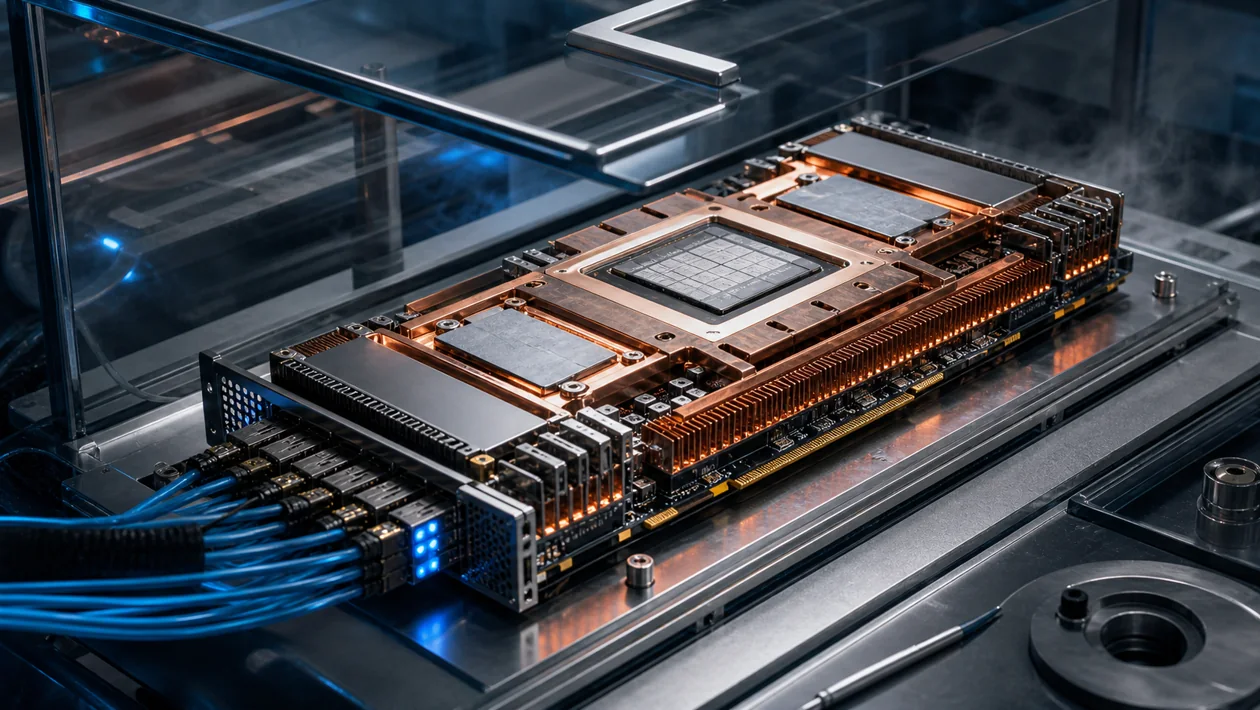
The AMD Instinct MI100 is a data-center GPU for AI training, scientific simulation, and other massively parallel compute workloads. It is a passive PCIe accelerator installed in a server and operated through AMD ROCm, HIP, and a matching driver and firmware stack. That boundary matters: the MI100 is not a desktop product or a ready-made cloud API, but one component of a GPU platform that an infrastructure team must run.
Who is it for?
The card makes sense for research groups, enterprises, and system integrators that operate Linux GPU servers or procure a purpose-built instance. A repeatable training or simulation pipeline is a strong fit because the team can pin and maintain the ROCm environment. A small team that only runs an occasional model and has no GPU operations capability will often have a simpler path through a managed cloud accelerator.
What is actually in the hardware?
The MI100 belongs to AMD's first CDNA generation and uses the gfx908 target. Each GPU provides 32 GB of HBM2 memory with high bandwidth and 120 compute units, connected to the host through PCIe Gen4. AMD also documents matrix-core support for suitable data types and Infinity Fabric links for local multi-GPU configurations. These are hardware capabilities, not a guaranteed training time: the model, batch size, kernels, and ROCm release determine the result.
ROCm provides the software foundation for HIP, libraries, and framework integrations. Before procurement, verify that the exact framework, precision mode, and intended Linux distribution are covered by the current compatibility matrix. With an older accelerator such as the MI100, “supported” is a release-specific engineering question, not a permanent promise that every new software combination will work.
A practical deployment workflow
- Record the model, dataset, target precision, and acceptable runtime as a baseline.
- Install a pinned ROCm release together with the kernel, amdgpu driver, firmware, and container image.
- Run a small real training or simulation job to check device visibility, memory use, numerical stability, and the data path.
- Scale to multiple GPUs only after the single-job result is reproducible. Store logs, checkpoints, and version details with the team’s normal experiment records.
This sequence catches a common failure mode: the card is visible, but a relevant kernel falls back to the CPU or fails because a library is incompatible. Production jobs also need monitoring, replacement planning, and a tested fallback path.
Integration and limits
The MI100 is passively cooled and belongs in a server designed for that thermal profile, not in an ordinary PC case. Multiple cards can work together in a suitable platform, but topology, power delivery, airflow, NUMA placement, and host memory all affect the outcome. A multi-GPU system is not automatically faster; communication, data loading, and synchronization can become the bottleneck.
For a new project, software support is the first gate. Test the exact ROCm version, operating system, container base, and required operators in a small acceptance job. Teams that need a managed environment or very broad framework coverage should compare the integration risk with a newer or more tightly integrated alternative.
Quality, cost, and governance
Evaluate more than peak FLOPS: measure time to a validated result, failure recovery, memory use, and the operational effort per experiment. A useful proof of concept runs the same small job on the MI100 and the planned alternative with identical data and a recorded ROCm version.
Pricing for this class of enterprise hardware is typically handled by custom quote. Total cost also includes the server chassis and cooling, electricity, host memory, networking, spare parts, support, and engineering time for ROCm and firmware maintenance. For sensitive training data, define access control, logging, retention, and separation between research and production jobs. Keeping data on a local server does not make a poorly governed cluster secure by itself.
Editorial Assessment
We recommend the MI100 for teams with Linux and GPU expertise, a clear HPC or training workload, and the capacity to test and maintain the complete software stack. Its value is clearest when its 32 GB HBM2 capacity and parallel compute are used regularly on a platform the team can operate predictably.
We would not make it the default purchase for a new, small AI product when a managed GPU, cloud instance, or newer accelerator can solve the same problem with less integration risk. The decision should rest on a reproducible benchmark that includes ROCm setup and operational work, not on the longest specification sheet.
Open frequently asked questions
FAQ
Is the MI100 suitable for a desktop PC or gaming?
No. It is a passive data-center compute and PCIe card. The enclosure, airflow, power delivery, and driver environment must be designed for server use.
What software should be tested before procurement?
At minimum, test the planned ROCm release, amdgpu driver and firmware, operating system, container base, framework, and required operators. A small real workload tells you more than device detection alone.
Does the MI100 make sense for a new training project?
Only if the benchmark and operating model support it. It is a reasonable fit when existing servers and ROCm expertise are available. Without that foundation, include a managed or more broadly supported alternative in the comparison.
What belongs in the total cost?
Not just the card: include the server, cooling, electricity, host memory, networking, support, spares, and the maintenance of drivers, firmware, and ROCm.