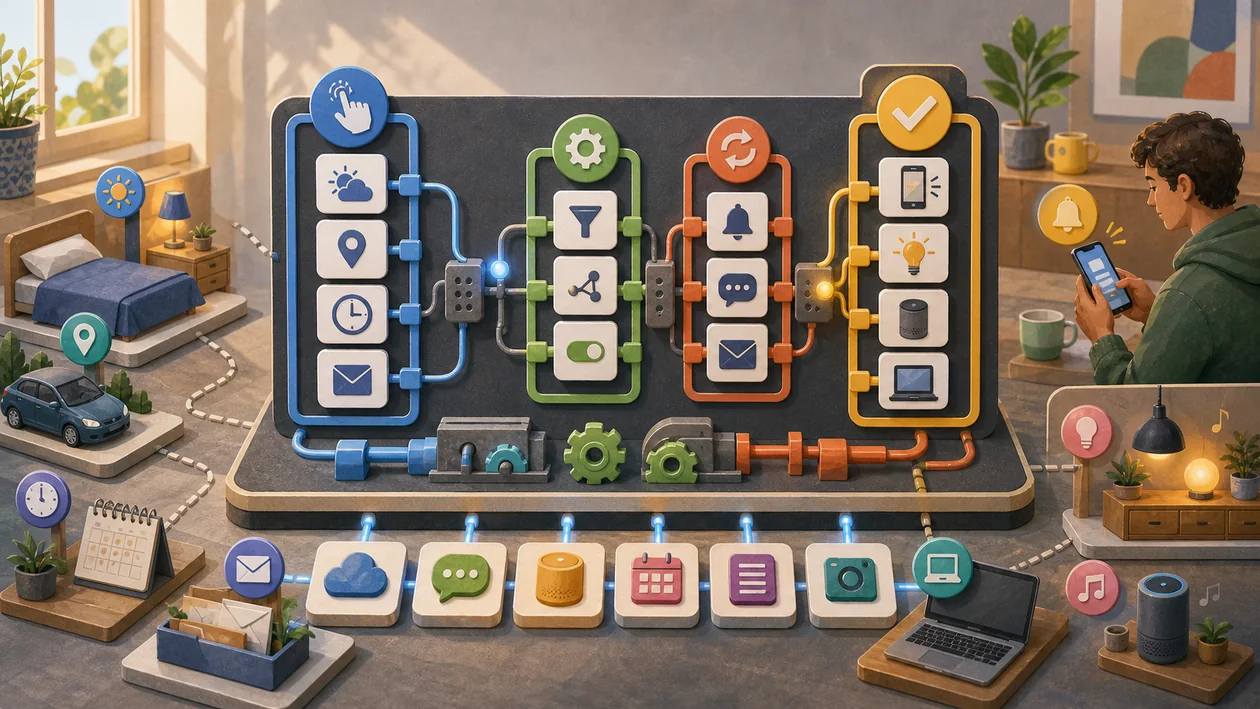
IFTTT is especially interesting when simple if-this-then-that automations between web services are not just tried once, but used repeatedly by a team. In that case, it is not about a single aha moment, but about connecting small personal or team routines without development effort.
The critical point lies in operations: the question of which triggers are reliable enough and what should happen when errors occur. That is exactly what determines whether the tool relieves work or merely introduces another interface.
Who is IFTTT suitable for?
IFTTT is at its strongest for users who need a repeatable workflow to connect small personal or team routines without development effort. The tool is especially helpful in this context for simple notifications, smart home, and productivity routines.
I would be cautious as long as it remains unclear which triggers are reliable enough and what should happen when errors occur. Then the tool is easily tested against symptoms even though the real process question remains unresolved.
Editorial assessment
With IFTTT, I would distinguish early between the demo impression and operational reality. Many tools look strong in the first hour; what matters, however, is whether they still create fewer follow-up questions, less rework, or more transparency after two weeks.
- Good pilot: connecting small personal or team routines without development effort.
- Quality question: which triggers are reliable enough and what should happen when errors occur.
- Risk: too little control and observability for business-critical processes.
Main features
Creation and management of applets (automation rules) with an intuitive drag-and-drop editor.
Integration of more than 700 supported services and devices (e.g. Google, Amazon Alexa, Philips Hue, Twitter).
Automatic synchronization of data and actions between different platforms.
Support for smart home automations for lighting, security, thermostats, and more.
Mobile apps for iOS and Android to manage and run applets on the go.
Option to connect custom services and webhooks.
Notifications and status updates for executed automations.
Free access with basic features, optional premium plans for advanced features.
Practical check: which triggers are reliable enough and what should happen when errors occur.
Team rollout: connecting small personal or team routines without development effort.
Pros and cons
Pros
- Easy to use without programming knowledge.
- Large selection of supported services and devices.
- Flexible system for creating individual automations.
- Available as a web app and mobile app.
- Free basic version with extensive features.
- Regular updates and extensions to the service.
- Especially valuable for simple notifications, smart home, and productivity routines.
Cons
- Limited number of applets in the free version.
- Some complex automations require paid plans.
- Dependence on third-party providers and their API availability.
- Occasional delays in the execution of automations.
- Privacy concerns when connecting many services.
- Watch-out: too little control and observability for business-critical processes.
Pricing & costs
IFTTT offers a freemium model:
- Free: Basic functions, limited number of applets, access to most services.
- Pro plan: Monthly or annual payment, unlimited applets, advanced features such as multi-step applets, faster execution, and premium support.
- Teams and enterprises: Custom pricing, advanced administration, and integration for business customers.
The exact prices and terms may vary depending on region and the chosen plan.
For budget planning, IFTTT should not be evaluated only by list price. More important are operational effort, training, integrations, and the question of which triggers are reliable enough and what should happen when errors occur.
Open frequently asked questions
FAQ
1. What exactly is IFTTT?
What should a IFTTT pilot look like?
Start with a bounded process, a small group and a clear success criterion. Check output quality, permissions and handovers before expanding the scope.
Which data should not be processed in IFTTT without review?
Sensitive or confidential content should wait until contract terms, access, storage and deletion controls have been reviewed. Escalate uncertainty to the responsible privacy owner.
When is an alternative to IFTTT the better choice?
Choose an alternative when the need is occasional, a required integration is missing, or administration and cost outweigh the practical benefit.
IFTTT is a platform for automating tasks between different apps, devices, and services through simple if-then rules.
2. Do I need programming knowledge to use IFTTT? No, IFTTT is designed so that users can create automations without technical prior knowledge.
3. Which devices and services are supported? IFTTT supports hundreds of services, including Google, Amazon Alexa, Philips Hue, Twitter, Instagram, and many more.
4. Is there a free version of IFTTT? Yes, the basic version can be used for free, but it offers a limited number of applets and features.
5. How secure is using IFTTT? IFTTT relies on secure connections and privacy measures, but users should review the permissions of connected services.
6. Can I integrate my own apps or devices into IFTTT? Yes, users can create custom connections through webhooks and custom service integrations.
7. How quickly are automations executed? Execution time varies depending on the service and plan, and slight delays can occur.
8. Is IFTTT also suitable for companies? Yes, there are special plans and features for teams and business customers who need advanced automations.
9. How should I test IFTTT? Best with a small, real scenario from your own everyday work. You should check whether the tool helps connect small personal or team routines without development effort, and whether the results can be used without much rework.
10. What is the most common stumbling block with IFTTT? The most common stumbling block is starting too broadly. Before rollout, it should be clear which triggers are reliable enough and what should happen when errors occur; otherwise, the value is hard to assess.
Workflow and rollout
A useful start with IFTTT begins with one concrete workflow and a small user group. Define the input, expected outcome and manual checkpoint before adding more automation or permissions. Record who approves the result and how a failed step is reversed. A focused pilot makes it clear whether IFTTT holds up in daily work or only looks convincing in a demo.