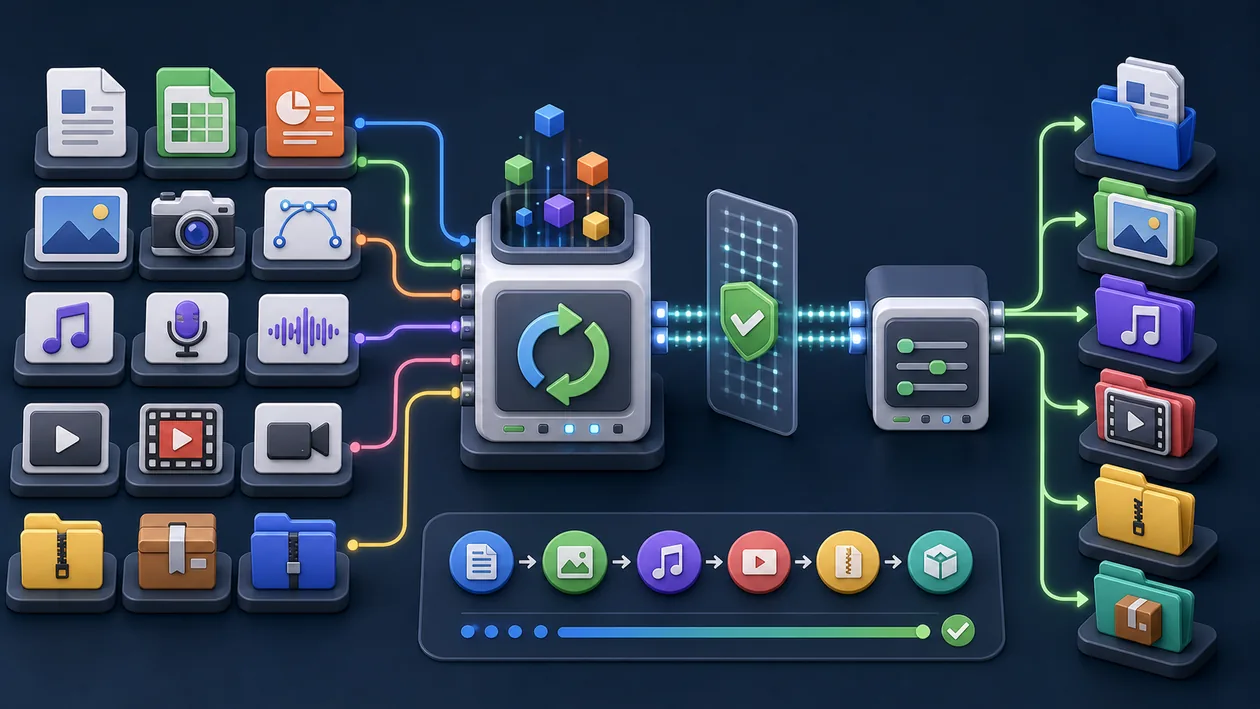
Online-Convert is a versatile online service for converting files into different formats. The platform supports a wide range of file types, including documents, images, audio, and video files. Without installing software, users can convert files directly in the browser, saving time and improving compatibility across different devices.
Who is Online-Convert suitable for?
Online-Convert is aimed at individuals and businesses looking for a simple and fast way to convert files into other formats. The tool is especially useful for users who work with different file types frequently, for example in the office, in education, or in media production. It also offers a practical solution for occasional users who do not want to install local software.
Online-Convert is most useful for teams and individuals who want recurring work to become more structured and transparent. The value should be judged in a real process where organization, task flow, meetings, documentation, alignment, and reliable routines become not only faster but also easier to explain.
Online-Convert works best when the start is deliberately narrow: a clear purpose, a limited task or data set, and a review step that exists before problems appear.
Editorial Assessment
Online-Convert should be measured by process quality. A good implementation makes handoffs clearer, decisions easier to trace, and errors visible earlier.
A useful pilot for Online-Convert starts with a real weekly workflow with tasks, meetings, handoffs, reminders, and review. After that, the team should judge whether time saved, fewer follow-up questions, better handoffs, completeness, and stable routines are visibly better in the real workflow, not just in a demo.
- Checkpoint for Online-Convert: Before rollout, time saved, fewer follow-up questions, better handoffs, completeness, and stable routines should be supported by a small before-and-after comparison.
- Good start for Online-Convert: Use one production-like case with an owner, an acceptance criterion, and a short review instead of a long comparison without real use.
- Risk with Online-Convert: Even a good interface helps only partly when rules, notifications, data care, and ownership are not agreed together.
Main features
Support for numerous file formats for documents, images, audio, video, and e-books.
File conversion directly in the browser without software installation.
Option to adjust conversion parameters such as resolution, quality, or file size.
Batch conversion of multiple files at the same time.
OCR (Optical Character Recognition) integration for text recognition in images and PDFs (depending on the plan).
Saving converted files for download or storing them in cloud services (depending on the provider).
User-friendly interface with clear instructions for each conversion step.
Support for URL uploads and cloud imports (e.g. Google Drive, Dropbox).
Practical run with Online-Convert: The tool should be tested against a real weekly workflow with tasks, meetings, handoffs, reminders, and review, so strengths and limits become visible outside a polished demo.
Quality control in Online-Convert: The team needs a simple way to review time saved, fewer follow-up questions, better handoffs, completeness, and stable routines after use.
Handoff with Online-Convert: Results, open questions, and decisions should be documented so other roles can continue the work later.
Pros and cons
Pros
Very broad format support for a wide range of use cases.
No installation required, usable across platforms.
Easy to use even for less tech-savvy users.
Flexible thanks to customizable conversion options.
Batch conversion saves time when working with larger amounts of data.
Online-Convert can make the workflow calmer when tasks, review, and handoff are named before the rollout.
Online-Convert can make team knowledge easier to reuse when organization, task flow, meetings, documentation, alignment, and reliable routines are scattered, implicit, or hard to verify.
Cons
Depends on a stable internet connection.
Larger files may take longer to process.
Some advanced features may only be available in paid plans.
The privacy and security of uploaded files depend on the provider.
Limitations may apply to free usage.
Online-Convert can merely move the friction elsewhere when rules, notifications, data care, and ownership are not agreed together.
Online-Convert stays reliable only when maintenance, quality checks, and open decisions are reviewed regularly.
Pricing & costs
Online-Convert pricing varies depending on the provider and the chosen plan. A free basic version with limited features and file size limits is often available. For advanced features, larger upload limits, or unlimited use, various paid subscriptions or one-time purchases are available. Details on current pricing should be checked on the official website.
For Online-Convert, it is worth looking behind the sticker price: number of users, storage, integrations, administration effort, migration, and training. These factors often decide ROI more than the entry price.
Open frequently asked questions
FAQ
1. Which file formats does Online-Convert support? Online-Convert supports a wide range of formats in the areas of documents, images, audio, video, and e-books. The exact list may vary depending on the service and plan.
2. Do I need to register to use Online-Convert? Many basic features are available without registration. For advanced features or larger files, sign-up may be required.
3. How secure are my files during conversion? Security depends on the provider. Reputable services usually delete uploaded files automatically after a short time. It is recommended to review the privacy policy.
4. Can I convert multiple files at the same time? Yes, Online-Convert usually offers batch conversion, allowing multiple files to be processed at the same time.
5. Is there a size limit for uploaded files? Free versions usually have a limit on the maximum file size. Paid plans often allow larger files.
6. Can I import files from cloud services? Many online converters support importing files from common cloud services such as Google Drive or Dropbox.
7. Are my files saved after conversion? The converted files are available for download. Whether and for how long they are stored depends on the provider.
8. Is there a way to use the tool offline? Online-Convert is designed as a web service and requires an internet connection. For offline use, local programs are required.
9. How should a team test Online-Convert? For Online-Convert, use one real, bounded use case. Define the goal, owner, data basis, review steps, and success criteria first, then compare effort and output quality after the test.
10. When is Online-Convert a poor fit? Online-Convert is a poor fit when rules, notifications, data care, and ownership are not agreed together, or when nobody has time for setup, review, and ongoing maintenance. In that case the tool quickly becomes another maintenance item.