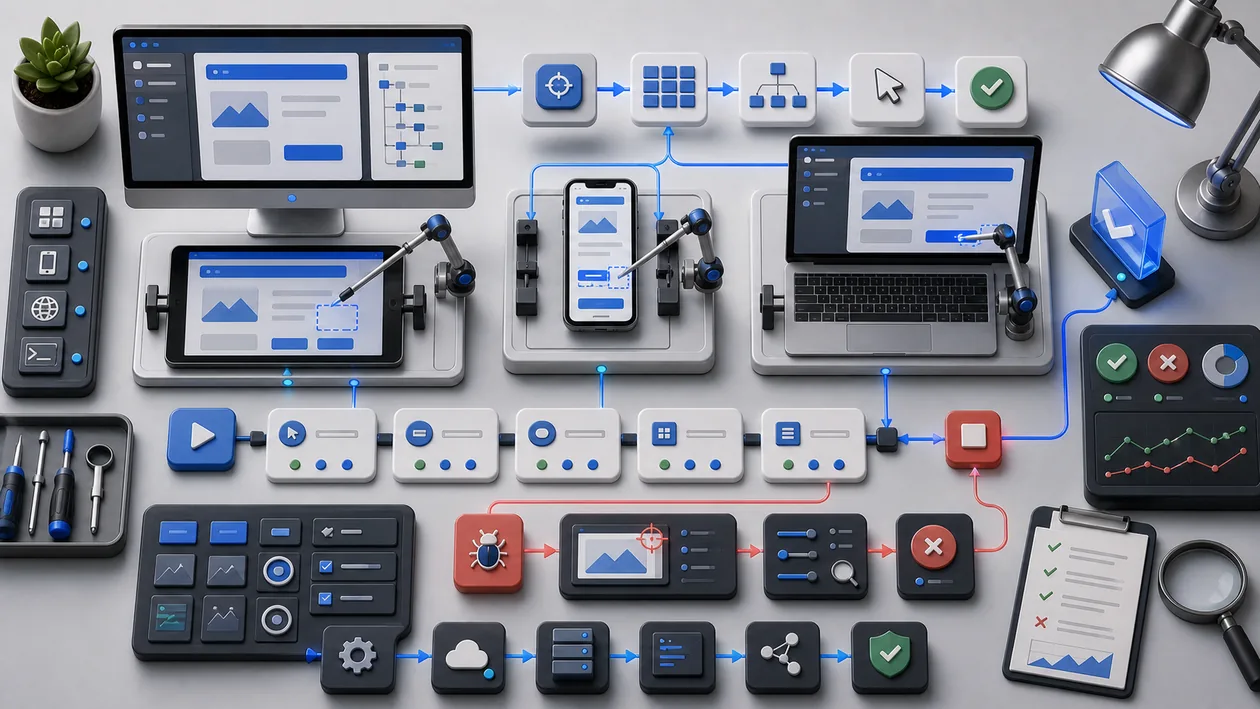
Ranorex Studio is a comprehensive test automation software solution that specializes in UI testing. With a user-friendly interface and powerful features, the tool helps developers and testers create and run automated tests for a wide range of applications. It is suitable for desktop, web, and mobile applications and offers a broad range of integrations and customization options.
Who is Ranorex Studio suitable for?
Ranorex Studio is aimed at software developers, QA teams, and test managers who want to automate reliable and repeatable UI tests. It is ideal for companies that test complex applications and want to improve test efficiency without relying on manual testing. Teams with little programming experience can also get started easily thanks to Ranorex's low-code options and visual test development.
A small, bounded test is usually enough to learn whether Ranorex Studio fits. It should show whether defect rate, review effort, speed, and traceability improve without creating new shadow processes.
The first test for Ranorex Studio should stay deliberately narrow: one process, one owner, a before-and-after comparison, and a short retrospective.
Editorial assessment
Ranorex Studio can be useful when it is embedded in a clear process. Without ownership and review rules, the value can remain vague even if the product looks convincing in a demo.
A useful evaluation starts with a real development flow from local testing through review to CI execution. Only then can a team decide whether Ranorex Studio is just a nice add-on or a dependable part of the workflow.
- What to watch: With Ranorex Studio, defect rate, review effort, speed, and traceability should be checked against concrete before-and-after evidence, not only against first impressions.
- Good starting point: Test Ranorex Studio in one real workflow where input, output, and review are described before the first run.
- Common pitfall: Ranorex Studio disappoints when standards, test data, and ownership emerge only informally.
Key Features
Support for desktop, web, and mobile applications for cross-platform testing
Visual test recording and drag-and-drop editor for easy test script creation
Integration with common CI/CD tools such as Jenkins, Azure DevOps, and TeamCity
Support for various programming languages, including C# and VB.NET
Object repository for centralized management of UI elements
Data-driven tests for reusing test data
Detailed test reports with screenshots and logs for analysis
Support for cross-browser testing and mobile devices
Ability to create custom test libraries and extensions
Team collaboration and version control through common systems such as Git
Practical workflow: Ranorex Studio should be tested against a real development flow from local testing through review to CI execution, not only against a polished demo.
Quality control: Ranorex Studio becomes stronger when defect rate, review effort, speed, and traceability move from gut feeling into a reviewable process.
Team handoff: Ranorex Studio becomes more useful when outputs, decisions, and open questions remain understandable for other roles.
Pros and Cons
Pros
Broad range of supported platforms and technologies
User-friendly interface with low-code options
Extensive integration options for existing development processes
Detailed and informative test reports
Good scalability for small and large teams
Active community and comprehensive support
Stronger in daily work when Ranorex Studio is used for clearly bounded tasks rather than every possible side problem.
Does more than add convenience when Ranorex Studio turns development, debugging, testability, and handoff inside technical teams from personal notes into a shared workflow.
Cons
License costs can be higher depending on scope and number of users
Learning curve for more complex automation scenarios
Resource-intensive for very large test projects
Focus is primarily on UI tests, less on other test types such as API testing
Can create additional coordination work when Ranorex Studio is introduced before standards, test data, and ownership emerge only informally and nobody owns the open questions.
Without maintained ownership, Ranorex Studio can remain another available tool rather than a reliable team routine.
Pricing & Costs
Ranorex Studio pricing varies depending on the license model and the number of users. Typically, there are options for single-user licenses as well as enterprise licenses with expanded features and support. Some providers also offer subscriptions or time-limited licenses. For exact pricing, it is best to contact the provider directly or authorized partners.
Beyond the list price, Ranorex Studio should be evaluated by the cost of adoption. Relevant factors include setup, maintenance, CI resources, integrations, and technical onboarding. For team use, these indirect costs can matter more than the monthly or annual subscription itself.
Open frequently asked questions
FAQ
1. Does Ranorex Studio support mobile testing as well?
What should a Ranorex Studio pilot look like?
Start with a bounded process, a small group and a clear success criterion. Check output quality, permissions and handovers before expanding the scope.
Which data should not be processed in Ranorex Studio without review?
Sensitive or confidential content should wait until contract terms, access, storage and deletion controls have been reviewed. Escalate uncertainty to the responsible privacy owner.
When is an alternative to Ranorex Studio the better choice?
Choose an alternative when the need is occasional, a required integration is missing, or administration and cost outweigh the practical benefit.
Yes, Ranorex Studio supports test automation on Android and iOS devices.
2. Which programming languages can I use with Ranorex Studio? C# and VB.NET are primarily supported, which makes integration into .NET-based development environments easier.
3. Is Ranorex Studio suitable for beginners? With visual test recording and low-code features, users without extensive programming knowledge can also create tests.
4. Is there a free trial of Ranorex Studio? As a rule, the provider offers a time-limited trial version so the tool can be evaluated before purchase.
5. How is it integrated into CI/CD pipelines? Ranorex Studio can be integrated with common CI/CD tools such as Jenkins and Azure DevOps to embed automated tests into the development process.
6. Can I also perform non-UI tests with Ranorex Studio? The focus is on UI test automation; for API or performance tests, other specialized tools are recommended.
7. How are test objects managed in Ranorex? Ranorex uses a central object repository that makes it easier to manage and reuse UI elements.
8. What reporting options does Ranorex Studio offer? The tool creates detailed test reports with screenshots, logs, and error analyses that can be easily exported and shared.
9. How should a team test Ranorex Studio? Choose a real task, write down success criteria, and compare after the test whether Ranorex Studio made the work more reviewable and repeatable.
10. When is Ranorex Studio a poor fit? If standards, test data, and ownership emerge only informally, Ranorex Studio should not be rolled out broadly yet. Without maintenance and review time, it quickly becomes another channel.
Workflow and rollout
A useful start with Ranorex Studio begins with one concrete workflow and a small user group. Define the input, expected outcome and manual checkpoint before adding more automation or permissions. Record who approves the result and how a failed step is reversed. A focused pilot makes it clear whether Ranorex Studio holds up in daily work or only looks convincing in a demo.